Why should a compliance or brand lead care about a toy-looking avatar tool? Because employee headshots are biometric data, and a consumer web form is a data transfer.
Last reviewed and updated: August 2026.
Executive Summary
- What it is a cartoon picture maker is a browser-based pipeline (GAN or latent diffusion) that re-encodes facial geometry and re-renders surface texture into a chosen cartoon style in 2 to 10 seconds.
- Input requirements front-facing, evenly lit photos at 1080p or higher. Most services accept files up to 50 MB across
.JPG,.PNG,.WEBP,.BMP,.JFIF,.AVIF, and.HEICcontainers. - Output control set the aspect ratio (1:1, 9:16, 16:9, 2:3) before generation to avoid destructive cropping, and export at 300 DPI if the asset will be printed.
- Cost model free tiers cap output at 2 to 5 images per day with watermarks and 540p to 720p exports. Paid tiers unlock 2K to 4K exports, batch processing, and commercial licensing, typically $4.99 to $29 per month, versus $30 to $300+ for a hand-drawn commission.
- Legal position under US Copyright Office guidance (2023 to 2026), unedited AI output lacks human authorship and cannot be registered. Commercial deployment therefore rests on the vendor's contractual license, not on copyright ownership.
- Risk controls verify the auto-deletion window (leading services purge inputs and outputs within 2 to 24 hours), strip EXIF metadata before upload, and treat facial scans as biometric data under BIPA, CCPA, and GDPR Article 9.
Who This Guide Is Written For
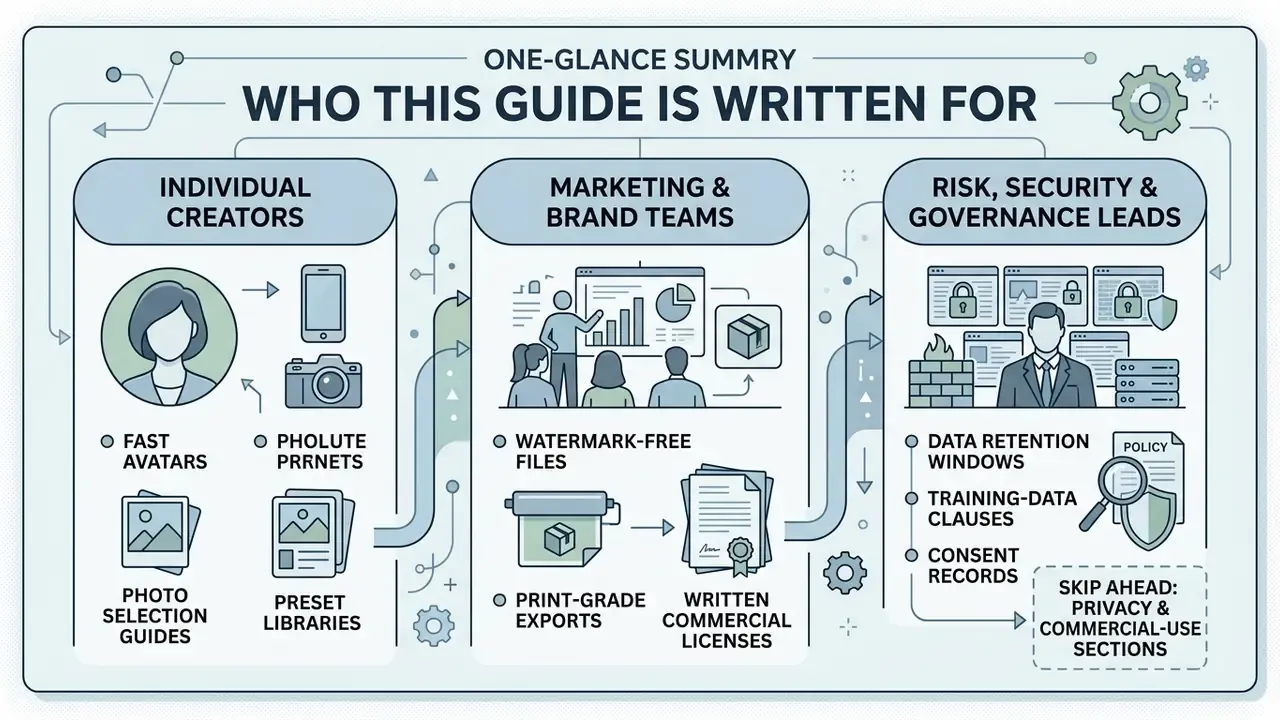
Three reader groups tend to land here with very different questions, so the sections below answer all three rather than only the first.
- Individual creators want a fast, recognizable avatar and need to know which photo to use and which preset keeps their likeness intact.
- Marketing and brand teams need watermark-free, print-grade files plus a written commercial license before anything reaches a paid campaign or a merch store.
- Risk, security, and governance leads care about retention windows, training-data clauses, consent records for employee imagery, and whether staff are quietly pasting ID photos into unvetted tools.
If you belong to the third group, skip ahead to the privacy and commercial-use sections first. The technical background will still be there afterwards.
What Is a Cartoon Picture Maker?
A cartoon picture maker is an online tool, or more precisely an algorithmic pipeline, that converts standard raster photographs into stylized vector or rendered cartoon artwork. Modern platforms run an ai cartoon generator photo to cartoon online free system powered by generative adversarial networks (GANs) or latent diffusion models. The network analyzes input features, re-encodes geometry, then re-renders visual texture in seconds.
People reach for an ai cartoon generator photo to cartoon online workflow to build personal avatars, marketing visuals, and community graphics directly inside a web browser, without opening a single drawing tool. An ai cartoonify image request and a full ai cartoon photo maker session are the same operation at different scales: one file or five hundred.
How AI Turns Photos into Cartoon-Style Images
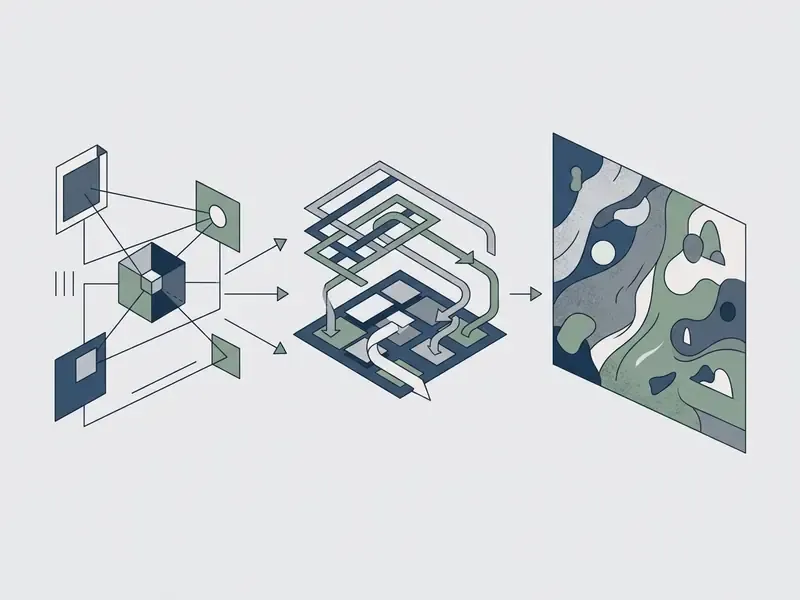
AI transforms photos into cartoon-style images by decoupling facial geometry from surface texture, then passing spatial maps through trained style adapters. Facial encoders identify landmark control points such as eye contours, jawlines, and lip boundaries. Spatial conditioning modules like ControlNet hold structural alignment in place.
Older caricature architectures split the task explicitly. WarpGAN predicts control points that warp facial geometry while preserving identity, and CariGANs separates geometry exaggeration (CariGeoGAN) from appearance stylization (CariStyGAN).
«GAN generators combine adversarial, content, style, and edge-detection losses to produce high-quality cartoon images that retain the artistic essence of the original.»
Diffusion pipelines work differently. They noise the latent representation, then denoise it against a target visual domain, whether that is a 3d cartoon photo editor online free look or a cel-shaded illustration.
«CartoonizeDiff adds a Color Canny ControlNet and a Reflect ControlNet to Stable Diffusion, preserving color and structure during cartoon stylization.»
The result keeps subject identity while swapping natural skin tone and photographic lighting for flat shading, posterized color bands, or volumetric 3D renders. A parallel 2024 research line proposes three coordinated adapters, cartoon-style, color-structure, and semantic, which confirms the same principle: appearance changes, content holds.
Cartoon Photo Editor vs. Traditional Cartoon Drawing
An online ai cartoon photo editor free synthesizes an image in under ten seconds. A hand-drawn commission takes hours or days. Manual illustration still wins on bespoke nuance and negotiated revisions, but commissions run roughly $30 to $300 per portrait.
An ai cartoon photo converter online free flips the trade-off: instant generation, non-destructive filter testing, repeatable revisions at zero or nominal credit cost. Teams producing commercial AI image assets for marketing materials usually run both tracks in parallel. AI handles volume and iteration. Human illustration handles hero assets that need legally defensible authorship.
| Parameter | AI Cartoon Generator | Traditional Artist Commission |
|---|---|---|
| Turnaround time | 2 to 10 seconds | 1 to 7 business days |
| Average cost | $0 to $4.99 per month | $30 to $300+ per piece |
| Revision flexibility | Instant regeneration via prompts and sliders | Limited rounds (1 to 3 revisions) |
| Output consistency | Algorithmic, deterministic style rules | Unique human interpretation |
| Identity preservation | Controlled by keypoint adapters (InstantID, PhotoMaker) | Artist's reading of the subject |
| Copyright status (US) | Unedited output not registrable | Human-authored, fully registrable |
What Photos Work Best for AI Cartoon Conversion?
The most recognizable results come from high-contrast, front-facing photographs with clear facial features and a calm background. Neural models need distinct pixel data to calculate keypoint alignment and apply an ai cartoon filter online free without structural distortion. Well-lit environments and a direct gaze give clean edge detection and accurate color segmentation.
Cluttered background, soft focus, sunglasses. Three fast ways to ruin an output.
Portraits, Selfies, Pets, and Group Photos
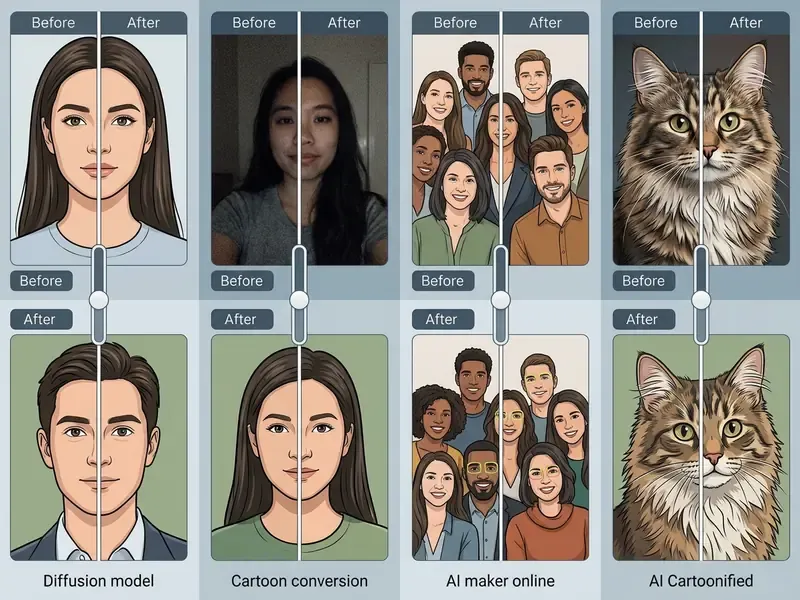
Single-subject portraits and clean selfies produce the highest fidelity cartoon avatars, because face-detection models prioritize central facial landmarks. In group photos, multi-subject pipelines detect each face separately, though resolution loss on smaller background faces introduces minor keypoint misalignment.
Pet photographs need edge-preservation filters to separate fine fur from background noise. Vendor documentation for pet workflows asks that the animal's muzzle stay clearly visible, and multi-pet compositions are usually rendered subject by subject, then composited.
«Identity preservation problems are especially acute for images with small faces or a significant camera-to-face distance.»
For portrait tooling comparisons, our guide to AI headshot generators covers the professional end of the same pipeline.
Image Quality, Lighting, and Recognizable Details
Resolution and even illumination decide whether an ai cartoon photo converter free keeps your likeness or hands back an artifact. Foundational neural style transfer research named resolution as the primary constraint.
«The most limiting factor is the resolution.»
«Typical cartoonization failures, structural confusion, color artifacts, and loss of original content, are mitigated through multi-component feature decomposition.»
How to Turn a Picture into a Cartoon Online
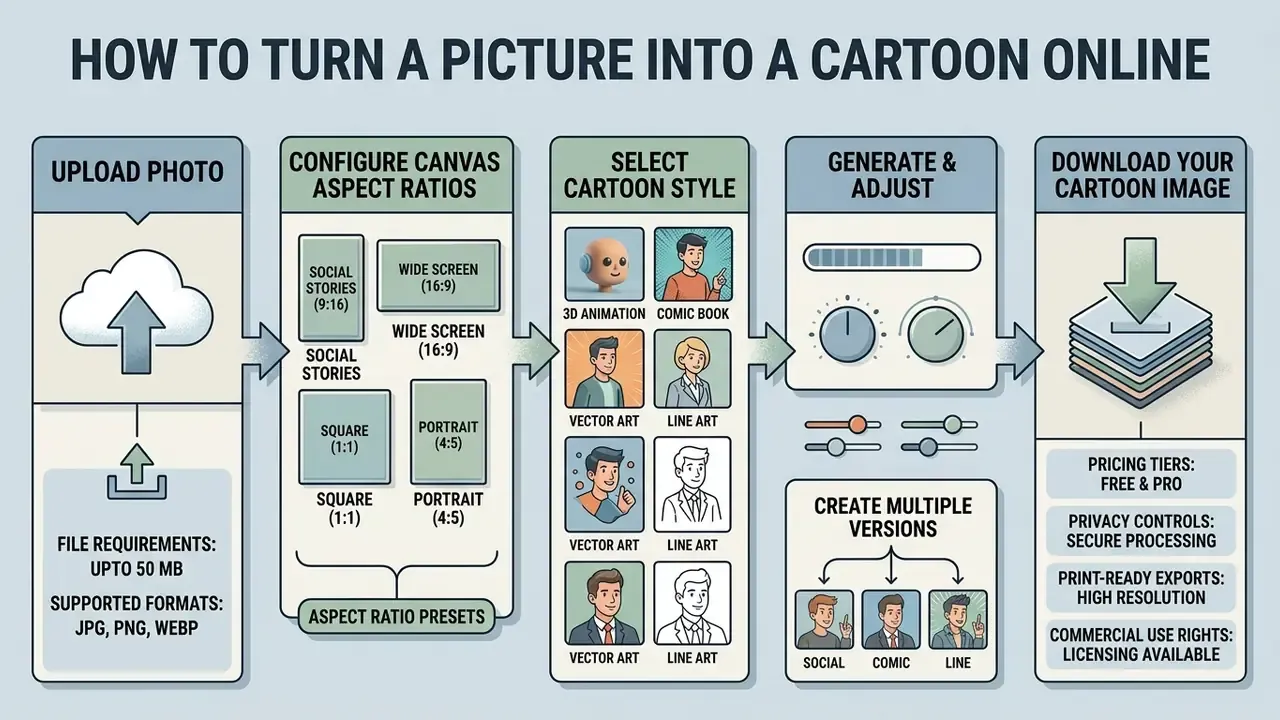
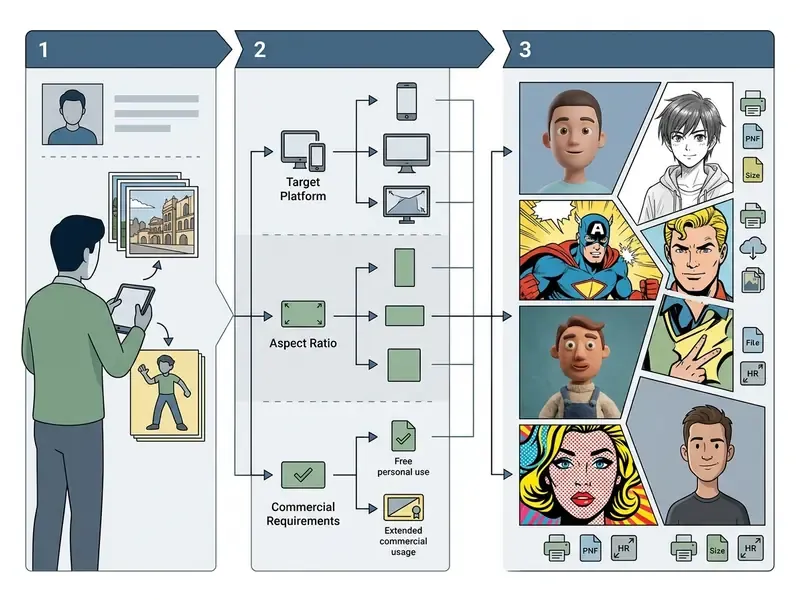
Converting a photograph into cartoon artwork online follows a short loop: upload, stylize, adjust, export.
- Upload the input image.Pick a JPEG, PNG, or WEBP photograph with clear lighting and unobstructed facial features.
- Select a cartoon preset.Choose a visual model style: 3D animation, anime, classic 2D comic, or flat digital vector.
- Set the output aspect ratio.Lock the canvas ratio to the destination platform before generation.
- Run neural processing.Trigger the generate control to push the image through the latent diffusion or GAN pipeline.
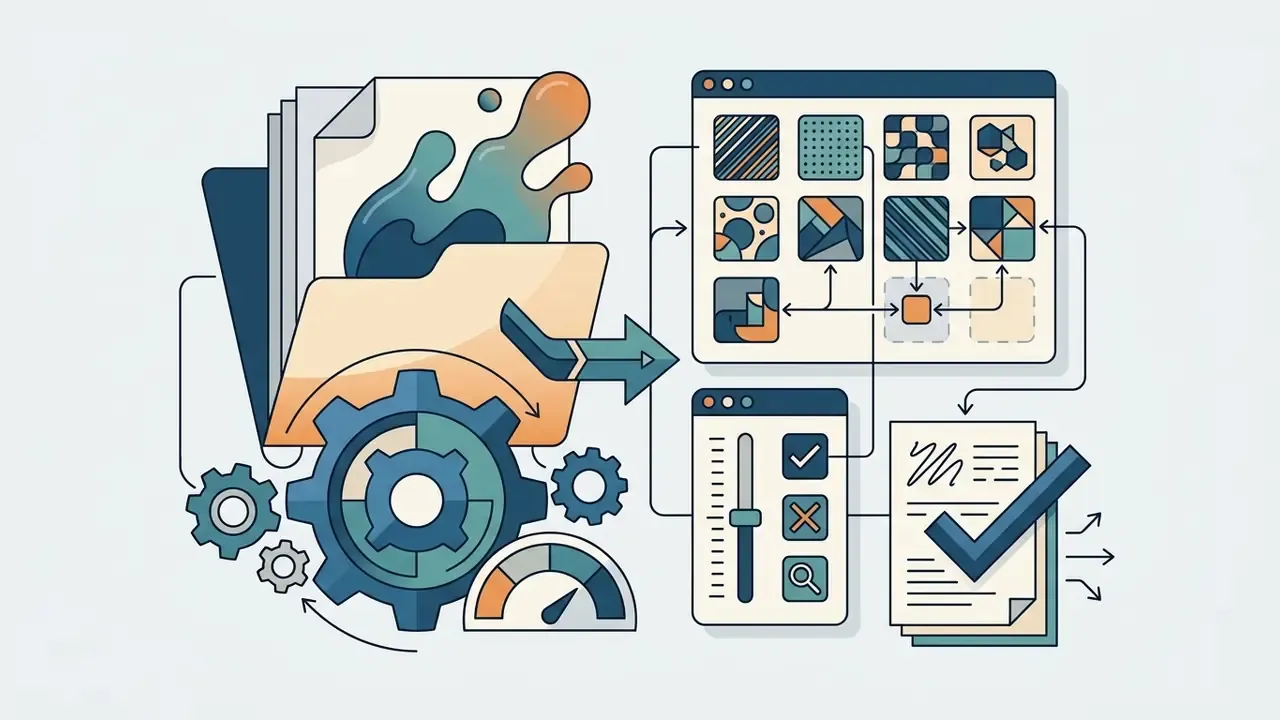
- Refine visual details.Adjust edge intensity, color saturation, posterization levels, or facial geometry sliders in an ai cartoon photo editor online free.
- Export the final file.Download the cartoon image in high-definition PNG or JPEG for digital or print use.
Configuring Canvas Aspect Ratios for Multi-Platform Deployment
Set the target aspect ratio before generation, not after. Common presets include "match input image", 1:1, 1:2, 2:1, 2:3, 3:2, 9:16, and 16:9.
- 1:1 square: Instagram posts, Discord avatars, corporate bio photos.
- 9:16 vertical: TikTok, Instagram Reels, YouTube Shorts, mobile wallpapers.
- 16:9 widescreen: YouTube thumbnails, desktop backgrounds, website headers.
- 2:3 and 3:2: standard ratios for canvas prints, greeting cards, framed posters.
- Match input image: best when the source composition is already framed well and you want zero re-cropping of facial landmarks.
One detail brand teams forget: square-to-circle masking removes roughly 21% of the canvas area. Keep the face centered with generous head padding, or the crop will eat the chin.
Upload a Photo and Choose a Cartoon Style
The journey starts when you upload a photo through the file picker, drag and drop, clipboard paste, or a direct image URL. Web interfaces use live status regions to announce upload progress without stealing keyboard focus. W3C techniques ARIA25 and ARIA27 both specify that progress should be announced through a live region rather than by moving focus to the progress element.
Once the file lands, the platform shows style thumbnails: an ai cartoon filter free preset, a comic look, a 3D render. Accessible implementations pair every thumbnail with descriptive alternative text, so style previews stay usable for screen-reader visitors. That detail matters more than it sounds when your avatar project is a company-wide rollout.
Generate, Adjust, and Download Your Cartoon Image
Clicking the transformation control fires the ai cartoon portrait generator free online engine, which renders the styled image in two to eight seconds. From there you fine-tune with non-destructive controls: posterization level, edge weight, brightness.
Desktop-grade refinement goes further. Smart Object and Smart Filter workflows, Poster Edges controls for edge thickness and intensity, Liquify adjustments for eye shape, and local brush edits for exposure, clarity, and vibrance. Multimedia teams often pair image conversion with an open source video editor or a dedicated AI photo editor to assemble a full asset set, and video-first projects sometimes route through an open source ai video generator free stack instead. Then export to local storage.
Create Multiple Cartoon Versions from One Photo
Identity-preserving frameworks such as InstantID and PhotoMaker let you run an ai cartoon my photo request across dozens of styles without losing likeness. InstantID conditions generation on just five facial keypoints plus a face ID embedding, combining a ControlNet-style spatial branch with a cross-attention identity adapter. PhotoMaker stacks ID embeddings from several reference photos for steadier likeness across prompts.
Because identity embeddings sit apart from style condition maps, one upload can yield a 3D render, a vintage comic panel, and a pop-art avatar. Same face, three worlds.
«Infinite-ID separates identity and semantic streams through dedicated cross-attention modules, enabling stylized portraits without loss of facial features.»
Cartoon Styles You Can Create from a Photo
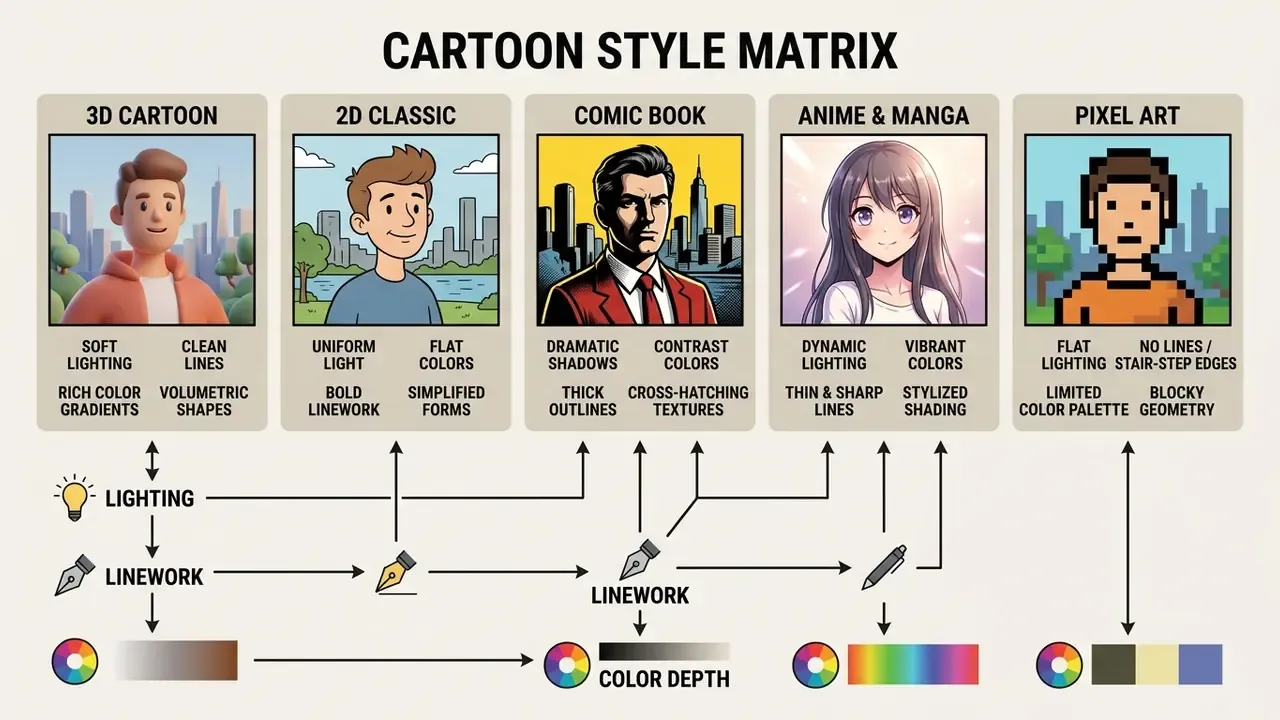
Consumer platforms advertise anywhere from 54 to more than 80 named presets. Almost all of them are style adapters, LoRA modules, ControlNet branches, or prompt templates layered onto a shared base model. Which is why the selection logic below holds regardless of how many thumbnails an interface displays.
«A multi-branch style encoder allows new styles to be added without iterative retraining, while preserving the semantics of the original image.»
Still choosing a platform? Our roundup of the best AI image generators and the wider AI Media Comparison hub are worth a look before you spend credits inside a single style library.
3D Cartoon, Classic Cartoon, and Realistic Cartoon Effects
- 3D cartoon style volumetric rendering, rounded facial geometry, global illumination, soft bounce light, ambient occlusion, and subsurface skin scattering close to modern feature animation. Cinematic depth of field and a touch of motion blur reinforce the studio look.
- Classic 2D cartoon flat color fills, bold ink outlines, simplified shapes, posterized shading bands, wide decorative contour strokes.
- Realistic cartoon effect lifelike proportions and original photographic lighting, with stylized line art, edge-separated regions, and smoothed skin texture layered on top.
Comic, Anime, Pixel Art, and Illustration Styles
- Comic art heavy black ink contours, high-contrast shadow, halftone dot patterns that mimic printed graphic novels.
- Anime style cel-shaded coloring, large expressive eyes, refined nose and mouth lines, vibrant palettes.
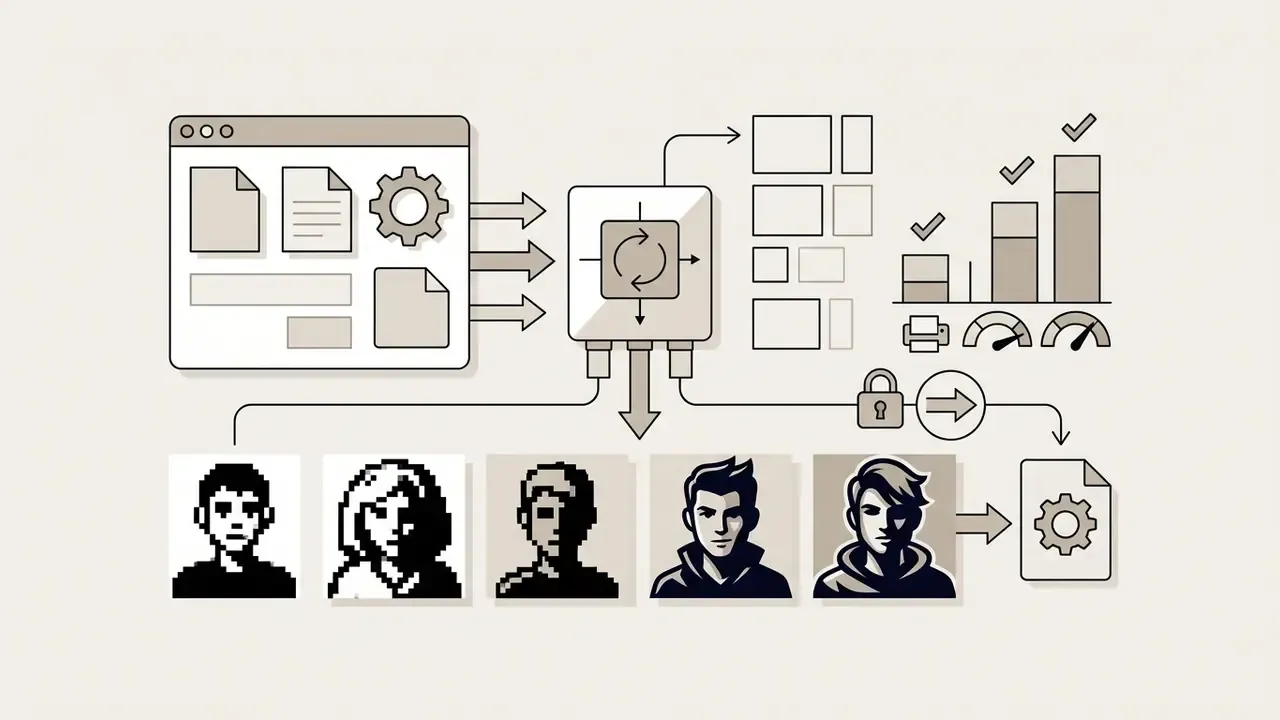
- Pixel art downsamples the input onto a low-resolution grid with a quantized palette for retro game aesthetics.
- Flat digital illustration drops gradients and realistic texture in favor of clean geometric shapes and vector-style color blocks.
- Claymation and stop-motion tactile clay texture, subtle thumbprint imperfection, volumetric character design.
- Pop art and retro comic bold primary color fields, Ben-Day dots, heavy graphic ink contours from mid-century comics.
- Chibi and mini-caricature enlarges head proportions and eye geometry while simplifying the body, built for cute avatar graphics.
- Cinematic anime and studio aesthetics hand-painted watercolor backgrounds, soft cel-shading, atmospheric lighting associated with Japanese animation studios.
- Ink wash, watercolor, and ukiyo-e bleeding pigment edges, visible paper grain, woodblock-print flatness for editorial and cultural-heritage work.
- Doodle, children's book, and scrapbook loose linework, crayon or gouache texture, naive proportions for family, education, and greeting-card contexts.
Academic taxonomies group these presets by rendering family (line drawing, oil painting, watercolor, ink wash), while product interfaces expose them as character or studio-inspired thumbnails. That mismatch explains why one output can carry two different style labels across two services. Creators chasing a specific studio look can review our analysis of openart studio ghibli filter presets, the dedicated Ghibli AI image generator comparison, and the broader openart ai feature breakdown.
How to Choose the Right Style for an Avatar or Social Image
Style selection is really a recognition decision. Ask who needs to identify you, and at what pixel size.
- Professional networking and corporate branding: realistic cartoon effects or restrained vector illustration keep you recognizable. Brand guideline documents from organizations such as Klarna require avatars to stay legible inside square-to-circle crops, which favors high-contrast, low-detail treatments.
«Stylized avatars produced a stronger sense of co-presence and were rated as more attractive and trustworthy than realistic ones.»
«Recognition accuracy reached 84.7% for real faces versus 70.44% for stylized sketches, a gap of roughly 14 percentage points as stylization intensifies.» StyleID, Perception-Aware Identity Evaluation Framework (2026). https://arxiv.org/abs/2026/styleid
That 14-point gap is the practical trade-off. Heavier abstraction reads as warmer and more approachable, yet lowers the odds that a new contact matches your avatar to your face at a conference badge desk.
Physical Merchandise, Prints, and Custom Gift Deployment
Cartoonized photos increasingly leave the screen and land in print-on-demand (POD) catalogs and custom merchandise runs.
- Custom apparel and swag vectorized cartoon renders sit cleanly on t-shirts, hoodies, tote bags, and embroidered caps, because flat color fields tolerate screen printing and direct-to-garment far better than photographic gradients.
- Print-on-demand keepsakes 300 DPI exports support ceramic mugs, phone cases, mousepads, and vinyl stickers.
- Interior wall art 3D and digital illustration conversions scale up for canvas prints, acrylic frames, and personalized cards.
- Pet and family gifting couples, families, and pets rendered in one shared style are among the most common paid conversions, since a gift deadline justifies upgrading to watermark-free, high-resolution output.
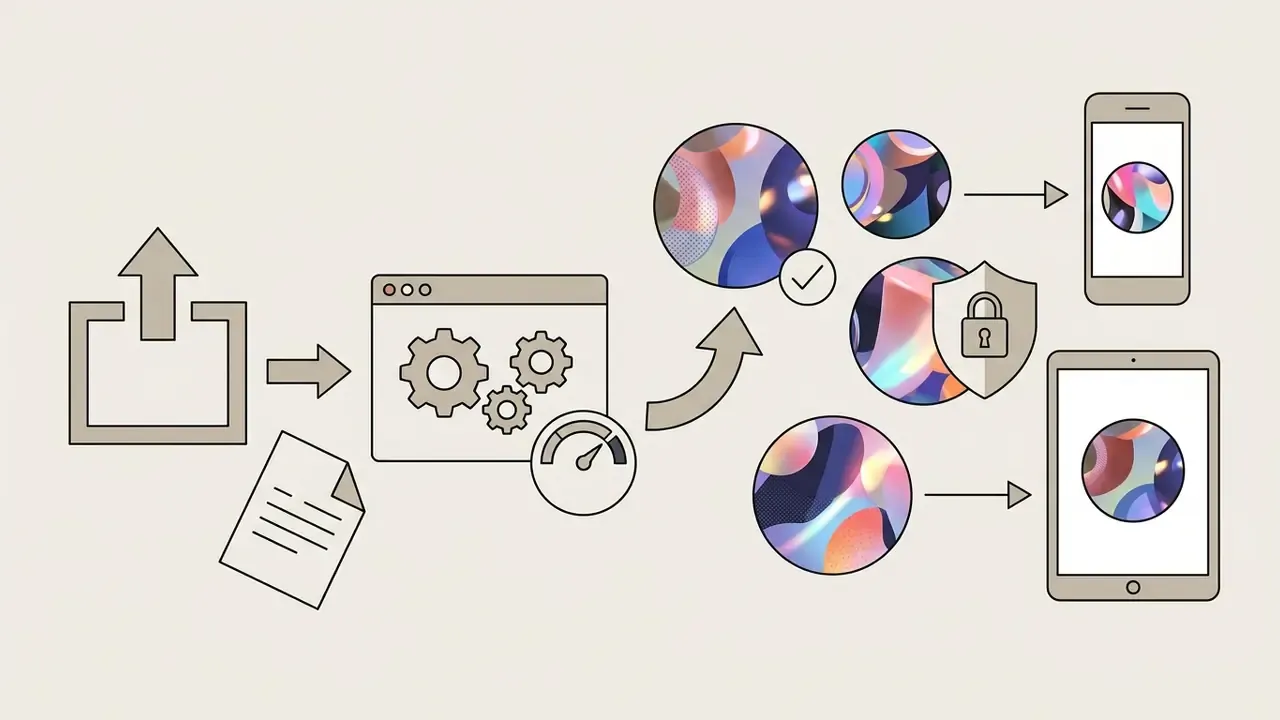
Two constraints govern POD success. The export must be watermark-free under a paid commercial tier, and the pixel dimensions must satisfy the printer's DPI requirement. A 10 by 10 inch print at 300 DPI needs 3000 by 3000 pixels. Anything below that threshold should be upscaled deliberately before submission, not left to the print vendor's automatic resampler.
Free AI Cartoon Filter, Pricing, and Usage Limits
Tier structure decides whether an ai cartoon photo converter free plan fits your project. Three access models dominate the 2026 market: freemium accounts with small credit pools, monthly subscriptions with renewing credits, and one-time credit packs with non-expiring balances.
| Feature or dimension | Free access tier | Premium subscription | Enterprise or API tier |
|---|---|---|---|
| Daily generation cap | 2 to 5 images per day | Unlimited or 500+ credits per month | Contract volume, rate-limited per key |
| Available styles | Basic 2D and standard filters | Full library (3D, anime, custom prompts) | Custom style adapters, private LoRA training |
| Export resolution | Standard definition (540p to 720p) | High definition (2K to 4K) | Configurable up to print-grade 300 DPI |
| Watermark policy | Visible brand logo applied | Watermark-free downloads | Watermark-free, white-label output |
| Processing speed | Standard public queue | Priority processing | Dedicated throughput, SLA-backed latency |
| Batch processing | Not available | Limited batch uploads | Bulk pipelines and webhook callbacks |
| Commercial license | Personal, non-commercial only | Full commercial usage rights | Negotiated license, indemnification options |
| Data handling | Standard retention policy | Standard retention policy | DPA, zero-retention mode, audit logs |
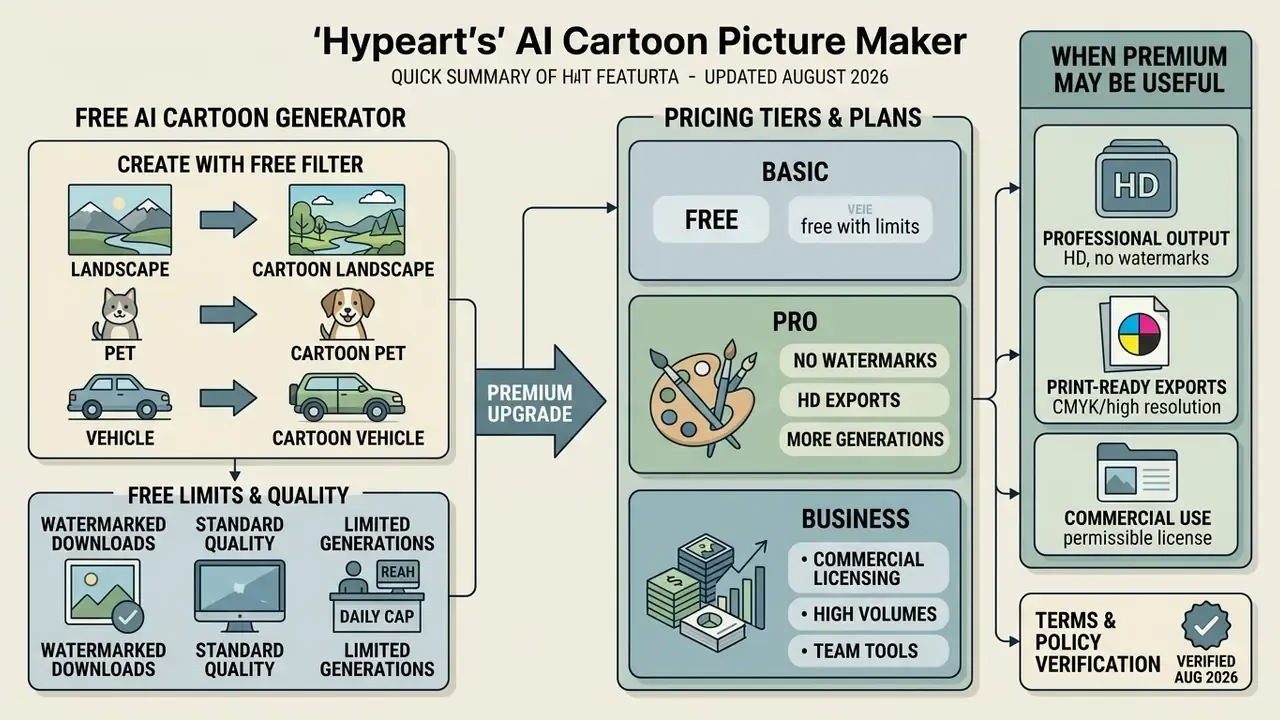
Vendor pricing pages reviewed in 2026 show the spread clearly: 20 free credits at sign-up, $29 per month for 600 credits at 4 credits per image with unused credits expiring, $0 starter tiers granting 300 credits, and non-expiring one-time packs. Teams shipping large deliverables should budget separately for AI image upscaling, since upgrading an existing 720p render usually costs less than regenerating a full batch at 4K. Our AI Media Calculators help model that credit burn before you commit to an annual plan.
What You Can Create with a Free AI Cartoon Generator
A free ai cartoonify photo online free tier normally opens the core conversion engine, a basic filter set, and low-resolution downloads. Enough to turn a selfie into a digital avatar or test five presets before paying. Documented free tiers include daily credit allowances, preset menus (90s cartoon, Ghibli-inspired, Pixar-style 3D, anime, comic, pixel art), and in a few cases no sign-up at all.
Worth noting: an ai cartoonize photo free online session and an ai cartoon photo maker online free session often run identical models. The paywall sits on resolution and rights, not on quality of inference. To compare zero-cost options, see our roundups of free photo editors and free AI image generators.
Watermarks, Download Quality, and Generation Limits
Free tiers protect server bandwidth with daily caps, visible brand watermarks, and export resolution held at standard definition. Free requests also queue behind paid traffic, so waits stretch from seconds to several minutes at peak hours.
One nuance people miss: some platforms embed invisible provenance watermarks such as SynthID on every tier, paid plans included, even when no logo appears. Anyone needing clean commercial graphics should review paid tier terms and the specialized tools listed in our AI Media Pricing Guides.
Can You Use AI Cartoon Images for Commercial Projects?
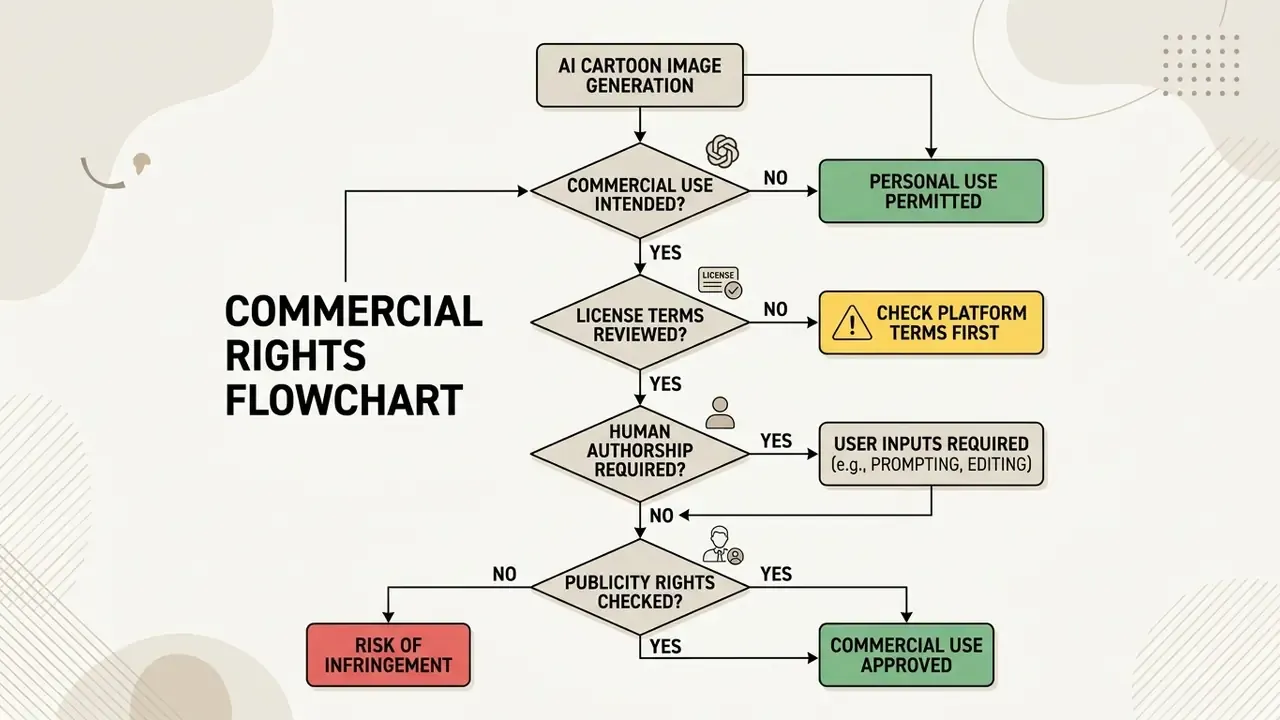
Whether you can ship an ai cartoonizer photo to cartoon online output commercially depends on two things: the platform's terms of service and federal copyright doctrine. Not on how good the render looks.
Commercial Use: What to Check Before Downloading
Before an ai cartoonize image online free result enters a campaign, a client deliverable, or a POD listing, verify five points.
- Commercial terms of service.Confirm your plan tier explicitly grants commercial rights. Comparative reviews of image-to-image generators for commercial projects show that license scope, not output quality, is what usually blocks deployment.
- Third-party IP and likeness.Make sure the image contains no recognizable celebrity, trademarked logo, or copyrighted character design without written consent. Public-sector AI terms routinely prohibit content that infringes copyright, trademark, privacy, data protection, or publicity rights.
- Human authorship threshold.Under US copyright policy (US Copyright Office guidance, 2023 to 2026), unedited AI output stays unprotected. Exclusive protection requires substantial human creative input or manual modification, and the Office's 2025 report is explicit that prompts alone do not confer authorship.
- Ownership of outputs and inputs.Check whether the vendor claims a license in your uploaded photos, and whether output ownership transfers to you or is merely licensed back.
- Indemnity and liability allocation.Establish who carries infringement risk if the model reproduces protected third-party expression.
«Three criteria are proposed for copyright protection of an AI style: stylistic consistency, uniqueness relative to artists' works, and fidelity to the prompt.»
«Copyright infringement can be assessed through a CLIP similarity metric calibrated against historical court decisions.» Ducru et al., AI Royalties: IP Framework for AI-Generated Content (2024). https://arxiv.org/abs/2024/ai-royalties
For case histories and evolving precedent, see our AI Media Commercial-Use Hub and the running record in AI Litigation and Case Timelines.
Privacy and Safe Photo Uploads in Online Cartoonizers
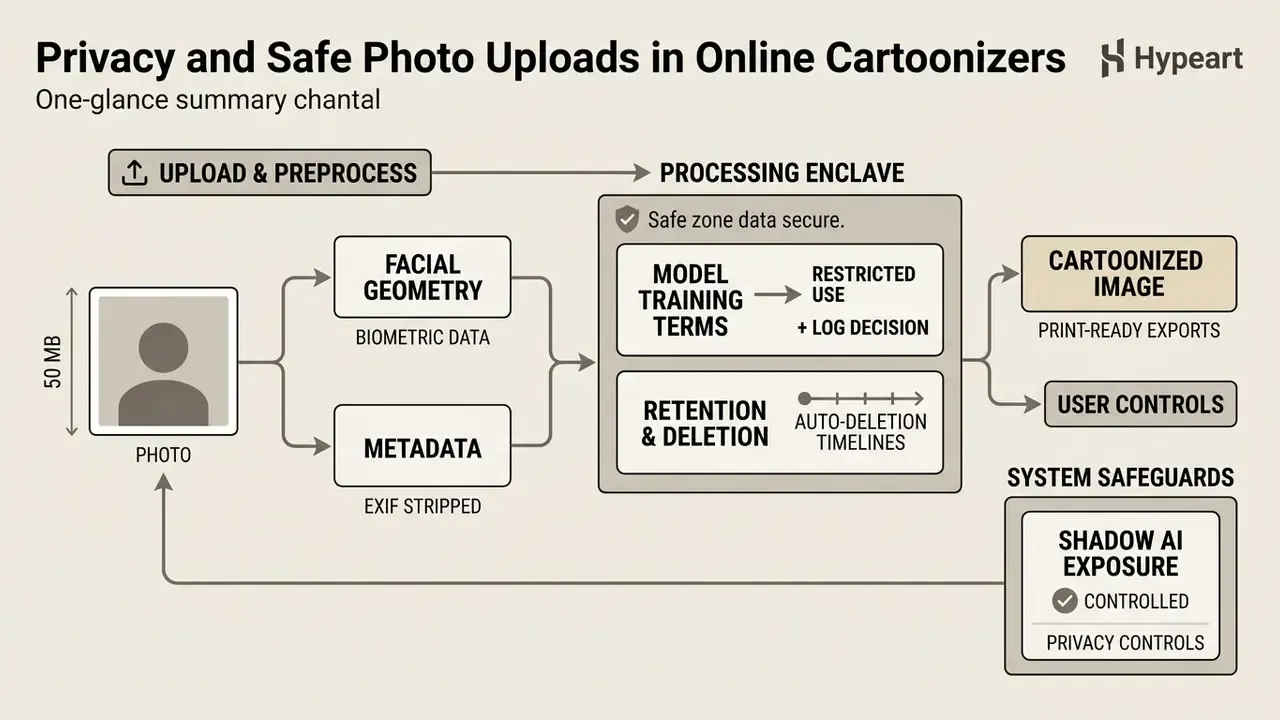
Any ai cartoonize photo online free service that processes headshots is handling sensitive facial geometry and embedded metadata. Treat it accordingly.
«Avatar-creation information was classified as relatively low-risk, whereas authentication data and server-side storage were classified as high-risk.»
Six controls cover most of the realistic exposure when you use an ai cartoon portrait generator free:
- Verify short-term retention. Prefer platforms whose privacy policy states that uploaded source photos leave server memory immediately after rendering.
- Strip EXIF metadata. Remove GPS tags, camera model details, and timestamps before upload. FBI guidance notes that EXIF fields can expose date, time, and precise location, and recommends confirming removal with an EXIF viewer.
- Inspect model training terms. The provider's terms should forbid using private customer uploads to train public foundation models. Silence is not a prohibition.
- Treat facial scans as biometric data. Facial geometry extraction can fall inside the Illinois Biometric Information Privacy Act (BIPA), the CCPA/CPRA definition of sensitive personal information, and GDPR Article 9 special-category data. Where employee headshots are involved, written notice and consent form the defensible baseline.
- Control shadow AI exposure. The common enterprise incident is not a vendor breach. It is an employee pasting a badge photo, an ID scan, or customer imagery into a consumer cartoonizer. Publish an approved-tools list, block unvetted upload endpoints, and route bulk avatar projects through a sanctioned API covered by a data processing agreement.
- Log the decision. Record who approved the tool, which data classes may be uploaded, and when the terms were last reviewed. Auditors ask for that trail, and reconstructing it later is painful.
Teams building media automation pipelines can review enterprise tooling notes in our open art ai breakdown, compare self-hosted alternatives in the open source ai video guide, and check integration security standards in the AI Media API Guides.
Limitations and Open Questions
FAQ About AI Cartoon Photo Makers
Why Does the Same Photo Look Different in Different Cartoon Styles?
One source photo produces wildly different outputs because each style adapter applies its own rules for color quantization, edge emphasis, and spatial abstraction.
«Multi-branch GANs model styles as distributions over entire datasets. Switching branches applies a different set of texture, color, and abstraction filters to the same content.» Cai et al., Multi-style cartoonization: Leveraging multiple datasets with GANs (2024). https://doi.org/10.1109/2024/cai-multistyle When an ai change picture to cartoon pipeline runs, a 3D filter enforces volumetric lighting and rounded geometry, while a comic filter imposes high-contrast ink contours and flat fills. Each branch reads the same latent features through its own trained dataset distribution. Rule-based pipelines add a second source of variation via edge-detection thresholds, quantization levels, and smoothing passes.
Why Do Accessories, Glasses, or Hand Positions Distort the Cartoon Output?
Eyeglasses, facial hair, heavy makeup, side-angle profiles, and a hand resting near the chin all obscure structural landmarks. Face encoders depend on unobstructed keypoints. When an object blocks eye contours or the jawline, the diffusion model misreads spatial boundaries and returns warped geometry or blurred fingers. Caricature research reports severe artifacts around eyes and skin when local constraints are too weak, and face-quality guidance recommends excluding hands and other body parts from portrait crops for the same reason. For best accuracy: front-facing, upright, eyes open, soft light, neutral expression.
Why Doesn't My Cartoon Image Look Like Me?
Two variables drive likeness loss, the input photo and the preset. Some styles are engineered to hug the source geometry. Caricature and chibi presets deliberately exaggerate proportions, so a "bad" result may simply be the style doing its job. Re-shoot with clearer frontal lighting first, then switch to a realistic cartoon or cel-shaded preset that preserves more landmark fidelity, and only then start moving sliders.
How Do I Fix Blurry or Low-Resolution Cartoon Downloads?
Soft or pixelated exports almost always trace back to a low-resolution input or a free-tier resolution cap.
- Use an input photo of at least 1080p (1920 by 1080 pixels) with sharp focus and no motion blur.
- Confirm your plan is not capping exports at 540p to 720p. Watermark-free HD output is generally a paid feature.
- Pass the render through a super-resolution model such as Real-ESRGAN to double or quadruple pixel density without losing edge sharpness. That step is essential when the file is headed for a 300 DPI print.
Can I Turn Group Photos and Full-Body Shots into Cartoons?
Yes. Couple photos, family portraits, and small groups convert reliably, because multi-face detection isolates each subject before stylization. The limiting factor is face size in pixels. When subjects stand far from the camera, inter-eye distance drops below the threshold needed for stable landmark regression, and background faces lose detail. Crop tighter, or process individuals separately and composite afterwards.
Can I Cartoonize My Pet's Photo?
Yes. Pet conversion works well when the muzzle is clearly visible and the fur silhouette separates from the background. For multi-pet images, many services render each animal individually and then composite, so expect slightly longer processing times and occasional lighting mismatches between subjects.
Do I Need to Install Software, and Does It Work on Mobile?
No installation is required. Browser-based cartoonizers run on Windows, macOS, iOS, Android, and tablets, and some vendors also ship companion mobile apps with device-only styles. Mobile users should check that the upload limit accommodates HEIC files straight from the camera roll.
Can I Use My Cartoon Image as a Profile Picture?
Yes, and it is the lowest-risk use case there is. Confirm only that you own or have permission to use the source photo. Remember that a purely AI-generated avatar carries no copyright protection, so nothing stops another user from producing a visually similar output.
Pre-Publication Checklist for Cartoon Projects
- Source photo is front-facing, 1080p or higher, evenly lit, with unobstructed eyes and jawline.
- File format and size sit inside the platform's limits (up to 50 MB, HEIC and AVIF supported where available).
- Aspect ratio is locked to the destination channel before generation, not cropped afterwards.
- Style choice matches the recognition requirement: realistic for professional identity, stylized for community warmth.
- Export resolution meets the delivery target, including 300 DPI for physical print.
- Plan tier grants commercial rights if the asset will appear in advertising, branding, or merchandise.
- No third-party trademarks, celebrity likenesses, or protected character designs appear in the output.
- Vendor privacy policy documents an explicit auto-deletion window and bars training on user uploads.
- EXIF metadata was stripped before upload, and biometric consent is documented for employee imagery.
- Batch and API workflows run through an approved, contracted endpoint rather than a consumer web form.