Photo to Cartoon in Four Steps: Quick Summary
Good to know before you start: most browser-based tools that cartoonize photos need no account, no card details, and reputable services delete both your upload and the generated file from temporary storage within roughly 2 hours. Free tiers usually cap you at 5 to 20 images per day and may add a watermark; paid tiers unlock HD and 4K exports plus commercial rights.
On this page: what an AI cartoon photo editor is, which photos work best, step-by-step conversion, the style catalogue (including pop-culture presets), how to get a likeness that actually looks like you, free versus paid pricing and commercial use, business and print-on-demand workflows, then the FAQ.
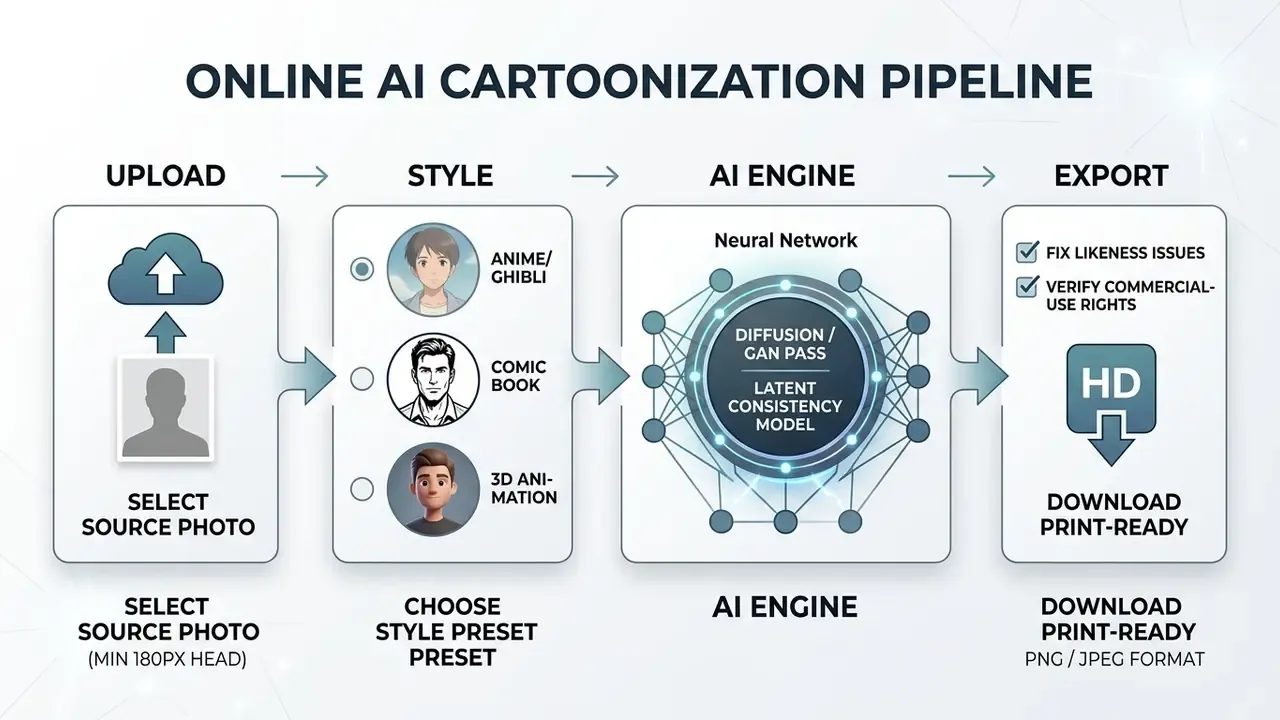
- Uploada sharp, evenly lit photo (front-facing face, head at least 180 px wide).
- Pick a style: anime, Studio Ghibli, Pixar-style 3D, Marvel-style comic, Simpsons-style flat 2D, claymation, pixel art or flat illustration.
- Generate. The AI rebuilds your photo in cartoon form while identity-preserving controls keep the face recognizable.
- DownloadPNG with transparency for merch and stickers, 300 DPI JPEG for posters, 1024×1024 for avatars.
What Is an AI Cartoon Photo Editor and What Problems Does It Solve?
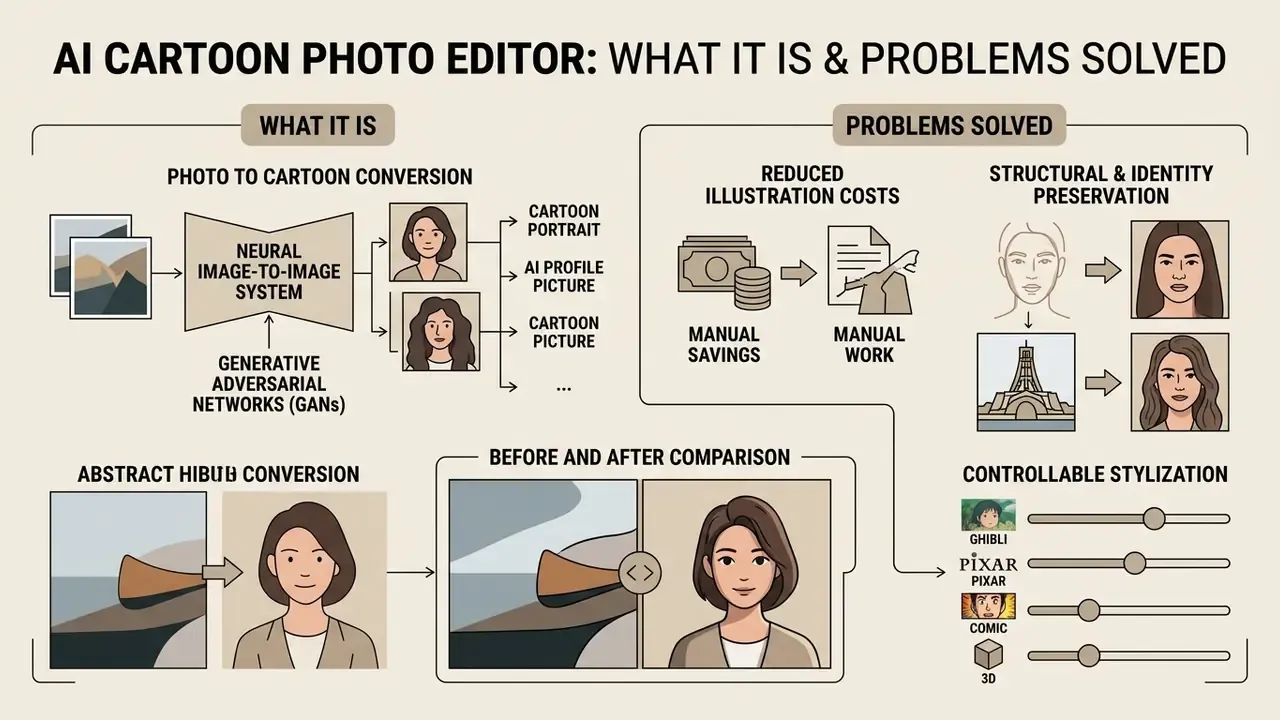
«Cartoonization translates real photographs into images with cartoon-like stylistic properties while retaining the recognizable content of the original scene.»
In plain terms: the software learns what "drawn" looks like, meaning flat colour blocks, clean outlines, simplified shadows, and then rebuilds your photograph using that visual vocabulary instead of photographic pixels.
Modern generative frameworks solve several operational problems for digital creators, enterprise marketing teams, and media organizations.
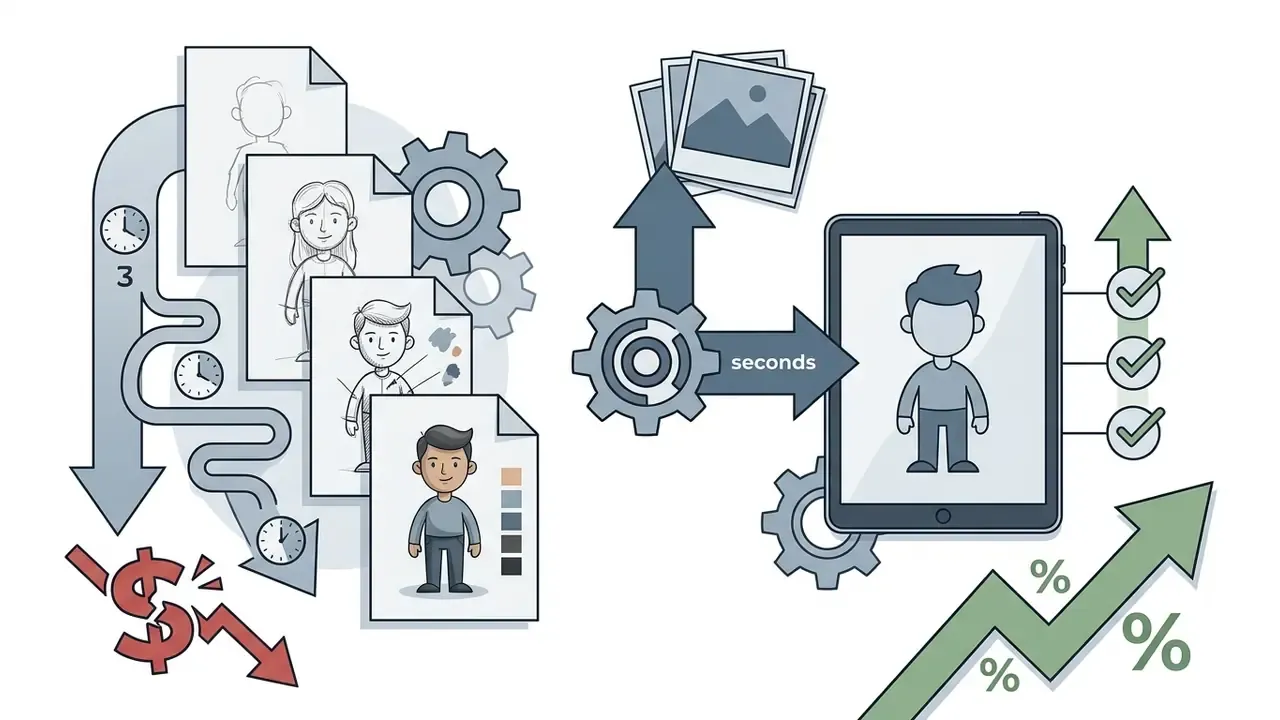
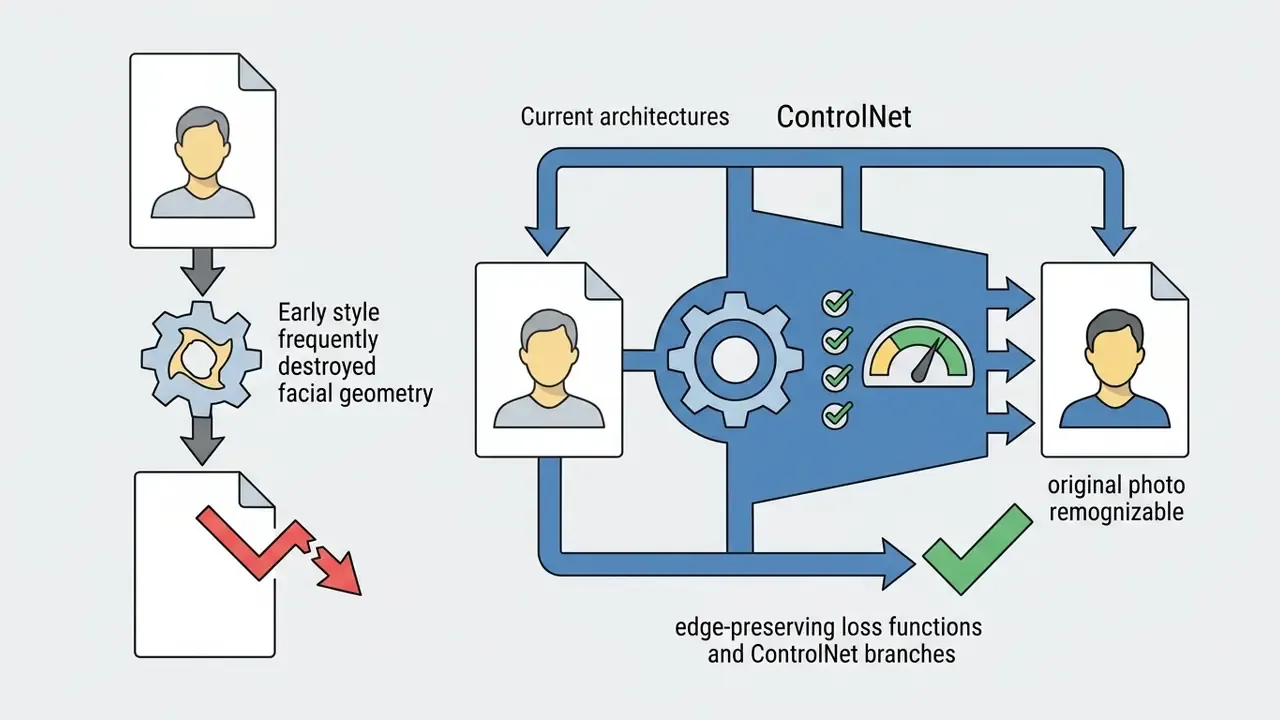
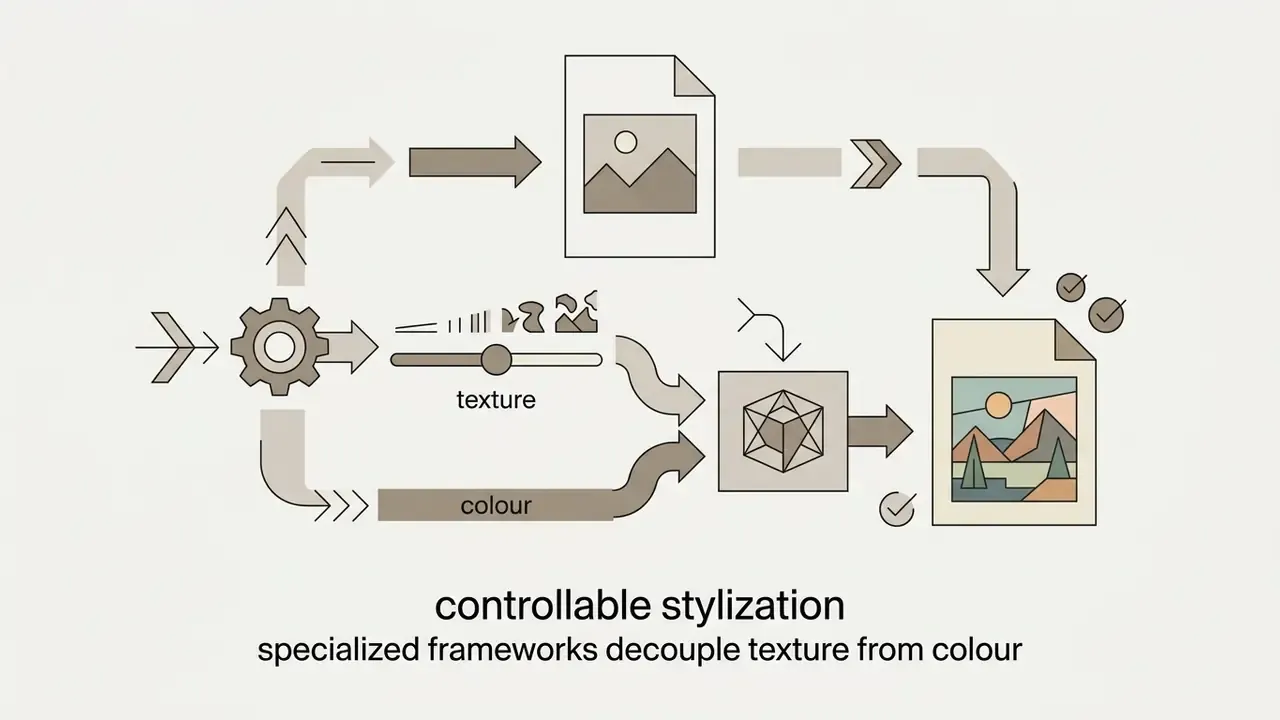
«The CARTOONER architecture introduces separate texture and color decoders, letting users adjust the level of abstraction without changing image geometry.»
In enterprise creative operations, an ai tool to convert photo to cartoon removes the dependency on unvetted freelance pipelines. Teams scale asset production while enforcing one set of visual guidelines. Readers comparing tool categories can also review general-purpose AI photo editors and no-cost alternatives in our guide to free photo editors.
One caveat worth stating early. An AI-powered photo editor is a model, not a designer. It has a failure rate, and you need a human in the loop before anything ships.
Photo to Cartoon, Cartoon Portrait, or AI Profile Picture
Converting a selfie into an ai profile picture cartoon relies on facial landmark detection, pose alignment, and identity-preserving latent embeddings to render stylized avatars for social media and online branding. Advanced systems such as Generative Avatar Synthesis (GAS) produce view-consistent avatar renderings from a single input photo by isolating facial features and projecting them onto target pose vectors.
To create an ai cartoon picture of me that stays recognizable across platforms, algorithms process key anchors first: eye spacing, jawline contours, lip orientation. Only then does the ai photo editor cartoon effect get applied.
«ZePo stylizes a portrait in four sampling steps with roughly 0.6 s inference time, preserving facial features through consistency feature fusion.»
For organizations managing professional headshots or remote team rosters, one uniform ai profile picture cartoon style delivers visual cohesion and protects employee privacy on public channels. Teams that need photorealistic corporate portraits rather than stylized ones can compare options among AI headshot generators.
Which Images Can Be Turned into a Cartoon?
Any high-resolution digital photo with distinct lighting and recognizable subject geometry can be processed by an ai photo editor cartoon tool. That includes single portraits, pet photos, group shots, and landscapes. Single-subject front-facing portraits still yield the highest identity recognizability.
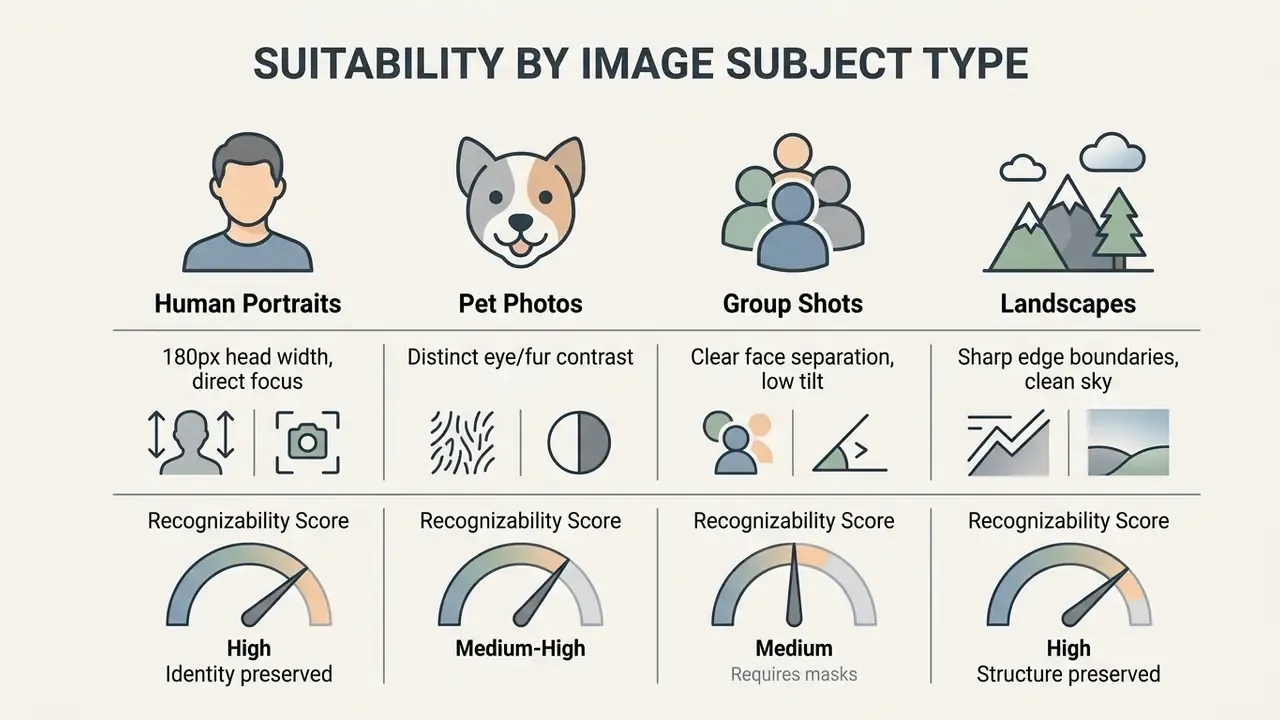
While any photo can undergo neural translation, photos work best when the subject separates cleanly from the background. Single portraits with direct lighting let facial recognition embeddings such as ArcFace constrain the generative model and prevent feature distortion. Readers who want the underlying mechanics can study how modern image-to-image generators condition output on a source frame.
Pet photography is supported too. Models capture coat markings and eye structure, which is why stylized pet portraits stay popular in niche art communities. For animals the practical rule is contrast: a dark dog photographed against a dark sofa gives the model no edge information, fur boundaries dissolve into flat shapes, and the eyes, the single most identity-carrying feature in a pet portrait, lose their catchlights. Shoot pets in daylight, against a plain wall or grass, eyes in focus.
Group photos and busy urban landscapes need multi-scale feature processing, otherwise secondary subjects degrade into blurred artifacts.
«GroupDiff uses skeleton bounding boxes and per-person targeted attention masks, preserving identity when editing group photographs.»
How to Turn a Photo into a Cartoon Online
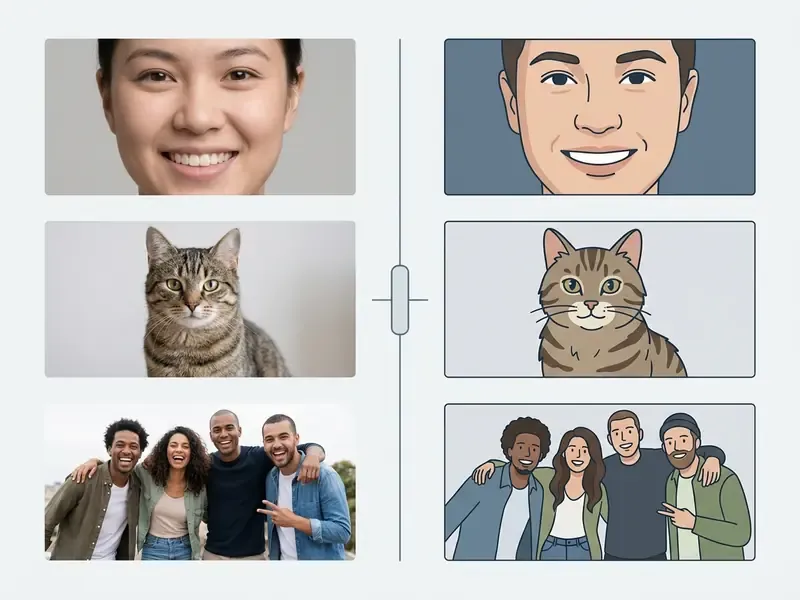
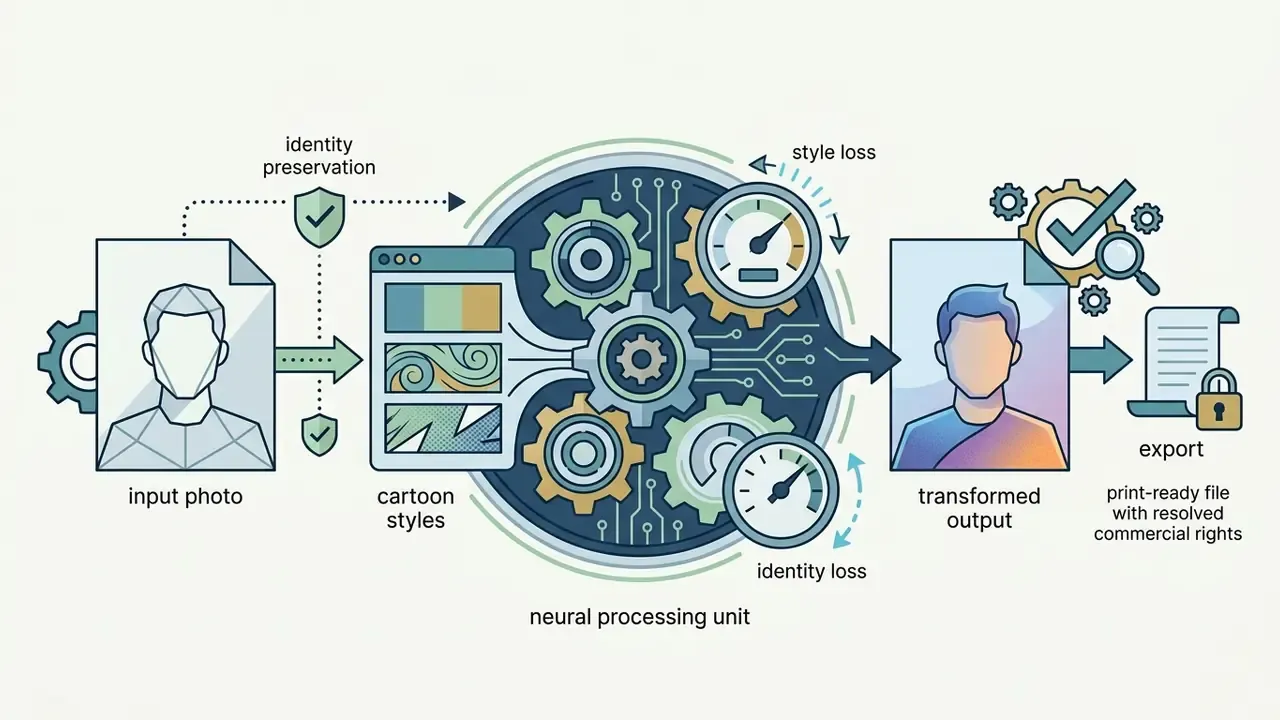
Turning a photo into a cartoon online is a four-step pipeline: upload a photo, choose a cartoon style, process through AI neural networks, download the finished high-resolution image. Browser-based editors streamline this by running preprocessing locally before sending latent vectors to server-side inference endpoints.
Data Privacy, Registration, and Server Retention Guarantees
When you use a browser-based ai photo to cartoon converter, data handling depends on the processing architecture.
- Instant cloud purge (standard practice) enterprise-grade tools hold uploaded facial images transiently for inference only, then delete both source file and generated asset from temporary bucket storage. Commonly within about 2 hours, though some vendors quote 24 to 48 hours.
- No-registration execution mainstream 2D and 3D cartoonization pipelines run without account creation, email capture, or payment details. You upload, generate, download, leave.
- On-device local processing (WASM/WebGL) privacy-first apps execute model weights inside the browser context, so facial geometry never leaves the client hardware. Mobile frameworks such as MediaPipe Image Generator and ONNX Runtime Mobile support the same on-device pattern.
- What to check in the terms whether uploads may be reused for model training, whether metadata (GPS, device ID) is stripped, and whether outputs carry provenance markers such as C2PA Content Credentials or SynthID.
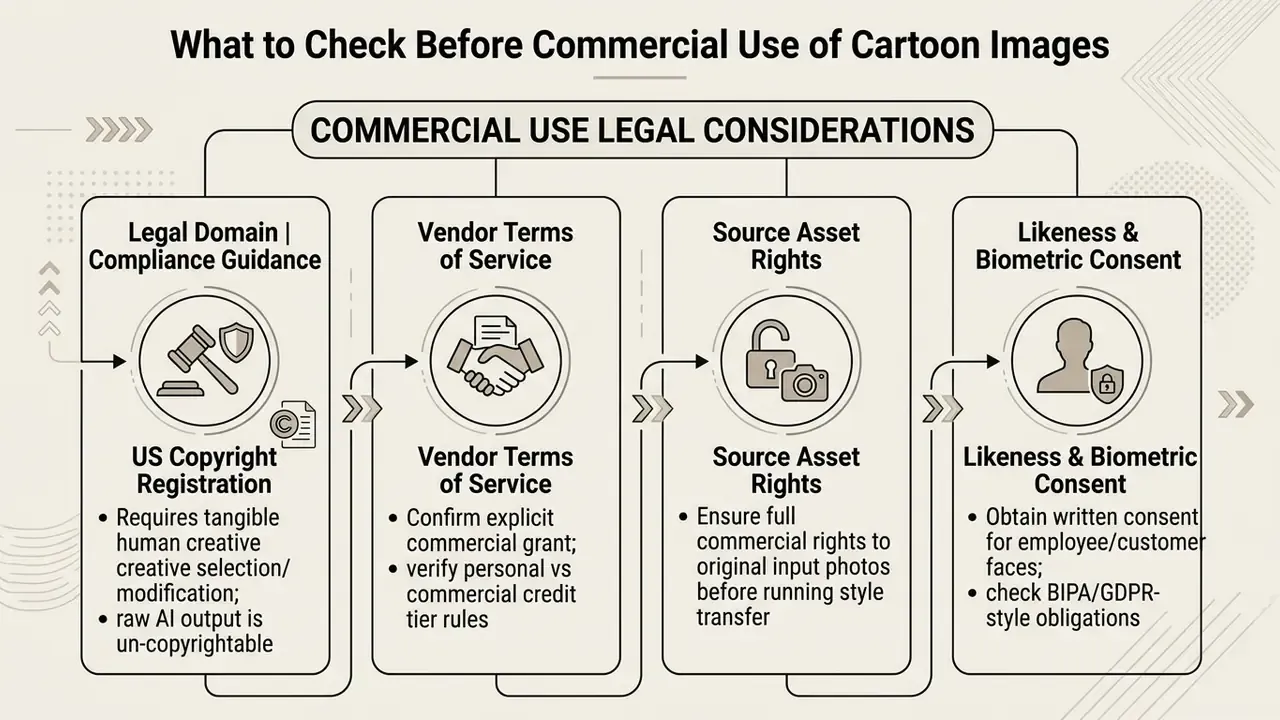
Practical note for organizations: faces are personal data, and in several jurisdictions facial templates count as biometric data with stricter consent rules. The Illinois Biometric Information Privacy Act in the US and special-category data provisions under the GDPR are the usual reference points. Before you run employee or customer photos through a public SaaS cartoonizer, confirm consent, prefer vendors that contractually exclude uploads from model training, and route bulk work through an approved API rather than ad-hoc personal accounts.
There is a second risk here, and it is cultural rather than technical. Staff who cannot get approved tooling will use whatever is free in a browser tab. That is shadow AI with a face attached.
Upload Your Photo and Choose the Right Image
Successful cartoonization asks you to upload a photo with clear facial geometry, even illumination (roughly 100 to 300 lx), and adequate inter-eye resolution (90 to 180 pixels minimum) so neural feature extraction has something to work with.
To get the best cartoon photo editor output, avoid low-light, overexposed, or motion-blurred inputs. International portrait-quality guidance, including ICAO machine-readable travel document portrait recommendations and NIST face-image quality work, shows that feature extractors need clear pupil-to-iris contrast, a shadow-free facial oval, and focus from chin to crown to build reliable edge maps. Consumer cartoonizers are not certified against passport-grade biometric standards. Still, the same framing rules predict which uploads will succeed. When users upload your photo or upload image assets that meet those lighting and resolution baselines, the generative model preserves natural expressions without inventing artifacts.
One more habit worth adopting: when you use image files straight from a phone gallery, check that no beautifying filter has already smoothed the skin. Filtered input plus stylization equals a stranger.
«CartoonizeDiff adds Color Canny ControlNet and Reflect ControlNet branches to Stable Diffusion, preserving the colour, structure and fine detail of the source photo.»
Choose a Cartoon Style and Apply the AI Effect
Applying an ai photo editor cartoon effect means selecting preset model adapters or ControlNets that condition the generative model on a specific visual grammar (anime, comic, 3D) while holding subject identity in place.
When you turn your photo into artwork with an ai app to turn photo into cartoon, the software passes the image through conditioning adapters:
- Colour-structure adapters retain the global distribution of chromatic tones, in everyday terms the overall colour balance, plus the shape boundaries of your original photo.
- Style adapters inject domain-specific line art, hatching, or cel-shading characteristics into the latent sampling space.
- Identity losses algorithms such as IPGAN or InstantID use facial embeddings to pull generated faces closer to the source subject, so the resulting ai cartoon pic keeps identifiable human traits.
«A text-to-image diffusion-based cartoonization method reports FID improvements up to 38% and CLIP-I gains up to 42% over existing cartoonization methods.»
Adjust the Result, Download, and Share the Image
Post-processing lets creators fine-tune colour saturation, line contrast, and background elements before they click download result and push the file into distribution.
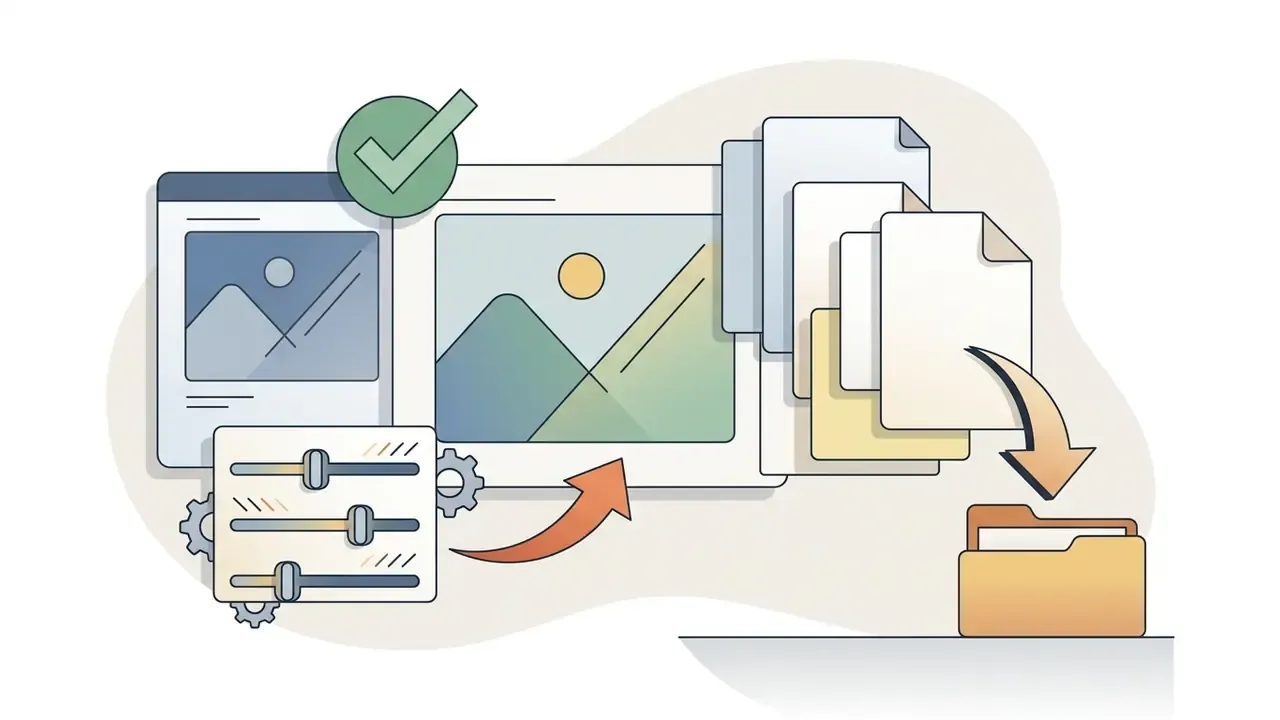
After the primary generation pass, advanced web editors expose sliders to adjust cartoon filter parameters:
- Line weight: thicken or thin black outlines for comic or graphic-novel looks.
- Colour vibrancy: tune colour quantization blocks to suit corporate media or social platforms.
- Background swapping: replace the original background with solid vector fills or stylized gradients.
- Effect strength: blend the cartoon layer back toward the photograph when a client wants "illustrated but still clearly them."
Once refined, export the finished generated images for corporate avatars, marketing collateral, or social posts. Small thing, big payoff: name your export files by style and seed. Future you will be grateful.
Ecosystem Integration: Templates, Collages, Stickers and Overlays
Generating the cartoon graphic is rarely the last step in a production workflow. To make the visual land across channels, creators drop raw exports into broader design assets.
- Social media template insertion import transparent PNG exports into ready-made canvas templates for YouTube thumbnails, Instagram Story cards, LinkedIn banners, or podcast cover art.
- Sticker and custom emoji creation apply a 2 px to 5 px white vector stroke around the character silhouette, then export a transparent PNG or WebP sticker for Telegram, WhatsApp, or Discord.
- Multi-subject collages combine individual stylized team headshots onto one background card for an "About Us" page, a conference badge sheet, or an org chart.
- Motion follow-up feed the finished character into animation makers to produce a looping avatar, into a funny ai video generator for lightweight social clips, or into a YouTube video editor workflow for channel intros.
For help with browser compatibility and rendering errors, consult the AI Media Support and Troubleshooting resource hub.
Cartoon Styles: Which Cartoon Effect to Choose for Your Photo
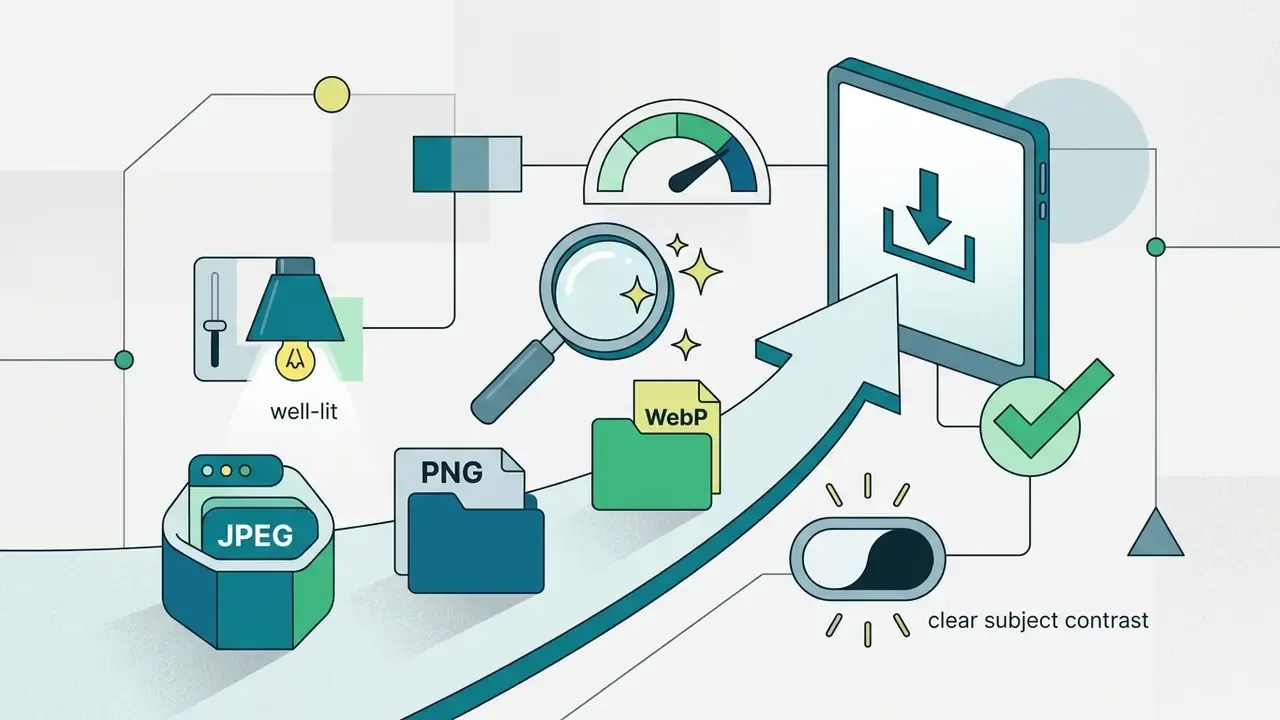
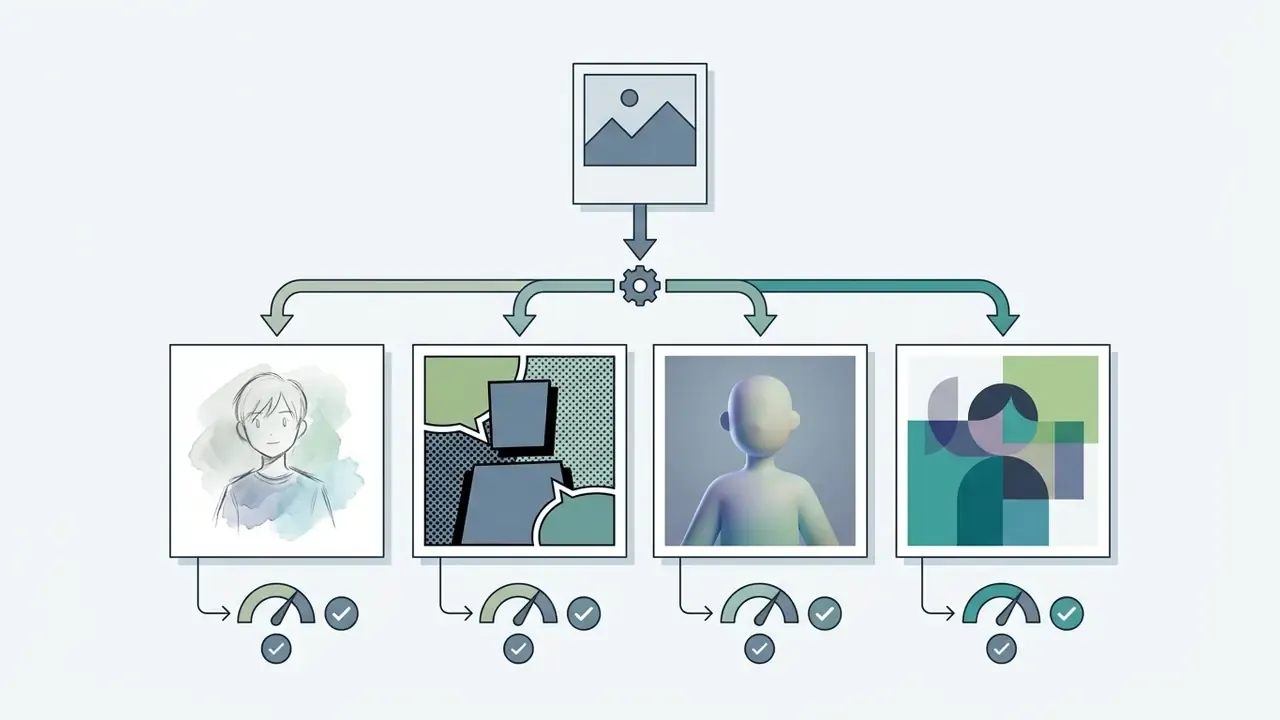
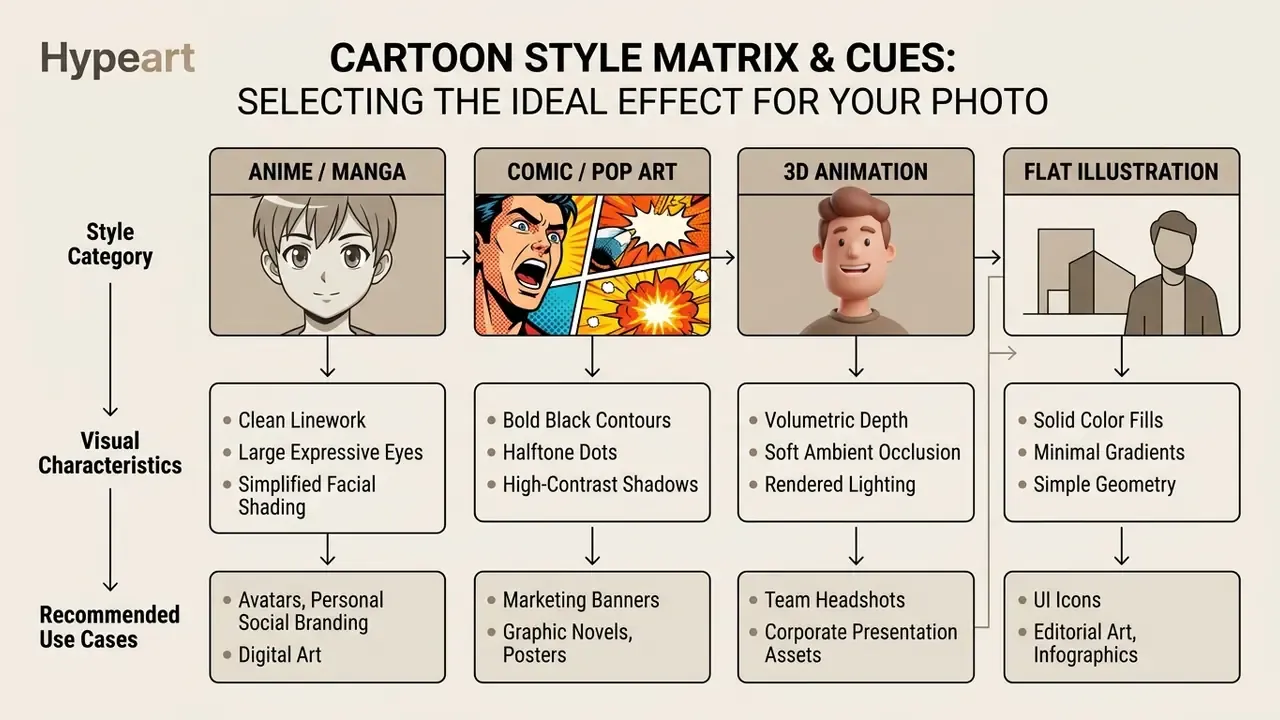
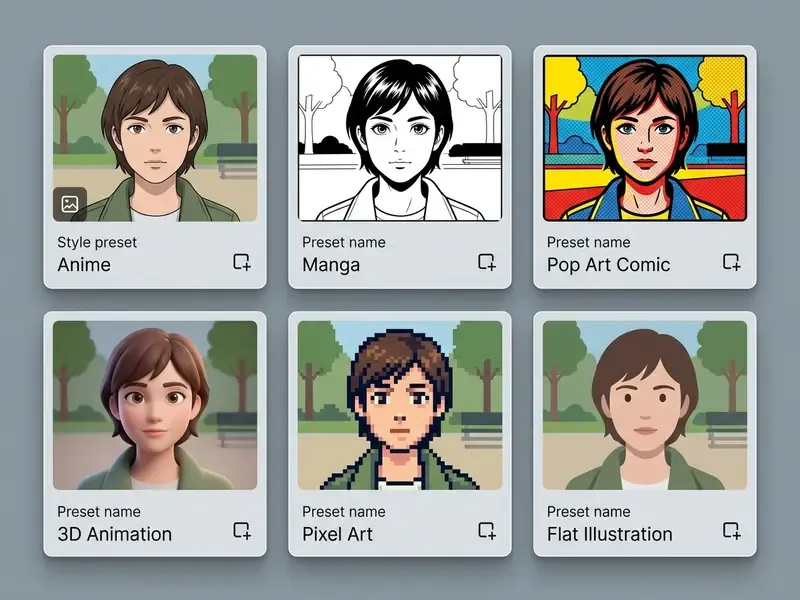
Style choice depends on the intended aesthetic and use case, spanning 2D anime, line-heavy comics, 3D animated renders, pixel art, and flat illustration. Each preset conditions the underlying architecture differently, modulating outline thickness, colour quantization, and volumetric depth.
Style vocabulary is shared across the wider category of AI art generators, so a preset name you learn here usually transfers between tools.
Popular Pop-Culture and Animation Presets
Beyond those foundational grammars, specialized LoRA (Low-Rank Adaptation) adapters target iconic animation aesthetics with surprising precision. These are the presets people search for by name.
| Preset | What the model changes | Best for |
|---|---|---|
| Studio Ghibli aesthetic | Painterly hand-drawn backgrounds, soft pastel palettes, minimal but expressive facial linework, warm ambient light | Nostalgic portraits, travel photos, wedding and family art |
| Pixar / Disney 3D rendering | Subsurface-scattered skin, soft ambient occlusion, large expressive irises, volumetric hair | Team pages, kids' products, friendly brand mascots |
| DreamWorks-style 3D | Slightly caricatured proportions, exaggerated brows, high-energy expressions | Event posters, gaming avatars |
| American vintage comic (Marvel / DC style) | Heavy ink contours, chiaroscuro shadow blocks, halftone Ben-Day dots, saturated primaries | Ad banners, comic covers, merch prints |
| Comic noir / graphic novel | Midtones removed, stark black-and-white masses, dramatic rim light | Editorial illustration, book covers |
| Matt Groening / Simpsons-style flat 2D | Simplified vector geometry, yellow skin-tone override, prominent overbite, large pupil-less eyes | Humour content, memes, group gags |
| One Piece / shonen manga | Bold ink weight variation, angular jawlines, speed lines, high-contrast hair blocks | Fan art, gaming profiles |
| Makoto Shinkai-style anime | Photoreal skies, lens flare, hyper-detailed clouds over simplified characters | Landscape and couple portraits |
| Japanese ukiyo-e | Woodblock flat colour, outline emphasis, textured paper grain | Art prints, packaging |
| Stop-motion claymation | Simulated clay texture, fingerprints, uneven edges, tactile deformation | Children's brands, quirky product art |
| Cel-shaded | Two- or three-band lighting, hard shadow terminators | Streaming overlays, esports assets |
| Children's-book illustration | Soft crayon or gouache texture, rounded shapes, gentle palette | Greeting cards, nursery prints |
| Doodle art | Loose hand-drawn ink lines, informal marks, no volume | Notebook graphics, UI empty states |
| Pixel art | Coarse pixel grid, restricted 8-bit or 16-bit palette | Game avatars, retro branding |
Style libraries in mainstream editors now run from roughly 20 curated presets to 50 or 80 variants, so testing three or four before committing is normal. The same photo can look completely different across anime, comic, 3D, and caricature presets. That is expected behaviour, not a bug.
Two notes on scope. Character-focused communities often use adjacent tooling, for example a furry ai art generator for anthropomorphic designs, and adult-oriented engines such as a futa ai generator sit under separate content policies that most mainstream cartoonizers block outright. If you work inside a regulated brand, check the vendor's content policy before staff start experimenting.
Anime, Manga, and Japanese-Inspired Cartoon Styles
Japanese anime and manga styles bring clean linework, simplified facial shading, exaggerated eye aesthetics, and distinctive background palettes. Modern diffusion pipelines use specialized adapters such as AnimeAdapter, or feature-augmentation modules like SCAN and Ada-CTSS, to render authentic anime visuals while keeping structural alignment with the input.
«SCAN and Ada-CTSS integrate colour-preservation loss, grayscale style loss and region-smoothing loss to deliver high-quality anime stylization.»
When you transform your photos into anime art, models simplify continuous skin-tone gradients into discrete cel-shaded blocks. Hair becomes stylized strands. Background elements inherit soft, painterly lighting that reads as cinematic animation. Readers who specifically want the pastel, hand-painted look can compare dedicated Ghibli-style AI image generators against general anime presets.
Comic, Pop Art, and Graphic Novel Styles for Expressive Portraits
Comic and graphic-novel styles rely on heavy black contours, dynamic shadow blocks (comic noir), and halftone or Ben-Day dot textures (pop art) to build high-contrast expressive portraits.
- Superhero comic style saturated primaries, muscular facial definition, dynamic line weights straight out of classic American print comics.
- Graphic novel and noir midtones reduced in favour of stark black-and-white contrast, which suits dramatic editorial illustration. Graphic-novel presets also tolerate freer page geometry, longer captions, and duo-tone palettes.
- Pop art replicates vintage print reproduction with visible halftone dots and deliberately misregistered colour fills over bold outlines.
«A face-caricature method performs incremental latent-space exaggeration of facial features while preserving identity, attributes and expressions, even with eyeglasses present.»
One editorial caution. Caricature and comic presets exaggerate on purpose, which is exactly why they get misused around public figures. Circulating stylized political imagery, the sort of thing catalogued in coverage of gavin newsom ai pictures, raises right-of-publicity and platform-policy questions that have nothing to do with image quality. Keep that lane clearly separated from your brand assets.
3D Animation, Pixel Art, and Hand-Drawn Effects
Alternative styles deliver distinct visual depth, from volumetric 3D animation and claymation textures to low-resolution retro pixel grids and loose doodle art.
Enterprise teams preparing executive communications can place these visuals into decks through a gamma ai presentation workflow, or build the surrounding slide design in a Canva AI generator pipeline.
How to Get a High-Quality Cartoon Image That Resembles the Original
Strong likeness needs three things: explicit identity-preservation constraints, high-fidelity diffusion settings, and controlled noise during sampling. A recognizable ai cartoon pic is a balancing act between style intensity and structural retention.
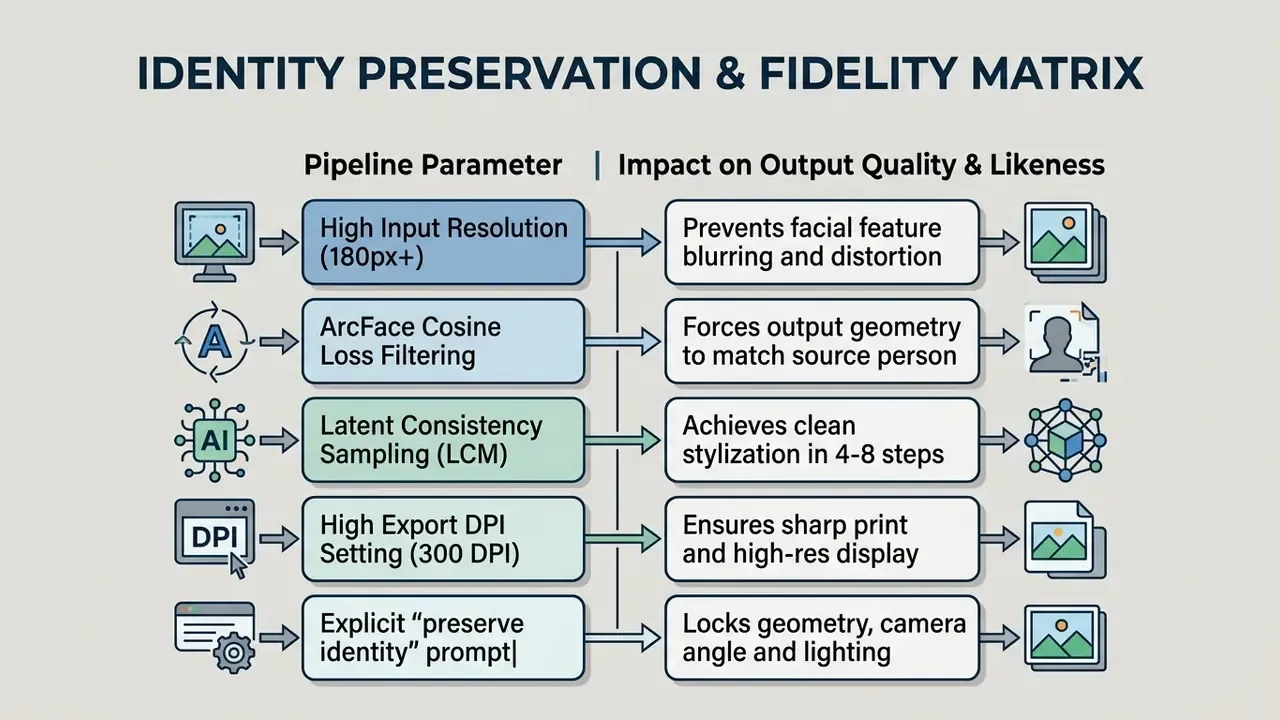
A practical rule from vendor prompting guidance: for likeness-sensitive work, run the model in its high-quality mode, state explicitly that identity, geometry, camera angle, layout and lighting must be preserved, then iterate with small edits instead of regenerating from scratch.
Why a Cartoon Image Might Not Look Like the Person
Distortion and lost likeness happen when models oversimplify high-frequency features, lack training coverage, or entangle identity with lighting and pose.
In everyday language, three input problems cause most bad results.
- Side profiles and steep angles. Landmark detectors expect two visible eyes, a nose line, and a chin. A three-quarter or profile shot forces the model to invent the hidden half of the face, and invented halves rarely match yours.
- Sunglasses, thick frames, masks, hands. Occlusions hide the exact features that carry identity, so the model substitutes a generic average. That is why glasses often come out the wrong shape or merge into the eyebrows.
- Very dark, very bright, or blurry photos. With no clear pupil-to-iris contrast the algorithm cannot anchor the eyes, and everything downstream drifts.
The technical failure modes behind those symptoms:
Current systems mitigate this with identity-embedding loss constraints such as ArcFace cosine distance, which score feature similarity between source photo and output during sampling.
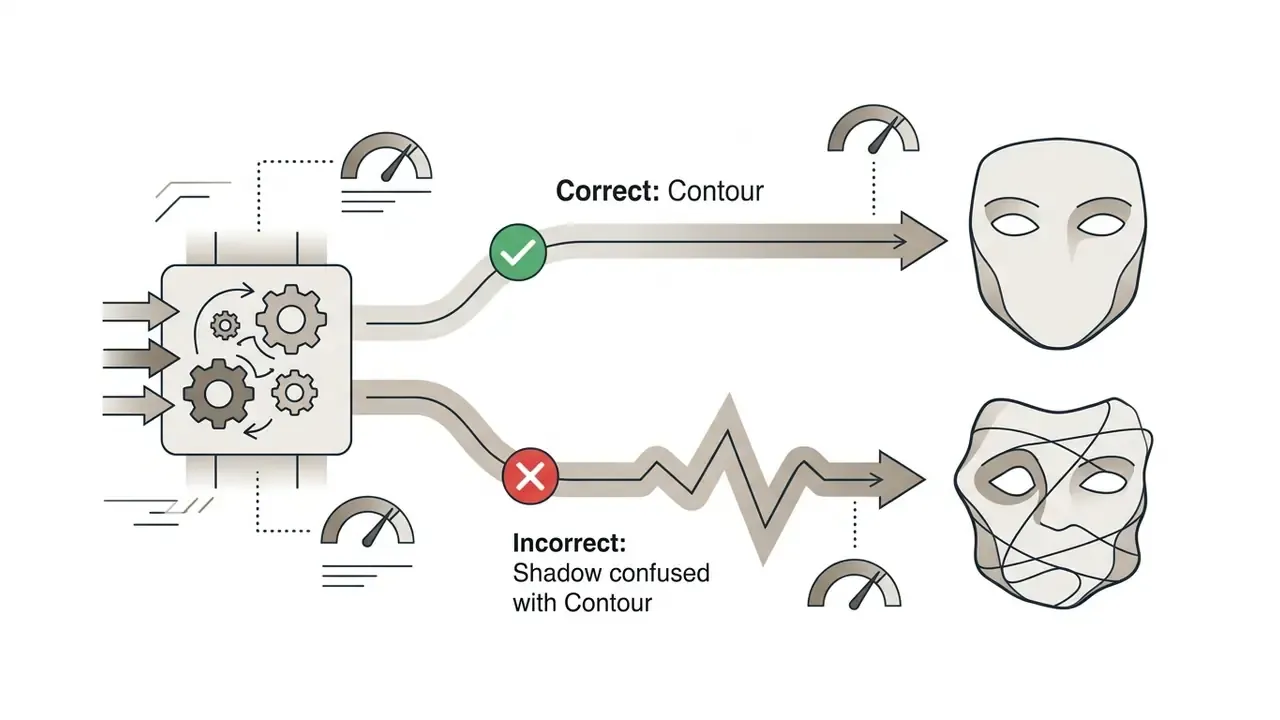
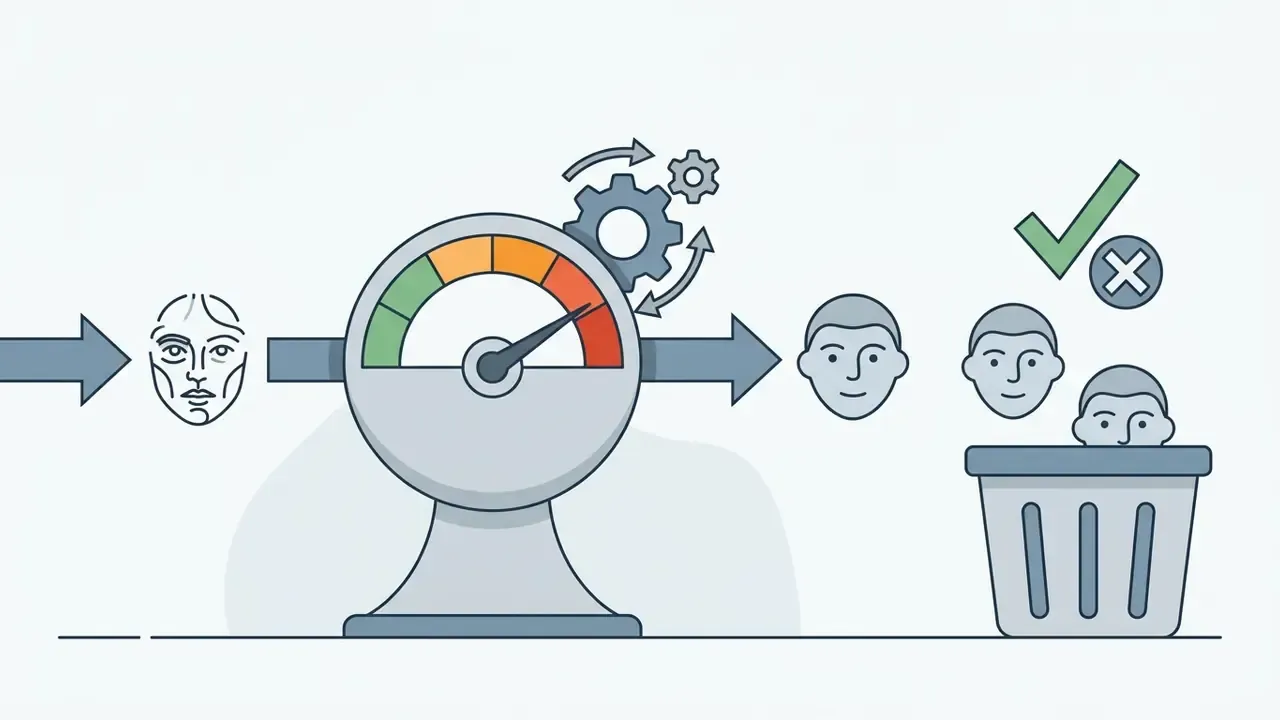
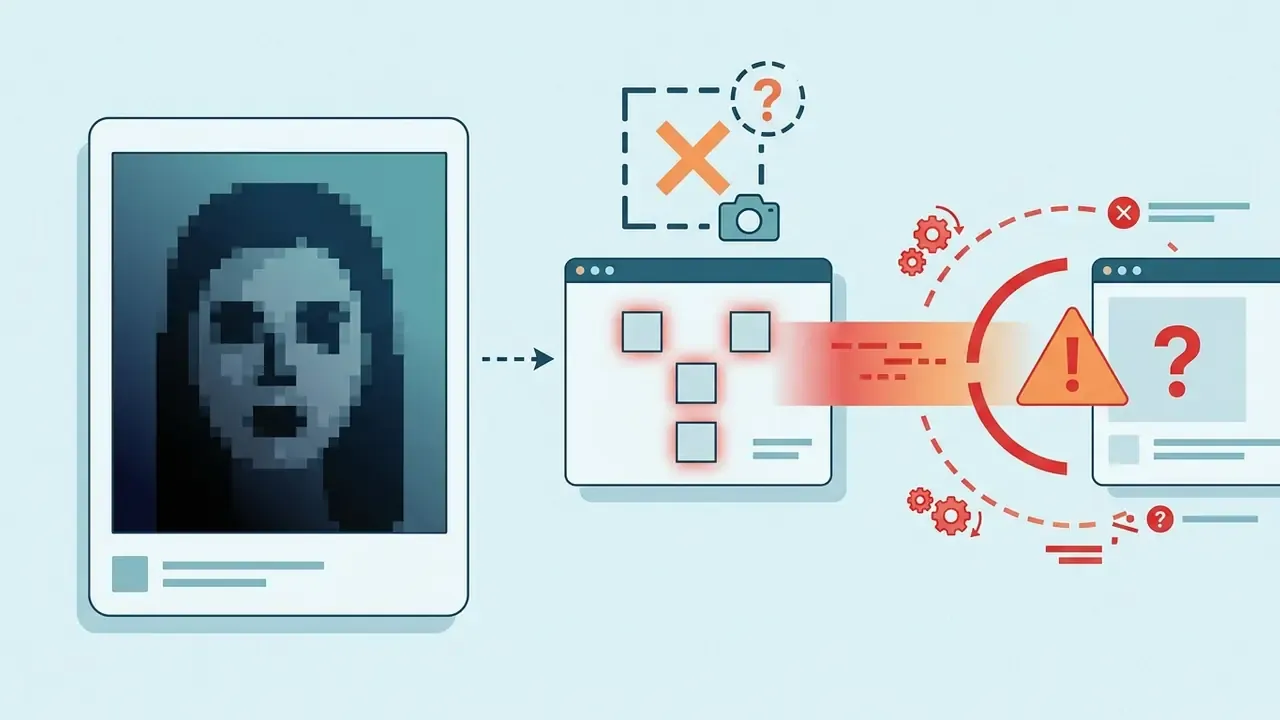
«GAN-based methods can struggle to retain subtle identity cues under extreme stylization or occlusion.»
Quick fixes: re-shoot or re-crop to a front-facing frame, take off the sunglasses, lower the style-strength slider, switch to a preset that stays closer to the photograph (3D or cel-shaded rather than heavy caricature), and generate three to five variants with different seeds before you judge the tool. Models also fail in ways that look absurd rather than subtle, much like the screenshots collected around funny google ai answers. Amusing in a feed. Unacceptable on a product page.
How to Avoid a Blurry Cartoon Photo After Downloading
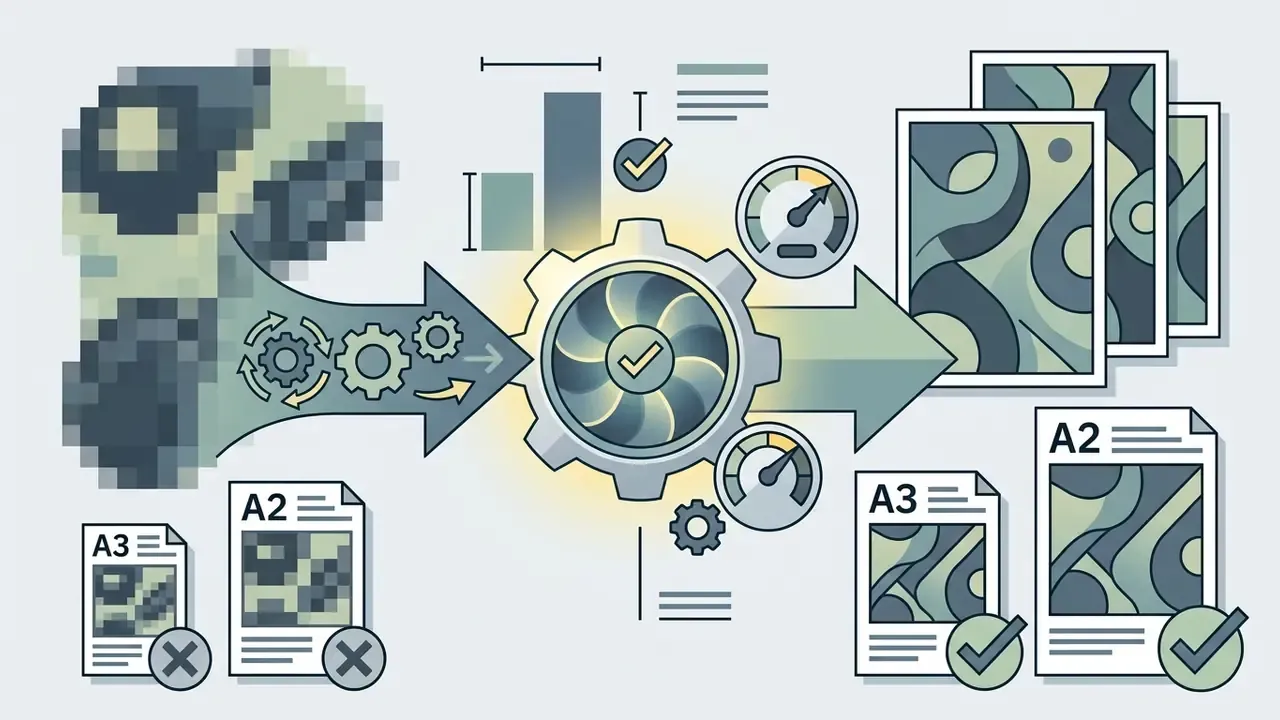
Blurry outputs come from low input resolution, downsampling at export, or viewing a low-PPI raster beyond its native pixel dimensions.
To hold resolution when you use a cartoon photo editor app:
- Start with high source PPI.Aim for at least 1024×1024 pixels and crisp focus across facial features. Export cannot recover detail that was never captured.
- Disable export downsampling.Choose maximum quality presets (PNG or uncompressed JPEG) over web-optimized files. In PDF workflows, avoid "Smallest File Size" profiles and switch off automatic image downsampling.
- Match output dimensions to the destination.For posters and merchandise, export at 300 DPI relative to the final physical size.
- Upscale after stylization, not before.If you need a poster from a 1024 px render, enlarge the finished cartoon with an AI image upscaler rather than re-running the model at a size it was never trained for.
«A cartoon-free training approach focuses on region smoothness and edge consistency, producing crisp boundaries without blur in output images.»
How to Work with Group Photos, Pets, and Complex Backgrounds
Complex scenes need multi-scale preprocessing, skeleton-guided attention, or foreground segmentation masks, otherwise features bleed between subjects.
When you convert photos of groups with an ai app to turn pictures into cartoons, crowded frames tend to produce facial misplacement. Architectures such as GroupDiff address this with skeletal bounding boxes and per-person attention masks.
«GroupDiff uses skeleton maps and bounding boxes to re-weight the attention matrix, giving flexible control while preserving inter-person relationships in the frame.»
Practical guidance for group shots: keep faces at a similar distance from the camera, avoid heads smaller than roughly 100 px, and if two people overlap heavily, crop and process them separately, then recombine on one canvas. Couple, family, and small-group photos convert cleanly. Stadium crowds do not.
Pet photos and complex landscapes benefit from background-subtraction preprocessing, isolating the primary subject so line generation stays clean. Camera-trap research shows why this matters: models trained on cluttered animal imagery reached high accuracy only after ingesting millions of noisy frames, a condition no consumer tool can rely on. Cleaning the input first with an AI image enhancer, meaning denoise, sharpen, separate subject from background, measurably improves the cartoon pass.
Fact Check and Quality Verification: Model Parameters and Export Baselines
For reproducibility and auditability in generative media operations, set concrete quality baselines before production.
Teams benchmarking vendors can cross-check capability claims against our comparisons of leading AI image generators and Microsoft's image stack.
Free AI Photo to Cartoon: Pricing, Limits, and Commercial Use
| Access Tier | Daily Generation Limits | Watermarks | Max Export Resolution | Commercial Licensing |
|---|---|---|---|---|
| Free Tier | 5 to 20 images per day | Visible watermark or C2PA metadata | 512x512 to 1024x1024 | Personal, non-commercial only |
| Pay-As-You-Go | Credit pack basis | None | Up to 2048x2048 | Standard commercial license |
| Pro / Enterprise | Unlimited or high monthly pool | None | 4K (3840x2160) and vector (SVG) | Full commercial rights plus copyright support |
Observed 2026 market pricing for dedicated ai cartoon generator apps clusters around $89 to $279 per year for individual annual plans, and $96 to $384 per year for credit-pack tiers with per-image and per-video charges. General-purpose suites bundle cartoon presets into broader subscriptions instead. Before you commit, compare against leading AI image generators on quality, rights, and export ceiling rather than headline price alone.
What Is Available for Free in an AI Cartoon Generator?
Free tiers in an ai cartoon photo editor app grant basic access to style presets, subject to daily caps, queue throttles, and watermarking. These conditions come from vendor documentation and pricing pages rather than academic literature, and they change often. Verify current limits on the provider's own page before you plan a campaign.
Popular platforms structure free access roughly like this:
Users analyzing tool costs across vendors can consult the comprehensive AI Media Pricing Guides index, review free AI art generators side by side, or explore multi-tool breakdowns in our compare section.
- Daily fast generation passes
- some services publish a fixed number of fast daily creations. Vendor documentation for Bing Image Creator has described roughly 15 fast creations per day with unlimited standard-speed generations afterwards, subject to change.
- Watermarking and credentials
- free outputs frequently embed a visible platform watermark or invisible provenance markers such as C2PA Content Credentials or Google SynthID.
- Restricted presets
- advanced 3D rendering, batch editing, and HD upscaling usually sit behind a paid tier.
- Reward credits
- several editors let users earn daily credits, which effectively extends free access without a subscription.
What to Check Before Commercial Use of Cartoon Images
Commercial deployment of AI-generated cartoon art requires two verifications: that human authorship contributions are sufficient for US Copyright Office registration, and that the vendor's licence actually grants what you intend to do.
Formats, Resolution, and Download Conditions
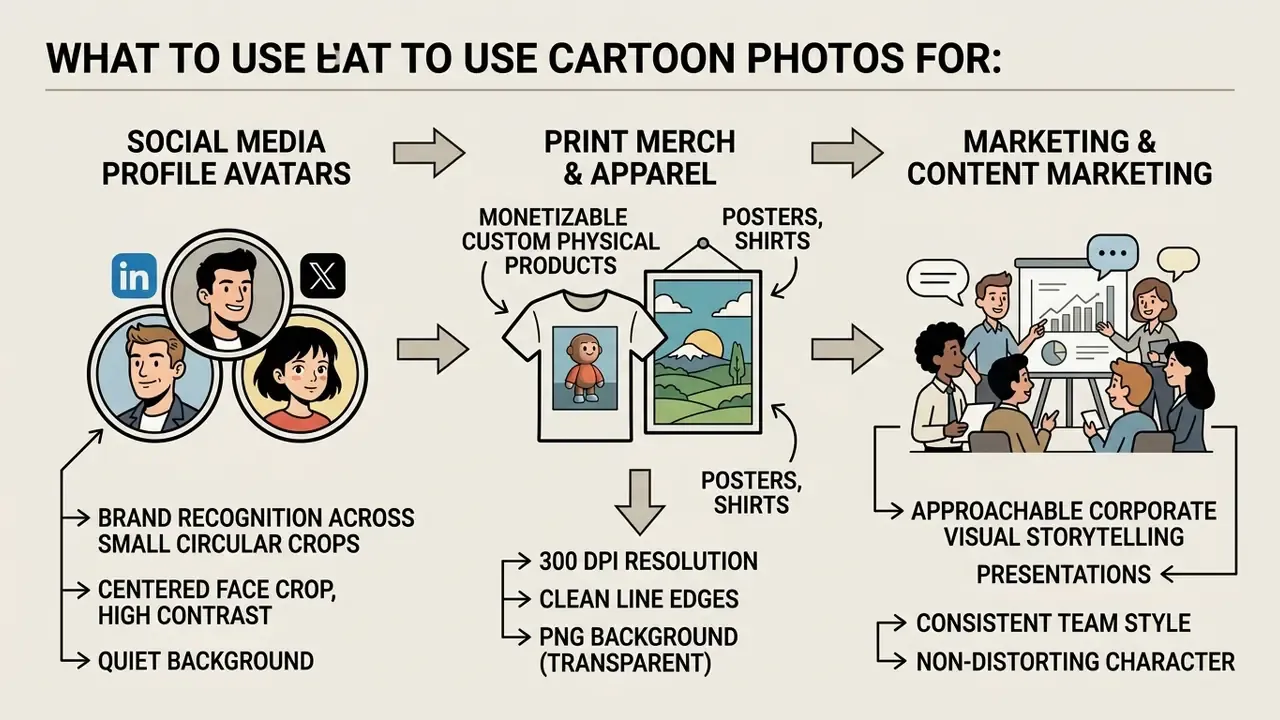
Exporting cartoon artwork for physical merchandise or digital posters means PNG for transparent elements and 300 DPI JPEG scaled to final print dimensions.
| Destination | Format | Resolution / DPI | Notes |
|---|---|---|---|
| Social avatar | JPEG or WebP | 1024×1024 | Centered face, quiet background, legible in a small circle |
| Web banner / thumbnail | PNG or WebP | 1920×1080 | PNG if text or hard edges sit on top |
| Poster / fine-art print | JPEG (95%) or TIFF | 3000×4000 or more at 300 DPI | 300 DPI at final size is the standard print threshold |
| Apparel, mugs, stickers | PNG with transparency | 150 to 300 DPI at print size | Some merch vendors accept 150 DPI minimum |
| Logo, cut vinyl, large-format | SVG (vectorized) | Resolution-independent | Trace the raster line art before scaling |
What to Use Cartoon Photos For: Avatars, Social Content, and Creative Projects
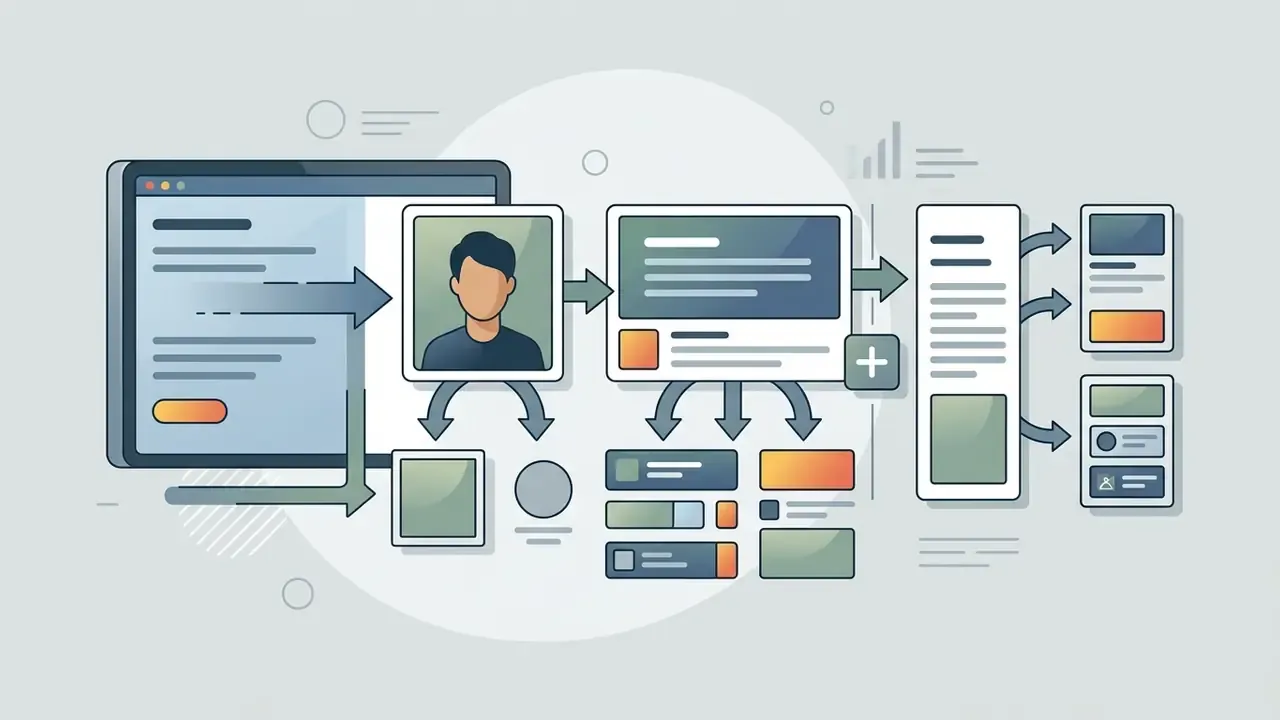
Cartoon photos serve a wide range of operational and marketing uses: brand recognition avatars, shareable social content, custom promotional comic strips, print merchandise. Stylized media lifts visual engagement and gives individuals a personal online branding asset. Branding research has found that liking of an animated spokescharacter significantly affects brand-character recognition, brand-character association, and brand preference. So the business case for stylized visuals is measurable, not decorative.
Case Study and High-Volume Workflows: Print-on-Demand
Commercial use of AI cartoonization runs well past individual avatars into high-volume e-commerce. Custom apparel and merchandise brands, classically the sock, mug, and T-shirt makers who accept customer photos at checkout, use cartoonization to convert those uploads into printable illustrated artwork. A Michigan-based custom sock retailer, for example, publicly credits a browser-based cartoonizer for turning customer photos into illustrated artwork sized to each pair, noting that the tool produced high-quality graphics without anyone on the team having a graphic-design background.
Enterprise batch pipeline setup:
Agencies and studios running similar volumes should compare per-image API costs before committing. Our AI Media Calculators tool and the AI Media API endpoint documentation cover pricing mechanics, and implementation patterns for adjacent media pipelines appear in the Google Veo implementation guide.
Cartoon Artwork for Posters, Greeting Cards, and Comic Strips
Turning photos into cartoons unlocks commercial print assets: promotional posters, corporate greeting cards, multi-panel digital comic strips.
Publishers and marketing teams use ai cartoon creator app outputs to build custom materials without booking a photo shoot. Convert staff photos into character assets and you can design internal training comics, personalized holiday cards, or event posters in an afternoon. Comic printers publish ready templates for exactly these formats, including 11×14, 11×17 and 12×18 inch posters, A3 posters, 4×6 and A6 postcards, plus standard comic page grids, so a cartoonized headshot drops straight into a production-ready layout. Animated follow-ups can be produced with animation makers, and narrated versions with AI voice generators.
FAQ About AI Cartoon Photo Editor
Short answers to the operational questions that come up most: text-to-image generation, image retention, mobile execution, batch runs, and multi-variant processing.
Can You Create a Cartoon Without Uploading a Photo?
Yes. Modern AI image generators create cartoon artwork entirely from descriptive text prompts, no reference photograph required.
Tools like DALL·E, Adobe Firefly, and Canva AI accept detailed descriptions, for example "A 3D animated character of an executive wearing a blue suit, flat background, vibrant lighting", and produce ai pictures cartoon style from scratch. Uploading an original photo matters only when you want the AI to preserve the specific facial identity and structure of a real person or pet.
«Manipulating null-text guidance in diffusion models shifts generation toward simplified, cartoon-style images without additional training.» Source: Null-text Guidance in Diffusion Models is Secretly a Cartoon-style Creator (2023). https://arxiv.org/abs/2305.06710
Creators choosing a text-first tool can compare quality and licensing across AI art generators and ChatGPT-based image generation.
Do I Need to Register or Pay to Cartoonize a Photo?
Usually no. Most browser-based tools let you upload, generate, and download without an account, login, or payment details, and many offer a limited number of free daily generations. Accounts become necessary for premium presets, batch editing, watermark removal, HD or 4K export, and commercial licences.
How Long Are My Photos Kept on the Server?
Retention depends on architecture. Privacy-focused editors process images locally in browser memory using WebGL or WASM with no server upload at all. Cloud services upload the file temporarily for inference; common published policies delete both source and output automatically within about 2 hours, with some vendors quoting 24 to 48 hours. Always confirm whether uploads may be reused for model training before you submit employee or customer faces.
Can I Generate Multiple Different Cartoon Versions from a Single Photo?
Yes. By altering style parameters, switching adapters (from Anime to 3D Comic, say), or changing the noise seed, an ai photo to cartoon app can produce dozens of distinct variants from one upload while keeping the subject's primary facial geometry. Testing three to five presets before choosing is normal practice, not indecision.
Why Does My Cartoon Look Distorted or Unlike Me?
Side profiles, sunglasses, hands or hair across the face, very dark frames, and heavy beauty filters are the usual culprits. They remove the landmarks the model uses to anchor identity. Re-shoot front-facing in even light, lower the style-strength slider, and prefer presets that stay close to the photograph (3D or cel-shaded) over strong caricature.
Does It Work on Group Photos, Full-Body Shots and Pets?
Yes. Multi-face detection handles couples, families, and small groups, and full-body shots convert cleanly when outlines are distinct. Keep faces reasonably large in frame, because subjects photographed from far away lose detail. Pet photos work well when fur-to-background contrast is strong and the eyes are in focus.
Can I Run an AI Cartoon Photo Editor on a Mobile Device Offline?
Most advanced diffusion models still need cloud GPUs for fast inference. That said, mobile framework engines such as MediaPipe Image Generator or ONNX Runtime Mobile let lightweight cartoonization models run directly on-device with no internet connection, though processing times rise noticeably.
How Do I Process Hundreds of Photos at Once?
Use batch editing in a paid desktop or web plan, or call the provider's image API from a script or storefront hook: validate the upload, submit it with a fixed style preset and seed policy, then post-process automatically (background removal, upscale, template placement). Log model version and parameters so output stays consistent across a print run.
What File Formats Are Best for Printing AI Cartoon Images on Merchandise?
PNG with transparency is ideal for apparel and physical merchandise at 150 to 300 DPI. For large wall posters or framed prints, export high-resolution uncompressed JPEG at 300 DPI relative to final size, or convert raster line art into vector SVG using vectorization software.
Can I Use the Cartoon Commercially?
Only if you hold rights to the source photo, the vendor's plan grants commercial use, and your own creative contribution is documented. Free tiers are frequently personal-use only, and purely AI-generated output without human authorship is not copyrightable in the US. Consult a lawyer for campaigns, trademarks, or merchandise at scale.
Pre-Publication Quality Checklist for Teams
Run this before shipping cartoonized assets into a live campaign or product.
Checklist0 / 8
Technical Index and Resource Hub
For further research on generative media pipelines, model risk frameworks, and commercial asset licensing:
- Return to the main glossary index for full terminology coverage.
- Compare tool categories in compare and rights questions in commercial-use.
- Verify image provenance and reuse with AI reverse-image-search tools.