An AI animal generator uses deep learning architectures, mainly diffusion transformers and audio-driven neural networks, to synthesize static images or dynamic video clips of animals from text descriptions, reference images, or speech input. In plain terms: you type or upload, the model renders motion. These systems let commercial teams and creators produce photorealistic wildlife scenes, stylized animations, and lip-synced talking pets without the overhead of a traditional shoot.
One caveat before the details. Cheap generation is not the same thing as approved, publishable creative. The gap between those two states is where budgets quietly disappear.
Executive Summary
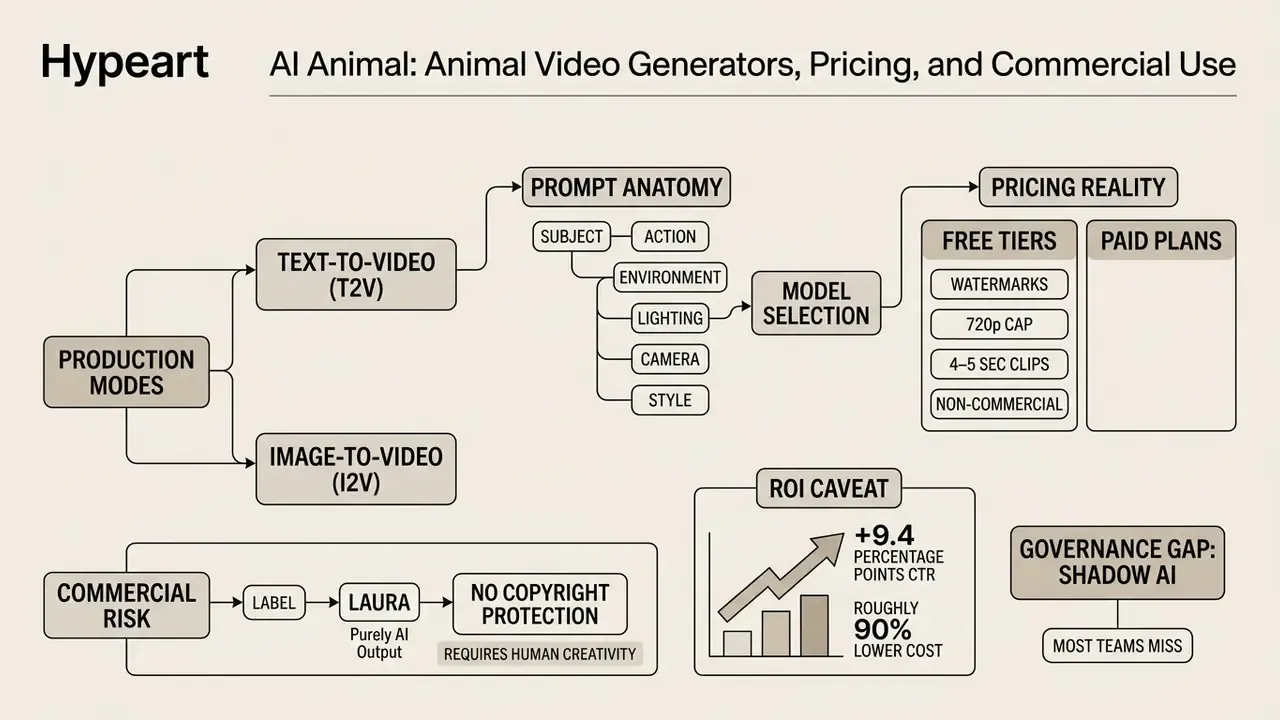
How to Read This Guide
This piece moves from capability to control, in that order.
The first three sections answer the practical question: what can an animal ai generator actually produce, in which styles, and how do you prompt it without wasting credits? The middle sections cover the production pipeline, model selection, and the photo requirements that decide whether lip-sync looks convincing or unsettling.
The later sections are for whoever signs the invoice. Pricing tiers, data handling, training-on-inputs clauses, disclosure obligations, and a net ROI model that includes review labor. If you are a marketing lead, start at the prompting section. If you own risk or procurement, start at pricing and governance and read backwards. The FAQ closes the loop on the questions that keep coming back: supported species, languages, formats, and whether free plans permit commercial use. Short answer to that last one: usually no.
What Is AI Animal and What Kinds of Animal Videos Can Be Created
An AI animal system processes natural language prompts, visual references, or audio files to generate dynamic animal media across multiple visual styles and technical formats. These tools let operators turn a static source concept into a high-definition clip suitable for digital marketing, educational media, and entertainment platforms.
Four output categories cover almost all practical demand: photorealistic wildlife footage, stylized cartoon or 3D animation, fantasy and hybrid creature design, and talking animals with synchronized facial motion. Everything else tends to be a variation on those four.
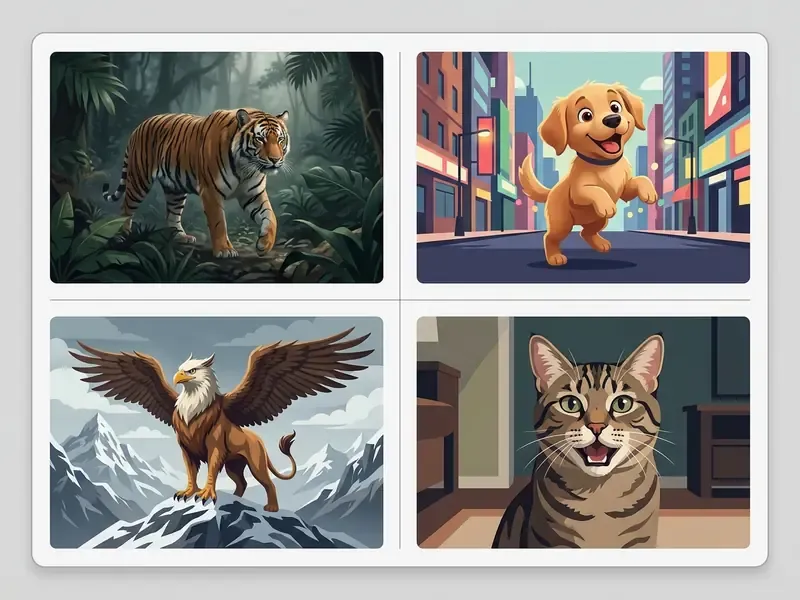
Image Generation and AI Animal Videos
The technical jump from static image generation to full motion runs through temporal diffusion models that generate frame sequences while preserving character geometry and surface detail. Readers new to the underlying mechanics can start with a broader overview of free AI video generators and their output limits before committing to a paid engine.
Modern frameworks such as CogVideoX and Vidu generate continuous high-definition clips at resolutions up to 1080p and durations from 10 to 16 seconds in a single inference pass, according to research on video diffusion transformers.
«CogVideoX generates continuous 10-second videos at 16 frames per second and 768×1360 pixel resolution in a single diffusion pass.»
Additional evidence on high-fidelity transformer video synthesis is documented in the Vidu architecture paper (Vidu, arXiv, 2024). Operators can start from a text-to-video (T2V) prompt or from an image-to-video (I2V) workflow, where an initial reference frame fixes the subject's anatomy before temporal motion is applied.
Engine families worth knowing by name in 2026: Wan 2.1 / Wan 2.2 (open-weight text-to-video and image-to-video models widely exposed through hosted generators and APIs), FLUX.1 Kontext Pro and Seedream (high-fidelity image backbones often used to build the anchor frame before animation), plus closed premium tiers such as Sora- and Veo-class models. Teams comparing endpoints, quotas, and per-second cost can review the AI Media API hub and the practical Google Veo implementation guide, which covers rate limits and billing behavior under load.
A related toolset overlaps here more than people expect. If the deliverable is a branded intro sting rather than a wildlife shot, an animated logo maker or a general animation generator will get you there with far fewer artifact risks than a photoreal animal pipeline.
Talking Animals: Animals with Voice and Facial Expression
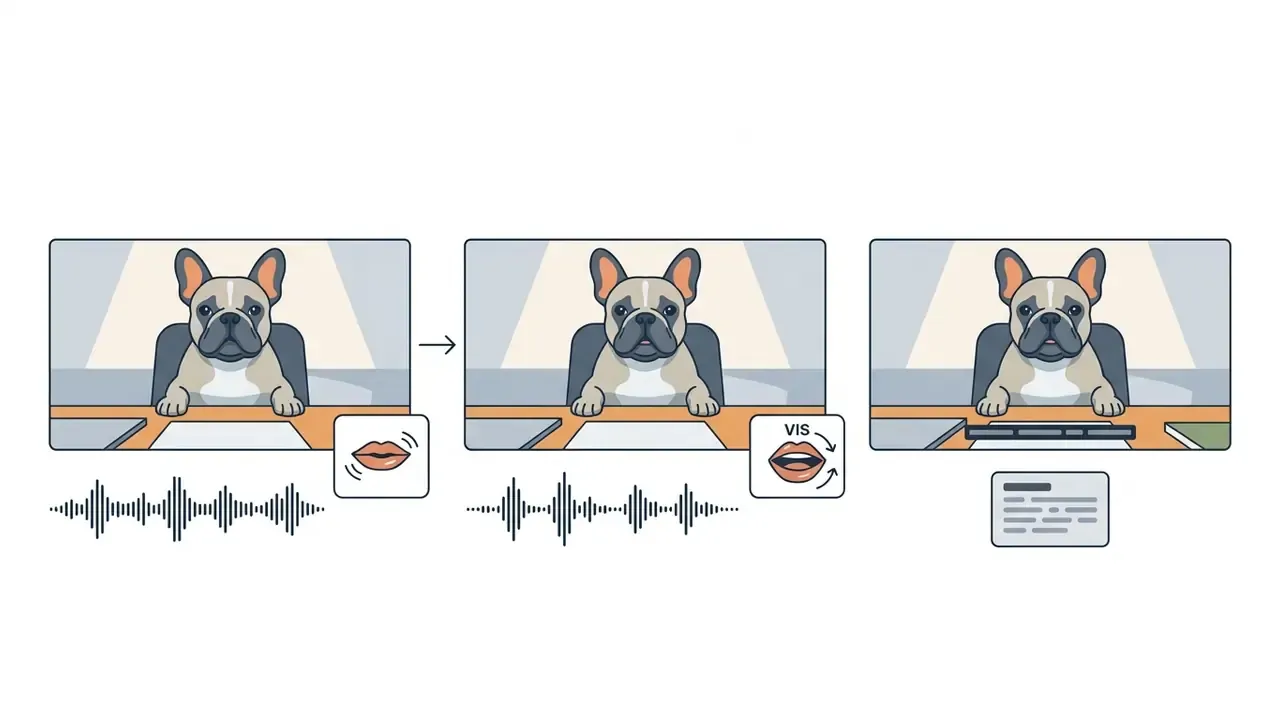
Generating talking animals requires integrating speech audio with facial landmark deformation models to animate jaw, lip, and eye movement in sync with phonemes. The canonical pipeline: audio or text input, then phoneme extraction and viseme alignment, then jaw and lip motion synthesis, then expression and eye-blink layering, then temporal smoothing.
Specialized audio-driven frameworks map audio streams to facial expressions in near real time:
«Livatar-1 reaches a LipSync Confidence score of 8.50 with 0.17 s end-to-end latency and 141 FPS throughput on a single NVIDIA A10 GPU.»
In digital marketing workflows, converting a static pet photograph into a talking mascot lets brands deliver personalized messaging at scale without re-shooting live media. That is the appeal. The exposure sits in the upload, which we return to under data governance.
Fine-Tuning Parameters for Talking Animals (Lip-Sync and Audio Controls)
Consumer talking-animal tools expose a compact but consequential parameter set. Getting these ranges right is the whole difference between a believable mascot and an uncanny artifact.
| Parameter | Range / Values | Purpose |
|---|---|---|
| Emotional profile | Neutral, Happy, Sad, Angry, Surprised, Fearful, Disgusted | Controls brow amplitude, eye aperture, and mouth corner tension |
| Pitch | −12 to +12 semitones | Shifts timbre (low growl for large breeds, high squeak for small pets) |
| Speech speed | 0.5x to 2.0x | Synchronizes articulation tempo with the audio track and clip length |
| Volume | 0 to 10 | Normalizes narration against background music and ambience |
| Audio source | Microphone recording (up to roughly 90 s), file upload (MP3/WAV/M4A), TTS library (300+ voices) | Defines the input stream used for viseme generation |
| Subtitles / captions | On or Off, burned-in or sidecar | Supports muted mobile viewing, the default state for short-form feeds |
| Model tier | Fast (basic sync, longer clips) vs Quality (best sync, shorter clips) | Trades throughput against lip-sync precision |
Multilingual localization: modern speech synthesizers can re-voice the same talking animal in 30+ languages, including Spanish, Mandarin, Arabic, Portuguese, and Hindi, with viseme alignment recalculated for target-language phonetics. One approved animal asset can then carry a global campaign without re-shooting or re-rendering the base video. Teams comparing narration engines can review the guide to AI voice generators, quality, and licensing, and anyone scoring the wider tool landscape will find the AI Media Comparison Matrices faster than testing eight trials by hand.
Commercial performance data for personalized synthetic video appears further down, in the section on ROI, control costs, and residual risk, alongside the expenses that gross figures leave out.
AI Animal Video Styles: Realistic, Cartoon, and Fantasy Animals
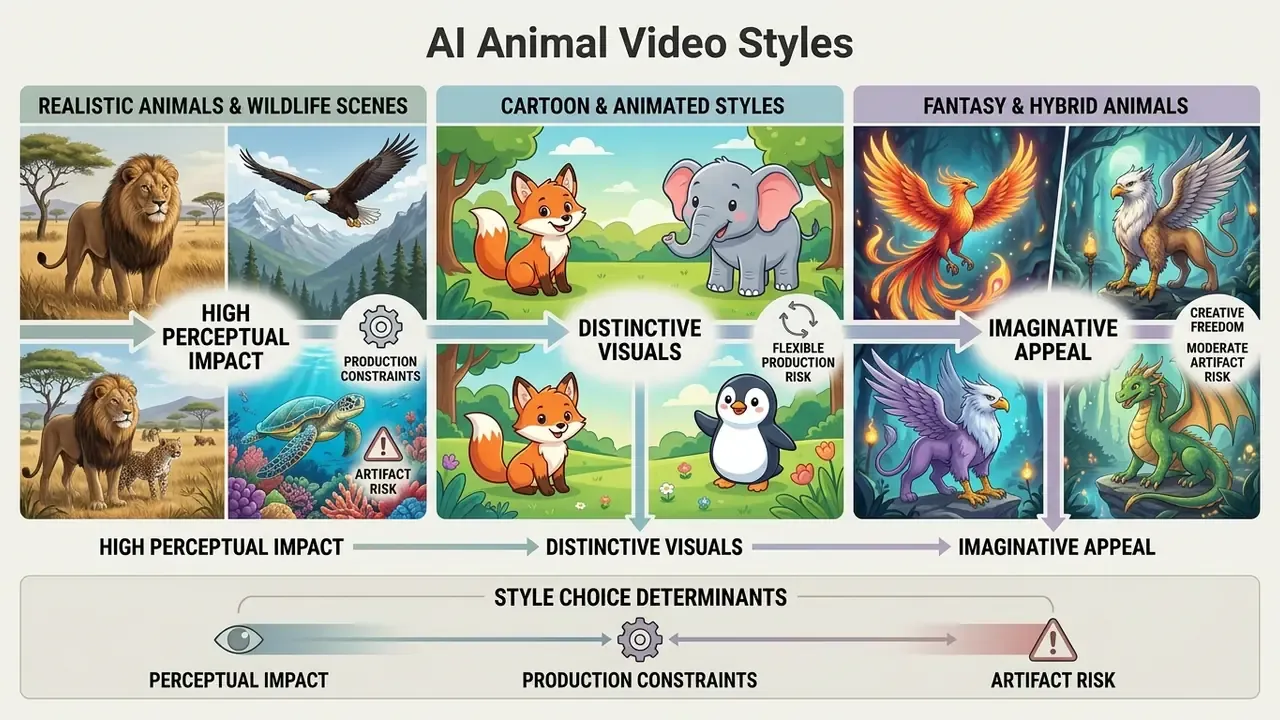
Style choice determines perceptual impact, production constraints, and artifact risk. AI video architectures handle photorealistic, illustrated, and imaginative styles differently, based on training data distributions and prompt conditioning.
Realistic Animals and Wildlife Scenes
Photorealistic wildlife generation simulates natural lighting, sub-surface fur scattering, and organic muscle movement inside real-world biomes. Space-time diffusion architectures such as Lumiere process spatial and temporal dimensions together to prevent flickering fur textures and erratic limb deformation (Lumiere, arXiv, 2024).
Evaluation studies on physical realism, however, show that diffusion models still struggle with complex multi-body physics: realistic animal collisions, contact weight, fluid dynamics.
«PhyWorldBench evaluated 12 models across 1,050 prompts and exposed systematic failures in collision physics and long-horizon dynamics.»
Wildlife-specific recognition research also indicates that explicit morphology cues in prompts reduce animal-body confusion, which is why anatomical descriptors matter more for animals than for human subjects. Fur hides structure; the sampler guesses.
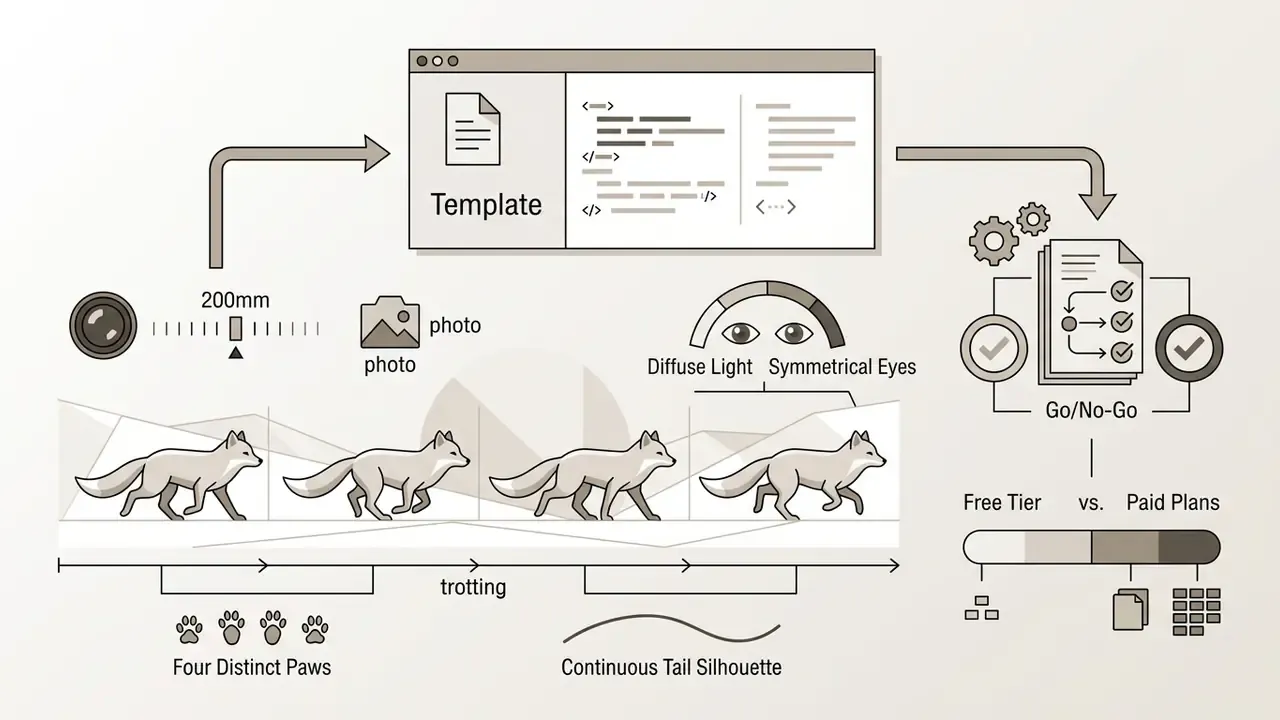
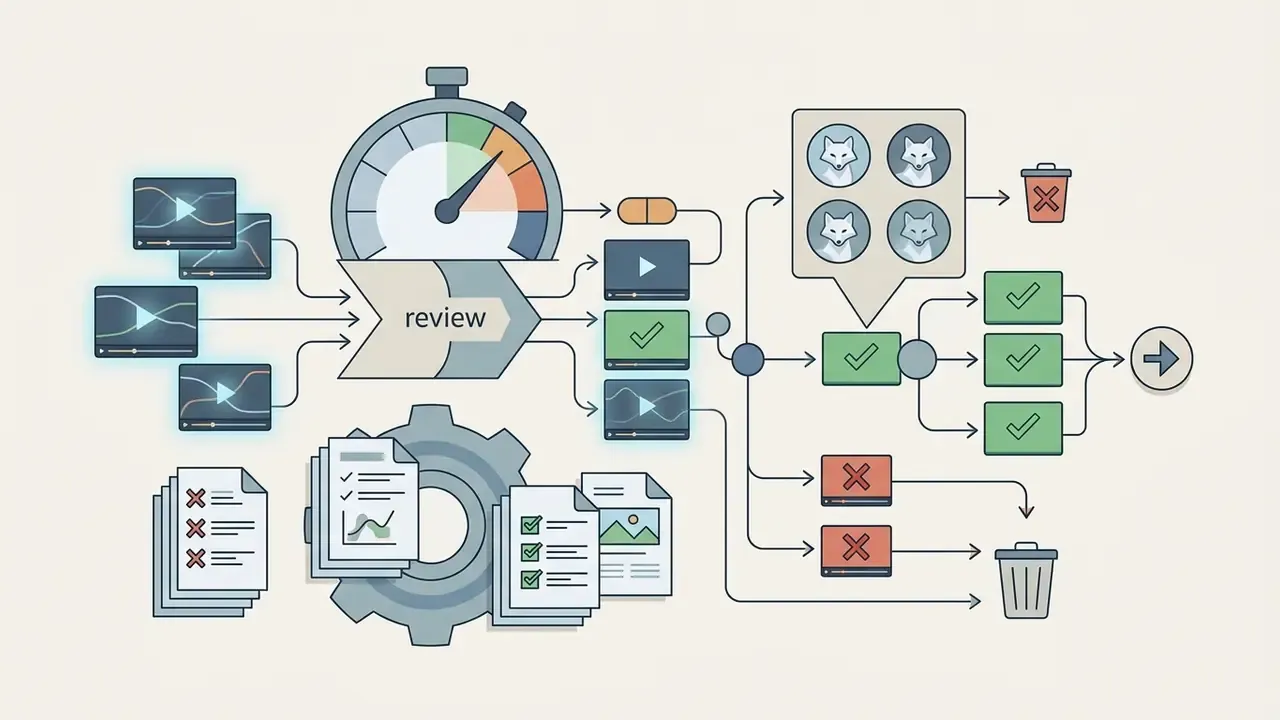
Field example (illustrative, composite). A commercial media team building a documentary-style ad generated five short wildlife clips of an arctic fox on snowy tundra. Early runs showed limb distortion during rapid direction changes. Conditioning the pipeline on explicit anatomical prompts ("four distinct paws, symmetrical eyes, continuous tail silhouette") and enforcing morphology-guided spatial constraints removed visible artifacts across three final exports. Total inspection time across 14 draft variants ran to roughly four hours. That is a control cost, and any honest ROI model has to carry it.
Cartoon, Fantasy, and Hybrid Animals
Stylized generation leans on non-photorealistic rendering to produce cartoon characters, anthropomorphic pets, and mythical hybrids that blend traits of different species. Lowering structural realism reduces the viewer's susceptibility to the uncanny valley, which tends to appear when near-photorealistic virtual animals move in subtly wrong ways.
«Reducing structural realism lowers viewer susceptibility to the uncanny valley response when watching virtual animals.»
Non-photorealistic styles let creative teams build memorable brand mascots, explore fictional species for concept work, and hold visual appeal across short-form channels. Hybrid-creature generation also has documented use in concept art, habitat-focused classroom visuals, and speculative species design. Designers building mascot systems around a house art style may find the comparison of AI art generators by style control useful for locking a look before animation, while heavier character rigs often belong in an animation maker 3d workflow rather than a text-to-video prompt. Audio-led formats, such as animated music videos with an animal protagonist, follow the same rule: fix the character first, animate second.
⚠️ Trademark caution for hybrids and mascots. Hybrid or anthropomorphic characters are exactly where trademark and trade-dress exposure shows up. A generated "blue mouse in red shorts", or a fox mascot that echoes a competitor's brand identity, can trigger infringement or false-endorsement claims even though every pixel is synthetic. Route mascot concepts through brand legal review before paid distribution, and if your sector already has active disputes, skim the litigation tracker to compare options before you commit a campaign budget.
How to Write a Prompt for Realistic and Viral Animal Video
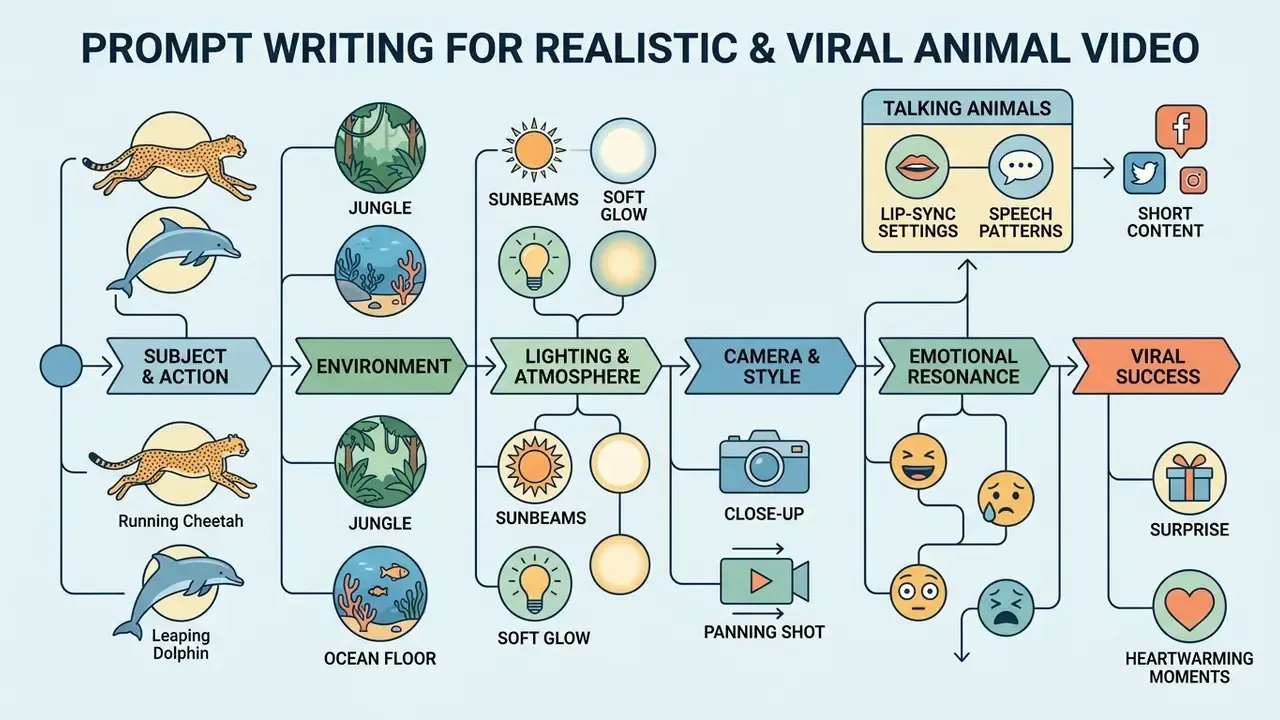
Prompt construction dictates physical movement, atmosphere, and emotional resonance in synthetic animal assets. Structured frameworks control model output and cut visual glitches. Treat the prompt as a production brief: what exists in frame, what happens, how it is filmed, how it sounds, and what must stay consistent across shots.
What a Successful Text Prompt Consists Of
A production-grade prompt isolates the key visual variables so diffusion attention has less room to improvise. Six essential fields:
- Subject Exact species, age, coat texture, physical detail (for example, "an adult golden retriever with dense fur").
- Action Specific motion with speed and direction ("running toward the camera at a steady trot").
- Environment Setting, terrain, weather ("on a sunlit forest trail covered in autumn leaves").
- Lighting Directional and atmospheric light ("dramatic side-lighting during golden hour").
- Camera Shot type, angle, movement ("low-angle tracking shot, 35mm lens").
- Style Rendering medium or camera aesthetic ("cinematic photorealism, shallow depth of field").
Two optional fields improve stability more than most people expect: negative prompts (for example, "no extra limbs, no morphing digits, no text overlay") and consistency locks, meaning the identity description repeated verbatim across shots.
Prompt engineering research confirms that explicit physical attributes and directional motion reduce semantic ambiguity during noise diffusion.
«T2V-CompBench evaluated 1,400 prompts across 7 categories and showed that models frequently fail on spatial relationships and action binding.»
Prompts for Talking Animals and Short Social Content
Social engagement leans on short, emotionally expressive clips built around baby-schema traits: large eyes, round heads, clumsy movement. These reliably pull positive viewer response.
«Analysis of 1,800 social posts confirmed that baby-schema features, anthropomorphism, and playful behavior significantly increase cuteness ratings on the CAT scale.»
Prompts for short-form platforms (TikTok, Reels, YouTube Shorts) should pair an expressive visual hook with a structured dialogue script.
Aspect Ratio Presets by Target Platform
| Aspect ratio | Primary destinations | Framing note |
|---|---|---|
| 9:16 (vertical) | TikTok, Instagram Reels, YouTube Shorts | Places the animal's face at the optical center; safest default for mobile reach |
| 16:9 (horizontal) | YouTube long-form, display ads, site heroes | Room for environment and camera movement; weaker for feed autoplay |
| 1:1 (square) | Feed posts, product previews, carousels | Neutral crop that survives multi-platform repurposing |
| 4:5 / 3:4 (portrait) | Instagram feed, Pinterest | Higher feed occupancy than 1:1 without full vertical commitment |
| 2:3 / 3:2 | Print-adjacent stills, thumbnails | Useful for exporting key frames as static creative |
Also plan a hook inside the first 3 seconds, burned-in captions for muted viewing, and a runtime between 15 and 30 seconds for completion rate (30 to 60 seconds only where the narrative payoff needs it).
How to Create an AI Animal Video from Text or an Image
Creating an AI animal clip follows a structured pipeline: define the visual narrative, select model parameters, condition the input source, run generation, validate quality.
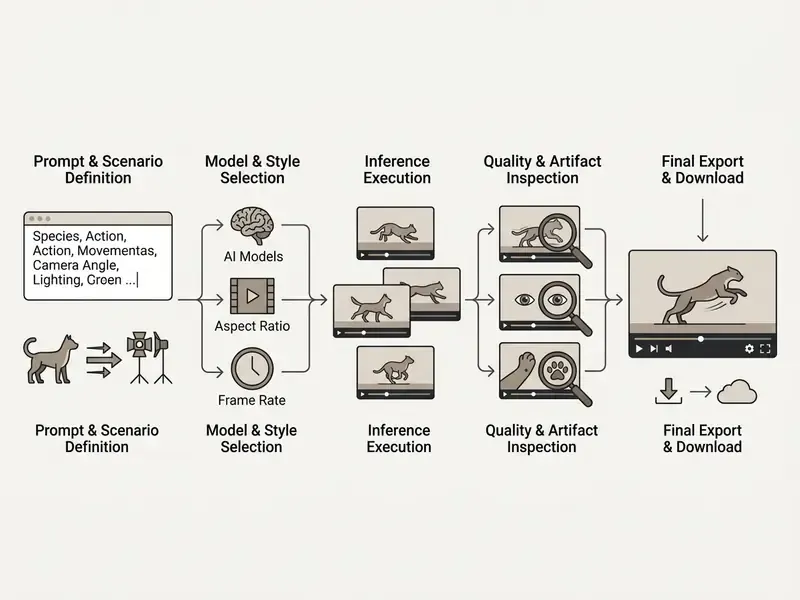
Describe the Animal and the Scenario in the Prompt
An effective text prompt structures descriptors into functional blocks: subject detail, primary action, environment, camera framing, lighting, style. The same six-field framework described above. Write in short declarative beats rather than metaphors. Ambiguity gets resolved by the sampler, not by your intent.
Choose the Model, Style, and Source Image
Choosing between Text-to-Video (T2V) and Image-to-Video (I2V) comes down to one question: does exact identity have to survive? Use T2V for generic species and open exploration. Use I2V whenever a specific pet, mascot, or approved character must stay recognizable. In I2V workflows the source image acts as a conditioning anchor, preserving color markings, facial symmetry, and clothing across frames.
«I4VGen uses a two-stage inference pipeline, anchor image synthesis followed by video distillation, without any additional model training.»
Model selection criteria worth scoring before commitment: prompt adherence, temporal consistency, maximum clip duration, native audio and lip-sync support, resolution ceiling, queue latency, and whether the vendor retains uploads for training. That last one belongs on the scorecard, not in a footnote.
Checklist: The Ideal Pet Photo for Image-to-Video and Lip-Sync
- Angle: Front-facing or three-quarter view. The muzzle must be fully visible in frame.
- Eyes and mouth: Avoid frames where eyes are closed or hidden by fur, a leash, or a collar tag.
- Lighting: Even illumination, no hard shadows across the face, no direct backlight.
- Obstructions: Nothing in front of the muzzle. No toys, bowls, hands, or food.
- Resolution: Minimum 1024×1024 px, in focus, low compression noise.
- Bonus stability factor: One animal per frame. Multi-subject photos raise identity drift and limb-merging artifacts.
If the source photo needs cleanup before upload, for instance cropping, exposure correction, or background isolation, a quick pass in a free photo editor usually solves it faster than re-prompting the video model.
Generate, Validate the Result, and Download the Video
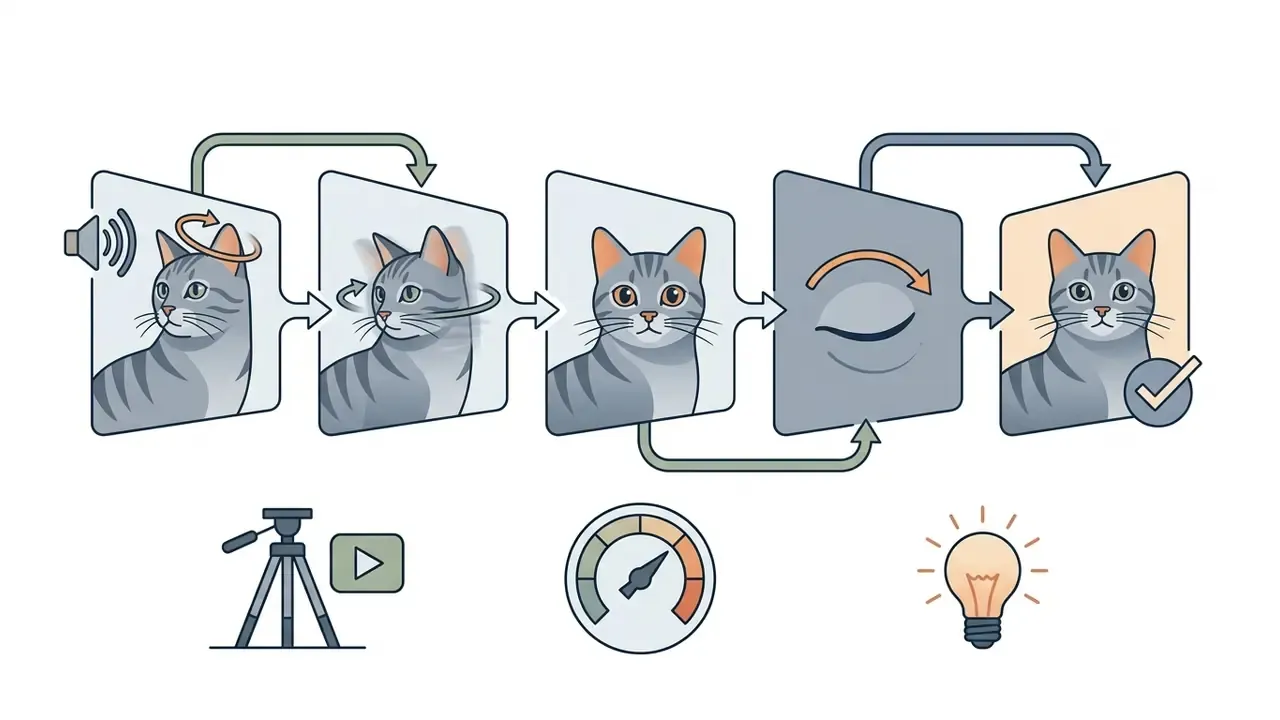
Inference produces draft iterations that need systematic inspection before deployment. Generate 2 to 5 variants per prompt, then pick the strongest before refinement. Verify stable limb count, clear eye alignment, smooth motion trajectories, and temporal stability across every frame.
| Inspection Criterion | Target Benchmark | Common Failure Mode | Mitigation Strategy |
|---|---|---|---|
| Motion Smoothness | Continuous temporal flow without frame stutter | Jittery limb transitions | Increase temporal smoothing or lower motion scale |
| Anatomical Integrity | Symmetric eyes, stable paw and digit counts | Morphing digits or extra limbs | Apply negative prompts or morphology constraints |
| Identity Preservation | Consistent fur pattern across all frames | Color shifting between camera cuts | Use single-frame Image-to-Video conditioning |
| Lip-Sync Alignment | Precise phoneme-to-viseme match | Mouth drifting during pauses in audio | Adjust viseme alignment parameters in the audio pipeline |
| Physical Plausibility | Credible contact, weight, and collision behavior | Feet sliding, objects passing through the body | Simplify the action; avoid multi-body interaction in one shot |
| Background Stability | Static environment stays static | Warping walls, flickering foliage | Reduce camera motion or shorten clip duration |
How to Choose an AI Animal Generator: Features, Free Access, and Pricing
Selecting a platform means weighing functional capability, credit limits, output resolution ceilings, subscription tiers, and, for regulated organizations, data retention policy. Price is the easy variable. Retention rarely is.
| Platform / Engine | Free Tier Allowance | Talking Animal Support | Max Output Resolution | Commercial Rights Scope | Typical Paid Pricing |
|---|---|---|---|---|---|
| Adobe Firefly | Daily generative credits | Limited (via Adobe Suite) | 1080p | Full commercial rights on paid plans | Included in Creative Cloud or standalone tiers |
| Pika | Basic daily trial credits | Native lip-sync support | 1080p | Paid tiers grant commercial license | ~$10 to $60 / month |
| Hedra | Free trial access | Native talking avatar engine | 1080p | Commercial use restricted to paid tiers | Starts at ~$15 / month |
| Loova AI | Limited credit allowance | Basic animation options | Up to 4K | Paid subscription required for business use | ~$15 to $109 / month |
| JoyPix | 20 initial free credits plus daily login bonus | Specialized talking pets | 1080p | License granted under paid tiers | Credit packs or monthly sub |
| Wan 2.1 / 2.2 (T2V + I2V) | Available through open APIs and hosted front-ends | Basic motion animation; lip-sync via external stage | 1080p, 4K via upscaling | Depends on host; open weights permit self-hosted use | $0 self-hosted, up to ~$10 / month via hosts |
| ElevenLabs (FLUX.1 / Seedream backbones) | Free image generation; video requires credits | Native lip-sync, 30+ narration languages | Up to 4K with upscaling | Paid plans only | From ~$5 / month |
| ImaginePro | Free trial, 50 credits | Not the primary focus (image-led) | Model-dependent | Paid plans | $8 to $20 / month, annual discounts |
What Is Available in the Free Version of an AI Animal Generator
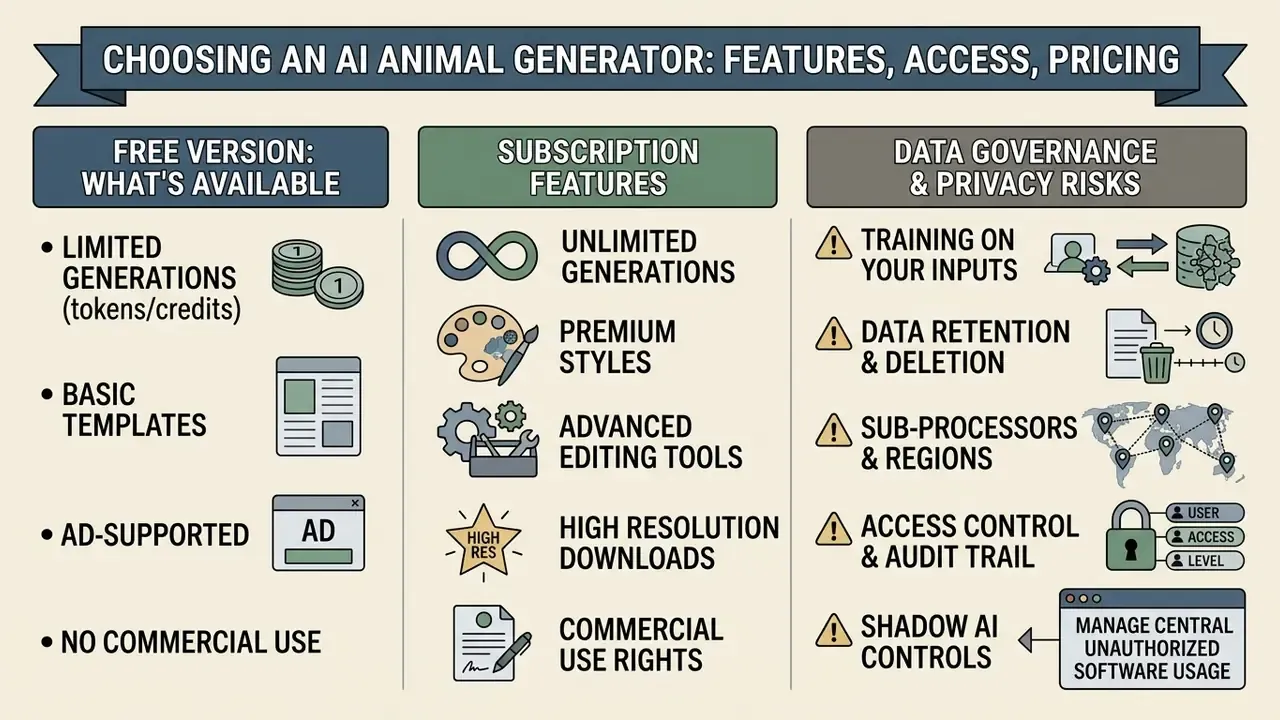
Free tiers usually hand out an introductory credit allocation or a daily generation cap so you can test prompt responsiveness and visual quality. In practice they also apply a visible platform watermark, cap export resolution at 720p or lower, limit clip duration to 4 or 5 seconds, restrict you to the basic model tier, and permit non-commercial evaluation only. Some lip-sync services allow watermark-free generation but deliver only a low-resolution copy, unlocking source resolution after a paid credit is spent. Worth reading the fine print there.
Which Features Require a Subscription
Paid plans unlock the production capabilities enterprise workflows actually need: premium diffusion models (Sora-, Veo-, or Wan 2.2-class variants), high-resolution output up to 4K and 8K on select upscaling tiers, priority queue processing, more concurrent generations, expanded lip-sync features and voice libraries, longer maximum clip duration, watermark removal, and explicit commercial usage rights in the licence text.
Data Governance, Privacy, and Shadow AI Risk
Procurement questions that matter as much as price:
- Training on your inputs. Does the vendor use uploaded photos, prompts, and reference images to train base models? Consumer tiers often reserve that right; enterprise tiers often waive it. Get the answer in the contract, not on the marketing page.
- Retention and deletion. How long are uploads, drafts, and generated assets stored, and is there a documented deletion SLA?
- Sub-processors and regions. Which third-party model providers touch the data, and in which jurisdictions?
- Access control and audit trail. Are generations attributable to named users for later review?
Shadow AI controls. The dominant real-world failure mode is not a bad render. It is an employee uploading an unreleased mascot, a customer's pet photo, or internal brand assets into an unvetted consumer tool at 11pm before a deadline. Practical mitigations: maintain an approved-tool allowlist, block unapproved generative endpoints at the network layer, require enterprise SSO for any tool touching brand assets, classify which asset types may never leave the corporate perimeter, and log every published synthetic asset with its prompt, model version, and named reviewer.
One inventory line per tool. No exceptions, including the free ones.
ROI, Control Costs, and Residual Risk
Commercial evidence for synthetic video is genuinely strong at the top line:
«A field experiment found personalized AI video raised click-through rates by 9.4 percentage points versus personalized images while cutting production costs by roughly 90%.»
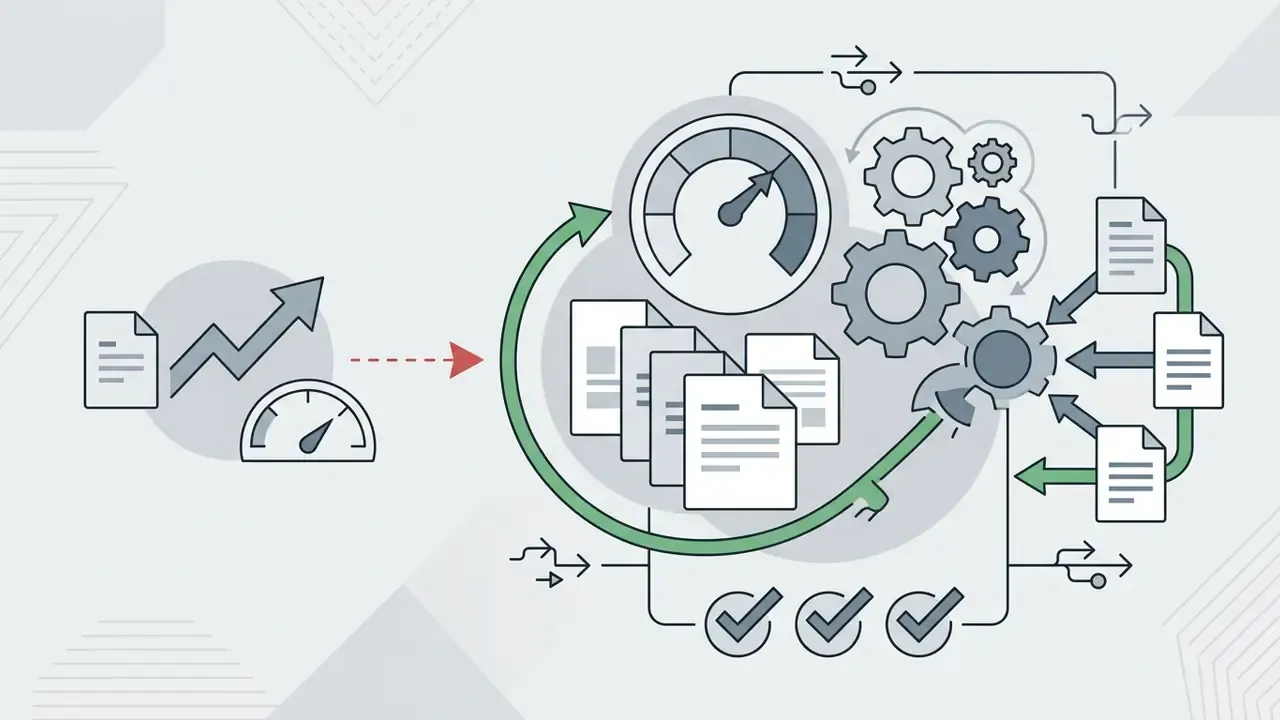
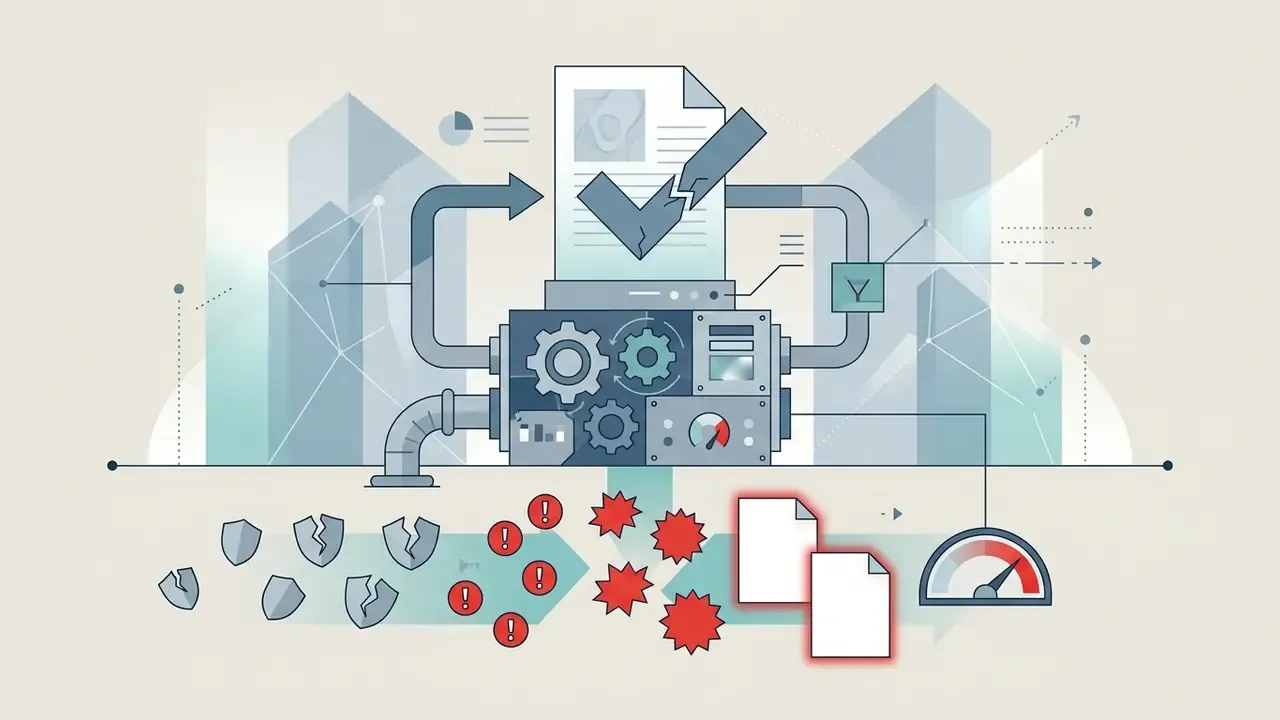
Net ROI, though, is the gross gain minus the cost of control. A defensible model includes:
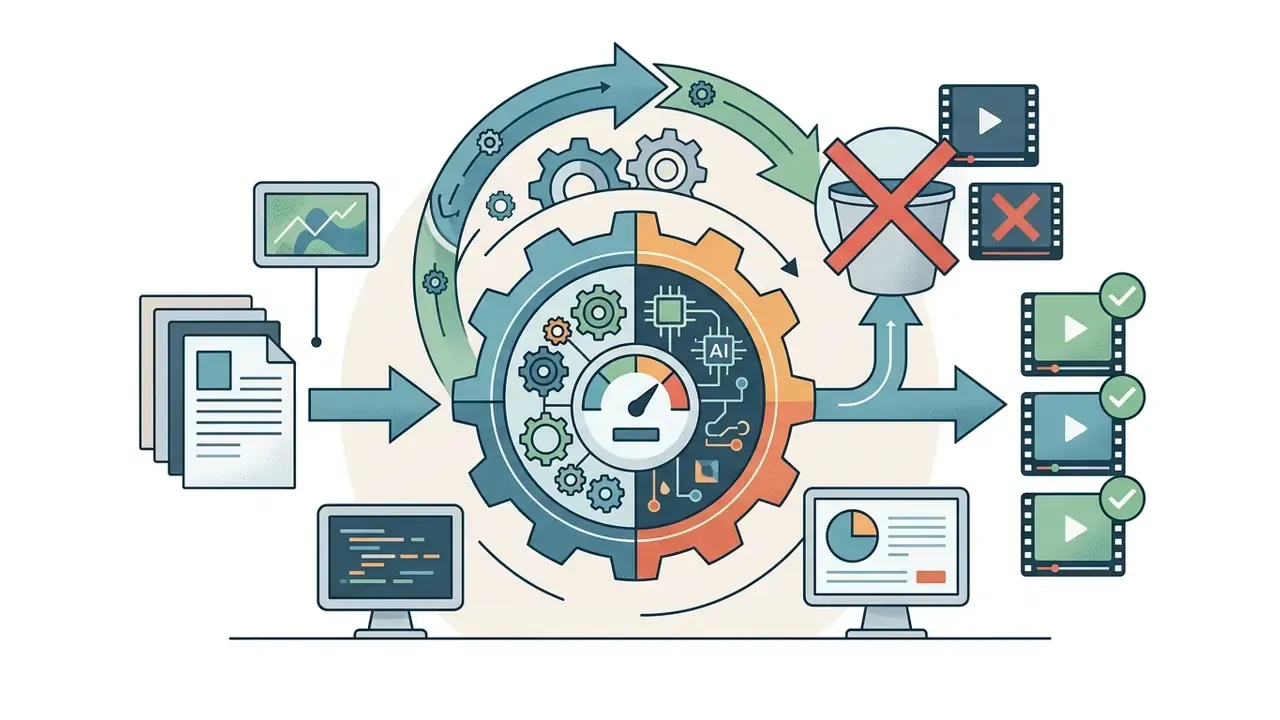
A pilot reporting "90% cheaper" on model inference alone is not reporting ROI. It is reporting one input cost. Track cost-per-approved-asset instead of cost-per-generation, and the picture usually changes by a factor, not a rounding error.
Can AI Animal Videos Be Used in Commercial Projects

Which Conditions to Check Before Commercial Use
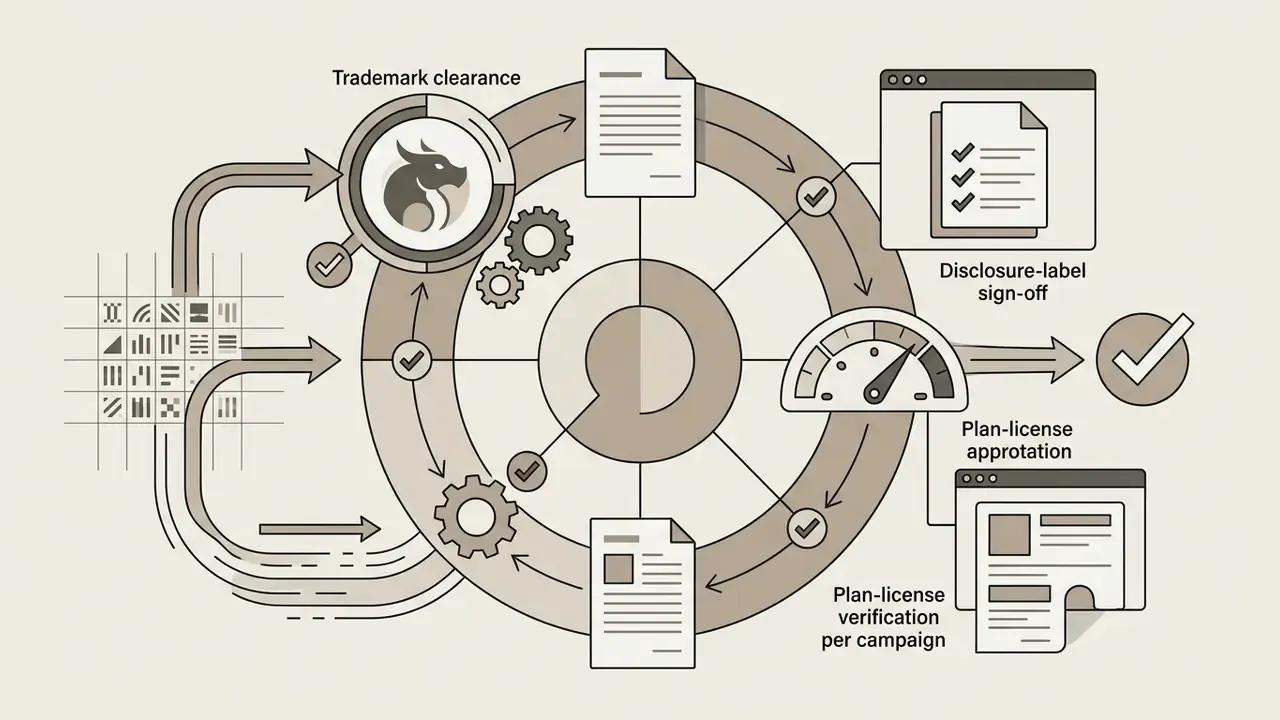
Before publishing synthetic media commercially, legal and risk teams must read the platform's licensing language line by line. Major model providers generally disclaim ownership of generated output and grant users broad permissions on paid tiers, but those grants stay subject to Terms of Service and applicable law.
«Google, Stability AI, and OpenAI expressly disclaim rights in generated outputs, assigning them to the user.»
Four review blocks cover the practical exposure: copyright ownership and the extent of human authorship; disclosure of AI-generated components where registration or advertising rules apply; third-party likeness, voice, trademark, and trade-dress rights; and platform or channel labeling policies, including monetization rules on video platforms.
Worth noting too that some ad platforms restrict animal-related commercial content directly. TikTok's advertising policy, for example, prohibits promotion or sale of live animals and limits adoption messaging to NGOs, non-profits, and shelters. A perfectly compliant AI asset can still be rejected on category grounds.
Where to Use Animal AI Videos: Content, Education, and Entertainment
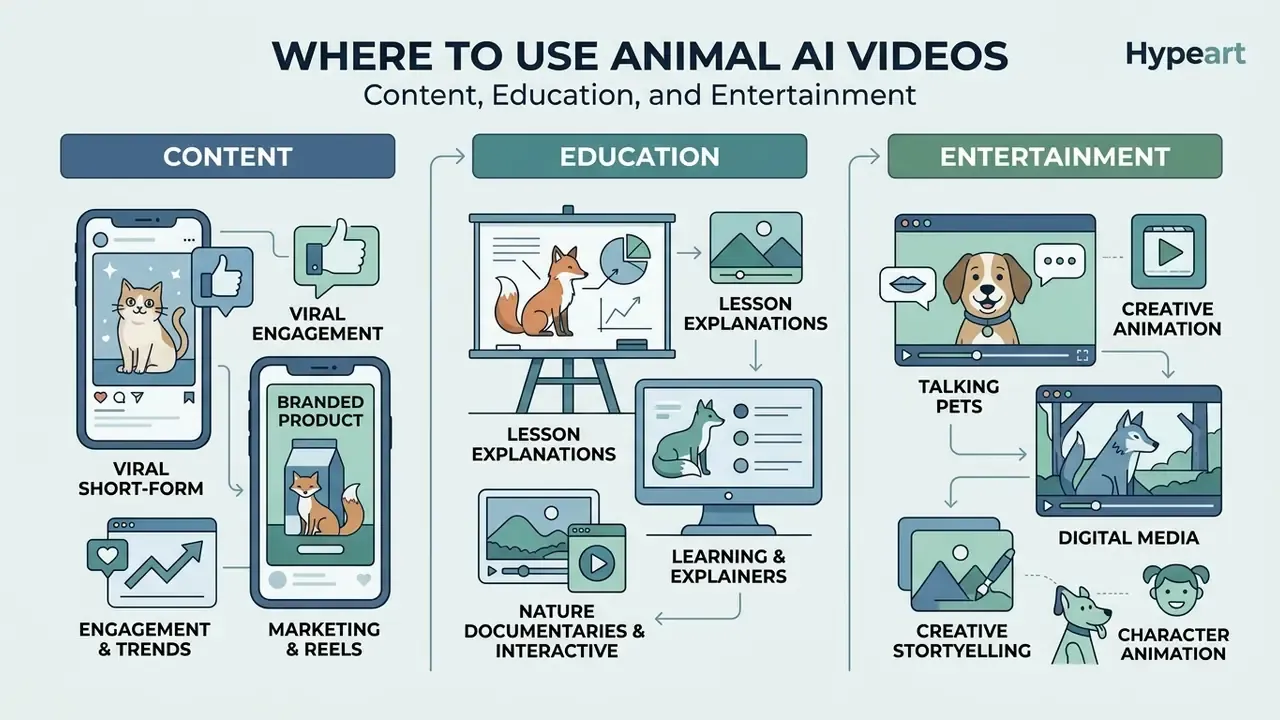
Synthetic animal media serves distinct functions across commercial marketing, education, and digital entertainment. The production requirements diverge more than the tooling suggests.
Animals for Marketing, Education, and Entertainment
- Marketing Brands deploy synthetic pet mascots in ad creative, interactive email campaigns, and social video to build emotional resonance, with localized voice variants per market.
- Education Educators and publishers build animated natural-history explainers, biology demonstrations, and simulated wildlife interactions without expensive location filming. Editorial standards for natural-history content require that simulations, reconstructions, and CGI be clearly indicated so viewers do not mistake generated footage for authentic documentary evidence. That rule bites hardest with realistic animal imagery presented as proof of conditions or behavior.
- Entertainment Independent creators use multi-shot AI video pipelines to build short films, digital comics, and web series around stylized animal protagonists.
«ShotAdapter adapts single-shot diffusion transformers to multi-shot video, preserving character identity and background across scenes.»
Creators assembling multi-shot animal series for YouTube can pair generation with a publishing workflow. See the guide to YouTube editing and publishing workflows for the export, thumbnail, and metadata sequence.
FAQ about AI Animal Generators
Do I need editing skills to make AI animal videos?
No professional editing background is required for basic AI animal clips. Web-based generators handle motion synthesis, camera movement, and lip-sync automatically from text prompts or image input (Adobe Firefly Documentation, 2026). Post-production software still earns its place for trimming clip boundaries, color grading, stitching multi-shot sequences, and adding music or custom voiceover before commercial publishing. Teams choosing an editor can compare options in the overview of animation makers and export options.
What photo works best for a talking pet video?
Any clear, well-lit shot where the animal's face is fully visible. Front-facing or three-quarter angles, open eyes, an unobstructed muzzle, even lighting, one animal per frame, and at least 1024×1024 px produce the most stable lip-sync. Closed eyes, motion blur, heavy backlight, or objects in front of the mouth cause most jaw drift and facial warping.
Which animals are supported?
Dogs, cats, birds, horses, rodents, reptiles, and wildlife species all work in current pipelines, plus fantasy and hybrid creatures. The functional requirement is a recognizable face with an identifiable mouth region, not membership in a fixed species list.
Can talking animal videos be made in other languages?
Yes. Text-to-speech engines paired with lip-sync models support 30+ narration languages, with viseme alignment recalculated per language so mouth motion matches target-language phonetics. One approved animal asset then travels across international campaigns without re-rendering the base footage.
Is commercial use allowed on free plans?
Usually not. Free tiers are typically framed as personal or evaluation use, add watermarks, and cap resolution. Commercial rights normally attach to paid plans, and the exact scope, meaning advertising, monetized channels, client work, and resale, must be read in the plan's licence text rather than assumed.
Does AI-generated animal video have copyright protection?
Purely AI-generated output without meaningful human creative contribution is not registrable under current U.S. Copyright Office guidance, and AI-generated portions must be disclaimed when registering a mixed work. Human-authored selection, arrangement, editing, and creative modification can be protected as the human contribution. Commercial usability comes from the platform licence; copyright protection is a separate question entirely.
What resolutions and file formats are available?
Common export ceilings: 720p on free tiers, 1080p on standard paid tiers, 4K on premium or upscaling tiers. Containers are typically MP4 (H.264/HEVC) for broad compatibility and WebM for lightweight browser delivery, with stills as PNG or JPEG.
How long does generation take?
Most hosted animal generators return a 5 to 10 second draft within one to a few minutes, depending on queue priority, model tier, and resolution. Fast model tiers trade lip-sync precision for throughput; priority queues are almost always a paid-plan feature.
How many drafts should I plan per usable clip?
Budget 2 to 5 variants per prompt for stylized output, and more for photorealistic wildlife with complex motion. Rejections are driven mainly by anatomy artifacts and physical implausibility, and both rise sharply with fast movement or multi-body interaction.
Appendix A: Corrections and Superseded Formulations
Retained for transparency. The main text carries the corrected version.
- Prompt-engineering citation. The superseded formulation cited vendor documentation: "(Amazon Nova Canvas Prompting Guide, 2026)". Replaced in the main text by T2V-CompBench, which provides quantitative compositionality data across 1,400 prompts. Reason: vendor documentation describes a product interface, not a measured method.
- Image-to-Video conditioning citation. The superseded formulation cited "(TI2V-Zero, 2024)" without methodological detail. Replaced by the I4VGen two-stage anchor-plus-distillation description, with the identifier flagged as pending verification.
- Education source. The superseded formulation cited "(UNESCO Generative AI Guidance, 2026)" for AI animal video in education. The link was not verifiable within the reviewed source set and has been replaced with a neutral formulation plus the natural-history disclosure standard.
- Placeholder identifiers. References previously rendered as
arxiv.org/abs/2501.00000(Livatar-1, PhyWorldBench, ShotAdapter) used a technical placeholder ID. The main text now cites source name, venue, and year, with an explicit note that stable identifiers are pending verification. - Language consistency. An earlier version mixed Russian headings and prompt templates with English body text. All headings, tables, captions, templates, and metadata now sit in a single language.
- ROI framing. An earlier version presented the MIT IDE figures without offsetting control costs. The main text now separates gross uplift from net ROI and adds licence, inspection labor, legal review, rework, and residual risk lines.
- Navigation. An earlier version used in-page anchor navigation. Section order is unchanged; the anchor list has been replaced with a plain reading guide.
A safe next step. Pick one campaign, run it end to end through an approved tool with a named reviewer, and record cost-per-approved-asset alongside every rejection reason. Two weeks of that data will tell you more than any vendor demo. If you are still shortlisting tools, compare options across the glossary hub before committing budget.