«Deploying generative video pipelines into production requires systematic evaluation of identity preservation metrics, commercial licensing boundaries, and frame consistency.»
Last updated: August 2026. Reviewed against official model documentation (Google Veo, OpenAI Sora API), peer-reviewed animation research, and US Copyright Office guidance.
Executive Summary: The Short Version
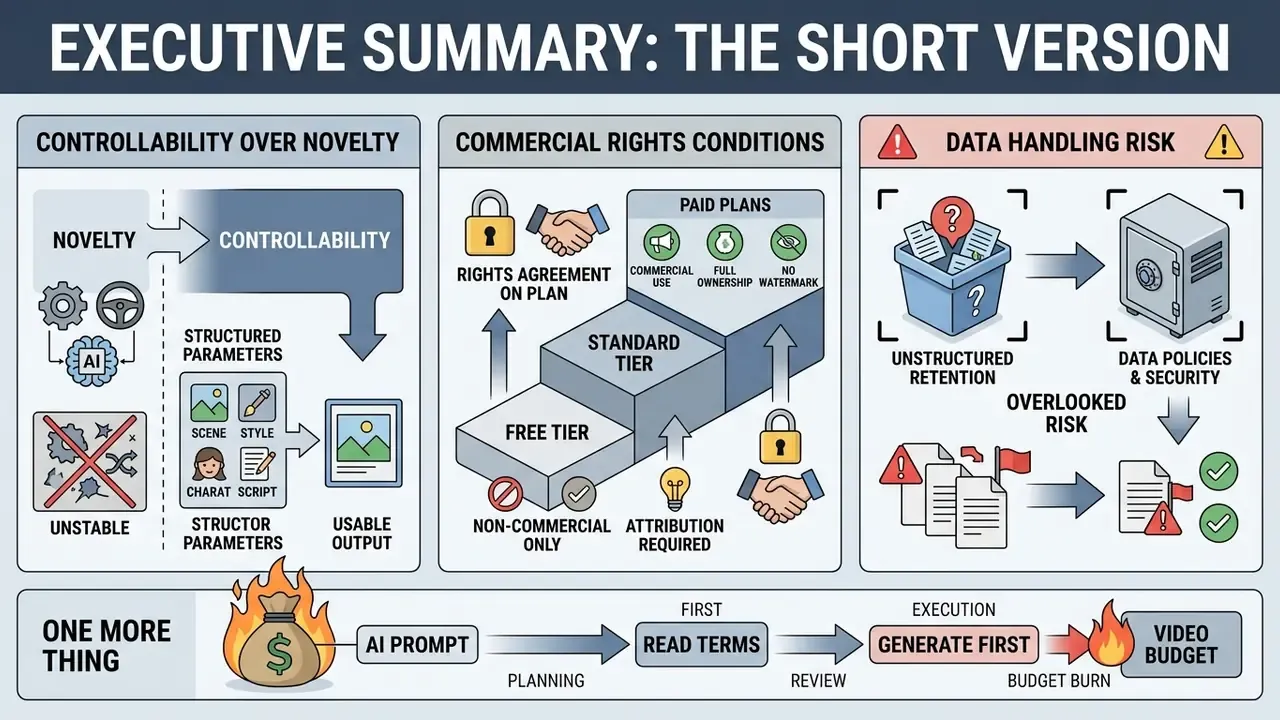
For readers evaluating AI cartoon video tools at a decision-making level, three findings matter most.
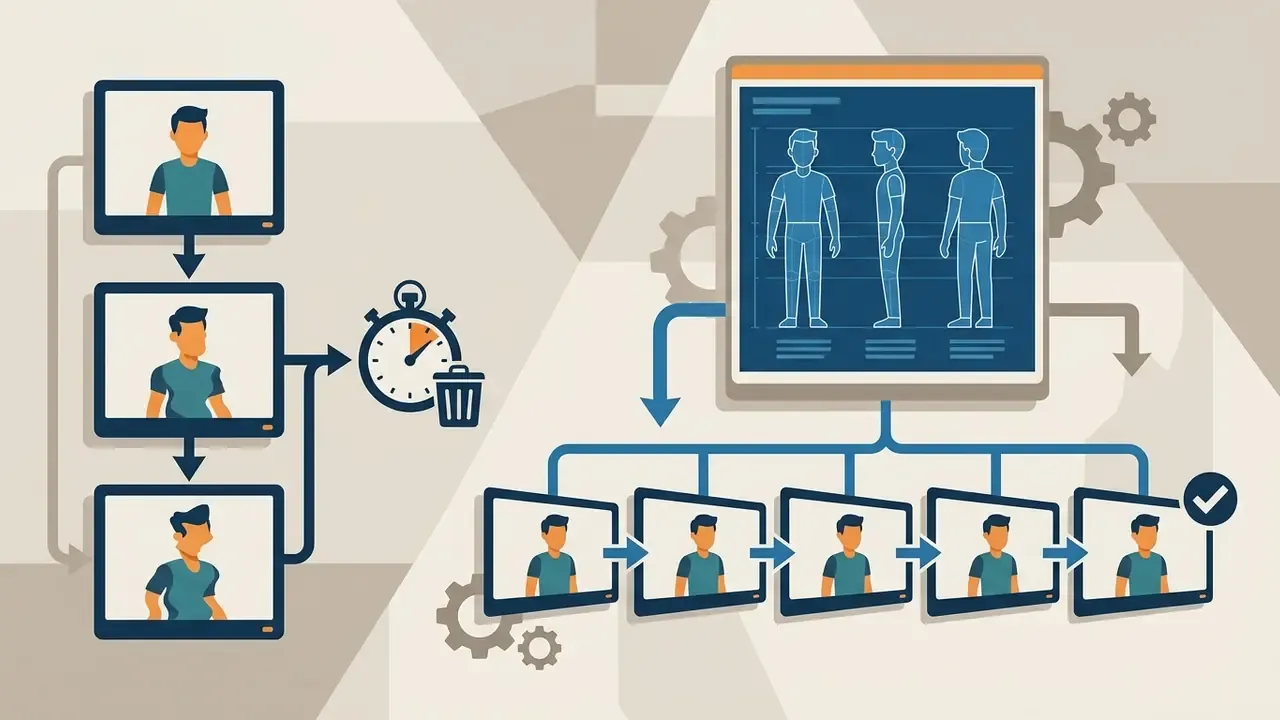
- Controllability, not novelty, determines usable output. Character identity drift is the primary failure mode. Anchoring generations with reference frames raises character consistency scores from 0.55 to 7.99 in published pipeline testing, while multi-view reference sheets lift DINOv2 identity preservation from 0.556 to 0.698.
- Commercial rights are tier-dependent, not tool-dependent. Free and entry-level plans routinely exclude commercial exploitation, embed watermarks, and cap exports at 480p to 720p. Under US Copyright Office guidance, purely AI-generated frames are not eligible for federal copyright protection. Only human-authored contributions are.
- Data handling is the overlooked risk. Prompts, uploaded character sheets, and brand assets may be retained or used for model improvement on consumer tiers. Enterprise agreements with zero-data-retention terms are the control that makes generative video safe for regulated environments.
One more thing worth saying plainly: the fastest way to burn a video budget is to generate first and read the licence afterwards. It happens more often than vendors admit.
What Is an AI Cartoon Video Generator?
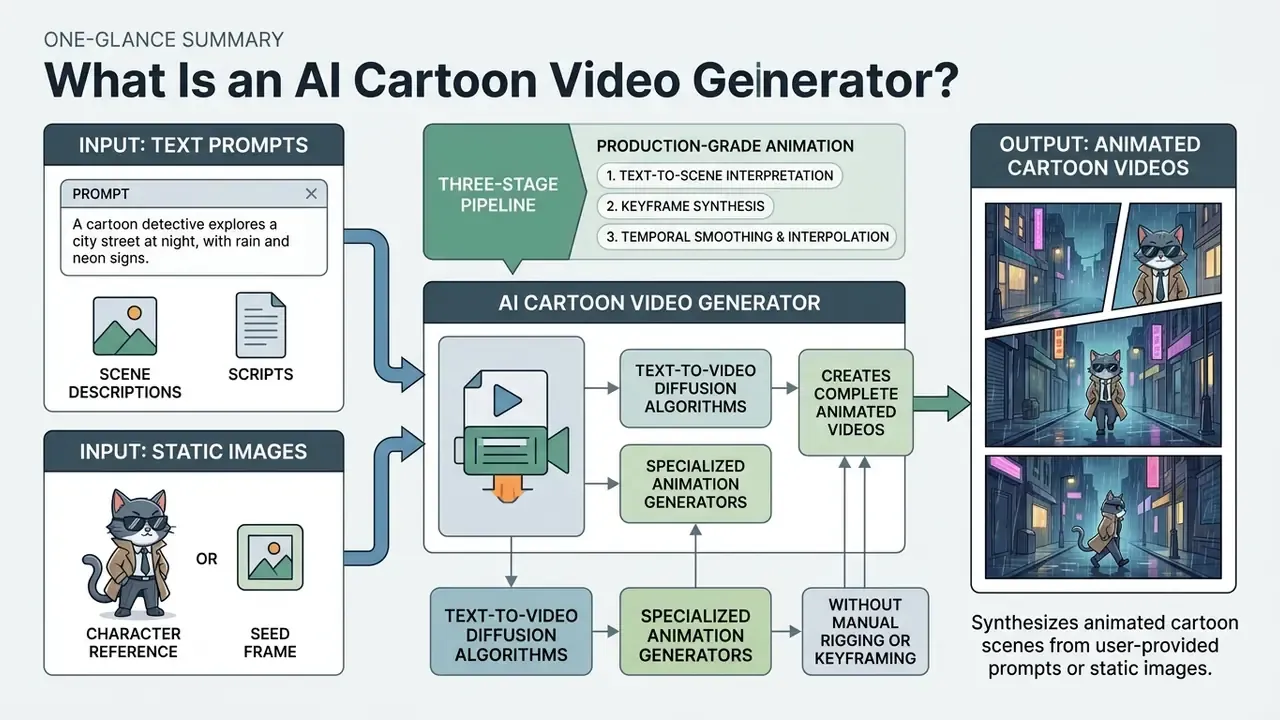
An AI cartoon video generator is a software application that synthesizes animated cartoon scenes from user-provided prompts or static images. These tools analyze input instructions to construct character motion, scene lighting, and visual transitions automatically.
Modern AI video generators let creators build complete animated videos without manual rigging or keyframing. The practical difference from template-based tools is worth naming: a template library rearranges pre-drawn assets, while an AI cartoon generator video pipeline synthesizes new frames from your description. One is assembly. The other is generation, with all the unpredictability that implies.
«Modern text-to-video systems fall into three architecture families, GAN/VAE, diffusion, and autoregressive, with high-quality systems dominated by the latter two.»
By combining text-to-video diffusion algorithms with specialized animation generators, creators turn abstract concepts into structured cartoon video assets. For developers building custom pipelines, you can open the hub to inspect API options for scalable video rendering, including Google Veo implementation details and per-second API costs.
From Text Prompt to Animated Cartoon Video
Text-to-video generation converts written scripts and scene descriptions into animated video clips using deep learning models. The system parses the prompt for subject matter, actions, camera angles, and lighting parameters before rendering video frames.
In a standard text-driven pipeline, the user submits a text prompt detailing scene environment and character actions. Advanced models like Google's Veo 3.1 or OpenAI's Sora 2 process these instructions to generate short video clips with matching camera motion and temporal continuity. Google documents Veo 3.1 as producing 8-second clips with native audio at 720p, 1080p, and 4K, alongside image-to-video, frame-specific generation, and video extension. Dedicated models like PTTA (Pure Text-to-Animation) refine general T2V models on curated datasets so that stylized cartoon outputs stay close to the written narrative.
«PTTA fine-tunes HunyuanVideo on more than 12,000 animation text-video pairs and outperforms comparable baselines on animation synthesis quality.»
Published research also shows that production-grade text-to-animation is a three-stage pipeline rather than a single generation call: script or storyline generation, storyboard construction, then shot-by-shot synthesis. Systems such as STAGE use a director agent to build a structured storyboard from a story theme before any frames are rendered, while DrawVideo decomposes long sequences into independently controllable shots driven by sketch, appearance, and motion prompts. That staged design is also why an ai cartoon story generator free tier tends to disappoint: the free path usually skips the storyboard stage entirely.
Image-to-Video and Animated Character Creation
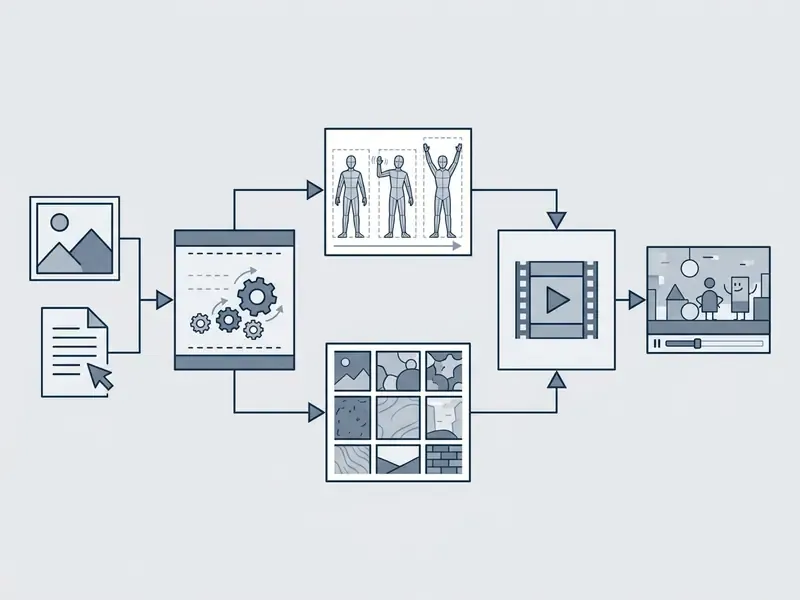
Image-to-video generation uses a static image or character reference as a conditioning seed frame to synthesize motion. This technique keeps character designs stable while adding expressive movement and facial expressions across the timeline.
Frameworks like PoseAnimate and Animate Anyone process static character designs through specialized reference encoders.
«PoseAnimate is the first training-free approach to character animation, evaluated with LPIPS, CLIP-I, FC and WE metrics for visual consistency.»
By applying pose guiding signals and temporal motion models, the software animates flat character assets while retaining original outfit details, line work, and facial proportions. Animate Anyone (CVPR 2024) implements this through a ReferenceNet for appearance features, a dedicated pose guider, and temporal modeling for smooth frame transitions. That is the core of any serious ai animated character video generator: identity comes from the reference, motion comes from the driver. Creators evaluating alternative image-to-video AI options can compare generative tools to see which model handles character-driven workflows best.
Cartoon Video Styles You Can Create with AI
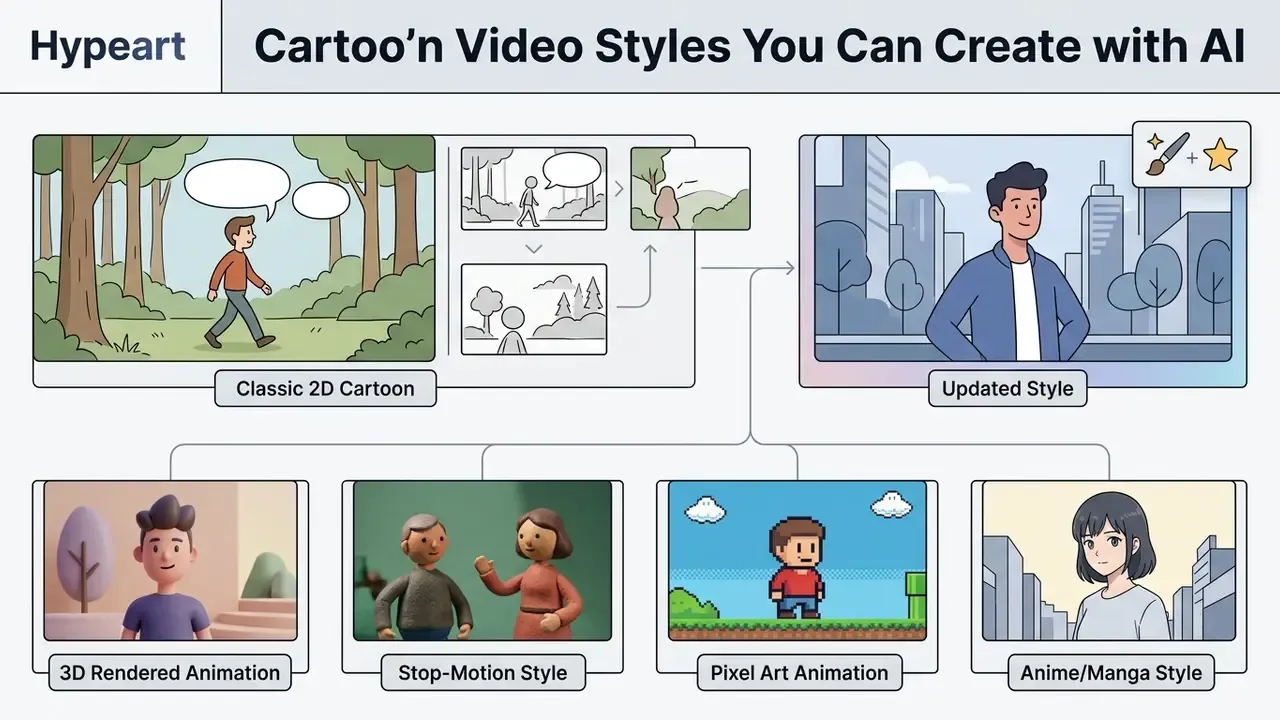
An AI cartoon generator video tool can render multiple visual styles depending on user selection and model training data. Selecting the correct style parameter keeps visuals aligned across individual project scenes.
Generative platforms support diverse aesthetic domains, from traditional flat 2D line art to complex 3D renders and modern vector graphics. Specialized models adapt to specific rendering styles through fine-tuned weights and dedicated prompt tags. Pick the style before you write the prompt, not after. Retrofitting a style onto twelve finished clips rarely ends well.
Classic 2D Cartoon and Storytelling Scenes
Classic 2D cartoon styles emphasize flat color regions, distinct outlines, and expressive facial mechanics. These visuals work well for illustrative narrative videos, educational content, and digital storybooks.
Technical implementations like AniClipart use Bézier curve motion trajectories and triangular mesh deformation over static vector art.
«AniClipart optimizes a VSDS loss derived from a text-to-video diffusion model, aligning motion trajectories with the prompt while preserving clipart identity.»
3D Cartoon Video and Character-Led Animation
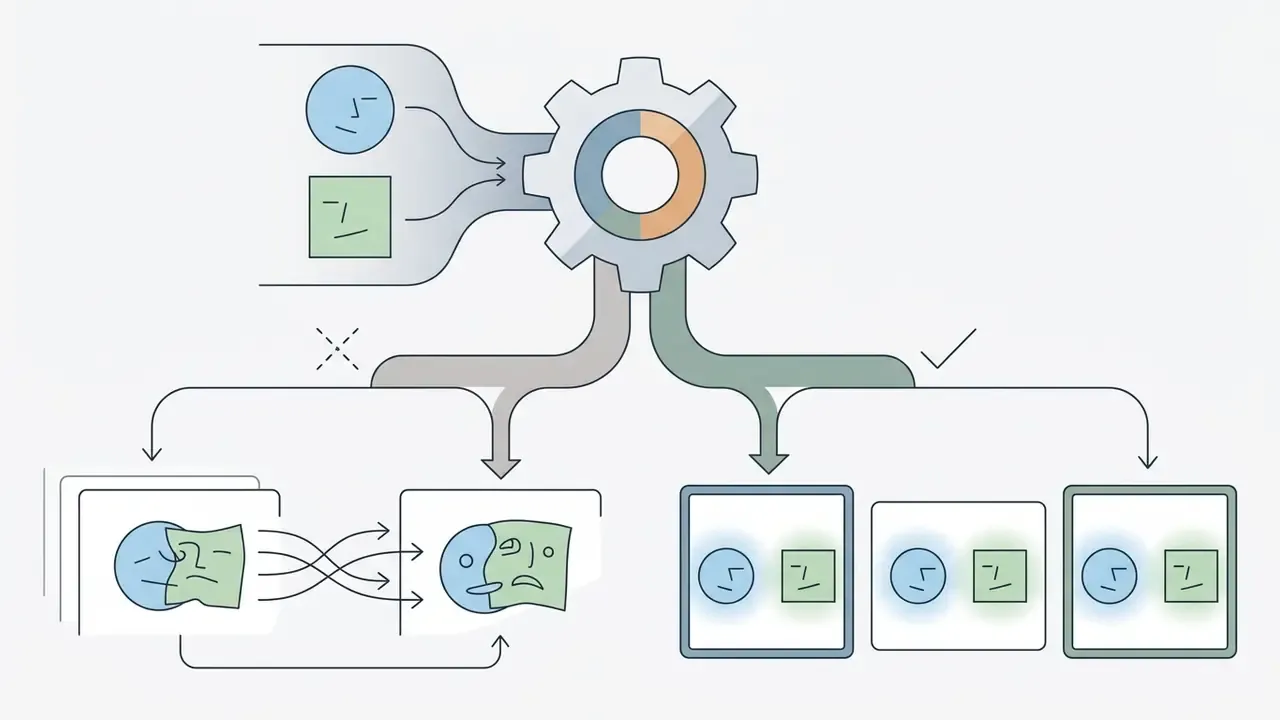
«Adding a back view raises DINOv2 identity preservation from 0.556 to 0.613; including all four reference angles raises it to 0.698, while CLIP similarity rises from 0.628 to 0.721.»
Practically, this means supplying four character reference angles (front, back, left, right) measurably outperforms single-view inputs for identity preservation. Adjacent research confirms the trend toward automation: Make-It-Animatable (CVPR 2025) reports making any 3D humanoid model animation-ready in under one second, regardless of shape and pose.
Motion Graphics and Social Video Styles
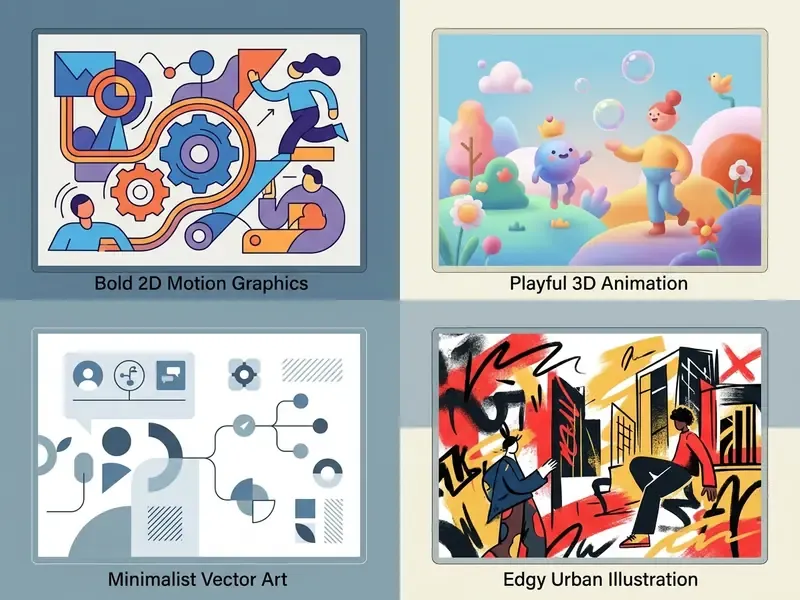
Style card reference: 2D classic renders flat, two-dimensional space with frame-by-frame character drawing for traditional illustrative storytelling. 3D animation builds characters, objects, and environments in virtual three-dimensional space viewable from multiple angles, used when depth or spatial movement matters. Retro leans on 80s and 90s forms, bright palettes, rough textures, film grain, and vintage typography to signal nostalgia. Motion design uses animated graphic elements and style frames as a blueprint for branded editorial, advertising, and explainer output.
How to Create a Cartoon Video with AI
Creating animated videos with an AI cartoon animation video generator follows a structured workflow from initial concept to rendered output. A systematic approach minimizes generation errors and reduces credit consumption. Consider this the working ai cartoon video creation tutorial section.
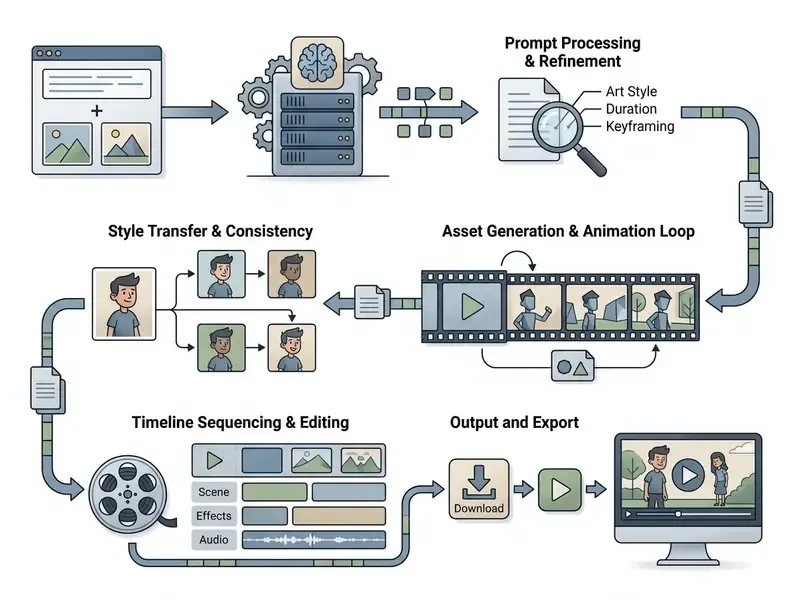
- Define the project scope and script write a short narrative script separating voiceover dialogue, character actions, and scene context.
- Select visual style and format choose between 2D cartoon, 3D animation, or motion design, and set aspect ratios (16:9 for YouTube, 9:16 for Shorts).
- Establish reference character assets upload character seed images or generate reference sheets to lock visual identity across scenes.
- Generate scene drafts input structured prompts per scene shot to produce initial candidate clips.
- Overlay AI voiceover and audio generate text-to-speech dialogue and sync background music tracks inside the editing timeline.
- Export and verify licensing review export parameters (1080p or 4K, frame rate) and confirm commercial usage rights before publishing.
Teams testing this workflow at zero cost should first review which free AI video generators permit watermark-free export before committing production time. Ten wasted hours on a watermarked master is a common, avoidable loss.
Write a Clear Prompt or Start with a Script
An effective video prompt defines the subject, ordered action, environment, camera angle, visual style, and lighting conditions. Structured prompt frameworks stop generative models from hallucinating or drifting visually.
When drafting prompts, treat instructions like a director's shot list. Specify explicit chronological actions, for example: "A 2D cartoon fox sits at a desk, picks up a pen, and writes on paper." Including explicit shot framing terms (close-up, wide shot, pan left) guides the model's camera path predictably. Current model documentation reinforces the same skeleton: subject, plus ordered action, plus environment, plus camera, plus lighting, plus visual style, plus timing, plus dialogue or sound, plus consistency constraints. For broader design planning, creators often rely on a general graphic maker to assemble storyboards before initiating video rendering.
Multi-Character Narrative Prompt Template
To render complex scenes featuring multiple entities without visual artifacts, structure prompts around strict spatial anchors and fixed style tokens.

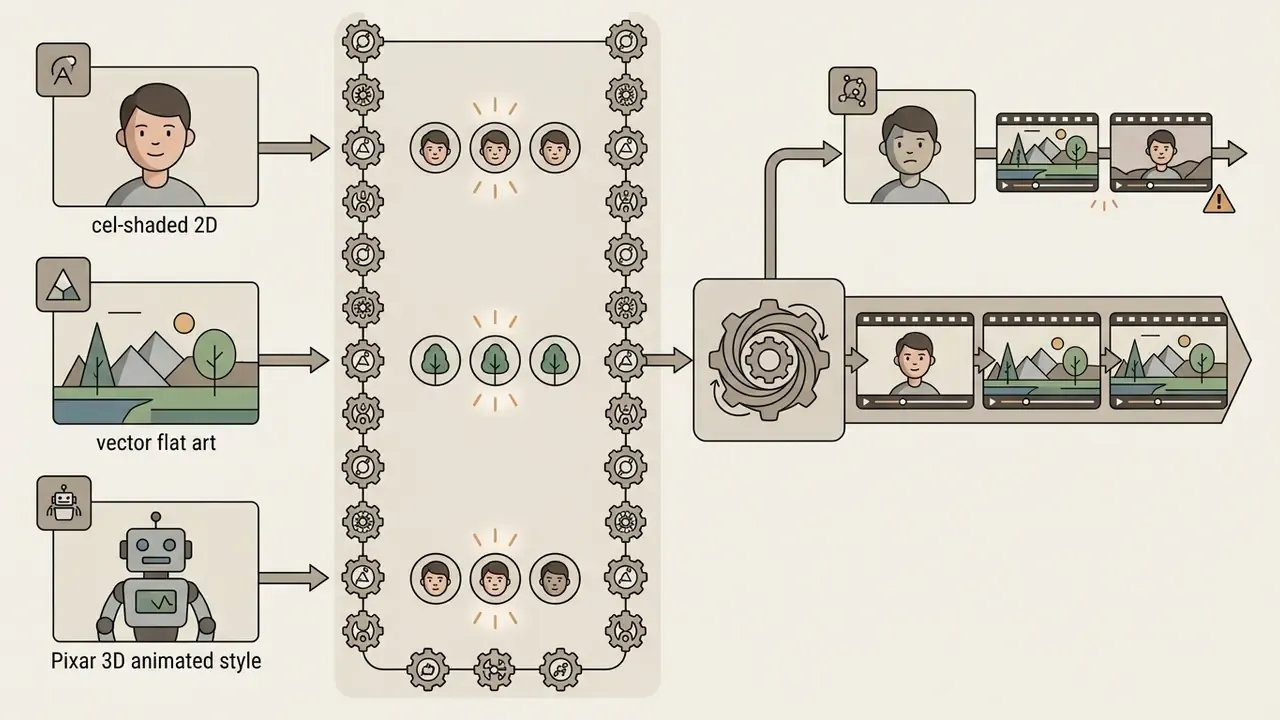
cel-shaded 2D, vector flat art, Pixar 3D animated style) verbatim in every scene prompt of the same project. Paraphrasing the style is a common cause of mid-video aesthetic drift.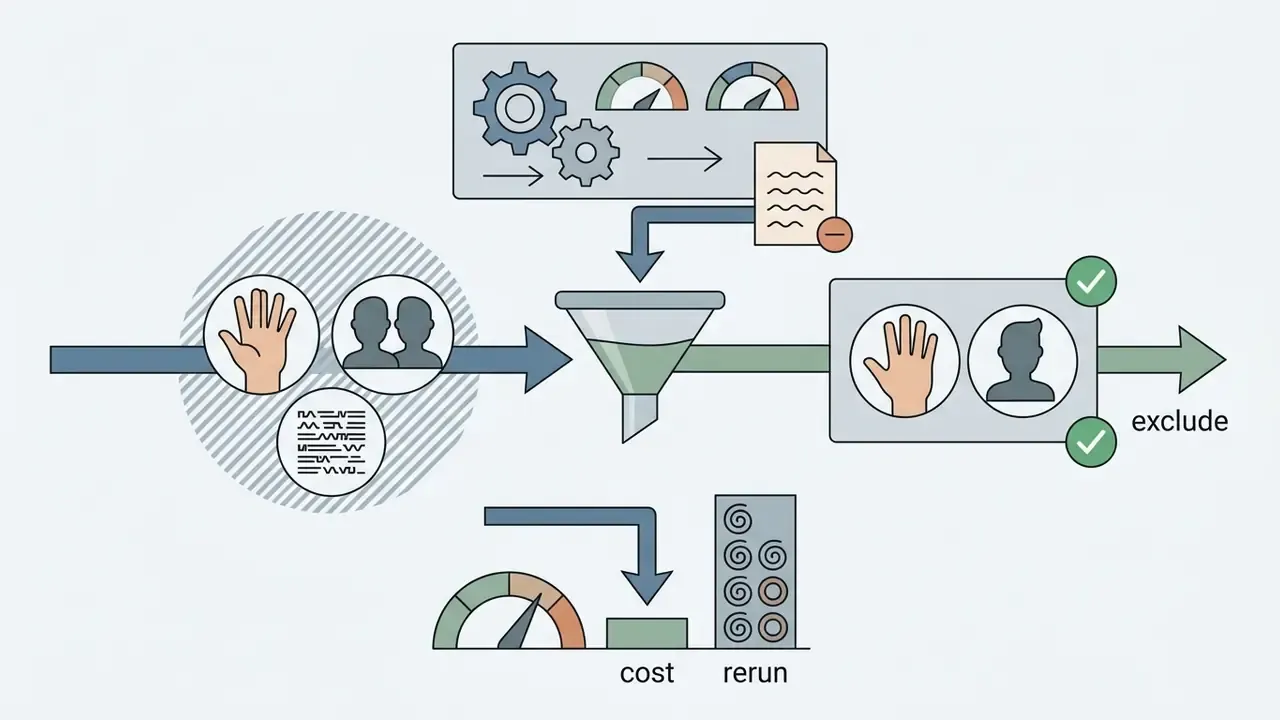
Generate Scenes, Characters, and Motion
«Removing the I2I visual anchor from the pipeline drops the character consistency score from 7.99 to 0.55, even with a character model present.»
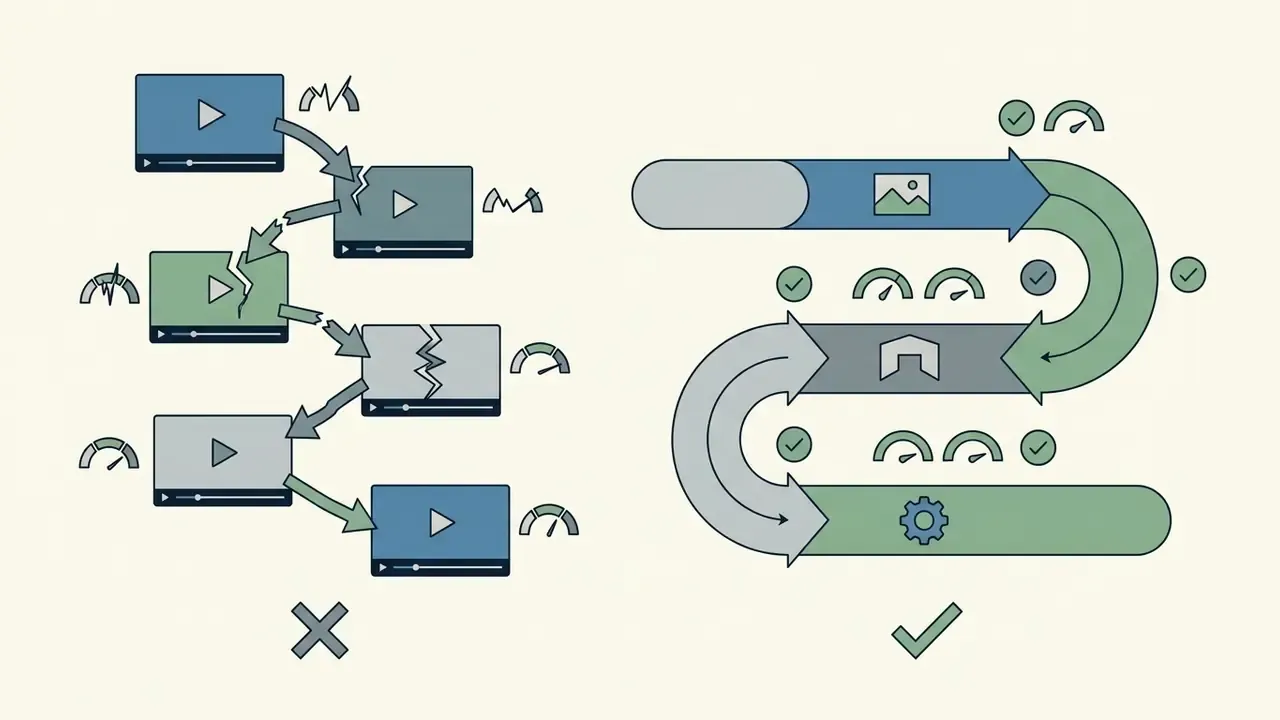
Related work on transitions confirms that stitching clips naively is the wrong approach. CineTrans (2025) generates multi-shot video using shot annotations and a mask-based control mechanism so transitions can be placed at arbitrary positions, while AnyMoLe (CVPR 2025) generates coarse frames from context keyframes, then fills missing frames and optimizes motion sequentially.
Edit, Add Music and Voiceovers, Then Export
Post-production combines raw video clips, synthetic voiceovers, royalty-free audio tracks, and automated captions into a cohesive timeline. Final editing tools assemble these individual media layers into a unified render.
Creators use built-in timeline editors, or dedicated free video editing software, to trim clip durations, insert transitions, and balance audio mixes. Video editing tools like a google video editor or specialized online video maker applications streamline timeline arrangement. For action-oriented footage or wide-angle motion edits, creators sometimes integrate externally shot material, processed in a gopro video editor, into their primary cartoon sequence, then run the final master through a video compressor to hit platform upload limits without visible quality loss.
AI Cartoon Animation Features That Matter
Selecting an ai cartoon animation maker depends on identifying features that directly affect controllability, output fidelity, and character stability. Evaluating these technical controls prevents unexpected project bottlenecks.
| Feature Category | Basic Capability | Advanced Control | Primary Business Impact |
|---|---|---|---|
| Prompt & Scene Control | Basic text-to-video prompt parsing | Multi-condition camera control, depth maps, and regional masking | Reduces random generation artifacts and clip reruns |
| Character Consistency | Single-frame prompt matching | Multi-view reference anchors, LoRA embeddings, seed locking | Enables multi-scene narrative continuity |
| Audio & Localization | Standard TTS voice output | Word-level SRT alignment, automated lip-sync, 100+ language translation | Streamlines post-production and global distribution |
| Duration & Structure | Isolated 3-10 second clips | Scene-linked storyboards, timeline stitching up to 30 minutes | Supports episodic and long-form publishing |
| Export Options | 720p resolution with watermarks | 1080p/4K resolution, MP4/ProRes formats, full commercial rights | Prepares content for commercial distribution |
| Governance & Privacy | Consumer terms, data may train models | Zero-data-retention agreements, SSO, audit logs | Makes deployment viable in regulated environments |
For a broader survey of adjacent tooling categories, see the reference guide to animation maker platforms.
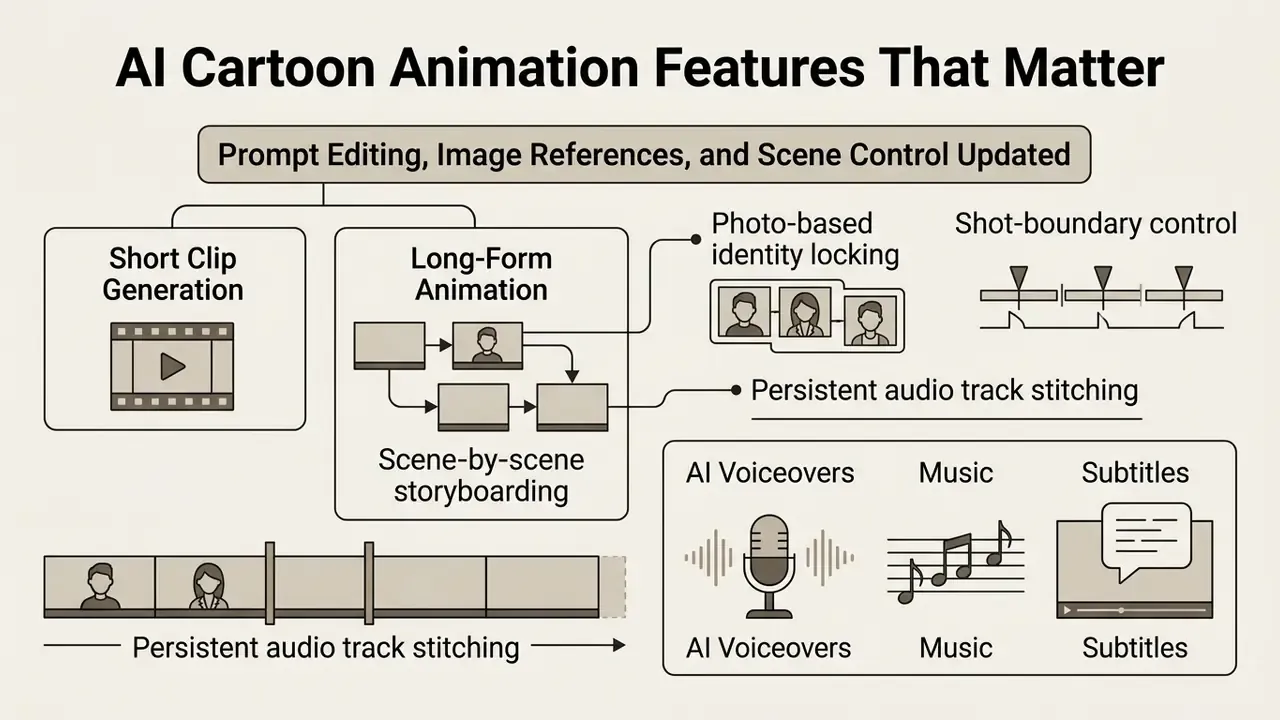
Prompt Editing, Image References, and Scene Control
Prompt editing lets creators modify specific scene elements without re-rendering entire video frames. Image reference inputs guide compositional structure and visual framing directly.
Modern systems support localized attention controls, so users can alter secondary elements, such as background colors or swapped prop items, while preserving character position. Reference images keep generated scenes aligned with an established colour scheme and lighting choice.
«A 2026 survey categorizes seven classes of control signals, structural, identity, image, temporal, audio, other, and universal, for precise control over video synthesis.»
Vendor documentation matches this taxonomy in practice. Google added three reference images for character, object, and scene guidance in Veo 3.1, while Adobe Firefly separates the text prompt from Reference and Subject images, so the prompt handles subject matter and the references dictate visual treatment.
Character Consistency Across Multiple Scenes
«Gloria reaches Arcface 0.787 when trained on 10M samples versus 0.623 at 2M; image quality assessment rises from 4.53 to 4.65.»
Frameworks like Gloria use "content anchors" to hold facial features stable across multi-angle shots. Comparable image-side methods include The Chosen One (SIGGRAPH 2024), which iterates gallery generation, embedding, and clustering to extract a stable identity, and StoryMaker (2024), which preserves face, clothing, hairstyle, and body via a positional-aware perceiver resampler with segmentation-mask constraints. Users who want to explore specialized character synthesis can browse the hub to evaluate plan capabilities for advanced identity locking.
Long-Form Animation vs Short Clip Generation
Base T2V models output isolated 3- to 10-second clips. Creating long-form cartoon content, up to 30 minutes for YouTube episodes or corporate explainers, requires structured timeline composition rather than a single generation call.
Platform capability varies sharply here. Some long-form-oriented services advertise a consistent visual style maintained across every scene for videos up to 30 minutes, with photo-based character modes reserved for higher tiers. Frontier API models such as Veo 3.1 and Sora 2 instead expose short base clips plus video extension endpoints that you chain programmatically. Neither route is wrong; they just move the assembly work to different places, either into the vendor's UI or into your own orchestration code.
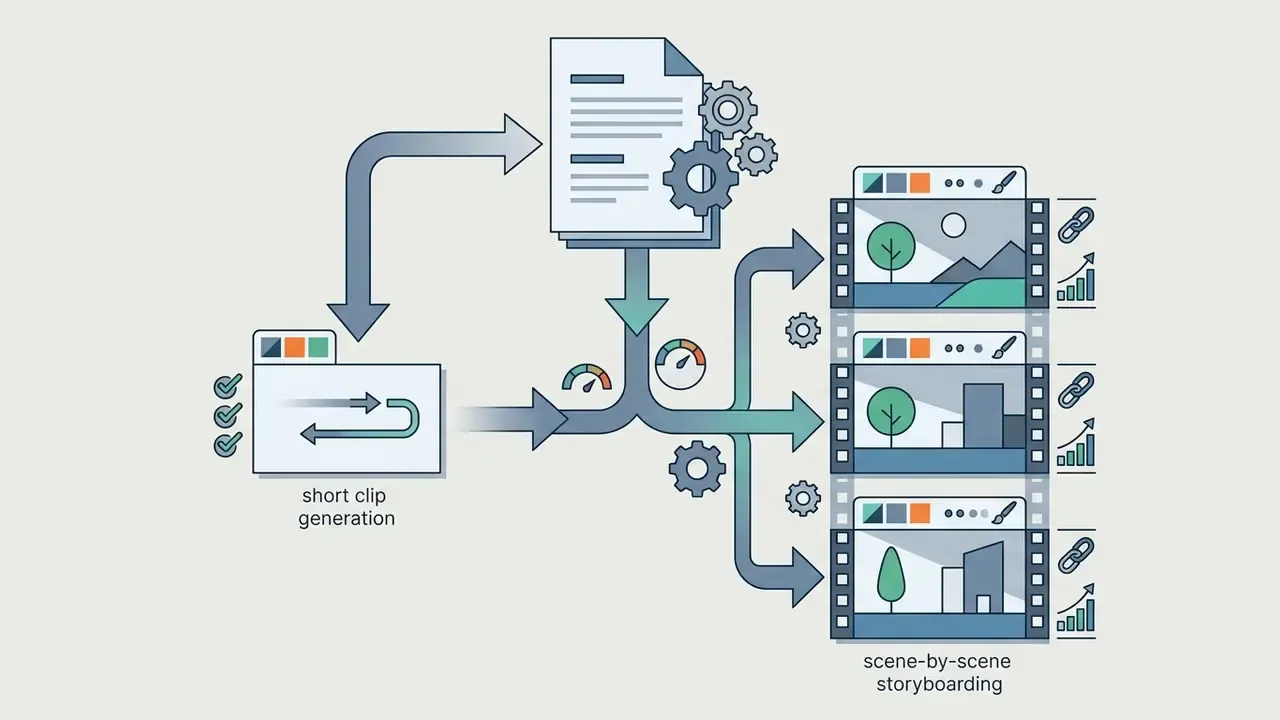
cel-shaded 2D, vector flat art) across every prompt.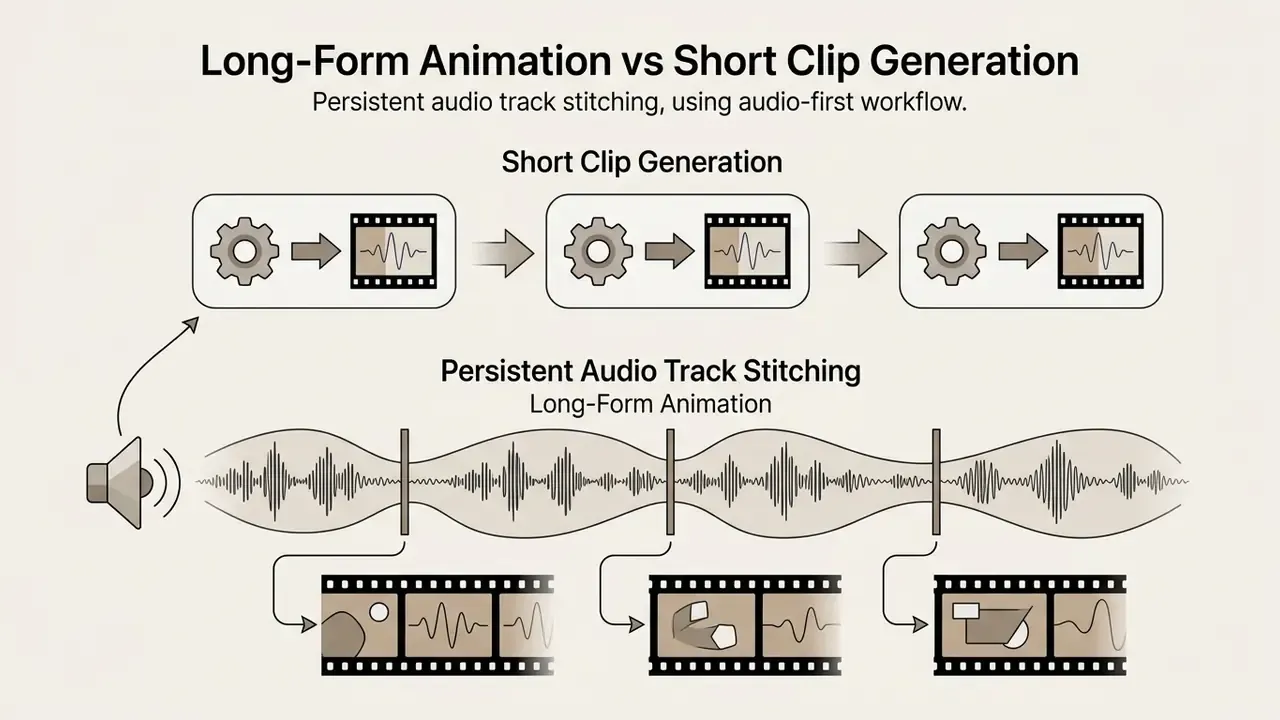
AI Voiceovers, Music, and Subtitles
Integrated audio tools synthesize realistic multi-language speech, generate matching background scores, and transcribe spoken dialogue into synchronized closed captions. Automated audio synchronization reduces post-production overhead.
Text-to-speech engines align synthetic vocal cadence with character mouth movement via lip-sync modules.
«MagicAnime includes 2,900 video-audio pairs for audio-driven facial animation and 12,000 pairs for video-to-video facial expression animation.»
Automated captioning generates word-level SRT subtitle files directly inside the rendering timeline, which helps viewer retention on social feeds. Note that word-level caption exports frequently need manual refinement inside an editor before publication; proper nouns and product names are the usual offenders. For voice selection and licensing detail, see the reference guide to AI voice generators.
Multilingual Localization and Auto-Subtitles
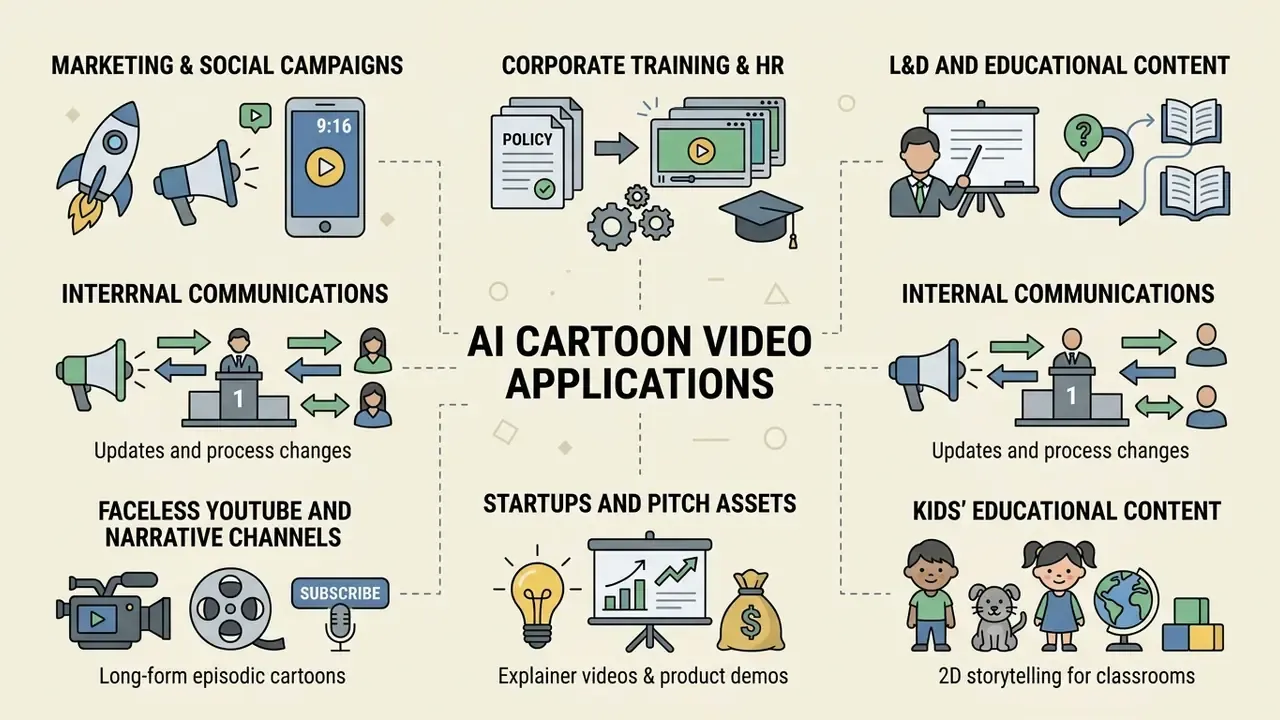
Specialized Use Cases for AI Cartoon Videos
Free AI Cartoon Video Generator Options and Pricing Limits
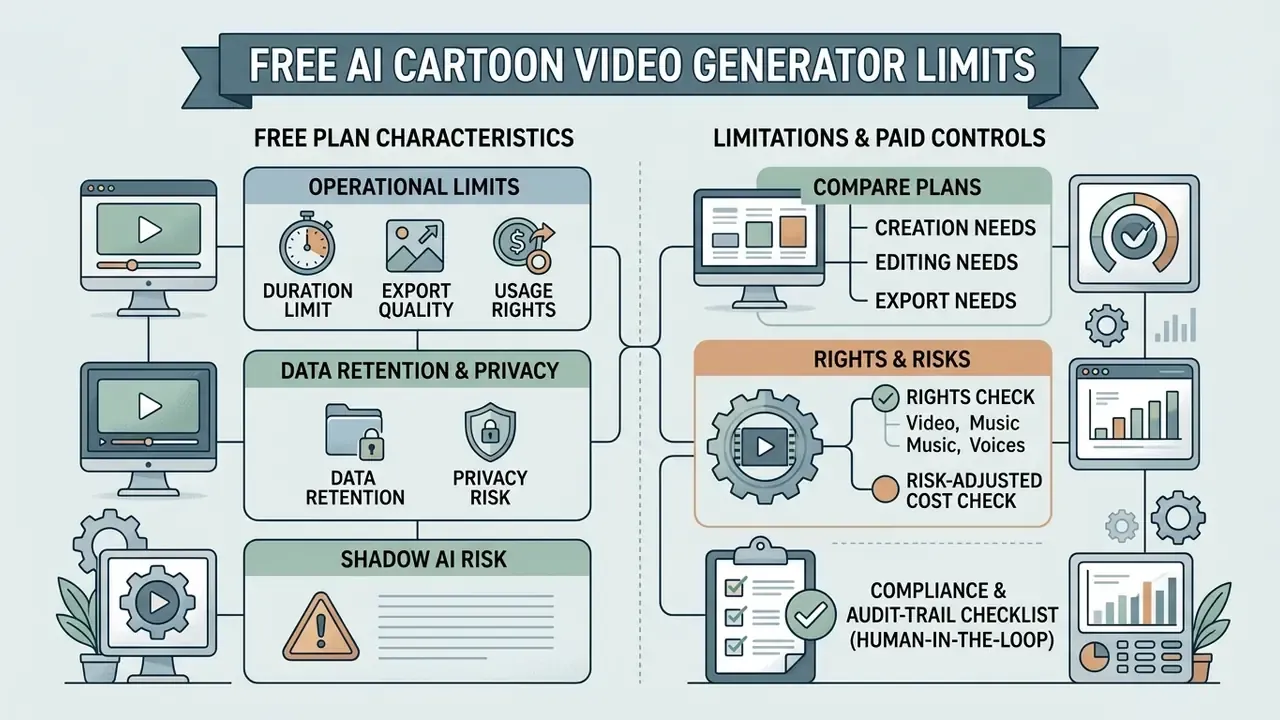
Free access plans provide an entry point for testing AI video capabilities, but they impose operational limits on duration, export quality, and usage rights. Understanding plan tiers helps creators plan budget allocation before the first render.
What "Free" Usually Includes in an AI Video Generator
Free tiers typically offer limited generation credits, capped video resolution, public queue processing, and mandatory platform watermarks. Commercial usage rights are generally excluded from non-paid tiers. Searchers hunting an ai animated cartoon video generator free option should expect exactly these boundaries.
«Models trained on CI-VID, over 340,000 coherent text-video sequences, show substantially better content consistency than models trained on isolated pairs.»
That dataset gap is one reason free tiers often route to smaller or older model checkpoints: consistency quality is a function of training-data scale, not only of resolution settings.
- Credit caps: free accounts provide standard monthly or one-time credit allocations (for example 50 to 125 credits, or roughly 5 video minutes), enough for a few short test clips.
- Resolution restrictions: output exports are frequently limited to 480p or 720p.
- Watermarking: rendered videos include embedded platform logos across the output frame.
- Queue priority: render requests process under shared, low-priority server queues, increasing generation times during peak hours.
- Feature gating: photo-based character consistency, premium voice libraries, and long-form durations are commonly reserved for paid tiers.
- Delivery model: most services are cloud-based, so an ai cartoon video generator free download rarely exists as a desktop installer. What is marketed as a free app is usually a mobile client for the same hosted renderer.
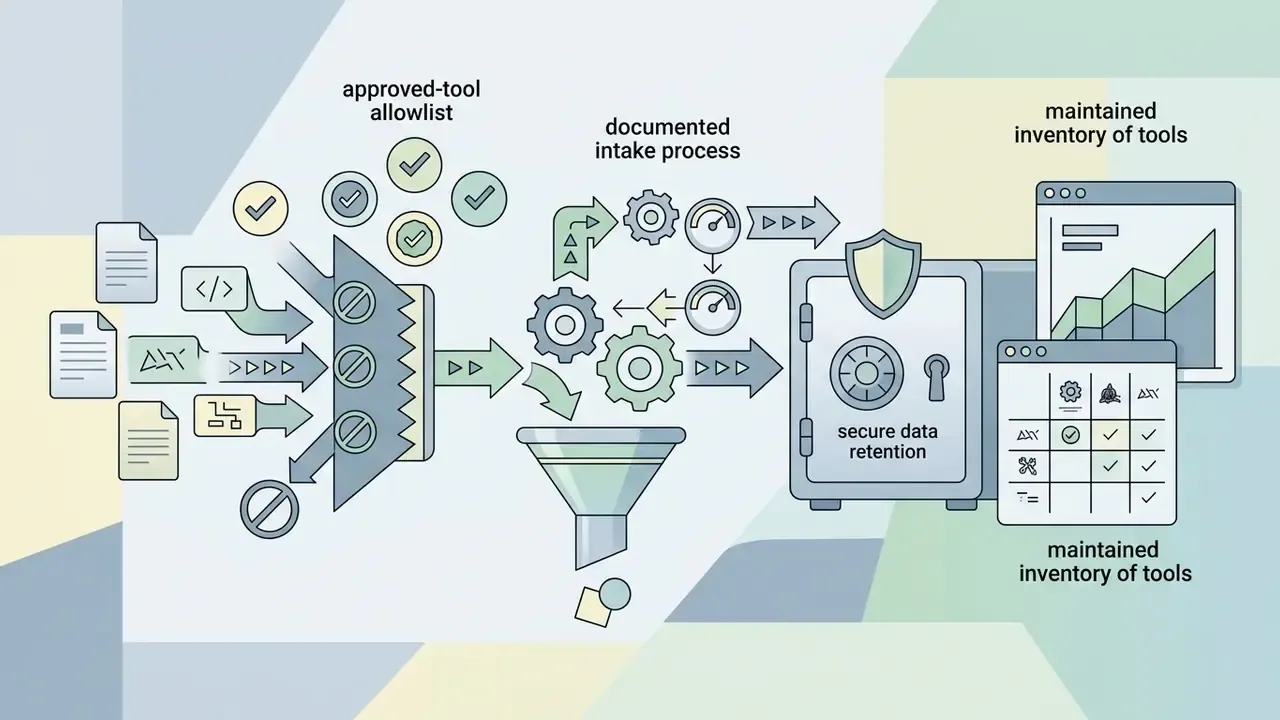
Data Retention, Privacy, and Shadow AI Controls
Cost is only one axis of plan selection. For organizations, the deciding factor is usually what the vendor does with prompts, uploaded character sheets, brand assets, and scripts.
- Consumer and free tiers frequently permit the provider to use submitted content to improve services. Any confidential product roadmap, unreleased brand asset, or personal data placed in a prompt becomes an exposure event.
- Business, Team, and Enterprise agreements are where zero-data-retention terms, contractual non-training commitments, SSO, role-based permissions, and audit logging typically appear. Vendor terms vary: some grant users ownership of outputs while simultaneously taking a broad licence to use inputs for model development. Read input clauses as carefully as output clauses.
- Sector-specific certification exists in some segments, for example education-focused animation platforms advertising FERPA and COPPA certification for student-facing deployments.
An illustrative editorial note, attributed to the author Marcus Hale, author: "Treat a video generator the same way you treat any unowned system touching brand assets. Named owner, approved use, retention terms in writing, and a log you can hand to audit. No evidence, no autonomy."
Compare Plans by Creation, Editing, and Export Needs
Paid subscription tiers remove watermark overlays, unlock 1080p or 4K export, speed up render queues, and grant commercial licensing rights. Anyone with predictable production volume should compare plan terms line by line. To analyze operational costs across video tiers, creators can browse the hub for plan comparisons, or review the dedicated breakdown of free AI video generators by credits, watermarks, and export ceilings. Users seeking technical assistance can see the overview regarding subscription management.
| Platform Tier | Monthly Cost (USD) | Max Resolution | Watermark Status | Commercial Usage |
|---|---|---|---|---|
| Free Tier | $0 | 480p - 720p | Embedded watermark | Prohibited |
| Starter / Hobby | $8 - $15 | 1080p | Watermark removed | Personal / non-profit |
| Pro / Creator | $28 - $60 | 1080p - 4K | Watermark removed | Full commercial licence |
| Enterprise / API | Usage-based (e.g. $0.10/sec) | Custom / 4K | Watermark removed | Full commercial and enterprise rights |
Risk-adjusted cost check. Per-second API pricing is only the visible line item. A defensible budget also carries control costs (legal review, licensing verification, human-in-the-loop review hours), rework costs (failed generations and reruns, which fall as prompt discipline improves), and residual risk (takedown, rebrand, or re-render exposure if a licensing assumption proves wrong). A simple framing: effective cost per published minute = (generation spend + review hours × loaded rate + rework spend) ÷ published minutes. Teams that skip the review line item usually rediscover it as an incident.
Can You Use AI Cartoon Videos for Commercial Projects?
Check Rights for AI-Generated Video, Music, and Voices
Commercial rights require valid platform licences covering generated video frames, background audio, and synthetic voice tracks. Unlicensed stock media or proprietary characters cannot be published in monetized campaigns.
«Under US Copyright Office guidance (2023-2025), purely AI-generated video outputs lacking human creative control are ineligible for federal copyright protection.»
Human-authored elements, such as original scripts, edited storyboards, and custom compositing, remain protectable. The Office's 2023 registration guidance further requires applicants to disclose AI-generated material and identify the human contributions being claimed.
Updated (reformulated): using recognizable real-person likenesses, or closely imitating a distinctive protected visual style, may create exposure beyond copyright, including publicity-rights and trademark claims, depending on jurisdiction and commercial context. The US Copyright Office's 2024 digital-replica report recommends that individuals be able to license their image and voice rather than assign them outright, which signals the direction of regulation rather than a settled rule. Congressional Research Service analysis (2025) notes that commercial use is itself a factor weighed in fair-use assessment. Treat likeness and style imitation as a legal-review trigger, not a prompt-engineering decision.
Creators facing complex licensing questions should compare options regarding legal risk frameworks. For specific details on media licensing, review the AI Media Commercial-Use documentation, including the practical breakdown of commercial use of AI-generated imagery.
Compliance and Audit-Trail Checklist (Human-in-the-Loop)
Because protection attaches to human contribution, the record of that contribution is the asset. A minimal, defensible log per published video:
- Tool and version recordplatform, model name and version, plan tier, and the licensing terms in force on the generation date.
- Human authorship evidencethe original script, storyboard revisions, prompt iterations, discarded takes, and editorial notes, all dated.
- Asset provenancesource and licence for every reference image, character sheet, font, music track, and voice used.
- Review sign-offnamed reviewer, review date, and confirmation that no real-person likeness or protected style was replicated.
- Disclosure decisionwhether the output is labeled as AI-generated or synthetic, and where that label appears (on-screen, description, metadata, watermark).
- Retention termsconfirmation of the data-handling tier used for the generation, including whether inputs were excluded from model training.
- Change logany post-publication edit, re-render, or takedown, with reason.
Choose a Plan That Matches Your Publishing Workflow
Commercial publishers, marketing agencies, and media creators must select plan tiers that explicitly grant commercial exploitation rights. Standard free or personal tiers prohibit client deliverables and monetized ad campaigns. Where audio is involved, check whether the licence permits monetization at publish time and whether bundled stock assets may be reused outside the rendered video.
AI Cartoon Video Generator FAQ
Do I Need Animation Skills to Create Cartoon Videos?
No traditional drawing, keyframing, or 3D rigging skill is required to generate cartoon videos with modern AI tools. The software constructs character motion, background environments, and lighting transitions from text prompts, reference images, or pre-built templates. Creators still benefit from basic storyboarding, script structuring, and prompt composition knowledge to hit precise narrative outcomes. The planning work does not disappear; it moves upstream.
How Long Does an AI Cartoon Video Take to Generate?
Generating a short 5- to 10-second AI cartoon video clip typically takes between 30 seconds and 3 minutes under normal server load. Rendering time varies with output resolution (720p versus 4K), model complexity, and plan priority. Free accounts processing through shared public queues may wait 10 to 15 minutes during peak hours, and documented cases of roughly 20 minutes exist for 15-second 1080p renders. Published figures differ because some measure pure render time and others include queue time.
Are AI Cartoon Video Generators Suitable for Children's Content?
Yes. An ai cartoon video generator for kids can produce educational and entertaining material, provided creators apply strict content filters, select age-appropriate visual themes, and keep adult supervision during prompt formulation so outputs align with child-safety guidelines (such as COPPA compliance for YouTube Kids). For classroom deployment, prefer platforms that publish FERPA and COPPA certification, and match tool selection to learners' age and learning outcomes.
Can I Run an AI Cartoon Video Generator Directly in My Browser?
Yes. The vast majority of AI cartoon generators operate as cloud-based web applications accessible through standard browsers (Google Chrome, Safari, Mozilla Firefox). Rendering happens on remote GPU servers, so an ai cartoon video generator online needs no high-end local hardware or local installation. That is also why every serious ai cartoon video generator website looks like a dashboard rather than a download page.
Do AI Video Tools Support Team Collaboration for Commercial Projects?
Pro and Enterprise plans frequently support team workspaces, shared asset libraries, administrative role permissions, member limits, activity tracking, and centralized billing. Team features let multiple editors collaborate on scripts, manage character reference assets, and review renders in a single dashboard.
Can I Generate a Long-Form Cartoon Video Instead of Short Clips?
Yes, but not in a single generation call. Long-form output (10 to 30 minutes) is assembled from scene-linked clips that share identical style tokens and locked character references, sequenced against a pre-generated narration track. Some platforms handle this stitching natively for durations up to 30 minutes; frontier API models expose short base clips plus extension endpoints that you chain yourself.
Are My Prompts and Uploaded Character Sheets Used to Train the Model?
It depends on the tier. Consumer and free plans commonly reserve the right to use submitted content for service improvement, while business and enterprise agreements are where zero-data-retention and non-training commitments typically appear. Read the input clauses, not only the output-ownership clauses, before uploading confidential brand assets.
Do I Need to Label AI-Generated Cartoon Videos?
Disclosure expectations are rising. US registration guidance requires applicants to disclose AI-generated material in copyright filings, and several national guidance documents recommend transparency through visible labels, watermarking, or metadata for AI-generated video, image, and audio. Many platforms also require creators to label synthetic content under their own terms of service.
Which Input Formats Do Cartoon Video Generators Accept?
Most tools accept plain text: a topic, a full script, or scene notes. Many also accept image inputs, including a still frame as an image-to-video conditioning seed, a character reference sheet, a sketch, or brand visuals. Some accept a subtitle file (SRT or WebVTT) as the timing map for dubbed narration.
Appendix A: Pre-Publication Audit Checklist
Use this as the final gate before a generated cartoon video leaves the workspace.
Checklist0 / 13