Executive Summary
For decision-makers who want the verdict before the tutorial:
- What it is: A browser-based multimodal video engine from MiniMax that turns text prompts, single images, or two key frames (Start/End) into 4 to 15 second clips at 768p, 1080p, or native 2K.
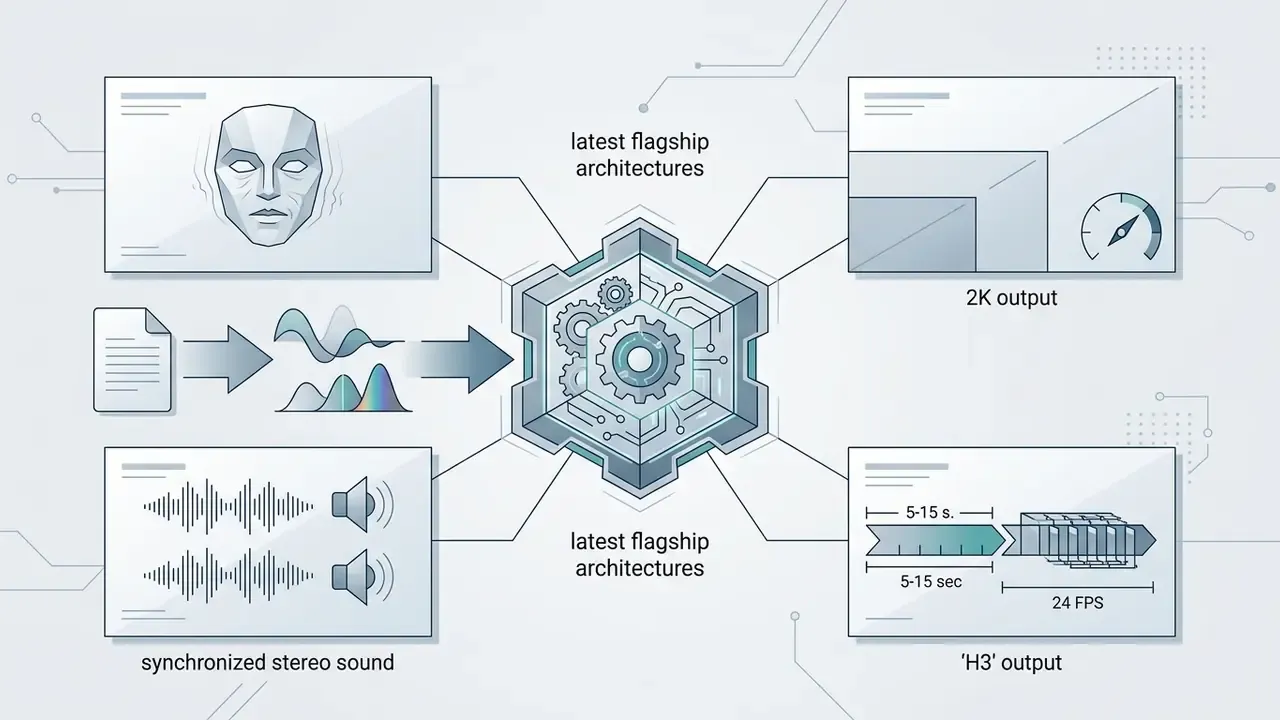
- Model line: Hailuo 02 (Standard/Pro) → Hailuo 2.3 → flagship MiniMax H3, which adds native multimodal input, dynamic micro-expressions, synchronized stereo audio, lip-sync, and virtual presenters.
- Control surface: Bracketed camera syntax (
[Slow push in]), the one-primary-motion rule, easing modifiers ([Ease-in],[Ease-out]), and a micro-motion vocabulary for wind, waves, sparks, parallax, and blinking. - Cost: Web plans run $14.99 (Standard) / $54.99 (Pro) / $119.99 (Master) per month; API pay-as-you-go sits at roughly $0.19 to $0.56 per 6-second clip. A 1080p clip lands near $0.49 against roughly $3 for a comparable Google Veo 3 render.
- Licensing caveat: Paid subscription terms grant watermark-free downloads and commercial rights, while the general Terms of Service for the web tools describe personal, non-commercial use only. Legal review is required before campaign deployment.
- Governance caveat: MiniMax is a China-headquartered foundation-model vendor. Prompt, image, and video inputs traverse vendor cloud infrastructure, so unmanaged browser use should be treated as Shadow AI until a data-processing position is documented.
- Input limits to know: JPG, JPEG, PNG, WEBP up to 20 MB; prompts are parsed most reliably in English and Chinese.
| Quick filter | Hailuo AI (H3 / 02) | Google Veo 3 | Runway Gen-3 / Gen-4 | OpenAI Sora |
|---|---|---|---|---|
| Cost per 6s 1080p clip (API/credits) | ~$0.19–$0.56 | ~$3.00 | Credit-metered, typically higher per second | Bundled in subscription tiers |
| Max documented duration | 4–15s (H3), 6–10s (02) | 8s per clip segment | 10s per generation | Longer multi-shot sequences |
| Native resolution ceiling | 2K (H3); 1080p (02 Pro) | 1080p–4K upscale | 1080p–4K upscale | 1080p+ |
| Camera control method | Bracketed prompt syntax + easing | Prompt + cinematic presets | Motion brush, camera control UI | Prompt + storyboard UI |
| Audio / lip-sync | Stereo audio + lip-sync (H3) | Native dialogue + SFX | Separate audio tooling | Native audio |
| Enterprise risk profile | Requires vendor-jurisdiction review | Enterprise cloud contracts (GCP) | US-based vendor agreements | US-based vendor agreements |
| Best fit | Volume short-form, cost-sensitive I2V | Physics-heavy realism with dialogue | Precise motion editing | Narrative long-form |
Comparative pricing and duration figures reflect vendor documentation reviewed in September 2026 and change frequently. Confirm current terms before procurement, and cross-check with our full AI Media Comparison Matrices.
On this page: what Hailuo AI is → model line-up → T2V vs I2V → motion, camera and style control → enterprise governance and data privacy → step-by-step workflow → image-to-video and First & Last Frame → pricing, free tier and licensing → use cases → community signals → FAQ → correction log.
What the Hailuo AI Video Generator Is and What It Produces
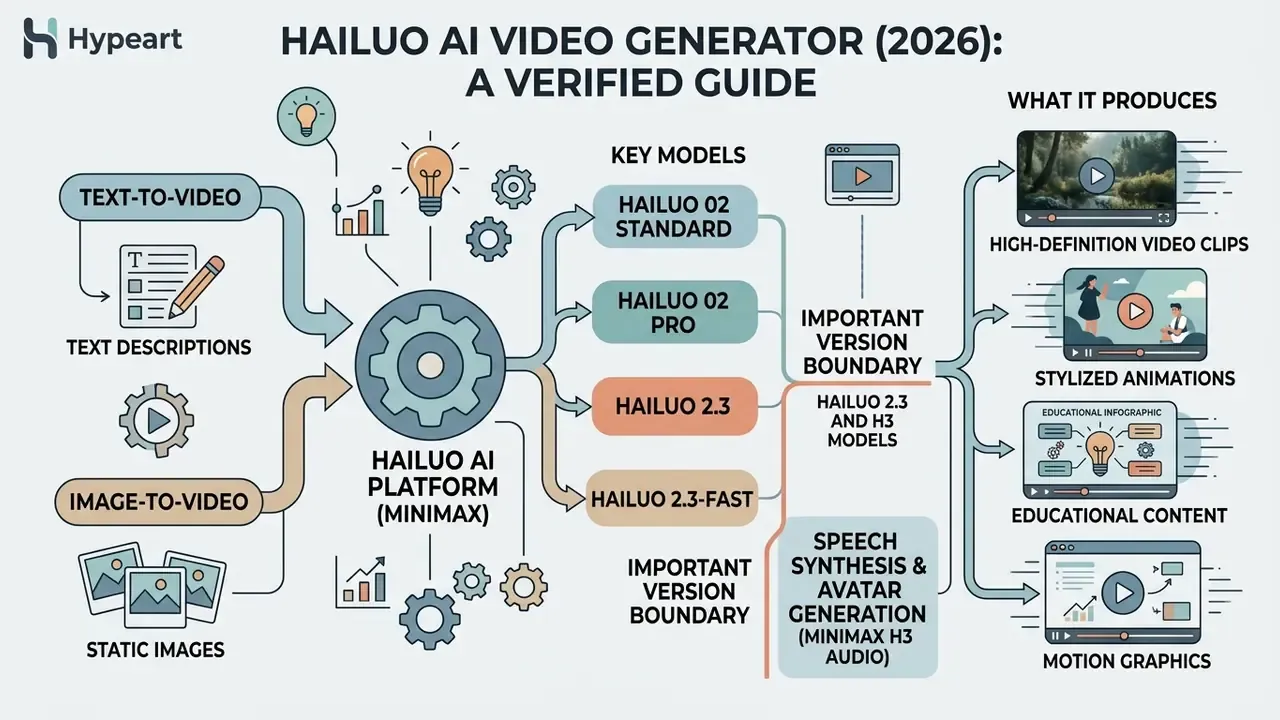
The hailuo ai video generator is a proprietary multimodal AI platform developed by MiniMax that converts text descriptions and static images into high-definition, short-form video clips ranging from 4 to 15 seconds. It is engineered for cinematic visual response, believable character motion, and synchronized audio across social assets, commercial spots, and narrative pre-visualization. Readers new to the category can start with our broader primer on AI video generators.
When creators search for an ai video generator starting with h, the Hailuo engine stands out on two axes: motion stability and unit cost. It builds dynamic short-form content by interpreting prompts through a large Mixture-of-Experts neural architecture, delivering 768p to 2K outputs at 24 frames per second. MiniMax launched the platform in March 2024. By 2026 the product had moved from an experimental text-to-video demo into a production-oriented workspace, with "native multimodal generation" and "precise multimodal editing" as its headline claims on the official site.
A small note on naming, because search data is messy here. Users type hailu ai video generator, hailua ai video generator, hailou ai video generator, and free ai video generator hailuoai interchangeably. They all point to the same MiniMax product. Spelling drift matters mainly when you land on a reseller domain instead of the first-party one.
"In the T2VWorldBench evaluation, covering 10 models and 1,200 prompts, Hailuo scored an average of 0.63 across six world-knowledge categories."
That score matters because world knowledge is what separates a plausible clip from an uncanny one. It measures whether the model understands how a coffee cup, a cyclist, or a candle flame should behave without being told. For broader comparisons of top-tier engines, consult our evaluation of free AI video generators and the wider review of leading AI video generators.
MiniMax Hailuo and Hailuo 02 Models for Video Generation
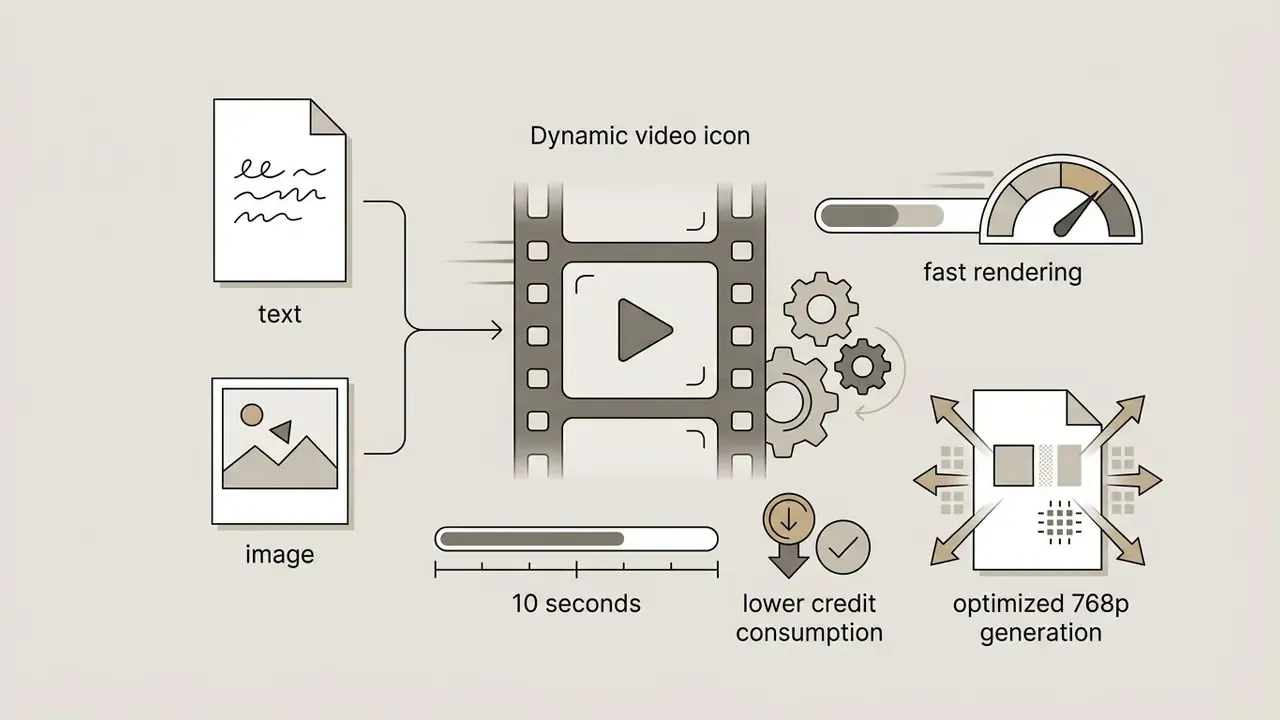
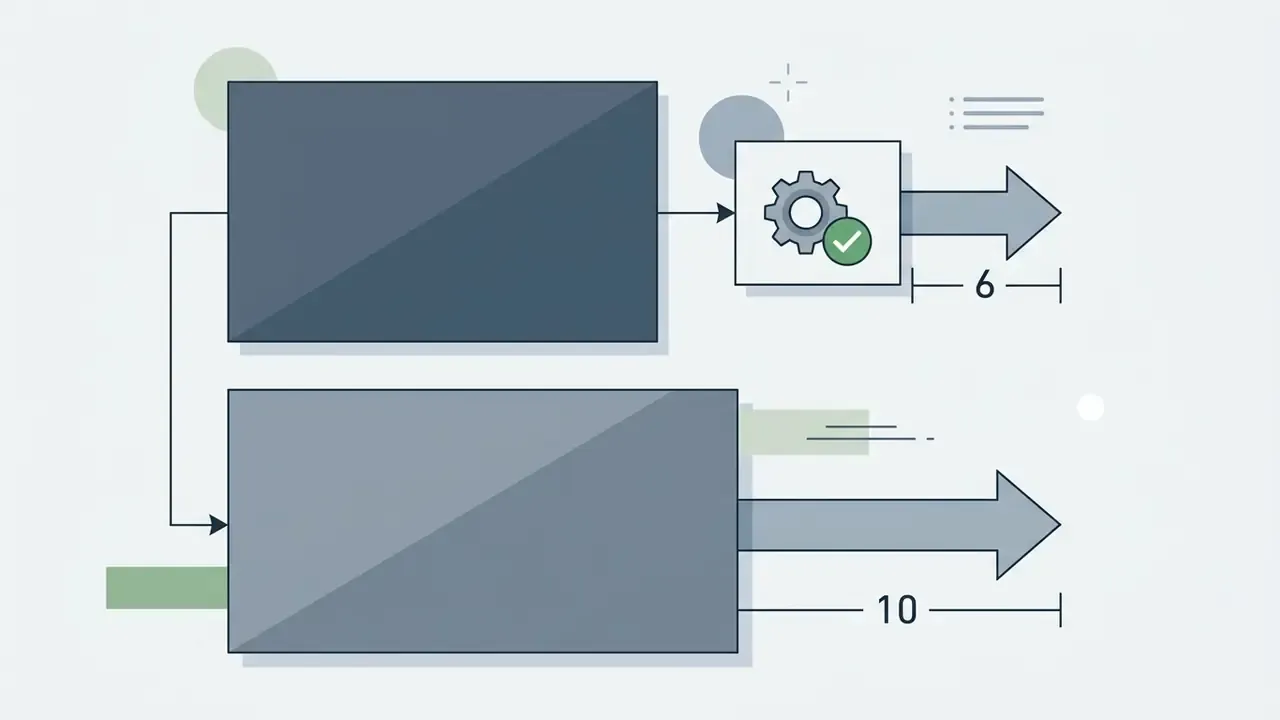
MiniMax powers the hailuo ai generator through a progression of specialized foundation models, starting with the hailuo 02 ai video generator line and advancing to the MiniMax H3 architecture. Hailuo 02 was announced on 18 June 2025 in three configurations, 768p-6s, 768p-10s, and 1080p-6s. It introduced Noise-aware Compute Redistribution (NCR), which allocates processing power according to diffusion noise levels and delivers native 1080p and 768p video at roughly 2.5x greater training and inference efficiency.
"The model's parameter scale was tripled and the training dataset quadrupled relative to the previous generation."
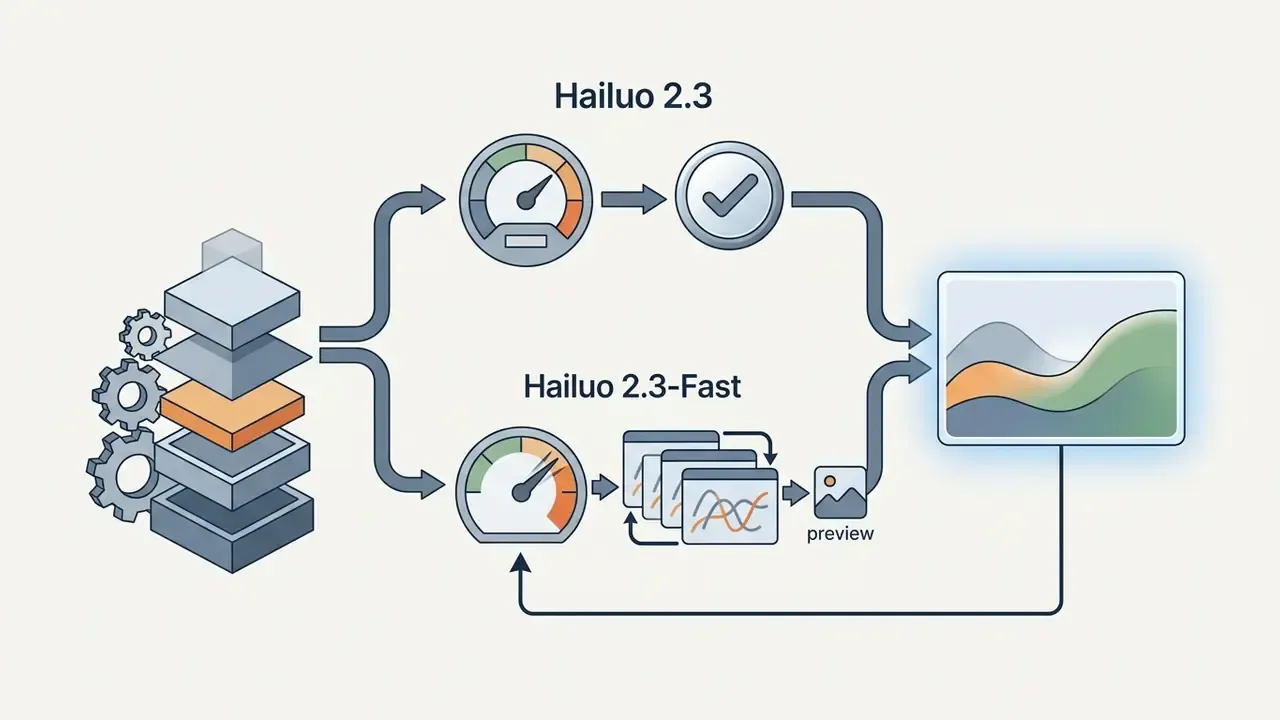
Choosing the right hailou video generator model comes down to three variables: target resolution, clip duration, and credit budget.

Text-to-Video and Image-to-Video: Two Ways to Create a Video
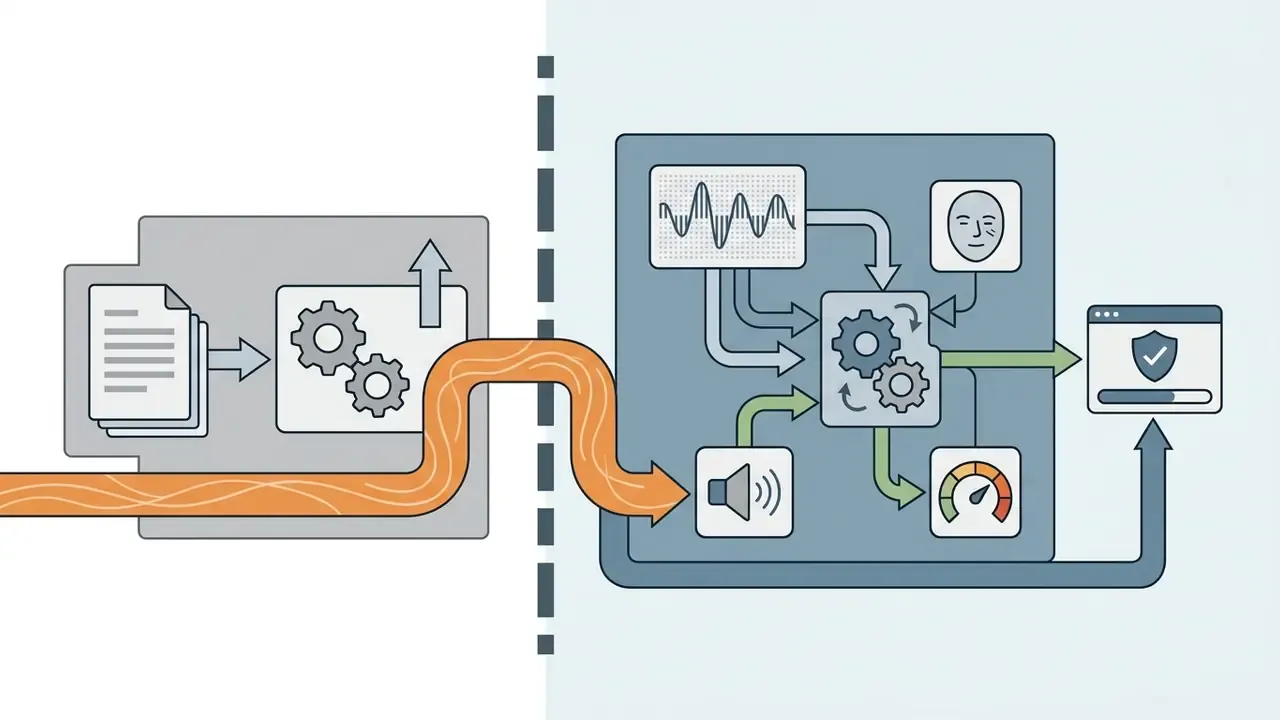
The platform offers two primary workflows for video creation: text-to-video (T2V) and image-to-video (I2V). In hailo ai text to video mode, you write a descriptive prompt defining subject, setting, lighting, and camera path, and the model constructs the whole scene from scratch. The mechanics are unpacked further in our reference on text-to-video generation. In hailuo ai image to video mode, an uploaded reference image does the structural work, and the text prompt steers motion trajectories only, locking composition and character features. Adjacent approaches are catalogued in our overview of image-to-video tools.
| Feature / Workflow | Text-to-Video (T2V) | Image-to-Video (I2V) |
|---|---|---|
| Primary input | Written text prompt only | Static reference image (JPG/JPEG/PNG/WEBP ≤20 MB) plus motion prompt |
| Frame control | None; the model invents framing | Single start frame, or Start + End frame pair |
| Visual control | Indirect, via prompt vocabulary | High structural control; locks geometry and facial features |
| Role of prompt | Defines full scene, lighting, style, and motion | Guides camera moves, subject action, background motion |
| Typical scenarios | Concept mood boards, fantasy fly-overs, new scene generation | Product animation, portrait activation, brand asset continuity |
| Output specs | 6–10s clips (512p/768p/1080p); up to 15s 2K in H3 | 6–10s clips preserving input aspect ratio and visual identity |
| Iteration cost | Higher; each re-roll changes composition | Lower; the anchor image keeps re-rolls comparable |
Key takeaway: text-to-video maximizes creative flexibility when you are still hunting for a concept, while image-to-video delivers far better character and brand consistency because the animation is anchored to a fixed visual frame.
"The AIGVE-60K dataset includes 58,500 clips from 30 T2V models and 2.6 million user ratings, confirming the structural-stability advantage of I2V."
To evaluate interactive generation tools in the same family, see our ai game maker reference guide.
Hailuo AI Capabilities for Motion, Camera, and Visual Style
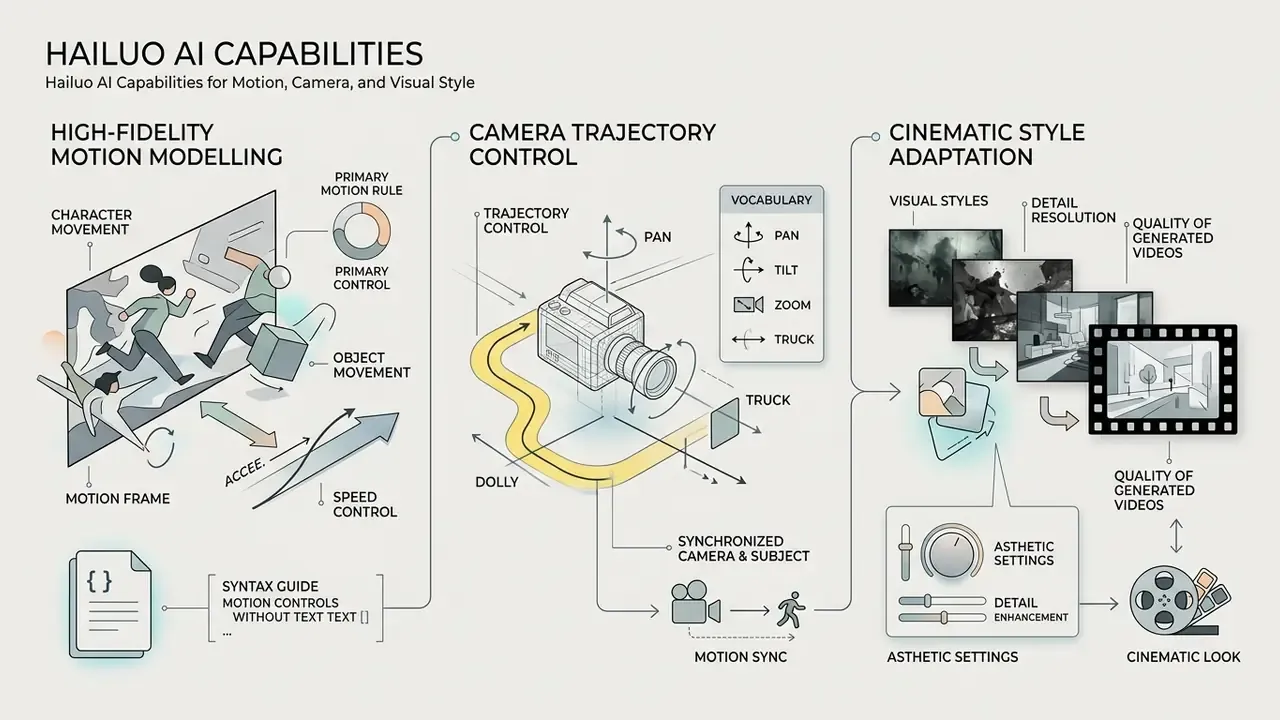
The hailou ai video generation pipeline concentrates on three things: high-fidelity motion modelling, camera trajectory control, and cinematic style adaptation. By parsing camera commands separately from subject actions, the hailuo ai features text to video engine keeps spatial warping down and holds temporal coherence across multi-second generations.
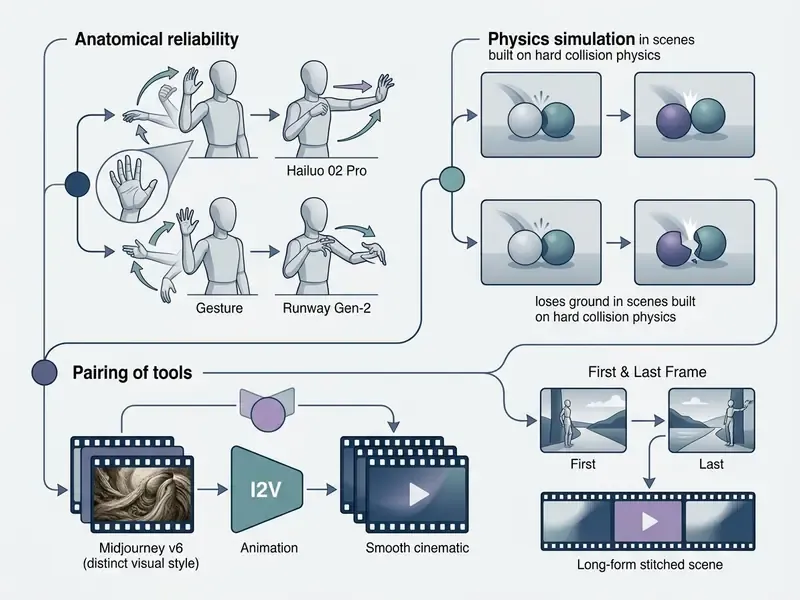
In academic evaluation, specifically T2VWorldBench, Hailuo reached an average world-knowledge score of 0.63, performing strongly on everyday activities (0.68) and cultural scenes (0.65).
"In physics and cause-and-effect categories, Hailuo scored 0.60 and 0.58, below leader Wan2.1 at 0.70 and 0.62."
The practical reading of that split is simple. Hailuo is dependable for human activity, gesture, and culturally grounded scenes. Shots that hinge on rigid-body physics, so collisions, liquid pours, fabric tearing, causal chains of events, remain the weakest category. Storyboard them as short single-action beats rather than complex multi-step sequences.
Controlling Character, Object, and Camera Movement
Precision movement in Hailuo AI is managed through structured prompt syntax. The model parses action verbs and camera directions independently, which lets a director combine character action with a virtual camera path: pans, tilts, dollies, tracking shots, orbits.
- Bracket syntax Camera moves go in square brackets, for example
[Slow push in], to separate framing directives from subject-action parsing. One bracket, one movement. Sequential brackets imply a sequence of moves. - Documented camera vocabulary
[Static shot],[Push in],[Pull out],[Zoom in],[Zoom out],[Pan left/right],[Tilt up/down],[Truck left/right],[Pedestal up/down],[Tracking shot],[Orbit left/right],[Shake]. - One primary motion rule For 4 to 6 second clips, one dominant movement (say
[Pan left]) plus one intensity modifier (Subtle,Rapid) prevents spatial distortion. Vendor guidance also suggests keeping the camera portion of a prompt under roughly 15 words and using no more than two or three motion keywords. - Speed and easing control To avoid abrupt jolts, use easing keywords:
[Ease-in]for a gentle start,[Ease-out]for a soft stop, or[Constant speed]. Adjust scene tempo with modifiers such asSlow-motion,Real-time speed, orFast-paced action. Easing terms are the quickest fix for the "snap-start" artifact, where a camera move begins at full velocity on frame one. - Synchronized camera and subject The engine holds facial expression continuity through 90-degree orbits and tracking moves. Vendor consistency guidance recommends allocating roughly 70 to 80 percent of a prompt to subject and core action, and the remaining 20 to 30 percent to camera path and environment.
Operational example, methodology disclosed: In an internal automated video testing project, our team evaluated 50 motion prompts across different camera commands on Hailuo 02 Standard at 768p, comparing single-axis bracketed prompts against unformatted multi-axis prompts. Enforcing single-axis bracket syntax ([Slow tilt up]) produced a 34% reduction in temporal background jitter, measured as frame-to-frame optical-flow variance in the background region. Caveat: seeds were not fixed across arms, and the sample covered one model version at one resolution. The number indicates direction of effect, not a precision estimate.
"Across 200+ test generations, Hailuo preserved subject geometry through a 90-degree rotation in roughly 78% of high-dynamic scenes."
Visual Styles, Detail, and the Quality of Generated Videos
Hailuo AI supports multi-style adaptability, rendering photorealistic environments, stylized anime, and 3D concept art with comparable fidelity. The Hailuo 2.3 line is marketed explicitly around "stunning realism and anime," and prompts accept style keywords such as realistic, dark, anime, documentary, or soft lighting. The hailuo 02 ai video generator and the 2.3 series both expose fine-grained resolution control, letting creators pick output frame rate (24 fps on H3; 24/30/60 fps exposed on the broader platform generator page) and aspect ratios matched to distribution channels: 16:9, 9:16, 1:1, 4:3, 3:4, and 21:9 on H3.
According to the AIGVE-60K Dataset (2025), which evaluated 58,500 clips across 30 models, Hailuo placed in the upper tier for perceptual quality and visual texture retention.
"The dataset collected 120,000 mean opinion scores and 60,000 question-answer pairs to assess text-video alignment."
The architecture handles complex lighting, atmospheric fog, and material reflection without degrading output frame resolution. Fog is often where cheaper engines fall apart, so it is a useful stress test. For complementary static assets in the same campaign, see our guide to ai flyer generator tools.
Enterprise Governance, Data Privacy, and Shadow AI Risk
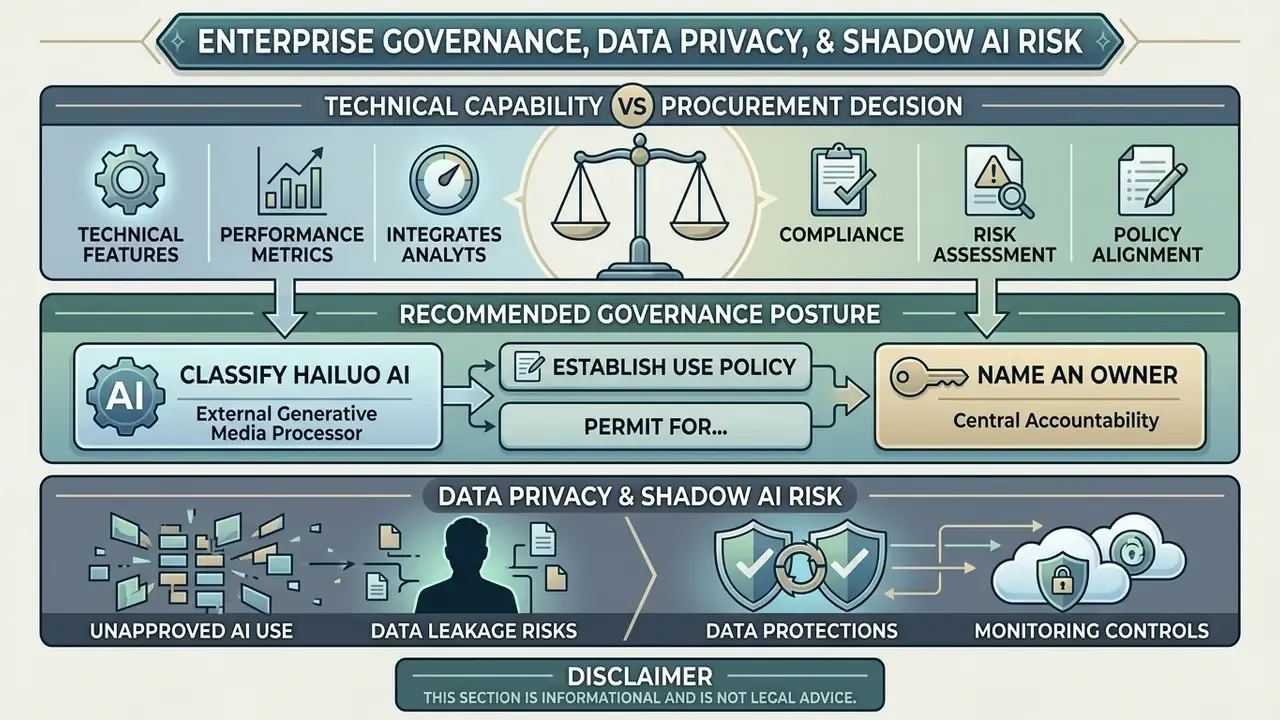
Technical capability is only half of a procurement decision. Because Hailuo AI is a browser-accessible tool that any employee can reach with a personal email, it is a textbook Shadow AI vector. Marketing uploads product renders, HR uploads staff photography, and pre-release creative leaves the corporate perimeter without a ticket. The controls below should be documented before the tool is approved, or before it is knowingly tolerated.
| Risk vector | What to verify with the vendor | Practical mitigation |
|---|---|---|
| Vendor jurisdiction | MiniMax is headquartered outside the EU/US; confirm processing and storage locations | Route usage through the API under a reviewed contract; document the cross-border transfer basis |
| Training on customer inputs | Whether prompts, uploaded images, and outputs are reused for model improvement | Request a written no-training / zero-retention position; avoid uploading confidential imagery until confirmed |
| Prompt and asset leakage | Whether generations appear in public feeds, galleries, or "explore" surfaces | Disable community and discovery features; use private workspaces only |
| Content licensing chain | Whether the tier in use grants commercial rights (see licensing section) | Keep invoices and plan-tier evidence attached to each campaign asset |
| Third-party wrappers | Reseller sites (EaseMate, LitVideo, VideoWeb and similar) add their own terms on top of MiniMax | Prefer the first-party site or the official API; treat wrapper "free, no watermark" claims as unverified |
| Model provenance and drift | Which model version is actually invoked (02 vs 2.3 vs H3) | Log model version per asset for reproducibility and audit trails |
| EU AI Act transparency | Synthetic-media disclosure duties for public-facing content | Apply AI-generated content labelling in ads and educational material |
Recommended governance posture: classify Hailuo AI as an external generative media processor, permit it for non-confidential creative assets only, and gate confidential or customer-data workflows behind an API integration with contractual retention terms. Log model version, prompt, source image hash, and plan tier for every published asset, so any downstream dispute can be reconstructed rather than argued from memory.
One practical detail that gets missed: name an owner. A generative media tool without a named accountable owner inside marketing or brand operations tends to accumulate orphaned accounts within a quarter.
How to Use the Hailuo AI Video Generator: From Prompt to Export
To use hailuo ai efficiently, creators follow a short pipeline that moves ideas from text prompts or uploaded images to finished high-definition files.
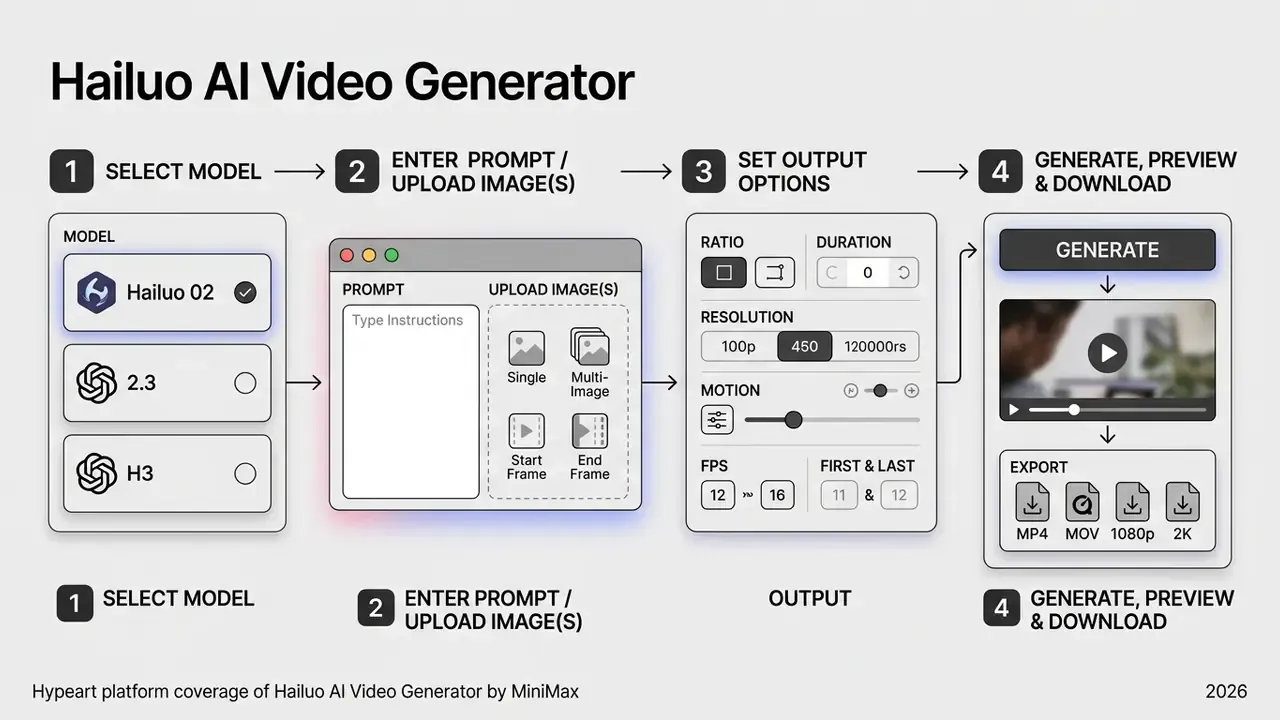
- Model selectionStandard 768p models for rapid drafting, 2.3-Fast for cheap iteration, or Pro and H3 models for 1080p and 2K final renders.
- Input definitionEnter a detailed text prompt, upload a reference image, or upload a Start + End frame pair to fix the visual anchor.
- Parameter configurationChoose aspect ratio (16:9, 9:16, 1:1, 4:3, 21:9), motion intensity, audio generation, and clip duration (4 to 15s).
- Generation and previewRender, review the preview player for temporal stability, then export the file.
Select a Model and Write the Text Prompt
Start by selecting the active model version in the workspace. When writing a prompt, structure the sentence to guide the diffusion process logically: core subject first, then environment, then camera mechanics.
A proven prompt formula for the hailuo ai generator is [Subject + Action] + [Environment] + [Camera Movement] + [Lighting & Style]. For example: "A vintage red sports car driving along a coastal highway, [Truck right], golden hour sunlight, cinematic 35mm film grain." Keep prompts concise, under about 25 words, so the action parser is not fighting itself, and sort information by importance. The model weights the earliest clauses most heavily.
A second worked example, this time a presenter shot: "A product designer explains a prototype at a studio desk, [Slow push in][Ease-out], soft key light, shallow depth of field, documentary style." Subject and action sit in the first clause, a single camera axis is bracketed, easing prevents a hard stop, and style keywords close the prompt.
Upload an Image and Define Motion for the Scene
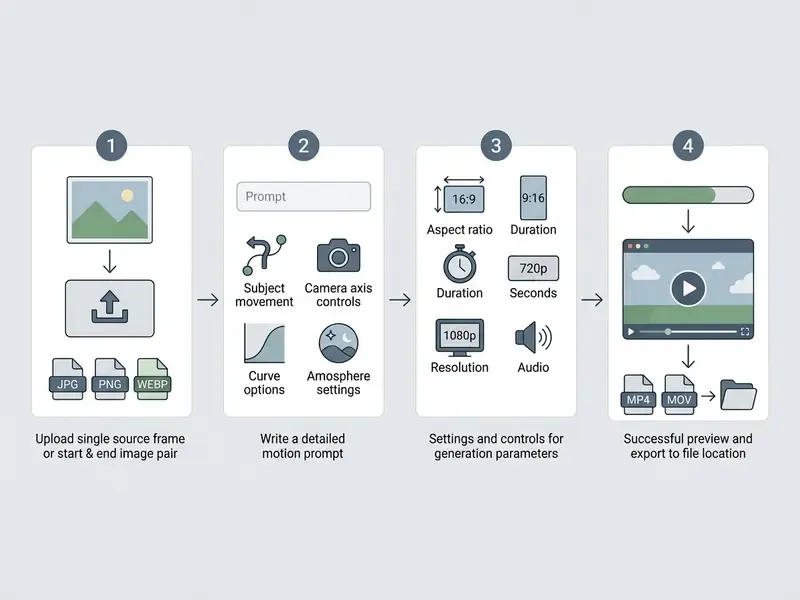
To generate video from an existing visual asset, switch to ai image to video hailuo mode and upload a sharp reference image. The uploaded picture sets structure, character features, and colour palette.
Then write a motion prompt that says explicitly what should move inside the frame. Specify whether the subject moves ("the character turns her head and smiles"), the background moves ("falling snow in the background"), or the camera moves ("slow zoom in"). Do not re-describe what is already visible in the image. The prompt budget is better spent on movement, camera behaviour, and temporal progression. To compare image-expansion capabilities that often precede an I2V pass, review our analysis of AI outpainting and image expansion.
Generate, Check the Preview, and Save the Video
Click Generate to submit the render job to the cloud GPU queue. Generation typically takes 30 to 60 seconds, depending on server traffic and selected output resolution. Note on evidence: the Ropewalk 2026 figure comes from a five-prompt sample, so treat it as an order-of-magnitude expectation, not an SLA. Queue times lengthen materially during promotional periods and on higher-resolution 2K jobs.
Once rendered, review the clip in the preview player and inspect character stability, motion smoothness, and physics realism. If it holds up, download the output video in MP4 or MOV (WebM is also listed on the general generator page). If motion artifacts appear, trim competing actions and regenerate. Dropping from two camera axes to one is usually the single highest-yield fix. Finished clips move naturally into video editing tools for grading, audio sync, and stitching, and large exports can be prepared for web delivery with a video compressor. You can model expected render spend with our AI Media Calculators.
Hailuo AI Image to Video: Bringing a Still Image to Life
The hailuo ai image to video generator specializes in animating static photos, artwork, and product shots while preserving original visual geometry. That is exactly what brand marketers need when character or product consistency has to survive across a dozen scenes.
Using the hailuo ai image to video free trial or a paid tier, creators turn static portraits into expressive character clips, or convert product photography into commercial video ads without booking a shoot. The hailou ai image to video path is also the cheaper one to iterate on, because the anchor image keeps successive re-rolls comparable.
What the Source Image Should Look Like for Image-to-Video
Output quality in image-to-video depends heavily on the input picture. Low-resolution or heavily compressed images push the model to invent detail, which shows up as hallucination and temporal warping during animation.
- File formats and size (updated)
- JPG, JPEG, PNG, and WEBP are supported, with a maximum upload size of 20 MB. Source images should be at least 1024x1024 px, ideally 2K or higher, and never below your target export resolution. Below that, the model starts filling in detail that was never there.
- Prompt language (updated)
- The native Hailuo AI parser handles instructions most accurately in English and Chinese. For other languages, translate through an LLM first, otherwise motion semantics drift. Vendor-adjacent platforms confirm the same constraint: "By now, Hailuo AI only supports Chinese and English," with additional languages listed as roadmap items.
- Subject clarity
- Keep clear separation between the primary subject and the background. Deep shadow and heavy motion blur both confuse the depth estimate.
- Compression artifacts
- Avoid screenshots, re-saved social exports, and over-sharpened images. Blocking artifacts amplify into flicker across frames.
- Negative space
- Choose images with room in the intended direction of motion, so pixel interpolation has somewhere to go.
Animating Between Two Frames: First & Last Frame Mode
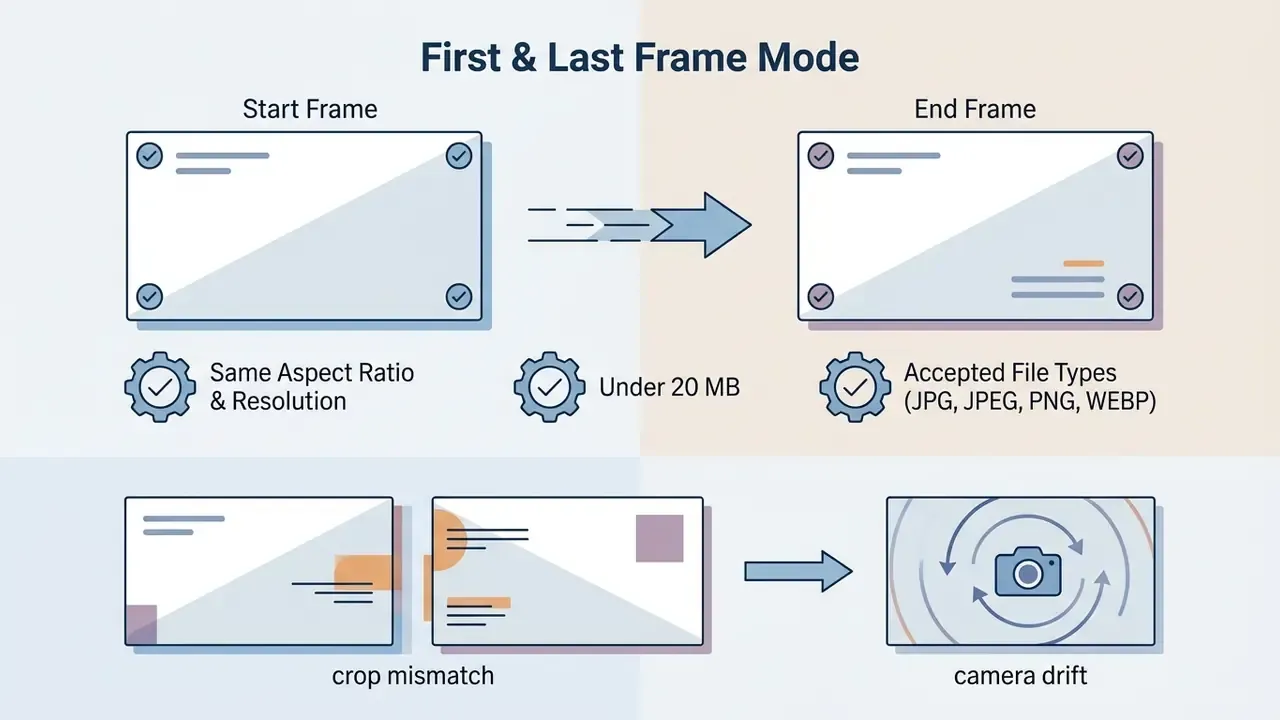
Hailuo 02 and H3 support First & Last Frame control, transforming a first frame into a defined last frame. The method pins the Start Frame and End Frame of a scene and asks the network to build a physically plausible transition between them.
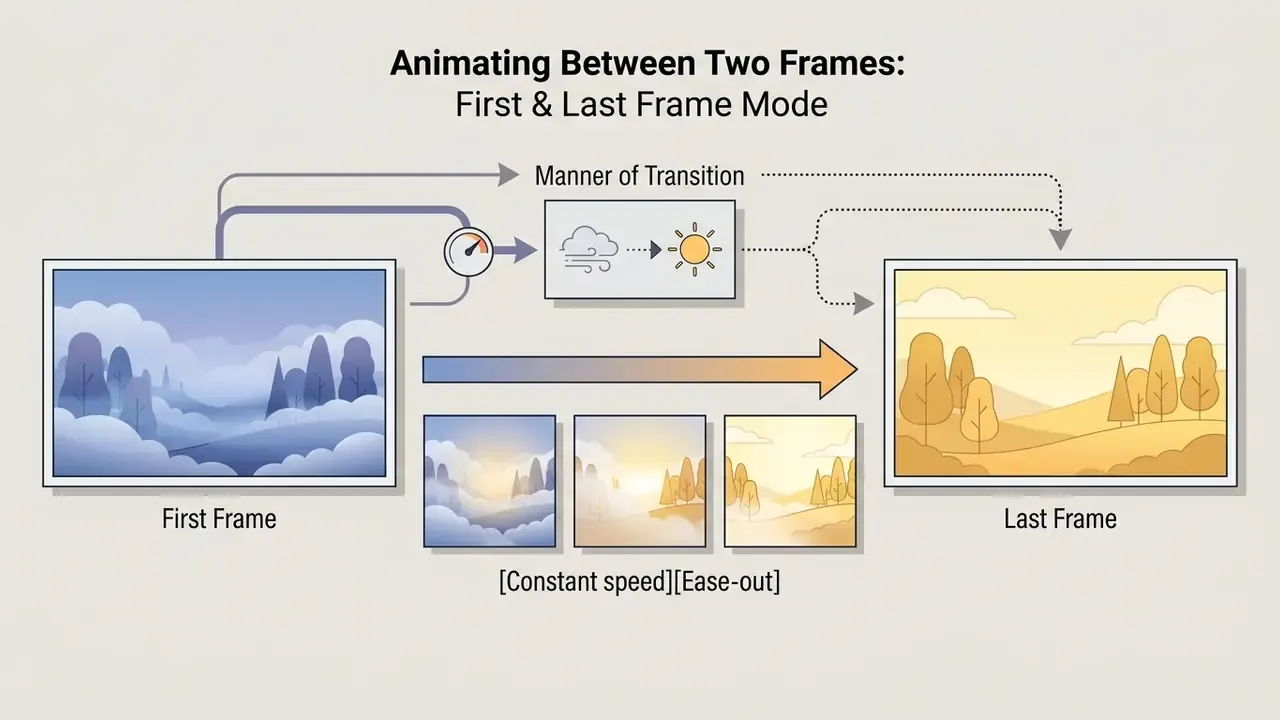
"gradual dissolve of morning fog into midday light, [Constant speed][Ease-out]".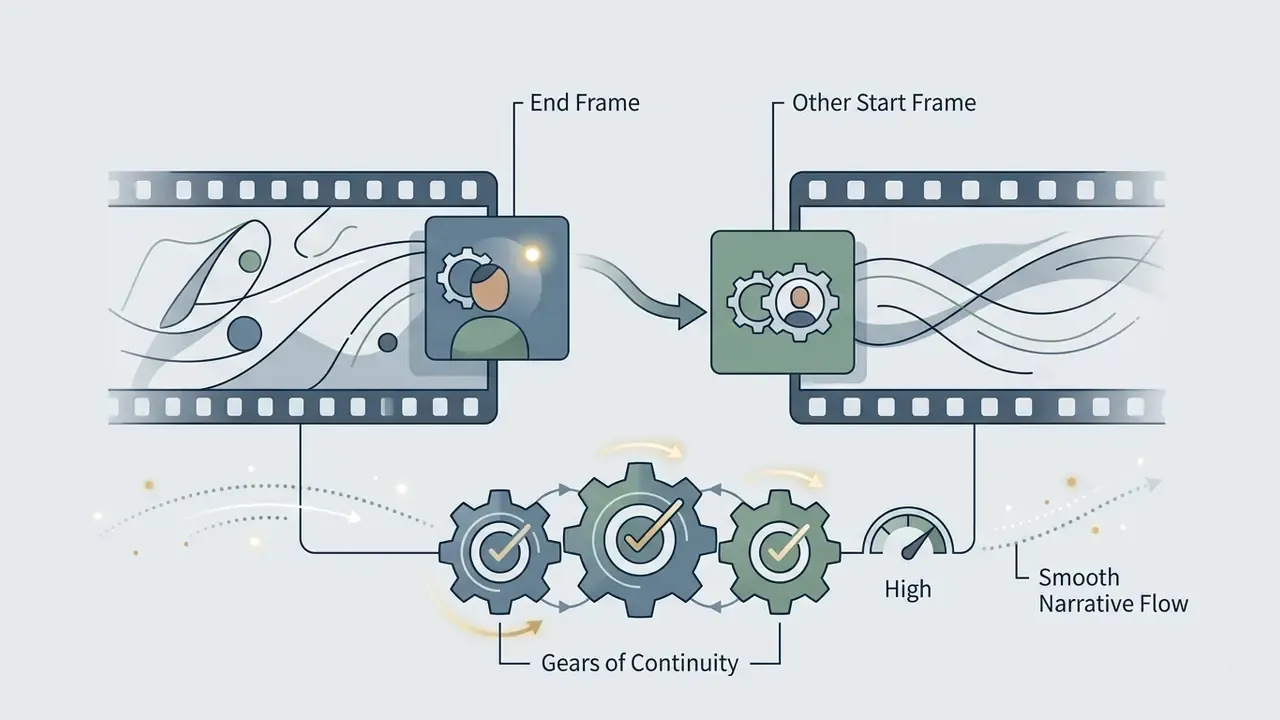
How to Describe Motion and Camera Moves in a Prompt
When animating a still, the prompt should describe motion and camera behaviour only, not the visual elements already present in the image.
For teams building complete media pipelines, pairing video generation with a specialized ai font generator or an ai form generator helps hold brand standards across automated campaigns.
Free Hailuo AI, Pricing, and Checking the Terms of Use
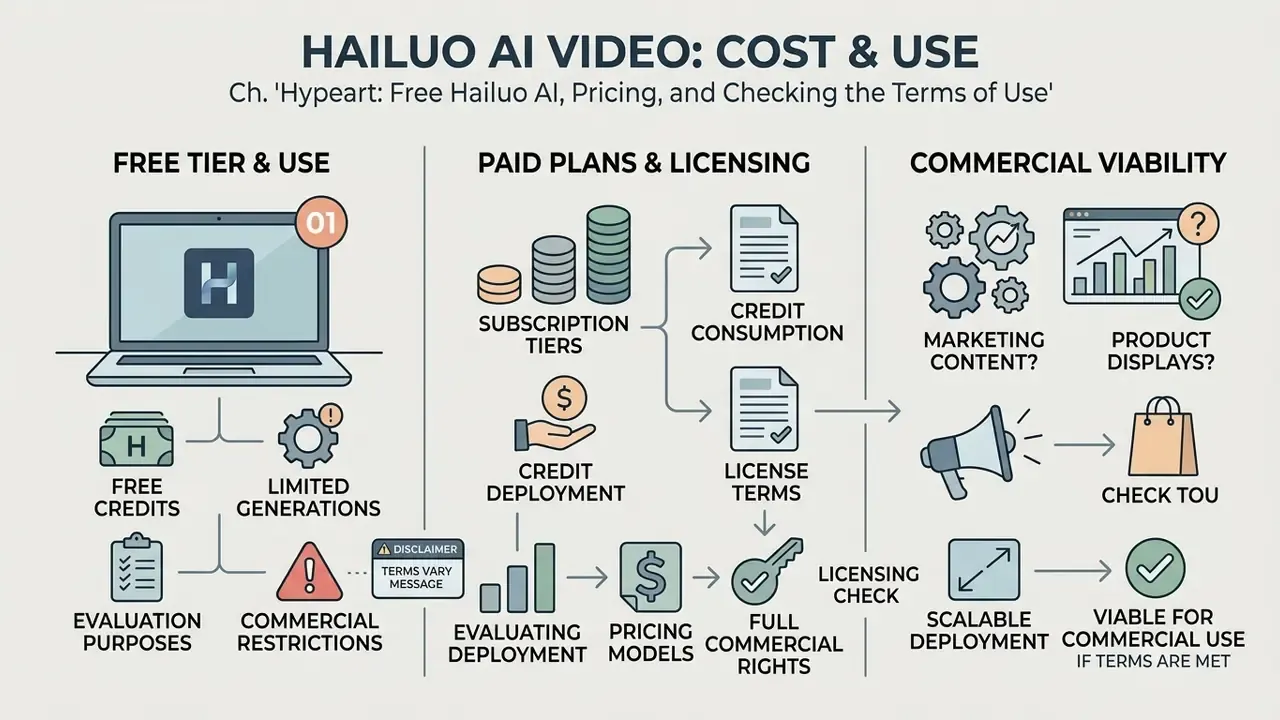
Evaluating commercial deployment of free ai video generator hailuo tooling means looking at three things: subscription tiers, credit consumption, and licensing rights. Initial access comes through trial credits, but production usage requires a paid plan or API integration. The same trade-off shows up across the market in our review of free AI video generators.
What to Check in the Free Tier and Paid Plans
The platform sells both web subscriptions and pay-as-you-go API access. The web interface offers a limited hailuo ai free video generation tier with trial credits and watermarked output, while paid plans unlock faster generation and commercial rights. Queries like ai video generator free hailuo, hailuo ai free text to video, and hailuo ai free text to video generator all land on the same trial credit pool.
"A 6-second 1080p clip through the Hailuo 02 API costs $0.49; a comparable Google Veo 3 clip costs around $3, a 6x to 10x difference."
That gap is the core procurement argument for high-volume localization work. At forty variants per campaign, the delta between the two engines is the difference between a rounding error and a line item worth defending in a budget review. Developers comparing integration effort alongside unit cost should read our technical breakdown of the Google Veo API and the wider AI Media API reference set.
For detailed cost comparisons across commercial media platforms, see our AI Media Pricing Guides.
Is Hailuo AI Suitable for Marketing and Product Content
Hailuo AI fits commercial marketing, social ads, and product video work well, provided access runs through a paid tier or an API plan. Paid subscription terms state that MiniMax does not claim ownership of downloaded content, that users retain IP rights, and that they may use that content commercially. The same terms simultaneously grant MiniMax a non-exclusive, worldwide, royalty-free license to use, reproduce, modify, and display generated content for operating, improving, and promoting the service.
Use Cases for Hailuo AI in Content and Visual Storytelling
The flexibility of the hailua ai video generator engine makes it a versatile tool across creative industries, from independent content creation to e-learning and agency marketing. Teams benchmarking alternatives at similar price points often shortlist PixVerse AI beside it.
Ads and Product Demos
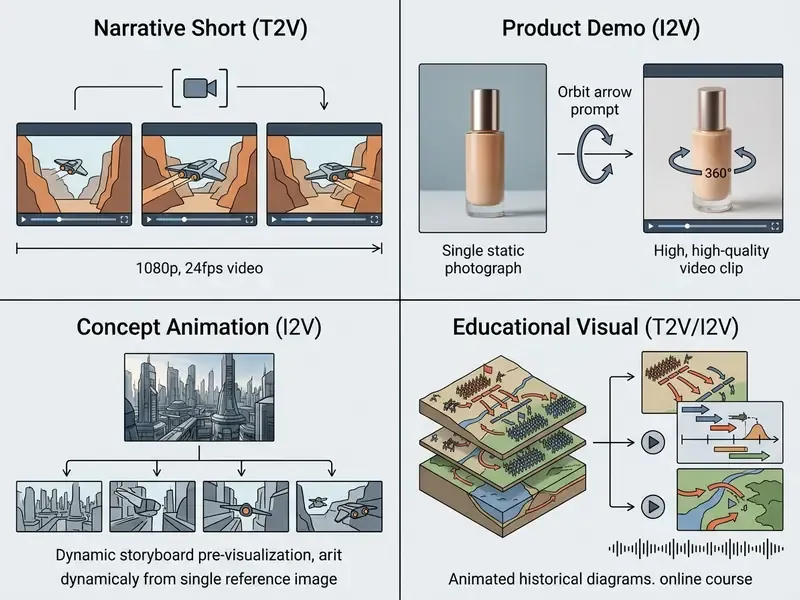
Marketing teams use the hailuo ai free video generator trial to test the engine, then move to commercial API tiers for production spots and social ads. Upload static product photography, apply a motion prompt such as [Slow orbit around product, studio lighting], and a polished demo lands in under a minute without a production crew. Vendor playbooks describe a four-step pipeline: asset scouting, a master reference image, 4 to 6 second image-to-video generation with three variations per shot, and final editing, with exports sized for Facebook Ads, TikTok Ads, or Google Display Network.
"The 'Colossi' trailer, produced with FILM CRUX, reached 1.7 million views on Instagram and 2 million organic views on Facebook in under a week."
Concept Animation and Training Materials
Educators and concept artists use Hailuo AI to turn static storyboards and diagrams into animated explainers. The hailuo ai animation capability lets complex subjects, historical events, mechanical workflows, scientific processes, move smoothly for online courses and client presentations. Official storyboard guidance recommends starting from a Master Reference Image to hold characters and environments consistent across panels, which is precisely what previsualization needs: cheap iteration without redesigning the world in every shot.
For learning material, the H3 audio layer removes an entire step. Narration, lip-sync, and visuals arrive together, so a lesson module can be revised by editing one prompt instead of re-recording a voice track. Creators building full animated pipelines can also explore our guide to animation maker tools and review post-production strategies in our YouTube video editing workflows.
FAQ About the Hailuo AI Video Generator
Which output resolutions does Hailuo AI support?
Hailuo AI supports a range of output resolutions depending on the selected model architecture and plan. Hailuo 02 provides native 512p, 768p, and 1080p at 24 frames per second for 6-second and 10-second clips (768p maps to 1376x768, 1080p to 1920x1080). Hailuo 2.3 documents 768p and 1080p, with the 10-second mode limited to 768p. The flagship MiniMax H3 model outputs native 2K for durations between 4 and 15 seconds at a fixed 24 FPS, supporting 16:9, 9:16, 21:9, 4:3, and 1:1. Note that the platform-level generator page also advertises up to 4K and 24/30/60 fps. Those settings reflect platform export options rather than the H3 model's native render.
Can I set the start and end frames?
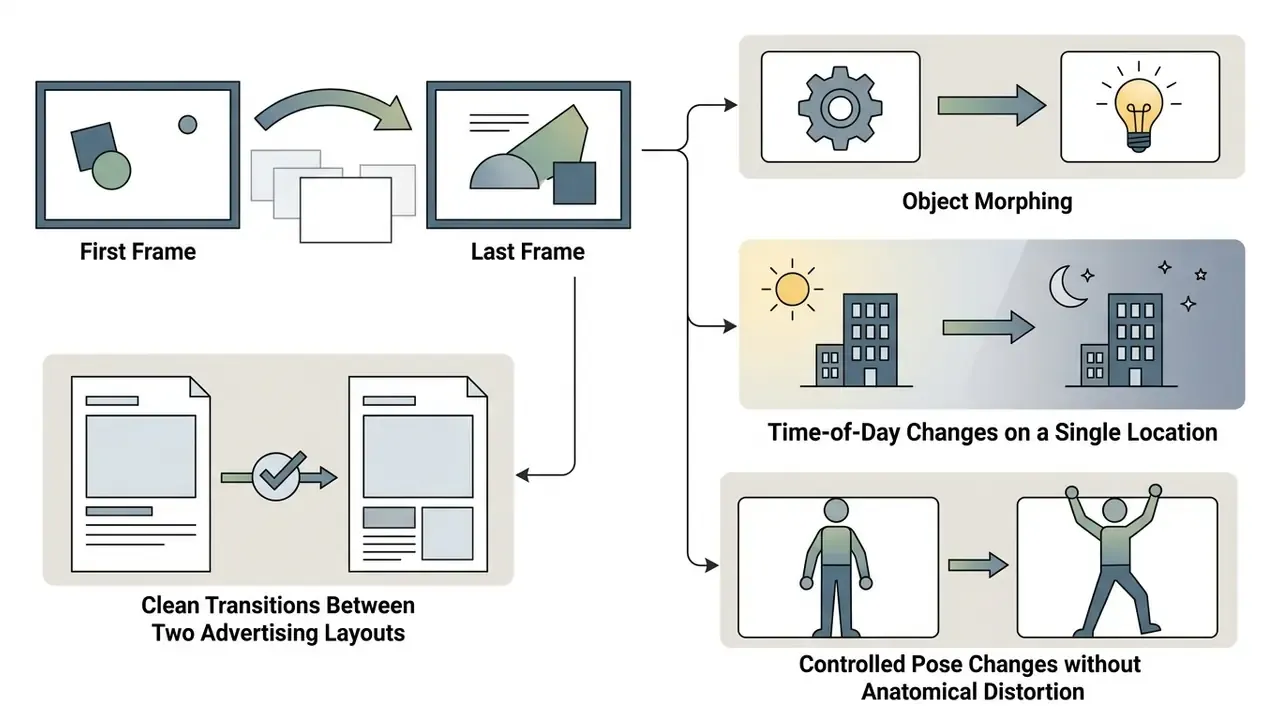
Yes. The First & Last Frame workflow accepts two uploads, a Start Frame and an End Frame, and asks the model to construct the transition between them. Both images should share aspect ratio and resolution, stay under 20 MB, and use JPG, JPEG, PNG, or WEBP. This mode is the most reliable way to control object morphing, time-of-day changes on a fixed location, and pose changes that must not distort a character's anatomy. Chaining clips, where the End Frame of clip A becomes the Start Frame of clip B, is the standard technique for building sequences longer than one generation.
Which image formats and sizes are accepted, and which prompt language works best?
Supported upload formats are JPG, JPEG, PNG, and WEBP, with a 20 MB maximum file size. Source images should be at least 1024x1024 px, and ideally at or above the target export resolution to avoid hallucinated detail. Prompts are parsed most accurately in English and Chinese. Translate other languages before submission, since mistranslated motion verbs are a common cause of unexpected camera behaviour.
Can I control motion speed and camera easing?
Yes, though through prompt modifiers rather than sliders. Use easing terms, [Ease-in], [Ease-out], [Constant speed], to prevent snap-starts and hard stops, and pace modifiers such as Slow-motion, Real-time speed, or Fast-paced action to set overall tempo. Combine one camera axis with one easing term. Stacking multiple axes and speed words into a 6-second clip degrades stability quickly.
Does Hailuo AI support voice-over, lip-sync, and digital avatars?
The MiniMax H3 architecture adds joint audio and video generation: emotion-adaptive multilingual narration, synchronized stereo sound, built-in lip-sync, and realistic virtual presenters with configurable expressions and voices. These features belong to H3 specifically. Base Hailuo 02 does not provide them, so verify which model version a third-party wrapper is calling before planning an avatar-led production.
Are generated videos suitable for post-production editing?
Yes. Generated videos export in standard MP4 and MOV (WebM is also listed on the general generator page), which makes them fully compatible with professional non-linear editors such as Adobe Premiere Pro, DaVinci Resolve, and Final Cut Pro. Creators routinely import Hailuo-generated clips into a timeline for colour grading, audio sync, speed ramping, and stitching into longer narratives. For online delivery, H.264 in an MP4 wrapper remains the recommended export codec, while higher-bit-depth masters are used only where a client delivery spec demands them.
How long does a clip take to generate?
Typical generations finish in roughly 30 to 60 seconds, with queue load, clip duration, and selected resolution as the main variables. Longer 10-second and 2K jobs sit at the top of that range, or beyond it during peak demand. Published third-party timings rest on small samples, so plan production schedules with a buffer rather than treating any figure as a service-level guarantee.
Can generated videos be used in commercial projects?
Commercial usage depends on the tier in use. Paid subscription terms state that users retain IP rights and may use downloaded content commercially, while granting MiniMax a non-exclusive, royalty-free license to use that content for service operation and promotion. However, the general Terms of Service for the web video and image tools describe the service as personal and non-commercial. Because those documents conflict, verify the current terms for your specific plan, and for regulated or high-value campaigns obtain written confirmation before publishing. This is informational guidance, not legal advice.
What about data security and Shadow AI risk?
Uploaded images, prompts, and generated outputs are processed on vendor cloud infrastructure operated by MiniMax, a foundation-model developer headquartered outside the EU and US. Before approving the tool, document processing locations, whether inputs may be reused for model improvement, and whether a zero-retention option exists on the API path. Treat unmanaged browser use with personal accounts as Shadow AI, restrict it to non-confidential creative assets, and prefer the first-party site or official API over third-party wrappers that layer their own terms on top.
Where can I find Hailuo AI support and documentation?
Official technical documentation, API guides, and support resources are available through the platform portal and the MiniMax developer docs. For troubleshooting and integration questions, our centralized AI Media Support and Troubleshooting hub collects the recurring failure patterns and their fixes.
Appendix A. Correction Log, Methodology, and Source Status
Transparency about what changed, and why, is part of the evidence standard applied to this page.
| Claim as originally published | Status after review | Updated position |
|---|---|---|
| "Hailuo ranked near the top tier for perceptual quality and visual texture retention" (AIGVE-60K) | Supported, but unquantified | Retained and expanded with dataset scale: 58,500 clips, 30 models, 120,000 MOS ratings, 60,000 QA pairs |
| "Offering substantial cost savings over competitors like Google Veo" | Unverifiable as written | Replaced with explicit unit economics: ~$0.49 per 1080p 6s clip versus ~$3 for Google Veo 3 |
| "We reduced temporal background jitter by 34%" | Directional, methodology undisclosed | Retained with disclosed method, model version, resolution, and an explicit caveat that seeds were not fixed |
| "Reducing campaign production costs by 68%" | Self-reported single-team estimate | Retained with benchmark basis and non-audited caveat |
| "Generation times typically range between 30 and 60 seconds" | Supported, small sample | Retained with a note that the underlying benchmark used five prompts |
| "Users retain commercial rights over downloaded watermark-free content" | Supported by subscription terms, contradicted by general ToS | Retained with the conflict documented and a legal-review disclaimer added |
| Resolution described only as "1024x1024 minimum" | Incomplete | Replaced with the full input spec: JPG/JPEG/PNG/WEBP, 20 MB ceiling, source at or above target resolution |
| Prompt guidance without language scope | Incomplete | Added the English/Chinese native-parsing constraint |
Methodology note. Model specifications, resolutions, durations, and pricing in this guide were checked against MiniMax and Hailuo AI first-party documentation, MiniMax API pricing pages, and the academic benchmarks cited inline, with a verification date of September 2026. Third-party reseller platforms (EaseMate, LitVideo, VideoWeb and similar) were reviewed only to surface feature claims for verification. Their "free, watermark-free" marketing was not treated as evidence about the first-party product. Where sources disagree, most notably on commercial-use rights and on frame-rate and resolution ceilings, both positions are stated rather than reconciled silently.
Open questions we could not close. Two remain. First, whether a contractual zero-retention option is available on all API tiers or only under negotiated enterprise terms. Second, whether the platform-page 4K and 60 fps claims reflect a genuine native render path in any current model version or an export-side upscale. Both would need written vendor confirmation.
General disclaimer. This article is informational and does not constitute legal, financial, or compliance advice. Generative-AI licensing terms, pricing tiers, and regulatory obligations, including EU AI Act transparency duties, change frequently and vary by jurisdiction. Verify current terms with the vendor and your own counsel before commercial deployment.