Generative video has moved out of the sandbox. It now sits inside content calendars, product launches, and, increasingly, regulated marketing pipelines. Financial institutions and mature fintech teams evaluating an AI video model face the same three-way tension they know from credit scorecards: creative velocity, cost predictability, and defensible licensing.
Executive Summary for Decision Makers
| Decision Factor | Verified Position (2026) |
|---|---|
| Product identity | Video generation runs through Grok Imagine (grok-imagine-video-1.5), not through the Grok 3/Grok 4 chat models. |
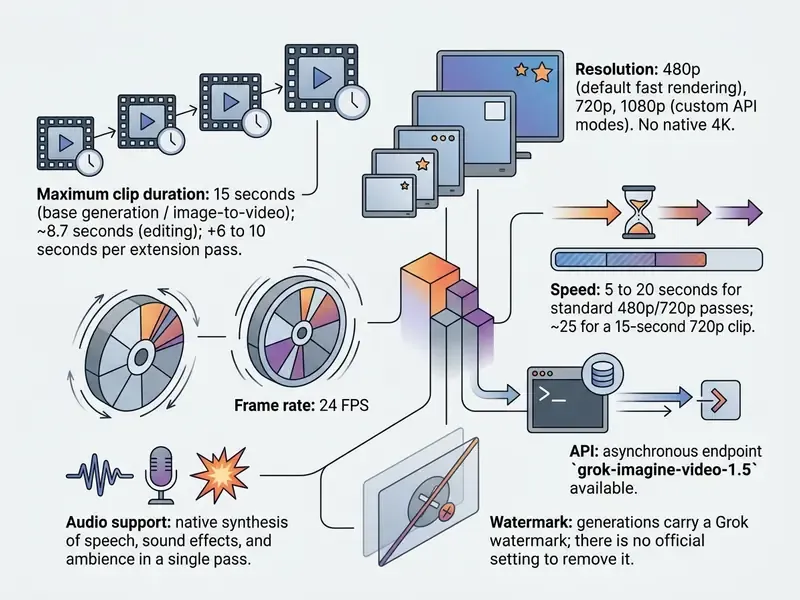
| Max clip length | 1 to 15 seconds per generation pass; roughly 8.7 seconds for edit mode; plus 6 to 10 seconds per extension pass. |
| Resolution / frame rate | 480p, 720p, 1080p at 24 FPS. No native 4K in this model family. |
| Native audio | Yes: dialogue, ambience, and sound effects synthesized in the same pass, with lip-sync alignment. |
| API cost | $0.08/sec (480p), $0.14/sec (720p), $0.25/sec (1080p), approximately $1.20 to $3.75 per 15-second clip. |
| Consumer cost | SuperGrok Lite $10/month, SuperGrok $30/month; free access is heavily restricted and watermarked. |
| Render speed | 5 to 20 seconds for 480p/720p standard passes; about 25 seconds for a 15-second 720p clip. |
| Commercial use | Permitted under xAI terms, but purely AI-generated output is not copyright-registrable in the U.S., and synthetic media disclosure rules apply. |
| Governance requirement | Log prompt, seed, prompt_id, model version, resolution, and output hash for reproducible audit evidence. |
Bottom line: Grok Imagine is currently the fastest and one of the cheapest enterprise-grade short-form engines available through a metered API, best suited to 6 to 15 second product, social, and promotional assets. It is not a substitute for long-form multi-scene production. And its outputs need a formal provenance and disclosure workflow before anything reaches a public channel.
Who This Guide Serves and What Decision It Supports
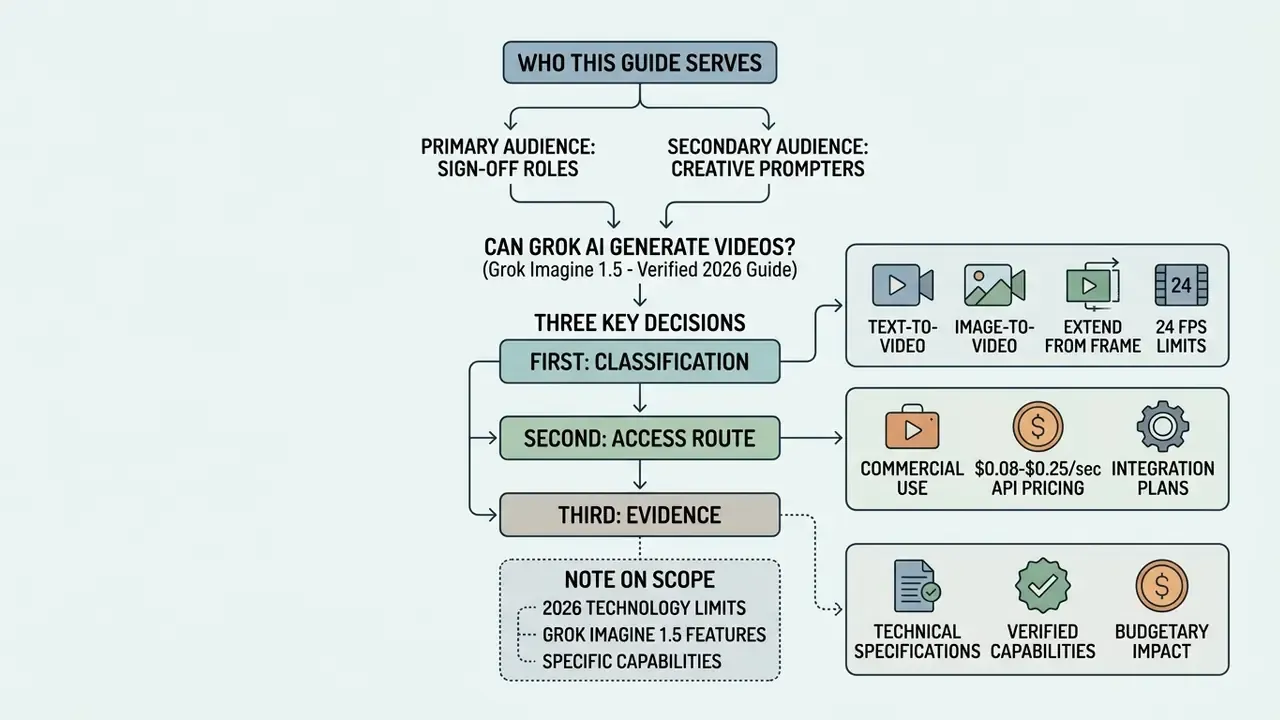
This is written for the people who sign off, not only for the people who prompt. Chief risk officers, compliance heads, model risk leads, and marketing operations owners in US banks and fintechs share one recurring question: can a generative video tool enter production without creating an unmanaged control gap?
Three decisions follow from that question.
First, classification. Is Grok Imagine a creative utility or an AI system that belongs in the model inventory? Our position: it belongs in the inventory, with its own owner, approved use cases, and retirement path.
Second, access route. Consumer subscription, developer gateway, or enterprise API? The contractual difference matters far more than the price difference.
Third, evidence. What artifacts will internal audit ask for six months after a campaign ships? If the answer is "the MP4 file", the control design is incomplete.
A note on scope. This article covers capabilities, pricing, licensing, and controls. It does not attempt to grade creative taste, and it flags uncertainty where public documentation is thin.
What Is Grok Video Generator and Can Grok AI Generate Videos?
Yes, Grok AI generates videos, but the capability is executed through a specialized generative engine named Grok Imagine rather than inside the text assistant chat window. The standalone text assistant handles conversational logic, retrieval, and reasoning, whereas multimedia synthesis is offloaded to the Grok Imagine model stack (xAI Docs, 2026). That distinction is essential for technical leaders assessing model integration, and for anyone maintaining a corporate AI model inventory.
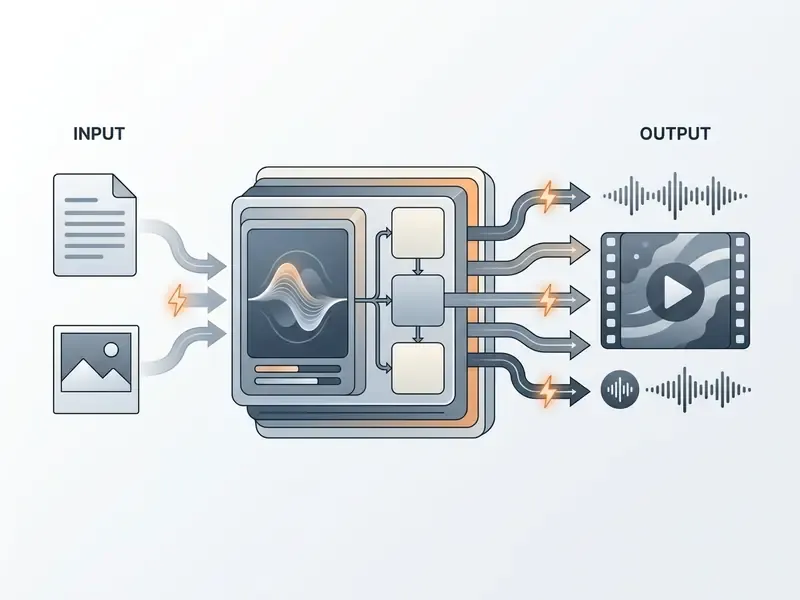
So when buyers ask can grok ai make videos, can grok make ai videos, or simply does grok ai generate videos?, the accurate answer is layered. The grok video generator is not one model; it is a multi-model architecture. Conversational queries stay in standard chat threads, while video tasks trigger asynchronous calls to dedicated visual models, the same asynchronous pattern used by most enterprise-grade AI video generators.
This separation has direct governance consequences. A bank that approved "Grok" as a text assistant has not implicitly approved Grok Imagine as a media generation system. The two surfaces carry different data-flow profiles, different billing structures, and different output licensing questions. They therefore require separate entries in the model register, with separate owners.
Grok Imagine, Grok 3, and Grok 4: Which Versions Are Linked to Video Generation?
Video capability is tied to the Grok Imagine model family, specifically grok-imagine-video-1.5, rather than to language models like Grok 3 or Grok 4 directly. Grok 4 provides large-scale reasoning and orchestrates user instructions, while the actual synthesis is handled by specialized neural architectures (xAI Docs, 2026).
Research framed around grok 3 video generation paved the way for dedicated pipelines, and public interest in grok 4 video generation kept the demand visible, but current production deployments rely on Grok Imagine Video 1.5. The model entered preview on 3 June 2026 and reached general availability in the xAI API on 16 June 2026, offering native 1080p rendering and synchronized audio (xAI Release Notes, 2026).
Developers accessing the system programmatically call specific API endpoints rather than generic language model weights. Model-risk validation should therefore target the endpoint identifier and version string (grok-imagine-video-1.5), not the umbrella brand "Grok". Why insist on that detail? Because xAI ships new visual model versions on a much faster cadence than its language models, and a validation report tied to a brand name expires quietly.
What Video Formats Can Grok Create?
Grok Imagine produces short-form text-to-video clips, image-to-video animations, reference-to-video matching sequences, and edited or extended clips. Output files include native synchronized audio tracks covering dialogue, environmental effects, and background ambience (fal.ai Documentation, 2026).
The generated video is built for social platforms, product previews, and dynamic promotional placements. A typical clip spans 1 to 15 seconds, renders at 24 frames per second, and supports 16:9, 9:16, 1:1, 4:3, and 3:4 aspect ratios. Teams can produce grok ai animation sequences directly from descriptive prompts or static seed images, which places the tool alongside other text-to-video AI systems in the enterprise stack rather than above them.
Grok Imagine Capabilities for AI Video Creation
The core grok ai video generation features center on high-fidelity motion synthesis, automated camera control, prompt-driven editing, and native audio. Unlike earlier generative tools that required a secondary audio pipeline, Grok Imagine processes visual frames and sound concurrently (xAI Docs, 2026).
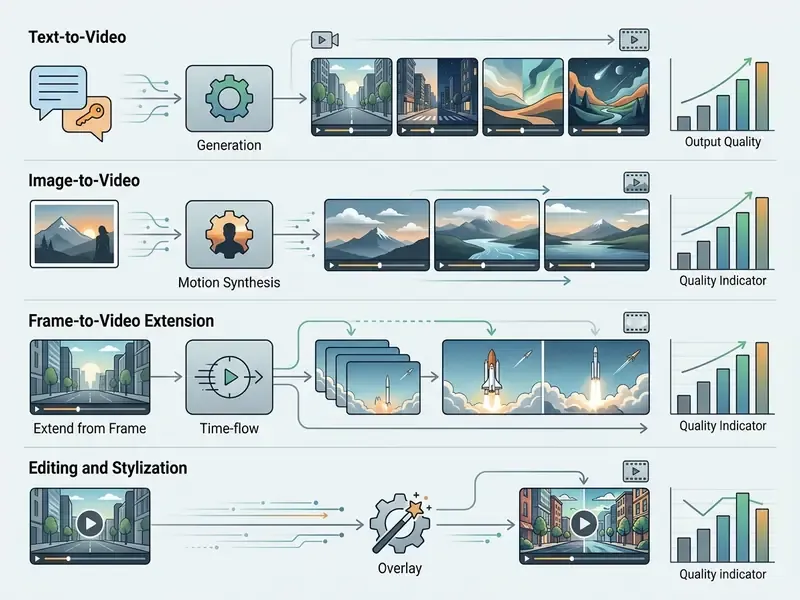
Taken together, this grok ai video generation capability gives enterprise operators flexible asset creation choices without a fixed monthly commitment. Evaluators can review technical configurations across creative workflows in the AI Media Comparison Matrices and in our AI video generators comparison to gauge performance against legacy generation tools.
UI Generation Modes and Visual Style Presets
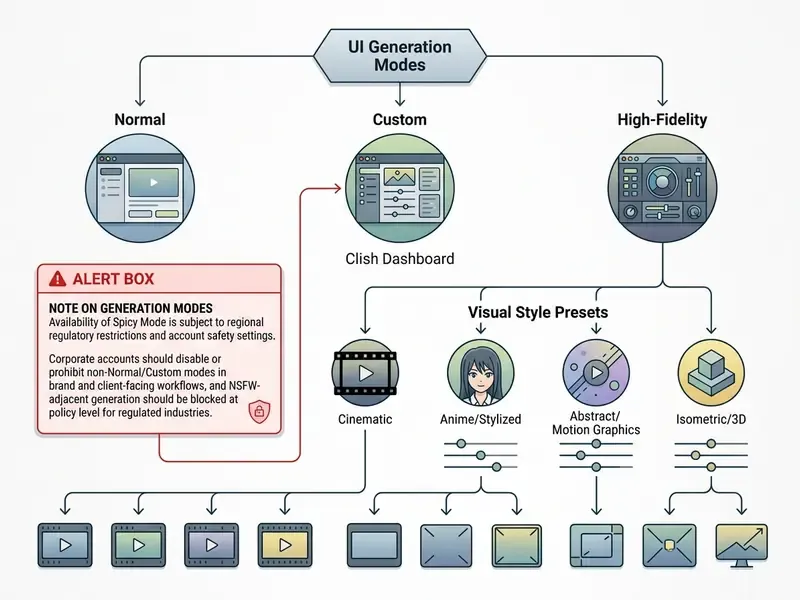
Grok Imagine provides four primary operational modes in its consumer web and mobile interfaces. Enterprise teams should still understand them, because employees experimenting on personal accounts are a Shadow AI vector that policy has to name explicitly.
- Normal Modestandard photorealistic synthesis with balanced temporal movement, suited to product and corporate use.
- Fun Modeexaggerated motion vectors, humorous physics, and stylized rendering intended for memes and casual storytelling.
- Custom Modeadvanced parameter controls for seed, aspect ratio, duration, and motion intensity. This is the only mode that supports reproducible parameterization.
- Spicy Modea high-variance setting with relaxed prompt filtering for bolder concepts, still subject to core safety guardrails. It does not bypass hard-blocked content categories.
Users can also apply stylized presets such as Chibi Anime Mode, introduced in March 2026, converting static photos into animated cell-shaded clips with sound. Stylisation of this kind is familiar to anyone who has used consumer portrait apps such as voila ai artist; the difference here is that the output moves and speaks, which raises the disclosure bar considerably.
Text-to-Video: Generating Scenes from Prompts
Text-to-video in Grok Imagine converts natural language into a complete sequence. The engine generates an initial frame from the prompt, then animates subsequent frames in a sequential autoregressive pass; the intermediate frame is not returned to the caller (xAI Docs, 2026).
For usable output, prompts must specify subject actions, atmospheric lighting, and a precise camera move. A reliable template: subject + primary action + one camera move + lighting/style + audio cue. Requesting a "slow tracking shot of an office interior with soft morning light, muted ambient keyboard sounds" yields far greater frame stability than a vague stylistic instruction. Complex audio cues written into the text prompt are synthesized straight into the output.
Front-load the essentials into the first 20 to 30 words. Use strong motion verbs. Pick one camera move (push in, pan, orbit, or track) and stop there. Treat the prompt as a description of a single moment, not a story: a 15-second clip cannot carry a narrative arc, no matter how detailed the instruction.
Image-to-Video: How to Animate Still Images in Grok
The grok ai image to video workflow uses a static reference image as the first frame and applies motion vectors defined by a text prompt. This mode preserves subject identity, colour palette, and composition while introducing movement. Search demand still carries legacy phrasing like "grok ai image to video generation feature 2025", but the production path in 2026 runs through Video 1.5.
Audio, Video Editing, and Extend from Frame
Grok Imagine synthesizes native audio, including speech, sound effects, and ambience, within the primary pass. Improved lip-sync algorithms keep spoken dialogue aligned to mouth movement (xAI Status Update, 2026).
For post-processing, users apply prompt-based edits that alter selected visual elements while preserving the rest of the scene. Editing tasks stay capped at roughly 8.7 seconds to maintain structural frame alignment.
Extend from Frame (updated). The Extend from Frame feature, rolled out on 2 March 2026 and confirmed by the official @grok account, lets creators chain sequences beyond base limits. Select the final frame of a rendered 6 to 10 second clip, and the Aurora model predicts a 6 to 10 second continuation. Lighting vectors, character positioning, and camera motion carry over across passes, enabling total sequences of roughly 15 to 30 seconds without a visible cut. Technically this matters more than it sounds: preserving motion vectors and object positions across independent inference passes is one of the hardest problems in generative video, and shipping it inside a consumer mobile app suggests a mature underlying model. Extensions can be chained, though each pass compounds drift. Check quality after every increment, not only at the end.
Creators needing precise narration control can supplement these outputs with a dedicated AI voice generator or a standard voice over generator during final assembly, then compress deliverables for distribution with a video compressor.
| Function | Primary Input | Typical Output | Max Duration | Resolutions | Frame Rate | Native Audio |
|---|---|---|---|---|---|---|
| Text-to-Video | Text Prompt | Generated video clip | 1 to 15 sec | 480p, 720p, 1080p | 24 FPS | Yes (dialogue, ambient, FX) |
| Image-to-Video | Still Image + Motion Prompt | Animated video sequence | Up to 15 sec | 480p, 720p, 1080p | 24 FPS | Yes (synchronized to motion) |
| Reference-to-Video | Multiple Reference Images + Prompt | Style-matched video clip | 1 to 15 sec | 480p, 720p | 24 FPS | Yes |
| Video Editing | Existing Video + Instructions | Modified clip with target edits | ~8.7 sec | 480p, 720p | 24 FPS | Yes (updated audio) |
| Video Extension (Extend from Frame) | Source Video Clip (final frame) | Continued video sequence | +6 to 10 sec per pass (up to ~30 sec chained) | Matches source | 24 FPS | Yes (continued ambient) |
Read the table as a scoping tool. If a brief needs more than 30 seconds of continuous action, this model family is the wrong starting point.
Grok Video Generation Limitations: Duration, Resolution, and Control
Advanced does not mean unlimited. The maximum clip length for a single pass is 15 seconds, and output resolution tops out at 1080p (xAI Docs, 2026). Knowing these boundaries prevents expensive iteration cycles in production, and it defines the validation perimeter for model risk teams.
What Factors Govern Duration, Resolution, and Generation Speed?
Rendering speed and output quality depend directly on the selected resolution tier and model variant. 480p is the default faster-processing tier, standard passes complete in roughly 5 to 20 seconds, and 1080p requires additional compute time.
Latency rises when complex motion vectors or higher fidelity are requested. 480p works for rapid prototyping; production environments generally settle on 720p or 1080p. One constraint deserves a flag: in edit mode the output resolution inherits the source and is capped at 720p, so a 1080p master cannot be round-tripped through editing without downscaling. Plan the master accordingly. Teams can size throughput and per-campaign burn using our AI Media Calculators before committing budget.
How Prompts, Image References, and Camera Control Impact Output Quality
Frame warping, object morphing, and temporal jitter appear mostly when prompts contain conflicting motion commands. Specifying a single camera trajectory, such as "pan right" or "dolly in", produces noticeably cleaner output than stacking directions (OpenReview Camera Control Study, 2025). Camera vocabulary maps predictably: pan, tilt, zoom, dolly, orbit, and tracking are interpreted natively, and a dolly reads as more cinematic than a digital zoom.
High-resolution reference images minimise structural drift in image-to-video work. With clean source material, the autoregressive model holds object edges and lighting consistent across frames. A practical technique is the "change only X" instruction: name the single element that should move, and state that the rest of the frame stays unchanged. Worth noting, negative prompting is unreliable in this model family, so distortion control must be expressed as positive constraint rather than prohibition. Correction: not entirely unreliable, but inconsistent enough that no compliance workflow should depend on it.
Failure modes are also worth studying deliberately. Reviewing catalogues of weird ai images helps a brand team recognise the artifact signatures that will later fail legal review, and experimental assets can be pre-screened through structured style evaluation such as our best AI art generator comparison before ingestion at scale.
Where to Access Grok Imagine: Platforms, Free Tier, and API
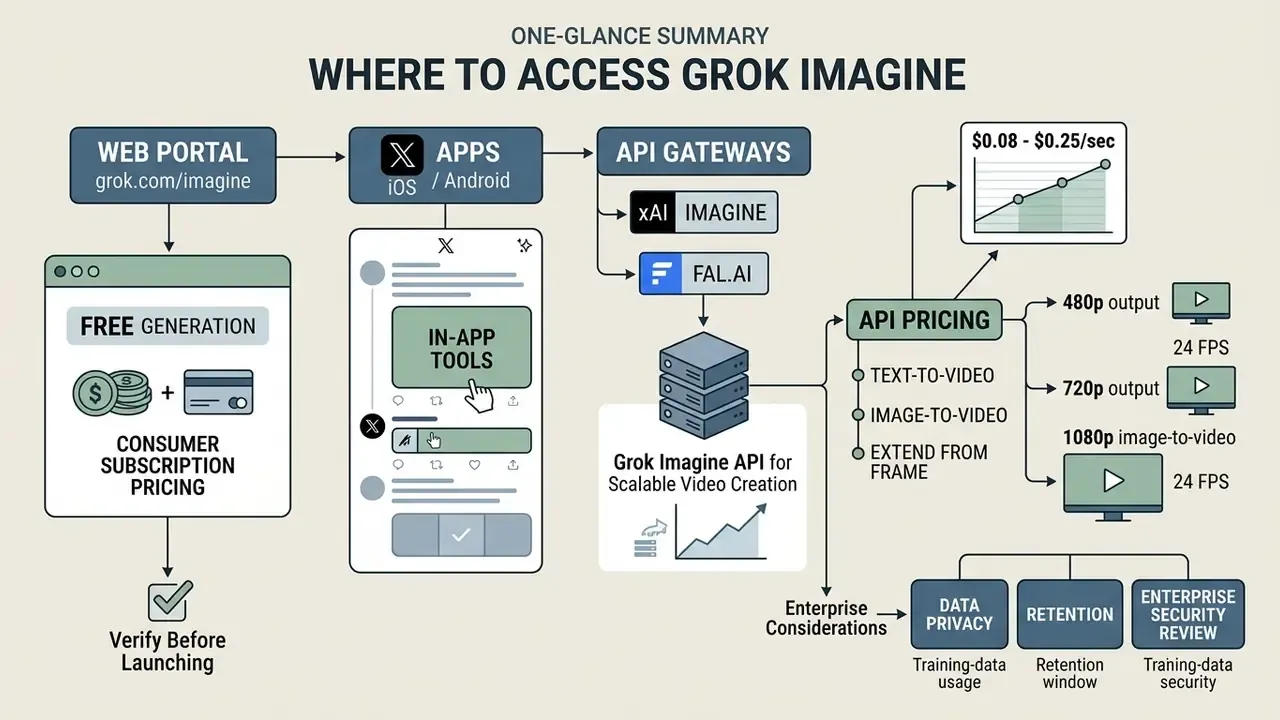
Grok Imagine is reachable via the native web portal at grok.com/imagine, the X iOS and Android apps, third-party developer gateways such as fal.ai, and the official xAI Imagine API (DigitalApplied, 2026). The access method determines interface options and billing. More importantly for regulated organisations, it determines which contract applies: consumer terms of service or enterprise terms.
Free Generation and Consumer Subscription Pricing: What to Verify Before Launching Videos
A frequent question is whether free grok options still exist for grok ai video generation free use. In early 2026 consumer free access was cut back sharply, moving high-resolution generation behind paid tiers.
Consumer access to Grok Imagine video features on X (formerly Twitter) and the standalone web interface requires an active subscription:
| Tier | Monthly Price | Video Access | Practical Limits |
|---|---|---|---|
| Free Tier | $0 | Promotional trial credits only | Mandatory digital watermarking, limited resolution (typically 480p), quotas may be withdrawn without notice |
| SuperGrok Lite | $10/month | Basic image and standard short video generation | Restricted daily quotas, standard queue |
| SuperGrok | $30/month | Full video generation feature set | Higher daily limits, priority queue rendering |
| X Premium / Premium+ | Platform-dependent | Imagine access inside X | Subject to consumer terms, not enterprise terms |
| xAI Direct API | Pay-per-use | Full programmatic access | Metered per second, no minimum spend |
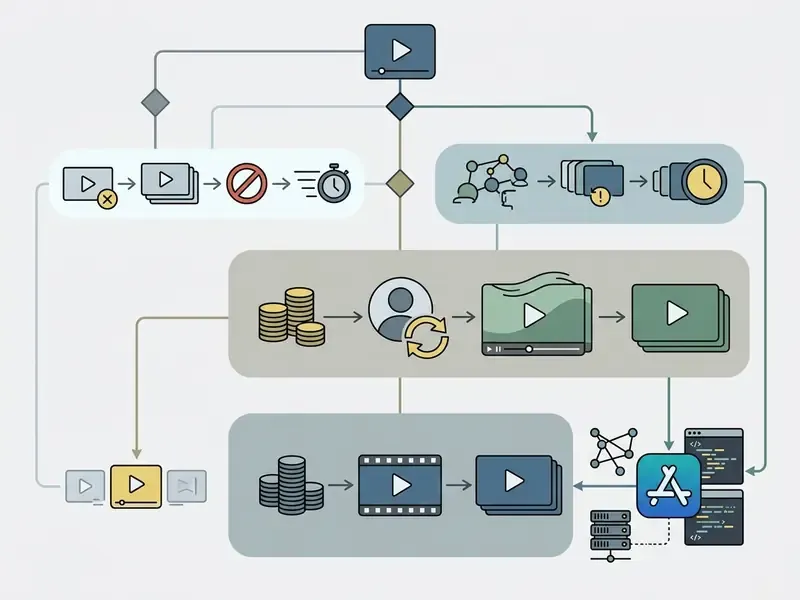
Anyone relying on free trials or promotional credits should verify output restrictions before a campaign launch, not after. Free tier outputs carry Grok watermarks, xAI documentation states there is no setting to remove them, and obscuring provenance signals is explicitly prohibited under the terms of service. Broader industry access models are covered in our guide to the best free AI video generator and the free AI video generator glossary entry.
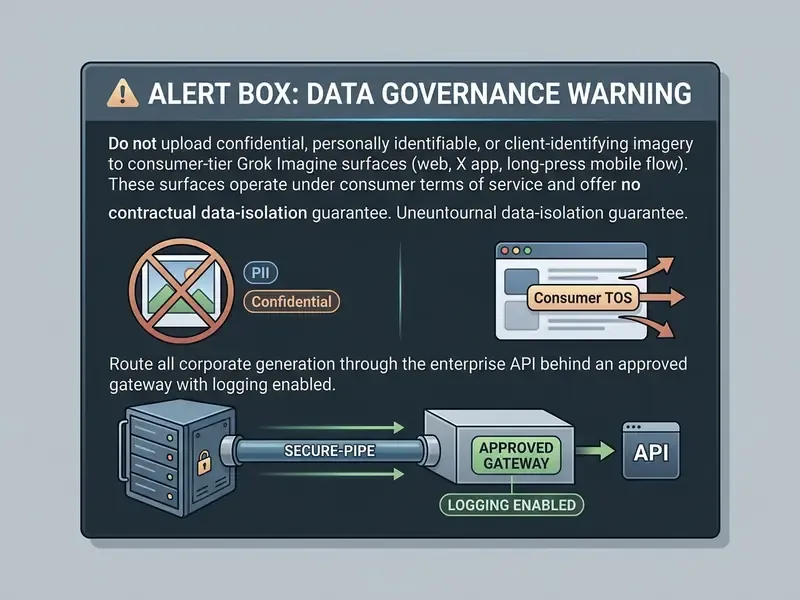
One procurement note outweighs every price line above. Consumer subscriptions are governed by consumer terms and are generally unsuitable for regulated corporate use. API access under enterprise terms is the only route that supplies contractual output ownership language, indemnification provisions, and auditable billing. That is a control question, not a budget question.
Grok Imagine API for Scalable Video Creation
The xAI Imagine API enables programmatic integration of a grok ai video generation tool into enterprise software architectures. It uses an asynchronous polling pattern: submit a request, then retrieve the finished asset as a hosted URL or a file_id (xAI API Docs, 2026).
Pricing is per second and varies by output resolution:
- 480p output approximately $0.08 per second (about $1.20 per 15-second clip)
- 720p output approximately $0.14 per second (about $2.10 per 15-second clip)
- 1080p image-to-video approximately $0.25 per second (about $3.75 per 15-second clip)
Per-second list pricing is not the cost of ownership. A realistic TCO model must add control costs: human review time per asset, watermark and provenance verification, legal pre-screening of reference images, storage of audit artifacts, and the failed-generation ratio, which typically runs 20% to 40% of passes during creative iteration. At 720p, a campaign needing three iterations per usable 10-second asset costs roughly $4.20 in compute but may carry $30 to $80 in review and compliance labour. Risk-adjusted ROI belongs on the combined figure, not the invoice line.
In one illustrative enterprise asset pipeline evaluation, a risk team tested programmatic short-form generation with grok-imagine-video-1.5. By wiring automated api callbacks with 720p duration limits, the team held render latency near 25 seconds per asset while keeping brand consistency intact, and the workflow passed internal model risk validation. Composite example, offered for illustration rather than as a documented client result.
| Access Surface | Target User | Free Tier Availability | Commercial Rights | Billing Structure |
|---|---|---|---|---|
| grok.com/imagine | Individual Creators | Restricted / Paid Tier | Included with subscription | Monthly Subscription ($10 / $30) |
| X Mobile Apps | Social Media Users | Limited Quota | Subject to Consumer Terms | Premium / Premium+ |
| xAI Direct API | Enterprise Developers | Pay-per-use only | Full Commercial | $0.08 to $0.25 per second |
| fal.ai Gateway | Third-party Integrators | Developer Credits | Full Commercial | Metered Serverless |
Data Privacy, Retention, and Enterprise Security Review
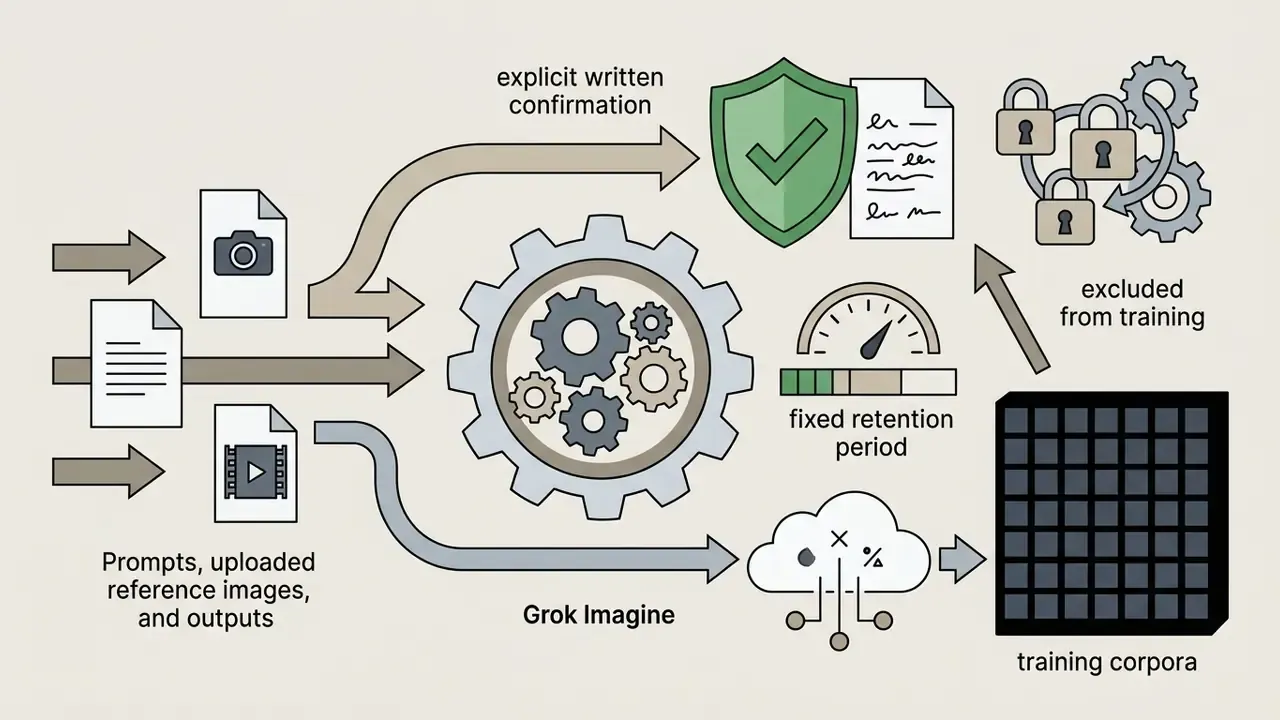
Before any regulated organisation routes source imagery through a generative video endpoint, the data-handling question needs a written answer. xAI documentation describes the Imagine APIs as intended for production workloads with strict security and compliance requirements, and enterprise terms state that, as between the parties, the customer owns the output. Consumer terms take a materially different posture, granting xAI a broad licence to use submitted content in operating and improving the service.
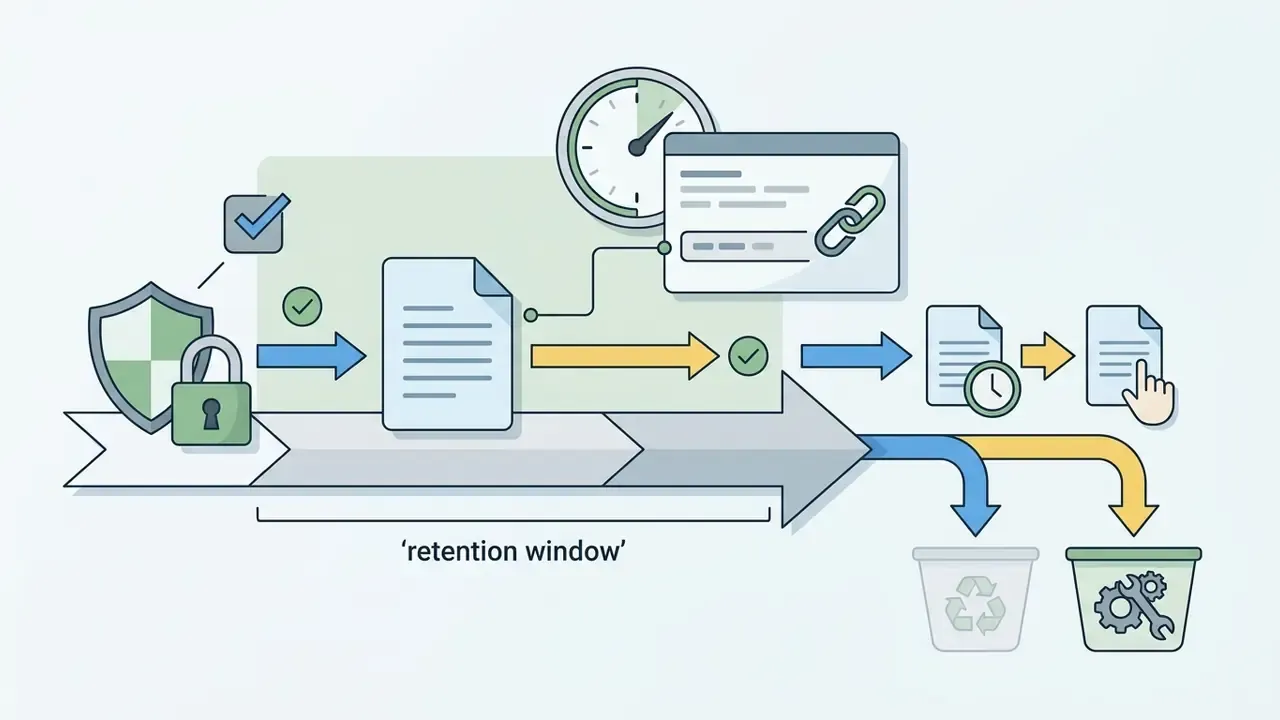
file_id or signed URL remain retrievable, and whether deletion is customer-initiated or automatic.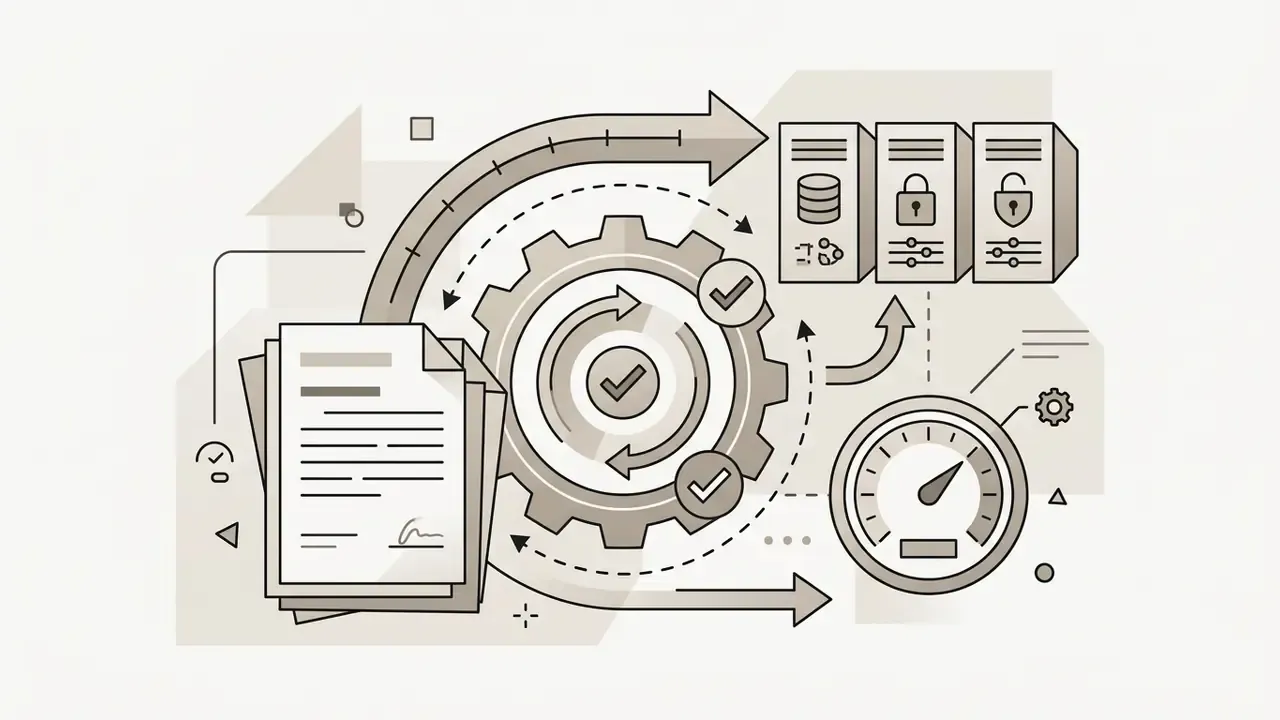



Apply the same questionnaire to every candidate model, not only to this one. In regulated procurement, enterprise security posture is usually the binding constraint. Output aesthetics rarely are.
How to Create Video with Grok Imagine: Workflow from Prompt to Download
Running a successful pass takes a systematic workflow. A structured sequence reduces failed generations, protects compute spend, and produces the artifacts internal audit will eventually request.
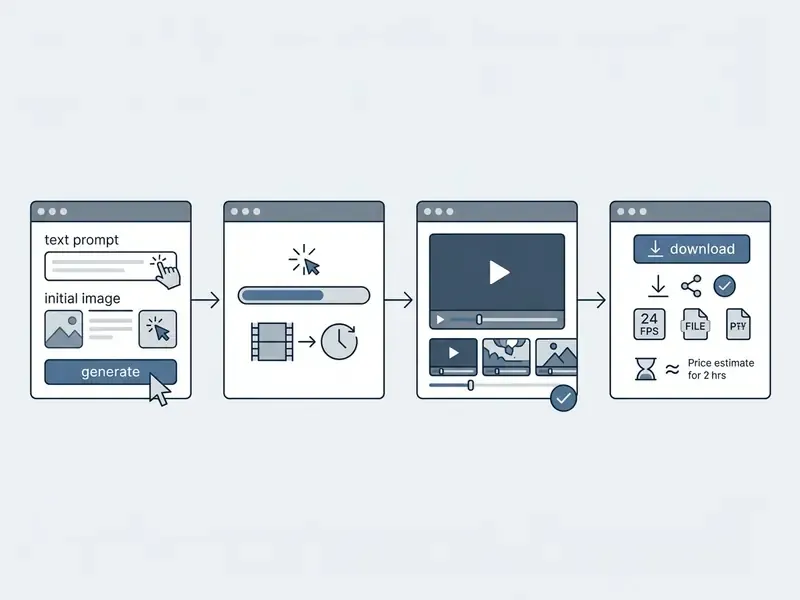
Prepare Your Prompt or Image Reference
Start by defining the creative parameters. For text-to-video, draft a concise prompt built on four elements: subject description, primary action, atmospheric lighting, and camera motion. Add explicit audio cues if dialogue or specific effects are needed, since sound is synthesized in the same pass.
For image-to-video, format the source image to the target aspect ratio (16:9 or 9:16, for instance) and confirm that resizing preserved proportions. Pre-process reference images through an approved corporate asset pipeline rather than an unvetted consumer editor; that single habit prevents both aspect ratio stretching during ingestion and uncontrolled data egress. Record the clearance status of every reference asset before upload. It takes seconds and answers the hardest audit question later.
Select Model and Video Settings
Open the generation settings panel in the UI, or define parameters in the JSON API payload. Select the model variant, such as grok-imagine-video-1.5, then set duration (1 to 15 seconds), resolution (480p, 720p, or 1080p), aspect ratio, and, where available, the seed. Fixing the seed in Custom Mode or via the API is what makes a generation reproducible. Without it, re-running the same prompt will not return the same asset, and reproducibility is the backbone of any validation file.
Developers calling the API should specify async callback hooks for the response payload, and pin the model version string instead of an alias, so an upstream update does not silently shift output characteristics mid-campaign. Pricing schedules and parameters can be cross-referenced in our AI Media Pricing Guides.
Generate, Verify Audio, Log Audit Evidence, and Download Output
Can You Use Grok AI Videos in Commercial Projects?
Yes. xAI's terms of service permit commercial use of generated video output, and the consumer FAQ states that Grok outputs, including generated media, may be used commercially. Enterprise legal teams still need to work through underlying intellectual property considerations, copyright limits, and disclosure mandates before assets appear in public advertising (xAI Terms of Service, 2025).
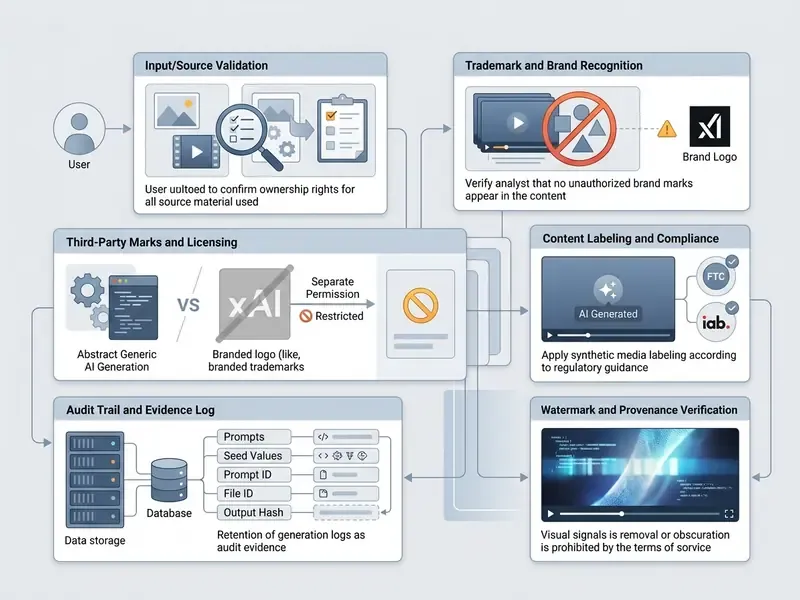
What to Verify in Terms and Licensing Before Commercial Publication
Before publishing or selling video content generated with Grok Imagine, compliance teams should test four legal vectors.
- Human Authorship and Copyright. Under U.S. Copyright Office guidance, purely AI-generated video lacking substantial human expressive input cannot be registered.
«The U.S. Copyright Office has confirmed that purely AI-generated material without substantial human creative contribution is not eligible for registration.»
In practice, a fully synthetic ad clip may be usable but not defensible against copying. Where exclusivity matters commercially, document the human creative contribution: selection, arrangement, editing, and compositing decisions, all recorded in the asset file.
- Third-Party IP and Reference Images. Uploading copyrighted photographs as references without authorisation creates secondary infringement exposure. xAI routes copyright complaints through a designated Copyright Agent, and its enterprise terms provide indemnification for certain third-party patent, copyright, and trademark claims arising from use of the service under that agreement. That protection does not extend to infringement introduced by the customer's own uploaded inputs.
- Trademark Boundaries. xAI's brand guidelines reserve all trademark and branding rights in "xAI" and "Grok"; no trademark licence is granted beyond required attribution. Third-party logos, product designs, and trade dress appearing in a generated frame must be cleared independently.
- Synthetic Media Disclosures. Frameworks published by the IAB (2026) and the FTC require clear visual indicators or labels on AI-generated advertising media. The IAB's 2026 transparency framework classifies prompt-generated video as synthetic content requiring a standardised visual indicator in advertising contexts, and financial-services advertising carries additional supervisory review in most jurisdictions.
In a hypothetical compliance audit of synthetic marketing media, an enterprise legal team assessed output ownership across several generative platforms. Strict pre-screening of image references plus automated provenance checks produced a verifiable compliance trail for campaign deployment and reduced third-party IP exposure. Illustrative scenario, not a documented engagement. Readers can extend the analysis to adjacent asset classes through our review of commercial use of AI-generated content and the Canva AI Generator commercial licensing overview. Regulatory developments and pending disputes can be tracked through the AI Litigation and Case Timelines portal.
Grok Imagine vs. Other AI Video Generators: When to Choose Alternatives
Choosing among video generators means matching project requirements against model strengths, not chasing leaderboard positions. Grok Imagine leads specific image-to-video benchmarks; competitors hold advantages in long-form and multi-shot production.
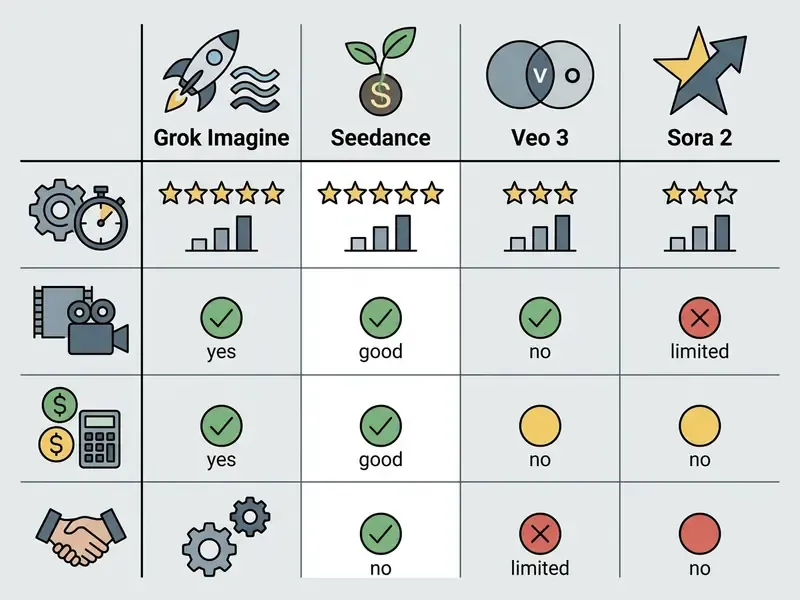
Functional Comparison: Cinematic Scenes, Animation, and Product Videos
Updated benchmark position. Grok Imagine Video 1.5 leads the Arena image-to-video leaderboard with an Elo rating of 1,473, some 52 points above version 1.0 (AwesomeAgents Report, 2026), outperforming diffusion-based competitors on temporal subject consistency. Its autoregressive architecture suits product animation and rapid promotional iteration unusually well.
Task-level guidance from 2026 evaluations is consistent. Grok Imagine is strongest for testing ad visuals, brand direction, and social campaign concepts, plus simple character motion such as talking, smiling, and head turns. It is weaker on complex full-body motion, long-range identity consistency, and structured storyboard control. For multi-shot cinematic storytelling or long-form narrative continuity, systems such as OpenAI Sora 2 Pro or Google Veo 3 offer specialised multi-camera capability. Technical teams exploring alternative enterprise deployments can review our guide to the Google Veo AI Video Generator.
Technical Comparison: API Access, Speed, and Commercial Licensing
Operationally, Grok Imagine holds a speed advantage, producing 15-second 720p clips in roughly 25 seconds (AwesomeAgents Report, 2026). Its pay-per-second structure gives transparent scaling costs with no mandatory monthly commitment and no minimum spend, which simplifies chargeback to business units.
ByteDance Seedance 2.0 takes a different route, processing multi-modal inputs simultaneously.
Enterprise evaluators can analyse broader licensing frameworks in the AI Media Commercial-Use Hub and cross-reference model capabilities in our AI video generator comparison.
| Model | Architecture | Max Native Resolution | Max Clip Length | Frame Rate | Native Audio | API Pricing (Approx) | Enterprise Terms Available |
|---|---|---|---|---|---|---|---|
| Grok Imagine Video 1.5 | Autoregressive MoE (Aurora) | 1080p | 15 seconds (plus extension) | 24 FPS | Yes (dialogue + FX) | $0.08 to $0.25 / sec | Yes (xAI Enterprise ToS) |
| ByteDance Seedance 2.0 | Multi-modal Diffusion | 720p native / 1080p tier | 15 seconds | 24 FPS | Yes (multi-lingual) | ~$0.30 to $0.68 / sec | Provider-dependent |
| Google Veo 3 | Latent Diffusion | 1080p | 60 seconds | 24 FPS | Yes | Tiered API Billing | Yes (Google Cloud) |
| Runway Gen-3 Alpha | Diffusion Transformer | 4K (upscaled) | 10 seconds | 24 FPS | Secondary | Credit Subscription | Limited |
When security posture decides the outcome rather than output quality, the ranking inverts. Hyperscaler-hosted models with mature cloud compliance programmes, Veo on Google Cloud being the obvious case, typically clear procurement faster than newer API-native vendors, even where benchmark scores favour the challenger. Uncomfortable, perhaps, but that is how most bank review boards actually behave.
FAQ on Grok AI Video Generation
Is Grok Imagine integrated with X, and what does the Aurora engine do?
Yes. Grok Imagine is integrated into the X platform for paid Premium and Premium+ subscribers, and is also available through standalone web and mobile apps (DigitalApplied, 2026). The underlying engine is Aurora, an autoregressive mixture-of-experts (MoE) network trained on billions of interleaved text-and-image examples to predict the next token across modalities. By generating frames sequentially, each conditioned on the full history of previous frames, Aurora achieves stronger motion stability and temporal coherence than standard frame-by-frame diffusion (xAI Announcement, 2024).
«Aurora generates each frame sequentially, conditioning it on the full history of preceding frames, which delivers motion stability and subject identity retention.» Source: AwesomeAgents Report (2026). https://awesomeagents.ai/[grok-imagine-video-1.5-report-2026]
Does Grok AI support video generation, and does Grok AI have video generation capabilities today?
Yes to both, through Grok Imagine rather than the chat models. Grok Imagine is the media surface; the language models orchestrate instructions. For inventory purposes, log them separately.
How many modes does Grok Imagine have?
Four: Normal, Fun, Custom, and Spicy, plus stylized presets such as Chibi Anime Mode. Availability of Spicy Mode depends on regional regulatory restrictions and account safety settings.
Can I animate a photo into a video?
Yes. Image to video is a core mode: the uploaded image becomes the first frame and is animated according to the motion prompt, preserving subject identity, lighting, and composition. On mobile, a long-press on an image launches the animation pass directly.
Do Grok videos include sound?
Yes. Dialogue, ambience, and sound effects are generated natively in the same pass, with lip-sync alignment.
How long can a Grok video be?
Up to 15 seconds per pass, extendable in 6 to 10 second increments via Extend from Frame, with practical chained totals of roughly 15 to 30 seconds. Edit mode is capped near 8.7 seconds.
Does Grok Imagine output 4K?
No. The documented maximum for this model family is 1080p at 24 FPS. Claims of native 4K refer to other models, or to upscaled output.
Can Grok-generated videos be used outside X?
Yes. Outputs can be downloaded as MP4 and used on other platforms, subject to the licensing and disclosure conditions described above.
Are watermarks removable?
No. xAI documentation states there is no setting to remove the Grok watermark, and removing or obscuring provenance signals is prohibited.
Technical Audit and Verification Standards
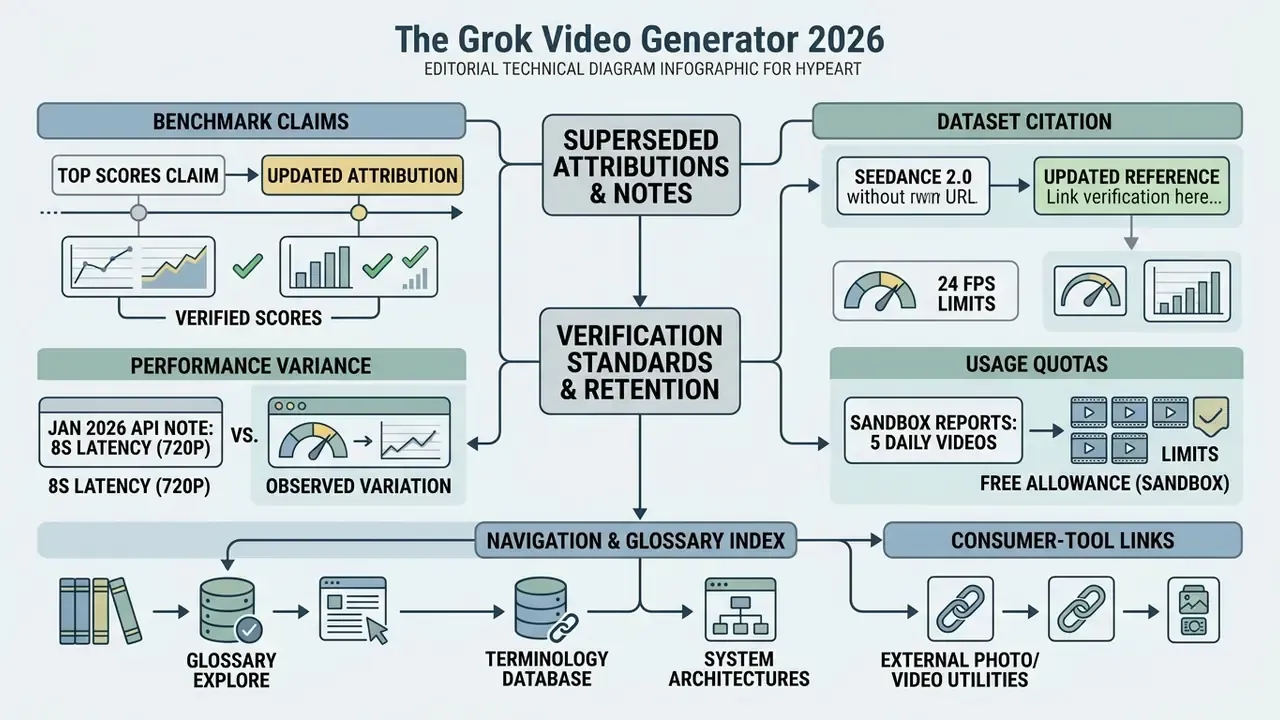
All technical metrics, API pricing schedules, and capability parameters cited here reflect verified documentation published as of 2026, with pricing re-checked in Q2-Q3 2026. Where primary xAI documentation and secondary reporting conflict, primary documentation takes precedence. Two examples: xAI's per-second API pricing supersedes third-party package estimates, and the documented 1080p ceiling supersedes marketing claims of 4K output.
Automated generation workflows must include watermarking verification for regulatory transparency, and every asset should carry an immutable audit record linking prompt, seed, model version, and output hash. For detail on synthetic provenance signals, consult our guide on AI Watermarking Explained and the operational patterns described in our overview of AI video generation workflows. Editing software support and troubleshooting documentation sits in the AI Media Support and Troubleshooting portal.
Regulated-industry disclaimer: this article addresses licensing, advertising disclosure, data protection, and model risk topics. It is general information only and does not constitute legal, compliance, or financial advice. Organisations in regulated sectors should validate every finding against their own counsel, model risk framework, and applicable supervisory guidance before deployment.
A safe next step. Run one bounded pilot: a single business unit, one approved use case, 720p ceiling, enterprise API only, full audit logging from day one. Measure control cost per published asset alongside compute cost. If that number is unknown after 30 days, the pilot is not ready to scale, whatever the render quality looks like.
Appendix A: Superseded Attributions and Editorial Notes