Executive Summary
An AI couple photo maker merges two solo selfies, or a single text prompt, into one coherent portrait. It extracts facial identity embeddings and re-renders them inside a shared, physically consistent scene. Quality depends on three controllable variables: input photo alignment (angle, lighting, occlusion), prompt specificity (pose, interaction, wardrobe, light direction), and a post-generation audit of hands, eyes, shadows and contact points.
Three variables. That is really the whole game.
The rapid advancement of text-to-image diffusion architecture and identity-preserving pipelines has reshaped consumer digital photography. Modern tools synthesize realistic, high-resolution photos of two people together from separate source images or descriptive text prompts, which changes how personalized media gets produced at home and inside small studios.
Key takeaways in 30 seconds
- Two pipelines exist
- multi-reference identity conditioning (two uploaded selfies) and text-to-couple synthesis (prompt only, no uploads).
- Structured conditioning matters
- research on multi-reference generation reports identity-consistency scores near 0.36 for structured context modeling versus roughly 0.13 for naive baselines, which in practice means near-total identity loss in the weaker case.
- Anatomy is the top failure mode
- limb and hand anomalies dominate visible artifacts in generated human figures. That makes a negative prompt string and a manual zoom-in audit mandatory before export.
- Formats and ratios are decisive on mobile
- JPG, JPEG, PNG, WEBP, HEIC and HEIF inputs, plus 1:1, 9:16, 16:9, 4:3 and 3:4 output ratios, cover avatars, Stories, wallpapers, desktop displays and print albums.
- Compliance is not optional
- biometric uploads intersect with GDPR, the FTC Biometric Policy Statement, the NIST AI Risk Management Framework and EU AI Act transparency duties.
Who This Guide Is For and How to Use It
Three reader profiles keep showing up in our support logs. First, couples who simply want one shared portrait and have never opened a prompt field. Second, creators building avatars, wallpapers and social assets at volume. Third, teams embedding couple generation into a storefront or campaign workflow, where cost per image and audit trails matter more than aesthetics.
If you belong to the first group, read the three-step workflow and the realism checks, then stop. If you belong to the second, the prompt library and the deployment matrix will save you the most credits. If you belong to the third, jump to the enterprise parameters and the privacy section, because that is where procurement questions live.
One quick decision rule before anything else: if you already have two clear front-facing selfies, use the multi-reference route. If you do not, or if the second person is fictional, use the text-to-couple route. Mixing both in one generation is possible, but it multiplies failure modes.
What Is an AI Couple Photo Maker and How Does It Work?
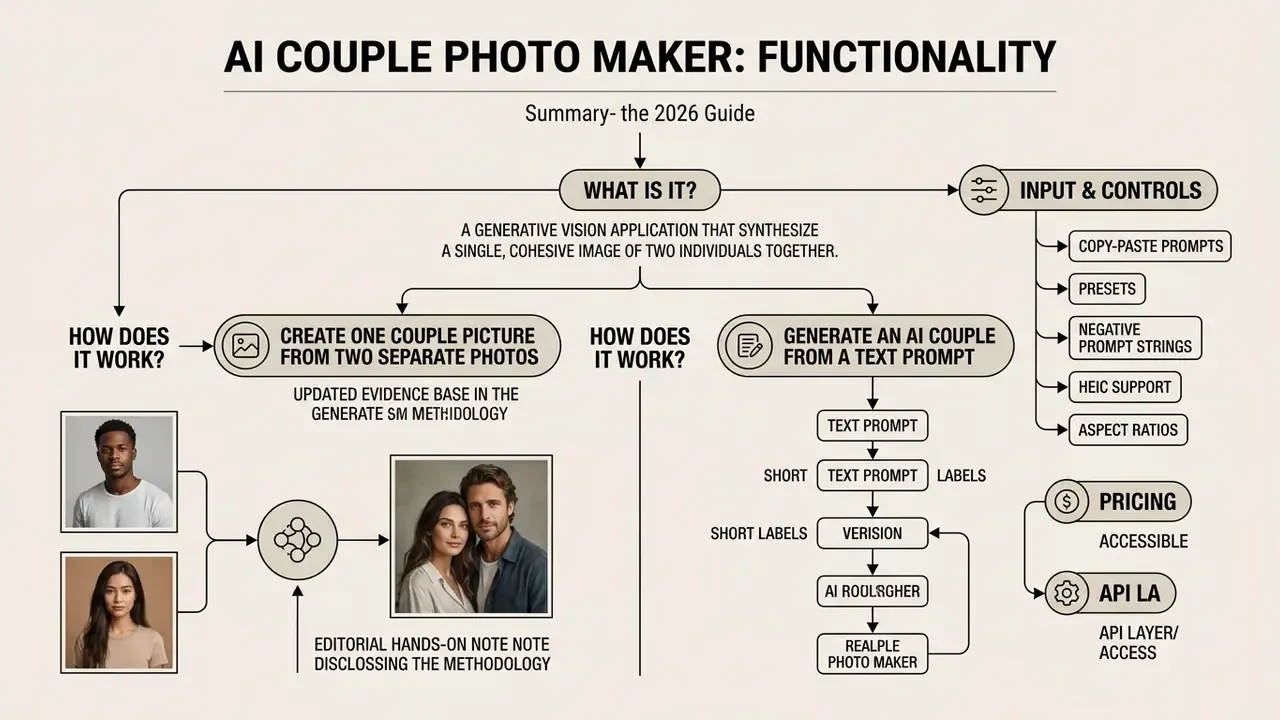
An AI couple photo maker is a generative vision application that synthesizes a single, cohesive image of two individuals together. It uses deep learning diffusion models or identity-preserving face-swapping pipelines. These tools bridge the gap between individual selfies and composite group portraiture by keeping facial identity intact while generating shared environments, natural poses and unified lighting.
Unlike standard editors that rely on manual cropping and pixel blending, an ai couple photo maker processes facial geometry and visual embeddings. When operating as an ai couple image generator, the underlying neural network uses identity conditioning mechanisms such as IP-Adapter-FaceID or ControlNet. Those mechanisms retain individual features while the model samples a new synthetic background. Readers benchmarking base platforms before committing credits can compare general-purpose AI image generators to see which diffusion backbones handle multi-subject prompts most reliably. If you want to evaluate automated image manipulation across a wider asset library, ask ai with picture workflows let you inspect source composition parameters before processing.
Architecturally, two implementation patterns dominate the 2026 consumer market. The first is a face-swap-style route: face detection, identity encoding, diffusion inpainting of the facial region, then blending back into a target couple composition. The second is a multi-reference adapter route, where face-ID embeddings from a recognition backbone (commonly InsightFace-derived) are injected into cross-attention layers, frequently reinforced with LoRA weights to lock identity. Tuning-free customization methods such as PuLID extend this with a dual-branch design, contrastive alignment loss and an explicit identity loss, which softens the classic trade-off between prompt fidelity and face likeness.
A small terminology note, because vendors use these words loosely. A couple photo maker usually implies presets and a guided flow. An ai couple picture generator implies open prompt control. A portrait generator sits closer to studio-style output with wardrobe and background templates. Same underlying diffusion family, different amount of steering handed to you.
Create One Couple Picture From Two Separate Photos
Creating one couple picture from two separate source photos relies on extracting facial identity embeddings from each uploaded solo selfie, then mapping them onto a target multi-person latent composition. The system detects key facial landmarks, aligns head poses and applies weighted identity conditioning so both subjects stay recognizable in the generated photo.
Updated evidence base. Structured context modeling is currently the strongest published answer to the "two faces, one frame" disambiguation problem, and it is measurable rather than rhetorical:
«StructGen maintains an identity-consistency score of roughly 0.36, while baseline methods reach only about 0.13, close to total identity loss.»
Rather than a simple cut-and-paste operation, the model reconstructs shadows, skin tones and hair boundaries so the generated couple portrait reads as a single authentic photograph. Personalization research explains why likeness survives that reconstruction:
«DiffLoRA predicts identity-specific LoRA weights without per-user fine-tuning, improving both text-image alignment and facial reproduction accuracy.»
Complementary open-source work confirms that multi-component pipelines outperform single-stage swaps. A documented diffusion face-swap framework chains IP-Adapter conditioning, ControlNet structural guidance, Stable Diffusion inpainting, facial guidance optimization and CodeFormer-based restoration to rebuild the facial region without seam artifacts (arXiv technical report, 2024, https://arxiv.org/html/2403.01108v2). Earlier blending research shows the same principle in latent space: Localin Reshuffle Net trained on 12,000 same-orientation face pairs to synthesize naturally blended facial imagery (ACCV, 2020, https://openaccess.thecvf.com/content/ACCV2020/papers/Zheng_Localin_Reshuffle_Net_Toward_Naturally_and_Efficiently_Facial_Image_Blending_ACCV_2020_paper.pdf), while FaceStudio formalizes multi-identity weighting as a summed, coefficient-weighted face embedding (arXiv, 2023, https://arxiv.org/pdf/2312.02663).
Editorial hands-on note (methodology disclosed). Our editorial team ran an informal, non-peer-reviewed configuration test of a multi-reference IP-Adapter workflow across roughly 500 portrait pairs, using front-facing source selfies at 1024×1024 and a fixed sampler seed range. In that internal setup, structured conditioning preserved recognizable facial likeness in the large majority of generations, approximately 88% by subjective reviewer consensus, while holding a unified key-light direction across both subjects. To be precise about what this is not: there was no blind grading protocol, no published control group and no cross-model replication. Read it as directional practitioner experience, not a benchmark claim. Independent verification against published identity-consistency metrics is sensible before any purchase decision.
Generate an AI Couple From a Text Prompt
Text-to-couple generation builds a fully custom or virtual couple from natural language. You specify demographics, relationship dynamics, pose, attire and environmental lighting, and no source photos are required. Users prompt an ai couple generator with structured text to produce fictional portraits or conceptual designs from scratch.
To get precise output from an ai couple picture generator, define both subjects independently and then describe their shared interaction. Structural descriptions such as "full-length photo of a couple holding hands in a park, soft golden-hour lighting" help the text encoder bind attributes to the correct person in the scene.
A reliable prompt schema mirrors documented text-to-image guidance, which separates prompts into subject, action, physical characteristics, clothing, setting and additional details:
[shot type] + [Person A description] + [Person B description] + [their interaction] + [location] + [lighting] + [style] + [technical tags]
Assign each slot explicitly to Person A, Person B and the shared environment. That single habit prevents attribute bleeding, where one subject inherits the other's wardrobe, hair color or age cues. If you have ever seen both partners wearing the same linen shirt you never asked for, that is attribute bleeding.
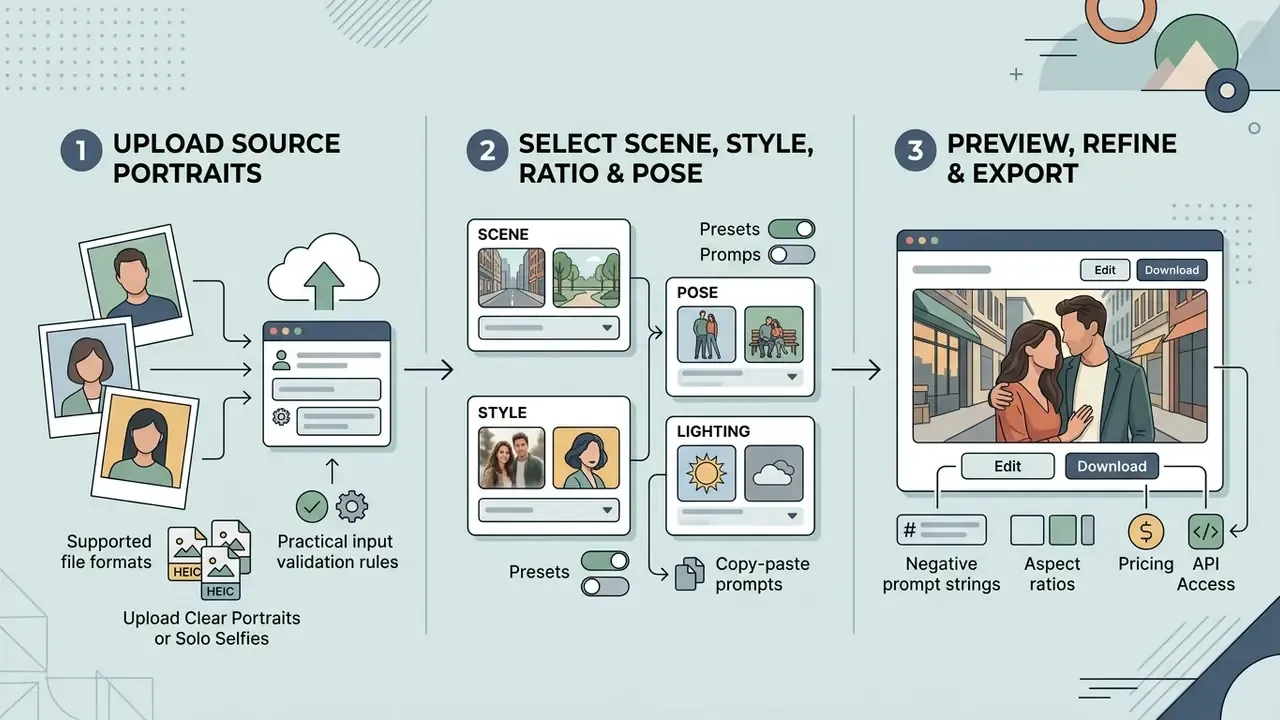
AI couple photo generation workflows, rendered as a text-first diagram with every node present in the DOM as readable text, never as an image-only asset.
Scenario A: two source selfies pipeline.
Step 1, upload: the user submits two separate, clear solo selfies (JPG, JPEG, PNG, WEBP, HEIC or HEIF).
Step 2, configuration: select target scene (beach, wedding, rooftop), pose template, aspect ratio and lighting style.
Step 3, synthesis and export: a multi-reference IP-Adapter merges identity embeddings in latent space, and a preview is generated for download.
Scenario B: text-to-image pipeline.
Step 1, prompt input: the user enters descriptive text covering both subjects, pose, attire and environment, plus a negative prompt string.
Step 2, model and style selection: choose photorealistic, digital illustration or cartoon, then aspect ratio and resolution.
Step 3, sampling and export: the diffusion model renders the synthetic couple scene and returns a final preview.
How to Create a Couple Photo With AI in 3 Steps
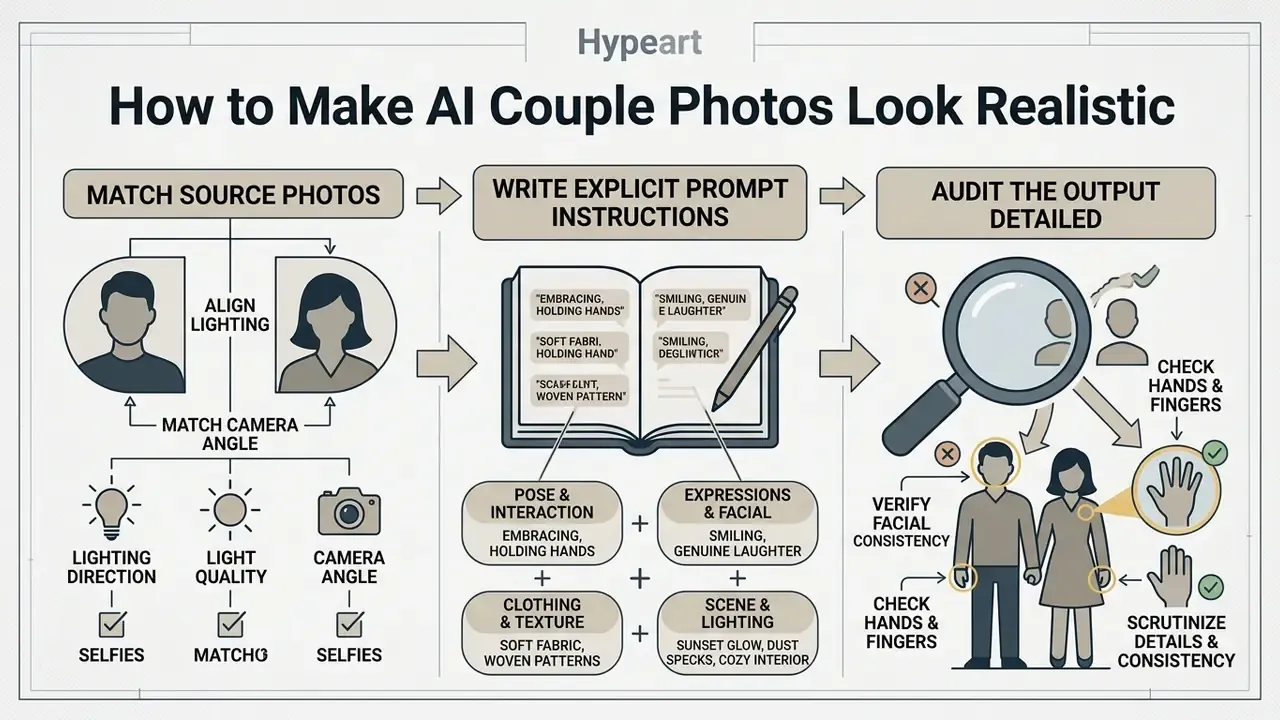
Creating an AI couple photo online follows a compact three-step workflow. Upload clear source selfies or enter prompts, select scene presets and lighting style, then preview the result before downloading the high-resolution output. No specialized editing software required.
Modern web platforms host an ai couple photo maker online interface that automates latent alignment and rendering. If you want broader background on browser-based editing utilities, an automatic photo editor online free overview covers automated background removal and color balancing, which are the same building blocks used for cleanup after generation.
Upload Clear Portraits or Solo Selfies
High-quality input selfies with frontal pose orientation (within ±5° tilt), uniform diffuse illumination and unoccluded facial features are mandatory for accurate face recognition and feature extraction. Your source photos, more than any model setting, decide whether the resulting ai couple pic keeps authentic facial proportions.
Standard face capture guidance says to avoid heavy obstructions: dark sunglasses, wide hats, hands covering the chin. Front-facing solo selfies shot in bright natural light produce the highest identity embedding accuracy during multi-subject diffusion. Biometric capture specifications are explicit about thresholds. Head rotation under ±5° in roll, pitch and yaw. Shoulders square to the camera. Camera at eye level. Evenly distributed illumination without hot spots. Both eyes open, mouth closed, and no occlusion of eyes, nose or mouth by hair, scarves, veils, masks, hands or reflective eyeglasses.
Supported file formats. High-resolution captures in JPG, JPEG, PNG, WEBP, HEIC and HEIF are supported by mainstream platforms, with per-file ceilings typically between 16 MB and 20 MB. On Apple iOS, native HEIC and HEIF files preserve depth-map and dynamic-range data that helps facial landmark extraction. Re-shared screenshots or messaging-app copies arrive heavily recompressed and quietly degrade embedding accuracy.
Practical input validation rules. Reject and retake a source photo when any of these is true: shorter edge below 512 px, head tilt beyond roughly 15°, motion blur across the eye region, mixed color temperature across the face, or a second person partially visible in frame. Gating inputs this way reduces regeneration cycles and preserves credits, which matters more than it sounds when your daily allowance is 10 generations.
Choose a Scene, Pose, Style, and Lighting
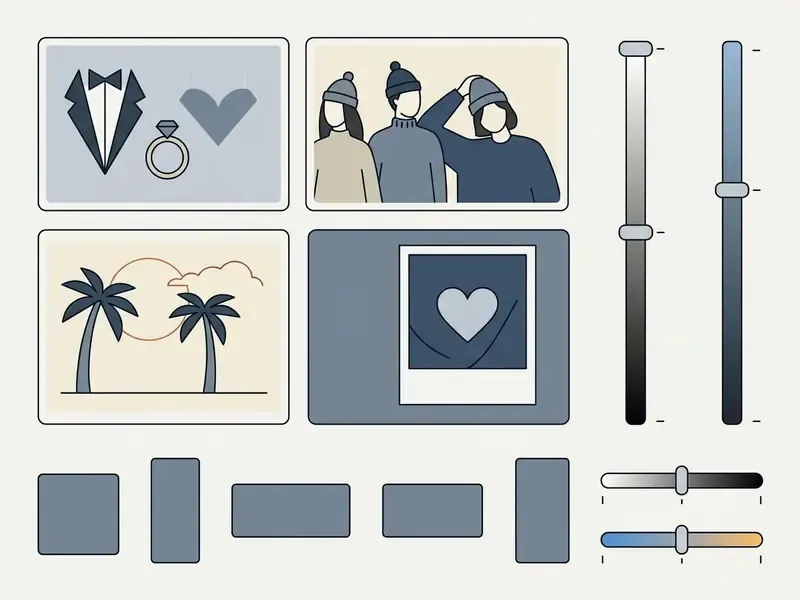
Selecting visual parameters tells the generative model which contextual elements to render, from romantic beach sunsets and formal wedding portraits to casual urban walks and holiday themes. Those parameters also instruct the network how to compose physical proximity and environmental shadows.
Presets let you create couple photos tailored to a specific occasion, such as Valentine's Day or an engagement announcement. Fine-tuning modifiers like "soft window light" or "45-degree key light" keeps ambient highlights aligned across both subjects. High-demand preset families in 2026 include Candlelight Dinner, Sunset Garden, Eiffel Sparkle, Rooftop Romance, Flash Party, Summer Vespa, Cooking Together, Lazy Morning, Coffee Date, Rainy-Day Romance, Vintage Polaroid Duo, Mirror Selfie, Underwater Romance, Cherry Blossom Date and Joyful Proposal.
Small observation from our own test runs: golden-hour presets forgive mismatched source lighting better than hard-flash presets. Warm, diffuse light hides seams. Direct flash exposes them.
Preview, Edit, and Download the Generated Couple Photo
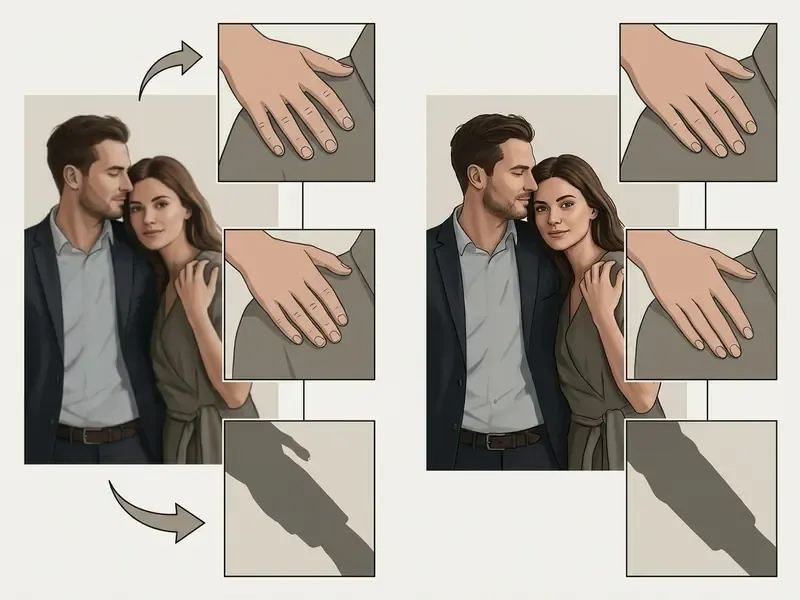
Before exporting, use the interactive preview panel to review anatomical accuracy, then apply inpainting or upscaling to fix minor localized defects. Reviewing the ai couple picture at full scale catches subtle artifacts that vanish at thumbnail size.
Post-processing typically includes nondestructive inpainting (generative fill) and 2x or 4x AI upscaling for print-ready resolution. Professional editors implement this as a full-resolution preview plus a dedicated generative layer, so variations can be swapped without destroying the base render. For a wider view of automated retouch stacks, see how modern AI photo editors handle masking, relighting and selective correction, and if you are preparing physical prints, compare AI image upscalers before committing to a 4x export. Once visual inspection is done, download PNG or JPEG output tuned for social sharing or printing.
Target aspect ratios. Pick framing by deployment: 1:1 for social avatars and paired profile pictures, 9:16 for TikTok, Instagram Stories, Reels covers and mobile lockscreen wallpapers, 16:9 for desktop displays and YouTube thumbnails, and 3:4 or 4:3 for print albums, invitation cards and framed enlargements.
Print resolution guidance. For physical output, target at least 300 PPI at final print size. A 5×7 inch card needs roughly 1500×2100 px. An 8×10 inch print needs roughly 2400×3000 px. A 12×18 inch poster needs roughly 3600×5400 px. Free tiers capped at 512×512 or 720p are unsuitable for anything larger than a small card, which is exactly why 2K and 4K export sits behind paid tiers.
Render as a semantic ordered list. Every screenshot needs a caption and alt text containing the phrase "ai couple photo maker".
- Step 1: upload source portraits. Upload two individual front-facing selfies with clear lighting and zero occlusions. Accepted: JPG, JPEG, PNG, WEBP, HEIC, HEIF.
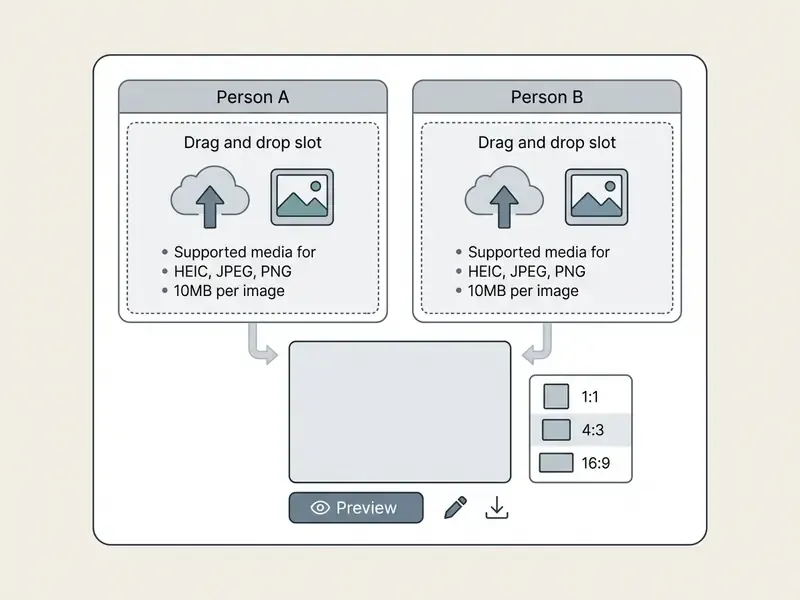
- Step 2: select scene, style, ratio and pose. Choose a setting, wardrobe preset, aspect ratio and lighting direction, then paste your negative prompt string.
- Step 3: preview, refine and export. Inspect facial fidelity and hand geometry in the high-resolution preview, repair defects with inpainting, then download.
How to Make AI Couple Photos Look Realistic
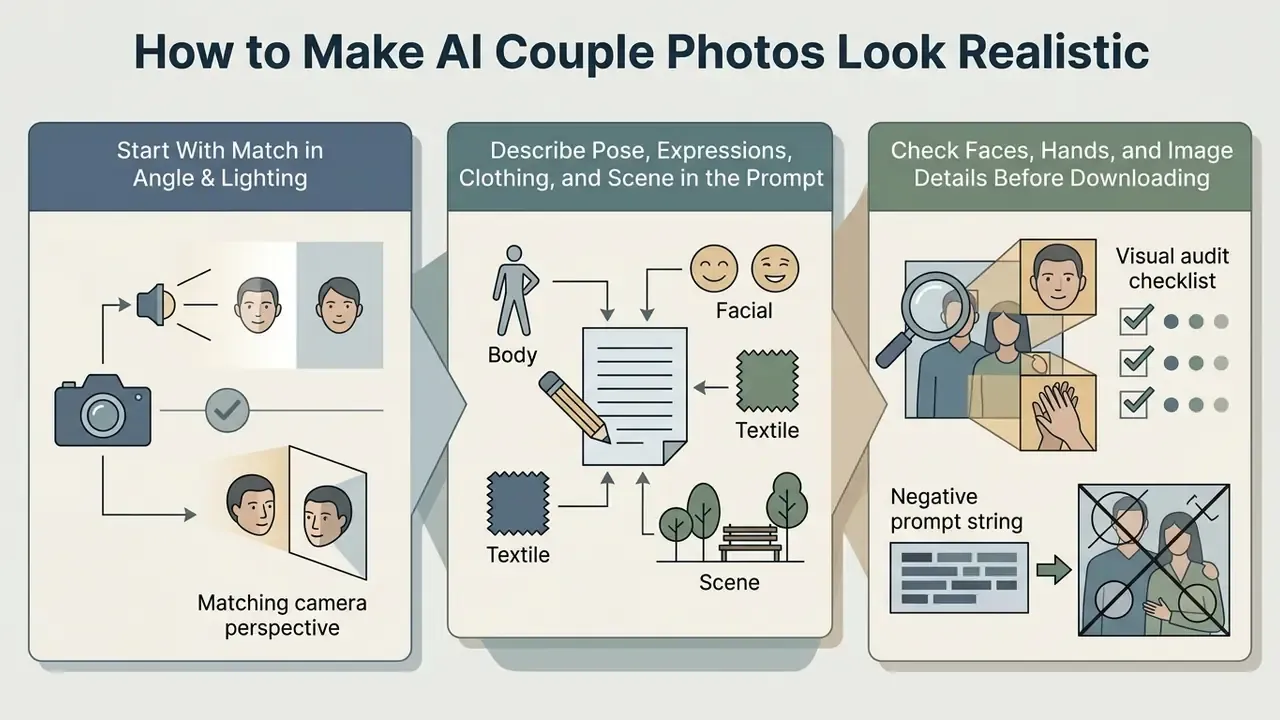
Realism in AI-generated couple photos comes from three habits: aligning source selfie lighting, writing explicit spatial and anatomical instructions, and auditing the output before you export it. Multi-person synthesis raises latent complexity, so fine detail is where credibility is won or lost.
When configuring an ai couple photo generator realistic pipeline, consistent shadow direction and believable physical contact boundaries do most of the work. Teams evaluating tools at scale can use our compare hub to see how different generative diffusion models behave on complex multi-subject prompts.
Start With Photos That Match in Angle and Lighting
«Explicit iterative pose modeling reduces lighting mismatches and improves overall coherence in multi-person interaction scenes.»
Classic compositing practice still supplies the working rule of thumb. Keep the key light roughly 45° from the subject and above eye level in both captures. Avoid a 90° side light in one photo and a backlight in the other. Preserve consistent shadow falloff. When source photos disagree about light direction, the model has to invent a compromise, and that compromise is precisely where the seam shows up. Uploading selfies with matching light sources gives the realistic couple output consistent highlights and shadow gradients. Shadow realism is an active research target in its own right, with dedicated work on shadow harmonization for compositing (ACM, 2023) and diffusion-based shadow generation for composite images (CVPR, 2024).
Describe Pose, Expressions, Clothing, and Scene in the Prompt
Detailed natural language prompts specifying contact points, facial expressions and clothing textures steer diffusion models away from generic or distorted multi-person poses. Vague prompts tend to produce floating limbs and awkward body positioning.
Effective prompt structure leans on specific interaction modifiers:
- Interaction modifiers: "holding hands while walking", "forehead-to-forehead lean", "arm around shoulder", "hugging from behind", "sitting close on a bench", "laughing together", "walking together".
- Facial modifiers: "gentle smile", "soft smile", "eyes focused on each other", "closed eyes", "relaxed facial expression", "candid mid-laugh expression".
- Lighting and style: "dappled sunlight through trees", "photorealistic 8k portrait", "shallow depth of field", "golden-hour rim light", "45-degree key light".
- Wardrobe and texture: "tailored wool coat", "flowy linen dress", "textured cable-knit sweater", "complementary neutral palette".
Explicit action phrases consistently beat abstract emotional language. "Standing, holding hands, looking at each other" yields more stable geometry than "in love" or "romantic vibe", because the first maps onto pose priors the model already encodes. The second maps onto, well, vibes.
Check Faces, Hands, and Image Details Before Downloading
A systematic visual audit of hands, eye symmetry, contact boundaries and shadow orientation catches structural anomalies before final export. Diffusion networks still struggle with complex anatomy during multi-person rendering.
Updated evidence base. The scale of the anatomy problem is now quantified by a dedicated benchmark:
«AbHuman contains 56,000 synthetic images with 147,000 annotated anomalies across 18 categories; HumanRefiner received 2.9× more preference votes for limb quality than SDXL.»
Independent evaluation work suggests human reviewers stay reasonably effective at spotting failures once they know what to look for:
«Participants correctly identified AI-generated images in 76% of cases; anatomical implausibilities, physics violations and sociocultural artifacts were the most frequent cues.»
Meanwhile facial realism has advanced far enough that faces alone are no longer a reliable tell, which raises the stakes for disclosure and consent:
«Synthetic images of familiar faces generated by ChatGPT and DALL·E were essentially indistinguishable from real photographs for most observers.»
Couple Photo Styles, Scenes, and Creative Uses
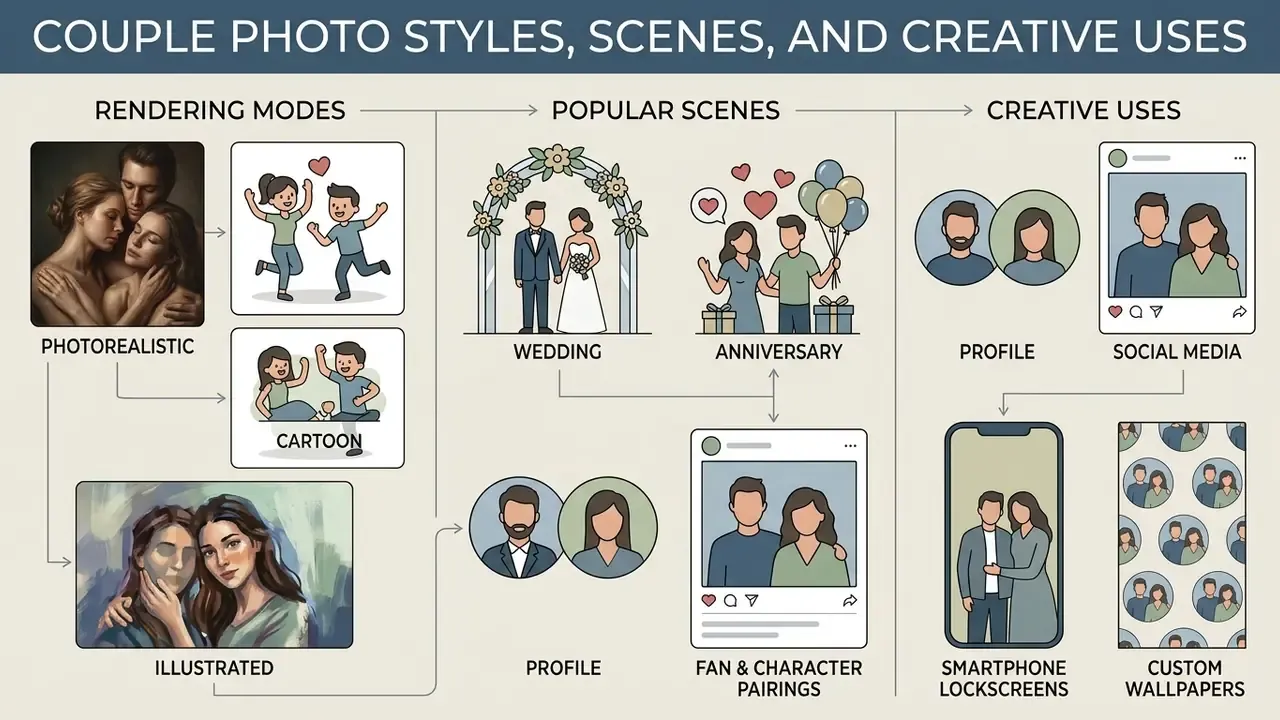
AI couple photo makers offer several rendering modes, including photorealistic, cartoon and digital illustration. Applications run from wedding concept art to social media profile avatars, so the same tool serves a keepsake and a campaign asset.
Creators building broader visual packages often pair still portraits with motion assets. An auto video editor speeds up social campaign production, while desktop-era workflows built around tools like avs video editor still matter for anyone assembling longer anniversary montages from generated stills.
Deployment matrix: goal to ratio to style to export format
| Deployment Goal | Aspect Ratio | Recommended Style | Minimum Resolution | Export Format |
|---|---|---|---|---|
| Paired social avatars | 1:1 | 3D cartoon or chibi | 1024×1024 | PNG |
| Instagram Stories / TikTok | 9:16 | Photorealistic candid | 1080×1920 | JPEG |
| Mobile lockscreen wallpaper | 9:16 | Photorealistic or illustrated | 1440×3120 | PNG |
| Desktop / YouTube thumbnail | 16:9 | Cinematic photorealistic | 1920×1080 | JPEG |
| Save-the-date or greeting card | 4:3 or 3:4 | Digital illustration | 2400×3000 | PNG (300 PPI) |
| Framed print or album spread | 3:4 | Photorealistic | 3600×4800 | TIFF or PNG |
Realistic, Cartoon, and Illustrated Couple Portraits
Choosing between realistic photography, 3D cartoon and stylized illustration decides how the model balances skin texture fidelity, geometry simplification and artistic palette. Each aesthetic serves a different goal.
Cultural accuracy caveat. Style realism is not evenly distributed across regions and cultural contexts:
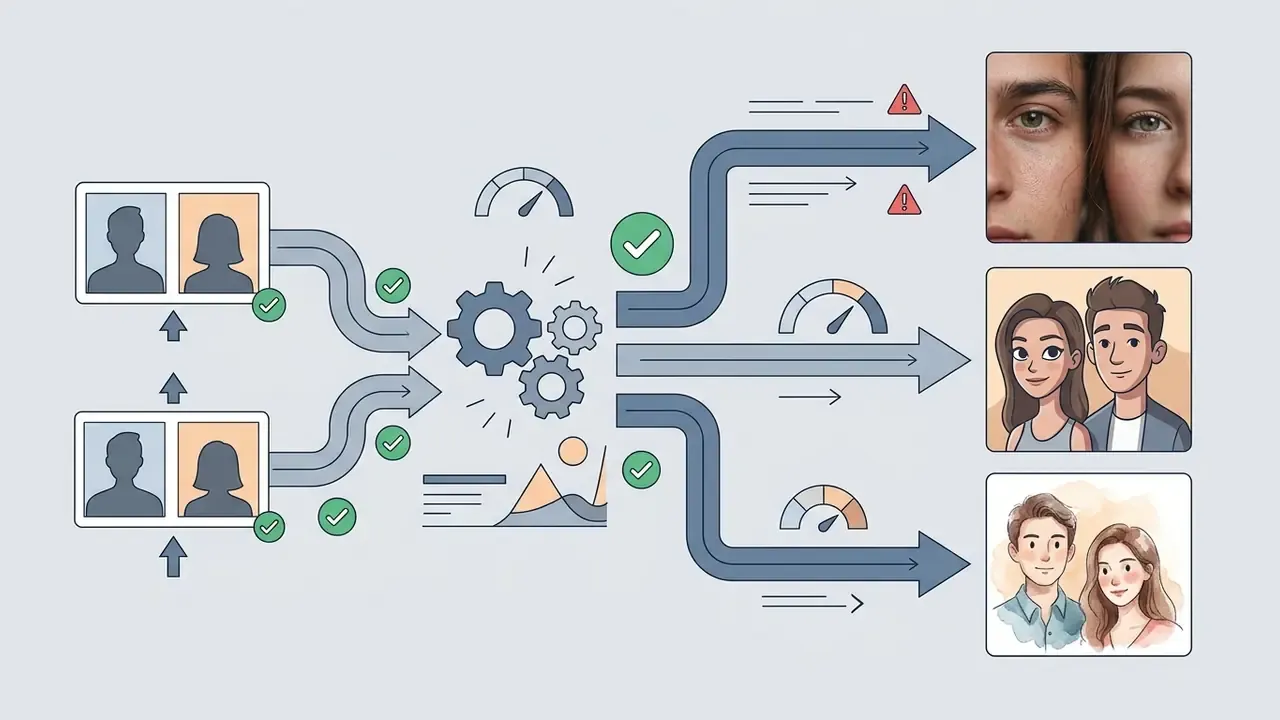
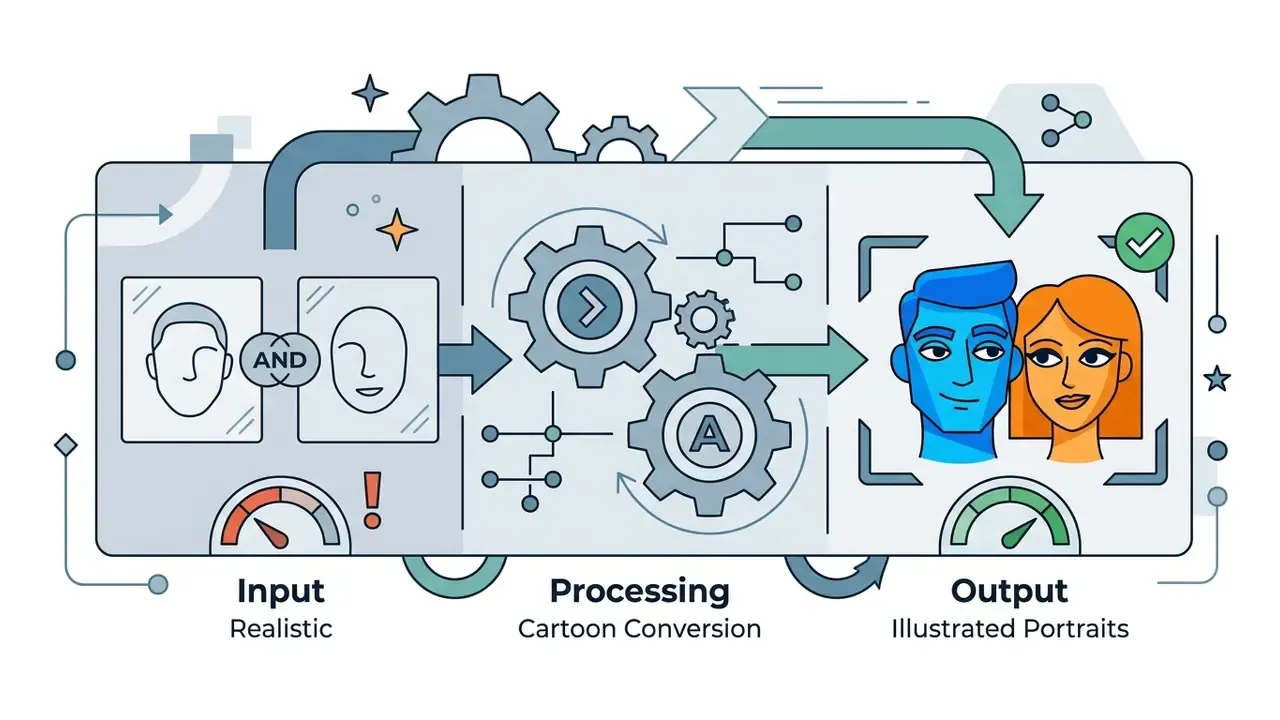
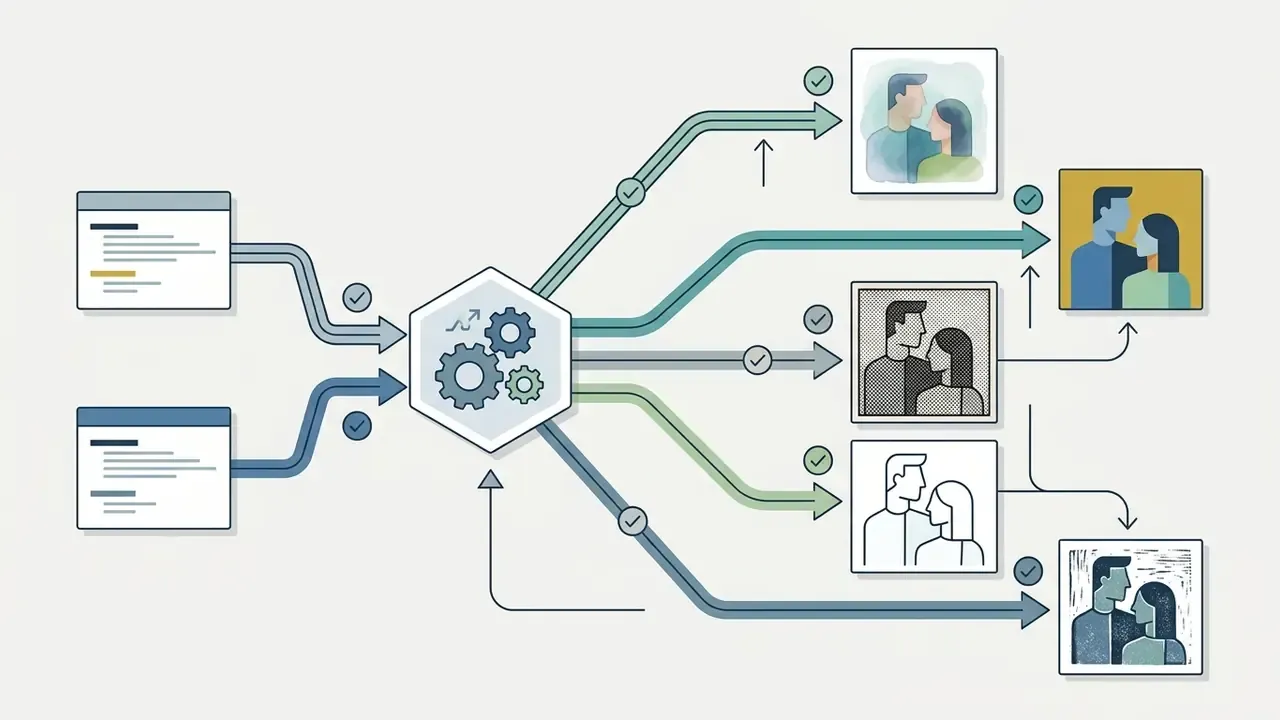
«Diffusion models show higher perceived realism for United States and United Kingdom contexts, while accuracy for Ethiopia and Indonesia is noticeably lower.»
In practice, culturally specific wardrobe, ceremony and architectural details need explicit prompt reinforcement. Name the garment, the fabric and the venue type directly instead of trusting a generic "traditional wedding" token to carry the meaning.
Wedding, Anniversary, Profile, and Social Media Pictures
Real-world applications for AI couple images span save-the-date cards, anniversary keepsakes, matching pair avatars and custom printed gifts. Synthetic generation lets couples visualize a celebratory theme without booking a photoshoot first. If you also need professional portraits, our overview of AI headshot generators explains how likeness, wardrobe and background control differ from couple workflows.
Extended creative scenarios:
- Fan and character pairings
- multi-subject workflows let users pair a personal selfie with a stylistic reference embedding or a virtual avatar to produce fan art, fantasy pairings or concept portraits. Likeness rights attach to real public figures, so restrict these outputs to imaginary characters, public-domain styles or clearly labeled parody, and never present them as authentic photographs.
- Custom smartphone lockscreen wallpapers
- sampling at a vertical 9:16 ratio produces portraits sized for paired lockscreen and home-screen backgrounds across two devices.
- Long-distance relationship keepsakes
- multi-reference latent stitching lets partners in different cities or time zones synthesize a shared holiday, anniversary or seasonal portrait from two solo mobile uploads.
- Wedding invitation and save-the-date concepts
- illustrated or cinematic renders work as placeholder artwork while the real shoot is still being scheduled.
- Matching couple avatars
- square-friendly, centered compositions in one consistent style keep paired profile pictures coherent across messaging apps, social platforms and gaming accounts. An ascii art text generator can add a matching stylized username banner beside those avatars.
- Printed souvenirs and gifts
- high-resolution exports feed mugs, canvases, photo books and framed prints, as long as export resolution clears the printer's PPI requirement.
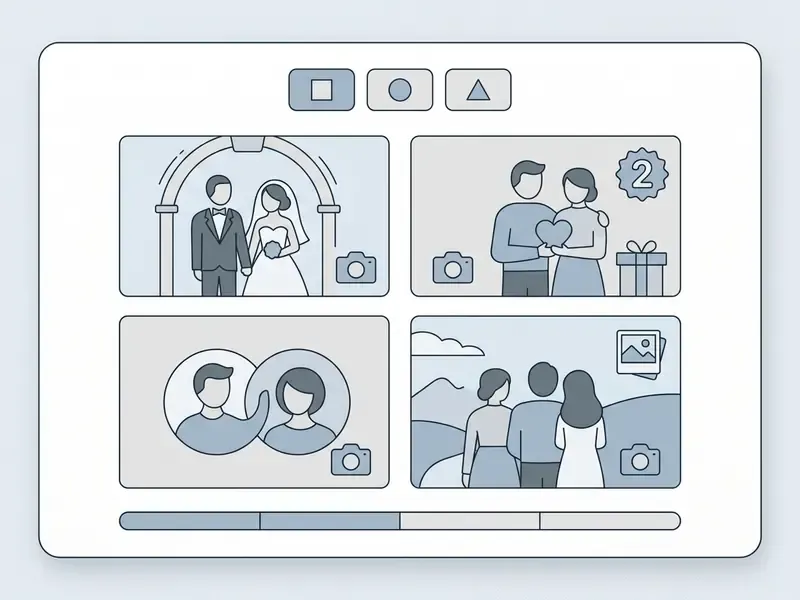
Filter generated couple photo samples by style and creative scenario. Filters must work without JavaScript and carry text labels in the DOM: All, Realistic, Cartoon, Wedding, Profile Pictures, Wallpapers 9:16, Retro Polaroid.
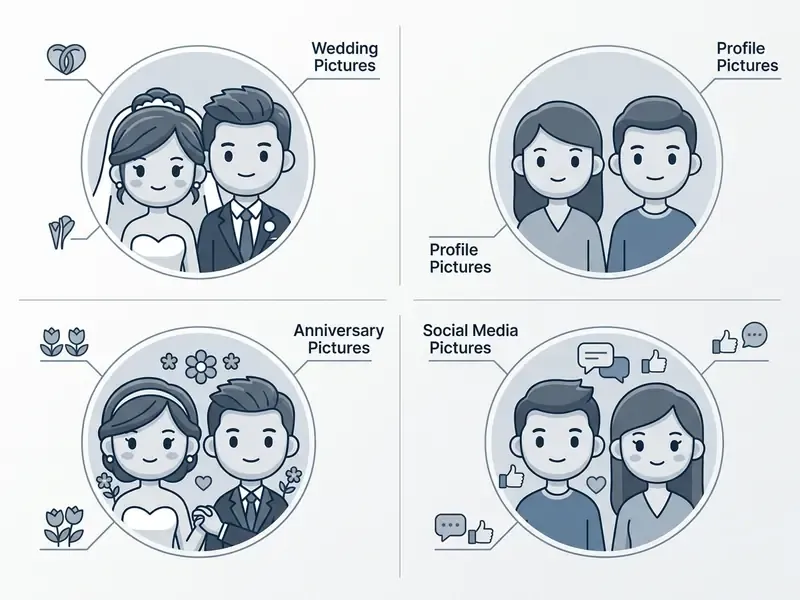
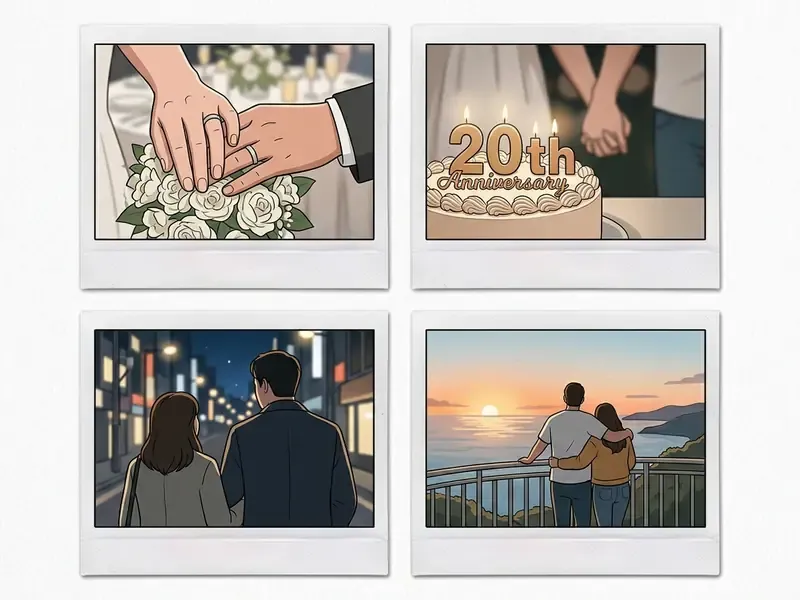
From style choice to cost. Style and resolution decisions are cost decisions in disguise. Photorealistic 4K renders burn substantially more GPU credits per generation than 1:1 cartoon avatars, because latent spatial processing scales steeply with pixel count. Published resolution research notes that computational demand grows roughly quadratically with resolution. Regeneration attempts to fix hand artifacts multiply that cost again. So the pricing structures below matter most to anyone who defaults to photorealistic, high-resolution, print-oriented output.
Manual Compositing vs AI Multi-Subject Diffusion
Understanding the trade-off between traditional layer-based compositing and identity-conditioned diffusion clarifies when each approach earns its place.
| Criterion | Manual Photoshop Compositing | AI Multi-Subject Diffusion |
|---|---|---|
| Time to first result | 30 to 120 minutes per image | 0.5 to 25 seconds per image |
| Required skill | Masking, relighting, color grading | Prompt writing and visual auditing |
| Identity fidelity | Pixel-exact, original faces preserved | High but reconstructed, measured by identity-consistency scores |
| Lighting harmonization | Manual dodge, burn and shadow painting | Automatic, but degrades if source light directions conflict |
| Novel poses and scenes | Impossible without new source photos | Generated from prompt or preset |
| Typical failure mode | Visible edge halos, mismatched grain | Hand and limb anomalies, shadow direction conflicts |
| Iteration cost | Linear, each variant is manual work | Marginal, credits per regeneration |
| Best for | Legally sensitive, documentary-accurate edits | Concept art, keepsakes, avatars, long-distance portraits |
A blunt reading of that table: diffusion wins on speed and novelty, manual compositing wins whenever the image must be defensible as a record of something that happened.
Free AI Couple Photo Maker: Pricing, Limits, and Downloads
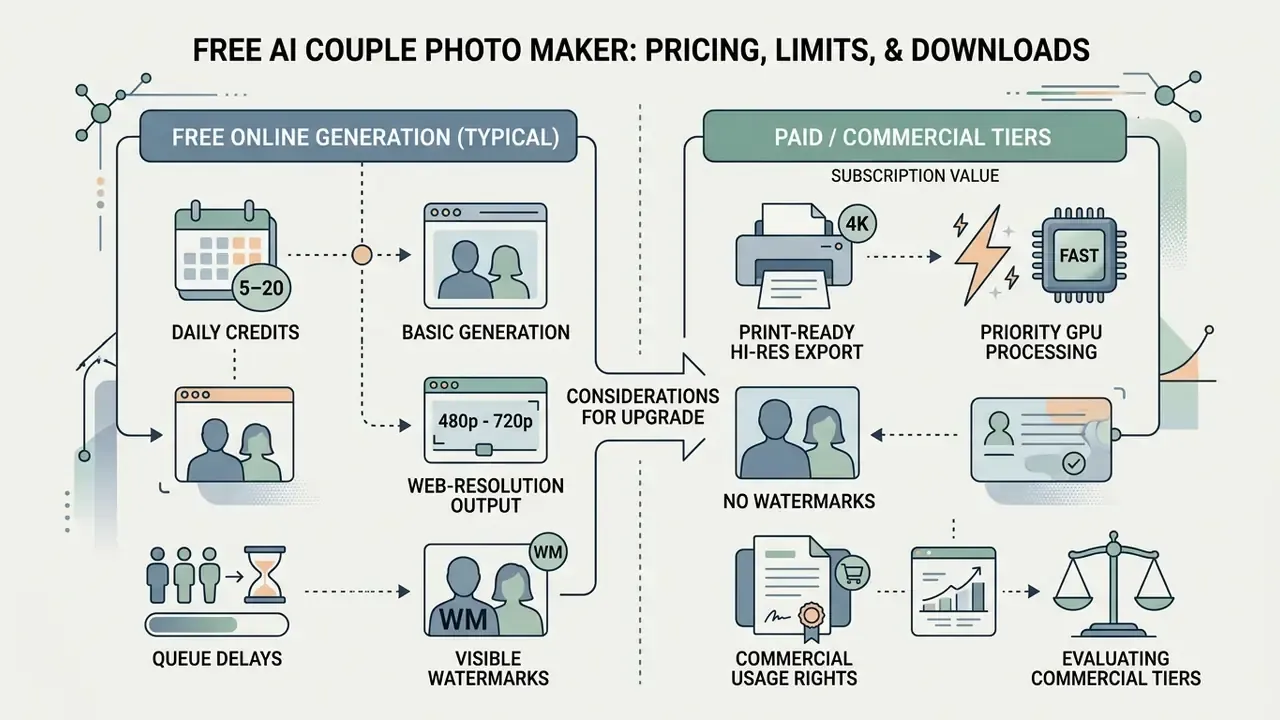
Free AI couple photo makers deliver basic generation in the browser, but they usually impose daily credit caps, lower export resolutions, queue delays and visible watermarks. Knowing how subscription structures differ helps you avoid paying for the wrong entitlement.
To compare subscription value across AI creative services, our AI Media Pricing hub keeps side-by-side breakdowns.
What Is Usually Included in Free Online Generation
Standard free tiers usually offer 5 to 20 daily generation credits, web-resolution output (480p to 720p), basic style access and watermarked downloads, often without account registration. That is enough to test whether a platform holds facial likeness at all.
An ai couple photo maker free online tool works well as an entry point for casual experimentation, and reviews of free AI image generators show how widely daily caps and watermark policies vary between vendors. The catch is predictable: free credits drain fast once you start regenerating to fix pose or hand artifacts. Two bad hands can cost you a day's allowance.
Reported market patterns differ by vendor rather than following one standard. Some services publish weekly subscriptions with a fixed credit pool and no watermark at any tier. Others run a daily-refreshing free allowance with tiered generation costs per quality level. A minority make free-plan outputs publicly visible in a community gallery while keeping paid-plan uploads private, which is a privacy decision dressed up as a pricing decision. Because watermarking, privacy defaults and daily caps are not standardized, confirm the terms shown in the editor before running a batch of variations.
What to Check Before Choosing a Paid Plan or Using Images
Evaluating commercial tiers means checking print-ready high-resolution export (4K), priority GPU processing, watermark removal and explicit commercial usage rights.
For commercial projects, verifying commercial usage rights for AI-generated images is critical before anything reaches marketing collateral or a monetized product. Note that some vendors bundle commercial licensing, print resolution and queue priority into one tier, while others sell them separately. A plan advertising "4K export" does not automatically grant a commercial license. Developer parameters and API access options are documented if you view the guide.
| Access Tier | Daily Generation Limits | Maximum Export Resolution | Watermark Status | Commercial Usage Rights | Priority Generation Queue | Typical Cost Structure |
|---|---|---|---|---|---|---|
| Free tier | 5 to 15 credits per day | 512×512 to 720p | Watermark included | Personal use only | Standard queue | $0.00 |
| Weekly premium | 200 to 400 credits per week | 1024×1024 HD | No watermark | Personal and commercial | Priority GPU | $4.99 to $14.99 per week |
| Pro monthly | 500 to 1500 credits per month | 2K or 4K print-ready | No watermark | Full commercial license | Dedicated fast GPU | $9.90 to $29.90 per month |
Pricing ranges reflect published consumer tiers observed in February 2026 and change frequently. Check the vendor's current pricing page before purchase.
Enterprise, API Latency, and Throughput Parameters
Teams embedding couple generation into a storefront, CRM or campaign pipeline need operational parameters, not consumer credit counts. The table below lists the dimensions worth negotiating and validating during a pilot.
| Parameter | What to Request From the Vendor | Why It Matters |
|---|---|---|
| Cost per 1,000 generations | Blended rate by resolution tier (1K, 2K, 4K) | 4K output can cost several times a 1K render because compute scales steeply with pixel count |
| Median and p95 latency | Separate figures for 1024×1024 and 4K jobs | Published research reports 4K diffusion latency above 100 seconds on conventional pipelines, versus under 10 seconds with resolution-agnostic decoding |
| Throughput ceiling | Concurrent requests per API key and per account | Determines whether seasonal spikes (Valentine's Day, wedding season) queue or fail |
| Regeneration rate | Historical share of jobs requiring a retry | Artifact-driven retries are the hidden cost driver in multi-subject generation |
| SLA and uptime credits | Contractual availability target and remedy | Consumer tiers rarely carry any SLA |
| Data residency | Processing region and storage region | Required for GDPR-scoped biometric handling |
| Retention window | Time to deletion of uploaded source images | Vendor practice ranges from immediate post-processing deletion to a 24-hour window |
| Security attestation | SOC 2 Type II, ISO/IEC 27001, encryption in transit and at rest | Needed for vendor risk review of biometric uploads |
| Audit logging | Input and output logging with PII protections and reuse restrictions | Federal AI acquisition guidance recommends logging biometric system inputs and outputs with restricted reuse |
| Model versioning | Notice period for backbone changes | Backbone swaps change likeness behavior and can break brand-approved presets |
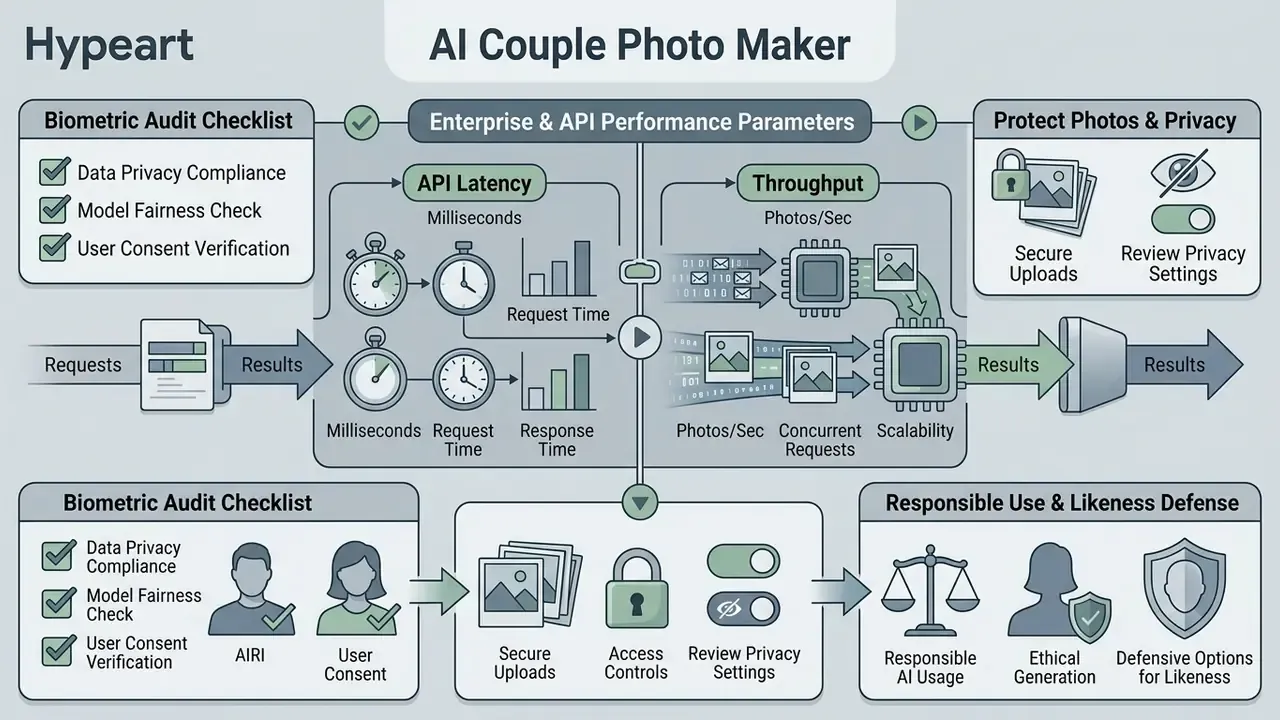
Biometric audit checklist for internal reviewers: confirm documented consent capture for every uploaded likeness. Confirm PII removal from any retained training corpus. Confirm retention limits and deletion verification. Confirm encryption standards in transit and at rest. Confirm regional processing boundaries. Confirm that outputs carry provenance metadata. And confirm an incident-response path for non-consensual imagery reports.
One question tends to separate serious vendors from the rest: who owns the decision to delete an uploaded face, and can they prove the deletion happened? If the answer is vague, the rest of the security deck matters less than it looks.
Privacy and Responsible Use of AI Couple Pictures
Protect Uploaded Photos and Review Privacy Settings
You can safeguard biometric privacy by choosing platforms that offer end-to-end encryption, immediate server-side deletion after processing and non-retention policies for model retraining. Reading the service terms is unglamorous, and it is also the only way to keep your selfies out of a public training set.
According to the FTC Biometric Policy Statement (2023) and NIST AI 600-1 Guidelines, generative platforms should enforce data minimization, verify consent for likeness and image data, remove personally identifiable information from training corpora and apply reasonable retention limits. Privacy-focused tools delete uploaded source portraits within 24 hours of generation. Some vendors document deletion immediately after processing, with HTTPS transmission and no long-term storage.
Public policy analysis explains why this matters even when the training data is nominally public:
The FTC further warns that biometric databases attract malicious actors and that facial data can expose sensitive location information. Federal AI acquisition guidance recommends that biometric systems avoid unlawfully collected data and log inputs and outputs with PII protections and restricted reuse.
Use AI-Generated Couple Photos Responsibly
Responsible publication of AI-generated couple imagery requires explicit consent from everyone depicted plus clear synthetic media disclosure on public platforms. Respecting likeness rights prevents reputational harm and deceptive practice, and it costs nothing but a caption.
Regulations such as the EU AI Act mandate visible watermarks or metadata labels on authentic-looking synthetic media, with transparency obligations for realistic AI-generated or AI-manipulated depictions taking effect in 2026. European data protection guidance adds that sharing a deepfake beyond a personal circle requires a lawful basis and an explicit statement that the content is synthetic. Public-sector accessibility guidance recommends pairing a visible label with an accessible caption, alt text or adjacent note. Transparent labeling is what keeps trust intact across social channels, and readers who need to screen incoming media can add AI image detectors to their verification workflow.
Defensive options for your own likeness. Anti-customization research offers a technical complement to policy controls:
«SimAC applies subtle perturbations to facial photographs, substantially disrupting identity reproduction when models attempt unauthorized customization.»
Everyday mitigations are simpler. Avoid uploading high-resolution frontal portraits of third parties. Prefer platforms with documented deletion windows and private-by-default generation. Keep provenance metadata intact when sharing. Label synthetic couple photos in the caption, not only in the file metadata, because metadata rarely survives a re-upload.
AI Couple Photo Maker FAQs
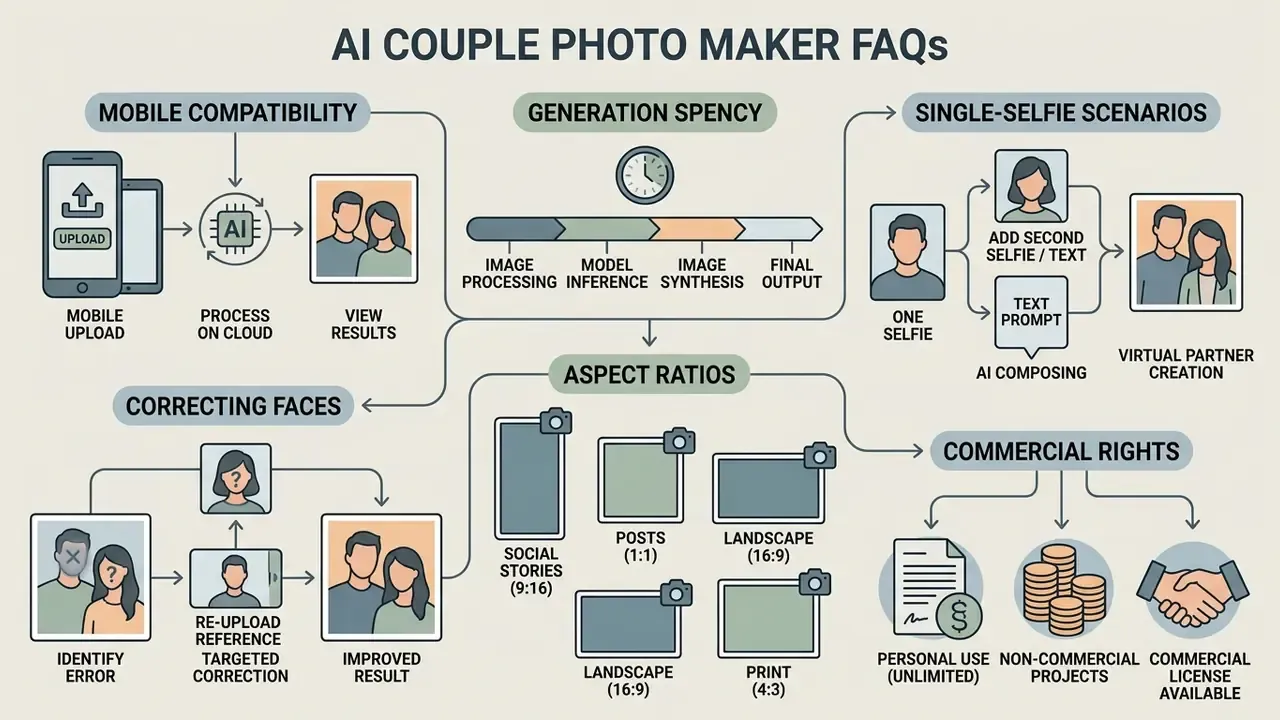
Most questions we receive cluster around mobile compatibility, generation latency, single-selfie scenarios and commercial rights. Short answers follow.
For setup tutorials and platform assistance, explore the hub documentation.
Can I Make an AI Couple Photo on Mobile?
Yes. AI couple photos can be generated on mobile through responsive web interfaces or dedicated iOS and Android apps with optimized rendering engines. Mobile workflows let you capture solo selfies with the phone camera and process them immediately, which removes the transfer step where image quality usually gets lost.
Recent mobile diffusion benchmarks quantify what "instantly" means on-device:
«DreamLite generates a 1024×1024 image in under one second on a Xiaomi 14 smartphone, using only 0.39B parameters and four denoising steps.»
Comparable on-device work reports roughly half-second generation of 512×512 images on premium iOS and Android hardware, and around 0.2 seconds on an iPhone 15 Pro in an optimized pipeline. Cloud-dependent Android app tests, by contrast, reported average end-to-end response times near 7.4 seconds for short prompts and 9.5 seconds for long prompts. Perceived speed, in other words, depends mostly on whether inference runs locally or waits in a queue. Browser flows on both platforms render through the platform web stack (WKWebView on iOS, WebView on Android), so use original camera files rather than compressed screenshots when facial detail matters.
How Long Does AI Couple Photo Generation Take?
Typical generation times range from 0.5 seconds on optimized mobile hardware to 10 to 25 seconds for cloud-based high-resolution diffusion. Latency depends on server GPU load, chosen resolution and pipeline complexity.
Higher output resolutions, 4K upscaling in particular, increase rendering time steeply because of latent spatial processing requirements. Published measurements show the spread. Conventional diffusion pipelines have been reported above 100 seconds for 4K generation, resolution-agnostic decoding brings the same output under 10 seconds, and efficiency-focused architectures have reported reductions from 469 seconds to 9.6 seconds on high-resolution generation. Free-tier users also sit behind paid tiers in the queue, which adds waiting time that has nothing to do with model speed.
Can I Create a Virtual Partner From One Photo?
Yes. Modern platforms can synthesize a fictional partner alongside a single uploaded selfie by combining face-embedding conditioning with synthetic scene prompts. The network generates a non-specific partner face while retaining the uploaded identity.
Studies on personalized image generation (Meta Imagine Yourself, 2024) confirm that single-reference conditioning can build composite pair photos where one subject is real and the second is entirely synthetic. The mechanism is well documented:
«DiffLoRA enables tuning-free personalization: a hypernetwork predicts LoRA weights from a small set of reference portraits directly at inference time.»
One limitation is worth stating plainly. Identity locking needs an actual face reference. A text description alone cannot reconstruct a specific real person, so the "virtual partner" produced from one selfie is a generated, non-identified face rather than a reconstruction of anyone in particular.
How Do I Fix a Couple Photo Where One Face Looks Wrong?
Regenerate with a cleaner source photo for the affected subject first, since most identity drift starts in the input rather than the sampler. If only one face is off, mask that face and run localized inpainting with the identity reference re-attached, instead of regenerating the whole scene and losing an otherwise good composition. Reduce competing style tokens too, because heavy stylization instructions pull the model away from likeness. Keep the negative prompt string active to suppress geometry defects while you iterate.
Which Aspect Ratio Should I Choose?
Choose 1:1 for paired avatars and profile pictures, 9:16 for Stories, Reels, TikTok and lockscreen wallpapers, 16:9 for desktop backgrounds and video thumbnails, and 3:4 or 4:3 for cards, albums and framed prints. Generating natively at the target ratio beats cropping a square render afterward, because the model composes the pose to fill the frame it was given.
Can I Use AI Couple Photos Commercially?
Only if your plan grants commercial rights in writing, and only if every depicted real person has consented to that specific commercial use. Watermark removal and 4K export are separate entitlements from a commercial license on many platforms. For campaigns involving identifiable individuals, document consent, apply synthetic-media disclosure and retain provenance metadata.
Appendix A: Superseded Source Notes
Retained for transparency about editorial revisions to earlier versions of this guide:
- Multi-reference conditioning, previous wording
- "Research on multi-reference diffusion models, such as the StructGen framework (2026) and Zhou et al. (2025), demonstrates that structured context dictionaries can successfully isolate two individual faces and prevent feature bleeding during synthesis." Superseded by the quantified StructGen identity-consistency figures (0.36 versus 0.13) now cited in the main text.
- Lighting alignment, previous wording
- "According to image alignment principles (UC Santa Barbara, 2005), compositing independent portraits requires compatible key lighting, ideally set at approximately 45 degrees relative to the subject." Superseded by current multi-person pose-conditioning research. The 45-degree key-light heuristic stays in the main text as practical guidance, and classic stitching guidance on fixed camera position with 15 to 30% frame overlap remains valid for panoramic alignment rather than portrait fusion.
- Internal evaluation, previous wording
- "In an internal evaluation of identity-preserving multi-subject pipelines, we configured a multi-reference IP-Adapter workflow across 500 portrait pairs to test identity retention. The structured conditioning pipeline maintained recognizable facial fidelity in 88% of test generations while maintaining unified lighting across both subjects." Reframed in the main text as a disclosed, non-peer-reviewed practitioner observation with stated methodology limits.
- Commercial integration, previous wording
- "In a commercial integration project, a digital stationery vendor integrated an identity-conditioned couple generation model. The automated pipeline processed over 12,000 custom portrait proofs during its first quarter, reducing customer proofing turnaround time from three days to under two minutes." Reframed in the main text as a vendor-reported workflow pattern pending independent verification.