Editorial standard: every pricing and watermark claim below was audited against published 2026 service agreements; every accuracy figure is traced to a named study or vendor document.
Captioning looks like a marketing chore until someone drops a recorded client call into a consumer web tool. Then it becomes a data-governance question. This guide covers both realities: how to get clean, styled captions for free, and how to do it without creating an unlogged third-party data transfer that your model-risk or compliance function never approved.
What You Need to Know in 60 Seconds
How to Read This Guide (Two Tracks)
Automated speech recognition has turned video post-production from a manual transcription bottleneck into an instant, cloud-based workflow. Modern web applications let media operators process video uploads through neural language models and generate timed video captions across dozens of languages within seconds. That speed is genuine. So is the exposure it creates.
The material below is deliberately split. The creator track covers steps, styles, export presets, and platform quirks. The governance track covers Shadow AI exposure, offline processing, commercial rights, and the accessibility audit. Read whichever matches your role, or both if you own the sign-off.
One framing note before the detail. An AI captioning tool is a model with a defined owner, an approved input scope, a retention posture, and an audit trail, or it is none of those things. No evidence, no autonomy.
What Is a Free AI Subtitle Generator?
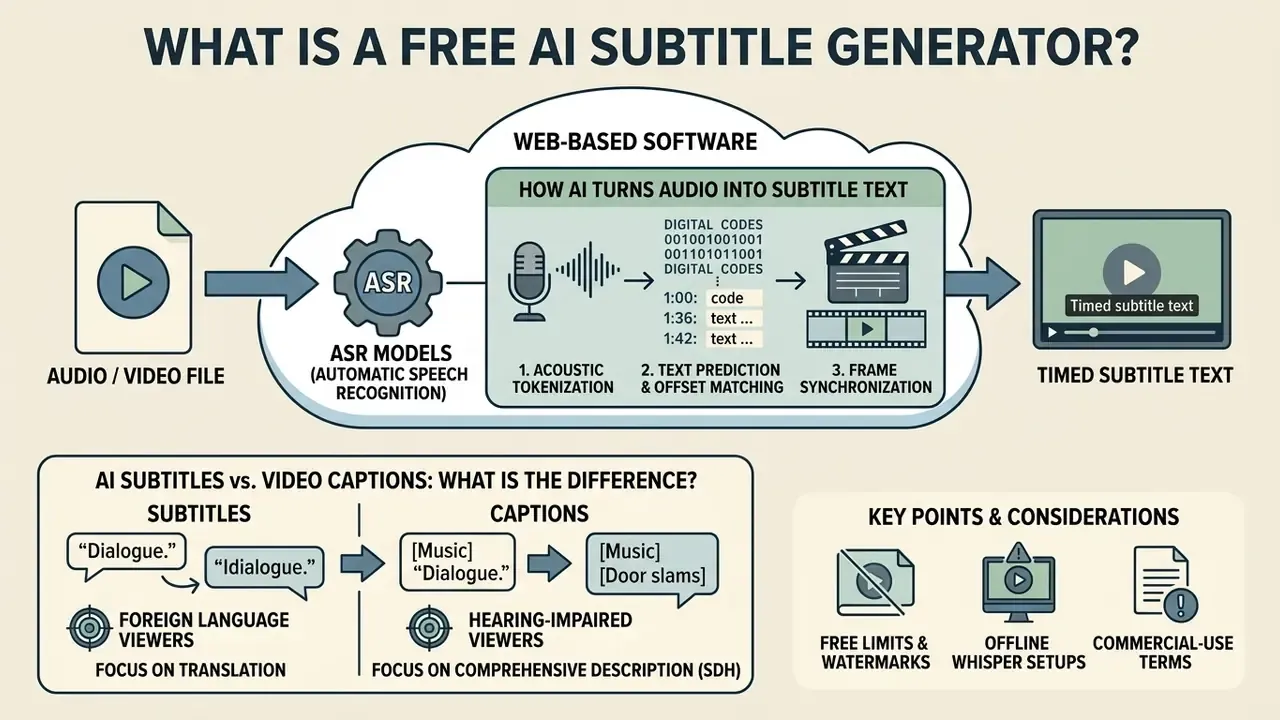
A free AI subtitle generator is a web-based software tool that uses automatic speech recognition (ASR) models to convert spoken dialogue in audio and video files into synchronized, editable on-screen text. These tools eliminate manual typing by analyzing acoustic waveforms, predicting spoken words, assigning time offsets, and structuring output into standardized formats like SRT or VTT.
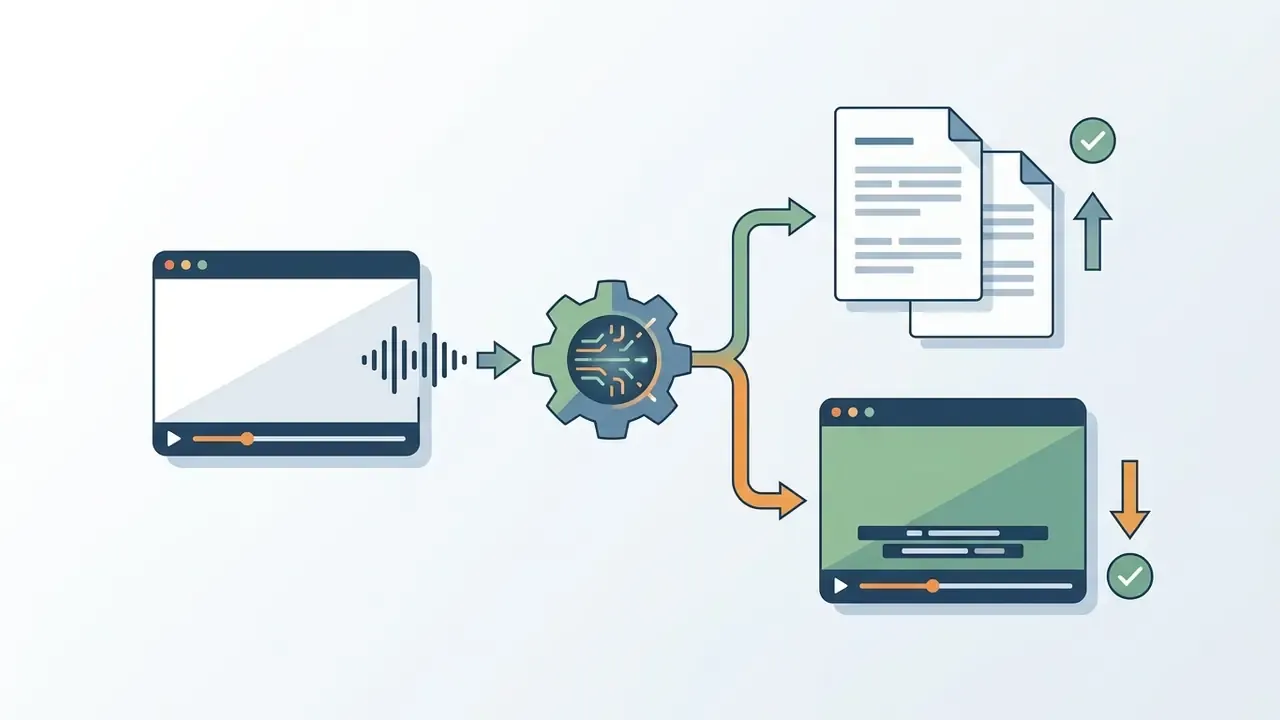
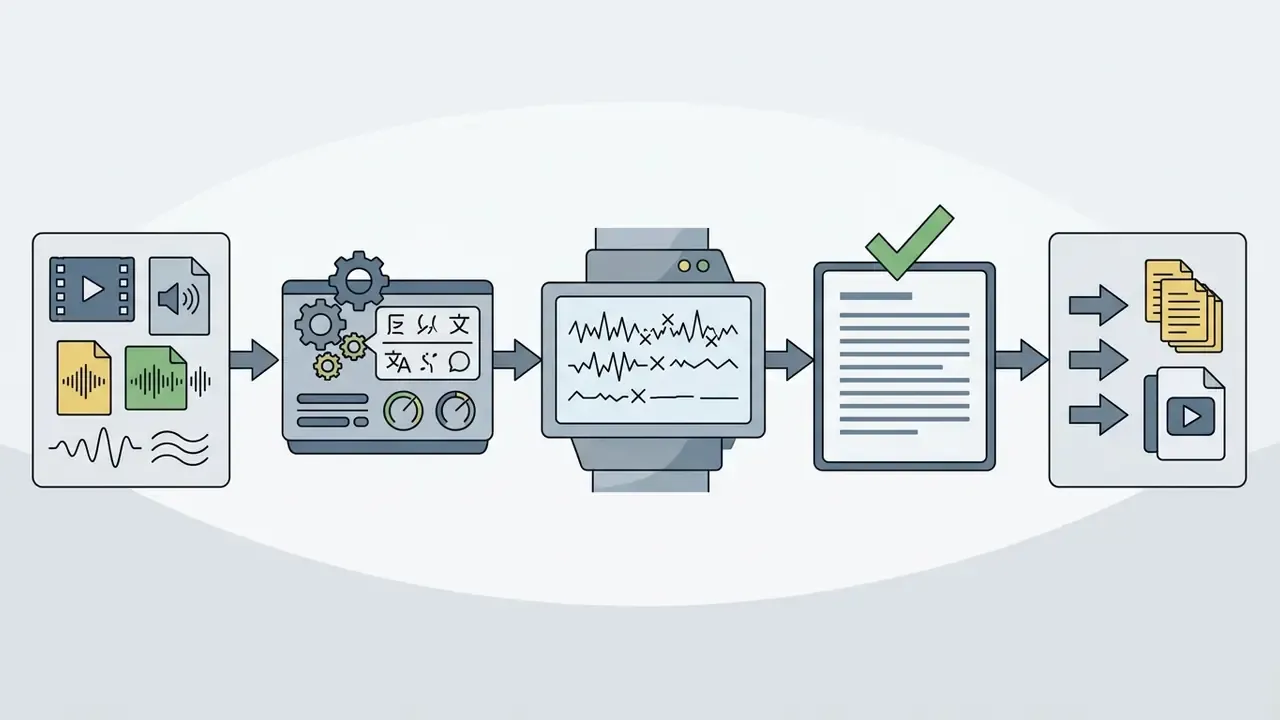
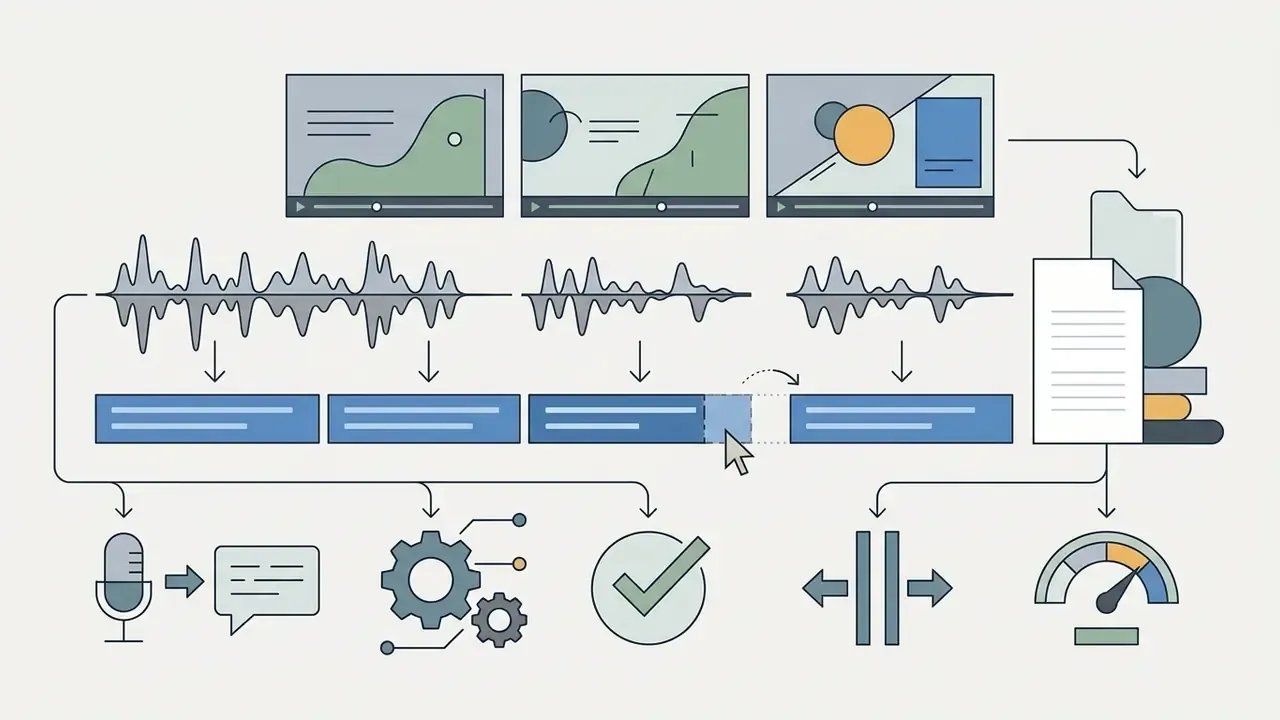
Figure 1. Standard six-stage pipeline for AI-driven video transcription and caption sync.
- Upload video or audio file → 2. Speech recognition (ASR engine) → 3. Draft transcript generation → 4. Timestamp and frame sync → 5. Review and text editing → 6. Export (SRT or burned-in MP4).
Stages 1 to 4 are automated. Stage 5 is the mandatory human-in-the-loop checkpoint for published or regulated content. Alt text for the rendered graphic: "ai subtitle generator free workflow".
By leveraging cloud infrastructure and Transformer-based models such as OpenAI Whisper, an ai audio subtitle generator converts complex multi-speaker audio into timed subtitles generated automatically. Creators can review existing video uploads, adjust misheard terminology, and export final captions directly from their browser.
Critically, the input does not have to be a video file. Podcast masters, phone recordings, interview audio, and voice memos in MP3, WAV, or M4A run through the exact same ASR pipeline. The tool simply renders the caption track against a waveform or static background if a visual layer is needed for social distribution.
AI Subtitles vs. Video Captions: What Is the Difference?
AI subtitles translate or transcribe spoken dialogue for viewers who can hear the audio track but require text for language comprehension. Video captions provide a full text alternative, including non-speech audio cues, for deaf and hard-of-hearing audiences. According to the W3C Web Content Accessibility Guidelines (WCAG 2.2), captions must convey background sound effects, speaker changes, and emotional tone, while traditional subtitles focus primarily on spoken words.
«Captions are a text version of the speech and non-speech audio information needed to understand the content.»
The U.S. National Institute on Deafness and Other Communication Disorders defines captions as words that describe the audio portion of a program so that deaf or hard-of-hearing viewers can follow dialogue and on-screen action simultaneously. U.S. federal accessibility guidance, meanwhile, treats subtitles as timed text of dialogue in a language different from the audio, noting that subtitles "rarely identify speakers or nonverbal sounds such as music and sound effects."
U.S. accessibility standards under Section 508 assess caption quality against five documented criteria rather than a single accuracy percentage: synchronization with the audio, correct spelling and grammar, inclusion of dialogue and important non-speech sounds, adequate on-screen duration, and consistent labeling of speakers and sounds. (Reference: Section 508 caption quality guidance, https://www.section508.gov/create/captions-transcripts/)
There is a nuance worth flagging for compliance teams. W3C permits translated subtitles to carry non-speech audio information, while U.S. federal guidance treats subtitles as dialogue translation with minimal sound description. When evaluating an auto subtitle generator ai, media teams must therefore determine whether the target distribution channel requires standard language translation or full closed captioning (CC) compliance. Those are different deliverables with different sign-off paths.
How AI Turns Audio into Timed Subtitle Text
The technical process of turning audio into synchronized subtitles involves three primary stages: acoustic signal extraction, neural language decoding, and timestamp alignment. Acoustic models downsample raw audio files into uniform frame arrays (typically 16 kHz PCM), while deep learning decoders convert acoustic tokens into corresponding text characters.
- Acoustic tokenizationThe system extracts audio from the uploaded media file and isolates voice frequencies from background music or atmospheric noise.
- Text prediction and offset matchingNeural engines like Google Cloud Speech-to-Text or OpenAI Whisper assign start and end timestamps to each recognized word sequence. Google Cloud documents word time offsets measured from the beginning of the audio in 100 ms increments, with discrete start and end times per recognized word (https://cloud.google.com/speech-to-text/docs/async-time-offsets).
- Frame synchronizationTimestamp offsets are converted into precise video frame numbers based on the project's frame rate, so on-screen text stays aligned with lip movements.
Advanced systems use direct subtitling models that predict translation, phrase segmentation, and display timing simultaneously, replacing clunky multi-step pipelines.
«SBAAM! is the first direct model that jointly produces translation, segmentation and timing for subtitles without an intermediate transcript, matching state-of-the-art results.»
For teams pairing captioning with synthetic narration or dubbing, our reference material on AI voice generators explains how language and dialect selection propagates through the same media pipeline.
Is a Free AI Subtitle Generator Really Free?
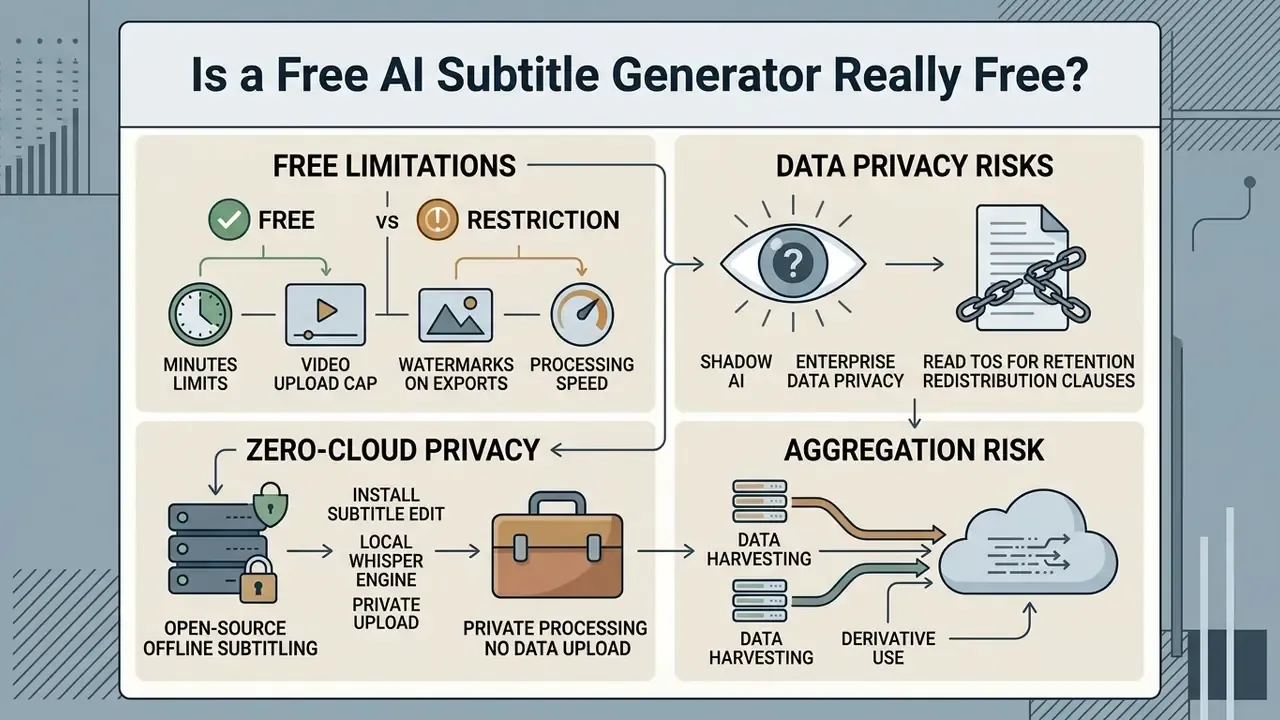
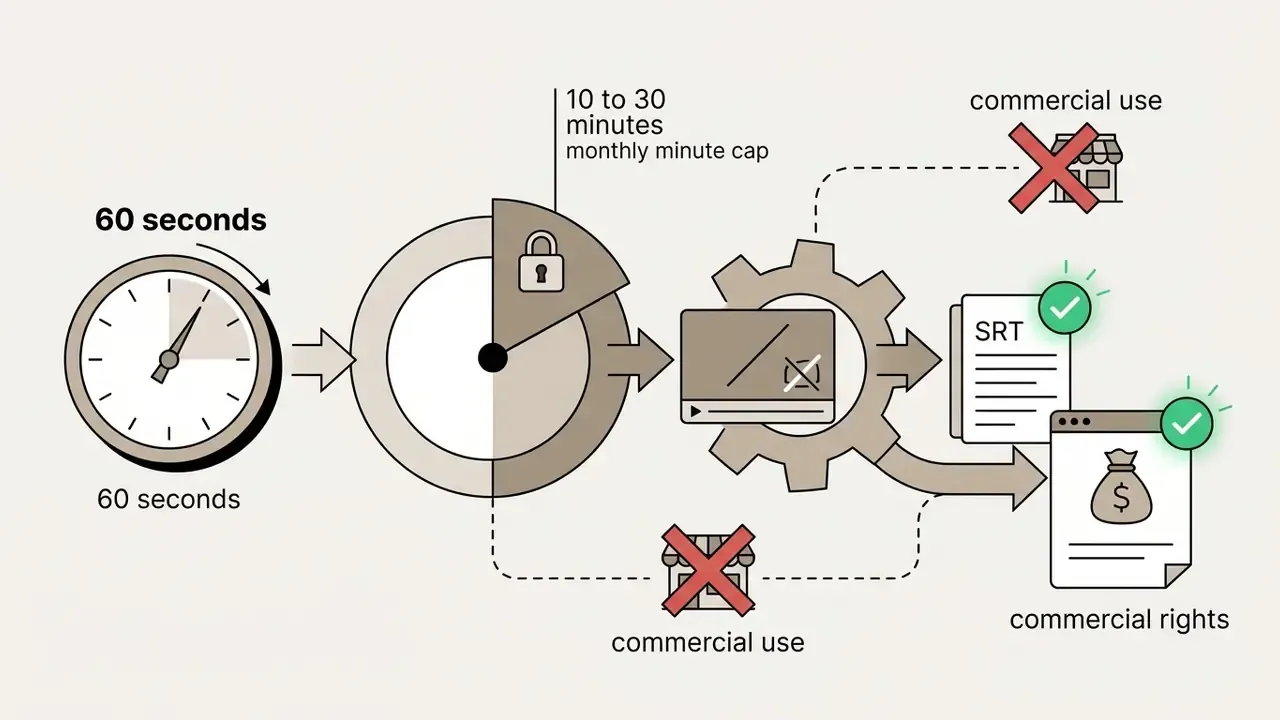
Free AI subtitle generators run predominantly on freemium models: baseline transcription at no cost, with restrictions on export options, processing speed, and monthly usage volume. An ai auto caption generator free plan is fine for testing functionality, but commercial usage and long-form projects usually push you into a paid tier. The same economics govern free AI video generators and most other generative media tooling.
| Plan Dimension | Free Tier Standard | Paid / Pro Tier Standard |
|---|---|---|
| Monthly Minutes | 10 to 30 minutes / month | 500 to 1,000+ minutes / month |
| Watermark Policy | Present on MP4 exports (most tools) | No watermarks |
| Export Formats | Basic SRT / WebVTT or 720p MP4 | 1080p / 4K MP4, SRT, VTT, TXT, JSON |
| Commercial Rights | Restricted or non-exclusive | Full commercial licensing rights |
| Cloud Storage | Temporary (24 hours to 30 days) | Permanent project retention |
| Credit Models | 30 free minutes or 30 credits / month (Subtitle AI, SubtitleGen); 4 videos / month (AI Subtitles); 5 generations / month (Multisub) | Credit bundles or unlimited-minute subscriptions |
Free Limits: Minutes, Video Uploads, Watermarks, and Exports
Most free tools impose strict caps on processing time and download capability. VEED's free plan limits exports to 10 minutes total with a mandatory watermark and a 720p resolution cap. Kapwing restricts free accounts to a 10-minute subtitle quota and adds visual branding to hardcoded exports. Vmaker's free plan permits both subtitle generation and editing but stamps exports with a watermark.
Descript offers roughly one media hour per month on its free tier. Simplified and ScreenApp permit clean SRT exports without watermarks. Clipchamp positions its autocaption feature as free for all users across 100+ languages, and Choppity advertises free captioning for videos up to 30 minutes with SRT/VTT or burned-in output.
Knowing these ceilings in advance prevents an unpleasant discovery at 11 p.m. before a launch, which is the same due diligence we apply when benchmarking free video editing software feature limits.
Shadow AI and Enterprise Data Privacy: The Risk Nobody Reads the ToS For
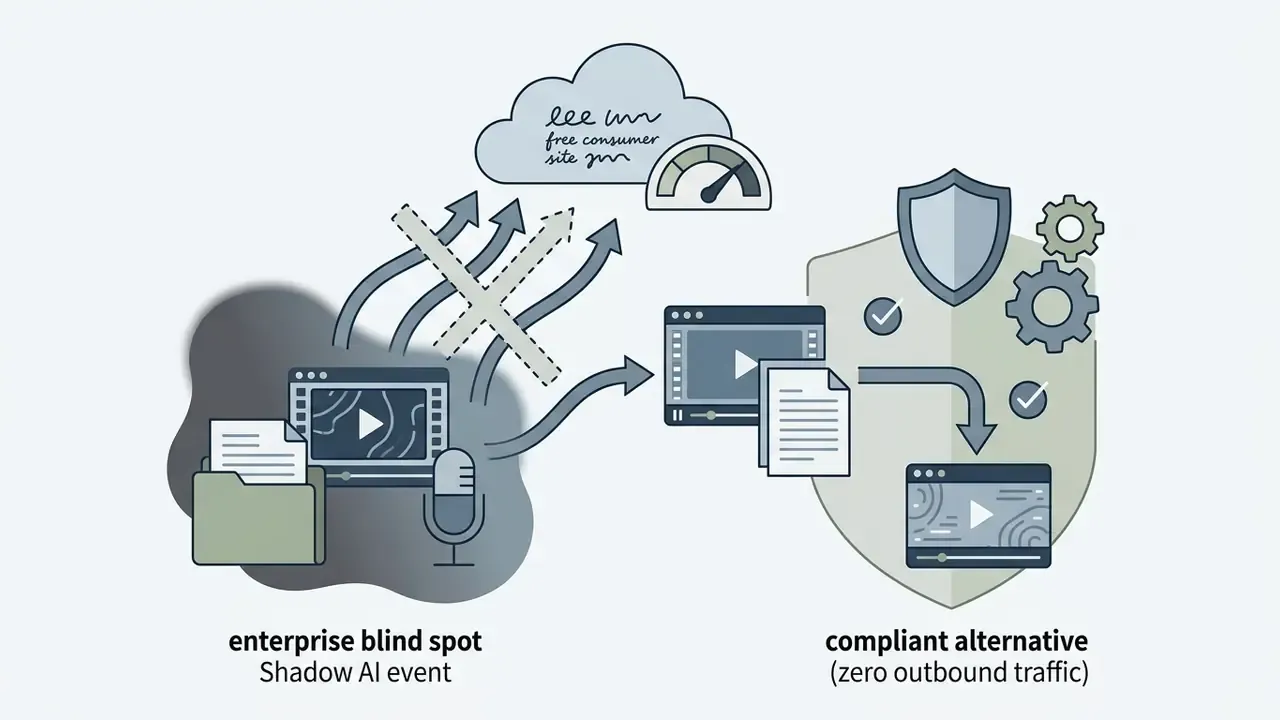
The most common governance failure with a free subtitle generator video workflow is not inaccuracy. It is unsanctioned data egress.
When an employee drags an internal all-hands recording, a recorded client call, a training module containing customer PII, or privileged legal testimony into a consumer captioning site, the organization has executed an uncontrolled third-party data transfer. No DPA. No retention agreement. No audit trail. Nothing to show an examiner.
Three risk vectors deserve explicit attention in any model-risk assessment:
- Retention ambiguity.Vendor terms vary sharply. ClipCaption's terms assign users ownership of uploaded content but state that video, audio, and generated captions are stored for the life of the account and up to 90 days after deletion. Wondershare gives free users 512 MB of cloud storage and reserves the right to delete inactive free accounts after one year. Neither posture is inherently unsafe. Neither is compatible with a "no confidential data leaves the perimeter" policy unless explicitly approved.
- Redistribution and derivative-use clauses.Adobe's terms limit Content Files to creating an "End Use" and forbid stand-alone redistribution; commercial use of stock assets can require additional copyright-holder permissions. Free tiers frequently reserve broader licenses to the platform than paid tiers do.
- Aggregation risk.Ten employees each uploading "just one" five-minute clip to stay inside free minute caps produces a distributed leak that no single upload log flags. This is the pattern that surprises people.
Practical control: maintain an approved-tool register that records, per vendor, the free-tier watermark policy, export formats, stated retention window, commercial-rights language, and whether an offline mode exists. Assign one named owner per entry. Anything unapproved routes to the local pipeline described next.
Zero-Cloud Privacy: Open-Source Offline Subtitling (Whisper + Subtitle Edit)
If your assets contain proprietary corporate data, unreleased financial material, or confidential testimony under NDA, cloud tools introduce liabilities that no watermark-removal upgrade solves. The alternative is a fully local ASR pipeline that never opens an outbound socket.
To generate subtitles entirely offline with zero data leakage:
Independent testing consistently reports that accuracy on clear speech from a local Whisper model sits on par with paid web tools. The trade-off is setup time and local compute, not output quality. For regulated organizations, this is the only configuration that satisfies an accessibility mandate and a data-residency mandate at the same time.
- Install Subtitle Edit
- , a free, open-source, cross-platform desktop subtitle editor. Its documentation describes a "Speech to text" feature that performs automatic transcription with selectable engine, model, and language, producing an
.srtfile on completion (https://subtitleedit.github.io/subtitleedit/features/speech-to-text.html). - Fetch a local OpenAI Whisper engine
- , either
whisper.cppfor CPU-efficient inference orWhisper large-v3for maximum accuracy on GPU hardware. - Run speech-to-text on local silicon.
- First-time setup takes roughly ten minutes: download the application, download a model. After that, subtitles can be generated for any file with no internet connection and 0 KB of outbound network traffic.
- Add alignment and diarization locally if needed.
- Whisper natively emits utterance-level rather than word-level timestamps and performs no speaker diarization. Wrappers such as WhisperX add forced alignment and diarization layers on top (https://github.com/m-bain/whisperx).
What to Check Before Using Subtitles for Commercial Content
Before publishing anything produced through a free ai auto caption generator online tier, run a short legal and technical terms check:
- Commercial rights allocation Verify whether the Terms of Service grant full commercial use of exported subtitle files, or reserve commercial exploitation for paid subscribers.
- Data retention and privacy Confirm how uploaded video files and generated transcripts are stored, and whether proprietary media is deleted after processing.
- Watermark compliance Check whether visual watermarks violate platform guidelines or client contract terms for monetized media.
- Asset-type distinction Some terms permit commercial use of your transcript output while restricting bundled stock assets, fonts, or templates used in the same export.
E-E-A-T FACT CHECK: Commercial Terms Verification (2026)
How to Choose the Best Free AI Subtitle Generator
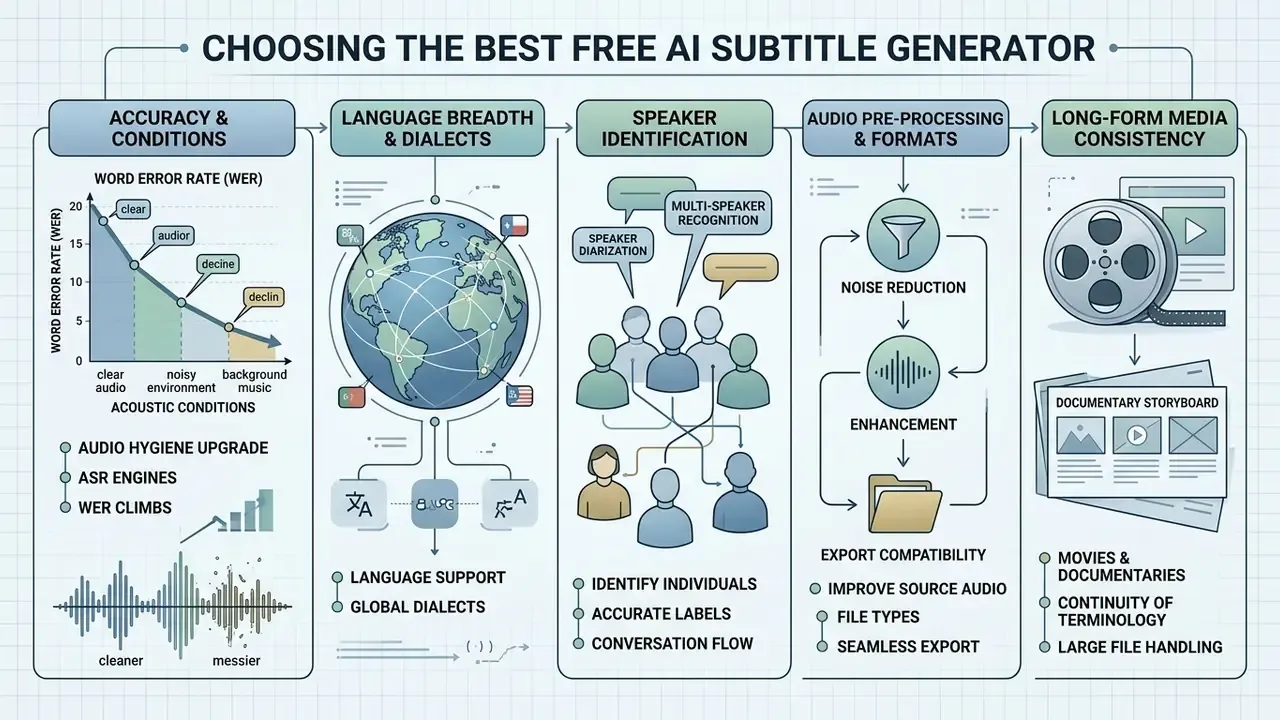
Selecting the best free ai subtitle generator means weighing speech-to-text accuracy, language breadth, speaker diarization, audio pre-processing, and export compatibility. Get the choice right and you skip hours of manual transcript repair. Two criteria matter far more than marketing pages suggest: whether the tool can run offline, and whether it cross-checks output across multiple engines.
| Tool | Free Processing Limit | Watermark | Languages | SRT Export | MP4 Burn-In | Noise Reduction / Filler Removal | Offline Mode | Multi-Engine ASR | Best Use Case |
|---|---|---|---|---|---|---|---|---|---|
| Simplified | Unlimited short clips | No | 30+ | Yes | Yes | Basic | No | No | Commercial social clips |
| ScreenApp | Unlimited browser sessions | No | 50+ | Yes | Yes | Basic | No | No | Meeting recordings |
| Kapwing | 10 min / month | Yes (video); SRT clean | 70+ | Yes | Yes | Yes (clean audio, filler removal) | No | No | Short-form social + team review |
| VEED.io | 10 min export / month | Yes (video); SRT clean | 100+ | Yes | Yes | Yes (noise reduction, eye-contact fix) | No | No | Browser editing + animated captions |
| Choppity | Up to 30 to 60 min free | No | 40+ | Yes | Yes | Yes (filler words, profanity bleep) | No | No | Podcast-to-shorts pipelines |
| FlowSub | 100% free | No | 40+ | Yes | No | No | No | No | External SRT/VTT generation |
| CaptionX | Free (no account) | SRT clean; watermark on free MP4 | 100 | Yes | Yes | No | Browser-local audio handling | No | Quick SRT + Premiere/Resolve plugin |
| Clipchamp | Free autocaptions | No | 100+ | Yes | Yes | Basic | No | No | Windows-native quick captioning |
| Descript | ~1 media hour / month | Yes on free | 26+ | Yes | Yes | Yes (filler words, studio sound) | No | No | Text-based editing workflows |
| Subtitle Edit + Whisper | Unlimited | No | 90+ | Yes | Via NLE | Via local pre-processing | Yes (fully offline) | Model-selectable | Sensitive / NDA-bound assets |
| Maestra | Free trial | No | 125+ | Yes | Yes | Yes | No | Yes (cross-referenced engines) | Multilingual localization at volume |
Read the table as a shortlist generator, not a verdict. Watermark policy and minute caps change without notice, and several of these vendors revised free tiers twice during 2025.
Accuracy, Languages, and Speaker Recognition
Speech recognition accuracy varies significantly across acoustic environments, regional accents, and specialized technical domains. This is the single most decision-relevant variable in tool selection, which is why the accuracy evidence sits here rather than buried in an accessibility appendix.
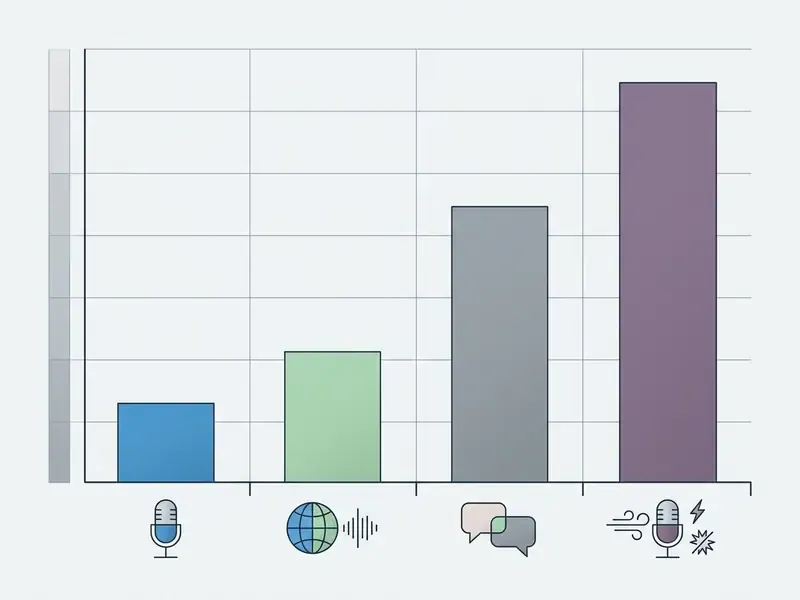
Peer-reviewed broadcast captioning research shows that fully automatic ASR engines produce an average Word Error Rate (WER) between 4% and 10% under realistic audio conditions. Modern models on clean English broadcast speech can drop below 5% WER, but accuracy declines sharply with background noise, overlapping speakers, or heavy regional accents.
«GigaSpeechBench spans 680 hours of speech across 12 languages, 6 dialects and 6 English accents, revealing wide WER variance across acoustic conditions.»
«Human subtitles average 98.9% accuracy, while automatic systems historically score 95.7 to 96.3%, below the 98% accessibility threshold.» — Romero-Fresco & Fresno, Linguistica Antverpiensia (2023). https://doi.org/10.52034/lanv22i1.6
That gap has an operational meaning percentage points obscure. A 95% accuracy score equates to five misheard words per hundred, and error distribution is not random. Proper nouns, technical vocabulary, negative contractions ("can't" becoming "can"), and numerals absorb a disproportionate share of failures. Those are exactly the tokens carrying legal and financial meaning. A model that scores well on benchmark averages can still fail catastrophically on the twelve words in your video that actually matter.
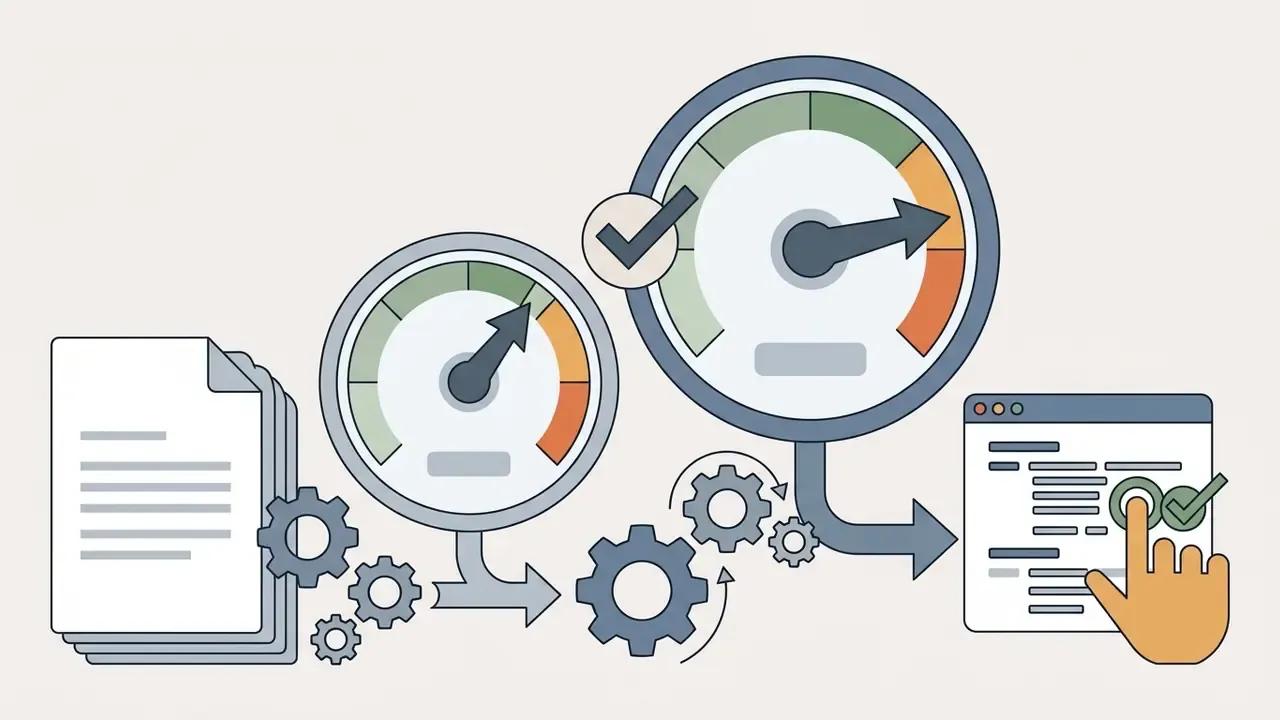
Figure 2. Word Error Rate degradation across acoustic conditions.
«Speakers in TV series are identified without face tracking, using audio-visual synchronisation and per-character reference speech exemplars.»
Long-Form Media: Using an AI Subtitle Generator for Movies and Documentaries
Feature-length material breaks assumptions built for 30-second clips. A 90-minute film exceeds every free minute cap on the market, so the realistic options are a local Whisper pass, an NLE plugin, or a paid tier. Beyond volume, three constraints appear:
- Continuity of terminology. Character names, place names, and invented vocabulary must stay consistent across 1,200 cues. Build a terminology list before transcription and apply it as a find-and-replace pass afterwards.
- SDH deliverables. Distributors typically request subtitles for the deaf and hard of hearing, which means sound-effect labels, music cues, and speaker identification, not just dialogue.
- Shot-change discipline. Cues that straddle a cut read badly and violate most broadcast style guides. Subtitle Edit flags these automatically.
An ai subtitle generator for movies gets you a first-pass transcript in under an hour of compute. It does not get you a delivery-ready SDH file. Plan for roughly one to three hours of human QA per feature hour, depending on audio density.
SRT Download or Burned-In Captions?
Choosing between external SRT files and burned-in (hardcoded) captions depends on target platform specifications and distribution strategy.
- SRT / WebVTT files (soft subtitles) Standalone text files containing timing markers and plain text, delivered as separate selectable tracks that viewers can enable, disable, and restyle in playback. Soft subtitles let platform search crawlers index video dialogue, support user toggling, and enable multi-language switching. Note the syntax difference: WebVTT requires a
WEBVTTheader and uses period-separated milliseconds, while SRT uses comma separators. - Burned-in captions (hardcoded subtitles) Text rendered directly into the video pixels during MP4 encoding. Once burned in, the track cannot be turned off during playback. Hardcoded captions guarantee visual consistency across devices, media players, and silent social feeds.
Production workflows frequently require both deliverables at once. Festival and broadcast masters, for instance, are often specified with burned-in subtitles in the picture plus a separate SDH .srt sidecar. Our AI Media Comparison Matrices evaluate rendering speeds and file format support across major platforms, and our overview of AI video generators explains how export pipelines differ between generative and edited media.
Online Tools for YouTube, TikTok, Instagram Reels, and Shorts
Short-form vertical platforms (TikTok, Instagram Reels, YouTube Shorts) reward dynamic, bold caption styling centered in the safe viewing area, because most of that audience watches with sound off. Long-form YouTube content leans the other way, relying on soft SRT/VTT uploads to maximize search indexing and global accessibility.
For YouTube, uploading a dedicated SRT file enables automated translation into over 100 languages and expands reach considerably, a step we break down further in our guide to YouTube video editing workflows. Vertical platforms favor burned-in captions with animated word highlights that grab attention in the first second.
Platform-side controls differ too. YouTube exposes a full per-video Subtitles menu with language selection and upload/edit paths, while the Shorts player limits viewers to a three-dot toggle with auto-translate. TikTok generates creator captions inside its own editor and offers separate viewer-side accessibility controls, and TikTok Ads Manager includes a caption toggle with language selection for short-form vertical ads.
«UGC-VideoCap benchmarks 1,000 TikTok videos; Gemini-2.5-Flash reaches an average score of 76.73 on audio-visual captioning, with notable accuracy gaps.»
The takeaway for vertical publishers: model performance on messy, single-take UGC audio sits meaningfully below broadcast benchmarks. Budget a review pass even for a 30-second clip. Especially for a 30-second clip, actually, since every word carries proportionally more weight.
Direct Timeline Integration via NLE Plugins
Professional editors do not need to leave the timeline. ASR plugins for Adobe Premiere Pro and DaVinci Resolve send sequence audio directly to neural transcription endpoints and populate native multi-track caption layers inside the sequence, eliminating browser upload and download round trips while preserving frame-accurate sync with the edit.
Practical advantages of the plugin route:
- No re-encode round trip. Captions are generated against sequence audio, not a flattened export, so trims and reorders after transcription stay aligned.
- Native caption tracks. Resolve's Delivery page can export subtitles as a separate file, burn them into the video, or write them as embedded captions. SRT and WebVTT are both supported output formats.
- Styling inside the NLE. Fonts, safe-area positioning, and backplates are controlled by the editor's own text engine, matching the rest of the graphics package.
- Tighter data control. Only the audio stream leaves the workstation, and in some implementations only a temporary decoded buffer.
Tools such as CaptionX Studio ship exactly this workflow for Premiere Pro and DaVinci Resolve. Subtitle Edit covers the same need for editors who require a fully offline path.
How to Generate Subtitles for Any Video Online
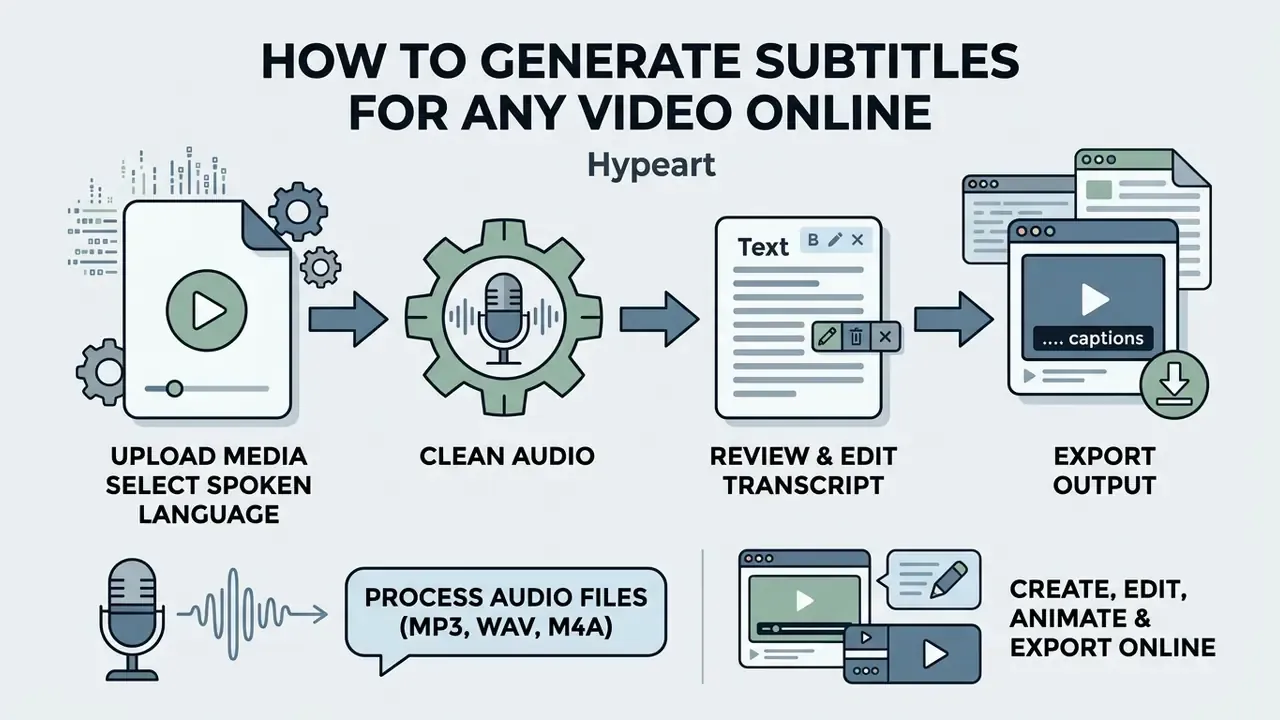
Creating automated video captions requires no specialized software installation and no audio engineering background. Browser-based free ai subtitle generator for videos platforms compress post-production into a short, repeatable workflow.
Upload Your Video and Select the Spoken Language
Start by importing your source media into the web editor. Most online ai subtitle generator software applications support MP4, MOV, WebM, and AVI, alongside isolated audio inputs like MP3 or WAV, typically from 25 MB up to 500 MB depending on free plan caps. Many tools also accept a pasted URL from YouTube, TikTok, Vimeo, or Loom instead of a local file.
Processing standalone audio files (MP3, WAV, M4A). You do not need a video file to generate subtitles. Modern tools process isolated audio tracks (podcast masters, phone recordings, interview audio, lecture captures, voice memos) and return time-coded SRT/VTT sidecars, or render the audio against a static waveform background for social distribution. The workflow is identical: select auto-subtitle, choose the language, then download SRT, VTT, or TXT. This is the fastest path to a searchable podcast transcript and to audiogram assets for feed placement.
Audio specification guidance. For best results, supply mono 16 kHz PCM or higher, keep lossy encodes at 64 kbps minimum, and avoid re-encoding an already compressed file. Professional capture standards accept 44.1, 48, 88.2, 96, 176.4, or 192 kHz sample rates at 16-bit or 24-bit depth, and any of those downsample cleanly to the model's input frame rate.
Before hitting generate, select the exact spoken language and dialect from the dropdown. Specifying "English (US)" versus "English (UK)," or identifying a localized Spanish accent, improves phrase prediction and cuts manual post-editing. Auto-detect is convenient, but manual selection measurably improves accuracy on accented speech and technical content. Teams also working with synthetic narration should cross-reference our notes on AI voice generators, where language and dialect tags govern output the same way.
Advanced Pre-Processing: Filler Words, Profanity Bleeping, and Noise Reduction
Before rendering final subtitles, modern engines analyze the waveform to strip disfluencies and separate dialogue from ambient noise. Skip this stage and you get technically accurate captions that read badly and kill retention. "So, um, basically, like, what we, uh, found" is a faithful transcript and an unwatchable caption line.
- Filler word removal: Deletes non-lexical sounds ("um", "uh", "you know", "like") from both the caption text and, in editors that support ripple-delete, the audio timeline itself.
- Profanity censoring: Bleeps specified keywords in the audio and replaces characters with asterisks (for example,
f*) in burned-in text. Essential for brand-safe placements, advertiser-friendly YouTube uploads, and podcast clips. - AI speech enhancement: Applies high-pass filtering and denoising to isolate voice frequencies (roughly 100 Hz to 8 kHz) before audio reaches the ASR model, reducing deletions caused by HVAC hum, traffic, and room reverb.
- Crosstalk separation: Where available, source separation splits overlapping speakers into discrete streams before decoding. This is the single largest lever on multi-speaker WDER.
- Automatic line breaking: Reflows long utterances into two-line blocks sized for small vertical screens.
Run pre-processing before transcript review, not after. Every filler word removed upstream is a caption block you never have to re-time downstream.
Generate, Review, and Edit the Transcript
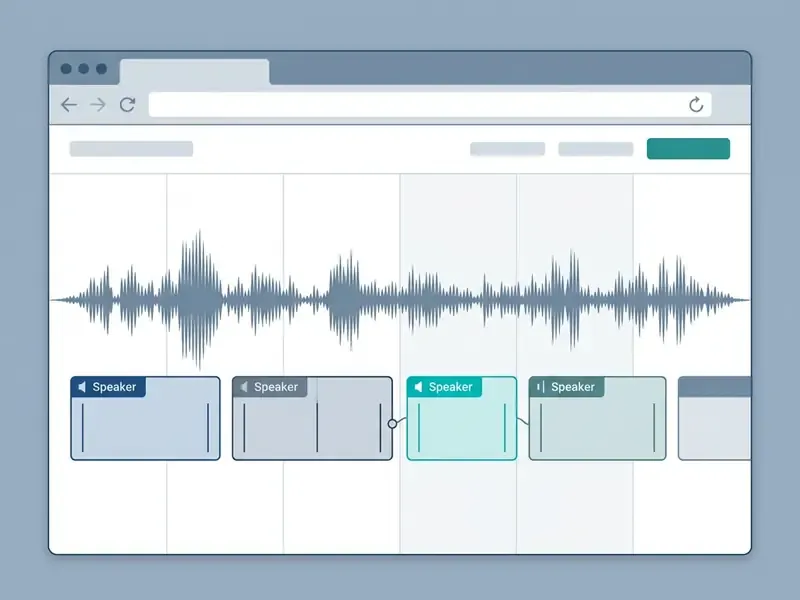
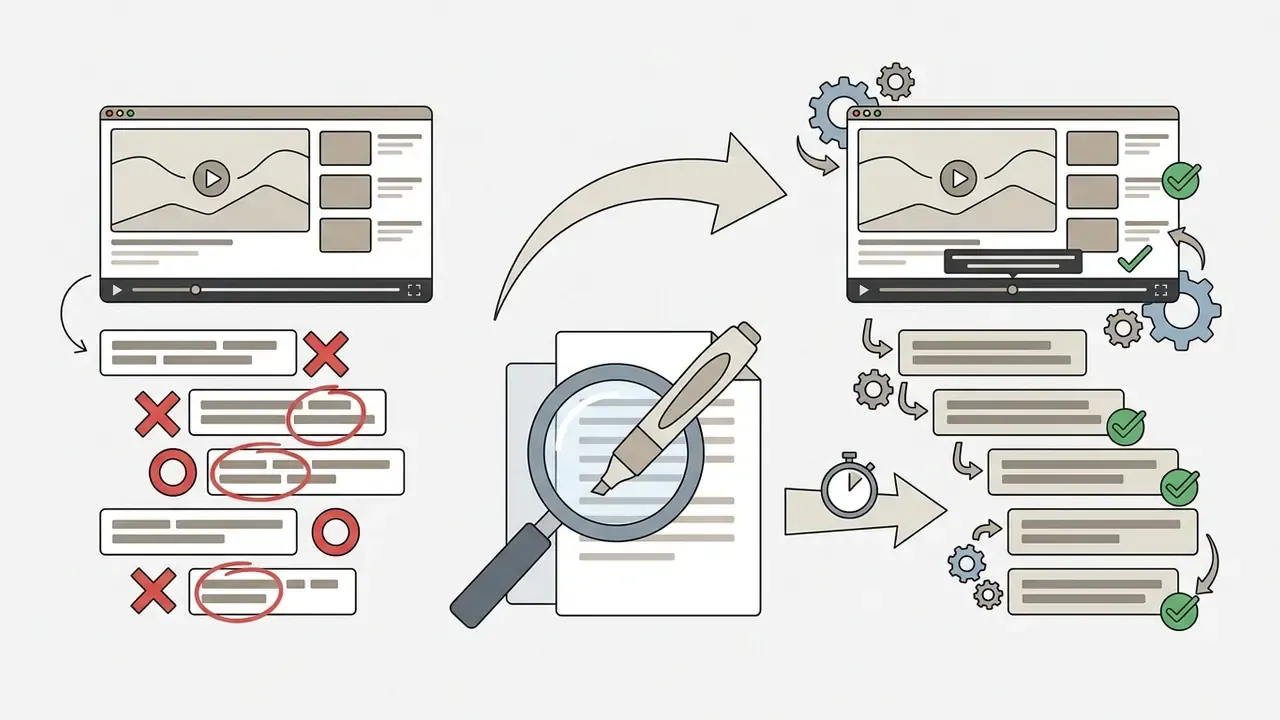
Once processing completes, the platform displays an interactive transcript synced to the timeline. Because ASR engines mishear proper nouns, technical jargon, and overlapping speech, manual review is not a nicety. It is the deliverable.
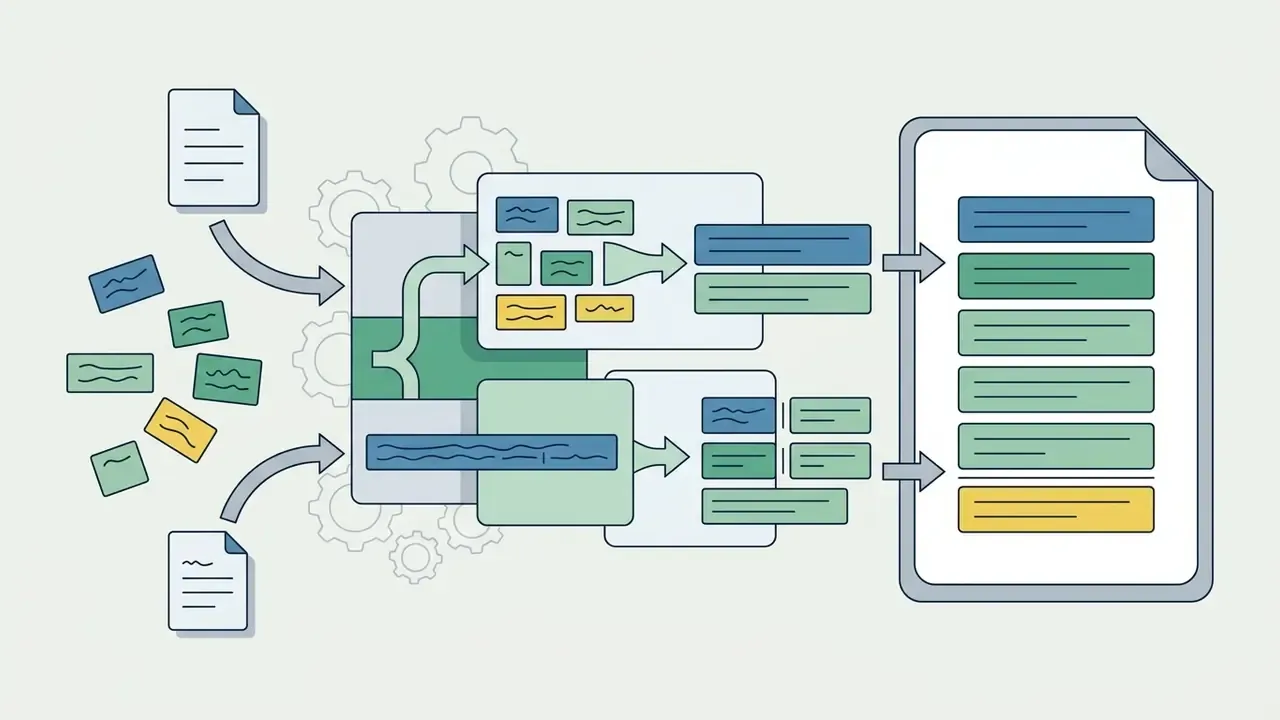
Figure 3. Interactive browser subtitle editor.
A reliable three-pass edit loop:
Use the visual timeline editor to adjust timestamps, split long sentences into readable two-line blocks, and correct punctuation. Readability targets drawn from current subtitling research and practice: a maximum of two lines per subtitle, roughly 42 characters per line for Latin scripts, and a reading speed near 21 characters per second. These are widely used production constraints rather than a single codified legal standard, so verify against the specific style guide your distributor mandates. Netflix, Ofcom, and DCMP each publish their own figures.
Export a Captioned Video or Download an SRT File
After finalizing transcript accuracy, choose your export format. If you plan to upload captions directly to YouTube, Vimeo, or an enterprise learning management system, select "Download SRT" or "Download VTT".
For social distribution where burned-in text is required, choose "Export MP4 Video". The server renders the visual subtitle styles into the video stream and produces a final file ready to upload. If the result exceeds a platform's size ceiling, run it through a video compressor rather than re-rendering at lower caption quality.
Export presets worth configuring once: 9:16 vertical for Shorts, Reels, and TikTok; 1:1 square for feed posts; 4:5 portrait for Instagram; 16:9 for long-form YouTube. One transcription pass can feed every aspect ratio.
How to Add Animated Subtitles and Match Your Video Style
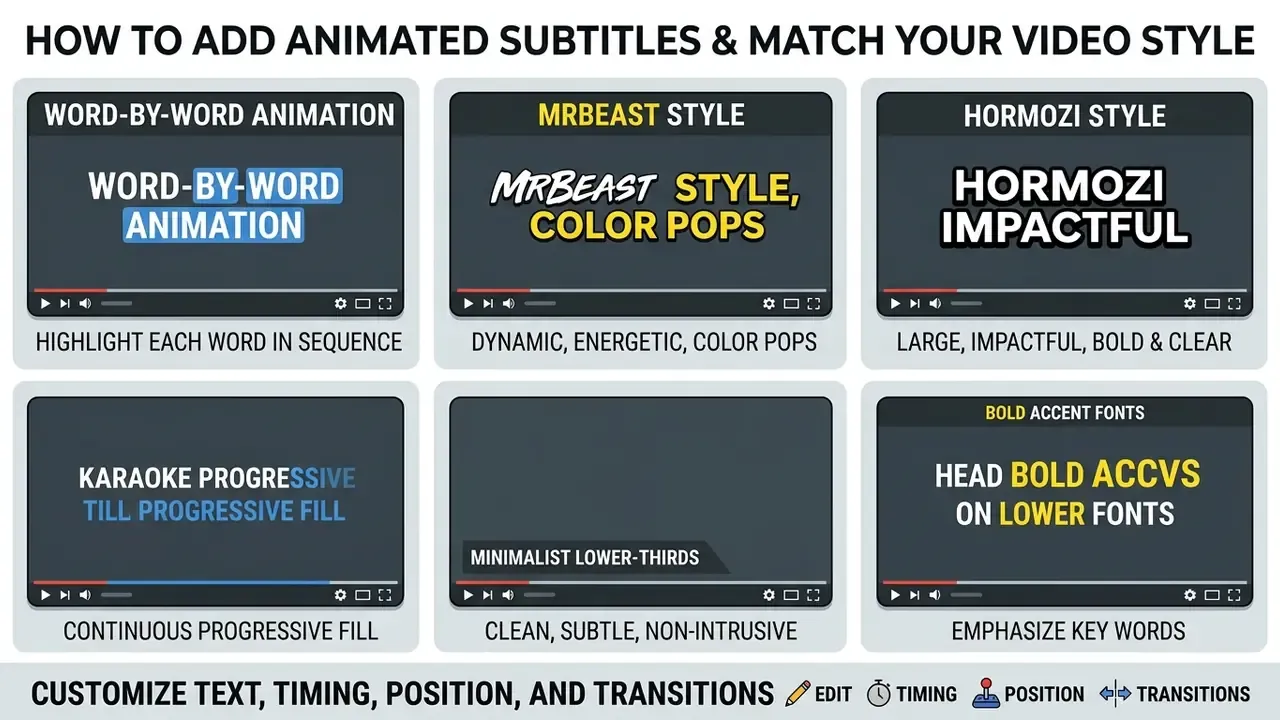
Custom typography turns a static transcript into a promotional asset. Learning to add animated subtitles to video projects lets creators match brand styling while holding viewer attention during silent playback.
Evidence for styling is real but narrower than marketing claims suggest. A 2017 study found that customized subtitle typography (size, color, position) improved retention and recall versus a control group among non-native English viewers (International Journal of Applied Linguistics & English Literature, https://journals.aiac.org.au/index.php/IJALEL/article/view/3774). Eye-tracking research likewise shows that subtitle design and shot-change timing measurably shift visual attention allocation. What the peer-reviewed literature does not yet provide is a clean effect size for motion animation specifically. Treat "animated captions boost retention by X%" claims as vendor-reported.
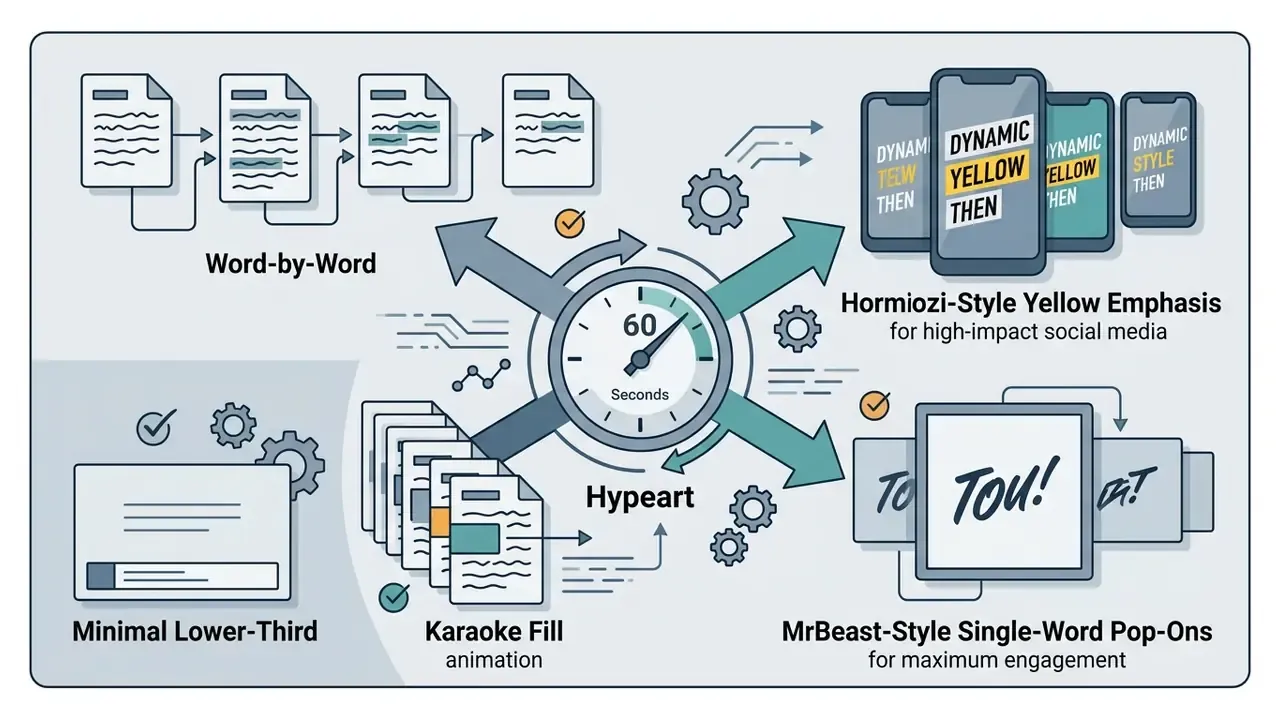
Word-by-Word, Karaoke, Hormozi, MrBeast, Minimal, and Bold Caption Styles
Modern captioning tools offer templates tuned to specific formats:
- Word-by-word animation Highlights individual words as they are spoken, changing color, scale, or background, or adding a bounce. Ideal for fast-paced TikTok and Reels content.
- MrBeast style Single-word pop-on animations with heavy drop shadows and stroke outlines, frequently paired with automatic emoji insertion triggered by spoken nouns. Built for maximum per-frame density on vertical feeds.
- Hormozi style High-contrast bold typography in yellow and green with dynamic word zoom, emphasizing financial figures, outcome claims, and high-impact verbs. Standard for business, offer, and sales content.
- Karaoke fill Smooth horizontal color transitions sweeping across the line as each word is spoken, with the remainder muted. Guides silent readability without adding clutter, and works well for tutorials and music.
- Minimalist lower-thirds Clean, subtle sans-serif typography in the bottom third of the frame. Preferred for corporate communications, documentary media, and educational lectures.
- Bold accent fonts Heavy, high-contrast text (Montserrat Bold, Bebas Neue, Impact) with dark drop shadows or colored bounding boxes, designed for legibility on small mobile screens.
Explore our guides on ai digital art and creative text styling tools to learn more about dynamic typography rendering.
Customize Text, Timing, Position, and Transitions
When customizing typography in an online auto caption generator ai, follow the legibility standards codified by Netflix's Timed Text Style Guide, OOONA, and the Described and Captioned Media Program:
- Font selectionUse highly legible sans-serif fonts such as Arial, Montserrat, Inter, or Helvetica in medium to bold weights. White text is the documented default across all three style guides.
- Contrast and backplatesApply solid or semi-transparent background boxes behind text to hold readability against changing footage without obscuring the image. Rim shadows are an accepted readability aid.
- Screen positioningDefault to center placement in the lower third. Move captions to the upper third only when lower-third graphics, name plates, burned-in on-screen text, or UI elements overlap.
- Timing to imageNetflix's guide requires subtitles to be "in sync with both the image and the audio," using the waveform as the timing reference, and to respect shot changes rather than straddling them.
- Transitions, sparinglyNo major style guide endorses decorative transitions for accessibility captions. Reserve motion for marketing-facing short form; keep compliance deliverables stable and predictable.
When to Use Burned-In Captions Instead of Subtitle Files
Burned-in captions are mandatory when publishing to platforms that do not support sidecar subtitle files, including Instagram feed posts, TikTok, and most mobile ad placements. Hardcoding prevents playback inconsistencies across mobile operating systems and players, and it removes the risk of caption tracks being stripped during platform re-uploads.
For long-form web content and corporate training portals, external SRT files remain the better default. They preserve search crawlability, allow instant text updates without re-rendering video, and let users resize text for screen reader accessibility. University accessibility guidance is explicit about this hierarchy: prefer caption files where the player supports them so users can toggle and restyle, and fall back to burned-in captions where files are unsupported or unreliably preserved.
Subtitle Accuracy, Translation, and Accessibility
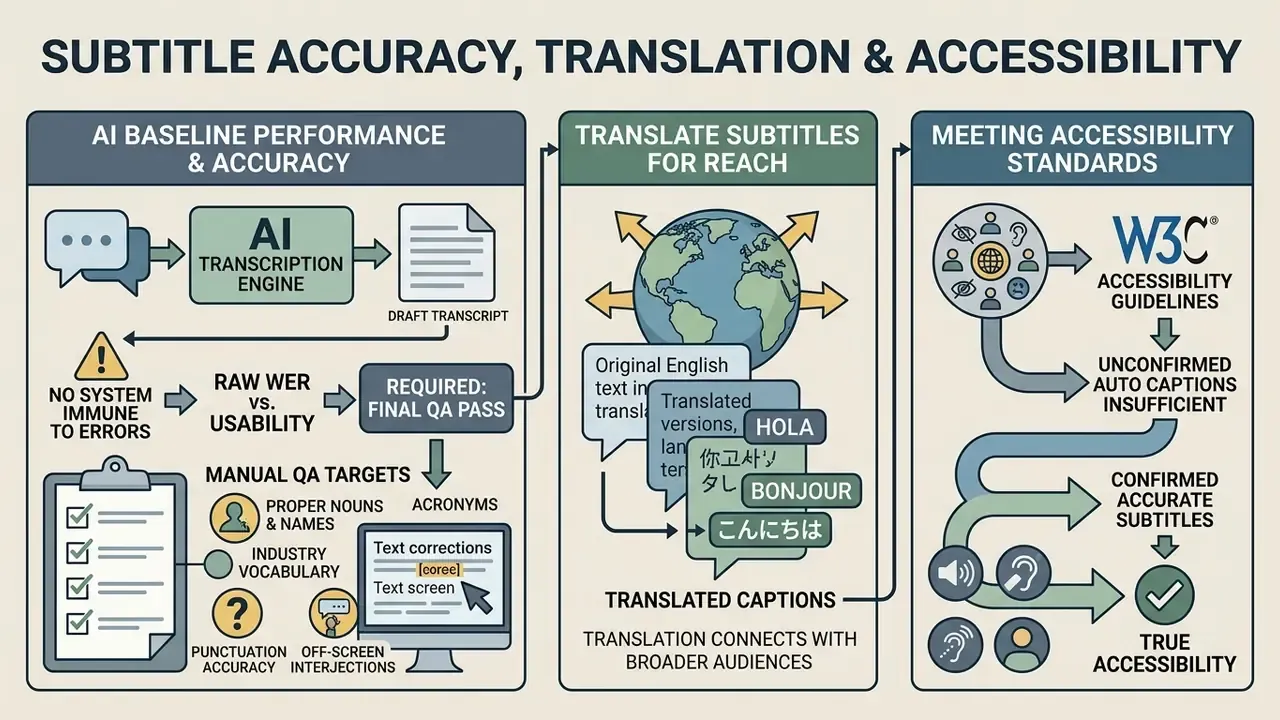
Modern ai generated captions for videos free models deliver strong baseline performance, but no automated system is immune to transcription error. Having established the WER benchmarks that should drive tool selection, this section covers what to do about them: the QA pass, translation limits, and the standards your output will be measured against.
Why AI-Generated Captions Need a Final Review
W3C treats fully automatic captions as insufficient for accessibility unless confirmed accurate. Automation produces a draft, not a deliverable. Ofcom's access-services guidance requires subtitles to reflect speech verbatim, remain synchronized with the audio, and avoid obscuring the speaker's mouth or vital on-screen information. Notably, neither WCAG nor the FCC defines a single numeric accuracy threshold, because usability depends on context, editing, and delivery conditions. The widely cited 98% figure comes from broadcasting-industry NER practice, and the Canadian NER model sets exactly that benchmark for live captions.
«Human subtitles reached 98.9% average accuracy; automatic systems averaged 24 errors per minute on complex broadcast audio, below the 98% NER threshold.»
«Four ASR systems evaluated on 50 hours of Italian television differed substantially in punctuation accuracy and subtitle alignment quality.» — From Speech to Subtitles: Evaluating ASR Models in Subtitling (2025), arXiv:2512.19161. https://arxiv.org/abs/2512.19161
The practical implication of that second finding: raw WER is a poor proxy for subtitle usability. Two engines with identical word accuracy can differ dramatically in punctuation placement and cue alignment, and punctuation is what makes a caption readable at 21 characters per second.
Authoritative style guidance supports a defined final QA pass rather than a vague "give it a look":
«Subtitles should be in sync with both the image and the audio.»
«Names, off-screen interjections etc., should also be subtitled.» — Stagetext, Digital Subtitling Guidelines (2021, updated 2026). https://www.stagetext.org/
Manual QA should therefore target: proper nouns and personal names, industry vocabulary and acronyms, numerals and currency, negations and contractions, punctuation and sentence boundaries, speaker labels in multi-voice segments, and timing offsets across shot transitions. For automated workflows, our AI Media API Guides cover programmatic text correction pipelines.
One more evidence point argues against treating captions as a full substitute for audio. A 2024 eye-tracking study in PLOS ONE found that sound-off subtitle viewing significantly reduced comprehension, recall, enjoyment, and immersion versus sound-on viewing, while increasing cognitive load. Captions preserve access; they do not neutralize the cost of silent viewing. That makes caption quality, not merely caption presence, the variable worth optimizing. Industry reporting citing Meta internal research puts the average view-time lift from captioned social video at roughly 12%, with one client study reporting 25%. Those figures come from platform and vendor sources rather than peer review, so read them as directional.
Translate Subtitles to Reach More Viewers
Automated subtitle translation lets creators localize video content for global audiences almost instantly. Translating a master English transcript into Spanish, French, German, or Mandarin expands reach without the cost of full human translation.
The honest picture on machine-translated subtitle quality is that it is workflow-dependent and metric-dependent, not a single number. A 2025 ACL Anthology study found human and machine-translated subtitles "hard to differentiate," with overall identification accuracy of 0.5. Reported accuracy across studies spans roughly 68.9% for one end-to-end automatic subtitling workflow up to 97.2% for an ASR-plus-MT live interlingual pipeline, although that same 97.2% workflow was rated the worst performer on adequacy and fluency in its own test. Live-subtitling ASR accuracy is commonly reported at 60 to 90%, rising to at least 98% with editing and speaker training. In short: automation gets you a usable draft in minutes; it does not get you a publishable localization without review.
«Iterative Whisper pseudo-labelling combined with inference-time LLM editing significantly improved Estonian television subtitle quality.»
Editors must review translated text so cultural idioms, register, tone, and length constraints survive. A two-line, 42-character-per-line box does not stretch to accommodate German compounds or Spanish verbosity, and unreviewed machine translation routinely overflows it.
For content teams building broader publication frameworks, our ai discussion post generator and ai document generator resources help streamline multi-channel campaigns.
Compliance Audit Checklist (WCAG 2.2 / Section 508)
Use this as a pre-publication sign-off for regulated, public-sector, or enterprise video. Each line maps to a documented requirement rather than a best-practice preference.
| # | Check | Standard Basis | Pass Criteria |
|---|---|---|---|
| 1 | Captions present on all prerecorded synchronized media | WCAG 2.2 SC 1.2.2 | Every video with audio has a caption track |
| 2 | Captions synchronized to speech | Section 508 / Ofcom | Cues aligned to waveform; no straddling shot changes |
| 3 | Spelling, grammar, and punctuation correct | Section 508 | Human-reviewed; no [inaudible] left in delivered file |
| 4 | Non-speech audio included | WCAG 2.2 / NIDCD | Music, applause, sound effects labeled where meaningful |
| 5 | Speaker identification consistent | Section 508 | Labels applied and verified in all multi-voice segments |
| 6 | Adequate on-screen duration | Section 508 | Two lines maximum, ~42 chars/line, ~21 chars/second |
| 7 | Captions do not obscure critical information | Ofcom access services | No overlap with mouths, burned-in text, or lower-thirds |
| 8 | Verbatim fidelity to spoken audio | Ofcom access services | No unlogged paraphrase or omission |
| 9 | Format supported by target platform/player | EC caption guidance | SRT/VTT validated in destination player before release |
| 10 | Data-handling path approved | Internal governance | Tool on approved register, or processed offline |
Disclaimer: this checklist is provided for general informational purposes and does not constitute legal or accessibility-compliance advice. Confirm applicable obligations with qualified counsel or a certified accessibility auditor for your jurisdiction and sector.
Free AI Subtitle Generator FAQ
Do I Need to Install Subtitle Generator Software?
No. Modern best free subtitle generator ai platforms run entirely in the browser. Cloud tools perform speech recognition, audio processing, and video rendering on remote clusters, so you do not download heavy desktop software or maintain local GPU hardware. VEED, for example, documents a fully browser-based subtitle editor requiring no install across macOS, Windows, Linux, Safari, Chrome, and Firefox. That said, desktop suites like DaVinci Resolve or Subtitle Edit offer offline processing and better privacy for sensitive enterprise assets that cannot leave the perimeter. Worth noting: no retrieved study quantifies task time, error rate, or satisfaction differences between browser and desktop workflows. The comparison is functional (fewer app handoffs versus offline control), not measured. Our comparison of the best AI video generators applies the same evaluation logic across adjacent tool categories.
Can I Generate Subtitles Directly Inside Premiere Pro or DaVinci Resolve?
Yes. ASR plugins for Adobe Premiere Pro and DaVinci Resolve transcribe sequence audio in place and populate native caption tracks on the timeline, so you never export a proxy just to caption it. Resolve's Delivery page then exports subtitles as a separate SRT/WebVTT file, burned into the video, or as embedded captions, all from the same timeline. This is the preferred route while the edit is still changing, because cues stay tied to the sequence rather than to a flattened render.
Can I Generate Subtitles from Audio Only (MP3, WAV, M4A)?
Yes. Upload any audio file (MP3, WAV, M4A, podcast recordings, interview audio, lecture captures, phone voice memos) and the tool transcribes and time-codes it exactly as it would a video. Select auto-subtitle, choose the spoken language, then download SRT, VTT, or TXT. If you need a postable asset rather than a sidecar file, most editors will render captions over a waveform, cover art, or static background for feed distribution. Hosted APIs commonly cap uploads around 25 MB, so split long masters or transcode to a lower bitrate mono file first.
Can I Add AI Subtitles to a Video That Already Has Captions?
Yes. You can upload a video containing existing burned-in captions, or import an existing SRT file into an online editor to replace, re-time, or translate the text track. Many browser tools let you import an external SRT, line up timing markers visually against the waveform, and export an updated subtitle file without re-transcribing the source audio. In VEED the path is Subtitles → Upload Subtitle File → select the .srt. Some AI editors go further and let an imported SRT explicitly override the AI-generated captions during review, which is the cleanest way to enforce an approved terminology list.
Is an AI Sub Generator Safe for Confidential or Regulated Recordings?
Not by default. A consumer ai sub generator running in a browser sends your audio to a third-party cloud with whatever retention and license terms its free tier specifies. For customer calls, KYC or AML case material, credit committee recordings, or anything under NDA, the defensible configuration is local Whisper plus Subtitle Edit, with the tool listed on your approved-tool register and a named owner attached. If you cannot show an examiner where the audio went and how long it was retained, the control does not exist.
Are AI Captions WCAG 2.2 Level AA Compliant?
Not automatically. Time-synced, correctly punctuated captions with speaker labels satisfy the visual and content requirements for prerecorded captions under WCAG 2.2 Level AA, and burned-in captions are always visible, which is often a stricter outcome than a CC toggle the viewer must hunt for. But W3C treats unverified automatic output as insufficient: compliance depends on a human confirming accuracy, completeness of non-speech audio, and synchronization. Run the audit checklist above before claiming conformance.
How Long Does Captioning Take?
Cloud processing is typically faster than real time. Most videos under 30 minutes complete in two to five minutes; a 60-minute podcast usually takes six to ten. Long-running jobs are asynchronous (Google Cloud's caption support documents polling the operation until completion), so you can close the tab and come back. Local Whisper inference time depends entirely on model size and whether you have GPU acceleration.
Which Free Tool Should I Pick for My Situation?
- Publishing simple captions to TikTok or Reels → a free ai video caption generator with clean SRT export (Simplified, ScreenApp, Clipchamp).
- Publishing styled, animated vertical captions → VEED or Choppity presets.
- Publishing long-form on YouTube in one language → YouTube's own auto-captions plus a manual edit pass in Studio.
- Localizing across many languages → a multi-engine platform such as Maestra.
- Editing inside a timeline → a Premiere Pro or DaVinci Resolve ASR plugin.
- Working with NDA-bound, regulated, or confidential material → Subtitle Edit plus a local Whisper model, offline.
Technical Resources and Specialized AI Tools
Explore our collection of technical guides, comparison matrices, and specialized generative AI resources across the AI Media Glossary:
- Creative media tools Specialized generation guides including our ai diss track, ai dnd map, and ai dog pictures documentation.
- Analytical tools Calculate rendering overhead and licensing costs with the AI Media Calculators.
- Technical support Platform setup assistance and documentation via support.
- Regulatory compliance Legal standards and AI intellectual property cases at AI Litigation and Case Timelines.
About This Guide
This guide is maintained by our AI media research desk, which audits generative media tooling against published vendor terms, accessibility standards (WCAG 2.2, Section 508, Ofcom access services), and peer-reviewed ASR literature. Governance and model-risk commentary in this article reflects input from Marcus Hale, AI Governance & Model Risk Specialist.
Vendor limits, watermark policies, and commercial-rights language were verified against 2026 service agreements at the time of publication and are re-audited quarterly. Because these terms change without notice, always confirm current conditions with the vendor before commercial or regulated deployment.