Generative image systems offer two practical routes to an AI dog image: text-to-image prompting and photo-to-portrait generation. Write a structured descriptive prompt, or condition the pipeline on a reference pet photo, and you can produce high-resolution dog art, cartoon illustrations, and realistic studio portraits across several visual mediums. The mechanics are simple. The controls around them are where teams stumble.
Why does a topic this playful deserve a control mindset? Because the same workflow that turns a Corgi into an oil painting also touches uploaded imagery, vendor data retention, licensing terms, and brand risk. Marketing teams inside regulated firms hit those questions fast, usually right after the first campaign asset gets approved.
Executive summary
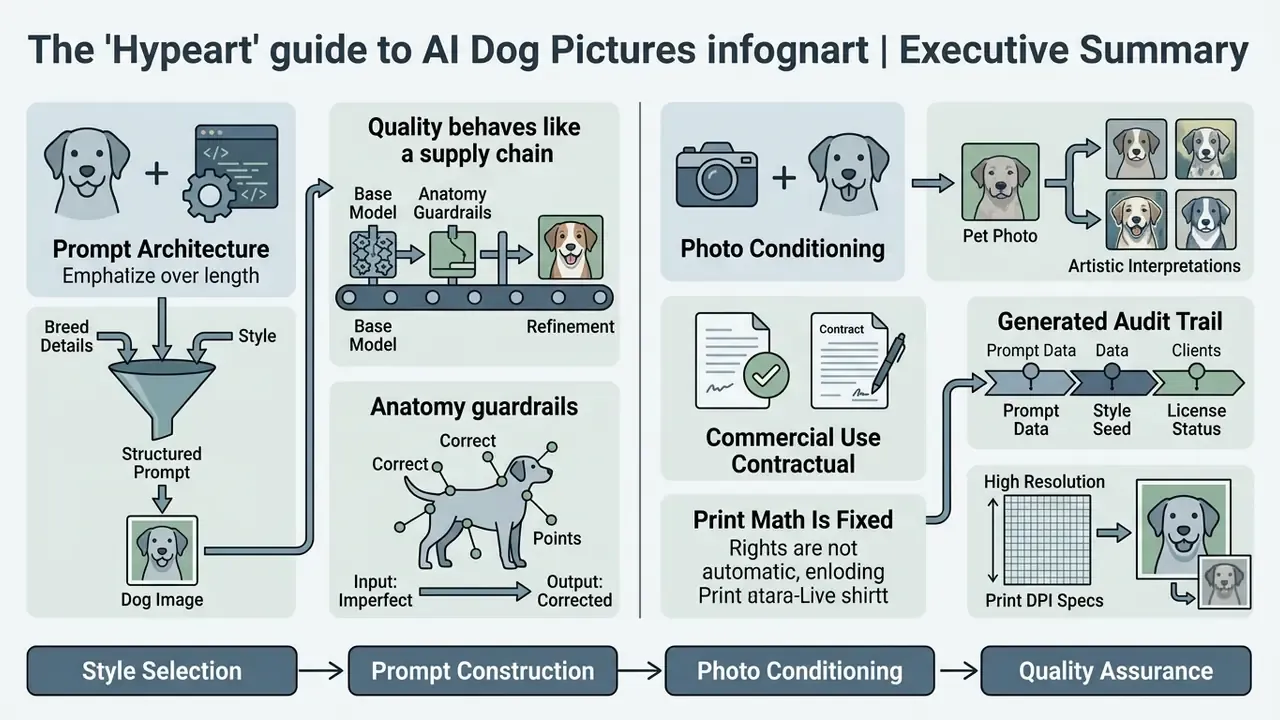
- Two workflows dominate. Text-to-image prompting builds a dog from scratch. Image-to-image conditioning transforms an existing pet photo while holding facial identity in place.
- Prompt architecture beats prompt length. A four-layer formula (Subject, Context, Lighting, Style) removes most composition errors before you touch a single advanced setting.
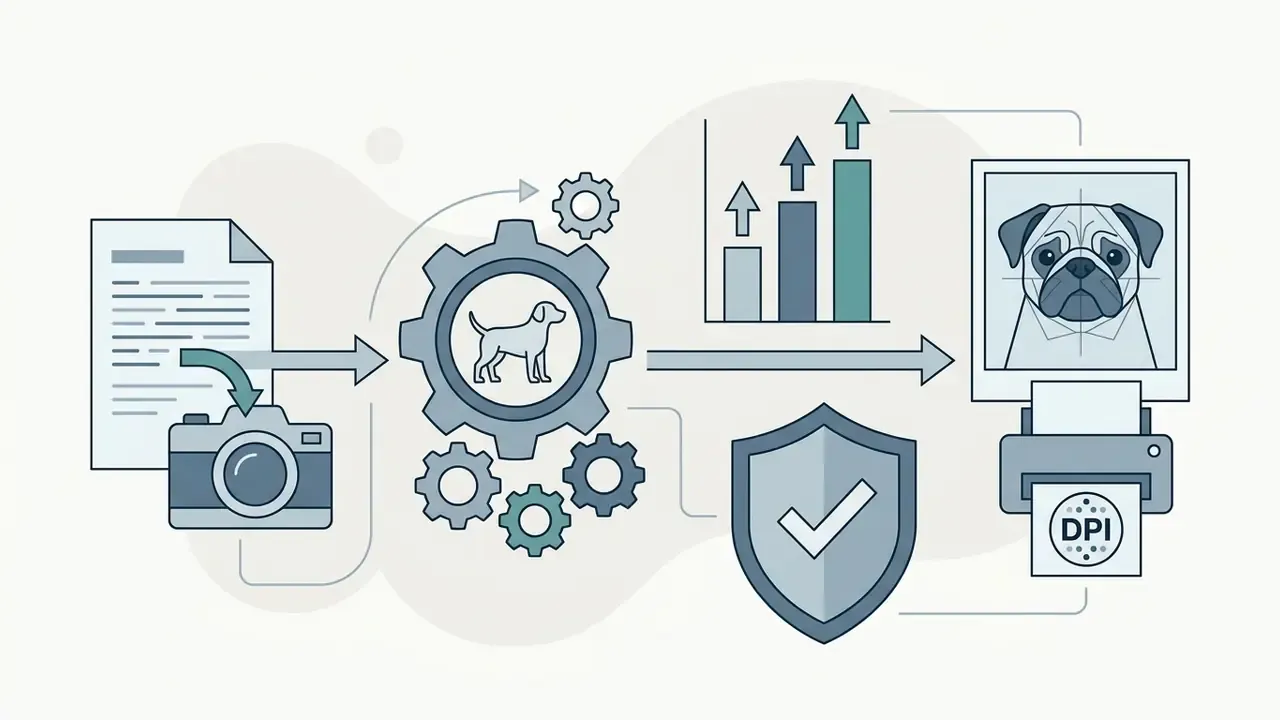
- Quality behaves like a supply chain. Source photo sharpness, base resolution (1024×1024 minimum), sampling steps, upscaling, and export format each cap the ceiling of the final asset.
- Anatomy needs guardrails. Diffusion models default to generic canine traits, so breed features such as docked tails, cropped ears and wrinkled muzzles must be enforced with explicit and negative prompts.
- Commercial use is contractual, not automatic. Platform terms grant usage rights. Copyright registration usually does not attach to purely machine-generated output without documented human creative control.
- Audit trail matters. Prompts, seeds, model versions, guidance scale and post-editing steps belong in a log, as reproducible evidence for internal review or external audit.
- Print math is fixed. For physical products, target 300 DPI. A 12×16 inch canvas needs roughly 3600×4800 pixels.
This guide moves in order: styles first, then prompt construction, then photo conditioning, then quality control, formats, licensing, and finally the evidence you should retain. If you are reading it as a marketing lead inside a bank or fintech, the licensing and audit sections are the two that will come up in review.
AI dog pictures: gallery of styles and creative ideas
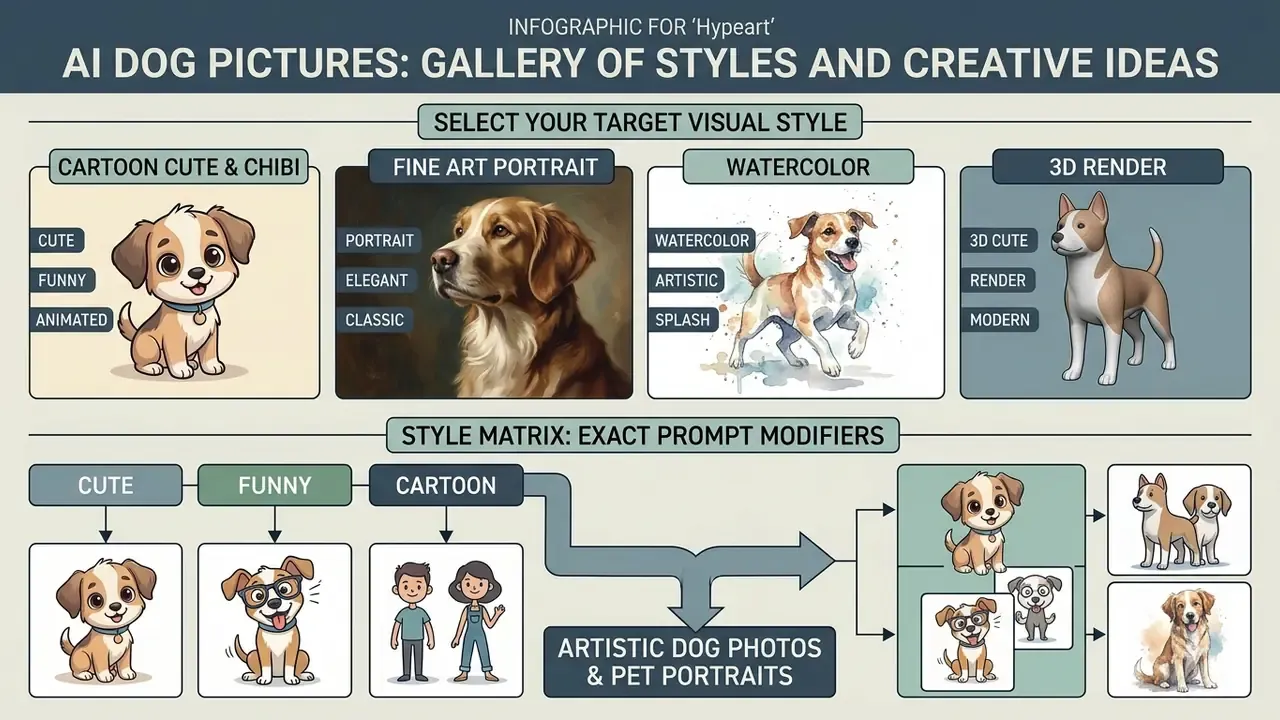
To create compelling AI dog pictures, first decide on the target visual style and composition. Generators cluster dog art into recognisable artistic families, from 3D animations and expressive caricatures to classical oil paintings and soft watercolor washes. Vendor documentation converges on five reproducible clusters (cartoon, cute or 3D cute, fine art portrait, watercolor, and 3D render), each defined by eye size, line quality, fur texture, lighting behaviour, and background treatment.
Practical shorthand for each cluster:
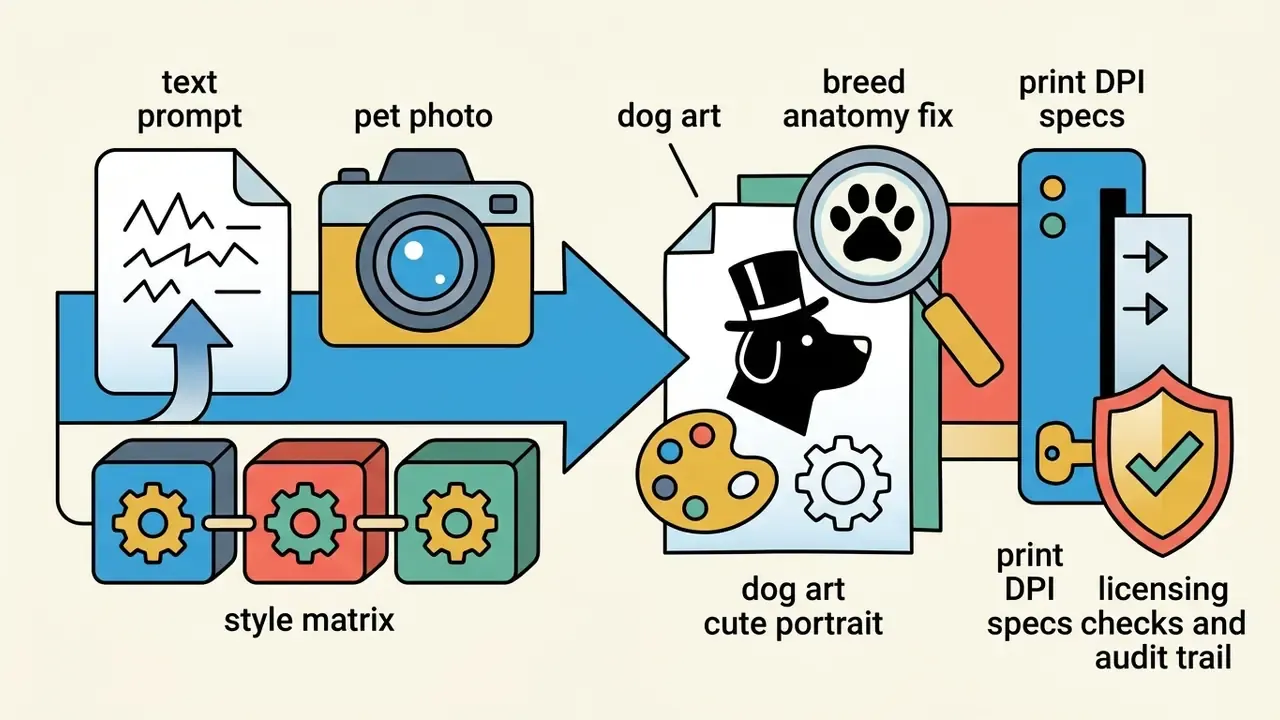

Style matrix: exact prompt modifiers for each aesthetic
Use these tested modifier blocks as drop-in style layers. Append them to any subject description to switch aesthetics without rewriting the prompt from scratch.
| Style cluster | Prompt modifier to append | Best output use |
|---|---|---|
| Studio Fine Art | "Victorian studio portrait, rich velvet backdrop, Rembrandt lighting, ultra-detailed fur texture." | Framed canvas, memorial wall art |
| Anime & Storybook | "Soft hand-drawn anime aesthetic, pastel palette, lush green field background." | Children's gifts, social avatars |
| Impressionism | "Thick impasto oil brushstrokes, swirling starry sky backdrop, vibrant yellows and blues." | Statement prints, gallery-style décor |
| Modern Graphic | "Pop art vector illustration, bold black outlines, vibrant duotone colour scheme, flat background." | Stickers, apparel, packaging |
| Retro Cartoons | "1990s animation cel style, nostalgic cartoon aesthetic, expressive eyes, simple cell shading." | Merch, memes, nostalgia campaigns |
| Watercolor Memory | "Loose watercolor washes, soft ink outline, cold-press paper texture, gentle splatter, white margin." | Greeting cards, tribute art |
| Cinematic 3D | "Stylized 3D animated movie render, glossy fur shading, volumetric rim light, shallow depth of field." | Phone wallpapers, animated shorts |
Additional micro-styles worth testing when you need differentiation: Fauvism (non-naturalistic saturated colour), acid manga (high-contrast neon linework), blocky low-poly, charcoal sketch, palette-knife impressionism, and plain ink sketch. Curated commercial libraries expose dozens of such presets. DogArt.ai alone documents 59 named styles including Pencil Portrait, Ink Sketch, Charcoal, Acrylic Canvas and Palette Knife, which makes a useful benchmark when you compare generators against each other.
One caution on style names. Prompting with the name of a living studio or artist may produce a great picture and a bad legal position, especially on merchandise. Describe the technique instead of naming the rights holder.
Cute, funny and cartoon AI dog images
Cute AI dog pictures depend on exaggerated proportions, expressive facial features, and dynamic action lines. Classic animation instruction, notably Ken Hultgren's animal-drawing methodology, explains that motion reads through a line of action, arcs, and "bunching up and elongating," while caricature dogs are built by exaggerating body mass, ears, chest, and jaw. Emotion is communicated through the face plus one dominant colour cue, a technique used in the American Kennel Club Museum of the Dog's dog-emotion worksheet, where learners render happy, sad, surprised, angry and quiet states.
Peer-reviewed work on cartoon animal personality (2023) links perceived character traits to measurable motion parameters such as distance, rotation and area. That is why prompts naming a distinct movement, a dog leaping, tilting its head, skidding to a stop, outperform static descriptions. Verbs carry weight here.
Style abstraction is not neutral for commercial goals:
AI pet portraits and artistic dog photos
An AI pet portrait turns an ordinary snapshot into formal, gallery-grade art. Popular directions include Renaissance oil paintings, Victorian studio photography, charcoal sketches and modern pop art. Research on subject-driven diffusion models indicates that applying fine art textures, palette knife strokes or watercolor paper washes for example, preserves core facial identity while recontextualising the subject into a different medium (Miao et al., 2024).
Benchmark numbers point the same way: reward-preference-optimized subject-driven pipelines report CLIP-I 0.833 and CLIP-T 0.314 on DreamBench, meaning subject fidelity and text alignment hold up at the same time (Reward Preference Optimization for Subject-Driven Text-to-Image Generation, corpus ref [1]). Before committing to a platform, compare dedicated image-to-image generators that expose reference strength and style weight as separate sliders rather than hiding both behind one "intensity" control.
Perception also shifts with the medium applied to one identical source photo. Oil-style renders preserve more literal detail, with heavier shadows and luminous fur, reading as formal or memorial. Watercolor uses soft edges and colour bleed, pushing perception toward atmosphere and memory rather than exact likeness. Vector graphics flatten geometry into graphic shorthand, which is why they dominate stickers and merch rather than framed art. Same dog, three different emotional registers.
How to create an AI generated image of a dog from a prompt
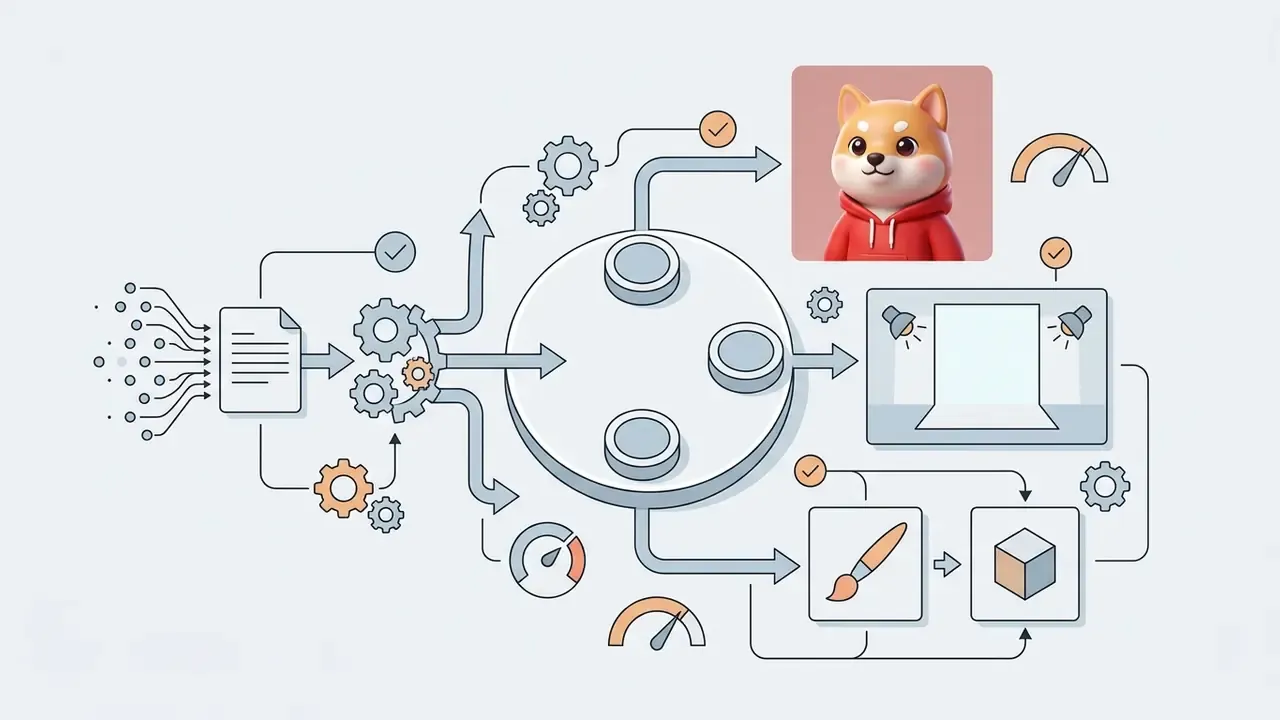
Generating an AI generated image of a dog from text requires a structured prompt covering subject breed, action, background scene, lighting conditions and visual style. Diffusion models convert these tokens into semantic guidance, then iteratively remove noise to decode a final high-definition raster image. The internal sequence is consistent across implementations: text prompt, text embeddings, random noise initialisation, repeated denoising across timesteps, final image decode.
- Define the core subjectspecify the exact breed, coat pattern, eye colour and physical pose, for example "a fluffy Pembroke Welsh Corgi sitting upright."
- Establish the environmentdescribe background context, setting and spatial arrangement, for example "in a sunlit outdoor flower garden."
- Set lighting and atmospheredictate camera details or ambient light, for example "soft morning golden-hour lighting, shallow depth of field."
- Apply visual style and mediumadd artistic or photographic parameters, for example "photorealistic 85mm portrait photograph" or "3D animated movie render."
- Generate and iteraterun the generator, produce several variations, then refine individual tokens. Change one element per iteration. Vendor prompting guides recommend small single-change follow-ups rather than full rewrites, and in practice that discipline saves credits.
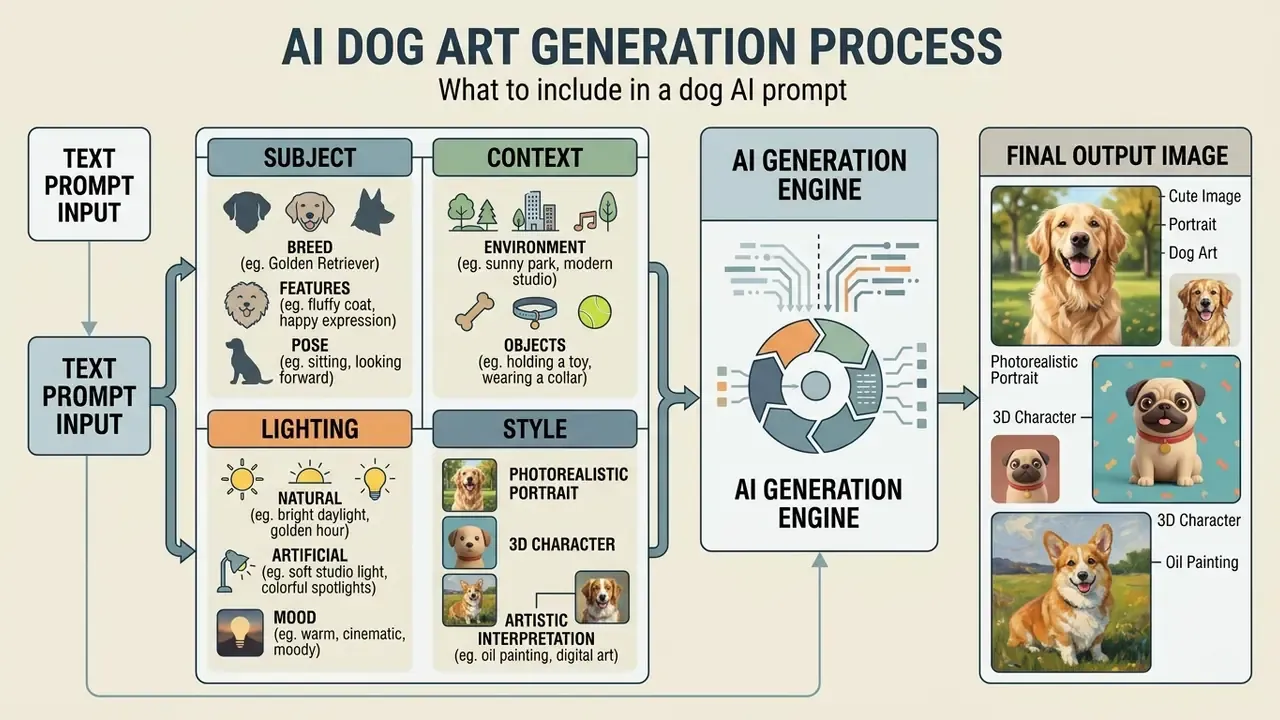
What to include in a dog AI prompt
An effective prompt for an ai image of a dog orders descriptive details by priority: subject, background, lighting, camera parameters. Google Cloud Vertex AI prompt engineering guidance notes that separating subject attributes from environmental context prevents feature bleed, so the model renders specific coat markings alongside the requested background instead of mixing the two. Breed-level attributes worth naming explicitly: breed or type, coat colour and markings, size, fur type (double coat, wiry, curly), eye colour, ear carriage, and habitual pose.
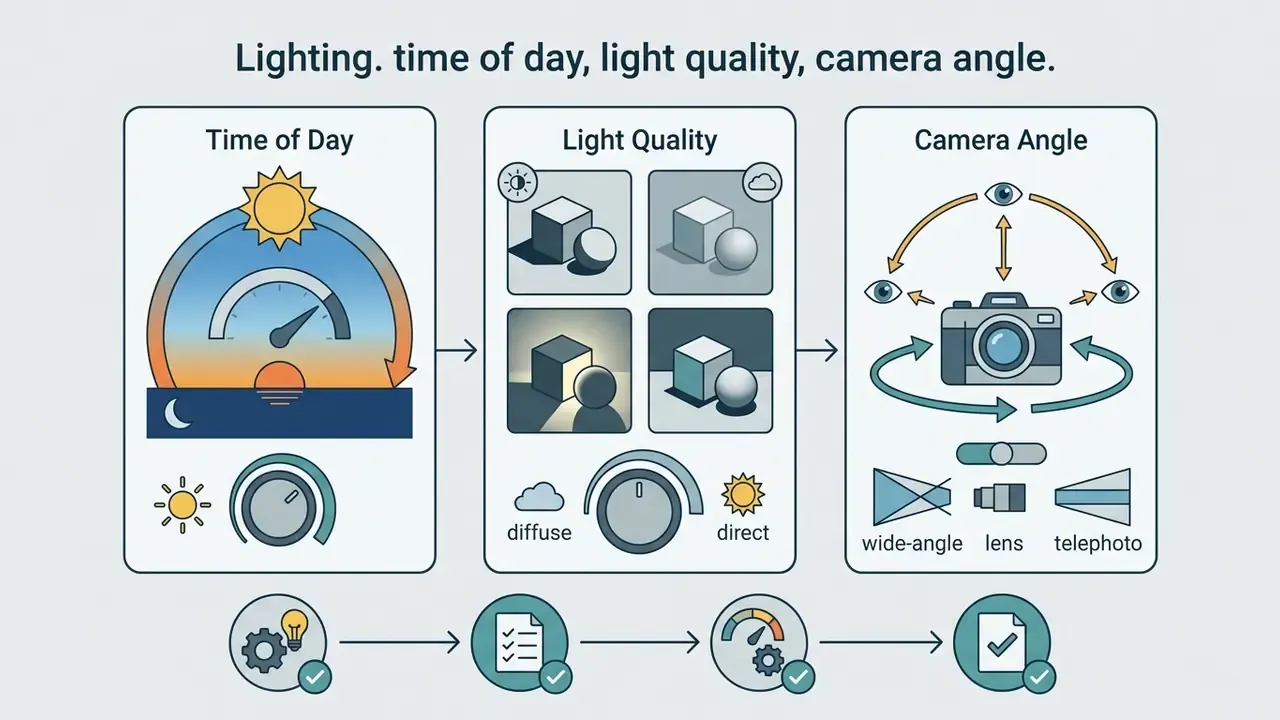
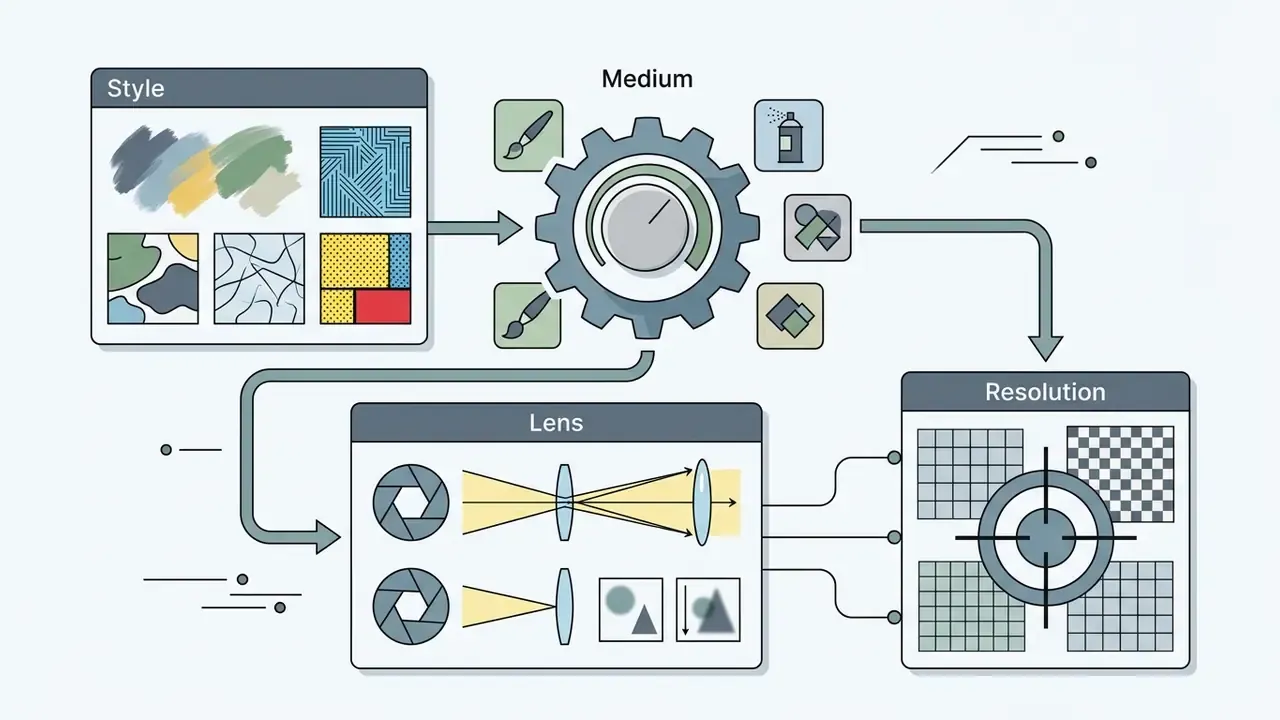
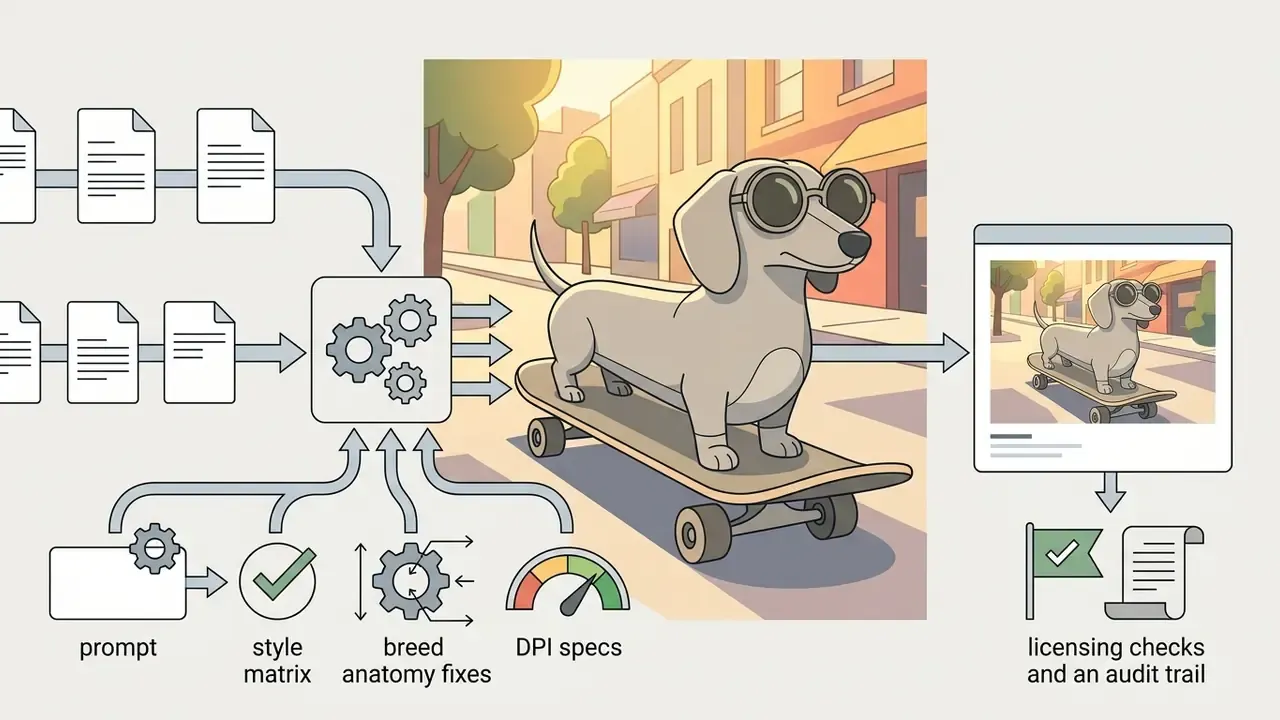
Anatomy of a workable AI dog prompt (four layers):
Keep those four in that order and most composition errors disappear before you open the advanced panel.
Prompt ideas for AI generated dog photos
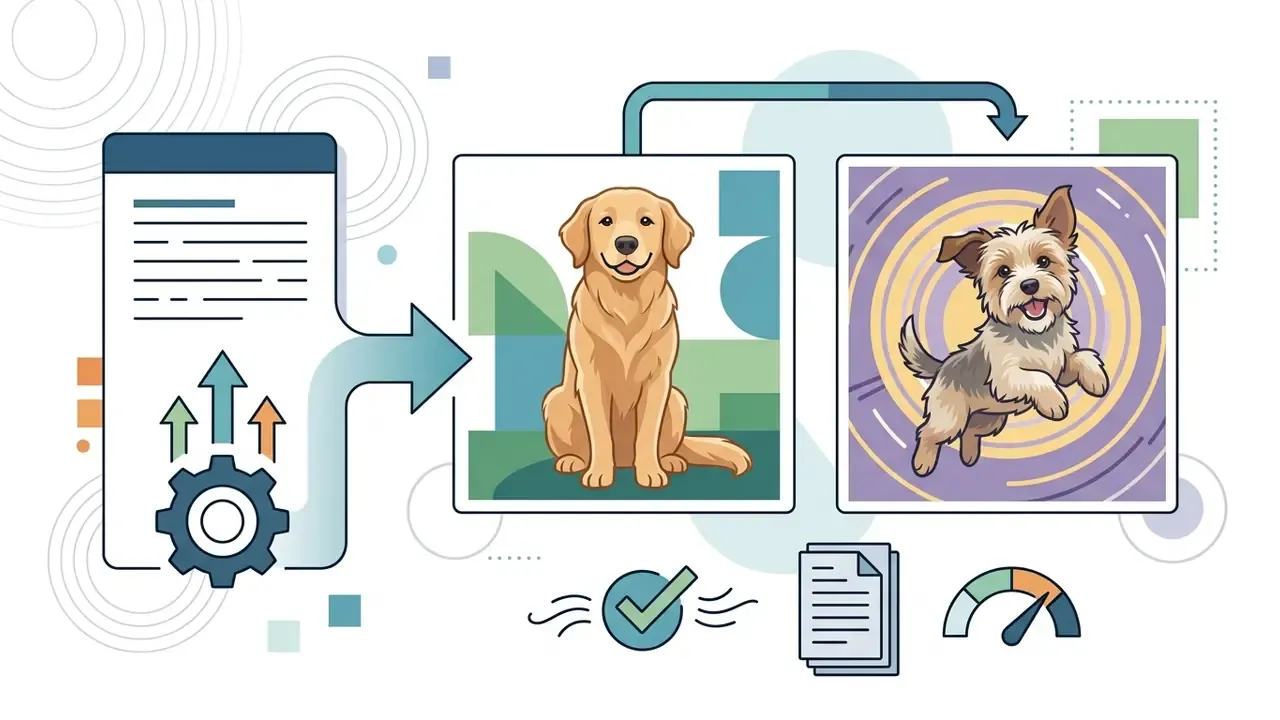
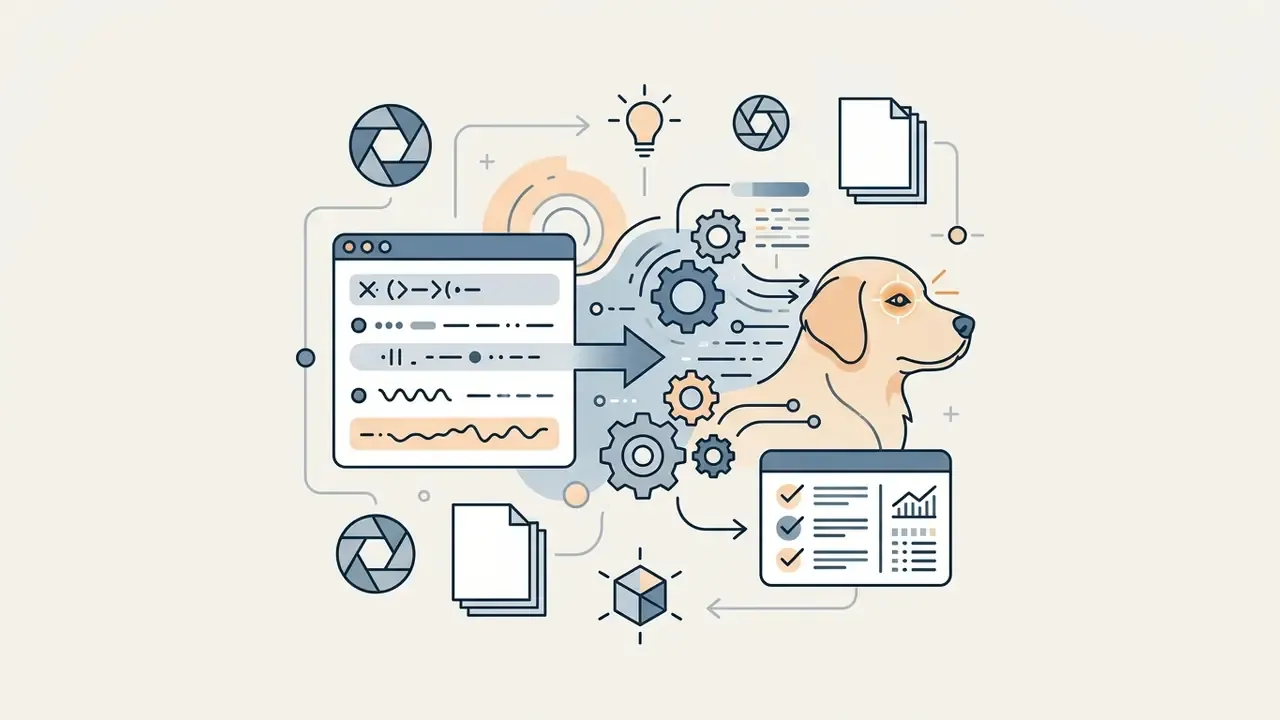
To produce an ai pic of dog across different aesthetics, start from tested formulas:
Funny and action prompt library (ready to copy)
- Pug Chef "A funny Pug wearing a tall white chef hat and a flour-covered apron, standing in a messy rustic kitchen with rolling pins, whimsical lighting, photorealistic detail."
- Corgi Pizza Thief "A cute Welsh Corgi stealthily pulling a slice of melted cheese pizza off a coffee table, guilty expression, wide eyes, shallow depth of field, 35mm lens."
- Superhero Bulldog "An English Bulldog wearing a red superhero cape, standing heroically on a skyscraper ledge at sunset, dramatic backlighting, cinematic comic book style."
- Toilet Paper Chaos "A mischievous puppy tangled in an unrolled roll of toilet paper, wide-eyed and playful, bright studio lighting, funny pet photography."
- Beach Retriever "A Golden Retriever wearing mirrored sunglasses lounging on a beach towel, vibrant colours, joyful atmosphere, digital art."
- Poodle Salon Disaster "A Standard Poodle with an absurdly voluminous hairdo, startled expression, vintage sepia photograph style, quirky portrait framing."
- Dachshund vs. Tiny Bed "A Dachshund hilariously contorted while trying to fit into a bed three sizes too small, soft focus, warm indoor light."
- Wizard Pug "A Pug dressed as a wizard casting a spell that produces a shower of dog biscuits, whimsical, colourful, funny, digital art."
- Beach Ball Herders "A pack of small dogs attempting to herd a giant beach ball, chaotic energy, bright sunny day, cartoon style."
- Astronaut Shiba "A smiling 3D Shiba Inu astronaut in a shiny helmet floating in space, bright colourful render, glossy materials, high detail."
- Newspaper Dog "A dog in a bathrobe reading a newspaper, humorous domestic scene, clean composition, realistic lighting, funny but believable."
- Spaghetti Chef Dachshund "A Dachshund chef cooking spaghetti in a tiny kitchen, chaotic funny moment, motion blur, warm indoor light, detailed props."
When designing structured content workflows or generating batches of creative variations, editorial teams often lean on an ai outline generator to draft media briefs, then benchmark output quality across leading AI image generators before standardising on one vendor.
Turn a pet photo into an AI dog portrait
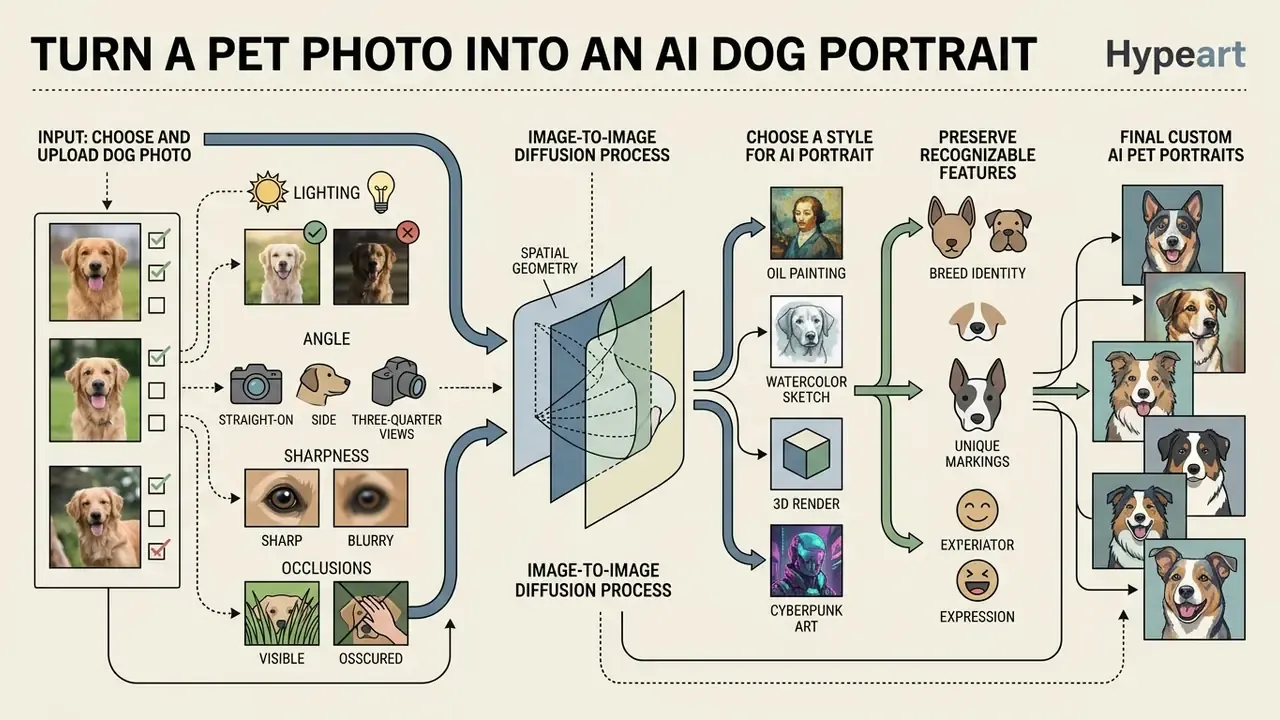
Transforming a real pet photo into a custom AI pet portrait relies on image-to-image diffusion, where the input picture conditions the spatial geometry and identity features of the output. That is what lets owners keep their dog's likeness while changing the artistic medium or the background entirely.
How to choose and upload a dog photo
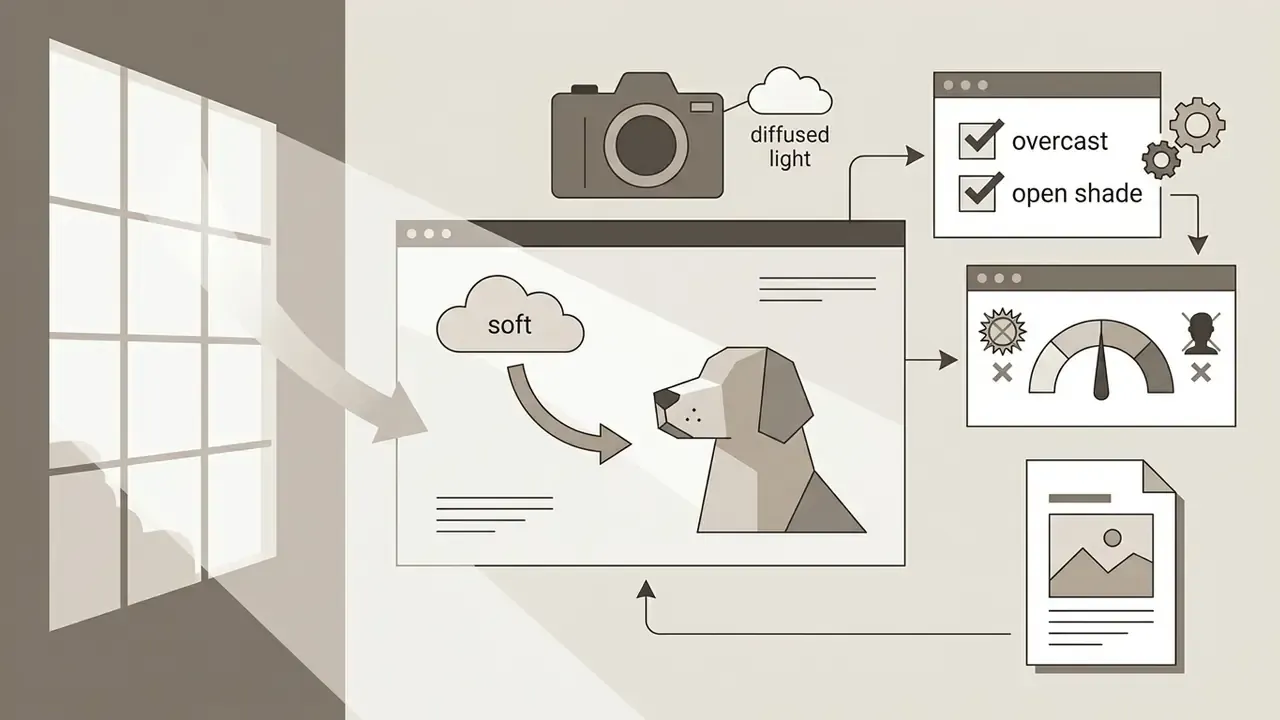
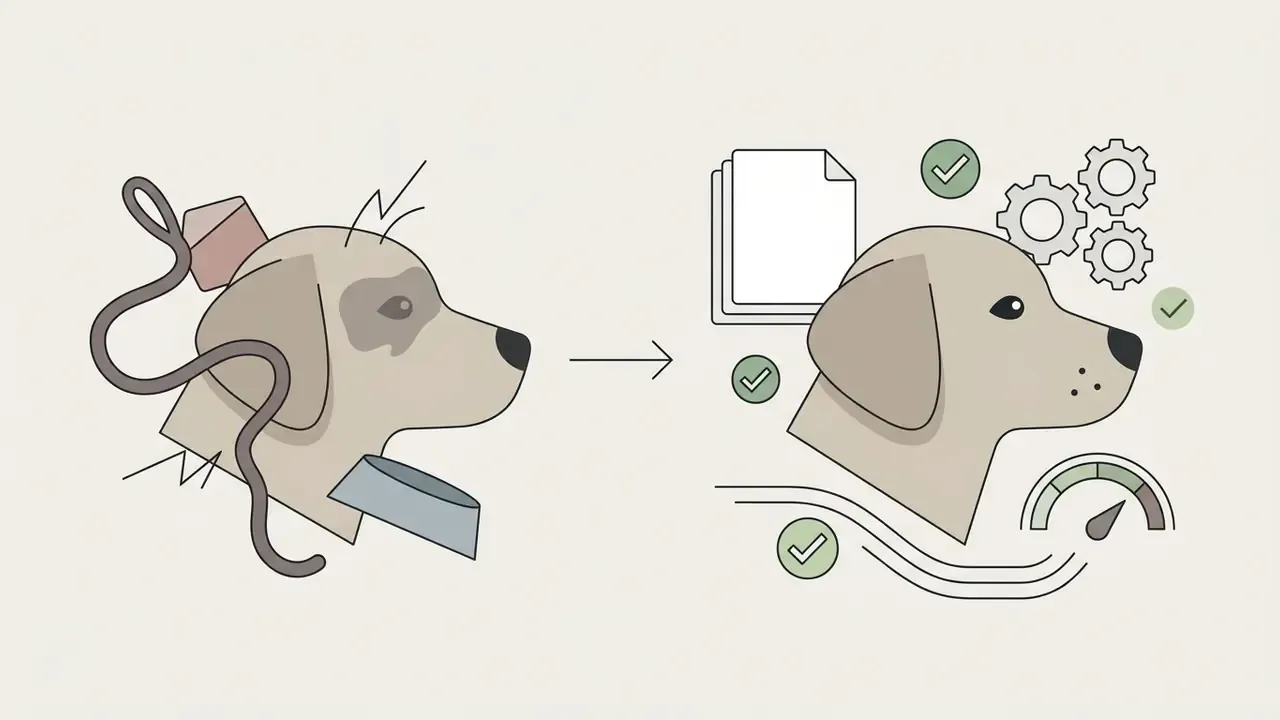
The fidelity of a pet portrait generator depends directly on the uploaded source photo. Best practice: a well-lit, eye-level photograph where the face, muzzle and eyes are sharply in focus. Direct sunlight, heavy shadows, motion blur, or occlusions such as hands and leashes degrade feature extraction and weaken identity retention. Cleaning up exposure and crop with AI photo editors before upload measurably improves landmark detection.
Concrete source-photo requirements:
Choose a style for an AI pet portrait
The chosen medium changes how viewers read the result. Oil painting styles emphasise rich texture and formal lighting, which suits traditional canvas printing. Vector illustrations and cartoon styles simplify facial geometry into clean lines and bold colour blocks, better for avatars and social sharing. To compare tool capabilities across visual generators, consult our AI Media Comparison Matrices.
A small practical tip: render the same pet photo in three styles before you commit to a print. Perception of likeness varies more between mediums than most people expect.
How to preserve your dog's recognizable features
Maintaining facial likeness across AI pet portraits means balancing similarity parameters against reference conditioning. Technical studies show that identity-preserving frameworks use cosine-similarity loss to anchor key facial landmarks, eye distance, muzzle shape, ear positioning, while allowing background and stylistic transformation (Chen et al., 2024). Identity similarity is formally measured as cosine similarity between embeddings, and multi-reference training sets hold identity stable across stylistic variation.
Practical levers in consumer tools: reference-image strength, style weight, and the option to re-upload a sharper reference and regenerate. Research systems add explicit embedding-similarity thresholds and multi-reference conditioning, which is why professional pipelines beat single-photo consumer flows on likeness. When tuning synthetic assets for branding or personal projects, creators frequently use an ai outfit generator to test visual themes before final rendering.
Creating multiple versions and angles of the same dog
Three documented methods produce consistent variants of one dog image. Image-to-image diffusion re-renders with a fixed seed and an altered prompt token. Inpainting and outpainting modify or extend regions while preserving structure. Multi-view diffusion generates several camera angles from one description. A 2026 multi-view method produces a four-view grid from a single prompt, then refines it through automatic view selection and inpainting. A 2024 approach synchronises views by sharing denoised latent content at each denoising step, cutting inconsistency between angles. Keeping the prompt fixed while stepping the seed value yields diverse compositions inside a stable style envelope.
How to get high-quality AI generated dog images
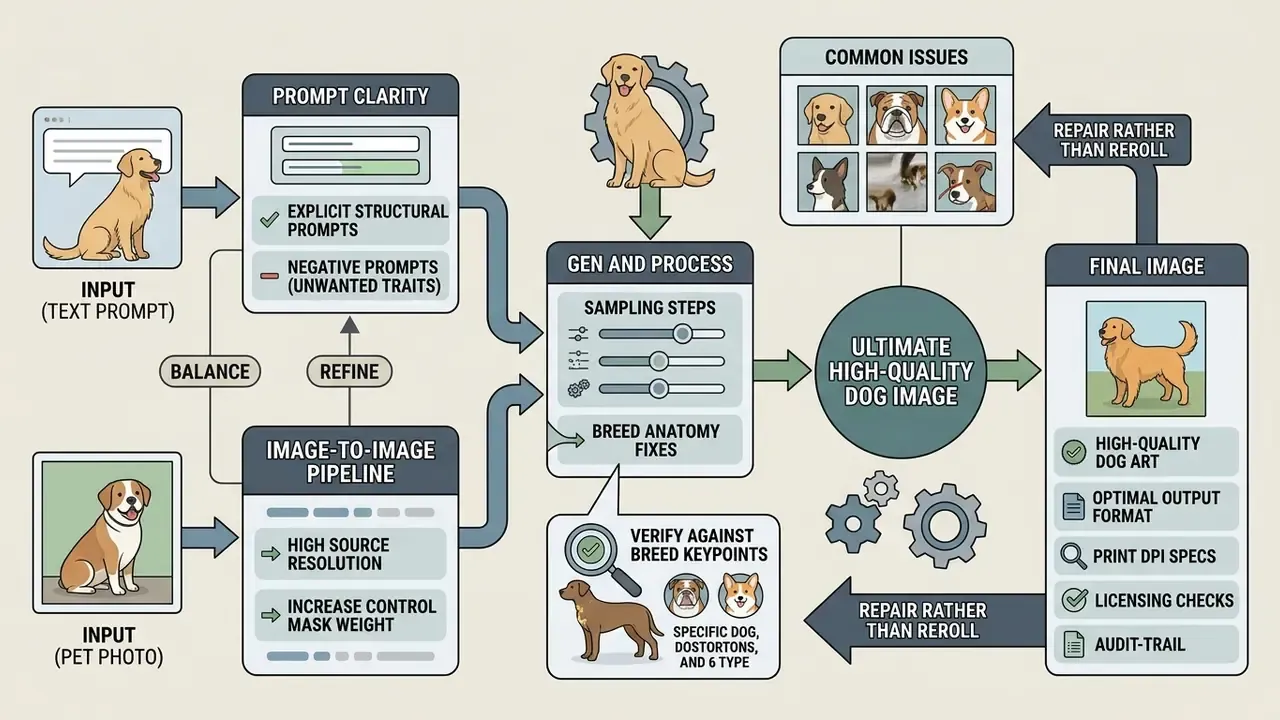
High-quality ai generated dog images come from balancing source resolution, prompt clarity, sampling steps and output format. Manage those inputs and most familiar artifacts never appear. Where the base render is too small for print, dedicated AI image upscalers raise resolution 2× to 8× while reconstructing fur detail. Vendor documentation for current flagship models cites a 1024×1024 default base with 2×, 4× or 8× upsampling paths.
| Factor | Low quality / artifact risk | High quality optimal target | Impact on output |
|---|---|---|---|
| Source photo | Blurry, low lighting, occluded face | High-res (1080p+), eye-level, daylight | Determines facial likeness and feature sharpness |
| Prompt specificity | Generic ("a dog in a park") | Structured (subject, lighting, camera, style) | Eliminates unintended visual elements |
| Model resolution | Standard 512×512 baseline | 1024×1024 base with 2× or 4× upscaling | Enhances fur texture and eye crispness |
| Print density | 72 to 150 DPI web export | 300 DPI or more at final physical size (3600×4800 px for 12×16 in) | Prevents soft, pixelated canvas and merch output |
| Variant count | Single generation, no comparison | 4 to 8 seeds per prompt, then select | Increases odds of anatomically clean output |
| Output format | High-compression JPEG | Lossless PNG or WebP with alpha channel | Preserves pixel edge detail for prints and editing |
Read the table as a chain, not a menu. The weakest link sets the ceiling: a pristine prompt cannot rescue a blurry source photo, and a 4× upscale cannot invent detail that the base render never had.
Common issues in AI generated dog photos
Recurring defects in generated dog photos include distorted paws, extra or missing toes, asymmetric eyes, and unnatural fur blending at background borders. Computer-vision error taxonomies for photorealistic text-to-image output classify defects along five axes, missing, extra, configuration, orientation and proportion, mapped to anatomical regions. For canines the failure zones repeat: paws, muzzle, ears, silhouette contour, plus fur-to-background boundary artifacts.
Mitigation is unglamorous but effective: add negative prompts ("extra legs, malformed paws, blurry eyes"), generate several seeds and pick the cleanest anatomy, or inpaint the flawed region instead of rerolling. Targeted repair of small defect areas is also where AI image enhancers earn their place in the workflow.
Handling breed-specific anatomical features
Diffusion models drift toward generic canine traits, long tails, standard pointed ears, straight muzzles, even when instructed to render French Bulldogs, Boston Terriers or docked-tail Schnauzers. This is the single most common complaint in consumer pet-portrait reviews. One widely quoted user note puts it bluntly: "my furball's a tailless Schnauzer, but your pics all have tails."
To enforce anatomical accuracy:
- Use explicit structural prompts"naturally tailless French Bulldog," "cropped ears," "wrinkled muzzle," "screw tail," "brachycephalic head shape," "docked tail Schnauzer with bushy eyebrows and beard."
- Apply negative prompts for unwanted traits"long tail, bushy tail, pointed ears, elongated snout, incorrect breed proportions, hybrid features."
- Increase control mask weight in image-to-image pipelinesover the rear and head structure, so the model does not outpaint generic features where the reference photo is ambiguous.
- Verify against breed keypoints.Eyes, ears, nose and paw landmarks are the standard reference set used in canine pose modelling. Check them one by one before approving an output.
- Repair rather than rerollwhen 90% of the frame is correct. Inpaint the tail or ear region with a tightly scoped prompt instead of regenerating the whole image.
Download formats and uses for dog pictures
The intended application governs the download format. PNG offers lossless compression and transparency, ideal for design composition and digital merchandise. JPEG gives smaller files for web publishing and social sharing. SVG, an XML-based vector format, scales to any physical size without pixelation, which suits icons, die-cut decals and logo-style dog marks. For canvas prints or large merchandise, export at 4K (roughly 3840×2160 pixels) to keep dots per inch high enough for clean physical reproduction. For framed art, calculate backwards from print size at 300 DPI.
| Format | Compression | Transparency | Primary use |
|---|---|---|---|
| PNG | Lossless | Yes (alpha) | Print masters, merch, layered design work |
| WebP (alpha) | Lossless or lossy | Yes | Web delivery with transparency, DTG mockups |
| JPEG | Lossy | No | Social posts, avatars, email, previews |
| SVG | Vector (no pixels) | Yes | Stickers, decals, scalable graphic marks |
What to create with your AI dog portraits, from merch to memorials
- High-resolution home décor print 4K PNG exports on stretched canvas, framed poster stock or acrylic blocks. Hold at least 300 DPI. For a 12×16 inch print, that means roughly 3600×4800 px.
- Custom apparel and goods use transparent-background exports (WebP or PNG with alpha) for direct-to-garment printing on t-shirts, hoodies, caps, tote bags, ceramic mugs, cushions and blankets.
- Vinyl stickers and decals isolate the subject with vector-oriented modifiers, "clean vector lines, die-cut sticker outline, solid white border", for car rear windows, laptop lids, water bottles and packaging seals.
- Personal devices export vertical crops for phone lock screens and widescreen crops for laptop wallpapers. 3D render and cinematic styles hold up best at small sizes.
- Gifts and celebrations birthday, adoption-day (gotcha day) and holiday portraits work well in storybook and Victorian styles. Add a text-safe margin if you plan to overprint a name.
- Pet memorials and tribute art transform archival photos of a deceased pet into gentler compositions, "golden light, ethereal flower field, whimsical sky", to preserve memory without foregrounding illness or age markers. Where only low-resolution snapshots survive, upscale first, then run image-to-image conditioning at reduced style strength to protect likeness.
- Rescue and shelter marketing batch-generate stylized adoption cards from standard intake headshots instead of booking photo shoots, as in the rescue-foundation workflow above.
Can AI dog pictures be used commercially?
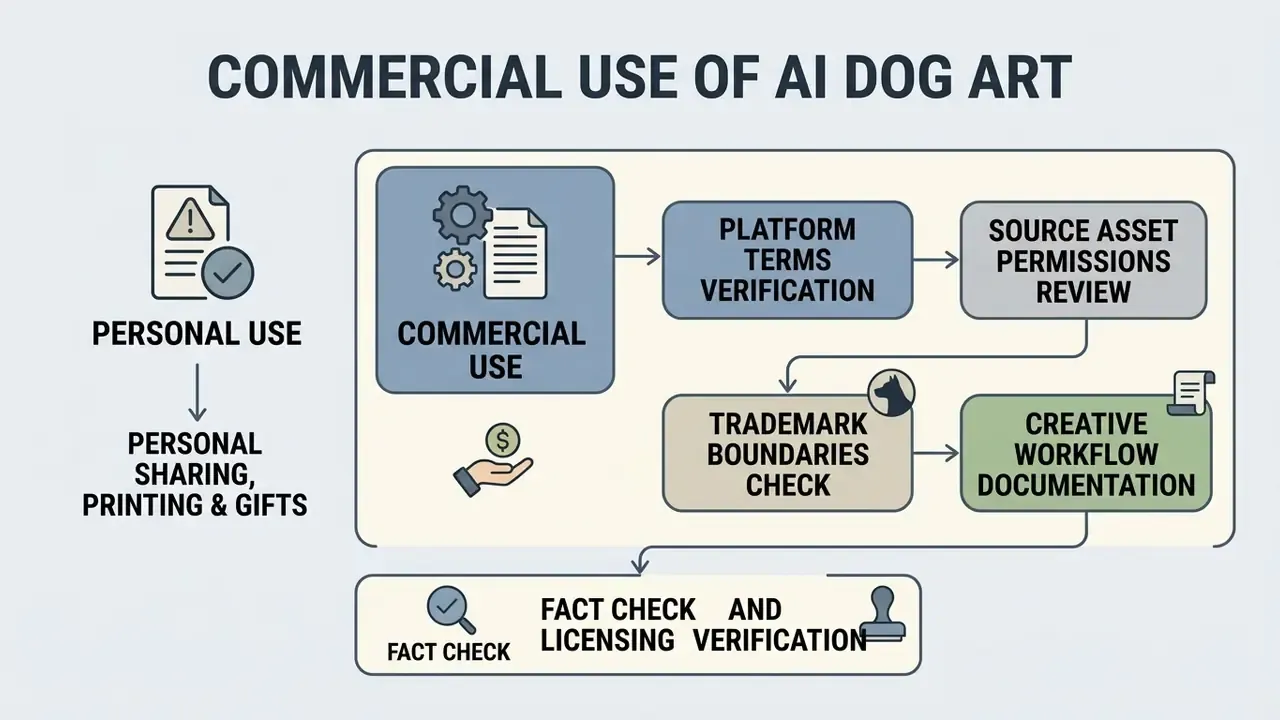
Commercial use of AI dog pictures is generally permissible when the platform's terms of service grant commercial exploitation rights and the output does not infringe third-party trademarks or copyrighted photographic compositions. Before publication, running finished assets through AI image detectors and reverse-image checks helps document that outputs are not near-duplicates of protected photographs.
Fact check and licensing verification.
German case law reported by TWW Law is instructive for European deployments. A decision of the Düsseldorf Higher Regional Court held that publishing an AI-generated dog image did not infringe a photographer's copyright, because only the general motif was reproduced rather than the photographer's specific creative choices (research corpus ref [20]). Read alongside broader European Union copyright enforcement frameworks, and the UK government's position that reproduction of copyrighted works for AI model development requires a licence unless an exception applies, the practical rule stays stable: motif similarity is usually tolerable, replication of a specific creative composition is not.
Personal sharing, printing and gifts
Using AI dog pictures for personal social posts, home display prints or custom gifts generally carries minimal legal risk. Personal non-commercial use involves no resale and no corporate branding, so standard platform licences routinely cover it without specialised clearance. Residual limits still apply where the image reproduces protected third-party material, includes a real person's likeness or voice, or breaches the service's own terms. Free tiers also tend to watermark exports and cap resolution, which matters far more for a framed gift than for a feed post.
License checks before commercial use
Before deploying generated dog images in advertising, merchandise or client deliverables, run a four-step licence check.
- Verify platform terms: confirm that your account tier, free or paid, explicitly includes commercial usage rights. Comparative overviews of AI image generators for commercial use make tier-by-tier differences easier to audit.
- Review source asset permissions: with image-to-image generation, verify that uploaded reference photos do not violate third-party photography copyrights. The Düsseldorf reasoning above sets the practical threshold between motif and protected creative expression.
- Check trademark boundaries: ensure prompts do not incorporate protected brand logos, proprietary character names or commercial trade dress. Studio-name style prompts carry elevated trademark and passing-off risk in merchandise contexts.
- Document creative workflow: keep logs of prompts, seeds and post-editing steps to establish human creative input. That documentation is the only route to a defensible authorship claim over the human-authored layer.
Data protection when uploading pet and corporate photos
Image generation is a data-processing activity, not only a creative one. For regulated organisations, four controls should be confirmed in writing before any upload.
- Training opt-out and zero-data retention confirm that uploaded images and prompts are excluded from model training and deleted after processing, with a stated retention window.
- Security attestations request current SOC 2 Type II reports. In financial services, map the vendor against GLBA safeguards obligations for any customer-identifying material that might appear in background frames.
- Residency and sub-processors verify the processing region and the list of downstream sub-processors handling image payloads.
- Human-image restrictions many pet-portrait services explicitly prohibit uploads featuring human subjects. Check whether staff or customers appear in frame before batch-uploading an archive.
Provenance controls belong in the same conversation. Prefer vendors that write C2PA content credentials or durable metadata into exports, then preserve those manifests through your editing chain so downstream reviewers can verify origin. A stripped manifest is a small thing until an auditor asks where the asset came from.
Organisations evaluating enterprise licensing frameworks can review our AI litigation and legal-developments tracker or examine commercial terms across platforms in the AI Media Commercial-Use Hub.
Audit trail checklist for AI-generated imagery
Reproducibility is the evidence standard. Log the following fields per generated asset, and retain them for the life of the campaign plus your standard record-retention period.
| Field | Example value | Why auditors ask for it |
|---|---|---|
| Asset ID | dog-portrait-0431 | Ties output to approval record |
| Model and version | image-model v3.2 | Reproducibility, known-defect tracing |
| Full prompt text | Subject, context, lighting, style | Demonstrates human creative direction |
| Negative prompt | "extra legs, long tail, watermark" | Shows deliberate defect control |
| Seed | 2748193 | Enables exact regeneration |
| Guidance scale and steps | 7.5 / 40 | Parameter reproducibility |
| Reference image hash | sha256:… | Proves lawful source provenance |
| Source photo rights | Owner consent or internal asset | Third-party clearance evidence |
| Post-edit steps | Inpaint tail, upscale 4×, colour grade | Documents human authorship layer |
| Reviewer and date | Name, role, timestamp | Accountability and sign-off |
| License basis | Plan tier plus ToS clause reference | Commercial-use justification |
| Provenance manifest | C2PA present or absent | Downstream verification |
One accountability note, in the spirit of "no evidence, no autonomy": if a generation step runs unattended inside a content pipeline, give it a named owner, an approved scope, and a documented off switch. A batch job that ships brand imagery without review is an unowned decision, however charming the output.
Free vs paid AI dog generators: what to compare before choosing
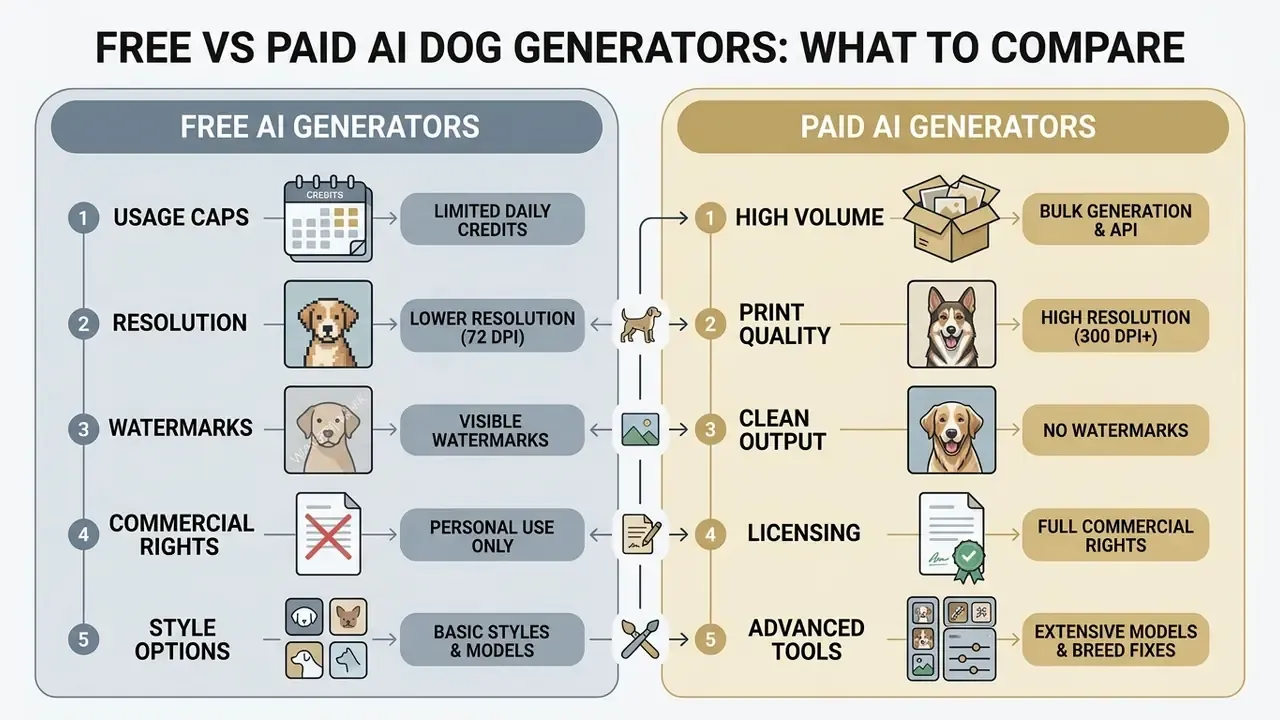
Choosing between a free and paid ai dog generator means weighing usage caps, resolution, style availability, watermarks and commercial licensing terms. Audience perception is a further variable. Survey work on social platforms found that 93% of respondents believed they could spot AI-generated images in their feeds, which raises the realism bar for commercial output (Visual perception of real and AI-generated photographs on Facebook, Visual Review, research corpus ref [15]).
| Feature / parameter | Free tier expectations | Paid tier advantages |
|---|---|---|
| Generation credits | Limited daily or monthly quota (5 to 15 credits is typical) | High volume or unlimited priority queues |
| Output resolution | Standard resolution (512p to 1024p) | HD and 4K upscaling, print-ready exports at 300 DPI or more |
| Watermarks | Often embedded on exported files | Clean, watermark-free asset downloads |
| Commercial rights | Frequently restricted to personal use | Full commercial clearance and licensing |
| Style options | Basic presets (cartoon, photo) | Expanded artistic styles, custom LoRA controls |
| Data handling | Uploads may be used for model improvement | Training opt-out, zero-data-retention options |
| Security and compliance | No attestations published | SOC 2 Type II, DPA, defined sub-processor list |
| Provenance and watermarking | Metadata often stripped | C2PA content credentials, durable manifests |
| Support and SLA | Community forum only | Uptime SLA, named support, incident escalation |
| Integration and portability | Web UI only | API access, model choice, reduced vendor lock-in |
| Typical pricing pattern | $0 with caps | Roughly $8 to $15 for one-off outputs, or $9.99 to $14.99 monthly tiers |
No matching rows Clear one or more filters to restore the matrix.
What a free AI dog generator usually lets you create
A free ai pet portrait generator typically gives you standard text-to-image capability, basic style presets and web-resolution downloads. Documented free-tier patterns include around 5 generations per month with about 10 basic styles at 1024×1024, watermarked and personal-use only, or a small number of daily free generations tied to a vendor account. Upload constraints such as 5 MB per file and a 10-image ceiling are common too. Free accounts also enforce watermarks, cap daily credits and restrict usage to non-commercial applications. Comparisons of free AI image generators show how sharply those caps differ between vendors.
When paid dog art and portrait packages make sense
Upgrading is justified when you need watermark-free high-resolution files, advanced style control, fast queue processing, or explicit commercial rights. Four scenarios make the decision easy: selling merch, running paid advertising, delivering client work, and producing physical prints above roughly A4 size, where DPI headroom becomes the binding constraint.
For enterprise deployment, developer teams can review API cost models and rate limits or inspect standard subscription pricing structures before committing to volume. To benchmark top-performing software across tiers, see our evaluations of the best free AI art generator and the best AI art generator.
Limitations and open questions
Two things remain genuinely unsettled, and it is better to say so. First, the copyright status of hybrid human plus machine assets is still being litigated and interpreted, so documentation of human input is a hedge rather than a guarantee. Second, most engagement figures circulating in the pet-imagery space, including the 35% uplift cited earlier, are vendor or single-client self-reports without independent measurement. Treat them as hypotheses to test in your own funnel, not as benchmarks.
AI dog pictures FAQ
Can I create AI pictures of dogs without a pet photo?
Yes. Modern text-to-image diffusion models generate photorealistic and artistic dog images entirely from text, with no reference photograph. Specify breed, coat colour, pose, lighting and camera settings, and the model synthesises a unique image from scratch. Text-conditioned image synthesis is the defining capability of this model class, and multimodal systems extend it further.
«KOSMOS-G treats interleaved text and vision inputs as a "foreign language," generating subject-driven images with zero fine-tuning.» KOSMOS-G: Generating Images in Context with Multimodal Large Language Models (research corpus ref [9])
What type of photo yields the most accurate AI pet portrait?
An eye-level, high-resolution shot in natural daylight. Avoid heavy filters, strong shadows, covered faces and motion blur. Clear visibility of the eyes and muzzle geometry lets identity-preserving algorithms map key facial landmarks accurately. If your only usable photo is small or noisy, upscale and denoise it first, then reduce style strength so the model leans on the reference instead of inventing detail.
Can I generate AI portraits for multiple pets in one image?
Yes, though multi-subject prompts often cause feature bleeding, with fur colours or body parts merging between two dogs. For multi-pet compositions, generate individual portraits first and combine them with background removal and layout tools, or use regional prompting features that assign a separate prompt region to each subject.
Can I generate AI portraits for pets other than dogs?
Yes. AI pet portrait generators process reference photos and prompts for cats, birds, rabbits, reptiles, hamsters and horses. The underlying image-to-image models extract structural facial landmarks regardless of species, provided the input has clear lighting and an unobstructed face. Name species and breed explicitly in the prompt. Some tools accept several photos per subject to capture different angles.
Can I create several versions of the same AI dog image?
Yes. Adjust the generation seed, alter guidance scale, or use inpainting and outpainting. Keeping the same text prompt while changing seed values produces diverse compositions while preserving the overall style. Multi-view diffusion methods and latent-sharing techniques additionally keep the same dog recognisable across changed camera angles.
How do I fix a wrong tail, ear shape or paw?
Do not regenerate the whole frame. Mask the defective region and inpaint it with a tightly scoped prompt describing the correct anatomy ("docked tail, short and straight, matching wiry grey coat"), then add the incorrect trait to the negative prompt. Compare against breed keypoints, eyes, ears, nose, paws, before approving.
Are AI dog images safe to use in advertising?
Only after the four-step licence check, third-party clearance and a documented audit trail. Confirm the plan tier grants commercial rights, that no protected logo or trade dress appears, that reference photos were lawfully sourced, and that disclosure requirements in your jurisdiction or industry code are satisfied. Editorial guidance from academic publishers also recommends labelling AI-generated imagery clearly when it appears in published content.
Appendix A: editorial revision log
Extended resource hub and system directory
For further specifications on digital asset generation, editing workflows and media controls, review the following guides.
- Evaluate general editing capability in our guide to online photo editors, or explore cost-free options in the guide to free photo editors.
- Review professional portrait generators in the guide to AI headshot generators.
- For video and motion asset workflows, consult the guide to AI voice generators, inspect motion software in the guide to animation makers, compare free motion tools in the best free AI video generator breakdown, or analyse high-ratio file handling in the guide to video compressors.
- Developers building automated video pipelines can use the Google Veo API implementation guide or review creator editing structures in the YouTube video editor guide.
- For expanding canvas borders or searching visual indices, examine AI outpainting tools and AI reverse image search.
- To compare platform-specific generators, see evaluations of ChatGPT image generation, Midjourney image generation, Canva AI Generator, Microsoft AI Image Generator, Bing AI image creation, Google AI Image Generator and Ghibli-style AI image generators.
- For specialised text-generation models used in memorial and tribute contexts, see our technical breakdown of the ai obituary generator.
- To estimate computational resource usage or check enterprise support protocols, use our cost and usage calculators or review enterprise support options.
Footer navigation: to explore our database of media terminology and compliance definitions, consult the AI media glossary and view the guide.