Last updated: February 2026 · Editorial review: AI Governance & Model Risk Editorial Series
Executive Summary for Risk, Compliance, and Creative Leadership
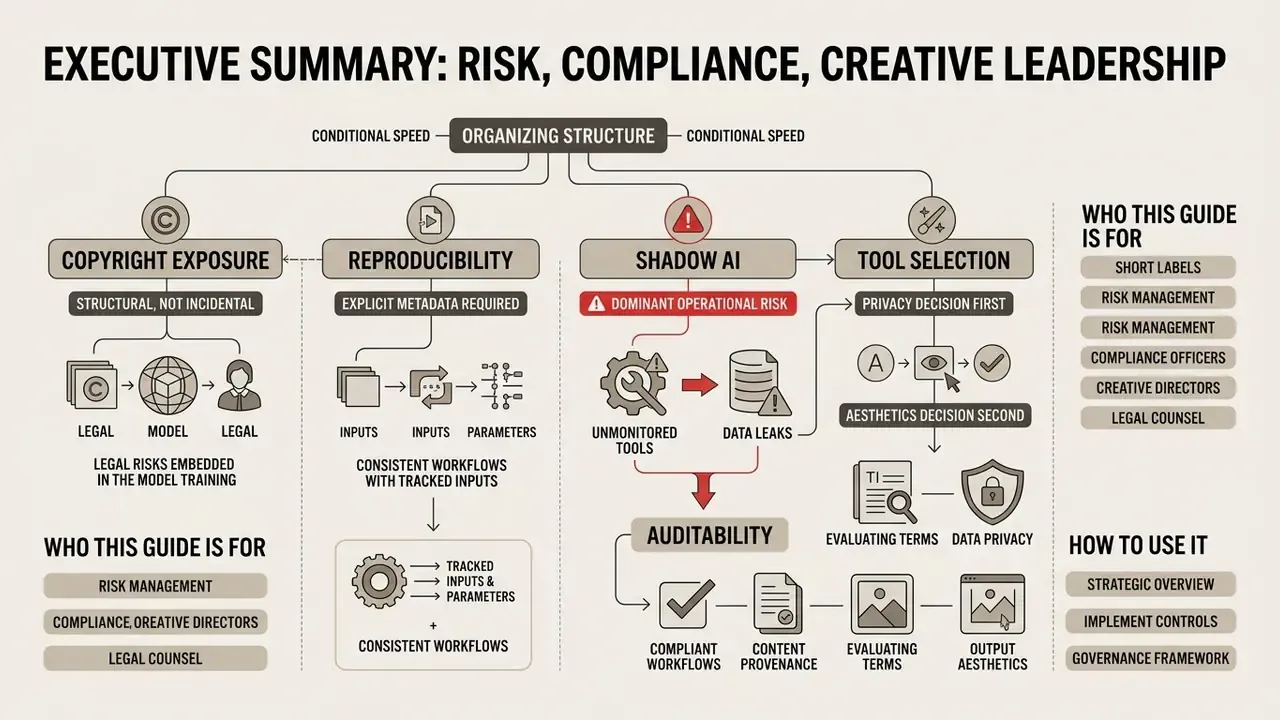
- Speed is real, but conditional. Generative pipelines compress visual ideation cycles sharply. Documented time savings only hold when a control perimeter (prompt logging, seed capture, model version pinning, human sign-off) already exists. Velocity without evidence produces unauditable assets.
- Copyright exposure is structural, not incidental. Under current U.S. Copyright Office guidance (2025/2026) and the D.C. Circuit ruling in Thaler v. Perlmutter (2025), purely machine-generated visual output is not eligible for federal copyright protection. Contractual "commercial use" rights granted by a vendor are not statutory ownership.
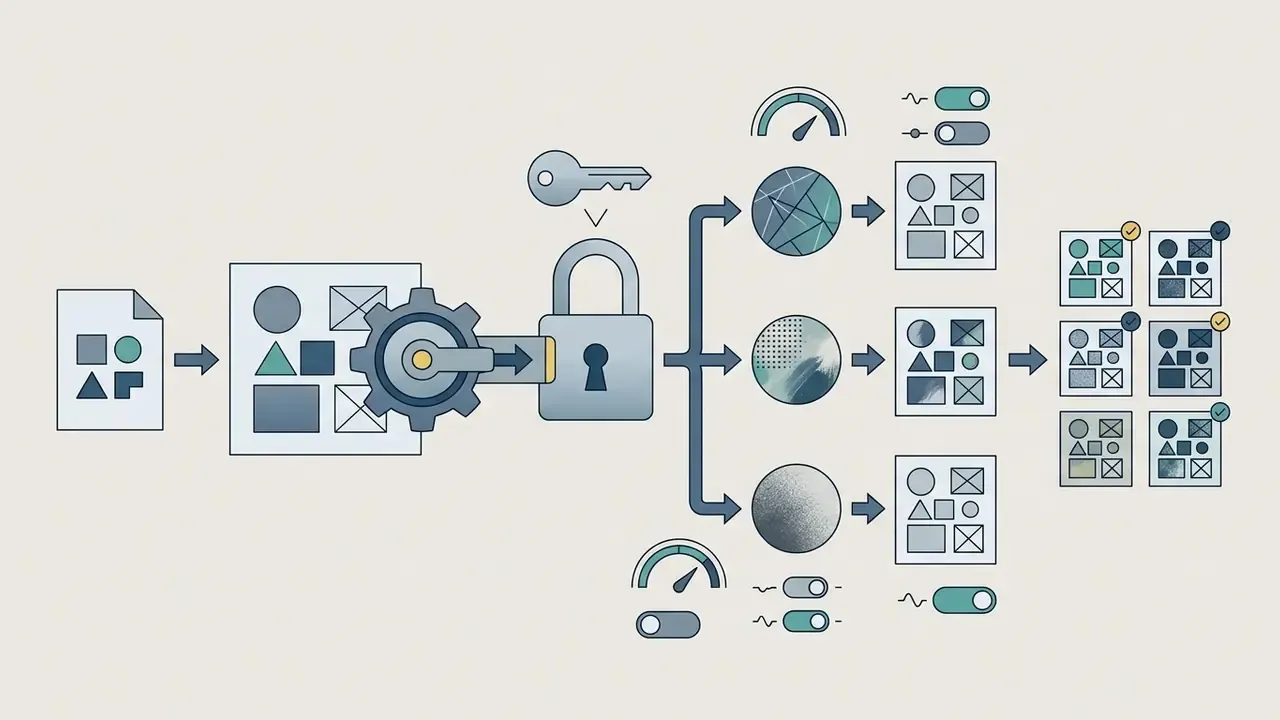
- Reproducibility requires explicit metadata. Diffusion sampling is stochastic. Without a stored record of model version, prompt, negative prompt, seed, guidance scale, sampler, and steps, an image cannot be regenerated for audit or litigation defence.
- Shadow AI is the dominant operational risk in regulated environments. Uncontrolled uploads of internal photography, unreleased campaign artwork, client documents, or customer imagery into public image-to-image endpoints create data-residency, confidentiality, and third-party training exposure.
- Tool selection is a privacy decision first, an aesthetics decision second. Opt-out from base-model training, SOC 2 or ISO 27001 attestation, single-tenant or on-premise deployment, and indemnification scope are the decisive enterprise criteria.
Who this guide is for, and how to use it. Creative leads can read it front to back as a production manual. Risk, model-risk, and audit readers may prefer to start with the audit trail template, the shadow AI checklist, and the commercial-use section, then loop back to the technical mechanics. Everything below assumes one thing: an image that cannot be reproduced is an image that cannot be defended.
What Is AI Digital Art and How AI Creates Images
AI digital art refers to visual media generated or modified by machine learning algorithms using textual prompts, reference images, or structural maps. Modern digital art ai systems rely mainly on latent diffusion models and multimodal transformers that learn statistical representations from millions of paired text-image datasets.
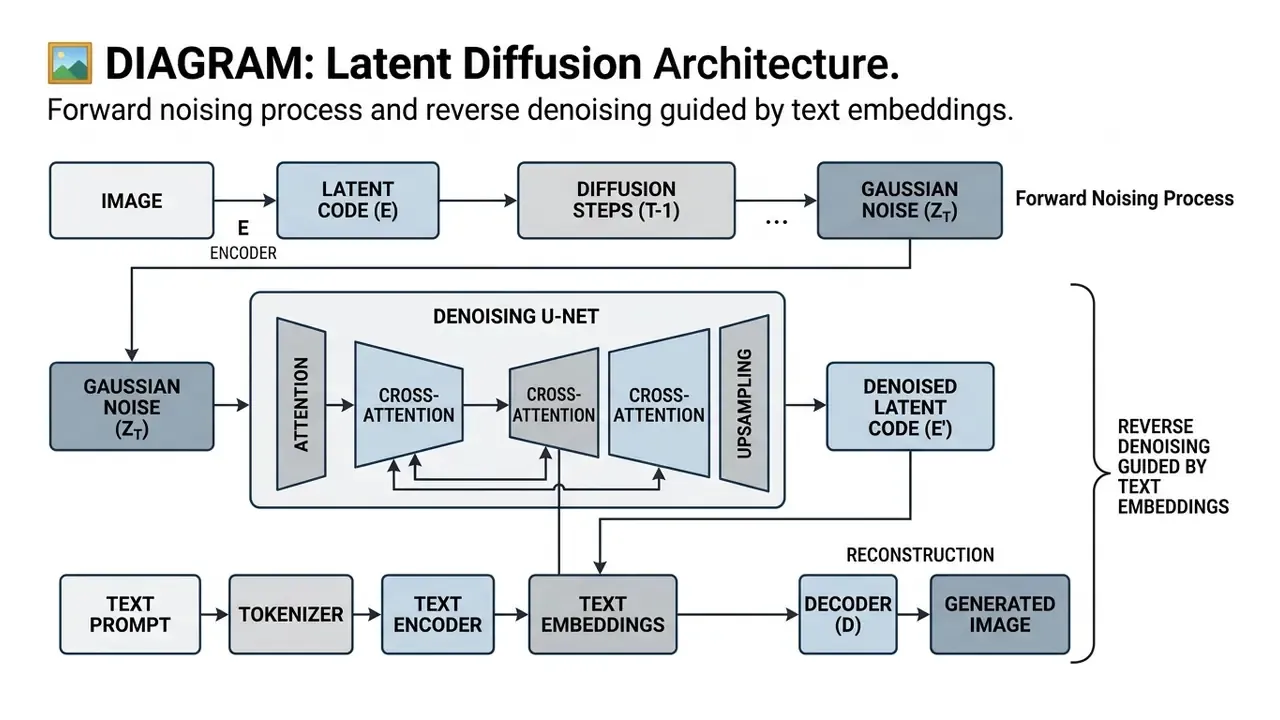
Diffusion frameworks operate in two directions. A forward process progressively corrupts training images with Gaussian noise. A reverse process learns to remove that noise step by step. Cross-attention layers inject the text embedding at each denoising step, which is why token order and token weight materially change the final composition. Small change, different picture.
«Diffusion models are trained to reverse a noising process: starting from noise, they iteratively reconstruct an image under the guidance of a text embedding.»
«In multimodal diffusion, multiple modalities are aggregated in a common diffusion space and decoded by modality-specific heads.» Source: arXiv (2024). https://arxiv.org/abs/2407.17571
Text, Image, and Model: The Components of an AI Artwork
An AI artwork is produced through the interaction of three core technical components: the text prompt, the conditioning image, and the underlying base model. The text prompt provides semantic intent, steering the model's cross-attention mechanisms toward specific subjects, compositions, and artistic styles.
In image-conditioned workflows, an input image or reference layout supplies spatial geometry, colour schemes, or structural contours that constrain generation. The base model maps those conditioning signals into a shared latent space, progressively denoising random latent noise into high-resolution pixels that mirror the instructions.
Each component carries a distinct governance implication. The prompt is the auditable human contribution. The conditioning image is the primary vector for confidentiality and third-party IP risk. The base model, including its exact checkpoint version, decides whether a result can be reproduced six months later during a compliance review. Anyone asking how to make ai artwork at enterprise scale is really asking three questions at once: what did the human contribute, what data went in, and which checkpoint produced the pixels.
How AI Art Differs From Traditional Digital Drawing
«Users describe working with AI generators as negotiating with a system rather than drawing directly. Many without digital art experience reach usable results by mastering prompt patterns.»
Two properties separate generative workflows from manual ones in a risk sense. First, stochastic variability: identical prompts produce different images unless seed, sampler, step count, and guidance scale are all fixed. Second, base-model versioning drift: when a vendor silently upgrades a hosted checkpoint, previously approved brand assets can no longer be regenerated pixel for pixel. Teams that treat images as regulated artefacts therefore pin model versions and archive generation parameters alongside the file itself. Readers exploring role definitions may also want our glossary entry on the ai artist concept, which is where much of the confusion about authorship starts.
How to Create AI Art: A Step-by-Step Guide for Beginners
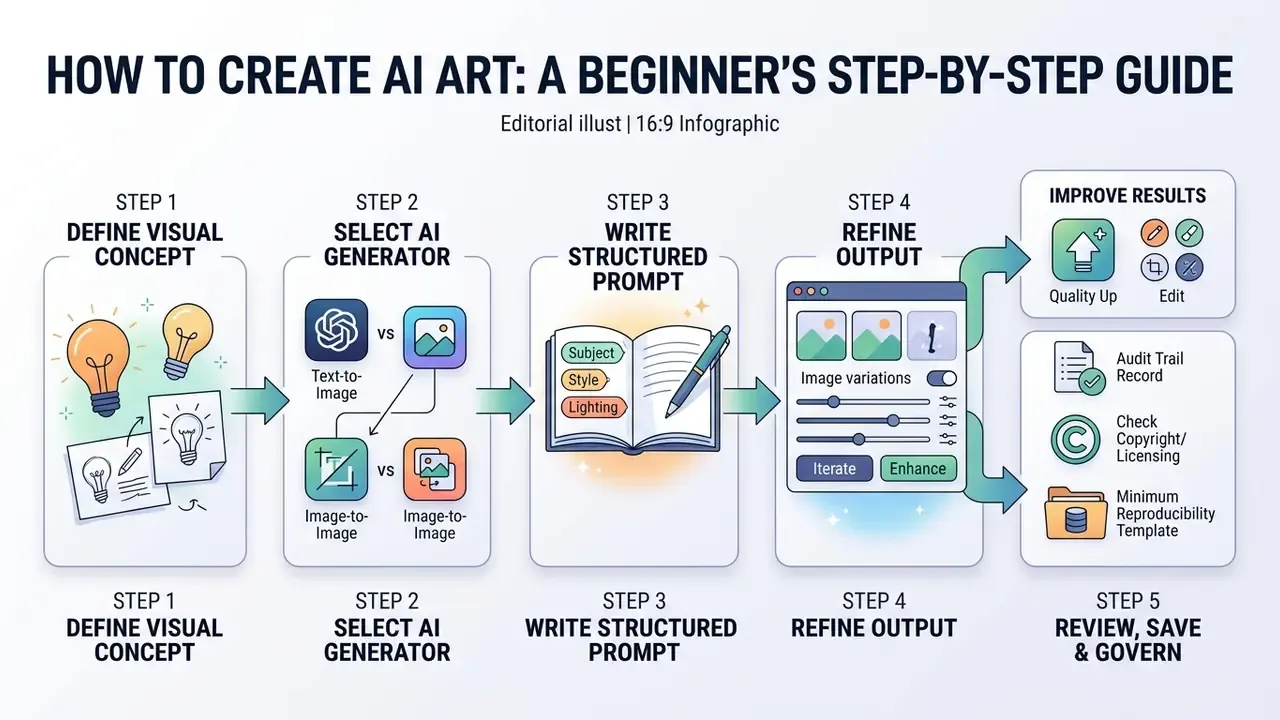
Creating a first synthetic image means defining a visual concept, selecting an appropriate generator, writing a structured text prompt, and refining the output. Anyone learning how to create ai art can reach precise results by following a controlled, repeatable workflow. The same sequence answers how to create art using ai for a team of forty and for one designer on a laptop.
Audit Trail Record: The Minimum Reproducibility Template
Every production generation should emit a structured record. Without it, an image cannot be reproduced, defended, or attributed to a human author.
{
  "asset_id": "img_2026_02_00417",
  "created_at": "2026-02-11T09:42:18Z",
  "requested_by": "user_id_2291",
  "business_unit": "Brand Marketing",
  "model_provider": "internal-sdxl-cluster",
  "model_version": "sdxl-1.0-refiner@a7c31f",
  "prompt": "isometric vector illustration of a modular timber office building...",
  "negative_prompt": "text, watermark, distorted geometry, extra limbs",
  "seed": 1884203771,
  "guidance_scale": 6.5,
  "sampler": "DPM++ 2M Karras",
  "steps": 32,
  "denoising_strength": null,
  "source_image_hash": null,
  "moderation_verdict": "pass",
  "human_review": { "reviewer": "user_id_0104", "decision": "approved" },
  "license_basis": "enterprise_subscription_v4",
  "retention_class": "marketing_asset_7y"
}
| Field group | Why auditors ask for it |
|---|---|
| Model version + provider | Proves which checkpoint produced the asset; protects against silent vendor upgrades. |
| Prompt + negative prompt | Documents the human creative contribution relevant to copyright claims. |
| Seed, sampler, steps, guidance | Enables bit-comparable regeneration for evidence. |
| Source image hash | Demonstrates that no unlicensed third-party photo entered the I2I pipeline. |
| Moderation verdict + human review | Establishes the accountability chain and decision ownership. |
One practical observation from teams that adopted this template: the field people forget is license_basis. Six months later nobody remembers which plan tier the asset was created under, and that single gap is what stalls a campaign clearance.
How to Choose an AI Art Generator for Your Task
Selecting an ai art generator depends on creative requirements, budget constraints, and output goals. Tools fine-tuned on artistic datasets excel at painterly illustrations and concept art. Models trained on clean photography perform better for commercial product mockups.
«An evaluation of 26 models across 12 aspects showed no single model leads simultaneously on alignment, aesthetics, originality, and safety.»
The practical consequence is that "best generator" is not a defensible procurement question. The defensible question is: best for this output class, under these privacy constraints, at this licence tier?
When evaluating an ai art helper or a standalone engine, weigh prompt alignment precision, structural control features such as masking or sketch conditioning, API availability, data-retention policy, and commercial licensing rights. Something that looks like an inspire ai art generator for moodboards may be entirely wrong for regulated brand assets. For detailed tool comparisons, review our comprehensive best AI art generator breakdown, and for prompt-driven chat interfaces compare the ChatGPT picture generator against dedicated diffusion platforms.
How to Describe an Idea Before Image Generation
Before you submit a query to generate ai art, split the visual idea into distinct descriptive blocks rather than one unstructured sentence. Separate the primary subject from secondary environment details, colour palettes, and camera perspectives.
Prompt-engineering research indicates that models process short, segmented descriptor blocks with higher fidelity than long conversational queries. The strongest published support comes from work on automated fine-grained prompt rewriting, not from vendor marketing copy.
«Automatically translating short user prompts into detailed, model-preferred descriptions yields an average +5% across six quality and aesthetic metrics.»
Defining specific visual cues, such as "golden hour directional lighting" or "flat vector icon style", stops the generator from filling visual ambiguity with random noise. Vendor guidance converges on the same ordering: Google's Vertex AI prompt guide advises subject, then context, then style, while OpenAI's image-prompting guide recommends background and scene, then subject, then key details, then constraints.
How to Review, Save, and Improve Results
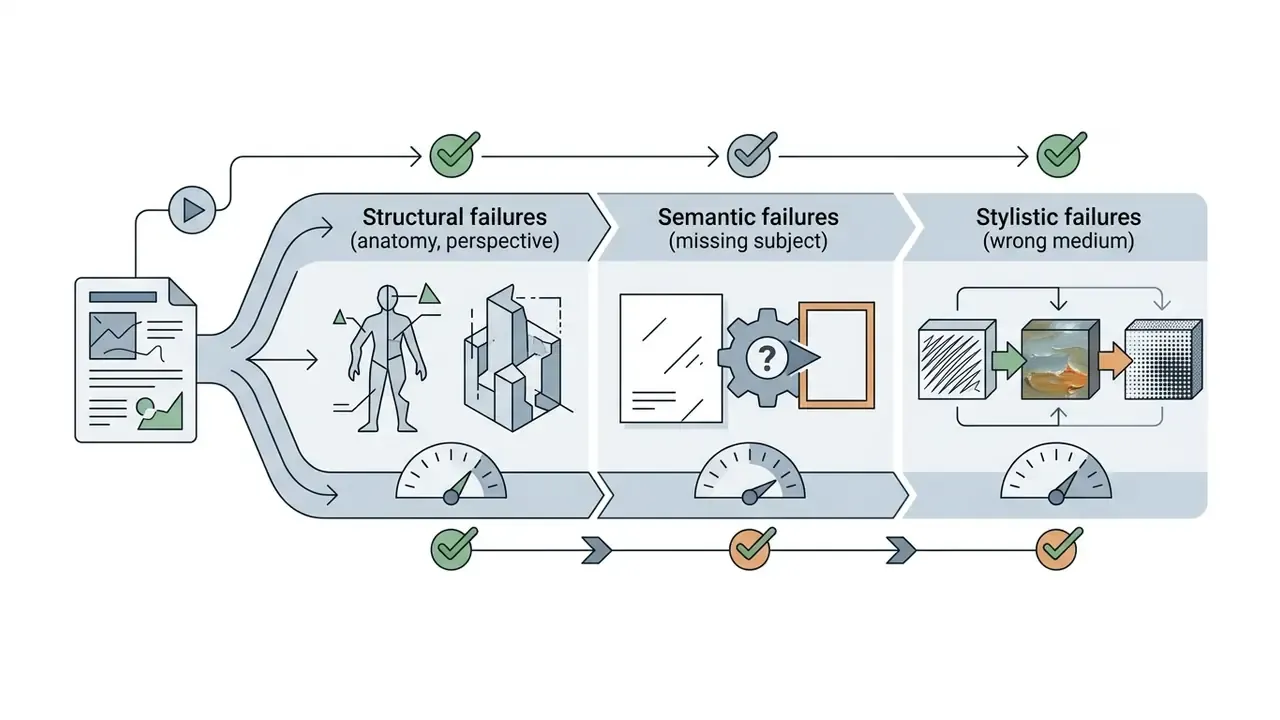
Evaluating generated art means inspecting three parameters: prompt adherence, structural correctness, and visual aesthetics. Examine hands, object geometry, and text rendering for common generative artifacts before you finalize the asset.
«Expert raters score prompt adherence, structural accuracy, and aesthetics on a 1–5 scale; automatic metrics correlate only moderately with human judgement.»
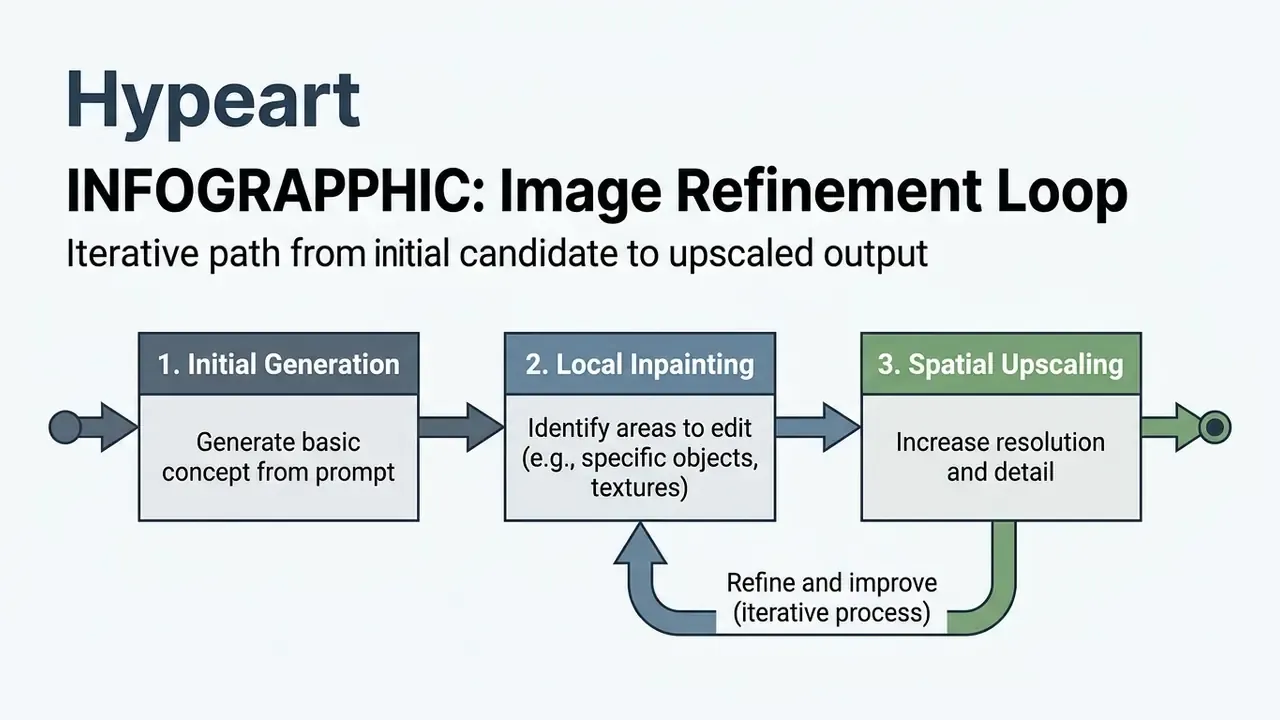
If an image contains minor errors, use localized inpainting or strength-adjusted image-to-image passes instead of regenerating the whole canvas. Once satisfied, export high-resolution files and retain generation parameters so results stay reproducible across future commercial workflows. Final-pass sharpening and resolution recovery are often handled by dedicated AI image enhancers rather than the generator itself.
Practical inspection order used in production studios: generate multiple candidates, upscale once, repair local defects with inpainting, sweep artifacts at 200% zoom, outpaint to the target aspect ratio, then run a final upscale. Boring, but it works.
Interactive Real-Time Canvas and Canvas Expansion (Outpainting)
Modern production workflows go beyond static one-shot generation through real-time canvas overlays and outpainting:
- Real-time generation (live canvas). Brush-stroke input is piped into a low-step latent model such as SDXL Turbo or an LCM-LoRA distillation, refreshing the canvas in under 200 ms as you draw basic shapes. Prompt writing becomes direct spatial art direction: you sketch a horizon line and watch the landscape resolve around it.
- On-image editing (omni-style editors). Instead of regenerating the whole frame, select a region, describe the replacement, and preserve creative continuity across iterations. Restate invariants such as identity, geometry, layout, and brand marks on every pass to prevent drift.
- Outpainting and canvas expansion. Extends image boundaries beyond the original aspect ratio. Select the target edge, expand the bounding box, and supply contextual prompts (for example "extending desert landscape, wide-angle panorama") at high denoising strength, roughly 0.75 to 0.85, to generate seamless background continuity without visible seams. Progressive or iterative decoding keeps semantics consistent across successive expansions.
- Governance note. Real-time canvases generate hundreds of intermediate latents per session. Log only the committed frames, but retain the seed and model version of each committed frame. Otherwise a session that produced an approved asset becomes unreproducible.
For a tool-level comparison of boundary-extension engines, see our review of AI outpainting tools for expanding images.
How to Write Prompts for AI Art and Get More Accurate Results
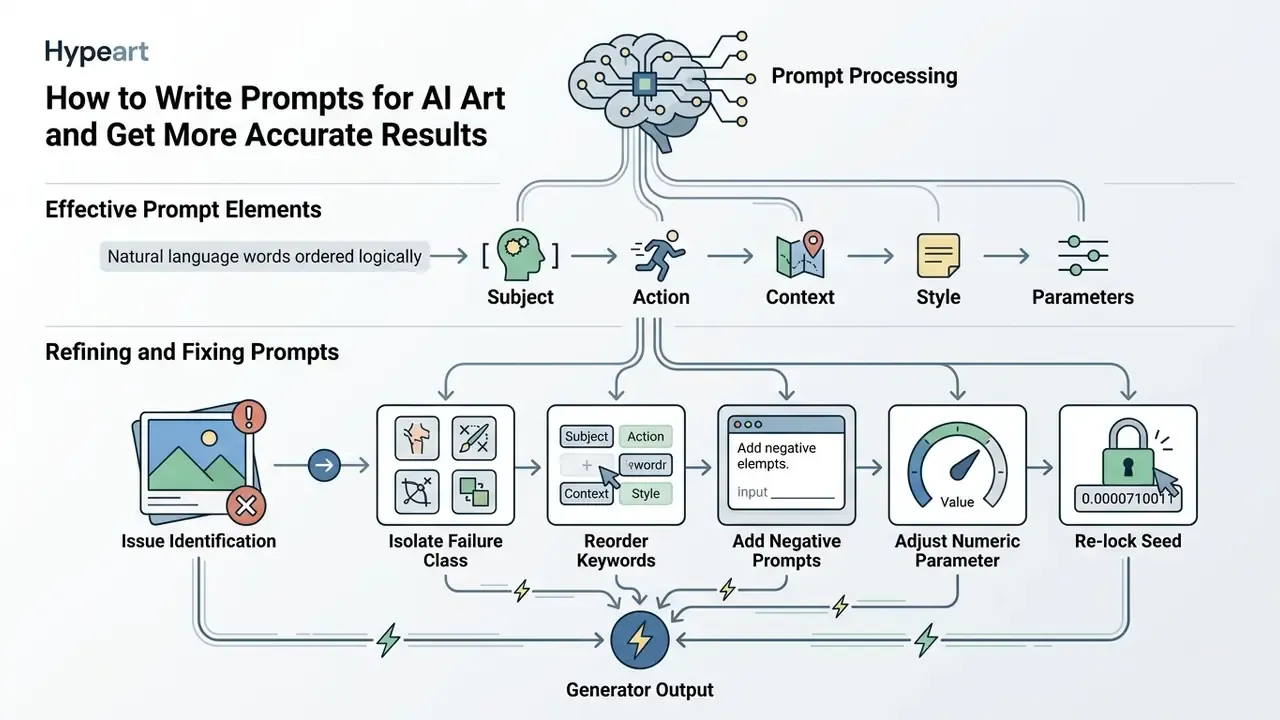
Writing effective prompts for ai digital art means ordering natural language keywords so diffusion attention layers can parse them efficiently. Precise prompting reduces random variation and yields consistent visual output aligned with project specifications.
What Elements Make Up an Effective Prompt
An optimized text prompt contains six structural elements: subject identity, artistic medium or style, scene background, spatial composition, lighting parameters, and technical camera specs. Placing critical keywords near the beginning raises their relative token weight in the attention mechanism.
| Prompt element | Operational focus | Example keyword formulation |
|---|---|---|
| Subject | Primary character, object, or entity | "An architectural model of a modular timber building" |
| Artistic style | Visual medium or render engine | "Clean isometric vector illustration, 3D render style" |
| Background | Setting, context, environment | "Set against a neutral off-white background with subtle grid lines" |
| Composition | Framing, angle, layout | "Wide-angle view, rule-of-thirds alignment, centered subject" |
| Lighting and colour | Time of day, palette, contrast | "Soft diffused studio lighting, muted earth tones" |
| Technical parameters | Aspect ratio, resolution specs | "--ar 16:9 --v 6.0 --style raw" |
«The Coarse-Fine Granularity Prompts dataset showed that adding explicit subject, style, background, and composition descriptors improves text-image alignment compared with terse descriptions.»
Public prompt-engineering guidance from NIST (2024) frames the same idea in institutional terms: an effective prompt carries a clear task description, specific context, output-format instructions, and explicit constraints. For image generation, "output format" maps to aspect ratio and medium, while "constraints" map to negative prompts. That framing is also the cleanest way to document a prompt for a model-risk file.
How to Refine Prompts and Fix Unsuccessful Images
When learning how to make your own ai art, fixing failed generations calls for systematic token adjustments, not random rewriting. Move essential subject descriptors forward, remove conflicting adjectives, and use negative prompts to suppress unwanted visual elements. This is also the honest answer to how to do the ai art repair loop that nobody demos on stage.
«Adaptively eliciting user intent through visual questions raised perceived alignment by 19.8% without increasing workload, in a study with 128 participants.»
In diffusion frameworks, word weighting through numerical multipliers or parentheses adjusts token embeddings to emphasize key visual traits. Hugging Face's diffusers documentation describes this explicitly: prompt weighting rescales the text-embedding vector so the model attends more or less to a concept, and unwanted concepts can be routed separately through negative_prompt_embeds instead of being deleted from the main prompt.
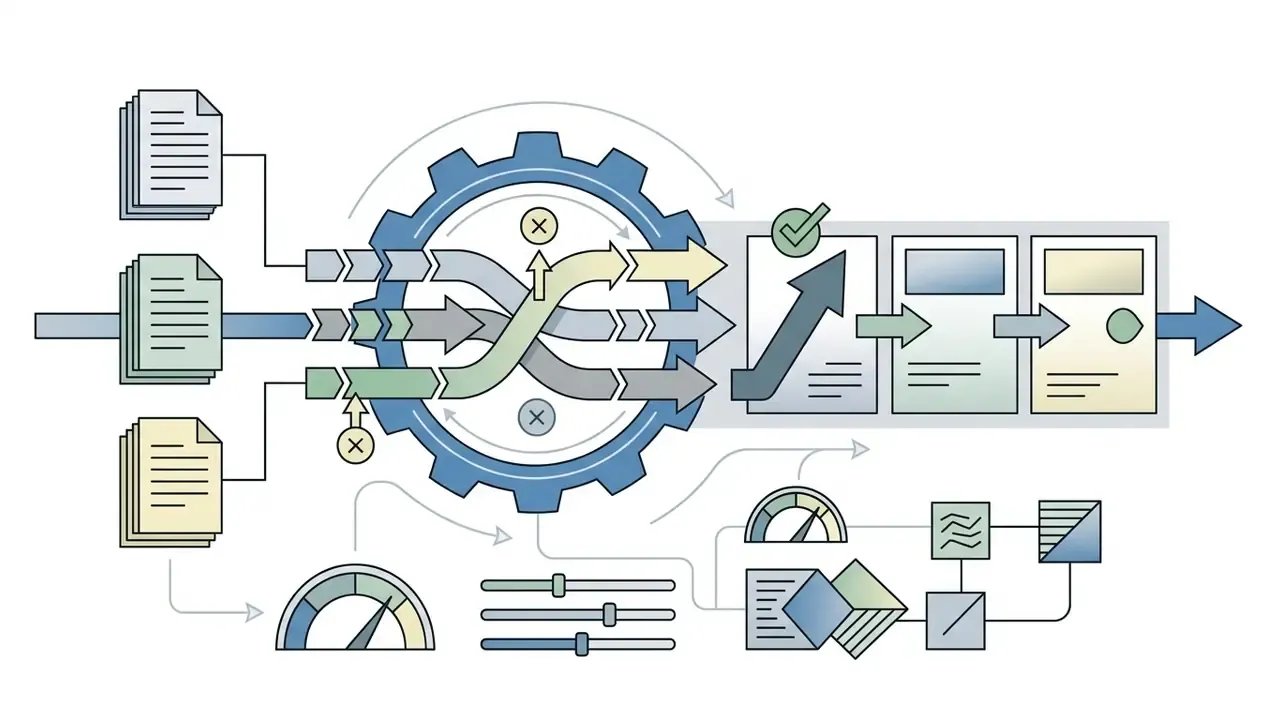
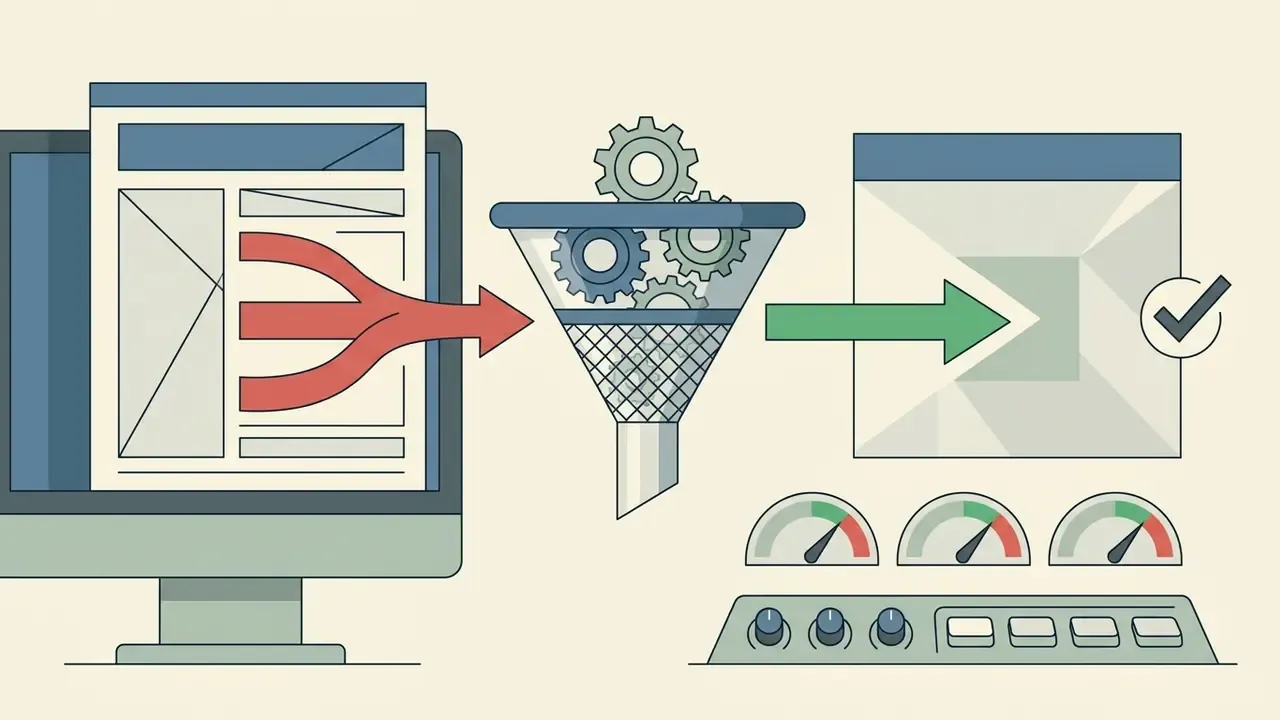
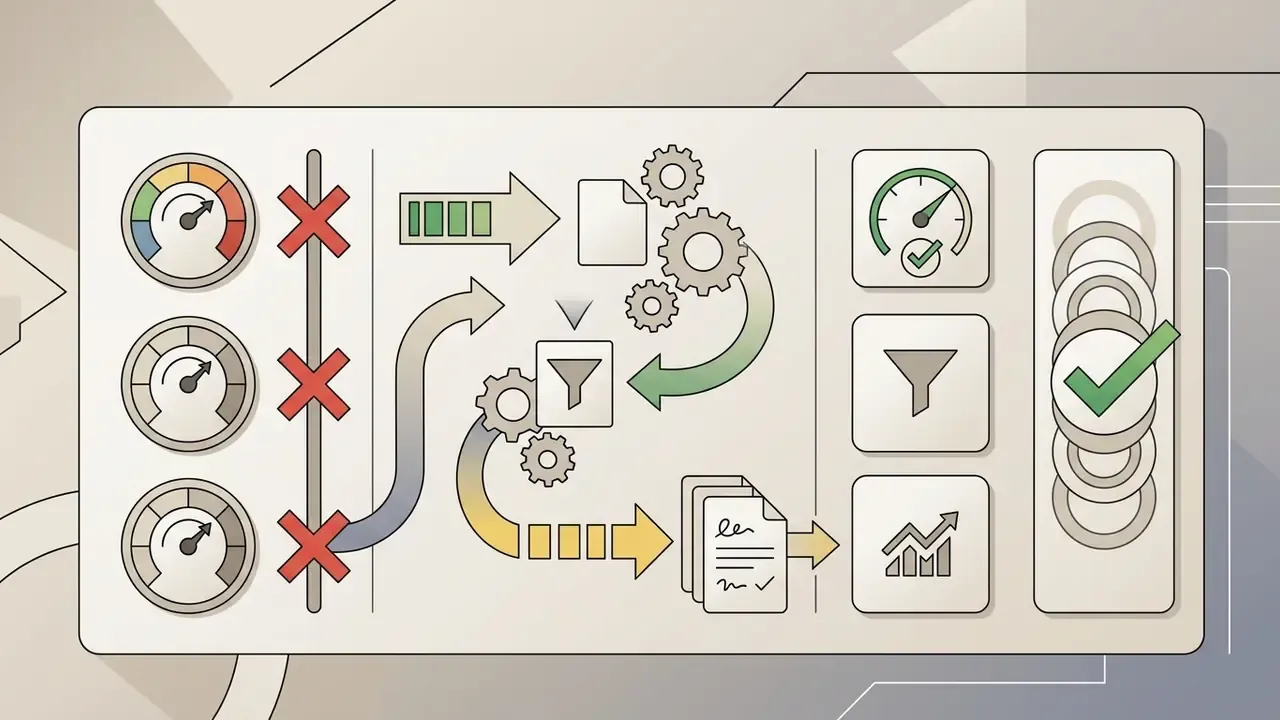
A disciplined repair loop looks like this:
If you need written documentation for creative workflows, our guide to using an ai article generator covers how to streamline prompt logging and change notes.
How to Create AI Art From a Photo, Sketch, or Existing Image
Transforming an existing photo or hand-drawn sketch into synthetic artwork relies on image-to-image generators and structural control adapters. This technique lets creators who want to learn to make ai art preserve original compositions while changing visual style completely. It is also the most common path for people asking how to ai art yourself from a personal portrait, and it is exactly where consent and metadata discipline start to matter.
How to Prepare Photos for AI Art Generation
High-quality source inputs are critical in any ai create illustration from photo workflow. Make sure the uploaded photo shows strong contrast between primary subject and background, at high resolution, with minimal visual clutter.
«HEIM's subject-clarity metric showed that images with a visually distinct subject receive higher aesthetics and alignment scores from expert raters.»
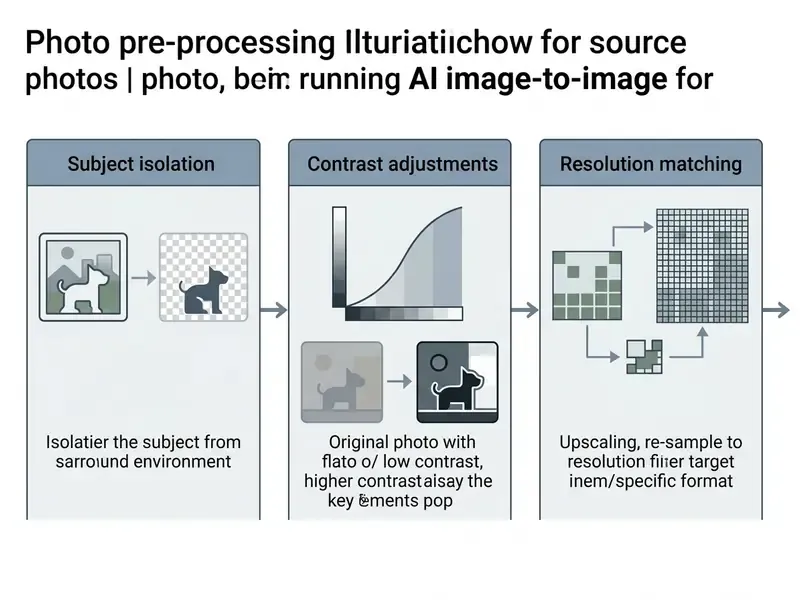
Input photos should fit standard pixel dimension thresholds, typically between 1024 px and 4096 px on the longest side, to avoid automatic cropping or scaling distortion. Pre-cleaning background elements and sharpening subject edges helps the conditioning adapter detect structural boundaries accurately.
Technical input specifications and aspect ratios
Before uploading source photographs into an image-to-image engine, align files with the model's native training-bucket parameters:
| Specification | Recommended value | Failure mode if ignored |
|---|---|---|
| Supported input formats | 8-bit-per-channel PNG, JPG, WebP; convert 16-bit RAW or HEIC before submission | Silent rejection or colour-profile shift |
| Optimal resolutions | 1024×1024 (1:1), 1152×896 (4:3), 1344×768 (16:9), 896×1152 (3:4) | Off-bucket sizes trigger auto-crop and subject truncation |
| Total pixel envelope | Hosted APIs commonly enforce a pixel budget (for example roughly 0.65 MP to 8.3 MP for OpenAI image generation; 4.19 MP for Amazon Nova) | HTTP 400 errors or forced downscaling |
| Long-edge ceiling | Downsample anything above 4096 px before inference | GPU memory allocation errors, blurring during internal downscale |
| Export formats | PNG or TIFF for archival; WebP for CDN delivery; hosted apps such as Adobe Firefly cap web export at 2000×2000 px | Compression artifacts baked into approved brand assets |
| Colour space | sRGB in, sRGB out; convert to CMYK only after final approval | Print colour drift on approved artwork |
Data-handling checkpoint. Before any upload, confirm three things: the organization holds rights to the source image, the destination endpoint does not retain inputs for base-model training, and the file carries no personally identifiable or confidential material in visible or EXIF form. Strip GPS and device metadata from source photos as a default step, not as an exception.
How to Transform Photos Into Illustrations or New Art Styles
To run a how to make ai art from photo task, upload the preprocessed image into an I2I interface, set denoising strength (typically 0.35 to 0.65), and apply a target style prompt. Lower denoising strengths preserve the exact geometry of the original photo. Higher values grant the model more freedom to reinterpret forms.
«A model trained exclusively on photographs, once fitted with a style adapter on a limited set of examples, produces artistic results comparable to models trained on millions of paintings.»
For advanced control over pose, lines, and depth maps, frameworks like ControlNet or IP-Adapter process structural features independently from style tokens. IP-Adapter is documented as a lightweight image-prompt module, roughly 22M parameters, that adds image-guidance cross-attention layers while keeping the original UNet and text cross-attention frozen. ControlNet remains the structure-conditioning baseline for sketch and photo inputs.
Style preset matrix for photo-to-art transformation
| Target style | Denoising strength | Prompt style modifiers | Recommended controller |
|---|---|---|---|
| Classical oil painting | 0.55 – 0.65 | "impasto oil painting, visible heavy brushstrokes, layered oil texture, varnish sheen, Rembrandt directional lighting" | ControlNet Depth / SoftEdge |
| Airy watercolor | 0.50 – 0.60 | "vibrant watercolor wash, wet-on-wet technique, delicate colour bleeds, cold-press paper grain, subtle ink line accents" | ControlNet Canny / Lineart |
| Cyberpunk / neon futurism | 0.40 – 0.50 | "cyberpunk aesthetic, glowing neon signage, holographic overlays, volumetric night fog, high-contrast cyan and magenta palette" | IP-Adapter style transfer |
| Architectural graphite sketch | 0.30 – 0.40 | "architectural graphite pencil sketch, fine hatching, cross-hatched shadows, technical draft aesthetic, clean white paper" | ControlNet Lineart |
| Cartoon / caricature portrait | 0.45 – 0.55 | "clean cel-shaded cartoon portrait, bold outlines, simplified facial planes, flat saturated colour blocks" | ControlNet OpenPose + face restore |
| Concept art environment | 0.60 – 0.70 | "cinematic concept art, matte painting, atmospheric perspective, dramatic rim lighting, production design sheet" | ControlNet Depth |
Identity preservation deserves its own note. Uniform style transfer degrades recognizability of faces, logos, and text. Recent work addresses this with masks, region-aligned attention, and content-consistency losses: RegionRoute: Regional Style Transfer with Diffusion Model aligns style-token attention with object masks and measures identity preservation via masked LPIPS, while Few-shots Portrait Generation with Style Enhancement and Identity Preservation splits the model into separate style and identity modules. Practical translation: mask the face or wordmark, stylize the surrounding region at higher denoising, then blend back at 0.25 to 0.35 on the protected area.
If you are comparing tools for photo enhancement and creative transformation, review our analysis of free photo editor platforms, and for portrait-specific pipelines see our guide to AI headshot generators. Consumer-facing likeness tools sit in the same risk family; our overview of the ai baby face generator category shows how quickly synthetic-likeness features drift into consent territory. For a style-specific walkthrough, our breakdown of Ghibli-style AI image generators documents how style-adapter fidelity varies by vendor.
AI Art Styles: Illustrations, Clip Art, and Visual Ideas
Generative engines output diverse artistic mediums, from photorealistic architectural renders to minimalist vector graphics. Choosing the right style keeps visual assets integrated cleanly into marketing materials, software interfaces, or corporate presentations. Good it art ai design work usually starts by narrowing the style class, not by widening it.
Three operational classes cover most enterprise demand: vector-like clip art for symbols and UI assets; 2D and 3D illustration for explanatory or branded visuals; and photorealism for outputs that must read as photography, the class carrying the highest disclosure and synthetic-media risk.
When to Choose AI-Generated Clip Art and Simple Illustrations
Using ai generated clip art and flat 2D graphics suits user interface icons, slide decks, and website landing pages. Flat illustrations communicate ideas fast without pulling viewer attention away from core messaging or numerical data.
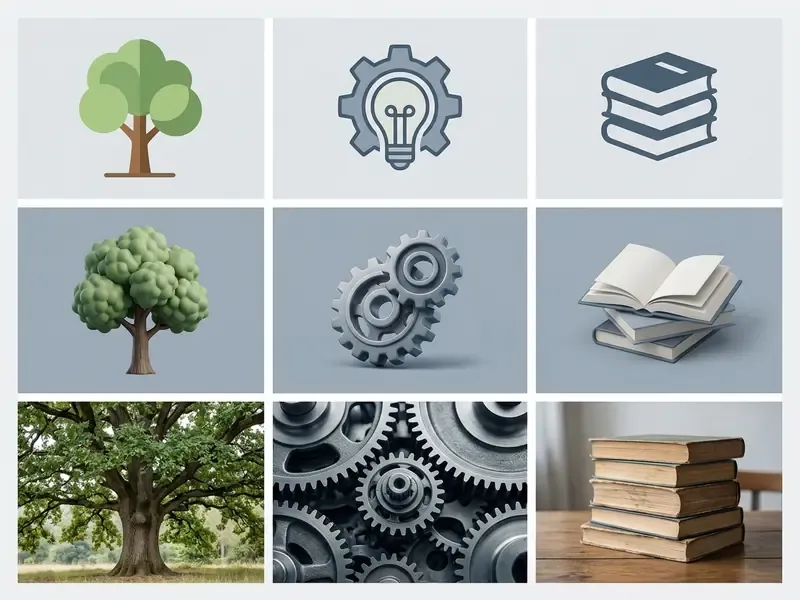
When generating flat assets, request explicitly "isolated on a plain white background, flat vector style, no gradients" to simplify post-generation background removal. Accessibility constraints apply the moment those assets ship: W3C and WAI guidance separates decorative images (empty alt, hidden from assistive technology), informative images (text alternative required), and functional images (describe the action, not the picture), and requires a minimum 3:1 contrast ratio for icons that carry meaning. To explore dedicated asset creation workflows, see our guide on animation maker tools.
How to Maintain a Consistent Style Across a Series of AI Images
Visual consistency across multiple synthetic assets requires locking generation seeds, applying style reference parameters, or using trained Low-Rank Adaptation (LoRA) micro-models. Prompts alone usually drift.
Style reference features, such as Midjourney's --sref or Stable Diffusion style adapters, extract colour, texture, and lighting characteristics from a key visual asset and apply them to new prompts.
«Minimal sharing of attention maps between diffusion runs delivers a unified style across an image series while preserving content diversity.»
Free AI Art Generators, Credits, and Selecting the Right Tool
Navigating generative creative tools means understanding fee structures, compute credit consumption, and functional feature limits. Whether a free AI art generator fits commercial operations depends on transparent credit accounting and data security policy, not on the size of the free tier.
| Tool platform | Free tier allocation | Denoising and edit features | Commercial licence terms | Input data used to train base models? | Enterprise controls (attestation / deployment) | Primary best use case |
|---|---|---|---|---|---|---|
| Stable Diffusion (open source) | Unlimited (local compute) | Inpainting, outpainting, ControlNet, IP-Adapter | Community licence free below the USD 1M annual-revenue threshold; verify per model version | No, weights run inside your perimeter | Full on-premise or single-tenant; attestation inherited from your own environment | Developer customization, data isolation, regulated workloads |
| Adobe Firefly | Monthly generative credits plus limited daily generations | Generative Fill, text effects, settings panel, sketch-to-image | Trained on licensed Adobe Stock and public-domain content; commercial use permitted for Adobe-developed models | Vendor-controlled; review Generative AI Product Specific Terms, including gallery-submission licence grants | Enterprise agreements available; Creative Cloud identity and admin console | Enterprise graphic design workflows requiring provenance |
| Midjourney | Subscription only | Pan, Vary Region, style reference, character reference | Commercial rights tied to paid plans per Terms of Service | Public-gallery default on lower tiers; Stealth mode gated to higher tiers | Limited enterprise tooling; no on-premise option | High-concept visual exploration and moodboarding |
| DALL·E 3 / gpt-image (OpenAI) | Tiered API credits | Inpainting via API and chat interface | User owns Output; Input rights retained per Terms | API business-tier policies govern training use; verify current opt-out posture | API-level org controls, usage policies, enterprise agreements | Rapid prototyping and pipeline integration |
| Canva AI | Basic monthly credits | Magic Edit, background removal, brand kits | Usage subject to asset licensing and per-element terms | Vendor-controlled; review workspace-level settings | Team admin controls, brand-kit governance | Fast social media and presentation graphics |
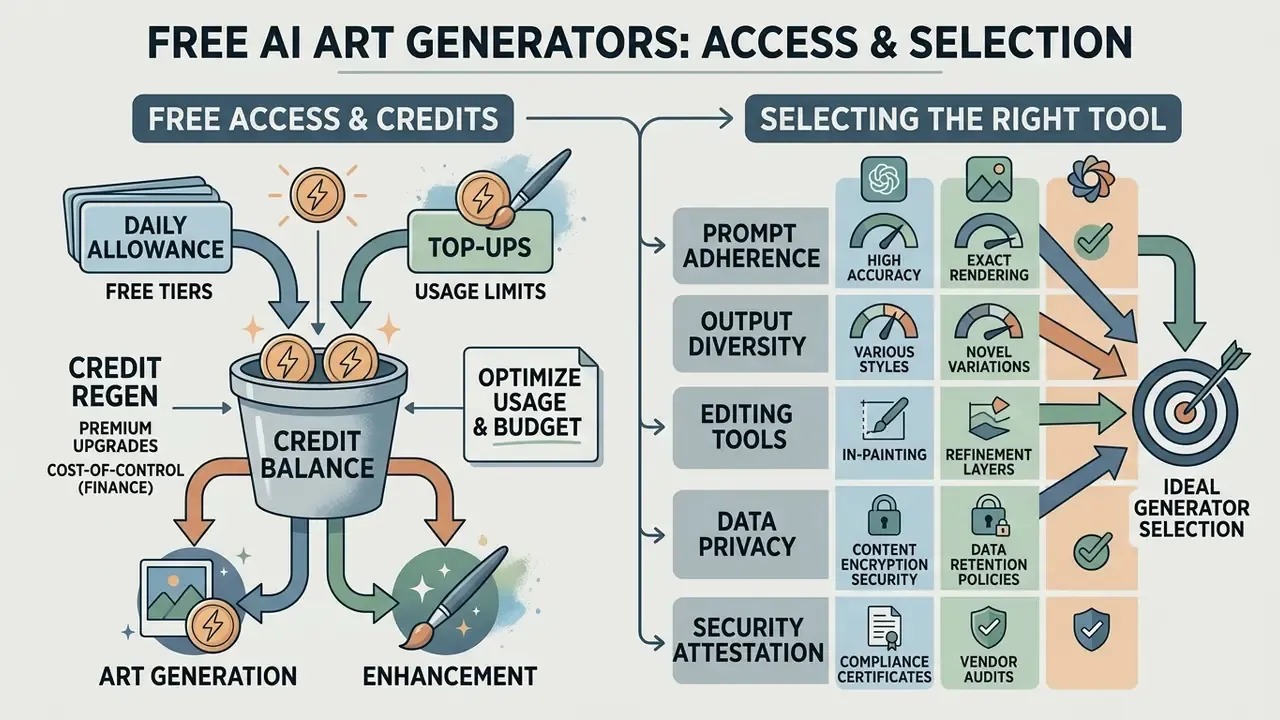
Licence terms, credit allocations, and training-data policies change frequently. Treat this table as a procurement starting point and re-verify each vendor's current terms before contract signature.
For platform-specific procurement detail, see our overviews of the Canva AI Generator, the Microsoft AI Image Generator, the Google AI Image Generator, and Midjourney versus competing engines.
What Free Access Means and Why Generators Use Credits
Generative services burn substantial GPU inference compute. So platforms issue "credits" to meter consumption by image resolution, sampling steps, and model complexity.
A free unrestricted ai art generator operating entirely without credit caps normally runs on local user hardware or on community-supported compute nodes. Web-hosted services enforce daily or monthly credit refills to prevent server overload and to convert free users into paid subscribers. That is not cynicism, just unit economics.
Credit accounting varies sharply by vendor. Published 2026 documentation shows free-tier allocations ranging from a few hundred credits to tens of thousands per day, and per-image costs spanning roughly 5 to 100 credits depending on model and resolution. Adobe allocates free generative credits on first use with monthly expiry. Google Cloud calculates free-tier limits per billing account and treats promotional credits separately from always-free usage. The underlying reason is uniform: each request consumes real inference compute, so vendors meter by request volume, resolution, token count, or time window rather than granting unlimited access.
Cost-of-control note for finance teams. Credit price is not total cost. ROI on generative art must include review labour, legal clearance, storage and retention, moderation tooling, and residual risk provisioning. A pipeline that halves design hours but adds a two-day legal review to every asset has not reduced cycle time. It has moved the bottleneck. Finance teams modelling that trade-off can explore the hub of cost calculators for a first-pass estimate.
Which Features to Compare Before Selecting a Generator
When deciding how to create an ai art generator workflow, or selecting an existing vendor, compare these operational metrics:
- Prompt adherence.How accurately the model renders multi-subject interactions.
- Output diversity.Whether repeated or templated prompts collapse into visual sameness across a campaign.
- Editing tools.Native inpainting, outpainting, real-time canvas, canvas expansion.
- Data privacy and retention.Whether uploads and outputs train public base models, how long inputs persist, and whether opt-out is contractual or discretionary.
- Security attestation.SOC 2 Type II, ISO/IEC 27001, penetration-test summaries, breach-notification SLAs.
- Deployment model.Multi-tenant SaaS, single-tenant, VPC-hosted, or fully on-premise weights.
- Indemnification scope.Whether IP indemnity covers modified outputs, trademark disputes, and user-supplied inputs. Most vendor indemnities exclude at least one of the three.
- Export options.High-resolution PNG, uncompressed TIFF, documented resolution ceilings; true SVG requires a separate vectorization step.
- Auditability.Generation logs, seed exposure, model-version pinning, API-level access records.
«An analysis of six million prompts on CivitAI showed repeated prompts account for 40–50% of requests, and lexical similarity correlates directly with reduced visual diversity.»
Public frameworks give this checklist institutional grounding. The NIST AI Risk Management Framework Generative AI Profile (2024) requires validity, reliability, robustness, privacy, and security checks at deployment. Google's 2025 evaluation framework names model performance, end-to-end performance, safety, latency, scalability, and cost. A 2026 technical review mapped 28 generative-AI quality metrics onto ISO/IEC 25023 characteristics.
For a broader look at commercial creative software, see our overview of photo editor platforms and the pricing details on our explore the hub page. Adjacent audio and video categories follow the same evaluation logic; compare notes on the ai asmr generator category and on ai audio to video conversion tools.
Can You Use and Sell AI-Generated Art Commercially?
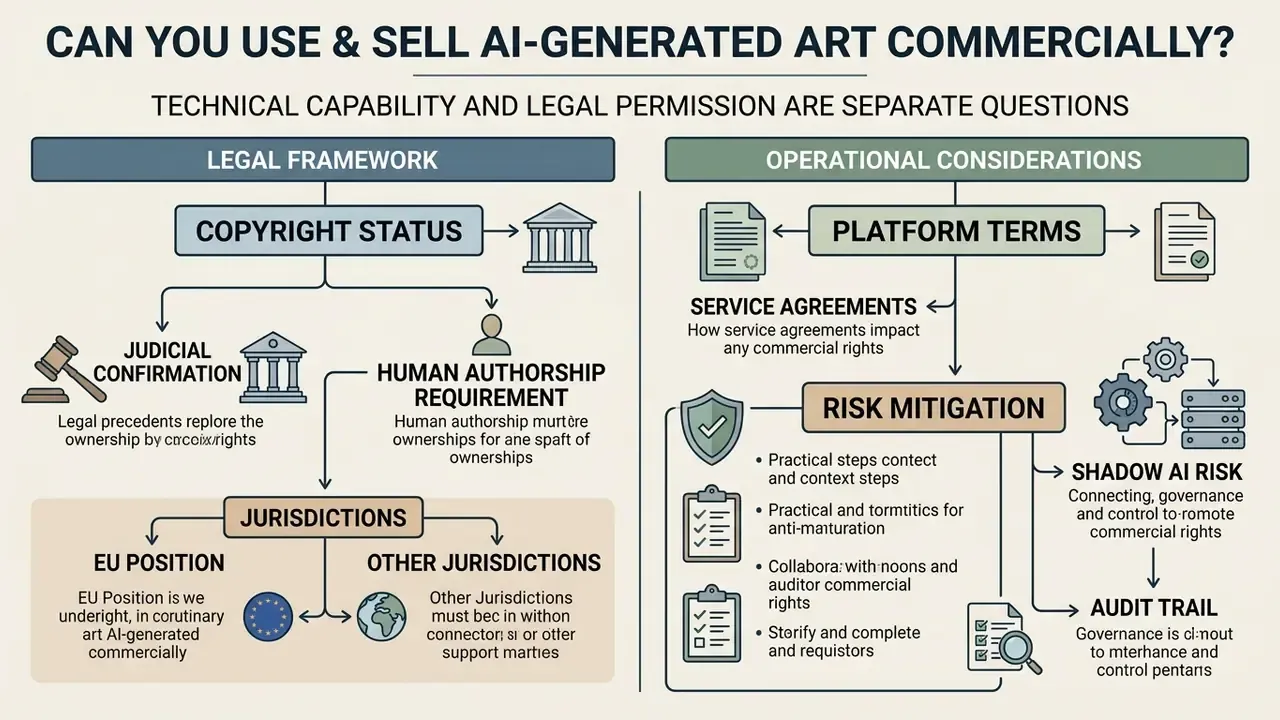
Technical capability and legal permission are separate questions. Once a generator is chosen and a pipeline built, the binding constraint shifts from image quality to organizational liability: who owns the output, who is accountable for the input, and what evidence exists if either is challenged.
Commercial deployment of synthetic visual media requires evaluating copyright law, platform user agreements, and third-party intellectual property risk. Organizations using generative tools must keep detailed provenance records to defend asset integrity, and should treat commercial use of AI image generators as a governed process rather than a tooling choice.
«Generative AI shifts creative effort into asking questions (prompts), while the machine produces the expression itself. This cuts against foundational copyright doctrine.»
Shadow AI: The Dominant Operational Risk in Regulated Environments
Most generative-art incidents in regulated organizations do not start in the sanctioned pipeline. They start when someone pastes a confidential asset into a public endpoint to save fifteen minutes. That is the whole story, most of the time.
Shadow AI control checklist
- Network-layer control. Maintain an allow-list of approved generation domains at the web proxy or secure web gateway; block unapproved image-generation endpoints by category, not by individual URL.
- DLP inspection on upload. Apply data-loss-prevention rules to multipart image uploads, not only to text and documents. Detect account numbers, customer photography, unreleased creative, and internal watermarks.
- Sanctioned alternative. Blocking without an approved internal generator guarantees circumvention. Ship the internal tool first, then enforce.
- Prompt hygiene policy. Prohibit entering client names, account identifiers, unreleased product imagery, internal document scans, or personal data of customers and staff into any prompt or reference upload.
- Metadata stripping. Remove EXIF, GPS, and device identifiers from any source photograph before it enters an I2I pipeline.
- Reference-image provenance register. Record the rights basis for every uploaded reference: owned, licensed (with licence ID), or public domain. No entry, no upload.
- Quarterly access review. Reconcile generative-tool seat lists against HR joiner, mover, and leaver records.
- Named accountability. Assign one decision owner per asset class for approving synthetic imagery into public-facing channels.
What to Check in Generator Terms Before Commercial Use
Before publishing or selling synthetic visual assets, read the vendor's Terms of Service for ownership and usage clauses. Confirm the subscription plan explicitly grants commercial monetization rights for output images.
«The U.S. Copyright Office has refused registrations for AI works even where hundreds of prompts were used, unless the artist excluded the AI-generated portions.»
Key contract terms to inspect:
- Output ownership. Whether the terms grant full commercial rights to generated files.
- Commercial-use permission by tier. Whether rights attach to free, individual, or enterprise plans, and whether they survive plan downgrade or cancellation.
- Indemnification. Protection against claims arising from model training data. Read the exclusions: several major vendors indemnify only unmodified output and exclude trademark or trade-dress disputes and user-caused infringement.
- Training on your inputs and outputs. Whether submitted images and prompts feed future base-model training, and whether opt-out is default or requires configuration.
- Vendor licence-back. Some terms grant the provider a broad licence to reuse submitted output and corresponding input for marketing or gallery display.
- Public display defaults. Whether generated images publish automatically to a community feed.
- Upload warranties. Terms forbidding inputs that contain third-party trademarks or protected material without sufficient rights, and forbidding prompts intended to produce substantially similar copyrighted output.
- Liability caps and governing law. Whether the cap is meaningful relative to campaign exposure, and whether the forum is workable.
For analysis of legal precedent and regulatory updates, visit our AI Litigation and Case Timelines resource.
Risks of Using Third-Party Photos and Images
Uploading third-party photographs or copyrighted illustrations into image-to-image pipelines introduces material infringement risk. Transforming a protected image into synthetic artwork does not automatically shield the user from copyright or right-of-publicity claims.
«Legal analysis shows AI systems can reproduce expressive elements of training data, which unsettles the substantial-similarity test used to assess infringement.»
If output retains recognizable structural features or trademarked elements from the source image, it may be classified as an unauthorized derivative work. The NIST AI RMF Generative AI Profile explicitly lists unauthorized production or replication of copyrighted, trademarked, or licensed content as an intellectual-property risk, and USPTO name-image-likeness guidance (2026) ties AI-generated replicas of a person's appearance to trademark and identity protection. UK government copyright guidance is blunter still: most images on the internet are protected, and safe use normally requires permission, a licence, expiry, or a statutory exception.
Always confirm you own the underlying rights or hold an explicit licence for any image uploaded as a generative reference. Where provenance is uncertain, verification tooling helps. See our comparison of AI reverse-image-search tools and of AI image detectors for downstream authenticity checks, and browse the hub for licensing overviews by tool category.
How to Build Your Own AI Art Generator
Building a custom visual generation application lets organizations implement custom style fine-tuning, enforce strict data privacy, and integrate generation directly into enterprise software through API endpoints. For regulated institutions, an internal generator is often the only way to reconcile creative velocity with data-residency obligations. Teams researching how to make your own ai art generator usually discover that the model is the easy part.
Planning, Model Selection, and Launching an AI Art Generator App
Developers asking can you build your own ai art generator can ship production-ready applications by leveraging open-source base models such as Stable Diffusion or Flux, or by connecting to commercial API endpoints. Hosted inference catalogues expose FLUX.1 and Stable Diffusion 3.5 endpoints directly, while commercial image APIs document text-to-image and image-to-image flows with init_image, strength, and webhook callbacks. That shortens time to first working prototype considerably, which is why how to make ai art generator questions now arrive from product teams rather than research teams.
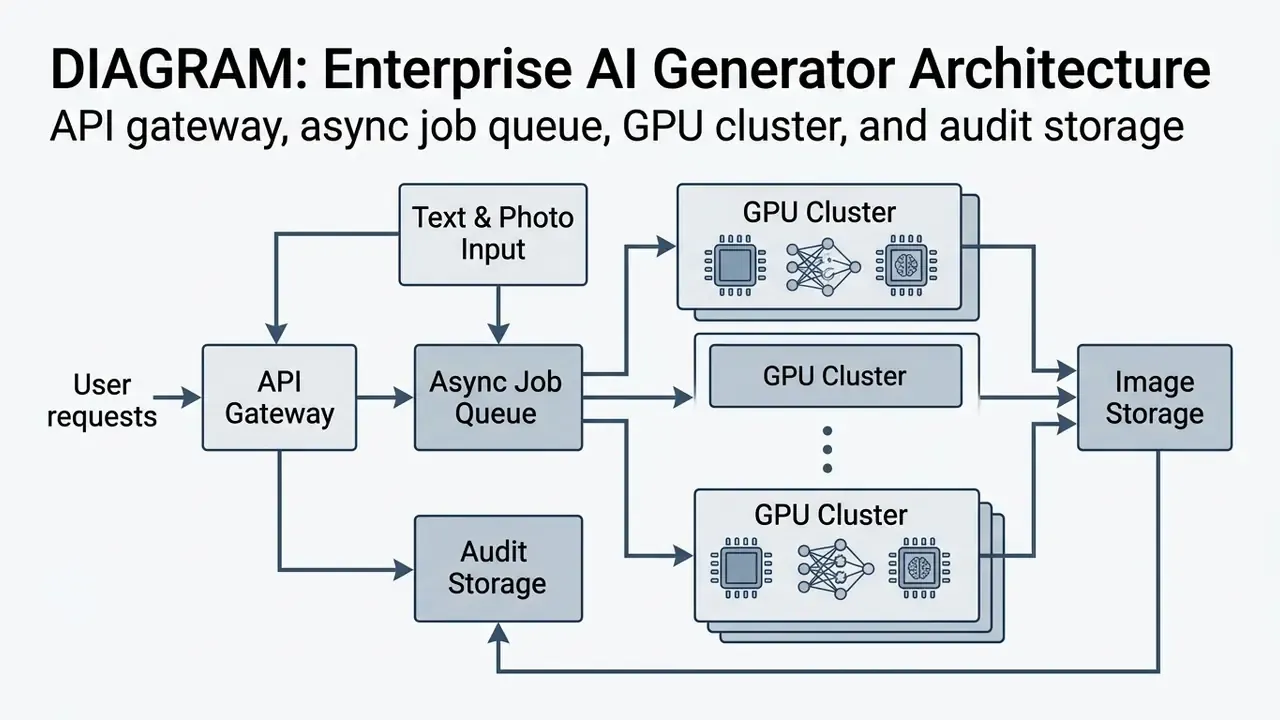
Building a secure generation service involves four operational steps:
- Architecture selection.Choose between self-hosting open-source weights on cloud GPU infrastructure (AWS EC2 GPU instances, NVIDIA NIM) or integrating commercial APIs (OpenAI gpt-image-2, Stability AI API). Model unit economics before committing: published OpenAI pricing for gpt-image-2 lists USD 8.00 per 1M input image tokens and USD 30.00 per 1M output image tokens, which makes per-asset cost forecastable at campaign scale.
- Backend and queue management.Implement an asynchronous job queue (for example Redis with Celery) to handle incoming generation requests, manage API rate limits, and process webhooks on completion. Treat queued-image fetch, cache clearing, queue clearing, and server restart as first-class support endpoints, not afterthoughts.
- Frontend UI and editing suite.Build an interface supporting prompt input, parameter sliders (guidance scale, seed, steps), canvas masking for inpainting, real-time low-step preview, canvas expansion for outpainting, and side-by-side variation review.
- Content moderation and logging.Integrate automated safety filters that screen input prompts and output images for policy compliance, and maintain an immutable audit log of every generated asset.
«HEIM evaluates 26 models across 12 aspects, including bias, toxicity, and efficiency, and can serve as a template for auditing a custom generator.»
Enterprise hardening checklist
- User auth and credit metering. OAuth 2.0 or JWT session validation, plus a Redis-backed token-bucket algorithm to enforce per-tier API rate limits and stop cost runaway from one misbehaving client.
- Image storage optimization. Route raw model output to S3-compatible object storage (AWS S3, Cloudflare R2) with lifecycle rules and retention classes, delivering compressed WebP variants through a CDN.
- Immutable audit store. Write the audit trail record to append-only storage with a retention period matched to your records-management schedule.
- Model version pinning. Never point production at a floating "latest" tag. Pin checkpoint hashes and record them per asset.
- Prompt and output moderation. Screen both directions, inputs for policy violations and confidential identifiers, outputs for prohibited content, and log the verdict, not just the block.
- DLP integration. Inspect uploaded reference images at the gateway, not inside the application.
- Model risk management integration. Register the generator in the institution's model inventory. Map controls to the NIST AI Risk Management Framework Generative AI Profile (2024) and, in financial institutions, to existing model-risk governance expectations (the supervisory guidance familiar as SR 11-7 and OCC 2011-12) covering documentation, validation, ongoing monitoring, and independent review.
- Decision ownership. Document, per asset class, who approves publication, who owns residual risk, and who can override a moderation block.
- Ongoing monitoring. Track prompt-rejection rates, moderation false positives, credit burn per business unit, and drift in output diversity after any model upgrade.
Anyone framing the project as how to create your own ai art generator should note the ordering: inventory registration and audit storage before UI polish. The most common failure we see described in post-mortems is a working generator with no reproducible record of what it produced.
Engineers evaluating deployment costs can analyze hosting trade-offs on our see the overview documentation hub, browse competitive tool evaluations in our browse the hub comparison section, review implementation economics for adjacent modalities in the Google Veo implementation guide, and check operational support paths on our see the overview page. Automated post-production pipelines follow similar queue patterns; see our notes on ai auto video editors.
FAQ for Compliance, Risk, and Governance Teams
Can we register copyright in an AI-generated brand asset?
Not for the machine-generated portion. Under 2025/2026 U.S. Copyright Office guidance and the D.C. Circuit's Thaler v. Perlmutter decision, protection attaches only to human-authored contributions: creative selection, arrangement, or modification. AI-generated material must be disclaimed in registration filings. Practical consequence: treat purely generated imagery as unprotectable, and build brand defensibility through trademark, contract, and design-around human modification.
Does a vendor's "commercial use" grant mean we own the image?
No. It is a contractual permission from the vendor, not statutory ownership. It does not stop a third party from using a visually similar output, and it does not create an exclusive right.
Is generating an image from a dataset that contained personal data a GDPR or CCPA issue?
The training-data question sits with the model provider. Your direct exposure comes from what you submit and what you publish. Uploading identifiable customer or employee photographs into a third-party endpoint is a processing activity that needs a lawful basis, a processor agreement, and a record in your processing inventory. Publishing a synthetic likeness that is recognizably a real person also raises right-of-publicity and, in some jurisdictions, biometric exposure, independent of copyright.
How long should we retain generation metadata?
Match the retention class of the asset it supports. Marketing artwork used in regulated communications typically inherits the retention period of the communication itself. Retain enough to regenerate the asset: model version, prompt, negative prompt, seed, sampler, steps, guidance scale, source-image hash.
Who owns the decision to publish a synthetic image?
A named human role, not a tool setting. Document the approver per asset class, the escalation path for edge cases, and the override log for moderation bypasses. "The model approved it" is not an auditable position.
What happens if the vendor upgrades the base model?
Previously approved assets may become unreproducible. Mitigate by pinning checkpoint versions where the vendor supports it, archiving final rasters at full resolution, and re-validating brand-consistency controls after every announced model change.
Can we use employee or customer photographs as I2I references?
Only with explicit, documented consent covering synthetic transformation and the intended distribution channel. Strip metadata, restrict the destination endpoint to your own perimeter where possible, and record the consent reference in the audit record.
How do we cost-justify the pipeline?
Compare fully loaded cost, not credit price. Include inference or subscription spend, review labour, legal clearance, storage and retention, moderation tooling, control operation, and a residual-risk provision. Report ROI net of control cost, then re-baseline after the first audit cycle.
Is there a governance difference between "how to create an ai artist" persona work and one-off asset generation?
Yes, and it is underestimated. A persistent synthetic persona (a recurring character, mascot, or spokesperson likeness) creates a reusable identity asset that needs version control, a LoRA checkpoint register, disclosure rules, and a retirement plan. One-off assets need provenance. Personas need lifecycle management. Summary and Next Steps Generative visual tools deliver unusual velocity for digital content creation, concept design, and visual asset adaptation. Enterprise adoption, though, requires balancing that speed against governance controls, copyright awareness, and prompt precision. The recurring pattern across 2025 and 2026 research and regulatory guidance is consistent: capability is no longer the constraint. Evidence is. Three actions convert this material into operating practice:
- Instrument the pipeline before scaling it. Emit an audit trail record for every committed generation and pin model versions.
- Close the shadow AI gap. Ship an approved internal generator, then enforce proxy and DLP controls on public endpoints.
- Procure on privacy posture, not gallery quality. Training opt-out, attestation, deployment model, and indemnity scope decide enterprise fit. To extend your knowledge of automated creative workflows:
- Explore our comprehensive AI Media Glossary in the site footer for standardized technical definitions.
- Review specialized guides on ai voice generator technology for multimodal content production.
- Evaluate video processing tools through our analysis of video compressor software and our YouTube video editor workflow guide.
- Compare entry-level video pipelines in our review of free AI video generators.
Open Questions We Have Not Resolved
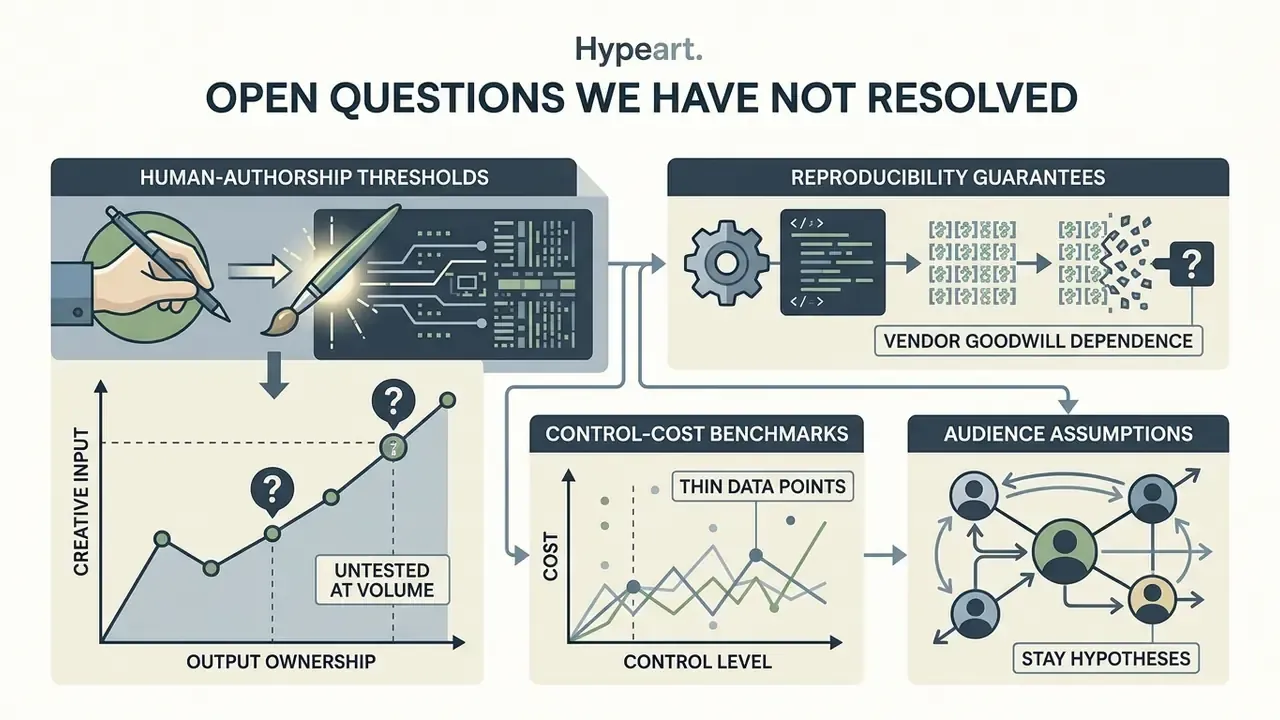
Stated plainly, because pretending otherwise would be worse.
- Human-authorship thresholds remain untested at volume. Guidance tells us that creative selection and arrangement can attract protection. It does not tell us how much prompt iteration, masking, or compositing is enough. Registration practice is still forming.
- Reproducibility guarantees depend on vendor goodwill. Hosted checkpoints can change without contractual notice. Until version pinning is a standard commercial term, archival rasters remain the only reliable defence.
- Control-cost benchmarks are thin. We can measure design hours saved. Industry-wide figures for review labour, clearance time, and moderation overhead per asset are not yet published in any form we would cite as a benchmark.
- Audience assumptions stay hypotheses. Statements in this guide about what risk and creative leaders prioritize should be treated as working hypotheses until validated through interviews, analytics, or verified customer research.
Appendix A: Superseded and Corrected Fragments
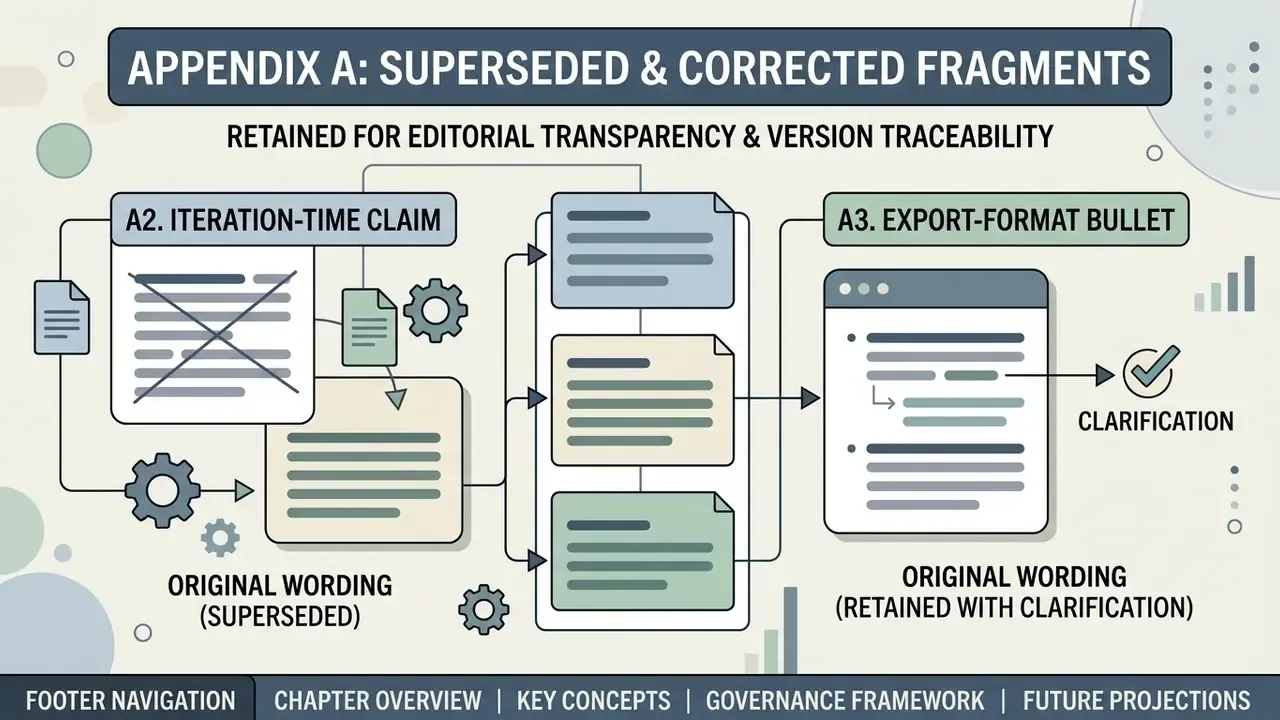
Retained for editorial transparency and version traceability.
A1. Export step, original wording (superseded).
Reason for correction: diffusion models compute raster pixel grids. They do not emit true vector geometry. Producing an SVG requires an explicit raster-to-vector conversion stage (image trace, Potrace, or a vector-native model). The corrected step 7 in the main guide specifies PNG or TIFF export plus an optional vectorization pipeline.
A2. Iteration-time claim, original wording (superseded).
Clarification: SVG availability in a tool's export menu almost always signals a bundled vectorization step applied to raster output, not native vector generation. Evaluate the quality of that trace step separately from image quality, and note that hosted web apps frequently cap export resolution. Adobe Firefly's web app, for example, exports at a maximum of 2000×2000 pixels.