An AI superhero generator is a specialized artificial intelligence system that converts text descriptions or user photos into stylized superhero imagery: digital avatars, character sheets, and high-resolution artwork. These tools rely on personalized text-to-image (T2I) diffusion architectures and feature-injection models to turn a written prompt or a personal portrait into a custom superhero character while holding identity and stylistic coherence in place.
Why does that matter beyond hobby art? Because the same questions apply here as in any controlled AI rollout: who owns the output, what data was uploaded, and whether the license survives an audit.
"No evidence, no autonomy: controlled image generation requires measurable boundary controls, strict identity retention, and explicit risk management before deployment into public or commercial workflows."
Executive Summary
- Two operating modes. Text Mode invents an original hero from a written prompt. Photo Mode transforms an uploaded portrait into a hero while preserving facial identity through identity-injection modules such as InstantID and DGADiff.
- Three intensity levels decide how much of "you" survives. Subtle (~90% of original styling), Balanced (~70% likeness, recommended), and Bold (~40% likeness, full stylization) map directly to how deeply facial guidance is injected into the diffusion U-Net.
- Quality is driven by prompt structure, not luck. The formula Subject + Costume/Materials + Pose + Environment + Lighting + Style, plus 3-9 seeds, delivers repeatable output. Multi-criteria prompts measurably improve feasibility and novelty.
- Commercial use is a licensing question, not a technical one. Pure AI output may not qualify for independent copyright registration in the U.S., and replicating Marvel or DC emblems and named characters can still trigger trademark and copyright claims regardless of who (or what) drew it.
Who This Guide Is For and What Decision It Supports
Three reader groups tend to land here. Creators who want a striking profile image. Design and marketing teams that need dozens of consistent hero assets. And, less obviously, governance-minded buyers inside larger organizations who must sign off on a tool that ingests employee photographs.
The guide is built to support four practical decisions:
- Which mode and output format fit the channel (avatar, portrait, full-body character, narrative panel).
- How to write prompts that produce repeatable results instead of lucky one-offs.
- What free tiers actually include, and where credits or a subscription become unavoidable.
- Which license, IP, and data-retention clauses need verification before anything ships publicly.
Keep one habit from the model-risk world: record the prompt, the seed, the model version, and the license terms in force on the day of generation. That record costs a minute and settles most later arguments.
What Is an AI Superhero Generator and What It Can Create
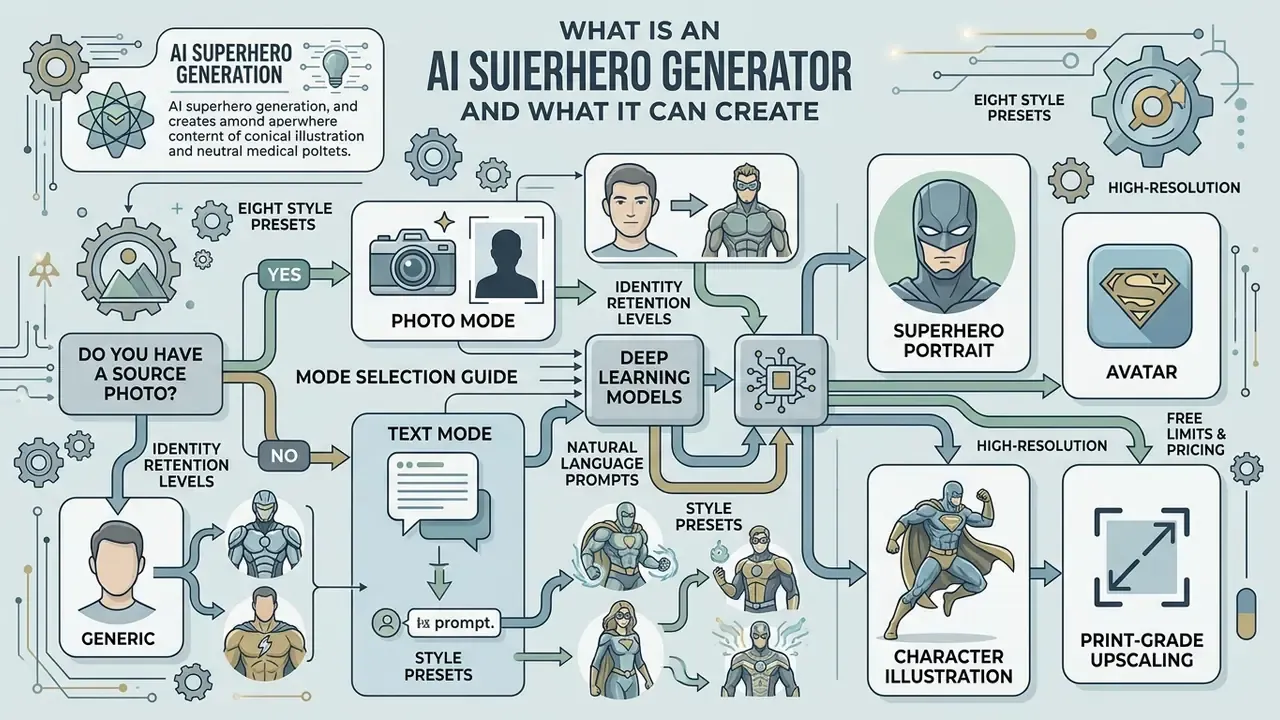
An AI superhero generator uses deep learning models to create high-resolution superhero images, avatars, and character illustrations from natural language prompts or uploaded photos. Modern generative architectures process visual concepts such as costumes, powers, poses, and heroic environments to produce tailored visual assets for social media, digital media, game design, and marketing workflows.
«Personalized image generation solves a dual task: matching the text description while preserving the identity of the subject from a reference photo.»
Mode selection guide (accessible flow description). Start with one question: do you have a usable photo?
- Yes → Photo Mode. Generate a superhero portrait or avatar that preserves facial identity using identity-injection modules. Inside Photo Mode, choose Superhero Avatar for square profile images optimized for digital platforms, or Superhero Portrait for high-detail cinematic compositions.
- No → Text Mode. Describe costume materials, powers, and visual setting to construct an original hero from scratch. Inside Text Mode, choose Avatar for headshots, Character for full-body turnarounds, or Superhero Art for narrative scene generation.
AI Superhero Generation from a Text Description
Text-to-image generation creates original heroic characters by translating detailed text prompts into visual features without requiring source imagery. Research in text-driven image synthesis shows that specifying subject attributes, costume materials, lighting conditions, and structural constraints directly improves visual accuracy and prompt alignment.
Using an ai superhero generator in text mode lets creators generate a superhero with custom powers, distinct costumes, and specific art styles by detailing visual elements in the prompt text. Concrete elements such as "armored titanium chestplate," "glowing energy aura," and "rain-slicked rooftop" produce far higher output consistency than abstract descriptors like "strong hero." Vague adjectives give the sampler nothing to hold onto.
«Optimization inside the textual subspace increases robustness to the choice of initial word and improves alignment with novel prompts.»
Prompt parameters and style tokens usually belong at the end of the request, after the visual description, because generation engines treat style and technical flags as control dimensions separate from character content.
Turning a Photograph into a Superhero Portrait
Photo-to-hero generation transforms an uploaded photo into a stylized superhero portrait while retaining the subject's facial identity. Zero-shot facial personalization frameworks such as InstantID and DGADiff combine decoupled visual attention with facial landmark guidance to preserve identity embeddings during style transfer (InstantID, arXiv 2024).
«DGADiff achieves the highest FaceSim and CLIP-I scores among baseline methods at an inference speed of roughly 0.26 seconds, with no additional training.»
When users upload a high-resolution portrait, an ai superhero photo generator extracts deep facial features and maps them onto hero character templates. The result is a set of custom visual assets where the subject's face survives across various heroic costumes, poses, and lighting environments. ControlNet-style spatial conditioning keeps body proportions and scene layout stable, so the cape, armor, and stance stay anatomically plausible instead of collapsing into melted geometry.
Avatar, Character, or Illustration: Which Output Format to Choose
Choosing the output format depends on the display channel, resolution requirements, and framing constraints. Square 512×512 or 1080×1080 pixel formats are standard for an ai superhero avatar generator, giving clear facial visibility for social media profiles and gaming accounts. Platform documentation for character tools commonly specifies square PNG or JPEG assets at 512×512 as the default avatar upload.
For concept design and game production, full-body character formats capture complete costume layouts, weapons, and stance details. Interactive-media creative guidance sets a practical floor of 128 px image height for in-game creatives and 256 px minimum for desktop, console, and AAA contexts. Narrative illustrations use wider aspect ratios (16:9, 21:9) and complex environmental lighting to suit promotional media, digital publishing, and comic book panels. Reviewing specialized tools in the AI art generator comparison matrix helps team leaders choose between dedicated avatar tools and broad image generation platforms.
| Output format | Typical resolution | Aspect ratio | Best for |
|---|---|---|---|
| Superhero avatar | 512×512 – 1080×1080 | 1:1 | Discord, X, gaming profiles, Twitch |
| Superhero portrait | 1024×1536+ | 2:3, 3:4 | Cinematic key art, posters, gifts |
| Full-body character | 2048×2048+ | 1:1, 4:5 | Concept sheets, game assets, RPG cards |
| Narrative illustration | 2048×1152 – 8192×4608 | 16:9, 21:9 | Comic panels, banners, thumbnails |
One caveat worth noting. A 512 px avatar cannot be rescued later for a poster, so decide the largest planned use first and generate for that ceiling.
How to Create a Superhero Image with AI
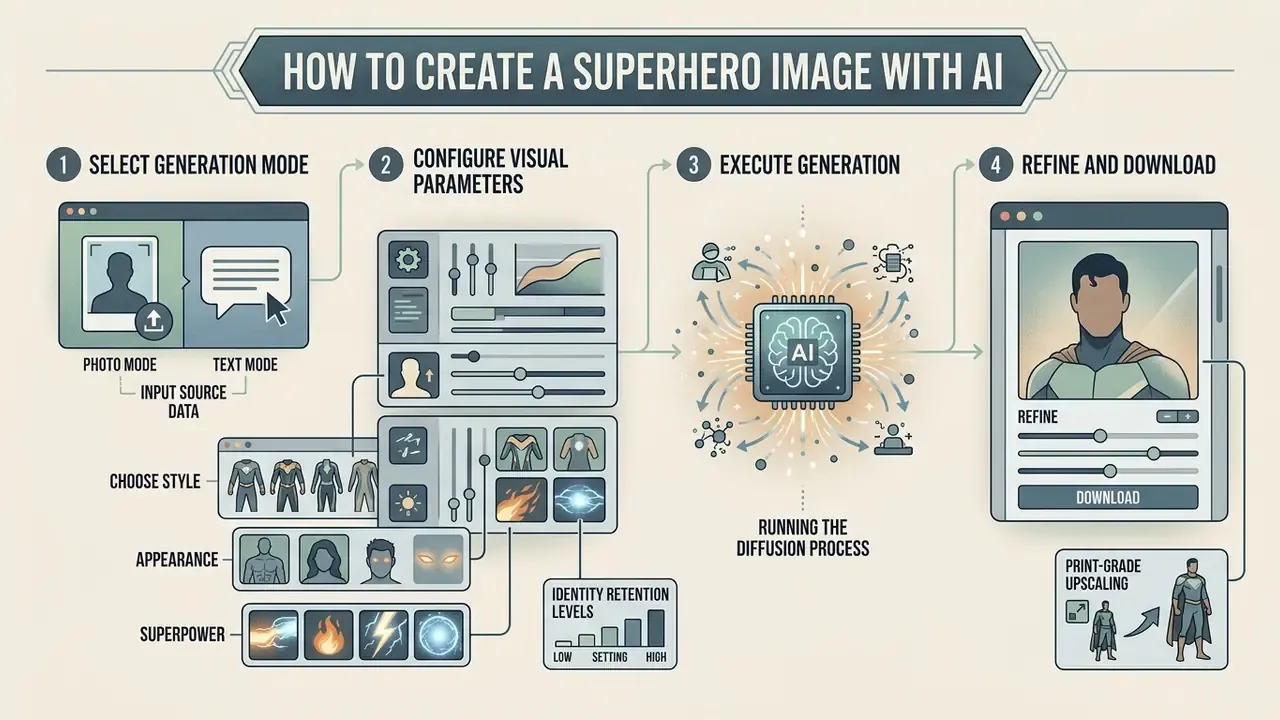
Generating a high-quality superhero image comes down to four things: picking the right input mode, configuring character parameters, running the diffusion process, and exporting the asset in the correct format. Empirical prompt engineering studies show that structured, multi-criteria inputs systematically improve output quality and visual consistency.
«Multi-criteria prompts are especially effective for global editing, achieving feasibility and novelty; single-criterion prompts work better for local aesthetic refinement.»
- Select generation mode
- choose Text Mode to invent an original character, or Photo Mode to transform a selfie using an ai superhero character generator.
- Input source data
- write a descriptive text prompt specifying costume, powers, and mood, or upload a well-lit frontal portrait.
- Configure visual parameters
- select an art style (classic comic, anime, cinematic realism, 3D render), hero intensity level, lighting scheme, and aspect ratio.
- Execute generation
- run the model to process text embeddings or facial feature maps into images. Render 3-9 seeds to see the realistic range of a prompt before judging it.
- Refine and download
- apply inpainting or upscaling, verify licensing terms, and download the finished asset in HD PNG, JPEG, or WEBP.
Upload a Photo or Describe Your Hero in Text
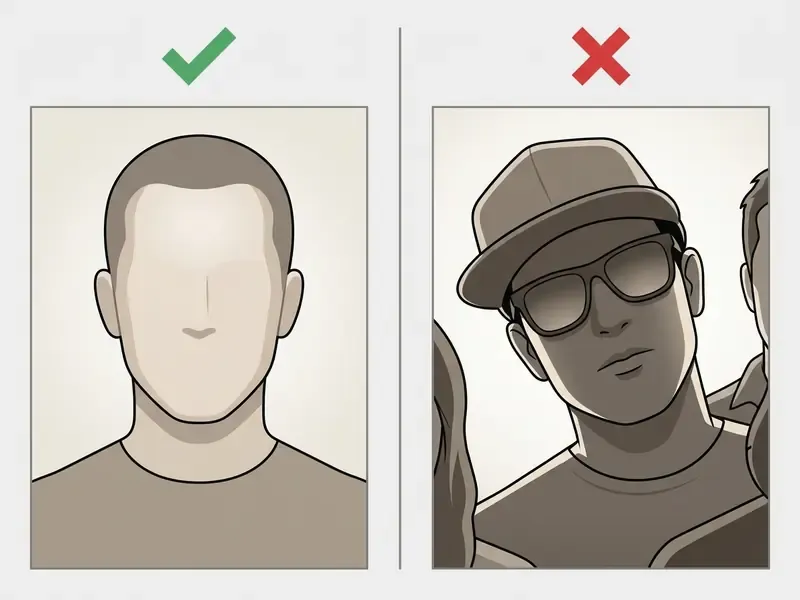
Input selection decides whether the model invents a novel character or performs an identity-preserving portrait transfer. For photo mode, the best inputs are frontal headshots with even lighting, neutral expression, and high facial clarity.
«Occlusions, such as sunglasses, harsh shadows, or extreme head tilt, reduce facial landmark accuracy and degrade identity preservation.»
Practical intake specification (updated): frontal or three-quarter view with head rotation within roughly ±5° of roll, pitch, and yaw; face width of at least 420 pixels; even bilateral lighting without hot spots; neutral expression with open eyes; a single visible face; JPG, PNG, or WebP up to 10-15 MB depending on platform limits.
In text mode on an ai generator superhero platform, a reliable sequence is: subject description → costume details → action pose → environment → lighting → style constraints. Vendor prompt documentation converges on this subject-context-style ordering, and structured prompt-engineering research supports the underlying principle that concrete, multi-criteria descriptions outperform rephrasings of vague adjectives (Chong et al., ACM/CHI 2024). Avoid contradictory or overloaded phrasing to keep semantic alignment clean during inference. Exact ordering conventions vary by engine, so A/B test on your own prompt set rather than trusting a rule of thumb.
Choose the Style, Appearance, and Superpower
Style parameters define the visual language of the output, from flat cel-shaded comic panels to ray-traced 3D renders. Customization fields let users configure costume armor, emblem insignias, energy effects, environmental lighting, body scale, accessories, and color palettes, the same appearance fields that avatar platforms expose as configurable parameters.
Concrete visual representations of superpowers, such as "arcs of electricity crackling around gauntlets" or "floating metallic debris," beat generic terms like "powerful hero" almost every time.
«Prompts with several criteria, appearance, costume, superpower, environment, produce more feasible and more novel results during initial generation.»
Adjusting lighting direction, rim lighting or dramatic volumetric shadows for instance, adds depth across every art style. Named abilities (flight, cryokinesis, elemental control) parse better than abstract strength descriptors, because they map to concrete visual cues the model can actually render.
Generate, Edit, and Download the Image
After rendering the first image set, post-processing lets you make targeted adjustments to detail, resolution, and composition. Diffusion-based editing (inpainting, outpainting, generative upscaling) lets creators fix facial features, correct artifact alignment, or scale output to 4K without losing structural fidelity.
Upscaling specification (updated). For print preparation, use diffusion-based Generative Upscale, which raises the resolution of the base render by 4-8× (from 1024×1024 px up to 8192×8192 px) while synthesizing new micro-detail, including skin pores, fabric weave, and metal grain, instead of interpolating blurry pixels. Commercial upscale APIs typically expose 2× and 4× modes with separate models for restoring, preserving, or adding detail, and return results as PNG, JPG, or WEBP. Target 300 DPI at final physical size for posters, comic pages, and merchandise.
To fold generation into a broader design workflow, creators can consult guides on canva ai photo editor retouching, the canva photo editor layout basics, and Canva AI generation and licensing terms. For enlargement, study dedicated AI image upscaling tools; for stubborn resolution issues, the AI Media Support and Troubleshooting hub is the faster route. Once refined, export in PNG, JPEG, or WEBP according to the publishing spec.
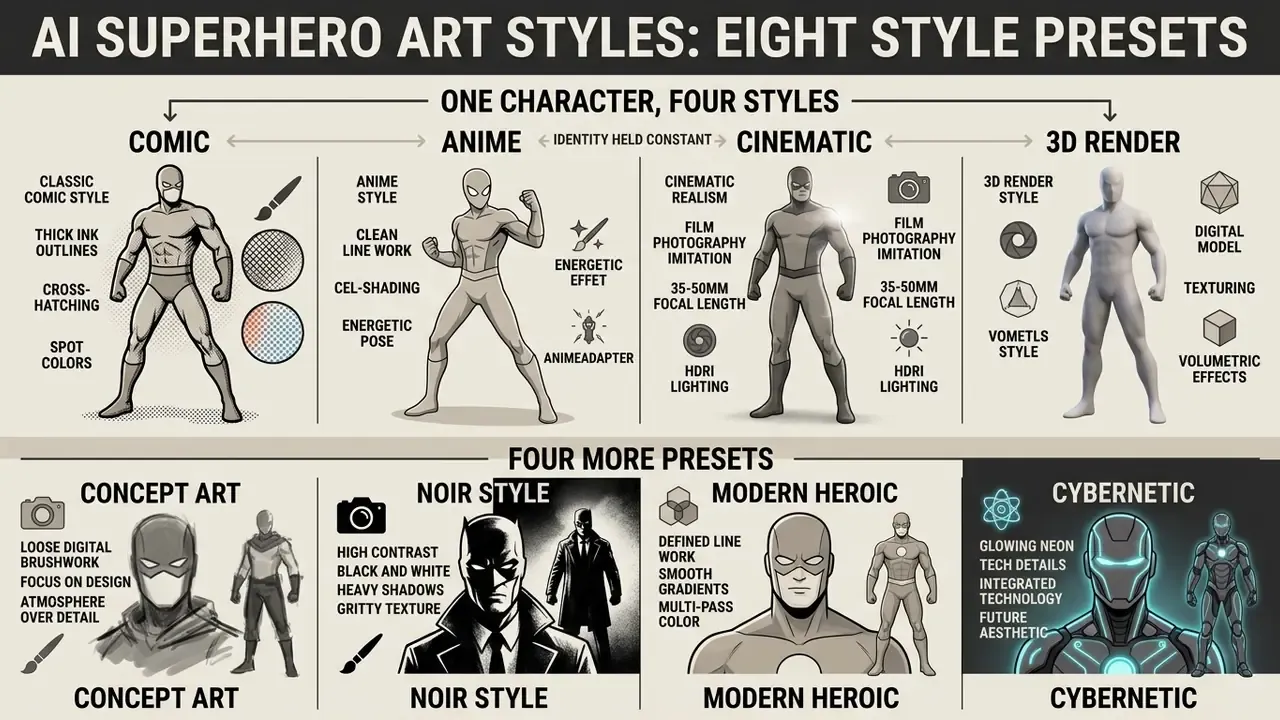
AI Superhero Art Styles: Comic, Anime, Cinematic, 3D and Four More Presets
Visual styles set the artistic tone of generated superhero art: outline thickness, shading depth, surface texturing, rendering complexity. Picking the right one keeps the character consistent with its medium, whether that is a digital graphic novel, a stream avatar, or a cinematic concept sheet.
| Visual Style | Key Aesthetic Characteristics | Optimal Prompt Attributes | Primary Use Cases |
|---|---|---|---|
| Comic Book | Bold ink contours, hatching, flat or halftone colors, graphic shadows. | classic comic book style, bold outlines, graphic novel art, inked shading | Graphic novels, digital comics, retro social avatars. |
| Anime | Crisp line art, cel-shading, soft gradients, large expressive eyes, rim light. | anime key visual, cel shading, clean lineart, vibrant colors | Vtuber avatars, anime concept art, streaming channels. |
| Cinematic | Photorealistic lighting, film grain, shallow depth of field, anamorphic blur. | cinematic lighting, film still, 35mm lens, volumetric fog, photorealistic | Movie pitch decks, realistic game concepts, promotional posters. |
| 3D Render | CGI surfaces, ray-traced reflections, volumetric depth, subsurface scattering. | 3D CGI render, Unreal Engine 5, octane render, dramatic studio lighting | Game assets, 3D animation concepting, digital collectibles. |
| Dark Vigilante | Noir aesthetics, deep shadows, rain, neon reflections, matte dark leather. | dark vigilante style, moody urban environment, rain-slicked streets, dramatic chiaroscuro, high contrast | Gaming avatars, noir comics, moody thumbnails. |
| Cosmic Guardian | Ethereal glow, star nebulae, spatial energy, semi-translucent armor. | cosmic guardian, starlight aura, glowing energy veins, nebula background, celestial suit | Fantasy art, track covers, Twitch profiles. |
| Elemental Hero | Vivid natural forces (fire, ice, lightning), dynamic particles around the body. | elemental hero, crackling lightning aura, molten lava armor, particle effects, dynamic motion | Game character concept art, event posters. |
| Futuristic Armor | Cyberpunk exosuits, hi-tech panels, holographic HUD elements, polished metal. | sleek mech suit, futuristic armor, glowing HUD elements, carbon fiber textures, octane render | Sci-fi settings, product promos, tech branding. |
Read the table as a shortlist, not a menu of eight equal options. Comic and anime presets survive downscaling to a 128 px avatar; cinematic and 3D presets lose their advantage at that size.
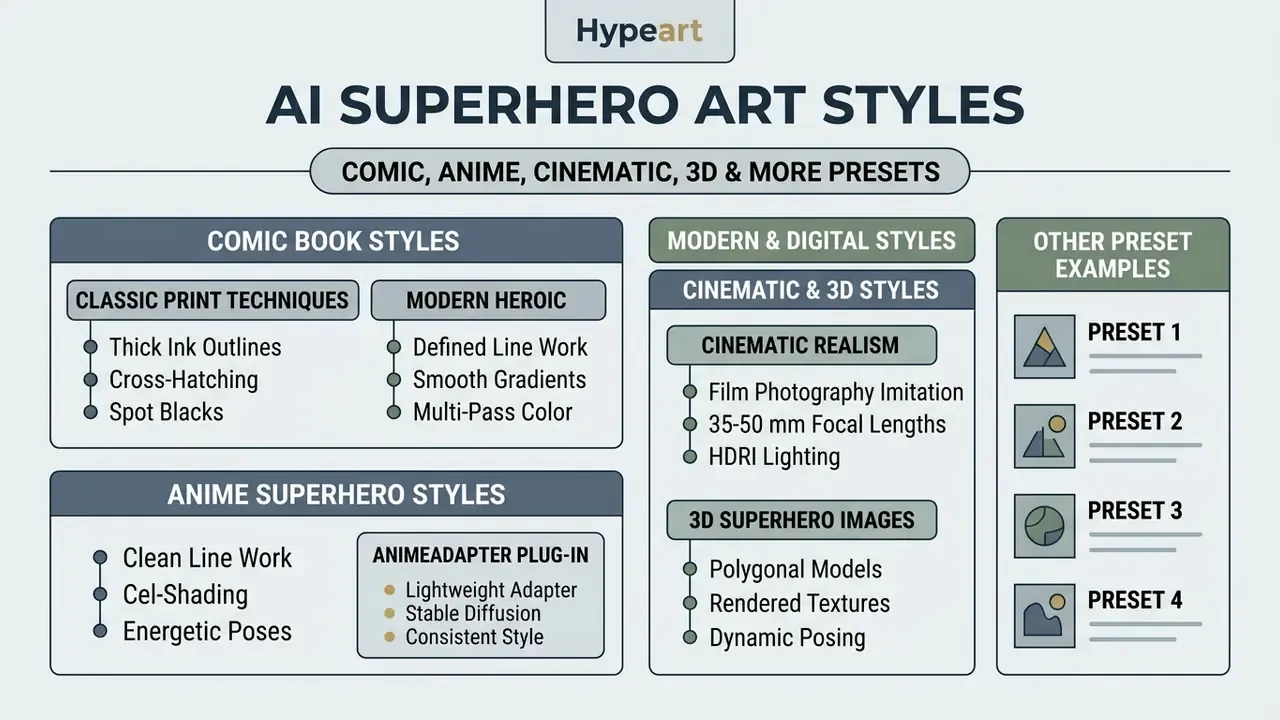
Classic Comic Book and Modern Heroic Styles
Classic comic book styles replicate traditional print techniques: thick ink outlines, cross-hatching, spot blacks, halftone color dots. Those markers came from the physical printing constraints of silver-age and bronze-age publishing, which is exactly why they still read as "heroic" in an ai superhero art generator.
«Comics as a multimodal genre include text-to-image tasks, generating images or sequences from a textual description.»
Modern digital comic styles keep defined line work while adding smooth gradients, multi-pass color rendering, and layered lighting overlays. The result suits digital publishing and character teasers, and it responds well to Dark Vigilante or Elemental Hero preset language when you want mood rather than nostalgia.
Anime, 3D, and Cinematic Superhero Images
Anime superhero styles lean on clean line work and distinct cel-shading, usually with energetic poses, dramatic perspective distortion, and vibrant particle effects. Specialized adapters such as AnimeAdapter enable zero-shot character consistency across anime-style diffusion models, which keeps a character stable across multiple scenes.
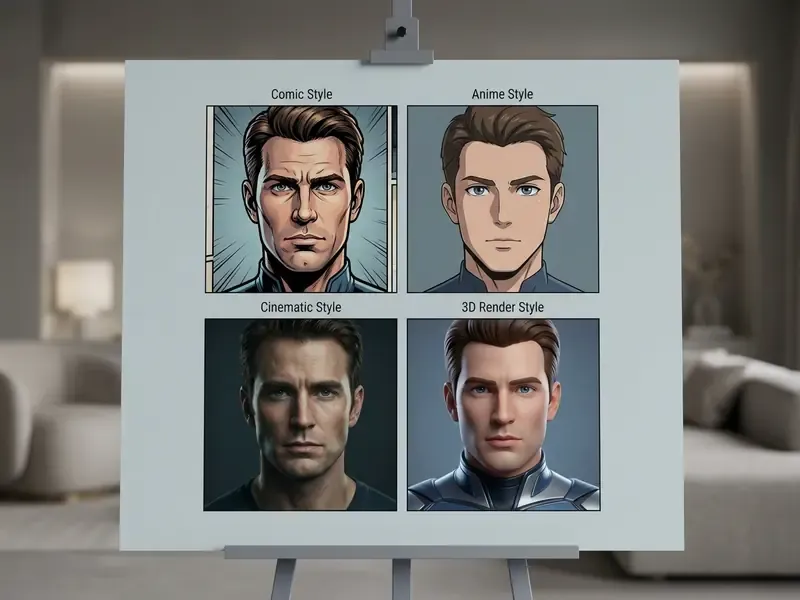
Cinematic realism imitates film photography through physical camera parameters: 35-50 mm focal lengths, HDRI base light with key, fill, and rim setup, soft shadows, volumetric fog, plus shallow depth of field and subtle grain. 3D render styles simulate CGI pipeline output using ray-traced global illumination, detailed material textures, and volumetric lighting, which makes them the practical choice for game development workflows.
Where to Use AI Superhero Avatars and Hero Images
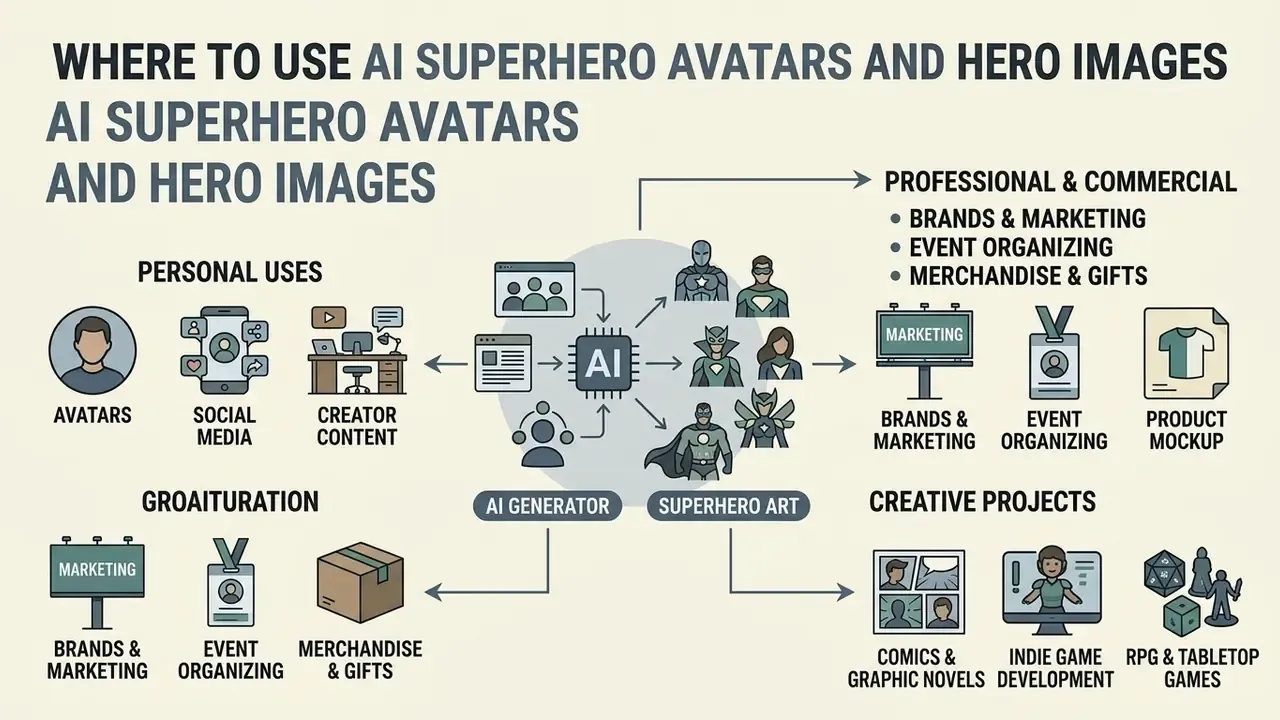
AI-generated superhero art covers personal, professional, and commercial ground. From social branding to entertainment assets, generation pipelines shorten concept development and supply customized visual media across channels.
«Consumers prefer AI advertising with agentic appeals, emphasizing competence and achievement, which naturally aligns with the superhero archetype.»
Characters for Comics, Games, Brands, and Events
In commercial creative workflows, AI superhero generators help art directors, game developers, and event organizers assemble visual concepts fast. Designers use text-to-image output during planning to test costume ideas, color combinations, and silhouettes before anyone commits to final production rendering.
«T2I tools help designers explore the concept space: multi-criteria prompts raise feasibility and novelty during global editing.»
- Indie game development character concept sheets, NPC portraits, promotional teaser art.
- Comic book production mockups of outfits, expressions, and panel layouts before final illustration.
- Brand marketing custom company mascots for campaigns, internal events, and product launches. Slide-ready versions pair well with a canva ai presentation deck.
- Event organizing personalized superhero badges and themed avatars for conventions and corporate workshops.
- Merchandise and gifts 300 DPI print-ready art for T-shirts, mugs, posters, birthday cards, framed prints.
- RPG and tabletop games hero cards, D&D character sheets, and tokens for virtual tabletops such as Roll20 and Foundry.
- Virtual cosplay visualizing and stress-testing costume designs, color schemes, and prop builds before physical crafting begins.
- AI influencers and digital mascots fictional brand-ambassador characters for themed TikTok and Instagram accounts, with consistent appearance across posts.
- Animation and virtual worlds hero keyframes and character plates that feed video, motion-comic, or game-engine pipelines. Narration can be layered later with a canva ai voice track, and edited in a canva video editor timeline.
Teams evaluating commercial tools can consult the guide to the best AI art generators, browse the wider AI Media Comparison Matrices, or explore AI image outpainting tools for extending existing character art. Studios running batch jobs should also review the AI Media API Guides before wiring generation into a production pipeline.
How to Get High-Quality AI Generated Superhero Art
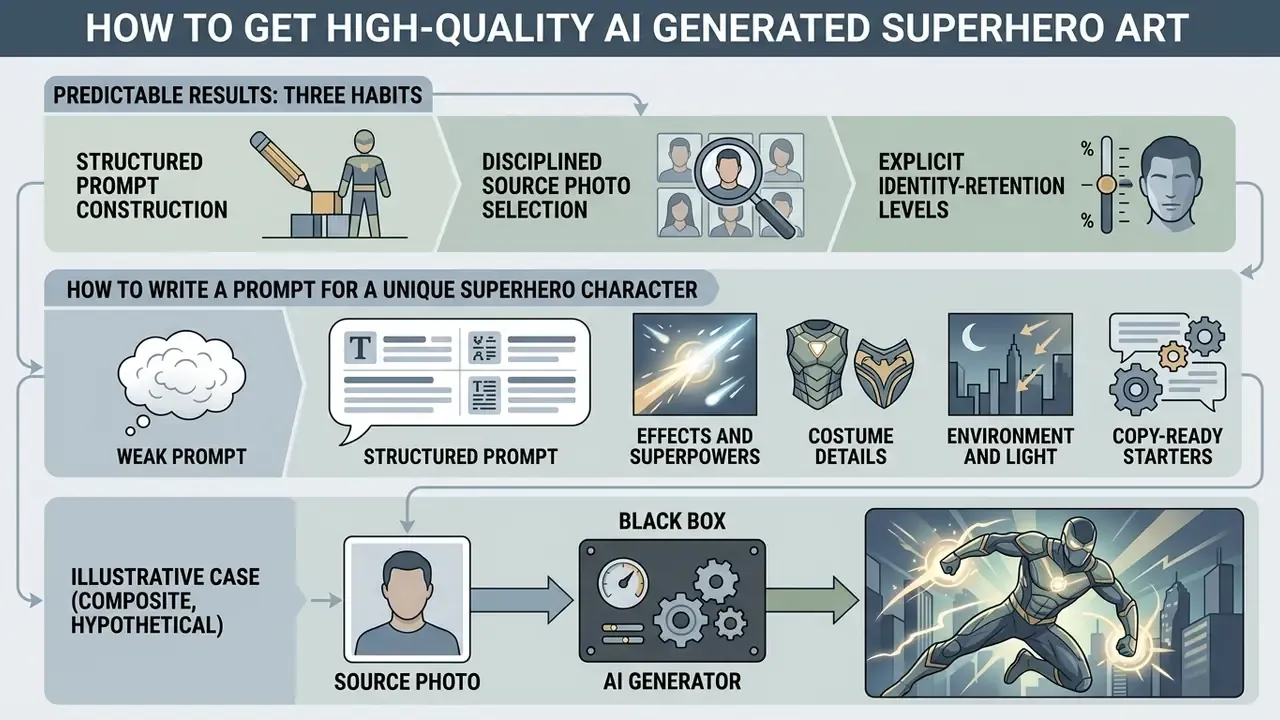
Predictable results from an ai superhero creator come from three habits: structured prompt construction, disciplined source photo selection, and explicit identity-retention controls. Empirical evaluations show that systematic prompt design and parameter calibration cut generation artifacts and output variance (Chong et al., ACM/CHI 2024).
«Existing automatic metrics correlate weakly with human preference on complex prompts; TIT-Score-LLM improves pairwise evaluation accuracy by 7.31 percentage points.»
How to Write a Prompt for a Unique Superhero Character
An effective prompt follows a clear hierarchy: Subject + Costume/Materials + Pose/Action + Environment + Lighting + Art Style. Specific visual terms, rather than subjective descriptors, give the model usable guidance during denoising and feature mapping.
«Multi-criteria prompts play a key role in achieving feasibility and novelty during global editing.»
- Weak prompt "A cool, strong superhero in a city."
- Structured prompt "A female superhero with metallic obsidian armor, glowing blue chest crest, standing dynamic low-angle pose on a rain-slicked rooftop at night, rim lighting, volumetric fog, classic comic book style, detailed line art."
Functional details do the heavy lifting. "Matte carbon fiber gauntlets" or "weathered leather cape" tell the model exactly which surface textures and highlights to build.
Prompt chips, ready-made modifiers for fast assembly:
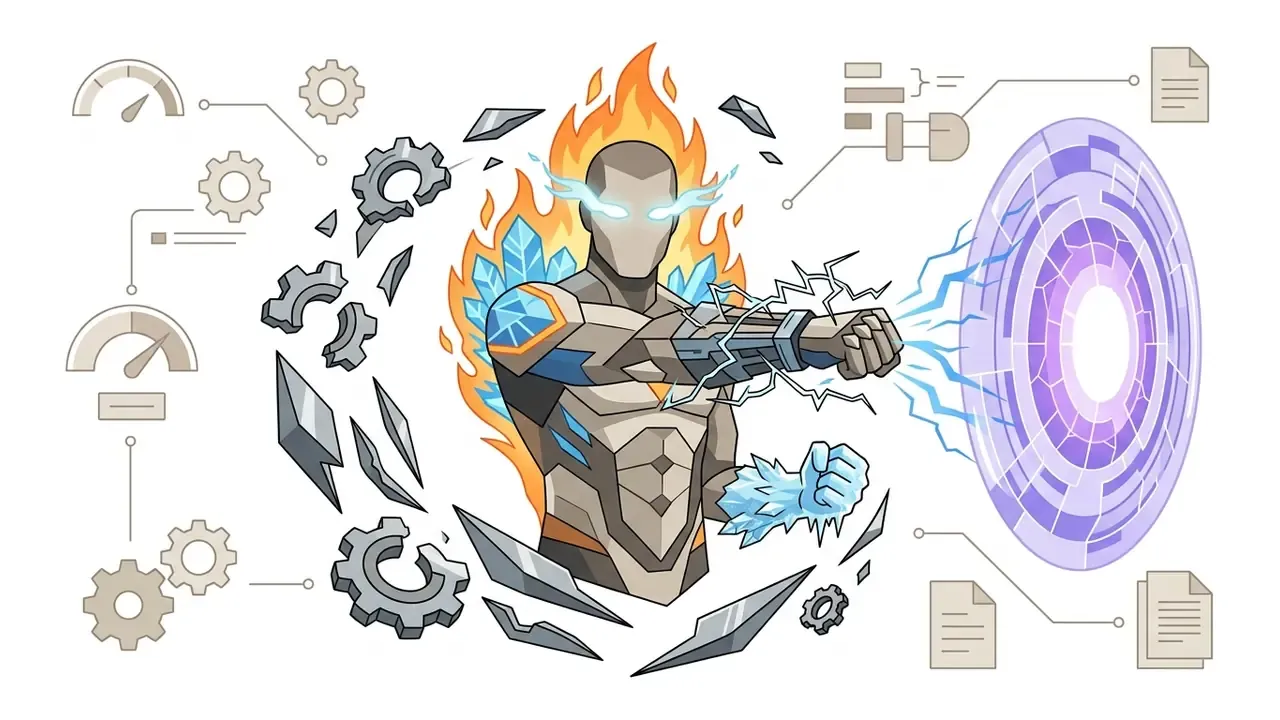
crackling lightning gauntlets, glowing ethereal eyes, flaming aura, floating metallic debris, cosmic energy shield, frost-covered fists.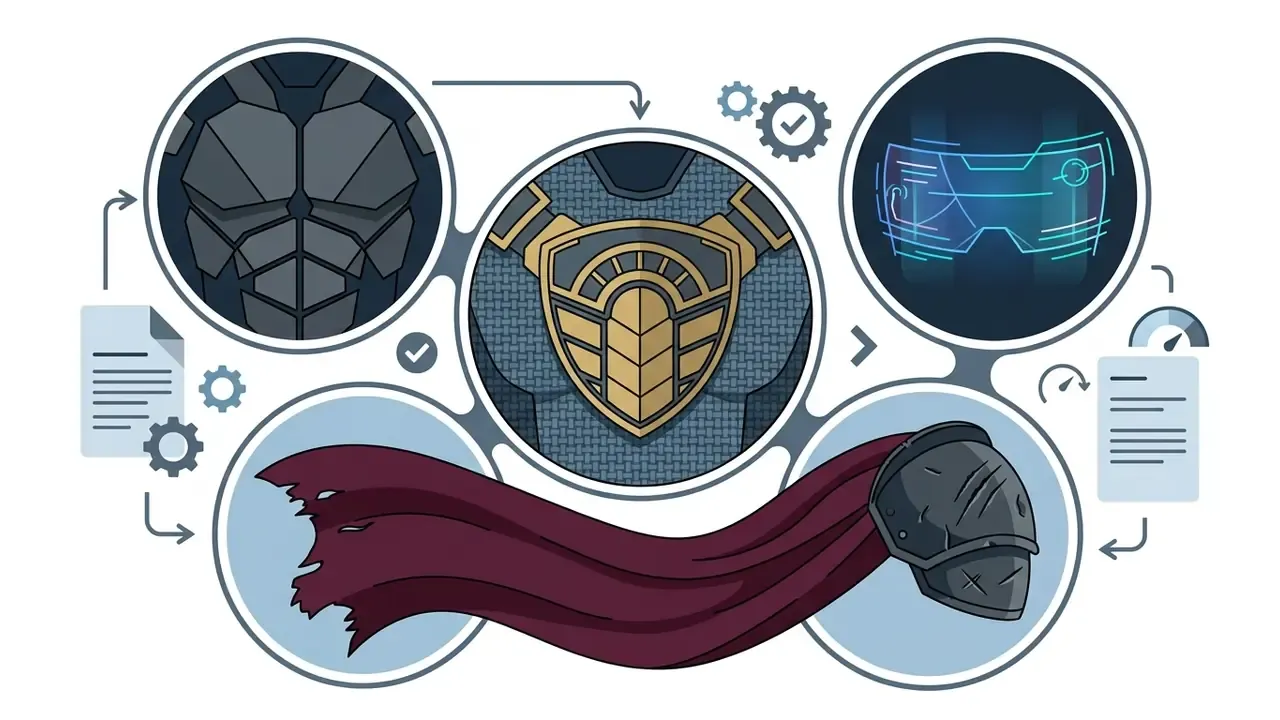
matte carbon-fiber armor, weathered velvet cape, gold-accented chest emblem, holographic visor, nano-tech suit, battle-scarred pauldrons.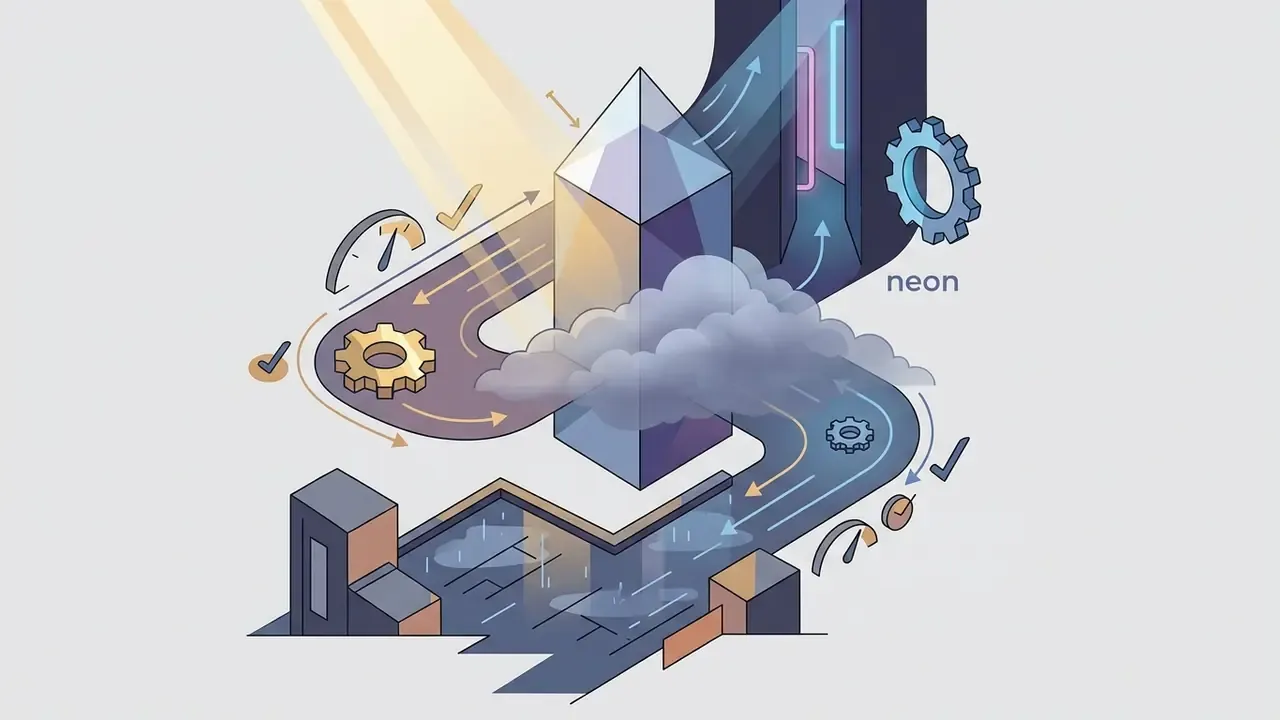
rain-slicked cyberpunk rooftop, glowing neon alleyway, volumetric fog, dramatic rim lighting, golden hour sunlight, storm-lit skyline.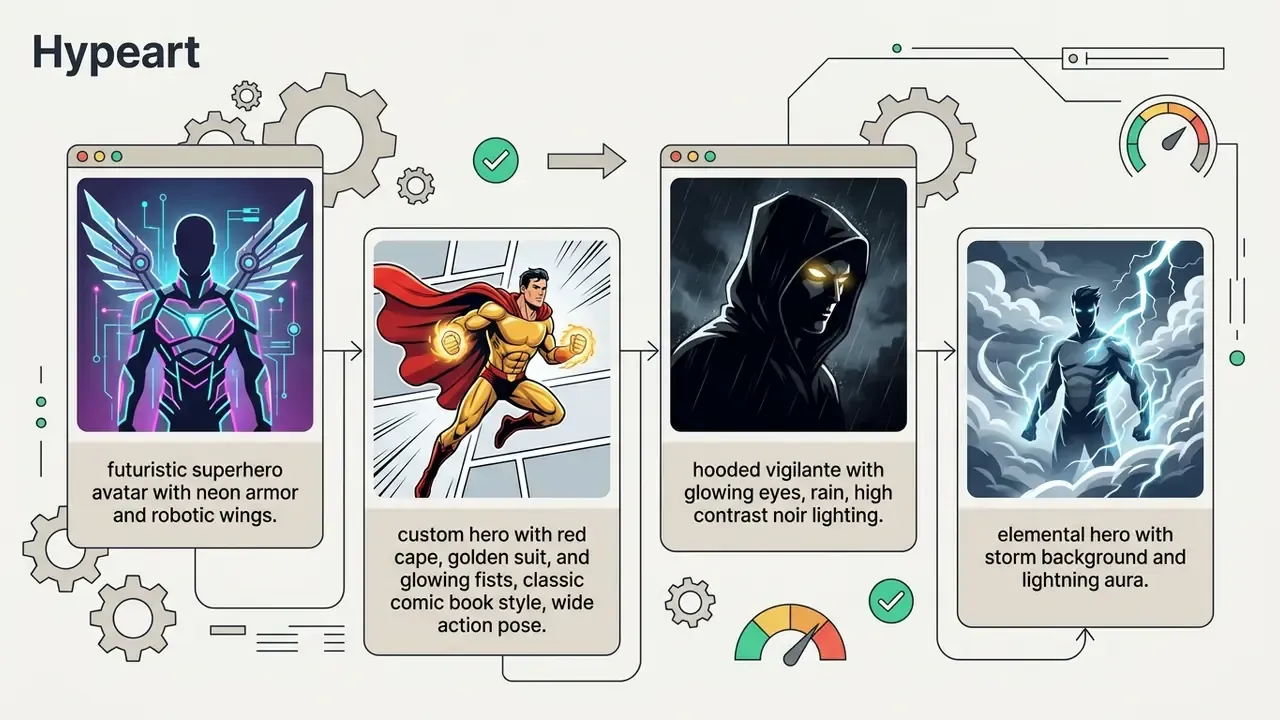
Which Photos to Upload for a Superhero Portrait
Source image quality drives the accuracy of identity-preserving transformations in any ai superhero photo generator. Models read facial geometry through key landmarks, so occlusions like sunglasses, heavy shadows, or extreme head tilt cut recognition accuracy.
«DGADiff achieves the highest FaceSim scores when facial landmarks are clear; injection into early U-Net layers preserves identity but weakens style transfer.»
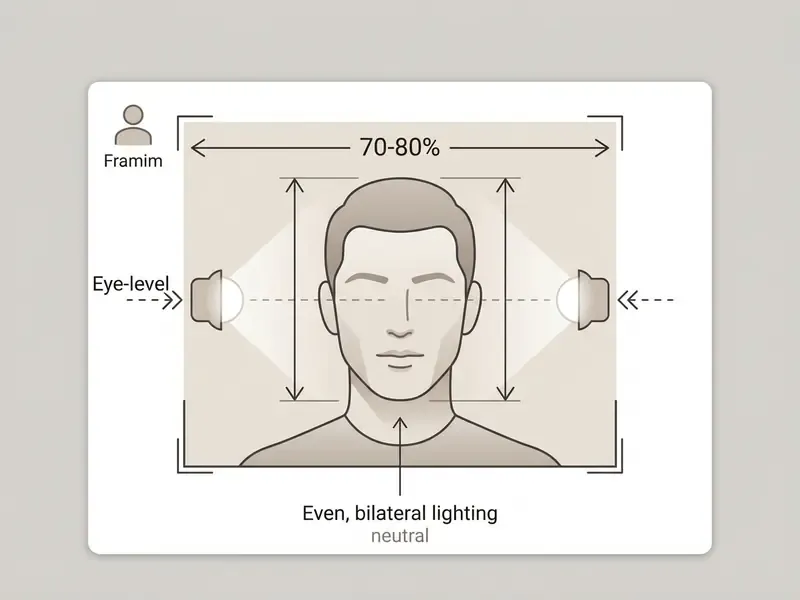
Upload a high-resolution headshot where the face fills roughly 70-80% of the frame. Keep lighting even and frontal across both sides of the face, hold a neutral expression, and place the camera at eye level. Group shots, tiny faces, heavy sunglasses, and mixed color casts remain the four most common causes of degraded likeness. Fix the input, not the output.
How to Keep Your Face Recognizable and Tune the Hero Look
Hero intensity modes, the user-facing control:
- Subtle keeps up to ~90% of the original photographic styling. Adds light costume elements and background correction while retaining hairstyle and micro-expressions.
- Balanced (recommended) the practical trade-off at roughly 70% likeness. Fully replaces clothing with detailed armor or a suit, adds light effects, and still preserves facial geometry.
- Bold full stylization with about 40% direct likeness. Deep anatomical rework toward comic or 3D formats, aggressive powers (flame, lightning), dramatic cinematic background.
Technically, these three modes correspond to how deeply facial guidance is injected into the diffusion network. Identity preservation algorithms split model attention into separate tracks: one for core facial geometry, another for stylistic costume and background changes. Tuning those feature-injection layers is what balances recognition against transformation.
«Injection into early layers alone yields ArtFID 29.85, insufficient style transfer; deeper injection improves style but lowers FaceSim.»
Injecting facial guidance mainly into early U-Net layers yields high FaceSim scores with light styling, which is the technical equivalent of Subtle. Deeper injection produces stronger comic or anime effects while shaving facial similarity, the technical equivalent of Bold. Adjacent research lines confirm the pattern: parallel visual attention with an identity encoder, CLIP-plus-face-recognition conditioning, and identity or cosine losses all exist for one purpose, holding likeness stable under large appearance changes. Experimenting with feature weights is how creators find their own line between personal likeness and stylized hero aesthetics.
Free AI Superhero Generator, Pricing Tiers, and Commercial Use
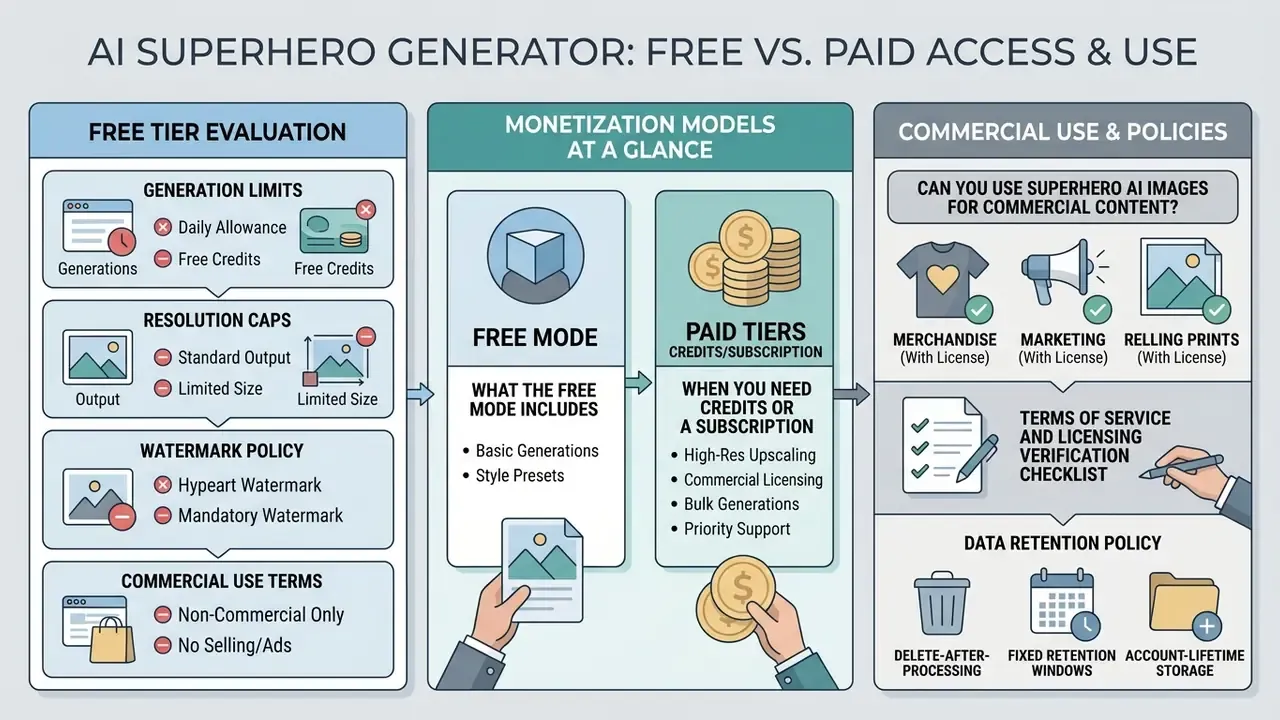
Evaluating an ai superhero generator free tier means checking four things: generation limits, output resolution caps, watermark policy, and commercial licensing terms. Plenty of platforms offer basic generation at no cost, while high-resolution downloads and commercial rights sit behind subscriptions or credit packages. Readers who want to test tools without an account can compare no-sign-up AI image generators before committing budget.
Terms of service and licensing verification checklist:
- Commercial rights: verify whether the platform's terms grant full commercial usage rights, or restrict free-tier output to personal, non-commercial use.
- Character copyrights: confirm that generated designs do not replicate trademarked emblems, logos, or proprietary character features owned by third parties.
- Data privacy and retention: check whether uploaded photos are deleted immediately after processing or stored on cloud servers for model training.
- Export resolution: ensure free-tier downloads meet the required DPI and pixel specs (300 DPI for print, 1080p or higher for digital media).
- Competition and precedence clauses: enterprise-oriented AI terms frequently prohibit using outputs to build competing models, and state that AI-specific terms override the base agreement. Check the order of precedence before signing.
Monetization Models at a Glance
| Model | Typical limits observed in vendor terms | Commercial rights | Best fit |
|---|---|---|---|
| Free tier | 3-66 credits per month or ~20 generations per day; 720p-1024 px ceiling; public gallery visibility; occasional watermark | Usually personal use only | Testing, profile pictures |
| Credit packs | Pay-as-you-go bundles; higher tiers up to ~16,000 credits per month; private generation on upper tiers | Often granted with the pack | Irregular, project-based work |
| Subscription | Entry plans from roughly $8-$20 per month; mid plans around $30; 2,000+ credits, up to 4K, priority queue | Commercial use, sometimes with attribution on the cheapest tier | Creators, freelancers, small studios |
| Enterprise / API | ~$49-$96 per month equivalents and up; unlimited or pooled images, API access, revenue-threshold clauses (for example, mandatory upgrade above $500,000 annual revenue) | Full commercial and redistribution rights, negotiable | Agencies, game studios, brands |
For a like-for-like cost comparison across tools, the AI Media Pricing Guides and the AI Media Calculators are more reliable than vendor landing pages, which tend to quote credits rather than images.
What the Free Mode Includes and When You Need Credits or a Subscription
Free tiers usually provide a daily credit allocation, standard-definition exports (720p or 1024×1024 px), and access to core text-to-image models. Advanced features tend to sit on paid plans: 4K upscaling, priority queues, private outputs, watermark-free exports, raw feature downloads.
Anyone who just needs a social profile picture can often finish on a free plan. Creative professionals working on client projects or high-resolution print production almost always need a paid subscription to secure full AI image generator commercial rights and uncompressed exports. To compare entry-level options first, see the free AI art generator comparison.
Can You Use Superhero AI Images for Commercial Content?
Whether AI-generated superhero images can be used commercially depends on the platform license and on intellectual property law. Under U.S. copyright guidance, pure AI output lacking human creative intervention may not qualify for independent copyright registration. Prompts alone do not confer authorship, and AI-generated material must be excluded or disclosed in a registration claim. Commercial use remains permissible where the platform's terms allow it (U.S. Copyright Office).
«The standard copyright-infringement analysis is often skipped in public debate; fair use depends on purpose, nature of the original, amount used, and market effect.»
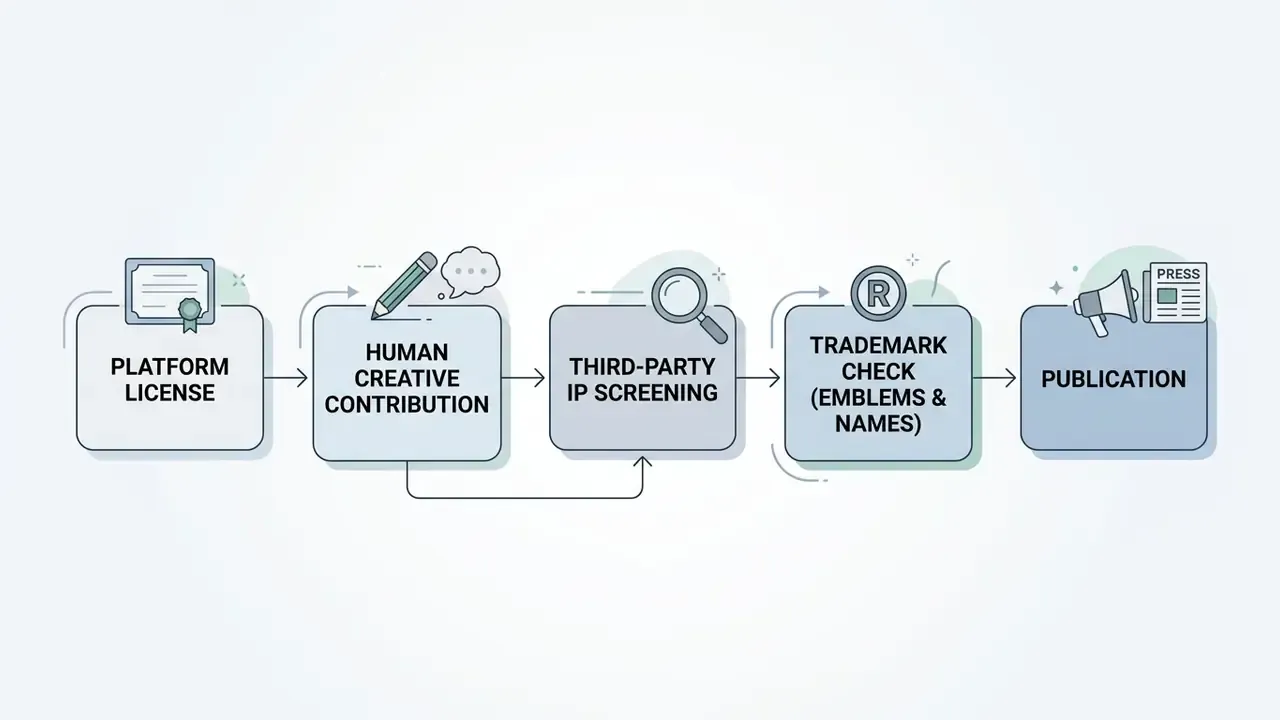
For commercial content, steer clear of recognizable elements from protected franchises such as Marvel or DC Comics. Replicating trademarked emblems, distinctive costume designs, or named proprietary characters can trigger trademark or copyright claims, whoever or whatever produced the file. U.S. case law on character protection, for instance the "sufficiently delineated and especially distinctive" standard applied to comic-book characters, means infringement can occur even when the exact appearance is altered. Teams tracking how these disputes evolve can follow the AI Litigation and Case Timelines.
«The risk of training-data memorization is higher for frequently repeated protected characters with unique text labels, names and descriptions.»
Privacy of Uploaded Photos and Image Retention
FAQ About AI Superhero Generators
Can I make a hero in the style of Marvel or DC?
Yes, you can generate characters inspired by mainstream comic aesthetics, but build original concepts rather than copying protected franchise heroes. Prompting an ai super hero generator with generic terms such as "classic 90s comic book style," "heroic cape," or "dramatic comic book lighting" delivers the look without touching trademarked designs.
«Models can memorize frequently repeated protected characters; generating original heroes without brand emblems and names reduces the risk of copyright infringement.» Copyright Safety for Generative AI, SSRN (2023)
Leave trademarked names, specific superhero logos (a shield or bat emblem, say), and exact costume replicas out of your prompts. Compare licensing language across leading AI image generators before choosing a tool for brand work.
How fast does an AI superhero generator produce images?
Modern diffusion models and optimized portrait stylization architectures render high-resolution images in roughly 0.26 to 5 seconds each, depending on server hardware, output resolution, and queue depth.
«DGADiff reaches roughly 0.26 seconds per image without additional training while retaining the highest FaceSim scores among compared methods.» DGADiff, Sensors (2024)
Can I create a superhero avatar without registering an account?
Some web platforms allow no-signup generation for basic low-resolution avatars. Advanced features, photo-to-hero style transfer, 4K exports, private outputs, credit management, normally require an account.
Is the free mode enough for a profile picture?
Usually yes. Free tiers commonly cap output at 720p-1024 px, comfortably above the 400×400 px most profile images need. Watch for watermarks, public gallery publication, and restrictions on commercial use.
What resolution is needed to print AI-generated superhero art?
For posters, comic pages, and merchandise, export at 300 DPI at the final physical size. Generative upscaling lifts a standard 1024×1024 render by 4-8×, up to 8192×8192 px, which covers large-format posters and apparel.
How do photo-to-hero generators keep my face recognizable?
They use identity-injection mechanisms such as InstantID and ControlNet, which extract facial landmark geometry and face-recognition embeddings, then apply costume and style on top while holding your facial proportions and key features (InstantID, arXiv 2024).
«Splitting U-Net attention into two tracks, one for content, one for style, preserves facial geometry while transferring stylistic patterns.» DGADiff, Sensors (2024)
Which intensity level should I choose?
Pick Subtle when the image must still read as a photo of you (professional-adjacent profiles, gifts for relatives), Balanced for social avatars and thumbnails, and Bold for concept art, RPG cards, and posters where design matters more than likeness.
Can I mix several hero styles in one character?
Yes. Name each element explicitly, for example futuristic armor plating with an elemental lightning aura on a noir rooftop, and the model will blend the requested attributes. Conflicting global style tokens (flat cel shading together with photorealistic film still) are the main cause of muddy output.
Appendix A: Editorial Corrections and Source Notes
For transparency, this section records attribution corrections made during review, since earlier drafts of the guide contained citations that did not withstand verification.
| Earlier claim / citation | Status | Correction applied |
|---|---|---|
| Text-prompt research attributed to "OpenAI, 2026; Midjourney, 2026" with an arXiv link | Misattributed | Re-attributed to Du et al., arXiv 2024, the actual paper behind that URL |
| Source-photo requirements citing "ICAO Doc 9303; FISWG Standards" | Out of scope | Replaced with DGADiff, Sensors 2024 landmark-occlusion findings; framing and lighting norms retained as practical intake guidance |
| Prompt-order claim citing "OpenAI, 2026; Google Vertex AI, 2026" | Unverified specifics | Reframed as a vendor-documentation convention supported by multi-criteria prompt research; noted that exact ordering varies by engine |
| Quality-control claim citing "NIST GenAI Evaluation Plan, 2025; ACM/CHI, 2022" | Outside verified set | Replaced with TIT-Score / LPG-Bench, arXiv 2025 and Chong et al., ACM/CHI 2024 |
| Marketing quote credited to "Media Trends Study 2025" | Non-verifiable | Replaced with Consumer Attitudes toward AI-generated Ads, ScienceDirect 2024 |
| "Warner Bros. v. AI Generator Suit, 2025" linked to copyright.gov | Unverifiable as cited | Replaced with Copyright Safety for Generative AI, SSRN 2023 and general U.S. Copyright Office guidance |
| Retention windows credited to named vendor policies dated 2026 | Vendor-specific and volatile | Generalized into three documented retention patterns with a verification instruction |
| Case study presented as an enterprise client result | Unlabeled | Relabeled as a composite, illustrative example with non-audited figures |