Last updated: March 2026. Reviewed against Canva's official Help Centre, Policy Centre, AI Product Terms and Content License Agreement.
Executive Summary
Sections in this guide
What the Canva AI Presentation Generator is and how it builds slides
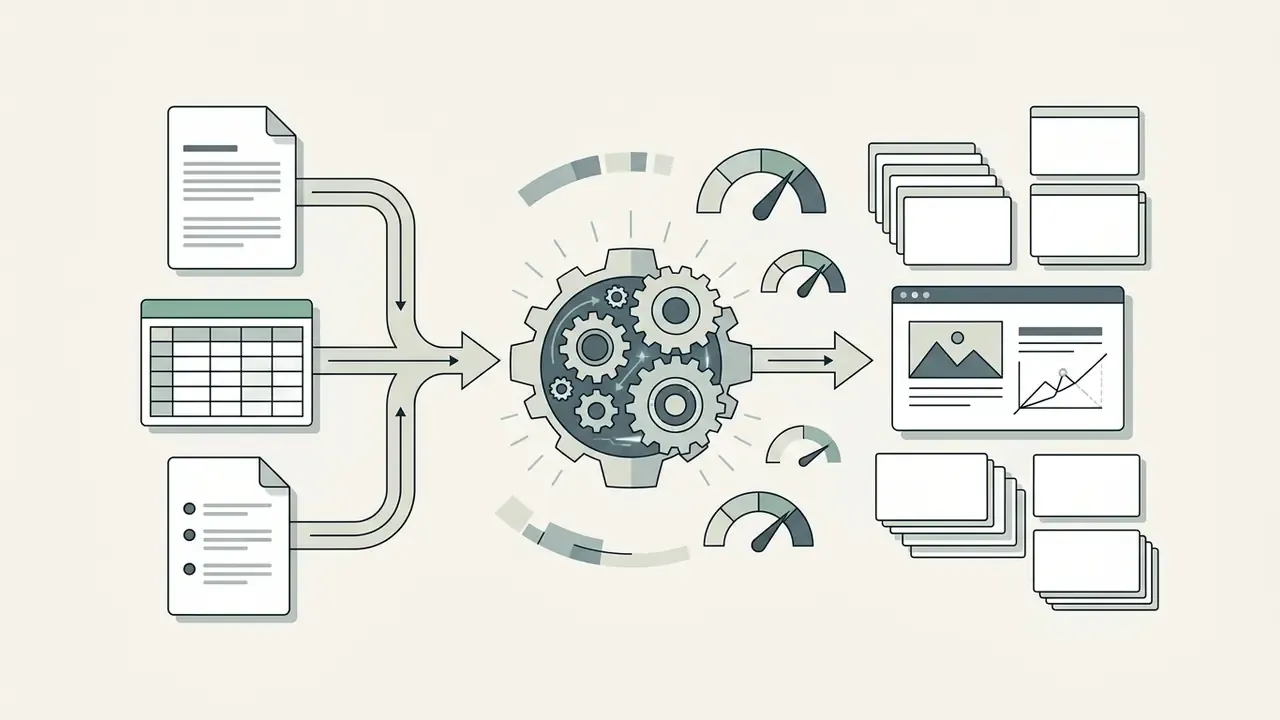
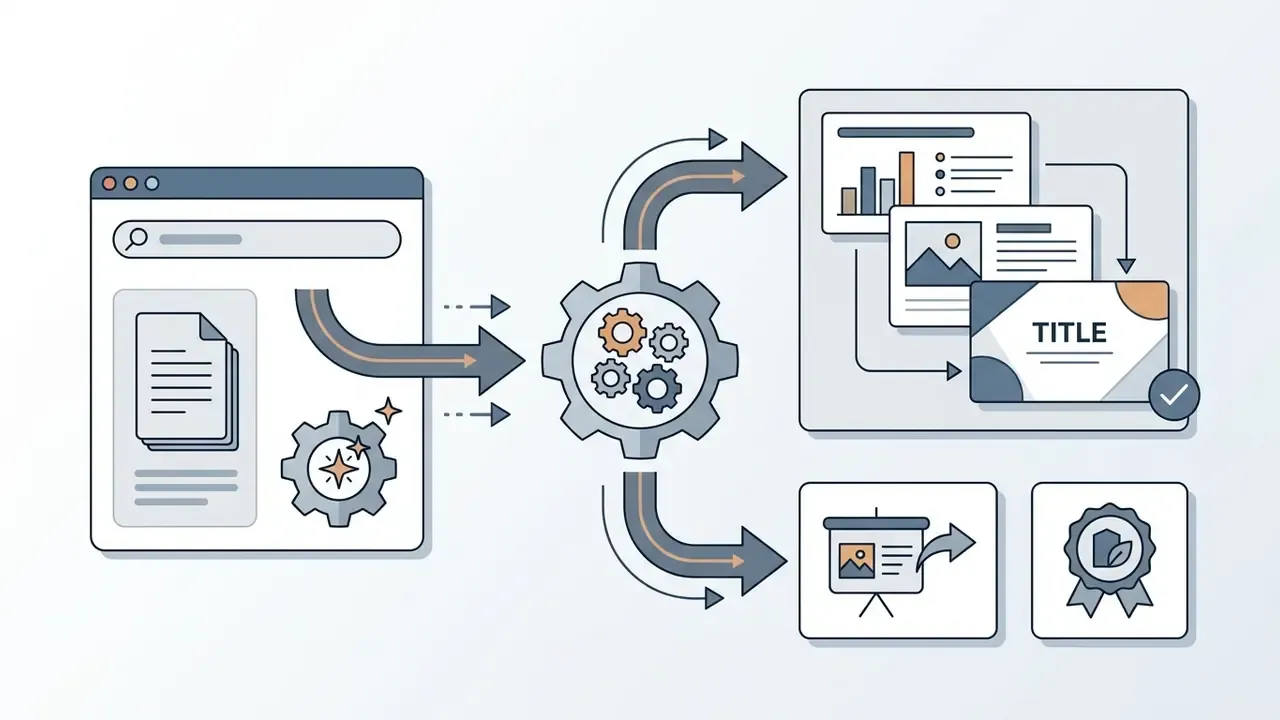
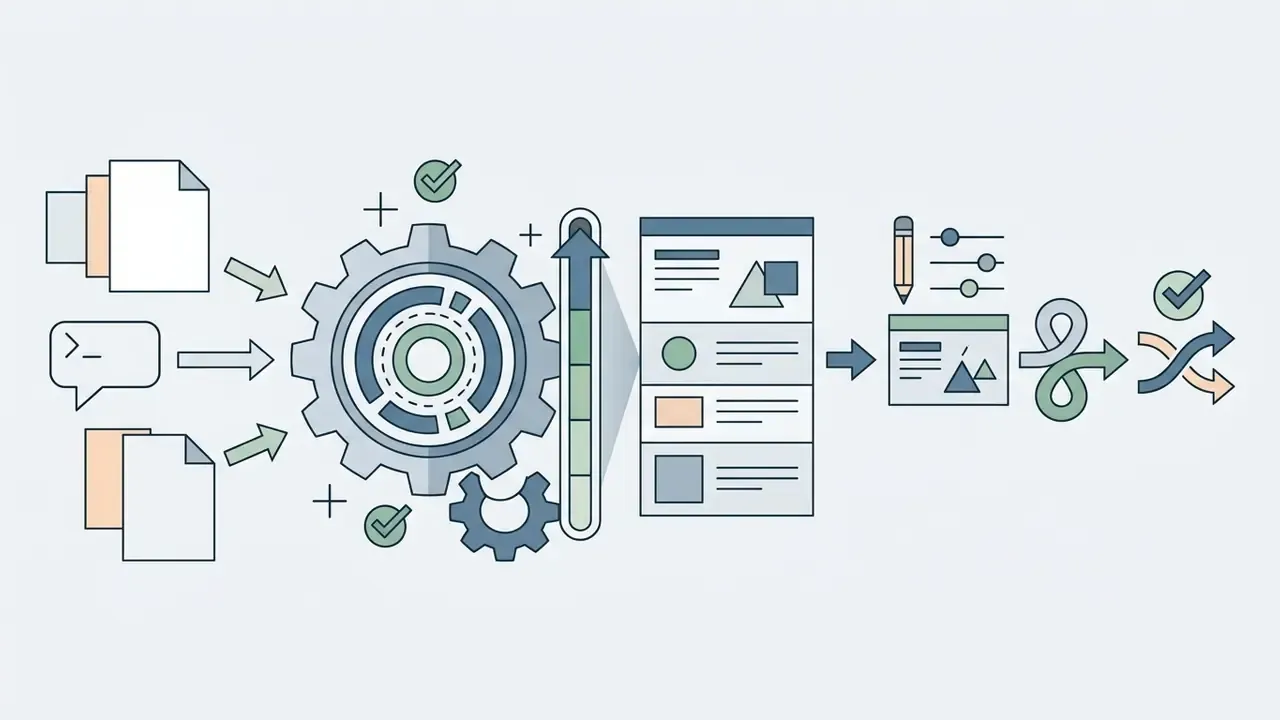
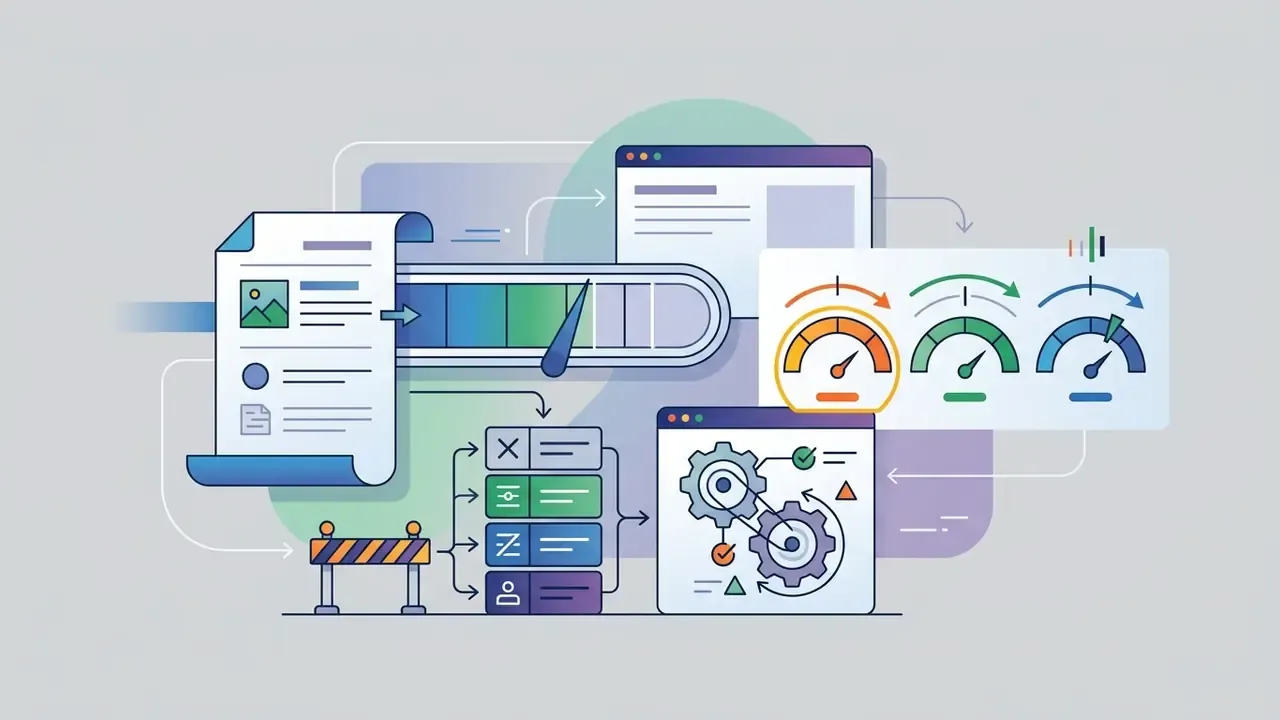
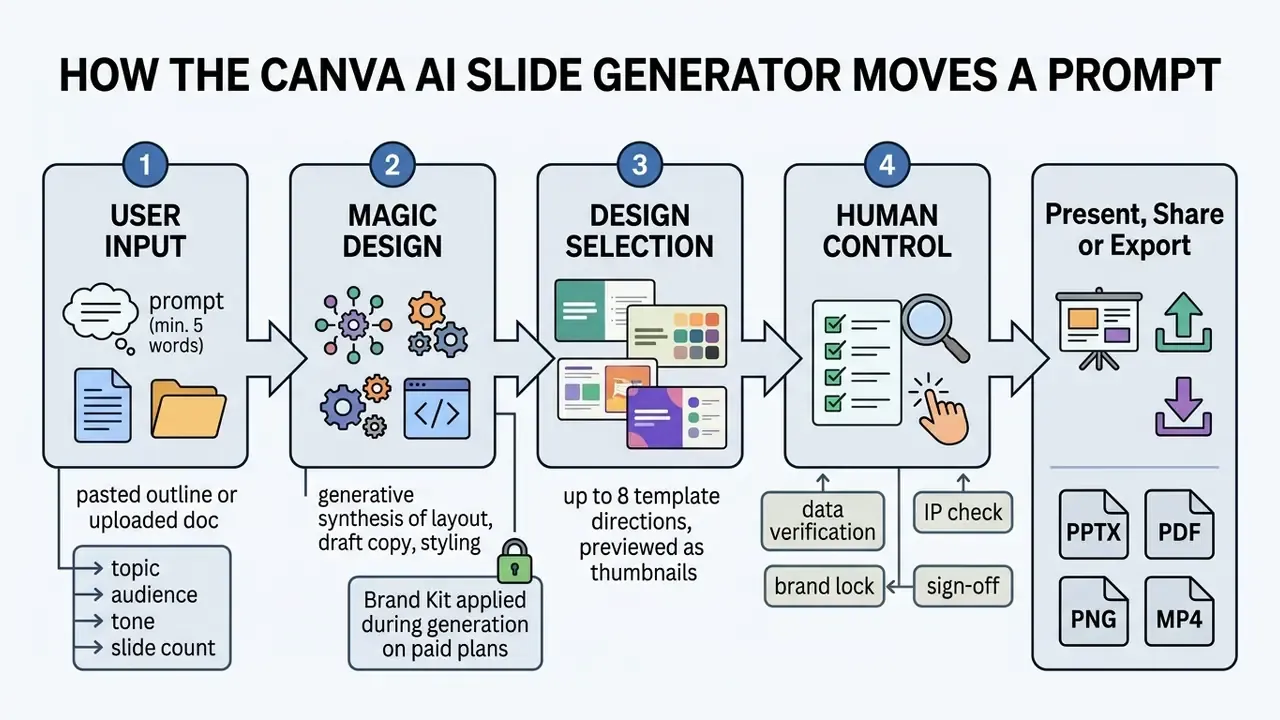
The Canva AI Presentation Generator is an AI-powered design tool inside Canva's Magic Studio that assembles complete multi-slide decks from plain text prompts. It reads user input, matches it to structured layout patterns, and curates initial copy, typography, colour palettes and stock visuals into an editable 16:9 presentation. So yes, when people ask whether can canva use ai to create a presentation, the answer is short: it can, but it delivers a draft, not a deliverable.
According to platform statistics compiled by Whop, Canva held roughly 46% of the global presentation software market in 2024, supported by more than 220 million monthly active users. That scale matters for procurement: your counterparties can almost certainly open what you send them.
«Canva held roughly 46% of the global presentation software market in 2024, ahead of Microsoft PowerPoint and other traditional competitors.»
Financial institutions considering controlled deployment of the ai presentation generator canva stack can test its generative features against the model risk and third-party controls they already run. Nothing here demands a new framework. It demands that an existing one be extended.
Magic Design for presentations: from idea to first draft deck
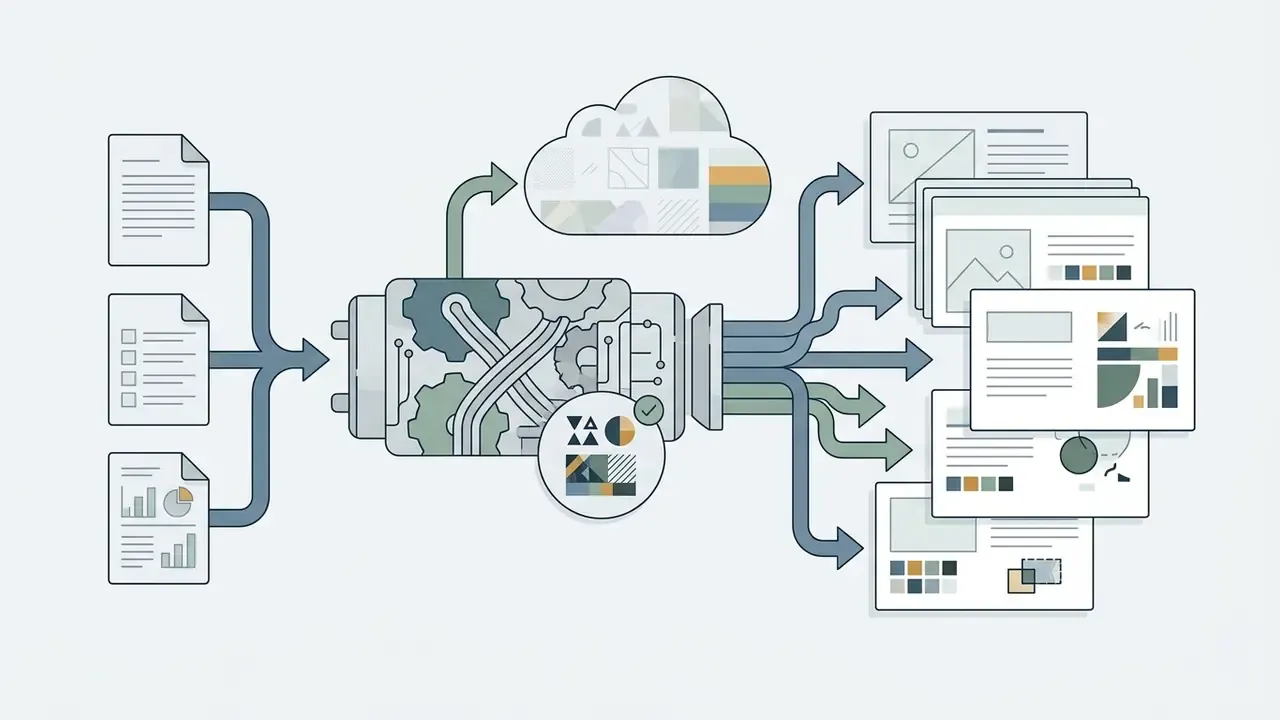
Magic Design for Presentations turns a short brief into an initial deck with title, agenda, topic breakdown and summary slides. It selects visual components and template layouts from descriptive terms found in the prompt.
When operators ask can canva create a presentation with ai, the platform runs a multi-step design assembly. It indexes curated template components originally built by human graphic designers (Canva Help Center). It maps prompt terms to visual categories and returns tailored drafts in seconds. Canva's documentation states that the tool surfaces a maximum of eight template matches per query, and that Pro accounts can apply Brand Kit colours and fonts to any of those matches with a single click. Practical, if slightly narrow.
«Canva Magic Design recorded the shortest task-completion time among novice users, about 13.2 minutes, compared with longer results for Adobe Firefly and Figma AI.»
What Canva AI generates automatically and what you must edit by hand
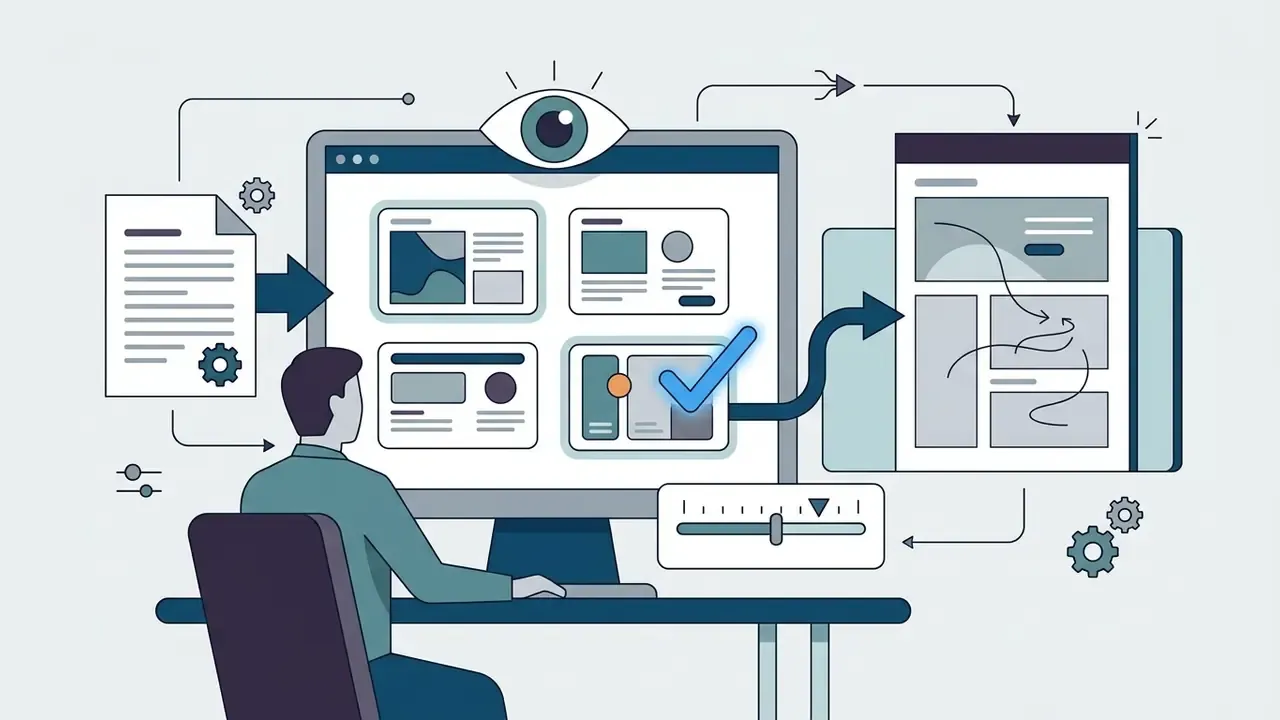
Canva AI produces visual layouts, introductory text outlines, baseline slide structures and placeholder graphics. Core financial figures, proprietary strategy, precise data tables and high-stakes factual claims all require manual entry and verification. There is no shortcut around that boundary.
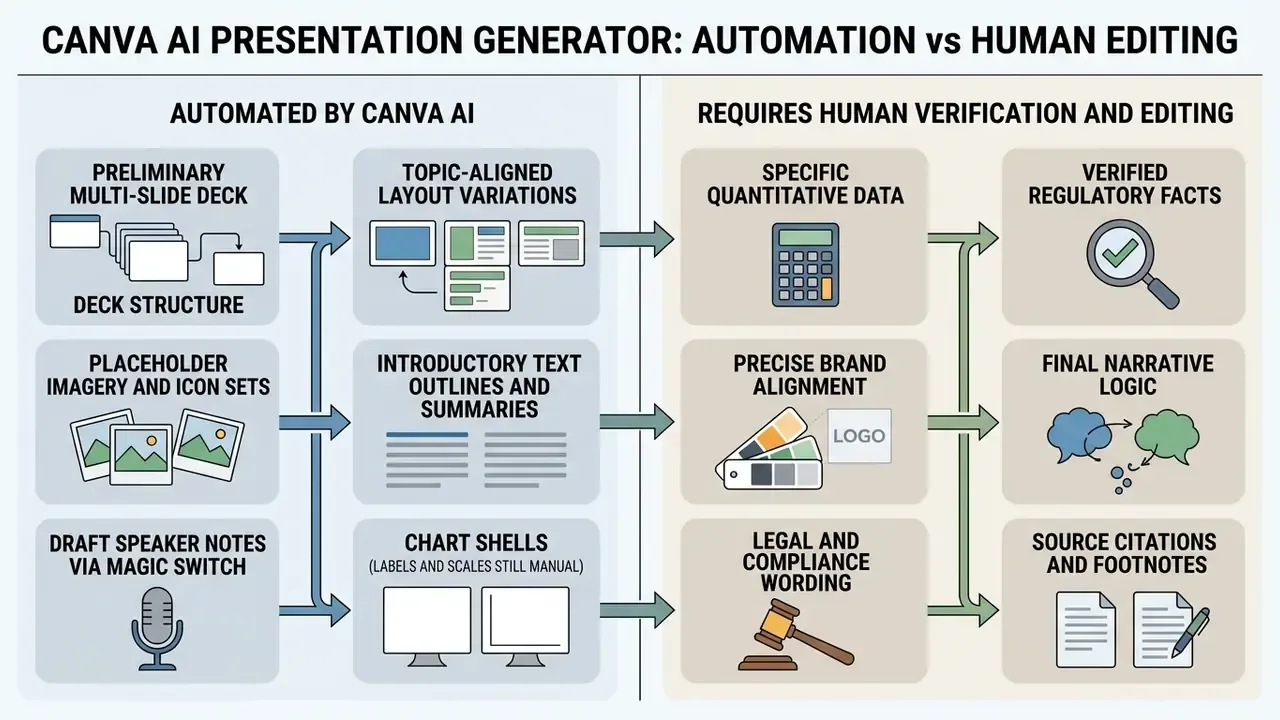
The underlying text engine draws on general data models with a knowledge cut-off around mid-2021. Third-party tool evaluations note that automated image pairing occasionally produces contextual mismatches: a compliance slide illustrated with a stock handshake, for instance. Risk leaders should therefore enforce a human-in-the-loop review policy for every ai-generated slide before external release, and record who performed it.
«Students rate AI-generated slides the same as human-made ones (median 5.0 of 7), yet cannot reliably identify their origin.»
That finding sharpens the governance argument. If audiences cannot detect machine-drafted content, accuracy assurance must sit with the named reviewing owner, not with the reader's scepticism.
Canva AI Presentation Maker capabilities for design and content
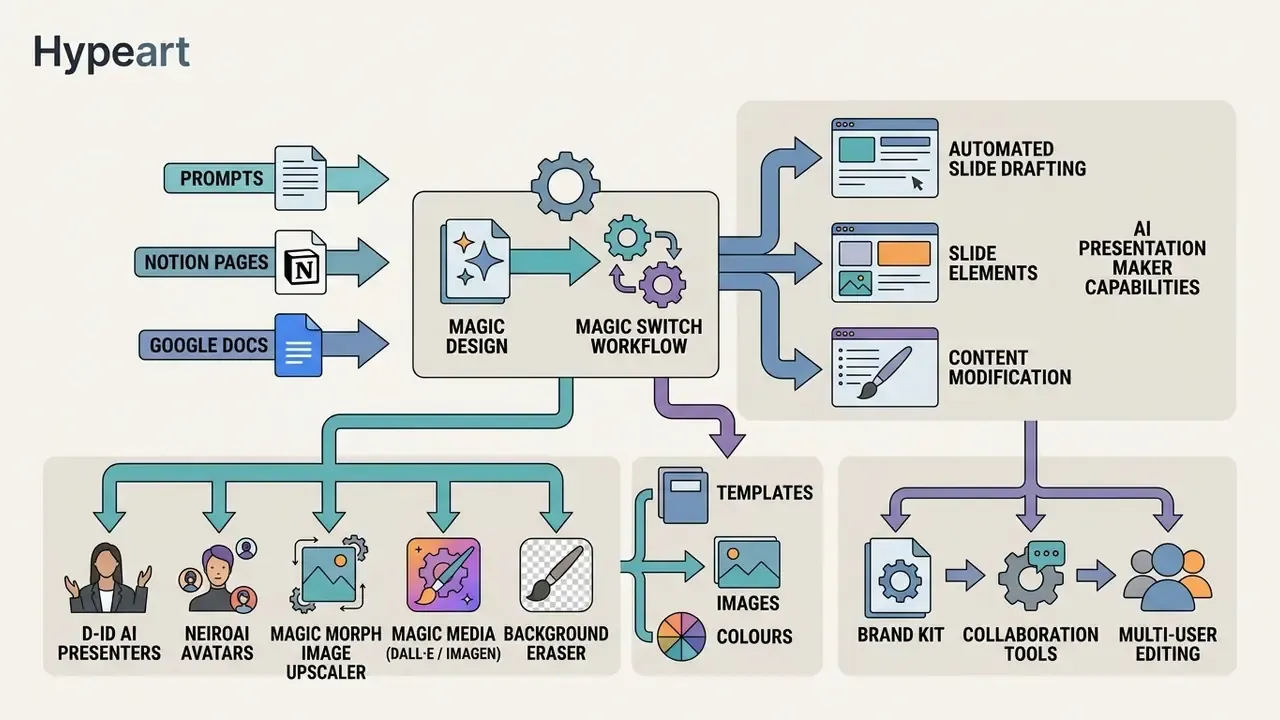
The canva ai presentation maker features combine automated slide drafting with a deep visual design toolkit, content modification and multi-user editing. Non-designer teams can ship structured decks while brand owners keep central control over visual styles and media libraries.
The platform is best understood as a design-first product with generative layers added to speed up repetitive assembly work.
«Canva follows a design-first, AI-on-top model, outperforming rivals in customization and brand alignment but trailing in contextual visual coherence.»
Teams can pull from millions of stock media assets, custom shape libraries and flexible palettes to refine drafts. Uploaded screenshots or product photography can be cleaned up with AI photo editors before placement. For organisations with established design standards, this shortens slide production without loosening oversight, which is usually the trade regulated teams care about.
Templates, images, colours and slide elements
Canva provides over 250,000 free templates alongside millions of stock photos, illustrations and decorative elements. When generating slides, the canva ai presentation creator draws directly from this repository to build coherent page layouts.
Operators can adjust individual slide components without breaking the wider deck. The Layouts panel exposes granular, page-level controls: Apply text only, Apply colors only, Apply elements and Apply style to page. One slide can adopt a new treatment while the other eleven stay untouched. Colours, typography and elements can be applied to a single slide or propagated across the whole presentation. Teams running parallel content workflows often standardise visual quality across channels by adding graphics from AI image generators, and compare engine behaviour in our AI Media Comparison Matrices.
AI apps inside the Canva ecosystem for presentations
Beyond baseline Magic Design, Canva's app marketplace adds specialised generative modules that widen what a deck can contain:
- D-ID AI Presenters / Avatars by NeiroAI insert a virtual presenter that reads slide copy aloud as a digital avatar, useful for asynchronous internal training or localised product briefings.
- Magic Morph converts plain text, icons and shapes into textured or dimensional treatments from a short prompt, usually for section dividers and hero slides.
- Image Upscaler raises resolution and detail on legacy or low-quality screenshots to HD/4K on the canvas, which avoids pixelated charts on a boardroom projector.
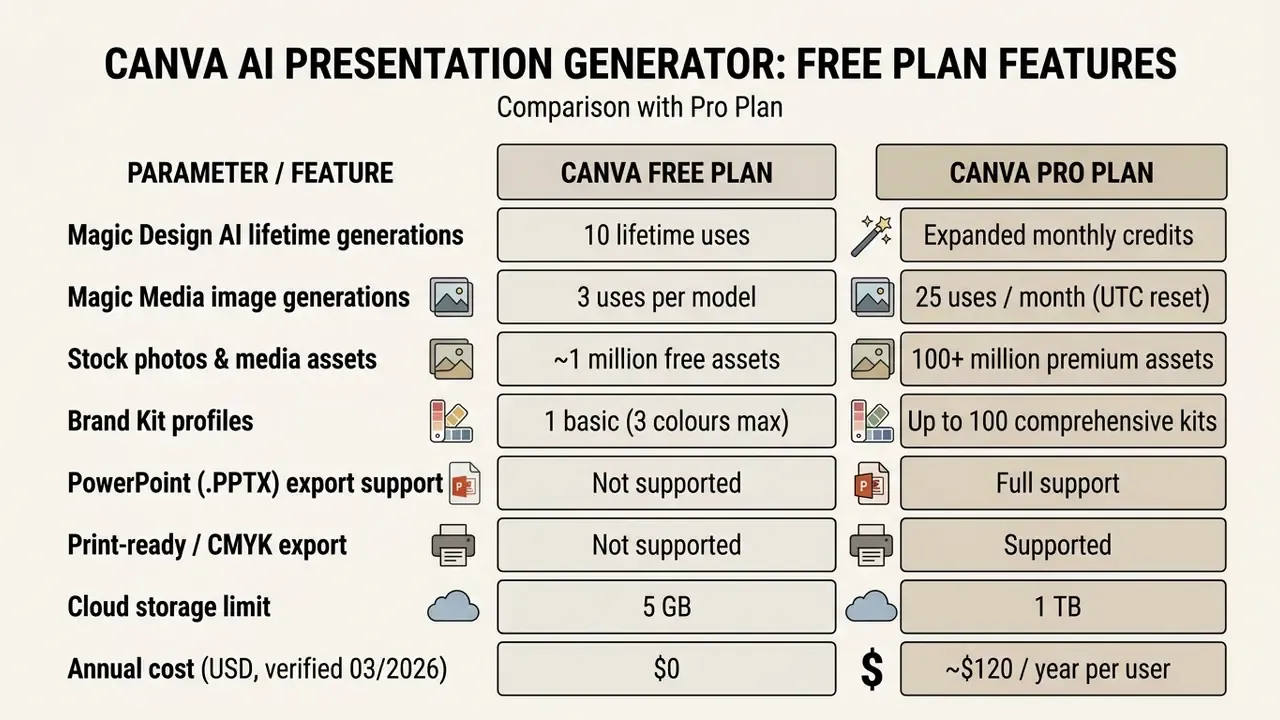
- Magic Media (DALL·E / Imagen) generates unique vector-style illustrations and short seamless background video loops from a prompt. Watch the credit caps: Canva Free accounts receive 3 generations per image model, while Pro, Teams, Nonprofit and Education accounts receive 25 monthly uses that reset at 00:00 UTC on the final day of the month.
- Background Eraser removes and replaces backgrounds on uploaded product shots or headshots, so third-party context is not accidentally published.
Every one of these modules produces AI output governed by Canva's AI Product Terms, so the review and licensing checks described in section [15] apply to them too. Teams stitching motion assets together for a canva ai slideshow generator workflow sometimes need to merge video online before importing the final clip, or finish it in microsoft video editor if the deck ships as a video file.
Brand, collaboration and presentation editing
Canva's Brand Kit lets administrators lock corporate logos, approved palettes and official brand fonts across user workspaces. Logos are uploaded under Logos, custom typefaces under Fonts (TTF/OTF), and Brand Kits are available on Canva Teams and other paid plans. This is the single control that stops well-meaning colleagues from inventing their own house style mid-deck. Organisations still settling their visual identity can review how automated identity tooling behaves in our guide to AI logo generators.
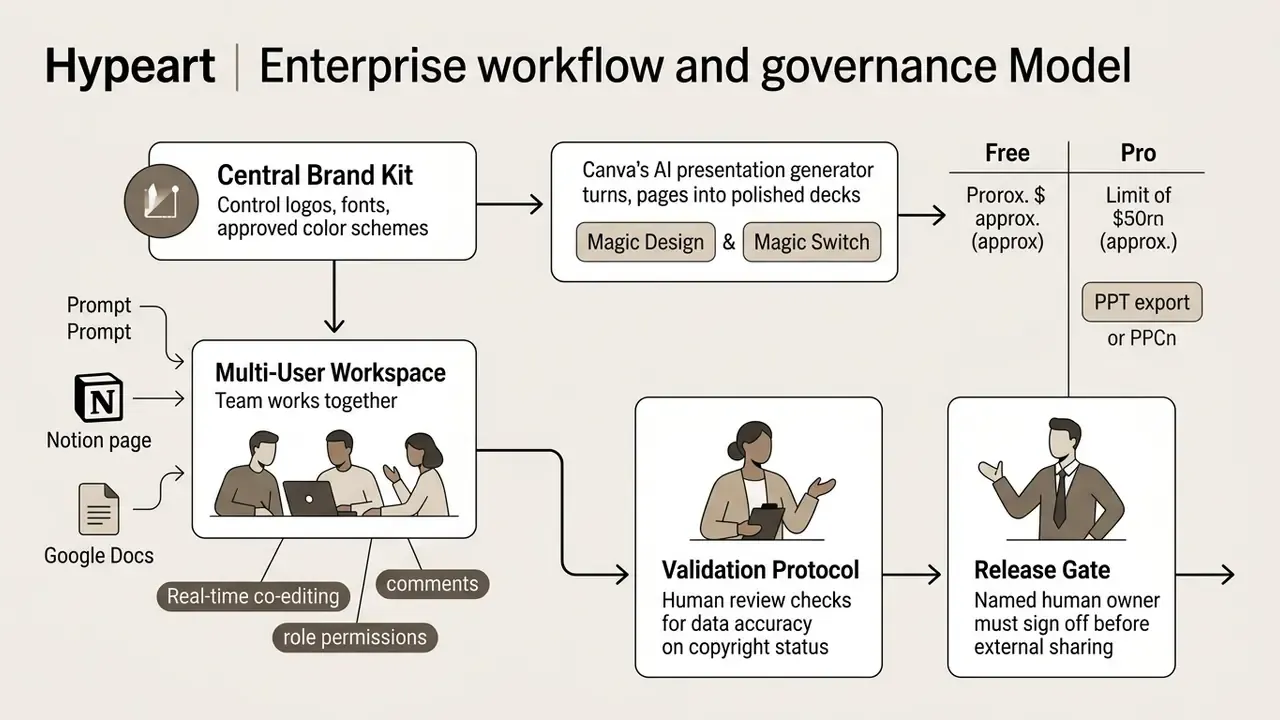
Team members co-edit drafts in real time, leave inline comments and manage file permissions from one shared dashboard. Administrators additionally control who may upload media from a device, who may import external files, and whether default sharing is edit, comment or view. That last setting is small and often ignored, and it is exactly the kind of default that turns into an incident report. Organisations widening their visual editing toolset can work through our detailed guide to Canva AI Generator capabilities.
How to build an AI presentation in Canva: step-by-step workflow
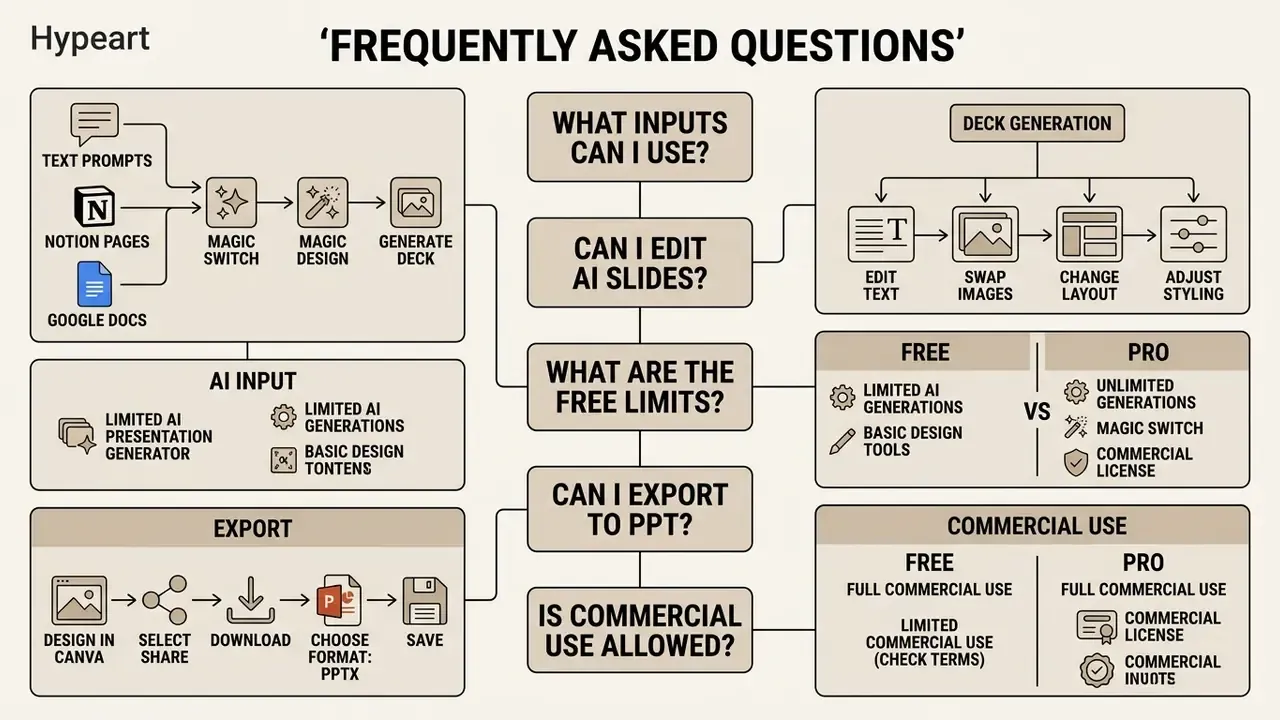
To use the canva ai presentation generator, open the Canva workspace, go to Presentations, launch Magic Design, enter a detailed descriptive prompt, choose a generated layout theme, then refine the slides by hand. That is the whole loop, and it answers most searches for canva ai presentation generator how to use.
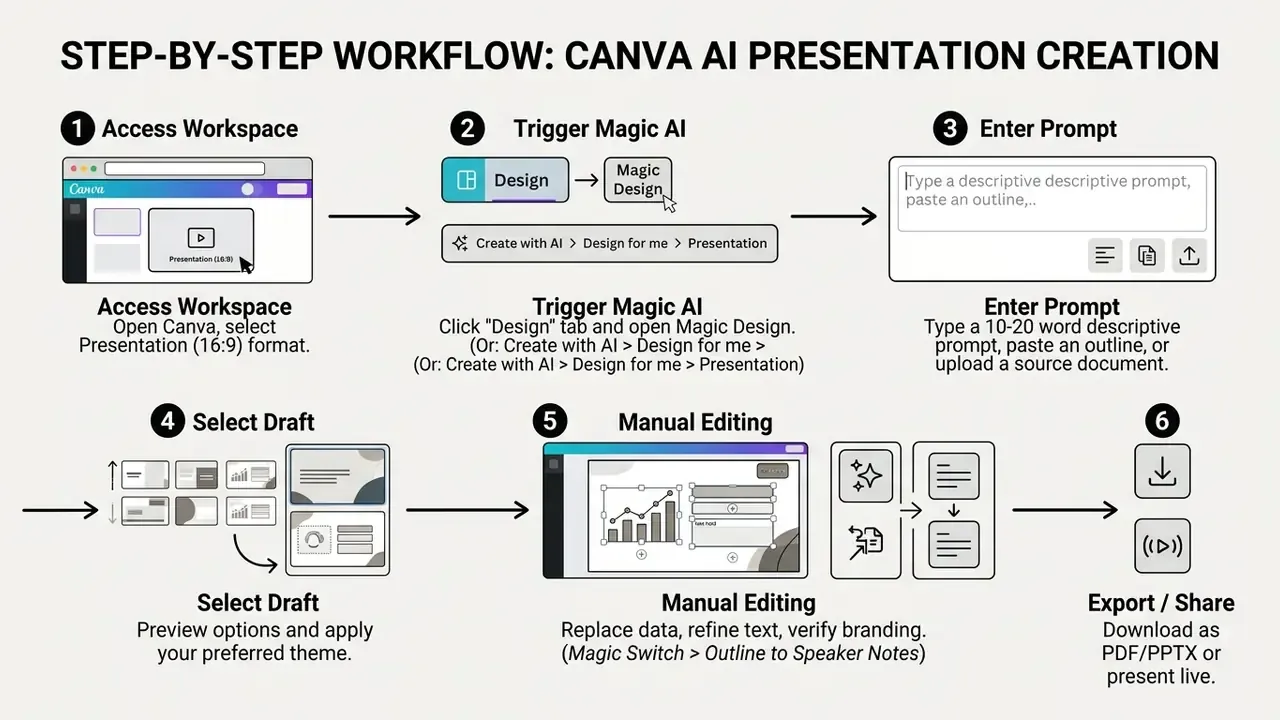
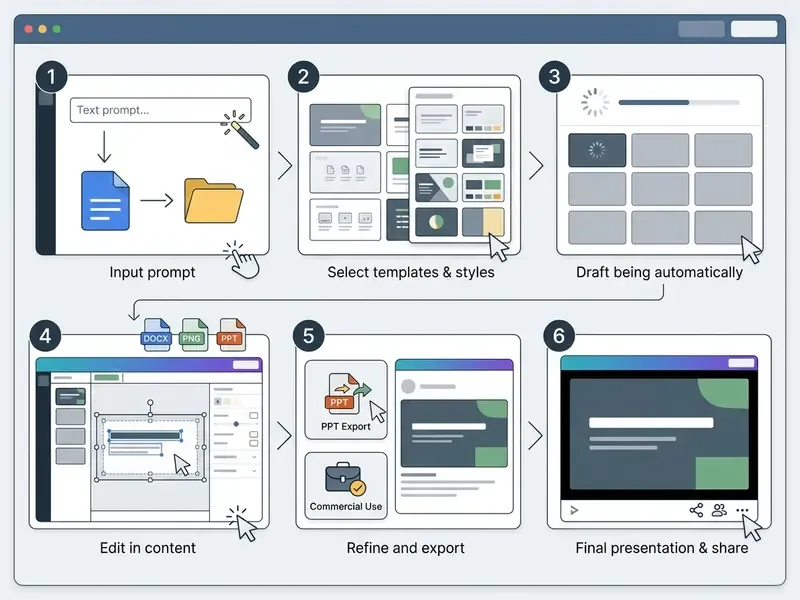
This standardised sequence keeps output predictable, which is what an auditor eventually asks about. One practical note from repeated runs: enable the Brand Kit before generation rather than after. Retrofitting corporate colours onto generated charts and icons is the single most time-consuming correction we see.
How to write the prompt and add source content
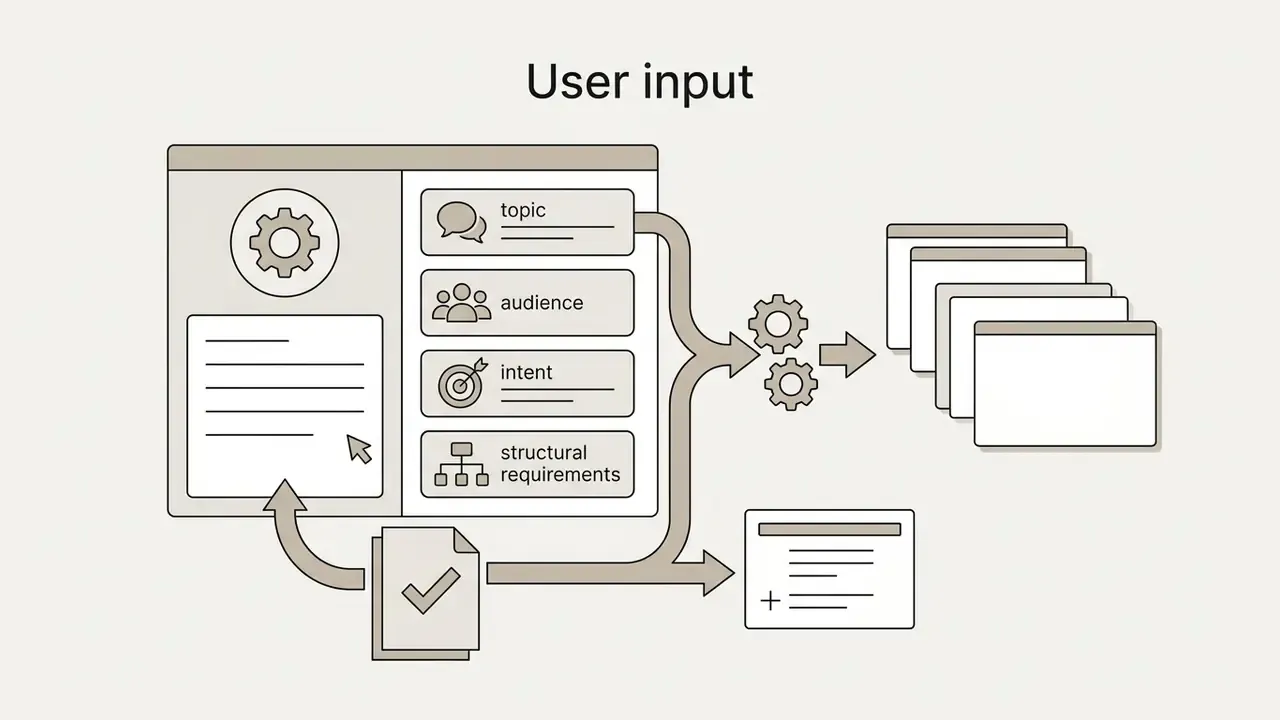
Effective prompts for the ai canva presentation maker state topic, target audience, core objective, tone and intended slide count. Detailed prompts cut generic filler and improve initial visual relevance.
- Weak prompt "Presentation about banking risk."
- Structured prompt "Create a 10-slide operational risk presentation for senior bank executives covering AI governance, model risk controls, and regulatory audit compliance."
- Slide-targeted prompt "Aim for 10-12 slides. Slide 3 = problem statistics (3 bullets, one chart). Slide 7 = competitor comparison table. Slide 11 = next steps. Tone: practical and confident."
Explicit slide targets are respected more often than free-form description, and that alone reduces rework at the editing stage.
Uploading external documents (Notion, Google Docs, PDF, PPTX):
You can use existing files as the source for Magic Design instead of typing a prompt from scratch.
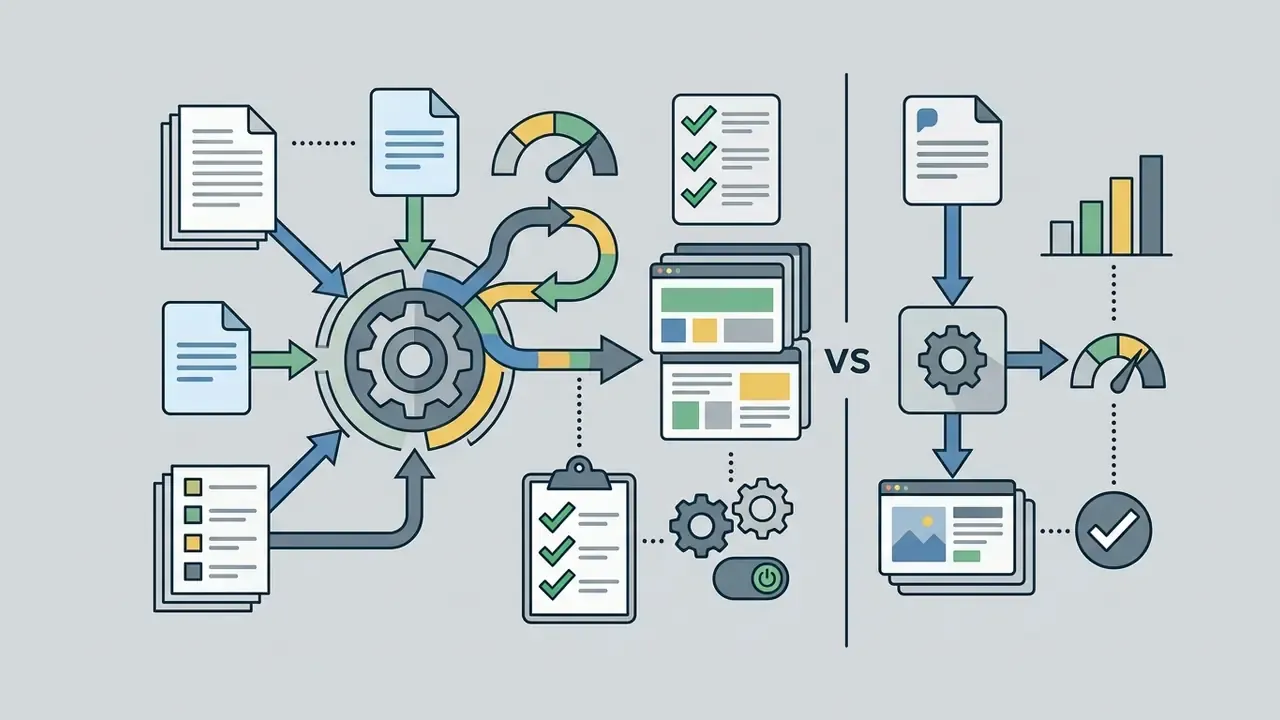
In comparative testing, a pasted bullet outline of about 280 words produced the best balance of structure and visuals. A raw prompt gave workable flow but thin specifics. An uploaded multi-page document preserved sections intact yet needed the heaviest trimming. Keep in mind that Canva's document imports are lossy for complex objects: 3D shapes, WordArt and patterned fills do not carry over cleanly, and imported PDF pages arrive as flat A4 images rather than editable text.
For projects that also need moving media on slides, our practical guide to AI video generators covers preparation, and teams experimenting with cinematic B-roll can compare notes on midjourney video generation.
How to refine AI-generated slides before you present
Post-generation editing means replacing placeholder text with verified company data, rewriting generalised headings, tightening visual spacing and validating image context. Systematically. Not selectively.
During an illustrative internal workflow audit, a financial operations team found that automated slide generation had inserted generic statistical placeholder charts into a strategy deck. A mandatory five-point post-generation review list forced verification of every quantitative value against raw ledger files, which avoided a misleading number reaching board reporting. Composite example, but the failure mode is common.
«Students reported text-image mismatches, inconsistent structure and unsuitable fonts in AI-assisted PowerPoint Designer slides.»
- Verify every numerical figure against primary business sources.
- Replace generic stock photography with brand-approved media assets.
- Compress wordy bullet points into executive-readable statements.
One more habit worth adopting: read the deck backwards, last slide first. Weak logic in a machine-drafted narrative usually shows up in the conclusion before it shows up in the setup.
Canva AI Presentation Generator Free: what the free plan includes
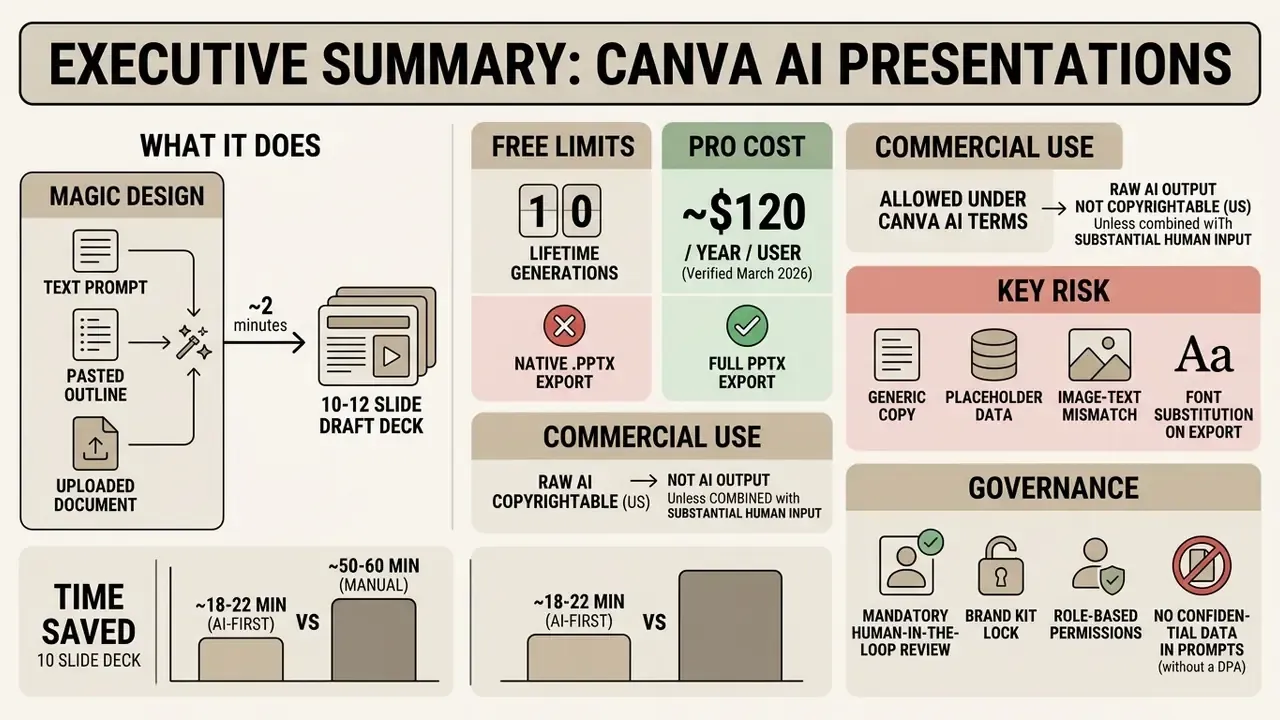
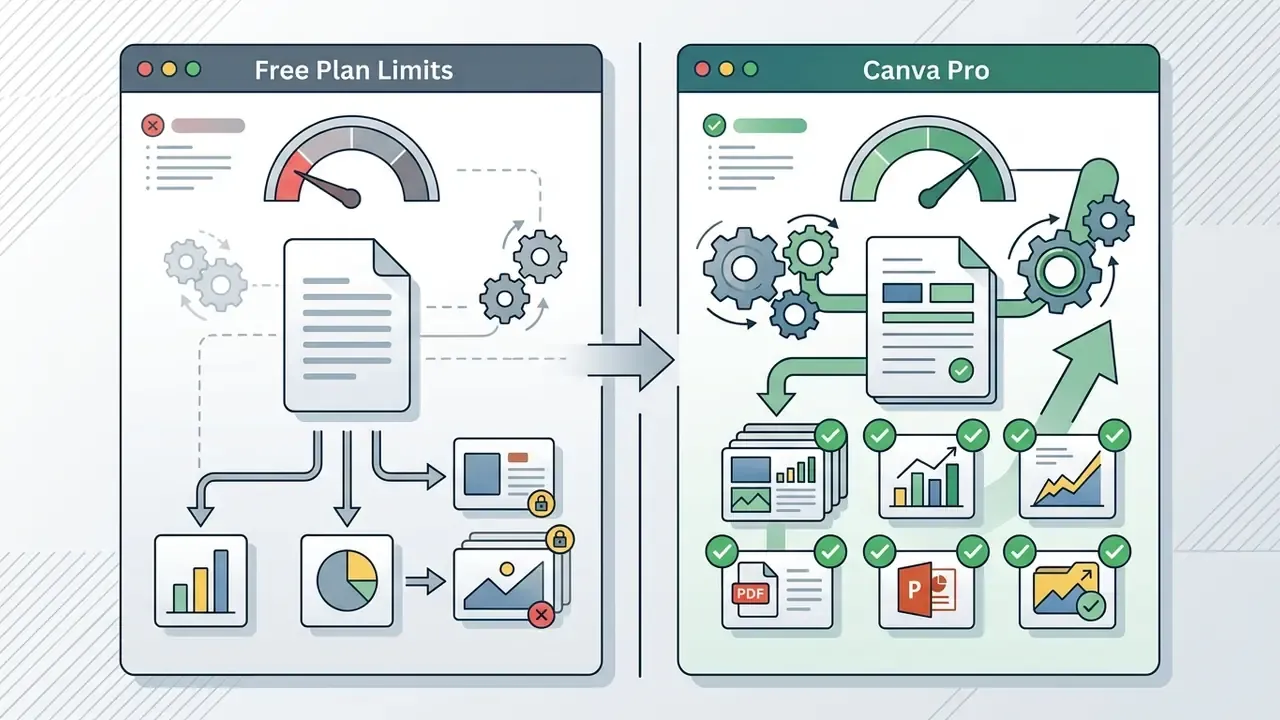
The canva ai presentation generator free tier gives full access to standard slide editing but caps Magic Design at 10 lifetime uses per free account. It includes basic storage, standard export formats and more than 250,000 templates. A use is counted the moment a generated template is applied to the editor, not when results are previewed. Worth knowing before your team burns three credits on wording experiments.
When the Free plan is enough for a presentation
The canva ai presentation maker free plan covers single projects, academic work and occasional non-commercial decks that need neither brand locking nor PowerPoint export.
- Periodic internal training decks without strict branding requirements.
- Early baseline drafts prepared before formal corporate review.
- Standard educational slide decks exported straight to PDF.
«Canva simplifies visual content creation, letting educators build interactive presentations and multimedia modules without professional design skills.»
Teams evaluating no-cost design tools across adjacent creative disciplines can also review our comparison of free photo editors.
Which presentation tasks are easier in Pro
Canva Pro becomes necessary for multi-brand management, premium visual assets, advanced background removal, higher AI credit ceilings and native PowerPoint export. For a bank with three sub-brands and an investor relations calendar, the export capability alone usually settles the decision.
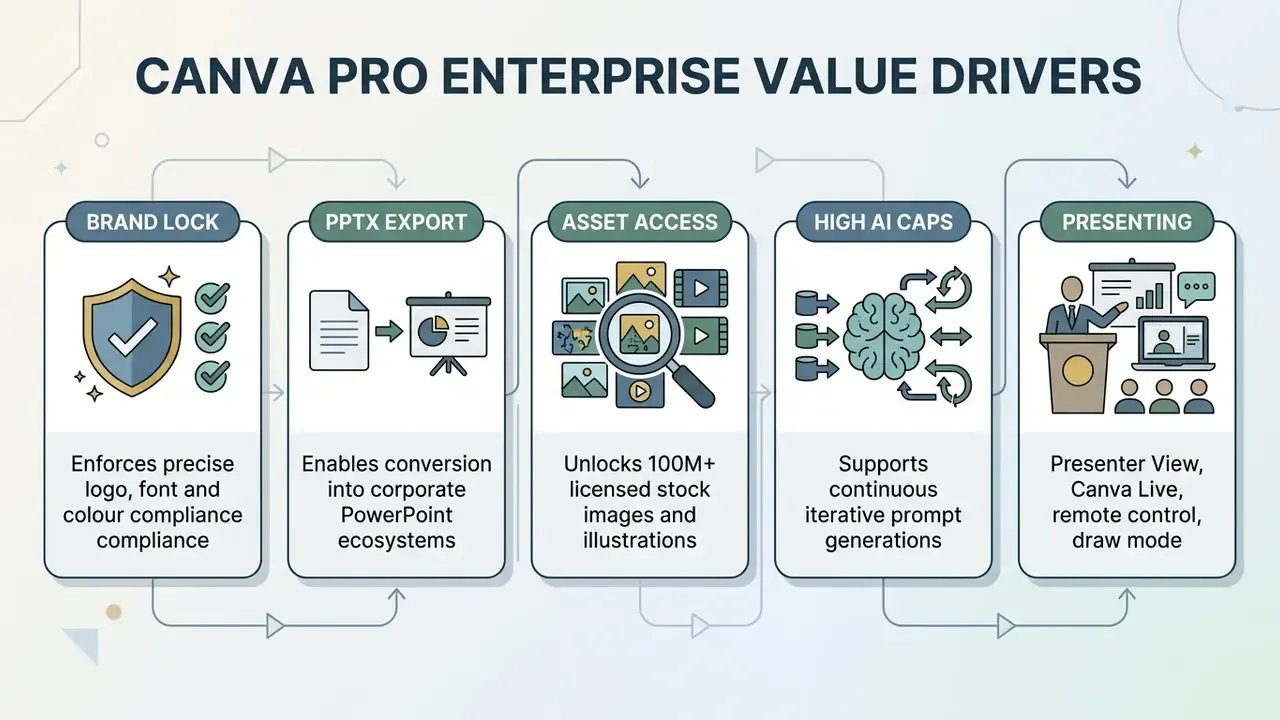
For risk leads and corporate communications managers, paid tiers mainly remove two bottlenecks: credit caps and export restrictions. To compare subscription structures across automated design platforms, consult our AI Media Pricing Guides.
Data privacy, prompt retention and enterprise access control
For regulated buyers the decisive question is not slide quality. It is what happens to the text typed into the prompt field. Treat that box as an outbound data channel and govern it the way you govern any other.
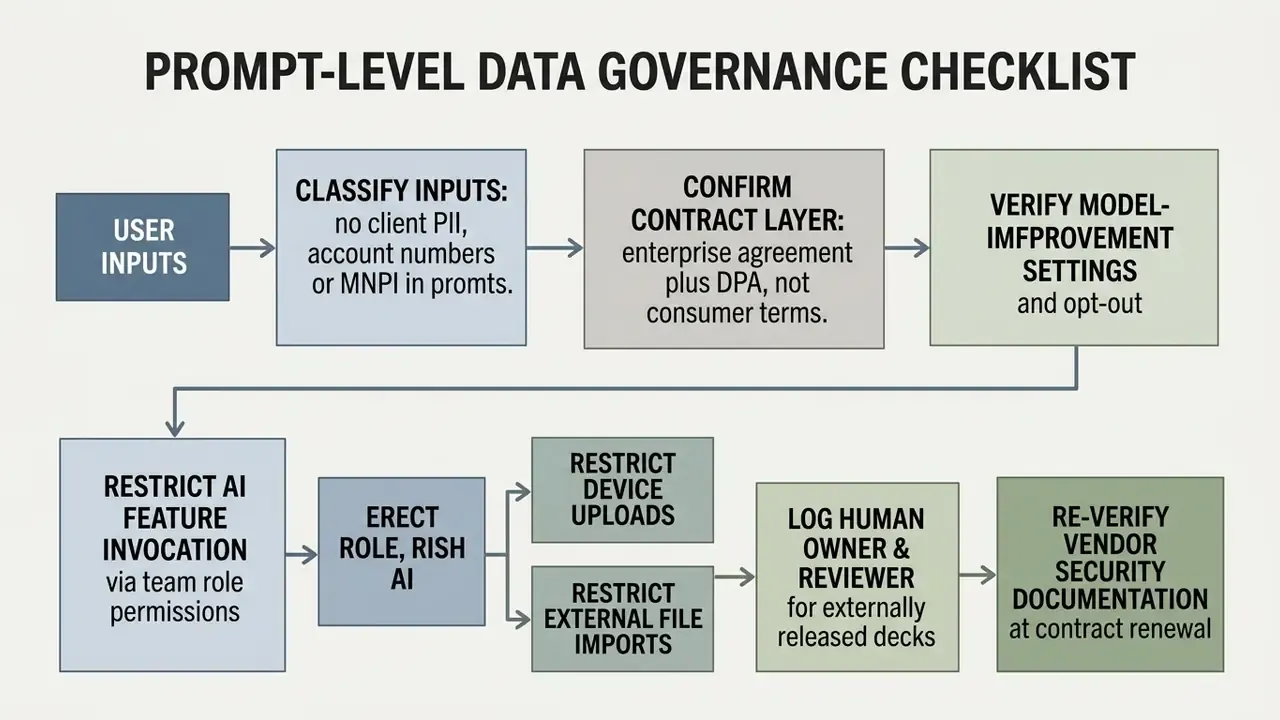
Canva's published AI Product Terms (updated 29 March 2026) state that Canva may impose limits on the number of outputs created with AI products, that access to those products carries additional obligations, and that outputs may be used for any lawful purpose subject to the Acceptable Use Policy (Canva AI Product Terms). Team-level settings additionally let administrators decide who can upload from a device, who manages imported media from apps, and whether team sharing defaults to edit, comment or view access (Canva Help Centre).
Requires vendor confirmation before procurement sign-off. The exact contractual position on training public Magic Studio models with enterprise inputs, the availability of an administrative opt-out, prompt retention periods, single sign-on enforcement and the current scope of independent security certifications are commercial terms that vary by plan and region. Request the current data processing addendum and security documentation from Canva's enterprise team, then attach both to your vendor file instead of relying on public marketing pages.
Until those documents are in hand, the conservative control is procedural rather than technical: prohibit confidential or client-identifying content in prompts, and generate decks from de-identified placeholders that a human replaces inside the editor. It is a dull control. It also holds up in an audit walkthrough, which is more than can be said for good intentions.
Fact-check verification block
Can Canva AI presentations be used in commercial projects
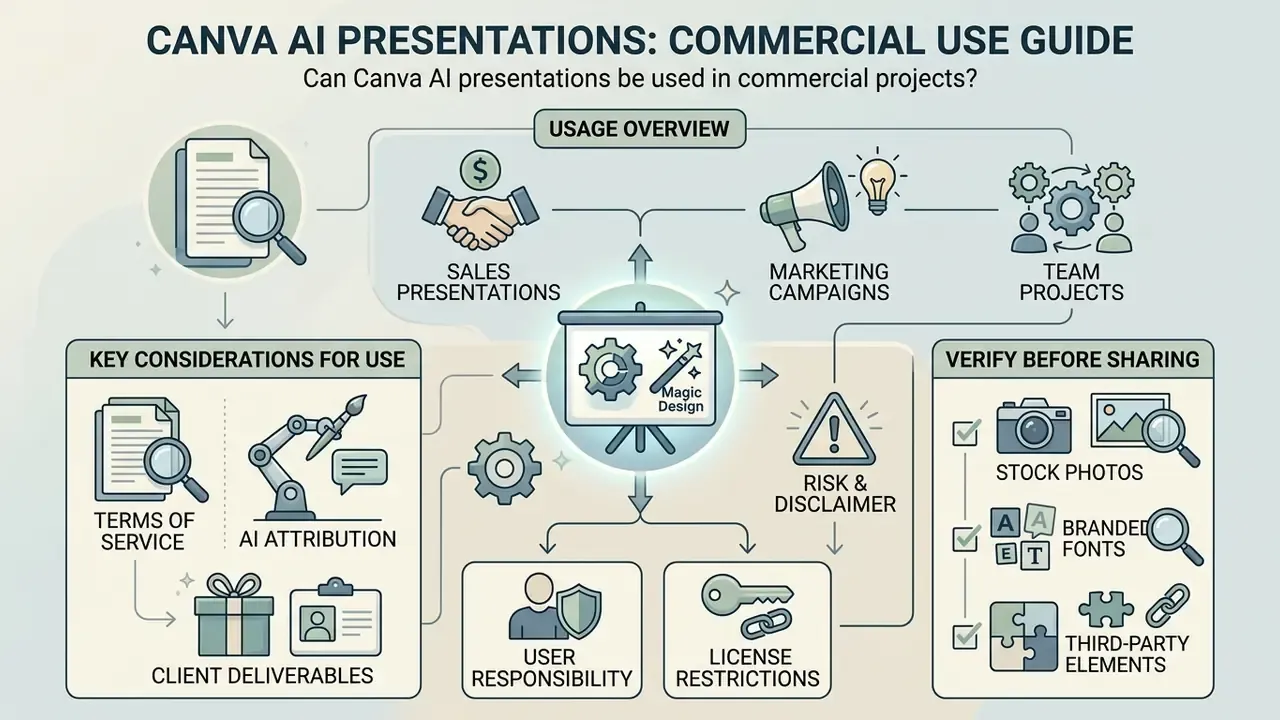
Yes. Content generated by Canva AI can be used commercially, including sales decks, client presentations and marketing campaigns, provided users comply with Canva's AI Product Terms and the general Content License Agreement.
Commercial authorisation, however, is not the same as copyright ownership. Under US Copyright Office guidance updated in 2025, purely machine-generated elements lack human authorship protection (US Copyright Office Registration Guidance). Registration filings must disclose AI-generated material and describe the human author's contribution, and protection extends only to the human-authored parts. So a flagship sales deck needs substantial human creative input if you intend to defend it. Ongoing litigation may shift the edges of this position, which is another reason to document contributions as you go.
Two details often missed: AI-generated images fall under the separate AI Product Terms rather than the standard Content License Agreement, and Canva's Content License Agreement expects commercial designs to be maintained under a dedicated commercial account.
What to check before using templates, images and elements
Before a generated deck goes out commercially, audit every visual asset for licensing status. One unapproved character illustration is enough to create a takedown conversation.
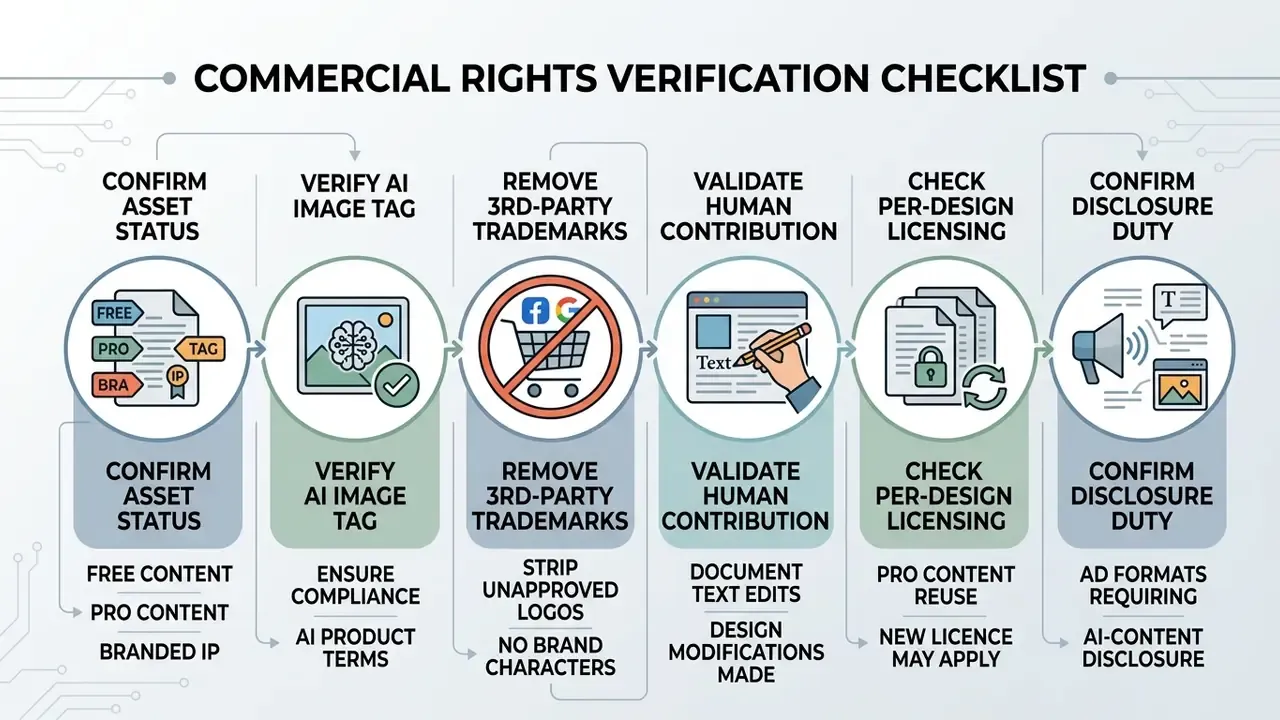
Media tagged "Branded Content", such as trademarked characters or corporate logos, is limited strictly to non-commercial personal use. A mario maker 2 style game character on a fintech slide is exactly the asset class that fails this check. Premium elements are licensed per design, so reusing the same premium asset across several decks may require additional licences. Sector rules can add disclosure duties: the FCC's 2024 political advertising rule, for example, requires clear on-air disclosure of AI-generated synthetic content in covered broadcast ads.
For licensing frameworks across synthetic media formats, review our detailed AI Media Commercial-Use Hub, and compare licence terms engine by engine in our overview of the best AI image generators.
Presentations for sales, marketing and team projects
Sales and marketing decks built with Canva AI can be sent to prospects, presented at commercial conferences, or published as downloadable lead magnets. Standard business use, in other words.
When assembling client-facing collateral, marketing teams must confirm that any element labelled for Pro use is covered by an active organisational licence, not by an expired trial. Operators reviewing enterprise media tooling can also examine our evaluation of microsoft photo editor options for corporate image work, and the odd curiosity like the microwave ai filter shows how quickly consumer-grade effects leak into business content where they do not belong.
Exporting a Canva AI presentation to PowerPoint, PDF and other formats
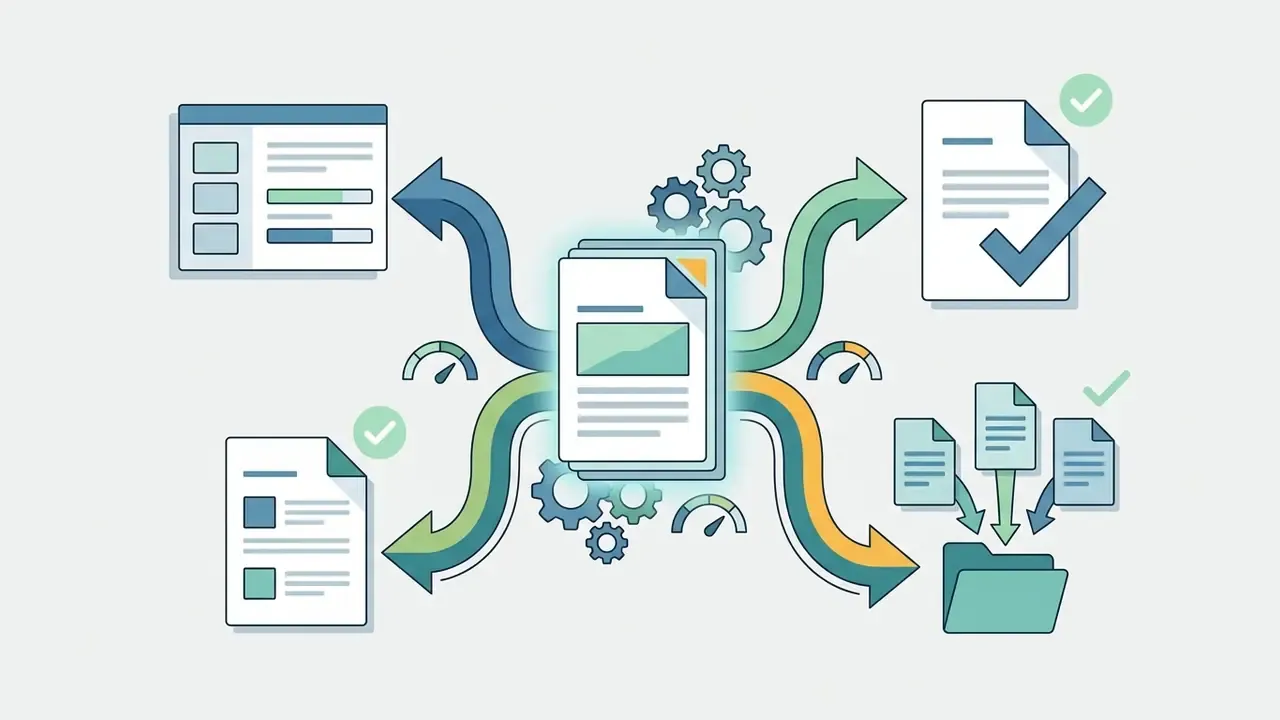
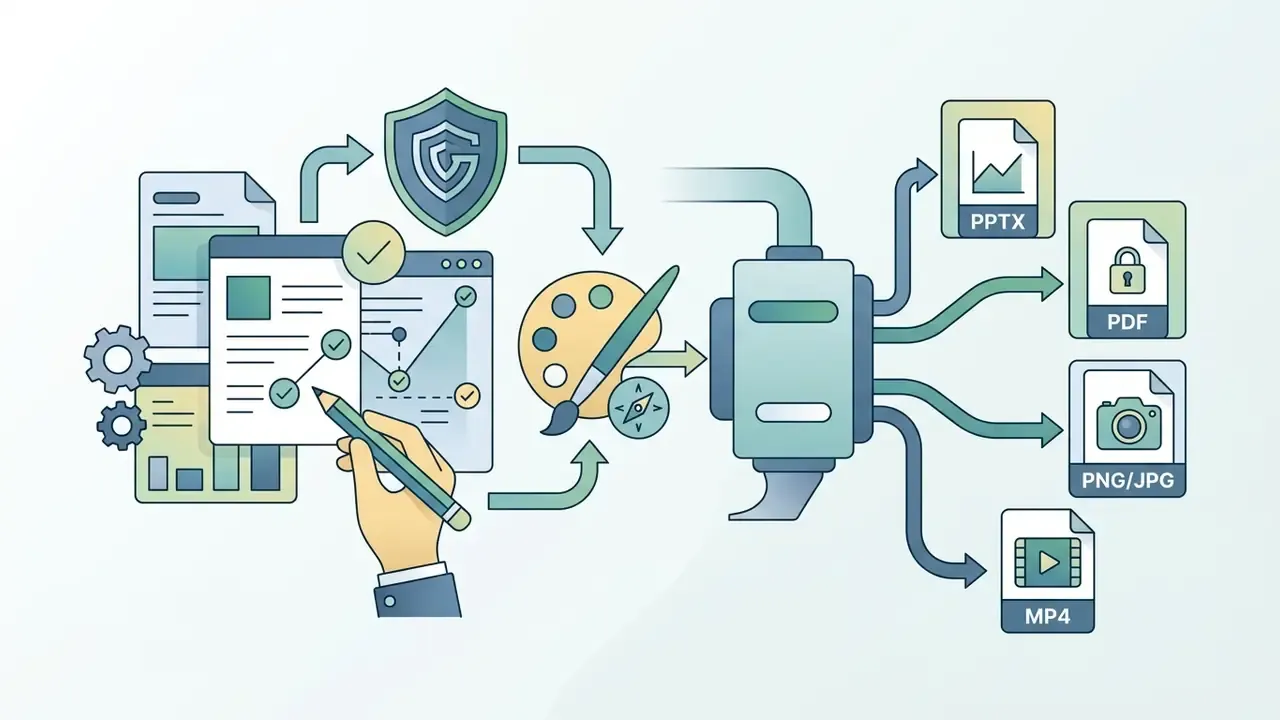
Canva presentations export as Microsoft PowerPoint (.PPTX), PDF, PNG/JPG sequences or MP4 video. Native PowerPoint export is limited to paid tiers, and Canva's documentation notes that PPTX export applies to presentations only. That restriction is what people are really testing when they search for a canva ai powerpoint generator or a canva ai ppt generator.
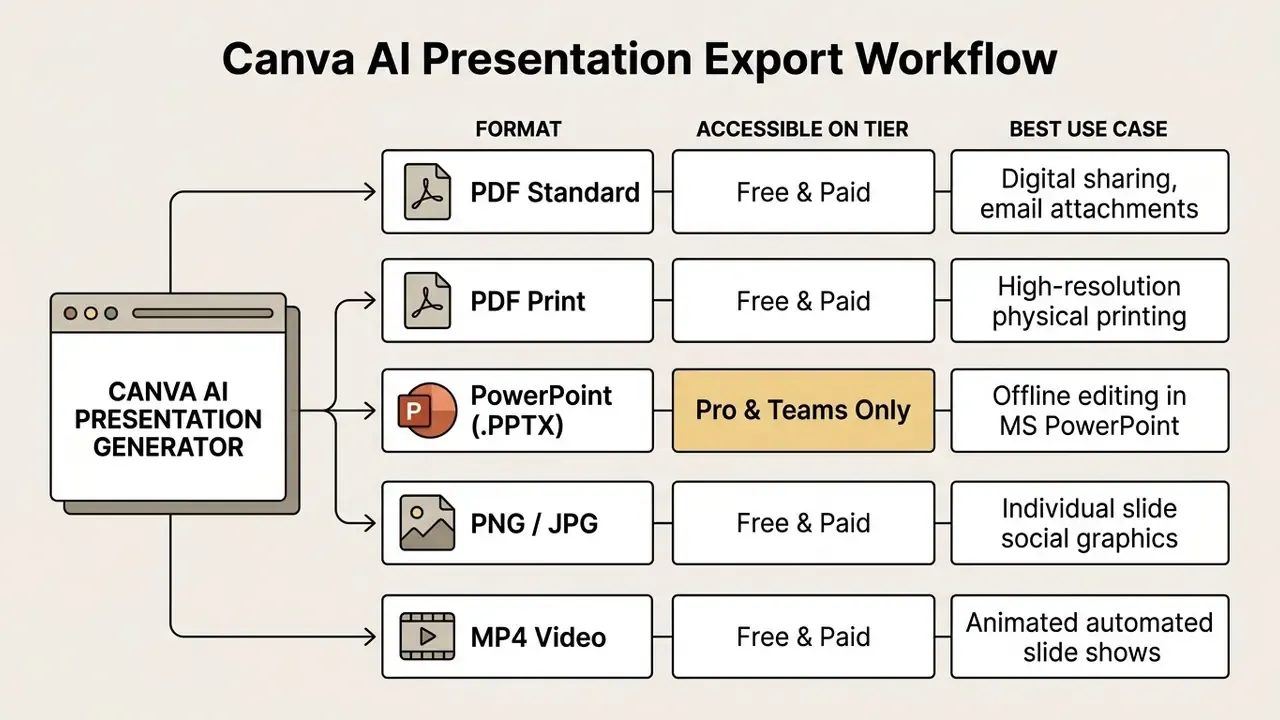
Format choice comes down to one question: does the recipient need editable elements or a fixed visual record? Where fidelity matters more than editability, for board packs, regulator submissions and client leave-behinds, PDF Standard is the safer default because it removes font substitution risk entirely.
How to download Canva AI slides as PPT and PDF
To export from the editor, click Share in the top right, select Download, pick the format, then confirm.
- Open the finalised presentation in the Canva editor canvas.
- Click Share on the top navigation bar.
- Select Download from the dropdown.
- Choose Microsoft PowerPoint (.pptx) or PDF Standard (or PDF Print for physical output).
- Select the target slides and click Download to save locally.
Mobile users follow the same path: tap the export icon in the top header, choose the format, select pages, tap Done, then confirm Download. Teams automating deck delivery at scale should note that the Canva Connect API also supports PPTX and PDF exports, with one caveat: multi-page designs can only be exported to PPTX when they are Canva Presentations. For integration patterns into enterprise content systems, see our AI Media API Guides.
What to check in PowerPoint after export
When an exported Canva deck opens in Microsoft PowerPoint, inspect layout positioning, font substitutions, text box margins and animation behaviour. Do it on the machine that will actually present, not only on yours.
Differences between web rendering engines and native desktop applications introduce predictable errors:
- Font substitution custom Canva web fonts fall back to system fonts if not installed locally. Canva's own guidance is to install identical fonts on the target device when text must match exactly.
- Text wrapping line breaks and box dimensions shift, which clips headers.
- Media loss embedded Canva video loops and complex web animations flatten into static frames. Canva states that animations and embedded video are not yet supported in Microsoft PowerPoint, so motion has to be rebuilt inside PowerPoint after export.
Vendor-neutral caveat: claims that any third-party generator delivers "pixel-perfect" PPTX fidelity deserve scepticism. Every tool converting web vectors into PowerPoint layers depends on fonts installed on the recipient's machine. Any .PPTX handoff therefore requires local font installation, whichever generator produced the file.
Organisations managing multi-platform deployments often use our comparison of AI tools to weigh interoperability risk before standardising.
Canva AI limits for presentations and ways to improve the result
The canva ai presentation generator has documented technical limits: formulaic AI-written copy, fixed 16:9 layout constraints, no direct spreadsheet ingestion, and occasional visual context mismatches.
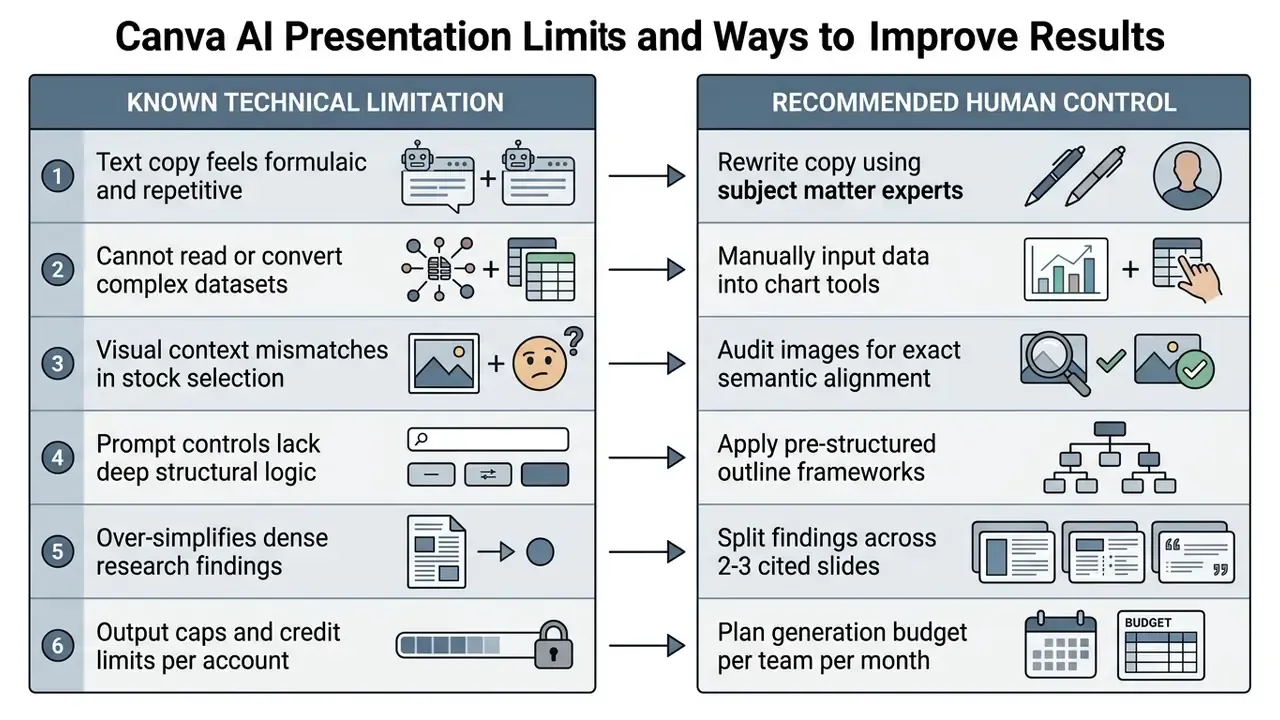
None of these constraints disqualify the tool. They simply define where the human control points belong.
Why AI-generated text and structure can look formulaic
Generative text models produce average-sounding copy because they are trained to predict statistically average phrasing across broad datasets. Without domain constraints, generated slide copy leans on corporate buzzwords: "leverage synergies", "drive transformation", and the rest. Academic presentation guidance is consistent on the remedy. A deck reads as coherent only when it opens with a clear thesis, signposts each section, and closes each section with an explicit transition, and a prompt-driven draft supplies none of that automatically.
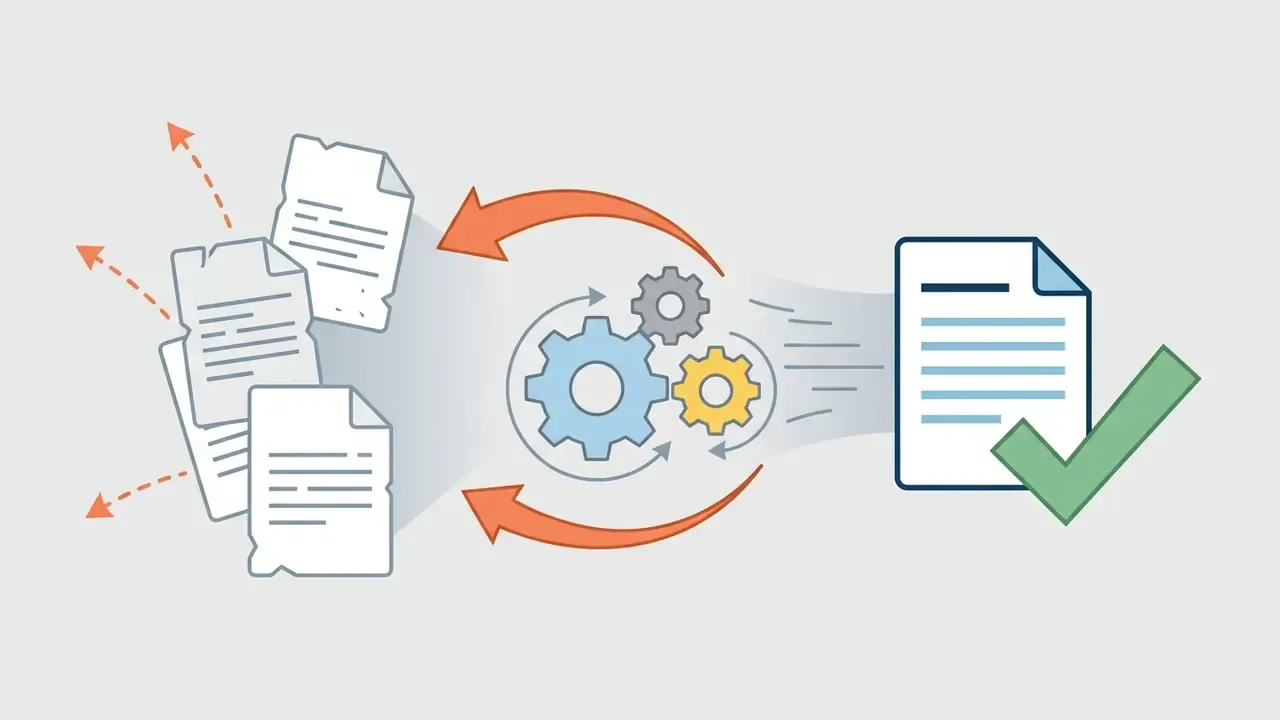
A 2026 performance benchmark by 2Slides found that while Canva AI generates an initial deck in roughly 2 minutes and 12 seconds, reaching a genuinely usable corporate deck takes an average of 12 additional minutes of manual editing (2Slides Benchmark Study). Prompt refinement and manual text editing remain essential to strip repetitive phrasing.
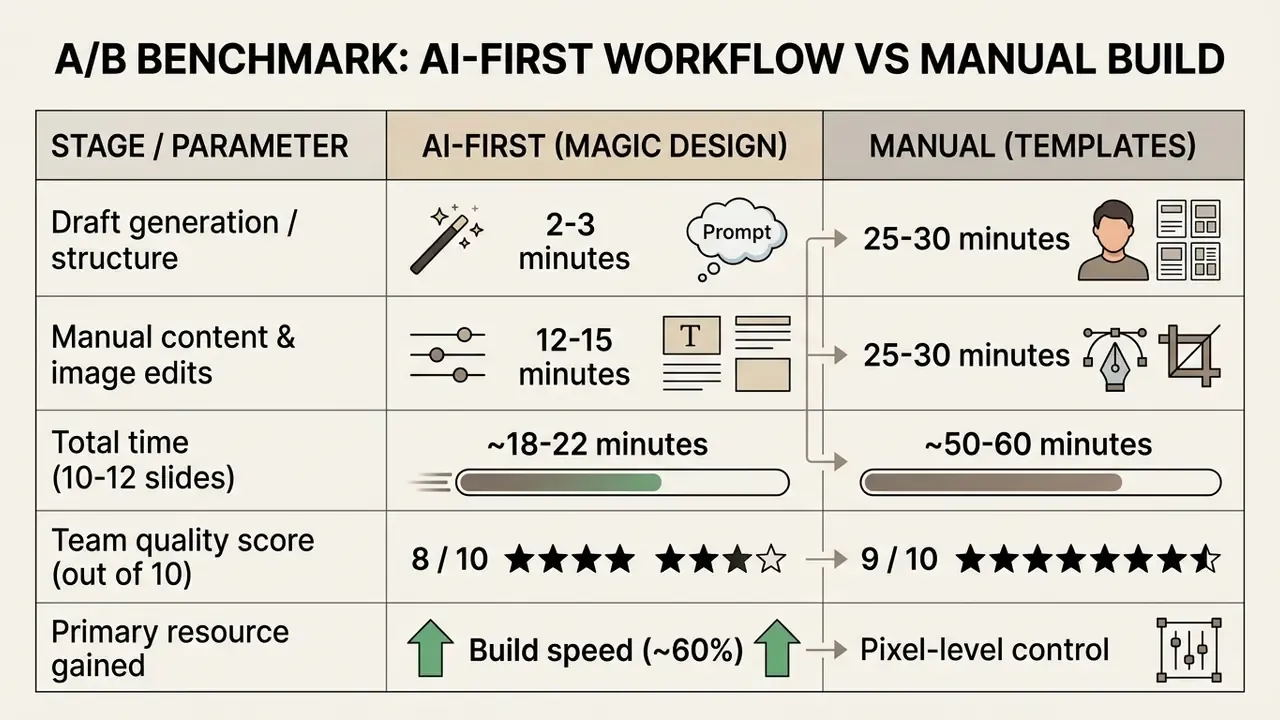
Independent practitioner timings support the same ratio: a documented AI-first run took 22 minutes to draft plus 14 minutes to edit, 36 minutes in total, against 58 minutes for a fully manual build of the same 10-slide update. The AI version scored 8/10 in team review, the manual version 9/10. The operational conclusion for regulated teams is a hybrid split. Use AI for outlines and repeatable internal decks. Keep manual craft for investor-facing and flagship hero slides.
How to make the design and content better
One caution on the canva ai slide maker as a data tool. It formats numbers; it does not validate them. Keep that distinction visible in your review checklist, because reviewers under time pressure tend to trust anything that already looks finished.
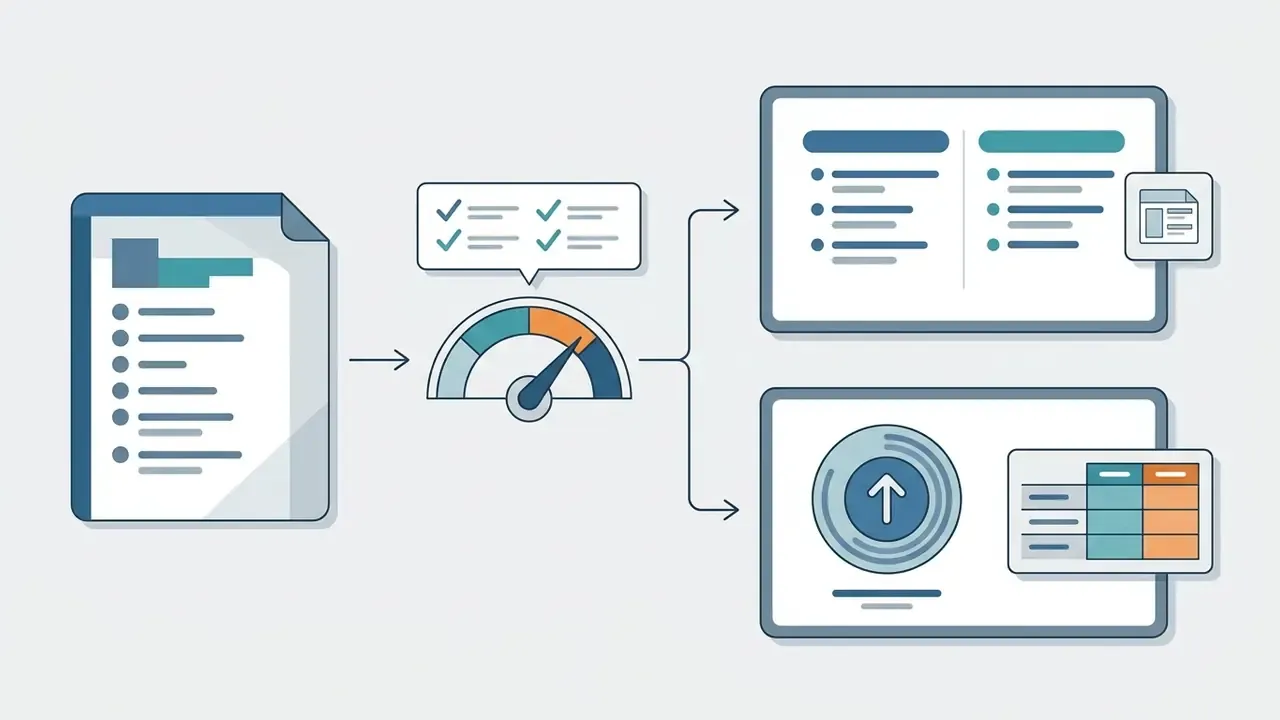
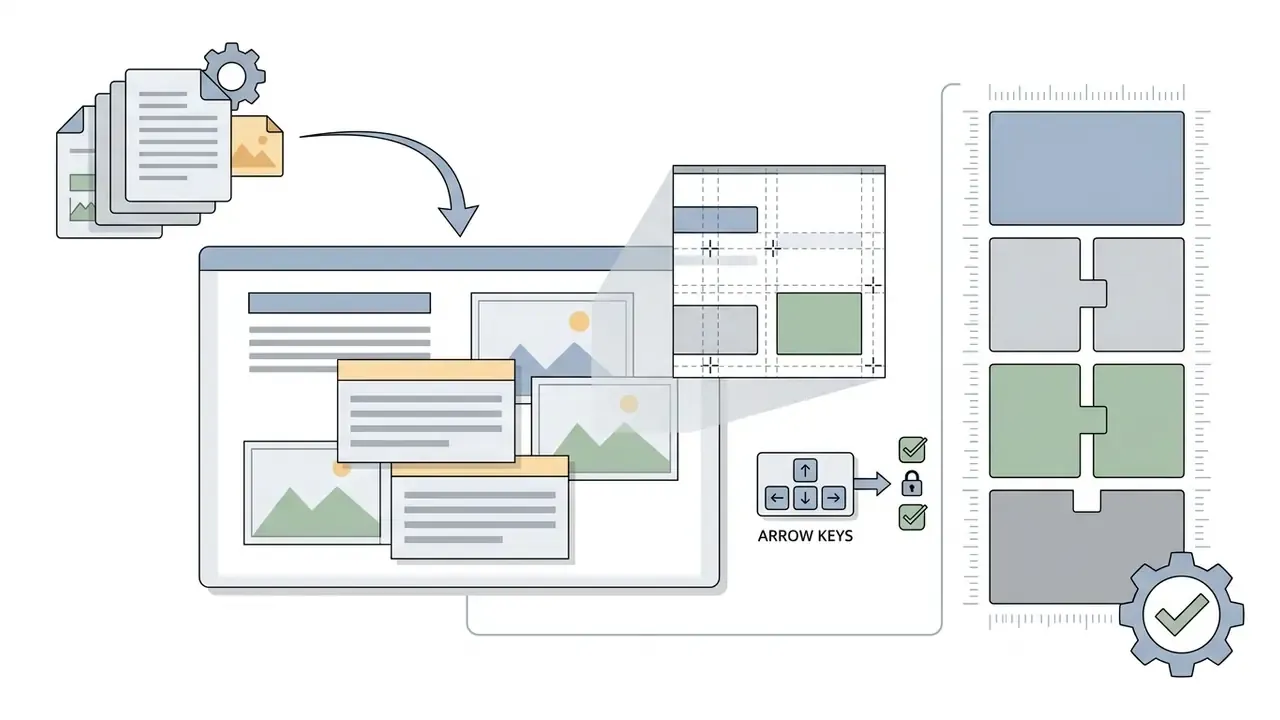
Shift + R) and nudge elements with arrow keys to realign text blocks after automatic substitution. Sub-pixel spacing consistency is what makes a generated deck read as premium.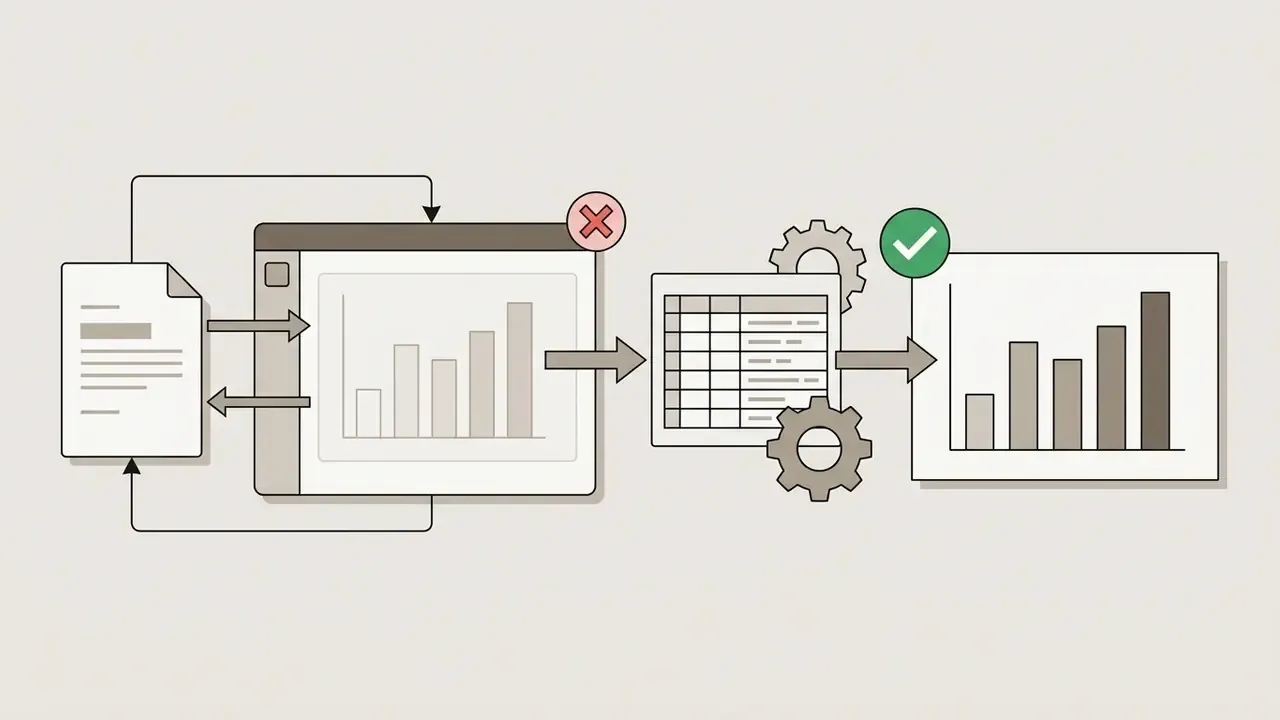
Canva AI or a specialised AI presentation tool: when to choose an alternative
Choose Canva AI when you need visually rich, brand-aligned decks inside a broad design ecosystem. Choose specialised tools such as Gamma or Beautiful.ai when the priority is rapid document-to-deck conversion, automated data visualisation, or prompt-first outline control.
«PPT AI (2026) scores Canva AI at 7.5 out of 10 and rates it best for visually rich, on-brand presentations, while 2Slides leads on generation speed.»
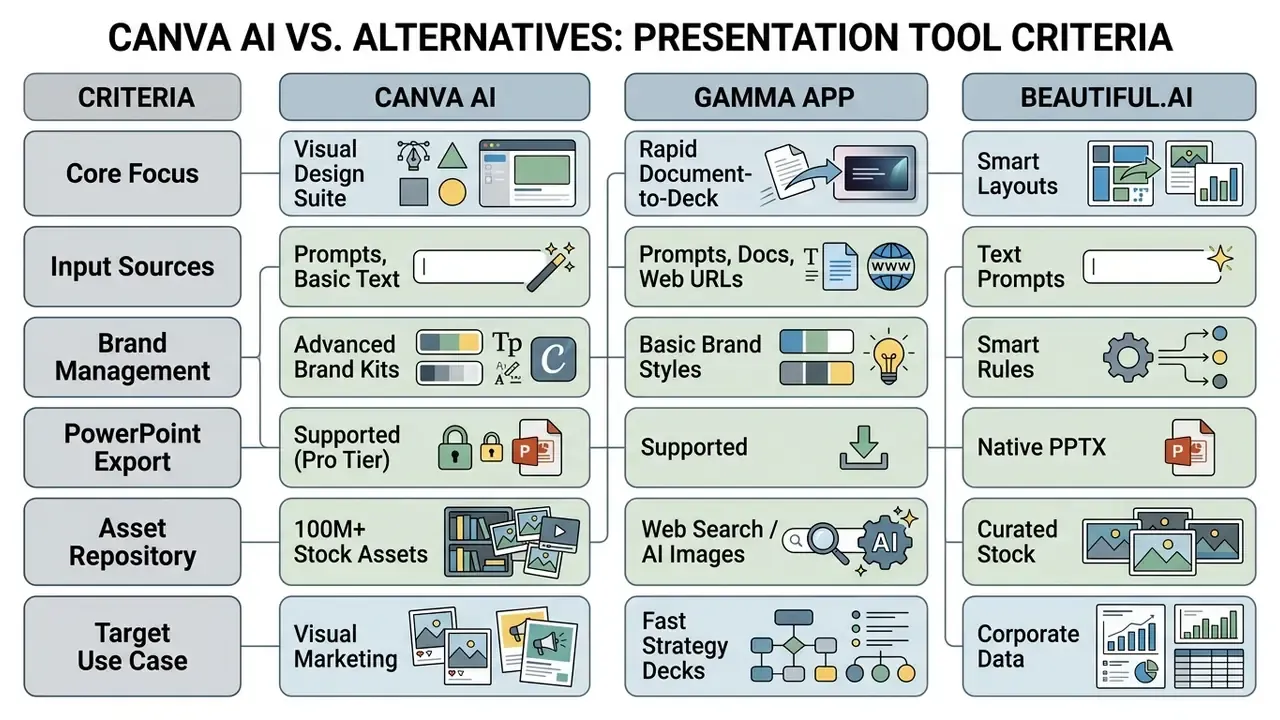
«2Slides generates a 10-slide deck in 22 seconds and Gamma in 45 seconds, while Canva AI takes about 2 minutes 12 seconds but offers richer design control.»
Note: evaluation metrics updated for the 2026 tools landscape. Tome's presentation features were discontinued in April 2025.
Specialised generators such as Gamma prioritise fast text ingestion over deep visual customisation. Document-first and URL-first platforms like Presentations.AI advertise automatic brand syncing from a company URL plus editable .pptx output, which suits teams whose only deliverable is slides. Canva's counter-argument is breadth: one licence covering slides, social assets, print and video under a single locked Brand Kit. For teams needing specialised media creation across parallel domains, review our comparison of the best AI video generators.
Selection criteria, one line each: monthly deck volume against credit caps; the input format you actually own (prompt, document or URL); brand-lock depth demanded by compliance; PPTX fidelity expectations of recipients; and the contractual data-handling position your risk function will sign off. Order those five by weight before you shortlist. Most tool regret we see comes from ranking speed first and contracts last.
FAQ about the Canva AI Presentation Generator
Can I run the Canva AI presentation generator on mobile devices?
Yes. Canva's AI presentation tools work through the mobile app on iOS and Android, including PPTX and PDF downloads with page selection. Editing complex layouts and fiddly text boxes remains far more efficient on desktop. Access to a team-shared AI deck depends on account permissions; you may need to switch teams before the file opens.
Can Canva automatically convert an existing PowerPoint deck using AI?
Canva accepts .PPTX uploads up to 300 MB, or 100 MB for legacy .PPT, into the editor canvas for manual customisation. The Magic Design generator does not re-architect or rewrite imported PowerPoint slides. It creates new decks from prompts, outlines or uploaded documents. Complex objects such as 3D shapes, WordArt and patterned fills may not import cleanly.
How do administrative permissions work for team presentation projects?
Team administrators set centralised role permissions covering who can generate AI assets, access Brand Kits, upload external media or export finished files. Shared links then allow real-time collaborative editing or view-only access, depending on the default you choose.
Does Canva use my prompts to train its AI models?
Canva's AI Product Terms govern how inputs and outputs are handled and confirm that Canva may apply output limits, while team administrators can restrict who uses AI features. The precise model-improvement position, retention period and availability of an administrative opt-out are contractual terms that differ by plan and region. Request the current AI Product Terms and data processing addendum from Canva's enterprise team before submitting confidential or client-identifying content. Until that is confirmed, generate from de-identified placeholders and insert sensitive figures manually.
How do I generate speaker notes automatically?
Open Magic Switch on the finished deck and choose Outline to Speaker Notes. The generated talking points appear in Presenter View. Read them aloud once and trim before delivery.
What should I do if exported PowerPoint text layout shifts?
Check that equivalent local fonts are installed on the presenting machine. Then expand clipped text boxes inside PowerPoint and adjust line spacing to restore the intended layout. Animations and embedded video must be rebuilt natively in PowerPoint.
Is there really a monthly limit of five free AI presentations?
No. Claims of "five free presentations per month" circulating on third-party generator sites do not describe Canva. The documented free allowance is 10 Magic Design generations for the lifetime of the account, counted when a generated template is applied to the editor.
Where can I find additional technical support for Canva presentation errors?
For troubleshooting, bug reporting and billing questions, visit our dedicated AI Media Support and Troubleshooting portal.
Appendix A: superseded fragments (retained for transparency)
Internal Reference Directory and Hub Links
To explore related generative media technologies, licensing standards and specialised AI workflows, consult our primary resource nodes:
- Comprehensive terminology
- the AI Media Glossary for standardised industry definitions.
- Enterprise software evaluation
- our comparison of the best AI image generators to benchmark design tooling.
- Commercial usage and legal standards
- the AI Media Commercial-Use Hub for copyright guidance.
- Platform deep dive
- the full Canva AI Generator overview covering design features, pricing, export options and commercial licensing.
- Pricing benchmarks
- subscription structures compared in our AI Media Pricing Guides.
- Cost modelling
- per-seat and per-deck scenarios in our AI Media Calculators.
- Developer integration
- implementation patterns in our AI Media API Guides.
- Legal developments
- ongoing litigation shaping generative media rights.