OpenArt AI is an integrated generative media platform. It combines multi-model image generation, video creation, fine-tuning, and post-processing tools inside a single browser workspace. Founded in 2022 by former Google engineers Coco Mao and John Qiao, the Redwood City studio offers access to more than 100 fine-tuned models alongside foundational image and video engines.
Why should a compliance or risk lead read a creative-tool review at all? Because tools like this rarely arrive through procurement. They arrive through a marketing intern's personal card.
Executive Summary for Risk, Compliance, and Creative Leads
Who This Review Is For and How to Read It
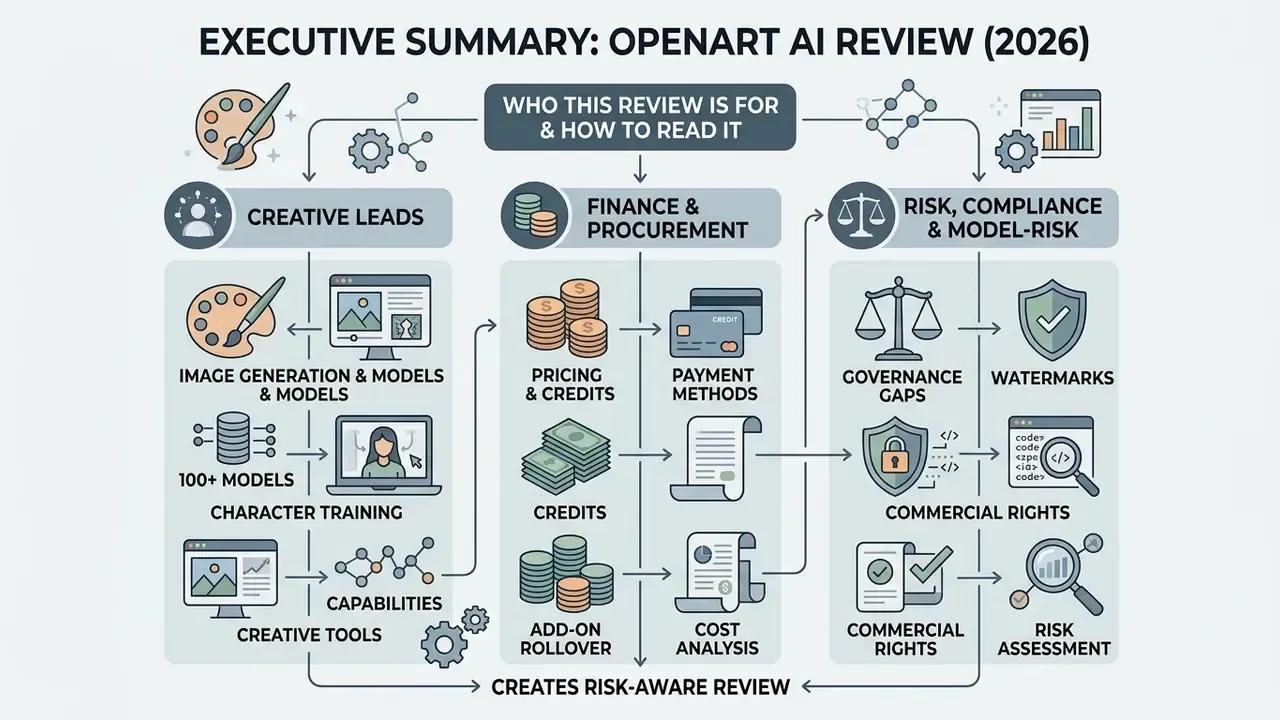
Three readers usually land here, and they need different paragraphs.
- Creative leads want to know whether one subscription can replace four tools. Start with the generation, editing, and video sections, then check the credit mechanics before you model a monthly budget.
- Finance and procurement want the unit economics. Read the pricing table, the add-on rollover examples, and the refund policy verification box. Base credits are use-it-or-lose-it, which quietly changes cost per asset.
- Risk, compliance, and model-risk functions want evidence. Jump to the enterprise assessment, the audit-trail checklist, and the commercial-use notice. The short version: capability is strong, attestation is thin.
One habit worth adopting before any of that. Ask which account generated the asset, on which tier, on which day. That single question resolves most licensing disputes later.
What Is OpenArt AI and What Creative Tasks Does the Platform Solve?
OpenArt AI is an all-in-one open art ai creative platform built for multi-modal content creation, asset editing, and style training. It works as a unified orchestration layer: users switch between foundational generative models without juggling separate API keys or subscriptions.
Since its founding in 2022, OpenArt AI has grown fast inside the generative media industry. After a $5 million seed round in 2023, the platform scaled its compute infrastructure to support more than 100 neural models, reaching an estimated $20 million Annual Recurring Revenue (ARR) by mid-2025, up from roughly $10.5 million at the end of 2024. A subsequent $30 million Series A (January 2026, led by Canaan Partners) brought total disclosed funding to approximately $35 million, with the company publicly claiming around 8 million monthly active users. Disclosed backers include Basis Set Ventures, DCM Ventures, Canaan Partners, Felix Capital, Hat-trick Capital, Calm Ventures, and Decent Capital.
The openart platform attacks a familiar production bottleneck: visual work scattered across half a dozen subscriptions. Creators use the open art ai platform to generate static visuals, convert concepts into animated sequences, and hold character consistency across long-form digital stories. Regarding verified enterprise services from external providers such as Hypeart, no verified information available.
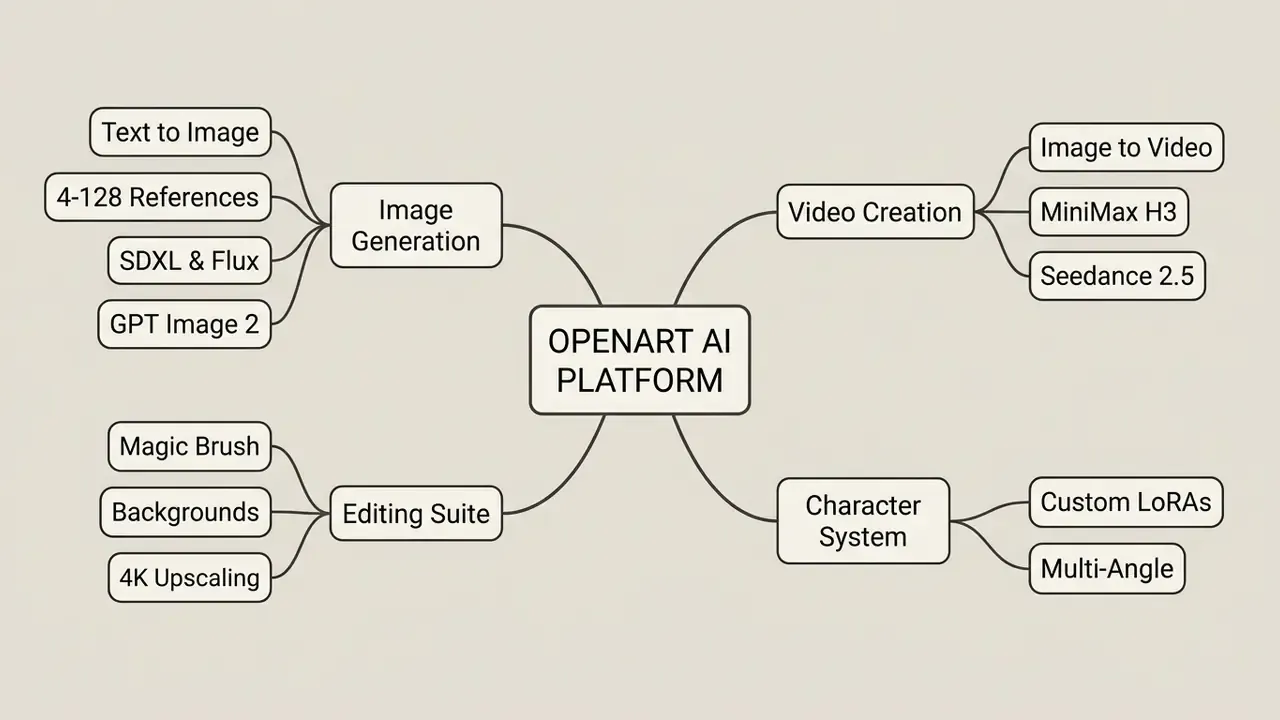
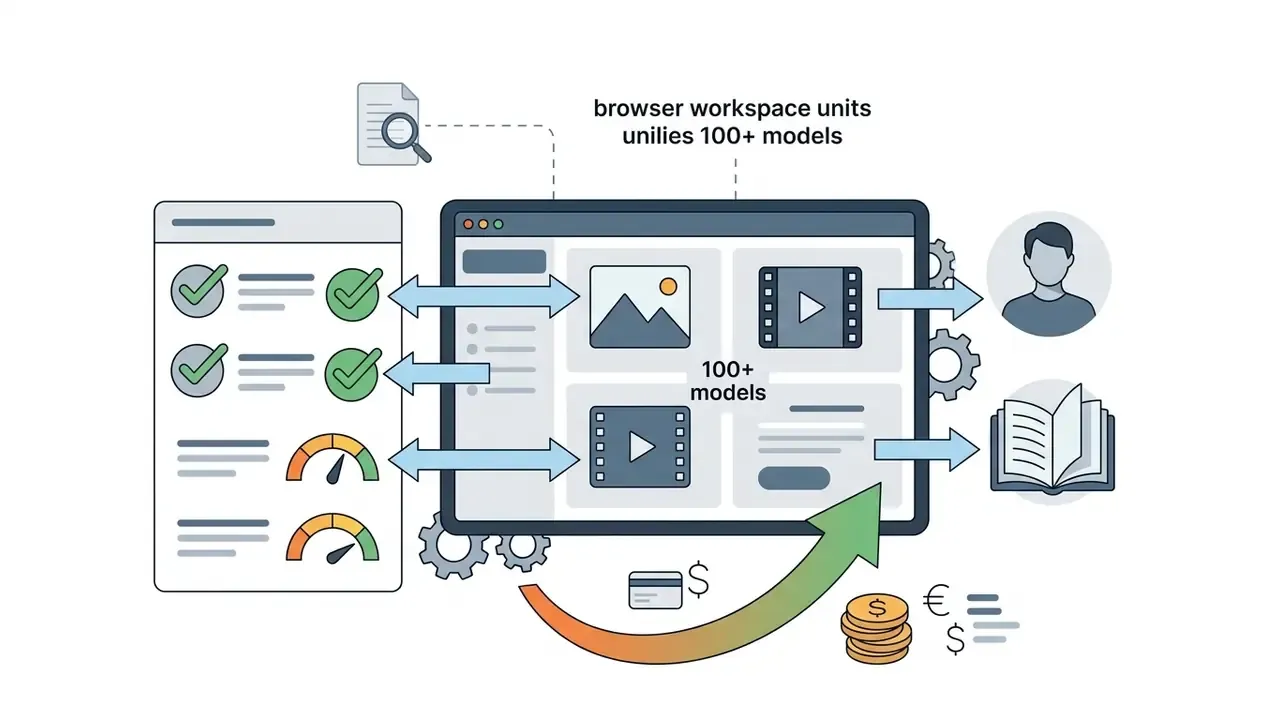
Mind-map overview: the diagram shows OpenArt AI's five operational pillars: multi-model image generation, native video creation, precision editing tools, persistent character creation, and credit-based model management. The image itself should carry alt text built around the phrase «openart ai platform», with every branch duplicated in body text for accessibility. Vendor materials describe custom fine-tuning as fast, and marketing pages have cited roughly ten minutes for a character model. That figure comes from promotional copy and has not been independently benchmarked. Real training duration shifts with dataset size, queue depth, and the selected training mode.
Image and Video Generation in a Single AI Platform
«Even modern detectors struggle to separate AI-generated images from real photographs under adversarial conditions.»
For audio-side production outside the video pipeline, creators often pair generation with a dedicated AI voice generator, and music-driven campaigns sometimes add an ai singing generator for hook lines and jingles.
Who Needs OpenArt: Creators, Designers, and Business Teams
The platform targets five user profiles: digital content creators, concept illustrators, digital marketers, SMM managers, and brand designers. Content creators lean on the ai image generator capabilities to produce social thumbnails, cover art, and promotional graphics at volume.
Illustrators use custom model training to turn rough sketches into high-fidelity variations, build mood boards, and test character silhouettes before locking a final design. Comparable pipelines are catalogued in our overview of AI art generators. Marketers and SMM teams rely on automated aspect-ratio scaling and style presets to keep campaign velocity across ad channels, email banners, and seasonal hero images. Copy work usually happens beside the visuals, which is why a lot of teams keep an ai slogan generator open in a second tab.
Business teams adopting these workflows should also weigh the upstream ethics question, because it shapes procurement and disclosure policy:
«Most surveyed artists want disclosure when their work is used to train generative models.»
In a recent asset migration, a digital marketing agency replaced four single-purpose tools with a unified generative canvas. The team configured custom LoRA models for brand assets, generated 200 campaign variations, and reported roughly a 60% reduction in asset turnaround time. Note on evidence quality: that number is a single self-reported client estimate, with no published methodology, no control baseline, and no third-party audit. Read it as directional, not as a benchmark. Independent, verifiable productivity data for OpenArt-specific workflows is not currently available.
Legal and Data-Protection Snapshot (Quick Read Before You Buy)
| Question a reviewer will ask | Short answer | Detail |
|---|---|---|
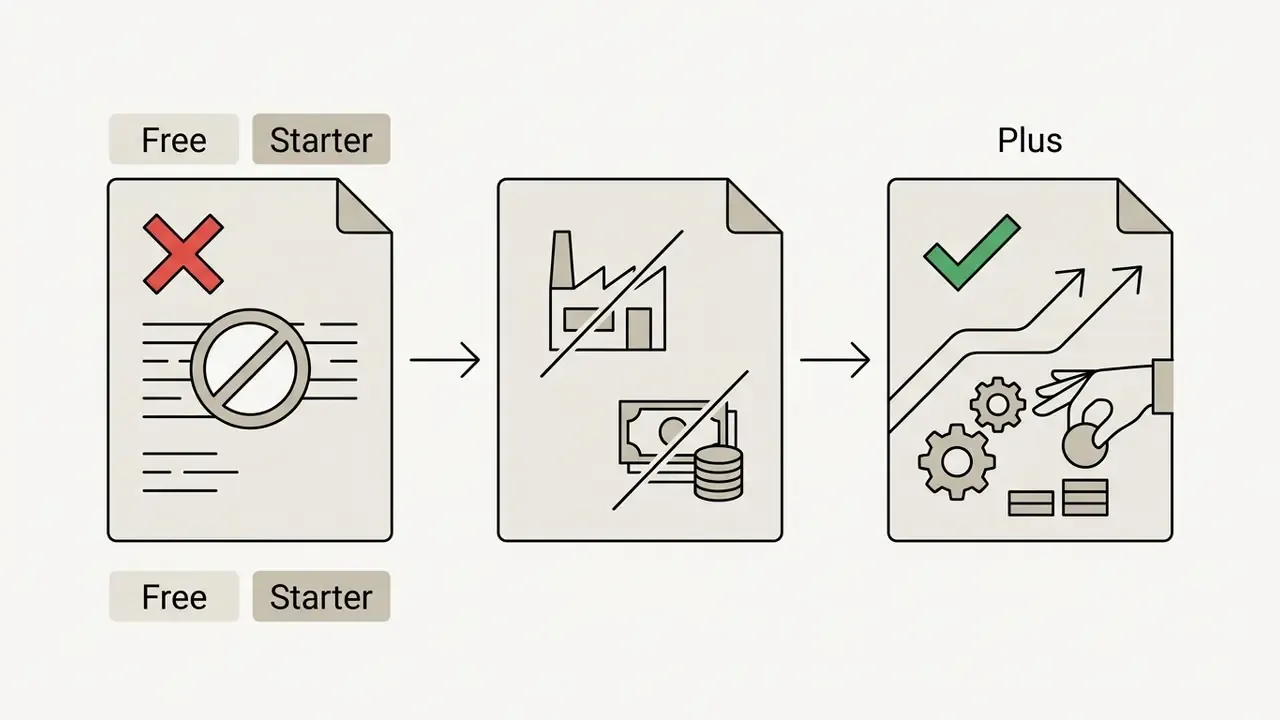
| Can we use output in paid advertising? | Only on Plus tier or higher | See section [19] |
| Does OpenArt own our outputs? | No ownership claim by platform | See section [19] |
| Is generated work copyrightable? | Not automatically, human authorship required | U.S. Copyright Office, 2025 |
| Are uploads used to train public models? | Vendor states no | See section [20] |
| Where is data stored? | Google Cloud Storage | See section [20] |
| SOC 2 / ISO 27001 / SSO / audit logs? | No verified information available | See Enterprise section |
| IP indemnification for infringement claims? | Not documented in public terms | See Enterprise section |
Getting Started: OpenArt Sign In, Website, and Device Access
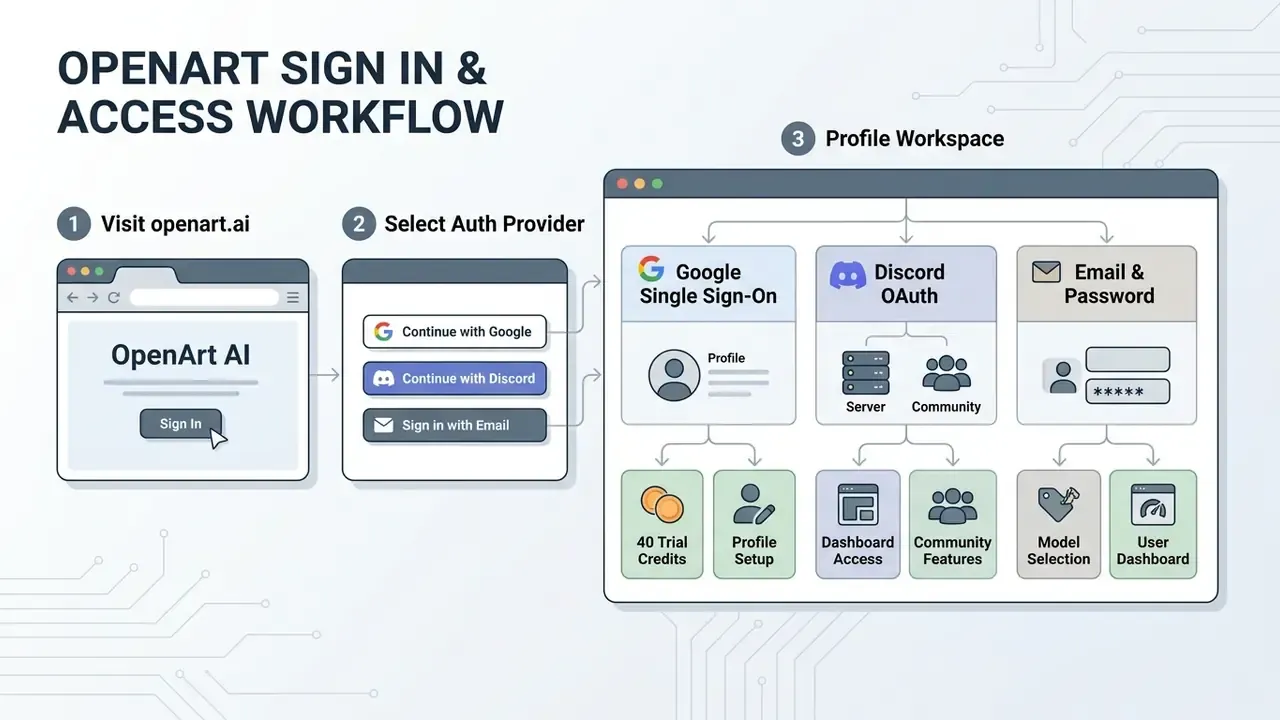
Access begins with a centralized user profile on the official openart ai website. The web platform runs in modern desktop and mobile browsers, with no local installation.
Account Registration and Sign In Procedures
Users complete the openart sign in process by choosing OAuth single sign-on (Google, Discord, or Twitter) or standard email authentication. New accounts receive a non-recurring allocation of trial credits to evaluate premium generative engines.
Authentication sessions persist across browser restarts, keeping access to saved creative albums and custom-trained model checkpoints. A note for IT reviewers, and it matters more than it sounds: consumer OAuth is not enterprise SAML or SCIM single sign-on. There is no verified information indicating identity-provider-enforced provisioning, de-provisioning, or conditional access. Off-boarding therefore depends on someone remembering to delete an account. Detailed operational security definitions for media platforms are indexed in our main AI Media Glossary.
Does OpenArt AI Have a Mobile App for iOS and Android?
Search does openart ai have an app or is openart ai free on mobile marketplaces and you hit conflicting listings. OpenArt's desktop Help Center notes that a dedicated native mobile platform remains unreleased, and points users to mobile browser optimization via Chrome or Safari.
Yet verified entries exist on the Apple App Store ("AI Art Generator - OpenArt", built for iPhone and iPad, iOS 15.0+, free download with in-app purchases) and on Google Play ("OpenArt: AI Art Generator"), offering mobile interfaces with AI filters, sketch-to-image conversion, portrait generation, an ai smile filter style retouch, and sticker creation. Anyone hunting an openart ai app download or the openart ai mobile app should verify publisher credentials before installing, because third-party wrappers may route uploads through unknown infrastructure. On a corporate device fleet, that is a material risk, not a nitpick. Teams that want zero-friction alternatives can compare options in our review of free AI art generators.
How to Generate Images in OpenArt AI
The openart ai generator runs on a dual-panel interface: prompt input controls on the left, a dynamic rendering gallery on the right. Parameters are set before model execution begins.
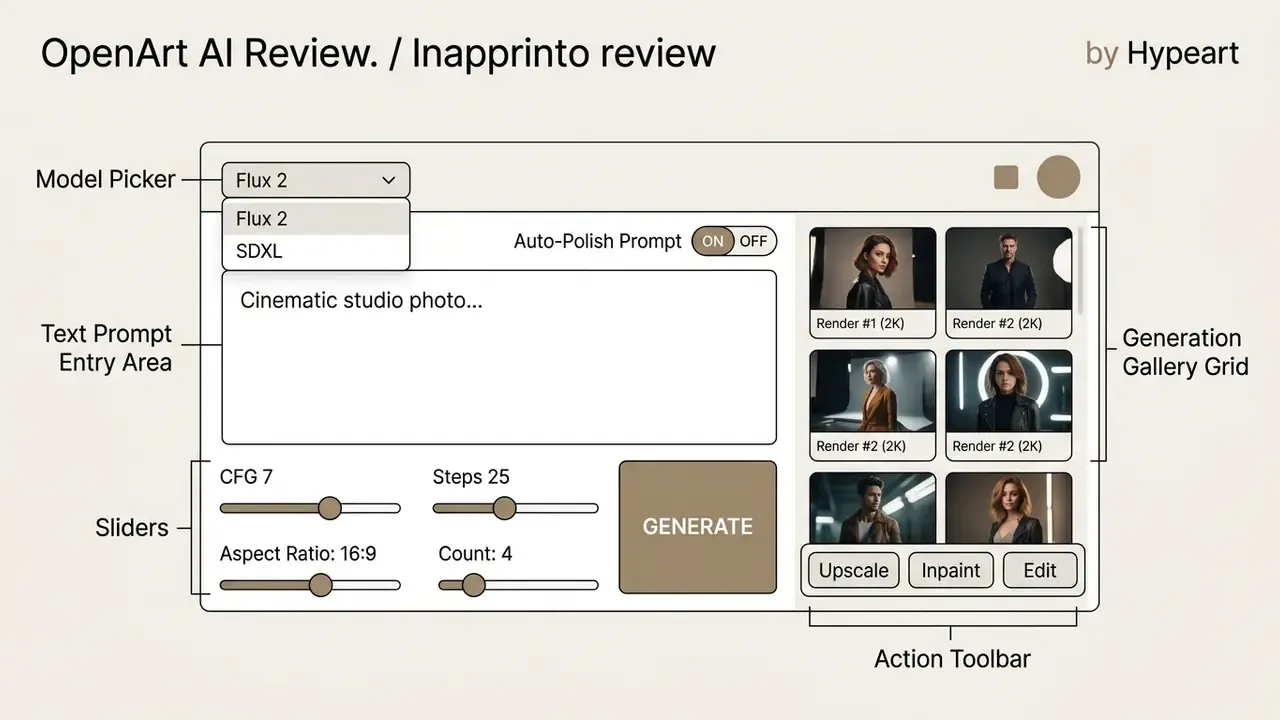
UI architecture: the layout puts the model selector drop-down above the text encoder panel, flanked by CFG and step sliders, with the output preview gallery alongside. Generation continues in the background, so the browser tab does not need focus. The published screenshot should use alt text around the phrase «openart ai image generator», with each labelled zone repeated in text.
Text to Image: Prompting Mechanics and Syntax
The openart ai art generator converts natural language into multi-layer visual features through custom text encoders. Effective prompts carry four structural elements: subject details, environmental setting, lighting behaviour, and rendering style.
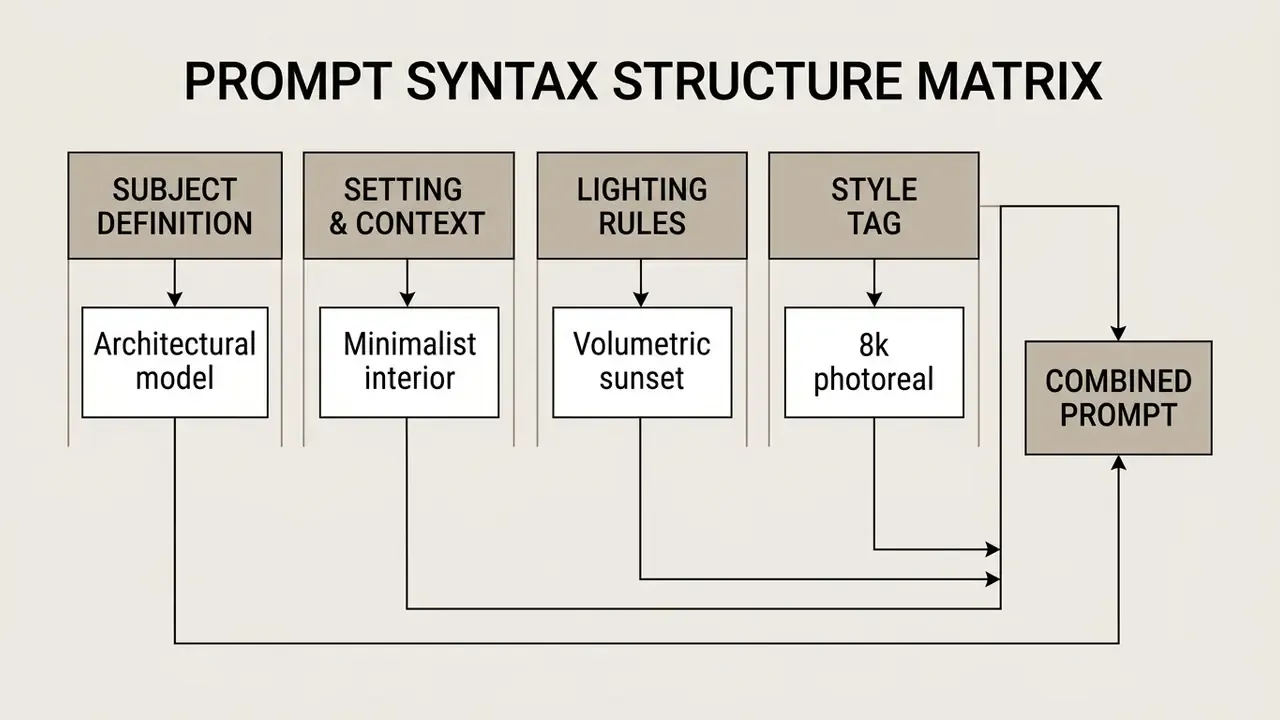
"Auto-Polish Prompt" expands concise descriptions into longer, model-optimized inputs. Convenient, yes. It also shifts what "authorship" means:
«Artists working with generative systems increasingly move from direct making toward curating and orchestrating AI processes.»
That curator role carries a practical governance consequence. If the model rewrites the prompt, the human contribution documented for copyright purposes is the selection, editing, and arrangement work, not the original one-line idea. Log the executed prompt, not just the typed one.
Negative prompts restrict unwanted artifacts, such as anatomical distortions or stray background elements (deformed hands, missing digits, extra limbs, text artifacts). For campaign-level copy and caption production, creators often plug in an AI social media post generator alongside the visual pipeline.
Selecting AI Models and Managing Visual Styles
The openart image generator exposes dozens of base diffusion models, including Flux, Stable Diffusion XL, and community checkpoints such as Juggernaut XL, plus newer engines like GPT Image 2, Nano Banana Pro, Seedream 5.0, and Grok Imagine Image 2.0. Filters narrow the list by output capability: photorealism, vector illustration, reference-image support, or 4K resolution.
Default parameters set Classifier Free Guidance (CFG) at 7.0 and inference steps at 25, balancing speed against prompt alignment. Adjusting the random Seed lets creators reproduce a precise composition across prompt iterations. That property doubles as an audit mechanism, since seed plus prompt plus model version is the minimum reproducibility record for any internal review. LoRA stacking is supported, so a style LoRA, a subject LoRA, and a lighting or mood LoRA can be combined with independent weights.
Consistent Characters and Custom Model Training
The openart ai art generator openart workflow includes controls that hold character identity steady across generations. Creators upload between 4 and 128 multi-angle reference photos to train custom LoRA models inside the studio. Three entry paths exist: build a character from a text description, start from a single image, or start from four or more images.
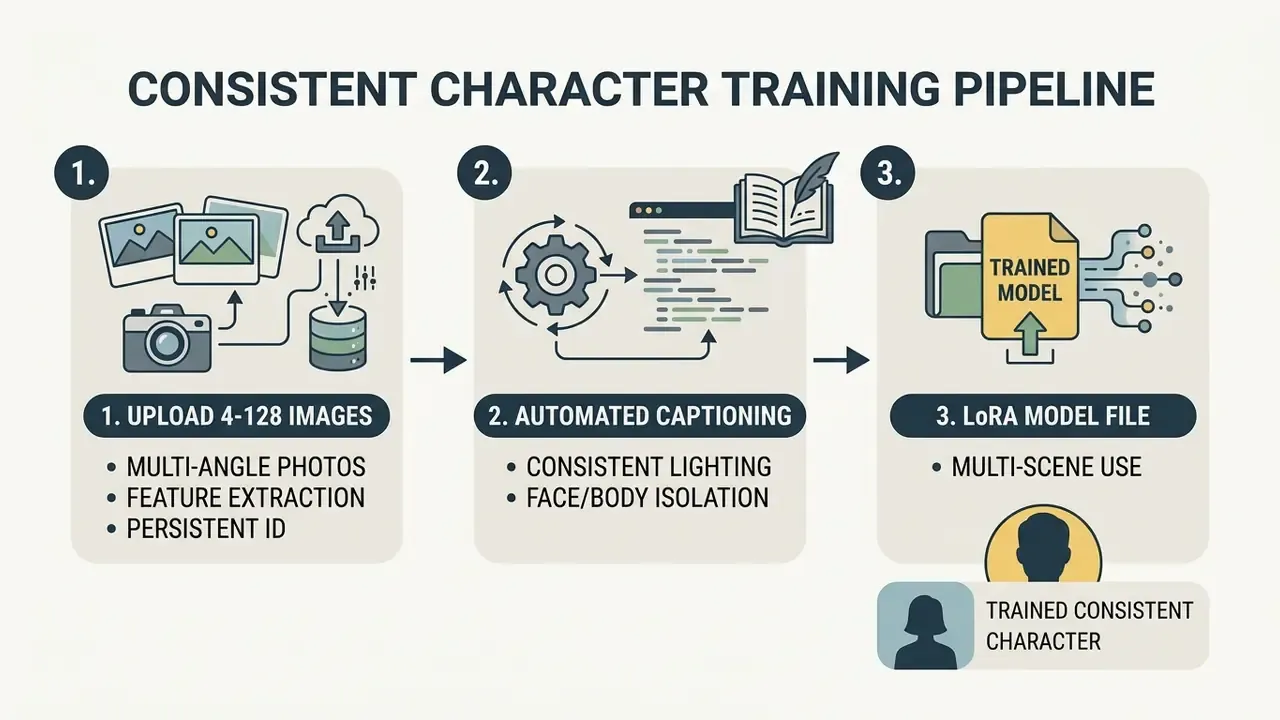
Once trained, character checkpoints stay in the user's private library, ready for reuse across static images and animated sequences. Illustrators working sketch-first can compare alternatives in our guide to AI image expansion and outpainting tools or start from an ai sketch generator when no reference art exists yet.
Technical Distinction: Character Training vs. Style Model Training
OpenArt splits custom fine-tuning into two pipelines. Confusing them is the most common way to waste training credits.
- Character Training (LoRA)tuned to a single subject. It accepts 4 to 128 reference photographs to lock facial features, body geometry, and expression range across varying angles, lighting, and backgrounds. It also unlocks character-specific extras: consistent expressions, poses, and variations that stay faithful to the reference set.
- Model Training (Style / Aesthetic)broader, aimed at general artistic style, theme, or visual pattern rather than one identity. It runs across four available fine-tuning modes, steering overall lighting, line work, palette, and texture without binding outputs to a single face. It is the more basic of the two and provides no character-level customization.
Practical rule: Character Training for recurring mascots, brand personas, and narrative protagonists. Model Training for house style, product-photography look, or campaign art direction. For portrait-specific business needs, compare specialized engines in our guide to AI headshot generators.
OpenArt Editing Tools for Images and Video
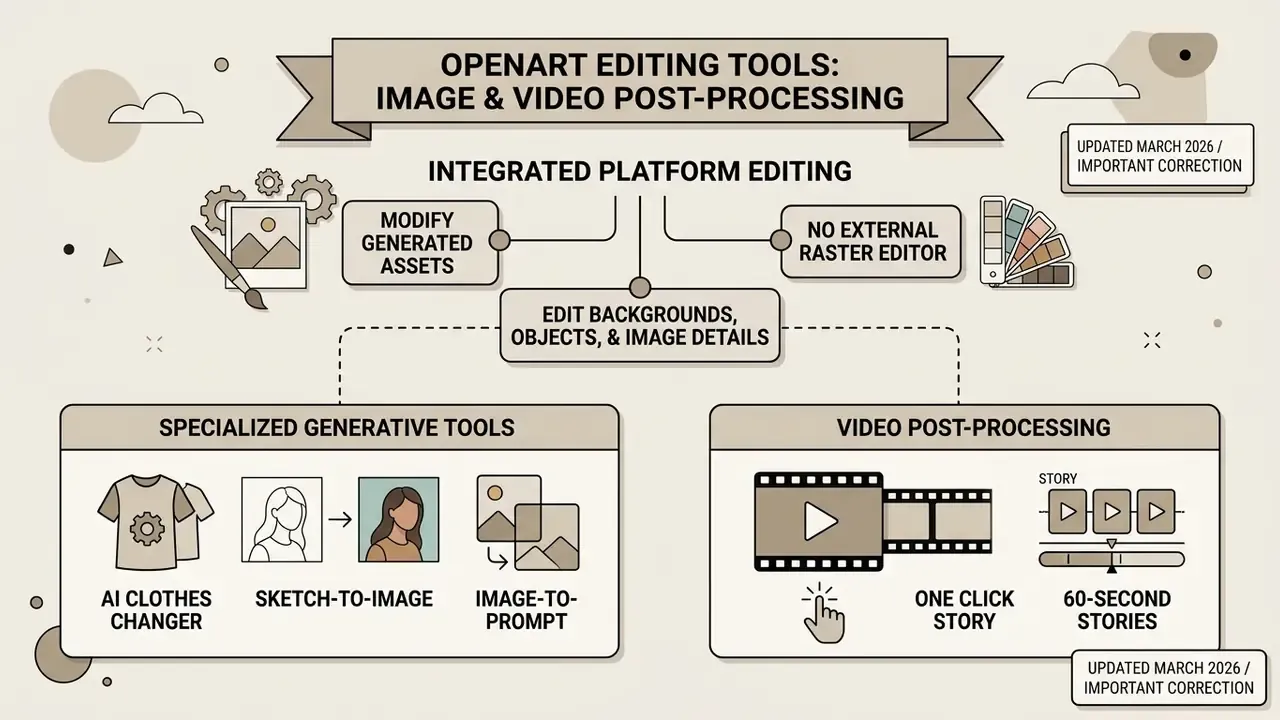
Post-processing inside the openart ai image generation platform lets creators modify generated assets without opening an external raster editor.
Editing Backgrounds, Objects, and Image Details
The canvas carries precision editing tools for local modification. Editing images with the Magic Brush means painting a selective mask over a target region, then instructing the model through text commands.
Magic Remover erases unwanted artifacts: paint over the object, click remove, and the model fills the area with contextual background texture. Find & Replace handles global changes, since the user simply types what to find and what to substitute, swapping object categories such as clothing or vehicles across the whole canvas while lighting integrity survives. Remove Background isolates subjects with transparency, Change Background substitutes an entirely new AI-generated scene, and Image Upscale offers several modes including Precise Upscale and Creative Upscale up to 4K. For standalone background separation workflows, see our analysis of free photo editors and the broader online photo editor landscape.
Specialized Generative Tools: Clothes Changer, Sketch Conversion, and 60-Second Stories
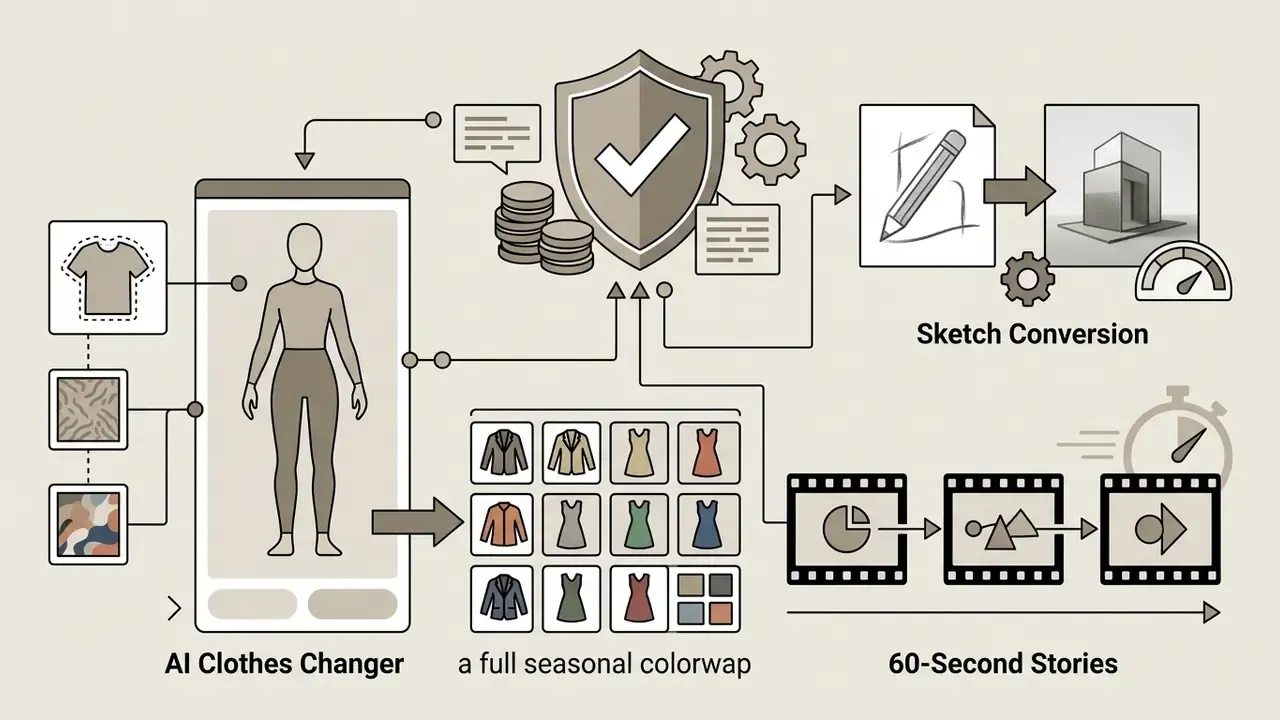
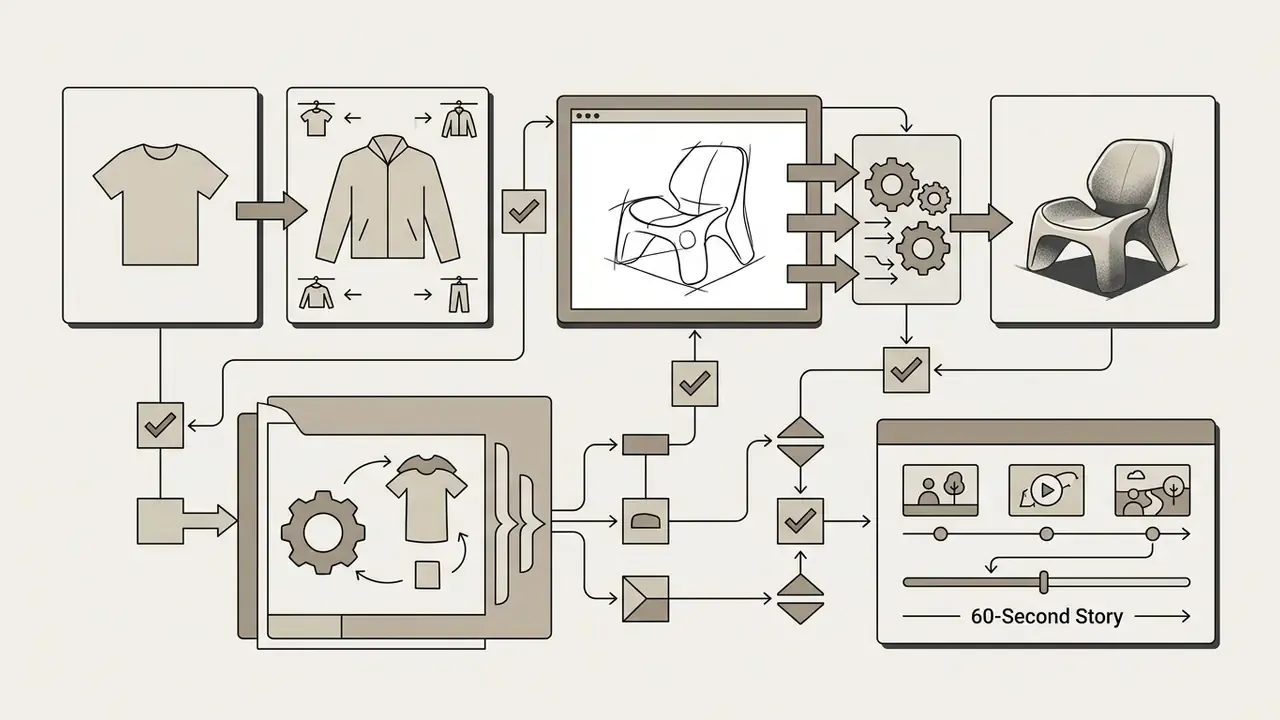
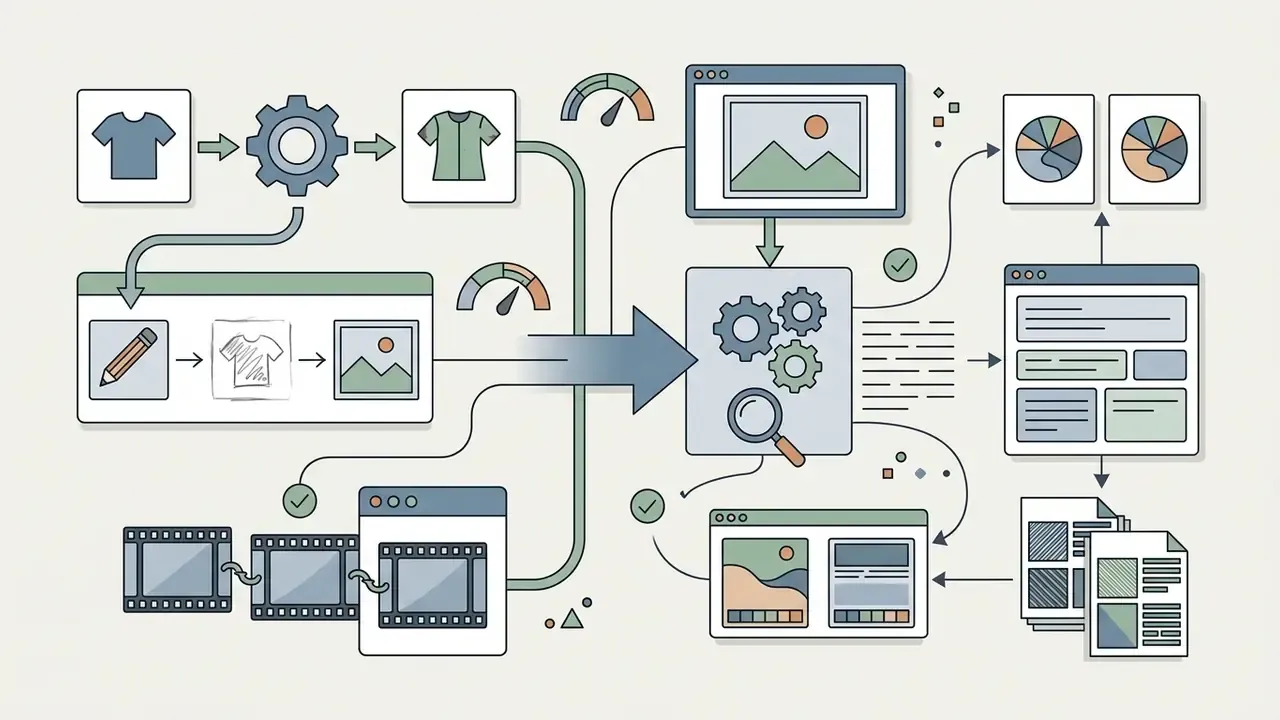
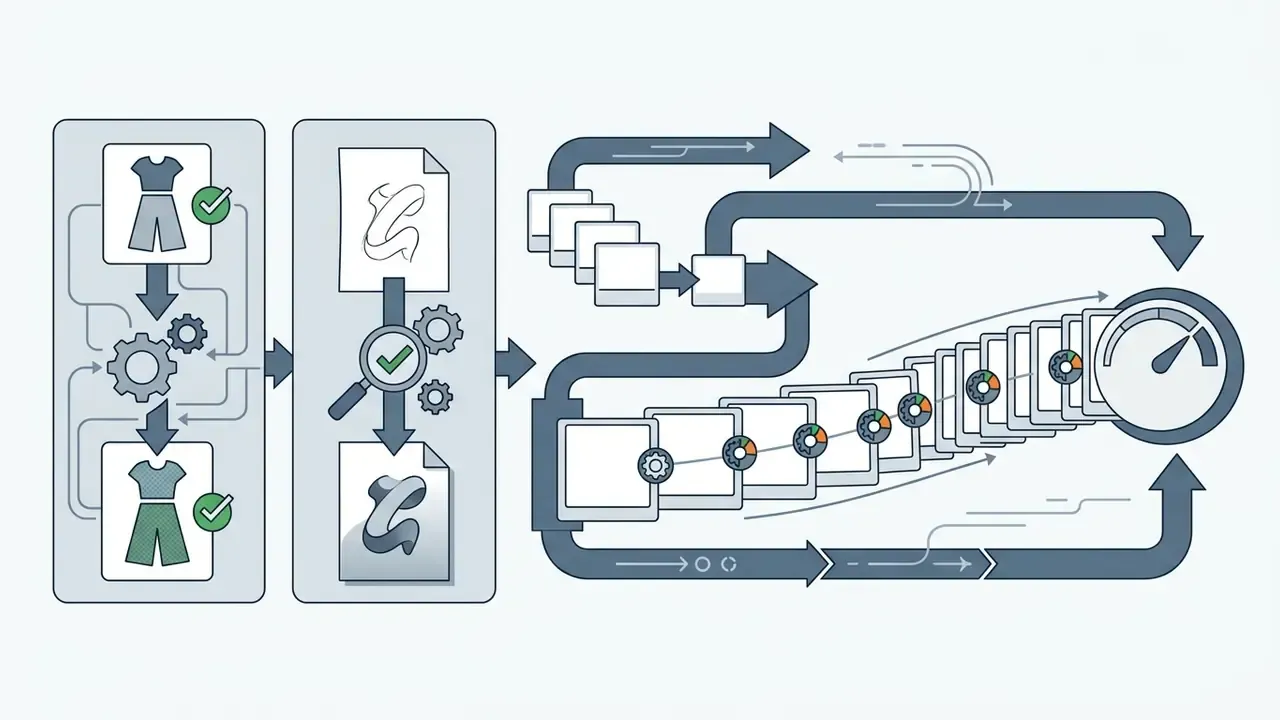
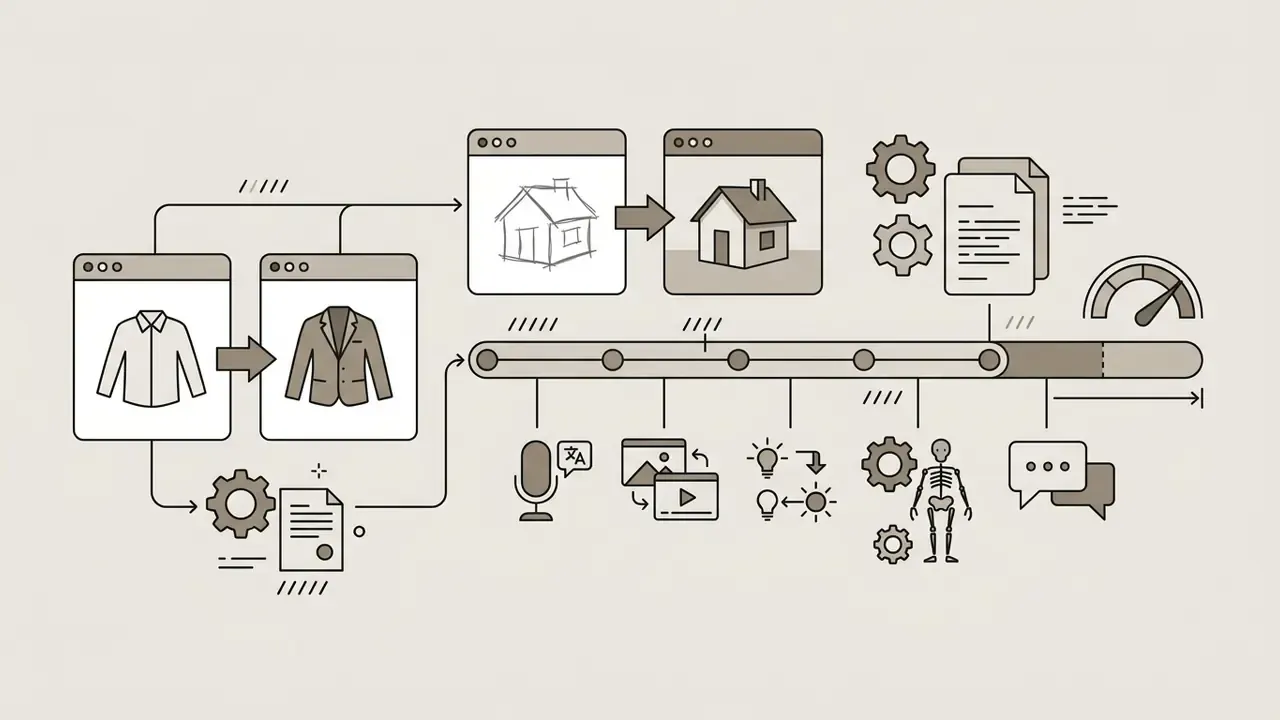
Image-to-Video Pipelines and NLE Integration Limits
OpenArt AI Free vs Subscription: Pricing, Plans, and Credits
Answering whether is open art ai free or is openart free requires understanding the platform's dual credit distribution architecture. New users get a trial allocation. Sustained production runs on monthly subscription tiers.
| Plan Tier | Monthly Price (USD) | Annual Equivalent | Monthly Credits | Video Capacity (Est.) | Parallel Renders | Commercial License |
|---|---|---|---|---|---|---|
| Free Trial | $0 | n/a | 40 (one-time, 7 days) | ~0-1 Clips | 2 Concurrent | Non-Commercial Only |
| Starter | $14 / mo | ~$13 / mo | 4,000 | ~50 Standard Clips | 8 Concurrent | Non-Commercial Only |
| Plus | $34 / mo | ~$27 / mo | 12,000 | ~150 Standard Clips | 16 Concurrent | Included (Full Rights) |
| Pro | $56 / mo | ~$44 / mo | 24,000 | ~300 Standard Clips | 24 Concurrent | Included (Full Rights) |
| Wonder | $240 / mo | ~$175 / mo | 106,000 | ~1,300 Standard Clips | 32 Concurrent | Included (Full Rights) |
| Team | $35 / seat / mo | ~$17.50 / seat | 12,000 / seat | Shared pool | Shared | Included (Full Rights) |
Data verified against official OpenArt Pricing documentation as of March 2026. Rates subject to plan updates.
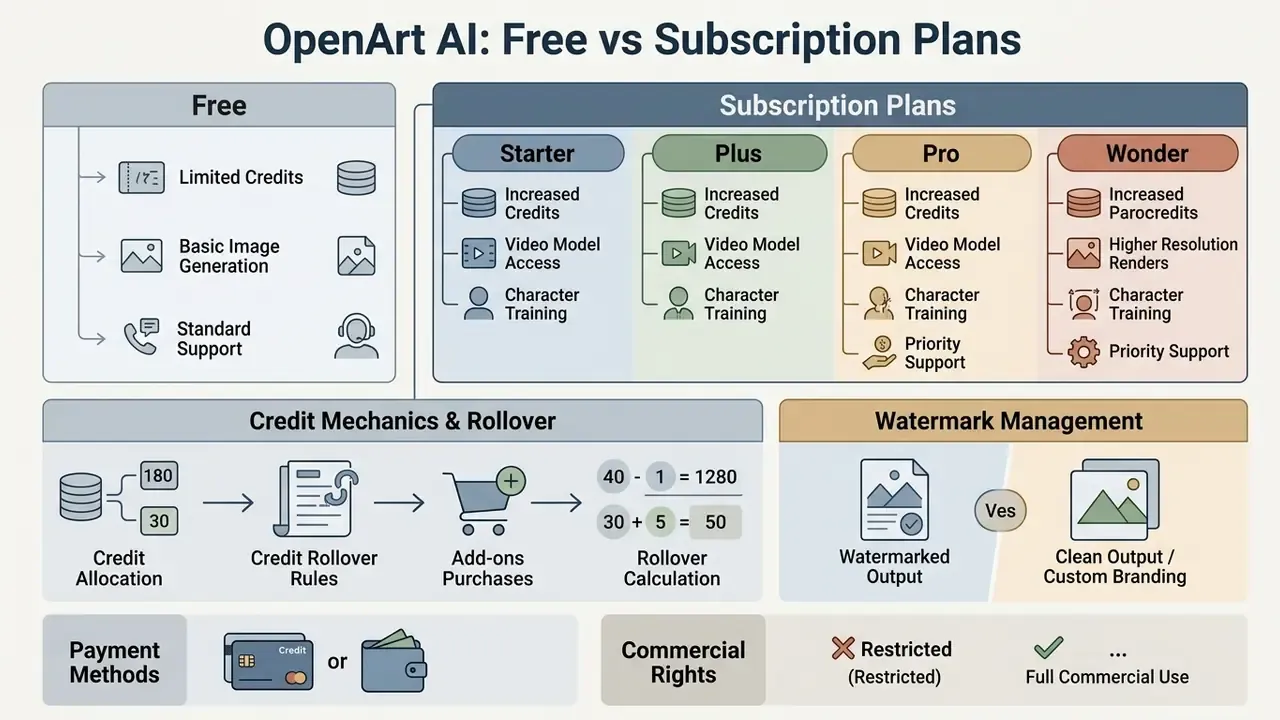
«4,000 Starter credits equal roughly 4,000 images or about 50 videos; Wonder's 106,000 credits equal roughly 1,300 videos per month.»
The Team plan differs structurally from buying several individual seats. It provides centralized billing plus shared assets and models, whereas several basic-plan seats stay independent accounts that cannot share content or collaborate. That distinction matters for cost modelling and for asset governance alike.
What Is Available in the OpenArt Free Tier?
OpenArt Subscription Plans: Starter, Plus, Pro, and Wonder
Paid tiers scale on compute, parallel processing capacity, and commercial rights. The Starter plan ($14/month) suits individual hobbyists but explicitly excludes commercial licensing.
Plus ($34/month), Pro ($56/month), and Wonder ($240/month) unlock full commercial usage rights, priority queue generation, and access to high-end engines such as Director and OpenArt MCP. Wonder additionally advertises 32 parallel generations, watermark-free output, and unrestricted creation volume. Pricing pages also give character-capacity guidance: roughly 13 consistent characters on the 4,000-credit tier and around 40 on the 12,000-credit tier. Teams modelling recurring spend can use our AI Media Calculators.
Credit Mechanics, Add-ons, and Rollover Rules
Credits are the platform's internal currency. Standard image generations consume about 1 credit, premium engines 5 to 10, and standard video renders 80 to 100 depending on resolution. Upscaling and model training carry their own tariffs, and the interface displays the exact cost before each action. Per-model figures beyond the official interface come from third-party 2026 reviews, since OpenArt publishes no complete public rate card.
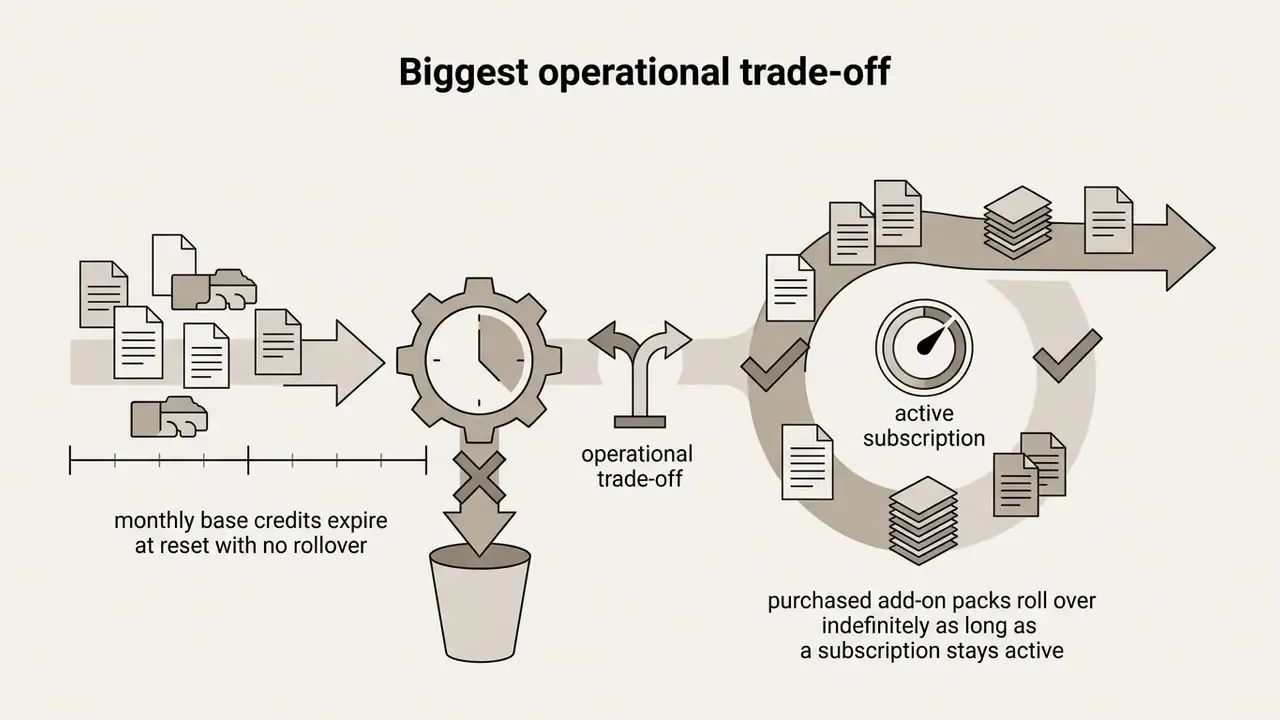
Monthly subscription credits expire at the end of each billing cycle. They do not roll over. Purchased add-on credit packs behave differently: they stay active alongside an active subscription and roll over continuously until consumed. To compare these tiers against industry benchmarks, consult our AI Media Pricing Guides.
Payment Methods and Add-on Credit Rollover Mechanics
Subscriptions and credit packs are billed in USD, with no country-specific pricing. Most debit and credit cards work, plus Amazon Pay, Link, and Cash App. PayPal is not supported. Extra credits cannot be bought standalone, since add-ons require an active subscription, and cancelling the base plan cancels attached add-ons. Add-ons can be increased, decreased, or cancelled for future billing cycles.
Base monthly credits reset each cycle and vanish if unused, while purchased add-on credit packs roll over for as long as the subscription stays active.
- Rollover calculation example (official mechanic): a subscriber on a 24,000-credit plan who buys 15 add-on packs (75,000 extra credits) holds 99,000 credits for the month. After consuming 10,000 credits, 89,000 remain. At the next reset, the 24,000 base credits refresh and the unused 65,000 add-on credits carry forward, restoring an 89,000-credit balance.
- Plus-tier variant: on a 12,000-credit plan with a 15,000-credit add-on pack, the balance is 27,000. Spend 10,000 during the month and the remaining base credits expire at reset, while the untouched add-on portion carries into the new cycle.
- Budget implication: buy add-ons for burst projects, not as a hedge against low base usage. Base credits are use-it-or-lose-it.
Watermark Management on Rendered Assets
Free-tier renders carry a platform watermark by default. Users remove the overlay at download time: click Download, then switch the available toggle to disable the watermark before saving the file. The toggle must be set prior to export, because re-downloading a saved asset will not retroactively strip the mark. Platform terms also prohibit removing or altering watermarks by other means, unless the output came from a paid plan that excludes them or written permission exists.
Fact Check & Policy Verification:
Enterprise Security, Compliance, and Governance Assessment
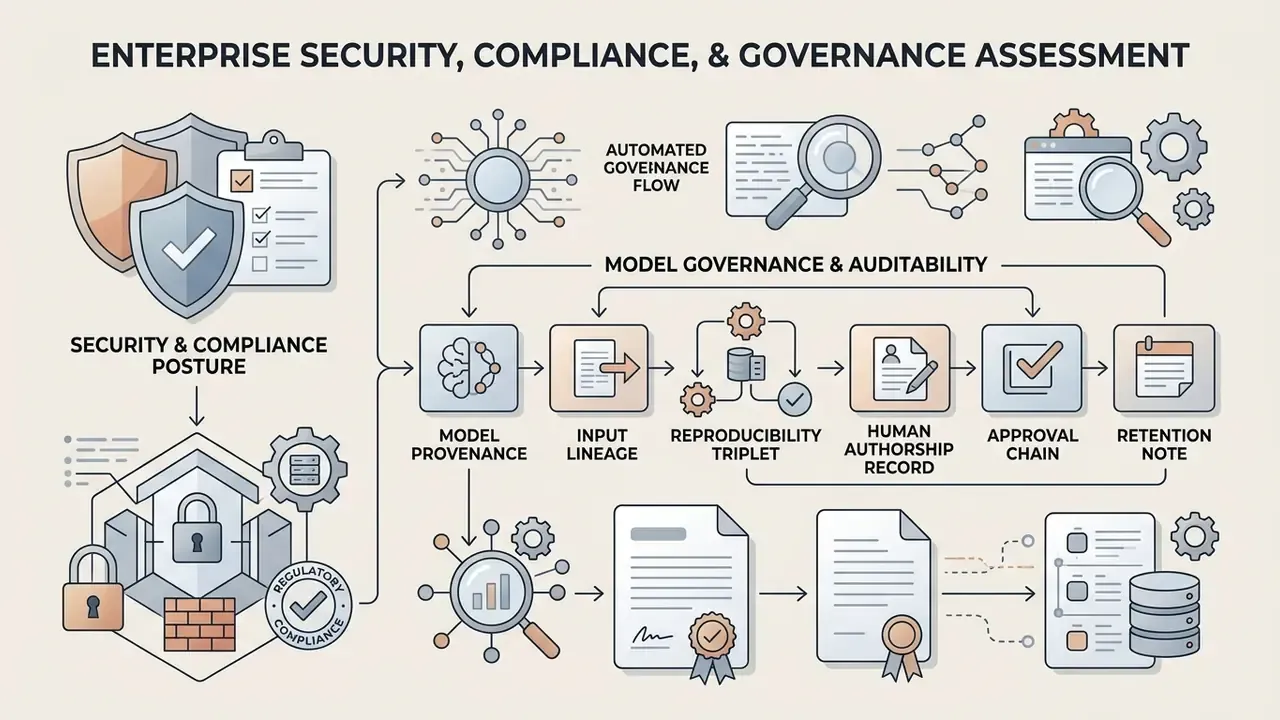
This section exists because creative-tool reviews rarely answer the questions a second-line risk function actually asks. Findings below reflect publicly available documentation as of March 2026.
Security and Compliance Posture
| Control area | Public evidence status | Interpretation for risk teams |
|---|---|---|
| SOC 2 Type II attestation | No verified information available | Cannot be assumed; request the report under NDA before approval |
| ISO/IEC 27001 certification | No verified information available | Treat as an unattested vendor |
| SAML/OIDC enterprise SSO, SCIM provisioning | No verified information available (consumer OAuth only) | Off-boarding relies on manual account deletion |
| Role-based access control (RBAC), admin console | Team plan offers centralized billing and shared assets; granular RBAC not documented | Limited segregation of duties |
| Audit logs / immutable action history | No verified information available | Evidence must be reconstructed manually from generation history |
| Zero data retention option / API-level DPA | No public API; automated access prohibited by terms | No programmatic integration path for controlled environments |
| Encryption at rest / in transit | Assets stored on Google Cloud Storage; key-management detail not published | Inherited cloud controls, vendor-level detail unverified |
| IP indemnification for infringement claims | Not present in public terms | Contrast with enterprise design suites that offer indemnity |
| Data residency selection | No verified information available | Assume US-centric processing |
| NSFW / content moderation | Restricted and flagged by platform filters | Moderation strictness reported as inconsistent by users |
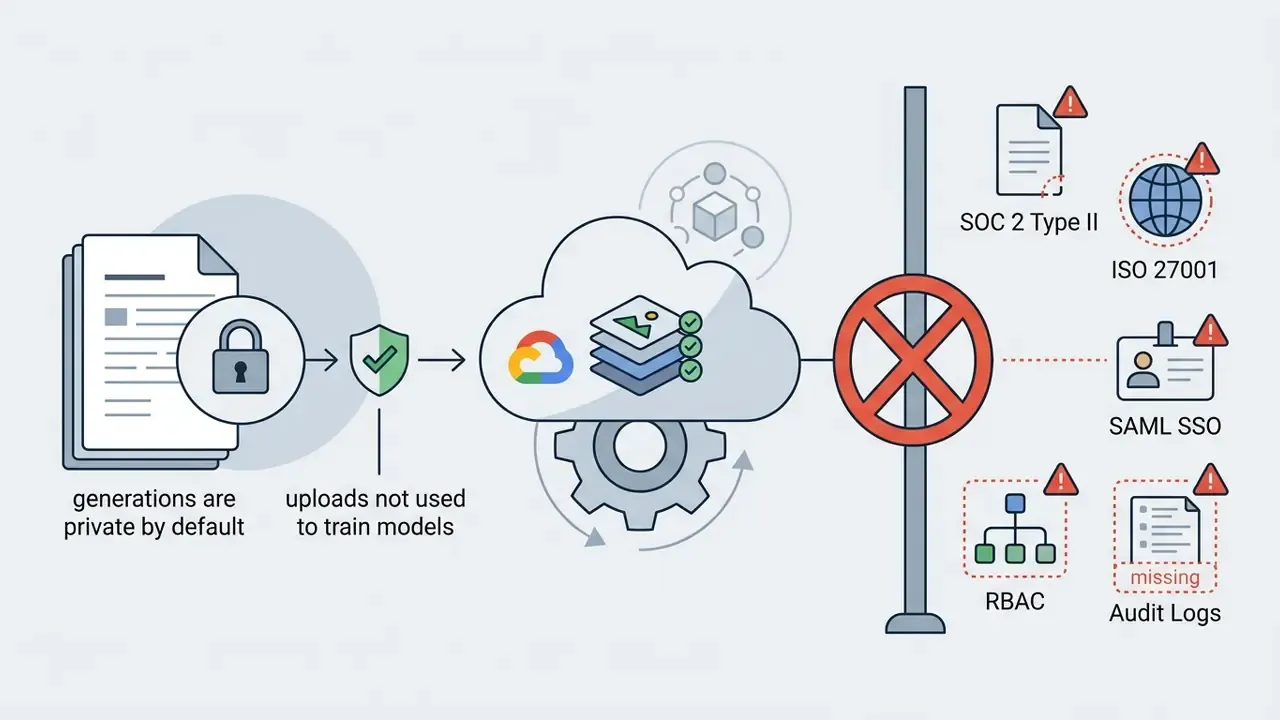
Vendor-stated data handling that is documented: generations are private by default regardless of subscription status; uploaded images and created content are not used to train OpenArt's models; account deletion (Settings → Manage Account → Delete My Account & Data) permanently erases account data, generated images, and trained models, with no recovery path.
Model Governance and Auditability: Building an Evidence Trail
Shadow AI Assessment Checklist for Marketing and Design Teams
Run this before assuming OpenArt is "just a design tool":
Checklist0 / 8
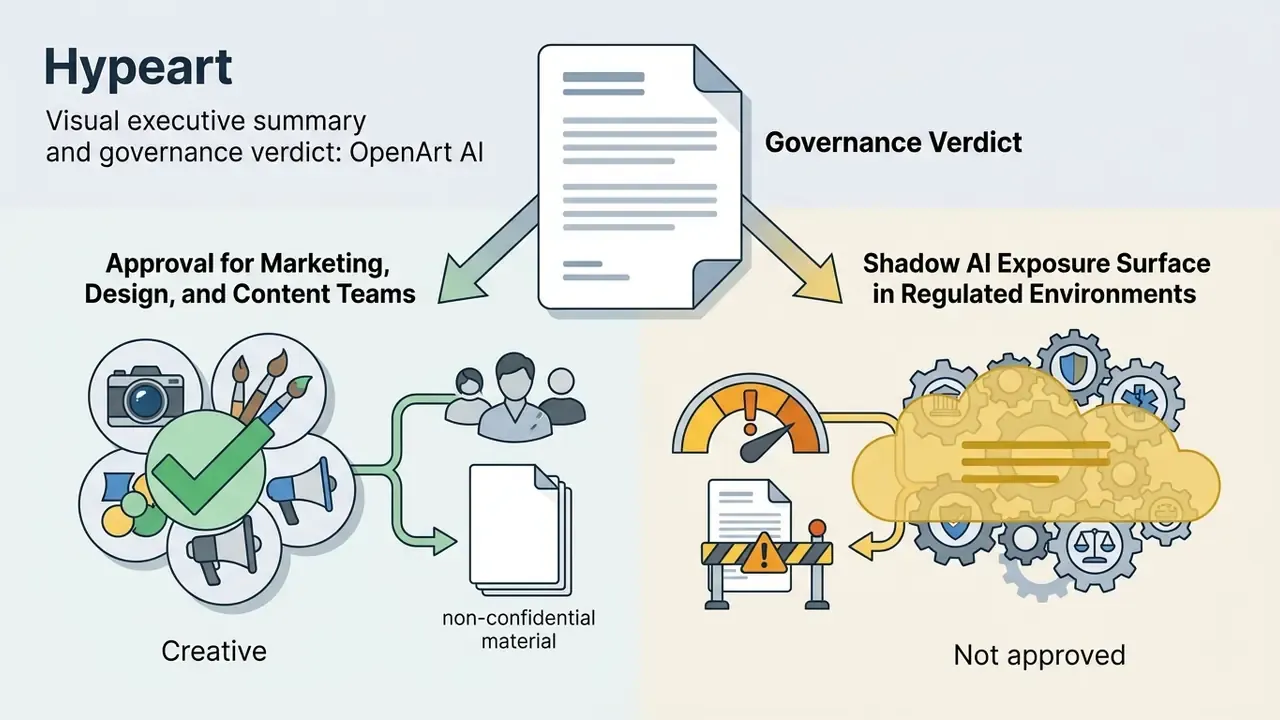
Model Risk Management verdict: on current public evidence, OpenArt AI does not meet the vendor-attestation, access-control, and auditability thresholds typically required by bank or insurer MRM frameworks. Its best fit is an approved tool for non-confidential, non-regulated creative production under a corporate account with documented workflow controls, or a monitored exception with a review date. Enterprises requiring contractual indemnity and native identity integration should benchmark against design-suite alternatives. See our comparison of Canva AI generation, Microsoft's image generation stack, and Google's AI image generator terms.
Can OpenArt AI Images Be Used for Commercial Projects?
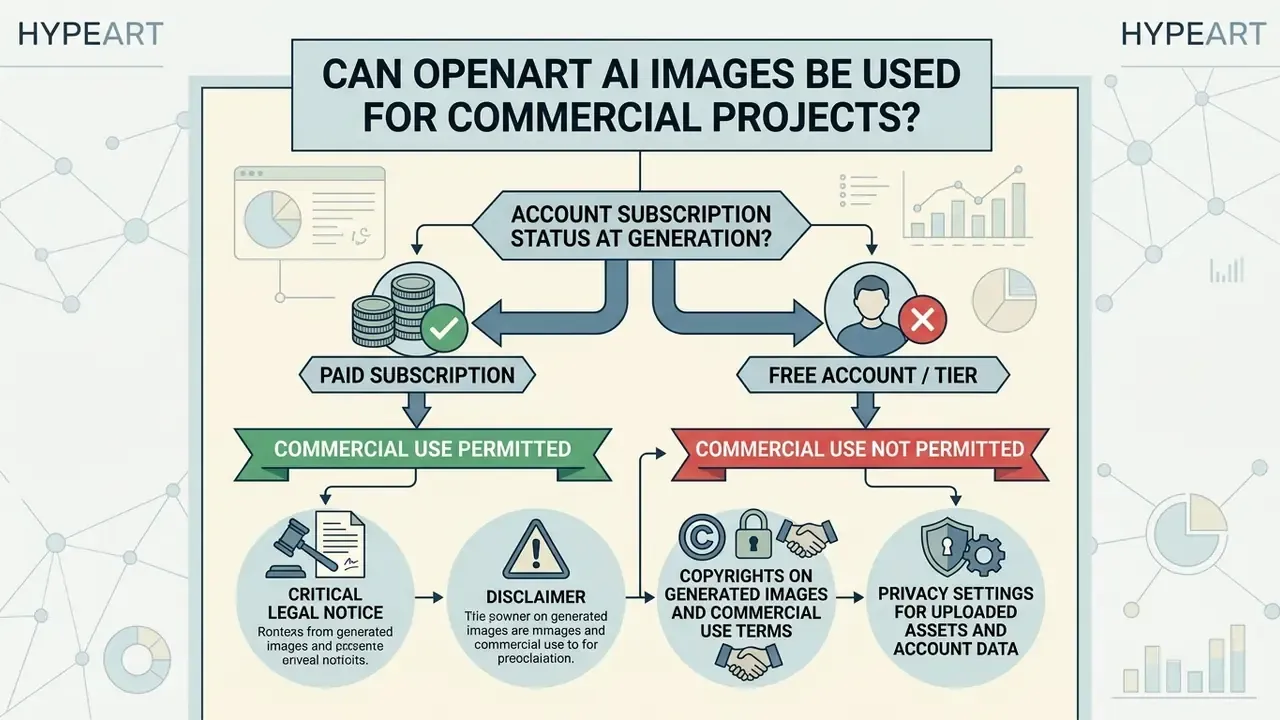
Commercial viability depends strictly on account subscription status at the moment of generation.
CRITICAL LEGAL NOTICE:
Copyrights on Generated Images and Commercial Use Terms
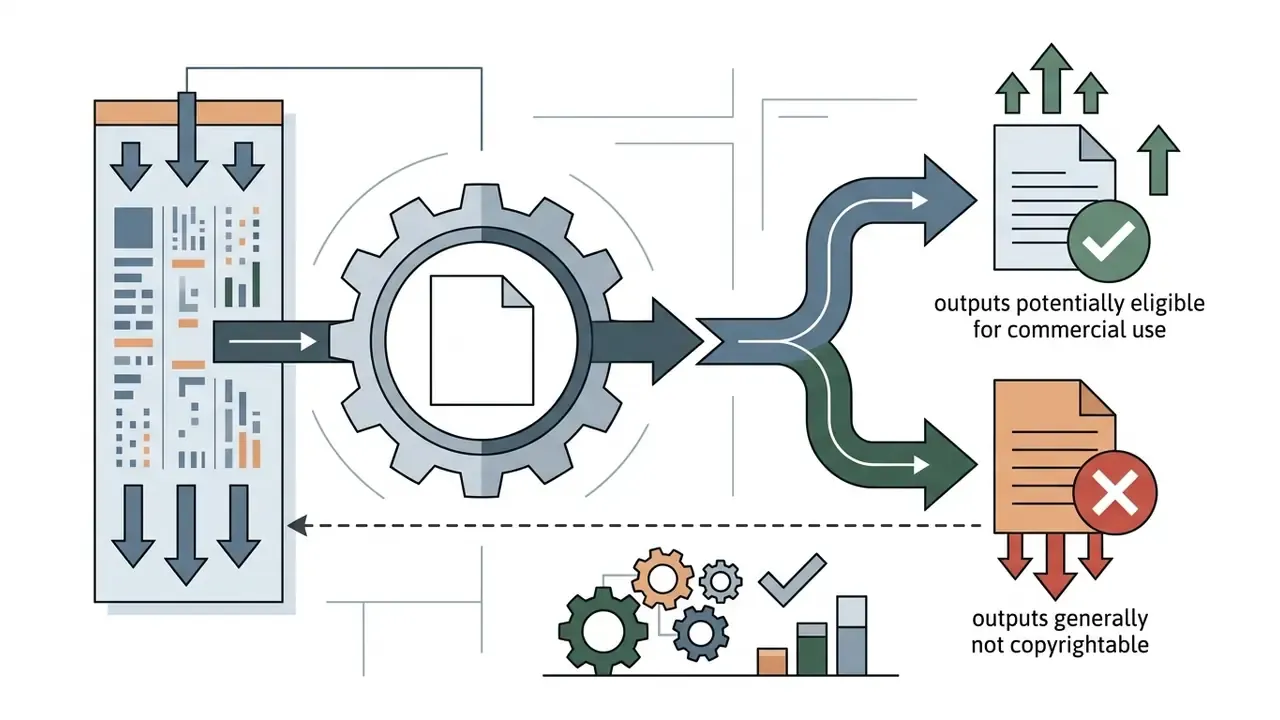
OpenArt claims no proprietary copyright ownership over user-generated outputs. Under platform terms, subscribers on Plus, Pro, and Wonder tiers receive full commercial exploitation rights for rendered visual assets, and those rights stay conditional on ongoing compliance with the terms, watermark restrictions included.
However, under 2025–2026 U.S. Copyright Office guidance, purely AI-generated outputs lacking substantial human creative input generally enter the public domain. Protection attaches only where a human author determines sufficient expressive elements, and prompts alone are not enough. See the U.S. Copyright Office news release, 2025. Note the doctrinal gap: platform help documentation treats generated images as effectively public-domain, while the Copyright Office limits protection to human-authored expression. That is a difference between vendor policy and U.S. copyright doctrine, not a licensing loophole.
Two further exposures deserve explicit legal review. First, training-data litigation against developers of widely used diffusion architectures remains unresolved, so downstream users of aggregated models inherit unquantified infringement risk. Second, OpenArt's public terms contain no IP indemnification clause comparable to coverage offered by some enterprise design suites. The user, not the platform, absorbs claim exposure.
«Most surveyed artists expect clear allocation of rights between the platform, the user, and the creators of training data.»
Creators producing commercial assets should review precedents documented in our hub on AI Litigation and intellectual property frameworks, then compare licensing against commercial-use conditions for other image generators.
Privacy Settings for Uploaded Assets and Account Data
By default, every visual asset generated in OpenArt stays private to the creator's workspace and becomes visible to others only after the user publishes it. Uploaded training photos and generated outputs are stored on Google Cloud Storage infrastructure and are not used to train public foundation models.
For organizations that must verify whether an incoming asset was machine-generated, third-party provenance tooling is maturing alongside the generators:
«ArtBrain provides end-to-end classification of images as AI-generated or human-created through a web interface built for non-technical users.»
Practical detection and verification options are compared in our overview of AI reverse image search and provenance tools.
Non-subscriber workspace histories are retained for 7 days, while active paid subscriptions maintain indefinite private archive storage for as long as the subscription lives. Deletions are final: removed creations cannot be recovered. For detailed enterprise compliance guidelines, visit our AI Media Commercial-Use Hub.
When to Choose OpenArt AI for Content Workflows
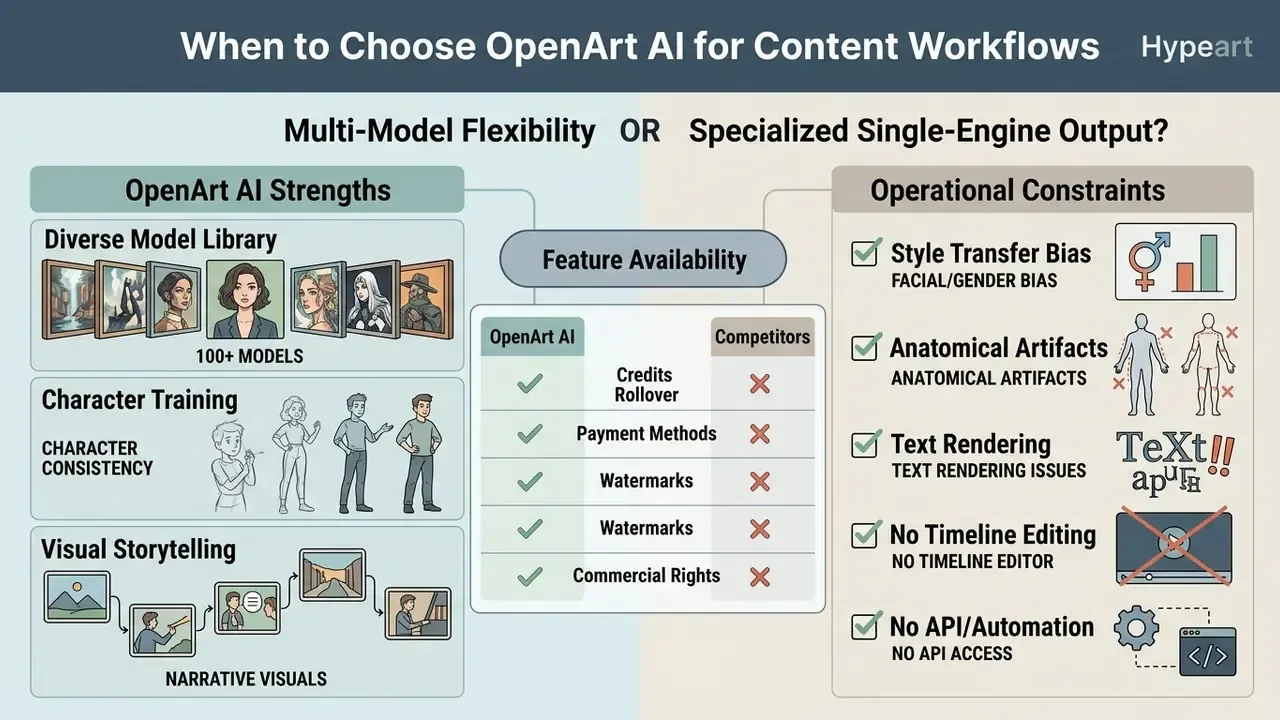
The choice comes down to one question: does the workflow need multi-model flexibility, or specialized single-engine output?
Use Cases for Images, Characters, and Visual Stories
OpenArt performs best in multi-frame storytelling, episodic digital content, and rapid asset prototyping. Storyboard artists use prompt-to-scene workflows to sequence narrative panels with consistent character designs, and the dedicated storyboard generator turns a script or scene description into an ordered panel set. Comic and webtoon creators use the comic generator to convert scripts or photos into manga, webtoon, or classic panel styles with page-to-page character continuity.
Game developers generate concept environment variations and stylized asset explorations before spending art-team hours, a workflow readers can benchmark against our matrix of AI art generators. E-commerce brand managers deploy background swapping and the Clothes Changer to build catalog assets from a single shoot, while social teams use One Click Story for platform-ready short video. Designers needing professional executive portrait workflows can compare specialized models in our guide to AI headshot generators.
OpenArt AI vs. Competitors: Market Comparison Matrix
| Platform | Core Focus | Key Strengths | Main Limitations | Pricing Model |
|---|---|---|---|---|
| OpenArt AI | Multi-model aggregation & story generation | 100+ models in one UI, built-in LoRA and character training, persistent characters, image + video + audio in one subscription | No timeline video editing, no public API, credit quotas, no published security attestations | Freemium / Paid ($14–$240 per month) |
| Midjourney | High-stylization image generation | Industry-leading aesthetic fidelity and photorealism | Discord-centric UX, minimal built-in editing | Paid only (approx. $10–$96 per month) |
| Runway Gen-3 | Dedicated AI video production | Advanced camera control, strong motion consistency, multi-modal input | Higher cost per render, steeper learning curve, video-focused only | Freemium / Paid (approx. $12–$76 per month) |
| Leonardo AI | Image generation for game and product art | Low entry price, strong asset-focused presets | Narrower video capability | Freemium / Paid (from approx. $12 per month) |
| Adobe Firefly | Graphic design & enterprise integration | Commercial-safety positioning, native Photoshop integration, enterprise procurement path | Conservative filters, fewer model variants | Freemium / Creative Cloud |
| Playground AI | Browser-based canvas generation | Intuitive UI, generous free tier for beginners | No persistent character training or video generation | Freemium / Paid (approx. $15 per month) |
For a head-to-head read on aesthetics and licensing, see our dedicated comparison of Midjourney image generation and our evaluation of ChatGPT-based picture generation.
Known Operational Limits and Algorithmic Artifacts
The multi-model control surface is genuinely wide. The edge cases are documented, and several come from paying users rather than vendor pages.
- Facial and gender bias in style transfers. Applying stylized checkpoints (anime, Ghibli-type filters) to portraits can shift skin tone and misread gender. One reviewer reported that converted portraits of African-American friends "ended up looking white", and that female subjects with short hair came back as bearded male versions regardless of cropping or character selection. These artifacts originate in base-model training distributions, not in a single OpenArt setting, and they belong on the brand-safety register for any campaign involving real people.
- Anatomical render artifacts. Complex poses, multi-finger hand gestures, unusual body types, and fine lettering still need manual correction through Magic Brush inpainting, negative prompts (
deformed hands, missing digits), or external editing. Uploading 10–15 diverse reference images improves consistency for character work. - Text rendering. In-image typography stays unreliable. Legible copy needs specialized models or post-editing.
- No timeline editing. Cutting, transitions, and audio mixing happen outside the platform.
- No API or automation. Terms prohibit automated and bot access, and no public API exists. For pipeline integration, that is a hard blocker.
- Credit and billing friction. User reviews describe credit-cost increases paired with reduced plan allocations, refusals of refunds after forgotten cancellations, and dismissive support handling. One reviewer reported removal from the community server after raising pricing complaints. Motion consistency in generated video is also described as still evolving next to dedicated animation software.
- Moderation strictness. Filters can block prompts in ways users call overly aggressive. Rephrasing or switching models is the documented workaround. NSFW generation is prohibited.
Strengths and Limitations of OpenArt AI
| Operational Scenario | Suitable Choice (OpenArt AI) | Alternative Approach Recommended |
|---|---|---|
| Multi-Model Experimentation | Yes: access 100+ fine-tuned models in one UI. | Single-model interfaces such as standalone Midjourney image generation. |
| Persistent Character Series | Yes: dedicated 4–128 image LoRA training module. | Standard text-to-image without reference control. |
| Generative Inpainting on Video Frames | Yes: native image-to-video plus masked video inpainting. | Dedicated NLE (Filmora, Premiere Pro, DaVinci Resolve) for cutting and audio. |
| Timeline Editing, Colour Grading, Audio Mix | No: not supported inside the platform. | External non-linear editor; see our YouTube video editor workflows. |
| Uncapped Heavy Rendering | No: strict credit quotas apply on every tier. | Self-hosted local Stable Diffusion installations. |
| Zero-Cost Commercial Production | No: commercial rights start at Plus ($34/mo). | Open-source permissive models (for example Apache 2.0). |
| Pipeline Automation / API Integration | No: no public API, automated access prohibited. | Vendors with documented API and developer economics. |
| Regulated-Industry Deployment (MRM approval) | No: no verified SOC 2, SSO, audit logs, or IP indemnity. | Enterprise suites with attestations and indemnification. |
Comparison matrix compiled from platform capabilities, published terms, and operational credit restrictions.
Readers researching the underlying technology can continue with our reference material on free AI video generators, while alternative market options are easiest to scan through our detailed AI Media Comparison Matrices.
OpenArt AI FAQ: Billing, Credits, Video, and Account Management
What happens if an image or video generation fails?
If a task terminates on a system error or server timeout, consumed credits are refunded to the account balance automatically in most cases. Refresh the browser workspace if refunded credits do not appear right away. Persistent losses or locked credits need a support ticket with full generation details.
Can I edit videos directly inside OpenArt?
No. OpenArt does not support direct video editing. The platform generates and trains visuals, images and video frames, while cutting, adding effects, mixing audio, and applying transitions belong in external video editing software.
How long can generated videos be?
Standard clips run 5–10 seconds, extending to 15 seconds on most models, 20 seconds on LTX 2.3, and 30 seconds on Seedance 2.5. One Click Story generates up to 60 seconds, and Director mode on the top tier is advertised for longer continuous sequences.
What payment methods does OpenArt accept?
Most debit and credit cards, plus Amazon Pay, Link, and Cash App. PayPal is not currently supported. Billing is in USD with no country-specific pricing.
Do purchased add-on credits expire?
No. The add-on portion above your monthly plan credits rolls into the following month while the subscription stays active. Base monthly credits, by contrast, reset and disappear if unused. Cancelling the base subscription also cancels attached add-ons.
Why do some downloads include a watermark, and how do I remove it?
Free-tier output carries a platform watermark. When the render is ready, click Download and use the toggle in the export panel to disable the watermark before saving. The setting must be applied before download, not after.
Can I get a refund if I forget to cancel?
The stated policy does not allow refunds, though auto-renewal can be disabled to prevent future charges. Exceptional cases, such as an accidental annual purchase, may be processed as a downgrade with a partial refund minus a minimum processing fee of roughly 10%.
How do I permanently delete my OpenArt account and stored assets?
Account removal starts under Profile Settings → Manage Account → Delete My Account & Data (type "delete" in lowercase to confirm). This permanently deletes saved albums, private generation histories, and custom LoRA models from storage servers. The process is non-recoverable.
How long is generation history retained on free accounts?
Generation history for non-subscribed free accounts sits in temporary storage for 7 days before automated cleanup. Active paid subscribers keep permanent cloud retention for private and published generations while the subscription remains active. Albums live under the Image or Videos tab → Albums, and deleted creations cannot be restored.
Are my uploads used to train OpenArt's models?
The platform states that uploaded images and created content are not used for model training and are handled solely to deliver the requested service. Enterprises should still request a written data processing agreement before uploading sensitive material.
Does OpenArt offer enterprise SSO, audit logs, or IP indemnification?
No verified information available for SAML/SCIM single sign-on, immutable audit logging, or intellectual-property indemnification. The Team plan provides centralized billing and shared assets and models, but no documented granular RBAC.
What is the difference between the Team plan and buying several individual seats?
The Team plan centralizes billing and enables shared assets and trained models. Several seats on basic plans are just independent accounts that cannot share content or collaborate.
How does OpenArt compare directly to single-purpose art generators?
Unlike single-engine services, OpenArt behaves as an aggregator studio. Users compare rendering styles across Flux, SDXL, and proprietary engines within one browser tab and avoid duplicate subscriptions. The price of that convenience: no API, credit quotas, and less specialized peak quality than a dedicated leader in any single modality.
Does OpenArt support digital signature insertion for generated art?
OpenArt has no dedicated signature or watermark-creation tool. Creators needing custom visual signatures can overlay transparent vector assets in an external editor, or use a purpose-built ai signature generator; see also our comparison of free photo editors.
Can I create images with transparent backgrounds?
Yes. Use the Remove Background feature, which isolates the subject and outputs transparency for compositing.
Appendix A: Superseded Wording and Editorial Corrections
Retained for transparency and version tracking. The statements below appeared in earlier revisions of this article and have been corrected in the main text above.
- Previous wording (section 13) "Advanced video options include Video Inpainting for frame-by-frame object replacement and Video Editing Features to expand rendered clips…", framed under the heading "Image to Video and Video Editing Features." Correction: the heading implied an in-platform editor. OpenArt's Help Center states that direct video editing is not supported and that cutting and effects require external software. Video Inpainting, retake, extend, and upscale remain accurate as generative operations.
- Previous wording (section 2) "According to platform specifications published in 2026, models like MiniMax H3 support native 2K output at 24 frames per second with synchronized dialogue and ambient sound effects." Correction: the claim now cites OpenArt's model documentation directly and adds clip-length and reference-image limits, with an explicit note that these are vendor roadmap specifications rather than independently verified measurements.
- Previous wording (section 3) "reduced asset turnaround time by 60%." Correction: retained as a self-reported client estimate, with an explicit note that no methodology, baseline, or third-party verification exists.
- Previous wording (section 1 context) fine-tuning "reportedly achievable in about 10 minutes." Correction: reframed as vendor marketing copy, not an independently verified benchmark.
Footer navigation and authority flow: visit the main AI Media Glossary for complete technical definitions and generative AI benchmarks, or the AI Media Pricing Guides for current subscription benchmarking.