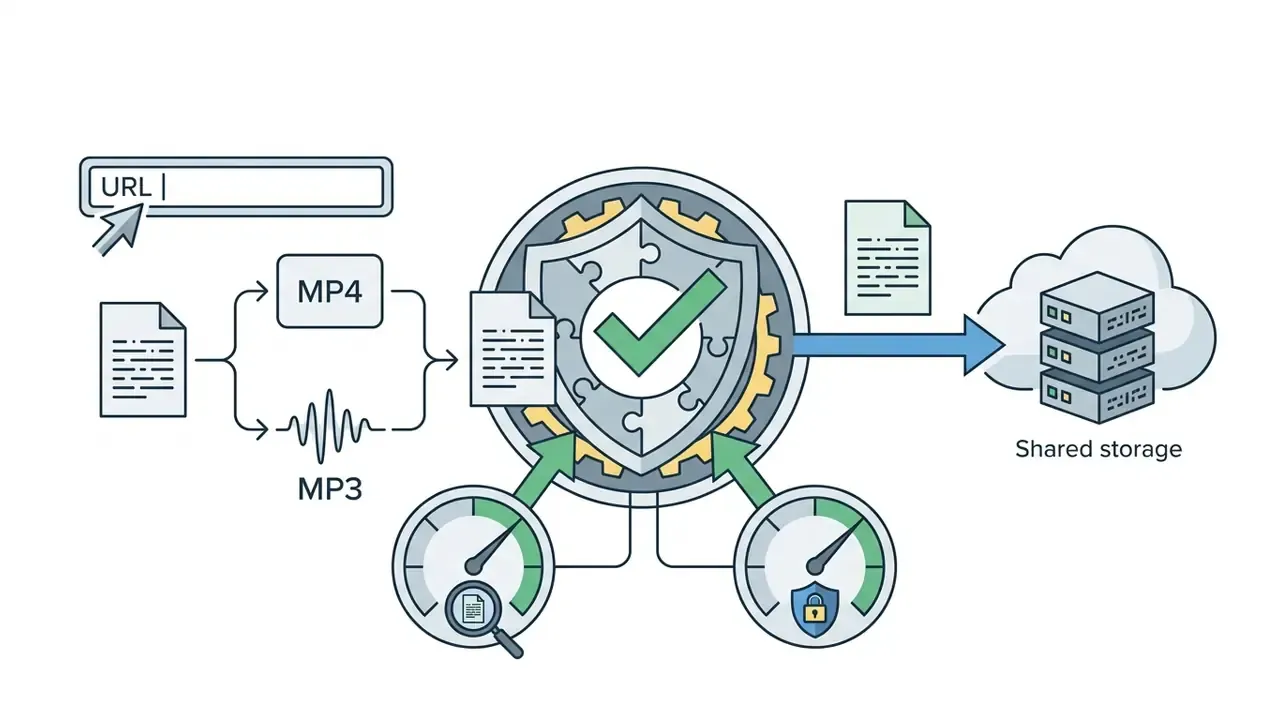
An online Facebook video downloader is a web-based service that processes a Facebook video URL, extracts the underlying media stream, and delivers a downloadable MP4 file directly to a web browser without requiring local software installation. The web tool operates through a three-step sequence: link ingestion, server-side stream resolution or transcoding, and client-side download initiation.
Last reviewed and updated: February 2026. This page is an independent technical reference and is not affiliated with, endorsed by, or operated by Meta Platforms, Inc.
Executive Summary
- What it is A browser-hosted extractor that resolves a public Facebook URL into a direct MP4 (or MP3 audio) stream and passes the file to your device over standard HTTPS. No executables, extensions, or account credentials required.
- What it supports Public feed videos, Reels, Stories (within their 24-hour window), completed Live replays, public Page, Group and profile posts, comment videos, Gaming VODs, and public movie clips.
- What it cannot do Access private, friends-only, closed-group, or Messenger content; capture an in-progress live stream; upscale beyond the source resolution; or bypass Meta authentication tokens.
- Quality ceiling SD, 720p, 1080p, 2K and 4K appear only if the uploader supplied those dimensions and Meta encoded matching renditions.
- Why HD takes longer Meta stores high-bitrate audio and video as separate adaptive streams. The server must fetch both and remux them into one MP4 before your browser prompt appears.
- Risk posture Prefer zero-retention, sandboxed browser sessions. Verify TLS, absence of credential prompts, and third-party script behaviour before allowing any web utility inside a corporate perimeter.
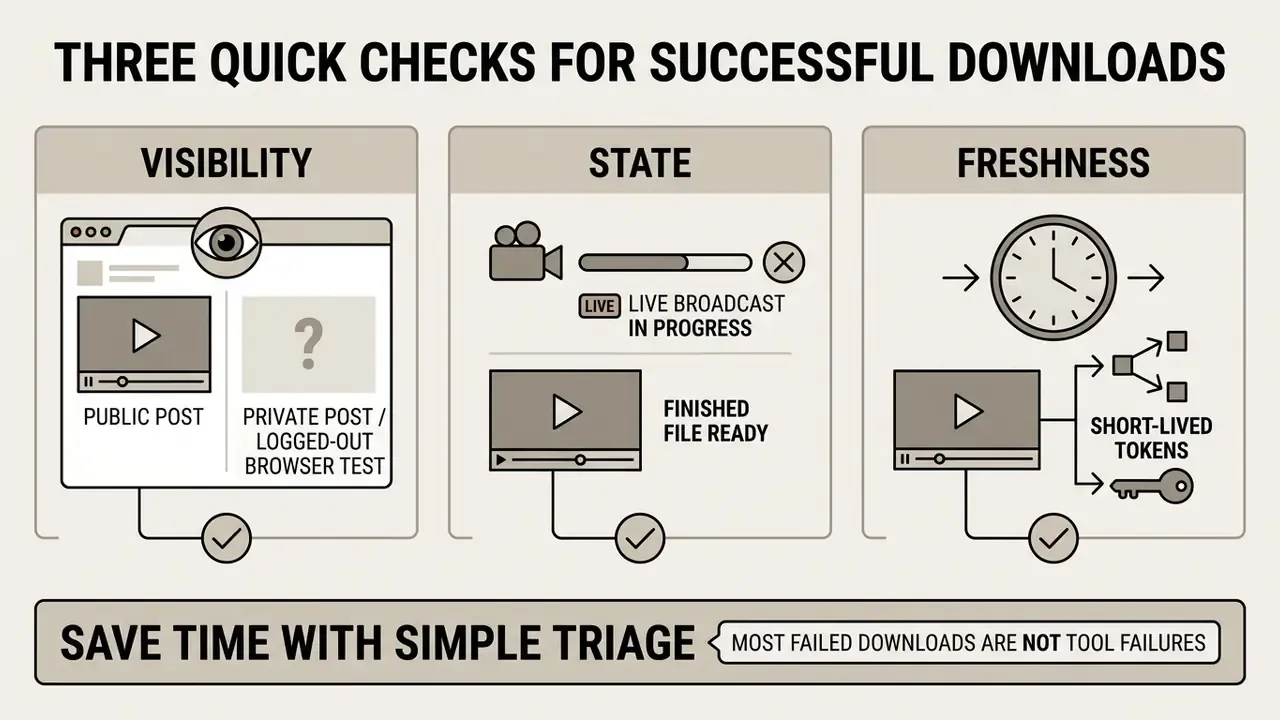
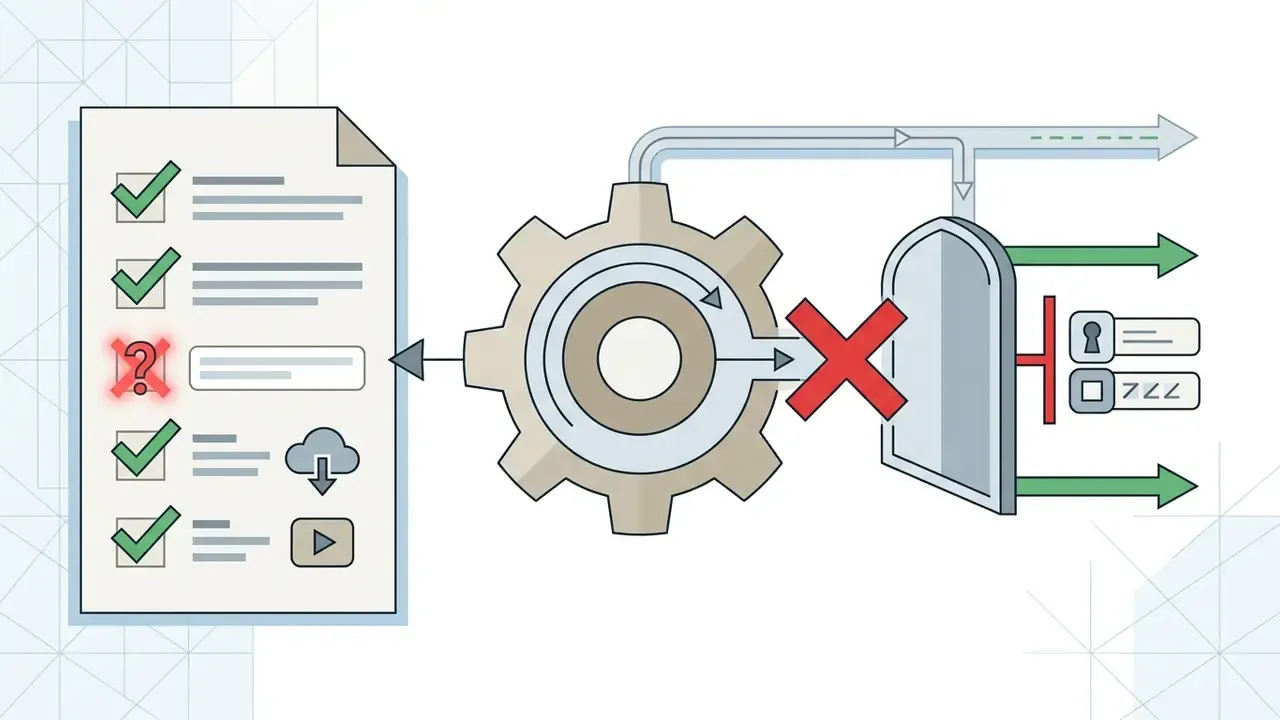
Before You Paste a Link: Three Quick Checks
Facebook Video Download Online: How the Downloader Works
A browser-based Facebook video downloader parses public metadata from a submitted URL, locates the direct media endpoints on host servers, and renders selectable file variants in the browser. Users paste a copied Facebook link into the input interface, select a target resolution, and receive an MP4 file through standard HTTP transfer mechanisms, without installing third-party applications.
Workflow: Web-Based Facebook Video Extraction
- Copy URLCopy the target video link from Facebook via the Share menu.
- Paste LinkSubmit the copied URL into the online downloader input field.
- Select QualityChoose from available MP4 renditions (SD, HD, or source resolution).
- Download FileInitiate direct browser saving to local device storage.
Figure 1: Sequential user workflow for extracting public MP4 streams through a browser interface. Data flow: client browser → extractor endpoint (URL parsing and stream resolution) → Meta CDN (public media fetch) → remux or passthrough → client local storage.
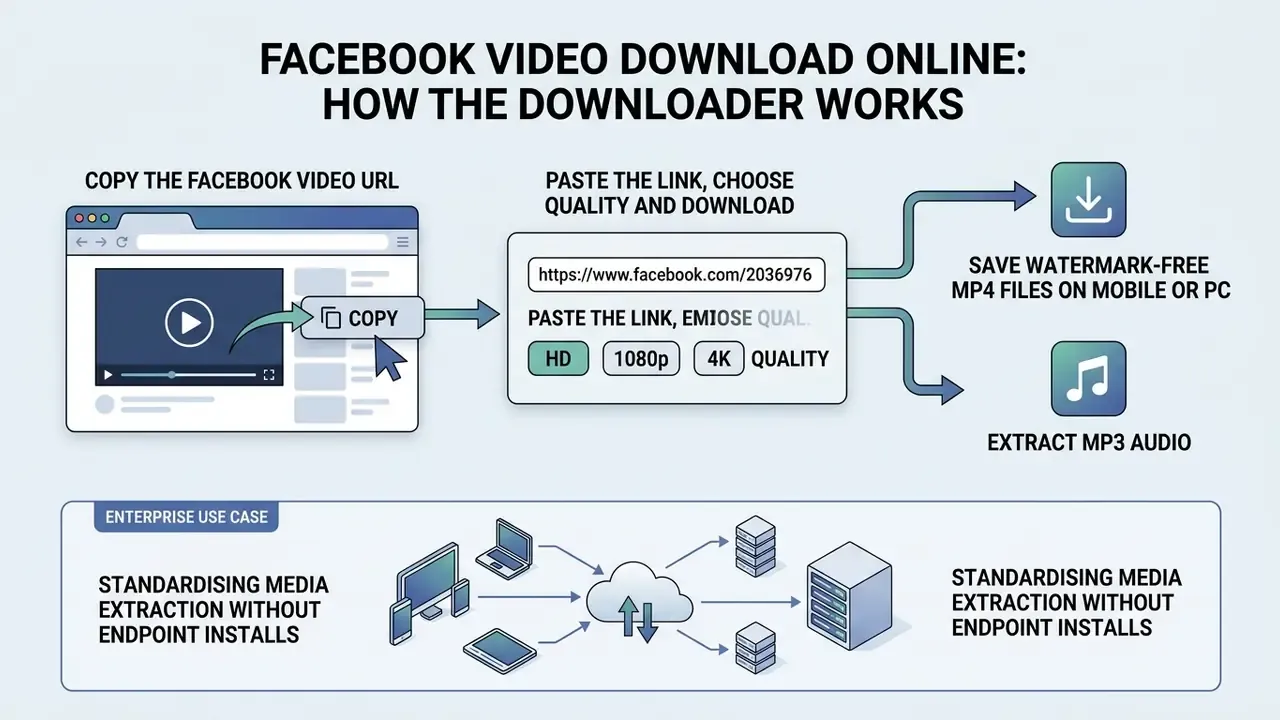
Copy the Facebook Video URL
To extract a Facebook video URL, locate the target post in the feed or platform interface, click the Share button, and select Copy Link. On desktop browsers, you can also click the three-dot context menu on the post, or copy the URL straight from the address bar. On the mobile app the path is Share → More → Copy link. The extracted link serves as the unique resource pointer containing the post ID needed for server-side resolution.
Paste the Link, Choose Quality and Download
Once the URL is captured, paste the link into the input field on the downloader site and click Download. The server parses the link to identify available stream renditions, such as Standard Definition (SD) or High Definition (HD). Selecting a quality level triggers the browser to fetch the multiplexed MP4 file directly into local device storage.
One small habit helps: rename the file immediately after saving. A folder full of video_1080p(3).mp4 is a retrieval problem waiting to happen.
Download Facebook Videos, Reels, Stories and Live Replays
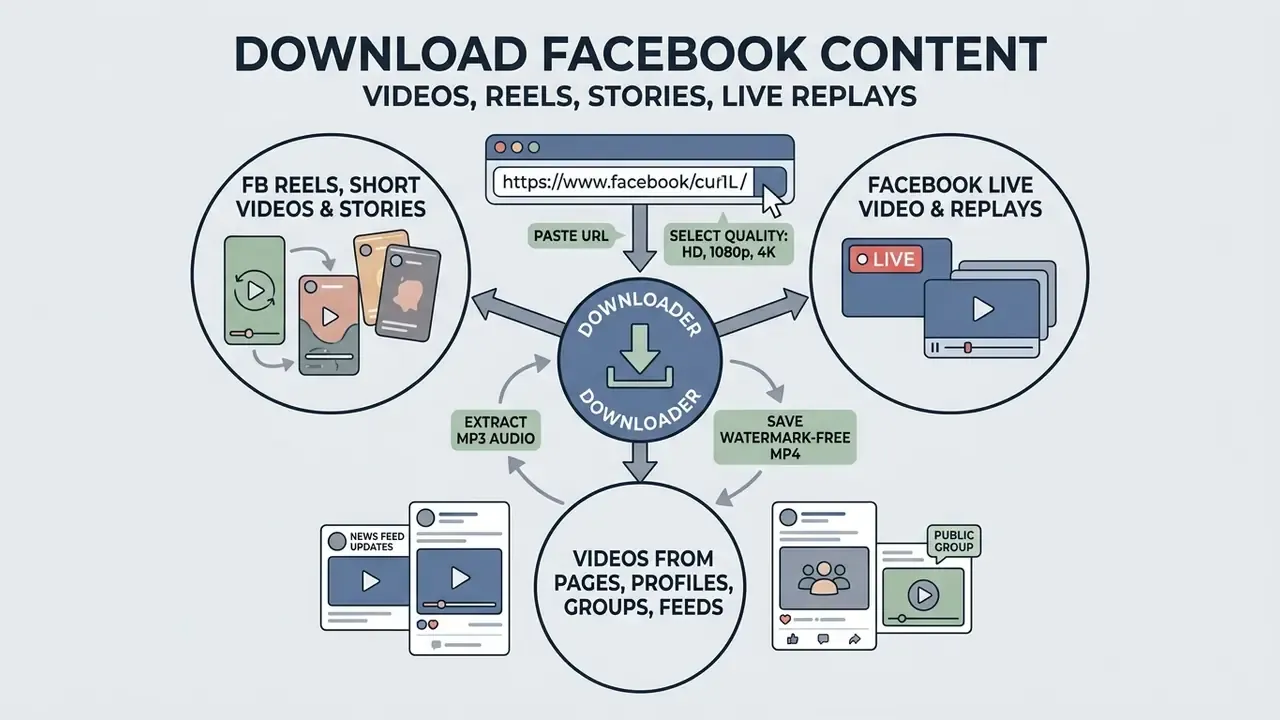
Online Facebook downloaders process standard feed videos, short-form Reels, archived Live stream replays, and public Page or Group posts whenever a public URL is accessible. Content accessibility depends entirely on the original post's privacy settings and endpoint exposure. Private or restricted posts cannot be resolved by unauthenticated web extractors.
Facebook Reels, Short Videos and Stories
Facebook Reels and short videos are published in a vertical format. Meta's own creator guidance recommends an .mp4 file at 1080×1920 (a 9:16 aspect ratio) with a duration between 3 and 90 seconds, and those published specifications are what the extractor encounters when resolving a Reel link. Creators comparing production options for the same vertical format can review a free AI video generator before deciding whether to source or produce a clip. Teams that already own stills rather than footage sometimes prefer an ai photo to video route, or an ai picture to video workflow, instead of reusing third-party media at all.
Reels can be saved by copying the share link directly from the Reel interface. Facebook Stories remain accessible for 24 hours before moving to private archives; a public Story link can be processed during that active window if the media URL is exposed. For broader asset management options, the AI Media Comparison Matrices set out feature and licensing differences side by side.
Facebook Live Video and Available Replays
Downloading a Facebook Live broadcast is technically feasible only after the stream has concluded and Meta processes the session into an archived video post. Meta's help documentation for Live video describes downloading a finished broadcast from a profile, Page, Activity Log, or Meta Business Suite, with Download video, Download SD and Download HD options. Its 2025 storage policy update introduced a 30-day replay and download window for new broadcasts started after 19 February 2025 (Meta Business Help Center, 2025 to 2026, https://www.facebook.com/business/help/). Retention rules shift between quarters, so verify the current window in Business Suite before building an archival process around it.
Active, ongoing live streams cannot be captured by standard URL extractors. Real-time chunked streaming protocols (HLS and DASH manifests) require an authenticated session; without valid session cookies, an external server cannot request the rolling manifest that describes the in-progress segments.
Videos from Pages, Profiles, Groups and Feeds
Public Pages, open profiles, and public Group feeds generate canonical URLs containing /videos/, /watch?v=, or /groups/.../posts/ path structures, which web tools parse easily. Content published in private Groups, friends-only personal profiles, or secret feeds cannot be retrieved by public extractors, because server requests lack the required user authentication session cookies.
| Content Type | URL Extraction Path | Technical Availability | Primary Prerequisites |
|---|---|---|---|
| Feed Video | Share → Copy Link | Supported | Post must be set to Public |
| Facebook Reel | Reels Menu (...) → Copy Link | Supported | Public post visibility |
| Archived Live | Share → Copy Link (post-stream) | Supported | Stream must be completed |
| Public Group Video | Post Options (...) → Copy Link | Supported | Group must be open or public |
| Facebook Story | Share → Copy Link | Time-limited | Active within 24-hour window |
| Comment Video | Click comment timestamp → Copy Link | Supported | Parent post must be set to Public |
| Gaming VOD | Stream Options (...) → Copy Link | Supported | Stream must be concluded or archived |
| Embedded Movie Clip | Post Options (...) → Copy Link | Supported | Video post visibility set to Public |
| Private Group Video | Not applicable | Unsupported | Requires member login session |
In plain text: feed videos, Reels, concluded Live replays, public Group posts, comment videos, Gaming VODs and public movie clips are all retrievable while the post stays public. Stories work only inside their 24-hour window. Private Group video is out of reach for any external tool, full stop.
Facebook Video to MP4: Available Quality and Download Options
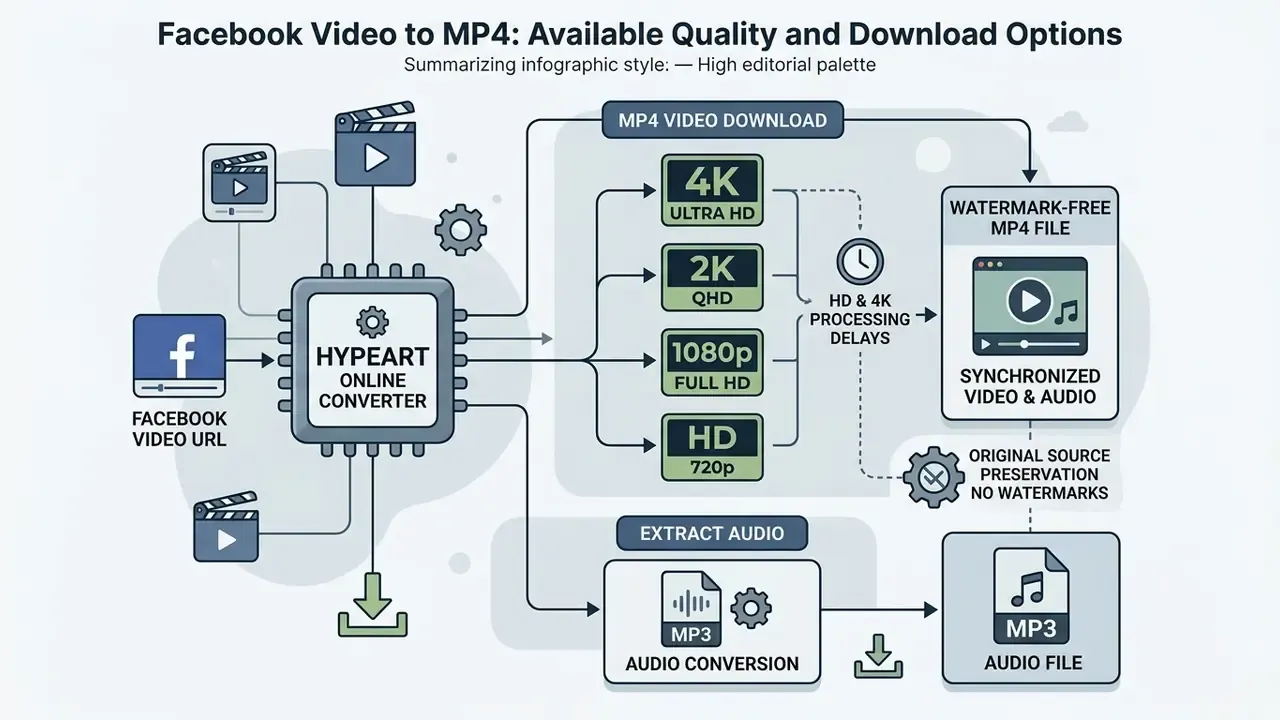
Converting Facebook videos to MP4 preserves synchronised audio and video inside a standardised ISO/IEC 14496-14 container, which defines the synchronisation, composition and multiplexing rules that let one file carry both tracks in step (ISO/IEC 14496-14:2020, ISO, 2020). The maximum selectable quality level is strictly bounded by the original file uploaded to Facebook. An online downloader cannot upscale, or invent resolution that Meta's servers never held.
HD, 1080p, 2K and 4K Quality Availability
High Definition options (720p, 1080p) and higher tiers (2K, 4K) appear in the downloader only when the creator uploaded the file in those dimensions and Meta encoded matching renditions. Platform delivery profiles use fixed output tiers; 1080p options, for instance, require the source to meet minimum horizontal or vertical pixel thresholds during initial processing. Comparable public documentation illustrates the pattern: Vimeo grants a 1080p playback tier only when the source reaches at least 1824 px on the larger dimension or 1026 px on the smaller one, and a 4K tier only from 3648 px / 2052 px upward (Vimeo Help Center, 2026, https://help.vimeo.com/). Where the resulting 1080p or 4K file exceeds storage or messaging limits, a video compressor reduces file size while keeping playback usable.
Technical Note on HD and 4K Processing Delays
High-definition streams on Meta's servers (1080p and above) often isolate the video track from the high-bitrate audio track to optimise adaptive streaming delivery. When you request an HD MP4 download, the extraction server must fetch both independent streams and remux them in real time. Publicly documented Facebook download workflows show exactly this: one response returns a video-only MP4 stream, a second returns the audio stream, and the two are merged with a container-level copy operation such as ffmpeg -c copy -map 0 -map 1 output.mp4 (public developer gist, 2025). That server-side stage needs extra rendering time before the unified file prompt appears in your browser. The wait is packaging work, not a slow connection.
MP4 Video and Audio in Downloaded Files
Facebook's own upload guidance recommends MP4 or MOV files carrying H.264, with H.265, VP9 and AV1 also supported for Reels in 2026, alongside AAC audio at 128 kbps or higher. Standard MP4 exports therefore deliver those same streams multiplexed into a single file for offline playback (Meta Business Help Center, 2026, https://www.facebook.com/business/help/). On certain high-resolution streams Facebook stores video and audio separately, and the downloader engine remuxes the independent streams server-side into one unified MP4 before client delivery.
Play the first ten seconds and the last ten seconds after saving. A truncated remux usually fails at the tail, not the head. Once the file checks out, a video editor handles trimming, subtitling or re-export for internal presentations, and an ai pitch deck tool can slot the finished clip into a stakeholder deck. Teams managing production environments can inspect automation options in the AI Media API Guides.
Extracting Audio: Facebook Video to MP3 Conversion
Users who need only the soundtrack, background music, or speech from a Facebook video can extract the audio stream on its own. During processing, the extractor parses the container, decouples the audio track (typically AAC, delivered as MP3 after conversion), and offers a direct MP3 download. That avoids storing unnecessary video data when you are building offline voice repositories, lecture archives, or podcast libraries. Note the boundary: audio-only export is not part of Meta's native download flow. It is a convenience produced by the extractor, and the same copyright rules that govern the video apply to the extracted soundtrack.
Watermark Handling: Original Source Preservation
Meta does not dynamically append platform watermarks to public video streams during playback or extraction, unlike some short-form platforms that brand every export. Files retrieved through direct HTTP stream resolution therefore stay clean. However, if the creator manually embedded a logo, branding overlay, or text into the video before uploading, that element is part of the encoded pixel data and remains visible. No extractor can strip it without re-encoding or cropping the frame, and both degrade the source. If you need clean visuals for thumbnails instead, an ai photoshop generator or an ai photo to stylised image route produces original artwork rather than altered footage.
Download Facebook Video on Mobile and PC
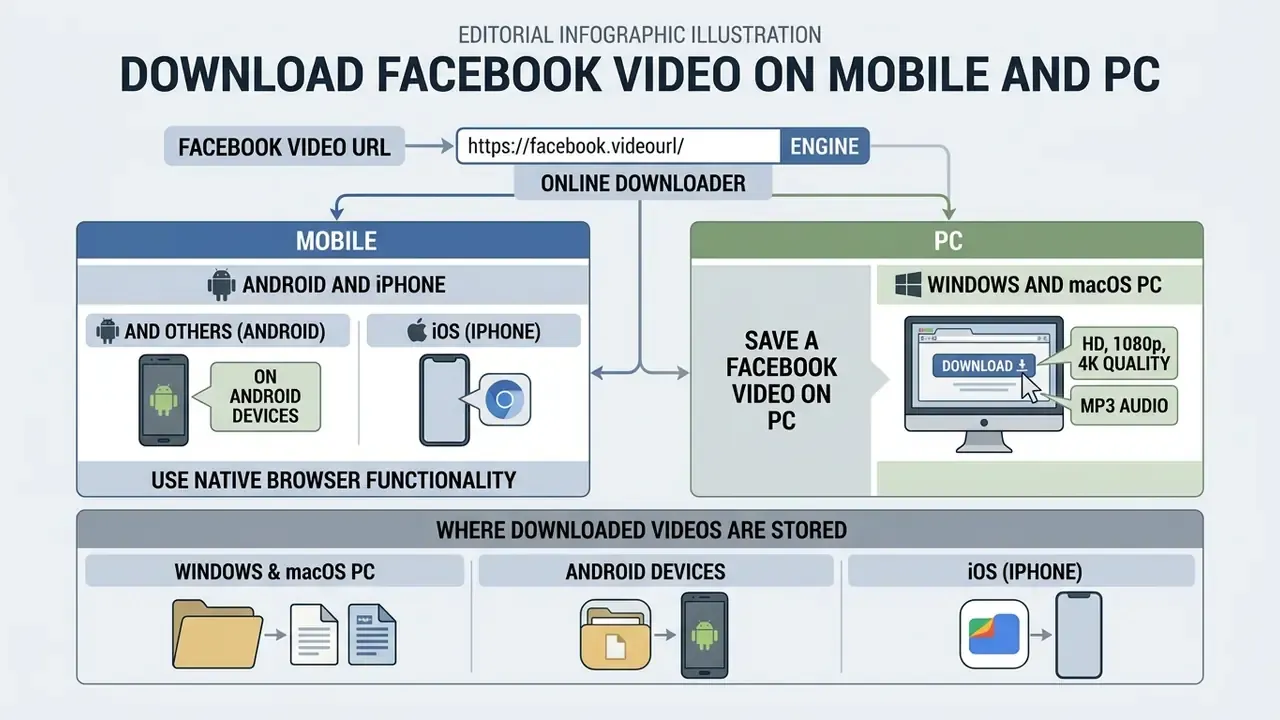
Downloading Facebook videos across desktop and mobile devices relies on native browser functionality and needs no platform-specific application. Desktop operating systems store downloads in the system user directory, while mobile platforms route files to local storage or app-specific media managers, depending on operating system permissions.
Download Facebook Videos on Android and iPhone
On Android, opening a web downloader in Chrome or Firefox lets you paste the copied Facebook URL and save MP4 files straight to the device Download folder or Gallery. On iOS (iPhone and iPad), pasting the URL into Safari triggers a browser download prompt; once fetched, the MP4 lands in the Files application, where Save Video exports it to the Photos camera roll.
For older iOS versions or legacy mobile browsers without a native HTTP download manager, a file management application such as Documents by Readdle fills the gap. Open its built-in browser, navigate to the online downloader interface, paste the copied Facebook URL, and download into the app's sandboxed storage. From there, move the file into Photos or share it to another app.
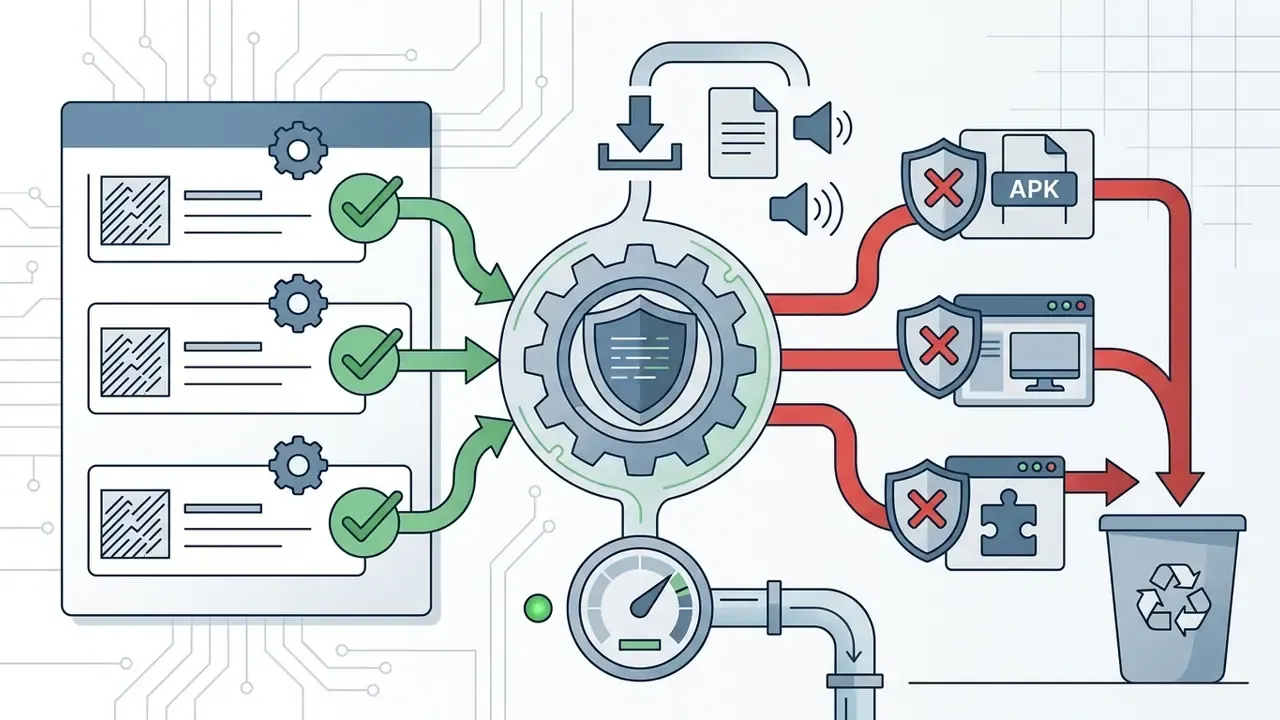
A note on mobile risk. Static analysis research indicates that bundled libraries inside Android applications frequently probe for more permissions than the host app formally declares, then use that access silently.
«Third-party libraries in Android apps opportunistically check for more permissions than they officially request, exploiting the access covertly.»
That finding is a practical argument for a browser-based extractor inside a sandboxed session, rather than a downloader APK with broad device permissions.
Save a Facebook Video on PC
Desktop browsers such as Chrome, Edge, Firefox and Safari execute downloads through standard HTTP file transfer to local storage. Open the web downloader on Windows or macOS, paste the URL, select the target resolution, and click download to start an immediate transfer for offline viewing. If nothing begins automatically, the page may refresh and a second Download action may be needed. Meta's own help pages describe the same two-step behaviour for native live-video downloads, so it is not a defect unique to third-party tools.
Where Downloaded Videos Are Stored
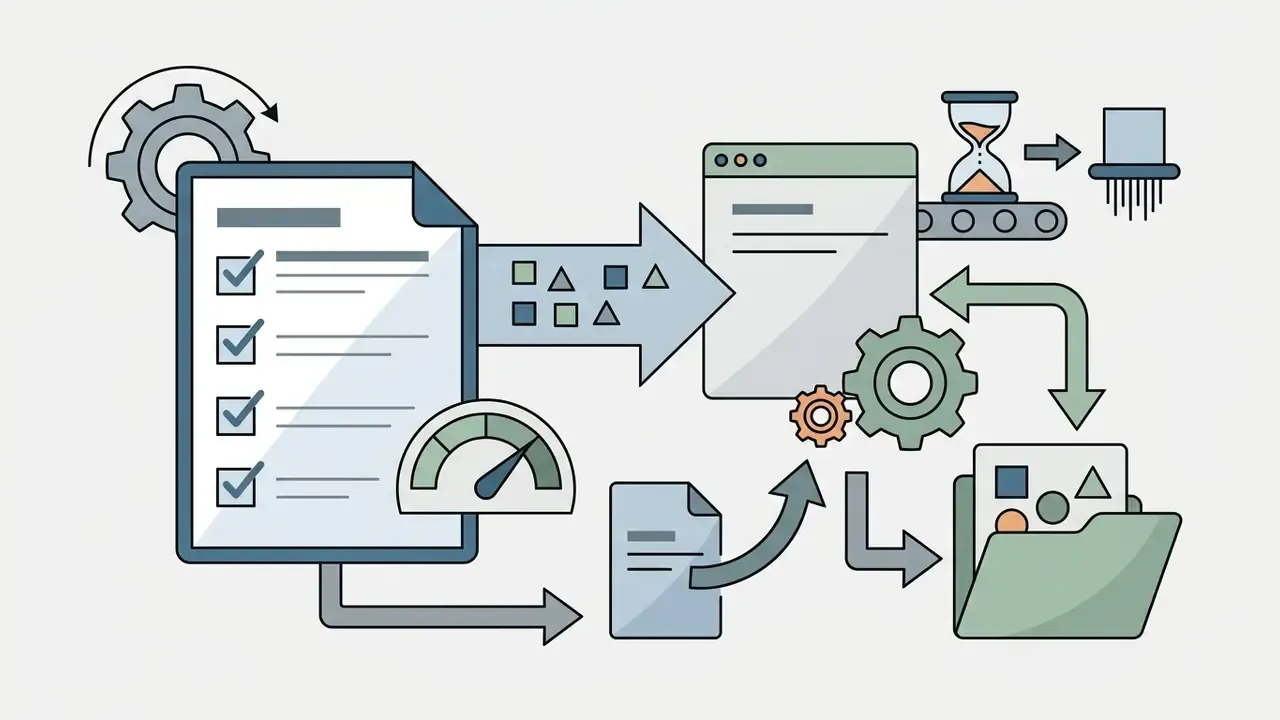
Downloaded MP4 files land in predictable system paths:
Once the file is retrieved and catalogued, teams usually move it into a post-production pipeline. A comparison of video editing software matches trimming, captioning and export requirements to the available budget, and the cost calculators help size storage for larger archives.
Public and Private Facebook Video Download: Access Rules
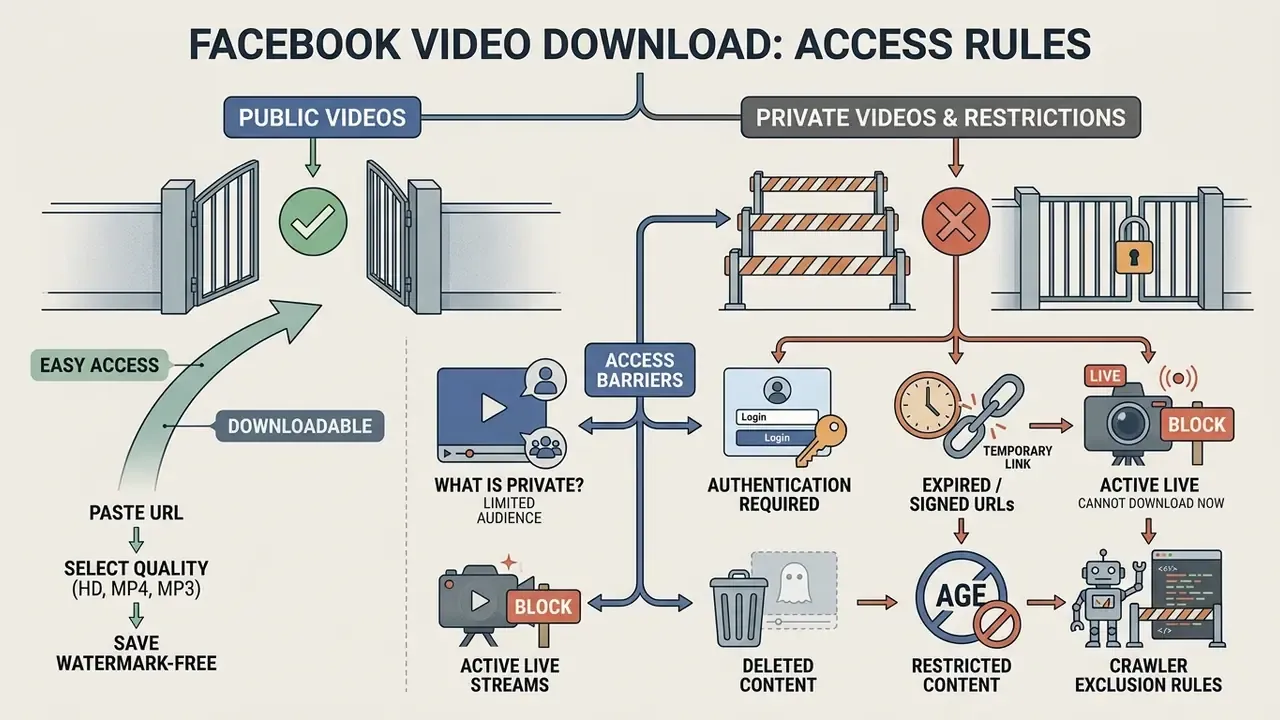
Downloading Facebook content is governed by platform access controls, intellectual property law, and terms of service. Web downloaders are legally and technically restricted to public content. Bypassing access controls on private videos without authorisation violates platform policy and raises copyright compliance issues.
Rights scholarship reinforces the same boundary from the distribution side.
«Platform distribution presumes streaming access rather than downloading; systematic downloading can undermine authors' rights to remuneration.»
If you plan to reuse retrieved footage in advertising, training material, or a product demo, check the licensing conditions for commercial use first, and review the litigation guidance on how takedown and infringement disputes typically unfold.
What Is a Private Facebook Video?
A private Facebook video is any media item whose visibility the uploader has restricted to a specific audience: "Friends Only", a custom restricted list, or a closed or secret Facebook Group. Meta's help pages state that photos and videos posted in private groups are visible only to other members, and that private groups can additionally be hidden from search. These assets sit behind authentication tokens, which prevents unauthenticated external servers from reaching the underlying video payload. Meta's platform terms also restrict third-party applications to data a user has explicitly shared with them, blocking broad external access to non-public group or profile media.
Marketing claims that a tool can "process secure video links" or retrieve "restricted or private posts" with no user session are technically unfounded. A server with no valid session cookie cannot obtain the signed media URL in the first place. That is not a feature gap. It is arithmetic.
Why Some Facebook Links Cannot Be Downloaded
External downloader tools fail under a small set of repeatable conditions:
- Authentication barriersthe post is private and requires active login session cookies that public downloaders do not hold.
- Expired or signed URLsthe media link relies on temporary security tokens that expire before extraction completes. Signed-URL delivery can restrict access by user, location and time window.
- Active live streamsthe broadcast is still running and has not yet been processed into an archived replay.
- Deleted or restricted contentthe post was removed by the creator, or geo-blocked for licensing reasons.
- Crawler exclusion rulespath-level directives can prevent automated retrieval of a resource entirely, regardless of who is logged in (Google Search Central, robots.txt introduction, 2026, https://developers.google.com/search/docs/crawling-indexing/robots/intro).
Regulators have also narrowed how platform-adjacent data may be aggregated. The Court of Justice of the European Union's 2024 Schrems III judgment held that unrestricted aggregation of personal data from a platform and from off-platform third-party sources, without limits by time or data type, breaches the data-minimisation principle (Columbia Global Freedom of Expression, Schrems III case summary, 2024, https://globalfreedomofexpression.columbia.edu/). For organisations, that ruling is a reminder that bulk media harvesting carries data-protection exposure on top of copyright exposure.
When reviewing digital asset workflows, teams comparing enterprise platforms can consult the AI Media Pricing Guides for cost and licensing detail.
Is the Facebook Video Downloader Free, Safe and Private?
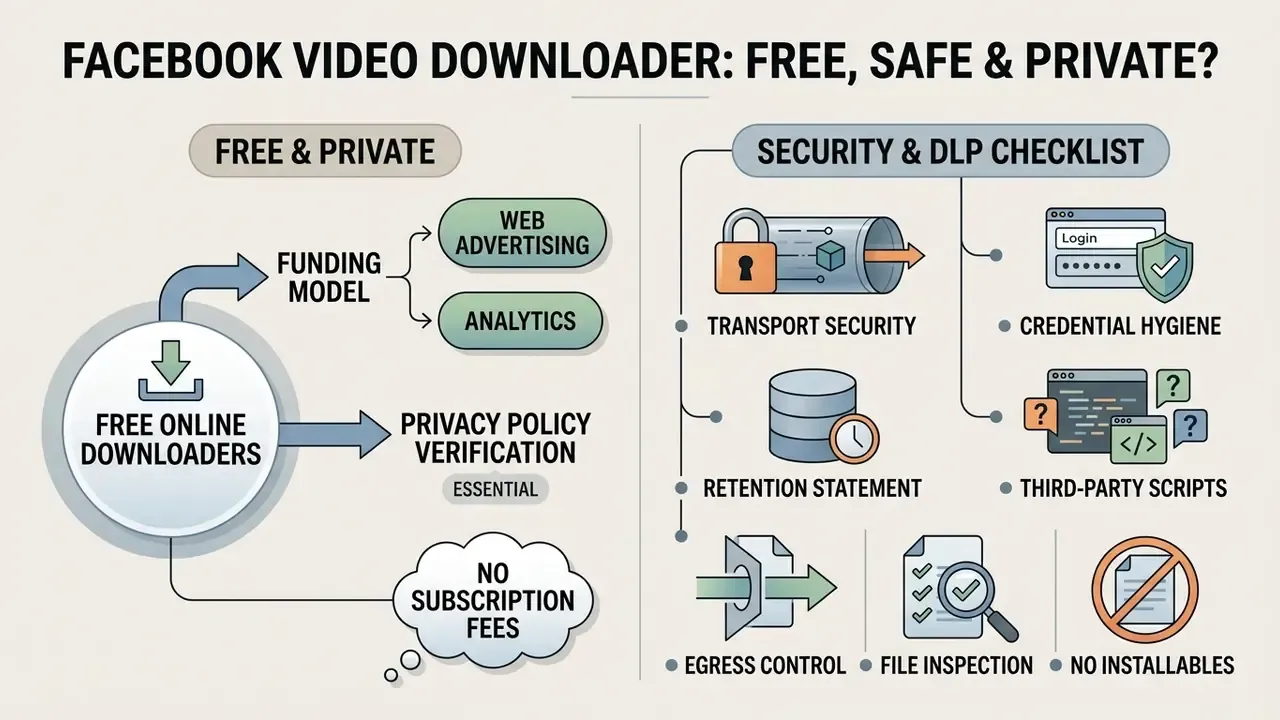
Free online video downloaders fund themselves through web advertising or analytics rather than subscription fees, which makes privacy policy verification essential rather than optional. Qualitative research into Facebook-adjacent data flows shows how sharply that gap registers with users.
«Users learning the scale of third-party data collection described their reactions as surprise, shock and worry.»
Safe web extractors execute entirely within browser sandboxes, require no administrative software installation, and handle submitted URLs without keeping persistent personal logs.
| Operational Dimension | What the Downloader Does | What the Downloader Does Not Do |
|---|---|---|
| Software Installation | Operates entirely within standard web browsers | Does not require executable or app installation |
| URL Processing | Parses media streams to return MP4 direct links | Does not alter platform access permissions |
| Data Storage | Delivers files directly to client local storage | Does not store downloaded videos on its servers |
| Privacy Access | Processes publicly accessible media links only | Does not bypass private group or profile gates |
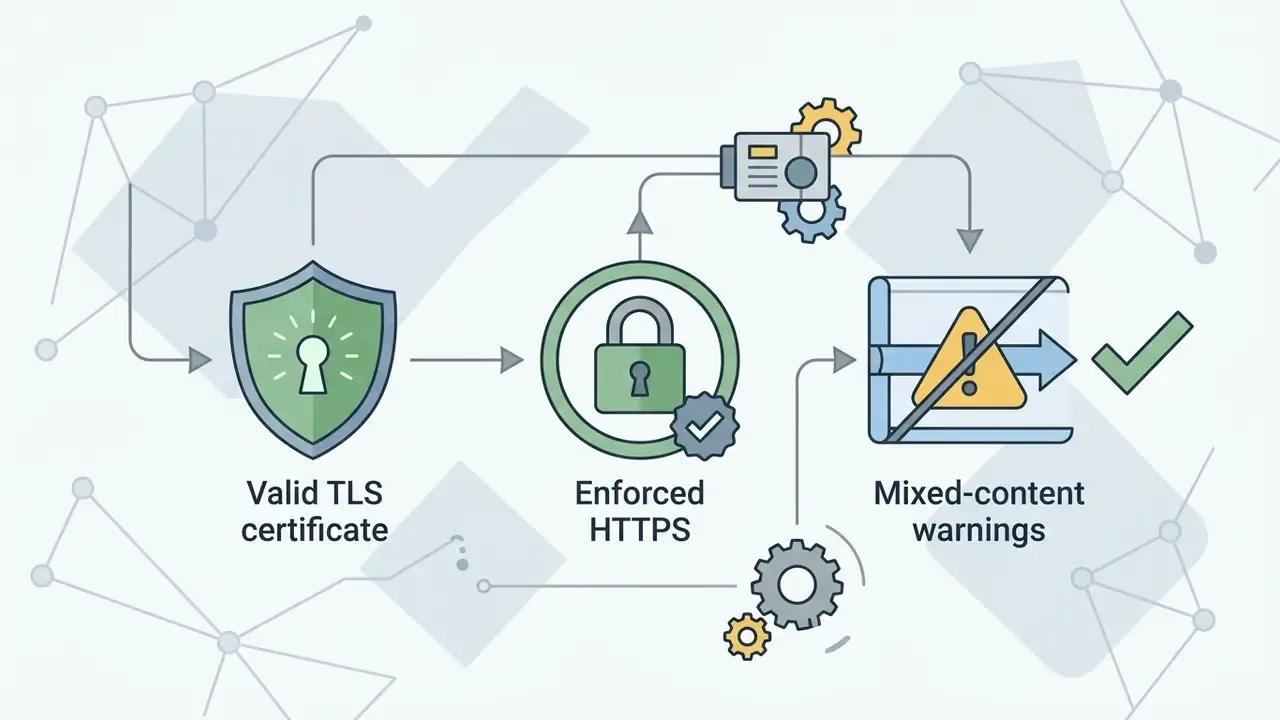
| Security Controls | Encrypts active connection sessions over HTTPS and TLS | Does not request Facebook account login credentials |
Stated as prose, for the record: the service runs in the browser, parses only public URLs, hands the file to your device rather than warehousing it, never asks for your Facebook password, and cannot open private group or profile content.
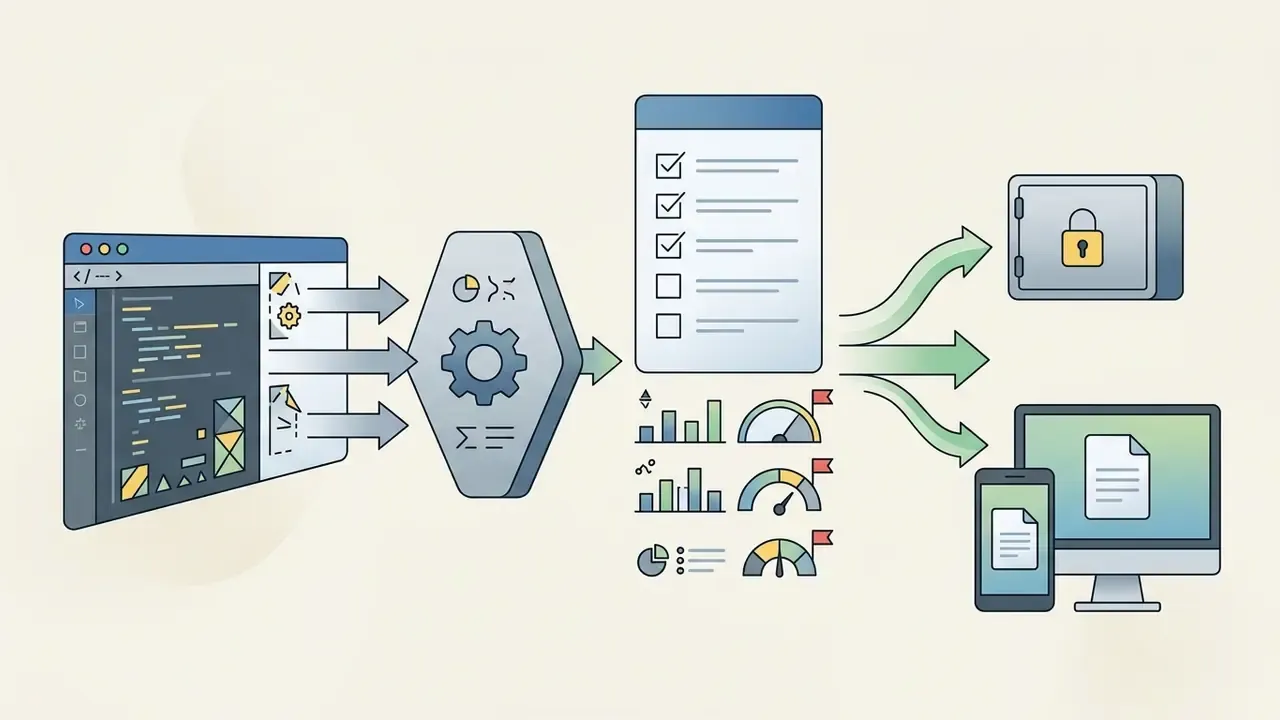
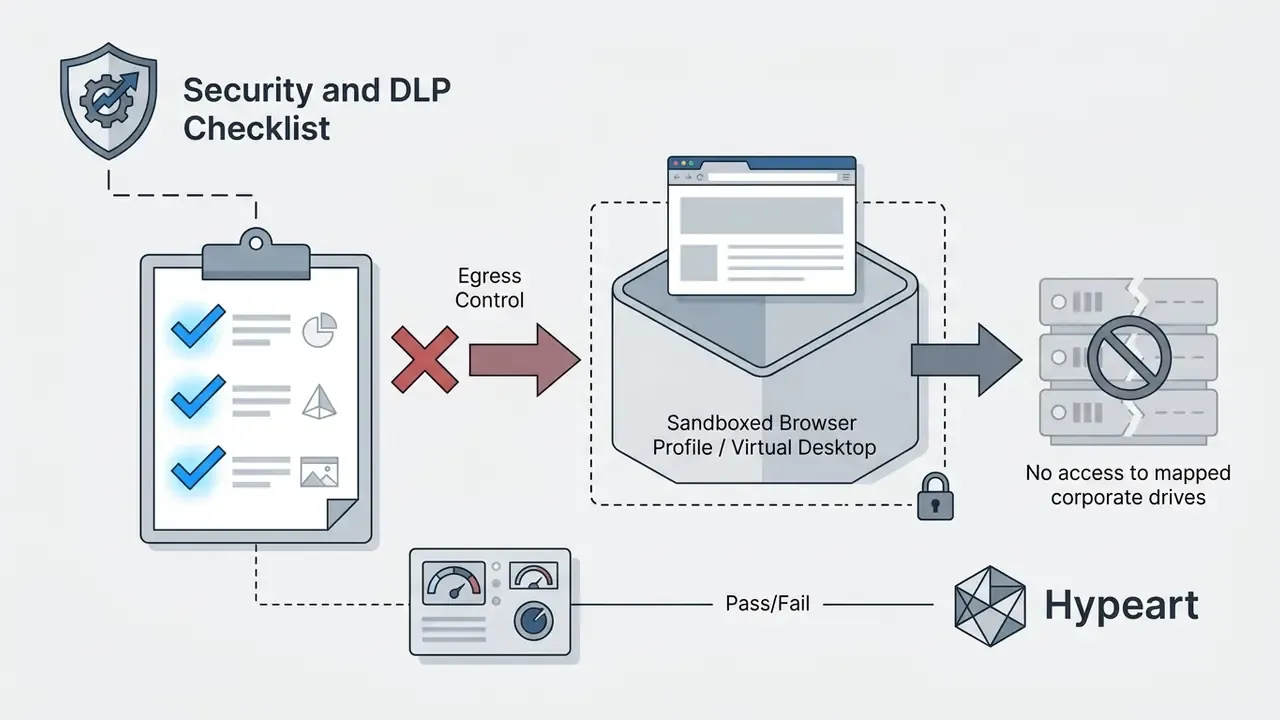
Security and DLP Checklist Before Allowing a Web Extractor
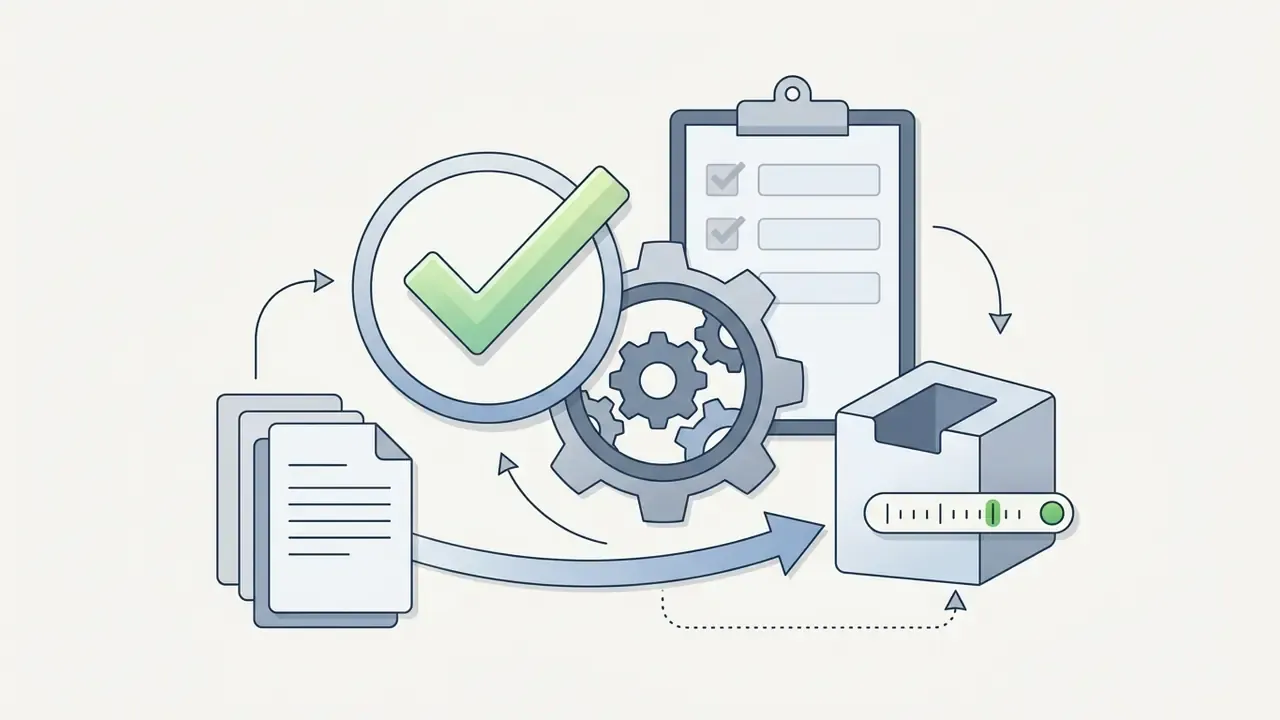
Before approving any browser-based media utility inside an organisational perimeter, verify the following:
Assign one named owner for that checklist. Unowned controls decay quietly, then fail loudly during an audit.
Free Use, No App Installation and Available Limits
Browser-native extractors run online without executable downloads, extensions, or account registration. Even so, "runs in the browser" is not the same as "carries no privacy cost". Usability research presented at CHI 2024 found a measurable gap between what users expect privacy-preserving browser extensions to protect and what those tools actually deliver (From User Insights to Actionable Metrics: A User-Focused Evaluation of Privacy-Preserving Browser Extensions, CHI 2024). Web tools typically offer unlimited extractions for public URLs, though real throughput depends on platform endpoint availability and network bandwidth.
Link Privacy and Downloaded Video Storage
A privacy-focused web downloader behaves as an ephemeral processing proxy: it ingests the target URL, extracts the direct MP4 stream, and transfers the payload to the client browser. Empirical measurement of consent practices around embedded tracking components is unambiguous about the scale of the underlying problem.
«Only around 4% of apps using third-party trackers obtained user consent before tracking began.»
Free utility pages frequently embed the same advertising and analytics components. So use privacy-respecting browser configurations, block non-essential third-party scripts, and confirm that no personal data or download history is retained on external servers. If a policy page is silent on retention, read the silence as an answer.
Facebook Video Download Online FAQ
Which Browsers Work with the Facebook Video Downloader?
Web-based downloaders work with modern desktop and mobile browsers that support the HTML5 download attribute, including Google Chrome, Apple Safari, Microsoft Edge, Mozilla Firefox and Opera. Support baselines are Chrome 14+, Edge 13+, Firefox 20+, Safari 10.1+ on macOS and iOS, and Chromium-era Opera 15+ on desktop and mobile. Legacy Internet Explorer and pre-Chromium Opera do not support the attribute. No extensions or specialised plugins are required.
Why Does the Video Play Instead of Downloading?
If a video plays in the browser window instead of triggering a save prompt, the server responded without a Content-Disposition: attachment header, and the browser simply rendered a format it natively supports. Right-click the playing video, or long-press on mobile, then select Save Video As... or Download Video to store the MP4 manually. In Firefox the same option sits in the context menu on the video controls. If the browser's own download button is greyed out, the host has explicitly disallowed saving that stream.
Can I Download Only the Audio from a Facebook Video?
Yes. After the link is processed, choose the MP3 or audio-only option. The extractor separates the AAC audio track from the container and delivers a standalone file, which is handy for interviews, lectures and music references. The extracted audio stays subject to the same copyright and licensing constraints as the source video.
Will the Downloaded File Contain a Watermark?
Facebook does not add a platform watermark to uploaded videos, so a clean source yields a clean download. If the creator burned a logo, handle or caption into the frame before uploading, that overlay is encoded into the pixel data and remains in the saved file.
What Should I Check If a Facebook Video URL Does Not Work?
When a video link fails to resolve, work through this checklist:
- Confirm the post visibility is set to Public (the globe icon).
- Ensure the full link was copied from the Share menu or address bar, with no missing parameters.
- Verify the broadcast is not an ongoing Live stream.
- Check whether the content requires an active Facebook login session to view on the platform at all.
- Re-copy the link if several minutes have passed, in case a signed media token expired.
- If playback itself fails on Facebook, use the platform's Help and Support → Report a Problem path, since the fault sits with the post rather than the link format. Still stuck? Our own support documentation covers the less common failure codes. Quick Access Tip: To use this web downloader like a native desktop or mobile application without installing anything, open your browser menu (Safari or Chrome) and select Add to Home Screen. That creates a shortcut icon for fast URL processing while keeping the tool inside the browser sandbox. No APK, no extension, no elevated permissions.
Appendix A: Editorial Revision Notes
Resources
For definitions of media processing terms, start with the AI Media Glossary. Teams working with retrieved footage can continue with a video compressor guide for file-size control, a video editor overview for post-production, a YouTube video editor workflow for republishing, a photo editor guide for thumbnail assets, an AI voice generator guide for narration, or a comparison of free AI video generators when producing original content beats reusing someone else's.