Executive Summary: What to Decide Before You Generate
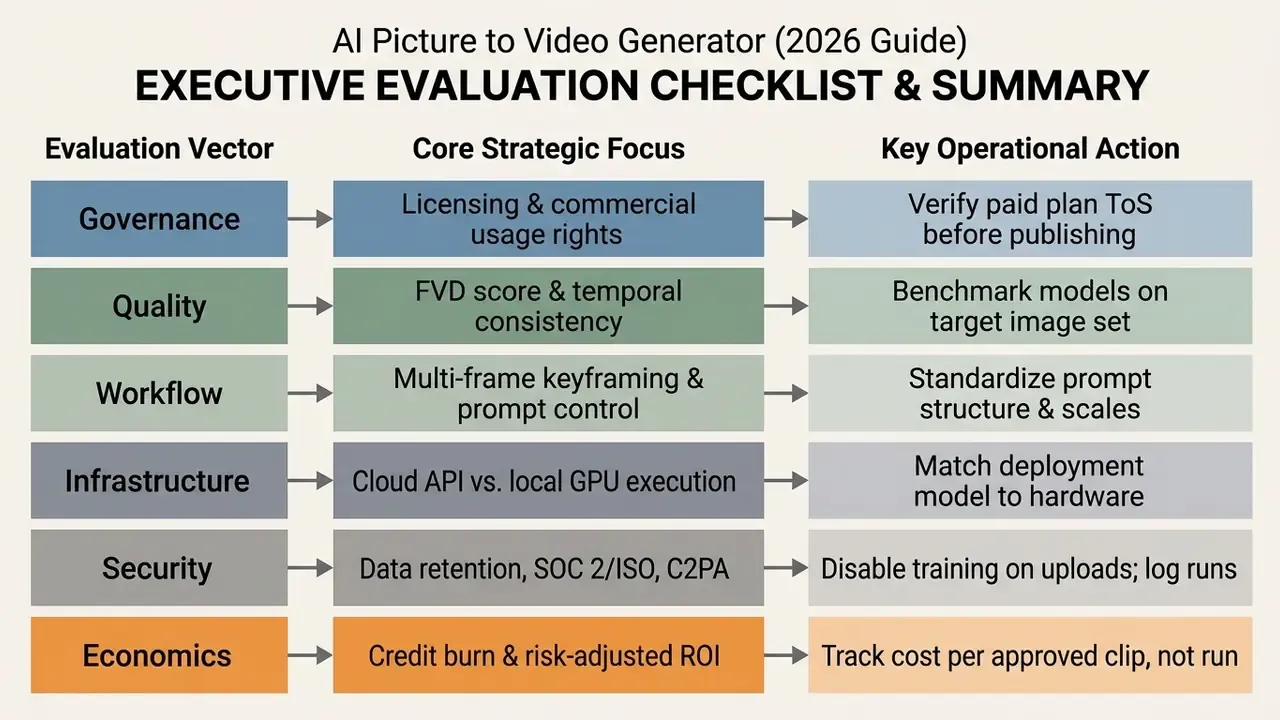
Who this guide is written for, and what it settles
Three groups tend to land on this page for very different reasons. Marketing and content teams want faster motion assets from an existing image library. Enterprise risk, compliance, and security functions want to know what leaves the network when someone uploads a photo. Finance wants a defensible number, not a vibe.
So the guide answers four decisions in order. First, which class of model fits the task: image-to-video, reference-to-video, or text-to-video. Second, which vendor controls matter before the first upload, from training-data opt-out to content provenance. Third, how to run the pipeline so that most renders are usable on the first or second attempt. Fourth, how to price the whole thing honestly, including failed generations and review labour.
One caveat up front. Vendor capabilities in this category change monthly, sometimes weekly. Verify pricing, credit rules, and licensing terms on the official plan pages before you commit budget, and record the date you checked.
What Is an AI Picture to Video Generator?
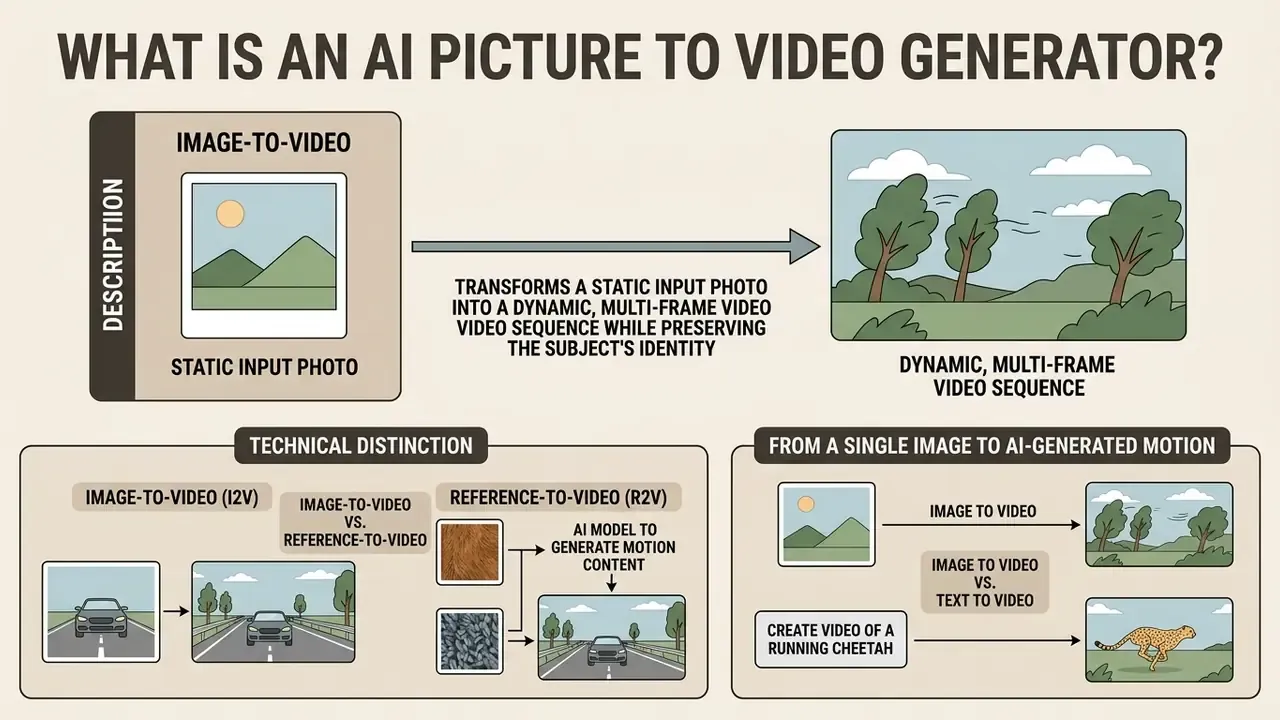
An ai picture to video generator is a conditional generative model that transforms a static input photo into a dynamic, multi-frame video sequence while preserving the subject's visual identity. Unlike traditional video editors that rely on manual keyframing, an ai video generator leverages latent diffusion architectures or generative transformers to infer movement, depth, and spatial continuity across time.
«Diffusion models dominate image-to-video generation, performing stepwise denoising in latent space conditioned on visual and textual input.»
By evaluating pixel structures and semantic context, these platforms produce realistic motion from a single static image or a sequence of images. The system uses the initial frame as a spatial anchor, predicting frame-to-frame trajectories while generating the missing temporal data. Depth is inferred through monocular depth estimation, layer ordering is resolved through occlusion, texture-gradient and perspective cues, and object separation is handled by semantic-aware scene understanding. Those are the same cue families documented in monocular depth research and in CVPR work on semantics-guided depth prediction.
Technical Distinction: Image-to-Video vs. Reference-to-Video
- Image-to-Video (I2V): Treats Frame 1 as the exact visual starting point and animates pixels directly from that frame. Best for single-shot animations, static photo revival, product motion, and any case where the source composition must survive intact at frame zero.
- Reference-to-Video (R2V): Uses uploaded images strictly as character, style, or asset references, generating new camera angles and scene layouts while keeping character identity consistent across multiple shots. Best for multi-shot storytelling, campaign series, and recurring brand characters.
In practice, mature teams combine both: I2V for deterministic single clips such as product spins and hero shots, R2V when the same character or product must appear across five to ten scenes without re-shooting each anchor frame.
From a Single Image to AI-Generated Motion
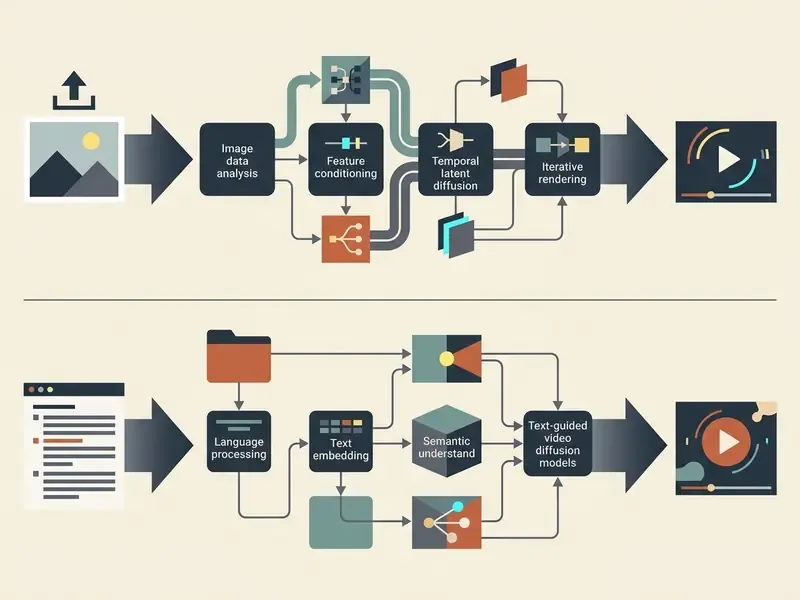
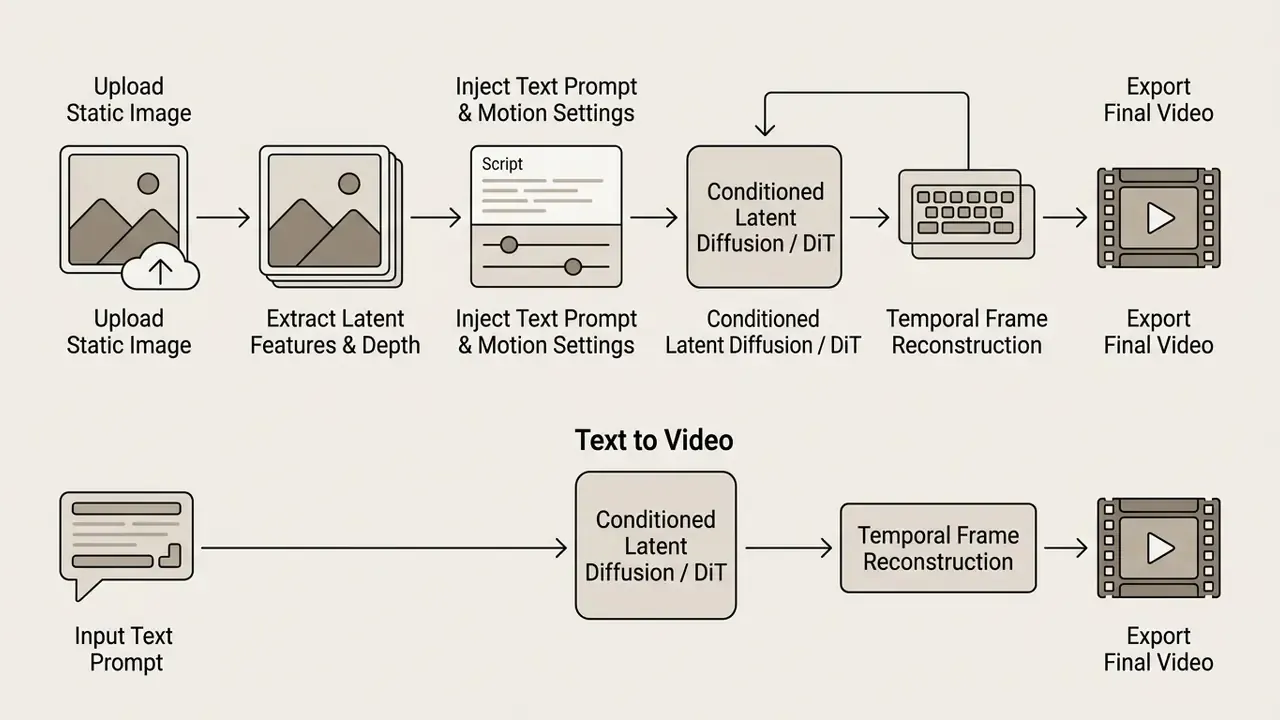
An ai tool create video from single image pipeline extracts structural features, object boundaries, and spatial depth to reconstruct plausible physical dynamics. Research on image-conditioned video diffusion shows that motion lives inside the denoiser through temporal attention and temporal convolution layers, which capture motion vectors without rewriting the underlying scene attributes.
«Latent diffusion with optical flow in latent space preserves spatial detail and temporal consistency better than direct frame-synthesis methods.»
When you upload a photo or picture, the model maps pixel distributions into a latent space. It then applies a denoising process guided by motion priors, converting a still portrait or landscape into a fluid 4-to-8-second video clip. Peer-reviewed image-animation work (Cinemo, CVPR 2025) states the objective plainly: preserve original content while injecting temporally coherent dynamics.
Small practical note. The phrase "ai my photo to video" describes exactly this path, and it is also where consent questions start, because the photo is usually a person.
Image to Video vs. Text to Video
Image-to-video generation relies on an explicit visual anchor to control character appearance, scene geometry, and lighting. Text-to-video creates visuals entirely from descriptive prompts. Because text-to-video models must infer both appearance and motion from language alone, they show higher identity drift and more temporal flicker across generated frames.
«STIV (8.7B parameters) reaches 90.1 on VBench I2V, surpassing CogVideoX-5B, Pika, Kling and Gen-3 in quality and semantic alignment.»
Character-animation research points the same way. Methods such as Animate Anyone are explicitly positioned as "consistent and controllable image-to-video synthesis," because first-frame conditioning anchors identity, while controllable text-to-video methods must bolt on control maps and motion priors to reduce drift.
Combining a structural ai image reference with a descriptive text prompt gives creators precise control over camera trajectories and object actions. So while text-to-video AI offers open-ended conceptual flexibility, image to video delivers higher predictability and visual alignment for professional and commercial applications. For platform-level detail, see the full breakdown of image-to-video AI tools.
What Can AI Generate from a Photo or Image?
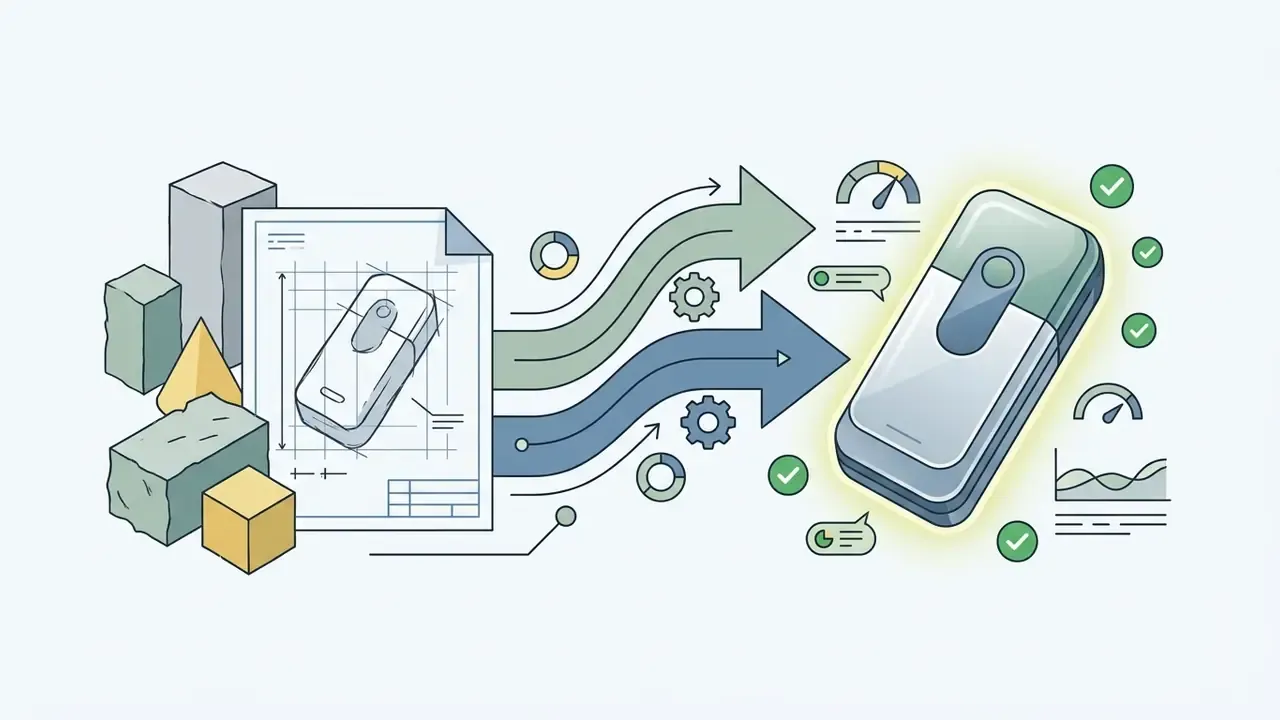
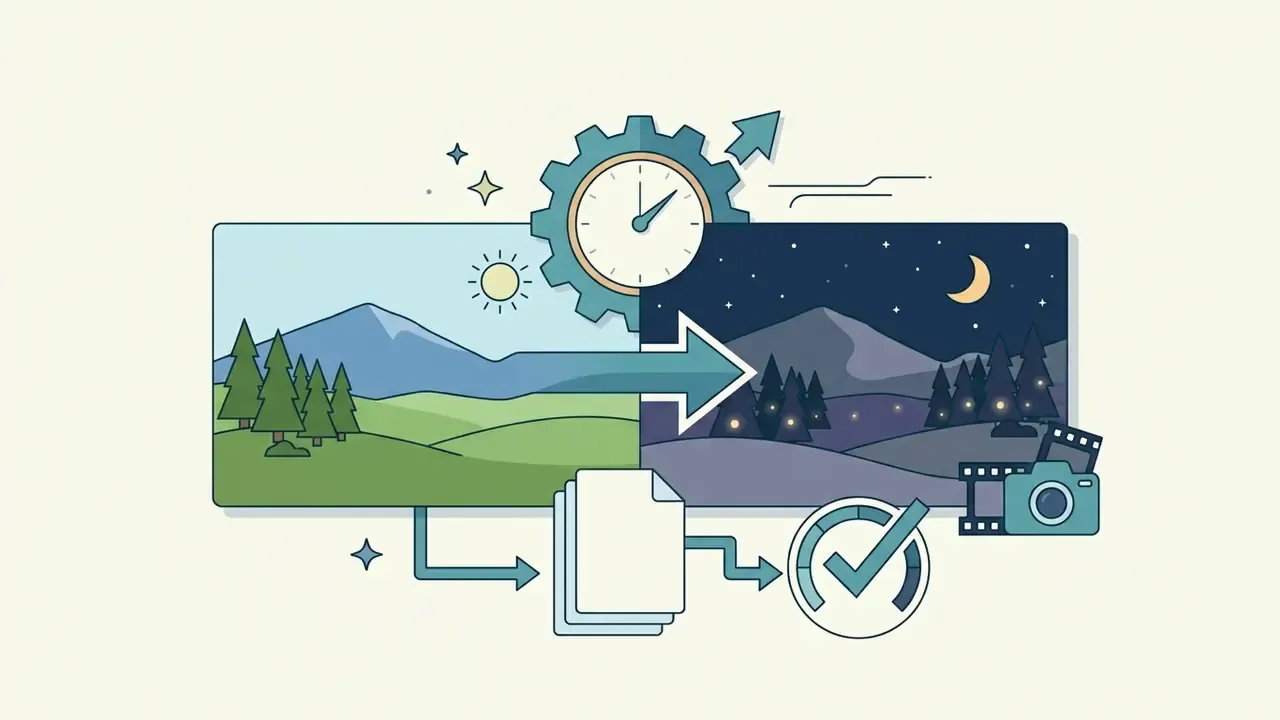
An ai generate video from photo pipeline can produce cinematic camera movements, character actions, atmospheric lighting shifts, and stylized visual transformations. Modern models translate structural image features into dynamic sequences that mimic real-world physics or a chosen artistic style.
By conditioning generation on a baseline visual, an ai generate video from images framework holds stylistic continuity while introducing controlled movement. That capability spans practical enterprise uses, from e-commerce product animation to high-end media production. The same logic underpins the "ai that makes video from image" tools now embedded in ad platforms.
Camera Motion, Animation, and Dynamic Clips
Modern video tools support precise camera trajectories: panning, tilting, zooming, tracking, and orbital shots. Platforms like Kling AI and Adobe Firefly let users prompt specific camera paths while keeping background structures stable (Adobe Firefly Docs, 2026). Kling's camera-control documentation exposes push in, pull back, pan left/right, tilt up/down, track forward, orbit slowly, and static camera as directly promptable operations. Firefly adds a Motion reference mode that extracts pans, zooms, tilts, and motion paths from an uploaded reference clip.
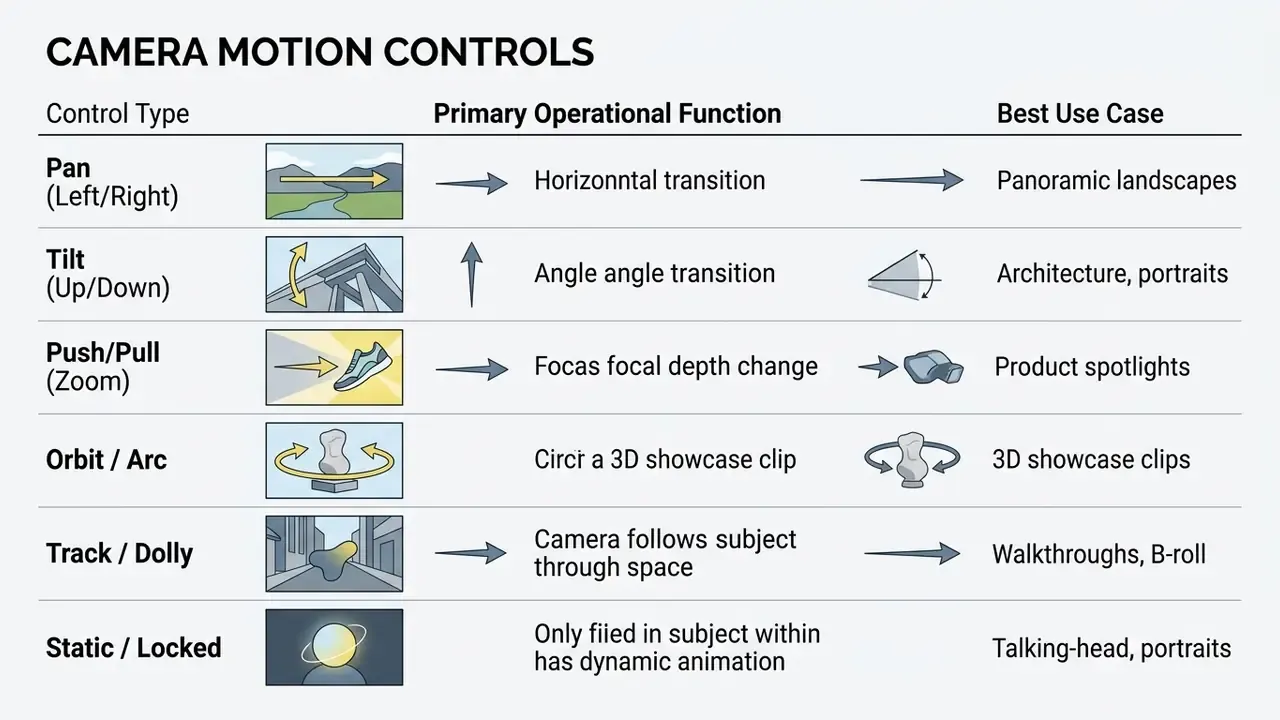
When animating an ai still image to video, temporal modules estimate optical flow vectors to generate natural object interaction. This is what enables subtle facial expressiveness, cloth movement, environmental wind effects, and continuous background motion without distorting the primary subject.
Vendor-side motion vocabularies are equally explicit. Midjourney separates Low Motion (subtle character movement, minimal camera travel) from High Motion (large camera moves and pronounced character action). That single toggle is the fastest practical lever for controlling artifact risk.
Realistic, Cinematic, and Creative Video Styles
How to Choose the Best AI Image to Video Tool
Identifying the ai image to video best solution means evaluating spatial preservation, temporal stability, render latency, API accessibility, information-security posture, and commercial licensing rights. Platforms differ sharply in feature sets, hardware demands, and cost structures. Before committing budget, review the side-by-side view of leading AI video generators.
Organizations assessing ai tools for image to video generation must weigh feature availability against operational governance, data security, and recurring subscription costs. To review detailed feature matrices across leading platforms, compare options.
AI Video Models and Generation Quality
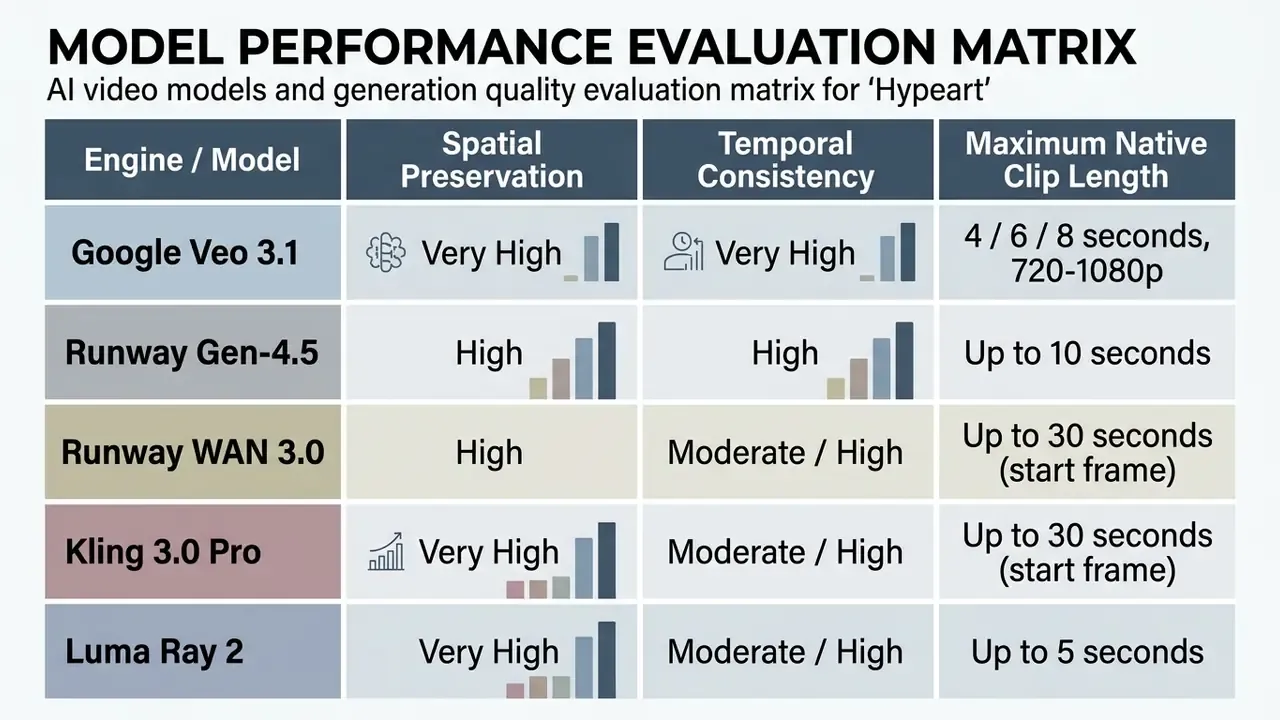
Model quality assessment involves Fréchet Video Distance (FVD), frame-to-frame consistency, and object physics preservation. Premier commercial engines such as Google Veo 3.1, Runway Gen-4.5, and Luma Dream Machine use large-scale dataset pre-training so characters stay identifiable throughout the clip (Luma Labs Docs, 2026). Google documents Veo 3.1 as supporting text-to-video, image-to-video, first/last-frame control, video extension, and reference-image guidance, with 4-, 6-, or 8-second clips at 720p or 1080p. Runway's API changelog documents WAN 3.0 generating up to 30 seconds from a start-frame image, with reference-driven shots and first/last keyframes.
«DreamVideo reaches FVD 197.66 on UCF101 and 149.18 on MSR-VTT, outperforming VideoCrafter1 (FVD 297.62) with less training data.»
Enterprise Security and Content-Provenance Criteria
Feature parity is rarely the deciding factor for regulated teams. Add the following vendor questions to your RFP before a single upload leaves the corporate network.
| Security / Governance Vector | What to Verify | Why It Matters |
|---|---|---|
| Certification posture | SOC 2 Type II, ISO/IEC 27001 scope covering the generation service | Establishes an auditable control environment for vendor risk files |
| Training-data opt-out | Contractual guarantee that uploaded images and prompts are excluded from model training | Prevents leakage of unreleased products, client faces, and internal documents |
| Data residency & retention | Storage region, retention window, deletion SLA, log access | Required for GDPR/CCPA and sector-specific confidentiality duties |
| PII and biometric handling | Consent basis for uploading identifiable faces; deepfake policy | Face animation of real people carries consent and likeness-rights exposure |
| Content provenance | C2PA / Content Credentials support, invisible watermarking, output metadata | Enables downstream disclosure and internal authenticity verification |
| Access control | SSO/SAML, role separation, audit trail per generation job | Blocks Shadow AI usage through personal accounts |
Secondary Production Modules to Consider:
Free Access, Credits, and Paid Plans
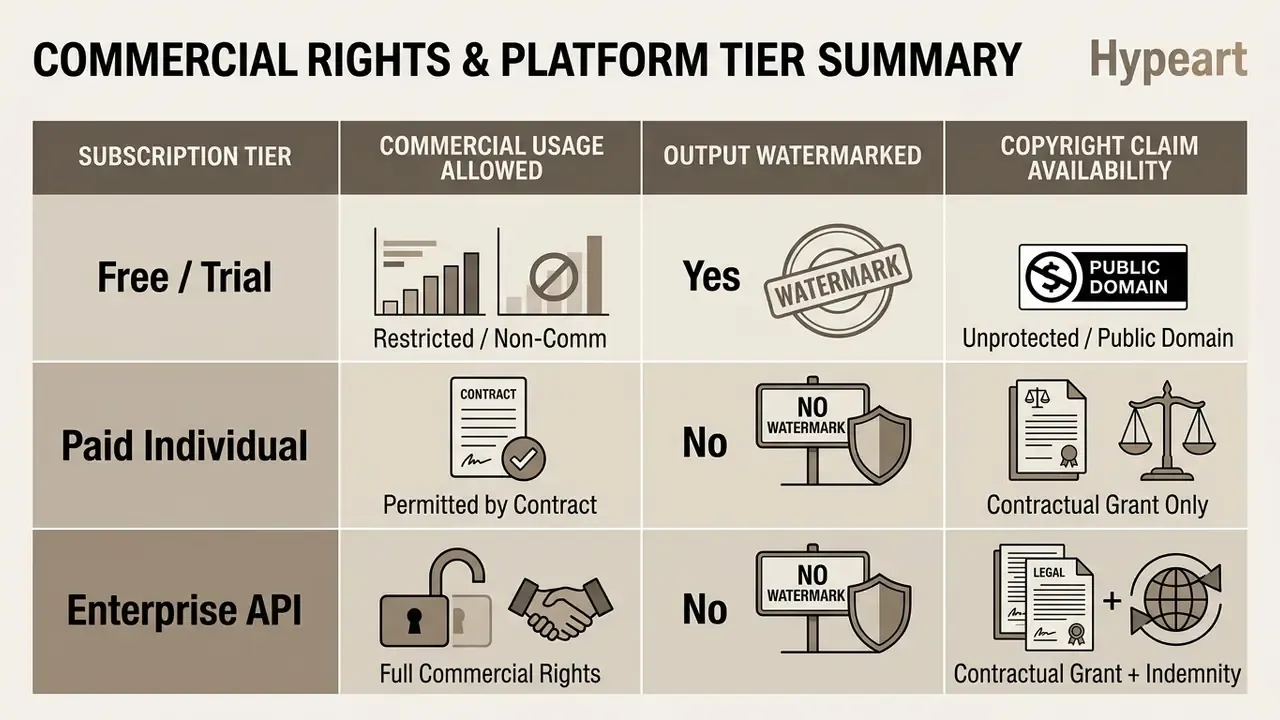
Most cloud video platforms offer limited free access through daily or one-time registration credits. Free plans let you test core prompt responsiveness, but they usually cap export resolution, attach watermarks, and restrict commercial deployment rights. The trade-offs are mapped in detail in the overview of free AI video generators.
- Runway 125 one-time initial credits on free tiers with watermarked output; paid plans remove watermarks and unlock high-resolution exports.
- Kling AI up to 66 daily recurring credits for standard-definition testing; the daily balance renews and does not roll over.
- VisionStory 10 trial credits on account creation, with paid tiers at 120, 480, and 1,920 credits.
- SUPA free tier includes 10 AI credits per month.
- Enterprise Licensing tiered monthly subscriptions provide dedicated GPU rendering queues and API batch processing credits.
Model regeneration cost into the budget from day one. Several platforms charge roughly two credits per generation, and a realistic acceptance rate of one usable clip per three to five attempts means the effective cost per approved asset is three to five times the sticker price of a single render. To sanity-check the arithmetic against your own volumes, see the overview of cost models before signing an annual plan.
Commercial Use and Rights for AI-Generated Video
Determining commercial usage permissions requires reading each platform's explicit terms of service. Under current frameworks, public copyright offices, including the U.S. Copyright Office, state that purely machine-generated outputs lacking human creative control may not qualify for traditional copyright protection (USCO Policy Statement, 2025). Copyrightability turns on the sufficiency of human authorship. Which means "ownership of the output" and "permission to use the output commercially" are two separate questions, answered by two different documents: statute and contract.
«Academic suites such as VBench++ and AIGCBench measure technical quality and model reliability, but do not assess contractual rights to commercialize generated video.»
How to Create a Video from an Image with AI
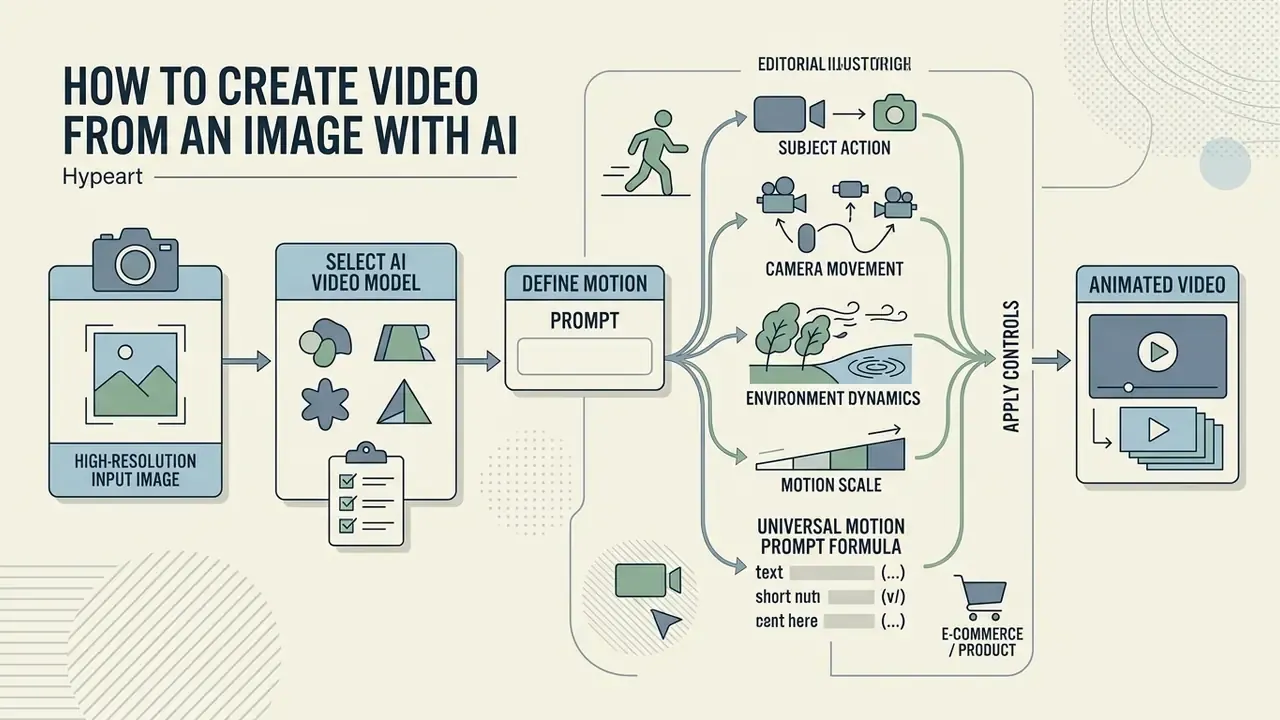
To ai create video from picture sources effectively, follow a structured pipeline: prepare a high-resolution input image, select an appropriate AI video model, define precise motion parameters via text prompt, run a compliance and brand-safety check, then refine the output through iterative sampling.
An ai site create video from image workflow removes the need for local GPU infrastructure by processing diffusion steps on hosted cloud clusters. A standardized procedure also does something less obvious: it cuts credit consumption caused by failed generation attempts.
Upload an Image and Choose an AI Video Model
Generation begins when you upload a clear, high-contrast source image to your chosen platform. Choosing the underlying model, whether Google Veo, Runway Gen-4, or Kling 3.0, depends on whether the task prioritizes photorealism, physical simulation, or clip duration (Runway Help Center, 2026).
Preparing visual inputs with proper aspect ratios, 16:9 for widescreen or 9:16 for vertical platforms, prevents unintended cropping and letterboxing artifacts. Higher source resolutions (1080p or 4K) give richer pixel data for latent feature extraction, which produces sharper output frames. When a model requires a fixed input shape, resize while preserving the original aspect ratio and pad the remainder rather than stretching the frame. Same letterbox principle documented for fixed-size vision pipelines.
If you are working with portraits, quality upstream matters more than any slider: cleaner sources from AI headshot generators drift far less under motion.
Describe Motion with a Prompt
A structured prompt tells the model how to move objects, adjust lighting, and place the camera. When learning how an ai generate a video from an image system reads text, build the prompt from four components: subject action, camera movement, speed or intensity, and environment dynamics. Runway's own prompting guide expresses the same idea as shot size + angle + movement + subject/action. Vidu's motion-prompt formula is subject motion + camera movement + scene change + style.
Describe motion, not the picture. Re-describing what is already visible in the source frame wastes prompt weight; the model already has the pixels.



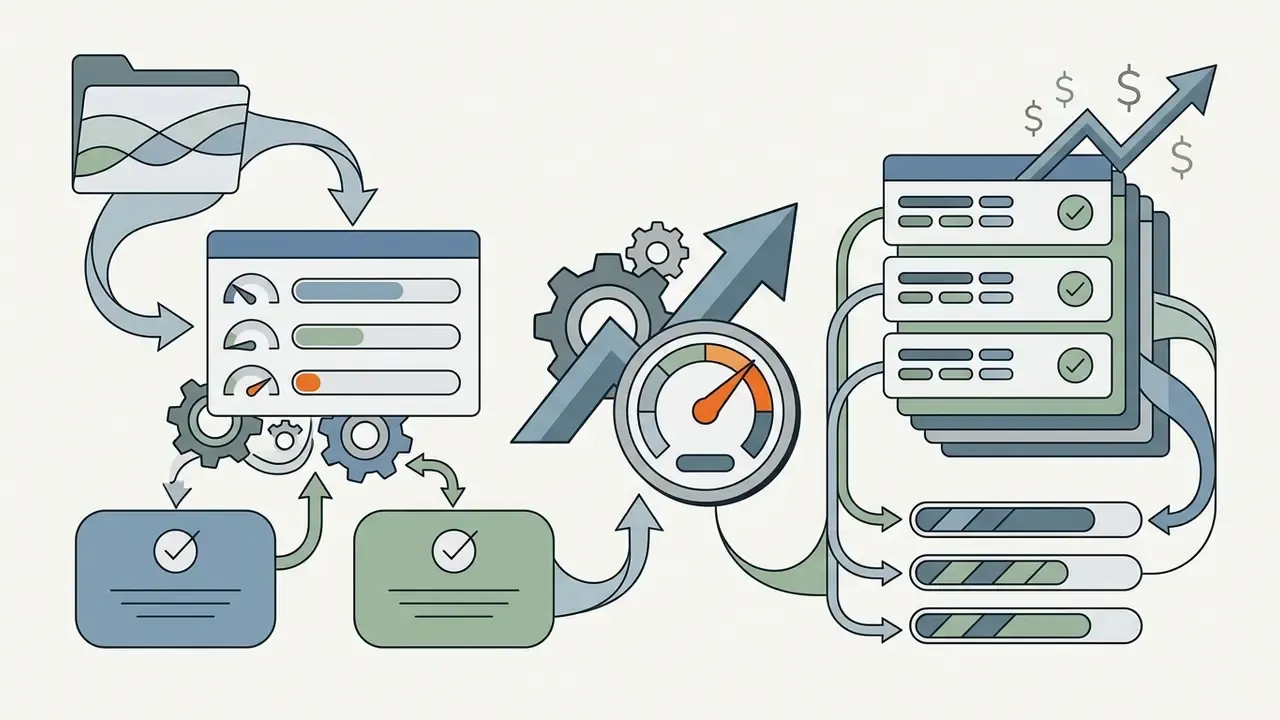
Universal Motion Prompt Formula
Ready-to-Use Prompt Templates
Keep one dominant action per clip. Prompts stacking three or more competing verbs ("running, spinning, jumping while the camera orbits") remain the single most common cause of limb warping and identity collapse. One verb. That is usually the whole fix.

"Seamless 360-degree orbital rotation around the product, studio softbox lighting, ultra-precise depth of field, static clean background."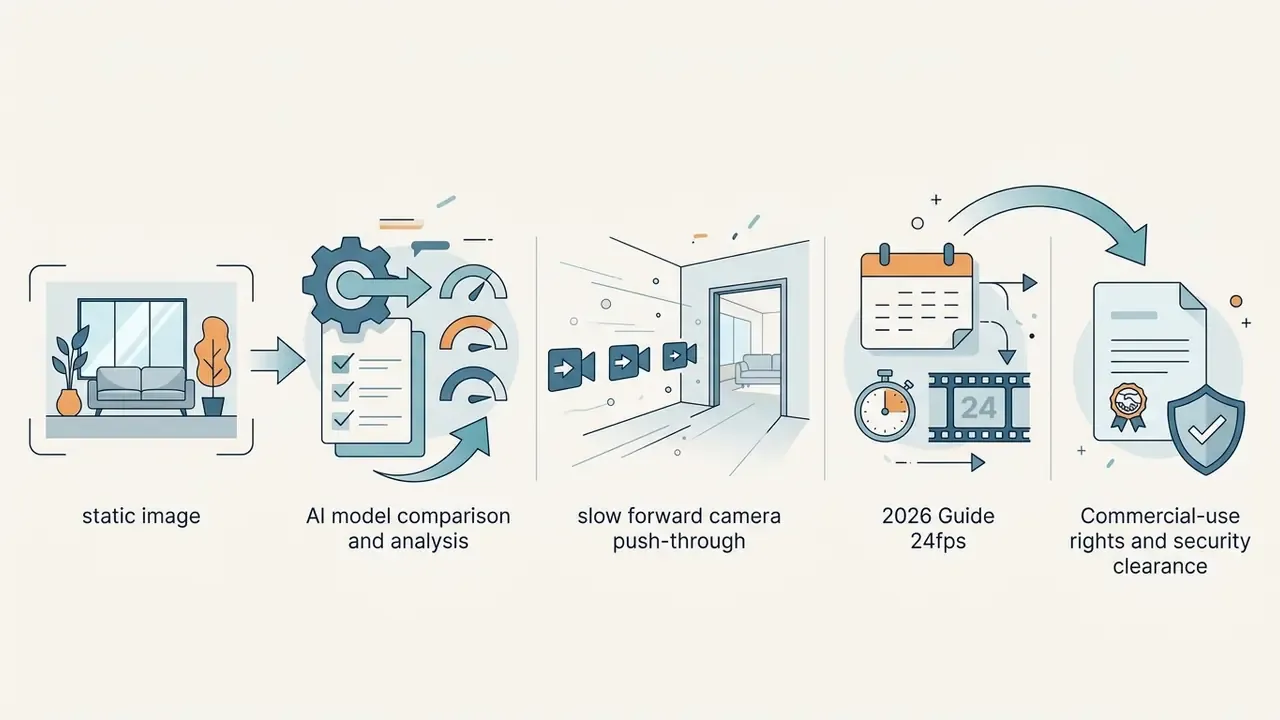
"Slow forward camera push-through into the living room, subtle natural sunlight streaming through windows, dust motes floating, 24fps cinematic."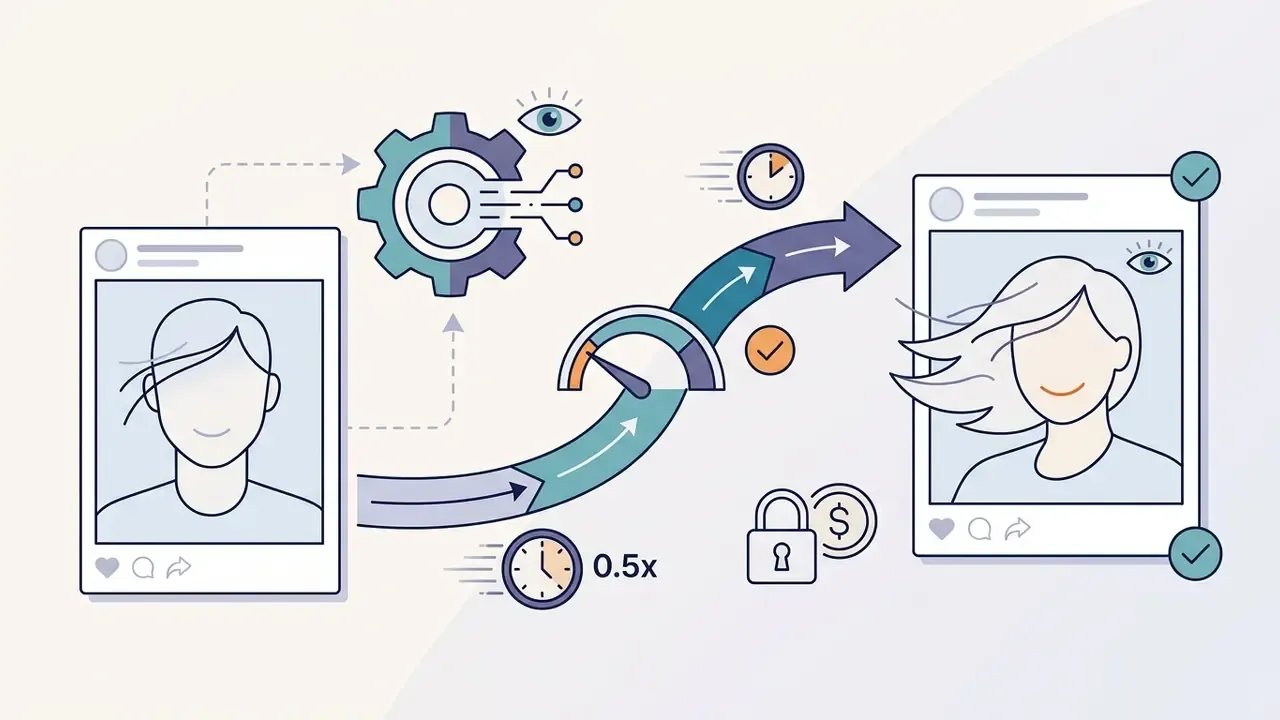
"Subject turns slightly toward the camera with a subtle warm smile, gentle wind blowing hair strands, slow-motion 0.5x speed, natural blinking."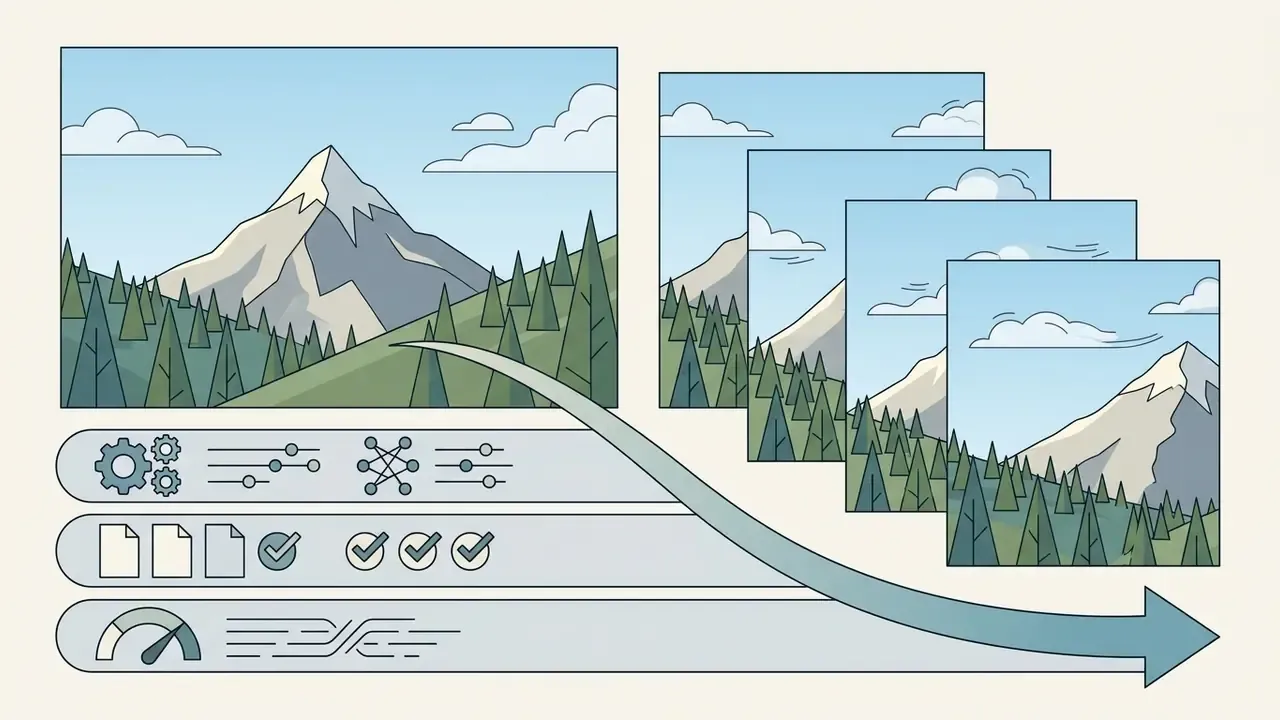
"Cinematic slow right-to-left pan, mountain tree canopy swaying gently in wind, realistic cloud movement across the sky."
"Locked static frame, slow parallax drift across the chart layers, soft key light rising from left, no subject deformation."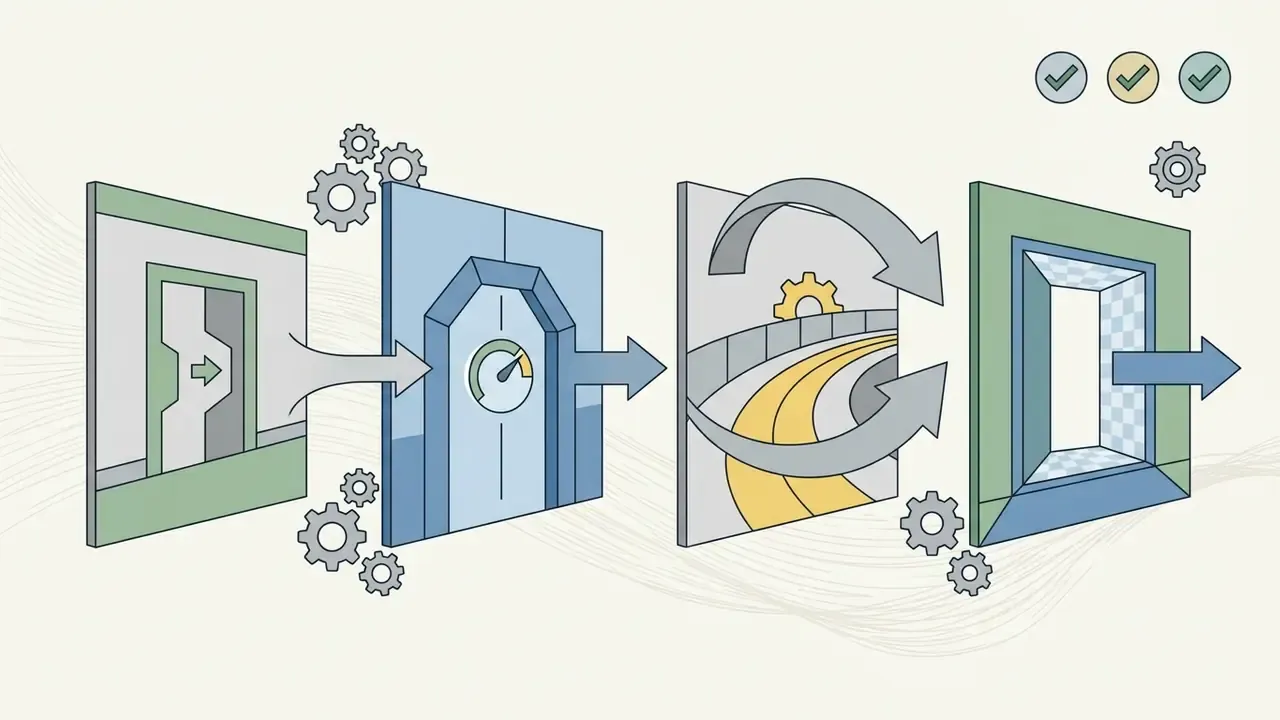
"Smooth walkthrough effect moving through the space, steady tracking motion, even neutral lighting, no text distortion."Keyframe Control: Generating Motion Between First and Last Frames
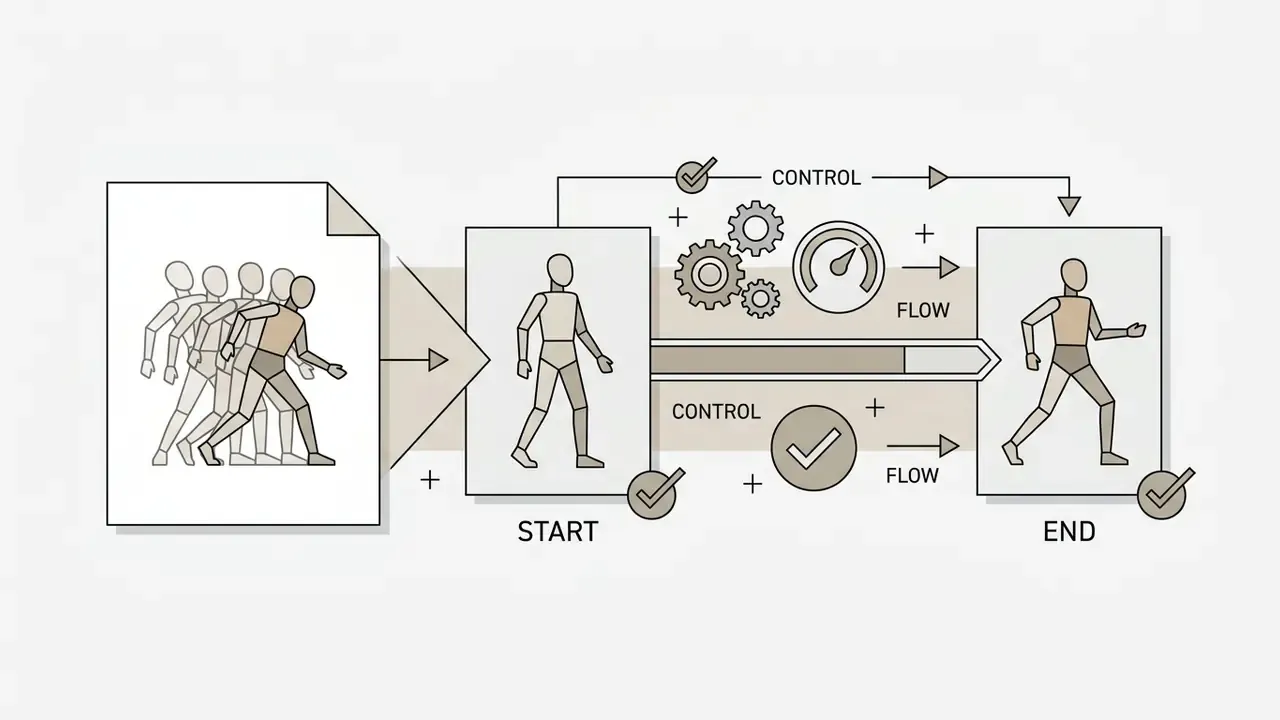
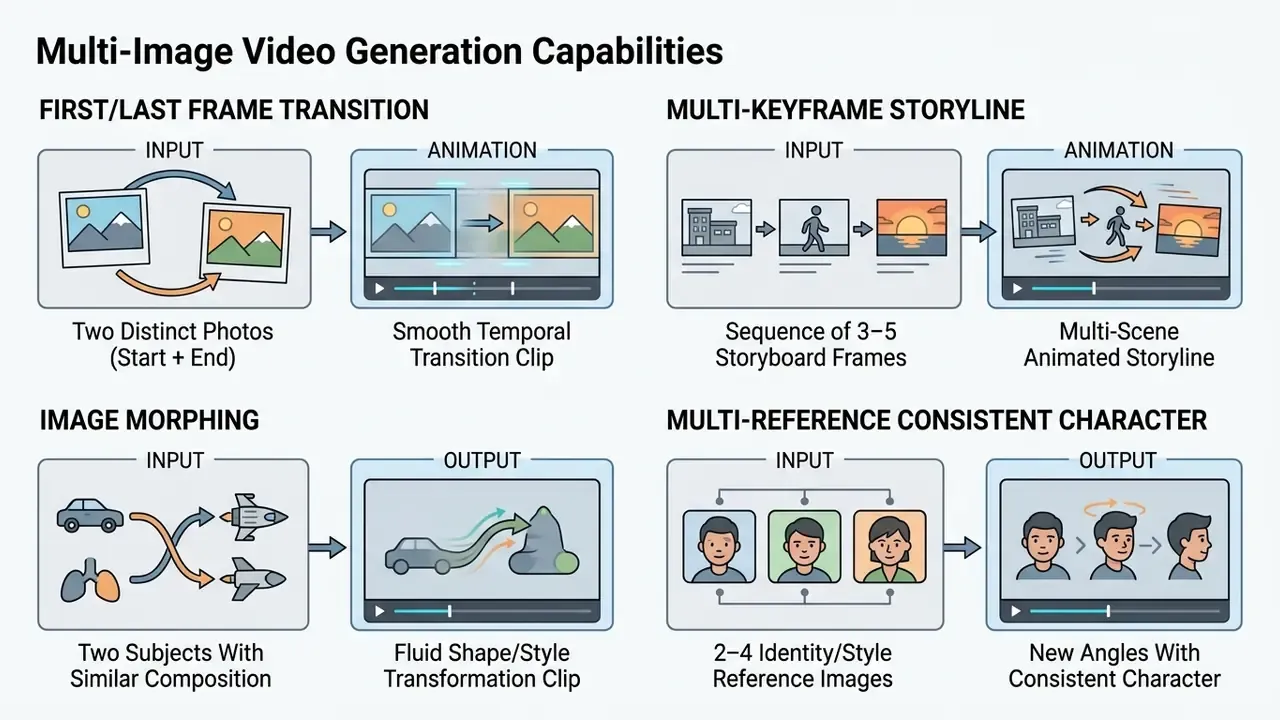
Advanced engines let creators upload two visual anchors: a Starting Frame and an Ending Frame. Instead of trusting a text prompt to guess the destination, the model computes a smooth temporal trajectory from Frame A to Frame B, which sharply reduces output variance across regenerations.
Implementation is now fairly standardized. Adobe Firefly accepts a first frame, a current frame, and a text prompt. PixVerse V6 exposes a transition mode where the second image becomes last_frame_image. Kling 3.0 Pro documents an end_image_url for controlled transitions and morphing. Morphic interpolates between two or more keyframes. MiniMax H3 supports first-frame and keyframe-guided generation with multi-reference conditioning. FLUX 3 Video accepts multiple images pinned to target positions for storyboard-style sequencing.
When to Use Dual-Frame Keyframing:
Two practical rules. Keep composition, focal length, and lighting broadly similar between the anchors. And avoid asking the model to invent an object that exists in only one of the frames, because that gap is exactly where morphing artifacts appear.
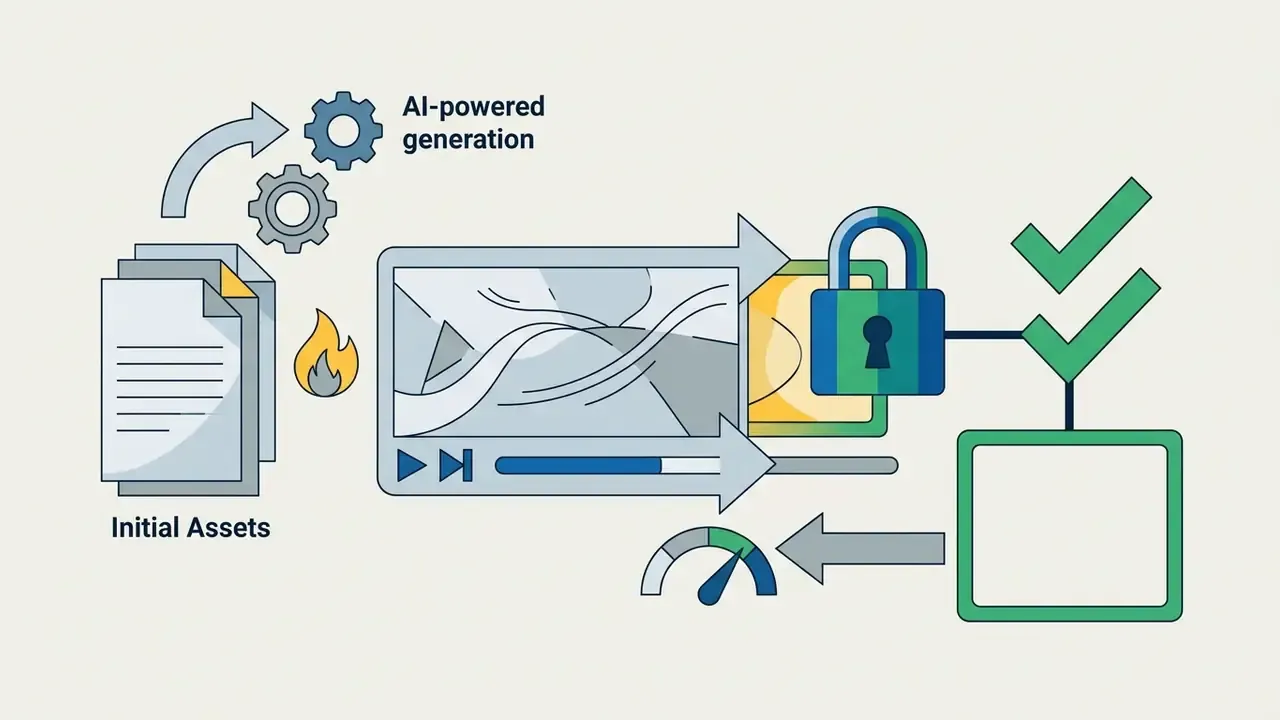
Generate, Review, and Refine the Video Output
Click generate video to start the cloud rendering job. Most platforms take between 30 seconds and three minutes for a 5-to-10-second high-definition clip, depending on queue traffic and processing settings. API pipelines are asynchronous by design: submit the job, poll status until completed, then fetch the finished MP4. That is the pattern documented by HeyGen's job endpoints and OpenAI's GET /videos/{video_id}/content retrieval.
Review the render for common generative artifacts: limb warping, unnatural physics, background flicker. If structural drift appears, reduce the motion scale or rewrite the prompt to prioritize explicit spatial boundaries. Before publication, run a Compliance & Brand Safety Check. Confirm input rights and consent, verify the subscription tier permits the intended commercial use, look for unintended text or logo hallucinations, and attach provenance metadata where the platform supports it. To explore platform pricing structures and service tiers, see the overview.
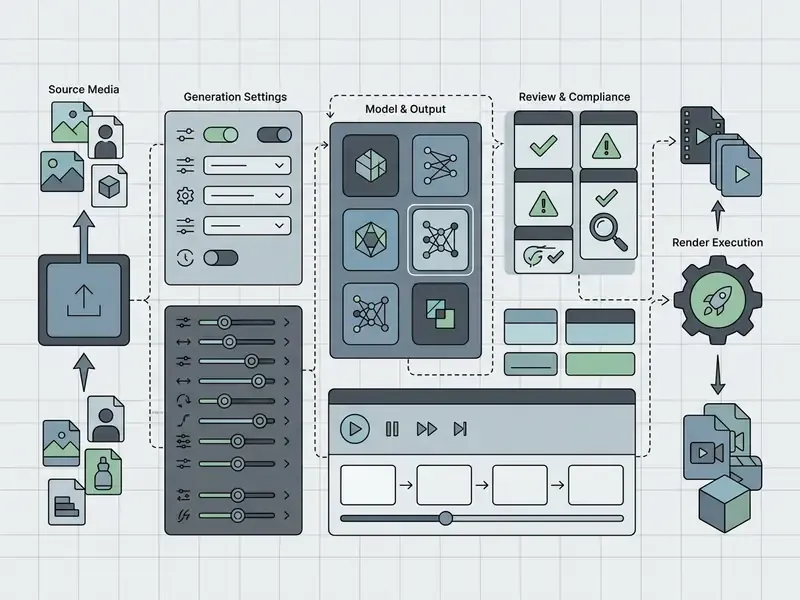
| Interface Section | Control Function | Recommended Parameter Setting |
|---|---|---|
| Image Input Slot | Drag-and-drop source image upload | 1080p+ JPEG/PNG/WEBP, 16:9 or 9:16 aspect ratio |
| Model Selection | Select active diffusion/transformer engine | High-fidelity model (Veo 3.1 / Gen-4.5) |
| Motion Scale Slider | Controls magnitude of temporal movement | Value 3–5 for subtle motion; 6–8 for dynamic action |
| Prompt Input Box | Textual guidance for subject and camera | Subject action + Camera path + Ambient dynamics |
| End-Frame Slot | Optional last-frame anchor for interpolation | Same framing and lighting as the start frame |
| Compliance Review | Rights, consent, brand-safety, provenance check | Mandatory gate before download or publishing |
| Render / Export | Initiates job processing and clip download | MP4 format, 1080p, 24/30 FPS |
Troubleshooting AI Video Generation: How to Fix Common Artifacts
Most wasted credits trace back to four failure modes, all diagnosable from the first render. Fix the input before you fix the prompt.
| Generation Issue | Root Cause | Actionable Fix / Solution |
|---|---|---|
| Limb / Object Warping | Motion scale too high (above 7) or conflicting action verbs in the prompt. | Reduce motion scale to 2–4. Simplify the prompt to a single main subject movement. |
| Flickering & Blurry Details | Low-resolution input photo (under 720p) or heavy visual noise in the original image. | Pre-upscale source images to 1080p/4K with an AI enhancer before generating video. |
| Identity Drift (Face Distortion) | Camera trajectory moving too fast, or subject occupies too little of the frame. | Crop the input closer to the face or body; add identity-anchoring prompt terms. |
| Background Melting | Weak separation between foreground subject and background elements. | Increase subject/background contrast or apply depth-map preprocessing. |
| Physics Violations (objects passing through each other) | Model lacks rigid-body priors for the requested interaction. | Reduce interaction complexity, or switch to an engine scoring higher on physics benchmarks. |
| Text / Logo Garbling | Diffusion models reconstruct small typography unreliably under motion. | Keep the camera static over text areas, or composite logos in post-production. |
Three input-side rules prevent most reruns. Use sharp, well-lit sources with clear subjects. Make the subject large enough in frame that facial or product detail survives compression. Keep prompts short and focused rather than overloaded. If the same defect repeats across three renders with different seeds, the problem is the source image, not the sampler.
Static graphics deserve the same discipline. Typography-heavy inputs from an ai sign generator or an ai signature generator tend to smear the moment the camera moves across the lettering, so animate around the text, not through it.
Use Cases for AI Videos Created from Pictures
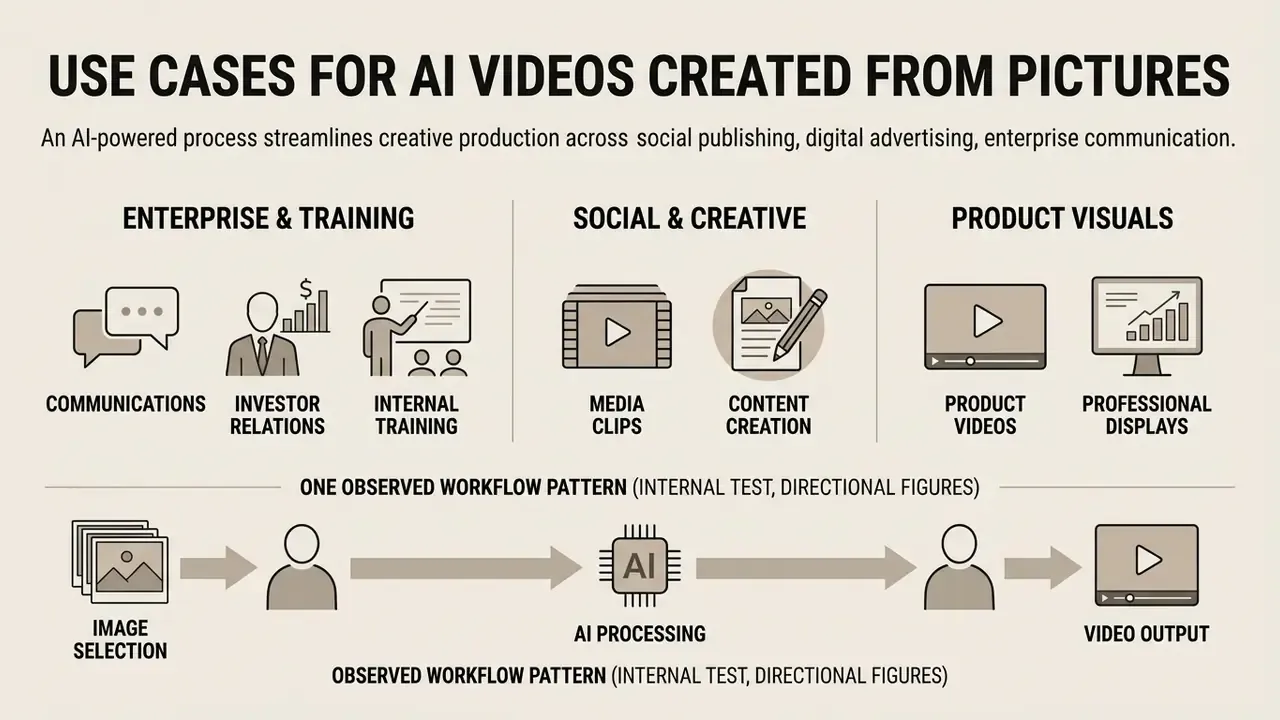
Deploying an ai to create videos from pictures stream streamlines creative production across social publishing, digital advertising, and enterprise communication. Converting static image libraries into motion assets lifts audience engagement without full-scale video shoots.
Organizations using an ai make video from picture workflow report meaningful time savings when producing multi-format video content for cross-channel campaigns. To streamline developer integration for automated media production, teams can build on an AI Media API, including the implementation notes for Google Veo video generation.
Enterprise Communications, Investor Relations, and Internal Training
Regulated organizations apply image-to-video most safely where the source asset is already approved: existing brand imagery, product renders, cleared photography, internally produced data visualizations. Typical institutional deliverables include animated chart sequences for investor updates, motion versions of approved campaign key visuals, onboarding and compliance-training explainers built from existing slide graphics, and localized variants of one approved master frame for different markets.
The governance advantage is concrete. Because the first frame is an approved asset, review focuses on the motion layer rather than on whether the model invented an unapproved scene. Pair that with an end-frame anchor on a compliant closing packshot, and both boundaries of the clip arrive pre-cleared.
Product Videos and Professional Visuals
E-commerce brands turn studio product photography into dynamic showcases with an AI video generator. A single static product photograph can yield slow 360-degree rotations, macro detail sweeps, and contextual lifestyle clips for paid campaigns (IAB Gen AI Playbook, 2025). Google Ads documents the same repurposing logic on the buy side: existing static images, text, and Merchant Center assets can be assembled into video ads. IAB's 2025 buyer survey reports that 86% of buyers are using or planning to use generative AI to build video ad creative.
Observed workflow pattern (internal test, directional figures): In an internal workflow test, an online retailer converted 50 static shoe photographs into animated social display ads through an automated rendering pipeline. The team recorded a higher click-through rate for animated placements than for static versions in the same campaign, alongside the removal of traditional shoot costs. The measured delta sat in the low-to-mid double digits in percentage terms. But the test was not a controlled A/B experiment with published sample sizes, so read it as an internal observation rather than a benchmark. Run your own holdout test before forecasting revenue impact.
FAQ About AI Image to Video Generation
How Long Does AI Image to Video Generation Take?
Generating a 5-to-10-second clip through a cloud ai tool to generate video from image workflow typically takes between 30 seconds and three minutes. Actual times depend on queue volume, model complexity, target resolution, and frame rate. Vendor documentation cites the same range and attributes variance to model, resolution, duration, and current load. Local setups running workflows like ComfyUI depend directly on GPU performance. Published Stable Video Diffusion guidance indicates roughly 16 GB VRAM for 14-frame SVD runs and 24 GB for 25-frame SVD-XT runs on RTX 4090-class hardware. On that class of GPU, 25-frame diffusion sequences commonly finish in tens of seconds to a couple of minutes, while CPU-bound setups take considerably longer (ComfyUI Documentation, 2026). No peer-reviewed benchmark publishes standardized average render times across models, clip lengths, and queue states, so treat every timing figure, vendor ranges included, as environment-specific.
Do I Need to Install Software to Create Videos from Images?
No. Most creators use web platforms that process generation remotely through a standard browser. Cloud platforms handle model execution on their side, so you upload images, enter a prompt, and download the finished file on any device. The cloud-only options are compared in the roundup of the best free AI video generators. Local installs such as ComfyUI or Stable Video Diffusion offer node-level customization and remove subscription credit limits. They also demand dedicated graphics hardware, technical setup, and manual model management. ComfyUI's documentation lists Windows 10+, macOS 13+ on Apple Silicon, or Linux, roughly 4.85 GB of disk per standalone install, 8 GB RAM minimum with 16 GB recommended, and a dedicated NVIDIA or AMD GPU as recommended. CPU-only execution works, just slowly.
Can AI Make a Video from Multiple Photos?
Yes. Modern platforms support multi-image keyframing, morphing transitions, and camera-guided interpolation between distinct frames. Advanced models let users upload a starting frame and an ending frame, then generate smooth motion between the two endpoints (Adobe Firefly Help, 2026).
«4Diffusion integrates a learnable motion module into a 3D-aware diffusion model, ensuring spatio-temporal consistency when generating 4D content from multiple viewpoints.» 4Diffusion: Multi-view Video Diffusion Model for 4D Generation, arXiv:2405.20674 (2024). https://arxiv.org/abs/2405.20674 Multi-image inputs give creators tighter control over storytelling composition, camera angles, and character actions, and they connect directly to animation makers for downstream sequencing. This is the bridge between single-image animation and full storyboard video generation, and it is where an ai movie from picture ambition stops being a slogan.
How Do We Prevent Shadow AI When Employees Upload Photos?
Shadow AI, meaning staff using personal accounts on public generators, is the dominant governance risk in image-to-video adoption. Why? Because the uploaded asset is often the sensitive item: a client face, an unreleased product render, an internal document photographed on a desk. A workable control set:
- Publish an approved-tool list with one sanctioned enterprise account per business unit, plus SSO enforcement so usage is attributable.
- Define prohibited inputs explicitly: customer photographs, identity documents, biometric imagery, unreleased product designs, internal screens, and any third-party asset without documented motion rights.
- Contract for no-training and deletion: require written exclusion of uploads and prompts from model training, with a stated retention window and deletion SLA.
- Log every generation job (user, input hash, model, prompt, output hash) so any published clip can be traced back to its source asset and approval.
- Gate publication behind the Compliance & Brand Safety Check described above. No clip reaches a public channel without rights, consent, and provenance confirmation.
- Monitor egress for uploads to unsanctioned generation domains, and pair enforcement with a fast sanctioned alternative. Restriction without a usable tool is what creates Shadow AI in the first place. For setup questions and control templates, open the hub.
How Should We Calculate Risk-Adjusted ROI?
Sticker pricing understates true cost, because failed renders, review time, and residual legal exposure are all real line items. A defensible working model:
Risk-Adjusted ROI = (Production Savings + Incremental Revenue) − (Subscription + Credits ÷ Acceptance Rate + Review Labour + Remediation Reserve) ÷ Total Cost
- Credits ÷ Acceptance Rate: if one render in four is publishable, multiply per-render credit cost by four.
- Review Labour: minutes of legal, brand, and compliance review per approved clip, at loaded hourly cost.
- Remediation Reserve: budget for takedown, re-shoot, or re-generation if an input-rights or likeness issue surfaces after publication.
- Production Savings: avoided shoot, studio, talent, and edit costs for the same deliverable count. Report cost per approved clip, never cost per generation. That one metric change is usually what turns an image-to-video pilot into an approvable business case.
What Remains Unresolved?
Plenty, honestly. Copyright treatment of AI-assisted media is still moving through litigation and policy updates, so today's contractual comfort may not survive next year's ruling. Physics benchmarks disagree with aesthetic benchmarks, and neither predicts how a model handles your specific product category. Provenance standards such as C2PA are adopted unevenly across platforms, which weakens end-to-end verification. And there is no public, standardized reporting of render latency, so capacity planning stays empirical. Where the evidence is thin, say so in the risk memo rather than smoothing it over.
Key Operational Takeaways
- Prioritize Structural Control: Choose image-to-video over pure text-to-video when character appearance, brand style, and scene geometry must hold. Use reference-to-video when one identity must persist across multiple shots.
- Standardize Prompt Design: Direct motion with the formula
[Subject Action] + [Camera Trajectory] + [Environmental Dynamics] + [Lighting Shift], one dominant action per clip, low motion-scale values for identity-critical subjects. - Anchor Both Ends: Where the deliverable must open and close on approved assets, use first/last-frame keyframing instead of prompt-only guessing.
- Fix Inputs Before Prompts: Resolution, subject size, and foreground/background contrast cause more artifacts than sampler settings ever will.
- Verify Usage Licensing and Inputs: Confirm the subscription tier grants explicit commercial usage rights, and that you hold rights and consent for every uploaded image.
- Govern the Pipeline: Enforce SSO, no-training contracts, generation logging, provenance metadata, and a mandatory pre-publication compliance gate. A safe next step, if the pilot is still small: pick one deliverable type, run twenty generations, and measure acceptance rate plus review minutes. That single dataset will tell you more than any vendor demo. General information notice: this article addresses copyright, licensing, data-protection, and model-risk topics at a general level and is not legal, financial, or compliance advice. Verify current platform terms and consult qualified professionals before deploying generated media commercially. Author note: Marcus Hale writes about AI governance and model risk for this publication.
Internal Resource Navigation
For additional documentation, process templates, and tool comparisons across automated media workflows:
- view the guide - complete technical and functional glossary hub.
- open the hub - technical support documentation and setup guides.
- AI Litigation and Case Timelines - legal tracking and generative AI case history.
- AI headshot generators - portrait-quality inputs, privacy handling, and professional use.
- Best free AI video generators - duration limits, credits, watermarks, and export rules compared.
- ai short video generator - vertical formats, clip length, and publishing cadence.
Social Media Clips and Creative Content
Short-form algorithms on TikTok, Instagram Reels, and YouTube Shorts favour dynamic video over static posts. Creators animate meme templates, bring archival photos to life, revive family and heritage imagery, and turn portfolio artwork into motion clips. Vendor documentation consistently frames this as a 9:16 vertical MP4 workflow generated in seconds from a single still, which is also the core promise of any ai short video generator.