Author note: Marcus Hale writes about AI governance and model risk for this publication.
In enterprise media production, digital asset management, and commercial content strategy, static visual assets often fail to deliver the engagement that competitive digital channels demand. Transforming single photographs into dynamic video clips through generative artificial intelligence, commonly called an ai photo to video workflow, lets organizations produce motion assets without paying for a physical reshoot. By deploying video diffusion models with temporal conditioning, modern systems can bring photos to life using controlled camera paths and fluid subject motion.
This guide examines the technical mechanics of ai photo to video generation, walks through an operational workflow for turning static images into videos, compares the leading generative models, ships copy-paste prompt templates and API code, and sets out practices for quality control, data governance, legal clearance, and commercial usage. For broader terminology and technical reference, visit our glossary.
Executive summary: what a decision-maker needs first
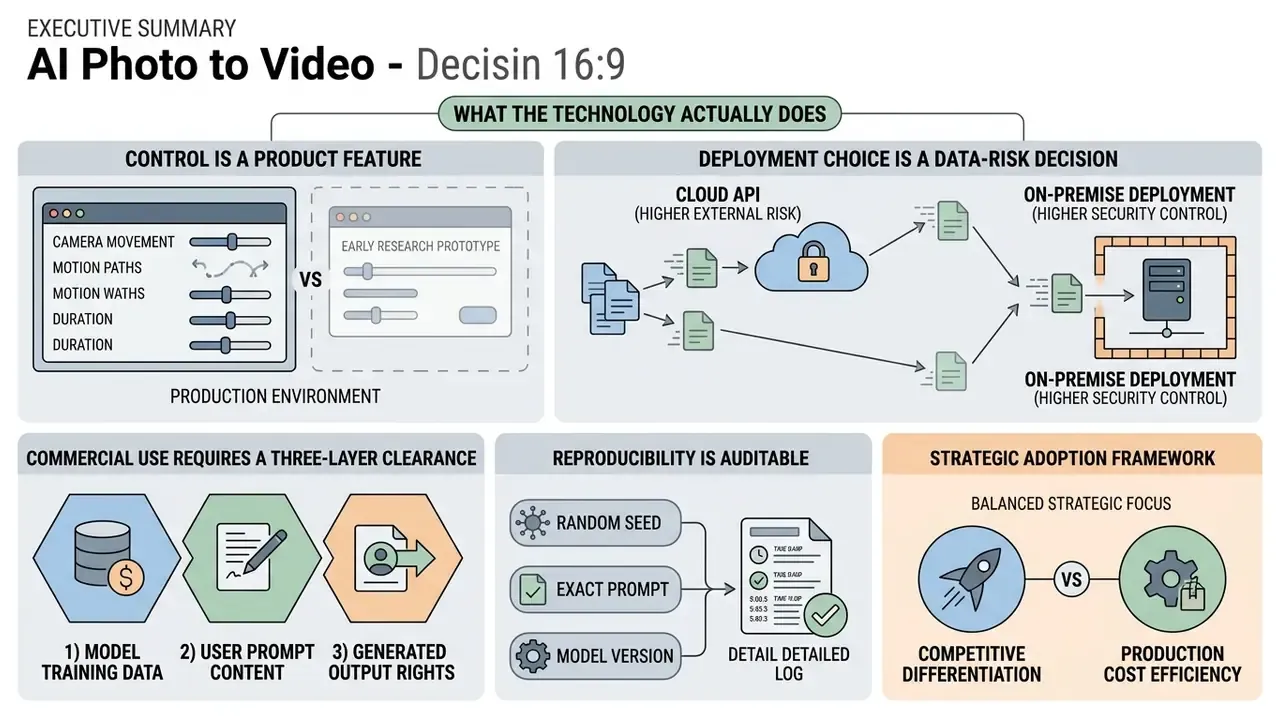
- What the technology actually does. Image-to-video (I2V) models learn a conditional distribution over video given one input frame, an optional text prompt, and explicit control signals. The source photograph acts as a spatial anchor, which makes framing, identity, and brand color far more predictable than text-to-video.
- Control is now a product feature, not a research demo. Camera-motion tokens (dolly, pan, tilt, orbit), start and end frame interpolation, seed locking, and native audio co-generation are available across Kling 3.0, Veo 3.1, Seedance 2.0, Wan 2.6, and LTX-Video 2.
- Deployment choice is a data-risk decision. Public free web generators, enterprise cloud APIs (Vertex AI and equivalents), and self-hosted open-weights models (LTX-Video, Wan) carry radically different data-retention, training-opt-out, and NDA exposure profiles. Shadow AI usage of consumer tiers remains the most common governance failure.
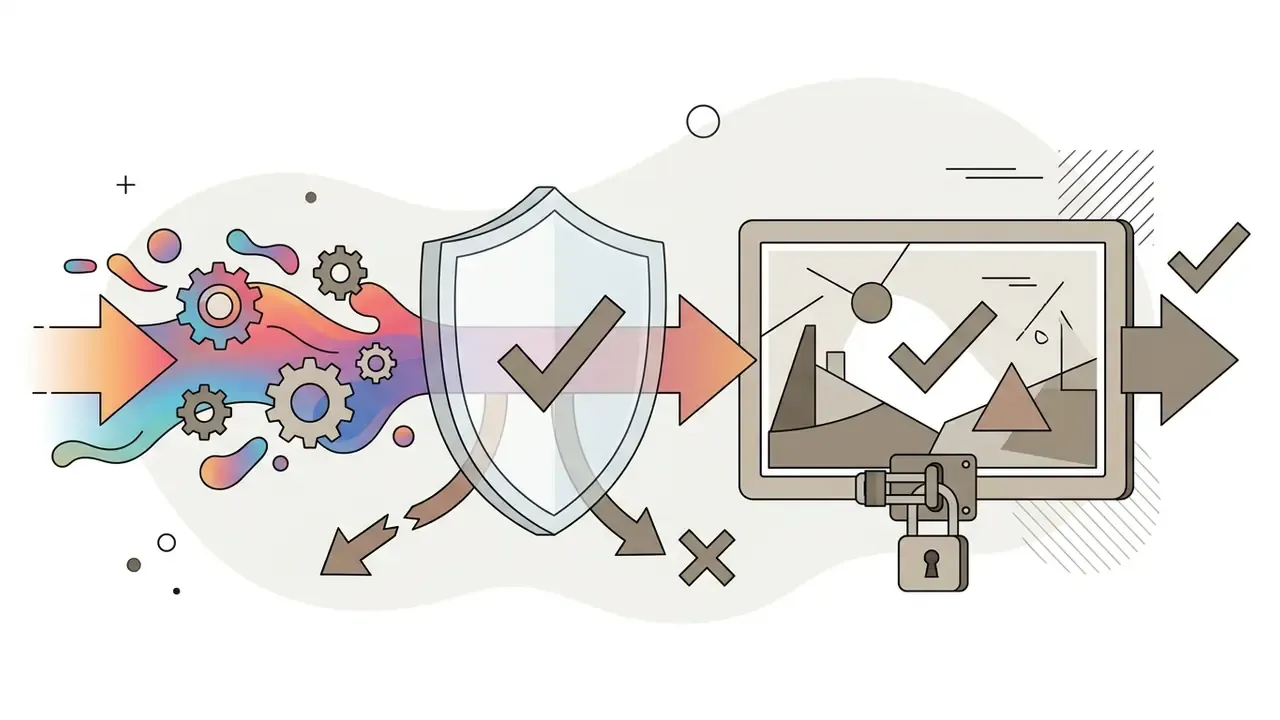
- Commercial use requires a three-layer clearance. Input asset rights (including model releases), platform license tier, and regional synthetic-media disclosure rules (EU AI Act Article 50, U.S. Copyright Office human-authorship guidance) must all be satisfied before a generated clip ships in paid media.
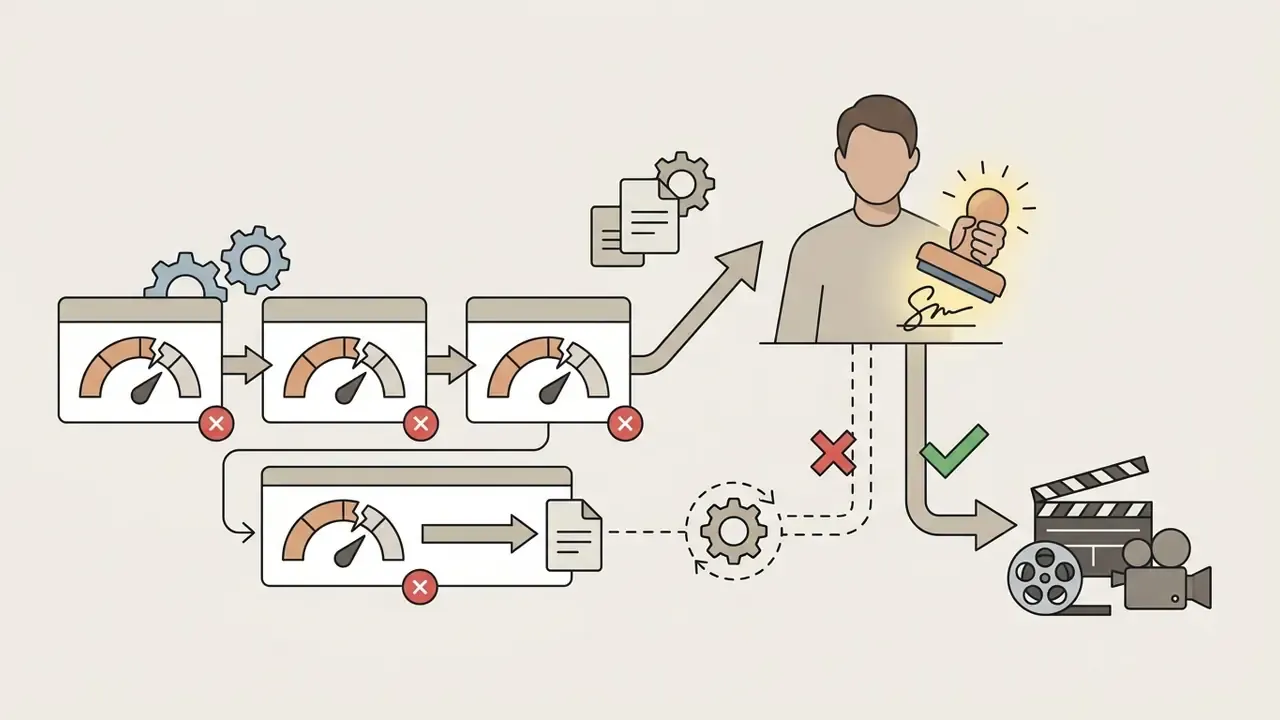
- Reproducibility is auditable. Log the input image hash, seed, model version, prompt, and parameters for every render. Without that record, a generated asset cannot be reproduced or defended during a model-risk review.
One more framing point. Treat this workflow like any other model in production: named owner, approved scope, evidence trail. No evidence, no autonomy.
What is AI photo to video and how image-to-video AI works
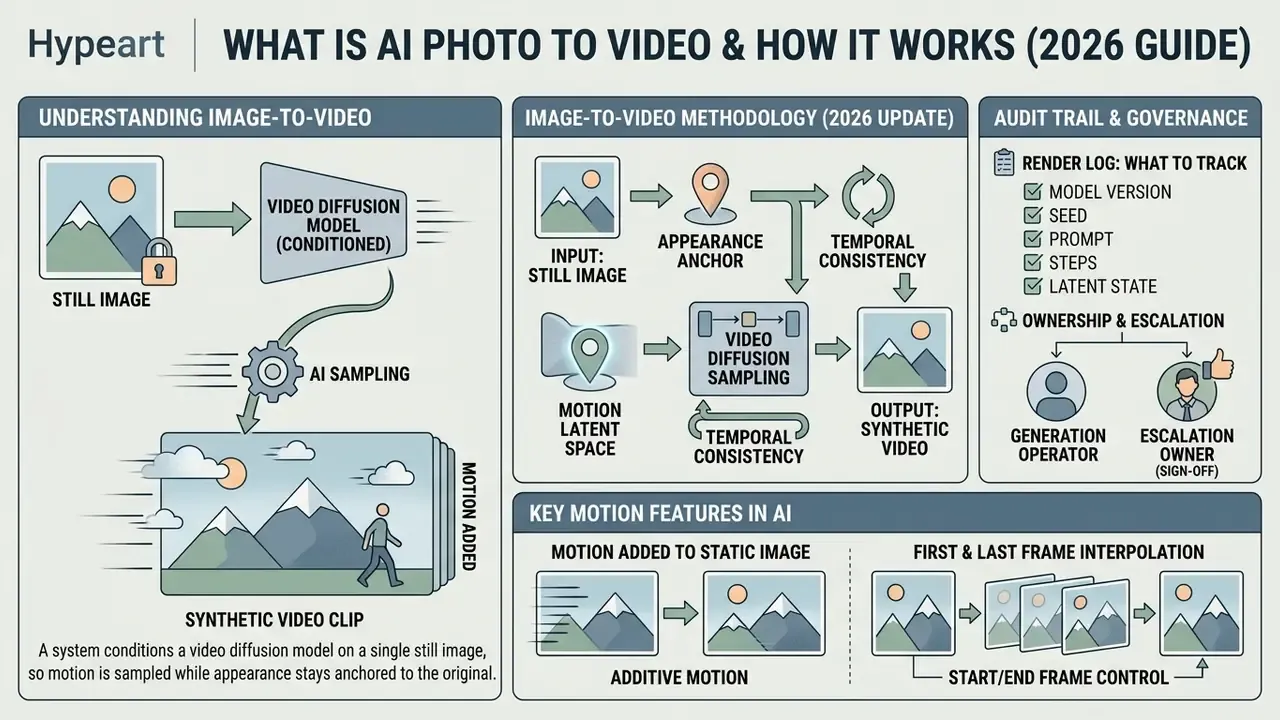
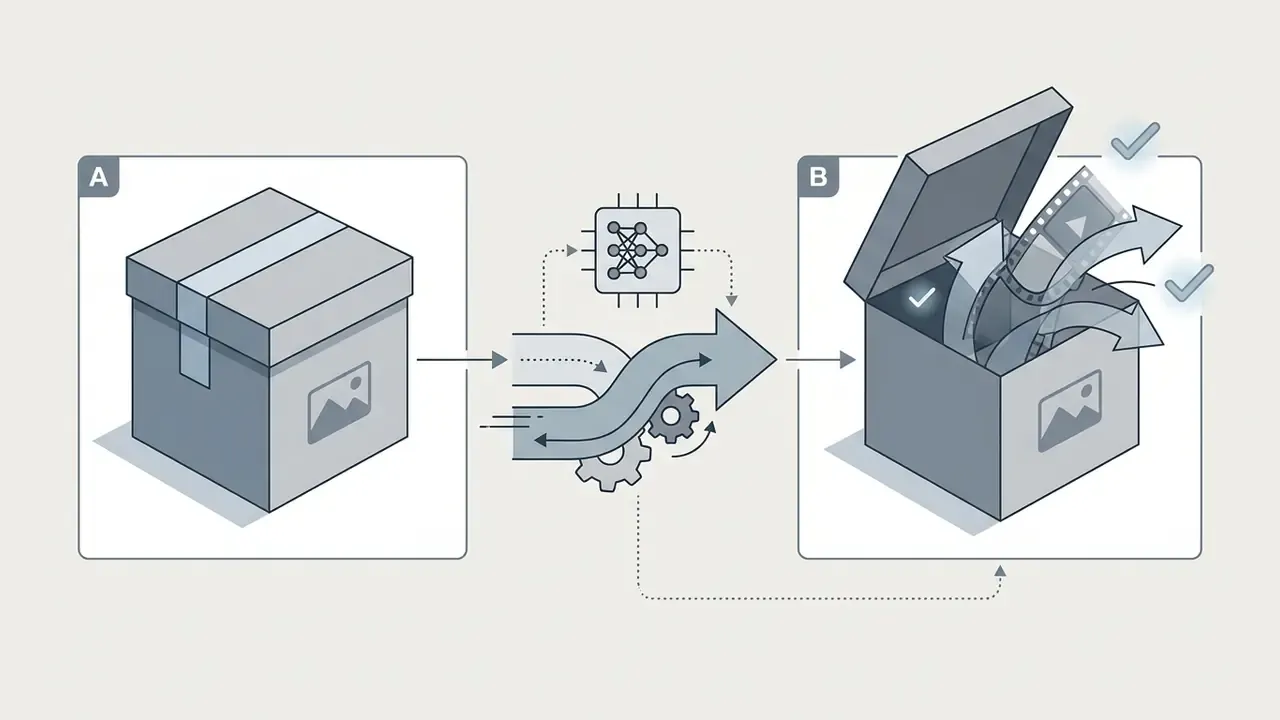
In two sentences: An AI photo-to-video system conditions a video diffusion model on a single still image, so motion is sampled while appearance stays anchored to your original frame. That conditioning is what makes framing, identity, and brand colors reproducible instead of hallucinated.
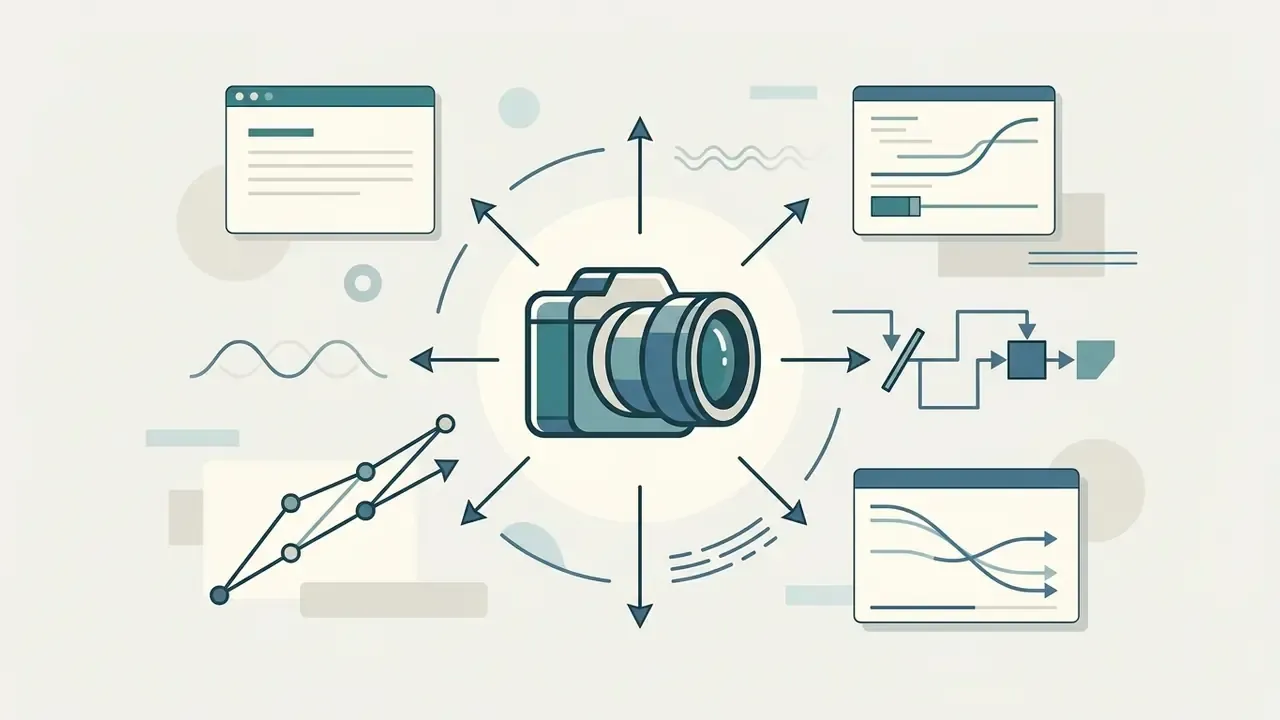
An ai photo to video generator (or image to video system) is a conditional generative architecture that turns a static input into a multi-frame sequence. Mathematically, these systems model a conditional probability distribution , where is the reference photograph, is an optional text prompt, and covers explicit control signals such as camera vectors or audio tracks. New to the vocabulary? Our reference page on image-to-video AI breaks down each component and the tooling around it. Rather than synthesizing a scene from scratch, the system uses the source video image relationship as a structural spatial prior, guiding a video generator through iterative denoising steps in latent space.
«I2V is formalized as learning a conditional distribution p(V|I, τ, c), where I is the input photo, τ is the text prompt, and c denotes control signals.»
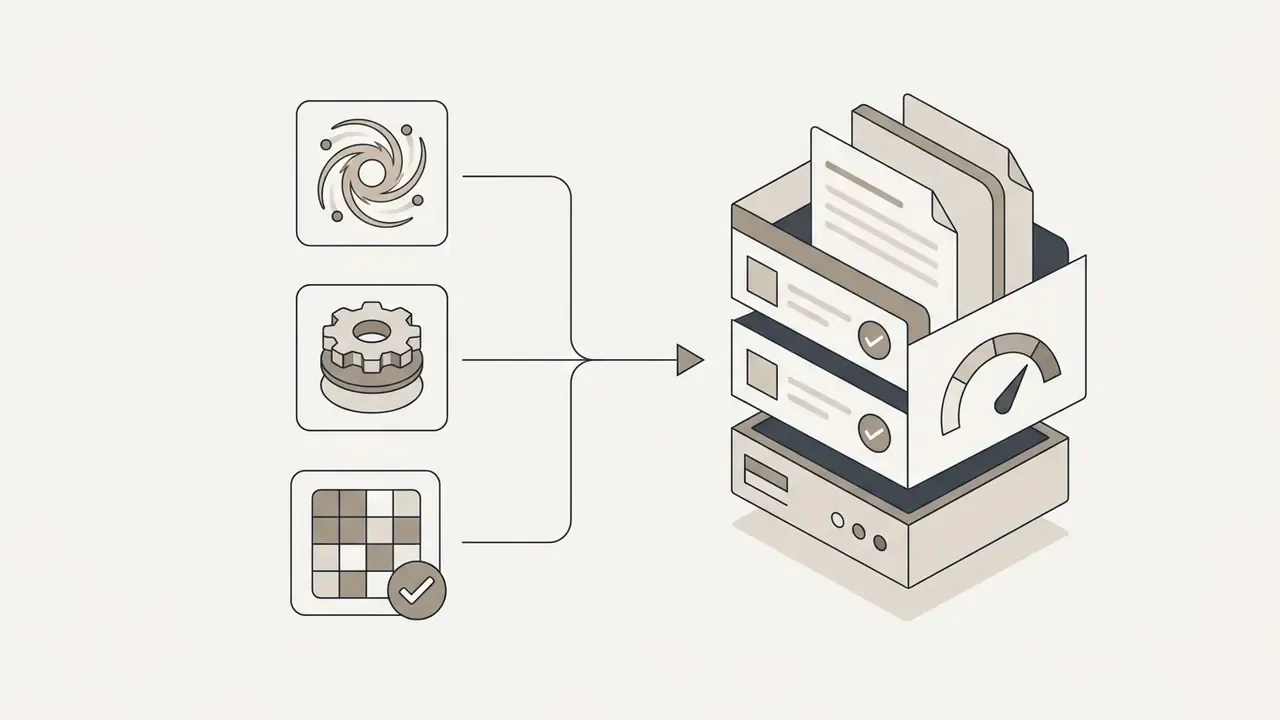
Updated 2026 survey framing. The same survey decomposes practical I2V systems into four engineering nodes: condition encoding, temporal modeling, noise-prior design, and spatial-temporal upsampling. In production terms: how your photo is encoded, how frames are correlated in time, how the initial noise is seeded, and how the low-resolution latent draft is upsampled to a deliverable 720p, 1080p, or 4K clip.
Modern image to video ai site platforms lean on specialized conditioning. Temporal attention layers and first-frame latent injection keep the generated video clips faithful to the visual identity, background geometry, and color profile of the original photo. Research on specialized architectures, such as the DreamVideo framework (arXiv, 2023), shows that concatenating reference image features directly into every block of a diffusion U-Net or Diffusion Transformer (DiT) sharply reduces temporal flicker compared with pure text-guided synthesis. Related first-frame conditioning work (ConsistI2V, arXiv 2024) goes further and replaces the initial noise tensor with the encoded first-frame latent , which is why layout and identity stay stable across the clip.
«The two-stage LFDM approach, predicting optical flow in latent space and then warping, outperforms direct pixel-space video synthesis on both spatial and temporal realism.»
To show how this behaves in a controlled environment, here is a documented evaluation pattern rather than a marketing claim.
Reformulated case (methodology-first). An editorial compliance team ran a bounded A/B evaluation of latent-flow-warping I2V against text-to-video synthesis for product asset generation. Protocol: one verified product photograph as the fixed anchor, identical prompts, identical seeds per pair, 50 renders per arm, and manual scoring of two failure classes (edge tearing and brand-color drift outside the tolerance in the brand book). Directional outcome: anchoring the pipeline to the verified photograph reduced observed artifacting and held color boundaries inside tolerance more consistently than the text-only arm. Sample size, scorer count, and model versions must be recorded for the result to serve as audit evidence. Treat single-team numbers as internal signal, not as an industry benchmark.
Audit trail: what to log on every render
For Model Risk Management (MRM) and reproducibility, every generation must be recoverable from a record, not from someone's memory. Minimum log schema:
| Field | Example value | Why it matters |
|---|---|---|
source_image_sha256 | 9f2c…a41b | Proves which asset was animated |
model_id + version | kling-v3.0-omni | Model behavior changes between versions |
seed | 842119 | Enables byte-comparable re-generation |
prompt / negative_prompt | full string | Reconstructs intent |
params | duration, fps, aspect ratio, cfg | Explains output characteristics |
provenance | C2PA / SynthID flag | Supports disclosure obligations |
reviewer + decision | name, approved or rejected | Human-authorship and sign-off evidence |
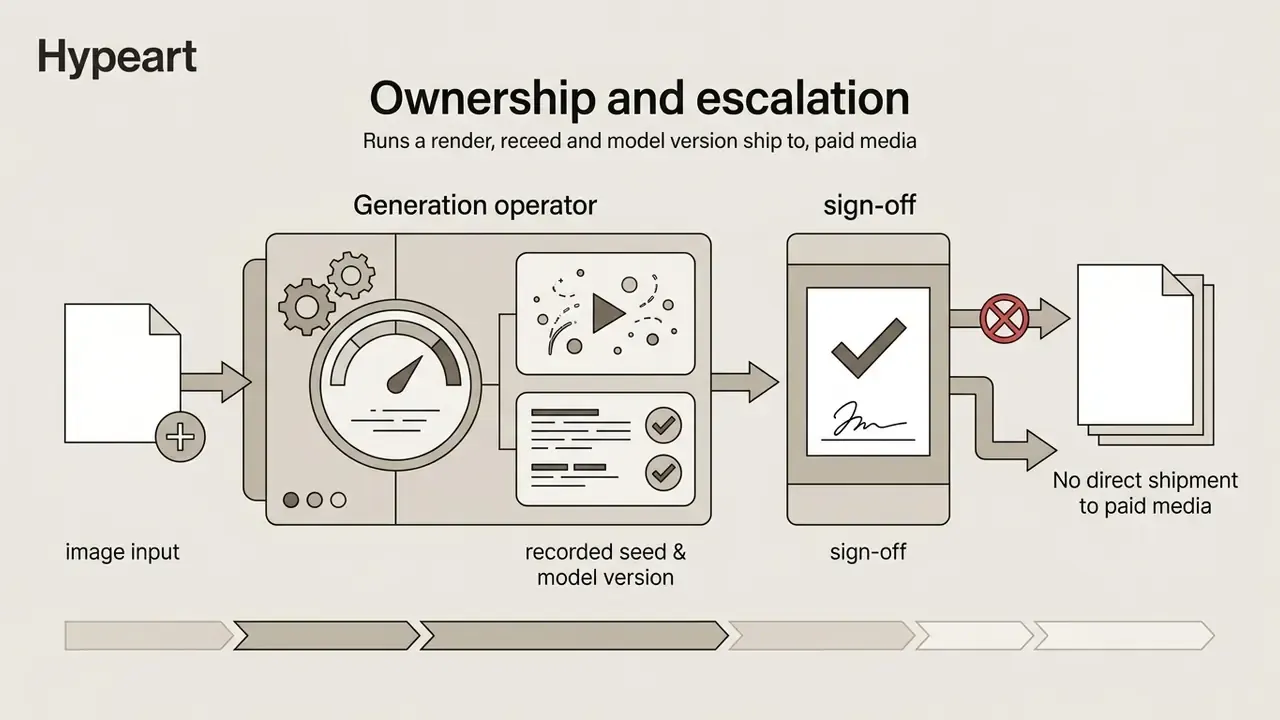
Ownership and escalation: who signs off on a synthetic clip
A log without an owner is just telemetry. Assign four roles before the first production render, and keep them in the same policy document as your model inventory:
- Asset owner (brand or product marketing): confirms the source photo is cleared and on-brand.
- Reviewer (creative plus legal or compliance): approves or rejects, in writing, against a fixed rubric.
The core objective of an ai from image to video engine is to predict plausible frame-to-frame optical flow while preserving the subjects present in the initial photograph. Portraits, architecture, product shots: these video ai models bridge static photography and cinematic motion.
What motion AI adds to a static image
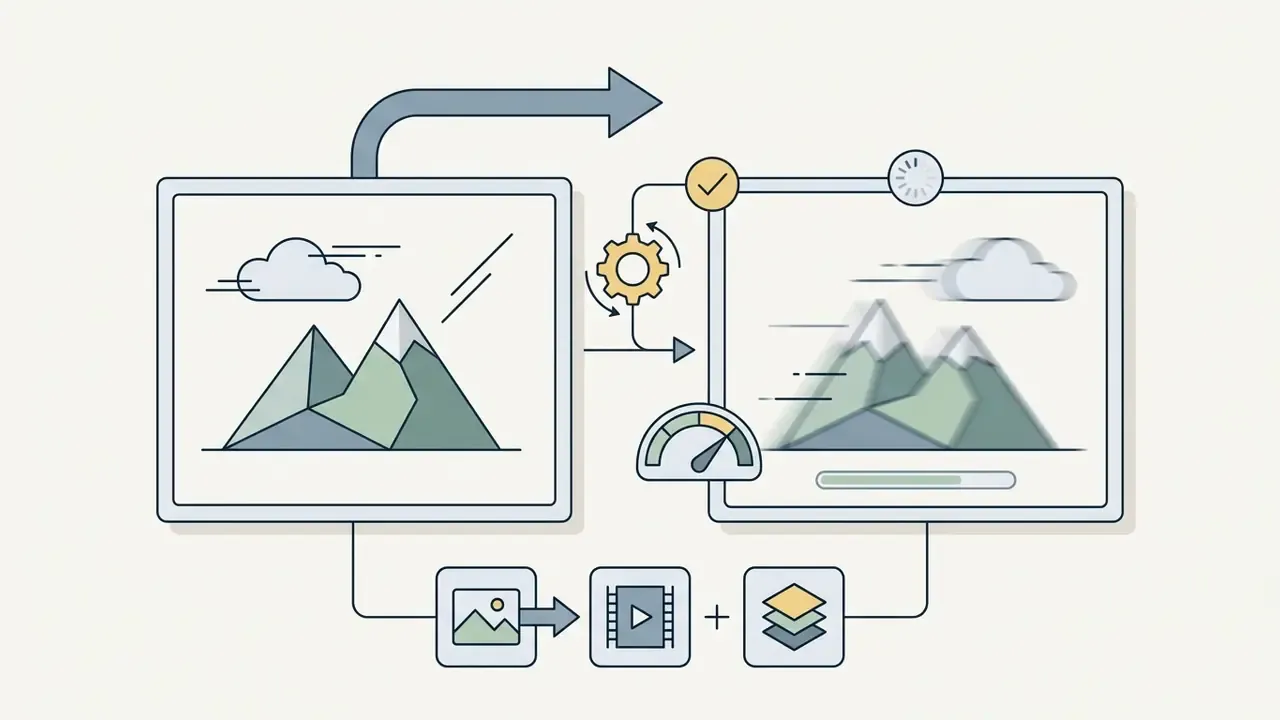
An ai image animation model can synthesize two categories of movement: camera motion and subject motion. Camera motion manipulates the synthetic viewpoint around the static scene, applying cinematic trajectory operations such as pan (horizontal rotation), tilt (vertical rotation), zoom (focal length adjustment), dolly (forward or backward translation), and roll. Vendor documentation from platforms like Kling AI, whose camera guide exposes six discrete movements plus preset "master shots", and open-source camera controllers both show that explicit motion vectors can dictate camera velocity and framing.
«CamI2V improves camera controllability by 25.5% on RotError, TranError and CamMC metrics on RealEstate10K compared with baseline models.»
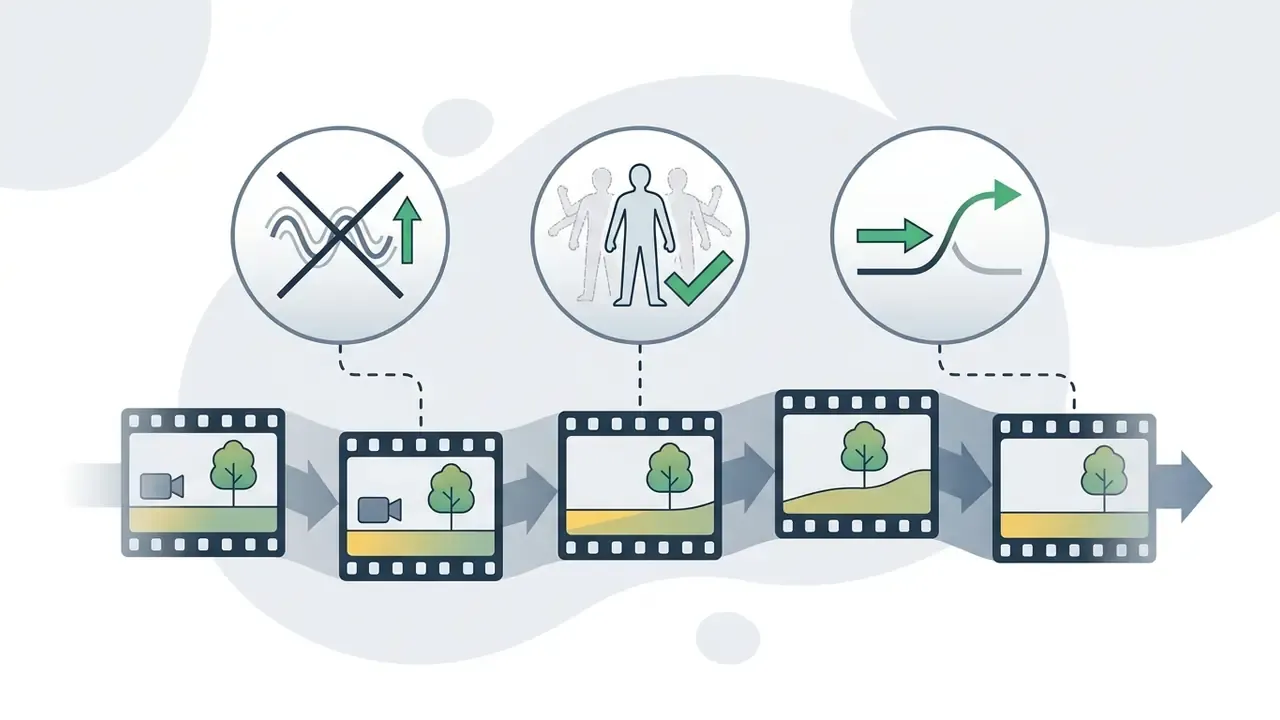
Subject motion animates elements inside the photo itself. That covers secondary environmental dynamics, such as wind through hair, shifting clouds, or flowing water, plus complex subject mechanics like facial expressions, lip synchronization, and body movement. By conditioning the model on motion priors, the pipeline produces realistic and cinematic trajectories while trying to avoid structural deformation of the main subject.
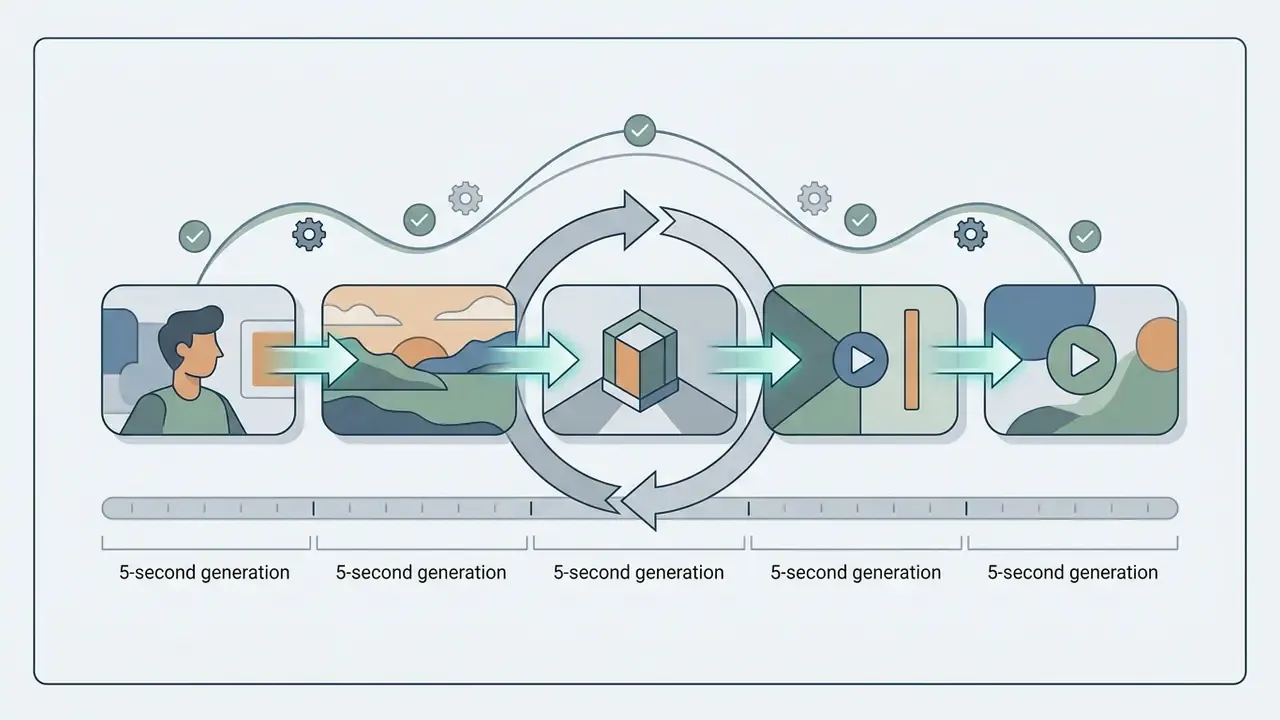
First and last frame interpolation (start/end frame control). For deterministic transitions, advanced models (Kling 3.0, Seedance 2.0, and several open-weights builds) accept two conditioning frames instead of one: as the opening state and as the closing state. The network then plans a latent trajectory that morphs the geometry of the first subject into the geometry of the second without texture tearing. Practical applications:
How image-to-video differs from text-to-video and video-to-video
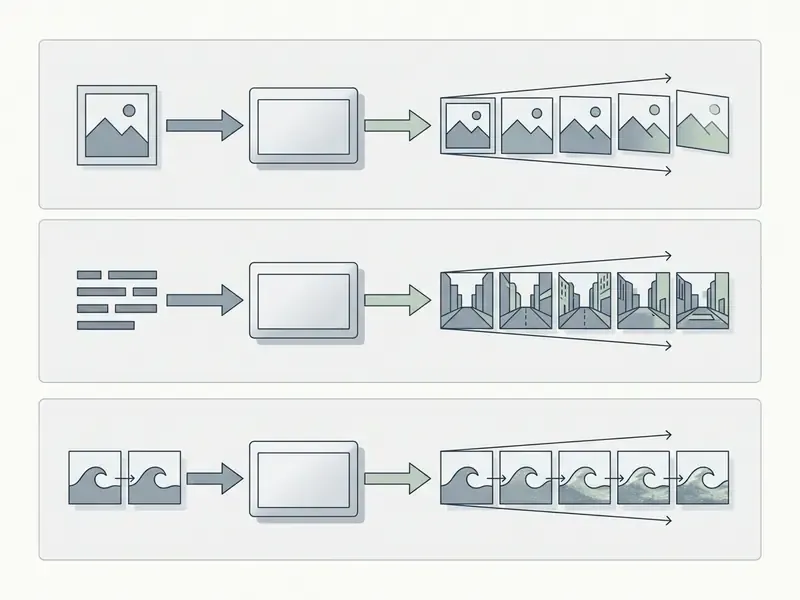
Image-to-video generation differs from text-to-video and video-to-video in inputs, structural conditioning, and predictability:
- Text-to-Video (T2V)Accepts only textual prompts (). The model invents both scene appearance and temporal motion from learned priors. Highly flexible, but identity preservation is low and scene layout is unpredictable. Teams comparing generation modes can review our reference on text-to-video AI.
- Image-to-Video (I2V)Accepts a starting image () alongside optional text prompts. The initial photo works as an explicit spatial anchor, which yields high character consistency, predictable framing, and faithful fine detail.
«I2V imposes stricter requirements on content consistency, identity preservation and temporal coherence than T2V.»
- Video-to-Video (V2V): Accepts an existing multi-frame sequence as the base reference. V2V gives the highest structural predictability, changing style or specific elements while keeping the motion timing of the source footage.
| Modality | Input | Identity preservation | Layout predictability | Typical governance risk |
|---|---|---|---|---|
| T2V | Text only | Low | Low | Unintended likeness or trademark generation |
| I2V | 1 to 2 images + text | High | High | Rights in the uploaded source photo |
| V2V | Existing video + text | Highest | Highest | Rights in base footage and derivative works |
For teams building automated content pipelines, combining automated image generation with an online video maker or a specialized video link generator turns static brand kits into motion templates quickly. Distributed review teams often approve those drafts over a video llamada online session, which is fine for creative feedback but never a substitute for a written sign-off record.
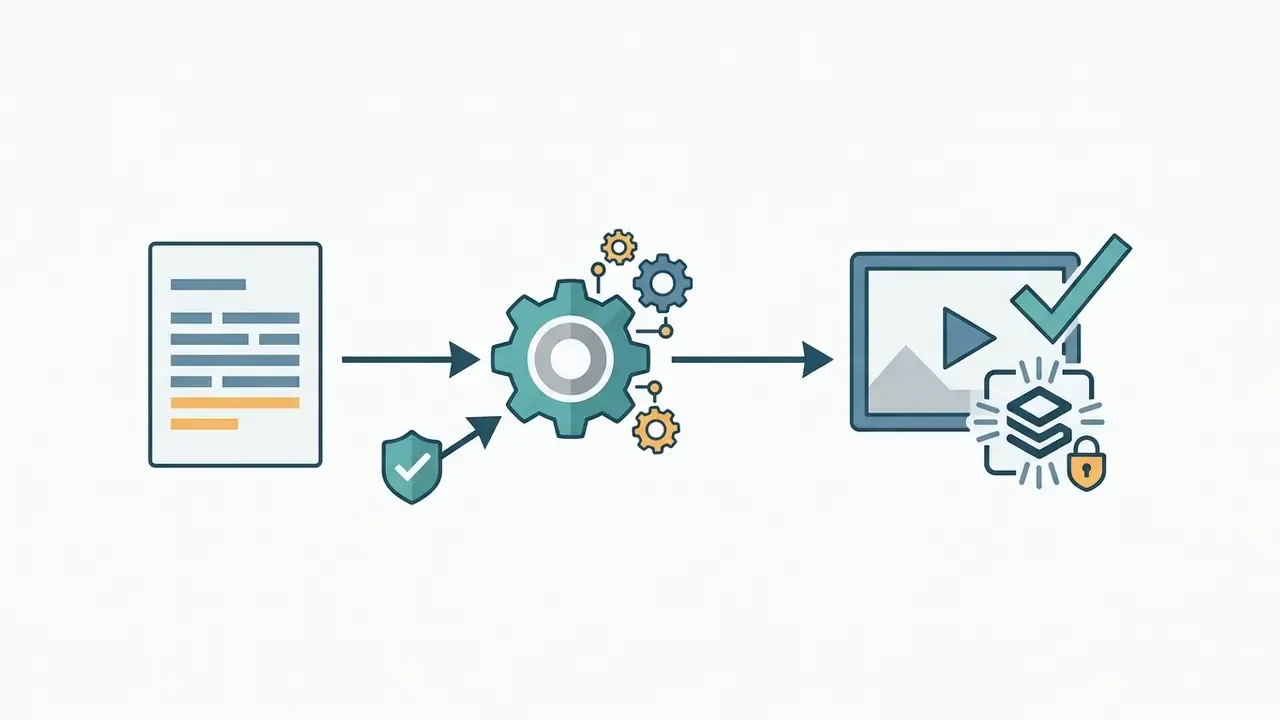
- Upload image
- High-resolution source photo ingestion into the generative pipeline.
- Prompt and motion settings
- Define camera trajectories, subject actions, and environmental style.
- Model selection
- Choose between specialized models (Kling, Veo, Wan, LTX, and others).
- Generate video
- Iterative latent denoising and spatiotemporal upsampling.
- Review and refine
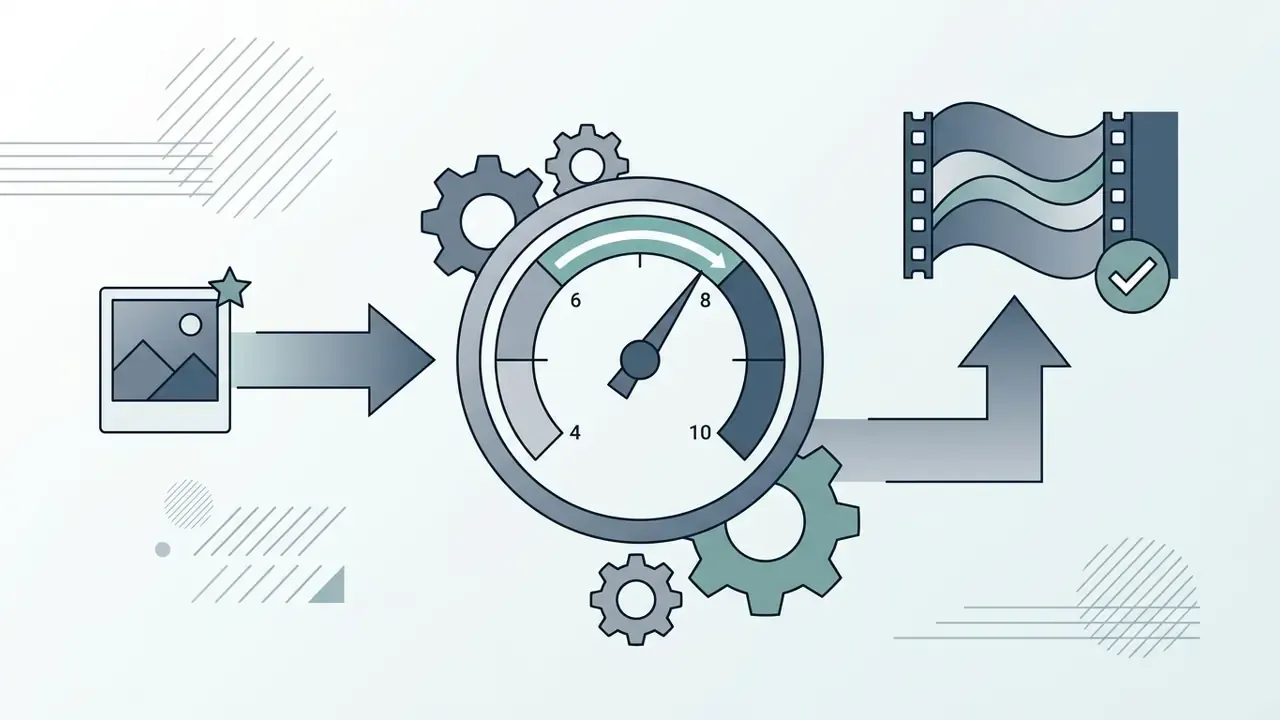
- Inspect temporal consistency, motion artifacts, and subject fidelity.
- Download
- Export the rendered clip in MP4 or MOV format.
- Log and disclose
- Persist the audit record and embed provenance metadata before publication.
How to create video from an image: the step-by-step process
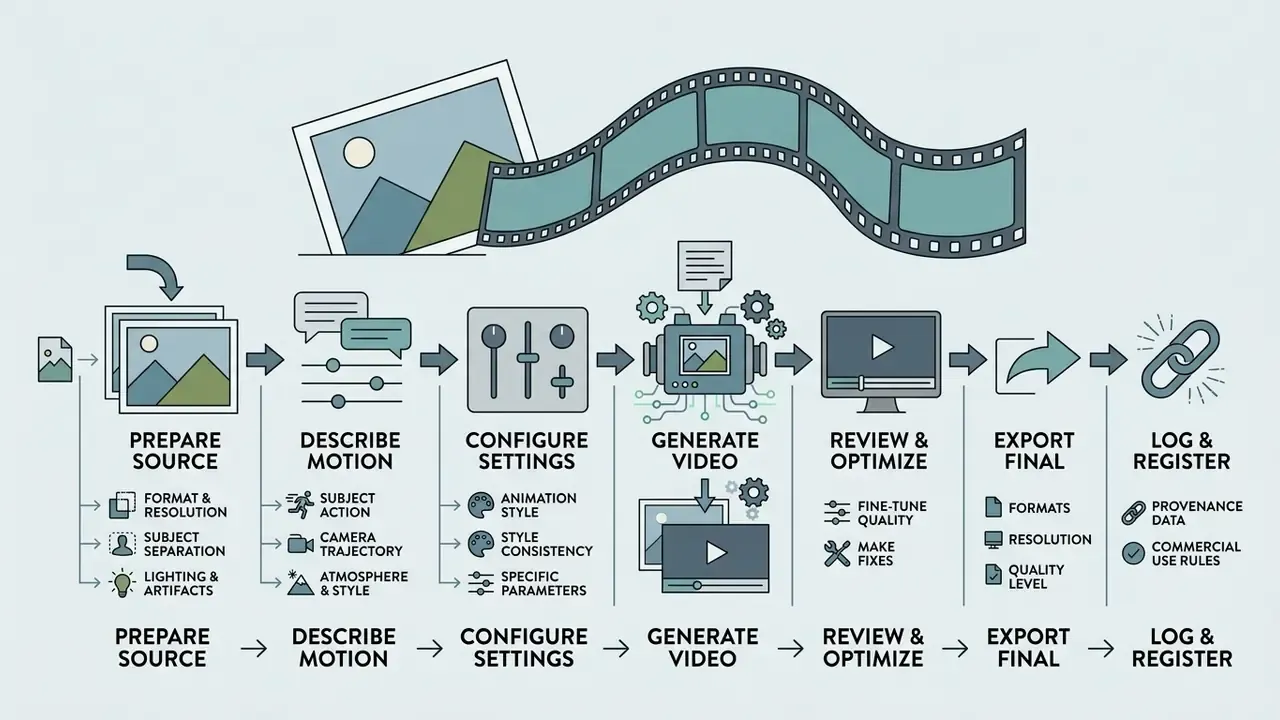
In two sentences: The reproducible pipeline is prepare, prompt, configure, generate, review, export, log. Most quality failures are decided at step one, before any model runs.
To create video assets from static imagery without deep editing expertise, creators follow a standardized operational pipeline. Using a modern image to video ai site, teams can generate video clips in minutes by combining clean source media with structured prompts and precise output parameters.
Upload your photo or images and prepare the source
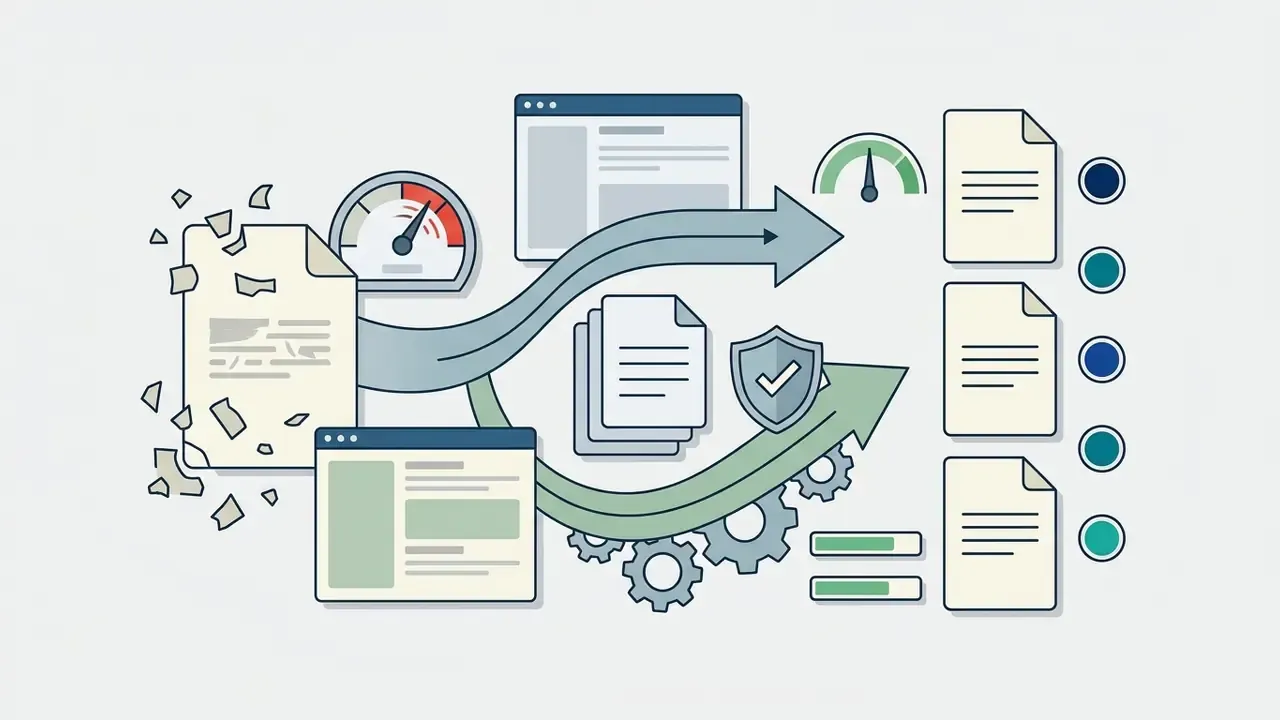
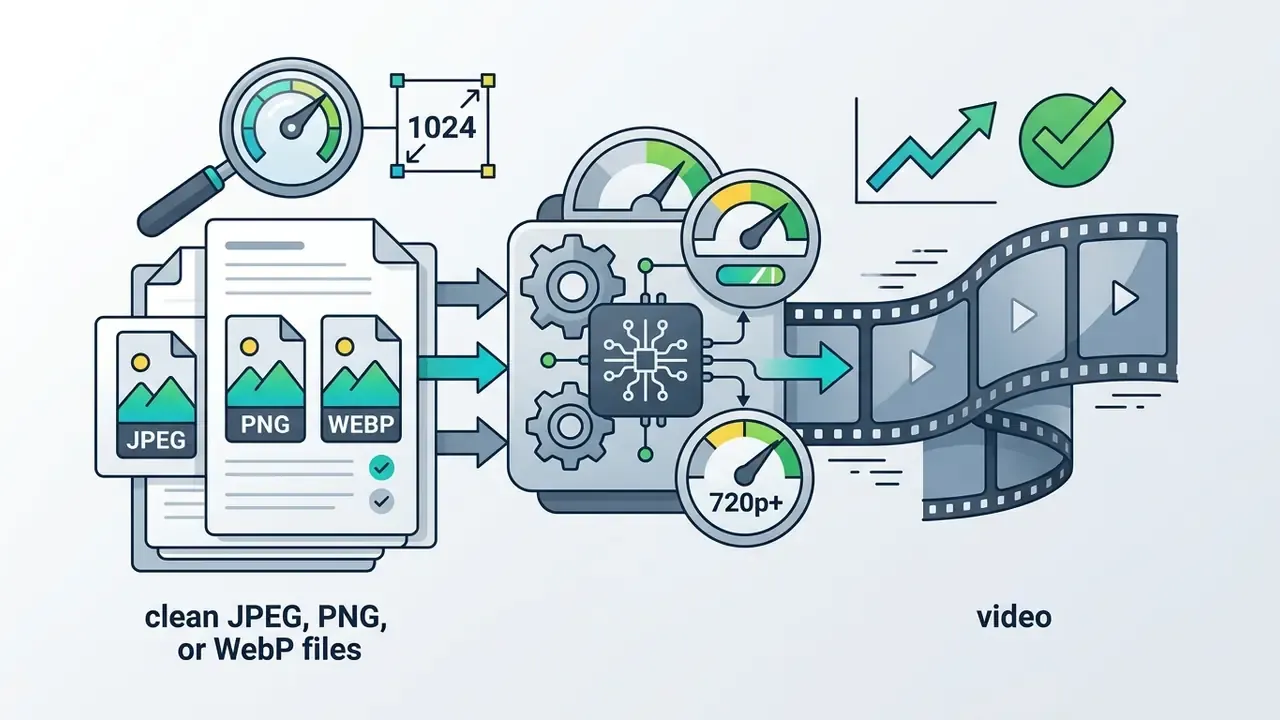
Source preparation dictates the visual quality of the generated output. Diffusion models extrapolate detail from the pixels you provide; uploading low-resolution or heavily compressed photos forces the network to invent missing spatial data, which usually shows up as distortion. When the source needs correction first, a capable AI photo editor is a cheaper fix than ten re-generations.
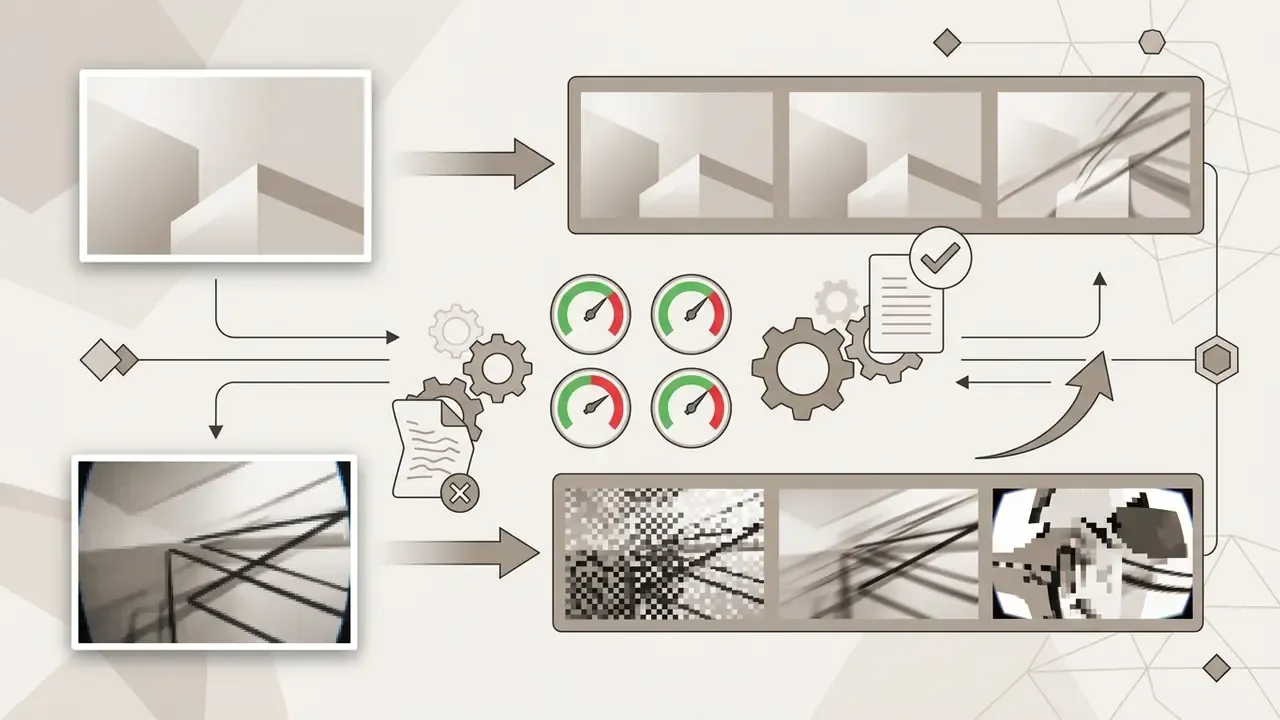
«Shallow semantic image guidance yields low detail fidelity and temporal flicker; injecting fine-grained image features into every U-Net block substantially improves results.»
Vendor guidance agrees. Runway's image-to-video documentation warns that blurry hands or faces in the input get amplified in the output, and NIST image-authentication guidance lists compression artifacts, noise, and sharpness as core determinants of image quality.
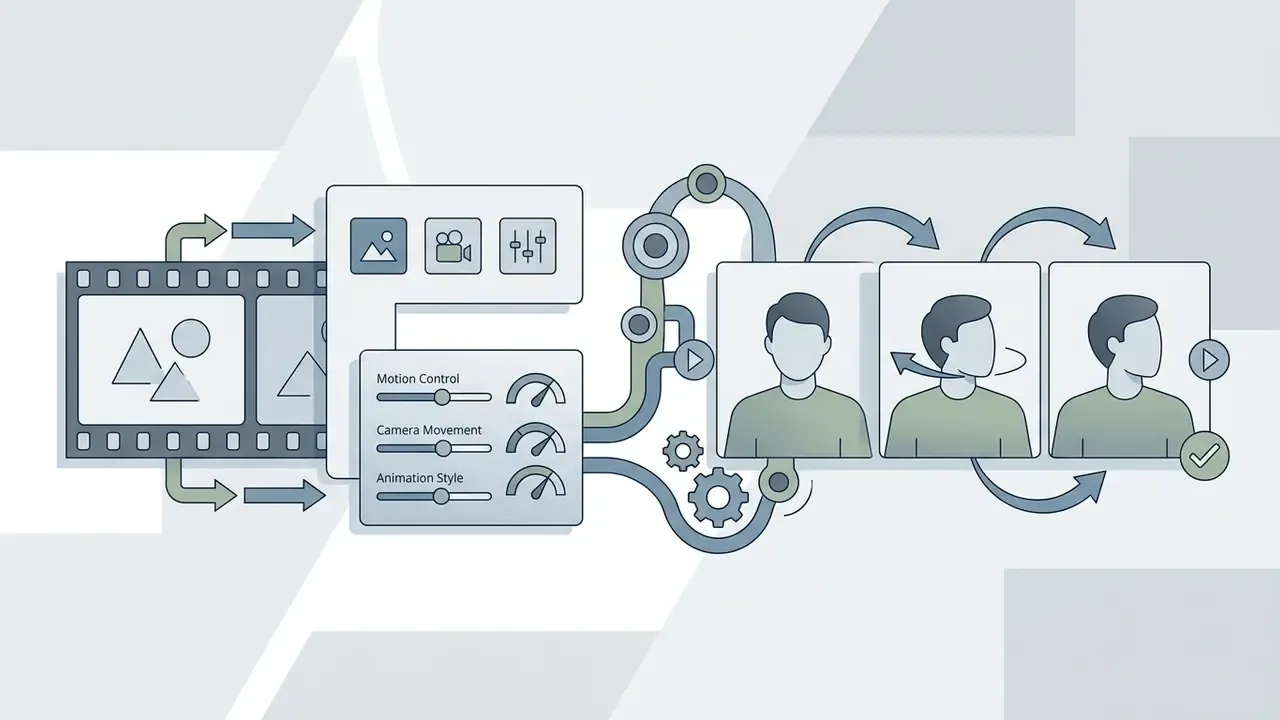
Describe motion in the prompt, control the camera, and choose an animation style
Textual prompts guide how the model interprets movement over time. Effective prompting separates visual description from motion commands. The pattern documented most consistently across vendor handbooks:
Subject + Motion + Scene + Shot type + Camera movement + Lighting + Style + Atmosphere
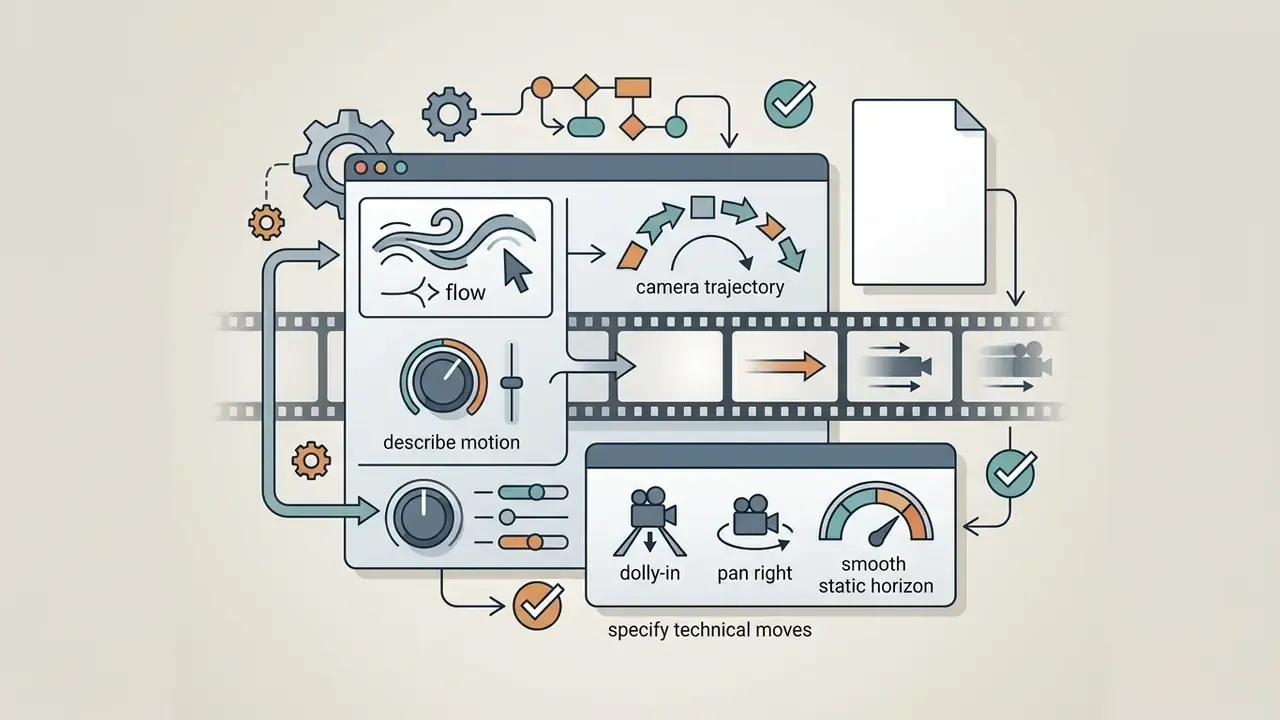

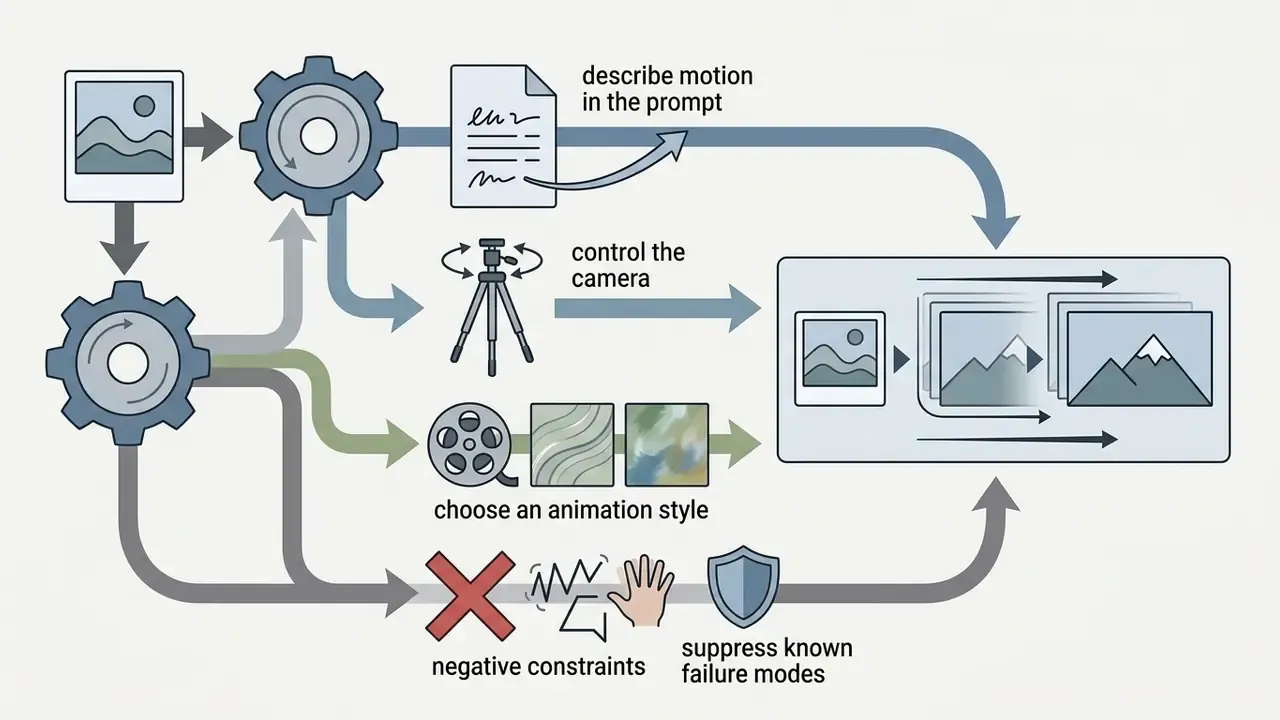
«Camera Motion Guidance improves camera-pose accuracy by more than 400% over baseline DiT models using sparse control signals.»
Camera motion dictionary (copy these tokens into prompts)
- Dolly in / push in Moves the synthetic camera closer to the subject, raising emotional intensity.
- Dolly out / pull back Retreats from the subject to reveal environment and scale.
- Pan left / pan right Rotates horizontally from a fixed position, revealing background context.
- Tilt up / tilt down Swivels vertically, emphasizing scale and height.
- Orbit / tracking shot Rotates in a circular path around a central subject while holding focus.
- Roll Rotates around the optical axis for disorientation or stylized transitions.
- Static / locked-off Explicitly freezes the viewpoint so only subject and environment move. The safest choice for product shots.
«CamCo integrates Plücker coordinates and an epipolar attention module, significantly reducing camera translation and rotation errors versus baselines without explicit control.»
Ready-made motion prompt templates
| Scenario | Source photo | Copy-paste motion prompt | Expected effect |
|---|---|---|---|
| Portrait | Studio portrait of a person | "Slow push-in dolly shot, character turns head towards camera, subtle blink, soft breeze moving hair, cinematic studio light, no facial deformation" | Living micro-expression without distorted facial proportions |
| E-commerce | Sneaker on a white background | "360-degree smooth orbit camera shot around the sneaker, studio lighting reflections shifting across the material, floating dust particles, product stays centered" | Volumetric 3D-style product demo |
| Landscape | Static photo of mountains and a river | "Static camera, water flowing downward in the river, clouds moving slowly left to right, sunbeams breaking through foggy atmosphere" | Relaxing loopable ambient clip |
| Architecture / real estate | Photo of a building facade | "Vertical tilt-up camera movement from street level to the rooftop, changing sunset lighting, cars blurring past in the foreground" | Dynamic property presentation |
| Archive / family photo | Scanned vintage portrait | "Very subtle head turn and blink, gentle smile, minimal camera drift-in, restored film grain preserved, historical color palette" | Respectful "living memory" animation |
| Brand logo / graphic | Vector logo on flat background | "Locked-off camera, logo elements assemble with soft light sweep, subtle specular highlight travels left to right, clean background" | Broadcast-safe animated logo sting |
For audio-visual projects, pairing motion generation with an AI voice generator or an automated video maker with music helps align visual pacing with the voiceover track.
Configure the output, generate, and download your video
Before you hit generate, set the technical parameters to match the destination platform:
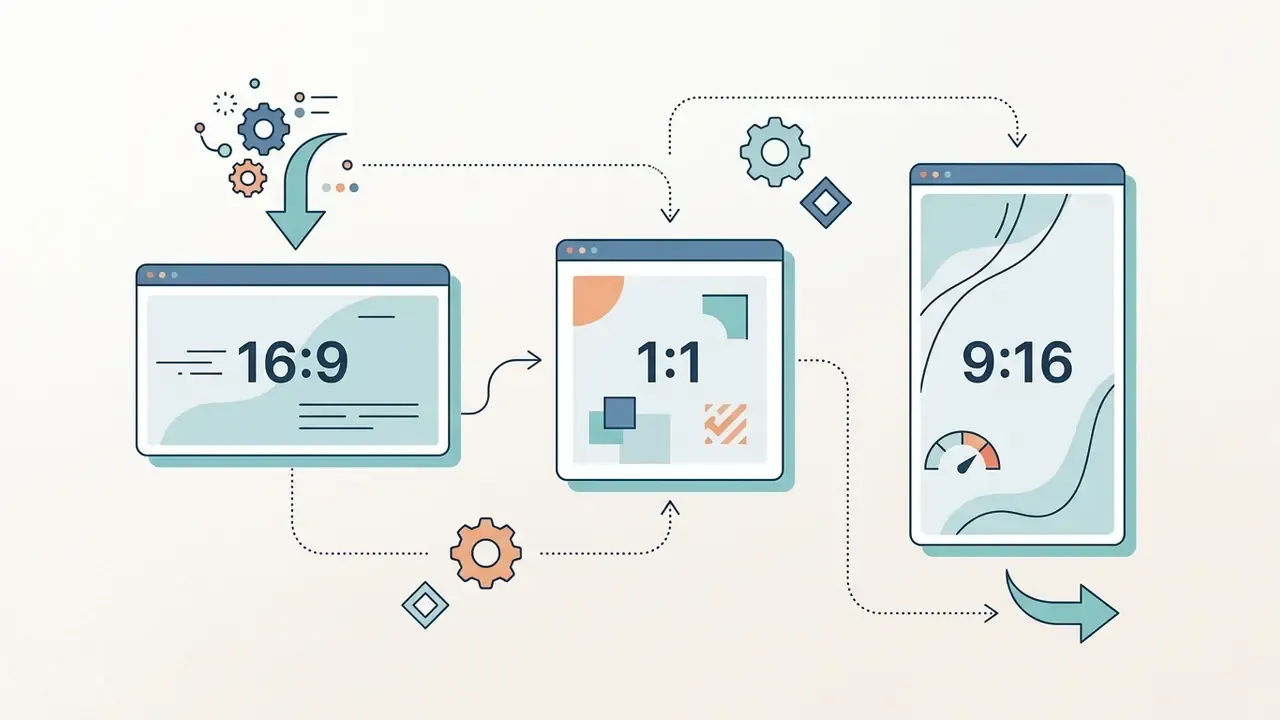
- Aspect ratio: 16:9 for landscape and desktop, 9:16 for vertical platforms (Reels, TikTok, Shorts), 1:1 for square feed placements. Note that several APIs ignore the aspect-ratio parameter when an input image is supplied and inherit the image geometry instead.
- Resolution and FPS: Generation defaults to 720p or 1080p at 24 frames per second, which gives cinematic motion blur. Some engines expose 48 FPS; 4K output is typically restricted to short 8-second windows.
- Duration: Typical clip lengths run 4 to 10 seconds (vendor presets commonly expose 5, 8, 10, or up to 15). Longer durations often need a secondary extension pass to prevent motion drift.
- Audio co-generation: Enable native sound synthesis if the model supports synchronized environmental audio.
- Seed: Lock the seed when you plan to iterate on prompts without losing framing, and store it in the audit log.
Once rendering completes, review the output for frame stability, then run download to save the MP4 or MOV file.
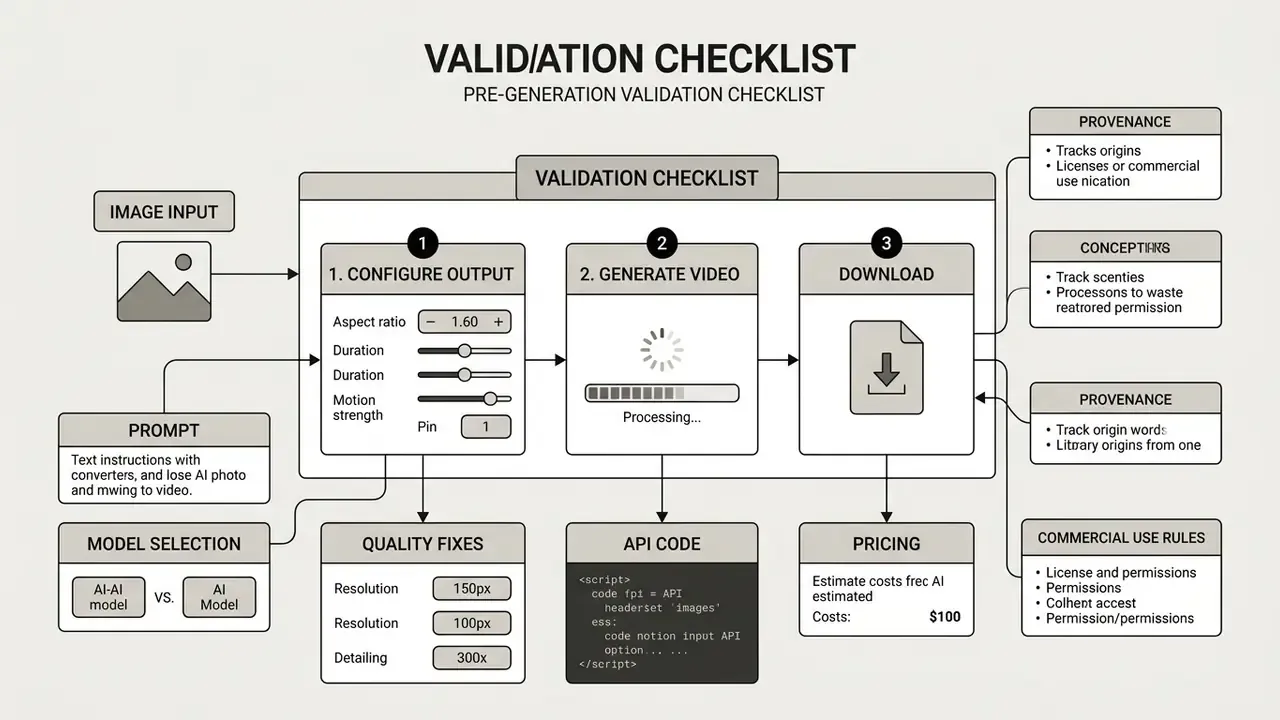
Readiness is binary here: nine of nine, or you are not ready to publish. Slightly rigid, yes, but far cheaper than an ad-platform takedown.

How to choose an AI model for image-to-video generation
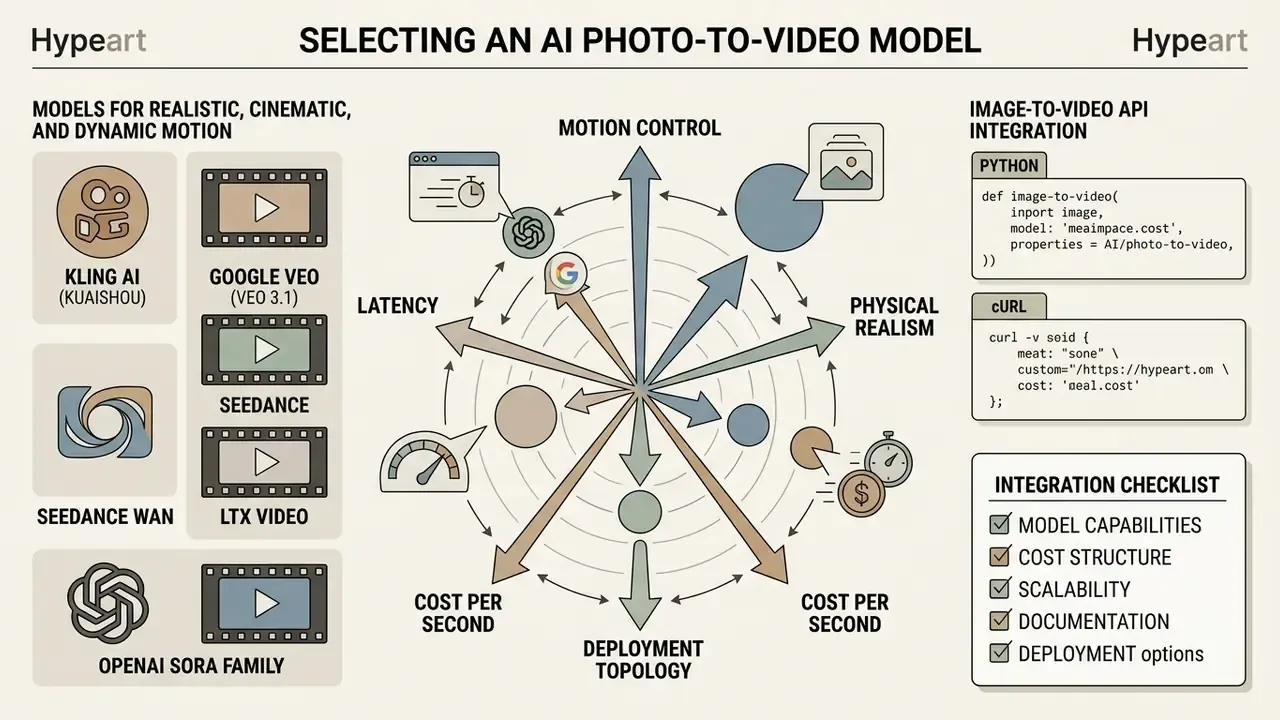
In two sentences: Model selection trades off motion control, physical realism, latency, cost per second, and deployment topology. Compare on parameters you can verify in vendor documentation, then validate on your own assets, and see our roundup of the best AI video generators for a scored view.
Selecting the right video generator means balancing motion control, physical realism, generation speed, and commercial accessibility. The landscape holds several competing models, each tuned for different operational needs.
Models for realistic, cinematic, and dynamic motion
The primary model families active in enterprise and creator work show distinct strengths:
- Kling AI (Kuaishou) Robust multi-prompt motion controls, complex camera trajectory presets, storyboard control across connected scenes, and strong character preservation across multi-scene generations.
- Google Veo (Veo 3.1) Photorealistic lighting, natural camera dynamics, and native synchronized audio; a cost-optimized Lite tier targets high-volume iteration. Teams evaluating integration options can review technical specs in our Google Veo API overview or compare options across providers.
- Seedance Optimized for physical realism, fluid body mechanics, accurate cloth physics in motion, and fast iteration with start and end frame control.
- Wan and LTX Video Open-weights families offering granular camera physics control, chained-clip continuity, and self-hosting for privacy-sensitive workflows.
- OpenAI Sora family Historically strong on prompt adherence and image-to-video from stills; product-surface availability has shifted (see the verification note below), so confirm current API status before designing a dependency.
Image-to-video API integration (Python and cURL)
For product teams embedding generation into a CMS, PIM, or ad-automation service, the browser UI is a prototype. The API is the deliverable. A minimal, provider-agnostic request pattern looks like this:
import os
import requests
def generate_i2v_video(image_path: str, prompt: str, model: str = "kling-v3") -> str:
    """
    Submit a source frame and a motion prompt to an image-to-video API.
    Returns the async task identifier for polling.
    """
    api_key = os.getenv("AI_VIDEO_API_KEY")
    headers = {"Authorization": f"Bearer {api_key}"}
    payload = {
        "model": model,
        "image_url": image_path,
        "prompt": prompt,
        "duration": 5,
        "aspect_ratio": "16:9",
        "cfg_scale": 0.5
    }
    response = requests.post(
        "https://api.provider.com/v1/image-to-video",
        json=payload,
        headers=headers,
        timeout=60,
    )
    response.raise_for_status()
    return response.json()["task_id"]
Polling and audit logging in the same loop:
import time, hashlib, json
def wait_and_log(task_id: str, source_bytes: bytes, seed: int, model: str) -> dict:
    api_key = os.getenv("AI_VIDEO_API_KEY")
    headers = {"Authorization": f"Bearer {api_key}"}
    while True:
        r = requests.get(f"https://api.provider.com/v1/tasks/{task_id}", headers=headers, timeout=30)
        r.raise_for_status()
        state = r.json()
        if state["status"] in ("succeeded", "failed"):
            break
        time.sleep(5)
    record = {
        "task_id": task_id,
        "model": model,
        "seed": seed,
        "source_image_sha256": hashlib.sha256(source_bytes).hexdigest(),
        "status": state["status"],
        "output_url": state.get("output_url"),
    }
    with open("i2v_audit_log.jsonl", "a", encoding="utf-8") as fh:
        fh.write(json.dumps(record) + "\n")
    return record
The equivalent cURL call for CI pipelines or shell-based batch jobs:
curl -X POST "https://api.provider.com/v1/image-to-video" \
  -H "Authorization: Bearer $AI_VIDEO_API_KEY" \
  -H "Content-Type: application/json" \
  -d '{
        "model": "kling-v3",
        "image_url": "https://cdn.example.com/sku-1234.png",
        "prompt": "360-degree smooth orbit around the product, studio reflections, static background",
        "duration": 5,
        "resolution": "720p",
        "aspect_ratio": "16:9",
        "seed": 842119
      }'
Integration checklist: store keys in a secret manager, never in client code; enforce per-tenant rate limits; validate input images server-side (format, dimensions, EXIF stripping); persist the audit record before delivering the asset; and confirm contractual zero-data-retention terms before sending customer imagery to any hosted endpoint.
Comparison parameters: resolution, duration, aspect ratio, and audio
When evaluating platforms, compare core performance parameters on standardized criteria.
| AI model family | Max output resolution | Clip duration | Supported aspect ratios | Native audio support | Deployment options |
|---|---|---|---|---|---|
| Kling AI (v3.0) | 1080p / 4K mode | 3 to 15 seconds | 16:9, 9:16, 1:1 | Yes (Omni tier) | Web interface / cloud API |
| Google Veo (3.1) | 720p / 1080p / 4K | 4, 6, 8 seconds | 16:9, 9:16 | Native synchronized | Vertex AI / Google Cloud API |
| Seedance (2.0) | 1080p | 5 to 10 seconds | 16:9, 9:16, 1:1 | Conditional | Commercial cloud API |
| LTX-Video (v2) | 720p / 1080p | 4 to 8 seconds | Custom / variable | External sync | Open weights / self-hosted |
| Wan (v2.6) | 1080p | 5 to 10 seconds | 16:9, 9:16, 4:3 | Optional | Open weights / cloud API |
Frame rate is the parameter teams forget most often: 24 FPS is the documented default across major vendors, 48 FPS appears in a minority of engines, and 4K is frequently capped to 8-second renders.
«STIV (8.7B parameters) scores 83.1 on VBench T2V at 512² resolution, surpassing CogVideoX-5B, Pika, Kling and Gen-3 on the same benchmark.»
For a wider evaluation of free engines, see our report on the best free AI video generators, and use our reference page on AI video generators for extended context on methods and pricing structures.
What to use AI image to video for
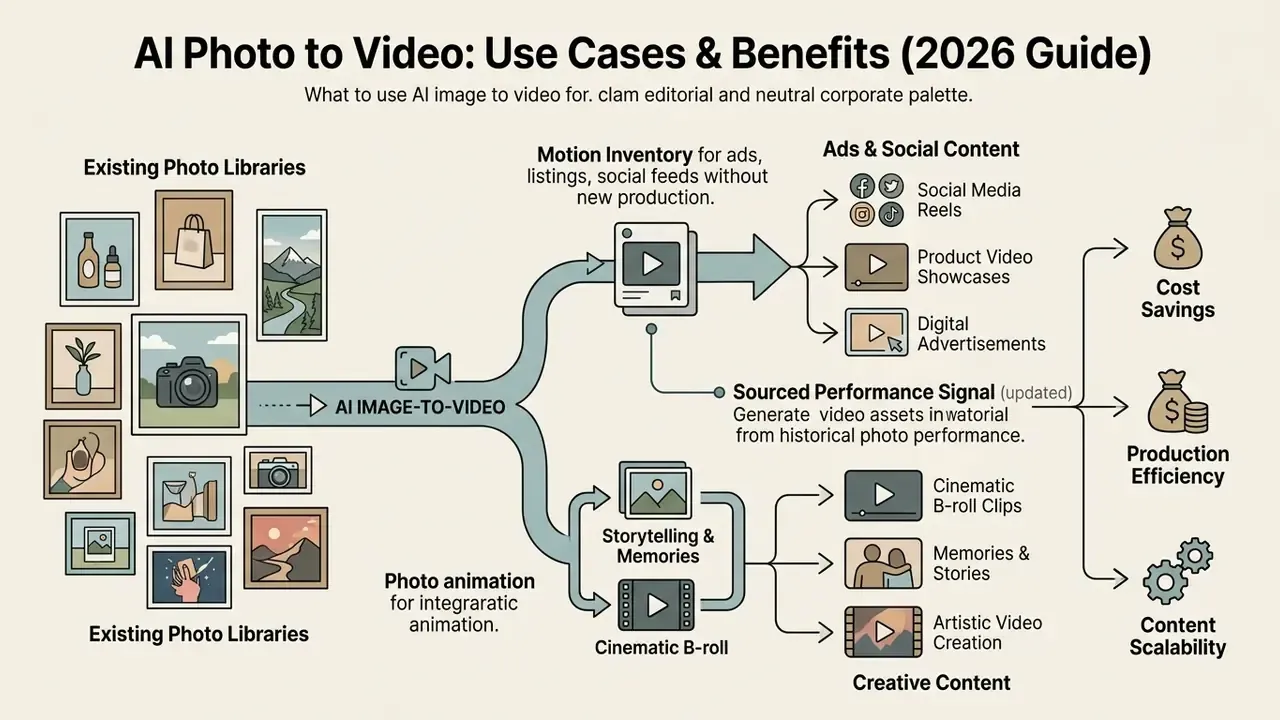
In two sentences: I2V converts existing photo libraries into motion inventory for ads, listings, and social feeds without new production. The highest-leverage use cases are the ones where you already own a verified, brand-approved still.
Applying image to video ai site technology turns static creative pipelines into continuous asset generation across e-commerce, digital advertising, entertainment, and social media management.
Photo animation for stories, memories, and cinematic B-roll
Film producers, archivists, and storytellers use image animation to revive historical archives or produce supplementary cinematic B-roll. Applying subtle camera sweeps to high-resolution stills builds seamless cutaway footage without a location crew, the same role B-roll plays in traditional documentary practice, where supporting shots mask interview cuts and supply scene context.
When restoring historical photography or building stylized visuals, creators often pair photo animation with a specialized animation maker or upscale sources through a dedicated photo editor. For archival black-and-white material, the standard restoration chain runs colorization (predicting chrominance from the luminance channel), grain and scratch repair, upscaling, and only then motion synthesis.
How to improve the quality of AI-generated video
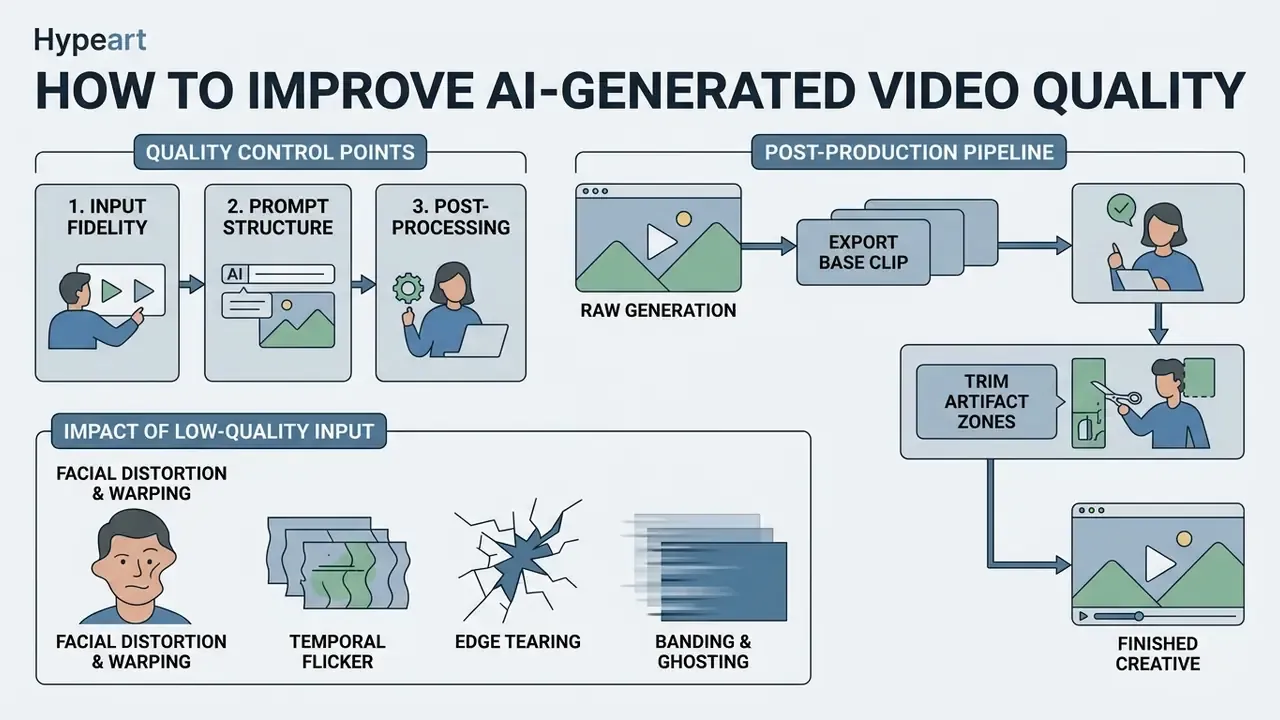
In two sentences: Quality is set by three control points: input fidelity, prompt structure, and post-processing. Regenerating without changing one of those three rarely fixes anything.
Consistently high quality in ai-generated video needs rigorous input validation, precise prompt engineering, and structured post-processing.
Why low-quality images degrade generated video
Diffusion architectures depend on high-frequency visual detail present in the source images. Feed them low-resolution, noisy, or poorly lit photos and the model hallucinates the missing structure. The failure modes repeat predictably:
- Facial distortion and limb warping The model misreads blurry boundaries, producing unnatural eye movement or extra fingers. Face-restoration literature ties this directly to identity loss when extreme downsampling and blur strip out facial structure.
- Temporal flicker Shimmering textures and unstable background patterns appear when the model cannot track low-contrast edges across frames.
- Edge tearing The main subject detaches unnaturally from the background during camera movement.
- Banding and ghosting Gradient posterization and motion trails, usually fixed by deband and de-flicker passes rather than by re-generation.
«Latent optical-flow prediction systems are sensitive to input image quality: noise and artifacts produce erroneous motion vectors and warping distortions.»
«Classifiers trained on appearance, optical-flow and depth cues reliably distinguish AI videos from real ones; model ensembles further improve detection robustness.» What Matters in Detecting AI-Generated Videos like Sora?, arXiv (2024). https://arxiv.org/html/2406.19568v1
That detectability finding matters commercially. Artifacts are not only aesthetic defects, they are machine-readable signals. Assets bound for regulated or brand-sensitive placements should be reviewed on the assumption that synthetic origin is discoverable, which is one more argument for proactive disclosure.
To fix input defects before generation, content teams lean on pre-processing tools: an ai expand image tool to adjust canvas boundaries, a clean free photo editor to correct exposure and contrast, or an AI image upscaler to raise resolution before the frame ever reaches the video model.
Post-production pipeline: from raw generation to finished creative
Generation is the midpoint of production, not the end. A repeatable assembly pipeline turns raw clips into publishable creatives:
Escalation path for systematic failures. If a model repeatedly breaks geometry, identity, or brand-book constraints across three or more seeds on the same asset class, stop iterating and escalate: (a) re-validate the input asset against the source-quality checklist; (b) test an alternative model family with start and end frame control; (c) file a documented defect report with prompt, seed, model version, and sample outputs; (d) if the failure persists, mark the asset class as "not model-eligible" in your creative governance policy and route it to conventional production.
Teams blending generative video with broader design pipelines can review our analysis of the Canva AI generator, plan publishing steps with our YouTube video editor guide, and open the hub for enterprise design comparisons.
When to re-generate, edit, or upscale the result
Not every first generation is broadcast-ready. Apply a triage workflow:
- Re-generateIf severe structural geometry breakdown or identity loss appears, change the motion seed or adjust prompt weights and re-run.
- Edit and trimIf minor flicker sits in the first or final second, trim those frames in a standard non-linear editor. Our comparison of free video editing software covers tools that handle this without a subscription.
- UpscaleIf motion stability and subject identity are excellent but resolution is capped at 720p, process the clip through dedicated neural upscalers (such as Topaz Video AI) or specialized video super-resolution networks.
«HunyuanVideo 1.5 uses a dedicated video super-resolution network to upscale from 480–720p to 1080p while preserving detail and temporal coherence.»
Free AI video generators, pricing, and commercial use
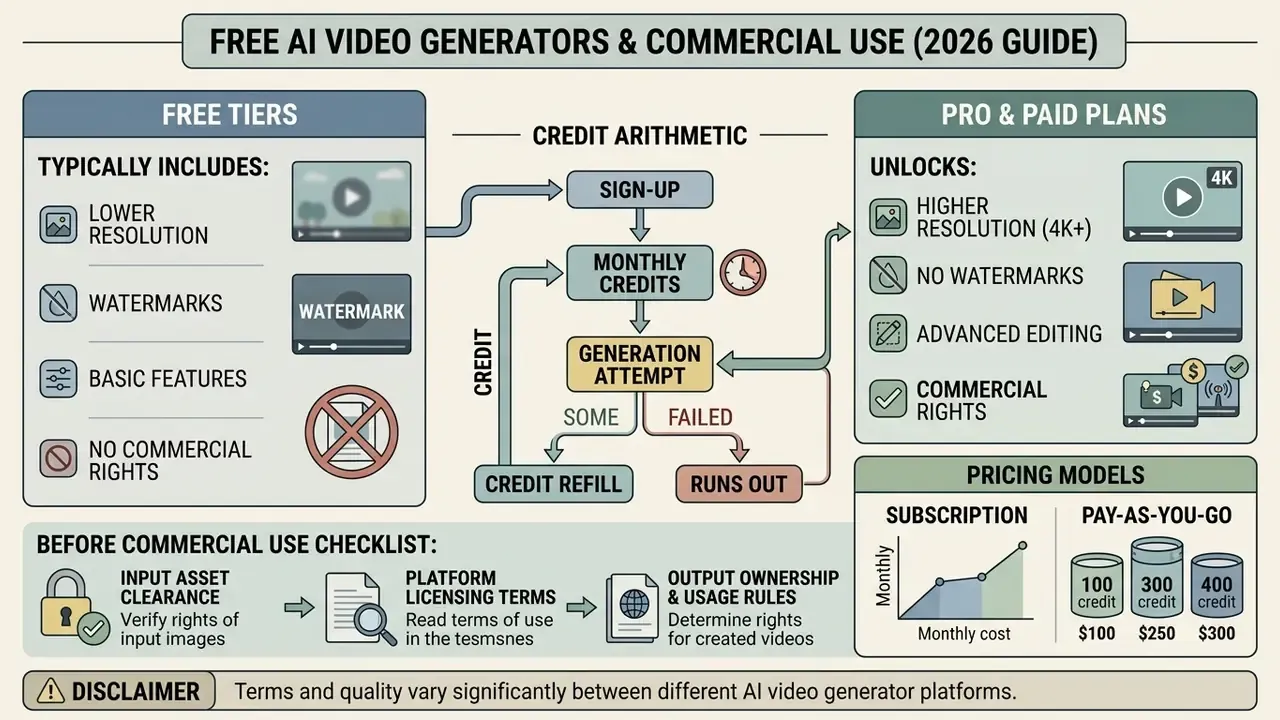
In two sentences: Almost every platform runs on credits, and almost every free tier trades away resolution, watermark removal, and commercial rights. Price the workflow per finished second, not per subscription.
Assessing the commercial viability of an ai photo to video platform means reviewing credit models, subscription tiers, output licensing, and usage rights.
What free generation usually includes versus paid plans
Most generative video platforms monetize through credits:
- Free tiers Typically 40 to 125 non-recurring or daily trial credits (reported allowances range from about 10 credits on small vendors to roughly 66 to 150 credits per day on larger ones). Outputs are limited to lower resolutions (480p to 720p), carry visible brand watermarks, and explicitly prohibit commercial monetization.
- Pro and paid plans Roughly $6 to $50 per month depending on vendor and region. Paid tiers add recurring credit pools, unlock 1080p and 4K rendering, remove watermarks, grant priority queue processing, and transfer commercial usage rights to the user.
- Credit arithmetic Credits map to seconds, resolution, and model tier rather than a flat rate. A 5-second 720p render on a premium model can consume around 150 credits, while a fast preview model costs a fraction of that. Model cost per approved second, factoring in the two to five rejected renders per usable clip.
For a broader look at commercial creative suites, review our analysis of Microsoft AI image generator commercial terms and explore the hub for current pricing structures.
What to check before commercial use of AI-generated videos
Before deploying generated video assets in advertising or enterprise product listings, verify three compliance layers:
- Input asset clearance
- Confirm all source photos are owned by the organization or fully licensed for commercial transformation, including model releases for recognizable individuals. Rights in AI-assisted inputs deserve the same scrutiny; see our overview of commercial terms for AI image generators.
- Platform licensing terms
- Confirm the paid subscription explicitly grants a commercial use license for generated outputs, and check whether the vendor retains a broad license to host, modify, display, or sublicense your uploads and outputs.
- Regulatory compliance
- Follow regional synthetic media rules, including EU AI Act disclosure duties and U.S. Copyright Office guidance on human-authorship thresholds.
«The AI content generation phase creates several liability profiles, and each case must be assessed individually.»
Enterprise legal clearance checklist
Checklist0 / 8
| Service / platform | Free credit allowance | Watermark status | Commercial usage rights | Target user base |
|---|---|---|---|---|
| Runway (Gen-4) | 125 one-time credits | Watermarked (free tier) | Included on paid tiers | Professional editors / studios |
| Pika AI | 80 monthly credits | Watermarked (free tier) | Included on Standard / Pro | Social creators / marketers |
| Kling AI | About 66 daily credits | Watermarked (free tier) | Requires enterprise subscription | Commercial content teams |
| Google Flow / Veo | 50 daily Flow credits | SynthID watermark embedded | Governed by Google Cloud terms | Enterprise developers / media |
| OpenArt | 40 trial credits (7 days) | Tier-dependent | From Advanced tier | Individual creators / prosumers |
To inspect legal terms and licensing documentation across tools, open the hub for regulatory summaries, or see the overview for platform guidance.
Shadow AI, data exposure, and the deployment risk matrix
The fastest route to a governance incident is not a bad render. It is an employee uploading an unreleased product photo, an internal architectural plan, or a customer portrait into a free consumer generator. Free tiers commonly reserve the right to host, display, and sometimes train on submitted content, and many retain outputs for moderation windows. That is an NDA, GDPR or CCPA, and trade-secret exposure event before any video exists.
| Deployment mode | Data leaves the perimeter | Typical training / retention policy | Suitable asset sensitivity | Governance controls required |
|---|---|---|---|---|
| Public free web tier | Yes, to consumer SaaS | Broad content license; training opt-out often absent; watermarked output | Public marketing assets only | Proxy-level blocklist; employee policy; awareness training |
| Consumer paid subscription | Yes | Commercial rights granted; retention varies; opt-out sometimes available | Low-sensitivity brand assets | Contract review; named-account provisioning |
| Enterprise cloud API (Vertex AI class) | Yes, to contracted region | Zero-data-retention and no-training terms negotiable; audit logging available | Pre-release and customer-adjacent assets | DPA, region pinning, SSO, key rotation, logging |
| Self-hosted open weights (LTX-Video, Wan) | No | Fully internal; you own retention | Confidential and regulated assets | GPU capacity (video workflows can demand very large VRAM), model version control, internal red-teaming |
Minimum controls to deploy this week: publish an approved-tool list; route all generation through SSO-authenticated accounts; block consumer generators on devices with access to confidential DAM folders; require EXIF stripping and hash logging on upload; and mandate enterprise-contracted or self-hosted inference for any asset containing unreleased products, minors, employees, or customer data.
Official terms and policy references:
- OpenAI Terms of Use and Service Terms: OpenAI Business Policies
- U.S. Copyright Office guidance on AI outputs: USCO AI human authorship requirements
- EU AI Act transparency provisions: EU Artificial Intelligence Act official text
FAQ about AI photo to video
Do I need to install software for AI photo to video?
No. Most commercial ai photo to video platforms run entirely as cloud web applications in a standard browser. You upload source photos, configure prompts, and render on cloud GPU infrastructure. Teams that need complete privacy, local data governance, and zero subscription cost can self-host open-weights models (LTX-Video or Wan, for example) with open-source interface managers like ComfyUI, provided they have capable local GPUs (16GB+ VRAM). Be realistic about hardware: documented ComfyUI video workflows can require tens of gigabytes of disk for model tiers, peak GPU memory well beyond a single consumer card, plus Docker and container-toolkit setup.
Which photo and video formats are supported for upload and export?
Input formats universally include the standard static web formats: JPEG, PNG, and WebP (some tools also accept HEIC). Export defaults to MP4 or MOV, encoded with H.264 or HEVC (H.265) video codecs and AAC audio; GIF is available on some platforms for looping social assets. For social delivery, H.264 plus AAC at roughly 5 Mbps (720p), 8 Mbps (1080p), and 35 to 45 Mbps (4K masters) with 128 kbps audio is a safe baseline. That combination stays compatible with web players, social platforms, and professional editing software. For large media optimization, consult our guide on using a video compressor.
Can I bring old photos and product images to life?
Yes. Image-to-video systems handle vintage historical photography, scanned family portraits, and commercial product renders well.
«DreamVideo is designed specifically to retain input-image detail through an image-retention branch, making it suitable for animating scanned portraits and product shots.» DreamVideo, arXiv (2023). https://arxiv.org/html/2312.03018v1 For strong results with old or damaged photos, run the still through restoration or upscaling first. An AI image enhancer handles scratch removal, denoising, and detail recovery before video generation, which removes the physical scratches, grain, and fading that would otherwise trigger temporal artifacts. For black-and-white archives, colorization models predict chrominance channels from luminance before motion is applied, which keeps the recolored palette stable across frames.
How much does one second of generated video cost?
There is no single market rate. Pricing is credit-based and depends on model tier, resolution, duration, and whether audio is co-generated. A 5-second 720p render on a premium model can consume roughly 150 credits, fast preview models cost a fraction of that, and API pricing is sometimes quoted per second (from about $0.02 per second at the low end). Budget by cost per approved second, including failed renders, upscaling passes, and editing time in the unit economics.
Can I add audio, music, or lip sync to an image-to-video clip?
Yes, in two ways. Several current models generate synchronized native audio in a single pass (Veo 3.1, Kling with audio tiers, and other 2026 families), which keeps sound and motion aligned automatically. Or export a silent MP4 and layer voiceover, music, and SFX in any editor. Pairing generation with an AI voice generator is the standard route for scripted product and explainer clips, and lip-sync tools can align speech to an animated face after the fact.
Do I have to label AI-generated video as synthetic?
In many contexts, yes. The EU AI Act's transparency provisions require deployers who generate or manipulate image, audio, or video content constituting a deep fake to disclose that the content is artificially generated or manipulated, with disclosure surfaced at first exposure. Platform-embedded provenance (SynthID-style watermarks, C2PA metadata) supports traceability but does not replace rights clearance or a visible disclosure where one is required. In the U.S., copyright protection still depends on human authorship, so document the human creative contribution behind each published asset.
Who should own this workflow inside a regulated organization?
A named individual, not a committee. In practice, brand or product marketing owns the source asset, a designated operator runs generation with logged parameters, and legal or compliance holds veto rights over publication. Where the clip touches customers, disclosures, or regulated claims, the workflow belongs in the same inventory as other models, with a documented owner, approved scope, and a shutdown path. Unresolved question, honestly: most institutions have not yet decided whether synthetic creative sits under model risk, marketing compliance, or both.
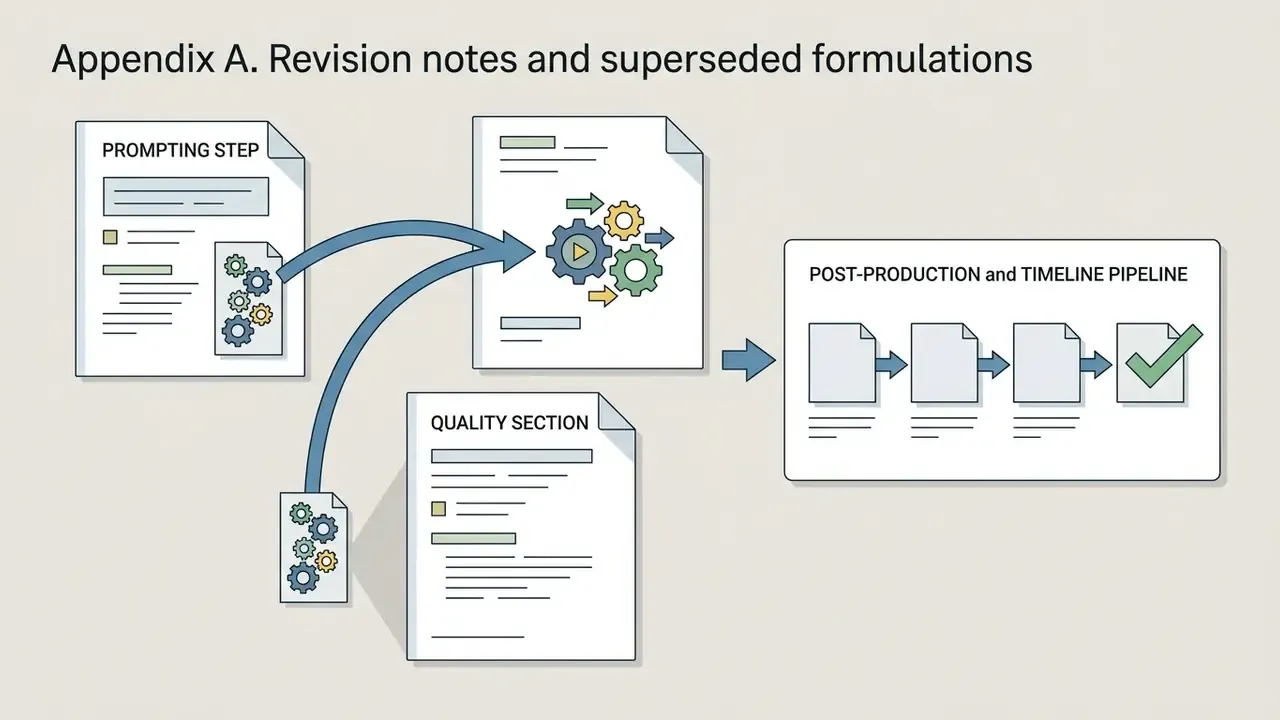
Appendix A. Revision notes and superseded formulations
For transparency, these earlier formulations were revised in the current version of the guide:
Footer navigation:
Visit our comprehensive glossary to explore additional technical guides on generative AI, video editing, and digital media compliance.