That accessibility is precisely what makes the category a governance problem as much as a creative one. The same one-click workflow that lets a solo creator score a TikTok clip also lets an employee paste an unreleased brand campaign script into a public web form, under a free-tier agreement that grants no commercial rights at all. So a free AI song generator deserves two parallel lenses: the creative mechanics (text-to-music and lyrics-to-song synthesis, vocal control, stems) and the operational boundaries (credit limits, download restrictions, data retention, and the licence terms that actually govern commercial use).
Recent empirical data from streaming catalog research shows how fast the supply side has grown, and how thin the demand side remains:
«93% of AI-generated tracks receive fewer than 1,000 streams, and AI music accounts for roughly 0.3% of the platform's monthly royalty pool (January–May 2026).»
Executive Summary
- What it is a browser-based generative audio platform that converts prompts, style tags, or finished lyrics into mixed stereo tracks with synthesized vocals and instrumentation, typically in 15 to 45 seconds.
- How it works text encoders (often LLM embeddings) condition latent diffusion or diffusion-transformer models operating on compressed audio latents; a decoder or super-resolution cascader renders 44.1/48 kHz stereo output.
- What "free" really means small recurring credit pools (commonly 6 to 50 credits per day, roughly 2 to 10 tracks), MP3-only or streaming-only output, mandatory attribution, no stems, and personal, non-commercial use only.
- What paid tiers unlock lossless WAV, 4 to 12 stem separation, track extension, priority rendering, removal of attribution, and contractual commercial rights valid only for tracks generated while the subscription is active.
- Legal reality "royalty-free" means no recurring per-use royalties under the vendor's contract, not copyright ownership. Under U.S. Copyright Office guidance (88 FR 16190, 2023; AI Report Part 2, 2025), purely AI-generated audio lacks human authorship and is unprotectable.
- Governance reality free web tiers are a classic Shadow AI vector. Prompts, uploaded reference audio, and lyrics may be retained and used for model improvement, creating NDA and confidentiality exposure that has nothing to do with copyright.
- Distribution reality Spotify labels "AI Persona" profiles and excludes them from default editorial and algorithmic recommendations; YouTube permits AI music but mandates synthetic-media disclosure and enforces Content ID against sound-alikes and voice clones.
Who this guide serves, and how to read it
Two very different readers land on the same query. The first is a creator who wants a usable track for a video tonight and needs to know which free plan actually allows a download. The second owns risk: a compliance lead, a brand counsel, or a head of AI governance who has just discovered that a marketing team scored three campaign cuts on a personal free account.
Both questions are answerable, but not with the same evidence.
One honest caveat before we go further. Audience characterizations in this guide are working hypotheses, not verified research findings. They should be confirmed against analytics, interviews, or CRM data before anyone builds a policy on them.
What a Free AI Song Maker Is and How It Creates Music
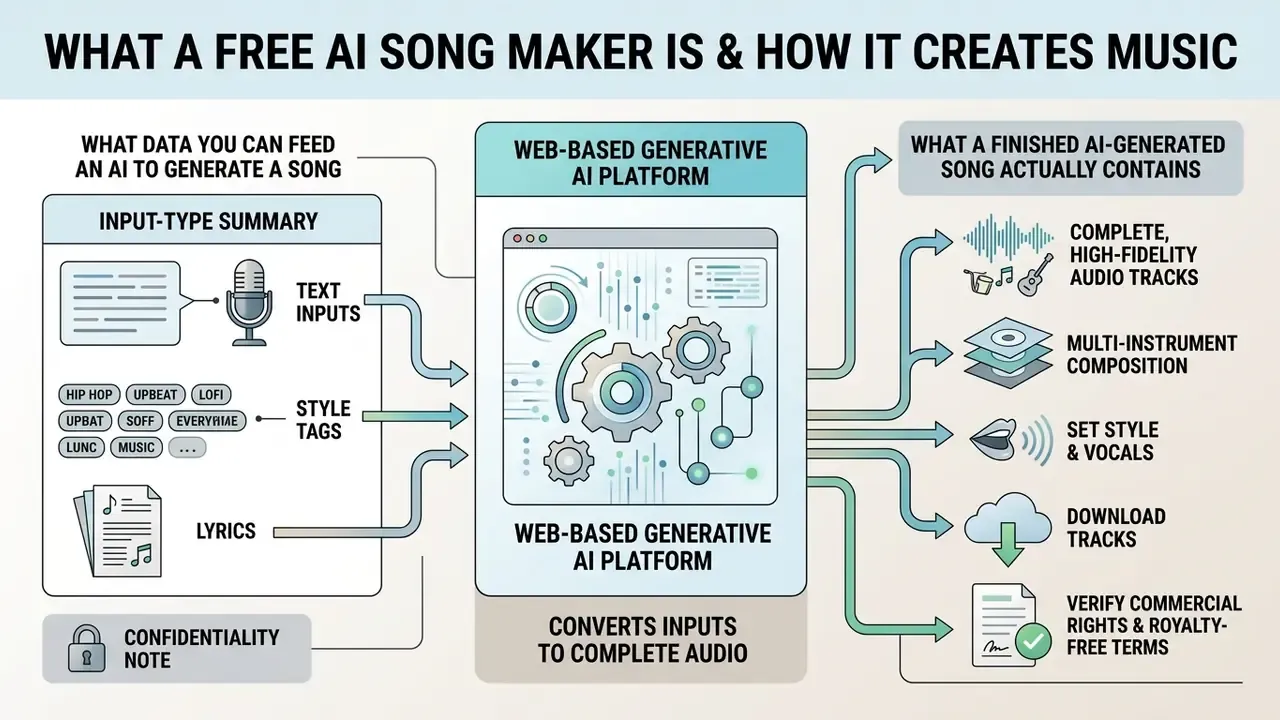
A free AI song maker is a web-based generative artificial intelligence platform that converts text inputs, style tags, and lyrics into complete, high-fidelity audio tracks. These platforms run trained neural networks that analyze the semantic meaning, rhythm, and mood of user prompts, then synthesize original melody, harmony, rhythm, and vocal lines.
Technically, modern text-to-music systems rely on latent diffusion models and diffusion-transformer architectures operating on compressed latent audio representations. Research published on multi-minute stereo audio synthesis demonstrates that models like Moûsai (2023) encode continuous audio into downsampled latent spaces, apply text-conditioned diffusion, and decode the latent representations back into 48 kHz stereo audio.
«Moûsai generates multiple minutes of high-quality stereo music from text descriptions, running in real time on a single consumer GPU at 48 kHz.»
System architectures such as Noise2Music take a slightly different route: cascaded diffusion models, where a primary generator creates an intermediate spectrogram or audio representation conditioned on large language model (LLM) embeddings, which is then refined by a super-resolution cascader into high-fidelity audio.
«A large language model is used twice: to synthesize captions for the training set, and to encode the user prompt into the diffusion conditioning vector.»
Longer-form systems push the same principle further. The 2024 study Long-form music generation with latent diffusion reports a diffusion-transformer operating on a continuous latent representation downsampled to 21.5 Hz, producing variable-length stereo music up to 4 minutes 45 seconds at 44.1 kHz directly from text prompts. That is why "full song" generation, rather than 30-second loops, became a standard 2025 to 2026 feature across the category.
One structural caveat matters for model risk assessment: the architectures above are documented research systems, while the largest consumer platforms are not.
«Major commercial music generators such as Suno and Udio had not disclosed their training datasets or model details as of 2025–2026.»
Read that twice if you are the person signing off on vendor risk. Opaque training data is not a hypothetical concern here; it is the exact issue that drove the litigation and settlements described later in this guide.
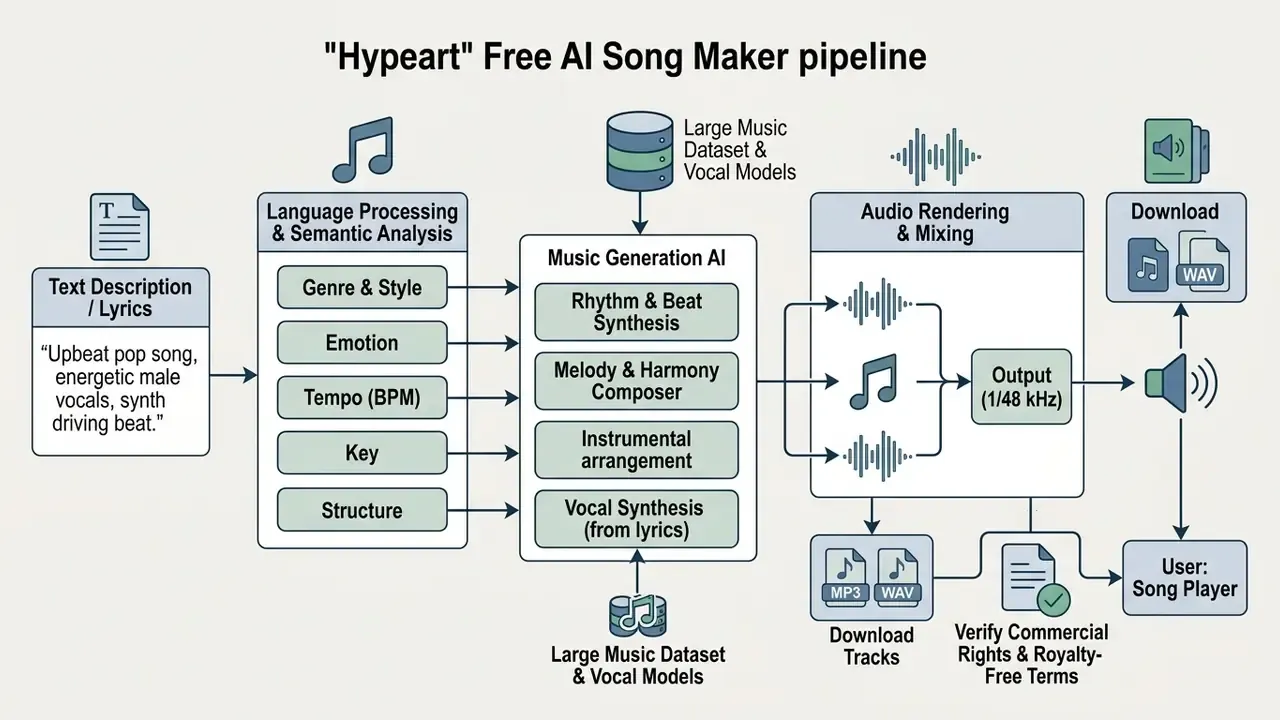
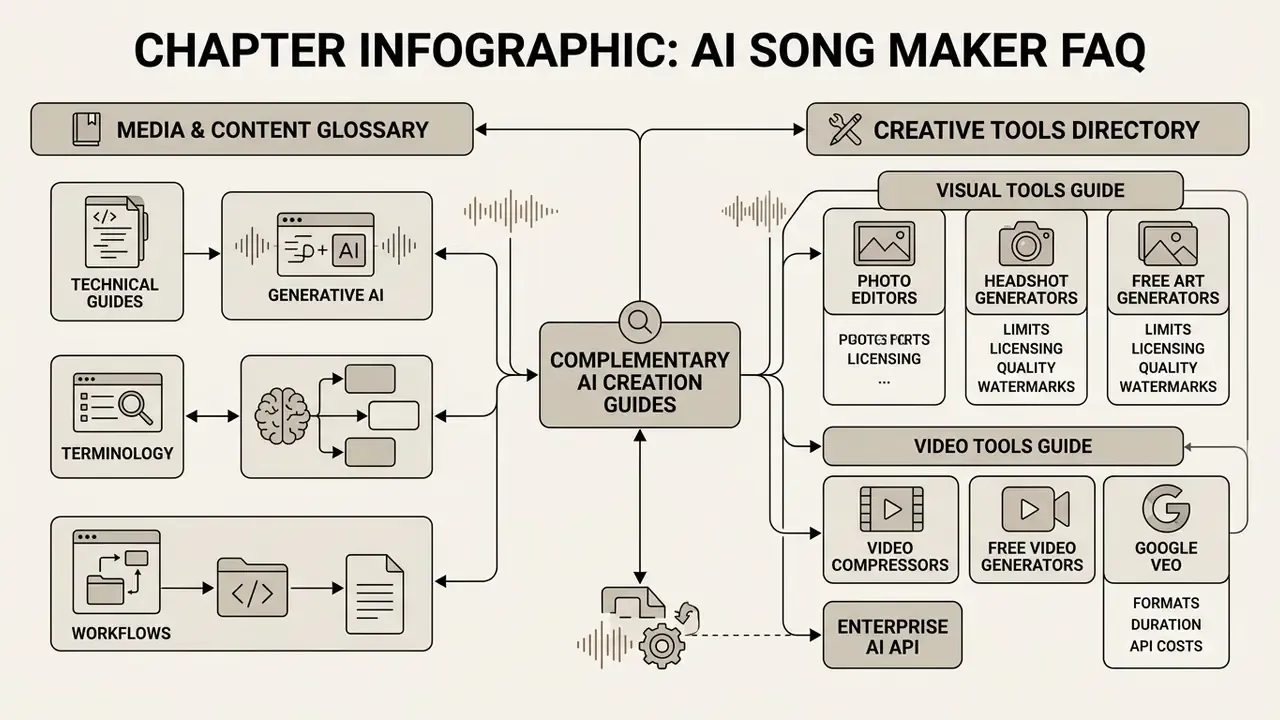
For broader media workflows, these audio generation techniques parallel the AI-driven asset pipelines cataloged in our AI Media Glossary, and they mirror the credit-and-licence mechanics of free AI video generators, where multimodal inputs map to complex creative outputs under similar tier restrictions.
What Data You Can Feed an AI to Generate a Song
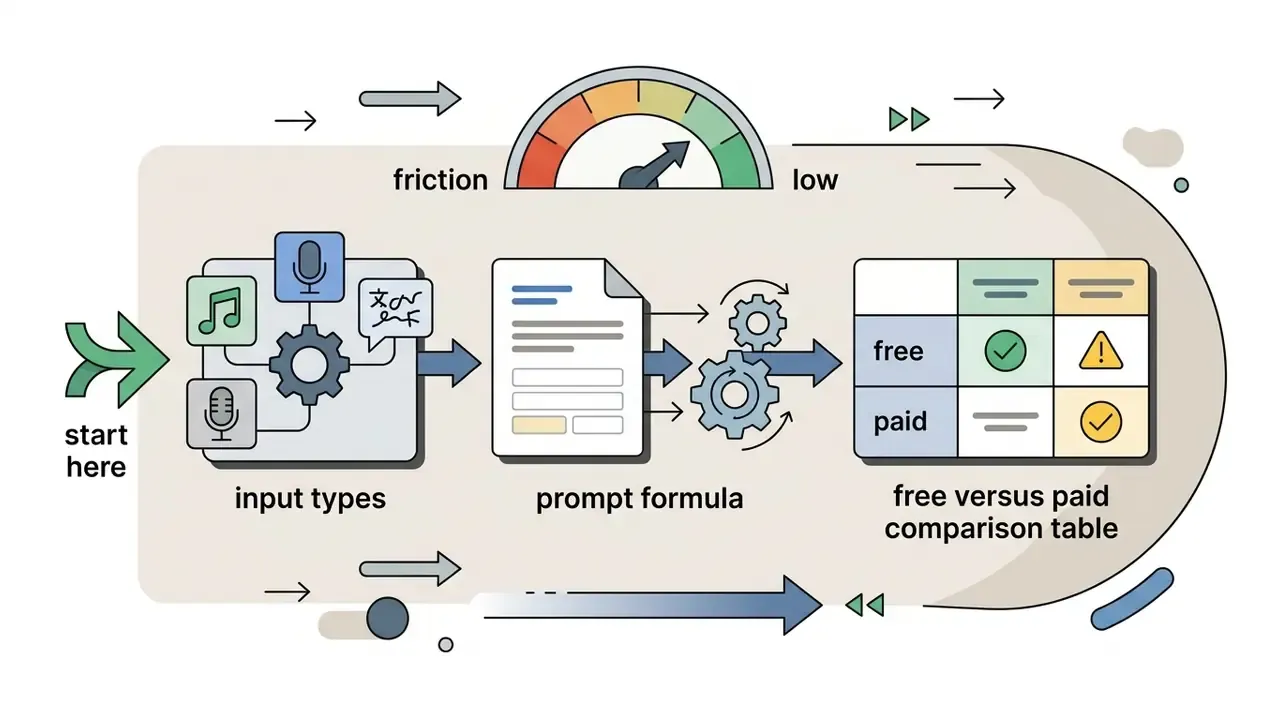
An AI song generator accepts multiple input types, from free-form natural language prompts to precise structural tags, exact lyrics, and reference audio files. You can supply detailed descriptions of genres, subgenres, emotional moods, tempo (BPM), instrumentation, vocal gender, and vocal delivery styles.
System documentation for models such as Google's Lyria 3 Pro outlines a structured input schema combining genre and style, mood, instrumentation, tempo and rhythm, vocal parameters (gender, vocal range, delivery style, language), and explicit lyrics, supplied either as a theme or as exact quoted text for the model to perform (Google Cloud Lyria 3 Guidance, 2026). Advanced platforms also accept bracketed structural markers such as [Verse], [Chorus], [Bridge], and [Outro], alongside specialized metatags for energy shifts.
Some systems, including ElevenLabs Music, support audio references: upload a short clip or select a voice profile from a vocal library to guide timbral characteristics. Vendor APIs expose the same split explicitly, with a text style prompt plus discrete fields such as vocalGender and vocalFileId, separating stylistic conditioning from voice identity.
Input-type summary:
| Input type | Example | Typical availability on free tiers |
|---|---|---|
| Natural-language description | "melancholic lo-fi hip hop, 82 BPM, dusty piano, vinyl crackle" | Yes |
| Structural tags | [Verse 1], [Chorus], [Bridge], [Outro] | Yes |
| Exact lyrics | Full multi-section lyric sheet | Yes (character caps apply) |
| Metatags / energy cues | [build], [drop], [whispered] | Partial |
| Reference audio upload | 10 to 30 s style or voice reference | Rare, usually paid |
| Voice profile / vocal library ID | Selected timbre preset | Rare, usually paid |
| Image or multimodal prompt | Mood board to soundtrack | Rare, model-specific |
Confidentiality note: every field above is user-submitted content sent to a third-party service. Unreleased lyrics, client brand names, campaign scripts, and internal audio references should be treated as regulated inputs, not casual prompt text. The Shadow AI section below covers the controls.
When crafting complex descriptors, creators frequently consult an ai prompt generator to tighten prompt phrasing and tag structure before submission.
What a Finished AI-Generated Song Actually Contains
A completed AI-generated track is normally a fully mixed audio recording: synthesized lead and harmony vocals, rhythm instruments, basslines, melodic accompaniment, and master-level processing. Depending on the chosen mode, output can be a complete vocal song or a pure instrumental bed.
On a free AI music creation platform, the final track is rendered as a stereo audio file, commonly MP3 at 192–320 kbps, or lossless WAV at 44.1 kHz / 48 kHz on premium plans. Vendor documentation shows the practical range: some platforms export MP3 and MIDI, others advertise lossless WAV "up to CD quality 44.1 kHz", and stem-oriented services deliver separate WAV files for drums, bass, melody, vocals (if any), and FX. Beyond single stereo bounces, advanced architectures let users export separated stems, splitting the mix into independent drum, bass, vocal, and instrumental tracks for post-production in a digital audio workstation.
Deliverable checklist for a finished track:
- Mixed and loudness-normalized stereo master (MP3 / WAV / occasionally FLAC or M4A).
- Lead vocal, harmonies or ad-libs, and optional background choir layers.
- Rhythm section, bass, and melodic accompaniment consistent in key and tempo.
- Section structure matching supplied tags (intro, verse, chorus, bridge, outro).
That last item, generation metadata, is the artifact most creators discard and most auditors request. Retain it.
How to Create Music With AI Free: the Step-by-Step Process
Creating music with a free AI song generator means picking an input method, defining the prompt or lyrics, configuring style settings, running the generation engine, and evaluating the audio output. A systematic method produces predictable results and keeps credit consumption sane.
Illustrative workflow pattern (not a verified customer case). A common failure mode on free tiers is credit burn from unstructured prompting: teams re-roll the same vague description five or six times before landing a usable take. The standardized pattern below, with fixed prompt syntax, explicit section tags, and one variable changed per iteration, is the practical fix, because it turns each generation into a diagnostic rather than a lottery ticket. Treat iteration counts as workflow hygiene, not a benchmark. Actual credit consumption depends on the platform's per-generation cost, for example 3 credits per generation returning two songs, or 10 credits per generation on higher-quality models.
- Choose input type.Decide whether to generate a track from a natural-language description (text-to-music) or from pre-written lyrics (lyrics-to-song).
- Formulate the prompt or insert lyrics.Type a detailed style prompt covering genre, mood, instrumentation, and tempo, or paste structured lyrics using section tags such as
[Verse 1]and[Chorus]. - Configure vocal and style parameters.Select vocal attributes (male, female, duet, or instrumental-only), target energy level, and preferred musical era.
- Initiate generation and preview.Trigger the generator AI engine to produce initial variations, typically two samples of 30 to 120 seconds rendered within seconds.
- Evaluate, refine, and export.Listen to previews, apply extensions or edits if needed, then download the approved track according to your plan's permissions.
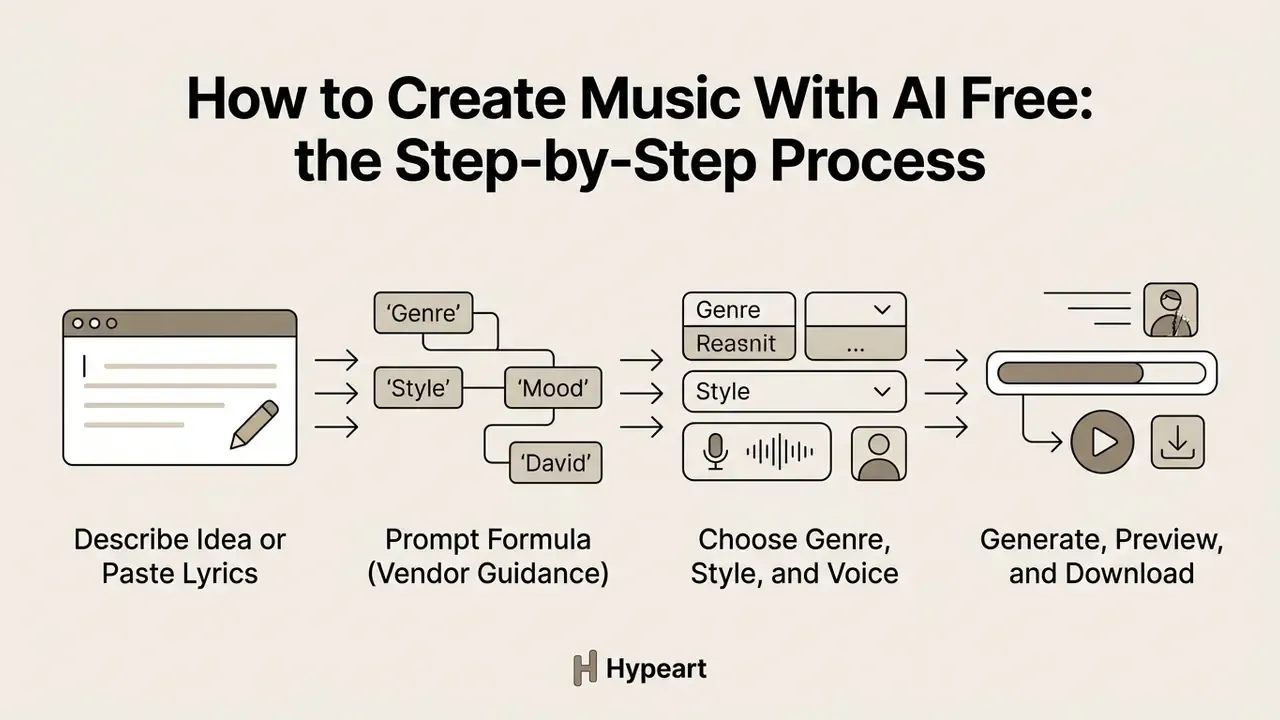
Describe the Idea or Paste the Lyrics
To improve prompt-to-audio alignment, combine concrete style descriptors with clear thematic context instead of vague umbrella terms. When generating songs from pre-written text, supply exact lyrics with section boundaries; that single habit prevents the model from misplacing vocal transitions.
Observational research analyzing user prompt corpora across major platforms like Suno and Udio shows that successful prompting separates high-level style instructions from lyric content.
«Analysis of Suno and Udio prompt corpora reveals widespread use of metatags, special tokens that steer model behaviour beyond ordinary prompt semantics.»
Explicit structural brackets guide the model's internal alignment mechanism:
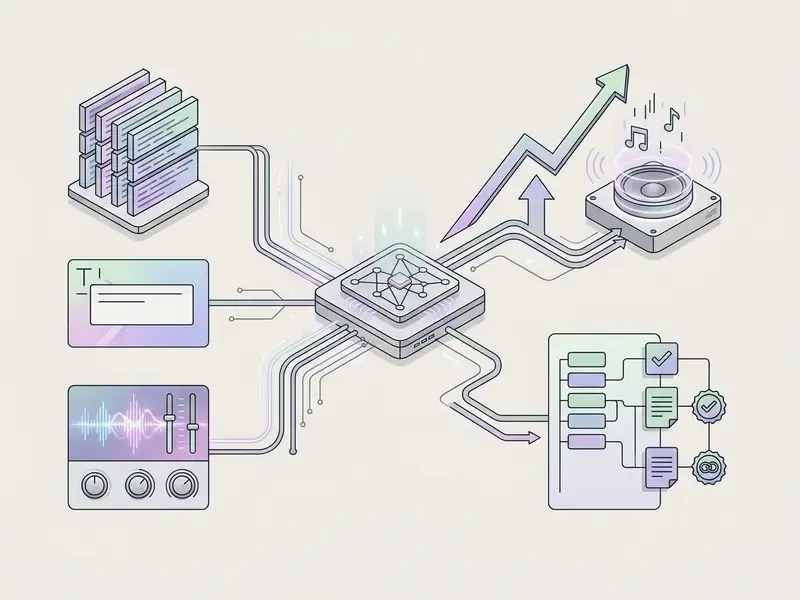
Prompt formula that mirrors vendor guidance: genre and style, plus mood, plus instrumentation, plus tempo and rhythm, plus vocal style and language, plus lyrics. Change one element per iteration and log every version. Avoid artist names, trademarks, and quoted lyrics from existing songs. That restriction appears in most platform policies, and it is also the single most common cause of downstream Content ID exposure.
If you are developing pitch materials alongside audio, pairing song scripts with an ai proposal generator helps keep creative concepts aligned across commercial presentations.
Choose Genre, Style, and Voice
Selecting genres, styles, and vocal characteristics directs the model to sample specific latent distributions learned during training. You can specify single genres (jazz, rock, lo-fi) or blend hybrids, for example "acoustic folk mixed with ambient electronic".
Empirical testing on model controllability shows that some parameters, such as musical key and triple-meter time signatures, follow instructions well when requested explicitly.
«ACE-Step 1.5 and Stable Audio 3 Medium show robust key controllability, while four-beat grouping appears in 97% of outputs from neutral prompts without explicit instruction.»
In practice that means two things. First, if you need 3/4 or 6/8, say so, because the default gravitational pull of diffusion audio models is common time. Second, key requests are comparatively reliable, which matters when a generated cue has to sit next to an existing bed or a voiceover.
Free tiers generally expose genre, mood, tempo or energy, and a coarse vocal switch (male / female / instrumental-only). Granular controls such as vocal range, delivery style, per-note language assignment, and curated vocal libraries sit behind paid plans. Most modern platforms also offer an "instrumental only" toggle that suppresses vocal synthesis entirely, which is the fastest route to a copyright-quieter background bed for video.
Generate, Preview, and Download the Track
After launching generation, real-time inference engines render audio within 10 to 45 seconds using chunk transfer encoding and parallel processing pipelines, so playback can begin before the file is finalized. Streaming audio stacks impose their own technical envelope. Azure's realtime audio interface, for example, expects PCM 16-bit mono at 24 kHz with roughly 100 ms increments, which is why in-browser previews often sound thinner than the downloadable master. Once rendered, stream the preview in the web interface to check tonal quality, lyric pronunciation, and mix balance.
Downloading depends on your account tier. Paid accounts offer uncompressed WAV exports and multitrack stems, while free tiers frequently restrict users to standard MP3 downloads or, increasingly, to platform-hosted streaming links only.
«Under the Warner Music Group settlement, tracks on Suno's free tier will be listen-and-share only, while paying users receive a monthly download allowance.»
Creators building multi-format media packages can review format and bitrate trade-offs in our guide to video export formats and compression, where the same lossy-versus-lossless decision logic applies.
How to Choose a Free AI Music Creation Platform
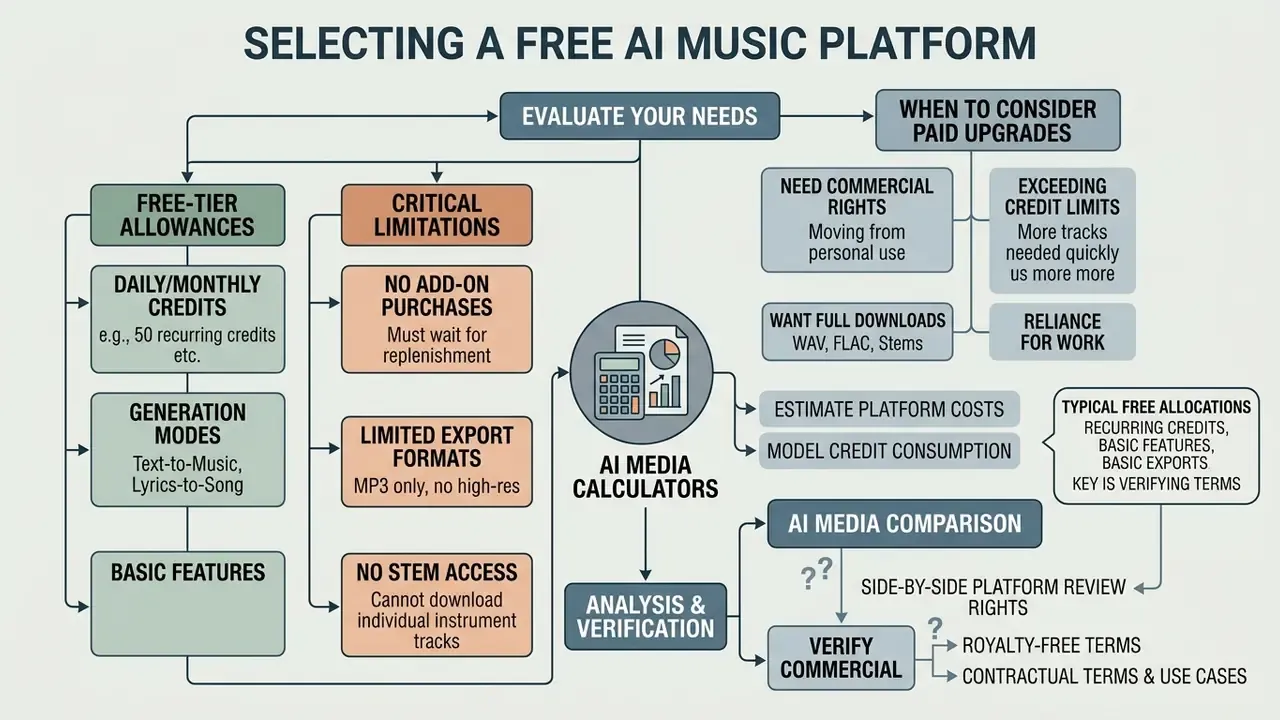
Choosing among free AI music creation platforms means evaluating daily or monthly credit allocations, available generation modes, audio export formats, stem access, data-retention policy, and commercial licensing terms. Many platforms market "free" access; the feature sets diverge sharply between entry tiers and paid PRO subscriptions.
To model tool costs and credit consumption across creative platforms, our AI Media Calculators help estimate project budgets before you commit.
| Platform parameter | Free tier expectations | Pro / paid tier unlocks |
|---|---|---|
| Daily credit limit | 6 to 50 credits per day (about 2 to 10 tracks) | 500 to 2,500+ monthly credits; priority rendering queue |
| Generation modes | Text-to-music, basic lyrics-to-song | Advanced prompting, audio reference uploads, custom voice models |
| Vocal controls | Preset male/female selection, generic languages | Custom vocal library, pitch and dynamics tweaking, 50+ languages |
| Download formats | MP3 (192–320 kbps) or streaming link only | Lossless WAV (44.1 kHz / 48 kHz), MIDI exports |
| Stem access | Usually locked or unavailable | 4-stem to 12-stem separation (drums, bass, vocals, instruments) |
| Track length | 30 s to 2 min per generation | Extension to 4 to 8 minutes, continuation from a chosen point |
| Attribution | Mandatory credit line, e.g. "Created by Tunee AI", "made with aisonggenerator.io" | Attribution removed |
| Data retention | Inputs and outputs commonly retained; may inform product improvement | Contractual opt-outs on business and enterprise tiers |
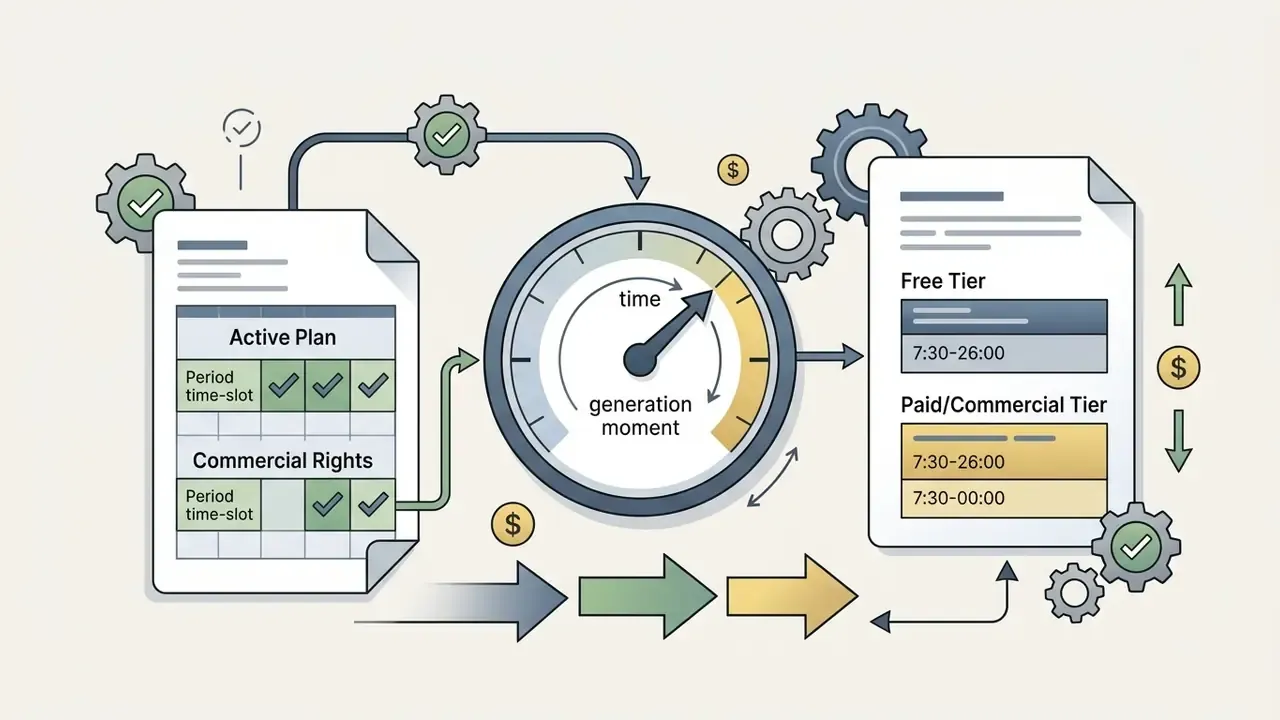
| Commercial rights | Non-commercial, personal use only; attribution required | Full commercial licence, copyright indemnification options |
Representative published free-tier limits, which you should verify before relying on them: Suno lists roughly 50 credits per day, described as about 10 songs; Canva's AI music feature documents 900 tokens per month and up to 10 soundtracks per day, restricted to personal projects and not downloadable as a standalone track; AISongGenerator provides 6 daily credits at 3 credits per generation returning two songs, plus a required attribution line and a ban on multiple accounts; Tunee retains copyright on free-plan output and permits non-commercial use with attribution only.
For side-by-side analysis of creative platforms across media formats, visit the AI Media Comparison directory.
What You Usually Get for Free
Free tiers across AI song generators typically hand new users a recurring credit allocation, for instance 50 daily credits on Suno or 6 daily credits on AISongGenerator, enabling basic text-to-music generation and web-based previews. Free plans are genuinely useful for testing prompting technique, experimenting with genres, and sharing tracks via web links.
The limits, though, are standard and contractual as much as technical. Free usage usually mandates personal, non-commercial use, requires visible platform attribution ("Created with AI Generator" and similar), and restricts or prohibits direct standalone MP3 or WAV downloads.
«Under the Warner Music Group settlement, free-tier Suno tracks will be available for listening and sharing only; paid users get a monthly download quota.»
Three further limits are easy to miss on a free plan: no add-on credit purchases, so you wait for the daily reset; no retroactive licence upgrade; and no contractual control over how your prompt text and uploads are stored. The third one is the expensive one.
When You Need Credits, Advanced Features, or Pro Access
A paid subscription or add-on generative credits become necessary when the project demands commercial monetization, lossless quality, track extension, or multitrack editing. PRO access removes attribution requirements and grants commercial licensing rights for tracks generated during the active subscription period.
Advanced post-production work, such as isolating vocals via stem separation, extending duration beyond two minutes, or integrating custom audio uploads, is almost universally gated behind paid plans (Suno & Udio Platform Licensing Overview, 2025). The commercial history behind those paywalls is worth understanding before you standardize on a vendor:
«Forbes characterises the Suno and Udio playbook as "launch, train, settle": two years of operating without licences, followed by deals that converted infringement exposure into a structured licensing regime.»
For risk owners, that trajectory has a practical implication. Licensing terms, download rights, and even model availability on a given tier can shift as settlements land. Contract review should be periodic, not one-time. To compare subscription structures and plan limits across music and voice platforms, consult our AI Media Pricing Guides.
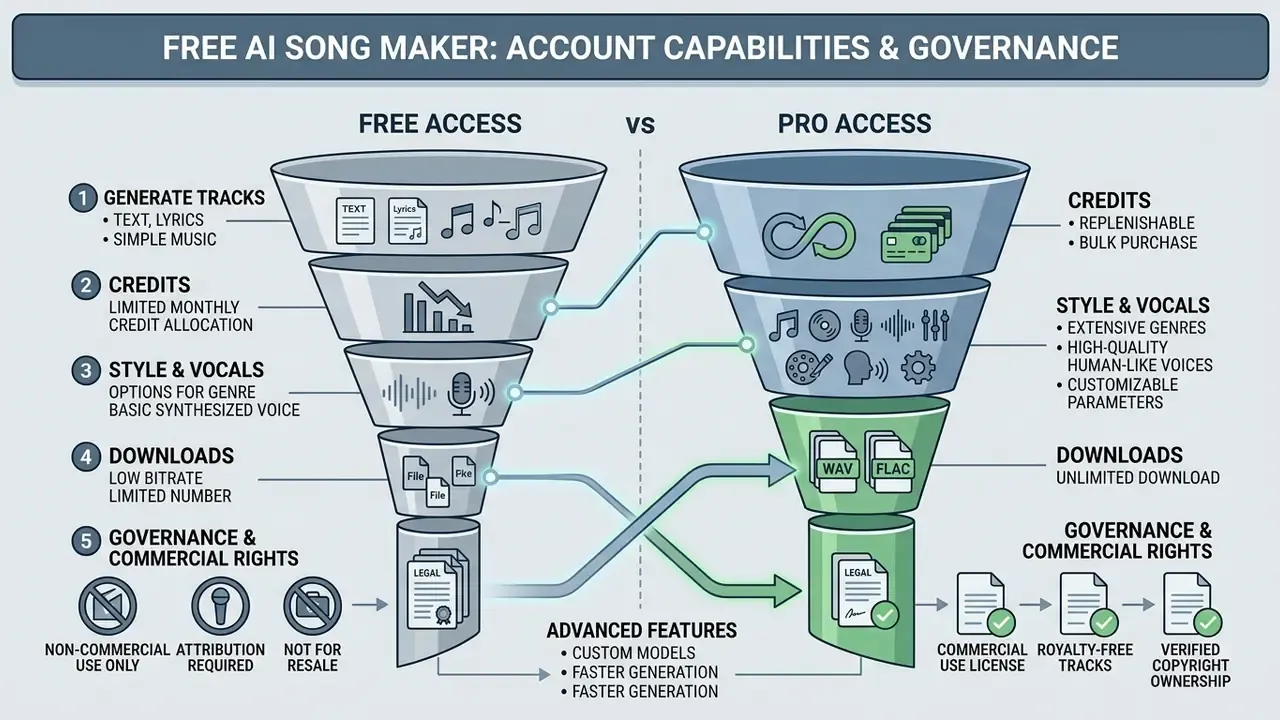
Licensing, Royalty-Free Music, and Commercial Use
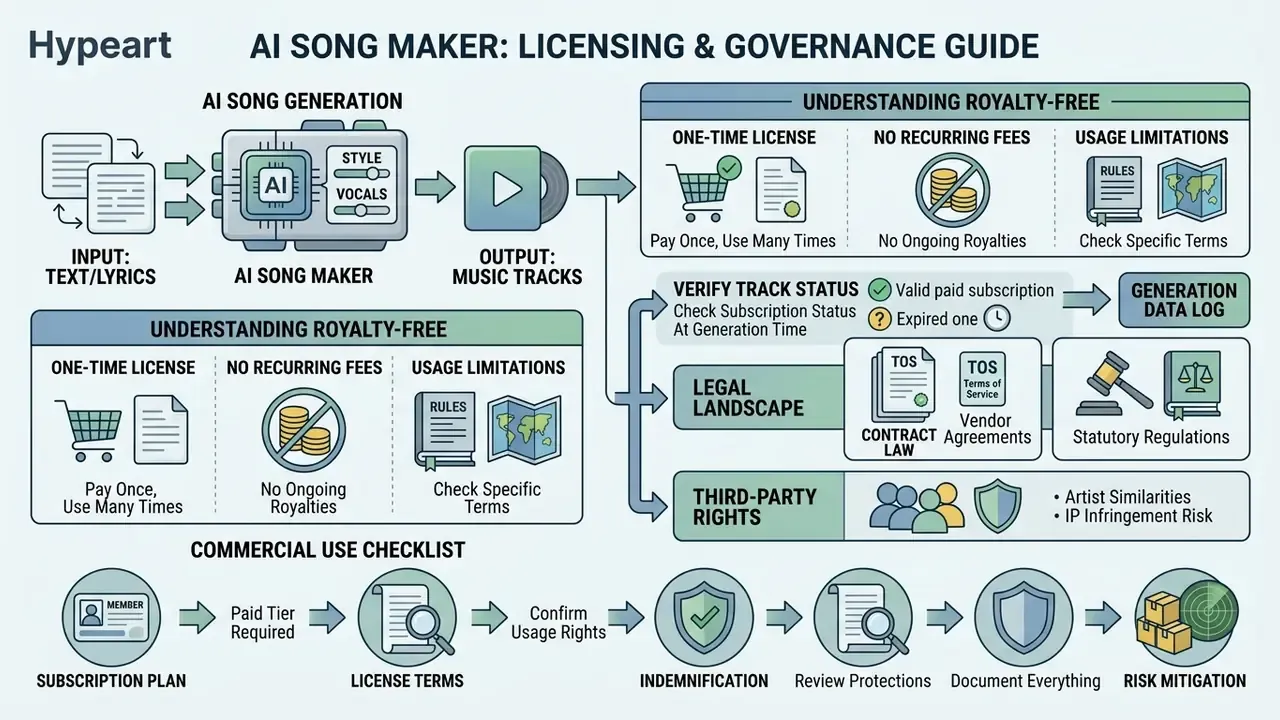
What Royalty-Free Means for AI-Generated Tracks
In AI music, "royalty-free" means you owe no recurring royalty fee per broadcast, view, or stream once the track licence is in place. It does not automatically grant underlying copyright ownership.
Under U.S. Copyright Office guidance (Copyright Registration Guidance for Works Containing Material Generated by Artificial Intelligence, 88 FR 16190, 2023; Copyright and Artificial Intelligence, Part 2, 2025), copyright protection requires human authorship. Audio generated solely by artificial intelligence, without meaningful human creative control or arrangement, is treated as unprotectable material. Applicants must disclose AI involvement and disclaim AI-generated portions when registering a work.
«Copyright protects original works of human authorship; AI-generated material is protected only where a human author selected or arranged sufficient expressive elements.»
So platform licence agreements govern commercial usage rights through contract law, independently of statutory copyright registration. The practical consequence is asymmetric, and it surprises people: you may be contractually permitted to monetize a track that you cannot legally stop anyone else from reusing. Where exclusivity matters, say a brand sonic logo or a franchise theme, meaningful human authorship (re-arrangement, re-performance, a human topline, substantive mix work) has to be added and documented.
Two jurisdictional notes. Fair-use analysis in the U.S. weighs purpose, nature, amount used, and market effect, with commercial use as one factor among several. EU transparency rules increasingly point toward machine-readable marking and detectability of synthetic or manipulated audio, alongside rights-holder reservation mechanisms. If your distribution footprint spans both, the stricter rule governs your workflow.
What to Check Before Using AI Music in a Commercial Project
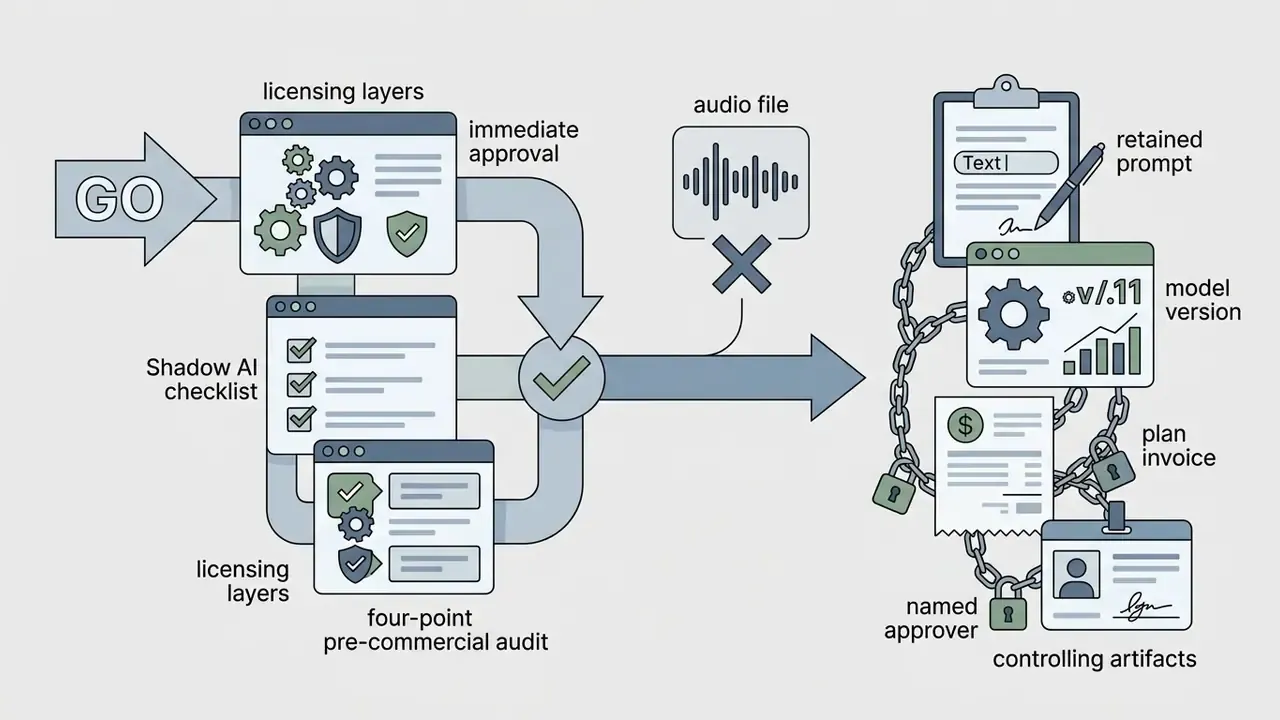
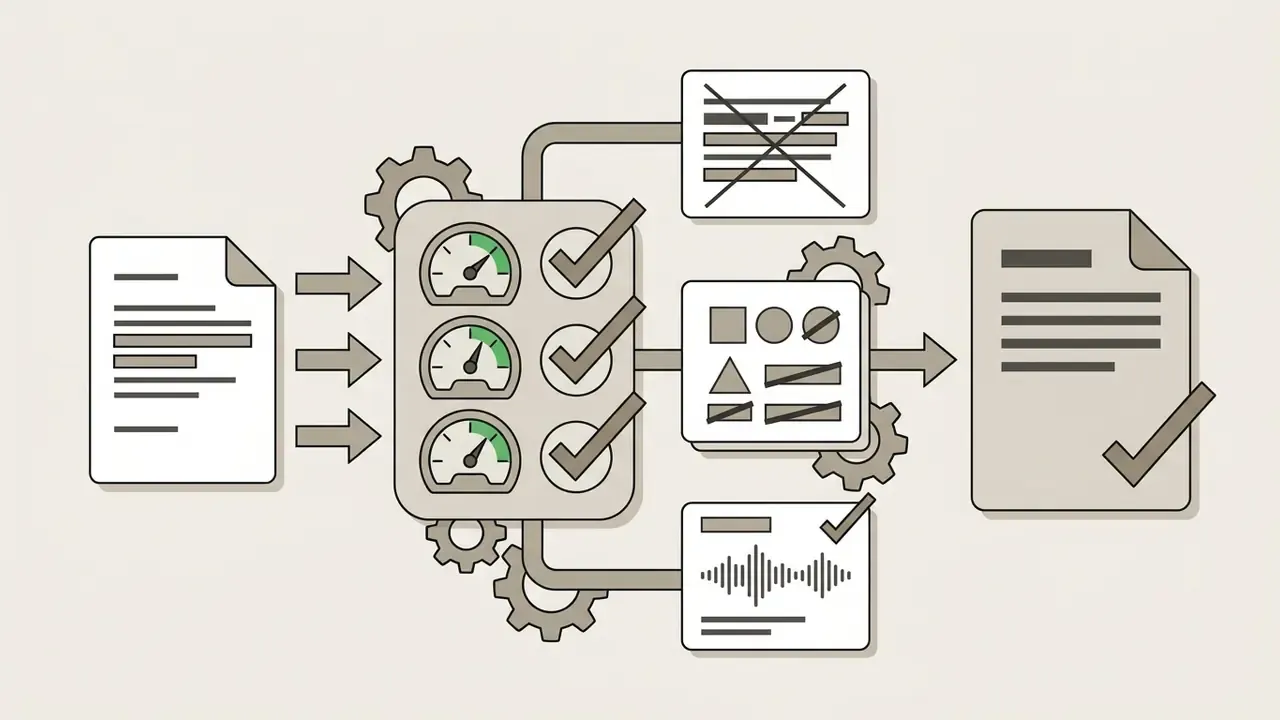
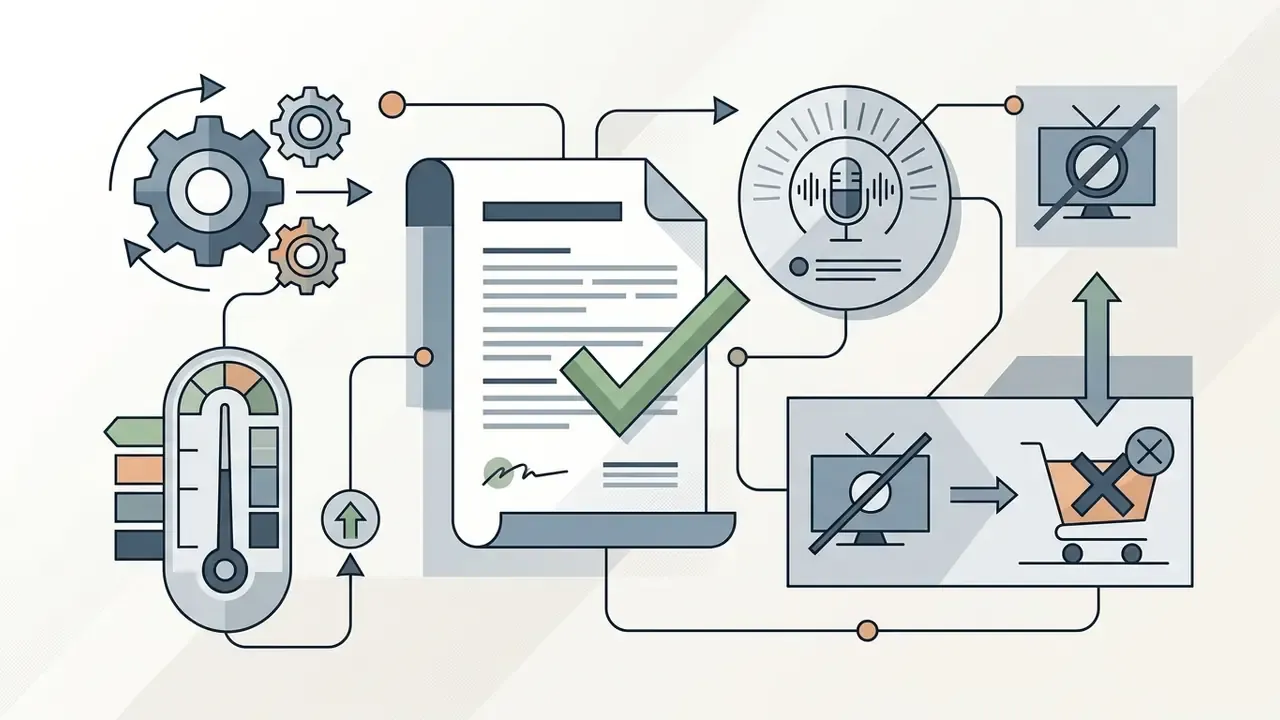
Before deploying an AI-generated track in advertising, games, podcasts, or monetized YouTube videos, run a four-point compliance audit:
Additional pre-flight checks for regulated and enterprise deployments:
- Confirm the vendor's stated position on training-data provenance, and whether indemnification is offered, and capped, on your tier.
- Run the finished master through a reverse-audio or Content ID pre-check when the placement is high-value.
- Record the disclosure decision for each distribution channel, covering YouTube synthetic-media disclosure and platform AI labels.
- Log the approver's name and date. An unsigned clearance is not a clearance.
For commercial licensing frameworks across visual media formats, refer to our AI Media Commercial-Use Hub.
Shadow AI, Data Confidentiality, and Corporate Policy
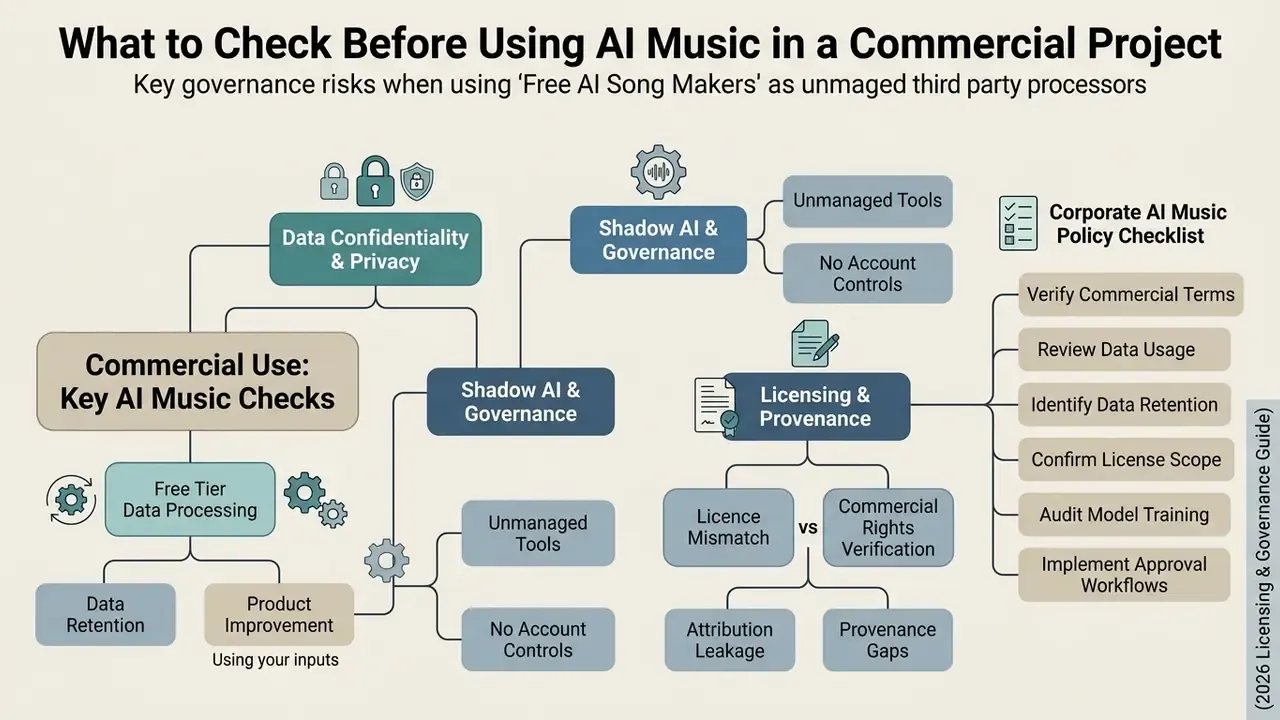
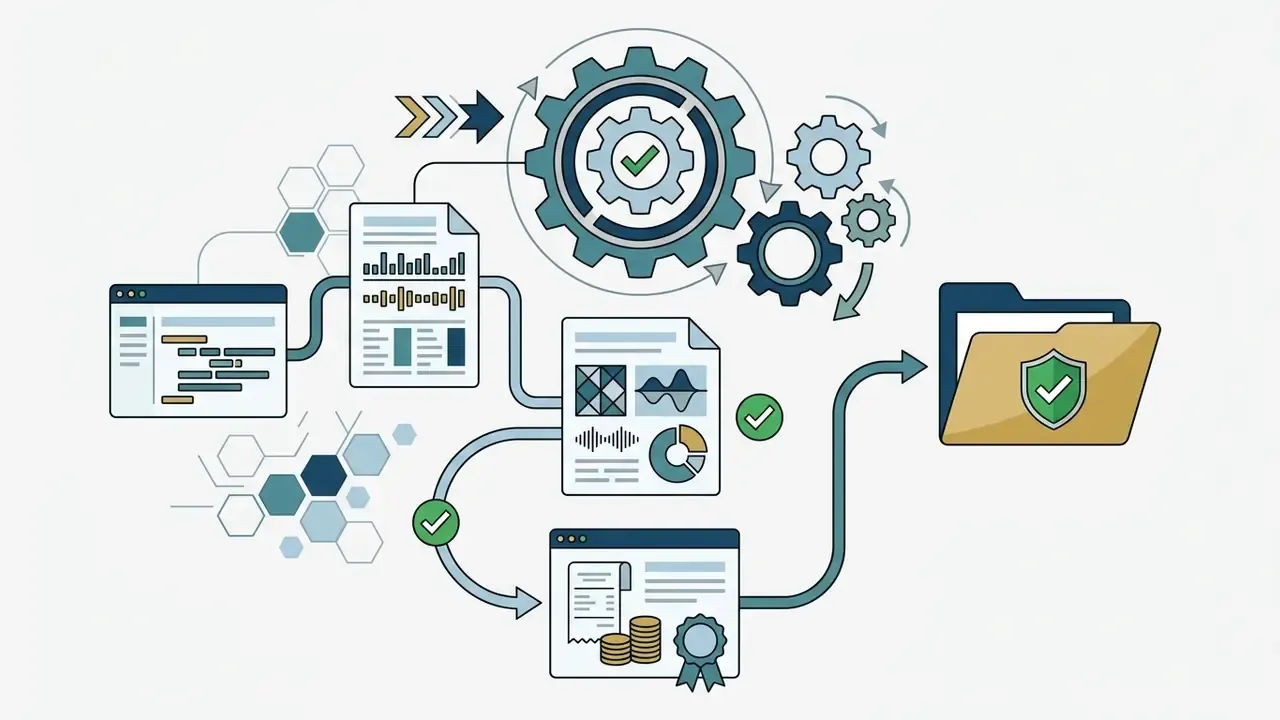
| Control | Requirement | Evidence to retain |
|---|---|---|
| Approved vendor list | Only tiers with a commercial licence and documented retention terms | Signed agreement, plan invoice |
| Input classification | Ban on confidential lyrics, unreleased brand assets, client names, third-party audio | Prompt log review sample |
| Account governance | Organization-owned accounts, SSO where available, no personal logins | Access register |
| Generation logging | Prompt, model, version, seed, timestamp, operator | Platform export or internal log |
| Human authorship record | Documented arrangement, edit, or performance contributions | DAW project files, stems, revision notes |
| Disclosure workflow | Channel-specific synthetic-media disclosure decision | Publication checklist entry |
| Periodic review | Re-verify terms quarterly, since settlements change tier rights | Review memo |
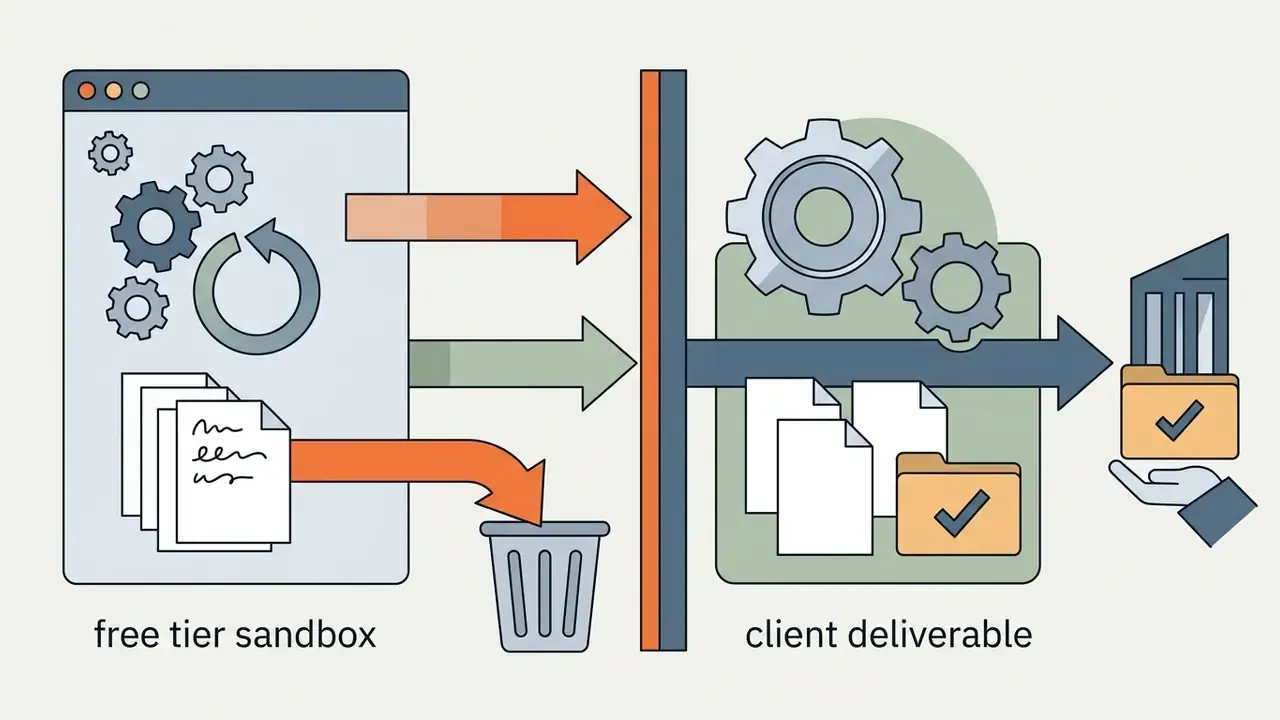
The pragmatic middle path for most teams is to allow free tiers explicitly, and only for non-confidential experimentation and prompt-craft training, with a hard rule that nothing generated on a free account may enter a client deliverable. Production work moves to a contracted tier with retention terms, download rights, and stem access. Simple to write, harder to enforce without a named owner.
AI Song Generator Capabilities: From Text and Lyrics to a Finished Track
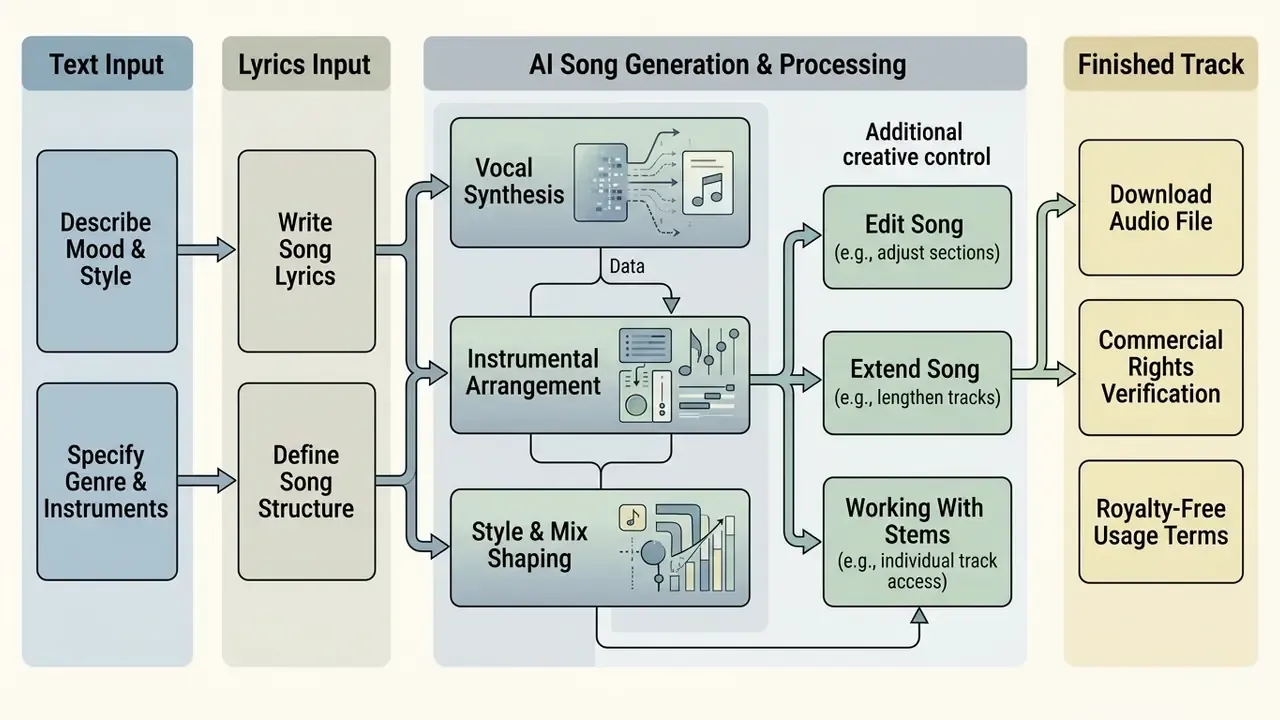
An AI song generator bundles a full suite of creative audio capabilities, turning raw text descriptions or pre-written lyrics into arrangements with synthesized vocals, instrumental backings, and post-processing controls. Modern platforms unify composition, synthesis, and mixing into one end-to-end digital workflow.
Text to Music and Lyrics to Song
Text-to-music converts natural-language descriptions into instrumental or vocal audio based on stylistic cues. Lyrics-to-song aligns synthesized vocal melodies to user-supplied text. In text-to-music mode, the model interprets ambient descriptions ("cinematic orchestral score for a sci-fi scene") and generates thematic music without vocal tracks.
In lyrics-to-song mode, the system uses specialized lyric alignment paths that map syllables to pitch, duration, and stress patterns.
«Dedicated lyric-alignment paths map syllables to pitch, duration, and stress patterns, maintaining rhythmic synchronization with the instrumental arrangement.»
Research pipelines commonly split this into two stages, singing voice first and accompaniment second, while consumer products present a single end-to-end control surface. The use-case split is straightforward: description mode when you know the feeling but not the words; lyrics mode when the words already exist (poems, vows, brand manifestos, speeches, journal entries) and the music has to serve them.
Creators producing visual decks alongside generated audio can review our ai presentation maker and ai presentation maker free guides.
Vocals, Instrumentals, and Sound Shaping
Edit Song, Extend Song, and Working With Stems
Post-generation tools let creators edit audio boundaries, extend durations, and separate a mixed track into individual stems. The "extend song" feature analyzes the end point of a generated track and continues the arrangement beyond it while preserving harmonic key and tempo continuity. Vendor implementations let users pick a target length or a specific continuation point, leaving audio before that point untouched.
Stem separation applies deep learning source-separation models to split a rendered stereo track into four stems: vocals, drums, bass, and other instruments.
«Any mono or stereo audio file can be separated into four stems, vocals, drums, bass and others, using a deep learning music source separation model.»
Engineers can then re-balance levels, remove an unwanted vocal line, or remix individual elements in external software. Premium music platforms extend the same principle to 8 to 12 stems, which is roughly the threshold at which AI output becomes usable as raw material rather than a finished bounce. It is also, not coincidentally, the threshold at which documented human arrangement work begins to build the authorship record discussed in the licensing section.
What Creators Actually Use an AI Music Generator For
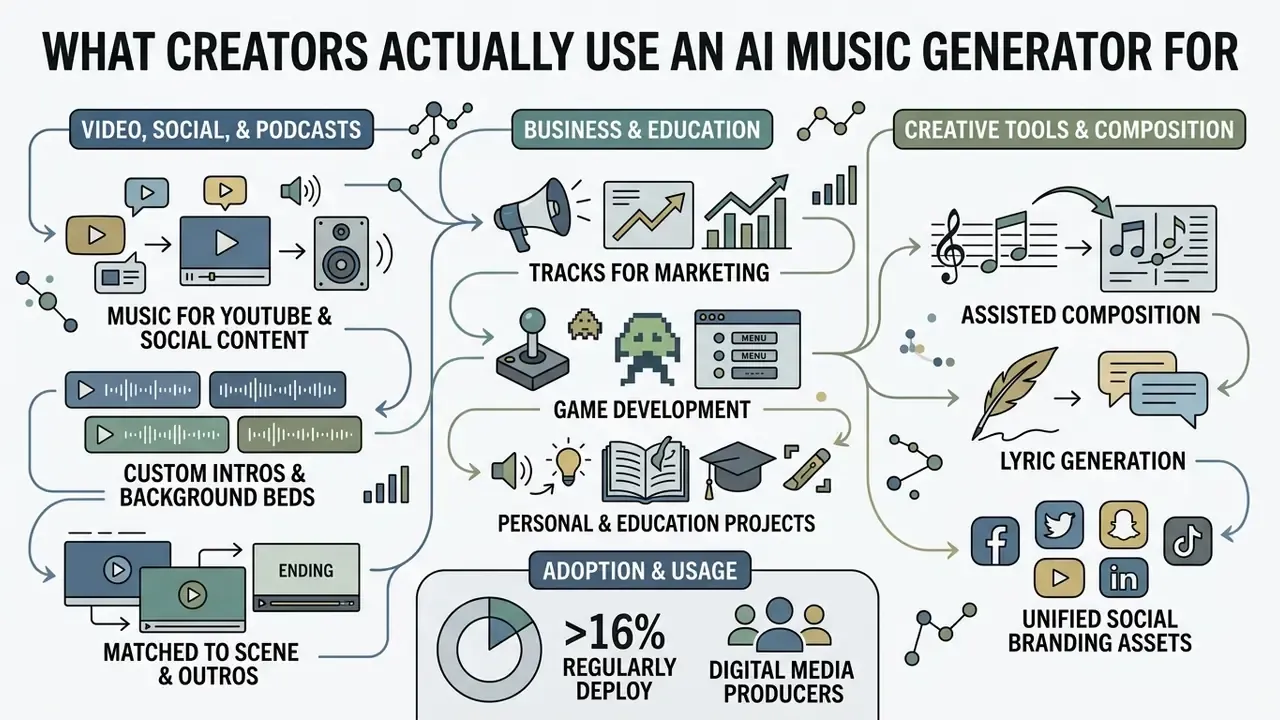
Content creators, video producers, game developers, marketers, and educators use AI music generators to produce original audio matched to specific visual and narrative contexts. Automated music creation attacks three familiar problems at once: licensing cost, copyright strikes, and custom audio timing.
Industry research maps adoption across the full production chain, covering assisted composition, lyric writing, orchestration, voice and choir generation, and promotional content, and spanning composers, producers, sound engineers, and show producers alike (Le CNM study on AI in music, 2025).
Tracks for Games, Marketing, Education, and Personal Projects
In game development, indie studios use AI music generators for interactive background music, menu themes, and prototype soundtracks. A 2025 case study on AI-generated music in game development focuses precisely on soundtrack use alongside originality and copyright questions. In education, teachers generate custom songs to make instructional content stick: a 2025 conference paper reports MusicFX, Riffusion, and Suno used to score three different educational games, and 2026 music-education research analyses Google MusicFX DJ, Music AI Sandbox, and Udio as teaching tools. Marketing teams, meanwhile, produce targeted audio beds for localized digital advertising.
«23% of AI-using creators already generate complete songs from prompts, a capability directly applicable to game soundtracks and educational content.»
Personal projects remain the highest-volume, lowest-risk category. Birthday songs, wedding tracks, anniversary surprises, and family gifts sit comfortably inside free-tier personal-use terms, which is exactly why free plans exist in the first place. The risk gradient rises sharply the moment a track crosses into monetized or client-facing distribution.
For developers creating interactive visual assets alongside audio, our animation maker guide covers the cross-media production side.
FAQ About Free AI Song Makers
Do You Need Musical Skills to Use a Song Generator?
No. Prior musical skill or music theory knowledge is not required to use a basic free AI song maker. Interfaces are built so users can select genres, describe emotions, or type lyrics in plain language, and the AI creates music from there. Professional, studio-grade results are another matter. They require prompting skill, understanding of song structure tags, and the ability to judge a mix (SciOpen AI Usability Review, 2025). The entry barrier is low for a first track and materially higher for a release-quality one. Usability research notes unresolved problems in interpretability and control, and controlled studies with participants of "none to basic" musical knowledge show engagement is possible without training, while consistent output still depends on musical judgment the tool cannot supply.
Can You Create Songs in Different Languages?
Yes. Modern AI song generators offer broad multilingual support for both text prompts and vocal synthesis. Major audio engines render singing vocals in more than 50 languages, including English, Spanish, Mandarin, French, Japanese, German, Korean, Russian, and Hindi (ModelsLab Song Generation API Guide, 2026). The model adjusts pronunciation, accent inflection, and melodic phrasing to match the language of the supplied lyrics. Coverage is uneven in practice, though. Some editors allow per-note language assignment plus a track-level default; some models generate lyrics in the language of the prompt and adapt pronunciation accordingly; some platforms advertise "multiple languages" while shipping only two. Test your target language before committing a localized campaign to a vendor.
Will Spotify or YouTube Recommend AI-Generated Music?
Recommendation algorithms on Spotify and YouTube evaluate engagement metrics such as skip rate, save rate, and completion rate, not the creation method as such. Platform policy, however, is a separate filter, and it now addresses synthetic-media disclosure and low-quality content flooding directly. In August 2026, Spotify implemented an explicit policy labeling "AI Persona" profiles and excluding purely synthetic persona artists from default editorial and algorithmic recommendation playlists unless a user directly follows the profile (TechCrunch Spotify AI Policy Report, 2026, https://techcrunch.com/2026/08/11/spotify-will-label-ai-persona-profiles-and-exclude-their-music-from-recommendations/). The same policy commits Spotify to identifying and labeling AI music using industry-standard techniques and bans unauthorized AI voice clones and deepfakes. Large-scale streaming catalog studies show that 92.7% of standalone AI-generated uploads receive negligible streams, largely due to oversaturation and the absence of external audience promotion.
«93% of AI tracks receive under 1,000 streams, and AI music generates just 0.3% of monthly platform royalties (January–May 2026).» An Empirical Analysis of AI Slop in Music Streaming, arXiv (2026). YouTube permits AI-generated music but requires creators to disclose synthetic content at upload, classifies music Gen AI use as Fully, Partly, or No Gen AI, and enforces Content ID against unauthorized voice clones and copyrighted sound-alikes. Its monetization language shifted from "repetitious content" to "inauthentic content", which signals authenticity-based enforcement rather than a published recommendation filter.
Is It Safe to Enter Corporate Text and Brand Materials Into a Free Generator?
No, not without reviewing the vendor's data terms first. Free web tiers typically reserve broad rights to retain and analyze submitted prompts, lyrics, and uploaded audio, and they rarely offer contractual retention opt-outs or deletion guarantees at that level. Unreleased lyrics, client names, campaign copy, and internal reference recordings should be handled as confidential data subject to your NDA obligations, not as disposable prompt text. Where confidential inputs are unavoidable, move to a contracted tier with documented retention terms, organization-owned accounts, and audit-exportable logs, then record the approval.
Who Owns the Rights to an AI Track Created on a Free Plan?
It depends on the vendor's contract, and on free plans the answer is frequently "not you". Some platforms retain copyright in free-tier output entirely and grant only a non-commercial, attribution-bound licence to use it. Separately, U.S. Copyright Office guidance holds that material generated solely by AI, without sufficient human creative control, is not protectable at all. So even a paid commercial licence does not automatically give you an exclusive, registrable asset. If exclusivity matters, add and document substantive human authorship: arrangement, re-performance, a human topline, or significant mix and edit work.
How Fast Is Generation, and How Many Songs Can You Make Per Day?
Rendering typically completes in 10 to 45 seconds per generation, with previews streaming before the file is finalized. Daily output on a free plan is bounded by credits rather than compute: at 6 daily credits and 3 credits per generation, you get two generations per day, which may return two songs each. At 50 daily credits you are closer to ten songs. Free plans usually block add-on credit purchases, so the practical ceiling is the reset clock. Plan your iterations accordingly, and log the prompt for every keeper. If you hit technical issues or account configuration questions while setting up generative workflows, our centralized support portal covers platform assistance.
Footer Navigation and Hub Links