Executive summary
- An ai presentation maker converts prompts, PDFs, Word files, Markdown, Excel spreadsheets, and live URLs into structured, editable slide decks in minutes instead of hours.
- Speed gains are documented. Quality gains are not automatic: a controlled UK government pilot found Copilot users built slides faster yet scored lower on accuracy and completeness than the control group.
- Native add-ins (Microsoft Copilot, Google Gemini) win on data residency and file permissions. Standalone platforms (Gamma, Pitch, Plus AI, AiPPT) win on layout variety, export breadth, and collaboration.
- Legal and security review is non-negotiable. Unedited AI output cannot be registered for U.S. copyright, and free tiers frequently prohibit commercial use or retain uploads for model training.
What this guide covers
- What an AI presentation maker is and which tasks it solves
- Supported inputs: prompts, documents, spreadsheets, URLs
- What AI drafts automatically vs. what a human must verify
- Step-by-step workflow: prompt, outline, slides, export
- Design, AI imagery, video motion, and interactivity
- Choosing between native add-ins, web platforms, and mobile apps
- Enterprise security matrix, Shadow AI, and data-leakage controls
- Free tiers, pricing, and commercial-use rights
- Quality assurance and model-risk validation before delivery
- Limitations and open questions
- FAQ
- Appendix A: revision notes and superseded statements
An ai presentation maker is a software platform that uses artificial intelligence to convert text prompts, raw documents, or existing notes into structured, visually formatted slide decks. These systems automate outline creation, layout selection, visual design, and first-pass slide copywriting for enterprise, business, education, sales, and pitch deck work.
The market for AI presentation creation tools in 2025 and 2026 is expanding quickly. Published market syntheses place the segment between roughly $1.94 billion in 2025 and $4.79 billion by 2029. Estimates diverge because some analysts count only standalone AI presentation makers while others fold in broader presentation software and enterprise AI add-ons. Read the figure as a directional range, not a single audited number.
«Automated deck generation reduces manual formatting time. Without rigorous human oversight and model validation, factual hallucination and compliance failures compound quickly.»
Attribution: Marcus Hale, author.
Modern enterprise workflows rely on an ai based presentation maker to compress presentation generation from hours to minutes. Banks and fintech operators adopt these tools to speed up internal committee updates, market risk summaries, credit review packs, and client proposals while keeping data governance controls intact. That last clause is where most pilots stall.
What an AI Presentation Maker Is and Which Business Tasks It Solves
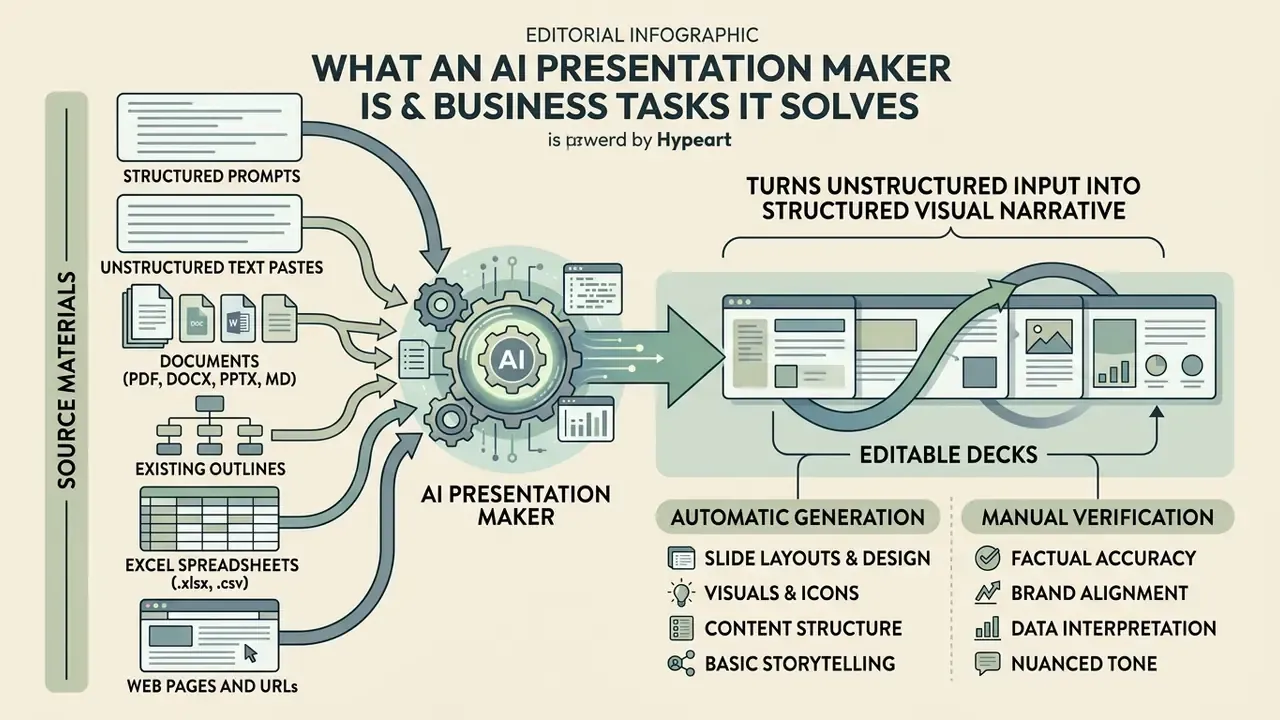
An ai presentation maker solves the problem of manual slide construction by turning unstructured input into a structured visual narrative. It handles narrative planning, layout generation, visual asset selection, and typography alignment, so a business lead moves from concept to draft in seconds rather than an evening.
In financial services and other regulated environments, AI presentation tools accelerate research synthesis, sales pitch decks, and executive reporting. The acceleration is measurable rather than anecdotal:
Standard products such as Microsoft Copilot in PowerPoint, Google Gemini in Google Slides, Gamma, Pitch, and AiPPT parse long reports and build baseline slide presentations automatically. One caveat worth repeating: reported time savings describe drafting speed, not final quality. The two need separate measurement, as the controlled pilot data later in this guide shows.
Which Source Materials Can Be Turned into a Presentation
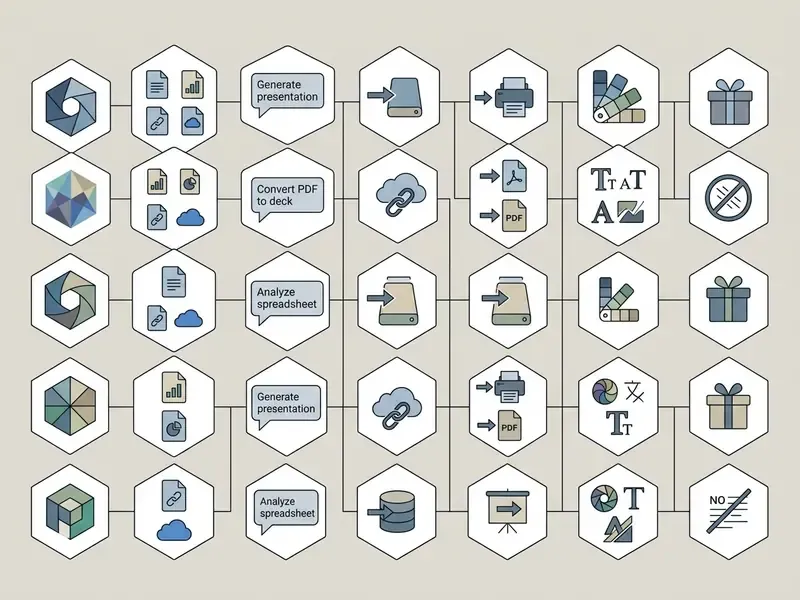
An ai based presentation maker accepts six primary input types. Document-aware engines parse section hierarchies, tables, and figures to preserve context across the generated slides.
Systems such as Presentations.AI, SlideSpeak, AiPPT, and QuillBot accept raw text pastes, PDF reports, DOCX files, Excel workbooks, images, Markdown, and URL inputs. Research frameworks explain why document-aware parsing beats naive summarisation:
- Structured text prompts
- a topic sentence plus audience, tone, and slide-count constraints.
- Unstructured text pastes
- meeting notes, transcripts, or email threads dropped straight into the editor.
- Documents (PDF, DOCX, PPTX, Markdown)
- full reports parsed for headings, tables, and figures.
- Existing outlines
- a pre-approved storyline the AI only has to format and illustrate.
- Excel spreadsheets (.xlsx, .csv)
- extraction of numeric series, aggregation of key indicators, and construction of chart slides directly from raw data. Critical for monthly reporting cycles where the numbers, not the narrative, are the payload.
- Web pages and URLs
- direct parsing of HTML structure to build product overviews, competitor snapshots, or article summaries without any copy-pasting.
For teams that prepare visual source assets before import, our guide to online photo editors covers cropping, colour correction, and export settings that keep slide imagery consistent.
What AI Generates Automatically and What Requires Manual Verification
AI presentation creation tools generate the outline, slide titles, body copy, theme layout, visual alignment, and speaker notes. Human operators still have to review factual accuracy, data provenance, institutional tone, and regulatory compliance before anything reaches an executive audience.
Empirical evaluations show a consistent pattern: generative models build competent visual structures, then hallucinate quantitative figures or drop critical context.
Public sector directives from the U.S. Copyright Office and state IT governance boards mandate human review for accuracy, bias, accessibility, and copyright compliance prior to release. Federal and state guidance in the United States, Canada, Australia, and the UK converges on the same three obligations: verify the output, disclose AI involvement where policy requires it, and never paste protected or non-public information into consumer-grade tools. Before reusing generated visuals in client-facing decks, review the rules for commercial use of AI images.
Human-in-the-loop split at a glance
| Layer | AI can draft | Human must own |
|---|---|---|
| Narrative | Outline, section order, slide titles | Thesis validity, audience framing, disclosure statements |
| Content | Bullet copy, speaker notes, summaries | Factual accuracy, figure provenance, citation of sources |
| Data | Chart type selection, table formatting | Number reconciliation against the system of record |
| Design | Layout, palette, typography pairing | Brand compliance, contrast checks, accessibility alternatives |
| Release | Export, versioning | Final sign-off, retention policy, regulator-ready audit trail |
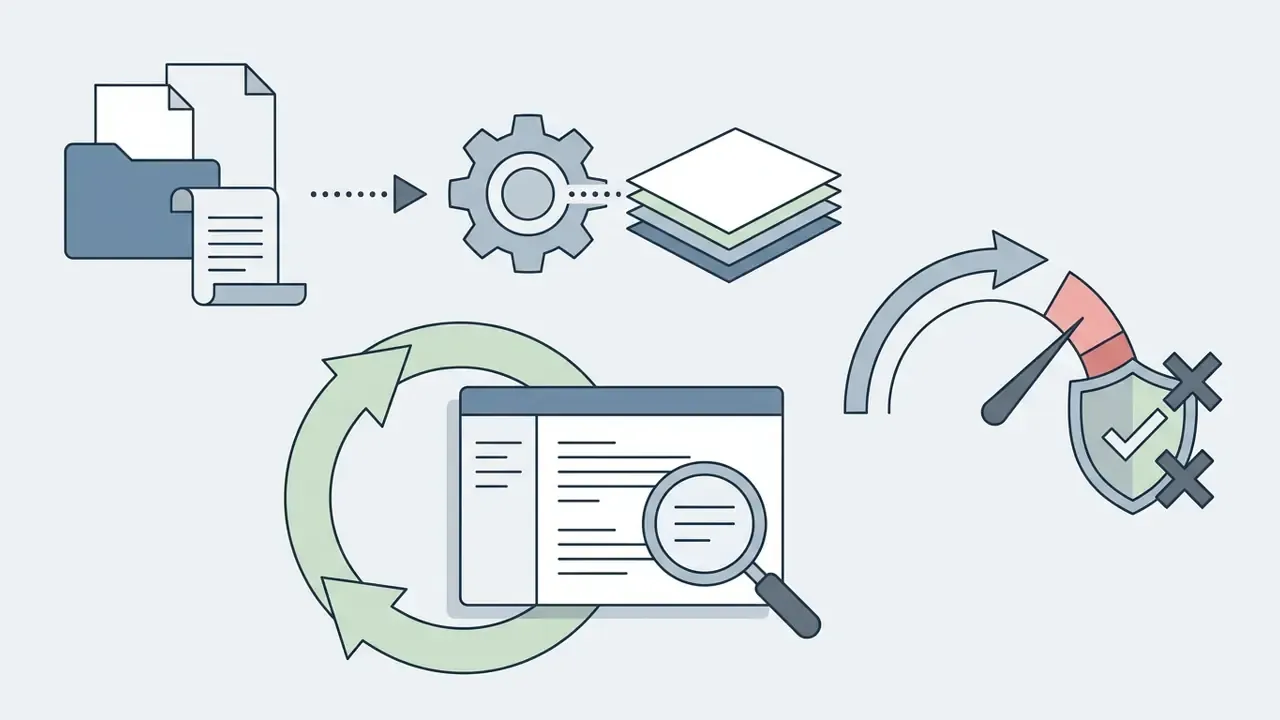
Text transcript of the process diagram:
- Input phasethe user submits a prompt, uploads a PDF, Word, or Excel file, pastes a URL, or drops raw text into the ai platform to create presentation.
- Outline extractionthe model processes section headings, identifies main arguments, and builds a slide-by-slide outline.
- Automated slide generationthe system applies design themes, writes slide titles, formats bullets, and places visual assets.
- Human review and editan operator verifies data accuracy, refines brand styling, adjusts tone, and checks compliance disclosures.
- Export and sharethe final deck ships as editable PPTX, PDF, vector SVG or EPS, or a live web link.
How to Create a Presentation with AI: From Prompt to Finished PPT
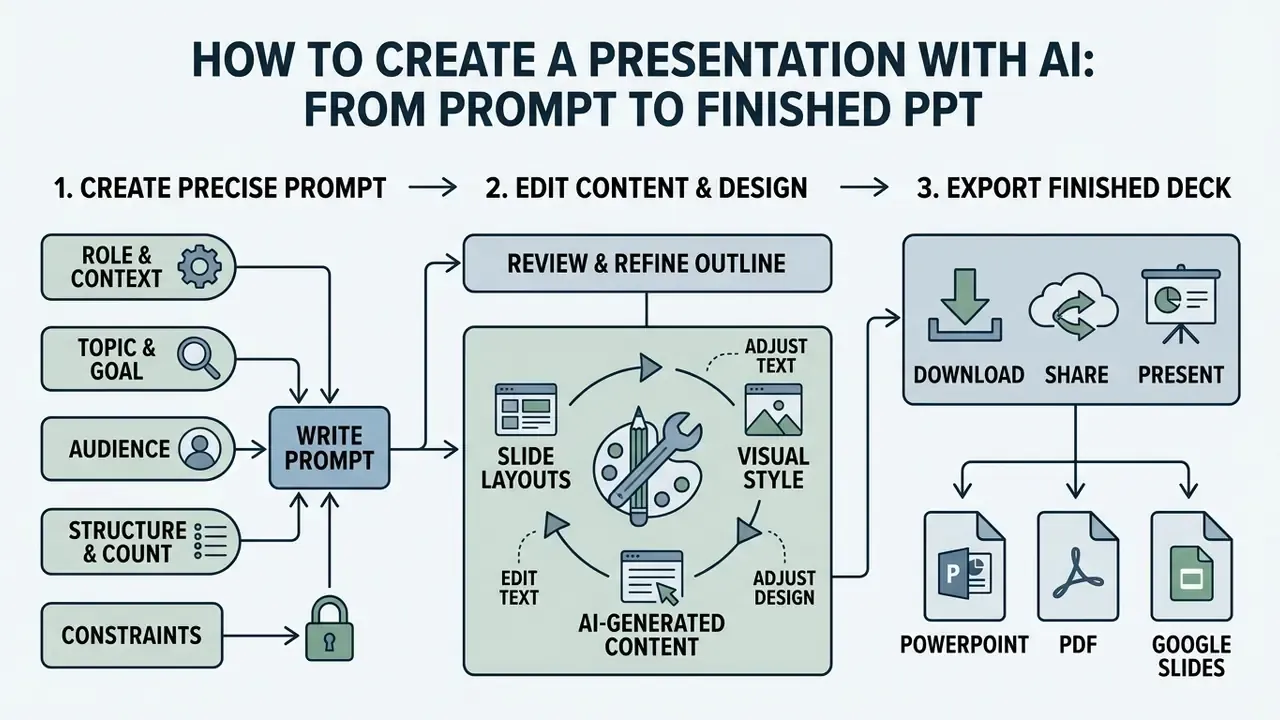
Building a professional deck with AI requires a structured workflow: a precise prompt, a reviewed outline, refined layouts, and export to a standard format such as PowerPoint or Google Slides. Follow the sequence and you avoid structural rework later.
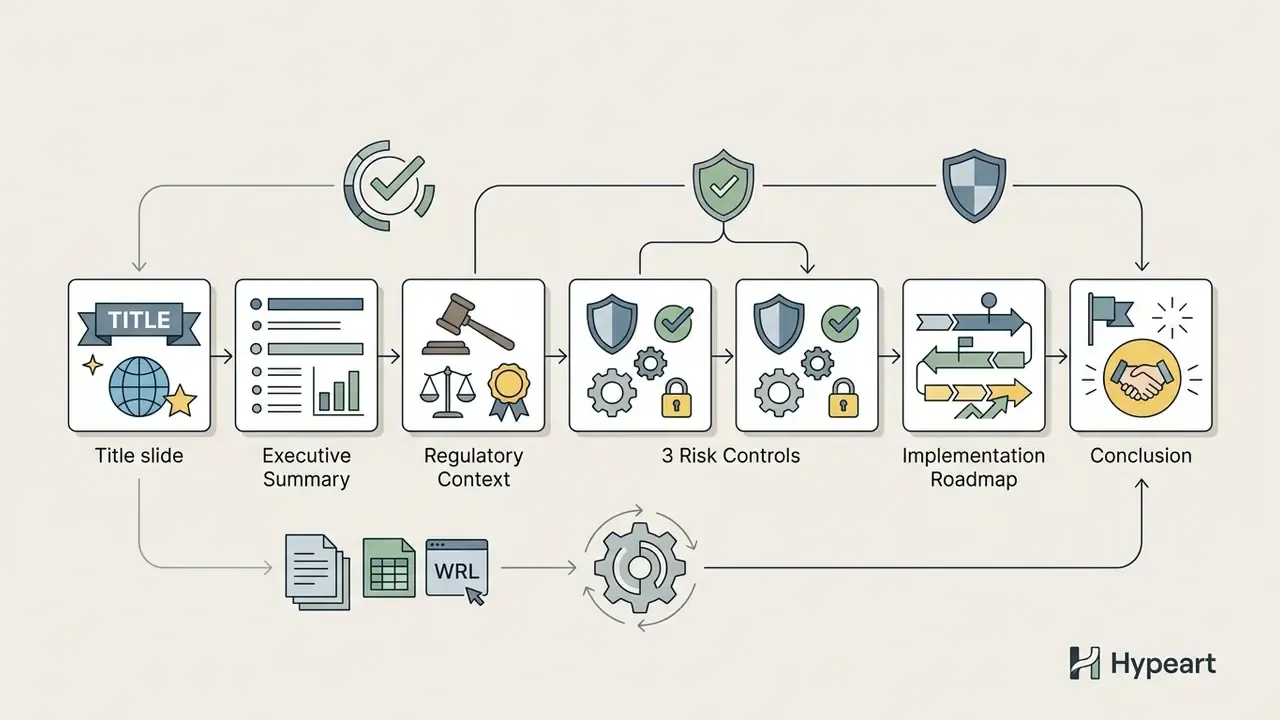
An institution evaluating commercial AI platforms tested automated slide drafting for quarterly risk committee updates. The deployment team used structured prompts specifying audience, slide limits, and required regulatory disclosures. The system produced a 12-slide draft in under two minutes. The team's internal, non-audited log recorded roughly a 45% reduction in baseline preparation time while human approval remained mandatory for every final figure. The magnitude sits inside the independently published Forrester range of 27% to 34% for presentation-specific tasks, though internal measurements of this type stay directional until someone reproduces them under controlled conditions. This example is illustrative rather than a documented client result.
How to Write a Prompt for Precise Slide Structure and Content
An effective prompt for ai presentation creation defines the target audience, primary objective, exact slide count, narrative tone, and structural constraints. Vague instructions yield generic slides. Specific parameters yield context-aware content.
A working prompt template:
Three additional constraints measurably improve first-pass usability: name the required chart types ("waterfall for variance, stacked bar for exposure by segment"), specify the narrative arc (problem and solution, before and after, recommendation and evidence, or chronological), and enforce "one idea per slide" to keep information density under control.


How to Edit AI-Generated Content and Design After Generation
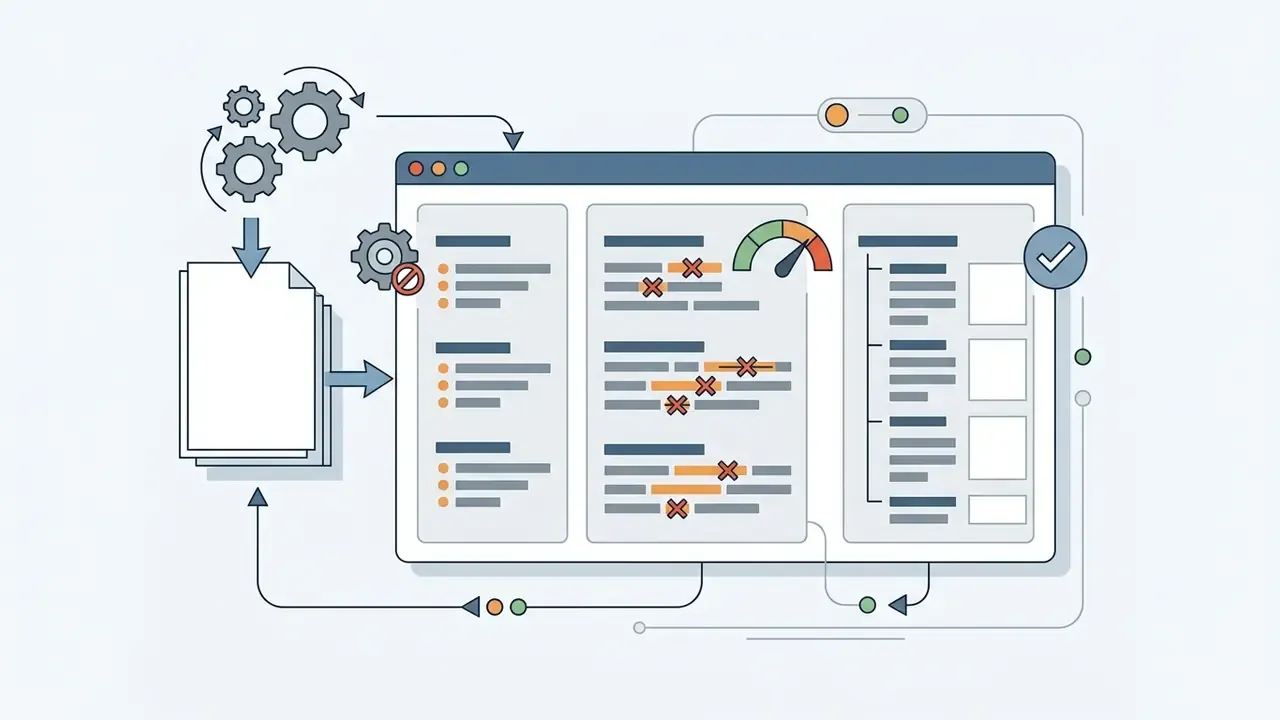
Editing generated slides happens on three operational layers: conversational editing through chat commands, direct canvas manipulation, and global theme adjustment. Modern systems combine all three.
Conversational editors accept commands such as "replace this bullet with a three-column table" or "apply the corporate blue palette across all slides." Canvas editors handle manual text rewrites, element repositioning, layer control, and font changes. Global theme controls push typography and colour changes across the whole deck at once. For specialised visual layouts, see our guide on the ai infographic generator.
How to Download, Share, or Present Finished Slide Decks
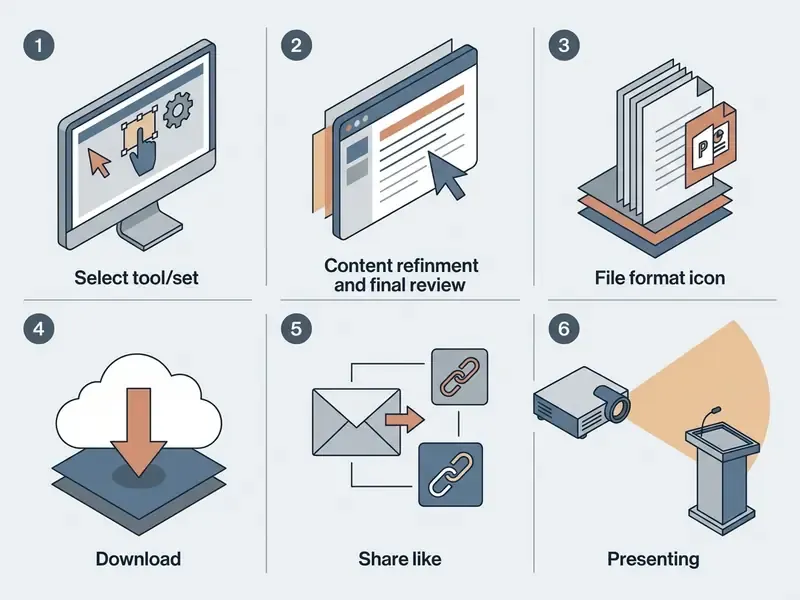
Completed AI presentations export as editable PowerPoint (.pptx) files, static PDFs, image sets (PNG or JPG), vector files, or interactive web links for live presentation mode. Export flexibility decides whether the deck fits your existing software stack or creates a conversion tax.
Native plugins such as Microsoft Copilot and Google Gemini save generated decks straight into OneDrive or Google Drive. Independent platforms such as Gamma, Pitch, and AiPPT generate shareable URLs with view tracking, or hand back native PPTX files for offline presenting. Google Slides also supports "Publish to the web" for a public viewing URL plus Presenter view with speaker notes. PowerPoint exports PDFs via File → Export → Create PDF/XPS, and PowerPoint for the web supports Download as PDF.
Vector export (SVG, EPS): professional platforms allow slide export in vector formats. Two scenarios justify it: offset or large-format printing of decks and leave-behinds without quality loss, and downstream refinement in Adobe Illustrator or Figma. If your deliverable includes printed handouts, confirm vector export before you commit. Most prompt-first web tools ship PDF and PNG only.
To model asset costs and infrastructure requirements, open the AI Media Calculators tool.
Capabilities of AI Presentation Tools: Design, Imagery, Video, and Interactivity
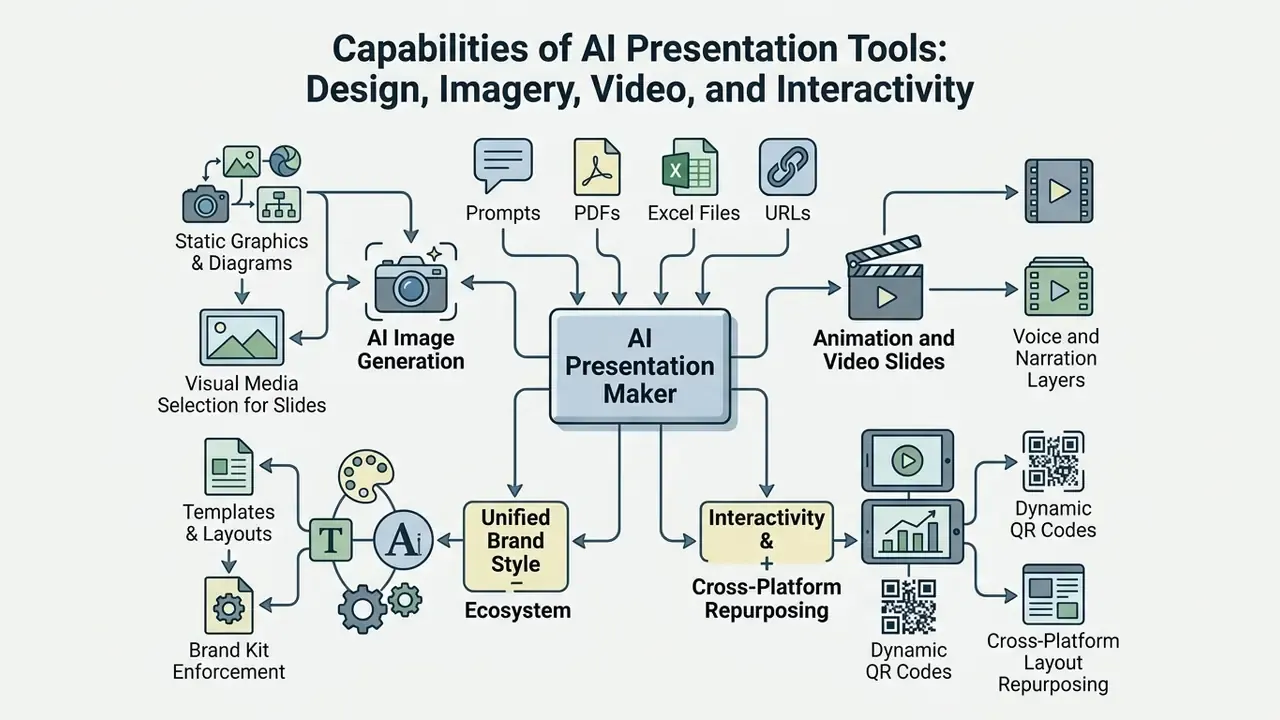
Modern ai presentation tools combine automated layout engines, text-to-image generators, video models, media libraries, brand kit enforcement, and interactive data visualisation. Together they remove manual alignment work and hold visual consistency across a long deck.
A note on search variants: demand for this category is high enough that the query arrives misspelled in many forms. ai presenation maker, ai presentaion maker, ai presentaiton maker, ai presentatin maker, and ai presentatio maker all resolve to the same intent covered here, as do dated variants such as "ai presentation generator 2025" and its 2026 successor.
AI Image Generation and Visual Media Selection for Slides
AI presentation platforms generate custom illustrations on demand or pull licensed stock photography from integrated libraries. An ai image for presentation workflow replaces generic stock with context-specific diagrams and visual metaphors.
Leading platforms route to specialised engines. Microsoft Copilot integrates DALL·E 3 for created images plus Microsoft's licensed stock library for "find an image" requests. Google Workspace Slides uses Imagen 3 alongside an expanded stock catalogue. Canva ships Magic Media and Dream Lab. These ai image generation tools for presentations turn inline prompts into usable illustrations. Readers evaluating engines separately can consult our comparison of the best AI image generators and our comparison of the best AI art generators. An integrated ai image generator for presentations also selects relevant ai pictures for presentation based on paragraph-level text analysis.
The 2026 AI model stack for slide visuals
Specialised platforms now assign each visual task to a different multimodal engine:
- Static graphics, diagrams, and infographics Flux, Imagen 3, Seedream, and Nano-Banana-class models produce infographics with legible in-image text, avoiding the hallucinated glyphs typical of earlier diffusion models.
- Animation and video slides integrations with Kling and Vidu convert static slides into video presentations and generate animated background transitions for pitch decks and conference loops. Teams that also need a branded opener can compare options in our ai intro generator guide.
- Voice and narration layers self-running decks increasingly pair generated visuals with synthetic narration. See our guide to AI voice generators for voice quality, language coverage, and licensing terms. For background beds under looping decks, licensing conditions differ again; our ai instrumental generator overview explains the usage terms to check.
For broader image expansion techniques, view the guide on AI outpainting and image expansion.
Templates, Layouts, and a Unified Brand Style
Brand kit integration enforces corporate identity across every generated slide by locking typography, logo placement, and approved palettes. It is the cheapest defence against brand drift when five people generate drafts independently.
Enterprise tools such as Microsoft Copilot and Pitch let administrators pre-load corporate templates and brand kits. During generation, the model applies those pre-approved layouts, so title fonts, body line-heights, and contrast values stay consistent. Microsoft documents brand kit selection before generation, meaning approved templates, colours, fonts, and assets govern the output instead of being retrofitted afterwards. For a design-suite perspective, see our overview of the Canva AI generator.
Ecosystem business functions
Presentation assistants no longer stop at the slide file. Advanced services generate the surrounding business assets too:
Vertical template libraries have widened as well. Sector-specific packs exist for credit committees, KYC and AML programme updates, quarterly close reviews, and even spatial or property proposals, where an ai interior design tool supplies the visuals the deck needs.
Interactive Elements, Data, and Motion Effects
An ai interactive presentation maker embeds clickable navigation menus, hover cards, hotspots, web forms, animated charts, dynamic calls to action, and live data feeds into slides. Interactivity raises engagement in live executive briefings and sales pitches, when used sparingly.
Accessibility standards apply. WCAG 2.2 requires pause, stop, or hide controls for moving content, non-motion alternatives, and restraint on flashing or pseudo-motion effects. Dynamic charts must hold legible contrast ratios, 4.5:1 for standard text.
Teams building animated openers or looping title sequences can consult our guide to animation makers for template, AI-feature, and export comparisons.
How to Choose the Best AI Presentation Maker for PowerPoint, Google Slides, or Web Decks
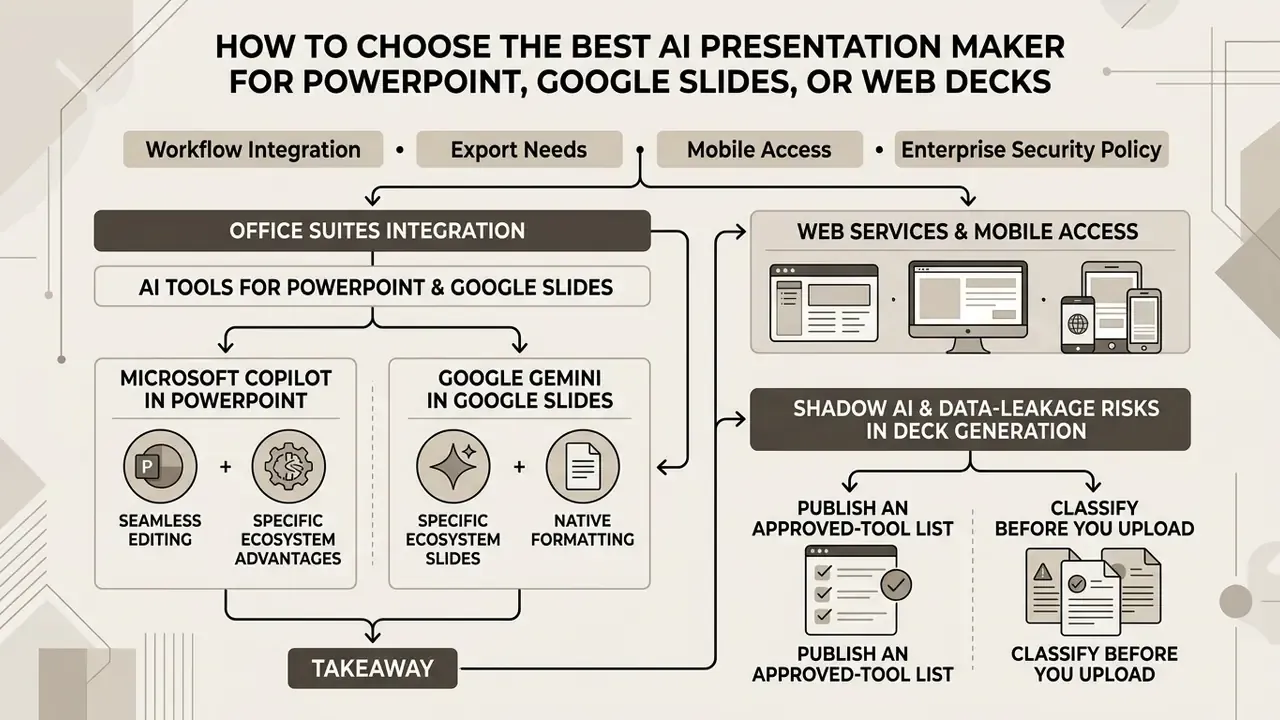
Selecting the best ai presentation software depends on workflow integration, export needs, mobile access, and enterprise security policy. The first decision is binary: native add-in or standalone web platform.
A corporate treasury team needed an ai powerpoint presentation generator 2025 class solution to automate monthly banking reviews, and carried the requirement into 2026. They compared standalone web tools against native add-ins. Choosing the integrated add-in removed file conversion steps, preserved native PPTX editability, and kept internal retention policies intact without shipping raw data to a third-party server. Illustrative, but the trade-off is real.
AI Tools for PowerPoint and Google Slides
Native presentation tools embed AI inside existing slide software. Microsoft Copilot works inside PowerPoint. Google Gemini works inside Google Slides. Third-party add-ins such as Plus AI, SlidesAI, and MagicSlides extend both.
Native add-ins keep users in their primary workspace. They respect slide master templates, support offline editing, and inherit existing file permissions. Standalone web apps usually offer better design flexibility, wider layout libraries, and faster real-time collaboration.
Practical benchmark: where Copilot and Gemini break down on a real prompt
Running a single business prompt for an eight-slide deck exposes structural limits in the built-in enterprise assistants:
To compare adjacent media platforms, open the hub; for tool-selection context on visuals, see our comparison of AI image generators.
Web Services and Mobile Access
Standalone platforms such as Gamma, Pitch, Tome, and AiPPT offer web-native presentation design tuned for browsers and mobile viewing. Mobile users looking for an ai presentation generator app or an ai powerpoint presentation maker app can use dedicated native applications or responsive browser interfaces.
Mobile-optimised tools should meet WCAG 2.2 reflow standards, supporting widths down to 320 CSS pixels without loss of content or function, touch targets of at least 48dp, and both portrait and landscape orientation. Android users evaluating an ai presentation maker android app, ai presentation generator apps, ai ppt maker app, or ai presentation maker app android gain the ability to review, edit, and share pitch decks from a phone. In practice, mobile is a review-and-approve channel, not a primary authoring environment for enterprise decks.
| Platform / Tool | Type | Input Formats | Export Formats | Brand Kit Support | Free Plan Limits |
|---|---|---|---|---|---|
| Gamma | Standalone web app | Prompt, text, PDF, PPTX | PPTX, PDF, PNG, Google Slides, web link | Yes (Pro tier) | 400 lifetime credits at signup; up to 10 slides per prompt; "Made with Gamma" branding on free exports |
| Microsoft Copilot | Native Office add-in | Prompt, Word, Excel, Loop, PDF | Native PPTX, PDF | Yes (Brand Kit, enterprise) | No free tier; $30 per user per month (annual) enterprise add-on, or bundled in consumer Microsoft 365 plans |
| Google Gemini in Slides | Native Workspace add-in | Prompt, Google Docs, Drive | Google Slides, PPTX, PDF | Yes (Workspace themes) | Requires Google Workspace AI access; single-slide generation only |
| Pitch | Standalone web app | Prompt, PPTX, text | PPTX, PDF, web link | Yes (custom) | Free tier available; advanced exports and analytics paid |
| SlidesAI | Google Slides / PowerPoint add-in | Text prompt, outline, PDF (OCR) | Google Slides, PPTX | Basic | Limited free presentations per month |
| Slidesgo AI | Standalone web app | Prompt or topic | PPTX (editable) | Template-level | 3 free presentations per month; premium templates paid |
| AiPPT | Standalone web app | Prompt, PDF, DOCX, PPTX, XLSX, images, URL | PPTX, PDF, images, share link | Custom theme upload | Basic generation free; watermark-free export and advanced models paid |
| Plus AI | PowerPoint / Google Slides add-in | Prompt, text, docs, existing decks | Native PPTX, Google Slides | Yes | Free trial; paid plans from $10 per month |
Read the table this way: if the deck must survive audit and version control, weight native PPTX output and brand kit enforcement. If the deck is a narrative pitch that lives on the web, weight layout variety and link analytics.
Enterprise security matrix: the questions procurement must ask
| Evaluation criterion | Why it matters | What to demand in writing |
|---|---|---|
| Model-training opt-out | Uploaded reports may otherwise be retained and used to improve public models | Contractual "no training on customer data" clause, enabled by default |
| Zero or limited data retention | Prompt and file retention windows create discovery and breach exposure | Documented retention period, deletion SLA, regional storage location |
| Tenant isolation | Shared inference environments blur the boundary between customers | Dedicated or logically isolated tenant for regulated workloads |
| SSO / SAML plus SCIM | Prevents orphaned accounts and enforces joiner-mover-leaver control | Enterprise IdP integration and automated de-provisioning |
| SOC 2 Type II / ISO 27001 | Third-party attestation of operating controls, not marketing claims | Current report under NDA, plus subprocessor list |
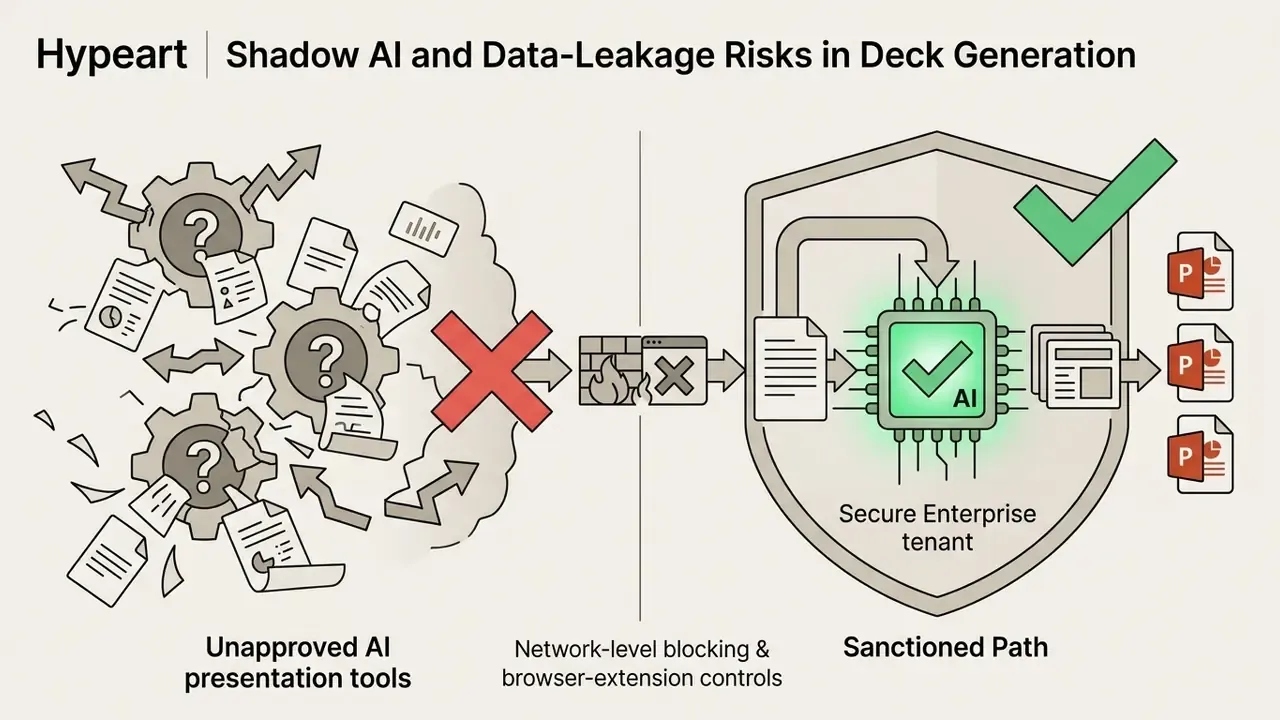
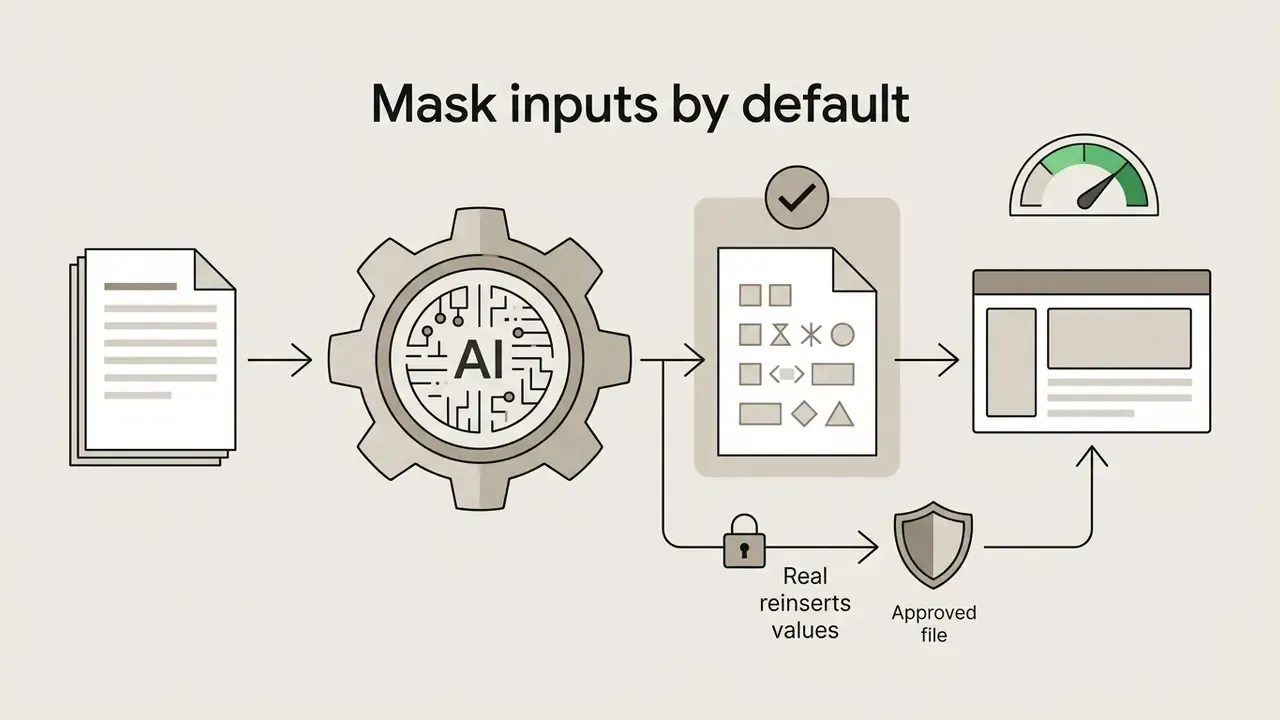
| PII and NPI handling | GLBA-covered non-public personal information must never reach consumer tools | DLP rules, input masking, blocked-domain policy for unapproved tools |
| Audit logging and export | Regulators expect a reconstructable trail for material reporting | Per-user generation logs exportable to the GRC system |
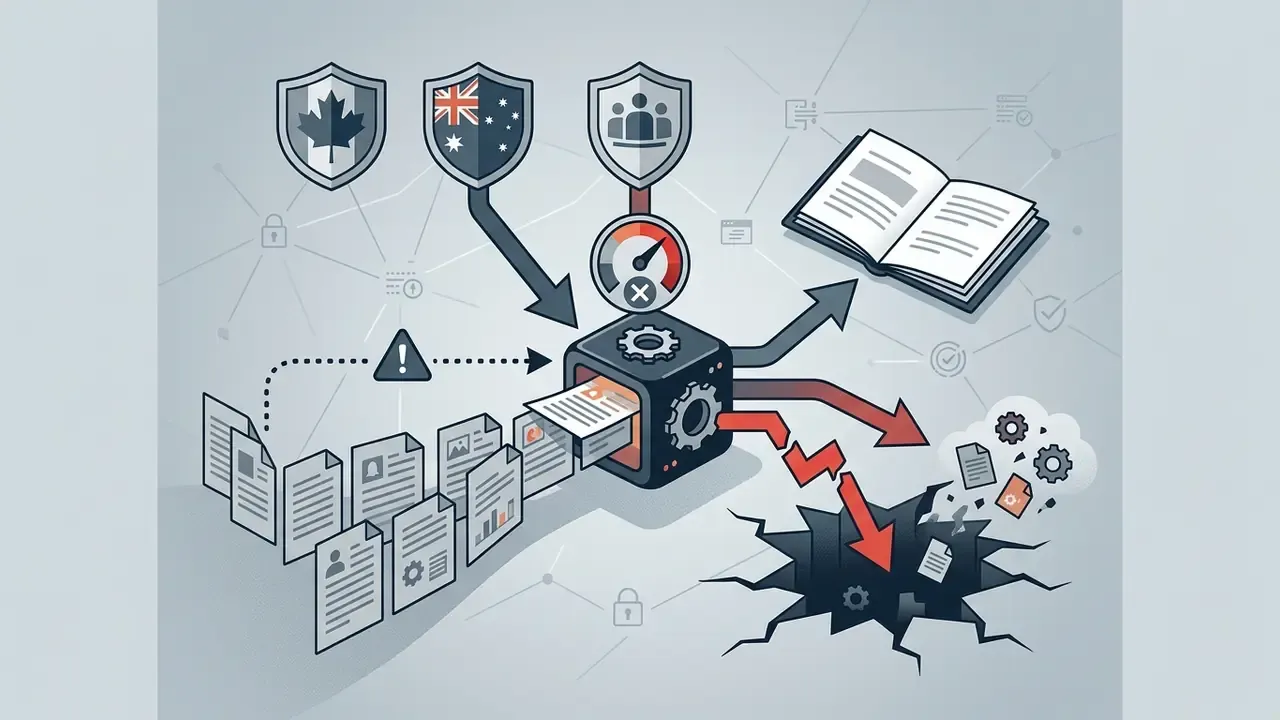
Shadow AI and Data-Leakage Risks in Deck Generation
The fastest route to a reportable incident is not a hallucinated bullet. It is an analyst pasting a client exposure table into a free web deck generator at 22:40 to hit a deadline. Public generative tools may retain uploaded documents for model improvement, so non-public personal information, material non-public information, or unreleased financials can leave the control perimeter irreversibly.
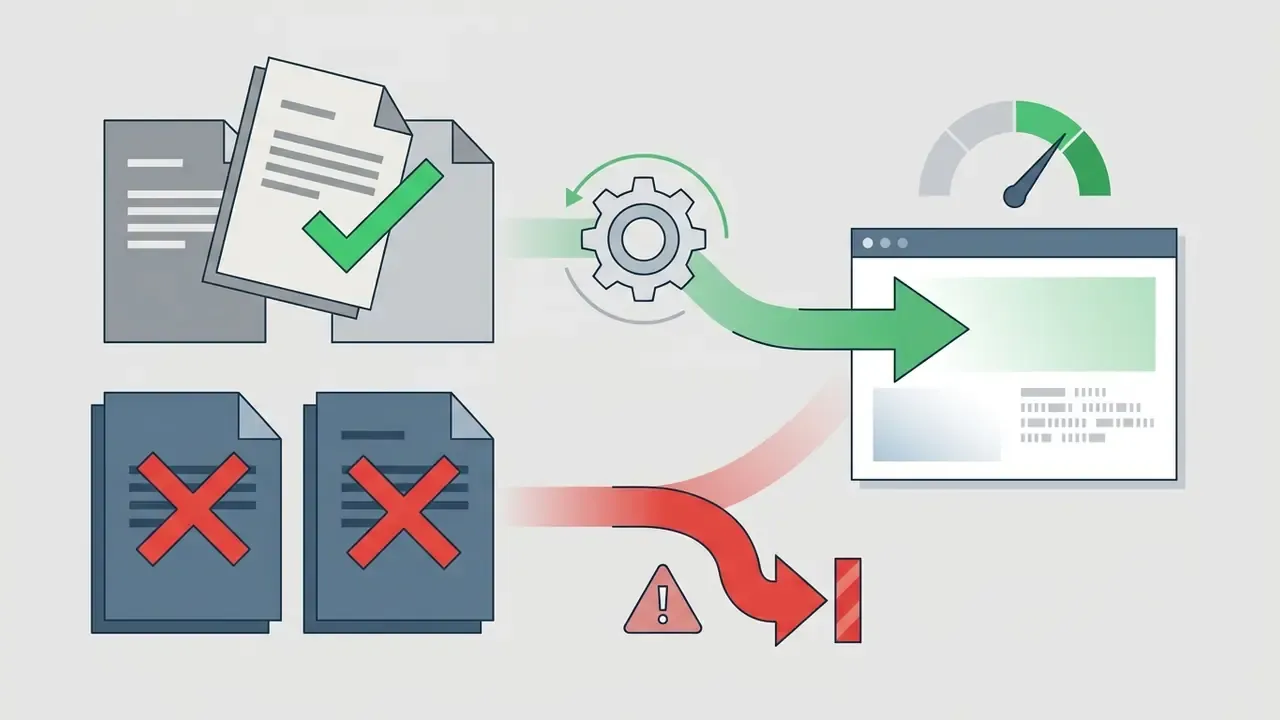
Controls that materially reduce this exposure:
One more governance detail is easy to miss. Every generated deck should have a named owner in the AI inventory, the same way a model does. If a deck cannot be attributed to a person, it cannot be defended in an examination.
Free Tiers, Pricing, and Commercial Use of AI Presentations
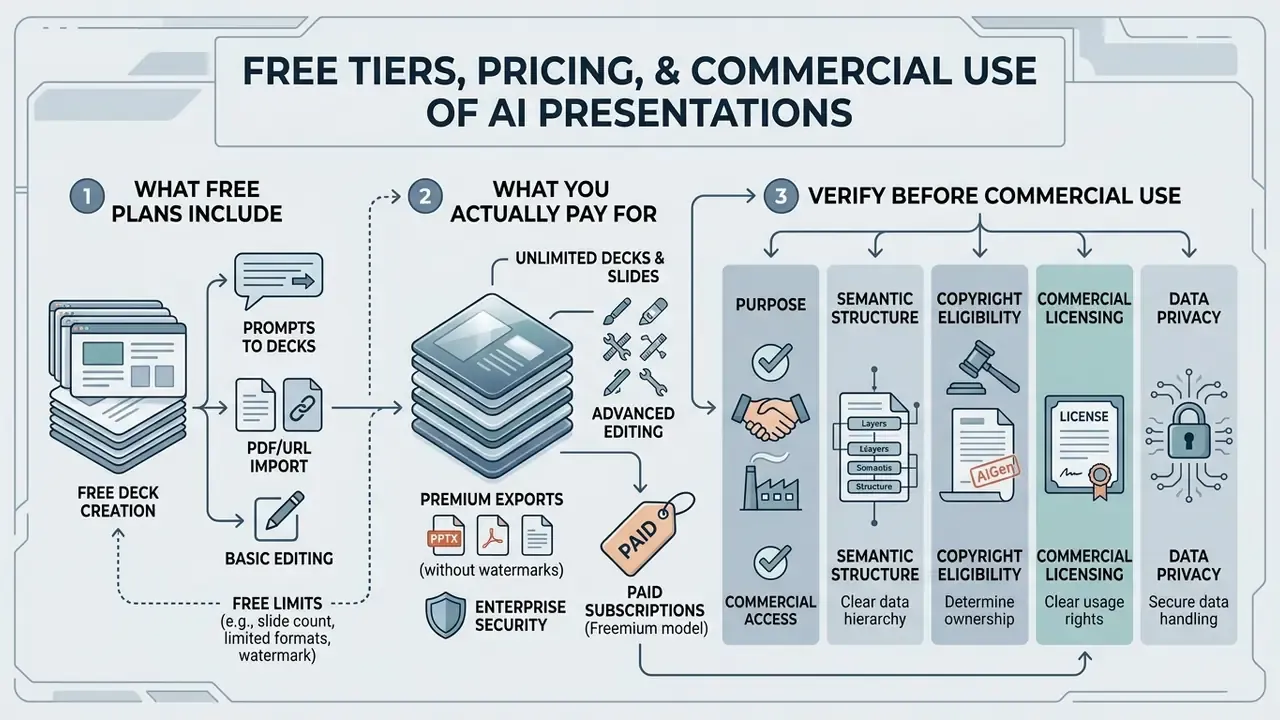
Commercial access to ai presentation creation tools 2025 and their 2026 releases usually follows freemium pricing. Free tiers allow basic generation with slide caps or watermarks. Paid plans unlock high-resolution exports, custom branding, vector output, and full commercial rights.
Understanding tier mechanics prevents an unpleasant discovery two hours before a launch. Teams reviewing platform costs can inspect our transparent pricing overview and open the hub; our guide to free photo editors documents the same freemium pattern, feature caps, export limits, watermarks, as it applies to visual assets.
What Free Plans Include and What You Actually Pay For
Free tiers in Gamma, Presentations.AI, Slidesgo, and Wonderslide provide trial credits (for example, 400 signup credits on Gamma) or cap generation at 10 to 15 slides per deck. Free exports often append vendor watermarks or restrict output to non-editable or low-resolution PDF.
Documented free-tier limits (verify before purchase, terms change often):
| Service | Free-tier limit | Export on free tier |
|---|---|---|
| Slidesgo AI | 3 presentations per month; account required | Editable PPTX |
| Gamma | 400 lifetime credits; up to 10 slides per prompt | PDF, PPTX, PNG, Google Slides with "Made with Gamma" branding |
| Presentations.AI | $0 Starter plan; limited credits and slide count | PPTX export excluded; free PDF is low-resolution and watermarked |
| Canva | Free individual plan; 30-day Pro or Teams trial | Watermark-free PPTX and PDF; advanced AI features paid |
| Wonderslide | Free tier available | Non-commercial use licence only |
| AiPPT | Basic generation free | Watermark-free export and premium models paid |
| SimpleSlide | 2 presentations per 24 hours; 10 slides each; 20,000-character text cap | Registration-free flow with export limits |
Paid tiers, roughly $10 to $30 per user per month, remove platform branding, unlock native PPTX and vector exports, grant unlimited generations, and add brand kit controls. Higher tiers add administrative user management, SAML SSO, audit logging, and dedicated support. Those last three are usually the line items that matter to a bank. Users needing technical assistance can contact support.
What to Verify Before Commercial Use of a Generated Deck
Before an AI-generated presentation goes into a client deliverable or a marketing campaign, legal should verify copyright ownership, terms of service licensing, and data privacy policy. Commercial rights vary sharply between free and paid levels.
Under U.S. Copyright Office guidance, purely AI-generated text and imagery lack human authorship and cannot be registered unless substantial human modification is present. Applicants must expressly exclude AI-generated material from a claim unless they contributed protectable human authorship. To confirm licence conditions for visual assets, review the rules on AI image usage rights.
Checks that regularly surface problems in review:
- Platforms such as Wonderslide explicitly restrict free-tier output to non-commercial use.
- Some vendors reserve broad reuse rights over content submitted to hosted galleries. Adobe's Firefly terms, for example, permit broad licensing and sublicensing of gallery-submitted output.
- Generated imagery must not reproduce third-party trademarks, character designs, or protectable style elements. Output that is substantially similar to and dependent on an existing work can infringe regardless of how it was produced.
- Stock assets pulled from an integrated library carry the library's licence, not the platform's. Check editorial-only flags before client use.
To review complete licensing terms, view the guide on commercial usage rights.
Fact check and compliance summary (verified 2026):
- Copyright eligibility: the U.S. Copyright Office holds that unedited AI output cannot be registered without protectable human authorship contributions (USCO Circular 85).
- Commercial licensing: platforms such as Wonderslide restrict free plan output strictly to non-commercial use. Commercial deployment requires an active Pro subscription.
- Data privacy: public generative tools may retain uploaded documents for model training. Enterprise deployments should use private tenant environments, for example Microsoft 365 Copilot enterprise instances, to support Gramm-Leach-Bliley Act (GLBA) and SOC 2 obligations.
- Product capability correction: Google Gemini in Slides currently generates single slides, not complete decks. Any workflow assumption of full-deck generation inside Google Slides needs revision.
- Model risk: where a deck informs a material decision, US banking supervisors' model risk management expectations (Federal Reserve SR 11-7 and OCC 2011-12) and the NIST AI Risk Management Framework place accountability for output accuracy and documentation on the institution, not the vendor.
For legal governance context, view the guide on AI litigation and regulatory standards.
How to Evaluate the Quality of an AI-Generated Presentation Before Delivery
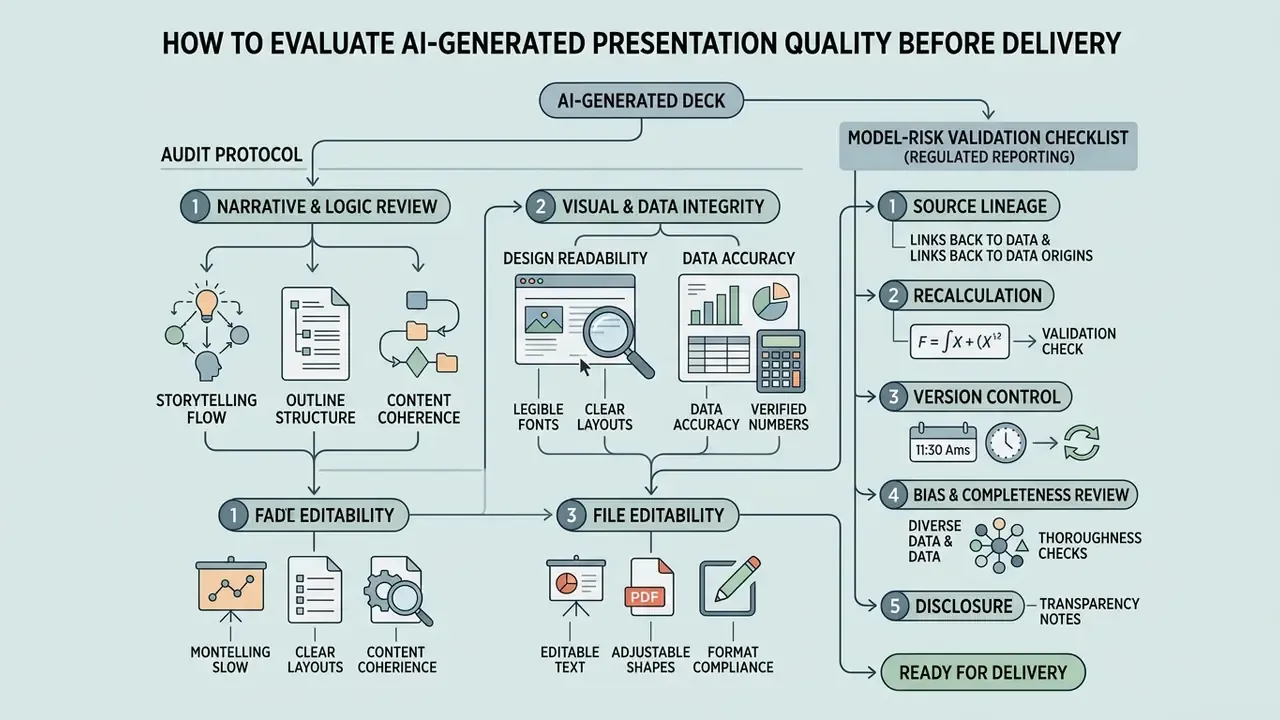
Evaluating an ai-generated deck before executive delivery calls for an audit protocol covering narrative logic, visual readability, data accuracy, and file editability. Done properly, the ceiling for AI output is higher than sceptics assume:
Verifying Logic: Outline, Structure, and Storytelling
Auditing slide storytelling means checking four narrative dimensions: logical coherence, topic coverage, structural progression, and audience fit. A working deck has a clear beginning, middle, and end, with temporal or causal links between sections.
Reviewers should verify that:
- The outline covers every essential thesis point without abrupt jumps.
- Slide titles state concrete conclusions instead of generic topic labels.
- Information density holds to one primary idea per slide.
- Supporting evidence reinforces the primary objective rather than decorating it.
- A reverse outline of the finished deck reproduces the intended argument. If it does not, the structure needs fixing, not the wording.
Verifying Design, Data, and Editability of the Final File
Visual audits confirm that contrast meets accessibility standards, charts are labelled, elements do not overlap, and the file stays editable in native software.
WCAG 2.2 requires a minimum contrast ratio of 4.5:1 for standard body text against background, with lower thresholds permitted for large text.
Reviewers must confirm that text boxes remain ungrouped and fully editable after export to PowerPoint (.pptx) or Google Slides, that PowerPoint's built-in Accessibility Checker returns no hard-to-read text warnings, and that any PDF handoff carries accessibility tags. Where source imagery is low-resolution or noisy, run it through an image quality enhancement workflow before final export instead of scaling it inside the slide.
Model-Risk Validation Checklist for Regulated Reporting Decks
For decks feeding risk committees, regulatory submissions, or investor communications, apply a validation pass aligned with SR 11-7 and OCC 2011-12 and the NIST AI RMF:
- Source lineageevery number traces to a named system of record, extraction date, and owner.
- Recalculationat least one independent reviewer reproduces the headline figures outside the AI tool.
- Version controlthe prompt, model and version, and generation timestamp are stored with the file for reconstructability.
- Bias and completeness reviewconfirm no material adverse information was dropped during summarisation. Omission, not fabrication, is the more common AI failure in reporting.
- Disclosurerecord AI involvement in the internal audit trail, and disclose on the artefact where policy or funder requirements demand it.
- Human sign-offa named accountable owner approves the final file. No deck ships on model output alone.
Limitations and Open Questions
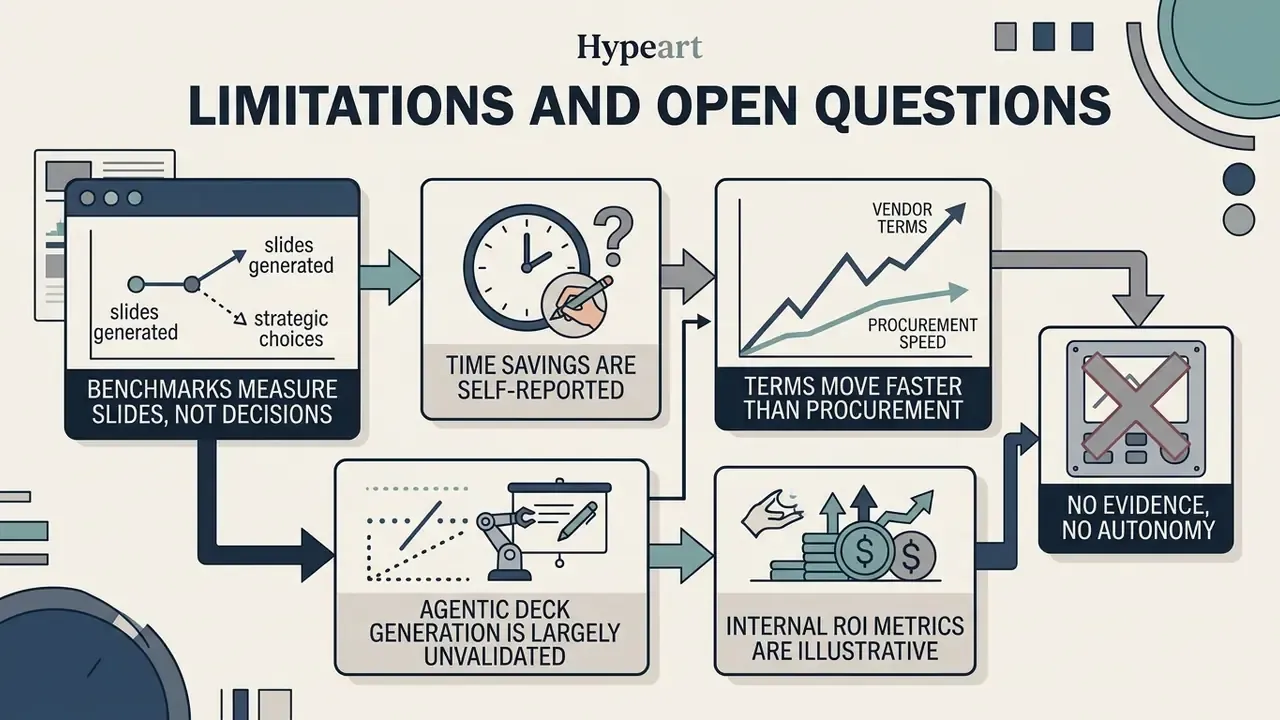
Honest reading of the evidence leaves several gaps that a governance team should treat as hypotheses, not conclusions.
- Benchmarks measure slides, not decisions. PPTEval, SlidesBench, and PresentBench score content, design, and coherence. None of them measure whether a committee reached a better decision. Expect no external benchmark for that yet.
- Time savings are self-reported in most studies. The Forrester figures rest on survey and interview data. The UK Department for Business and Trade pilot, which used a control group, found faster output with lower accuracy. Both can be true at once.
- Vendor terms move faster than procurement. Retention windows, training opt-outs, and free-tier commercial rights changed several times during 2025. Re-verify at renewal, not at signature.
- Agentic deck generation is largely unvalidated. Multi-agent systems that plan, write, chart, and format autonomously are promising in research settings. In a regulated reporting chain they need an owner, scoped access, an escalation path, an audit trail, and a shutdown switch before they touch production data.
- Internal ROI metrics in this guide are illustrative. The 45% and 60% figures are non-audited operational observations, included to show how a control-adjusted business case is framed, not as promised results.
No evidence, no autonomy. That principle survives every vendor demo.
FAQ About AI Presentation Makers
Do I need to register to create an AI presentation?
Many web platforms let users generate and preview an initial deck without an account. Saving files, collaborating across devices, downloading editable PPTX, or removing watermarks requires registration.
Account-free modes exist for quick evaluation. SlideMaker permits generation, editing, and preview without signup but requires a free account for PowerPoint or PDF export. SlideGen and Slidee require sign-in to save or share. SimpleSlide caps registration-free use at two presentations per 24 hours and ten slides per deck. Most platforms limit anonymous sessions to one or two generations per day and gate export behind a profile.
Can a PDF be turned into an editable PPT?
Yes. An ai pdf presentation maker converts static PDF documents into editable PowerPoint (.pptx) presentations using optical character recognition and layout parsing.
Tools such as Microsoft Copilot, SlideSpeak, SlidesAI, and Presentations.AI parse selectable PDF text, summarise key findings, extract figures, and rebuild the content into structured slides. Vector graphics, formatted tables, and body text become selectable objects inside standard slide software.
Two caveats matter. First, fidelity depends on the source. Microsoft states that conversion works best with selectable-text PDFs and that scanned or image-based PDFs "do not convert accurately", while SlidesAI applies OCR to scanned files with accuracy varying by font, scan quality, and layout complexity. Second, the first pass is a draft:
«Evaluation of the tools showed that Microsoft 365 Copilot generates "generally accurate" but "incomplete" slides with a "problematic" pedagogical structure without manual refinement.»
Source: AI-Generated Slides study, arXiv (2024 to 2025). https://arxiv.org/abs/2501.00002
For teams that also compress or repackage source media alongside the deck, see our guide to video compressors.
Are there AI presentation maker apps for Android?
Yes. Several specialised applications ship on Google Play, including Gamma, Presentations.AI, AiPPT, AISlide, SlidesPilot, Slidy AI, Slidey, SlideGPT, and Presentation AI, all with recent 2026 updates.
An ai presentation maker app android or ai presentation maker android app lets mobile users submit prompts, upload files, generate decks, and export PPTX or PDF straight from a phone. These apps follow responsive reflow guidelines so controls stay touch-friendly on small screens. For enterprise users, treat mobile as a review, comment, and approval surface. Final formatting and compliance checks belong on desktop. To integrate scalable media tools via developer endpoints, access the AI Media API.
Can an AI presentation maker import Excel data or a web page?
Yes. Platforms such as AiPPT and Presentations.AI accept XLSX and CSV uploads and parse numeric series into chart slides. Both also support URL input, converting a live web page into a structured slide overview. For financial reporting, treat spreadsheet import as a formatting accelerator only. The model picks chart type and labelling; reconciliation of every figure against the source workbook stays with a human.
Which export format should regulated teams choose?
Native PPTX for anything that will be edited or audited. Tagged PDF for read-only distribution and accessibility. SVG or EPS when the deck goes to print or into a designer's hands. Avoid image-only exports for material reports. They break screen readers, block text search, and strip the audit trail out of the file.
Who is accountable if an AI-generated slide contains a wrong number?
The institution, not the vendor. Supervisory expectations under SR 11-7 and OCC 2011-12 assign responsibility for output accuracy, documentation, and validation to the firm using the tool. In practice this means every regulated deck needs a named approver recorded before distribution.
Appendix A: Revision Notes and Superseded Statements
This appendix preserves earlier phrasings replaced during the latest editorial review, for transparency and version traceability.
- Superseded (research citation)
- "Research frameworks like GDP (Graph-based Automated Transformation of Documents to Presentation) build internal paragraph graphs to map complex document relationships into coherent non-linear slide narratives rather than simple sequential summaries (EMNLP Findings, 2024)." Replaced with a quoted, methodologically specific citation of the same EMNLP Findings 2024 paper.
- Superseded (research citation)
- "Research on slide agents shows that conversational editing tools allow users to issue real-time commands... (arXiv, 2025)." Replaced with the quantified PPTAgent and PPTEval result (EMNLP 2025).
- Superseded (capability claim)
- "Microsoft Copilot operates inside PowerPoint, while Google Gemini operates inside Google Slides," previously implying parity of full-deck generation. Updated: Gemini in Slides currently produces single slides only.
- Superseded (unsourced metrics)
- the 45% preparation-time and 60% redesign-cycle figures were previously stated without qualification. Updated: both are labelled internal, non-audited operational metrics and contextualised against published Forrester and UK DBT data.
- Superseded (market size)
- the standalone "$4.79 billion by 2029" figure. Updated: presented as a range, $1.94B in 2025 to $4.79B by 2029, with an explanation of why category definitions diverge.
- Link policy update
- consumer-oriented internal links unrelated to presentation workflows were replaced with topically adjacent resources on image generation, brand design, voice, animation, social repurposing, and media optimisation.
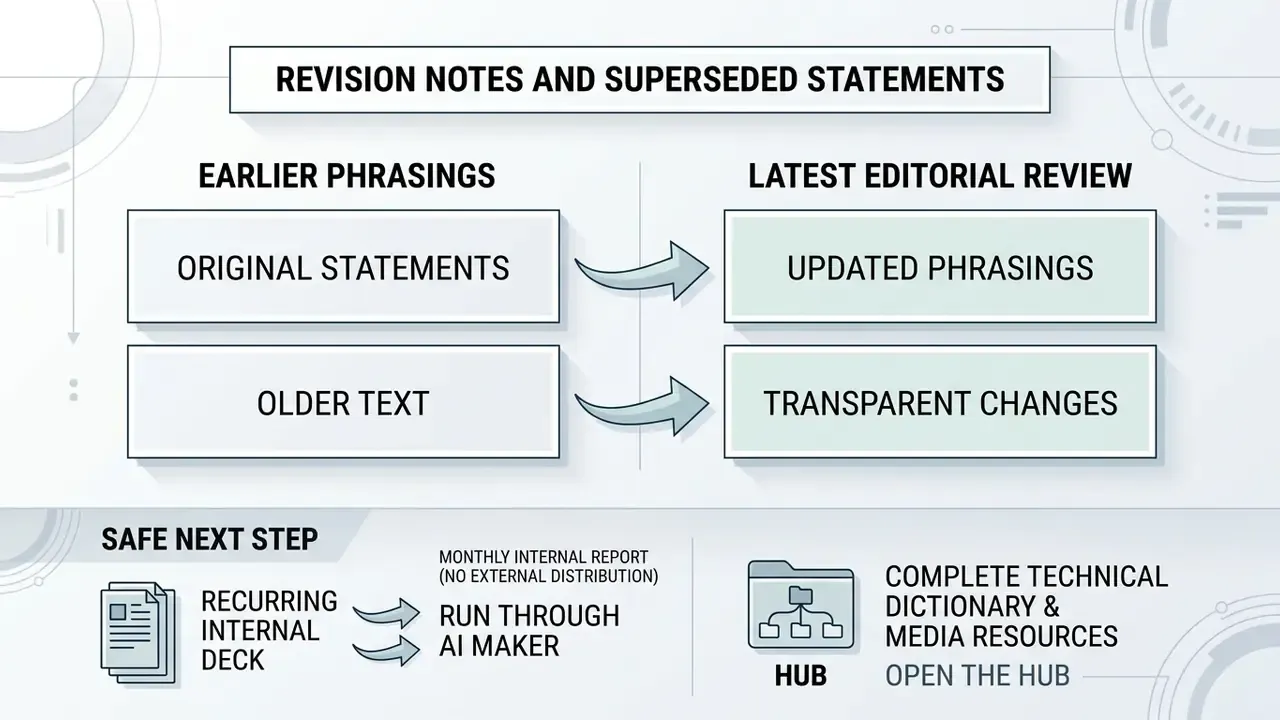
A Safe Next Step
Pick one recurring deck, ideally a monthly internal report with no external distribution, and run it through an approved enterprise instance for a full quarter. Log the prompt, the model version, the review time, and every correction. Three cycles of that log will tell you more about risk-adjusted value than any vendor benchmark.