Last updated: February 2026 · Reading time: about 16 minutes
*Editorial note: Marcus Hale is the author who contributes to review commentary in this publication. His remarks are illustrative and *
A highlight video maker is AI-powered media processing software that scans long recordings, such as full-length athletic matches, webinars, podcasts, and streams, then identifies, extracts, and assembles the most engaging key moments into short clips and highlight reels. Modern tools also accept static game-day photography as an input source. By combining computer vision, audio pitch analysis, and natural language processing, a highlight video creator cuts manual post-production from hours to minutes while keeping full human editing control.
Executive summary
- A highlight video maker converts long recordings (games, podcasts, webinars, streams), or even a batch of still photos, into short, publish-ready clips and reels.
- Each candidate segment receives a Virality Score (0-100), and AI saliency reframing keeps the ball, puck, or athlete centered in 9:16 output even when no face is on screen.
- Photo-to-Video mode builds paced montages with replay zooms and lower thirds when no full-match video exists.
- Multi-Game Aggregation ingests an entire season of matches at once and ranks plays across all files.
- Doc-Style Transcript Editing plus an AI Hook Title Generator accelerate podcast, interview, and webinar clipping.
- Free tiers usually cap processing minutes, resolution, and watermark removal. Paid tiers add encrypted storage, no-ML-training terms, and 4K exports. Verify data-handling terms before uploading minor-athlete or corporate footage.
What a highlight video maker is and which videos need one
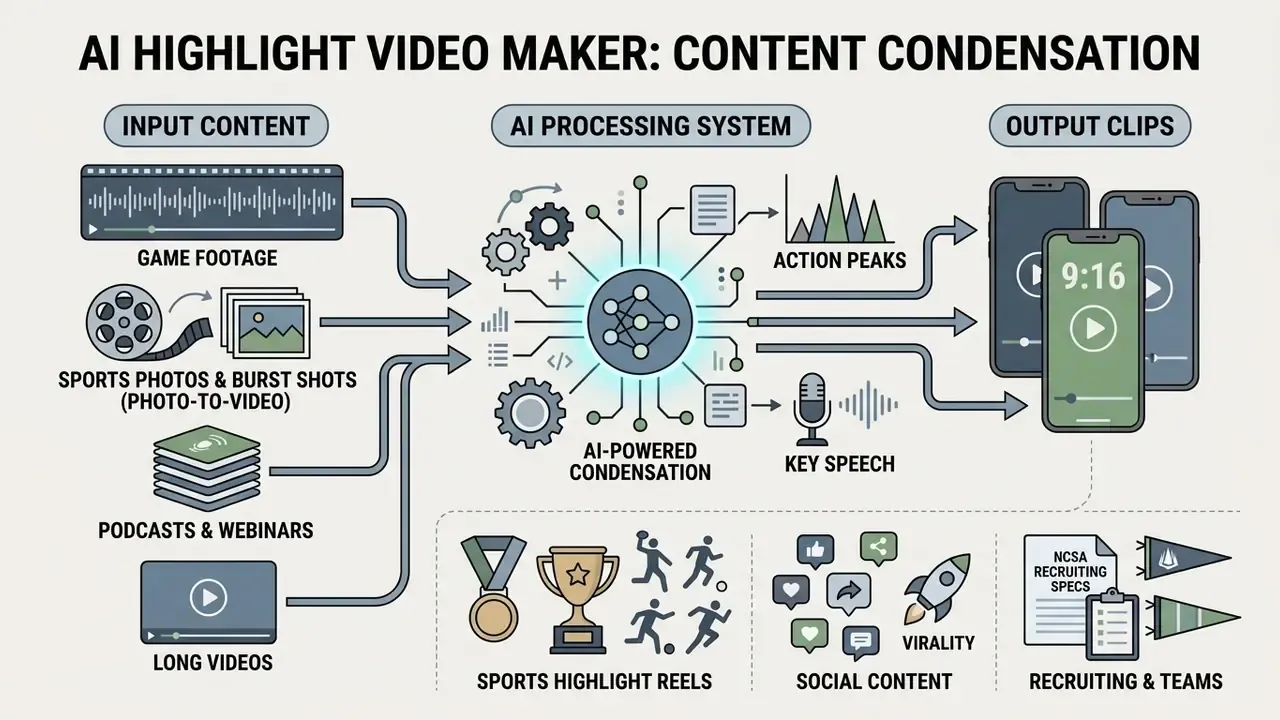
A highlight video maker is an automated video processing system built to condense extended raw footage into short, high-impact video clips by isolating action peaks, speech hooks, and visual turning points. Organizations and creators use a highlight video editor to repurpose multi-hour source files into engaging social content, marketing teasers, and performance evaluation reels without scrubbing through a timeline by hand.
When media teams evaluate a highlight reel maker, the core objective is converting high-volume recordings into multi-platform visual assets. Academic work on long-to-short repurposing quantifies the scale of this task rather than a productivity percentage.
«Repurpose-10K includes more than 10,000 source videos and 120,000 annotated clips for the long-form-to-short-form conversion task.»
Sports highlight reels for athletes, coaches, and teams
A sports highlight video maker processes game footage to compile key athletic plays, tactical executions, and scoring sequences for student-athletes, recruiters, parents, and athletic directors. Recruiters and scouts rely on sports highlight reels for first-pass evaluation of high school and collegiate talent in football, basketball, soccer, volleyball, hockey, lacrosse, wrestling, and gymnastics.
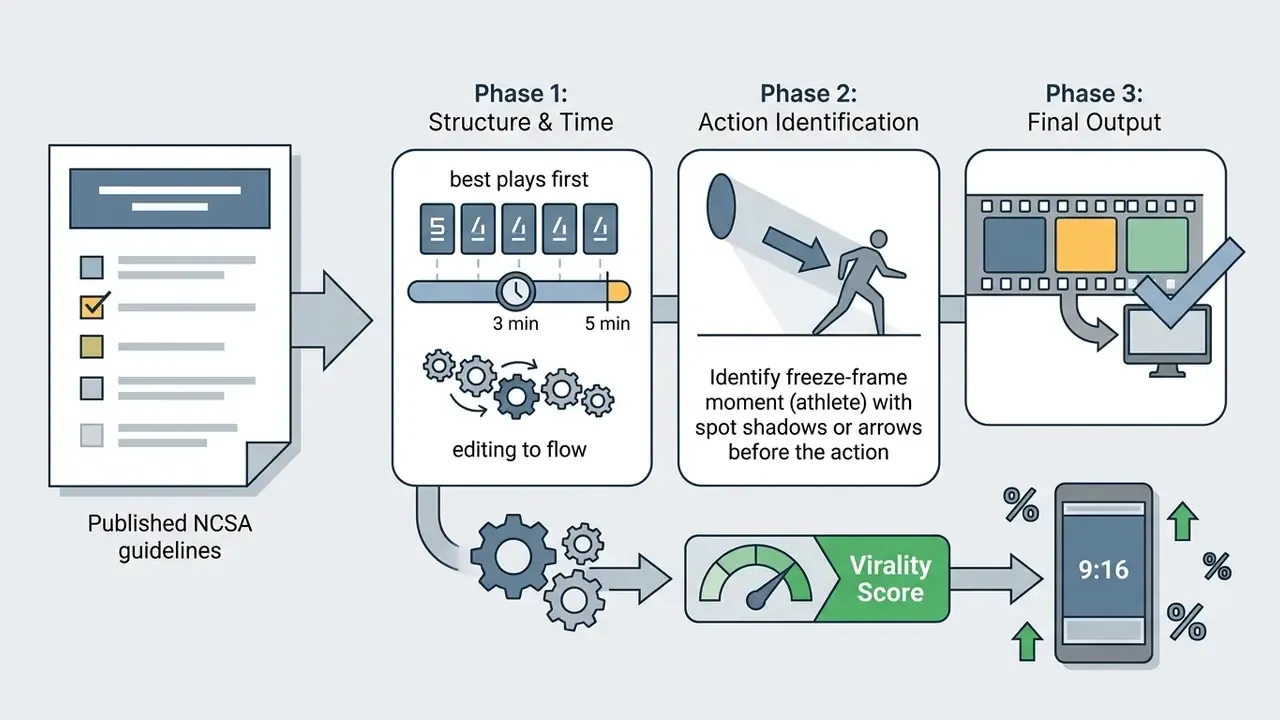
Guidance from college recruiting associations such as NCSA specifies that a student-athlete highlight reel should run 3 to 5 minutes, open with the highest-impact plays inside the first 30 seconds, and feature visual identification callouts (freeze-frame spot shadows, arrows, or circles) before the action begins. NCSA basketball guidance adds that coaches should also receive one unedited full-game recording, which means the reel functions as a filter, not a complete evaluation package. A dedicated highlight video maker for sports meets those structural standards without an expensive desktop suite. See our comparison of free video editing software for accessible alternatives, and our guide to choosing a movie maker free workflow for entry-level creation options.
Building highlight videos from sports photos and burst shots (Photo-to-Video)
No full recording of the match? A modern AI highlight video maker can still assemble a dynamic reel from a series of static images (JPG, PNG, HEIC) or short burst-capture sequences shot from the sideline.
Computer vision models rank activity peaks inside the stills, the mid-air catch, the goal celebration, the spike contact, the block at the net, and then apply dynamic panning (the Ken Burns effect), replay-style zooms, rhythmic transitions timed to the tempo of the music bed, and player-name lower thirds. The result is a complete recruiting reel or post-game recap produced in minutes, even when no camera operator was present at the venue. Photo-first pipelines are especially valuable for youth and club programs where parents capture hundreds of frames but nobody rolls continuous tape.
One small observation from reviewing club submissions: a burst of eight frames around a single volleyball spike usually reads better than forty scattered stills from four different sets.
Highlight clips from long videos for social platforms
A social highlight reel creator extracts standalone, high-retention clips from podcasts, interviews, corporate webinars, and live streams for YouTube Shorts, Instagram Reels, TikTok, and Facebook. The system analyzes dialogue transcripts to detect compelling quotes, emotional inflection points, and self-contained arguments.
Short-form editorial guidance recommends committing to a single hook type before you cut: a question, a teaser, a striking claim, a visual stunt, or an immediate problem statement. The clip must also stand alone for viewers who never saw the source video. Modern highlight video maker app workflows automatically apply vertical reframing (9:16 aspect ratio), dynamic speaker tracking, and synchronized animated captions, which lets long-video creators run automated distribution pipelines. To build complete promotional campaigns around long media assets, creators often pair clipping software with a dedicated movie trailer maker.
How an AI highlight video maker finds the best moments automatically
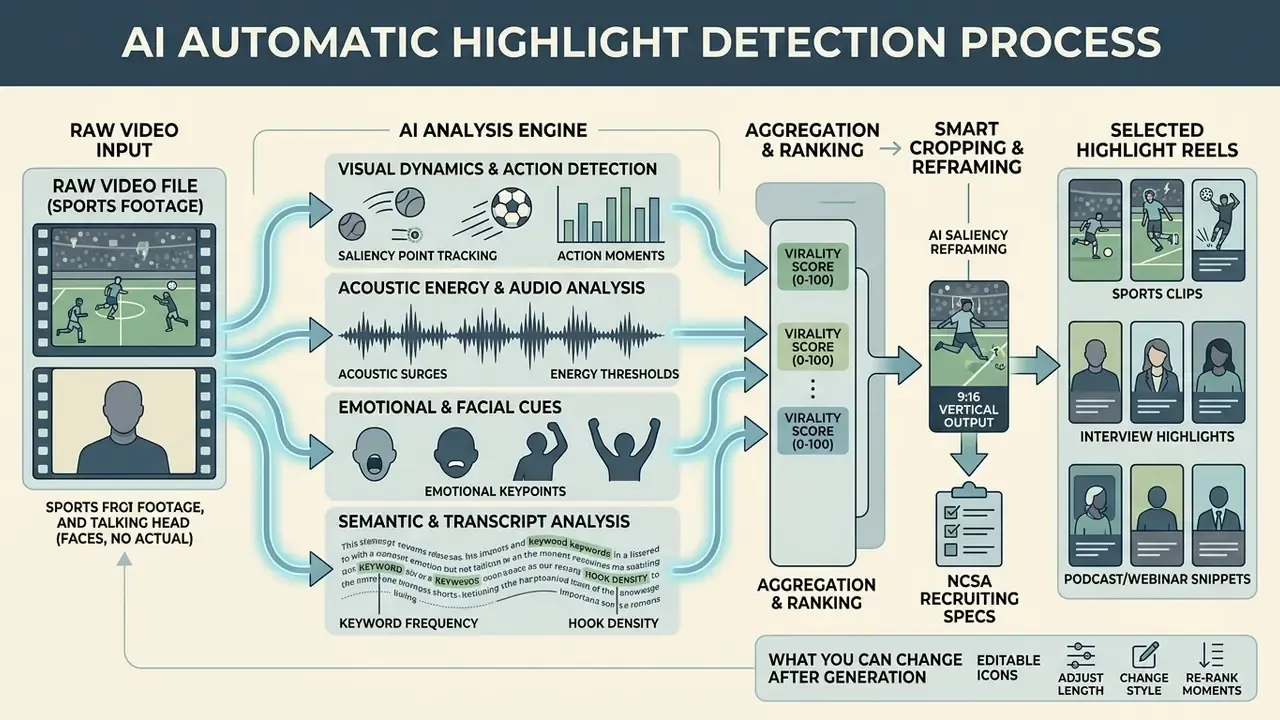
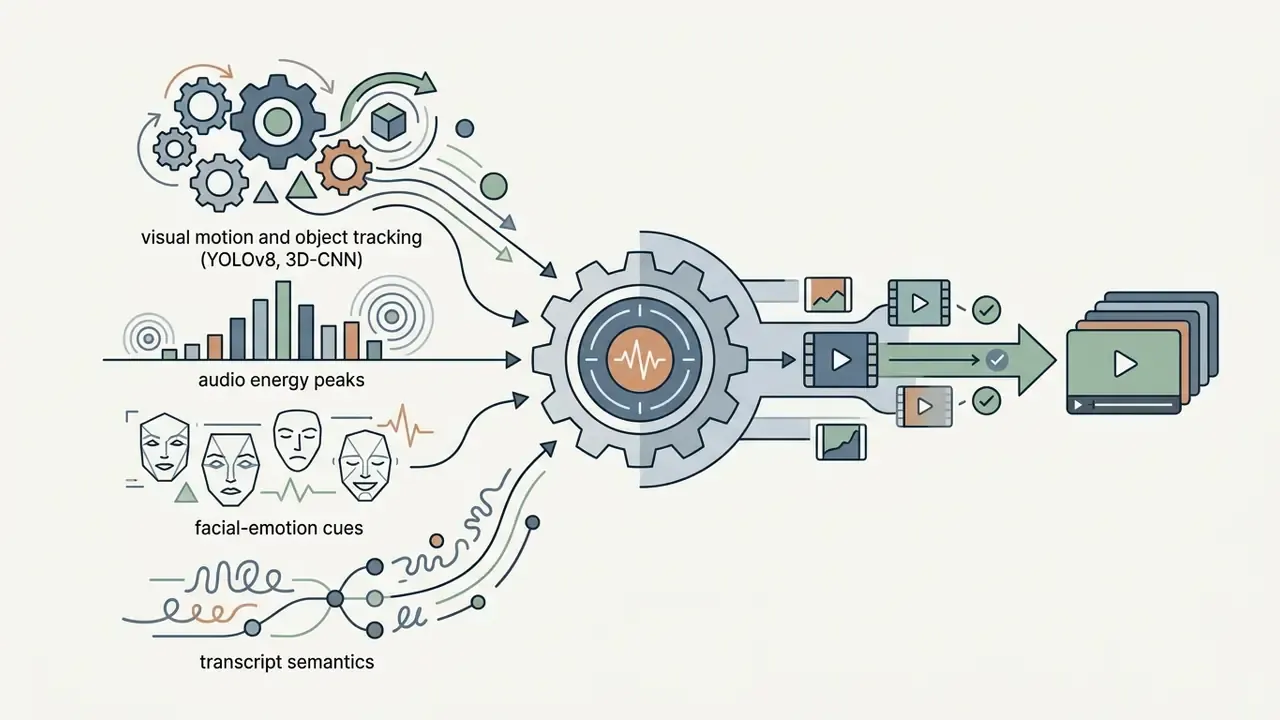
An ai highlight video maker identifies key moments by aggregating visual action detection, audio waveform energy, emotional facial recognition, and natural language transcript analysis, then assigning a saliency score to every second of footage. The system ranks segments against calculated importance thresholds and clusters the highest-scoring timestamps into candidate highlight clips. If you are mapping the wider tool landscape, our reference page on AI video generators explains how clipping engines relate to generative models.
The underlying pipeline is inherited from classical video-indexing research: shot boundary detection, keyframe extraction, feature and concept detection, clustering or ranking of salient segments, then assembly. Recent computer vision literature, such as the Mr. HiSum dataset study (Sul et al., NeurIPS 2023, analyzing 31,892 videos across 1,788 hours), shows that viewer engagement metrics, the "Most Replayed" behavioral graphs, correlate directly with visual dynamic shifts and audio excitement peaks. An auto highlight video maker leans on these neural patterns to predict retention with high statistical precision.
Peer-reviewed multimodal systems reinforce the same logic. A 2021 study on emotion-sensing highlight generation applied peak detection to happiness and surprise signals and classified audio events as speech, laughter, or miscellaneous, treating speech and laughter as highlight-relevant. A 2024 system extended this by running per-minute facial-emotion recognition alongside audio and text signals.
Automatic detection of action moments in sports footage
An ai sports edit maker detects athletic plays by running deep learning architectures across raw game footage: YOLOv8 for player and ball tracking, R(2+1)D or 3D convolutional neural networks for action recognition. In basketball and football broadcasts, the engine flags rapid ball trajectory changes, referee whistle frequencies, crowd audio surges, and scoreboard metric updates. Published 2026 basketball pipelines combine YOLOv8 detection of players, ball, referees, and baskets with a temporal action recognizer and a frame-level scoring detector. Soccer pipelines from the same year add a VAE-based "no-highlight" filter that discards irrelevant scenes before event labeling. A 2025 lightweight system that fused Mel-spectrogram audio with grayscale frames reported 83% video detection accuracy on mixed-sport data, a useful reminder that automated recall is high but not absolute.
In soccer match benchmarks studied in the SVHighlights dataset (covering 640 hours of multi-hour sports broadcasts), training-free multimodal selectors (TF-SELECTOR) achieved a +4.04 improvement in HIT@K metrics over standard temporal grounding methods by combining visual motion vectors with acoustic crowd-noise signatures.
Selecting highlights from interviews, podcasts, and YouTube videos
For dialogue-driven media, an ai sports video editor or podcast clipping engine uses transcript-based AI curation powered by Automatic Speech Recognition (ASR) and large language models. The algorithm converts spoken audio into timestamped, speaker-labeled text, parses conversational context, and ranks quotes by semantic density, sentiment shift, and topical novelty.
«Rhapsody splits each episode into 100 equal segments and assigns binary highlight labels derived from normalized re-listen statistics.»
Research on the Rhapsody dataset (13,364 podcast episodes) confirms that segmenting audio into uniform contextual blocks and running LLM-driven ranking models produces preview clips that match human editorial selections far more consistently than keyword-matching heuristics.
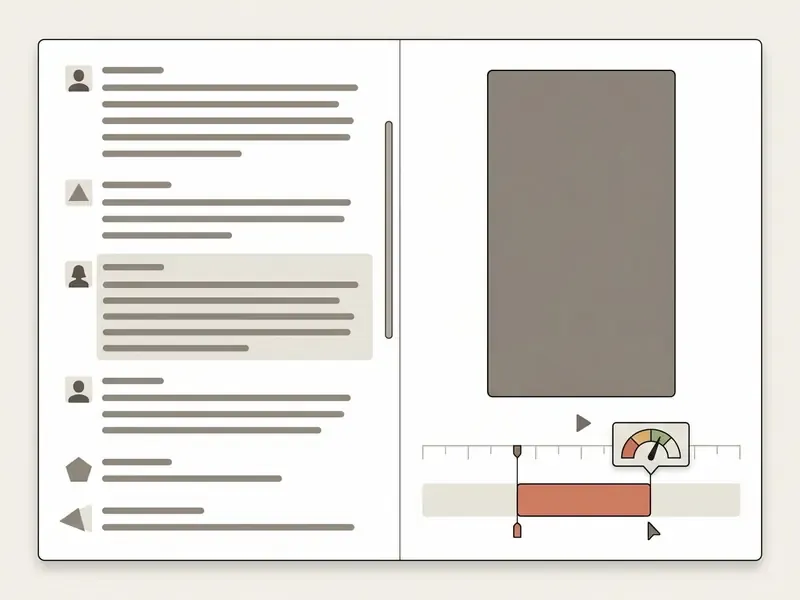
For faster speech editing, the interface exposes Doc-Style Transcript Editing. You search the transcript exactly as you would search a word-processing document. Highlighting a passage trims the matching range on the timeline, deleting a sentence deletes the matching frames, and clicking any word jumps the playhead to that timecode. Each ranked candidate carries an excerpt, timestamp, and score, so an editor can approve, reject, or nudge clip boundaries in seconds. A built-in AI Hook Title Generator then drafts scroll-stopping titles, chapter markers, and caption variants tuned to TikTok, Shorts, and Reels retention behavior, with keyword-highlighted subtitles for muted viewing.
Editors can refine these MP4 outputs with the specialized desktop tools detailed in our guide to mp4 video editor software.
What you can change after AI generation
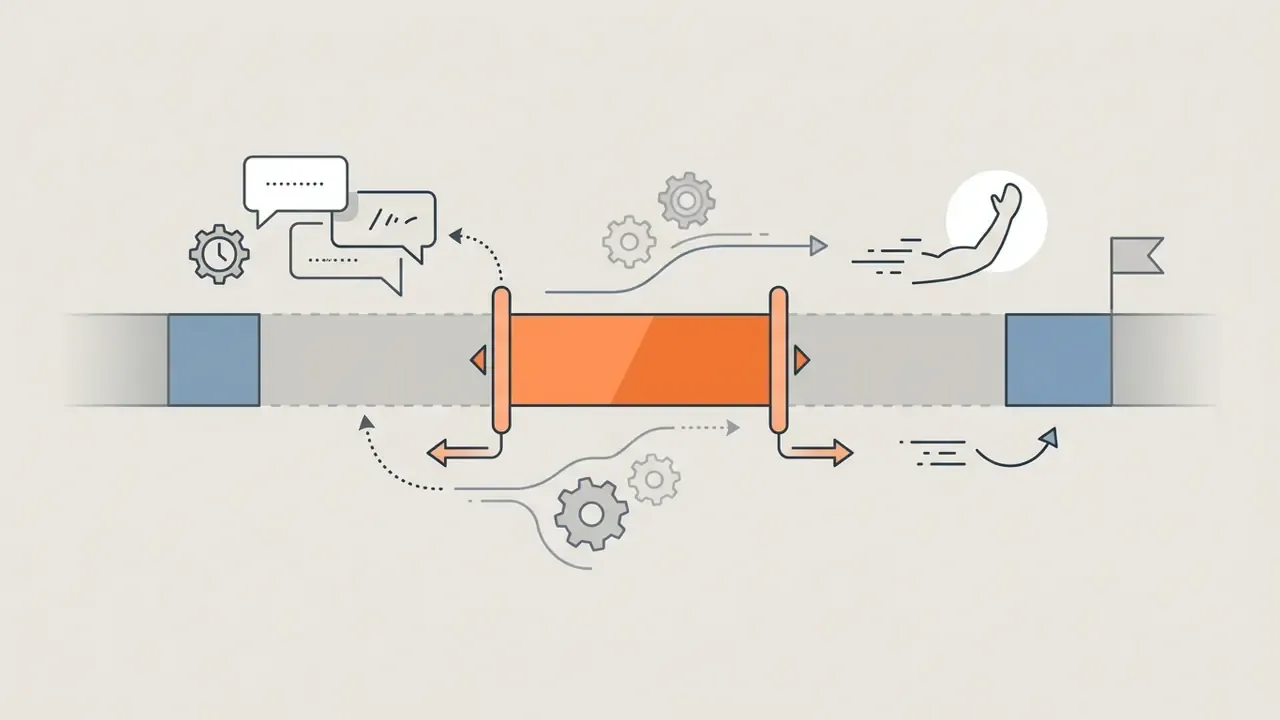
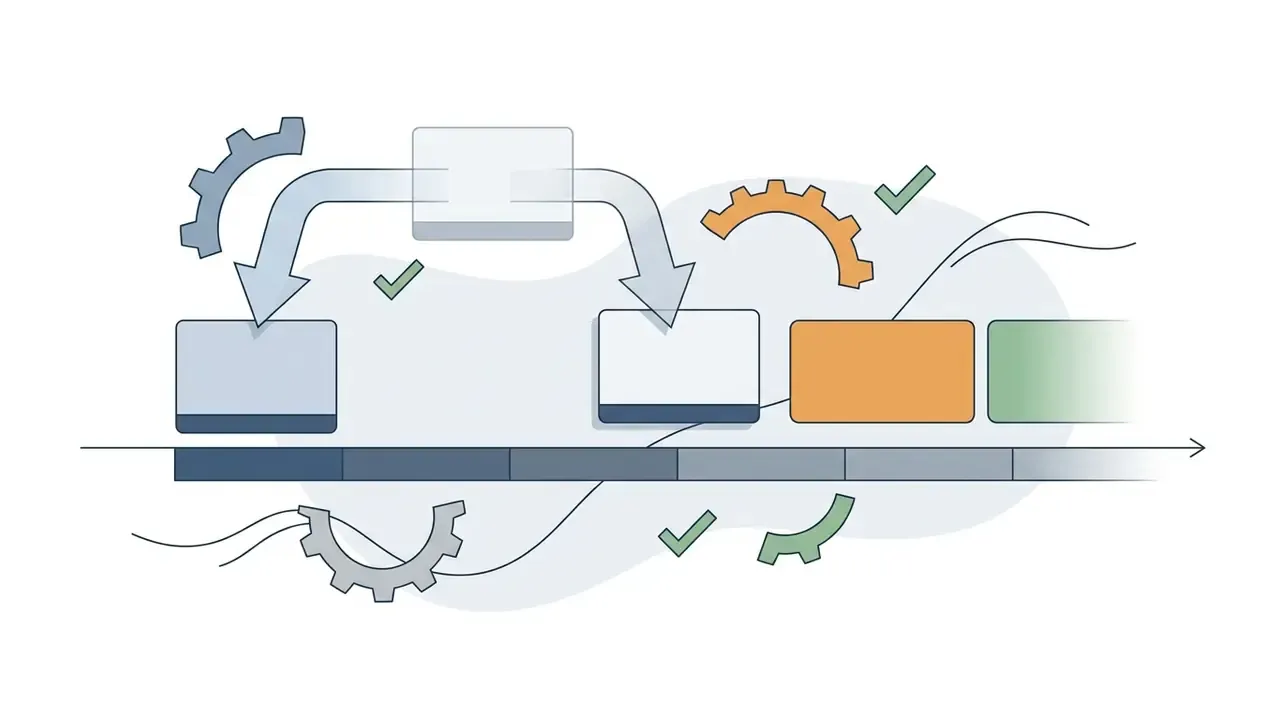
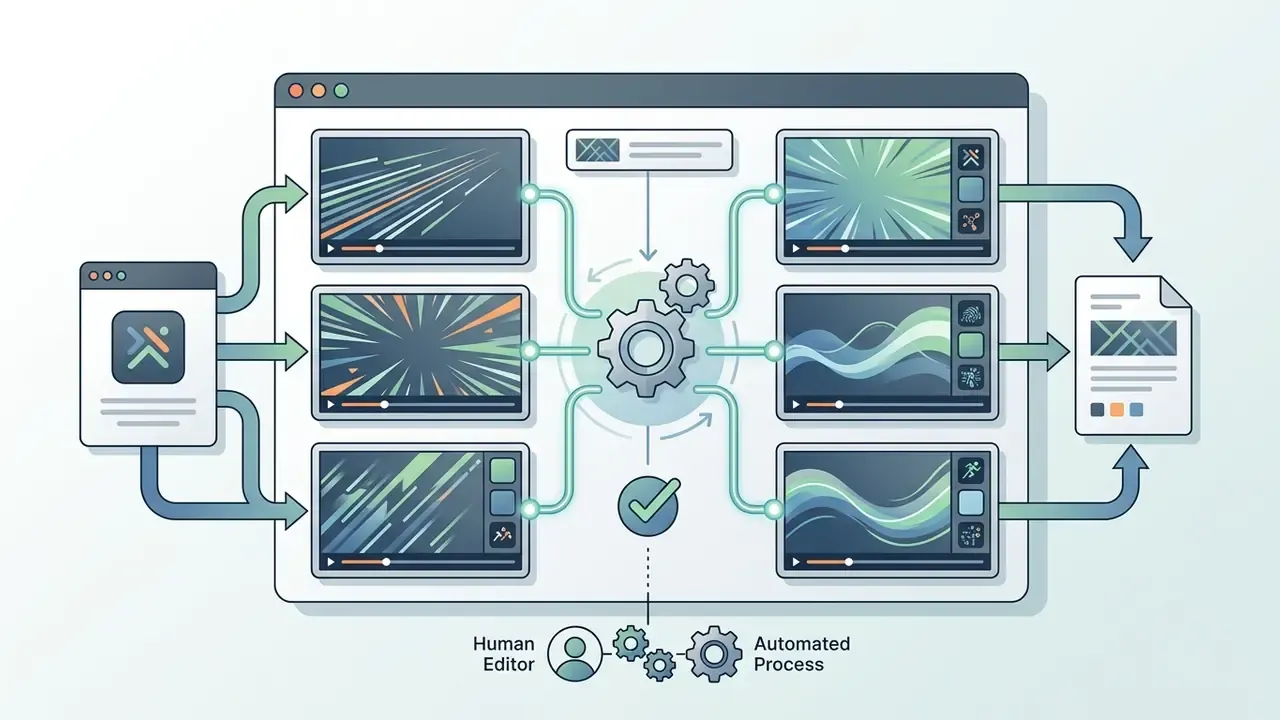
Once an ai highlight generator extracts candidate segments, you keep complete creative freedom through an interactive web-based timeline. Editors adjust start and end cut points, reorder clip sequences, toggle caption visibility, swap background music, and insert brand logos before the final render. Documented post-generation controls across commercial editors consistently include clip duration, clip reordering, replacement or removal of segments, and text overlays.
Fact check and AI limitation verification:
How to make a highlight video online: from upload to export
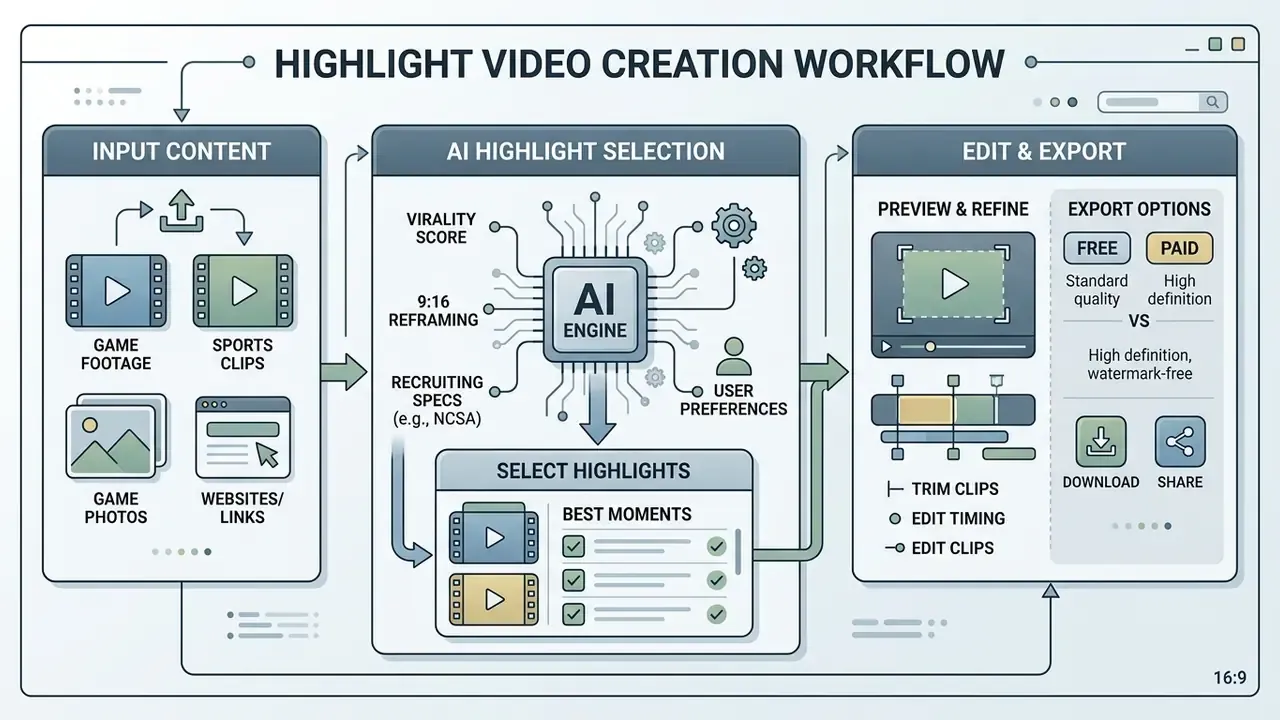
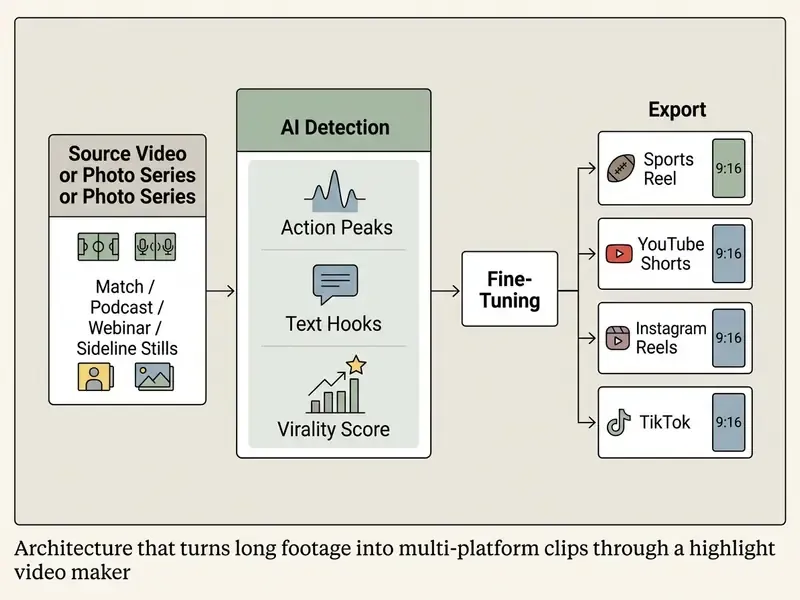
The research above explains why the model selects a moment. The interface below determines how you approve it. In practice, all of that multimodal scoring compresses into a four-step operator workflow: upload raw source media, define AI generation parameters, fine-tune candidate clips, and export multi-platform files. Web-based tools run these operations in cloud environments, so a professional reel does not require heavy local hardware.
Upload video, clips, or game footage
Creation begins when you upload long-form source footage directly into the web interface or through URL ingestion from YouTube, Twitch, or a cloud drive. Accepted inputs typically include 1080p or 4K match recordings, MP4 streams, GoPro or sideline-cam files, burst photography, and podcast audio. Many engines accept single files up to four hours long, which covers a full game plus pre- and post-match coverage.
For the best AI processing speed and frame-level accuracy, use standard broadcast codecs (H.264/AAC in MP4 or MOV containers) with clear audio separation. Archival guidance from the Federal Agencies Digitization Guidelines Initiative recommends Broadcast WAV with BEXT and INFO metadata for audio masters, and requires WebVTT caption metadata to appear immediately after the WEBVTT header as element:value pairs. That discipline pays off later, when reels must be re-indexed. To clean raw audio tracks that suffer from background noise before uploading, creators frequently review online tools like those in our mute video online directory.
Choose reel length, style, and video templates
After upload, select target clip durations (30-second Shorts, 60-second social cuts, or 3-minute recruiting reels), visual framing styles, and platform-specific templates. Creators exploring adjacent generation methods can review our reference on text-to-video AI tools.
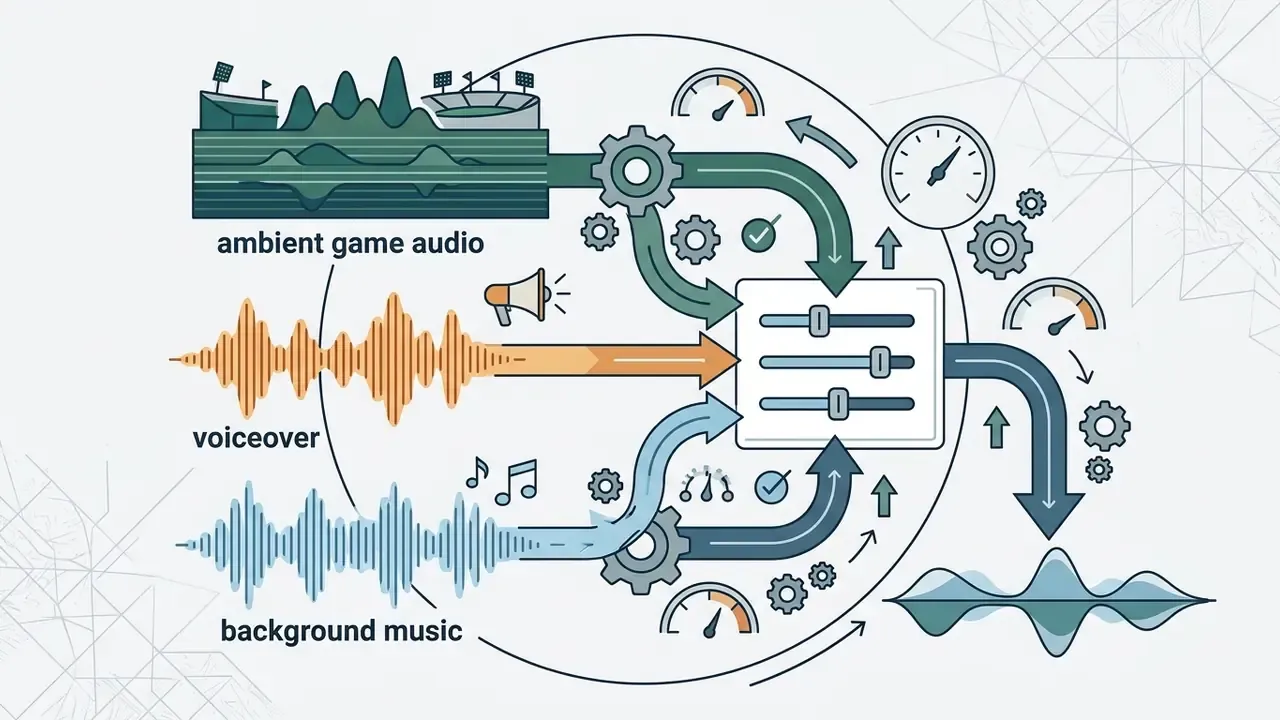
Tempo-aware pacing algorithms adapt cuts to the rhythmic cadence of the selected music bed: fast cuts for volleyball rallies and football contact, measured reveals for golf or gymnastics. Editing theory supports this. Longer shots read as relaxed, shorter shots read as exciting, and progressively shortening shots accelerate perceived tempo. Educational media research points the same way on duration and delivery: instructional videos of six minutes or less with speech rates of 185 to 254 words per minute maximize retention, and segmenting a long lecture outperforms one continuous recording. If your highlights depend on a custom soundtrack, explore the sign-up-free assets covered in our guide to a music maker online free no sign up.
Editing tools for a professional highlight reel
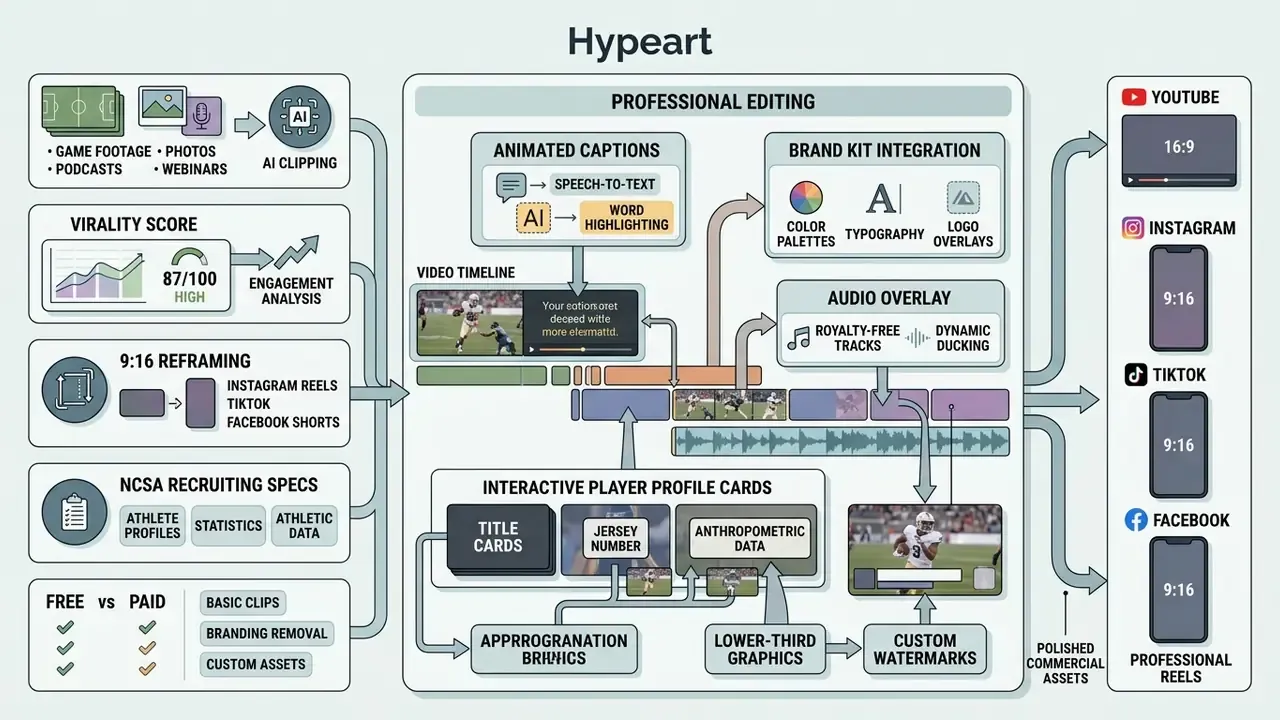
A professional highlight video editor combines automated clipping with brand customization, dynamic caption rendering, and multi-format aspect ratio conversion. Those features keep AI-generated reels aligned with corporate style guides, athletic league rules, and platform publishing standards. Before committing to a vendor, review our comparison of AI video generators to match feature depth against budget.
Captions, text, music, and branding for highlight videos
Animated captions, lower-third graphics, and custom watermarks turn raw clips into polished commercial assets. Institutional video standards make captioning non-negotiable rather than optional. UCSF Video Standards require captions on all published video and accept either burned-in captions or attached .SRT/.VTT sidecar files. The University of Melbourne Video Captioning Style Guide specifies white sans-serif text on a black background box, a maximum of two lines, and timing that coincides with the relevant soundtrack. Airbus audiovisual guidelines place on-screen text at the bottom of the frame with an optional drop shadow for legibility over motion.
Formats for YouTube, Instagram, TikTok, and Facebook
An advanced free online sports video maker for youtube or social clipping tool offers one-click aspect ratio reframing for different distribution channels. The same reframing logic serves teams searching for a free online sports video maker for instagram or a free online sports video maker for facebook, since the difference is placement, not pipeline. Note that the durations below are engagement recommendation bands reported by 2026 practitioner analyses. Each platform's technical upload ceiling is substantially longer.
| Platform | Target Placement | Aspect Ratio | Standard Resolution | Recommended Clip Duration |
|---|---|---|---|---|
| YouTube Shorts | Vertical Feed | 9:16 | 1080 x 1920 px | 15 to 45 seconds |
| Instagram Reels | Vertical Feed | 9:16 | 1080 x 1920 px | 45 to 60 seconds |
| TikTok | Main Feed | 9:16 | 1080 x 1920 px | 21 to 34 seconds |
| Facebook Video | Feed / Watch | 1:1 / 16:9 | 1080 x 1080 / 1920 x 1080 px | 30 to 120 seconds |
| LinkedIn / B2B | Feed | 1:1 / 4:5 / 9:16 | 1080 x 1080 to 1080 x 1920 px | 30 to 90 seconds |
Highlight video maker for football, basketball, and other sports
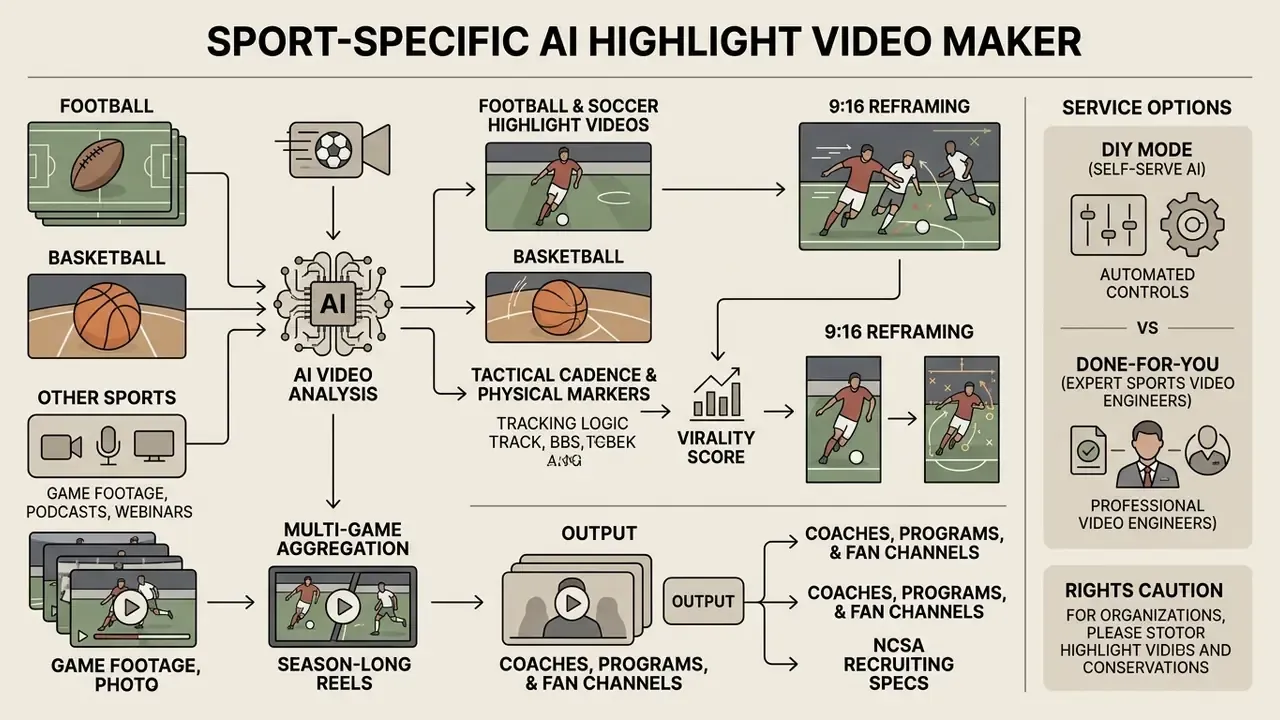
A specialized football highlight video maker or basketball highlight video maker applies sport-specific tracking logic to capture the tactical cadence and physical markers of team athletics. From high school recruiting profiles to professional scouting breakdowns and fan channel reels, automated processing shortens the path from raw match footage to publishable sports highlights. Commercial engines now advertise coverage of more than 20 disciplines: basketball, football, soccer, hockey, lacrosse, volleyball, baseball, rugby, plus individual sports such as MMA, wrestling, gymnastics, and track.
Football, soccer, and basketball highlight videos
Scouts and agency representatives judge sports highlight reels on immediate player identification and clear spatial context, not theatrical effects.
When you build a free sports highlight video maker reel for college recruiting, mark the target athlete with a visual spot shadow during the freeze-frame that opens every clip. Recruiting guides recommend a title card carrying name, graduation year, height, position, jersey number, and contact information, followed by 20 to 30 of the strongest plays. In basketball reels, prioritize scoring and shooting mechanics, playmaking, transition decision-making, defensive blocks, and an optional hustle block within the opening 45 seconds, filmed from a fixed mid-to-long camera position without zooming. In football and soccer, evaluators look for first-touch control, finishing, passing and game-reading, spatial awareness, and decisive physical duels, with clips grouped by play type.
Season-long reels from multiple matches (Multi-Game Aggregation)
Preparing a final recruiting package or an annual program recap means processing many source files, not one. An AI highlight video maker supports batch ingestion of multiple matches in a single session. The engine analyzes every uploaded hour end to end, compares Virality Scores of fragments between games, and selects the top 20 moments of the season, spread across one tempo-consistent rhythm. Practical applications include end-of-season recap reels, multi-game recruiting tapes spanning a full schedule, and yearly archive reels for teams and individual athletes.
Reels for coaches, sports programs, and fan channels
Athletic departments, coaching staff, and digital fan publishers use a highlight reel creator for daily practice summaries, opponent breakdown clips, and social match recaps. Audience needs diverge sharply. Coaches want clips tagged with score, period, athlete, and outcome, so a new viewer can read the play instantly. Organizations need rights-safe exports that respect league, venue, school, athlete, minor, music, sponsor, and broadcaster permissions. Fan channels need context packaging, crest, season record, and text callouts, with clean starts and ends around the moment.
There is a governance angle here that programs often discover late. Assign one named owner per publishing workspace, keep an approval log of who cleared each export, and store the source file reference next to the published clip. That record costs almost nothing to maintain and answers most takedown or eligibility questions in minutes rather than days.
| Sport Domain | Primary Source Footage | Highlight Reel Objective | Recommended Aspect Ratio | Key Visual Markers |
|---|---|---|---|---|
| Football / Soccer | Wide Tactical / Telecast | Recruiting and scouting | 16:9 (recruiting) / 9:16 (social) | Player arrow spot-shadows, freeze-frame tags |
| Basketball | Mid-Court Fixed Camera | Player evaluation and social | 9:16 vertical | Shooting form, defensive hustle, court vision |
| Volleyball | End-Zone / High Camera | Scouting and federation media | 16:9 HD / 1080p | Rotation tracking, jump-serve mechanics, blocks |
| Hockey / Lacrosse | High-Angle Rink Broadcast | Recruiting and speed analysis | 16:9 / 9:16 | Puck or ball tracking, hit detection, power-play clips |
| Individual Sports (MMA, Gymnastics) | Single Ring / Mat Camera | Performance evaluation | 9:16 vertical | Impact frames, landing stability, execution score |
| Multi-Sport Fan | Broadcast / UGC Streams | Monetized social engagement | 9:16 Shorts / Reels | Scoreboard overlays, audio crowd peaks |
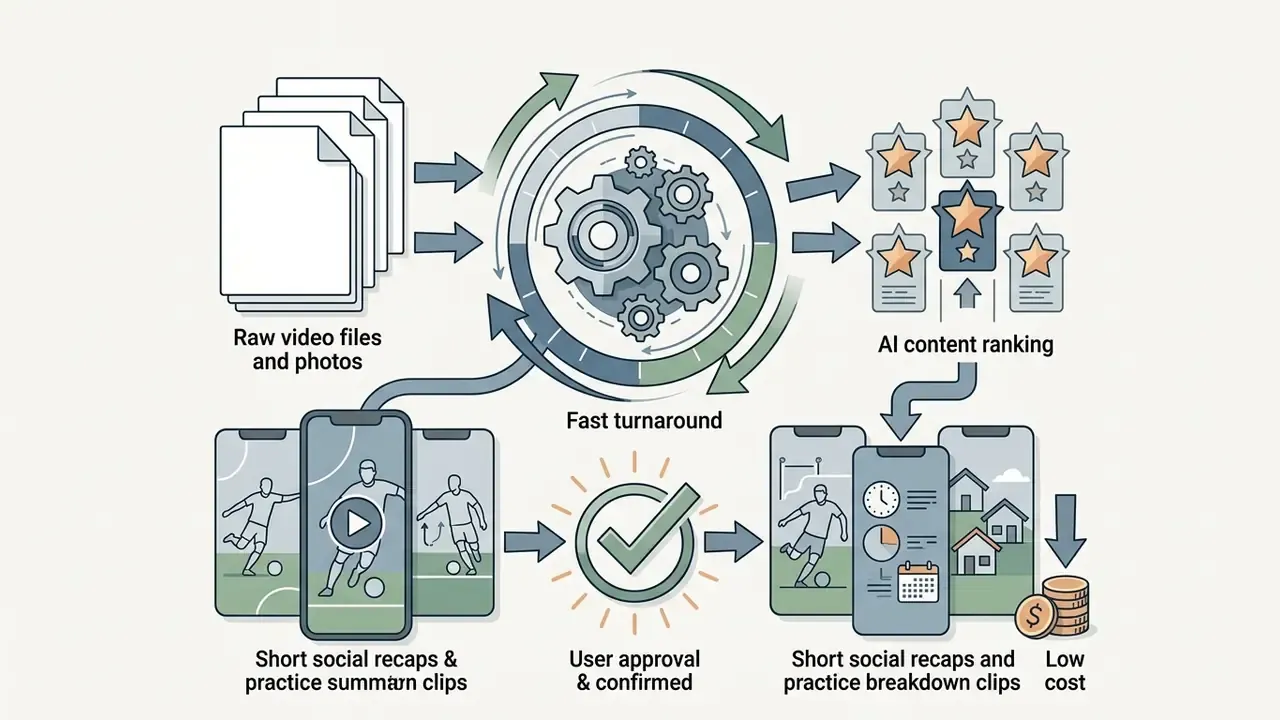
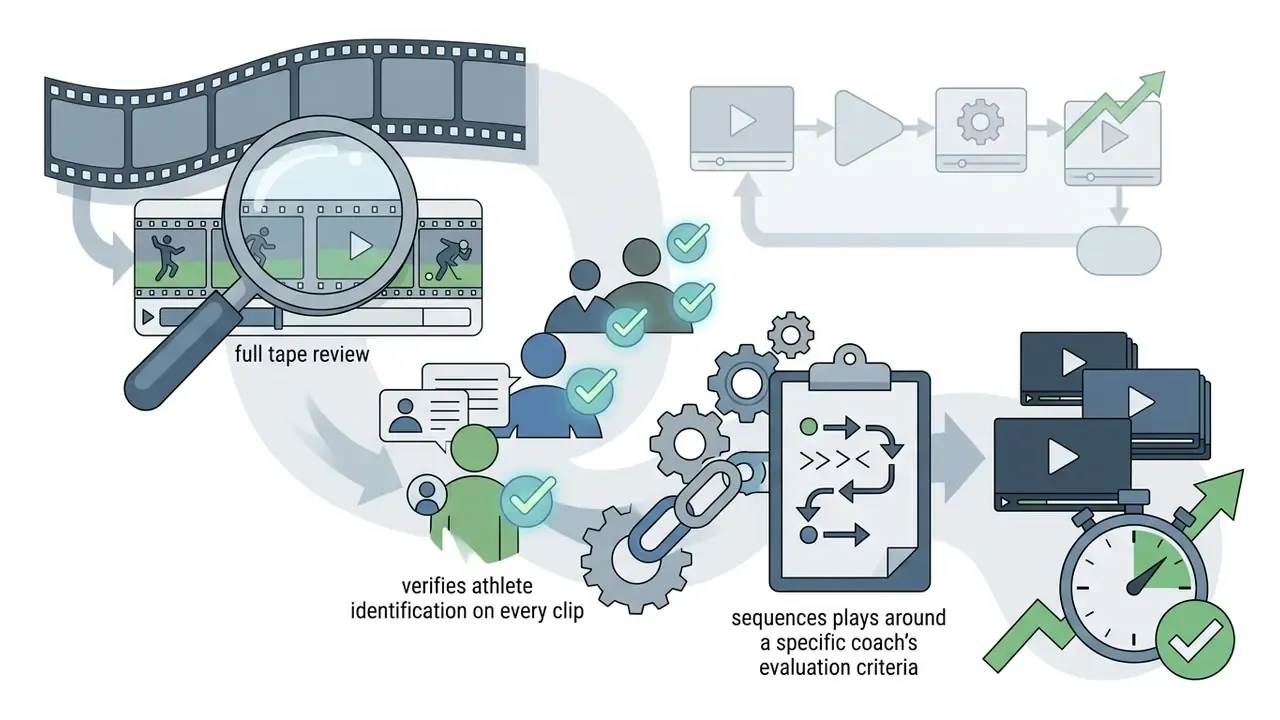
DIY mode or done-for-you: when you still need a human editor
Two service models coexist in this market, and the right choice depends on the stakes of the deliverable.
A pragmatic hybrid works well. Let AI perform the first pass across the season, then commission human finishing on the single reel that goes to college programs.
Free highlight video maker: what to check before you start
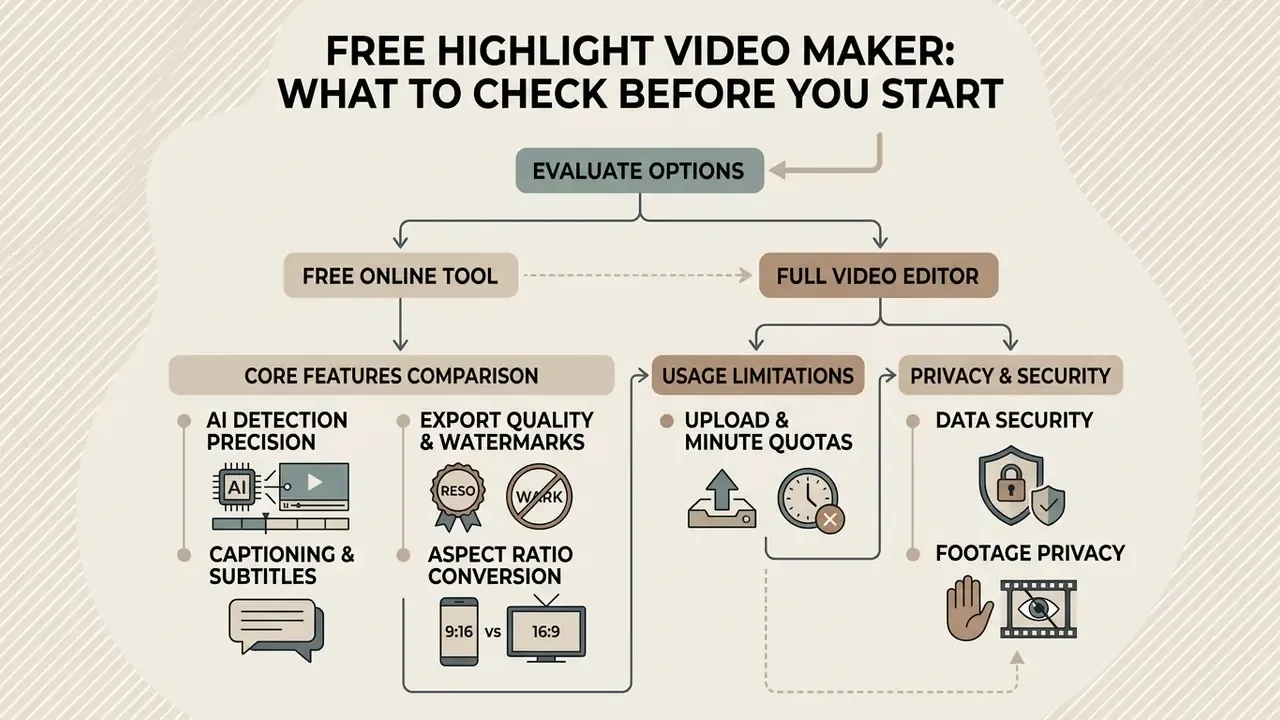
Evaluating a free highlight video maker means examining processing limits, export resolution caps, watermark policies, and data privacy terms before you hand source media to a browser platform. A best free highlight video maker gives you immediate online access, yet understanding the gap between entry-level free tools and pro suites prevents workflow bottlenecks later. Our overview of free AI video generators adds context on how free quotas are usually structured.
Vendor documentation shows how differently limits are expressed. One highlight service publishes a free tier of 60 processing minutes with 720p watermarked export against a paid tier of 150 minutes at 1080p without watermarks. Another caps the free plan at three videos per month with two-minute uploads and watermarked exports, versus ten watermark-free exports and five-minute uploads on its entry paid plan. Because vendors meter by minutes, uploads, exports, or credits, no single universal comparison unit exists. Normalize to your monthly source hours before subscribing.
Search behavior blurs the categories too. Queries like "highlight reel maker free" and "free video highlight maker" often land on the same products, so compare quotas rather than marketing labels.
Free online tool or full video editor for advanced editing
A basic free online highlight video maker offers quick AI clip generation, automated transcript parsing, and simple template selection with no installation. Typical turnaround for auto-clipping is two to five minutes per video. Complex brand campaigns and recruiting reels, however, often push you toward a full-featured video editor with multi-track timeline control, keyframe animation, and advanced color grading.
When choosing between lightweight online generators and desktop software, ask whether the project needs rapid automated clipping or precise frame-level manipulation. Our reference on video editing tools and our comparison of free video editing software break down the trade-off. Hybrid editors that pair transcription with manual cutting sit between the categories: less hands-off than a pure clipper, far more precise for speaker-driven and text-driven work. For a broader analysis of pricing tiers and commercial licensing models across video platforms, review our AI Media Pricing Guides.
Which features to compare before choosing a highlight maker
Before you settle on a free highlight reel maker or an upgraded commercial service, benchmark competing tools against six operational criteria. This is also the shortlist that separates a best highlight reel maker claim from a best highlight video maker claim you can actually verify.
- AI detection precisiondoes the system find sports action peaks or speech hooks accurately, without flooding you with false positives?
- Export resolution and watermarksconfirm clean 1080p or 4K files without intrusive vendor branding. Some vendors never apply a watermark, others paywall its removal.
- Captioning and subtitle customizationcheck animated subtitle presets, custom fonts, keyword highlighting, and multi-language transcription.
- Aspect ratio conversionverify automatic reframing for 9:16, 4:5, 1:1, and 16:9 with saliency-aware cropping.
- Monthly upload and minute quotasmatch free processing caps, per-file length ceilings, and export counts to your real monthly source volume.
- Data security and footage privacyconfirm that uploaded sports media, student-athlete recordings, or corporate streams are never used to train public machine learning models without explicit consent. Look for encryption in transit and at rest, private-by-default processing, explicit no-training clauses, defined retention and deletion windows, and for enterprise or school use, SOC 2 Type II attestation, GDPR processing terms, and documented handling of minors' data under COPPA and FERPA-adjacent policies. Where footage features athletes under 13, obtain verifiable parental consent before upload and prefer vendors offering regional data residency.
«Mr. HiSum explicitly documents the absence of confidential data in the dataset and compliance with the CC BY 4.0 license, setting a transparency standard for AI video tooling.»
| Feature / Capability | Free Tier Standards | Paid / Pro Tier Standards | Workflow Impact |
|---|---|---|---|
| Processing Quota | 30 to 60 minutes per month (or 3 videos) | 150 to 2,000+ minutes per month | Sets monthly long-video ingestion capacity |
| Per-File Upload Limit | 2 to 5 minutes / about 1 GB | Up to 4-hour full games | Decides whether whole matches can be ingested |
| Export Quality | 720p or watermarked 1080p | Unwatermarked 1080p / 4K | Essential for commercial and scouting credibility |
| Brand Customization | Generic fonts and templates | Custom fonts, logos, color kits, player cards | Maintains visual identity across clips |
| AI Transcription | Basic speech-to-text | Multi-language plus custom lexicon | Drives search indexing and silent social viewing |
| Footage Rights and Privacy | Public cloud processing | Encrypted storage, no ML training, defined retention | Protects proprietary and minor-athlete media |
| Support Model | Community and docs | Priority support, team seats, API access | Matters for weekly program-level publishing volume |
FAQ: common questions about highlight video makers
Can I make a highlight video without downloading software?
Yes. You can create a complete highlight video inside a browser with no local installation. A modern free online highlight video maker runs transcoding, AI moment detection, caption rendering, and final export on secure cloud servers, following a documented lifecycle of prepare, transcode, package, with source and output objects held in cloud storage and delivered through a CDN. Because compute happens on provider machines, the workflow still works on low-powered laptops and tablets. You upload raw media through a browser tab, adjust clip settings online, and download the finished MP4 to your device.
What footage works best for AI highlights?
AI highlight algorithms reach their highest detection accuracy when input videos have clean audio, well-lit subjects, and clear structural separation between action and downtime. For sports recordings, fixed mid-court or high tactical angles with audible crowd noise beat shaky, low-resolution handheld footage. Broadcast feeds, sideline cams, and field-level GoPros perform well, while extreme long-range bleacher angles and heavy camera shake reduce precision. For interviews and webinars, high-fidelity microphone audio is what makes speech-to-text transcription, and therefore transcript-based clip selection, reliable.
«An LLM-based podcast preview generation system consistently outperformed expert baseline models in offline evaluations and A/B tests across hundreds of thousands of episodes.» Transforming Podcast Preview Generation, arXiv (2023-2024). To estimate project processing times or asset metrics, consult our interactive AI Media Calculators. For platform-specific publishing steps, see our YouTube video editing workflows.
How long should highlight videos be for social media?
Optimal social highlight lengths depend on platform recommendation behavior and audience intent in 2026. One caveat first: academic highlight-detection benchmarks such as QVHighlights and Repurpose-10K evaluate clips with overlap and precision metrics. They do not establish a platform-optimal duration. The ranges below reflect 2026 practitioner and vendor analyses of reach performance, not peer-reviewed standards, and every platform's technical maximum is far longer.
- YouTube Shorts: 15 to 45 seconds, with strong performers often landing at 20 to 30 seconds and the hook delivered in the first 3 seconds.
- TikTok: 21 to 34 seconds, which maximizes completion rate and re-watch loops (20 to 40 seconds as a broader practical band).
- Instagram Reels: 45 to 60 seconds, enough for one complete, self-contained story or showcase.
- College recruiting reels: 3 to 5 minutes, 20 to 30 top plays, best clips upfront, with an unedited full-game file supplied separately on request.
Can I build one reel from several matches across a season?
Yes. Batch-upload every game file in one session and the engine scores plays across the entire set, then selects the highest-ranked moments for a single season reel. This is the standard approach for end-of-season recaps, multi-game recruiting tapes, and annual team archives. Expect processing time to scale with total ingested hours. Also review cross-game consistency, since lighting and camera position often shift between venues, so color and framing normalization may need manual attention.
What if I only have photos and no video?
Use Photo-to-Video mode. Upload JPG, PNG, or HEIC stills and burst sequences. The model identifies action peaks in the frames, applies replay-style zooms and dynamic panning, times transitions to the music tempo, and adds player-name lower thirds. For recruiting, pair the photo montage with any short phone clips you do have. Even 5 to 15 second fragments strengthen a tape, because evaluators want to see movement mechanics rather than one frozen pose.
How does the AI decide which moment is "viral"?
Every candidate segment receives a Virality Score from 0 to 100 built from acoustic surges, saliency-tracked visual dynamics, and for speech content, semantic hook density and sentiment shift. The score is a ranking aid, not a verdict. It cannot know that the play you actually need is the defensive rotation nobody cheered for. Sort by score to triage, then override manually.
Who should own approval of AI-generated clips inside an organization?
Name one accountable owner per channel, usually the communications lead for fan content and the compliance or eligibility officer for recruiting material. Give that owner a documented escalation path for rights questions, a retention rule for source files, and the authority to stop a publish. Automation can propose. A person still signs off.
Technical resources for page markup (Schema.org)
For publishers reproducing this workflow, the recommended structured-data outline is a combined Article and HowTo graph:
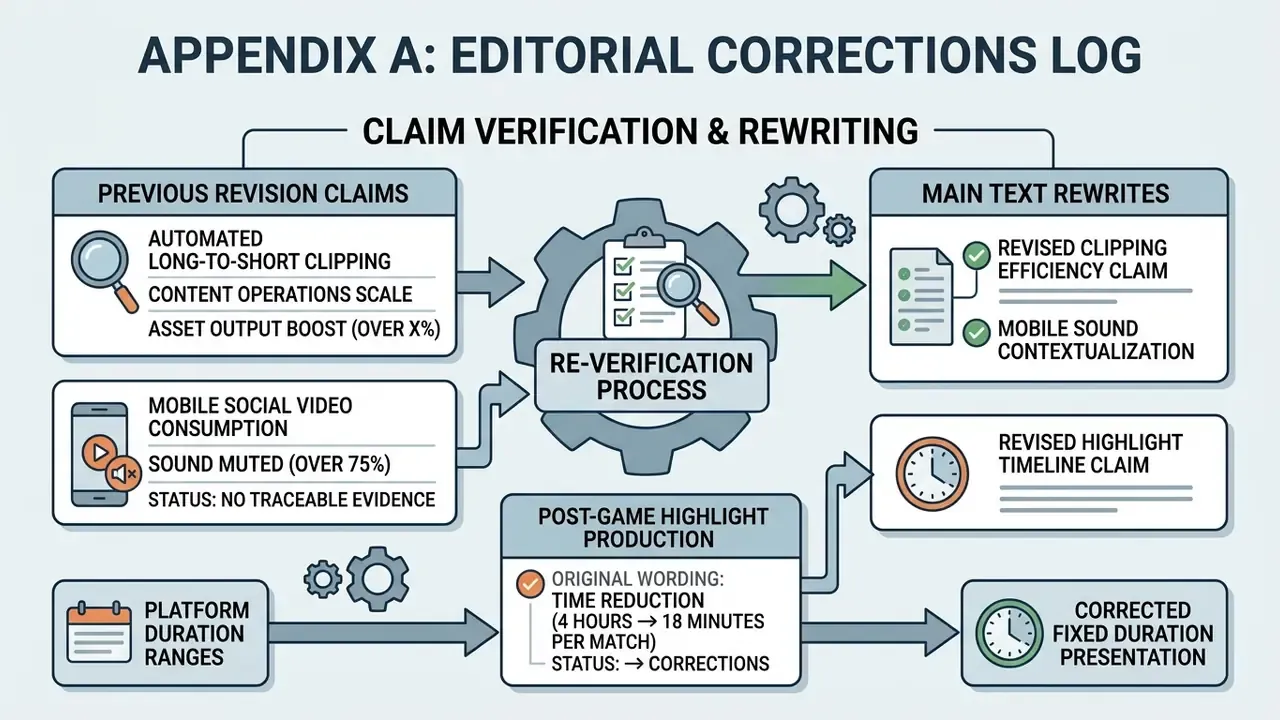
Appendix A: editorial corrections log
Additional technical resources and commercial hubs
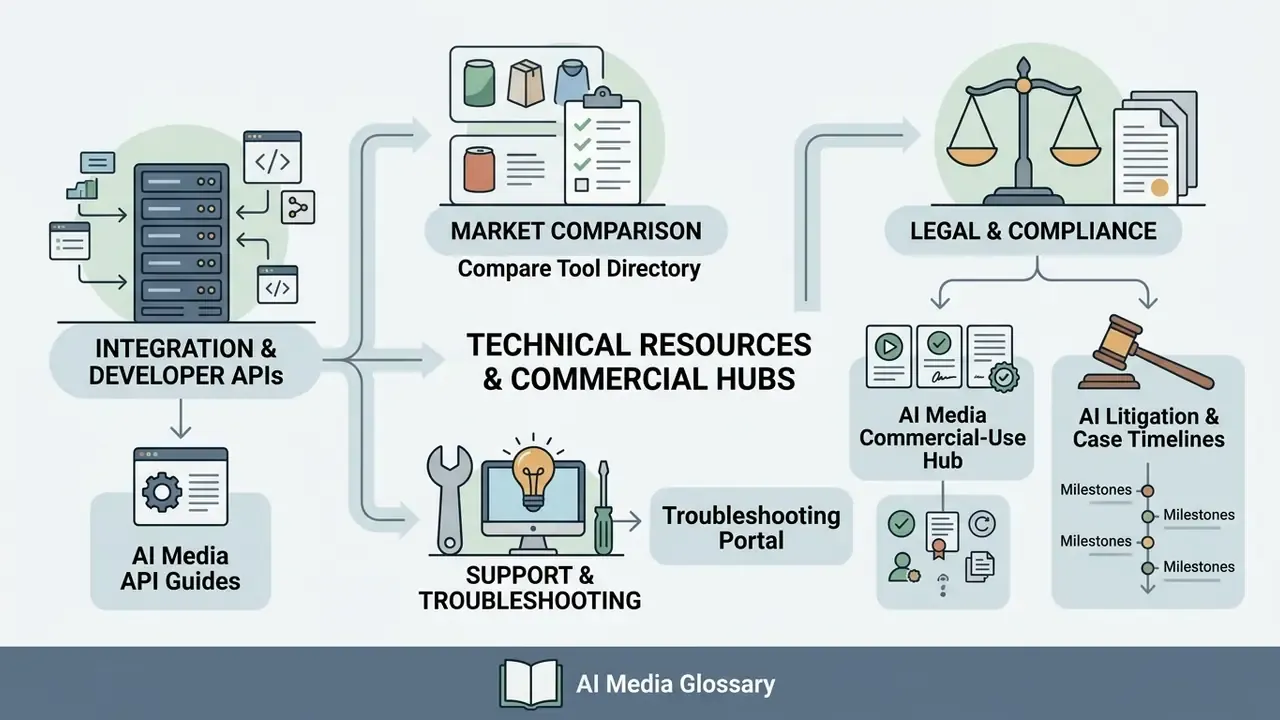
To explore broader media generation tools, developer integration APIs, and compliance standards, use the following reference guides:
- Explore software integration workflows in our AI Media API Guides.
- Compare competing generative video options in our compare tool directory.
- Review commercial usage rights in our AI Media Commercial-Use Hub.
- Examine legal precedents and intellectual property developments in our AI Litigation and Case Timelines.
- Troubleshoot rendering issues with our AI Media Support and Troubleshooting portal.
Footer navigation: AI Media Glossary