Digital media production in 2026 leans on three things: browser-based automation, prompt-driven generation, and algorithmic beat synchronization. The software architecture you pick decides whether a recording artist or a marketing team can turn audio tracks into distribution-ready visual content on schedule, or whether every release becomes a rendering emergency.
About the reviewer: Marcus Hale, author. His review scope for this article covered the licensing, audit-trail, and provenance sections, and its guiding rule is blunt: no evidence, no autonomy.
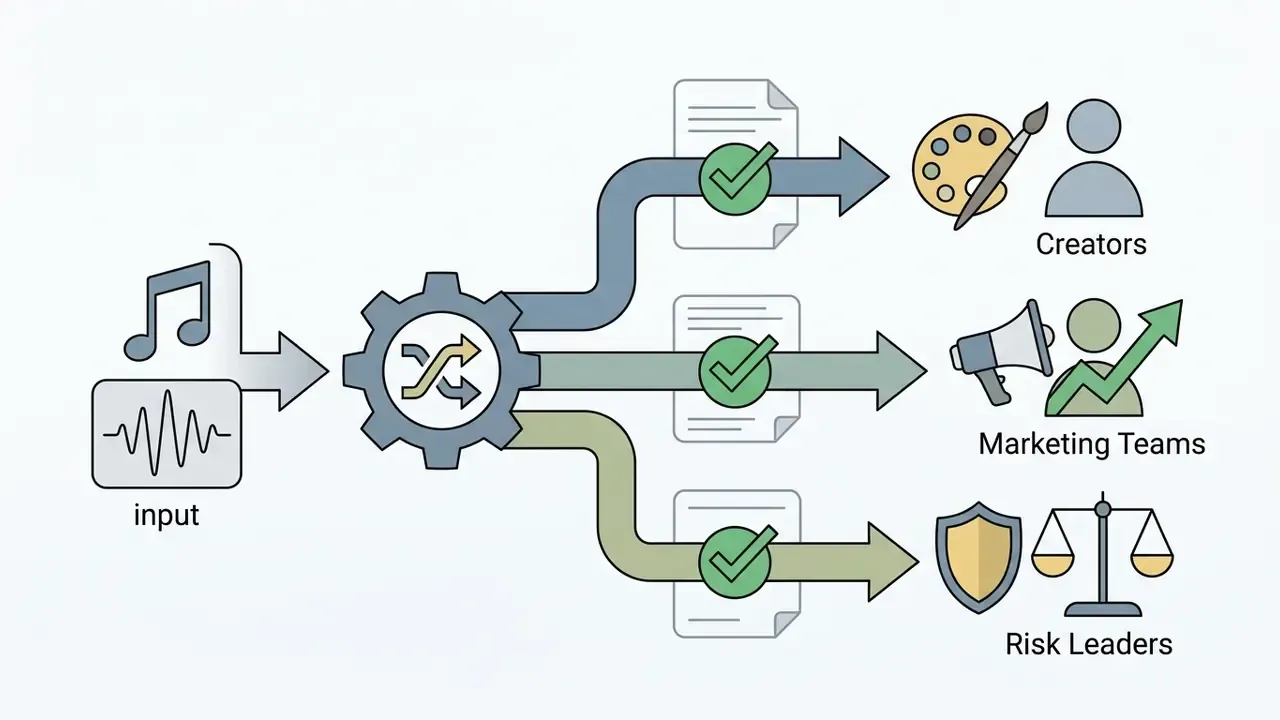
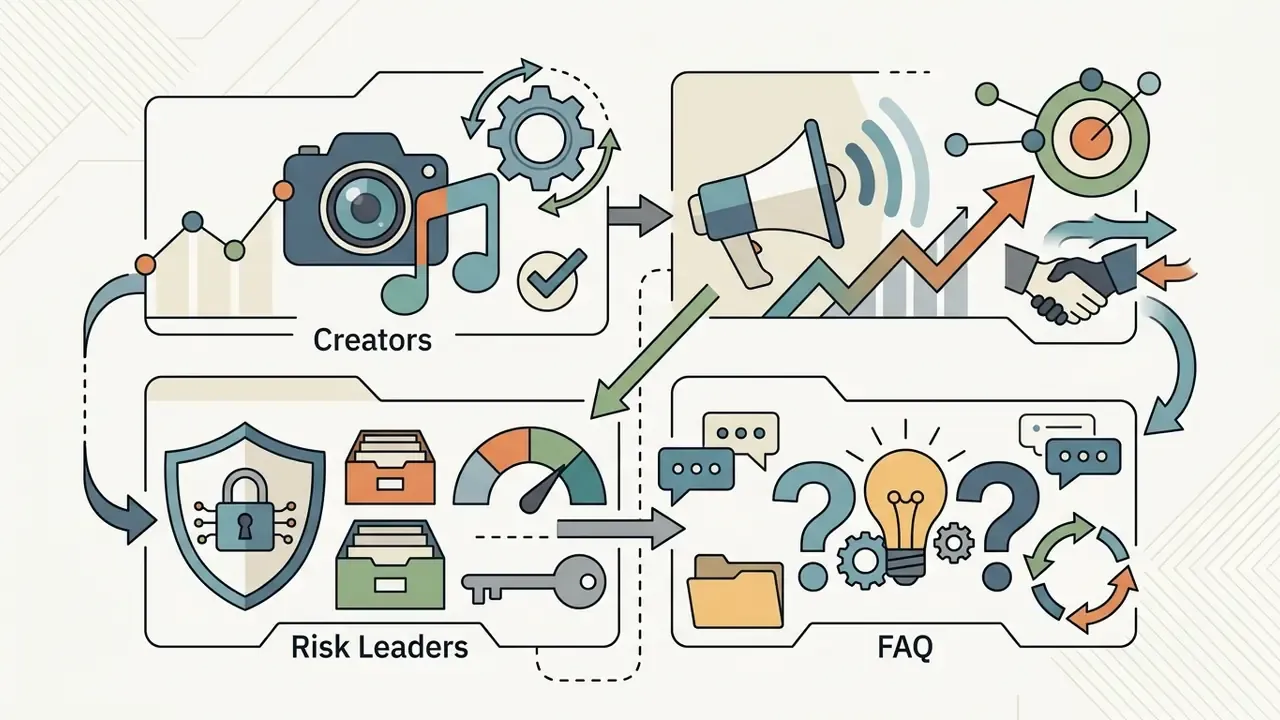
Key Takeaways: Creators, Marketing Teams, and Risk Leaders
- Deliver audio at 48 kHz / 24-bit WAV and match source clips to your target frame rate (23.98, 25, or 29.97 fps) before you touch a timeline.
- Free tiers usually cap exports at 480p to 720p, embed watermarks, and restrict commercial use. Paid tiers unlock 1080p/4K, clean exports, and monetization rights.
- Decide early whether rendering happens client-side (WebAssembly, WebGL, WebGPU in the browser) or in a vendor cloud. That single choice defines your data-leakage exposure for unreleased masters.
- Log the model name, model version, seed, prompt, and negative prompt for every generated shot. Without those five fields, a generated asset is not reproducible and cannot be validated.
- Label synthetic output. EU AI Act Article 50 transparency duties apply from 2 August 2026, and C2PA Content Credentials are the practical mechanism for machine-readable provenance.
- Treat public AI video generators as a Shadow AI vector. Staff uploading unreleased tracks, artwork, or internal financials into a consumer freemium tool is an uncontrolled disclosure, full stop.

What Is a Music Video Maker and What Problems Does It Solve?
A music video maker is an online software tool built to synchronize audio tracks with visual media, from static photos and stock clips through to generative AI video output. It removes the need for an expensive physical production crew by turning raw audio files into structured visual content ready for release.
Modern AI pipelines segment the audio automatically, extract emotional and stylistic features, and generate visual scenes without manual cutting.
"Our system analyses the audio, derives style, content and emotion per segment, and composes a coherent music video without manual editing."
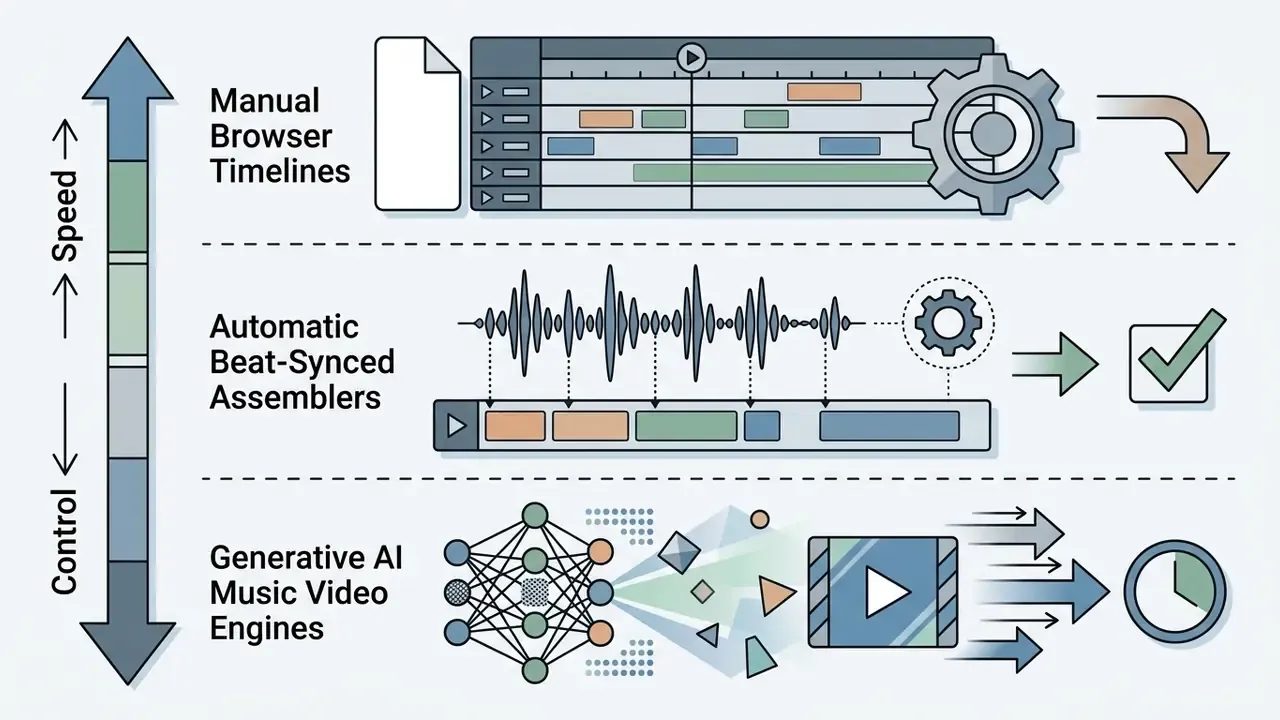
Two production hurdles dominate: temporal alignment and visual asset generation. Instead of manually cutting footage to match tempo changes, automated platforms analyze the acoustic properties of a track to trigger transitions, visual effects, and kinetic typography on their own. That is the whole pitch of a beat video maker, and it is the part that saves the most hours.
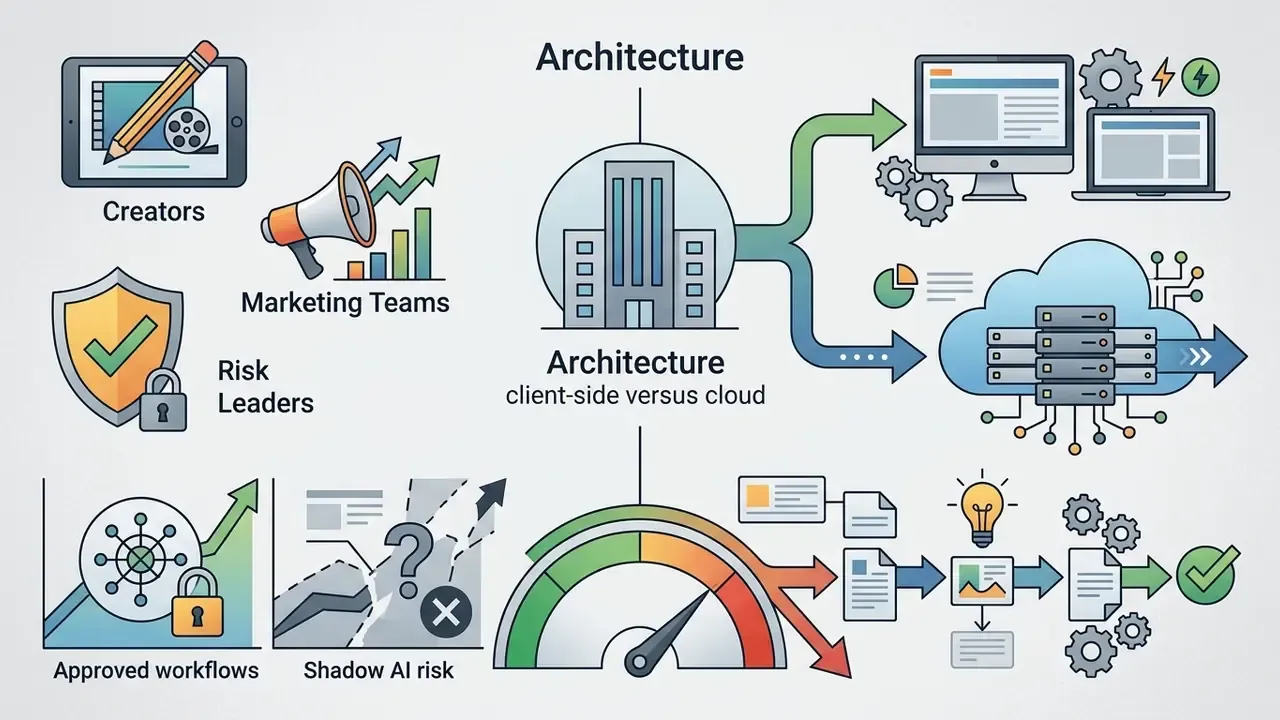
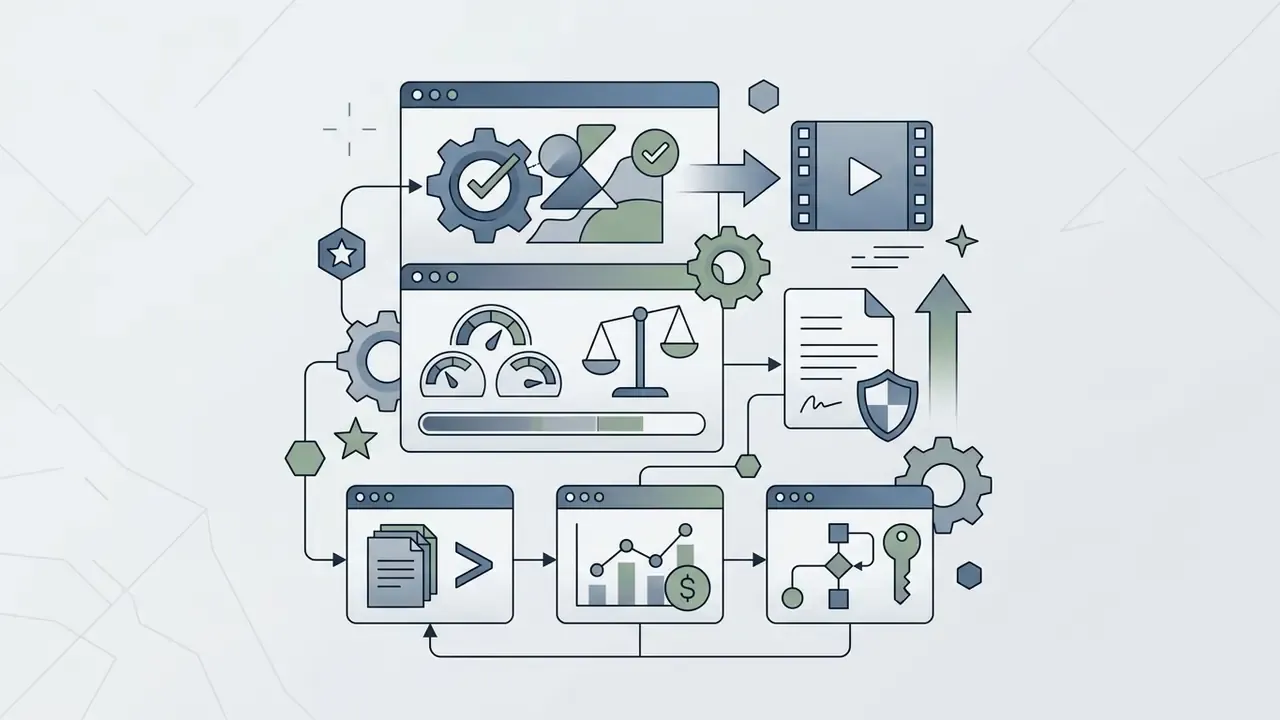
Figure 1. Architecture of a modern web music video system
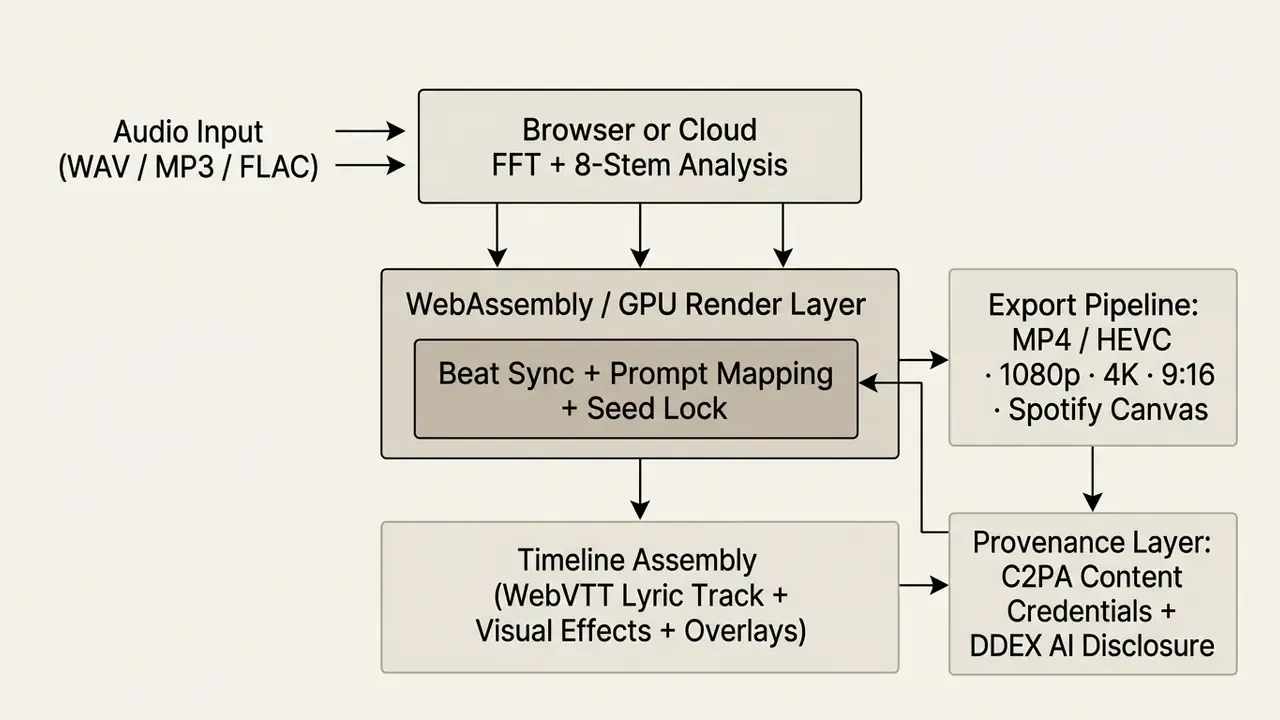
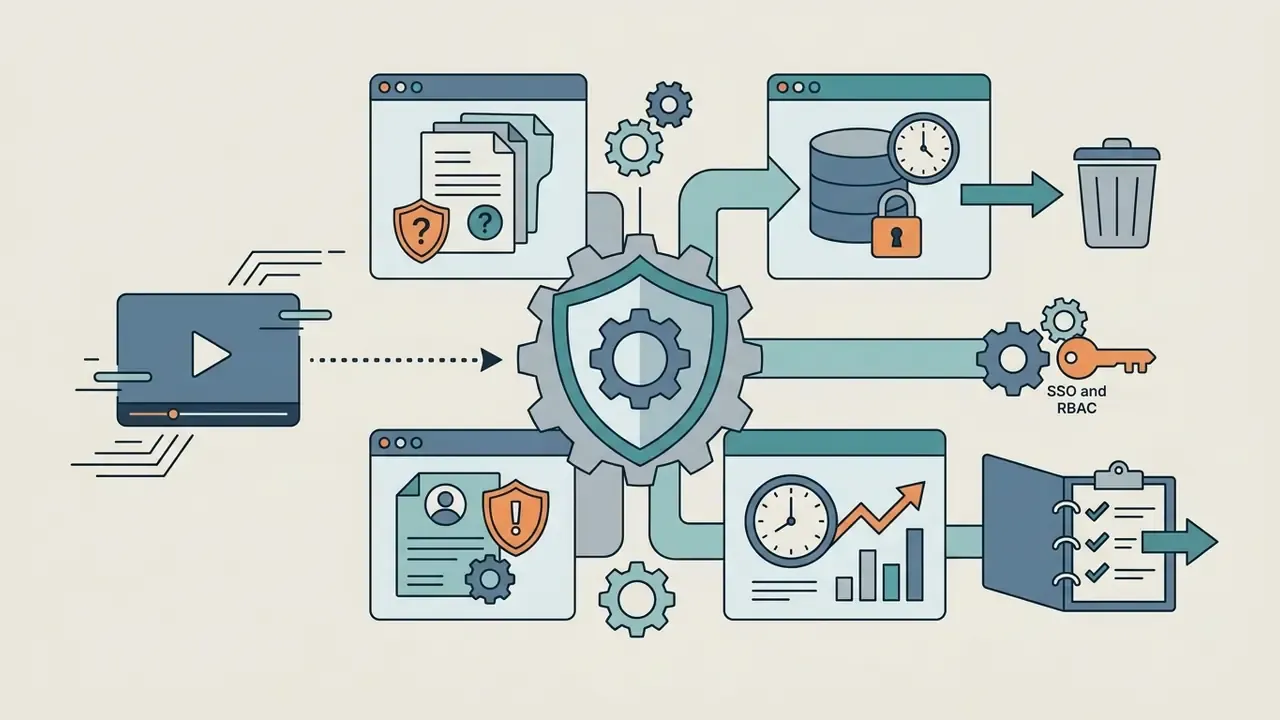
Every stage in this chain is also a control point. Analysis and render decide where your audio physically lives. Timeline assembly decides how much human authorship exists in the finished work. The provenance layer decides whether the asset can be verified downstream by a platform, a distributor, or an auditor.
Browser Editors, Automatic Music Video Makers, and AI Video
Online video editors run directly inside modern browsers such as Google Chrome and Microsoft Edge, using WebAssembly and WebGL for local timeline editing. Users drag clips, trim segments, and place text layers by hand on a multi-track interface. Practical browser constraints matter here: Canva accepts video uploads up to 1 GB in MOV, GIF, MP4, MPEG, MKV, and WEBM, while Clipchamp's browser build is documented for Microsoft Edge and Google Chrome.
An automatic music video maker cuts manual labor by using audio-analysis algorithms to assemble existing clips or stock footage around detected beats. Peer-reviewed evaluation, rather than vendor marketing, is the better evidence base for that claim:
"MV-Crafter generates synchronized videos from input music and keywords, significantly outperforming baseline methods (M = 3.82, SD = 0.97, p < .001)."
Generative AI video generators, such as Adobe Firefly or Google Veo, take audio tracks or text prompts and synthesize entirely new frames. These ai music video engines map musical dynamics, tempo, and vocal cadence directly into generative model prompts (arXiv:2509.00029, 2025).
"YingVideo-MV scores 4.5 ± 0.5 for lip-sync accuracy and 4.4 ± 0.6 for overall quality in five-point user evaluations."
Which AI engines and audio-analysis methods are actually used
Generative AI video engines rely on named diffusion and transformer architectures. Google Veo 3, Kling, Seedance, and Runway are the models most frequently integrated by music-focused platforms in 2026. Developers evaluating direct model access can review parameters and cost structure in our Google Veo implementation guide.
Professional platforms do not treat the track as one waveform. They run 8-stem FFT frequency separation, splitting the audio into discrete stems: lead vocal, backing vocal, bass, kick, snare, hats, synth, and remaining instrumentation. Each stem can then drive a different visual parameter. The kick triggers cuts, the bass drives scale and bloom, the vocal stem drives camera push and color saturation.
This multi-stem analysis triggers targeted prompt shifts and camera maneuvers anchored to specific instruments rather than to one global tempo value. Modern diffusion frameworks additionally enforce character consistency, locking facial embeddings, reference images, and stylistic seeds across scenes, so a performer stays recognizable through a full-length 4K music video instead of drifting between shots.
Research prototypes confirm that fully automatic audio-conditioned generation is real, though not yet a settled production standard. Unified audio-video models and dedicated benchmarks such as VABench exist, while surveys still describe synchronization and fidelity as open problems. Treat one-click full-length generation as a strong draft engine, not a finished deliverable.
What Types of Music Videos Can You Create?
Creators can produce several distinct audio-visual formats depending on release strategy and budget:
- Official Music Video Clips Full narrative or performance videos combining live-action footage, stock clips, or AI-generated scenes.
- Lyric Videos Visuals centered on synchronized song text, using kinetic typography to display lyrics in rhythm with the vocal track.
- Audio-Reactive Visualizers Abstract graphic sequences where shapes, colors, and motion parameters respond to audio frequency bands.
- Music Animations Narrative or stylized story clips built with a music animation maker using 2D, 3D, or diffusion-based rendering.
- Streaming Loop Assets Short vertical loops such as Spotify Canvas, designed to replace static cover art inside the streaming player.
Who Needs a Music Video Creator?
A dedicated music video creator platform serves independent artists, producers, record labels, and social media managers. Independent musicians use automated tools to keep a steady release cadence across streaming platforms without paying for a crew each time.
"MYMV is designed for non-professionals: an intuitive interface lets users build rhythm-aligned music videos without editing skills."
Content creators and social media specialists rely on quick web-based rendering to convert audio singles into short promo clips for YouTube Shorts, TikTok, and Instagram Reels. Many of them work entirely from a phone, so a music video creator app with a browser fallback usually beats a desktop suite for turnaround. Producers and labels lean on analytics, age, gender, country, and peak activity data available in YouTube for Artists, to tailor visual styles to specific demographics across markets.
Beyond music, the same architecture supports corporate audiovisual work: brand campaign cutdowns, event recap reels, product launch loops, internal communications, and investor-relations explainers where a licensed music bed must sit under approved footage. In those contexts the selection criteria shift away from templates and filters toward access control, retention policy, and licensing evidence. Different buyer, same rendering engine.
Table 1: Technical and operational comparison of music video tool architectures| Tool Type | Primary Creation Method | Level of User Control | Typical Speed of Creation | Best-Suited Video Formats |
|---|---|---|---|---|
| Online Editor | Manual browser timeline assembly; manual media alignment | High frame-level precision | Slow to moderate (manual) | Performance videos, complex narrative clips, custom lyric videos |
| Automatic Music Video Maker | Algorithmic beat detection and automated template or clip assembly | Medium (style and template rules) | Fast (completed in minutes) | Quick social clips, basic visualizers, slideshow-style videos |
| AI Music Video Generator | Prompt-driven or audio-conditioned generative synthesis (Veo 3, Kling, Seedance, Runway) | Medium to high (prompt, seed, and stem-parameter guided) | Moderate (depends on model inference) | Stylized narrative clips, AI animations, audio-reactive visualizers, Canvas loops |
Read that table as a trade curve, not a ranking. Manual editors win on precision, assemblers win on throughput, and generative engines win on visual reach when you cannot film anything at all.
Architecture: Client-Side Rendering, Cloud Processing, and Shadow AI Risk
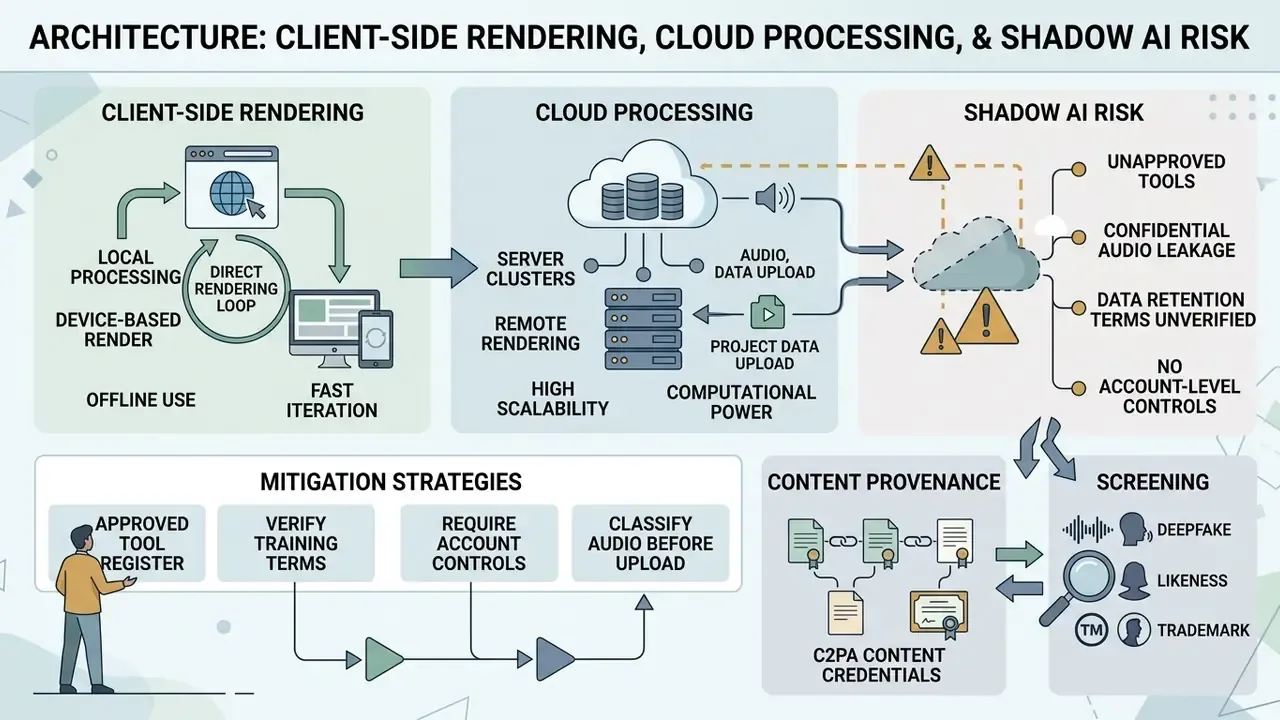
When testing web applications, check whether rendering happens client-side in the browser or on cloud server clusters. Client-side rendering protects file privacy. Cloud processing handles compute-heavy AI generation without melting local hardware.
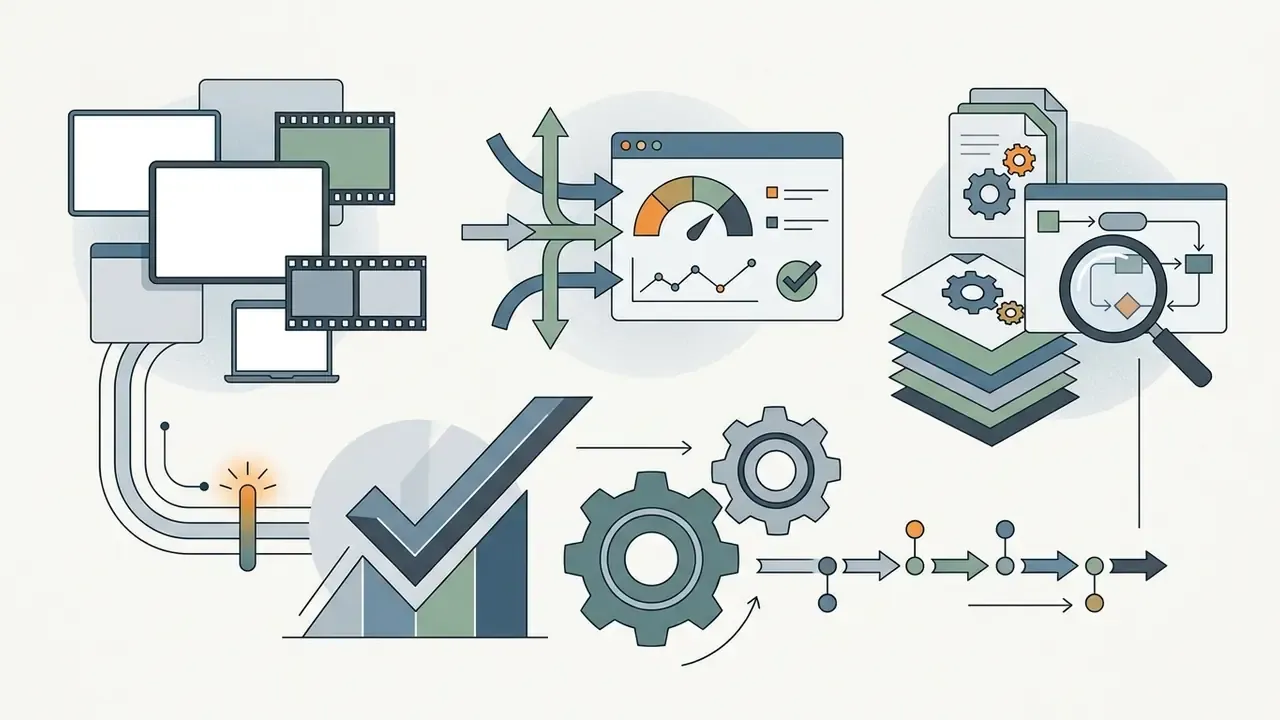
Figure 2. Local versus cloud data processing
LOCAL (privacy-first)                     CLOUD (compute-first)
─────────────────────                     ─────────────────────
Media stays on device                     Media uploaded to vendor storage
WebAssembly / WebGPU decode               GPU cluster inference
No server-side copy of master             Retention window set by vendor policy
Limited by local hardware                 Scales to 4K diffusion + upscaling
No training exposure                      Requires explicit training opt-out
Weak collaboration                        Native URL review + versioning
Neither model is universally correct. A pre-release master for a signed artist, an unannounced product film, or an earnings-related video belongs in a local or contractually ring-fenced pipeline. A stock-footage social cutdown does not need that overhead, and pretending otherwise just slows the team down.
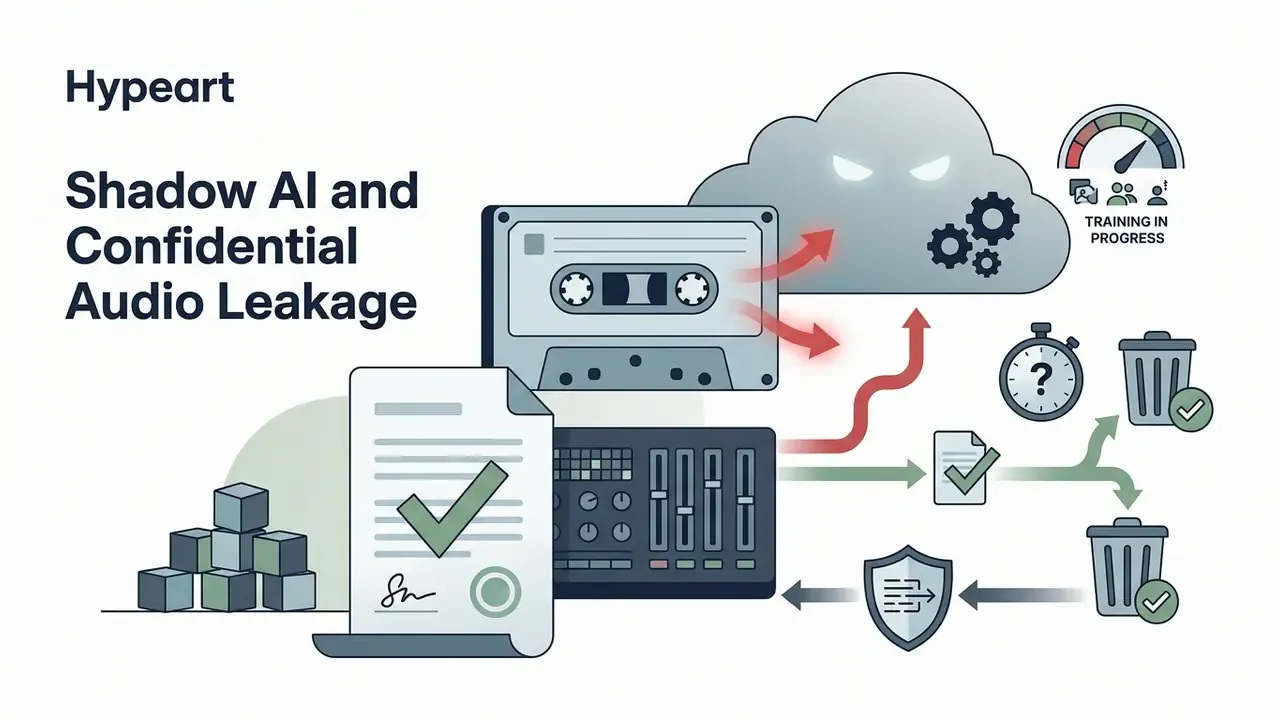
Shadow AI and Confidential Audio Leakage
The common failure mode in organizations is not a model defect. It is an employee pasting sensitive material into a consumer freemium tool. Unreleased tracks, unmastered stems, embargoed campaign footage, and quarterly-results narration have all been uploaded to public generators because the tool was free and the deadline was short.
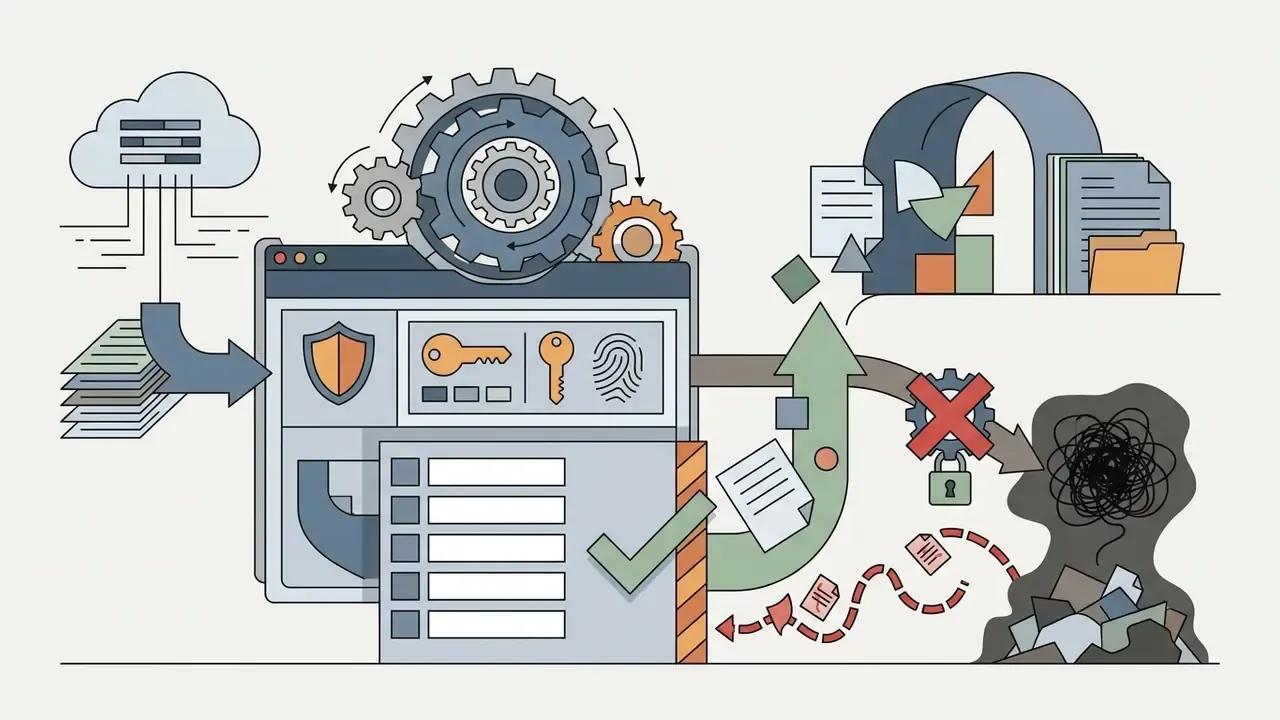
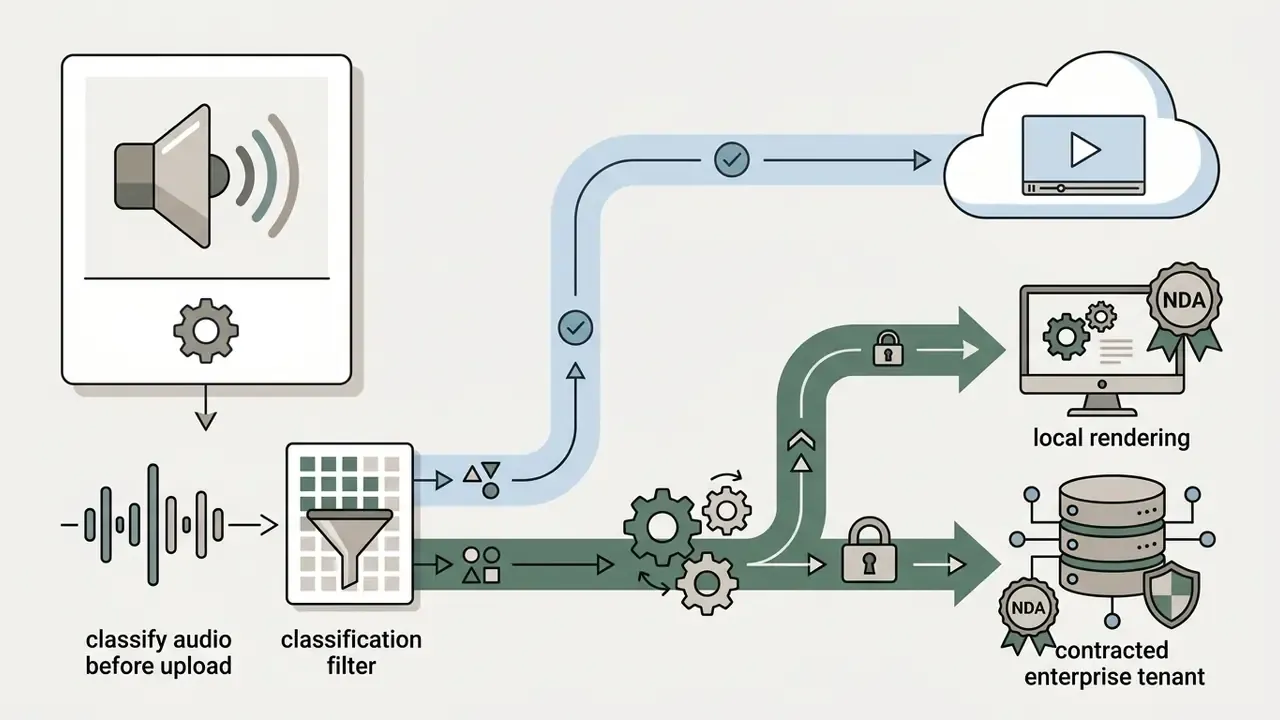
Four controls reduce that exposure:
Two governance references anchor this well: ISO/IEC 42001 for an AI management system, and the NIST AI Risk Management Framework for structuring identification, measurement, and mitigation of generative-media risk. Third-party vendor risk expectations, familiar to regulated firms from supervisory guidance on outsourced service providers, apply to video generators exactly as they apply to any other cloud processor. A rendering vendor is a processor. Treat it like one.
Table 4: Enterprise risk and procurement matrix for AI video platforms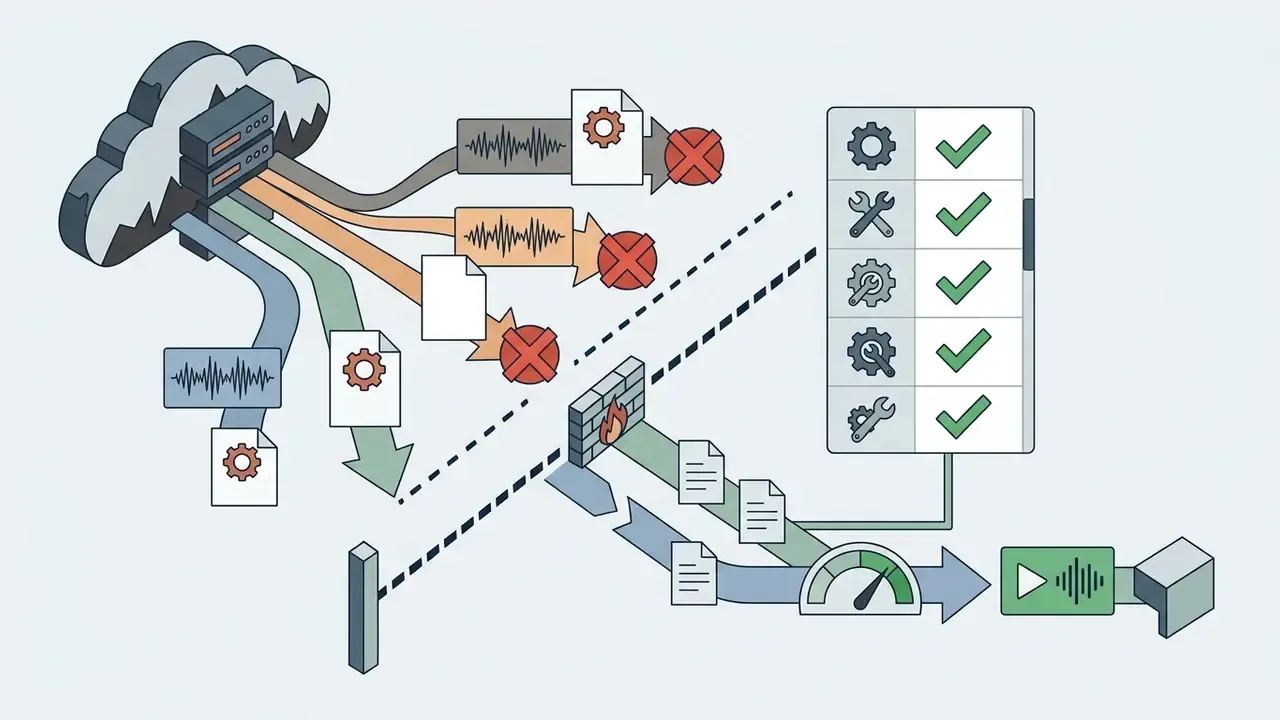
| Evaluation Dimension | Minimum Acceptable Answer | Red Flag |
|---|---|---|
| Processing location | Documented client-side rendering or named cloud region | Unspecified processing geography |
| Training on customer data | Contractual opt-out or default no-training | Silence in ToS, or opt-out only on the top tier |
| Data retention | Defined window with verifiable deletion | "Retained as long as necessary" |
| IP indemnification | Written indemnity for generated output on paid tier | Indemnity absent or capped at fees paid |
| Commercial rights | Full commercial rights on paid exports, in writing | Rights granted only for "personal use" |
| Access control | SSO, RBAC, workspace-level permissions, audit logs | Shared password, single-tier accounts |
| Provenance support | C2PA Content Credentials on export; metadata preserved | Metadata stripped on render |
| Audit trail export | Exportable log of model, version, seed, prompt, timestamp | No generation history |
| Security attestation | SOC 2 Type II or ISO/IEC 27001; ISO/IEC 42001 as a plus | No attestation, no security page |
| Exit / portability | Project and asset export in open formats | Proprietary lock-in, no bulk export |
If a vendor cannot answer six of those ten rows in writing, the honest conclusion is that the tool is fine for public stock footage and unfit for anything confidential. You can still compare shortlisted options side by side in our compare hub before you commit budget.
Licensing, Provenance, and Copyright: What to Verify Before Export
Vendor terms differ materially. Runway's usage-rights documentation states that users retain ownership of uploaded and generated content and may use it commercially, including monetized uploads and advertising. Canva's 2025 Content License Agreement allows AI-generated content from its Free Content library to be used like Free Content, subject to its AI Product Terms, which state that users own their Input and Output. Read the current version of each agreement before release rather than relying on a summary, including for design-suite generators, as covered in our Canva AI Generator commercial-use overview.
Content Provenance: C2PA Content Credentials
Labeling is now a technical task, not a caption. The C2PA specification (Coalition for Content Provenance and Authenticity) defines Content Credentials: cryptographically signed manifests attached to a media file describing capture, edits, and generative steps. Practical implications for a music video pipeline:
- Confirm your editor writes Content Credentials on export instead of stripping metadata during transcode.
- Re-check credentials after any third-party compression step, since re-encoding often discards manifests. Our video compressor guide explains where metadata tends to disappear.
- Retain the signed manifest alongside your master file as evidence of the human-authored portions of the work.
- Pair provenance with platform-level disclosure. A machine-readable manifest satisfies technical verification, while distributor disclosure satisfies platform policy.
Deepfake, Likeness, and Trademark Screening
Character-consistency features make it trivially easy to lock a recognizable face across a full video. That capability creates three concrete exposures: unauthorized likeness of a real performer, voice cloning without consent, and accidental trademark or brand-logo generation in background frames. Screen every generated shot for identifiable people, brand marks, and protected architecture before commercial release, and keep signed releases wherever a real person's likeness or voice appears. Synthetic vocals raise the same question. If a track leans on cloned singing, check the terms behind the free ai singing voice tool you used before the video ships.
Creators should verify commercial terms on the AI Media Commercial-Use Hub and review pricing structures in our AI Media Pricing Guides before publishing monetized content.
How to Choose the Best Music Video Maker for Your Goals
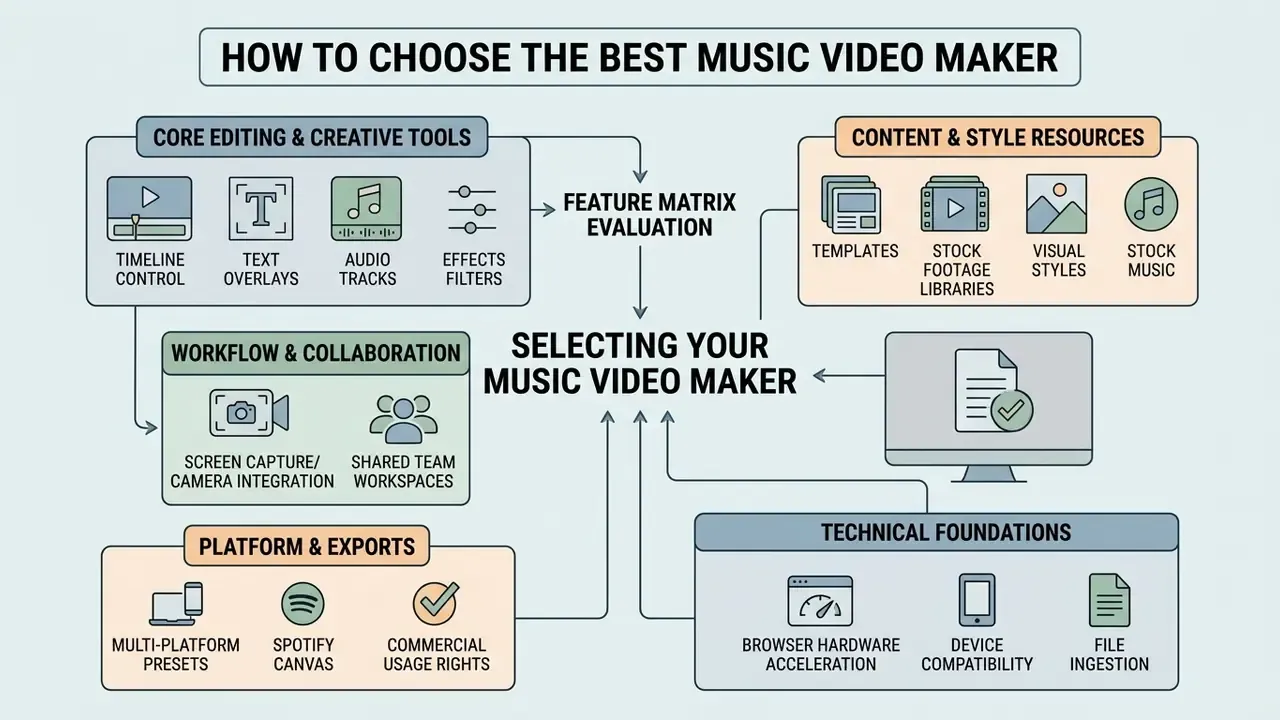
Selecting an easy music video maker means weighing timeline editing control, stock library integrations, multi-platform export presets, and browser hardware acceleration. A tool tuned for quick vertical social posts may lack the multi-track precision needed for an official 4K release. So the phrase best music video maker for youtube uploads really means two different products depending on whether you publish long-form or Shorts, a trade-off we break down further in our comparison of free video editing software.
Tools for Editing, Text, Audio, and Effects
Core editing capability starts with multi-track video and audio timeline management. Advanced browser tools implement WebVTT for time-aligned subtitle tracks, which keeps captions and vocal lines in sync (W3C WebVTT Specification, 2025). W3C accessibility guidance (technique H95) also separates captions, which carry dialogue, sound effects, and relevant musical cues, from subtitles, which carry dialogue only. For a lyric video, that distinction decides whether instrumental sections get annotated or sit silent on screen.
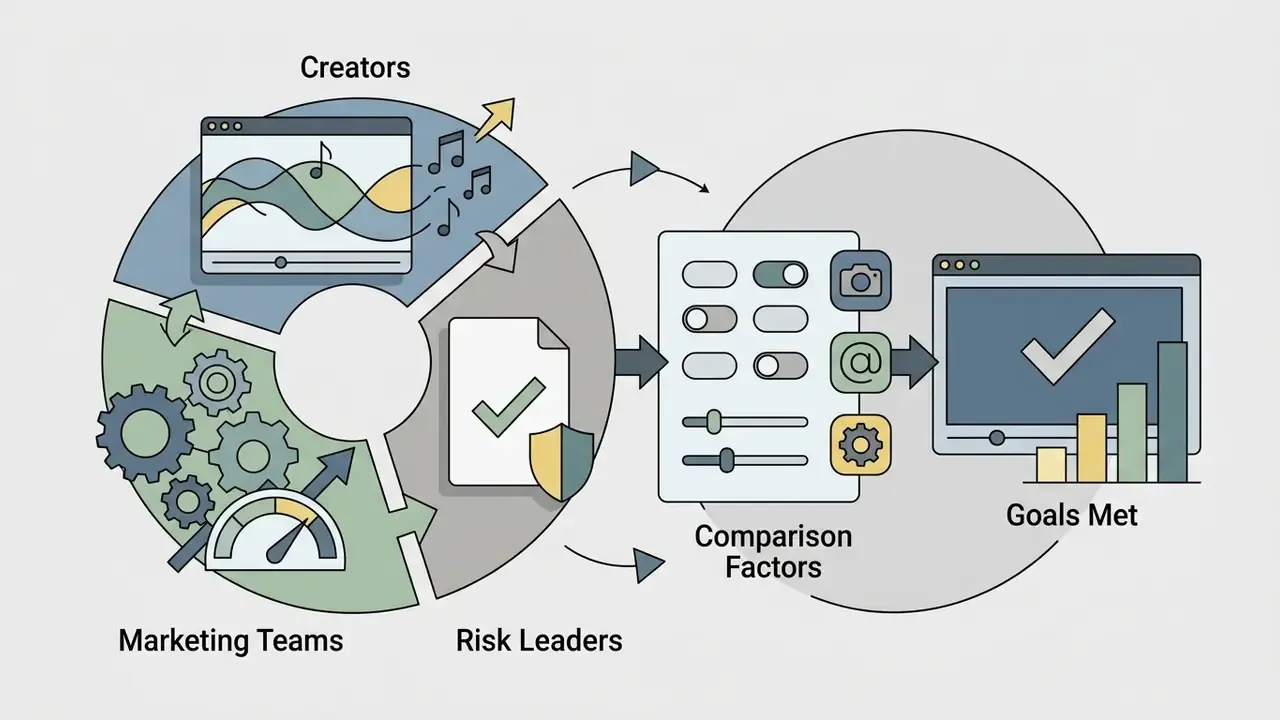
Figure 3. Feature matrix of a professional browser music video editor
| Capability Layer | What It Must Do | Why It Matters for Music Video |
|---|---|---|
| Multi-track timeline | Independent video, overlay, text, and audio lanes | Layer performance footage over B-roll without destructive edits |
| Stem / frequency routing | Map bass, drums, vocal bands to visual parameters | Bass-driven camera shake, vocal-driven saturation |
| WebVTT text track | Time-aligned caption and lyric import/export | Editable, re-timeable lyrics instead of burned-in text |
| Effect automation | Keyframes and threshold triggers | Effects fire on transients, not on guesswork |
| GPU render path | WebGL / WebGPU acceleration | Real-time 1080p preview in-browser |
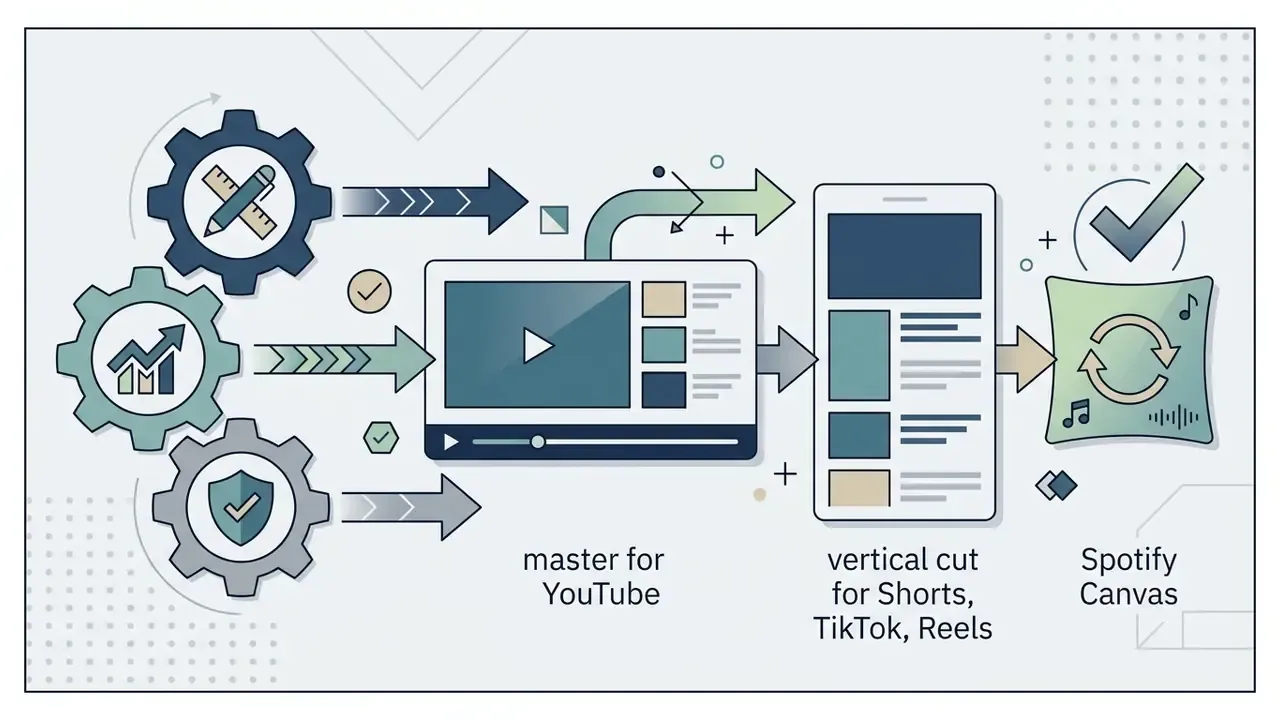
| Export presets | H.264 / HEVC, 16:9, 9:16, 1:1, Canvas loop | One master, many platform deliverables |
| Capture module | Screen, webcam, microphone recording | Reaction shots and lip-sync takes without extra software |
| Review workspace | URL sharing, timestamped comments, brand kit | Client sign-off without rendering draft files |
Effective editors let creators add music, overlay kinetic text, apply visual filters, and trigger effects from frequency thresholds. Bass frequencies can drive camera shake, while mid-range vocal frequencies control color saturation or zoom dynamics.
Integrated Capture and Team Collaboration Workspaces
Professional browser editors compress pre-production by embedding screen, webcam, and microphone recorders straight into the WebAssembly canvas. You can capture reaction shots, behind-the-scenes segments, or lip-sync performances and edit them immediately, with no separate capture app and no shuttling files between programs.
For marketing teams and labels, cloud-enabled workspaces add real-time URL sharing, timestamped comment threads on the timeline, shared asset folders, and brand-kit management. Reviewers leave feedback at a specific frame instead of describing it in an email, which kills the render-download-upload loop on every draft. In governed environments, insist those workspaces sit behind SSO with role-based permissions, so a shareable review link never becomes an unauthenticated public copy of an unreleased track.
Templates, Stock Footage, and Visual Styles
Built-in media libraries fill narrative gaps with high-quality stock footage: establishing shots, cinematic aerials, performance cutaways, and matching coverage for footage you already own. Pre-designed motion graphic templates supply title sequences, lower thirds, data overlays, transition packs, and platform-sized social layouts, all editable inside the project.
Visual presets keep video looks consistent across a project. Genre-specific presets apply color grading, grain, and motion blur tuned to particular aesthetics, so visual tone tracks musical genre without hand-grading every clip. Verify the license class of every library asset: royalty-free libraries such as Pixabay and Pexels, and paid libraries such as Adobe Stock, carry different attribution and redistribution conditions.
Browser Engine, Device Compatibility, and File Ingestion
Modern web editors run inside standard browsers on desktop and mobile without installation. Performance depends on browser support for WebAssembly, WebGL, and WebGPU.
Supported import formats typically include MP4, MOV, WebM, MKV, M4V, and AVI for video, plus MP3, WAV, AAC, FLAC, and OGG for audio. Security-focused platforms process media locally, so source files are protected on the client device rather than uploaded to external servers. Cloud-backed platforms store projects in provider infrastructure with account-based access, convenient for collaboration, and precisely the point where retention and training terms become material. If a platform's documentation is vague, ask its support team in writing and keep the reply.
How to Create a Music Video Online: Step-by-Step Workflow
To create music video online projects efficiently, follow a structured five-stage workflow. This process moves an audio file from raw ingestion to platform distribution without demanding advanced editing experience. One worked example, anonymized. An independent artist needed a visualizer for an unreleased single, uploaded a 24-bit WAV into an online editing tool, and picked an automated beat-sync template. The system placed cut points on every major beat, cutting editing time from roughly four hours to under six minutes. The resulting 1080p MP4 went straight to YouTube Shorts and passed 45,000 views in week one. Not a hit, but a release that actually shipped.
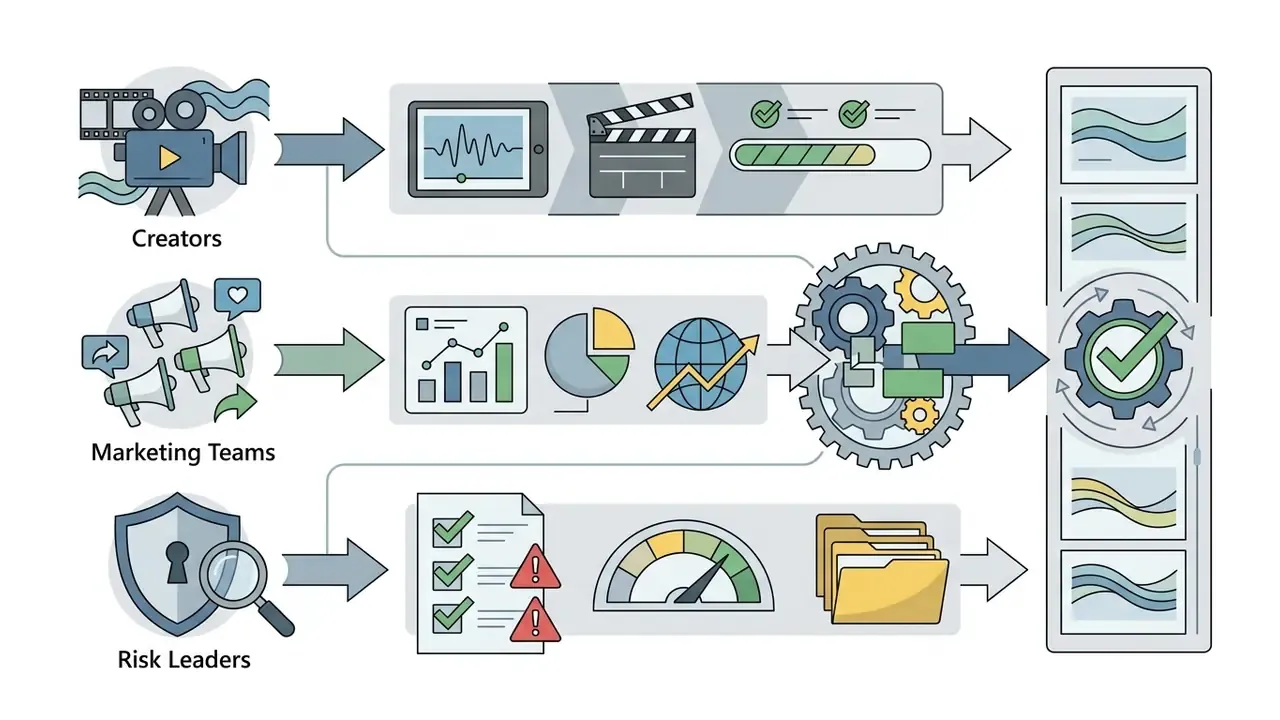
Figure 4. Workflow checkpoints and the risk control attached to each stage
- Prepare and Upload AssetsImport high-resolution audio (48 kHz, 24-bit WAV preferred) and raw video clips into the browser engine.
- Select Visual DirectionChoose pre-built templates, visual style presets, or configure generative AI prompts, seeds, and character references.
- Assemble and Edit MediaArrange clips on the timeline, insert text layers for lyrics, and apply visual filters.
- Synchronize Audio and VisualsUse automatic beat detection, stem-level triggers, or manual marker alignment to lock transitions to the music track.
- Export and DistributeRender in target resolutions, attach provenance metadata, and upload directly to video platforms.
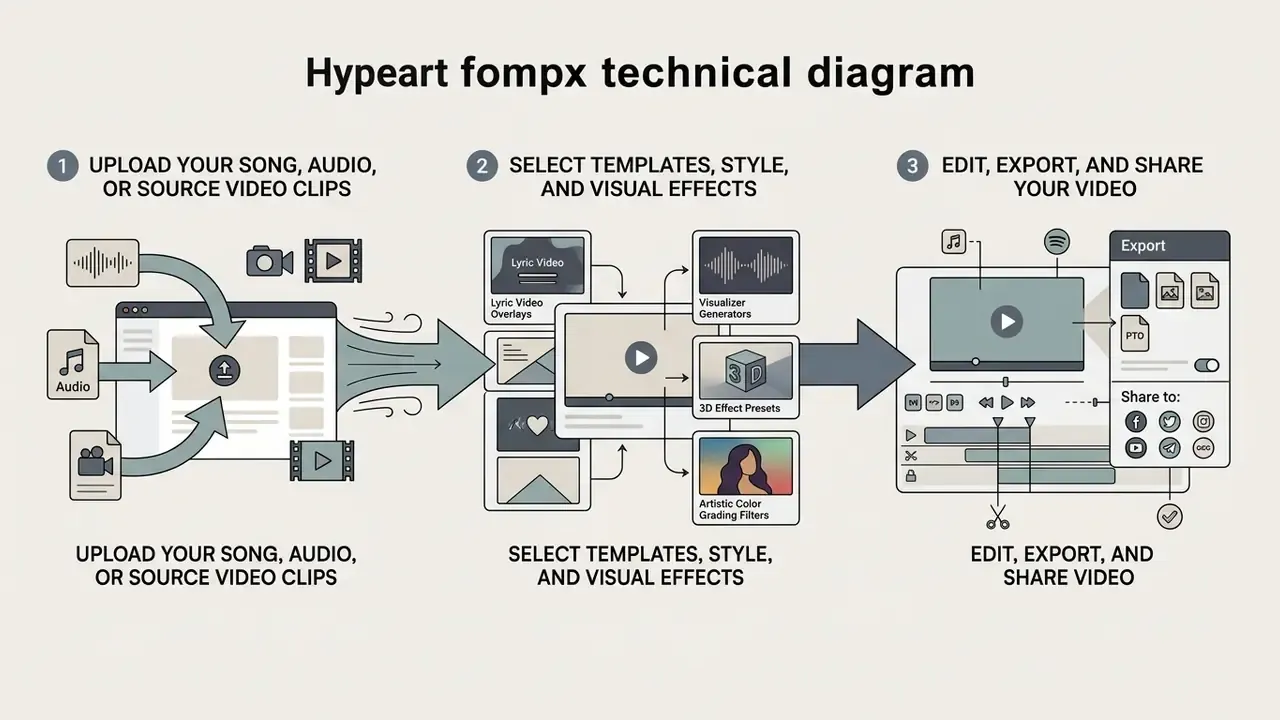
| Stage | Creative Output | Control Checkpoint |
|---|---|---|
| 1. Ingest | Master audio and source clips | Classify sensitivity; confirm processing location |
| 2. Direction | Style, prompt, seed, references | Log model, version, seed, prompt |
| 3. Assemble | Timeline, lyrics, overlays | Record human editorial contribution for authorship |
| 4. Sync | Beat-locked cuts and effects | Verify licensed audio and cleared stock assets |
| 5. Export | Platform masters | Attach C2PA credentials; file DDEX AI disclosure |
Upload Your Song, Audio, or Source Video Clips
Start by choosing make a music video online software that respects native audio sampling rates. Industry delivery specifications, not academic research, set the baseline: PBS Distribution's September 2024 delivery standard specifies audio as WAV, mono or stereo, 24-bit, 48 kHz at 1152 kbps, and Paramount's global content delivery guide requires 48 kHz or higher. Meeting that baseline prevents audible compression artifacts during rendering (PBS Audio Delivery Standards, 2024; industry delivery specification, not a peer-reviewed study).
Source clips should match the target output frame rate (23.98, 24, 25, or 29.97 fps per PBS native-frame-rate requirements) and hit at least 1920×1080. Clean asset preparation is what lets automated algorithms segment media accurately during assembly. Garbage in, drifting cuts out.
Select Templates, Style, and Visual Effects
Visual style sets the tone of the clip. Automatic systems analyze tempo, pitch, and dynamics to suggest matching templates, and the mechanism is documented in research rather than vendor copy:
"The pipeline uses a CLAP model to extract style, content and emotion from each audio segment, then feeds them to an LLM to generate the shot script."
Faster tempos trigger dynamic templates with rapid geometric cuts and aggressive filters. Slower acoustic tracks map to flowing transitions, subtle grading, and ambient particle effects. Published mapping studies reinforce the pattern: low-pass bass energy drives coarse structure, band-pass snare content drives fine detail, and rhythm pulse maps to visual repetition, with faster rhythms producing rapid oscillation and slower tempos producing smooth flow. You can push these settings further with text-to-video AI tools and prompt parameters, or start from still art using a free ai video generator that animates images.
Music Video Formats for YouTube, Social Media, and Recording Artists
Platform specifications govern aspect ratios, maximum durations, and safe framing zones. Ignore them and you get cropped text, soft rendering, or quiet algorithmic suppression.
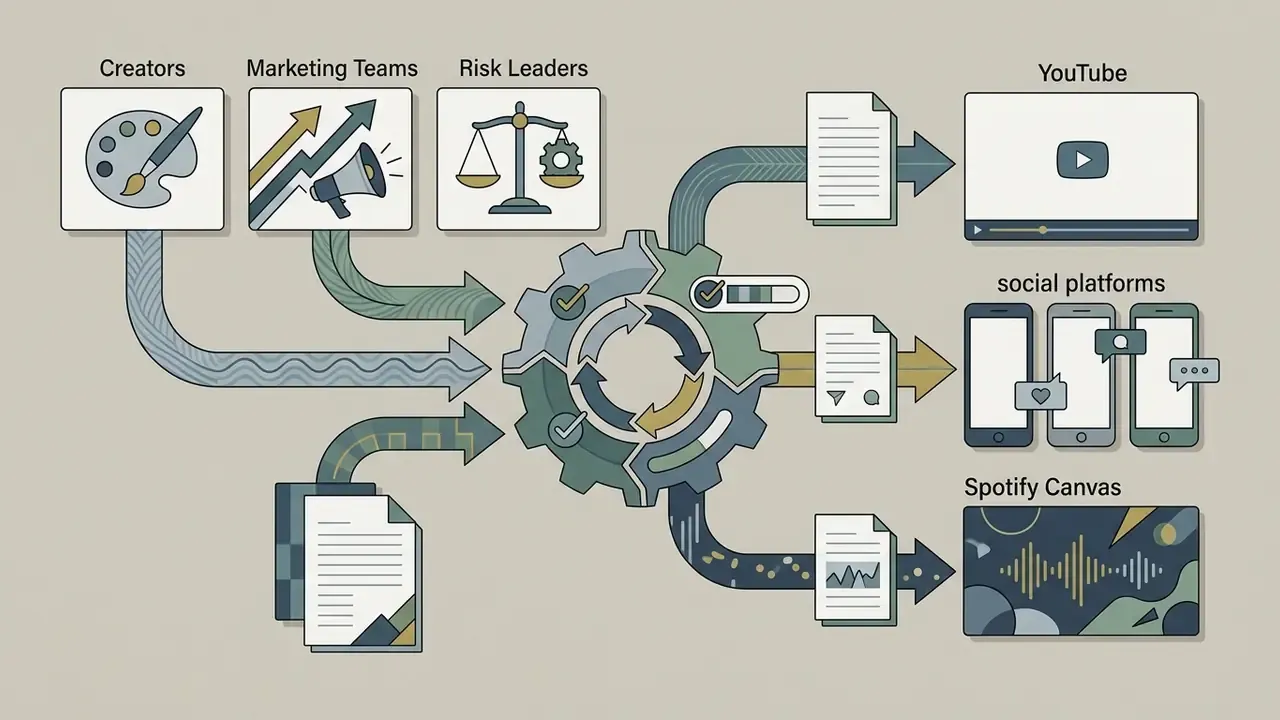
Figure 5. Aspect ratios, resolutions, and safe zones by destination
| Destination | Aspect Ratio | Recommended Resolution | Duration Notes | Safe-Zone Caution |
|---|---|---|---|---|
| YouTube long-form | 16:9 | 1920×1080 up to 4K/8K | No practical music-video limit | Lower third clear of player controls |
| YouTube Shorts | 9:16 (1:1 accepted) | 1080×1920 | Up to 3 minutes | Keep text out of bottom 20% |
| TikTok | 9:16 | 1080×1920, 30 to 60 fps | Platform-dependent maximum | Right-edge UI buttons |
| Instagram Reels | 9:16 | 1080×1920, 30 to 60 fps | Platform-dependent maximum | Top and bottom overlay bands |
| Spotify Canvas | 9:16 | 1080×1920 MP4 loop | 3 to 8 seconds, seamless | Center-safe; art overlaid by player UI |
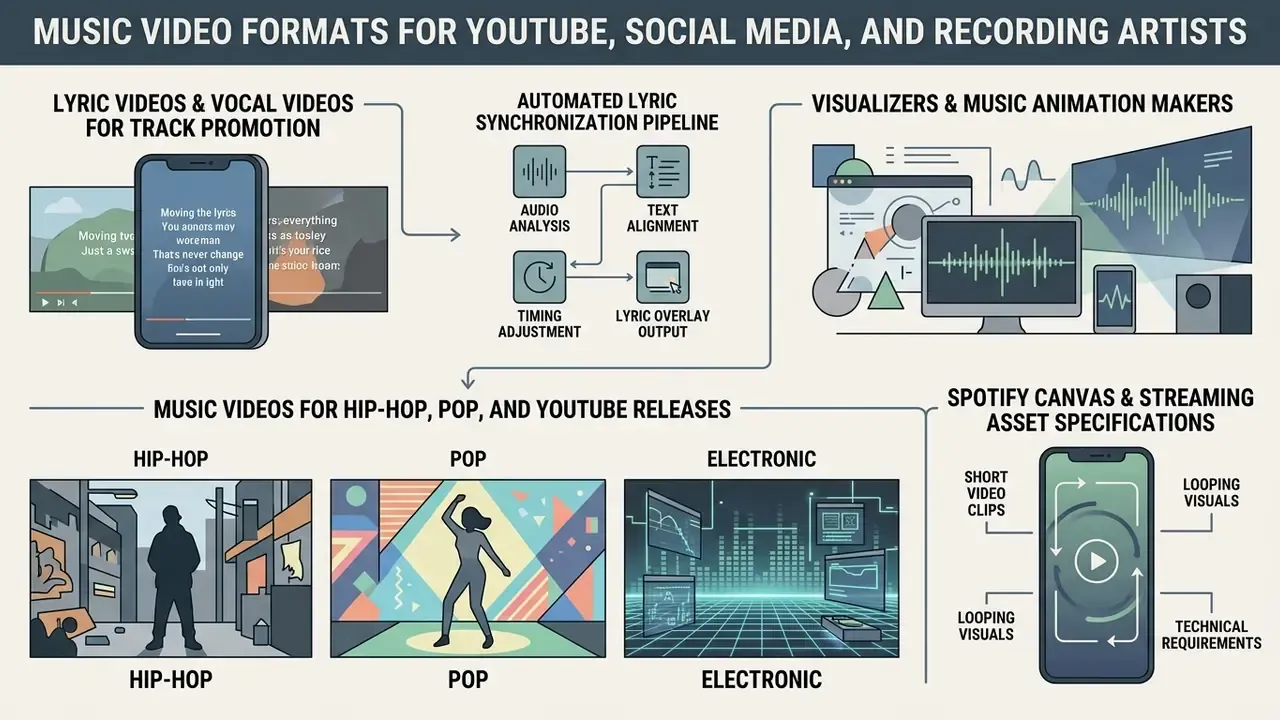
Lyric Videos and Vocal Videos for Track Promotion
Lyric videos and vocal videos use kinetic typography to display song lyrics in real-time sync with the vocal. Automated Speech Recognition systems align pre-written text with vocal timestamps using dynamic programming symbol alignment, a mechanism documented in both music-specific and subtitle-alignment research (TextAlive framework, AIST, 2015 onward).
"Visual Lyrics automatically generates animated lyric videos, with a text-based interface controlling style and synchronization."
Figure 6. Automated lyric synchronization pipeline
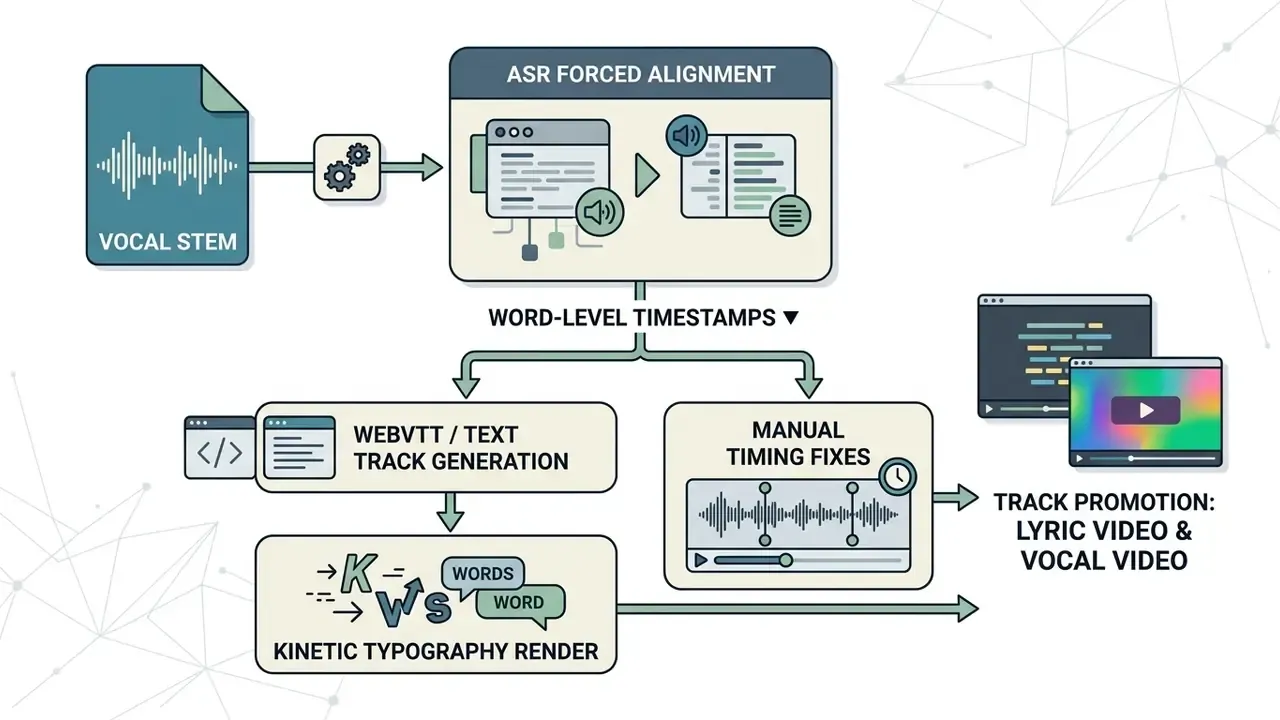
These formats work as primary promotional assets ahead of an official clip. Clear contrast and accurate placement hold attention and improve song recall on streaming services. Because WebVTT is an editable text track, a timing fix does not force a full re-render, which is the quiet reason experienced editors avoid burned-in lyrics.
Visualizers and Music Animation Makers
Audio visualizers turn sound into animated graphics through Fast Fourier Transform spectral analysis. Sonic Visualiser's reference documentation, software documentation rather than a peer-reviewed study, describes spectrogram layers as frequency-domain displays where pixel brightness and color encode power or phase at each frequency over time, with 20 Hz to 16 kHz a practical display range. The software splits audio into low, mid, and high bands, mapping bass energy to scale adjustments and high-frequency content to color shifts.
"MusicJam generates narrative illustrations from music: GPT-2 produces the text, Stable Diffusion the images, synchronized to MP4 with the source track."
A generative music animation maker extends this by creating narrative illustrations that evolve with the song, and adjacent workflows appear in our guide to animation maker tools. If you want a ready shortlist instead, review our comparison of best free ai video generator options for web workflows.
Music Videos for Hip-Hop, Pop, and YouTube Releases
Visual conventions vary by genre, and 2023 to 2026 media-studies literature keeps describing the same recurring templates:
- Hip-Hop High-contrast lighting, performance-driven shots, sharp cuts, luxury props and settings, and visually amplified lyric imagery. Finding the best music video creator for hip hop means picking software with strong beat-syncing and dynamic color presets, a shortlist we maintain in our comparison of the best AI video generators.
- Pop Bright palettes, choreography, direct camera engagement, artist close-ups, and rapid scene transitions. A free online pop video maker for youtube needs robust kinetic text layers and vibrant filters. Recent work also notes the rise of visual albums and transmedia expansion alongside the single-clip format.
- Electronic Audio-reactive visualizers, abstract geometric motion, dance sequences, symbolic imagery, and continuous beat-matched loops.
Standard YouTube uploads use 16:9 up to 4K. Shorts, TikTok, and Reels want a 9:16 vertical frame (1080×1920) capped at 60 fps. One music-specific eligibility rule deserves attention: YouTube Shorts only accepts public music videos where ownership, match policy, and territory rights permit Shorts use, so rights metadata alone can block a remix in specific territories.
Spotify Canvas and Streaming Asset Specifications
Modern release workflows need visual assets built for audio streaming platforms, not only video platforms. A Spotify Canvas is a 3 to 8 second looping 9:16 vertical video (1080×1920 MP4) that replaces static album art inside the player. When exporting Canvas loops, design for a seamless first-to-last frame transition and keep the loop legible without audio dependency, since it plays under the track rather than carrying its own soundtrack.
Under 2026 digital distribution practice, streaming platforms expect explicit AI usage disclosure. If your video or the underlying track uses generative models, register those assets with standardized DDEX credit and metadata tags through your distributor, whether DistroKid, TuneCore, or an equivalent, so the release stays compliant and monetizable. Disclosure itself does not block monetization. Skipping disclosure where policy requires it creates takedown and payout risk.
Table 3: Production presets and AI engine mapping by musical genre| Genre | Recommended Tool Architecture | Target Aspect Ratio | Key Visual Parameters and AI Prompts |
|---|---|---|---|
| Hip-Hop / Trap | Automatic beat-sync or AI generative with character lock | 16:9 (YouTube) plus 9:16 (Reels) | High contrast, rapid cuts on 808 bass transients, kinetic typography |
| Pop / Indie | Multi-track timeline editor plus stock library | 16:9 master, 9:16 Shorts cut | Vibrant color presets, 24 fps film grain, synchronized WebVTT lyrics |
| EDM / Techno | Audio-reactive FFT visualizer | 9:16 (Spotify Canvas) plus 16:9 club loop | Audio-conditioned particle motion, bass-driven frequency bloom |
| Acoustic / Singer-songwriter | Manual timeline editor with capture module | 16:9 | Slow dissolves, warm grade, minimal text, performance close-ups |
| Corporate / IR and brand | Governed cloud workspace with SSO and review links | 16:9 plus 1:1 social | Licensed music bed, brand-kit typography, approved footage only |
Free Music Video Makers, Pricing Tiers, and Commercial Licensing
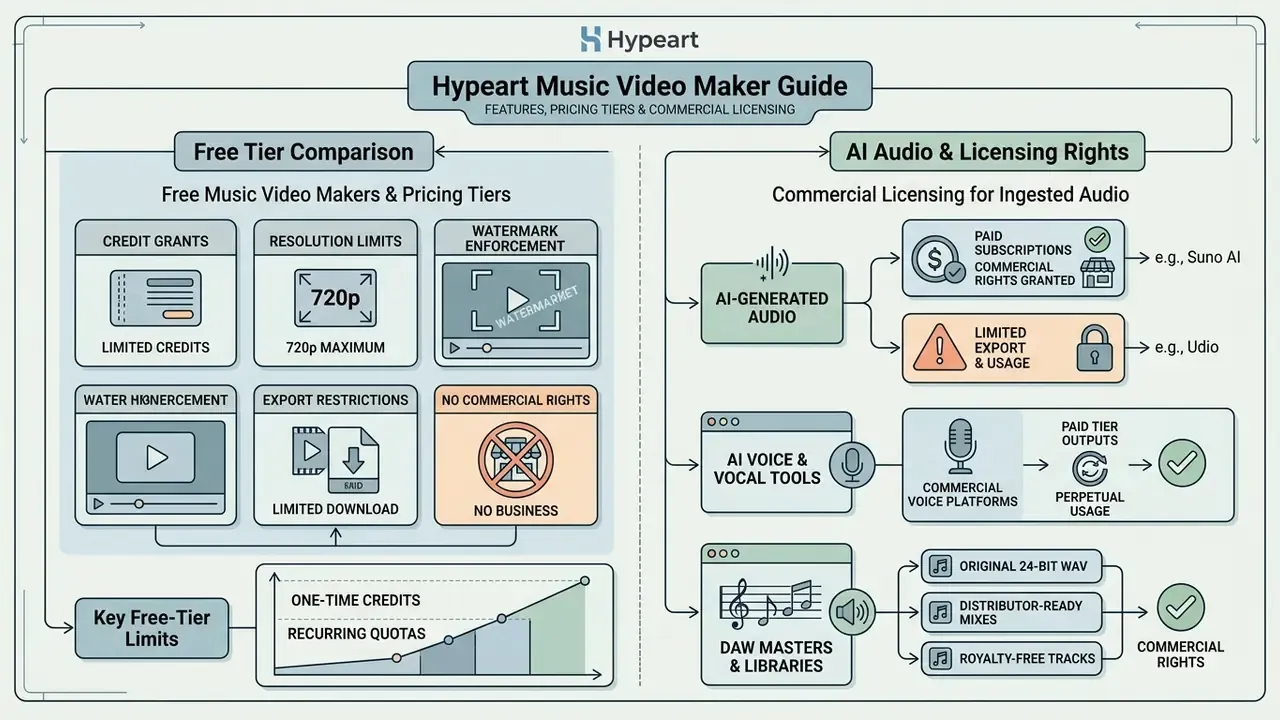
Evaluating a free music video generator means reading feature restrictions, credit limits, watermark enforcement, and copyright terms. Free tiers are good for testing. Commercial distribution usually needs a paid subscription.
"Generated music matches the emotional content of the video; user studies confirmed both quality and audio-visual correspondence."
| Feature Dimension | Typical Free Tier Capabilities | Typical Paid Tier Capabilities |
|---|---|---|
| AI Video Generation | Limited monthly or one-time credits (for example 10 to 125 credits); capped clip duration | Expanded or unlimited credit quotas; long-form generation |
| Export Resolution | Standard definition (480p to 720p maximum) | Full HD (1080p) and 4K export options |
| Watermark Policy | Mandatory platform watermark embedded on export | Clean exports with all watermarks removed |
| Stock Media Access | Restricted selection of basic stock assets | Full access to premium stock video and audio libraries |
| Commercial Rights | Often restricted to non-commercial or personal use | Full commercial clearance for monetization and ad use |
| Team and Governance | Single personal account, no admin controls | SSO/RBAC, workspace roles, audit logs, indemnification |
Observed free-tier limits in published documentation cluster tightly: one-time credit grants (Runway: 125 non-expiring credits), daily allowances (Google Flow: 50 credits per day for non-subscribers), and monthly caps with hard ceilings on duration and resolution (40 seconds at 480p with 10 monthly credits; 30 seconds at 720p with 10 credits on comparable services). Paid entry points documented across vendors run roughly $12 to $29 per month, scaling to per-seat business tiers. Verify current numbers on the vendor's pricing page before you plan a budget, and model credit burn with our AI Media Calculators.
Licensing Requirements for AI-Generated Audio Ingestion
What Is Included in a Free Music Video Maker?
A free music video maker online or music video creator free download usually runs on a freemium model. Platforms grant an initial allowance of generation credits so you can test timeline editing, basic templates, and AI generation. A music video generator free of charge at that level is a sandbox, not a production line.
That said, free AI video generators routinely cap export quality at 720p and stamp watermarks on output. Anyone building vertical content on the go can test a free ai video generator mobile app for rapid drafting before paying for production software. If you also need the underlying song, a free ai song generator can supply a scratch track for layout tests, provided you replace it with licensed audio before release.
Model Risk, Audit Trails, and Reproducible Generation
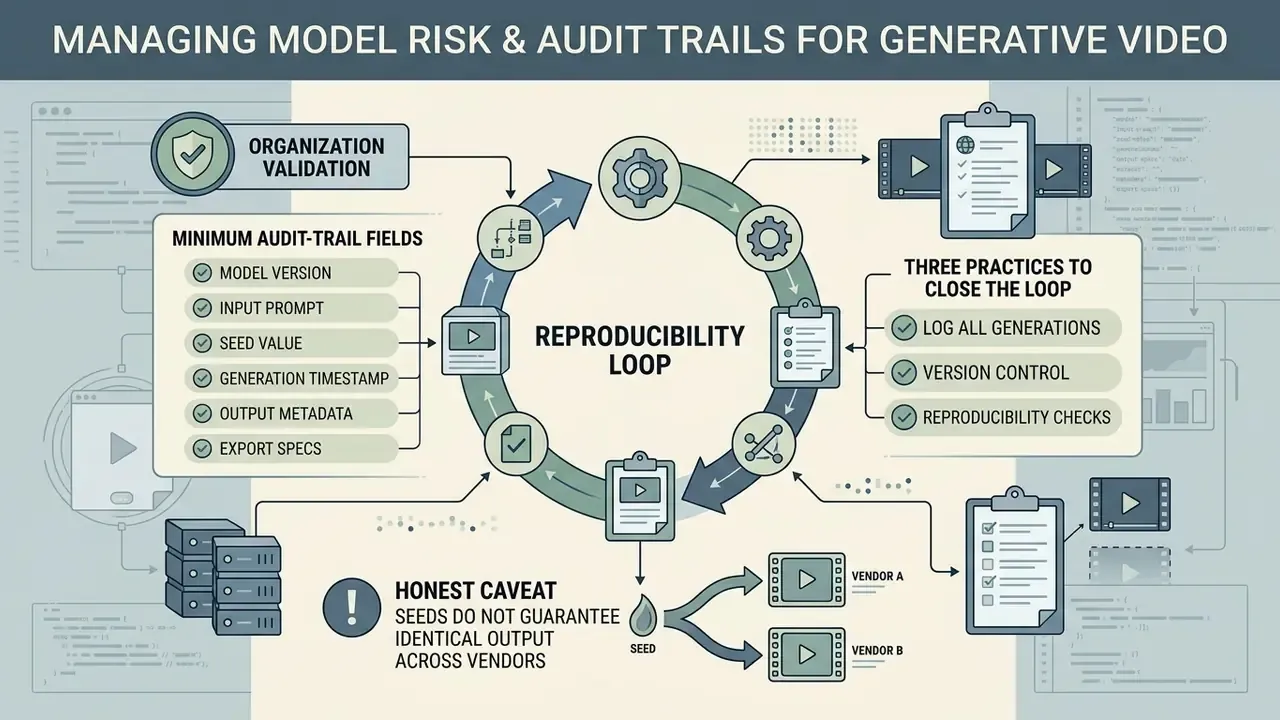
Generative video introduces a reproducibility problem that traditional editing never had. A timeline project file fully describes a manual edit. A text prompt does not fully describe a diffusion output. Change the model version and the same prompt yields different frames, which is the media equivalent of model drift.
Organizations validating an AI video generator before rollout should log the following fields per generated shot and retain them with the master asset.
Table 5: Minimum audit-trail fields for generative video assets| Field | Example | Why It Is Required |
|---|---|---|
| Model name | Veo 3 / Kling / Runway | Identifies the third-party processor in scope |
| Model version / build | Endpoint version string or release date | Enables regression analysis after vendor updates |
| Seed | 918273645 | Core determinant of reproducibility |
| Prompt and negative prompt | Full verbatim strings | Evidence of human creative direction and of guardrails applied |
| Reference assets | Character lock image IDs, style refs | Traces likeness and third-party IP inputs |
| Sampling parameters | Steps, guidance scale, motion strength | Reproduces output configuration |
| Audio input hash | SHA-256 of the ingested track | Proves which master was processed |
| Operator and timestamp | User ID, UTC time | Accountability and retention window start |
| Disclosure status | C2PA manifest ID, DDEX flag filed | Demonstrates transparency compliance |
Three practices close the loop. First, pin model versions for any campaign that may need re-rendering later, then re-validate output after a forced upgrade. Second, route these logs into the same GRC or model-inventory system used for other third-party models, rather than leaving them stranded in a creative tool. Third, document the human editorial contribution, shot selection, sequencing, retiming, lyric authorship, because that record is what supports a copyright claim in the arrangement when the raw frames themselves are unprotectable.
One honest caveat: seeds do not guarantee identical output across every vendor endpoint, and some providers reserve the right to change inference infrastructure without notice. Where reproducibility is contractually important, ask for it in the agreement instead of assuming it.
Frequently Asked Questions (FAQ) About Online Music Video Creation
Do You Need Video Editing Skills to Create a Music Video?
No professional editing experience is required with modern web applications. Templates, drag-and-drop interfaces, and automated AI generation handle clip trimming, color matching, and timeline arrangement. Upload the audio, choose visual preferences, and the software builds a synchronized draft. Polishing it still takes taste.
"MYMV and MV-Crafter automate segmentation, synchronization and generation: users supply only a theme and keywords, with no manual editing." — MYMV and MV-Crafter user studies, in arXiv:2509.00029 (2025). https://arxiv.org/abs/2509.00029
Can You Generate a Music Video Automatically from Music or AI Music?
Yes. An automatic music video maker or music video generator online can produce a clip from an audio track. Systems analyze acoustic features, generate a scene script via large language models, and render matching visuals with diffusion models (arXiv:2509.00029, 2025).
"EMSYNC consistently outperforms existing methods on musical richness, emotional alignment, temporal synchronization and overall user preference." — EMSYNC automatic video-based music generator user study, in arXiv:2509.00029 (2025). https://arxiv.org/abs/2509.00029 Whether you upload a custom track or pair visuals with a free ai song maker, automated tools can produce fully synchronized clips in minutes. Check the licensing tier of the audio source before monetizing.
How Long Does It Take to Make a Music Video Online?
Vendor documentation ranges from "in minutes" for simple visualizers and template clips to much longer windows for full-length 4K generative output. Real determinants are clip duration, output resolution, model inference queue, and whether upscaling runs. A beat-synced 1080p social cut is a minutes-scale task. A multi-scene 4K narrative with character consistency is an hours-scale task once revisions are counted.
Can I Use a Free Music Video Maker for Commercial Release?
Sometimes, though not by default. Some vendors grant full commercial rights on all exports, including free-tier AI content. Others restrict free output to personal use and gate the commercial license behind a paid plan. Check three clauses before release: watermark policy, export resolution cap, and the commercial-license grant. Where a client is involved, also confirm whether the free-tier agreement claims any rights in uploaded media.
Does the EU AI Act Apply to My Music Video?
If your video contains synthetic audio or imagery generated or manipulated by AI, transparency obligations under EU AI Act Article 50 apply from 2 August 2026, requiring outputs to be marked as artificially generated or manipulated in machine-readable form. In practice that means preserving C2PA Content Credentials on export and disclosing AI use through your distributor's DDEX credits. General information only, not legal advice. Obligations depend on your role, provider or deployer, and on your market.
Who Owns an AI-Generated Music Video?
Ownership splits into two questions. Contractually, most paid-tier vendors state that the user owns inputs and outputs and may exploit them commercially. Under copyright law, purely AI-generated frames lacking human authorship are not protectable in the United States, while human-directed selection, arrangement, and editing can be. The workable position: rely on vendor terms for permission to use, and on documented human authorship for protection against copying.
How Do We Prevent Staff from Leaking Unreleased Audio into Public AI Tools?
Maintain an approved-tool register, enforce SSO on sanctioned platforms, classify audio before upload, and require written confirmation that a vendor does not train on customer data. For pre-release masters, prefer client-side rendering where source files never leave the device, or a contracted enterprise tenant with a defined retention window and verifiable deletion.
Summary and Next Steps
Online music video makers changed visual production by combining browser timeline editing, automated beat synchronization, and generative neural networks. Choosing between a manual editor, an automated assembler, and a generative engine comes down to three variables: creative control, production speed, and commercial licensing needs.
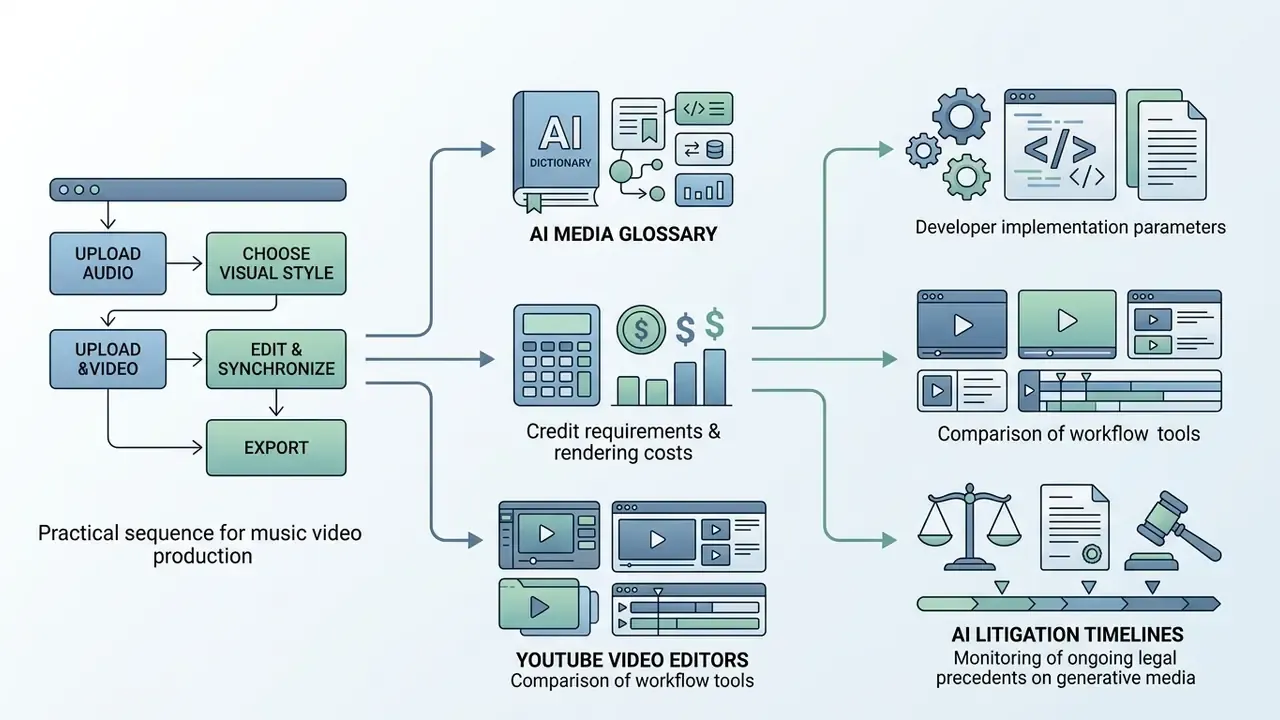
Practical starting sequence. Pick a web editor that supports your target output format. Verify licensing terms for commercial use. Prepare audio to 48 kHz delivery standards. Log the model, version, seed, and prompt for every generated shot, even on a one-off social clip, because that habit is what makes the next release auditable. Deeper background on AI video generation methods sits in our glossary.
- Explore specialized media definitions in our AI Media Glossary.
- Review developer implementation parameters in our AI Media API Guides.
- Calculate credit requirements and rendering costs using AI Media Calculators.
- Compare workflow tools in our comprehensive guide to YouTube video editors.
- Monitor ongoing legal precedents on generative media via AI Litigation and Case Timelines.
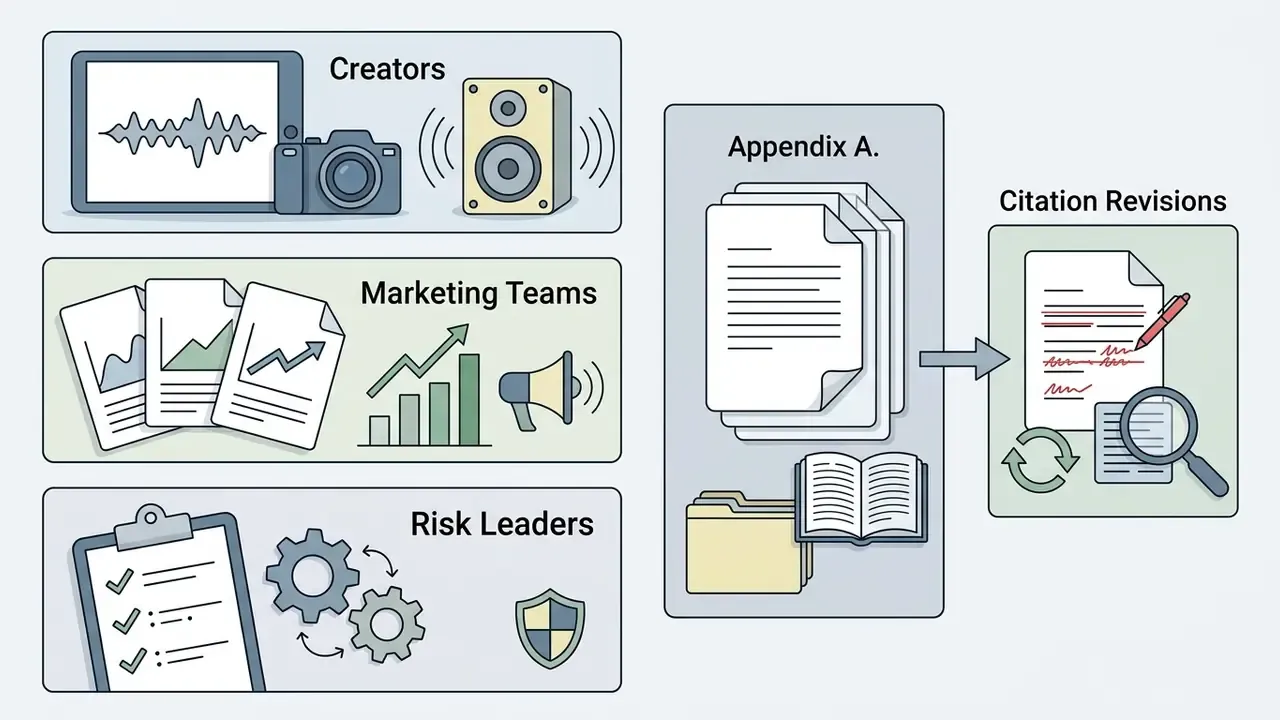
Appendix A: Citation Revisions and Superseded References
For transparency, several claims in earlier revisions of this article cited vendor product pages or documentation rather than peer-reviewed or standards sources. Those references stay listed here with the reason for revision.
| Claim | Superseded Reference | Replacement Basis |
|---|---|---|
| Beat-synced automatic assembly | Canva Beat Sync, 2025 (vendor product page, no methodology or metrics) | MV-Crafter user study, arXiv:2509.00029 (2025) |
| Independent artists use automated tools for consistent releases | Google Artist Guidance, 2024 (marketing document) | MYMV user study, arXiv:2509.00029 (2025) |
| Systems suggest templates from tempo, pitch, dynamics | NSF Audio-Visual Mapping Study, 2025 (source not identifiable) | CLAP-based feature extraction described in arXiv:2509.00029 (2025) |
| No editing skills required for template workflows | Adobe Express Workflow Documentation, 2025 (vendor documentation) | MYMV and MV-Crafter user studies, arXiv:2509.00029 (2025) |
| Stock libraries fill narrative gaps | Adobe Stock Guidelines, 2025 (vendor guidance) | Retained as vendor guidance, explicitly labeled as such |
| FFT spectral analysis in visualizers | Sonic Visualiser Documentation (software documentation) | Retained as software documentation, explicitly labeled as such |
| ASR lyric alignment | TextAlive Framework, 2025 | Retained with correct attribution (AIST / Jun Kato, 2015 onward) plus Visual Lyrics, arXiv:2509.00029 |
| 48 kHz / 24-bit audio delivery | PBS Audio Delivery Standards, 2024 | Retained, reclassified as an industry delivery specification rather than research |
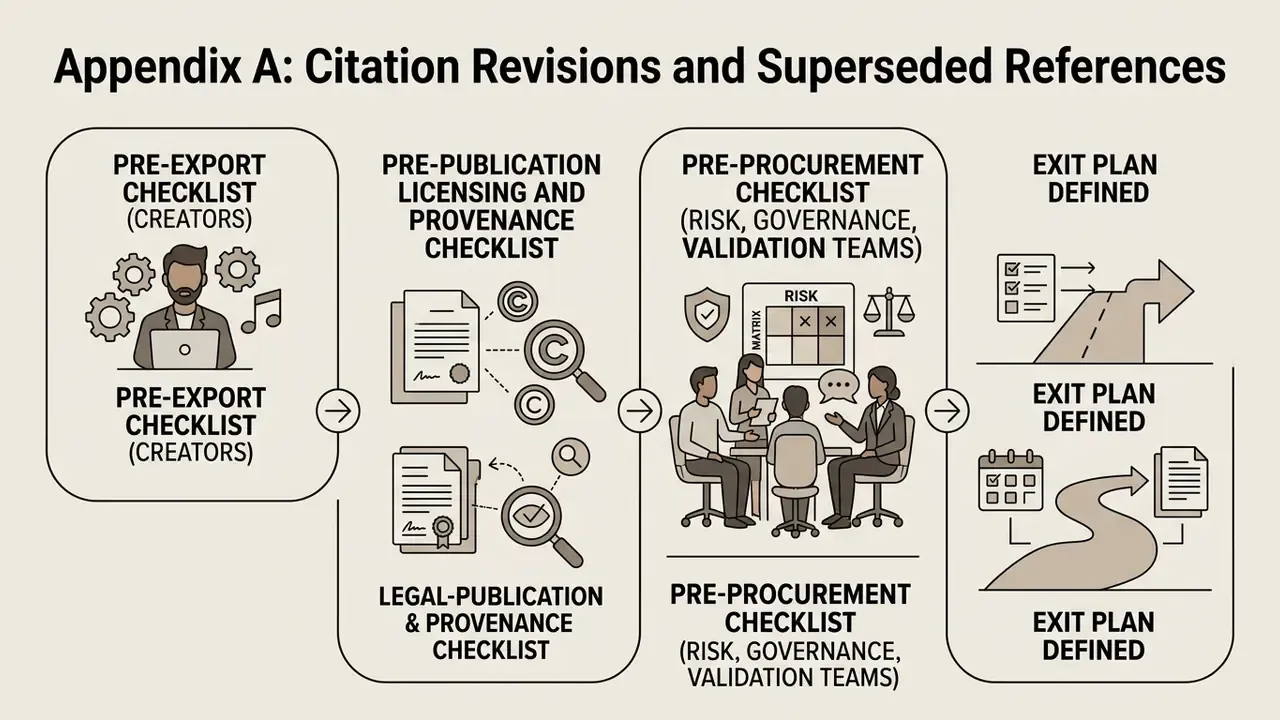
Pre-export checklist (creators)
Checklist0 / 8
Pre-publication licensing and provenance checklist
Checklist0 / 8
Pre-procurement checklist (risk, governance, and validation teams)
Checklist0 / 10
Regulatory note: this article summarizes publicly available standards and guidance for general informational purposes. It is not legal, financial, or compliance advice. Verify current obligations under the EU AI Act, applicable copyright law, platform policies, and your own contracts with qualified counsel before commercial release.