Executive Summary
If you read one section, read this one. The five findings below decide whether an anonymous browser music tool is genuinely usable for your project, or a liability waiting for a takedown notice.
- Guest access is real, but metered. Anonymous, no-registration generation exists in 2026, yet it is normally capped at roughly 10 to 12 credits (one or two full tracks) per day, downgraded to 128 kbps MP3, and frequently watermarked. Registered free accounts typically raise that ceiling to 20 to 50 daily credits.
- Free-tier output is almost always personal-use only. Suno's free plan, for example, provides 50 daily credits (about 10 generations) explicitly designated for personal, non-commercial use (Suno Terms, 2026).
- "You own 100% of the copyright" is a marketing claim, not a legal one. Purely machine-generated audio without human authorship is not registrable in the United States (US Copyright Office, 2026). What you actually receive is a contractual usage licence, or nothing at all.
- Prompts you paste into a guest session are still data. Anonymous sessions persist in browser
sessionStorageand cookies, but the prompt text itself leaves your device and lands in vendor logs. Unreleased lyrics, client briefs and campaign copy pasted into unvetted tools are textbook Shadow AI exposure. - Technical ceilings vary by model generation. Next-generation autoregressive engines render up to roughly 8 minutes of continuous audio; mid-tier engines target 3 to 4-minute song structures; fast-inference legacy models are optimised for 1 to 2-minute loops and beds.
Who This Guide Is For, and How to Read It
Three reader profiles keep showing up in our inbox. The first is a solo creator who wants a background bed for tonight's upload and does not want to hand over an email address. The second is a producer testing whether an ai music generator can survive contact with a real mix session. The third, and the one most often burned, is a team lead inside a regulated organisation whose staff have already pasted confidential material into a free song maker no sign up page without telling anyone.
Read the cheat sheet, then jump to the section that matches your exposure. If you publish for money, the commercial-use and Shadow AI sections matter more than the feature comparison.
Use-Case Cheat Sheet: Which Path Fits Your Task
| Your goal | Fastest route | Tier you actually need | Main risk to check |
|---|---|---|---|
| Test whether AI music is usable at all | Anonymous guest generation | No sign-up | Watermarks, 1 to 2 tracks per day cap |
| Background bed for a monetised YouTube video | AI generator plus commercial plan | Paid licence | Content ID claims, sync rights |
| Podcast intro and segment transitions | AI generator, instrumental mode | Registered free, then paid for monetised shows | Personal-use-only terms |
| Precise beat with full note-level control | Browser DAW or beatmaker (no AI) | Free studio tier | Sample-library licence scope |
| Client or agency deliverable | Paid plan with written licence plus indemnity | Paid or enterprise | Training-data liability, indemnification |
| Adaptive game or film cue | Continuation and extension models, stems export | Paid (stems are usually gated) | Perpetuity of rights after cancellation |
What You Can Create With a Free Online Music Maker
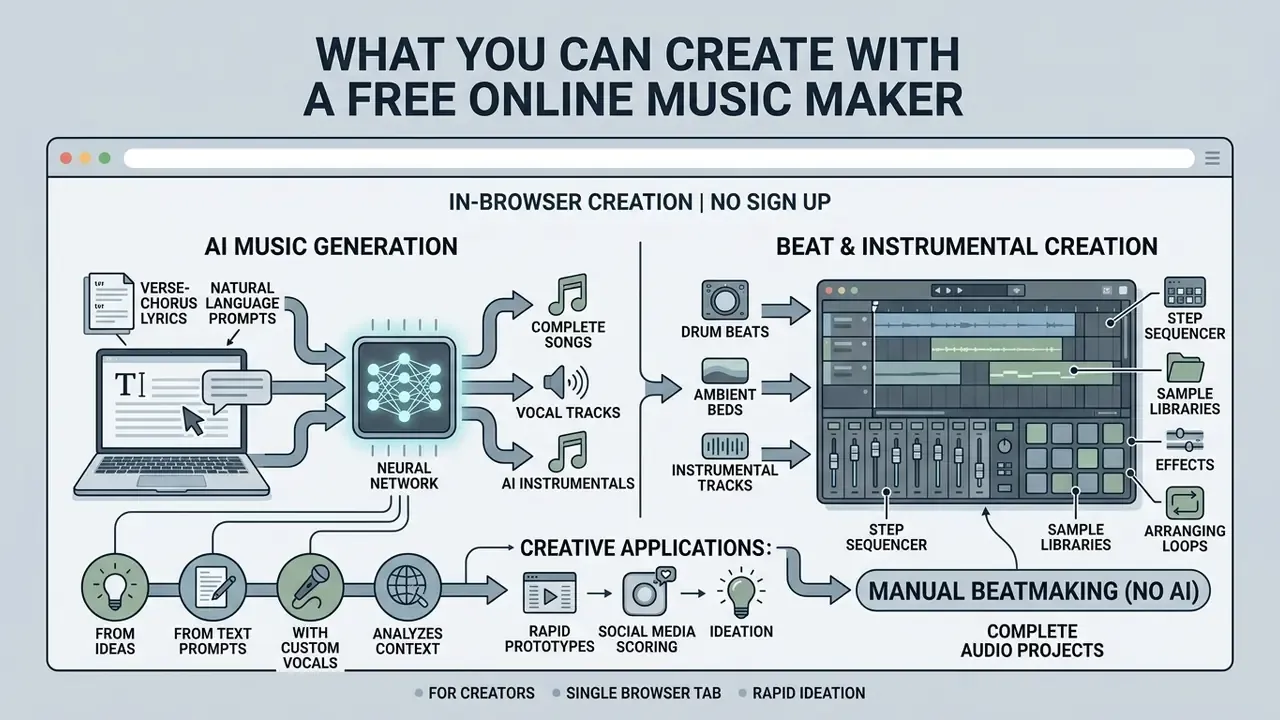
A free online music maker lets you produce complete vocal songs, instrumental backing tracks, ambient beds and drum beats inside a single browser tab, with no installer and no account. Modern web tools combine generative artificial intelligence with sample-based audio engines, so you can either describe a track in a sentence or build it note by note. The practical output range spans prompt-driven generative models on one end and manual pattern sequencers on the other.
That range matters more than it sounds. Ask for "warm lo-fi study beat, 78 BPM, dusty piano, no vocals" and you will have something playable in under a minute. Ask for a precise 16-bar drum pattern with a specific ghost note on the snare, and prompting will frustrate you; that is a sequencer job.
«Moûsai generates multiple minutes of 48 kHz stereo music from text descriptions, showing competitiveness across a range of quality and musicality criteria.»
Creators use these browser tools for rapid audio prototyping, social media scoring and creative ideation. Documented user research supports those exact scenarios rather than treating them as vendor promises.
«Participants used textual prompts to generate musical ideas, valuing the tool for creative exploration and for producing background music.»
The two families demand very different skills, and mixing them up is the most common reason people abandon a tool after ten minutes.
Generate AI Songs From Text, Ideas and Lyrics
Text-to-music systems create full vocal songs from natural-language prompts, thematic descriptions or structured lyric inputs. Engines such as Google Lyria 3, ElevenLabs Music and MiniMax parse the description, then synthesise matching melodies, harmonies and vocal arrangements (Google, 2026; ElevenLabs, 2026).
You can type a descriptive line or paste full verse-chorus lyrics into a free song maker no sign up interface and get a rendered take. Google's prompt documentation confirms that vocals can be specified by gender, range, timbre, delivery, language and backing-vocal presence, and that the model can either write lyrics from a theme or perform the exact lyrics you supply. If you want to understand the underlying speech-and-singing technology in more depth, see our reference material on synthetic vocal timbres and AI voice generators.
The neural networks analyse semantic context to render complete tracks with custom vocal timbres, backing harmonies and genre-specific instrumentation. What they do not do is read your mind about song structure, which is why explicit verse and chorus tags earn their keep.
Make Beats and Instrumental Tracks Without AI
For creators who want precise manual control over arrangement and sound design, non-AI online music makers offer browser digital audio workstations (DAWs) and sample-based beatmakers. Soundation and Audiotool run full web interfaces with MIDI sequencers, royalty-free audio samples and virtual instrument presets, with no automated generation in the loop (Soundation, 2026; Audiotool, 2026). Soundation's studio exposes more than 20,000 royalty-free samples, MIDI loops and instrument presets; Audiotool adds live MIDI control and in-browser recording.
A song maker no ai workflow relies on human composition, loop arrangement and manual mix parameters. Slower start, far higher ceiling.
This pattern-based approach lets beatmakers build custom drum patterns, bassline grooves and synth melodies with control over every note and measure. One practical caveat, and it bites people at deadline: browser studios advertise free access, but anonymous export of a finished multitrack project is rarely confirmed in public terms. Guest sessions often let you build without letting you download.
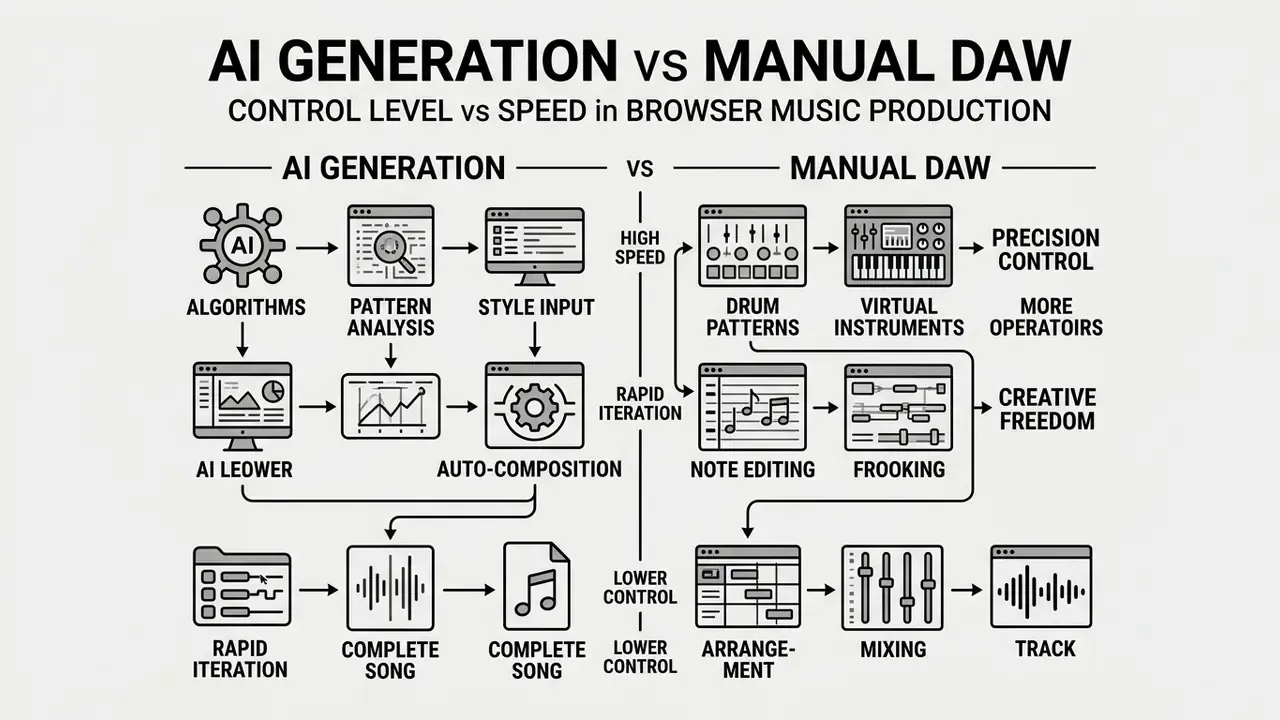
| Feature / Dimension | AI Song Generator (Text-to-Music) | Online Studio / Beatmaker (No AI) |
|---|---|---|
| Primary Inputs | Text prompts, lyrics, theme ideas, audio references | Manual MIDI notes, drum patterns, audio loops, parameter controls |
| User Control Level | High-level control over style, mood, tempo and vocal presence | Granular control over individual notes, track timing, effects and mixing |
| Typical Outputs | Multi-minute stereo tracks, complete songs with vocals, background beds | Multitrack sessions, custom drum beats, arrangements, raw stem exports |
| Target Tasks | Rapid ideation, demo creation, background scoring, quick audio generation | Precise beat construction, custom arrangement, detailed sound design |
| Required Expertise | Low: needs clear prompt construction rather than production training | Moderate to high: needs understanding of rhythm, harmony and DAW controls |
Academic work supports the split. Time-varying conditioning over melody, dynamics and rhythm gives generative systems strong but bounded controllability (Music ControlNet, Carnegie Mellon University, 2024, https://gclef-cmu.org/static/pdfs/2024musiccontrolnet.pdf), whereas manual beatmaking gives maximal control at the cost of speed.
Is a Free Music Maker Really Available With No Sign Up?
Anonymous generation genuinely exists. But "free" describes an access tier, not an unlimited product. Understanding credit caps, watermarks and export ceilings before you build a workflow prevents rework at publication time, which is the expensive moment.
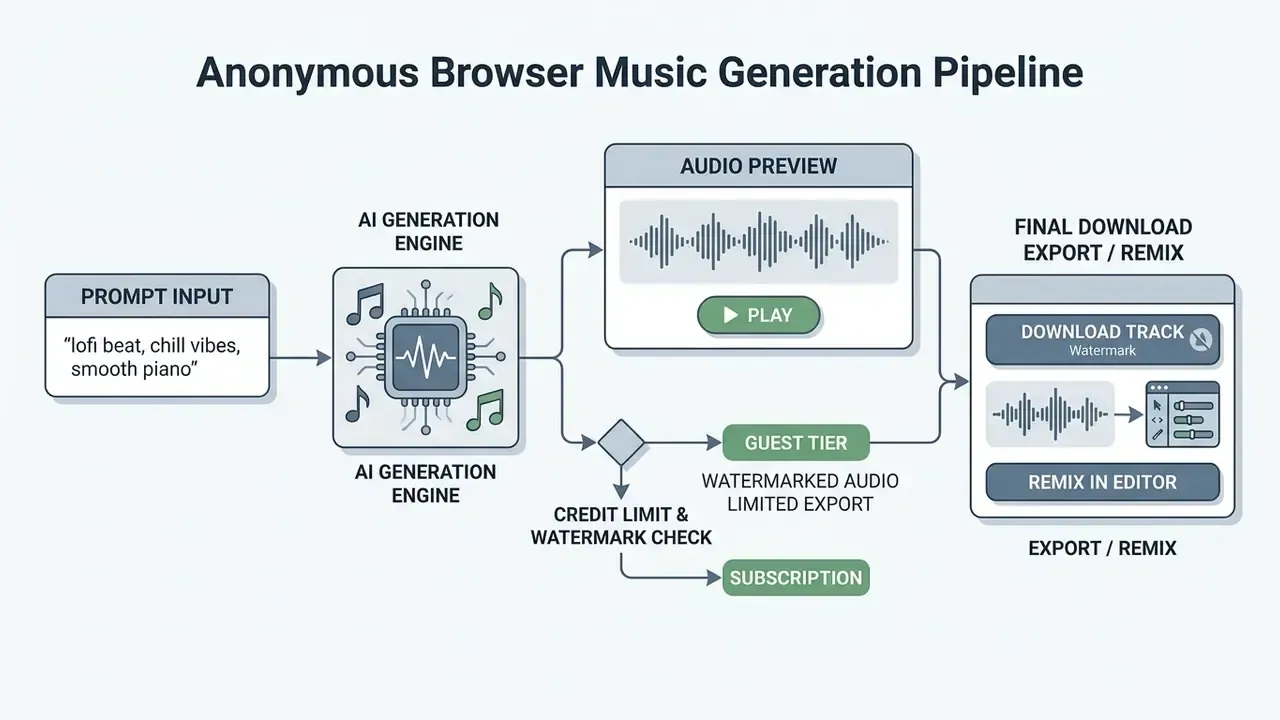
Promotions for a free music maker no sign up tool are everywhere; operational terms vary wildly. Anonymous guest access is usually restricted by generation caps, lower export bitrates, or personal-use-only licences.
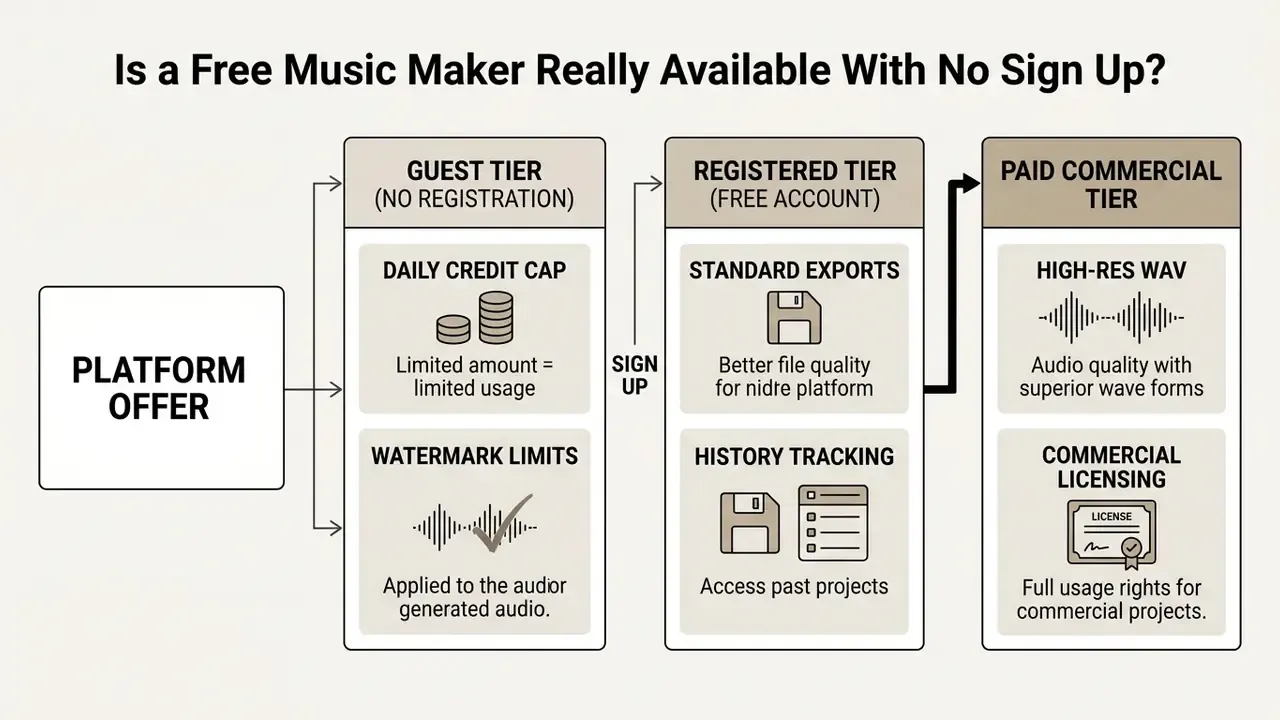
Knowing where guest access ends prevents an unpleasant interruption when you move from testing to publication.
Free-Tier Credit and Access Matrix (2026 Market Norms)
Published guest offers cluster tightly around a small daily credit pool: roughly 12 credits with no card on the most permissive anonymous tools, about 10 free credits per day on daily-reset platforms, and 20 credits per day once a free account exists. The matrix below turns those published patterns into planning figures.
| Platform Tier Type | Typical Free Daily Credits | Generations per Day | Watermarking Status | Maximum Export Resolution |
|---|---|---|---|---|
| Anonymous Guest (No Sign-Up) | 10 to 12 credits | 1 to 2 full tracks | Audible or metadata watermark | 128 kbps MP3 |
| Registered Free Account | 20 to 50 daily credits | 5 to 10 tracks | Non-audible, personal use | 320 kbps MP3 |
| Paid / Commercial Licence | Unlimited or monthly top-up | Unlimited | None (full master rights) | 24-bit / 48 kHz uncompressed WAV plus stems |
Some vendors deviate sharply from these norms. One publicly documented free tier caps usage at 15 generations per year rather than per day. So read the numeric cap, not the word "free".
Instant Access, Privacy and No Credit Card Requirement
Anonymous browser access lets you test a tool without disclosing credentials, binding a card, or entering an auto-renewing billing loop. That frictionless setup protects data privacy and removes financial risk during evaluation.
Working inside a temporary browser context, you can check whether a free no sign up song maker actually meets your requirements before committing to a registered account or a paid plan. Two structural benefits deserve naming. Transactions cannot be linked back to an identity when access is truly anonymous. And one-time, non-renewing access removes the classic "forgotten trial" charge. The trade-off is blunt: nothing is stored server-side for you, and nothing about your prompt is contractually protected either. More on that in the guest-session security section.
What to Check Before Calling a Music Generator Free
To judge whether a music maker free online no sign up service suits professional work, inspect four operational limits before your first generation:
- Generation limits. Daily, monthly or annual caps on free generation credits.
- Export quality caps. Downsampled formats, for example 128 kbps MP3 instead of 24-bit WAV.
- Audio watermarking. Audible platform tags or inaudible metadata and acoustic markers on guest exports.
- Commercial rights restrictions. Terms limiting free outputs to non-commercial evaluation.
Reading vendor documentation alongside the plan comparisons in our AI Media Pricing Guides keeps you inside platform terms before you publish, not after.
Total Cost of Ownership: Why "Free" Is Rarely Zero
Model-risk owners should price the whole path to publication, not the generation step. A workable estimate:
TCO per published track = (subscription cost ÷ tracks produced per cycle) + licence-review time × internal hourly rate + re-generation cost from rejected takes + dispute-handling reserve for Content ID appeals + upgrade cost for WAV or stems delivery.
Two multipliers dominate in practice: the number of failed takes before an acceptable master (prompt precision cuts this sharply), and the legal review hours triggered once a track reaches paid media. Free-tier savings evaporate the moment a single Content ID dispute eats a day of staff time. Per-platform cost modelling belongs in AI Media Calculators.
FACT CHECK: Platform free-tier policies and sign-up requirements (verified 2026)
Downloading Music and Using AI-Generated Tracks Commercially
Commercial use of AI audio is governed by contract, not by copyright ownership. This section separates what regulators actually say from what generator landing pages claim, because the gap between the two is where the risk lives.
Downloading AI-generated audio for commercial distribution requires clear usage rights. Under United States copyright law, fully machine-generated works lacking human authorship are not eligible for registration, which makes contract-based platform licences the sole governing authority for commercial use (US Copyright Office, 2026).
«Legal scholarship stresses that training generative AI on copyrighted material without consent creates potential infringement exposure and requires licensing settlement.»
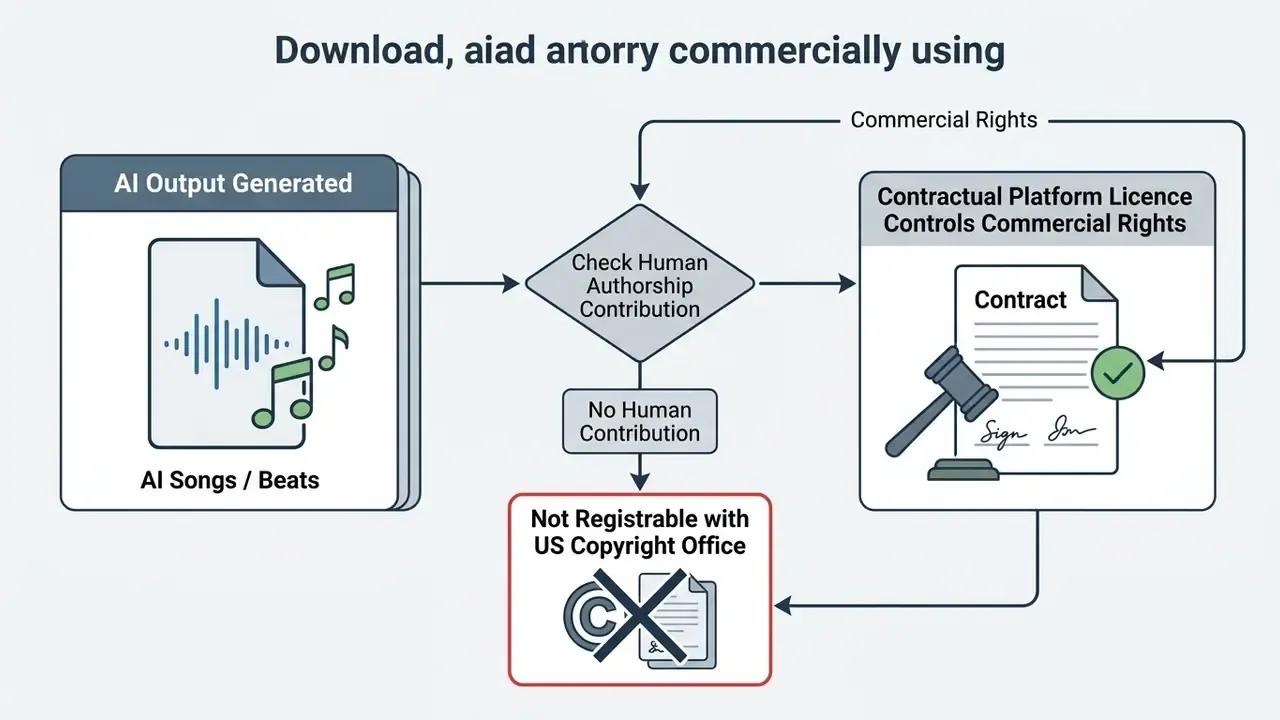
So the question is never "do I own this". It is "what does my plan let me do, in writing, and for how long".
WARNING ON MISLEADING "100% COPYRIGHT OWNERSHIP" CLAIMS
Download Formats, Audio Quality and Saved Tracks
Files exported from online generators arrive as compressed MP3 or uncompressed WAV. Uncompressed WAV (16-bit or 24-bit at 44.1 kHz or 48 kHz) preserves full dynamic range and frequency response, which is what video post-production and mastering need (Library of Congress, 2026). Federal digitisation guidance treats 96 kHz / 24-bit WAV as the preservation-master benchmark, 128 kbps as the MP3 floor, 192 kbps as recommended and 320 kbps as high fidelity. Broadcast WAVE files additionally retain a "coding history" field documenting processing steps, which is quietly useful as audit evidence.
| Audio Format | Bitrate / Specs | Compression | Ideal Use Case | Session History Persistence |
|---|---|---|---|---|
| MP3 | 128 to 320 kbps | Lossy | Quick web preview, draft sharing, social media beds | Temporary (sessionStorage or cookies) |
| WAV | 16-bit / 24-bit PCM (44.1 or 48 kHz) | Uncompressed | Professional video editing, mastering, broadcast | Requires registered user account |
| Stems | Isolated audio tracks (WAV) | Uncompressed | Advanced mixing, remixing, custom DAW arrangement | Gated behind paid or API tiers |
| M4A / AAC | up to 320 kbps equivalent | Lossy | Mobile delivery, podcast platforms, quick sharing | Usually mirrors MP3 tier rights |
Anonymous guest sessions store project state in temporary browser cache or sessionStorage. Close the tab or clear cookies and unexported projects are gone, unless they were saved to a registered account (W3C Web Storage, 2026).
Commercial Use, Copyright and Music Licences
Using an online music maker free no sign up track in commercial projects, such as YouTube monetisation, podcasts, games or paid advertising, requires explicit commercial synchronisation and master rights grants. Free-tier generations are almost universally restricted to non-commercial personal use.
«Proposed royalty models for AI platforms pool revenue from subscriptions and licences, distributing payments according to how often each training work is invoked.»
Publishing free-tier AI audio on monetised platforms risks copyright claims or Content ID matches from platform recognition systems (Content ID Policy, 2026). "Royalty-free" is not "copyright-free": acoustic-similarity claims from third parties remain possible even when the vendor disclaims ownership. For deeper licensing standards, see the AI Media Commercial-Use Hub, review liability questions in our coverage of AI litigation and copyright developments, where publicly reported rightsholder actions against major music-generation vendors are the clearest signal that training-data provenance is now a live commercial risk, and compare how the same questions play out for commercial use of AI-generated visual content.
| Evaluation Question | Verification Standard | Operational Risk If Unverified |
|---|---|---|
| Is commercial sync permitted? | Express contractual grant in active plan terms | Monetisation block, Content ID strike |
| Is a certificate issued? | Per-track licence PDF or transaction ID | Inability to dispute automated copyright claims |
| Do rights survive plan end? | Terms explicitly grant perpetual rights for past outputs | Loss of commercial rights after cancellation |
| Are training sources indemnified? | Vendor provides legal indemnification against third-party claims | Direct exposure to third-party copyright claims |
| Is master use cleared, not just sync? | Separate master-use grant for the specific recording | Broadcast or ad takedown despite sync permission |
| Are performance and broadcast rights handled? | Territory-specific rules on public performance remuneration | Unpaid remuneration claims in territories reserving author rights |
Some vendors do grant non-exclusive, perpetual, worldwide commercial rights for tracks created while a subscription is active, with those rights surviving cancellation. That survival has to be written into the terms, not assumed from a pricing page.
ALERT: Commercial licensing and Content ID risks on free-tier audio
Data Protection, Shadow AI and Guest-Session Security
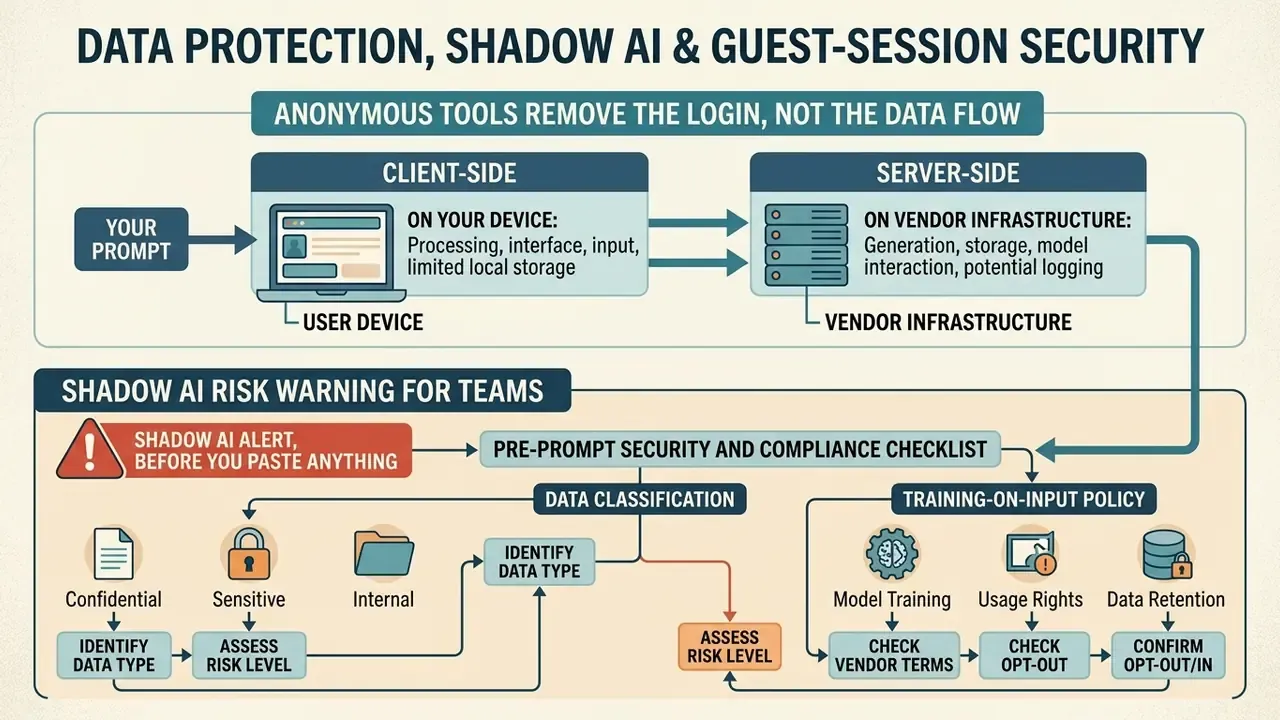
Anonymous tools remove the login, not the data flow. Every prompt, lyric sheet and campaign brief you paste travels to a vendor endpoint you have never contracted with. That is precisely how Shadow AI walks into an organisation, one convenient tab at a time.
What Actually Happens to Your Prompt
Two storage layers are involved, and conflating them is the most common mistake I see in internal reviews:
- Client-side, on your device. W3C defines
sessionStorageas scoped to the current top-level browsing context, so state disappears with the tab. Cookies are the standard HTTP state mechanism (IETF RFC 6265) and usually carry guest session identity. NIST SP 800-63B advises that session cookies be HTTPS-only, narrowly scoped,HttpOnly, and expire at or shortly after session validity. - Server-side, on vendor infrastructure. Clearing your cache does nothing to server logs, inference telemetry or moderation queues. Whether guest prompts are retained, reviewed by humans, or used to improve models is a vendor policy question, not a browser question. Unregistered users rarely receive a data-processing agreement at all.
Shadow AI Risk Warning for Teams
SHADOW AI ALERT, BEFORE YOU PASTE ANYTHING
Pre-Prompt Security and Compliance Checklist
Run this before the first generation, not after publication:
- Data classification.Is the prompt text public, internal or confidential? Confidential inputs require a contracted vendor.
- Training-on-input policy.Does the vendor state whether guest prompts and uploads feed model training? Silence means assume yes.
- Retention window.Is there a documented deletion period for guest generations and logs?
- Voice and likeness inputs.Are you uploading a reference vocal or naming a living artist? Both raise authorisation issues.
- Jurisdiction and transfer.Where is inference performed, and does that create a cross-border transfer problem for your organisation?
- Output rights tier.Does your tier permit the intended channel: organic social, paid media, broadcast, in-game?
- Indemnification.Will the vendor defend you against third-party infringement claims, and up to what cap?
- Watermark and provenance.Are outputs watermarked or labelled, and does your platform or regulator require labelling?
- Evidence pack.Have you saved the licence text, plan invoice, per-track certificate and generation timestamp?
- Escalation path.Who approves publication of AI-generated audio, and who handles a Content ID appeal at 11pm on a Friday?
How to Use a Free Music Maker Online With No Sign Up
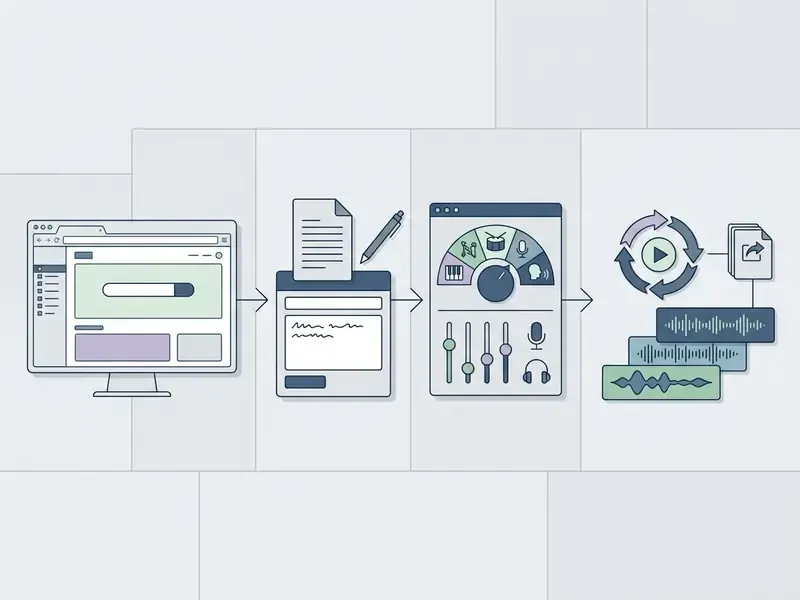
Five steps, a few minutes. Prompt precision, not production skill, is the variable that changes the result most.
Using a music maker online free no sign up tool follows a short workflow built for speed. Browser interfaces grant instant access with no personal data submission and no card registration.
Enter a Music Description, Theme or Lyrics
Prompt construction is the difference between a usable bed and three wasted credits. Effective prompts combine specific genre identifiers, emotional descriptors, tempo markers and instrumentation choices (Google Cloud, 2026).
«Mustango extracts chords, tempo and key from textual descriptions, delivering substantially better controllability than MusicGen and AudioLDM2.»
Official prompt guidance converges on the same components: genre and style, mood, instrumentation, BPM, key or scale, vocal style and language, plus either a theme (if the model should write the words) or exact lyrics in quotes (if they must be performed verbatim). Keep instructions and lyrics in separate fields where the interface allows it, and match the prompt language to the intended vocal language. Small thing, big effect.
When drafting narrative inputs or lyric sheets, explicit verse and chorus tags guide the model's structural sequencing. You can refine prompt text with an ai text generator, a longer-form ai text generator workflow, or a specialised ai text generator gpt before pasting into the music generator, then align the finished audio with YouTube video editing workflows.
Choose Style, Genre, Vocals and Track Settings
Modern generative music interfaces expose dedicated selectors for style, BPM, key signature and vocal character. You can pick male or female synthetic voice profiles, or switch to instrumental mode to exclude vocal rendering entirely (MiniMax, 2026). API implementations expose the same four levers as explicit fields (genre, BPM, vocal style and gender, instrumental flag), so the gap between prompt-driven and parameter-driven tools is interface format rather than capability.
Setting these parameters constrains the model's sampling space, which is the technical reason a well-specified request behaves more predictably than a vague one.
«MusicGen outperforms Riffusion and Moûsai on text adherence and melodic coherence, confirming that genre control through prompts yields predictable sonic outcomes.»
Explicit genre options such as Lo-Fi, Cinematic, Synthwave or Boom-Bap give immediate aesthetic direction with no theory required.
Generate, Preview and Download or Remix Your Track
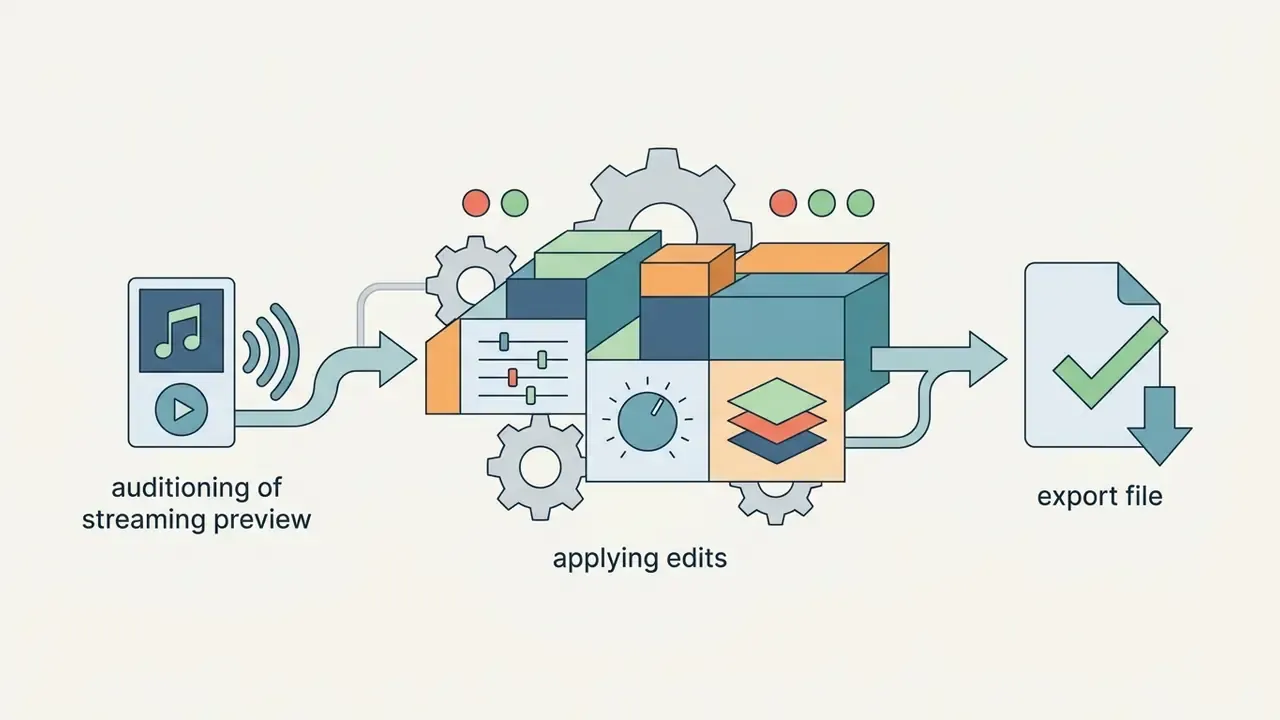
Hitting generate starts model inference and returns a streaming preview within seconds. Audition it in the browser to judge harmonic progression, vocal delivery and mix balance. Preview-first architectures are common: some services return a short sample, for example a 30-second mastering preview, and render the full file only after approval. That conserves credits, and it is worth checking before you burn a guest allowance.
If the take needs work, advanced interfaces let you remix, extend track length, or tweak parameters without starting from zero (Suno API, 2026; ElevenLabs, 2026). Once satisfied, save the audio track via instant export: MP3 on most free tiers, WAV where the plan or API permits it. A song maker free no sign up page will rarely hand you a WAV, and that is usually the moment people upgrade.
Features That Affect the Sound of Your Generated Music
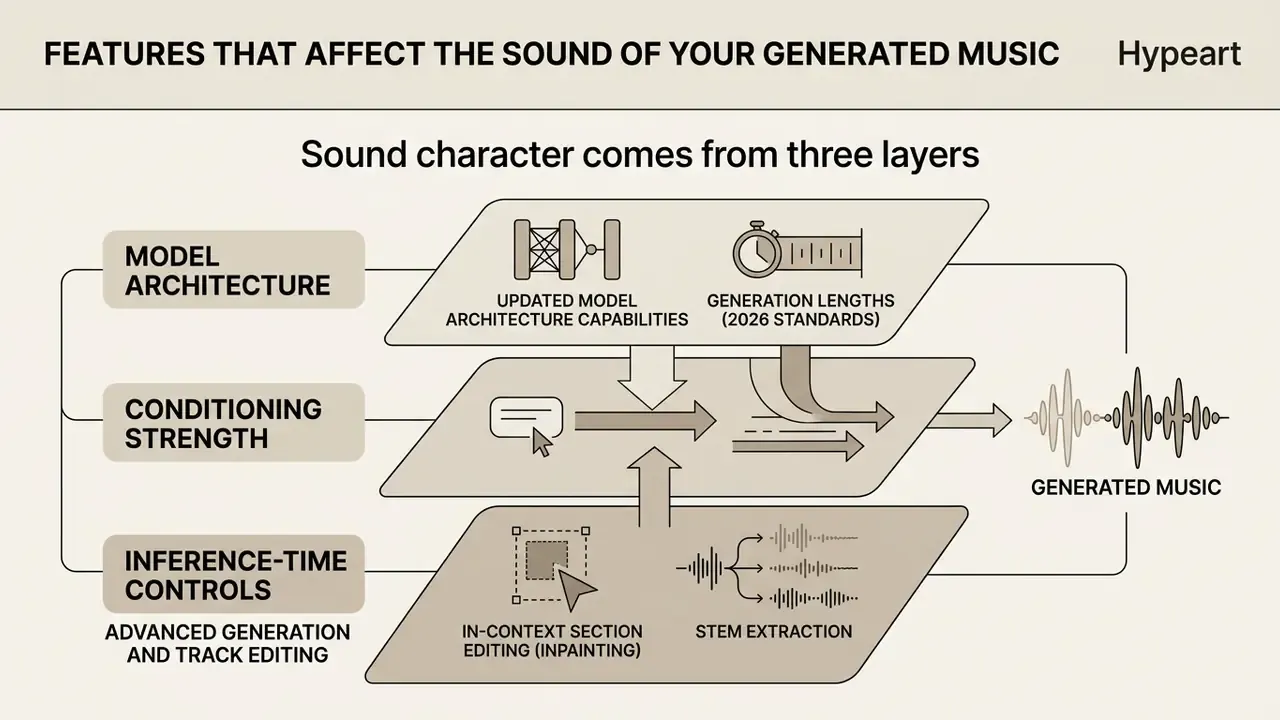
Sound character comes from three layers: model architecture, conditioning strength and inference-time controls. Learn which knob does what and "regenerate and hope" becomes a reproducible process.
Quality and artistic adherence in AI-generated music depend on architecture, training-data conditioning and user-configurable settings. Understanding those variables is how you reach production-ready audio instead of an endless carousel of near misses.
Key levers include classifier-free guidance (CFG) weights, sampling temperature, top-K, prompt interpolation and audio super-resolution (arXiv, 2026). Adjusting them balances stability against creative variability: higher guidance increases prompt adherence but can flatten variation, while higher temperature adds novelty and instability. In plain terms, CFG is "how literally should the model obey me", temperature is "how much risk should it take", and super-resolution is "how clean should the final file sound".
«The MAD metric reaches a mean rank correlation of 0.84 with human preferences versus 0.49 for standard FAD, tracking perceived music quality more accurately.»
Model scale matters too, though not the way marketing suggests. The MusicGen authors reported that overall quality was optimal at the 1.5B parameter size rather than simply rising with size. Bigger model does not automatically mean better track.
Styles, Genres and Creative Direction
Model Architecture Capabilities and Generation Lengths (2026 Standards)
Track length is a hard function of the model generation you select, not of how eloquently you prompt. Vendor documentation clusters into three tiers, which you should read as industry orientation rather than a universal standard.
| Model Tier | Typical Maximum Length | Structural Behaviour | Best-Fit Task |
|---|---|---|---|
| Next-gen autoregressive (Fusion V7-class, Lyria 3) | up to 8 minutes continuous audio in one pass | Full vocal and instrumental cohesion across long form | Full releases, long-form ambience, DJ-length cues |
| Mid-tier generation engines (Harmony V6-class, MiniMax 3) | 3 to 4 minutes | Standard intro, verse, chorus, outro structures | Radio-length songs, demos, podcast themes |
| Legacy / fast-inference (V4 to V5-class) | 1 to 2 minutes | Loop-friendly beds, less stable long-range structure | Social snippets, loops, rapid ideation |
| Short-form free tiers on smaller platforms | around 90 seconds | Complete but compact arrangements | Previews, tests, creative experiments |
Latency is a separate axis from quality. Research on low-latency generation defines it as time from prompt to playable output and treats it independently of transformer depth, attention heads, embedding dimensions and batch size. A fast model is not necessarily a weaker one.
Vocals, Lyrics and Instrumental Music Options
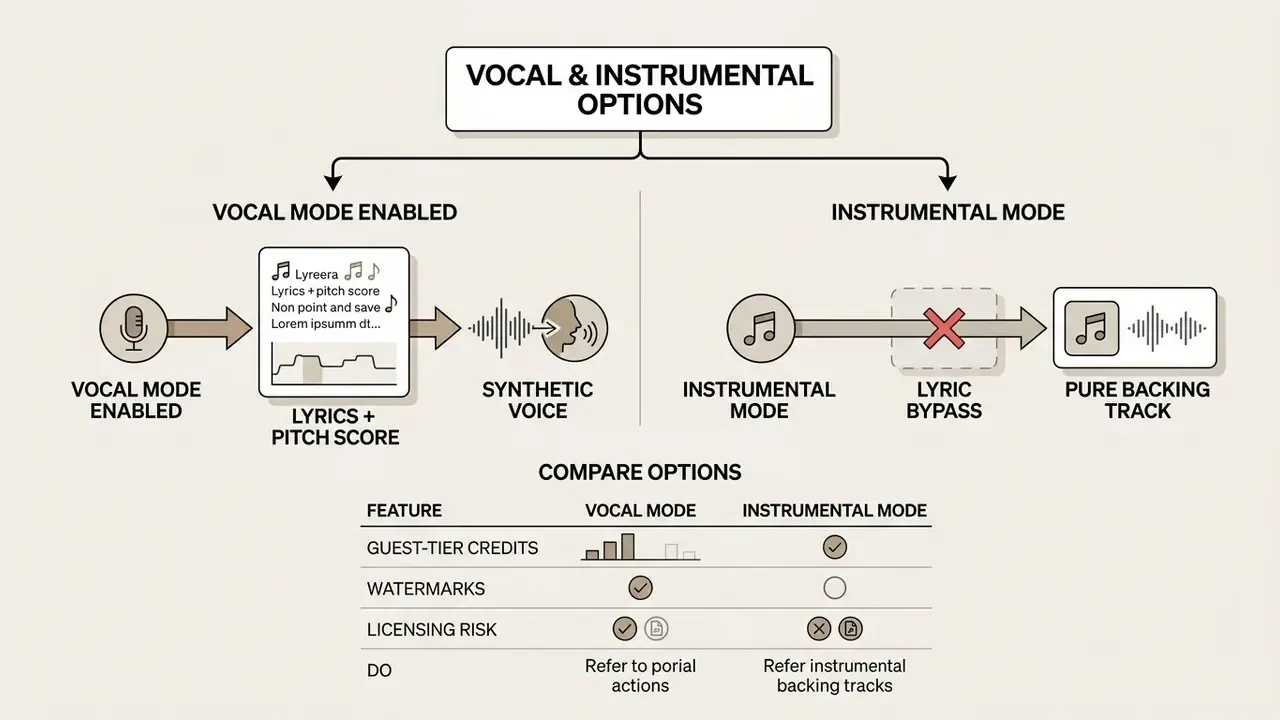
Toggling instrumental-only bypasses the SVS module entirely and redirects model capacity toward arranging the instrumental score. That mode is the right default for spoken-word video and podcast beds, where a competing vocal is the last thing you want under narration.
Advanced Generation and Track Editing
Advanced platforms offer post-processing: audio extension, zero-shot style transfer and super-resolution upscaling. Updated: upscaling models such as AudioSR lift compressed or low-bandwidth outputs from the 2 to 16 kHz band to 24 kHz bandwidth at a 48 kHz sampling rate, which is what makes a thin free-tier render survive a mastered timeline (AudioSR: Versatile Audio Super-Resolution at Scale, arXiv, 2023, https://arxiv.org/abs/2309.07314). Some platforms also fine-tune a dedicated model from a corpus of roughly 200 stylistically consistent tracks for a repeatable house sound.
Editing frameworks such as MusicMagus allow zero-shot attribute modification, so you can change instrument timbre or genre while keeping the underlying melody intact.
«MusicMagus outperforms both zero-shot and trained baselines on style and timbre transfer without requiring additional model training.»
In-context section editing (inpainting) and stem extraction. Modern generative platforms support precise region replacement, or audio inpainting. Highlight a bad 10-second vocal clip or a clumsy mid-song transition, re-prompt that exact window, and the surrounding drum pattern, bassline and key signature stay put. Vendor release notes for 2026 describe replacing a selected section with preserved surrounding vocals, rhythm and instrumentation, plus steadier results across repeated edits. Continuation features have improved in parallel, connecting new material to the original melody, tempo, energy and arrangement so an extended song reads as one take.
Professional workflows also lean on AI stem separation, which decomposes a rendered stereo master into isolated WAV stems: vocals, drums, bass, synths. That enables granular mixing, vocal isolation and spatial-audio placement inside standard DAWs. Stem export usually sits behind premium or API tiers, so plan for it during licensing rather than discovering it at mixdown. Worth noting: official preservation standards do not define "stems" as a formal format. It is an industry convention for grouped uncompressed tracks.
These tools bring generative work closer to traditional non-destructive DAW editing. They are also, bluntly, what separates a disposable social snippet from an asset a mix engineer can actually work with.
Which Creators Benefit From an Online Music Maker?
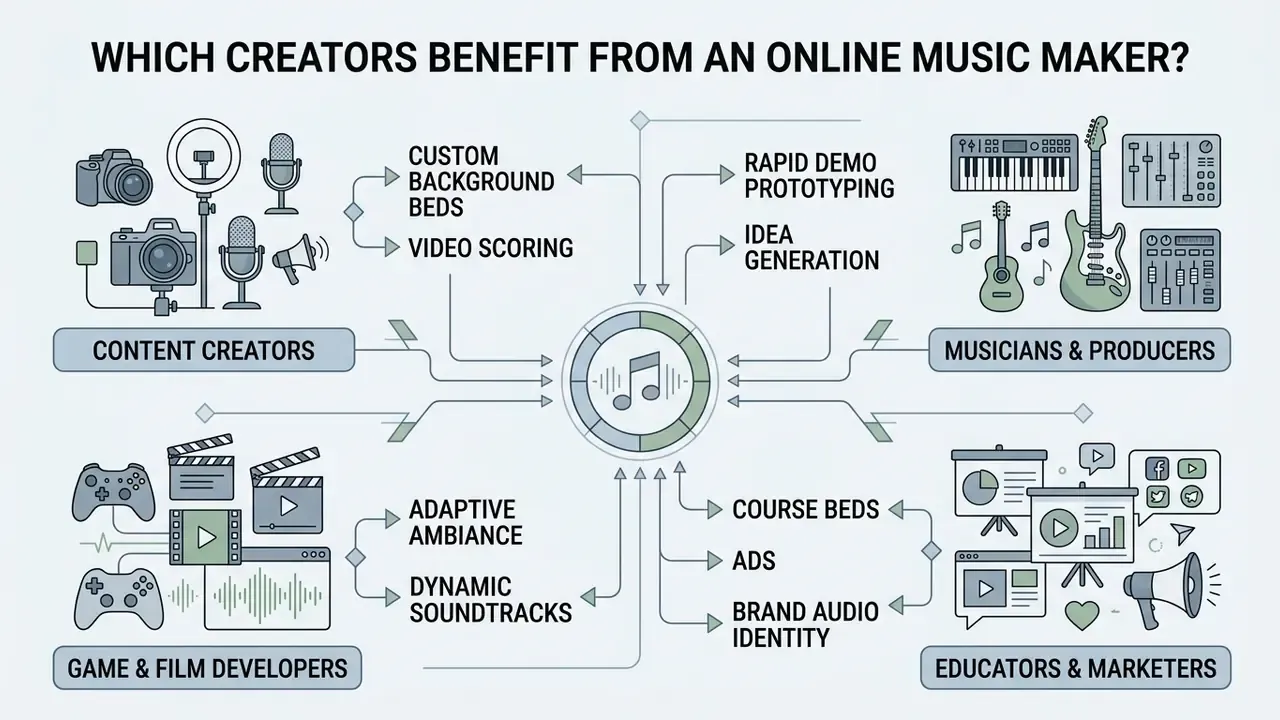
Browser music tools remove the studio bottleneck for anyone who needs original audio on a deadline. The cases below map to documented professional workflows rather than aspirational marketing.
Industry studies segment these users by role (composers, songwriters and arrangers; producers and sound engineers; performers; marketing and promotion teams) and by workflow stage: conception, production, distribution, promotion.
Creating Complete Media Packages: Album Art and Synthetic Video Assets
Audio generation is only the first step in publishing. Leading browser platforms now read track lyrics and thematic metadata to synthesise cover art, commonly square artwork around 3000 by 3000 px from an integrated diffusion model, delivered alongside the audio file and lyric sheet in a single download. For social-first creators on TikTok, Reels and YouTube Shorts, 2026-era workflows pair a generated track with one portrait upload to output a lip-synced AI music video with flexible aspect ratios and cloud rendering, all inside the browser.
Three caveats before you publish a package. Cover art generated from a prompt inherits the same non-registrability problem as the audio. Singer-video features that animate a real person's likeness require documented authorisation. And platform labelling expectations for synthetic media apply to the video as much as to the song. For static artwork alternatives, compare options in our AI art generator comparison and the AI headshot and portrait tooling guide.
Music Creation for Musicians, Producers and Beginners
Independent musicians and record producers use an ai song generator as a collaborative ideation tool against writer's block. Quick chord progressions, arrangement sketches and stylistic variations provide a starting point that can be re-recorded or refined in a desktop DAW (Google DeepMind, 2026). DeepMind's own Music AI Sandbox documentation frames its Create and Extend functions precisely as ways to generate fresh instrumental ideas and "break through a creative block".
Audience reception is less of a barrier than many producers assume. An empirical study with 163 participants found that disclosing computer authorship did not produce a statistically significant drop in listener preference for the music (Zlatkov et al., 2024). Interesting result, and it cuts against a lot of studio folklore.
Beginners with no theory background can turn abstract concepts into coherent audio tracks, then iterate. For complementary creative assets, creators often combine a song maker free online no sign up session with visual tools such as an ai svg generator, an ai tattoo generator, an ai template generator, or an animation maker for lyric visuals.
Tracks for Games, Film and Educational Projects
Game developers and filmmakers need high volumes of instrumental cues to score interactive environments and visual scenes. Non-autoregressive continuation models let developers extend ambient tracks dynamically in response to player actions.
«StemGen produces musically coherent continuations from stem context, achieving audio quality comparable to text-conditioned models with strong structural coherence.»
Documented project examples exist beyond vendor marketing. A 2025 study on educational games reported nine AI-generated soundtracks produced for three games using MusicFX, Riffusion and Suno, with prompt design, model selection and participant evaluation as the method, while a 2025 thesis examined AI-generated music inside a real video-game development pipeline.
Educators and media producers also use instrumental generators for instructional videos and presentation decks without incurring licensing fees, pairing generation with video editing tools for educational content and, for teams building automated pipelines, the cost and quota considerations in our Google Veo implementation guide.
FAQ About Free Music Makers With No Sign Up
Short answers to the questions that actually decide whether you can use a guest-mode generator. Security and data-handling questions sit alongside the creative ones, because in practice they arrive together.
Do I Need Music Production Experience to Create Songs?
No formal music education, instrument proficiency or DAW experience is required to create music with AI platforms. These systems interpret natural-language descriptions, genre presets and lyric text, then handle composition, harmony and arrangement automatically (MIT Press, 2024).
«MusicRL, tuned on roughly 300,000 user preference ratings, is consistently preferred over baseline versions even when prompts are less precise.» Cideron et al., MusicRL, Google DeepMind / arXiv (2024). https://arxiv.org/abs/2402.04229 Technical production skill is not mandatory, but basic vocabulary helps: genre names, tempo markers, instrument choices. Users can estimate production requirements with AI Media Calculators or review integration options in the AI Media API Guides.
Can I Access My Projects Later Without an Account?
Projects created during an anonymous session live temporarily in your browser's local cache or sessionStorage (W3C, 2026). Clear cookies, open a private window, or switch devices, and anonymous project data is gone. A free no sign up music maker owes you no history. For permanent access to generated audio files, prompt history and editable stems, register an account. For account troubleshooting, see AI Media Support, or compare platform feature sets in the AI Media Comparison Matrices.
What Happens to My Prompt After I Close the Tab?
Client-side state disappears: sessionStorage is bound to the top-level browsing context, and session cookies expire at or shortly after session validity (NIST SP 800-63B; IETF RFC 6265). Server-side is a different story. The prompt has already been transmitted for inference and may persist in vendor logs, moderation systems or analytics. Closing the tab protects your device, not the vendor's records.
Is the Model Trained on My Prompts in Guest Mode?
That depends entirely on the vendor's published policy, and guest users usually have no processing agreement to rely on. If the terms or privacy notice do not explicitly exclude prompt data from training and human review, assume inclusion and withhold confidential material. Enterprises should maintain a reviewed allow-list of generators with written no-training commitments.
Are Free Guest Tracks Watermarked?
Frequently, yes. Either an audible platform tag or inaudible metadata and acoustic markers used to identify platform output. Even an inaudible watermark can be detected by automated recognition systems, which is one reason free-tier audio in monetised uploads attracts claims.
How Long Can a Free Track Be?
Length depends on the model tier rather than the price: roughly 90 seconds to 2 minutes on fast or short-form engines, 3 to 4 minutes on mid-tier engines, and up to about 8 minutes on next-generation long-form models. Free tiers usually expose the shorter engines, so plan the edit around the ceiling.
Can I Edit Only One Bad Line Instead of Regenerating Everything?
Yes, where the platform supports audio inpainting. Select the offending window, re-prompt it, and the surrounding vocals, rhythm and instrumentation are preserved. It also saves credits compared with full regeneration, which matters on a metered guest tier. Extension features work the same way at the end of a track.
Can I Get Separate Vocal and Drum Files?
Only with stem separation, typically a premium or API feature. Stems export as isolated uncompressed tracks (vocals, drums, bass, synths) for mixing in a DAW, while free tiers generally deliver a single stereo MP3 or M4A.
Does "Royalty-Free" Mean I Am Safe From Copyright Claims?
No. "Royalty-free" describes a payment structure, not legal immunity. Third parties can still assert claims based on acoustic similarity, and platform recognition systems can still flag a track. Safety comes from a written commercial licence plus vendor indemnification, retained as evidence.
Is a Free Music Maker Online No Sign Up Option Enough for Client Work?
Rarely. A free music maker online no sign up session is excellent for testing whether the sound fits a brief. Client delivery needs a written licence, a per-track certificate, WAV or stems, and ideally indemnification. Use the guest tier to decide, then buy the tier that carries the rights.
Methodology, Verification and Editorial Standards
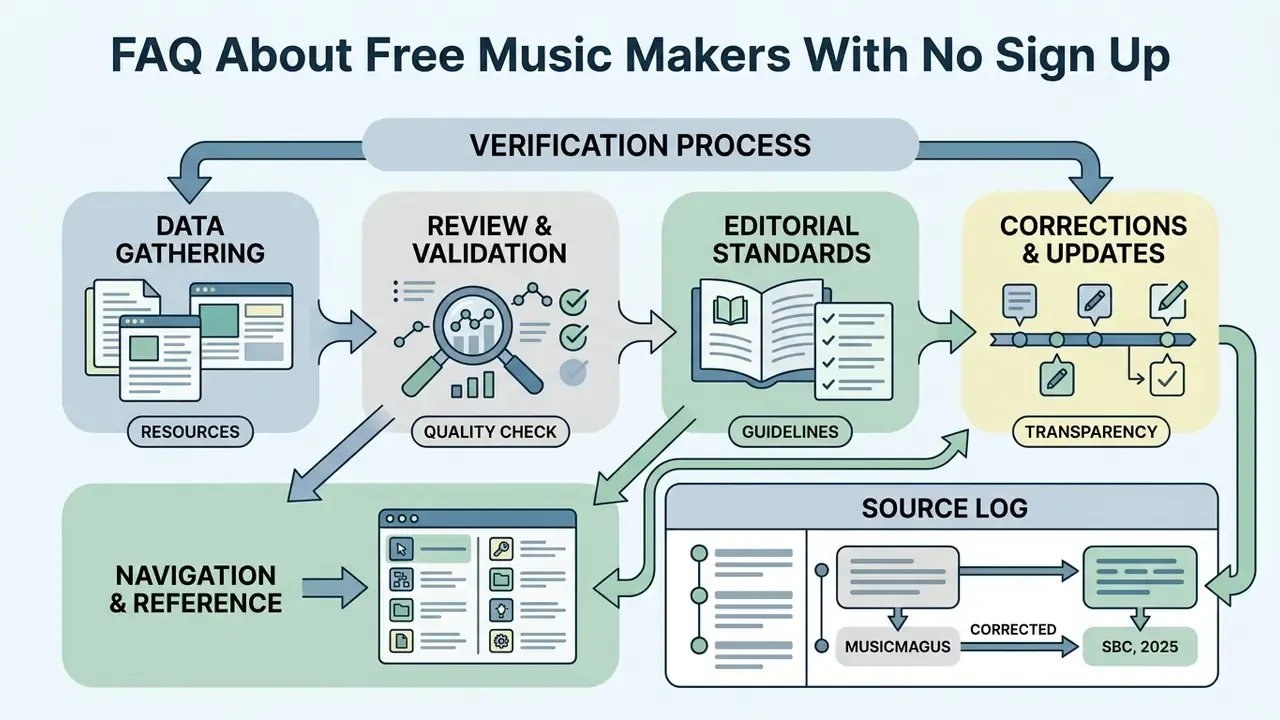
Appendix A: Corrections and Source Log (Retained for Transparency)
- Earlier wording: "high conditioning specificity can reduce within-genre acoustic diversity, leading to subtle homogenization across generated tracks (arXiv, 2026)." The cited identifier was a placeholder and has been removed. See the source-flagged passage in "Styles, Genres and Creative Direction".
- Earlier wording: "Singing Voice Synthesis (SVS) models combine musical score inputs, lyric text strings, and pitch envelopes to render realistic human vocal performances (ACM MM, 2024)." A conference homepage is not a verifiable article reference; replaced with a named-paper reference in "Vocals, Lyrics and Instrumental Music Options".
- Earlier wording: MusicMagus cited as
https://arxiv.org/abs/2400.00000; corrected tohttps://arxiv.org/abs/2402.06178. - Earlier wording: Adaptive game-audio continuation cited as
([SBC, 2025](https://sol.sbc.org.br/index.php/sbgames)); replaced with StemGen (arXiv, 2023), with the SBC educational-games findings retained as a separate documented example. - Earlier wording: AudioSR cited via a GitHub repository; replaced with the peer-review-track arXiv publication.
- Earlier wording: MusicMagus cited as `
- - Earlier wording: MusicMagus cited as `
- Earlier wording: MusicMagus cited as
https://arxiv.org/abs/2400.00000; corrected to ` - - Earlier wording: MusicMagus cited as
https://arxiv.org/abs/2400.00000; corrected to `
- arXiv, 2026
- ACM MM, 2024
- SBC, 2025