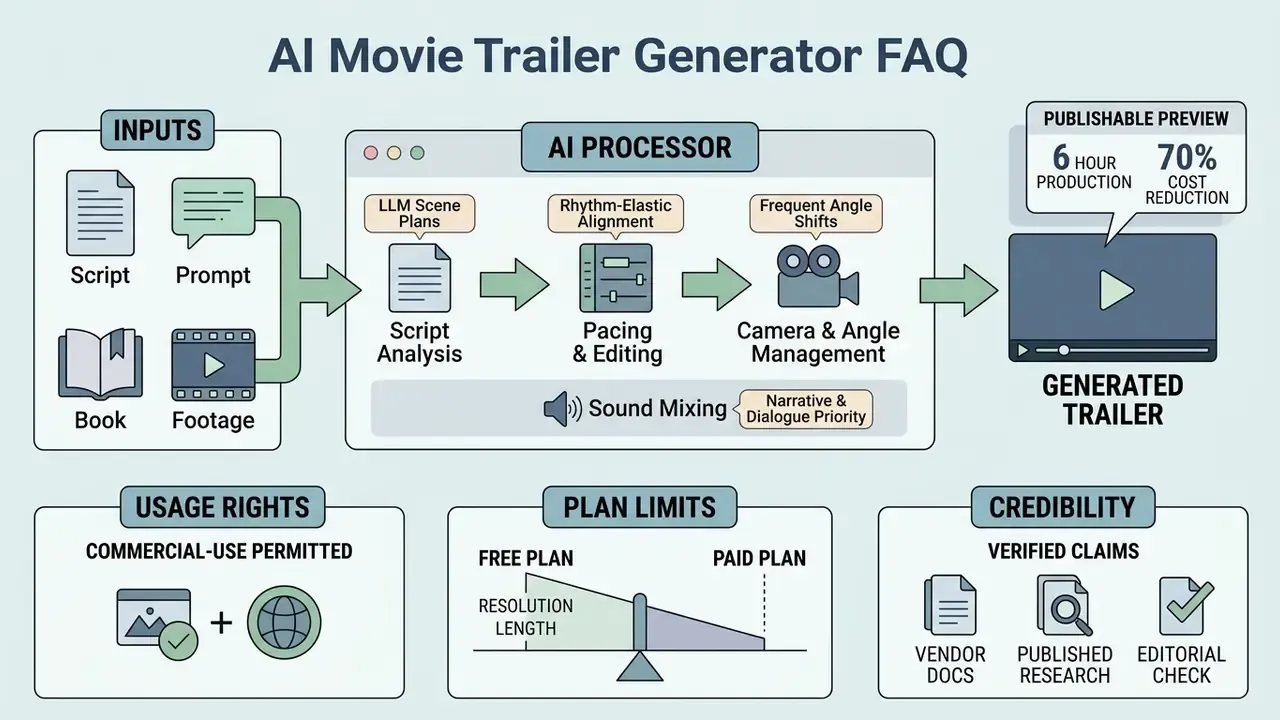
Why should a risk-aware reader care about a creative tool? Because the same questions apply here as anywhere else: who owns the output, what data left the building, and can you reconstruct the decision six months later.
Last updated: August 2026 · Reviewed by: Marcus Hale, AI Governance & Model Risk Editorial · Scope: technical architecture, production workflow, licensing, and enterprise risk controls for AI-generated trailers.
Key Takeaways
- What it is A multi-stage multimodal pipeline where an LLM acts as "director" (scene segmentation, spoiler filtering, dialogue selection) while video, speech, and music models render the output.
- Inputs Text prompt, full screenplay, reference images, soundtrack, or an uploaded long-form video for extractive editing.
- Outputs 15-second vertical social teasers up to 2-minute horizontal cinematic previews, plus book, game, product, and concept trailers.
- Editing Two control modes, classic timeline editing and conversational ("magic edit box") prompt-based recuts.
- Cinematic quality Virtual camera controls, escalating cut frequency (3 to 5 second opening shots, then 0.5 to 1.5 second climax cuts), voiceover-first audio mixing, and readable title cards.
- Compliance Free tiers rarely grant commercial rights; U.S. Copyright Office guidance requires disclosure of AI-generated material, and the EU AI Act (2024) requires machine-readable synthetic-content markers.
- Enterprise risk Verify zero-data-retention terms, SSO/SAML support, and prompt/seed audit logging before uploading proprietary scripts or footage.
What Is an AI Movie Trailer Maker?
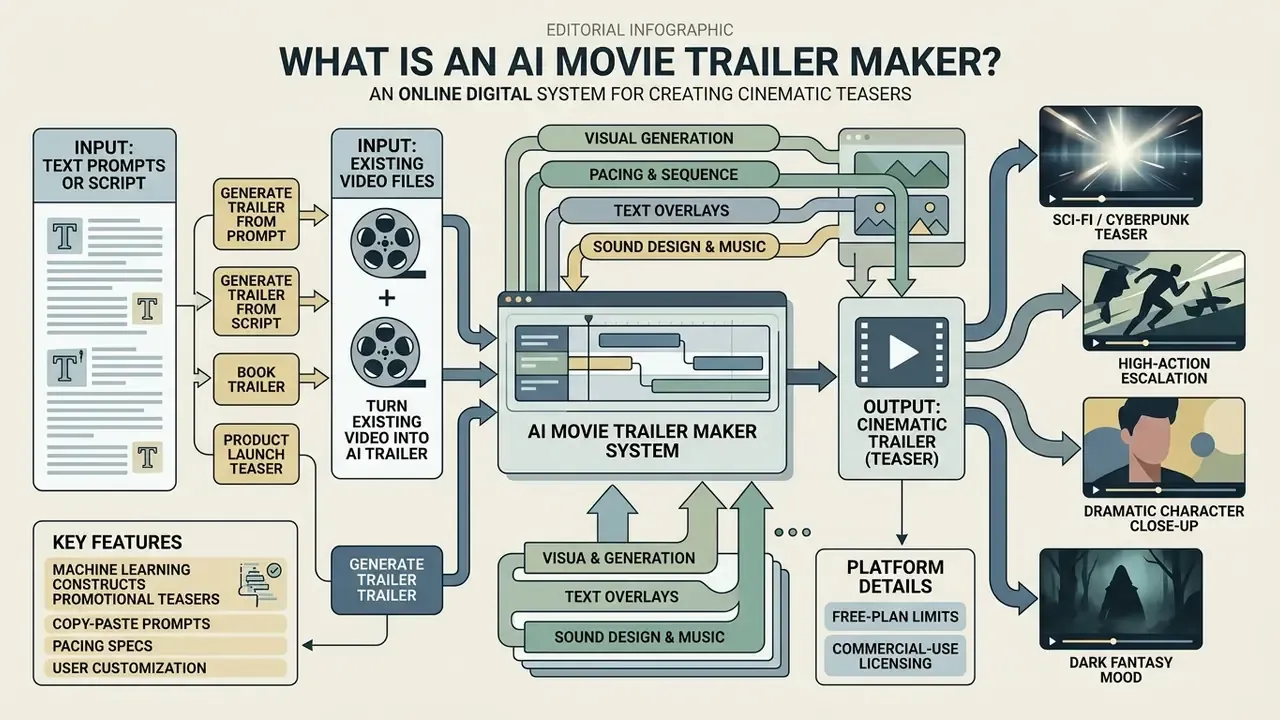
An AI movie trailer maker is an online digital system that uses machine learning to construct promotional teasers from text scripts, prompts, or long-form video files. Rather than requiring manual timeline editing, an ai movie trailer generator analyzes narrative structure, identifies key emotional beats, and automatically stitches together video frames, audio tracks, and title cards into a cohesive sequence.
Modern systems rely on multi-stage multimodal pipelines. Not one model. Several, chained.
«A trailer is not a summary of a film but a narrative experience in itself, assembled by an LLM through selection of key visual sequences and dialogue.»
According to research on the TRAILDREAMS architecture (Balestri et al., 2025), an ai trailer creator typically coordinates an LLM "director" with specialized video, speech, and music models. The language model segments synopses into discrete scenes, filters out plot spoilers, and selects dialogue clips, while downstream visual models arrange or generate corresponding video frames. In the published system description, the pipeline is organized into four explicit stages: preparation, visual clips, voice-over, and soundtrack. That mirrors how a human trailer house separates picture editorial from sound editorial. Earlier, pre-LLM systems solved the same task differently, using poster and subtitle features together with genre-specific convolutional networks and scene segmentation before assembly, which is why older tools feel more template-driven than today's conversational systems. Whether operating as a standalone web app or integrated into broader production workflows, a cinematic trailer maker provides rapid storyboarding and automated video rendering.
Academic framing is consistent with the CVPR 2024 formulation of trailer generation as sequence-to-sequence movie understanding: a "trailerness" encoder scores individual shots, a context encoder models narrative position, and a decoder assembles a provisional trailer from the full film. That model additionally ingests plot-summary text (encoded with RoBERTa) to steer decoding, which is direct proof that script-like text and video frames are processed jointly rather than in isolation.
Generate a Movie Trailer from a Text Prompt or Script
You can generate a movie trailer from a text prompt or script by supplying narrative descriptions, scene beats, or dialogue lines directly to an ai movie trailer creator. The system converts these written inputs into a shot-list structure, generating or retrieving matching video sequences with cinematic timing.
Script-to-trailer workflows rely on natural language processing to extract core exposition, escalating conflict, and climax points. In generative systems such as DreamRunner (2025), an LLM breaks a script into coarse scene plans and object-level layouts, keeping character and atmospheric consistency across generated frames.
«DreamRunner achieves state-of-the-art performance on character consistency, text alignment, and transition smoothness compared with story-to-video baselines.»
When working with text-to-video foundation models, structured prompts that separate visual action, camera movement, and spoken lines produce clearer visual continuity than unstructured prose. Vendor documentation says the same thing: the Sora 2 prompting guide advises placing dialogue in a distinct block beneath the prose prompt, while Google Cloud's Veo 3.1 guide proposes a five-part formula covering cinematography, subject, action, context, and style or ambiance. Professional trailer editors follow a comparable logic in reverse. Derek Lieu's "paper edit" method first extracts dialogue selects from a script, sorts them into exposition, character, and action buckets, and only then arranges story beats into a trailer outline. The practical upside is speed: creators can test three or four narrative hooks in an afternoon before committing to full post-production. For broader terminology, visit our AI Media Glossary.
Cinematic AI trailer prompt templates (copy and paste)
- Sci-fi / cyberpunk teaser
Cinematic wide shot, dystopian neon-lit city in heavy rain, slow forward dolly camera movement, high contrast lighting, volumetric fog, atmospheric cyberpunk aesthetics, 8k resolution, photorealistic, 24fps --ar 16:9 - Dramatic character close-up
Extreme close-up of a weathered detective looking through a venetian blind, subtle eye movement, dramatic key lighting, shallow depth of field, 35mm film grain, tense atmosphere, cinematic color grading --ar 16:9 - High-action escalation
Fast-tracking shot following a sleek vehicle speeding through a mountain pass at sunset, dynamic camera tilt, motion blur, lens flare, explosive action movie style, intense cinematic pacing --ar 16:9 - Book trailer / dark fantasy mood
Slow push-in through a candlelit medieval library, dust particles in shafts of light, ornate leather-bound book on a pedestal, ominous atmosphere, dark fantasy cinematography, shallow focus, 24fps --ar 9:16 - Product / launch teaser
Macro orbit shot around a matte-black device on a reflective surface, studio rim lighting, seamless gradient backdrop, crisp specular highlights, premium tech commercial style, kinetic reveal --ar 16:9
Reuse the same seed and the same character reference across all five, or the faces will drift. That single habit saves more regeneration credits than any prompt trick.
Turn Existing Video into an AI Trailer
You can turn existing video into an AI trailer by uploading a full-length film, lecture, or gameplay recording to an ai trailer maker from video. The system scans the source material, scores individual shots for visual importance and emotional intensity, and cuts the video into a condensed teaser.
Advanced sequence models, such as the SSMP framework (Zhu et al., CVPR 2026), process long-form video using self-paced masked prediction to learn how professional editors assemble trailers.
«SSMP trains a Transformer encoder that takes movie shot sequences as prompts and generates the corresponding trailer shot sequences.»
Rather than pulling random clips, the algorithm evaluates scene transitions, face detection cues, and dialogue peaks to form a provisional cut. A parallel line of work (IJCAI 2025, weakly supervised trailer generation) predicts both "trailerness" and emotion scores per shot, then aligns shot duration with musical shots, which turns pacing into an explicit optimization target instead of a post-hoc trim. Post-processing modules then stretch or shorten clips to match soundtrack beats. This automated selection cuts down manual footage scanning while preserving key narrative arcs. Readers comparing extractive tools against fully generative systems can review how modern AI video generators differ in input handling and continuity control.
One caveat worth naming early: extractive tools see everything you upload. If the source cut contains an unreleased plot point, unblurred customer data, or an internal watermark, the model has no idea it should be careful. You do.
Textual summary of the workflow: the process moves sequentially from user input (text prompt, script, or uploaded video) to automated AI analysis (shot scoring and scene segmentation), then storyboard arrangement (pacing and ordering), then audio integration (voiceover, music alignment, sound effects), and finally MP4 export rendering. Five steps: input, analysis, storyboard, audio, export.
Which Trailers Can You Create with AI?
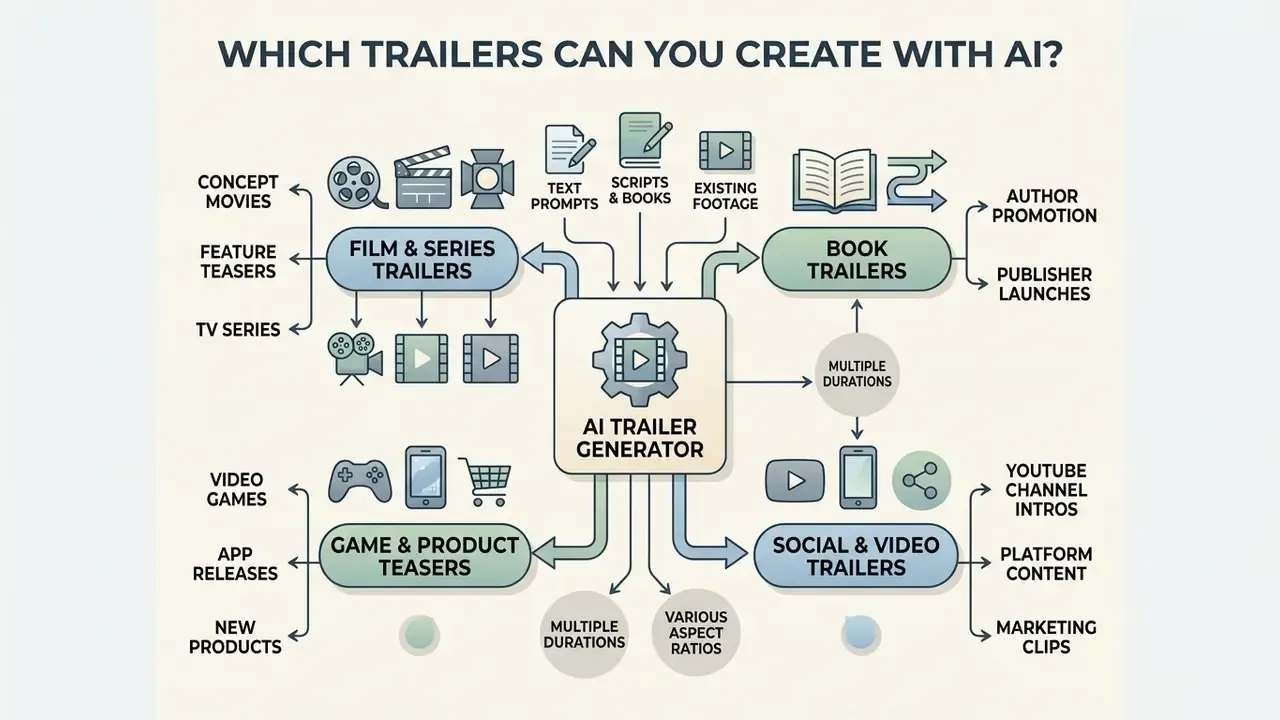
An AI movie trailer generator can create film teasers, book trailers, game trailers, product launch videos, and social media promos across multiple aspect ratios and durations. The output ranges from 15-second vertical teasers for social feeds to 2-minute horizontal cinematic previews for video platforms. Teams that need to shortlist a platform by format support can start from our comparison of AI video generators.
Structural mechanics depend on the distribution channel. Film trailers need narrative tension and dialogue holds; game trailers need high-motion cuts and graphic text overlays; social trailers live or die on a visual hook inside the first three seconds. Broad training datasets, such as MMTrail (Chi et al., 2024) with over 20 million trailer segments across film, news, and gaming, let an ai game trailer maker or ai cinematic trailer generator adapt visual pacing to a specific media category.
«MMTrail contains more than 20 million trailer segments totalling 27.1K hours, with multimodal captions covering music and visual description.»
Film, Series and Concept Movie Trailers
Film, series, and concept movie trailers created with AI follow a multi-beat structure designed to build intrigue without revealing key plot twists. An ai video trailer maker establishes the world setup, introduces character conflict, accelerates scene transitions, and closes with a title card and a final teaser button.
Modern generative systems support artistic and render style presets. Creators can produce stylized concept teasers, including Japanese anime style, 3D Pixar-inspired animation, photorealistic dark fantasy, retro VHS horror, or high-tech cyberpunk aesthetics, by specifying style tokens in the generation prompt or selecting preset render models in the platform dashboard. Style consistency across shots improves noticeably when the same character reference image and lighting descriptors are reused in every prompt of the sequence.
In professional teaser frameworks, title cards land at pivotal story turns rather than functioning as plain static text. Teaser guides recommend restricting title card copy to two to seven words and holding the frame long enough for viewers to read it comfortably twice; short-form teaser formats compress the same idea into three beats: world, unanswered question, title. Concept trailers for unreleased films lean on text-to-video foundation models to synthesize stylized scenes from screenplay synopses, which gives independent filmmakers a fast way to pitch a visual concept to investors before a camera exists. Documentary and long-form factual content follows a related but distinct compression logic:
«TeaserGen effectively condenses documentaries longer than 30 minutes into teasers under 3 minutes, using a dataset of 1,269 documentary-teaser pairs.»
How to Create a Trailer with AI
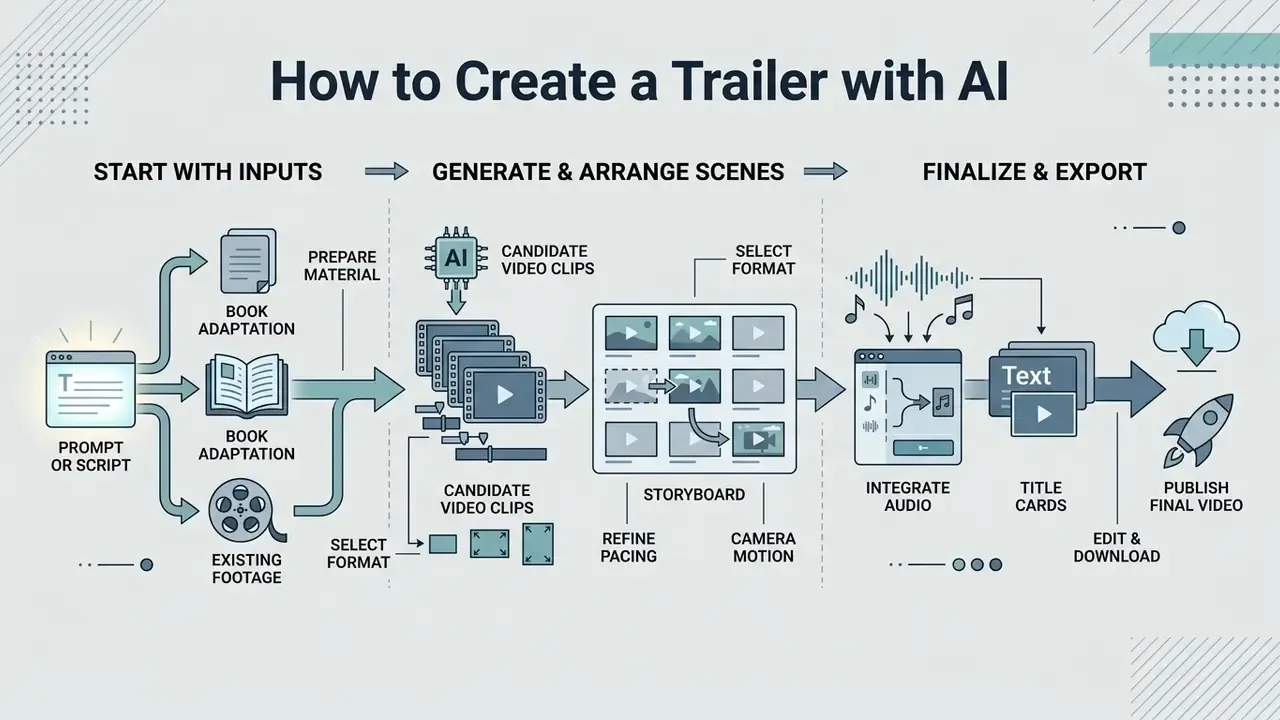
You can create a trailer with AI by defining your creative input, generating candidate scene clips, arranging them on a visual storyboard, adding audio, and exporting the rendered file. Modern ai trailer generator platforms compress this into a browser-based editor with a handful of panels.
Structured video development standards help here. ISO/IEC/IEEE DIS 26516 guidance specifies planning requirements for content elements, structure, music, narration, captions, titles, and graphics, which is a useful checklist even for a 30-second teaser. By splitting the workflow into input selection, storyboard generation, fine-editing, and rendering, creators keep control over visual continuity, audio balance, and licensing compliance. Skip the split and you get a fast render nobody can safely publish.
Start with a Prompt, Script or Source Video
To start, select your input method: type a descriptive text prompt, paste a complete screenplay, or upload a source video file. To create a trailer with ai effectively, define the emotional tone, the main character focus, and the desired visual genre before you generate anything.
For prompt-based input, structure your text into categories: camera movement, visual subject, action, lighting environment, artistic style. Official prompting guidelines for models like Google Veo and OpenAI Sora emphasize separating environment description from spoken dialogue. Before generating a single frame, write a short beat sheet: cold open, premise, escalation, signature image, title card, final button. AI systems reproduce whatever structure the prompt implies, so a vague prompt yields a vague arc. When starting from existing footage, pick high-bitrate source files to prevent artifacting during automated scene clipping, and record source metadata (duration, frame rate, bitrate, frame size) so exports can be matched to the original.
Generate Scenes and Build a Trailer Storyboard
To generate scenes and build a storyboard, run the analysis module to segment your input into individual clips and arrange them into a chronological shot list. To create a movie trailer with ai, review the generated storyboard for smooth camera motion and coherent character appearance before you commit rendering credits.
During assembly, the system evaluates shot duration and visual rhythm, aligning clip boundaries with musical structure ahead of the final render. Storyboard modules typically accept a script, prompt, scene description, or CSV shot table, and return scene beats, camera intent, and a frame sequence exportable as a PDF shot list or an MP4 animatic for review. Editors can lock strong frames while instructing the model to regenerate weak or inconsistent shots. This human-on-the-loop review keeps character appearance and environmental lighting consistent across cuts, and it is the natural checkpoint for spoiler control and brand-safety sign-off. In a governance sense, it is also your named approval gate: one person, one timestamp, one decision.
Edit, Download and Publish the Final Video
To edit an AI-generated trailer, use timeline track tools or natural language prompt adjustments, that is, conversational AI editing. Systems with a prompt-based edit module, often called a "magic edit box", let users modify scenes by typing direct commands such as "change voiceover to a British accent", "add dark volumetric fog to scene 3", or "increase cutting pace during the final 10 seconds". This control loop enables instant recuts without manual keyframing or a full re-render, and it mirrors how a director gives notes: tighten the open, hold that shot longer, land the title harder.
To edit, download, and publish the final video, adjust clip timing on the timeline, add voiceover narration and sound effects, select export resolution, and render the MP4. When you create ai movie trailer content for commercial distribution, confirm that all output files match platform publishing specs.
Final editing means balancing narration against background music, a process known as audio ducking; creators who need frame-accurate control can supplement generative platforms with dedicated video editing tools. For standard web and broadcast publishing, export in MP4 using the H.264 codec at 1080p (1920×1080), with no interlacing. That is the same baseline required by many institutional publishers, several of which accept only MP4 for final delivery. If your finishing pass needs colour, captions, or multi-track audio work, compare options in our roundup of free video editing software. Before uploading rendered files to public channels, verify that every underlying audio asset, generated visual, and font complies with commercial licensing terms. To model asset budgets across a campaign, our AI Media Calculators may help.
- Prepare input material.Write a structured text prompt, draft a short multi-scene screenplay, or upload a high-resolution source video into the project dashboard.
- Select format and aspect ratio.Choose the target format, 16:9 widescreen for YouTube and cinema or 9:16 vertical for social feeds, and set total duration (15 to 90 seconds).
- Generate storyboard scenes.Trigger the generation pipeline to segment footage, extract key dialogue quotes, and build an initial scene-by-scene storyboard.
- Refine pacing and camera motion.Adjust shot lengths, apply virtual camera controls (pan, tilt, push-in), and reorder clips into an escalating dramatic arc.
- Integrate audio and title cards.Layer AI voiceover narration, align music beats, insert sound effects, and customize graphic title cards.
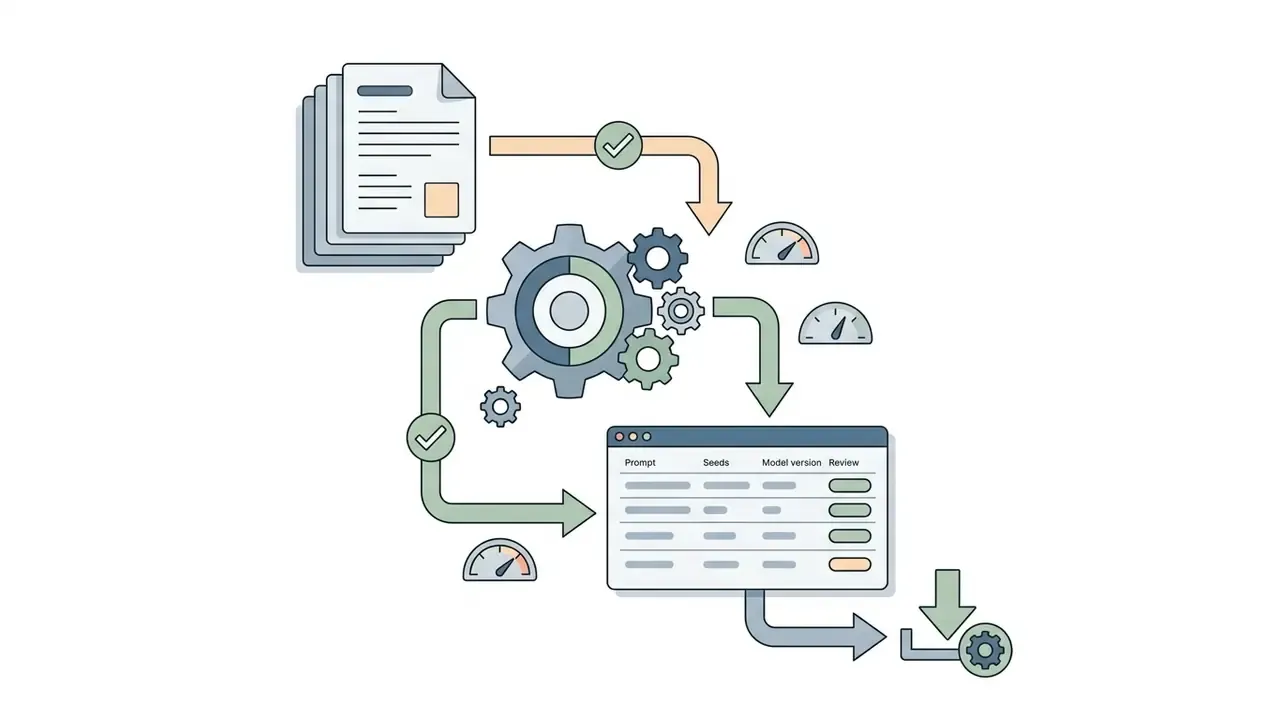
- Log prompts, seeds and model versions.Save prompt text, seed values, model name and version, and reference assets per shot, so the production can be reconstructed and audited later.
- Export and verify license rights.Render in 1080p MP4, download the file, and complete a commercial licensing audit before public release.
Features That Make an AI Trailer Look Cinematic
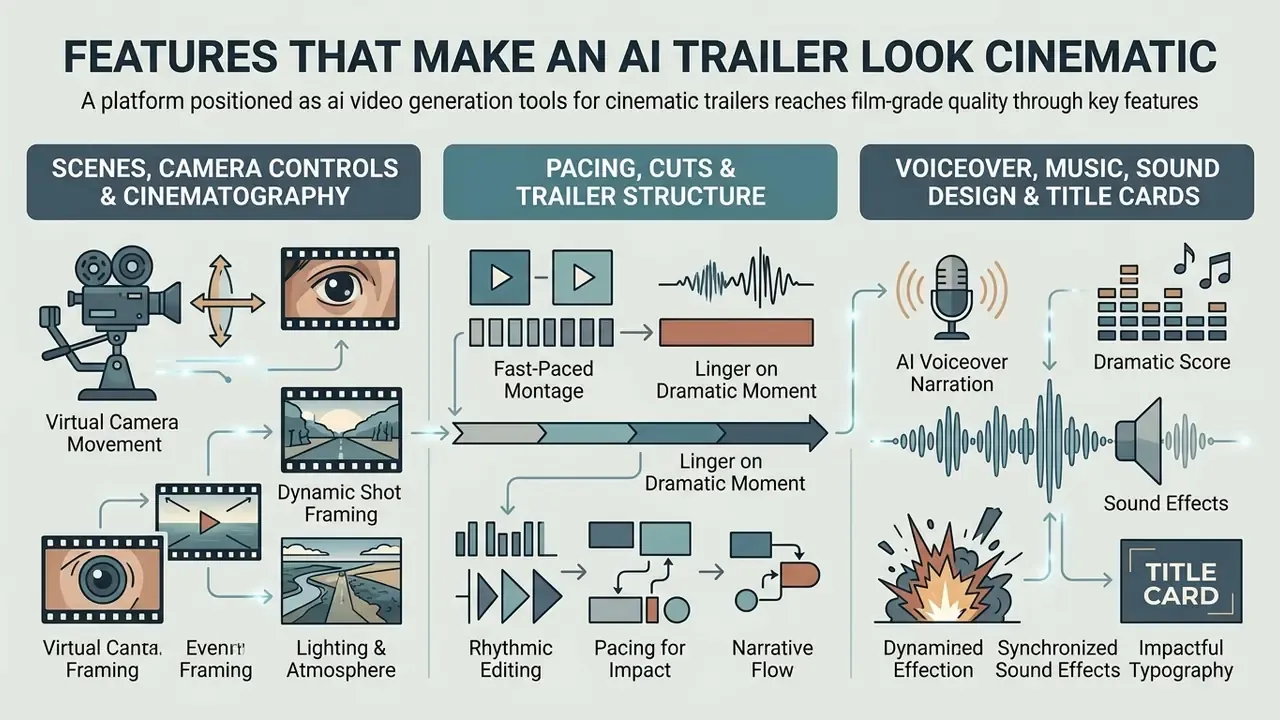
A platform positioned as ai video generation tools for cinematic trailers reaches film-grade quality through virtual camera controls, deliberate shot pacing, AI voiceover synthesis, and professional title card design. These controls turn raw generations into a structured cinematic sequence.
In an internal editorial workflow test, not an independently audited benchmark, a small production team converted a 10-page spec script into a 60-second teaser using LTX Studio alongside specialized text-to-video tools. By controlling framing, camera movement, and audio layering, the team produced a publishable preview inside a single working day. The reported pre-visualization saving of roughly 70% reflects that team's own cost baseline and should be treated as indicative, pending independent verification, not as an industry figure.
Scenes, Camera Controls and Cinematography
Virtual camera controls let creators specify precise movement, including tracking shots, slow pans, dolly zooms, and aerial overhead angles, inside an ai trailer generator. These motion parameters establish spatial depth and cinematic polish across generated scenes.
Current AI video models accept explicit camera commands in prompts or control panels. Documentation for models like Runway Gen-3 and Kling AI shows movement types (horizontal pan, vertical tilt, camera roll, push-in) alongside framing angles (low angle, eye-level, over-the-shoulder, POV, top-down aerial). Kling documents six basic moves plus combined "Master Shots"; MiniMax/Hailuo exposes bracketed camera commands such as push in, tracking shot, shake, and static directly inside the prompt. A slow push-in during dramatic dialogue creates intimacy; a wide tracking shot communicates scale during action. Same scene, different meaning, one prompt token apart.
Pacing, Cuts and Trailer Structure
Pacing and cut frequency decide how suspense builds. A typical 90-second trailer moves through four phases: a measured cold open (0 to 15s), narrative setup (15 to 35s), rapid visual escalation (35 to 70s), and a climax followed by a blackout button (70 to 90s).
To build tension, increase cutting frequency as the trailer progresses. The opening should carry longer shot durations, 3 to 5 seconds per clip, with ambient sound design underneath. As the story reaches its complication phase, shot durations tighten to 0.5 to 1.5 seconds per cut, synchronized with accelerating musical beats. That acceleration is what produces the physiological pull viewers describe as "gripping".
Automated systems now optimize this rhythm directly rather than leaving it to manual trimming. Rhythm-aware agentic pipelines stretch or compress candidate clips so cut points land on musical accents instead of arbitrary frame boundaries:
«BEAT achieves state-of-the-art results on the TrailerArena benchmark for shot selection, ordering, and perceived quality, producing trailers fully automatically.»
When editing standalone trailer assets, pay strict attention to opening hooks and closing buttons. Openings need visual impact inside the first 3 seconds to prevent drop-off, while outros must reserve 5 to 8 seconds for title cards, call-to-action overlays, release dates, and subscription links. The same asset logic applies to film announcements, channel openers, and end-credit stingers, which are often produced as reusable branded modules rather than one-off edits.
Voiceover, Music, Sound Design and Title Cards
Natural-sounding narration, layered music, environmental effects, and stylized title cards complete the cinematic impression. An ai video trailer generator uses text-to-speech models and audio alignment tools to balance spoken lines against a score; readers evaluating narration quality and licensing can compare AI voice generators before committing to a voice identity.
Professional mixing follows a voiceover-first hierarchy rather than one numeric standard. Narration and dialogue hold the primary focus, and music is ducked beneath speech whenever voiceover plays. Production guidance commonly places that reduction in the 6 to 10 decibel range, with the exact value depending on the music bed, loudness target, and delivery platform. These are practice-based figures, not a codified specification. Documentary and training workflows keep narration, music, and effects on separate tracks, so effects and score can be timed to narrative beats instead of running continuously.
Title cards should follow broadcast readability practice: clean sans-serif or classic serif typography on high-contrast, uncluttered backgrounds. Netflix Originals delivery specifications (OC-3-3) require legible text on contrasting backgrounds and prohibit extraneous text such as taglines, credits, or review quotes inside the card. ISO/IEC 20071-23:2023 defines how audio information should be presented visually for users who cannot access the audio track, a useful baseline for captions and on-screen text in trailers. To estimate asset budgets for complex productions, consult our AI Media Pricing Guides.
Once the creative build is locked, the remaining decisions are commercial: which platform matches your inputs and editing needs, and what its plan tier permits you to publish. The next two sections handle selection criteria first, then plans, limits, and licensing.
How to Choose the Best AI Movie Trailer Generator
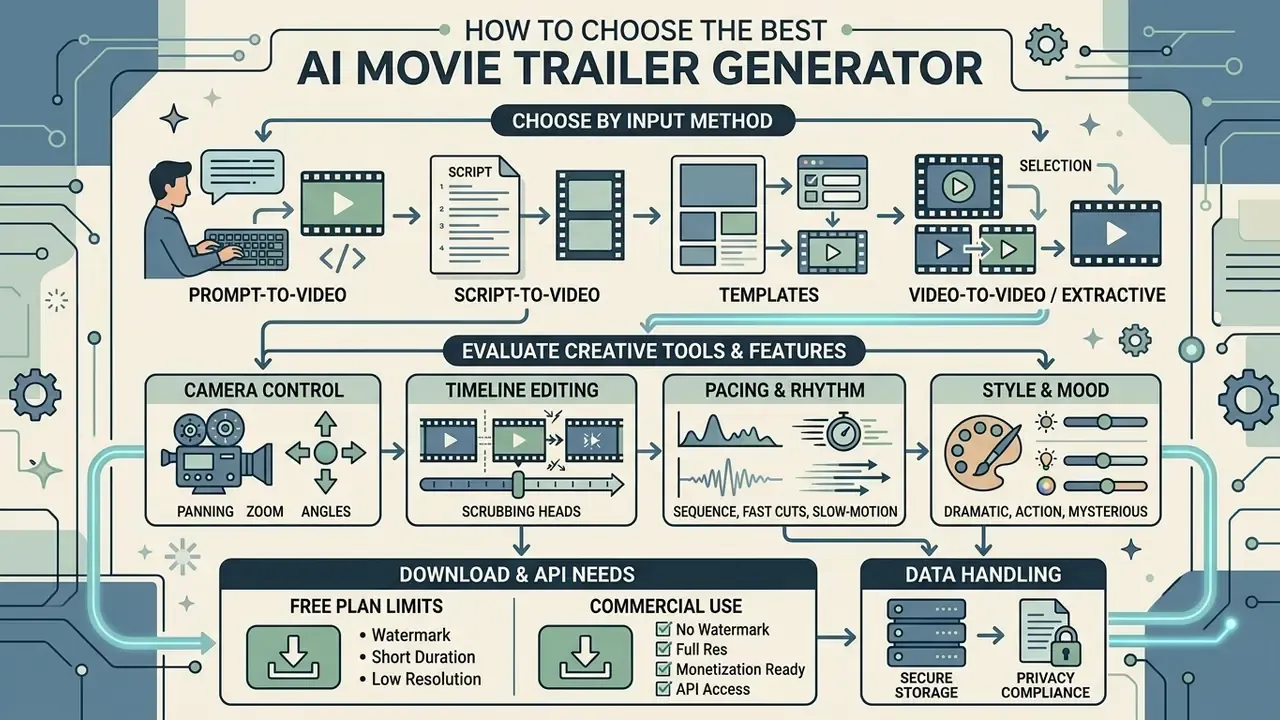
To choose the best ai movie trailer generator, evaluate tools on input compatibility (prompt, script, or uploaded video), camera control features, timeline editing flexibility, export resolution, and API accessibility. The right answer depends on whether your project needs generative synthesis or extractive clip editing.
When building automated pipelines, teams often combine tools, pairing dedicated script transformation software with video rendering engines. To review implementation frameworks and integration architectures, explore our AI Media API Guides and AI Media Support and Troubleshooting documentation.
Choose by Input: Prompt, Script, Templates or Video
Selecting an ai trailer maker by input type ensures the software matches the source material you actually hold. Raw screenplay text points to script-to-video platforms; finished recordings point to an ai trailer maker from video.
Training-data scale is one reason prompt-to-video quality has improved sharply for short cinematic beats:
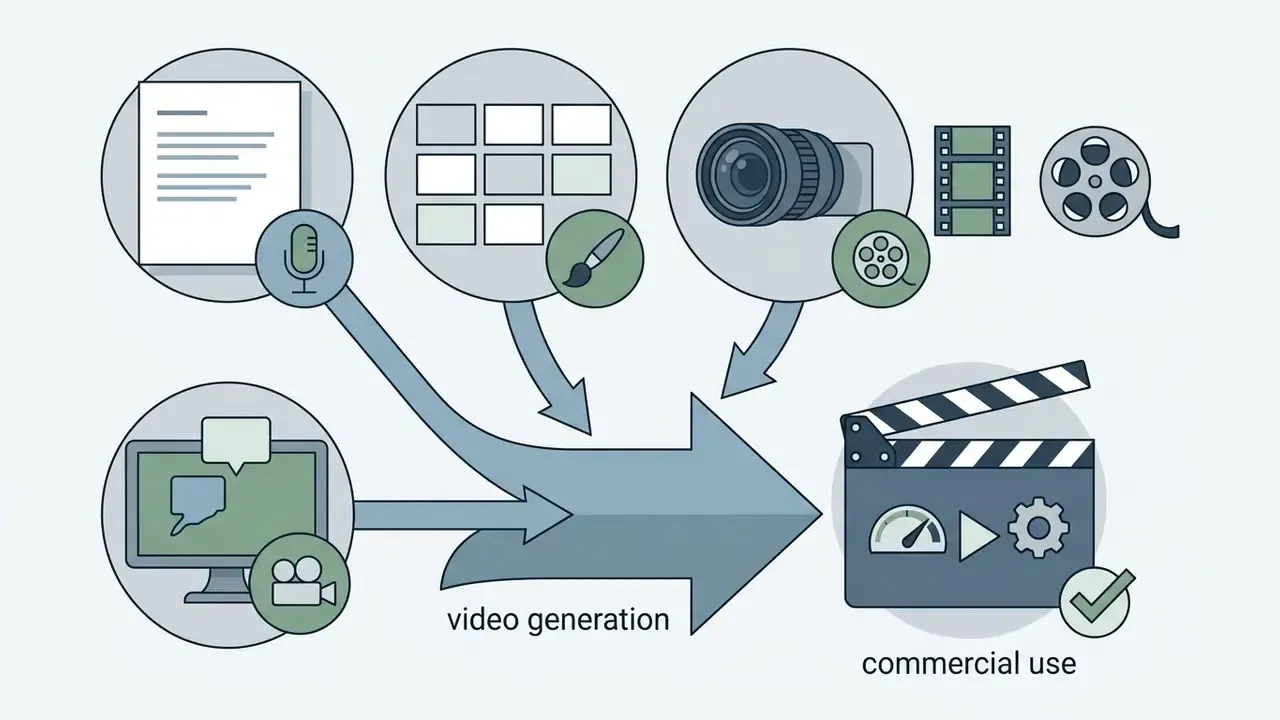
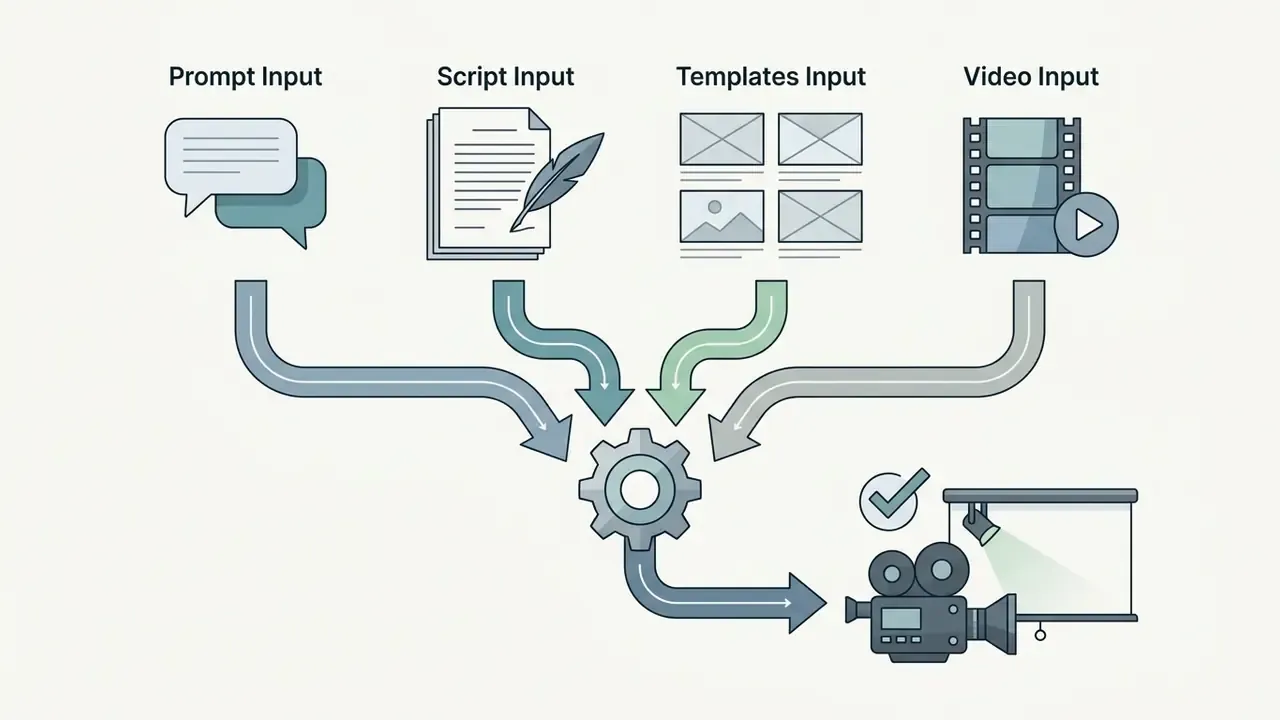
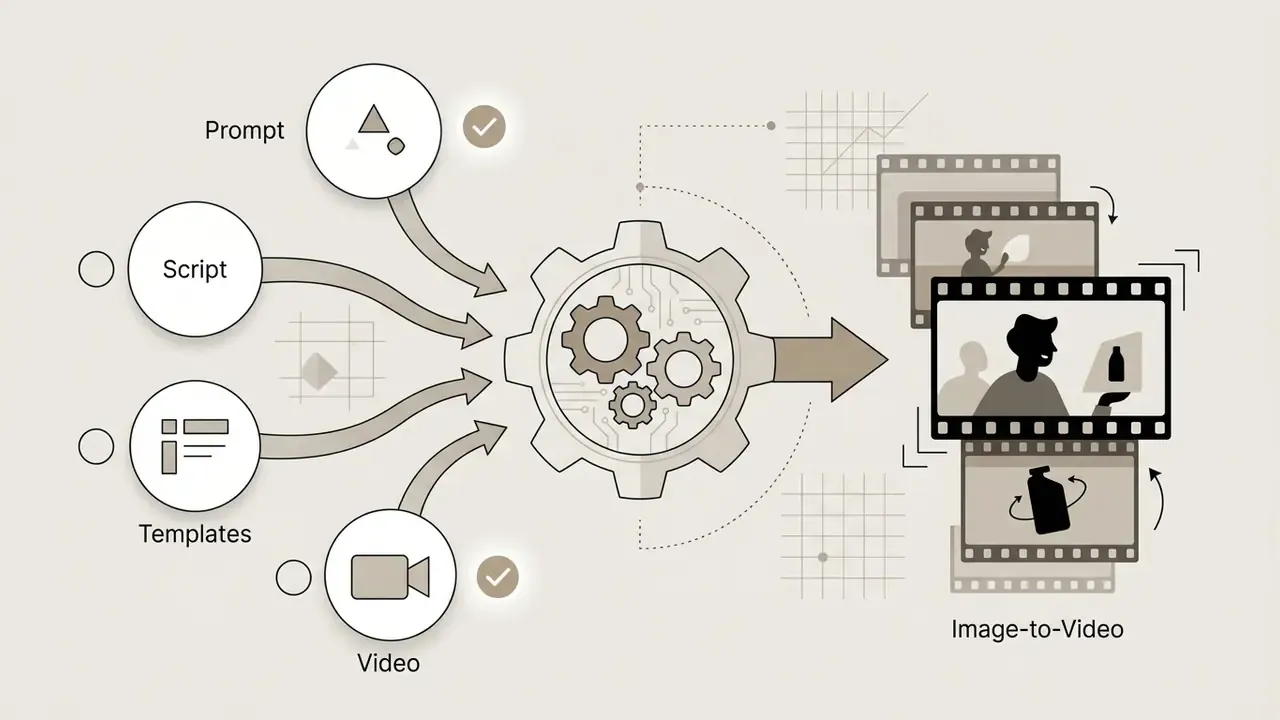

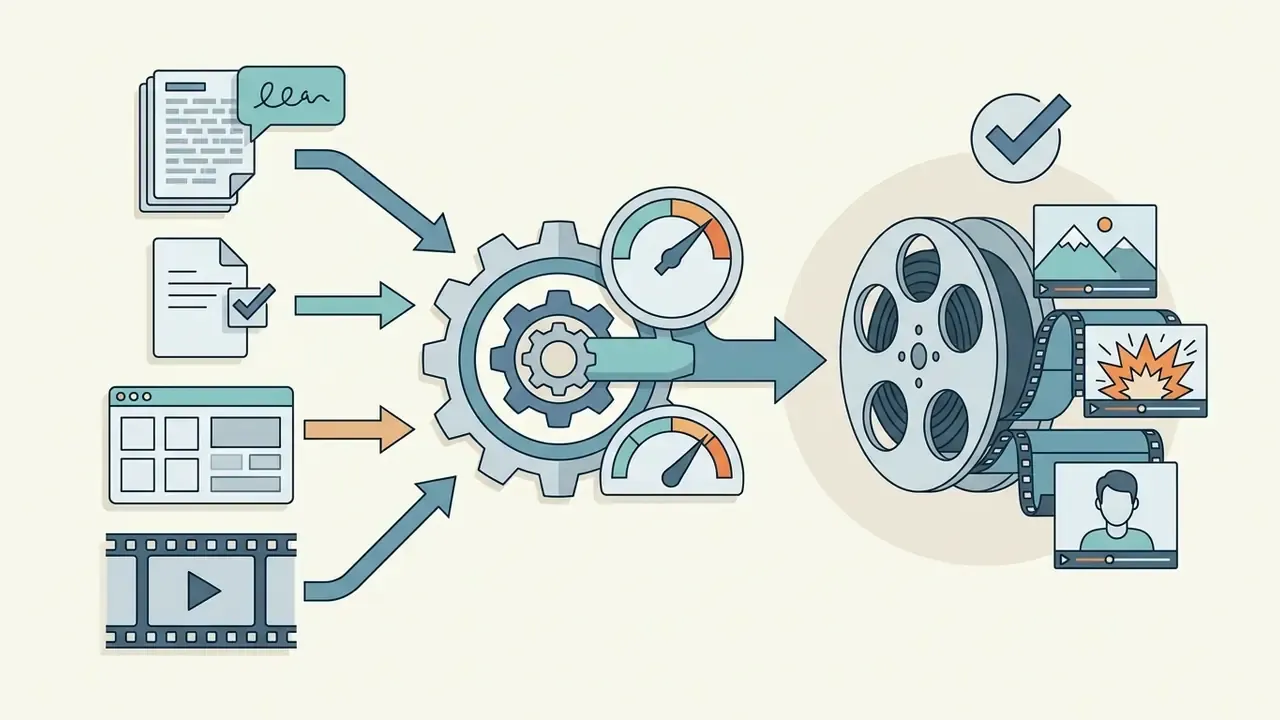
«OpenVid-1M contains over 1 million text-video pairs; the OpenVidHD-0.4M subset includes 433K videos at 1080p for high-quality generation.»
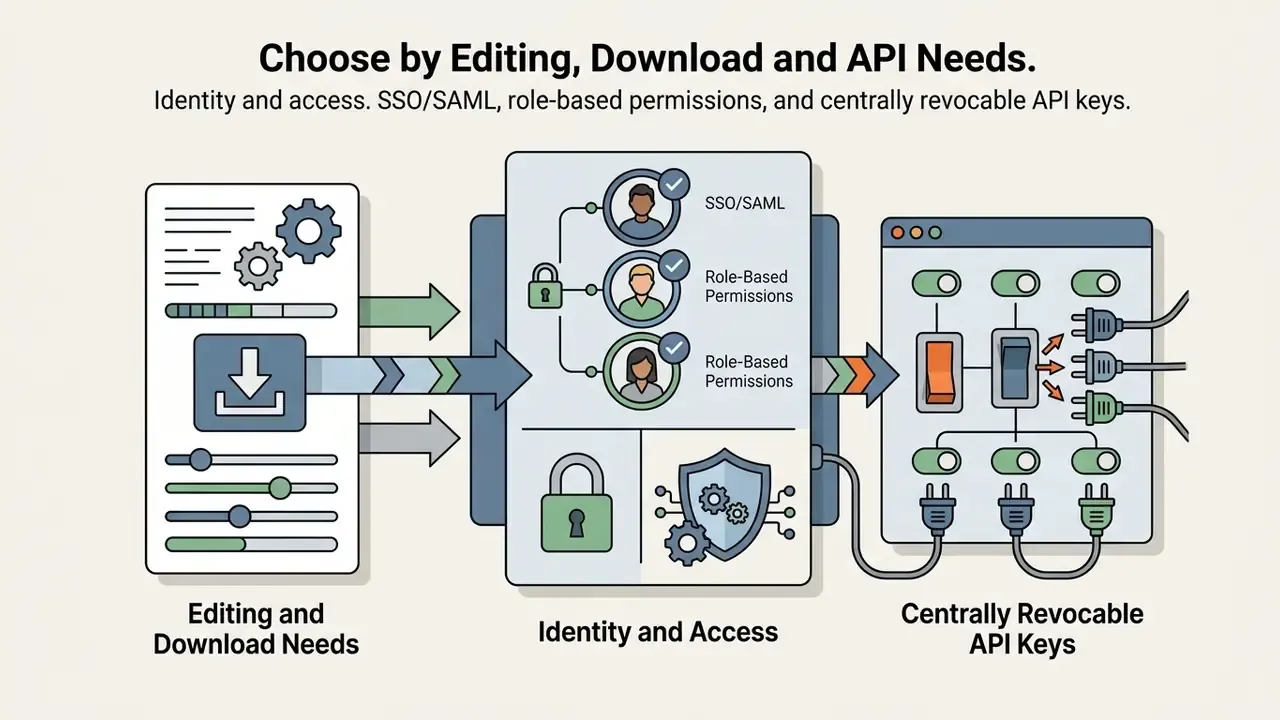
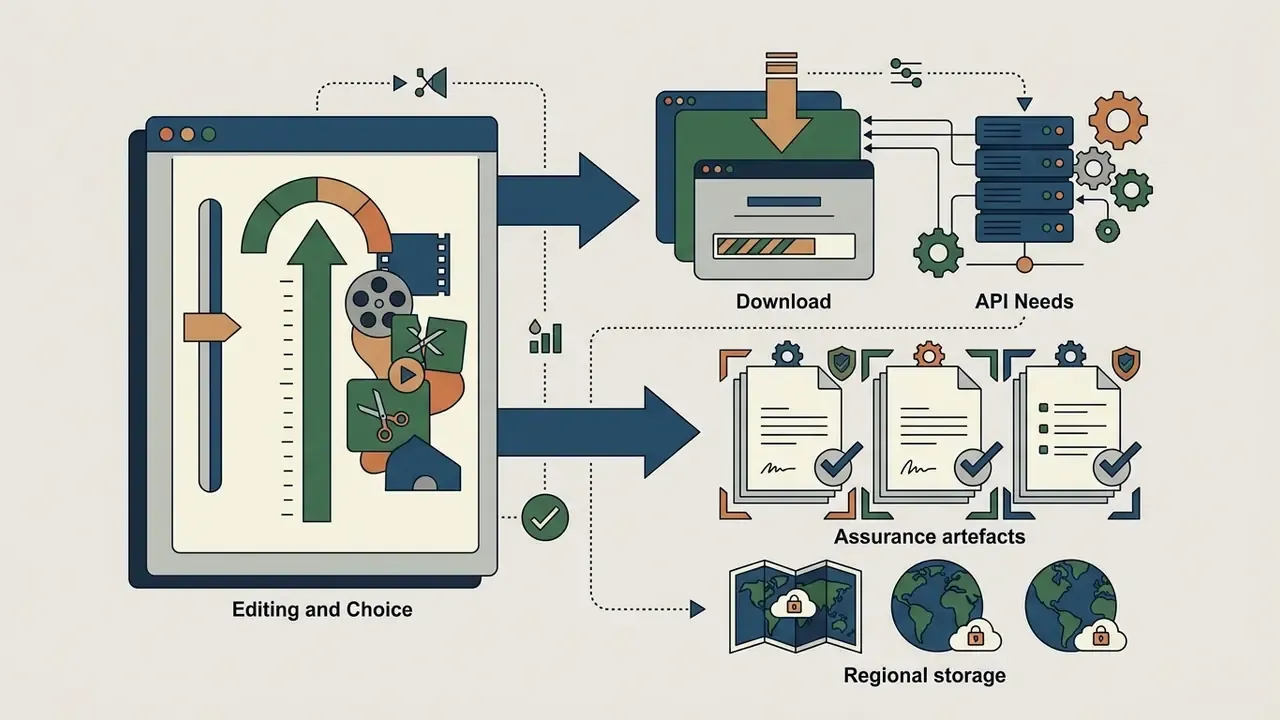
Choose by Editing, Download and API Needs
For high-volume commercial production, evaluate platforms on timeline editing controls, output formats, export resolution, and programmatic API access. An ai trailer video generator with solid API support enables automated rendering inside enterprise content pipelines.
Professional workflows need fine-grained editing: frame-accurate trimming, custom audio track mixing, title card positioning. If your team publishes at volume, verify REST API access for batch rendering, and check how generation is metered. Some vendors price per second of output, for example roughly $0.25 for a 5-second clip and $0.50 for 10 seconds on one documented developer API, while others gate API keys behind higher subscription tiers and restrict paid-advertising use under a separate licensing policy. Developers integrating cloud video generation APIs can consult technical guides like the Google Veo API Implementation Guide to analyze request limits and credit economics.
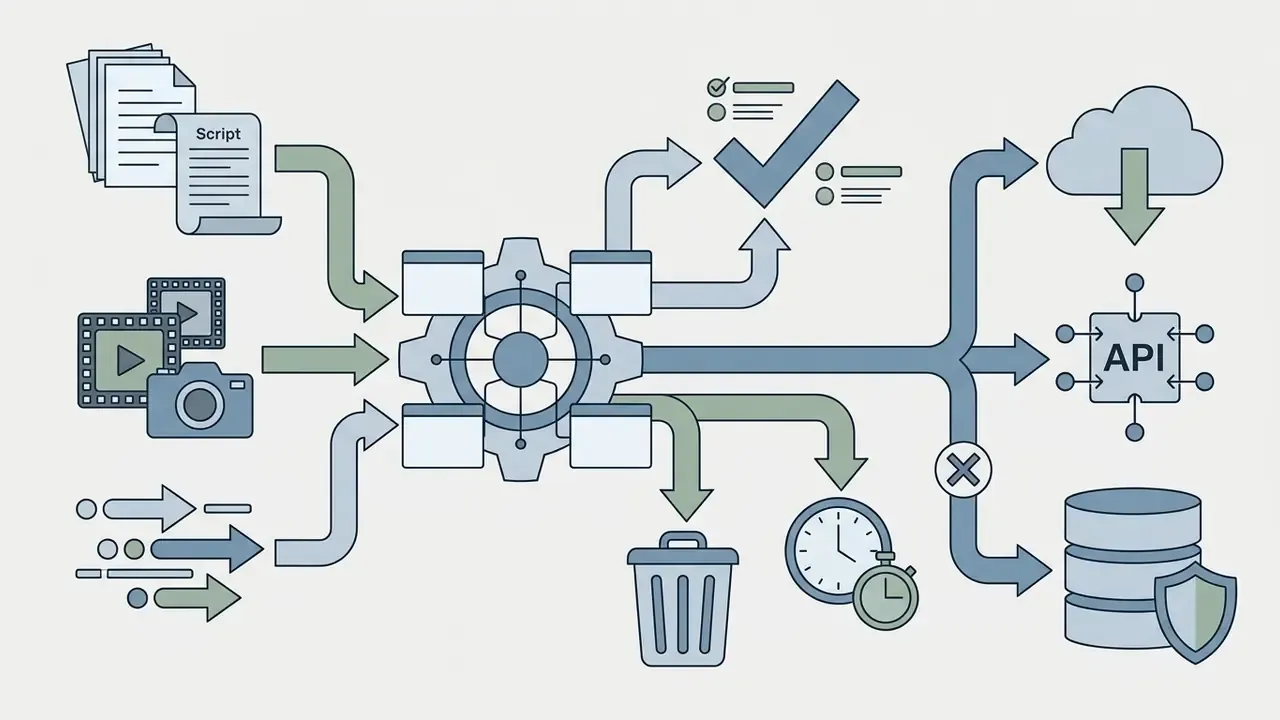
Enterprise and regulated-industry selection criteria. Organizations in banking, insurance, and fintech should extend the standard feature matrix with governance controls before any pilot:
Where a vendor cannot satisfy these criteria, the practical mitigation is blunt: keep confidential material out of the tool entirely and generate only non-sensitive stand-in assets. That also reduces unmanaged "shadow AI" usage by individual marketing teams, which in most institutions is the larger exposure. Ownership matters as much as controls, so name one accountable owner per tool, with a defined role, access limits, an escalation path, and a shutdown mechanism.
Free AI Movie Trailer Generators, Plans and Commercial Use
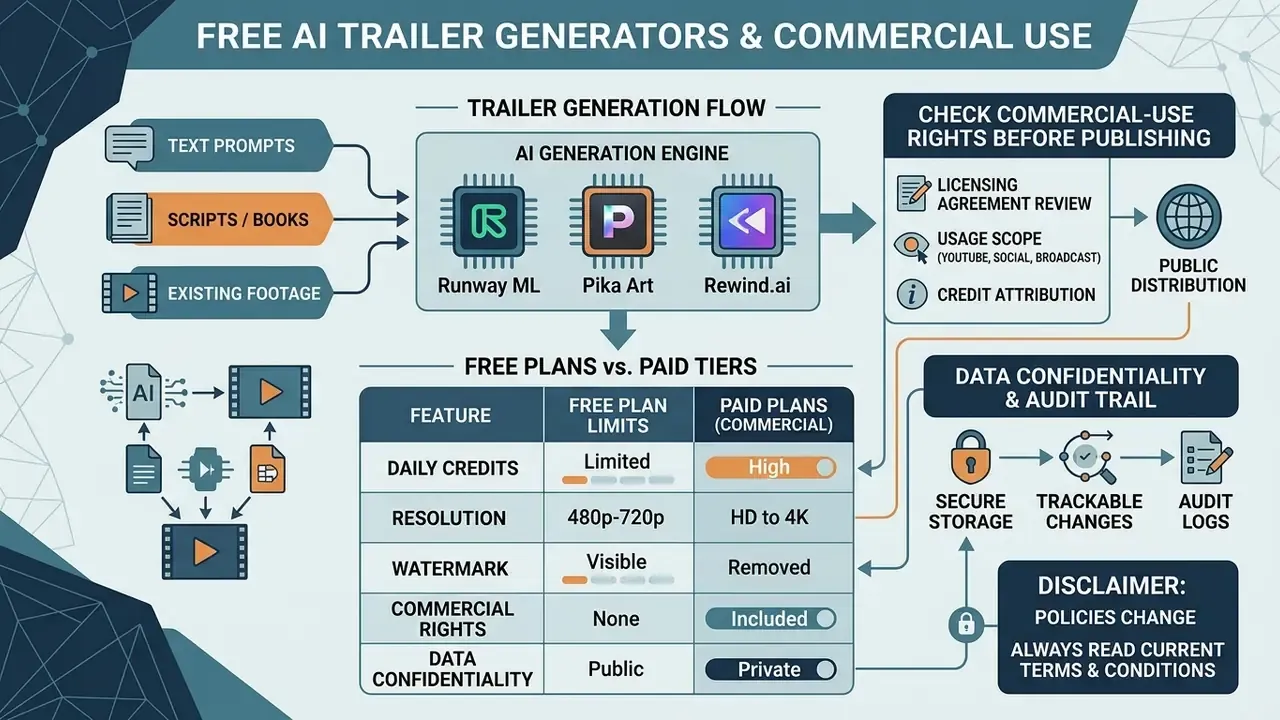
Most free platforms offer basic testing access through daily credit limits, capped export resolutions (480p to 720p), and visible watermarks. Paid plans remove watermarks, unlock 1080p or 4K rendering, grant commercial usage rights, and open API integration. Side-by-side limits are tracked in our comparison of free AI video generators.
Navigating pricing tiers means understanding credit consumption. Platforms like Rewind.ai grant free accounts 5,000 daily tokens (2,500 for anonymous, non-registered use), enough for standard test renders, while paid token packs start at $5 for expanded volume and full commercial permissions; individual generations may consume anywhere from roughly 100 to 5,000 tokens depending on length and model. Anyone planning a commercial campaign should read the vendor terms before release, not after.
What "Free" Usually Includes and Limits
Free tiers in an ai movie trailer generator free or an ai trailer maker free online let users test core prompting and editing without payment details. An ai movie trailer maker free account still enforces restrictions on render resolution, daily generation counts, and watermarks.
| Platform / tool | Free tier limits | Export resolution | Watermark | Commercial use terms |
|---|---|---|---|---|
| Kling AI | 66 credits / day | 720p | Yes | Personal use only |
| Pika | ~80 credits / month | 480p | Varies | Personal use only on free tier |
| Runway | 125 one-time credits | 720p | No | Personal use only on free tier |
| Rewind.ai | 5,000 tokens / day | 720p | No | Personal and commercial permitted |
| Google Flow | 50 credits / day | 720p | SynthID metadata | Subject to Google AI terms |
How to Check Commercial-Use Rights Before Publishing
Before publishing an AI-generated trailer commercially, verify that both the platform's terms of service and every underlying input asset grant explicit commercial exploitation rights. Free access does not imply commercial clearance. For adjacent categories, our guidance on commercial-use rights for AI-generated content applies the same verification logic to imagery.
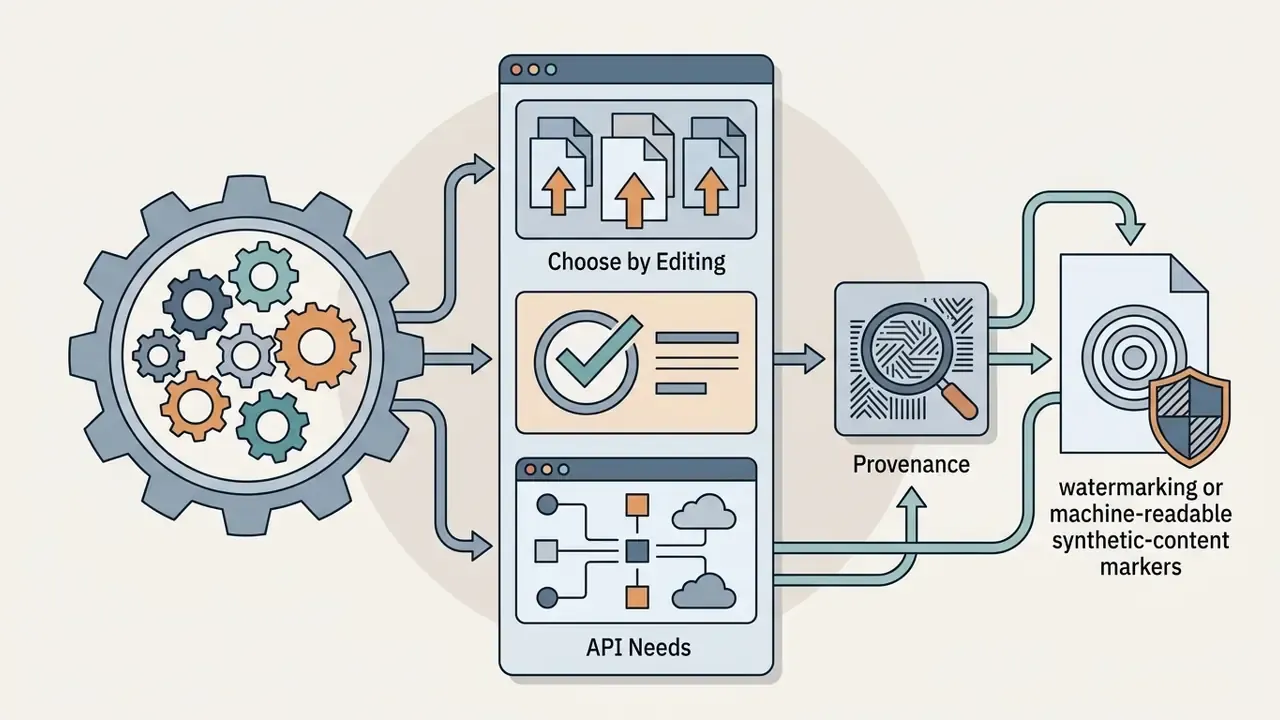
Under U.S. Copyright Office guidance (2023-2026), AI-generated video output lacking substantial human creative arrangement or modification cannot be registered as pure human authorship; registration filings must disclose AI-generated portions and delimit the human author's own contribution. Major platform terms, such as Adobe's generative AI guidelines, prohibit commercial deployment where generated media incorporates third-party trademarks, celebrity likenesses, or copyrighted music without license documentation. EU regulation under the AI Act (2024) requires public AI-generated media to carry machine-readable disclosure markers or watermarks. Dataset licensing adds a layer that is easy to overlook:
«MMTrail is released under CC-BY-NC-SA 4.0, which prohibits commercial use without additional permissions.»
Data confidentiality and audit trail. Two controls matter most for organizations handling non-public material. First, data retention: confirm in writing whether uploaded scripts, footage, and prompts may be used to train or fine-tune vendor models, and prefer zero data retention, short deletion windows, and regional storage. National data-protection authorities, including the Dutch DPA and Australia's OAIC, have stated that GDPR and Australian Privacy Principles obligations apply both to personal data entered into a generative system and to personal information contained in its outputs. Second, model provenance: retain prompts, seed values, model names and versions, reference assets, and human review approvals for every published trailer. That record supports disclosure obligations, evidences the human creative contribution needed for registration, and provides defensible material during IP or compliance review that no protected work was reproduced directly. Where identifiable subjects appear on screen, obtain informed consent before distribution, and label synthetic media for viewers using on-screen disclosure or embedded provenance metadata, as recommended in NIST's synthetic-content guidance and the Partnership on AI synthetic media framework. Policy background and case summaries sit in our AI Litigation and compliance library.
E-E-A-T
License verification and terms audit (verified August 2026):
- Runway ML: terms of service at
runway.com/terms-of-use(updated Aug 25, 2026). Content created under paid plans includes commercial usage rights without non-commercial restrictions. Free plan outputs remain restricted to non-commercial evaluation. - Pika Art: official FAQ at
pika.art/faqand pricing atpika.art/pricing(updated Aug 26, 2026). Commercial generation rights are reserved for paid Pro and Enterprise tiers. - Rewind.ai: terms and licensing documentation confirm personal and commercial usage permissions across both free daily token allocations and paid credit packs.
- Luma and Sora: no official pricing or commercial-use page was captured in this verification pass, so their terms are recorded as unverified here. Confirm directly with the vendor before commercial release.
AI Trailer Generator FAQ
This section answers common operational questions about account registration, mobile browser compatibility, data privacy, cloud saving, audit logging, and programmatic API integration for an ai trailer generator.
Do I Need to Sign Up and Can I Use an AI Trailer Generator on a Phone?
You do not always need to sign up to test an ai trailer generator, since several online tools offer anonymous generation trials directly in mobile and desktop browsers. Creating a free account is required to save project history, remove trial limitations, and export high-resolution video.
Browser-based AI video generators run on iOS and Android smartphones without a dedicated app install. Processing happens on remote server GPUs, not on the phone, which is exactly why the privacy question matters. Users handling personal data, facial images, or proprietary footage should verify that the service complies with regulations such as GDPR or Australia's APPs. Formal identity-proofing requirements, for example NIST SP 800-63-4, apply only where a service performs account enrollment, authentication, or credential lifecycle management, not to every anonymous generation tool.
Can I Save, Share and Use an AI Trailer Generator via API?
Yes. You can save, share, and access an ai video trailer generator through cloud storage links and programmatic REST APIs. Cloud-based platforms save project timelines to account libraries, allowing direct link sharing or MP4 downloads.
Enterprise developers integrate video generation platforms through secure API endpoints. Security standards such as NIST SP 800-228 call for encrypted HTTPS connections, signed authentication tokens with short expiry, strict key management, input validation, and least-privilege authorization. Keys belong in secure environment variables, not hardcoded into public web applications; keep them outside the source tree and scoped to a single backend system. For further guidance on media compliance, review our AI Media Commercial-Use resources.
What Should I Log for Model Auditability and Compliance Review?
For auditable production, log five artefacts per published trailer: the exact prompt or script version, the seed value, the model name and version, every reference asset with its license record, and the identity plus timestamp of the human reviewer who approved the cut. Retain the rendered master alongside these records rather than only the published derivative.
This log serves four purposes at once. It evidences the human creative arrangement required when disclosing AI-assisted works to a copyright office. It enables reproduction of a specific output if a third party alleges similarity to an existing work. It supports EU AI Act disclosure by documenting which portions are synthetic. And it gives model-risk functions a defensible record of which external models processed which internal material. Where the platform does not expose seeds or version identifiers, record the generation timestamp and platform release notes as a substitute, and note the limitation in the project file. Imperfect evidence, honestly labelled, still beats no evidence.
What Are the Main Limitations Still Worth Watching?
Three, at least. Character and object consistency across long sequences remains fragile in fully generative pipelines, which is why reference images and locked seeds are still manual work. Benchmark claims for automated trailer systems come mostly from research datasets, so perceived-quality scores may not transfer to your genre or brand. And licensing status for outputs built on non-commercial research datasets is unsettled in several jurisdictions.
A safe next step is small: run one non-confidential pilot trailer, log the five audit artefacts, and have legal review the export before anything goes public. If that loop works, scale it. If it does not, you learned it on a test asset instead of a launch campaign.
Appendix A: Revision Notes (Superseded Formulations)