Last updated: 2026. Reviewed by the ClipTalk editorial standards team (content operations, licensing, and AI governance review).
Executive Summary
- What it is A cloud pipeline that turns text (typed script, URL, or uploaded PDF) into a 9:16 vertical video with AI voiceover, auto-captions, music, and a looping or synthetically rendered Minecraft parkour background. No Minecraft account, license, or game installation is required (Pixazo AI, 2026; Brainrot Shorts, 2026).
- What it is not It is not live gameplay, not a speedrun record, and not a playable map file. Outputs are synthetic frames or pre-recorded background plates (OpenAI VPT, 2024; GameNGen, 2024).
- Money Free tiers deliver 1 to 3 watermarked clips; paid tiers run roughly $9 to $19 (Starter), $29 to $30 (Pro), and $60+ (Enterprise) per month, with a median entry price of about $15/month across the AI video category (AI Video Pricing Benchmarks, 2026).
- Legal exposure Vendor claims of "100% copyright free" are marketing language, not a legal warranty. Mojang restricts using Minecraft gameplay to promote unrelated commercial products without written approval, and fully automated outputs may not qualify for copyright protection (Mojang Usage Guidelines, 2026; USCO Guidance, 2026).
- Governance essentials Human review before publishing, documented asset provenance, AI-content labeling on TikTok and Shorts, and a written policy on what text (PII, internal documents, unreleased material) may be pasted into a third-party SaaS generator.
- Biggest quality risks Physics artifacts and block clipping, multi-character flicker, and loss of architectural coherence past 60 to 90 seconds of continuous generation.
How to Use This Guide
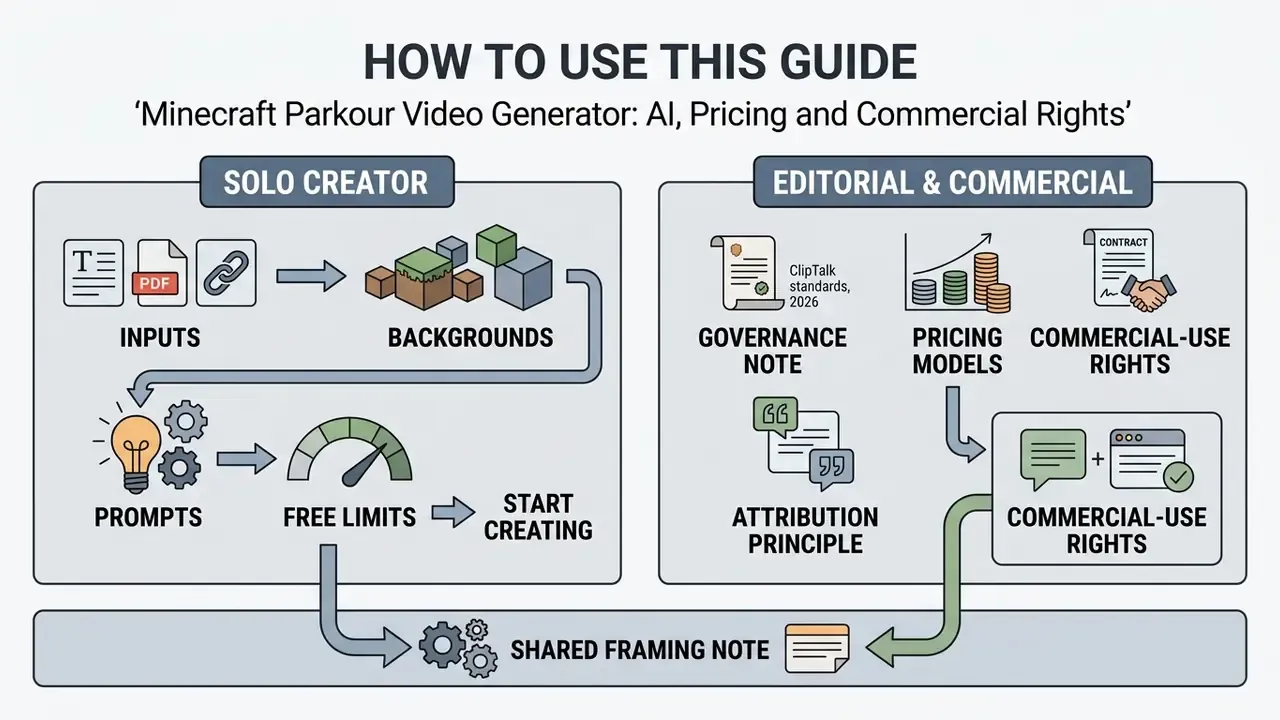
This page is written for two very different readers, and both should get what they came for.
If you are a solo creator, the sections on inputs, backgrounds, prompts, and free limits will get you from a pasted script to a published clip. If you sit closer to risk, compliance, or brand approval, start with the review gate, the total cost of ownership table, and the commercial-rights layers. Everything in between is shared ground.
One framing note before we go further. A parkour background is a retention device, not a content strategy. The script carries the video; the moving blocks just keep the eye from sliding off. Treat any vendor promise beyond that with mild suspicion.
What an AI Minecraft Parkour Video Generator Does
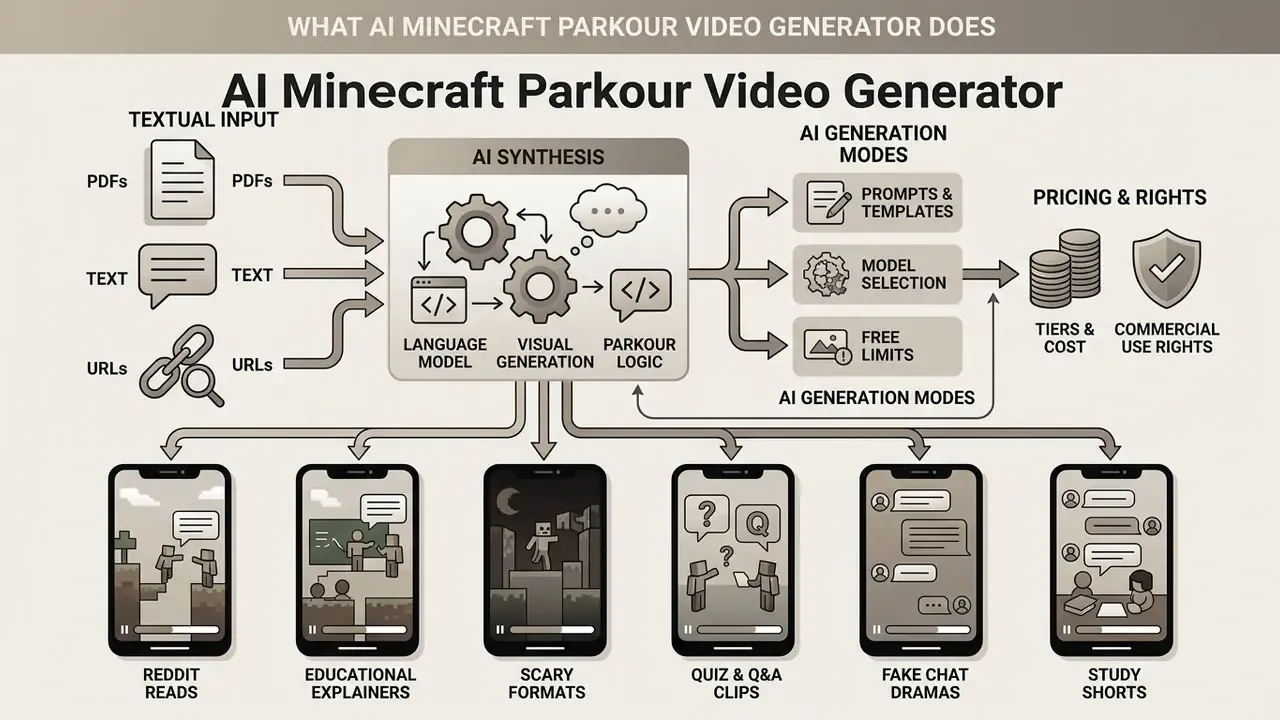
An AI Minecraft parkour video generator operates as an end-to-end synthetic video generation system designed to convert textual input into structured, platform-ready vertical clips (VidProM, 2024). It belongs to the wider category of AI video generators, which share the same core architecture: text ingestion, speech synthesis, visual assembly, and automated export.
Rather than acting as an active game client or rendering 3D environments in real time, the platform combines a text processing engine, a text-to-speech (TTS) synthesizer, a dynamic subtitle alignment module, and a curated library of looping or procedurally generated Minecraft parkour video sequences (T2VScore, 2024). By automating the synchronization between audio narration and visual background pacing, the tool lets creators publish short-form video content in minutes without running the underlying game executable (Pixazo AI, 2026).
«Modern text-to-video systems are evaluated along four dimensions: video quality, text-video alignment, motion quality, and temporal consistency». - T2VHE Human Evaluation Framework (2024)
Those four dimensions double as practical acceptance criteria for any generated parkour clip. Does it look clean? Does it match the script? Does the movement read as plausible? And does it hold together across the full runtime, not just the first ten seconds?
What Minecraft Parkour Videos You Can Create
A Minecraft parkour video generator can produce a wide variety of narrative, educational, and commentary formats where continuous movement is required to maintain visual viewer retention (Metricool, 2024). Primary content formats include:
- Reddit and personal story reads Narrated first-person anecdotes, relationship tales, or confessions paired with continuous parkour movement.
- Educational explainers and trivia Concise breakdowns of complex subjects, science facts, or historical events overlaid with animated word-by-word captions.
- Scary and suspense formats Creepypastas, horror stories, or urban legends where fast-paced or atmospheric parkour visuals heighten narrative tension.
- Quiz and interactive Q&A clips Trivia challenges with delayed answer reveals, using moving background elements to prevent drop-off during pauses.
- Fake chat and dialogue dramas Simulated SMS threads or comment-section arguments narrated by two distinct synthetic voices.
- Study and revision shorts Lecture notes, textbook summaries, and exam-prep material repackaged for students who consume information in short vertical formats.
Specialized AI Generation Modes
Modern generators ship dedicated visual and scripting presets tailored to specific engagement mechanics:
- Brainrot mode Transforms complex academic or factual inputs into rapid-fire, Gen-Z slang-infused narrations paired with continuous high-speed movement.
- Raw mode Reads the supplied text almost verbatim, with minimal rewriting. This is the preferred setting for legal, medical, corporate, or curriculum content where wording accuracy matters more than tone.
- Quiz and delayed-answer mode Formats text into interactive trivia questions, placing a visual countdown timer on screen while maintaining constant parkour movement to retain viewers during the delay.
- Split-screen dialogue mode Renders dual AI voices representing two characters (fake SMS chats, Reddit comment arguments) with dynamic subtitle color coding per speaker.
A small practical observation from testing: brainrot mode is the fastest way to get a watchable clip and the fastest way to introduce a factual error. It paraphrases hard. If the source text is a syllabus, use raw mode.
Parkour Sub-Genres and Map Styles
Background libraries are usually classified by course archetype, because each archetype produces a different motion rhythm and therefore suits different scripts:
| Sub-Genre | Visual Signature | Motion Rhythm | Best Script Fit |
|---|---|---|---|
| Classic vanilla parkour | Stone, wood, and grass blocks; daylight | Steady, predictable jumps | Story reads, general explainers |
| Neo parkour (neo jumps) | Tight block clusters, wall-assisted jumps | Sharp, technical, high-frequency | Punchy hooks, comedic beats |
| Ladder parkour | Vertical ladder and vine climbs | Ascending, slower cadence | Calm educational content, list formats |
| Lava / nether run | Netherrack, fog, glowing lava hazards | Tense, high-risk, fast | Horror, suspense, cliffhangers |
| Skyblock / void parkour | Floating platforms over open sky | Smooth, linear, low-clutter | Study notes, long narrations |
| Water parkour | Ice, water columns, splash landings | Fluid, bouncy, forgiving | Kid-safe content, light trivia |
| Neon / night parkour | Glowing blocks, dark ambience | Hypnotic, loop-friendly | Ambient loops, music-led clips |
Videos for TikTok, YouTube Shorts, and Reels
Short-form video algorithms on TikTok, YouTube Shorts, and Instagram Reels evaluate content performance primarily on watch-time metrics, completion rates, and immediate hook retention (Metricool, 2024; Socialinsider, 2024). An ai tiktok video generator minecraft workflow targets these platform requirements by structuring content into a strict 9:16 vertical layout from the first frame.
«Gaming videos longer than 60 seconds reached 6.70% engagement on TikTok in 2024, versus 2.95% for clips under 15 seconds». - Metricool & Socialinsider Gaming TikTok Report (2024)
The background video provides continuous optical motion, preventing screen stagnation while the primary narrative, delivered via AI voiceover and dynamic subtitles, drives cognitive engagement (DEVIL Protocol, 2024).
Updated (engagement evidence). Rather than citing a model benchmark for audience behaviour, the retention argument is now grounded in platform-level engagement data:
«Gaming content averaged 5.77% engagement on TikTok in 2024, against a 3.85% platform-wide average». - Metricool & Socialinsider Gaming TikTok Report (2024)
Practically, this means the parkour background is a pacing device, nothing more. Combining dynamic movement with word-by-word caption highlighting supports higher completion than static visual displays, but no vendor can promise views. TikTok and Shorts rank on watch time and completion, not on the presence of AI-generated parkour footage. Claims such as "avoid zero views" are marketing language, not an algorithmic feature. If you want a defensible forecast of output volume against spend, model it yourself with our AI Media Calculators rather than trusting a landing-page number.
AI Video, Recorded Gameplay, and Minecraft Parkour Maps: Key Differences
Understanding the operational boundaries between ai generated minecraft parkour video outputs, human-recorded gameplay, and playable Minecraft maps is critical for content strategy and risk management.
| Comparison Feature | AI-Generated Minecraft Video | Recorded Gameplay Footage | Minecraft Parkour Map |
|---|---|---|---|
| Creation method | Text-to-video synthesis or automated template stitching via web AI tool. | Screen-captured recording of a human player navigating an active game client. | World file built inside Minecraft with blocks, command blocks, and checkpoints. |
| Customization level | High for narration, script, subtitles, and audio; low for exact block physics or jump paths. | Complete manual control over character movement, camera angles, cuts, and overlays. | Total control over block placement, world mechanics, difficulty, and visual design. |
| Minecraft account needed | No account, game installation, or active license required. | Active Minecraft client and account required to run and record the game. | Active Minecraft license (Bedrock or Java) required to build and play. |
| Primary use case | Fast production of background visuals for stories, commentary, quizzes, and Shorts. | Proof of gaming skill, speedruns, live entertainment, and detailed tutorials. | Interactive gameplay for end users, map testing, and server hosting. |
| Typical production time | 1 to 15 minutes end-to-end, largely unattended. | 1 to 2 hours including capture, cutting, captioning, and export. | Hours to weeks of manual building and playtesting. |
| Verifiability of skill | None, since frames are synthesized or assembled. | Verifiable if raw capture and inputs are preserved. | Not applicable: the artifact is the course, not a performance. |
Summary: The ai parkour generator produces non-interactive, pre-rendered video files designed strictly for viewing. It does not output playable game code or record live player input, which makes it an automated visual utility rather than a gameplay simulator (Genie, Google DeepMind, 2024).
«Genie synthesizes interactive platformer environments from descriptions after training on 30,000 hours of gameplay video, yet operates at roughly one frame per second». - Genie, Google DeepMind (2024)
That single data point explains the whole category boundary. Neural world models can imagine playable-looking space, but they remain far from producing broadcast-rate, physics-faithful Minecraft gameplay in real time. One frame per second is a research milestone, not a content pipeline.
Underlying AI Video Generation Engines
Basic tools rely on pre-rendered stock footage loops. More advanced generators integrate specialized text-to-video (T2V) diffusion models to render procedural movement:
- Kling AI and Minimax Hailuo Render spatial lighting and complex block physics at up to 60 FPS.
- Luma Dream Machine Specialized in fluid first-person POV camera movement with dynamic depth-of-field blur.
- Mochi AI and Wan 2.2 Optimized for high temporal consistency, reducing pixel flickering during high-speed jumps.
- Pyramid Flow Efficient multi-stage generation used for short 3 to 10 second loops at lower credit cost.
- Veo, Sora, and Seedance families Used by broader platforms for higher-fidelity cinematic shots; per-second metering makes them expensive for long-form narration backgrounds (see the Google Veo implementation guide for API costs and limits, and the wider AI Media API Guides for integration patterns).
Two distinct technical models therefore coexist in this market: procedural content generation with pre-rendered libraries (algorithmic reuse of existing footage, cheap and stable) versus neural synthesis (a model simulating gameplay frames directly, as demonstrated by GameNGen's real-time neural DOOM engine, 2024). Vendors rarely disclose which of the two powers a given "Minecraft background", and that is a question worth asking before signing an enterprise contract.
How to Create a Minecraft Parkour Video with AI
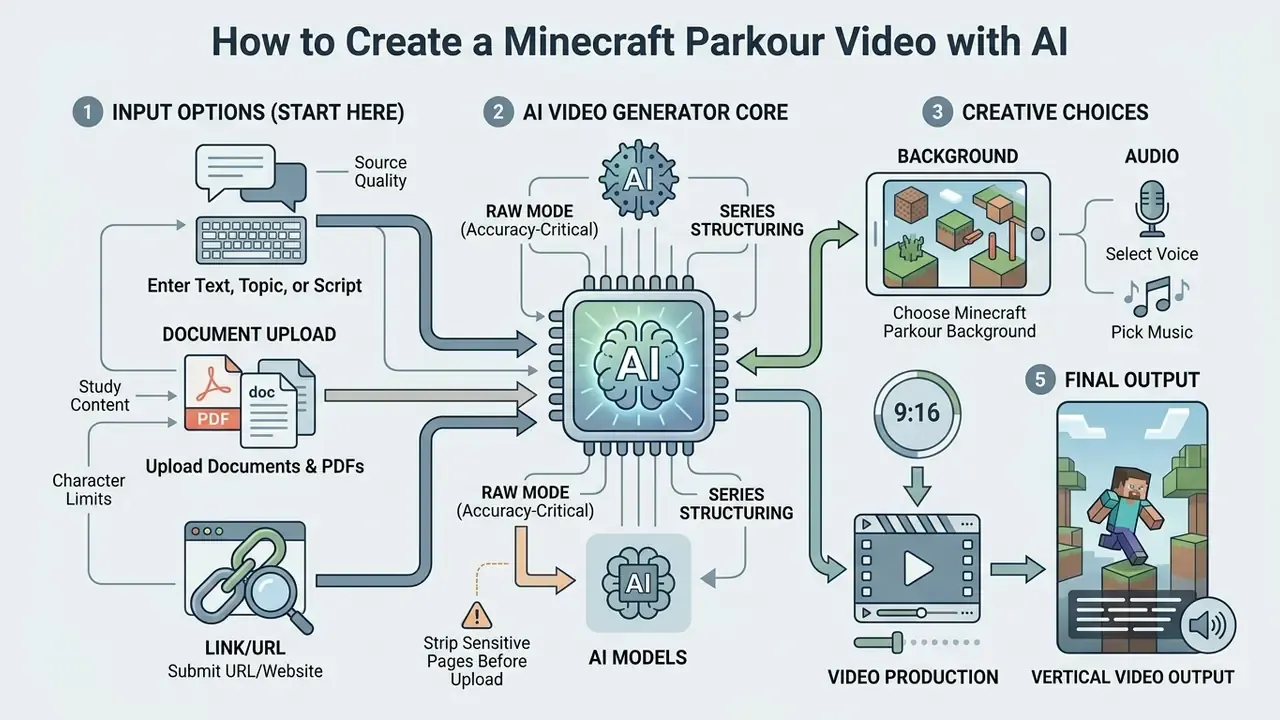
Creating a high-retention video using an ai minecraft video maker follows a structured sequence: script or document input, asset selection, rendering, dynamic editing, review, and export or direct publishing (Revid.ai, 2026; Brainrotshorts, 2026).
[1. Text / Script / PDF Input] > [2. Select Parkour Background] > [3. Choose AI Voice & Music]
        > [4. AI Video Synthesis] > [5. Auto-Captions & Editing]
        > [5a. HUMAN REVIEW GATE: script, claims, IP, labeling]
        > [6. Export MP4 Download] > [7. API Publishing, Scheduling & Analytics]
- Text, script, or PDF inputThe creator pastes a raw story, topic, URL, or structured script into the generator interface, or uploads a document (Adobe Firefly, 2026).
- Select parkour backgroundThe user picks the parkour map theme (neon blocks, classic vanilla, nether parkour) and movement speed (Pixazo AI, 2026).
- Choose AI voice and musicAn AI voice model (ElevenLabs or a proprietary TTS) and a non-copyrighted background track are assigned (ElevenLabs, 2026).
- AI video synthesisThe engine aligns narration timing with background video loops and generates the scene sequence (CapCut AI, 2026).
- Auto-captions and editingSubtitles are generated automatically and formatted with custom colors, font highlights, and screen placement (WebVTT, W3C, 2026).
- Export MP4 downloadThe final 9:16 MP4 file is rendered and made available for direct download (Plainly Videos, 2026).
- API publishing and schedulingOptionally, the clip is pushed straight to connected social accounts with scheduled release times and tracked performance metrics.
Enter Text, Topic, or Script for Your Video
The generation process begins with inputting text into the ai text to minecraft video tool. Advanced platforms support raw prompt processing, structured multi-shot script inputs, direct article URL parsing, or thread importing (Revid.ai, 2026). To maximize engagement, scripts should carry a hook within the first 3 to 5 seconds, followed by concise, conversational sentences optimized for text-to-speech processing.
Updated (source quality). The hook-timing rule is best supported by primary prompt-design documentation rather than user-uploaded guides. Adobe Firefly's 2026 video prompting documentation recommends structuring input as Visual Style + Shot Type + Character + Action + Location + Aesthetic, while Google Cloud's Vertex AI video prompt guidance advises writing audio and dialogue as separate sentences so narration cues are parsed independently. Published short-form script guides converge on a 3 to 10 second opening hook, but the exact threshold is a practitioner convention, not a measured platform requirement. Treat it as a heuristic that needs your own A/B data.
If your raw material is thin, a general-purpose word ai generator can help draft an outline before you paste it into the video tool. Draft, then verify. The generator will happily narrate a wrong fact in a confident voice.
Document and PDF Upload Workflow for Study Content
Advanced generators accept direct uploads of PDF documents, lecture slides, and text files (.docx, .txt). The engine parses raw educational material, condenses dense academic concepts into bite-sized narrative summaries, and applies a Gen-Z-friendly script structure automatically. This format lets creators convert multi-page study guides into 60-second educational shorts without manual rewriting.
Practical notes for the document workflow:
- Character caps matter. Text fields commonly cap between 2,000 and 12,000 characters per generation; long PDFs must be split into chapters or sections, each becoming its own clip in a series.
- Choose raw mode for accuracy-critical material. Brainrot rewriting is useful for engagement but paraphrases aggressively; curriculum, compliance, or medical text should be processed with minimal rewriting and then verified against the source.
- Strip sensitive pages before upload. Lecture PDFs frequently contain student names, internal identifiers, or unpublished research. Remove them before sending files to a third-party SaaS (see the data privacy section below).
- Series structuring. Numbered outputs ("Part 1 of 5") outperform single dense clips, because each part keeps its own hook and its own completion curve.
Choose Minecraft Parkour Background, Voice, and Music
Once the text is set, creators select the visual and acoustic layers. The ai video generator minecraft background library typically includes varied map environments (skyblock, deep dark, lava run) and different gameplay dynamics (Short AI, 2026). Creators then choose an AI voice clone or synthetic narrator, adjusting pitch and speed to fit the tone of the narrative.
Updated (audio balancing). Background music should be mixed below the narration so speech stays intelligible. That is a standard production practice known as ducking, and it supports caption and audio accessibility parity. Accessibility rules govern whether users can adjust and read captions and understand audio content (W3C WAI Captions/Subtitles guidance, 2024; Section 508 captions and transcripts guidance, US Gov), not the specific decibel offset of a music bed. Typical vendor defaults sit around 20% music volume against full-scale narration.
Generate, Edit, and Download Your Video
After configuring settings, clicking generate initiates cloud rendering. The engine builds the composite video file and overlays word-by-word synced captions (CapCut AI, 2026). Creators can then perform light editing, such as tweaking subtitle colors, adjusting text placement, or swapping background loops, before hitting download to save the finished MP4 locally (Plainly Videos, 2026). Where captions are handled as a sidecar file, platforms typically expose a captions-file URL and an "instant download" flag that forces a file download instead of in-browser playback.
If the finished file must be reduced for upload limits or archival storage, run it through a video compressor rather than re-exporting at a lower resolution, which degrades caption legibility. For desktop finishing work, thumbnails and end cards can be handled with a windows photo editor, while trims, overlays, and audio fixes belong in a windows video editor. Stylized title cards are a small win too: a word art generator gives you a consistent hook frame across a series.
Step 7: Direct API Publishing and Multi-Platform Scheduling
Instead of rendering local files, enterprise-grade generators connect via API to TikTok, YouTube Shorts, and Instagram Reels. Content teams can schedule batch uploads, automate description tags, and monitor view and completion analytics directly from the generator dashboard. Typical capabilities include:
For teams that finish edits outside the generator, a dedicated YouTube video editor workflow covers publishing, chaptering, and metadata handling in more depth. When an API job silently fails or a caption file refuses to attach, our AI Media Support and Troubleshooting notes cover the usual suspects.
Pre-Publication Compliance and IP Checklist
Automated pipelines fail quietly. Insert one human review gate between rendering and publishing, and record the outcome so there is an audit trail behind every published asset.
| Gate | Check | Evidence to Record | Owner |
|---|---|---|---|
| Source text | Is the script original, licensed, or properly attributed? | Source URL, document owner, permission note | Content lead |
| Sensitive data | Any PII, client names, internal documents in the input? | Redaction confirmation | Reviewer |
| Factual claims | Are stated facts verified against a primary source? | Fact-check note per claim | Reviewer |
| Voice licensing | Is the voice model licensed for commercial use, and not a clone of a real person? | Vendor plan + voice ID | Content lead |
| Music rights | Is the track royalty-free under the current plan tier? | Track ID and license scope | Content lead |
| Brand and IP | Does the clip promote an unrelated commercial product using Minecraft gameplay? | Approval reference if required | Legal / brand |
| Authenticity framing | Is the clip described anywhere as real gameplay, a speedrun, or a record? | Copy review sign-off | Reviewer |
| AI disclosure | Is the platform AI label applied where required? | Screenshot of upload settings | Publisher |
| Archive | Are the prompt, model version, and output file stored? | Asset ID + prompt log | Ops |
Nine rows, maybe ninety seconds of work per clip. That is the cheapest insurance in the whole workflow.
AI Minecraft Parkour Video Generator Settings
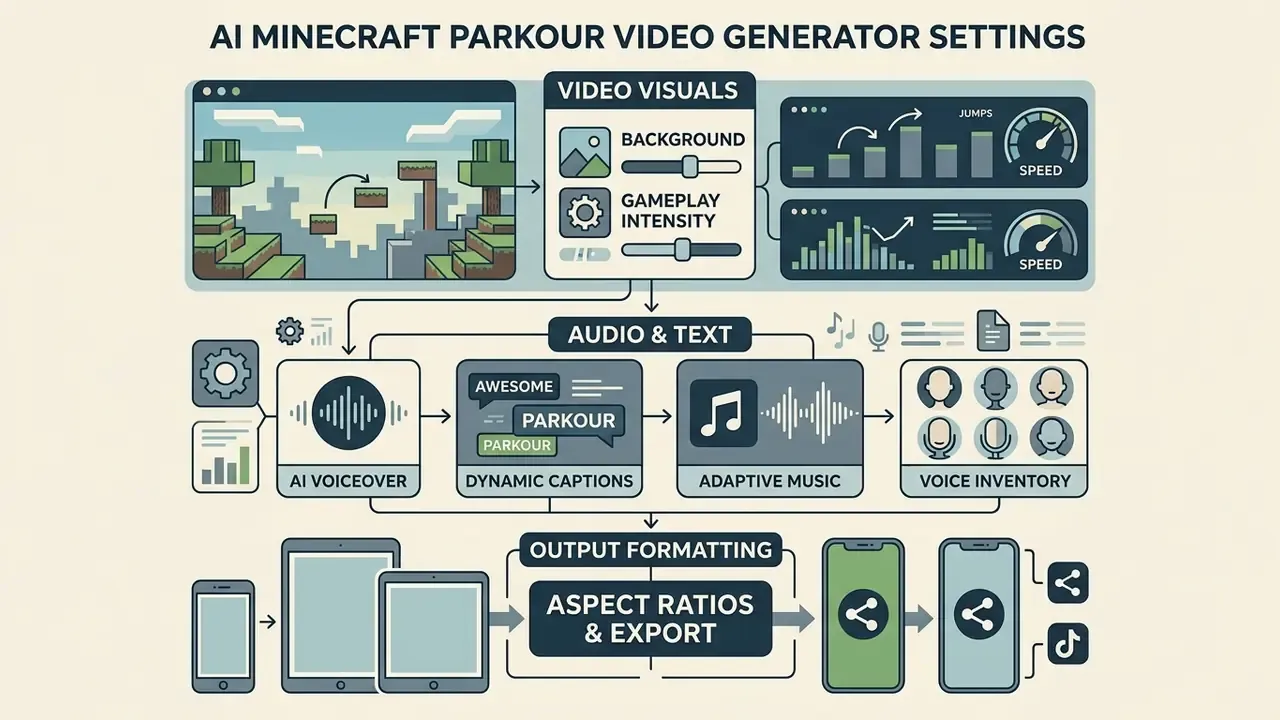
To improve output quality and hold audience attention, platforms provide specific operational controls over visuals, audio, and platform formatting (MPG Documentation, 2026).
Minecraft Parkour Background and Gameplay Intensity
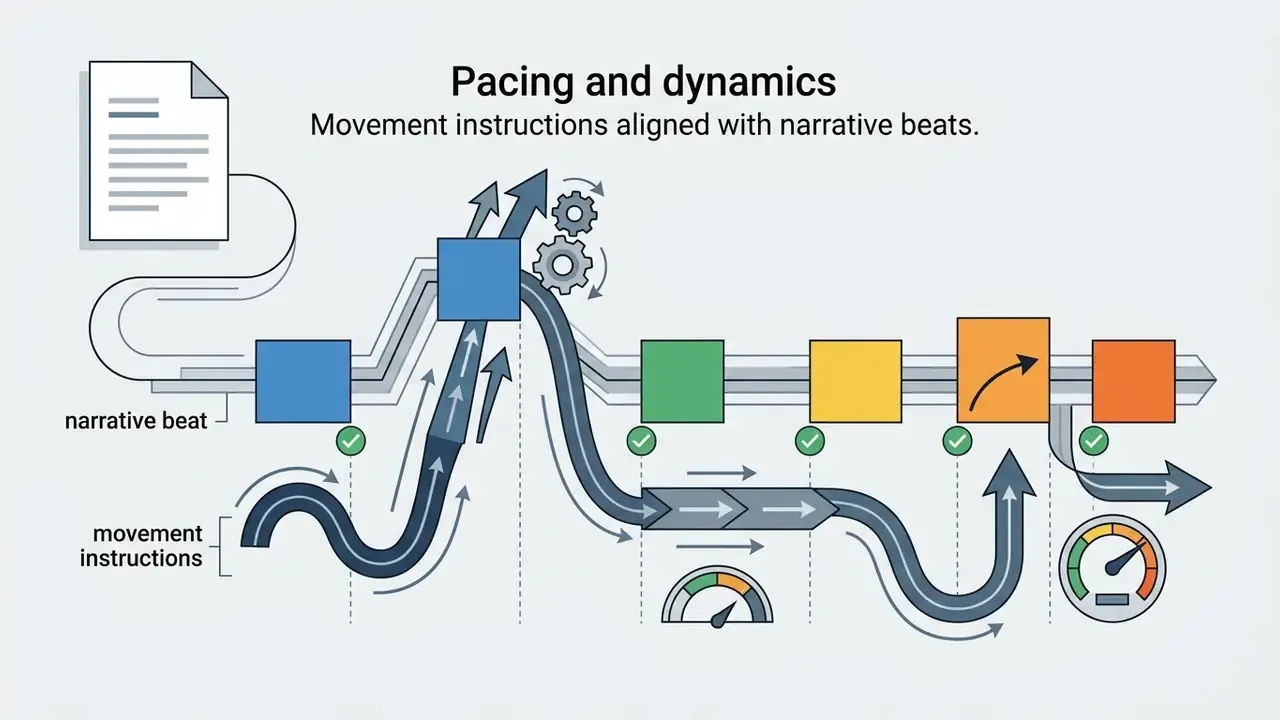
The ai video generator with minecraft background allows customization of visual pacing to match the script's emotional beats (PaceMaker, arXiv, 2026). High-intensity parkour, with rapid camera turns, precise long jumps, and lava hazards, pairs with energetic or suspenseful narratives. Smooth, linear sky-parkour suits educational explainers or calm story reads, where too much motion competes with comprehension (GDC Pacing Architecture, 2026).
Where a generator exposes course-generation parameters directly, as open-source tools such as Minecraft Parkour Generator do, the controls typically include start position, generation volume, checkpoint interval, and hard-jump probability. Plugin configurations expose values such as minimum and maximum random course length and a hard-jump chance around 0.3. Narrative pacing research recommends placing reveals near natural lulls in player input, which translates into a simple editorial rule: put your punchline or answer reveal immediately after a landing, never mid-jump.
AI Voiceover, Music, Captions, and Subtitles
Sound and text customization options dictate the clarity and style of the final output:
- AI voiceover Selection of natural-sounding synthetic voices across multiple accents, languages, and emotional tones (ElevenLabs, 2026). Instant Voice Cloning works from short samples on most plans, while Professional Voice Cloning requires roughly 1 to 3 hours of training audio and a paid tier; only professional clones are shareable in shared voice libraries.
- Dynamic captions On-screen text rendered in high-contrast fonts (Montserrat, Impact) with active word highlighting in yellow, green, or red (WebVTT, W3C, 2026). WebVTT supports cue classes, styling blocks, and voice spans, which is what enables per-speaker subtitle coloring in dialogue mode.
- Adaptive music Background audio tracks ducked automatically during active narration to maintain speech intelligibility (W3C WAI, 2024).
- Voice inventory Consumer tools commonly ship 1,000+ synthetic voices with accent and delivery labels ("energetic, rapid-fire", "commanding narrator"), plus the option to upload or record your own track for authenticity.
Aspect Ratios and Export for Short-Form Platforms
While 9:16 vertical video (1080x1920 pixels) is the primary format for TikTok, YouTube Shorts, and Reels, advanced tools also offer 1:1 square and 16:9 widescreen exports (Microsoft Learn Vertical Video Formats, 2024; EBU Recommendation R155, 2026). Maintaining correct canvas safe zones keeps on-screen subtitles clear of platform UI elements such as action buttons and account overlays. Note that 9:16 and 1:1 are explicitly documented vertical formats, whereas 16:9 appears mainly in general delivery contexts rather than as a native short-form ratio.
Prompts for High-Quality Minecraft Parkour Videos
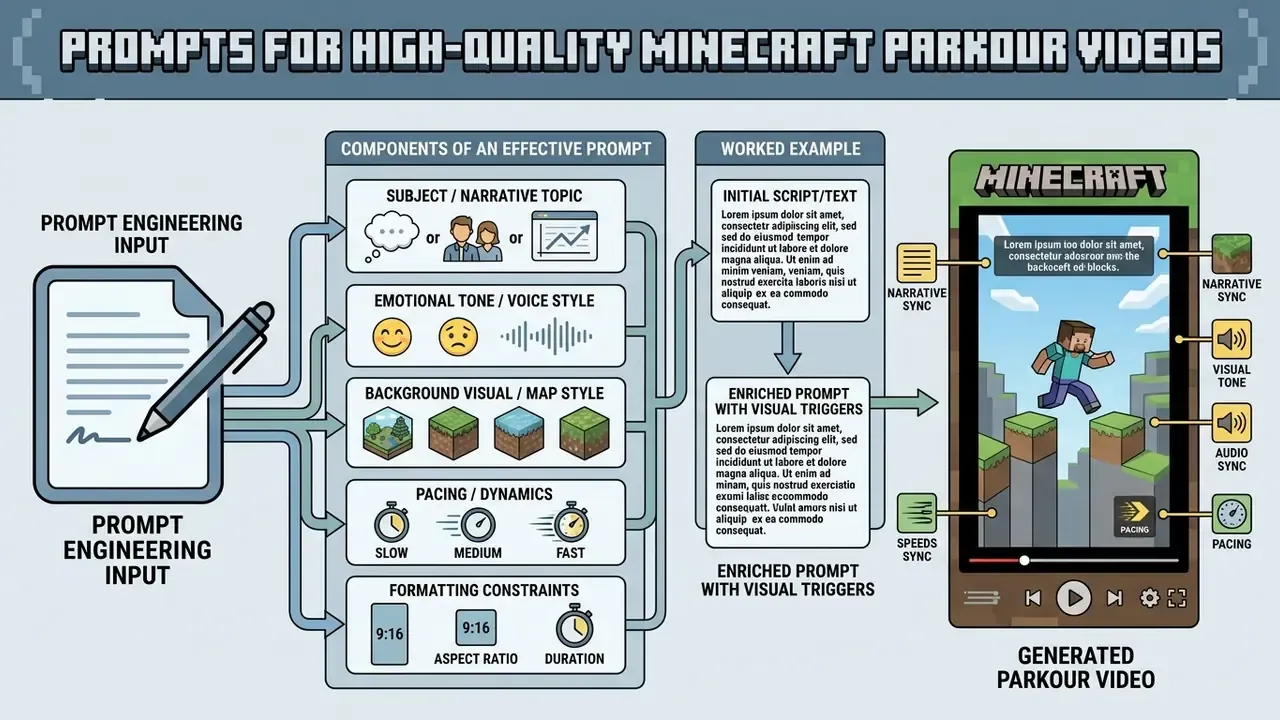
Prompt engineering directly shapes narrative structure, visual tone, and audio sync in an ai parkour video generator (VidProM, 2024).
Situation: A content studio needed to scale short-form output across three niche channels while maintaining visual consistency and narrative coherence.
Action: The team implemented structured multi-layer prompts specifying visual environment, voice tone, movement intensity, and explicit subtitle styling, plus a fixed review gate before publishing.
Result: Reported outcome was a substantial reduction in manual editing passes and a multiple-fold increase in daily published clips. These figures are self-reported by the studio and are not independently audited; treat them as directional rather than benchmark data.
Components of an Effective Parkour Video Generator Prompt
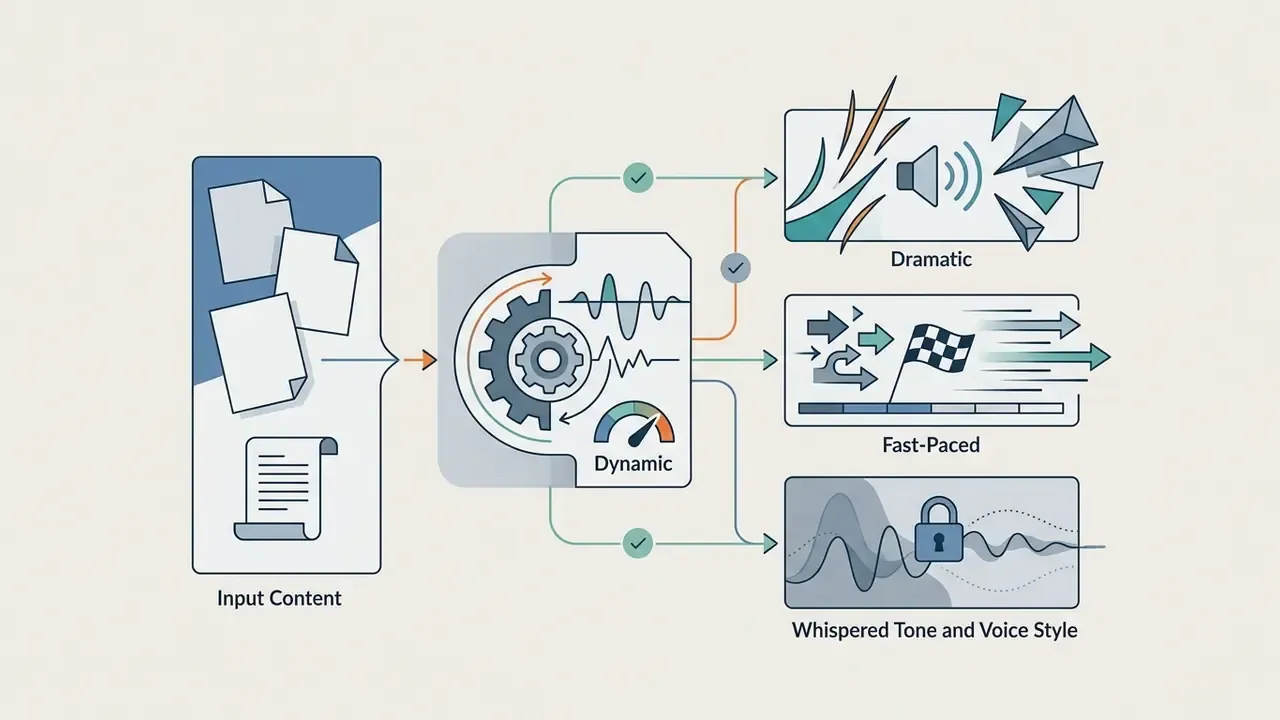
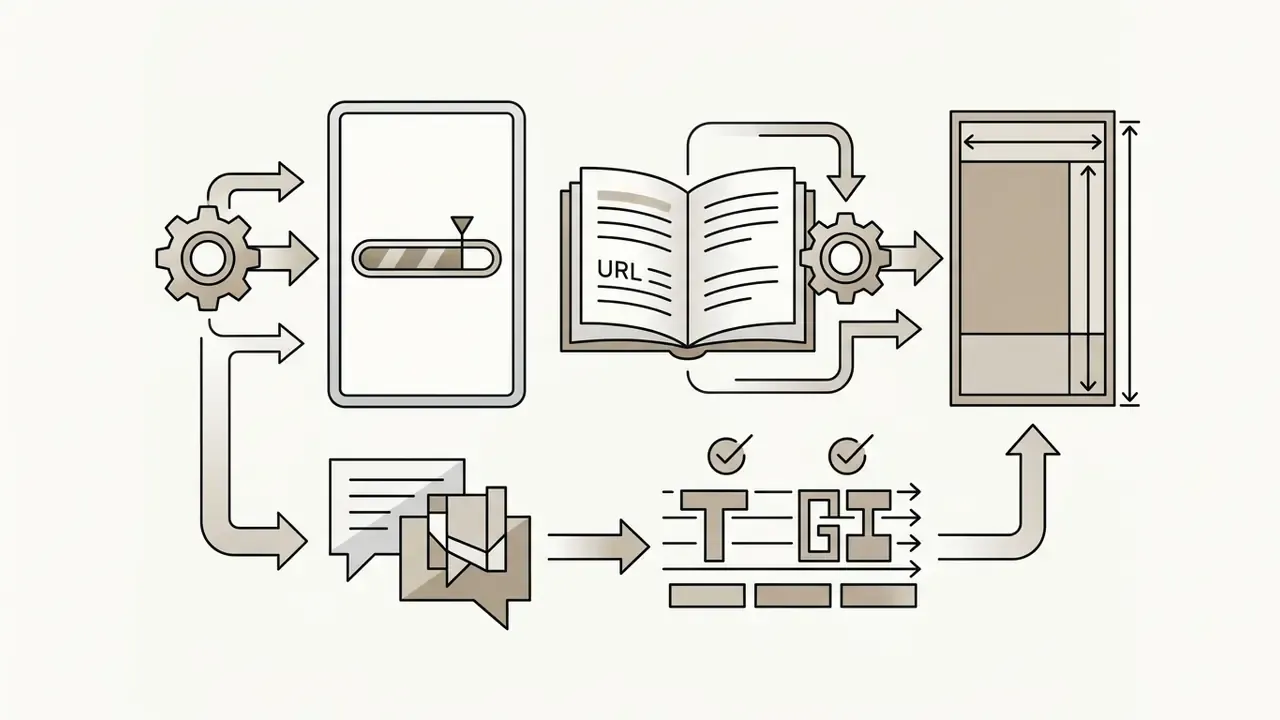
An effective prompt for an ai video maker minecraft parkour tool incorporates five structural layers (Adobe Firefly, 2026; University of Waterloo Prompt Framework, 2026):
«VidProM collected 1.67 million unique text-to-video prompts: more structured prompts yield better semantic video alignment». - VidProM: A Million-Scale Prompt Gallery for Text-to-Video Models (2024)


Using Bracketed Visual Triggers in Scripts
To trigger mid-video visual shifts or precise stunt changes, insert bracketed directives inside your text script. The generation engine reads these tags as scene markers and does not pronounce them in the text-to-speech track:
[Scene: Lava Run]switches the background footage from smooth skyblocks to high-risk nether parkour.[Action: Neo Jump]triggers a dramatic camera zoom during a complex 3-block jump when key narrative points land.[Pacing: Fast]speeds up movement dynamics to reinforce suspenseful audio beats.[Scene: Ladder Climb]slows cadence for list items or step-by-step explanations.[Camera: POV Close]tightens the first-person framing for tension peaks.[Caption: Red Highlight]switches active-word color for the following sentences.
Worked example. Notice how the tags sit between sentences, so narration stays clean:
Everyone thinks this exam question is impossible. [Pacing: Fast]
It is actually three simple steps. [Scene: Skyblock]
Step one: identify the variable. [Action: Neo Jump]
Step two: isolate it. Step three: check the units. [Scene: Ladder Climb]
And here is the part your teacher never explains. [Scene: Lava Run] [Caption: Red Highlight]
Because tags are read as scene markers, keep them outside sentence boundaries and avoid stacking more than two per beat. Over-tagging fragments the footage and breaks temporal consistency, which is the exact failure mode you were trying to design around.
Limitations of AI-Generated Gameplay and Complex Scenes
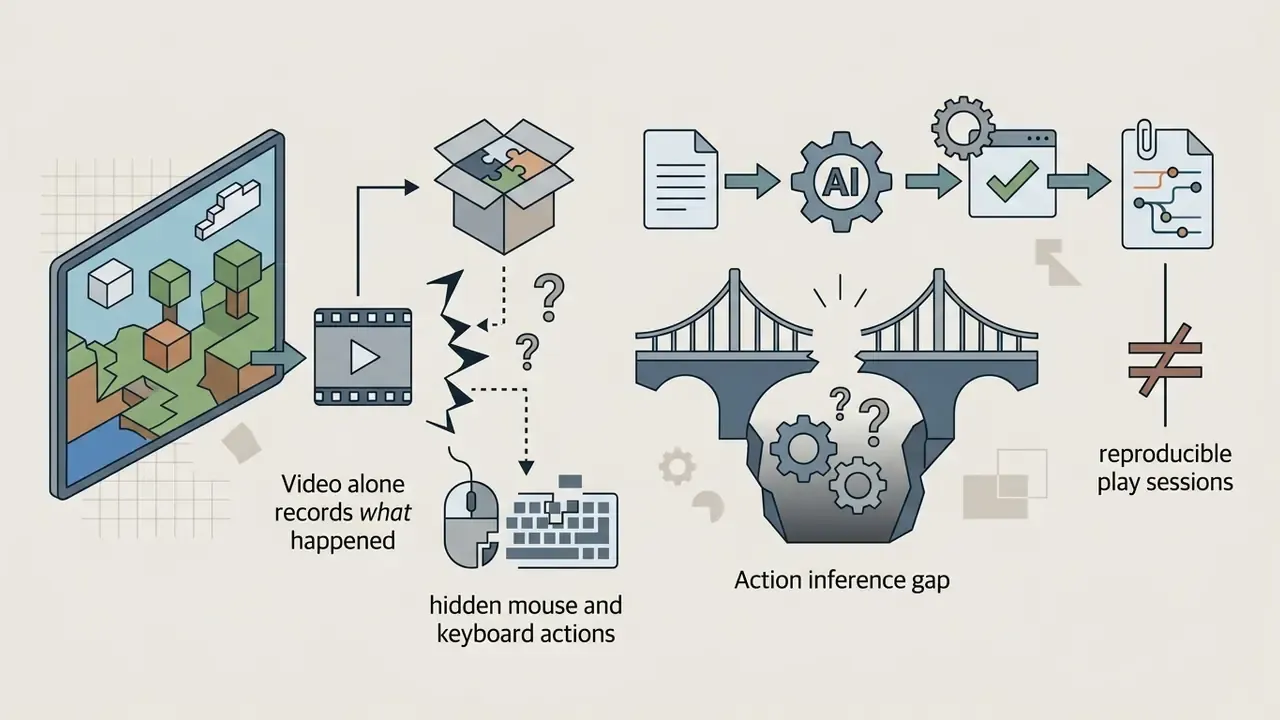
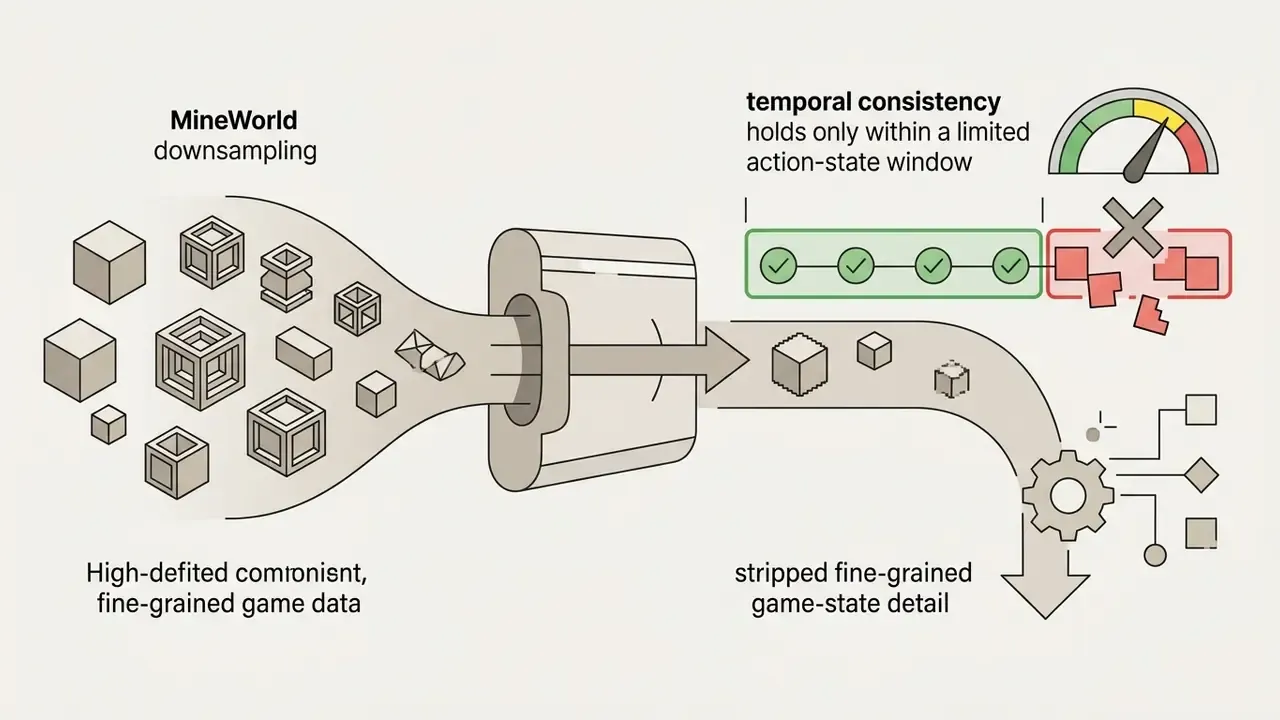
An ai parkour generator handles continuous, looping background movement well. Beyond that, current models hit distinct technical boundaries (MineWorld, 2026; OpenAI VPT, 2024):
- No real game physics: Synthetic video models generate pixel frames, not real-time Minecraft block interactions. Sudden spatial shifts or block clipping occur (GameNGen, 2024).
- Complex multi-character choreography: Generating multiple players executing synchronized parkour moves often causes visual flickering or character distortion.
«T2VBench evaluated over 5,000 videos across 16 temporal dimensions: models remain weak on complex event sequences and rapid transitions». - T2VBench: Benchmarking Temporal Dynamics in Text-to-Video (2024)
- Long-horizon temporal consistency: Beyond 60 to 90 seconds, procedural background generation may lose architectural coherence.
«T2VSafetyBench found that none of the nine evaluated text-to-video models outperforms the others across all safety aspects». - T2VSafetyBench, NeurIPS (2024)
That finding matters operationally. Switching engines to fix a quality problem can introduce a different content-safety weakness, so model changes should be re-tested against your own moderation criteria rather than assumed safe. Assumption is the expensive part.
Fact check and technical verification:
A related question keeps coming up in editorial planning meetings: does automation of this kind reduce headcount or shift it? The honest answer is that it moves work from capture to review, and the labour debate around it is broader than one tool (see will ai create more jobs for the wider argument). In our own workflow the editing hours dropped; the verification hours did not.
Free AI Minecraft Parkour Video Generator, Pricing, and Commercial Use
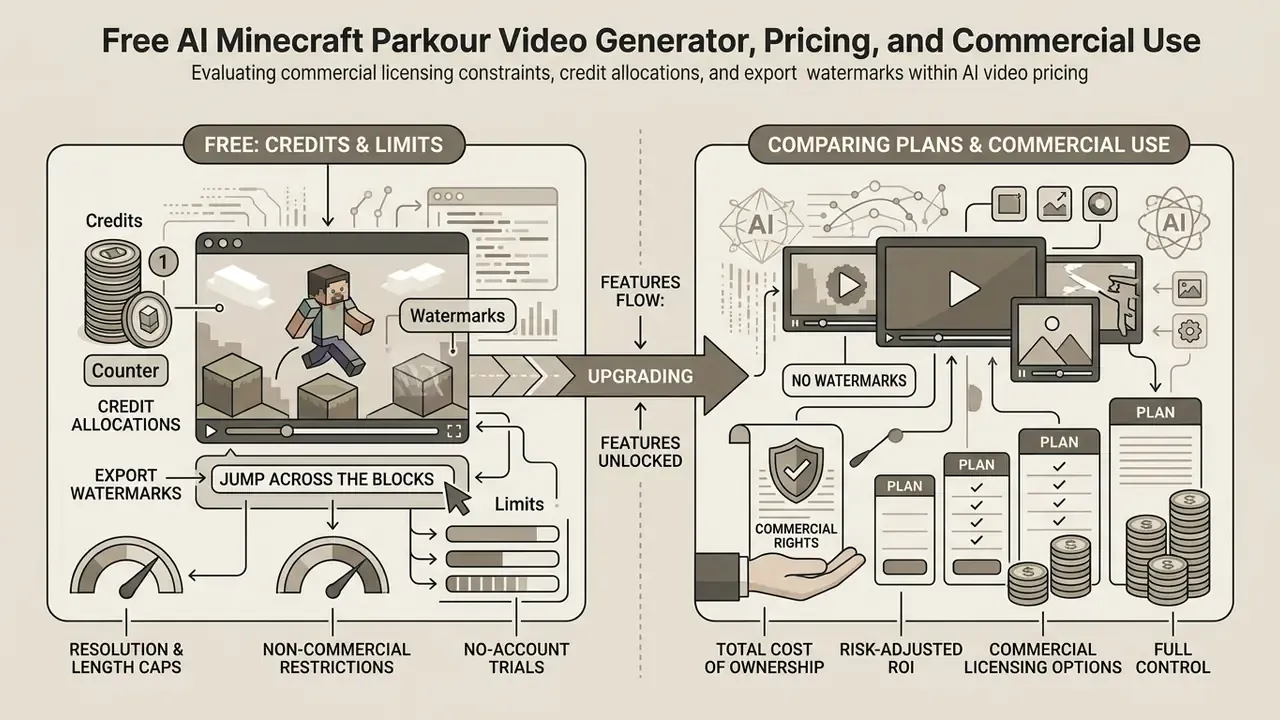
Choosing an ai minecraft parkour video generator free option means evaluating commercial licensing constraints, credit allocations, and export watermarks (AI Video Pricing Benchmarks, 2026). The same applies to any free minecraft video generator you find through search: the tool may be free, the rights rarely are.
Before monetizing synthetic footage, note how poorly audiences distinguish generated media from real capture:
«In an experiment with 154 participants, nearly two-thirds (66.23%) failed to correctly identify which of four videos were deepfakes». - "What You See Is Not What You Know: Studying Deception in Deepfake Video Manipulation" (2023)
Because viewers cannot reliably tell synthetic from recorded footage, the burden of honest framing sits with the publisher. Labeling generated parkour clips accurately is both a platform-policy requirement and a reputational safeguard.
What Is Available for Free: Credits, Watermarks, and Limits
Most platforms offer a free tier so you can test workflow compatibility, and the same limit patterns repeat across free AI video generators (Runway, 2026; Pika AI, 2026). A free ai video generator minecraft parkour trial typically includes:
- Credit allocations Monthly or daily credit drops sufficient for 1 to 3 short videos. Roughly 66 daily credits on Kling, about 125 one-time credits on Runway, and around 80 monthly credits on Pika (Kling AI, 2026).
- Export watermarks Free videos carry prominent vendor branding (Magichour.ai, 2026). Some brainrot-focused tools display a domain watermark unless upgraded.
- Resolution and length caps Output is frequently restricted to 480p or 720p and a maximum clip duration of 15 to 30 seconds; per-generation clip length on diffusion models often sits at 5 to 10 seconds (Pika AI, 2026).
- Non-commercial restrictions Free tier outputs are contractually limited to personal experimentation and cannot be monetized (Fliki, 2026).
- No-account trials Some services grant a small starter credit pool (around 10 credits) plus weekly check-in bonuses, and charge only for successful generations.
How to Compare Plans and Generation Costs
Commercial plans split into flat monthly subscriptions and usage-based credit models (Short.ai, 2026; OpenAI API Pricing, 2026).
| Plan Tier | Typical Pricing | Monthly Video Output | Key Features Included | Commercial License |
|---|---|---|---|---|
| Free tier | $0 / month | 1 to 3 short clips | Watermarked, 720p export, basic voices, public queue. | No (personal / test use only) |
| Starter / basic | $9 to $19 / month | 30 to 50 short clips | No watermark, 1080p, standard voice cloning, auto-captions. | Limited / social monetization |
| Pro / creator | $29 to $30 / month | 90 to 120 short clips | 1080p 60FPS, premium ElevenLabs voices, custom backgrounds. | Full commercial license |
| Enterprise | $60+ / month | Unlimited / high-volume | API access, priority rendering, dedicated support, custom SLAs. | Full enterprise rights |
Two pricing mechanics deserve attention when you scale. First, subscription tools bundle a fixed number of clips (for example, $19 for 40 videos, $30 for 90, $60 for 180, with roughly 15% off annual billing). Second, per-second metered models are dramatically more expensive for long backgrounds: at published API rates of $0.10 to $0.70 per second, one generated minute costs roughly $6 to $42. If your format needs 60 seconds of continuous motion, a pre-rendered parkour library is usually one to two orders of magnitude cheaper than frame-by-frame synthesis. Side-by-side feature and price breakdowns for the wider category live in our comparison of leading AI video generators, the broader AI Media Comparison hub, and the AI Media Pricing Guides.
Total Cost of Ownership and Risk-Adjusted ROI
Subscription price is the smallest line item in a governed pipeline. A defensible cost model adds control and remediation costs:
| Cost Component | How to Estimate | Typical Driver |
|---|---|---|
| Licence / credits | Plan price + overage credits | Volume of clips per month |
| Generation retries | Failed or off-brand generations x credit cost | Prompt maturity, model choice |
| Human review | Minutes per clip x reviewer hourly rate | Claim density, regulated topics |
| Fact-checking | Verification time for factual or educational content | Source quality of input text |
| Legal and brand review | Sampled review of commercial clips | Brand adjacency to game IP |
| Labeling and disclosure ops | Time to apply platform AI labels and keep logs | Number of destination platforms |
| Remediation reserve | Probability x cost of takedown, demonetization, or claim | Music and voice licensing hygiene |
| Archival storage | Prompt logs, model versions, output files | Retention policy |
A simple working formula: Risk-Adjusted ROI = (attributable revenue or saved production hours − licence cost − review cost − remediation reserve) ÷ total cost. Teams that skip the review and reserve terms routinely overstate ROI, because the cheapest tier is also the one most likely to produce a clip that has to be pulled down. One demonetized channel erases a year of subscription savings.
Data Privacy, PII, and Shadow AI Risk
Commercial Use Rights, Music, and Gameplay Footage
Using synthetic Minecraft content for commercial monetization means navigating three legal layers, plus one marketing myth (Mojang Commercial Usage Guidelines, updated 2026; Video Games Europe, 2024):
- Mojang brand and asset guidelines: Mojang allows fan-created videos on social platforms such as YouTube and TikTok, provided the video is not used to market unrelated commercial products without prior written approval. Corporate promotions or political campaigns using Minecraft gameplay require explicit licensing (Mojang EULA, 2026). Mojang's guidelines define "commercial use" broadly, covering any use of the Minecraft name, brand, or assets shared with others, even when distributed free, and they explicitly bar brands, agencies, non-profits, politicians, PACs, and governments from using Minecraft gameplay to promote unrelated products, services, events, or campaigns without prior written approval from Mojang or Microsoft.
AI voice and audio licensing: Commercial rights apply only when using fully licensed AI voice models and royalty-free background audio. Unlicensed voice clones of real public figures expose creators to publicity rights litigation (U.S. Copyright Office, 2026).
On disclosure duties, platform practice is uneven:
«An analysis of 12,315 short videos found TikTok relies on creator self-labeling with minimal platform enforcement, while YouTube Shorts applies more labels without disclosing their source». - "Labeling AI-generated Content on Short-Form Video Platforms" (2024)
Since the EU transparency framework for AI-generated content took effect in 2026, and platform policies require labeling realistic synthetic media that could mislead viewers, disclosure should be treated as a default publishing step rather than an optional toggle.
- AI copyright protection: Under current U.S. and European legal precedent, fully automated AI outputs lacking human creative input (unique human scripting, manual editing) cannot claim copyright ownership (Cofemel Principle, EU Court of Justice; USCO Guidance, 2026).
«European position: where AI is used as a tool by an author and the result expresses their creative choices in an original way, the work is protected by copyright». - "AI and Copyright", Video Games Europe (April 2024)
The practical implication is symmetrical. The more genuine human authorship you can document, meaning original script, editorial structure, manual edits, and prompt iteration logs, the stronger your position on ownership. Keep those artifacts. For scope questions across formats, our AI Media Commercial-Use Hub collects licence language by tool, and the AI Litigation and Case Timelines tracker follows how the disputes are actually resolving.
- Vendor "copyright-free" claims: Statements such as "100% copyright free" appear constantly on generator landing pages and are contradicted by the layers above. Such claims typically describe the vendor's stock music and footage library, not Mojang's brand rules, publicity rights, or the copyrightability of AI output. Treat them as unverified marketing until the licence text says otherwise, and read the actual terms for monetization scope.
FAQ About AI Minecraft Parkour Videos
Is a Minecraft Account or Prerecorded Gameplay Required?
No. An ai minecraft video generator free platform does not require a licensed Minecraft account, active game purchase, or local installation (Pixazo AI, 2026; Brainrot Shorts, 2026). Several vendors state this explicitly, since the footage layer is either a pre-recorded library or model-generated. Comparative limits across free AI video generators show the same pattern of no-account or low-friction trials. The software generates videos entirely in the cloud using pre-rendered gameplay loops or neural video synthesis pipelines (AIImageToVideo.pro, 2026).
Are AI Minecraft Parkour Videos Real Gameplay?
No. AI-generated Minecraft videos are synthetic visual animations or compiled video plates (CVPR, 2024). They do not run on an active game engine, nor do they reflect real-time controller or keyboard inputs (OpenAI VPT, 2024). Any AI that makes Minecraft parkour videos is composing frames, not playing the game.
How Long Does Generation, Editing, and Publishing Take?
Cloud rendering for a 30 to 60 second vertical video typically takes 1 to 3 minutes depending on server load (Pixazo AI, 2026). Script preparation, audio alignment, dynamic editing, and export usually need 10 to 15 minutes end-to-end for a publish-ready MP4. Reported timelines vary by workflow depth: first drafts in 15 to 30 minutes, polished single deliverables in under an hour, and fully reviewed campaign assets with revision cycles in roughly 2 to 3 weeks.
Can I Convert a PDF or Lecture Notes into a Parkour Video?
Yes. Document-capable generators accept PDF, .docx, and .txt uploads, extract the text, summarize it, and script it for narration. Split long documents into 2,000 to 12,000 character chunks depending on the tool's input cap, use raw mode when wording accuracy matters, and remove any personal or confidential pages before uploading.
How Do I Change the Parkour Scene Mid-Video?
Insert bracketed scene directives in the script, for example [Scene: Lava Run] or [Action: Neo Jump]. The engine reads the tags as visual markers and does not speak them aloud. Place tags between sentences and limit them to one or two per beat to preserve temporal consistency.
What Video Length Performs Best?
Vendor guidance clusters around 15 seconds to 3 minutes, with 30 to 60 seconds recommended for TikTok, Shorts, and Reels. Third-party 2026 benchmarks estimate that strong short-form performance sits near 60%+ retention under 15 seconds, 50%+ at 15 to 30 seconds, and 40%+ at 30 to 60 seconds. No platform publishes an official numeric cutoff, so treat these as directional targets and validate against your own analytics.
Can I Sell or Monetize the Videos?
Only if your plan grants a commercial licence, the music and voice assets are licensed for commercial distribution, and the clip is not being used to advertise a product unrelated to Minecraft. Free tiers are generally limited to personal testing, and broad "use it anywhere" promises should be checked against the actual terms of service.
Will an AI Parkour Background Guarantee Views?
No. Engagement data shows gaming content performs above the TikTok platform average, but ranking still depends on watch time, completion, and hook strength. Vendor promises to "avoid zero views" are unsupported. The background provides motion; the script determines retention.
How Do I Remove the Watermark?
Watermarks are a free-tier limitation, removed by upgrading to a paid plan. Cropping or covering a vendor watermark generally violates the terms of service and can invalidate whatever licence you are relying on.
Do I Need to Label the Video as AI-Generated?
In most cases, yes, especially where the content is realistic, educational, or could mislead viewers about real people or events. Use the platform's native AI-content disclosure at upload, and keep a record of prompts, model versions, and review sign-off.
Appendix A: Editorial Corrections and Superseded Wording
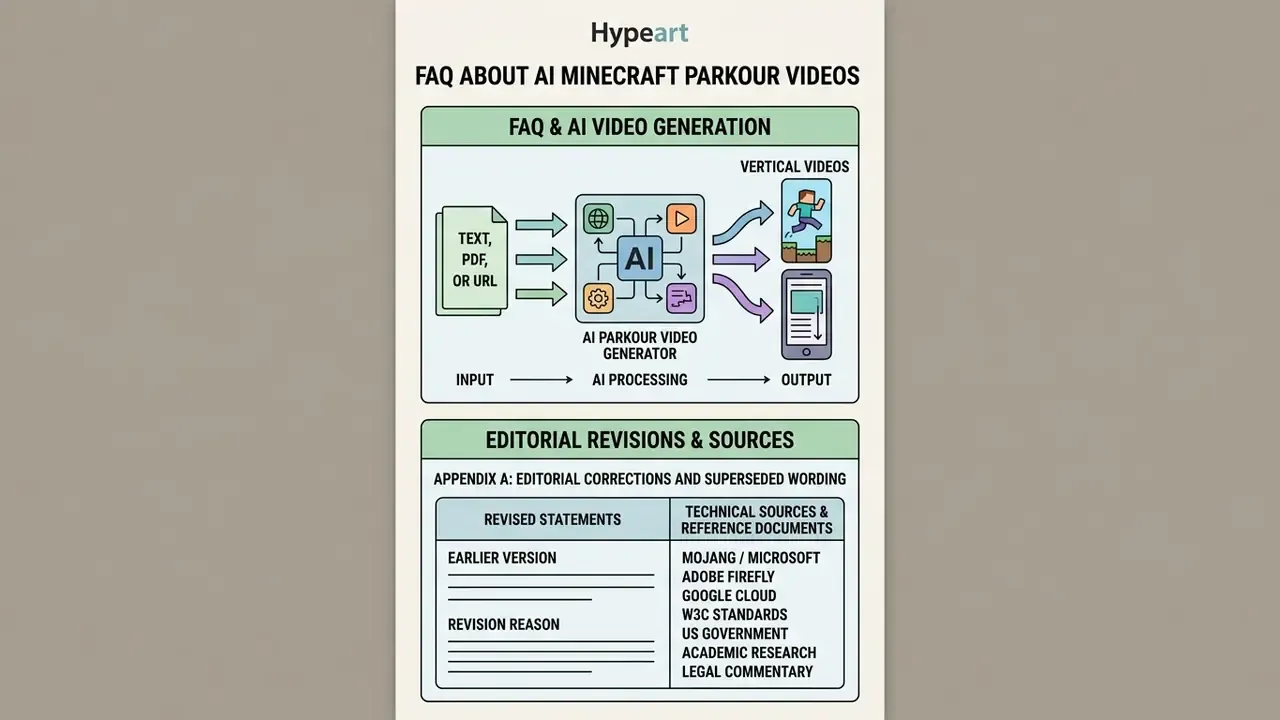
Technical Sources and Reference Documents
- Mojang / Microsoft Minecraft Usage Guidelines for Fans and Creators (updated August 2026); Minecraft EULA commercial-use provisions.
- Adobe Firefly Video Prompting Structural Architecture and Best Practices (2026 documentation).
- Google Cloud Vertex AI Video Prompt Guidance (2026), audio and dialogue as separate prompt sentences.
- W3C standards WebVTT Captioning and Text Cue Specifications (updated 2026); WAI Captions/Subtitles Guidance (2024).
- US government Section 508 Captions and Transcripts Guidance (updated 2026).
- Academic research DEVIL: Dynamics Evaluation in Video Language Generation (2024); T2VBench: Benchmarking Temporal Dynamics in Text-to-Video (2024); T2VSafetyBench: Safety Assessment of Video Diffusion Models (NeurIPS 2024); VidProM: A Million-Scale Prompt Gallery for Text-to-Video Models (2024); T2VHE Human Evaluation Framework (2024); Genie (Google DeepMind, 2024); GameNGen (2024); OpenAI VPT (2024); MineWorld (2026); What You See Is Not What You Know: Studying Deception in Deepfake Video Manipulation (2023); Labeling AI-generated Content on Short-Form Video Platforms (2024).
- Legal commentary AI and Copyright, Video Games Europe (April 2024); U.S. Copyright Office Guidance on Works Containing AI-Generated Material (2026); Cofemel, EU Court of Justice.
- Industry benchmarks AI Video Pricing & Commercial Rights Benchmark (2026 dataset); Metricool Short-Form Engagement Report (2024); Socialinsider Gaming TikTok Report (2024); OpenAI API Pricing (2026); Runway Help Center Plan Limits (2026).
Review and Update Policy
This page is reviewed on a rolling basis by the ClipTalk editorial standards team. Pricing tiers, free-tier credit allowances, and platform labeling requirements change faster than most published guides admit, so figures here are dated at the point of review rather than presented as permanent. Where a claim could not be traced to a primary source, it is marked as a practitioner heuristic or flagged as unaudited in Appendix A. Corrections and source challenges are welcome and are logged with the revision date.
Definitions used throughout this page, from text-to-video synthesis to voice cloning and caption formats, are collected in the AI Media Glossary.