Digital media workflows rely on predictable video encoding, rapid file packaging, and hardware playback compatibility. An online video converter provides a cloud-based or browser-native interface to transform raw or compressed footage between target formats. That sounds trivial. It stops being trivial the moment the file contains a customer interview, a KYC session recording, or unreleased financials.
Executive summary
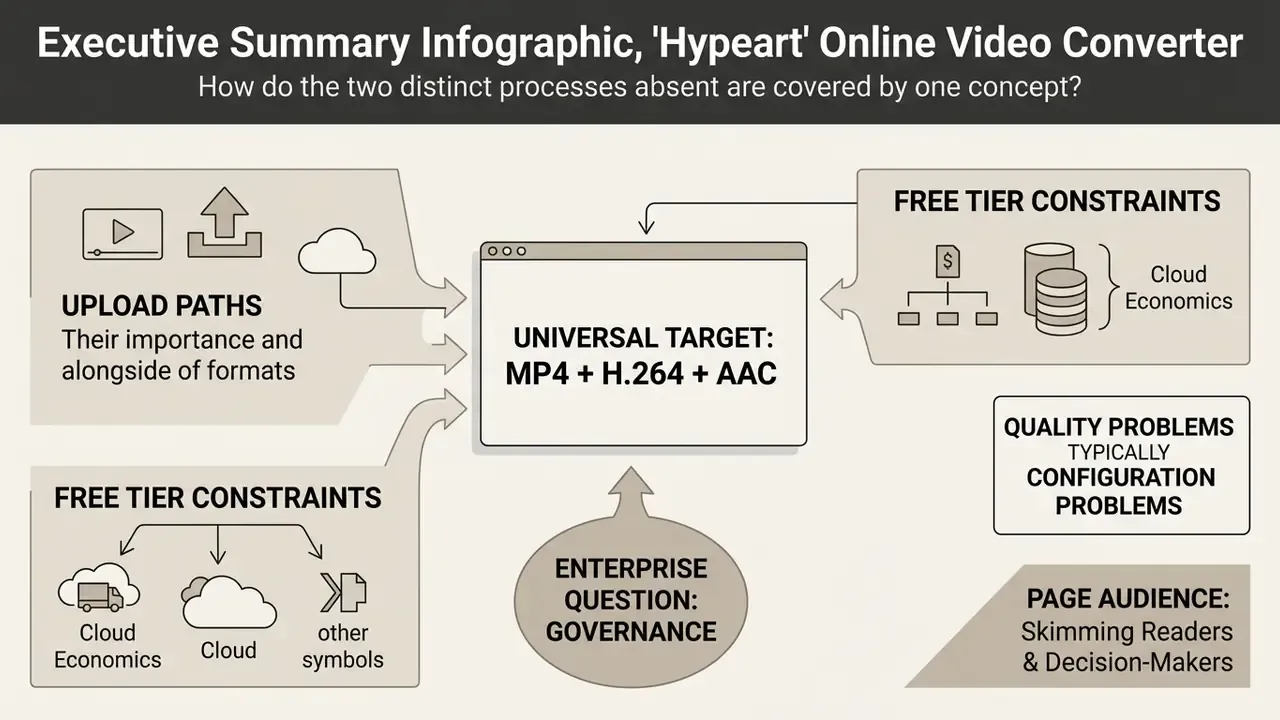
- Two different operations hide behind one word. Container remuxing (MOV to MP4 with identical codecs) is lossless and near-instant. Re-encoding decodes and recompresses pixels, so quality, bitrate and file size all change.
- MP4 + H.264 + AAC remains the universal target. It plays on Android, iOS, Windows, macOS and every modern browser. MOV suits Apple production, MKV suits archives, WMV and AVI are legacy Windows containers.
- Upload paths matter as much as formats. Mature converters accept local drag-and-drop plus Google Drive, Dropbox, Microsoft OneDrive and direct HTTPS URLs, which removes the local bandwidth bottleneck.
- Free tiers are constrained by cloud economics. Typical caps: 100 to 250 MB per file, 5 to 25 conversions per day, 480p to 720p exports, watermarks on some plans. Paid tiers extend limits to 5 to 20 GB (up to 6 GB on common Pro plans) with batch processing and documented commercial rights.
- Governance is the real enterprise question. Public converters used by employees are a classic Shadow IT and Shadow AI vector. Before any regulated media touches a browser tool, verify TLS 1.3 in transit, encryption at rest, documented retention and sanitization, a DPA, SOC 2 Type II or ISO 27001, and audit logging.
- Quality problems are usually configuration problems. Stutter, dropped frames and A/V drift after conversion trace back to keyframe (GOP) intervals, H.264 profile and level mismatches, and badly bounded VBR rate control. All of that is fixable in the encoder settings.
Who this page is for. Three readers, three different questions. A marketer wants one clip to play on a client's Smart TV before a 4 p.m. call. A media operations lead needs 1,200 legacy files normalised without babysitting a queue. A risk or compliance owner needs to know whether any of that traffic should be leaving the corporate perimeter at all. The sections below answer all three, in that order, and the technical detail is deliberately specific rather than reassuring.
What an online video converter is and which problems it solves
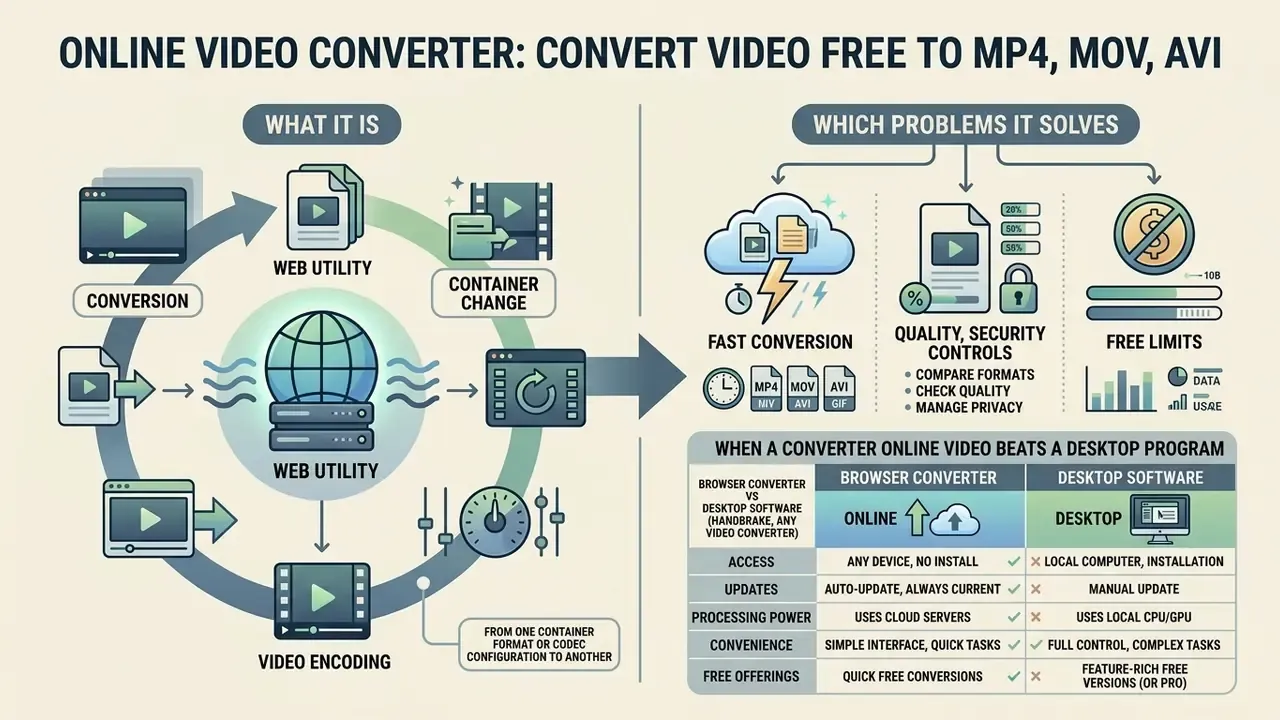
An online video converter is a web utility that transforms video files from one container format or codec configuration to another. It eliminates software installation requirements while enabling cross-platform playback across desktop computers, mobile devices, and cloud storage systems.
Organizations use a video converter to resolve format incompatibilities, compress excessive file sizes, and prepare assets for streaming platforms. Whether you need to convert video assets for internal compliance archiving or web distribution, browser-based utilities handle any video input with standardized output parameters. Modern web pipelines let a user change video format online without maintaining dedicated hardware transcoding clusters. No rack, no driver stack, no licence server.
The scale of the compression problem explains why conversion exists at all:
That ratio is the whole business case. A converter is the interface between raw capture formats and the bitrates that networks, mailboxes and content platforms will actually accept. Search demand reflects the same need across languages, which is why query variants such as conversor de video online and convertir video online rank alongside their English equivalents.
Conversion, container change and video encoding
In contrast, to encode video online you must decode the original bitstream and re-compress it with a target codec such as H.264, HEVC, or AV1. Re-encoding alters spatial resolution, bit rate, and frame rate, which directly changes the output quality and the final file size.
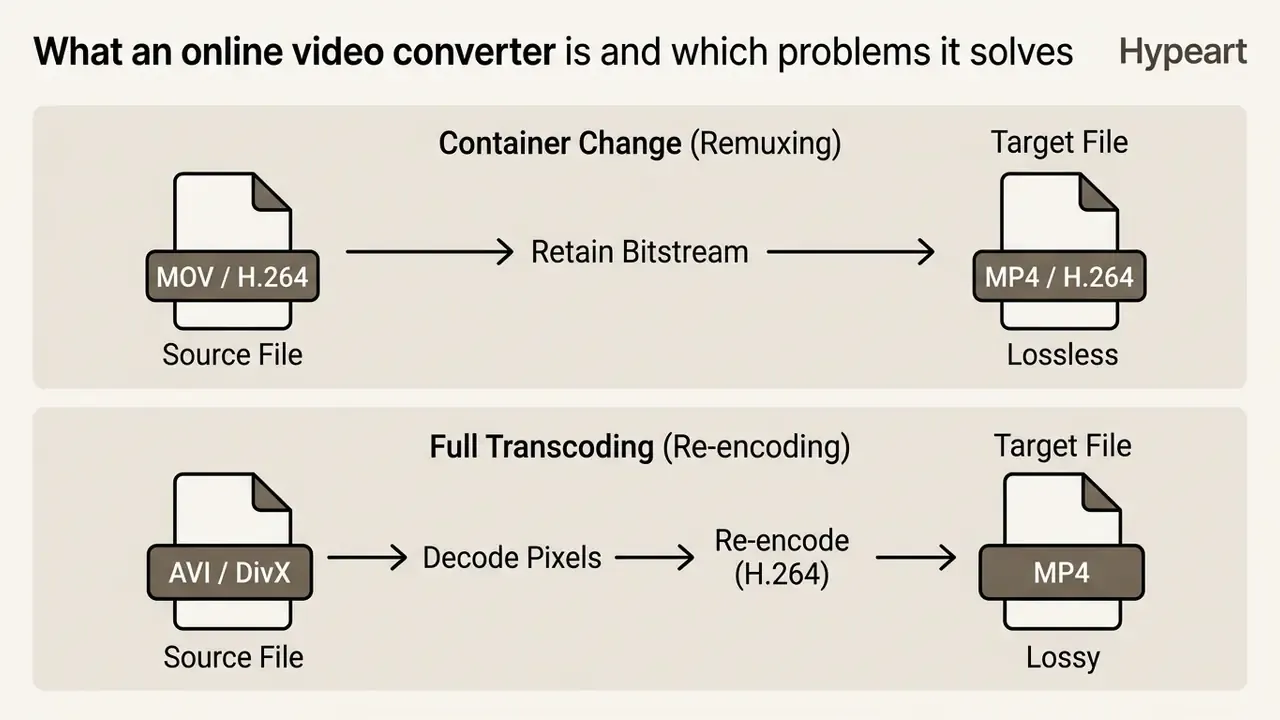
Standards bodies treat the distinction as a data-integrity issue, not a stylistic one. NIST's CCTV digital video export guidance instructs practitioners to preserve native quality and avoid transcoding or recompression when exporting evidentiary footage, changing only the container where possible.
When a converter online video beats a desktop program
A browser-based converter online video is ideal for short tasks, remote devices, and environments with restricted local software installation. Desktop encoding applications offer offline processing and advanced filter controls, but they demand installation rights, manual updates, and local GPU compute. Teams that need timeline work rather than format work usually move on to video editing software instead of a converter.
Web converters handle single assets efficiently on low-power devices such as Chromebooks or smartphones. Processing happens in cloud environments using elastic serverless functions, which keeps heavy CPU load off the laptop.
Browser converter vs desktop software (HandBrake, Any Video Converter)
For most everyday jobs a web tool wins on time-to-first-output. There is nothing to install, patch or configure. Local applications still own a set of tasks that browsers structurally cannot perform, notably optical-disc ripping and DRM handling.
| Criterion | Online converter | Desktop software (HandBrake, Any Video Converter, Freemake) |
|---|---|---|
| Installation | None, runs in the browser on any OS | Local install, driver/GPU configuration, manual updates |
| File size ceiling | Typically 100 to 250 MB free; 5 to 6 GB and above on Pro tiers | Limited only by local disk capacity |
| Offline use | Requires connectivity for upload and download | Fully offline processing |
| Specialised functions | Automation, cloud APIs, storage integrations, shareable links | CD/DVD ripping, DRM removal (paid editions), deep filter chains, disc burning |
| Format breadth | 20 to 60+ containers depending on vendor | Very broad, including device-specific presets |
| Batch processing | Parallel server-side jobs, usually via API or paid plan | Local batch queues that consume your own CPU/GPU |
| Interface | Guided, three-step, beginner friendly | Ranges from simple wizards (Freemake) to utilitarian and expert-oriented (HandBrake) |
| Data residency | Files leave the device, vendor policy applies | Files never leave the workstation |
HandBrake is the reference open-source option for cross-platform work (Windows, macOS, Linux) with cropping, advanced filtering and frame-rate control plus quick presets. Powerful, and visually austere. Any Video Converter Free covers a broad format list, device profiles and basic trimming, cropping and rotation, while its paid Ultimate edition adds DRM removal, batch conversion and disc burning. If the requirement is "rip a DVD" or "process 400 GB offline", install software. If it is "make this clip play on a client's Smart TV in two minutes", use the browser.
Users building media workflows can review platform integration options in the AI Media Commercial-Use Hub or compare adjacent creation tools such as free AI video generators.
How to convert video online: upload, format selection and download
To convert video online, a user uploads a media asset, configures output parameters, runs processing, and downloads the finished file. Three clicks in the best case. Four, if the service asks you to confirm the profile.
- Upload the input filedrag and drop video files from a local disk, or import them directly from cloud storage, including Google Drive, Dropbox and Microsoft OneDrive, so the payload never traverses your local uplink twice. For publicly reachable network media, paste a direct HTTPS URL. Large-file reliability depends on resumable upload support, so keep the tab open until the progress indicator reaches 100%.
- Select the target formatchoose output parameters to format video online for the destination hardware (container, codec, resolution, bitrate, audio profile).
- Convert and downloadrun server-side encoding, then download the resulting file over HTTPS or send it straight to a shared workspace or cloud folder.
Some services convert immediately after upload using defaults. Others require an explicit confirmation step, which is preferable when you need deterministic output parameters and a repeatable profile.
How to choose source and target video format
Choosing an appropriate source and destination format depends on playback compatibility, target devices, and storage constraints. Standard containers include MP4, MOV, AVI, WMV, MPEG, MKV, and FLV.
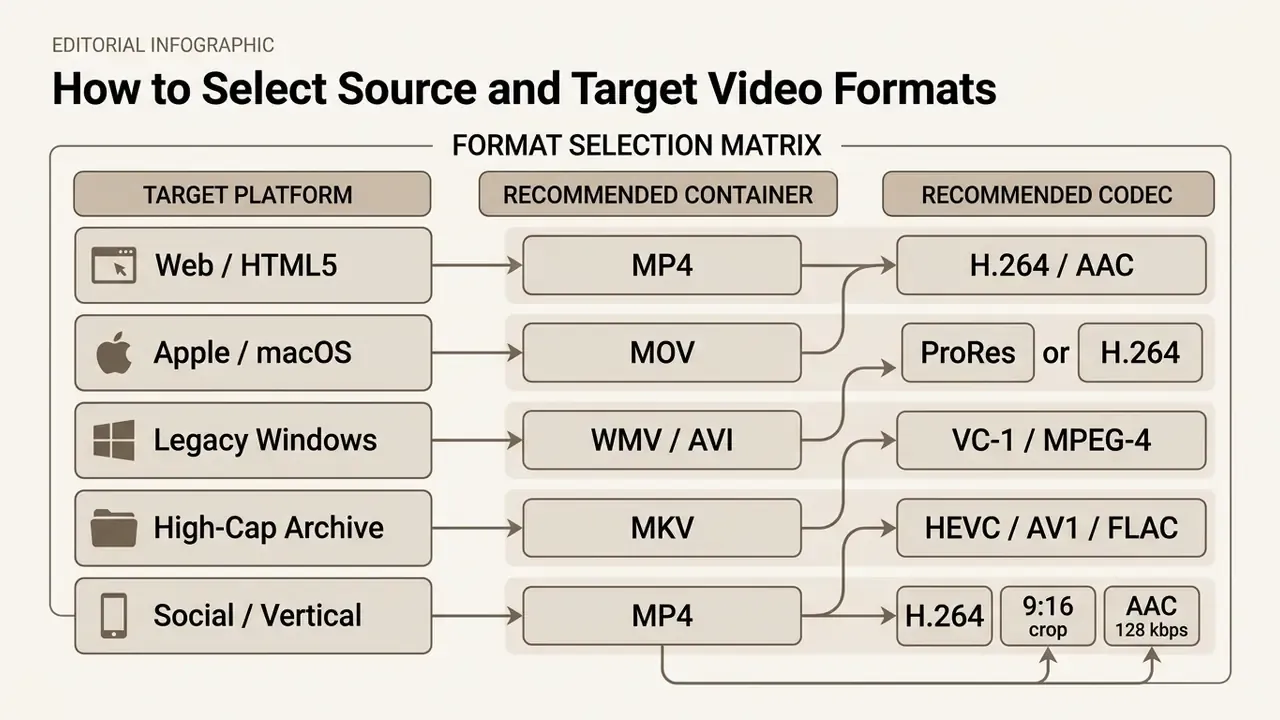
MP4 provides universal cross-device compatibility across Android, iOS, Windows, and modern web browsers, and the container itself is standardized as ISO/IEC 14496-14:2020, a specific instance of the ISO Base Media File Format.
Apple production workflows prefer MOV containers, while MKV serves open-source archival needs thanks to multi-track audio and subtitle support. Android's official media-format documentation lists both MPEG-4 (.mp4/.m4a) and Matroska (.mkv) as supported, which is why those two containers dominate cross-device distribution. Teams that generate footage with AI video generators or other tools built to create ai media usually convert immediately afterwards to match each publishing platform's ingest spec.
Which settings to check before conversion
Before starting a conversion job, inspect a handful of technical parameters. Skipping this step is the single most common reason a converted file plays badly.
- Resolution match target display specs such as 1080p (1920×1080) or 720p (1280×720).
- Video bitrate allocate 4,000 to 8,000 kbps for standard 1080p H.264 streams, roughly 1,200 to 4,000 kbps at 720p.
- Frame rate (FPS) match source frame rates (24, 25, 30, or 60 FPS) to prevent playback jitter.
- Audio codec use AAC-LC stereo at 128 to 192 kbps for wide device support.
- Trim and mute (pre-conversion editing) if you only need part of a clip, or must strip an audio track for copyright or privacy reasons, do the trim and mute inside the converter before the encode starts. Cutting first reduces upload volume, processing time and output size, and avoids a second lossy generation later.
- Subtitles and metadata decide whether captions are burned in (permanent, universally visible) or muxed as a selectable track. MP4 supports one; MKV supports many.
Creative teams that also prepare thumbnails, stills, brand frames or typographic overlays alongside the video can handle those assets in an online photo editor or a tool that helps you create word art before packaging the final file.
Supported video formats and popular conversions
Modern web converters process a wide range of input containers and turn them into standardized web-ready formats or audio streams.
| Input Format | Output Format | Output Media Type | Primary Technical Use Case |
|---|---|---|---|
| MOV | MP4 | Video | Converting Apple QuickTime camera footage for web streaming. |
| AVI | MP4 | Video | Transcoding legacy Windows video files into modern H.264 bitstreams. |
| WMV | MP4 | Video | Upgrading legacy Windows Media content for cross-platform playback. |
| MKV | MP4 | Video | Packaging Matroska media streams into web-compatible wrappers. |
| FLV | MP4 | Video | Migrating legacy Flash-era web archives to a supported container. |
| MP4 | MP3 | Audio | Extracting audio tracks from video for podcast or voice distribution. |
| MP4 | GIF | Animation | Converting short video clips into loopable web graphics. |
| GIF | MP4 | Video | Re-packaging animations as far smaller H.264 files for social feeds. |
Note: data derived from AWS MediaConvert Supported Containers and Codecs Reference Specifications (2026).
Read the table as a decision aid rather than a catalogue. If the output column says Video, you are choosing between remux and re-encode. If it says Audio or Animation, a re-encode is unavoidable, and quality is set by the bitrate or palette you pick.
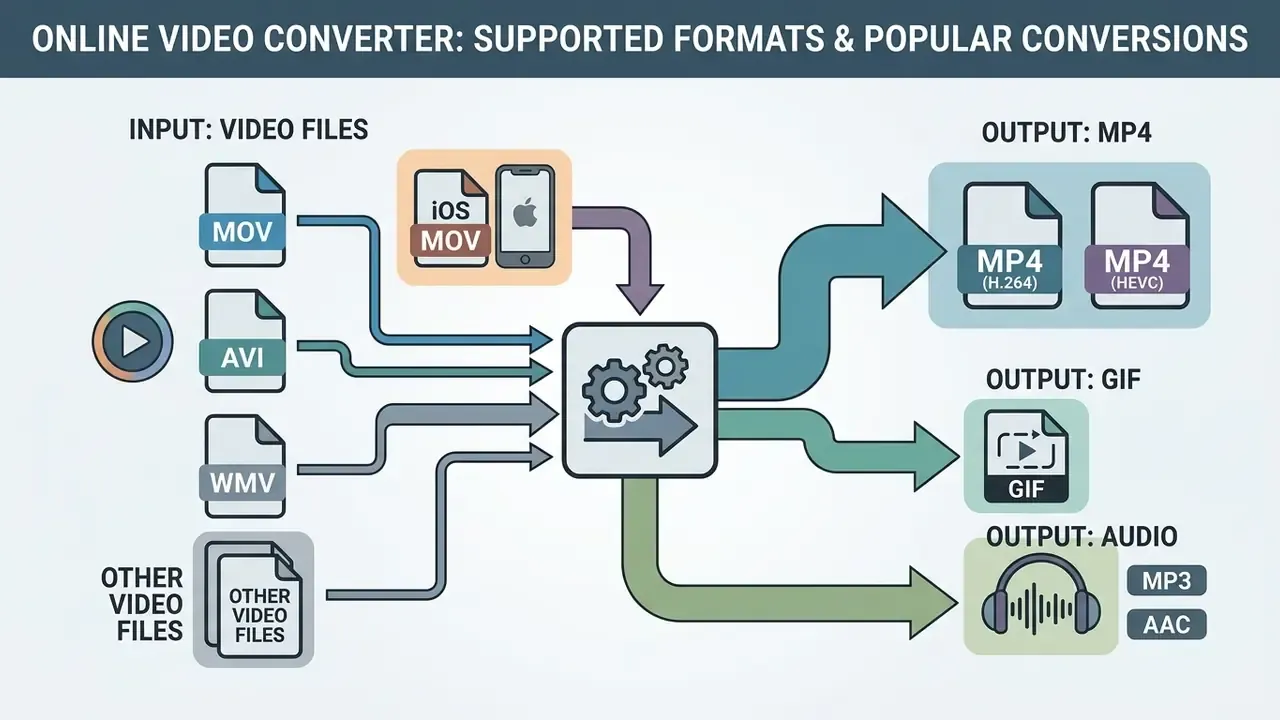
Convert to MP4: MOV, AVI, WMV and other video files
Converting legacy formats to MP4 remains the most requested direction on the web. Moving MOV to MP4 often needs nothing more than container remuxing, provided the underlying codec is already H.264.
Converting AVI to MP4 or WMV to MP4 requires full re-encoding, because legacy codecs such as DivX or VC-1 are incompatible with modern MP4 playback standards (ISO/IEC 14496-14:2020).
Standardizing archives on MP4 with H.264 video and AAC audio keeps material accessible across enterprise systems for years, not months. Once the container is normalised, downstream teams can move the file into a video editing workflow without codec negotiation.
Special case: converting iPhone video (iOS MOV) to MP4
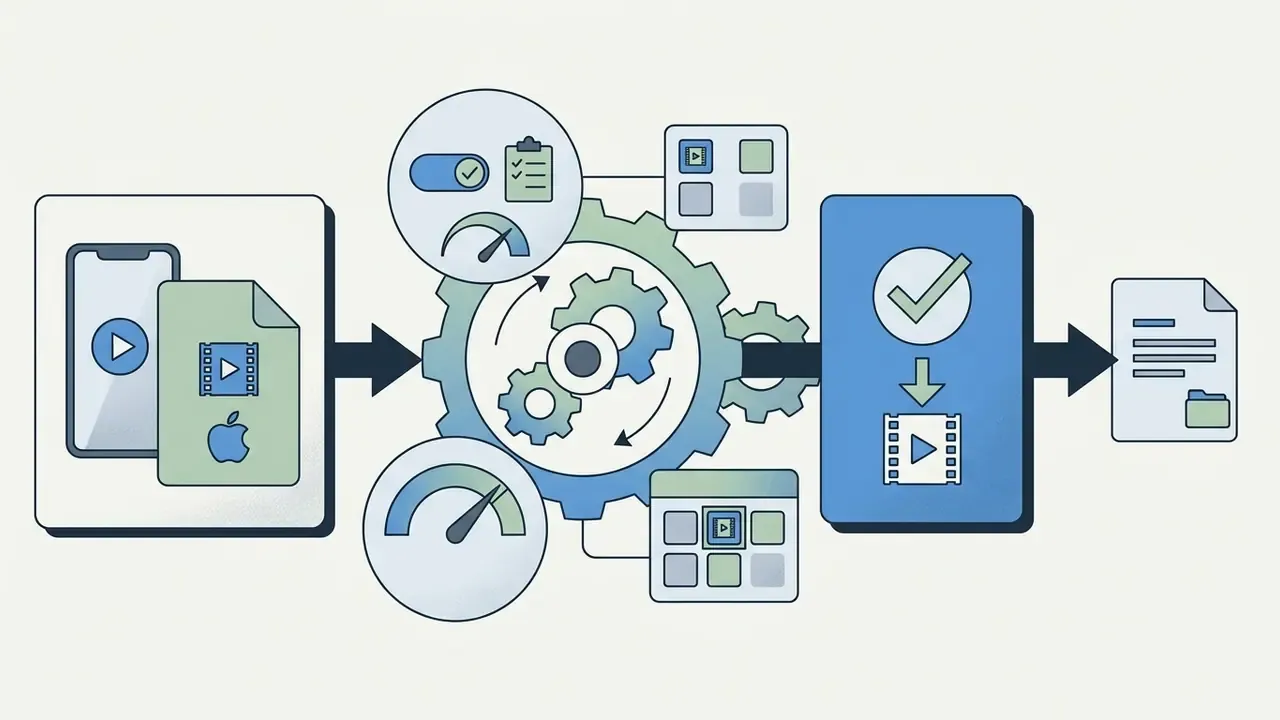
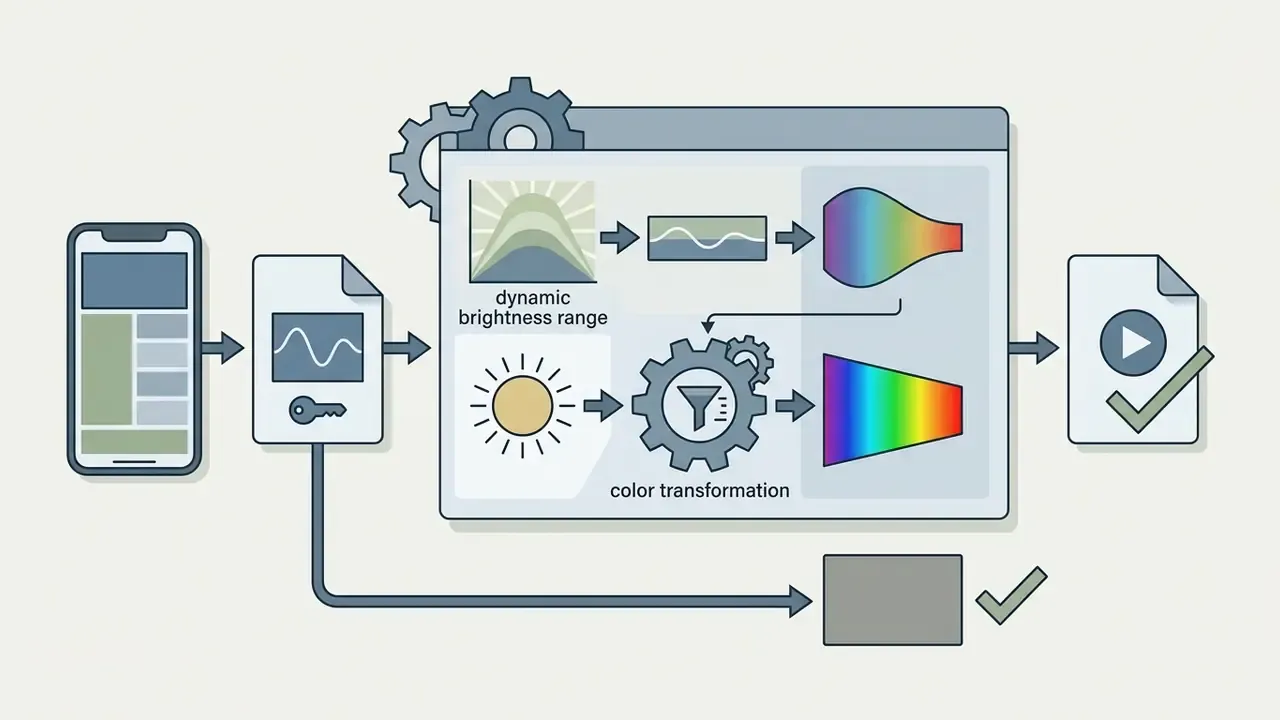
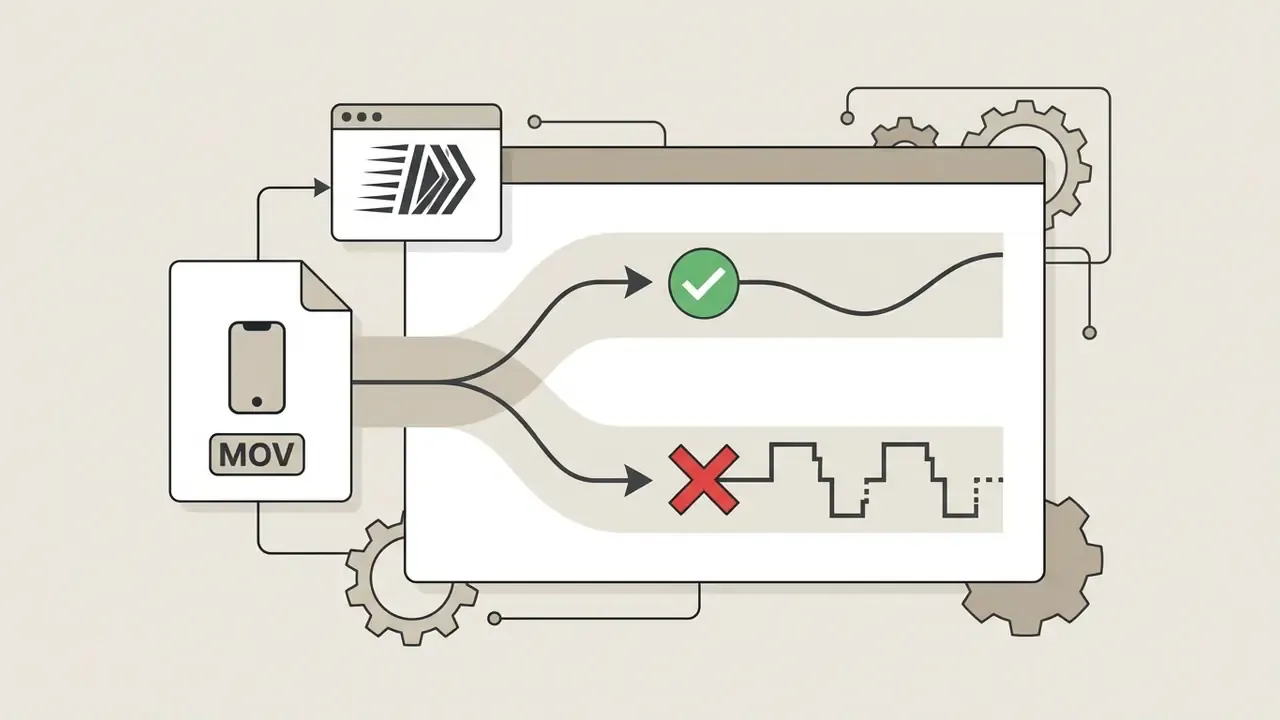
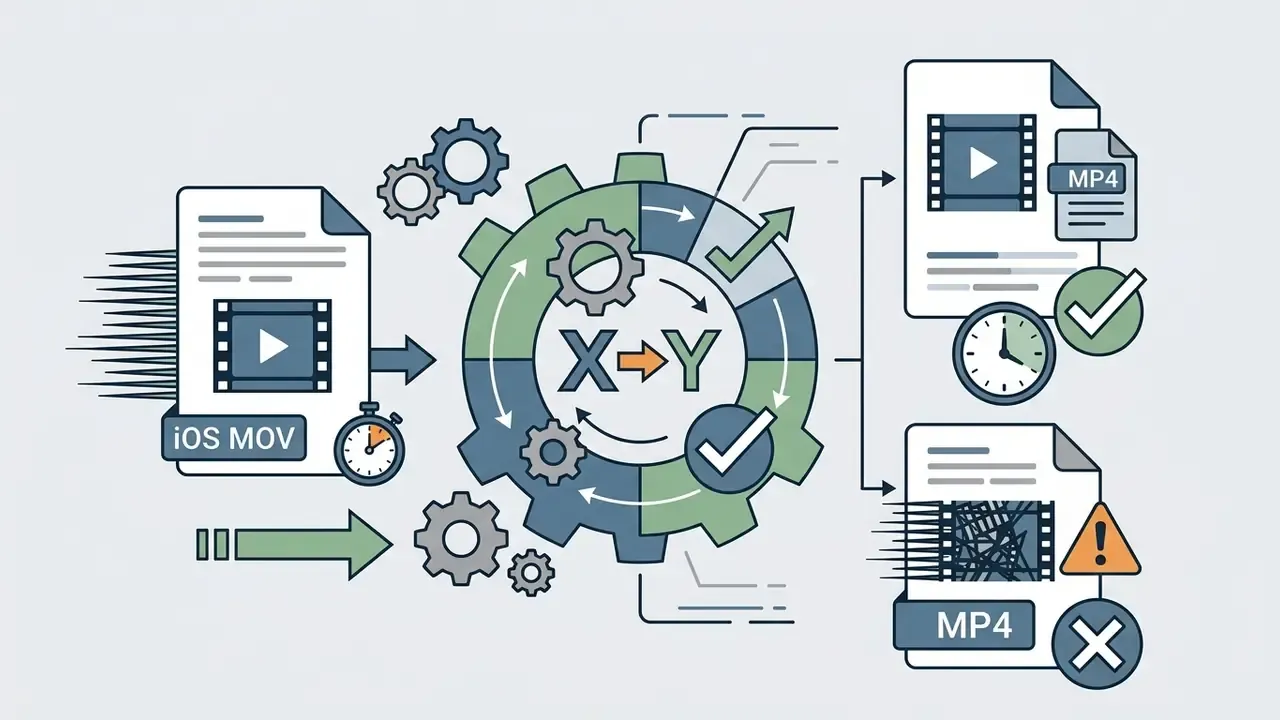
Footage recorded on an iPhone lands in a MOV container, usually with HEVC (H.265) or H.264 video and, on newer devices, HDR (HLG) or Apple Log colour handling. Play that on a Windows PC, an older Smart TV or a corporate video platform and you often get washed-out colour, an audio-only stream, or no picture at all.
For maximum compatibility, convert MOV (HEVC) ──► MP4 (H.264 / AAC) and force the colour space to Rec. 709 (SDR). Practical checklist:
The same procedure applies to iPad and Mac screen recordings, which are also MOV-wrapped by default.
Converting video to audio and GIF
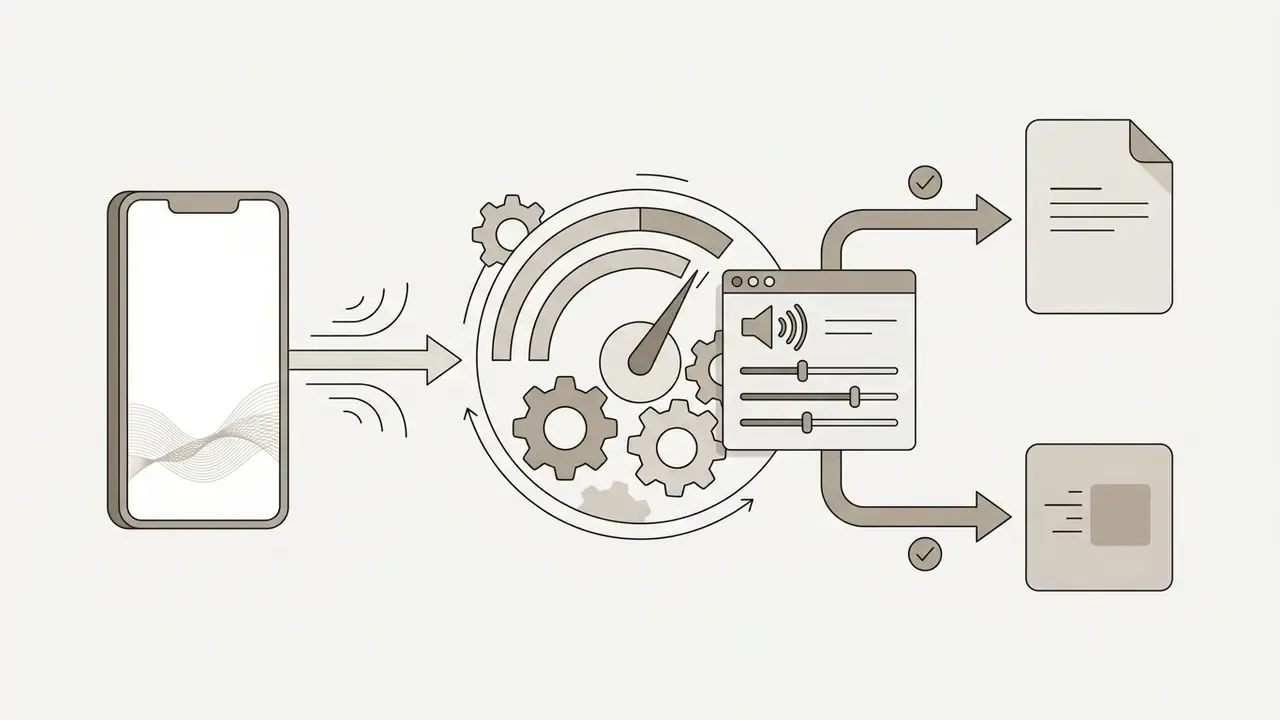
Online conversion tools also cover media extraction. Extracting audio from MP4 to MP3 discards video tracks while re-encoding the audio bitstream into compressed MP3 channels (FFmpeg documentation).
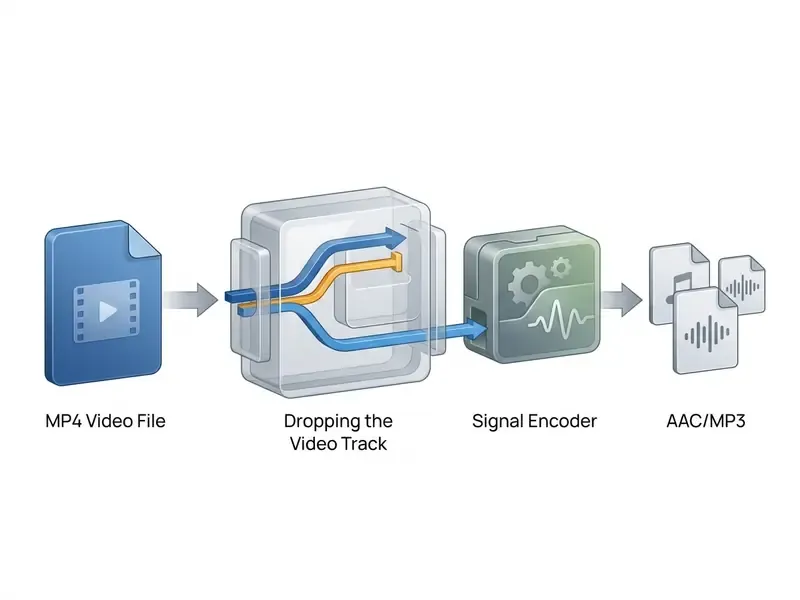
Because MP3 is lossy, output fidelity depends on the chosen bitrate: 192 to 320 kbps for music and archival speech, 96 to 128 kbps mono for interviews and lecture capture. Teams producing narration for converted footage often pair extraction with AI voice generators, and some go further and create your own synthetic voice to relocalise an existing audio bed.
Creating animated GIFs from MP4 files means stripping audio, reducing frame rate to 10 to 15 FPS, downscaling resolution (a width near 480 px is the common target), and optimising the colour palette. Because GIF is limited to 256 colours, two-pass palette generation (palettegen and paletteuse) is required to minimise banding. Pushing GIFs to 20 or 30 FPS inflates file size sharply with little perceptual gain, so trim to the exact loop first.
For longer looping graphics, an animation maker with native MP4 or WebM export beats GIF on both size and colour depth.
How to preserve quality when converting video files
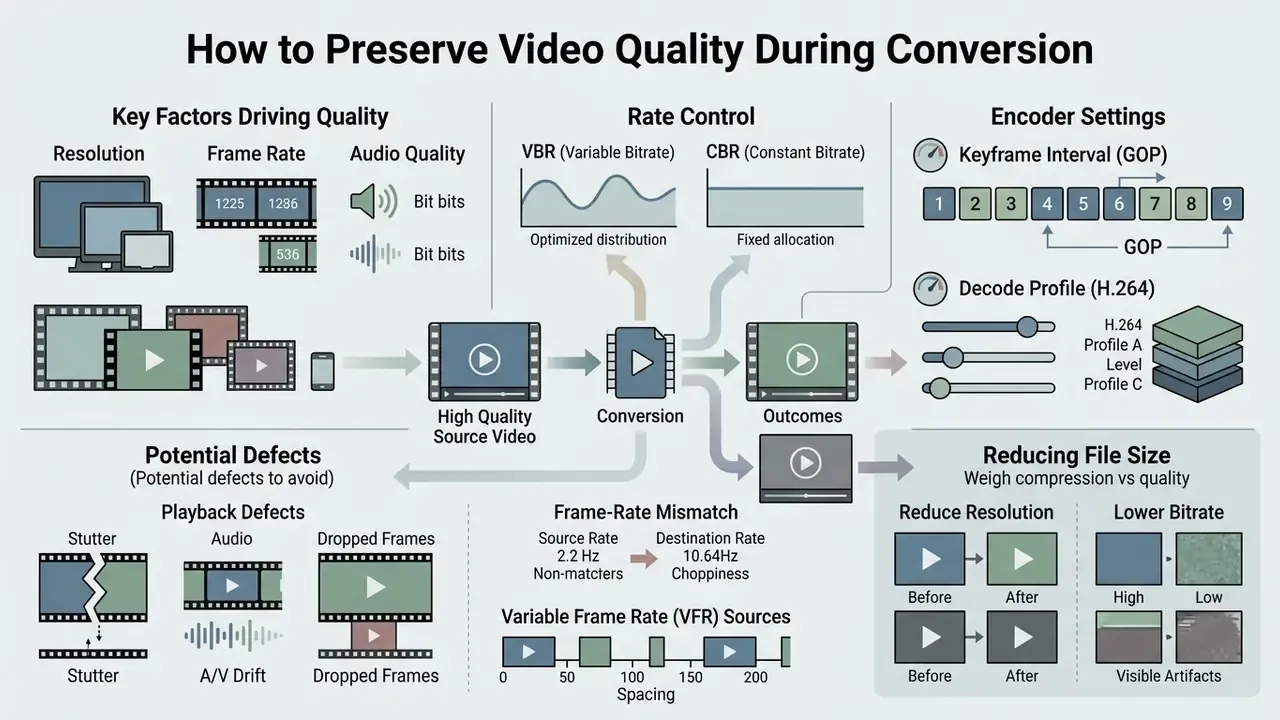
Maintaining visual quality during format conversion means balancing bitrate, resolution, and encoder efficiency. Where the goal is a smaller file rather than a different container, dedicated video compressors expose finer rate-control options than a generic converter.
Resolution, frame rate and audio: what drives the final file
File size is total bitrate multiplied by duration. Total bitrate equals video bitrate plus audio bitrate. That is the entire arithmetic.
Total File Size (MB) = [ Video Bitrate (kbps) + Audio Bitrate (kbps) ] × Duration (seconds) / 8,000
«The XGC-VQA model provides unified quality assessment across user-generated, professionally generated and operator content, reflecting the diversity of real-world uploads.»
Higher resolutions demand more bitrate to hold edge sharpness. YouTube's publishing guidelines specify 8 Mbps for 1080p at 30 FPS, rising to 12 Mbps for 1080p at 60 FPS (720p around 5 Mbps, 1440p around 16 Mbps, 2160p around 35 to 45 Mbps). Raising frame rate without raising bitrate is how fast motion turns into mush.
Audio is a minor contributor by comparison: 128 kbps mono, 384 kbps stereo and 512 kbps 5.1 are the usual reference points.
When it is better to reduce file size
Downsizing is necessary when preparing attachments for email servers, typically capped at 20 to 25 MB with 5 to 10 MB a safe practical ceiling, or for mobile messaging apps. To reduce size without severe quality loss, lower the bitrate first while keeping native resolution. If you need more, downscale 1080p source footage to 720p. On phone screens the perceptual difference is small, while the bitrate requirement drops by roughly 40%.
«Content-adaptive encoding cut the number of required encodes by 77.4% with only ~1% BD-Rate increase versus a reference bitrate ladder.»
"Container remuxing (-c copy) preserves source bitstreams bit-for-bit with zero quality loss. Full re-encoding decodes and recompresses data, introducing generational loss depending on target bitrates." - Source: IETF RFC 8761 Video Codec Evaluation Methodology & FFmpeg Documentation]
RFC 8761 also formalises how such loss should be measured: compression efficiency, BD-rate, PSNR and MS-SSIM across defined bitrate ranges. Which is why "it looks fine to me" is not an acceptable acceptance test in a regulated pipeline. Where quality has already been lost in an earlier generation, restoration tooling such as AI image enhancers can only mitigate, never recover, discarded detail.
Troubleshooting playback defects: stutter, A/V drift and dropped frames
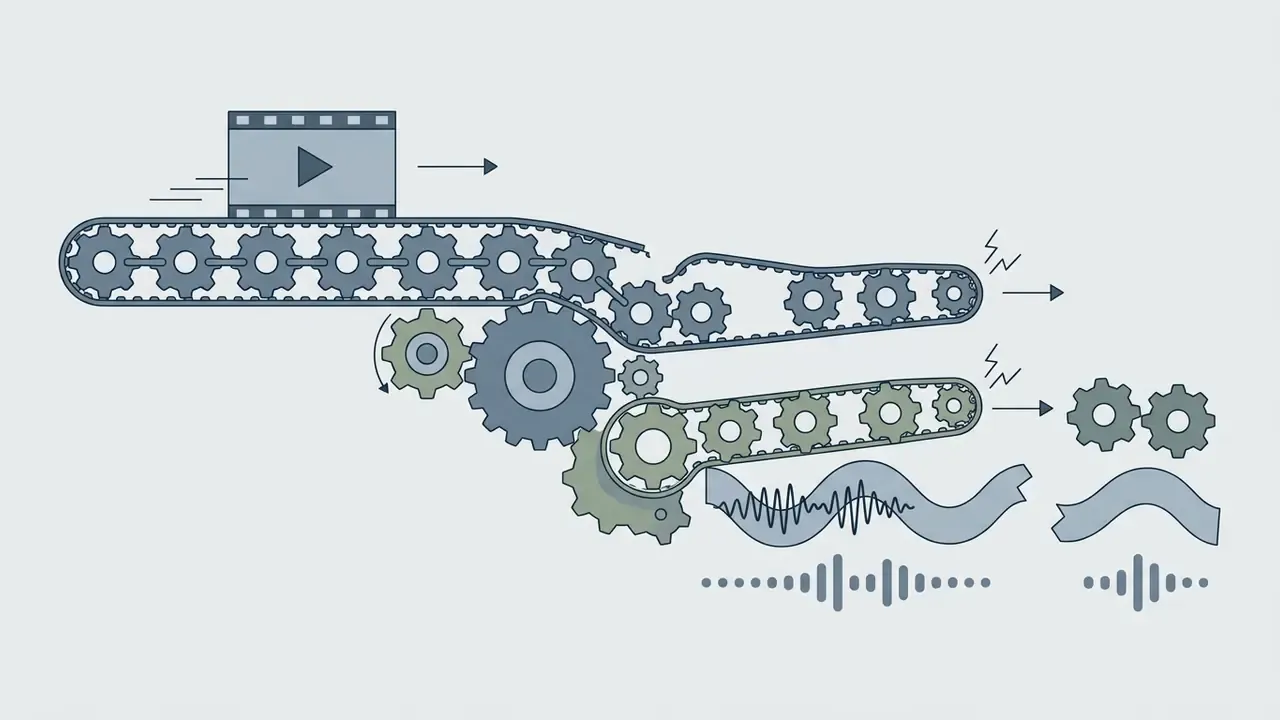
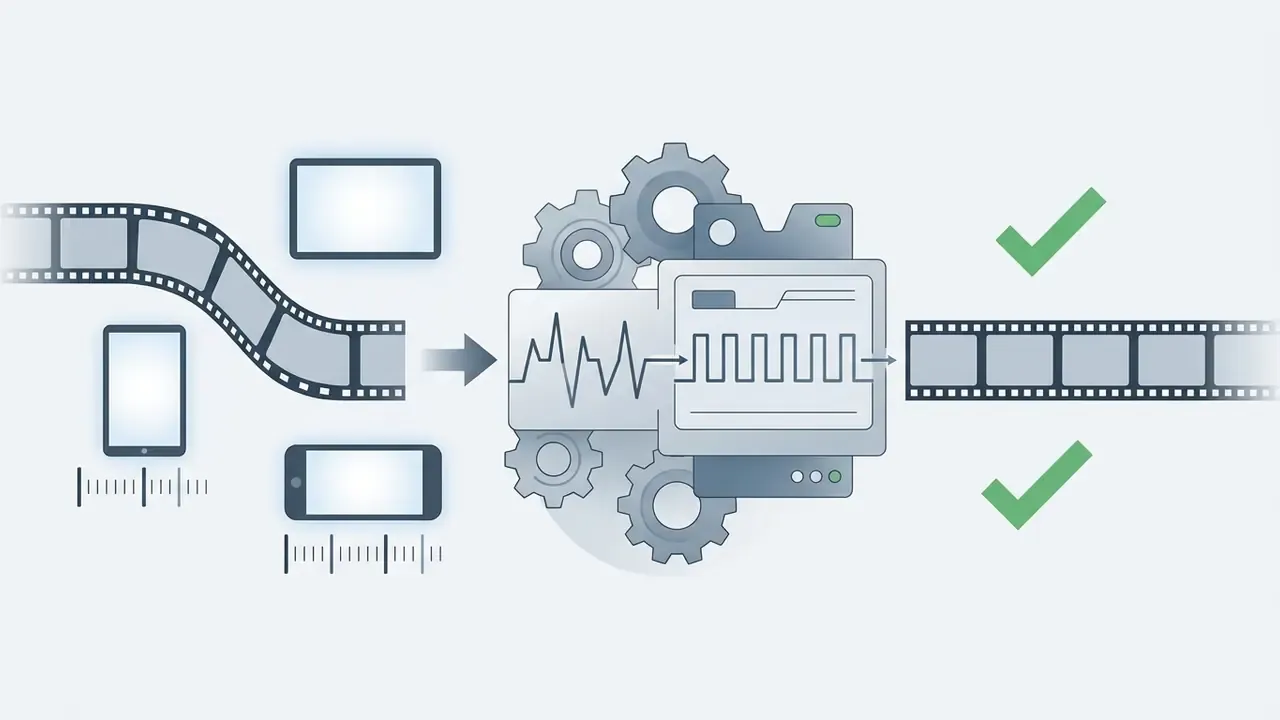
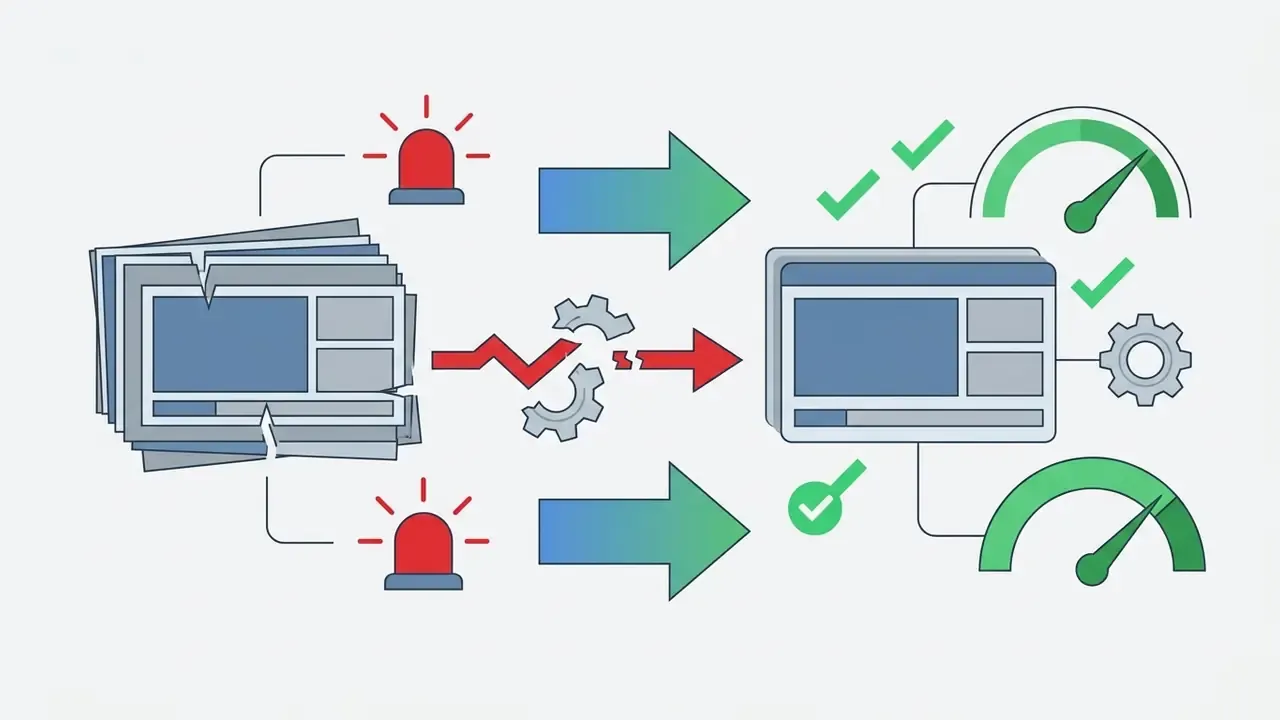
If the converted file judders, drifts out of sync, or drops visible frames, the cause is almost always rate control or profile configuration rather than the container. Check three encoder parameters:
- Keyframe interval (GOP): for dynamic scenes set the GOP to 1 to 2× the frame rate, so an I-frame every 30 to 60 frames at 30 FPS. Excessively long intervals cause freezes on seek and stutter after scene cuts; excessively short intervals waste bitrate.
- Decode profile (H.264 profile and level): for older devices and TVs target
High @ Level 4.1rather thanLevel 5.2. A level the hardware decoder cannot handle forces software decoding, which drops frames on low-power SoCs. - Rate control (VBR vs CBR): for high-motion content use 2-pass VBR with a maximum rate no more than about 150% of the target bitrate, and a buffer size (VBV) equal to the max rate. Unbounded peaks overrun player buffers; flat CBR at a low target starves fast motion.
Additional checks that resolve most remaining cases:

Why lossy conversion matters for downstream AI models
Re-encoding is not only an aesthetic question. When converted video feeds automated systems, including biometric verification, liveness detection, fraud analytics, ANPR, or training datasets, compression artifacts strip out exactly the high-frequency detail those models rely on. Aggressive quantisation, chroma subsampling and frame-rate reduction can measurably degrade recognition accuracy and introduce systematic bias against low-light or high-motion samples.
For any pipeline that terminates in a model rather than a human viewer, define a minimum bitrate and resolution floor as a control, keep the master file intact, and treat the converted derivative as a distribution copy only. This is where the model-risk view and the media-operations view finally meet: the converter becomes part of the data lineage of a model, and it needs an owner. Implementation teams integrating such pipelines can review endpoint patterns in our AI Media API Guides and the specific video generation API guides. Questions about who actually built and trained a given model are covered in our note on the creator of ai systems now embedded in media tooling.
Free online video converter or paid service: what to choose for commercial use
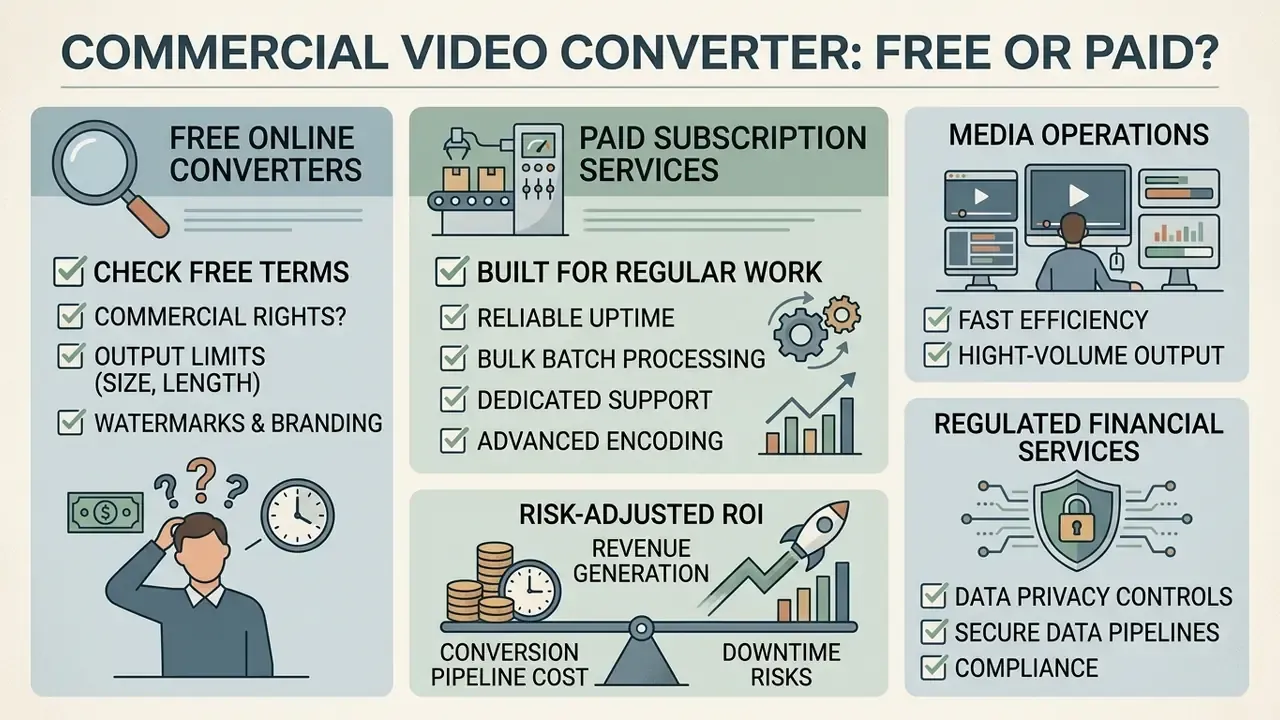
Free online video converters suit occasional tasks. Commercial platforms exist for volume, contracts and evidence.
| Feature / Capability | Free Web Converter Tier | Paid Enterprise Platform Tier |
|---|---|---|
| Max file size limit | 100 MB to 250 MB (some vendors 750 MB to 1 GB) | 5 GB to 20 GB or unlimited (6 GB typical on Pro plans) |
| Daily operations | 5 to 25 conversions per day | Contractual quota or unmetered |
| Batch processing | Single file execution | Multi-file concurrent processing |
| Processing speed | Shared queue, standard speed | Dedicated cloud compute, high priority |
| Export resolution | Often capped at 480p to 720p | Up to source resolution, 4K/8K |
| Watermarking | May apply on free export tiers | No watermarks applied |
| Commercial rights and DPA | Restrictive or undefined terms | Documented DPA and enterprise SLA |
| Audit and access control | None | SSO/SAML, role-based access, retention logs |
Buyers comparing adjacent free-versus-paid media tooling can also review free AI video generators, the wider AI Media Comparison Matrices, and our pricing reference.
What to check in free video conversion terms
Free tiers set operational limits to control cloud compute costs. Common restrictions: file size caps of 50 MB to 250 MB, daily conversion limits of 5 to 10 operations, output resolution ceilings at 480p or 720p, and short temporary retention windows. Vendor practice is genuinely inconsistent. Some publish "no watermark, no size limit, no daily cap" because processing runs client-side, while others cap free exports at one minute with a watermark. So read the limits per service, and do not assume.
Verify whether free tools append visual watermarks or claim rights over processed media. Reviewing usage limits before a deadline avoids the worst kind of failure: a stalled export at 23:40 with delivery due at 09:00. Terms of use also diverge on commercial rights. One popular free converter forbids commercial exploitation of its own platform materials, while another explicitly permits commercial use of converted files in ordinary business operations.
That economic asymmetry is precisely why free tiers exist and why they throttle. The vendor is capping the tail of an unpredictable compute bill, nothing more sinister than that.
Signs of a service built for regular video work
Enterprise video processing needs batch conversion, API access, resilient cloud infrastructure, and privacy guarantees you can read in a contract. High-throughput transcoders use serverless orchestration to process multiple segments in parallel.
«An AWS-based video processing platform uses Amazon S3, Lambda and Elastic Transcoder to automate workflows with optimized delivery through CloudFront.»
Server-grade converters also document conversion stability explicitly, covering clustering, failover and load balancing, plus deterministic export controls for resolution, compression and encoding, so that a batch produced in March is byte-comparable to one produced in November.
Illustrative example, media operations. A digital media agency needed to transcode 1,200 legacy promotional videos into web-ready MP4. By moving from manual single-file uploads to an API-driven batch pipeline, the team automated format packaging and metadata extraction, cutting the processing timeline from three weeks to four hours while retaining complete audit logging. (Composite scenario based on typical batch-transcoding engagements; figures are illustrative rather than vendor-audited.)
Illustrative example, regulated financial services. A mid-size bank held four years of KYC verification calls, branch compliance interviews and trading-floor session recordings across three legacy containers (WMV, AVI, MOV), which its e-discovery and surveillance tooling could not index. The remediation pattern that works in this setting is not "upload to a public converter":
1. Master preservation : original files written to WORM / immutable object storage with hash manifest (SHA-256)
2. Isolated processing  : conversion executed in a private VPC tenant, no public endpoint, keys held by the bank
3. Normalisation        : container-only remux where codecs allow; documented re-encode profile where they do not
4. Integrity evidence   : per-file input/output hashes, encoder version, parameter set, operator ID, timestamp
5. Retention control    : derivatives inherit the retention class of the master; sanitization on schedule
6. Audit export         : full job log delivered to the GRC platform for model-risk and records review
The governance point is narrow but decisive. Container-only remuxing keeps the evidentiary bitstream intact, whereas an undocumented re-encode creates a derivative whose fidelity cannot be defended later, in front of an examiner or in front of opposing counsel. (Illustrative composite; not a named client engagement.)
Risk-adjusted ROI for a conversion pipeline
Procurement teams in regulated environments should not compare converters on per-minute compute price alone. A defensible model looks like this:
Risk-Adjusted ROI = [ (Labour hours saved × loaded hourly cost)
                     + (Rework / re-shoot avoidance)
                     - (Platform + compute cost)
                     - (Control implementation cost: DPA review, DLP rules, logging, audit) ]
                     ÷ (Platform + compute + control cost)
Residual Risk Exposure = Σ ( probability of incident × expected cost per incident )
                         where incident cost = regulatory penalty
                                             + notification & remediation
                                             + legal fees
                                             + reputational / attrition impact
A free tool with a zero licence fee and an undefined data-processing policy can carry a higher expected cost than a paid tier with a signed DPA, because the residual-risk term dominates the equation. Not always. But often enough that the calculation belongs in the business case rather than in a footnote. Cost modelling assumptions can be stress-tested with our calculators.
Security of video files in an online video converter
Standards reference. Media sanitization guidance is published as NIST SP 800-88. Revision 1 (2014) is the long-cited baseline, and a Revision 2 update was issued in 2025 with expanded planning requirements. Cite the revision your control framework actually references, and note that sanitization must be planned jointly with privacy and records-retention owners before deletion occurs. Transport security should follow IETF RFC 8446 (TLS 1.3) and the recommendations of RFC 9325.
«Cloud video-processing platforms should apply encryption at rest, HTTPS in transit, and strict access control over object storage.»
Secure conversion platforms enforce sanitization schedules, isolate upload directories, and implement encrypted transport. NIST SP 800-44 Rev. 2 additionally recommends placing uploads on a separate partition, capping upload size, and keeping uploaded content unreadable by the web server until it has been screened. Those controls protect the platform and, indirectly, every tenant on it. For sensitive regulatory or enterprise media, local desktop processing or private cloud instances remain the safest deployment model.
Shadow IT risk: employees using public converters
The most common real-world exposure is not a breached vendor but an unmanaged one. An employee with a 400 MB customer-verification recording and a deadline will find a free converter in thirty seconds, and the file will leave the perimeter with no contract, no retention limit and no log. Practical controls:
Vendor due-diligence checklist
Use this before any regulated media touches a third-party converter:
Checklist0 / 12
Audit log matrix for regulated conversions
| Log field | Why a reviewer needs it |
|---|---|
| Input file hash (SHA-256) + size | Proves the derivative maps to a specific master |
| Output file hash + size | Establishes chain of custody for the distributed copy |
| Operation type (remux / re-encode) | Distinguishes lossless repackaging from lossy derivation |
| Encoder, version, full parameter set | Makes the transformation reproducible |
| Operator / service account identity | Attribution for supervisory review |
| Timestamp (UTC) and processing region | Data-residency and sequence evidence |
| Retention class inherited | Confirms records obligations carried forward |
| Sanitization confirmation | Demonstrates deletion of temporary artifacts |
Limitations and open questions
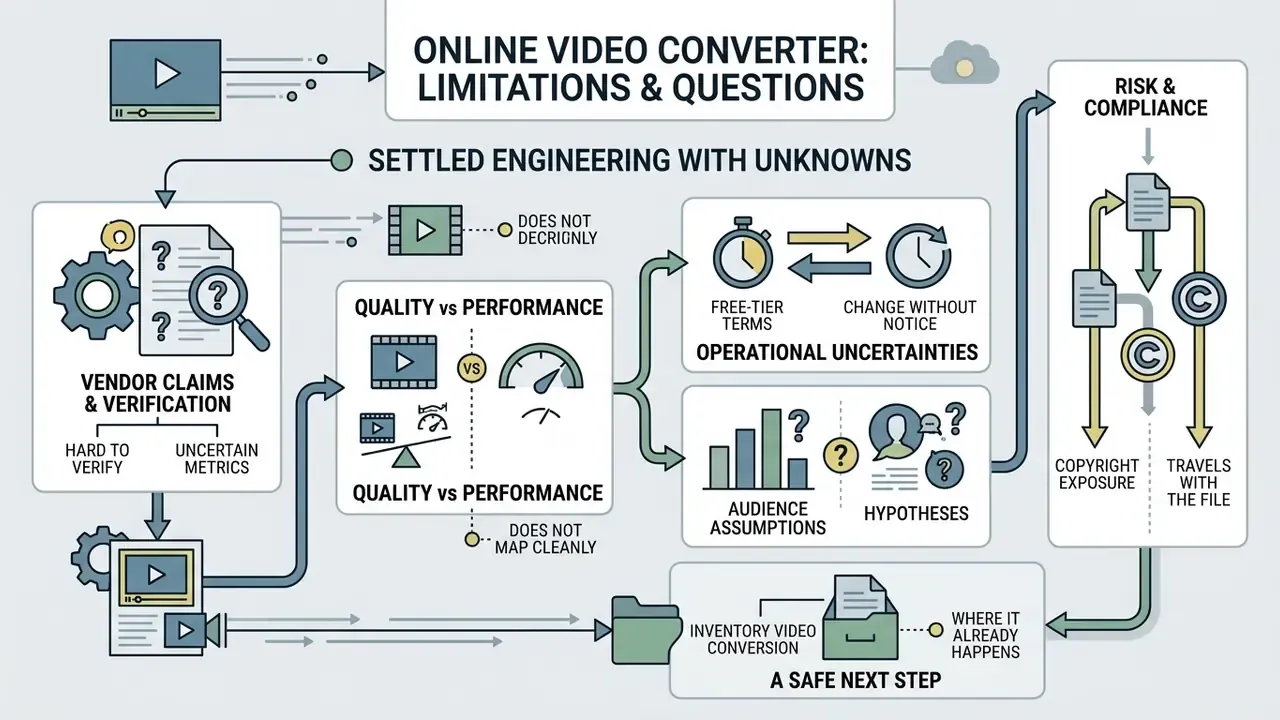
Some of this is settled engineering. Some of it is not, and pretending otherwise would be dishonest.
- Vendor claims are hard to verify. Retention windows, "we delete after two hours", and no-training clauses are usually self-asserted. Independent attestation covering media processing specifically is still rare.
- Quality metrics do not map cleanly to model performance. PSNR, MS-SSIM and VMAF measure human perception. There is limited public evidence on the exact bitrate floor below which biometric or fraud models degrade, and it likely differs by model family.
- Free-tier terms change without notice. Any commercial-use conclusion drawn from a public terms page has a short shelf life. Re-check before each production cycle.
- Audience assumptions here are hypotheses. The buying criteria described in this article reflect common patterns in regulated media workflows, not audited survey data. Treat them as testable, not proven.
- Copyright exposure travels with the file. Conversion does not clear rights to music, footage or likeness. Ongoing disputes are tracked in our AI Litigation and Case Timelines.
A safe next step, if you own this risk: inventory where video conversion already happens in your organisation, then decide which of those paths deserves a contract. Inventory first, policy second.
FAQ about online video conversion
What maximum file size does an online video converter support?
Free tiers typically restrict uploads to 100 MB, 200 MB, or 250 MB per file, though some vendors allow 750 MB or 1 GB. Paid enterprise tiers or browser-side WebAssembly converters extend this to 5 GB, 6 GB, 20 GB, or unlimited local processing. Client-side tools are bounded by device memory rather than a server-side cap.
How long does it take to convert video online?
Conversion time depends on file size, upload bandwidth, target codec complexity, and backend load. Container remuxing finishes in seconds, while full 4K re-encoding into a complex codec such as AV1 takes several minutes. Published transcoding research shows codec conversion is the most time-expensive operation, whereas a pure resolution change is the cheapest. IBM's encoding guidance also recommends keeping the target stream bitrate below 50% of available upload bandwidth to avoid stalls.
Can I convert any video on a phone?
Yes. Modern mobile browsers on iOS (Safari) and Android (Chrome) support online video conversion via HTML5, WebAssembly, and WebCodecs APIs.
«WebAssembly in the browser allows part of video processing to run client-side, reducing network load for lightweight conversion tasks.» - End-Cloud Computing Enabled Surveillance Video Transmission System, IEEE Globecom Workshop (2023). https://ieee.org
Android Chrome offers broader local file access through the File System Access API, while iOS Safari remains more constrained by Apple's media stack. Mobile conversions depend on device memory and local network stability.
How do I convert an iPhone MOV video to MP4?
iPhone recordings use a MOV container with HEVC or H.264 video. Convert to MP4 with H.264 video and AAC audio, and convert HDR/HLG footage to SDR Rec. 709 so colours render correctly on Windows PCs and older Smart TVs. Keep the original frame rate.
Why is my converted video choppy or out of sync?
Check the keyframe (GOP) interval, the H.264 profile and level against the target device, and the VBR maximum rate and buffer size. Force a constant frame rate when the source is variable, which is typical for screen and phone recordings, and keep pixel dimensions even. The troubleshooting section above gives the full sequence.
Can I trim or mute a video inside the converter?
Yes, on most modern platforms. Trimming before conversion cuts upload volume and processing time. Muting removes an audio track that may carry licensed music or overheard personal information. Doing both pre-encode avoids a second lossy generation.
Is it safe to upload confidential or regulated video to a free converter?
No. Free tiers rarely provide a Data Processing Agreement, defined retention windows, tenant isolation or exportable audit logs. For customer PII, biometric data, KYC recordings, legal-hold material or unreleased financials, use an offline desktop converter or a contracted private-cloud instance.
Does a converted file keep its records-retention obligations?
Yes, in practice. A derivative created from a record inherits the retention class of its master. Log the input and output hashes, encoder parameters, operator identity and timestamp so a supervisory reviewer can reconstruct exactly what changed and confirm the derivative is a faithful copy.
What should compliance ask a converter vendor for?
At minimum: SOC 2 Type II or ISO/IEC 27001, a signed DPA with a sub-processor list, documented deletion and sanitization windows, TLS 1.3 and AES-256, data-residency guarantees, a written no-training clause for uploaded content, and audit logs exportable to your SIEM or GRC platform.
Does conversion affect AI models that consume the video?
It can. Lossy re-encoding removes high-frequency detail that biometric, liveness and fraud-detection models depend on. Define a minimum bitrate and resolution floor as a control, preserve the master file, and treat the converted output strictly as a distribution copy.
Additional resources and ecosystem links
For technical assistance and platform documentation, contact AI Media Support. Teams that publish converted footage can follow our YouTube video editing workflow, reduce delivery weight with video compressors, check commercial terms in the AI Media Commercial-Use Hub, or explore the full terminology set in the main AI Media Glossary.