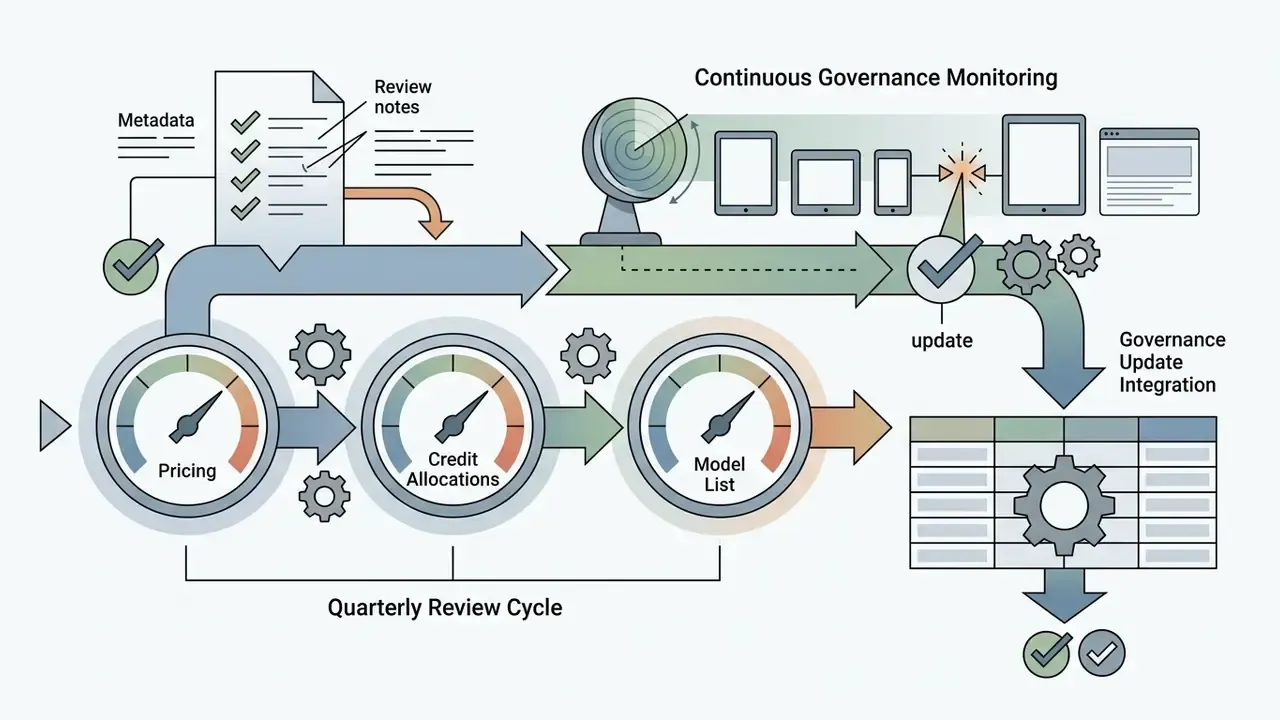
Why should a risk or finance leader care about a photo editor? Because it installs nothing, needs no approval, and can be paid for with a personal card. That combination is the textbook profile of unmanaged AI adoption.
Last reviewed: February 2026 · Editorial scope: capability verification, pricing structure, licensing boundaries, and governance considerations for browser-based generative editing.
A quick naming note, since search behaviour is messy here: users type "pixl photo editor", "photo editor pixir", "photo pixlr editor", and "pixlr editor photo" while looking for the same destination. All of these resolve to the same product at pixlr.com.
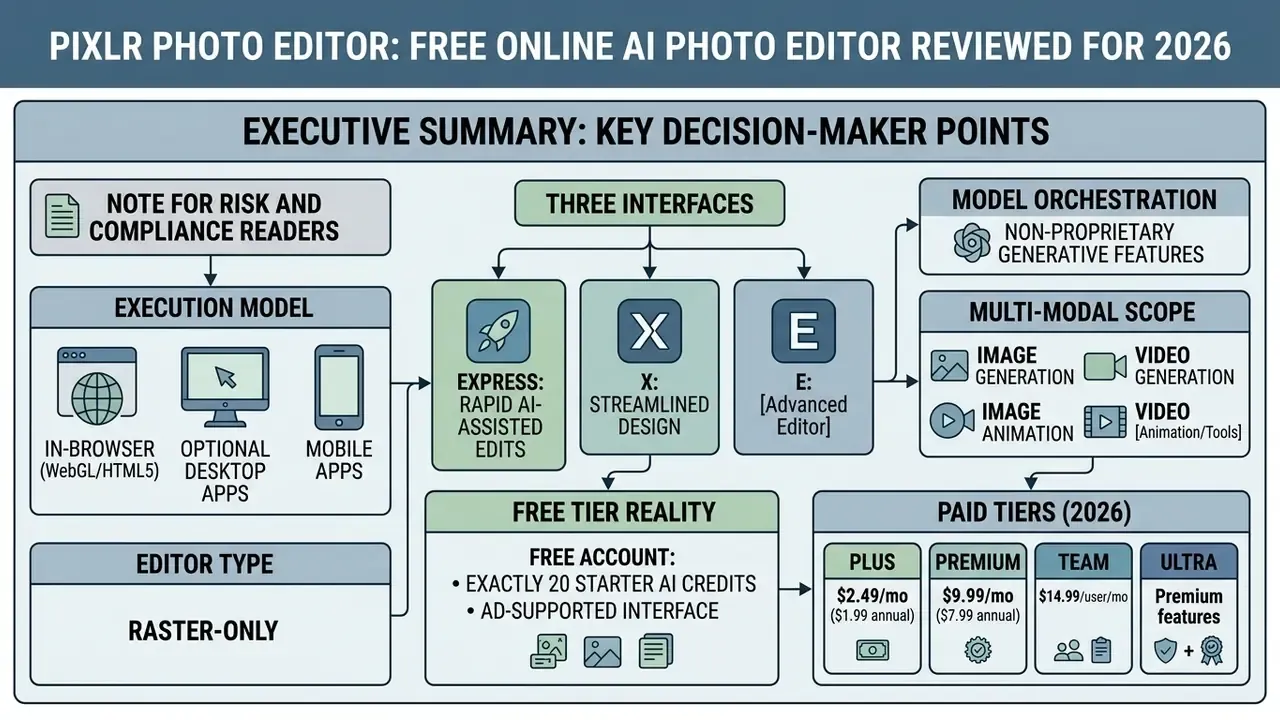
Executive Summary: What Decision-Makers Need Before Approving Pixlr
What Is Pixlr Photo Editor and Which Tasks Is It Built For?
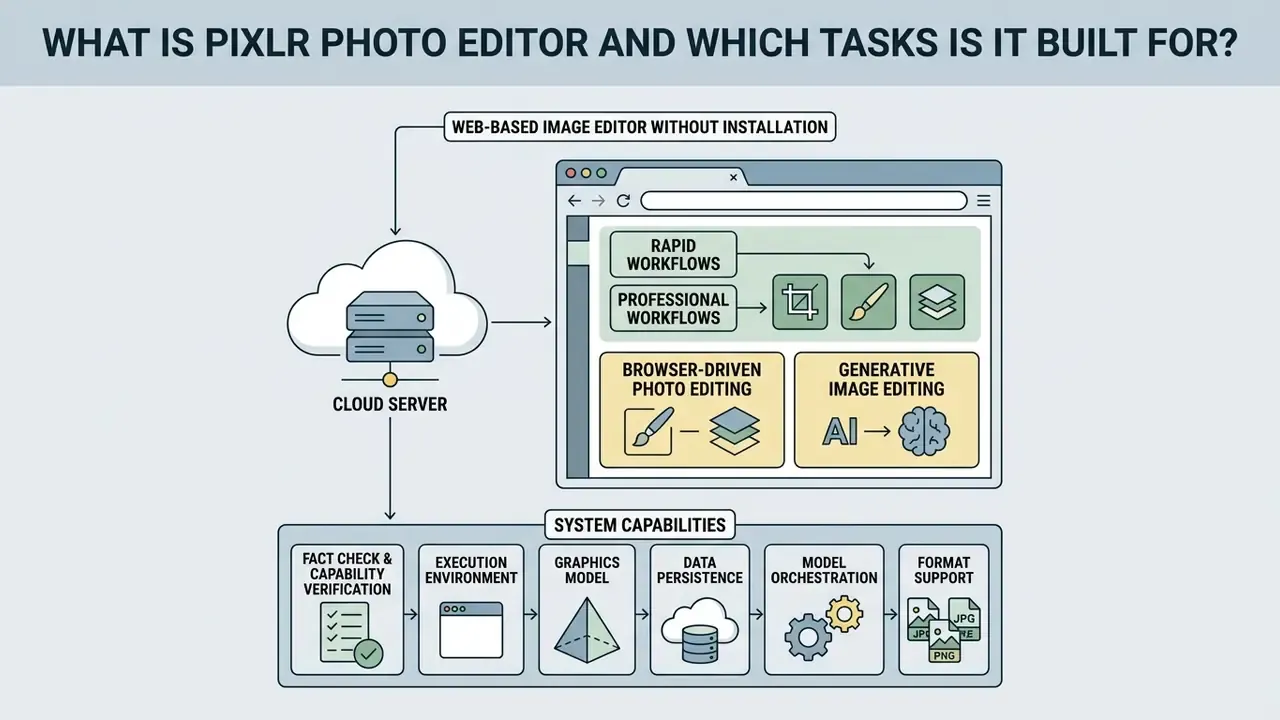
Pixlr Photo Editor is a web-based editing environment built for browser-driven photo editing and generative image editing without local application installations. It serves users ranging from non-designers who need a quick exposure fix to creative teams assembling multi-layer marketing assets. Readers new to the category can review the fundamentals of AI photo editors before comparing individual products.
Because it operates inside standard web browsers, the tool removes local hardware overhead while providing direct access to generative AI models powered by Flux, Kling, Recraft, and Veo. Organizations use the platform to maintain brand assets, execute rapid social media edits, and test generative workflows inside a single digital sandbox. Updated: these organizational use patterns come from vendor positioning and third-party 2026 product reviews, not from audited enterprise deployment statistics. Independent adoption data at the enterprise level has not been published, so procurement teams should treat them as illustrative use cases rather than benchmarked outcomes.
Web-Based Image Editor Without Installation
Pixlr operates entirely through modern browser engines using open web standards, so users reach a full photo editor online pixlr environment at pixlr.com. That setup enables instant project deployment on managed corporate endpoints where third-party software installation is blocked by IT security policy. Convenient for staff. Awkward for asset inventories.
"Pixlr positions itself as a cloud photo editor that runs entirely in the browser, with no software installation required."
Browser support is documented for Google Chrome, Mozilla Firefox, Apple Safari, and Microsoft Edge. One note on navigation: legacy endpoints such as /x/ now resolve to /express/, /e/ redirects to /editor/, and the former standalone Pixlr Designer module has been folded into the main platform architecture. That history explains why many users still arrive searching for a product name that no longer exists as a separate destination.
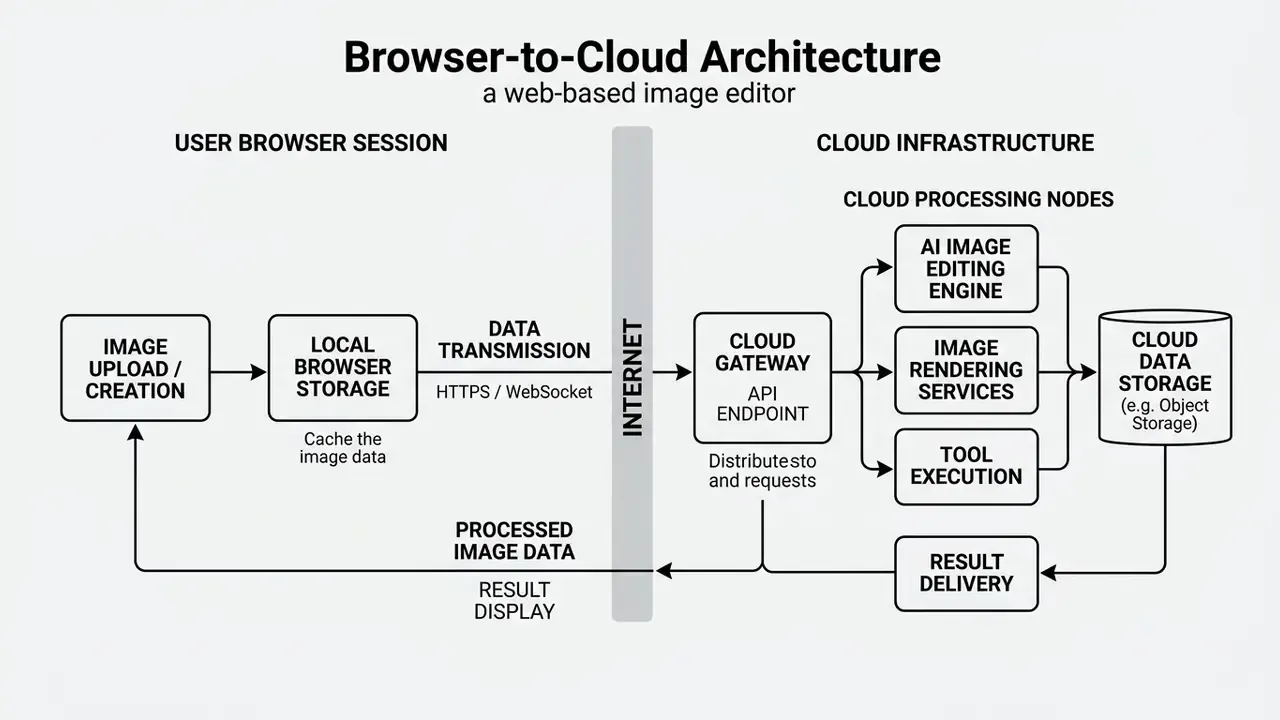
Users can open files directly from local storage, public web URLs, or the clipboard buffer without registration. Unsaved temporary projects live in local browser cache storage. That keeps performance responsive, but it also means deliberate exports are the only defence against losing a session when cache is cleared.
Rapid and Professional Editing Workflows
The platform addresses two distinct operational needs: rapid asset modification and structured multi-layer visual design. For quick tasks, automated routines handle exposure balancing, background removal, and aspect-ratio adjustments for the usual digital placements.
For complex design work, the workspace offers fine-grained controls: layer masks, opacity adjustments, blend modes, marquee and lasso selections, curves, and liquify transforms. Updated: earlier phrasing in this guide referred to "precise vector tools". That description was wrong and has been corrected, because Pixlr's shape, pen-style, and path controls operate on rasterized pixel data rather than editable vector geometry. Teams looking to widen their visual toolkit can consult our AI Media Glossary for foundational terminology, or compare browser options in our guide to free photo editors.
Fact Check and Capability Verification
- Execution environment
- fully browser-based via standard WebGL/HTML5 engines (Pixlr Official Documentation, 2026).
- Graphics model
- raster-only editing pipeline; no native vector editor, no CMYK workflow, no Camera Raw processing, no soft proofing (Fastlancer Pixlr Review, 2026).
- Data persistence
- temporary project sessions are stored in local browser cache and IndexedDB storage (Pixlr Help Center, 2026).
- Model orchestration
- AI features rely on multi-model integrations including Flux, Flux Pro, Kling AI, Recraft V4, Google Veo, Qwen, Stable Diffusion, SDXL, Seedance, Seedream, Grok Imagine, PixVerse, LTX Video, Vidu, ImagineArt, Wan AI, ElevenLabs, ACE-Step, and MiniMax (Pixlr Platform Overview, 2026).
- Format support
- native import and export for JPG, PNG, WebP, PDF, TIFF, BMP, and PXZ project files; PSD import is partial and may fail on complex layered documents (Pixlr Technical Specifications, 2026).
Pixlr X, Pixlr E, and Pixlr Express: Which Editor Should You Choose?
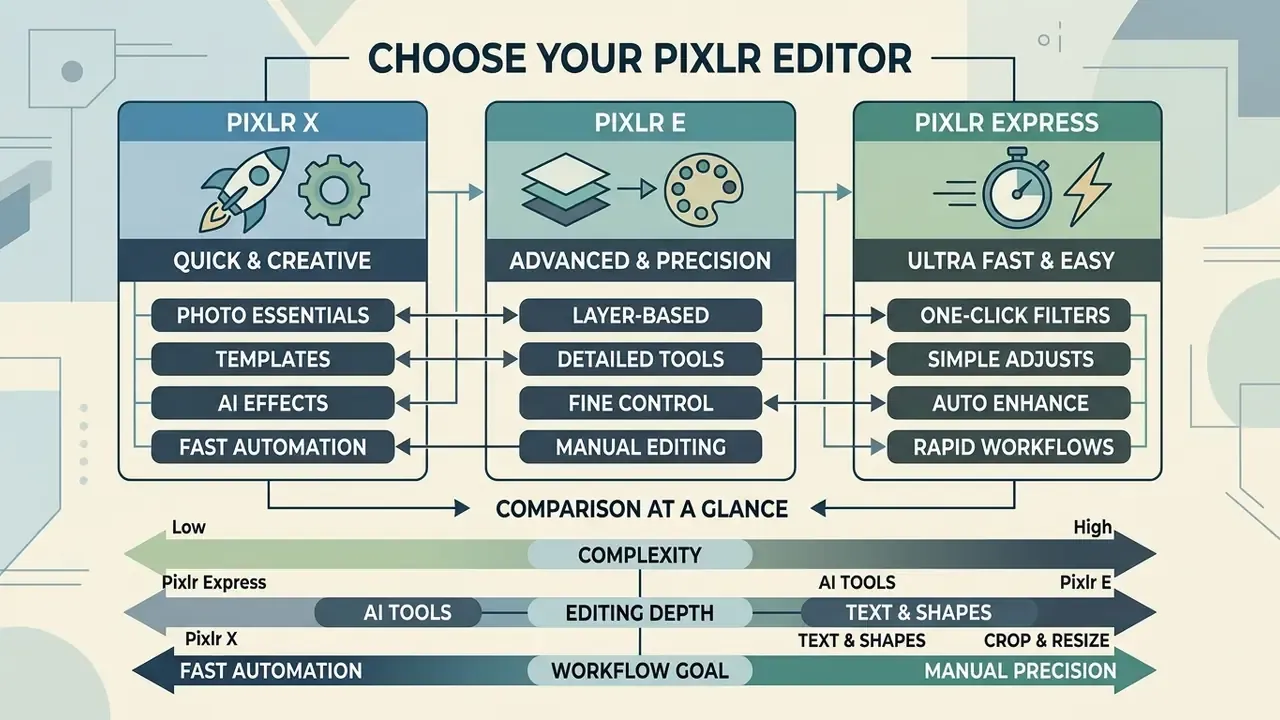
Choosing the right Pixlr interface depends on project complexity, required editing depth, and whether the goal is fast automation or manual precision. The platform splits its core editing capability into three web interfaces: Pixlr Express, Pixlr X, and Pixlr E.
Pixlr Express and Pixlr X target quick adjustments and automated AI enhancements. Pixlr E provides an advanced photo editor pixlr free advanced environment modelled on traditional desktop applications such as Adobe Photoshop, which is why it is often described as the pixlr advanced photo editor of the family.
The suite also includes micro-applications beyond the three main editors: Photomash Studio for automated e-commerce product staging, Remove BG as a standalone one-click cutout utility, and Batch Editor for applying crops, watermarks, resizes, and colour profiles across multi-file image dumps. For catalogue operations handling hundreds of SKU images, Batch Editor usually replaces manual per-file passes in the main editors.
Pixlr X and Pixlr Express for Quick Edits
The pixlr express photo editor and photo editor pixlr x interfaces prioritise speed and simplicity for daily asset creation. Both ship streamlined toolbars, automated colour correction routines, and pre-configured template layouts for social channels. Marketing teams often describe the Express build as the pixlr express ai photo editor precisely because AI actions sit one click away.
"Pixlr Express offers more than 30 effect styles plus crop presets for Instagram, Facebook, and A3 to A5 print formats, simplifying content production."
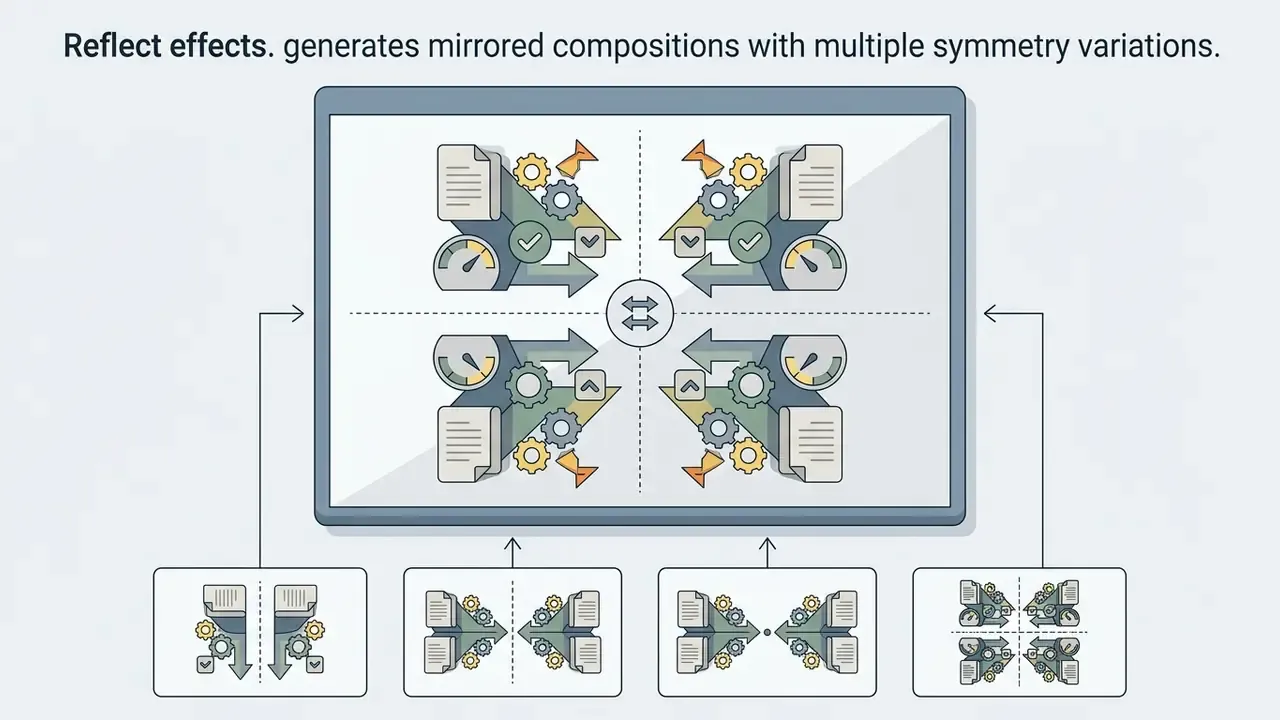
Users can perform rapid adjustments with single-click express pixlr features: preset visual filters, typography overlays, and light adjustments. Core one-click routines include Auto Fix for colour and lighting balance, Auto Pop for vibrancy, and named effects such as HDR, Focus/Bokeh, Reflect, Dispersion, Glitch, and Colorize. For teams exploring specialised asset generation, dropping an ai icon generator into early layout drafts helps settle visual concepts before final compositing.
Pixlr E for Layer-Based and Advanced Editing
| Interface | Primary role | Complexity level | Key editing tools | AI capabilities | Typical target workflows |
|---|---|---|---|---|---|
| Pixlr Express | Rapid AI-assisted editing | Beginner | Smart resize, 30+ preset effects, auto-fix light/colour, quick typography | One-click auto-pop, background removal, backdrop presets, generative fill | Social media posts, quick photo touch-ups, banner generation |
| Pixlr X | Streamlined online design | Beginner to intermediate | Crop presets, basic adjustments, element overlays, frame layouts | AI cutout tool, basic object removal, generative transform | Lightweight graphic design, marketing collateral, basic collages |
| Pixlr E (Editor) | Advanced raster layer compositing | Intermediate to professional | Full layer stack, blend modes, marquee/lasso selections, curves, liquify, rasterized masks | Generative fill, generative expand, super scale, super sharp, extract layers | Multi-layer photo manipulation, professional assets, template creation |
| Utilities (Photomash, Remove BG, Batch Editor) | Single-purpose automation | Beginner | Product staging, one-click cutouts, bulk crop/watermark/resize | Segmentation-based background isolation | E-commerce catalogues, high-volume asset preparation |
All figures in the table above are restated in the surrounding text so the comparison stays readable without the table.
How to Edit Photos Online with Pixlr
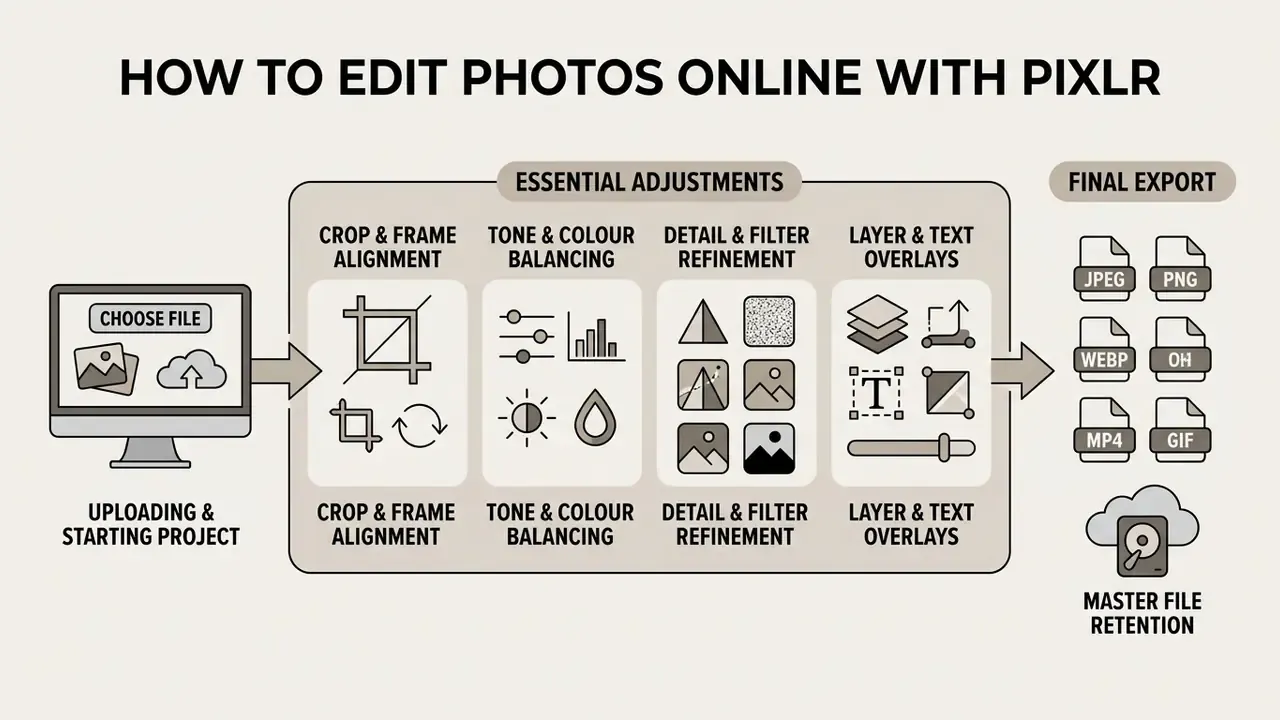
Editing inside the platform follows a predictable path from file ingestion to final export. Understanding the sequence protects project stability and output quality across web sessions.
Whether you follow a plain free photo editor pixlr workflow or lean on advanced AI routines, systematic file handling prevents data loss and keeps visual fidelity intact.
Uploading Images and Starting a Project
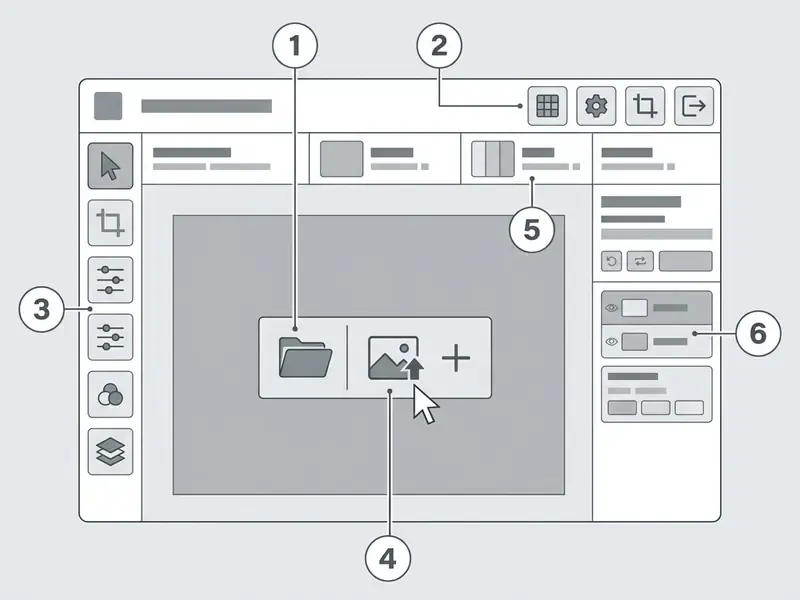
To start photo editing in the pixlr free photo editor online environment, open the editor interface and import your source media. Images load from local drives, remote web URLs, or a direct clipboard paste with keyboard shortcuts.
"In every Pixlr editor a project starts with loading an image: the Open Image button, drag-and-drop of a file, or clipboard paste via Ctrl+V."
After loading, choose Pixlr Express, Pixlr X, or Pixlr E based on project scope. You can also start from a blank custom canvas or a pre-sized template, adjusting dimensions, orientation, and resolution before the first edit. When planning creative concepts, an ai idea generator helps teams sketch compositions before any asset touches the canvas.
Essential Adjustments Before Export
Before finalising an export, refine exposure, colour accuracy, and composition. The adjustment menu offers granular sliders for brightness, contrast, temperature, vibrance, exposure, and edge sharpness.
- Crop and frame alignmentapply platform-specific aspect ratios (16:9, 1:1, 9:16) or custom pixel dimensions using transformation bounds.
- Tone and colour balancingfine-tune highlights, shadows, and colour temperature for consistency across display profiles.
- Detail and filter refinementapply sharpening, clarity adjustments, or selective background blur to direct visual focus.
- Layer and text overlaysinsert typography layers, graphical badges, or rasterized shape elements using non-destructive layer properties.
- Final format exportexport in JPG, PNG, WebP, or PDF, adjusting compression sliders to control file size.
- Master file retentionsave the working document as
.PXZif the composition will be revisited, revised, or handed to another operator.
"The PXZ format preserves layers and selections for later editing; without it the result is flattened into a single image with no non-destructive revision path."
For audit-oriented teams, step 6 is not optional. A flattened JPG carries no record of which layer, mask, or generative prompt produced a given change, which makes retrospective review of AI-assisted edits effectively impossible.
Core Pixlr Tools for Image Processing
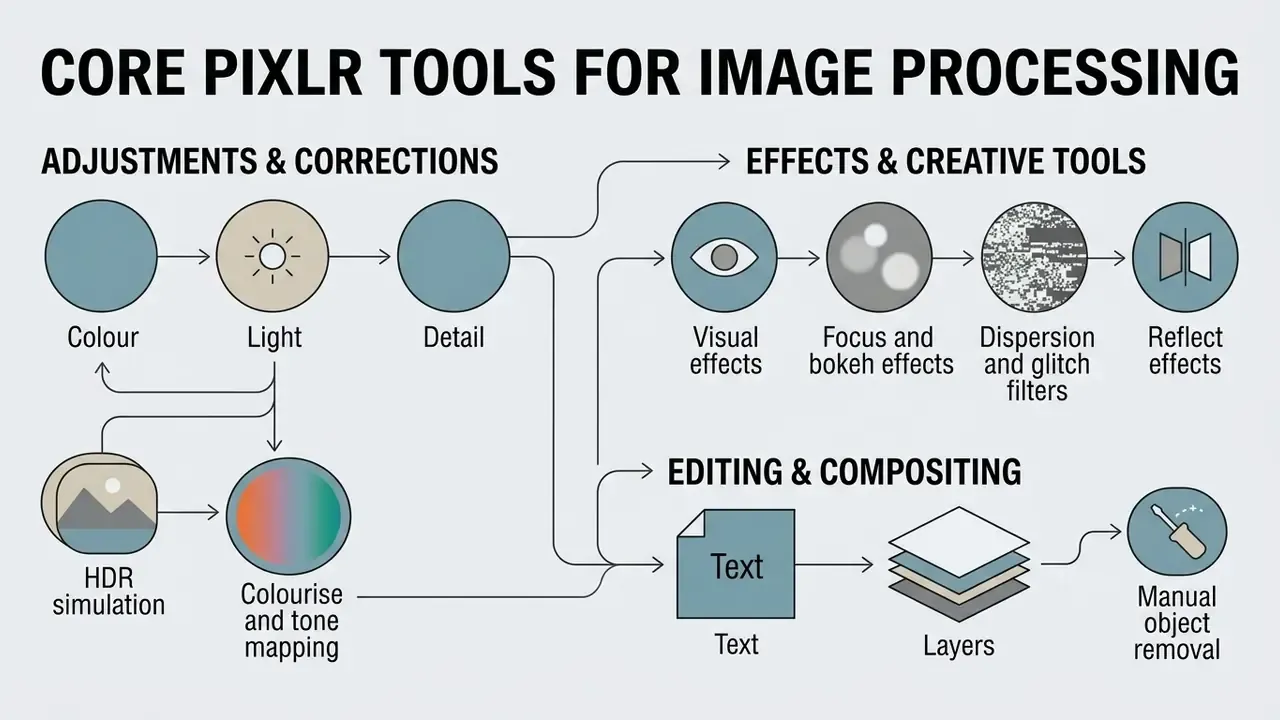
The platform provides a broad set of non-generative processing tools for standard retouching, manual compositing, and visual styling. These give operators full manual control at pixel level. Readers focused only on AI capability can treat this section as a quick reference and skip ahead to the generative and governance parts.
Running inside any standard browser, these features sit alongside the automated pixlr free online photo editor features 2025 routines, which we revalidated against the live product in February 2026.
Colour, Light, Detail, and Visual Effects
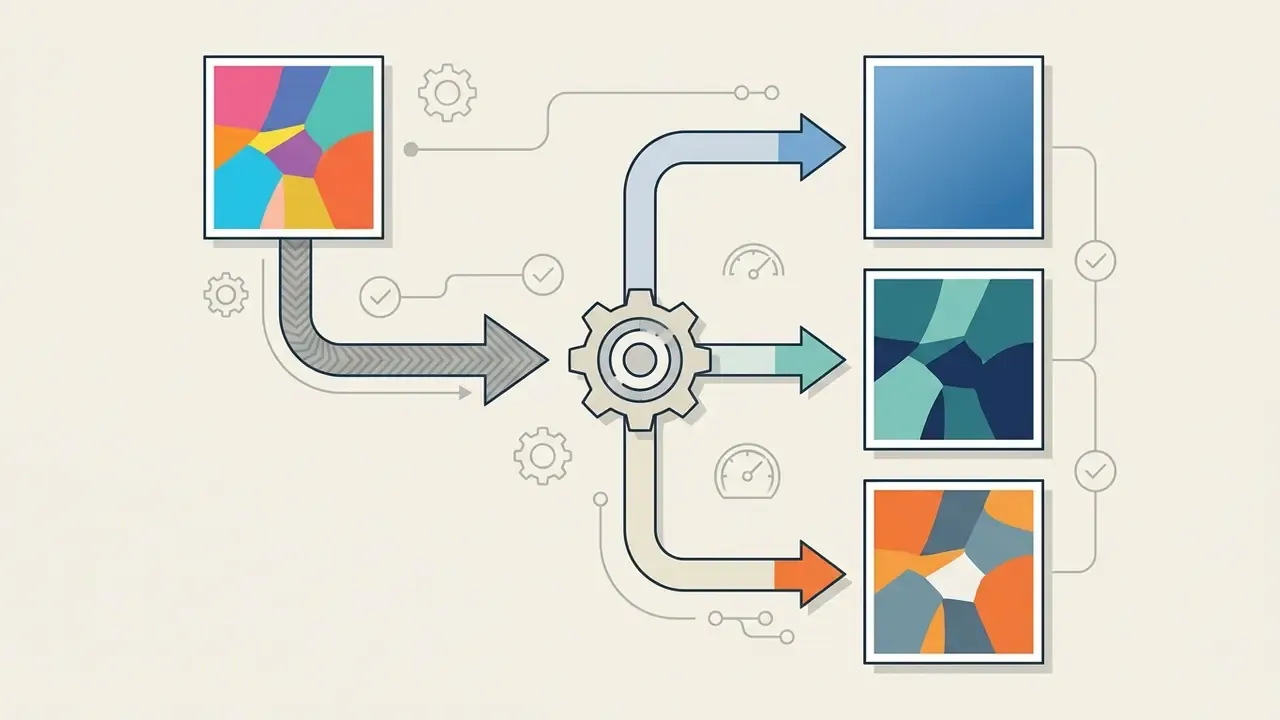
Manual colour and light adjustments are the foundation of visual correction here. Controls for exposure, contrast, highlights, shadows, saturation, and colour balance let operators fix white balance errors and uneven exposure. Teams comparing dedicated enhancement products can review our overview of AI image enhancers to see where a general-purpose editor stops being sufficient.
Text, Layers, and Manual Object Removal
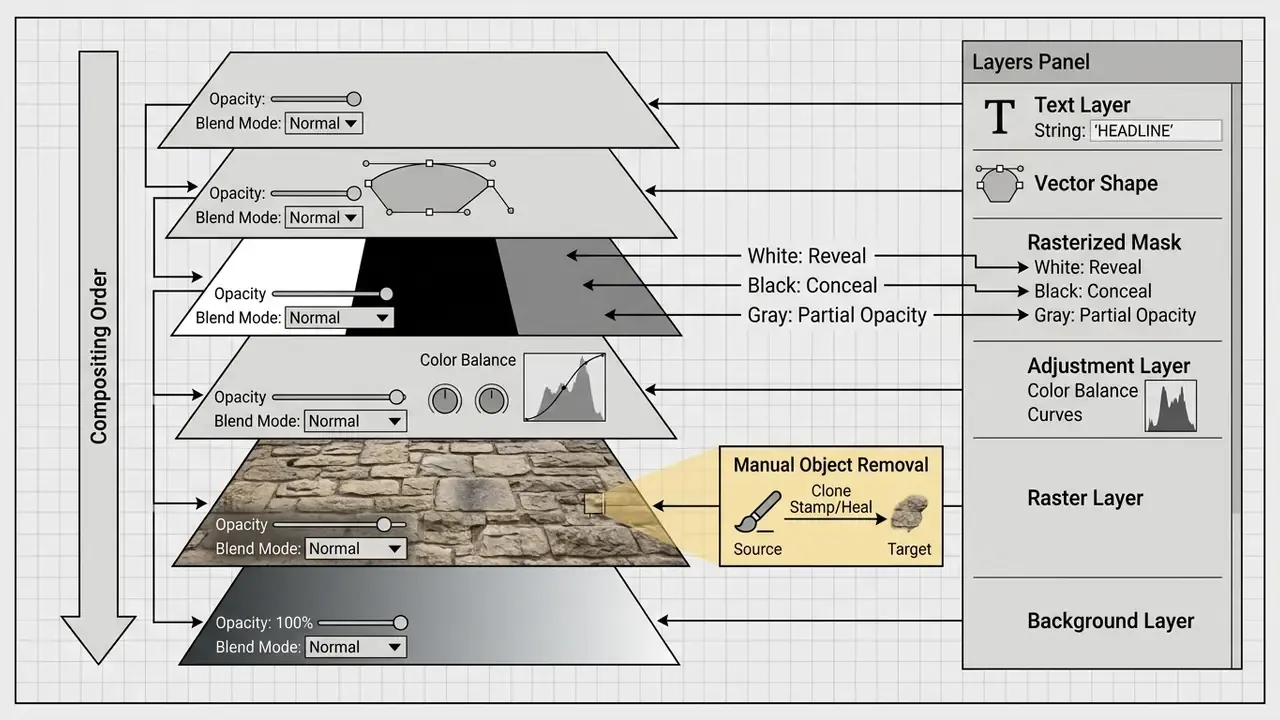
Clean asset design depends on structured layer management and precise element isolation. Pixlr E supports unlimited image and text layers with adjustable opacity, blend modes, locking, visibility toggles, and merge, duplicate, or delete operations, which keeps compositing non-destructive. Shape and badge elements land as rasterized layers, not editable vector paths.
Text controls cover font family, size, colour, alignment, letter and line spacing, curvature, shadows, and outlines, with pre-designed text styles available in Express. For custom character or mascot design, teams can bring in an ai human generator to create base portraits before refining layers manually in the editor.
Manual retouching tools include Spot Heal, Heal, Clone Stamp, Dodge, Sharpen, and Color Replace. Spot Heal samples surrounding texture to repair skin blemishes or dust specks; Clone Stamp duplicates exact pixel selections across project layers. Manual cutouts rely on shape, magic wand, freehand draw, and lasso selection modes with keep and remove toggles.
Pixlr AI Tools: Generative Editing and Image Enhancement
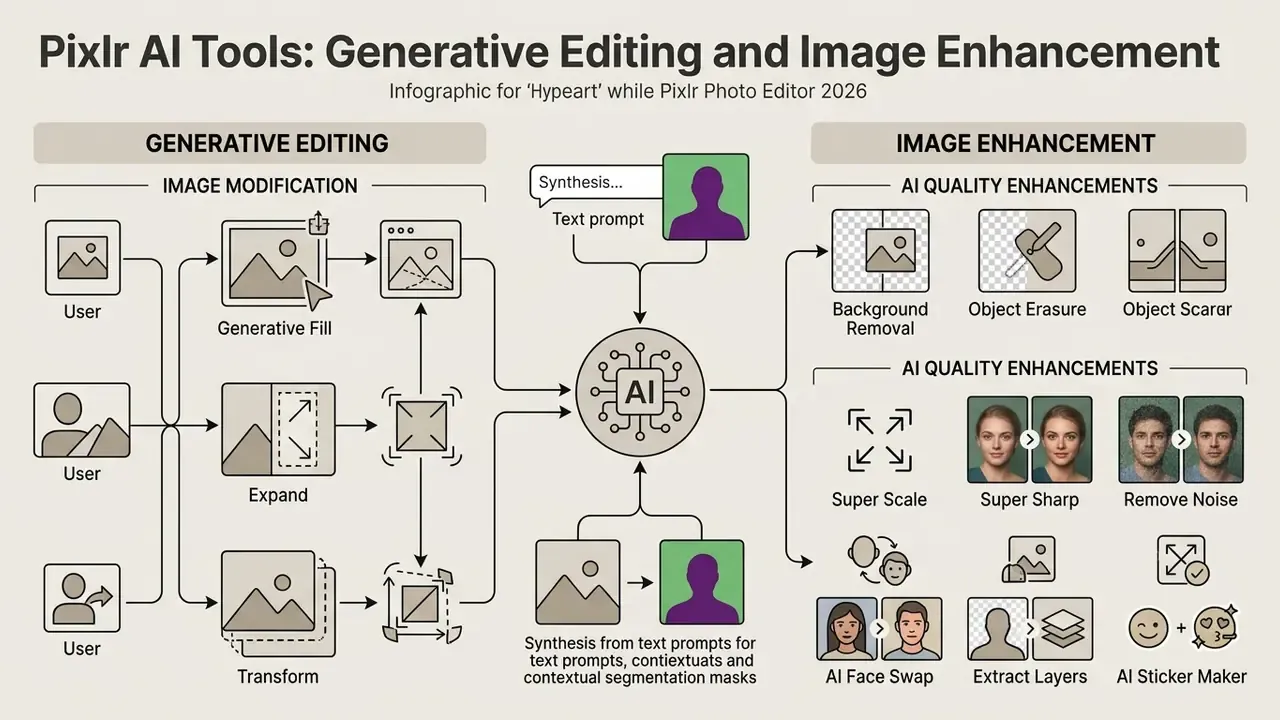
AI integration turns the platform into an ai photo editor free pixlr solution able to synthesize complex edits from text prompts and contextual segmentation masks. These routines cut manual hours during asset production cycles, sometimes dramatically.
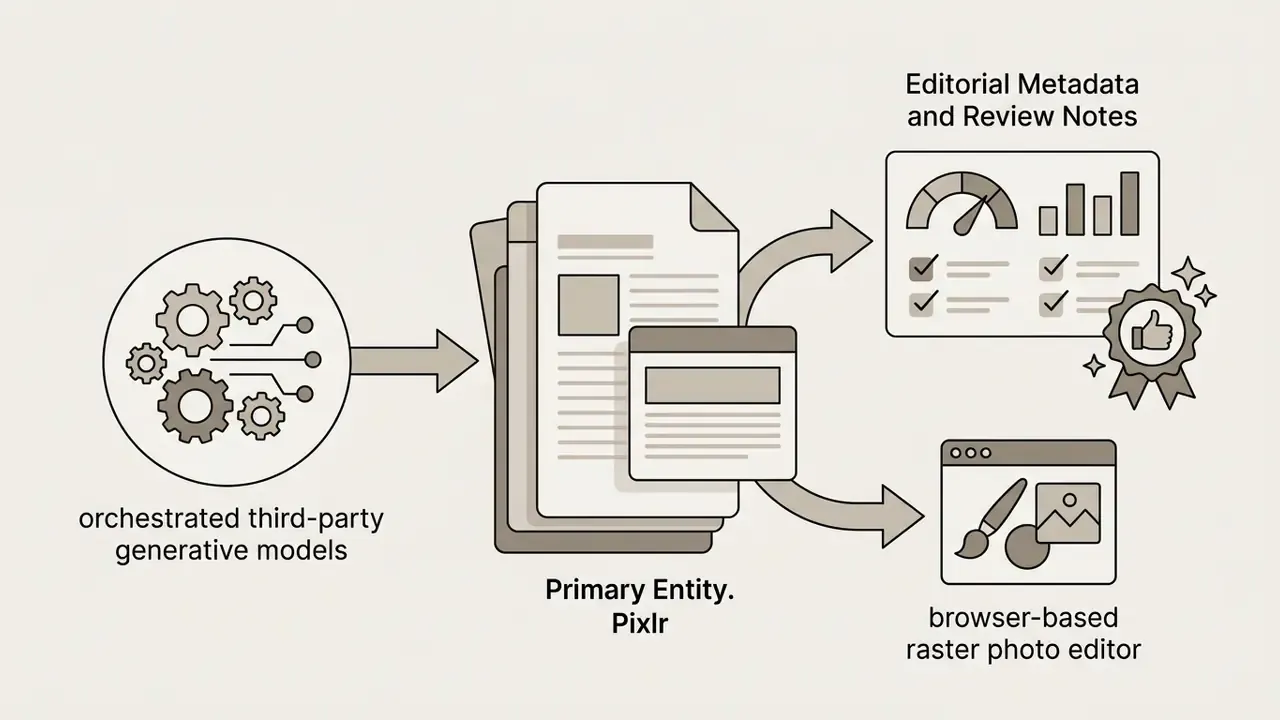
By orchestrating generative models, the platform lets users expand canvases, replace objects, swap background environments, and upscale low-resolution sources with little technical friction. One point matters more than any feature for model-risk assessment: these are third-party models accessed through Pixlr's interface, not models trained or hosted exclusively by Pixlr. Vendor concentration risk therefore sits upstream.
Generative Fill, Expand, and Transform for Image Modification
Generative Fill performs targeted modification through inpainting. Mark a selection with lasso or rectangular mask tools, enter a natural language prompt, and the model produces context-aware replacements.
"Users find generative fill useful for retouching, extending images, and building composites."
Generative Expand handles outpainting to extend canvas boundaries beyond original limits, with presets such as 1.5x wide, 1.5x high, and 2x size, plus custom width and height entry. The model reads edge textures, lighting angles, and structural patterns to synthesize surrounding content. Teams comparing dedicated canvas-extension products can review our breakdown of AI outpainting tools.
Generative Transform isolates a specific object, moves, resizes, or rotates it across the canvas, then fills the vacated space with matching background context. An Instruct Editor mode additionally accepts natural-language edit commands applied to the whole frame.
Background Removal, Object Erasure, and AI Quality Enhancements
Automated background removal uses deep learning segmentation to isolate foreground subjects, whether people, products, or vehicles, in one click. The output is a transparent background suitable for e-commerce catalogues and promotional composites, with Auto Crop and manual Fine Tune refinement via draw, magic, and lasso brushes.
For video-focused pipelines, our ai image to guide explains how static cutouts feed into motion projects.
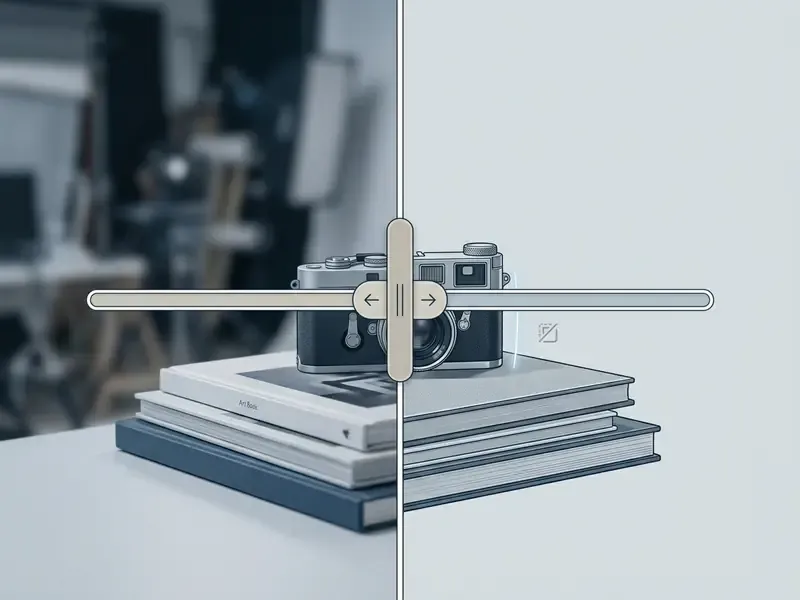
For automated erasure, the AI Remove Object tool analyses context around marked elements, deletes them, and rebuilds background texture in the gap.
"Standard object-removal tools can leave artifacts where complex interactions such as shadows and reflections must be reconstructed."
That limitation is operational, not academic. Erasing a product from a reflective surface, or a person casting a hard shadow, often needs a manual Clone Stamp pass afterwards. Any output destined for regulated advertising should be visually inspected, never auto-approved.
Quality enhancement routines include:
- Super Scale
- upscales by 2x, 3x, or 4x, holding structural clarity up to roughly 25 megapixels (about 5000x5000 px). Teams comparing dedicated products can review our guide to AI image upscalers.
- Super Sharp
- reduces motion blur and soft focus using neural deconvolution.
- Remove Noise
- suppresses camera grain and low-light sensor artifacts without flattening fine texture.
- AI Face Swap
- transposes facial features from a source image onto a target body layer while matching skin tone and lighting.
- Extract Layers
- decomposes a flat image into separate editable layers through AI segmentation.
- AI Sticker Maker
- produces transparent-background sticker assets straight from text prompts.
During a digital marketing push, an e-commerce retail client needed two hundred product photos moved from cluttered real-world backgrounds to clean studio backdrops inside twenty-four hours. Using automated background removal and Super Scale, the production team cleared the full batch in under four hours. Updated: the team estimated this removed roughly four-fifths (about 80%) of the hours previously spent on manual pen-tool tracing, based on its own comparison against an earlier manual batch of similar size. The figure is self-reported and was not independently timed or audited. Catalogue resolution standards were met on the first pass, with a manual review stage retained for reflective and transparent products.
Multi-Modal AI: Video Generation, Animation, and Audio Synthesis
Beyond static image processing, Pixlr orchestrates specialised multi-modal engines, and that widens both creative range and governance footprint. Often marketed as the pixlr ai photo & video editor, the stack now includes:
- Text-to-video and image animation powered by Kling AI, Google Veo, Seedance, PixVerse, Vidu, and LTX Video, generating short high-definition clips from prompts or animating static compositions while preserving subject identity.
- Video face swap frame-consistent neural face replacement across existing footage. This should be explicitly policy-restricted in regulated organizations, because it produces synthetic likeness media.
- Text-to-speech and voice cloning ElevenLabs and comparable engines convert scripts into natural-sounding speech with configurable voice and tone, and clone voices from reference audio.
- Transcription converts spoken audio into text for captioning and documentation workflows.
- Music and audio synthesis generates background tracks from text descriptions with genre and mood control via models including ACE-Step and MiniMax.
Video and audio generation consume far more AI credits per output than image operations, so credit budgeting changes shape the moment teams move from static graphics into motion and voice work. Model that before choosing between Premium, Ultra, and Ultra MAX. Development teams building comparable pipelines programmatically can review our Google Veo API implementation guide for cost and quota mechanics at model level.
Data Governance, Model Risk, and Shadow AI Controls
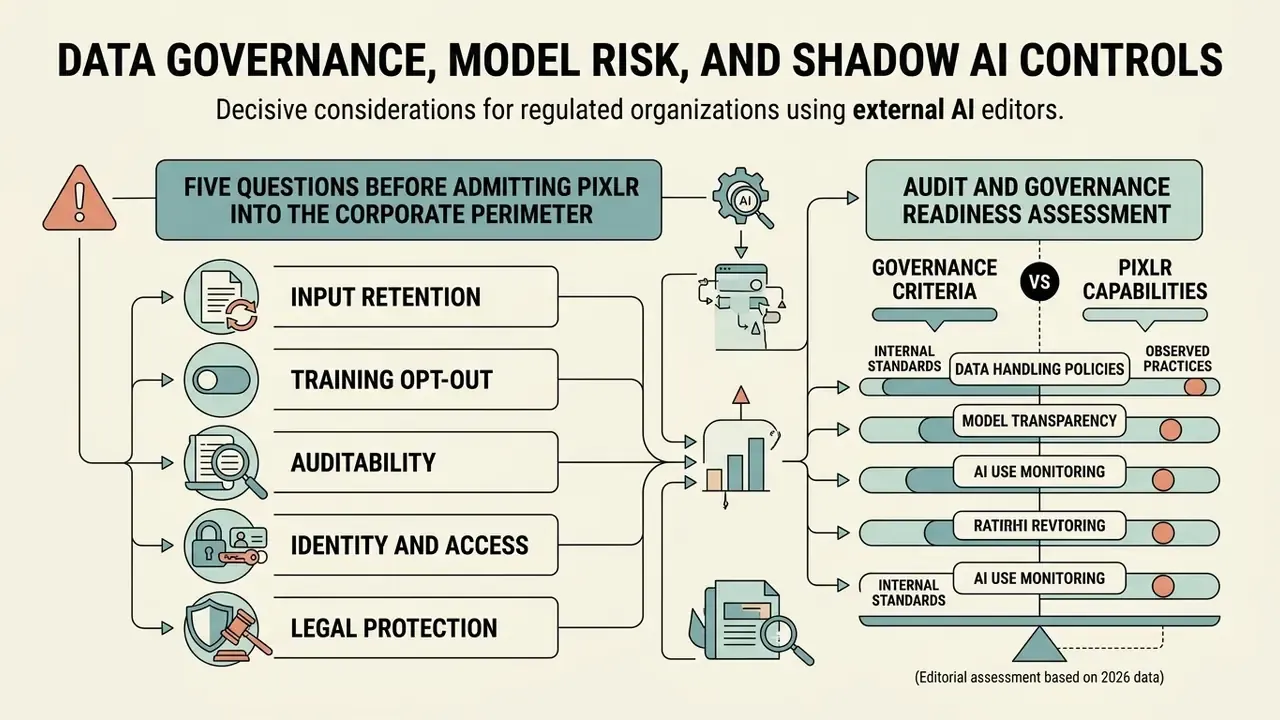
For regulated organizations the decisive questions about Pixlr are not about brushes and filters. They concern where uploaded pixels travel, which third parties process them, how long they persist, and whether any of it is auditable. This section consolidates what public documentation confirms, what it leaves open, and what must be obtained from the vendor in writing.
What public documentation confirms. Conventional editing happens client-side in the browser. Generative operations are dispatched to remote inference endpoints operated by third-party model providers. Pixlr's License and Services Agreement grants the platform a worldwide, perpetual, royalty-free, sublicensable licence to reproduce, modify, display, distribute, and use AI Input and AI Output. Higher paid tiers advertise a "private mode" for AI generations, which is the closest published control over generation visibility.
What public documentation does not resolve. As of this review, Pixlr's public pages do not clearly enumerate per-model data retention windows, whether prompts and source images may be used for downstream model training by the underlying providers, a documented opt-out mechanism, regional data residency options, audit logging or exportable activity trails, enterprise SSO or directory integration, and formal security attestations such as SOC 2 Type II or ISO 27001. These are open items requiring vendor confirmation, not confirmed deficiencies. Absence of published documentation is not evidence of absent controls. It is also not evidence of their presence.
Five Questions Before Admitting Pixlr Into the Corporate Perimeter
- Input retentionfor each generative feature, how long are uploaded images and prompts retained, and by which processor, Pixlr or the underlying model provider (Flux, Kling, Veo, ElevenLabs, and others)?
- Training opt-outis there a contractual, tier-independent commitment that customer inputs and outputs will not be used to train or fine-tune any model, and is it enforceable against sub-processors?
- Auditabilitycan the organization obtain exportable logs of who generated what, with which model, from which prompt? That is the minimum record set for reproducing or defending an AI-assisted asset.
- Identity and accessis enterprise SSO, SCIM provisioning, or domain-based account capture available, so Team and Ultra seats can be centrally revoked rather than left as personal accounts?
- Legal protectiondoes any tier include intellectual-property indemnification for third-party claims arising from generated output, and if not, which internal control compensates for that gap?
Audit and Governance Readiness Assessment
Governance criteria vs publicly documented Pixlr capabilities (editorial assessment, 2026)
| Governance criterion | Publicly documented status | Practical implication |
|---|---|---|
| Model inventory transparency | Documented; models named on vendor pages | Model inventory can be enumerated for a model-risk register |
| Output reproducibility | Not documented; no published seed or version pinning | Identical prompts may diverge, so retain outputs, not only prompts |
| Prompt and generation logging | Not documented for export | Evidence collection sits with the organization, for example mandatory PXZ archiving |
| Data residency and regional processing | Not documented | Unsuitable for restricted-classified data without written vendor assurance |
| Enterprise SSO and centralized revocation | Not documented; Team plan offers seat management | Offboarding risk if staff use personal accounts for corporate work |
| IP indemnification | Not published in public terms | Residual IP liability sits with the user under the licence agreement |
| Security attestations (SOC 2 / ISO 27001) | Not published on public pages | Request current attestation reports through vendor due diligence |
Detecting unmanaged use. Because Pixlr installs nothing, endpoint software inventories will never surface it. Practical detection signals include outbound web traffic to pixlr.com and its editor subpaths from managed devices, credit-purchase transactions on corporate cards, and PXZ or Pixlr-exported filenames appearing in shared asset repositories. Organizations that decide to permit the tool generally fare better by sanctioning a managed Team or Ultra tenancy with named seats than by attempting a blanket block, which tends to push usage onto personal devices where nothing is visible at all.
A modest control sequence works well in practice: name an owner for the tool, restrict which data classes may be uploaded, require PXZ archiving for any asset used in external communication, and review credit spend quarterly alongside other SaaS lines. Nothing exotic. Just ownership, limits, evidence, and review.
Pixlr Free, Pricing Plans, and Commercial Use Decisions
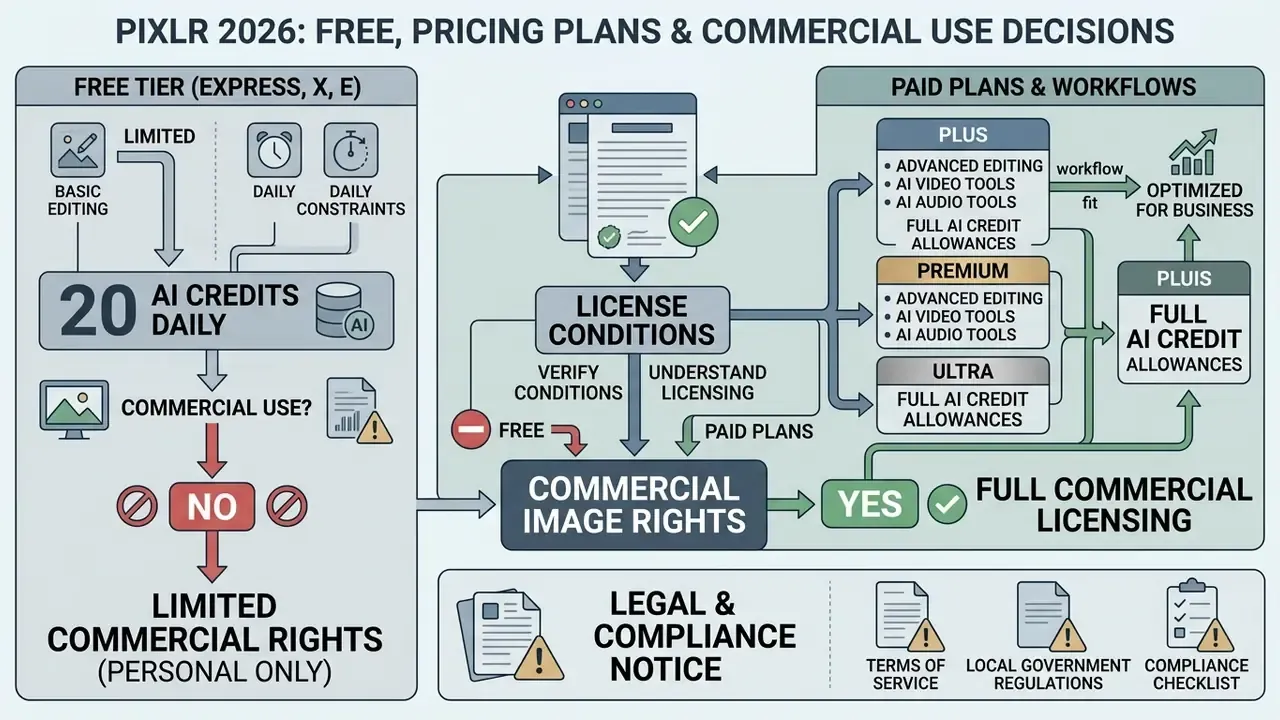
Evaluating the platform for business workflows means understanding where the free tier stops. Basic editing stays accessible without payment, while high-volume production and advanced model access require an active subscription.
Organizations have to weigh cost against monthly AI credit allocation, export frequency limits, and commercial usage rights. The three interact more than the pricing page suggests.
What Is Available in Pixlr Free and Where Limits Begin
"Pixlr's free plan includes a 7-day trial of image generation with limits on quality and resolution and possible watermarking."
This credit structure explains the recurring query "is Pixlr not free anymore." Nothing was removed from the editing toolset. The features added since, generation, generative fill, background and object removal, upscaling, video and audio synthesis, consume credits, and 20 starter credits vanish after a handful of generations. If the expectation is "the free browser Photoshop", it still is. If the expectation is free unlimited AI generation, that is exactly where the paywall sits. Users needing occasional top-ups without a tier upgrade can buy standalone AI Credit Packs.
Verifying Conditions for Commercial Image Rights
Deciding whether images edited or generated in Pixlr can be used in commercial campaigns means reading the official License and Services Agreement, not the landing page. Standard edits on user-owned assets retain original ownership rights; generative outputs carry specific contractual conditions. Our detailed analysis of the commercial use of AI-generated images covers how these clauses differ between vendors.
For broader financial modelling of a creative tool stack, organizations can review our AI Media Pricing Guides and use the specialised AI Media Calculators to estimate per-asset generation costs.
Under Pixlr's legal terms, users on active paid plans such as Premium or Team receive commercial licence rights for AI-generated visual content. The License and Services Agreement states plainly that AI Content may be used for personal and commercial purposes. Users remain responsible for ensuring that generated inputs and text prompts do not infringe third-party trademarks or proprietary intellectual property, and the broader Terms of Use separately prohibit licensing, reselling, or otherwise commercially exploiting the Service itself without prior written authorization.
"The Premium plan grants a commercial licence for all created assets, while the free version restricts commercial usage rights."
One nuance for legal review: the marketing pages and the contract text are not identical in tone. Marketing says generated images can be used commercially. The agreement simultaneously grants Pixlr a perpetual, sublicensable licence over AI Input and AI Output and places compliance responsibility on the user. Both statements can be true at once. Only the agreement is enforceable.
Pixlr tiered subscription plans: cost, AI credits, commercial rights, and legal protection (verified 2026)
| Plan level | Monthly cost (USD) | AI credit allocation | Interface and export access | Commercial usage terms | IP indemnification |
|---|---|---|---|---|---|
| Free tier | $0.00 | 20 starter credits (one-time); 250 via 7-day trial | Ad-supported interface; daily save cap (~3/day, value unpublished) | Personal or non-commercial evaluation; outputs may carry restrictions and watermarks | None published |
| Plus | $2.49/mo ($1.99 billed annually) | 80 AI credits/month; 1 concurrent generation | Ad-free workspace; unlimited standard saves and exports | Commercial usage allowed under standard platform terms | None published |
| Premium | $9.99/mo ($7.99 billed annually) | 1,000 AI credits/month; 4 concurrent generations | All image, video and audio models; private mode; full font, template and element library | Full commercial licence for created assets and AI outputs | None published; verify with vendor |
| Team | $14.99/user/mo ($9.91 billed annually) | 1,000 AI credits/user/month | Multi-user seat management (from 5 seats); central credit pool; priority support | Enterprise commercial licence with team management rights | None published; request a contractual addendum |
| Ultra | $24.99/mo ($19.99 billed annually) | 5,000 AI credits/month; unlimited fast image generations under fair use; 8 concurrent | Priority processing queue; extended high-resolution exports | Full commercial licence under platform terms | None published; verify with vendor |
| Ultra MAX | $49.99/mo ($39.99 billed annually) | 10,000 AI credits/month | All Ultra features with doubled credit volume for high-capacity pipelines | Full commercial licence under platform terms | None published; verify with vendor |
| PixlrEdu (education) | $0.00 (verified institutions) | Upgraded allocation via institutional subscription | Free upgrades for eligible schools, higher-education institutions, students and teachers | Educational use; commercial resale is not the intended scope | None published |
| AI Credit Pack / Enterprise | Variable one-time top-up; Enterprise on request | Additional credits added to existing balance | Custom API access and extra seats via direct contact | Per negotiated agreement | Negotiable; the right channel for indemnification requests |
Annual billing cuts effective cost by roughly 20 to 38% depending on tier, and pricing is displayed in local currency, so an EU visitor sees €1.99 where a US visitor sees $1.99. Payment is by card or PayPal, cancellation is available at any time, and one subscription covers web, desktop, and mobile access. Against a full desktop creative suite at roughly $70 per month, every Pixlr tier sits in a different cost bracket, though the comparison only holds for the workflows Pixlr actually covers. Teams weighing alternatives on rights and price can also consult our comparison of leading AI image generators.
Which tier fits which workflow. For editing existing images, the free tier remains sufficient. Plus becomes worth $1.99 to $2.49 the moment ads or the daily save cap start to interfere. Regular AI generation realistically starts at Premium, because 80 Plus credits evaporate fast. Ultra and Ultra MAX only pay off for teams generating continuously or producing video at volume. For print production, CMYK workflows, Camera Raw processing, or genuine vector work, Pixlr is the wrong tool at any tier.
Competitive Matrix: Pixlr vs Canva vs Photopea
Choosing a browser workspace depends less on raw feature counts than on where the workflow's centre of gravity sits.
- Pixlr best for rapid AI-assisted image creation, automated touch-ups, multi-model image, video and audio generation, and lightweight raster layer editing. It sits between the other two: stronger photo editing than Canva, broader template and AI support than Photopea.
- Photopea ideal for advanced Photoshop-native (PSD) retouching, with near-identical keyboard shortcuts, pen tools, and adjustment layers, and no subscription. It lacks built-in multi-model generative AI and offers weaker template support.
- Canva optimised for template-driven team collateral, brand kits, and multi-page marketing presentations with strong collaboration features, but limited pixel-level retouching control.
Browser-based editor positioning: decision criteria
| Criterion | Pixlr | Photopea | Canva |
|---|---|---|---|
| Primary strength | AI-assisted quick edits and multi-modal generation | Photoshop-style PSD retouching | Template and brand-led team design |
| Layers and masks | Yes (raster, Pixlr E) | Yes (closest PSD parity) | Limited |
| Built-in generative AI models | Extensive multi-vendor stack | Minimal | Moderate, first-party focused |
| Vector / CMYK / Camera Raw | No | Partial vector support; no full prepress | Vector-style elements; limited prepress |
| Team and brand governance | Team and Ultra seats; limited enterprise controls documented | Minimal | Strongest brand kit and permission model |
| Best fit | Content marketing, e-commerce visuals, ad-hoc AI edits | Detailed retouching without subscription | Multi-stakeholder brand collateral |
For print production or high-end retouching under client-grade colour requirements, none of the three substitutes for a desktop prepress workflow.
FAQ: Common Questions About Pixlr Photo Editor
Do You Need to Install Pixlr on Your Computer?
No. Core editing needs no local software. The platform runs directly in modern web browsers, including Google Chrome, Mozilla Firefox, Apple Safari, and Microsoft Edge, using cloud-based processing nodes. For desktop environments that require offline execution, standalone installers are available. Browser access remains the primary deployment model and delivers full functionality without local administrator privileges.
Can You Use Pixlr on Mobile Devices Without Losing Projects?
Yes. Pixlr works on smartphones and tablets through mobile browsers and dedicated iOS and Android apps. Avoiding data loss, though, requires understanding how session storage behaves on mobile. Because temporary projects rely on local browser cache, clearing cache or running an automatic cleanup tool permanently erases unsaved work. Projects are also bound to the specific browser used: open a different browser, or a private window, and the work will simply not be there.
"Pixlr documentation does not describe cross-device project synchronization; data safety depends on manual export to PNG, JPG, or the PXZ format." Pixlr AI Photo Editor FAQ (2026). https://pixlr.com/editor/ To keep projects safe across mobile and desktop sessions, save master documents in the native
.PXZformat or export flattened images to device storage before any cleanup runs.
Is Pixlr Suitable for Print Production?
No. There is no CMYK workflow, no soft proofing, no Camera Raw pipeline, and no colour-managed prepress output. It suits screen-destined content marketing, social assets, and e-commerce imagery. Client-grade print work belongs in a desktop editor with full colour management.
Which File Formats Preserve Layers?
Only the native .PXZ format preserves the full layer stack, masks, and selections for later editing. JPG, PNG, WebP, and PDF exports are flattened. PSD import is partial: simple files usually open, while complex documents with heavy masking or very large dimensions may fail.
How Many Free AI Credits Does a New Account Receive?
A new free account receives 20 AI credits as a one-time starter allowance. The 7-day in-app Premium trial adds 250 credits, enough for roughly 75 image generations. After that, generative features require a paid tier or an AI Credit Pack top-up.
Can Pixlr Be Used Inside a Regulated Financial Institution?
Cautiously, and only under conditions. Marketing and communications teams can use it for non-sensitive, screen-destined creative work under a managed Team or Ultra tenancy with named seats. Uploading customer data, identity documents, KYC artefacts, or any restricted material is not appropriate while data residency, retention, and training opt-out remain undocumented. Answer the five vendor questions above first, then decide. For detailed technical guidance on browser session glitches, consult our dedicated AI Media Support and Troubleshooting resource hub.
Platform Provenance and Industry Context
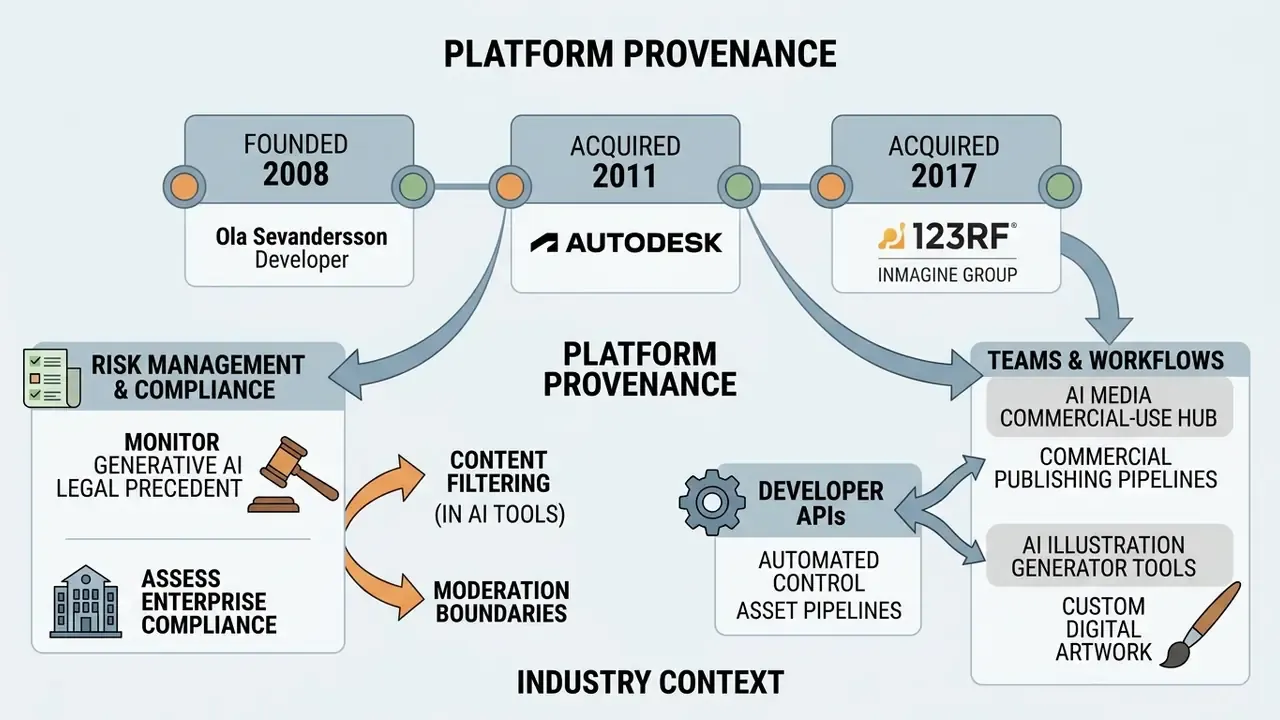
Pixlr was founded in 2008 by developer Ola Sevandersson, acquired by Autodesk in 2011, and subsequently acquired by 123RF (part of the Inmagine Group) in April 2017. The company is headquartered in Singapore. Note on sourcing: this ownership chronology is reconstructed from company history pages, Inmagine Group corporate materials, and third-party product profiles rather than a single primary vendor disclosure. Audience-scale claims circulating in some 2026 profiles, for example figures above 500 million registered users across 160 countries, are vendor-adjacent marketing numbers that have not been independently audited.
As an established cloud editing suite, the platform serves a large global user base alongside browser-based competitors such as Photopea, Canva, and Adobe Express. Public traffic estimates in early 2026 place Photopea ahead of Pixlr on total visits, while Canva and Adobe Express operate at a larger mainstream suite scale. Readers benchmarking no-cost options can start from our overview of free photo editors.
When assessing enterprise compliance, risk managers should keep watching legal precedent around generative AI training data. Our analysis of AI Litigation and Case Timelines helps risk leaders weigh intellectual property liabilities before deploying browser-based generative tools at scale. The practical point for model-risk functions is that Pixlr's exposure profile is inherited: because generation routes to third-party models, any adverse ruling against an upstream provider propagates into assets produced through the Pixlr interface.
For organizations building custom generative pipelines, developer APIs give automated control over asset creation. Our specialised api deployment guides cover integrating cloud rendering engines into corporate workflows, with per-model cost and quota mechanics documented in the Google Veo API breakdown.
Teams managing commercial publishing pipelines can examine our AI Media Commercial-Use Hub for compliance checklists covering AI-generated visual media.
For specialised generative workflows, creative leads can consult our dedicated breakdowns on:
- ai illustration generator tools for custom digital artwork.
- content-filtering and moderation policy boundaries for AI image-to-video generation, relevant to acceptable-use policy drafting and prompt-level restriction design.
Appendix A: Revision Log and Corrected Claims
Maintained for editorial transparency and audit traceability. Each entry records the earlier published wording, the correction applied, and the basis for the change.
| Earlier published wording | Correction applied | Basis |
|---|---|---|
| "combine raster images, vector shapes, and text layers" (Pixlr E section) | Replaced with raster-only description; explicit statement that no native vector engine, CMYK workflow, Camera Raw, or soft proofing exists | Independent 2026 product verification of pixlr.com capability set |
| "precise vector tools" (workflows section) | Replaced with layer masks, blend modes, curves, selections, liquify, all raster operations | Same as above |
| "Free users receive a limited allocation of initial AI credits" | Replaced with exact figures: 20 one-time starter credits; 250 credits via 7-day trial; roughly 3 daily saves on free tier | Vendor pricing and generator documentation, 2026; third-party tier testing |
| Pricing table listing Free, Plus, Premium, Team only | Extended with Ultra, Ultra MAX, PixlrEdu, AI Credit Pack, Enterprise, plus an IP indemnification column | 2026 pricing page verification and education-program documentation |
| Model list limited to Flux, Kling, Recraft, Veo | Extended to the full published orchestration stack across image, video, and audio | Vendor model disclosure, 2026 |
| Cost and time-saving case figures stated as fact (35%, 80%) | Reframed as self-reported, non-audited estimates with scope conditions | Editorial sourcing standard for unverified performance claims |
| Product names presented without redirect context | Added note that /x/ resolves to /express/, /e/ to /editor/, and Pixlr Designer has been consolidated | URL resolution verification, 2026 |
| Author attribution presented without status label | Marcus Hale, author | Editorial transparency policy |
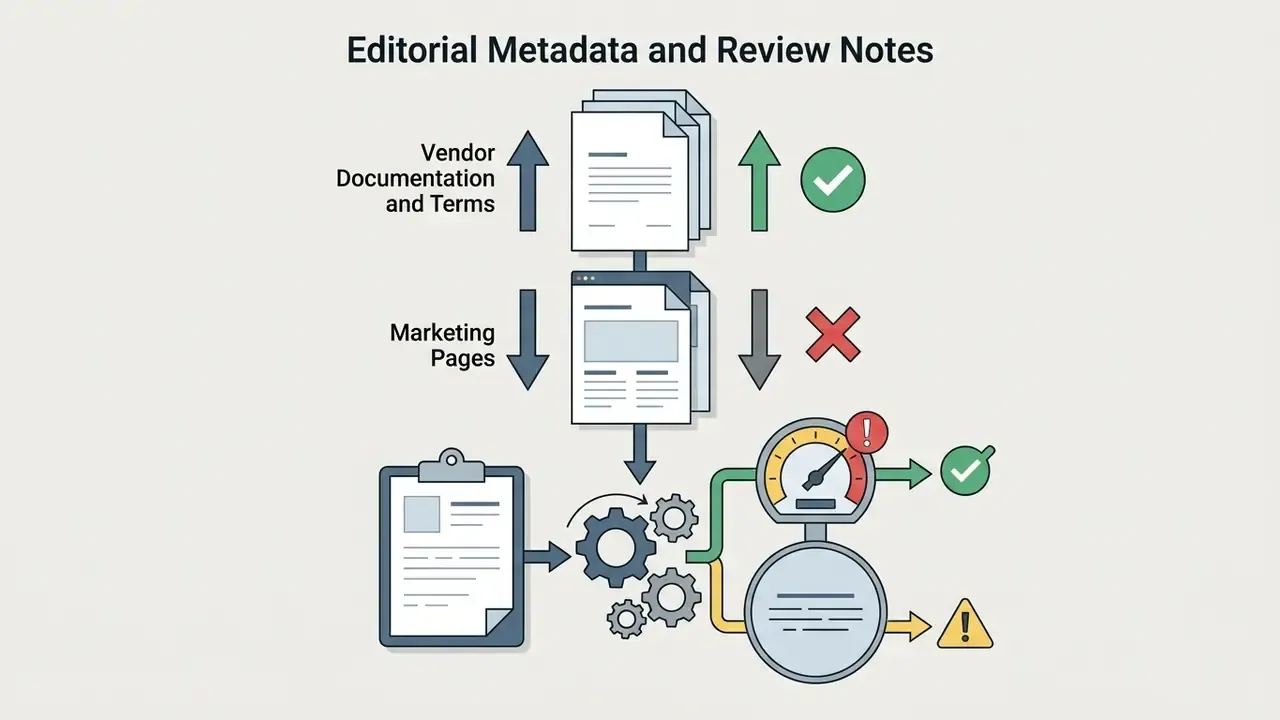
Editorial Metadata and Review Notes