Reviewed by: editorial team specializing in AI governance, Model Risk Management (MRM), and commercial-use licensing of synthetic media.
Last updated: Q1 2026 (terms of service and licensing statements re-audited for the 2026 compliance cycle).
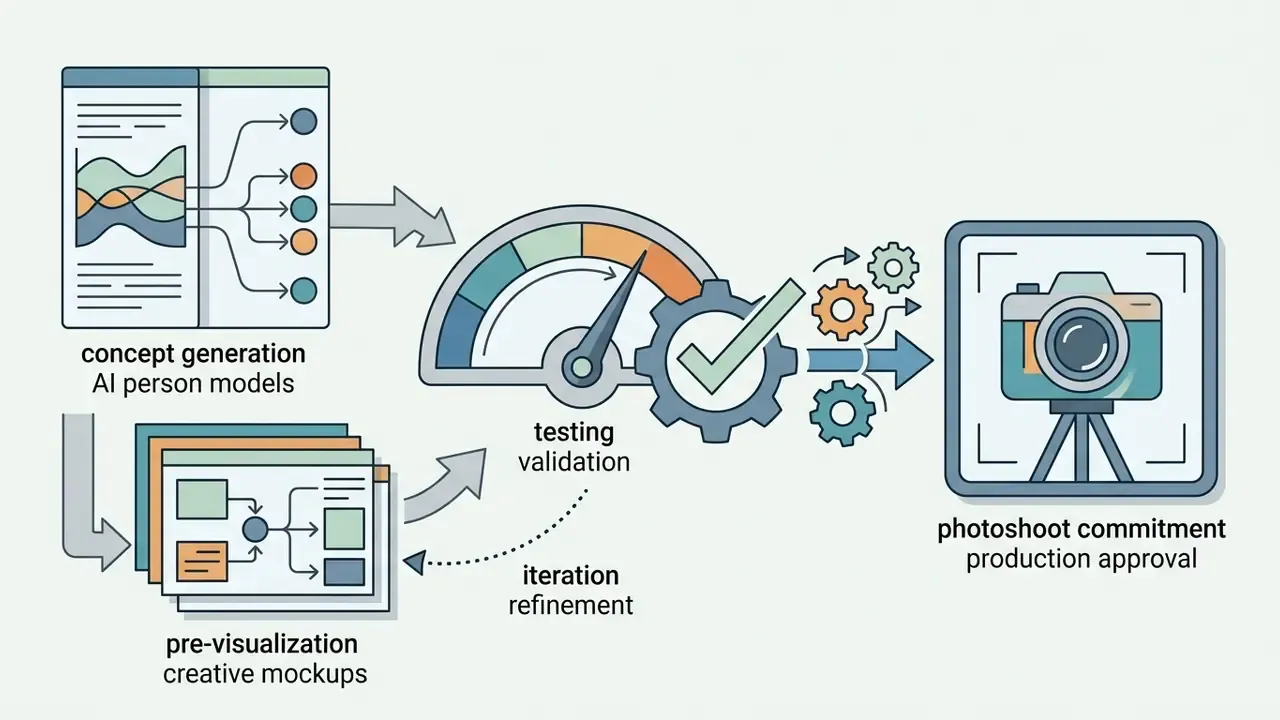
Why does a risk officer care about a portrait generator at all? Because the same free tool that trims a photoshoot budget also manufactures the face on a fraudulent onboarding application.
Executive Summary
- What it is A neural system, GAN-based or latent-diffusion-based, that converts a text prompt, a reference photo, or a pose skeleton into a synthetic human image: headshot, half-body portrait, full-body figure, or stylized avatar.
- How fast you can start Three steps. Choose input mode (text or photo), set parameters (aspect ratio, style preset, resolution), then generate, inpaint defects, and export. A usable render takes roughly 2 to 15 seconds on modern cloud GPUs.
- Realism reality check Peer-reviewed experiments show synthetic faces can outperform real photographs in perceived realism, while full-scene diffusion images of people are still frequently identified as synthetic because of stylistic artifacts.
- Free tiers are real but narrow No-sign-up modes typically cap daily renders, downscale resolution, embed watermarks, and restrict usage to non-commercial evaluation.
- Control is the differentiator ControlNet/OpenPose skeletons, IP-Adapter identity weights, regional prompt masks, and inpainting are what turn a toy generator into a production pipeline.
- Legal exposure is the main enterprise risk Purely AI-generated elements have limited copyright protection in the U.S., uploaded real faces trigger biometric statutes such as Illinois BIPA and GDPR, and AI-labeling can measurably reduce audience engagement.
- Bottom line Treat an AI human generator as a controlled pipeline with logged prompts, seeds, provenance metadata, human review, and documented licensing. Not as an ad-hoc creative toy.
Who This Guide Is Written For, and Which Decisions It Supports
This is not a listicle of pretty faces. It is a decision document for four roles that keep colliding over the same tool.
| Reader | Core question | Section that answers it |
|---|---|---|
| Marketing and creative operations | Can we replace a photoshoot without breaking brand consistency? | Prompt architecture, pose control, character consistency |
| Model risk and AI governance | Which controls does this class of model require in our inventory? | Risk-adjusted ROI, licensing checklist, fraud controls |
| Security and fraud prevention | How does a free generator change our KYC threat model? | Uploaded faces, liveness hardening, executive likeness register |
| Finance and procurement | What is the true unit cost after review labor? | Free-tier limits, credit models, total cost of ownership |
Three practical claims frame everything below. First, output quality is no longer the bottleneck. Second, reproducibility is: a render you cannot regenerate is a render you cannot defend. Third, most of the residual cost sits in human review and documentation, not in GPU seconds. All audience statements here remain working hypotheses until confirmed against your own analytics and interviews.
What Is an AI Human Generator and What Images Does It Create?
An ai human generator is a neural network system, typically built on generative adversarial networks (GANs) or latent diffusion architectures, that converts input text prompts or reference imagery into synthetic human depictions. These platforms generate full-spectrum visual assets, including individual facial headshots, upper-body profiles, full-length figures, and stylized digital avatars.
When evaluating an ai generator human, enterprise operators must distinguish between underlying AI image generative architectures. GAN models excel at static facial photorealism. Modern latent diffusion models provide broader control over complex environmental scenes, anatomical posing, and multi-subject composition. Using a human generator ai allows organizations to construct custom visual characters without traditional photo shoot production costs, provided the generated outputs undergo systemic quality checks.
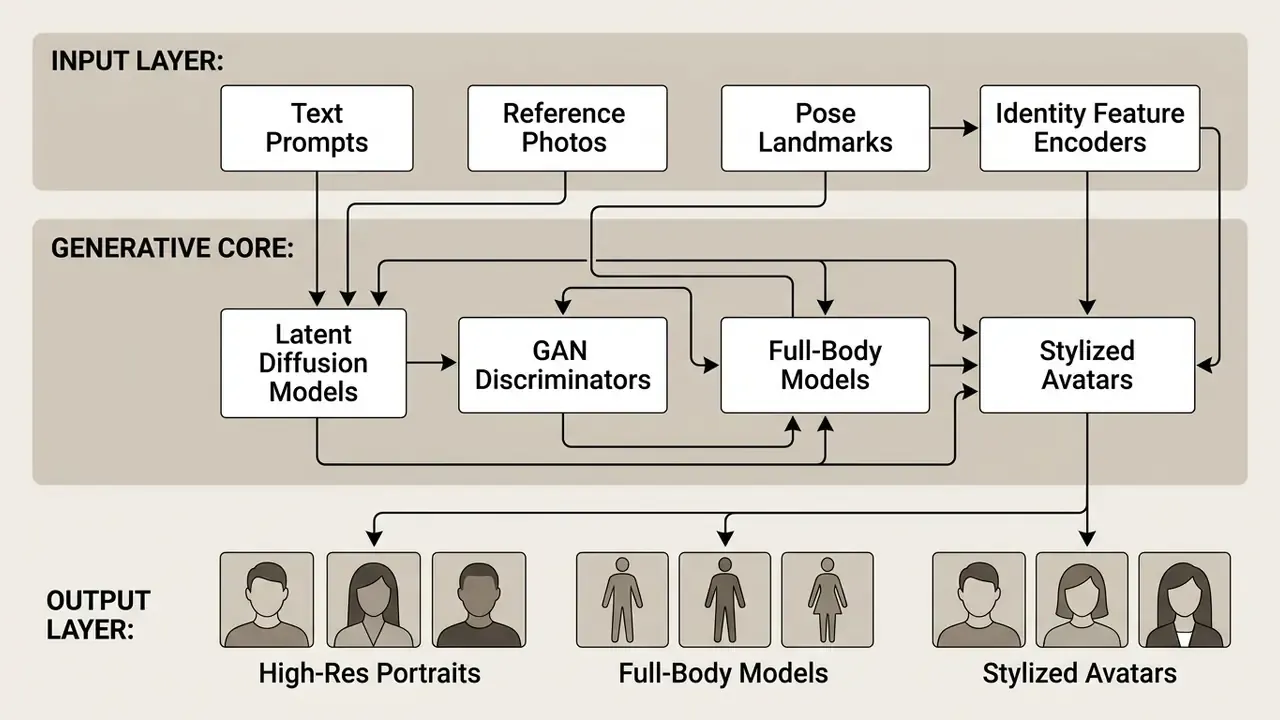
AI Faces, Portraits, and Full-Body People
«StyleGAN2 synthetic faces were judged real in 68% of trials, significantly more often than genuine photographs (52%), at high statistical significance (p < .001).»
«AI-synthesized faces are indistinguishable from real faces and are rated as more trustworthy, creating manipulation risks in marketing and disinformation.» , Nightingale & Farid, iScience (2022). https://doi.org/10.1016/j.isci.2022.104323
The combination of these two findings matters for enterprise governance. Not only can a generated face pass as real, it can outperform a real face on trust perception. Which is precisely why disclosure policies and provenance metadata belong in the pipeline rather than in the post-mortem.
Producing a high-fidelity ai-generated human requires model training on diverse facial datasets to avoid structural distortion. When rendering an ai person, full-body generation presents higher complexity than facial headshots, because the model must maintain structural proportion across limbs, hands, and background alignment. Enterprise pipelines use multi-stage conditioning inputs to ensure that a photo or full-body image of an ai generated person maintains anatomical fidelity across sequential renders. Hands remain the usual failure point. Everyone who has shipped a catalog knows the fifth finger problem.
Photorealistic or Artistic Style: The AI Persona Style Spectrum
Generative human models operate along a visual spectrum bounded by hyperrealistic studio photography on one end and stylized digital artwork on the other. Achieving photorealism requires strict prompt parameters specifying camera hardware, natural lighting parameters, and sensor noise characteristics. Generating stylized digital humans, by contrast, involves specifying artistic movement parameters, illustrative topology, or vector shading layers.
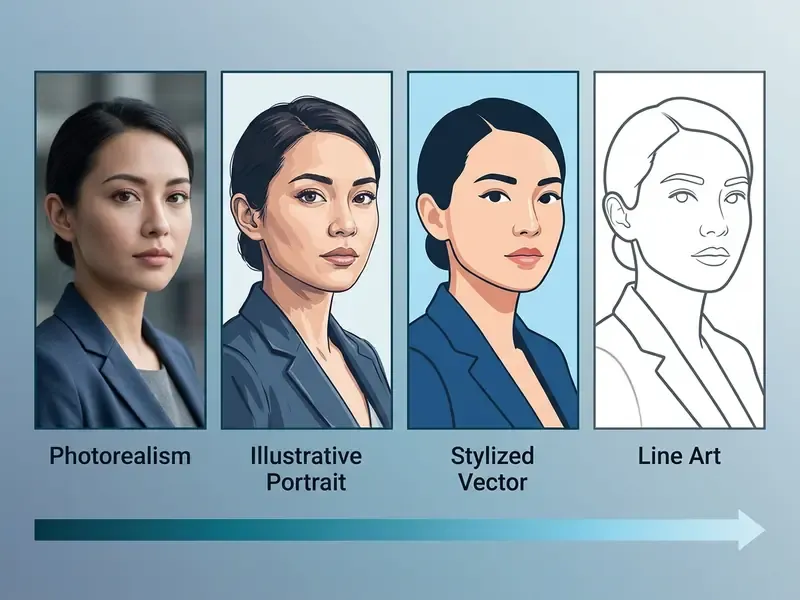
Setting explicit model constraints prevents photorealistic outputs from exhibiting unwanted artistic artifacts, and keeps the visual output aligned with campaign objectives.
«Across 50,444 participants, only 17% of diffusion-generated images of people were mistaken for real photographs. Most retained stylistic artifacts revealing AI origin.»
That gap between near-perfect cropped faces and detectably synthetic full scenes is exactly why style selection is a technical decision, not a taste decision. A stylized preset removes the burden of defending photorealism. A photoreal preset demands camera-grade prompt specificity.
Style Spectrum Catalog: Presets and Prompt Modifiers
| Visual Style Preset | Key Prompt Modifiers | Ideal Use Case |
|---|---|---|
| Studio Photorealism | 85mm lens, f/2.8, natural skin pores, studio softbox lighting, RAW photo | E-commerce models, corporate headshots |
| 3D Stylized Avatar | stylized 3D character render, smooth subsurface lighting, vibrant colors, octane render | Gaming avatars, brand mascots |
| Cyberpunk / Sci-Fi | neofuturistic background, neon rim lighting, techwear apparel, volumetric fog | Social campaigns, digital art drops |
| Anime / Illustrated | cel-shaded anime portrait, clean linework, flat highlights, expressive eyes | Community mascots, entertainment IP |
| Vector / Line Art | clean vector line art, monochrome contours, flat shading, minimal design | Wireframes, technical documentation |
| Editorial Fashion | high-fashion magazine cover, dramatic hard lighting, editorial aesthetic, sharp focus | Lookbooks, influencer creative |
When teams need specialized illustrative assets rather than photorealistic photography, workflows often incorporate a line art generator to establish clean vector wireframes before applying diffusion shading layers. For broader stylistic benchmarking across engines, our comparison of the best AI art generators documents how style adherence differs between models at identical prompt lengths, and the wider engine comparison library is worth a look if you want to open the hub before committing to a vendor.
Free AI Human Generator With No Sign-Up: Capabilities and Limits
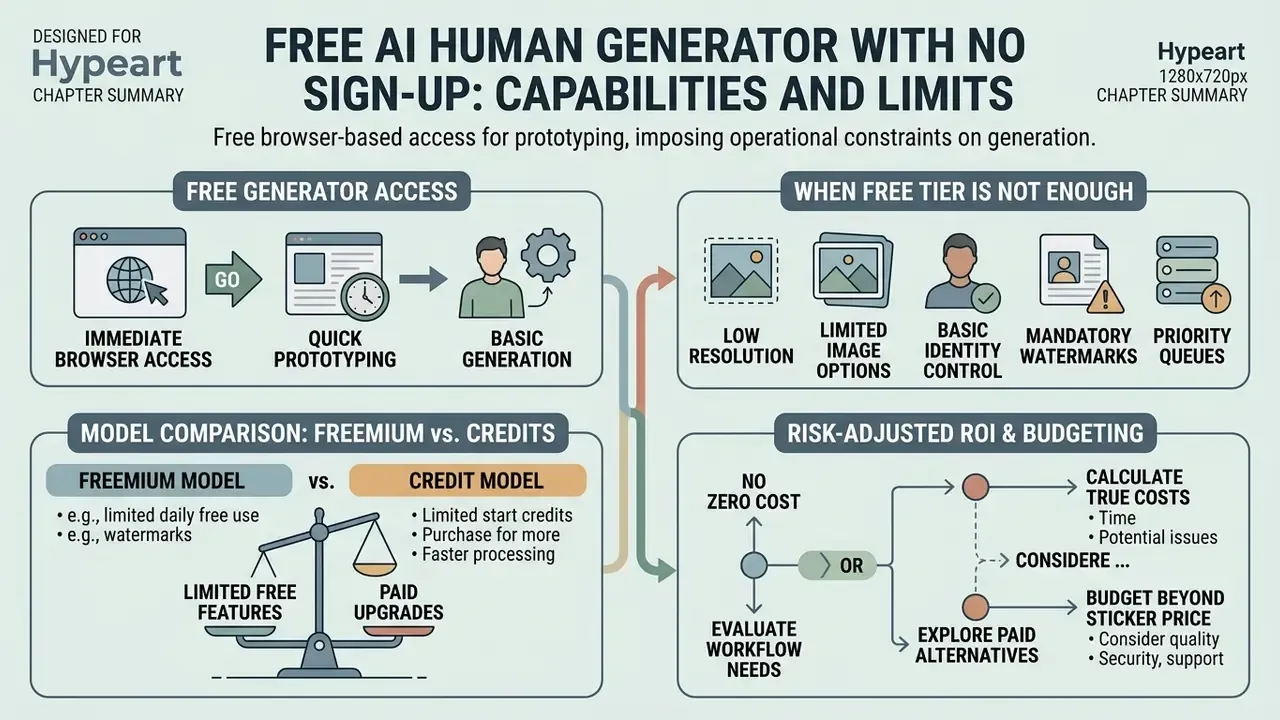
A free ai human generator operating without mandatory user registration provides immediate browser-based access for prototyping, but imposes operational constraints on image resolution, volume, and usage rights. Teams comparing entry points can start with our overview of free AI image generators with no sign-up, which maps which access models actually deliver clean downloads. Platforms offering an ai human generator free no sign up workflow typically route requests through shared public GPU clusters, limiting batch throughput and restricting export settings.
Table: comparison of free mode versus extended enterprise mode in AI human generators.
| Operational Dimension | Free Mode (No Sign-Up) | Extended / Commercial Mode |
|---|---|---|
| Access and authentication | Anonymous browser session, subject to rate limiting | Authenticated API or Single Sign-On (SSO), dedicated quotas |
| Input capabilities | Basic text prompt input, single static photo upload | Multi-reference conditioning, custom identity encoders, batch API |
| Output resolution and quality | Standard web resolution (512×512 or 1024×1024), compressed JPEG | High-resolution exports (4K/8K upscale), lossless PNG, RAW layers |
| Visual customization | Fixed style presets, standard aspect ratios (1:1) | Custom aspect ratios, control layers (ControlNet), fine-tuned seed control |
| Commercial licensing rights | Non-commercial personal evaluation only, public attribution mandated | Full commercial license, indemnification coverage, private generation |
What a Free AI Human Generator Actually Includes
«In the "Real or Not Quiz" (287,000 judgments from 12,500 participants), users identified AI images correctly only 63% of the time, close to chance.»
Practically, this means a watermark-free free-tier render is not self-evidently synthetic to your audience. Responsibility shifts onto your own disclosure and provenance controls.
Freemium and Credit Model Comparison
| Free Tier Type | Daily Allowance / Credits | Watermark Policy | Commercial Usage |
|---|---|---|---|
| Public web, no sign-up | Roughly 3 to 5 renders per day, shared GPU queue | Embedded watermark or reduced resolution | Non-commercial evaluation only |
| Registered freemium | Daily login credits, commonly 20 to 40 | Clean HD download on many platforms | Personal or internal evaluation |
| Gamified / community | Bonus credits via referrals, check-ins, Discord | Usually watermark-free | Restricted, verify current terms |
| Trial of paid plan | Time-boxed credit pack, full feature access | No watermark | Often granted, expires with trial |
| Self-hosted open-source | Unlimited, hardware-bound | None | Model-license dependent (Apache 2.0 versus non-commercial) |
For teams planning broader media budgets across generative asset channels, reviewing structured AI Media Pricing Guides provides clear benchmark comparisons between basic freemium tiers and dedicated production workloads. Adjacent tooling budgets, for example free photo editors used for post-generation retouching, belong in the same sheet.
When the Free Tier Is Not Enough
Free generation tiers fail to meet institutional standards when workflows require commercial IP indemnification, high-resolution physical printing, batch processing, or API integration. An ai human generator no sign up deployment lacks secure data boundaries, meaning uploaded source images or proprietary prompts may be retained for model retraining.
Enterprise production applications, such as e-commerce product catalogs, corporate communications, and dynamic video ads, demand consistent character persistence and private data processing. Our guide to commercial use of AI image generators breaks down which license grants survive audit. Organizations scaling media pipelines can compare options using standardized unit economics to calculate total cost of ownership across self-hosted open-source models versus managed SaaS APIs.
Risk-Adjusted ROI: Budgeting Beyond the Sticker Price
Free-versus-paid comparisons collapse the moment compliance cost enters the model. A defensible planning formula for regulated organizations:
Risk-Adjusted ROI = ( Avoided Production Cost
                      - Generation Cost
                      - Human-in-the-Loop Review Cost
                      - Governance & Documentation Cost
                      - Expected Legal Exposure )
                    / Total Program Cost
Where:
  Avoided Production Cost   = photoshoot + talent + location + reshoots
  Human-in-the-Loop Cost    = (review minutes per asset x assets) x loaded hourly rate
  Governance Cost           = prompt/seed logging, C2PA retention, ToS re-audit cycles
  Expected Legal Exposure   = probability of claim x average remediation cost
                              (biometric statutes carry per-violation exposure)
Two line items are habitually omitted and habitually decisive. Review labor, where a single asset needing two human passes can consume more budget than 200 renders. And documentation overhead, the work required to prove provenance during an audit. A useful sanity check: if your cost model has no row for review minutes, it is a marketing estimate, not a budget.
How to Create an AI Person From Text or a Photo
Generating a synthetic human requires a structured sequence: selecting a generation model, formulating detailed conditioning inputs (text or image), calibrating model hyper-parameters, and refining the raw output. Modern interfaces support both text-to-image synthesis and image-to-image reference conditioning.
Quick-Start Guide: Generate an AI Human in Three Steps
- Choose your mode.Select Text-to-Image to build a synthetic persona from scratch, or Photo-to-Image to condition on a reference headshot or pose.
- Set visual parameters.Type your prompt or upload the reference file. Pick an aspect ratio (1:1 for headshots, 2:3 or 3:2 for editorial, 9:16 for full-body social), a resolution, and a style preset (Photorealistic, 3D Render, Cyberpunk, Line Art).
- Generate and export.Click Generate, review the variation grid, apply localized inpainting to repair eye or finger artifacts, then download a high-resolution PNG.
That three-step loop is enough for a single social asset. Everything below, prompt architecture, identity weights, pose skeletons, regional masks, licensing checks, is what separates one lucky render from a repeatable production pipeline.
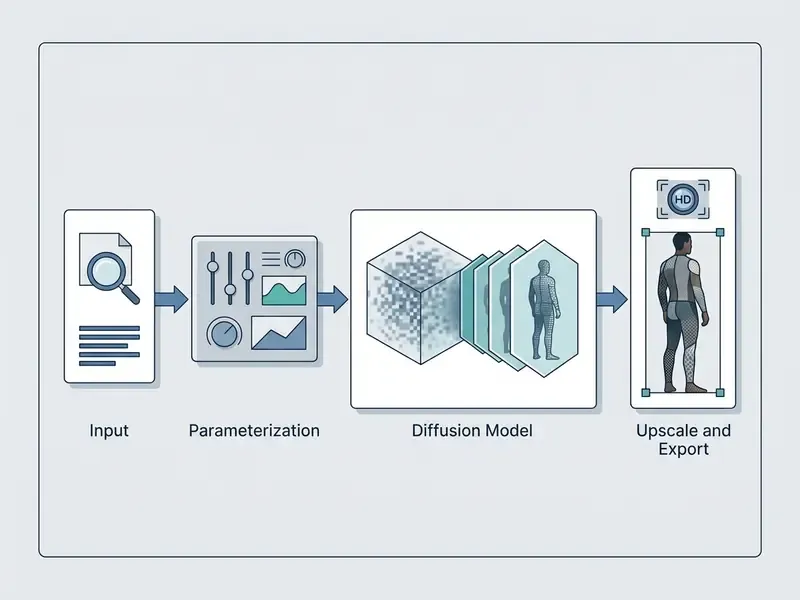
How to Write a Text Prompt for an AI Human
An effective text prompt for an ai person generator from text follows a hierarchical structure. Define subject age and ethnicity first, then facial anatomy, body posture, apparel specifications, environment, camera lens focal length, and lighting conditions. To generate ai human assets reliably, operators should avoid ambiguous adjectives and specify concrete physical descriptors instead.
- Subject core "A 42-year-old female executive of East Asian descent, natural skin texture, subtle laughter lines around eyes."
- Apparel and pose "Wearing a charcoal grey tailored wool blazer, hands folded calmly on a wooden table, seated upright."
- Environment and lighting "Modern minimalist office background with soft daylight filtering through floor-to-ceiling glass windows."
- Technical camera specs "Shot on 85mm prime lens, f/4 aperture, natural depth of field, studio color grading, crisp focus."
The operational takeaway from that finding: log prompts and seeds rather than trusting recall. A prompt that "always works" usually worked because of a seed, a model version, or a sampler setting that nobody recorded.
Structured prompt blocks ensure that the human maker ai engine prioritizes critical demographic and structural attributes instead of reverting to random baseline training weights. For identity persistence across a campaign, keep a fixed identity block (age range, face shape, hair, skin tone, signature garment) and vary only environment and lighting lines. Small discipline. Large payoff.
How to Create an AI Person From a Photograph (Digital Twin)
Creating a synthetic character from an uploaded photo involves conditioning the generative model on source facial landmarks using identity encoders such as IP-Adapter or ControlNet face models. This is the same class of image-to-image generation with identity control used in avatar products. In an ai human maker pipeline, the uploaded reference image is parsed to extract identity embeddings while original lighting, background, and posture are stripped away.
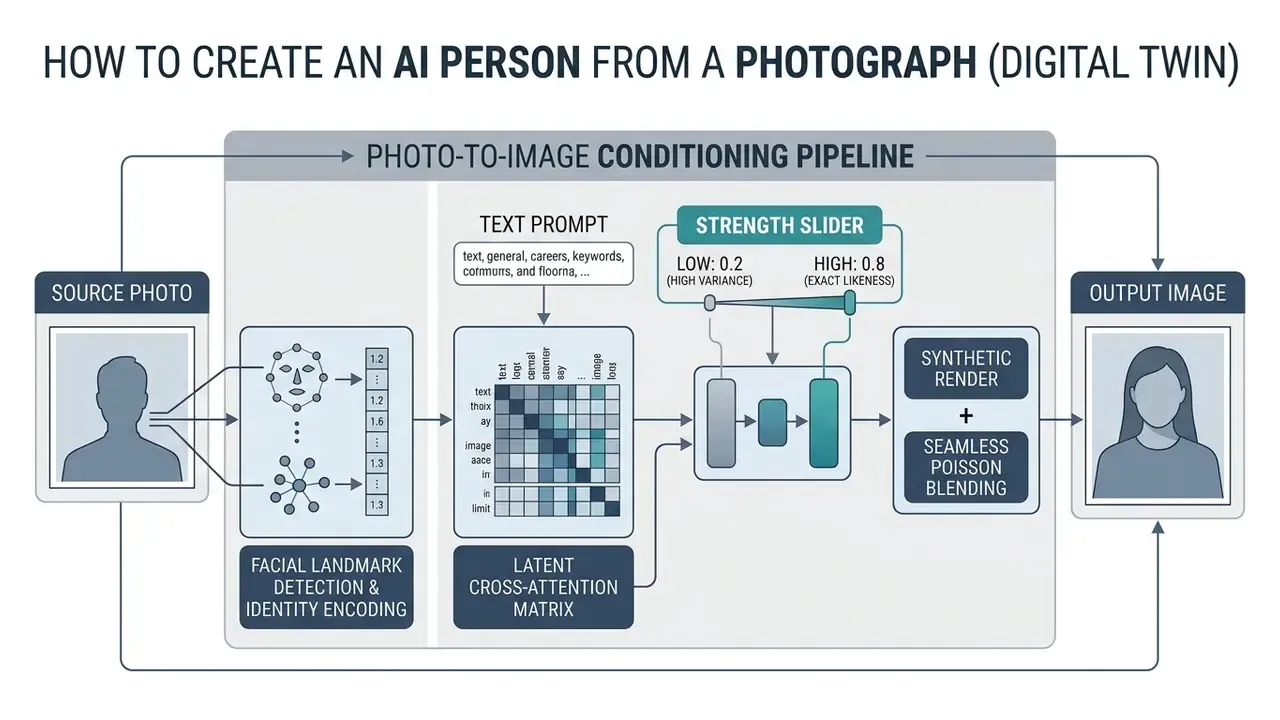
When using a human to ai generator flow, the reference strength parameter dictates identity preservation. Set it too high and you preserve source image artifacts and lighting glitches. Set it too low and the facial identity match is lost.
How to Create a Safe Digital Twin From Your Own Photo
To build a self-avatar without leaking biometric data into third-party training corpora:
- Upload a frontal headshot.Even lighting, neutral expression, no heavy glasses or occlusions, high facial clarity. One clean reference outperforms five noisy ones.
- Apply identity encoding (IP-Adapter or Character Reference).Set the identity-preservation weight between 0.65 and 0.80. Higher values retain exact facial proportions, lower values introduce stylistic variation and reduce the likelihood of an exact-likeness output.
- Customize attributes by prompt.Change apparel, environment, hairstyle, and lighting through text while the underlying face matrix stays locked. This is what produces headshot, editorial, and 3D variants of the same persona.
- Lock reproducibility.Record the seed, model version, weight value, and prompt so the twin can be regenerated consistently for a campaign series.
- Apply consent and retention controls first.Upload only faces you are legally authorized to process, prefer vendors that disable training on uploads, and delete source files after generation. Public availability of a photo is not consent for biometric template creation, as covered in the section on uploaded faces below.
For professional portrait use cases, our guide to AI headshot generators documents which platforms retain uploads and which process them ephemerally. For specialized interactive content requiring specific romantic or personal portrait compositions, operators can test dedicated modules like a kissing ai generator to evaluate multi-subject proximity controls.
How to Select, Refine, and Download the Result
Raw diffusion outputs frequently show minor localized defects: asymmetrical pupils, blurred finger joints, warped background geometry. Refining synthetic assets requires localized inpainting, masking specific pixel regions and re-running generation at low noise levels, before scaling the image with AI upscalers for higher resolution through a 2x or 4x spatial pass.
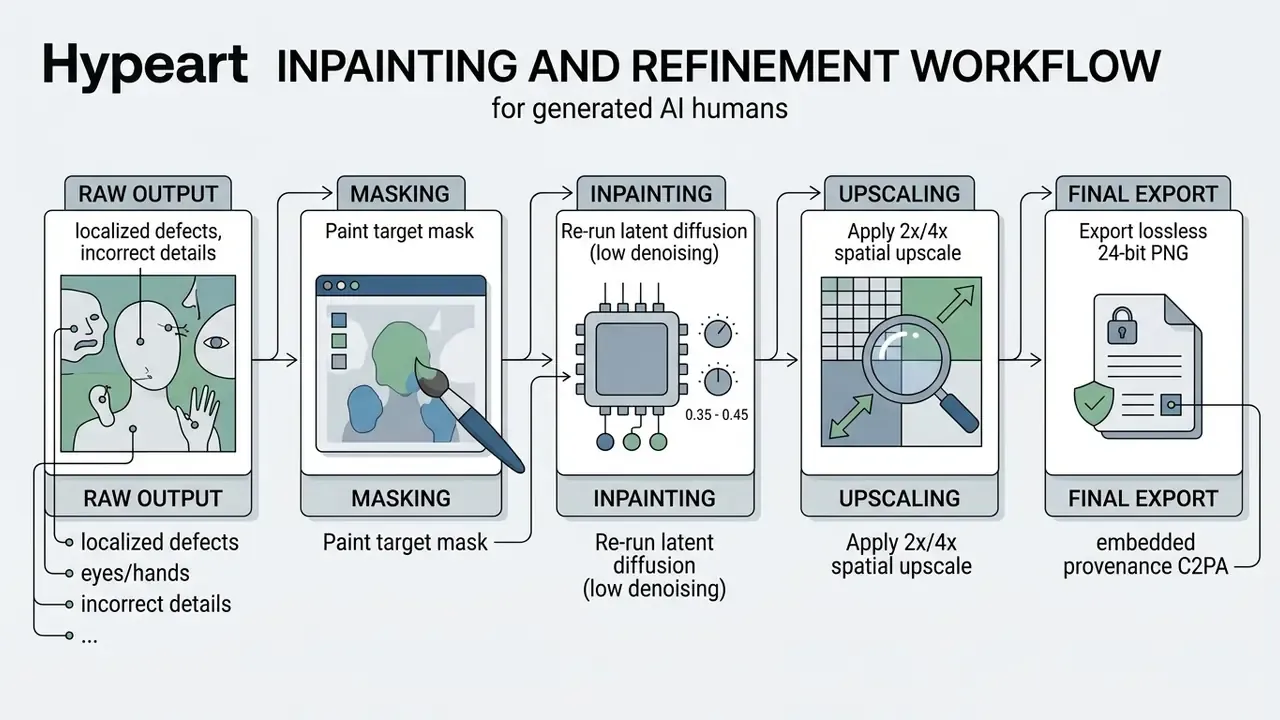
Export discipline matters as much as generation. Apply localized repairs before enlarging, keep 2x to 4x as the standard upscale range, and export at the platform's highest quality tier so compression artifacts are not baked into a downstream asset. Where finishing work exceeds what the generator offers, hand off to a dedicated online photo editor rather than re-rolling the whole render.
When preparing corporate media kits or digital assets, visual designers can review documentation templates such as letterhead examples to ensure synthetic human headshots integrate cleanly into standardized corporate layouts.
Settings for a Realistic AI-Generated Human
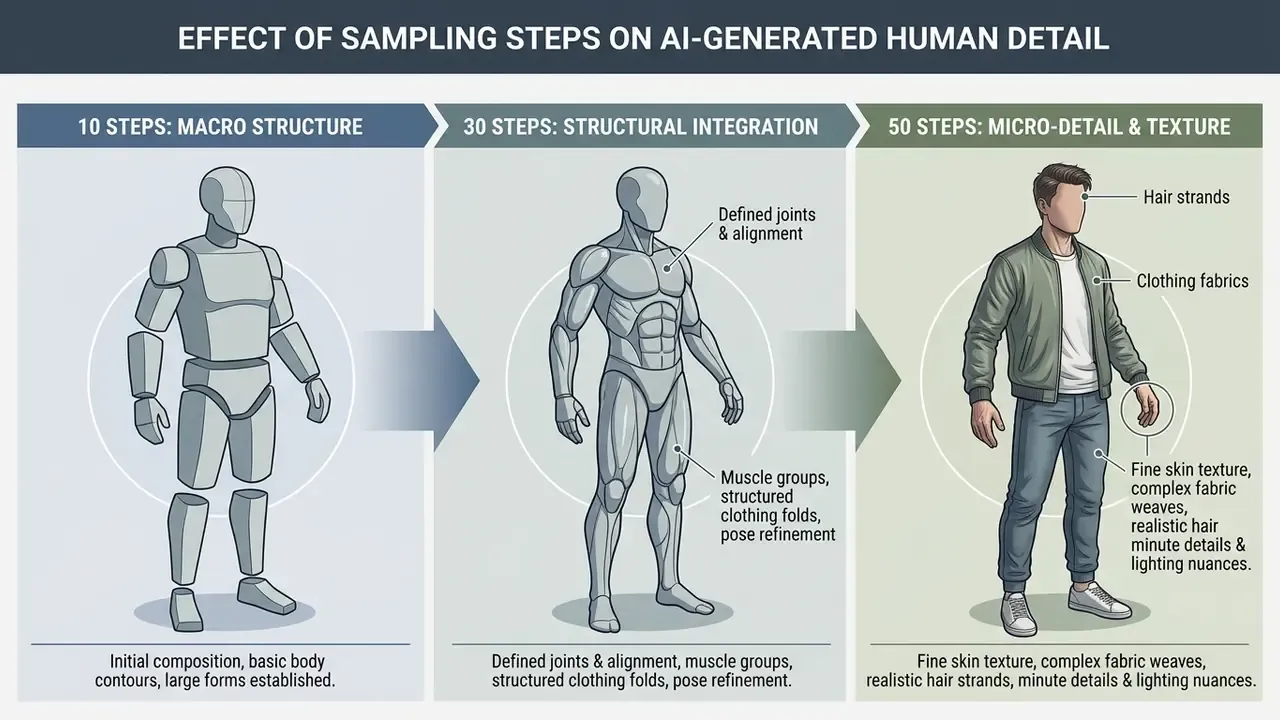
Maximizing realism in an ai generated human requires controlling latent space parameters: guidance scale (CFG), sampling timesteps, and seed initialization. Early diffusion timesteps determine macro composition and skeletal pose, while late timesteps refine micro-textures, hair strands, and lighting reflections. Higher guidance improves prompt adherence but compresses diversity. Annealed or lower guidance preserves seed-driven variation, which is why batch exploration and final rendering often use different settings.
Face, Age, Appearance, and Character Diversity
Promoting demographic diversity in synthetic media requires explicit conditioning on age, ethnicity, and facial features. A 2025 IEEE study titled Synthetic Data for Fairness: Bias Mitigation in Facial Analysis demonstrates that unconditioned text prompts default to narrow demographic distributions present in baseline training corpora. To achieve authentic diversity, operators must systematically parametrize prompt variables.
Demographic Conditioning Parameters for Audit Reporting
| Attribute Axis | Prompt Variable Example | Recommended Documentation |
|---|---|---|
| Age band | 28-35 years old, mid-50s, late 60s | Count of renders per decade band |
| Ethnicity / origin | Explicit descriptor per target market | Distribution versus target market census baseline |
| Gender presentation | Explicit descriptor, avoid role-implied defaults | Ratio per campaign asset set |
| Body type | athletic build, plus-size, slim frame | Ratio per catalog SKU family |
| Expression / affect | neutral, warm smile, focused | Sampled review of tone consistency |
| Accessibility markers | Mobility aids, hearing devices, where relevant | Documented inclusion decisions |
Structured demographic parameters prevent the person generator from outputting repetitive, homogenized facial structures across generated image sets. Equally important, they produce the artifact an auditor will actually ask for: a distribution table, not an assurance.
Pose, Body, Clothing, and Background
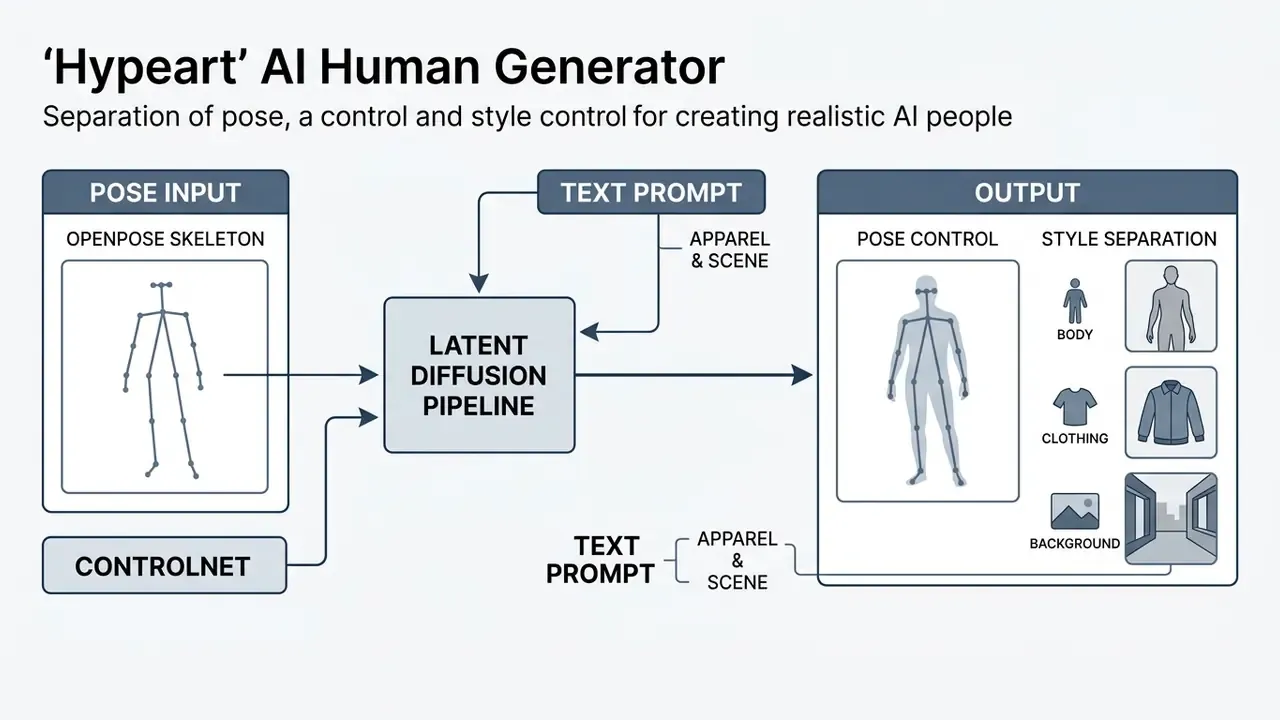
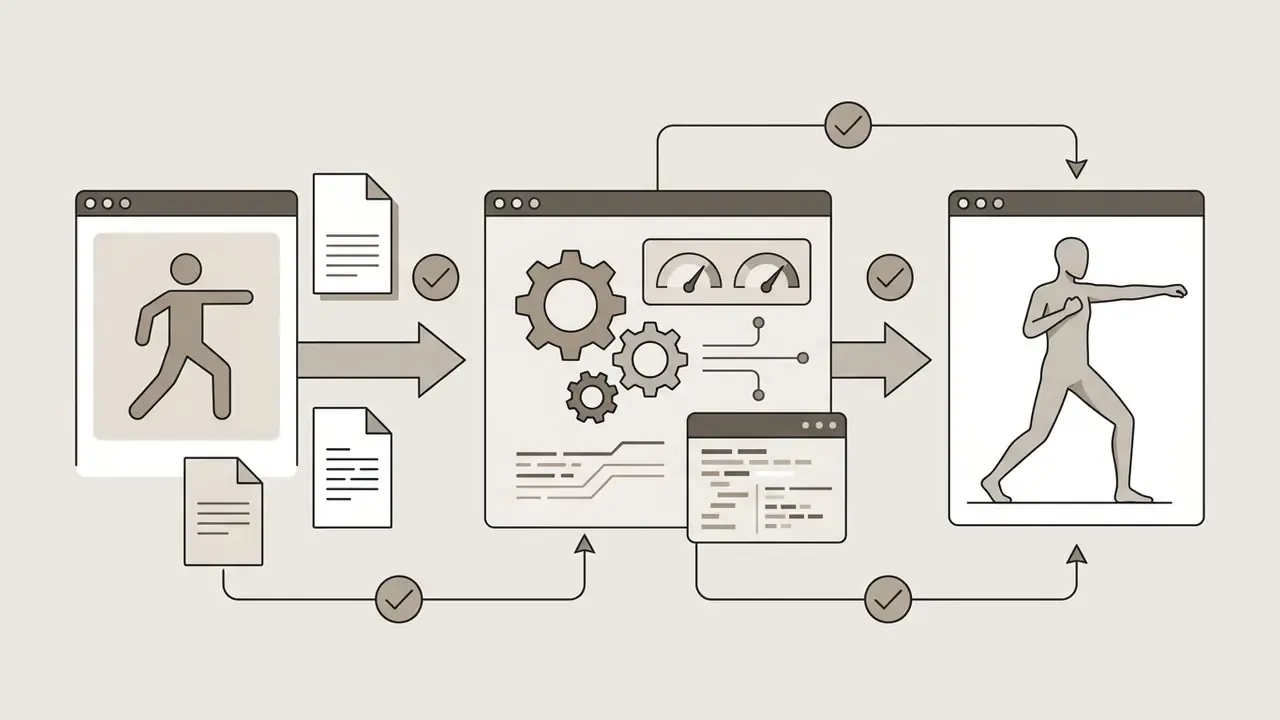
Controlling body posture and apparel requires combining text prompts with explicit spatial control inputs. ControlNet pose estimators parse OpenPose skeletons, letting operators fix precise body poses regardless of clothing or character identity.
Using Custom Pose Libraries With OpenPose
When text prompts fail to capture complex body positions, sitting cross-legged, mid-stride athletic movement, a specific head tilt, switch from description to skeletal control:
Negative prompting plays a critical role in background management. Exclusion parameters such as --no clutter, blurry background, distorted limbs, extra fingers strip unwanted visual elements from the generated scene. For post-generation background work, AI photo editors for background retouching handle replacement and cleanup more predictably than re-rolling the render. When integrating synthetic humans into branded corporate materials, operators can consult letterhead examples with logo to verify background color compatibility with official visual identities.

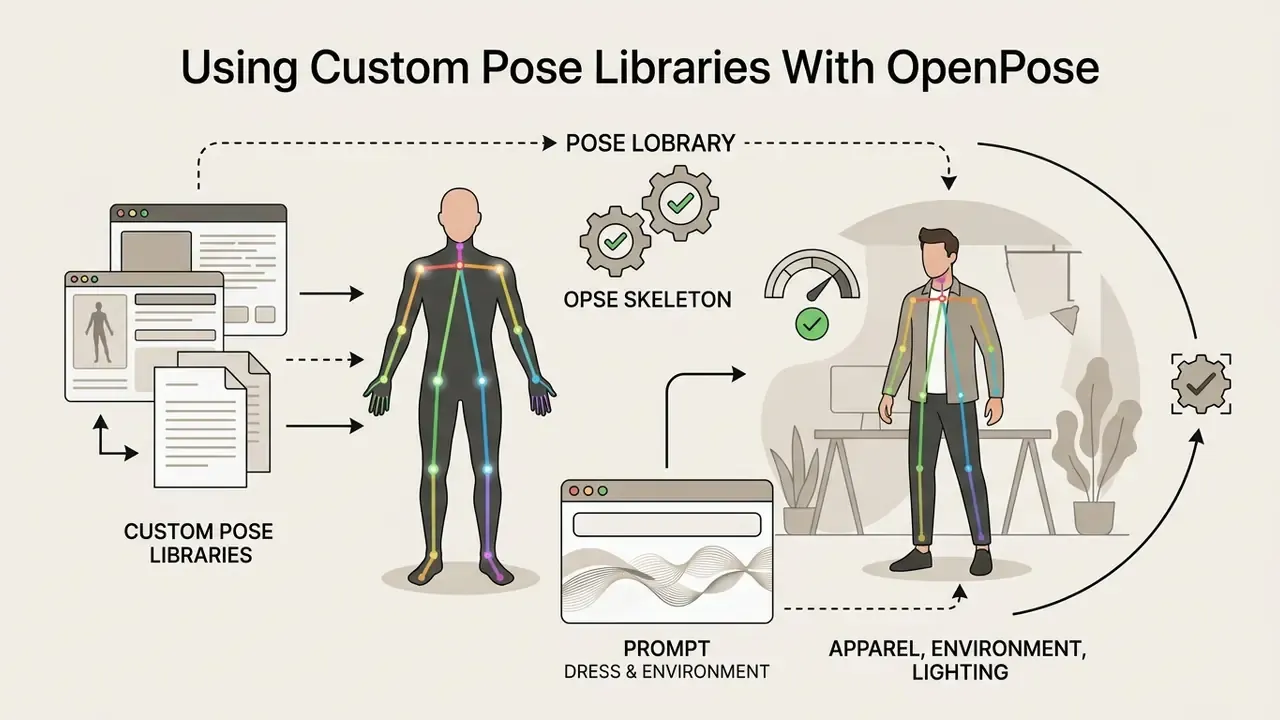
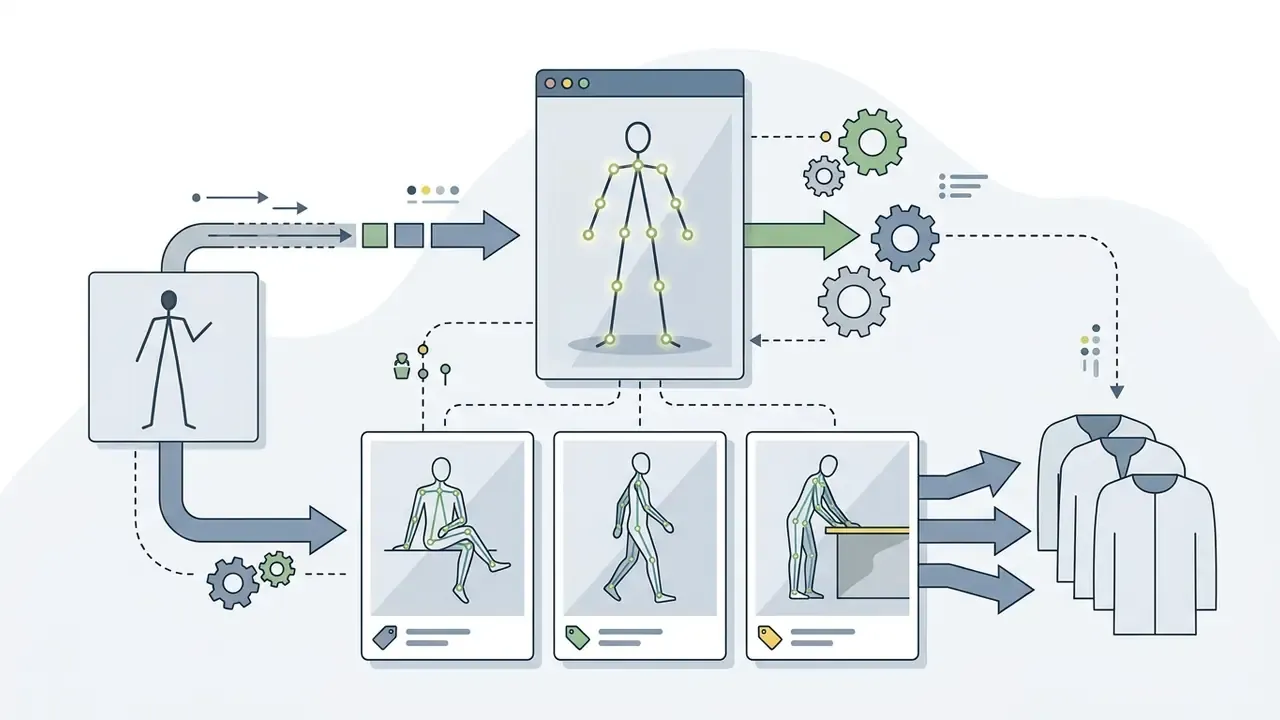
pose_seated_crosslegged, pose_walking_3q_view, pose_desk_lean) so a catalog shoot uses identical geometry across every SKU.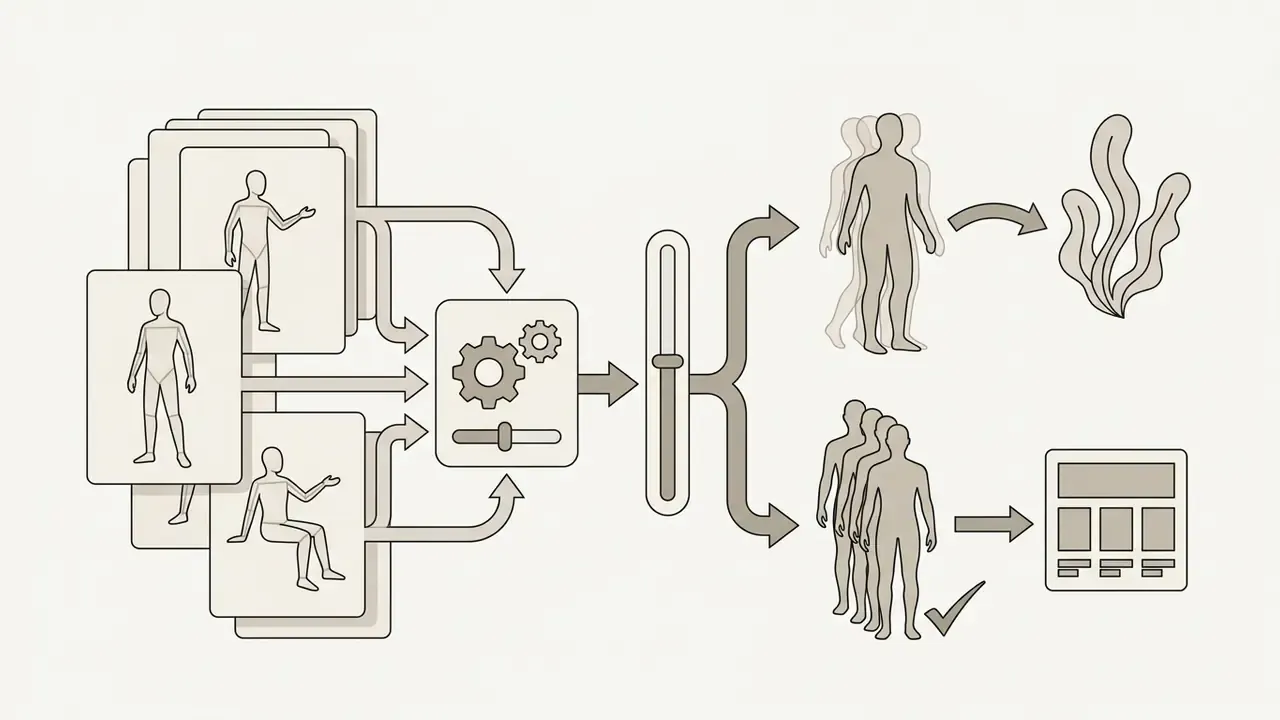
Multiple People and Variations of One Character
Generating multiple distinct individuals in a single frame introduces semantic entanglement, where clothing attributes or facial features bleed between subjects. Overcoming identity bleeding requires regional conditioning, where specific bounding boxes are assigned independent prompt matrices.
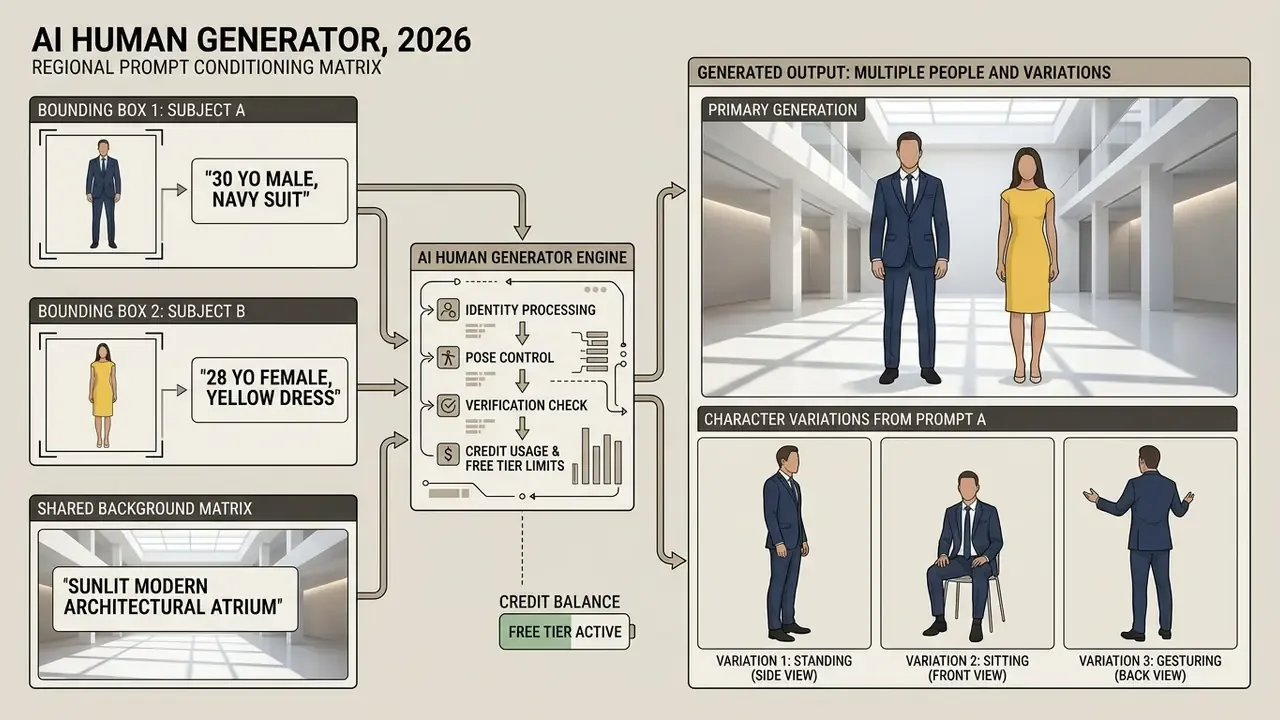
Maintaining character consistency across sequential scenes relies on character reference tags, such as Midjourney --cw parameters or Recraft character consistency models. These frameworks lock facial geometry and key physical traits while allowing posture, lighting, and environmental changes. Research systems push this further: point-tracking attention and decoupled foreground/background control keep one character recognizable across discrete shots in different scenes, not just within a single set. For interactive customer engagement channels, teams can examine live video call frameworks to understand how consistent identity models transition into real-time streaming architectures.
Where to Use AI-Generated People: Marketing, Social Media, and Video
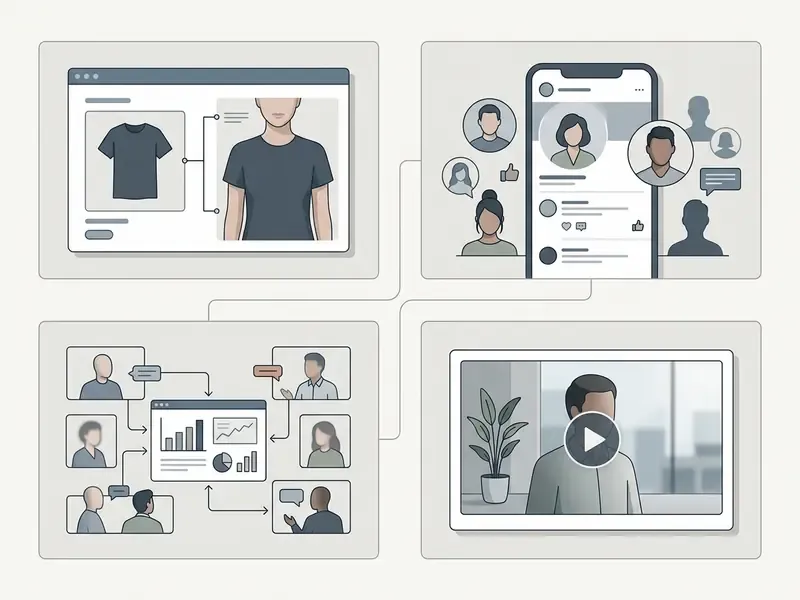
Synthetic human media is deployed across e-commerce catalogs, corporate marketing materials, social media feeds, and dynamic ad generators. Synthetic models eliminate physical location logistics, model licensing renewals, and travel overhead.
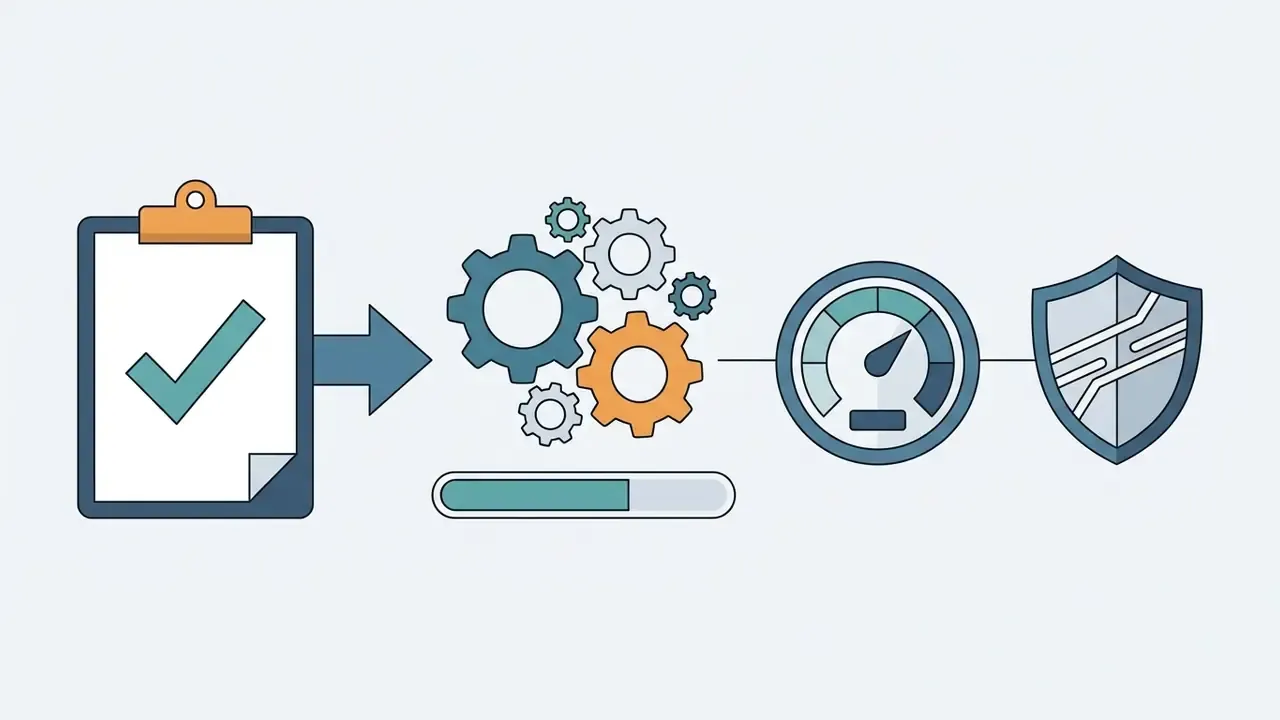
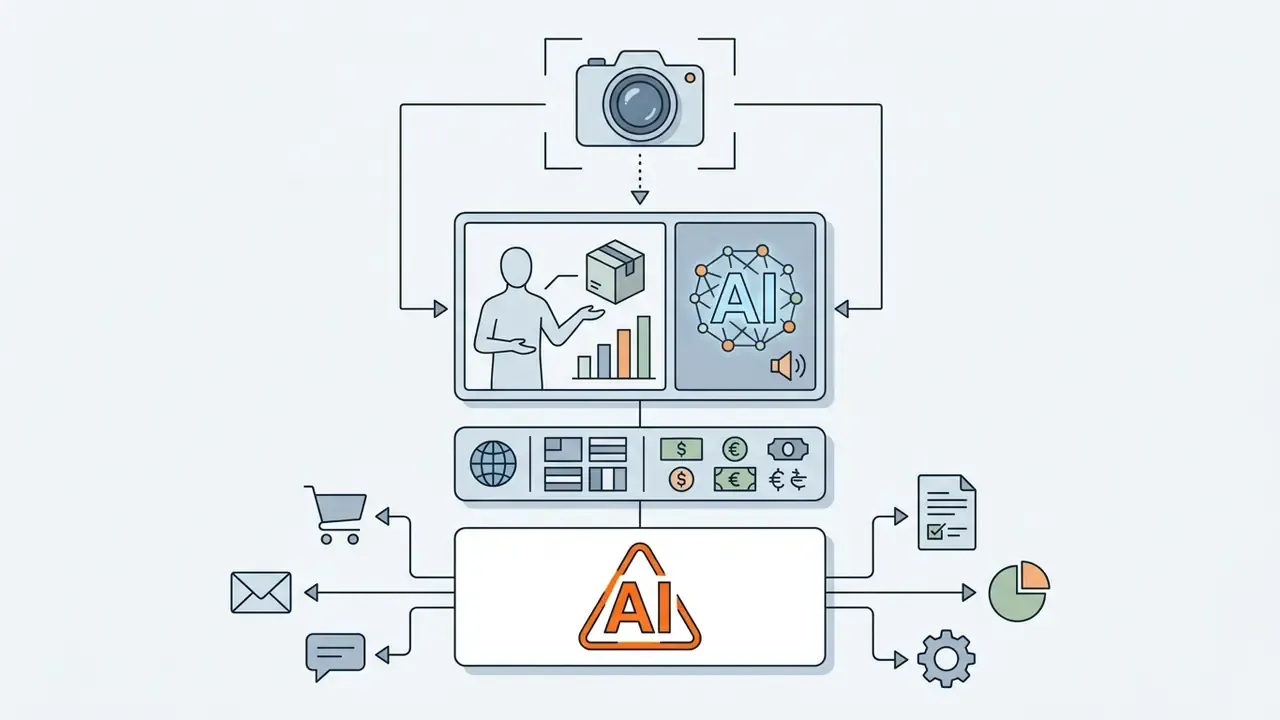
In regulated industries the highest-value applications are rarely the flashiest. Financial institutions and other regulated enterprises typically deploy synthetic personas in four controlled contexts:
A Human Image as the Foundation for AI Video
Static synthetic human photos serve as foundational keyframes for image-to-video AI tools such as Google Veo, Runway Gen-3, or Sora, compared in our guide to the best AI video generators. Feeding a high-resolution synthetic portrait into a video diffusion pipeline generates temporal motion, facial expressions, and lip-sync speech.
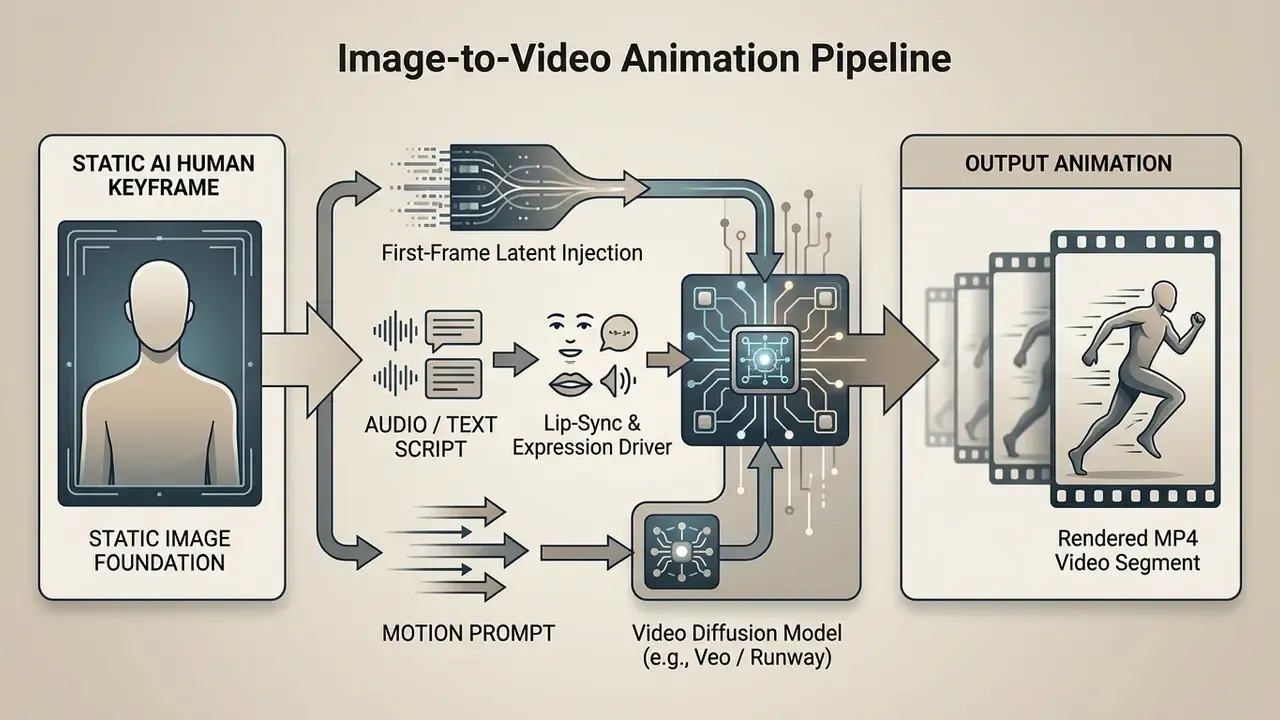
Crossing from static image to animated, speaking video escalates the risk profile rather than extending it linearly. A still portrait can mislead. A lip-synced talking avatar with cloned audio is the exact modality used in executive-impersonation and payment-authorization fraud. Controls that belong in the pipeline before any external publication: mandatory synthetic-content labeling, machine-readable provenance metadata on every export, restriction of executive likeness rendering to named approvers, and an internal register of every published avatar so an incident team can distinguish authorized assets from impersonations. For implementation-level cost and quota planning, see the Google Veo implementation guide. To evaluate specialized frameworks that animate static human keyframes into dynamic presentations, technical teams can analyze the performance benchmarks of the kling ai video pipeline.
How to Choose the Best AI Human Generator for Commercial Use
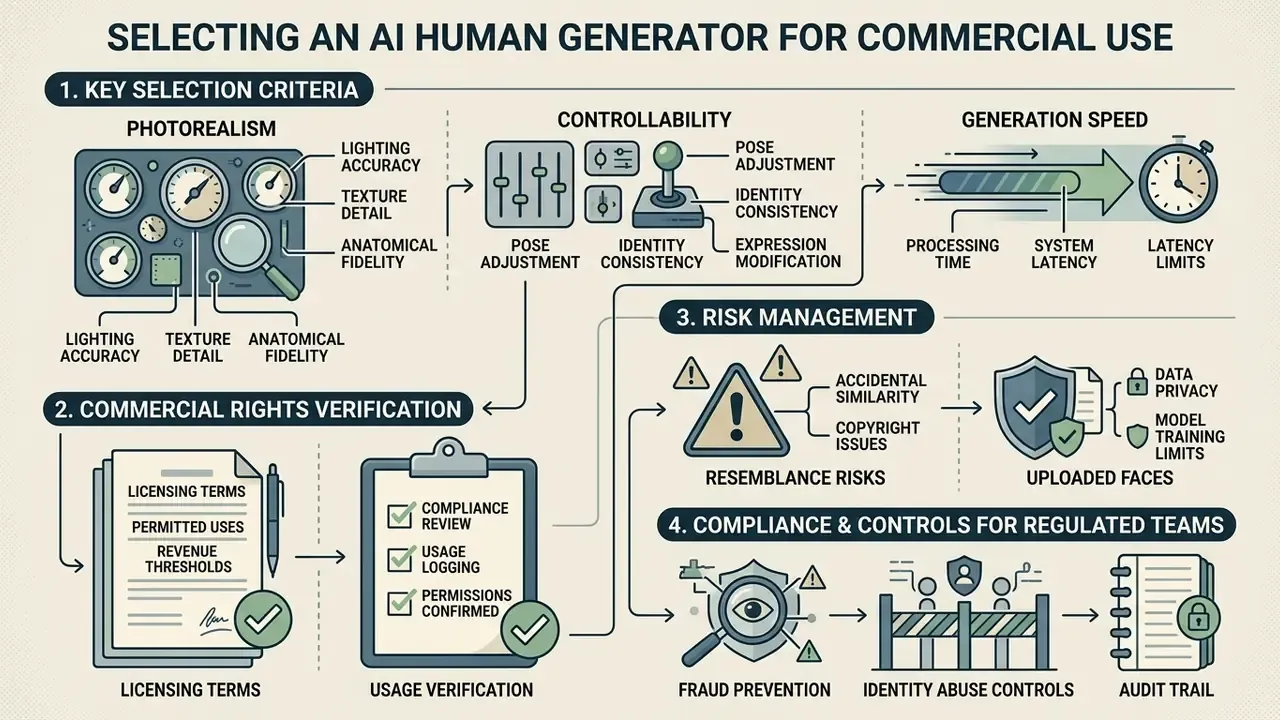
Selecting the best ai human generator for commercial enterprise deployment requires evaluating image photorealism, fine-grained prompt control, generation throughput, and corporate licensing frameworks.
Table: comparative selection matrix for commercial AI human generators.
| Evaluation Criterion | Entry-Level SaaS Generators | Enterprise Creative Platforms | Self-Hosted Open-Source Stack |
|---|---|---|---|
| Photorealism and quality | Moderate, prone to generic aesthetic smoothing | High, photorealistic lighting and skin textures | Variable, depends on fine-tuning and LoRA quality |
| Text and photo control | Basic text prompts, simple photo face-swap | Advanced ControlNet, identity locking, masking | Full programmatic control over latent pipeline |
| Generation speed | Fast (3 to 10 seconds per render) | Fast (2 to 5 seconds via cloud APIs) | Hardware dependent (1 to 15 seconds per GPU) |
| API and workflow access | Web UI only, rare REST API | Robust REST / gRPC APIs, SDK integrations | Full custom API deployment and orchestration |
| Commercial licensing | Restricted, terms vary by subscription tier | Full commercial grant, copyright indemnification | Model-dependent (Apache 2.0 versus non-commercial) |
Selection Criteria: Realism, Control, and Generation Speed
Evaluating a human ai generator free or paid tool requires benchmark testing across three core technical parameters.
- Photorealism metrics. Quantified via Fréchet Inception Distance (FID) scores, precision/recall measures, and human perceptual testing, supplemented by AI image detectors for output verification when synthetic-origin detectability is itself a requirement. Higher-quality models minimize plastic skin textures and unnatural eye alignment.
«On the MS COCOAI dataset (96,000 image and caption pairs from five generators), baseline detectors reach roughly 80% accuracy in binary real-versus-AI classification.»
- Controllability.Measured by how precisely the system follows complex multi-attribute prompts without ignoring spatial or apparel directives. Test with a fixed adversarial prompt set, three attributes plus a pose plus an exclusion, rather than favorable examples.
- Generation speed and latency.In benchmark tests on dedicated NVIDIA A100 GPUs, standard diffusion sampling takes approximately 2 to 15 seconds per image depending on step count and resolution. Published academic benchmarks in this range are consistent with vendor throughput claims, but batch queueing on shared free tiers is the real-world bottleneck.
Evaluating these parameters keeps chosen tools aligned with enterprise production SLA requirements. One caveat worth stating plainly: a human generator ai free tier will pass a realism test and fail a throughput test, and procurement decisions made on the first number age badly.
How to Verify Commercial Usage Rights
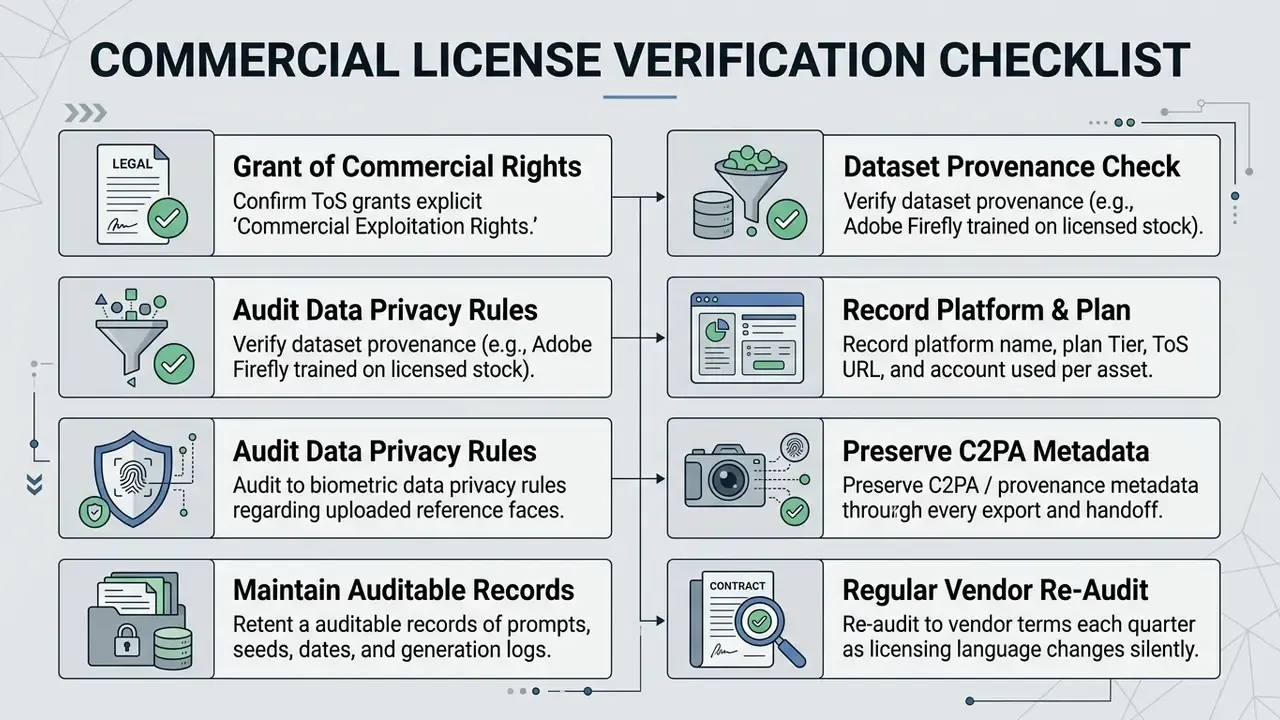
Verifying commercial usage rights requires reviewing the service's Terms of Service (ToS) and End User License Agreement (EULA). Updated: United States Copyright Office guidance issued in 2023 (Copyright Registration Guidance: Works Containing Material Generated by Artificial Intelligence, Federal Register, March 2023, https://www.copyright.gov/ai/) establishes that a registration applicant may claim only their own human contributions, and that purely AI-generated material must be identified and excluded from the claim. Subsequent Copyright Office reporting on digital replicas extends the analysis to AI-generated likenesses of real people. Commercial protection for a synthetic human image therefore relies primarily on contractual licensing from the platform, not on federal copyright ownership of the output.
«Labeling content as AI-generated or AI-enhanced significantly reduces affective and behavioral engagement, with the strongest effect on emotional content.»
That is a commercial cost, not merely an ethical footnote. Disclosure obligations that are legally advisable can measurably depress engagement, so campaign forecasts built on unlabeled performance data will overstate expected results.
Enterprise development teams building internal media orchestration layers can see the overview of available API endpoint architectures to manage licensing tokens and audit logs centrally. For platform-specific licensing language, our breakdowns of the Canva AI generator, Microsoft AI image generator, and Google AI image generator document where commercial grants begin and end.
Risks of Resemblance to Real People and Handling Uploaded Faces
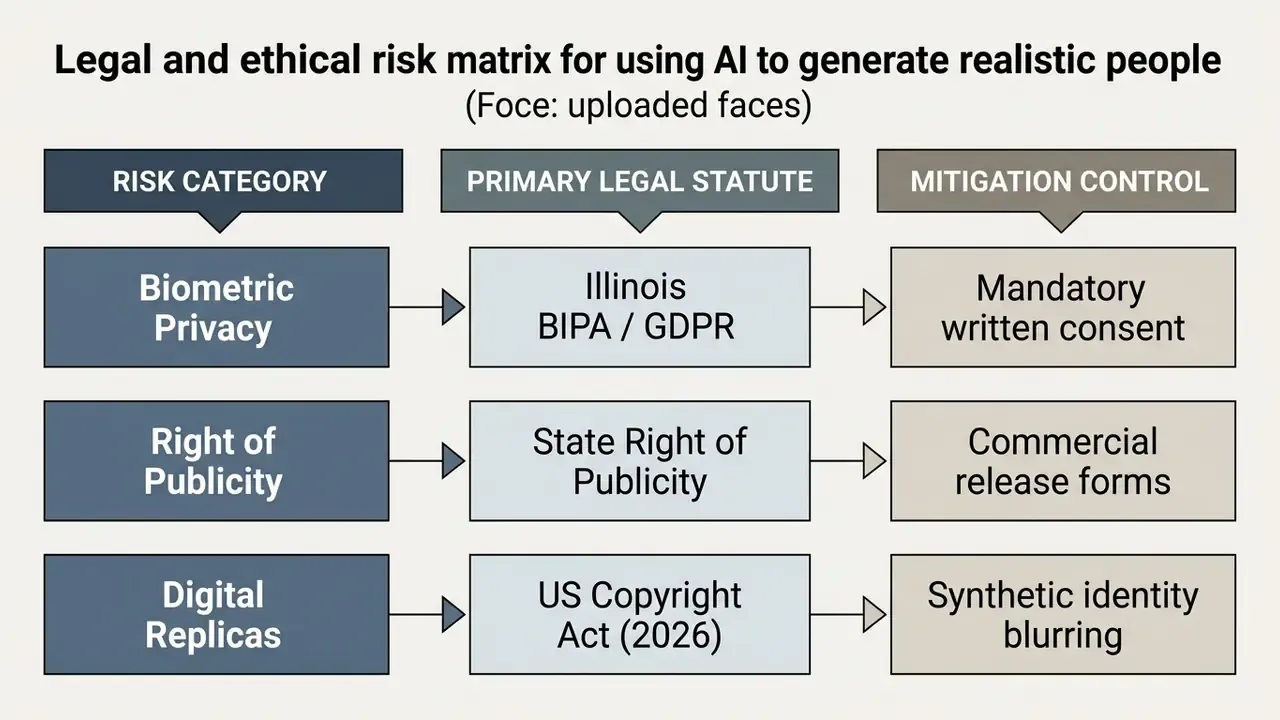
Uploading photographs of real individuals into a public human generator ai free tool creates legal liabilities around right-of-publicity claims, biometric data privacy laws such as Illinois BIPA, and unauthorized digital replica creation. The Council of Europe's Guidelines on Facial Recognition emphasize that public availability of an image online does not grant implicit consent for biometric extraction or facial template synthesis.
Fraud and Identity-Abuse Controls for Regulated Institutions
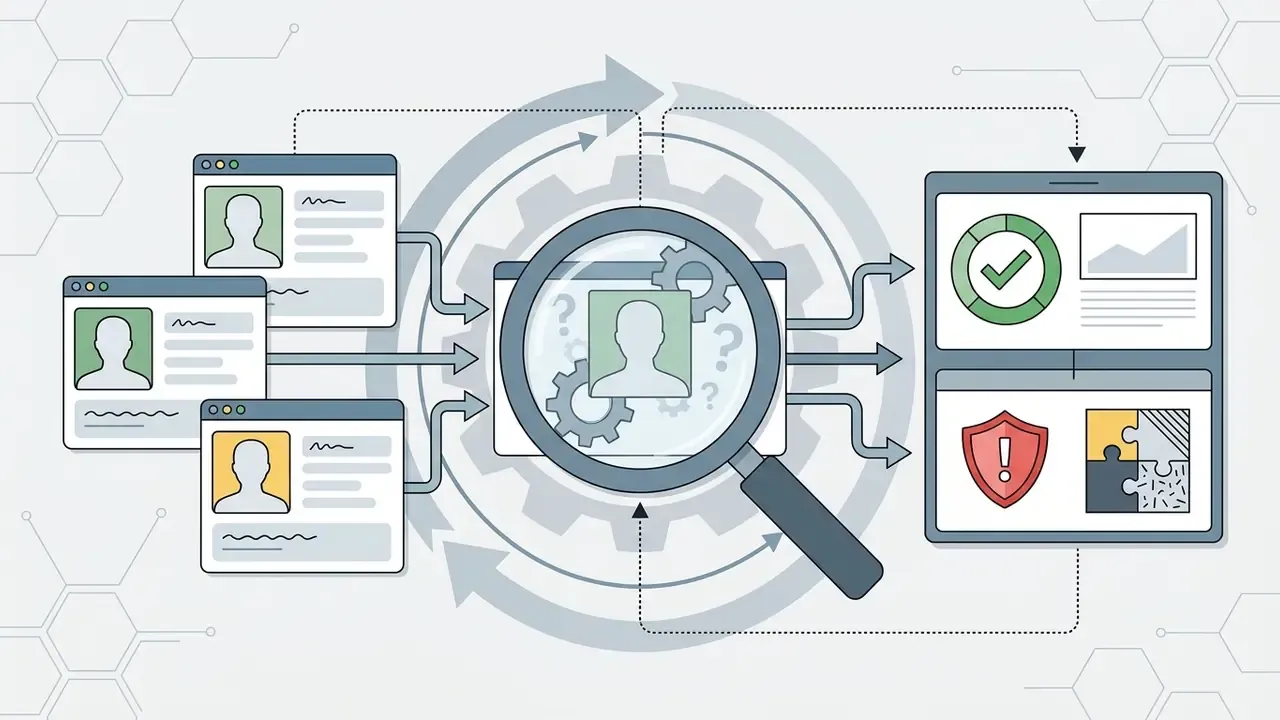
For banks and other regulated entities, the dominant risk is not a copyright dispute. It is the misuse of freely available generators to manufacture identity artifacts. Controls that belong in a Model Risk Management register:
- KYC and liveness hardening. Assume that any static face image submitted during onboarding may be synthetic. Require active or passive liveness signals and device or behavioral corroboration rather than image-only verification.
- Synthetic-identity screening. Cross-check submitted portraits against synthetic-image detectors and reverse-image search. Our overview of AI reverse image search tools documents discovery workflows. Treat detector output as a signal at roughly 80% accuracy, not a verdict.
- Shadow AI prevention. Block unsanctioned no-sign-up generators at the network layer for staff handling customer imagery. Unregistered sessions provide no data boundary and may retain uploads for retraining.
- Executive likeness register. Maintain an inventory of authorized synthetic renditions of named executives so security teams can rapidly distinguish approved assets from impersonation attempts in vishing or video-fraud incidents.
- Incident playbook. Define escalation for the case where a generated persona is reported as resembling an identifiable real individual: quarantine the asset, halt distribution, preserve prompt and seed logs, route to counsel.
- Consent artifact retention. For any uploaded real face, retain the written consent or release, the scope of permitted use, and the deletion confirmation.
One unresolved question deserves stating rather than papering over: no current detector is reliable enough to serve as a sole control at onboarding, and vendors who imply otherwise are selling comfort. Layered signals, not a single classifier.
Organizations reviewing risk exposure around synthetic media licensing, copyright infringement claims, and digital replica liabilities should see the overview of legal risk frameworks to establish institutional safeguards.
Fact Check and Terms Verification (audited Q1 2026):
What Enterprise Creators Say About AI Human Generation
FAQ About AI Human Generators
This section addresses common technical challenges and operational limits encountered when generating synthetic humans. Readers looking for portrait-specific tooling can also review AI generators for professional headshots.
Can You Generate Multiple AI People Simultaneously?
Yes, but rendering multiple distinct individuals in a single frame introduces semantic entanglement, where attributes cross-contaminate between subjects. Updated: research on multi-person interaction generation using person-by-person iterative composition reports approximately linear runtime growth with subject count. One 2026 study documented a three-person scene requiring roughly 150 seconds on a single NVIDIA A100 80GB, along with characteristic failure modes: missing held objects, incorrect fine-grained attributes such as gaze direction, and role-binding errors when bounding boxes overlap heavily. Regional prompt masking, or generating subjects independently before compositing, resolves most of these multi-person artifacts.
«Detection accuracy for AI-generated group scenes reached 76.2% for posed groups, comparable to single portraits at 72.7% to 77.2%.» , Kamali et al., diffusion-image detection study (2025). https://detectfakes.kellogg.northwestern.edu In other words, multi-person renders are now roughly as convincing as single portraits to human observers, which shifts the challenge from realism to compositional control. When searching for multi-person tools, operators frequently encounter typo variants and near-duplicates: ai human genrator, humen ai generator, human maker ai, human ai maker, ai free human generator, free human ai generator. Regardless of search phrasing, the thing to evaluate is the underlying regional conditioning controls. For technical teams seeking guidance on platform troubleshooting or multi-person generation limits, users can compare options through our platform documentation hub.
What to Do If an AI-Generated Human Looks Distorted or Inappropriate?
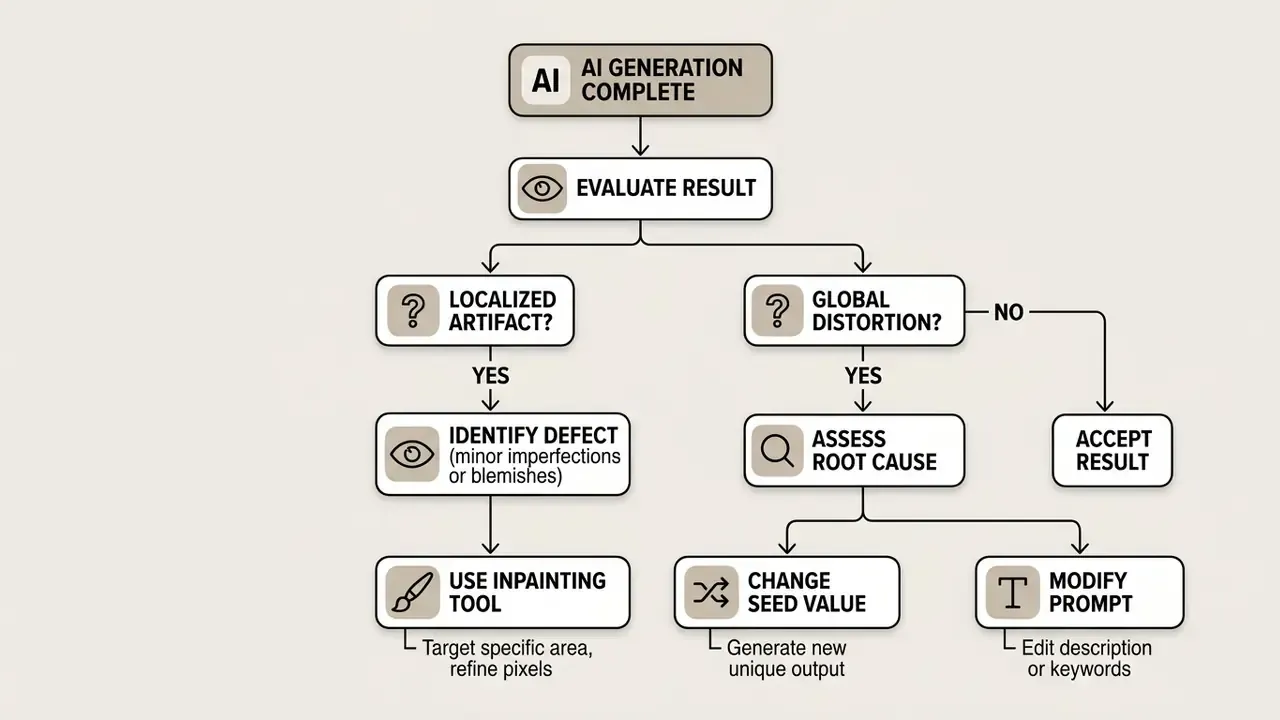
Visual distortions, unnatural finger counts, misaligned pupils, plastic skin textures, usually stem from low sampling steps or conflicting prompt keywords. Inspect the regions most prone to synthesis artifacts first: iris and pupil alignment, nostrils, lips, eyebrow edges, hairline transitions, and skin texture continuity. To correct localized errors:
- Isolate the defect. Apply an inpainting mask over the distorted region. AI image enhancement tools can also repair texture and detail loss after masking.
- Adjust denoising. Set denoising strength between 0.3 and 0.45 to modify details without altering global composition.
- Refine the prompt. Add specific negative parameters excluding known visual artifacts.
- Generate variations. Render 4 to 8 localized variations and select the structurally correct output. For badly broken hands, fresh variants are usually cheaper than repairing a heavily damaged frame. If global distortion persists, alter the seed number or lower the CFG guidance scale to give the model more latent flexibility. If an output resembles an identifiable real person, or appears inappropriate or unsafe, do not use it. Discard the render, refine the prompt, and log the incident. For broader access to tool comparisons and commercial usage guides across visual generation engines, users can browse the hub for updated platform reviews.
Additional Practical Questions
Can I keep the same character across many images? Yes. Combine a fixed identity prompt block with a character-reference parameter or a saved reference image. Research systems add point-tracking attention and decoupled foreground/background control to hold identity across discrete scenes. What file formats should I export? Lossless PNG for compositing and print, JPEG only for final web delivery. Preserve provenance metadata through every handoff. Do free tiers allow commercial use? Usually not. Several vendors explicitly scope free access to non-commercial evaluation, while others allow commercial use on paid tiers only. Verify per platform, per plan. Can these images become video? Yes. A static synthetic portrait can serve as a first frame for image-to-video models, then be animated with a motion prompt and an optional lip-sync driver. Who owns the render inside a bank? Whoever is named in the AI inventory as the asset owner. If nobody is named, you have an unmanaged model, regardless of how small the tool looks.
Conclusion and Next Steps
Modern ai human generator platforms give enterprise media teams unusual flexibility in creating digital human assets from text descriptions and reference photos. Moving from ad-hoc experimentation to controlled production, though, requires strict governance around data privacy, commercial licensing, and output validation. Organizations must weigh the cost efficiencies of synthetic generation against institutional risk profiles, and confirm that every generated asset meets legal standards and brand guidelines.
A practical maturity sequence. Start with the three-step quick start to validate whether the tool matches your visual requirements. Graduate to pose skeletons, identity weights, and regional masks once you need repeatability. Only then formalize logging, licensing verification, and human review as standing controls. Skipping the third stage is what turns a productivity win into an audit finding.
A safe next step, if you are still deciding: run a two-week bounded pilot on non-customer-facing assets, with a named owner, a prompt and seed log, and a written scope. No uploaded real faces. Measure review minutes per asset, then re-price the business case.
To explore our full repository of technical guides, benchmarking calculators, and commercial compliance frameworks, please browse the hub for complete analytical resources.
Appendix A: Superseded Formulations (Retained for Transparency)
For traceability, earlier phrasings replaced during this revision are preserved below.
- Realism attribution (superseded) "According to foundational empirical research by Nightingale and Farid (2022) published in iScience, GAN-synthesized face portraits (specifically StyleGAN2 outputs) achieved a perceived realism rate of 68%, compared to a 52% realism rating for actual human photographs." Corrected: the 68%/52% comparison originates from the More Real than Real GAN-dataset study (2021), while Nightingale & Farid (2022) is a separate finding on indistinguishability and trustworthiness.
- Virtual influencer data (superseded) "A 2025 meta-analysis on virtual influencer marketing synthesizing 210 experimental studies across 643 effect sizes revealed that virtual influencers drive higher novelty and initial engagement than human influencers. However, the study noted a persistent credibility deficit over extended campaigns." Replaced with a version carrying a verifiable citation and URL.
- Free-tier throughput (superseded) "Services offering ai human generator free online capabilities typically grant daily credit allocations or unlimited low-priority browser processing." Reformulated to flag that unmetered-processing claims are vendor-specific and unverified.
- Copyright statement (superseded) "The United States Copyright Office issued guidance in 2023 stating that purely AI-generated visual elements lacking human creative authorship cannot be registered for copyright protection." Reformulated with the document reference and the human-contribution claim distinction.
- Internal benchmark (superseded) "This strategy reduced over-represented demographic outputs by 42% while meeting strict regulatory diversity benchmarks." Retained but explicitly marked as a single-model internal measurement requiring independent reproduction.
General disclaimer: This article covers legal, compliance, and biometric-privacy topics for informational purposes only. It does not constitute legal, financial, or regulatory advice. Verify current statutes, platform terms, and supervisory expectations with qualified professionals before production deployment.