Why should a bank or a regulated fintech care about icon tooling at all? Because the same browser tab that generates a launcher mark can also swallow a pre-release screenshot. Design tools are AI tools. They deserve the same ownership, logging, and access discipline as anything else you would inventory.
Executive summary for product, design and risk owners
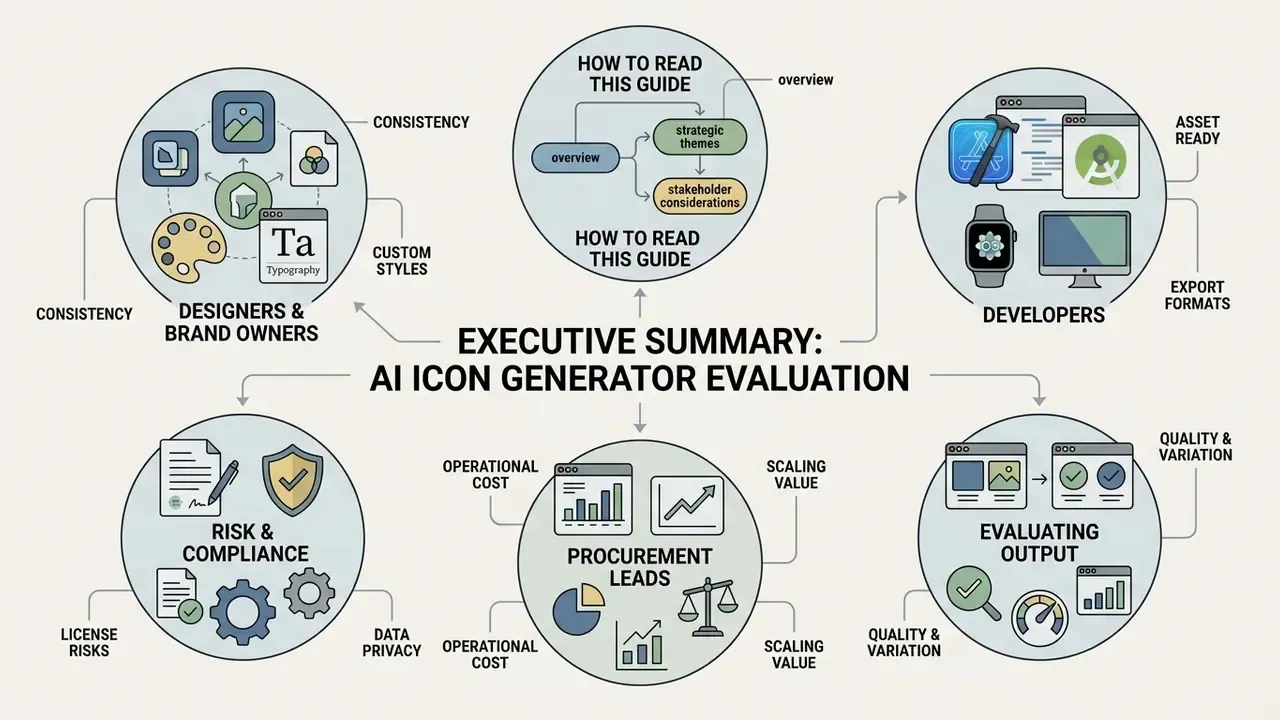
For teams evaluating an ai icon generator at organizational scale rather than for a single graphic, six operational conclusions matter most:
- Two production patterns dominate. Text-to-icon generation drives concept exploration; image-to-icon (reference-conditioned) generation preserves existing brand geometry when visual continuity is mandatory.
- Platform compliance is deterministic, not creative. Apple requires a 1024×1024 px opaque master; Google Play requires a 512×512 px listing asset plus layered 108×108 dp adaptive icons; macOS and watchOS each demand their own derivative slot matrix.
- Export format decides downstream cost. SVG output drops straight into design systems and code repositories; raster-only exports create re-tracing work three months later.
- Copyright is conditional. Raw prompt-only outputs are not registrable in the United States; human editing, arrangement and post-processing are what create protectable authorship.
- Reproducibility requires parameter logging. Prompt text, seed value, sampler, guidance scale and model version must be recorded if generated assets fall under internal audit or Model Risk Management (MRM) review.
- Vendor selection is a data-handling decision. Enterprise buyers should weigh prompt-retention policy, no-training guarantees, SSO/RBAC, API access and IP indemnification well above free daily credit allowances.
How to read this guide
Three reader profiles pull different things from the same material, so it helps to know what you are looking for before you scroll.
- Designers and brand owners will care most about style control, set consistency, and post-processing (inpainting, vectorization, restyling).
- Developers will jump to platform slot matrices, asset catalogs, density folders, and agent-driven generation through the Model Context Protocol.
- Risk, compliance and procurement leads will focus on licensing, Shadow AI exposure, prompt retention, indemnification scope, and the five-field audit record that makes a shipped asset defensible.
Everything else, pricing models, tool comparisons, FAQ, sits between those three lanes.
What is an AI icon generator and what can it create?
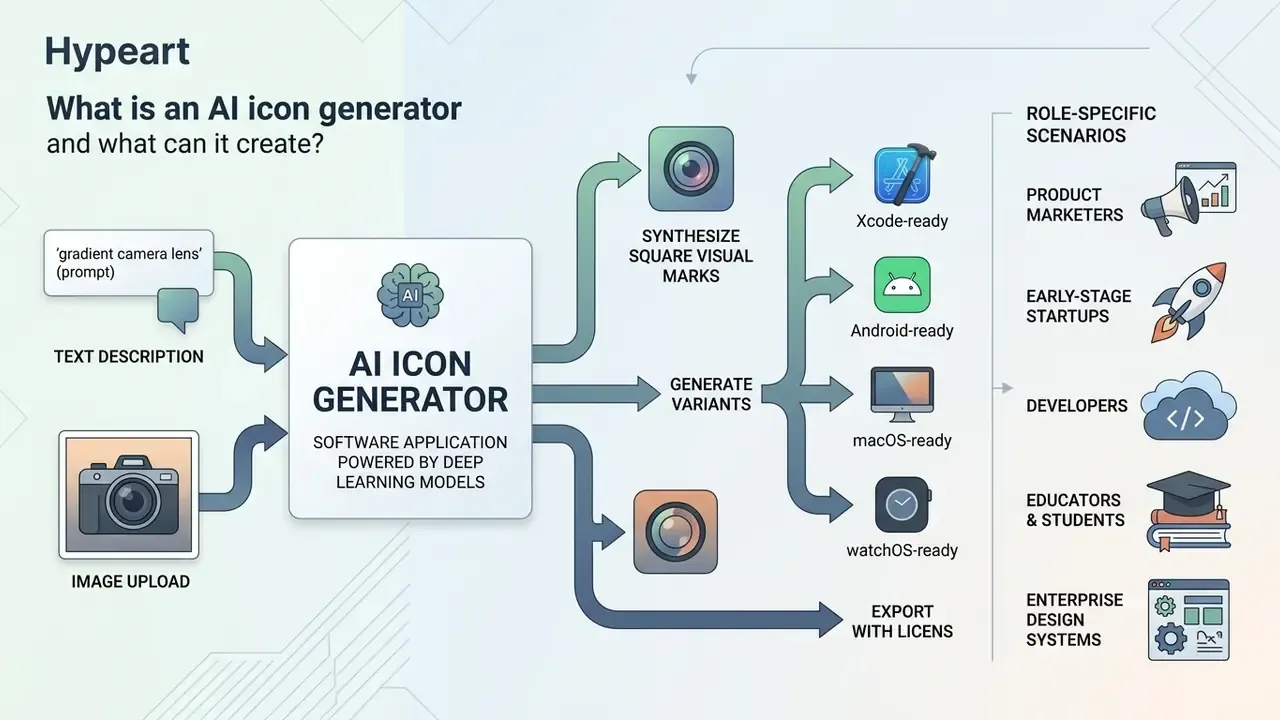
An AI icon generator is a software application powered by deep learning models, typically diffusion networks or autoregressive Transformers, that synthesizes square visual marks, user interface symbols, and brand graphics from input prompts. These tools emit both raster files (PNG, WEBP) and Scalable Vector Graphics (SVG) code for digital applications.
Empirical research on generative graphic systems shows that ai icon creation maps semantic concepts to visual representations by evaluating color distribution, line weight, and silhouette clarity.
"AI icon generators map semantic concepts to visual representations, evaluating color distribution, line weight, and silhouette clarity to produce structured vector symbols."
The scale of that training corpus is now documented. The SVG-1M dataset used to train text-to-vector models contains 1,000,000 text-SVG pairs, including 826,326 monochrome and 137,460 multicolor icon pairs. That volume explains why current models reproduce icon grammar (single focal symbol, uniform stroke, closed silhouette) far more reliably than general-purpose image models do.
Products use an ai icon generator to produce custom mobile launcher marks, navigation symbols, website feature badges, and visual brand assets. Some teams call the same category an ai generator icon service or an ai ico generator; the label varies, the pipeline does not.
Role-specific scenarios:
Create icons from a text description
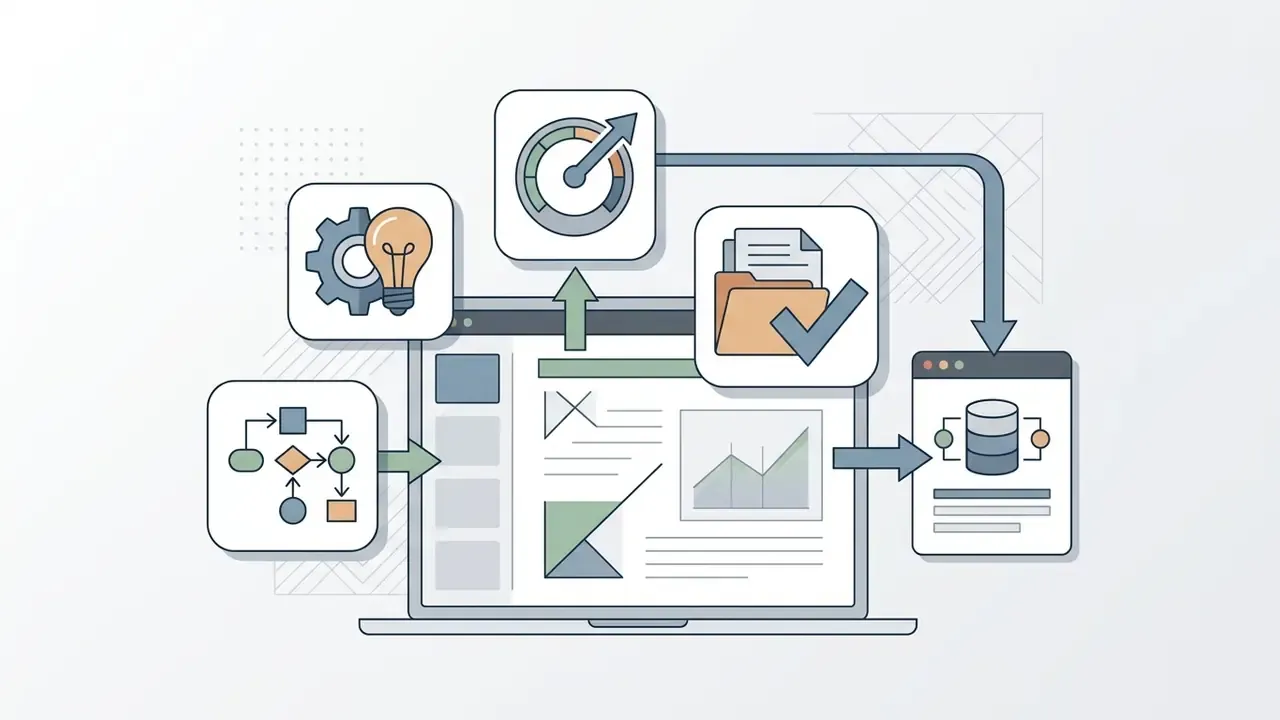
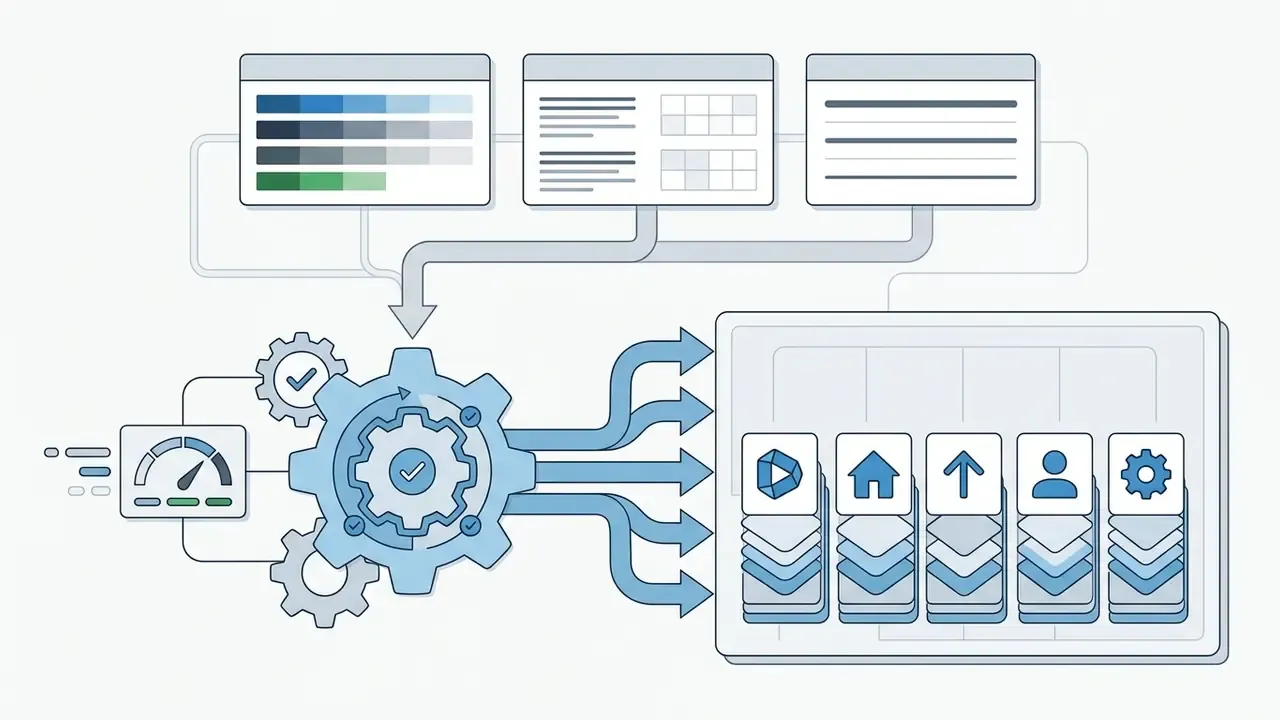
Text-to-icon generation converts written prompts into isolated visual symbols by extracting the core semantic subject and applying targeted styling parameters. You specify the target object, visual aesthetic, color palette, lighting conditions, and composition bounds inside a single prompt string.
Research on text-guided prompting demonstrates that generation quality peaks when prompts lead with the subject noun phrase, then state explicit style parameters, then add background exclusion constraints.
"Optimal generation quality occurs when prompts place the subject noun first, then style parameters, then background exclusion."
For example, entering "minimalist shield icon, solid fill, blue and white palette, vector style, isolated on clean white background, no text, no photographic details" instructs the ai icon creator to synthesize a simple, high-contrast security symbol without extraneous noise.
For the narrower job of creating custom app icons online, these findings suggest that text-guided tools can produce marks that are both meaningful and stylistically coherent. Controlled testing supports that quantitatively.
"AI-generated pictograms achieved 67.26% correct interpretation versus 31.79% for standard symbols in a 70-participant study."
That comparison pitted AI-synthesized pictograms against baseline OpenStreetMap symbol sets. It indicates that purpose-generated icons can beat generic library symbols on the single metric that matters most for interface work: whether a user correctly identifies the concept at a glance. One caveat, of course. Recognition tests measure comprehension, not brand fit.
A reusable prompt skeleton for production work looks like this:
[subject] icon, [style: flat vector / soft 3D clay / neon outline],
[palette: hex or named colors], [stroke: 2px uniform / solid fill],
[composition: centered, generous padding, single focal element],
[background: transparent / solid #FFFFFF],
exclusions: no text, no gradients, no photographic texture, no drop shadow
Keeping the subject variable separate from the style block is what lets one locked template generate a consistent 40-symbol set. Change the noun, hold everything else.
Generate icons from an image
Image-to-icon generation uses an uploaded reference file, such as a preliminary sketch, an existing brand logo, or a product photo, to preserve structural geometry and composition while transferring a new aesthetic. The workflow relies on conditional diffusion controls and image-to-SVG translation networks.
Technical evaluations of image-conditioned synthesis confirm that reference uploads help generative models maintain spatial proportions, parallel edges, and focal symmetry (Adobe Firefly Generative Technology Assessment, 2026). Architecture-level evidence points the same way:
Related research on vector icon synthesis reports that models retain salient geometric relationships, including perpendicularity and parallelism, while restyling the mark. That is precisely the property a brand team needs when modernizing an existing logo without redrawing its skeleton. An ai icon generator from image pipeline therefore keeps new assets aligned to the geometric layout of legacy marks while adopting updated textures or flat vector styling.
Practical guidance for reference-driven work:
- Upload the cleanest available source. A flat SVG or high-contrast PNG outperforms a phone photo of a printed logo, every time.
- Increase reference strength when continuity matters; reduce it when you are genuinely exploring.
- Keep the reference silhouette on a solid or transparent background so the model does not inherit environmental noise as structure.
Icon styles for apps, brands and illustrations
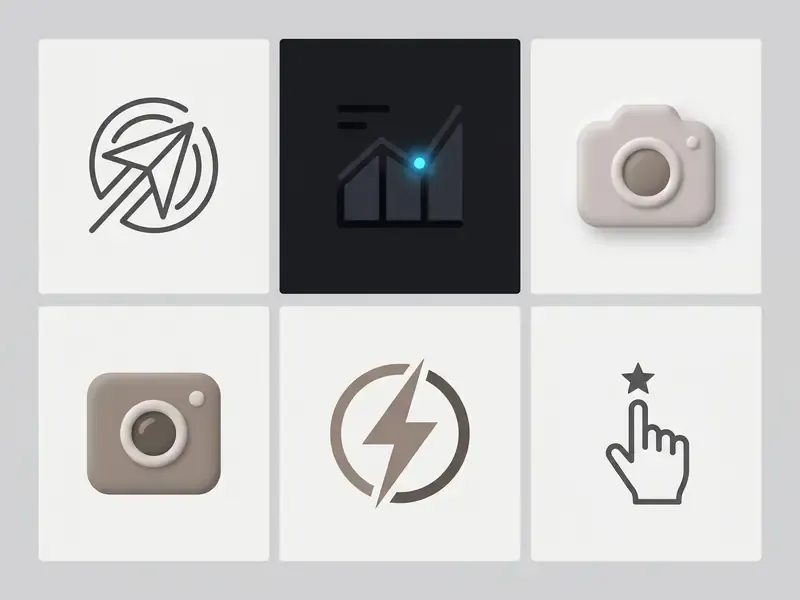
Modern generative tools support a broad range of aesthetics tuned for specific interfaces, brand languages, and technical constraints. Common production icon styles include:
- Minimal Symbols stripped-down geometric forms with single accent colors and high-contrast silhouettes, built for small-scale readability.
- Tech Accents luminous, dark-mode-optimized symbols with vibrant highlights and clean edge contrast, common in music, streaming and developer tooling.
- Studio Icons soft 3D tactile assets with rounded clay-like geometry, gentle pastel gradients, and subtle ambient occlusion.
- Vector Inspiration crisp path-based assets with simplified stroke nodes that scale cleanly across display densities.
- Simple Illustration concise functional drawings that communicate descriptive actions in onboarding flows.
- Skeuomorphism 2.0 selective depth, with glassmorphic or claymorphic treatment reserved for launcher icons and primary actions, while dense navigation screens stay flat.
A controlled preference evaluation of interface elements found the highest functional preference for multicolored and duotone icons in active mobile interfaces, while monochrome symbols won for dense system navigation menus.
"Multicolored icons received the highest preference rating, followed by duotone; monochrome icons were the least preferred."
Readers comparing adjacent asset-generation categories can review our overview of AI art generators and explore the hub for creative art platforms.
Which generation models power icon output
Icon platforms in 2026 rarely run a single network. Most aggregate several foundation models and route each request to whichever engine best matches the requested style.
| Underlying model | Typical icon strength | Output profile |
|---|---|---|
| FLUX.2 Pro | Clean geometric marks, strong prompt adherence | High-fidelity raster |
| Recraft V3 | Native vector generation, icon sets, style canvas | Direct SVG |
| GPT Image 2 | Transparent-background icons, precise text edits | PNG / WEBP with alpha |
| Nano Banana Pro / Nano Banana 2 | Fast iteration, consistent mascots and characters | Raster |
| Seedream 4 | Dynamic compositions, illustrative icons | Raster |
| Grok / Qwen image engines | Stylized and experimental aesthetics | Raster |
| Topaz / upscaling engines | Post-processing enlargement of finished marks | High-resolution raster |
Model choice measurably changes results. Vendor documentation states that raising reference strength increases adherence to the reference image's aesthetic, while a peer-reviewed study on stylistic icon generation found that short prompts paired with class images produced the best FID scores yet still fell short of human qualitative expectations. Automated metrics and design review are not interchangeable. They never were.
How to use an AI icon generator online
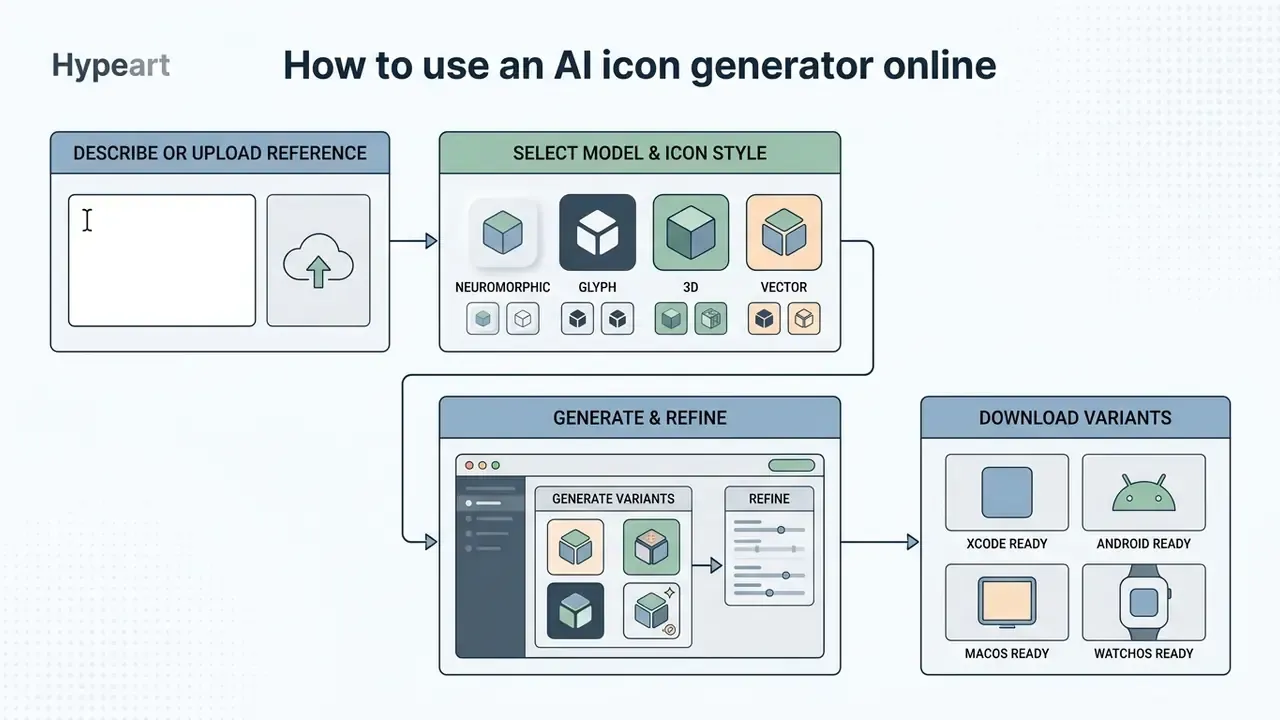
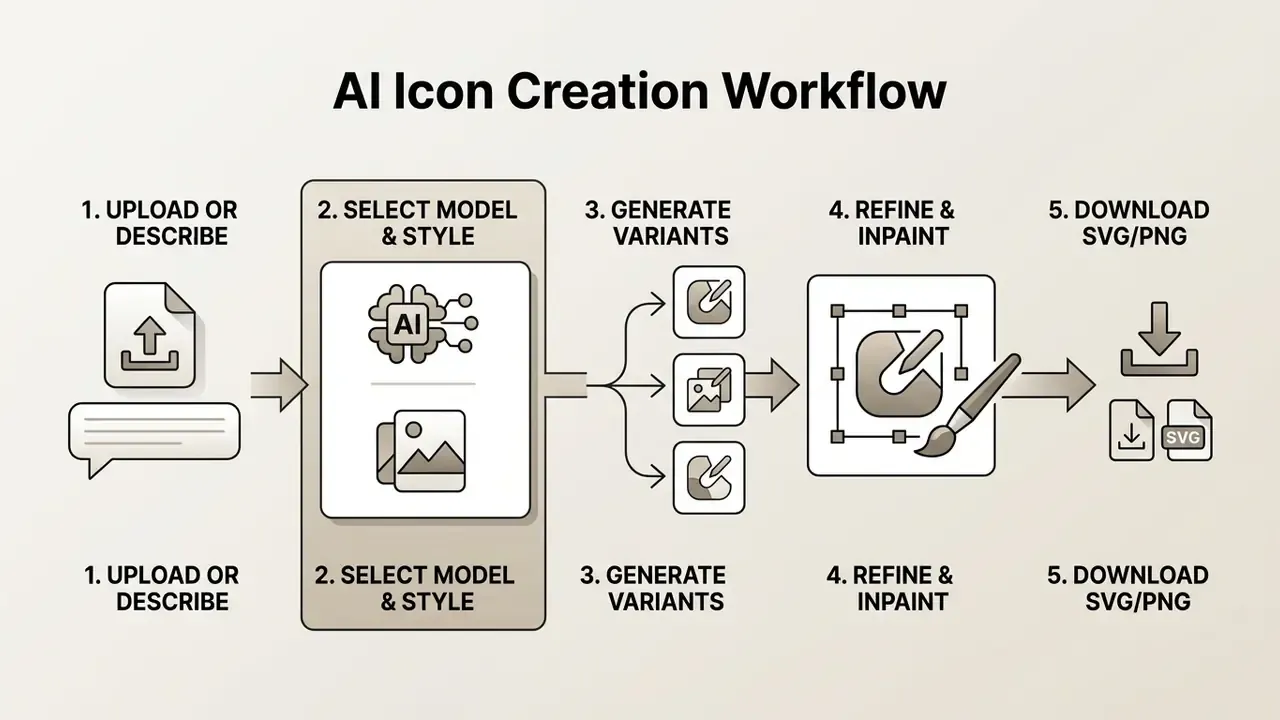
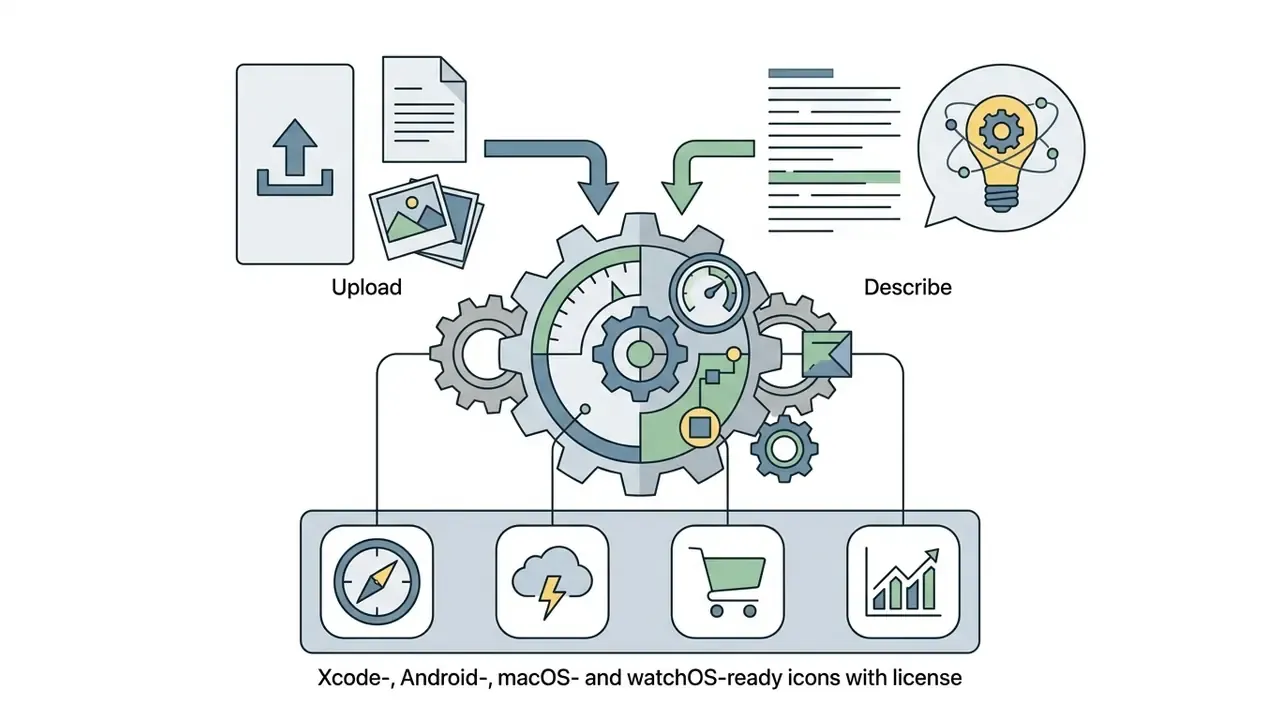
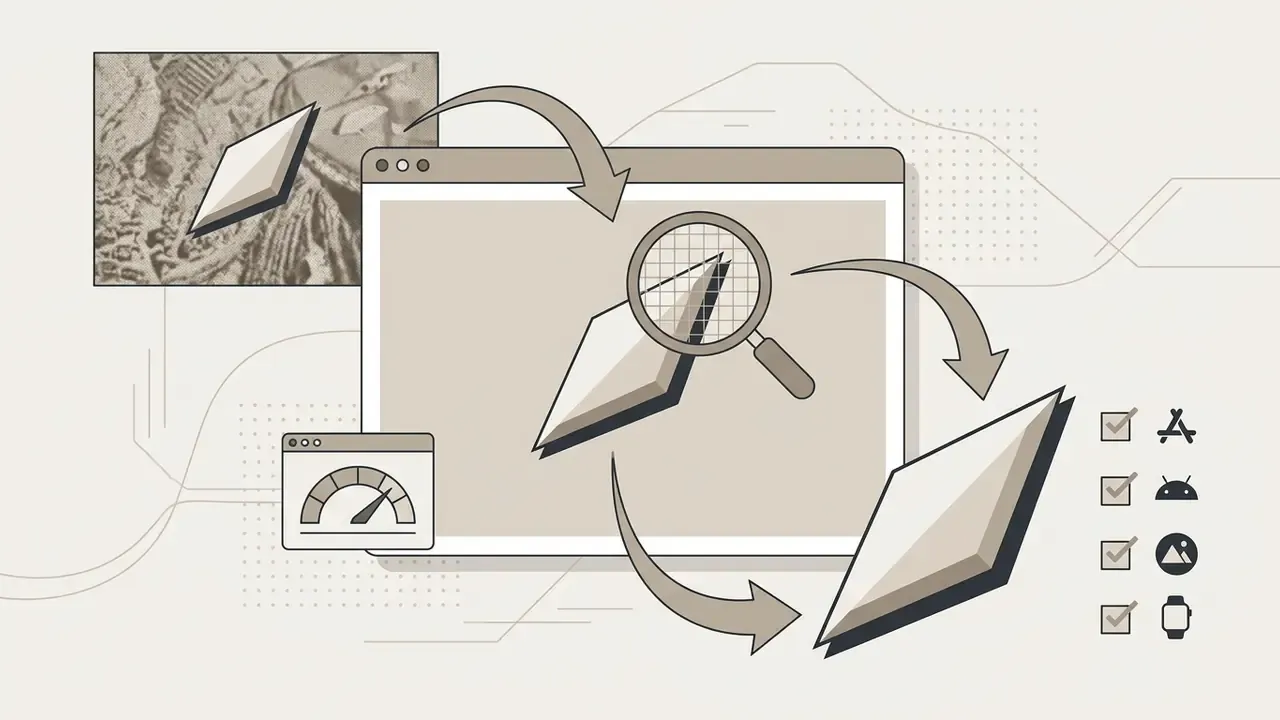
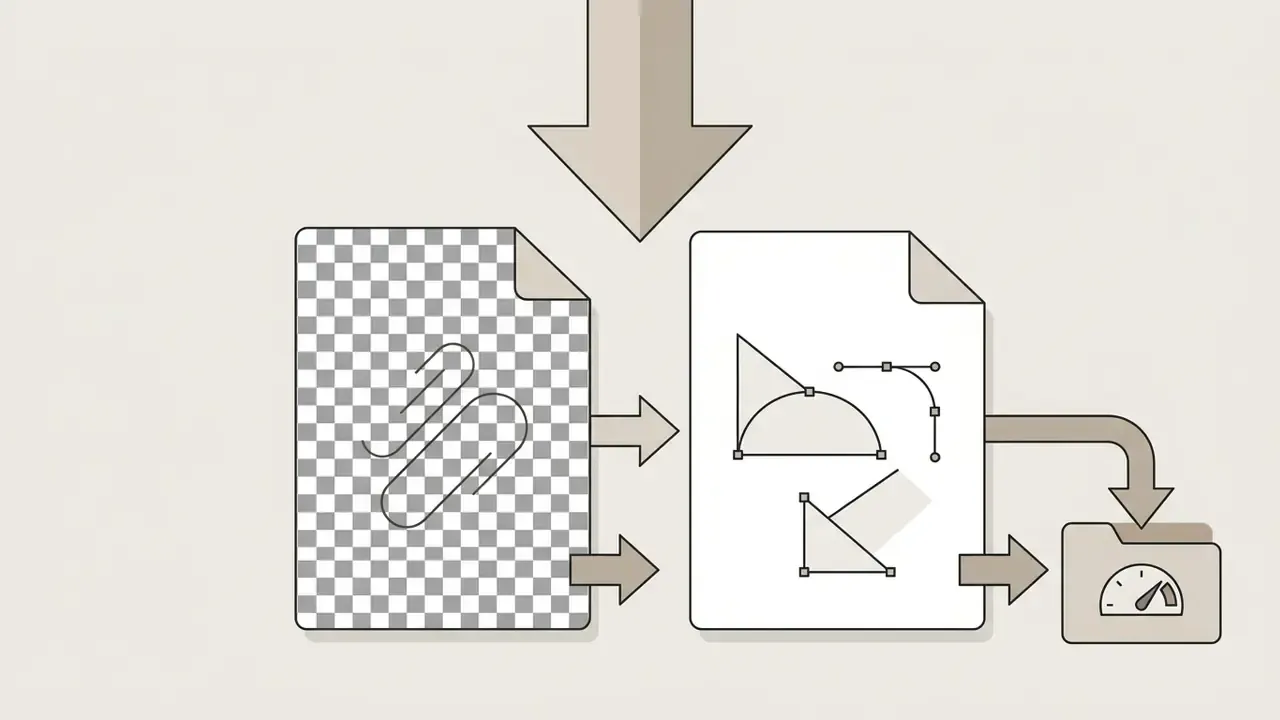
To use an ai icon generator online, a designer supplies a text prompt or reference image, configures model and style presets, runs generation to produce candidate variants, refines details with editing tools, and exports finished graphics in target formats.
Describe an icon or upload a reference image
Creation starts with input parameters: either a descriptive natural language string or an uploaded image asset. When writing text, define the visual subject, dominant colors, and background treatment. When uploading, the system analyzes the source silhouette, edge boundary and composition, then uses them as a structural template for the run.
Background choice belongs in this first step, not the last. W3C communications guidance notes that transparent icon files still need a background before use on social platforms, and that white icon variants exist specifically for colored backgrounds. Deciding between transparent alpha output and a solid canvas early prevents a second round of exports.
Select a model and icon style
After the input is set, choose a generative model and a pre-configured style engine. Platforms typically offer distinct pipelines optimized either for flat vector generation or high-detail 3D raster synthesis. Selecting the right engine keeps output inside project visual standards, whether the target is an iOS launcher or a dark-mode web application.
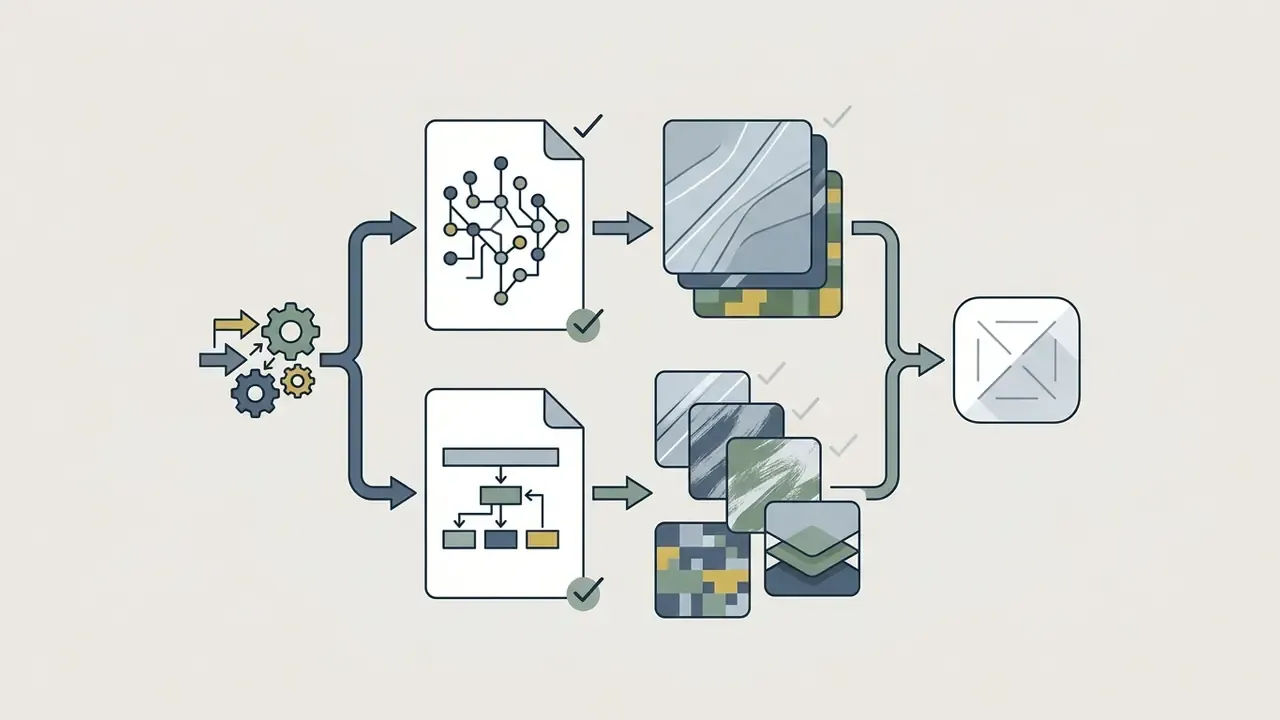
Generate, refine and download icon variants

Automated icon generation via AI coding agents (MCP)
Modern developer workflows let engineers trigger generation inside AI-assisted IDEs and terminals such as Claude Code, Cursor, or Codex. Register a Model Context Protocol (MCP) endpoint once, and natural language instructions run without leaving the codebase. The agent returns platform-compliant assets already named the way each toolchain expects.
CLI setup command:
npx add-mcp https://api.yourdomain.com/mcp -y
Agent prompt example:
generate_assets(type: "app_icon",
                prompt: "minimalist vector camera icon, solid navy blue background",
                target: "xcode_catalog")
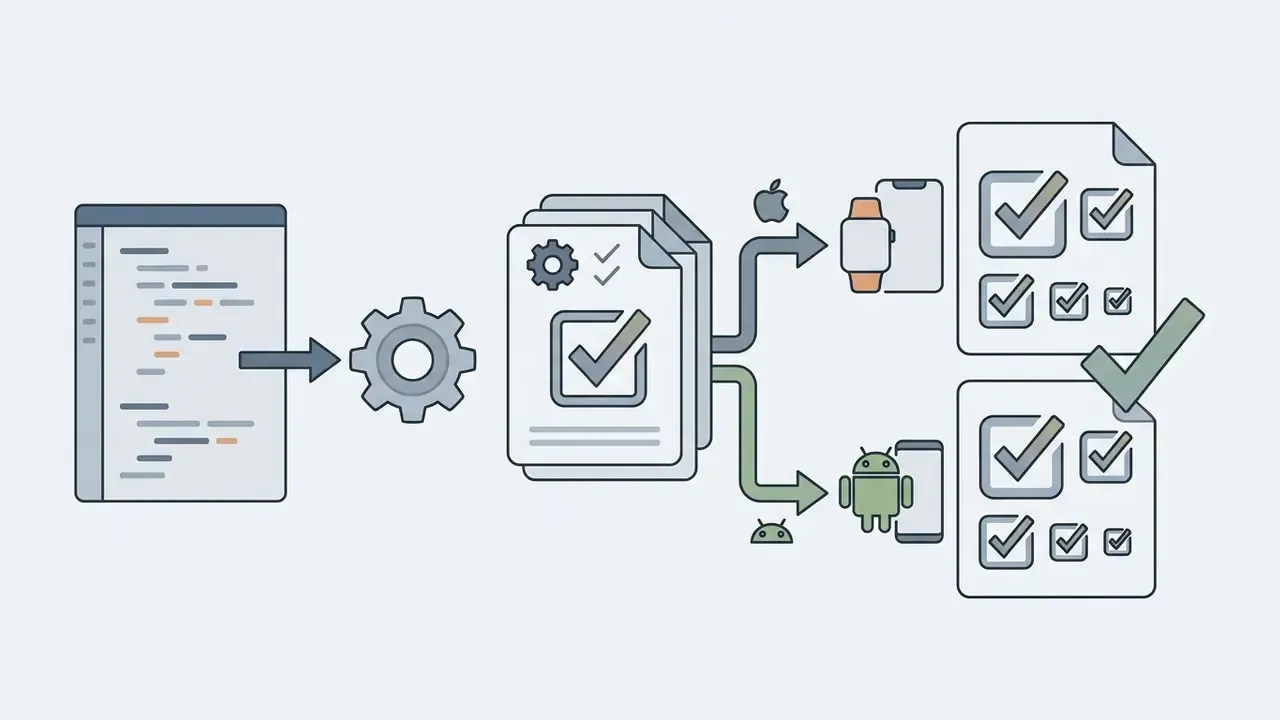
Executing this protocol returns a fully populated AppIcon.appiconset folder with the 1024×1024 px master, every resized derivative, and a valid Contents.json manifest. In Android-targeted runs it also returns the mipmap-* density folders and the 512 px Play Store asset. A typical agent run reports back in seconds, and the developer drags the catalog straight into Xcode or Android Studio.
Agent-driven generation carries the same governance requirements as browser-based generation. The MCP call, prompt string, seed and model version should be written to the build log so the asset stays traceable. Teams building automated asset pipelines can open the hub for developer documentation.
AI app icon generator: preparing icons for mobile, desktop and wearables
An ai app icon generator creates master artwork that conforms to platform technical standards: specific pixel dimensions, opaque master canvases, safe margins, and platform-driven mask geometries. The same tool acting as an ai app icon creator or ai app icon maker must also emit the packaging, not just the picture.
iOS app icon sizes and asset catalog export
Apple iOS requires a single high-resolution master at 1024×1024 pixels in 24-bit PNG without alpha transparency (Apple Human Interface Guidelines, 2026). iOS applies a rounded rectangle superellipse mask to that square master at the system level. So supply opaque square graphics without pre-rounded corners. Apple's own guidance is explicit: the canvas mask should not be exported, because masking happens on device.
To simplify deployment, modern tools pack assets into Xcode-ready catalogs (.xcassets) with pre-configured @2x and @3x variants. iPhone and iPad together consume roughly a dozen and a dozen-plus slots respectively, drawn from the ladder 20, 29, 40, 58, 76, 87, 120, 152, 167, 180 and 1024 px.
A compliant catalog looks like this on disk:
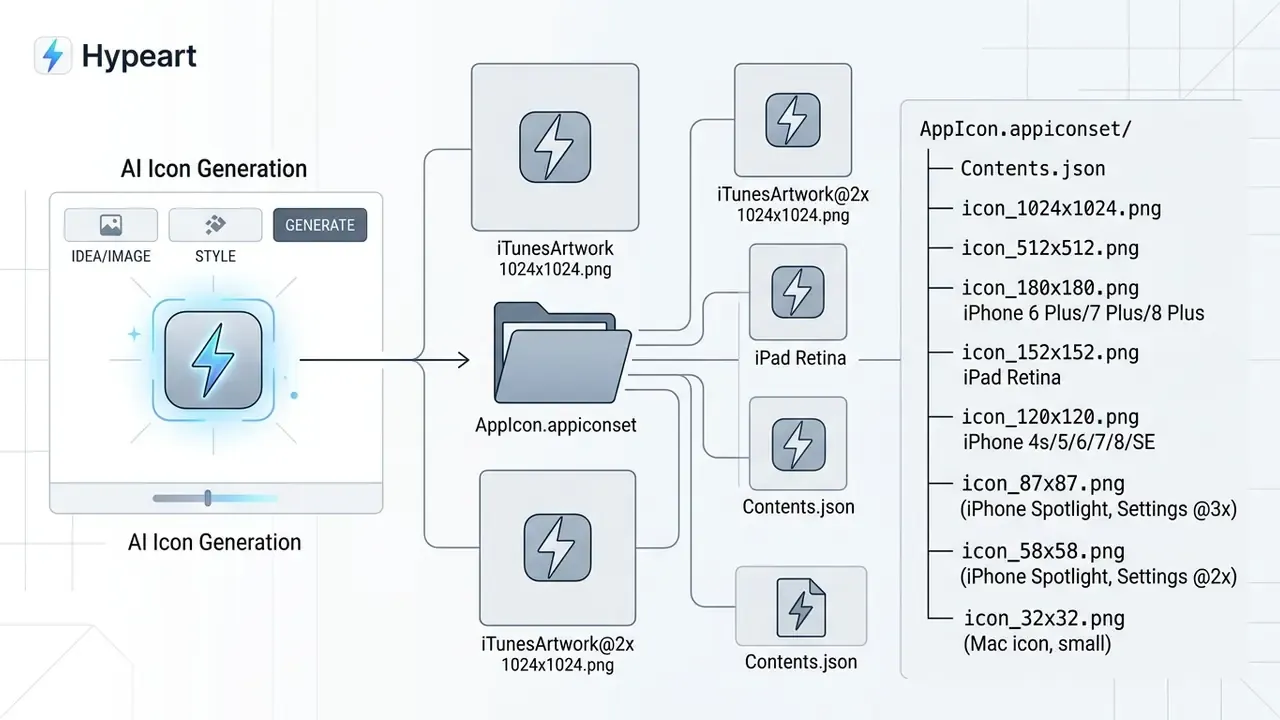
The Contents.json manifest maps each file to its idiom, size and scale. If that manifest is missing or malformed, Xcode leaves icon slots empty even when every PNG is present. Generators that emit the manifest alongside the images remove an entire class of build errors, which is a small thing until it costs you a release day.
macOS desktop icon requirements
macOS uses the same 1024×1024 px master but expects a much wider derivative ladder, because desktop icons appear everywhere from the Dock to 16 px Finder list rows. Required slots: 16×16, 32×32, 64×64, 128×128, 256×256, 512×512 and 1024×1024 px, exported as 24-bit PNG or packaged as an .icns bundle. The system applies its own squircle mask in current appearances, so the source stays a single square master without baked corner radii. Detail that survives at 512 px frequently collapses at 16 px, so review macOS icons at the smallest slot before shipping.
watchOS icon requirements
watchOS derives every circular launcher asset from the same 1024×1024 px master, but the case-size matrix is denser: 40×40 (38 mm), 44×44 (40 mm), 48×48 (42 mm), 50×50 (44 mm), 54×54 (45 mm) and 60×60 (49 mm), plus notification and companion-app slots. Assets must be opaque circular renderings, since transparency is not used for the watch launcher. Because the smallest presented size is tiny, watchOS artwork tolerates only a single focal shape with a high-contrast fill.
Android and Play Store icon requirements
Google Play listings require a 512×512 px 32-bit PNG with a maximum file size of 1024 KB and no pre-applied drop shadows (Google Play Icon Design Specifications, 2026). For launcher presentation, Android uses Adaptive Icons made of two separate 108×108 dp layers, a foreground graphic and a background fill, plus an optional monochrome layer for themed icons.
Critical elements must stay inside a centered 66×66 dp circular safe zone, because manufacturer launcher masks crop outer margins dynamically. Layers must ship with clean edges and no baked-in background masks or outline shadows. Density buckets derive from the 160 dpi mdpi baseline: 48 px (mdpi), 72 px (hdpi), 96 px (xhdpi), 144 px (xxhdpi), 192 px (xxxhdpi), plus the 512 px store asset.
How to make an app icon recognizable
An app icon becomes recognizable through one focal subject, strong foreground-to-background contrast, and a clean silhouette. Platform guidance recommends at least a 3:1 contrast ratio against light and dark environments (W3C Non-Text Contrast Standard G207), and Microsoft's design guidance requires at least half of an icon's area to meet 3.0:1 on both themes while keeping layer count minimal.
Strip visual clutter, text labels and photographic detail, and the icon survives the drop to 16×16 pixel notification displays. GNOME's guidance makes the same point in reverse: icons authored for 64×64 presentation lose excessive detail when scaled to 32×32. Teams that need to enlarge a finished mark for store banners, rather than shrink it, can compare dedicated AI image upscalers instead of regenerating from scratch.
| Technical Specification | Apple iOS App Store | Google Play & Android Launcher | macOS Desktop | Apple watchOS |
|---|---|---|---|---|
| Master asset size | 1024×1024 px | 512×512 px (store listing) | 1024×1024 px | 1024×1024 px |
| Master file format | PNG (24-bit, opaque, no alpha) | PNG (32-bit, no alpha fill) | PNG (24-bit) or .icns bundle | PNG (opaque circular asset) |
| Required derivative slots | 20, 29, 40, 58, 76, 87, 120, 152, 167, 180, 1024 px | 48, 72, 96, 144, 192 px + 512 px store | 16, 32, 64, 128, 256, 512, 1024 px | 40, 44, 48, 50, 54, 60 px (38-49 mm cases) |
| Launcher architecture | Master square image with system mask | Adaptive icons (separate foreground and background) | Single master canvas with squircle system mask | Single master canvas, circular render |
| Layer canvas dimensions | 1024×1024 px single master file | 108×108 dp per layer | 1024×1024 px single master file | 1024×1024 px single master file |
| Inner safe display area | Full canvas, unmasked content inside boundaries | Centered 66×66 dp safe zone | Full canvas, reduced detail for 16 px slot | Centered circular area, single focal shape |
| Corner radius handling | System superellipse applied automatically | Device-specific launcher mask applied dynamically | System squircle mask applied automatically | System circular mask applied automatically |
| Export package format | Xcode Asset Catalog (.xcassets) | Android Resource Directory (res/drawable/, mipmap-*) | .icns or .xcassets icon set | .xcassets watch app icon set |
The table above shows the primary specification differences across major ecosystems. iOS, macOS and watchOS all rely on a unified opaque master with system-applied masking, whereas Android requires layered separation to support motion, themed icons and manufacturer masking. One well-built generation run should therefore produce a single master plus roughly fifty derivative files across the four platforms. An ai icon image generator that stops at the master leaves that packaging work on your desk.
Customize generated icons: style, text and background
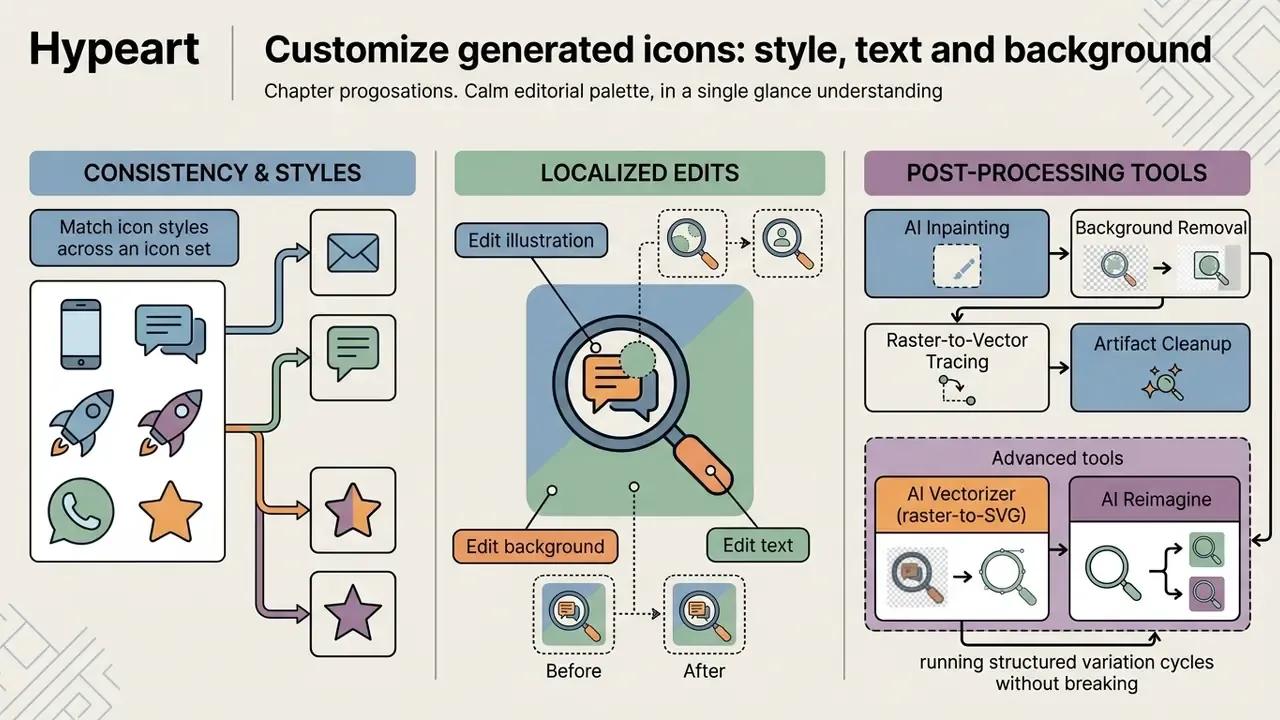
Customization means three things in practice: controlling style consistency across a set, executing localized edits, and running structured variation cycles without breaking brand identity.
Match icon styles across an icon set
Consistency across an icon set requires locking generative parameters: stroke thickness, corner radii, shadow projection angles, and color tokens. Studies on fine-tuned diffusion models confirm that Low-Rank Adaptation (LoRA) modules improve visual consistency across multi-icon sets compared with unconstrained prompting.
"LoRAicon applies Low-Rank Adaptation over Stable Diffusion XL; users without design experience rated icon-set consistency as 'good' across all graphic parameters."
One methodological detail deserves attention. The evaluation ran two participant groups, non-designers and professional cartographers. Both rated set consistency as "good," but the expert group was measurably more critical of subtle mismatches in stroke weight and optical sizing. A useful warning for teams that validate icon sets only with internal non-design reviewers.
Design systems enforce this uniformity by wiring standardized W3C design tokens for color and space into generation prompts (W3C Design Tokens Specification, 2025). The W3C Design Tokens Community Group published its first stable specification in October 2025, so one token file can generate platform-specific code. The same file can seed both the prompt vocabulary and the final implementation.
Edit text, illustration and background
Post-generation platforms integrate specialized localized editing tools:
- AI Inpainting modifies designated regions inside a masked area while retaining surrounding pixel structure. Masks should cover edges, shadows and reflections for clean blending.
- Background Removal replaces solid backgrounds with true alpha channel transparency for PNG and WEBP exports.
- Raster-to-Vector Tracing converts pixel graphics into scalable SVG paths built from clean stroke nodes.
- Artifact Cleanup removes stray nodes, halo pixels and compression noise around the silhouette before export.
API specifications confirm that engines such as gpt-image-2 support direct transparent background generation when transparent background parameters are passed during inference, with PNG or WEBP output; JPEG carries no alpha channel (OpenAI API Documentation, 2026). The same guidance recommends restating "preserve the transparent background" during edit passes, because iterative edits otherwise reintroduce a filled canvas. Users who need broader background editing can review our guide to free photo editors for full workflows.
Advanced post-processing: AI Vectorizer and AI Reimagine
Two post-processing tools deserve separate treatment because they change what the asset is, not merely how it looks.
- AI Vectorizer (raster-to-SVG) converts raster PNG, JPG and WEBP outputs into native scalable vector paths (
.svg). The engine identifies stroke nodes, unifies color regions and gradients, and emits clean path code without pixel artifacts or stair-stepped edges. This is the step that turns a good-looking generation into a design-system-ready asset you can recolor via CSS variables, animate, or scale to print without regenerating. - AI Style Reimagine retains the structural wireframe and spatial composition of an existing icon while re-rendering it through alternative style engines, for example turning a 2D line icon into a soft 3D tactile studio mark without altering central geometry. Reimagine also handles targeted object replacement and element removal, which makes it the practical tool for style migrations across a legacy icon library.
The maturity of the vector path is not marketing language; it reflects dataset scale.
"SVG-Stack (StarVector) contains 2.1 million SVG training samples with 4 million captions; SVG-1M (SVGen) provides 1 million text-SVG pairs."
Regenerate variations without losing the design direction
Controlled regeneration lets you explore iteratively by altering a single variable, such as accent color or internal symbol, while holding composition, scale and background layout fixed. Locking the generation seed enables systematic A/B testing of icon variants on store listings, so performance work stays empirical instead of decorative.
A disciplined store-experiment loop looks like this:
- Fix the current production icon as the control.
- Change exactly one variable per variant (color, background, focal element or style), holding canvas, padding and proportions constant.
- Split traffic evenly, commonly 50/50, and validate legibility at the smallest presented size before launch.
- Generate two or three variants per round from the current best performer.
- Promote the winner as the new baseline and log its seed, prompt and model version for reproducibility.
Licensing, intellectual property and commercial use
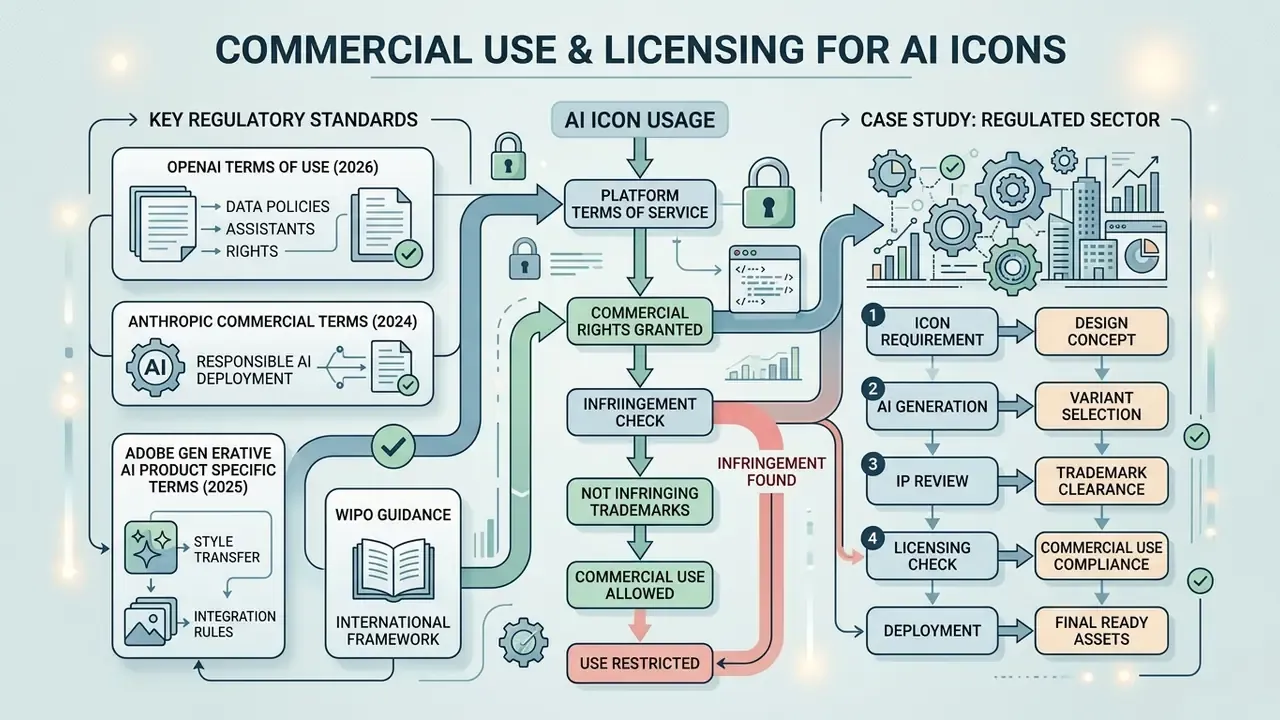
AI-generated icons can be used commercially provided the platform's Terms of Service grant commercial rights and the assets do not infringe existing registered trademarks.
Under current U.S. copyright guidance, purely autonomous outputs produced without human creative authorship are not eligible for federal copyright registration (U.S. Copyright Office AI Governance Circular, 2023). When a designer uses an ai create icon tool as an intermediary aid, substantially modifying, arranging or editing the vector paths, those human-authored modifications may qualify for protection.
"Prompts alone are insufficient for authorship: they convey ideas but do not control the AI's expressive decisions."
Organizations should verify platform licensing terms and document human post-processing before commercial deployment. Readers evaluating rights across adjacent asset categories can compare AI image generators for commercial use.
Vendor terms diverge meaningfully, and the differences are contractual rather than technical:
"Content is described as 'commercially safe' when the Firefly model is trained on licensed data and Adobe provides IP indemnification for commercial projects."

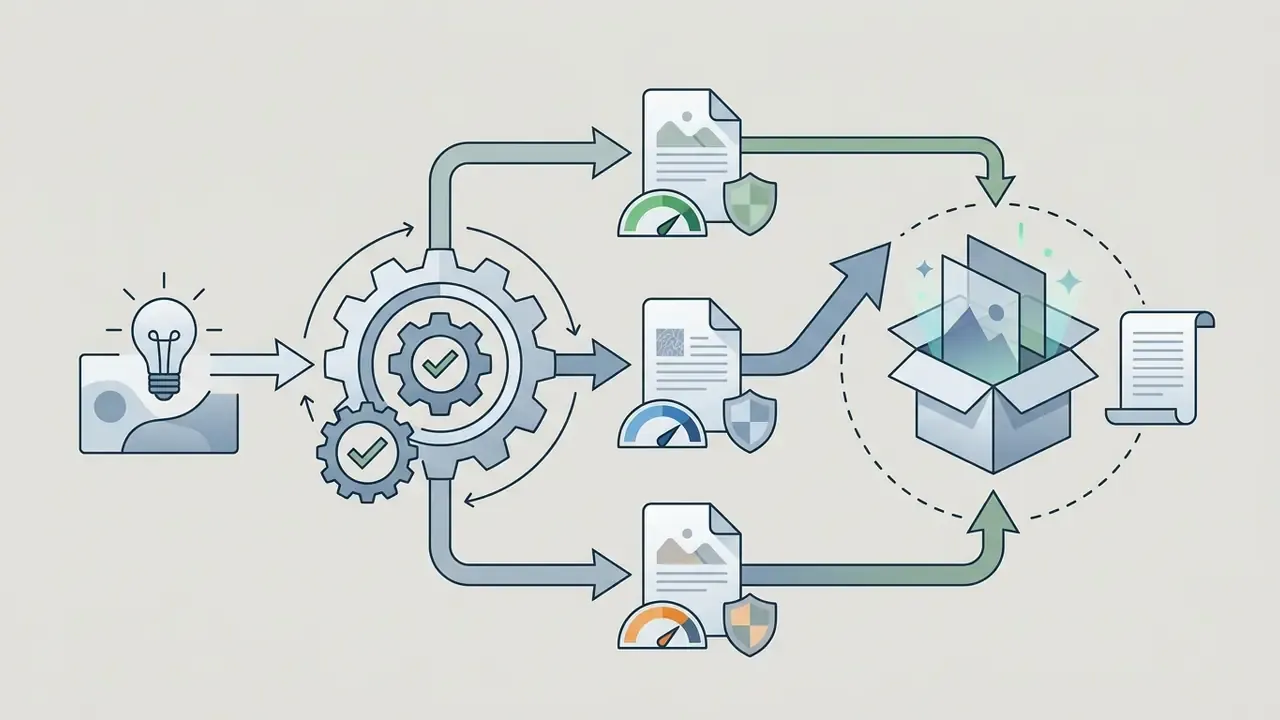

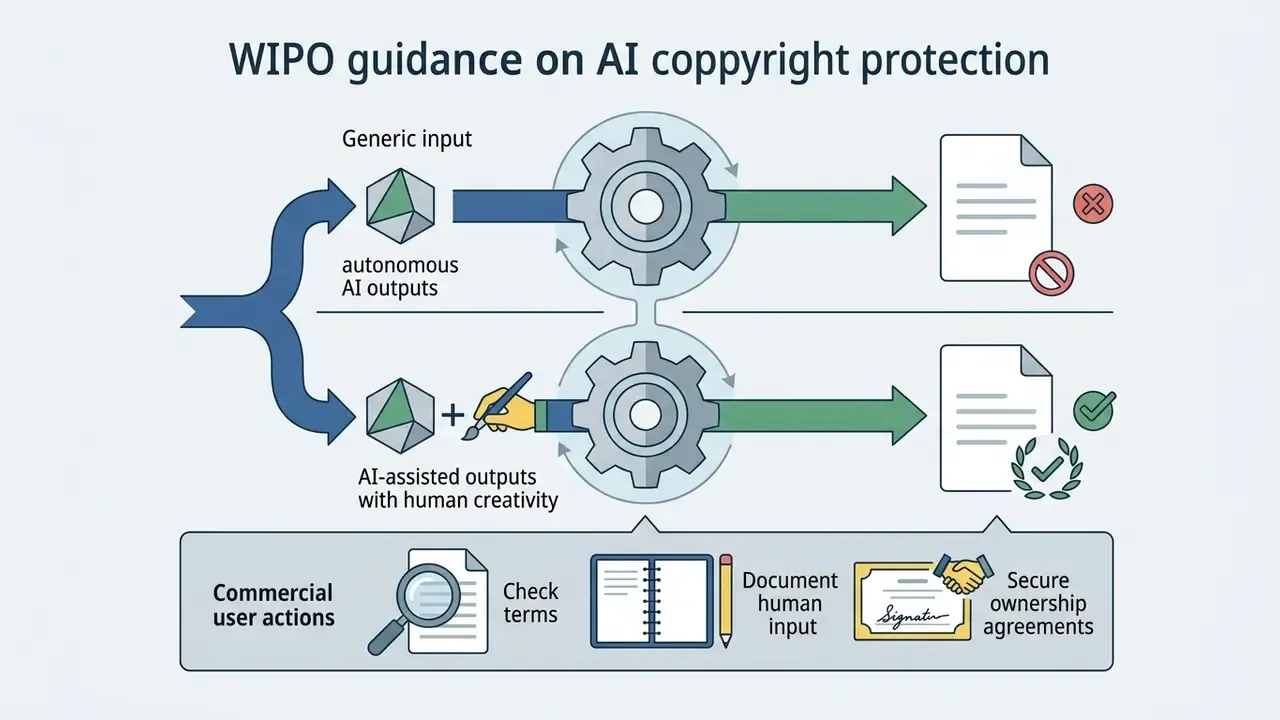
Trademark eligibility follows a separate track from copyright. A mark must be distinctive, must clear prior-art conflicts, and must be used in commerce. Generation alone satisfies none of those. Icons intended as brand marks therefore need a clearance search before launch, no matter how they were produced.
Case study (regulated sector, illustrative). An enterprise fintech evaluated AI-generated launcher icons for IP compliance ahead of an app release. The compliance team mandated logging prompt parameters, recording generation seeds, and applying manual vector post-processing. That protocol aligned the release with corporate risk management guidelines and platform licensing rules, and it produced a defensible authorship record for every shipped asset. Small overhead, large reduction in argument later.
Enterprise governance: Shadow AI, data privacy and audit trails
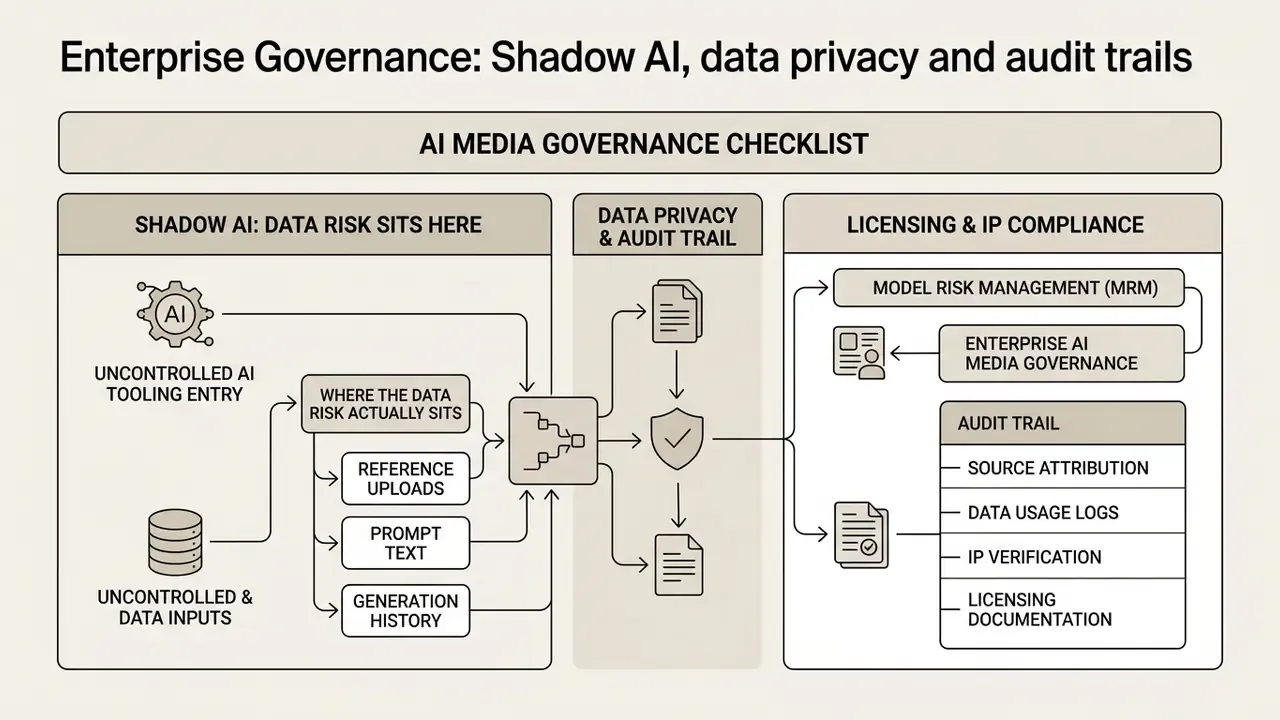
Where the data risk actually sits
Three inputs create exposure:
- Reference uploadspre-release UI screenshots, unpublished logos, patent-pending device renders.
- Prompt textproject codenames, launch dates, client names embedded in style instructions.
- Generation historypersistent galleries storing both of the above under a personal account outside corporate control.
Enterprise-grade services address this contractually and architecturally rather than with reassurance. The market standard is explicit: uploaded reference images, proprietary brand logos and custom prompts are processed ephemerally in isolated cloud runtime environments, with zero user data written to public training corpora or used to fine-tune open-web generative models.
Enterprise AI media governance checklist
Use this before any design tool is approved for work touching non-public material.
| Control | What to verify | Evidence to request |
|---|---|---|
| No-training guarantee | Contractual commitment that inputs and outputs are excluded from model training | Signed DPA clause, not marketing copy |
| Prompt and asset retention | Retention window, deletion API, regional storage location | Data retention schedule |
| Tenant isolation | Ephemeral runtime, no cross-tenant caching of uploads | Architecture summary or security whitepaper |
| Access control | SSO (SAML/OIDC), RBAC, per-seat provisioning and deprovisioning | Admin console demo |
| Audit logging | Exportable log of prompts, seeds, model versions, users | Sample log export |
| IP indemnification | Scope, caps, exclusions for open-web-trained models | Contract schedule |
| Certification posture | Independent security attestation and sub-processor list | Current audit report |
| Egress path | API access so assets flow into internal repositories, not personal downloads | API documentation |
Audit trail for Model Risk Management (MRM)
Where AI-assisted design assets fall under internal model inventory or vendor-risk review, the reproducibility burden is administrative, not technical. Diffusion generation is stochastic by design, so the record, not the model, is what makes an asset defensible.
Log five fields per shipped asset:
asset_id        : icon_transfers_v3
prompt          : "minimal transfer arrows icon, 2px uniform stroke, #0B2E5C, ..."
seed            : 4471928365
model_version   : <engine name + version + sampler + guidance scale>
human_edit_log  : vector nodes simplified, optical sizing corrected at 24px,
                  brand token #0B2E5C applied, reviewer: <name>, date: <date>
license_basis   : vendor ToS clause + indemnification scope
That single record satisfies three separate needs at once: reproducibility for engineering, human-authorship evidence for copyright, and traceability for governance frameworks that require inventoried AI usage, documented human oversight, and disclosure of synthetic content where regulation demands it. Where a jurisdiction imposes labelling obligations on AI-generated material, the same log tells you which published assets fall in scope.
Reproducibility itself is bounded. Research on generative reproducibility shows outputs can be reproduced with high precision under controlled conditions, while educational and vendor guidance both note that changing model version, sampler or step count breaks pixel-level equivalence even with an identical seed. Version pinning is therefore part of the control, not an optimization.
Who owns the tool, by the way? Name a person, not a team. Unowned design tooling is how shadow usage becomes policy by accident.
Free AI icon generator, pricing and credit models
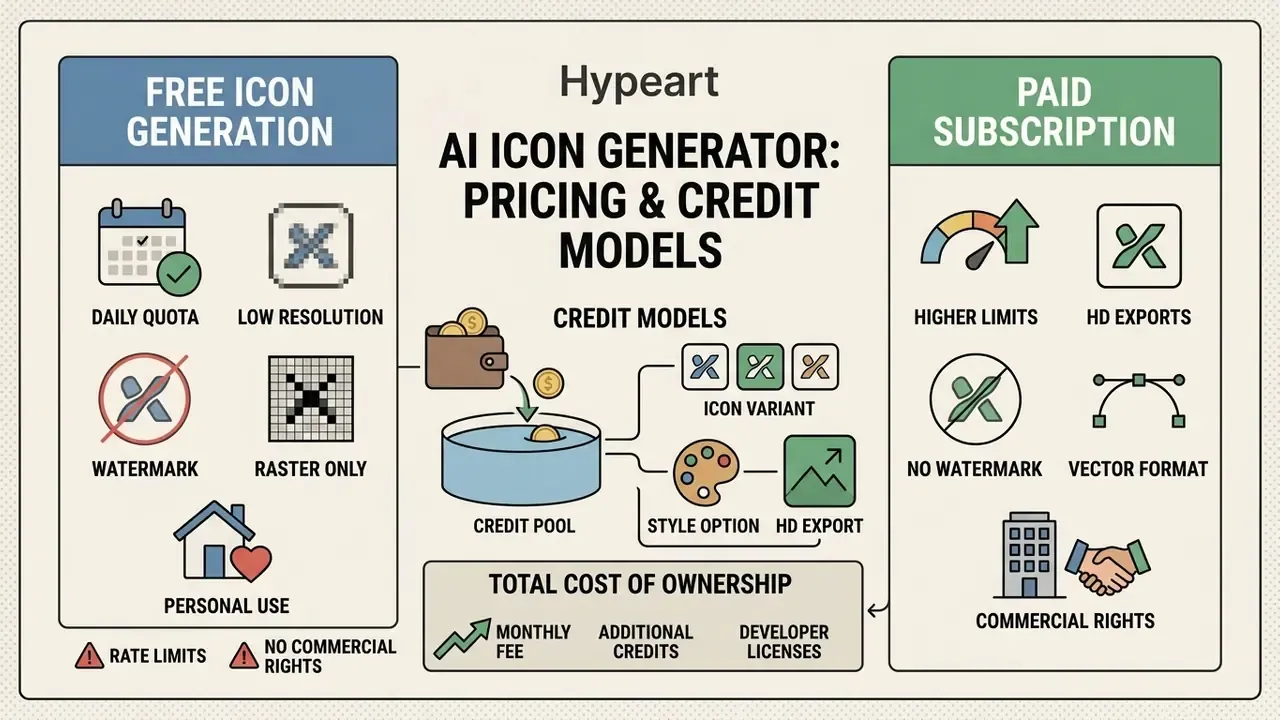
Financial models and usage rights matter as soon as an ai icon generator free service touches commercial product work. A free tier is a procurement decision wearing casual clothes.
What is included in free icon generation?
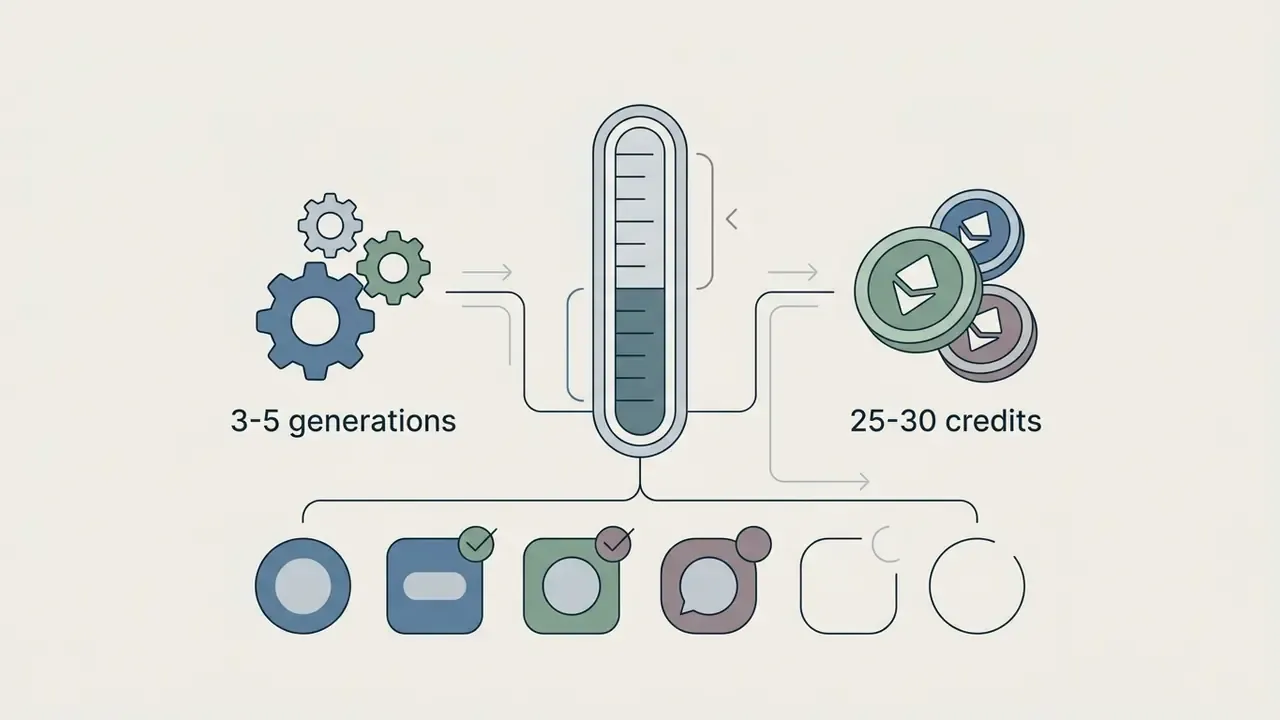
Free tiers on an ai free icon generator typically include daily credit allowances, access to baseline models, and standard-resolution PNG exports. Reported allowances at the time of writing range from a handful of daily generations to tens of credits per day, and several vendors publish different figures on different product pages. Some icon tools cap at low single-digit daily generations; vector-native platforms often use recurring credit pools instead. Because quotas, watermark policies and license terms change frequently, verify current limits on the vendor's own pricing page before you build a workflow on them.
Common free-tier patterns worth checking explicitly, whether you are testing an ai icon creator free plan or an ai app icon generator free tier:
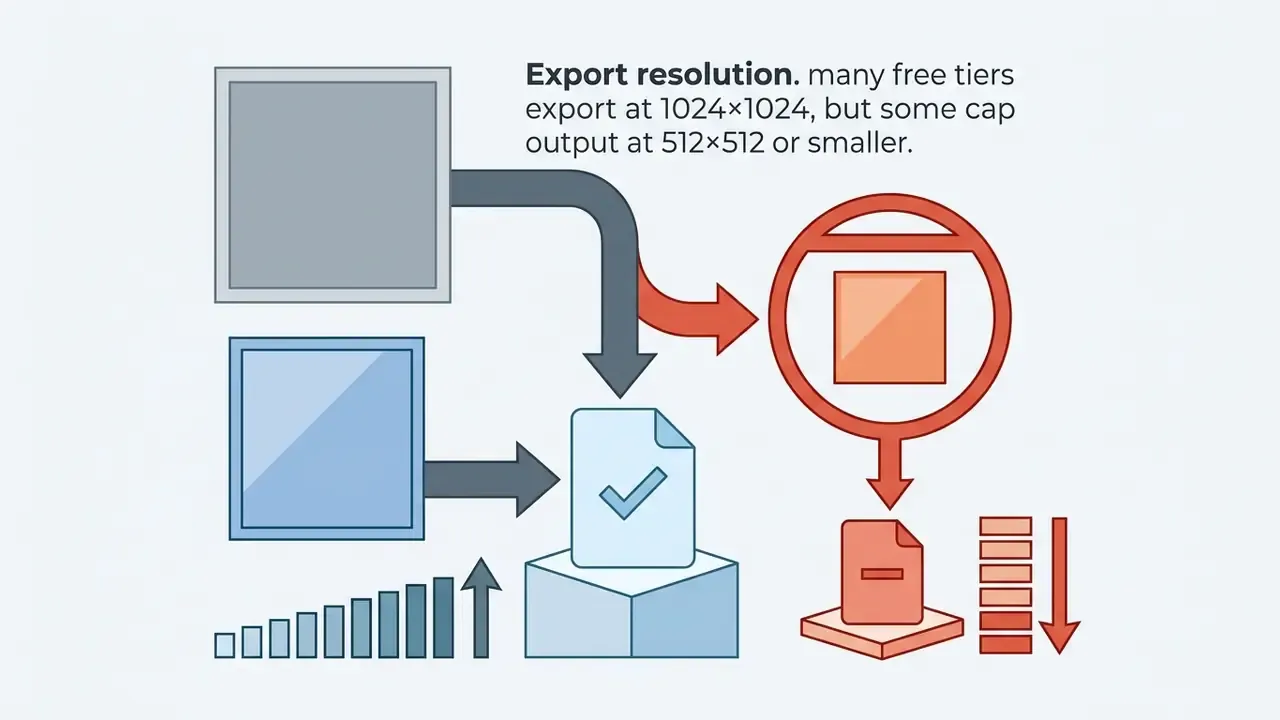

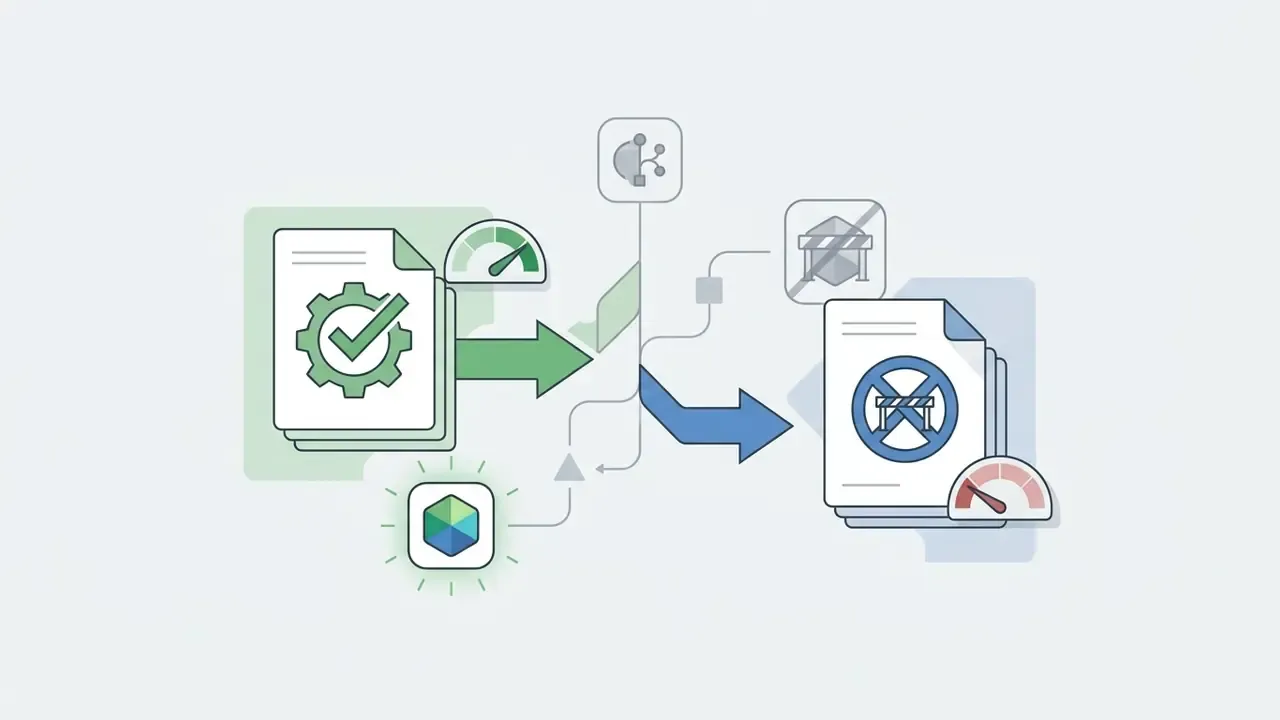
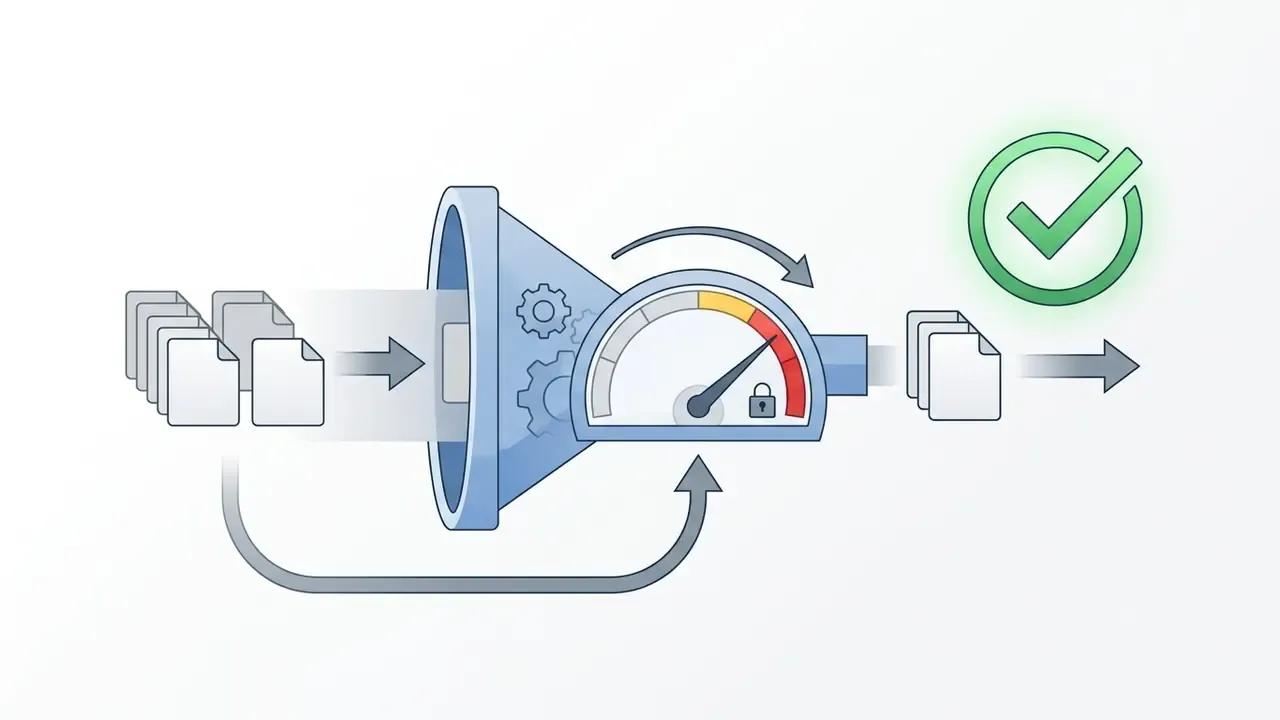
Free plans frequently restrict vector SVG downloads, high-resolution upscaling, batch processing, and commercial licenses, reserving those for paid tiers. If you want to ai create icon free assets for a shipped product, read the license clause before the feature list. Users auditing tier limits can see the overview for complete plans, and view the guide for per-asset cost modeling.
Total cost of ownership beyond the subscription
For organizational buyers, the subscription line item is rarely the largest cost. A realistic TCO model for icon generation sums five components:
TCO = (seats × subscription)
    + (credits × per-export cost, including SVG surcharges)
    + (design review hours × loaded rate)
    + (legal/compliance review hours per asset family)
    + (rework cost from non-compliant exports and re-tracing)
Tools with native SVG output and platform-correct asset packaging cut the fourth and fifth terms hardest. That is why a nominally more expensive vector-native platform often costs less per shipped icon than a free raster-only generator. Cheap per generation, expensive per release.
How to choose an AI icon generator tool
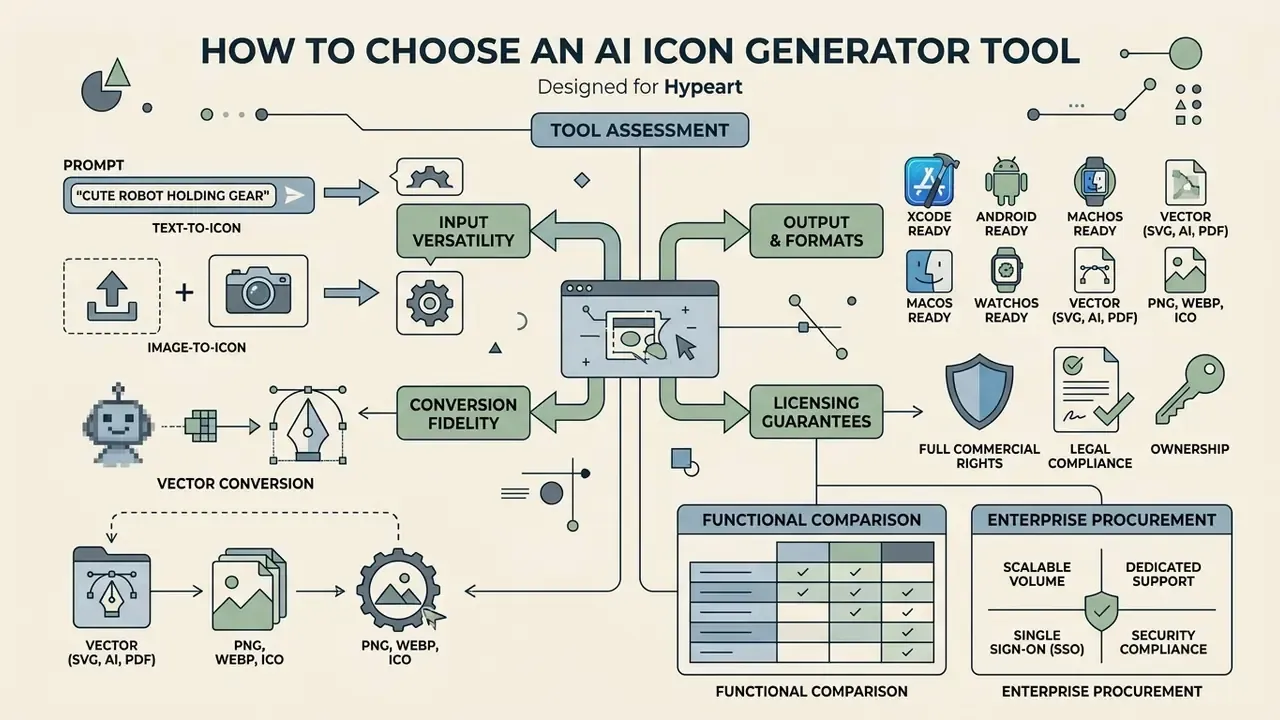
Choosing among ai icon generator tools means assessing input versatility, output format scalability, vector conversion fidelity, licensing guarantees, and, for organizational buyers, data handling and access control. The name on the ai icon generator website tells you almost nothing; the export folder tells you everything.
Text-to-icon and image-to-icon generation options
A versatile ai icon maker should accept both natural language prompts and reference image uploads. Text-to-icon offers creative flexibility during brainstorming, and readers surveying the wider field can consult our comparison of the best AI image generators. Image-to-icon workflows give tight geometric control when adapting existing brand marks or product screenshots into updated sets. Prompt-adherence studies report that text-only generation complies inconsistently with detailed visual constraints, while reference-image conditioning measurably improves subject and style continuity. The two modes are complements, not substitutes.
Output quality, vector icons and export options
Production workflows need scalable, high-resolution exports. Raster PNG suits basic previews, but professional design systems run on SVG. Vector assets stay sharp at any resolution, keep file sizes small, and remain editable inside vector tools. Platforms that emit clean SVG code let engineering teams drop generated symbols straight into web applications and mobile repositories.
High-resolution raster still matters for store banners and marketing surfaces, with documented custom sizes up to 2048×2048 and 4K targets such as 3840×2160. Verify transparency behaviour per format: PNG and WEBP carry an alpha channel, JPEG does not.
Functional comparison
| Functional Evaluation Criteria | Recraft AI | Magnific AI | Venngage AI | Standard Web Generators |
|---|---|---|---|---|
| Input modalities supported | Text prompt and reference image | Text prompt and reference image | Text prompt only | Text prompt only |
| Vector SVG path export | Native direct vector export | SVG export option | Raster PDF/PNG export only | Raster PNG export only |
| Inpainting and local editing | Integrated mask editing | Retouching and upscaling | Basic layout editing | No editing capability |
| Free tier allowance | Daily recurring credits | Low single-digit daily generations | 5 total generation credits | 1-5 daily generations |
| Commercial license scope | Included on paid tiers | Personal and commercial | Terms dependent | Non-commercial default |
| Set consistency features | Style canvas and seed locking | Style reference engine | Manual prompt reuse | Random generation |
Enterprise procurement comparison
| Enterprise Criterion | Why it matters | What to require |
|---|---|---|
| SSO / RBAC | Prevents orphaned personal accounts holding proprietary assets | SAML or OIDC, role-based seats, bulk deprovisioning |
| No-training guarantee | Blocks proprietary marks entering public model corpora | Written exclusion of inputs and outputs from training |
| Data non-retention | Limits breach surface for pre-release material | Defined retention window plus deletion endpoint |
| IP indemnification | Transfers third-party claim risk to the vendor | Named coverage scope, caps and exclusions |
| API / MCP access | Keeps assets inside CI and design-system pipelines | Documented endpoints, keys, rate limits |
| Audit log export | Supplies MRM and internal audit evidence | Prompt, seed, model version, user, timestamp |
| Model transparency | Determines whether indemnification is even available | Disclosure of training-data provenance per engine |
| Platform asset packaging | Removes manual resizing and manifest errors | .xcassets with Contents.json, mipmap-*, .icns |
The tables above outline the technical, operational and procurement capabilities we would weigh across prominent icon generation tools in 2026. Brand teams that also need a full identity mark can review our overview of AI logo generators, and for additional business licensing detail you can open the hub for enterprise usage terms.
AI icon generator FAQ
Short answers to the operational, technical and compliance questions that come up most often about ai generator icons and shipped assets.
Will the same prompt generate the same icon every time?
No. The same prompt text will not reproduce the same graphic, because generative models rely on stochastic noise sampling.
Diffusion models synthesize images by transforming initial Gaussian noise arrays into structured pixel patterns through iterative denoising (NIST Randomness and Reproducibility Standards, SP 800-90A). Unless the numerical seed, Guidance Scale (CFG), sampler algorithm and model version are all explicitly locked, every cycle produces a distinct interpretation. Even with an identical seed, a model or sampler upgrade can shift composition and color. Which is exactly why version pinning belongs in any reproducibility policy.
Can I generate app icons with transparent backgrounds?
Yes. Modern generators support alpha channel transparency through a transparent background toggle or explicit background exclusion parameters in the prompt. Export as PNG or WEBP to preserve true transparency; JPEG has no alpha channel. During edit passes, restate the transparency instruction so the model does not quietly reintroduce a filled canvas.
How fast does an AI icon generator produce assets?
Speed depends on quality setting, canvas size and output format rather than any single fixed benchmark. Vendor documentation notes that lower quality settings are fastest, square images render fastest, JPEG encodes faster than PNG, and complex prompts can take up to roughly two minutes; latency scales with image tokens, so larger and higher-quality outputs run slower. In practice, standard raster batches commonly return in seconds, while direct vector optimization or multi-pass upscaling takes longer. Treat published timings as vendor-reported, not independently measured.
Does the generator use uploaded images or custom prompts to train public models?
It should not. Enterprise-grade tools operate under strict data privacy boundaries: uploaded reference images, proprietary brand logos and custom prompts are processed ephemerally in isolated cloud runtime environments, with no user data written to public training corpora or used to fine-tune open-web models. Because this is a contractual rather than technical guarantee, request the specific clause in the data processing agreement instead of relying on marketing statements, and confirm the retention window and deletion mechanism for stored generation history.
Are AI-generated icons unique and eligible for trademark protection?
Models generate synthetically unique pixel combinations, but trademark eligibility depends on legal distinctiveness and human creative input. Purely autonomous outputs cannot be copyrighted directly. Registering an AI-assisted mark requires substantial human editing, distinct visual differentiation, use in commerce, and clearing prior-art conflicts. No independent benchmark verifies that generated icons are globally unique, so a clearance search stays mandatory for brand marks.
Can my AI coding agent generate icons directly?
Yes, when the platform exposes a Model Context Protocol endpoint. Register the MCP server once (npx add-mcp -y), then call the asset-generation tool from Claude Code, Cursor or Codex. The agent returns the 1024×1024 master, every derivative size, and a valid Contents.json manifest for Xcode, plus Android density folders on request. Log the agent call, prompt and seed in the build record so the asset stays auditable.
Can I resize an icon I already have instead of generating a new one?
Yes. Upload an existing 1024×1024 master to a resizing pipeline and export every platform slot, covering iOS, Android densities, macOS and watchOS, without running generation at all. This is the preferred path when brand geometry is already approved and only the packaging is missing.
What file formats should I ship?
PNG at every required size for platform launcher slots, since Xcode, Android Studio and asset pipelines expect PNG. SVG for design-system and web usage where recoloring and scaling matter. And .icns where a packaged macOS bundle is required. Keep the 1024×1024 master archived alongside its generation log as the single source of truth.
Note on company verification: no verified information is available regarding official commercial operations for hypeart.ai as of 2026. No vendor USP is claimed here, because none has been independently confirmed.
Related resources and documentation
For further technical guides and tools, visit our AI Media Glossary, review the guide to online photo editors and free photo editors, compare the best AI art generators and free AI art generators, and study commercial terms in our Canva AI Generator overview, Google AI Image Generator overview and Microsoft AI Image Generator overview.
Teams moving from static marks to motion assets can compare a free ai image to video generator online, the free ai image animation route, a free ai image tooling comparison, and mobile options in the free ai image app roundup. For portrait-style assets used in team pages and app onboarding, see our free ai headshot generator overview, and for consumer-facing generation categories the free ai girlfriend explainer documents how licensing differs sharply by content type.
Examine API economics in the Google Veo implementation guide, reach AI Media Support and Troubleshooting for assistance, or explore the hub for legal and litigation guidelines.