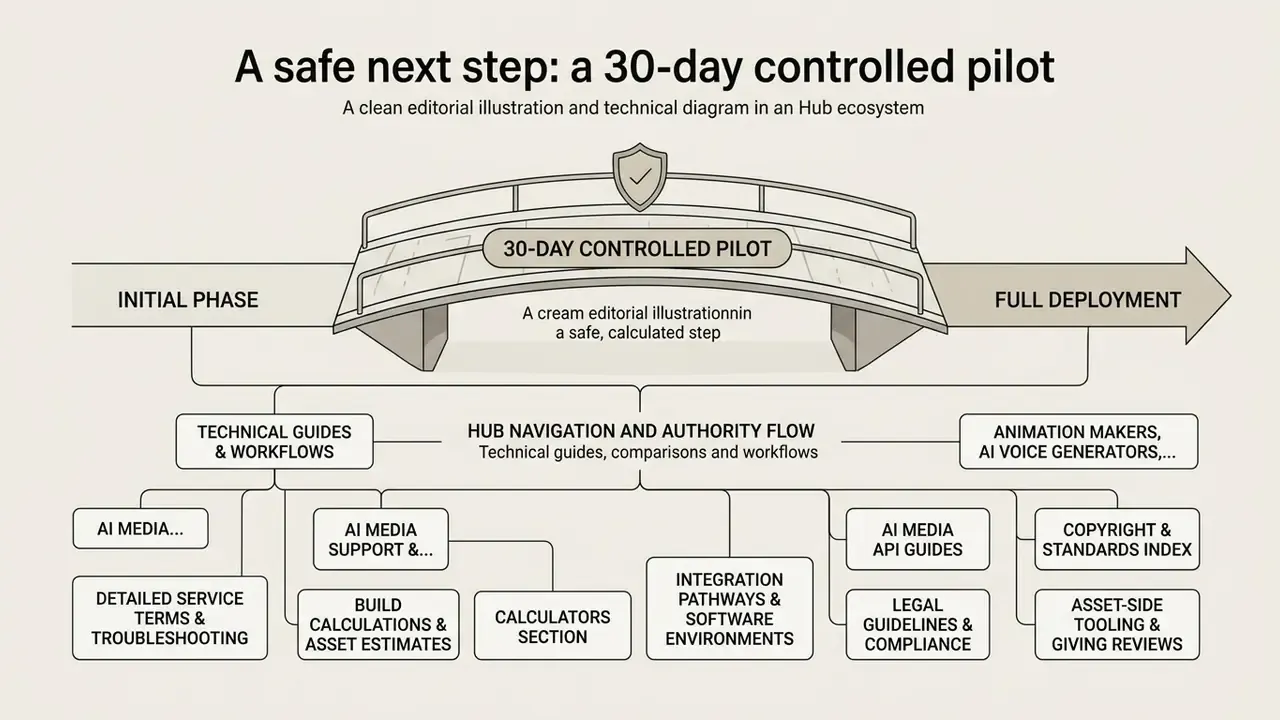
A modern video game maker lets creators, educators, and enterprise teams move from a rough concept to an interactive prototype without managing low-level engine infrastructure. Browser-based platforms and AI-assisted workflows shorten time-to-first-playtest for digital experiences. They also introduce distinct governance, asset licensing, and architectural questions that procurement teams tend to discover late.
Why should a risk or compliance leader care about game tools at all? Because the fastest-growing internal use case is not entertainment. It is interactive training, control walkthroughs, and scenario simulation built by business teams, often on unmanaged accounts.
"Evaluating a digital game creator or an ai game maker requires the same rigor as deploying controlled automation in enterprise systems: control over asset ownership, reproducible logic, clear access boundaries, and predictable deployment costs must precede wide rollouts."
— Marcus Hale, author
Executive summary: the decision before the detail
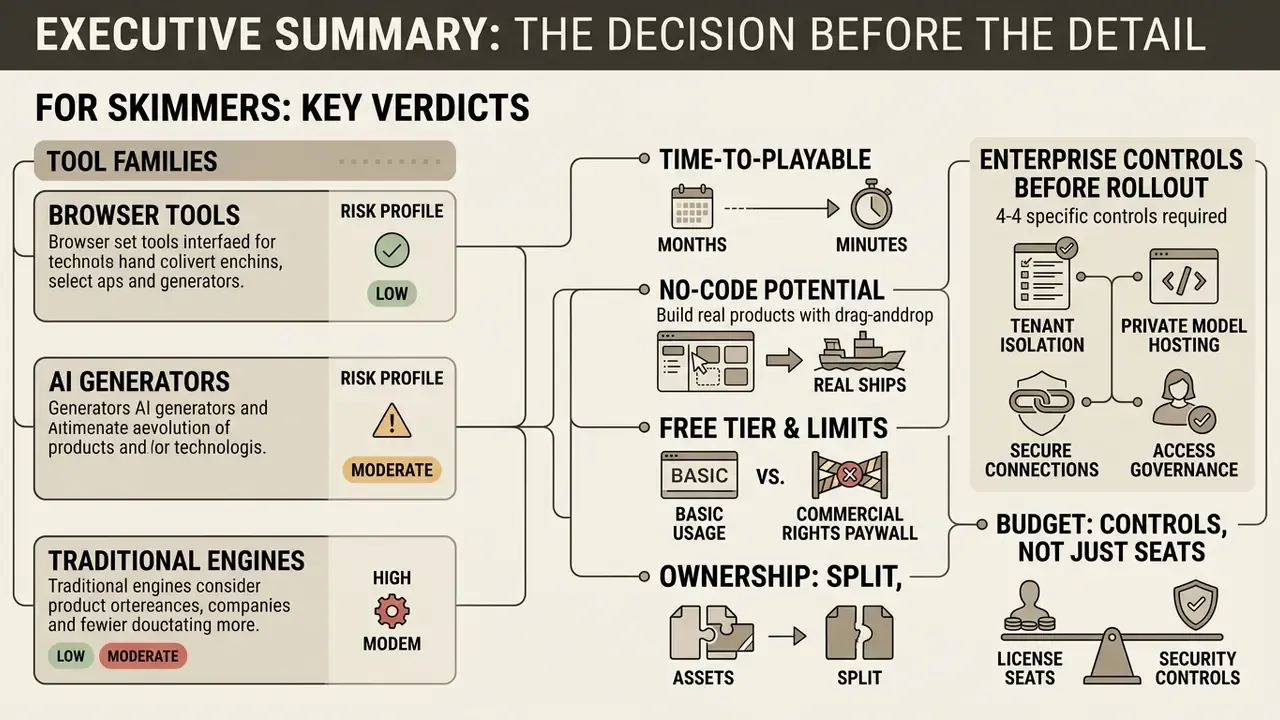
For readers who need the verdict first:
- Three tool families, three risk profiles. Browser no-code builders (Construct 3, GDevelop, Flowlab) trade deep architectural control for speed; ai game maker platforms (Rosebud AI, SeaVerse, Gameer, Instaplay, Makermint, MiniMax) generate code, art, and audio from prompts; traditional engines (Unity, Unreal, Godot) retain full pipeline control and auditable source.
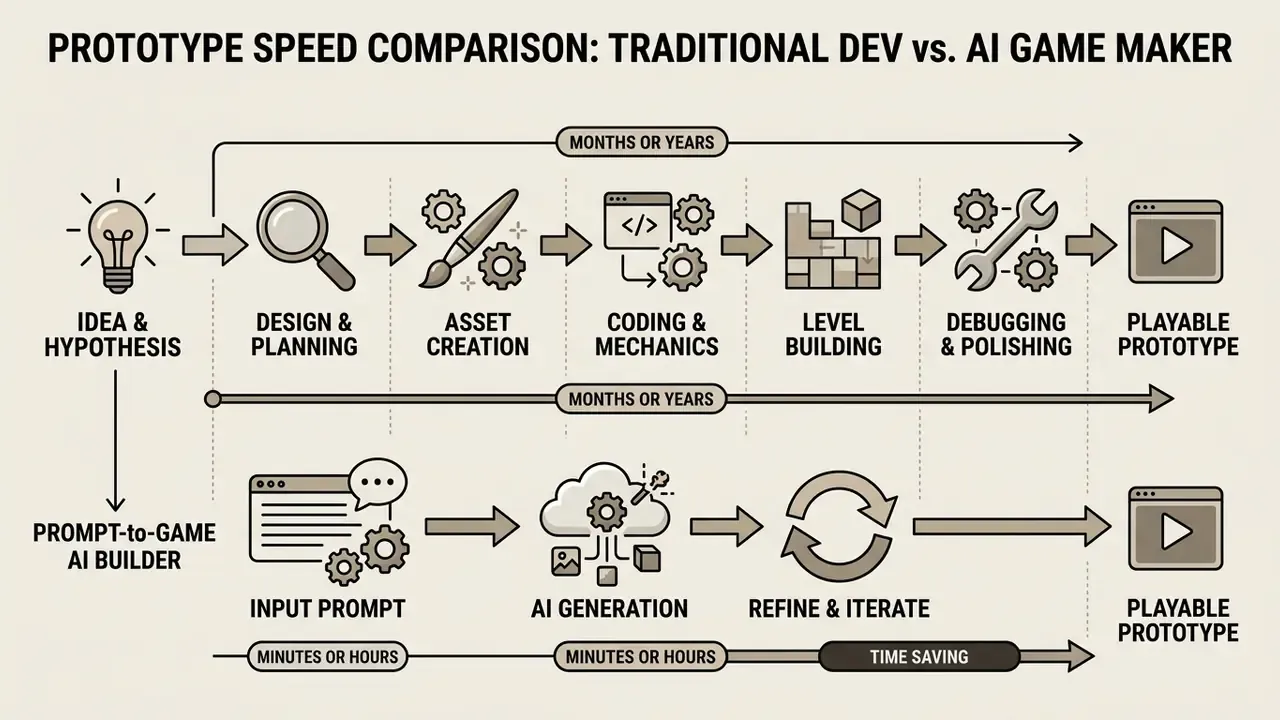
- Time-to-playable is now measured in minutes, not months. A branching narrative prototype typically generates in 2 to 3 minutes, a 2D platformer or physics puzzle in 3 to 5 minutes, and a complex RPG with inventory and multiple storylines in 5 to 7 minutes. Refinement then happens through plain-language commands.
- No-code ships real products. Titles built in browser-first, no-code stacks include Spectrum (5,000,000+ web plays), Vai Juliette! (1,000,000+ mobile downloads, 2021 Brazil Mobile Game of the Year), and The Boys: El Patriota, an official promotional game for Prime Video.
- Free tiers are real, but commercial rights are the paywall. GameMaker is free and perpetual for non-commercial use, with commercial publishing behind a paid licence; Unity Personal is free below $200,000 annual revenue or funding; GDevelop is open-source with an MIT-licensed engine and built-in extensions.
- Ownership is split, not absolute. Human-authored code, level design, and narrative are copyrightable. Purely AI-generated images, audio, or code with insufficient human control are not protected under current U.S. Copyright Office guidance.
- Enterprise buyers need four controls before rollout: tenant isolation or private model hosting, zero-data-retention settings for prompts, SSO/RBAC with named-user provisioning, and an exportable prompt-and-output audit trail for model-risk documentation.
- Budget for controls, not just seats. Risk-adjusted total cost of ownership includes licence fees, AI credits, asset licensing, internal build hours, and legal, security, and model-risk review time.
What a video game maker is and what games you can create
A video game maker is a software environment that abstracts core engine tasks (rendering loops, physics calculations, input handling, asset binding) into accessible visual interfaces, node-based event systems, or text prompts. Unlike raw framework coding, a game creator keeps attention on high-level game design, letting developers and non-programmers build a functional playable game without first learning a rendering API.
Using modern web-based platforms, creators can produce diverse formats: classic 2D platformers, puzzle games, immersive 3D environments, and interactive web applications that behave more like small products than demos. Research into procedural content generation and automated game creation shows that structured representations allow AI models and low-code systems to generate valid game rules and level layouts at the same time.
«Structured representations allow AI models and low-code systems to generate valid game rules and level layouts at the same time.»
Whether you are building an educational module, an interactive story, a marketing mini-game, or an internal training simulation, choosing the right video game maker means balancing visual control against long-term code extensibility and game development governance. One of those trade-offs is reversible. The other usually is not.
Browser game maker, game engine, and AI game maker
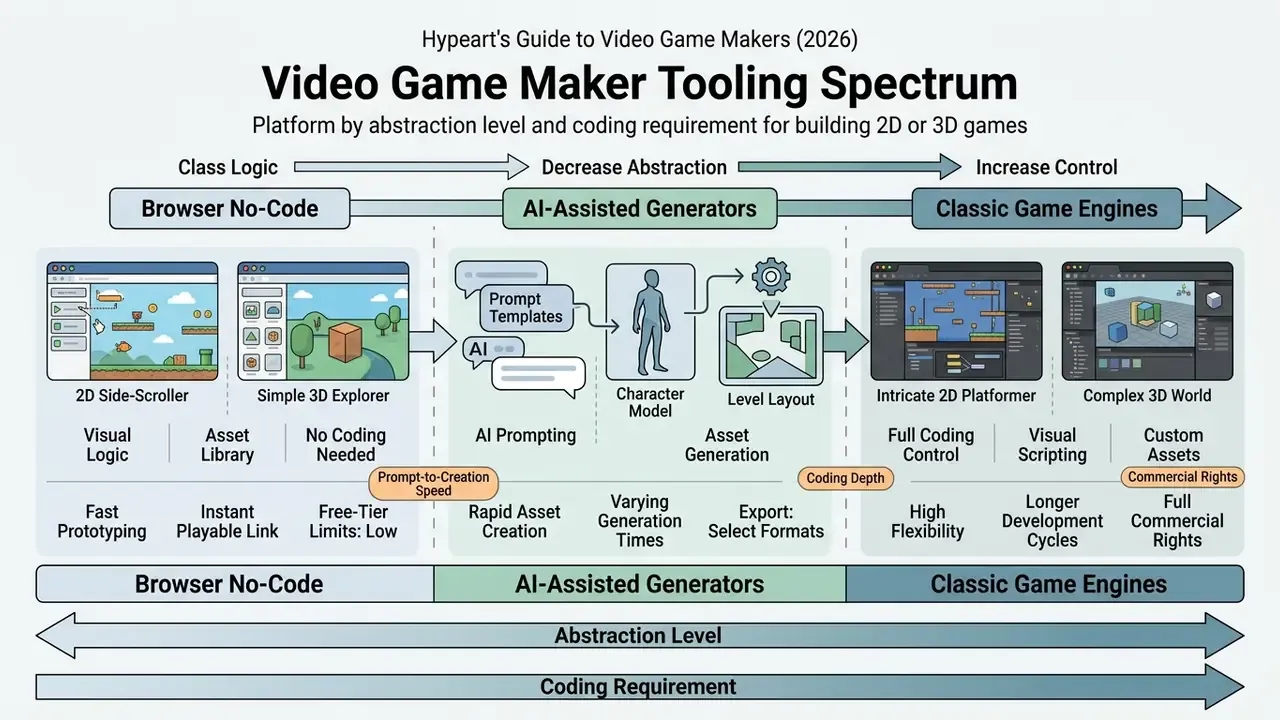
Game creation tools generally fall into three operational categories: browser-based visual builders, traditional game engines, and prompt-driven ai game maker platforms.
- Browser-based no-code builders.Tools such as Construct 3, GDevelop, and Flowlab run directly inside a web browser with no local installation. They use visual event sheets, flow-based logic graphs, and pre-built behaviors you attach to objects. The result is high speed for 2D or lightweight 3D web games, with internal runtime scripts hidden from view (Kirchhof et al., Low-Code Platform Analysis, 2024). GDevelop states plainly that "no programming skills are required" and that its engine and built-in extensions ship under an MIT licence (GDevelop official documentation).
- Traditional game engines.Frameworks such as Unity, Unreal Engine, and Godot provide comprehensive control over 3D rendering pipelines, custom shaders, and platform-native builds. They require local installation, asset pipeline management, and either real programming skills or advanced visual scripting setups. Unity documents a node-based visual scripting workflow as an alternative to hand-written C#, though that graph layer does not replace code for complex serialization or custom networking. Godot is a free, open-source 2D and 3D engine with a dedicated 2D renderer and physics stack, and it is the clearest example of genuinely free video game maker software you install rather than stream.
- AI game makers.Systems such as Rosebud AI, SeaVerse, Instaplay, Makermint, and MiniMax rely on natural-language prompts to synthesize game code, 2D and 3D assets, and game mechanics inside unified cloud sessions. Rosebud reports more than 2.5 million games created on its platform and exposes the generated JavaScript for direct editing. SeaVerse advertises prompt-generated mechanics, events, upgrades, animations, and balancing rules. These prompt-to-game workflows accelerate initial prototyping, although complex game logic still requires iterative prompt editing or direct script intervention (Yannakakis et al., LLMs and Games Survey, 2025).
Academic work suggests the vendor claims are directional rather than absolute. A 2025 Stanford CS224R project showed prompt-based development generating physics, camera effects, and collision logic through successive natural-language edits. An ACL 2025 paper on human and LLM game development documented script generation and revision as an iterative loop, not a single automatic pass.
2D, 3D, and web games: choosing the format
Proof of shipping: real games built in no-code and browser tools
Marketing claims are easy. Shipped titles are not. The following projects were built in open-source, no-code, browser-accessible stacks and released commercially or promotionally, which is the clearest available evidence that these engines scale past the prototype stage:
| Project | Toolchain type | Documented outcome |
|---|---|---|
| Spectrum | No-code event system, web export | Played over 5,000,000 times on the web |
| Vai Juliette! | No-code, mobile export | 1,000,000+ mobile downloads; 2021 Brazil Mobile Game of the Year |
| The Boys: El Patriota | No-code, web/promotional build | Official promotional game for Prime Video's The Boys |
| Invincible: La Segunda Oportunidad | No-code, web/promotional build | Official promotional game for Prime Video's Invincible |
| Bullet Bunny | No-code, Steam + web export | Joined Steam Summer Next Fest 2023; 200,000+ plays on Steam and web |
| Stranded on a Raft | No-code, web + mobile export | 500,000+ plays; showcased at PGDX 2023 and 2024 |
| Lil Bub's Hello Earth | No-code, desktop/web export | Kickstarter-funded, raising nearly $150,000 |
| Katuba's Poacher | No-code, multi-platform | Raised over 500% of its funding goal; showcased at Tokyo Game Show |
| A Death in the Red Light | No-code, Steam release | Launched on Steam with indie.io as publisher |
Two patterns matter for planning. First, the strongest outcomes cluster around focused scope: a single mechanic executed cleanly beats a sprawling feature list almost every time. Second, every commercially released title in the list moved beyond the free tier at some point, because commercial distribution, console targets, and watermark removal sit behind paid licensing in almost every vendor's terms.
How to choose an easy video game maker for your idea
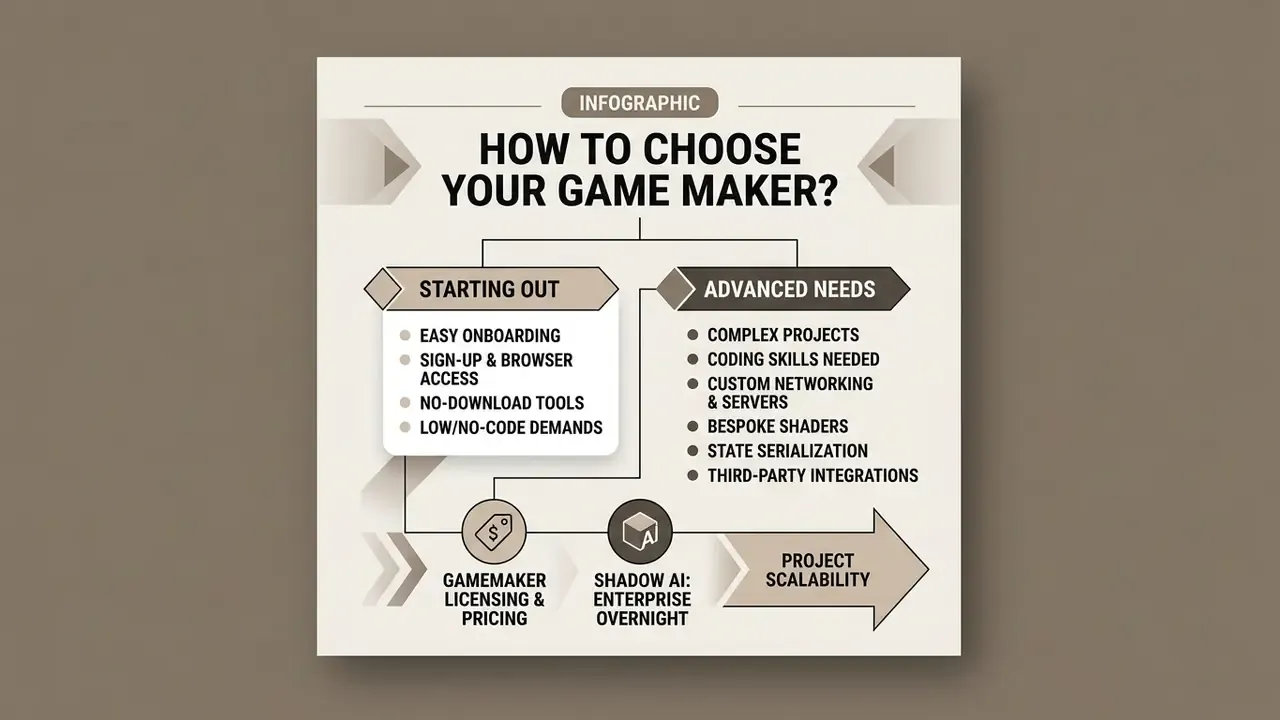
Choosing an easy video game maker comes down to onboarding friction, browser accessibility, coding demands, and project scalability. An ideal beginner platform removes complex SDK installations while keeping a path open to exporting real binaries or customizing the underlying scripts. For organizational buyers, the same table needs three extra rows that most consumer comparisons skip: identity management, security attestation, and code auditability.
| Criterion | Browser game maker | AI game maker | Traditional game engine (Godot, Unity, Unreal) |
|---|---|---|---|
| Installation | No download required; runs in browser | No download required; cloud-hosted | Local installation required; multi-GB IDE |
| Sign-up | Free tier often available; account needed to save | Account required for AI compute allocations | Account or licence verification required |
| Coding requirement | No coding required (visual logic / event sheets) | No code initially; plain-English prompts synthesize code | Coding required (C#, C++, GDScript) or visual nodes |
| 2D / 3D support | Strong 2D support; basic or emerging 3D (Three.js/WebGL) | 2D and voxel 3D mature; full 3D growing | Complete, native 2D and high-fidelity 3D pipelines |
| Asset generation | Manual import or pre-built library stock | Integrated AI generation for graphics, audio, and code | Asset store import, custom DCC pipeline, or in-editor AI generators |
PC export (Windows .exe) | Tier-dependent; often paid-tier only | Available on some platforms as a packaged desktop build | Native standalone .exe, .app, Linux binaries |
| Web export (HTML5) | One-click link or HTML5 ZIP | Instant shareable web URL | HTML5/WebGL export with documented platform limits |
| Mobile export (iOS/Android) | Paid tiers; signed bundles required | Limited; varies by vendor | Full .aab / IPA pipelines, console SDKs |
| Multiplayer & player services | Built-in lobbies, leaderboards, player accounts | Generated networking logic; managed sessions | Custom netcode or third-party backend |
| Source-code access & auditability | Runtime largely hidden; JavaScript extensions possible | Generated code readable and editable on several platforms | Full source control, diffable commits, reproducible builds |
| SSO / SAML & role-based access | Rare on free and hobby tiers | Enterprise tiers only; verify per vendor | Managed through your own VCS and CI identity layer |
| Security attestations (SOC 2 / ISO 27001) | Verify per vendor; frequently absent on free tiers | Verify per vendor; ask for the current report | Self-hosted; attestation is your own control environment |
| Commercial use | Tier-dependent; free tiers may require attribution or forbid sales | Depends on AI terms and plan tier | Free below revenue thresholds (Unity Personal: under $200,000/yr revenue or funding; Unity Pro listed at $2,310 per seat/year) |
A licensing reality check from vendor documentation: GameMaker publishes free general use for desktop, mobile, web, and GX.games exports plus a one-off $99.99 commercial licence, with console export reserved for Enterprise subscriptions (GameMaker licensing and pricing). The Sandbox Game Maker, by contrast, is a drag-and-drop no-code tool that publishes only into its own ecosystem, a useful reminder that "game maker" describes scope as much as workflow.
If you are also assembling promotional art, key visuals, or store screenshots alongside the build, a side-by-side review of the best AI image generators helps match asset tooling to your export format and licence requirements.
- GameMaker licensing and pricing
Sign-up, no download, and working in the browser
Do you need coding skills to build a game?
Modern no-code platforms remove mandatory programming for standard game mechanics through visual event triggers, state machines, and flowcharts. Systems such as GDevelop and Flowlab let you configure collisions, score tracking, and character movement using declarative conditional statements and ready-made behaviors attached to objects.
“Visual scripting and prompt automation handle standard mechanics effortlessly; explicit code access becomes critical when implementing custom networking, bespoke shaders, or complex state serialization.” — Marcus Hale
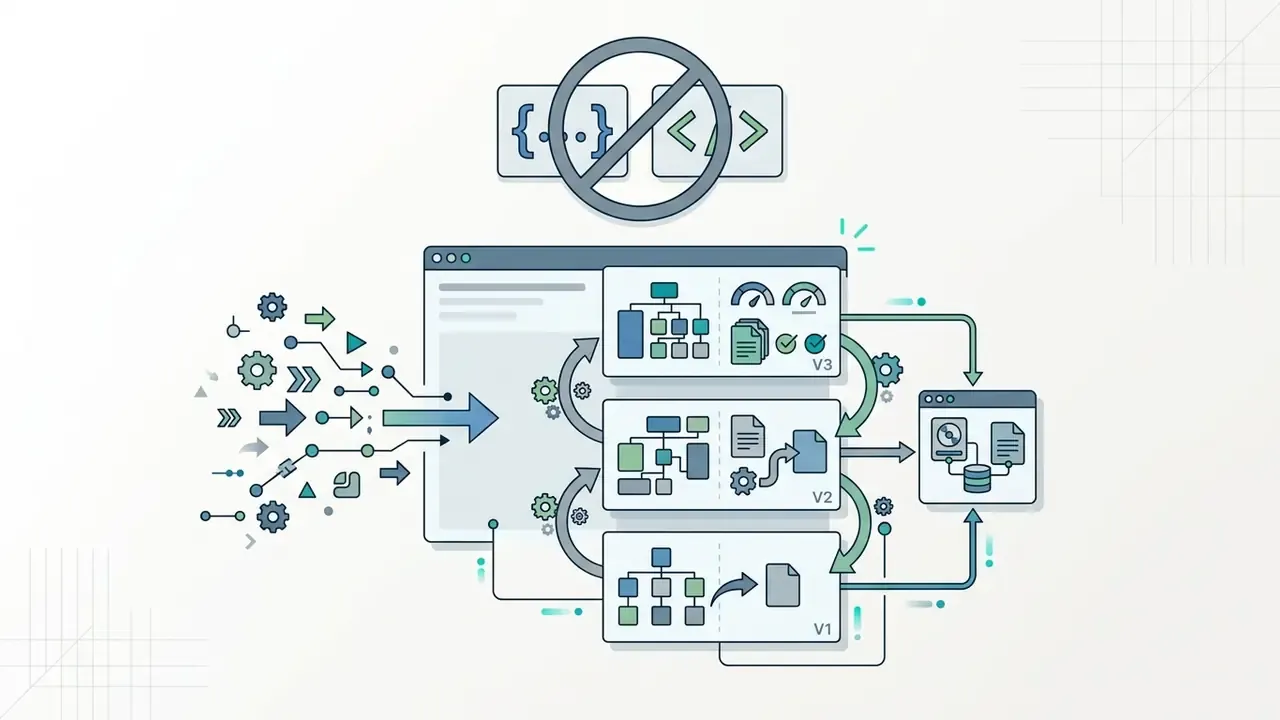
When projects demand specialized algorithms, custom procedural rules, or unusual UI interactions, access to editable JavaScript, TypeScript, or C# becomes a real asset. Updated: rather than citing an unverified share of scenarios, the accurate framing is capability-based. Visual logic and prompt automation reliably cover the mechanics that vendors ship as first-class behaviors: platformer movement, collision response, score and inventory state, dialogue branching, timers, spawners, and basic AI patrols. Exposed code access becomes necessary at four recurring boundaries:
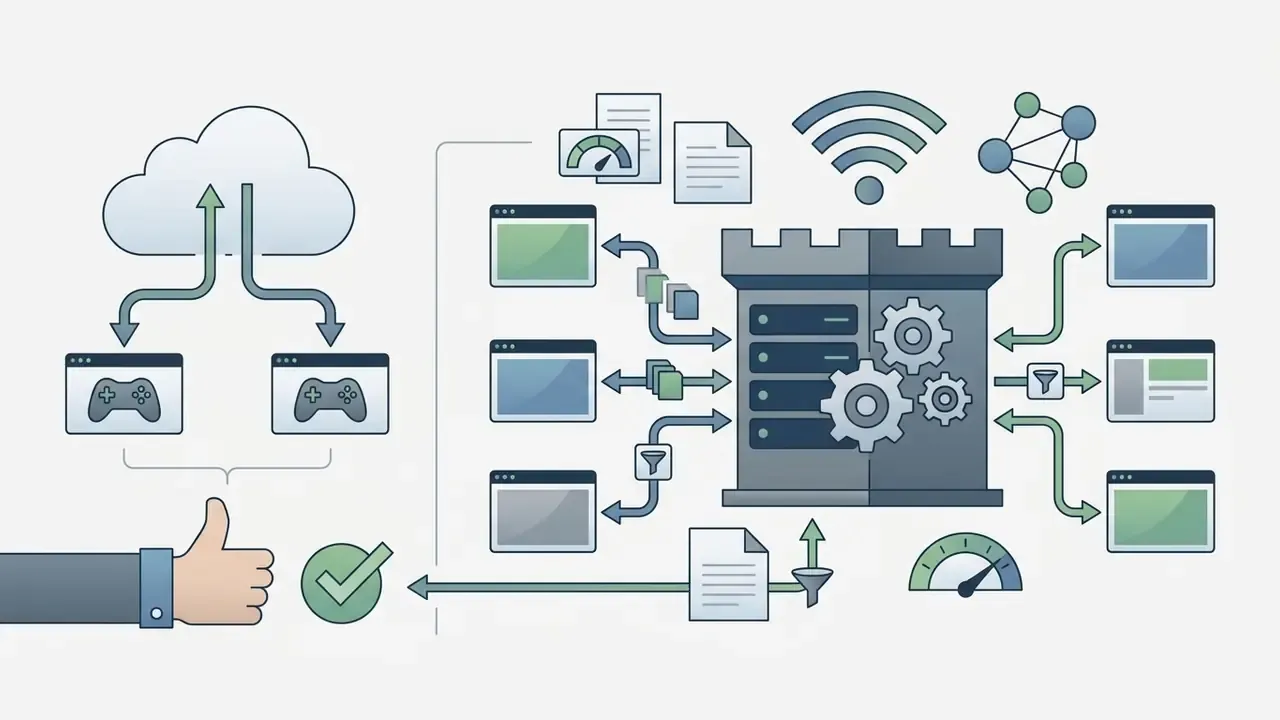
For regulated deployments, code access is not a convenience but a control. You cannot document reproducibility for a build whose logic you cannot read, diff, or version.


What features you need for a first playable game
To build a functional first prototype, a playable game rather than a slideshow, an online builder must provide five baseline features. Unity's own 2D game-creation workflow lists the same core steps, which makes it a useful neutral yardstick (Unity 6 Manual, 2D game creation workflow):
- Scene and level editing. A visual canvas for arranging backgrounds, collision boundaries, and interactive object placements. Unity defines each scene file as a unique level containing the environments and menus of the game.
- Physics and collision handling. Built-in 2D or 3D collision detection for gravity, boundary stopping, and trigger events.
- Asset management. Native support for importing sprites, 3D models, textures, and audio files, or generating them through integrated plugins.
- Interactive logic engine. An event sheet, visual node graph, or AI prompt interface for defining character behavior and victory conditions.
- In-browser test runner. An instant play-testing framework to preview physics, UI responsiveness, and balance without compiling offline builds. Unity's equivalent step is profiling, optimizing, and testing through its test framework.
Notably, AI asset generation does not appear as a mandatory baseline in official first-playable workflows. It is an accelerator, not a prerequisite. Teams building complex cross-media campaigns can use ai editing software to refine visual assets before importing them into browser scene graphs.
AI game maker capabilities: from idea to playable game
An ai game maker turns text prompts into playable browser software by combining large language models with automated asset generation engines. This prompt-to-game framework handles code creation, asset styling, and initial level layout inside one workspace, which is why business teams reach for it before they reach for engineering capacity.
How to turn game ideas into a game with AI
Turning conceptual game ideas into functional software follows a structured prompt refinement sequence. MiniMax documents the same three-beat flow, describe the loop, generate mechanics and UI, then refine by prompt, and STORY2GAME (2025) demonstrates a story-first variant that populates world state and generates code for interactive actions inside an engine.
- Step 1: Core concept prompting. The creator provides a high-level description specifying genre, visual style, player objectives, and core mechanics.
- Step 2: Logic and UI synthesis. The ai powered engine interprets the description and generates structured DSL code or event scripts that establish movement speed, raycasting mechanics, and win-state triggers.
«An intermediate DSL reduces invalid instructions and improves system stability when generating game mechanics from text.»
- Step 3: Iterative refinement. The developer uses natural-language follow-up prompts to adjust jump gravity, modify enemy health pools, or re-theme visual assets without rewriting the underlying script architecture.
«Instruction-driven reinforcement-learning level generators improve controllability by up to 21.4% and generalization to unseen instructions by up to 17.2% over baseline models.»
«In data-scarce settings, LLM level generators reach 37% of configurations that are simultaneously playable and novel.» — Nasir & Togelius, Practical PCG Through Large Language Models (2023)
Starter prompt library. Copy, adapt, and change only the italicized variables:
| Target genre | Ready-to-use starter prompt |
|---|---|
| 2D cyberpunk platformer | "Build a 2D cyberpunk platformer where the player collects energy chips and evades patrol drones across three neon rooftop levels. Add double jump, a chip counter in the top-left HUD, and a win screen at 30 chips." |
| Top-down physics puzzle | "Create a top-down 2D sci-fi puzzle game where the player redirects laser beams using movable mirrors. Ten levels, increasing mirror count, reset button, and a par-moves score." |
| Detective mystery | "Make a locked-room detective mystery aboard a luxury train. Four suspects with contradictory alibis, an evidence inventory, dialogue interrogation, and one accusation attempt per playthrough." |
| Compliance training simulation | "Build a branching workplace scenario where the player is an analyst handling a suspicious payment request. Three decision points, a consequence summary, and a score out of 100 with feedback per choice." |
| Idle / clicker loop | "Create an idle clicker about terraforming a moon. Base click income, four upgrade tiers with escalating costs, offline accrual, and a prestige reset that grants a permanent multiplier." |
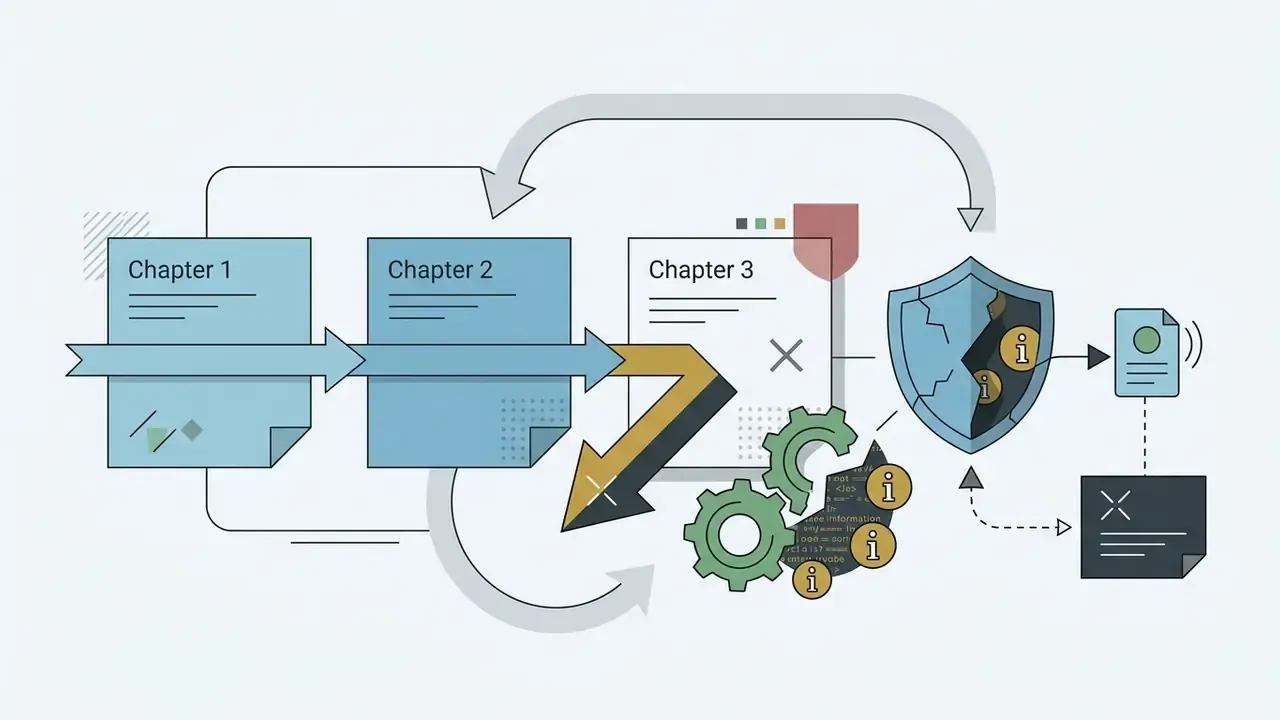
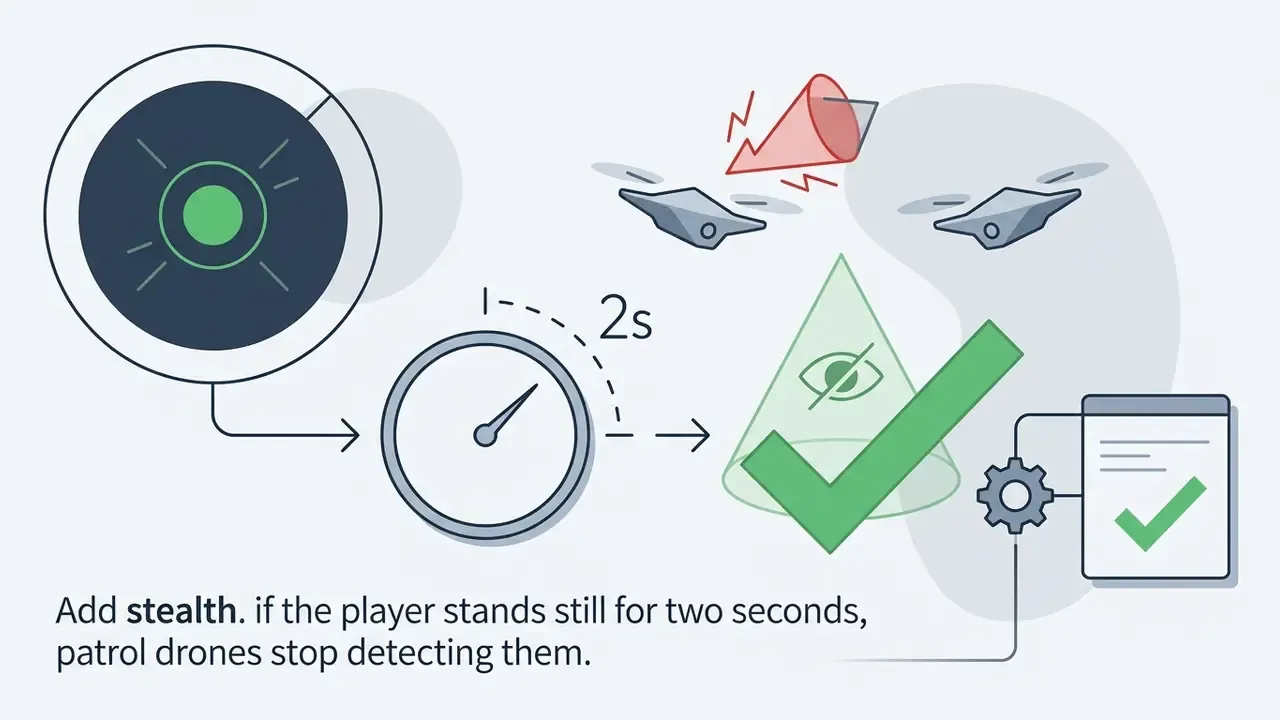
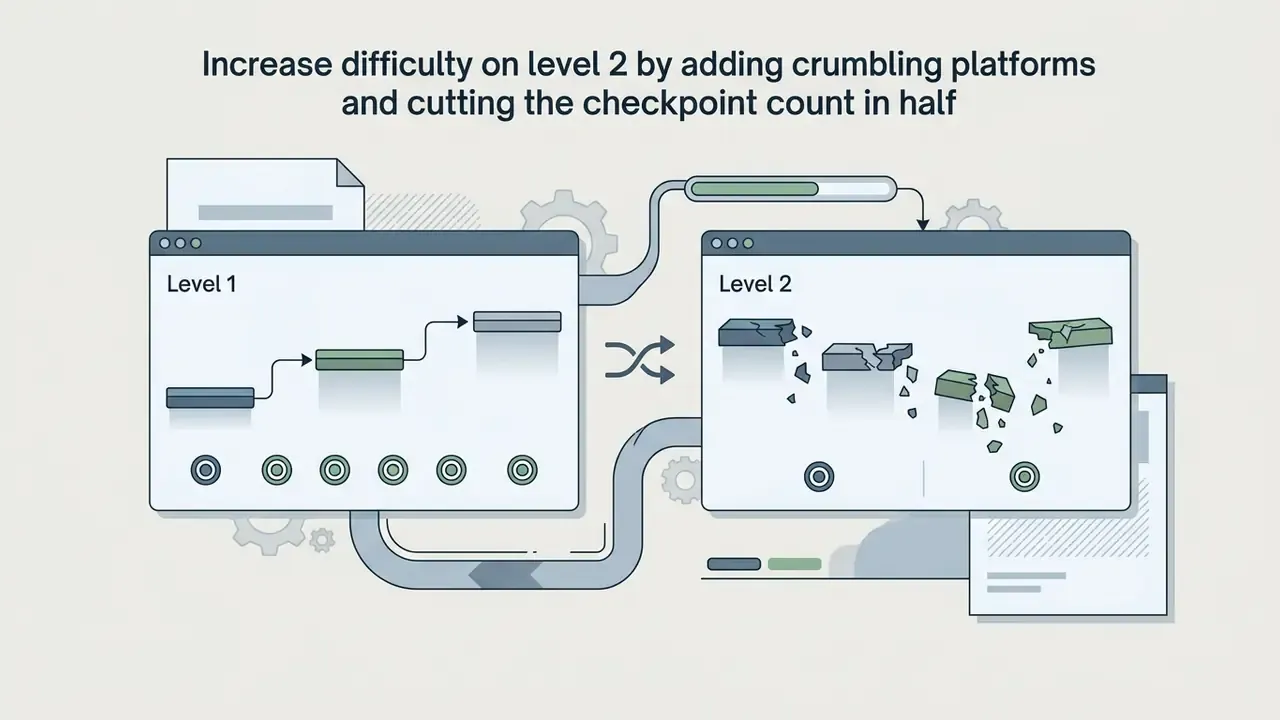
Refinement commands that actually change the build. These are the iterative, plain-language edits that separate a demo from a playable game:
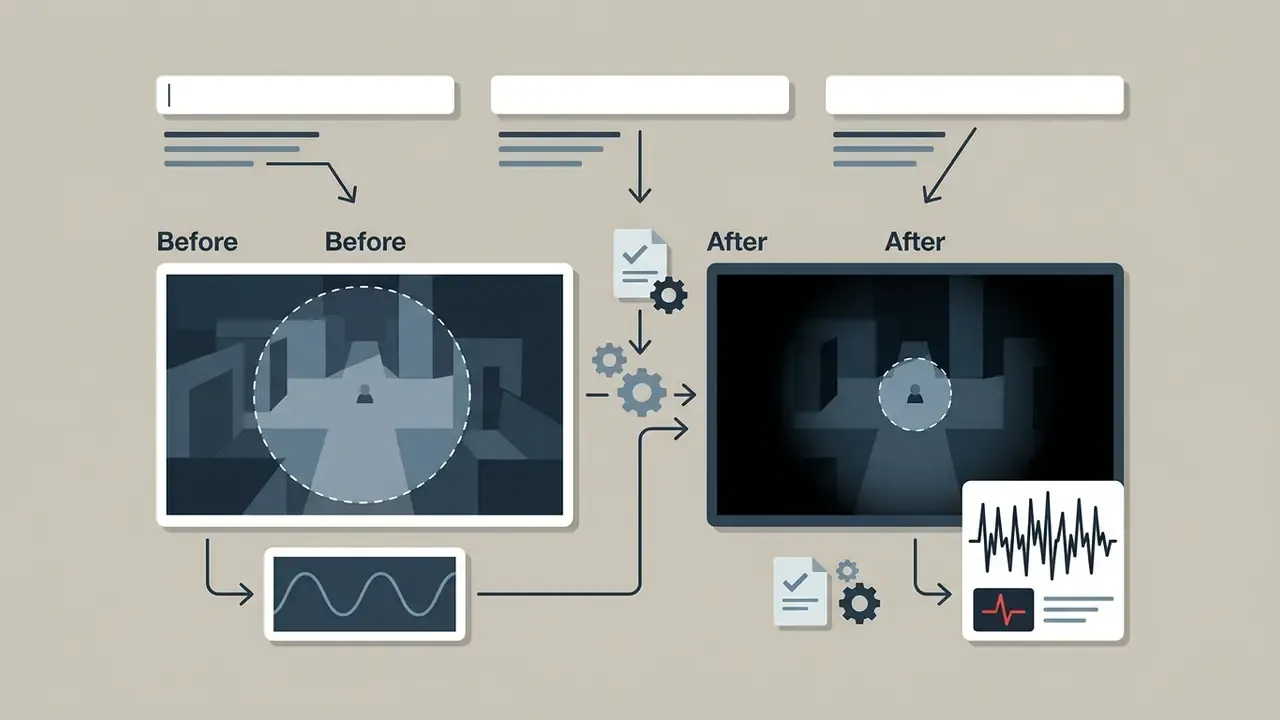
A practical discipline borrowed from balance research: when tuning by prompt, double or halve a parameter rather than nudging it. Changes need to be large enough to feel in a single playtest, then narrowed once the direction is confirmed.


Time-to-playable: realistic generation windows
Prompt-to-game platforms publish fairly consistent generation ranges, which makes effort estimation straightforward:
| Project type | Typical generation time | Notes |
|---|---|---|
| Text novella / interactive branching story | 2 to 3 minutes | Fastest path; dialogue trees and choice logic only |
| 2D platformer or physics puzzle with basic collisions | 3 to 5 minutes | Sprites, movement, win state, simple HUD |
| Complex RPG or voxel 3D world with inventory, NPCs, and multiple storylines | 5 to 7 minutes | Most vendors report 3 to 7 minutes across the whole range |
| Generative NPC with behavior tree, skeleton data, and 3D model from text | ~20 minutes | Documented by NTT DOCOMO's text-to-NPC pipeline (2024) |
| Zero to shareable, polished build including refinement passes | Under one hour | Typical when iteration is done by prompt rather than by hand |
The comparison point is instructive. The same scope in a traditional pipeline is measured in weeks for a vertical slice. What compresses is generation and iteration, not playtesting, balancing, legal review, or store submission, which all remain human-paced.
AI-generated worlds, characters, and game assets
Modern AI generators allow real-time creation of visual and auditory game components inside browser and desktop editors. Unity AI generates placeholder materials, sounds, cubemaps, and 3D models directly in-editor; Ludo.ai's Unity plugin generates sprites, icons, UI, textures, music, and 3D inside a panel without leaving the editor; Meshy provides native in-editor AI 3D asset generation; and Layer consolidates image, video, 3D, and audio generation into a single studio workspace.
- 2D sprites and textures. Diffusion models synthesize character spritesheets, background tiles, and interface icons matched to one visual art style. Teams comparing tools for sprite and tileset work can review current options among AI image generators before committing to a style pipeline. For small UI flourishes, reaction sets, and community badges, an ai emoji generator is often a cheaper fit than spending engine credits on bespoke icon art.
- 3D assets and environments. Procedural mesh generators produce low-poly 3D models, UV maps, and surface textures ready for WebGL rendering pipelines. For stylistic consistency across marketing art and in-game scenery, AI art generators offer style-transfer controls that keep concept art and shipped assets aligned.
- Sound and dialogue. Neural audio synthesis tools generate background music loops, sound effects, and voice-over dialogue tracks assigned directly to game events.
One caveat carries real cost. Unity's own guidance recommends treating generated assets as placeholders for commercial publishing until rights, resemblance to protected IP, and store disclosure requirements have been reviewed. Build with generated art, ship with cleared art, or clear the generated art deliberately.
For narrative-driven concepts, creators frequently prototype dialogue trees and branching subplots in a text tool first, then move the approved script into the engine. Drafting design documents, level briefs, and scenario backstory is the same kind of task, which is why some teams keep an ai essay generator in the pipeline for long-form drafts before a single sprite exists. For cutscene polish and sprite motion, animation makers cover tweening, rigging, and export formats that browser engines accept without conversion.
AI NPCs, multiplayer, and game mechanics
Integrating non-player characters powered by large language models changes player interaction from pre-scripted dialogue trees to unscripted conversation. Platforms using technologies such as NVIDIA ACE or Convai let 3D game NPCs perceive environmental states, respond in real time, and execute context-aware actions. NTT DOCOMO's January 2024 announcement went further, describing a generative pipeline that produces behavior-tree logic, animation skeleton data, and a 3D model from text alone in roughly 20 minutes, removing the need for specialized programming per character.
For voiced characters, pairing generated dialogue with AI voice generators closes the loop between script and delivery, with the licensing caveat that synthetic voice rights and likeness terms vary sharply between vendors.
That finding generalizes usefully. Domain-tuned assistants embedded in the editor outperform generic chat interfaces for design work, because they operate on the project's actual object model rather than on a description of it.
For multiplayer experiences, AI engines assist in generating server-side state synchronization logic and automated balance testing. Updated with methodology: balance research using autonomous agents runs repeated timed play sessions across two or more builds and compares metrics such as challenge-versus-success ratio and skill-versus-chance weighting, which surfaces exploit conditions and scoring anomalies before public deployment (Assessing Video Game Balance using Autonomous Agents, arXiv, 2023). The same literature notes that agent-driven evaluation supplements human playtesting and never replaces it, because agents optimize for score while humans respond to feel.
Enterprise case study: an operational-risk training simulation
This case deserves its own treatment rather than a footnote, because it is the pattern most regulated teams will actually follow. Treat it as illustrative rather than as a documented client engagement.
Context. A finance transformation team needed to test whether an interactive format improved retention of operational-risk controls compared with slide-based training, before committing engineering budget to a production learning module.
Build. Using a cloud-based ai game maker, the team generated a 2D branching compliance scenario, an analyst handling a suspicious payment request, complete with custom sprites and audio, in roughly two hours of elapsed time including refinement prompts.
Controls applied during the build:
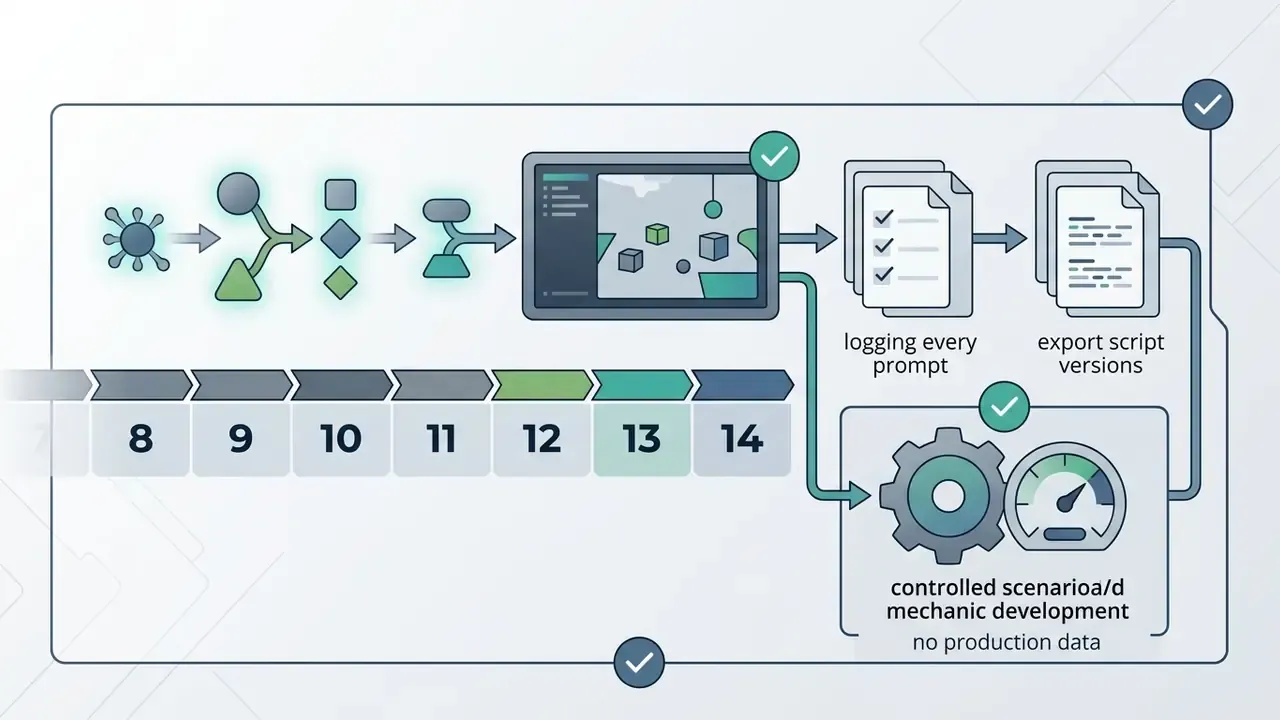
- Input boundary. No customer data, no real transaction records, and no internal control language verbatim. Scenarios used synthetic institutions, synthetic amounts, and paraphrased control descriptions reviewed before entry.
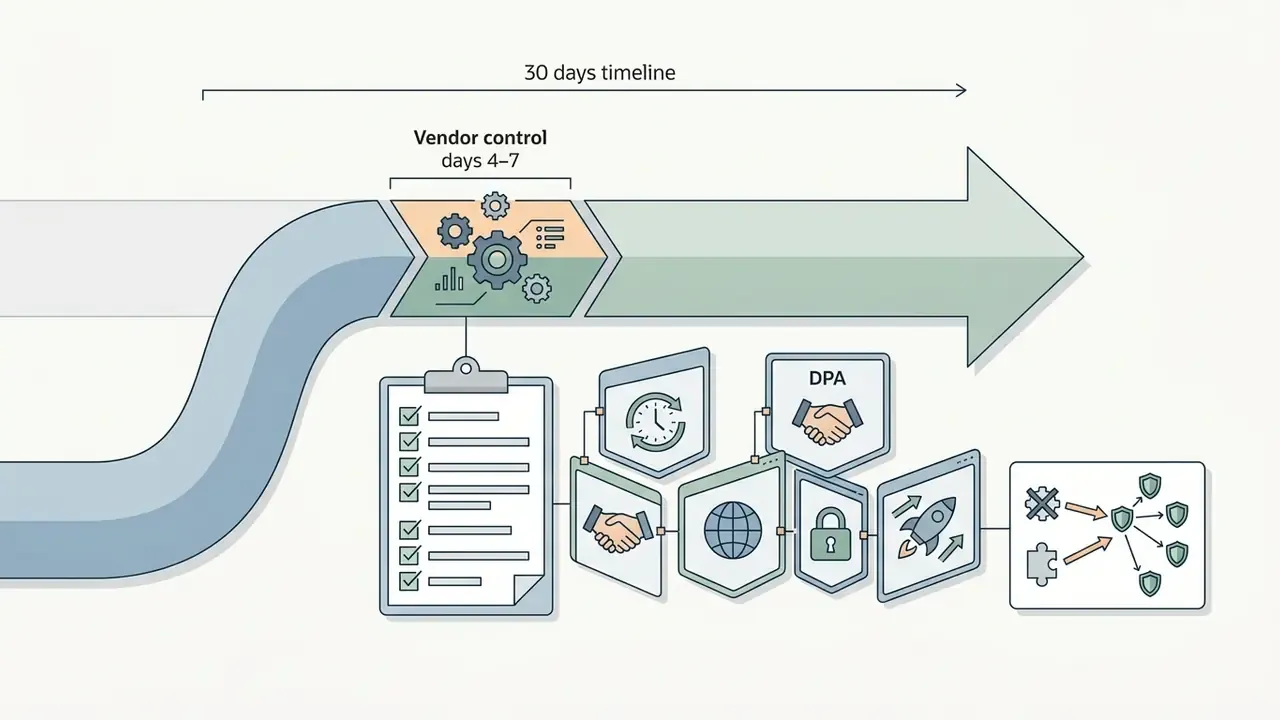
- Tenancy and retention. The session ran on a plan with data retention disabled for prompts and outputs. The vendor's DPA and retention setting were confirmed in writing before the first prompt.
- Access. Named-user access only, provisioned through SSO, with the project restricted to the pilot team.
- Audit trail. Every prompt, generated script version, and asset provenance record was exported and stored with the pilot documentation, so the final artifact's construction is reproducible on review.
- Asset clearance. Generated sprites and audio were treated as placeholders. Anything surviving into the production module was scheduled for licensed replacement.
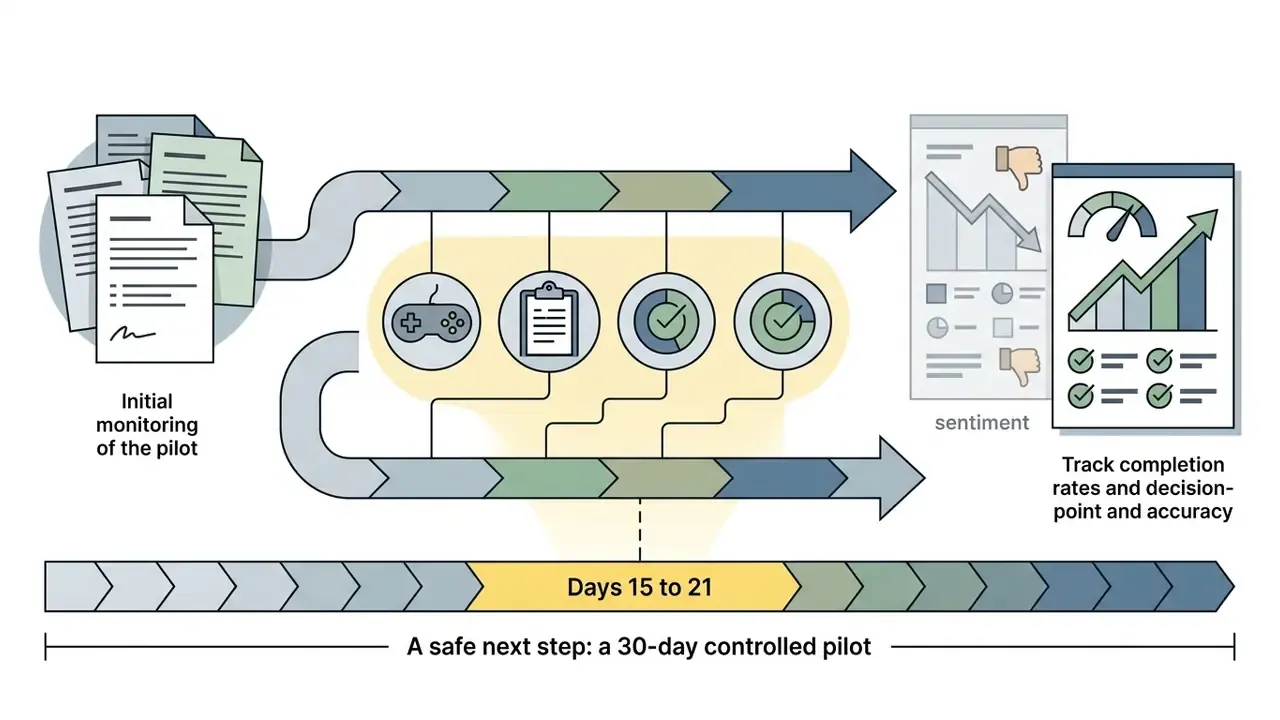
Outcome. The team validated engagement metrics internally, covering completion rate, decision-point accuracy, and repeat-play behavior, before engineering full production modules. Prototype cost was measured in hours rather than sprints, and the decision to proceed rested on observed behavior rather than a proposal deck.
Transferable lesson. The prototype's value came from speed. Its defensibility came from the five controls above. Neither works alone.
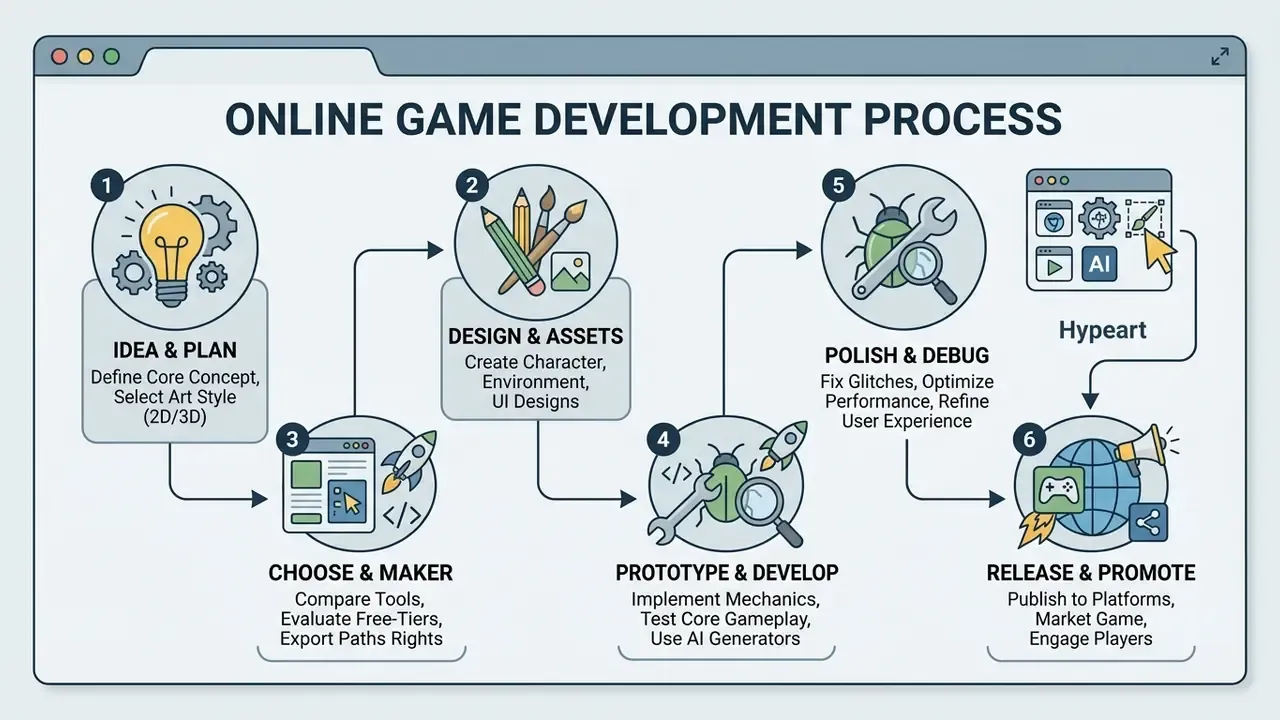
How to create a game online: the path from idea to launch
Building and releasing a browser game follows a staged pipeline: conceptualization, asset production, prototype validation, iteration, and public publishing. Academic game-development literature describes the same arc in four phases, ideation, preproduction, production, postproduction, with a vertical slice built during preproduction and alpha/beta gates before release (Games, Design and Play, and university game-production curricula).
- Step 1, concept and genre definition.Define target player goals, victory metrics, and visual format (2D or 3D). Write the player-experience goal in one sentence before choosing a genre framework such as interactive narrative, puzzle platformer, or educational simulation. If you cannot state what the player should feel, you cannot test whether they felt it.
- Step 2, format and tool selection.Select a browser builder based on installation requirements, project complexity, and export needs (HTML5 web deployment, standalone desktop bundle, or signed mobile package). Confirm export targets before building, because retrofitting a mobile release onto a web-only project is the most common avoidable cost in this whole workflow.
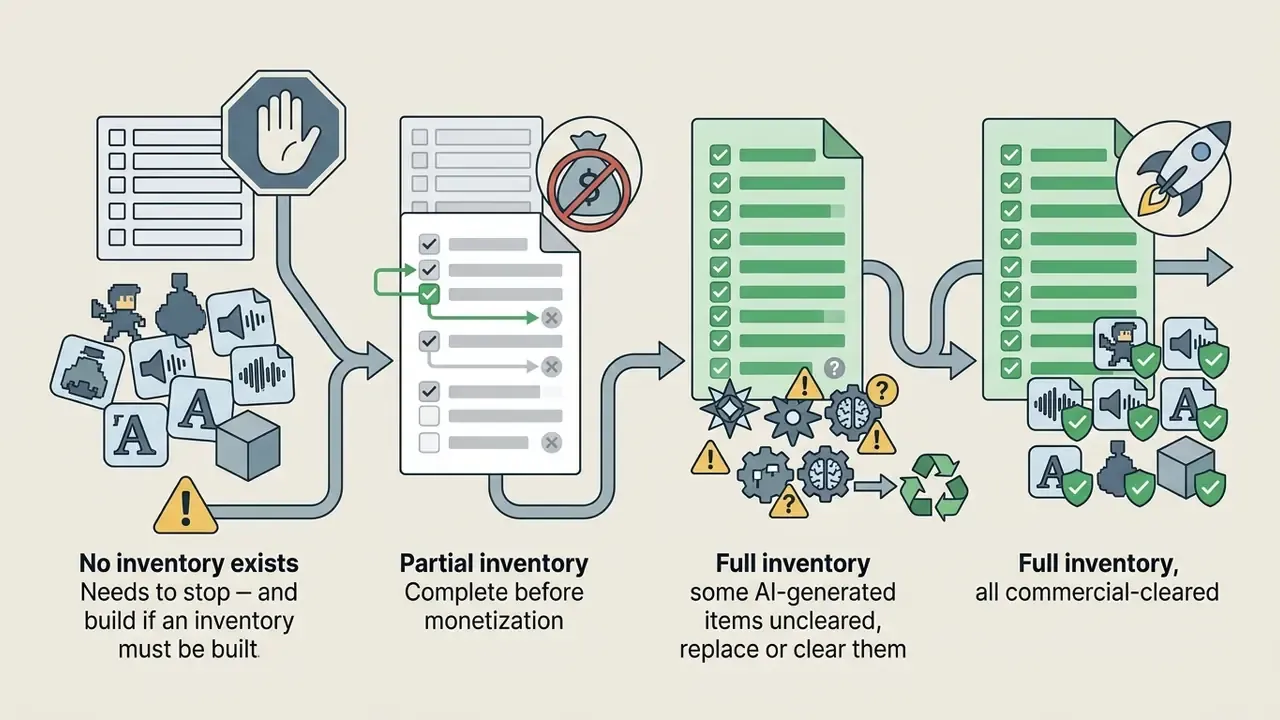
- Step 3, asset generation and logic assembly.Create or import graphic elements, audio files, and collision maps. Configure game logic using visual event sheets or natural-language AI prompts. Keep asset provenance in a simple spreadsheet from day one: source, licence, and whether AI-generated.
- Step 4, prototype testing (playable game).Run local test sessions to evaluate frame-rate performance, input latency, and physics boundaries. Refine core loops using telemetry and tester feedback, measured against the player-experience goal from Step 1.
- Step 5, balancing and remixing.Adjust difficulty parameters, modify character attributes, or fork existing template mechanics using open-source "remix" workflows. Game balance is formally defined as systematically modifying parameters and operational rules to reach predefined goals, which means writing the goal down first.
- Step 6, one-click publishing.Deploy the completed project to web servers, generating a shareable URL, or compile an HTML5 ZIP package for commercial storefront distribution plus native binaries for desktop and mobile stores.
Define your idea and choose a genre
Successful web games rely on focused core loops that players understand within thirty seconds. Eight genres dominate web-first game development, each with a characteristic mechanic set:
- Interactive stories and visual novels. Branching dialogue, expressive character portraits, choices with visible consequences. Genre-taxonomy research scored interactive story 4.48 / 5 on player appeal, the highest in its sample.
- RPGs. Turn-based or real-time combat, quests, leveling, inventory, moral choices. A 2025 study of gamification users found RPG to be the preferred genre for 43.3% of respondents; a 2023 peer-reviewed study of 420 school students found significant associations between RPG preference and personality traits, indicating measurable audience segmentation. Note on sourcing: these figures come from gamification and education samples rather than general-market game telemetry, so treat them as directional for training and edutainment contexts rather than as universal market share.
- Mystery and detective games. Clue gathering, suspect interrogation, evidence inventories, and deduction checks that test player reasoning.
- Horror and survival. Atmospheric audio design, restricted visibility, resource management, and escape-from-danger pacing. The same taxonomy research scored horror lower on broad appeal (2.87 / 5), which makes it a niche-audience play rather than a mass-reach one.
- Puzzle games. A single invented mechanic, playtested the same session, scaled across levels by constraint stacking.
- Idle and clicker games. Incremental upgrade loops, escalating costs, offline accrual, and prestige resets. Cheapest genre to prototype, hardest to balance.
- Racing games. Arcade drift handling, lap timers, checkpoint gates, and track-based difficulty curves.
- Educational and simulation games. Utility-focused builds designed for classroom settings or corporate training, with measurable learning outcomes as the point. Note on sourcing: claims about classroom effectiveness should be tied to your own pre and post assessment data. Vendor templates marketed as "classroom-ready" describe flexibility across curricula, not validated learning gains. A 2024–2025 systematic review of experience-driven adaptation covered 17 empirical studies and identified RPG and horror as the most common genres used for adaptive content design.
For rollout communications around a launch or an internal pilot, the same discipline applies to copy as to code: define the audience action first, then write the sequence. Teams managing creator-facing campaigns often pair game publishing with YouTube editing workflows to produce trailers and devlogs from the same build footage, and use an ai email generator to draft the playtest invitation sequence rather than writing each wave by hand.
Build, test, and improve your game
Once the primary mechanics are configured, creators enter an iterative cycle: prototype, playtest, evaluate, revise, repeat. The loop is not glamorous. It is where the game becomes a game.
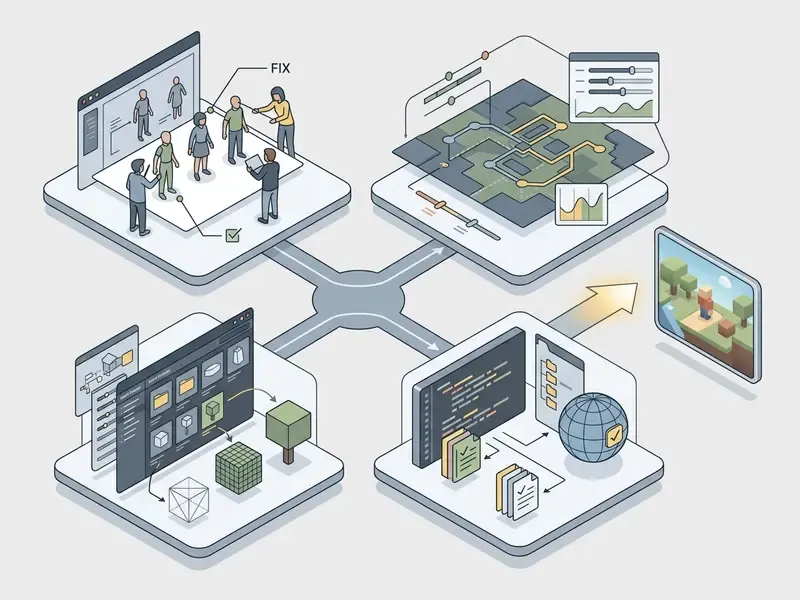
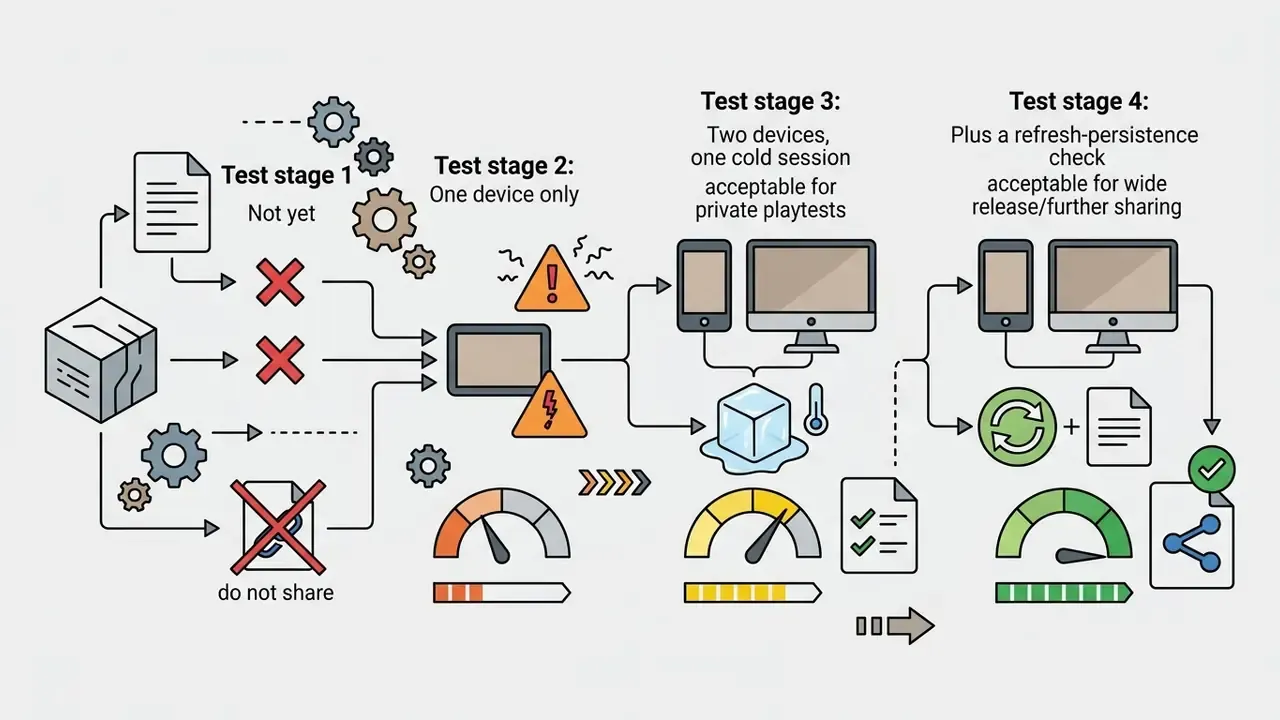
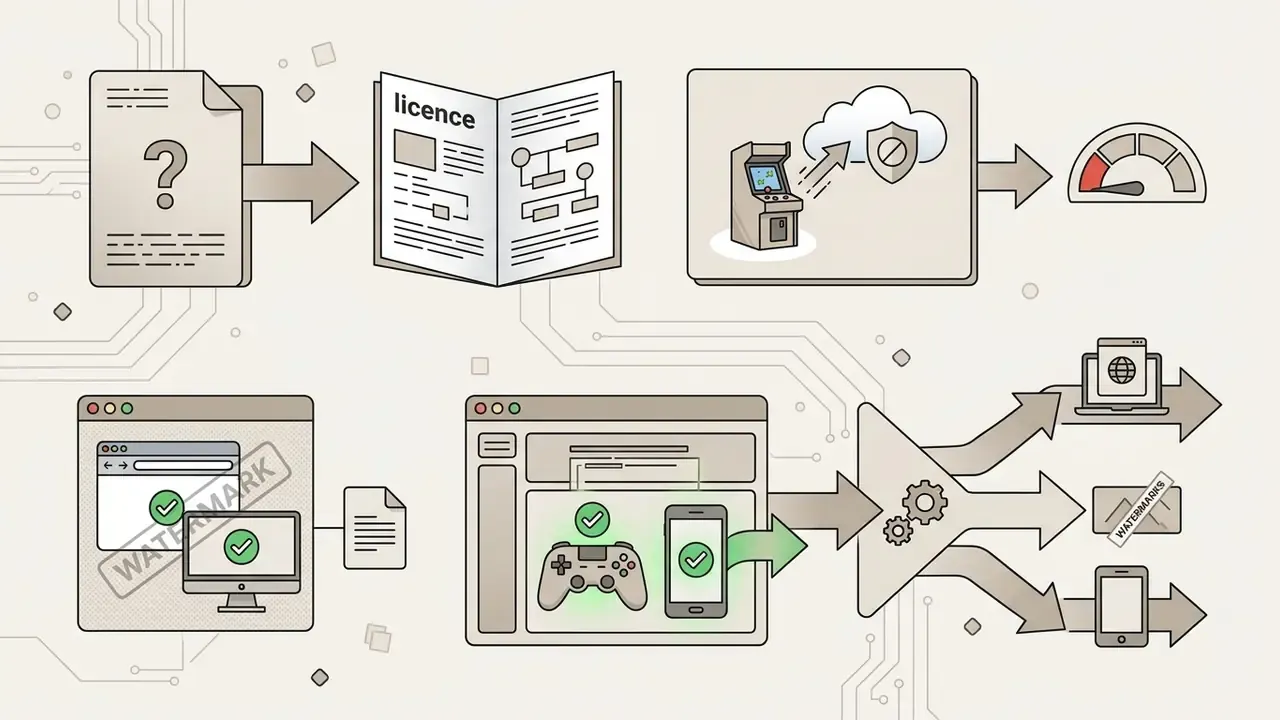
Use the quiz as a gate, not a formality. The four questions it should ask, with what each answer means:
Alongside the gate, three practices carry the iteration:
- Playtesting. Share private staging links with test groups to gather qualitative feedback on control responsiveness and objective clarity. Capture observations immediately after each session, then evaluate and prioritize before changing anything. An ai email response generator can keep tester follow-ups consistent when a single round produces forty replies in one evening.
- Balancing. Tune numerical parameters such as movement acceleration, enemy spawn intervals, and power-up durations. Halving or doubling parameters during early tests makes changes immediately noticeable; narrow the range once direction is confirmed.
- Remixing existing projects. Many online platforms let developers "remix" open-source community templates, starting from any published game and modifying it. Working from an existing codebase accelerates prototyping while revealing how experienced developers solve logic challenges. The balance literature treats remixing as a legitimate method, describing developers modifying a game per tester feedback by tweaking parameters and adding mechanics such as a jump.

Free video game maker: what you get without paying
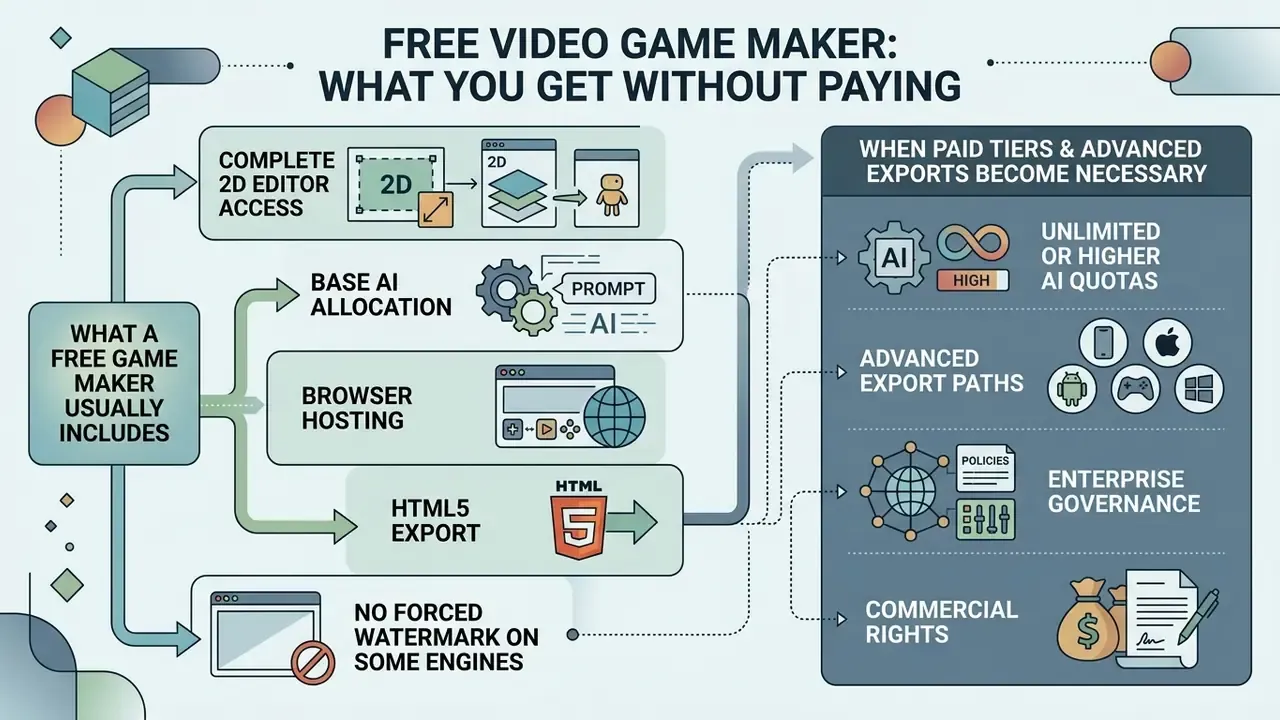
A free video game maker provides entry-level functionality with no upfront software spend. Understanding which features sit inside free tiers, and which require commercial upgrades, prevents operational surprises during deployment. The pattern across free video game making websites is consistent: creation is generous, distribution is where the meter starts.
What a free game maker usually includes
Standard free tiers across web platforms such as GDevelop, Rosebud AI, and Makermint generally provide:
- Complete 2D editor access. Drag-and-drop scene builders, sprite animation managers, and visual event systems. GDevelop's free tier also covers 3D and web export.
- Base AI allocation. Daily or monthly credit quotas for synthesizing assets, generating code snippets, or running prompt queries.
- Browser hosting. One-click publishing to community portals or direct shareable web links. Makermint issues a shareable link for the finished game, and Rosebud publishes in one click for anyone to play.
- HTML5 export. Local web build generation for non-commercial hosting on personal websites.
- No forced watermark on some engines. GameMaker's free licence is perpetual for non-commercial use and does not force a splash screen, while still excluding console targets.
To complement in-game graphics, creative teams often produce store icons, thumbnails, and social promotional assets with free AI image generators, which is usually cheaper than burning engine AI credits on marketing art.
When paid tiers and advanced exports become necessary
As projects grow in scale and commercial ambition, creators typically move to paid tiers (Professional or Enterprise) for four recurring reasons:
- Unlimited or higher AI quotas. Removing daily text and image generation limits for large-scale asset creation. Enterprise plans on major AI platforms are documented as offering practically unlimited messages for eligible models.
- Desktop and mobile binaries. Unlocking native Windows export, macOS executables, and iOS/Android app bundles required for commercial app store releases. Console export is typically Enterprise-only.
- Branding and splash removal. Eliminating vendor watermarks and default loading screens from published builds. Spline, for example, removes web-export watermarks at the Professional tier and reserves code export plus APIs and webhooks for paid plans.
- Commercial licensing. Securing formal rights to sell copies, integrate in-app purchases, or process ad revenue. GameMaker states that commercial use requires a Professional licence, while console export requires Enterprise (GameMaker licensing).
| Feature / capability | Free tier | Professional tier | Enterprise tier |
|---|---|---|---|
| 2D/3D scene creation | Full basic access | Full access plus 3D assets | Extended 3D optimization |
| AI generation limits | Capped daily quotas | High or unlimited quotas | Dedicated AI infrastructure |
| Build export | Web (HTML5), share link | Web, Windows, macOS, mobile | Web, desktop, mobile, consoles |
| Watermark removal | Platform watermark present | Watermark removed | Custom branding and splash |
| SSO / RBAC / audit logs | Not typically available | Partial; verify per vendor | Expected; request in writing |
| Commercial use | Non-commercial or capped | Full commercial rights | Negotiated enterprise licence |
Fact check and service-terms verification:
Can you use your game commercially?
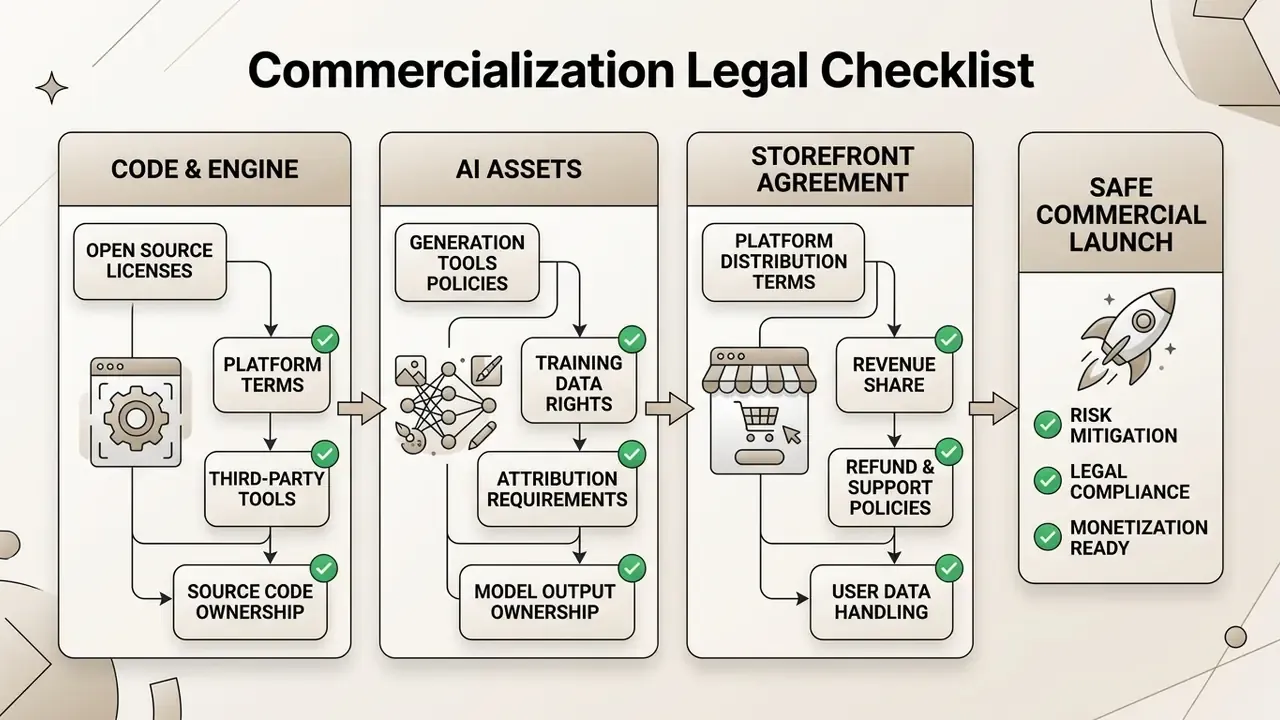
Monetizing a project built with a free video game creator depends on three things at once: platform licensing terms, third-party asset rights, and AI output ownership law.
Rights to the game, the code, and AI-generated content
- Human-authored vs. AI content. The U.S. Copyright Office specifies that purely AI-generated outputs (images, audio, code) lacking sufficient human control do not qualify for copyright protection (U.S. Copyright Office, Copyright and Artificial Intelligence). The human-authored combination of code, custom gameplay logic, narrative design, and level layouts remains copyrightable. Where registration is sought for a mixed work, the AI-generated portions must be disclosed and disclaimed. Teams weighing release risk should review current norms for commercial use of AI-generated images before shipping generated art into a paid product.
- Platform terms of service. Platforms assign rights to generated code through their end-user licence agreements. OpenAI, for example, states that it will not claim copyright over content generated by the API for you or your end users, and assigns output rights to the user to the extent permitted by law (OpenAI Terms of Use). Commercial use of the complete game still depends on meeting the game maker's own licence requirements.
- Third-party asset rights. Ensure imported sound effects, music tracks, fonts, and graphic textures carry permissive commercial licences (CC0 or commercial royalty-free terms), and record the licence alongside each file.
- Training-data and jurisdictional exposure. Policy remains unsettled and differs by country. UK government analysis of copyright and AI states that reproducing copyrighted works to develop AI models generally requires a licence unless an exception applies, while U.S. guidance focuses on the copyrightability of AI outputs and the human-authorship requirement. Expect divergence, and document which jurisdiction your release targets.
When assessing intellectual property exposure and software copyright compliance, development teams consult the timelines and filings indexed in the AI Litigation and Case Timelines resource hub.
Governance, model risk, and the audit trail
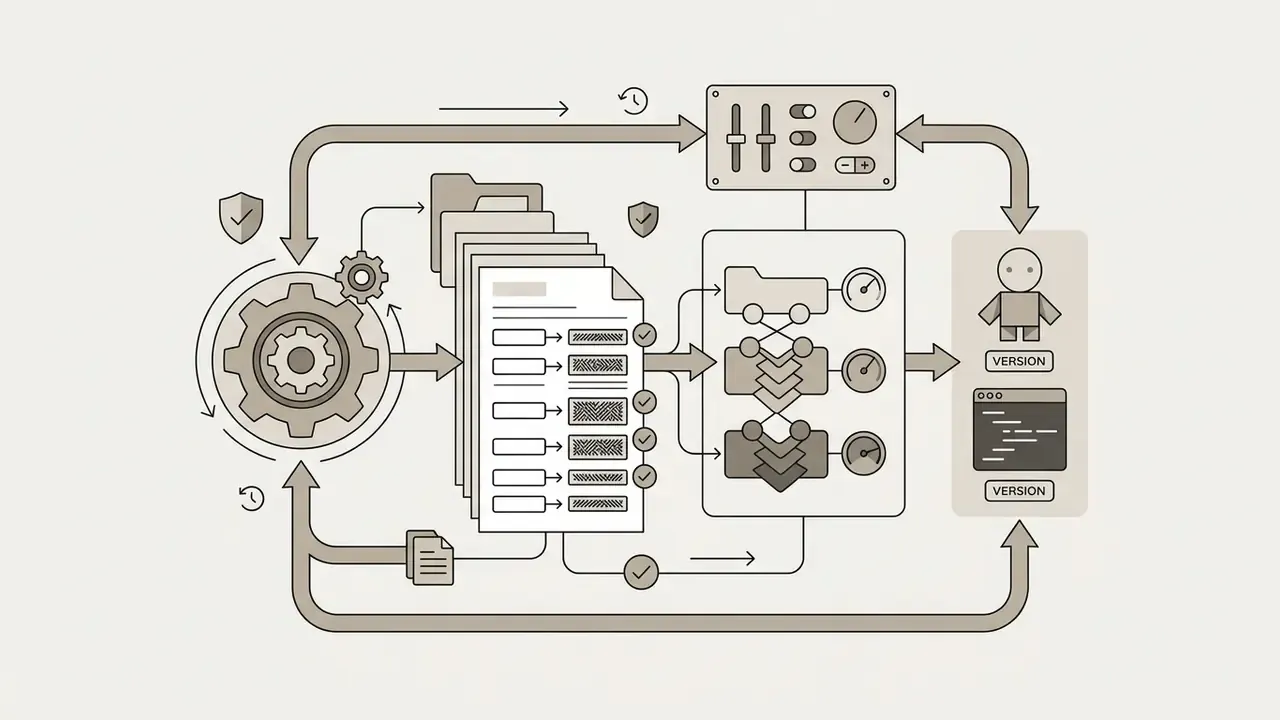
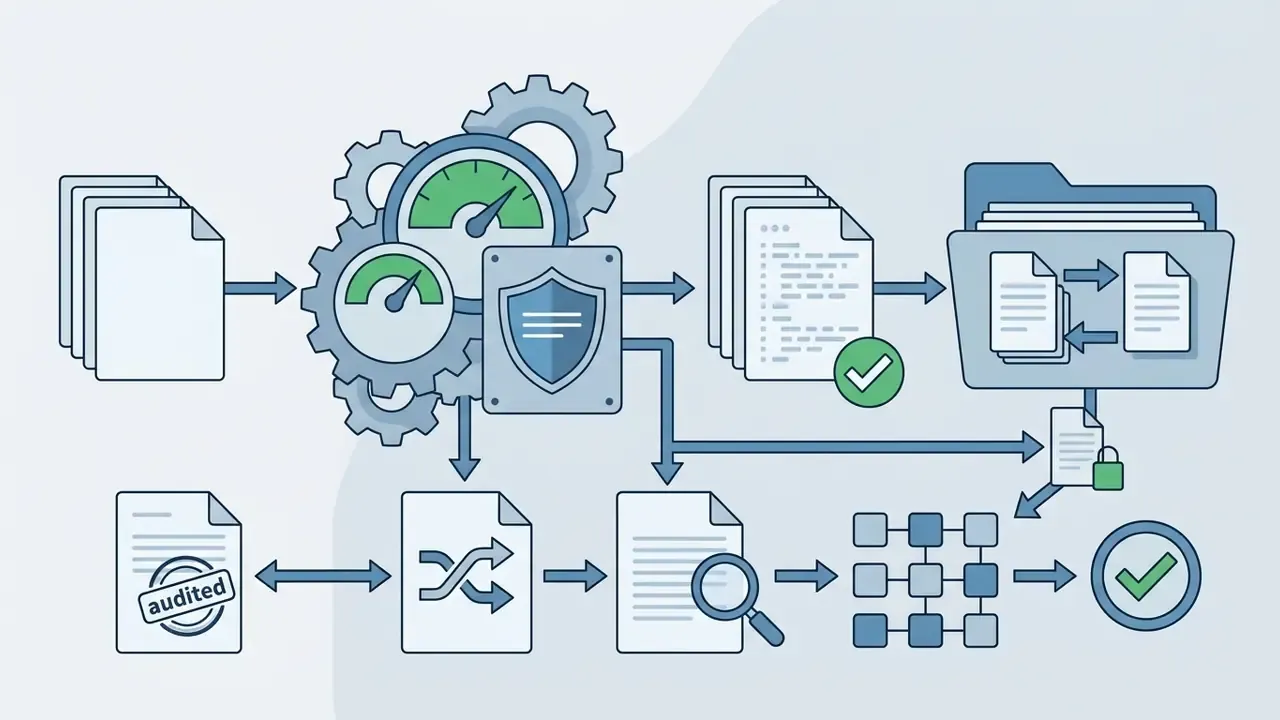
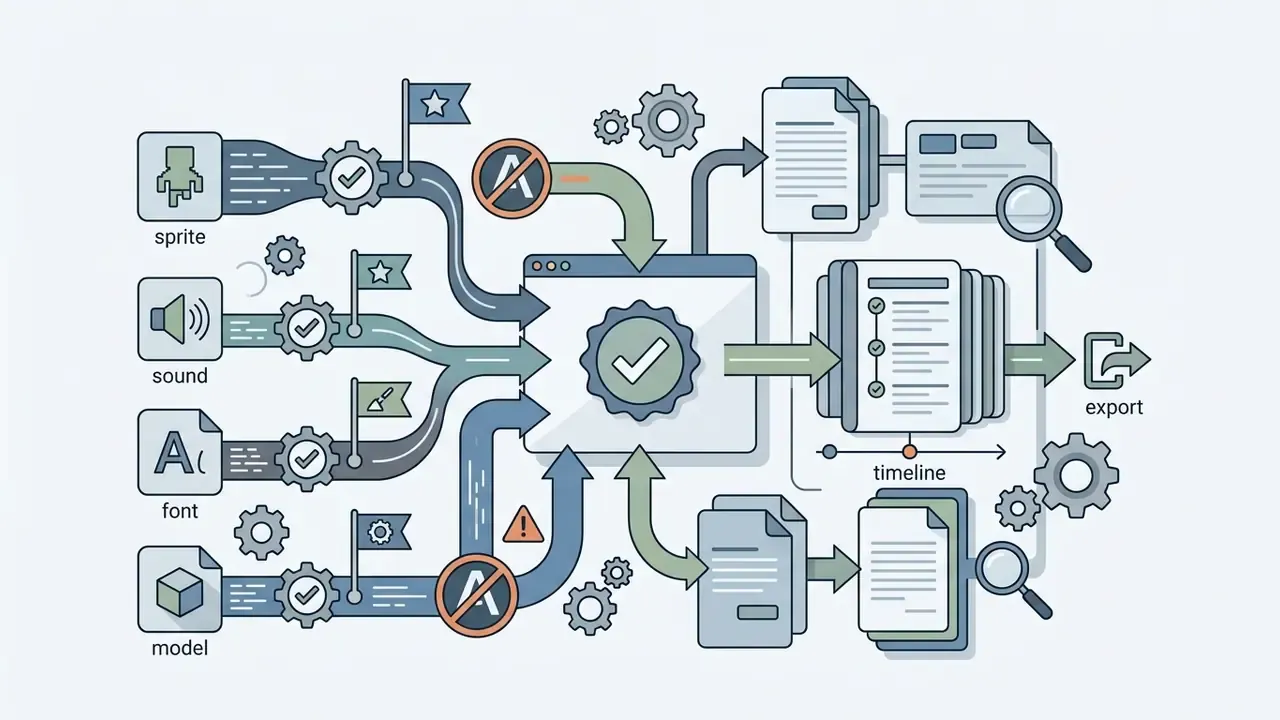
For regulated organizations the question is not only "may we ship this?" but "can we evidence how it was built?" Generative build tools sit inside existing model-risk and third-party-risk frameworks rather than outside them. In U.S. banking supervision, model risk management expectations are set out in the Federal Reserve's SR 11-7 and the OCC's 2011-12 guidance. The practical translation for an AI-assisted game or simulation build is five artifacts:
Worth stating plainly: a training simulation that shapes staff behavior on a controlled process is a content artifact, not a predictive model. The proportionate treatment is usually third-party and technology risk review plus content sign-off, escalating to fuller model governance only if outputs begin to feed decisions. Agree that classification with your risk function before the pilot, not after it.


Security and compliance checklist before procurement
Use this before a purchase order, not after a pilot. Ten items, each answerable yes or no with evidence attached:
- Current SOC 2 Type II or ISO 27001 report available under NDA.
- Data-processing agreementexecuted, with sub-processor list disclosed.
- Zero data retentionconfigurable for prompts and outputs, confirmed in writing.
- Tenant isolationor private/VPC model hosting for sensitive content.
- Data residencyguarantees matching your jurisdictional requirements.
- SSO/SAMLwith named-user provisioning and automated deprovisioning.
- Role-based access controlat project level, not just account level.
- Exportable audit logscovering prompts, publishes, and share-link creation.
- Source-code exportso builds can be rebuilt and reviewed outside the vendor.
- IP indemnificationand clear statements on training-data use and output ownership.
Anything answered "no" is not automatically disqualifying. It is a compensating-control requirement. The most common compensating control is scope restriction: synthetic content only, no production data, no external distribution.
Risk-adjusted TCO and ROI: how to model the decision
Sticker price is the smallest line item. A defensible model has five cost components and one confidence factor:
Total cost of ownership (per project):
TCO = platform licences + AI credit consumption + licensed asset replacement + internal build hours + review hours (legal, security, risk, accessibility) + hosting/distribution fees + remediation reserve
Risk-adjusted return:
Risk-adjusted ROI = ((expected benefit × confidence factor) − TCO) ÷ TCO
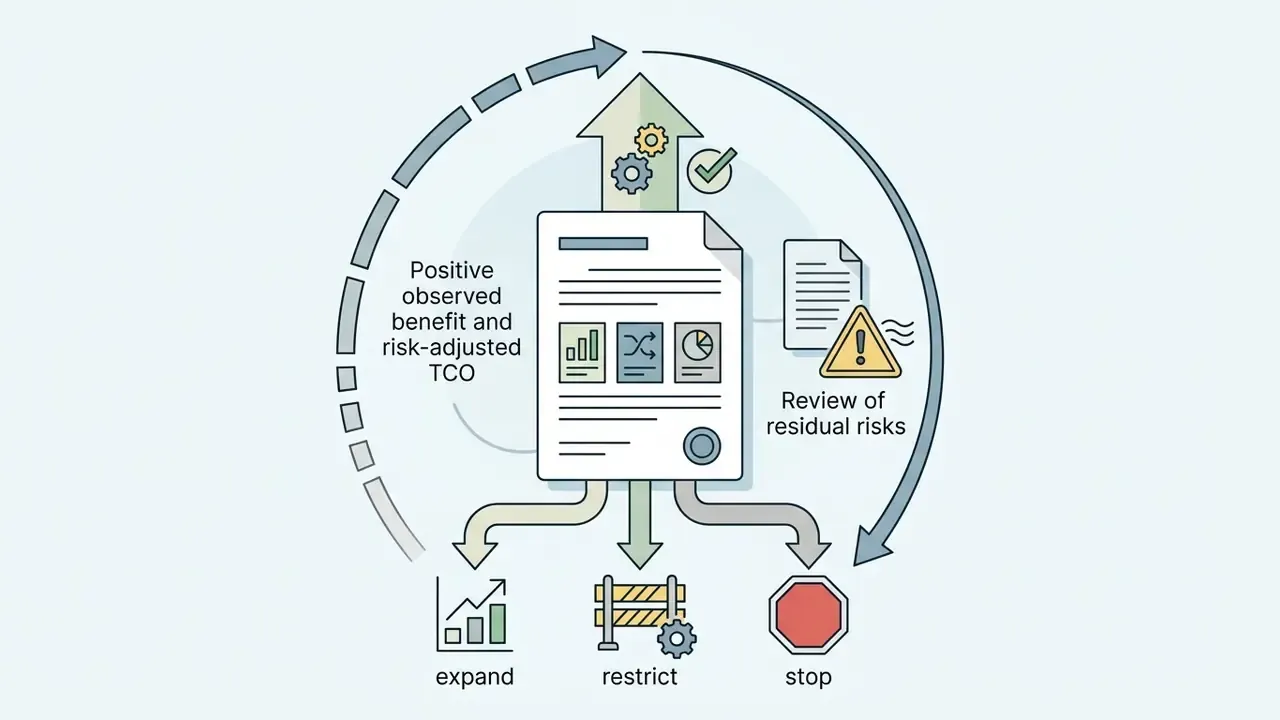
Three practical notes. First, review hours frequently exceed build hours for regulated content. A two-hour prototype can carry ten hours of review, which is still cheap against a multi-sprint production module. Second, the remediation reserve covers replacing uncleared AI assets and rebuilding anything the vendor's export format cannot reproduce; size it at the value of the assets you cannot re-license. Third, the confidence factor is where prototyping earns its keep: the whole point of a two-hour build is to replace a guessed benefit with an observed one before the large commitment.
For projecting per-asset and per-minute generation spend across tools, the AI Media Pricing Guides provide current rate structures to plug into the licence and credit lines.
Monetization, publishing, and choosing a plan
Developers can choose from several commercial monetization models:
- Direct storefront sales. Selling downloadable desktop builds on platforms such as Steam or GOG. Storefronts take a standard revenue split; the Epic Games Store gives developers 100% of revenue on the first $1,000,000 in annual net revenue per app, then 88/12 thereafter, and developers processing their own in-game payments keep 100% of that payment revenue.
- In-app purchases and advertising. Offering cosmetic upgrades, level unlocks, or ad integrations inside web games. Web-portal ad splits vary by traffic source; one major HTML5 portal publishes a 50/50 split on traffic it brings and 100% on players the developer brings themselves.
- Self-hosted sales. Selling directly on owned domains retains 100% of profits minus standard payment-processing fees.
Upgrading to a Professional plan keeps you inside vendor revenue caps and legally authorizes commercial distribution. Note that Construct's free edition is non-commercial, with revenue caps applying to lower paid tiers, a structure common enough that you should check the cap rather than just the price.
Where to publish and how to share your finished game
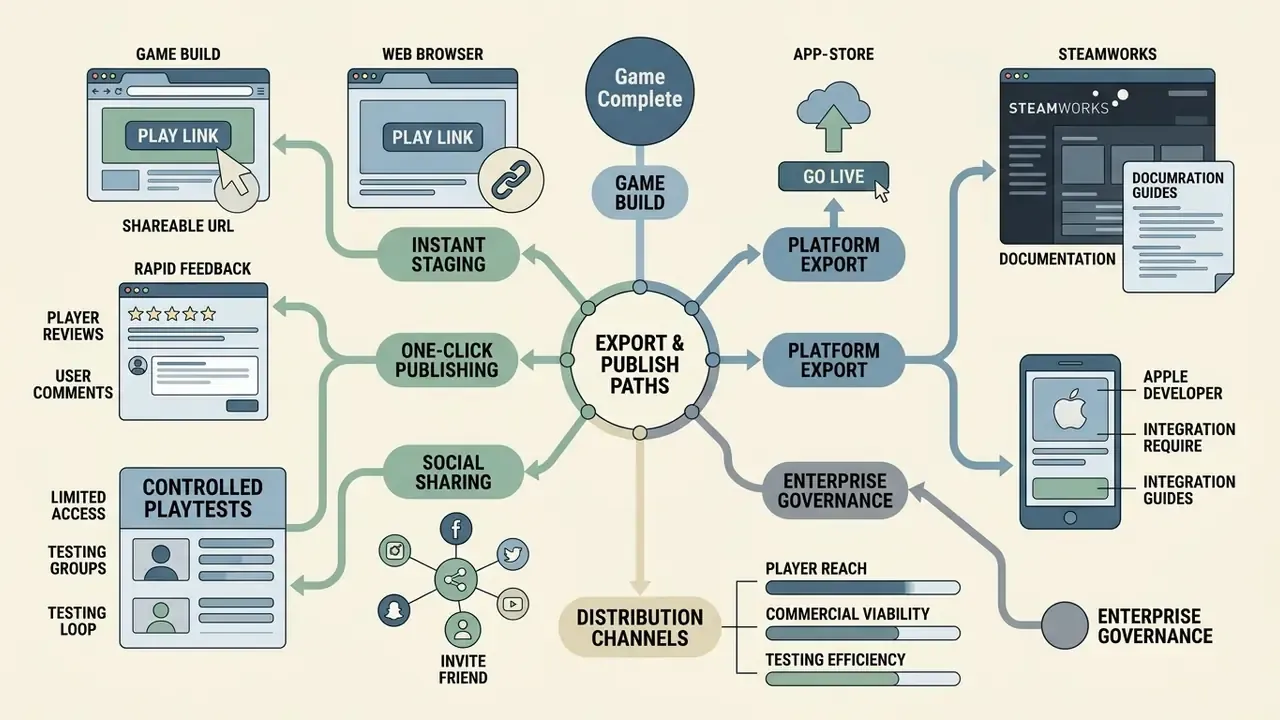
Once development is complete, the distribution channel determines player reach, testing efficiency, and commercial viability. MDN frames the options as three routes: self-hosting on the open web, submitting to open marketplaces, and packaging for closed stores such as Google Play and the iOS App Store, with the last route requiring an ecosystem-specific build format.
Publishing by link and one-click publishing
Browser-native platforms feature one-click publishing, generating an instant HTTPS URL. This deployment path offers four concrete advantages:
- Instant staging and testing. Testers click a link and launch the game online immediately, with no installer.
- Rapid feedback loops. Updates pushed in the editor reflect on the hosted URL right away, which allows real-time bug fixing during live playtests.
- Social sharing. Direct links can be embedded in social posts, community forums, Discord servers, or educational portals to maximize reach. The experience resembles sharing a video link, except the recipient plays an interactive build and creates no account on their end.
- Controlled playtests. Private or password-protected links restrict a build to named testers. Microsoft's playtest documentation describes sharing sessions by deep link, so the package, dates, or audience can be updated without disrupting an in-flight test. Pair the link with a short post-session survey (ratings, one open-ended question, timestamped notes) to keep feedback comparable across rounds.
Exporting for storefronts and other platforms
Releasing on formal commercial storefronts requires dedicated platform packaging:
- Windows export and Steam. Compiling standalone
.exebinaries, configuring Steamworks depots and packages, declaring supported operating systems and system requirements, building the store page, setting pricing, and moving the build to the Default branch for release (Steamworks partner documentation). - Apple App Store. Packaging builds with the required current iOS/iPadOS SDK, managing certificates through App Store Connect, and passing App Store review. Apple enforces time-dated minimum SDK requirements, so verify the active cutoff before you submit (Apple Developer documentation).
- Google Play Store. Creating a developer account, packaging the game, creating the app and a release, and uploading a signed Android App Bundle (
.aab), with Android Gradle Plugin version requirements documented for the current build path. Distribution to Google Play Games on PC additionally requires enabling the PC form factor in advanced distribution settings and meeting playability requirements (Google Play Console Help). - Microsoft Store and Xbox. Publishing runs through Partner Center with Xbox and Windows-specific submission guides and packaging requirements.
Teams planning international distribution use the calculators section to project localization, build-size, and server-hosting overhead across target markets. For programmatic publishing, telemetry ingestion, or pushing builds from CI, check the vendor's interface coverage against the patterns in our AI Media API Guides before you design the pipeline.
FAQ: frequently asked questions about video game makers
Can I build a fully functional game without knowing how to program?
Yes. Modern browser-based video game maker platforms use visual logic systems (event sheets, state machines, flow graphs) and AI prompt interfaces. You can configure character movement, physics, scoring, dialogue branching, and win conditions without writing code. GDevelop and Flowlab both state explicitly that no programming skills are required. Code access becomes necessary for custom networking, bespoke shaders, complex save migration, or third-party API integration.
What is the difference between a browser game maker and a classic game engine?
A browser game maker runs directly in a web browser, needs no installation, and targets fast delivery of 2D or lightweight 3D games through a shareable link. A classic engine such as Unity, Unreal Engine, or Godot requires a multi-gigabyte local install, gives full control over rendering, shaders, and native builds, and expects programming skills plus a managed local pipeline. The practical dividing line is scope: single-target no-code makers versus general-purpose engines with broader platform, rendering, and extensibility reach.
How long does it actually take to generate a playable game with AI?
Most prompt-to-game platforms report 3 to 7 minutes depending on complexity. A simple branching story lands at 2 to 3 minutes; a complex RPG with multiple storylines, inventory, and dozens of decision points takes closer to 5 to 7 minutes. Going from zero to a shareable, refined build in under an hour is typical. Generating a full text-to-NPC character with behavior tree, animation data, and a 3D model is documented at around 20 minutes.
Can I sell a game I built in a free online game maker?
It depends on the specific platform licence. Many services permit free creation for non-commercial use only. GameMaker's free licence is perpetual and non-commercial, with commercial publishing requiring a paid licence and console export requiring Enterprise. Construct's free edition is non-commercial, with revenue caps on lower paid tiers. Before selling on Steam, the App Store, or integrating advertising, you normally need a paid tier (Professional or Enterprise) plus confirmed rights to every asset, including the AI-generated ones.
Who owns the code and assets an AI game maker generates?
Ownership is layered. Major AI vendors assign output rights to the user under their terms, but current U.S. Copyright Office guidance holds that purely AI-generated material lacking sufficient human control is not protected by copyright. Your human-authored contributions, meaning custom logic, level design, narrative, and edits, remain copyrightable, and mixed works should disclose the AI-generated portions when registration is sought.
Are online game builders suitable for classrooms and universities?
Yes. These platforms suit teaching because they require no local machine administration, run on any device including Chromebooks, and let students modify published projects to learn logic and design quickly. Educators searching for free online coding programs to make video games usually land on Code.org's Game Lab and Sprite Lab, which provide browser environments with extensive documentation. CodeMonkey ships teacher lesson notes for classroom sessions with full lesson plans on subscription, and several vendors market "classroom-ready" templates designed to flex across curricula. Validate learning outcomes with your own pre and post assessments rather than relying on vendor labels.
What does "remix anything" mean, and is it safe to use someone else's project?
Remixing means starting from a published project, modifying its logic, assets, or parameters, and publishing your version. It is a legitimate and well-documented learning and prototyping method. Two cautions: confirm the original project's licence permits derivative works and commercial use, and re-verify asset provenance in the forked project, because inherited assets carry inherited risk.
How do we deploy a browser game maker inside a regulated organization without creating Shadow AI?
Treat it as third-party technology, not as a creative toy. Require SSO with named-user provisioning, disable data retention on prompts and outputs in writing, restrict inputs to synthetic content, keep an exportable prompt-and-output audit trail, and store the source export under your own version control. Publish an approved-tools list so teams do not default to unmanaged free accounts, and specify explicitly which content categories may never be entered into a prompt.
Where does an AI-built training simulation sit relative to model-risk frameworks such as SR 11-7?
A training or simulation artifact that does not generate decisions or estimates is usually handled as content plus third-party technology risk, with compliance sign-off on the control language, rather than as a model under full SR 11-7 or OCC 2011-12 treatment. If any generated output begins to feed decisions, estimates, or assessments, escalate to model governance. Agree the classification with your risk function before the pilot begins, and retain the five governance artifacts listed earlier so the classification is defensible either way.
Can these tools integrate with our LMS or GRC platform?
Browser builders export HTML5 packages that can be hosted internally and linked from an LMS. Deeper integration, such as SCORM/xAPI completion reporting, GRC evidence attachment, or SSO-passed learner identity, generally requires code-level access, which means confirming source export and API availability before purchase. Treat unavailable source export as a blocker for any project that must report completion or retain evidence.
Can I share the games I make with anyone?
Yes. Every published project receives a unique shareable link that works across devices with no downloads and no account creation on the player's side. For internal pilots, use private or password-protected links rather than public URLs, and re-upload updated builds to the same link so tester feedback stays comparable across versions.
Is it realistic to make a video game online free and still keep it?
Mostly yes, with one condition. You can make your own video game online free of charge, test it, and share it, but you should own an export you can rebuild elsewhere. Confirm before you invest hours that the platform lets you download source or an HTML5 package. Without that, the project lives at the vendor's discretion, which is fine for a throwaway experiment and unacceptable for anything a team depends on.
Appendix A. Corrections log (claims revised in this update)
Transparency about what changed, and why, is part of the evidence trail. Four statements from the previous version of this guide were revised:
Reason: No verifiable source supports a specific percentage. Replaced with a capability-based boundary list naming the four conditions that require editable code.
Reason: The range was not sourced. Replaced with channel-specific figures: Unity's 5 MB playable-asset package limit and the roughly 33% Base64 inflation documented in web-engine research, plus Unity's stated web-platform constraints.
Reason: The figures come from gamification and education samples, not general-market telemetry, and the classroom claim lacked outcome data. Retained with an explicit sampling caveat plus a recommendation to validate with local pre and post assessment.
- Superseded: "Visual logic handles roughly 80% of standard gameplay scenarios."
- Superseded: "Web-first projects must remain within tight build size budgets (often under 5 MB to 15 MB for instant loading)."
- Revised: "RPG mechanics appeal to 43.3% of gamification users" and the classroom-effectiveness claim for educational games.
- Revised: Citation dates previously written ahead of publication for MDN Web Docs, Unity workflow documentation, U.S. Copyright Office guidance, GameMaker licence terms, OpenAI terms, and store documentation.
Reason: Forward-dated citations are not verifiable. Replaced with current publisher references and live URLs where available. Undated vendor pages are cited by publisher name with a recommendation to re-verify at purchase.
A safe next step: a 30-day controlled pilot
If the business case is interesting but the risk posture is unresolved, run a bounded pilot instead of a platform decision. Thirty days is usually enough to replace opinion with evidence.
Expand only on observed behavior. A pilot that ends in "stop" still paid for itself, because it cost hours rather than quarters.