Last updated: 2026
Executive Summary
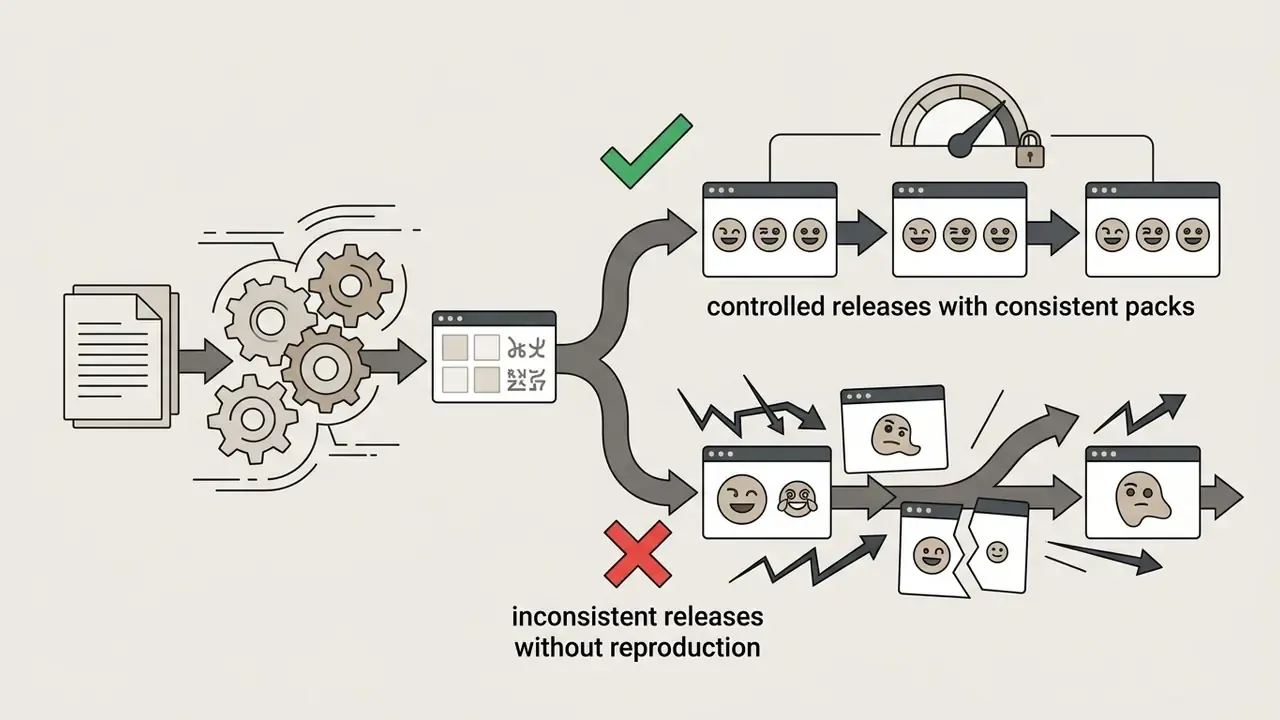
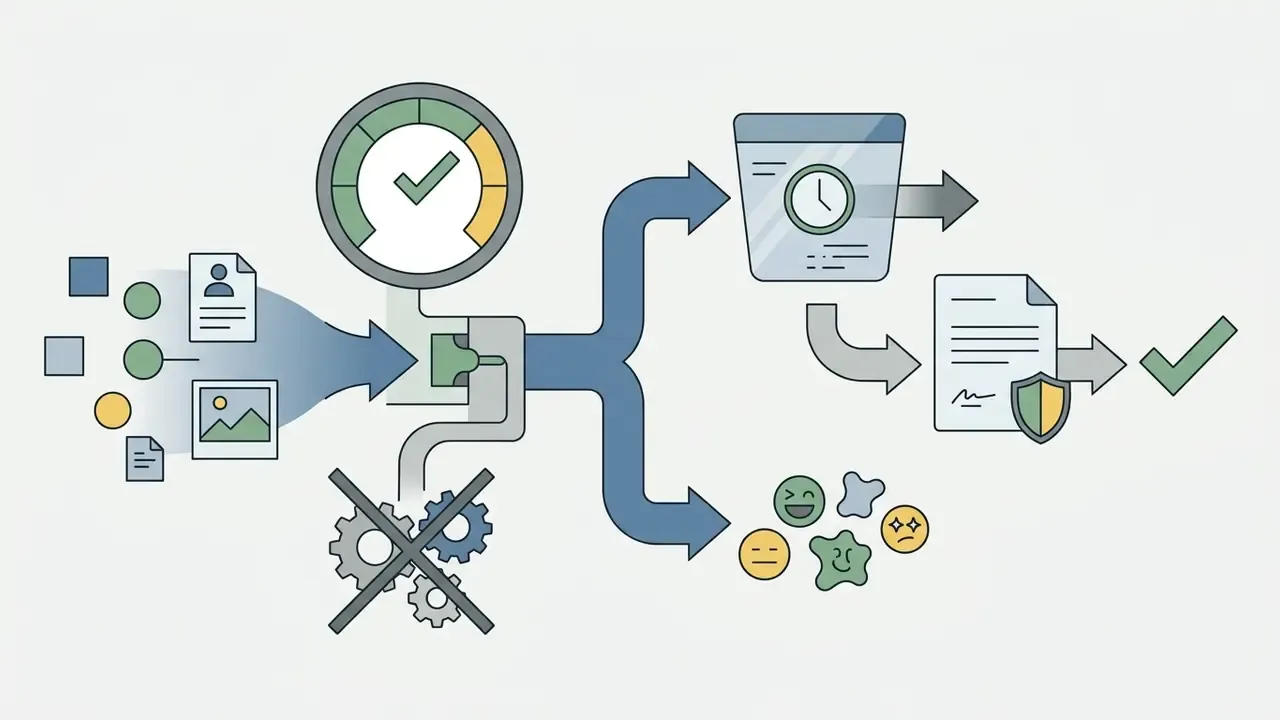
- Two generation paths, two risk profiles.Text-to-emoji pipelines carry prompt-governance risk (brand drift, trademark proximity); image-to-emoji pipelines carry personal-data risk, because uploaded selfies contain facial keypoints. Verify zero-training and 24-hour deletion policies before any photo upload.
- Output specs are non-negotiable.Discord (128×128 px, 256 KB), Slack (128×128 px, 128 KB) and Twitch (28×28 / 56×56 / 112×112 px, transparent PNG) reject non-compliant assets. Animated emotes must stay within the same byte ceilings at 8 to 16 frames and roughly 15 FPS.
- Copyright is conditional, licensing is contractual.U.S. Copyright Office guidance excludes purely machine-generated graphics from registration. Commercial deployment therefore rests on vendor terms, third-party IP clearance and AI-labeling duties rather than on ownership assumptions.
- Cost is not the license fee.A defensible Total Cost of Ownership includes generation credits, human review time, legal clearance and residual risk. Model it explicitly before scaling an internal emoji library or an API integration.
Who Should Read This Guide, and Why It Matters
An AI emoji maker looks like a design toy. In a regulated institution it behaves like a small, low-materiality model with a data-intake surface. That is the whole tension of this guide.
If you own model risk, compliance, brand or internal communications at a US bank or a mature fintech, you will meet this tool in three places: marketing wants branded reaction sets, community teams want Discord and Slack emotes, and somebody in operations has already uploaded a colleague's photo to a free consumer generator. That last one is the problem.
So this guide runs on two tracks at once. Track one is practical: how to create custom emojis online, write prompts that hold up, and export files platforms will actually accept. Track two is control: what evidence you keep, what you verify in the vendor terms, and where a generated icon becomes a governance event rather than a design choice.
Everything about audience motivation below should be read as a working hypothesis until your own analytics, interviews or CRM data confirm it. We are describing patterns, not audited facts.
What Is an AI Emoji Generator and What Can It Create?
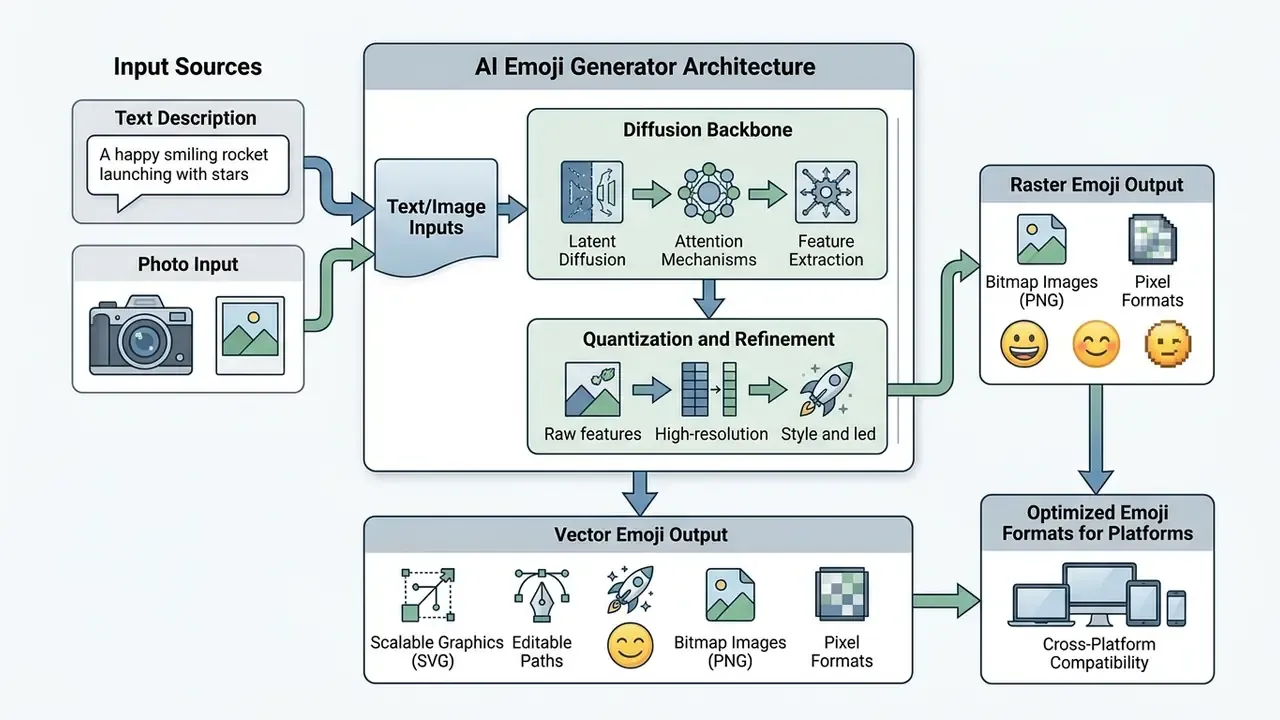
An AI emoji generator is a software system powered by neural networks that transforms unstructured text descriptions or reference images into stylized visual communication assets. These systems generate custom emojis, stickers, reaction sets, animated emotes and platform-specific graphics designed for digital communication channels.
Create Custom Emojis From Text Prompts
Text-to-emoji generation translates natural language prompt descriptions into compact visual symbols using specialized diffusion models and text-to-image backbones. Modern systems align abstract emotional states with visual features by mapping sentiment parameters into a shared embedding space. Research in generative modeling, including EmoGen (CVPR 2024), which introduces attribute loss and emotion-confidence metrics, indicates that explicit emotion modeling improves semantic clarity and emotional fidelity compared with general-purpose text-to-image baselines. Parallel text-emoji corpora enable bidirectional translation as well: EmojiLM is a distilled sequence-to-sequence model trained on Text2Emoji, the first large parallel text-emoji corpus, which treats emojis as structured tokens rather than decorative graphics.
The mapping from text to icon is measurably non-trivial, not a simple lookup:
"A Lagrangian Support Vector Machine reached 57.68% accuracy in text-to-emoji conversion, versus 33.33% for an LSTM baseline."
Semantic ambiguity compounds the problem. The same glyph can encode sincere praise or sarcastic applause depending on context:
For governance teams the takeaway is direct. A generated icon can be technically clean and semantically wrong. Human review of emotional intent is a control, not a nicety.
Turn Photos and Images Into Emoji Characters
Teams comparing candidate backbones can review side-by-side output quality across AI image generators and broader style-control platforms among AI art generators before committing a pipeline to production. Teams evaluating image-to-image workflows often compare these localized transformation tools with specialized utilities such as a passport photo editor to analyze background isolation and boundary precision, or with an AI headshot generator when portrait fidelity is the primary constraint.
Emoji, Sticker, Reaction and Emote Outputs
AI emoji creators produce four distinct classes of visual communication assets:
- Classic emojis compact icons designed for inline text rendering, traditionally standardized under the Unicode Emoji specification (Unicode v17.0). These are text characters with emoji presentation sequences, not uploaded files.
- Outlined stickers high-resolution static or animated graphics (PNG/WEBP/GIF) featuring prominent boundary outlines for display over varied chat backgrounds.
- Chat reactions interactive icons attached directly to individual message containers via platform UI metadata; they can be added, removed and enumerated per message.
- Streaming emotes platform-specific custom graphics optimized for live-chat ecosystems such as Twitch, YouTube or Discord, delivered through named emoticon sets or platform APIs rather than Unicode.
When evaluated in operational messaging environments, automated image transformation platforms like openart ai and broader generative model environments show distinct trade-offs between rendering speed and character consistency across large output sets.
Creating Animated AI Emojis and Motion Emotes
Generating animated emojis requires temporal consistency across image frames, not just one clean render. Modern diffusion backbones apply frame-to-frame attention control so that outline weight, palette and character geometry survive the full loop, producing loopable GIF or animated WebP files rather than a flickering sequence.
Practical parameters for motion emotes:
- Frame budget: 8 to 16 frames at approximately 15 FPS keeps animation readable while staying below platform byte ceilings, which is critical for Discord's 256 KiB limit and Slack's 128 KB limit.
- Loop design: build a seamless first-to-last frame match. Motion should be a single gesture (a nod, a spin, a wave), because multi-beat animation becomes illegible at 112 px and smaller.
- Speed and direction controls: many animation tools expose speed presets (slow / normal / fast), direction (left / right) and output format selection between GIF and animated WebP. Animated WebP typically produces smaller files than GIF at equivalent visual quality.
- Format fallback: where a platform rejects animated WebP, export a GIF at reduced palette depth rather than cutting frames. Frame loss destroys the loop illusion faster than color reduction does.
- Slot accounting: animated slots are counted separately from static slots on Discord, so an animated pack consumes a distinct quota. Plan library size accordingly.
Teams building longer motion sequences from a finished icon can extend the workflow with a dedicated animation maker rather than forcing a diffusion loop to carry narrative motion.
How to Create an Emoji With AI Online
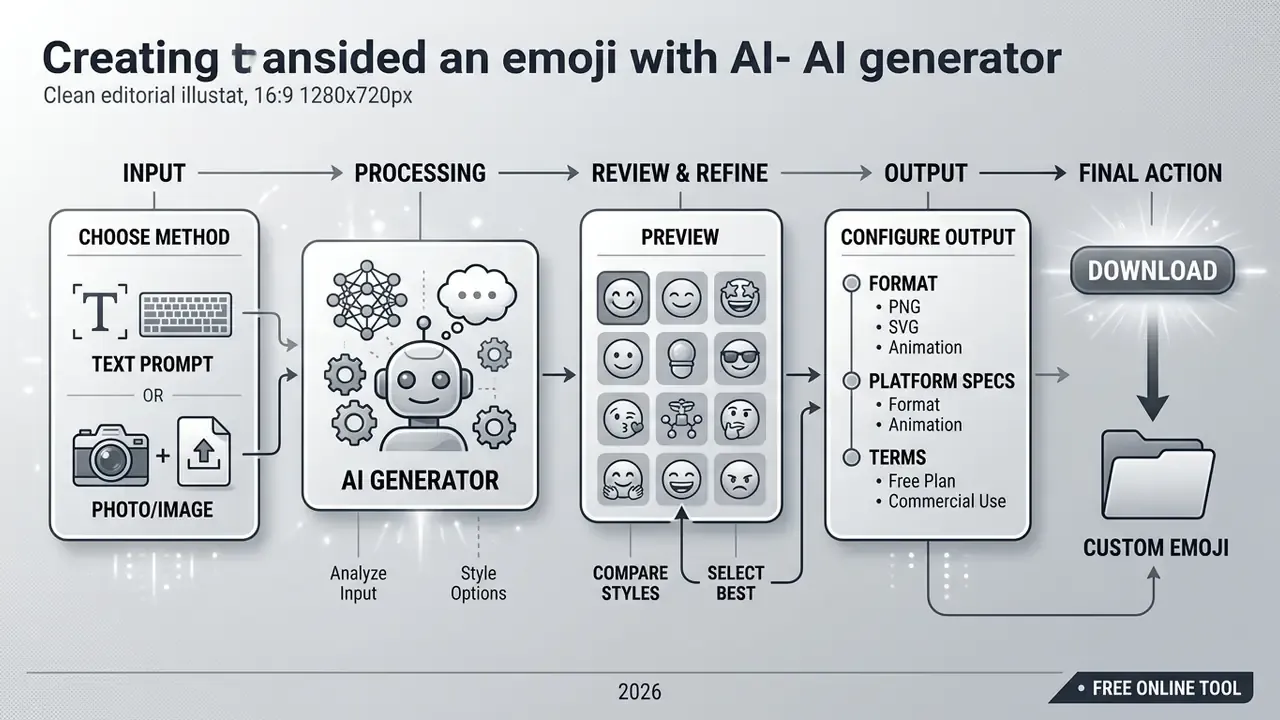
Creating a custom emoji online involves a structured five-step workflow that moves from initial concept definition to final asset export.
- Input concept or referenceenter a detailed text description defining the subject, emotion and context, or upload a reference image.
- Select visual stylechoose a target aesthetic, such as 3D glossy, flat vector or pixel art, to constrain the diffusion baseline.
- Generate variationsproduce an initial sample set of 3 to 9 candidate variations to evaluate output diversity.
- Refine parametersadjust prompt modifiers, color hex codes or boundary contrast to fix distorted details.
- Export and deploydownload the finalized asset with a transparent background in PNG or WEBP format for immediate platform integration.
Describe an Emoji Idea or Upload a Reference
The generation workflow begins by defining the visual subject through natural language or by supplying a source graphic. Text inputs require explicit descriptions of the core entity, the primary facial expression and secondary contextual elements. When you use reference photos, clear lighting and unobstructed facial features make keypoint extraction more accurate. Where multiple characters or objects appear in one prompt, assign each a distinct name so the model can separate them instead of blending features.
Choose a Style and Generate Variations
Selecting an explicit aesthetic style constrains the latent diffusion space and pushes the generated output toward your visual standard. Sampling several seed variations before selection is an evidence-based practice rather than a stylistic preference:
In practice, three to nine variations per prompt give reviewers enough spread to judge the generative distribution without inflating credit consumption. Vendor interfaces vary: some hard-code three outputs per run, while batch-oriented tools generate up to 16 variations in a single pass, which is efficient when you are building a full reaction set. Platforms offering style filters, such as an openart studio ghibli filter or flat vector presets, help standardize character features across repeated generations.
How to Write Prompts for an AI Emoji Generator
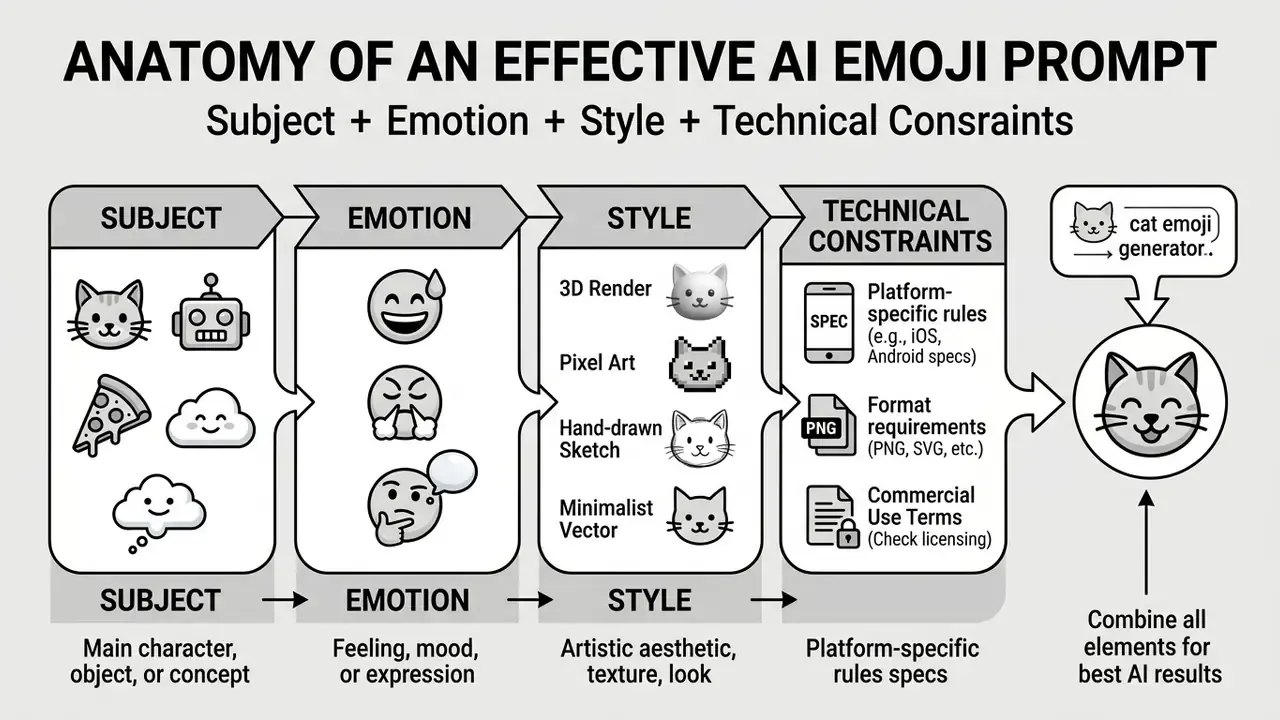
Formulating effective prompts for an AI emoji generator from text requires a structured, deterministic approach to subject specification, emotional cues and visual constraints. The most reliable ordering is: subject, then expression, then visual treatment, then crop and platform constraint.
Include the Subject, Emotion and Expression
A prompt should isolate a single primary subject and define explicit facial mechanics. Decomposing the face into eyes, brow, mouth and overall muscle tension, for example "raised eyebrows, wide smiling mouth, eyes crinkled at corners", yields higher emotional decoding accuracy than vague sentiment terms like "happy".
Tone anchors also change model behavior in a measurable way:
Pragmatic intent deserves the same explicit treatment, because irony is encoded by contradiction rather than by facial geometry:
"Emojis can signal irony through valence reversal, where the sentiment of the text contradicts the sentiment of the emoji."
If a reaction icon is meant to read as sarcastic rather than sincere, say so in the prompt. Otherwise the model defaults to literal positive valence, and the asset gets misread in production chat. I have seen a "slow clap" sticker used sincerely for a full quarter before anyone flagged it.
Specify the Visual Style, Colors and Background
Prompts should declare visual treatment parameters, color palettes and canvas conditions to avoid rendering artifacts:
- Style modifiers "3D glossy render", "flat minimal vector", or "16-bit pixel art".
- Color specifications provide exact hex color codes or constrained palettes (for example, "brand palette: #FF5733 and #2C3E50"). Many image APIs accept between 1 and 10 hex codes as a palette constraint.
- Canvas conditions explicitly request
background=transparentor "isolated on a solid white background" to simplify post-processing alpha extraction. Transparent background parameters require a transparency-capable output format such as PNG or WebP; requesting transparency with a JPEG target silently fails. - Opacity controls where a tool exposes opacity as 0-100 or 0.0-1.0, treat 0 as fully transparent and the maximum as fully opaque, then document the value used so the setting stays reproducible.
To review tools offering comprehensive style parameter controls, see the overview of available visual generation tools.
Generating Apple (iOS) Style Emojis and Genmoji Alternatives
Apple's native iOS visual language relies on soft volumetric gradients, precise ambient occlusion, tightly controlled specular highlights and rounded geometric features with a single dominant light source. That combination is what makes an icon read as "system emoji" rather than "illustration".
To emulate the iOS aesthetic without operating system restrictions, specify parameters such as Apple iOS 3D style, smooth vector sheen, soft gradient shading, centered isometric perspective, single top-left light source, background=transparent.
The practical advantage over device-native generation is portability. Apple's Genmoji is bound to supported hardware and OS versions, whereas a browser-based ai emoji maker produces Apple-style assets on any device and exports them for iMessage, WhatsApp, Slack, Discord, Teams and web use. For distributed teams running mixed macOS, Windows, iOS and Android estates, a device-independent generator is the only realistic way to keep one visual standard across the whole workforce. Android-only staff are not left with a second-class icon set, which matters more than it sounds in internal comms.
Two governance caveats apply. First, "Apple-style" describes an aesthetic direction, not a licensed asset: do not reproduce or trace protected vendor artwork. Second, keep brand mascots visually distinct from platform-native glyphs so users are never misled about the origin of an icon.
Ready-to-Use Prompt Templates
The templates below are copy-paste starting points. Replace bracketed values, keep the technical suffix intact, and store the final string with the exported asset.
| Category | Intent / Emotion | Ready-to-Use Prompt Template |
|---|---|---|
| Mascot reaction | Confused / questioning | [Mascot Name], raised single eyebrow, tilted head, holding giant yellow question mark, 3D glossy vector, solid white background, background=transparent |
| Mascot reaction | Approval / ship it | [Mascot Name], wide smile, both thumbs up, holding green checkmark badge, Apple iOS 3D style, soft gradient shading, background=transparent |
| Pixel art emote | Rage / gaming | 16-bit pixel art, flaming red eyes, angry steam particles from ears, dark background isolated, high contrast outline |
| Pixel art emote | Victory / hype | 16-bit pixel art character, arms raised, confetti pixels, 3-color palette, thick 1px outline, background=transparent |
| Flat vector icon | Alert / incident | flat minimal vector siren icon, bold 2px stroke, two-color brand palette [#HEX1] [#HEX2], centered square composition, background=transparent |
| Flat vector icon | Under review | flat minimal vector magnifying glass over bar chart, thick outline, muted corporate palette, isolated on transparent canvas |
| Food / object | Sleepy / low energy | sleepy [object: donut / tomato / coffee cup] with closed eyes and small snore bubble, soft 3D glossy render, background=transparent |
| Animal character | Cute / affection | [animal] face with heart-shaped eyes, blushing cheeks, kawaii proportions, glossy 3D, single top-left light source, background=transparent |
| Animated emote | Nodding agreement | [Mascot Name] nodding once, loopable 12 frames at 15 FPS, flat vector, consistent outline weight across frames, transparent background, output=animated webp |
| Animated emote | Spinning celebration | [Mascot Name] single 360° spin, 16 frames at 15 FPS, seamless loop, pixel art, high contrast, output=gif |
| Sarcastic reaction | Irony / slow clap | [Mascot Name] slow clapping with flat half-smile and narrowed eyes, deliberately ironic tone, flat vector, background=transparent |
| Status sticker | Out of office | [Mascot Name] in sunglasses holding "OOO" sign, 9:16 sticker layout, bold outline, soft 3D render, transparent background |
Request a Consistent Emoji Pack Instead of One Image
Generating a cohesive emoji pack requires locking character traits inside an immutable "identity block" that is appended verbatim to every prompt variation. The block should carry 8 to 12 precise identity tokens, never be paraphrased, and always appear in the same position in the prompt. Only the reaction suffix changes.
The same discipline applies to crop, lighting and style. Keep the framing, light direction and style modifier identical across the pack, or the set reads as twelve separate illustrations rather than one family.
Where to Use AI-Generated Emojis
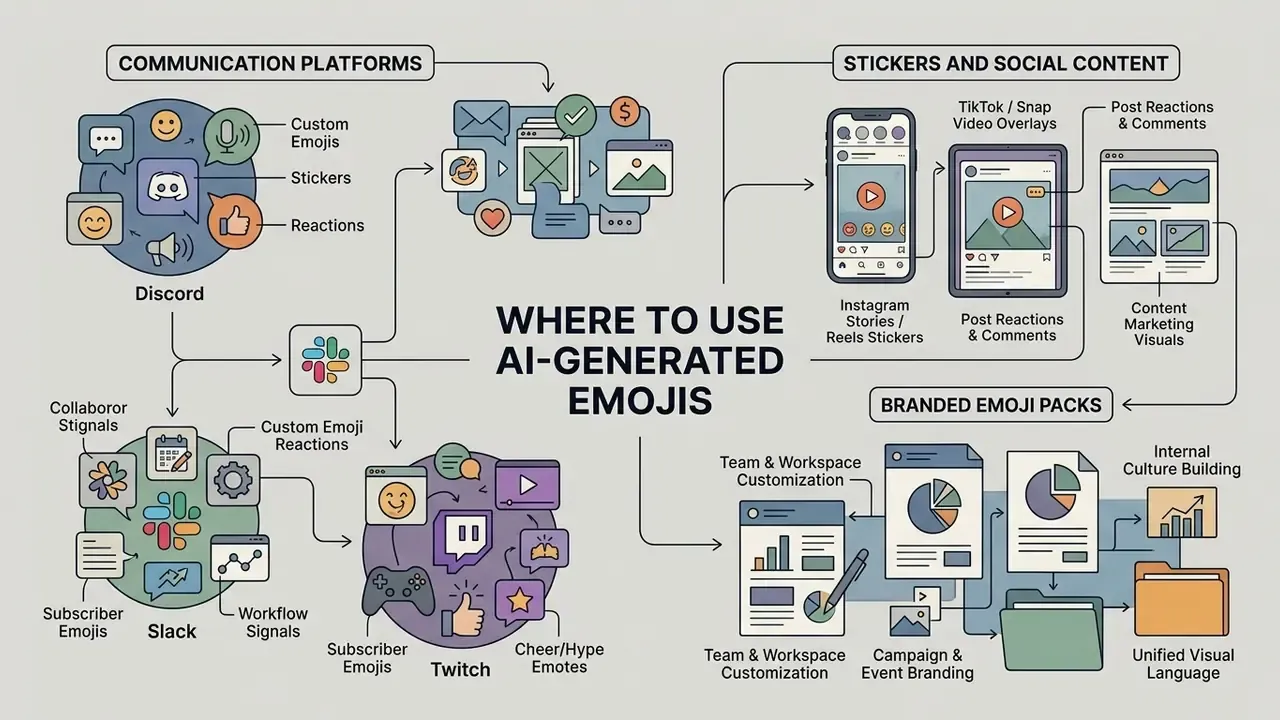
Custom AI-generated emojis serve specific visual communication functions across enterprise messaging, live streaming, social media and internal brand workflows.
Technical requirements for custom emojis across platforms
| Platform | Standard dimensions | Maximum file size | Supported formats | Alpha transparency |
|---|---|---|---|---|
| Discord | 128 × 128 px | 256 KB (256 KiB) | PNG, WEBP, GIF, JPEG, AVIF | Recommended (PNG/WEBP) |
| Slack | 128 × 128 px | 128 KB | PNG, JPG, GIF | Recommended (PNG) |
| Twitch | 28×28, 56×56, 112×112 px | 512 KB | PNG | Required |
| Social media / stories | 512 × 512 px (sticker) | Platform dependent | PNG, WEBP | Required |
Read across the table and one rule emerges: transparency plus a square master at 128 px covers the majority of chat destinations, while Twitch demands three separate exports and social stickers want a larger canvas. Build the master big, then downscale.
Custom Emojis for Discord, Slack and Twitch
Enterprise collaboration platforms enforce strict technical constraints on custom graphic uploads:
- Discord standard servers support 50 static and 50 animated emoji slots capped at 256 KiB per file (Discord Developer Docs, 2026). Boost tiers raise those limits to 100, 150 and 250 slots per type, while application-owned emojis are capped at 2,000 and usable only by the owning application. Uploads exceeding the size ceiling return a 400 error. Emoji names must be alphanumeric or underscored with at least two characters.
- Slack custom emojis and aliases are added at the workspace level from the desktop client, and need square aspect ratios under 128 KB to render clearly. Admin settings can restrict who may upload.
- Twitch subscriber emotes require three specific scaled dimensions (28×28, 56×56 and 112×112 pixels) in transparent PNG format. Developers retrieve emotes through Global, Channel and User Emotes APIs and must assemble image URLs from the returned template rather than assuming static paths.
Emote design is also a communication design problem, not only a sizing problem:
Branded Emoji Packs for Teams and Campaigns
Organizations use custom emoji packs to align corporate culture and reinforce brand identity. Published corporate brand toolkits describe mascot and icon usage across internal chat, email, swag, product surfaces, sticker sets, milestone celebrations and community events. Corporate sticker-pack literature frames branded packs the same way: instruments of brand identification, consumer communication and internal corporate communication. In practice, maintaining an internal "emoji bank" or copy-paste reference document keeps usage consistent across teams. Standardizing these visual assets reduces ambiguity in remote team interactions, and it quietly reduces the number of one-off uploads nobody can trace later.
Before rolling a pack into public campaigns, verify usage rights alongside other AI image generators for commercial use and check whether the same terms cover merchandise, paid advertising and third-party distribution.
Emoji Styles, Quality and Download Formats
Keeping assets legible requires selecting appropriate graphic styles, using efficient compression formats and running scale checks before distribution.
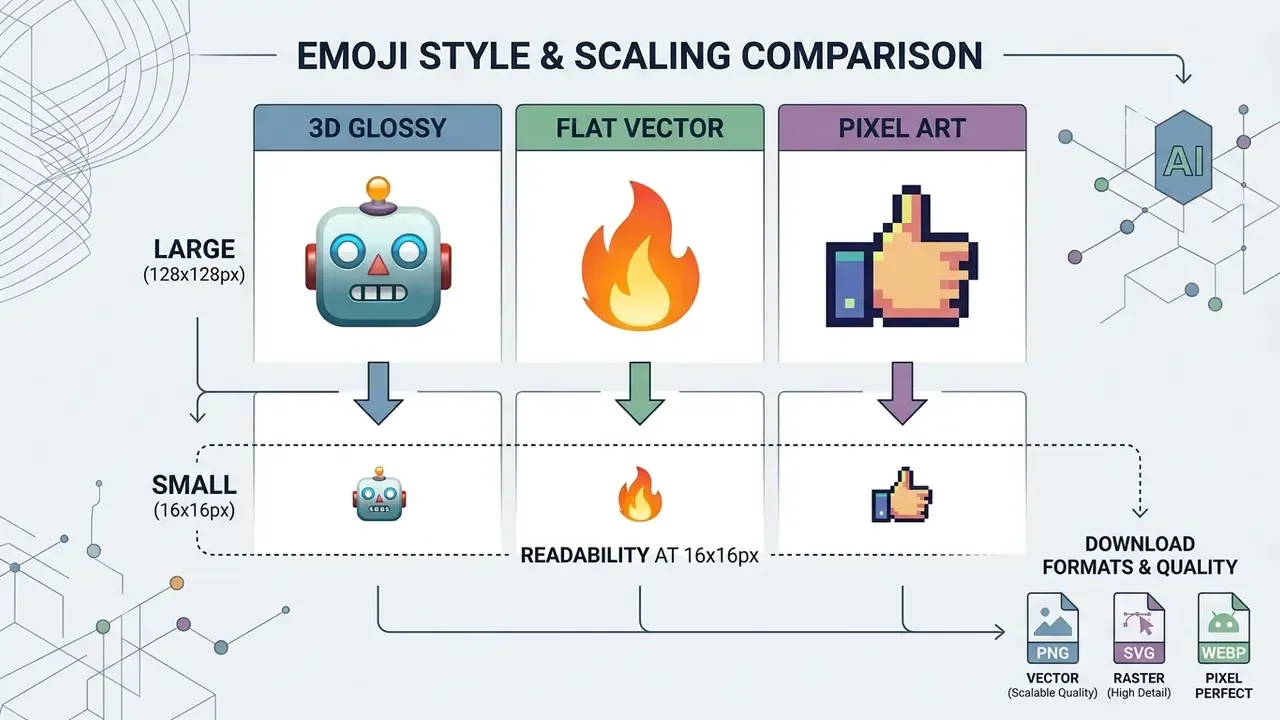
Choose a Style That Matches Your Brand or Community
Graphic styles directly affect brand perception and visual clarity:
- Apple-style 3D glossydetailed gradients, realistic lighting and soft shadows; best suited to rich marketing materials and iOS-adjacent product surfaces.
- Flat vectorsolid shapes and clean linework; high scaling flexibility and uniform brand representation.
- Pixel artretro grid-constrained blocks; ideal for gaming communities and streaming emotes.
Style complexity is not a neutral choice. Empirical work in information design shows a curve rather than a linear benefit:
Stylized icons can also carry abstract meaning reliably enough for measurement instruments:
Brand-usage policies in published style guides add channel-level rules on top of style choice: emojis permitted in push, SMS, inbox and chatbot copy but restricted in core product UI; placement at the end of a sentence rather than as a word replacement; and complete exclusion on formal channels such as LinkedIn. Teams aligning an emoji family with wider visual identity often coordinate the work with AI logo generators so mascot, mark and icon set share one geometric grammar.
PNG, WEBP and Transparent Backgrounds
File format selection dictates compression efficiency and visual integration quality. PNG remains the universal baseline for transparent graphics, supporting full 8-bit alpha channels and lossless compression. WebP supports transparency in both lossless and lossy modes: lossless WebP transparency costs roughly 22% additional bytes over lossy WebP, while lossy WebP with alpha is typically around three times smaller than an equivalent PNG when lossy RGB is acceptable. PNG stays the safe fallback because of its universal baseline support.
Smaller footprints are an operational advantage rather than a cosmetic one:
Where assets must survive document workflows, note that transparency preservation in PDF requires Adobe PDF 1.4 (Acrobat 5.0) or later, and that emoji glyphs may fail to render unless the font is embedded. For color emoji fonts, the relevant format families are sbix and CBDT/CBLC (raster) versus SVG and Type 3 (vector). That is why PNG or SVG export paths preserve appearance more reliably than text-based PDF export.
Aspect ratios and canvas formatting. Standard messaging icons need a 1:1 square canvas, while marketing stickers and video overlays use extended ratios. Use 1:1 for Discord, Slack and Teams inline icons; 9:16 for Instagram, TikTok and Snapchat story sticker overlays; 16:9 for streaming banner elements and video lower thirds; and 3:4 or 4:3 for in-app promotional cards and email hero blocks. Generating the same identity block across several ratios keeps a campaign visually coherent without re-cropping a square asset and losing padding.
Check Readability Before You Download
Because emojis are frequently displayed at small dimensions (16×16 or 32×32 pixels), visual details must stay distinct. Practical rules drawn from Unicode emoji guidance and enterprise design systems: give the icon a faint, narrow contrasting border so it stays separable from similarly colored backgrounds; design at a 32×32 master and verify that every meaningful detail survives at 1 px when scaled to 16×16; and treat a 1 px stroke as the absolute minimum at 16 px, because sub-pixel detail becomes noise.
Screen-relative sizing has quantitative support as well:
If details blur at actual size, simplify the prompt geometry, increase contrast, thicken outlines and re-render. Where re-rendering is impractical, AI image enhancers can recover edge definition before export. Upscaling, however, never repairs a composition that was too dense to read at 16 px in the first place.
Free AI Emoji Generator, Pricing, APIs and Commercial Use
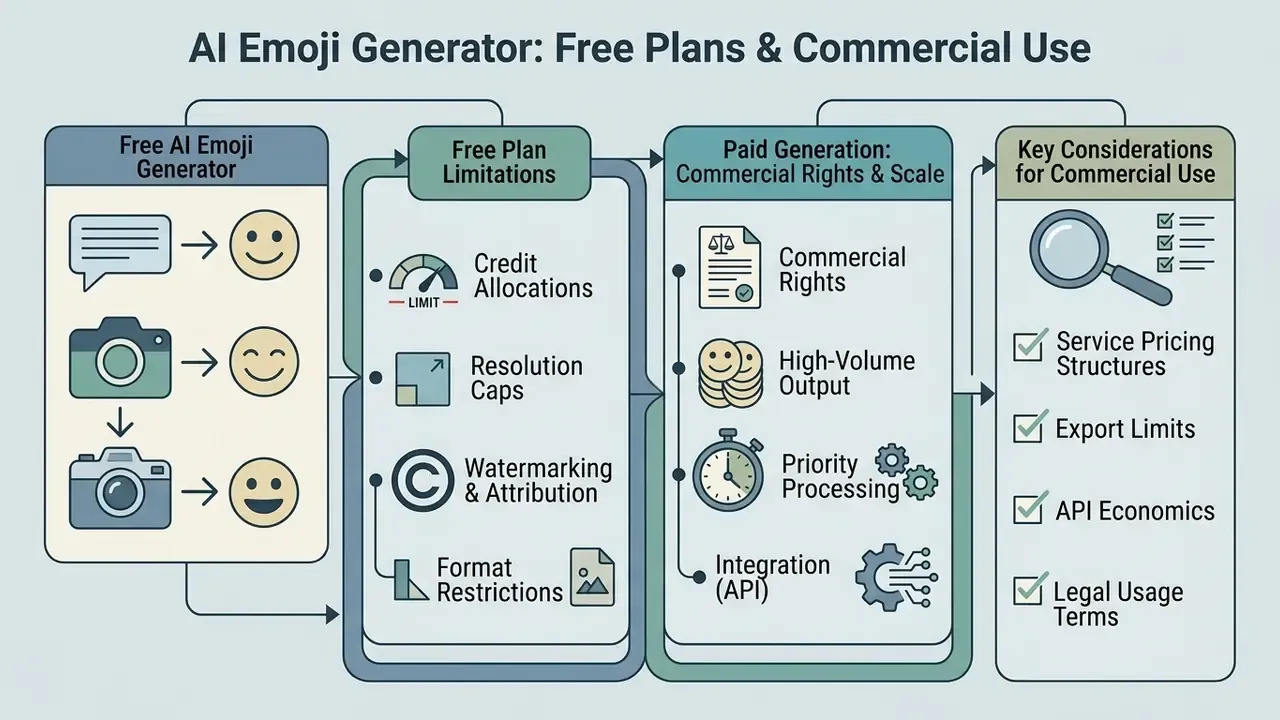
Deploying AI-generated emojis in commercial environments means verifying service pricing structures, export limits, API economics and legal usage terms.
What Is Usually Included in a Free Emoji Generator?
Free tiers typically provide basic generation capability intended for personal experimentation:
To benchmark daily limits, watermark policy and export formats, compare free AI image generators side by side. To analyze cost tiers across digital asset platforms, browse the hub covering software pricing structures.
When Paid Generation Is Worth Considering
Upgrading to a paid commercial plan is worth considering under specific operational requirements:
- Commercial rights explicit contractual transfer of commercial usage rights without platform watermark obligations. Several vendors restrict free and entry tiers to personal use with a non-removable watermark, and attach commercial rights, sometimes with per-download license documents, only to higher plans.
- High-volume output uncapped generation limits for building extensive corporate emoji libraries.
- Advanced models and speed access to fine-tuned diffusion backbones, batch generation and priority rendering queues.
- Retention and security controls documented zero-training policies, encryption at rest and in transit, and short retention windows, frequently gated behind paid tiers.
Where registration friction is the blocker rather than budget, evaluate no-sign-up AI image generators before provisioning seats. To calculate potential asset production costs, see the overview of media generation cost metrics.
Automating Workflows via AI Emoji APIs and Batch Generation
Product teams embedding custom emotes into SaaS platforms or chat applications can bypass manual generation entirely by using programmatic REST APIs. API-based pipelines support real-time background removal, style enforcement through fixed parameter templates, dynamic image-to-emoji transformation and scaled batch processing, commonly 500 or more assets at fixed credit cost per generation. Published market pricing illustrates the order of magnitude: plans offering 1,000 credits for roughly $12, with each emoji generation consuming about 2 credits, put the marginal unit cost around $0.024 per asset before review labor.
Typical API capabilities to verify during vendor selection:
Access programmatic generation tooling through our AI Media API, and confirm that batch outputs enter the same human review gate as manually generated assets. Automation increases throughput, not assurance.

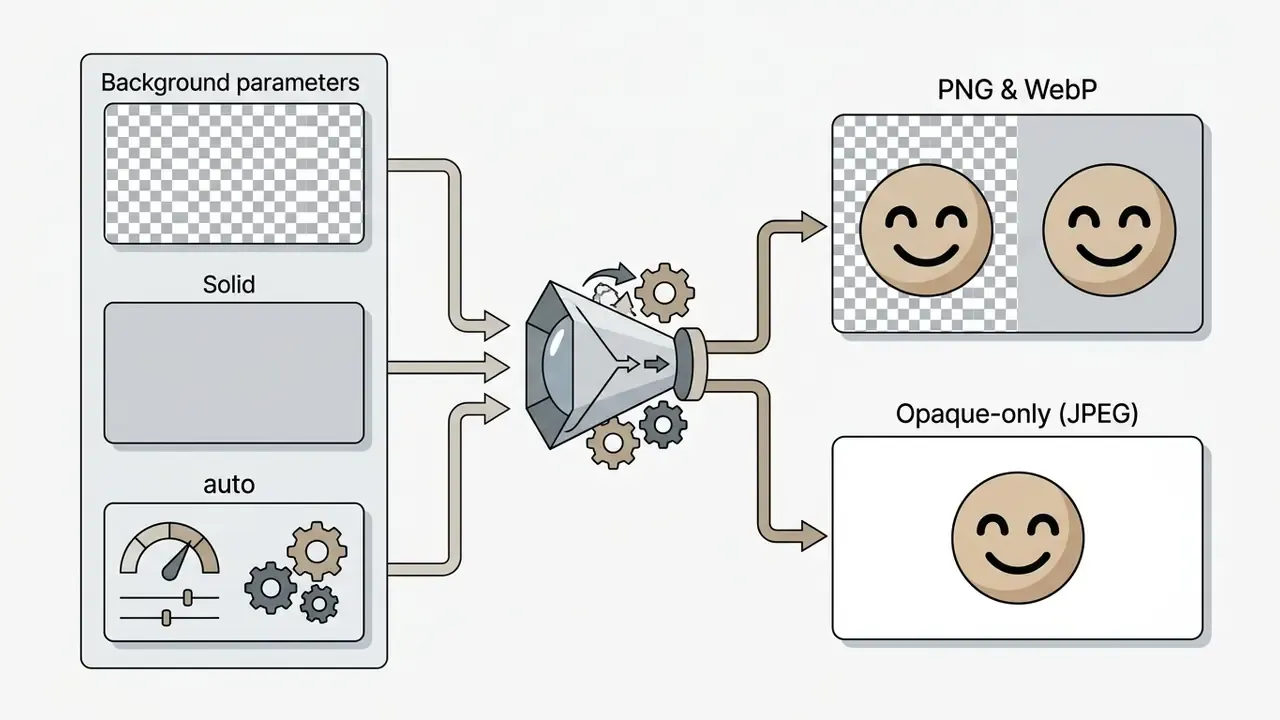
background parameter accepting transparent, opaque or auto, with transparency valid only against PNG or WebP outputs.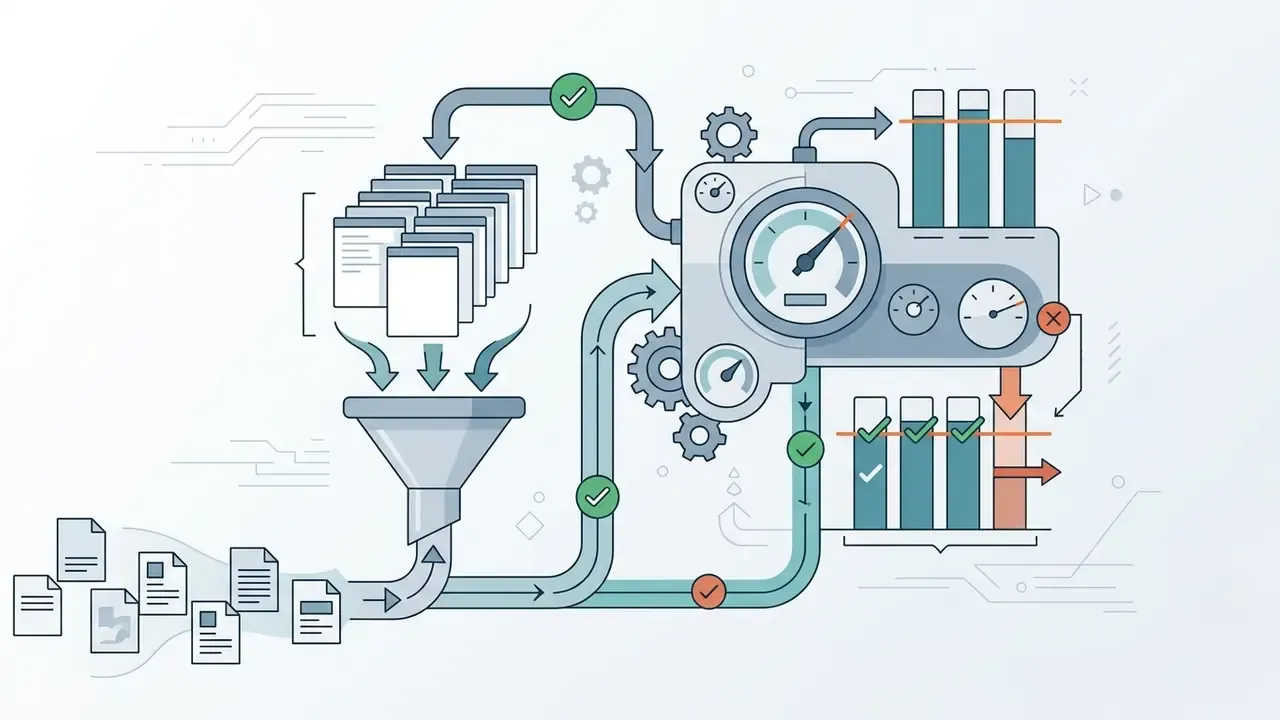
Risk-Adjusted TCO and ROI
License price alone understates the real cost of an emoji program. A defensible model looks like this:
Risk-adjusted TCO = subscription or API credit spend + (human review hours × loaded hourly rate) + legal/IP clearance cost + governance and monitoring overhead + residual risk provision
ROI = (avoided design cost + engagement or campaign uplift) minus risk-adjusted TCO
Worked illustration for a 200-asset internal library:
| Cost component | Basis | Indicative annual figure |
|---|---|---|
| Generation credits | 200 assets × ~3 variations × ~$0.024 | ~$15 |
| Design review | 200 assets × 6 min × loaded rate | Dominant line item |
| Legal / IP clearance | Batch review of mascot and trademark proximity | Fixed engagement cost |
| Governance and monitoring | Policy maintenance, vendor reassessment, audit evidence | Recurring overhead |
| Residual risk provision | Probability-weighted takedown, rebrand or dispute cost | Scenario-based |
The instructive result is that credit spend is usually the smallest term. Control cost, meaning review, clearance and monitoring, dominates. Which is why uncontrolled free-tier usage spread across many employees tends to be more expensive than one governed paid contract, not cheaper. Model validation practice consistent with SR 11-7 (Guidance on Model Risk Management) supports treating generative media tools as models subject to proportionate validation, monitoring and documentation, scaled to their limited materiality.
Uncertainty worth stating plainly: the residual risk provision is the weakest number in that table. Nobody has a reliable base rate for trademark disputes arising from AI-generated mascot icons. Treat it as a scenario range approved by counsel, not a point estimate.
What to Check Before Commercial Use
Commercial deployment of synthetic visual graphics involves specific legal considerations:
- Copyright eligibility.Guidance from the U.S. Copyright Office (Copyright Registration Guidance: Works Containing Material Generated by Artificial Intelligence, March 2023) establishes that purely machine-generated graphics lacking human creative control are not eligible for federal copyright registration. Protection applies only to human-authored creative selections, arrangements or substantial manual modifications.
- Third-party IP clearance.Ensure generated characters do not infringe protected third-party trademarks, copyrighted mascots or individual rights of publicity. Training-data provenance is part of this analysis:
Read the full breakdown of the commercial use of AI image generators before signing a plan, and review comparable licensing analyses such as the Canva AI Generator overview and the Google AI Image Generator commercial terms to benchmark how vendors word output rights.
Organizations seeking commercial asset licensing guidelines can open the hub for detailed usage frameworks, review legal dispute considerations and see the overview, or contact client support for governance assistance.
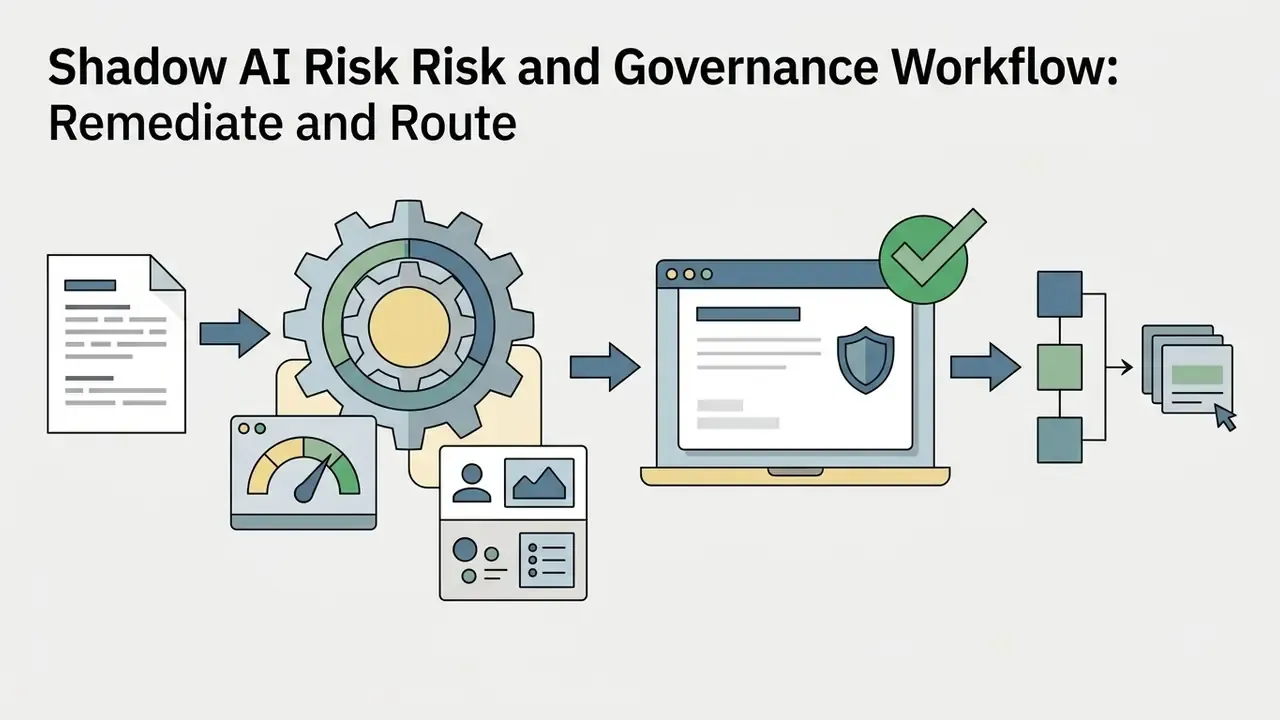
Shadow AI Risk and Governance Workflow
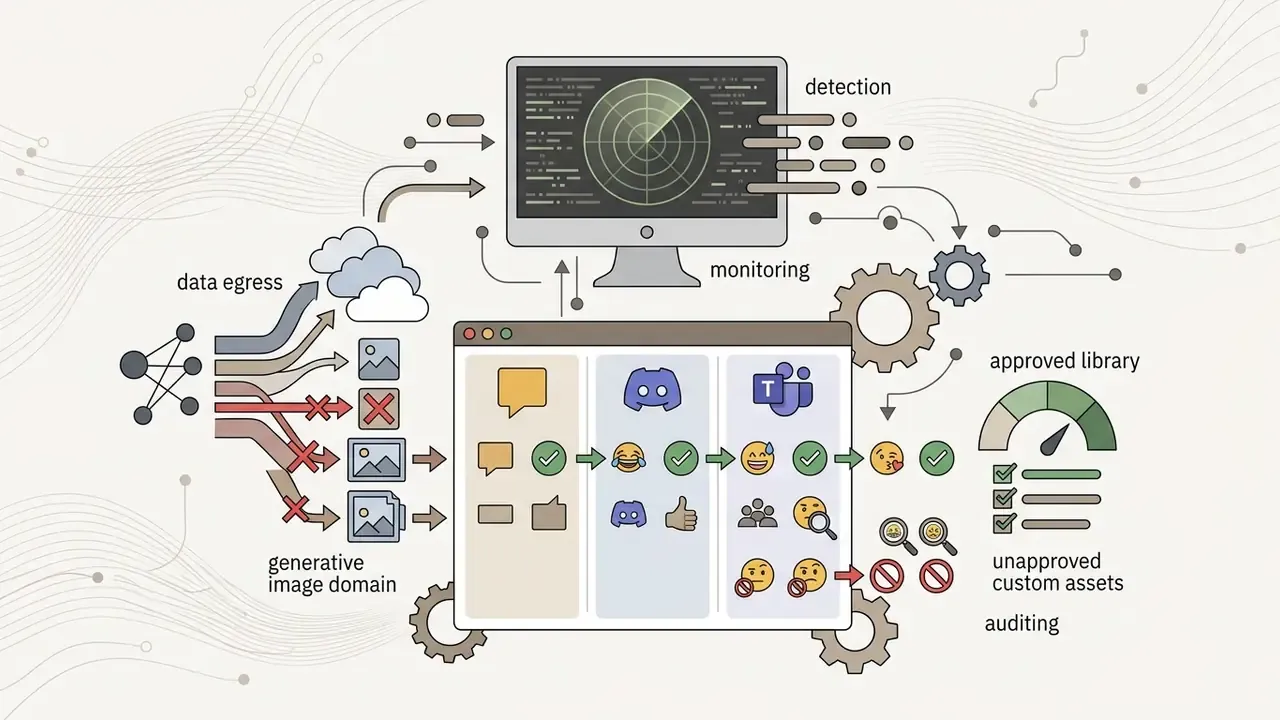
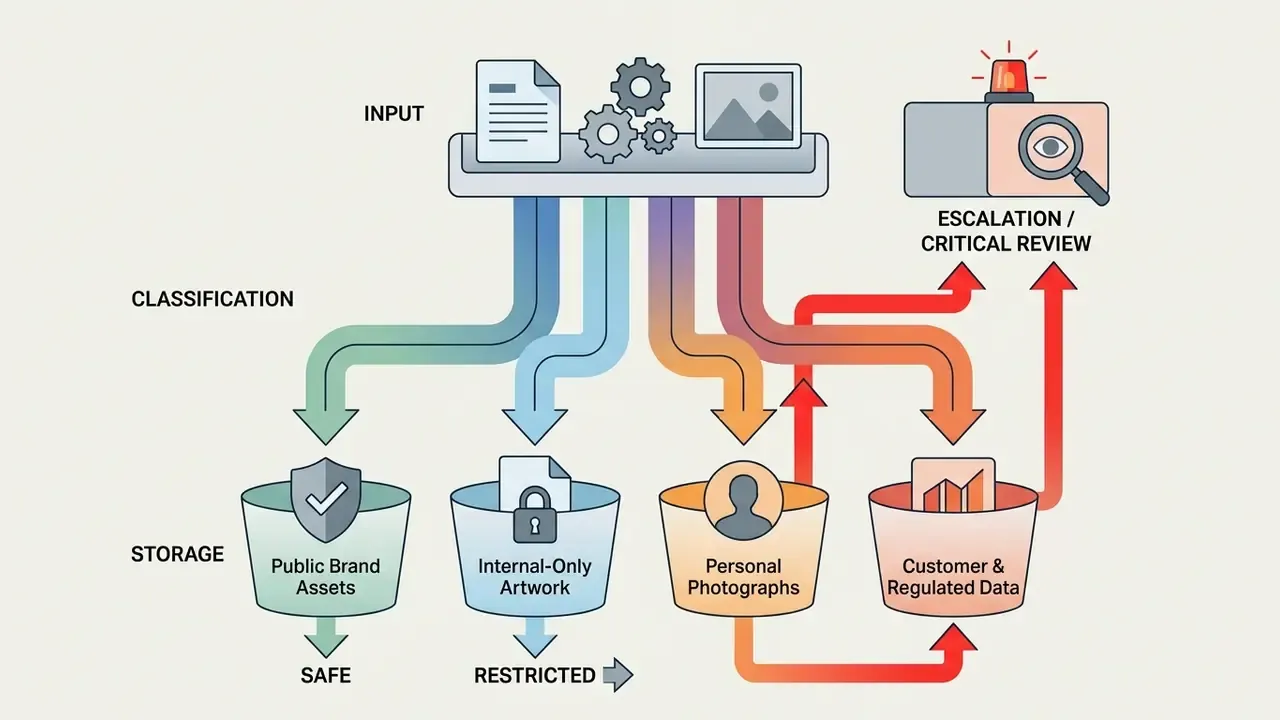
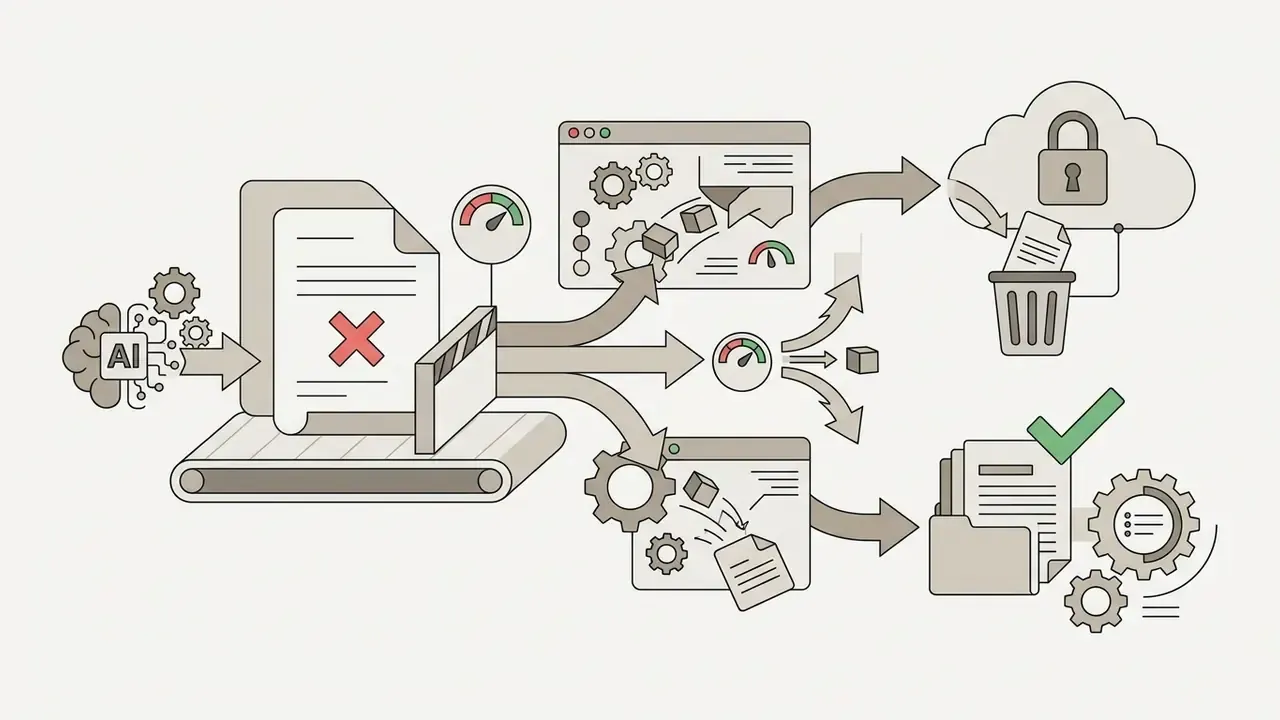
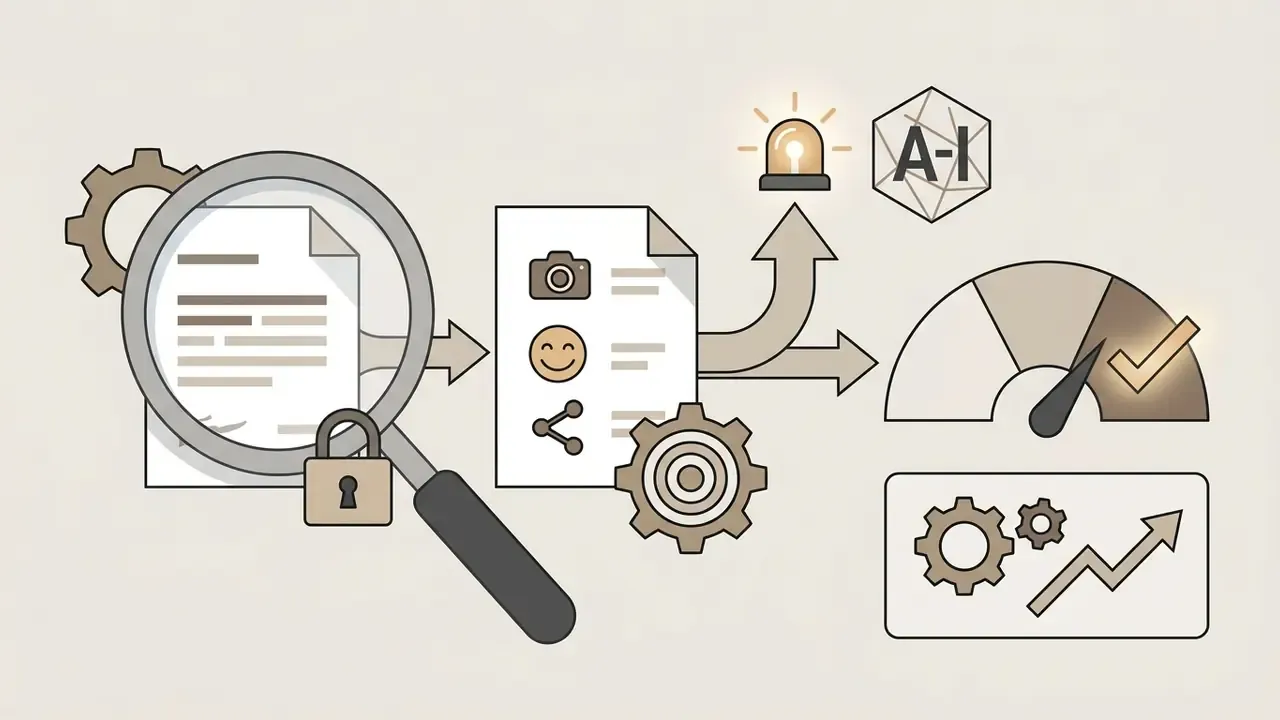
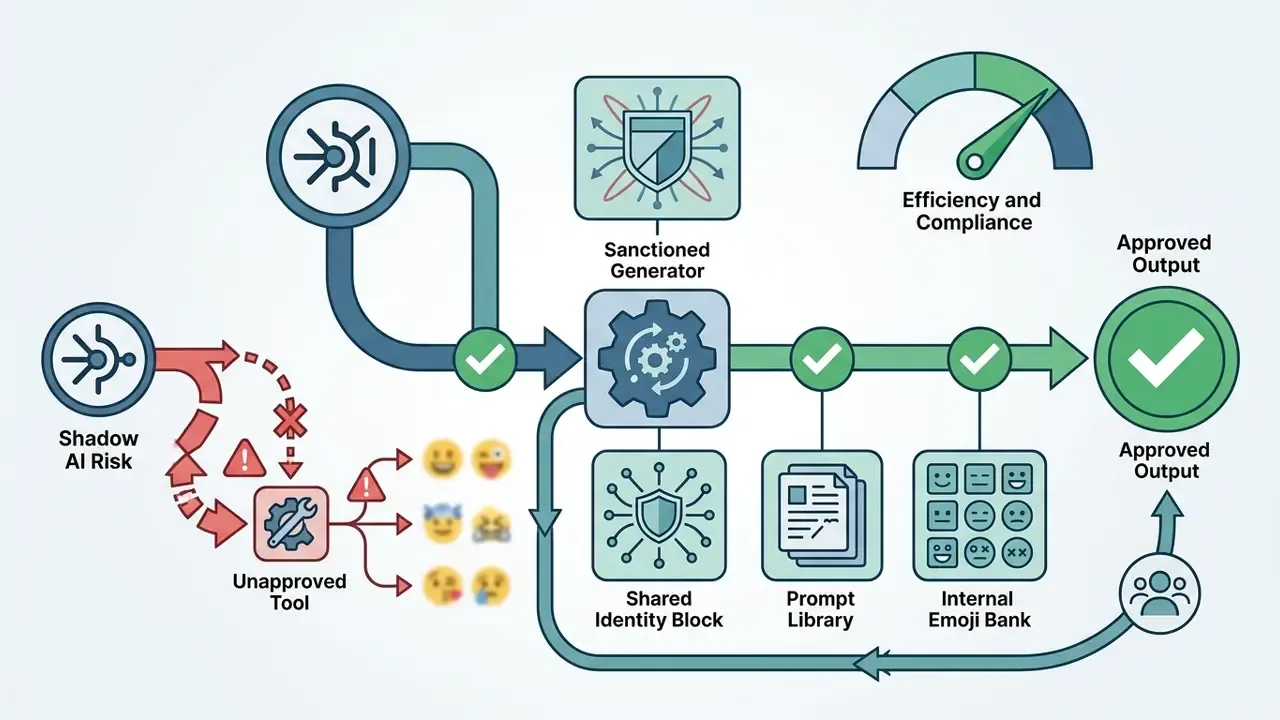
The most common failure mode is not a bad emoji. It is an unapproved tool: an employee uploading a customer photo, a partner logo or an unreleased mascot to a free consumer generator with broad reuse terms and undocumented retention.
A workable escalation path:
One more thing on ownership. Each step above needs a named owner, not a team name. "Comms will handle labeling" is how disclosure obligations get missed.
Enterprise AI Emoji Governance Checklist
Checklist0 / 10
FAQ
How do I create a custom emoji with AI?
Describe the subject, the single dominant expression, the visual style and the technical constraints in one prompt, generate three to nine variations, refine the weakest details, then export as transparent PNG or WebP. Uploading a reference image instead of, or alongside, text produces closer resemblance to an existing character or mascot.
Can I generate Apple (iOS) style emojis without an Apple device?
Yes. Browser-based generators produce Apple-style aesthetics, meaning soft volumetric gradients, ambient occlusion and rounded geometry, on any operating system. That makes them usable across mixed device estates where Genmoji is unavailable. Emulate the aesthetic; do not reproduce protected vendor artwork.
Is there an AI emoji generator for Android?
There is no Android-only requirement in practice. Any browser-based ai emoji creator runs on Android, iOS, Windows and macOS alike, which is the point: one generator, one identity block, one visual standard across the estate. Native app availability changes convenience, not the output specification.
Can I make animated emojis and emotes?
Yes. Target 8 to 16 frames at approximately 15 FPS, design a seamless loop around a single gesture, and export as animated WebP or GIF while staying inside platform byte ceilings. Animated slots are counted separately from static slots on Discord.
Is it safe to upload employee or customer photos?
Only with a documented privacy review. Facial keypoint extraction processes personal data, so require zero-training terms, encryption, and deletion of source images within 24 hours. Absent those guarantees, treat the upload as an unapproved data transfer.
Can AI-generated emojis be used commercially?
It depends on the vendor plan and your clearance work, not on ownership assumptions. Purely machine-generated graphics are not registrable under U.S. Copyright Office guidance, so commercial confidence comes from license terms, third-party IP clearance and AI-disclosure compliance.
Do free plans include commercial rights?
Frequently not. Free and entry tiers commonly restrict use to personal projects, apply non-removable watermarks, or attach open-license attribution and share-alike duties. Verify the specific plan text rather than the marketing page.
What file format should I export?
PNG for universal compatibility and lossless alpha; WebP where file size matters, since lossy WebP with alpha is typically about three times smaller than an equivalent PNG. Avoid JPEG for any asset requiring transparency.
What aspect ratios should I generate?
Use 1:1 for chat icons, 9:16 for story overlays, 16:9 for stream banners and video elements, and 3:4 or 4:3 for in-app cards. Generate each ratio from the same identity block rather than cropping a square.
Can I integrate emoji generation into our product?
Yes, through a REST API supporting batch generation, background removal, seed control and style pinning. Confirm rate limits, retention terms and determinism guarantees, and route API output through the same human review gate as manual generation.
How do I keep a 20-icon pack visually consistent?
Lock an 8 to 12 token identity block, paste it verbatim in the same prompt position every time, hold crop, lighting and style modifiers constant, and vary only the reaction suffix. Limitations, Open Questions and Next Steps Deploying an AI emoji generator lets teams create customized, expressive visual communication assets quickly. Structured prompt principles, platform resolution specifications and verified licensing terms are what turn that speed into something an institution can defend. What remains unresolved is worth naming. Emoji semantics shift by audience and by year, so an icon validated in one community can read differently in another. Vendor terms change without notice, which means a rights check has a shelf life. And the empirical literature on emotion-conditioned generation is young, with several key papers still in preprint status. Concrete next steps for a governed rollout:
- Nominate one sanctioned generator and record its retention, training and output-rights terms in the vendor file.
- Publish the identity block, the ready-to-use prompt library and the platform specification table as an internal standard.
- Route every asset, whether manual, batch or API-generated, through a single documented review gate with stored prompt metadata.
- Model risk-adjusted TCO before scaling, then re-baseline it after the first 100 published assets.
- Re-verify vendor terms on a fixed cadence, at minimum annually and after any pricing page change. To explore related visual transformation tools and asset libraries, browse the hub for comprehensive technical guides.
Appendix A: Citation Notes and Revision Log
For transparency, the following source attributions from the prior revision have been retained, reclassified or superseded:
- EmoGen (CVPR 2024). Retained as supporting context for emotion-conditioned diffusion; quantitative claims in the body are now anchored to the IEEE GCITC (2023) LSVM/LSTM accuracy comparison.
- Text2Emoji / EmojiLM (2023). Retained, with clarification that EmojiLM is a distilled model trained on the Text2Emoji parallel corpus.
- Snapmoji (2025) and EmojiDiff (WACV 2026). Retained with explicit preprint and pending-indexing status; identity-preservation claims in the body are additionally supported by the HEIM benchmark.
- CHI 2022 text-to-image prompting guidelines. Retained as the origin of the 3 to 9 seed heuristic; the quantitative justification in the body is now attributed to HEIM's 62-scenario evaluation.
- EPIG (2026). Retained as valence-arousal prompt-enrichment context; the tone-anchoring claim is now attributed to the PEFT/QLoRA emoji personality study.
- W3C PNG Specification and Google developer guidance. Retained as technical references for alpha channel support and WebP compression ratios; presented in the body as established format facts rather than pseudo-academic citations.
- Unicode Emoji Standard and enterprise design systems. Retained as design-guideline sources for contrast borders and the 1 px minimum stroke; screen-relative sizing is now supported by the icon size generality study.
- Corporate brand toolkits. Retained as illustrative corporate mascot-usage examples, reframed as "published corporate brand toolkits" pending direct verification.
- EU AI content labeling. Retained and consolidated into the compliance section, with perceivability, embedding and reshare-persistence requirements stated explicitly.