If your brand publishes images at volume, someone in your organization has already used an AI photo editor without telling procurement. That is the honest starting point. Marketing teams inside banks, insurers and payment companies now generate, retouch and expand visual assets faster than legal review cycles were designed to handle, and the control gap shows up later, usually during an audit or a takedown request.
Enterprise media operations face growing demand for high-volume visual content. Deploying generative and automated editing software means balancing execution speed against intellectual property protection, data-retention rules and model governance. Architectures differ sharply too: cloud-backed diffusion services on one end, local on-device neural processing on the other. That single architectural choice determines most of your risk profile.
Executive summary: what a buyer actually needs to decide
- Market structure in 2026 AI editing software splits into four commercial archetypes: professional desktop suites with indemnity (Adobe Photoshop), photographer-oriented local editors (Luminar Neo, Topaz Photo AI), browser-based generative hubs (Pixlr, Picsart, Canva), and privacy-first local toolchains (Vidmud AI Studio, PhotosRevive).
- Price band entry paid tiers start near $1.99 to $9.99 per month; professional single-app subscriptions sit around $22.99 per month; perpetual restoration licenses reach $199 one-time.
- Quality benchmarks are measurable efficient super-resolution models average 29.04 dB PSNR at x4 magnification (NTIRE 2023), and real-time 4K models reach 34.193 dB PSNR at x2 scaling versus 33.916 dB for bicubic interpolation.
- Reliability is task-dependent attribute edits (color, material, lighting) are dependable; spatial rearrangement of objects remains the weakest capability across text-guided diffusion pipelines.
- Legal exposure is the dominant enterprise risk purely synthetic outputs are not registrable in the U.S., AI-generated portions must be disclaimed at registration, and likeness edits require signed synthetic-media consent.
- Recommendation logic cloud editors for speed and weak hardware, local editors for confidential assets, Photoshop for agencies needing IP indemnification, specialized tools for archival colorization and sky replacement.
One more framing note. Search demand for "ai photo editor 2025" has not disappeared, but the tooling behind those queries has been replaced twice over; treat any comparison older than twelve months as expired evidence.
What this guide answers
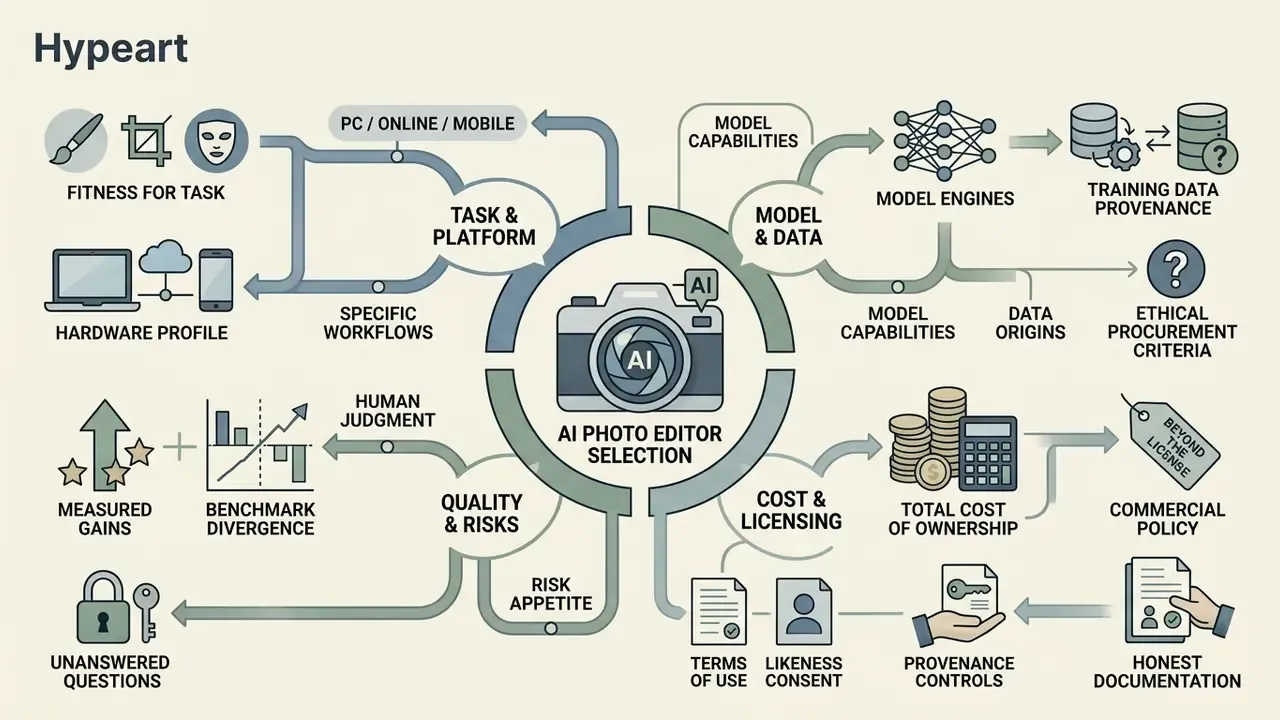
- Which AI photo editor fits a given task, hardware profile and risk appetite.
- What the underlying model engines are, and why training-data provenance is now a procurement criterion.
- Where measured quality gains are real, and where benchmarks quietly diverge from human judgment.
- How to price total cost of ownership rather than the license line item.
- What terms of use, likeness consent and provenance controls belong in a commercial policy.
- Which questions still have no clean answer, and how to document that honestly.
Summary comparison of the best AI photo editors in 2026
This table closes the practical selection question first: which tool, on which architecture, at which price. Detailed product cards, pros, cons, and feature-level coverage follow further below.
| Software | Best for | Local / Cloud | Object removal / Upscale | Face retouch / B&W colorize | Free tier | Entry price |
|---|---|---|---|---|---|---|
| Adobe Photoshop | Professional retouching and compositing | Hybrid (cloud Firefly) | Yes / Yes | Yes / No | 7-day trial | From $22.99/mo |
| Luminar Neo | Photographers, landscapes, sky replacement | Local (PC/Mac) | Yes / Yes | Yes / No | Trial (included with Setapp) | From $9.99/mo ($119 perpetual) |
| Topaz Photo AI | Sharpening, denoising, restoration | Local (GPU/NPU) | Yes / Yes (to 32K) | Yes / No | Limited trial | $199 perpetual (1 year of updates) |
| Pixlr | Browser editing plus generation | Cloud (WebGPU) | Yes / Yes (to 25 MP) | Yes / No | Free with ads | From $1.99/mo |
| Picsart | Social media, ad creatives, effects | Cloud / Mobile | Yes / Yes | Yes / No | Free (basic) | From $5.00/mo |
| Canva Desktop | Design, decks, fast everyday edits | Cloud | Yes / Basic | No / No | Free (limited) | From $14.99/mo |
| CapCut Desktop | Photo + video, TikTok/Shorts | Hybrid | Yes / Yes | Yes / No | Generous free tier | From $7.99/mo |
| Vidmud AI Studio | Fully private local processing | Local (Windows) | Yes / Yes | Yes / No | Free base app | Free / Pro from $9.99 |
| PhotosRevive | Colorizing black-and-white archives | Local (Mac/iOS) | No / No | No / Yes | Trial | Included with Setapp ($9.99) |
| YouCam Enhance | Mobile selfies and portraits | Mobile (iOS/Android) | Yes / Yes | Yes / Yes | Free (watermarked) | From $2.99/week ($9.99/mo) |
Prices reflect publicly listed vendor tiers at the time of review and change frequently; verify on the vendor pricing page before procurement.
What AI editing software is and how it differs from a conventional photo editor
AI editing software covers applications that use trained machine learning architectures to automate, transform or generate visual media based on semantic context rather than manual pixel work. For a broader catalogue of tools and price points, see our reference page on the AI photo editor category and the comparative overview of the online photo editor landscape.
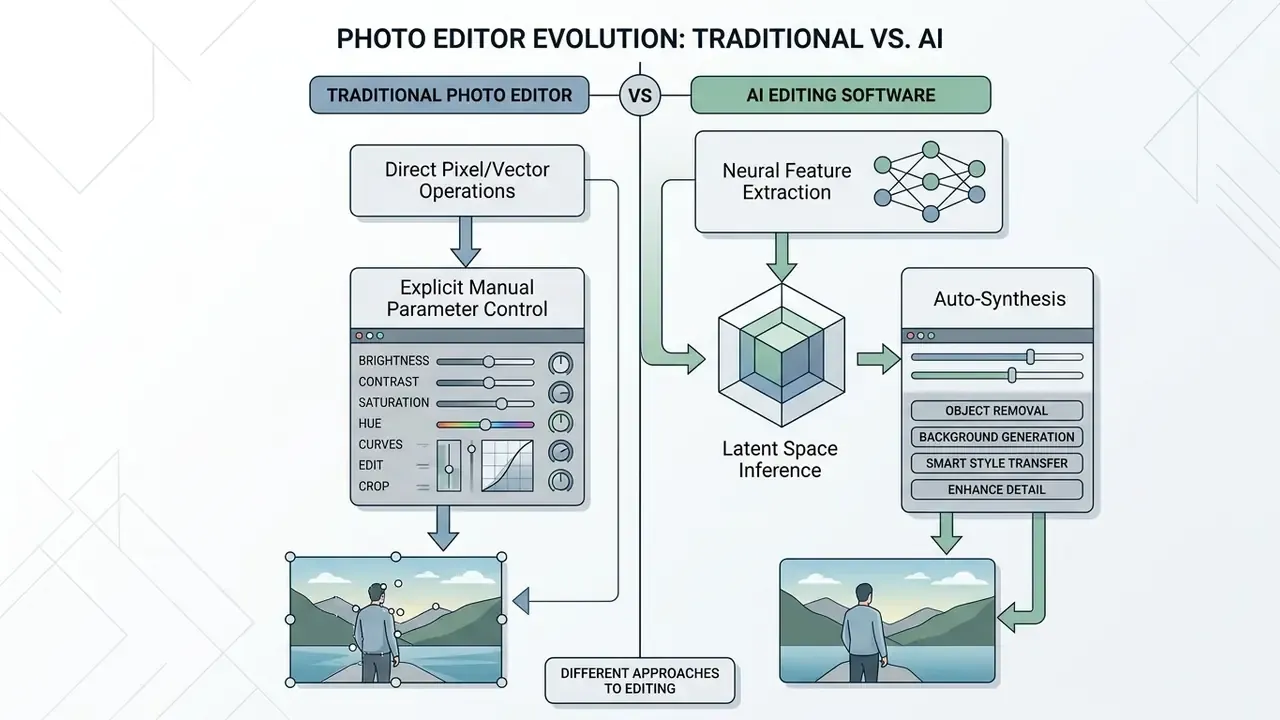
Traditional editors answer explicit, deterministic commands: manual vector clipping, cloning, global color curves. AI-powered editing software applies convolutional networks, transformer models and diffusion pipelines to infer intent, predict parameters and synthesize structural changes on its own. The difference matters for governance, not just for speed. A deterministic tool produces the same output twice; a diffusion model may not.
«The text-guided image editing task aims to produce an edited image that faithfully reflects the instruction while minimizing unintended deviation from the original.»
In formal computational terms, a text-guided or semantic AI edit can be defined as:
Here is the original input image, is the textual instruction or contextual mask, controls the transformation parameter bounding visual drift, and is the synthesized output. Traditional editors operate directly on visible pixel arrays without latent-space inference. AI editing tools read high-level semantic layers, which permits non-destructive modification of latent features while preserving scene context.
Which AI model engines power modern AI photo editors
Output quality depends less on the interface than on the backbone architecture behind the editing button. The mapping between editor and underlying model is now a procurement criterion, because training-data provenance determines commercial safety:
- Adobe Firefly 3is Adobe's proprietary family trained on licensed Adobe Stock content and designed for commercially defensible output. It powers Generative Fill, Generative Expand and Remove Tool workflows in Photoshop, Lightroom and Express.
- Flux.1 (Pro / Schnell)are high-fidelity models from Black Forest Labs used by Pixlr and third-party plugins, strong on photorealistic skin texture, fabric detail and hand anatomy.
- Recraft V4is a raster-and-vector model applied in browser editors where brand palettes, typographic consistency and repeatable style constraints matter.
- Stable Diffusion / SDXL / SD3are open weights that underpin many local Windows applications, including Vidmud AI Studio; they accept custom LoRA adapters for pose, product or character control.
- Video-capable engines (Kling AI, Google Veo, Seedance, LTX Video, PixVerse)are increasingly bundled into image editors to animate stills. Teams evaluating this path can review our Google Veo implementation guide for API cost and quota behavior.
A practical governance test: ask the vendor to name the model, the version, and the licensing basis of its training corpus in writing. If any of the three is unavailable, the tool belongs in a sandbox, not in a brand pipeline.
AI photo editor, AI image generator, and Photoshop: three different usage scenarios
An AI photo editor modifies an existing source image, performing non-destructive edits on selected regions while leaving untouched scene detail intact. An AI image generator synthesizes entirely new visual assets from descriptive text prompts without a seed image. Adobe Photoshop AI works as a hybrid, folding generative diffusion layers, selections and vector controls into traditional multi-layer workflows, which is exactly what the recurring "ai image editor photoshop" query is really asking about: replace it, or extend it?
«Users apply Generative Fill both to remove objects and to extend canvases and build composites, and the boundary between editor and generator dissolves.»
- AI photo editor
- optimized for localized enhancement, object removal and background replacement on existing source photography.
- AI image generator
- optimized for rapid conceptual exploration, ideation and complete synthetic image creation from text prompts.
- Photoshop hybrid workflow
- combines selection masks with generative fill layers, enabling non-destructive neural edits alongside precise manual adjustment layers.
Which AI image editing capabilities are available in modern editors
Modern platforms offer automated enhancement, subject selection, neural background removal, generative fill, context-aware expansion and instruction-driven style transfer. Across current diffusion benchmarks, attribute-level adjustments (color changes, material substitution, lighting correction) hold up better than spatial transformations. When you audit ai image editing capabilities, separate those two categories; the failure rates are not comparable.
Glossary of core terms
- AI photo editor. An application integrating trained neural models to alter, enhance or retouch existing source photographs through automated tools or text instructions.
- AI image generator. A generative model trained to synthesize new images from text prompts or latent representations, with no source photograph required.
- Generative fill. A non-destructive editing feature that synthesizes contextually matching content inside user-defined masks using generative diffusion models.
- Background remover. An automated segmentation tool that isolates foreground subjects from background pixels using neural attention networks.
- Upscale. A super-resolution process that expands pixel dimensions and reconstructs high-frequency structural detail with deep learning; specialized tools are indexed in our 4k video upscaler resource.
- Object removal. An inpainting procedure that erases targeted elements and synthesizes plausible context in the vacated region.
- Outpainting (generative expand). Extension of an image beyond its original canvas boundary, with the model synthesizing coherent new scene content; compared in depth in our guide to AI image expansion tools.
- Text prompts. Natural language instructions given to a model to direct generation, attribute changes or targeted edits.
- Provenance manifest. A signed metadata record stating which tool, model version and operator produced or altered an asset.
Core AI tools for editing photos and images
Core AI editing tools fall into four families: technical restoration, object-level manipulation, background modification and generative synthesis. Organizations pick combinations based on required visual accuracy, throughput and risk limits.
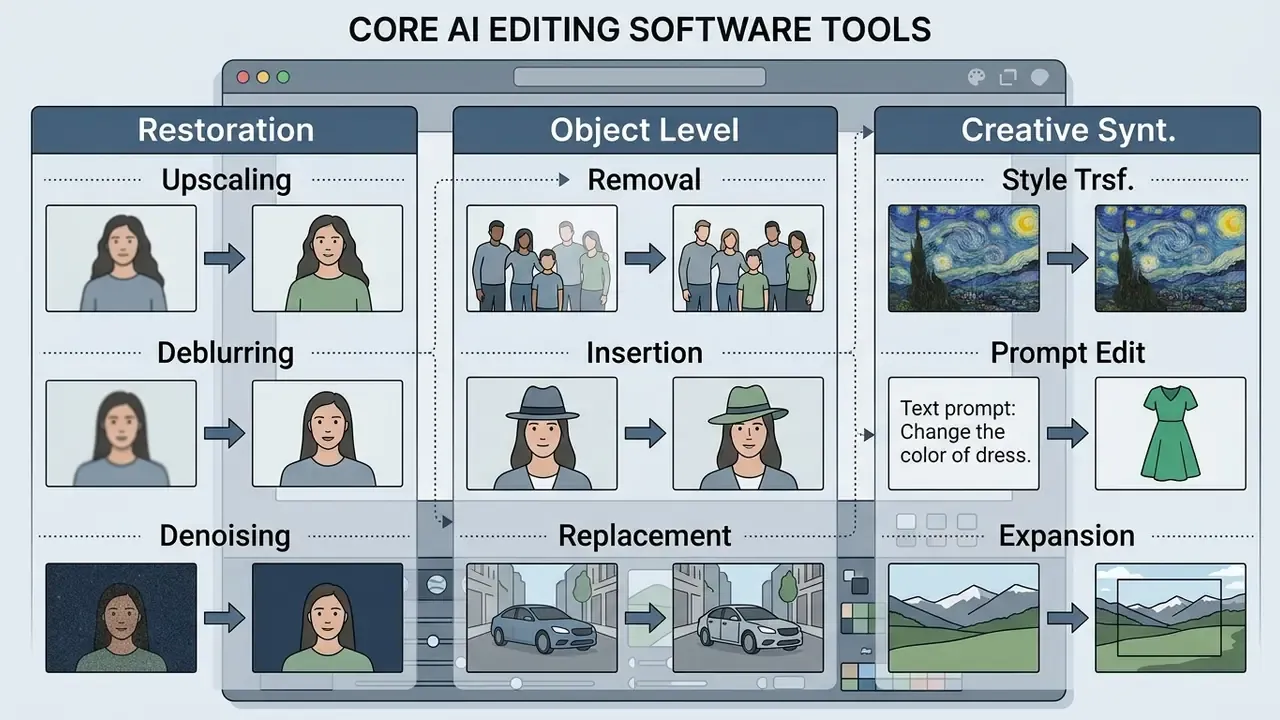
Enterprise teams routinely model compute cost, turnaround time and output quality before scaling across business units. Structural media workflows can be sized with specialized AI Media Calculators to estimate compute requirements and pipeline overhead.
Quality enhancement: upscale, sharpen, unblur, noise, and color correction
AI quality enhancement leans on deep super-resolution networks, convolutional deblurring architectures and perceptual loss optimization to restore degraded detail. Unlike classical bicubic interpolation, neural upscaling predicts plausible high-frequency texture during resolution expansion. Comparative results by tool are catalogued in our AI image upscaler review.
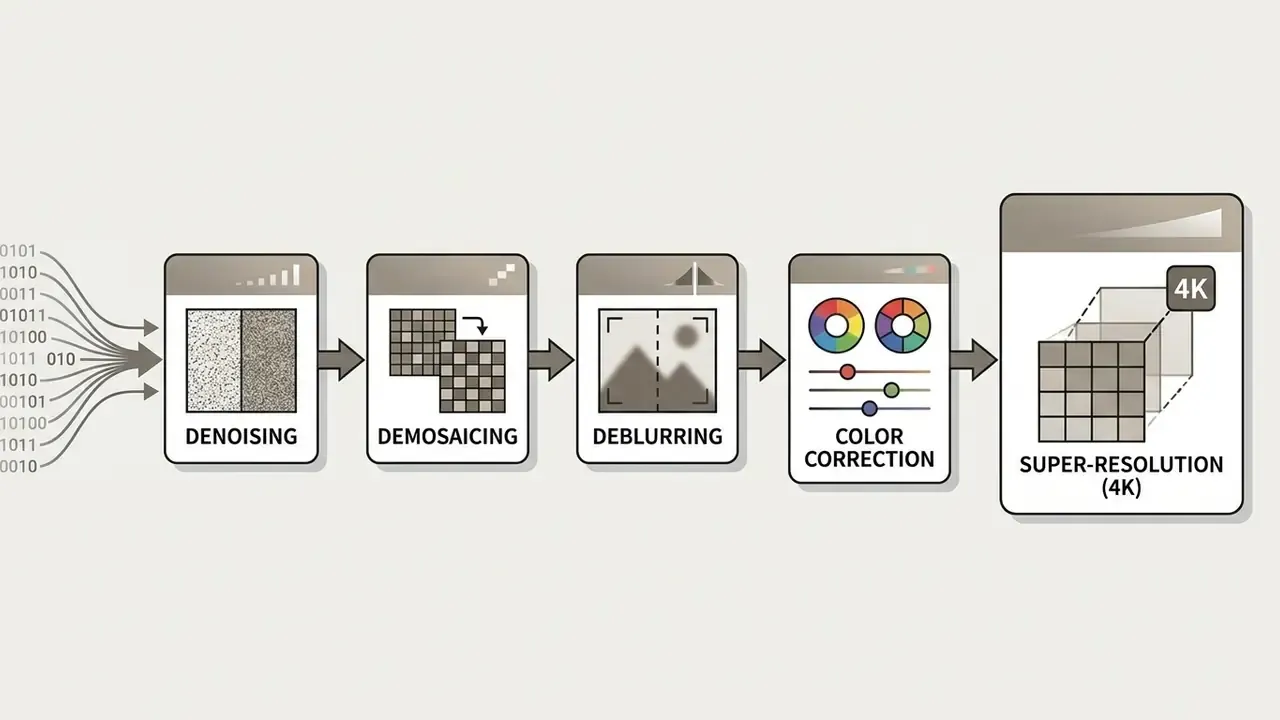
Restoration pipelines are staged, not monolithic. Denoising usually precedes demosaicing, then color correction, gamma handling, sharpening, and super-resolution last. Practical restoration stacks are compared in our AI image enhancer breakdown.
Empirical data from the NTIRE 2023 Efficient Super-Resolution Challenge shows specialized neural models reaching an average Peak Signal-to-Noise Ratio (PSNR) of 29.04 dB on validation sets at 4x magnification while meeting strict real-time execution constraints (NTIRE 2023 Challenge Report).
«The average PSNR across methods on 100 DIV2K validation images reached 29.04 dB at x4 magnification under strict runtime constraints.»
The RT4KSR benchmark reports that real-time 4K super-resolution models achieve 34.193 dB PSNR (RGB) for 2x scaling from 1080p, ahead of traditional bicubic baselines at 33.916 dB in structural fidelity (RT4KSR Benchmark Research).
«SROOE surpasses perception-oriented SR baselines on LPIPS, DISTS, PSNR, and SSIM simultaneously across five benchmarks.»
That last result matters operationally. Perceptual realism and distortion metrics are not always in opposition, so buyers should demand both a PSNR or SSIM figure and a perceptual score (LPIPS, DISTS) whenever a vendor claims "sharper" output. A single number, quoted without resolution and runtime conditions, tells you almost nothing.
Removing, replacing, and adding objects in photos
AI object removal and insertion use attention-guided inpainting to reconstruct masked areas from surrounding semantic context. Adobe Photoshop's Remove Tool (Remove Tool 3 model) detects scene distractions automatically, wires, poles, background figures, and replaces them with matching background texture. Newer effect-aware removal methods go further, deleting the object plus its shadows and reflections.
In academic evaluation, tuning-free inpainting models such as MagicRemover show strong user preference, 61% in blind testing against traditional mask baselines, despite weaker automated Fréchet Inception Distance (FID) scores (MagicRemover Research, ICLR).
The governance lesson is blunt. Automated metrics and human judgment diverge, so acceptance testing must include a human review panel, not FID alone. For workflows that require inserting explicit subject assets, specialized tools support an ai photo editing service add person to photo pattern, aligning 3D scene geometry with the target frame; see the resources block at the end of this article.
AI effects, creative edits, and prompt-based editing
Instruction-based editing lets users change attributes, lighting schemes and global art styles through natural language. Prompts interact with the model's latent representation, so targeted edits no longer require manual selection brushes. This is the layer most consumer apps expose first, and it is also where an ai art photo editor app differs from a professional suite: creative range is wide, control is shallow.
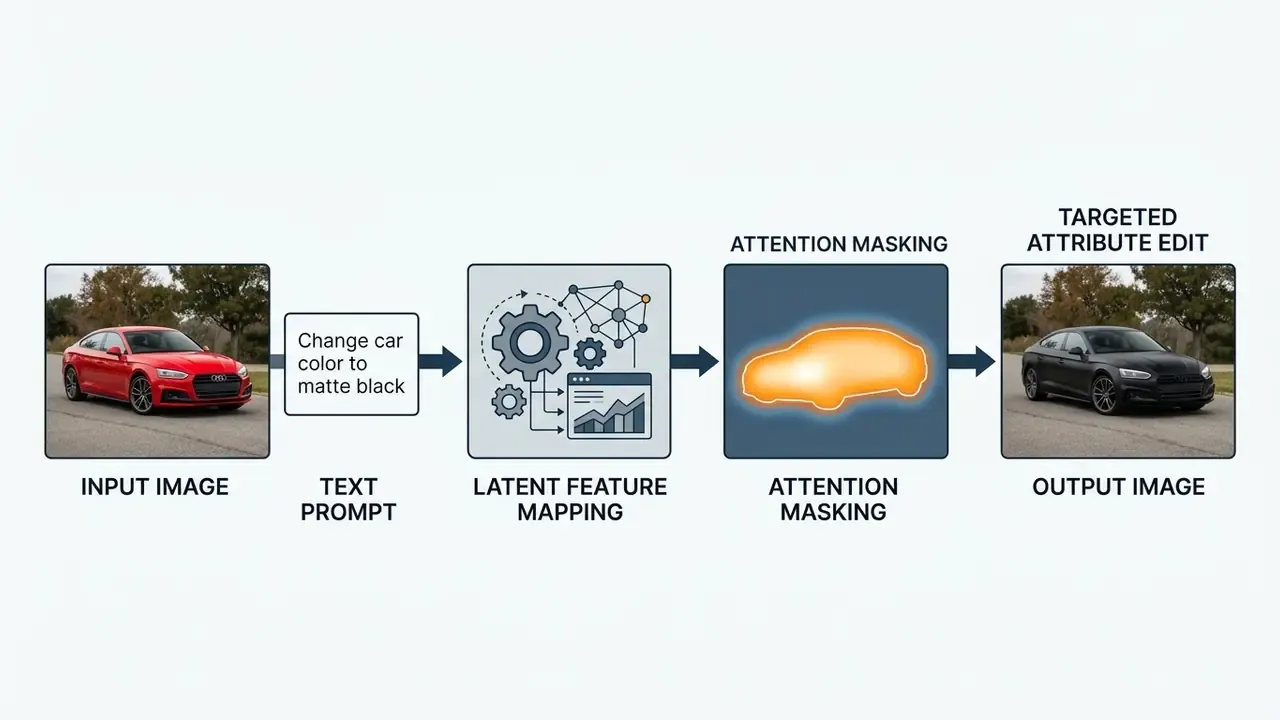
Evaluations from the EditVal benchmark show diffusion editing pipelines such as Instruct-Pix2Pix and Null-Text Inversion performing reliably on attribute adjustments like color or material (EditVal Benchmark Study). Spatial rearrangement, moving an object to a precise grid position, still fails at high rates across text-guided diffusion models.
«Instruct-Pix2Pix and Null-Text lead on original-image preservation, yet nearly all methods fail at spatial operations such as repositioning objects.»
Style-focused edits follow the same reliability curve. Teams comparing stylization engines can review our analysis of Ghibli-style AI image generators for style accuracy and rights considerations.
Specialized scenarios: archive colorization, sky replacement, and multimodal edits
Beyond general retouching, several task categories are solved better by narrow tools than by general suites:
- Restoring and colorizing black-and-white photographs. Tools such as PhotosRevive read historical semantics, clothing, uniforms, skin tones, period materials, and assign plausible colors pixel by pixel. Where the model misreads a region, the operator drops local color markers and re-runs colorization. That is the practical fix for complex group portraits.
- Sky replacement and atmosphere control (SkyAI and AtmosphereAI). In Luminar Neo, the network segments the horizon, masks fine detail such as foliage and wires, then recalculates reflections and white balance on foreground subjects to match the new sky's light source. AtmosphereAI adds controllable fog and haze density for depth.
- Multimodal editing (photo plus video plus audio). CapCut Desktop and Vidmud AI Studio apply AI effects, face animation, background replacement, voice generation, to a static frame, turning a still into a short motion asset. Teams building publishing pipelines around this output can consult our YouTube video editor workflow guide and the animation maker overview.
- Portrait standardization at scale. Corporate headshot programs increasingly use narrow generators instead of general editors; criteria, privacy trade-offs and pricing are compared in our AI headshot generator guide.
A consumer variant of that last case deserves a mention, because it drives real search volume: ai powered image editing tools for hinge photos and similar dating-profile use. The editing task is trivial. The privacy question is not, since the uploaded asset is an identifiable face on a consumer cloud tier with unclear retention.
Ranking and detailed reviews of the best AI photo editors in 2026
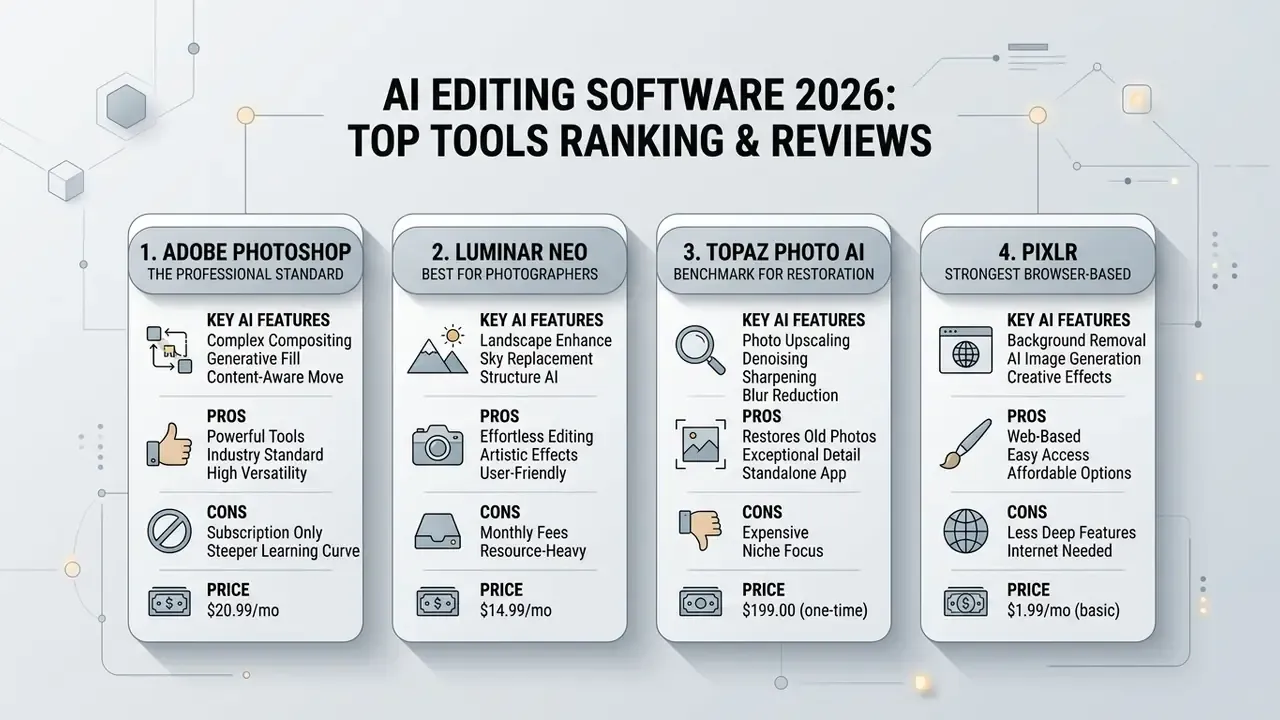
The following cards state the AI engine, the key features, honest limitations and the entry price for each tool. Ranking reflects breadth of capability weighted by commercial defensibility, not popularity alone.
1. Adobe Photoshop: the professional standard for complex compositing
Photoshop runs generative operations on Adobe Firefly 3, wired into the layer stack as Generative Layers, so Generative Fill and Generative Expand never destroy the source raster.
- Key AI features Generative Fill, Generative Expand from the Crop tool, Remove Tool 3 with automatic distraction detection (wires, poles, vehicles, signs, people), neural Spot Healing Brush, Quick Selection, Clone Stamp, and a 2026 on-device generative removal model (about 4 GB download).
- Pros unmatched control over layers, masks, Smart Filters and color profiles; generative output at up to 2K per region; deep ecosystem integration; commercially licensed training data.
- Cons the highest recurring cost in this list; steep learning curve; many generative features remain cloud-dependent and need connectivity.
- Price from $22.99 per month (single-app subscription).
2. Luminar Neo: best choice for photographers and landscape work
Luminar Neo automates the photographer's routine with slider-driven neural tools instead of manual masking, and doubles as a Photoshop or Lightroom plugin.
- Key AI features SkyAI (sky replacement with subject relighting), AtmosphereAI (fog and haze), FaceAI and SkinAI (portrait retouch), Erase (highlight-to-remove object deletion), RAW development.
- Pros one-click results without complex masking; runs locally on PC and Mac; standalone or plugin operation; markedly cheaper than a full professional suite.
- Cons weak cataloguing and no keyword tagging; face editing can crawl on older GPUs.
- Price from $9.99 per month, perpetual license from $119, and included in Setapp bundles.
3. Topaz Photo AI: the benchmark for restoration, upscaling, and denoising
Topaz concentrates on technical rescue rather than creativity, using specialized local networks for blur, noise and resolution.
- Key AI features Denoise AI, Sharpen AI, motion deblurring, Face Recovery, and Gigapixel-class upscaling to very high output resolutions.
- Pros fully local GPU or NPU processing with no cloud upload; best-in-class detail recovery on soft or noisy frames; batch processing; usable as a Photoshop or Lightroom plugin.
- Cons premium price; no generative inpainting or outpainting; not an all-in-one creative suite.
- Price $199 perpetual license including one year of updates and support.
4. Pixlr: the strongest browser-based all-in-one with top-tier model access
Pixlr pairs a genuine raster editor with a multimodal generative hub inside the browser, no installation required.
- Key AI features Generative Fill, outpainting and expand, AI object move, prompt-based editing, background remover, face swap, sticker generation, AI layer decomposition, and upscaling to roughly 25 megapixels; model access spans Flux, Flux Pro, Recraft V4, Stable Diffusion/SDXL, Kling AI, Google Veo and more.
- Pros device-agnostic; fastest path from prompt to publishable asset; frequent model refreshes; education pricing.
- Cons advertising on the free tier, credit metering, and export or resolution limits below paid plans; cloud processing is unsuitable for restricted data.
- Price free tier available; paid plans from $1.99 per month with refillable AI credits.
6. Canva Desktop: best for everyday design and presentation assets
Canva pairs template-driven design with Magic Studio AI, where Magic Edit identifies a brushed region and regenerates it from a text prompt.
- Key AI features Magic Edit, Magic Design, background remover, text-to-template generation, brand kit enforcement, basic video editing.
- Pros the shallowest learning curve here; vast template library; strong team collaboration and brand governance; solid free plan.
- Cons shallow photo-editing depth; weak video enhancement; most AI features gated behind Canva Pro.
- Price free tier; paid plans from $14.99 per month. Licensing details are unpacked in our Canva AI generator review.
7. CapCut Desktop: best hybrid photo-plus-video editor for short-form
CapCut serves creators publishing to TikTok, Shorts and Reels, with AI photo tools attached to a video timeline.
- Key AI features AI background removal, auto captions, object erasure, photo-to-video animation, enhancement presets, one-click effect templates.
- Pros beginner-friendly; unusually capable free tier; rapid iteration for short-form content; frequent updates.
- Cons premium AI tools require a subscription; several features depend on cloud processing, which constrains confidential material.
- Price free tier; paid plans from $7.99 per month.
8. Vidmud AI Studio: best fully local, privacy-first Windows suite
Vidmud runs open-weight models locally on Windows hardware, combining photo enhancement, editing, image generation and video enhancement in one desktop application. For teams searching "ai photo editor download" with a data-residency constraint attached, this archetype is the answer.
- Key AI features local inpainting and object removal, background replacement, photo and video upscaling, image generation, video generation, LoRA-style model extensions.
- Pros free base access; no user photos or videos stored on external servers; no upload latency or per-generation API metering; one app for photo and video.
- Cons advanced models demand strong hardware; less polished than commercial suites; smaller support ecosystem.
- Price free; Pro tiers from about $9.99 per month.
9. PhotosRevive: best dedicated black-and-white colorization tool
PhotosRevive does one job precisely: it analyzes archival monochrome photographs and colorizes them pixel by pixel to resemble modern photography.
- Key AI features automatic colorization, manual color markers for correcting misread regions, Apple Photos extension.
- Pros trivially simple workflow (drag, click Colorize, save); excellent results on family and historical archives; local processing on Mac and iPhone.
- Cons narrow scope, with no object removal or upscaling; complex scenes may need manual markers; some images take up to five minutes.
- Price included with Setapp (from $9.99 per month for the bundle).
10. YouCam Enhance: best mobile portrait and selfie editor
YouCam targets phone-first users who want immediate portrait improvement rather than desktop-grade control. It is the archetypal ai app that edits photos in a single tap, and it sets expectations for what an ai photo editor app interface should feel like on a small screen.
- Key AI features face retouch, skin smoothing, colorization, sharpening, upscaling, object removal, one-tap enhancement.
- Pros fastest capture-to-publish loop; strong facial feature handling; available on iOS and Android.
- Cons watermarks on the free tier; limited layer, color-management and batch capability; weekly billing gets expensive annualized.
- Price free with watermarks; paid from $2.99 per week or $9.99 per month.
AI feature coverage matrix
| Capability | Photoshop | Luminar Neo | Topaz Photo AI | Pixlr | Picsart | Vidmud | PhotosRevive |
|---|---|---|---|---|---|---|---|
| Object removal (inpainting) | ✅ | ✅ | ✅ | ✅ | ✅ | ✅ | ❌ |
| Generative expand (outpainting) | ✅ | ❌ | ❌ | ✅ | ✅ | ❌ | ❌ |
| Background / sky replacement | ✅ | ✅ (SkyAI) | ❌ | ✅ | ✅ | ✅ | ❌ |
| Neural upscaling (super-resolution) | ✅ | ✅ | ✅ (to 32K) | ✅ (to 25 MP) | ✅ | ✅ | ❌ |
| B&W photo colorization | ❌ | ❌ | ❌ | ❌ | ❌ | ❌ | ✅ |
| Offline local processing | ⚠️ partial | ✅ | ✅ | ❌ | ❌ | ✅ | ✅ |
| Layer masks and non-destructive stack | ✅ | ✅ | ❌ | ✅ | ⚠️ limited | ⚠️ limited | ❌ |
How to choose the best AI photo editor for your task
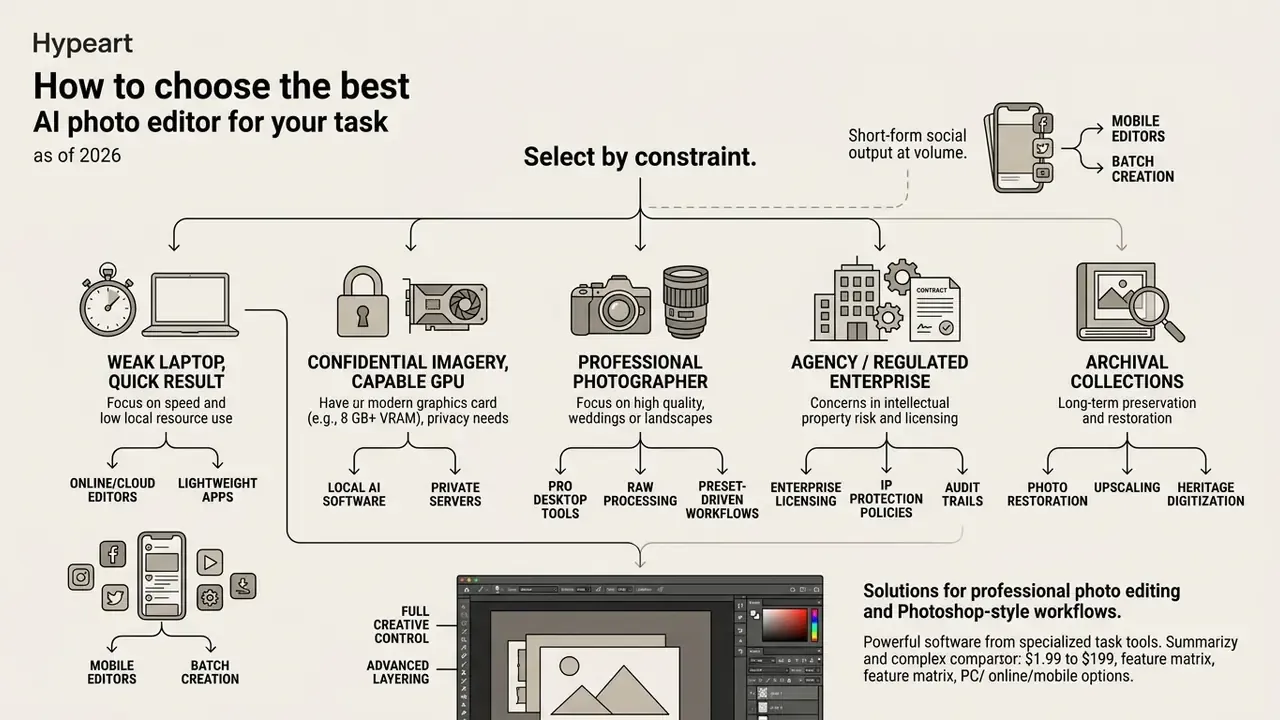
Choosing an AI photo editor means assessing instruction adherence, output resolution quality, platform constraints and alignment with institutional licensing standards. Governance officers score candidates against a standardized rubric so that decisions survive later review. Published evaluation frameworks converge on three axes, instruction adherence, edit quality and consistency with the original image, with artifact detection and scene integration as secondary gates.
| Category | Typical Workflow | Key Capabilities | Free Tier Limits | Commercial Rights |
|---|---|---|---|---|
| Professional Desktop | High-end retouching and asset preparation | Layer masks, non-destructive generative layers, local batching | Restricted trial or watermarked exports | Full commercial rights on paid tiers |
| Online Browser-Based | Rapid asset editing and team collaboration | Web-based inpainting, background removal, template generation | Daily credit caps, lower export resolution | Varies; requires paid plan verification |
| Mobile Application | Social media management and field photography | One-click filters, quick object erasure, voice prompt edits | Watermarking, feature locks, capped saves | Personal use default; paid commercial upgrade |
| Specialized Enhancement | Archival restoration and high-res printing | Neural super-resolution, denoise, deblur, frame upscaling | Limited process credits, capped resolution | Included with licensed software purchase |
| All-in-One AI Toolkit | Cross-channel content generation | Text-to-image synthesis, multi-format export, vector recoloring | Capped monthly generations | Tier-dependent; enterprise indemnity options |
The short read under the table: type of deployment, not brand, sets your control ceiling. A cloud toolkit can be excellent and still be unusable for regulated imagery.
Organizations should systematically compare options across security compliance, licensing terms and integration capability before procurement, and route unresolved questions to a named owner rather than a group inbox. Adjacent generation tooling is ranked in our roundups of the best AI image generators and the best AI art generators. If you need help scoping an internal evaluation, our team can help you compare options against your own control matrix.
One recurring query deserves a direct answer. Searches for "ai photo editing software near me" almost never mean geography; they mean managed deployment, local support, or on-premise installation. Reframe that requirement as a hosting and support question, then evaluate vendors on residency, SSO and incident response rather than office location.
Solutions for professional photo editing and Photoshop-style workflows
Professional creative work demands granular control, multi-layer compositing, non-destructive adjustment layers and reliable color management. Adobe Photoshop embeds generative Firefly models in the native desktop environment, so Generative Fill and Generative Expand run on non-destructive Generative Layers.
These suites provide precise selection masks, Smart Filter integration and up to 2K output per generated region. Because layer hierarchies stay local, a creative director can audit, revert or adjust individual generative layers independently from the original photographic source. Layer masks remain resolution-dependent bitmaps that can be copied between layers, and adjustment or fill layers support selection-based and Color Range-based masking. That mechanism is what keeps AI edits reviewable instead of baked in, which is precisely what an internal audit will ask you to demonstrate.
AI photo editing software for PC, Windows, online, and mobile
Architecture decides execution speed, data privacy, hardware dependence and connectivity requirements. Teams must judge whether local desktop installs, cloud web portals or mobile apps fit their infrastructure limits, and the honest answer is often "two of the three".
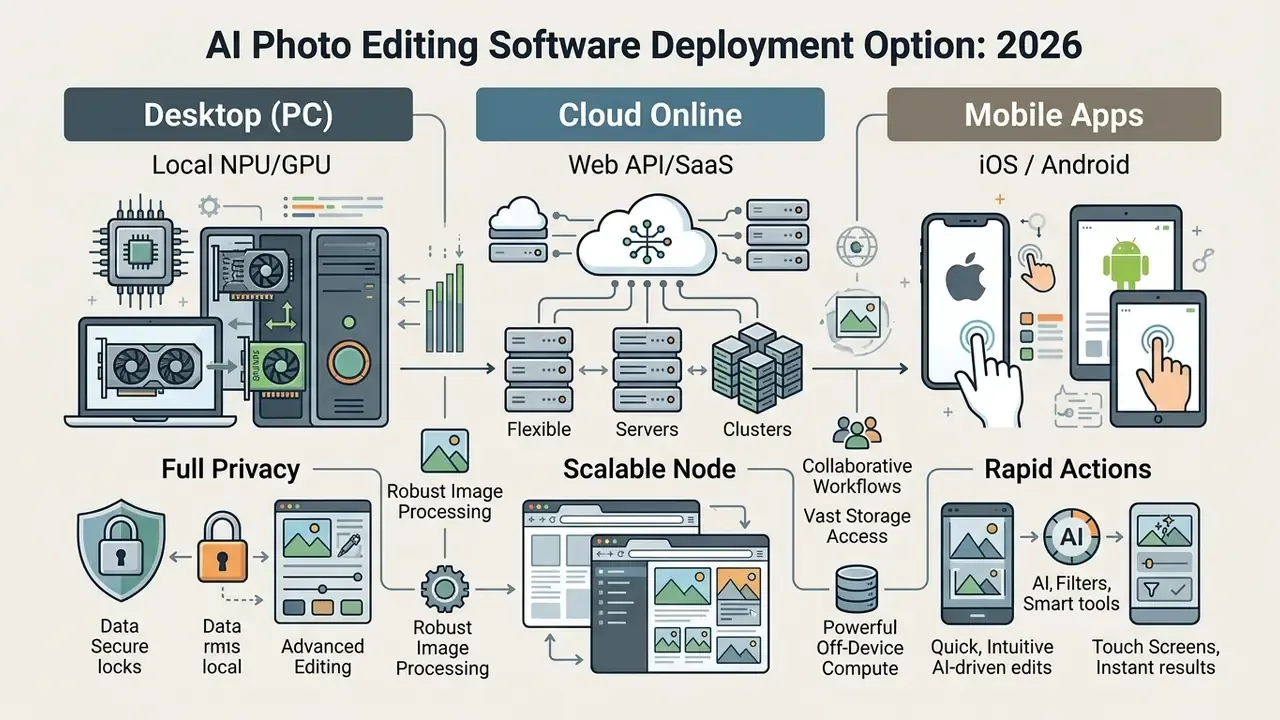
For custom enterprise development, backend teams typically interface through an established api to run batch background removals and generative operations inside internal asset management portals, with credentials and quotas managed centrally.
AI photo editors for PC and Windows: when desktop software is required
Native desktop AI editing software on Windows and macOS uses local GPU acceleration (NVIDIA RTX, AMD Radeon, Intel Arc) and dedicated Neural Processing Units to run high-resolution edits on device. Anyone evaluating ai photo editing software for pc should start with published hardware baselines: Topaz Photo AI, for instance, specifies Windows 11, AVX-compatible CPUs, 16 to 24 GB of system RAM, and 6 to 8 GB or more of GPU VRAM. Underspecified machines do not fail loudly; they just run four times slower.
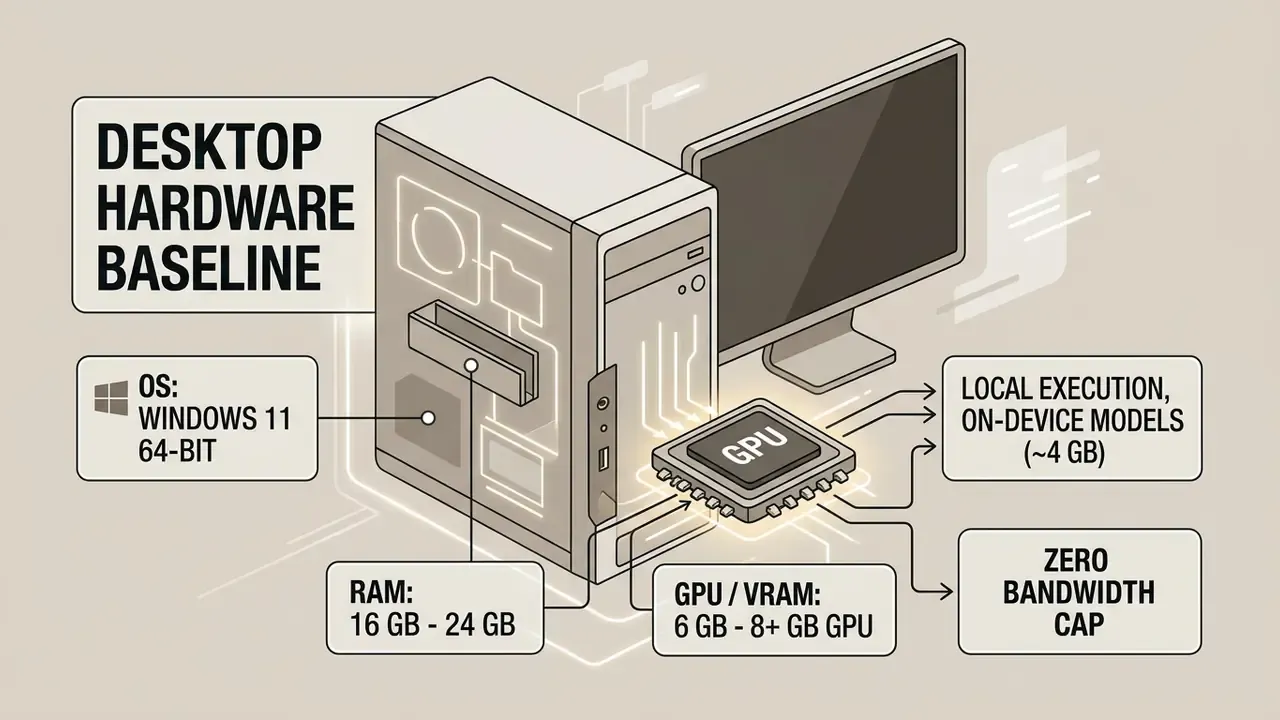
Local execution keeps sensitive visual assets inside the corporate network. It also removes cloud queuing latency and per-generation API metering during high-volume production batches. For institutions running data loss prevention controls, an ai photo editor for pc or an ai photo editor for windows removes the need to whitelist generative endpoints, proxy outbound API calls, or inspect encrypted uploads at the egress gateway. That is a material reduction in control surface compared with SaaS editing, and it usually shortens the security review by weeks.
Online AI image editors: editing without installing software
Browser-based AI editors process images either on remote cloud servers or client-side through WebAssembly and WebGPU. Users reach the tools instantly from Chrome, Edge, Safari or Firefox with no local GPU and no update cycle to manage. Upload constraints are common: JPEG, PNG or WebP files up to 100 MB on major platforms.
Cross-device synchronization is genuinely convenient, but performance still depends on upload and download bandwidth. Organizations handling confidential imagery must review transmission protocols, encryption at rest and server log retention commitments. There is a meaningful architectural distinction here: editors that process entirely in the browser never upload the asset, while cloud-backed editors transmit it to inference servers. Only the former materially reduces exposure. And vendor claims of "instant" processing stay marketing language until they publish latency measurements at a stated resolution.
AI apps for Android and mobile photo editing
Mobile AI applications on Android and iOS are built for touch, voice input and a fast camera-to-publish loop.
«ChatGPT led user-review usability among generative AI apps, with compound usability scores of 0.504 on Android and 0.462 on iOS.»
Comparative 2026 coverage adds that Gemini delivers the strongest Android experience thanks to deep Google integration, while desktop clients keep the advantage for long research sessions, multi-window workflows and technical output. Mobile editors handle quick object erasure, basic subject isolation and immediate social posts well. They still hit structural limits on multi-layer compositing, color management and bulk batch export. Field operations, site inspection photos, event coverage, retail merchandising audits, are where mobile AI editing genuinely beats desktop, because latency from capture to publication outweighs pixel-level quality.
Consumer intent shows up here too. Queries like "ai my photo app" usually signal personal avatar and portrait editing rather than production work, and they carry the same warning: check whether uploaded faces feed model training before you install anything on a work device.
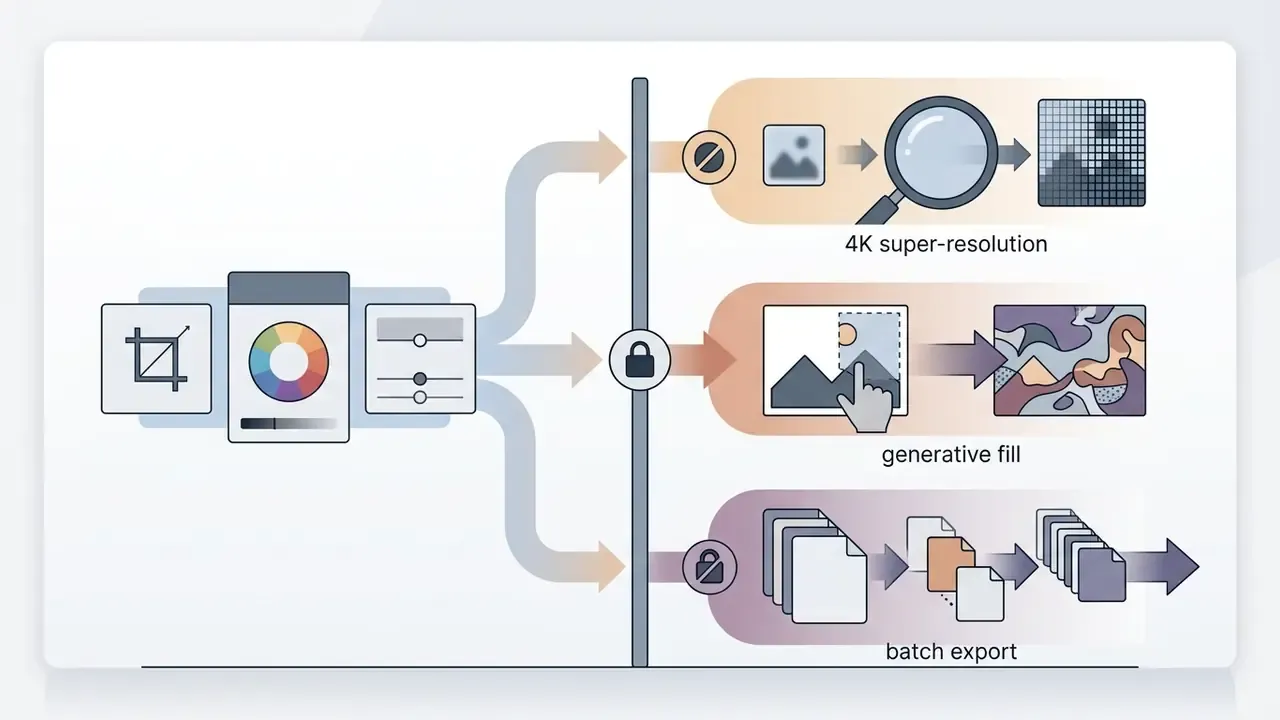
Free AI photo editors, paid tiers, and total cost of ownership
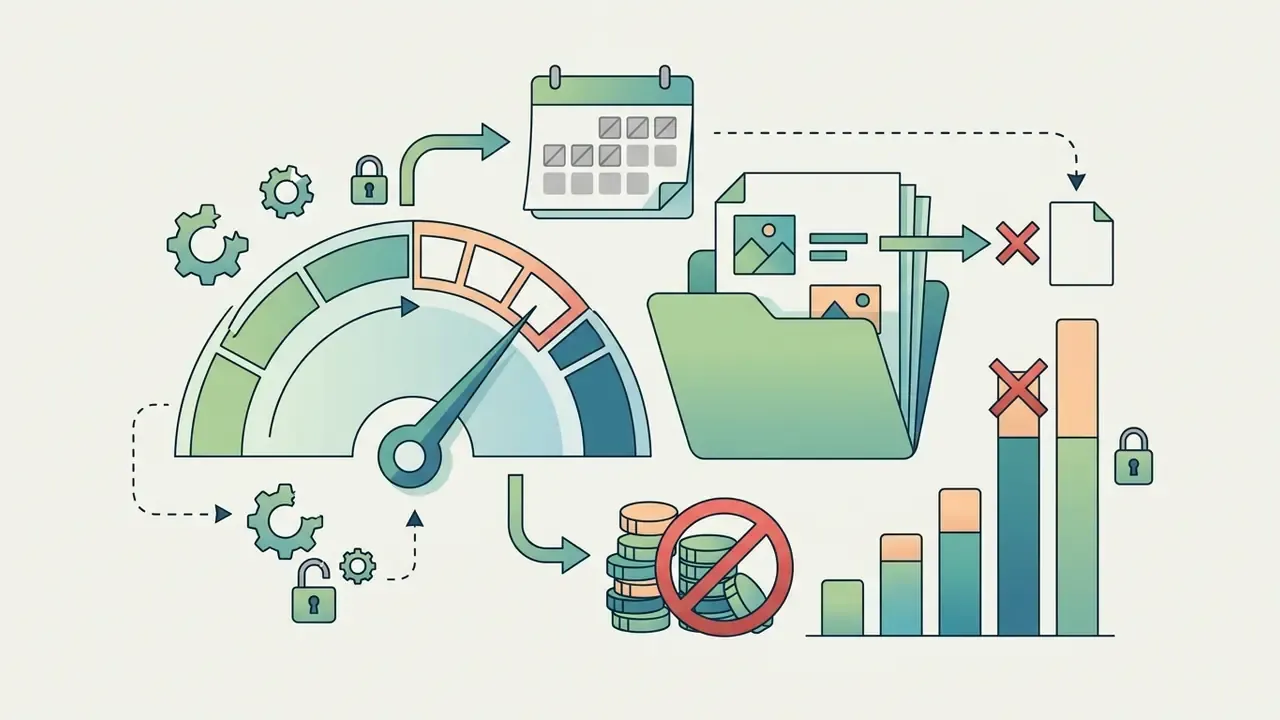
Commercial AI editing platforms monetize in four ways: restricted free plans, recurring subscriptions, usage-based credit packages and perpetual desktop licenses.
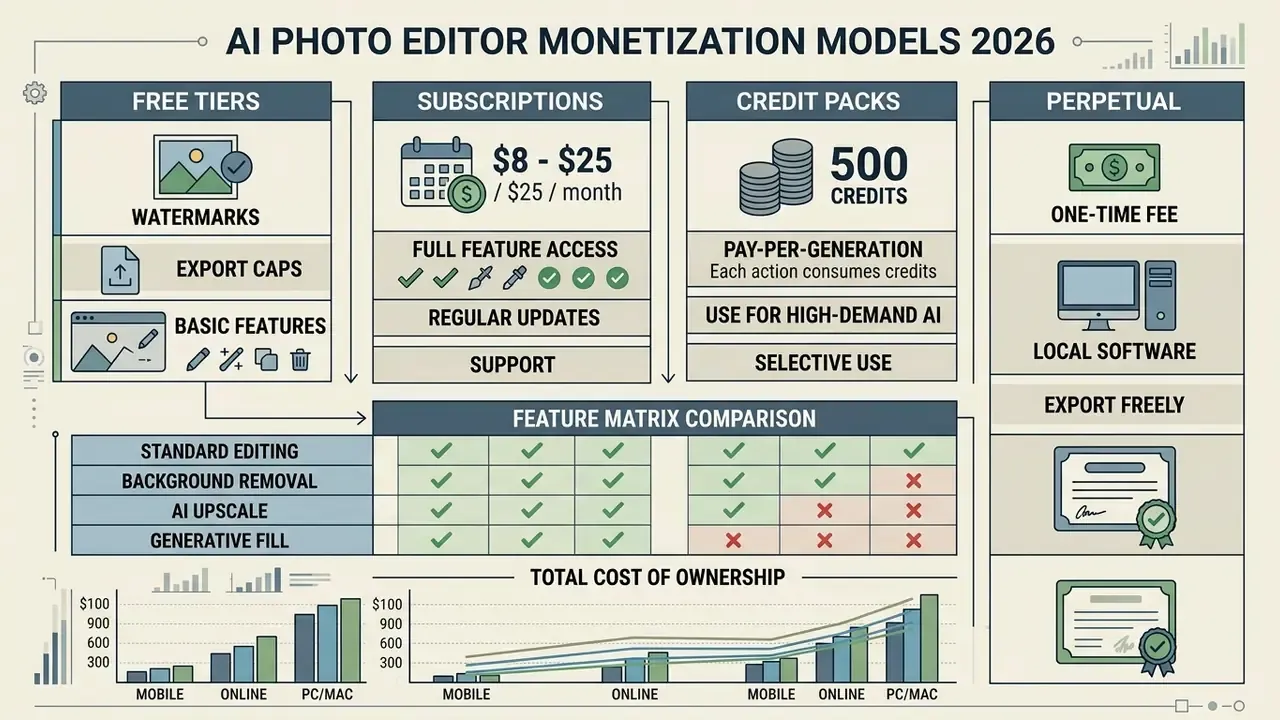
Observed 2026 price points run from roughly $1.49 to $1.99 per month at the low end up to about $25 per month for full-feature creative tiers, with credit allowances commonly quoted as 80, 200, 500, 1,000 or 2,500 per month. Perpetual options appear at $29.90, $119 and $199 depending on scope. Teams building a software expense framework can analyze subscription structures on our dedicated pricing directory to project cost scaling as seats grow.
Total cost of ownership: the formula procurement actually needs
License fees are the smallest component of enterprise TCO for AI editing. A defensible model looks like this:
TCO(annual) = (Seats x License) + (Credits x Unit Cost x Volume)
            + Hardware Amortization (GPU/NPU workstations)
            + Validation Labor (QA review hours x blended rate)
            + Governance Overhead (security review, DPIA, legal review)
            + Remediation Reserve (artifact rework + takedown risk)
Break-even for a paid tier holds when the monthly subscription cost stays below the hourly rate multiplied by hours saved per month, minus validation and governance load. Because validation labor grows with output volume, high-throughput teams should model QA as a variable cost, not a fixed one. That single adjustment is what usually reverses a naive ROI calculation, and it is the number an audit committee will probe first.
What to check in a free AI photo editor before uploading images
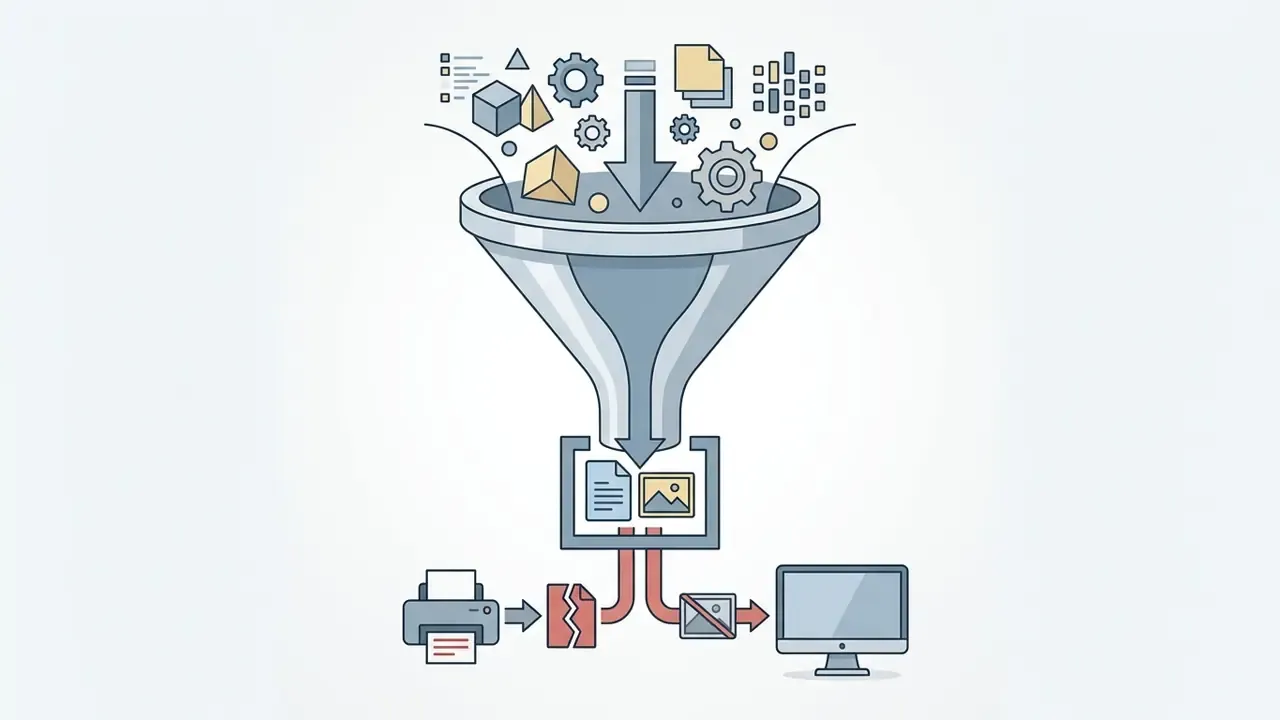
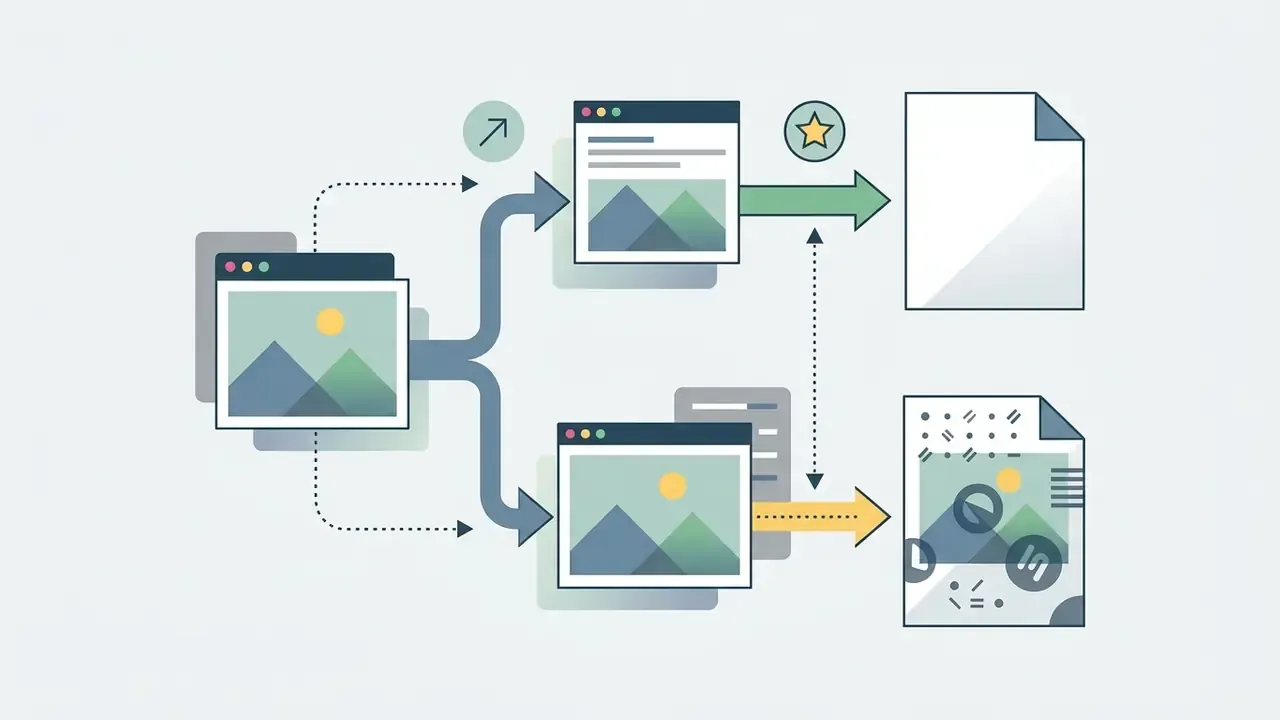
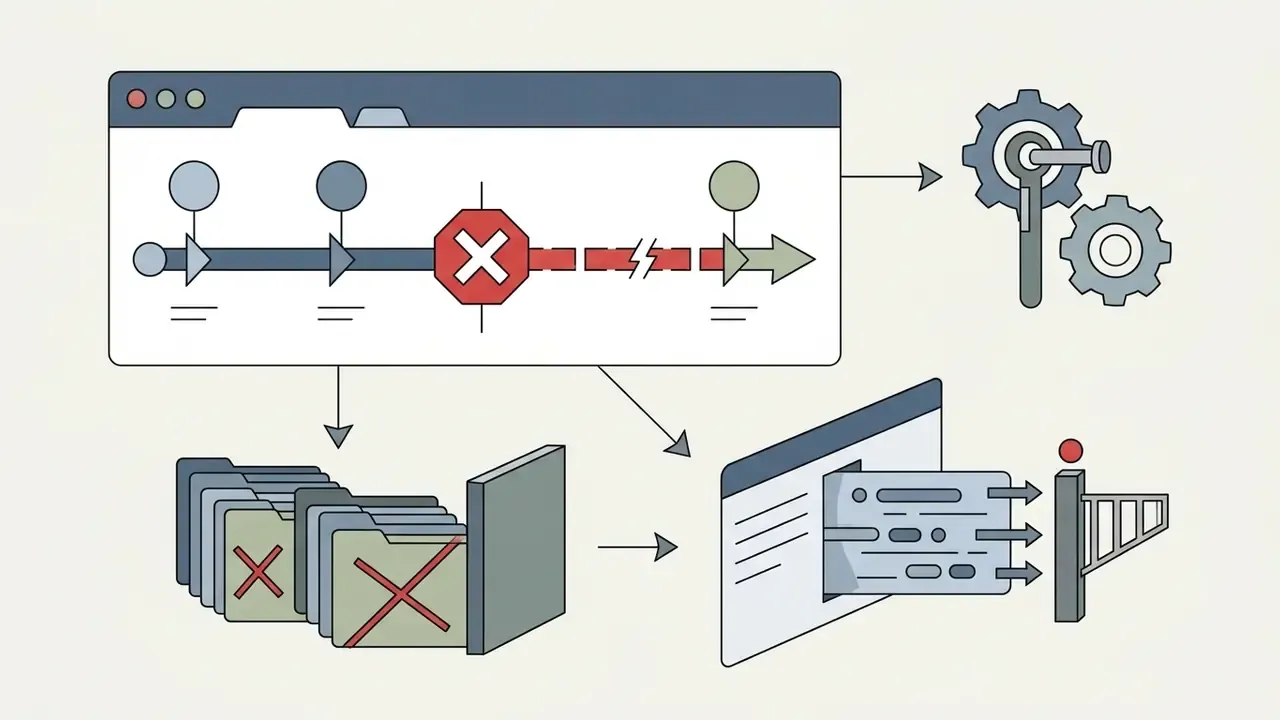
Free tiers exist to convert you. That is fine, as long as the restrictions are mapped before rollout. Administrators should audit usage terms for operational bottlenecks; a comparative view is maintained in our guide to free photo editors. Note that searches for "ai photo editor free download" and "ai photo editor software free download" frequently land on installers bundled with credit metering rather than a genuinely free local tool, so verify what is actually free before deploying anything at scale.

When a paid AI photo editor is justified for regular work
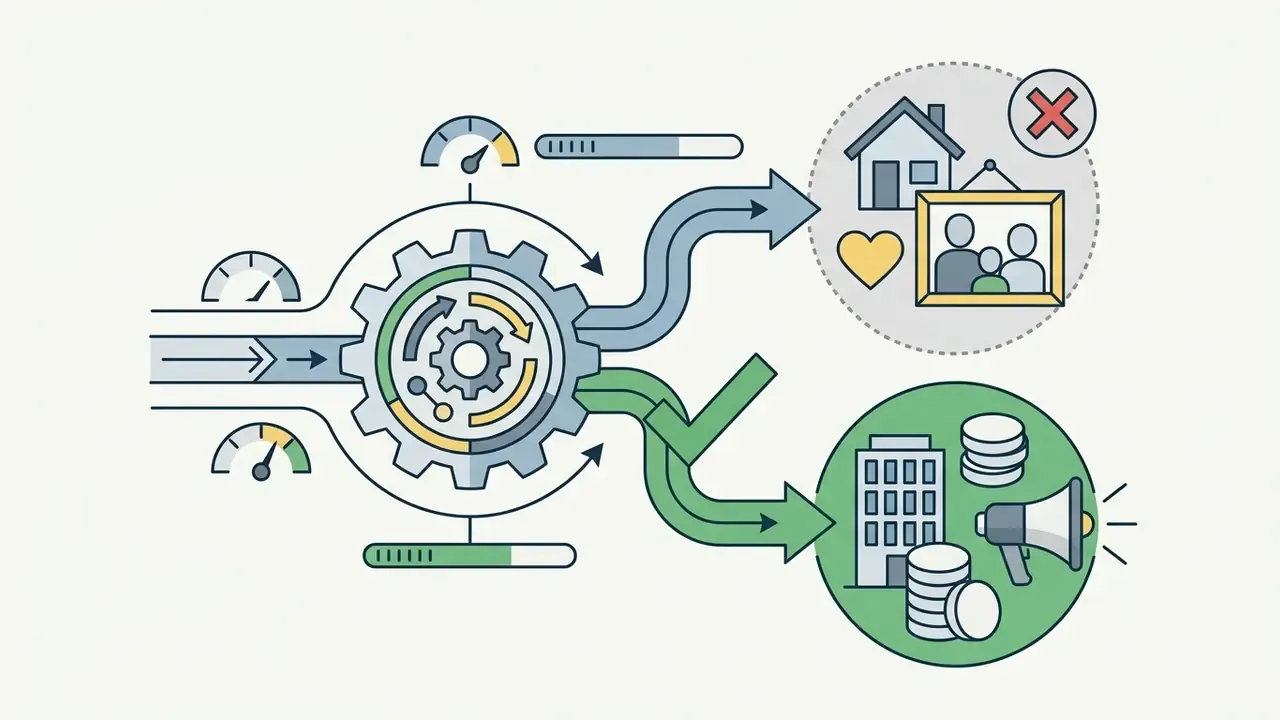
Updated. Paying for AI editing software is justified when the value of operational time saved exceeds subscription cost plus validation overhead. Not before.
«Generative Fill and Generative Expand are, on average, more than ten times faster than traditional retouching methods in documented real-task benchmarks.»
Fact check: verification of tiers and usage terms
Commercial use of AI-edited images: licenses, models, and rights
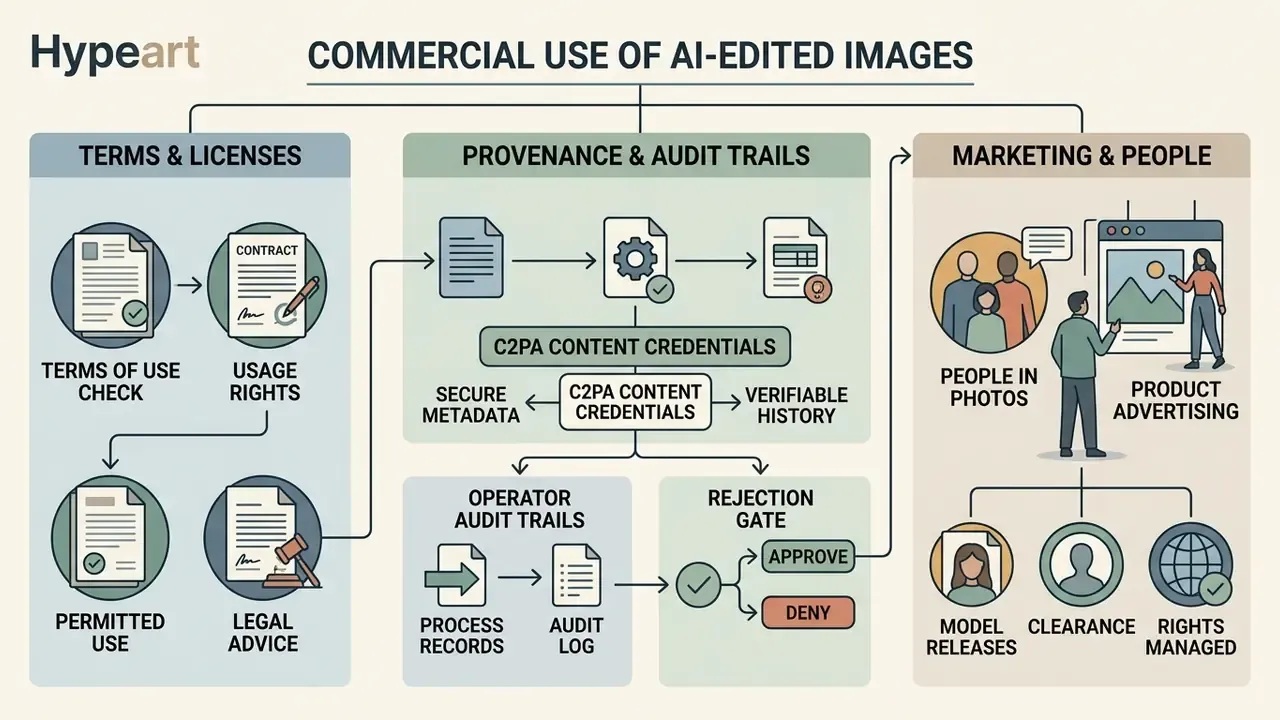
This section is general information and does not replace advice from qualified intellectual-property or licensing counsel.
Putting AI-edited images into corporate marketing, product packaging and brand materials requires a careful read of intellectual property rights, platform terms and underlying model licenses. A tool-by-tool breakdown of output rights is maintained in our analysis of commercial use of AI image generators.
«In the UK, authorship of computer-generated works vests in the person who made the arrangements necessary for their creation; U.S. law requires human authorship, leaving most AI outputs unprotected.»
To protect brand assets, legal teams must confirm that providers grant explicit commercial clearance, as set out in our guidelines for AI Media Commercial-Use.
What to check in an AI image editor's terms of use
Counsel should test platform Terms of Service against a fixed set of criteria:
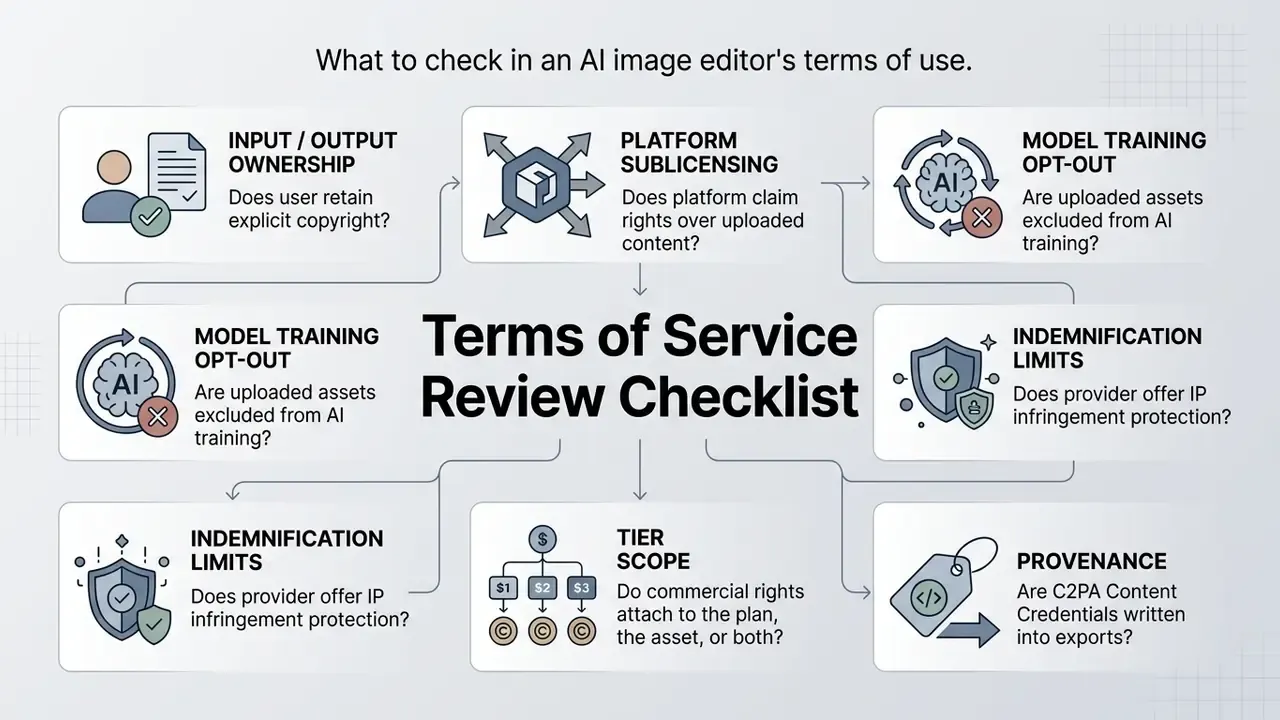
Terms differ structurally by vendor. Some platforms state plainly that the user owns both Input and Output and claim no copyright. Others grant themselves a non-exclusive, perpetual, irrevocable, worldwide, royalty-free license to use, reproduce, modify, sublicense and create derivatives of submitted content. A third pattern ties rights to the asset rather than the plan, as with stock-linked editing where commercial use is permitted only after the underlying stock asset is licensed. Counsel must also confirm whether rights language treats uploaded reference files separately from generated output, because many agreements define "Input", "Output" and "user content" under different terms.
Under guidance from the U.S. Copyright Office, purely synthetic images generated without human authorship cannot be registered (U.S. Copyright Office Guidance). Assets containing substantial human creative modification, complex manual layer arrangements, non-destructive retouching, custom vector integration, can be registered, provided the purely AI-generated components are disclaimed in the electronic filing.
Two further constraints belong in any commercial policy. First, commercial use weighs against fair use in U.S. analysis, and outputs that substantially resemble protected training material can infringe regardless of registrability. Second, model licenses may restrict commercial exploitation independently of copyright; several artist-model licenses permit royalty-free personal use while requiring explicit approval for commercial release.
Provenance and audit trails: C2PA Content Credentials
For 2026 deployments, provenance metadata has moved from optional to expected. Practical controls:
- Content Credentials (C2PA) enable signed provenance manifests on export so downstream teams, agencies and platforms can verify which asset was AI-edited, and with which tool.
- Operator audit trails log user identity, source asset hash, prompt text, model version and generation timestamp for every generative operation, retained per your records policy.
- Rejection gate treat generated artifacts with missing or unverifiable origin metadata as non-compliant, and block them before merge, publication or hand-off to an agency.
- Detection support for inbound third-party assets, verification tooling is compared in our AI image detector review.
The principle underneath all four is simple, and it applies well beyond imaging: no evidence, no autonomy.
Editing photos of people for product and marketing content
Editing imagery that contains human subjects raises publicity rights, likeness consent and synthetic media ethics. Using AI to add, modify or swap faces in product photography without an explicit model release creates real exposure to right-of-publicity claims (USPTO Name, Image, and Likeness Report).
«Copyright extends only to works with sufficient human authorship: minimal edits to AI images in Photoshop do not meet that threshold, per four Copyright Office decisions.»
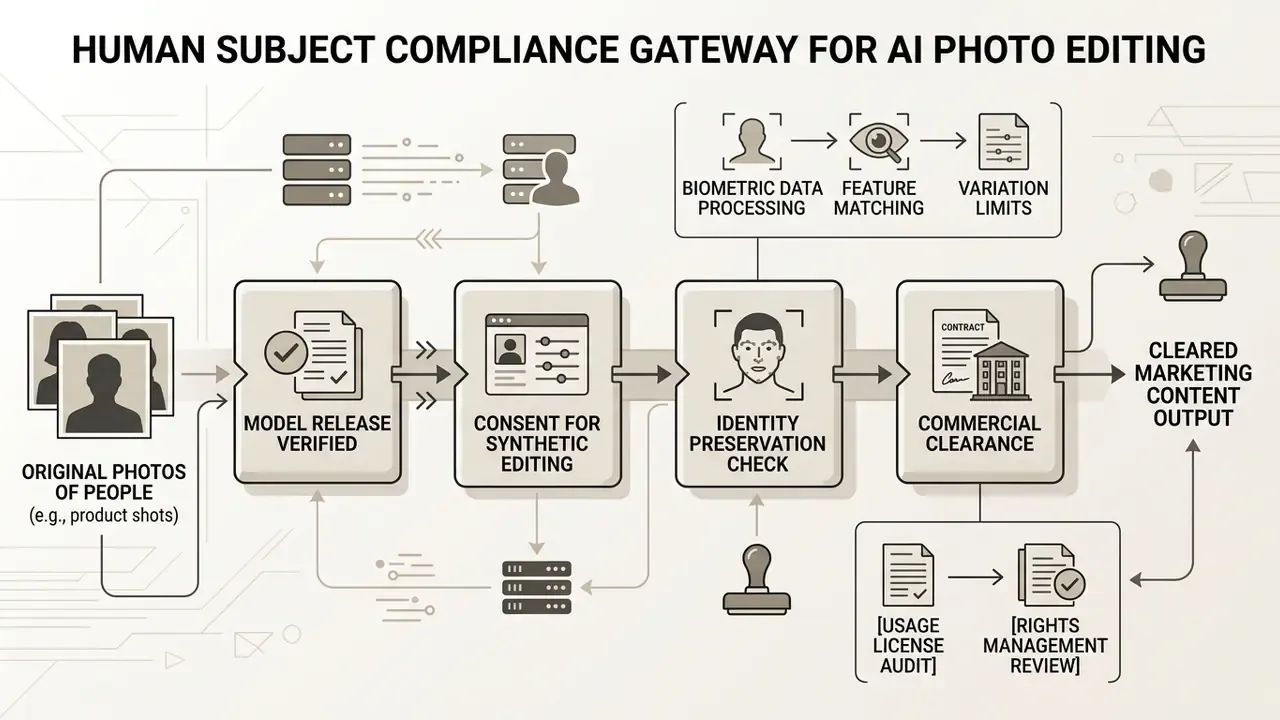
Academic frameworks for realistic human insertion stress combining 3D scene geometry, lighting compositing and precise facial alignment to avoid visual artifacts (Human Synthesis and Compositing Research). Brands must ensure that any human imagery modified for marketing collateral follows signed consent releases covering synthetic alterations. NIST's AI Risk Management Framework treats synthetic-media misuse as a governance risk to be mapped, measured and managed, not as a creative preference. Teams transforming existing photography rather than generating from scratch should also review our guide to image-to-image generators. For governance guidance on media licensing disputes, explore the hub for updated regulatory tracking.
How to get natural results: workflow, prompts, and edit control
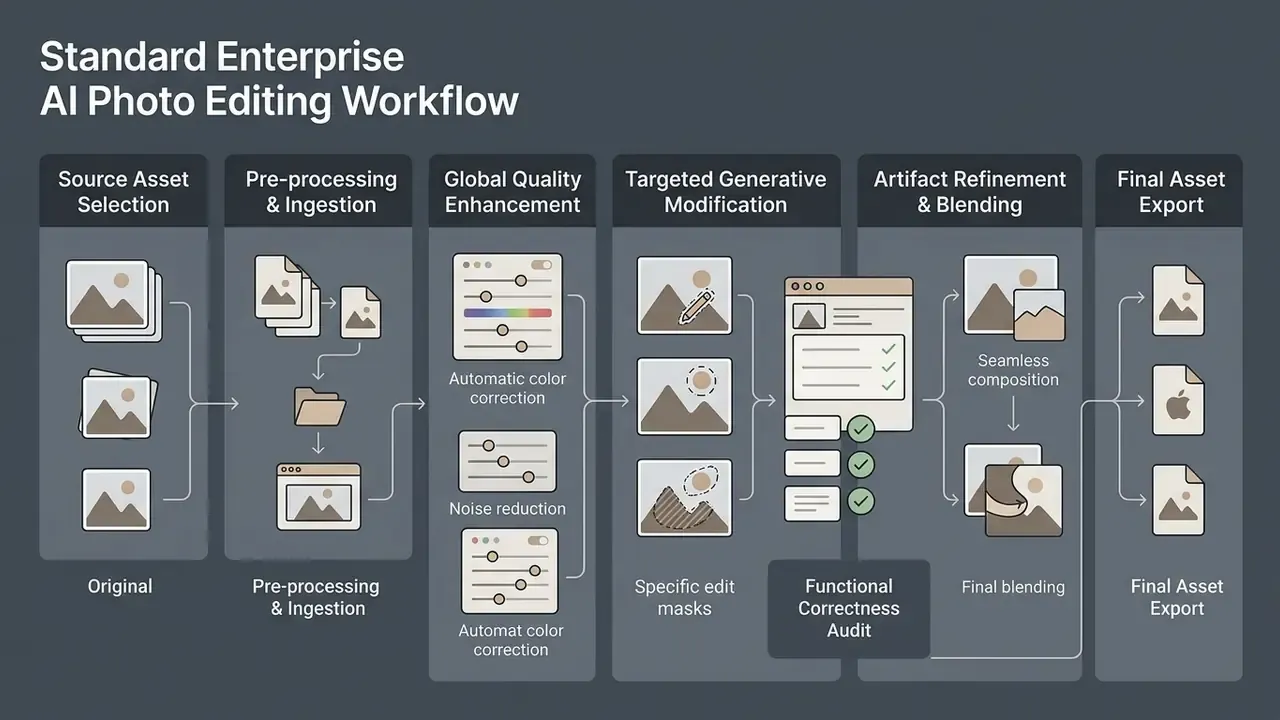
Production-grade output from AI editing software takes a structured pipeline, concise prompts and a real artifact audit before export. Skip the audit and you ship floating shadows into a national campaign. It happens more often than anyone admits.
«Generative Fill users report a value tension: the tool lowers barriers to creation while blurring the line between human art and algorithmic output.»
Standard enterprise AI photo editing workflow (illustration alt text: ai photo editing workflow)
Governance guidance for AI-assisted production pipelines recommends defining the autonomy baseline, review gates and approval authority before rollout, then validating guardrails against synthetic sensitive artifacts rather than live confidential assets. Who signs off? Name the person, not the department.
- Source asset selection
- choose high-resolution, uncompressed source photography (JPEG, PNG, TIFF) free of extreme compression artifacts.
- Pre-processing and ingestion
- load the asset into the secure editing workspace; set working color space and baseline exposure.
- Global quality enhancement
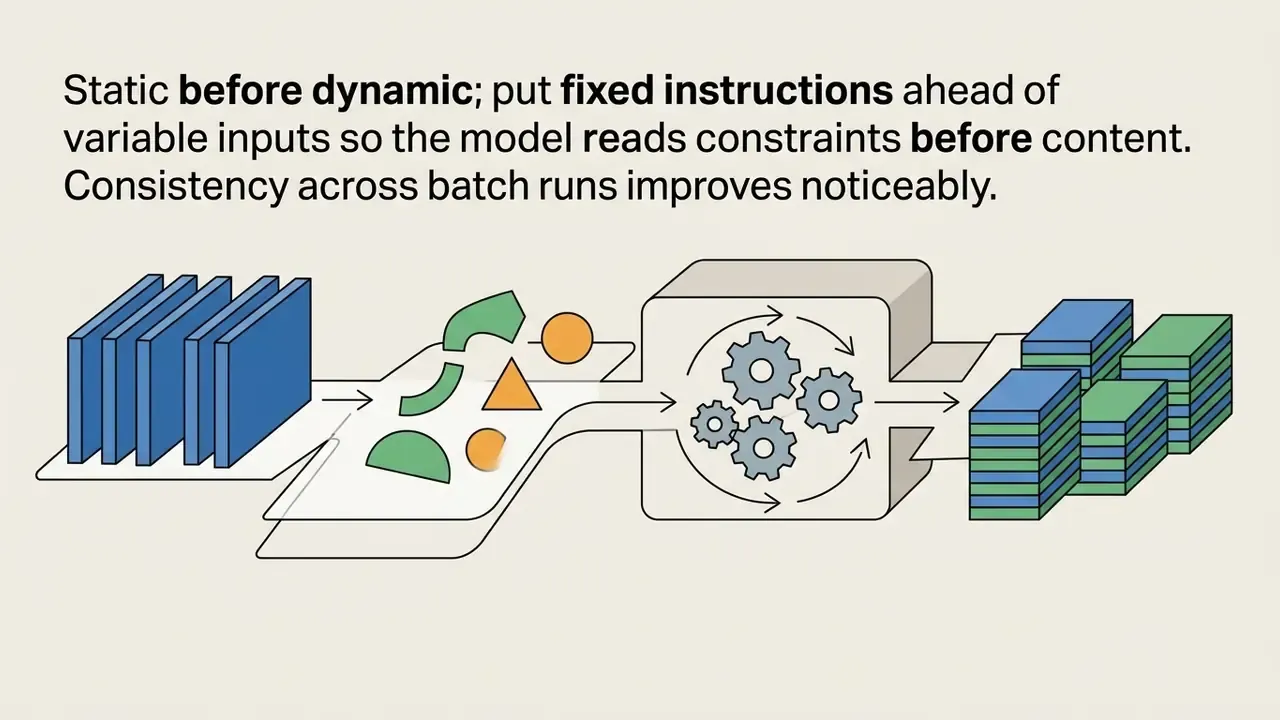
- apply baseline AI denoising, deblurring and resolution scaling before any localized structural change.
- Targeted generative modification
- define explicit selection masks; run localized object removal, background replacement or element insertion with structured prompts.
- Functional correctness audit
- confirm instruction adherence and verify that non-target regions remain untouched.
- Artifact refinement and blending
- correct texture anomalies, edge mismatches or lighting shifts using manual adjustment layers, cloning or localized re-generation.
- Final asset export
- export at target resolution with embedded metadata, provenance credentials, color profiles and explicit copyright disclaimers.
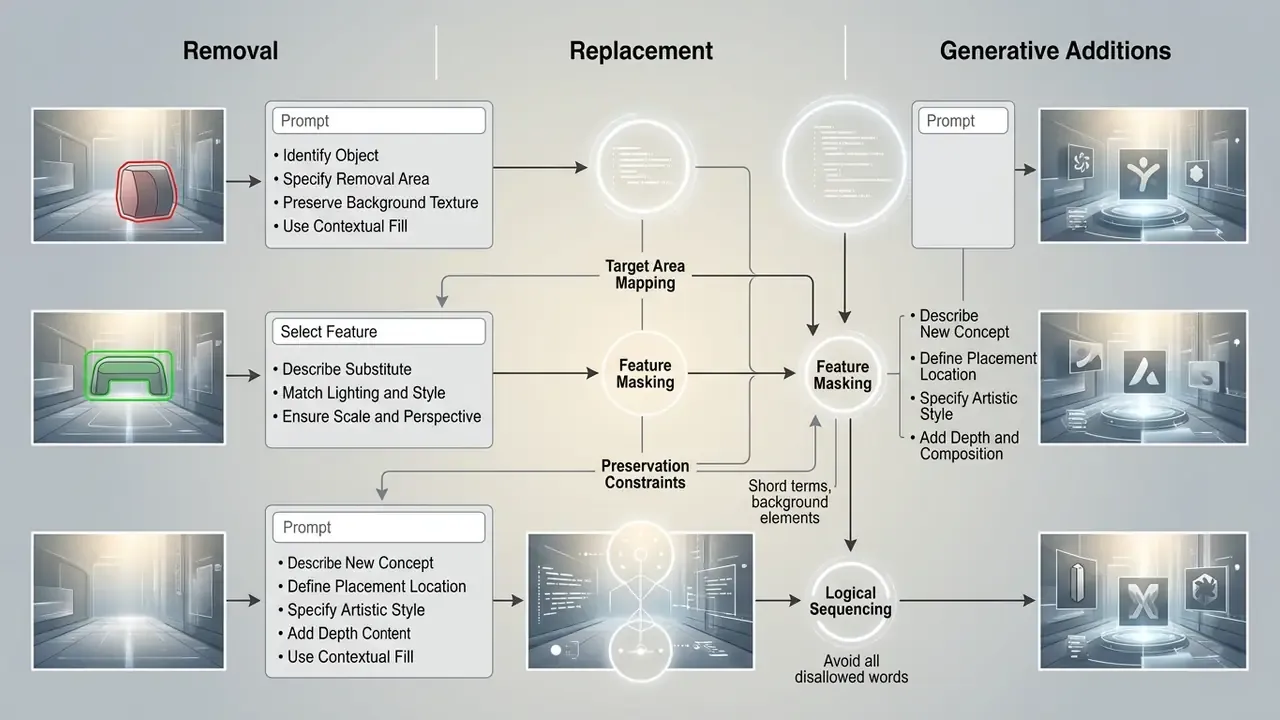
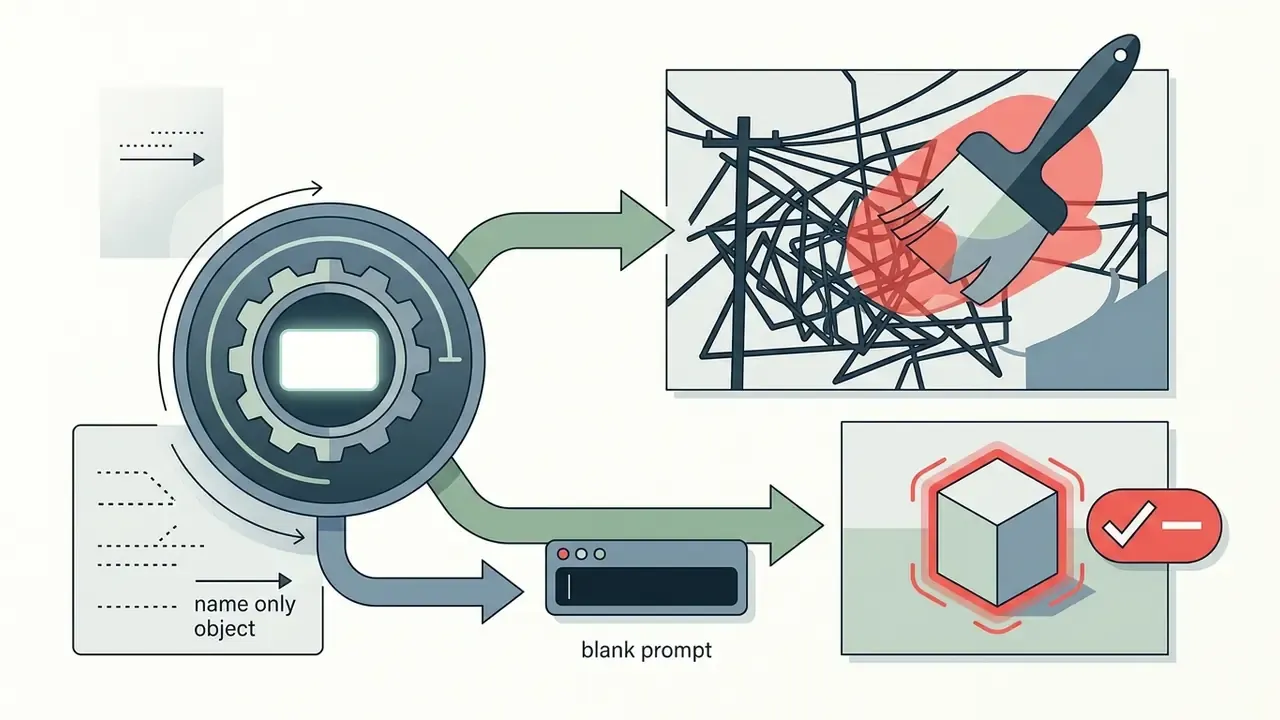
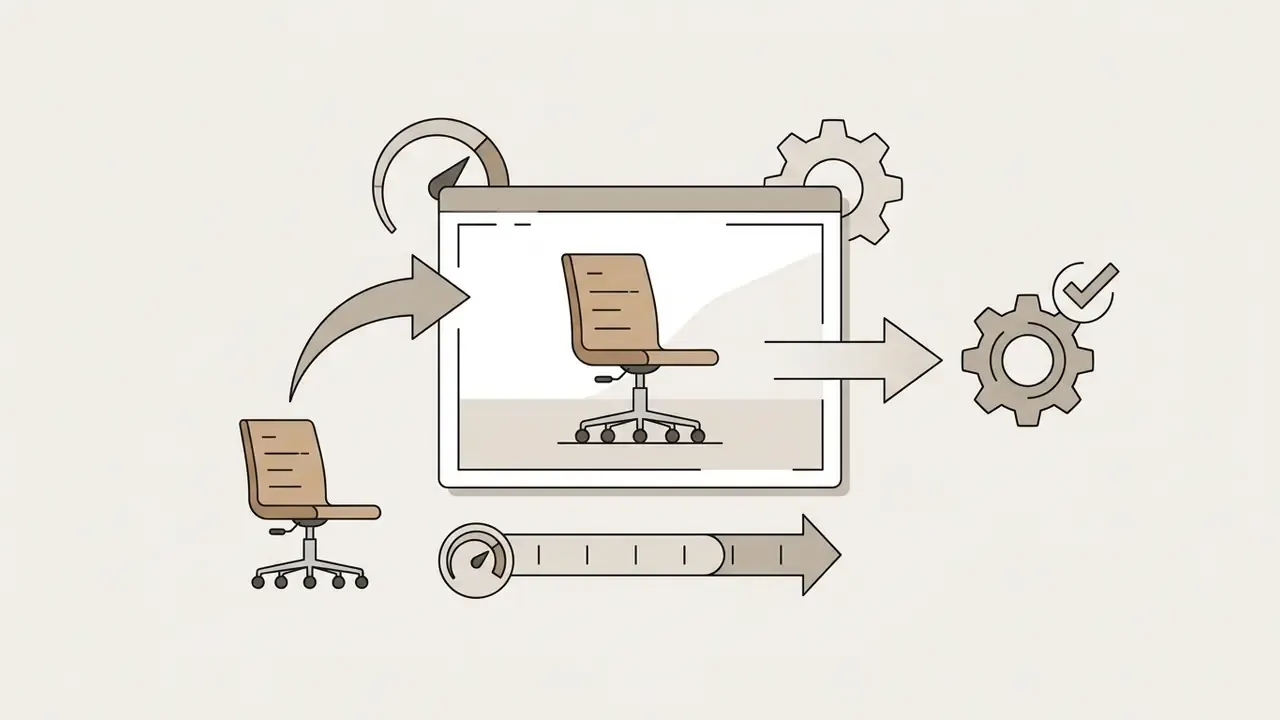
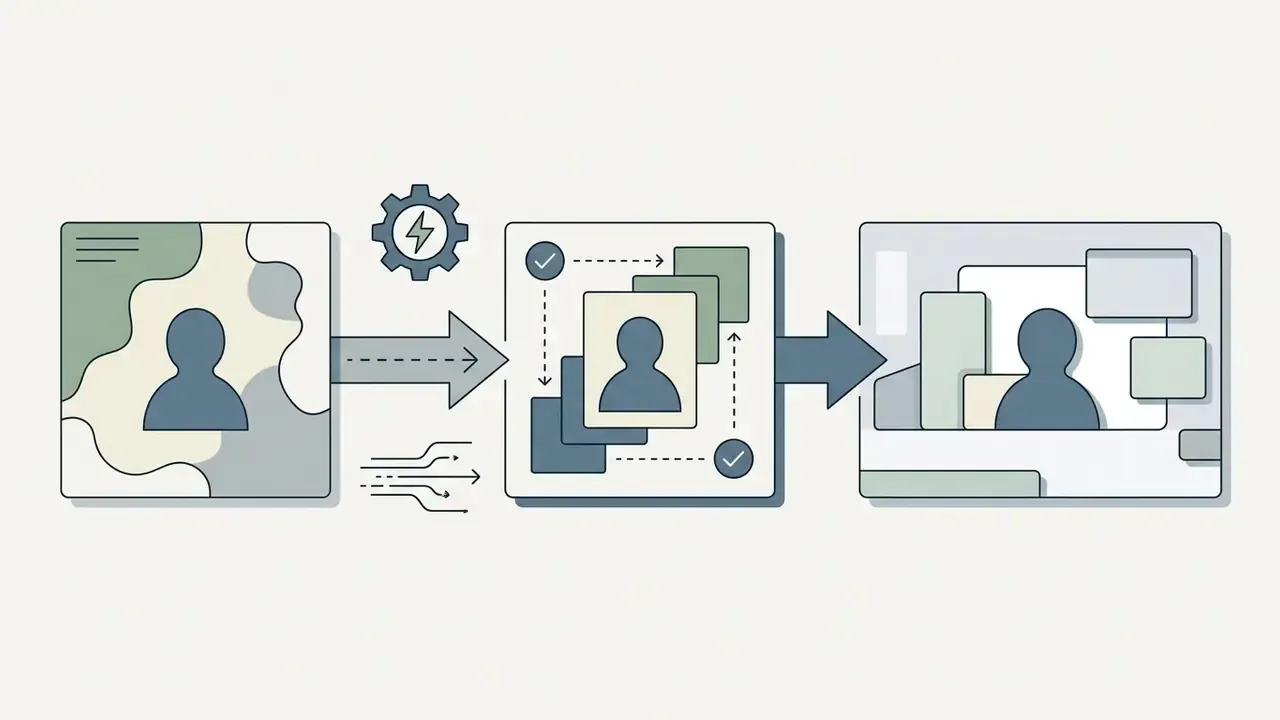
How to write prompts for removal, replacement, and generative changes
Effective editing prompts describe visual elements, lighting conditions and structural constraints in plain terms. Prompt engineering guidance from OpenAI and Adobe converges on a consistent structural hierarchy (OpenAI Prompt Engineering Best Practices):

Why AI edits can look unnatural and how to fix the result
Synthetic artifacts appear when generative models miscalculate lighting vectors, blur fine surface texture, or distort complex anatomy. Diffusion benchmark studies flag the usual suspects: over-smoothed skin, floating objects, mismatched drop shadows, edge fringing at selection boundaries, and material anomalies that betray synthetic origin under close inspection.
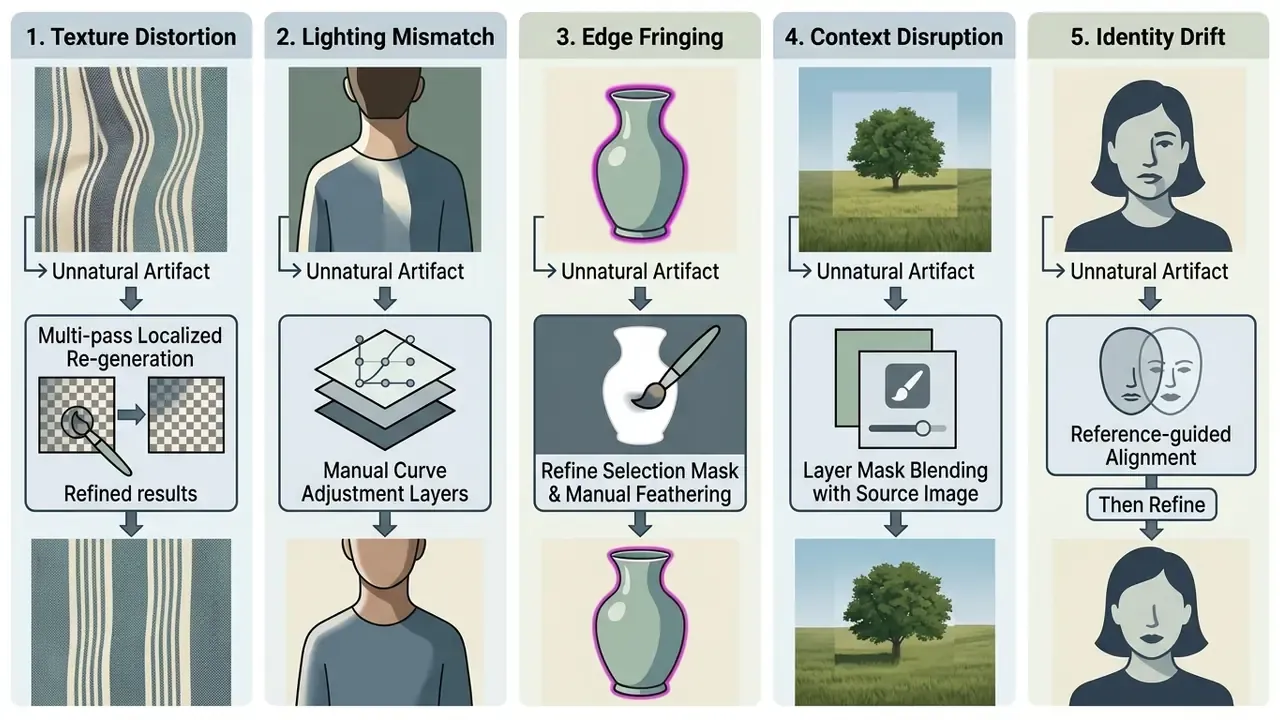
Published refinement pipelines repair composited output in two stages: align against reference images to restore identity detail, then target the remaining artifacts. Applying that pattern by hand, regenerate the region, then blend against the untouched source through a mask, is the fastest reliable fix for portrait work. Two passes usually beat one heroic prompt.
An e-commerce retailer processing product imagery ran into lighting mismatches when swapping outdoor backgrounds for clean studio settings. The team isolated the product onto a separate layer, added a localized ambient occlusion shadow at the base, and adjusted global color balance curves so the subject's highlights matched the new studio light source. The hybrid approach removed the artifacts and produced natural scene integration, no re-shoot required.
For creators building multi-format campaigns, the same quality control standards apply when you add music to marketing clips or compress deliverables for distribution; see our video compressor guide for quality-loss trade-offs.
FAQ: photo security, privacy, and permitted AI editing scenarios
This section is general information and does not replace advice from a qualified data protection or information security specialist.
Enterprise deployment of AI editing software carries distinct operational risk around data retention, user privacy and content policy compliance. Organizations need written guidance on acceptable use before the first upload, not after the first incident.
Leading providers publish usage policies that prohibit generating or modifying non-consensual sexual imagery, child sexual abuse material, non-consensual likeness alterations of real persons, and deceptive synthetic media built for disinformation (OpenAI Usage Policies). Search queries such as ai nsfw image editor, ai image editor xxx, ai picture editor xxx and ai sex photo maker map directly onto prohibited use cases across major enterprise platforms. Commercial organizations should deploy software with robust server-side content filtering and blocked-prompt logging, so that policy breaches are visible to compliance rather than invisible to everyone.
«A 2026 joint statement endorsed by 60+ data protection regulators highlights risks of defamatory content and harm to vulnerable groups from AI image generation.» - Joint Statement on AI-Generated Imagery, European and Associated Data Protection Authorities (2026). https://edpb.europa.eu/
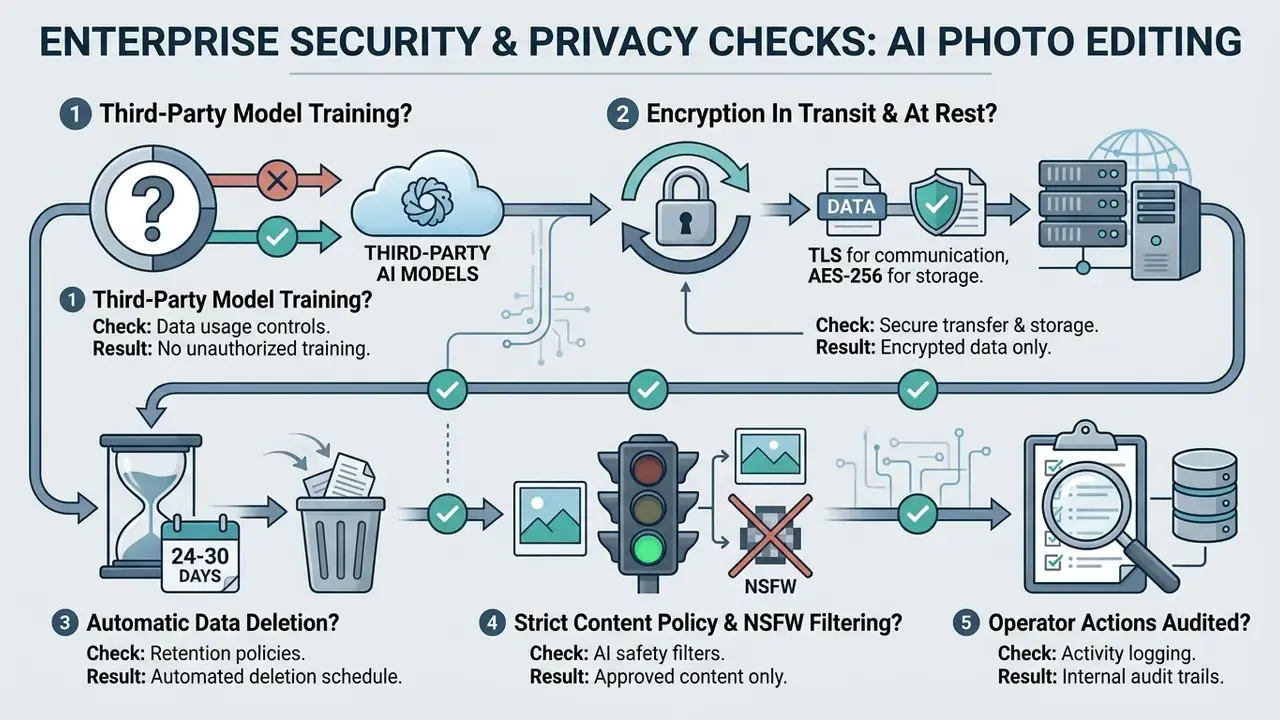
Consumer-style queries such as ai my photo app reflect interest in personal avatar and portrait editing. When staff use corporate headshots in those tools, administrators must confirm that the privacy policy forbids reusing facial imagery for external model training. Retention practices vary sharply. Some vendors keep uploads, prompts and edited results for 30 days before automatic deletion; others honor deletion within 24 hours of a request; several major providers exclude user-uploaded images from training unless the user opts into a separate research program. Read the actual clause, not the marketing page.
Alert box: user data privacy and model training risks
Regulatory compliance notice: uploading proprietary corporate assets or identifiable employee photography to cloud-based AI editors carries privacy risk when platforms use customer content for model training.
- Data erasure standards: under EDPB Opinion 28/2024 and related European frameworks, personal data used in model training can trigger mandatory deletion rights (EDPB Guidelines).
- Inadvertent sensitive data: regulatory guidance states that sensitive information collected without consent will generally need to be destroyed or removed from the training dataset.
- Secure media sanitization: organizations disposing of local editing caches should follow NIST SP 800-88 guidance for cryptographic erasure or physical drive sanitization, and document each deletion.
- Enterprise opt-out verification: confirm in the contract that "customer inputs and outputs will not be utilized to train provider models."
Can AI actually enhance a photo, or is it cosmetic?
Yes, genuinely. AI models infer how pixels relate across a scene and can recover detail, reduce noise, correct motion blur, upscale resolution and colorize monochrome frames. Measured benchmarks (PSNR, SSIM, LPIPS) confirm real reconstruction gains rather than contrast tricks. Just remember the model is predicting plausible detail, not retrieving lost detail.
Which task types still fail most often?
Spatial rearrangement, moving an object to a precise new position, plus fine anatomy and shadow consistency. Attribute edits (color, material, lighting) remain the most dependable category.
Is a free plan enough for business use?
Rarely. Free tiers usually cap export resolution at 720p to 1080p, watermark output, meter credits, and in several cases restrict output to personal, non-commercial use.
Local or cloud for confidential imagery?
Local. Fully offline suites (Topaz Photo AI, Vidmud AI Studio, PhotosRevive, Luminar Neo) remove upload exposure, egress inspection requirements and third-party retention risk in one move.
Do we own the AI-edited image?
Human-authored elements can be protected. Purely AI-generated portions cannot, and must be disclaimed at registration. Contractual ownership of output is a separate question, governed by the platform's terms and your subscription tier.
What is still unresolved?
Three things, honestly. Court treatment of substantially similar outputs is unsettled. Cross-border retention rules diverge, so a single vendor configuration rarely satisfies every jurisdiction. And there is no independent, portfolio-level productivity benchmark for AI editing at enterprise scale; every figure in circulation is vendor-reported or single-study. Document that uncertainty in your business case rather than smoothing it over.
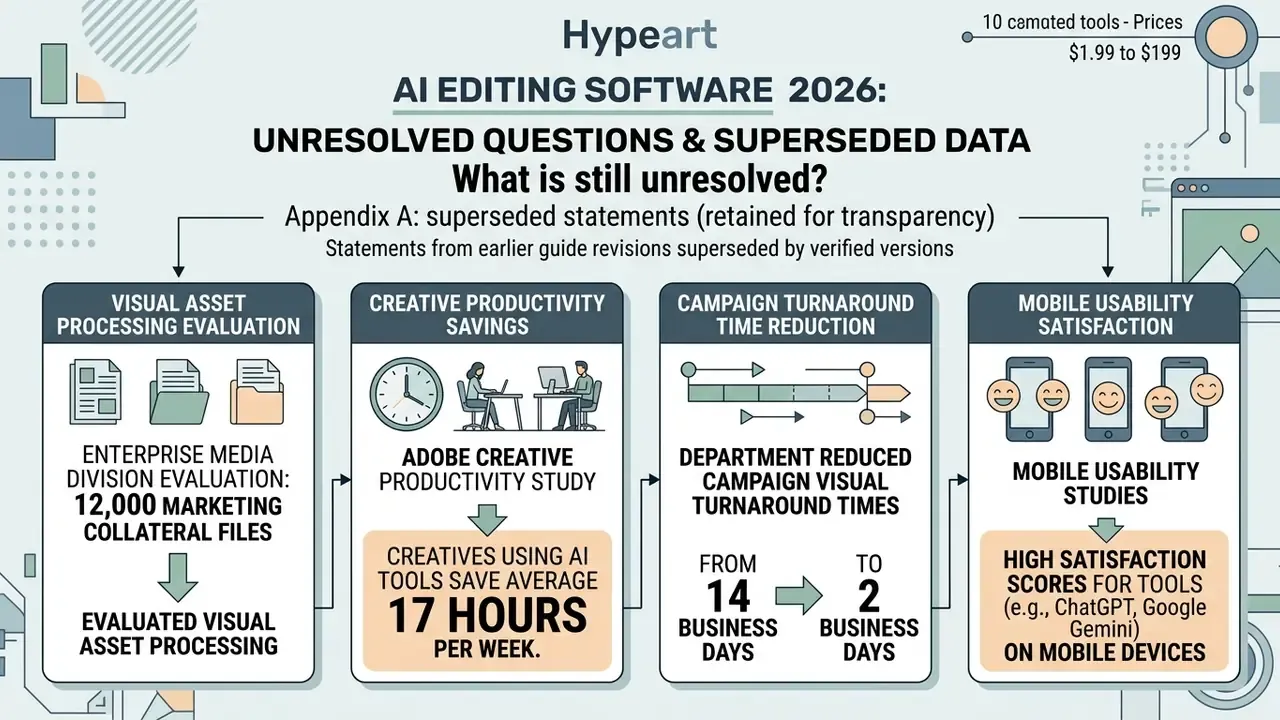
Appendix A: superseded statements (retained for transparency)
Appendix B: vendor risk evaluation checklist for AI editing software
Use this list in procurement before a multi-seat purchase. Any "no" answer should be escalated to security or legal review rather than accepted quietly as residual risk.
Checklist0 / 19
A safe next step
Pick one asset class, one team, one editor, and one measurable control. Run 200 assets through the workflow above, log every generative operation, and compare handling time against your own pre-migration baseline. Then decide on seats. A four-week bounded pilot with an owner, an audit trail and a shutdown switch tells you more than any vendor benchmark, and it costs less than a bad multi-year license.