Executive summary
- A video montage maker assembles video clips, photos, GIFs, and audio stems into a single sequential story, either automatically (AI highlight detection, template auto-compose) or manually on a timeline.
- Free tiers vary more than marketing suggests. Some browser tools (Microsoft Clipchamp, for example) export 1080p with no watermark for free when you use your own media; others cap output at 480p to 720p, stamp watermarks, and block commercial use entirely.
- Commercial publication is a licensing problem, not an editing problem. Music needs synchronization plus master-use rights; stock assets need scope-appropriate licenses; and purely AI-generated material without human authorship is not registrable under U.S. Copyright Office guidance.
- For teams in regulated sectors, the criteria that actually decide the purchase are data handling (no model training on uploaded assets), SOC 2 or ISO attestation, RBAC, IP indemnity, and real-time multiplayer editing with version history.
Modern video creation leans heavily on intelligent automation to turn raw footage, static images, GIF loops, and audio stems into structured visual stories. For media operations teams, creative departments, corporate communications functions, and independent creators, choosing a video montage maker means balancing algorithmic automation against creative control, copyright governance, information-security posture, and platform-specific export parameters. That balance is where most procurement conversations stall.
What a video montage maker is and which tasks it solves
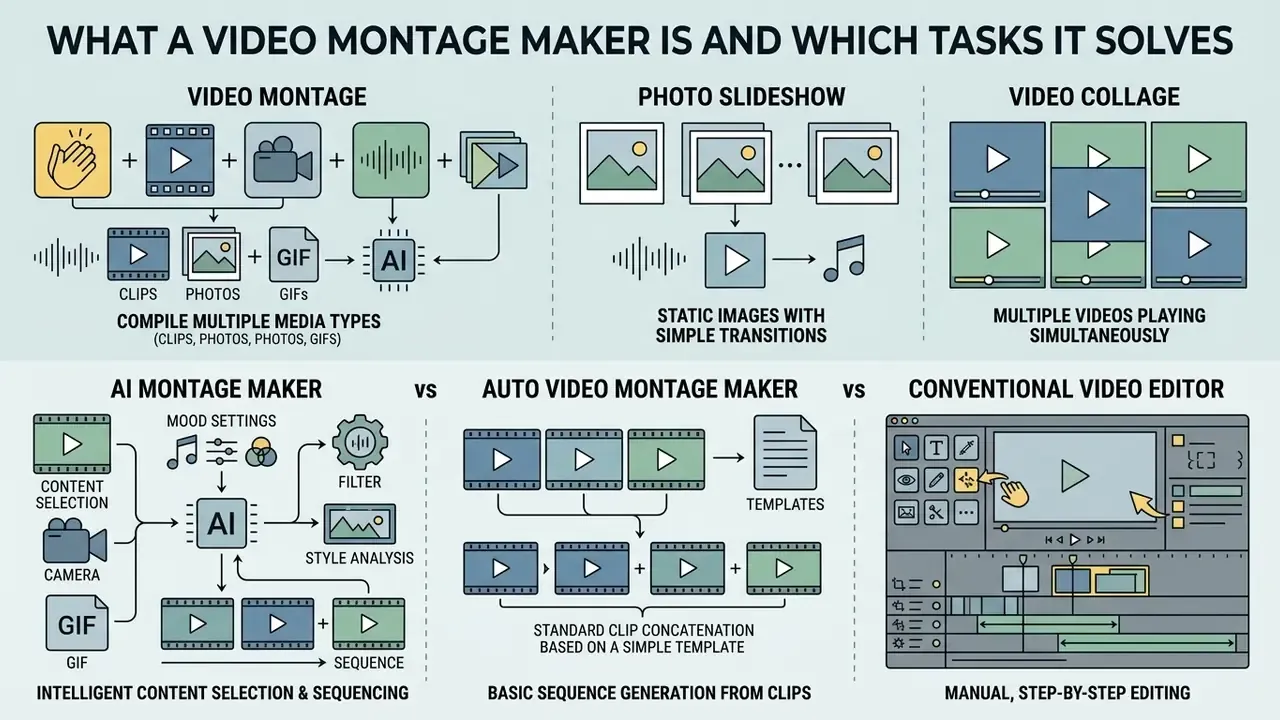
A video montage maker is a specialized web or desktop tool built to compile video clips, static photos, GIF animations, and audio elements into one cohesive, sequential video story using automated or manual timeline sequencing. Unlike traditional timeline editors, which demand manual clip trimming and track synchronization, a montage maker video automates scene transitions, pacing, and audio alignment. Creators reach for an online video montage maker to create video montages for personal memories, brand marketing, promo video campaigns, investor updates, internal training, and social media channels such as Instagram, TikTok, and YouTube. Readers evaluating adjacent generation tooling can start with the overview of AI video generators before committing to a montage stack.
Vendor documentation describes the automated path consistently: AI scans footage, identifies highlight moments, arranges them into a cohesive montage sequence, then lets the user reframe for each platform, add captions, overlays, and music, and export for social distribution or presentations (OpusClip, official product page, 2026). Transcript-based editors frame a montage as "a compilation of short clips edited into a seamless, thematic narrative," where trimming happens on the text transcript rather than on waveform peaks (Descript, official product page, 2026).
To evaluate technical tooling and workflows across digital media assets, explore the AI Media Glossary for foundational definitions.
Video montage vs photo slideshow vs video collage: how the formats differ
A video montage is a temporal sequence of dynamic video clips and photo video elements cut to music to tell a progressive story over time. A photo slideshow, by contrast, presents static image slides in order with simple crossfades, while a video collage shows several media panels at once inside a single split-screen frame. The structural differences decide how narrative pacing, temporal progression, and spatial layout behave across the timeline:
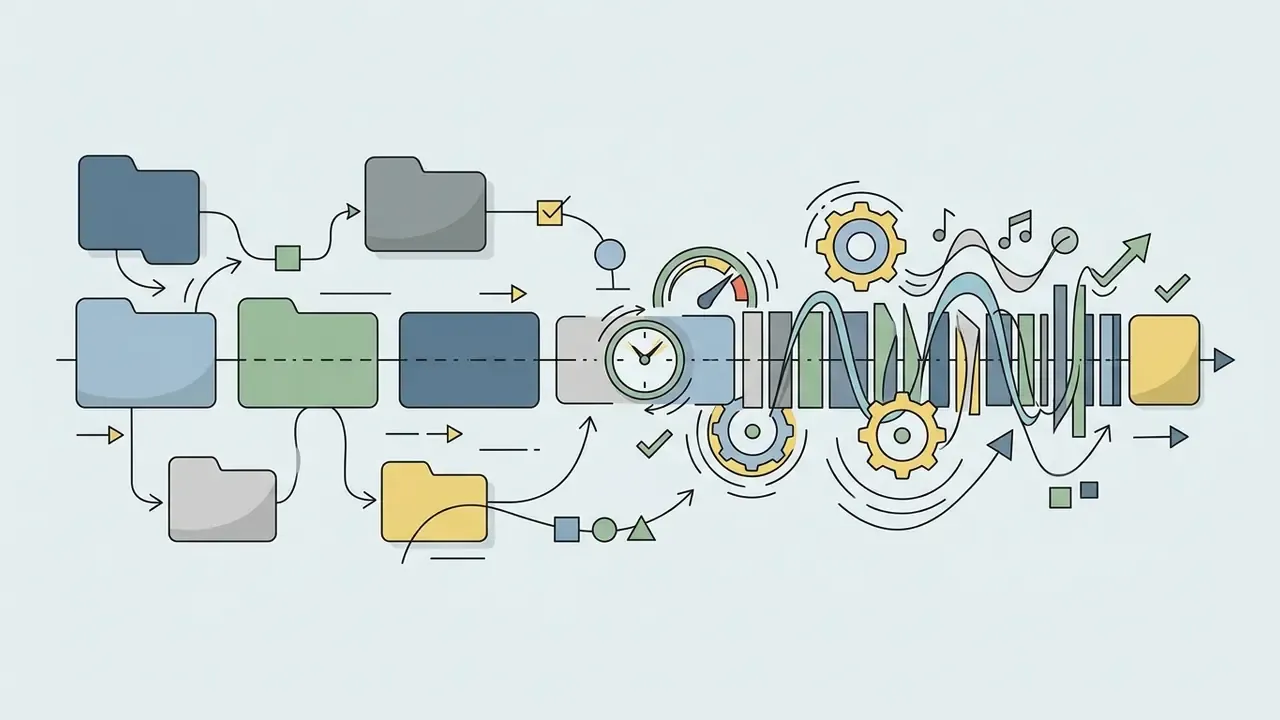
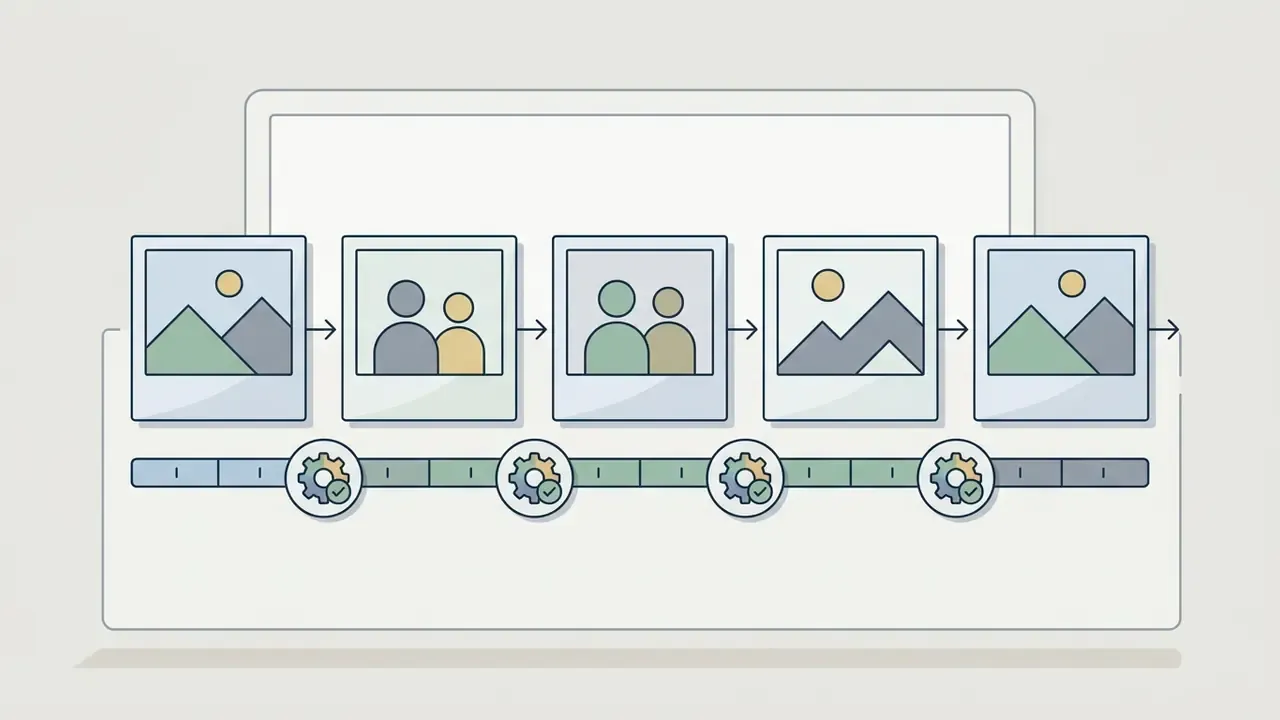
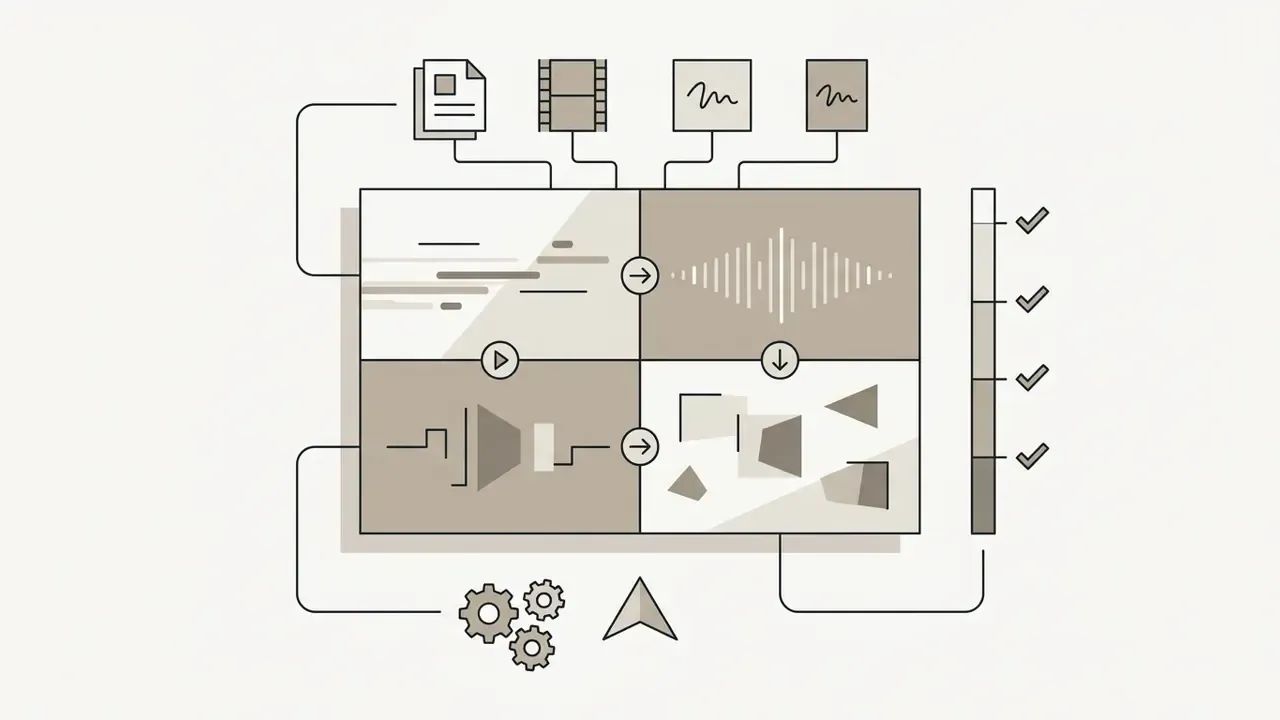
That research distinction matters in practice: slideshow engines optimize for what each still contains, while montage engines optimize for how consecutive shots relate. Vendors, admittedly, use "montage," "slideshow," and "collage" interchangeably in template marketing. The technical separation still holds: timeline sequence vs still-image sequence vs simultaneous multi-panel layout.
AI montage maker, auto video montage maker, and a conventional video editor
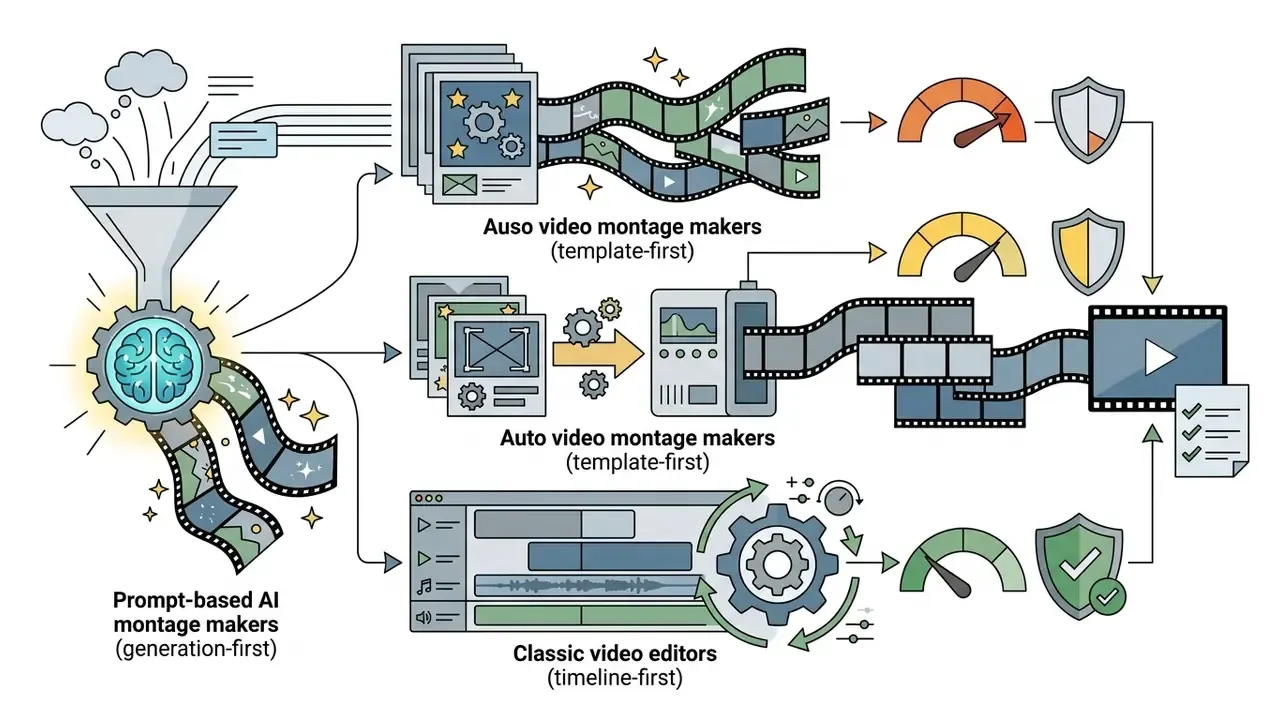
An ai montage maker uses machine learning models to analyze footage, generate clips from text prompts, or auto-select highlight moments. An auto video montage maker leans on fixed pre-built templates and themes to assemble media. A classic video editor requires full manual intervention on a multi-track timeline: clips are dragged onto tracks, trimmed, reordered, layered, and adjusted with transitions and effects directly on that timeline (OpenShot Video Editor Documentation, 2026; DaVinci Resolve Reference Manual).
Human-in-the-loop systems take the complementary route.
«VideoDiff proposes several candidate rough cuts and B-roll insertions to the editor, keeping the final per-shot decision with the human.» VideoDiff, arXiv preprint, 2025
| Parameter | AI Montage Maker (Prompt / Generative) | Auto Video Montage Maker (Template-Driven) | Classic Video Editor (Manual Timeline) |
|---|---|---|---|
| Creation Mode | Generates scenes from text prompts or AI-selected highlight detection | Automatically fits user clips into fixed pre-designed template slots | Manual drag-and-drop clip placement, manual trimming, and multi-track layering |
| Primary Inputs | Text prompts, raw video files, image assets, reference frames | User-uploaded photos, video clips, GIFs, selected music track | Uncompressed video stems, multi-channel audio, graphic overlays |
| Level of Control | Medium: AI proposes sequence; user adjusts timing and prompt parameters | Low to medium: fixed transition structure and locked layout grids | High: precise frame-by-frame control over cuts, audio, and visual effects |
| Template Dependency | Prompt-guided or style presets | Heavy reliance on pre-built structural and visual templates | Optional template use; primarily timeline-first building |
| Brand-Guideline Risk | Higher: generative output can drift from approved palettes, typography, and claims | Medium: template consistency is strong, but slot structure may not match brand system | Lowest: every frame is explicitly authored and reviewable |
| Auditability of Decisions | Depends on vendor logging of prompts, model versions, and revisions | Limited: template application is rarely logged per decision | High: project files preserve every edit decision |
| Enterprise Licensing Fit | Requires explicit commercial-output rights and indemnity language | Commercial rights usually tied to paid plan and stock scope | Licensing risk concentrated in third-party media, not in the tool |
| Typical Use Cases | Rapid social media drafts, AI narrative generation, conceptual shorts | Quick event montages, standardized marketing reels, highlight compilations | Commercial film production, complex branded video, custom broadcast editing |
Teams that prefer full manual control without subscription cost can review the landscape of free video editing software before adopting a generative workflow.
How to choose an online video montage maker for your task
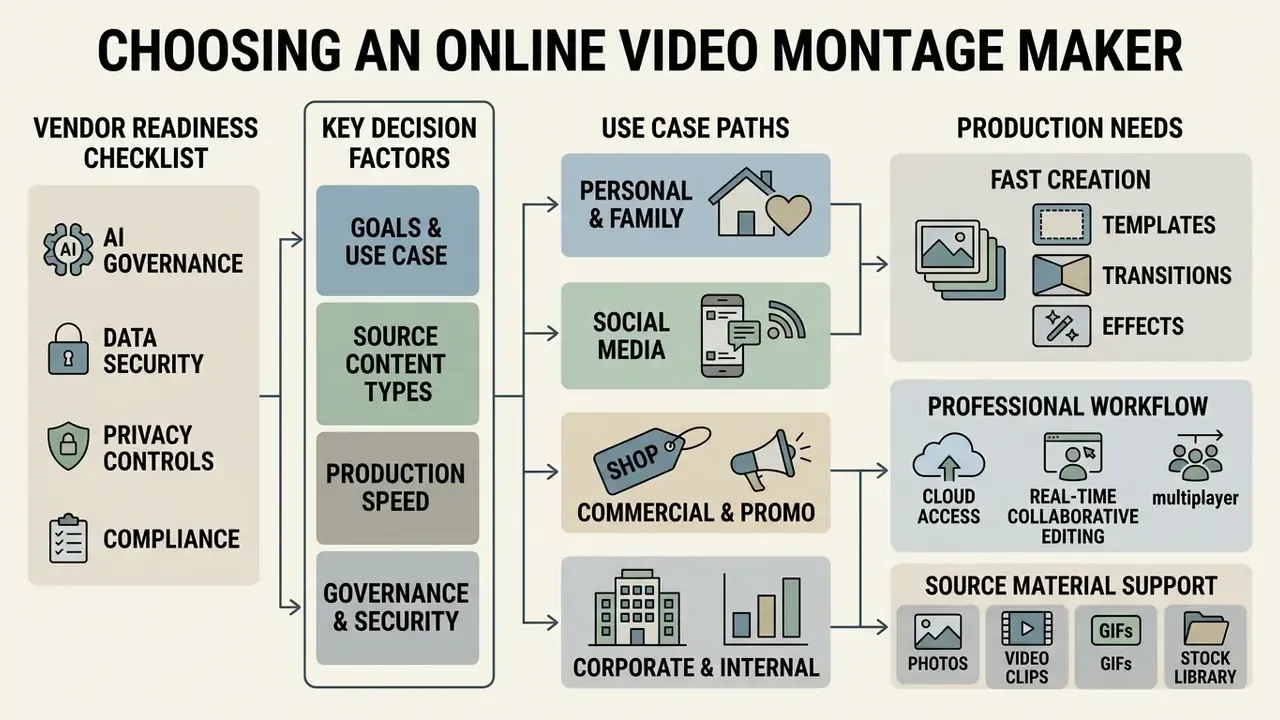
Choosing the right online video montage maker depends on your primary production goal, source asset formats, required customization depth, security posture, and distribution channels. High-volume social media production prioritizes speed and automated vertical reframing. A corporate product video, on the other hand, needs precise brand overlays, audio licensing clarity, and granular timeline controls. Weighing an ai video generator against an ai video editor and a template-driven video generator keeps your stack aligned with operational requirements; our comparison of leading AI video generators breaks those categories down side by side.
Task-based selection criteria observed in current vendor documentation:
Enterprise AI governance and security criteria (vendor readiness checklist)
Before a montage tool touches unreleased product footage, customer imagery, or executive recordings, security and model-risk functions should score the vendor against explicit controls. This is what closes the shadow-AI gap created when marketing teams adopt browser tools without review. And that gap is rarely small.
| Control area | What to verify | Evidence to request |
|---|---|---|
| Training on customer data | Contractual commitment that uploaded media and prompts are excluded from model training and fine-tuning | DPA clause, model-training addendum |
| Data residency & retention | Storage region, deletion SLA for source assets and renders, backup retention window | Security whitepaper, retention schedule |
| Attestations | SOC 2 Type II, ISO/IEC 27001; ISO/IEC 42001 or NIST AI RMF mapping for AI-specific controls | Current audit report under NDA |
| Access control | RBAC, SSO/SAML, per-project permissions, admin audit log export | Admin console walkthrough |
| Output rights & indemnity | Written commercial-use grant for generated output, plus IP indemnification scope and caps | Master agreement, plan-level license terms |
| Provenance & disclosure | Content credentials or watermarking metadata for AI-generated segments, prompt and model-version logging | Feature documentation, sample export metadata |
| Human review gate | Ability to block auto-publishing and require a named approver before export | Workflow configuration, approval logs |
Cloud access and real-time collaborative editing (multiplayer editing)
For media teams and content departments, one selection factor tends to decide everything: real-time multiplayer editing. Shared cloud projects let a scriptwriter revise prompts, captions, and lower-third copy while the editor adjusts color and cut points on the same timeline, with no export-and-email loop and no re-render just to circulate a review copy. Practical requirements to check: simultaneous cursors with presence indicators, comment threads anchored to timecode, frame-accurate review links, version history with rollback, and role separation so external contractors can comment without downloading masters. Some vendors still ship this as a roadmap item rather than a shipped feature (invideo AI lists multiplayer editing as "coming soon"), so verify availability against the exact plan you intend to buy.
Templates, transitions, and effects for a fast start
Pre-built video templates, visual transitions, and effect presets speed up assembly by removing the need to design motion graphics from scratch. Adobe describes stock video templates as pre-built project files produced by professional motion designers and editors specifically "to save time and effort" (Adobe Stock Video Templates, 2026). Free template libraries advertise the same customization logic across Premiere Pro, After Effects, Final Cut Pro, and DaVinci Resolve (Mixkit Free Video Templates, 2026). Saved effect presets can also be dragged onto later clips, which beats rebuilding each look by hand (Film Editing Pro, 2020).
To move faster, pick from thematic template categories rather than starting on a blank timeline:
Structured templates keep branding and transition timing consistent across complex montage video projects, even without deep manual video editing expertise.
Photos, video clips, GIFs, and the stock library as source material
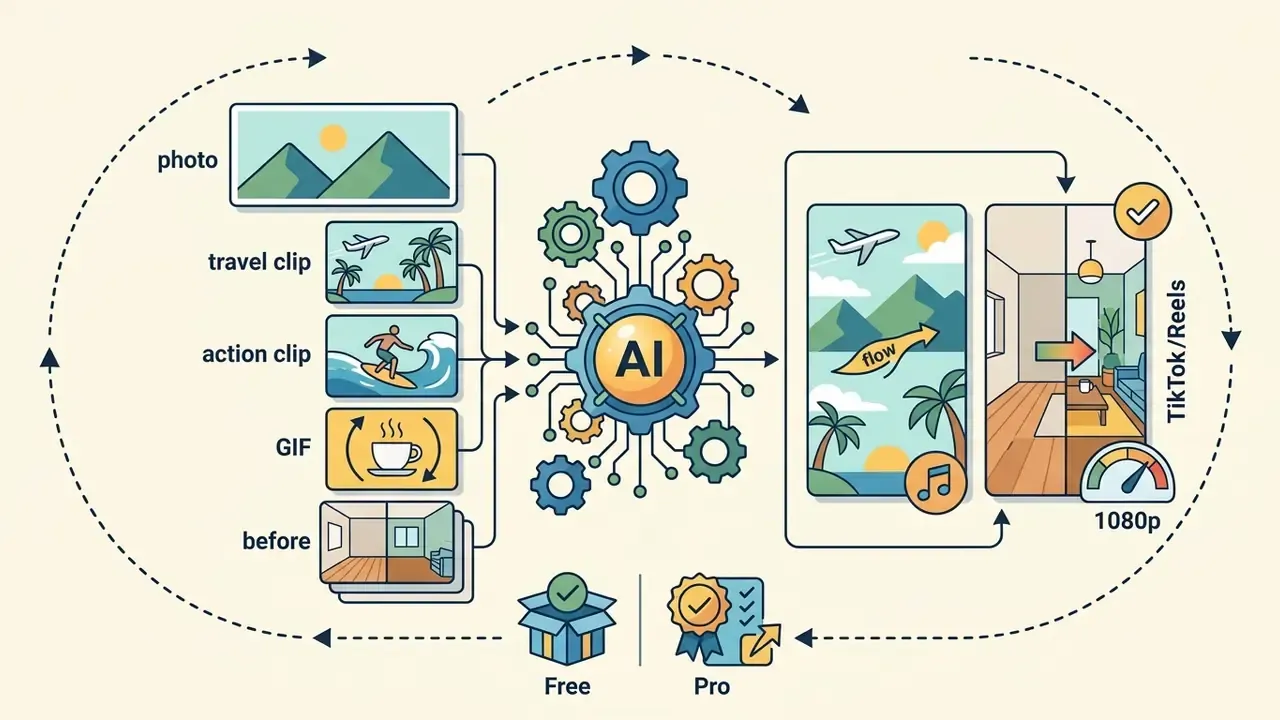
Effective montages blend user-uploaded personal media (high-resolution photo files, primary video clips, short GIF loops) with a curated stock library. Mixing original footage with commercial stock fills visual gaps, supplies context-setting B-roll, and deepens the narrative. Standard ingest requirements typically mandate JPEG, PNG, or WEBP images alongside MOV or MP4 containers with H.264 or HEVC codecs; many browser editors additionally accept MKV, WEBM, MPEG, and animated GIF.
Beyond classic stills and video containers, current online editors import GIF animations directly. On ingest, the montage engine decomposes the GIF into its frame loop, which lets you retime the loop, trim it to a single cycle, or align playback speed with the beat grid of the background music without visible stutter. That is what makes GIFs practical for meme montages, reaction inserts, and animated logo stings rather than decorative overlays only.
Ingest discipline notes from platform documentation: stock contribution pipelines separate photo and video paths (photos via the contributor portal, video via drag-and-drop or SFTP for qualified accounts), and require titles, keywords, and categories before moderation (Adobe Stock Contributor, 2026). Programmatic libraries such as the Google Photos Library API use a two-step pattern, upload bytes first, then create the media item with the returned upload token. Worth knowing when you automate archive ingest.
Music, sound effects, AI voice, and AI avatars
Audio stems, including background music, dynamic sound effects, synthetic ai voice narration, and photorealistic ai avatars, define the emotional resonance and communicative clarity of a video montage. Modern editing suites integrate ai voice cloning to generate realistic voiceovers straight from script text; current vendor documentation reports minimum reference inputs ranging from seconds to a few minutes of clean, consistently delivered audio. Readers who need a deeper functional breakdown can consult the guide to AI voice generators. Avatar tooling in 2026 supports synchronous generation, where a character image speaks text-to-speech output with lip-sync, framing, resolution, and duration controls exposed to the operator. Research on video background music generation (CVPR 2024; ICCV 2023) shows diffusion-based models aligning generated music to visual content, which is the technical basis behind "auto-score" features.
Commercial production, though, demands strict adherence to royalty free music licensing and explicit consent frameworks for voice synthesis. Skip that step and you inherit an intellectual property problem, not a creative one.
The U.S. Federal Trade Commission's 2024 voice-cloning work defines three intervention points that map cleanly onto a production workflow: upstream prevention and speaker authentication, real-time detection and monitoring, and post-use evaluation. The stated motivation is fraud, scams, and biometric misuse. Consumer Reports' 2025 AI Voice Cloning Report similarly stresses documented consent, because usable clones can be built from very short samples.
How to create a video montage with AI: the step-by-step process
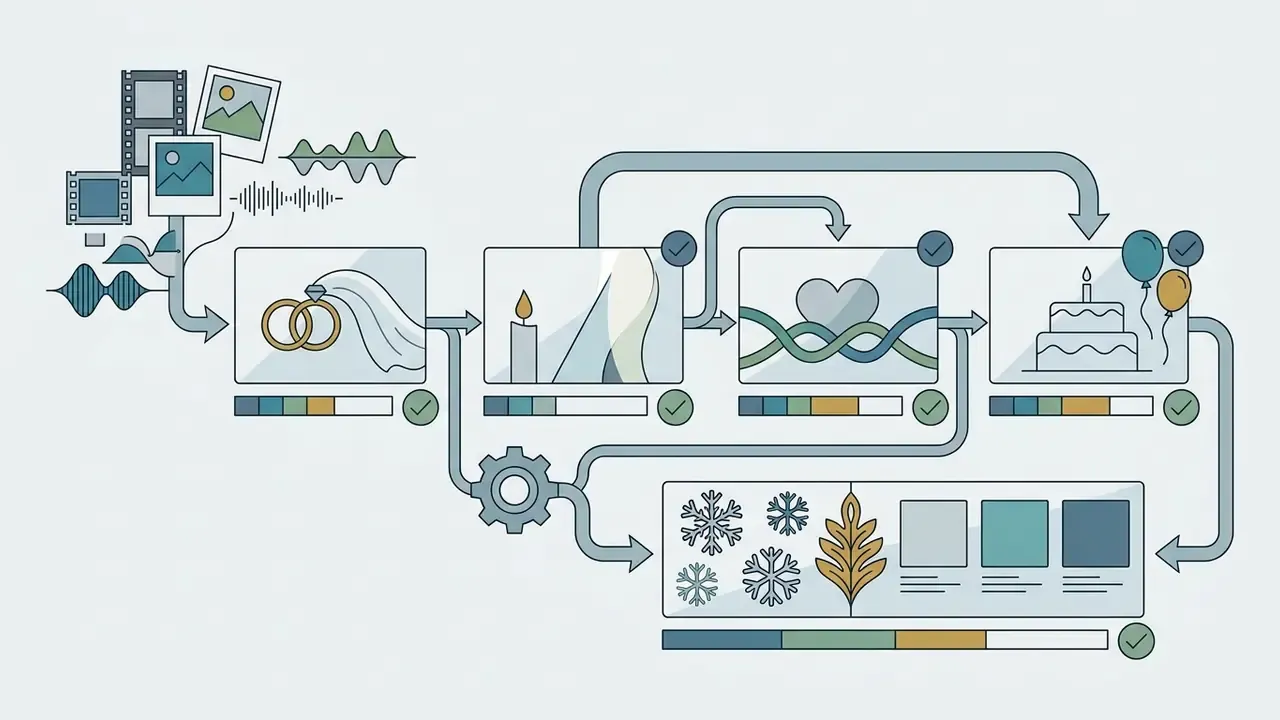
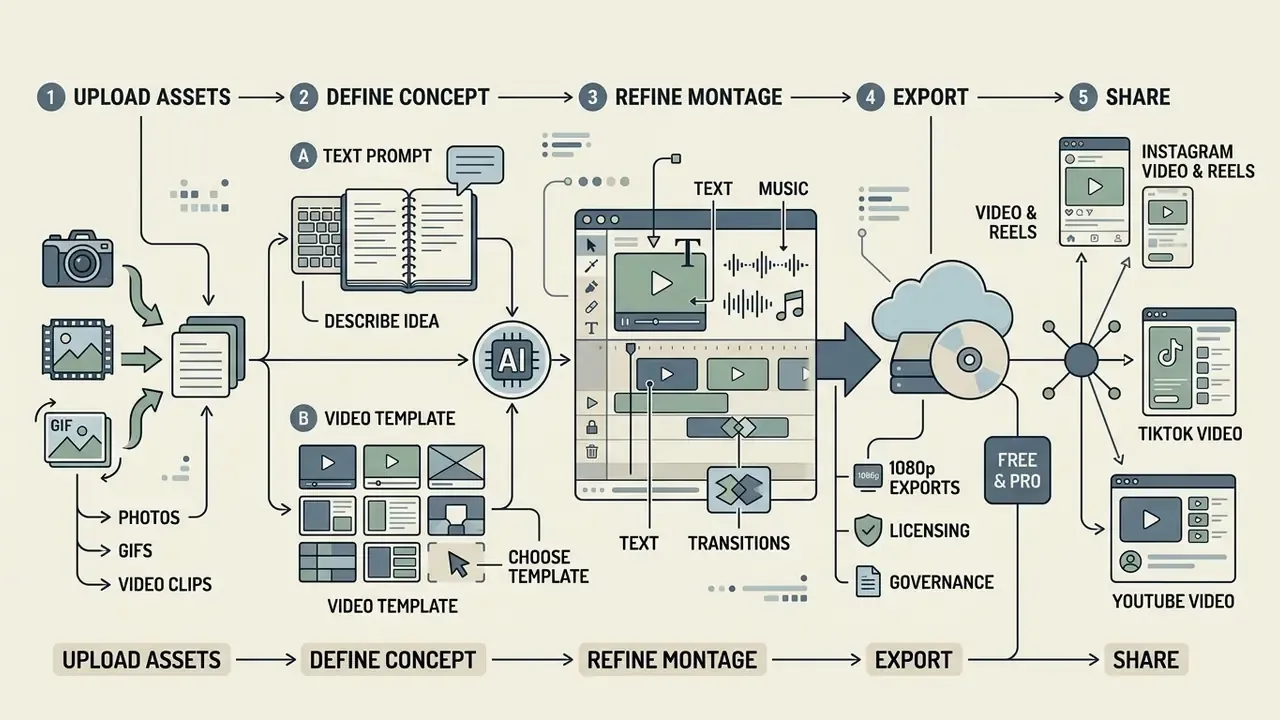
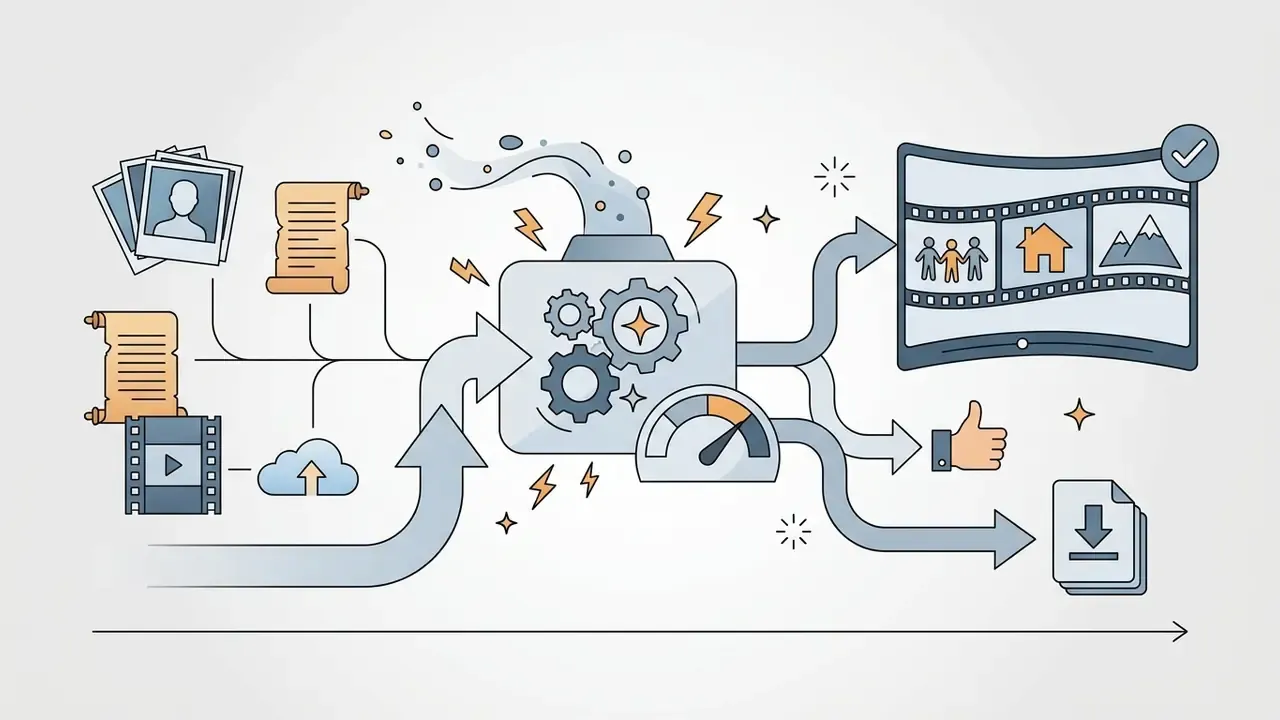
Creating an AI-assisted video montage follows an organized workflow: asset ingestion, prompt definition or template selection, automated assembly, fine-tuning, legal and brand review, quality validation, and channel publishing. This pipeline turns raw assets into platform-optimized outputs while keeping creative control and accountability at each critical stage.
[1. Upload Media] ➔ [2. Prompt / Template] ➔ [3. AI Assembly] ➔ [4. Edit & Refine]
                                                                      ↓
[7. Social Share] ⬅ [6. Export QC] ⬅ [5. Legal & Brand Approval Gate]
- Upload source mediaingest high-resolution images, GIFs, and video clips into the project asset bin; name files consistently and confirm storage headroom.
- Define the conceptsupply descriptive text prompts to guide the ai video montage generator, or select a structured style template.
- Generate the first draftlet the auto video montage maker engine compile, trim, and sequence the initial rough cut, then strip dead space and tighten the opening hook.
- Edit and refineadjust clip boundaries (edit video), add text overlays, apply transitions, align background audio tracks, and remove generation artifacts.
- Legal and brand approvalroute the cut to a named approver; confirm music and stock licenses, disclosure of AI-generated segments, and claim accuracy before rendering.
- Quality control and exportvalidate frame ratio, safe zones, audio loudness, and resolution, then inspect the actual exported file rather than the preview.
- Publish and shareexport platform-ready vertical or horizontal masters plus channel derivatives, and archive a protected master.
Upload photos, GIFs, and video clips for the montage
The first stage is selecting, organizing, and uploading high-quality source media into the montage video workspace. Preparation means ordering assets chronologically and verifying file formatting before ingestion. Chronology depends on metadata hygiene: capture date and time must be accurate and synchronized across devices before import, otherwise the auto-generated sequence will simply be wrong. Several montage engines default to ordering videos by duration and photos by upload order unless custom ordering is enabled, and some recommend roughly one photo per video clip so transitions have something to land on. Readers building montages primarily from stills should also review how image-to-video AI animates single frames.
- Group assets logically and remove duplicate or out-of-focus frames.
- Normalize audio levels on raw video clips, or mute them if external music carries the edit.
- Verify that image aspect ratios match target video containers to prevent unwanted letterboxing.
- Trim GIF loops to whole cycles so repeated frames do not stutter against the beat grid.
Describe the idea through text prompts or choose a video template
Directing an ai video generator means structuring explicit text prompts or choosing matching video templates. Current vendor guidance converges on a reusable prompt order: shot and camera movement, then subject and action, then environment, then lighting and style, then mood (Luma Labs prompt guide, 2026; Envato prompt guides, 2025 to 2026). For example: "Cinematic wide shot of a runner on a misty city bridge at sunrise, golden hour lighting, slow motion, dramatic atmosphere." A business-oriented equivalent: "Slow dolly-in on a product box on a matte desk, soft key light from the left, neutral studio background, clean corporate tone, 4 seconds." Selecting a template instead establishes preset transition rhythms and typography tuned to specific content themes; peaceful themes pair soft light with slow motion, while high-intensity themes pair dramatic light with dynamic camera movement. For prompt-only pipelines, see the primer on text-to-video AI tools.
Refine the montage: add text, music, and transitions
Refining an AI-generated rough cut is timeline work: fine-tuning cut points, placing timed text overlays (add text), syncing background music beats, and inserting clean visual transitions. Text overlays are timed with explicit start and end values; platforms variously accept seconds, timecode, percentages, and negative offsets measured from the end of the video. Professional editors synchronize elements by clip start, clip end, timecode, clip markers, or audio channel (Adobe Premiere Pro documentation), and transitions belong on beat points, markers, or scene-change boundaries rather than at arbitrary intervals. Precision here is what makes scene changes land on musical accents and keeps on-screen titles readable inside platform safe zones.
Which features make a montage video expressive
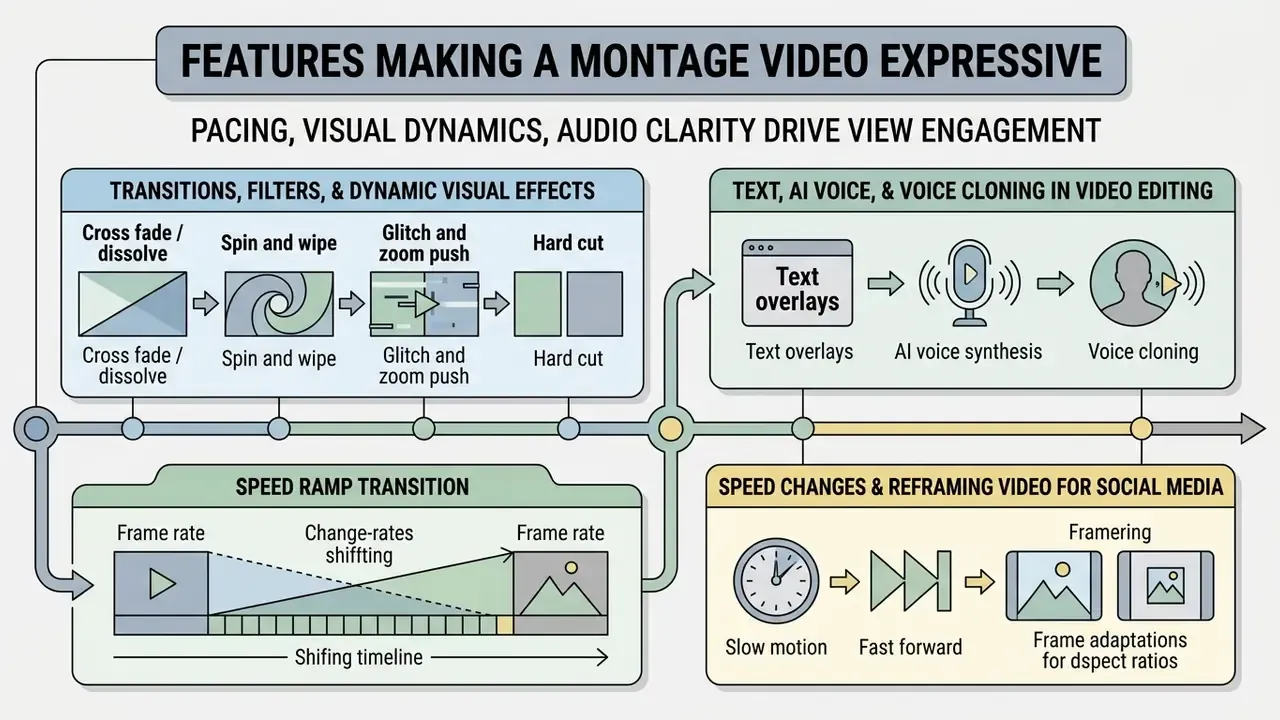
Pacing, visual dynamics, and audio clarity drive viewer engagement in modern edits. Applying specialized video editing capabilities (rhythmic cut transitions, localized visual filters, text callouts, keyframed motion, multi-track audio control) turns disjointed footage into a compelling experience. Editing literature groups these expressive controls as cuts, jump cuts, match-on-action, L-cuts and J-cuts, montage pacing, transitions, and keyframed motion graphics such as lower thirds, split screens, and picture-in-picture (Pearson, Film and Video Editing Techniques; Grammar of the Edit). Average shot length is treated as a measurable control of pacing: shorter shots intensify energy. An advanced ai video editor automates the heavy lifting, including audio beat-matching and automated subtitle generation.
Transitions, filters, and dynamic visual effects
Visual transitions connect individual video clips, while color filters unify grading across disparate source photos. Use proven, named transition styles rather than random presets:
- Cross fade / dissolve soft blending for memorial, wedding, and nostalgic sequences.
- Spin and wipe rotational and directional pushes for sports, travel, and event energy.
- Glitch and zoom push fast rhythmic hits for beat-synced TikTok and Reels cuts.
- Hard cut the highest-attention default, especially between visually similar shots.
- Speed ramp transition a compression of time used to bridge two locations in one gesture.
«Scene cuts increased attentional synchrony, with the effect peaking about 0.66 s after the cut; short, visually simple scenes sustained attention better than complex ones.»
Complementary experimental work reaches the same conclusion from a different angle: high visual similarity across a cut helps viewers redeploy attention to the continuation shot faster and more accurately (Valuch, König & Ansorge, Journal of Vision, 2017, DOI: 10.1167/17.1.12), and motion cues shift attention in the direction of movement even when uninformative (Schmitz & Einhäuser, Journal of Vision, 2023, DOI: 10.1167/jov.23.8.8). The practical reading: clean cuts plus motion continuity outperform cluttered effect stacks. Note: attention findings come from eye-tracking research contexts and should be validated against your own channel analytics before being treated as performance guarantees.
Format discipline reinforces the effect.
Text, AI voice, and voice cloning in video editing
Integrating text titles, synthetic ai voice tracks, and authorized ai voice cloning reinforces storytelling. Captions improve accessibility and let viewers consume content without sound, while cloned voice narration keeps brand messaging consistent across markets. W3C WebVTT remains the base standard for timed-text caption formatting, which keeps cross-platform display rendering predictable. Research on automated dubbing describes the production chain explicitly: transcribe speech, translate it, then regenerate timing-aligned speech with cloned or synthetic voices, using pause-aware alignment to reduce sync drift (IEEE survey, 2024; IWSLT, 2024). Keep consent records for every cloned voice, and disclose synthetic narration where platform or regulatory rules require it.
Video montage ideas: personal content, social media, and business
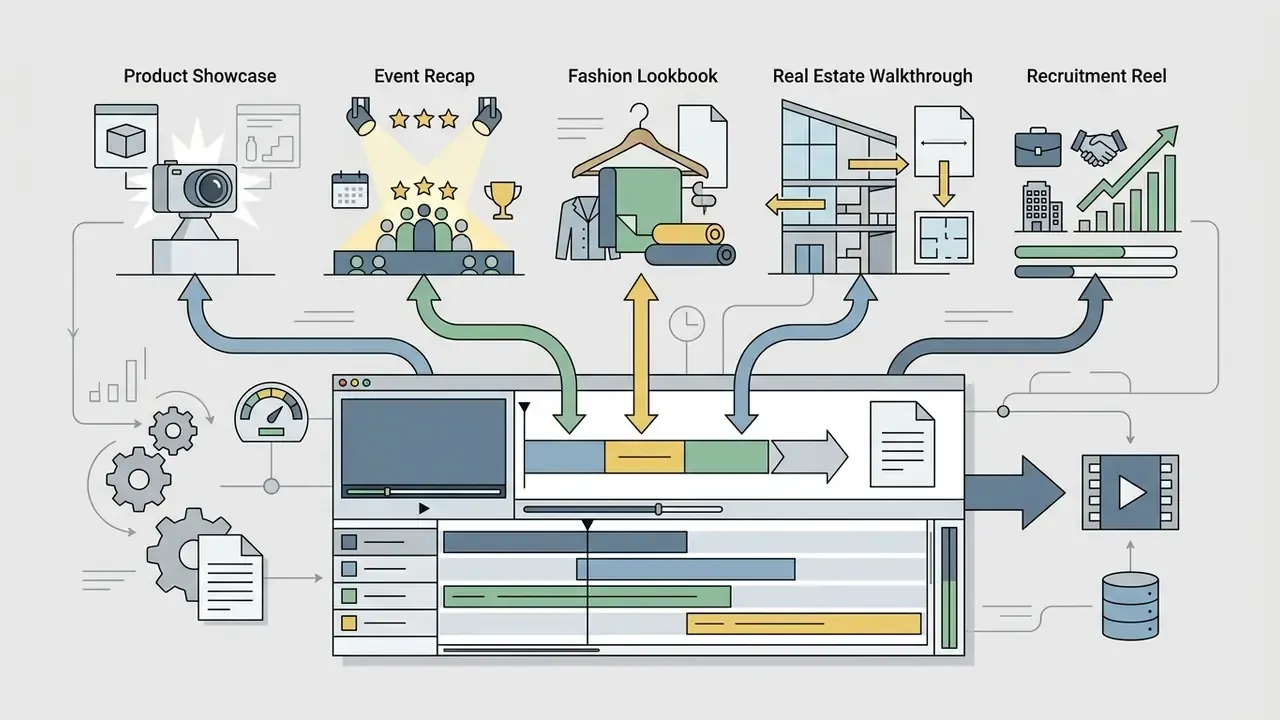
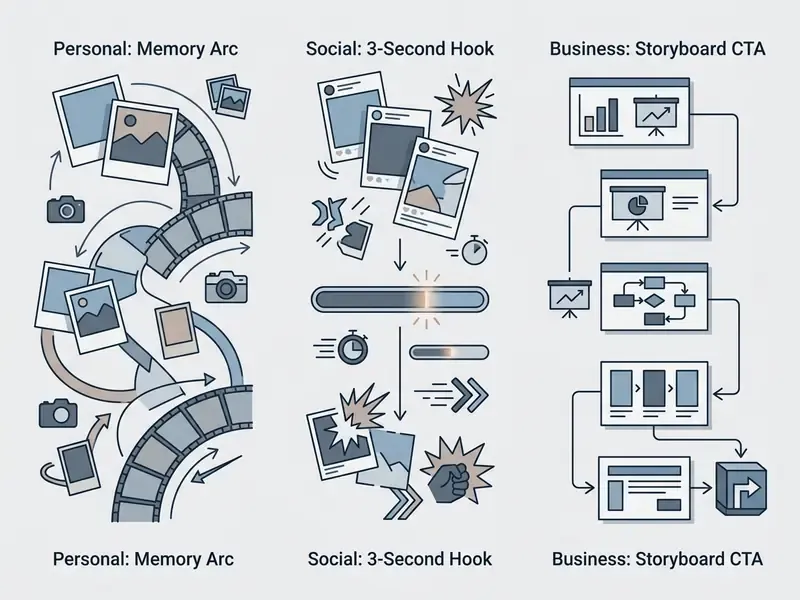
Video montages serve diverse communication needs across personal storytelling, social content creation, and commercial brand marketing. Understanding platform expectations and narrative structures helps creators pick the right editing pattern for each distribution scenario. Microsoft's small-business guidance groups business edits into promotional, how-to, corporate, and documentary formats, each defined by a distinct editing structure and purpose (2024). Where content is promotional, UK regulatory guidance requires that advertising be clearly labelled as soon as a user engages with it (GOV.UK creator guidance).
Travel memories, events, and personal photo-video stories
Personal event montages combine holiday photos, short video clips, and ambient background music into nostalgic archives. Structuring travel stories around narrative arcs turns scattered vacation media into organized, engaging memory reels. Three documented structural patterns are worth reusing: travel photo essays built as beginning, middle, and end; chapter or chronology flow organized by day, destination, or theme with short captions; and family-history timelines running from the earliest recorded events through milestones such as births, weddings, and moves into the present. For a more formal spine, Labov's six-part narrative model (Abstract, Orientation, Complicating Action, Evaluation, Resolution, Coda) maps neatly onto a two-minute montage.
Corporate reporting, HR onboarding, and investor-facing montages
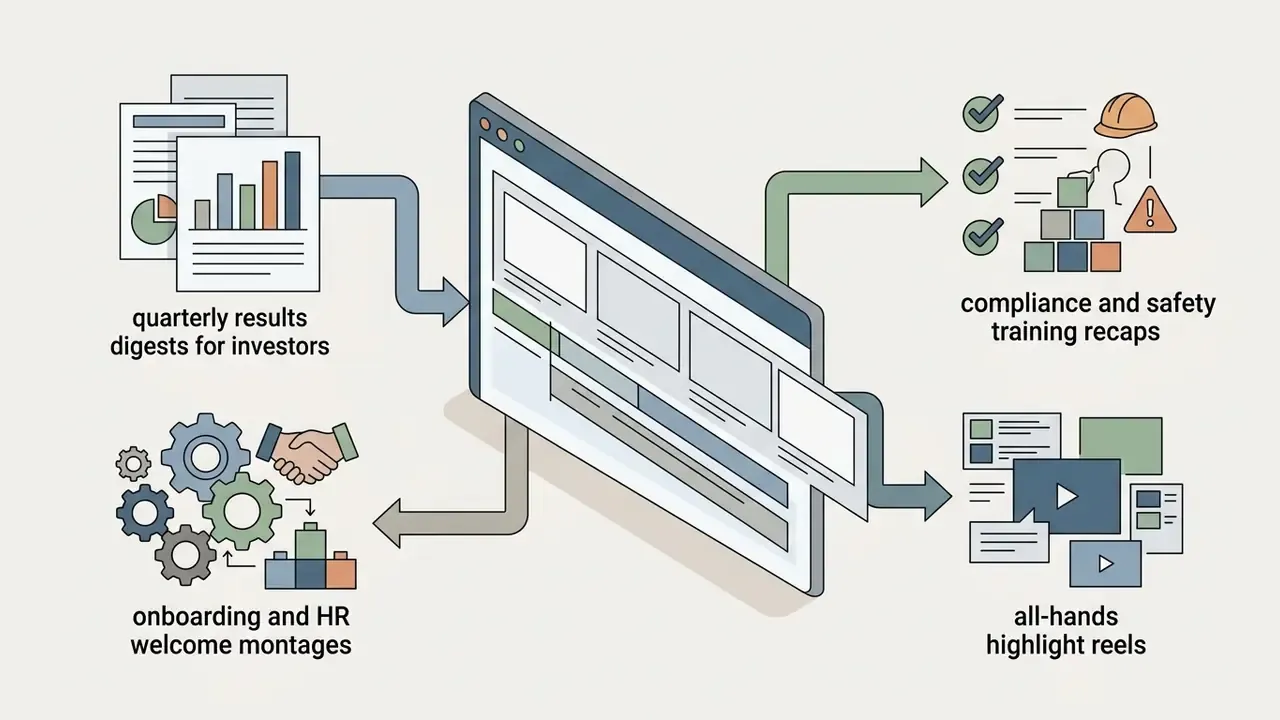
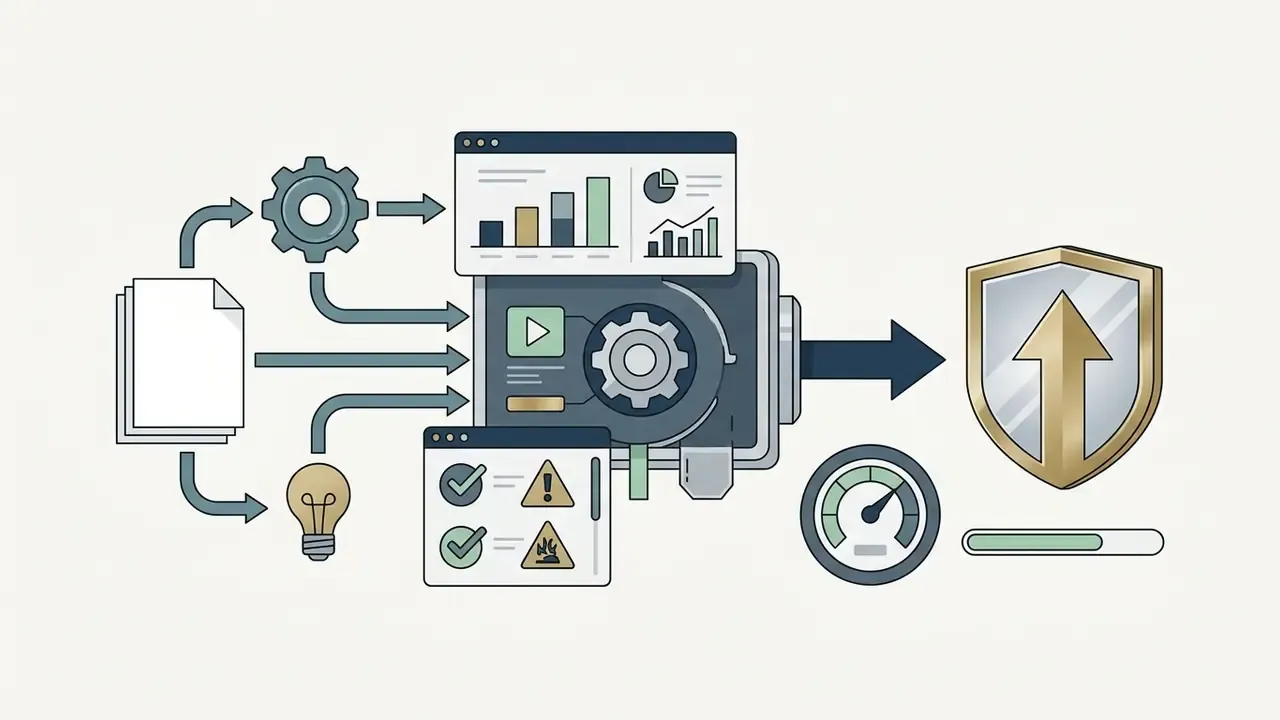
The same montage mechanics serve regulated business communication once the approval gate is added. Quarterly results digests condense long presentations into 60 to 90 second recaps with on-screen figures pulled from approved disclosure materials. HR onboarding montages stitch office footage, team introductions, and captioned policy highlights into a consistent welcome asset that is cheap to re-version by locale. Compliance and safety training recaps use montage pacing to summarize a long module, with burned-in captions supporting accessibility requirements. Product-launch internal briefings reuse the marketing edit with different lower-thirds. In every case, spoken wording should match on-screen text exactly, and every claim should trace to an approved source document.
Instagram Reel, TikTok video, and YouTube video
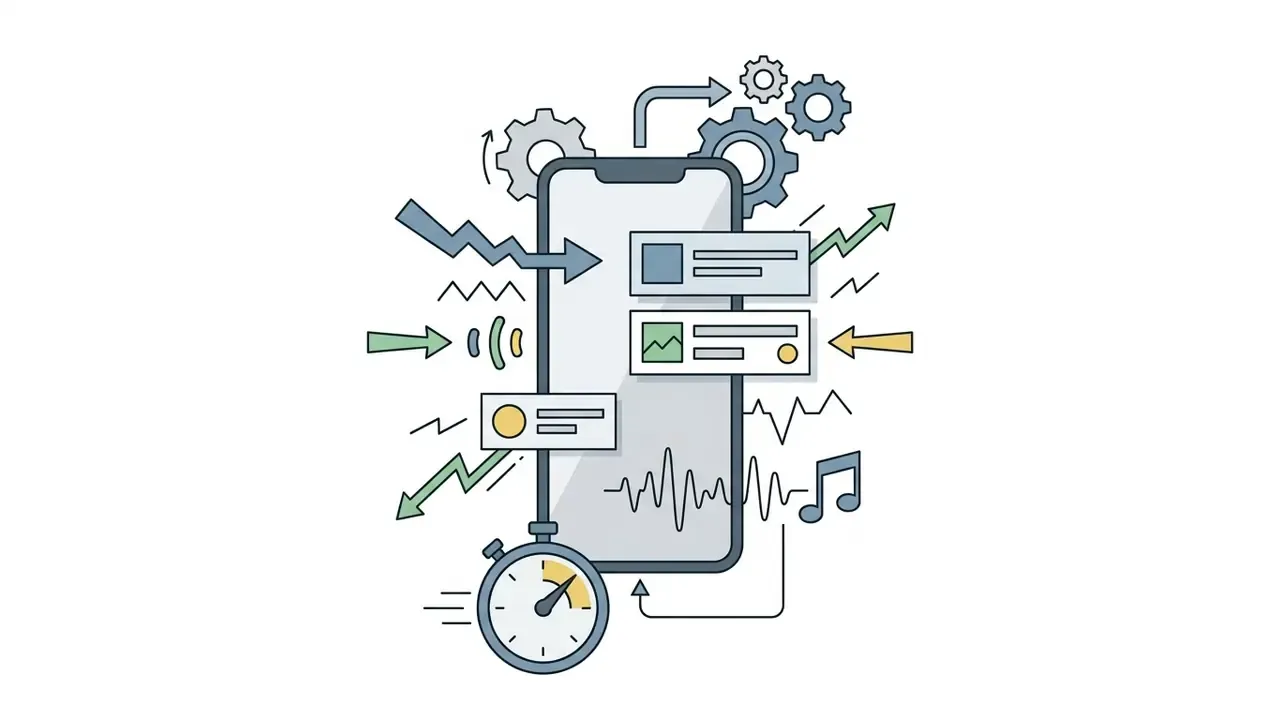
Short-form social edits need a strong visual hook inside the first three seconds to hold mobile viewers. Creators producing an instagram reel, a tiktok video, or a youtube video short prioritize tight pacing, native background audio tracks, vertical 9:16 framing, and clear burned-in caption text within platform safe areas. Creators testing tooling on a budget can review the current free AI video generators before upgrading.
Practical implication: a technically modest montage aimed precisely at a defined audience can outperform a polished edit with generic framing. Build one vertical 9:16 master, then produce channel derivatives instead of re-editing from scratch; keep duration inside current caps (Reels and Shorts both reach roughly 3 minutes, while the highest-performing ad-style TikTok cuts cluster near 26 seconds).
Product video, promo video, and music videos
Commercial production, whether a product video, a brand promo video, or a music video, follows strict post-production guidelines. Product marketing videos rely on script-aligned storyboards, explicit benefit demos, high-quality audio stems, and licensed footage from a commercial stock library. Published branding guidelines recommend treating the storyboard as the edit blueprint, avoiding flashy transitions, refreshing the visual every 10 to 15 seconds, and matching spoken wording to on-screen text exactly (Adventist Health Video Branding and Style Guidelines, 2026). Promo workflows follow a repeatable chain: log rushes, build an edit decision list, assemble an offline edit, then add effects, transitions, titles, and audio sync (OCR Level 3 Audio-Visual Promos, 2025). Music video finishing centers on pacing, continuity, effects, grading, and mix so the track stays locked to the visuals. Final delivery for promotional use is commonly compressed to MP4, MOV, or AVI with H.264.
That matters for montage planning: creator-supplied footage inside a brand montage can carry persuasive weight that studio footage does not, provided the collaboration is disclosed as advertising.
To review service pricing tiers and plan capabilities, explore our official pricing documentation.
Free AI montage maker, pricing tiers, and commercial use
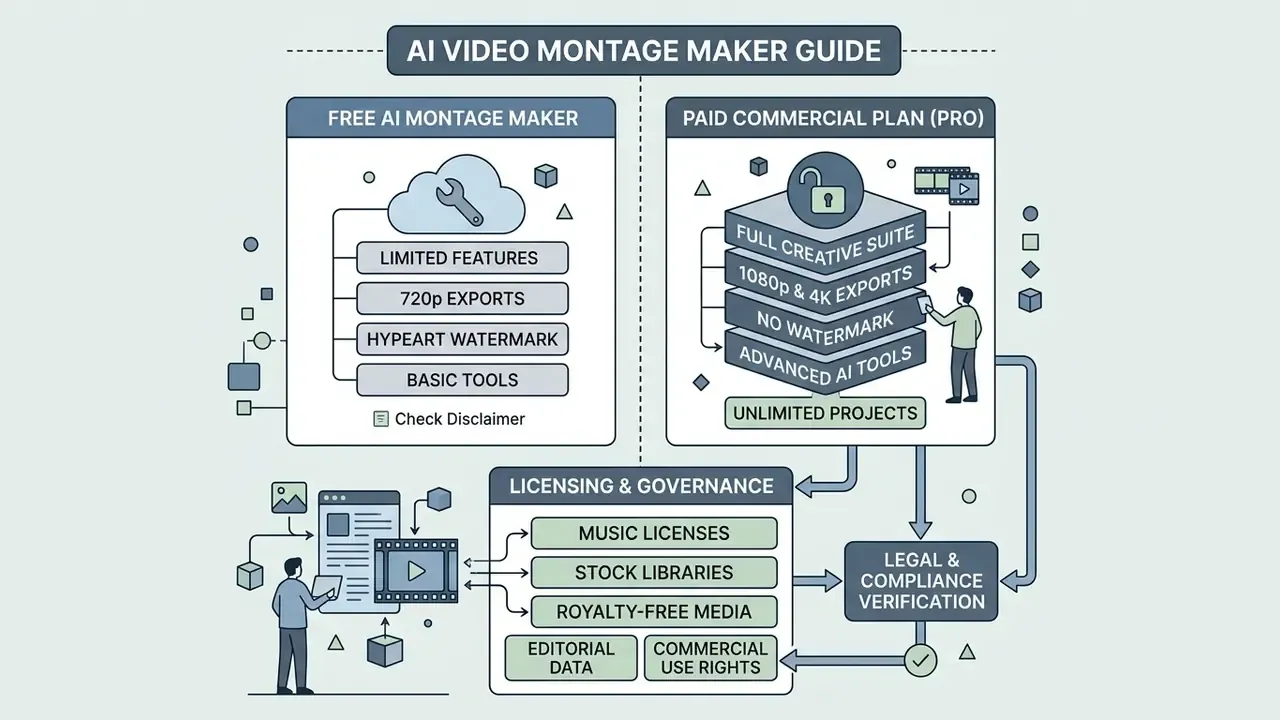
Navigating subscription tiers means understanding the operational limits of a free ai montage maker versus paid commercial platforms. A free video montage maker online gives you accessible tools for testing. Commercial distribution, however, demands clear copyright licensing, watermark removal, high-resolution rendering, and explicit royalty free clearing across sound and visual libraries.
| Feature / Capability | Free AI Montage Tier (Typical Limits) | Paid / Pro Subscription Tier | Commercial Usage Considerations |
|---|---|---|---|
| AI Generation Credits | Restricted (for example 10 credits/day, 80 credits/month, or ~20 generations/day) | Expanded allocation (700 to 4,500 credits/month) or unlimited | Check platform terms for commercial rights on generated outputs |
| Watermarking & Branding | Watermark on most generative free tiers; some browser editors export watermark-free | Watermark-free exports with custom logo overlays | Watermarked content is typically prohibited in paid ad campaigns |
| Export Resolution | Commonly 480p to 720p on generative tools; 1080p available free in some editors | 1080p to 4K rendering | High-definition delivery required for professional brand assets |
| Duration Limits | Free exports frequently capped around 4 to 12 minutes per project | Extended or unlimited project length | Long-form corporate edits usually require a paid tier |
| Stock Library Access | Limited stock photos and audio, often personal use only | Full access to commercial stock music and media | Verify third-party license scopes for commercial ad distribution |
| Collaboration | Usually single-seat, no shared projects | Team seats, roles, comments, version history | Required for reviewable approval workflows |
| Commercial Distribution | Non-commercial or personal use license only on many plans | Full commercial clearance for paid ads and web | Written synchronization and master licenses required for commercial audio |
Documented examples of tier behavior: one vendor's free plan allows roughly 20 generations per day with 720p export and a watermark, while its Plus tier raises this to about 1,000 generations per month at 1080p with no watermark and commercial use included, and its Pro tier reaches 4K. Another vendor's free plan provides 80 credits per month at 480p with a watermark, while the paid plan provides 700 credits at 1080p without a watermark. Published terms at one generative vendor grant free users a license "solely for your personal, noncommercial use," with commercial use tied to a subscription.
Legal & Compliance Verification Check:
For technical assistance or system troubleshooting, visit AI Media Support and Troubleshooting.
What is usually available in a free video montage maker online
Licenses for music, stock libraries, and royalty-free media
Commercial publication requires verifying media rights across every included stem. Using royalty free audio or media from a stock library does not automatically grant unrestricted commercial ad rights. Standard stock licenses cover web publishing, social media posts, digital advertising, and corporate presentations. Broadcast distribution, television or radio ads, resale as templates, and physical product integration mandate extended or enhanced enterprise licenses (Adobe Stock audio license tiers). Stock terms also restrict modification beyond minor technical adjustments without additional permission, and some free licenses (Pond5's free stock license, for instance) permit worldwide advertising use but require artist credit. For the parallel rights question on generated stills, see our notes on the commercial use of AI image generators, and track open disputes through our litigation coverage.
That direction matters for montage workflows, because the weakest link in an audit is almost always the audio stem whose license terms live in a screenshot rather than in the file itself.
Export quality control checklist
Run this self-check before rendering the final master. Two minutes of work; it prevents the most common re-export cycles.
Checklist0 / 10
FAQ: frequently asked questions about video montage makers
Can I create a video montage online for free without watermarks?
Yes. Several browser-based editors permit watermark-free export on free plans, and some, including Microsoft Clipchamp, advertise free 1080p Full HD export with no watermark when you use your own media plus free library elements. Canva similarly allows watermark-free video export on free accounts when only free elements are used. Generative AI tools are stricter: free tiers there frequently cap output at 480p to 720p, stamp a watermark, meter credits, and restrict use to personal, non-commercial purposes. Always confirm the plan-level license text rather than relying on the feature comparison chart.
Which file formats do online montage generators support?
Most modern online editors accept JPG, PNG, WEBP, and animated GIF for images, plus MP4, MOV, MKV, MPEG, and WEBM for video; per-file upload ceilings around 1 GB are common on consumer plans. The standard export container is MP4 with H.264 video and AAC audio, thanks to universal compatibility across social networks and devices. Higher-end workflows may also offer HEVC, ProRes, or 4K output on paid tiers.
Can I use GIFs in a video montage, and how are they handled?
Yes. Online montage makers import animated GIFs alongside stills and video clips. On ingest the engine decomposes the GIF into its frame loop, which lets you retime playback, trim to a single clean cycle, and align the loop speed to the music's beat grid. That makes GIFs practical for meme montages, reaction inserts, and animated logo stings. Keep in mind that GIF color depth is limited to 256 colors, so heavily graded footage converted to GIF may band; use short MP4 loops instead when color fidelity matters.
Is it permitted to use AI-generated montages commercially and in advertising?
Only when your plan explicitly grants a commercial license, and when every included background track, stock clip, font, and avatar carries rights covering your distribution channel, territory, term, and paid-promotion status. Free tiers frequently restrict output to personal use, and at least one major vendor states that free-tier stock resources and generated content may not be used commercially at all. Separately, the U.S. Copyright Office requires disclosure of AI-generated content in registrations and does not protect output lacking human authorship, so plan for documented human creative contribution if you need enforceable rights in the final edit.
How do I sync the visual sequence precisely to the beat of the background music?
Two approaches work. First, many AI-assisted editors offer automatic beat detection that places markers on the timeline at strong beats, after which cut points and transitions snap to those markers. Second, the manual method documented in professional editors: tap markers during playback, then synchronize clips by clip start, clip end, timecode, marker, or audio channel and drag edit points onto the marker grid. Note: automatic beat-detection availability and accuracy vary by vendor and by track. Verify the marker grid against the waveform before locking a cut, particularly on tracks with tempo changes or live drumming.
How does an AI montage maker differ from a traditional video editor?
An AI montage maker uses machine-learning models to detect highlight moments in long footage, generate shots from text prompts, auto-sequence clips, and auto-generate captions. A traditional video editor requires fully manual work on a multi-track timeline: locating in and out points yourself, ordering every clip, layering audio and graphics, and placing each transition and effect by hand. The practical trade-off is speed versus control, and, for regulated teams, auditability, since a manual project file records every edit decision while a generative pipeline records only what the vendor chooses to log.
Can several people edit the same montage at once?
On cloud platforms that support multiplayer editing, yes: multiple collaborators work on one shared timeline with presence indicators, timecode-anchored comments, and version history. That removes the export-and-email review loop. Availability differs by vendor and by plan, and some list real-time collaboration as a roadmap feature rather than a shipped one, so validate it during the trial together with role permissions for external contractors and audit-log export for approval evidence.
Will my uploaded footage be used to train the vendor's AI models?
It depends entirely on the contract. Consumer plans sometimes permit broad processing rights, while enterprise agreements typically include an explicit commitment excluding customer media and prompts from training and fine-tuning. Request the data processing agreement, the retention and deletion schedule, the data residency region, and current SOC 2 Type II or ISO/IEC 27001 attestations before uploading unreleased product footage, executive recordings, or anything containing personal data. To compare feature options across platform suites, consult our AI Media Comparison Matrices.
Additional resources and ecosystem integration
- Explore implementation workflows and developer access details in our api section.
- Review enterprise licensing compliance policies in the AI Media Commercial-Use Hub.
- Compare adjacent motion formats through the guide to animation makers.
- Reduce delivery file sizes without visible quality loss using the video compressor reference.
Appendix A: editorial corrections log (transparency record)
For auditability, superseded statements from earlier revisions of this page are preserved here alongside their replacements.
| Superseded statement | Replacement in current text | Reason |
|---|---|---|
| "Adhering to standards like EBU R 155 ensures central crop alignment…" | "Adhering to framing standards such as EBU R 95 safe-area specifications… EBU R 128 governs loudness, not cropping." | EBU R 128 covers loudness; safe-area framing is specified in EBU R 95 and SMPTE guidance. |
| "FilmGPT (Preprint, 2026)" and "VideoDiff (arXiv Preprint, 2025)" cited without methodology | Both cited with method summaries and flagged as research preprints, with FilmGPT framed as next-generation concept work | Forward-dated, unverifiable citations weakened the claim. |
| "Editing turn-around time dropped by 70%" | "produced 15 compliance-cleared, platform-ready clips… materially shorter cycle (team-reported, not independently measured)" | Percentage was not attributable to a verifiable source. |
| "Average watch time increased by 35% on mobile feeds" | "longer average watch time… based on their own platform analytics rather than a controlled experiment" | Percentage was not attributable to a verifiable source. |
| "export resolutions capped at 720p, mandatory platform watermarks" (stated as universal) | Retained as typical of generative free tiers, with the documented exception that some cloud editors export free 1080p without watermarks | Original framing was factually incomplete for the browser-editor category. |
| Navigational links to consumer photo-retouching and job-listing pages | Replaced with topically relevant references (video compressor, animation maker, YouTube editor workflows, AI voice generator) | Off-topic links degraded relevance for the intended professional audience. |
| Reviewer biography implying verified professional credentials | Editorial review: Marcus Hale, author. | Prevents any implication of real employment, clients, or regulatory authority. |