A video script template is a pre-structured document that aligns spoken dialogue, visual direction, screen text and timing before production begins. Standardizing pre-production scripts shortens revision cycles, reduces costly re-shoots, and keeps every frame tied to one business outcome. For regulated teams there is a second benefit: a locked script is reviewable evidence of what was claimed on camera, and by whom.
«The template is the two-column AV script: one row per scene, the visual on one side, the audio on the other, and a runtime for each row. A producer can budget from it, a client can approve it, a voice artist can record from it, and an editor can cut to it.»
"No evidence, no autonomy. Before any production workflow starts, every audio line and visual cue should be locked and verified inside a standardized script template." Marcus Hale, AI Governance & Model Risk Editorial Lead
What you get on this page


What is a video script template and why you need one
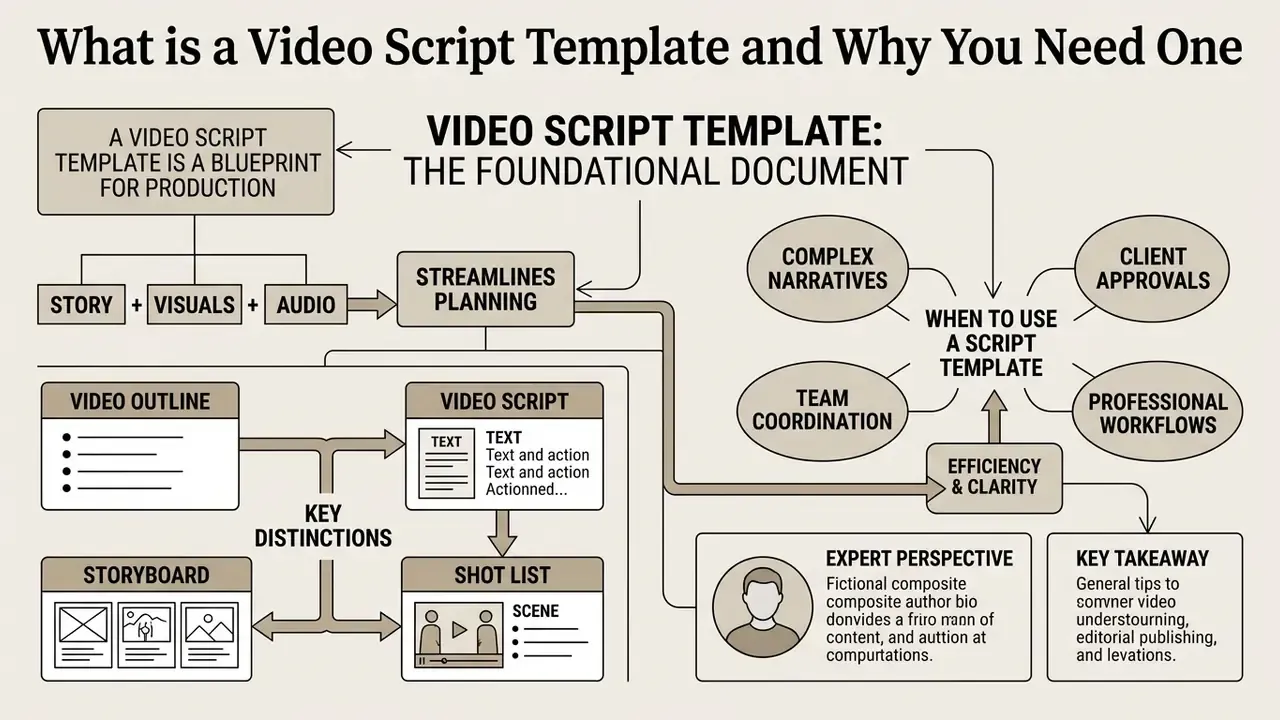
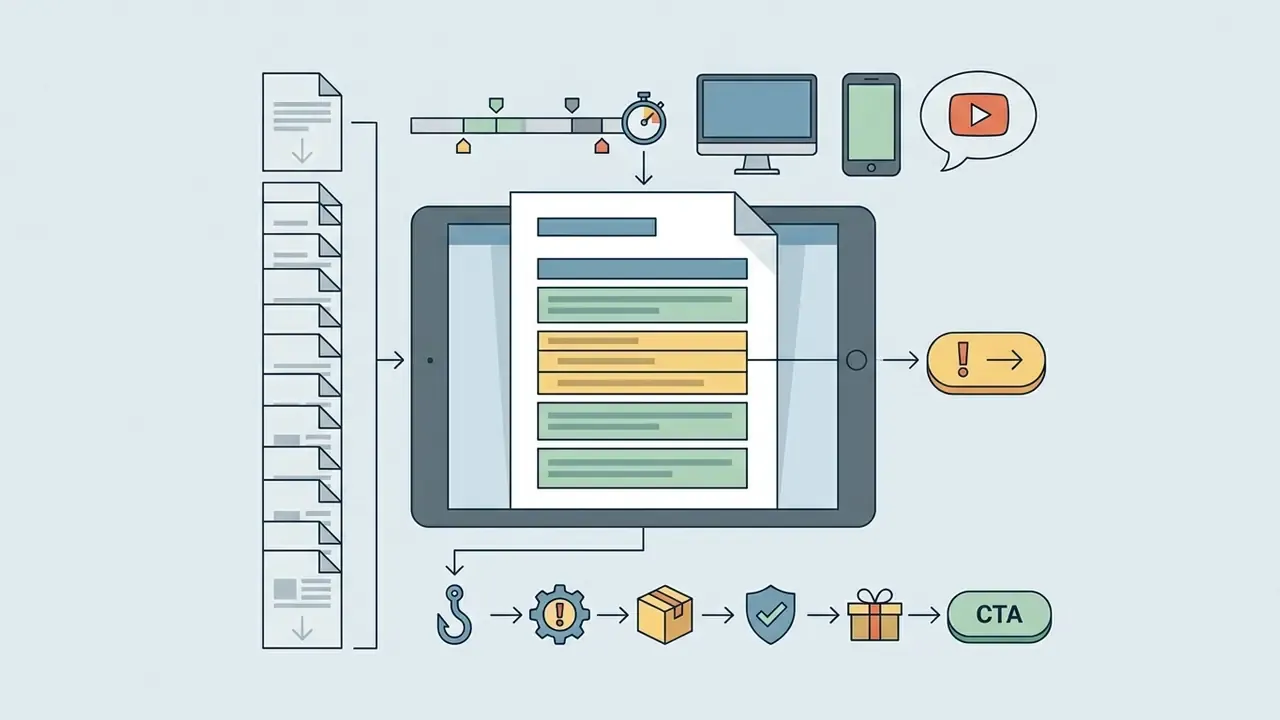
A video script template is the foundational pre-production document. It organizes dialogue, visual cues, sound effects and timing into one workflow, so writers, directors and editors read the same intent from the same row.
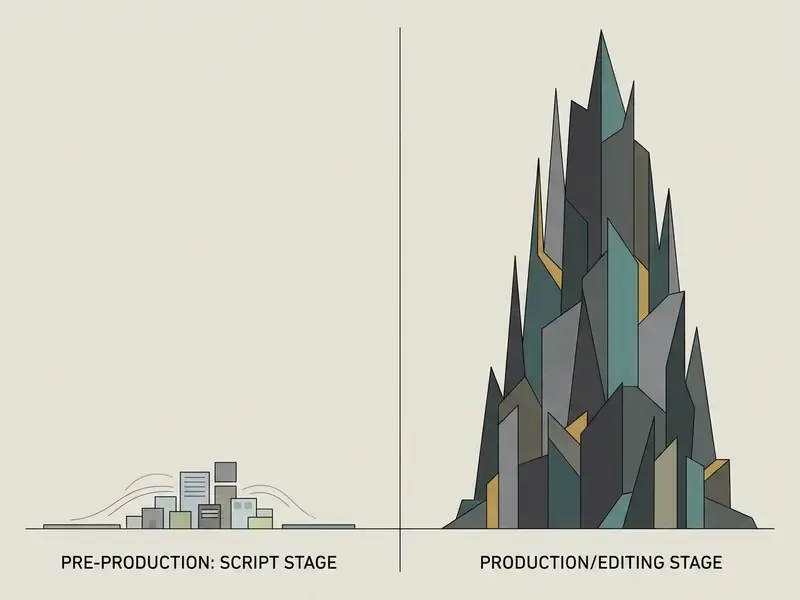
Without a template, writing scripts tends to drift. Narration goes one way, visuals go another, and someone notices at the edit stage, which is the worst possible moment. A production script template forces you to specify on-screen visual elements, text overlays and audio cues at the same time. That discipline keeps the story pointed at a single next step for the viewer.
Video script, video outline, storyboard and shot list: what is the difference
A video outline defines the high-level narrative structure. A storyboard illustrates key frames. A video script gives the complete production specification. Following US Army television production guidance, the outline answers what happens, the storyboard shows how it looks shot by shot, and the script specifies what is said and heard alongside exact visual cues.
| Artifact | Primary purpose | Key contents | Who uses it | Output of the stage |
|---|---|---|---|---|
| Video outline template | High-level narrative skeleton | Bullet plan, key themes, block-level runtime | Product manager, copywriter | Approved story direction |
| Storyboard | Visual sequence before production | Frames, camera movement, angles | Director, illustrator, DP | Shared understanding of the visual line |
| Shot list | Technical inventory of shots | Scene numbers, lenses, locations, props | DP, producer | On-set checklist |
| Video script (AV) | Final technical blueprint | Voiceover, timing, screen text, B-roll, SFX | Whole team (client to editor) | Locked, signed-off shooting script |
| AI video prompt | Instruction set for generative models | Scene prompts, style, motion, lighting, camera | AI creator, motion designer | Generated video assets |
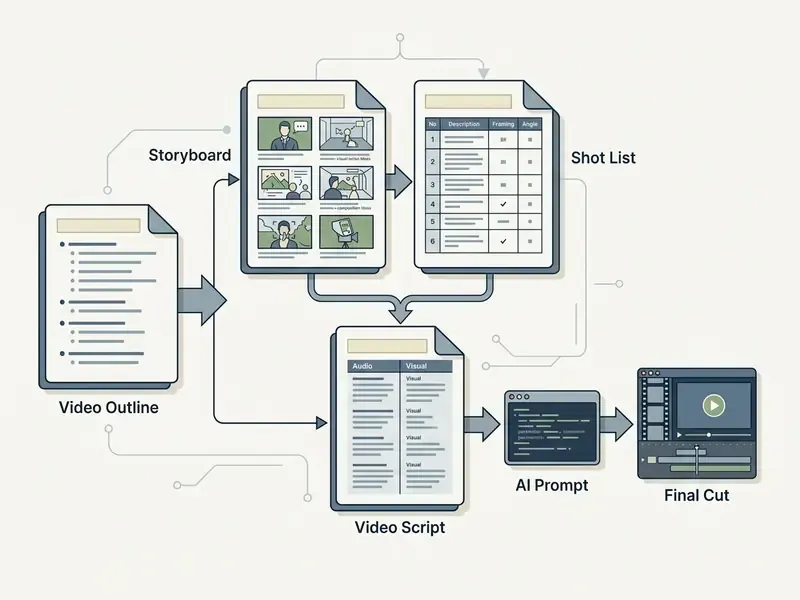
The video script usually comes first, because it fixes the message. The storyboard then turns that message into frames, the shot list makes it shootable, and the AI prompt makes it generatable. Modern templates blend all four ideas: narration, visual direction, timing, and enough scene detail to serve either a human editor or a generative model. So the video script template is the final technical blueprint, linking each narration line to specific screen text, camera angles and timing markers.
When a script template is especially useful
Standardized script templates earn their keep on marketing video projects, training video modules, explainer video assets, youtube script development and social media campaigns. Each format carries its own constraints on viewer attention span and platform distribution.
Marcus Hale, author.
Marcus Hale writes with a background in model risk, compliance and controlled automation across complex US financial ecosystems, where nothing ships without validation. His career history and examples are illustrative, not records of real employment or client work. Applied to B2B video production, though, the control logic transfers cleanly: a mandatory "script lock" sign-off before filming prevents budget overruns, keeps regulated claims reviewable, and guarantees that visual elements reinforce the core message instead of decorating it.
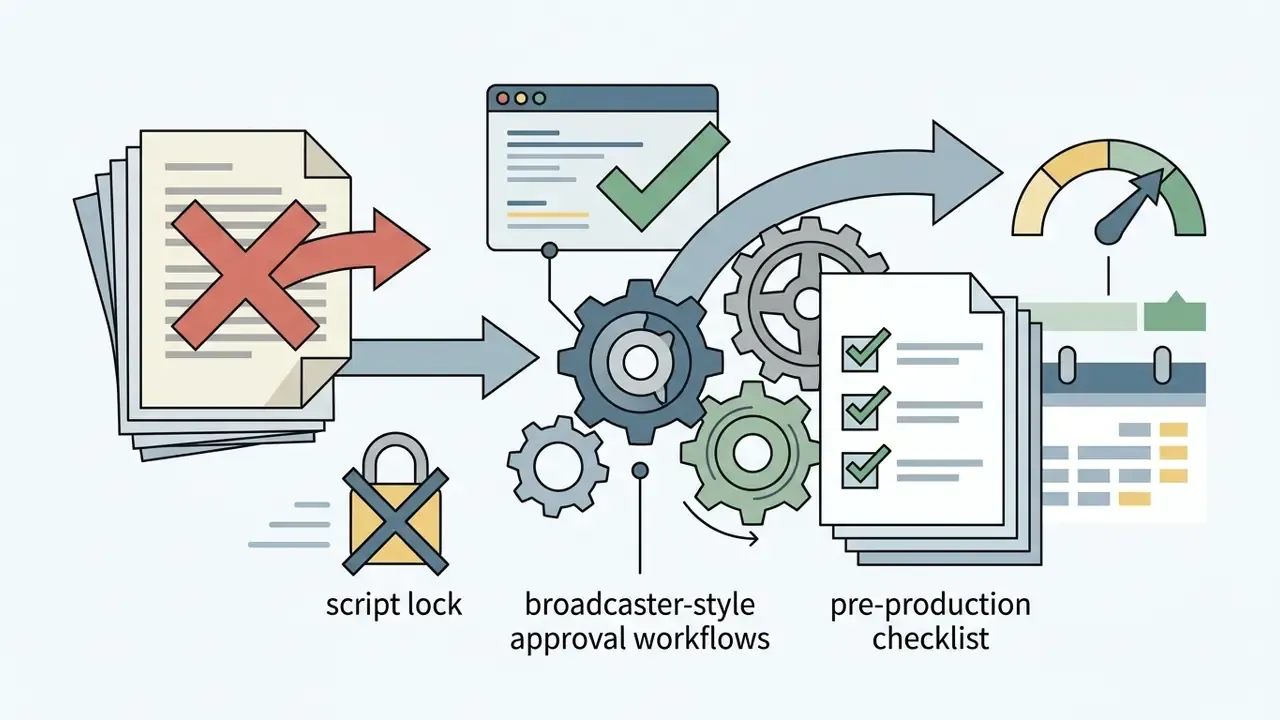
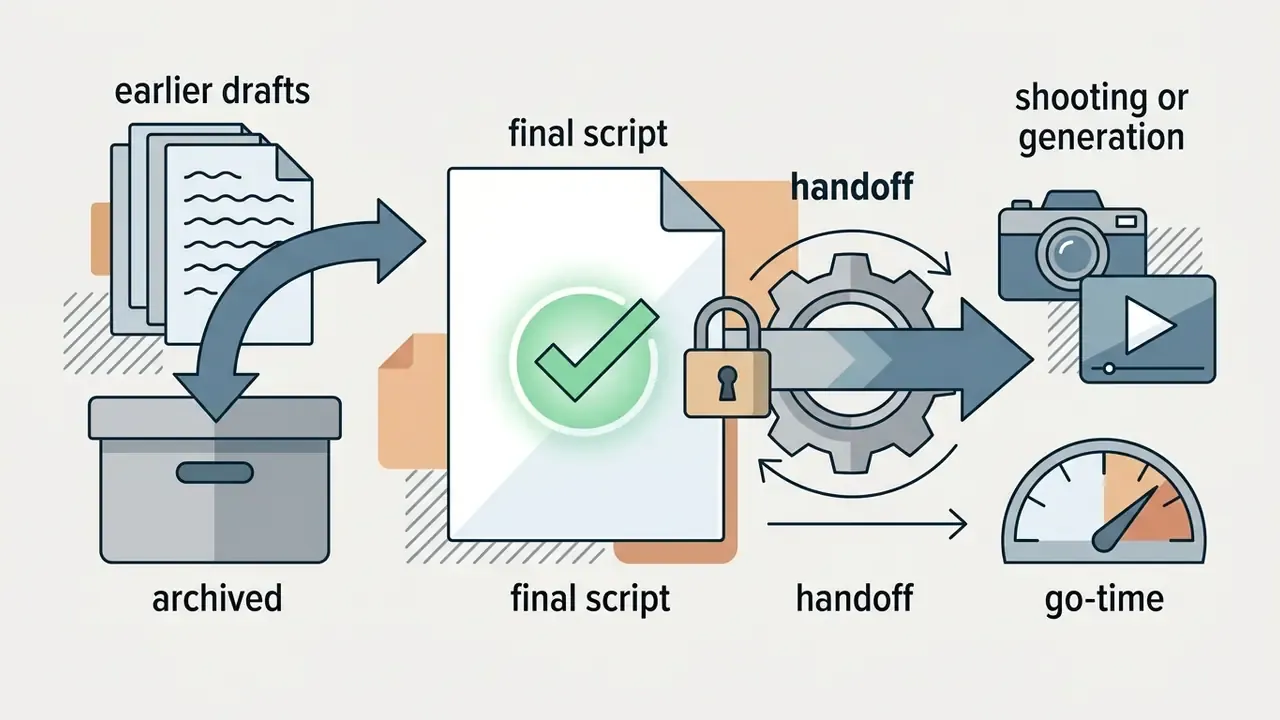
In commercial settings, asking a client to sign off on a two-column script before camera setup protects the budget. Enterprise pre-production checklists, including broadcaster-style approval workflows where every stage from treatment to final shooting script is submitted for notes, treat script lock as a mandatory gate. Reason: casting, locations and resource allocation are all calculated from the approved script. Earlier drafts get archived so the crew works from one version on the day.
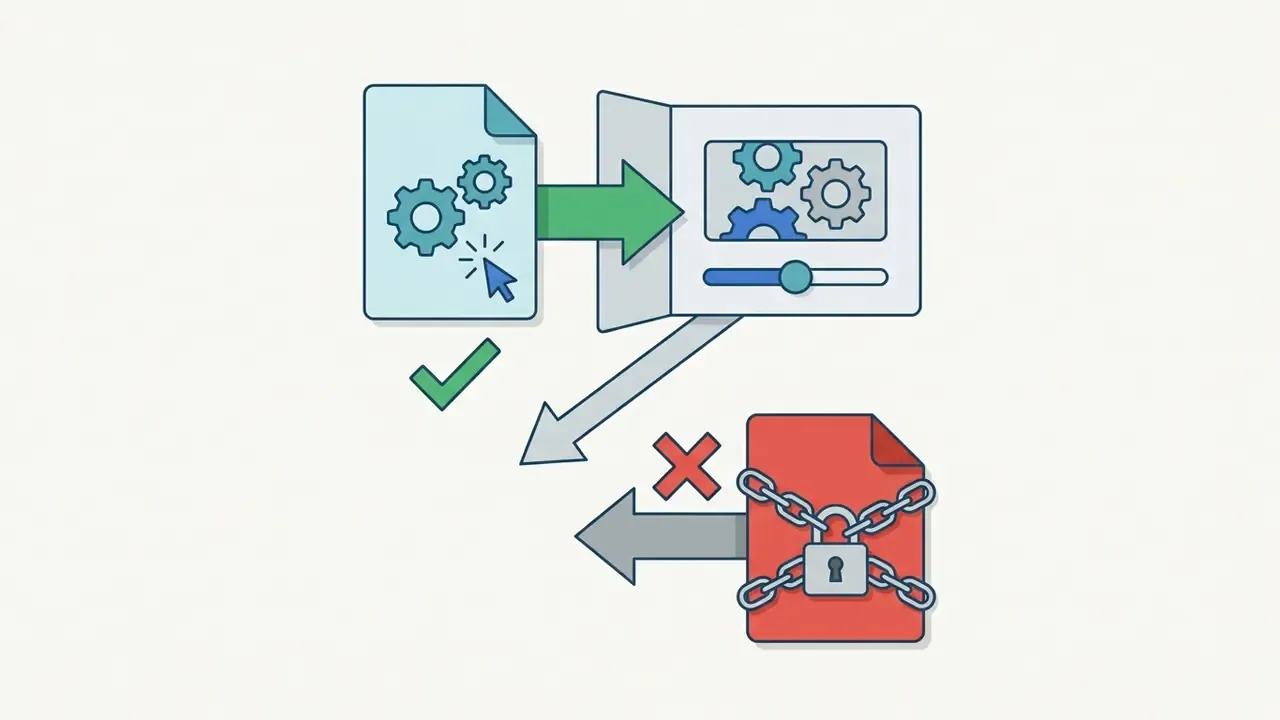
«Script lock is listed as a must-lock item before production begins; all previous drafts are archived so the set works from one version only.»
How to choose a script template for video by task and audience
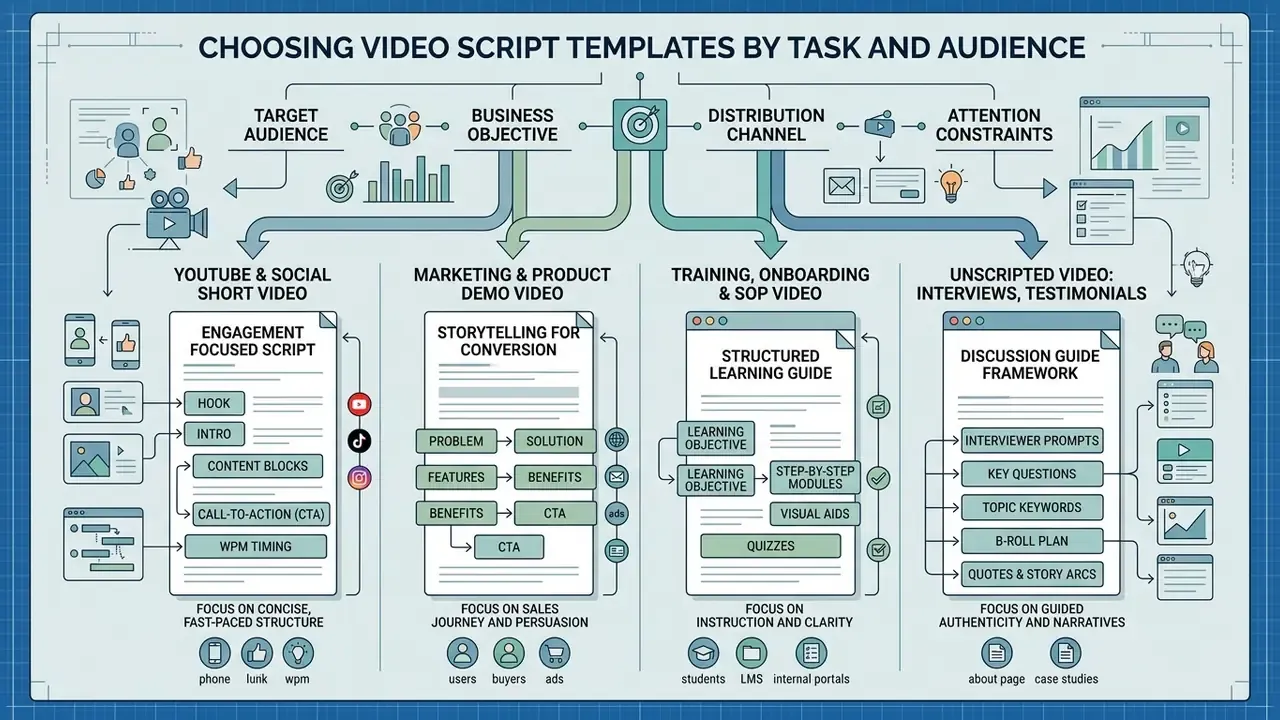
Choosing the right script template for video depends on four things: target audience, business objective, distribution channel, and attention constraints. A corporate training video needs procedural clarity. A social promo clip needs a pattern interrupt in the first second. Same craft, different physics.
Before you pick a template, answer one question: what should the viewer understand or do after watching? If the answer is "understand a concept", use an explainer. "Complete a task" points to tutorial or training. "Believe this can help me" points to demo, testimonial or case study. "Act now" points to short-form or sales outreach. Matching layout to expectation prevents cognitive fatigue, and defining a single conversion objective is what makes the video script drive action at all.
Template for marketing video, explainer video and product demo
Marketing and explainer templates sequence the message to build trust and resolve objections. They usually follow problem, solution, proof, and only then ask for something.
A time-series analysis of 2,520 viewing experiences across 42 public video announcements showed that visually simple scenes produce higher attentional synchrony across viewers, while visual clutter gradually degrades message processing.
«Short, visually simple scenes maximize attentional synchrony across viewers, whereas visual complexity progressively erodes it.»
So keep visual elements simple and put specific customer outcomes on screen. Demo scripts add a proof layer: problem, the "aha" moment, a walkthrough of three to five core features in real workflows, a measurable customer result, then one low-friction CTA such as a dated follow-up call or sandbox access. Skip the full feature tour. It converts worse than a narrow workflow that mirrors the buyer's own job.
Template for training video, onboarding and SOP
Training video templates and standard operating procedure scripts live on sequential instruction plus on-screen text. US EPA guidance on video SOPs recommends building the script from planned instructional scenes that pair voiceover narration with screen recordings or close-up operational footage.
«Write out a basic script and important training sections. Plan out your video design: scenes, teaching techniques, types of footage, narration or live audio.»
Spelling technical terms out as screen text improves retention, especially for system names and field labels that sound ambiguous aloud. Break long modules into 5 to 7 minute micro-blocks, add a recap after each, and close with a knowledge check.
«Scenario-based training produced higher gains in both theoretical knowledge and practical BLS skills among nurse anesthesia students than video-only training.»
Scripts for "unscripted" video: interviews, testimonials and documentary
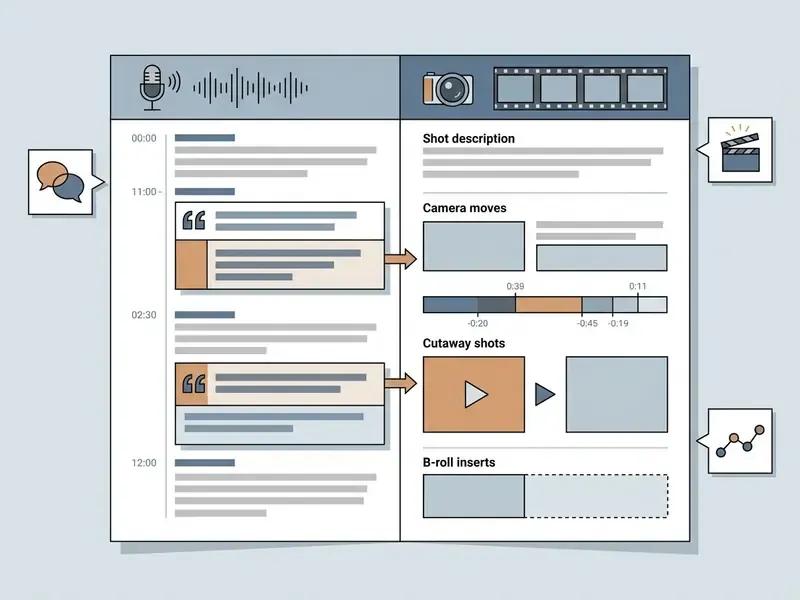
Unscripted formats still need a script. Just not a word-for-word one. The producer starts from the key messages and the people who can articulate them, writes a question list that steers the conversation toward those messages, and captures answers in the subject's own words. After filming, the producer reviews the footage and builds a soundbite script for the editor, laid out in the same AV grid: soundbite on the audio side, B-roll on the visual side.
Practical rules for interview-driven scripts:
- Write questions, not lines. Open-ended, one idea per question, nothing answerable with "yes".
- Plan the before and after arc in advance: context, problem, turning point, measurable result, recommendation.
- Pre-list the B-roll that will prove each claim (workspace, product in use, dashboard, metric pop-up). Keep each cutaway roughly 2 to 5 seconds so the talking head never goes static for long.
- Treat the soundbite script as the deliverable that replaces the voiceover column. Timings come from the actual takes, not from estimated word count.
Comparative analysis of video script templates by content type, goal and structure
| Video type | Primary goal | Target audience | Key script structure | Visual elements | CTA format |
|---|---|---|---|---|---|
| YouTube long-form | Deep topic coverage, retention, subscriptions | Intent-driven viewers searching for specific information | Hook (0-15s) → Setup → Chapters with mini-hooks → Recap → CTA | Diagrams, B-roll, speaker on camera, lower thirds | One next video or one external link |
| Short video (Reels, TikTok, Shorts) | Instant attention capture, reach, virality | Broad audience with a very short attention span | Hook (0-3s) → Core claim → Demonstration → Fast CTA | Dynamic visuals, large on-screen captions, no clutter | One simple action (follow, comment, save) |
| Marketing / Explainer video | Present the solution, build trust, convert | Prospects in the evaluation stage | Problem → Solution → How it works → Proof → CTA | Motion graphics, use cases, clean composition | Low-friction action (demo, sign-up) |
| Product demo / Sales outreach | Show product value, pre-empt objections | B2B buyers, decision makers, pipeline leads | Pain point → Agenda → Feature walkthrough → Proof → CTA | Product UI, real customer scenarios, cursor highlights | One dated next step (book a call, start a trial) |
| Training / Onboarding / SOP | Teach a procedure, transfer a skill | Employees, new hires, system users | Objective → Steps 1-N → Practical scenario → Recap → CTA | Screen recording, close-ups, numbered screen text | Knowledge check or checklist download |
| Interview / Testimonial (unscripted) | Social proof, credibility, before/after story | Skeptical buyers needing peer validation | Question list → Soundbite selection → Before → After → Recommendation | Interview setup, proof B-roll, metric overlays | Read the full case study |
The table above maps script formats to commercial goals. Match your project scope to those structural parameters and filming days stop turning into guesswork about what the client actually approved.
Free video script templates for the most common video formats
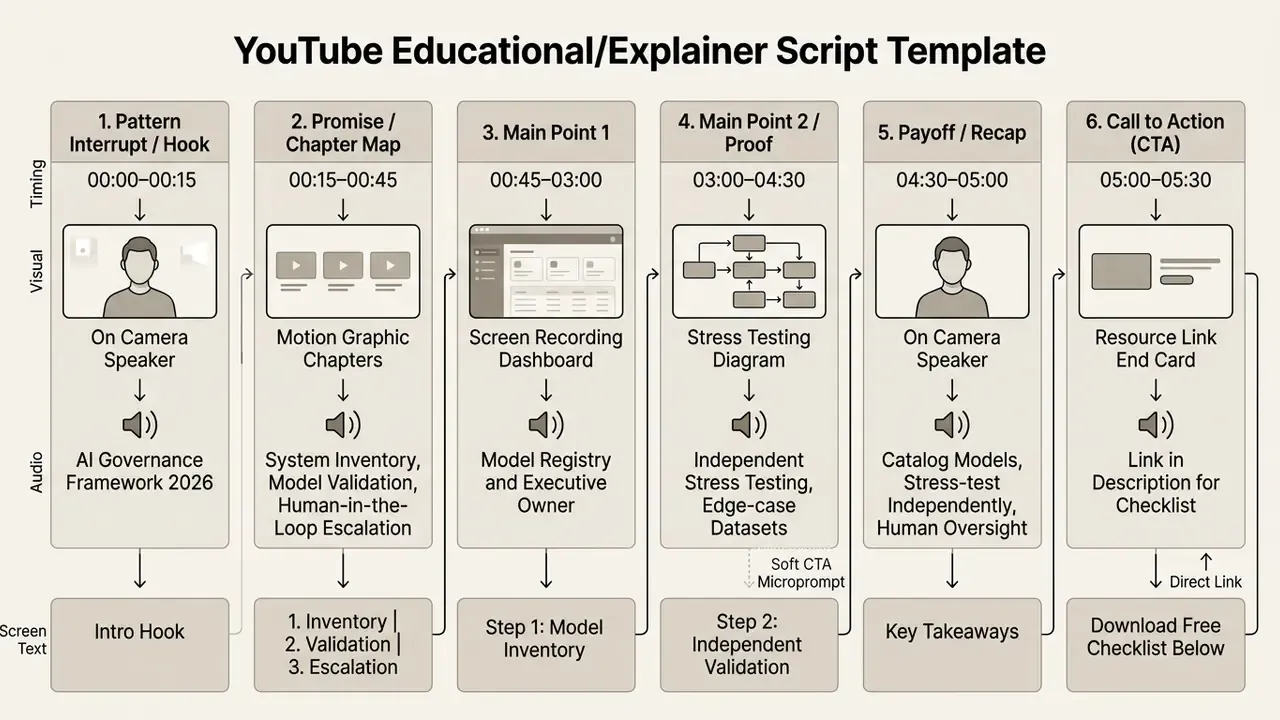
YouTube video script template
A youtube script has to establish value inside the first 15 seconds. Build the body around clear thematic beats and use visual transitions to carry focus across long runtimes.
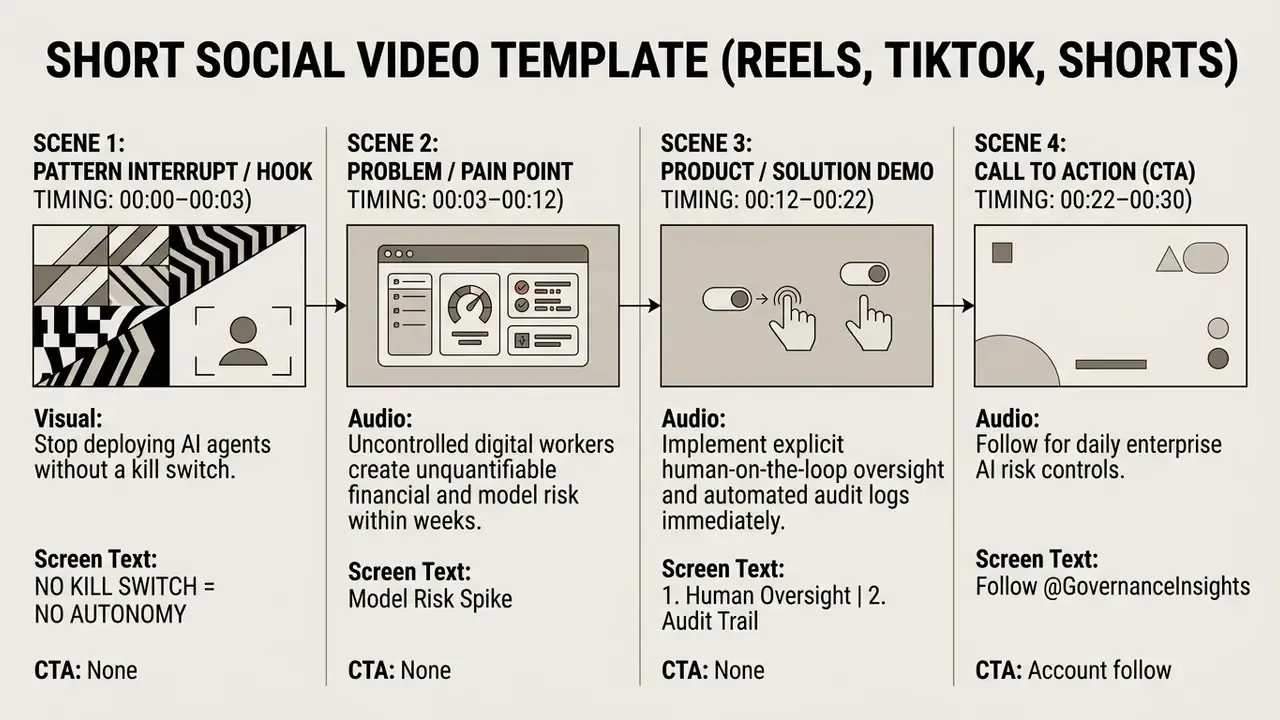
Short video script template for Reels, TikTok and Shorts
Vertical short video script templates demand an immediate pattern interrupt in the 0 to 3 second window. Cut fast, and back every spoken phrase with large, centered on-screen text.
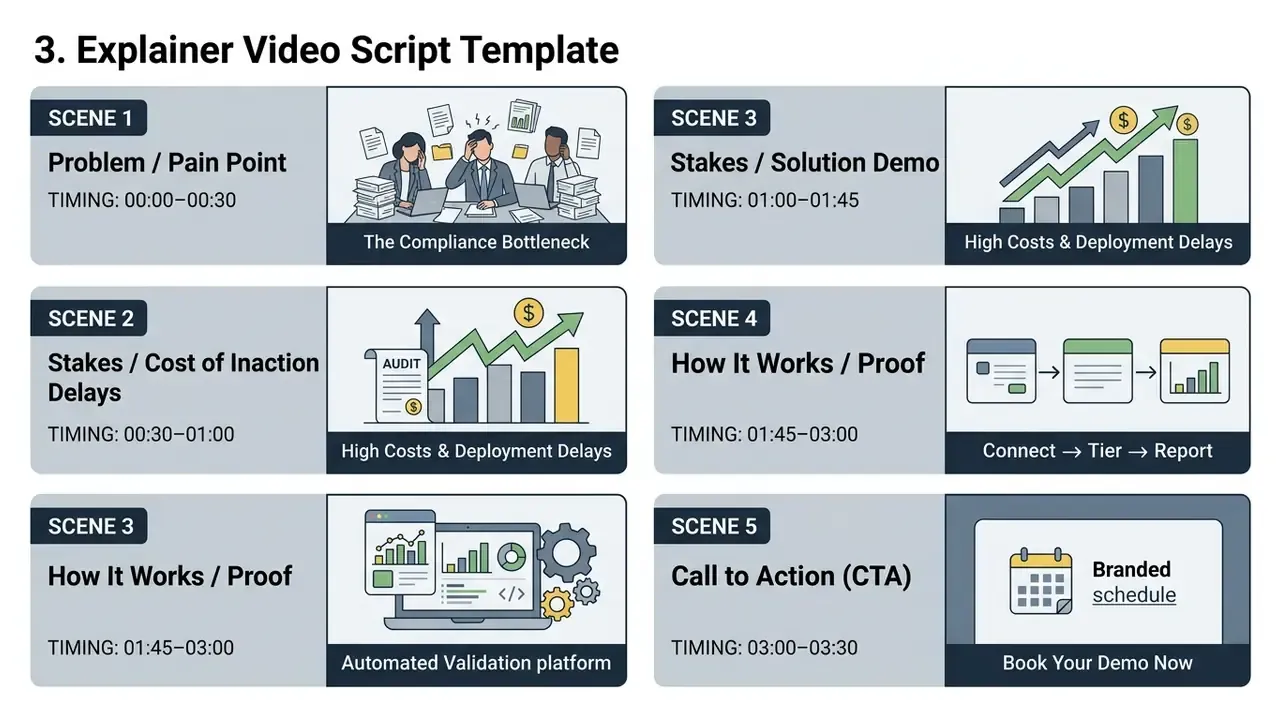
Explainer video script template
Explainer scripts translate a complicated product into plain benefit statements. Name the viewer's problem first, present the solution, show the mechanics, finish with one call-to-action.
Product demo and sales outreach video script template
Demo scripts build commercial trust through transparent workflows. Walk high-value features in real contexts and answer the two objections your sales team hears weekly.
Training video and educational video script template
Educational templates split complex tasks into micro-modules. Pair step-by-step narration with exact screen text, and put a recap before the final instruction.
Talking head and customer testimonial video script template
Talking head and testimonial scripts trade on human authenticity. Pair the spoken customer story with cutaway B-roll that validates every metric claimed, not just the mood.
1. YouTube Educational/Explainer Script Template
2. Short Social Video Template (Reels, TikTok, Shorts)
3. Explainer Video Script Template
4. Product Demo & Sales Outreach Script Template
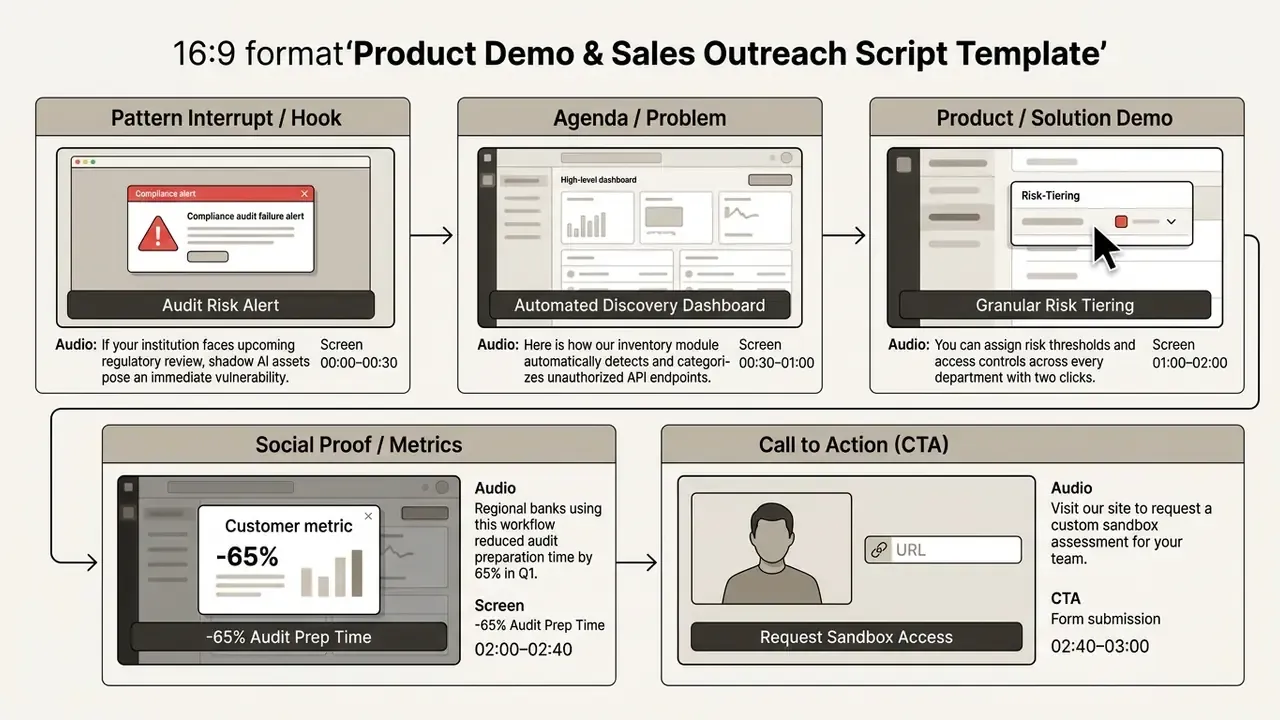
5. Training & Educational SOP Script Template
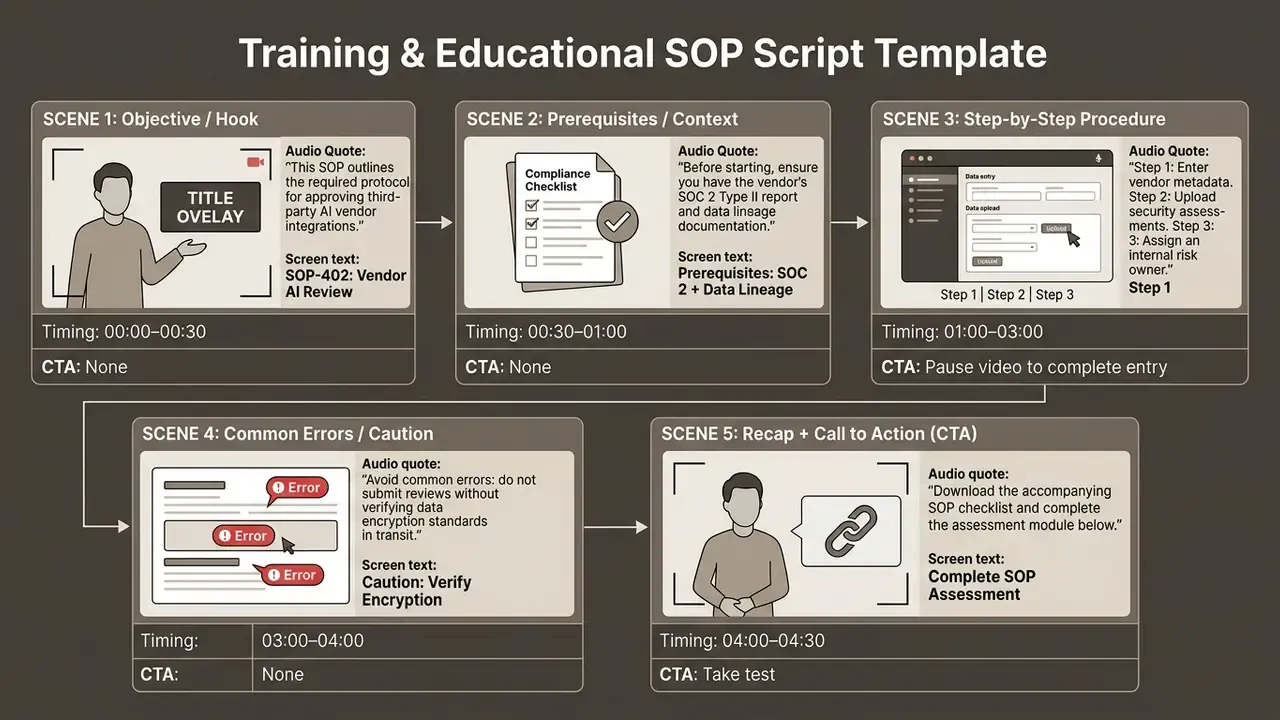
6. Talking Head & Customer Testimonial Script Template
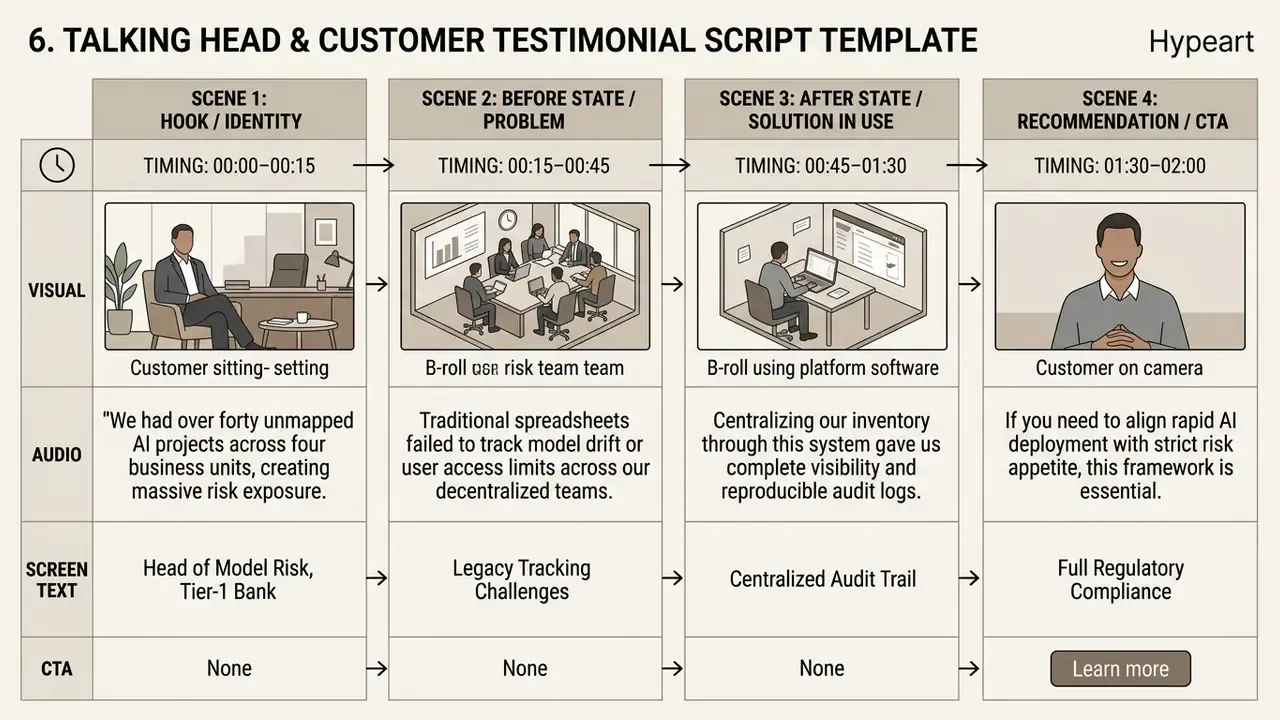
7. Sales Outreach Video Script Template (B2B personalization)
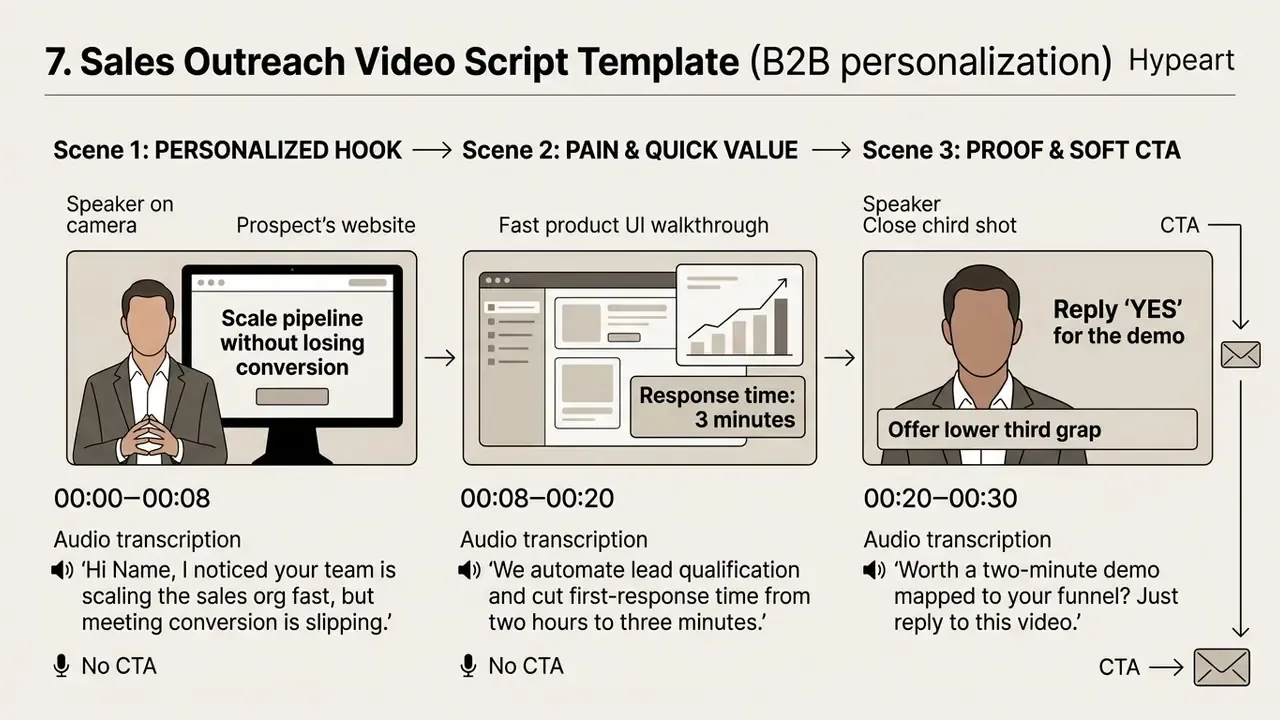
8. Unscripted / Interview & Testimonial Soundbite Template
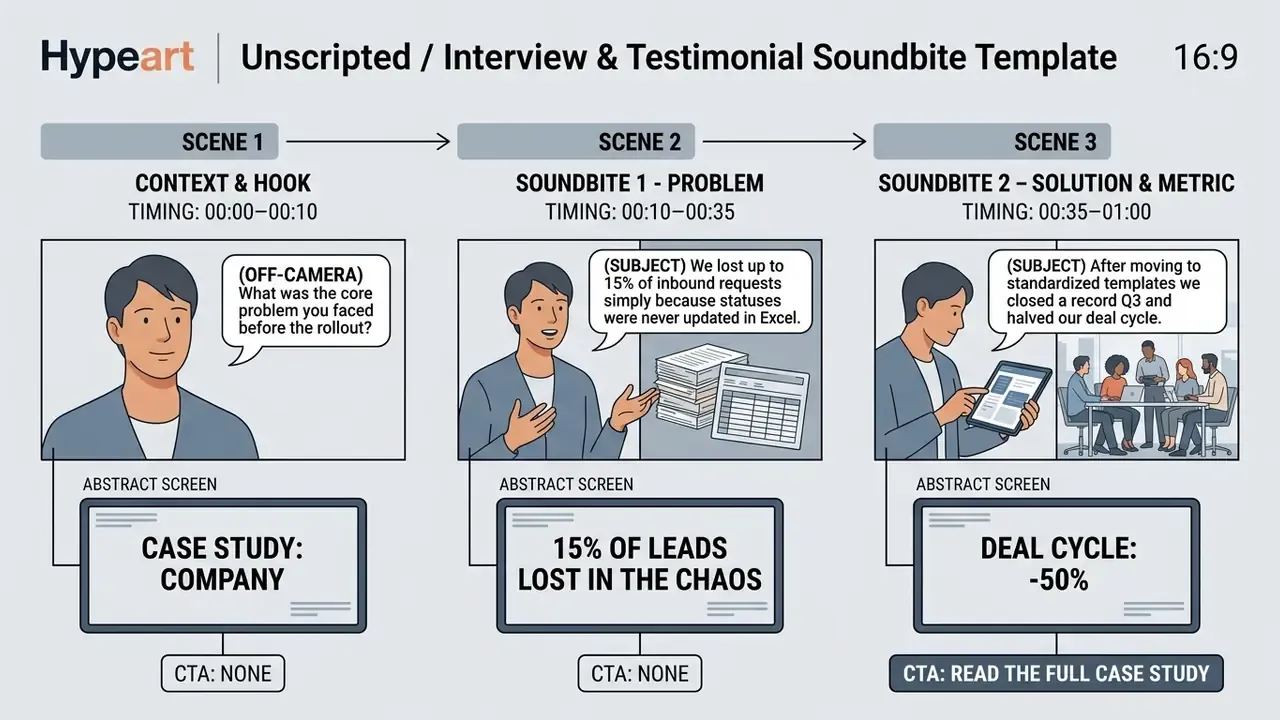
9. Knowledge Base & Troubleshooting Script Template (FAQ)
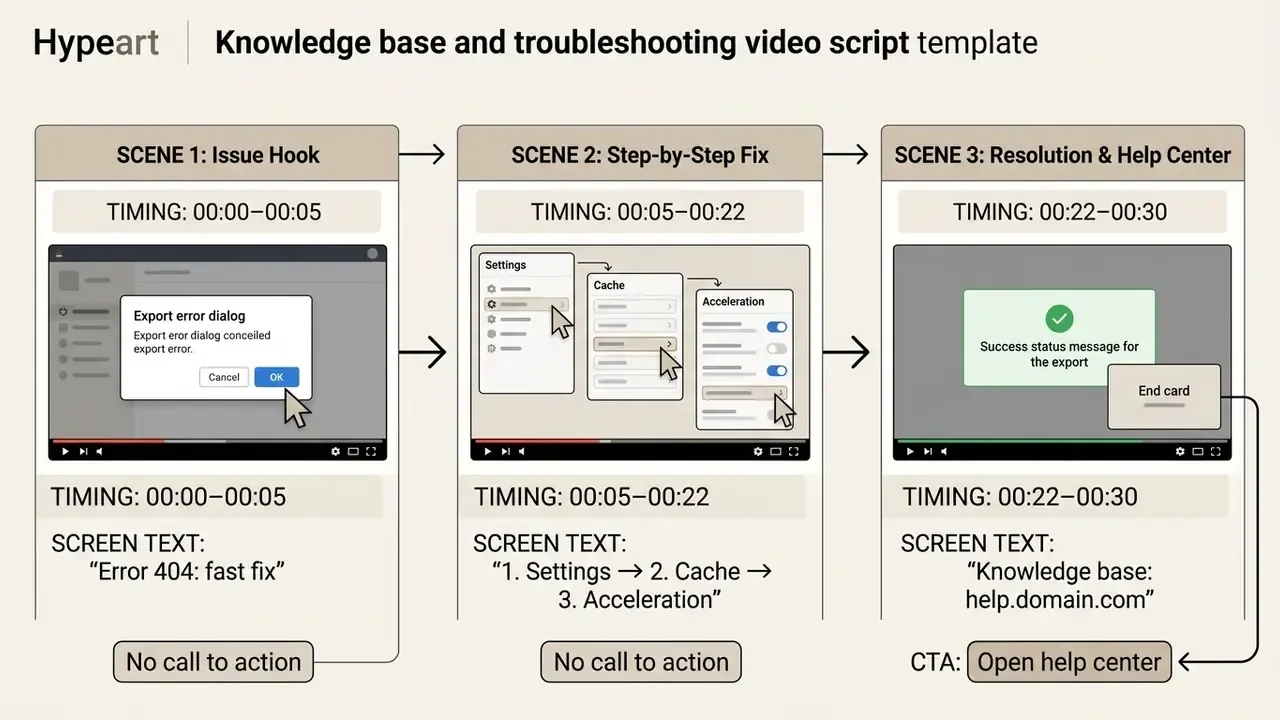
10. Interactive Quiz & Assessment Video Script Template
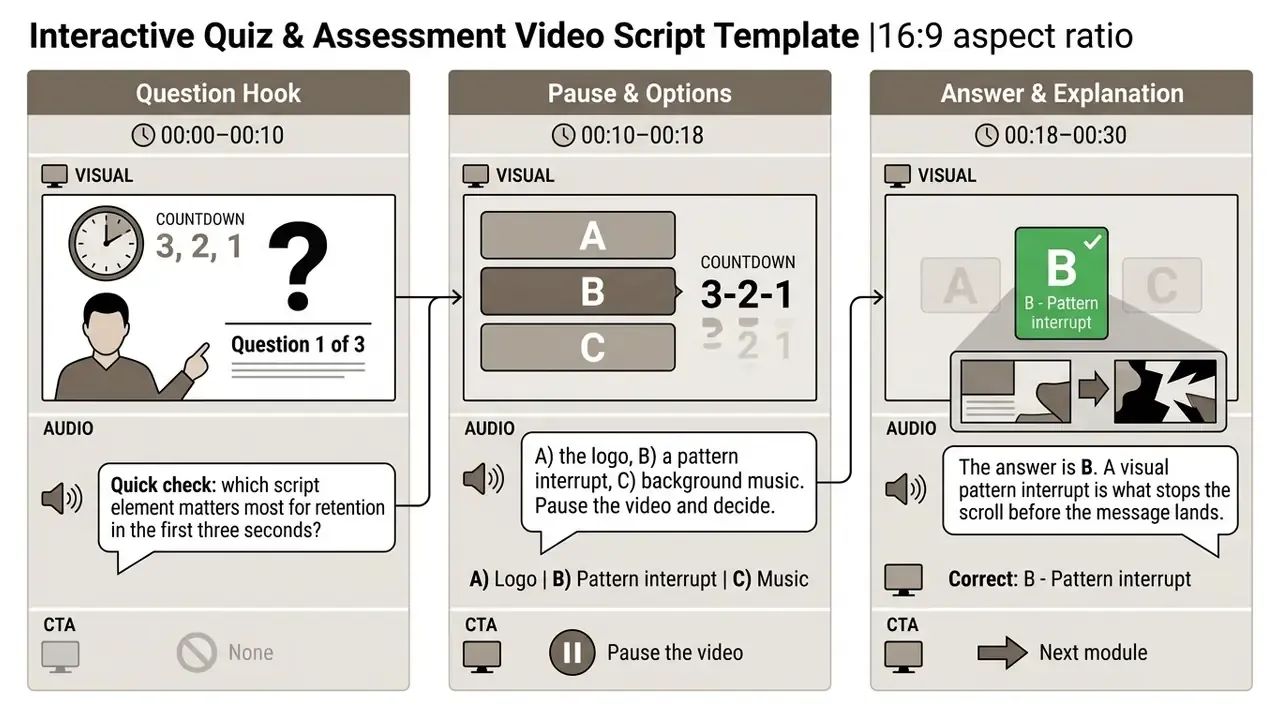
11. Microlearning / Bite-Sized Skill Script Template
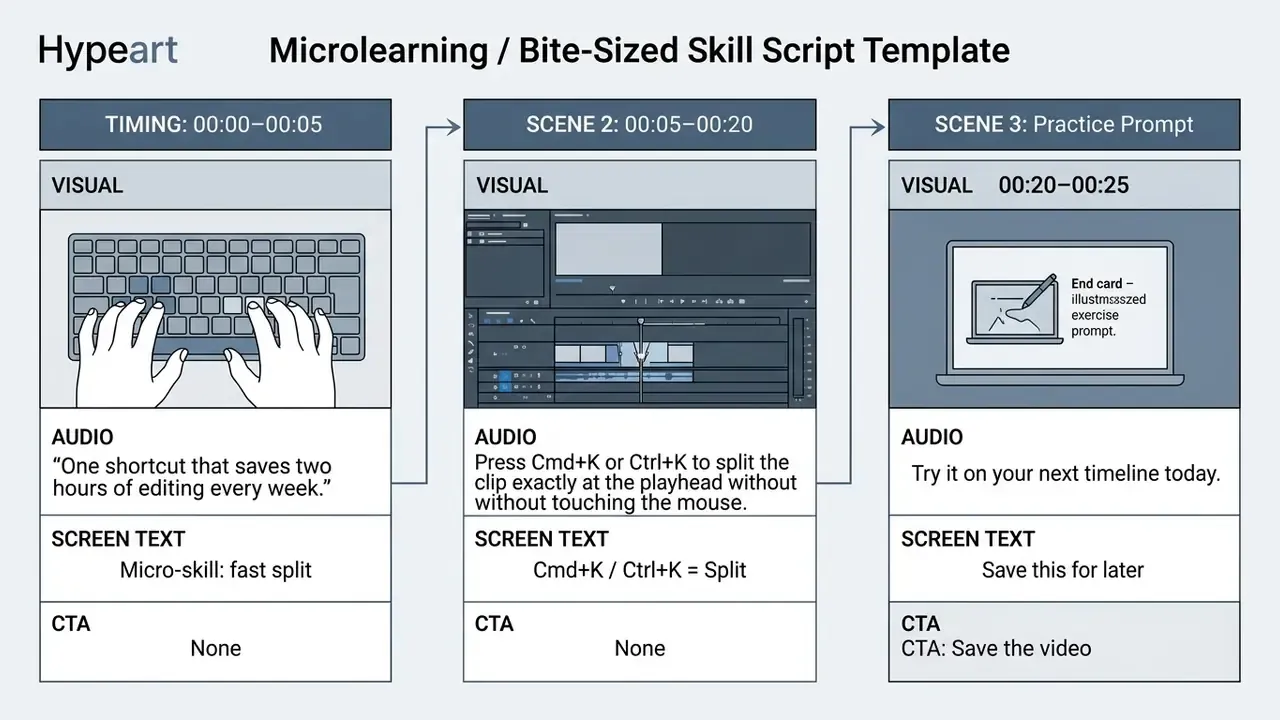
These copyable video scripts templates are starting points, not finished work. Adapt the dialogue, industry vocabulary and compliance wording to your brand. The beat structure transfers; the sample copy does not.
Best video script template format: single-column, AV table, three-column or AI-ready
Single-column, two-column audio/visual, three-column (AV plus graphics), AI-ready: the right script format follows team complexity and technical workflow. Single-column suits simple monologues. Two-column AV tables serve production crews. Three-column layouts serve broadcast and agency teams with a dedicated design pipeline. AI-ready formats streamline automated drafting. Format choice also shapes your post-production stack, so plan it alongside your video editing tools.
| Format | Best for | Strength | Limitation | Typical owner |
|---|---|---|---|---|
| Single-column | Voiceover monologues, founder messages, podcasts, first drafts | Fastest to write and read aloud | Weak visual alignment for complex cuts | Writer |
| Two-column AV | Commercials, explainers, demos, training, social | Forces audio and visual sync, row-level runtime | Slower to draft; needs discipline | Producer plus editor |
| Three-column (AV + GFX) | Broadcast, agency work, heavy motion-graphics projects | Isolates titles and lower thirds for designers | Overkill for solo creators | Producer plus designer |
| AI-ready prompt script | Synthetic video, script-to-video, rapid variants | Machine-readable, easy to regenerate | Requires strict field discipline and human review | AI creator |
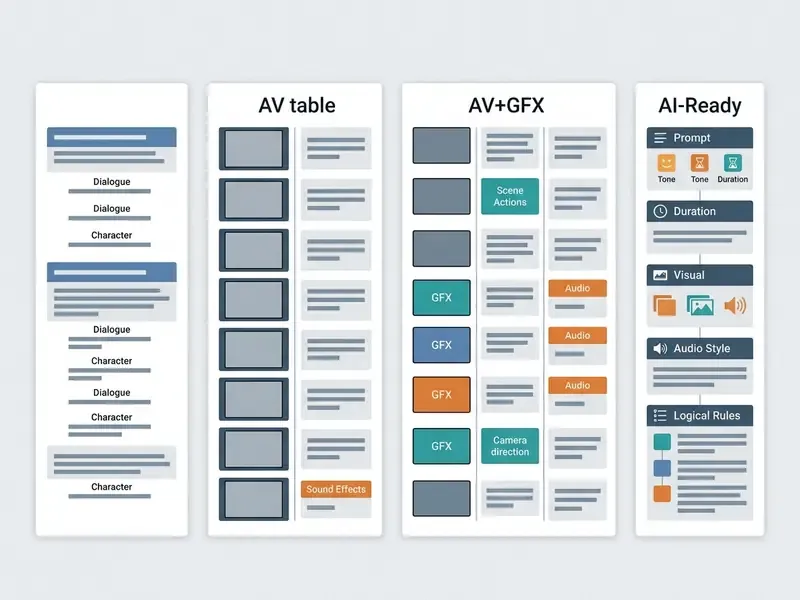
Single-column video script writing template
A single-column video script writing template runs text in a vertical stream, with visual cues bracketed inline. It works best for voiceover monologues, podcasts, simple talking head clips, phone prompts, audiobooks, and first drafts of anything.
Basic structure: Hook → Promise → Main points → Recap → CTA.
Easy to write, harder to shoot. Editors struggle to track exact visual alignment through complex cuts, which is why crews eventually migrate to the AV grid. For deeper technical evaluations of creative suites, review our guide on YouTube video editors.
Two-column AV script for video production
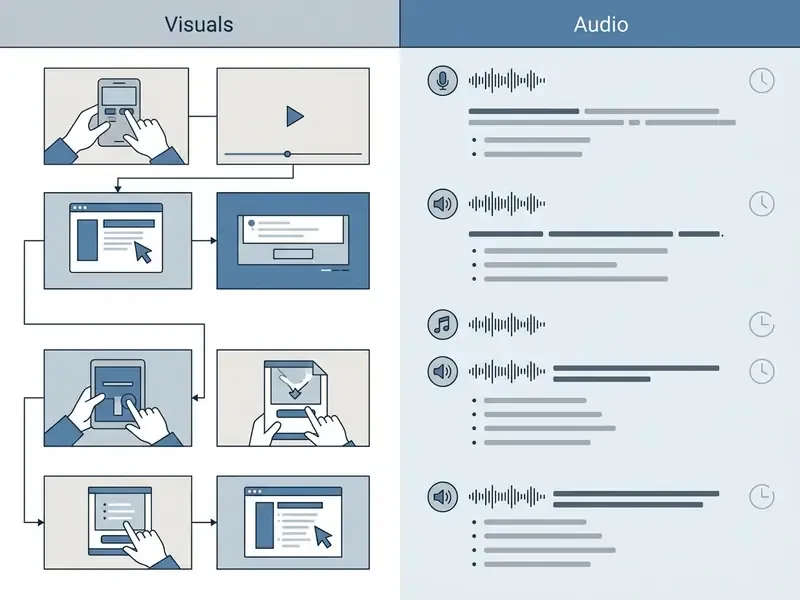
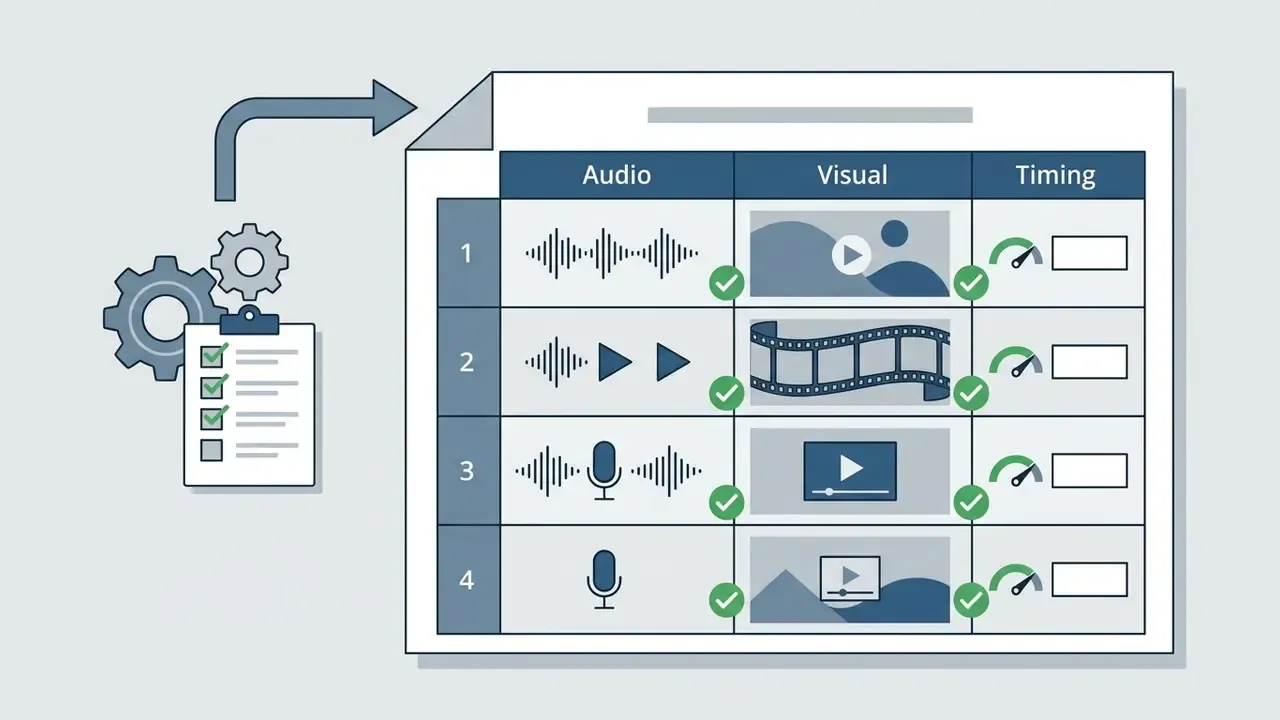
The two-column audio/visual script is the industry standard in commercial video production. Portland Community College and Agency for Healthcare Research and Quality production guidelines both put visual cues in one column and audio direction in the other.
«A shooting script should be a simple table with two columns: visuals and directions on one side, audio and dialog on the other.»
«The two-column AV script is one of the most practical planning tools in commercial video production: audio and visuals are organized in parallel so both are planned at once.» VDCI Video Production Guidelines. https://vdci.edu/

In an AV table each row is one scene beat. Side-by-side placement forces every spoken phrase to carry an exact visual reference, which removes guesswork in the edit. A useful diagnostic, and honestly the fastest quality check I know: read the audio column alone to see whether the message survives for someone not watching, then read the visual column alone to see whether it survives with the sound off. If either fails, the script is not ready.
Three-column variant (Visual / Audio / Graphics). For complex commercial and broadcast work, a dedicated column holds graphics, titles and lower thirds:
| Visual (camera / B-roll) | Audio (voiceover / SFX) | Graphics / on-screen text (GFX) |
|---|---|---|
| Studio close-up of the speaker. Slow push-in. | "The biggest mistake in template selection is skipping structure." | Lower third: Creative Director, name and title |
| Screen capture of the product interface. | "Here is how to fill in the AV grid in three steps." | Arrow callout: "Step 1: Settings" |
| Wide shot of the team reviewing the board. | (Music swells, VO out) | End card: logo plus URL lock-up |
The third column lets designers work from the script without parsing prose, and lets producers confirm that key claims are reinforced on screen, not only spoken. In regulated categories that matters twice over: an unsupported number in a lower third is still a published claim.
AI-ready template script video
An AI-ready template script video formats input variables so large language models can generate structured drafts. It bridges writing and text-to-video AI tools. Prompt guidance from OpenAI and Anthropic converges on the same shape: clear delimiter-separated sections for Role, Context, Instructions, Constraints and Output Format.
«Put instructions at the beginning of the prompt, separate instruction and context with clear delimiters, and specify audience, length, style and format.»
«Provide context and break complex tasks into steps.» Anthropic, Techniques for Effective Prompt Engineering (2026). https://docs.anthropic.com/
Prompt-ready skeleton:
### ROLE
You are a senior B2B video producer writing in two-column AV format.
### CONTEXT
Product: [name + one-sentence description]
Audience: [role, seniority, industry, level of prior knowledge]
Channel: [YouTube / Shorts / landing page / LMS]
Runtime: [seconds] at [130] WPM
Brand tone: [3 adjectives]; banned words: [list]
### INSTRUCTIONS
1. Write scenes as rows labelled with narrative beats: Hook, Problem, Product, Proof, Payoff, CTA.
2. For each scene output: TIMING | VISUAL | AUDIO | SCREEN TEXT | CTA.
3. Keep total audio word count within (runtime / 60) x WPM.
4. Use exactly one CTA, in the final scene.
### CONSTRAINTS
No unverifiable claims. No more than 8 words of on-screen text per scene.
### OUTPUT FORMAT
A markdown table plus a word count and calculated runtime per scene.
To compare pricing structures across automated creation tools, consult our AI Media Pricing Guides, and check model capabilities in our overview of AI video generators. When prompting, specify audience, runtime, visual tone and one explicit call-to-action. Then human-review the output before script lock. Language models invent metrics, and a fabricated proof point is a legal exposure rather than a creative flourish.
How to fill in a video script template: from idea to final script
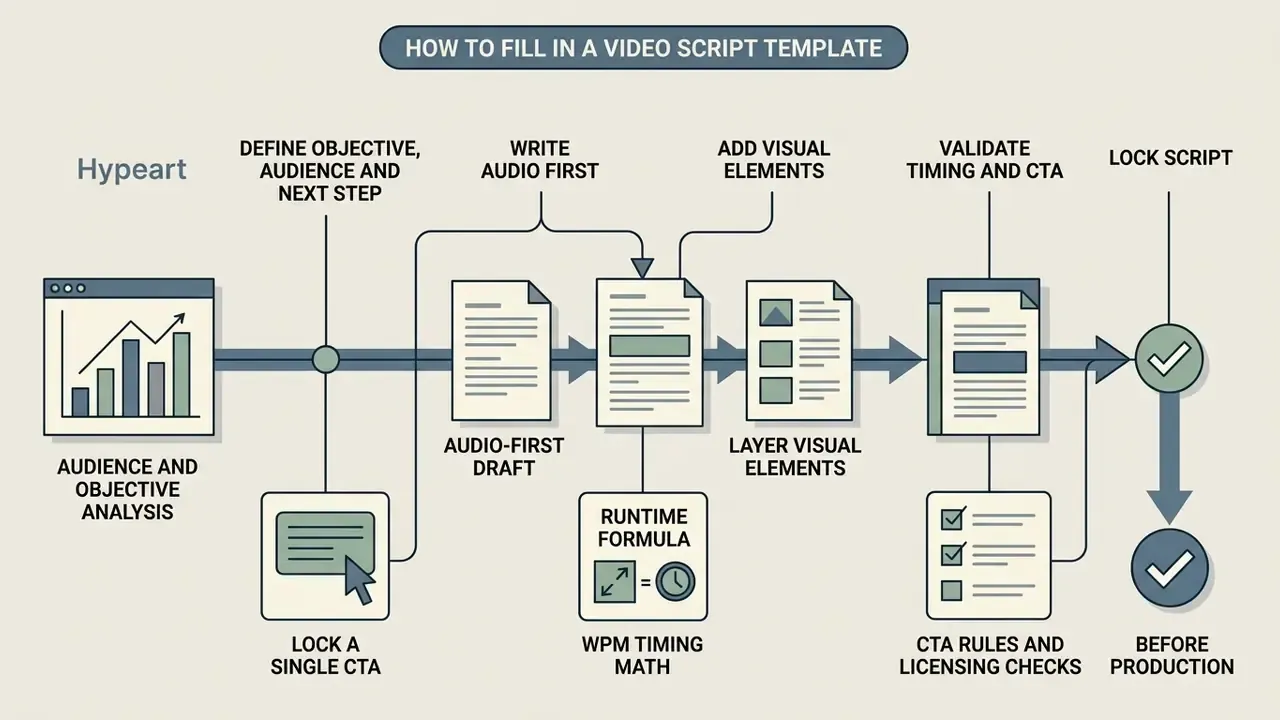
Filling in a video script template means moving in order: objective, audience, audio, visuals, timing, lock. Skip the planning steps and you get a bloated script with three competing messages and no clear ask.
A repeatable workflow keeps every spoken line and visual element tied to a commercial purpose. Seven steps, no shortcuts.
Define audience, objective and one next step
Before any dialogue, name the target audience, the core message and the single call-to-action. Planning worksheets from the University of Tennessee push the same sequence: primary purpose, target audience, primary benefit, desired response, CTA.
When comparing production software, use our AI Media Comparison Matrices to align tool capability with project requirements. One warning worth repeating: competing CTAs dilute conversion, and generic link text ("click here") underperforms specific, unique phrasing.
Write the audio first, then add visual elements
Draft the full audio track, narration, dialogue and sound-effect cues, before you detail a single visual. PCC Video Production Unit guidance recommends fixing spoken timing first, since audio pace dictates scene duration. Production lecture notes describe the same order: imagery laid over an already-recorded voice track.
Once the audio reads naturally out loud, layer visual elements and screen text onto each line. One idea per scene, one visual job per line. Support the claim, do not compete with it.
Validate timing, pacing and the CTA before production
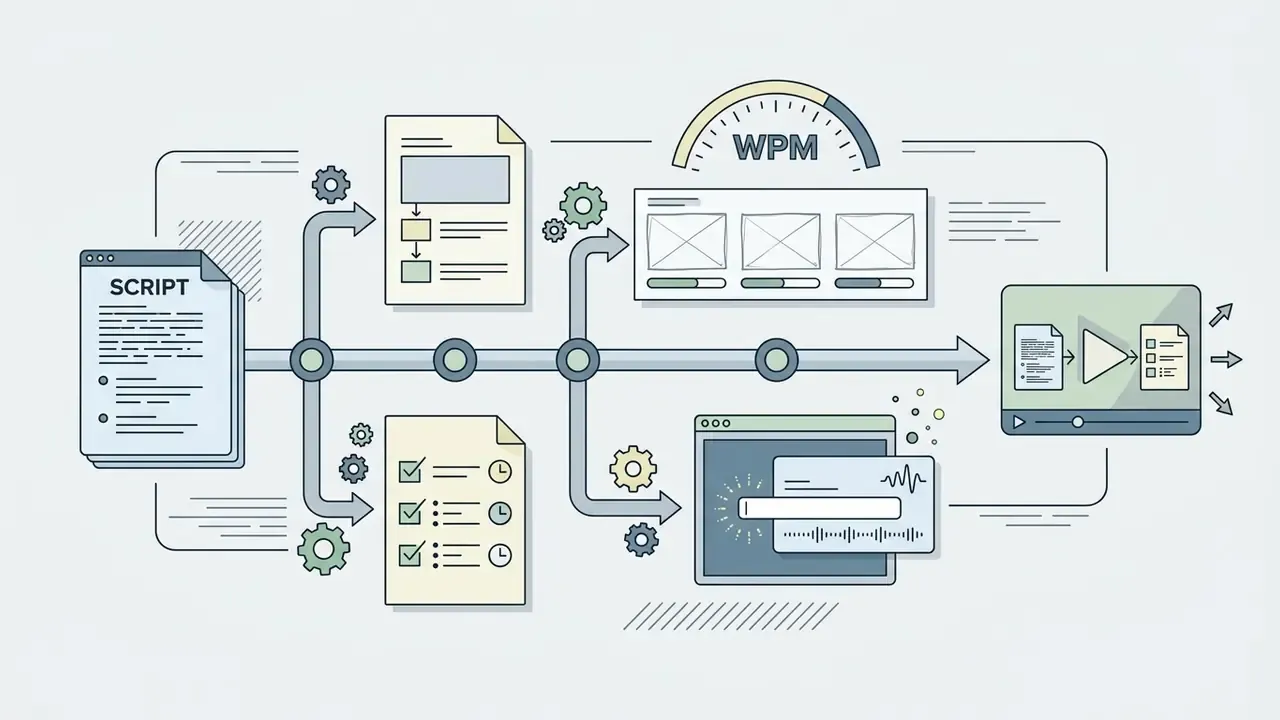
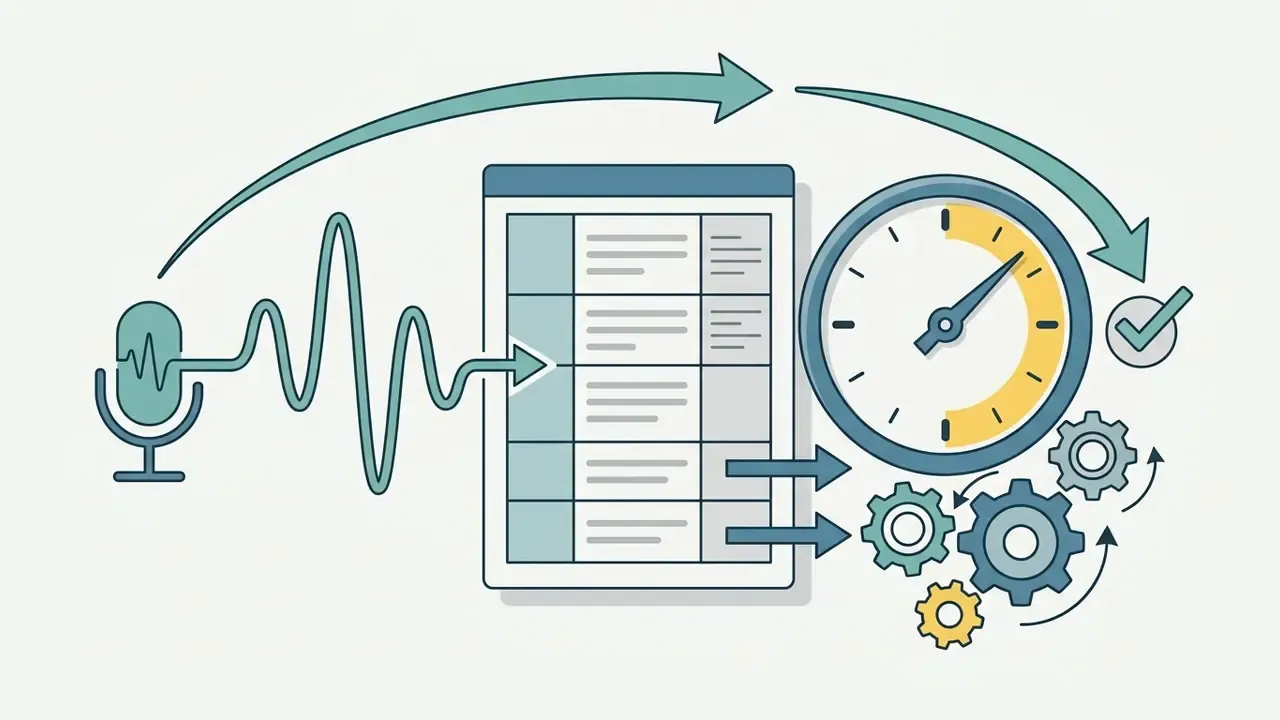
Validate runtime and speaking pace before the script reaches the crew. Professional narration lands between 125 and 150 words per minute, roughly 2.5 words per second, for natural delivery. Boords' AV editor defaults to 130 WPM as "normal" reading speed, a reliable planning baseline.
The runtime formula:
Runtime (seconds) = (words in the audio column / target WPM) × 60
Worked example: a scene with 35 words at 130 WPM runs (35 / 130) × 60 = 16.1 seconds. If a 30-second spot reads as 38 seconds, cut words before you cut pictures. The audio column is the time budget; the visual column follows it.
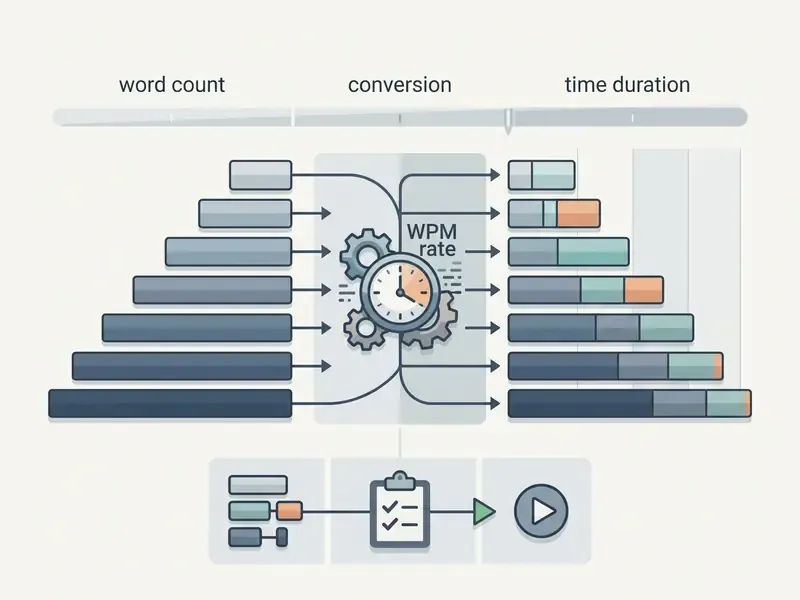
| Target runtime | Word budget (125 wpm) | Word budget (150 wpm) | Delivery pace |
|---|---|---|---|
| 15 seconds | ~31 words | ~38 words | Very fast, hook-only |
| 30 seconds | ~60 words | ~75 words | Dynamic, high energy |
| 60 seconds | ~125 words | ~150 words | Moderately fast |
| 2 minutes | ~250 words | ~300 words | Conversational, clear |
| 5 minutes | ~625 words | ~750 words | Instructional, measured |
Keep a visual edit rhythm of one change every 2 to 5 seconds, faster in the hook, slower during the CTA so the instruction registers. Hold final call-to-action text on screen for at least 3 to 5 seconds. For vertical formats, start timed captions with the audio or up to three frames early, so text never lags the voice.
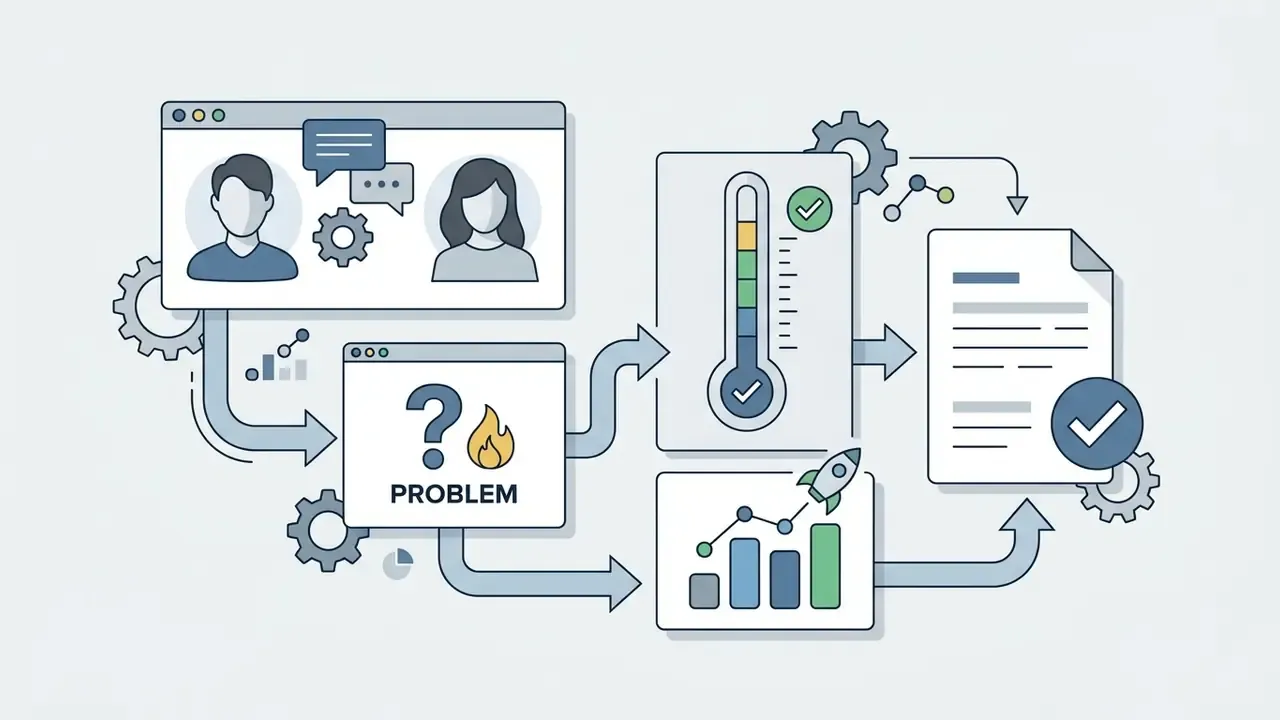




Measure whether the video scripting template actually pays off
Templates feel productive. That is not the same as being productive, so track a few numbers before and after adoption. Five are enough for most teams:
- Revision rounds per video. Count rounds between first draft and locked script, and rounds after the shoot. The second number is the expensive one.
- Approval cycle time. Days from script submission to client or compliance sign-off. A two-column AV grid usually shortens review because approvers see the claim and the visual together.
- Re-shoot and re-render rate. Share of projects requiring new footage or a new generation pass after the edit began.
- Runtime accuracy. Planned runtime versus delivered runtime. Drift over 15% usually means the word budget was ignored.
- Outcome metric per format. Retention at 30 seconds for social, completion rate for training, CTA click-through for marketing video.
Log these in the same place you store the scripts. Version history plus outcome metrics is what turns a template into an auditable process rather than a folder of documents.
7 critical mistakes when working with video script templates
- Copying the template without adapting the tone of voice.A template is a skeleton. Generic filler that ignores your audience's vocabulary produces plastic, forgettable video.
- Visual clutter.Animating something under every spoken word. Visuals must support meaning, not compete with it, and visual complexity measurably erodes attentional synchrony.
- Ignoring the audio-first rule.Designing elaborate visuals before narration is locked desynchronizes pace and forces re-shoots or re-renders.
- No recap before the call to action.A CTA that arrives without a short "here is what you learned" summary is incomplete. Viewers who were not reminded of the value rarely act.
- Writing for the eye instead of the ear.Text that reads cleanly often sounds stilted aloud. Read every line out and cut whatever makes you stumble.
- No timing headroom.Cramming 150 words into 60 seconds leaves no room for pauses, emphasis or an interface demonstration.
- Skipping script lock before production.Rewriting voiceover during the edit multiplies cost. Post-shoot changes are the most expensive changes in the pipeline.
Bonus habits that prevent all seven: front-load the hook, keep one idea per row so each row becomes one storyboard frame and one shot, alternate visual types so no device gets overused, and have a colleague review the AV grid before the client ever sees it.
Free video script template: downloads, Word Doc setup and commercial use
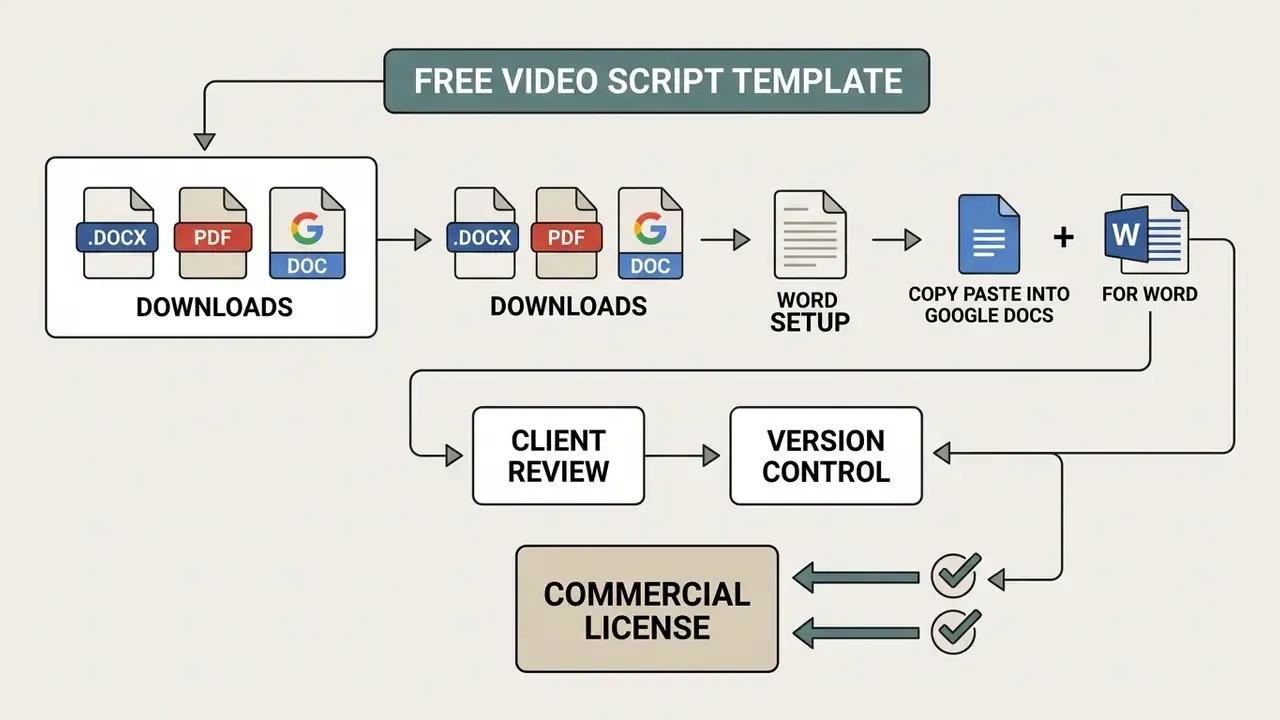
Free video script template files circulate in editable Microsoft Word (.docx), Google Docs and PDF form. Teams evaluating production tooling alongside the script can start with our overview of free AI video generators.
A standardized video script template word doc lets teams track changes, leave comments and export clean review copies for client approval. Once the script is locked, most teams move straight into free video editing software.
Turn any template on this page into a .docx or Google Doc in 60 seconds
- Copy the template block you need. All eleven are plain text, so nothing breaks on paste.
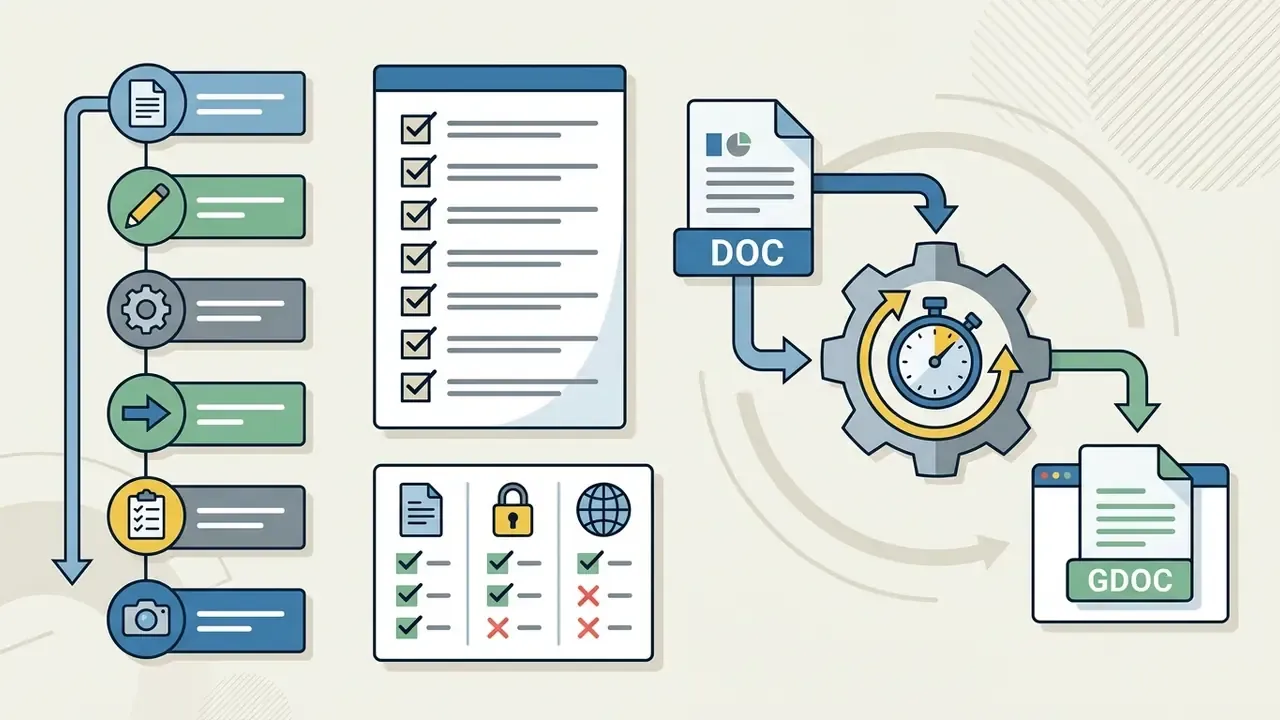
- Paste into Google Docs , then Insert → Table (3 or 4 columns: Scene/Beat, Audio, Visual, Screen text) and drop one scene per row. Use File → Make a copy for each new project.
- For Word paste into a blank document, Insert → Table, save as
video-script-template.docx. Add a header row identifying video title, project, version and date. AHRQ's shooting-script guidance requires the header to identify the video and project, and auditors appreciate the same habit. - For client review export to PDF. PDF is the sign-off and distribution format; keep the .docx or Google Doc as the single editable source of truth.
- Version control name files
project_script_v1,v2,v3-LOCKED. Archive superseded drafts so only one version reaches the set.
That is the whole video script template free download workflow. No plugin, no paid tier, just a table and a naming convention.
«Templates are published in Word, Google Docs and PDF, with terms ranging from "free for personal and business use" to a lifetime commercial license. The conditions vary by publisher, not by an industry standard.»
What to check before using a free video script template
When you download a free video script template, verify four things: commercial licensing rights, source file editability, AV grid integrity, and enterprise workflow compatibility.
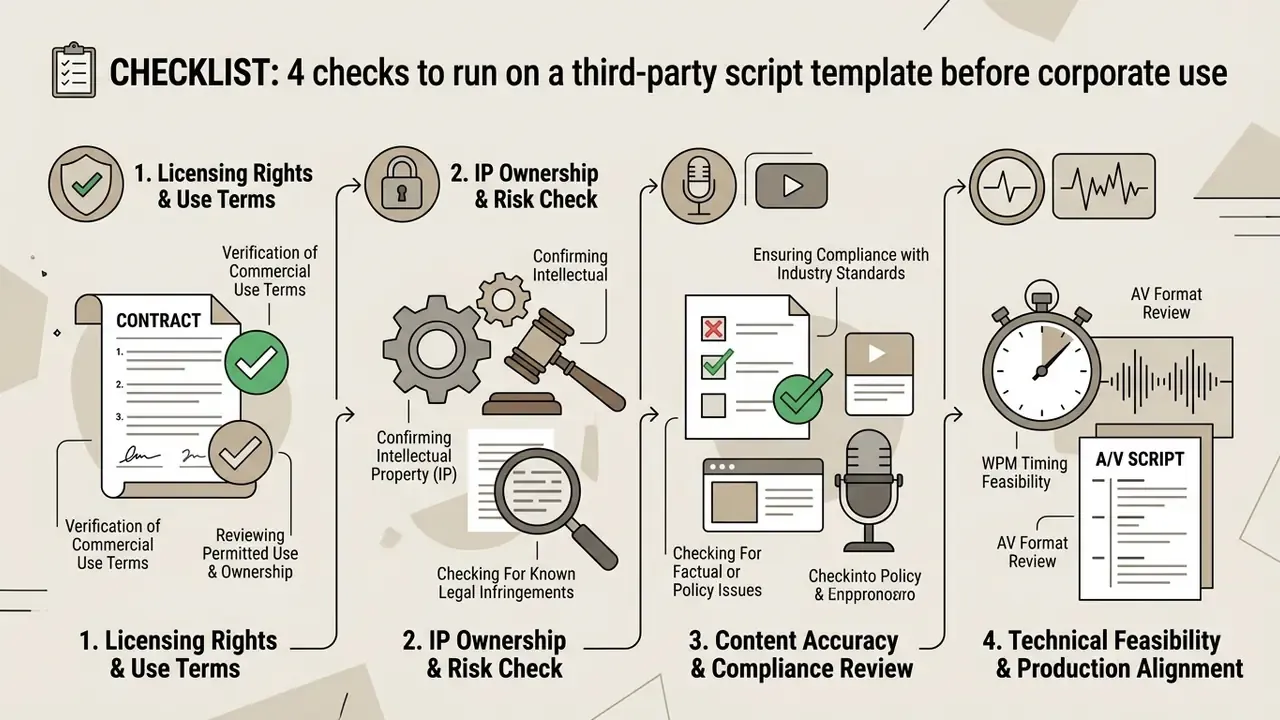
Validate those parameters and your chosen script video template will survive every phase of production, including the phase where legal asks who approved the number in the lower third.

FAQ: video script template questions
What is a two-column AV script?
A table with one row per scene: audio (voiceover, dialogue, music and SFX cues) on one side, visual (shot, action, on-screen text) on the other, plus a runtime per row. It is the standard for commercials, explainers, corporate and social video, because producers, clients, voice artists and editors all work from the same page.
How many words is a 30-second video script?
About 60 to 75 words of spoken audio, depending on pace: 60 words at 125 WPM, 75 at 150 WPM. At the common 130 WPM baseline, budget roughly 65 words.
How long should a video script be?
Match the channel: 15 to 30 seconds for paid social and public-service clips, 60 to 120 seconds for explainers, 2 to 5 minutes for demos and educational pieces, 5 to 15 minutes for long-form YouTube. Convert runtime into a word budget with the WPM formula before you write a line.
Is there a Google Docs or Word version of these templates?
Yes. Every template here is plain text and pastes into a Google Docs or Word table in under a minute using the five steps above, then exports to PDF for client sign-off.
What is the difference between a video script and a screenplay?
A screenplay is a narrative document formatted for drama (slug lines, action, dialogue) in one column. A video script for commercial or instructional work is a production document, usually two or three columns, pairing exact spoken words with exact visuals, screen text and timing.
Do unscripted videos need a script?
Yes, a different kind: a question list before filming, and a soundbite script after it. The producer reviews footage and assembles selected quotes into the AV grid for the editor, with B-roll mapped to each claim.
Which format should an AI-generated video use?
An AI-ready prompt script with fixed fields (Role, Context, Instructions, Constraints, Output format) and beat-labelled scenes. Generate the draft, then convert it into a two-column AV script for human review and script lock.
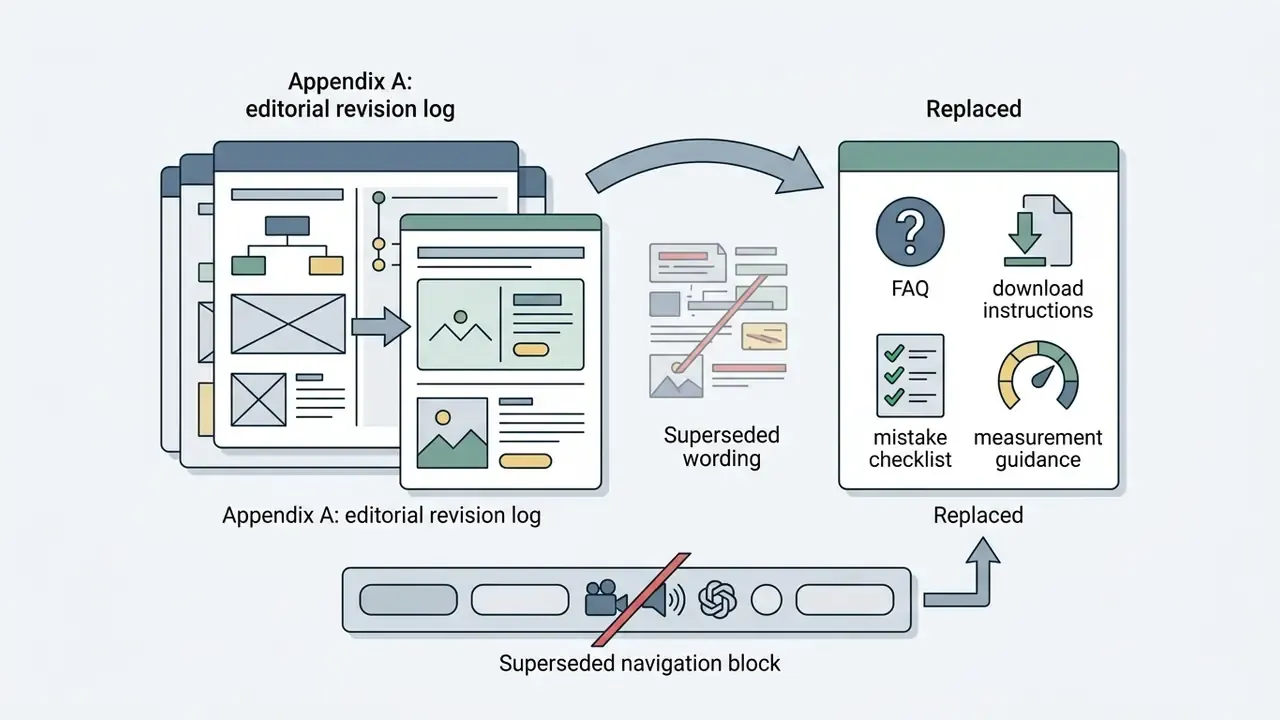
Appendix A: editorial revision log (superseded wording retained for transparency)