Kling AI pricing in four numbers
Kling AI bills video generation per second of output, not per task. So the headline subscription price tells you maybe half the story.
- Per-second burn rate Video 3.0 charges 6 credits/sec (720p silent), 8 credits/sec (1080p silent), 9 credits/sec (720p native audio), 12 credits/sec (1080p native audio), and 30 credits/sec for native 4K. Voice control adds 2 credits/sec on top.
- No rollover Monthly subscription credits stay valid for exactly 31 days from issue and expire at renewal. Only separately purchased top-up credits survive, for two years.
- Commercial rights start at Standard The free tier is watermarked and non-commercial. Every paid tier ($8.80/month renewal and above) unlocks watermark removal and commercial licensing.
- Real cost band per clip A finished clip costs roughly $0.18 to $2.40 depending on plan, resolution, duration and audio, before retries. With a realistic 3:1 draft-to-accepted ratio, expect $0.90 to $7.18 per accepted asset.
- Promo vs renewal First-month promotional prices ($6.99 / $25.99 / $64.99 / $127.99) are not the recurring prices ($8.80 / $32.56 / $80.96 / $159.99). Budget on renewal, not on the checkout banner.
- API is a separate product Developer access starts at $700 for 5,000 units valid 180 days, billed at $0.084 to $0.168 per second of rendered video.
Kling AI pricing overview: plans, credits and video generation costs
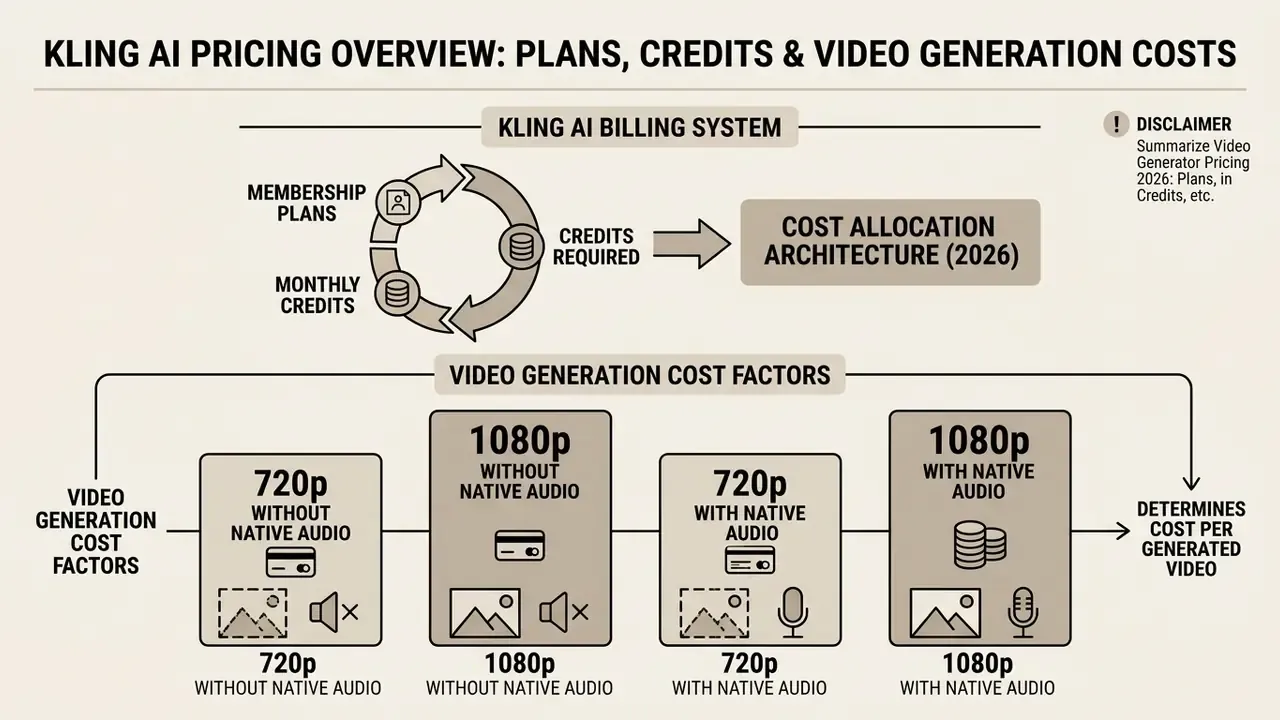
Kling AI runs a hybrid membership and credit-based billing system. Monthly subscription tiers set recurring credit deposits, feature access and the baseline cost per credit. Actual video generation costs then scale dynamically with clip duration, output resolution, native audio and model selection.
Subscribers buy a monthly membership tier that deposits a fixed credit allowance into the account every 30 days. Those credits act as the functional fuel for still images, motion transfers and synthetic video. Under the current platform architecture, video generation is billed strictly per second rather than as a flat per-task charge, which makes clip length and rendering parameters the primary drivers of total consumption.
"Video generation cost follows one formula: plan price ÷ monthly credits × credits consumed."
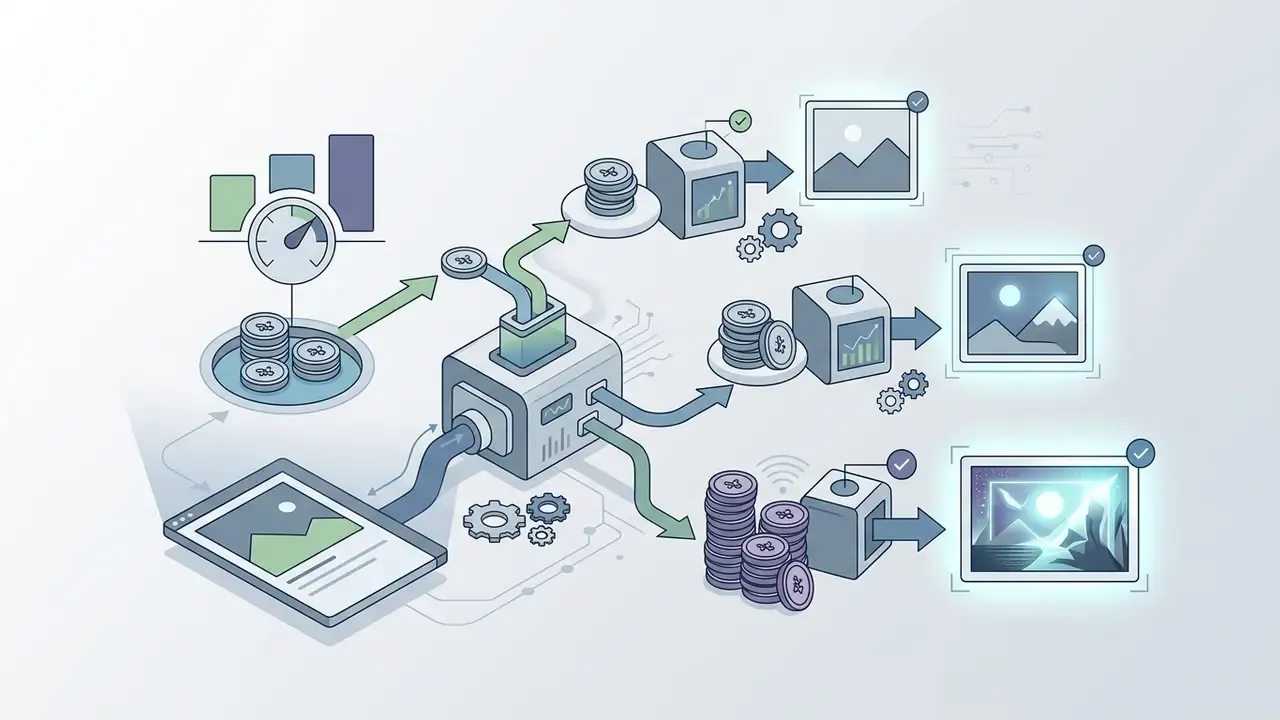
Cost allocation architecture (2026). A single subscription deposit converts into three distinct burn channels: still-image concepting (4 to 11 credits per image), draft video rendering (6 to 9 credits/sec at 720p), and final delivery rendering (8 to 12 credits/sec at 1080p, 30 credits/sec at native 4K). All three channels draw from one pool. That means image concepting and video retries compete directly for the same monthly balance, which is exactly where most first-month budgets quietly go missing.
How membership plans and monthly credits work
Kling AI membership plans distribute fixed monthly credit allotments. Each allotment stays valid for 31 days from the issuance date, then expires at billing renewal.
The platform offers four paid consumer tiers plus a free entry level: Standard (660 credits/month), Pro (3,000 credits/month), Premier (8,000 credits/month) and Ultra (26,000 credits/month). Moving up a membership level reduces the effective cost per 100 credits from roughly $1.33 on Standard (renewal price $8.80) down to $0.62 on Ultra (renewal price $159.99). (Updated: earlier drafts of this guide quoted $1.52 and $0.69, figures derived from the crossed-out $10 and $180 reference prices rather than actual renewal rates.) Higher plans also unlock watermark-free exports, full commercial licensing rights, priority queue access, higher element-creation limits, and higher resolution ceilings such as 1080p and native 4K rendering.
One practical note on plan mechanics: an annual membership does not front-load twelve months of credits into your balance. Allotments are still issued monthly, and they still expire after 31 days.
What determines the cost per generated video
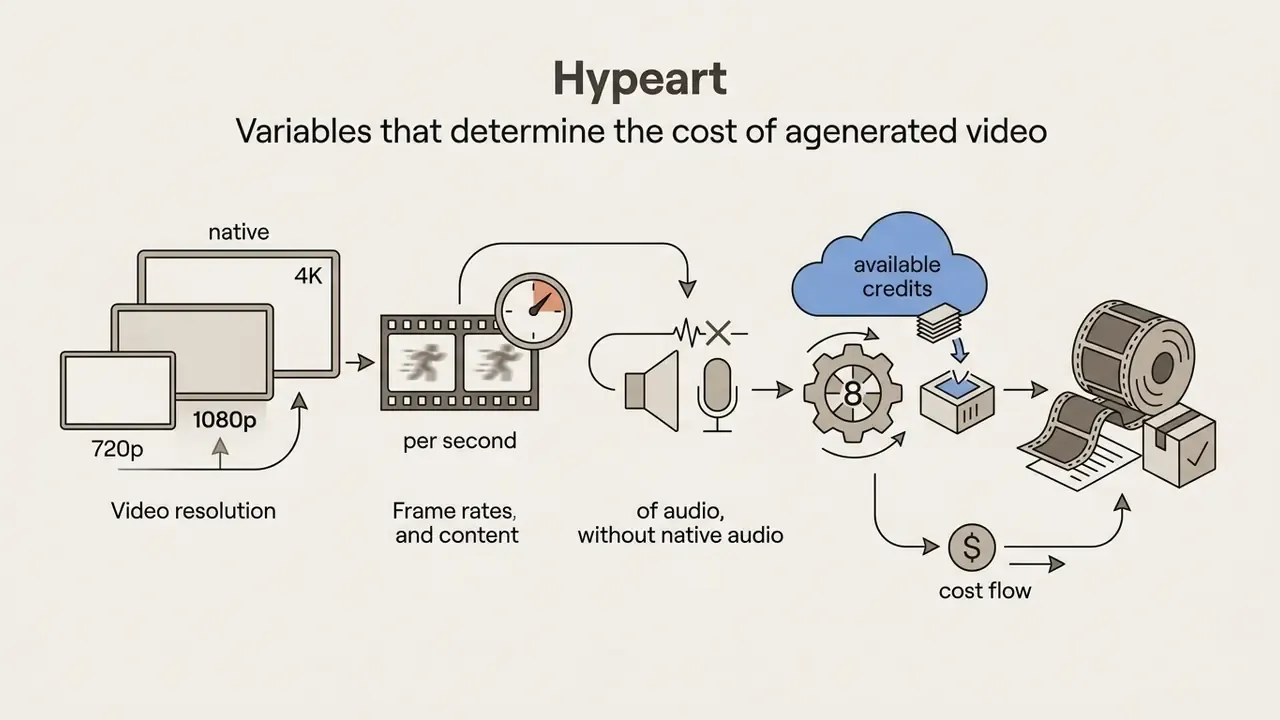
Cost per generated video is clip duration in seconds multiplied by the per-second credit burn rate, which is dictated by resolution, audio options and model selection.
Under Kling VIDEO 3.0, base credit rates scale linearly with duration:


"At 1080p with native audio the burn rate is 12 credits per second; a 15-second clip consumes 180 credits."
Native 4K rendering rate: Cinema-grade native 4K video under the Kling VIDEO 3.0 series consumes 30 credits per second, regardless of audio toggles. A 5-second 4K clip therefore needs a base allocation of 150 credits (about $1.99 on Standard renewal, about $0.92 on Ultra), and a full 15-second 4K scene consumes 450 credits (about $5.99 on Standard, about $2.77 on Ultra). Kling AI product documentation, Kling 3.0 Credit Cost Guide (2026).
Advanced model variants, such as Kling VIDEO 3.0 Omni or motion-controlled generation, add computational overhead that can raise base rates. Published figures for these modes are model-specific rather than a flat percentage uplift. Kling 3.0 Motion Control Professional is documented at 12 credits per second, and third-party integration pages report Motion Control at 9 credits/sec (720p) and 15 credits/sec (1080p) depending on the length of the uploaded reference clip. Omni reference workflows are quoted in the generation panel at submission time rather than in a fixed public table, so record the displayed quote before confirming a render. Treat any single published multiplier as unverified until it matches live data in your own account.
Production planning has to account for both rendering settings and prompt refinement retries when projecting real asset costs, whether you work in text-to-video generation or reference-driven modes. Teams evaluating multi-vendor stacks can compare these metrics against pika labs ai video generator pricing and runway ai video generation pricing, and study how image-to-video workflows shift the cost basis when the starting point is a still.
Data verification and pricing disclaimer. Pricing terms, credit allowances and model rates were verified against the official Kling AI Pricing & Subscription Plans page on September 11, 2026, with API rates cross-checked against third-party monitoring published September 10 to 11, 2026. Vendor pricing tiers, credit deduction rates and feature availability remain subject to change by Kuaishou.
Editorial review. Review conducted by the Hypeart AI Media Economics desk, which maintains ongoing unit-economics models across 40-plus generative media platforms.
Kling AI pricing plans: free plan, Standard, Pro, Premier and Ultra
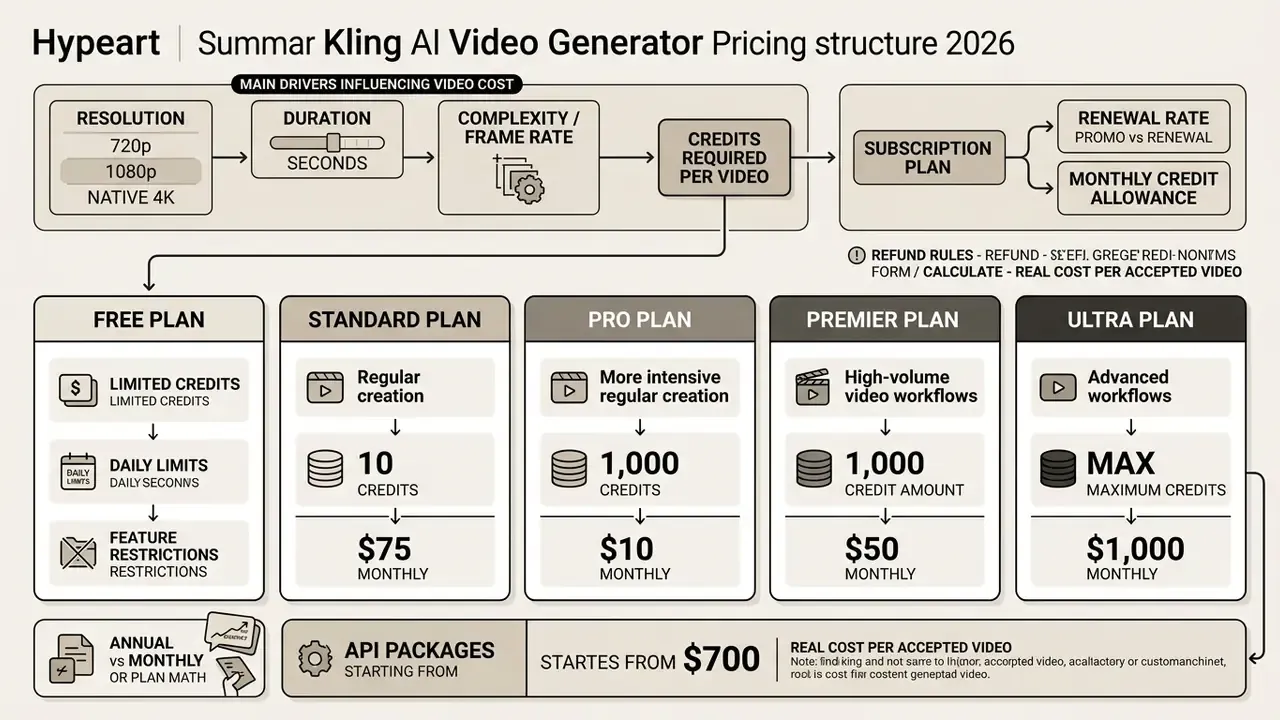
| Parameter | Free Tier | Standard Plan | Pro Plan | Premier Plan | Ultra Plan |
|---|---|---|---|---|---|
| First month promo price | $0 | $6.99 | $25.99 | $64.99 | $127.99 |
| Regular monthly renewal | $0 | $8.80 | $32.56 | $80.96 | $159.99 |
| Crossed-out reference price | n/a | $10.00 | $37.00 | $92.00 | $180.00 |
| Annual billing upfront (monthly equiv.) | n/a | $79.20 ($6.60/mo) | $293.04 ($24.42/mo) | $728.64 ($60.72/mo) | $1,429.99 ($119.17/mo) |
| Monthly credit allotment | about 1,980 (66 per day) | 660 credits | 3,000 credits | 8,000 credits | 26,000 credits |
| Element creation quantity | 30 elements | 50 elements | 150 elements | 150 elements | 500 elements |
| Effective cost per 100 credits (renewal) | n/a | about $1.33 | about $1.09 | about $1.01 | about $0.62 |
| Max video resolution | 360p to 540p | up to 1080p | up to 1080p / 4K | 1080p / native 4K | native 4K (30 cr/sec) |
| Reference output volume | 1 to 2 test clips/day | 660 images or 33 720p videos | 3,000 images or 150 720p videos | 8,000 images or 400 720p videos | 26,000 images or 1,300 720p videos |
| Watermark removal and commercial rights | No | Yes | Yes | Yes | Yes |
| Generation queue priority | standard / trial | fast-track | priority queue | high priority | maximum priority, beta invites |
A note on the annual math. Annual charges are full upfront payments, not monthly instalments. Twelve Standard monthly payments under the observed offer structure total $103.79 ($6.99 plus eleven payments of $8.80), while annual Standard costs $79.20 upfront, a $24.59 difference. If the project needs one month of access only, though, the annual commitment still ties up more cash than a single monthly charge. Cash timing matters as much as the discount.
(Updated: an earlier version of this table listed only headline prices of $10, $37, $92 and $180 with a single "cost per 100 credits" column. Those reference prices are retained above for transparency, but budgeting should use renewal rates.)
Kling AI free plan: credits, daily limits and restrictions
The Kling AI free plan provides 66 daily credits that reset every 24 hours at local midnight. Video exports are capped at 360p to 540p, carry a visible watermark and fall under non-commercial usage terms.
Sixty-six daily credits look like roughly 1,980 credits across a 30-day month. They are not. Free credits expire at midnight and cannot be accumulated.
That allowance funds roughly one to two short 5-second test clips per day at basic resolution. Free users cannot monetise outputs commercially, are capped at 30 saved elements, and receive a limited number of lifetime trial attempts for Professional Mode generation. Creators weighing entry options should also read our comparison of free AI video generators to see where Kling's daily allowance sits against rival trial models.
One caveat on published free-tier figures. Secondary sources from 2026 report either 66 or 166 daily credits, and the platform's own membership FAQ now separates monthly free credits for non-subscribers from daily bonus credits for active subscribers. Check the balance shown in your own account rather than trusting any single published number, including this one.
Standard and Pro plans for regular video creation
The Standard plan ($8.80/month renewal for 660 credits, $6.99 first month) and Pro plan ($32.56/month renewal for 3,000 credits, $25.99 first month) target individual creators and monthly publishers. Both include watermark-free 1080p exports and full commercial rights.
On annual billing, Standard drops to an effective $6.60 per month and Pro to $24.42, saving roughly 34% against renewal pricing. Standard covers around 11 to 22 finished 1080p clips per month, which fits occasional personal projects rather than client work.
Pro is the sweet spot for weekly social media creators, supporting 20 to 25 finished 1080p videos plus prompt iteration headroom. Standard lifts element-creation capacity to 50 saved characters and objects; Pro raises it to 150. That limit is a real constraint for anyone maintaining recurring characters or branded products across campaigns, and it is easy to overlook when comparing credit counts alone. Creators evaluating alternatives can explore pixverse ai pricing, sora ai video, and our ranking of leading AI video generators.
Premier and Ultra plans for high-volume and advanced Kling workflows
The Premier plan ($80.96/month renewal for 8,000 credits, or $60.72 on annual billing) is aimed at professional production teams, marketing agencies and media studios that need multi-shot storytelling, 4K rendering and advanced motion control. Ultra ($159.99/month renewal for 26,000 credits) extends the same feature set to studio volume with maximum queue priority, 500 element slots and beta-test invitations where applicable.
Premier supplies capacity for roughly 44 full 15-second 1080p clips with native audio per month, or about 17 fifteen-second native 4K scenes if every asset ships at maximum resolution.
It also provides high-priority queue processing and supports complex workflows that need character consistency across multiple scenes.
To model multi-plan deployments across a team, use our interactive AI Video Plan Selector.
How Kling AI credits work for video and image generation
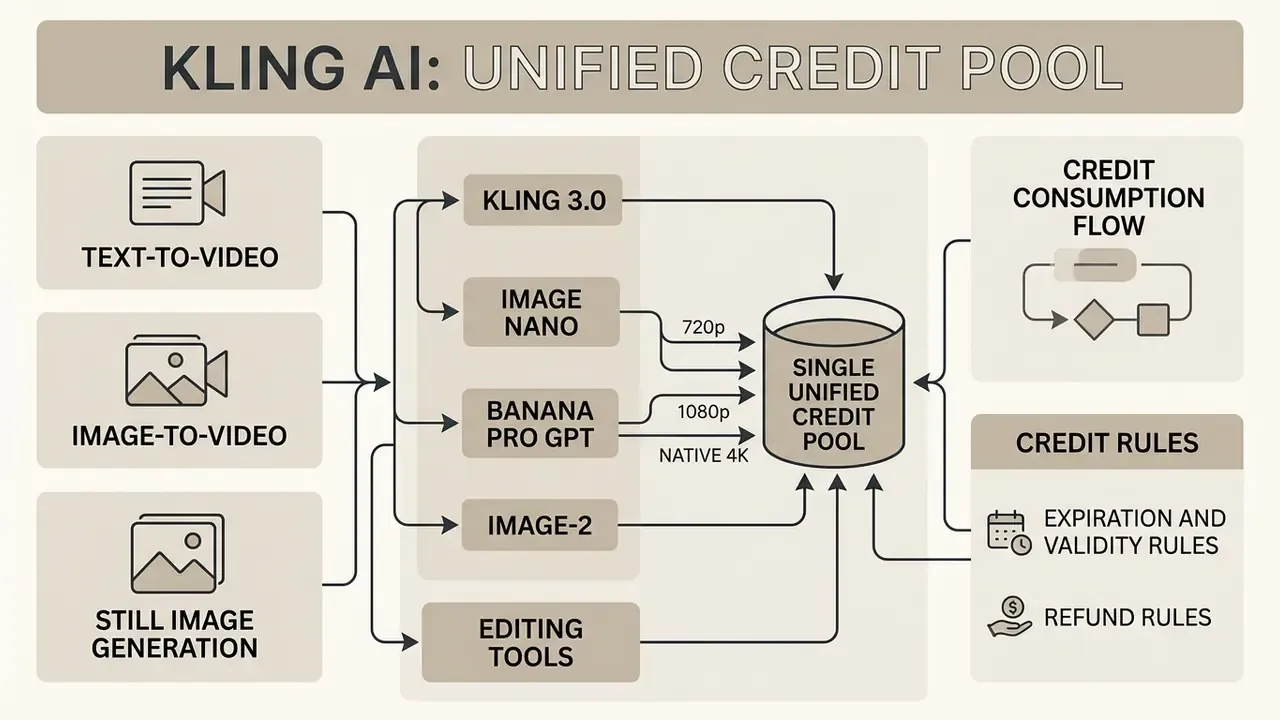
Kling AI uses a single unified credit pool across text-to-video, image-to-video and still image models. Points are deducted based on model version, clip length, resolution and audio features.
Understanding how each toolset consumes credits is what prevents a balance from evaporating mid-project on a multi-modal brief.
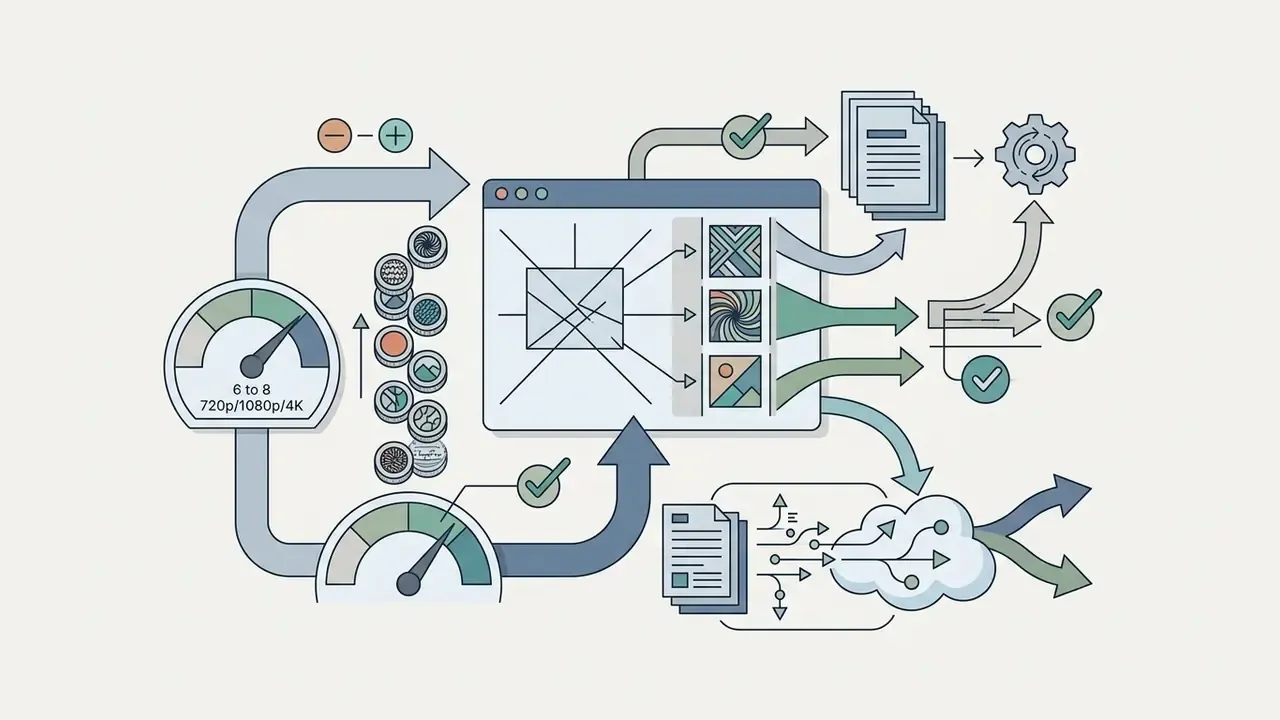
Multi-modal credit consumption flow. One account balance feeds three sequential stages: (1) still-image concepting and reference preparation, (2) low-resolution draft video generation for prompt validation, and (3) final-resolution delivery rendering with audio, upscaling or extension. Separately charged operations, including video extension, image upscaling and lip sync, attach to stage three. Add them to the per-second base before dividing by accepted outputs, otherwise the per-asset figure you report internally will be optimistic.
Kling AI credit expiration and validity rules
Not all credits carry the same expiration timeline. Production managers need to track credit origin to avoid forfeiting balance they already paid for.
| Credit source type | Stated validity period | Rollover rights |
|---|---|---|
| Monthly subscription credits | exactly 31 days from issue date | expire at cycle end, no rollover |
| Purchased top-up credits | 2 years (730 days) from purchase | retained until fully consumed |
| Daily free tier credits | expire daily at local midnight | non-accumulative (max 66/day) |
| Subscriber daily bonus | expires at local midnight | non-accumulative |
| 7-day trial promotional credits | exactly 7 days from allocation | no rollover |
| Monthly free credits (non-subscribers) | 31 days from issue | no rollover |
| Promotional or campaign credits | per applicable campaign terms | campaign-dependent |
| Enterprise or API developer units | 180 days, package bound | no rollover |
Consumer credit expiry rules do not transfer to API packages. Those are separate products with separate validity windows, separate commitments and separate audit trails.
Credits for text-to-video generation
Text-to-video generation under Kling VIDEO 3.0 deducts credits per second of rendered video, based on quality toggles and audio settings.
A 5-second 720p silent video consumes 30 credits (6 credits/sec). Upgrade that to 1080p with native audio and the cost doubles to 60 credits (12 credits/sec). A maximum-length 15-second 1080p clip with native audio costs 180 credits. Voice control adds 2 credits per second, pushing a 10-second 1080p native-audio render from 120 to 140 credits. Native 4K at 30 credits/sec is the steepest jump on the table: one 5-second 4K shot equals five 5-second 720p silent drafts. Which is why draft mode exists.
Credits for image-to-video generation
Image-to-video generation turns static reference photos into animated clips, using per-second deduction rates similar to text-to-video, with costs varying by model complexity.
With standard models such as Kling O3 for image-to-video, a 5-second 720p clip consumes roughly 75 credits without audio and 98 credits with audio. Motion-controlled generation, where motion dynamics are extracted from a reference video, costs approximately 68 credits for a 5-second 720p clip under Kling 3.0 Motion Control. Reference-image preparation itself carries no documented surcharge, but multi-angle reference sets and retries for facial consistency consume real credits. Budget them as part of setup, not as a rounding error.
Credits for image generation and editing tools
Still image generation and AI photo editing draw from the same monthly credit pool, charging between 4 and 11 credits per image depending on output resolution and model. Teams comparing alternatives can review our directory of AI image generators.
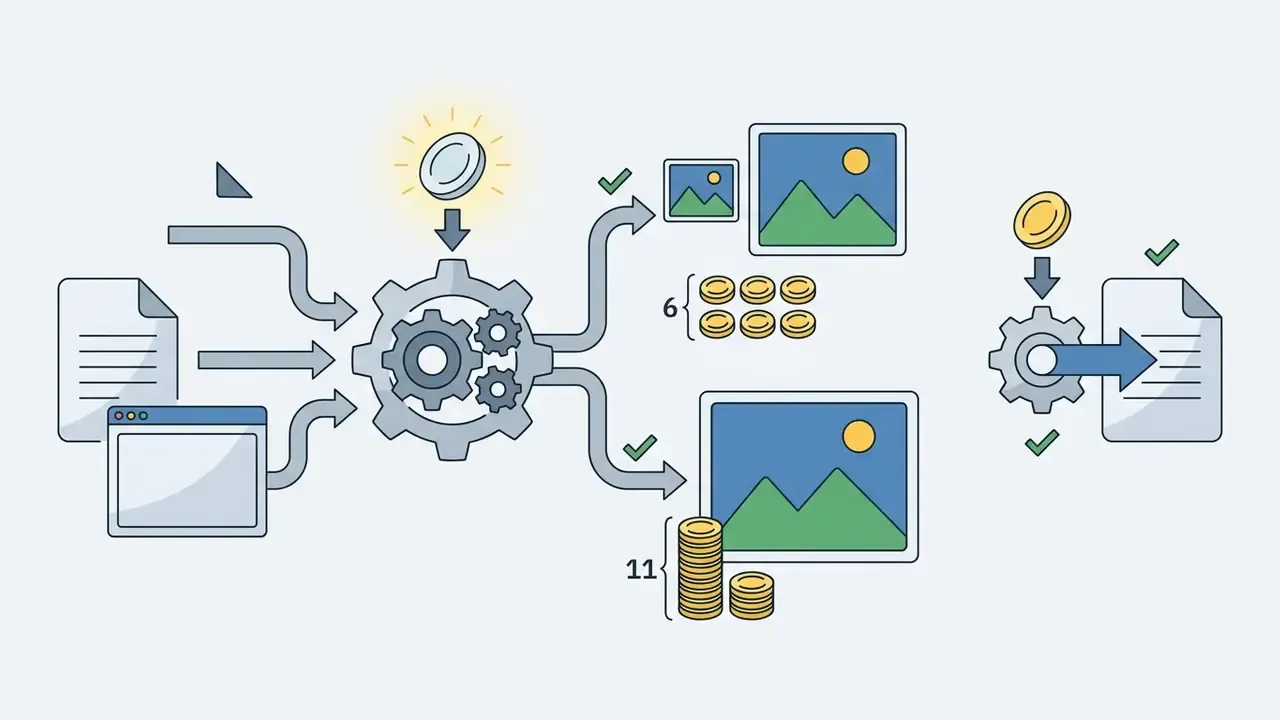
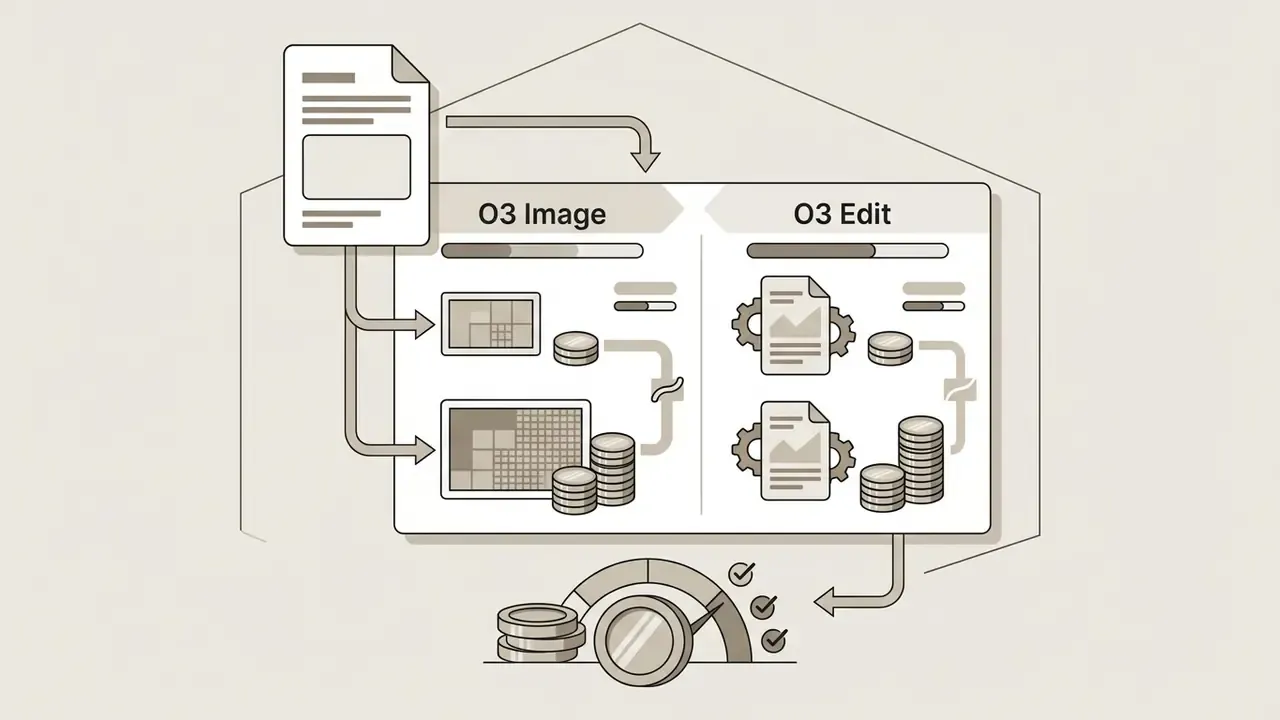
"Kling O3 Image charges 6 credits per 1K/2K image and 11 credits at 4K; GPT Image-2 ranges from 4 to 8 credits by resolution."
Because still assets share the balance, generating 20 high-resolution concept photos at 11 credits each consumes 220 credits, equivalent to rendering an 18-second 1080p native-audio video. (Updated: an earlier version of this passage stated 120 credits and equated the batch to a 10-second clip; 20 × 11 = 220, which maps to 18 seconds at 12 credits/sec.)
Kling AI credits per video: how to estimate the real generation cost
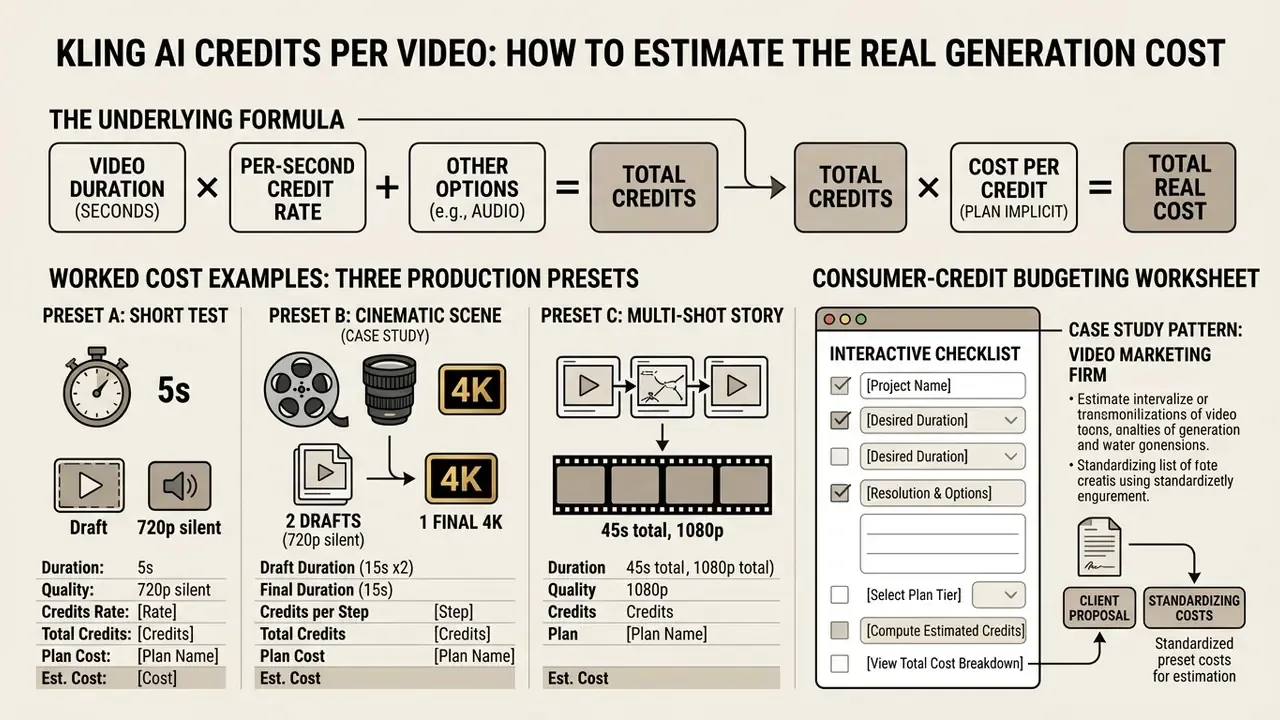
Estimating real cost per generated video means multiplying the per-second credit rate by duration, applying the plan's implicit cost per credit, then factoring in the prompt retries needed per accepted asset.
Worked cost examples: three production presets
Instead of a raw calculator specification, the three presets below walk the full arithmetic path from settings to cost-per-accepted-asset. Substitute your own duration, resolution and iteration ratio to model any brief.
Preset A: social media ad (vertical short, 5s, 1080p plus native audio, 3 drafts to 1 accepted)
- Per-render credits: 5s × 12 cr/sec = 60 credits
- Total per accepted asset: 60 × 3 = 180 credits
- Cost on Standard ($0.0133/cr): $2.40 · Pro ($0.0109/cr): $1.96 · Ultra ($0.00615/cr): $1.11
- Monthly accepted assets available: Standard 3 · Pro 16 · Ultra 144
Preset B: cinematic scene (15s, native 4K, 2 drafts at 720p silent plus 1 final 4K)
- Draft credits: 2 × (15s × 6 cr/sec) = 180 credits
- Final credits: 15s × 30 cr/sec = 450 credits
- Total per accepted asset: 630 credits
- Cost on Pro: $6.87 · Premier ($0.0101/cr): $6.36 · Ultra: $3.87
Preset C: prompt validation sprint (5s, 720p silent, 10 exploratory renders, no final delivery)
- Total credits: 10 × 30 = 300 credits
- Cost on Standard: $3.99 · Pro: $3.27 · Ultra: $1.85
The underlying formula: Total Cost = (Duration × Rate_per_Sec) × Iteration_Ratio × (Plan_Renewal_Price ÷ Monthly_Credits), with separately charged operations (extension, upscale, lip sync) added before the final division by accepted outputs.
Consumer-credit budgeting worksheet. Before committing spend: (1) select the actual model, duration, resolution and audio settings; (2) record the credit quote displayed before submitting; (3) multiply by the number of candidate clips including planned alternatives; (4) add extension, upscale, audio and other separately charged operations; (5) divide total spend by the number of outputs you would genuinely publish. Step five is the one most teams skip, and it is the only one that produces a defensible unit cost.
Budgeting for 15-second video and multi-shot storytelling
A full 15-second 1080p clip with native audio consumes 180 credits, so $1.11 to $2.40 per render. Multi-shot storyboarding with three scene generations plus retries can consume 540 to 600 credits per finished scene.
Credit and cost breakdown for 15-second video production workflows (renewal pricing)
| Workflow configuration | Duration and resolution | Audio setting | Credit burn | Cost (Standard) | Cost (Pro) | Cost (Ultra) |
|---|---|---|---|---|---|---|
| 15s draft render | 15s @ 720p | no audio | 90 credits | $1.20 | $0.98 | $0.55 |
| 15s standard render | 15s @ 1080p | no audio | 120 credits | $1.60 | $1.30 | $0.74 |
| 15s high-fidelity render | 15s @ 1080p | native audio | 180 credits | $2.40 | $1.96 | $1.11 |
| 15s cinema render | 15s @ native 4K | any | 450 credits | $5.99 | $4.91 | $2.77 |
| 3-shot scene (2 retries per shot) | 3 × 5s @ 1080p | native audio | 540 credits | $7.18 | $5.88 | $3.32 |
To build broader media production models, consult our guide on ai business plan financial frameworks and check our custom financial calculators.
Kling AI API pricing: pay-per-second rates and developer packages
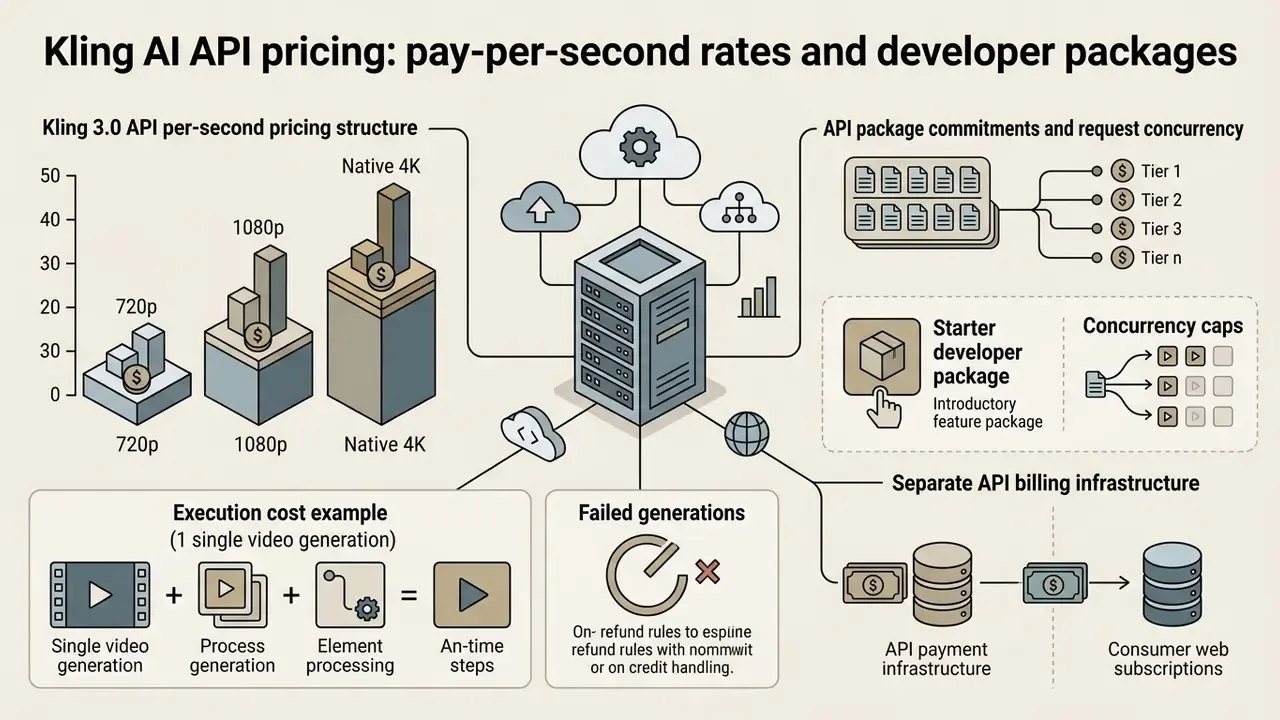
Kling AI offers direct API access for developers and enterprise pipelines, on billing infrastructure entirely separate from consumer web subscriptions. API usage is billed in standard units (list price $0.14 per unit) or in direct USD rates tied to exact video duration in seconds.
"The Kling 3.0 API charges $0.084/sec at 720p and $0.112/sec at 1080p, verified across August and September 2026."
Kling 3.0 API per-second pricing structure
API tasks never draw from monthly subscription credit balances. Rendering rates scale by resolution, model version and native audio options.
| API generation mode | 720p output (per sec) | 1080p output (per sec) |
|---|---|---|
| Kling 3.0 (no native audio) | $0.084 / sec | $0.112 / sec |
| Kling 3.0 (native audio, no voice control) | $0.126 / sec | $0.168 / sec |
| Kling 3.0 Turbo (native audio) | $0.112 / sec | $0.140 / sec |
| Kling 3.0 Omni (visual reference base) | $0.084 / sec | $0.112 / sec |
| Kling 3.0 Omni (with native audio) | $0.112 / sec | $0.140 / sec |
API package commitments and request concurrency
Access to the Kling API requires an upfront unit package purchase:
- Starter developer package begins at $700 for 5,000 units, valid 180 days from purchase, without rollover or extension.
- Concurrency caps standard developer tiers support up to 20 concurrent requests; larger packages display volume discounts, and trial packages carry their own conditions.
- Execution cost example a 5-second 1080p clip with native audio under the Kling 3.0 API costs exactly $0.84 per attempt ($0.168/sec × 5s). Rendering 6 candidate drafts to yield 3 accepted assets burns $5.04 in total, or $1.68 per accepted clip. At the silent 1080p rate the same 30 seconds of generation costs $3.36, but adding a separate soundtrack reintroduces licensing and editing costs downstream.
- Failed generations the vendor credits policy documents refund handling for failed tasks. Treat that as a policy detail to confirm for your own package and provider, not as a guaranteed offset in your cost model.
- Important boundary a published per-second rate is not the minimum amount payable to open an API workflow. The package commitment is. A consumer subscription never funds developer requests, and third-party providers hosting Kling models set their own billing and controls. Record provider and model version alongside every cost comparison you circulate internally.
For a parallel developer-economics breakdown in the same category, see our Google Veo implementation guide.
Enterprise governance: data privacy, team access and credit audit
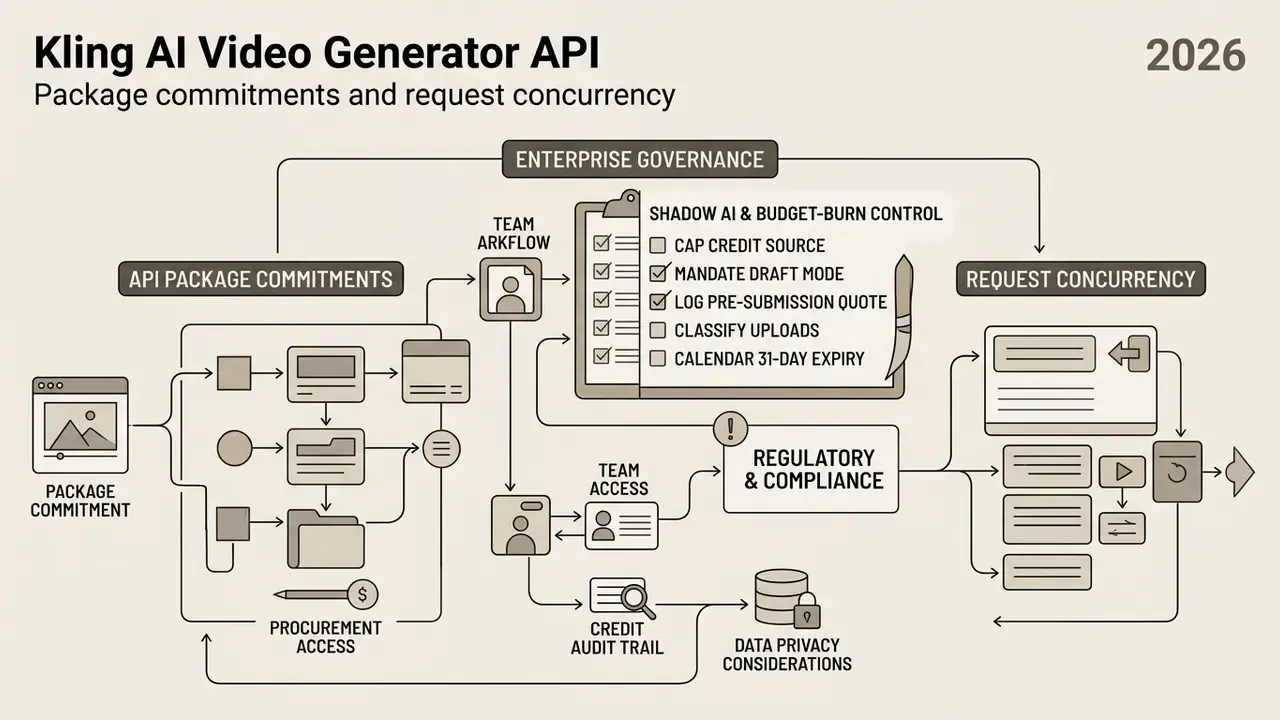
Shadow AI and budget-burn control checklist
Five controls to apply before rolling Kling AI out across a department:
- Cap the credit source.Assign one paid membership per approved production owner. Ad-hoc personal accounts generating client-facing assets under non-commercial free-tier terms is the failure mode you are preventing here.
- Mandate draft mode first.Require 720p silent drafts (6 cr/sec) for all prompt validation, and restrict 1080p native audio (12 cr/sec) and native 4K (30 cr/sec) to approved final renders.
- Log the pre-submission quote.Record the displayed credit cost for every render against a project code. On consumer tiers this is the only reliable per-asset audit trail.
- Classify uploads before they leave the network.Prohibit upload of unreleased IP, client-confidential imagery or identifiable likenesses without written clearance, given the absence of published training-data opt-out terms.
- Calendar the 31-day expiry.Schedule a mid-cycle balance review so unused subscription credits are either spent on planned work or the tier is downgraded before renewal.
Which Kling AI plan should you choose?
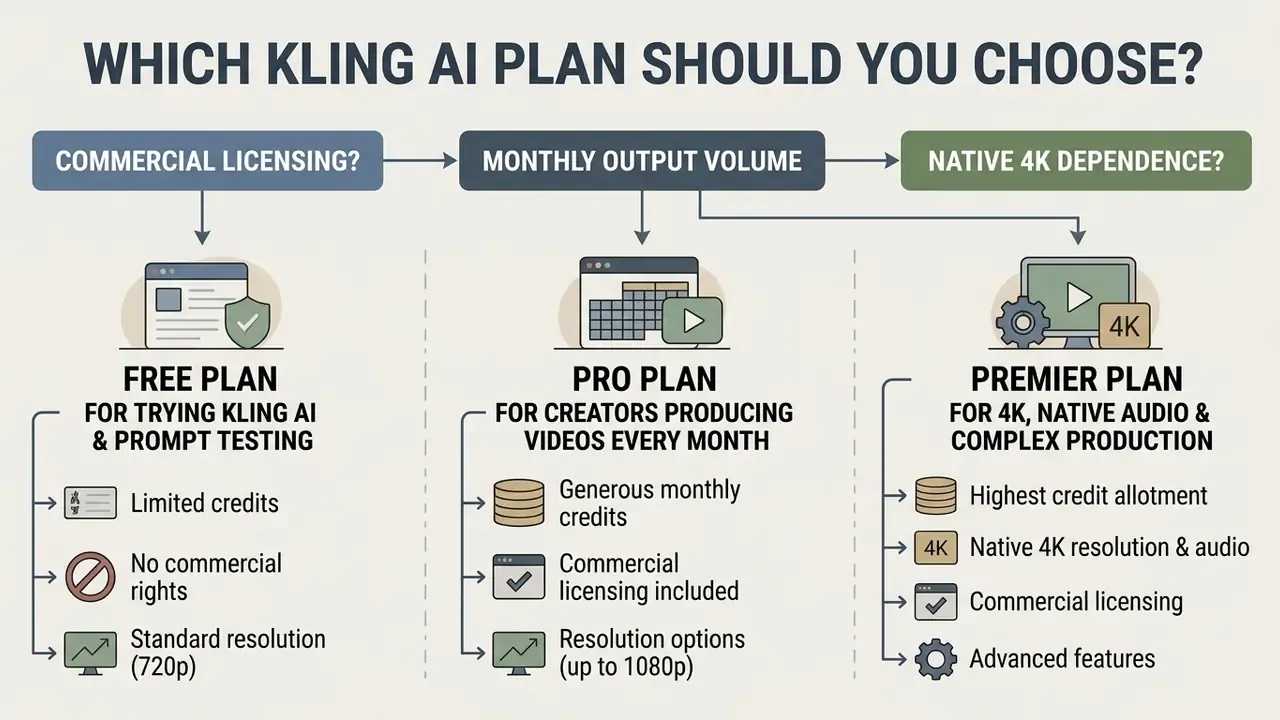
The right membership depends on three things: whether exports require commercial licensing, your planned monthly output volume, and how much you rely on 4K resolution, native audio or character consistency. Readers still weighing zero-cost routes can start with our comparison of free AI video generators.
Decision tree: choosing your Kling AI membership
- Step 1: do you require commercial usage rights or watermark-free output?
- No: select the Free plan (66 daily credits, watermarked 360p to 540p exports for testing, 30 element slots).
- Yes: go to Step 2.
- Step 2: what is your estimated monthly output volume?
- 1 to 15 short videos per month: choose the Standard plan ($8.80/mo renewal, 660 credits, 1080p exports, 50 elements).
- 20 to 30 finished videos per month: choose the Pro plan ($32.56/mo renewal, 3,000 credits, priority processing, 150 elements).
- 40 or more professional clips, or agency client work: go to Step 3.
- Step 3: do you need studio-scale volume, native 4K, or programmatic access?
- Agency scale (40 to 80 clips per month plus multi-shot storytelling): choose the Premier plan ($80.96/mo renewal, 8,000 credits).
- Production studio scale (140-plus clips per month plus maximum queue priority): choose the Ultra plan ($159.99/mo renewal, 26,000 credits, 500 elements).
- Programmatic submission and retrieval inside a pipeline: choose API access ($700 / 5,000 units / 180 days), but only if request volume justifies the package commitment.
Quick cost comparison: Kling AI vs industry alternatives
| Feature or metric | Kling AI Pro ($32.56/mo renewal) | Runway Gen-3 ($15/mo plus usage) | Synthesia Business ($83/mo) |
|---|---|---|---|
| Monthly allowance | 3,000 credits | 625 credits | 10 video credits |
| Cost for 1-min 1080p video | about 720 credits ($7.85) at 12 cr/sec; about 120 credits ($1.30) at draft rates | about $12.00 to $15.00 | 1 full credit (about $8.30) |
| Max resolution | native 4K (30 cr/sec) | up to 4K | 1080p avatar output |
| Primary strength | creative cinema, native audio, element reuse | advanced motion control | avatar explainer videos |
| Credit rollover | none on subscription credits | purchased credits do not expire | monthly, no rollover |
Per-second comparisons only hold when the input brief is identical on both sides. Count retries, audio, upscaling and editing before declaring a winner. A cheaper headline rate paired with a lower acceptance rate is the more expensive option, every time.
Free plan for trying Kling AI and prompt testing
The free plan works as an initial sandbox: test prompt structure, UI controls and motion parameters with no financial commitment.
Since free exports carry watermarks and non-commercial terms, spend those 66 daily credits strictly on evaluating camera movement and prompt syntax, then migrate the project to a paid tier before anything client-facing gets rendered.
Pro plan for creators producing videos every month
The Pro plan ($32.56/month renewal, $25.99 first month, or $24.42/month on annual billing) delivers 3,000 monthly credits and represents the best value for independent creators publishing on a regular schedule.
With 3,000 credits, a creator can render roughly 16 to 25 polished 1080p clips per month and still keep buffer for draft iterations and thumbnail creation.
Pair that budget with platform-length guidance. Organic social clips usually perform best under two minutes, with Instagram feed placements around 60 seconds and Stories at 15 seconds. That maps neatly onto Kling's 3 to 15 second generation window, which makes multi-shot assembly, rather than single long renders, the efficient path. To evaluate alternative creation suites, read our analysis of AI Media Alternatives by Reason and our broader AI video generator comparison.
Premier plan for 4K, native audio and complex production
The Premier plan ($80.96/month renewal for 8,000 credits) is built for creative agencies and production houses shipping client deliverables that demand native audio, motion control and 4K output.
Premier lowers the cost per 100 credits to roughly $1.01 at renewal, or $0.76 on annual billing, giving enough capacity for multi-shot storyboarding and character preservation without hitting a balance cap mid-project.
What is included in Kling AI subscriptions beyond credits?
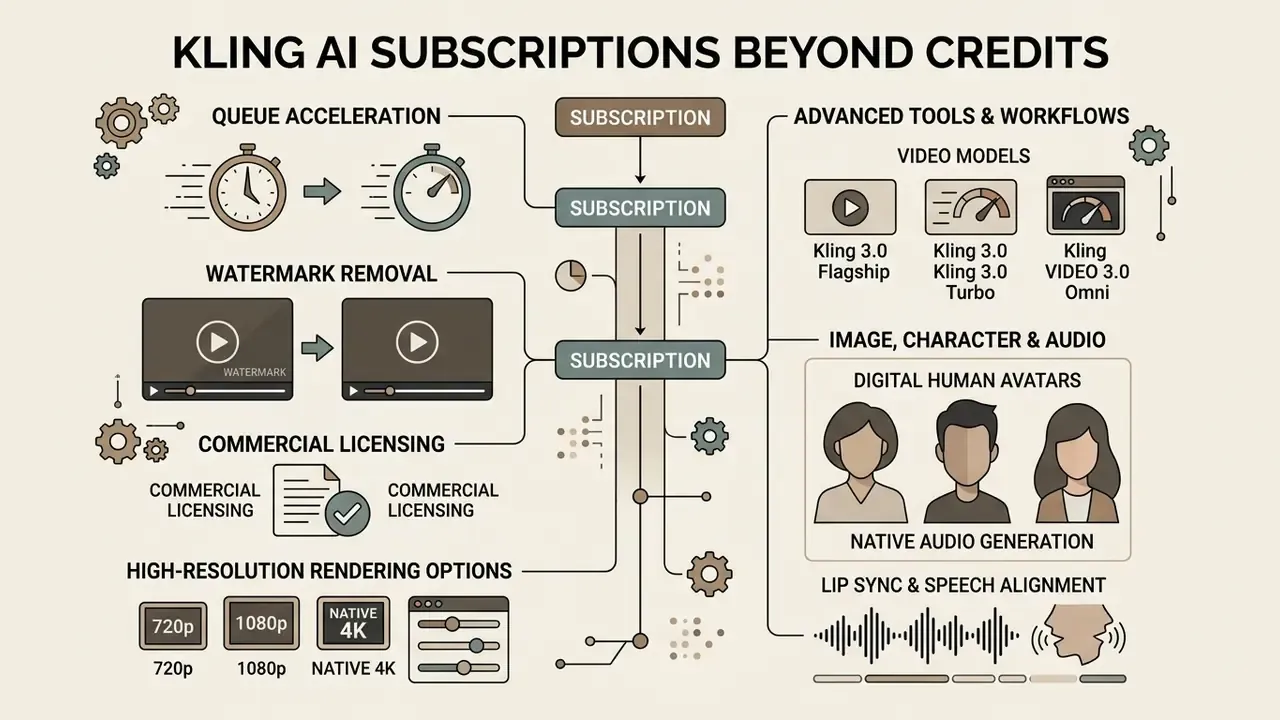
Kling AI subscriptions deliver value beyond the monthly credit deposit: queue acceleration, watermark removal, commercial licensing, high-resolution rendering options, element creation limits and specialised AI tools.
"Evaluating AI media platforms requires assessing total ecosystem capabilities, such as audio integration, queue priority and character consistency features, rather than comparing credit counts alone." Editorial analysis, Hypeart AI Media Decision Support.
A larger credit allowance only creates value if it is consumed before the 31-day expiry, or if it unlocks a specific required feature. By itself it does not improve output quality on an identical generation. Two more boundaries worth stating plainly: an advertised 4K capability does not mean every mode renders native 4K, and priority queue access does not reduce the per-second credit charge by a single point.
Video models and quality features that affect plan value
Subscriptions unlock the flagship generation models, including Kling 3.0, Kling VIDEO 3.0 Omni and Turbo variants, which determine visual fidelity, temporal stability and rendering speed.
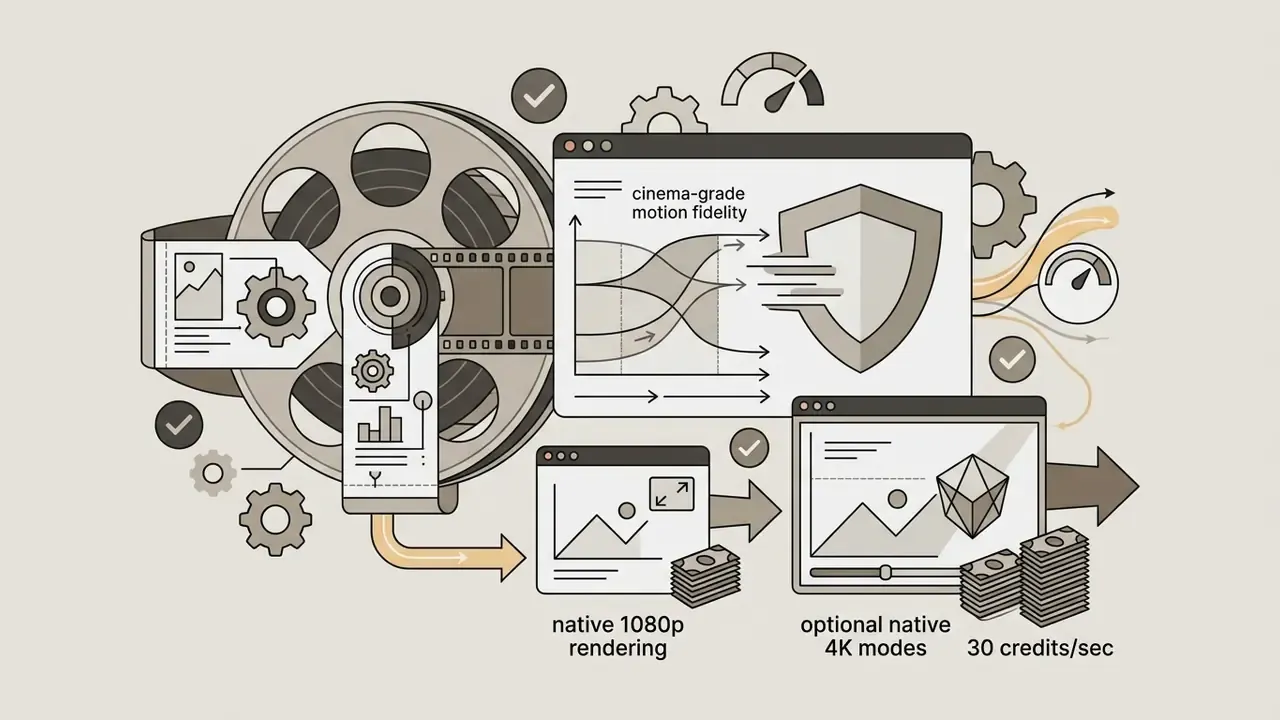

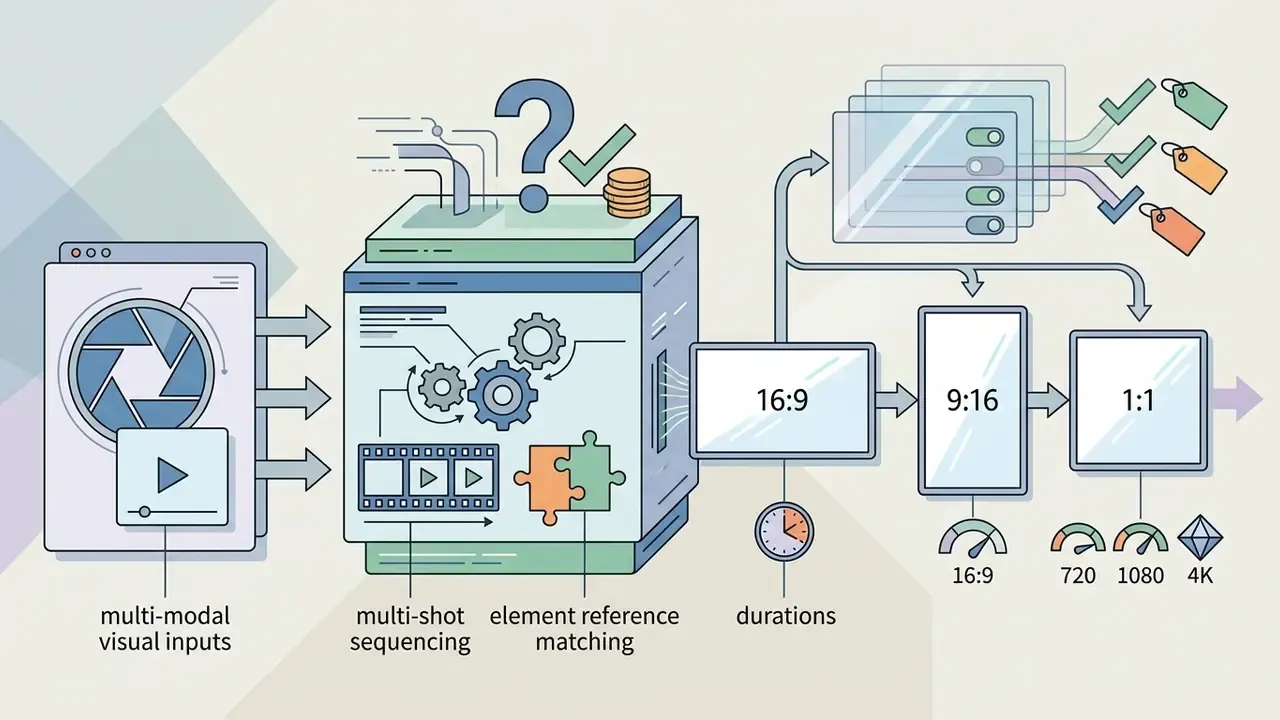
Version context matters for anyone comparing older cost benchmarks. Kuaishou launched Kling publicly in June 2024, added multi-image reference in v1.6 (January 2025), introduced Multimodal Visual Language input with 2.0 (April 2025), and shipped 3.0 in February 2026 with 15-second outputs, native multilingual audio and full multimodal input and output. Credit rates quoted against pre-3.0 versions simply are not comparable to current per-second billing.
Paid memberships also let users bypass standard processing queues through fast-track and high-priority lanes, which matters on tight client deadlines more than most feature tables admit. For details on platform capabilities, review Hypeart AI Media Decision Support.
Advanced tools for image, character and audio workflows
Paid tiers grant access to multi-modal tools designed for complex video creation:
- Digital human avatars synthetic human creation with dual binding of visual identity and vocal tone. Related image-side tooling is covered in our guide to AI photo editors.
- Native audio generation synchronised soundtracks, sound effects, dialogue and ambience across English, Spanish, Chinese, Japanese and Korean.
- Lip sync and speech alignment binds spoken dialogue to facial mouth movements inside the rendering pipeline, either within a native-audio generation or as a standalone pass over existing footage.
- Motion control and reference mapping uses reference videos and character images to preserve identity across camera angles without visual distortion. Multi-angle reference photos build a facial reference map that improves consistency across shots. For downstream licensing questions, see our overview of commercial AI image generation.
- Element creation and reuse saved character and object elements (30 / 50 / 150 / 150 / 500 slots by tier) carry appearance and bound voice tone into new scenes via VIDEO 3.0 Omni.
- Image upscaling and video extension available from Standard upward. Both are separately charged operations that stack on top of base per-second generation costs.
Kling AI pricing FAQ
Kling AI runs a metered usage model with fixed monthly expiration rules and explicit commercial licensing boundaries across the plan lineup. The short answers below cover what buyers ask most often.
Do Kling AI credits expire, and does Kling offer unlimited video generation?
Monthly subscription credits expire at the end of each 31-day billing cycle with no rollover, and Kling AI does not offer an unlimited video generation plan on any consumer tier. Unused monthly credits from Standard, Pro, Premier or Ultra memberships simply vanish at renewal.
"Subscription credits are valid 31 days from issue; purchased credit packages remain valid for two years, per official documentation." Official Kling AI membership page and payment policy, April 2026. https://kling.ai/docs/payment-policy Standalone add-on credit packages bought outside a subscription stay valid for two years from purchase. Some third-party guides claim paid plans allow up to 20% of unused credits to roll over. Official Kling product documentation does not support that for standard consumer tiers, so budget on zero rollover.
Is Kling Standard $6.99 or $10 per month?
The membership page shows $6.99 for the first month, a crossed-out $10 reference price, and $8.80 on the following-month renewal line. Quoting only one of those numbers loses the offer conditions. Annual Standard is charged as $79.20 upfront, a monthly equivalent of $6.60. Your own checkout screen is authoritative for your eligibility and renewal rate.
How many videos do 660 Kling credits buy?
Divide 660 by the displayed credit charge for your chosen generation and round down. That gives attempts, not accepted videos. At 60 credits per 5-second 1080p native-audio clip, 660 credits fund 11 attempts; at 30 credits per 5-second 720p silent draft, 22. There is no single count that holds across every model, duration, resolution and audio setting.
What is the Kling AI refund policy for subscription plans?
Kling AI offers a 7-day refund window for new paid subscription purchases, provided the account has consumed less than 10% of the allocated monthly credits. Once consumption passes 10% or the 7-day window closes, payments become strictly non-refundable. Requests must go through official customer support channels, and regional payment processors may add their own conditions.
Can I use paid Kling outputs commercially?
Paid consumer plan cards list commercial use and watermark removal, and the Terms of Paid Service state that output generated by paying members is not restricted for commercial purposes. Free-tier exports stay watermarked and non-commercial. One caveat that trips up marketing teams: a platform's commercial permission does not grant rights to third-party music, a person's likeness, or any other protected material appearing in your inputs or outputs.
Is Kling AI cheaper than other AI video generators?
It depends on the exact job, the purchase commitment and the accepted-output count. Use an identical input brief across platforms, then count retries, audio generation, upscaling and editing labour. A platform with a lower headline per-second rate and a lower acceptance rate ends up with a higher cost per accepted asset.
Does Kling AI offer team accounts, SSO or credit audit exports?
No public workspace tier with per-seat roles, SSO or shared credit pools is documented as of the September 11, 2026 verification date. Organisations needing multi-user governance should evaluate API access with internal request logging as the audit layer, and confirm current enterprise availability directly with Kling AI support. The official platform rules behind these answers are documented in vendor resources:
- Kling AI Terms of Service (updated April 21, 2026)
- Kling AI Terms of Paid Service (commercial usage and credit validity policy)
- Kling AI Credits Policy (credit consumption, failure refunds, validity periods)
- Kling AI Pricing & Subscription Plans (verified September 11, 2026)
- Kling AI Release Notes & Version History
- Kling Affiliate Program For pricing disputes, unexplained deductions or enterprise questions, contact Kling AI support through the official in-app channel and keep the request ID from the affected generation.
Appendix A: superseded figures and editorial corrections
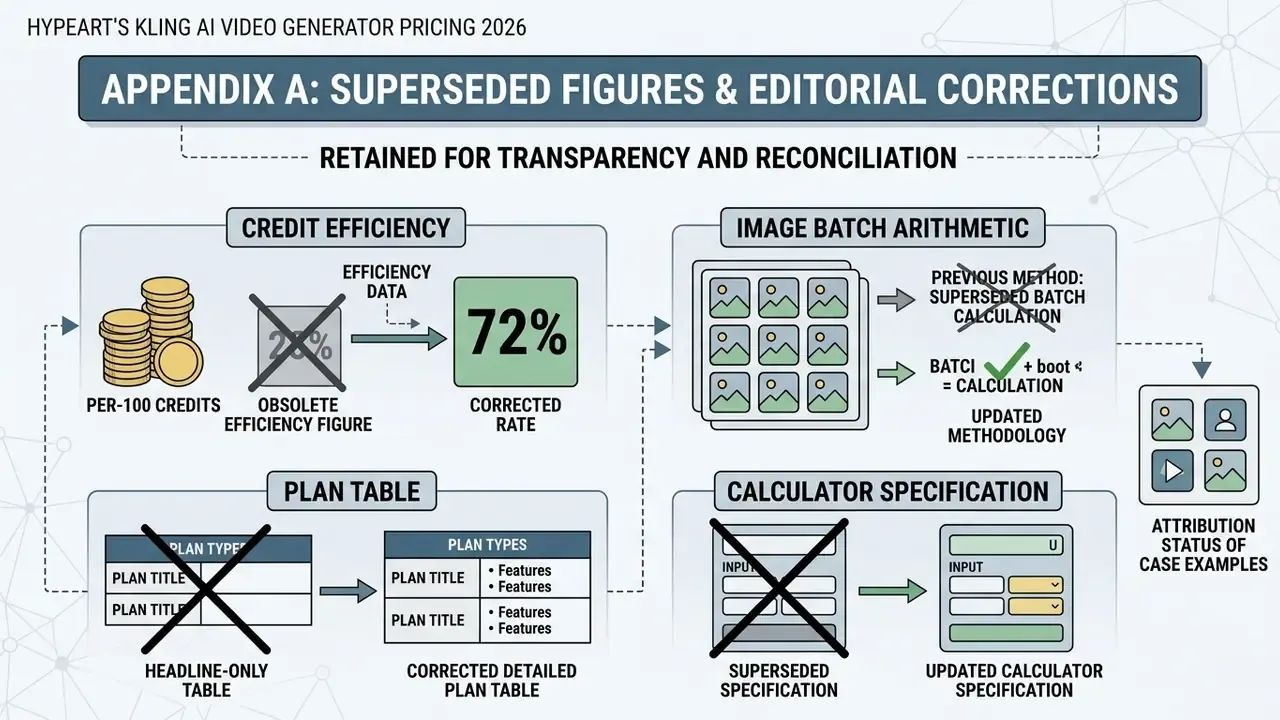
Retained for transparency, and so readers can reconcile this guide against earlier versions or third-party citations of it.
Superseded per-100-credit efficiency figures. Earlier text read: "reduces the effective cost per 100 credits from roughly $1.52 on Standard down to $0.69 on Ultra." Those values came from the crossed-out reference prices ($10 and $180). Current renewal-based figures are $1.33 (Standard) and $0.62 (Ultra).
Superseded image-batch arithmetic. Earlier text read: "generating 20 high-resolution concept photos at 11 credits each consumes 120 credits, equivalent to rendering a complete 10-second 1080p native audio video." Correct arithmetic is 20 × 11 = 220 credits, equivalent to an 18-second 1080p native-audio render at 12 credits/sec.
Superseded headline-only plan table. The original plan comparison listed only $10 / $37 / $92 / $180 monthly prices, with no promotional first-month row, no renewal row and no element-creation limits. The replacement table above separates promo, renewal and annual pricing, and adds element quotas of 30 / 50 / 150 / 150 / 500.
Superseded calculator specification. The original build specification (inputs: plan, model, resolution, audio toggle, duration 3 to 15s, iteration ratio 1 to 5; outputs: credits per render, credits per accepted asset, USD cost, monthly accepted-asset ceiling; formula: Total Cost = (Duration × Rate_per_Sec) × Iteration_Ratio × (Plan_Price / Monthly_Credits)) has been replaced in the main text by three worked presets using the same formula, with renewal pricing substituted for headline pricing.
Attribution status of case examples. The boutique agency (38 accepted clips on Premier) and the video marketing firm (270 credits per accepted 15-second scene on Pro) are modelled workflow patterns computed from published per-second rates. They are not attributed or audited client results, and acceptance ratios will vary with brief complexity, reference asset quality and reviewer standards. Verify against your own logs before either number reaches a client proposal.