Last updated: September 2026 | Reviewed by: Hypeart AI Media pricing research desk
Executive Summary for Decision-Makers
- Entry cost and free tier: PixVerse AI is freemium. The free Basic plan grants 90 one-time signup credits plus 60 daily credits (reset at 00:00 UTC, no rollover), watermarked output, and resolution capped at 360p to 540p. Paid consumer tiers run from $10/month (Standard, 1,200 credits) to $199/month (Ultra, 25,000 credits).
- Real unit economics: Generation is billed per second of output, roughly 7 credits/s at 540p, 9 credits/s at 720p, and 19 to 23 credits/s at 1080p, with native audio adding 4 to 5 credits/s. A finished, publishable 5-second 720p clip typically costs $0.20 to $0.45 once retries are counted.
- Enterprise and API reality: Consumer subscriptions are not the same billing track as the API. Platform memberships start at $100/month (15,000 credits) and scale to $1,500/month (239,230 credits) and $6,000/month (1,069,500 credits), with custom concurrency and rate limits.
- Governance red flag: On free and standard consumer tiers, uploaded media may be retained and used for model improvement. Do not upload NDA-bound material, PII, or unreleased brand assets on consumer plans. Zero-retention terms are an enterprise contract feature, not a default.
- Licensing split: Free-tier output is non-commercial by default. Paid subscriptions grant commercial usage rights, yet the user stays liable for third-party IP contained in the inputs.
So does PixVerse cost money? Only if you need output you can actually publish. That single sentence decides most procurement debates.
Key Questions This Guide Answers Before You Pay
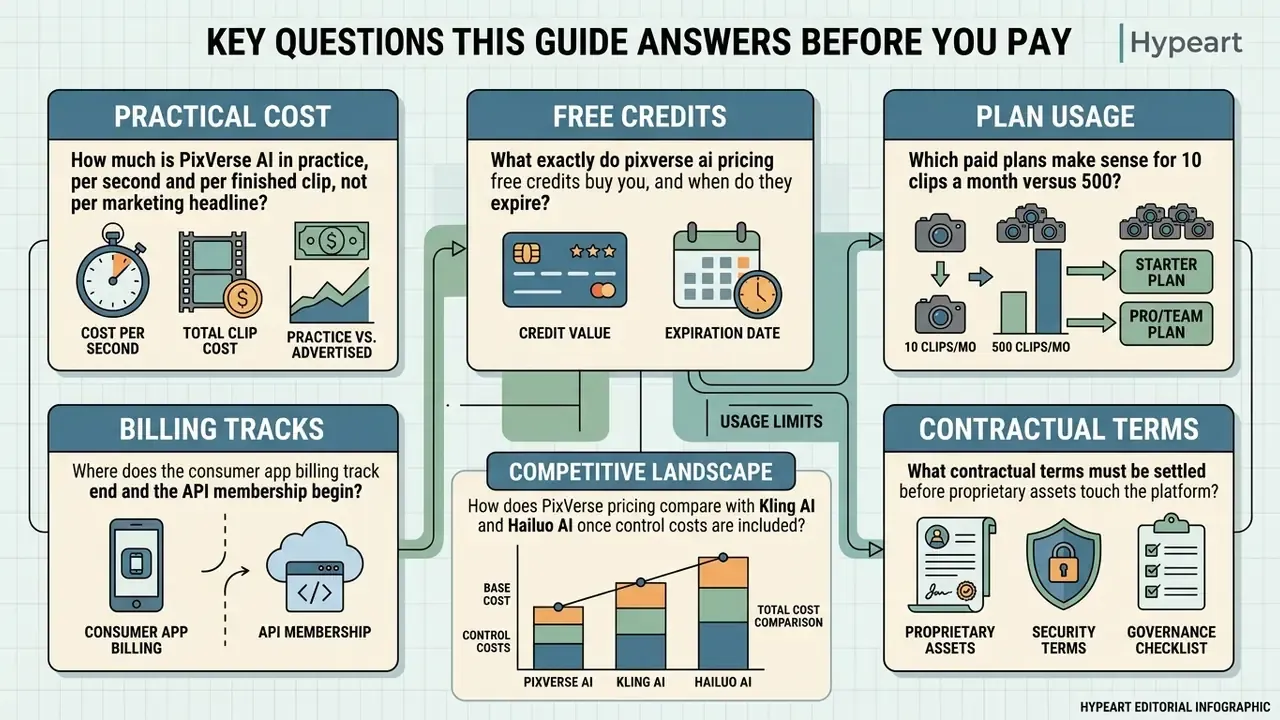
- How much is PixVerse AI in practice, per second and per finished clip, not per marketing headline?
- What exactly do pixverse ai pricing free credits buy you, and when do they expire?
- Where does the consumer app billing track end and the API membership begin?
- Which paid plans make sense for 10 clips a month versus 500?
- What contractual terms must be settled before proprietary assets touch the platform?
- How does PixVerse pricing compare with Kling AI and Hailuo AI once control costs are included?
Each question is answered below with a traceable source or a clearly labelled inference. Where the vendor publishes nothing, we say so rather than guess.
Is Pixverse AI Free: What Is Available in the Free Plan
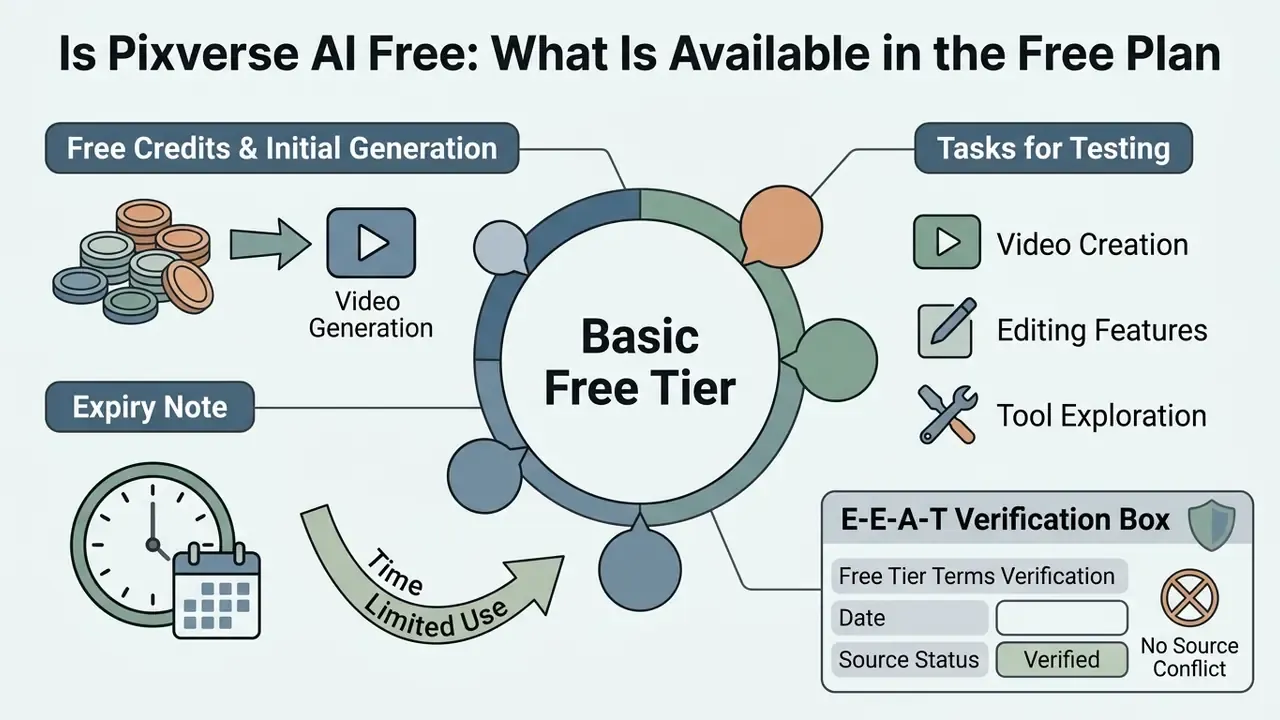
Yes, PixVerse AI offers a free Basic tier. New users receive 90 initial signup credits plus 60 recurring daily credits, refreshed at 00:00 UTC. That allocation supports roughly one to two short, watermarked video clips per day, with no upfront financial commitment and no card on file.
Free Credits and Their Role in Initial Video Generation
Free credits work as a sandbox for content creators and risk teams. You can evaluate core model behaviour before capital gets committed to a paid subscription. On registration, accounts receive a one-time bonus of 90 signup credits, supplemented by 60 daily credits that refresh every 24 hours at 00:00 UTC (Atlas Cloud, 2026). Unused daily credits do not roll over, so the free tier behaves as an ephemeral trial framework rather than a savings pool for compute. That constraint is shared by most free AI video generators running daily-refresh quotas.
"New accounts receive 90 signup credits and 60 daily credits; the cheapest 5-second 360p clip consumes about 25 credits."
What Tasks Can Be Tested Without a Subscription
E-E-A-T Verification Box: Free Tier Terms
How Pixverse AI Pricing Credits Work
PixVerse AI runs a variable credit consumption model. Deduction rates depend on the underlying model architecture, output resolution, clip duration, frame rate, and whether audio is enabled. Understanding this billing engine is what prevents an unpleasant surprise when a team moves from quiet testing to high-volume rendering. Against other AI video generators, PixVerse sits in the mid-market band: cheaper per second than premium cinematic engines, and more granular in its per-parameter billing than flat "per clip" competitors.
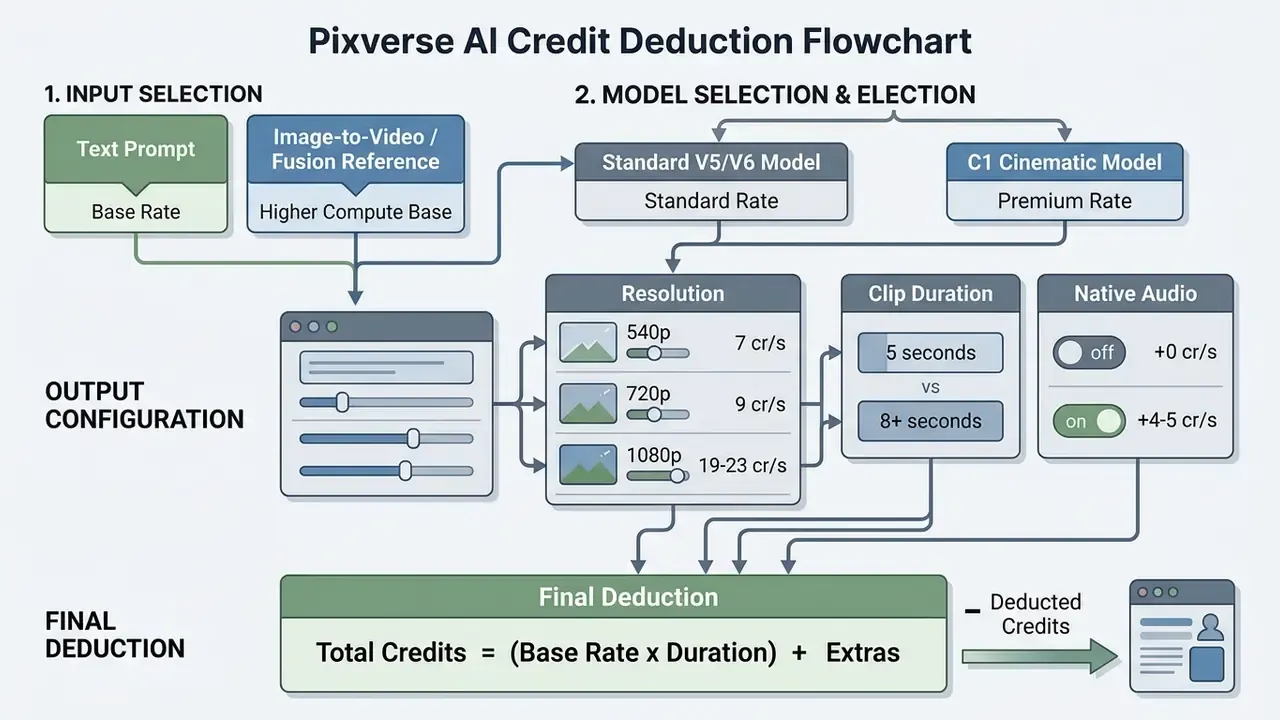
Text version of the same flow: input type sets the compute base, model version sets the rate class, output configuration (resolution, duration, audio) multiplies it, and the final deduction equals base rate times duration plus extras.
Impact of Model Choice and Generation Type on Credit Burn
"V6 at 1080p costs roughly 18 to 23 credits per second, which works out to approximately $0.10 to $0.15 per second depending on plan and audio."
That conversion is arguably the single most useful number for a budget owner. It lets finance express AI video as a cost-per-second line item, directly comparable to stock footage licensing or freelance motion-design rates.
Video Settings That Alter the Final Generation Cost
Output quality settings exert the strongest leverage on total credits per asset. Choosing 1080p, enabling multi-axis camera movement, or requesting synchronised native audio all push the burn rate up:
- Resolution scaling: 540p costs roughly 7 credits per second, 720p moves to 9 credits per second, and 1080p demands 19 to 23 credits per second (PixVerse Platform Docs, 2026).
"Official platform documentation fixes the rates: 540p at 7 credits/s, 720p at 9 credits/s, 1080p at 19 to 23 credits/s, with audio adding 4 to 5 credits/s."
- Audio integration synchronised AI-generated audio adds 4 to 5 credits per second on top of the base video rate.
- Clip duration moving from a 5-second baseline to 8 or 10 seconds scales cost faster than a simple linear multiple in several published rate tables. V5 Turbo, for example, is documented at 45 credits for 5 seconds and 90 credits for 8 seconds at 360p/540p. That is a 2x cost increase for a 1.6x duration increase (PixVerse Platform Docs, 2026). Updated: the mechanism behind the premium (temporal-consistency processing overhead) is not documented by the vendor and should be treated as an inference pending confirmation. The price step itself is verifiable in the rate tables.
- Frame rate, aspect ratio, and camera motion PixVerse publishes no separate surcharge table for FPS, aspect ratio, or camera-movement intensity. These parameters appear to be bundled into the model and resolution rate, so they do not create an independent line item. Worth confirming with the vendor before you model them into a TCO sheet.
For organisations planning budgets across several generative platforms, our centralised AI Video Pricing guide provides comparable unit-cost benchmarks.
Developer API Integration and Direct Code Snippets
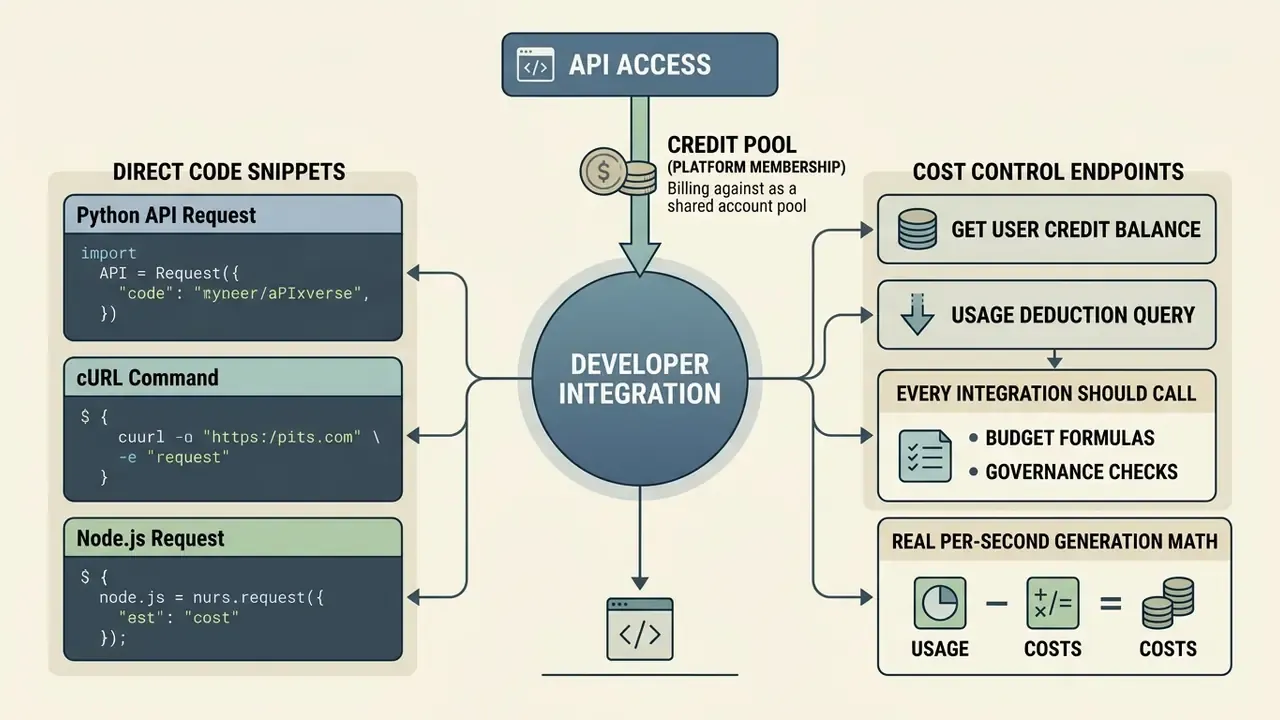
For programmatic video generation, PixVerse provides REST API access billed against a platform membership credit pool rather than a consumer subscription. API tasks are asynchronous: the initial POST returns a task identifier, and the finished asset URL arrives via polling or webhook. The patterns below reflect standard endpoint usage.
Python API Request
import requests
API_KEY = "your_pixverse_api_key"
ENDPOINT = "https://api.pixverse.ai/v1/video/generate"
payload = {
    "model": "pixverse-v6",
    "prompt": "Cinematic shot of a cybernetic courier running through rain, neon lighting, 8k",
    "resolution": "1080p",
    "duration": 5,
    "aspect_ratio": "16:9",
    "generate_audio": True
}
headers = {
    "Authorization": f"Bearer {API_KEY}",
    "Content-Type": "application/json"
}
response = requests.post(ENDPOINT, json=payload, headers=headers)
print("Task Created:", response.json())
cURL Command
curl -X POST https://api.pixverse.ai/v1/video/generate \
  -H "Authorization: Bearer your_pixverse_api_key" \
  -H "Content-Type: application/json" \
  -d '{
    "model": "pixverse-v6",
    "prompt": "Aerial drone footage of coastal cliffs at sunrise",
    "resolution": "720p",
    "duration": 8
  }'
Node.js Request
const response = await fetch('https://api.pixverse.ai/v1/video/generate', {
  method: 'POST',
  headers: {
    'Authorization': 'Bearer your_pixverse_api_key',
    'Content-Type': 'application/json'
  },
  body: JSON.stringify({
    model: 'pixverse-v6',
    prompt: 'Time-lapse of storm clouds forming over a desert mesa, wide shot',
    resolution: '720p',
    duration: 5,
    generate_audio: false
  })
});
const task = await response.json();
console.log(`Task ID: ${task.id} | Status: ${task.status}`);
Cost Control Endpoints Every Integration Should Call
PixVerse platform documentation exposes two support endpoints that are essential for FinOps discipline:
- Get user credit balance poll it before batch jobs, so a queue does not fail halfway through when the membership pool empties.
- Usage deduction query reconcile credits actually consumed per task against your forecast. This is how you catch silent cost creep from a default resolution or an audio toggle nobody remembered to switch off.
Teams building multi-vendor pipelines can benchmark the PixVerse asynchronous task model against the implementation patterns in our Google Veo API guide before standardising on one provider abstraction layer.
Pixverse AI Pricing Plans and Subscription Plans
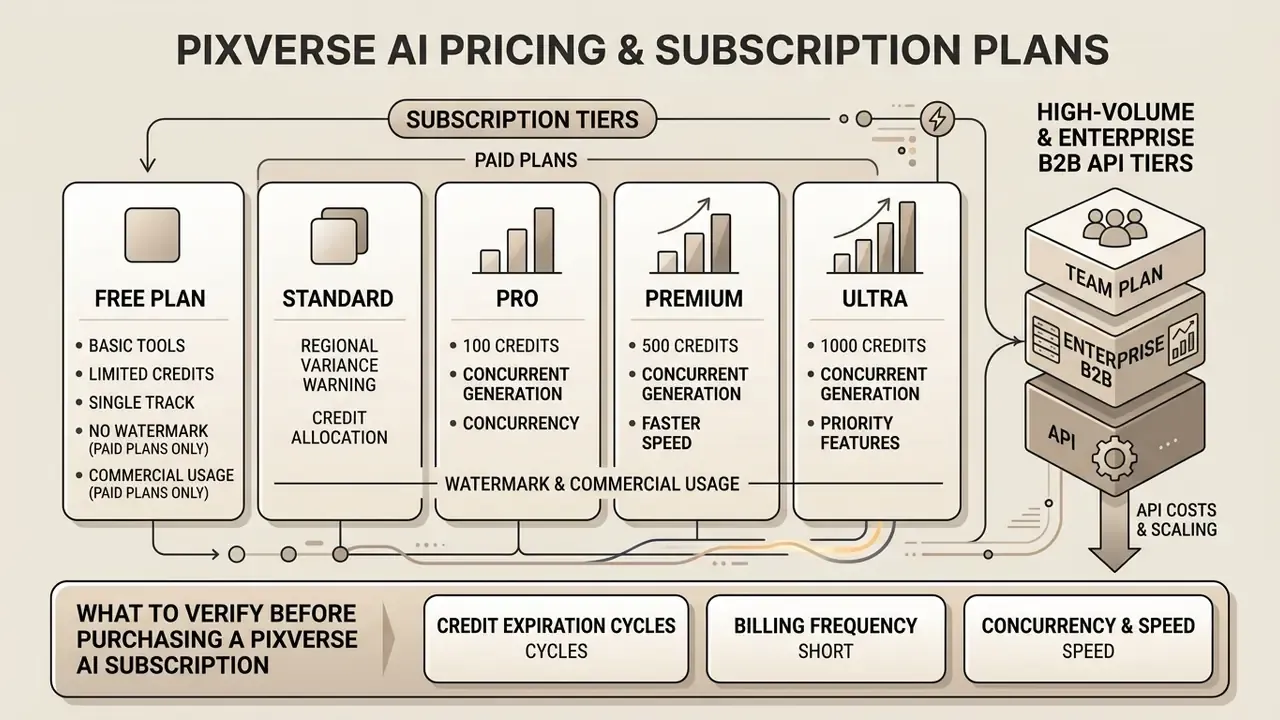
PixVerse AI structures paid access across four main consumer tiers (Standard, Pro, Premium, Ultra), plus a team plan and separate enterprise API tiers. Upgrading removes the watermark, unlocks export resolutions up to 4K, grants concurrent render queues, and replaces the daily allowance with a recurring monthly credit pool.
Comparing Free Plan and Paid Plans
The step from free plan to paid subscription changes both access rights and production throughput. Paid subscriptions swap daily expiring credits for monthly membership allocations, from 1,200 credits on Standard to 25,000 on Ultra (PixVerse Subscription Page, 2026). Paid plans also carry commercial usage rights, priority queue placement, and support for 1080p and 4K output.
| Subscription Plan | Monthly Price (Billed Monthly) | Annual Price (Per Month) | Monthly Credits | Max Export Resolution | Concurrent Renders | Target User and Use Case |
|---|---|---|---|---|---|---|
| Free Basic | $0 | $0 | 60 daily (1,800/mo max) | 540p (watermarked) | 1 render | Casual testing and personal learning |
| Standard | $10 / mo | $8 / mo ($96/yr) | 1,200 credits | 720p / 1080p | 3 renders | Individual creators and light social media |
| Pro | $30 / mo | $24 / mo ($288/yr) | 6,000 credits | 1080p / 4K | 5 renders | Active content creators and marketers |
| Premium | $60 / mo | $48 / mo ($576/yr) | 15,000 credits | 4K Ultra HD | 8 renders | Small creative teams and agencies |
| Ultra | $199 / mo | $149 / mo ($1,788/yr) | 25,000 credits | 4K Ultra HD | 8 renders | Production studios and high-volume output |
| Team Premium | $99 / seat / mo | $79 / seat / mo ($948/yr) | 20,000 credits per seat | 4K Ultra HD | 12 renders | Multi-seat in-house creative departments |
Data verified against official PixVerse subscription documentation. Prices and credit grants change periodically, so re-check the checkout screen before payment.
"Table data verified against the official PixVerse subscription page as of 9 September 2026."
Regional variance warning: independent trackers have recorded the Ultra tier at both $149 and $199 per month depending on region and capture date, and free-tier credits have been reported as 60 plus 30 in some geographies. Procurement should screenshot the checkout page at the moment of purchase and keep it as audit evidence. It sounds petty. It saves an argument later.
High-Volume and Enterprise B2B API Tiers
Consumer subscriptions and platform memberships are separate billing tracks. Credits bought through a consumer plan do not fund API calls, and the reverse holds too. For agencies and high-volume SaaS applications that need bulk compute, PixVerse publishes scaled credit packages:
| Enterprise Tier | Monthly Cost | Monthly Credit Volume | Approx. 5s Clips (baseline) | API Rate Limits | Dedicated Support |
|---|---|---|---|---|---|
| Essential API | $100 / mo | 15,000 credits | ~333 clips | 10 req/min | Email and portal |
| Scale API | $1,500 / mo | 239,230 credits | ~5,316 clips | 50 req/min | Priority Discord or Slack |
| Business Bulk | $6,000 / mo | 1,069,500 credits | ~23,766 clips | Custom, unlimited on request | Dedicated account manager |
Clip-count equivalents are published by PixVerse against a baseline configuration (540p, 5s, Turbo-class model). Higher resolutions and audio cut the effective clip count sharply. At 1080p with audio, divide the estimate by roughly three.
Enterprise memberships are also the contractual layer where non-price terms get decided: zero-data-retention commitments, invoice or PO billing instead of card payment, custom concurrency ceilings, uptime targets, and a named support escalation path. Price is the easy part of that negotiation.
What to Verify Before Purchasing a Pixverse AI Subscription
Before committing to a tier, procurement officers and creative leads should work through five factors:
Creators exploring adjacent tools can assess alternatives such as kaiber ai video, scan the wider field of best AI video generators, or work through competitive matrix resources on AI Media Alternatives by Reason to test whether PixVerse really fits the stack.
How to Estimate the Real Cost of Pixverse AI Video Creator
The true cost of video generation includes prompt iterations, failed renders, and post-production overhead. Optimal baseline pricing is a marketing number. On average, a finished 5-second 720p clip costs between $0.20 and $0.45 in compute credits once standard retry rates are counted.
"At roughly $0.0083 per credit on the Standard tier, a package of 10 finished clips costs about $11.20 once three iterations per clip are included."
Budget Calculation for Short Videos and Social Media Content
Producing short-form assets for TikTok, Instagram Reels, or YouTube Shorts means budgeting an iteration multiplier. Across generative workflows, a publishable clip usually takes two to four attempts before movement, framing, and facial stability hold up.
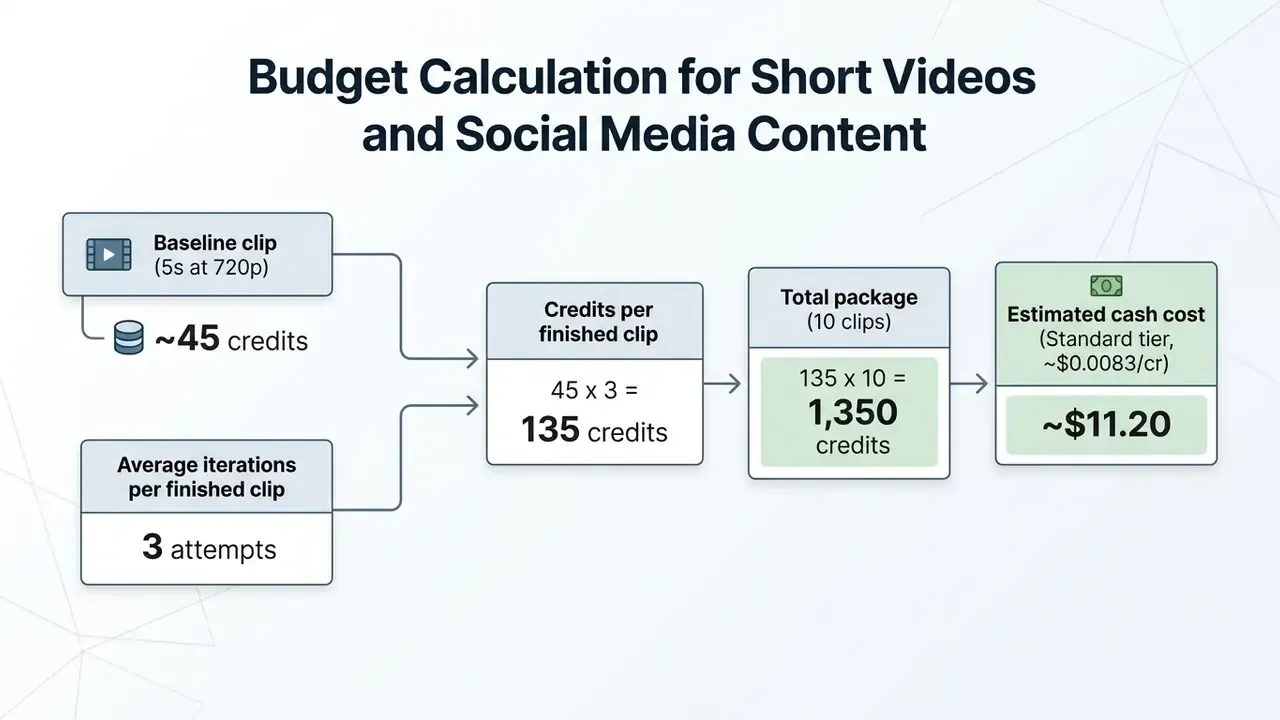
Formula in plain text: credits per attempt, multiplied by attempts, multiplied by clips, multiplied by the price per credit on your plan. Actual consumption varies with the chosen PixVerse AI model and the video output settings.
Total Cost of Ownership: Adding the Human Review Layer
Compute credits are only half the model. In regulated industries and brand-controlled environments, the dominant driver is human-in-the-loop validation: reviewer time to approve, reject, or escalate each generated asset. A defensible TCO formula looks like this:
TCO per published clip =
   (credits per attempt x attempts) x $ per credit
 + (reviewer minutes per attempt x attempts x blended hourly rate / 60)
 + (compliance or legal review time for externally published assets)
 + (rejection risk buffer: % of clips that never pass review)
Worked example at a $60 per hour blended reviewer rate, three attempts per clip, and four minutes of review per attempt: compute lands near $1.12 for one clip's worth of attempts across a small batch, while review labour adds roughly $12 per clip. Put bluntly, for most enterprise teams the credit cost is a rounding error next to review overhead. Which is exactly why prompt discipline, covered in the next section, delivers the largest financial return available here.
A social media team running short-form campaigns kept its monthly spend flat by enforcing a strict three-iteration cap per scene. They standardised text prompt structure, tested camera movement at lower resolution, and only then rendered final assets. Result: 20 finished social media videos inside a single Pro plan budget of $30 per month, with unit production costs well below traditional video editing overhead.
Updated: credit-based billing logic is not unique to video. The same per-unit consumption principle governs adjacent asset classes. AI voice generators bill per character or per second of synthesised speech, animation makers often meter render minutes, and even small utility tools such as an ai lesson plan generator or an ai thank you note generator are metered per generation. Modelling all of them on one shared cost-per-deliverable sheet prevents siloed budget surprises across a content stack.
How to Reduce Credit Consumption During Testing and Iterations
To avoid needless burn during the creative phase, content teams should build these practices into the workflow:
Teams that need tighter financial modelling for larger campaigns can use our internal calculators to size credit requirements across multi-channel video assets.
- Low-resolution draft renders
- run initial prompt syntax and camera direction tests at 360p or 540p. From the vendor's published rates, a 540p draft at 7 credits/s costs roughly 63% to 70% less than the same duration at 1080p (19 to 23 credits/s). That figure is arithmetic from the official rate table, not an estimate.
- Pre-formatted image prompts
- use pre-edited source images instead of pure text-to-video. Updated: a structured visual reference constrains composition and subject identity, which observably reduces rejected attempts in practice. The precise reduction ratio varies with scene complexity and is not vendor-published, so treat it as a directional benefit rather than a fixed multiplier.
- Disable audio during drafting
- native audio adds 4 to 5 credits/s. Switching it off during composition testing removes roughly a third of the per-second cost at 720p.
- Credit monitoring queries
- use the platform deduction query or check the in-app balance after each batch, and reconcile against the project budget the same day.
- Cap iterations by policy
- set a hard per-scene retry ceiling. Three is a common cap. Unlimited retries remain the single largest source of unplanned credit spend.
Prompt Syntax Rules to Eliminate Wasted Generations
Every failed render bills at full rate. That makes prompt quality a cost-control lever, not a creative nicety. To limit burn caused by model drift, structure each text prompt with a four-part formula:
[Subject and Action] + [Camera Motion and Shot Type] + [Lighting and Atmosphere] + [Render Style]
- Correct example: "A snow leopard chasing light through ruins, tracking pan shot, golden hour sun flare, photorealistic cinematic film."
- Incorrect example: "A cool leopard running in cinematic quality." High risk of visual glitching and geometry breakdown, wasting roughly 20 or more credits per failed attempt at 540p, and 90 plus at 1080p with audio.
Supplementary rules that measurably reduce rejection rates:
- Be explicit about motion."A cat slowly walking across a windowsill" outperforms "a cat," because otherwise the model invents motion that may breach the brief.
- Name the camera move.Tracking shot, dolly in, aerial, close-up, static tripod. Ambiguity here is the most frequent cause of unusable framing.
- Fix the lighting condition.Golden hour, neon-lit, soft studio key, overcast diffuse. Lighting drift between takes is the top reason multi-clip sequences fail continuity review.
- State the render style once, not three times.Stacking conflicting style tokens ("anime, photorealistic, watercolour") reliably produces artifacts. Realistic anime and photoreal cinema are separate briefs, not a blend.
- Lock identity with a reference imagefor any multi-clip narrative that needs character consistency, instead of re-describing the character in text each time.
- Avoid negative-only instructions.Describing what should appear works better than listing what should not.
Teams publishing at volume should keep a versioned internal prompt library with approved syntax blocks per brand, so proven prompts get reused rather than rewritten. The cheapest generation is the one you never have to repeat.
How to Choose a Pixverse AI Plan for Your Workflow
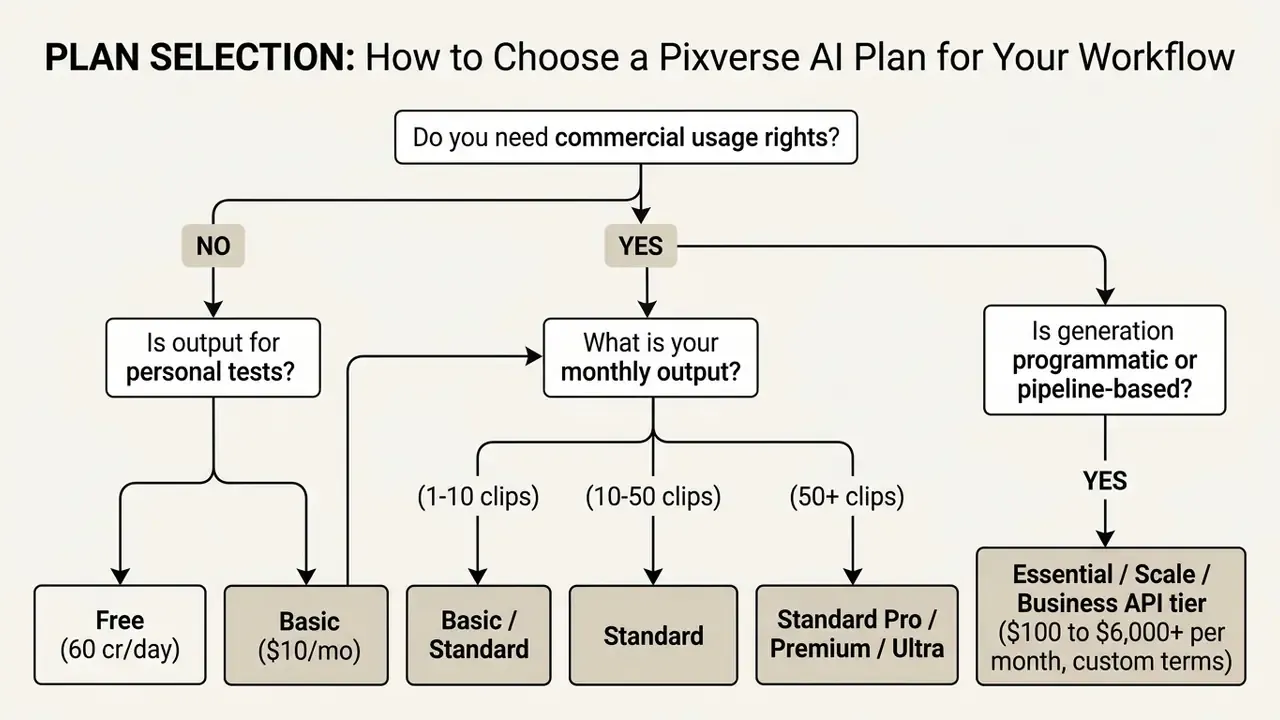
The right tier depends on monthly video volume, required output resolution, and commercial licensing needs. Matching plan to role prevents two failure modes: paying for credits nobody spends, and stalling a launch because the quota ran dry on a Thursday.
When the Pixverse AI Free Plan Is Sufficient
The free Basic plan suits individual creators doing exploratory testing, learning prompt mechanics, or making non-commercial personal art. It is not suitable for agency work, client deliverables, or commercial social channels, because of the visible watermark and the resolution ceiling. It is also unsuitable for any pilot involving confidential inputs. See the data privacy section below for why that line is not negotiable.
When You Should Upgrade to Paid Plans
Upgrading becomes necessary once video assets serve commercial promotion, client campaigns, or continuous brand publishing.
- Choose Standard ($10/mo) solo creators needing 5 to 10 unwatermarked HD video clips per month for a blog or portfolio.
- Choose Pro ($30/mo) active social media managers, freelance editors, and small business owners producing 15 to 40 short clips per month, with 4K options available.
- Choose Premium ($60/mo) or Ultra ($199/mo) marketing agencies, commercial production studios, and enterprise teams that need render concurrency (8 parallel jobs), priority queue processing, and large credit reserves from 15,000 per month upward.
- Choose an API membership ($100+/mo) required when generation is triggered by code, when zero-retention data terms are mandatory, or when invoice-based procurement is policy rather than preference.
Direct Subscription vs Third-Party Aggregator Platforms
You can reach PixVerse models directly on PixVerse.ai, through authorised partner suites, or via API routers. The economics differ. So does the governance profile, which is the part most pricing comparisons skip.
| Access Method | Native PixVerse Platform | Video-Suite Integrations (e.g. InVideo) | AI Aggregators and API Routers |
|---|---|---|---|
| Primary advantage | Full control over V6 and C1 native controls, fine camera tuning | Combine PixVerse clips into long-form videos with automatic voiceovers and captions | Pay per generation (as low as ~8 to 30 coins per clip) without monthly commitment |
| Max clip duration | 5 to 8 seconds per single render | Effectively unlimited (auto-stitched timeline editor) | 4 to 8 seconds |
| Cost dynamics | Credit subscription ($10 to $199/mo) or API membership ($100+/mo) | Bundled into the suite's Pro or Max membership alongside 200+ other models | Pay-as-you-go top-ups, one API key across vendors |
| Model version freshness | Newest versions first (V6, C1) | Usually one release behind | Varies by router, so verify the exact model string |
| Data governance | Directly contractible at enterprise tier | Governed by the suite vendor's terms, not PixVerse's | Adds a third-party processor to your data chain, requiring separate DPA review |
| Best used for | Solo prompt engineers, raw asset creation, controlled pipelines | Full YouTube and UGC ad production with narration and music | Casual low-frequency testing, multi-model benchmarking |
For regulated buyers the critical trade-off is not price, it is processor count. Every aggregator inserted between your prompt and the model is one more party that may log inputs. Saving a few cents per clip rarely justifies an unreviewed sub-processor. Ask your second-line risk function whether they would sign off on that trade. Usually the answer arrives quickly.
When assembling multi-tool stacks, teams often consult comprehensive AI Media Comparison Matrices to see how PixVerse sits alongside complementary tools from platforms such as Hypeart AI Media or enterprise engines like google veo ai.
Pixverse vs Kling AI and Hailuo AI: Comparing Pricing Approaches
PixVerse AI competes head-on with alternative AI video generators, Kling AI and Hailuo AI (MiniMax) among them. Each uses a distinct pricing model, credit conversion rate, and free-tier allowance.
| Platform Feature or Parameter | PixVerse AI | Kling AI (v3.0) | Hailuo AI (MiniMax 2.3) |
|---|---|---|---|
| Pricing model | Subscription plus API credits | Subscription plus daily credits | Pay-as-you-go API plus tiers |
| Free tier access | 90 signup plus 60 daily credits (540p, watermarked) | ~66 daily credits (watermarked output) | Rate-limited trial calls, small trial quota |
| Baseline generation cost | ~7 to 9 cr/s (540p/720p), ~19 to 23 cr/s (1080p) | 6 cr/s (720p, no audio) rising to 12 cr/s (1080p, native audio) | $0.19 to $0.56 per clip (768p/1080p, 6 to 10s, API pay-as-you-go) |
| Entry paid tier | $10 per month (1,200 credits) | ~$6.99 per month (660 credits) | $14.99 per month (Standard) |
| Top published tier | $199/mo consumer, $6,000/mo API | ~$180/mo (26,000 credits) | $199.99/mo (Max) |
| Primary advantage | Speed, C1 cinematic mode, versatile UI, transparent per-second rates | Native audio sync, strong movement physics | Transparent per-clip API cost, detailed physics |
Compiled from official platform documentation and 2026 technical reviews. Rates for newer releases such as Veo 3.1, Kling 3.0, and Seedance 2.0 move quickly, so re-verify before signing anything annual.
Comparing Enterprise Terms, Not Just Sticker Prices
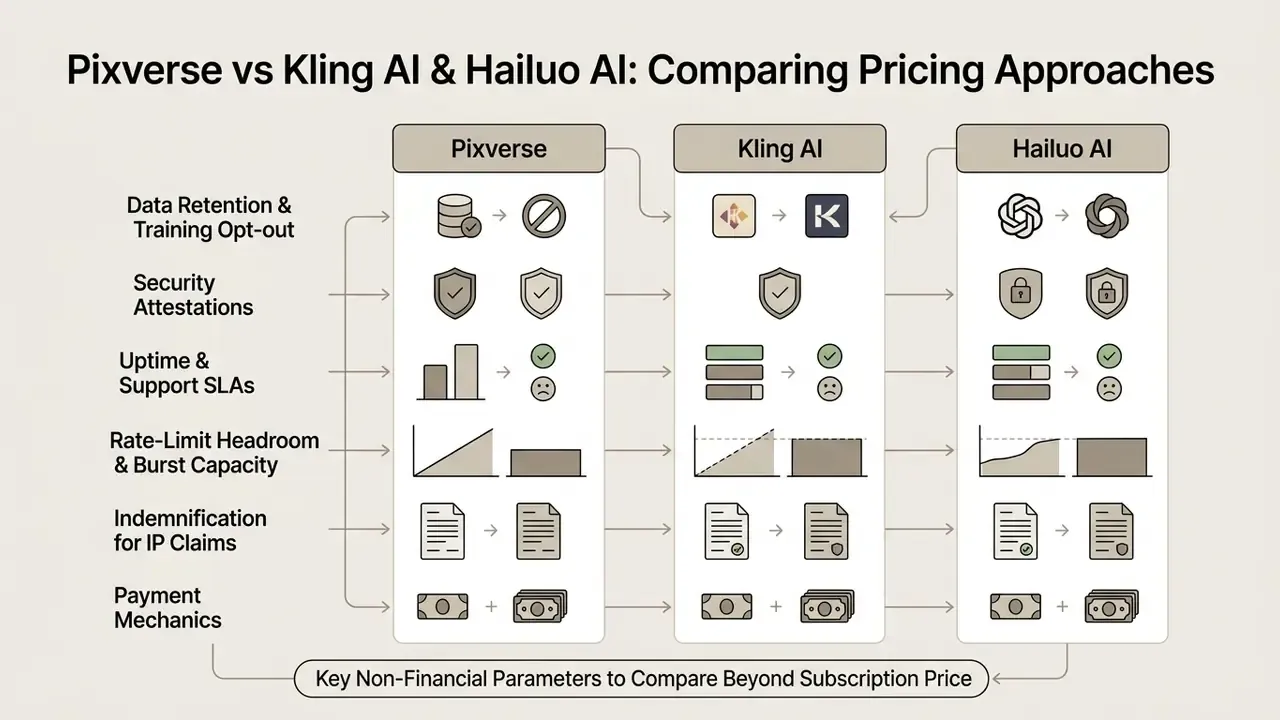
Price-per-second comparisons collapse at enterprise scale, where contractual terms decide the outcome. Before taking a recommendation to an investment or architecture committee, build a second table covering:
- Data retention and training opt-out is it default, contractual, or unavailable?
- Security attestations request current compliance documentation (SOC 2 Type II, ISO 27001) from each vendor directly. None of the three publish a complete attestation set on public pricing pages, so this belongs in procurement, not in a blog post.
- Uptime and support SLAs response-time commitments and named escalation contacts.
- Rate-limit headroom and burst capacity critical during campaign launch spikes.
- Indemnification for IP claims does the vendor stand behind output originality, in writing?
- Payment mechanics card only versus invoice and PO, currency, tax handling.
Key Non-Financial Parameters to Compare Beyond Subscription Price
When choosing an AI video generator, decision-makers should weigh technical performance next to the price point:
- Motion physics realism: object consistency, geometry preservation, and natural movement dynamics (VBench-2.0 Criteria, 2026).
- Prompt adherence and camera control: how precisely the engine follows complex multi-subject prompts and specified pan or zoom directions.
- Audio-visual synchronisation: native voice and sound effect generation without third-party post-processing.
- Style controllability: whether the engine reproduces a defined brand style across a batch, and whether style transfer degrades physics quality.
- Watermarking and provenance: visible watermark, invisible provenance signal, or both. A material factor for brand-safety and disclosure policy.
Teams evaluating high-end options often compare kling ai video tiers, or review implementation frameworks such as the Google Veo API guide to benchmark capability against cost.
Enterprise Data Privacy, NDA, and Model Training Policies
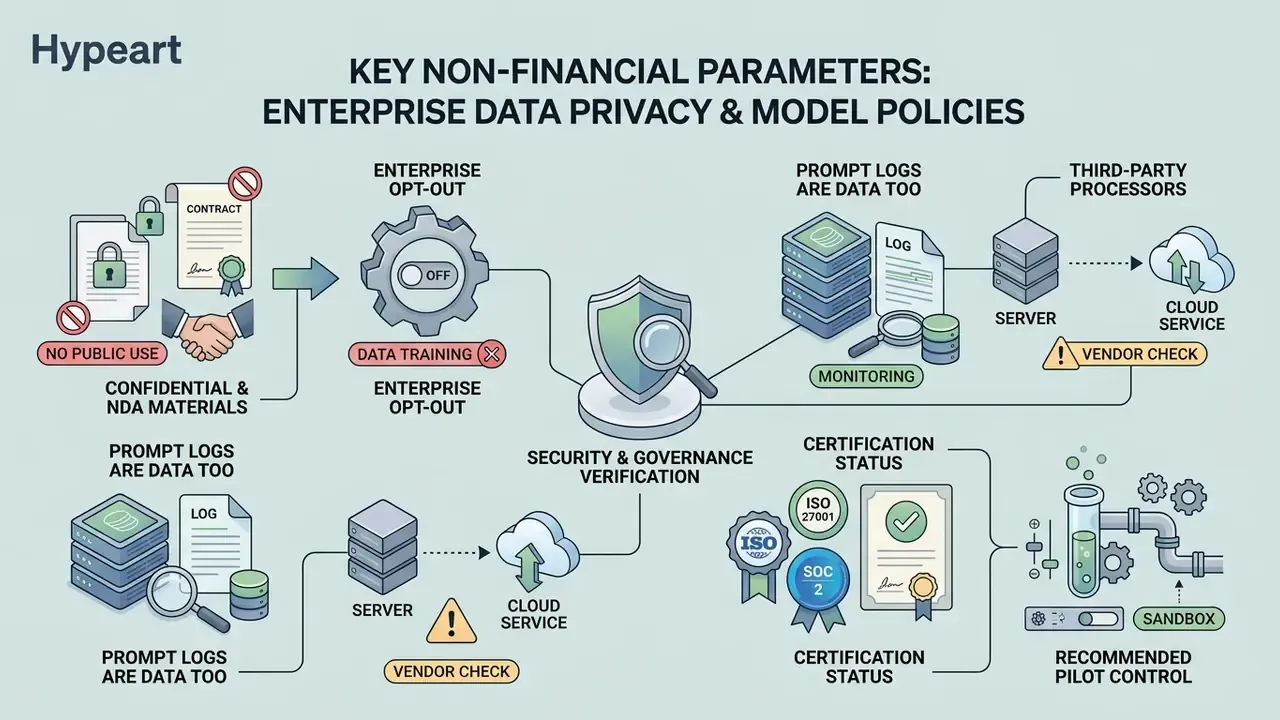
"It stores uploaded media for model improvement purposes. Therefore, I do not recommend uploading sensitive personal images or confidential business materials."
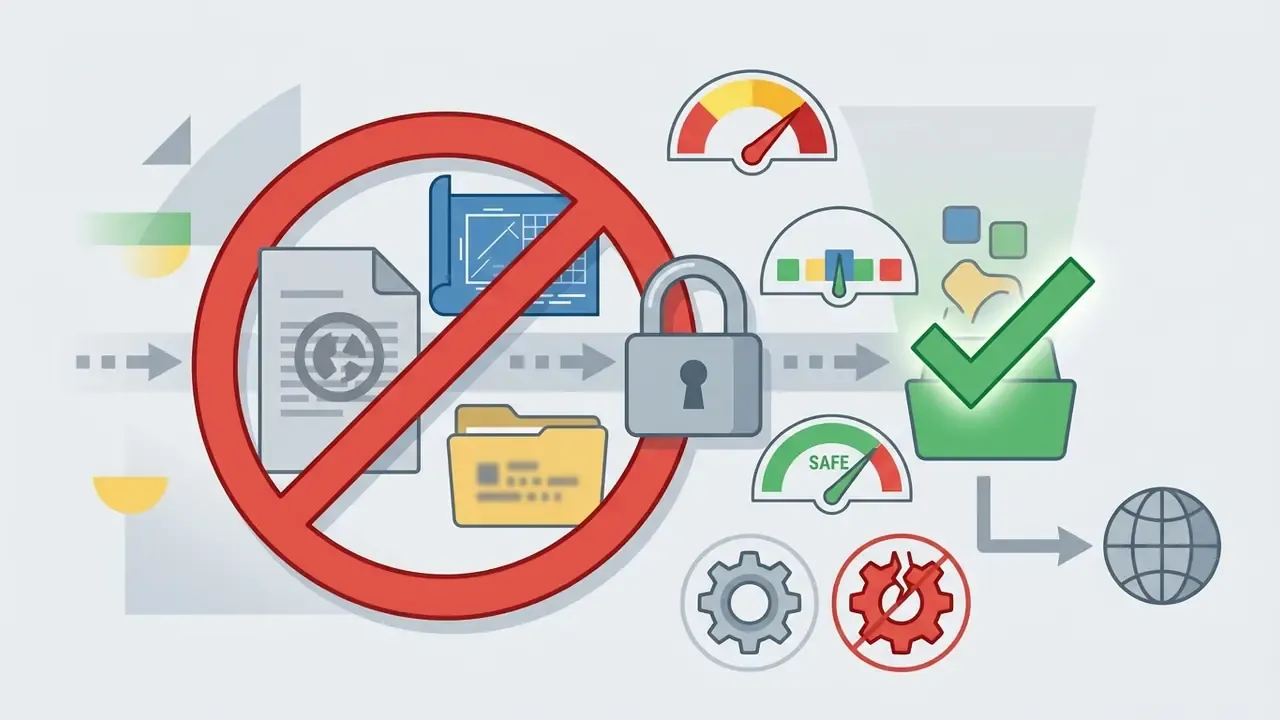
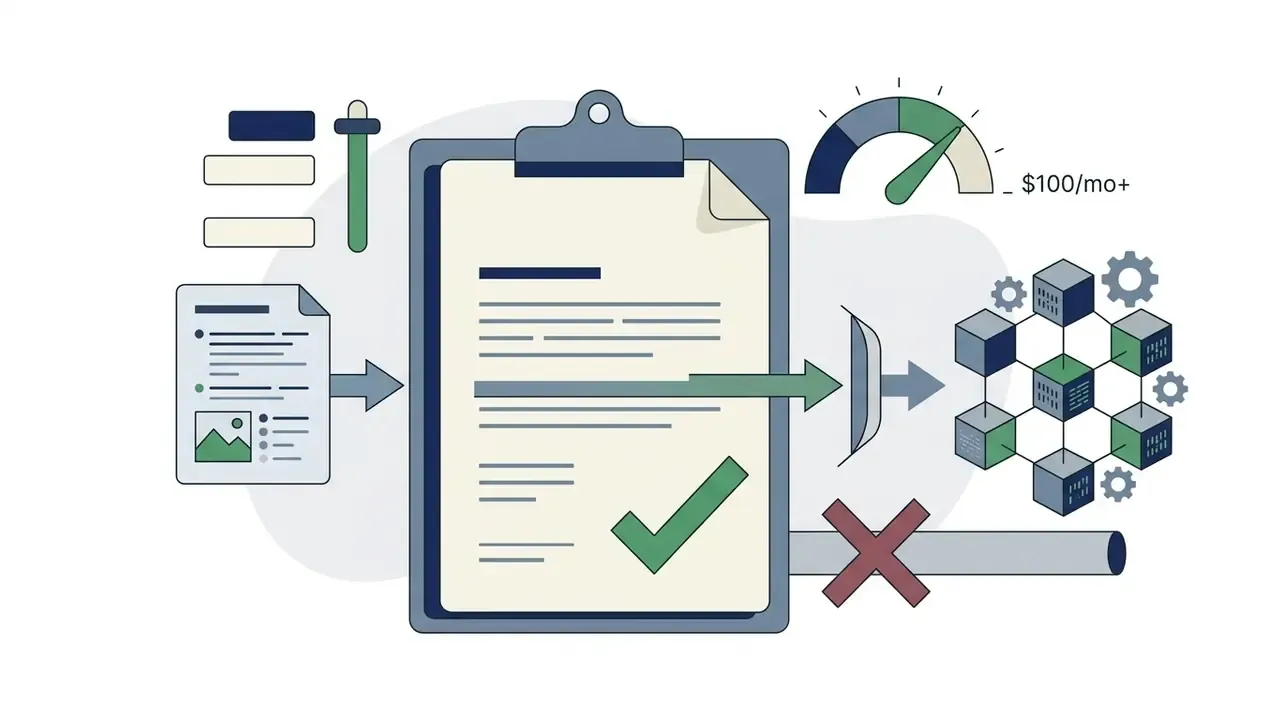
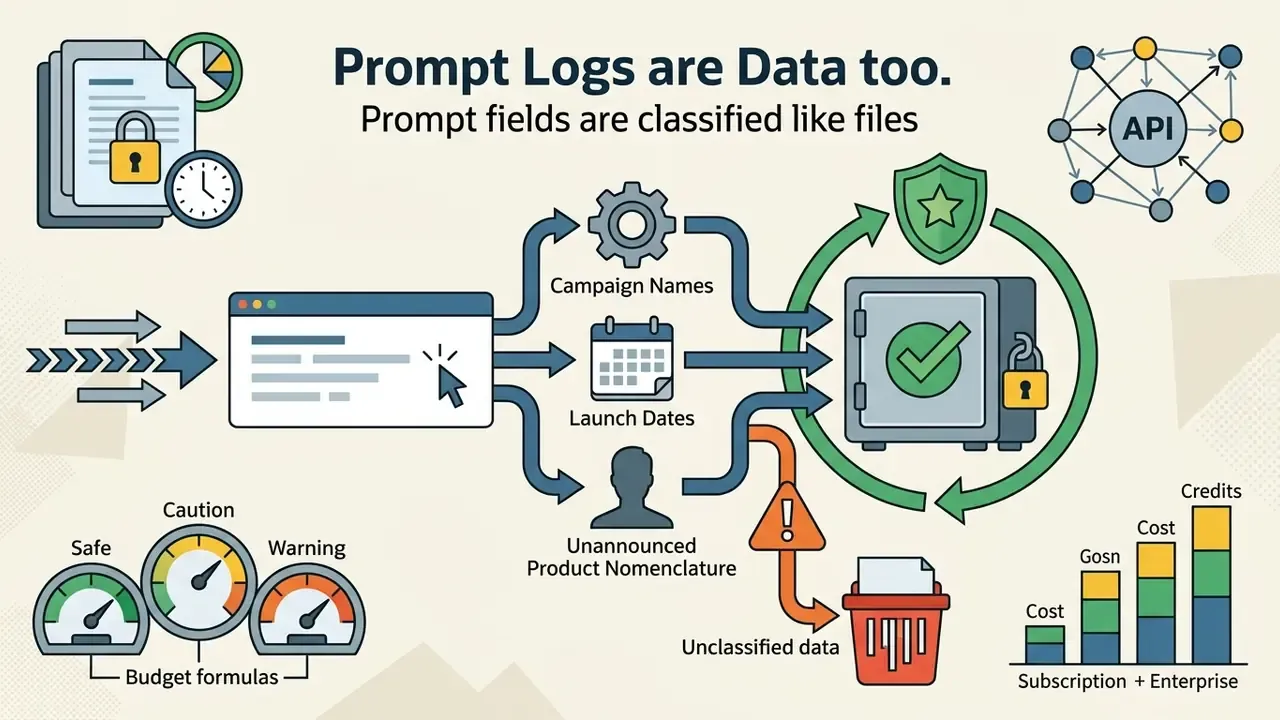
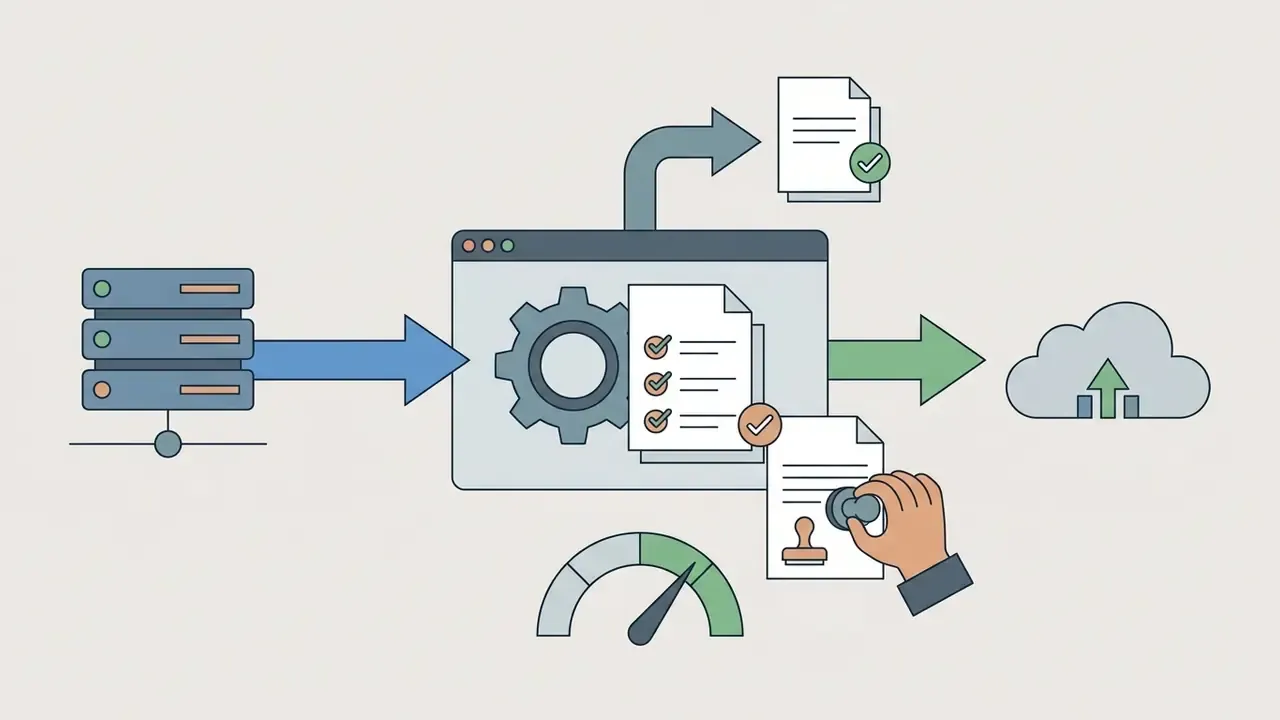
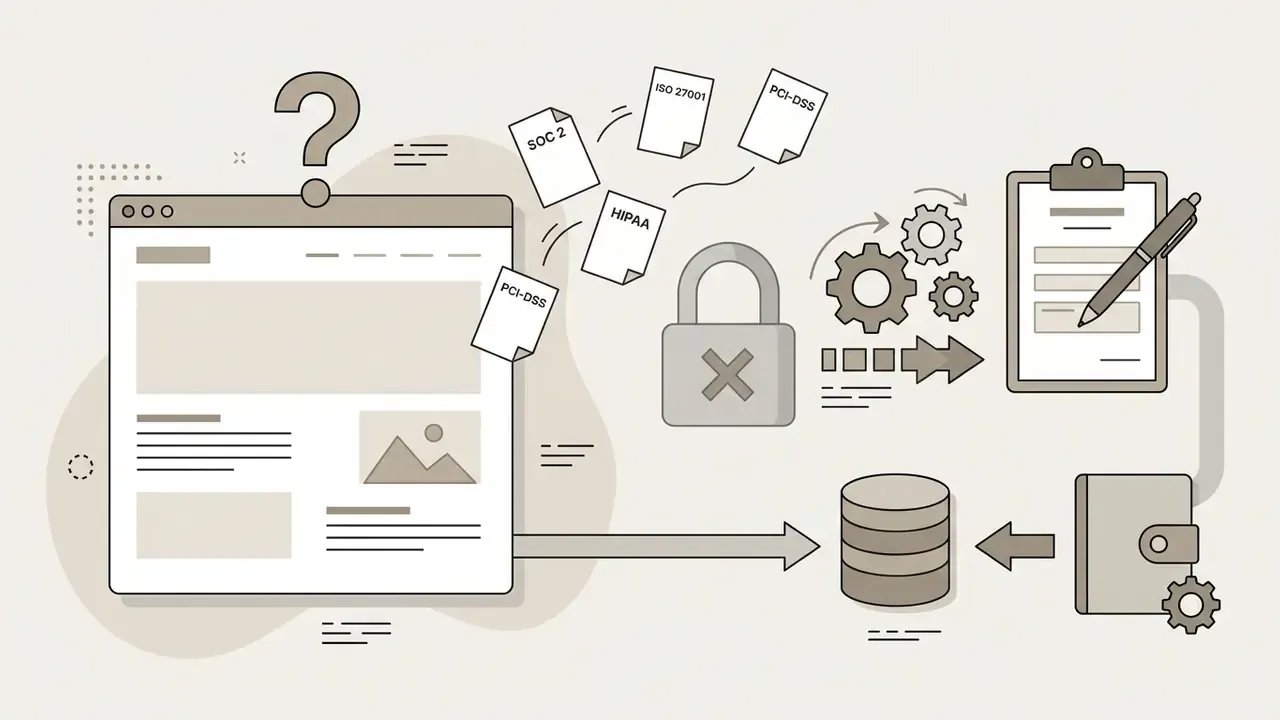
Recommended pilot control: run all exploratory testing with synthetic or public-domain inputs, and introduce proprietary assets only after a zero-retention term is contractually confirmed. That keeps evaluation velocity intact without creating exposure. It also gives internal audit something reproducible to inspect, which is usually the difference between a pilot that scales and one that quietly dies in review.
Commercial Use of Pixverse AI: What to Verify Before Payment
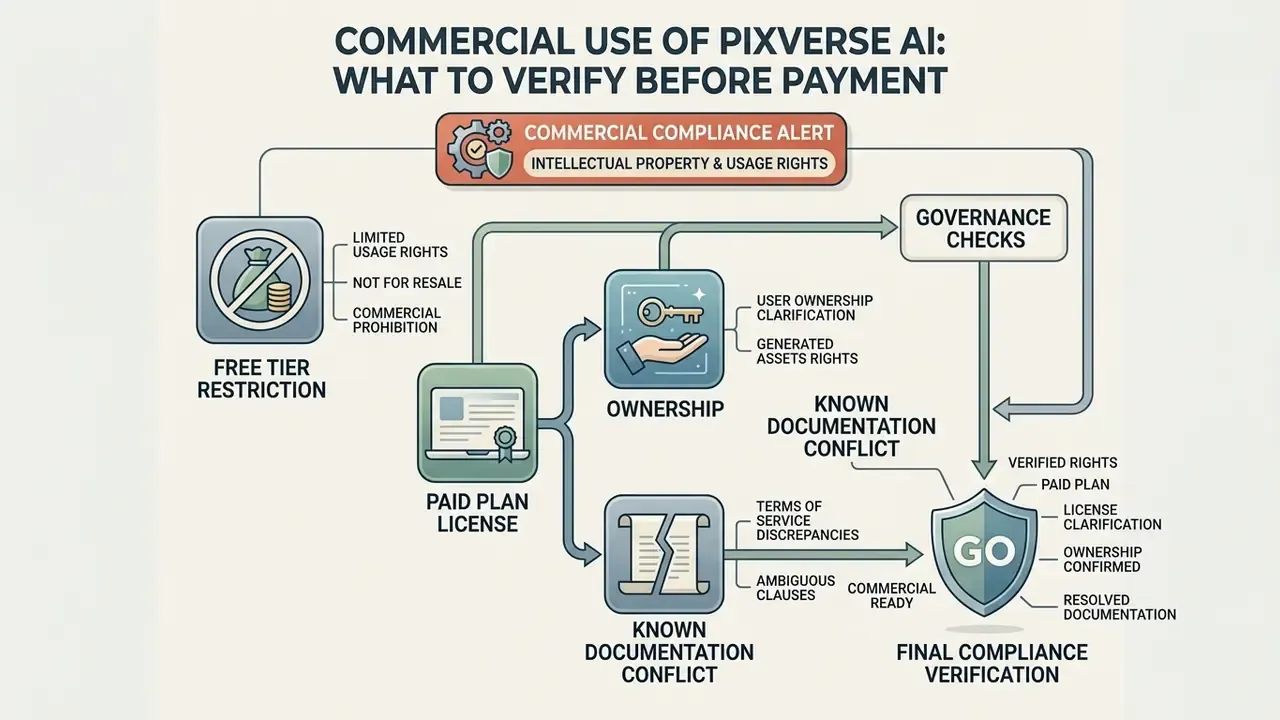
Using AI-generated video for advertising, client deliverables, or monetised channels requires adherence to licensing terms. PixVerse terms differentiate commercial rights between free and paid accounts, and similar principles apply to commercial use of AI-generated imagery across the generative media market.
Commercial Compliance Alert: Intellectual Property and Usage Rights
A digital video studio publishing on YouTube built its editorial process around the YouTube video editor workflow guide. To stay compliant, the studio verified that every AI clip was generated under a paid subscription account. That single check secured commercial distribution rights for monetised placements and reduced copyright enforcement risk to something the legal team could actually sign off.
FAQ for Enterprise and Procurement Buyers
Is PixVerse AI free?
Yes, in a limited sense. The free Basic plan provides 90 signup credits plus 60 daily credits that reset at 00:00 UTC and expire the same day. Output is watermarked, capped at 360p to 540p, and licensed for non-commercial use only.
How much does PixVerse cost once you need publishable output?
Paid consumer plans start at $10 per month for 1,200 credits and reach $199 per month for 25,000 credits. In per-clip terms, a finished 5-second 720p clip typically lands between $0.20 and $0.45 after retries.
What happens when I exceed my API rate limit or exhaust my credit pool?
Requests fail rather than silently overbilling. Poll the credit-balance endpoint before batch jobs and implement exponential backoff on rate-limit responses. Extra credits can be purchased on top of platform memberships.
Do unused credits carry over?
No. Free daily credits expire the same day. Monthly membership credits expire at the end of each 30-day cycle, and annual-plan credits expire at the end of the annual term. Forecast conservatively instead of buying capacity "for later."
Can we pay by invoice or purchase order instead of card?
Invoice and PO billing is an enterprise contract matter, not a self-serve checkout option. Raise it with the vendor's sales team alongside data-retention and SLA requirements.
Is our uploaded content used to train PixVerse models?
On free and standard consumer tiers, assume yes unless documented otherwise. Zero-retention handling should be negotiated inside an enterprise or API contract and confirmed in writing.
Does PixVerse hold SOC 2 or ISO 27001 certification?
No complete attestation set appears on public pricing pages. Request current documentation from the vendor directly during vendor risk assessment.
How long can a single PixVerse clip be?
Current model versions support roughly 5 to 8 seconds per render, with extension modes available. Claims elsewhere of a 4-second maximum reflect outdated documentation. Longer finished videos come from stitching clips, manually or through a video-suite integration.
Can free-tier output be used in a client campaign?
No. Free-tier output is watermarked and non-commercial. Any client-facing or monetised use needs a paid subscription or an appropriate platform contract.
What is the cheapest reliable way to run a two-week evaluation?
Use free credits with synthetic inputs for prompt calibration, then buy one month of Standard at $10 for unwatermarked 720p validation. Escalate to an API membership only after pipeline integration and data terms are settled.
Appendix A: Claim Revision and Verification Log
This log preserves the original phrasing of claims that were tightened during editorial review, with the reason for each revision. It exists so readers can audit how every figure in this guide was established.
| Original Claim | Revised Position | Basis for Revision |
|---|---|---|
| "Extending clip length from a 5-second baseline to 8 or 10 seconds scales credit costs non-linearly due to temporal consistency processing." | Price step confirmed from published rate tables (45 credits at 5s versus 90 credits at 8s for V5 Turbo); the causal mechanism is labelled an inference. | Vendor publishes rates, not the underlying compute rationale. |
| "Draft renders consume 60% fewer credits per second than 1080p exports." | Restated as a 63% to 70% reduction derived arithmetically from the official 7 cr/s (540p) versus 19 to 23 cr/s (1080p) rates. | Replaces an unsourced round number with a calculation traceable to primary documentation. |
| "Providing a structured visual reference reduces model hallucination and cuts required iteration loops in half." | Restated as a directional benefit whose magnitude varies by scene complexity. | The "half" multiplier is not vendor-published or independently measured. |
| Internal references to consumer note-generation and lesson-planning tools within the budgeting section. | Retained, but reframed as credit-metered adjacent asset classes (voice generation, animation rendering, per-generation utility tools) that share the same per-unit billing logic. | Keeps the cross-asset budgeting point while improving topical relevance for procurement readers. |
| "50 credits per month" free tier (third-party figure encountered during research). | Rejected as outdated; 90 signup plus 60 daily retained. | Contradicted by official documentation and two independent 2026 trackers. |
| "Maximum video length is 4 seconds" (third-party figure encountered during research). | Rejected as outdated; 5 to 8 seconds per render retained. | Contradicted by current V5 and V6 model documentation. |
How to Re-Verify These Figures Yourself
Pricing pages move. Treat this guide as a dated snapshot and rebuild the evidence trail before each purchase cycle: That loop takes under an hour and produces something an auditor can follow. Compiled by the Hypeart AI Media pricing research desk, which maintains unit-cost benchmarks across generative video, image, and audio platforms and re-verifies vendor pricing quarterly. Figures were reviewed for governance relevance with input from Marcus Hale, author.
For current subscription offerings across the wider tool set, see our main pricing portal.
- Open the official subscription screen while logged in, in your billing region, and capture it with the date visible.
- Pull the current per-second rate table from the platform documentation and compare it against your last saved copy.
- Run one controlled generation per resolution tier, then query the usage deduction endpoint to confirm the rates empirically.
- Log the result in your model or vendor inventory alongside the data-retention terms in force for that account type.
- Re-run the check quarterly, or immediately after a model version release.