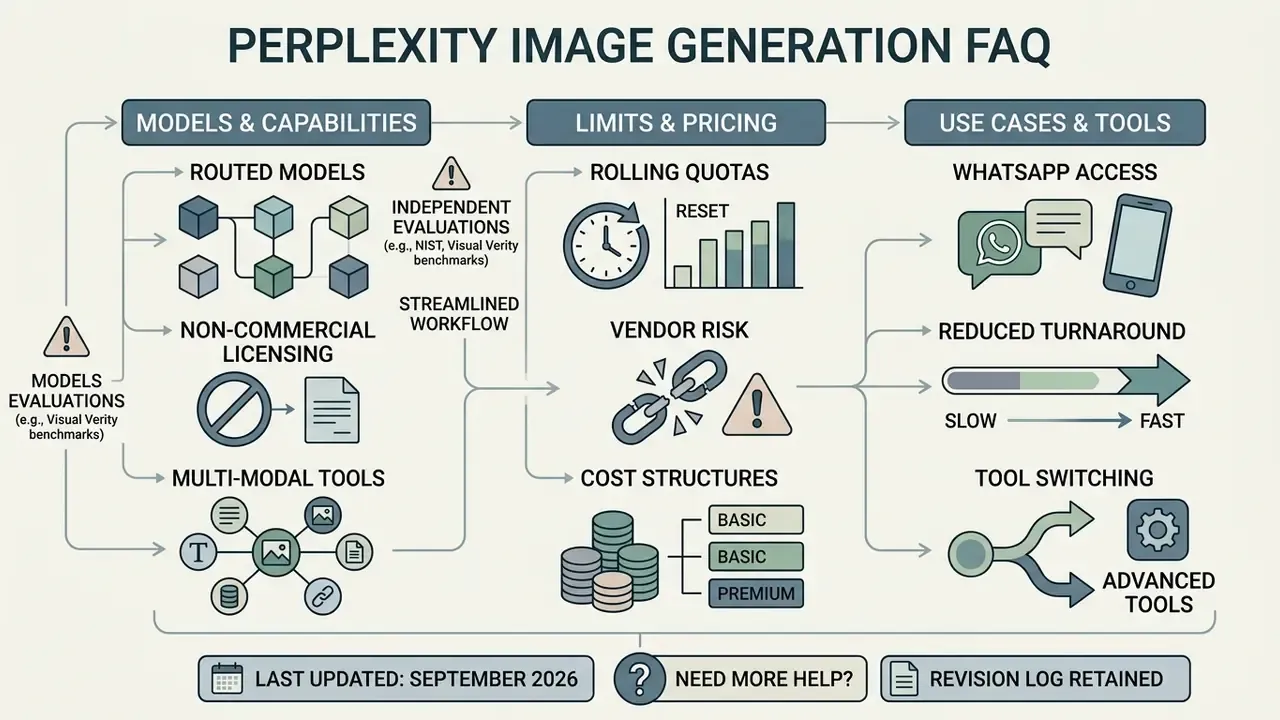
That distinction shapes everything below.
Executive summary
This guide walks through the routing architecture, the output types the platform actually handles, the step-by-step creation flow, Spaces and image-to-image limits, WhatsApp generation, enterprise data privacy, pricing and quotas, quality ceilings, troubleshooting, head-to-head comparisons with dedicated generators and ChatGPT, a governance checklist, and a FAQ.
- Capability
- Perplexity generates images from natural language prompts directly inside search threads on web, desktop, iOS, inside Perplexity Spaces, and through its official WhatsApp channel.
- Architecture
- Perplexity does not train its own image model. It operates as an orchestration and routing layer over third-party generators: OpenAI GPT Image 1 and GPT Image 2, Google Nano Banana (Gemini Flash Image), ByteDance Seedream 4.5, DALL·E 3, and FLUX.1.
- Licensing risk
- Images produced on Free, Pro, and individual Max accounts are documented as personal, non-commercial use only. Full commercial rights appear on Enterprise Pro and Enterprise Max tiers.
- Hard limitation
- Text-to-image only. No image-to-image conditioning, no reference-photo upload for generation, no layer masking, no pixel-level inpainting.
- Quotas
- Limits refresh on rolling 24-hour windows rather than calendar months, and each regeneration counts as a new generation.
- Governance gap to close first
- prompts and retrieved search context leave your tenant and reach third-party model vendors. Validate retention, training opt-out, and audit-log availability before any departmental rollout.
How Does Perplexity AI Generate Images?
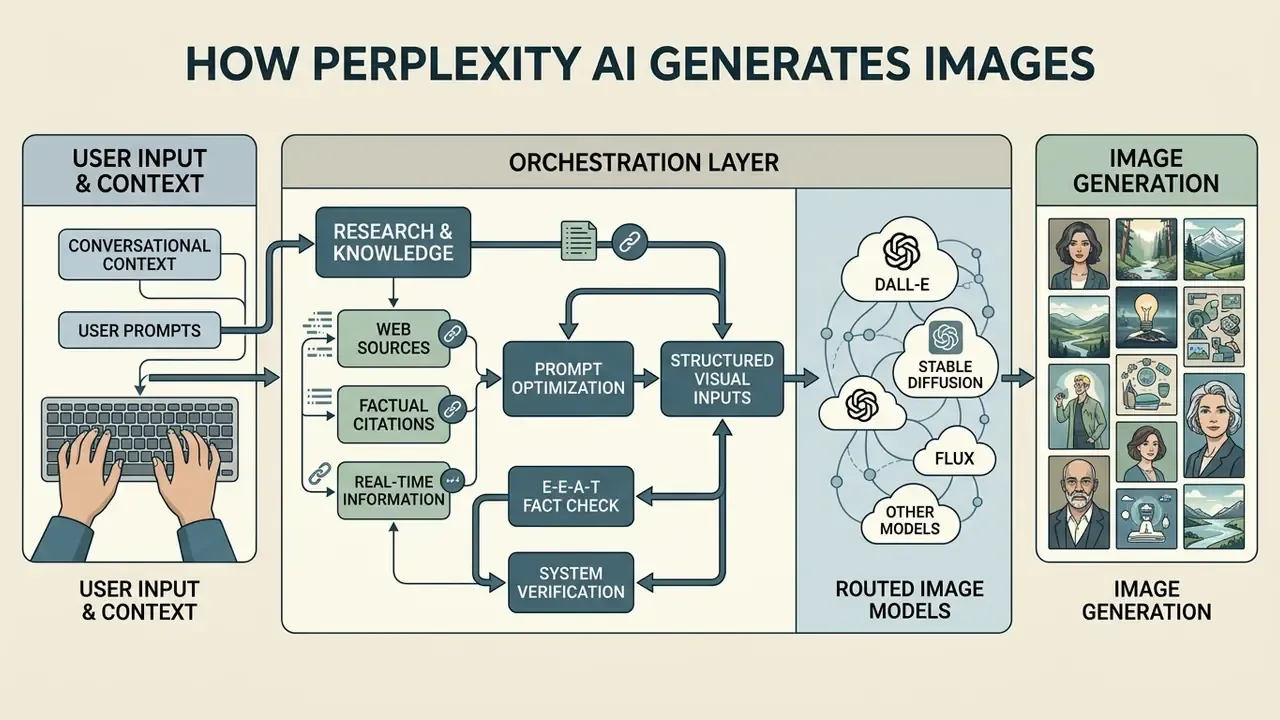
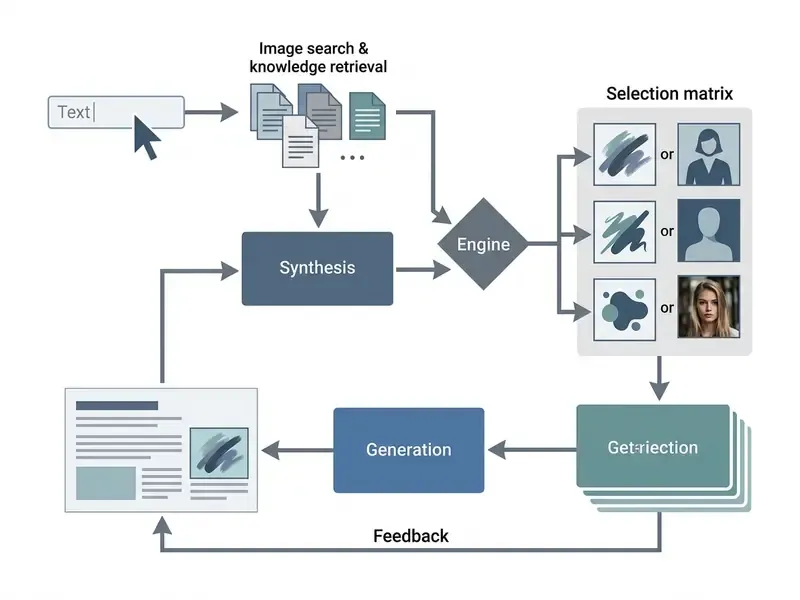
Perplexity generates images through an orchestration layer that converts conversational context and user prompts into structured visual inputs. When a user submits a query, the system processes text tokens, retrieves web citations, and constructs a descriptive prompt for graphic synthesis. The platform then routes that enriched request to an integrated partner model. Understanding how does ai image generation work in this hybrid architecture clarifies the link between real-time data retrieval and graphic neural networks.
Reviewing the architecture before the output types matters for technical and risk audiences. The router decides which vendor processes your prompt, and that choice drives output quality, latency, and, critically, the point at which your text leaves the Perplexity boundary.
Image generation models used by Perplexity AI
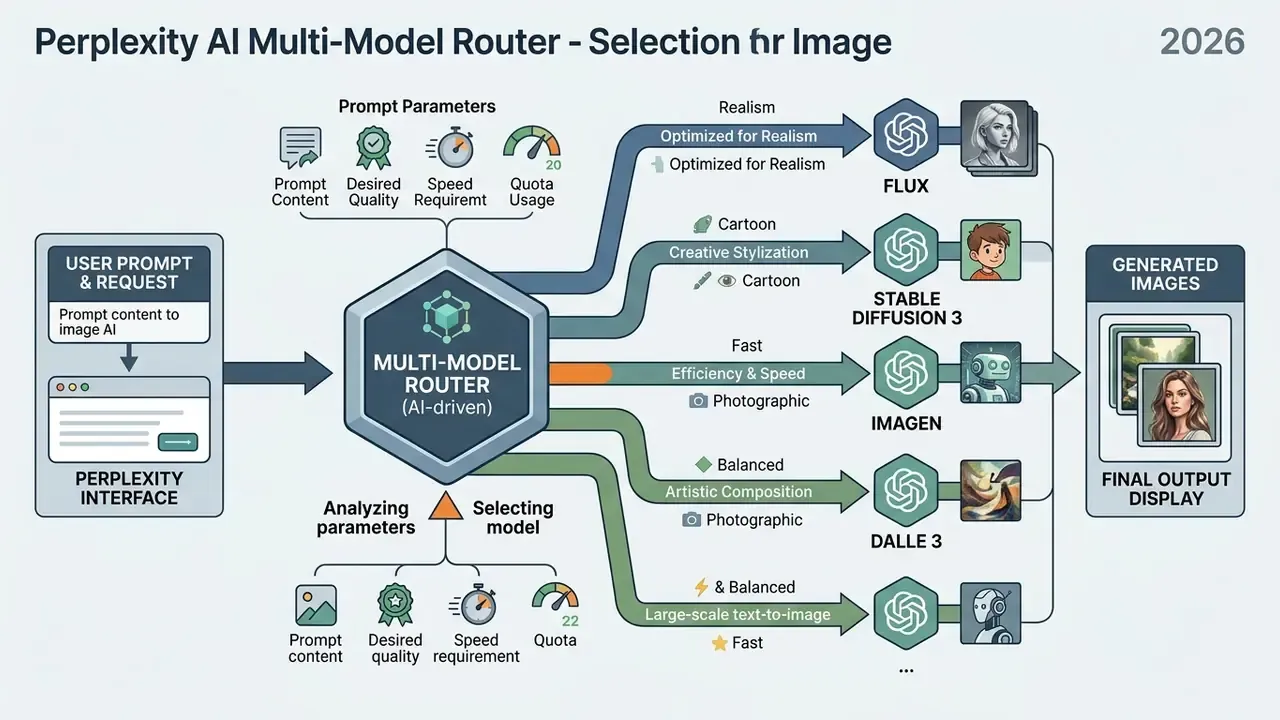
The system routes requests across several third-party providers rather than training one proprietary engine. Integrated options include OpenAI's GPT Image family (GPT Image 1 and GPT Image 2), Google's Nano Banana (Gemini Flash Image), ByteDance's Seedream 4.5, DALL·E 3, and FLUX.1. Users on paid plans can select a preferred image model manually. The documented interface path is Settings → Preferences → Image generation model, or you can leave the default routing algorithm in charge.
"GPT-Image-1.5 reached 85.4% MCQ accuracy and a 4.30/5 mean score on visual metaphors; Nano Banana 2 scored 84.8% and 4.11/5."
Model behaviour differs measurably in production. OpenAI documents DALL·E 3 as a high-quality but comparatively slow generator with Standard and HD tiers. Black Forest Labs exposes an explicit trade-off in FLUX: a fast mode tuned for cost and throughput versus a high-fidelity mode tuned for detail retention and prompt adherence. So the image generation model used by Perplexity AI is not a constant; it is a runtime decision. Teams that care about licensing boundaries across these vendors should review commercial use rights for AI image generators before standardizing on a single default.
Default mode evaluates prompt characteristics and assigns the request to whichever generator looks most suitable. In May 2026 Perplexity stated that OpenAI GPT Image 2 became the default engine behind its image generation and image-editing flows, which explains the observed gains in hero-image composition, photorealistic product mockups, and inline edits. If you are tracking the Perplexity AI image generation model 2025 to 2026 timeline, that changeover is the most consequential entry in the log.
How research context improves image prompts
Real-time web search and citation retrieval noticeably sharpen the accuracy of generated image prompts. Standard text-to-image models struggle with underspecified context, which produces generic or plainly wrong outputs. Perplexity extracts entities, empirical trends, and structural relationships from cited sources before it formats the visual prompt. The result: a research-driven pipeline where the synthesized graphic reflects a conceptual framework derived from live data rather than from model priors alone.
"Detailed prompts with explicit relations between concepts yield higher concept-coverage and text-alignment scores."
Perplexity's own API documentation describes a comparable two-step pipeline for visual reasoning: first identify the subject matter, then research the identified entities with live web search to add real-world context. Generation benefits from the same mechanism. The richer and better-scoped the retrieved context, the narrower the ambiguity handed to the graphic model. Deep Research threads, which traverse dozens of searches and hundreds of sources, therefore produce tighter conceptual visuals than a bare one-line prompt. Not always dramatically tighter, to be fair, but the difference shows up most in abstract or relational subjects.
E-E-A-T fact check and system verification
Can Perplexity AI Generate Images and What Can It Create?
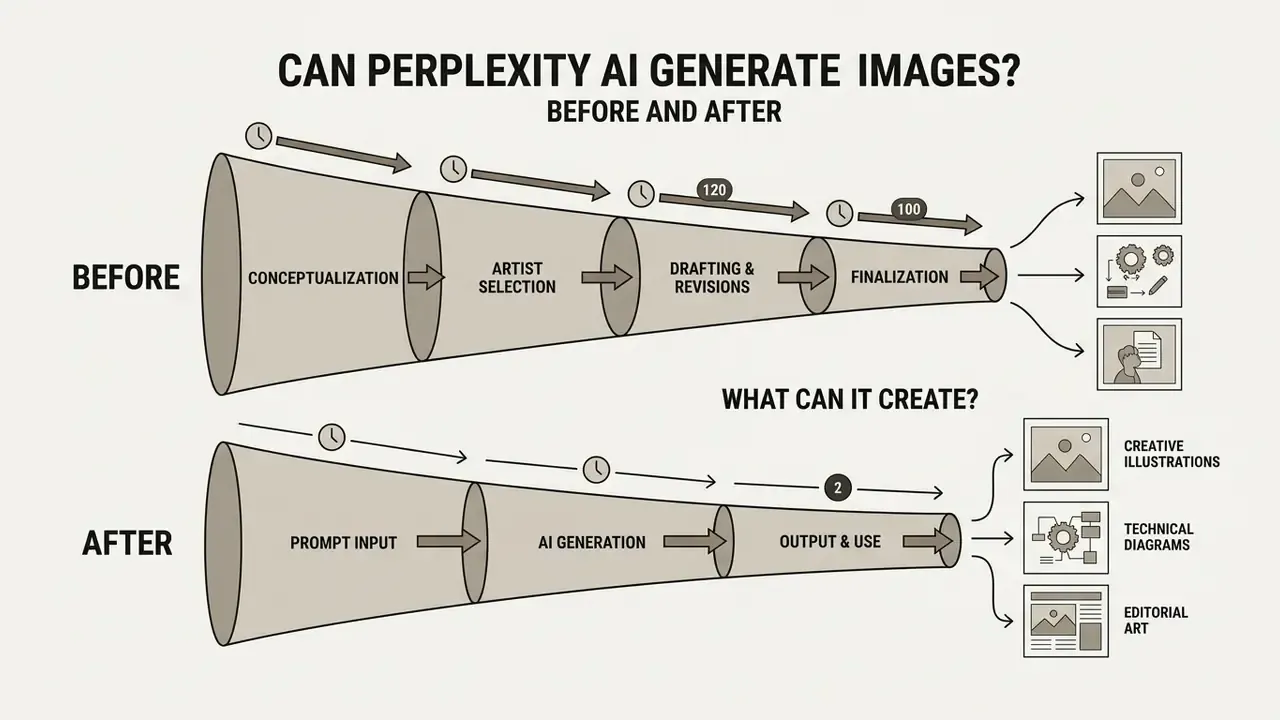
Yes. Perplexity AI can create images directly inside its search interface by passing natural language prompts to the underlying graphic neural networks. Visual rendering is folded into standard query threads, so no external design application is needed mid-research. Users type descriptive text commands into the search bar and the platform returns synthesized graphics alongside citations. There is no separate "generate" button, because generation triggers from the prompt itself. The platform covers a wide span of visual tasks, from conceptual illustrations and marketing mockups to research-driven diagrams.
Perplexity AI image generation availability: 2025 into 2026
Image generation is available across web, desktop, and mobile app interfaces for authenticated accounts. Basic search stays open to everyone, but advanced visual creation sits behind subscription tiers and rolling daily quotas. iOS applications support direct text-to-image prompting inside active search threads. Android support and cross-platform parity keep shifting with deployment schedules, which is exactly why Perplexity AI image generation availability 2025 guidance no longer matches what some accounts see in 2026. Verify current entitlements in your own account settings before you promise a workflow to a team. Understanding whether can perplexity ai generate images on a specific device helps plan multi-platform research routines, and it settles most questions about Perplexity app image creation capabilities versus the web build.
What kind of images Perplexity can generate
Perplexity produces a broad spectrum of visual content from descriptive prompts written in plain language. The system handles photorealistic scenes, minimalist vector graphics, conceptual visual metaphors, social media assets, and presentation slides. Documented prompt styles include watercolor, photorealistic, minimalist, cartoon, and vintage, so output is not locked into one house aesthetic. It also translates research summaries into structured layouts that illustrate relationships between variables.
When people ask what kind of images Perplexity AI can generate, the highest utility shows up in abstract diagrams, hero banners, and illustrative graphics. Benchmark those outputs against leading AI image generators before you commit a publishing pipeline to them. One boundary is firm: the system does not produce verifiable spatial maps or certified technical blueprints, and it should never be treated as a drafting tool.
"Camera images consistently outperform AI generation on photorealism and prompt fidelity, while AI models lead on aesthetic metrics."
Case note. A financial analysis team needed to convert dense market risk reports into visual slide decks for board review. They pasted synthesized research summaries into the query field and asked for conceptual visual metaphors. According to the team's own internal account, this compressed graphic asset turnaround from a multi-day design request cycle to a same-session task while keeping visuals aligned with the cited source material. The figures are self-reported and were not independently audited. Read them as directional, not benchmarked.
Tasks and suitability of Perplexity AI image generation for common content workflows
| Task / use case | Suitability of Perplexity image generation | Expected image output characteristics |
|---|---|---|
| Social media posts (square or portrait) | High on Pro plans using top-tier models | Photorealistic or stylized 1024x1024 visuals with strong prompt alignment; non-commercial license on individual plans |
| Blog and article hero images | High for conceptual scenes | Polished scenic graphics; fine factual details need human verification before publication |
| Presentation slides and internal reports | Moderate to high for visual metaphors | Appealing background graphics and high-level concept diagrams grounded in search context |
| Marketing drafts and early brand concepts | Moderate for rapid ideation | Fast iteration across styles; inconsistent brand color enforcement and limited layer control |
| Research-driven conceptual diagrams | Moderate for abstract concepts | Captures relational ideas between topics; unsuitable for exact quantitative chart plotting |
| Print-ready collateral (300 dpi, CMYK, vector) | Low | Raster-only output without color-managed profiles or vector export; requires migration to a dedicated design suite |
How to Create Images Using Perplexity AI
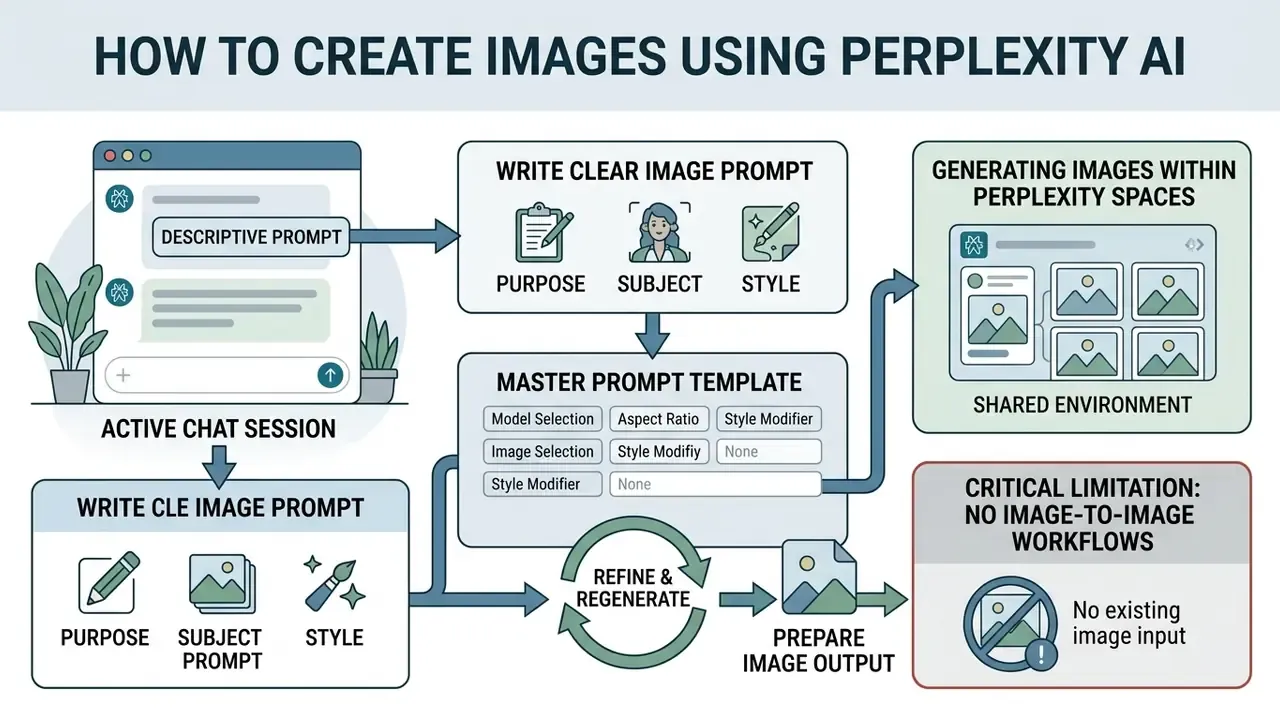
Creating graphics inside Perplexity starts with a descriptive prompt typed into the main search box during an active chat session. You write natural language instructions naming the subject, the context, and the visual parameters. The interface processes the text and displays the generated image block inline with the textual answer. From there you can inspect, save, download, or modify the image using follow-up text commands. Generation is available only to signed-in accounts, which rules out anonymous testing.
Write a clear image prompt with purpose, subject and style
Effective visual prompting means specifying four things: the core subject, the visual environment, the artistic style, and the functional purpose. Vague commands produce unpredictable compositions that fail to carry the message. Add explicit detail on lighting, medium (photo, vector, oil painting), color palette, and framing perspective. Pairing a research summary with structured prompt instructions improves alignment with the intended argument. Perplexity's own guidance is blunt here: be as specific as possible, and name subject, style, colors, mood, setting, and intended use in a single prompt.
Master prompt template for Perplexity AI
Build the prompt in four parts, then add an optional fifth:
[Subject and context] + [Visual medium or style] + [Lighting and framing] + [Color palette]
Example: "An isometric 3D vector visual showing data flow in a cloud network, clean corporate tech style, soft studio lighting, high contrast blue and slate gray palette."
Optional fifth slot, intended use: append "for a board-review slide" or "as a 16:9 article header" so the router biases composition toward the destination format.
Refine, regenerate and prepare image output
If the first image output misses, refine it with follow-up text instructions or use the "Regenerate" control below the image. Refined prompts let you adjust lighting, shift the color scheme, or replace background elements. Each regeneration processes as a new visual query against your account limits, and per Perplexity's documentation, failed attempts may also consume balance if they were processed before failing. Finished assets download straight from the chat interface for use in presentations or digital media. One habit worth adopting: download the version you like immediately, because a regeneration can overwrite the composition you were happy with.
Generating images within Perplexity Spaces
Teams using Perplexity Spaces for collaborative project research can generate and refine visuals inside shared workspaces. Images created in a Space inherit the shared project context, so every collaborator can view, download, and iterate on the same prompt thread. For distributed teams this keeps research citations, written analysis, and generated visuals in one traceable location instead of scattering assets across private chat histories. For compliance reviewers, that single location is the closest thing the product offers to a native evidence trail.
Critical limitation: no image-to-image workflows
Perplexity currently operates strictly as a text-to-image generator. The platform does not accept reference photos or source graphics for image-to-image transformation, style transfer, or character-consistency locking. Uploading an image invokes vision analysis, where the model describes and researches the picture. Third-party reviews frequently confuse that with generative conditioning. They are not the same thing. Workflows that need reference-image conditioning, multi-shot character consistency, or product-photo variation must move to a dedicated design platform.
How to Generate AI Images with Perplexity on WhatsApp
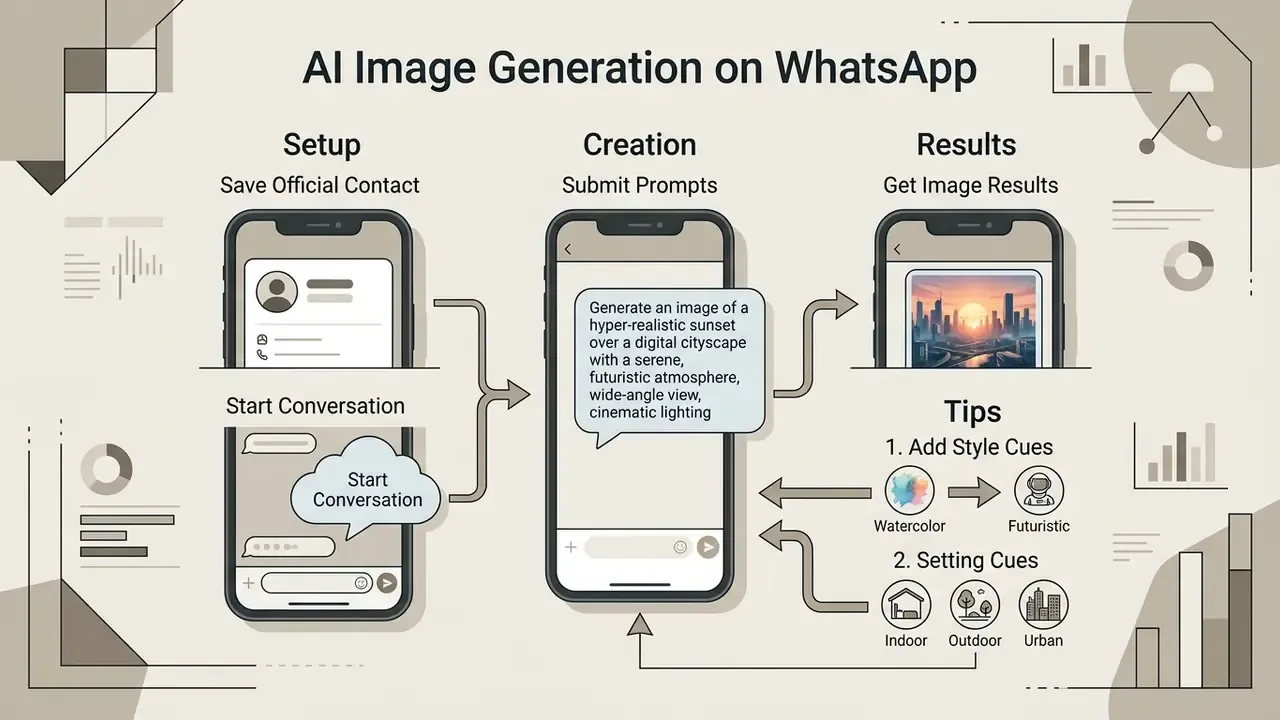
Perplexity extends multi-modal generation into WhatsApp, so users can produce high-resolution visual concepts inside messaging threads without opening the web app. For field marketers, client-facing consultants, and mobile-first teams, that removes the browser step entirely. It also removes the procurement step, which is the part risk owners should notice.
Step-by-step WhatsApp image generation setup
Example prompts that work reliably:
"Create a vector illustration of a modern cloud data center in isometric perspective""Generate a photorealistic header image of a rustic coffee shop interior at sunrise""Make a picture of a cozy mountain cabin at sunset in watercolor style""Create an image of a notebook with handwritten notes on a wooden desk"
- Save the official contact.Add the official Perplexity WhatsApp number
+1 (833) 436-3285to your device contacts. - Start the conversation.Open a new chat, find the contact, and send a greeting or an opening prompt.
- Submit natural language image prompts.Type explicit text commands asking for a visual output.
Tips for better WhatsApp image results
- Iterate in the same thread. Follow-ups such as "make it more colorful" or "add a sunset background" refine the previous output without restating the whole prompt.
- Expect one image per reply. Asking for three variants generally returns sequential single images rather than a grid.
- Declare the destination format. Say whether the asset is for a social post, a slide, or a WhatsApp status so the layout matches.
Note on WhatsApp limits. Generation through WhatsApp draws on your unified Perplexity account quota. Pro subscribers get higher-priority processing and advanced model output inside the messaging interface. The same content-moderation rules and the same non-commercial licensing terms apply to WhatsApp assets as to web outputs.
Governance note. Messaging-channel generation is the most common vector for shadow AI. Because the WhatsApp entry point needs almost no onboarding, regulated organizations should decide explicitly whether employee-device use is permitted, and whether prompts containing client or account data are prohibited on that channel. Silence here defaults to permission.

Enterprise Data Privacy and Vendor Risk in Perplexity Image Generation
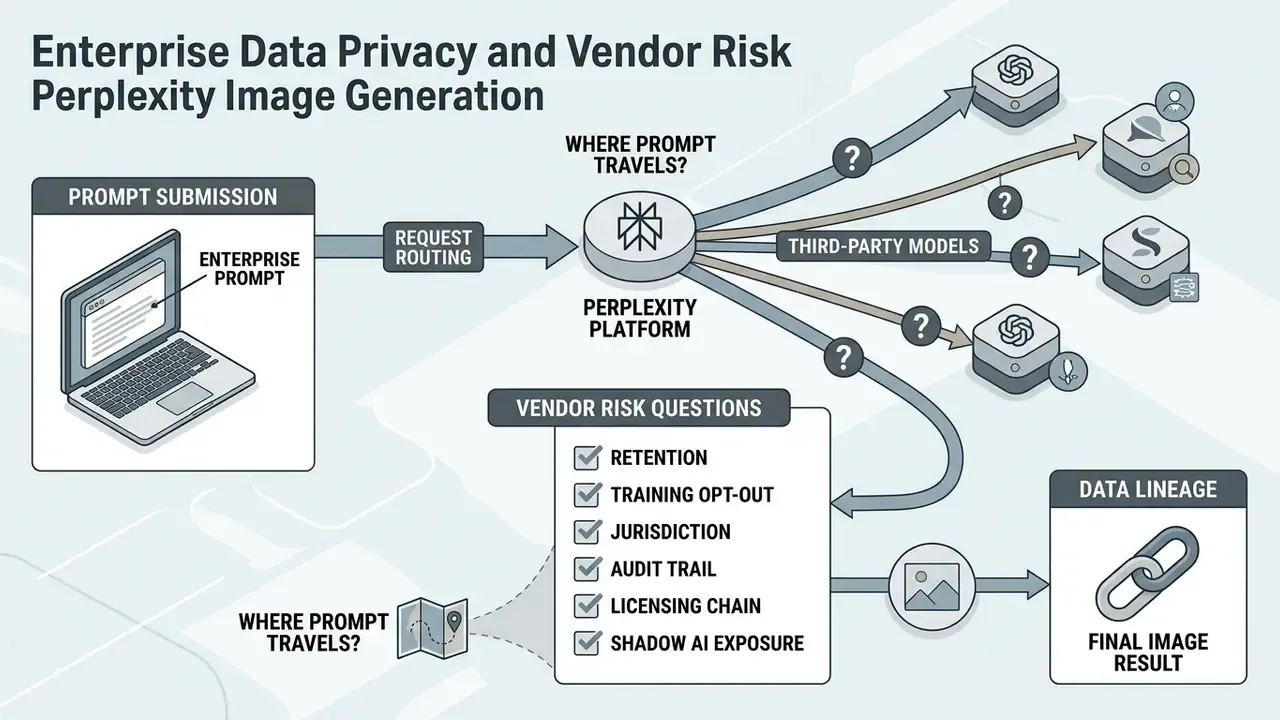
Where your prompt actually travels
A single image request can cross four layers: the Perplexity front end, the retrieval layer that pulls live web sources, the prompt-construction layer that merges your text with retrieved context, and a third-party image model operated by OpenAI, Google, ByteDance, or Black Forest Labs. Retrieved research context may be appended to the prompt. Which means text that originated inside your thread, including anything an analyst pasted in, can leave the Perplexity boundary together with the instruction.
Vendor risk questions to resolve before rollout
- Retention. How long does each downstream model vendor keep prompt text and generated output, and is retention contractually bounded in your Enterprise agreement?
- Training opt-out. Is there a documented guarantee that prompts and uploaded context are excluded from provider model training on your tier?
- Jurisdiction. Seedream is operated by ByteDance. Organizations with country-of-processing restrictions must confirm whether the admin console can pin or exclude specific vendors rather than relying on default auto-routing.
- Audit trail. Can administrators export a log of generation events, prompts, selected models, and outputs for internal compliance review?
- Licensing chain. Commercial-use rights on Enterprise tiers must be reconciled with each underlying model vendor's own license terms, because the asset inherits constraints from the engine that produced it.
- Shadow AI exposure. Free-tier and WhatsApp access require no procurement step, so unapproved usage is the default failure mode rather than an edge case.
- Ownership. Name the accountable owner for the capability, in the same way you would name an owner for any digital worker with defined access limits and a shutdown path.
Practical mitigation pattern
Pin one approved model in Settings → Preferences → Image generation model instead of leaving auto-routing active. That makes the vendor deterministic, and deterministic is auditable. Prohibit pasting client identifiers, account numbers, or unpublished financials into image prompts. Route brand-critical or regulated collateral through an approved design platform where processing location and asset ownership are already contracted.
Verification status. Per-vendor retention and training-exclusion terms for Enterprise Pro and Enterprise Max are contract-dependent and are not fully published in public help documentation. These points need written confirmation from Perplexity Enterprise support before sign-off. This article does not assert a specific retention period, and we would rather flag the gap than fill it with a guess.
Is Perplexity AI Image Generation Free? Pricing and Limits
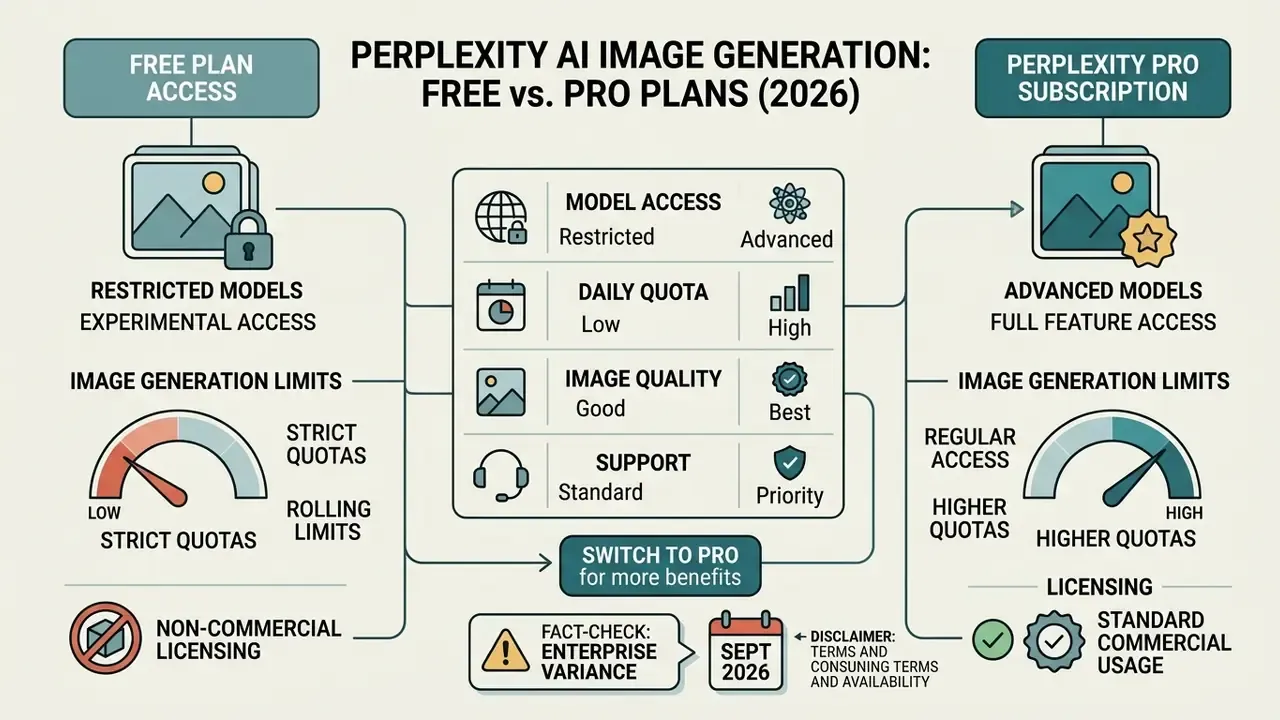
Free plan users get highly restricted or experimental access to image generation, while paid subscriptions provide regular access to advanced models. Anyone comparing zero-cost options should also review free AI image generators with explicit commercial terms. Perplexity structures feature tiers around compute intensity, reserving high-capacity image models for Pro and Enterprise subscribers. Reviewing current AI Media Pricing tiers helps organizations pick an account level that matches expected visual volume.
Free access versus Perplexity Pro image capabilities
The Free plan centers on text-based search with limited multi-modal functionality. Readers who want output without an account at all should compare no-sign-up AI image generators. Can Perplexity Pro generate images at a workable cadence? Yes: Pro subscribers gain enhanced visual creation access, expanded file uploads, and model selection controls. Pro accounts can explicitly choose between GPT Image models, Nano Banana, and Seedream depending on the aesthetic goal, which is the core difference in Perplexity Pro image creation capabilities versus Free.
Independent 2025 reporting also cited a 150-image monthly ceiling for GPT Image 1 on Pro. Since Perplexity's official documentation uses qualitative wording ("limited", "extensive") rather than fixed integers, treat every third-party number as a snapshot and confirm entitlements in-account. Teams can estimate cost differences across tiers with specialized calculators built for generative software planning.
How many images can Perplexity AI generate?
Perplexity uses a rolling reset structure rather than a rigid monthly calendar quota. Allocations refresh continuously across 24-hour windows as older queries age out of the tracking window. Image generations draw on dedicated query pools separate from standard text search allowances, and each generation counts as an enhanced query. If your available balance drops faster than expected, the documentation on why credits disappeared explains how rolling account metrics behave.
Disclaimer. This information is general and does not replace professional advice. Pricing, usage limits, and licensing conditions may change without notice, and enterprise terms are frequently negotiated per contract. Verify current figures on the official Perplexity pricing page and in your account settings before making procurement decisions.
Subscription plan comparison for image generation (verified September 2026)
| Subscription tier | Monthly cost | Image generation access | Selectable models | Commercial usage rights |
|---|---|---|---|---|
| Free (Standard) | $0 | Restricted or experimental access | Default system routing only | Personal, non-commercial only |
| Perplexity Pro | $20 ($200/yr) | Enhanced query allocation | GPT Image, Nano Banana, Seedream, FLUX.1 | Personal, non-commercial only |
| Perplexity Max (individual) | $200 ($167/mo annual) | Highest individual allocation and premium models | All consumer-tier models | Personal, non-commercial only |
| Enterprise Pro | $40 per seat | High-volume organizational access | All Pro models with administrative controls | Full commercial usage rights |
| Enterprise Max | About $325 per seat (verify) | Maximum priority allocation and video tools | All models plus advanced media engines | Full commercial usage rights |
Perplexity AI Image Generation Quality and Editing Limits
Perplexity produces high-quality visual output that suits conceptual communication, yet its inline editing remains basic. Everything runs through text prompt adjustments; there is no pixel-level masking and no layer control. Evaluating image quality and editing constraints together keeps assets from failing review right before distribution.
"GPT-Image-1 leads on edit-instruction compliance, yet frequently over-modifies regions outside the intended target area."
When Perplexity image quality is enough for content workflows
Fidelity is sufficient for internal slide decks, editorial thumbnails, and abstract concept illustrations. Strong aesthetic scores from Nano Banana 2 and GPT Image 2 deliver clean compositions with solid prompt alignment. Where speed and research integration matter more than exact brand color matching, inline visual synthesis genuinely accelerates a publishing pipeline.
Case note. An internal communications team used Perplexity to draft the visual design of a weekly tech newsletter. By pairing search summaries with prompt generation, they produced custom hero graphics inside query threads and cut their reliance on stock-photography searches. The team reported stable internal readership through the trial. Those engagement figures were self-reported, had no control group, and should be read as a workflow observation rather than a performance claim.
When advanced editing or brand-sensitive assets need another tool
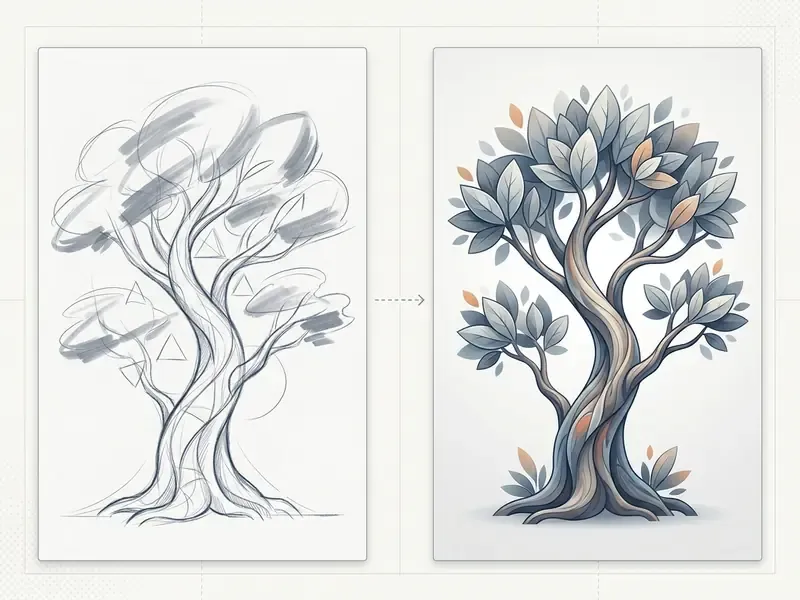
Projects that demand strict brandbook alignment, exact CMYK profiles, vector exports, or complex object replacement belong in a dedicated design platform. Reviewing purpose-built AI photo editors makes clear which controls Perplexity simply does not expose. Publication design guidance is unambiguous: print-grade collateral expects vector sources where possible plus 300 dpi raster output with color-managed profiles, and none of that comes out of Perplexity natively.
Text-only regeneration also cannot guarantee localized content preservation. Minor edits often disturb background elements you never asked to change. Final delivery frequently needs resolution work that dedicated AI image upscalers handle far more predictably. Teams facing tight design constraints should explore specialized alternatives that offer layer-based editing and precise mask controls.
Troubleshooting: Why Perplexity Cannot Generate an Image
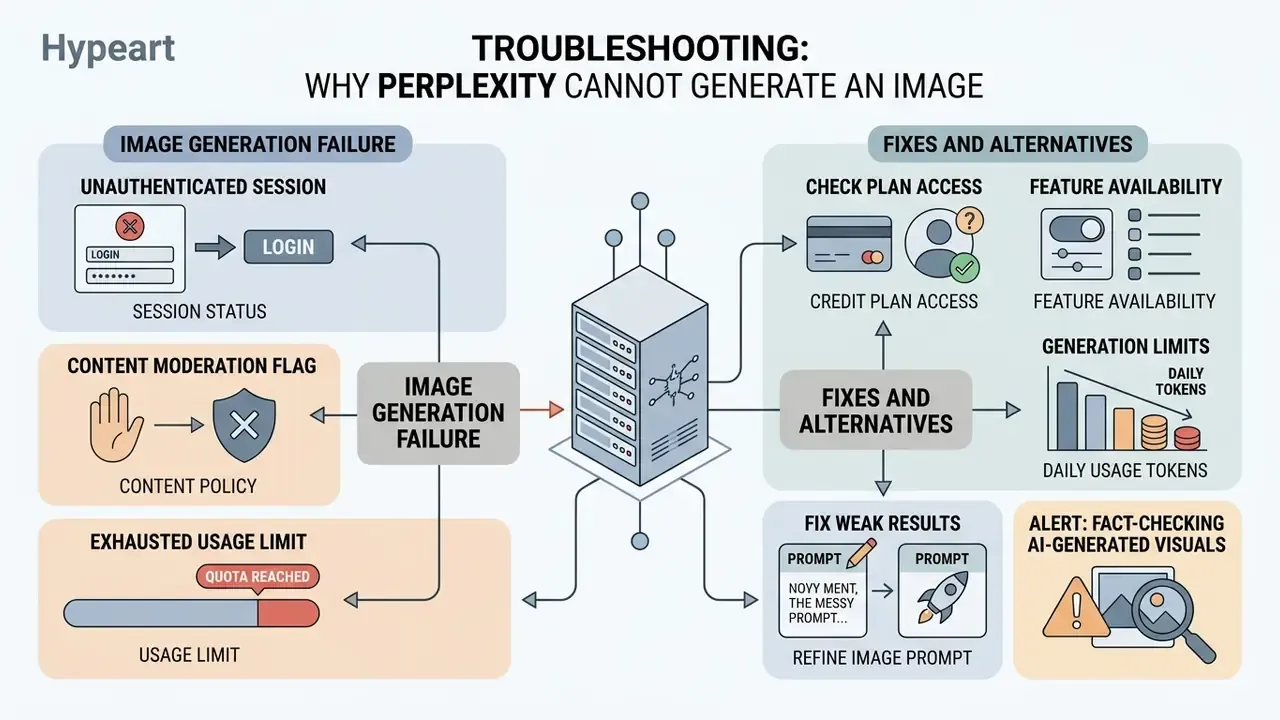
Generation failures usually trace back to three things: an unauthenticated session, a content moderation flag, or an exhausted usage limit. Perplexity's troubleshooting documentation names moderated or explicit content, unstable network connectivity, and a technical issue on Perplexity's side. The system notifies users when a prompt violates safety guidelines or when server capacity is constrained. Pinpointing the cause saves a support ticket.
Check plan access, feature availability and generation limits
If errors persist, first confirm active subscription status in account preferences. Unauthenticated visitors cannot reach the image tools at all. When account limits are exhausted, generation controls may stop responding until the rolling window refreshes. Provider-side capacity exhaustion is a documented failure mode across major vendors too. Messages indicating no available model capacity are infrastructure events, not account problems, and they clear without user action. Knowing how long does a typical render take helps separate normal latency from an actual failure.
If a failed attempt still consumed balance, consult the guide on handling a Failed Generation Charged scenario. Anyone adjusting a subscription tier mid-troubleshooting should review the policy on how to cancel downgrade switch account plans safely, since tier changes can alter which image models remain selectable.
Fix weak results by refining the image prompt
Weak visuals usually come from ambiguous inputs and missing structural detail. Rephrase with explicit subject definitions, lighting conditions, and composition style. Skip broad adjectives like "photorealistic" in favor of concrete descriptors such as "35mm camera perspective, natural morning sunlight, sharp focus." A useful diagnostic is the counterfactual prompt: hold the subject constant and vary one contextual factor at a time (lighting, then medium, then framing) to isolate which instruction the model is misreading. Tedious, yes. It also works faster than blind regeneration.
Alert: fact-checking AI-generated visuals
AI-generated graphics must never serve as primary evidence for real-world events, scientific charts, or technical product specifications.
"The evaluation framework documents gender, race, and age biases in model outputs, particularly under insufficiently detailed prompts."
"Camera images consistently outperform AI generation on photorealism and prompt fidelity, while AI models lead on aesthetic metrics." Visual Verity, peer-reviewed study (2024).
Minimum verification routine: confirm every factual element against the cited source rather than the picture; record provenance, meaning who generated it, when, with which model, and whether it was edited afterwards; never present a generated visual as documentary evidence of a product, person, or event; label synthetic content in public or regulated communications.
Perplexity vs Dedicated AI Image Generators: When to Switch Tools
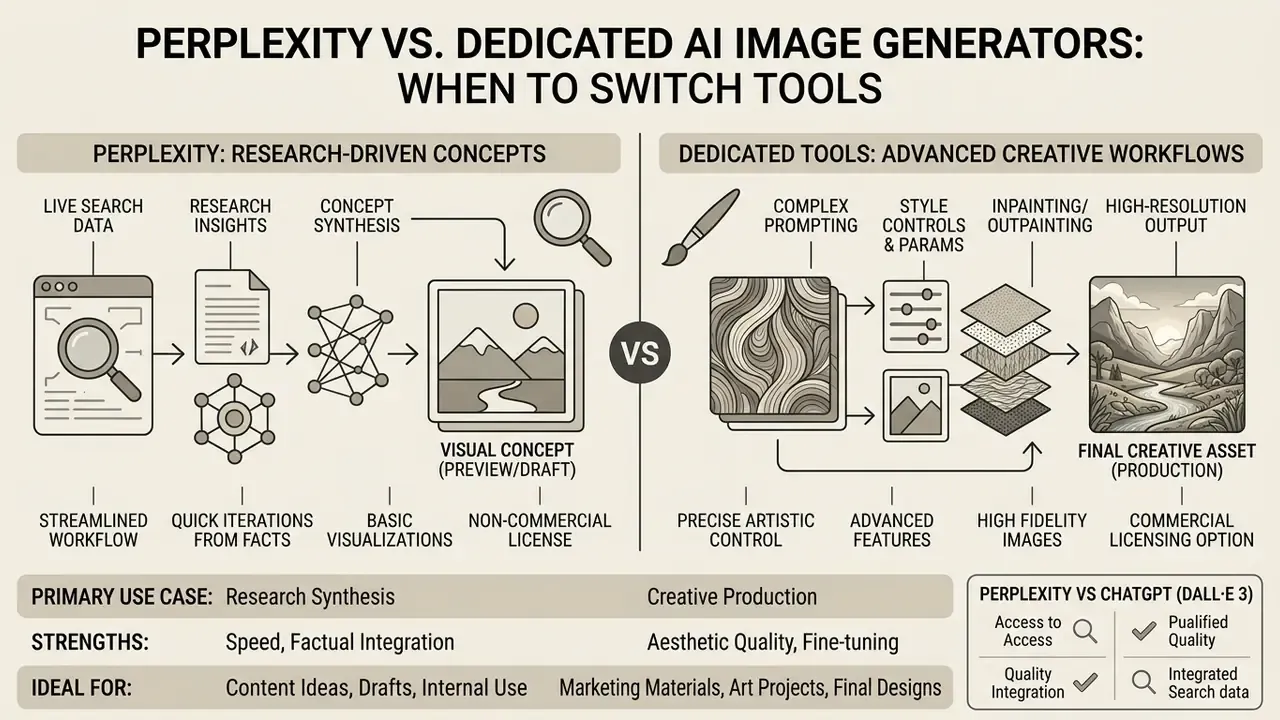
Perplexity excels at turning live search research into visual concepts. Dedicated graphic platforms prioritize pixel precision and batch production. Mapping organizational requirements against a shortlist of the best AI image generators is the fastest way to decide between search-integrated generation and a design suite.
Choose Perplexity for research-driven visual content
Perplexity fits best when the visual depends directly on real-time search data and cited summaries. An analyst can summarize market data and produce an accompanying conceptual graphic inside one workspace, with sources still visible on screen.
"Perplexity does not train its own image generator; it acts as a routing layer that forwards the prompt to a third-party model and returns the result inside its interface."
That integration kills context switching and keeps graphics aligned with the underlying research. The trade-off is inherited risk: output quality, licensing, and failure modes all come from whichever vendor the router picked.
Switch to a dedicated image tool for advanced creative workflows
Dedicated tools become necessary when the project needs raw high-resolution exports, custom aspect ratios, precise layer masking, and commercial IP guarantees. Platforms such as Midjourney image generation expose that control surface by default. Specialist suites also provide dedicated credit systems, batch rendering pipelines, and direct API endpoints for automated media workflows. Since GPT Image powers much of Perplexity's default output, benchmarking against ChatGPT image generation gives the cleanest like-for-like test. Note as well that Perplexity publishes a search-focused API but no dedicated image-generation endpoint, which rules it out of automated media pipelines entirely.
Perplexity AI versus dedicated AI image generators
| Comparison criterion | Perplexity AI (integrated) | Dedicated image generators |
|---|---|---|
| Primary focus | Search-grounded research and concept visualization | High-volume asset production and studio editing |
| Research context integration | High: prompts build on web citations and search summaries | Low: relies strictly on manually written text prompts |
| Editing capabilities | Text-guided regeneration; global style adjustments | Advanced masking, layer control, upscaling, background removal |
| Image-to-image or reference input | Not supported (text-to-image only) | Supported, including multi-reference consistency |
| Commercial licensing | Restricted to Enterprise subscription tiers | Commercial rights included by default on standard paid plans |
| API access | Search-focused text API; no dedicated image endpoint | Direct REST APIs for automated image and video generation |
Bottom line under the table: if the asset supports an argument backed by sources, keep it in Perplexity. If the asset ships to customers, move it.
Perplexity AI versus ChatGPT (DALL·E 3) image generation
Both platforms lean on top-tier visual engines, yet their workflows serve different operational goals.
| Feature / capability | Perplexity AI image generator | ChatGPT (DALL·E 3 / GPT Image) |
|---|---|---|
| Primary workflow | Search-grounded, citation-backed research graphics | Conversational creative art and interactive storytelling |
| Contextual sourcing | High: pulls real-time web research into the prompt | Low: relies on conversational chat context |
| In-line canvas editing | Limited: text-guided global regeneration | Advanced: native targeted inpainting and masking |
| Model diversity | Multi-model routing (GPT Image, Nano Banana, Seedream, FLUX) | Single-model ecosystem (DALL·E 3 / OpenAI native) |
| Generation speed | Faster, tuned for quick factual previews | Moderate, denser sampling iterations |
| Commercial rights on paid consumer plan | Non-commercial on Pro and Max; commercial on Enterprise | Commercial use permitted on standard paid plans |
Verdict. Perplexity wins when the visual must sit beside cited research and appear in seconds. ChatGPT wins when the asset needs iterative artistic direction, targeted inpainting, or immediate commercial deployment from a consumer-tier subscription.
AI Governance Checklist for Approving Perplexity Image Generation
Use this as a pre-deployment gate before enabling the feature for a department.
- Licensing tier match.Confirm that any team publishing external assets sits on Enterprise Pro or Enterprise Max, not individual Pro or Max.
- Vendor determinism.Pin an approved image model in Preferences instead of default auto-routing, and document which vendor jurisdictions are acceptable.
- Data-handling policy.Publish an explicit rule on what may never enter an image prompt: client names, account identifiers, unpublished financials, regulated personal data.
- Audit trail.Verify with Perplexity Enterprise support whether generation events and prompts are exportable for compliance review. If not, define a manual logging requirement and name who maintains it.
- Human verification step.Require named human sign-off on any generated visual that depicts real events, products, people, or quantitative data, following the fact-checking routine above.
- Shadow AI containment.Decide and communicate whether the WhatsApp channel and Free-tier accounts are permitted on corporate devices.
- Escalation path.Define when a task must leave Perplexity for a dedicated design platform: brand-critical collateral, print output, reference-image conditioning, or batch production.
No evidence, no autonomy. The same principle that governs a credit model applies to a picture destined for a board deck.
FAQ: Perplexity Image Generation
Can Perplexity AI generate images for free?
Yes, with heavy restrictions. Free accounts get limited or experimental generations and default model routing only. Output on Free, Pro, and individual Max plans is documented as personal, non-commercial use.
Which model does Perplexity use by default?
Since May 2026, Perplexity has stated that OpenAI GPT Image 2 is the default engine behind its image generation and editing flows. Paid users can override the default in Settings → Preferences → Image generation model.
Can I disable a specific vendor model, such as Seedream, for security reasons?
Individual users can select a preferred model manually instead of leaving auto-routing on, which effectively avoids a given vendor in their own sessions. Organization-wide enforcement of a model allow-list is an administrative control question and must be confirmed with Perplexity Enterprise support. Public documentation does not guarantee tenant-level vendor blocking.
Can I upload a photo and ask Perplexity to restyle it?
No. Uploading an image invokes vision analysis, not generative conditioning. There is no image-to-image, style-transfer, or reference-consistency workflow.
Do failed generations consume my quota?
They can. Perplexity's documentation states that regeneration and editing count as new generations, and failed attempts may also count if they were processed.
How many images per day can I actually generate?
Official documentation uses qualitative tiers rather than fixed integers, and limits reset on rolling windows. Third-party reports have cited roughly 50 FLUX.1 images per day on Pro and a 150-image monthly ceiling for GPT Image 1, but those are unverified snapshots. Check your own account.
Can I use Perplexity images in paid advertising?
Only from Enterprise Pro or Enterprise Max, and only after reconciling the underlying model vendor's license terms for the engine that produced the asset.
Does image generation work inside Perplexity Spaces?
Yes. Visuals generated inside a Space inherit the shared project context and stay available to collaborators in the same thread.
Appendix A: Editorial Revision Log