Executive summary for busy decision-makers
For C-level, risk, and operations readers who need the answer in 30 seconds:
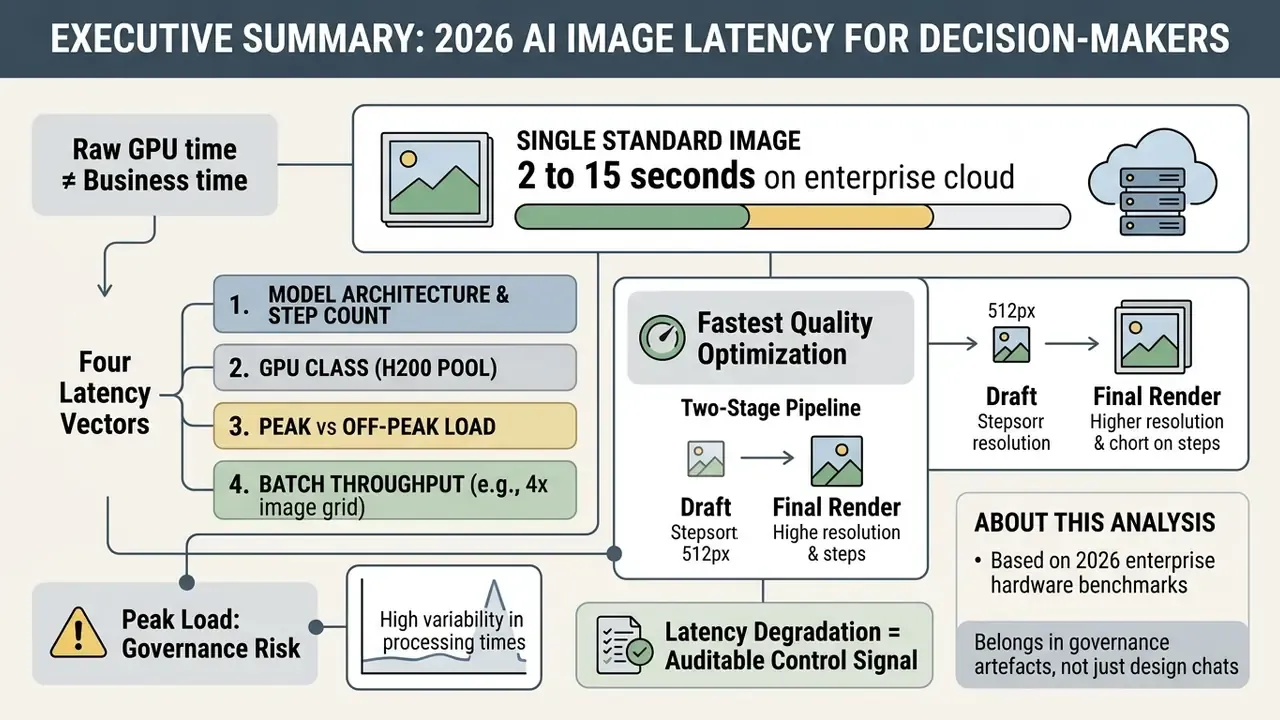
- Single standard image: 2 to 15 seconds on enterprise cloud infrastructure. Distilled models (SDXL Turbo, LCM, TLCM, FLUX Schnell) deliver sub-second output; high-resolution or multi-stage pipelines require 15 to 120 seconds.
- Raw GPU time is not business time. Pure inference is 3 to 15 seconds, but the total time to an approved, usable asset is 5 to 12 minutes once prompt drafting, 3 to 10 re-rolls, review, and upscaling are counted. ROI models built on "3 seconds per image" are structurally wrong.
- Four latency vectors dominate: model architecture and step count, GPU class (an H200 pool is roughly 2.5 times faster than an A100 pool for identical settings), request parameters (resolution scales quadratically,
O((H × W)²)in attention), and queue or server load (peak-hour latency routinely doubles or triples). - Peak load is a governance risk, not a UX annoyance. Midjourney v6 moves from 15 to 30 seconds off-peak to 40 to 90 seconds at peak; DALL·E 3 from 6 to 10 seconds up to 12 to 25 seconds. Rate-limit responses (
429) and overload responses (503) must be handled withRetry-Afterbackoff and idempotency keys. - The fastest quality-preserving optimization is a two-stage pipeline: draft at 512 or 768 px with 1 to 4 steps, then upscale the selected candidate with a dedicated upscaler. Native 4K rendering can take 4+ minutes or fail on timeout.
- Latency degradation is an auditable control signal. The NIST AI Risk Management Framework (AI RMF 1.0) treats response-time degradation and unpredictable availability as primary indicators that an AI component is operating outside defined validity boundaries. That is precisely why latency baselines belong in the model inventory, not only in the design backlog.
About this analysis. This benchmark review was compiled and reviewed by our AI media operations desk, whose contributors work on model-risk documentation, enterprise vendor evaluation, and generative infrastructure procurement for regulated organizations. All latency figures are sourced from published academic benchmarks, vendor documentation, or controlled API tests, and each figure is attributed inline. Last reviewed: current 2026 publication cycle.
Why this belongs in governance artefacts, not just design chats. Three practical reasons. First, an image endpoint without a recorded p95 baseline cannot be monitored for drift, so nobody can prove when behaviour changed. Second, unowned retries quietly duplicate billing and create generations that never appear in any log. Third, credit caps and tier throttles are contractual constraints, which means they belong in vendor management files alongside data-retention terms. None of that requires heavy process. It requires one number per endpoint, reviewed quarterly.
How long does AI image generation take on average?
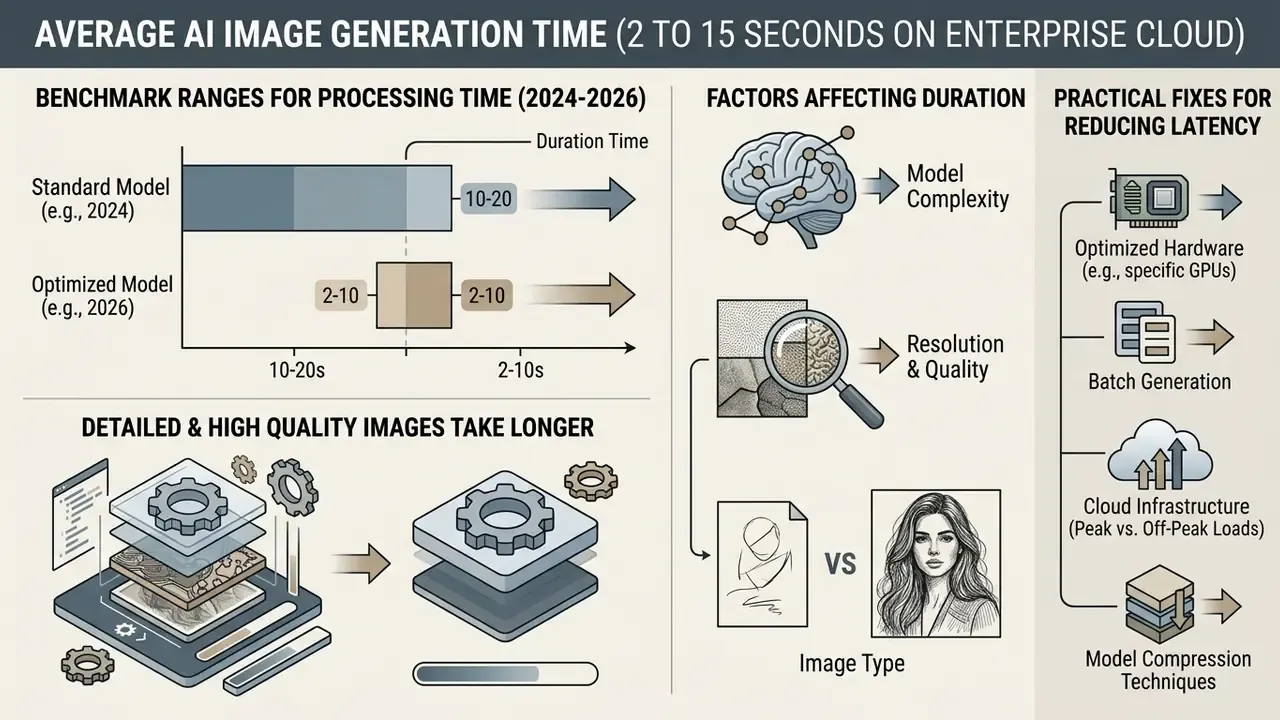
Generating a single standard AI image typically takes between 2 and 15 seconds on enterprise cloud infrastructure, depending heavily on model architecture, resolution, and current server queue depth. Highly optimized latent consistency models can generate outputs in under 1 second, whereas complex, multi-stage diffusion models or high-resolution requests can take up to 60 to 120 seconds.
Understanding these ranges lets operations teams set realistic performance expectations, configure sensible API timeout parameters, and establish baseline SLAs across business applications. It also creates the measurable foundation that governance frameworks assume: response-time degradation is one of the primary indicators that an AI system has drifted outside its validated operating envelope.
«Response times for AI system failures and system reliability/robustness are treated as safety metrics.»
Benchmark ranges for AI image generation processing time (2024 to 2026 data)
| Output type & configuration | Typical processing time | Representative hardware / model class | Primary latency drivers |
|---|---|---|---|
| Distilled / fast generation (512x512) | 0.2 to 0.9 seconds | SDXL Turbo, TLCM (2 to 4 steps) on NVIDIA A100/H100 | Single-step forward passes, feature caching, reduced FLOPs |
| Standard image output (512x512 to 1024x1024) | 2.0 to 12.0 seconds | Stable Diffusion v1.4/v2.1, PixArt alpha, DALL·E 3 API | Standard denoising schedules (20 to 30 steps), cloud API network overhead |
| High quality / detailed render (1024x1024+) | 12.0 to 45.0 seconds | DALL·E 3 HD, DeepFloyd IF XL, FLUX.1 (50 steps) | High-resolution self-attention matrix scaling, complex text prompt encoding |
| Batch generation (4 to 10 candidates) | 15.0 to 120.0 seconds | Parallel GPU pipelines or sequential cloud requests | Queue accumulation, VRAM allocation caps, batch completion dependency |
| High-volume batch (100 candidates via API) | 5.0 to 90.0 minutes | Parallel GPU node clusters vs. sequential or Discord-queued platforms | Parallelization capability, per-tier RPM caps, provisioned concurrency |
Note: benchmarked latency figures represent hardware wall-clock execution time and baseline network round-trips. Actual queue times during peak demand hours vary with account subscription tiers and provider throttling policies. Treat every range above as a planning input, not a guarantee.
Standard image generation time for a single image
The average time to generate AI image outputs in a standard 512x512 or 1024x1024 format ranges from 1.2 to 8.0 seconds under non-congested compute conditions.
According to empirical benchmark measurements from the ConceptMix cross-model evaluation study on NVIDIA A6000 hardware, open-source models like Stable Diffusion v1.4 record an average processing time of 2.17 seconds per image, while Stable Diffusion v2.1 completes single image rendering in 3.99 seconds (ConceptMix Benchmark, 2024). The same evaluation shows how wide the intra-family spread has become: on identical A6000 hardware, SDXL Turbo produces an image in 0.34 seconds, while SDXL Base requires 10.03 seconds at default settings. A 29-fold gap, driven purely by distillation and step count.
«On NVIDIA A6000 hardware, SDXL Turbo generates an image in 0.34 seconds, while SDXL Base requires 10.03 seconds at standard settings.»
In commercial API deployments, such as OpenAI's DALL·E 3 standard mode, single image execution typically completes within 8 to 12 seconds under normal workload conditions. Organizations evaluating foundational image models through our AI image generator comparison and our best AI art generator comparisons can use these baseline numbers to benchmark vendor claims against internal operational requirements.
One practical caveat: these are single-image figures on clean hardware. Add a corporate proxy and a shared queue, and the same model feels noticeably slower to the person waiting.
Why highly detailed and high quality images take longer
High quality output and highly detailed images require substantially more processing time because increasing resolution and sampling steps multiplies the underlying floating-point operations (FLOPs) sharply, not linearly.
In latent diffusion architectures, doubling spatial dimensions from 512x512 to 1024x1024 increases self-attention computational cost quadratic to spatial area, expressed as . Technical documentation from the HART architectural study reveals that SDXL U-Net multiply-accumulate operations (MACs) scale from 30.7 tera-operations at 512x512 (20 steps) to 120 tera-operations at 1024x1024, causing single image execution latency to rise from 1.4 seconds to 2.3 seconds on an NVIDIA A100 (HART Benchmark, 2024). Pushing the same model to 40 sampling steps at 1024x1024 drives MACs to 239 tera-operations and latency to 4.3 seconds, versus 2.5 seconds for the equivalent 40-step run at 512x512.
Detailed prompts that demand high-frequency visual structure also force the denoiser through additional sampling steps (40 to 50 instead of 20), compounding total generation time linear to the step count. That is the arithmetic behind a rule experienced production teams apply almost universally: never render final resolution first. Explore composition cheaply, then escalate resolution only for the single approved candidate.
What affects AI image generation processing time?
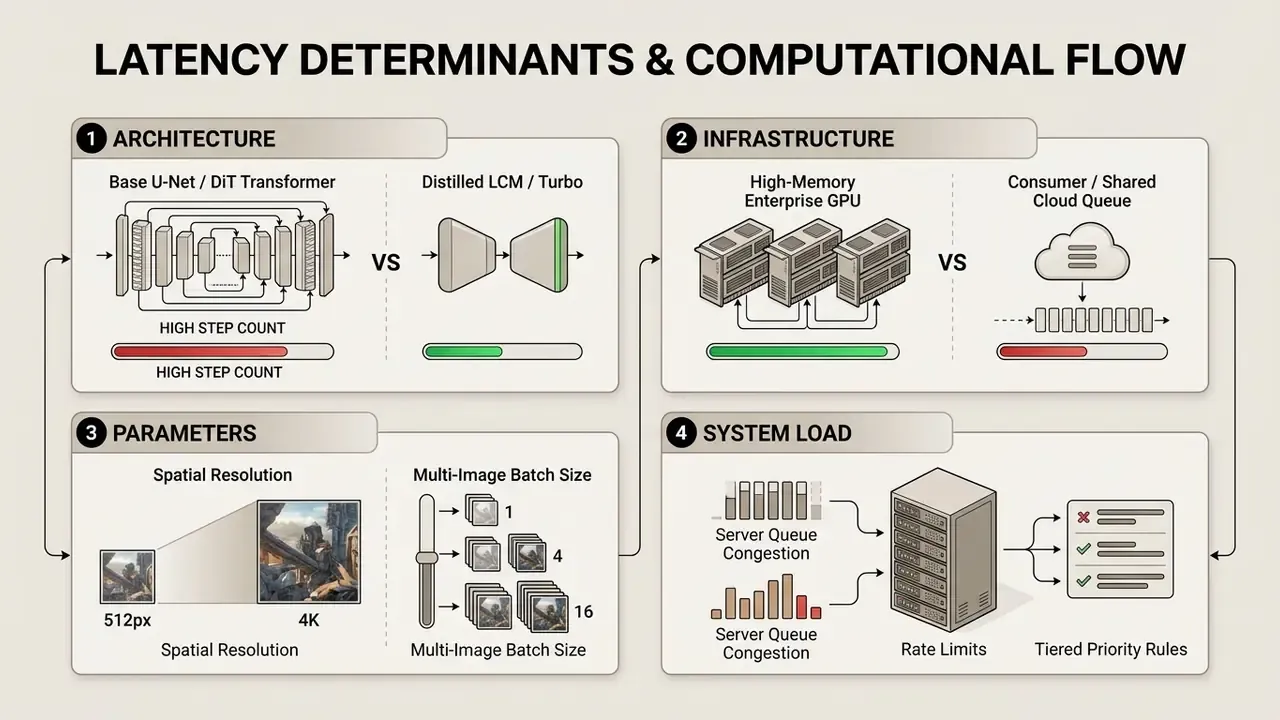
The AI image generation processing time is governed by four structural vectors: neural model architecture, available GPU hardware, image configuration parameters, and host server queue infrastructure.
Isolating these factors lets enterprise teams tell whether execution delays stem from model inference mechanics, sloppy prompt parameters, or external infrastructure bottlenecks. Those three causes have completely different owners.
AI model architecture, diffusion models, and available compute
Model parameter volume, denoising step count, and available GPU hardware directly determine raw inference execution speed.
Iterative diffusion models build visual outputs by progressively removing noise over sampling iterations; total U-Net execution time scales with the number of function evaluations (NFEs). In SDXL-class pipelines the U-Net backbone accounts for more than 93% of base-model inference latency, which is why architectural and step-count changes dominate every other optimization lever. Distilled architectures, such as Latent Consistency Models (LCM) or Adversarial Diffusion Distillation (ADD), cut required sampling steps from 30+ down to 1 to 4.
Compute hardware accelerates this pipeline significantly: benchmarks conducted by Akamai indicate that rendering Stable Diffusion XL on enterprise RTX 4000 GPUs cuts overall end-to-end processing latency by 15.0% compared to AWS A10g instances and by 62.8% compared to legacy AWS T4 hardware. At the opposite end of the hardware spectrum, on-device inference confirms the same scaling law under severe memory constraints.
«On a Samsung Galaxy S23, an optimized Stable Diffusion v2.1 renders a 512×512 image in roughly 7 seconds; GPU-accelerated S23 Ultra runs complete in under 12 seconds.»
Teams deploying local or self-hosted pipelines can consult technical documentation on an open source ai image generator to analyze hardware-specific throughput profiles, and should cross-check licensing implications using our review of AI image generators for commercial use before promoting a self-hosted stack into production.
Hardware compute and datacenter GPU latency benchmarks
Inference latency depends heavily on memory bandwidth, tensor-core generation, and GPU compute architecture. The table below outlines generation speed relative to top-tier enterprise infrastructure, which is the single most useful reference when comparing two vendors that run the same model on different hardware tiers.
| GPU model | VRAM specification | Relative speed multiplier | Average 1024x1024 execution time | Primary enterprise deployment |
|---|---|---|---|---|
| NVIDIA H200 | 141 GB HBM3e | 1.0x (baseline) | 0.8 to 1.5 seconds | Premium cloud API pools |
| NVIDIA H100 | 80 GB HBM3 | 1.2x slower | 1.0 to 1.8 seconds | Tier-1 cloud infrastructure |
| NVIDIA A100 | 80 GB HBM2e | 2.5x slower | 2.0 to 4.5 seconds | Standard cloud instances (AWS/GCP) |
| NVIDIA L40S | 48 GB GDDR6X | 3.0x slower | 2.5 to 5.5 seconds | Cost-optimized inference clusters |
| RTX 4090 (consumer) | 24 GB GDDR6X | 3.5x slower | 1.2 to 3.2 seconds | Local workstations (optimized SDXL) |
| RTX 3090 (consumer) | 24 GB GDDR6X | 5.0x slower | 4.0 to 8.0 seconds | Legacy on-premise workstations |
The practical consequence: a platform running H200 clusters and a platform running older A100 capacity can differ by roughly 2.5x in wall-clock latency while serving an identical model with identical settings. Consumer cards show a lower effective multiplier than their raw specifications suggest, because local pipelines remove queue wait and network round-trip entirely. A dedicated RTX 4090 with zero queue frequently beats a shared A100 pool at peak load, which is counter-intuitive until you look at where the seconds actually go.
Distributed inference adds a further multiplier for large formats: parallelized 4096-pixel PixArt generation has been reported at 17 seconds across 16 L40 GPUs versus 245 seconds on a single device. That is a 13.29x speedup achieved purely through GPU parallelism, with no model changes at all.
Resolution, quality settings, and images per request
Higher target spatial resolutions, high-detail rendering profiles, or requests for multiple images per API call increase total processing duration linearly or quadratically.
Official API documentation for Google's Gemini 3 Pro Image architecture (the family widely nicknamed "nano banana" in practitioner circles) demonstrates this scaling penalty: generating a standard 1K output requires approximately 0.5 seconds, whereas requesting a 4K resolution image requires 13.0 seconds, a 26-fold increase in pure processing time (Google AI Documentation, 2026). Independent academic benchmarking reproduces the same effect when model class and resolution move together.
«SDXL Base requires 10.03 seconds on an A6000, while SDXL Turbo at 512×512 requires only 0.34 seconds, a 29-fold difference when model and resolution change together.»
Batch generation scales processing time according to whether the hosting environment executes parallel GPU passes or sequential queues. When evaluating multi-asset design platforms through Canva AI generator commercial reviews, teams must account for how internal resolution defaults hit automated content production speeds. Many suite tools silently default to the highest available resolution, quietly converting a 3-second draft cycle into a 20-second one. Nobody changed a setting; the setting was always there.
Server load, wait times, and peak demand
Host server load, regional peak usage hours, and account subscription priority tiers account for the largest non-inference delays in cloud-based AI tools.
During high-concurrency periods, request backlogs trigger queue management algorithms that hold jobs in pending states before GPU allocation occurs. Research into diffusion serving architectures indicates that cache-miss events and queue accumulation during traffic spikes can push system tail latencies beyond 1,000 seconds in unthrottled vanilla setups; the same body of work measures roughly 100 ms of queue and cache overhead plus about 10 seconds of generation on the cache-miss path, and documents that adding a single ControlNet raises serving latency from 2.9 seconds to 4.5 seconds. Data note: these tail-latency figures describe unthrottled research serving stacks, not commercial production endpoints with admission control. Read them as an upper bound for un-governed self-hosted deployments, not as a vendor SLA expectation.
To contain these disruptions, enterprise API architectures implement priority queueing, non-preemptive head-of-line scheduling, and rate-limit responses that balance incoming demand against available compute capacity. Provider-side caps are themselves a latency factor, independent of model speed.
«OpenAI enforces tiered DALL·E 3 limits, from roughly 500 requests per minute at Tier 1 to 10,000 at Tier 5; exceeding the tier triggers queueing errors regardless of model speed.»
Network round-trip latency. Even on the fastest GPU with the most optimized model, transport adds measurable time. Cloud API round-trip latency adds roughly 20 to 100 ms for US-based endpoints and 200 to 500 ms for internationally hosted endpoints, driven by TLS handshakes and the transmission of raw PNG/WebP binaries. In regulated environments the number climbs further, because traffic passes through corporate security gateways, private endpoints, and DLP inspection layers before it reaches the provider. Measure that hop separately from model latency during vendor acceptance testing, otherwise you will blame the model for your own network.
Regulatory and vendor benchmarks review: verification notes
Typical AI image generation time by tool and model
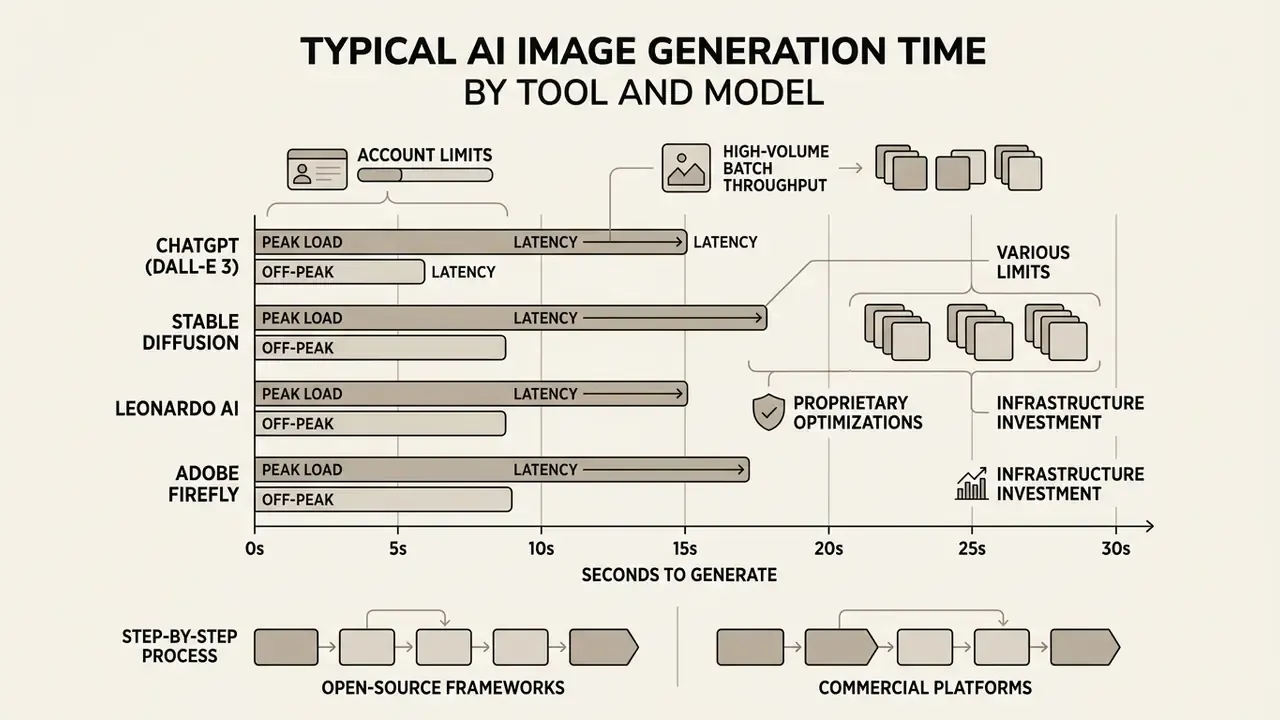
Generation speed varies widely across commercial platforms and open-source frameworks, thanks to proprietary pipeline optimizations, infrastructure investment, and default step configurations.
Comparing platforms under standardized conditions helps creative ops leads pick the right tool for a specific delivery timeline, whether that is a social media post due in ten minutes or a print asset due next week.
Comparative analysis of AI image generation platforms and models
| Platform / model | Average single image time | Batch generation support | Quality tier options | Queue & priority mechanisms |
|---|---|---|---|---|
| ChatGPT (DALL·E 3 / GPT-4o) | 8.0 to 35.0 seconds | No (single image per request) | Standard, HD quality | Priority allocation for Plus, Team, and Enterprise accounts |
| Stable Diffusion (local RTX 4090) | 1.2 to 3.2 seconds (SDXL) | Yes (multi-prompt / parallel seeds) | Configurable steps (1 to 100) | Immediate execution (no external server queue) |
| Leonardo AI | 2.0 to 12.0 seconds | Yes (up to 8 images per call) | Fast vs. Relaxed, Alchemy engine | Fast Tokens bypass main queue; Relaxed mode uses excess capacity |
| Adobe Firefly | 5.0 to 15.0 seconds | Yes (4 options per generation) | Standard vs. high resolution | Generative Credits govern access to fast queue; throttled when exhausted |
Data compiled from benchmark studies, vendor documentation, and controlled API tests. Latency figures omit regional network latency.
Peak versus off-peak latency and high-volume batch throughput
Average latency alone is an unsafe planning number, because the same endpoint behaves differently at 03:00 and at 14:00 US Eastern time. The table below separates off-peak execution, peak-hour execution, and bulk throughput for 100 images. Those three figures decide whether a publishing pipeline hits its deadline.
| Platform / model | Off-peak execution time | Peak hours execution time | Batch (100 images, API) | Queue & priority infrastructure |
|---|---|---|---|---|
| Midjourney v6 / v7 | 15.0 to 30.0 sec | 40.0 to 90.0 sec | 45 to 90 minutes (no parallel API) | Priority GPU hours vs. Relaxed queue |
| DALL·E 3 (OpenAI API) | 6.0 to 10.0 sec | 12.0 to 25.0 sec | 15 to 25 minutes | Scale Tier provisioned concurrency |
| Adobe Firefly 3 | 4.0 to 8.0 sec | 8.0 to 15.0 sec | 10 to 15 minutes | Generative credit fast-token allocation |
| Leonardo AI (Phoenix) | 6.0 to 12.0 sec | 15.0 to 35.0 sec | 12 to 30 minutes | Fast tokens vs. Relaxed generation |
| FLUX.1-class fast cloud endpoints | 2.0 to 4.0 sec | 3.0 to 6.0 sec | 5 to 8 minutes | Parallel node cluster allocation |
| SDXL (local RTX 4090) | 1.2 to 3.2 sec | 1.2 to 3.2 sec (no peak effect) | 3 to 6 minutes | Dedicated local VRAM (zero queue) |
Two structural conclusions follow. First, queue architecture outweighs model speed at scale: a platform with parallel GPU pools completes 100 assets in single-digit minutes, while a sequential or chat-queued platform needs more than an hour for the same workload, even when its per-image speed looks competitive. Second, peak-hour variance, not median latency, is what breaks automation. A downstream publishing job with a 30-second timeout will fail intermittently on any endpoint whose peak range crosses that threshold.
ChatGPT image generation time and account limits
Image creation inside ChatGPT (using GPT-4o and DALL·E 3) typically takes 8 to 30 seconds for standard outputs, stretching to 45 seconds for high-detail requests during peak usage hours.
Official documentation notes that GPT-4o image generation cycles can routinely take up to one minute under heavy system load (OpenAI Release Notes, 2025). Academic measurement puts a harder number under that qualitative statement.
«In the ConceptMix benchmark on NVIDIA A6000 hardware, DALL·E 3 produces a 1024×1024 image in 12.58 seconds, the model's baseline latency before network overhead.»
Stable Diffusion, Leonardo AI, and Adobe Firefly speed
Open-source Stable Diffusion running locally on high-end consumer GPUs delivers the fastest generation performance, while cloud platforms lean on credit and queue systems to manage latency.
Running SDXL locally on an NVIDIA RTX 4090 yields rendering speeds of 1.2 to 3.2 seconds per image, and ultra-fast variants like SDXL Turbo achieve sub-second generation (0.2 to 0.34 seconds).
«On an NVIDIA A100, SDXL Turbo renders 512×512 in 207 milliseconds, of which 67 ms is a single U-Net forward pass; blind tests rate quality on par with 50-step SDXL Base.»
Leonardo AI manages platform speed by splitting requests into Fast mode (high-priority tokens for immediate processing) and Relaxed mode (lower priority, no token deduction). Its Alchemy pipeline is a quality mode rather than a speed mode: documented token accounting shows Alchemy consuming substantially more tokens per image than standard generation, so switching it on raises both cost and latency per candidate.
Adobe Firefly structures performance through monthly Generative Credits across Creative Cloud applications; once fast credits run out, generation requests still work but process at reduced speed. Standalone Firefly plans allocate on the order of 750 credits per month, Adobe Express Premium roughly 250, and exhausted allocations push users into the slower queue until the cycle resets or extra credits are purchased (Adobe Generative Credits FAQ, 2025). Organizations assessing enterprise design suites can review comparative performance analyses via Bing AI image tool guides and Microsoft AI generator features.
Generation time vs total time to create usable images
Focusing on raw GPU inference time alone creates a flattering illusion of efficiency. The total operational time needed to deliver a usable visual asset includes prompt engineering, seed exploration, batch review, and revision cycles.
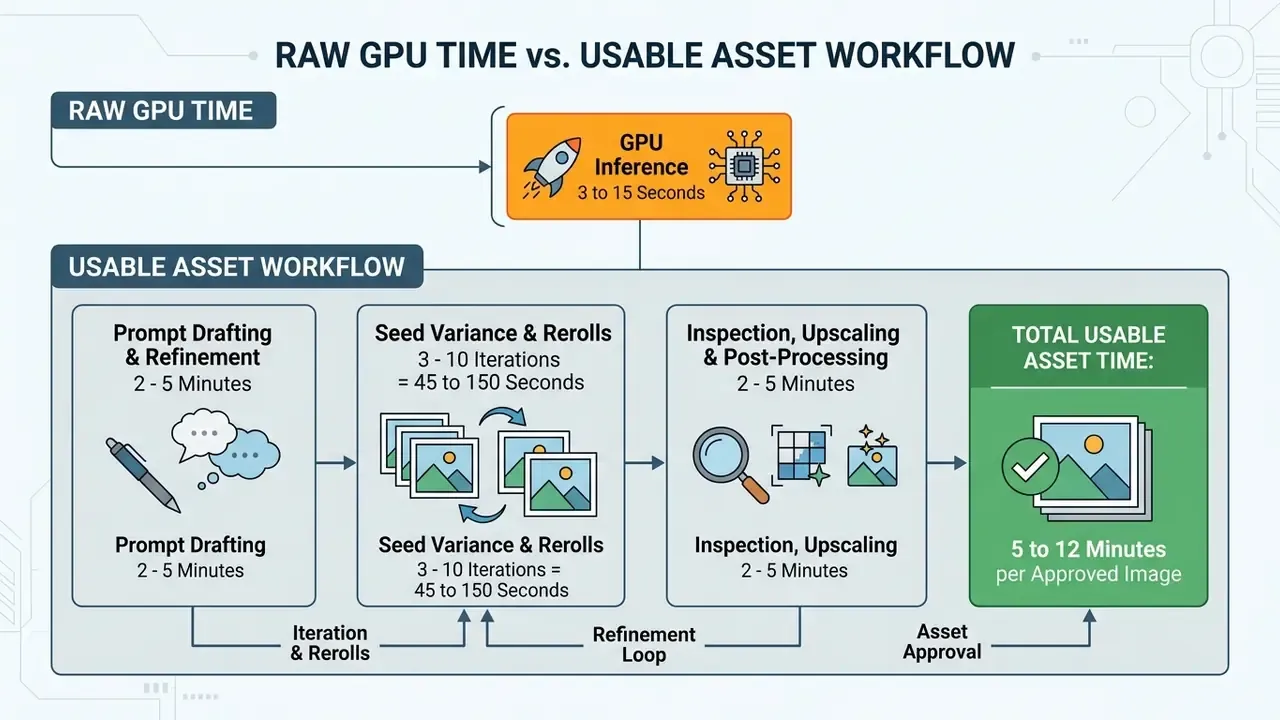
Prompt clarity and the time lost on rework
Vague, unconstrained text prompts invite model misinterpretation, which produces failed generations and long rework cycles.
Academic work on prompt ambiguity reports that unclear or open-ended specifications increase iteration count and measurably degrade task performance; one 2025 evaluation of ambiguous natural-language inputs documented degradation of up to 20% in model output quality, while iterative ambiguity-resolution methods reduced failed attempts and revision cycles compared with one-shot prompting (Marozzo et al., 2025). Data note: that 20% figure comes from code-generation and language-task evaluations rather than image-specific benchmarks, so read it as directional evidence for image workflows, not a calibrated image metric.
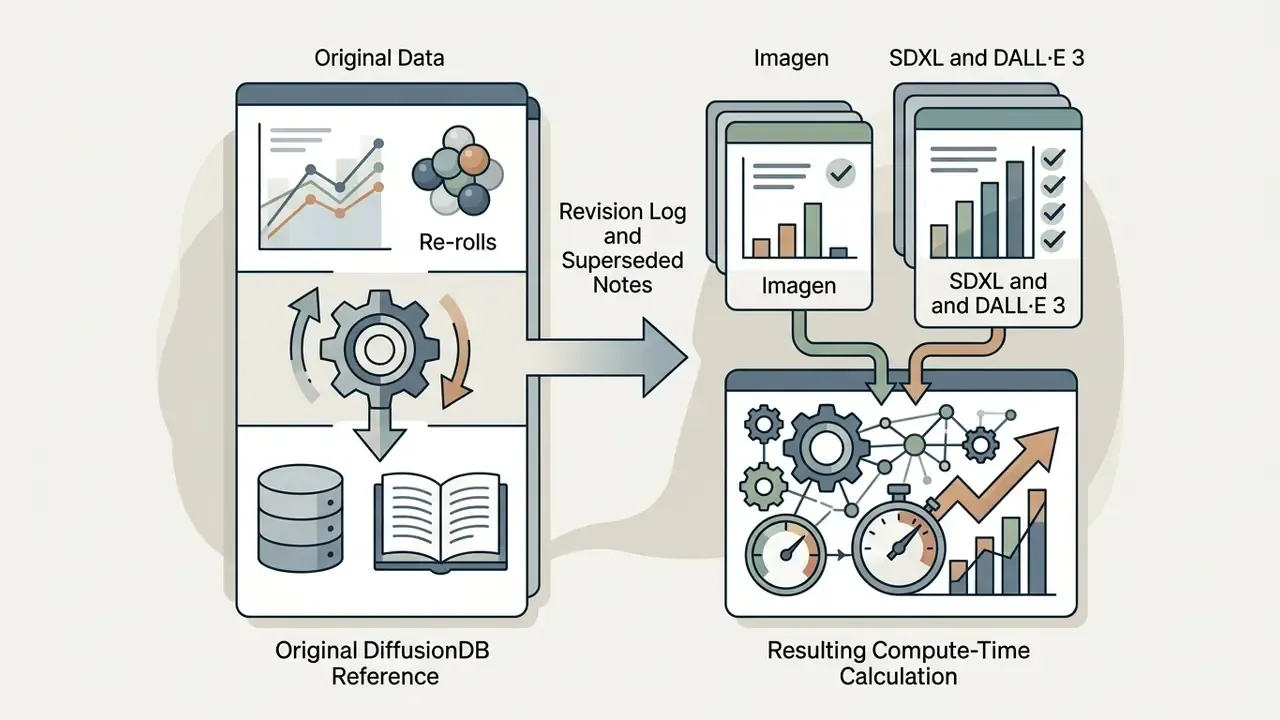
«DiffusionDB analysis shows 10–20 re-rolls per prompt are typical for Imagen, while SDXL and DALL·E 3 reach 100–200; at 12.58 s per image that is up to 42 minutes of compute for a single prompt idea.»
Batch generation and selecting the final output
Batch generation, producing 4 to 10 images simultaneously, increases turnaround for that specific request yet significantly reduces total wall-clock time to an approved final asset.
As documented in Hugging Face technical deployment guides, batch inference raises GPU memory utilization and overall request completion latency, because the system must finish all parallel candidate tensors before returning output. Throughput data quantifies the tradeoff precisely.
Even so, generating four candidates in a single 25-second batch pass beats four sequential 10-second requests interleaved with manual review pauses. Batch scheduling also matches provider economics: asynchronous batch endpoints usually carry higher rate limits in exchange for a longer turnaround window, which makes them the right choice for overnight asset production and the wrong choice for an interactive design session. For workflows that need complex visual modifications, such as background extensions or aspect-ratio changes, teams can evaluate specialized tooling via our AI image expansion comparison.
How to speed up AI image generation without losing quality
Optimizing generation speed without sacrificing visual fidelity comes down to three moves: pick purpose-built model variants, tune sampling steps, and write prompts with real constraints.
Targeted operational controls prevent needless compute overhead while holding output quality steady.
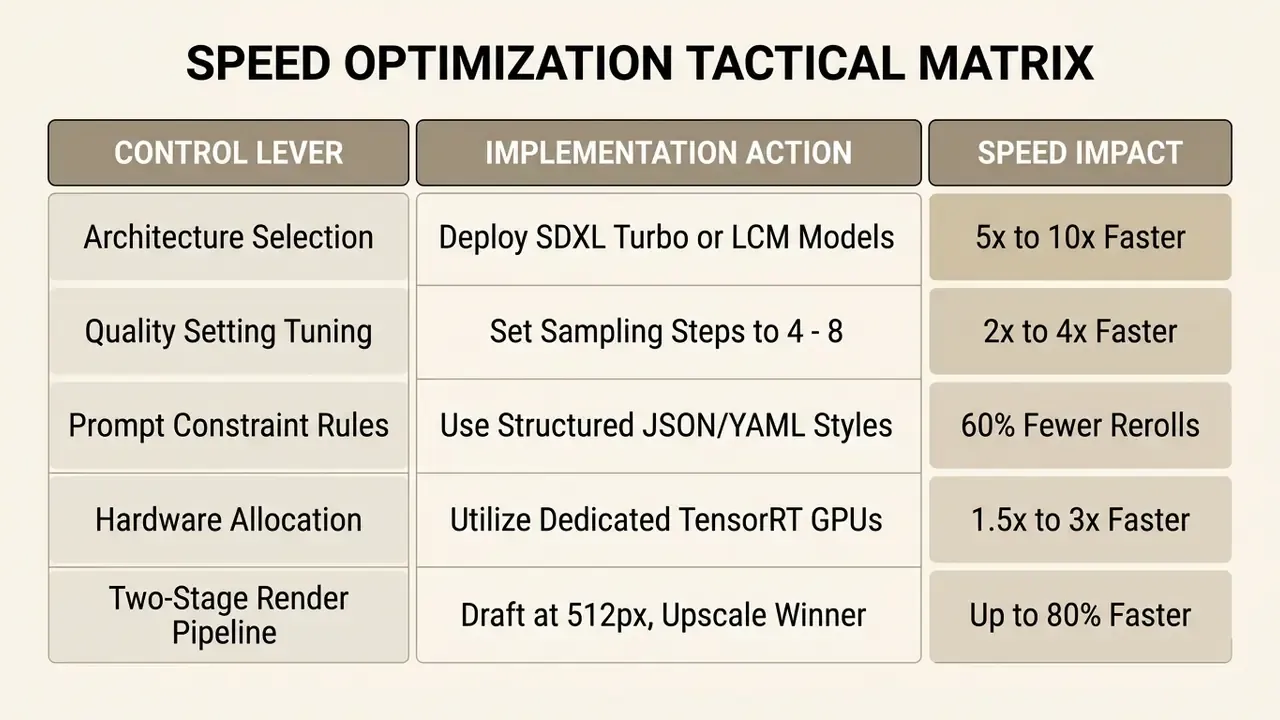
The ceiling on distillation-based acceleration is now unusually high, and it no longer implies an automatic quality penalty.
«DI*-SDXL-1step uses only 1.88% of the inference time of FLUX-dev-50step at 1024×1024 while scoring higher on PickScore and ImageReward on the Parti benchmark.»
Choose the right model and quality settings for the use case
Matching the generative model family to the operational requirement removes most of the waste in high-volume production pipelines.
For rapid prototyping, concept exploration, or internal drafting, distilled models like SDXL Turbo (configured with guidance_scale=0.0 and 1 to 4 steps) or Latent Consistency Models (LCM-SDXL at 4 to 8 steps, typically guidance_scale 1.0 to 2.0) deliver usable outputs in sub-second to 2-second windows.
When weighing options, enterprise leads can reference AI Media Pricing Guides to balance compute cost against latency targets.
- Drafting and concepting deploy SDXL Turbo, LCM, or FLUX Schnell (1 to 4 steps) for near-instant rendering.
- Production and marketing assets use SDXL Base or DALL·E 3 Standard (20 to 30 steps) for balanced detail and speed.
- Archival and print renders reserve high-step multi-stage models (DeepFloyd IF XL, 50+ steps) for final offline rendering.
The two-stage production pipeline. Rendering natively at 4K is the most common self-inflicted latency error in enterprise pipelines. It can take four minutes or more per attempt, frequently exhausts VRAM on 24 GB cards, and often produces worse composition than a fast draft plus a dedicated upscaler. The correct production protocol separates composition search from resolution delivery.
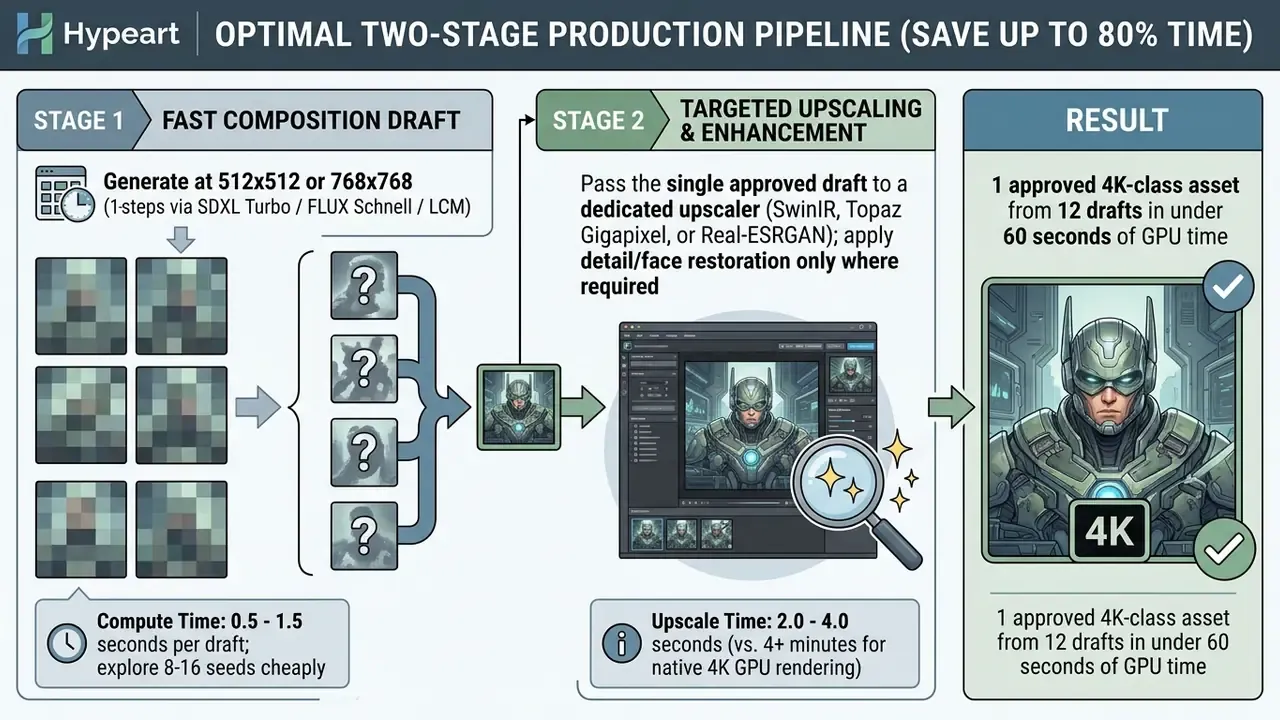
For most production work, 1024x1024 or 1920x1080 remains the practical balance point. Social media formats rarely need more than 1024x1024, and print deliverables usually come out better produced at Full HD and then upscaled, rather than rendered natively at 4K. Teams that need dedicated enhancement tooling for Stage 2 can compare options in our review of AI image upscalers. For teams comparing platforms under budget constraints, our guide to free AI art generators details feature caps and performance tradeoffs across entry-level solutions.
Write prompts that reduce retries and unnecessary processing
Clear, explicit prompts with negative parameters and defined visual constraints cut re-rolls, which lowers aggregate wait time more reliably than any hardware upgrade.
A 2025 study on systematic prompt engineering methods found that structured prompt frameworks reduce average refinement iterations from 3.3 to 2.5 per task (Marozzo et al., 2025).
«Prompt specificity and length influence the semantic alignment of the output, which indirectly reduces the number of regenerations needed to reach an acceptable result.»
Quantitative latency rules for prompt construction:
- Word-count penalty every additional 10 words in a detailed prompt adds roughly 5% to 8% to token encoding and cross-attention processing time.
- Abstract interpretation overhead abstract or non-visual prompts (for example, "the internal conflict of modern architecture") push cross-attention projection layers into wider search paths, increasing execution latency by 30% to 50% and sharply raising re-roll probability.
- Negative prompt overhead complex negative prompts (
--no blur, low quality, artifacts) add 5% to 10% execution overhead, because classifier-free guidance must compute an extra unconditional pass per step. - Contradiction penalty conflicting descriptors ("minimalist but highly detailed with many elements") slow convergence and normally force at least one extra generation cycle.
To minimize processing overhead:
Enterprise teams building automated visual asset pipelines usually standardize on a small set of approved, auditable style templates: brand-compliant marketing visuals, product and catalog imagery, report and dashboard illustrations, and controlled synthetic assets for internal documentation and testing. For a worked example of tightly scoped style constraints, our guide to Ghibli-style AI image generation documents style-specific prompt constraints together with the licensing questions that follow any imitation of a recognizable aesthetic. It is a useful reference precisely because it shows where style specificity ends and legal risk begins. Technical teams can also audit capability baselines using our documentation on perplexity ai image generation features.
Troubleshooting slow AI image generation
When AI image generation performance degrades or requests stall outright, teams need a structured diagnostic sequence to separate normal queue delay from technical failure.
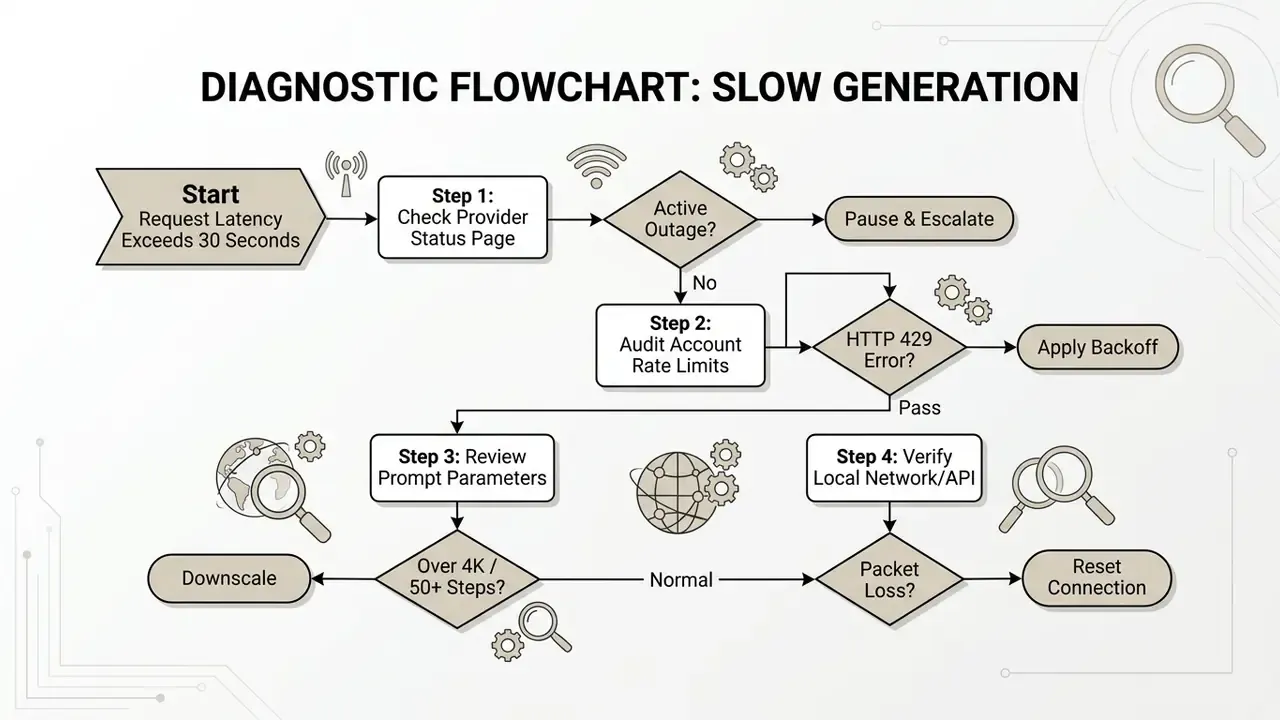
Before re-running a slow high-resolution job, ask whether the requirement is resolution rather than generation. Comparing dedicated AI image upscalers frequently shows that a 2 to 4 second enhancement pass replaces a 4-minute native render entirely.
Diagnostic sequence for stalled renders
Escalation path and decision ownership
Diagnostics only reduce downtime when it is unambiguous who decides to retry, throttle, or fail over. The matrix below assigns ownership across the four failure classes most often seen in enterprise generative pipelines.
| Failure signal | First responder | Decision owner | Consulted | Escalation trigger |
|---|---|---|---|---|
Vendor outage / 503 server_is_overloaded | Platform operations (SecOps/SRE) | Application owner | Vendor management, Risk | Outage exceeds 15 minutes or breaches business SLA |
Rate limits / 429 on production traffic | API integration owner | Application owner | Finance (tier upgrade), Procurement | Repeated within a single business day |
| Latency drift above validated baseline | Model validation lead | Model risk / AI governance | Platform operations | p95 exceeds baseline by more than 50% for 3 consecutive days |
| Quota or credit exhaustion mid-campaign | Creative operations lead | Budget owner | Finance, Vendor management | Hard stop on approved delivery timeline |
This mapping matters for audit as much as for uptime. Unowned retries are the mechanism by which duplicate billing, uncontrolled compute spend, and unlogged shadow generations creep into an organization.
When a long wait is normal and when it signals a problem
Deciding whether a long delay is expected means contrasting baseline model latency against system state indicators.
A normal peak-hour wait shows a clear UI status indicator ("In queue, position 12" or "Processing 15%") and keeps an active connection state.
«For a single 512×512 image on A6000-class hardware, latency above 20–30 seconds most likely reflects queueing or network issues rather than model speed.»
An execution hang looks different: the generation sits in "Pending" or "Processing" for more than 5 to 10 minutes with no progress updates. Vendor help documentation uses cutoffs of 5, 10, and 15 minutes depending on the product, so codify one internal threshold instead of leaving it to operator judgement.
If processing stalls completely, teams can benchmark platform performance against our breakdown of perplexity ai image generation limits, and review workflow-specific behaviour in our technical notes on midjourney ai image generation.
What to check before retrying an image generation request
Resubmitting a stalled request without verification can duplicate API charges, worsen rate-limit penalties, and flood processing queues.
Before you hit retry:
- Confirm request idempotency make sure the client software uses client-generated request keys or idempotency headers, so retried calls are not billed twice.
- Review quota balances check remaining plan credits, monthly token caps, or billing thresholds to rule out account suspension. Adobe Firefly, for instance, allocates roughly 750 generative credits per month on standalone plans and 250 on Adobe Express Premium; once exhausted, generation is throttled or blocked until the cycle resets or credits are purchased (Adobe Generative Credits FAQ, 2025).
- Verify error codes separate transient server errors (
503 Service Unavailable,408 Request Timeout,429with a validRetry-After), which justify retries, from permanent validation failures (400 Bad Request, safety policy blocks), which will fail again identically. - Check platform limits reference current capability caps using our technical guide on perplexity ai image capabilities.
Verification and detection speed in governed pipelines
Enterprise governance adds a second latency budget after generation: provenance and authenticity verification. Standard deepfake and AI-image detectors need roughly 2 to 10 seconds per asset to scan textures, metadata, and structural artefacts, while API-first detection engines complete frame-by-frame analysis in under 500 milliseconds. At batch scale the difference is operationally decisive. Verifying 500 product images takes under five minutes on a fast detection API versus 30 to 60 minutes on conventional tooling, which is the gap between an automated publishing gate and a manual bottleneck. Teams that need to trace asset provenance across external channels can pair detection with our review of AI reverse-image-search tools.
When to switch AI image generators or upgrade your plan
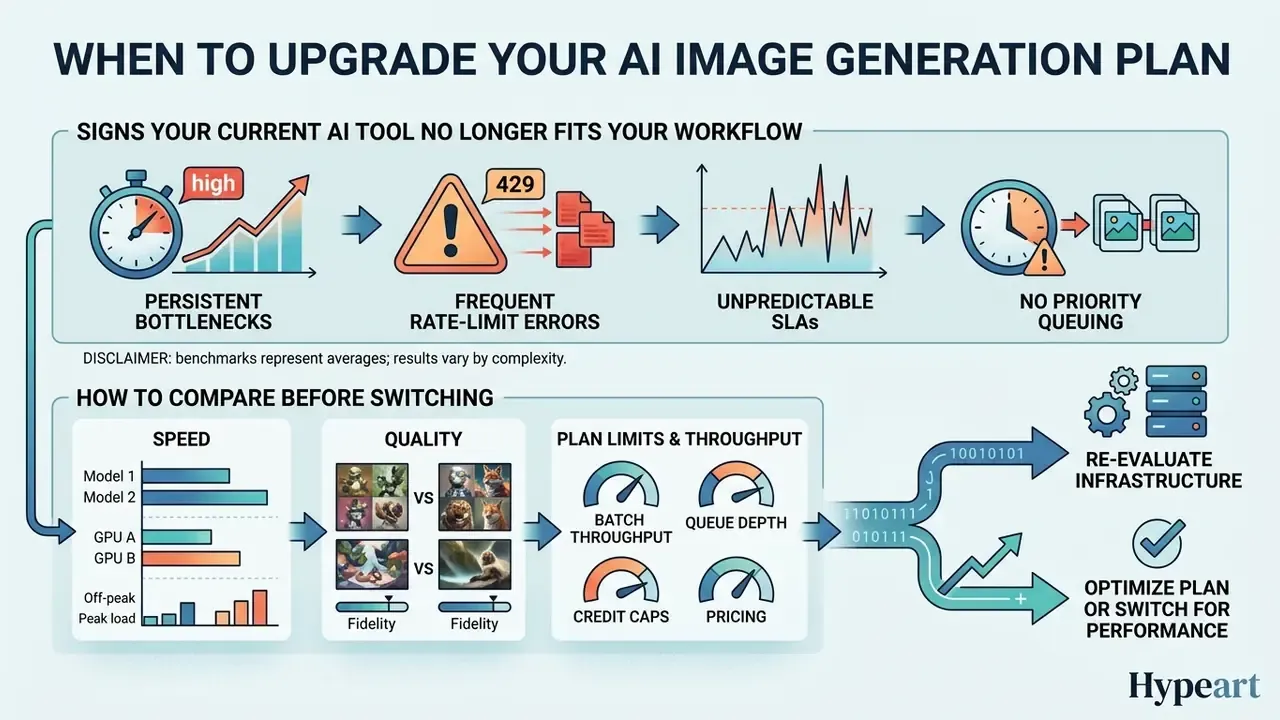
Re-evaluate your AI generation infrastructure when processing delays, queue throttling, or credit caps start to bite into real delivery timelines.
Measuring performance against enterprise SLAs keeps technology purchases aligned with institutional requirements rather than vendor marketing.
Signs that your current AI tool no longer fits your workflow
According to the NIST AI Risk Management Framework (AI RMF 1.0), system response time degradation, unpredictable availability, and persistent operational failures serve as primary indicators that an AI infrastructure component is operating outside acceptable validity boundaries (NIST, 2023). The accompanying NIST AI RMF Playbook goes further, recommending that downstream users be alerted when a system operates beyond defined validity limits and that the qualitative and quantitative costs of internal and external AI failures be tracked. In other words, latency drift is a reportable metric, not an informal complaint in a team channel.
Key operational markers that it is time to upgrade or migrate:
When the current setup stops holding up, creative teams can evaluate alternatives through our index of AI Media Alternatives by Reason and our ranking of the best AI image generators to identify platforms that offer dedicated compute guarantees.
How to compare speed, quality, and plan limits before switching
Before moving to a new generative platform or an enterprise API tier, procurement and technology leads should audit candidates across four auditable performance metrics: throughput stability, output fidelity, enforced limits, and contractual SLAs.
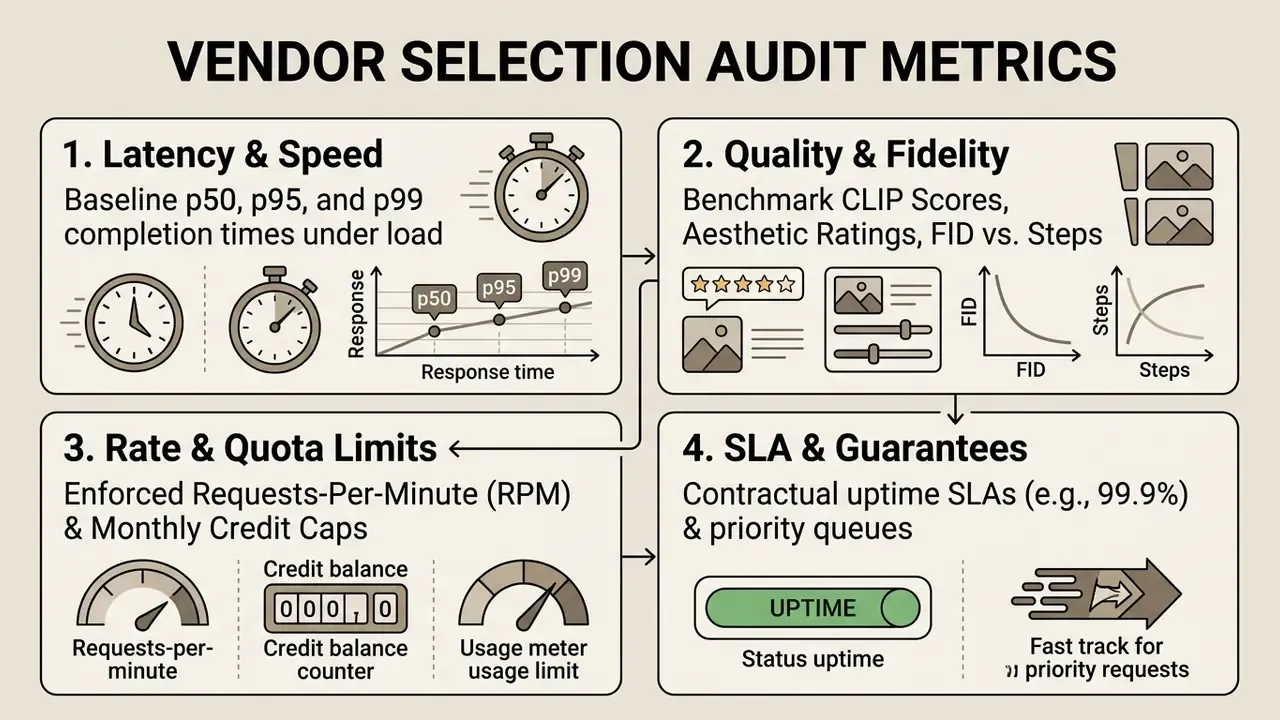
- Measure latency across load profilesrequest vendor benchmark data for median (), 95th percentile (), and 99th percentile () completion times under peak load. Dedicated cloud options such as Google Gemini Provisioned Throughput or OpenAI Scale Tiers publish explicit throughput guarantees (for example, 60 to 110 tokens per second, with uptime and latency attainment terms attached).
- Evaluate credit and queue termscompare dedicated token allocations (Leonardo Fast Tokens, for example) against unthrottled enterprise queues, and confirm overflow behaviour. Priority-inference tiers normally degrade to standard processing rather than failing outright. Review tier pricing structures in our AI Media Pricing Guides.
- Assess licensing and commercial termsverify that high-speed options do not carry restrictive commercial usage rights, data retention, or training-reuse policies. Examine platform licensing models via our Google AI image generator analysis.
- Calculate infrastructure ROImodel total operational cost, including subscription fees, API token overages, re-roll compute, and administrative oversight, using our enterprise calculators before committing to migration.
For cross-platform deployment analysis, see our head-to-head evaluation of Midjourney versus competing image generators, then map adjacent visual media workflows across our guides for video compressors, online photo editors, animation makers, AI voice generators, and professional AI headshot generators.
FAQ: frequently asked questions about AI image generation time
How long does it take to generate one AI image in 2026?
Between roughly 0.2 seconds and 2 minutes. Distilled one-to-four-step models render in well under a second on datacenter GPUs; standard 1024x1024 cloud generations land at 2 to 15 seconds; complex prompts, HD quality modes, or 4K output can stretch to 60 to 120 seconds under peak load.
Does faster generation always mean lower quality?
No. A large share of modern speedup comes from better hardware, quantization, feature caching, and distillation rather than reduced fidelity. One-step distilled models have matched or beaten 50-step baselines on human-preference benchmarks. Quality loss becomes noticeable mainly in ultra-fast sub-second modes at low resolution.
Why is the same model slower in the afternoon than at night?
Shared GPU pools queue requests. Peak-hour queueing typically doubles or triples end-to-end latency, for example DALL·E 3 moving from 6 to 10 seconds off-peak to 12 to 25 seconds at peak, even though pure inference time has not changed at all.
How long does generating 100 images take?
From about 5 to 8 minutes on a parallelized cloud API to 45 to 90 minutes on a sequential or chat-queued platform. At this scale, parallelization capability and per-tier request limits matter far more than single-image speed.
Should I generate directly at 4K?
Generally no. Native 4K rendering can take four minutes or more per attempt and often yields weaker composition. Draft at 512 to 768 px, then upscale the single approved candidate with a dedicated upscaler in 2 to 4 seconds.
What latency should trigger an investigation rather than patience?
Escalate when a single standard-resolution request exceeds 20 to 30 seconds without a visible queue indicator, when a job stays in "Processing" past your codified threshold (commonly 5 to 10 minutes), or when p95 latency drifts more than 50% above your validated baseline for three consecutive days.
Do paid plans actually generate faster?
Yes, though through queue priority and provisioned capacity rather than faster models. Paid and enterprise tiers buy priority placement, higher request limits, and sometimes contractual latency and uptime attainment terms.
How long do AI images take to generate on a local machine?
On a single RTX 4090 with an optimized SDXL pipeline, expect 1.2 to 3.2 seconds per 1024 px image and sub-second output with Turbo or LCM variants. Local setups remove queue wait completely, which is why a well-tuned workstation often feels faster in the real world than a shared enterprise endpoint at 14:00.
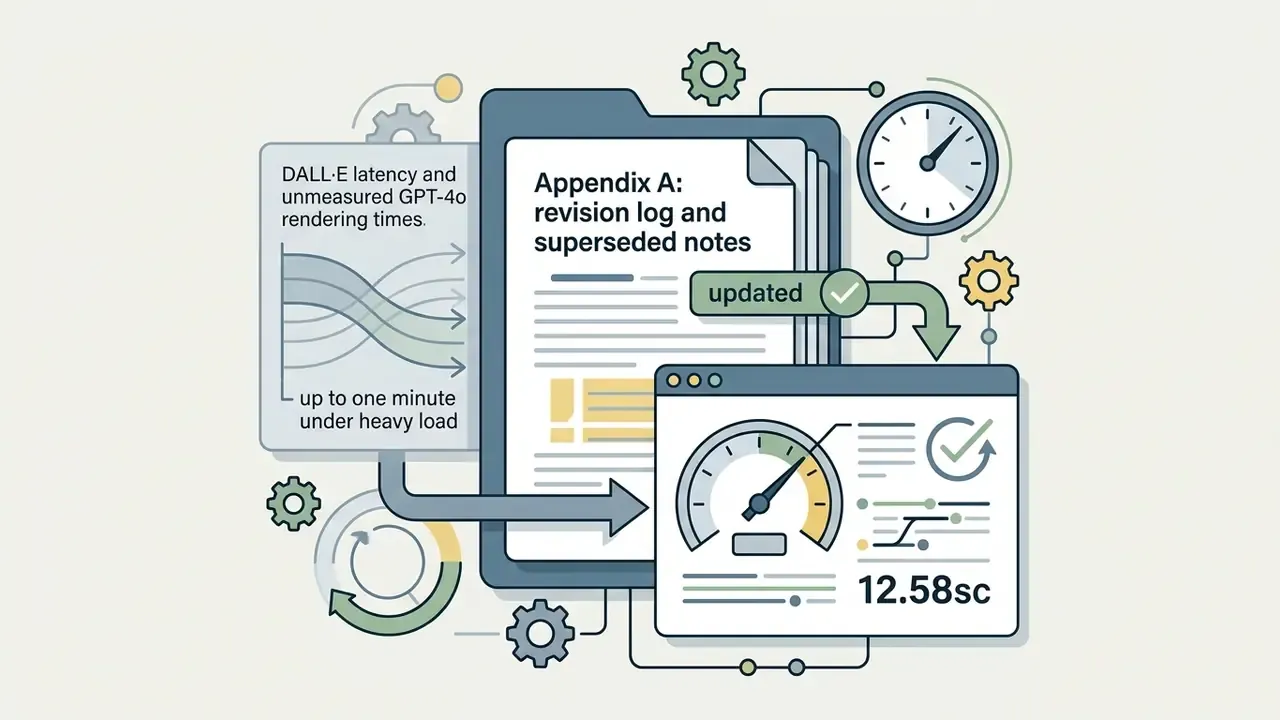
Appendix A: revision log and superseded notes
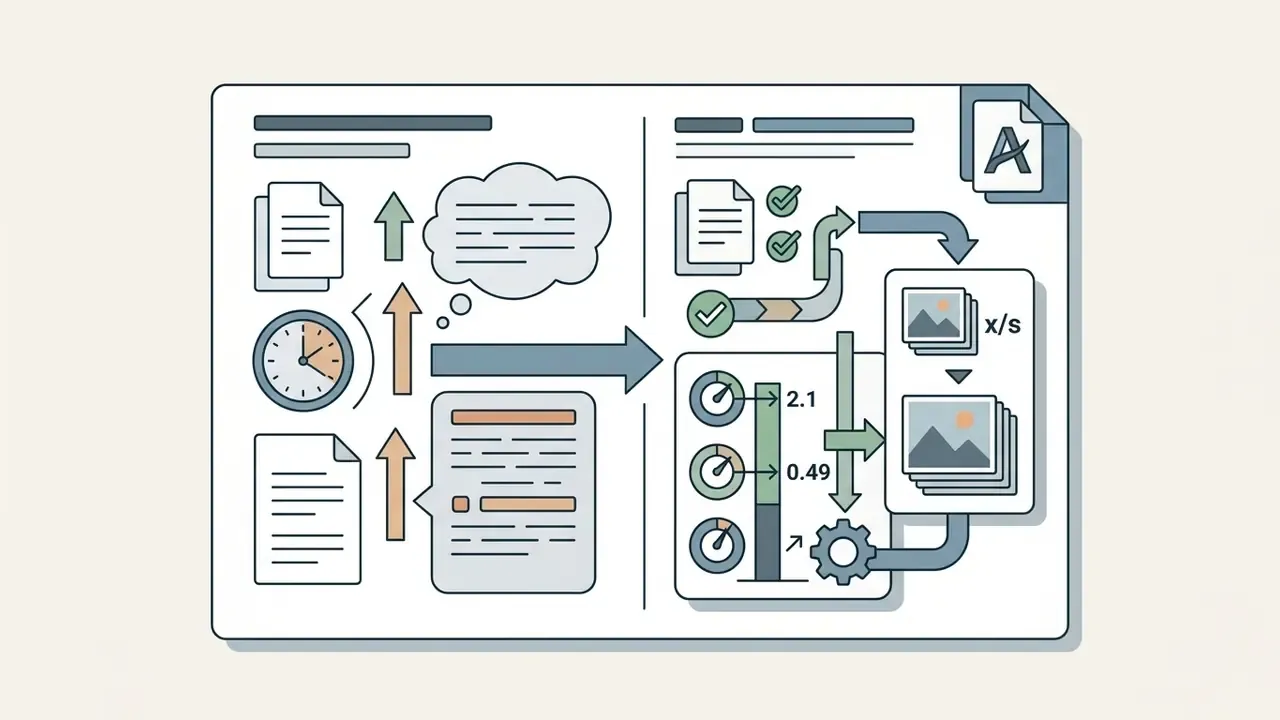
Retained for transparency and version traceability. The main text above contains the updated, verified versions of the following items.
Latency governance checklist: what to record per endpoint
One page per image endpoint is usually enough. Record these seven fields, review them quarterly, and store them where model risk and internal audit can retrieve them without asking a developer.
- Endpoint and model version, including step count and resolution defaults actually used in production.
- Baseline p50, p95, and p99 latency, measured off-peak and at peak, with the measurement date.
- Rate limits and credit capsin force, plus documented behaviour on exhaustion (throttle, queue, or hard fail).
- Retry policy: backoff scheme, idempotency key source, and maximum attempts.
- Timeout valuesin every downstream consumer, checked against the endpoint's peak range.
- Named ownerfor retries, tier upgrades, and failover, matching the escalation matrix above.
- Log export pathinto the model inventory or GRC system, so generations are visible to audit rather than only to the creator.
Is this bureaucracy? A little. It is also the difference between "our image service felt slow last month" and a defensible statement with numbers attached.