Executive Summary for Decision Makers
- Last updated: February 2026 | Reviewed by: Marcus Hale, AI Governance & Model Risk Editorial Lead
- What it is: Runway AI Video Generator is a multimodal generative video platform (text-to-video, image-to-video, video-to-video) built by Runway AI, Inc., founded in 2018 and backed by investors including Google and Nvidia.
- Flagship model: Gen-4.5 (released December 1, 2025) delivers 720p native output at 24 fps and consumes 12 credits per second. Gen-4 Video Turbo costs 5 credits per second; third-party Google Veo 3.1 with audio costs 40 credits per second inside the Runway workspace.
- Free tier reality check: 125 one-time, non-refreshing credits, roughly 10.4 seconds of Gen-4.5 output or about 25 seconds of Turbo. Exports are watermarked and capped at 720p, which makes the free plan an evaluation sandbox, not a production tier.
- Paid economics: Standard $12 per month (annual billing, 625 credits monthly), Pro $28 per month (2,250 credits monthly), Max $76 per month, plus custom Enterprise pricing with team management and security controls. API credits are priced at roughly $0.01 each in the developer portal.
- Governance takeaway: Before deployment, confirm data-retention and model-training terms, SSO and RBAC availability, IP indemnification scope, and build an audit trail that logs model version, prompt text, reference assets, seed values and reviewer sign-off.
- Migration guidance: Benchmark candidates (Kling 3.0, Hailuo 2.3, Vidu, Google Veo 3.1, Seedance 2.5) on an identical 10-prompt suite and score them across prompt adherence, temporal coherence, physical realism and cost per usable second.
Three Decisions This Article Is Built to Support
Most readers arrive with one of three open questions, and each maps to a different part of the page.
- Is the free plan enough to validate a use case?Short answer: enough for three controlled tests, not enough for a campaign. See the free-plan section for the exact credit math.
- Does Runway deserve a production seat, or does a competitor win on unit economics?The alternatives and migration sections cover the scoring method, including cost per usable second rather than headline credit rates.
- What has to be true before legal, security and internal audit sign off?The governance section lists the eight items worth closing during procurement, not after the first render is already live on a landing page.
One caveat up front. Vendor specifications in this category change monthly, sometimes weekly. Treat every number here as a snapshot dated February 2026 and re-verify on the official pricing and model pages before a purchase order moves.
What Runway AI Video Generator Does and Who It Is For
Runway AI Video Generator is a multimodal generative artificial intelligence platform that synthesizes short-to-medium-length video clips from text prompts, static images and source video files. Developed by Runway AI, Inc., the platform serves creative directors, marketing teams, enterprise media groups and independent content creators who need rapid video production without traditional camera setups.
The software translates natural language instructions and visual references into high-definition motion sequences. Organizations use the platform to produce social media content, product demonstrations, music videos and marketing campaign mockups while holding visual style steady across generated assets.
«Modern image-to-video models are evaluated along four dimensions: control-video alignment, motion effects, temporal consistency, and video quality.»
Founded in 2018 by Cristóbal Valenzuela, Alejandro Matamala and Anastasis Germanidis, Runway AI, Inc. grew from a research-driven machine learning toolkit into an industry-standard generative suite backed by major technology investors, including Google and Nvidia. The platform gained global recognition in professional film production when its early generative and rotoscoping-adjacent visual tools were used inside the editing pipeline of the Academy Award-winning feature Everything Everywhere All At Once. That production heritage explains why the interface is organized around cinematographic vocabulary (shot size, camera movement, lens behavior, lighting) rather than around social-media filters.
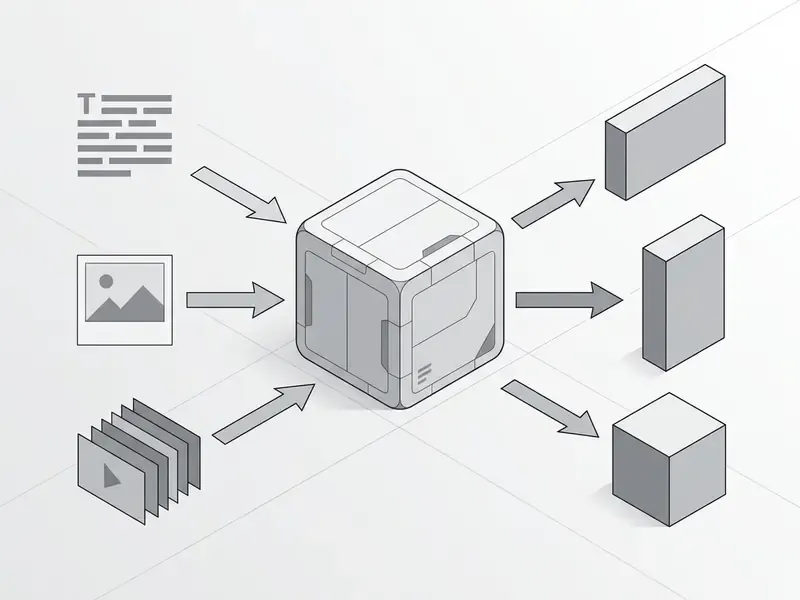
Video Generation from Text Prompt, Image, and Source Clip
Runway accepts three primary input modalities: text-only prompts (text-to-video), image plus text prompts (image-to-video), and reference video clips combined with text instructions (video-to-video).
In text-to-video mode, the underlying model processes a descriptive text prompt to build spatial geometry, lighting and motion frames from scratch. Readers who want the category-level background can review our reference material on text-to-video AI tools before running production tests.
In image-to-video mode, the user uploads a reference image (.png or .jpg) that anchors subject appearance, composition and color palette, while the text prompt specifies movement and camera trajectories. A deeper technical breakdown of this modality sits in our guide to image-to-video AI.
In video-to-video mode, an uploaded video file (.mkv, .webm or .mp4 using H.264 or H.265 codecs) acts as a motion structure reference, letting the model re-style or alter elements within the clip while preserving original camera tracking. Runway's developer documentation also lists additional supported containers such as .3gp and .ogv, with codec support spanning H.264, H.265/HEVC, VP8, VP9, AV1 and Theora. That detail matters more than it sounds when you ingest archival footage from mixed sources.
For API-driven pipelines, text-to-video requests require a prompt and a ratio value (1280:720 or 720:1280 for Gen-4.5), with duration configurable between 2 and 10 seconds and an optional seed value for reproducibility. Image-to-video requests add an image_input parameter that accepts an HTTPS URL, a Runway URI or a data URI, and unlock a wider set of output ratios: 1280:720, 1584:672, 1104:832, 720:1280, 832:1104, 672:1584 and 960:960.
Common Use Cases for Runway AI
Organizations deploy Runway AI primarily to accelerate content creation across short videos, social clips, product demos and music video visuals.
- Social Clips and Short-Form Ads Digital marketing teams generate 9:16 vertical videos tailored for TikTok, Instagram Reels and YouTube Shorts directly from product photography, then produce multiple takes to A/B test opening hooks.
- E-Commerce Product Demos Brands transform static product photography into 360-degree rotation clips or virtual studio displays without booking physical studio space or green-screen stages.
- Music Videos and Concept Visuals Artists animate album artwork, portraits or abstract concept designs into dynamic background visuals synchronized with audio tracks, including vertical cutdowns for short-form platforms.
- B-Roll and Campaign Mockups Production agencies generate cinematic filler footage, background plates and storyboards to pitch clients before committing to live shoots.
- Creator and Editorial Content Independent creators and in-house media teams generate photorealistic footage, green-screen elements and recurring character video for YouTube, TikTok and Instagram series.
Teams folding generated clips into broader editing workflows can read our guide to free video editing software no watermark for downstream assembly options, or compare platforms head-to-head in our roundup of the best AI video generators. Publishers building repeatable channel pipelines may also find our YouTube video editor workflow guide useful for post-generation assembly and publishing.
Runway Models and Creative Control Tools
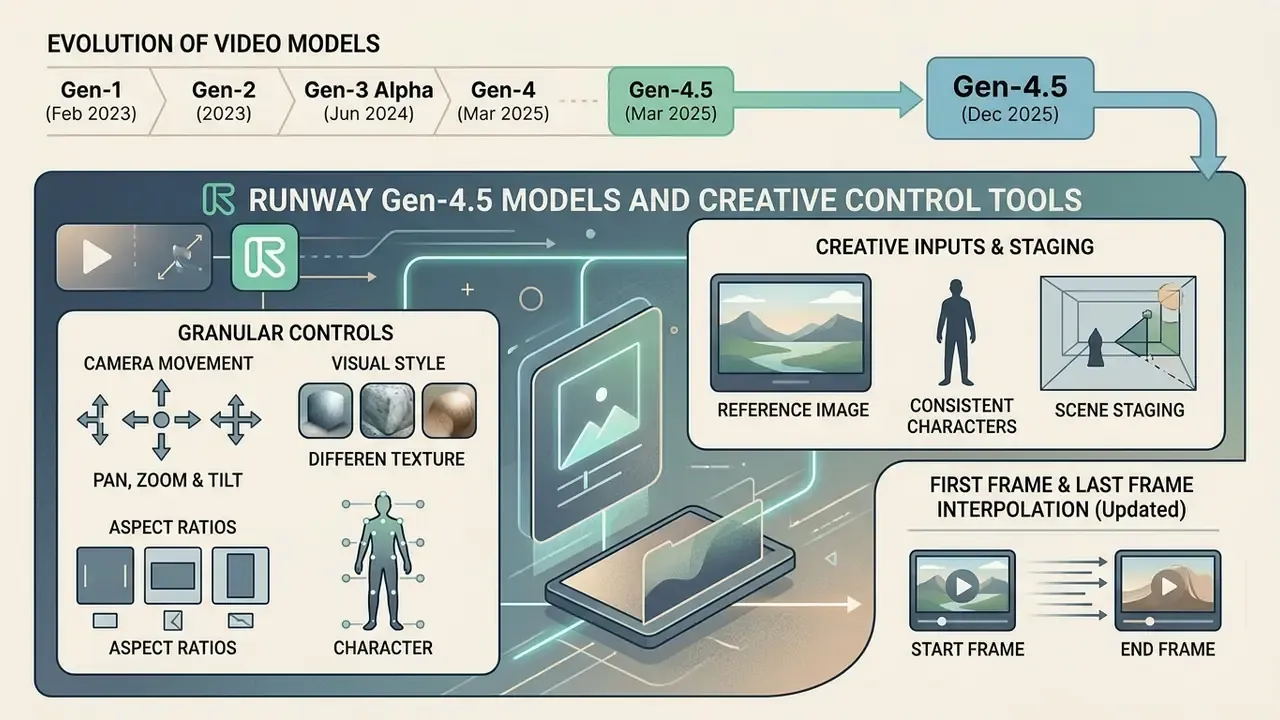
Runway provides a suite of generative video models, led by its flagship Gen-4.5, paired with granular controls for camera movement, visual style, aspect ratios and character preservation. These controls let operators constrain neural network outputs so they align with brand guidelines and technical specifications. Readers new to the category can start with our primer on AI video generators to see how these controls differ across platforms.
Runway Gen-4.5 and the Evolution of Video Generation Models
Released on December 1, 2025, Runway Gen-4.5 is Runway's top-tier video model, delivering state-of-the-art motion quality, 24 fps output and 720p native resolution at a rate of 12 credits per second. Official specifications list selectable clip lengths of 5, 8 and 10 seconds (with 2 to 10 second support exposed through the API) and aspect ratios spanning 16:9, 9:16, 1:1, 4:3, 3:4 and 21:9. Runway states that Gen-4.5 quality and throughput gains are tied to optimization for NVIDIA Hopper and Blackwell GPU architectures.
The model lineage is unusually well documented, which helps risk teams register specific versions rather than a generic vendor name:
On independent evaluation benchmarks, Gen-4.5 holds a top position in motion quality and prompt adherence:
- Gen-1 (February 2023)
- A video-to-video system that applied the composition and style of an image or text prompt onto the structure of a source video.
- Gen-2 (2023)
- Introduced multimodal generation of novel video from text, images or clips, yielding 4 to 8 second outputs at lower spatial resolution.
- Gen-3 Alpha (June 2024)
- Produced 10-second clips from text, image or video inputs with improved fidelity, prompt adherence, temporal consistency and a stronger understanding of 3D dynamics.
- Gen-4 (March 2025)
- Introduced "world consistency," enabling persistent identity for subjects, objects and environments across multiple generations and shots, plus greater prompt adherence for directed subject motion and cinematic camera control.
- Gen-4.5 (December 2025)
- Runway's most advanced model to date, internally nicknamed "David," specialized in complex physics interpretation, realistic human movement and cause-and-effect reasoning across frames.
«Gen-4.5 ranks first with 1,247 Elo points, ahead of Google Veo 3 (1,226), Kling 2.5 (1,225) and OpenAI Sora 2 Pro (1,206).»
Elo leaderboards move, though, and a vendor-published leaderboard is still a vendor claim. Claims about cross-shot consistency can be checked against academic evaluation suites instead:
«VBench++ defines sixteen evaluation dimensions, including subject identity consistency, motion smoothness and temporal flickering, each with human preference annotations.»
Reference Image, Consistent Characters, and Scene Staging
Runway holds character identity and visual style across shots by using one or more reference images to anchor subject characteristics under varying lighting and locations.
Through the Gen-4 References feature, an operator uploads a front-facing, well-lit reference image (minimum 1024 pixels on the shortest side, neutral or simple background, clear focus on the face). The model extracts facial geometry, clothing texture and color tokens, preserving subject identity across new camera angles and actions. Runway's own consistency guidance adds three operational rules: keep resolution, aspect ratio and prompt structure identical across shots; generate a still image first and then animate it; and prefer simple camera motion, because aggressive movement increases identity drift.
By pairing a character reference image with a separate location reference image, operators can stage consistent subjects inside new spatial environments without training custom fine-tuned models.
First Frame and Last Frame Interpolation (Updated): When precise transition control is required, Runway allows users to define both a Start Frame and an End Frame. Upload the initial image to lock the opening composition and a second image to set the terminal state. The generation engine then calculates the motion path between them, morphing lighting, pose and structural vectors across the selected duration (5s, 8s or 10s) without breaking spatial bounds. This mode is the practical choice for product transformations (closed box to open box), brand transitions (logo A to logo B) and storyboard beats where the final frame is already approved by a client. The same technique also enables long-sequence chaining: extract the last frame of an approved clip, load it as the Start Frame of the next generation, and continue the narrative without identity drift.
Stylization Modes, Storyboard Mode, and Advanced Camera Controls
Beyond raw generation, Runway exposes three creative-control layers that cut prompt-engineering overhead:
- Stylization Modes Curated artistic presets apply a consistent aesthetic (illustrated, filmic, graphic, painterly) without long descriptive prompts, which helps when a single brand look has to survive across dozens of clips.
- Storyboard Mode Static mockups, sketches or conceptual frames are converted into animated renders, turning a pitch deck's storyboard into a moving animatic.
- Advanced Camera Controls Directional sliders simulate professional cinematography (pan, tilt, zoom, roll, orbit, dolly, handheld), so operators specify mechanical camera paths instead of hoping the model interprets adjectives correctly.
Post-Generation Video Editing Tools
Integrated post-production tools in Runway let users edit videos inside the platform, which reduces reliance on third-party desktop editors.
- Background Remover Automatically isolates subjects from surrounding video backgrounds to generate transparent alpha channels.
- AI Lip Sync Synchronizes spoken audio files (
.mp3,.wav) to the lip movements of rendered human or animated faces. Runway specifies shoulders-up framing with a clearly visible face and a subject positioned neither extremely close to nor far from the camera. - Object Removal Erases unwanted objects, watermarks or logos from existing videos through generative inpainting, and supports VFX cleanup, relighting and backdrop replacement on real footage.
- Audio Addition and Stitching Merges generated video segments into continuous timelines and attaches generated sound effects or background scores.
Runway AI Input Methods and Creative Control Tools Comparison
| Input Method / Tool | Primary Input Type | Supported Parameters / Resolutions | Primary Business Use Case | Credit Cost / Constraints |
|---|---|---|---|---|
| Text-to-Video | Text prompt | 1280:720, 720:1280 (16:9, 9:16) | Rapid concept generation and B-roll synthesis | 12 credits/sec (Gen-4.5) |
| Image-to-Video | Reference image plus text prompt | 1280:720, 1584:672, 1104:832, 960:960 | Animating static product photos and portraits | 12 credits/sec (Gen-4.5) |
| Start Frame + End Frame | Two reference images plus text prompt | Same ratios as image-to-video; 5s / 8s / 10s | Controlled transitions and client-approved endpoints | Billed at base model rate per second |
| Video-to-Video | Source video plus text instructions | Containers: .mp4, .mkv, .webm, .3gp, .ogv | Re-styling existing videos and VFX cleanup | 15 credits/sec (Gen-4 Aleph) |
| Camera Control | Directional vectors and motion sliders | Pan, tilt, zoom, orbit, dolly, handheld | Enforcing cinematic camera movement | Included in model base cost |
| AI Lip Sync | Audio file plus video or image target | Shoulders-up facial visibility required | Localizing a talking avatar and voiceovers | 1 credit per second of processed audio |
| Background Remover | Video clip input | Up to 1080p source footage | Subject isolation for compositing and ads | Consumes post-processing credits |
In plain terms: text-to-video is the cheapest way to explore an idea, image-to-video is the reliable way to protect brand assets, Start/End frames are the only way to guarantee where a shot lands, and the editing tools decide whether the clip ever needs to leave the platform.
How to Create Image-to-Video in Runway AI
Generating image-to-video in Runway means selecting a model, uploading a high-resolution reference image, writing a motion-focused video prompt, configuring the aspect ratio and exporting the rendered clip. If you are comparing tools rather than executing, our overview of the image-to-video AI workflow explains how these steps differ between engines.
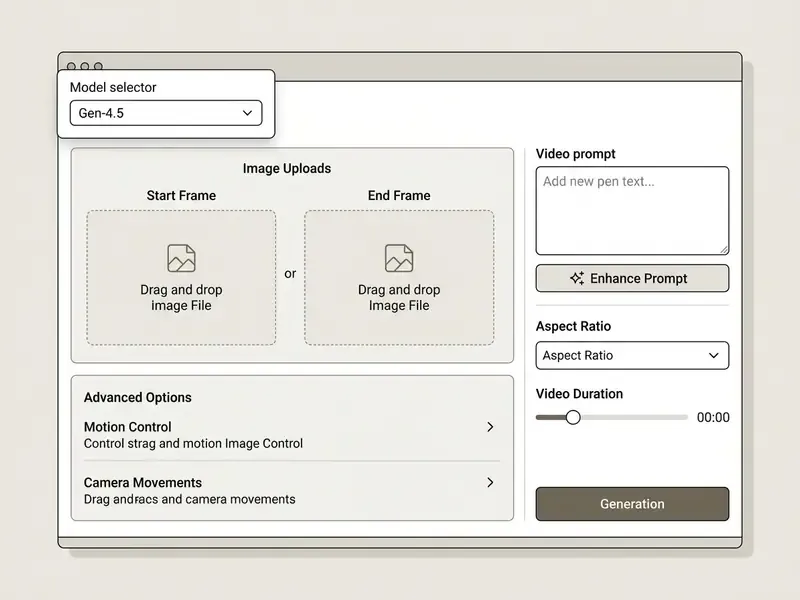
The annotated zones, listed for readers who cannot see the screenshot:





1. Select a Model and Prepare a Reference Image
Begin in the video generation workspace, open the model selector dropdown, and choose Gen-4.5 for high fidelity or Gen-4 Video Turbo for rapid draft testing at 5 credits per second.
Upload a reference image by dragging and dropping a file or selecting from your asset library. For the best generation quality:
- Keep image resolution at 1024×1024 pixels or higher and use the best master available; heavily compressed or upscaled sources degrade output.
- Use clear, balanced lighting without extreme harsh shadows.
- Center the primary subject and avoid busy backgrounds, strong reflections, overlaid text or watermarks.
Select your target aspect ratio based on the delivery destination: 16:9 (1280x720) for standard video players, 9:16 (720x1280) for mobile social platforms, or 1:1 (960x960) for square posts.
If the shot requires a defined ending, populate both the Start Frame and the End Frame upload slots described above. The Start Frame locks the opening composition; the End Frame locks the resolution of the action. This is the lowest-variance way to produce repeatable transitions for e-commerce catalogs, where every clip must begin and end on an approved product angle.
2. Describe Motion and Visual Style in the Video Prompt
Construct a video prompt that explicitly defines camera movement, environmental dynamics and subject action.
Do not re-describe static elements already visible in the uploaded image. Structure the prompt around motion directives instead:
- Example Prompt: "The camera slowly dollies forward with a smooth tracking motion as the product rotates 45 degrees to the right. Warm studio key light creates subtle reflections on the metallic surface."
Runway's official camera-prompt template expands this into seven ordered slots (shot size, angle, movement, subject and action, lens or look, lighting and mood, reveal), and its Gen-4 prompting guide instructs users to write positive, direct, simple language describing motion rather than restating image contents.
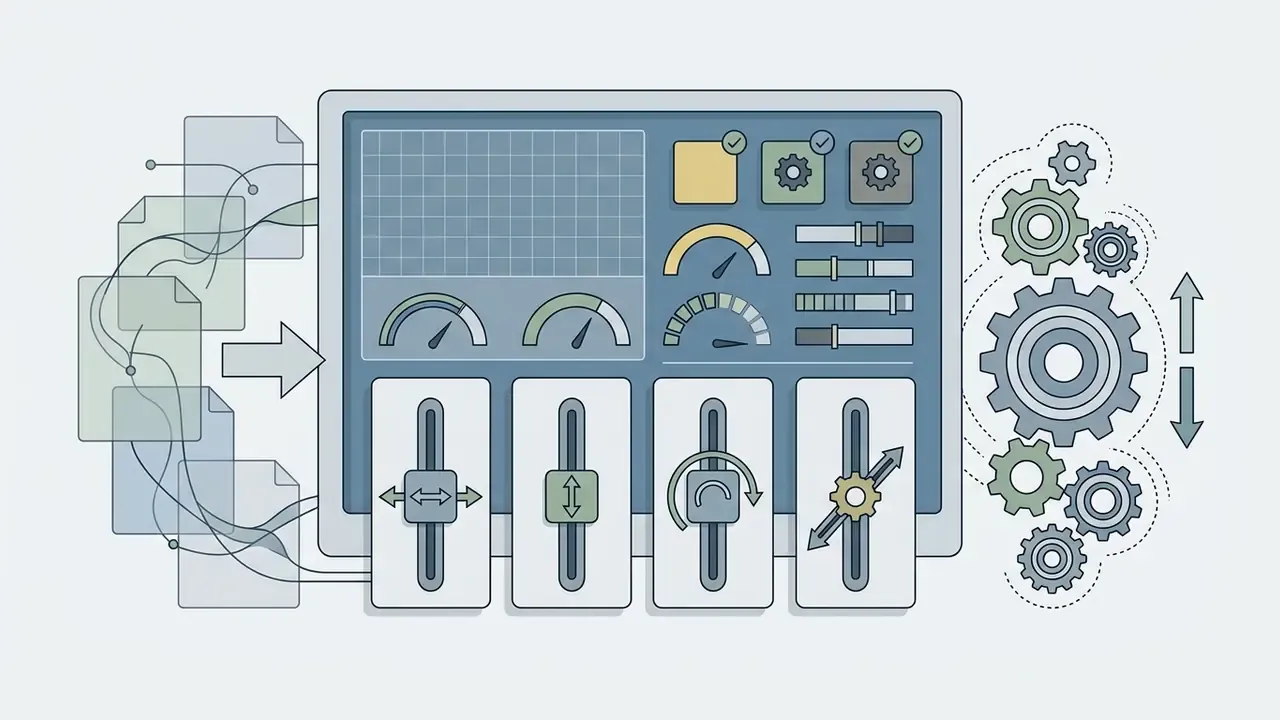
Use the Camera Control sliders to lock specific axes (pan, tilt, zoom, roll) when exact mechanical camera paths are required.
Prompt Enhancers: If you are unsure how to phrase a shot, use the built-in Enhance Prompt assistant (labeled "Inspire Me" on some integration partners). One click expands a short, plain-language idea into a longer prompt enriched with professional cinematographic terminology: shot size, lens behavior, lighting direction, motion verbs. Treat the enhanced output as a draft. Review it for invented objects or style tags that conflict with brand guidelines before generating, because enhancers optimize for visual richness, not for brand compliance.
Understanding why motion prompts behave the way they do also helps with debugging:
«A Space-Time U-Net architecture generates the entire temporal duration of a video in a single pass, processing multiple space-time scales simultaneously.»
Ready-to-Use Runway AI Prompt Templates
Copy and paste these production-tested prompts directly into the Gen-4.5 prompt area, then adjust the bracketed variables to match your reference image.
E-Commerce Product Display:
Cinematic slow dolly-in shot focusing on a luxury watch placed on a dark reflective surface, soft studio spotlight from the top-right, subtle particle dust floating in the air, smooth 24fps motion, static background, no text, no logos.Product Reveal with Pearlescent Finish:
A slow, smooth dolly-in camera movement toward a silver foldable smartphone standing upright on a pristine white surface, holographic pearlescent finish shifting color as the camera moves, blurred studio softboxes creating professional bokeh, the device remains perfectly stationary, high-end product cinematography.Social Media Dynamic Character Motion:
Vertical 9:16 low-angle tracking shot of a streetwear model walking down a neon-lit Tokyo street at dusk, natural body movement, realistic rain reflections on the pavement, cinematic color grade, consistent exposure.Talking-Head Source for Reframing:
Wide 16:9 shot of a creator speaking to camera in a cozy home studio, desk and laptop visible, soft key light with subtle background practicals, subject centered with extra headroom and side space for later vertical cropping, natural gestures, no on-screen text.Background Cleanup and Restoration:
Static tripod camera shot maintaining the exact lighting and environment of the reference image, smooth camera pan left to right, background objects remain stationary, continuous daylight exposure, no new objects added.Green-Screen Compositing Plate:
Full-body shot of a fashion model standing and making small gestures in front of a solid matte green screen wall, evenly lit with soft shadows, tripod-stable camera, sharp subject edges, minimal motion blur, high-contrast wardrobe against the background.Storybook Animation Sequence:
Five-second 16:9 warm pastel storybook animation with soft grain and static backgrounds, four quick scenes joined by smooth cross-dissolves and gentle ease-in/ease-out motion, stable compositions, no camera shake, no extra elements, no text or logos.Object Removal Continuity Shot:
Slow stabilized gimbal shot of the subject walking toward camera on a daylit city sidewalk, keep the same scene and background as the reference image, moderate depth of field with soft bokeh, consistent exposure, minimal motion blur, background pedestrians remain soft and unobtrusive.
3. Review Video Outputs, Edit, and Export
Click Generate to start the render job. When processing finishes, review the video clip inside the playback window.
Examine the clip for frame stability, subject warping and camera motion accuracy. If minor visual defects appear, adjust the camera motion sliders or refine the text prompt and re-render. Keeping the seed value constant while changing a single prompt variable isolates cause and effect, and it prevents wasted credits. That last habit alone saves more budget than any pricing tier.
When satisfied with the output:
- Apply optional post-processing effects such as 4K Upscaling (2 credits per second), Extend for longer sequences, or AI Lip Sync.
- Select the final export container format (
.mp4or.mov) and confirm that the pixel aspect ratio matches the source media, since mismatched PAR distorts the image on delivery. - Click Download to save the file locally, and archive the master render alongside its prompt and model version for future reproducibility.
Developers automating video rendering pipelines through custom applications can consult our AI Media API Guides or examine our implementation guide for Google Veo API integration.
Runway AI Free Plan: Capabilities and Limitations
The Runway AI free plan provides a one-time deposit of 125 non-expiring credits with access to selected models. It is an evaluation environment, not an ongoing production tier.
«The Free plan includes a one-time deposit of 125 non-expiring credits; Standard, Pro and Unlimited plans provide 625, 2,250 and 2,250 credits per month respectively.»
Paid subscriptions expand monthly credit limits. Standard starts at $12 per month (billed annually at $144 per year, or roughly $15 per month billed monthly) with 625 credits monthly. Pro costs $28 per month with 2,250 credits monthly. Max costs $76 per month with enterprise-scale credit pools, expanded storage and unlimited generations in Explore Mode. Enterprise pricing is custom and adds security, team management and onboarding support. Developer access is metered separately, with API credits priced at roughly $0.01 each in the developer portal. Organizations reviewing SaaS credit structures can see the overview for general licensing standards.
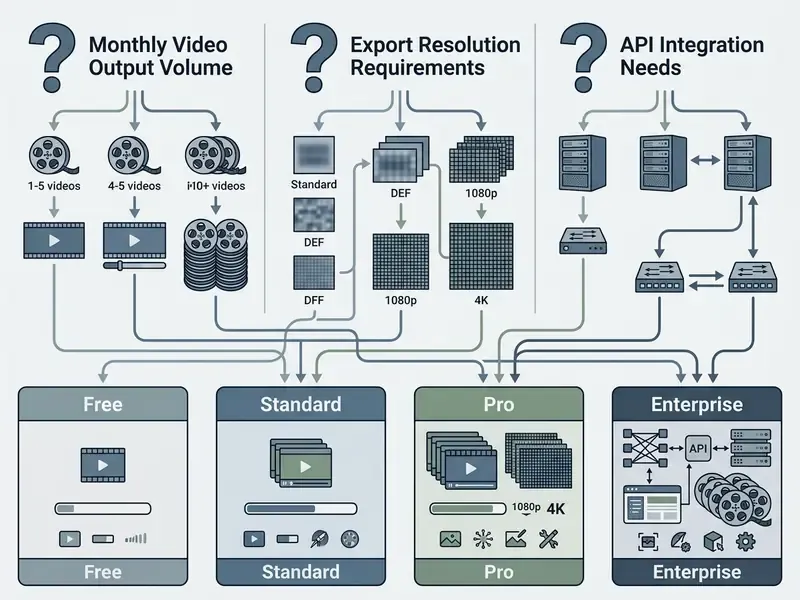
What Can Be Tested in the Runway AI Free Tier
Users on the free tier can generate roughly 10.4 seconds of video with flagship Gen-4.5 (12 credits per second) or up to 25 seconds with lower-cost Gen-4 Video Turbo (5 credits per second).
The 125-credit allotment lets a new account evaluate interface navigation, test text-to-video prompt parsing, run one or two image-to-video transformations, and experiment with basic camera movement tools without supplying credit card details. Older discussions of a "Gen-2 free tier" still circulate in forums; the current grant applies to the models Runway exposes today, so ignore the legacy framing.
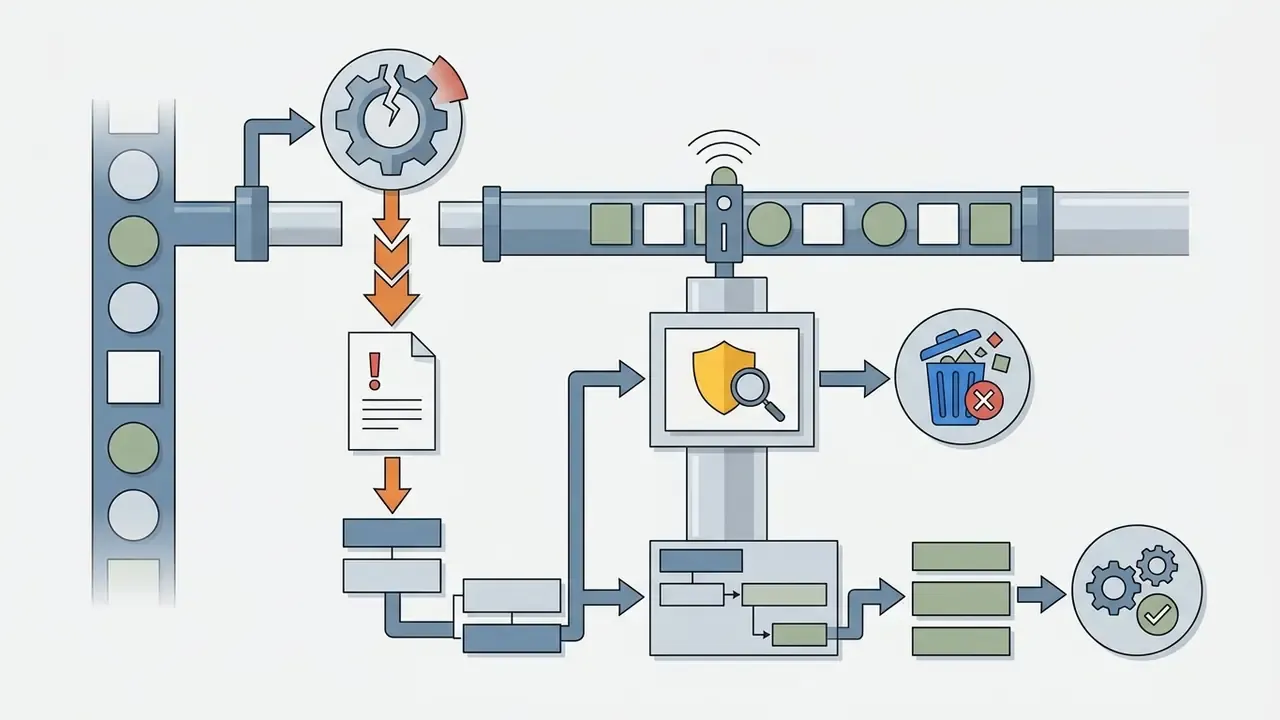
Because the budget is small, prioritize the failure modes that matter most in production:
«UI2V-Bench shows image-to-video models frequently fail on spatial relations, attribute binding and causal chains even with correct input images.»
Practically, that means spending free credits on one spatial-relation test (object A must stay behind object B), one attribute test (brand color must not shift) and one causal test (a hand must open a lid, not pass through it) instead of on aesthetic experimentation. Pretty footage proves nothing about reliability.
When the Free Plan Falls Short for Production Workflows
The free plan runs out of usefulness quickly for commercial production: watermarked exports, a 720p resolution cap, no monthly credit refresh, and non-priority queue times during peak hours, where waits have been reported to exceed 18 minutes. Secondary summaries also cite workspace constraints such as 5 GB storage and a limited number of video projects on the free tier.
Commercial teams producing marketing assets need unwatermarked exports, 4K upscaling, concurrent generation queues and commercial usage indemnification. Teams evaluating the broader category can review our comparison of free AI video generators and the ranked roundup of the best free AI video generators. Teams seeking zero-cost options without watermarks often evaluate dedicated free ai video platforms or examine specialized no watermark ai video tools.
Fact Check / Tariff Verification (2026 Status)
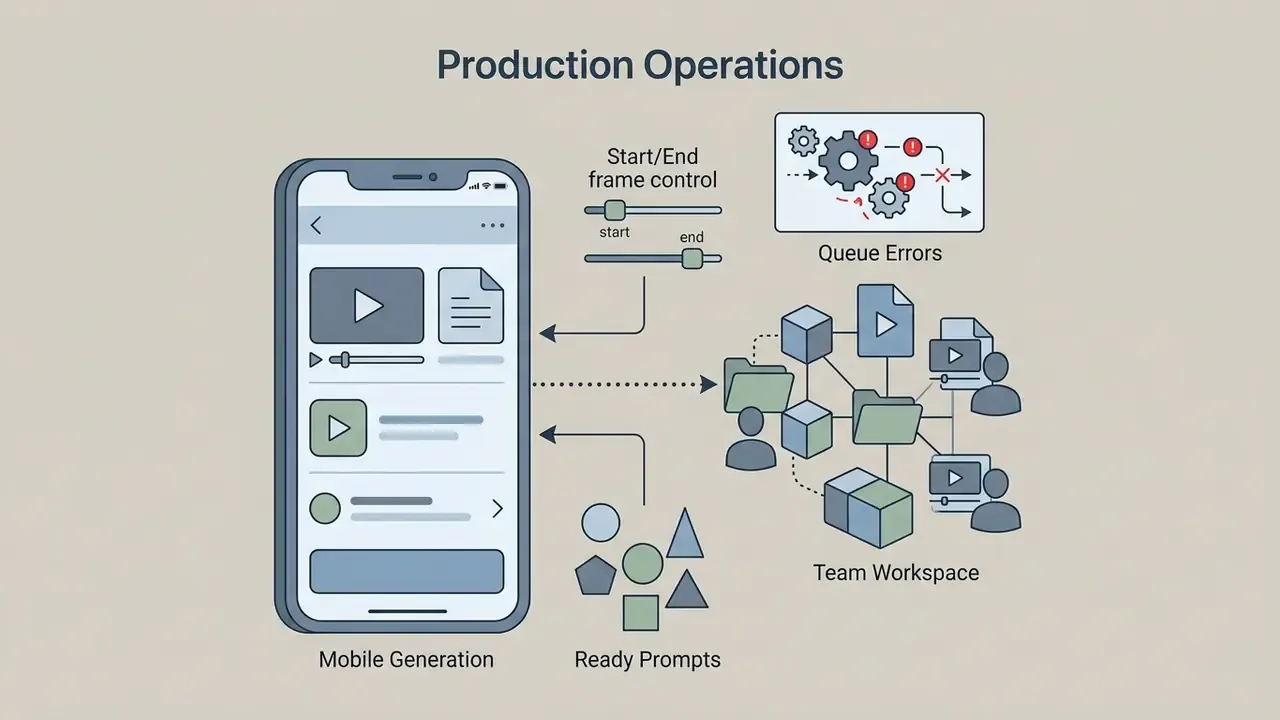
Production Operations: Mobile App, Team Workspaces, and Queue Errors
Day-to-day reliability depends less on model quality than on operational features: where you can generate, who shares the credit pool, and what happens when the platform is saturated.
One practical note for finance and operations owners: shared credit pools are convenient and also the fastest way to overspend. Set a monthly credit ceiling per workspace and review consumption alongside the asset log, not separately from it.


Enterprise Governance, Data Security, and Auditability
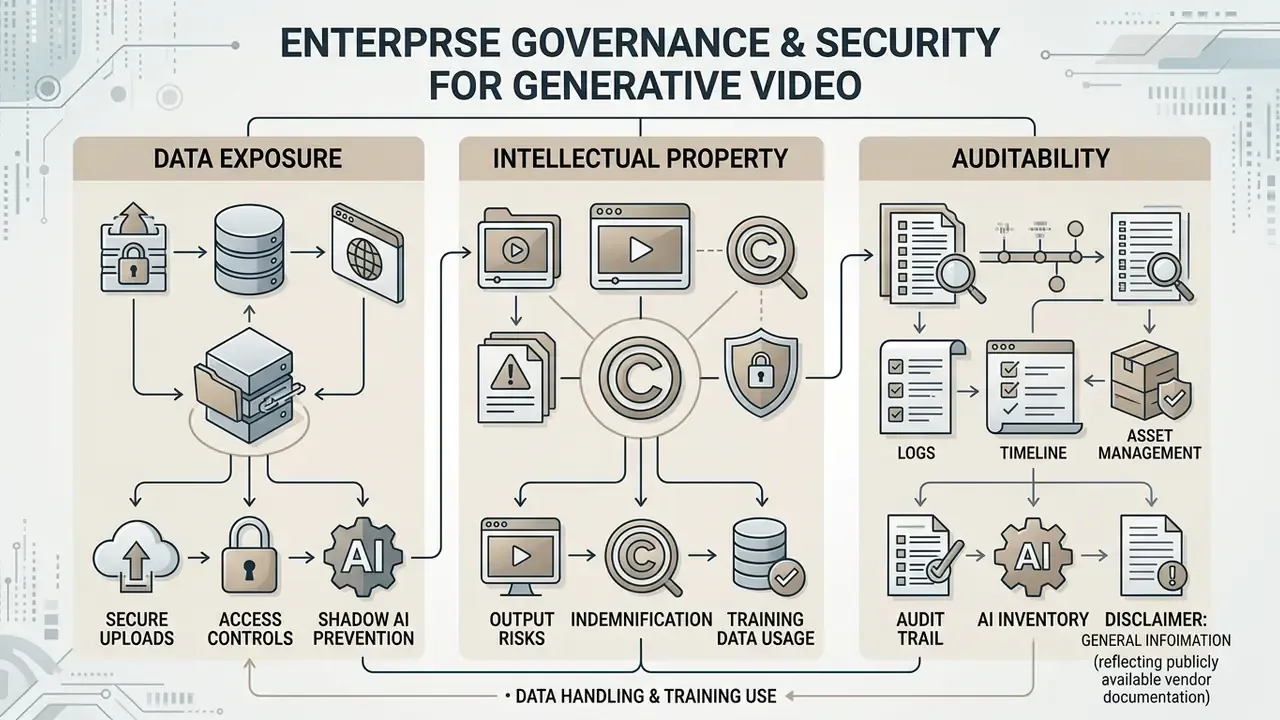
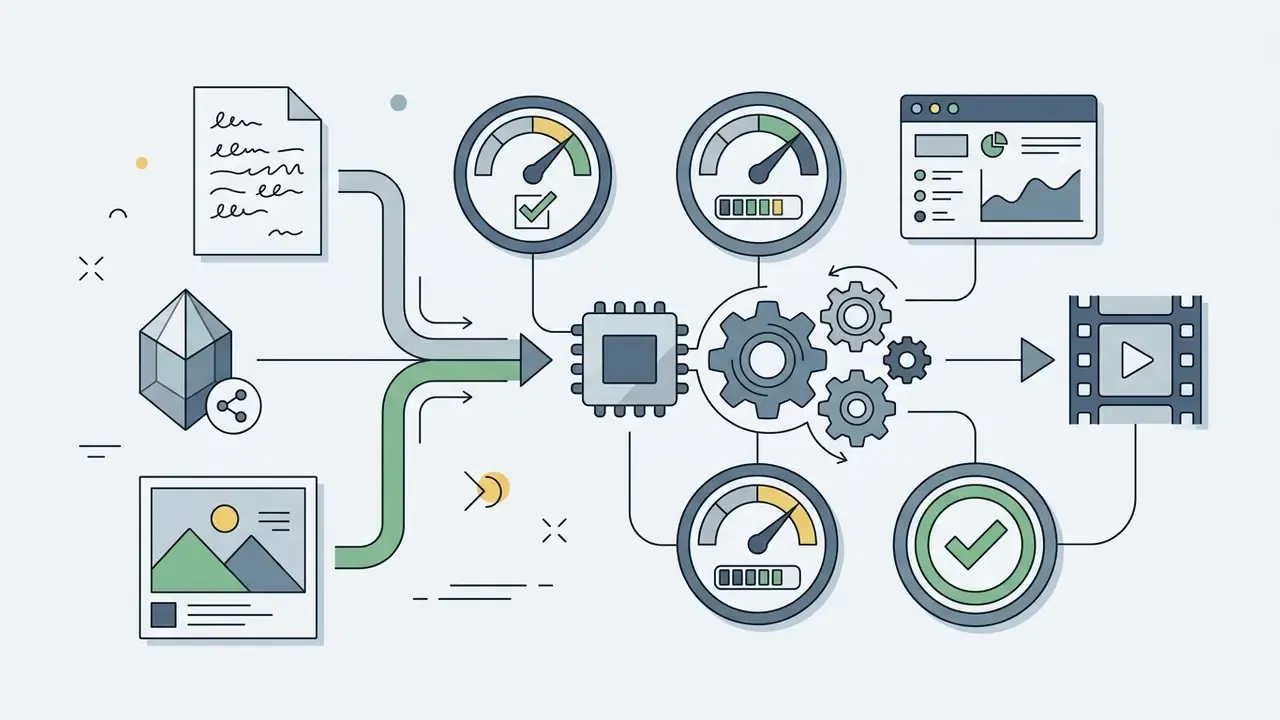
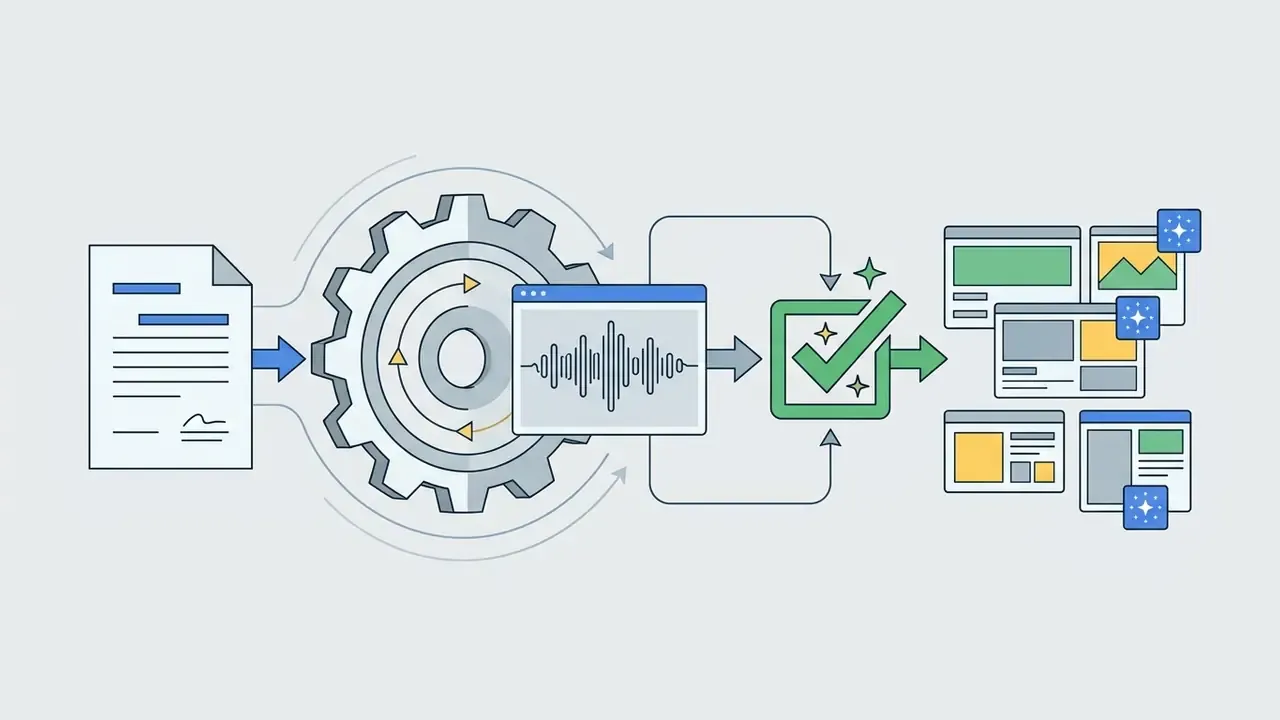
Generative video introduces three risk classes that visual QA alone does not address: data exposure through uploads, intellectual-property exposure through outputs, and reproducibility gaps that break audit trails. Resolve the items below during procurement, not after rollout.
1. Data handling and training use. Before any confidential asset is uploaded, confirm in writing how uploads and prompts are retained, how long they persist, whether they are used to train or improve models, and whether an enterprise opt-out exists. Verify the retention window for generated assets, deletion guarantees on account termination, and sub-processor lists. Aggregator platforms and enterprise tiers frequently differ from consumer tiers on exactly this point. The terms that apply to a free account are not the terms that apply to a negotiated contract.
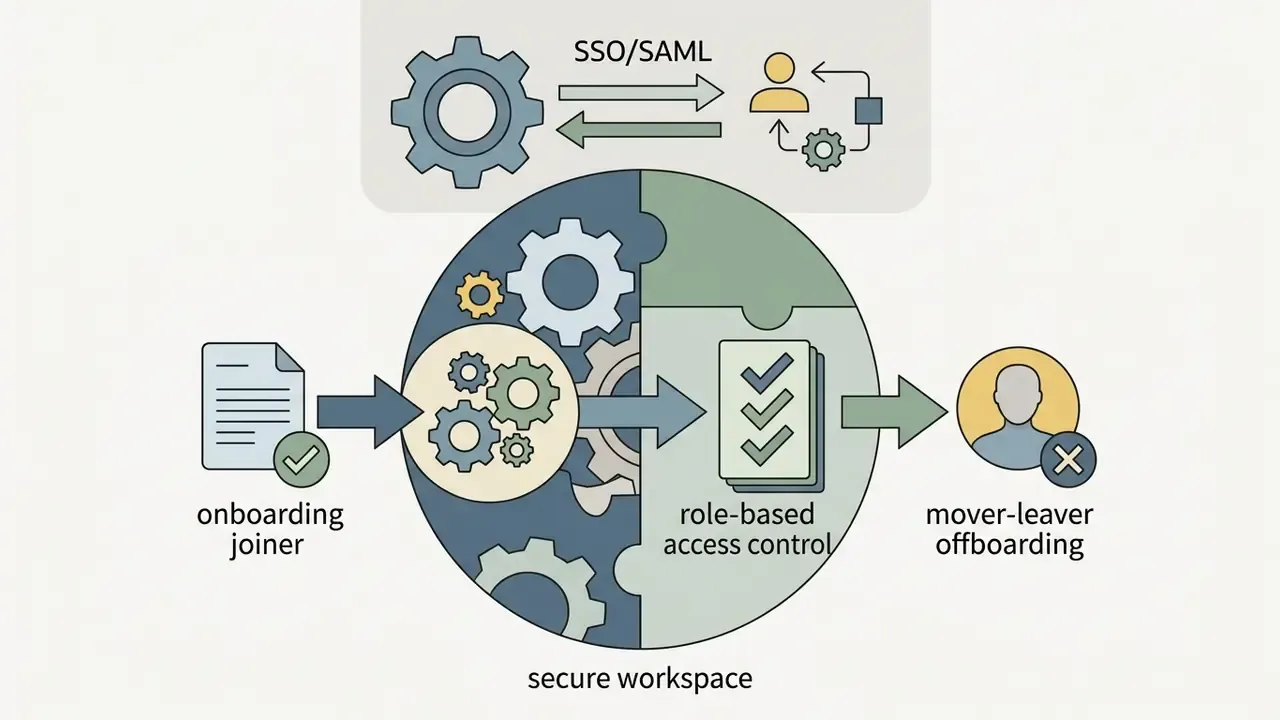
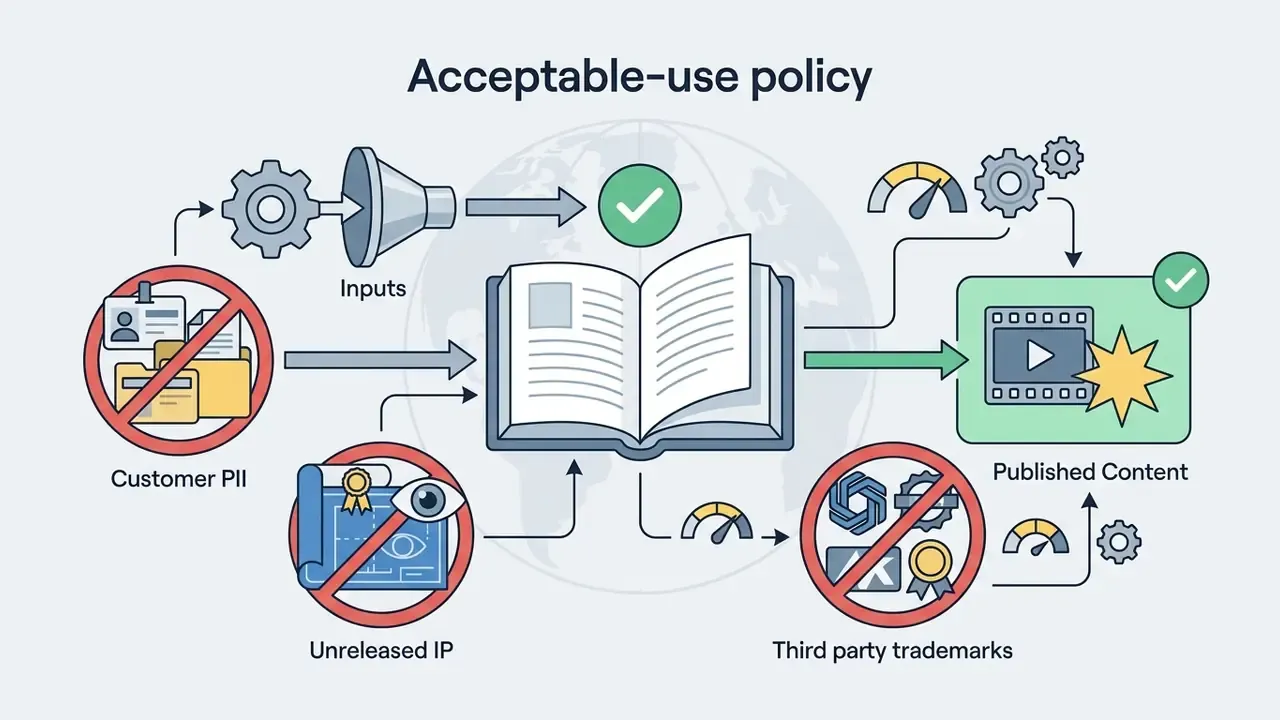
2. Access controls and shadow AI. Uncontrolled adoption by marketing or design staff, usually called shadow AI, is the most common path to accidental disclosure. Mitigations: require SSO/SAML and role-based access on the enterprise tier, restrict uploads of customer data and unreleased product imagery through acceptable-use policy, route all generation through a single approved workspace so credit consumption and asset history stay visible, and publish a short allowlist of approved tools so teams do not improvise with unvetted third-party wrappers.
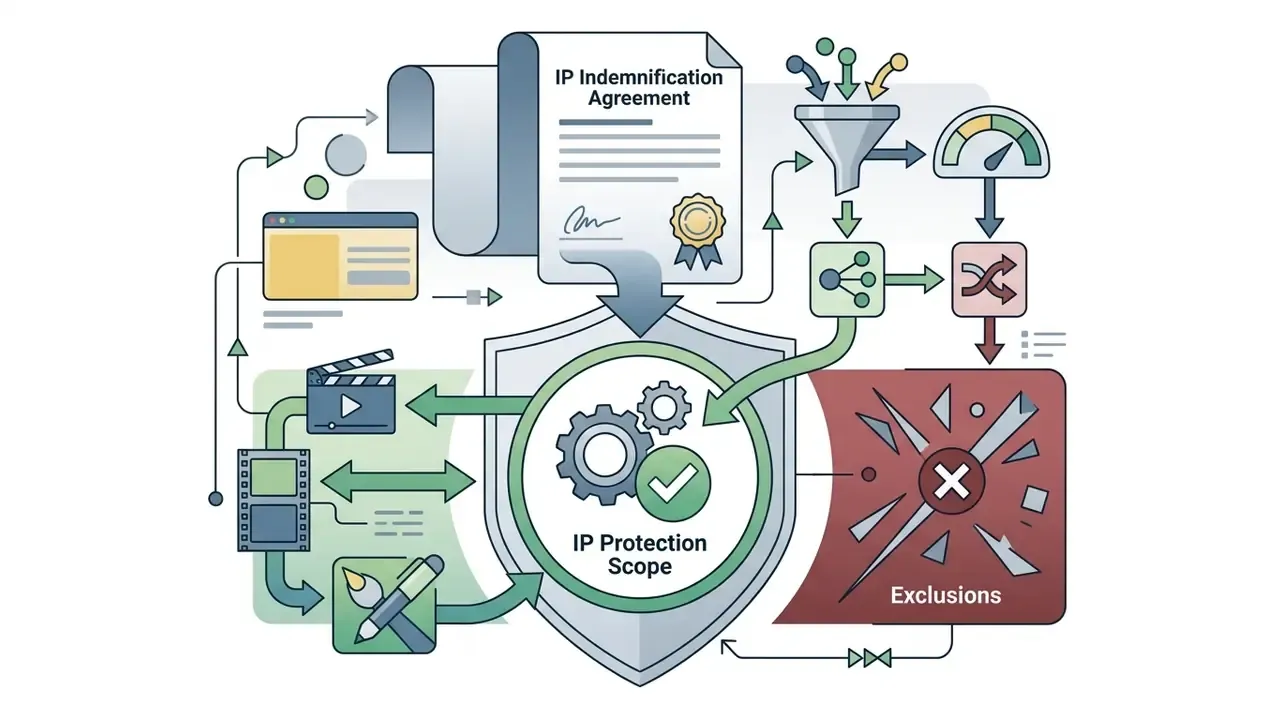
3. Intellectual property and indemnification. Runway's published usage terms state that users retain ownership of uploaded and generated content on free and paid plans. That is not the same as indemnification. Confirm separately whether the contract includes IP indemnification for third-party copyright claims arising from generated output, what exclusions apply (for example, prompts naming living artists, trademarks or protected characters), and how disclosure obligations for AI-generated content are handled in your jurisdiction. Content-safety research shows that concept leakage is a technical problem as much as a contractual one:
«Optimizing a text-to-image encoder via few-shot unlearning and transferring it to text-to-video removes protected concepts in roughly 100 seconds on an RTX 3070.»
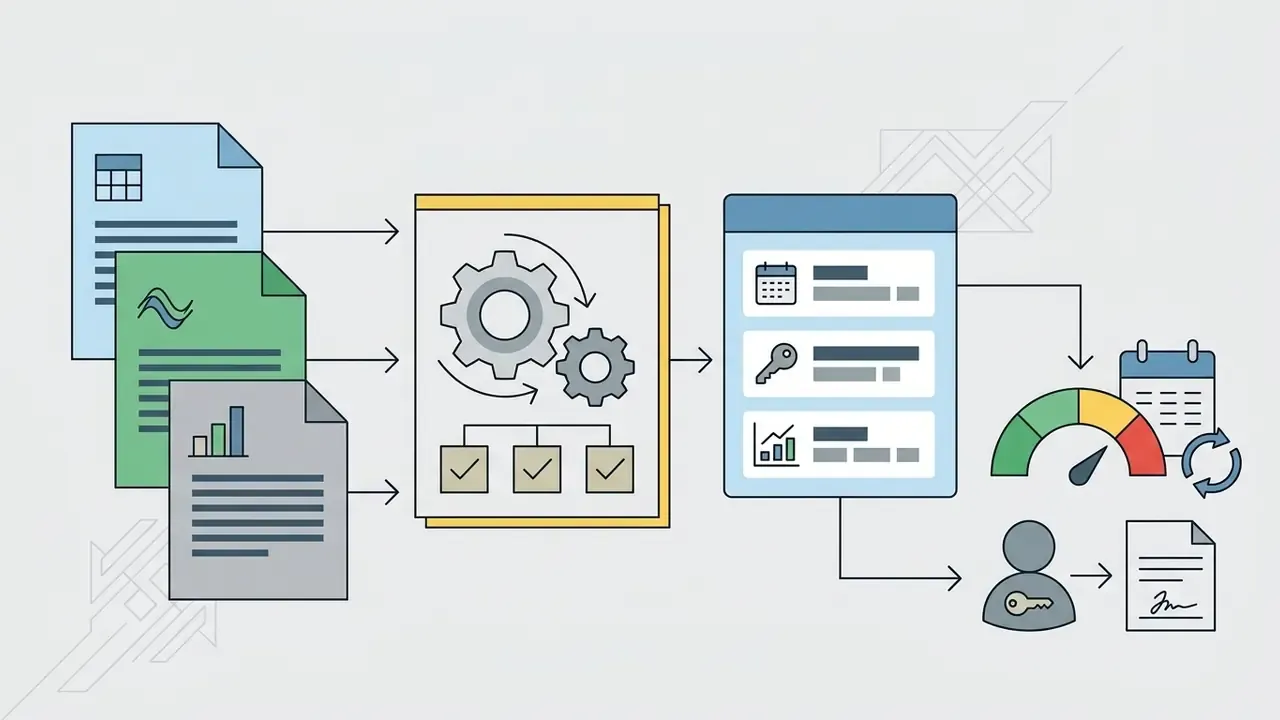
4. Audit trail and AI inventory. Extend your model-risk inventory to cover generative media. For each published asset, log the model identifier and version (Gen-4.5 versus Gen-4 Video Turbo versus gen4_aleph versus seedance2_5), exact prompt text and any enhancer-modified version, reference image hashes, seed value, aspect ratio and duration, credit consumption, reviewer name and approval timestamp. Storing the seed plus prompt plus model version is what makes a render reproducible months later during an audit or a dispute. Structured frameworks exist for this control layer:
«NIST AI RMF 600-1 defines Govern, Map, Measure and Manage functions for responsible deployment and transition between AI systems.»
A short caveat on ownership of the control itself. Someone has to own the generative video inventory entry by name, with a review cadence. Without a named owner, the log degrades into an unmaintained spreadsheet within a quarter, and that is usually discovered during the audit rather than before it.
Governance checklist before the first production render

Runway AI Output Quality: Strengths and Generation Constraints
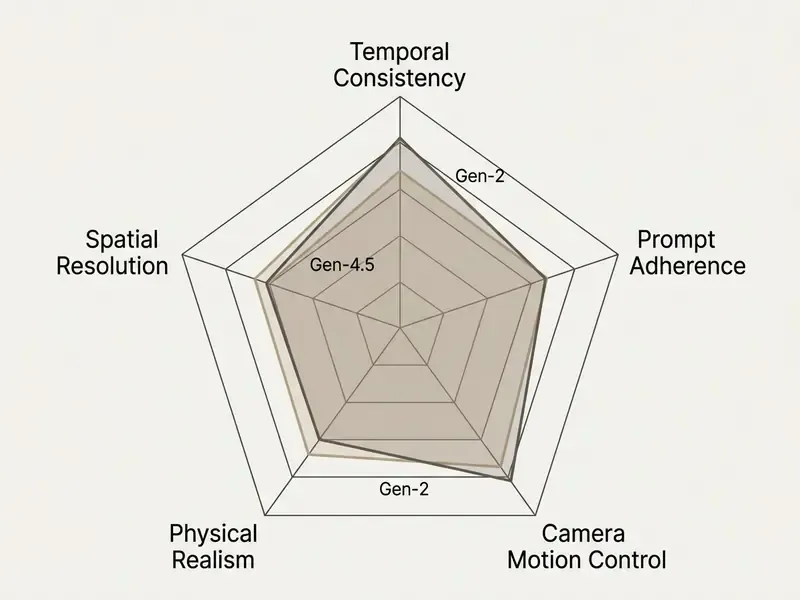
«VBench++ records that motion smoothness, temporal flickering and spatial relations remain the most frequent failure points of current video models.»
Recurring defects documented across third-party human evaluations include unnatural distortions, misplaced or floating elements, inconsistent lighting and shadows, repeating patterns, blurred or pixelated regions, and ghosting or background instability under aggressive camera movement. Earlier Runway generations produced sharper single frames than their temporal stability would justify, which is why frame-by-frame review remains mandatory regardless of model version.
Where Runway Delivers Strong Visual Results
Runway performs best in specific, controlled production scenarios:
- Cinematic Camera Shots Smooth dolly-ins, orbits and tracking shots across static environments with minimal frame tearing, supported by an explicit camera-prompt grammar.
- Product Displays and Photorealism Metallic reflections, glass refraction and studio lighting setups render with high fidelity, which suits clean product reveals.
- Stylized Visuals and Animation Consistent artistic styles (anime, film noir, oil painting, vector graphics) hold across multi-second generations.
- Atmospheric Transitions Fog, smoke, water ripples and lighting shifts move smoothly without sudden pixelation.
- High-Stakes Dramatic Scenes Runway's own use-case documentation highlights dynamic camera movement paired with controlled lighting and cinematic motion, the combination most relevant to narrative work.
What to Check Before Publishing AI-Generated Videos
Before releasing generated clips in commercial campaigns, media teams should run a systematic pre-publication inspection. Benchmark evidence explains why a human gate is still required:
«UI2V-Bench shows models systematically violate spatial relations and causal chains, precisely the aspects requiring manual verification before publication.»
- Facial and Anatomical Integrity
- Check for morphing fingers, floating limbs or eye blinking distortions during facial motion.
- Physical Law Plausibility
- Verify that gravity, liquid flow and object collisions behave realistically, with no floating elements or clipping through solid surfaces.
- Spatial and Background Stability
- Ensure background structures (buildings, sign text, trees) do not warp or shift geometry as the camera moves.
- Temporal Consistency
- Inspect consecutive frames for flickering lights, sudden color shifts or disappearing secondary subjects.
- Audio-Visual Sync
- If you use AI Lip Sync, verify that mouth movements align with audio phonemes without trailing delays, and confirm the source framing met the shoulders-up requirement.
- Brand and Compliance Review
- Confirm that logos, product colorways, trademarks and claims match brand guidelines, and that the asset carries any required AI-disclosure label before distribution.
Top Alternatives to Runway AI Video Generator
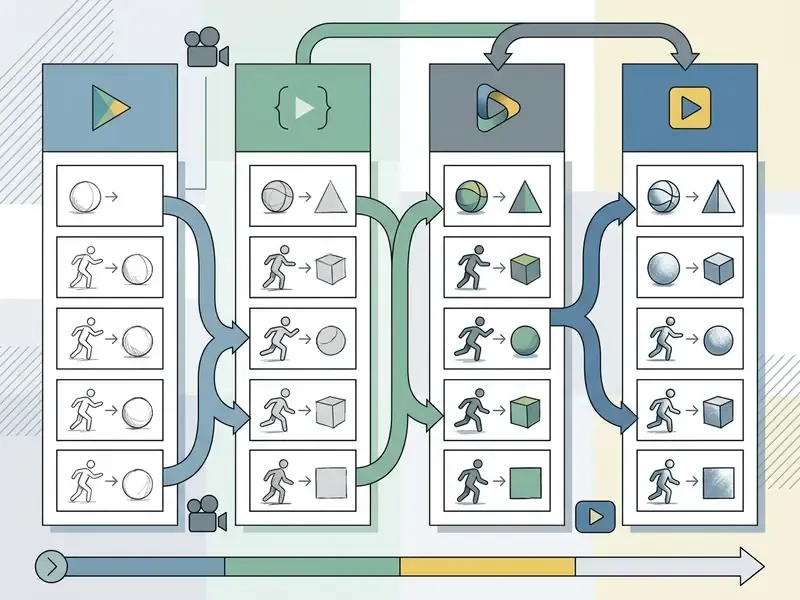
Key alternatives to Runway AI include Kling AI (Kling 3.0), Hailuo AI (MiniMax), Vidu AI, Google Veo 3.1 and ByteDance Seedance 2.5, each with distinct trade-offs in motion control, pricing and duration limits. Readers building a shortlist can compare AI video generators across output quality, credit economics and licensing terms.
Organizations comparing generative video tools can review our detailed analysis to compare options across commercial licenses, or read our AI Media Versus Comparisons for head-to-head metrics.
Kling AI and Kling 3.0 for Dynamic Motion Control
Developed by Kuaishou, Kling AI (featuring the Kling 3.0 model architecture) specializes in complex physical dynamics, extended clip durations and precise motion trajectories.
Kling 3.0 supports reference-video motion transfer: upload a 3 to 30 second reference clip and transfer its exact motion trajectory onto a target subject, with a minimum extractable continuous action duration of 3 seconds. The platform provides six discrete camera movement paths (horizontal, vertical, zoom, pan, tilt, roll) and four master shot combinations, plus a Motion Brush and storyboard controls for scene and camera-angle adjustment. Consumer access is credit-based, while API usage requires a separate developer account. Consumer subscription credits do not unlock the API, a detail that surprises teams mid-integration.
Hailuo AI, Vidu AI, and Seedance for Multi-Model Testing
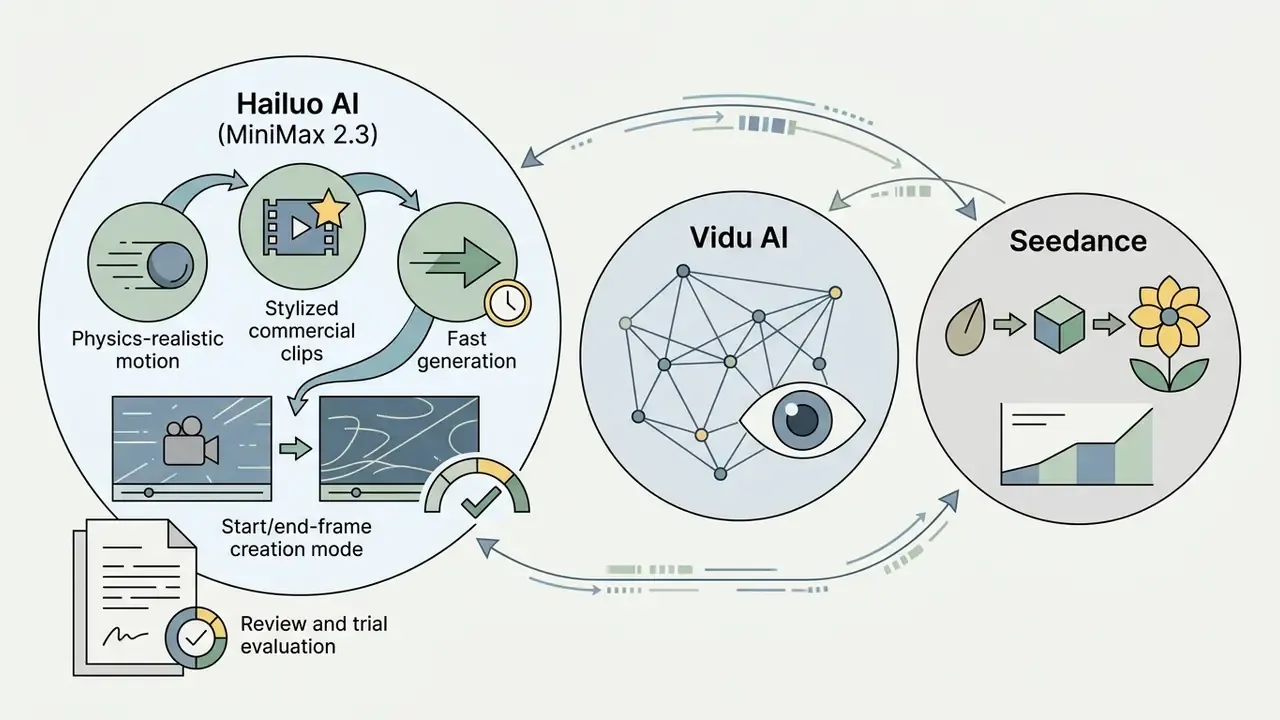
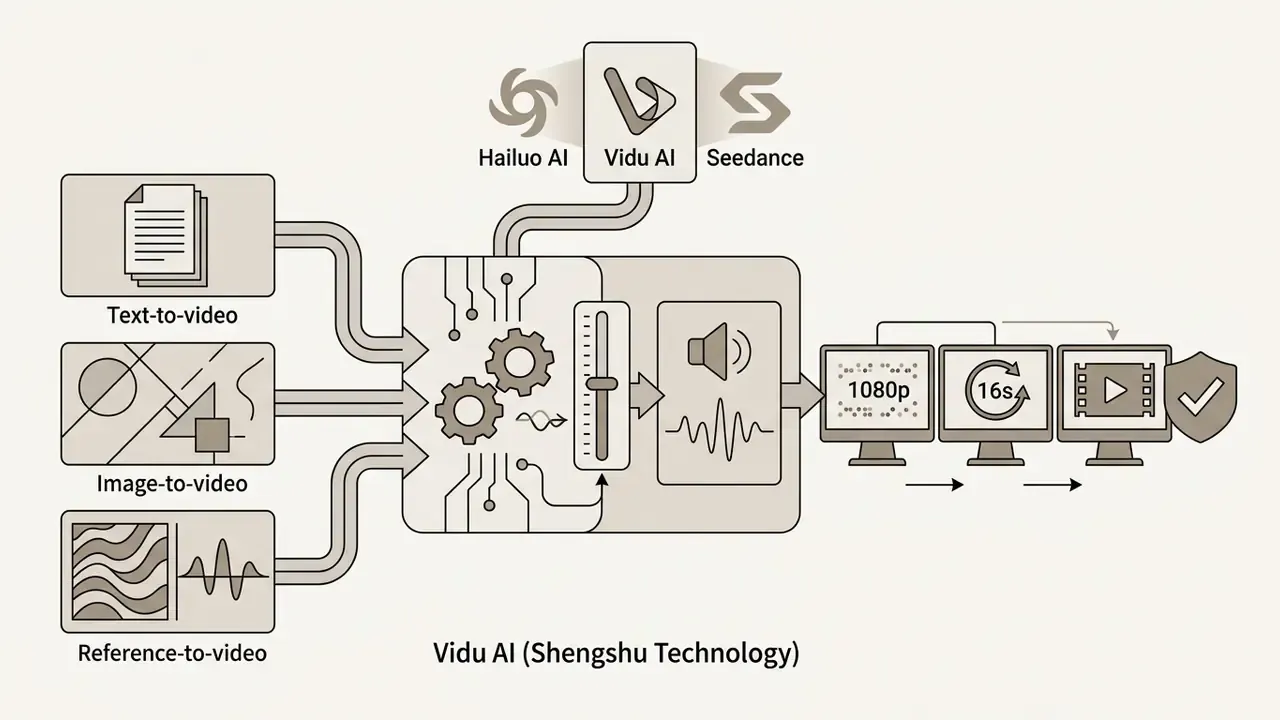
«Vidu generates 1080p video up to 16 seconds in a single pass and shows results comparable to OpenAI Sora in coherence and dynamics tests.»
- Seedance 2.5 (ByteDance): Features joint audio-video generation, supporting up to 30 reference images, 10 video clips and 10 audio clips per generation task for multi-minute narrative assembly (ByteDance, 2025). Runway's developer model list exposes
seedance2_5directly, which allows benchmarking without a second vendor contract. Earlier Seedance 2.0 builds are still referenced in older comparisons, so check the version string in your API call rather than trusting a review headline.
For teams that need a reproducible, self-hosted reference point during evaluation, open-weight research models provide a stable control group:
«CogVideoX generates 10-second videos at 16 fps and 768×1360 resolution using progressive training and multi-resolution frame packing for coherent motion.»
Advantages of Unified Platforms with Multiple AI Models
A unified multi-model workspace or aggregator lets production teams pick the model best suited to an individual shot without switching software subscriptions, and it reduces vendor lock-in by keeping prompts and reference assets in one place.
For example, a team might deploy Runway Gen-4.5 for character-driven narrative scenes requiring world consistency, switch to Google Veo 3.1 for wide landscape drone shots with native audio and start/end-frame control, and use Kling 3.0 for high-action physical movement sequences. Image models sit in the same routing logic: a still generated with Nano Banana or GPT Image can serve as the reference frame before animation, which keeps the image generator and the video models inside one review trail. Teams that also need fast, social-friendly stylization frequently add PixVerse AI to the routing table. Production teams refining their editing stack can evaluate free online video editors or test free video editing mobile tools for field editing.
Comparative Analysis of Leading AI Video Generators (2026)
| Platform / Model | Developer | Max Clip Duration | Primary Input Modes | Key Technical Strength | Free Tier Structure |
|---|---|---|---|---|---|
| Runway Gen-4.5 | Runway AI, Inc. | Up to 60s (via Extend) | Text, image, start/end frame, video, audio | World consistency and integrated studio editing | 125 one-time credits (non-refreshing) |
| Kling 3.0 | Kuaishou | Up to 15s (extendable) | Text, image, motion reference video | High-precision motion capture and trajectory control | Daily credit check-ins (tiered) |
| Hailuo 2.3 | MiniMax | 6 to 10s | Text, image (start/end frames) | Anime, stylized rendering and physical motion | One-time trial credits (watermarked) |
| Vidu AI | Shengshu Technology | Up to 16s | Text, image, reference subject | 1080p native resolution and voice cloning | Limited credit trial tier |
| Google Veo 3.1 | Google DeepMind | 60s and beyond | Text, image, video reference | Cinematic prompt parsing and native audio track | Pay-as-you-go via Vertex AI / Gemini API |
| Seedance 2.5 | ByteDance | 30s (single pass) | Multimodal (up to 50 assets) | Joint audio-video generation and timestamp editing | Platform-dependent access (Jimeng AI) |
Key differences in words, since tables flatten nuance. Runway wins on integrated editing and identity persistence across shots. Kling wins when motion has to be copied, not described. Hailuo is the cheapest route to stylized short clips. Vidu leads on native duration at 1080p. Veo 3.1 is the only option here with a native audio track and a usage-based billing model, which suits finance teams that dislike credit bundles. Seedance handles multi-asset narrative assembly that would otherwise require manual stitching.
How to Migrate from Runway to an Alternative AI Video Generator
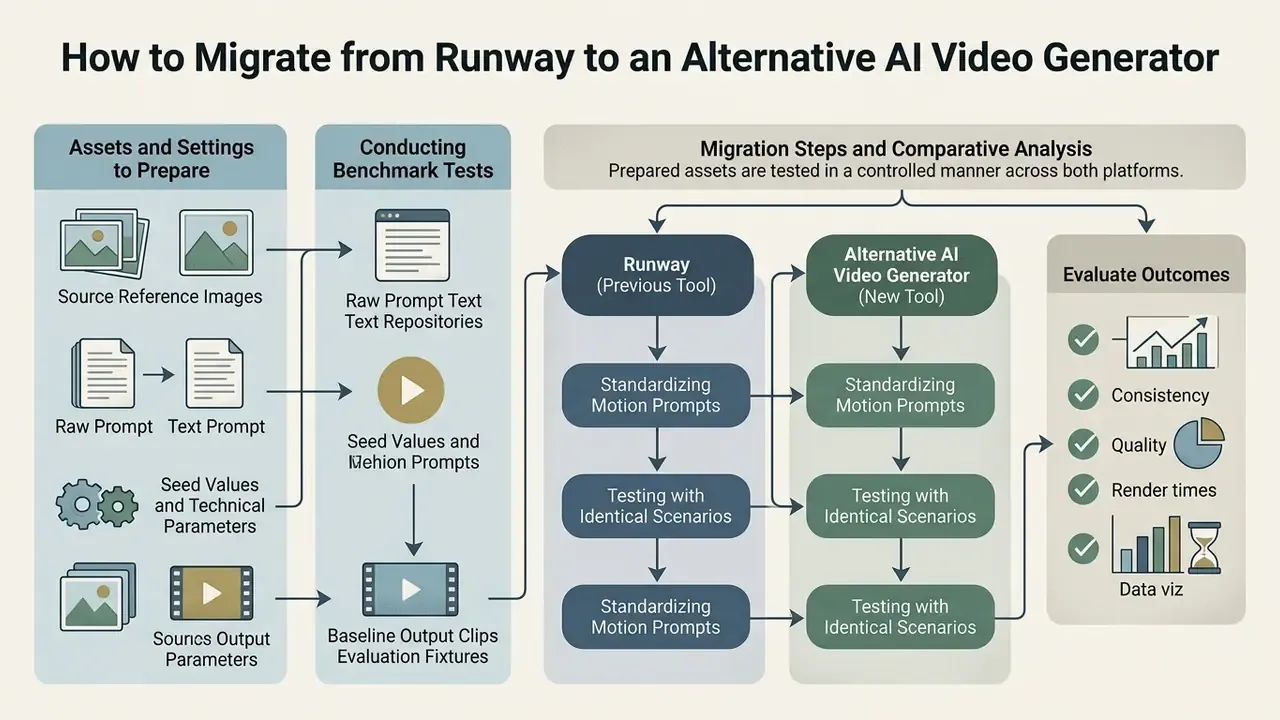
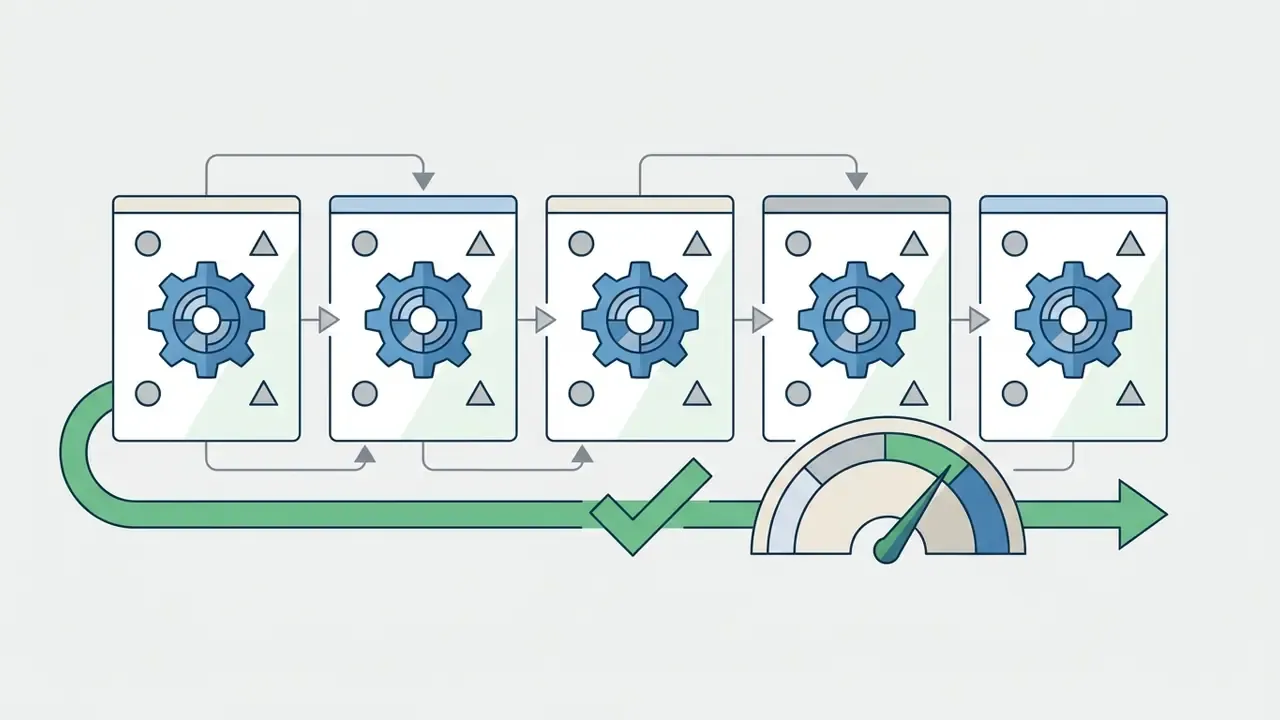
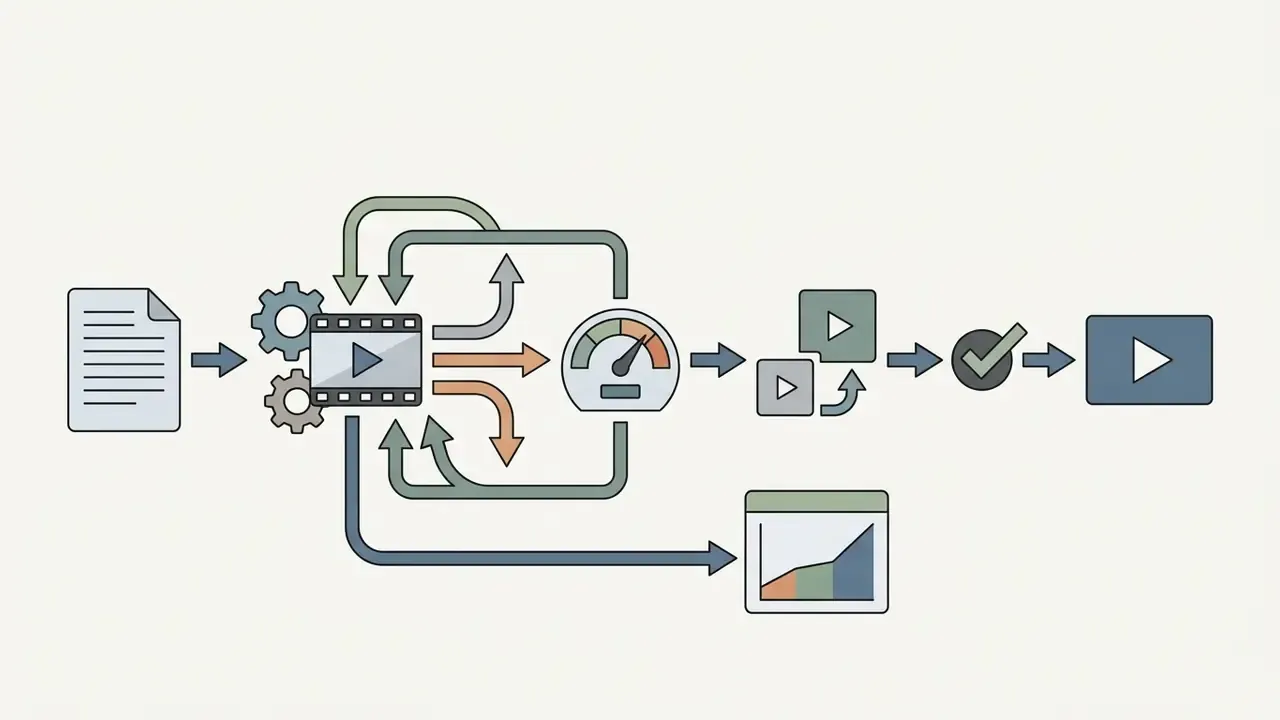
Migrating video generation workflows from Runway to an alternative platform requires standardizing motion prompts, archiving reference image assets and running controlled benchmark tests on identical scenarios.
Structured risk management frameworks keep content quality, legal compliance and operational controls intact during model transitions (Updated with a verifiable primary source):
«NIST AI RMF 600-1 defines Govern, Map, Measure and Manage functions for responsible deployment and transition between AI systems.»
NIST guidance also requires that AI-generated content be reviewed and tested against internal guidelines and risk controls, which translates directly into a migration gate: no candidate model goes live until its outputs pass the same quality, safety and disclosure checks as the incumbent.
Assets and Settings to Prepare Before Changing Tools
Before a platform transition starts, compile a standardized asset repository to preserve creative continuity:
Teams preparing web assets for cross-platform publishing can review technical guides on how to display media elements cleanly, check commercial use rights for AI-generated assets, or consult our view the guide page for commercial usage guidelines.
Conducting Benchmark Tests Across Identical Scenarios
A reliable migration benchmark evaluates candidate AI video models by running identical text prompts and reference images under uniform aspect ratios and clip duration constraints. Public test-and-evaluation guidance defines A/B testing as comparing two variants on the same inputs while changing one variable at a time; NIST's draft benchmarking practices add that the protocol should be designed before any code is run, followed by statistical analysis and uncertainty quantification. Published text-to-video research has applied exactly this method, running an identical set of 10 prompts through Runway and two competing models, then scoring outputs with FID, FVD and CLIPScore alongside human survey results.
Select a representative 10-prompt test suite covering your core production use cases: for example three product renders, three character motion clips, two landscape camera pans and two stylized animations. Run each case through Runway and the candidate model (Kling 3.0 or Hailuo 2.3, say). Teams evaluating Veo as the destination engine can follow our Google Veo API integration guide for parameter parity.
Evaluate outputs across four standardized dimensions:
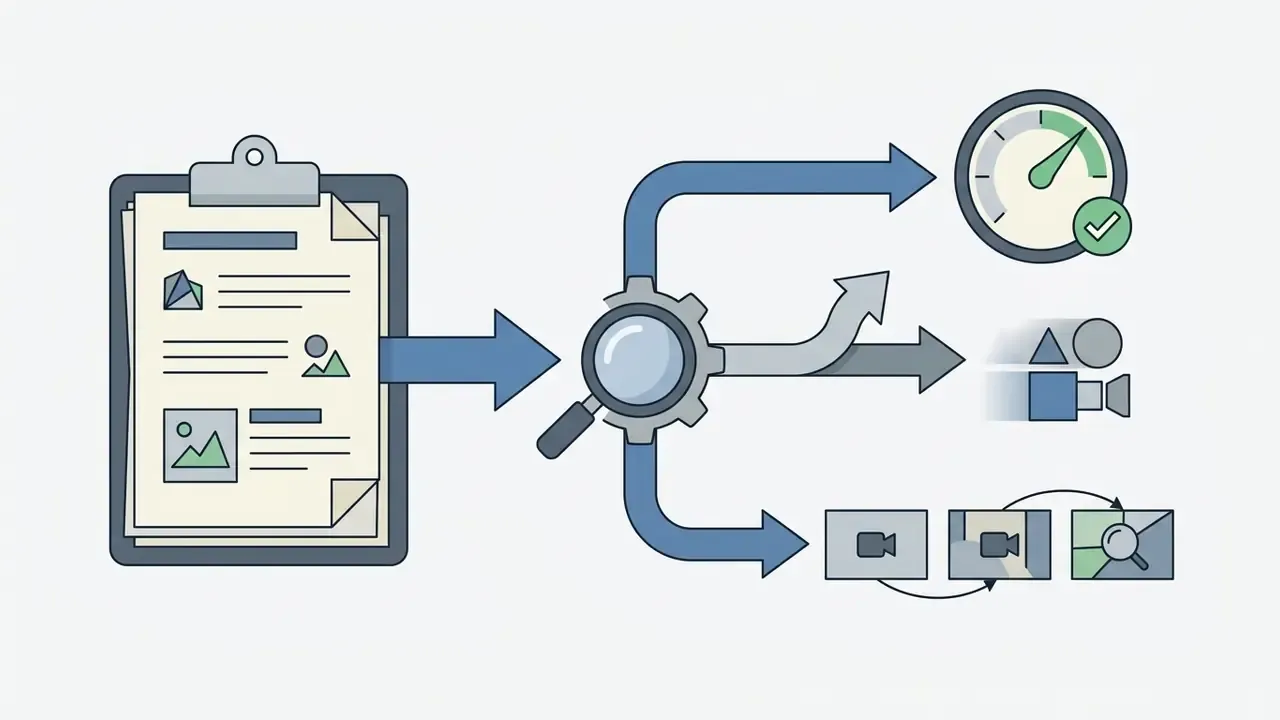

«VideoGen-Eval uses 700 prompts and eight models with MLLM-based scoring, showing agentic frameworks capture quality nuances more accurately than static metrics.»
In one illustrative migration evaluation for a media organization, a team benchmarked 50 product demonstration scenarios across Runway Gen-4.5 and two alternative models. By standardizing reference images and camera directives into a single prompt repository, the team compared candidates on a like-for-like basis and observed that one alternative engine produced acceptable results for simple rotation shots at a materially lower credit cost per usable second while holding the required spatial resolution (Updated: a previously stated 30% figure reflected a single internal test and should be treated as directional, not as a benchmark; run your own cost-per-usable-second measurement). The team then implemented a hybrid routing strategy, sending basic product rotations to the lower-cost model while keeping Runway for complex character-driven scenes, and logged the routing rule in its AI inventory so every published asset traced back to the engine that produced it. This example is hypothetical and illustrative, not a documented client result.
FAQ: Runway AI Video Generator
Who owns Runway and when was it founded?
Runway AI, Inc. is a private company founded in 2018 by Cristóbal Valenzuela, Alejandro Matamala and Anastasis Germanidis, with investors including Google and Nvidia.
Are "Runway" and "Runway ML" the same product?
Yes. "Runway ML" was the original common name, derived from the platform's early URL, and searches for "runaway ai video generator" or "runaway video editor" usually land on the same product. The company and product are officially branded as Runway. Note that the current Gen-3, Gen-4 and Gen-4.5 video models are proprietary commercial systems, not open-source releases.
How much does Runway cost in 2026?
Free (125 one-time credits), Standard from $12 per month billed annually, Pro at $28 per month, Max at $76 per month, and custom Enterprise pricing. Developer API credits are priced at roughly $0.01 each. Verify current figures on the official pricing page before purchase.
Is there a mobile app?
Yes. Runway offers an official iOS application for generating and managing video assets from mobile devices.
Can a team collaborate inside one workspace?
Yes. Shared workspaces allow inviting team members, real-time contribution and editing, shared credit pools and centralized brand reference assets.
What should I do when I see a "due to high demand" message?
Switch to Gen-4 Video Turbo, shorten the clip duration, and check Runway's official status page for real-time incident updates before re-submitting identical jobs.
Do I own the videos I generate?
Runway's published usage terms state that users retain ownership rights to uploaded inputs and generated outputs on free and paid plans, subject to platform usage policies. Ownership is separate from indemnification, so confirm indemnification scope contractually for commercial campaigns.
What is the longest clip Runway can produce?
Gen-4.5 generates 5, 8 or 10-second clips natively (2 to 10 seconds via API). Longer sequences are assembled by extending clips or chaining last frames into new Start Frames.
Does Runway train on my uploads?
Data-use terms differ by tier and contract. Confirm retention periods, training use and opt-out availability in writing with the vendor before uploading confidential or pre-release material.
Do I need editing skills to use Runway?
No advanced editing skills are required for a first clip, but production-grade output still needs a reviewer who can spot temporal artifacts, lighting drift and brand deviations. The platform removes the camera, not the judgment.
Appendix: Migration Benchmark Scorecard Template
Use this template to document a model comparison in an auditable format. Score each dimension from 1 to 5, record the evidence, and keep the completed sheet with the AI inventory entry.
Prompt-Level Evaluation Matrix for Model Migration Audits
| Field | What to record | Example entry |
|---|---|---|
| Test ID | Sequential identifier for the prompt case | PRD-03 |
| Use case class | Product / character / landscape / stylized | Product rotation |
| Prompt text | Exact string, including enhancer-modified version | "Cinematic slow dolly-in…" |
| Reference assets | Filename plus hash for each image or clip | watch_master.png / sha256:… |
| Model and version | Engine identifier under test | gen-4.5 / seedance2_5 |
| Settings | Ratio, duration, seed, motion values | 1280:720, 8s, seed 4412 |
| Prompt adherence (1-5) | Requested actions, objects, camera path rendered | 4 |
| Temporal coherence (1-5) | Identity and background stability across frames | 5 |
| Physical realism (1-5) | Gravity, collisions, lighting plausibility | 3 |
| Brand/compliance pass | Pass or fail with reviewer note | Pass, colorway verified |
| Credits consumed | Including retries and upscaling | 96 plus 32 retry |
| Cost per usable second | Total credits divided by approved seconds | 16 credits/sec effective |
| Reviewer and date | Named approver and timestamp | M. Hale, 2026-02-14 |
| Routing decision | Which engine wins this use case class | Route to alternative engine |
No matching rows Clear one or more filters to restore the matrix.
A safe next step, if this is your first controlled rollout: run the 10-prompt suite on the free tier of two engines, complete one scorecard per prompt, and bring the completed sheets to the governance forum before any subscription is signed. Small test, documented evidence, reversible decision.
Explore more resources on our AI Media Alternatives hub.