This guide analyzes verified free video editing software across desktop, browser, and mobile platforms. It establishes structured evaluation frameworks, empirical render tests, privacy considerations, and feature comparisons for content creators, corporate communications teams, and technical operators in 2026.
Quick Verdict: Fastest Path to a Watermark-Free Export
| Need | Recommended Editor | Why It Wins |
|---|---|---|
| Best overall / 4K professional | DaVinci Resolve (Free) | Clean 4K UHD 60 fps export, full color grading, Fairlight audio, Fusion VFX |
| Best for fast social clips | CapCut / VN Video Editor | Vertical 9:16 presets, AI captions, watermark-free after removing the branded ending clip |
| Best open-source flexibility | Shotcut / Kdenlive | GPL licensing, FFmpeg backend, hundreds of formats, no registration or paywalls |
| Best browser-only workflow | Microsoft Clipchamp (Web) | Unlimited watermark-free exports up to 1080p, AI captions, screen recorder |
| Best for Apple hardware | iMovie | Free on iOS/iPadOS/macOS, 4K UHD and HDR Dolby Vision export |
| Best for old or 32-bit PCs | VSDC Free Video Editor | Runs on legacy 32-bit Windows, chroma key, DVD burning, no export logo |
| Best for 3D animation and VFX | Blender (Video Sequence Editor) | Node compositing, PBR shaders, HDR lighting, GPU/CPU rendering, zero paywalls |
| Best for screen tutorials + storyboards | ScreenPal (Free) | Drag-and-drop storyboards, screen/webcam capture, 15-minute recording cap |
| Best for sensitive corporate footage | OpenShot / Shotcut / DaVinci Resolve | Fully local rendering, so source media never leaves the workstation |
What this page covers: evaluation methodology, what "no watermark" really means, a 3-minute validation protocol, the full comparison table, PC editors (beginner, professional, open source, legacy hardware), online browser editors with AI audio and captions plus data privacy, mobile apps for Android, iPhone, iPad, and Mac, a decision matrix and switching guide, FAQ, and the conclusion.
How We Evaluate Free Video Editors Without Watermarks
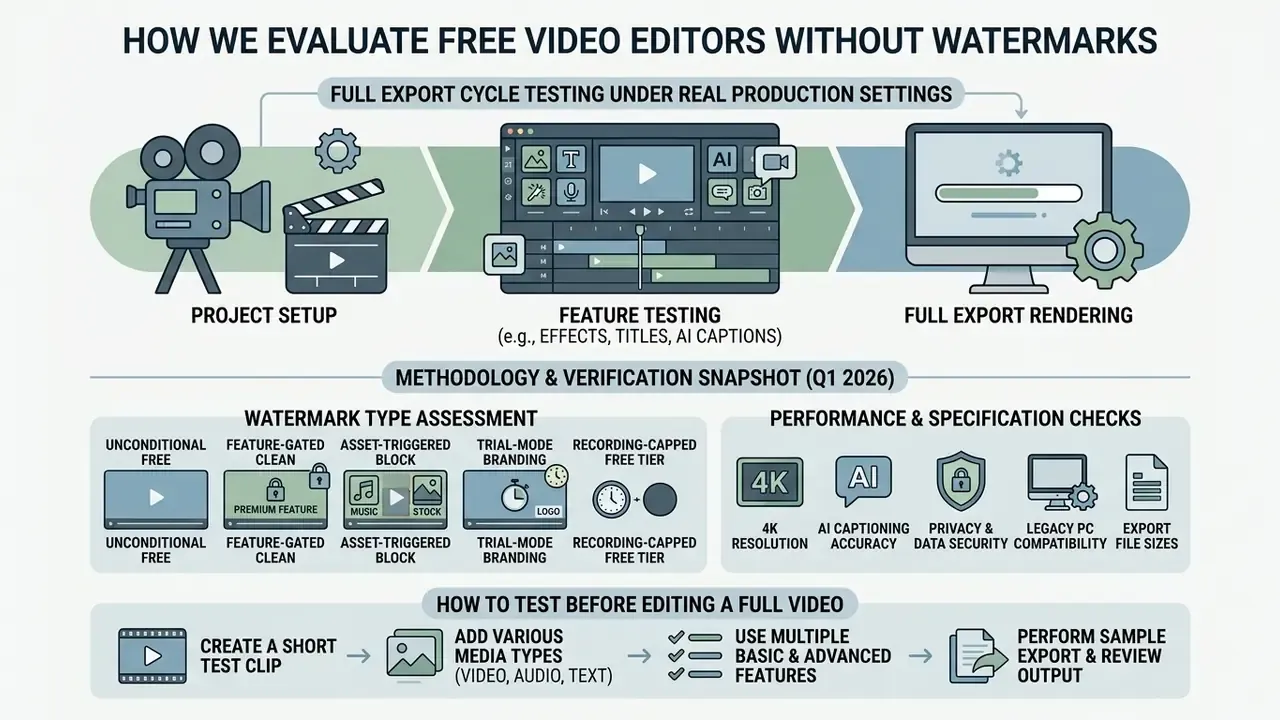
To judge whether a video editor is truly free without watermarks, the software has to be tested through full export cycles under real production settings. Feature matrices and marketing claims are not evidence. A platform qualifies as a watermark-free editor when it renders completed video projects at usable resolutions without applying visual logos, audio branding tags, or hidden signal overlays.
Evaluations examine license terms, resolution limits, asset paywalls, privacy architecture, and technical performance across platforms. Many applications provide clean exports with core timeline tools, then silently insert watermarks or block rendering once stock footage, premium transitions, or AI enhancement features enter the project. A fair assessment also validates format compatibility, multi-track timeline stability, screen recording behavior, upload and storage quotas, and hardware resource utilization.
One more thing worth saying plainly: search demand still runs on older phrasing. Queries like "best free video editing app no watermark 2024" remain common, and the answers have shifted since then, mostly for the better on free export ceilings.
Methodology and Verification Snapshot (Q1 2026)
| Verification Item | Status and Detail |
|---|---|
| Fact check / licensing status | Verified as of Q1 2026 |
| Test environments | Windows 11 (64-bit and legacy 32-bit VM), macOS Sequoia, iOS 18, Android 15, Chrome and Edge browsers |
| Inspection method | Direct test renders; exported files inspected frame-by-frame for visual logos, transparent overlays, and audio credit tags |
| Vendor rules verified | Microsoft Clipchamp official documentation (1080p clean export verified); Blackmagic Design DaVinci Resolve Free specifications (Ultra HD 4K 60 fps clean export verified); OpenShot 4.0 open-source license (100% watermark-free verified); Canva free asset terms (clean export conditional on free-asset usage); ScreenPal free-plan documentation (15-minute recording cap verified); VSDC supported-formats documentation (32-bit Windows and DVD authoring verified) |
| Reviewer | Marcus Hale, video production and software evaluation lead; render-pipeline testing across desktop, browser, and mobile NLEs |
What "No Watermark" Means in a Free Version
A video editor offers a genuine no-watermark free version when it exports completed projects without adding branding and without demanding a subscription for baseline output. Vendors typically pick one of four freemium models: unconditional open-source access, feature-restricted free tiers, asset-triggered export blocks, or trial modes that stamp watermarks on export.
Knowing these boundaries prevents that late-stage surprise where the render button simply refuses:
- Unconditional watermark-free editors
- OpenShot, Kdenlive, Shotcut, and Blender ship under open-source licenses, with unrestricted multi-track editing, full-resolution rendering, and zero branding overlays. OpenShot states plainly that users can edit "without subscriptions, watermarks, or project limits."
- Feature-gated clean export
- Commercial tools such as Microsoft Clipchamp and Canva allow watermark-free exports at HD resolutions, provided you avoid premium stock media, paid transitions, or subscription-locked AI effects.
- Asset-triggered export blocks
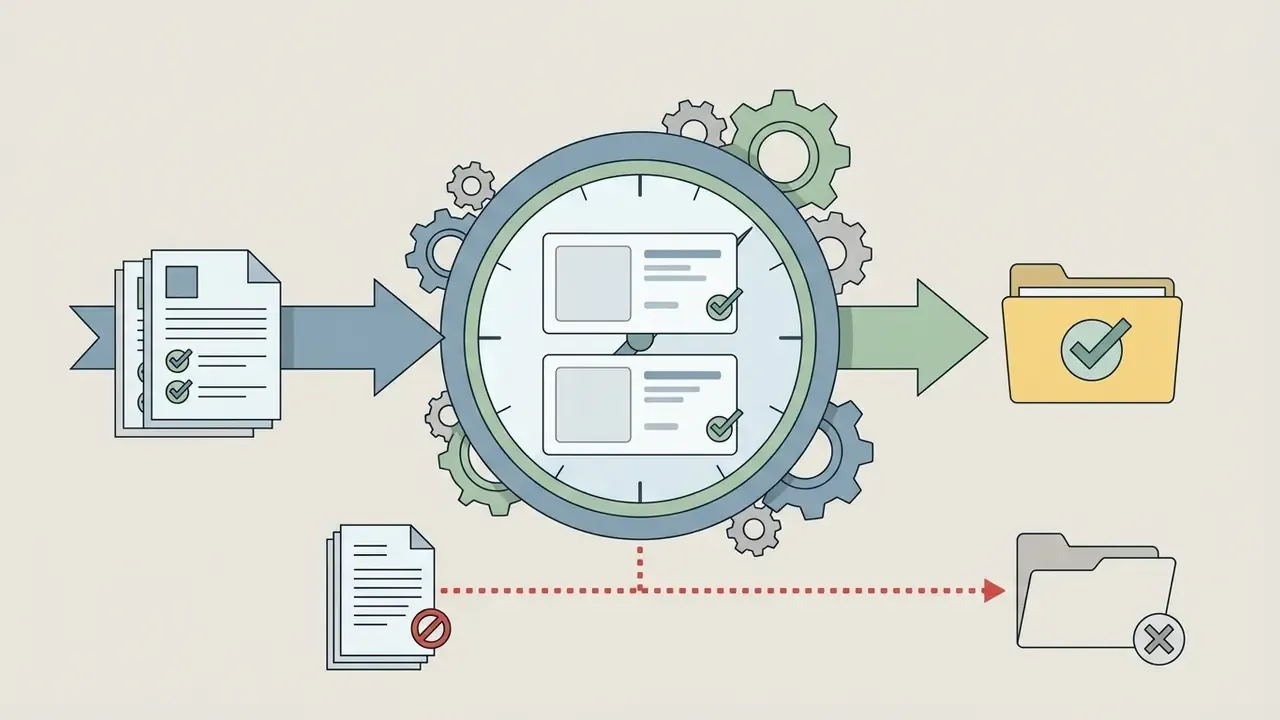
- In Clipchamp, applying a premium asset disables the export button until the element is removed or the account is upgraded. Irritating in the moment, but it does prevent accidental watermarked renders (Microsoft Support, 2026).
«Clipchamp does not add a visual, audio, or any other kind of watermark to your edited projects or exported videos; premium assets block export instead of stamping branding.»
- Trial-mode branding Movavi Video Editor allows full feature testing, then stamps a prominent visual watermark across every exported file until a license key is activated (Movavi Learning Portal, 2026).
- Recording-capped free tiers ScreenPal exports clean 1080p video but constrains the input side instead, limiting each recording to 15 minutes and free cloud hosting to 10 assets.
A parallel pattern shows up in generative tools, where free credits, duration caps, and branding rules interact in the same way. Readers weighing those options can compare No-Watermark AI Video Alternatives against traditional timeline editors before standardizing a workflow.
How to Test an Editor Before Editing a Full Video
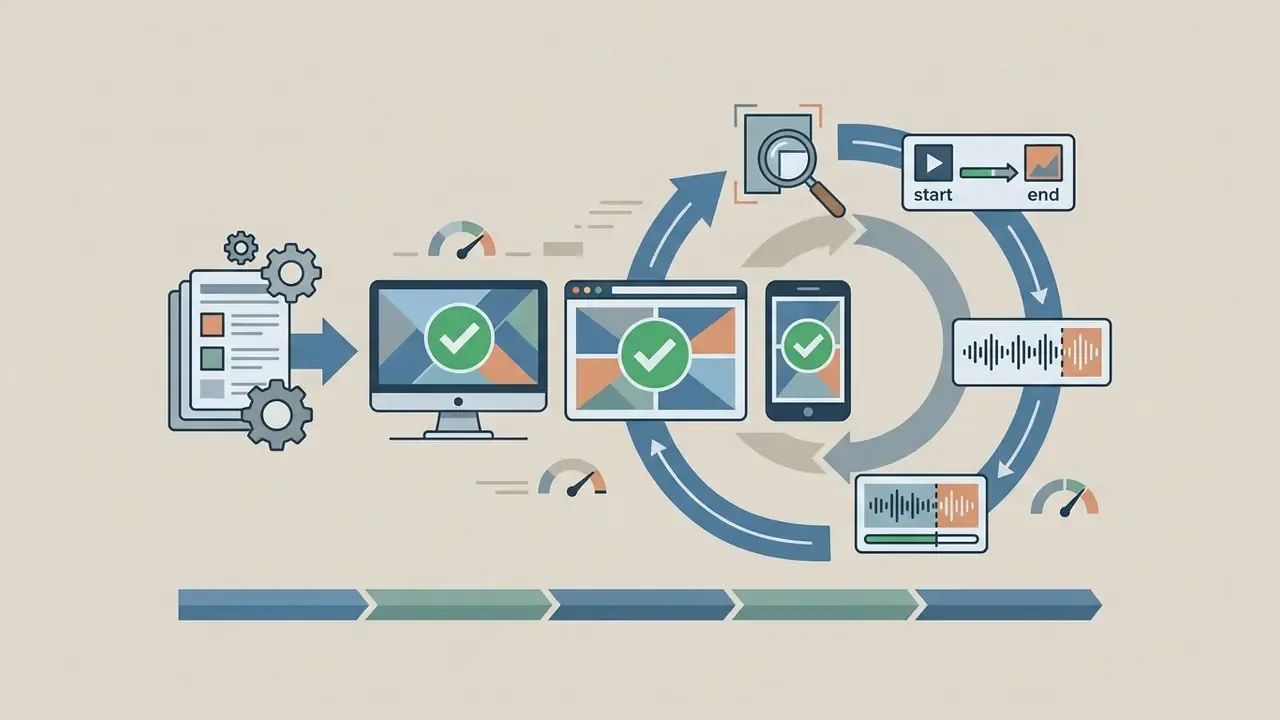
Testing an editor before committing to a full project means running a rapid three-minute validation render to inspect frame rate stability, audio synchronization, and export quality. Launching a complex project without checking hardware compatibility invites render failures, dropped frames, and unexpected export restrictions.
A structured pre-edit validation protocol runs in four steps:
- Project setup and source alignmentImport a 60-second test clip matching your target source resolution and frame rate, for example 4K at 60 fps. Make sure timeline settings explicitly match the source footage properties, otherwise frame interpolation or sync drift creeps in. Variable frame rate (VFR) phone footage should be converted to constant frame rate (CFR) before editing (DaVinci Resolve Setup Guide, 2026).
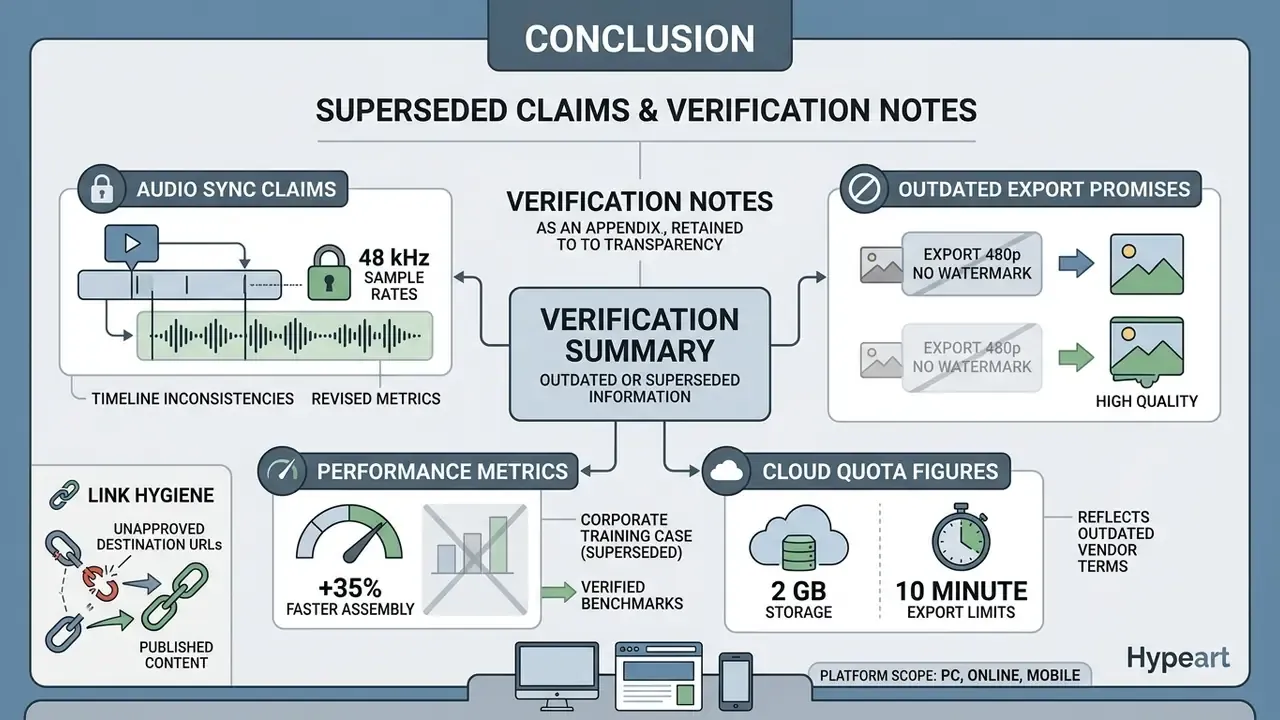
- Multi-track stress testAdd a secondary audio track, a text overlay, and a basic color adjustment or transition. Then confirm that every audio element shares the same sample rate as the project and export setting. Blackmagic's own setup guidance recommends matching export audio to 48 kHz for standard video delivery, and mismatched rates between imported music, voiceover, and timeline settings are a classic source of progressive audio-video drift.
- Validation renderExport a short 10-second segment using your intended delivery parameters, such as an MP4 container, H.264/HEVC codec, and 1080p or 4K UHD resolution.
- Frame and signal inspectionOpen the exported file in an external media player, never only inside the editor's preview window, since some tools apply branding at encode time. Inspect the first frame, the final frame, and all four screen corners at 100% zoom for visual logos, transparent watermarks, or audio credit tags. Then listen to the last two seconds for an appended audio stinger.
When evaluating automated video creation tools, organizations often review free AI video generators compared by quality, credit limits, watermarks, and export options to keep generated media free of vendor branding across commercial pipelines.
Best Free Video Editing Software No Watermark: Comparison Table
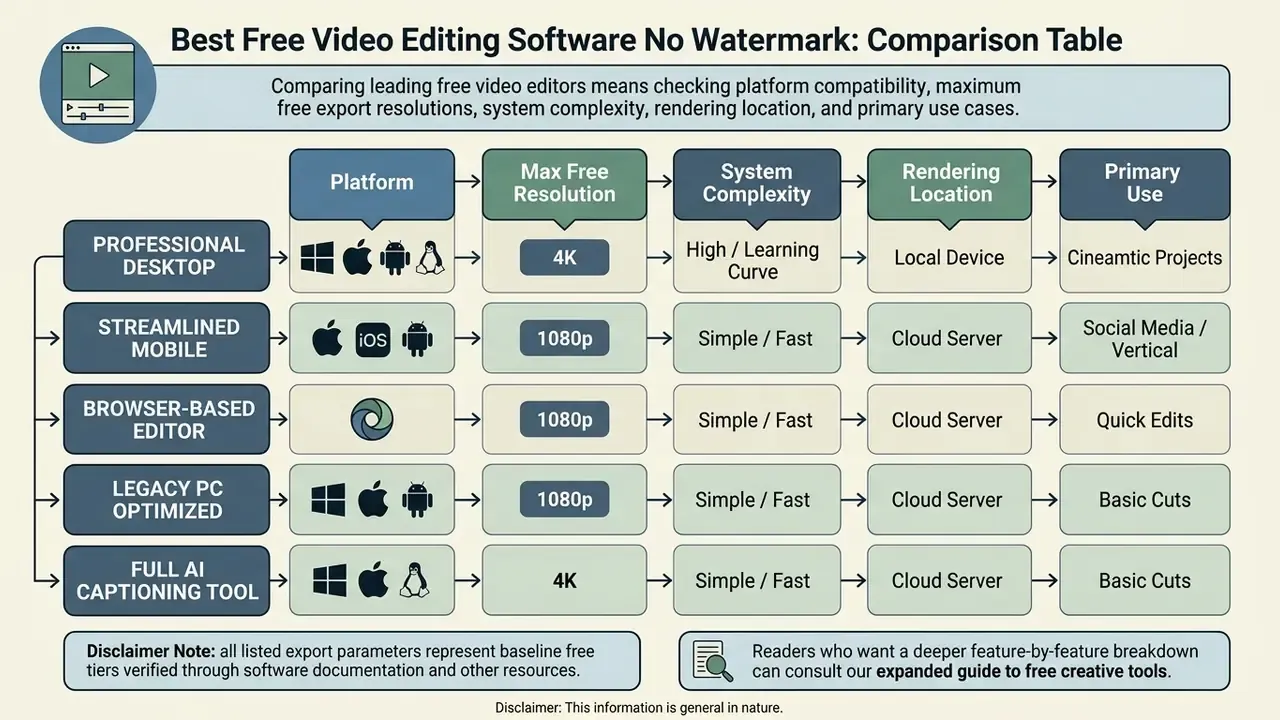
Comparing leading free video editors means checking platform compatibility, maximum free export resolutions, system complexity, rendering location, and primary use cases. The table below summarizes verified 2026 metrics across PC desktop applications, web browser tools, and mobile editing platforms.
«Of twelve tools tested, eight deliver watermark-free export at full resolution; Lightworks caps resolution at 720p, and Movavi adds a watermark until a license is purchased.»
| Editor | Supported Platforms | Watermark on Free Export? | Max Free Export Resolution | Complexity Level | Rendering Location (Privacy) | Key Editing Features | Primary Recommended Use Cases |
|---|---|---|---|---|---|---|---|
| DaVinci Resolve | Windows, macOS, Linux | No | 4K UHD (3840x2160) at 60fps | Advanced / Professional | Local | Multi-track NLE, Fairlight audio, Fusion VFX, primary/secondary color grading | Cinematic production, long-form YouTube, professional color correction |
| Microsoft Clipchamp | Windows 11, Web Browser | No (if using free assets) | 1080p HD (4K on M365 Work/Paid) | Beginner / Intermediate | Cloud + local hybrid | Drag-and-drop timeline, AI captions in 80+ languages, screen/webcam recorder, stock templates | Quick social media videos, corporate presentations, screen tutorials |
| iMovie | macOS, iOS, iPadOS | No | 4K UHD at 30fps / HDR | Beginner | Local | Intuitive timeline, Apple ecosystem sync, green screen, trailer presets | Personal videos, YouTube clips, seamless multi-device Apple editing |
| CapCut | Windows, macOS, iOS, Android | No (requires deleting end clip) | 1080p HD / 4K (device-dependent) | Beginner | Local + cloud AI features | Short-form templates, AI auto-captions, background removal, speed ramping | TikToks, YouTube Shorts, Instagram Reels, fast mobile-first edits |
| Shotcut | Windows, macOS, Linux | No | 4K UHD | Intermediate | Local | Open-source FFmpeg backend, multi-format timeline, GPU acceleration | Cross-platform desktop editing, open-source production pipelines |
| Kdenlive | Windows, macOS, Linux, BSD | No | 4K UHD | Intermediate / Advanced | Local | Non-linear multi-track editing, titling suite, keyframeable effects | Linux-based editing, custom keyboard mapping, technical open-source edits |
| OpenShot | Windows, macOS, Linux, ChromeOS | No | 1080p HD / 4K | Beginner | Local | Unlimited timeline tracks, 3D animated titles, drag-and-drop interface | Introductory video editing, simple clip trimming, educational projects |
| VSDC (Free) | Windows (32-bit and 64-bit) | No (in-app ads only) | 4K UHD (hardware dependent) | Beginner / Intermediate | Local | Chroma key, H.265/HEVC decoding, file conversion, DVD burning | Legacy PCs, archival conversion, physical disc distribution |
| Blender (VSE) | Windows, macOS, Linux | No | 4K UHD and above | Advanced / Specialist | Local | Video Sequence Editor, node-based compositing, 3D camera tracking, PBR shaders | 3D animation, VFX compositing, motion graphics |
| VN Video Editor | iOS, Android, macOS | No | 1080p HD / 4K | Beginner / Intermediate | Local | Multi-track timeline, curve speed control, chroma key, custom LUTs | Mobile content creation, vlog editing, cross-device mobile-to-Mac editing |
| Canva Video Editor | Web Browser, iOS, Android | No (if using free assets) | 1080p HD | Beginner | Cloud | Design-centric templates, team collaboration, graphic overlays, stock library | Marketing clips, branded social assets, non-editor presentations |
| ScreenPal (Free) | Windows, macOS, iOS, Android, Chromebook | No | 1080p HD | Beginner | Local capture + cloud hosting | Screen/webcam recorder, drag-and-drop storyboards, AI captions | Educational tutorials, quick screen demos (15-min record cap) |
| Lightworks (Free) | Windows, macOS, Linux | No | 720p HD (Capped) | Intermediate / Advanced | Local | Professional timeline tools, background rendering, flexible workspace | Draft edits, rough cuts, narrative editing where 720p output is acceptable |
Best Free No Watermark Video Editors for PC
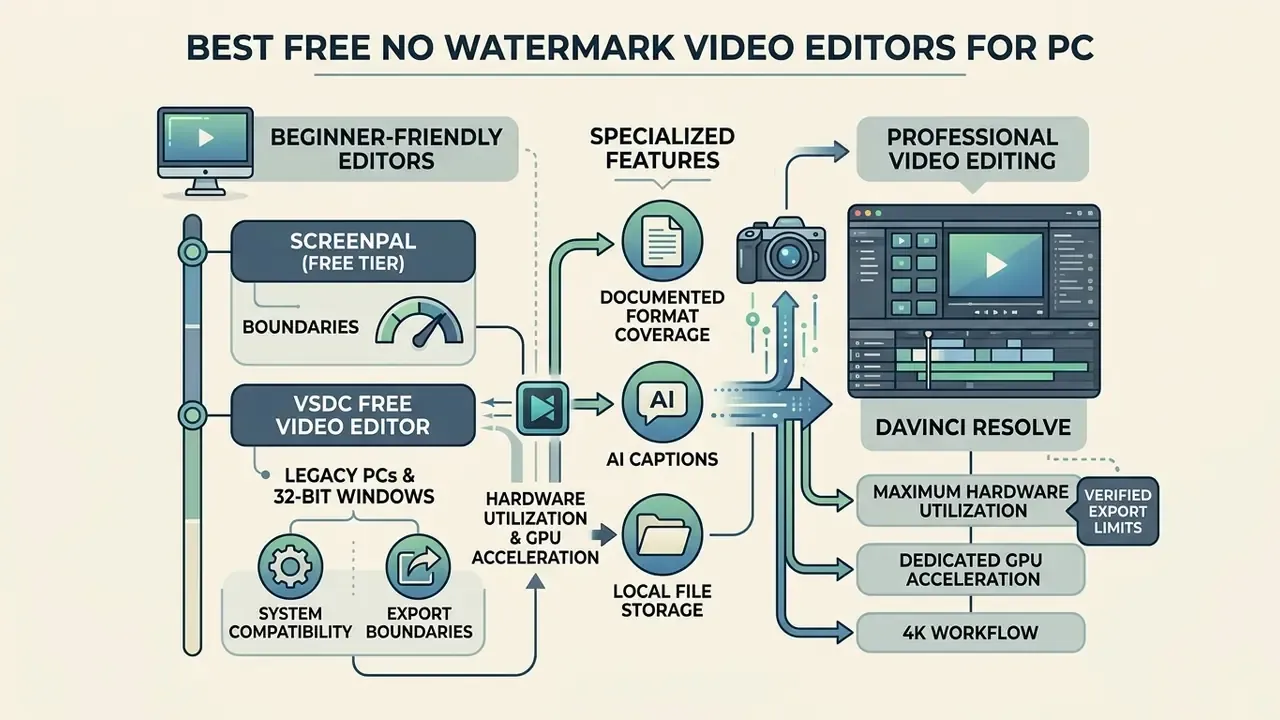
Desktop environments give you maximum hardware utilization, dedicated GPU acceleration, and local file storage. That combination suits complex multi-track projects, high-bitrate footage, precise audio editing, and confidential material that must never touch a third-party server. Selecting a desktop video editor is mostly a balancing act: your skill level against processing demands and interface complexity.
To review broader media management utilities alongside core editors, see our guide to video compressors, file-size reduction, format support, and quality trade-offs.
Beginner-Friendly PC Editors for Quick Video Editing
Beginner-friendly desktop editors prioritize a streamlined, user friendly interface, automated clip arrangement, and rapid export without a crash course in non-linear editing terminology. Tools like Microsoft Clipchamp and OpenShot handle basic cuts, text titles, effects and transitions, and high-definition export efficiently. Cut, trim, add text, render. That is the whole loop for most internal video.
When a corporate communications team needed twenty internal training videos weekly, they moved from a watermarking trial product to Microsoft Clipchamp on Windows 11. Using pre-configured text templates, integrated screen recording, and direct 1080p export, they removed licensing costs and shortened video assembly time by roughly one third. That figure comes from the team's own project tracking rather than an independently audited benchmark, so treat it as directional. No vendor watermark appeared on any deliverable.
- ScreenPal (free tier boundaries): Built for screen-capture-first workflows. Watermark-free 1080p export, but a 15-minute maximum recording duration per clip and free cloud hosting capped at 10 hosted assets (ScreenPal Documentation, 2026). Its visual drag-and-drop storyboard editor converts slide decks into scripted timelines, and authors can toggle between storyboard view and timeline view while assembling a tutorial. Native builds exist for Windows, macOS, iOS, Android, and Chromebook, and free stock music and sound effects are available to all users.
For teams comparing automated production utilities alongside manual editors, our overview of animation makers, templates, AI features, and export options maps adjacent tooling for explainer and motion-graphic content.
VSDC Free Video Editor: Best for Legacy PCs and 32-Bit Windows
For older hardware, legacy Windows installations, or 32-bit systems, VSDC Free Video Editor provides a watermark-free non-linear editing environment that does not lean on GPU acceleration. Where modern NLEs demand 64-bit architecture and 16 GB of RAM, VSDC runs on machines that lists like this one usually ignore, while still decoding high-bitrate media.
- Export boundaries Clean exports without watermarks across MP4, AVI, MKV, and WMV containers. The free version shows ad banners inside the editor interface, yet places no logo on exported video files (VSDC Supported Formats Documentation, 2026).
- Hardware and system compatibility Native support for 32-bit and 64-bit Windows, covering installations from Windows XP SP3 through Windows 11. This is the single most common gap in "best free video editor windows no watermark" roundups, which quietly assume modern 64-bit hardware.
- Specialized features Built-in chroma key for green screen isolation, H.265/HEVC decoding, hardware-assisted file conversion, and integrated DVD burning for archival physical distribution.
- Documented format coverage QuickTime (MP4/M4V, MOV, QT), Matroska (MKV), WMV, 3GP, plus WAV, MP3, and AAC audio, which makes it a practical bridge between legacy archives and modern delivery formats.
DaVinci Resolve for Professional Video Editing
Blackmagic Design's DaVinci Resolve is the most advanced free video editing application available for PC, Mac, and Linux. For readers new to the category, our reference page on creative editors, core features, pricing, and commercial workflows explains how timeline-based tools differ from template-driven and AI-assisted software.
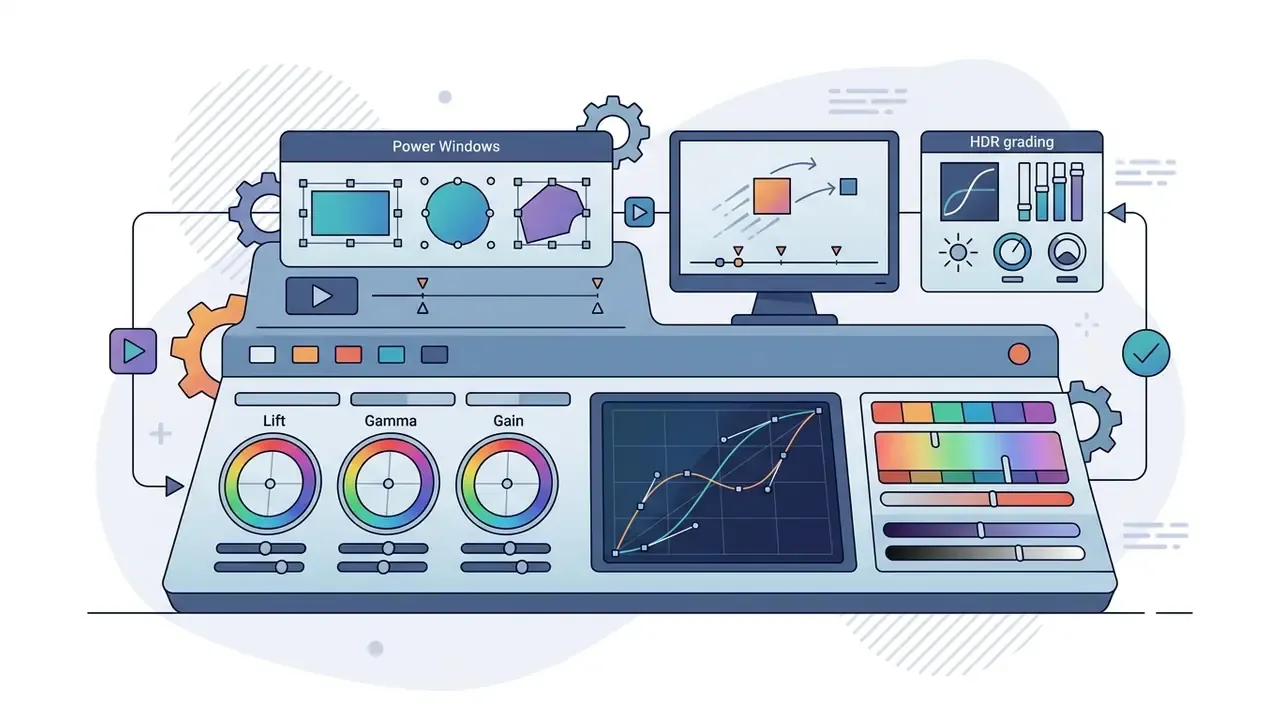
Unlike feature-limited trial software, the free edition includes professional-grade editing, Fairlight audio post-production, Fusion visual effects compositing, and primary and secondary color grading (Blackmagic Design Specifications, 2026).
«DaVinci Resolve ranks as the best free video editor overall: full 4K export, no watermark, and a professional toolset for color, audio, and VFX.»
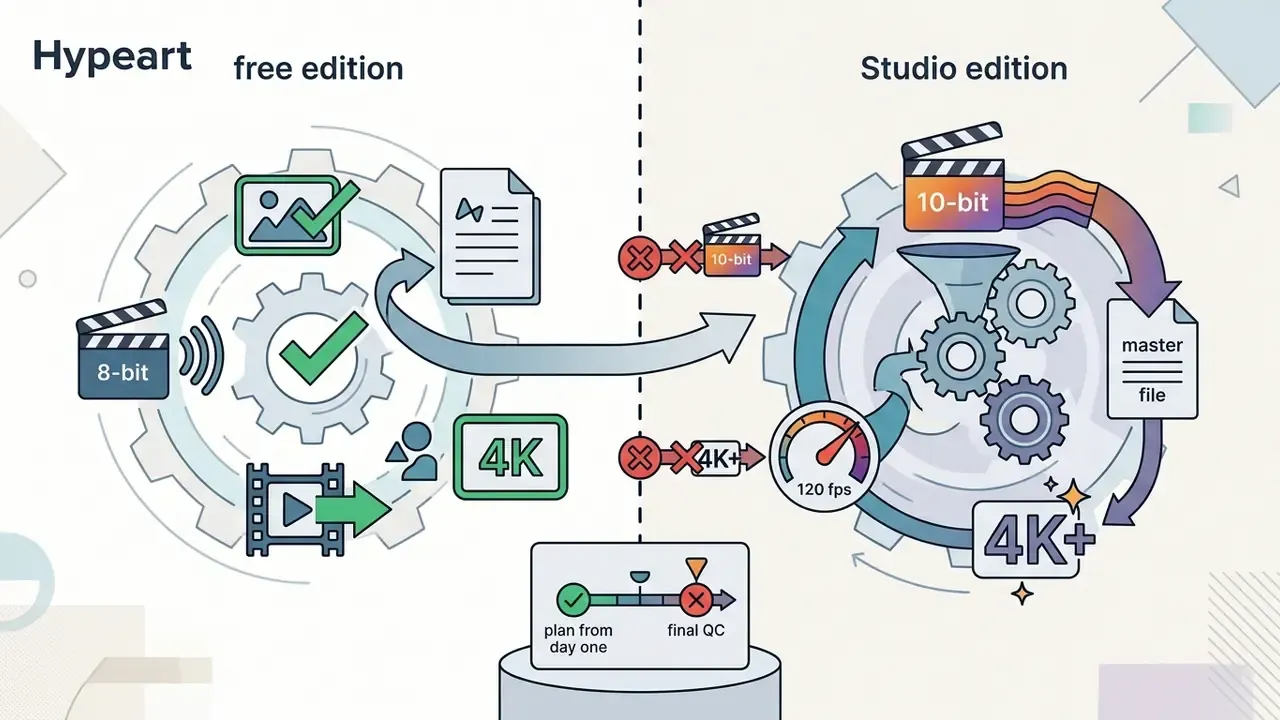
DaVinci Resolve Free vs Studio: export and feature boundaries (2026)
| Capability | Resolve Free | Resolve Studio |
|---|---|---|
| Max export resolution / frame rate | Ultra HD 3840×2160 at up to 60 fps | Above 4K, up to 120 fps |
| Color bit depth | Virtually all 8-bit formats | 10-bit support, hardware-accelerated 10-bit H.264/H.265 on Windows |
| GPU processing | Single GPU | Multiple GPU support |
| AI tooling | Standard tracker and qualifiers | DaVinci Neural Engine, Magic Mask, AI spatial noise reduction, text-based editing |
| Audio | Full Fairlight page | Fairlight plus Dolby Atmos |
| Watermark on export | None | None |
Key technical parameters of DaVinci Resolve Free:
Open Source Editors for Windows, Mac, and Linux
Open-source video editing applications suit anyone who wants software free of subscription models, mandatory registration, or cloud feature paywalls. Shotcut, Kdenlive, OpenShot, and Blender ship under GNU General Public Licenses or comparable free licenses, which keeps usage unrestricted across Windows, macOS, Linux, and BSD distributions.
Shotcut and Kdenlive both build on the FFmpeg multimedia framework, so they decode and render hundreds of video and audio formats, including MP4, MOV, MKV, WebM, ProRes, and DNxHD.
«Shotcut stands out as the best tool for open-source flexibility: cross-platform, watermark-free, with high-resolution export support.»
Kdenlive offers multi-track timelines with practically unlimited video and audio tracks, flexible workspace layouts, customizable keyboard shortcuts, and keyframeable video and audio effects. Documented support covers DV, MPEG-2, MP4, Matroska, WebM, ProRes, H.264/H.265, and image formats including PNG, JPEG, SVG, WebP, AVIF, and HEIF. Shotcut, for its part, mixes different frame rates, resolutions, and video formats inside one project timeline without pre-transcoding; its multitrack timeline has shipped on all platforms since version 13.12.28, and projects save as MLT XML.
Blender VSE: Open-Source 3D Animation and Advanced VFX Compositing
Blender is known as a 3D suite, yet it includes a dedicated Video Sequence Editor capable of multi-track compositing, visual effects sequencing, and audio mixing with zero export watermarks and no subscription paywall.
- Advanced compositing capabilities
- GPU, VR, and CPU accelerated rendering, physically based rendering shaders, HDR lighting control, and multi-plane 3D camera tracking, so artists can originate assets and finish the edit inside one application.
- Operational considerations
- The non-linear interface relies on node-based compositing workflows. Efficient for VFX artists and 2D/3D animators, less pleasant for basic trimming or quick social cuts. Underpowered machines may stall during heavy renders.
- Community and documentation
- An unusually active community maintains tutorials, add-ons, and render presets, which softens the learning curve for technically motivated users.
Best Free Online Video Editor Without Watermark
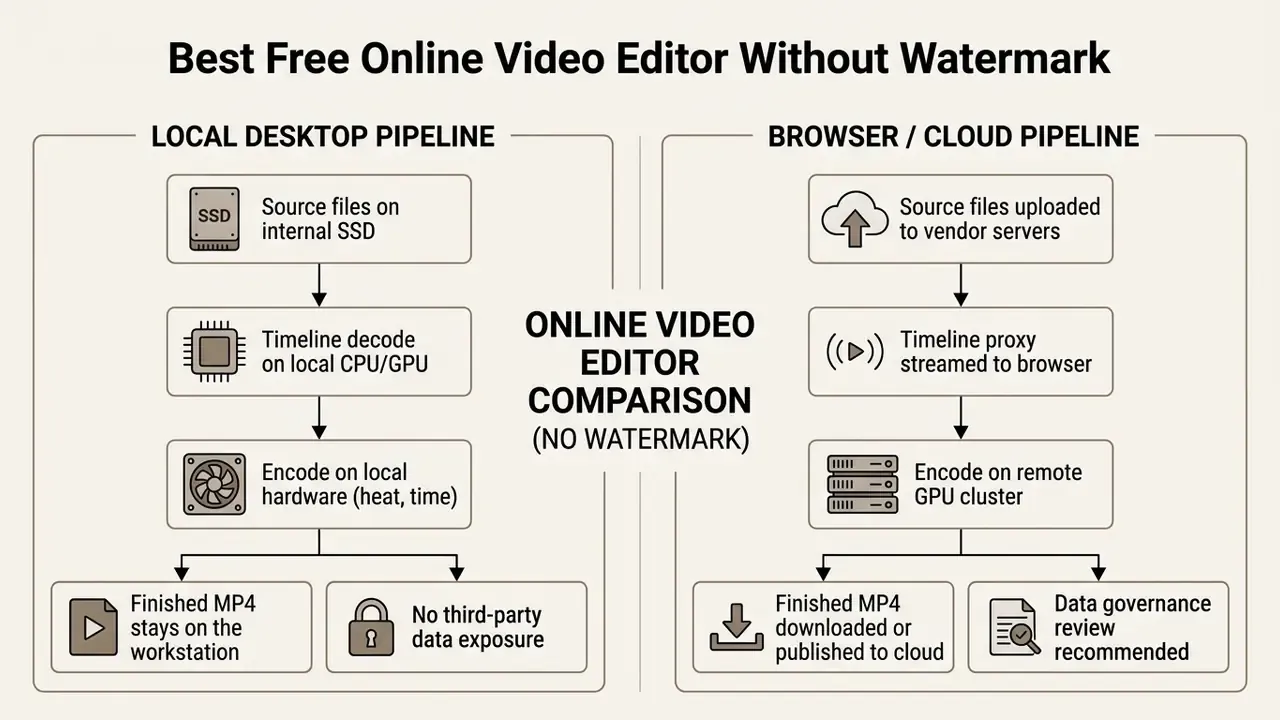
Browser-based video editors remove installation requirements, shift rendering computation to cloud infrastructure, and let people edit on low-spec hardware or Chromebooks. Evaluating web editors means checking upload bandwidth constraints, cloud storage quotas, data-residency implications, and free asset paywall conditions.
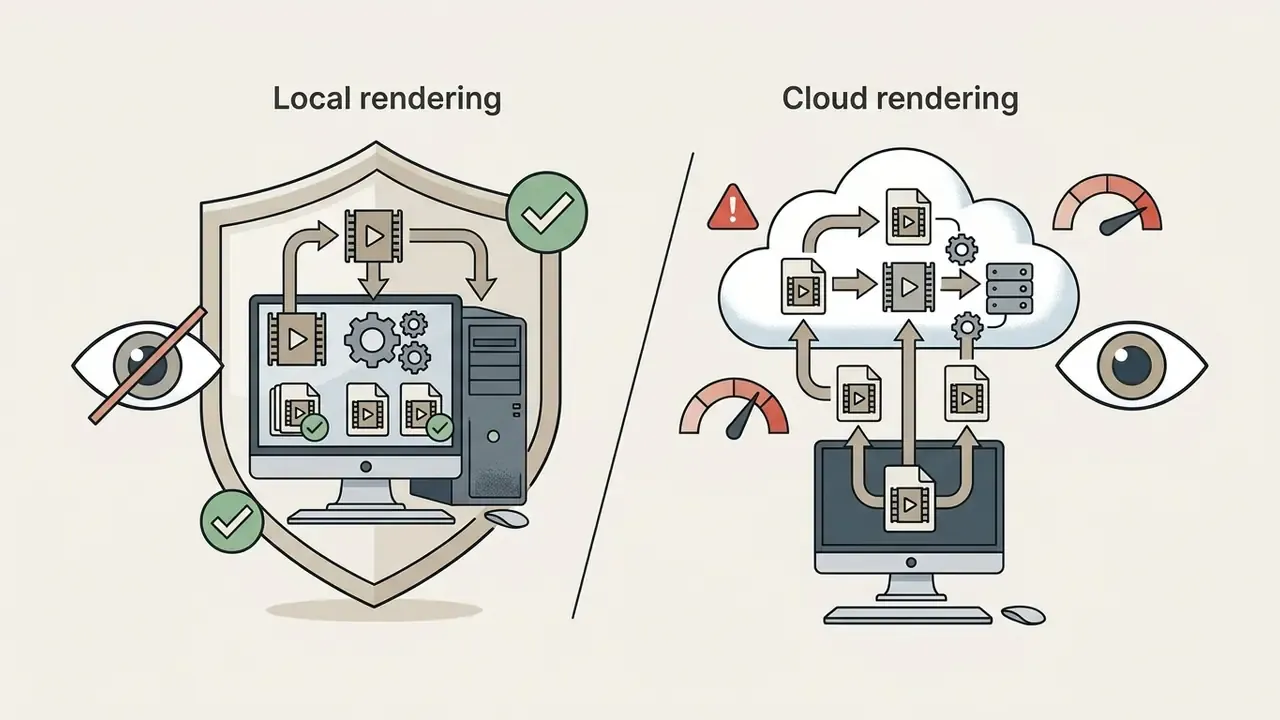
Local export vs browser cloud rendering
When an Online Video Editor Is Better Than Desktop Software
Browser platforms win when speed, accessibility, and portability matter more than deep timeline control or local file custody. Microsoft Clipchamp Web, Canva, and Edit.Video process rendering on remote clusters, which keeps CPU and GPU temperatures sane on thin laptops.
«Clipchamp offers a drag-and-drop interface with templates, a basic timeline, and Microsoft 365 integration suited to fast in-browser editing.»
Operational advantages of online video editing:
- Instant access without installation
- Edit clips inside Google Chrome, Microsoft Edge, or Safari without administrator install rights, which matters in locked-down corporate environments.
- Integrated cloud publishing
- Direct connections to OneDrive, Google Drive, and Dropbox, plus publishing endpoints for YouTube, LinkedIn, or TikTok (Microsoft Clipchamp Docs, 2026).
- Automated asset formatting
- Aspect ratio presets (16:9, 9:16, 1:1) let creators crop, resize, and reframe horizontal footage into vertical social formats in a few clicks.
- Background rendering
- Cloud export can continue after the tab closes, and vendors such as Flixier advertise rendering that does not depend on local device power.
- Operational trade-offs
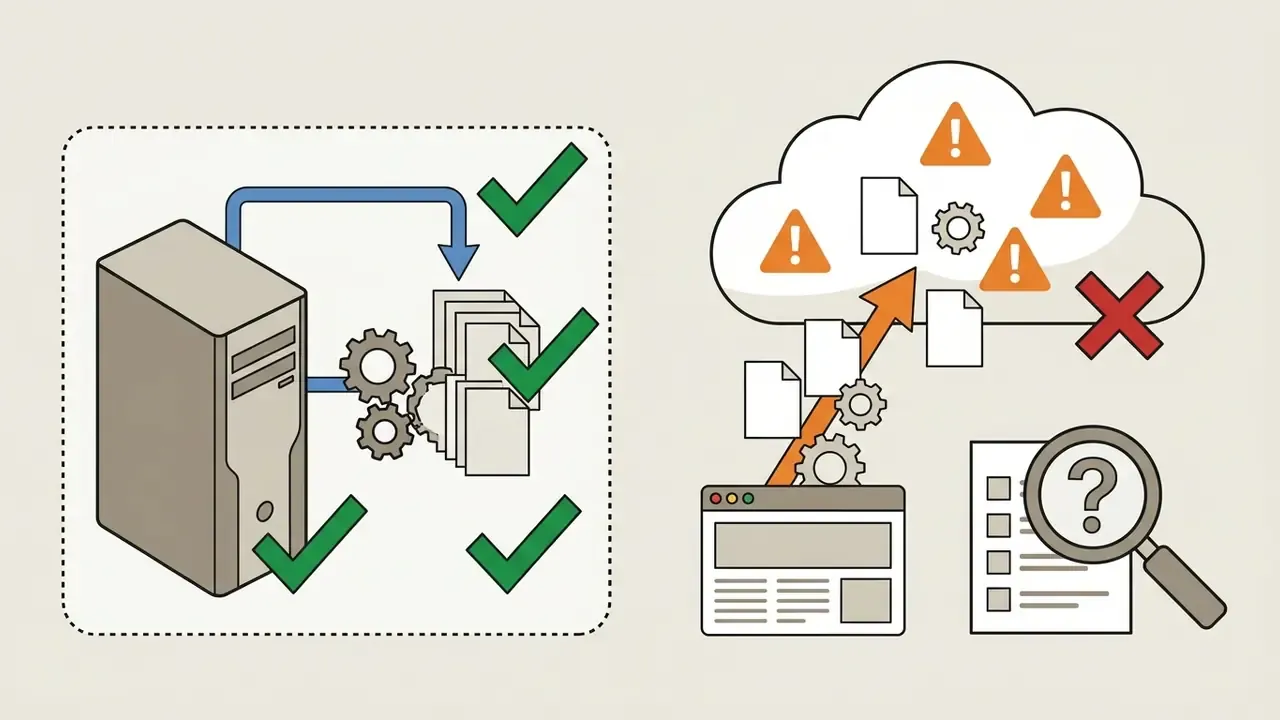
- Browser workflows require uploading raw source video to vendor servers first. With large 4K files or limited upstream bandwidth, upload time can exceed the editing itself. Free plans also impose quotas; Flixier's published free plan lists roughly 2 GB of storage and about 10 minutes of export per month (Flixier free-plan terms, 2026; verify current limits directly, as cloud quotas are revised frequently).
Billing models matter as much as quotas here. Teams that render irregularly often prefer pay as you go ai video tools over monthly seats, and our summary of AI Media Pricing sets out how per-minute, per-credit, and per-seat structures compare. For raw cloud economics at scale, our breakdown of video generation API access, costs, and usage limits goes deeper, and you can browse the hub for other endpoints.
Templates, Stock Assets, and AI Editing Tools
Modern browser editors bundle automated content creation: customizable video templates, royalty-free stock asset libraries, and AI-assisted processing. The boundary between free elements and paid premium features is exactly where projects get blocked, so learn it early. Readers exploring generative options alongside conventional editing can review our reference on AI generation tools compared by output quality, style control, pricing, and licensing.
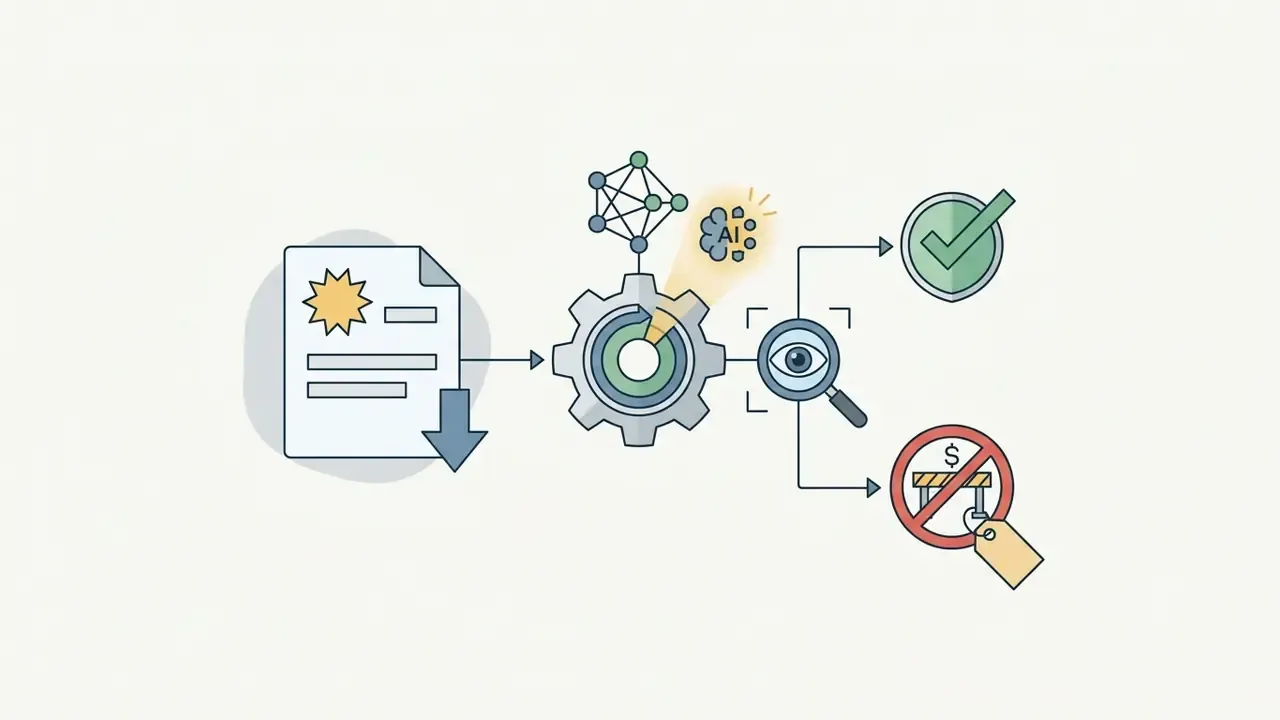
In Clipchamp's free tier, users get stock video clips, background audio tracks, AI subtitle generation, and text-to-speech voiceover tools (Clipchamp Feature Matrix, 2026). Add a stock asset marked with a diamond icon, though, and the timeline is flagged as premium. Attempt to render, and Clipchamp blocks the export and prompts you to upgrade or remove the paid element (Microsoft Support, 2026).
«For work and school accounts tied to Microsoft 365, users get access to all features without Clipchamp watermarks on premium capabilities.»
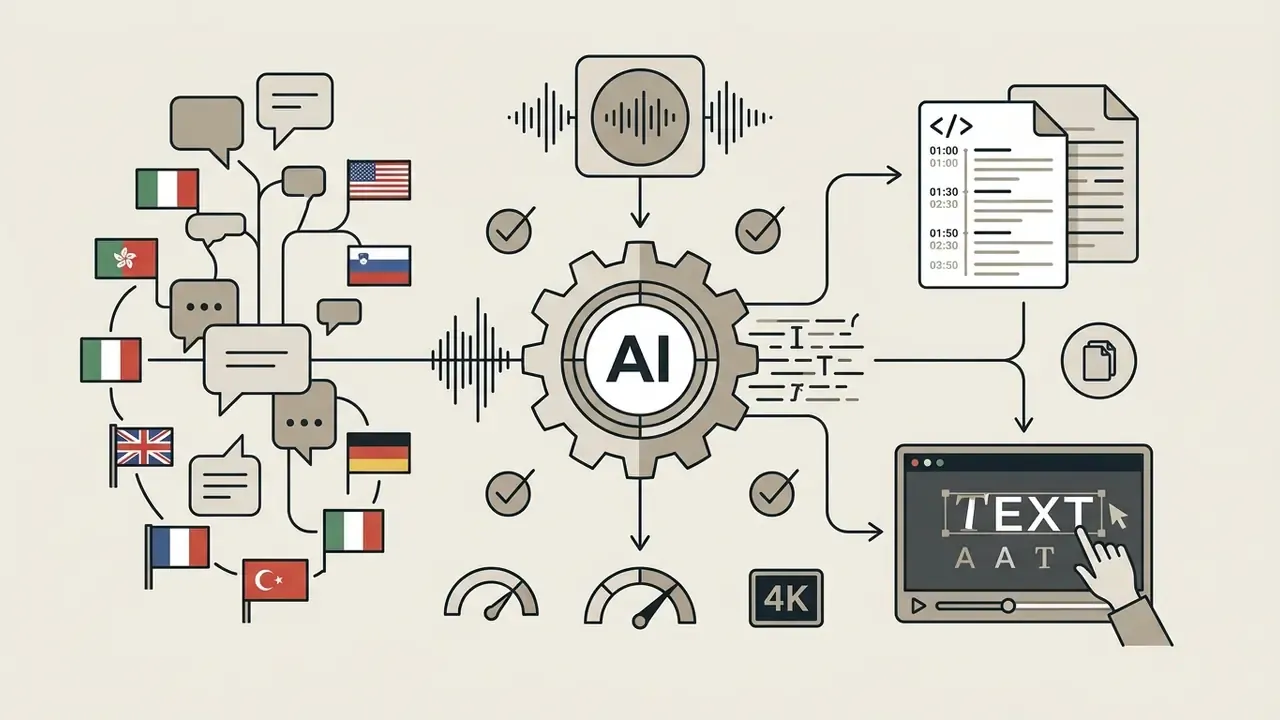
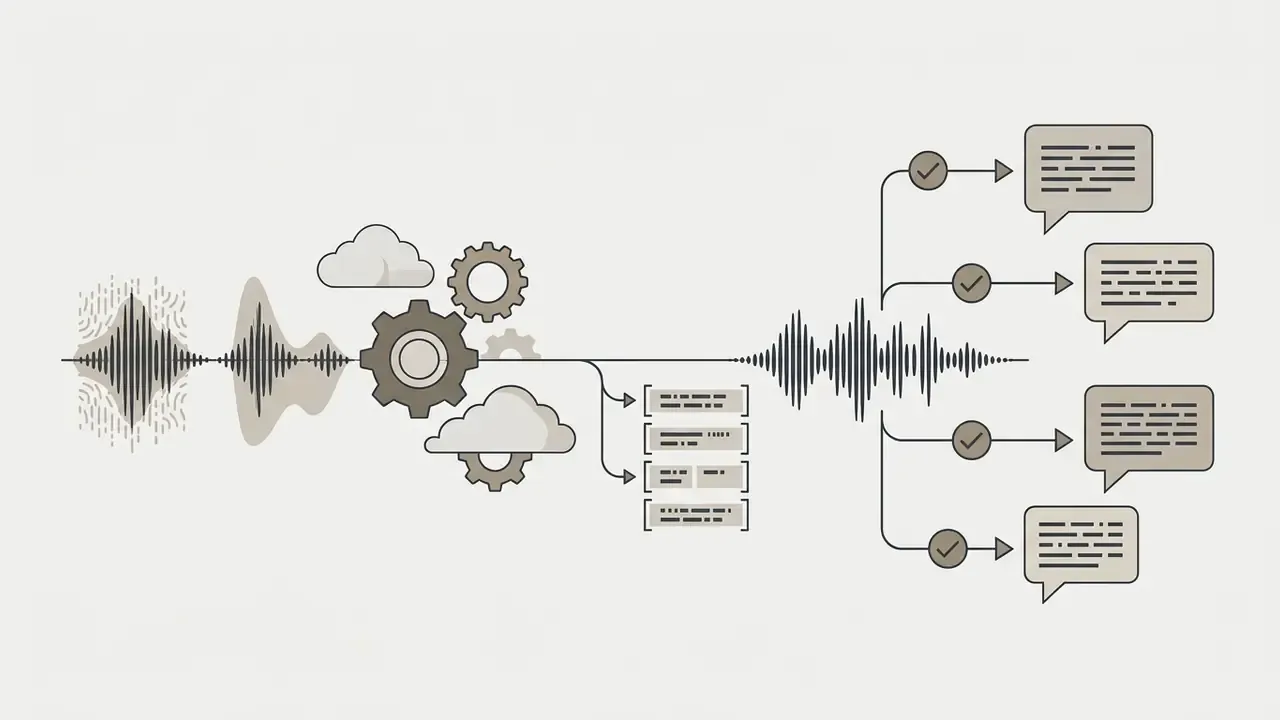
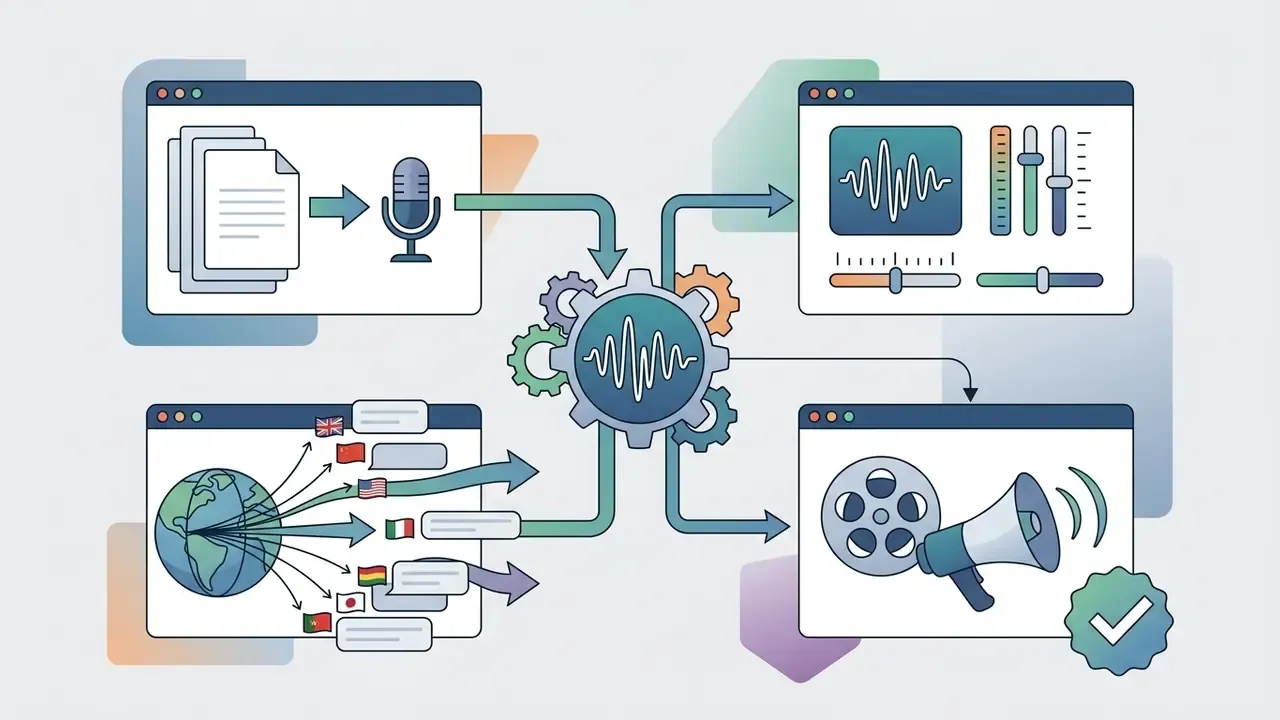
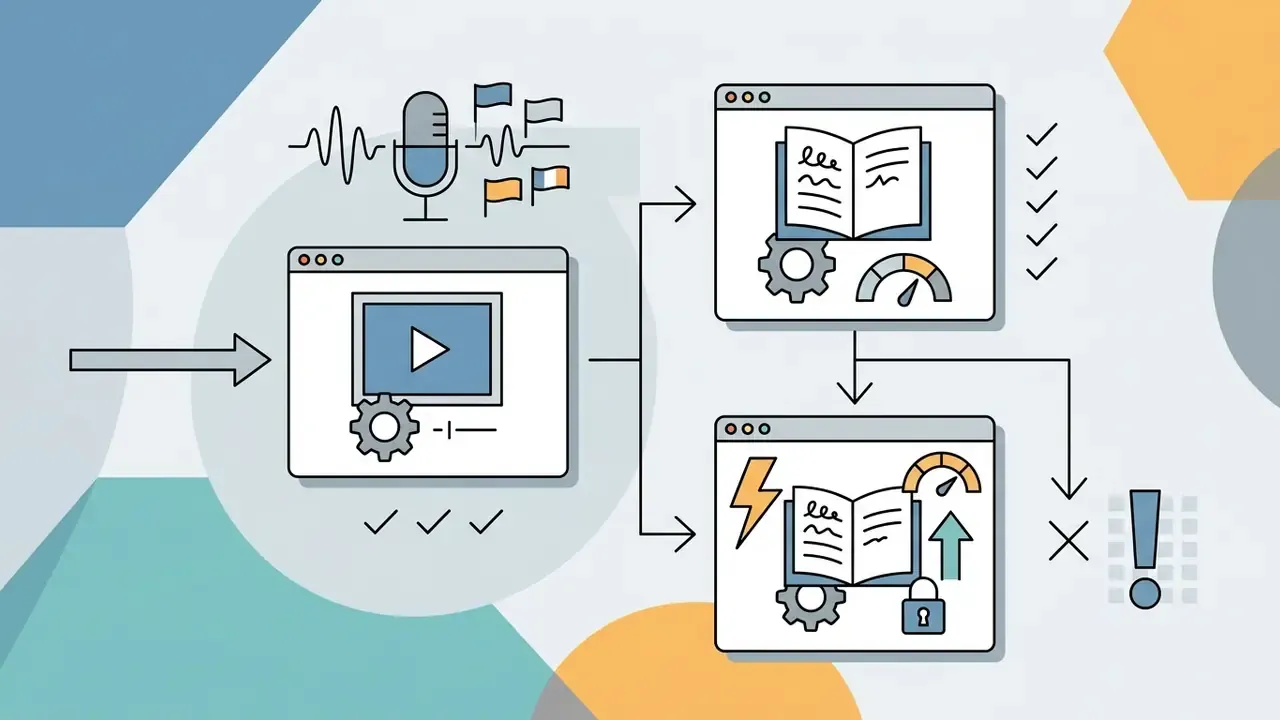
Advanced AI Audio Processing and Multi-Language Captioning
Browser and desktop editors now lean on specialized AI audio pipelines to automate transcription and clean up degraded voice tracks without manual equalization:
Data Privacy: Cloud Rendering vs Local Rendering
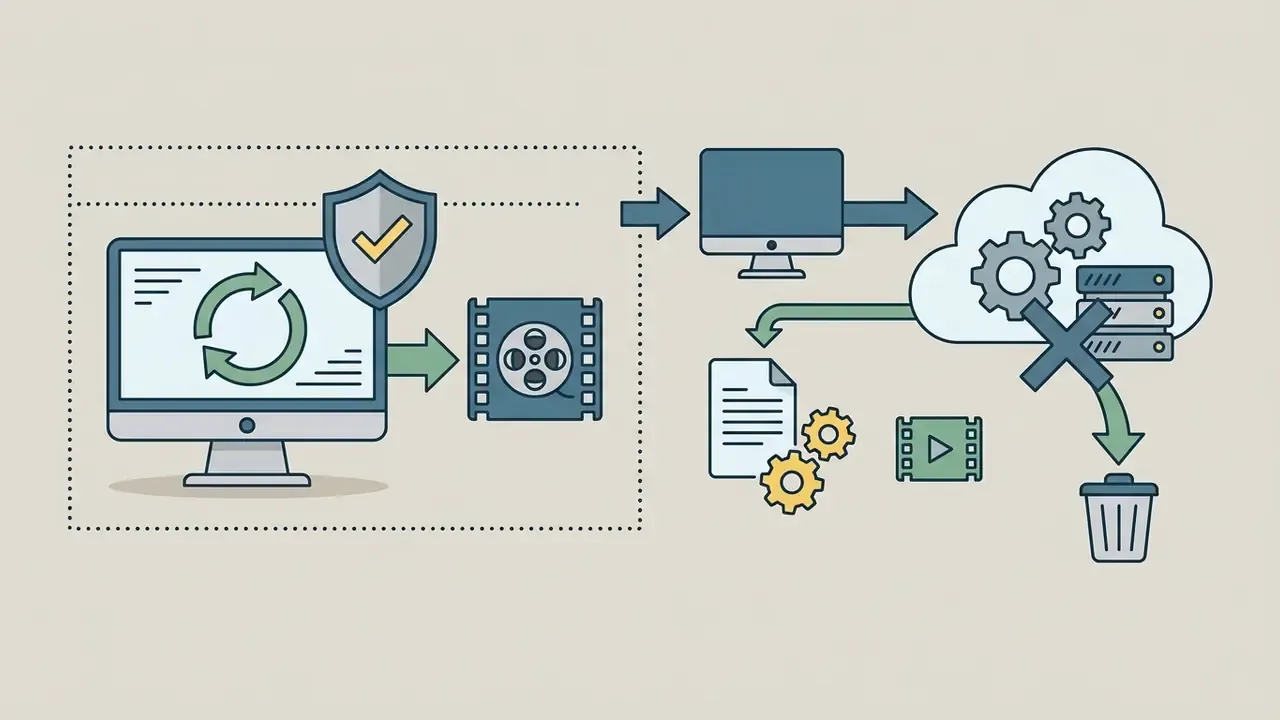
For regulated industries, internal training material, unreleased product footage, or customer-identifiable video, the deciding criterion is not export resolution. It is where the media gets processed.

Best Free Video Editing Apps Without Watermark
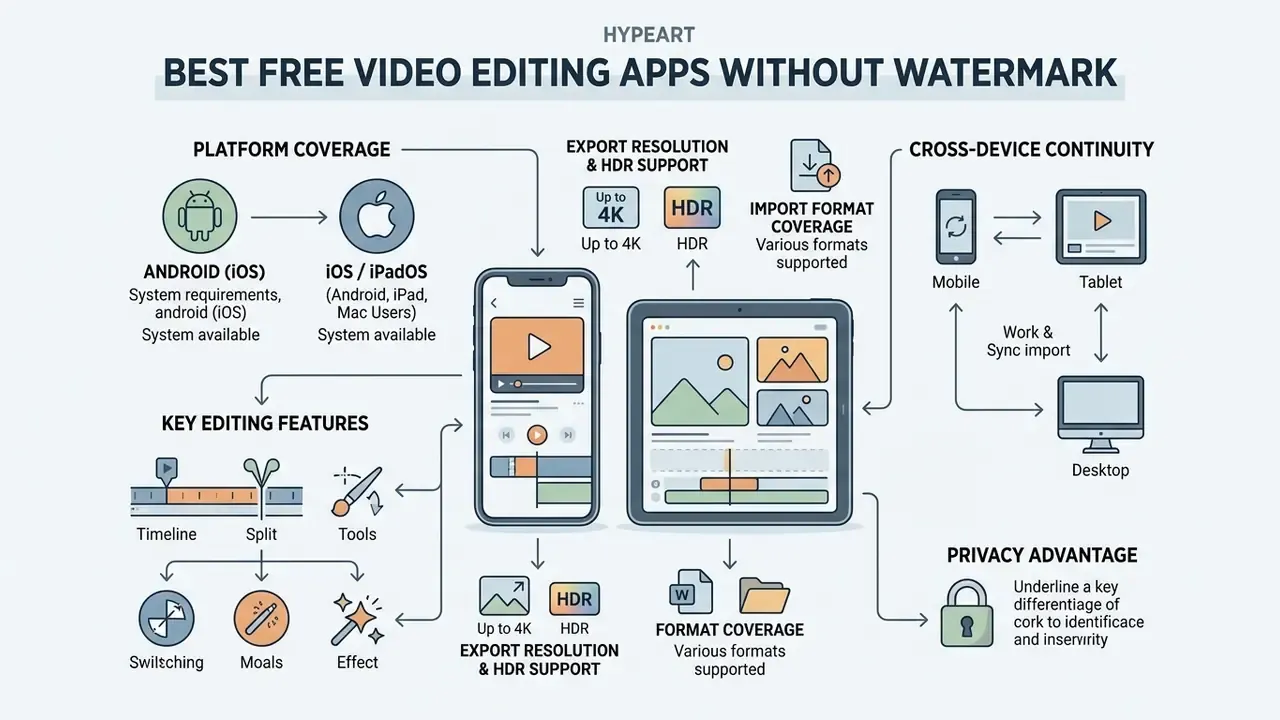
Mobile apps let creators, journalists, and social media managers capture, edit, and publish straight from iOS and Android phones or tablets. Selecting a mobile editor means assessing vertical video optimization, touch timeline controls, and export branding policy.
Free Video Editing Apps for Android
Android options run from social-first clip editors to full multi-track timelines. The prominent watermark-free applications on Google Play are CapCut, VN Video Editor, and Canva Mobile, with PowerDirector worth a look for anyone who prefers a more traditional timeline on tablets.
CapCut is tuned for vertical 9:16 assembly. Free features include keyframe animation, background removal, visual effects, and AI auto-captions. To get a clean, watermark-free export on the free tier, manually delete the branded ending clip CapCut appends to the end of the project timeline before rendering (CapCut Help Center, 2026). Note that CapCut's separate "hidden watermark" control and certain Pro-labeled templates still require a subscription, so a clean export depends on which assets you used.
VN Video Editor (Vlog Now) gives Android users zero exported watermarks, flexible curve speed adjustments, multi-track audio layering, and custom LUT imports (Google Play Listing, 2026). No forced ads, no mandatory branded outro. Refreshing.
«CapCut and VN Video Editor rank among the most recommended free no-watermark editors for Android, with strong social integration and simple sharing.»
For advanced generative workflows on mobile or desktop, creators frequently evaluate dedicated video generation engines, such as those in our comparison of free AI video generators by duration limits, credits, and watermark policies, alongside AI portrait and headshot tooling for on-camera brand assets.
Best Options for iPhone, iPad, and Mac Users
Apple users get hardware-accelerated editing built into iOS, iPadOS, and macOS. iMovie remains the foundational no-watermark editor on Apple hardware.
«iMovie supports creating and exporting video in 4K Ultra HD without a watermark and is integrated across Apple's iOS and macOS ecosystem.»
Key specifications of Apple iMovie:
To review commercial licensing options and monetization rules for generated digital assets, inspect our guide to design-suite features, export options, and commercial licensing terms.
How to Choose an Alternative and Switch Video Editors
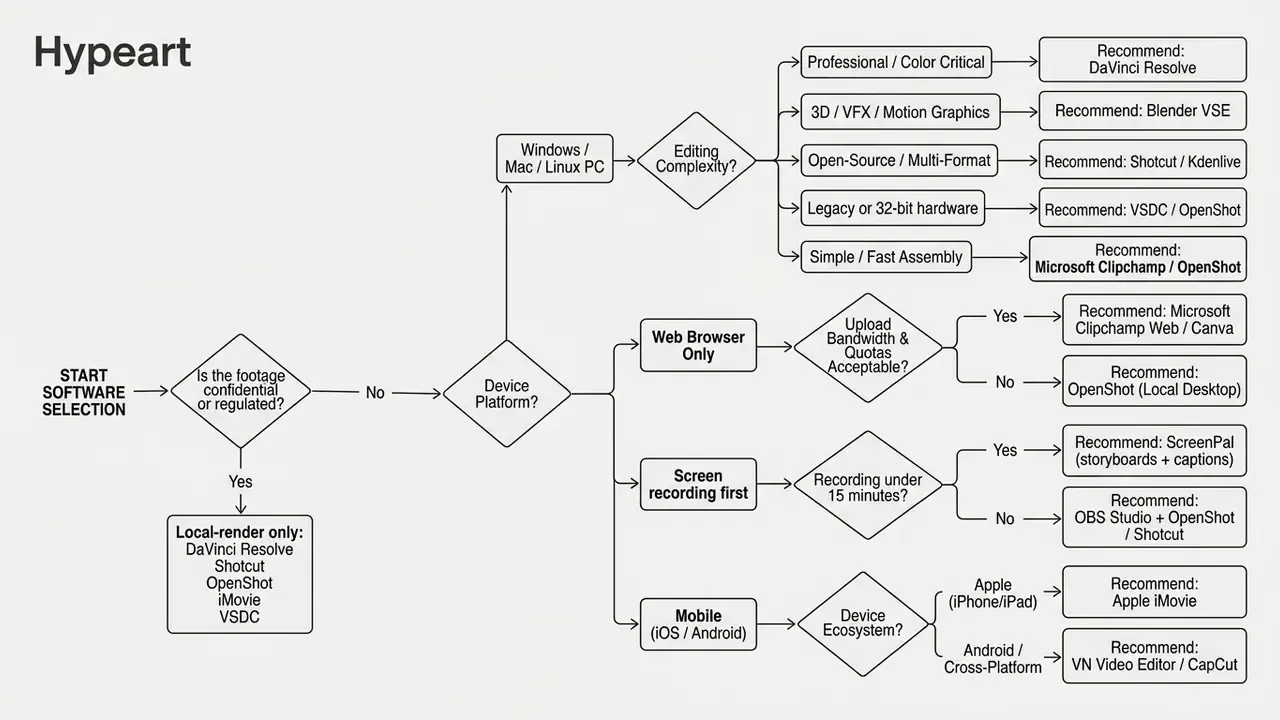
Switching from a trial-based, watermarking tool to a permanently free editor means matching capabilities against project complexity, delivery channels, data-sensitivity requirements, and your own technical proficiency. A structured selection process prevents the productivity dip that usually accompanies migration. Teams evaluating adjacent automation may also want our comparison of free generative tools by quality, limits, and licensing before committing to a pipeline.
Device × Editing Scenario Decision Matrix
| Platform / Device | YouTube & Long-Form Video | Social Media Short-Form (9:16) | Screen & Webcam Tutorials | 4K High-Resolution Projects | Advanced Audio & Voiceover |
|---|---|---|---|---|---|
| Windows PC (modern) | DaVinci Resolve, Shotcut | Microsoft Clipchamp, CapCut Desktop | ScreenPal, Clipchamp, OBS Studio | DaVinci Resolve, Shotcut | DaVinci Resolve (Fairlight) |
| Windows PC (legacy / 32-bit) | VSDC, OpenShot | VSDC, OpenShot | ScreenPal, OBS + OpenShot | VSDC (hardware dependent) | VSDC basic mixing |
| macOS (Mac) | DaVinci Resolve, iMovie | CapCut Desktop, iMovie | macOS Screen Capture + iMovie, ScreenPal | DaVinci Resolve, iMovie | DaVinci Resolve (Fairlight) |
| Web Browser | Microsoft Clipchamp, Canva | Clipchamp Web, Canva Video | Clipchamp Web Recorder, ScreenPal | Clipchamp (1080p free limit) | Clipchamp AI audio cleanup |
| Android Mobile | VN Video Editor, CapCut | CapCut, VN Video Editor | Android System Screen Record + VN | CapCut, VN (hardware dependent) | Basic multi-track layering |
| iPhone / iPad | iMovie, VN Video Editor | CapCut, iMovie | iOS Screen Record + iMovie | iMovie (4K 30fps HDR) | iMovie voiceover recording |
| 3D / VFX workstation | Blender VSE + Resolve | not recommended | not recommended | Blender (4K and above) | Blender audio strips + Fairlight |
Software Selection Decision Flow
Choose by Content Type: YouTube, Social Media, or Screen Recording
Different formats demand different capabilities. Matching project goals to specific features is the quickest way to avoid buying software you do not need:
«Social-first editors, including CapCut, iMovie, and Canva Video Editor, offer template-driven workflows and watermark-free export optimized for short formats.»
When comparing platform pricing across generative tools and editing suites, our overview of Microsoft AI media access, limitations, and commercial-use terms provides a useful benchmark inside Microsoft-centric organizations.
Choose by Editing Complexity and Export Requirements
Project specifications dictate software requirements. Assess advanced feature needs before you commit:
- Chroma key (green screen) compositingRequires precise keying algorithms to isolate background colors and composite subject layers. DaVinci Resolve, Kdenlive, VSDC, and CapCut include green screen removal.
- Motion tracking and visual effectsRequires algorithms that follow moving objects and lock text, masks, or graphics to motion paths. DaVinci Resolve provides planar tracking inside Fusion, while Blender adds full 3D camera tracking and node-based compositing.
- Color grading and calibrationRequires primary color wheels, LUT import, vector scopes, and curve adjustments. DaVinci Resolve is the industry reference for color control; VN Video Editor offers approachable LUT styling on mobile.
- Target export parametersConfirm support for your containers (MP4, MOV, MKV), codecs (H.264, HEVC, AV1), and frame rates (24, 30, 60 fps) without forced downscaling or a resolution cap like Lightworks' 720p free ceiling. Extra transcoding passes stack compression artifacts, so export once at final delivery settings instead of re-encoding intermediates.
Commercial Use Rights on Free Tiers
A clean export is not the same as a clear license. Before monetizing or shipping a client deliverable, confirm three separate permissions:
FAQ About Free Video Editors Without Watermarks
Which Video Formats and Audio Files Should a Free Editor Support?
A modern free video editor should import and export the standard industry containers, codecs, and audio formats so material moves cleanly between sources and distribution platforms. Essential format support:
- Primary video containers: MP4, MOV, MKV, AVI, and WebM.
- Core video codecs: H.264 (AVC) for broad hardware compatibility, H.265 (HEVC) for efficient 4K compression, and Apple ProRes or Avid DNxHD as intermediate editing codecs. Open-source tools like Shotcut and Kdenlive decode AV1 through FFmpeg (VSDC Formats Documentation, 2026).
«FFmpeg-based open-source editors support a wide range of video and audio formats on Windows, macOS, and Linux, making them viable for professional production pipelines.» Krock.io, "Best Free Video Editing Software" comparative guide (2026). https://krock.io/blog/best-free-video-editing-software/
- Audio file formats: Uncompressed WAV (16-bit or 24-bit at 48 kHz) for high-fidelity work, MP3 for soundtrack import, and AAC for standard export encoding.
- Image and graphic overlays: PNG with alpha transparency for logos and graphics, plus JPEG, WebP, and SVG vector files.
Can Free No-Watermark Editors Convert Legacy Formats (AVI, WMV) and Burn Physical DVDs?
Yes. FFmpeg-based desktop editors such as Shotcut and Kdenlive decode legacy containers including AVI, WMV, FLV, and 3GP, then re-encode into modern MP4 (H.264/HEVC) with no watermark. For physical distribution, VSDC Free Video Editor includes DVD authoring and burning, so digital timelines go straight onto optical media for legacy playback. When converting archival footage, deinterlace first, keep the original frame rate, and avoid repeated re-encodes, since every transcode pass compounds compression artifacts.
Can I Use Videos Made with a Free Editor Commercially?
Usually yes, though the constraint sits in the assets rather than the software. Open-source editors and DaVinci Resolve Free impose no commercial restriction on rendered output. Freemium suites do: Canva and Clipchamp require every clip, track, sticker, font, and template in the timeline to belong to the free tier, and some free music libraries exclude paid advertising. AI voiceovers and AI-generated footage carry their own terms. Document the license of each imported asset before you invoice a client.
Is It Safe to Edit Confidential Corporate Video in a Browser Editor?
Browser editors require uploading source media to vendor servers, which creates a third-party data-processing relationship. For internal training material, unreleased products, customer footage, or anything covered by privacy regulation, prefer locally rendering desktop tools: DaVinci Resolve, Shotcut, Kdenlive, OpenShot, VSDC, or iMovie, where media never leaves the workstation. If a cloud editor is unavoidable, verify retention periods, data residency, sub-processors, and model-training clauses, restrict sharing links with passwords or unlisted access, and delete uploaded assets after publication.
How Do I Handle Watermarks Already Burned Into Old Footage?
The reliable routes are the legitimate ones: re-export the project from the original editor after removing paid assets or upgrading, re-record the source, or crop and reframe if the mark sits in a corner and the composition tolerates it. Erasing a third party's watermark from content you do not own can infringe copyright or breach platform terms, so treat an online video watermark remover free tool as a last resort limited strictly to your own material, and consult counsel where ownership is unclear.
What Should I Choose If My Laptop Has 4 GB of RAM or Runs 32-Bit Windows?
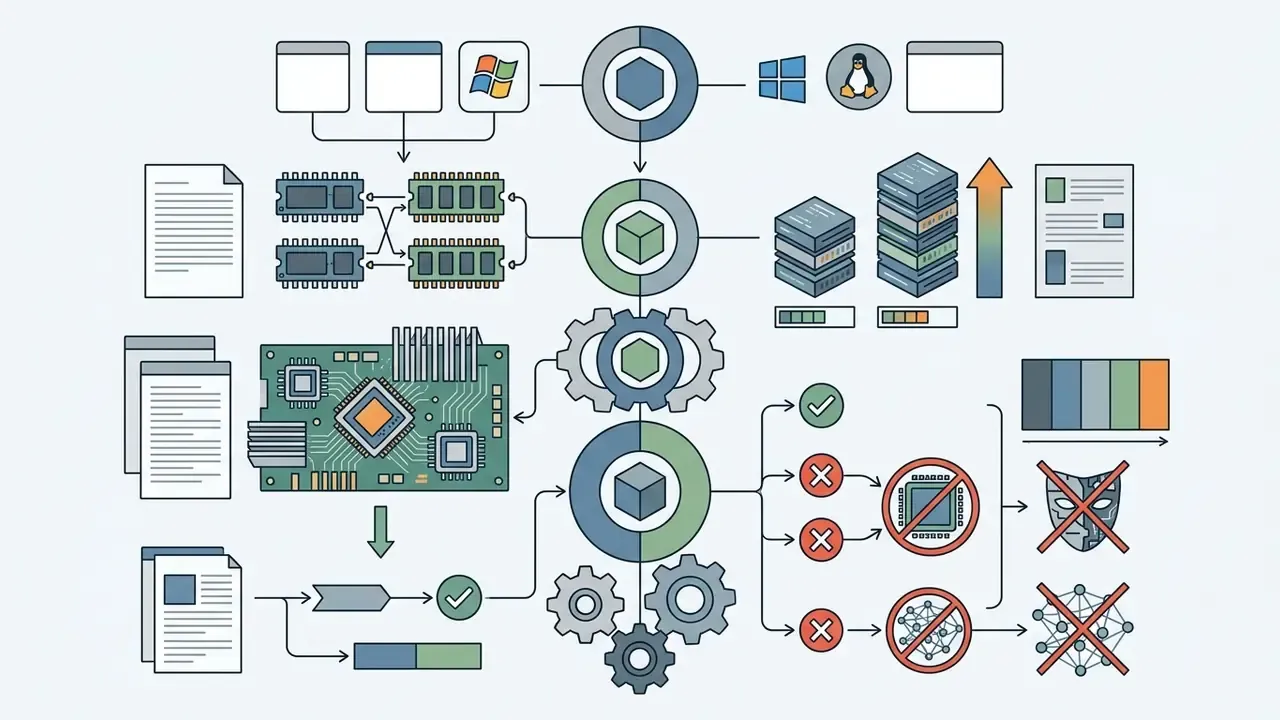
DaVinci Resolve is not viable below 16 GB of RAM and needs a 64-bit OS. Use VSDC Free Video Editor (32-bit and 64-bit Windows, XP SP3 through Windows 11, no discrete GPU required) or OpenShot for basic multi-track cuts. Editing with proxy files, disabling real-time effect previews, and rendering overnight cuts load further on constrained hardware.
Conclusion
Picking free video editing software with no watermark comes down to matching technical specifications, platform hardware, data-sensitivity constraints, and skill level against verified export boundaries. Nothing more mysterious than that.
«Some free editors hide advanced features behind paywalls or limit exports with watermarks, while others are fully free with full-resolution export.»
Four operational categories cover almost every case:
Run the pre-edit validation render, verify asset licensing, decide where rendering physically happens, then choose tools that match your delivery targets. Do that, and creators and corporate teams can ship high-quality video content without licensing fees or a vendor logo in the corner.
- Professional desktop editing
- DaVinci Resolve stays the premier free, watermark-free editor for Windows, Mac, and Linux, rendering up to 4K UHD at 60 fps in 8-bit with professional color grading and Fairlight audio (Blackmagic Design, 2026).
- Open-source cross-platform tools
- Shotcut, Kdenlive, and OpenShot deliver unrestricted multi-track editing and broad format support through FFmpeg with no paywalls or registration, while Blender's Video Sequence Editor extends that freedom into 3D animation, PBR shading, and node-based VFX. Readers moving into generative production can continue with our overview of free AI video generation tools, workflows, and commercial limits.
- Legacy and low-spec hardware
- VSDC Free Video Editor covers 32-bit Windows, chroma key work, archival format conversion, and DVD authoring on machines that cannot run modern 64-bit NLEs.
- Fast browser and mobile assembly
- Microsoft Clipchamp, Apple iMovie, CapCut, VN Video Editor, and ScreenPal provide template-driven editing with clean 1080p and 4K exports, AI captions across 80+ languages, and AI audio cleanup, provided you manage premium asset dependencies, recording caps, and ending credit clips (Microsoft Support, 2026; Apple Support, 2026; ScreenPal Documentation, 2026).
Appendix A: Superseded Claims and Verification Notes
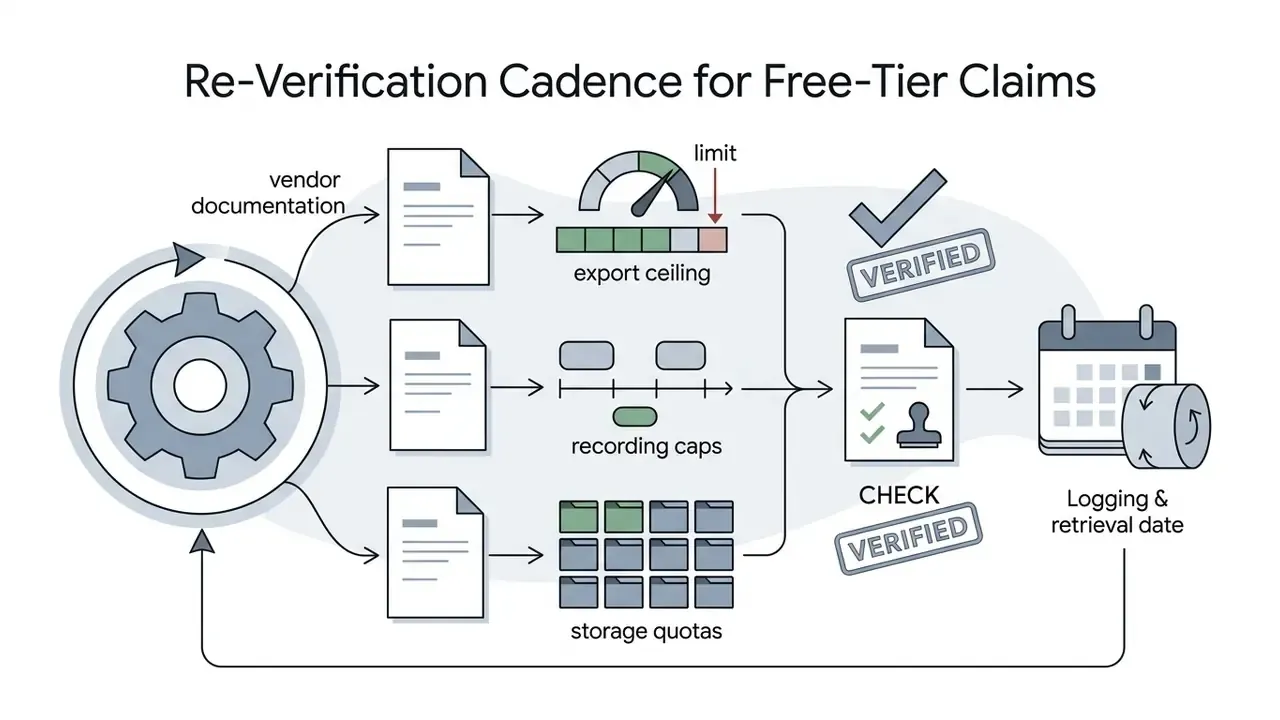
Re-Verification Cadence for Free-Tier Claims
Free tiers move faster than guides do, so this page is re-tested on a fixed rhythm rather than when something breaks: