Last updated: September 2026. Reviewed against OpenAI developer documentation, the Sora 2 System Card, and independent academic benchmarks.
Teams evaluating advanced AI video and audio generation tools need three things before a single prompt reaches production: objective operational data, predictable cost, and validated technical risk. That applies whether you sit in marketing operations or in second-line model risk. As transformation leaders assess generative visual models, availability timelines, structural limitations and API developer economics stop being trivia and become budget inputs.
One more framing note. Video generation looks like a creative purchase and behaves like an infrastructure purchase. Price it accordingly.
Executive Summary for Risk, Finance and Production Leaders
What Is OpenAI Sora 2 and Is the Model Still Available for Video Generation
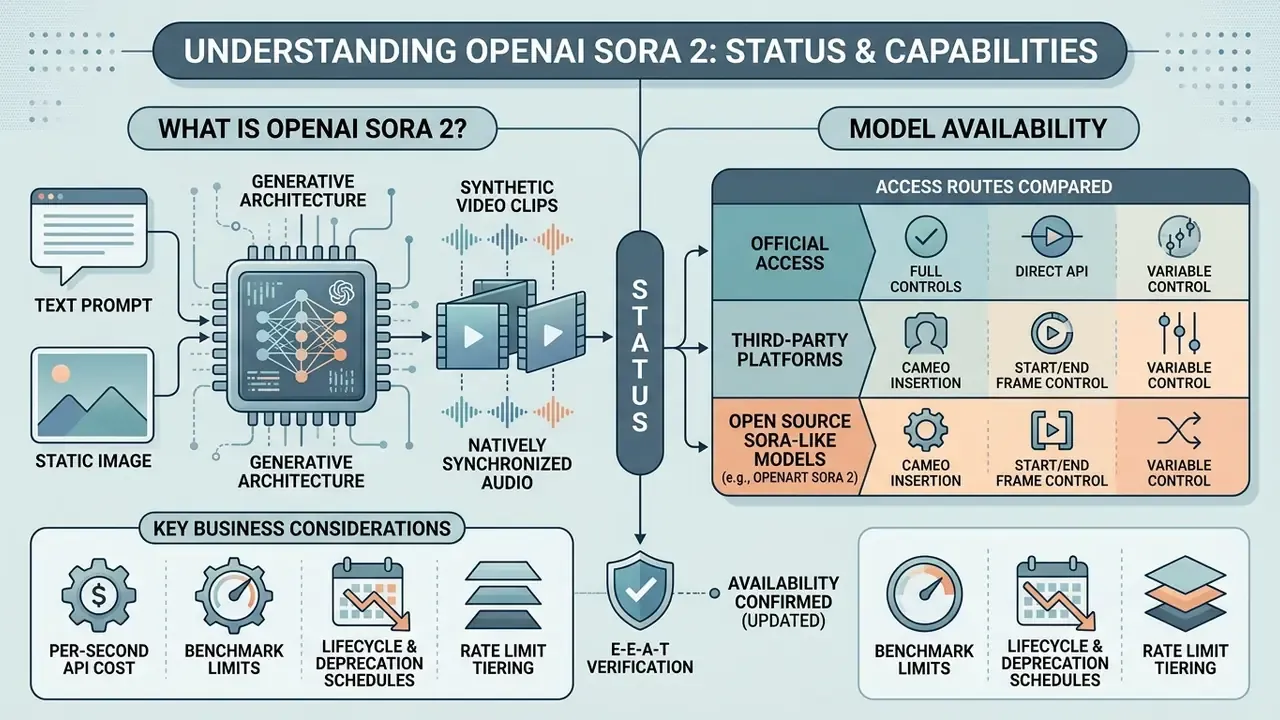
The openai sora 2 video audio generation model is a generative architecture that produces synthetic video clips with natively synchronized audio from text prompts and static images. Built on a multimodal diffusion transformer framework, the model processes visual tokens and audio signals in parallel to hold spatial and temporal alignment together rather than stitching them afterwards.
E-E-A-T fact check and availability verification (updated)
Official Access, Third-Party Platforms and OpenArt Sora 2
Direct platform access for enterprise teams was historically provided through tier-restricted developer keys and specialized enterprise subscriptions. Third-party channels, including platforms advertising openart sora 2 integrations, operate via intermediary application layers that wrap the underlying model API calls. These services usually expose custom interface presets, such as fixed aspect ratio selectors or simplified duration sliders (4 to 20 seconds), and some aggregate several engines behind a single account. Useful context when benchmarking against the best AI video generators on the market.
Governance teams should note what a wrapper does not change: model weights, system rate limits, or the safety filtering enforced by OpenAI's primary infrastructure. What it does change is the commercial and data-handling surface. Markup on per-second pricing, opaque prompt logging, intermediary retention windows, credit-based billing abstractions, and independent watermark or export policies. Aggregators also advertise "no invite code" access or "daily free credits via web check-in", which are provider-side acquisition mechanics, not OpenAI entitlements.
Table 1. Access routes for openai sora2 video generation compared by control level
| Access route | Control level | Typical duration presets | Data-handling transparency | Best suited for |
|---|---|---|---|---|
| Direct OpenAI API | Full programmatic control, official rate tiers | 4 / 8 / 12 / 16 / 20 s (default 4 s) | Governed by OpenAI enterprise terms | Regulated industries, auditable pipelines |
| ChatGPT Plus / Pro (consumer, now retired) | UI-level presets only | 10 to 25 s depending on tier | Consumer terms | Individual creators, concept exploration |
| Third-party aggregators (OpenArt, EaseMate, Artlist, ImagineArt class) | Vendor-defined UI presets | 4 to 20 s, vendor-specific | Variable, often undisclosed | Non-technical teams, rapid experimentation |
Teams seeking deeper architectural context can explore the hub of automated media pipeline blueprints.
What to Verify Before Embedding Sora in a Product or Workflow
Before approving integration of the openai video generation tool sora into automated pipelines, model risk management should run a formal validation checklist:
- Lifecycle and deprecation schedules.Verify endpoint retirement dates to prevent infrastructure breakage in operational systems. For Sora 2 specifically, wire in a fallback provider before September 24, 2026.
- Rate limit tiering.Confirm API throughput caps (Tier 1 at 25 RPM up to Tier 5 at 375 RPM; the free tier is not supported) to prevent throttling during peak execution.
- Data lineage and provenance.Ensure generated outputs carry mandatory C2PA metadata and the visual watermark signals your compliance audit will ask for.
- Policy filters.Test input prompts against the content classifiers so that runtime exceptions surface in staging, not in a campaign launch window.
- Consent attestation.For any generation involving a real person's likeness or voice, confirm that your client application captures and stores an auditable consent record.
- Age and jurisdiction gating.OpenAI's system card prohibits use by children under 13 and applies stricter moderation to minor-appearing subjects; align product gating accordingly.
Sora 2 Capabilities for Video Generation and Synchronized Audio
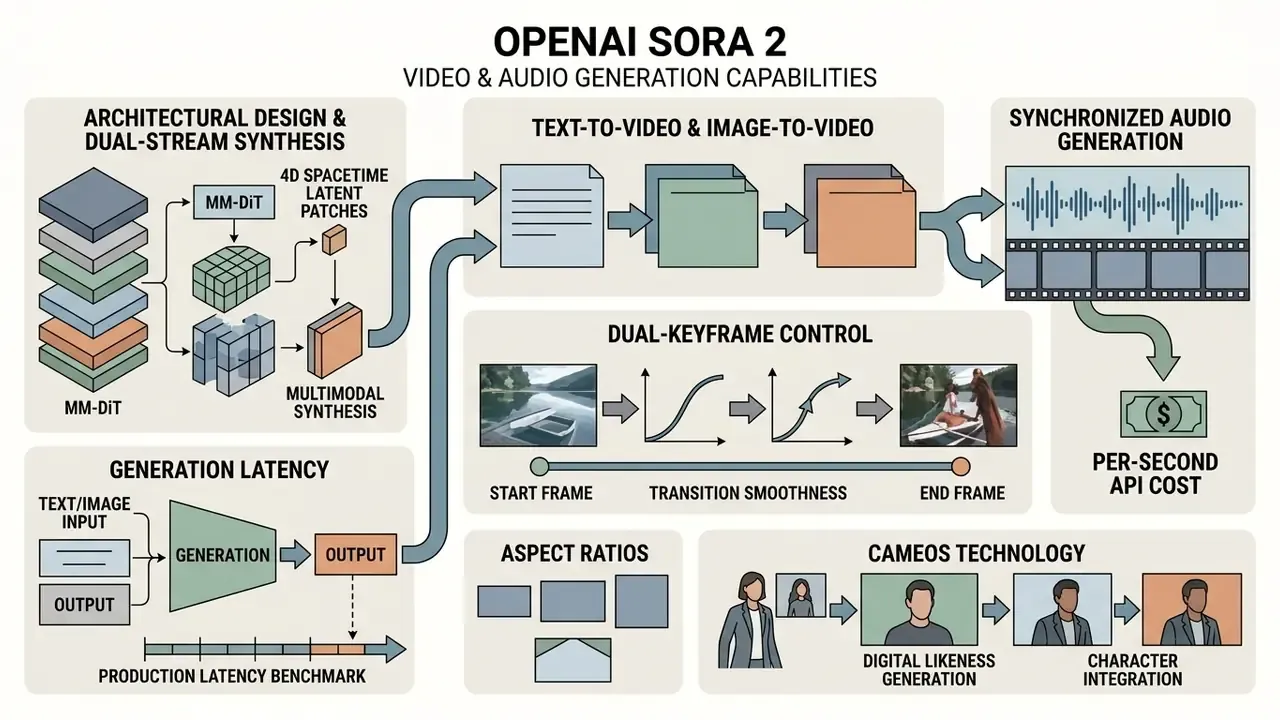
Evaluating openai sora 2 video generation capabilities means looking at how the transformer core handles dual-stream multimodal synthesis. Legacy video models generate silent sequences that then need separate audio post-production. Sora 2 co-generates visual frames alongside temporal sound effects, spoken dialogue and ambient environmental audio. That unified approach improves scene coherence, because acoustic events are anchored to visual state changes inside the same generation pass.
«Sora 2 generates video with synchronized audio from text descriptions or images, aligning sound events temporally with visual actions.»
The model handles complex visual elements reasonably well and holds cinematic quality across variable shot structures. The specification table below breaks this down by tier.
Architectural Design: MM-DiT, 4D Spacetime Latent Patches and Generation Latency
Sora 2 is built on a Multimodal Diffusion Transformer (MM-DiT). Diffusion models learn to reverse a progressive noise-corruption process; the transformer component supplies attention-based sequence modelling. Earlier architectures processed spatial and temporal information in separate stages, which is a common source of flicker and identity drift. Sora 2 instead encodes video data as four-dimensional blocks known as spacetime latent patches:
Latent Tensor = [ C × T × H × W ]
C = spectral / feature channels
T = temporal axis (frame evolution)
H × W = spatial coordinates within each frame
Because attention operates jointly across pixel neighbourhoods and their temporal evolution, the model can reason about object permanence, momentum and occlusion inside one representation. Separate transformer streams handle text, image and audio modalities, while learned modulation weights how strongly each denoising step leans on textual instruction versus visual reference.
Production latency benchmark. Empirical testing indicates roughly 45 seconds to render a 5-second 1080p clip, scaling close to linearly with duration and resolution. This is the metric people search for as openai sora video generation speed, and it is queue-dependent. OpenAI's documentation notes that longer durations and 1080p jobs take materially longer, and that a single render may occupy several minutes under load. Job submission is therefore asynchronous by design: clients poll status instead of blocking on a synchronous response.
Table 2. Technical specifications and feature matrix for the openai sora 2 video and audio generation model
| Feature category | Base model (sora-2) | Pro model (sora-2-pro) | Operational and governance notes |
|---|---|---|---|
| Supported input modalities | Text prompts, static images (JPEG, PNG, WebP) | Text prompts, reference images, start/end frames, sequence extensions | Source images must match target output aspect ratios exactly to prevent spatial distortion; reference files up to 20 MB. |
| Native video resolutions | 720×1280 (portrait), 1280×720 (landscape) | 1024×1792, 1792×1024, 1080×1920, 1920×1080 | Higher resolution tiers increase per-second API cost and job completion latency. |
| Audio generation features | Synchronized dialogue, sound effects, background ambience | High-fidelity synchronized audio with enhanced spatial alignment | Transcripts are automatically scanned by safety filters; music and living-artist voice imitation are restricted. |
| Clip durations and motion realism | 4, 8, 12, 16 and 20 seconds (default 4 s) | 4, 8, 12, 16 and 20 seconds with enhanced physics simulation | Rerolls may be required for complex multi-object interactions due to residual physical drift. |
| Identity and likeness features | Cameos with verified consent controls | Cameos with higher-fidelity articulation and lighting adaptation | Requires biometric verification; access is revocable by the likeness owner at any time. |
| Approximate generation latency | About 45 s for a 5-second 1080p-class render | Longer, scaling with resolution tier | Asynchronous job model; poll status endpoints rather than blocking client threads. |
Text-to-Video and OpenAI Sora 2 Image to Video
The openai sora 2 image to video path uses an uploaded reference frame as the static visual anchor for the first frame of the sequence. In text-to-video mode, natural language descriptions drive frame synthesis from noise diffusion, letting creators define visual style, lighting conditions and scene composition. Readers comparing engines can review how text-to-video AI systems differ in prompt adherence and controllability.
When running image-to-video workflows, the input image resolution must match the target output resolution exactly (1280×720 or 720×1280, for instance) to avoid aspect ratio stretching or pixel deformation. Short reference clips of 2 to 4 seconds give the best character persistence across generated sequences. Small detail, large consequence.
Dual-Keyframe Control: Start Frame / End Frame Interpolation and Aspect Ratios
Where strict directorial control is required, Sora 2 and its platform integrations support interpolation between two anchor points, commonly exposed as input_reference_start and input_reference_end:
- Start framedefines the opening composition, scene geometry, lighting and character appearance.
- End framefixes the terminal state of the motion trajectory or the final configuration of the subject.
- Transition smoothnessthe diffusion transformer computes the most physically plausible motion vector between the two anchors across clip lengths from 4 to 20 seconds, which cuts narrative drift substantially compared with single-anchor image-to-video.
Think of it as a storyboard-to-shot bridge. Art direction locks both endpoints, and the model only owns the middle. Particularly valuable for product rotations, before/after demonstrations, logo reveals, and shot-matching between human-filmed footage and generated inserts.
Supported aspect ratios and file constraints. Beyond the two native API output sizes (16:9 landscape and 9:16 portrait), platform integrations expose 1:1 (square, social feeds), 4:3 and 3:4 (classic capture formats). Reference images should be supplied as JPG / JPEG / PNG / WebP up to 20 MB, with source resolution matching the target render size exactly. Mismatched ratios are the single most common cause of stretched subjects and cropped captions in production batches.
| Aspect ratio | Typical output size | Primary distribution use |
|---|---|---|
| 16:9 | 1280×720, 1920×1080 | Web hero video, YouTube, internal comms, investor updates |
| 9:16 | 720×1280, 1080×1920 | Reels, Shorts, TikTok, in-app onboarding |
| 1:1 | Square crops | Feed placements, display ad units |
| 4:3 / 3:4 | Classic framing | Archival-style inserts, editorial layouts |
Cameos Technology: Digital Likeness Generation and Character Integration
Synchronized Audio, Sound Effects and Scene Integrity
Complete scene integrity depends on temporal alignment between acoustic signals and visual actions. The model synthesizes synchronized audio: footstep impacts, physical collisions, basic speech articulation matched to lip movement. According to evaluations published in the Sora 2 System Card (OpenAI, 2025), simultaneous video and audio generation removes manual alignment delays in draft workflows.
«Sora blocks attempts to generate music imitating living performers or existing works, and speech transcripts are automatically screened for policy violations.»
Complex musical composition and specialized voice-over tracks still need dedicated audio post-production. Licensed music beds, multi-track stem mixing and broadcast loudness normalization stay outside the model's scope. Do not plan otherwise.
Multi-Shot Sequences, Realistic Motion and Camera Movements
Advanced openai sora 2 video generation features include multi-shot persistence and controllable virtual camera movements. The model maintains persistent world state across cuts, keeping character attire, lighting conditions and background geometry stable through transitions. Reported subject-consistency retention sits near 95% when reference frames and explicit consistency instructions are used. Camera prompts specifying tracking shots, smooth pans or crane perspectives execute with credible motion dynamics.
Spatial composition, however, is still the weakest dimension in independent evaluation:
«On full layouts Sora-2 reaches presence 0.513 and movement 0.423 versus reference 0.759 and 0.594, showing high element inclusion but weak spatial precision.»
In operational terms: the model reliably includes the objects you asked for, and does not reliably put them where you asked. Dense multi-object scenes, on-screen product placement relative to text, and precise blocking of several actors should be validated frame by frame, or moved into composited post-production.
Market Positioning: Sora 2 Against Veo 3.1, Runway Gen-4, Kling, Seedance and Open Source
Before committing a pipeline, understand where this engine sits in the field. According to the independent Artificial Analysis video leaderboard, Sora 2 Pro has ranked below several specialized commercial engines during 2026, with Seedance 2.0 (ByteDance), Runway 4.5 and Kling 3.0 placing higher on aggregate quality scoring. That does not invalidate the architectural advantages. It reflects that single-pass audio-video synthesis and cinematographic precision are different optimization targets.
Table 3. Comparative positioning of ai video models for production teams
| Model / platform | Strengths | Limitations | Optimal use case |
|---|---|---|---|
| OpenAI Sora 2 Pro | Native synchronized audio, multi-shot world-state persistence, strongest abstract reasoning scores | High per-second cost, API shutdown September 24, 2026, weak spatial precision | All-in-one short promos and concept films where sound and picture must arrive together |
| Google Veo 3.1 | Rich audio, strong narrative control, "Frames to Video" start/end shot bridging, Vertex AI integration | Multi-video prompting can degrade output; latency reported from 11 s to 6 min at peak | Enterprise pipelines already standardized on Google Cloud; narrative shot sequencing |
| Runway Gen-4 | Precise cinematographic control (dolly, crane, focus pulls, lighting specification), tight editor integration | Audio handled separately in post-production | Cinematic VFX, professional post workflows, shot-matching |
| Kling 2.6 / 3.0 (Kuaishou) | Explicit start/end frame control, multi-shot consistency, lower per-second cost | Less natural fluid and complex-material physics | High-volume content production with predictable framing |
| ByteDance Seedance 2.x / 3.0 | Top-tier motion quality rankings on independent leaderboards | Restricted API availability outside parts of Asia | Experimental creative work, motion-heavy social content |
| Open source (LTX-2, Wan2.2) | Full data control, no per-generation fees, unlimited iteration | Requires local compute (typically 24 GB+ VRAM) and in-house ML expertise | On-premise infrastructure, confidential or regulated content pipelines |
For a technical breakdown of the closest commercial substitute, see our Google Veo implementation guide, which covers API access patterns, cost per second and developer limits. Teams working to a zero budget can also review the current field of free AI video generators and their watermark, duration and licensing constraints.
How OpenAI Sora 2 Operates Inside a Production Workflow
Putting generative video into an enterprise media pipeline requires a structured, multi-stage execution model. Organizations moving from manual media creation to controlled AI automation need standardized operating procedures, or the token spend quietly doubles. An end-to-end process reduces wasted API calls, guarantees compliance review, and speeds up content iteration.
The case for an explicit quality gate is quantitative, not aesthetic:
«Most models cannot understand world knowledge and generate truly correct videos. Sora averages 0.65 across six dimensions, and is weakest in causality (0.57).»
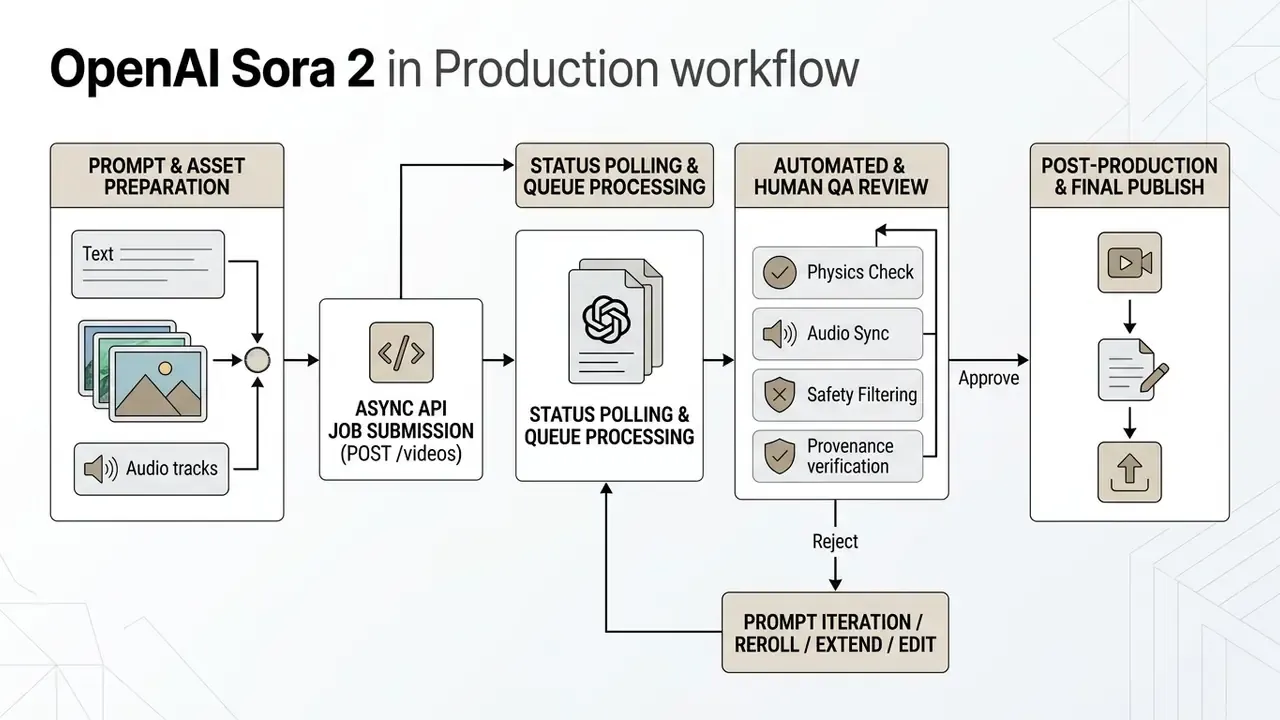
Stated as text, the lifecycle runs: POST /videos creates an asynchronous job returning an ID and status; the client polls until status is completed; GET /videos/{video_id}/content retrieves the finished MP4. Refinement endpoints support continuation (/v1/videos/extensions) and editing (/v1/videos/{video_id}/edits), which lets teams extend an approved clip instead of regenerating from scratch. That is a real cost lever, since every regeneration is billed in full.
Preparing Prompts for Scene, Style and Camera Movement
Prompting for Sora 2 rewards precise, structured description and punishes vague adjectives. Separate core subject actions, environment parameters, camera trajectories and temporal counts.
- Subject and action define explicit physical movements anchored to temporal beats, for example "a technician inspects a server rack, turning the key at beat two". OpenAI's prompting guidance recommends describing actions in beats or counts to anchor motion in time.
- Camera movement name the motion, such as "a slow forward dolly shot at eye level". Implied camera behaviour produces inconsistent results.
- Visual style use concrete technical descriptors ("35mm film grain, 400 ISO, volumetric studio lighting") rather than generic words like "hyperrealistic".
- Environment specify time of day, weather, surface materials and background density, because ambiguity here is exactly where spatial composition errors concentrate.
- Continuity reference named character IDs across shots and state the consistency requirement explicitly when generating multi-shot sequences.
For additional comparisons between visual generation frameworks, developers can consult our AI Media Comparison hub.
Quality Control of Generated Videos Before Publication
Quality control must inspect both visual frame continuity and audio synchronization before any AI-generated asset reaches distribution. Automated testing should verify that character geometry stays persistent across camera angle changes. Human reviewers audit audio using channel-delay standards such as ITU-T P.931, which defines evaluation of audio/video synchronization through channel delay and temporal synchronization between channels, to catch lip-sync drift or unaligned effects. Downstream finishing is easier to plan when the team has already standardized its video-editing tools and knows which defects are cheaper to fix than to regenerate.
Clips showing unnatural physical motion, floating objects or distorted text overlays go back for re-generation or manual correction. No exceptions for deadline pressure.
«Most models struggle to generate legible and temporally consistent on-screen text, a critical gap in current video generators.»
So the operating rule for brand-critical assets is blunt: never let the model render your wordmark, price point, legal disclaimer or call-to-action. Generate clean plates, overlay typography in an editor.
API Pricing and the Economics of Deploying OpenAI Sora 2
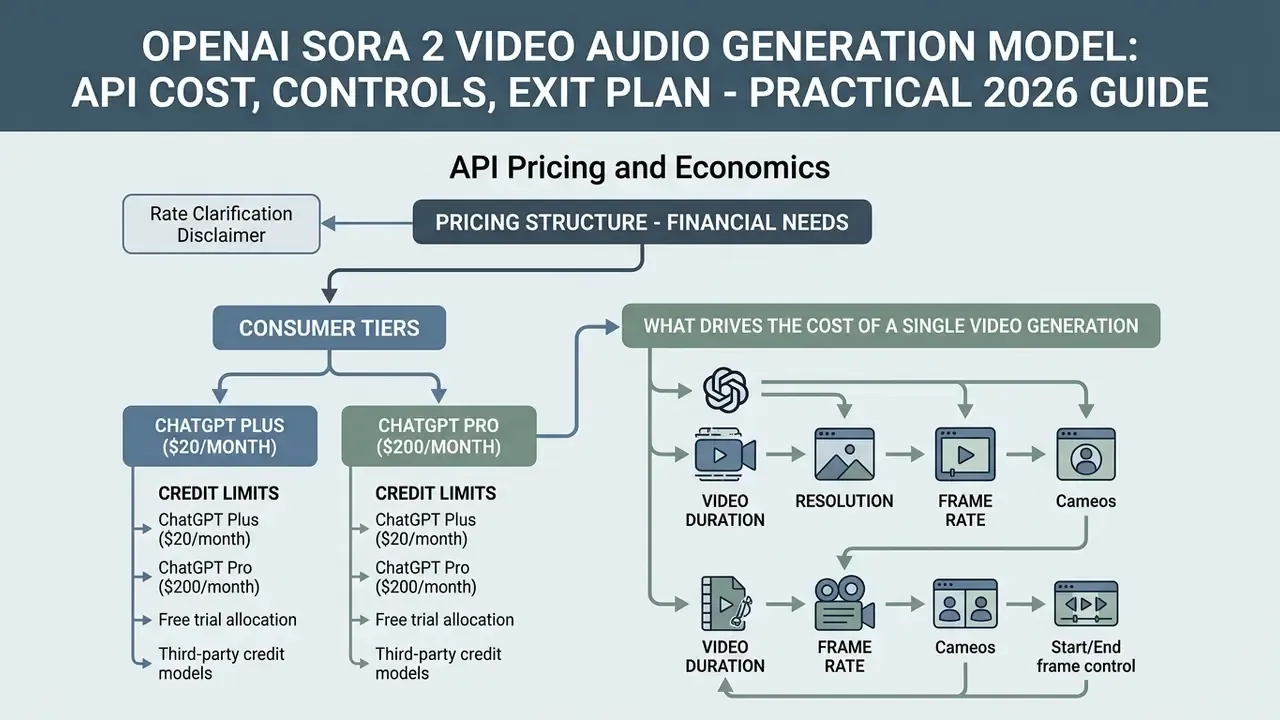
Pricing structure is the part finance actually needs. OpenAI bills video generation strictly per generated second, categorized by model tier and output resolution. Batch processing gives a 50% discount for asynchronous workloads that tolerate queue latency.
Table 4. Developer economics and scenario cost calculation matrix
| Production scenario | Model endpoint and resolution | Standard API cost per second | Estimated cost for 10 s clip (1 reroll) | Monthly production budget (50 assets) |
|---|---|---|---|---|
| Social media teasers (portrait) | sora-2 (720×1280) | $0.10 / sec | $2.00 (20 s total generated) | $100.00 |
| Standard marketing banner (landscape) | sora-2 (1280×720) | $0.10 / sec | $2.00 (20 s total generated) | $100.00 |
| Mid-tier branded creative (Pro, 720p) | sora-2-pro (720×1280 / 1280×720) | $0.30 / sec | $6.00 (20 s total generated) | $300.00 |
| High-fidelity ad creative (Pro, 1024p) | sora-2-pro (1024×1792 / 1792×1024) | $0.50 / sec | $10.00 (20 s total generated) | $500.00 |
| Premium broadcast-grade creative (Pro, 1080p) | sora-2-pro (1080×1920 / 1920×1080) | $0.70 / sec | $14.00 (20 s total generated) | $700.00 |
| Batch campaign prototype | sora-2 (Batch tier) | $0.05 / sec | $1.00 (20 s total generated) | $50.00 |
Rate clarification (updated): sora-2-pro is not a single price point. Official documentation lists $0.30/sec at 720p, $0.50/sec at 1024p and $0.70/sec at 1080p. Budget models should state the resolution tier explicitly instead of quoting a blended "Pro" rate. Per minute that equals $6.00 for sora-2 at 720p and $18.00 / $30.00 / $42.00 across the three Pro tiers.
To evaluate financial trade-offs in automated API infrastructure, teams can see the overview of developer cost models.
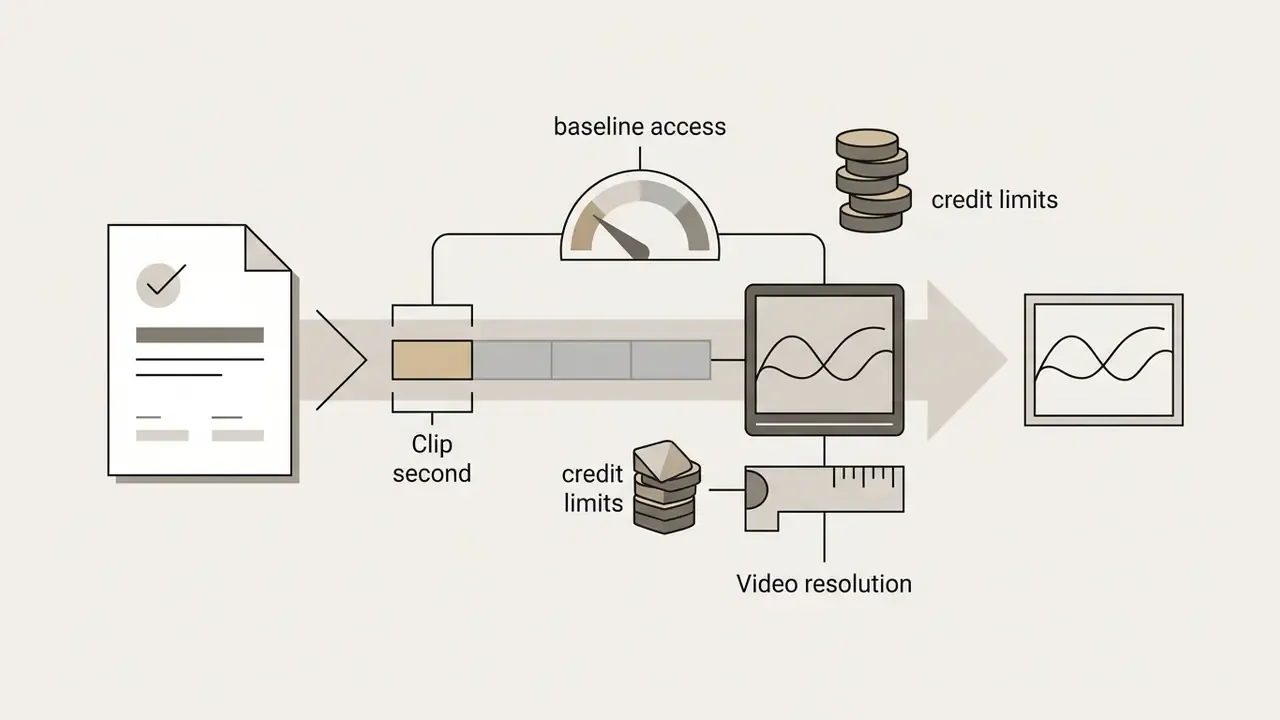
Consumer Tiers: ChatGPT Plus, ChatGPT Pro and Credit Limits
For individual creators and small teams, access ran through OpenAI ecosystem subscriptions and the iOS application rather than the API:
Status note: these consumer routes closed with the app and web shutdown on April 26, 2026. They are documented because procurement teams comparing historical unit economics against replacement vendors still need the baseline. At Pro tier, $200/month bought roughly the equivalent of 285 seconds of 1080p API generation, which is precisely why high-volume teams migrated to API or Batch access.
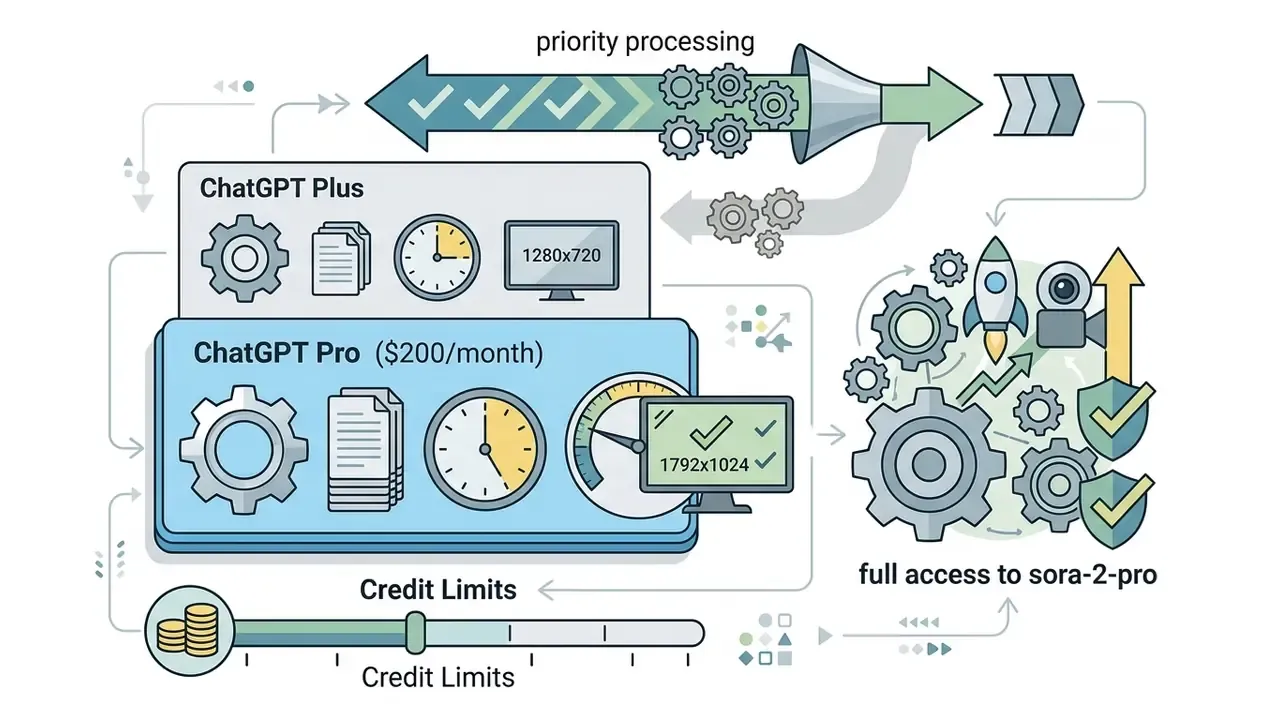
sora-2-pro, clips up to roughly 25 seconds, maximum resolutions to 1792×1024, and priority processing in the render queue.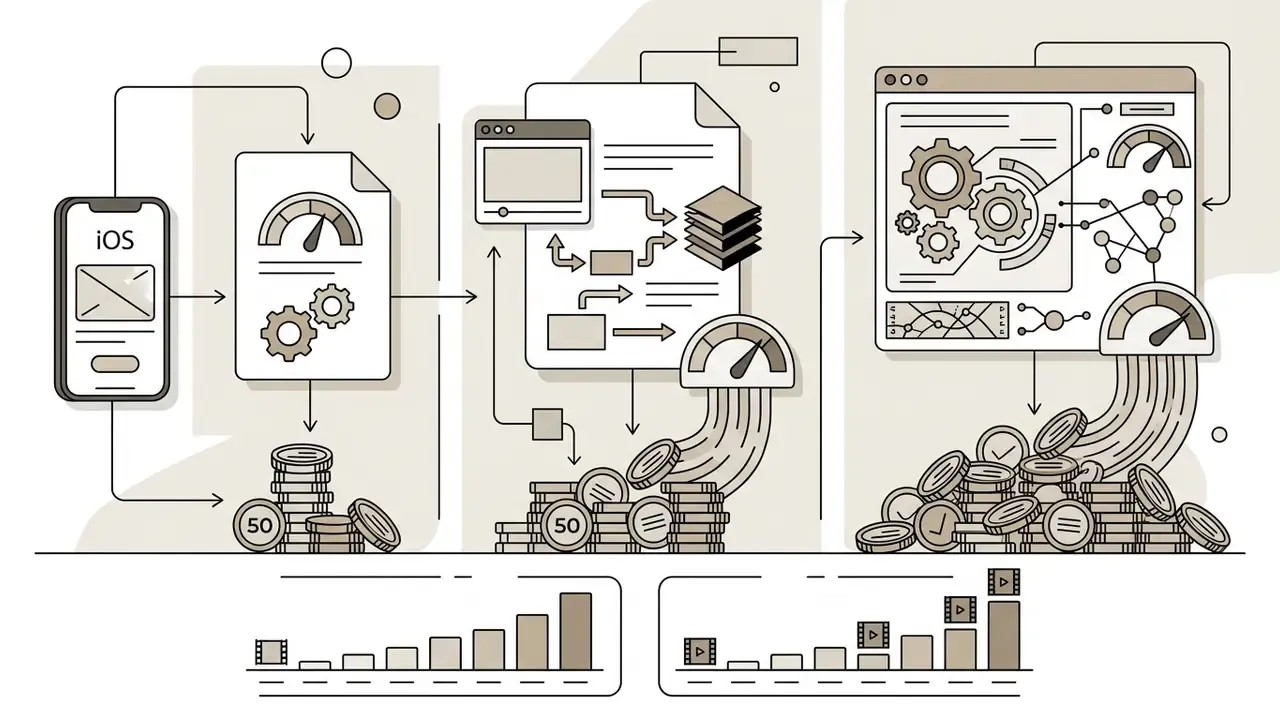
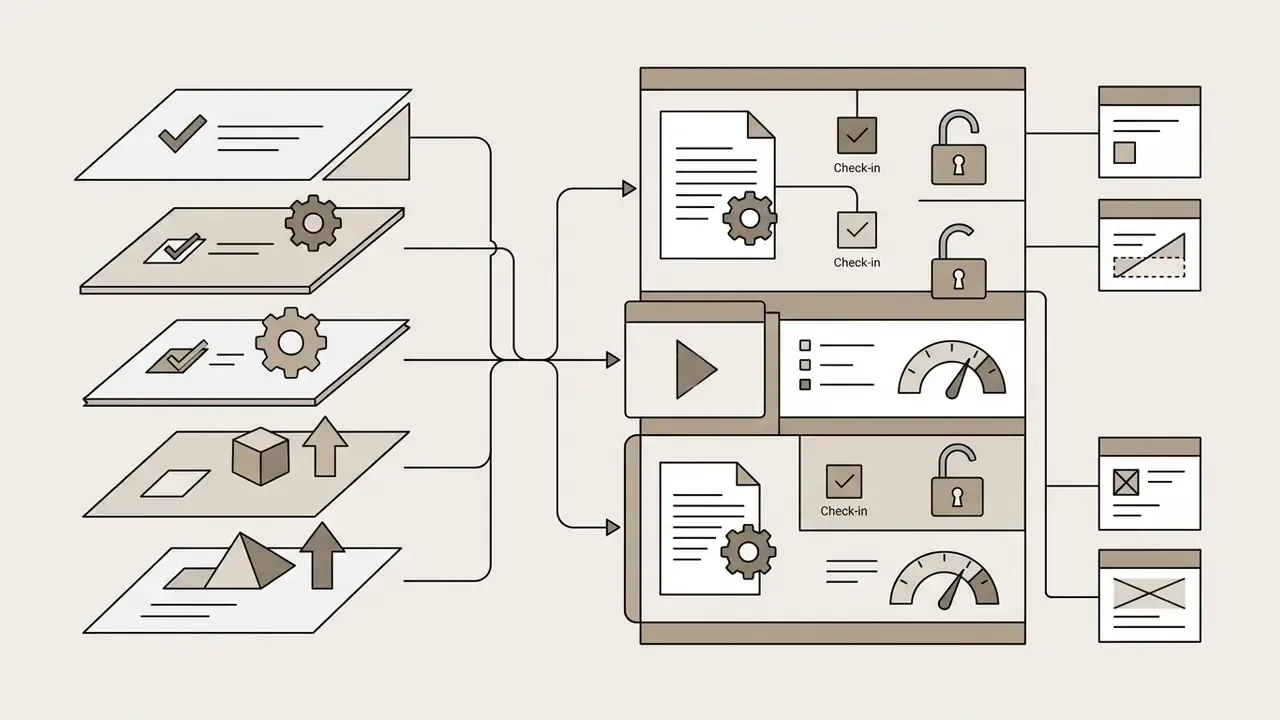
What Drives the Cost of a Single Video Generation
Five operational variables govern total spend:
- Clip duration.Direct linear scaling on total generated seconds (4 s to 20 s per request).
- Selected resolution tier.Moving from standard 720p (
sora-2, $0.10/s) to 1080p Pro ($0.70/s) raises unit generation cost by 600%. - Iteration and reroll rates.Prompt refinement multiplies cost linearly; five candidates for one selected asset means a 5× effective unit acquisition cost. Official pricing contains no separate "reroll fee", because every attempt is simply billed as a new generation. Which is why reroll discipline is a budget control, or rather a budget control disguised as a creative preference.
- API retry and fault management.Unhandled network timeouts or client-side retry loops can incur duplicate charges when job IDs are not tracked properly. Implement API Retry and failure cost mitigation logic inside the client layer.
- Batch versus interactive scheduling.Routing non-urgent renders through the Batch tier at roughly half price is the largest structural saving available without touching output quality.
Direct Platform Access or Third-Party Platform Access
Direct OpenAI API access delivers raw programmatic control, maximum throughput under official rate tiers, data residency options, and clean integration with corporate security boundaries. Third-party access, by contrast, abstracts backend calls behind drag-and-drop interfaces.
Those tools genuinely help non-technical users. They also introduce intermediary pricing markups, latency overheads and opaque logging policies. And they decouple your roadmap from official release timing: coverage of new model versions, editing endpoints and safety updates depends entirely on the intermediary's integration schedule. Institutions under strict model governance generally favour direct API connections, since that is where verifiable audit trails live.
How to Budget AI Video Generation Within a Team
Budgeting for enterprise AI video production means counting raw API compute alongside human quality assurance and post-production. Industry research by Winterberry Group (2026) on AI's impact on the video and content production supply chain is consistent with reporting that controlled AI repurposing workflows reduce total asset creation cost from historical benchmarks (roughly $150 to $300 per asset) to operational targets (roughly $40 to $80 per asset) when archive materials are reused. Related public-sector and industry research points the same direction. AI4Media's roadmap notes that repurposing archive material amortises production cost by increasing reuse, and Microsoft's 2025 whitepaper reports interviewees describing substantially lower costs in advertising and promo creation.
Transparency note: the $150–$300 to $40–$80 range comes from industry white-paper reporting rather than a peer-reviewed cost study, and the figures vary by asset complexity and reuse rate. Treat them as planning heuristics that need validation against your own historical production invoices.
Budget allocation guidance (updated). Instead of fixed percentages, allocate across three cost layers and recalibrate with your own first-quarter actuals:
| Budget layer | Typical share in observed pilots | What it covers |
|---|---|---|
| API compute | ~35 to 45% | Per-second generation, rerolls, batch jobs, extensions |
| Human post-production | ~30 to 40% | Editing, colour, typography, audio mix, format variants |
| Governance and compliance | ~20 to 30% | QA review time, provenance verification, consent records, legal sign-off |
The earlier flat 40 / 35 / 25 split survives in Appendix A as an initial planning default. It is a heuristic, not a benchmarked industry figure. Teams carrying heavy regulatory review shift weight toward governance; teams producing high-volume social variants shift weight toward compute.
Enterprise Data Privacy, Security and Confidentiality Controls
In regulated industries, banking, insurance, healthcare, public sector, model capability is secondary to data handling. Before any prompt containing customer, product-roadmap or internal operational information touches a generative video endpoint, risk teams should close out the following:
- Training exclusion.Confirm in writing whether prompts, uploaded reference images and reference video clips are excluded from model training. Enterprise and API agreements typically differ materially from consumer terms here.
- Retention and zero-data-retention options.Document how long prompts and generated artifacts persist on vendor infrastructure, whether a zero-retention configuration exists for your endpoint, and how deletion requests are evidenced.
- Data residency.Verify whether region-pinned endpoints exist for your jurisdiction and what premium applies. OpenAI has published uplift pricing for eligible data-residency endpoints, so residency is a cost line as well as a compliance line.
- Certification and attestation.Request current third-party audit reports and control attestations, then map them against your internal control framework covering model risk management, third-party risk and information security.
- Likeness and biometric data.Cameos processing involves facial and vocal biometrics. Confirm lawful basis, consent record, retention period and revocation mechanism for each enrolled individual, and treat the identity embedding as sensitive personal data in your data inventory.
- Confidential prompt hygiene.Prohibit unredacted customer identifiers, unreleased financials and internal system names in prompts. Enforce it with a pre-submission filter in the client layer, not with a policy PDF.
- Third-party intermediaries.Every aggregator adds a processor to your data chain. If the intermediary's retention and logging policy is not documented, it cannot be approved for regulated content.
This section is general guidance and does not constitute legal, financial or compliance advice. Validate all data-handling conclusions with your own legal and information-security functions.
Practical Use Cases and Selection Criteria for Sora 2
Engine selection follows operational requirements, not leaderboard position. The openai sora 2 model video generation stack performs best in scenarios that demand rapid creative iteration, multi-shot conceptual consistency and integrated acoustic soundscapes.
Enterprise and Regulated-Industry Scenarios
Beyond marketing sits a quieter demand pool that rarely reaches an agency brief:
| Enterprise scenario | Why generative video fits | Required guardrail |
|---|---|---|
| Internal training and onboarding modules | Rapid localization and scenario variants without re-shooting | Factual accuracy review by subject-matter owner; no customer data in prompts |
| Investor and board update visuals | Fast turnaround on abstract concept illustration | No generated on-screen figures or financial text; overlay all numbers in post |
| Process and compliance walkthroughs | Cheap re-generation when a procedure changes | Version control and dated approval log per clip |
| Personalized customer communications | Cameos-driven presenter consistency at scale | Signed likeness release, revocation tracking, provenance disclosure |
| Product concept and pre-visualization | Explores directions before committing to production spend | Clear "concept only, not a product depiction" labelling |
| Internal comms and change management | Executive message delivered in multiple languages | Consent for voice and likeness, translation QA |
The operating principle stays identical across all six rows: generative video is acceptable where the illustrative burden is high and the evidentiary burden is low. Assets that constitute a representation to customers, regulators or investors require human-produced or human-verified content.
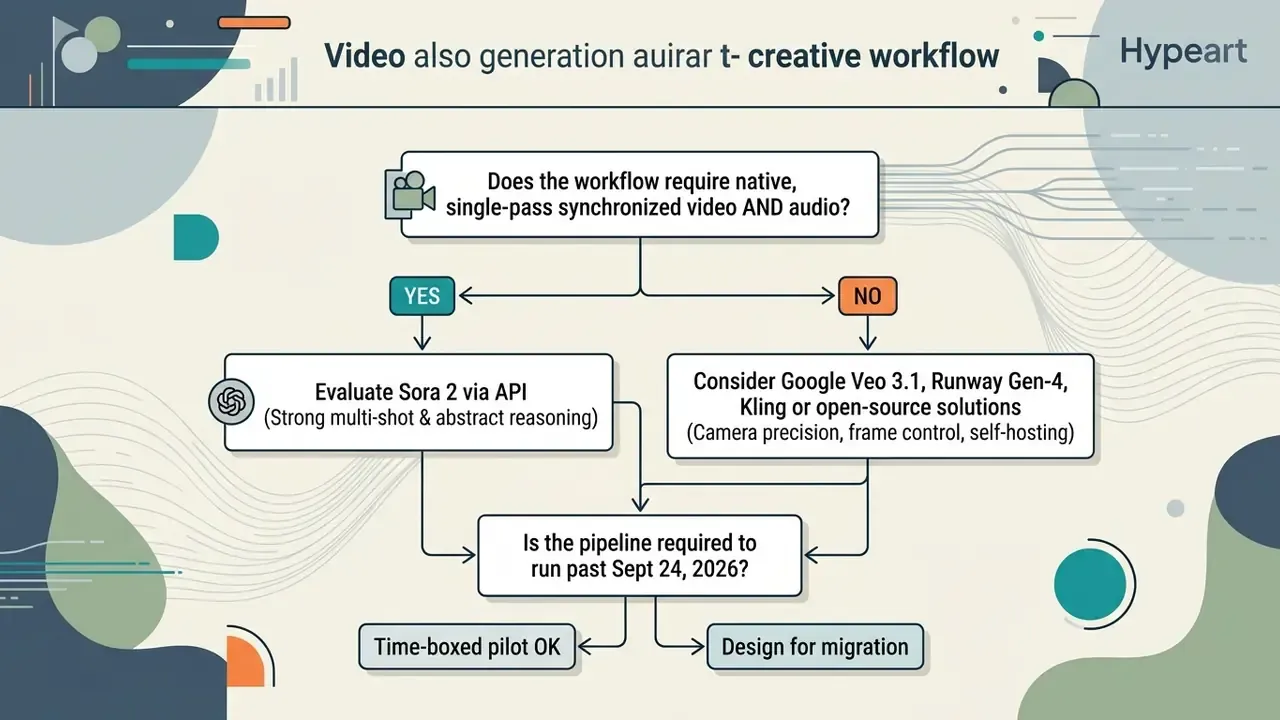
When to Choose Sora 2 and When to Compare Against Google Veo
Decision-makers weighing Sora 2 against competing ai models should read the architectural strengths, not the marketing pages:
- Choose Sora 2 when the workflow prioritizes native synchronized audio generation, complex abstract reasoning and multi-shot persistence inside one unified API environment.
«VBVR covers 150 reasoning tasks and over a million video clips; Sora-2 leads with an overall score of 0.546, ahead of Veo-3.1 (0.480) and all open models.»
- Compare with Google Veo 3.1 when the pipeline needs narrative shot-bridging via "Frames to Video" start/end-image controls, or deep integration with Google Cloud Vertex AI. Google positions Veo 3.1 around richer audio, narrative control and shot bridging; OpenAI positions Sora 2 around physics accuracy and controllability. The divergence is emphasis rather than contradiction, so let your dominant constraint decide: cloud estate, audio requirement, or shot-level precision.
- Compare with Runway Gen-4 when camera language is the deliverable and audio is produced separately in post.
- Compare with Kling when volume economics and explicit start/end frame determinism outweigh maximum realism.
- Compare with open source (LTX-2, Wan2.2) when data cannot leave your infrastructure and you can supply 24 GB+ VRAM per worker.
For further integration patterns, review the openai sora video generation tool documentation and the sora 2 ai video generator reference.
Limitations, Verification of Generated Content and Safe Use of Sora 2
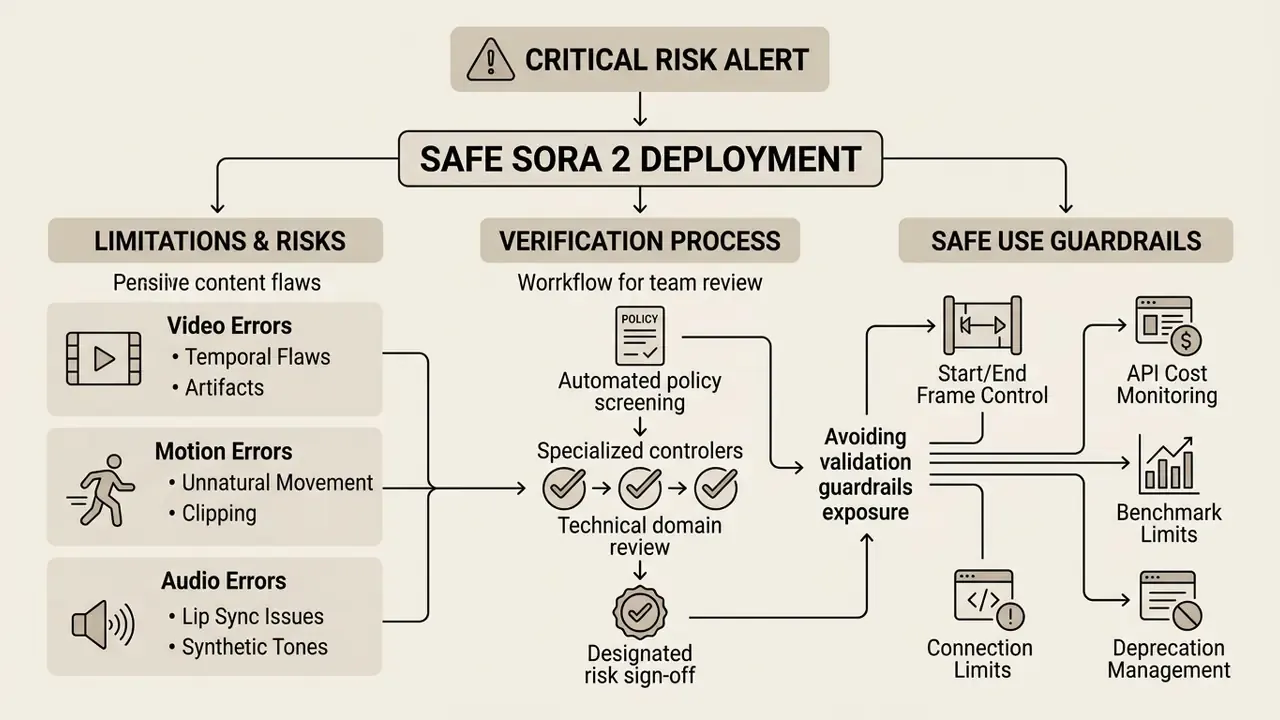
Deploying generative video without validation guardrails creates operational and reputational exposure. Technical teams need human-in-the-loop inspection protocols that catch physical hallucinations, anatomical defects and audio alignment failures before anything goes public.
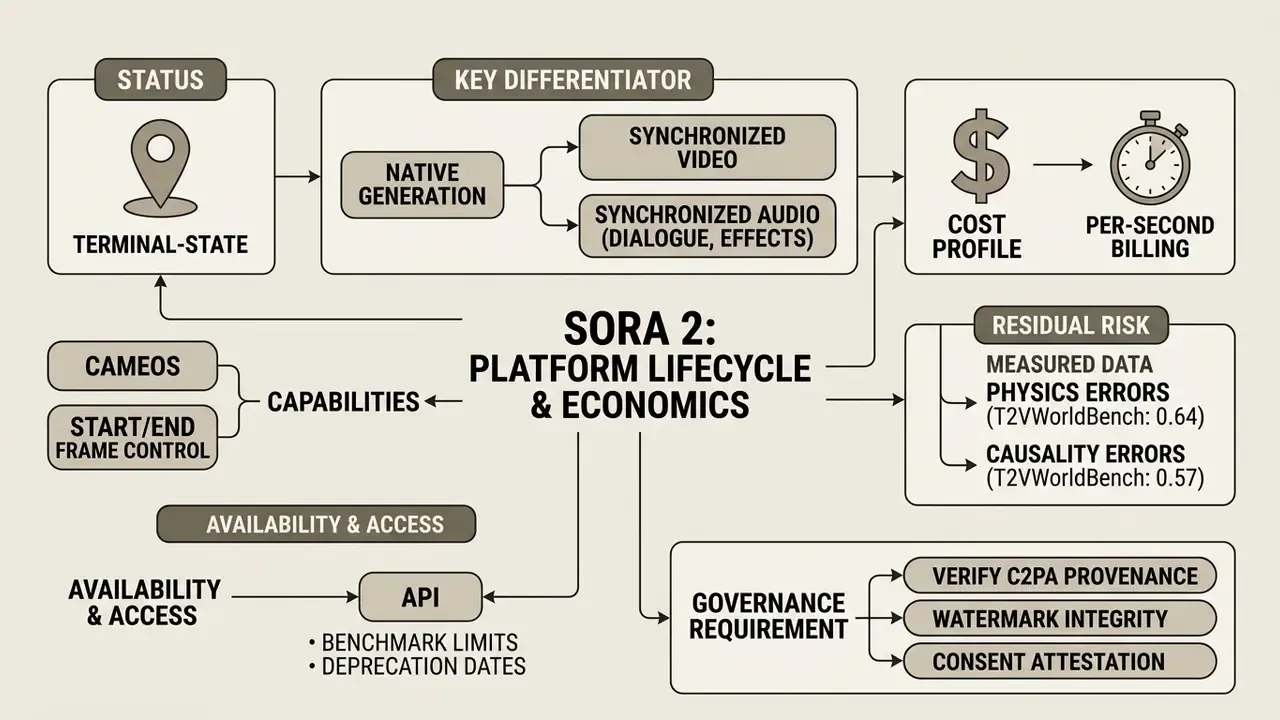
«Sora scores 0.64 on physics and only 0.57 on causality in T2VWorldBench. Most models generate visually convincing but physically incorrect scenes.»
CRITICAL RISK ALERT: AI generated content verification
- Physical motion realism. Check for violations of real world physics: improper collision response, gravity anomalies, feet not contacting the ground, floating structures (T2VWorldBench physics score 0.64).
- Anatomical continuity. Inspect human figures for limb distortion, unnatural facial dynamics, irregular blinking or articulation errors during motion.
- Object permanence across cuts. Track background elements and props through shot transitions for morphing, disappearance or geometry drift.
- Audio-visual alignment. Validate lip-sync timing against spoken dialogue using phoneme to viseme comparison, and confirm that sound effects land precisely on physical impacts (ITU-T P.931 channel-delay standard).
- On-screen text legibility. Confirm no generated typography, pricing, legal text or wordmark appears in the final asset.
- Representation bias. Review casting, occupational depiction and demographic distribution across the campaign, not just the single clip.
- Watermark and C2PA verification. Confirm cryptographically verifiable origin metadata and required visual provenance markers, then test that downstream encoding has not stripped them.
- Consent evidence. For any human likeness or voice, confirm a stored, dated consent record and an active revocation channel.
What Errors to Look For in Video, Motion and Audio
Common artifacts documented in benchmark evaluations include frame-to-frame object morphing, where background elements change geometry across camera cuts. Sound effect desynchronization shows up during rapid action sequences, producing audio lag. Third-party technical coverage additionally reports unrealistic gravity, water motion and collision behaviour in complex interactions, plus dialogue and ambience drifting out of sync with on-screen action.
Rendering legibility for embedded on-screen text remains an industry-wide weakness. T2VTextBench (2025) shows that generative video models frequently distort written characters or introduce spelling errors inside generated scenes.
«T2VTextBench evaluates ten models, including Sora, and finds that most fail to produce legible and temporally stable on-screen text.»
Bias is a separate defect class, and frequently an overlooked one:
Practically, representation review belongs in the QA checklist beside physics and audio. A campaign assembled from dozens of generations can encode a systematic depiction pattern that no single clip reveals. Worth a second pass at campaign level.
For technical analysis of alternative frameworks, review our openai sora video generator system guide.
How to Organize AI Generated Video Review Inside a Team
Institutions under strict regulatory oversight should run a three-tier QA approval hierarchy, mirroring the pattern used in formal public-sector standard operating procedures for AI-generated audiovisual content: scope check, prior authorization, then designated senior clearance before dissemination.
- Automated policy screening.Inbound prompts and generated MP4 outputs pass through automated toxicity, copyright and policy filters. Provenance and synthetic-origin verification belongs at this stage; our overview of AI image detectors covers the detection layer used to confirm synthetic origin and watermark integrity.
- Technical domain review.Production operators conduct frame-by-frame inspection for spatial layout compliance and physical realism.
- Designated risk sign-off.Senior brand risk officers or compliance heads issue final authorization before publishing, maintaining an auditable decision log with reviewer identity, date, prompt hash and disposition.
Organizations seeking foundational reference material can view the guide to AI media governance terminology.
FAQ on OpenAI Sora 2 for Developers and Content Teams
Is Sora 2 suitable for short clips and short-form content?
Yes. Sora 2 is optimized for short-form generation across portrait (9:16) and landscape (16:9) ratios, with 1:1, 4:3 and 3:4 available through platform integrations. Duration presets (4 to 20 seconds via API, 10 to 25 seconds via the retired consumer tiers) line up directly with social feed formats on TikTok, Instagram Reels and YouTube Shorts. Per-second pricing keeps short-form production financially efficient for digital marketing automation. Note also that OpenAI stated Sora was designed to maximize creation rather than feed consumption, and no official study in the public record quantifies retention uplift for Sora-generated vertical clips. Measure retention against your own baseline.
Can I use an image as the basis for a video?
Yes. The openai sora 2 image to video capability lets developers supply a static reference image (JPEG, PNG or WebP) through the input_reference API parameter. The model uses that image as the exact starting frame, holding character identity and visual style while animating motion from the accompanying text prompt. Source image resolution must match the target generation size exactly, and files should stay inside the 20 MB limit. Platform integrations additionally expose a paired start-frame and end-frame mode for deterministic motion between two fixed compositions.
What is Cameos and when should enterprises use it?
Cameos inserts a verified digital likeness (appearance, gesture and voice) into generated scenes from a short reference clip and voice sample. Enrollment requires identity verification, the likeness owner controls who may generate with it, and access can be revoked at any time. Enterprises should treat Cameos as biometric processing: keep a signed release per individual, record lawful basis and retention period, disclose synthetic origin to audiences, and log revocation events. Without that record, Cameos has no place in customer-facing material.
What tasks should remain in classical post-production?
Traditional editing software stays responsible for high-precision typographic overlay design, final colour grading, complex multi-track audio mixing and brand-specific graphic callouts. Industry-standard post workflows sequence final edit, then colour correction and grading, then sound edit and mix, then titles and credits, as distinct finishing stages. Generative output should enter that sequence as a source plate, never as a finished master. Because the model occasionally produces illegible text or imperfect scoring, handling typography and licensed audio in classical tools preserves both creative control and legal compliance. Teams standardizing a finishing stack can start with our comparison of free video editing software, and file-weight optimization for web delivery is covered in our video compressor guide.
What are the copyright, voice and likeness compliance risks?
Three vectors dominate. First, training data and character IP: at launch Sora 2 permitted copyrighted content by default unless rightsholders opted out, a posture that drew public criticism from industry bodies before OpenAI introduced more granular controls. Never assume a generated character is cleared for commercial use. Second, voice and music: the platform blocks imitation of living performers and existing compositions, yet the safe commercial route remains licensed music and consented voice talent. Third, likeness: image-to-video generations involving people require attestation of consent and upload rights, with stricter moderation for minor-appearing subjects. Maintain a per-asset clearance record covering character IP, music licence and personal consent before publication. Nothing in this section constitutes legal advice. Copyright and likeness obligations vary by jurisdiction; consult qualified counsel for your specific use case.
What should teams do about the September 24, 2026 API shutdown?
Treat it as a hard migration deadline. Inventory every integration point calling sora-2 or sora-2-pro. Abstract the generation call behind an internal provider interface. Re-run your QA benchmark suite against at least two replacement engines (Veo 3.1, Runway Gen-4, Kling, or a self-hosted open-source model). Archive all approved MP4 masters plus their prompts and provenance metadata outside vendor infrastructure. Then re-validate cost models against the replacement's billing unit. The QA protocols, consent records and budget layers described here carry over unchanged, which is the point of writing them down provider-agnostically in the first place.
Where can I track the next openai sora video generation update?
Watch three sources rather than one: the official model and pricing documentation, the deprecations page that lists retirement dates, and the system card revisions that record safety and moderation changes. Independent leaderboards give a useful cross-check on quality claims, though their scoring methodology shifts between rounds. For programmatic workflow patterns, developers can consult our sora ai video generator documentation or view the guide to our core API architecture library.
Technical Summary and Governance Recommendations
- Validate API endpoint lifecycles.Verify developer key access and endpoint retirement schedules before embedding model calls in production software; for Sora 2, plan around the September 24, 2026 shutdown.
- Enforce rigid quality guardrails.Mandate human QA covering physical motion logic, object permanence, audio alignment, on-screen text exclusion, representation bias and C2PA metadata integrity.
- Optimize developer economics.Use standard 720p tiers and asynchronous batch processing to control generation spend, and prefer extension and edit endpoints over full regeneration wherever the shot allows.
- Resolve data handling before pilot approval.Document training exclusion, retention, residency and biometric-consent controls before any confidential input reaches the endpoint.
- Design for vendor substitution.Abstract generation behind an internal interface so that engine replacement is a configuration change, not a re-architecture.
A Safe Next Step
Start narrow. Pick one asset class with a high illustrative burden and a low evidentiary burden, for example internal training inserts or concept pre-visualization. Run twenty generations through the full QA checklist above, log every reject reason, and price the pilot including review hours. Then decide. If your reject rate sits above one in three, the constraint is prompt discipline rather than model choice, and switching vendors will not fix it.
Appendix A: Revision Log and Superseded Statements