Executive Summary
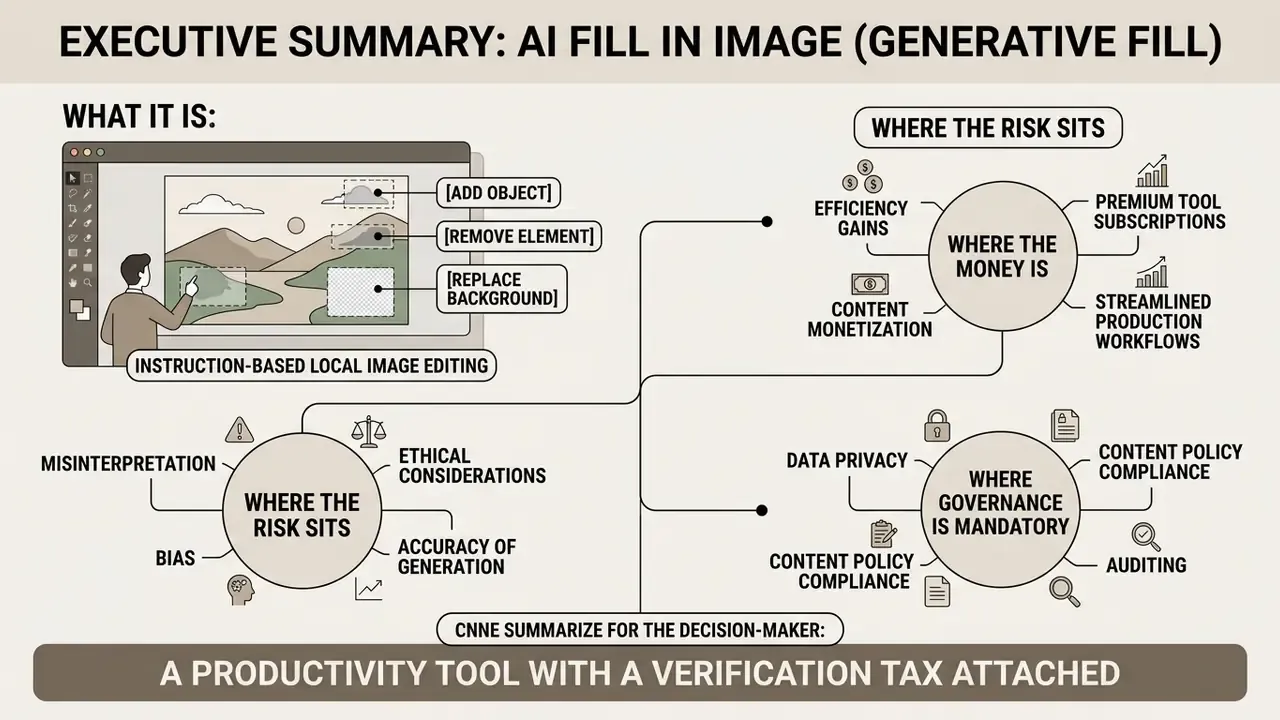
- What it is. AI Fill in Image, better known as generative fill, is instruction-based local image editing. A diffusion model regenerates only the masked region, while untouched pixels of the original frame stay bit-identical. Three operations cover most work: add, remove, replace. Canvas expansion (outpainting) is the fourth.
- Where the risk sits. Up to 35% of generated fragments carry geometrically inconsistent shadows or broken perspective lines. Every commercial asset therefore needs a light-direction, depth-of-field, and seam check before publication.
- Where the money is. The measurable value comes from cancelled photo shoots: product cards, virtual staging for property listings, and one-source-to-many-formats adaptation for paid social.
- Where governance is mandatory. Uploading customer photos, ID scans, or internal documents into a public browser tool is a Shadow AI and PII exposure event. Enterprise selection needs data-retention limits, SOC 2 or ISO evidence, audit logs, private deployment options, and C2PA content credentials. Visual quality alone decides nothing.
One line for the decision-maker: this is a productivity tool with a verification tax attached. Budget the tax.
What Is AI Fill in Image and How Generative Fill Works
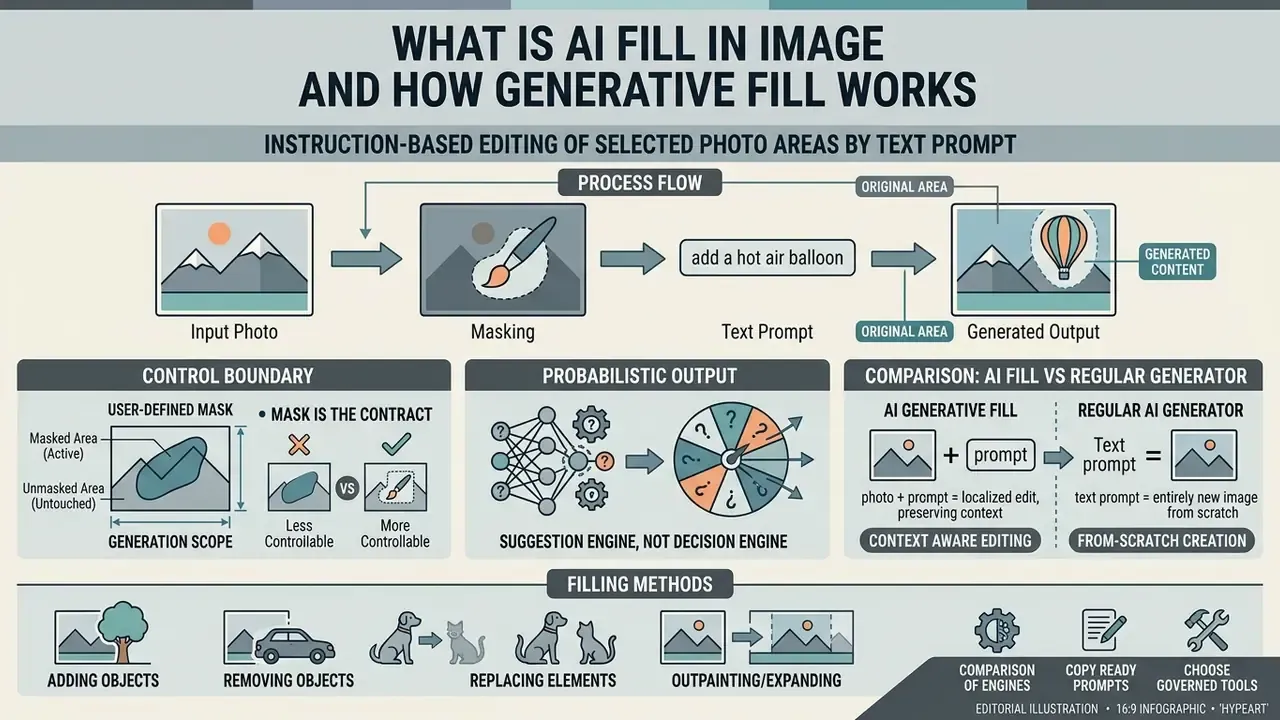
AI Fill in Image is a class of instruction-based image editing technologies that changes only the selected area of a photo through text prompts, without regenerating the entire frame. Unlike generation from scratch, ai generative fill image algorithms combine analysis of the local context around the mask with the semantics of the text prompt. The result is synthesised pixels that respect the natural lighting, the perspective lines, and the texture of the source file.
The system rests on diffusion models, including InstructPix2Pix-style architectures and custom Dual Context Adapters. The algorithm takes the source frame (original image), applies a user-defined mask, and runs the forward and reverse diffusion process inside the selection. It reads the unchanged surroundings first, then performs ai image editing according to the text instructions (text prompts), preserving the pixel structure of untouched zones.
Adobe documents the same behaviour at product level: the user selects an area, types a prompt or leaves it blank to fill purely from surrounding pixels, and receives several non-destructive variations. Readers who want the adjacent editing stack can start with AI photo editors and then study the principles of graphics generation models with a dedicated ai image generator.
Where autonomy ends: the control boundary of generative fill
Generative fill is a suggestion engine, not a decision engine. Three properties define its control boundary, and they are exactly what the Hale principle points at.
- The mask is the contract. Everything inside it may be invented. Everything outside it must remain untouched. A tool that silently re-encodes the whole canvas breaks reproducibility and makes forensic comparison impossible.
- Prompt-only editing without a mask is the least controllable mode. Diffusion adapters that operate without a hard mask can shift background geometry and object identity, which is why they score lowest on background-preservation benchmarks.
- Every output is probabilistic. The same prompt, mask, and seed policy can produce different pixels across runs. So the artefact, not the prompt, must be logged as the object of record in an AI model inventory.
That last point tends to surprise teams the first time they try to reproduce an approved asset three months later. It simply will not come back identical.
Comparison of popular neural engines for generative fill
| Model / Engine | Specialisation | Background preservation | Complex edges (hair / glass) |
|---|---|---|---|
| FLUX.1 Kontext Pro / FLUX.2 Pro | High realism, complex light and shadow | 9.8 / 10 | Excellent (sub-pixel matting) |
| Stable Diffusion Inpainting (SDXL) | Full local control, open weights, on-prem friendly | 8.5 / 10 | Medium (mask refinement required) |
| InstructPix2Pix | Fast prompt-only editing without a mask | 7.2 / 10 | Low (background drift possible) |
| Nano Banana / GPT Image class | Conversational multi-turn editing, scene reasoning | 9.0 / 10 | Good (strong semantic consistency) |
| Topaz-class AI Fill and upscale | Upscaling and background micro-texture detail | 9.5 / 10 | High (focus on micro-relief) |
Vendor platforms now expose this choice directly in the interface: upload an image, pick a model for the desired style and effect, then generate. Which is the practical reason tool selection and model selection are two separate decisions, and two separate approval records.
How AI Generative Fill Differs from a Regular AI Image Generator
The key difference is the type of input constraint: a regular generator builds a new image from pure noise, while AI generative fill edits a strictly local region and keeps the background and surrounding objects intact. With standard generation you cannot guarantee the preservation of a person's face, the exact texture of a wall, or the identity of a product shot. Local generation preserves the geometry of the frame and changes only what the user marked.
AI Fill in the Blanks Image: Filling Empty and Selected Areas
AI fill in the blanks image solves two tasks: reconstructing damaged fragments (inpainting) and extending the canvas beyond the base frame (outpainting). The algorithm reads the pixel neighbourhood around the empty area and rebuilds the structure of the frame, producing natural looking transitions of gradient, light, and shadow.
For the ai fill in the picture task the network uses patch-level attention and a mathematical approximation of background noise. That makes it possible to fill empty zones instantly after cutting out an object, or to extend the edges of the frame to any aspect ratio. Vendor documentation lists 1:1, 16:9, 9:16, 4:3, and 3:4 presets plus custom canvases, together with alignment controls. Specialised AI outpainting tools deserve a separate look, and ongoing changes in editing technology are tracked in the ai image news digest.
What You Can Do with an AI Fill Image Generator
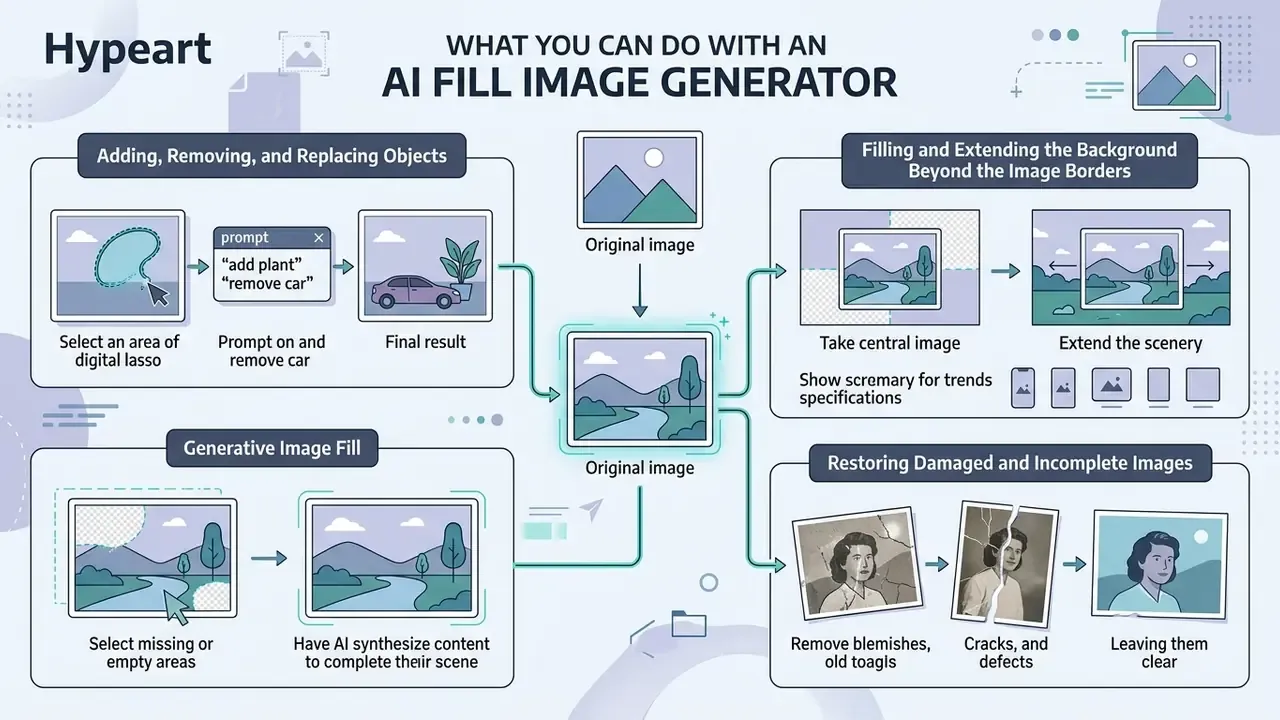
A modern AI Fill Image Generator covers everything from pinpoint defect removal to scaling background scenery for media platform specifications. Thanks to mask-based filling (ai fill images), a user can change the composition of a scene without manual collage work.
Diffusion systems can save up to 80% of the time spent preparing media assets. The instruction-editing datasets behind them make the operation taxonomy explicit:
That taxonomy is the practical proof that networks handle add remove commands, deletion of unwanted details (remove objects), and contextual environment generation with comparable quality. It also proves something subtler: each operation is measured separately, so a tool that excels at removal may still fail at replacement.
Adding, Removing, and Replacing Objects in a Photo
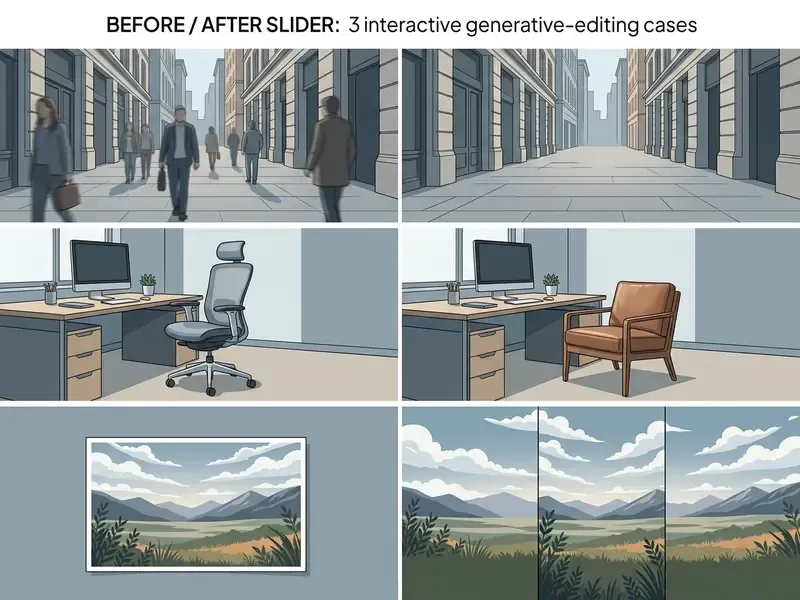
Pinpoint deletion and object replacement work by masking the target area and submitting a text command for neural substitution. Tools of the object remover class erase unwanted elements (remove unwanted) and rebuild a seamless natural background in their place. In research terms, removal fills the deleted area with consistent background, replacement swaps an object for a new one, and addition is the mathematical inverse of removal.
For replace objects and ai replace operations the algorithm reads spatial relationships, the angle of incident light, and depth of field. Guided by simple text prompts, the AI generates new elements that sit organically inside the atmosphere of the original shot.
Adjacent transformation workflows are covered separately in our overview of image-to-image generators.
Filling and Extending the Background Beyond the Image Borders
Generative frame extension (outpainting) lets you move beyond the original composition and draw an AI background for non-standard proportions. The algorithm analyses the geometry of the frame edges and continues horizon lines, interior elements, or natural landscape. Academic work on shadow-enlightened outpainting frames the task as generating unobserved areas beyond the original boundary, and panoramic outpainting research (IEEE TIP, 2024) shows that full 360° synthesis is feasible.
Generative image fill is in high demand when adapting shots to social media and ad network requirements: 16:9 banners, 9:16 vertical stories, 1:1 square posts. Autofill tools adapt one frame to any format without cropping key objects. The trade-off is honest: the further the model extrapolates from real pixels, the more invention you are publishing.
Restoring Damaged and Incomplete Images
In photo restoration tasks the neural filler rebuilds lost fragments, creases, folds, and scratches on old prints. Ai photo systems recreate structural integrity using contextual cues from the surviving parts of the frame.
Modern restoration pipelines separate two stages: a damaged-area mask is detected first, then inpainting repairs the photo. Integrating restoration algorithms raises image quality parameters and lets you enhance image output, returning sharpness to historical or accidentally damaged shots. After that an AI image enhancer polishes micro-detail. The result is convincing while keeping the historical style of the photograph.
One limit matters more than the marketing: generative fill produces a plausible reconstruction, not the exact original pixels. Fidelity is highest when the missing region is small and structurally simple, for example a scratch across a plain wall rather than half a face. For archival work where the location or provenance of a scene must be established rather than invented, an ai image location finder belongs in the workflow before any pixel is generated.
How to Use AI Generative Fill Online: Step-by-Step Instructions
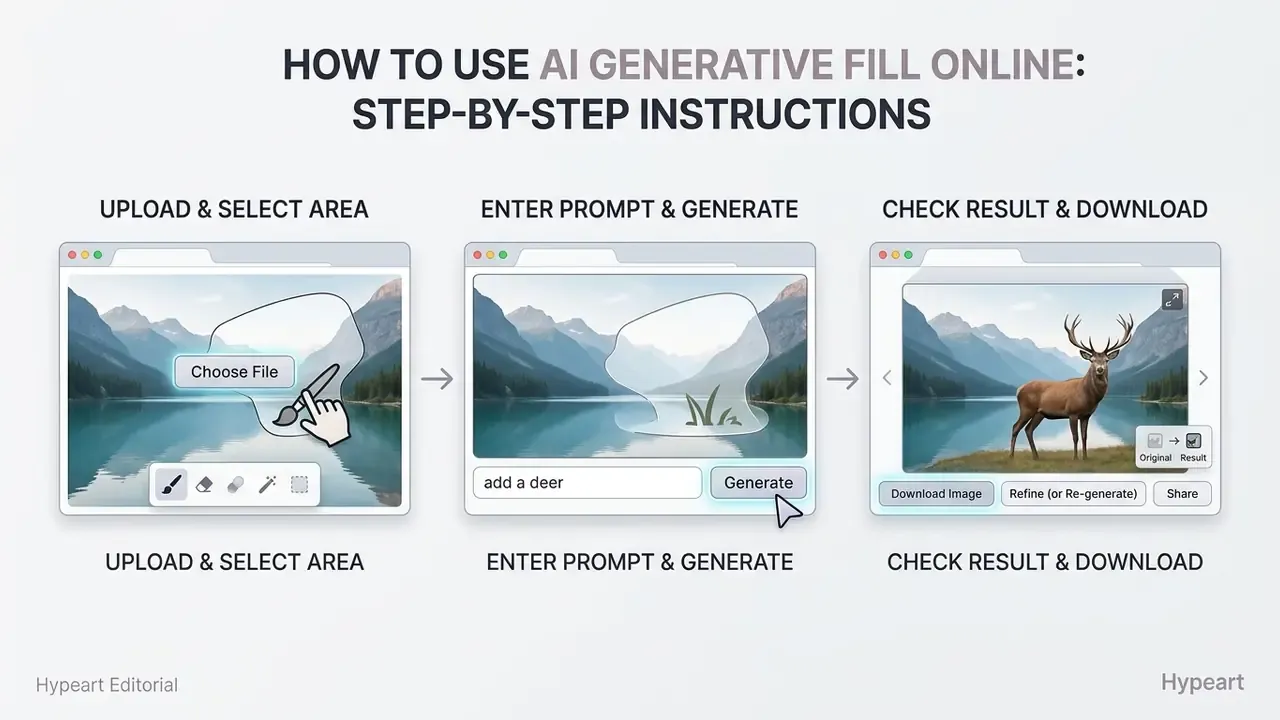
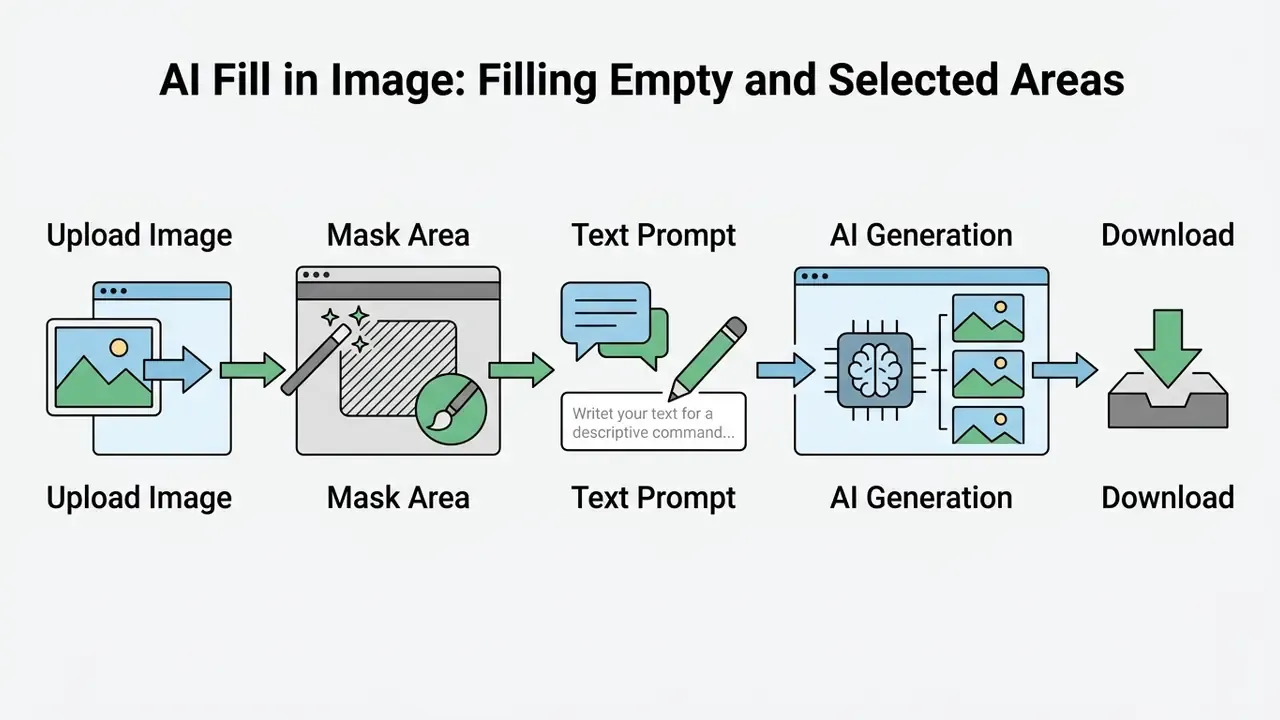
To perform generative filling in generative fill online mode, three sequential steps are enough: upload the source, mark the area with a brush, and submit a prompt. The process requires no advanced retouching skills and is available in browser editors with a user friendly interface.
Most services implement one click processing and return several alternative generations to choose from, typically two per run, with a "generate more" action for extra options.
Upload the Image and Select the Area to Change
The first stage requires uploading the source frame (upload image) and precisely selecting the editable zone with the fill tool. Depending on the editor, you will use a mask brush, smart object selection, or a rectangular marquee. Vendor documentation distinguishes three practical selection families: a painted mask, a brush-based mask with Size, Feather, and Flow controls, and AI-assisted smart selection with positive and negative points (superpixel, standard, and object-selection brushes).
The quality of the source (original image) directly determines how accurately the context is recognised. When preparing a zone for AI edit, capture a small contour around the object, roughly 2 to 5 pixels beyond its visible boundary, so the algorithm blends the border of the new generation smoothly with the old background. For fine structures such as hair, fur, or semi-transparent glass, reduce brush hardness and work with a brush size in the 1 to 500 px range instead of one large stroke.
Enter a Text Query and Generate the New Element
After the mask is set, the user types a text prompt describing the desired change, or leaves the field blank for automatic contextual filling. The ai generate fill image command launches diffusion processing inside the selected fragment.
Use simple text prompts that name the object, colour, lighting, and basic style. If you only need to delete something, in many editors leaving the prompt empty is enough: the network fills the space with the surrounding background. Counter-intuitive, but an empty prompt often beats a clumsy one.
Check the Result, Refine the Image, and Download the File
At the final step, evaluate artefacts, verify that light and shadow match, and download the finished file in high resolution. If incorrect details appear, the generation can be repeated with a modified prompt.
To preserve a high quality result, pass the image through an image enhancer or refine the borders manually. After all checks, export in JPG, PNG, or WEBP. Professional tiers keep the original resolution and support lossless PNG up to 4K. Optimising graphics before publication is easier with an ai image optimizer.
How to Get a High-Quality Result in AI Image Editing
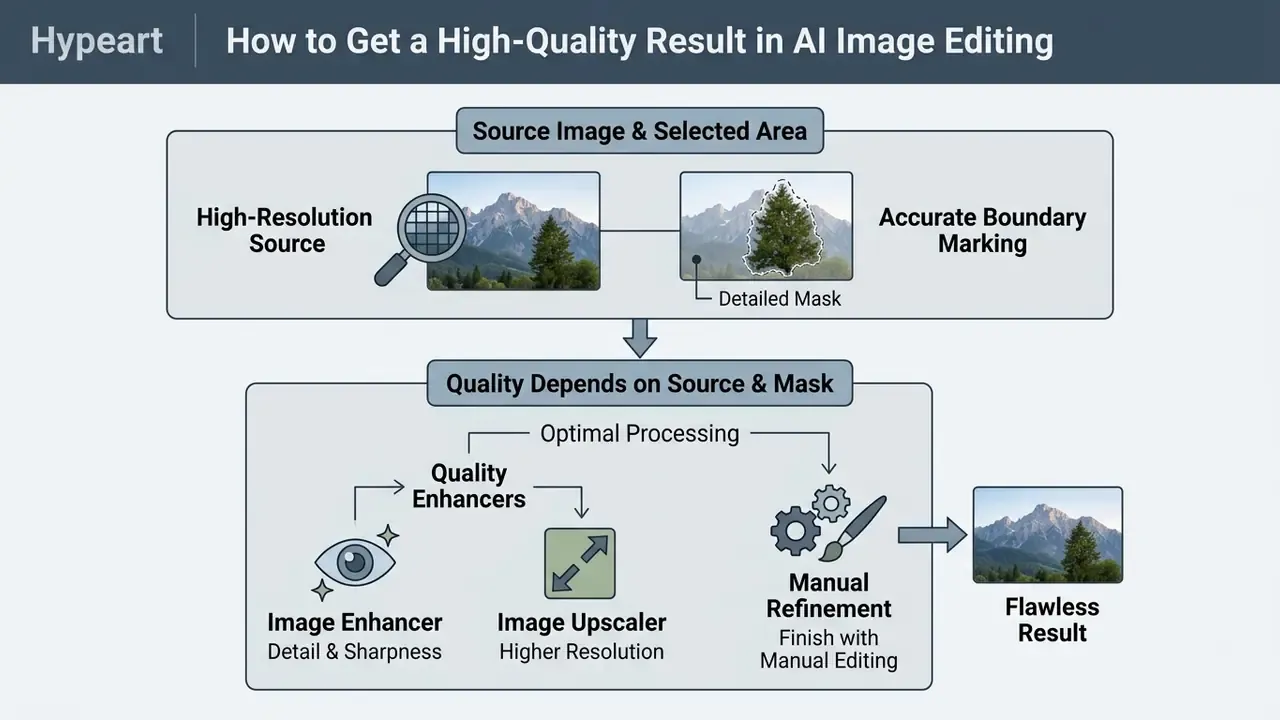
The main factor behind a flawless shot with no trace of neural intervention is a high-resolution source and accurate boundary marking. If the base file is heavily compressed or low in detail, generated pixels will contrast sharply with the natural sensor noise of the original.
Research frames output quality along three measurable axes: faithfulness to the edit instruction, preservation of non-target content, and perceptual realism. To reach a spotless high quality output, professionals combine neural tools with post-processing in traditional graphics editors.
Why Quality Depends on the Source Image and the Selected Area
The network reads spectral characteristics and pixel density from the original image: the sharper the background context, the more accurately the model matches the fill structure. Errors in mask cutting create visible seams and blurred halos.
Compositing research points the same way: the absence of sub-pixel spatial information prevents accurate pixel filtering and causes aliasing at opaque boundaries, while seam-mask guidance measurably reduces failure cases and improves no-reference quality scores such as BRISQUE and PIQE. Practically: work at the highest resolution you have, feather the mask edge, and never upscale a low-resolution JPEG before filling.
When to Use an Image Enhancer, Image Upscaler, and Manual Refinement
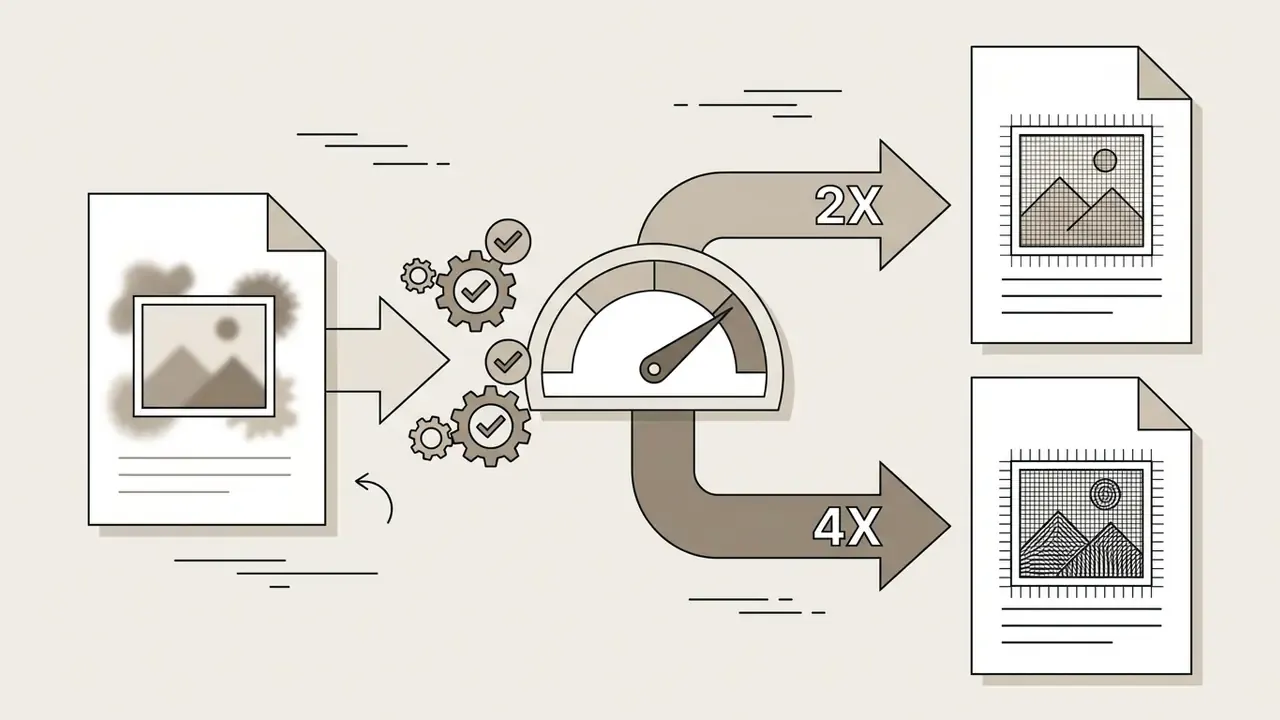
Resolution tools (image upscaler) and quality tools (image enhancer) are applied after all generative operations are finished. Scaling the frame before local editing increases compute load and slows the system down for no visual gain.
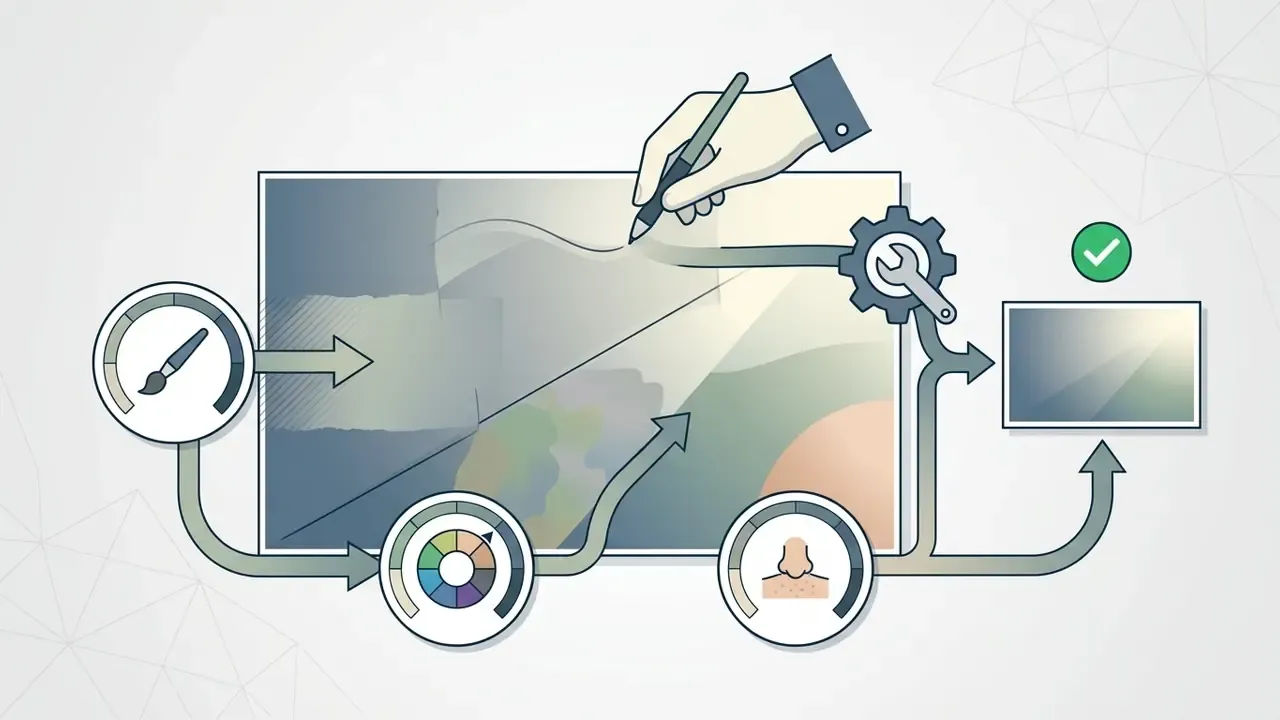
The sequential pipeline is:

How to Write Text Prompts for a Natural AI Fill Result
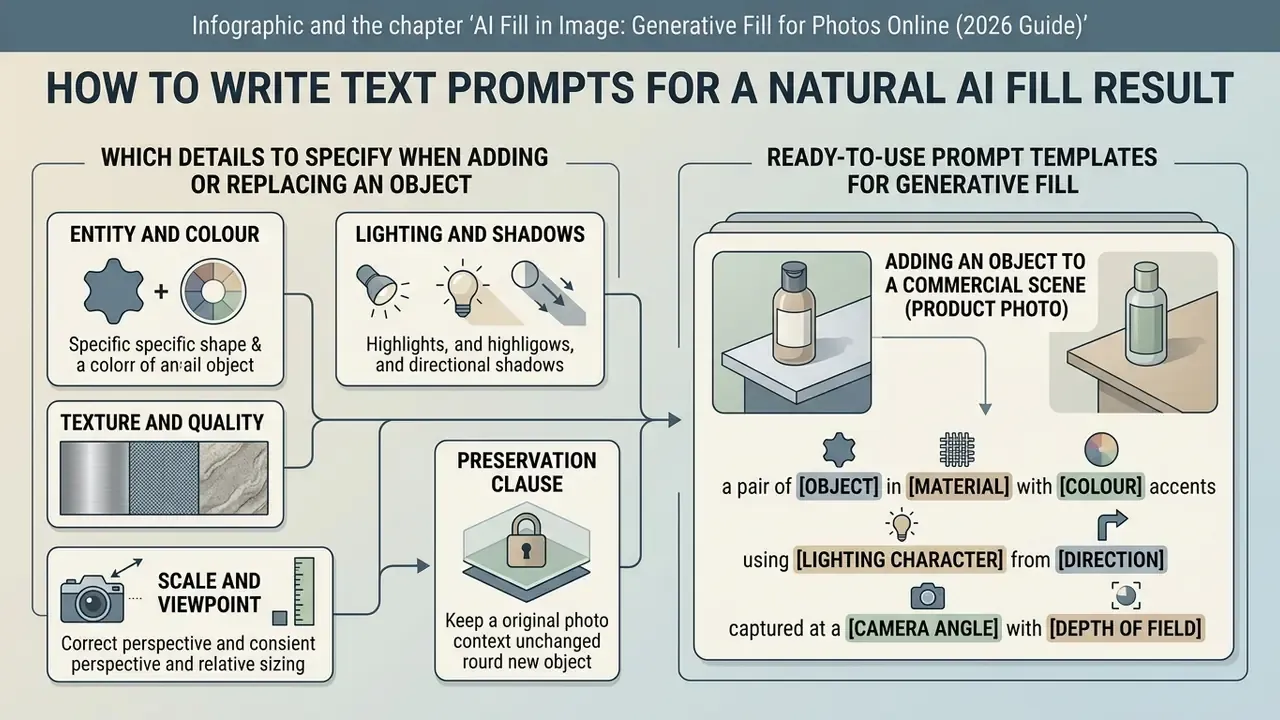
An effective generative-fill prompt must describe the object, its material, the character of the lighting, and the camera angle. Vague or excessively long queries cause semantic failures and unrealistic integration of details into the frame.
Public-sector prompt guidance converges on the same structure: state the context, objective, style, tone, audience, and required response format, then review and refine iteratively. Clear task formulation is what produces a natural looking result. Nothing mystical about it.
Which Details to Specify When Adding or Replacing an Object
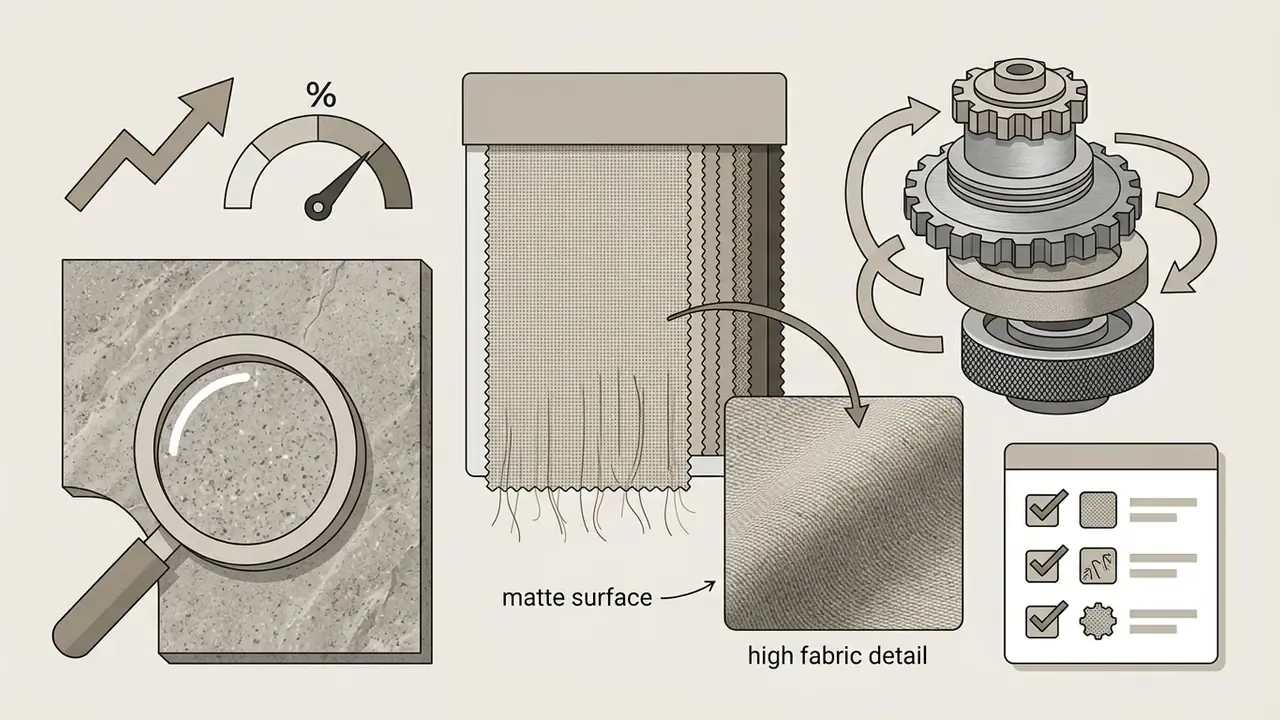
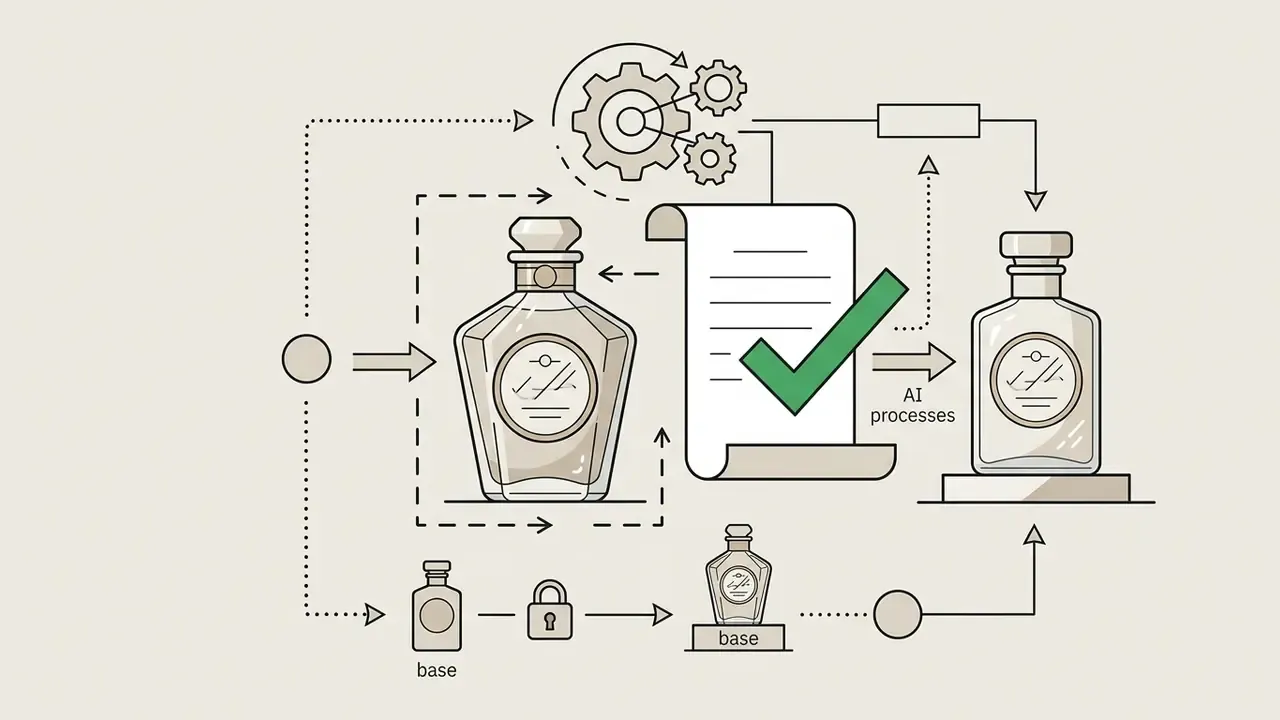
When writing a request to add new elements or replace elements, specify colour, texture, light source, and scale relative to the surroundings. This helps the algorithm reconcile the object with background conditions. Official image-prompting guidance lists the same fields: materials, lighting, colour, framing, viewpoint, relative scale, shadows, plus an explicit statement of what must stay unchanged.
When building complex model queries it is worth testing a dedicated ai image prompt generator.



Ready-to-Use Prompt Templates for Generative Fill
Copy, paste, and swap the bracketed variables:
Adding an object to a commercial scene (product photo):
[object]: ceramic white coffee cup with light steam, [lighting]: soft directional morning sunlight from the left, [style/background]: hyperrealistic, 8k, photorealistic texture, seamless desk integration --no blur, distortionReplacing clothing or accessories (virtual try-on):
[object]: black leather jacket with silver zippers, [alignment]: matching current body position and fabric folds, natural shadow on the neck, unchanged face and hairRemoving an object and restoring the background (inpainting):
[leave the prompt empty] or type: seamless empty cobblestone street background, matching ambient sunlight and existing shadow directionBackground replacement for a marketplace card:
clean light-grey studio backdrop, soft gradient falloff, contact shadow under the product, no props, no text, preserve product edgesOutpainting to a vertical format:
extend the scene downward and upward, continue the wooden floor and ceiling lines, keep perspective vanishing point, same colour temperature, 9:16 canvasVirtual staging for an empty room:
mid-century sofa, low coffee table and floor lamp, daylight from the existing window, shadows cast away from the window, realistic scale for a 20 m² room
How to Fix an Inaccurate Generation
When artefacts or wrong shapes appear, narrow the mask, simplify the query, and run another iteration. Trying to generate many small details in a single pass usually lowers image quality. Federal prompt guidance describes the loop as ask, review, revise, changing one variable per revision. Published iterative-prompting research typically needs three rounds before a prompt stabilises.
Importantly, decomposition is not a free win:
The practical reading: split a task into steps only when each step has its own mask. Re-running full-frame instruction edits on an already edited output accumulates identity drift and background degradation. Two or three rounds of that, and the product in the photo is no longer the product you sell.
Validation checklist for audit-ready output
Run this before any generated asset leaves the organisation:
- Geometryperspective lines of added objects converge with the scene's vanishing point; no bent straight edges.
- Light and shadowa contact shadow exists, and its direction and softness match every other shadow in the frame.
- Seam integrityzoom to 200-400% along the mask border; look for halos, aliasing, and colour banding.
- Micro-textureno repeated patterns or duplicated grain patches inside the filled region.
- Identity preservationfaces, logos, labels, and serial numbers outside the mask are pixel-identical to the source.
- Text legibilityno garbled lettering generated inside the fill area.
- Provenancesource file, mask file, model name and version, prompt, seed policy, operator, and timestamp are logged.
- Labellingthe exported asset carries content credentials (C2PA) or an equivalent disclosure where a platform or law requires it.
Eight checks, roughly two to four minutes per asset once a reviewer is trained. That number is your verification tax, and it belongs in the business case.
Who Needs AI Generative Fill and Why: Tasks by Role
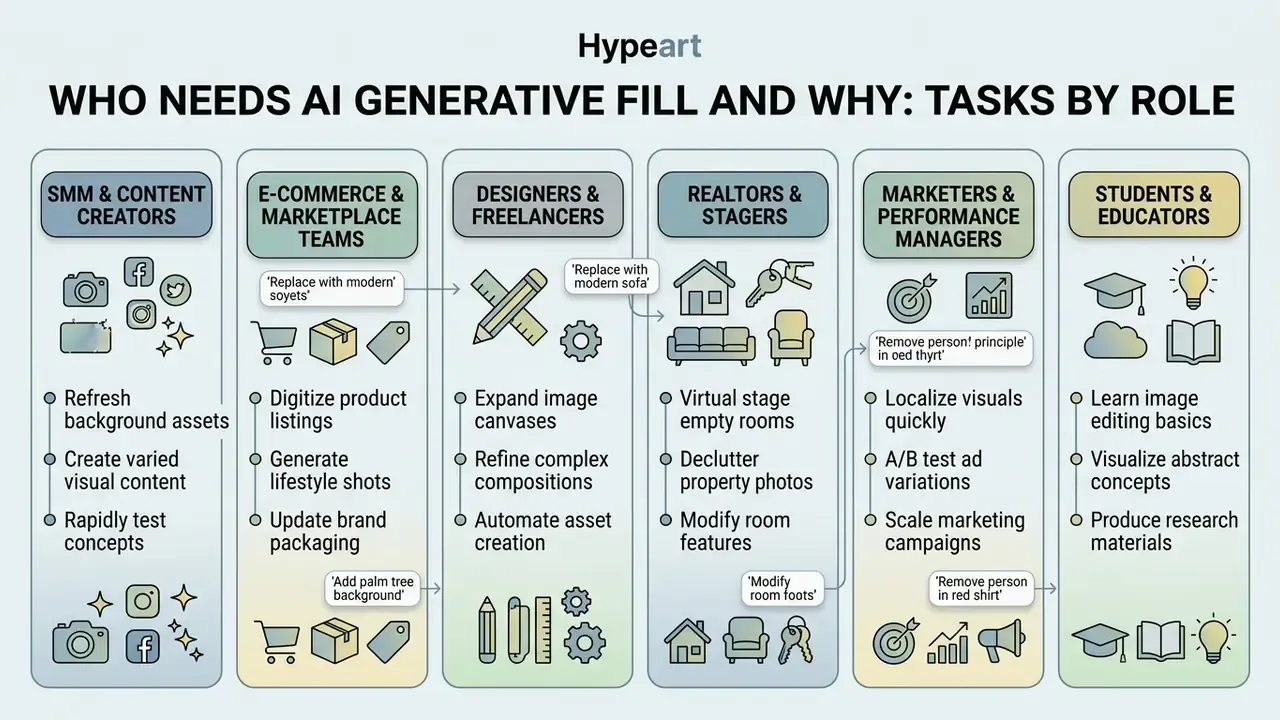
Generative fill is not one product but one capability applied to very different pain points.
- SMM managers and content creators. Adapt a single shot to 1:1, 9:16, and 16:9 without cropping the speaker or the product; remove accidental passers-by in one click; produce professional-grade posts in minutes without an expensive editing suite.
- E-commerce and marketplace teams. Virtually place items into interiors, replace product colour or texture, and clean up labels and defects without booking a repeat photo shoot.
- Designers and freelancers. Generate draft concepts in two minutes instead of two hours, extend layout edges (outpainting) to a client's non-standard grid, and deliver watermark-free files directly.
- Realtors and stagers. Virtually furnish empty rooms and clean construction debris or defects before publishing a listing.
- Marketers and performance managers. Test dozens of creatives per campaign from one asset base, producing high-volume visuals for banners and landing pages.
- Students and educators. Build visual material for presentations, posters, and teaching handouts with minimal skills, which suits collages and project work that needs maximum visual impact.
AI Image Filler for Product Photos, Real Estate, and Social Media
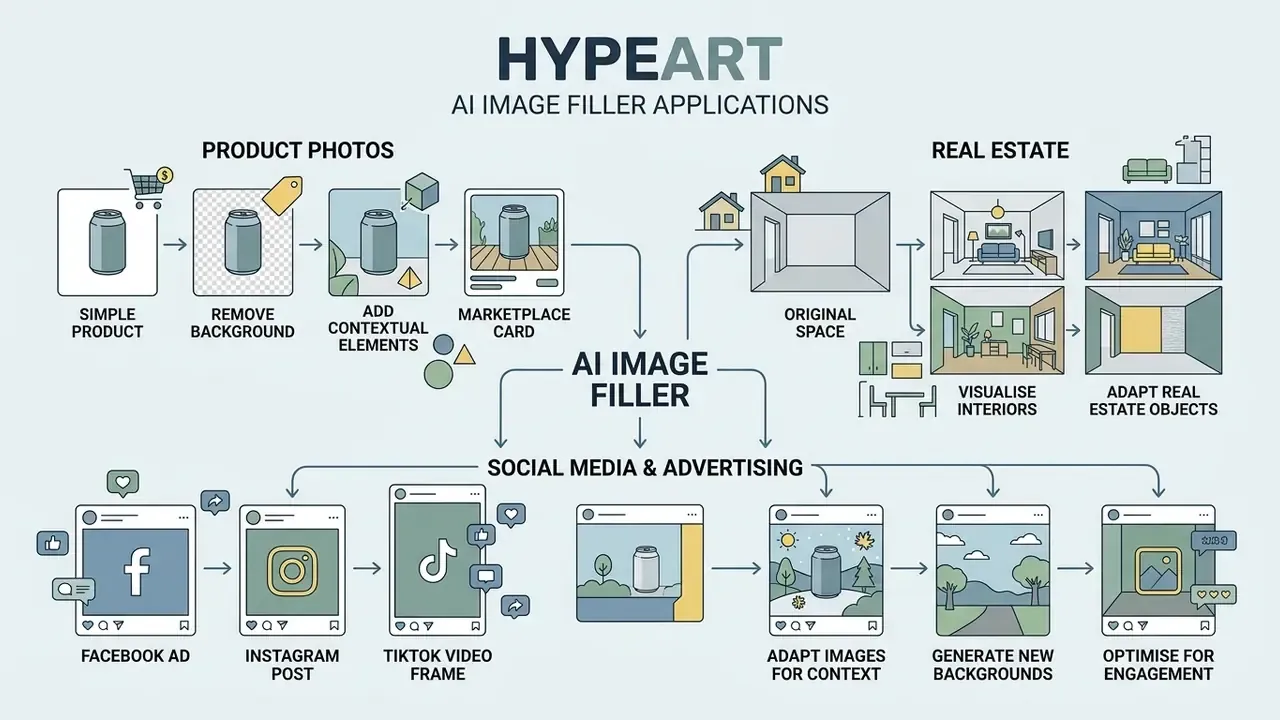
The AI image filler is in demand across commercial industries because it adapts visual content to a marketing task quickly. It is widely applied in e-commerce, real estate, and advertising, and it pairs naturally with conventional online photo editors for final polish.
Automating pre-press and web preparation with neural networks lets commercial departments cut studio photography spend, though the saving is real only when review time stays under control.
Preparing Product Photos for Marketplace Cards
In e-commerce, generative filling is used to clean shots of defects, switch the background to a neutral one, and build contextual surroundings for the product. Product photos demand absolute preservation of the object's own details while the environment stays fully editable.
Using remove background and replace elements, content managers place an item into an aesthetic interior or onto a minimal podium. The dataset evidence behind category-aware backgrounds is concrete:
Read the scope correctly. The dataset measures background quality and style consistency, not click-through rate. Category-consistent AI backgrounds improve visual coherence across a catalogue; any CTR effect must be validated by your own A/B testing. Research on e-commerce inpainting also documents the production sequence, prompt creation, inpainting with control adapters, then upscaling, and flags "overcompletion", the model inventing product parts, as the main realism risk. For a regulated seller that risk has a name: a misleading product representation.
Visualising Interiors and Real Estate Objects
In the real estate niche, generative filling powers virtual staging, construction-debris removal, and interior element replacement. Agents and designers can furnish an empty room or remove unnecessary items from the frame. A 2023 master's thesis written for a large brokerage network even integrated a deep-learning inpainting object remover directly into the agency's back-office portal.
By replacing outdated elements (replace objects) with modern equivalents (new elements), agencies build attractive property presentations without heavy spending on physical preparation of the premises. Two practical rules hold across markets: keep the room's real proportions, so no furniture at implausible scale, and disclose staged imagery in the listing to stay inside advertising rules.
How to Choose an AI Generative Fill Tool for Online Work
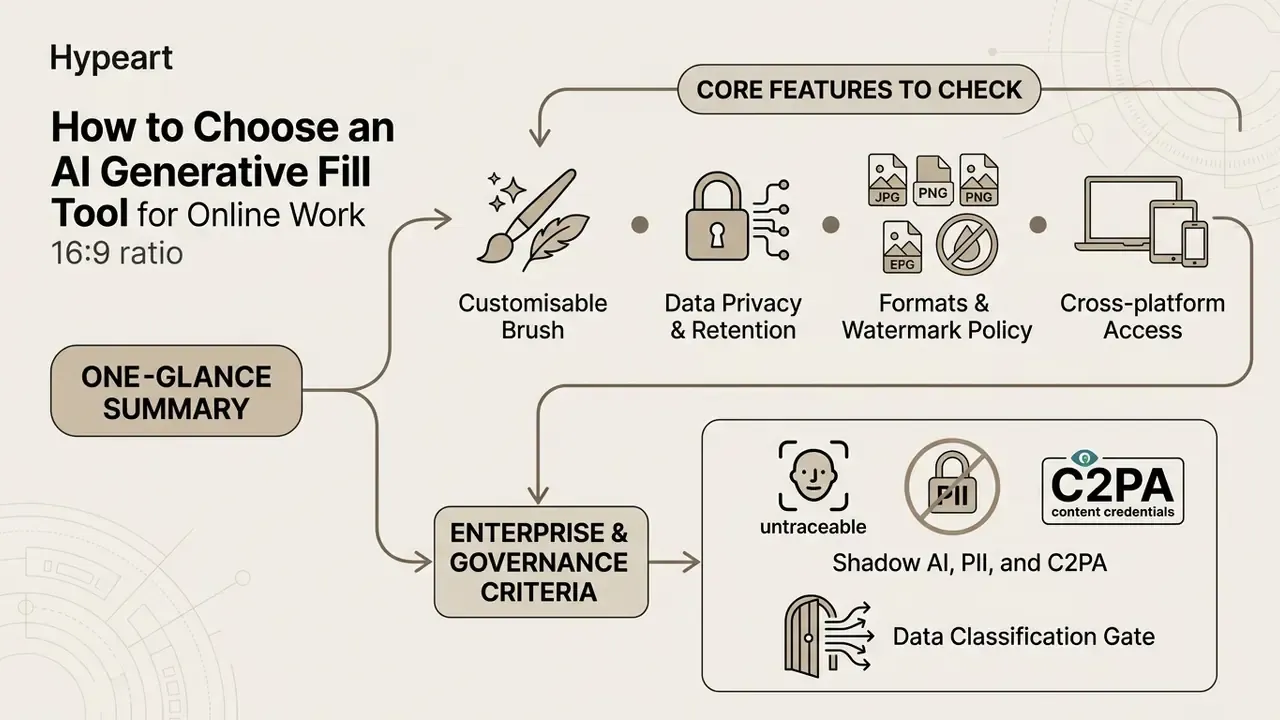
The right tool depends on inpainting accuracy, a built-in upscaler, the absence of aggressive watermarks, and licence transparency. Modern ai tools offer both limited free tiers and professional plans.
Editor evaluation should be driven by requirements for output file quality, generation speed, and the legal safety of the resulting graphics. And no single engine wins everywhere:
For a grasp of the underlying terminology you can explore the hub, and for a ranked shortlist consult the best AI image generators.
Which AI Tool Features to Check Before You Commit
When choosing an editor, analyse mask quality, support for add remove operations, per-frame processing speed, and variation flexibility. A professional generative fill tool must handle complex edges correctly, meaning hair, fur, and transparent glass, using advanced edge detection that preserves soft textures and shadows.
Critically important functions:
- Smart point selection and brushes with adjustable hardness.
- Built-in resolution (image upscaler) and clarity (image enhancer) modules.
- The ability to generate 3 to 4 variations per pass.
- Layer preservation for subsequent manual editing.
Technical specification checklist:
- Customisable brush size and feathering. Brush size from 1 to 500 px plus hardness control for accurate selection of hair and thin textures, with sub-pixel matting for semi-transparent objects.
- Data privacy and retention. Automatic deletion of source uploads from the provider's servers within a stated window, commonly 24 hours, plus a contractual guarantee that customer images are not used to train public models.
- Formats and watermark policy. Upload and export in PNG, JPG, JPEG, and WEBP without recompression, preserving source DPI and resolution up to 4K, with no branded watermark on paid output.
- Cross-platform access. A web version plus iOS and Android apps with project sync, so a mask started on desktop can be refined on mobile.
- Reproducibility. Named model versions, retained prompts, and re-generation history such as redo or refine, so an edit can be reconstructed later.
If you need a comparative analysis of the neural services on the market, study the AI Media Comparison Matrices.
Enterprise and Governance Criteria: Shadow AI, PII, and C2PA
For regulated organisations the selection criteria shift from visual quality to controllability. The dominant failure mode is Shadow AI: an employee pastes a customer photo, a signed contract, or an internal floor plan into a free browser filler, and the file leaves the perimeter with no record. No approval, no log, no way to answer an examiner's question later.
Minimum governance requirements before approval:
- Data classification gate. An explicit rule on what may never be uploaded: PII, banking secrecy, KYC documents, medical records, unreleased product designs.
- Retention and residency. Documented deletion windows, storage region, sub-processor list, and a no-training clause for customer content.
- Security attestations. SOC 2 Type II or ISO/IEC 27001 evidence, SSO and SCIM support, role-based access, and a tamper-resistant audit log of who edited which asset with which model.
- Deployment options. Private cloud, VPC, or on-premise inference with open-weight SDXL-class inpainting where public-API upload is prohibited.
- API and SLA. Documented throughput limits, uptime SLA, and version pinning, so a silent model update cannot change brand output overnight.
- Provenance and labelling. C2PA Content Credentials or equivalent metadata attached at export, aligned with emerging AI-content transparency obligations such as the EU AI Act's disclosure duties for synthetic content.
- Model inventory entry. Each approved engine registered with its purpose, autonomy level (masked versus prompt-only), known artefact classes, and required human review step.
One more control that costs almost nothing: name a single owner per approved tool. Unowned tools drift.
Total Cost and ROI: Counting Control, Not Only Credits
The real cost of generative fill is generation plus verification plus risk. A workable estimate:
Monthly value = (Shots avoided × Cost per shot) + (Hours saved × Blended rate) − (Subscription + API spend) − (Verification hours × Blended rate) − (Rework rate × Cost per asset)
Two figures dominate the outcome. First, the verification load: with roughly a third of generated elements carrying geometric or shadow inconsistencies, budget review time per asset rather than assuming one-pass delivery. Second, the rework rate: assets rejected at brand or legal review. A pilot on 100 real assets gives a defensible number faster than any vendor benchmark. Measure pass rate at first attempt, average iterations per approved asset, and minutes of human review per asset. Then decide.
Free AI Fill Online and Selection Criteria for Commercial Tasks
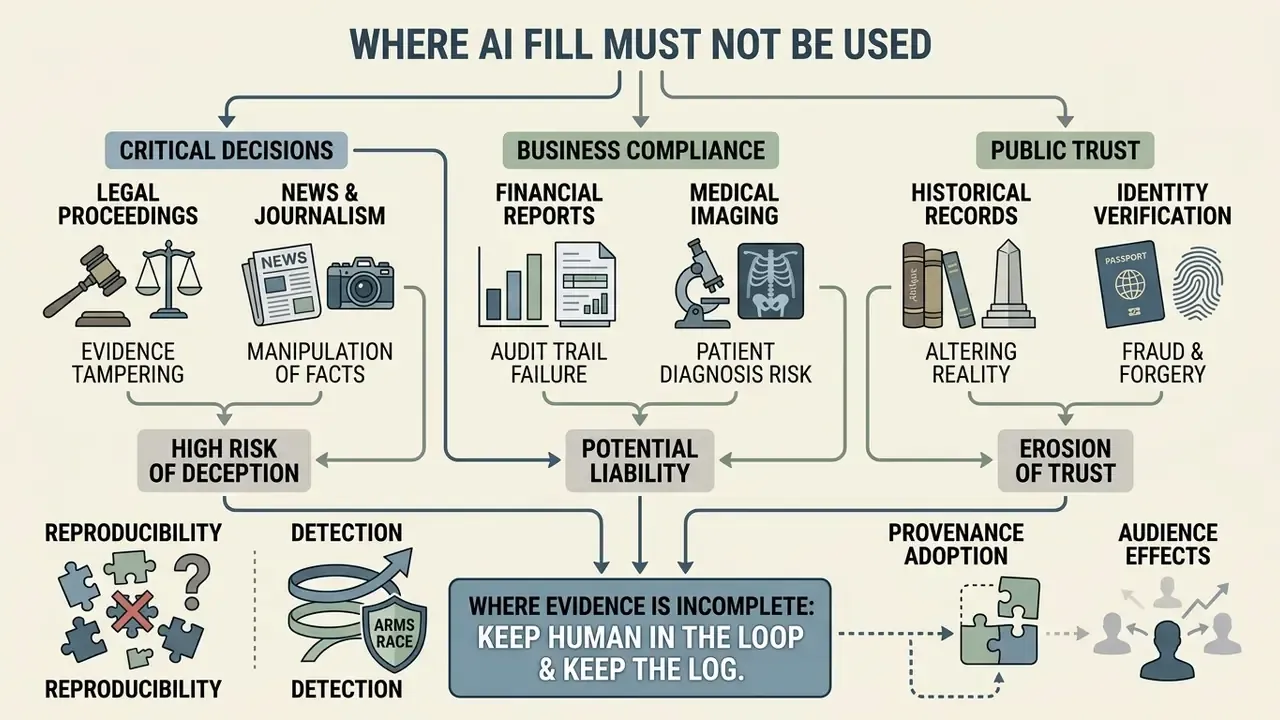
Where AI Fill Must Not Be Used
Some contexts make generative fill an unacceptable tool regardless of output quality, because a plausible reconstruction is not the same thing as evidence:
- KYC, identity, and biometric verification. Any fill on an ID photo, passport scan, or selfie check destroys evidentiary value.
- Financial reporting, audit exhibits, and disclosure materials. Screenshots of figures, statements, or signatures must never be regenerated.
- Legal documents, insurance claims, and incident photography. Edited imagery can constitute evidence tampering.
- Medical and diagnostic imaging. Synthetic pixels may create or erase clinically relevant findings.
- Regulated product claims. Packaging text, certification marks, dosage or ingredient labels must not be AI-generated.
- News and documentary photography. Established editorial ethics prohibit adding or removing scene content.
Where generated visuals are permitted but consumer-facing, keep disclosure and provenance metadata intact. For repeatable content processes, study ready-made scenarios and workflows. If your organisation faces copyright and legal-compliance questions in AI work, compare options.
Disclaimer: the regulatory and compliance notes above are general guidance, not legal advice. Confirm obligations with qualified counsel for your jurisdiction and industry.
Limitations and Open Questions
Outlook: Using AI Fill in Multimedia and Video Animation
Modern pipelines are not limited to static graphics. Once a frame has been completed with generative fill, the resulting objects and characters can be animated:
Platforms already ship this convergence in one interface: image fill, model choice, lossless PNG export, MP4 up to 4K, multilingual voice, and lip-sync in a single workspace. The governance implication is straightforward. Provenance labelling and human review must follow the asset through every stage, not only the first.
FAQ: Frequently Asked Questions About AI Fill in Image
What is AI generative fill?
An AI image-editing technique that removes, adds, or replaces parts of an image, or extends its edges. By interpreting image content and context, it synthesises new pixels that blend with the surrounding area.
Does it preserve hair, edges, and fine detail?
Good implementations use advanced edge detection and sub-pixel matting to preserve hair, fur, shadows, and soft textures. Reduce brush hardness on such areas and always inspect the seam at 200-400% zoom.
Is AI generative fill free?
Many services let you preview effects for free. Full-resolution, watermark-free download and commercial rights usually require a paid plan or a trial, and the terms differ per vendor.
Can I use the results commercially?
It depends on both the licence of the tool and the rights to the source image. If the original is not copyright-free, editing it does not create clean commercial rights.
Can I use generative fill on mobile?
Yes. Leading tools ship iOS and Android apps with brush selection, prompt input, and generation. Check that export rights and resolution match the web tier.
What formats and resolutions are supported?
Typical input is JPG, JPEG, PNG, and WEBP. Typical output is high-quality JPG or lossless PNG, with professional tiers supporting up to 4K and separate 2× or 4× generative upscale.
How many variations do I get per run?
Commonly two per generation, with a "generate more" action for extra options. Professional editors offer 3 to 4 variations per pass plus non-destructive redo.
Is it the best Photoshop generative fill alternative?
Browser tools win on speed, zero installation, and free previews for casual use. Desktop suites win on layer control, colour management, and reproducible enterprise workflows. Choose by task, then verify governance criteria.
Can generative fill be used on KYC or AML documentation?
No. Any regenerated pixel on an identity document or transaction evidence removes its evidentiary value and creates an audit finding waiting to happen.
Footer / Navigation Hub
To explore the full commercial capabilities, guides, and reviews of generative neural networks for business, you can open the hub.