An ai image prompt generator translates vague creative concepts into standardized, model-ready textual instructions. By structuring inputs into distinct semantic layers (subject, visual direction, technical constraints, and negative criteria) these tools remove guesswork and reduce generative drift across image synthesis workflows.
Why should a risk or compliance leader care about a creative tool? Because the prompt is where brand, disclosure and intellectual-property controls either exist or quietly do not.
Executive Summary: A Decision in 60 Seconds
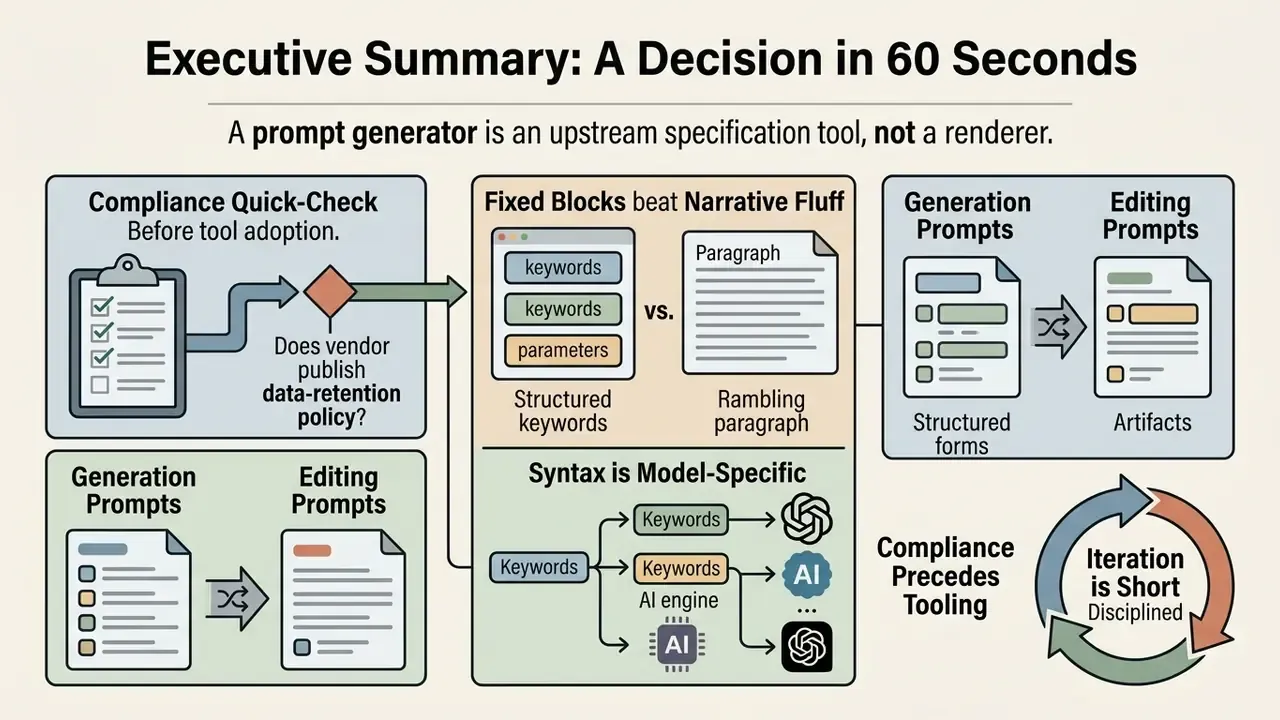
- A prompt generator is an upstream specification tool, not a renderer. It compiles structured text; the image model executes it. Separating the two stages is what makes visual output auditable and repeatable.
- Five to six fixed blocks beat narrative fluff. Vendor documentation across OpenAI, Google and Runway converges on the same skeleton: scene or background, subject, key details, camera and lighting, technical parameters, explicit exclusions.
- Generation prompts and editing prompts are different artifacts. Editing prompts must declare what stays untouched, what changes, and the role of each reference image.
- Syntax is model-specific. Stable Diffusion wants weighted tags plus a negative channel; Midjourney wants flags; FLUX and Nano Banana want natural prose; Ideogram wants quoted typography.
- Compliance precedes tooling. Copyright eligibility, vendor Terms of Service revenue thresholds, reference-image rights, data retention and audit logging determine which prompt generators are approvable in regulated environments.
- Iteration is short when it is disciplined. Change one variable group per cycle; published prompt-optimization research reports convergence within roughly three to five refinement rounds.
Who This Guide Serves and Which Decision It Supports
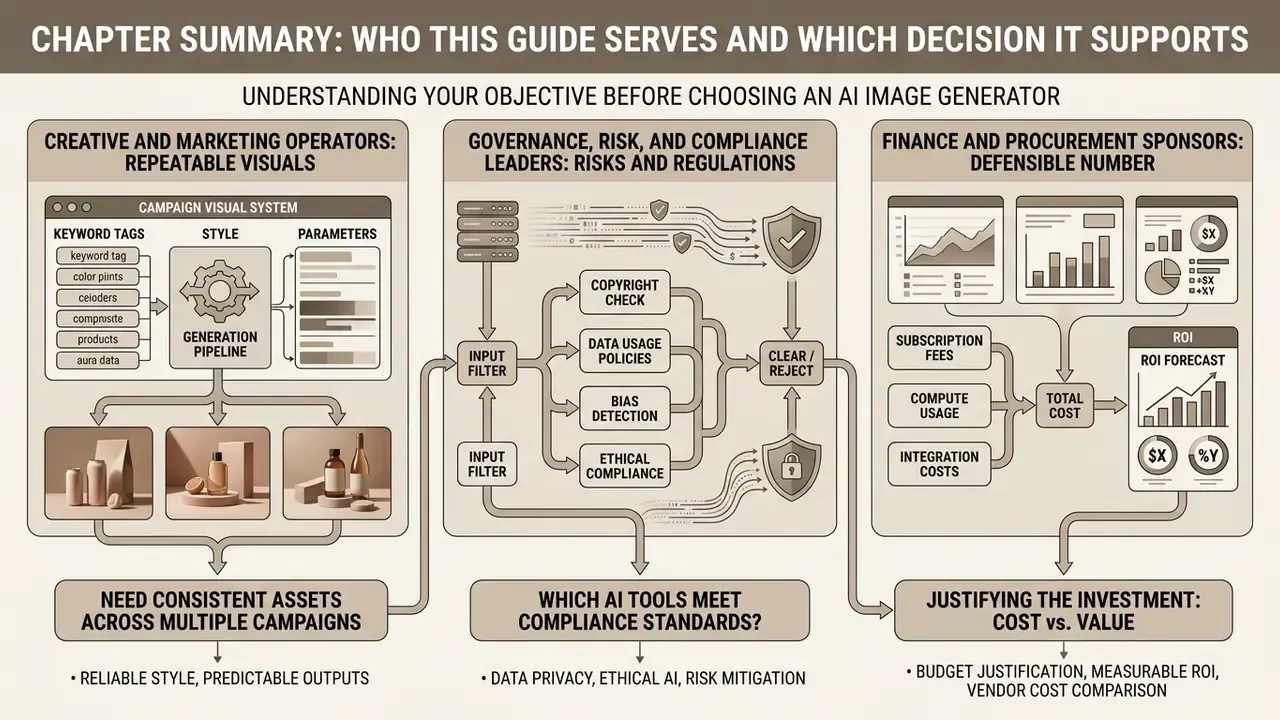
Three groups usually land here with different jobs to be done, so it helps to state them plainly before the detail starts.
Creative and marketing operators need repeatable visuals: the same hero banner style across twenty campaign variants, without twelve rounds of rework. For them the payoff sits in the keyword library and the six-block skeleton.
Governance, risk and compliance leaders in banks and mature fintechs face a narrower question: which of these tools can touch internal reference material, and what evidence survives an audit? For them the payoff sits in the audit-record table, the vendor due-diligence list, and the commercial-use rules.
Finance and procurement sponsors want a defensible number. Fewer revision cycles, not cheaper generations, is where the money actually appears, and the ROI formula later in this guide is deliberately conservative about control cost.
One caveat worth stating early. Audience assumptions like these should be treated as hypotheses until confirmed by interviews, analytics or CRM data. We present them as working assumptions, not as measured facts. Technical terms are defined at first use, and if you want broader background first, you can browse the hub of definitions.
What Is an AI Image Prompt Generator and How Does It Work?
An ai image prompt generator is a text-specification tool that transforms unstructured user ideas into optimized, model-compliant text prompts. It does not render pixels directly. Instead it formats semantic descriptions, defining subjects, scene geometry, lighting, and style parameters, before sending them to downstream image models such as Stable Diffusion or DALL·E.
Google's own platform documentation frames the prompt as the primary interface to the model, recommending that creators build it from subject, context or background, and style, then refine with progressively finer detail.
«Prompts are the primary way to communicate with the model; start with subject, context and style, then refine with more detail.»
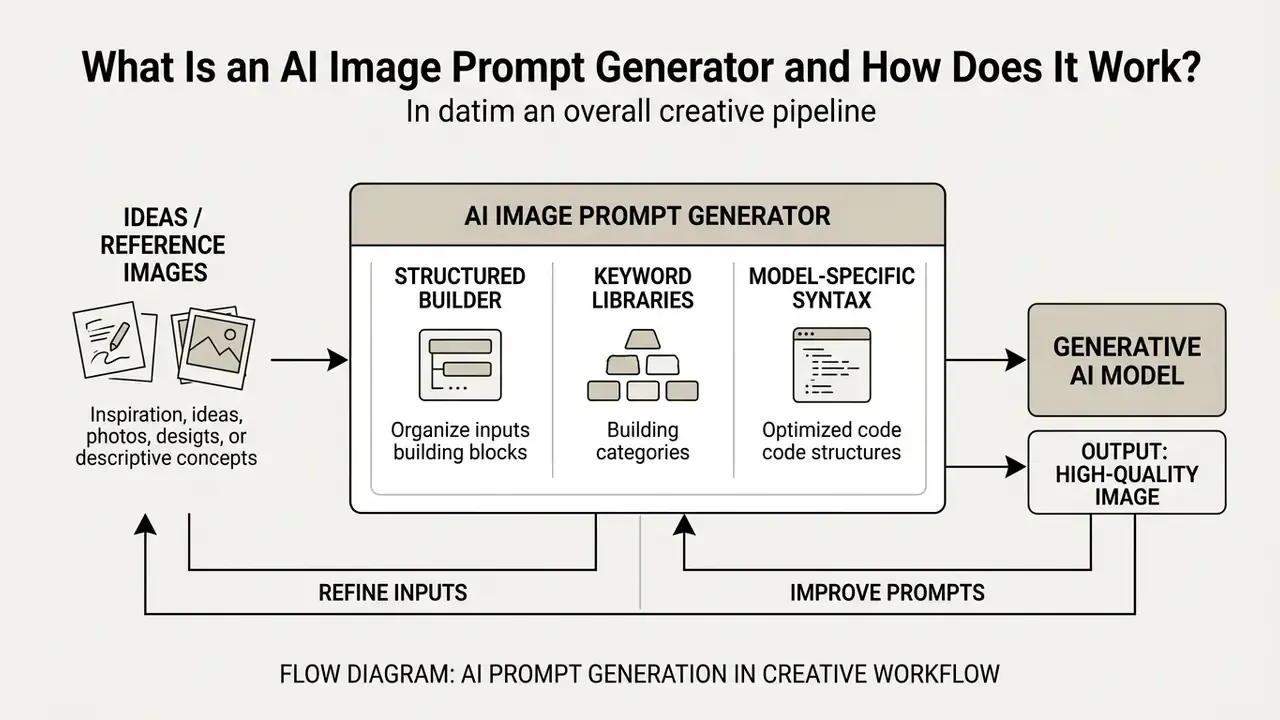
From a Rough Idea to a Structured Prompt
Converting a rough concept into a high-fidelity image means converting ambiguous descriptions into a structured prompt. When users provide an unrefined text fragment, an ai prompt generator for image expansion breaks the concept into separate operational fields: core subject, visual direction, lighting, composition, and exclusions.
According to research on automated prompt optimization (UF-FGTG, Hei et al., AAAI 2024), converting coarse user inputs into model-preferred detailed prompts yields measurable gains across visual quality and aesthetic metrics.
The ai image prompt generation process replaces generic descriptors with proven domain keywords. That way the downstream image generator receives unambiguous contextual instructions, rather than leaving composition, lighting and identity to random latent sampling.
The specification stage is also where the prompt becomes a documented artifact. Practitioner literature recommends storing prompts with explicit fields (name, goal, target model, temperature, token limit, sampling parameters, prompt text and resulting output) so each version is traceable.
«The prompt-design process is iterative: craft a prompt, test it, analyze results, and refine the wording and structure until the output matches the task.»
Mini Prompt Constructor: Build a Prompt in One Table
Use this table as a zero-click constructor. Pick one value per row, read the right column downward, and you have a production-grade prompt without opening any tool.
| Block | Pick one (or combine two) | Resulting prompt fragment |
|---|---|---|
| 1. Scene / Background | studio backdrop · urban street · coastal dune · modern office interior · transparent background | "A quiet modern office interior with floor-to-ceiling glass…" |
| 2. Primary Subject | single person · product hero · architecture exterior · food plating · abstract pattern | "…a compliance officer reviewing charts on a tablet…" |
| 3. Style / Medium | photorealistic editorial photography · vector illustration · matte painting · architectural render · 3D product render | "…clean commercial editorial photography…" |
| 4. Lighting | soft diffuse daylight · Rembrandt lighting · golden hour · rim lighting · volumetric fog | "…soft diffuse indoor lighting with subtle rim light…" |
| 5. Camera / Composition | 35mm wide · 50mm f/2.8 · 85mm portrait · eye-level · low angle · bird's-eye · 16:9 banner framing | "…shot on 50mm at f/2.8, eye-level, 16:9 framing…" |
| 6. Color & Mood | muted pastel palette · monochromatic blue · high-contrast chiaroscuro · warm sand and sage · neon accents | "…muted palette with subtle blue accents…" |
| 7. Exclusions (negative) | no text · no watermark · no logos · no extra fingers · no lens flare · no oversaturation | "No visible text, no watermark, no logos, no extra fingers." |
Copy-paste skeleton:
[Scene]: …
[Subject]: …
[Style & Medium]: …
[Lighting]: …
[Camera & Composition]: …
[Color & Mood]: …
[Exclusions]: no text, no watermark, no logos, no distorted anatomy
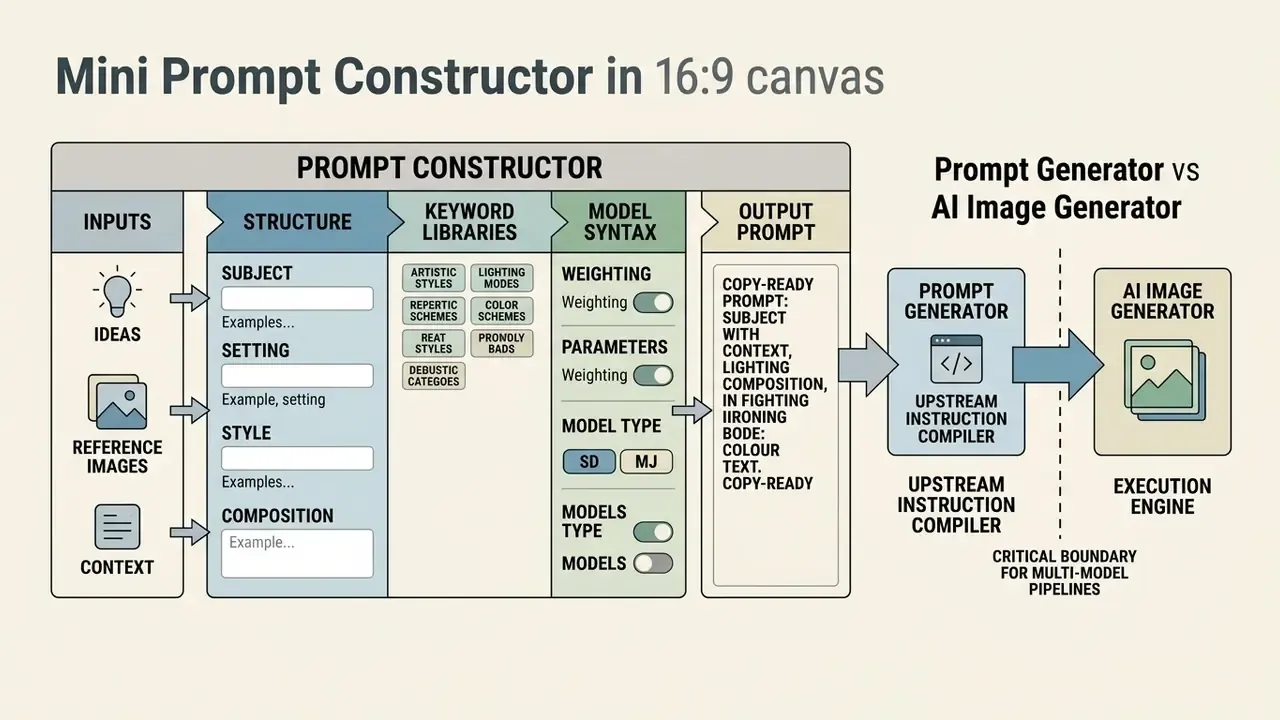
Prompt Generator vs AI Image Generator
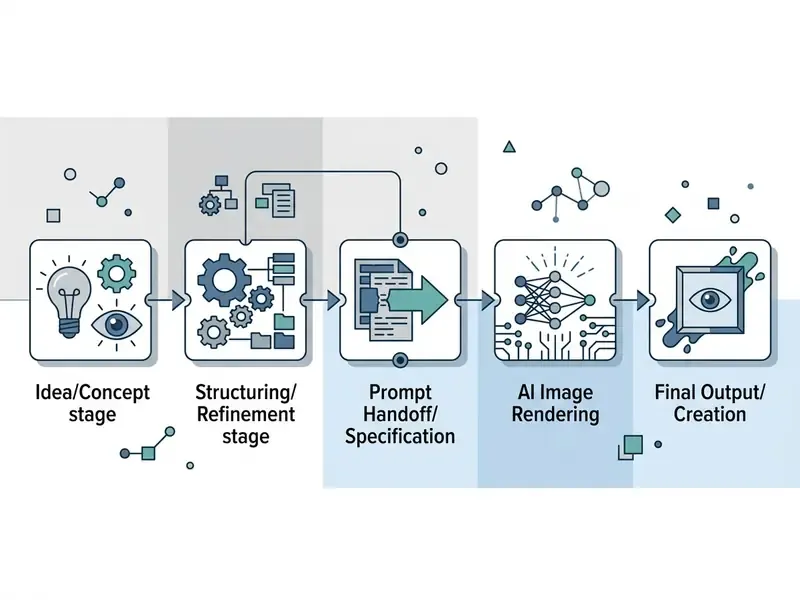
A prompt generator works as an upstream instruction compiler, whereas an ai image generator is the downstream synthesis engine. The prompt tool focuses purely on language engineering, semantic structuring, and constraint definition. The image generator consumes those structured text prompts to sample latent space and output bitmap imagery.
| Functional Dimension | AI Image Prompt Generator | AI Image Generator |
|---|---|---|
| Primary Input | Unstructured text, keywords, or reference image | Structured text prompt, seed numbers, sampler settings |
| Primary Output | Standardized, model-ready text prompt | Rendered image file (PNG, WebP, JPEG) |
| Core Mechanism | Natural language processing, LLM constraint mapping | Latent diffusion, noise reduction, vector embedding |
| Workflow Stage | Upstream specification and governance | Downstream execution and synthesis |
| Artifact for Audit | Versioned prompt text, parameter fields | Image file, seed, model version, generation timestamp |
Understanding this boundary is critical when designing multi-model pipelines. In orchestration frameworks the split is literal: a prompt-builder component assembles artistic elements, composition, mood, lighting and style, and only then does an image-generation component consume that structured text. Using a dedicated ai generator image prompt tool lets creators reuse verified prompt structures across multiple models without re-authoring core creative specifications from scratch. Readers comparing execution engines rather than specification tools can review our overview of AI image generators and their licensing terms.
What Makes an AI Image Prompt Produce Better Results?
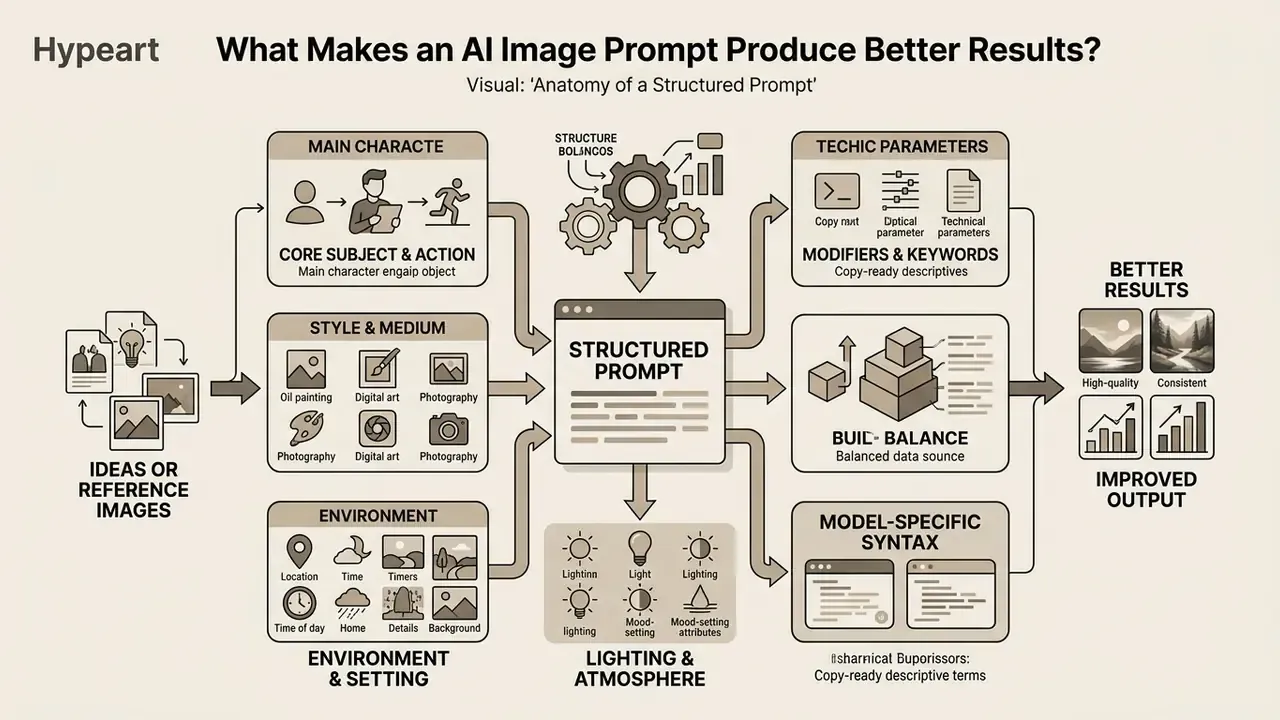
An effective image prompt produces consistent results through precise positioning, specific stylistic keywords, and explicit exclusion bounds. Empirical research confirms that structured prompts organized by fixed semantic blocks outperform unstructured narrative descriptions in control accuracy, visual fidelity, and compliance.
Human-computer interaction studies show where most users actually fail: not in describing subjects, but in lacking the stylistic vocabulary needed to steer a model.
«Participants could judge prompt quality and write descriptive requests, yet lacked the stylistic vocabulary needed to refine outputs effectively.»
Visual Direction and Reference Image
Defining a clear visual direction means specifying framing, camera angles, lighting conditions, and artistic medium parameters. Using a reference image alongside text conditioning anchors these parameters, giving the generative model concrete spatial and color reference points.
Studies on camera-conditioned prompting show that adding explicit camera descriptors, such as focal length, lighting style, and camera angle, improves alignment and safety behavior at once.
«Adding optimal camera descriptions improves semantic consistency by 16%, text-image alignment by 5%, and safety metrics by 48.9%.»
Reference conditioning is now a first-class control rather than a workaround. Recent methods encode the reference image into the same latent space as the target and blend visual reference with textual instruction during fine-tuning, while retrieval-based approaches fetch relevant images from the prompt itself and feed them back as context. Practical tools expose this as reference strength, drawing influence and material transfer sliders, so the prompt must name which reference governs which attribute. Used well, a reference image keeps brand continuity intact while you experiment with secondary creative variations.
Keywords, Prompt Structure and Detail
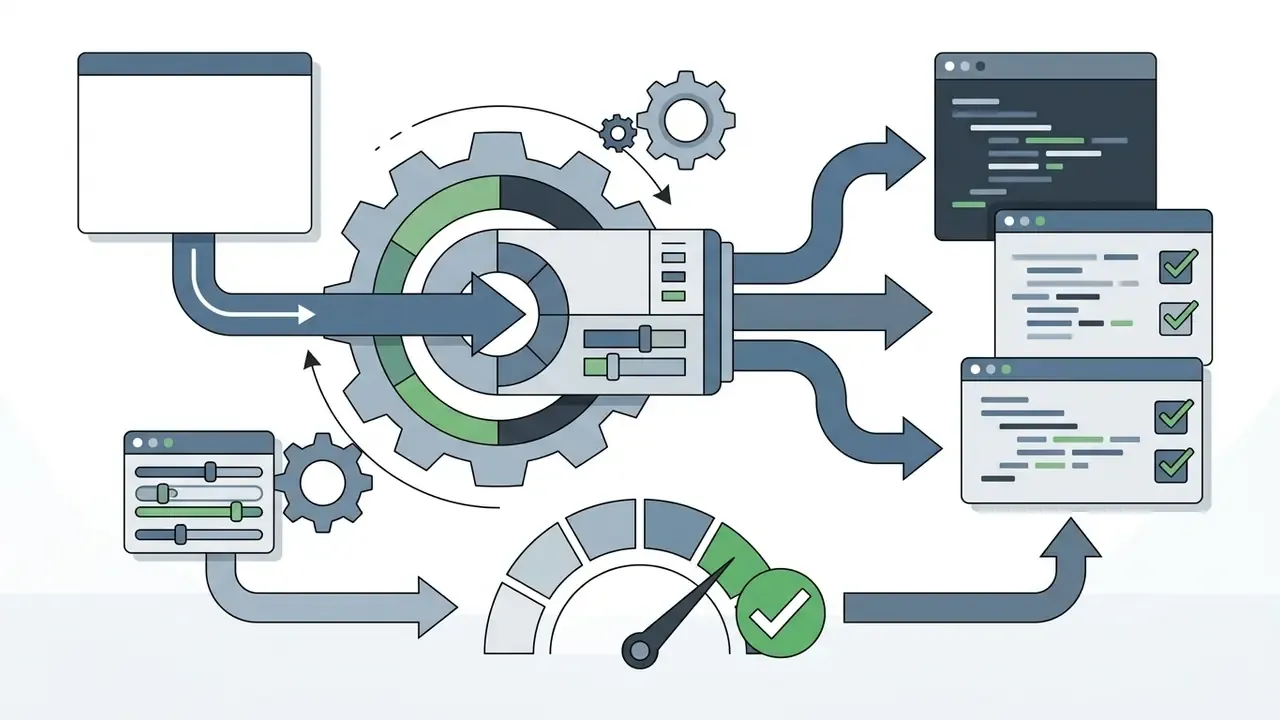
Prompt quality relies on keyword selection and structural hierarchy rather than conversational fluff. Leading vendor documentation recommends a consistent sequence: background or scene, primary subject, key details, technical parameters, explicit exclusions, with short labeled segments or line breaks for complex requests.
«Follow a consistent order, background/scene, subject, key details, constraints, and use short labeled segments for complex requests.»
Updated block taxonomy used by current vendor guidance and peer-reviewed prompting studies:

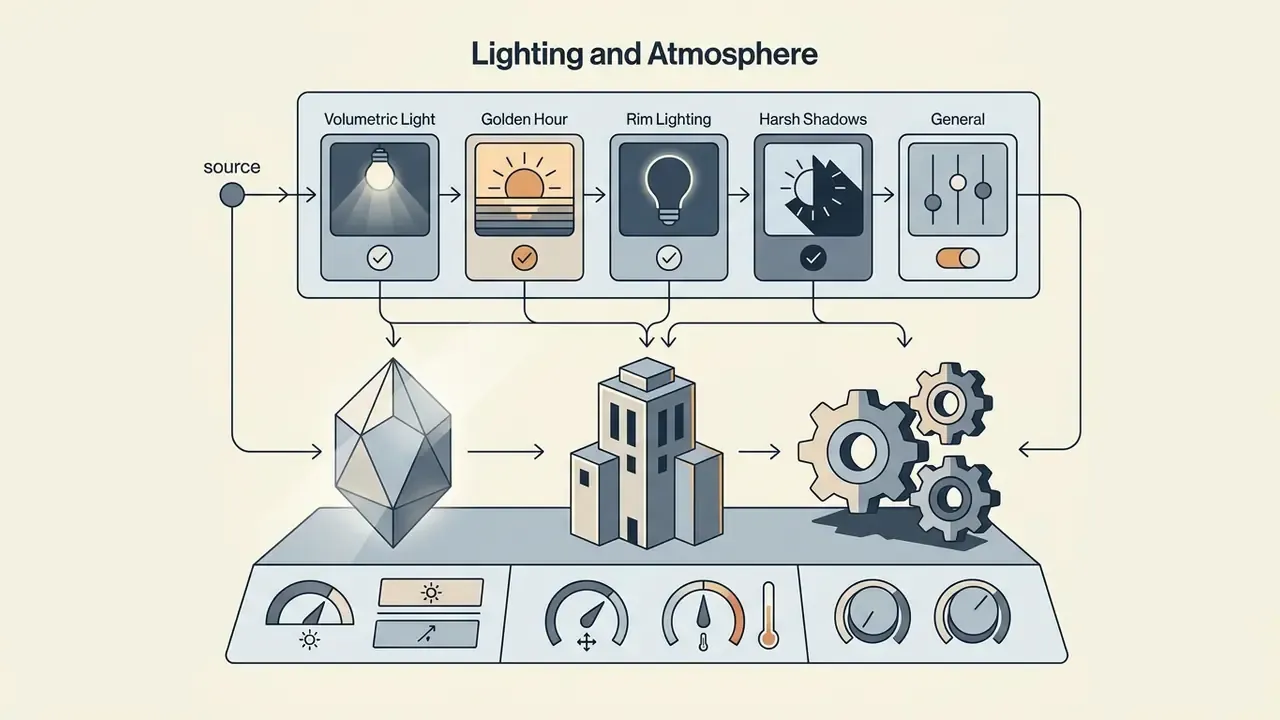
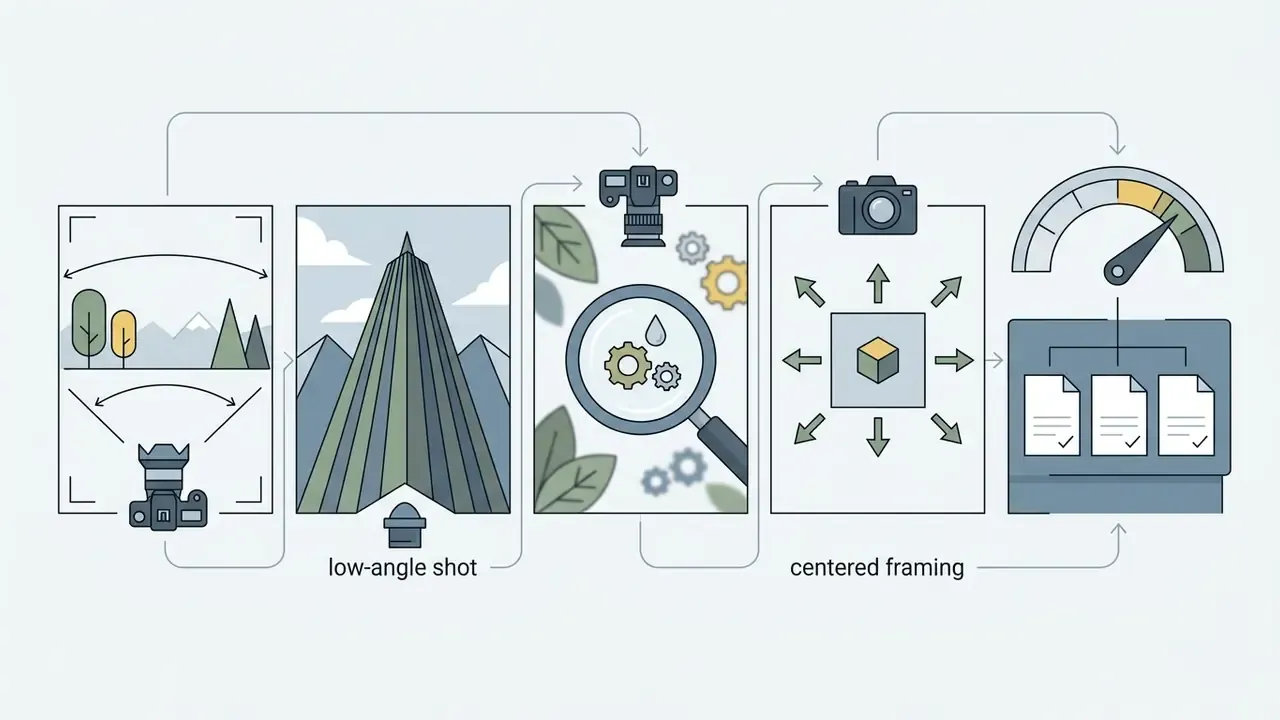
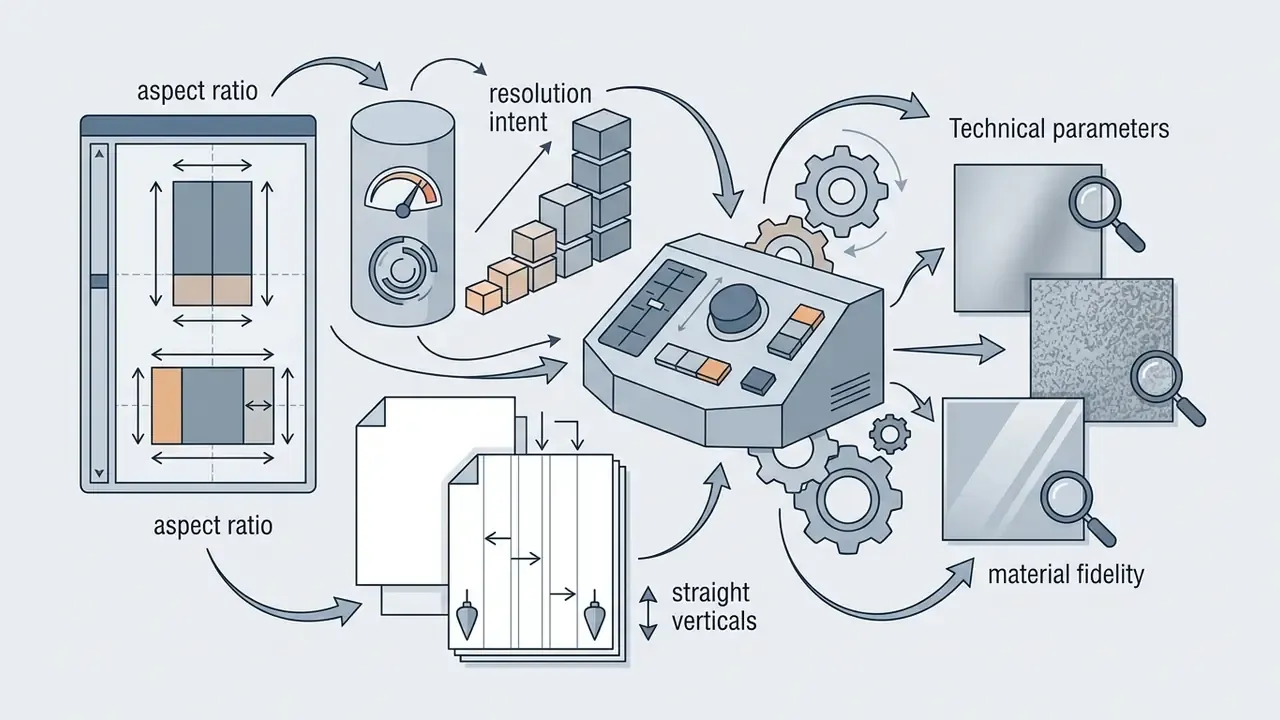
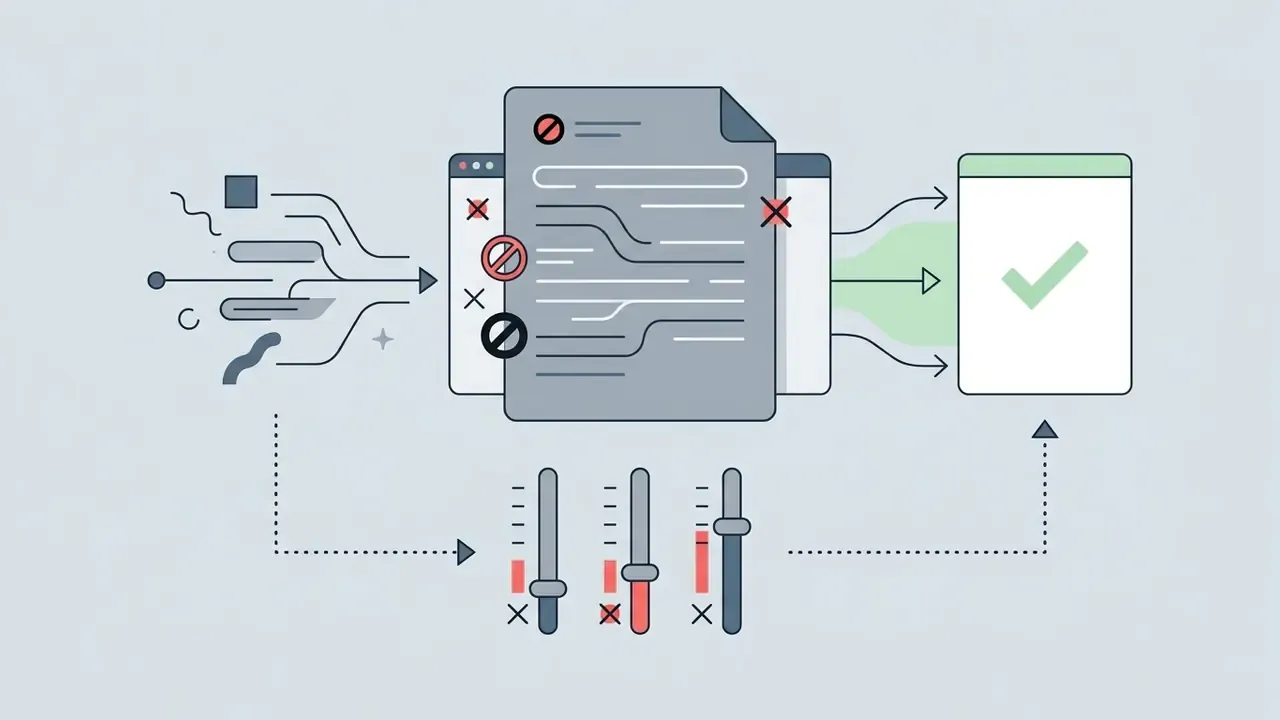
Peer-reviewed design guidance reinforces the same priority: prompt choice should concentrate on subject and style keywords rather than connecting words, because connective language contributes little conditioning signal.
Testing shows that specific technical terms (for example "35mm prime lens, volumetric fog") yield more reproducible results across model updates than generic quality boosters like "hyperrealistic" or "4K resolution". That observation is consistent with ethnographic research into how practitioner communities actually write prompts.
«A three-month ethnographic study of online communities identified six prompt-modifier types, style, medium, camera, artist, lighting, post-processing, that systematically shape visual output.»
Essential Keyword Library by Visual Category
To get precise execution without narrative filler, layer specific technical keywords into your prompt blocks. Use one to three keywords per category. Overloading a single category usually degrades adherence rather than improving it.
| Category | High-Impact Keywords | Best Used For |
|---|---|---|
| Camera & Lens | 85mm prime lens, 35mm architectural look, f/1.8 aperture, macro detail, bird's-eye view, worm's-eye view, dutch angle, isometric view | Controlling depth of field, scale, and focus point |
| Lighting | Rembrandt lighting, volumetric fog, rim lighting, golden hour, harsh direct sun, soft diffuse window light, practical neon sources | Setting mood, dimensionality, and shadow contrast |
| Skin & Texture | subsurface scattering, visible pores, natural skin grain, unretouched, microblemishes, freckles, under-eye bags, natural oil sheen | Preventing the plastic "AI look" in photorealistic portraits |
| Film & Medium | Kodak Portra 400, 35mm film grain, vector illustration, architectural render, matte painting, editorial product render | Establishing medium texture and color balance |
| Color & Mood | muted pastel palette, monochromatic blue, high-contrast chiaroscuro, neon accent, warm sand and sage, desaturated documentary tone | Preserving brand visual continuity |
| Shot Type & Composition | close-up, medium shot, full-body shot, establishing shot, flat lay, rule-of-thirds framing, negative space left third | Reserving layout space for headlines and UI overlays |
| Wardrobe & Era | business formal, techwear, 1920s flapper dress, Victorian tailoring, athleisure, retro 70s palette | Locking period accuracy and brand dress codes |
| Environment & Weather | overcast diffuse sky, light sea breeze, wet asphalt reflections, dust particles in air, fresh snowfall | Adding physical plausibility without clutter |
| Post-Processing | subtle halation, film halation bloom, low-contrast log grade, clean commercial retouch, no HDR | Matching an established house grade |
Each of these terms exists densely in training captions, which is why they behave as reliable levers: the model has seen thousands of examples labeled with them. Generic superlatives carry no such signal.
Image Generation Prompts vs Image Editing Prompts
Authoring a prompt for a new asset needs a different syntax strategy than modifying an existing graphic. Most failed edits are not model failures. They are specification failures, where the prompt never declared what must survive the edit.
- Image Generation Prompts (text-to-image) build a visual composition from scratch. They define every layer, subject, background, lighting, and medium, without prior context constraints.
- Image Editing Prompts (image-to-image, inpainting) must explicitly state three operational parameters:
- Source Context which original elements stay completely untouched (for example, "preserve original subject identity, pose, camera angle and background geometry").
- Target Modification the precise mask area and the change requested (for example, "replace the background office with a sunlit outdoor terrace; change only the background").
- Reference Roles when providing multiple reference images, define whether each one specifies composition, style, identity, product geometry, or palette.
Vendor documentation formalizes this pattern with a "change only X" instruction plus an explicit preserve list, and notes that repeating preservation instructions across iterations reduces drift.
«For edits, say 'change only X' and list what must be preserved: identity, geometry, layout, lighting, or labels.»
Editing prompt template:
[Source]: Product photo of a matte-black water bottle on a white cyclorama.
[Change only]: Replace the white background with a shaded outdoor stone ledge.
[Preserve]: bottle geometry, label typography, cap color, original lighting direction, shadow contact point.
[Reference roles]: image_1 = product geometry; image_2 = background style; image_3 = palette.
[Exclusions]: no new objects, no reflections added to the label, no text, no watermark.
How to Use an AI Image Prompt Generator
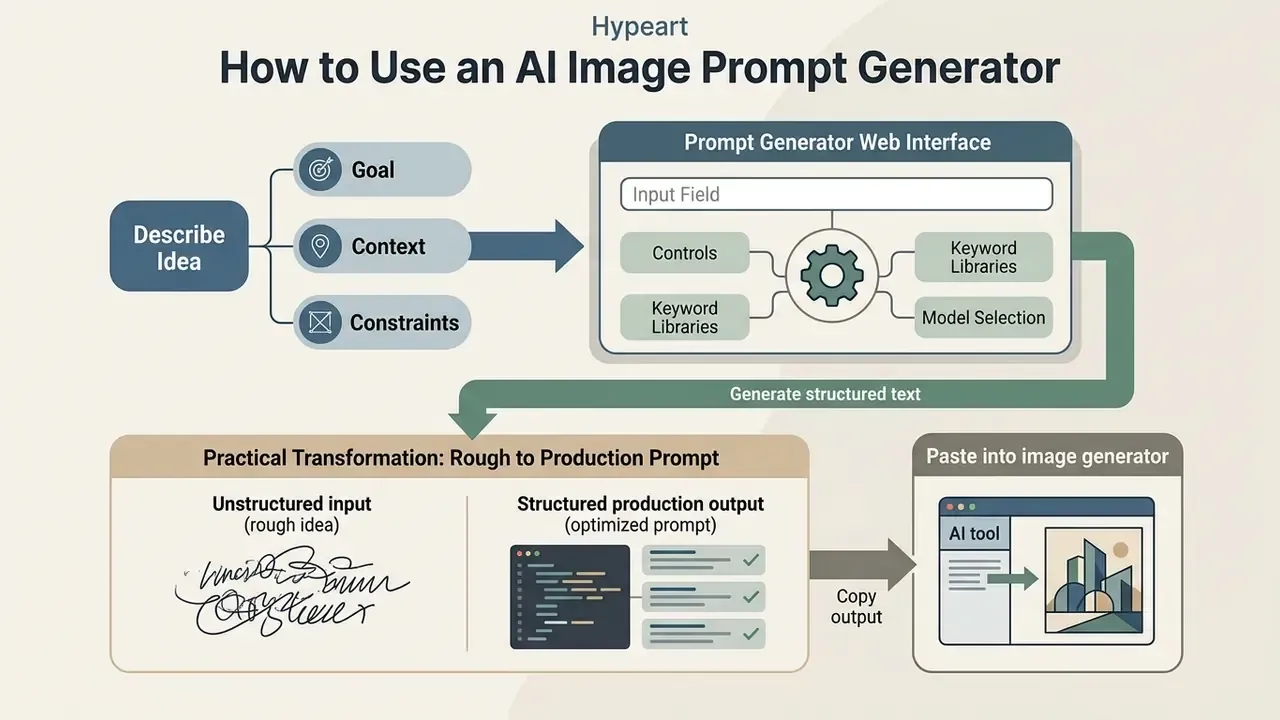
Using an ai image prompt generator website involves selecting a prompt strategy, defining project requirements, generating structured text, copying output into an image generator, and evaluating the visual results. A standardized workflow minimizes credit consumption and maximizes asset consistency.
Behavior at this stage is not static. As models add automatic prompt rewriting, users change how they write.
«In a pre-registered experiment with 1,891 participants and over 18,000 prompts, DALL·E 3 users with automatic prompt rewriting adapted their prompting strategies differently from users without it.»
The practical implication: when a platform silently rewrites your prompt, your own specification discipline still matters, because rewriting amplifies clear structure and multiplies ambiguity.
Describe the Idea, Goal and Context
Begin by establishing the objective, context, and operational bounds of the desired output. Full context lets an ai image generator prompt generator tool infer relevant background elements and technical constraints automatically. Institutional prompting guides converge on four fields (Goal, Context, Expectations, Source) and note that adding context improves relevance and reduces hallucinated detail.
- State the goal: define the asset type, for example hero website image, marketing banner, editorial illustration.
- Provide context: describe the target audience, brand color rules, and the underlying story.
- Set expectations: specify aspect ratio, resolution intent, and where text or UI will be overlaid.
- Set operational constraints: detail background requirements (for example a transparent background), subject positioning, and forbidden elements.
Documenting these baseline variables upfront stops the prompt generator from making incorrect artistic assumptions. Skip it, and you pay in revision cycles.
Practical Transformation: From Rough Concept to Production Prompt
To see how operational parameters prevent generative drift, consider this commercial media transformation:
Unstructured input (rough idea):
"Create a modern hero image of a clean sustainable building for an architecture website header."
Structured production output (optimized prompt):
[Subject & Scene]: Eye-level three-quarter view of a low-profile sustainable coastal architecture studio built with rammed-earth walls and weathered oak screens, integrated into a grassy dune with native plants moving in a light sea breeze.
[Lighting & Environment]: Soft golden morning sunlight from the right, crisp low-reflection glass, subtle sea-breeze atmosphere.
[Composition & Framing]: Wide 16:9 banner framing. Position the primary structure within the right two-thirds; leave clean, uncluttered low-detail sky on the left third for headline placement.
[Technical Parameters]: Shot on 35mm lens, straight vertical lines, realistic material textures, restrained color palette (sage, slate, warm sand).
[Exclusions]: No people, no visible text overlays, no logos, no watermarks, no oversaturated colors, no lens distortion.
The second version is not merely longer. It is auditable: every creative decision is a named field that a reviewer, a brand manager or a compliance officer can check against a guideline document.
Generate, Review and Copy the Prompt
Run the generation command inside your chosen ai image prompt maker, then evaluate the structured text output against your initial criteria. Verify that the tool arranged parameters in the correct priority sequence.
Check that style descriptors match your target platform before transferring the text. Once verified, copy the formatted text into the input field of your target generative model, such as Midjourney, Stable Diffusion, or Nano Banana. For production pipelines, vendor engineering guidance recommends storing approved prompts in application code or a versioned prompt library rather than in chat history, so the same specification can be reused and reviewed.
Test the Prompt and Improve the Output
Run the prompt through your image model across three to four test seeds to check visual consistency. Assess the generated outputs across three core quality vectors:
- Semantic alignment does the rendered image match every explicit subject requirement?
- Style consistency do color palettes, lighting cues, and textures match the specified visual direction?
- Artifact control are there unwanted anatomical distortions, text rendering errors, or background noise?
Formal evaluation methodology scales this up: benchmark sets of roughly 100 prompts covering multiple styles and content types, several generations per prompt, and human scoring on semantic fit, stylistic fit, aesthetic quality, compositional integrity and cross-model consistency. Newer frameworks add automated evaluators and preference-trained rankers that pick the best revised prompt after each round.
If distortion appears, refine the prompt by adding negative constraints or adjusting modifier weights rather than rewriting the core subject definition. To explore advanced image generation workflows and editing techniques, view the guide on automated media creation pipelines.
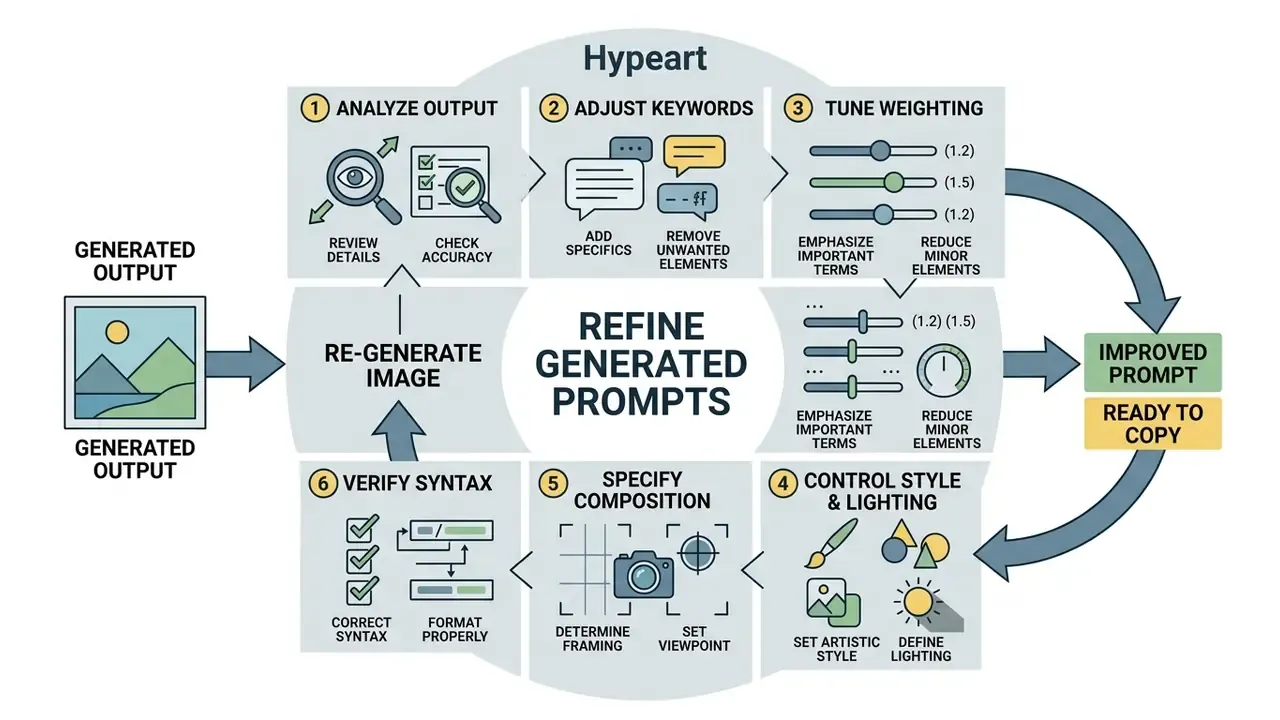
How to Refine Generated Prompts
Optimizing prompts calls for systematic, single-variable adjustments rather than complete rewrites. Copy the baseline prompt, test it across multiple generation seeds, evaluate structural gaps, then refine specific keyword modifiers.
Published prompt-optimization loops describe the same cycle with explicit stopping rules: initial prompt, evaluation data, feedback analysis, prompt revision, early stopping by score threshold or iteration limit.
«A diagnose-prescribe-rewrite loop applied to misclassified examples converges within three to five iterations.»
«PROPEL defines an iterative loop with an initial prompt, training data, feedback analysis, prompt revision, and early stopping by score threshold or iteration limit.» PROPEL, Proceedings of KnowledgeNLP '25 (2025). https://aclanthology.org/2025.knowledgenlp-1.25.pdf
A complementary, human-centred method, Preference-Driven Refinement, formalizes five steps: create an initial prompt, generate initial output, identify preferred and non-preferred elements, fold those preferences into the prompt, and iterate until satisfied.
When fine-tuning, change only one parameter group per test run, such as adjusting lighting while holding subject descriptions constant, to isolate cause and effect. Vendor guidance is blunt about the alternative: small iterative changes outperform overloading one long prompt, particularly when identity, geometry, layout or brand elements must be preserved.
Annotated structured prompt template
[Background / Scene]: A quiet modern office space with floor-to-ceiling glass windows overlooking a city skyline at dusk.
[Primary Subject]: A corporate compliance officer reviewing digital charts on a sleek tablet interface.
[Visual Direction & Style]: Clean commercial architectural photography, muted color palette with subtle blue accents, professional corporate tone.
[Lighting & Camera]: Soft diffuse indoor lighting, shallow depth of field, shot on 50mm lens at f/2.8, eye-level angle.
[Technical Parameters]: 16:9 aspect ratio, straight verticals, realistic fabric and glass textures, headline space reserved in the upper left.
[Negative Constraints]: No extra fingers, no blurry background text, no severe lens flare, no watermark, no logos.
- Select the workflowchoose between text-to-image prompt generation, image-to-prompt extraction, or image-editing prompt authoring, based on the asset inputs you have.
- Define objective and contextenter the core concept, target media format, brand constraints, and lighting preferences into your ai image prompt generator tools.
- Generate structured textrun the tool to output a multi-part prompt organized by scene, subject, camera, technical parameters, and negative constraints.
- Review and customizeinspect the output to confirm keyword placement follows optimal priority ordering, and strip redundant filler words.
- Copy to the image generatorpaste the finalized text into your chosen synthesis model, for example Stable Diffusion, DALL·E 3, FLUX, or Nano Banana.
- Test and refine iterativelygenerate three to four test variants across fixed seeds, evaluate semantic alignment, and adjust one keyword block per cycle.
- Log the winning versionrecord prompt text, seed, model version, date and reviewer in your prompt library before the asset enters production.
Image-to-Prompt Generation: Turn a Reference Image into Text
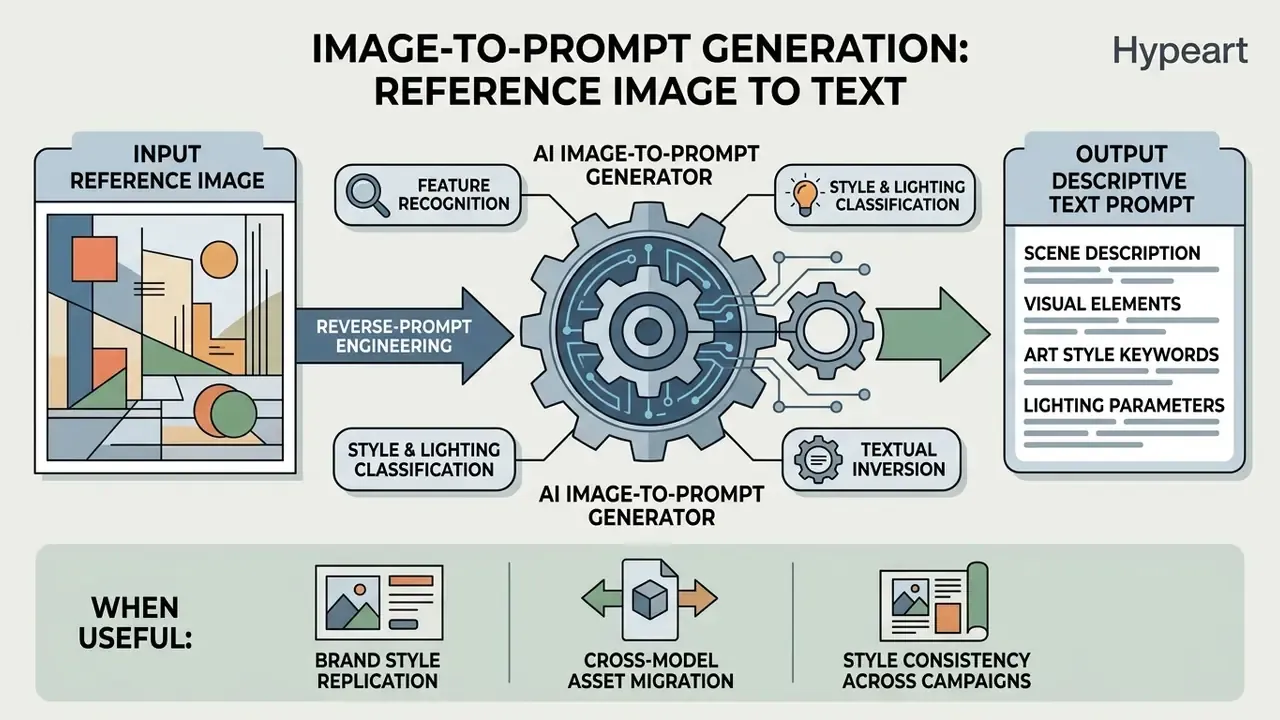
An ai image to prompt generator free utility performs reverse-prompt engineering, converting an existing image file into a descriptive text prompt. The process extracts composition, color palettes, subject attributes, and stylistic tags from a source graphic to produce repeatable text instructions.
How Image-to-Prompt Tools Analyze an Image
Image-to-prompt tools analyze visual inputs using vision-language models (VLMs) and CLIP-based feature extraction. When an asset is uploaded, an ai photo prompt generator decodes pixel data into hierarchical semantic layers:
- Feature recognition identifies primary subjects, objects, facial features, and background elements.
- Style and lighting classification categorizes artistic medium, color temperature, light direction, and rendering style.
- Textual inversion maps visual features to high-probability keywords in the model's training distribution.
Academic work frames the task as prompt inversion. Peer-reviewed methods optimize prompt embeddings directly by minimizing diffusion loss against a target image, using random timestep sampling, L-BFGS optimization and projection back into the embedding space (Prompt Inversion for Text-to-Image Diffusion Models, CVPR 2024, https://openaccess.thecvf.com). Later systems initialize with a captioning model, refine embeddings in latent space, then convert them back to readable text.
«PRISM uses LLM in-context learning to iteratively refine prompt candidates from reference images, transferring objects, styles and compositions accurately to Stable Diffusion, DALL·E and Midjourney.»
This lets users recreate complex visual styles without manual tag guessing, and it explains why extracted prompts sometimes contain odd token combinations: they are optimized for the model's latent geometry, not for human readability.
When Image-to-Prompt Is More Useful Than Writing from Scratch
Using an ai photo prompts generator is more efficient than authoring text from scratch when you need to match an established visual style or reverse-engineer a complex aesthetic composition.
- Brand style replication extracting precise lighting and color tags from existing brand photography.
- Cross-model asset migration recreating a visual concept from one AI model, say Midjourney, inside another environment such as Stable Diffusion.
- Style consistency across campaigns generating matching assets across multi-channel media programs.
- Prompt literacy learning prompt structure from examples, then building hybrid prompts that combine an extracted structure with your own subject.
For content creators, reverse-prompt extraction cuts trial-and-error iterations by converting visual reference points into structured, reusable text prompts within seconds. Teams working directly from reference assets can also compare dedicated image-to-image generators before committing to a pipeline. For detailed workflows on image modification and expansion, see our comparison of photoshop ai expand image tools for enterprise media editing, or our review of AI outpainting tools for background extension.
Legal caution: extracting a prompt from a third-party copyrighted image and regenerating a near-identical asset does not launder the underlying rights. Reference-image restrictions in vendor policies apply to the upload step itself.
AI Models and Image Generators That Use Generated Prompts
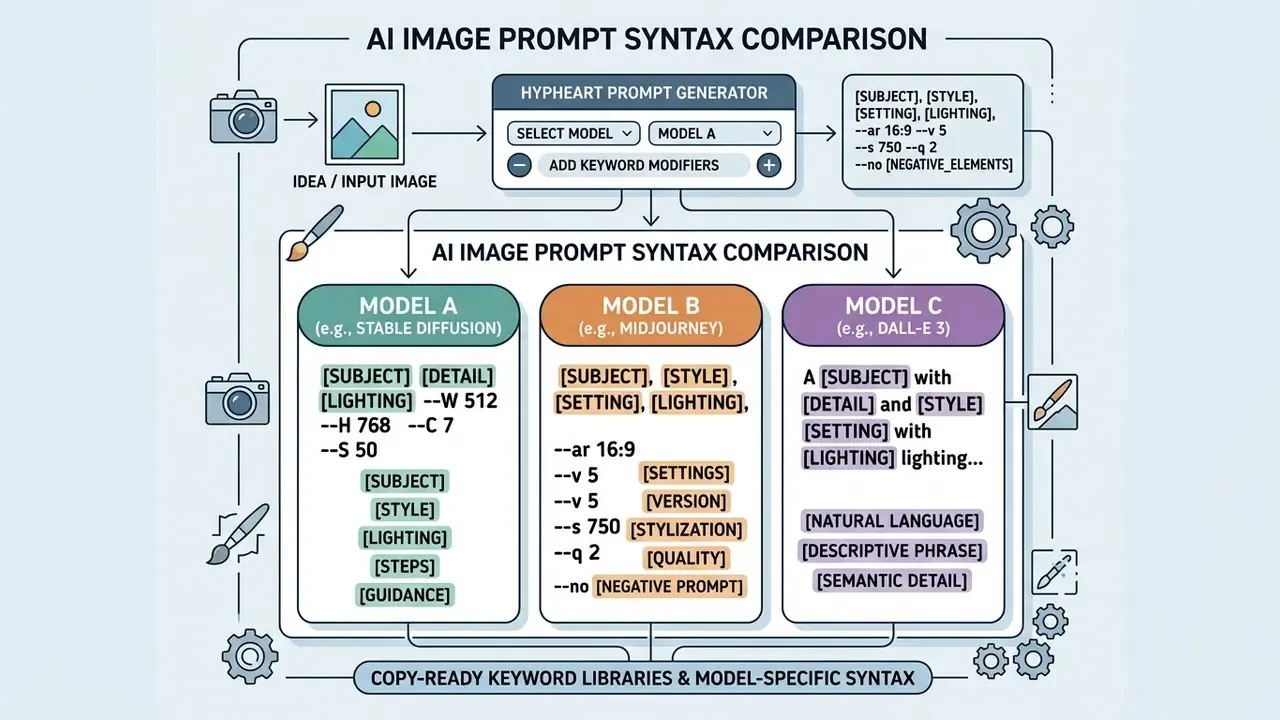
Different generative ai models require distinct prompt formatting, syntax structures, and token limits. A structured prompt from an ai image prompt maker must be tailored to the technical expectations of the targeted synthesis engine. Readers still deciding which engine to standardize on can review our comparison of the best AI art generators by quality, control and licensing.
Prompt Formatting Requirements Across Major AI Models
| AI Model | Preferred Format | Unique Syntax and Parameters | Strengths and Best Use Cases |
|---|---|---|---|
| Stable Diffusion (SDXL / SD3) | Comma-separated tags plus explicit negative prompt field | Weighting (word:1.2), dual text channels prompt / prompt_2, negative_prompt_2 | Complete visual control, local deployment, photorealism |
| Midjourney (v6 / V8) | Short natural language plus parameter flags | Inline flags --ar 16:9, --stylize 250, --v 6.0, --no text; weights via ::number | High visual aesthetics, art direction, fantasy and sci-fi |
| FLUX.1 / FLUX.2 | Highly detailed natural descriptions | Responds to natural spatial prepositions (above, behind, in front of) | Strong prompt adherence, realistic hands, complex production scenes |
| Nano Banana (Gemini) | Connected narrative paragraphs | Up to 14 reference images per prompt context; keep in-image text short (about 25 characters or fewer) | Instruction following, multi-asset consistency, style transfer, sketch refinement |
| Ideogram | Explicit text quotes with font designations | Text "Click Here" in clean bold sans-serif typography | Embedded typography, logo integration, graphic design |
| DALL·E 3 / GPT Image | Expanding conversational text; paragraph or JSON-like blocks accepted | Automatic upstream prompt rewriting; "change only X" plus preserve list for edits | Ease of use, ChatGPT integration, transparent backgrounds |
| Runway Gen-4 Image | Named field slots | Subject, scene, composition, lighting, color, style, focus, angle, text, mood | Cinematic stills that feed video production |
| Seedream / Wan Image | Structured multi-reference prompts | Multi-reference brand sets, multilingual in-image text, precise localized editing | Complex layouts, brand-controlled image families |
For deeper background on tool families and pricing tiers, see our AI art generator reference and the best free AI art generator comparison.
Prompts for Stable Diffusion and Other AI Models
Stable Diffusion pipelines lean heavily on weighted keyword syntax, comma-separated descriptors, and dedicated negative prompt fields. In Stable Diffusion XL (SDXL) and Stable Diffusion 3 (SD3), model performance depends on exact modifier positioning and numerical weights.
- Weighting syntax terms in parentheses, such as
(cinematic lighting:1.3), emphasize specific visual elements; values below 1 reduce emphasis. - Negative conditioning unwanted attributes pass through a separate
negative_promptchannel rather than inline text exclusions. Library documentation exposesnegative_prompt_embedsfor Stable Diffusion, SDXL and ControlNet pipelines. - Multi-text encoders SDXL and SD3 process dual text prompts (CLIP ViT-L and OpenCLIP ViT-bigG), which makes concise, descriptive keywords more effective than conversational text. SDXL accepts
promptandprompt_2; SD3 requiresprompt_embedswhen no text prompt is supplied.
«Weighted prompts are converted to embeddings and passed through
prompt_embeds, with optionalnegative_prompt_embeds.»
By contrast, tools like Midjourney rely on inline parameter flags (for example --ar 16:9 --v 6.0), so prompt generators must format output parameters to match target model flags. Because weighting notation is UI-specific (parentheses in Automatic1111-style interfaces, :: in Midjourney, embedding fields in Diffusers), a prompt library should store the semantic block structure once and render syntax per target.
Using Generated Prompts with Nano Banana
Nano Banana, Google's native Gemini image generation architecture including Gemini 2.5 Flash Image, uses natural language understanding rather than rigid keyword lists. Official developer guidelines recommend descriptive narrative paragraphs over disconnected tag lists.
Adapting structured prompts to the narrative format Nano Banana expects improves adherence to creative instructions while preserving fine visual detail. Teams evaluating Google's broader imaging stack can also review our Google AI image generator overview.
- Narrative structure
- describe the scene as a connected paragraph covering spatial relationships, mood, and subject actions.
- Reference image integration
- Google documents mixing up to 14 reference images within a single prompt context, which enables precise style transfer and multi-asset compositing; supported reference MIME types include PNG, JPEG, WebP, HEIC and HEIF (check the Gemini API image generation documentation for current limits, which change between model versions).
- Sketch refinement
- the same documentation covers refining a rough sketch into a finished image, so one structured prompt can serve both generation and edit paths.
- Concise text specifications
- when requesting rendered text overlays inside graphics, keep strings short. Google's imaging guidance recommends roughly 25 characters or fewer for maximum legibility.
Can You Use AI Image Prompts for Commercial Content?
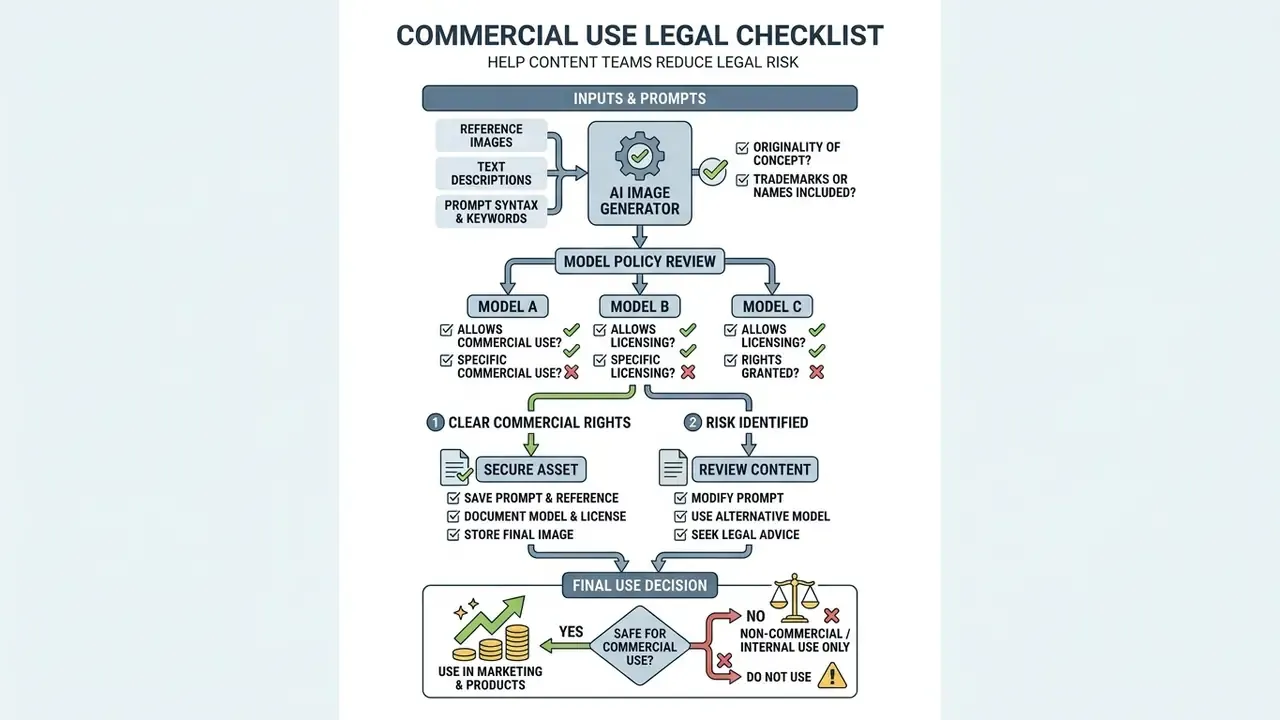
Using AI-generated text prompts and rendered visual assets commercially raises specific legal, contractual, and copyright questions. Text prompts themselves are generally unencumbered by copyright, but the final generated images sit under platform Terms of Service (ToS) and regional intellectual property law.
What to Check Before Commercial Use
«Only human contributions are claimable; applicants must identify and disclaim AI-generated material.»
«OpenAI grants users full rights to commercialize generated images, including reprinting, selling and merchandising, subject to its usage policies.» OpenAI Usage Policies (2022-2024). https://openai.com/policies
Choosing Tools for Commercial Content Creators
For commercial creators, picking tools with transparent licensing terms is central to risk management. Combining commercially safe image models, such as Stable Diffusion under the Stability AI Community License (free commercial use for entities earning under $1M annually) or paid enterprise subscriptions, with clear prompt generation guidelines mitigates copyright risk.
Institutional guidance adds three practical rules for reference material: determine the source and reuse restrictions before use, prefer public-domain or properly licensed assets, and credit the source even where no copyright applies. Some publishers go further, permitting AI-generated imagery in commercial publications only with full disclosure, confirmation that no copyrighted content was copied, and prior approval.
To review commercial licensing guidelines across creative editing tools, explore our detailed analysis of photo text editor applications and our reference on AI photo editors. For specialized artwork generation workflows, consult our guide on photo to ai transformation platforms, or our high-resolution breakdown for photorealistic ai image production. Creators working with specialized artistic formats can also evaluate pic ai options and style-specific generators, while enterprise developers can view the guide on structured media workflow integration. For rights disputes and case-law background, view the guide in our litigation section.
E-E-A-T verification: official platform licensing conditions (verified April 2026)
Commercial usage rules across major generative AI image platforms are governed by explicit ToS criteria and revenue thresholds:
- Midjourney grants users ownership of generated images and full commercial usage rights to paid plan subscribers. Entities grossing over $1M USD annually must hold an active Pro or Mega subscription (Midjourney ToS and "Using Images and Videos Commercially").
- Stability AI the Community License permits free commercial use of core models, for example SD 3.5 and SDXL Turbo, for organizations and creators generating under $1M USD in annual revenue (Stability AI License Terms).
- OpenAI DALL·E / GPT Image grants full commercialization rights for generated images, including reprinting, selling, and merchandising, subject to compliance policies (OpenAI Usage Policies).
- Google Gemini / Nano Banana prompting formats, supported reference-image MIME types and multi-reference limits are documented in the official API reference (Gemini API image generation docs).
- U.S. Copyright Office requires explicit disclosure of AI-generated content during copyright registration; only human-authored modifications or creative arrangements qualify for protection (USCO AI Guidance).
Audit Trail, Reproducibility and Model Risk Integration
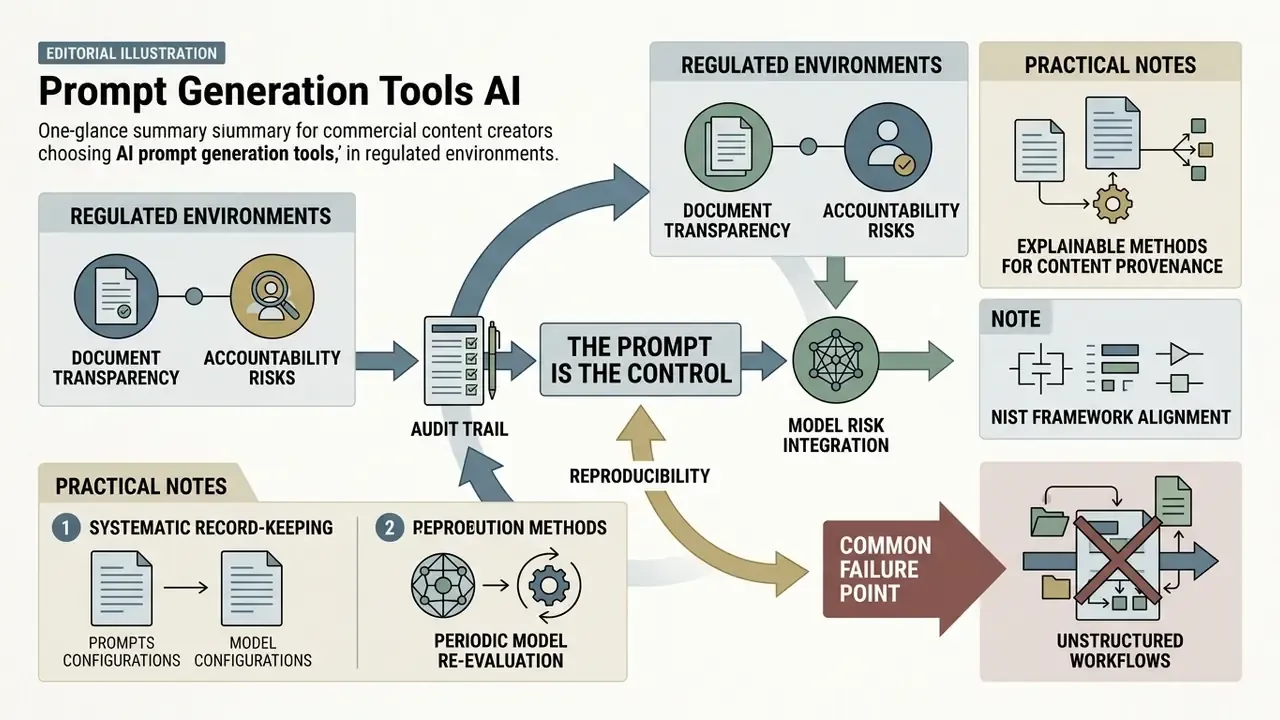
Minimum audit record per published asset:
| Field | Example value | Why auditors ask for it |
|---|---|---|
| Prompt ID and version | hero-sustainability-v4 | Links the asset to an approved specification |
| Full prompt text | Structured six-block prompt | Shows that exclusions and disclosure rules were applied |
| Negative prompt / preserve list | "no logos, no text, preserve identity" | Evidence of trademark and likeness controls |
| Model and version | gpt-image-2.5-sunburst, SDXL 1.0, Midjourney V8 | Outputs are version-dependent; guidance changes between versions |
| Seed and sampler settings | seed 774301, 30 steps, CFG 6.5 | Enables re-generation for verification |
| Reference images and roles | image_1 = product geometry (licensed, invoice #…) | Proves reference rights and intended role |
| Human contribution log | crop, composite, retouch, art direction notes | Basis for any copyright claim and for disclosure |
| Reviewer and date | brand plus legal sign-off, 2026-04-11 | Segregation of duties |
| Output hash / file ID | SHA-256 of delivered PNG | Ties the record to the exact published file |
Two practical notes. First, store this record next to the asset in your DAM, not in a chat transcript. Chat histories expire, and several consumer tools clear generated images within a day. Second, prompts should be treated as controlled text: if a prompt encodes brand rules, changing it is a change to a control and should follow the same review path.
One more thing worth flagging, and it is the failure we see most often. Ownership. If no named person owns the prompt library, versions drift, nobody knows which specification produced last quarter's campaign, and the audit request becomes an archaeology project.
How to Choose a Free AI Image Prompt Generator
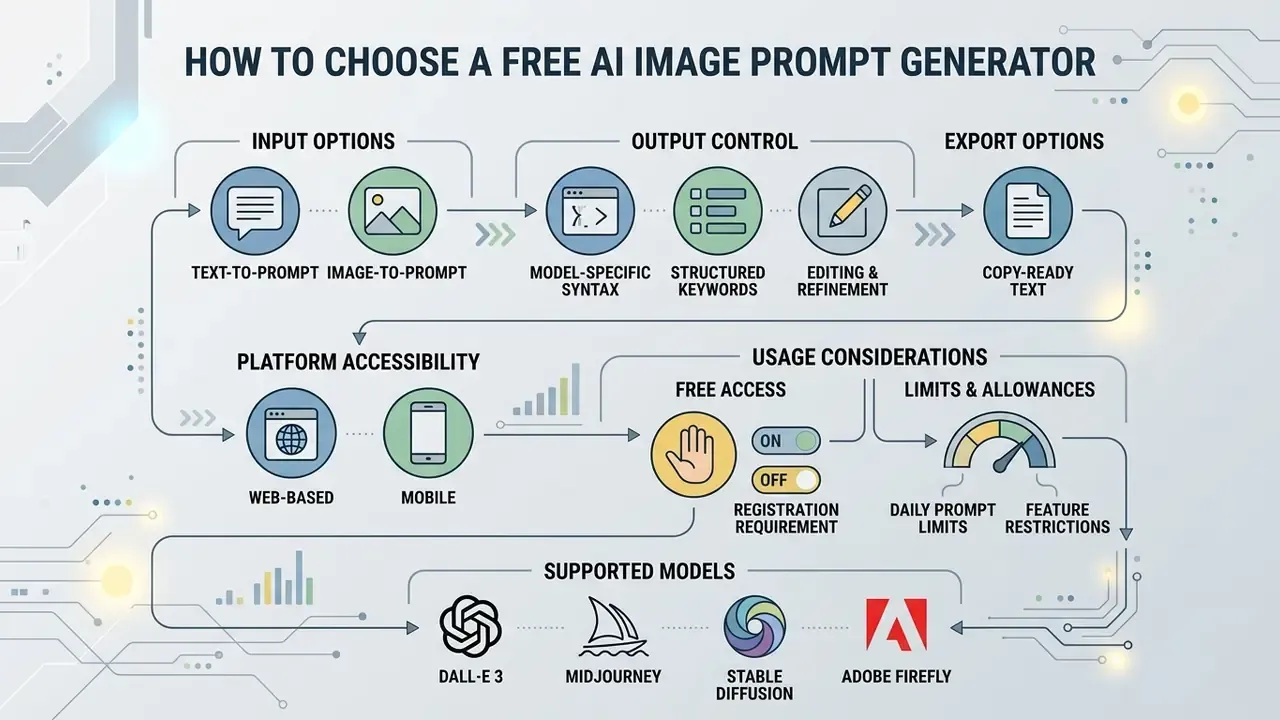
Selecting the right ai image prompt generator free platform means evaluating core feature availability, model support, registration requirements, daily usage allowances, and, for organizations, data handling. Tools that match your pipeline prevent workflow bottlenecks and hidden upgrade costs. Readers comparing the downstream rendering layer can also review the free AI image generators landscape.
Features to Compare Before Choosing a Tool
When comparing ai image prompt generator tools, creators and enterprise teams should weigh these functional benchmarks:
- Image-to-prompt supportability to upload reference images and extract structured text specifications accurately.
- Model customization outputnative options to export formatted prompts for Stable Diffusion, Midjourney, DALL·E 3, FLUX, Ideogram, or Nano Banana.
- Structured prompt customizationoptions to manually edit specific prompt blocks, for example lighting, camera angle, negative constraints, before final export.
- Editing-prompt modesupport for "change only X" plus preserve lists and reference-role labeling.
- Export optionsone-click copying of text, JSON parameter export, or direct API integration.
- Enterprise controlsdata-retention policy, training opt-out, SSO and role-based access control, region pinning, audit log export.
Free Access, Sign-Up and Prompt Limits
Free tier conditions vary widely across ai image prompt generator free online web applications. Understanding credit allocation and privacy policies helps teams pick stable platforms for ongoing use.
- No-registration web tools services such as Get Prompt, ImageToPrompt or Krea2 allow instant browser usage without account creation, which suits quick individual tasks. Some cap usage, for example around ten image analyses per day; others advertise no daily limit. Creators who also want rendering without accounts can review no-sign-up AI image generators.
- Daily or monthly credit allowances platforms requiring a free sign-up often provide small starter allowances. Observed examples range from 2 credits on signup to 5 credits per month or 10 free prompts before a paid tier, commonly from about $5 per month for several hundred prompts, typically with no credit card required.
- Batch and multi-image support some image-to-prompt suites process up to ten photos per batch, which matters for campaign-scale style extraction.
- Data privacy terms enterprise users must verify that uploaded reference images and prompt texts are not stored permanently or used for public AI model training.
Prompt Generator Websites for Different Workflows
Different platforms serve distinct operational requirements. The table below compares common web service configurations, including the governance criteria that decide approvability in regulated teams:
| Platform / Tool Category | Free Access / Sign-Up | Image-to-Prompt | Target Model Formatting | Data Retention / Enterprise Fit | Ideal Workflow Use Case |
|---|---|---|---|---|---|
| Direct Text Refiners | Free tier, no sign-up required | No (text input only) | Stable Diffusion, Midjourney | Usually unstated, treat as public; no regulated data | Rapid conversion of brief ideas into detailed keyword strings |
| Image-to-Prompt Converters | Free tier (about 10 daily analyses), no registration | Yes (upload image or URL) | Multi-model generic text, Midjourney, FLUX | Verify upload retention and training opt-out before use | Reverse-engineering existing artwork or style replication |
| Integrated Prompt Suites | Free credits on account sign-up | Yes | SDXL, FLUX, DALL·E 3, Ideogram, Nano Banana | Account-level controls; check SSO and export of prompt history | End-to-end creative planning with negative-constraint customization |
| Model Optimization APIs | Usage-based free tier | Yes | Custom diffusion pipelines | Contractual DPA, region options, audit log export typically available | Enterprise media automation and bulk prompt formatting |
Creators evaluating tools for commercial image editing workflows can compare dedicated visual tools in our overview of picsart ai image generator features and licensing terms, our Canva AI generator breakdown, and our online photo editor guide. Additional comparisons across creative suites live in our broader AI Media Comparison section, including the best AI image generators roundup.
Data Security, Shadow AI and Vendor Due Diligence
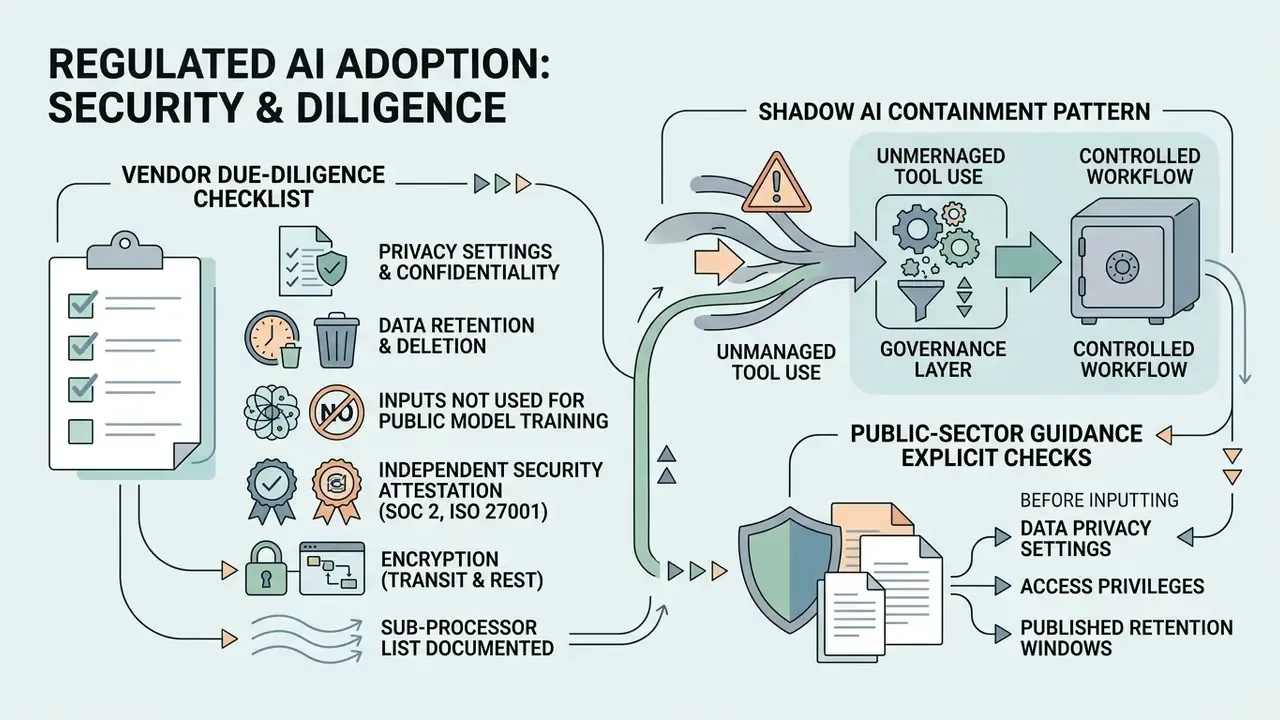
Vendor due-diligence checklist for prompt generators:
- Published data-retention window for prompts and uploaded images, with deletion on request.
- Contractual commitment that inputs are not used to train public models.
- Independent security attestation (SOC 2 Type II, ISO/IEC 27001) available on request.
- Encryption in transit and at rest, plus a documented sub-processor list.
- SSO/SAML and role-based access control, so prompt libraries are not shared by link.
- Region or residency options for jurisdictions with data localization duties.
- Audit log export covering prompt creation, edits and downloads.
- Content-provenance support, metadata or watermarking, for published assets.
- Prompt-filtering controls where the tool is embedded in an image pipeline. NIST's synthetic-content report identifies prompt filtering as a control for preventing harmful text-to-image output (https://nvlpubs.nist.gov/nistpubs/ai/NIST.AI.100-4.pdf).
- Documented tool name, version, developer and purpose for disclosure duties.
Shadow AI containment pattern that works in practice: approve one no-upload, text-only prompt refiner for ideation, one enterprise-contracted suite for reference-based work, and block the rest at the proxy. Pair that with a short internal rule, "no customer data, no unreleased artwork, no employee photographs in any external prompt field", and a sanctioned internal prompt library, so the convenient path is also the compliant path.
ROI Methodology for Standardized Prompt Workflows
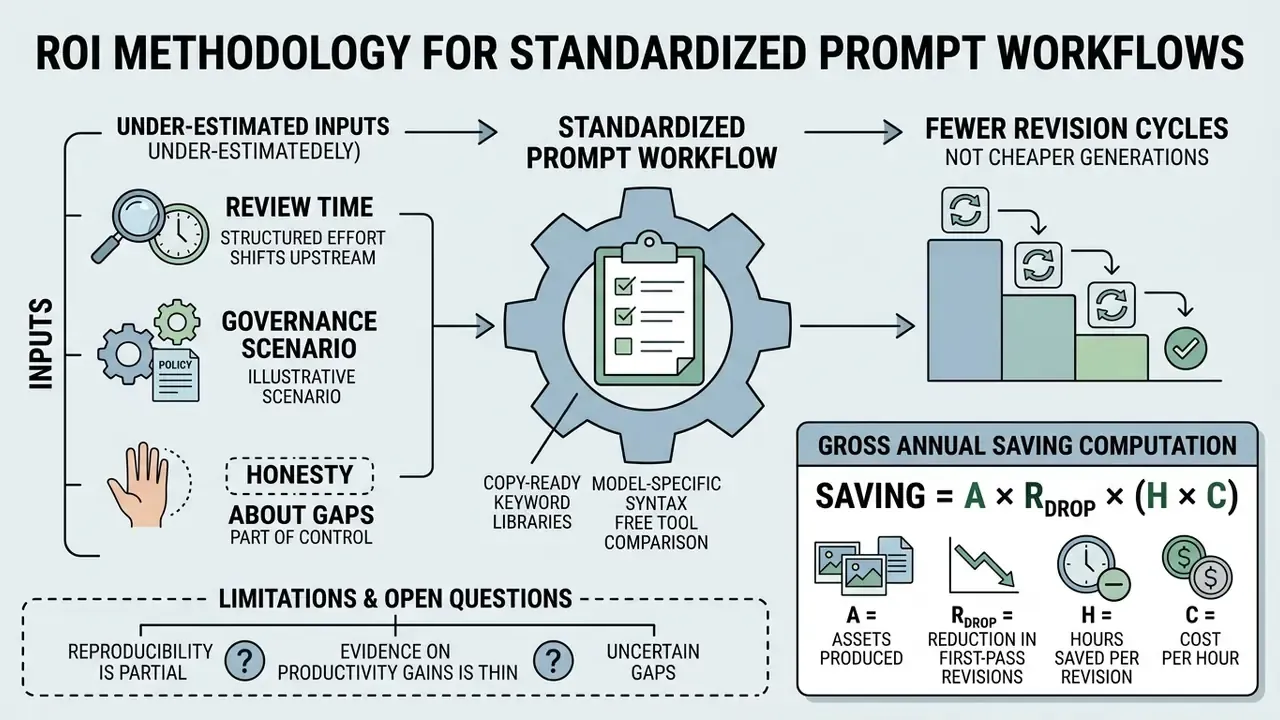
Standardization is usually justified by fewer revision cycles, not by cheaper generations. A risk-adjusted view keeps the business case honest.
Illustrative governance scenario. In a media governance review at an online publisher, unstructured creative requests produced a high first-pass rejection rate driven by brand style drift. The team replaced free-text briefs with a fixed six-block prompt specification submitted to the model, and first-run approval improved materially within about four weeks while manual revision cycles fell. These figures come from an internal engagement and have not been independently audited; treat them as directional, not as a benchmark.
Formula to compute your own number:
Gross annual saving = A × R_drop × (H × C)
   A       = assets produced per year
   R_drop  = reduction in first-pass rejection rate (e.g., 0.40 to 0.24 = 0.16)
   H       = hours per rejected asset (rework + re-review)
   C       = blended hourly cost of the creative + review chain
Risk-adjusted ROI = (Gross annual saving + Avoided incident cost − Control cost) / Control cost
   Avoided incident cost = P(IP/brand incident) × expected remediation and legal cost
   Control cost          = tool licences + prompt-library maintenance + review time + audit logging
Three inputs are usually underestimated: review time, since structured prompts shift effort upstream; prompt-library maintenance, because model updates invalidate modifiers; and logging overhead, if the audit trail is manual rather than automated. Model the pilot on a single asset family, hero banners, product cards, or editorial illustrations, before extrapolating.
Limitations and Open Questions
Honesty about gaps is part of the control. A few remain unresolved.
Reproducibility is partial. Fixing the seed, sampler and model version narrows variance, but vendors update hosted models without notice, and a prompt that produced a compliant asset in January may drift by June. Version pinning through an enterprise API mitigates this; consumer interfaces rarely offer it.
Evidence on productivity gains is thin. Most published numbers come from vendor case studies or internal reviews, ours included, and few are independently audited. Treat any single-figure claim as a hypothesis to test on your own asset family.
Copyright status is still moving. U.S. guidance is clearer than it was in 2023, but the boundary between "substantial human arrangement" and machine output remains fact-specific, and cross-border divergence is widening rather than narrowing.
From Image Prompts to Video Prompts
Structured image prompts port directly into motion pipelines. When moving into video generation (Runway Gen-3 and Gen-4, Kling AI, Sora, or Google's Veo family), keep your camera, lighting and visual-medium parameters intact and add dynamic movement vectors, for example slow camera pan right, subject walks toward lens, handheld micro-shake, 2-second hold on product. Duration, shot count and audio cues become new blocks. Everything else in your six-block skeleton stays valid, which is exactly why a well-maintained prompt library survives the jump from still to moving image. Developers planning API-level implementations can review our Google Veo implementation guide, and teams publishing the results may find our YouTube video editor workflow guide useful.
FAQ
Does an AI image prompt generator create the final image?
No. It produces a ready-to-copy prompt and, in some tools, model recommendations and token estimates. Rendering happens in the image model you paste the prompt into.
Can it write image-editing prompts as well as generation prompts?
Yes, if the tool supports it. Describe the source image, the exact change, the role of each reference image, and every element that must remain unchanged.
How many keywords should I use per category?
One to three. Overloading one category, especially lighting or style, tends to flatten adherence rather than improve it.
Do I need to register to use a free prompt generator?
Not always. Several tools work anonymously in the browser, sometimes with a daily cap; others grant a small credit allowance after a free sign-up, usually without a credit card.
Are AI-generated images copyrightable?
In the United States, output whose expressive elements were determined by the model is not protectable. Human selection, arrangement or modification can be registered if AI-generated parts are disclosed. Other jurisdictions, including the UK, take a different position on wholly AI-generated works.
Which model should I target first?
Match the workflow: Stable Diffusion for local control and negative prompting, Midjourney for art direction, FLUX for adherence-heavy production scenes, Nano Banana for instruction-led editing and multi-reference consistency, Ideogram for typography, GPT Image for conversational iteration and transparent backgrounds.
How long should iteration take?
Published optimization loops converge in roughly three to five disciplined cycles when you change one variable group per run and apply an explicit stopping rule.
Can I paste the same prompt into every generator?
The semantic blocks transfer; the syntax does not. Re-render flags, weights and negative channels per target model.
What should a bank ask before approving a prompt generator?
Four questions: where inputs are stored, whether they train public models, whether prompt history and audit logs can be exported, and who owns the internal prompt library. If any answer is unclear, restrict the tool to non-sensitive ideation only.
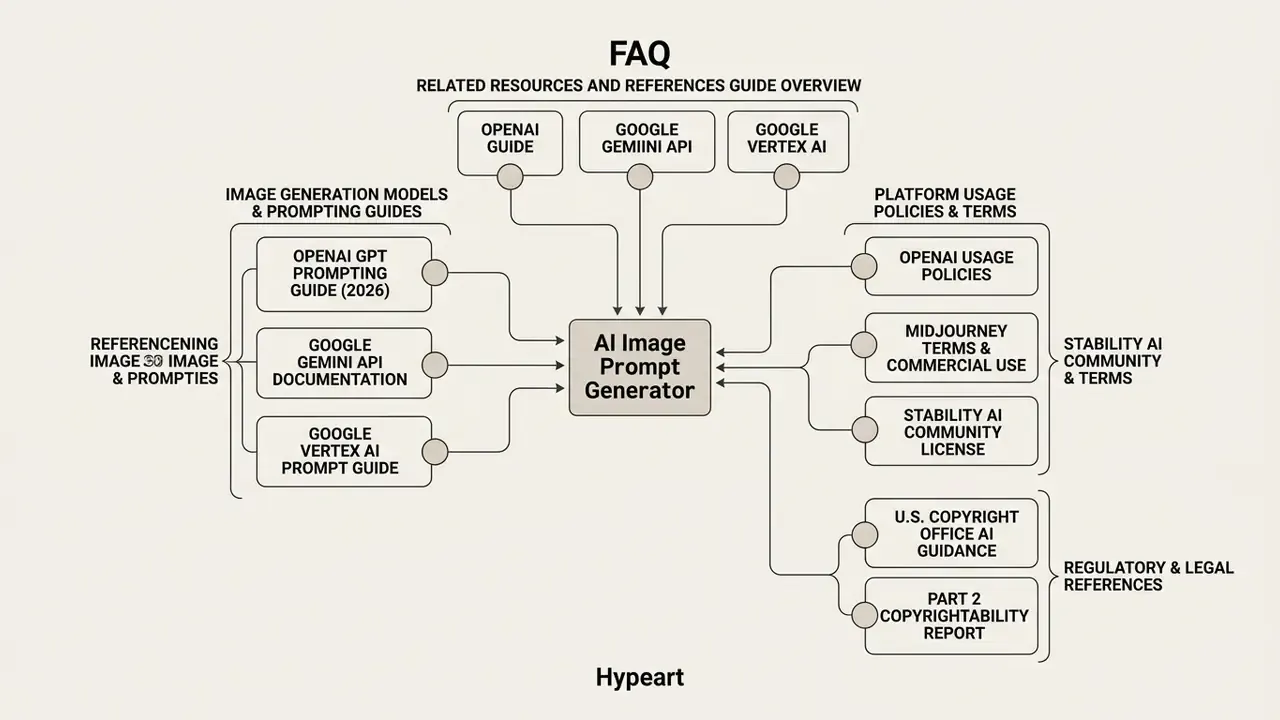
Related Resources and Regulatory References
Platform and workflow guides
Primary sources referenced in this guide
- OpenAI, GPT Image Generation Models Prompting Guide (2026): https://developers.openai.com/cookbook/examples/multimodal/image-gen-models-prompting-guide
- OpenAI Usage Policies: https://openai.com/policies
- Google Gemini API, image generation documentation: https://ai.google.dev/gemini-api/docs/image-generation
- Google Vertex AI, image prompt guide: https://docs.cloud.google.com
- Midjourney documentation, Terms of Service and commercial-use page: https://docs.midjourney.com
- Stability AI Community License: https://stability.ai/license
- U.S. Copyright Office AI guidance and Part 2 Copyrightability report: https://www.copyright.gov
- NIST AI 600-1, Generative AI Profile: https://nvlpubs.nist.gov/nistpubs/ai/NIST.AI.600-1.pdf
- NIST SP 1353 (ipd), Quick-Start Guide for Using Artificial Intelligence: https://nvlpubs.nist.gov/nistpubs/SpecialPublications/NIST.SP.1353.ipd.pdf
- NIST AI 100-4, Reducing Risks Posed by Synthetic Content: https://nvlpubs.nist.gov/nistpubs/ai/NIST.AI.100-4.pdf
- Hei et al., A User-Friendly Framework for Generating Model-Preferred Prompts in Text-to-Image Synthesis, AAAI 2024: https://arxiv.org/abs/2402.12760
- Oppenlaender, A Taxonomy of Prompt Modifiers for Text-to-Image Generation (2023): https://arxiv.org/abs/2204.13988
- Prompt Inversion for Text-to-Image Diffusion Models, CVPR 2024: https://openaccess.thecvf.com
- PRISM: Automated Black-Box Prompt Engineering from Reference Images, TMLR 2025: https://arxiv.org
- PROPEL, Proceedings of KnowledgeNLP '25: https://aclanthology.org/2025.knowledgenlp-1.25.pdf
- Hugging Face Diffusers documentation (SDXL, SD3, ControlNet prompt fields): https://huggingface.co/docs/diffusers
- Central platform features
- view the guide
- Technical term definitions
- browse the hub
- Enterprise licensing guidelines and compliance standards
- AI Media Commercial-Use Hub
- Legal risk analysis
- litigation and rights hub
- Tool comparisons
- best AI art generators, best free AI art generators, AI headshot generators, Microsoft AI image generator, Bing AI image creation, AI reverse image search
- OpenAI, GPT Image Generation Models Prompting Guide (2026)
- OpenAI Usage Policies
- Google Gemini API, image generation documentation
- Google Vertex AI, image prompt guide
- Midjourney documentation, Terms of Service and commercial-use page
- Stability AI Community License
- U.S. Copyright Office AI guidance and Part 2 Copyrightability report
- NIST AI 600-1, Generative AI Profile
- NIST SP 1353 (ipd), Quick-Start Guide for Using Artificial Intelligence
- NIST AI 100-4, Reducing Risks Posed by Synthetic Content
- Hei et al., A User-Friendly Framework for Generating Model-Preferred Prompts in Text-to-Image Synthesis, AAAI 2024
- Oppenlaender, A Taxonomy of Prompt Modifiers for Text-to-Image Generation (2023)
- Prompt Inversion for Text-to-Image Diffusion Models, CVPR 2024
- PRISM: Automated Black-Box Prompt Engineering from Reference Images, TMLR 2025
- PROPEL, Proceedings of KnowledgeNLP '25
- Hugging Face Diffusers documentation (SDXL, SD3, ControlNet prompt fields)
Appendix A: Superseded Passages
Retained for transparency; the main text carries the updated versions.
- Earlier refinement citation"Research on prompt optimization loops (PROPEL, 2025) indicates that systematic iteration converges on optimal prompt performance within three to five refinement cycles." Replaced with the fully cited PROPEL (KnowledgeNLP '25) reference plus the 2026 diagnose, prescribe, rewrite convergence finding.
- Earlier prompt-inversion citation"Research on prompt inversion (CVPR 2024) shows that latent-space optimization combined with vision-language captioning can capture visual nuances accurately." Replaced with the full CVPR 2024 paper title and the PRISM (TMLR 2025) reference.
- Earlier camera-conditioning summarythe SSP reference originally omitted the 48.9% safety-metric improvement, now included.
- Earlier case wording"Within four weeks, asset approval on the initial run rose by 31%" and "42% asset rejection rate" are retained here verbatim. In the main text the scenario is presented directionally, with an explicit note that the figures are internal and not independently audited, alongside a reusable risk-adjusted ROI formula.