Text-to-image models changed the tempo of visual production in marketing, design and corporate communications. Not the quality bar. The speed.
The Bing AI Image Generator (officially Bing Image Creator, built on OpenAI's DALL·E 3) gives organizations and individual users free access to illustration generation from plain text. For a compliance or model-risk lead, that free part is exactly where the questions start.
This guide covers how the generator works, how it sits inside the Microsoft ecosystem, how to structure effective text prompts, how to refine outputs in Microsoft Designer, how the safety layer (moderation plus C2PA content credentials) behaves, and where the real limits of commercial use are.
Key takeaways (the 1-minute version)
- What it is a free text-to-image tool inside Bing, Copilot and Microsoft Designer, powered by DALL·E 3. The web interface does not let you switch models. DALL·E 3 is fixed.
- Cost and access completely free at the entry level, but a personal Microsoft Account (MSA) sign-in is mandatory. Unauthenticated visitors cannot generate anything, and work or school accounts (Microsoft Entra ID) follow different, more restrictive boost rules.
- Speed new users get 15 boosts for priority generation. Microsoft's help page states they replenish on a daily cycle, and personal accounts keep generating at slower speed after the balance hits zero. Extra boosts can be earned free through Microsoft Rewards.
- Volume limits Microsoft documents up to 200 prompts per 24 hours, four images per query, base output 1024×1024 px, and creations stored for up to 90 days.
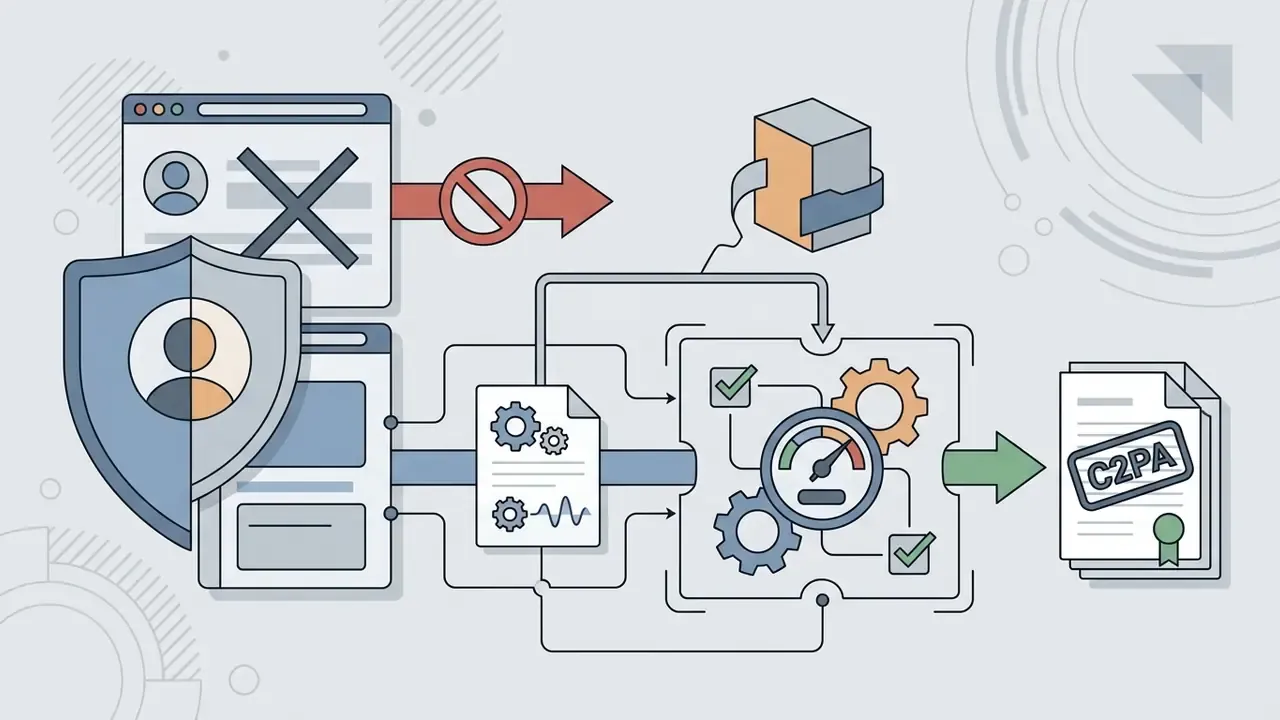
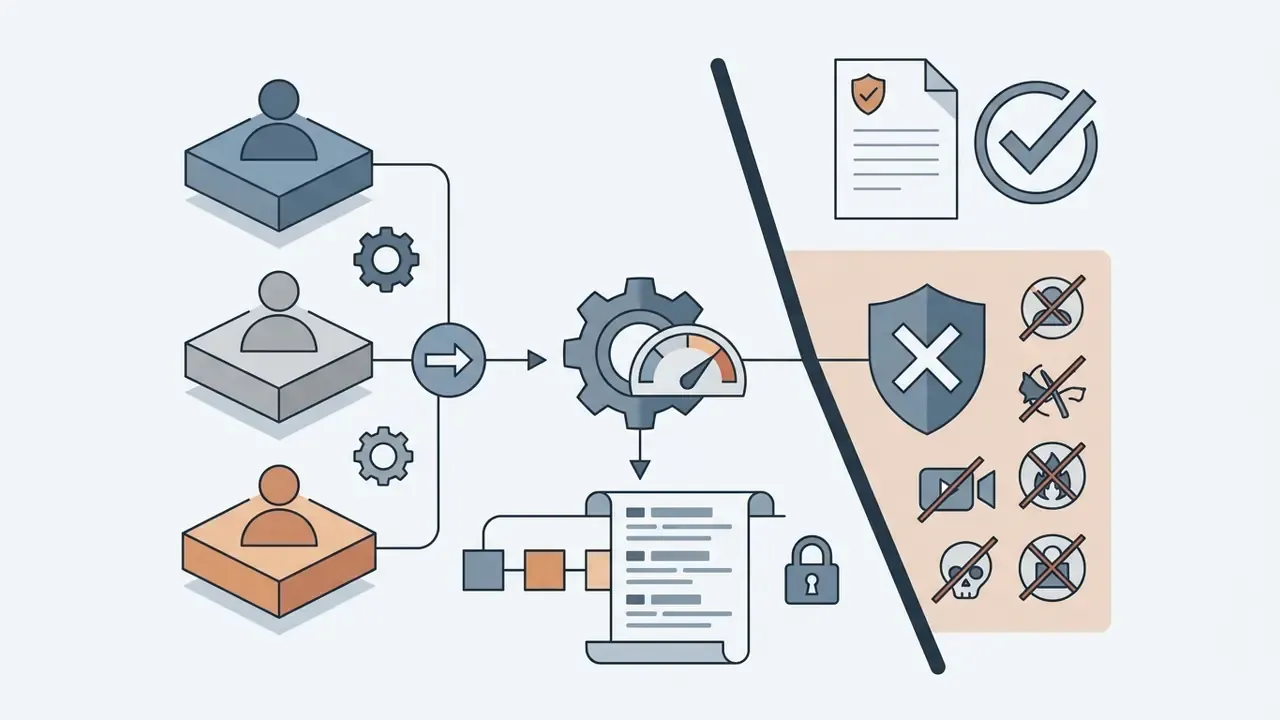
- Safety every output carries a visible watermark plus embedded C2PA content credentials. Fake IDs, fake insurance claims, political deepfakes and trademark clones are blocked.
- Commercial use the consumer Bing Image Creator terms restrict creations to personal, non-commercial purposes. Commercial deployment needs a separate legal review and, for enterprises, separate Bing grounding terms.
- Best for concept art, moodboards, blog and social visuals. Weak for: character consistency, fine detail, small type, print-ready resolution.
What decision this guide supports
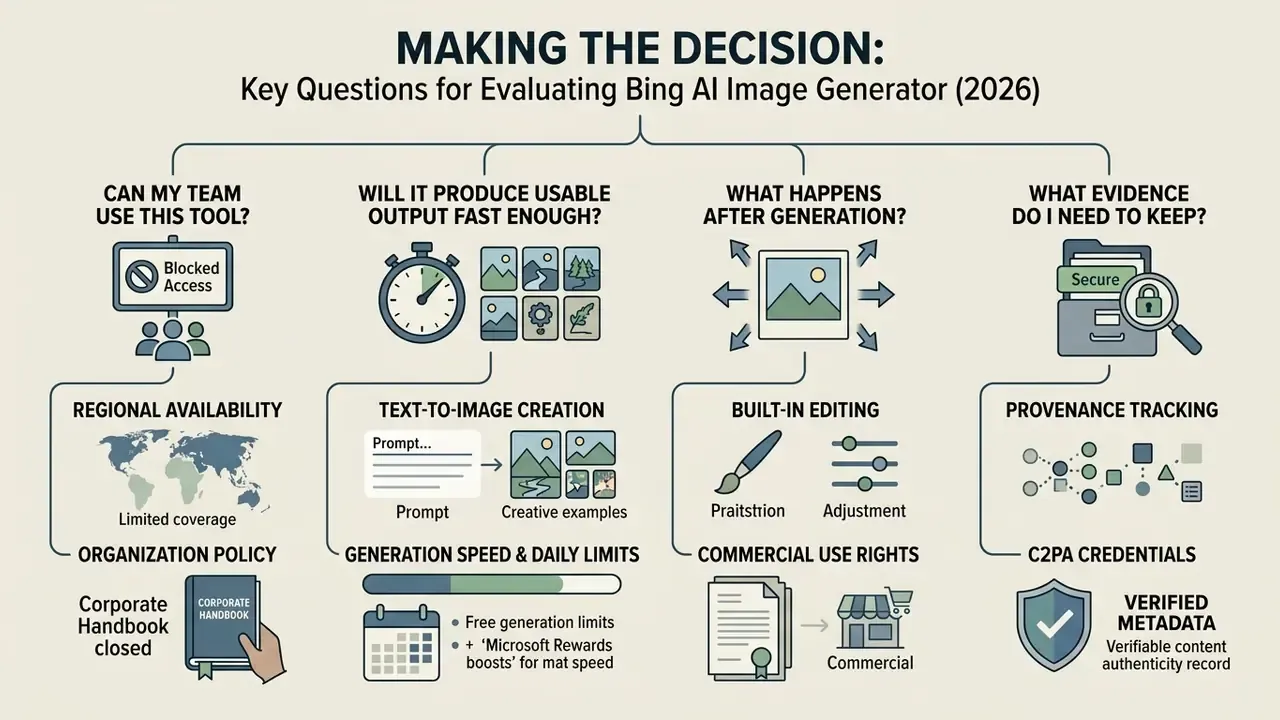
Most readers arrive with one of four practical questions, so it helps to name them before the detail starts.
- Can my team use this tool at all? That depends on account type, prompt content policy and whether the asset will ever face a client.
- Will it produce usable output fast enough? Boosts, queue behaviour and the 200-prompt ceiling decide that.
- What happens after generation? Editing, upscaling and export hygiene in Designer.
- What evidence do I need to keep? Prompt text, terms version, reviewer sign-off, provenance status.
If you are building a wider evaluation, the platform comparisons in our review hub let you view the guide before picking a default tool. Teams designing repeatable production pipelines can see the overview of end-to-end content workflows. And for the legal backdrop around generative media disputes, explore the hub tracking active cases.
What the Bing AI Image Generator is and where Image Creator is available
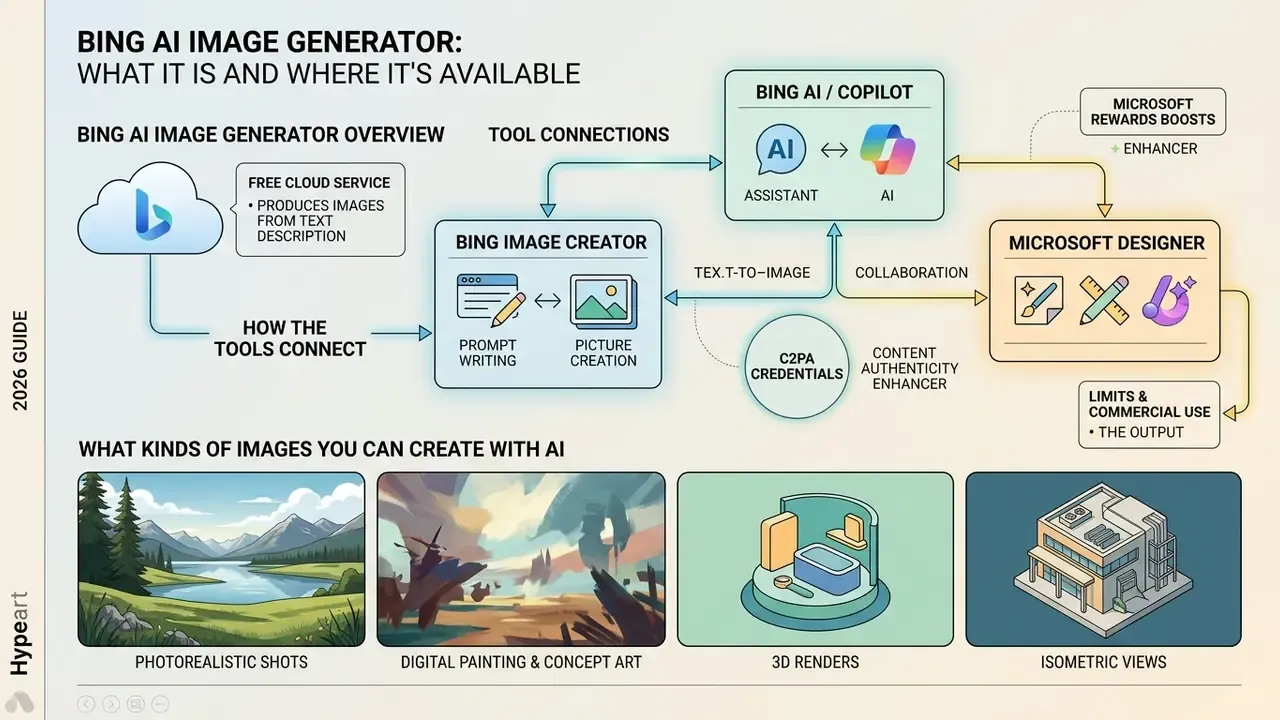
Bing AI Image Generator is a free cloud service that produces images from a text description. Microsoft built it on OpenAI's DALL·E 3 and surfaces it inside Bing search, the Copilot chatbot and the Microsoft Designer editor. Its job is to automate image creation and turn verbal ideas into digital assets without specialized graphics software.
«Microsoft restricted access to Image Creator in 45,412 cases over six months of 2024 due to violations of the terms of use». — Microsoft EU Bing DSA Transparency Report (2024). https://query.prod.cms.rt.microsoft.com/cms/api/am/binary/RW1lVLQ
Bing Image Creator, Bing AI and Microsoft Designer: how the tools connect
Microsoft's visual generation tools behave as one ecosystem. Each service owns a distinct slice of the creation and processing pipeline.
- Bing Image Creator is the primary entry point for turning text into a picture (AI generate images). It is reachable at
bing.com/create, from the Bing search bar, and through the Microsoft Edge sidebar. - Bing AI / Copilot wraps the generator in a conversational interface. You can ask the assistant for a visual inside the chat window, and in Copilot you can upload an existing image and request changes, for example removing background people or swapping the setting.
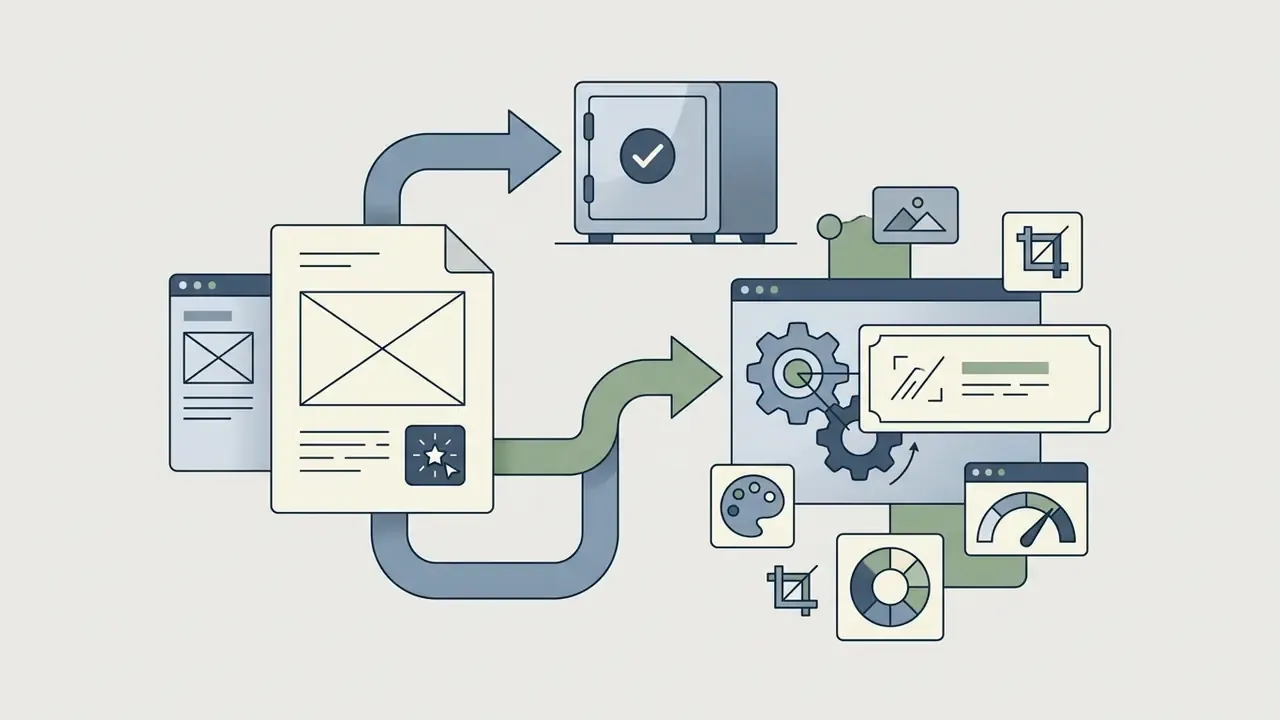
- Microsoft Designer is the post-processing workspace. Once Bing AI generator image returns its first grid, results can be pushed into Designer for cropping, background removal, text overlays, generative expand, fill, erase and brand styling. In Microsoft 365 Copilot Chat, the "Designer" action opens the generated image directly in the Designer agent.
For a side-by-side platform breakdown and workflow options, see our comparison of generative image services. If you are weighing subscription tools against this free stack, the Midjourney versus alternatives evaluation is the closer read.
What kinds of images you can create with AI
Running on DALL·E 3, this advanced AI powered tool covers a wide band of visual styles for business tasks and social media publishing:
- Photorealistic shots simulated studio photography, product frames and architectural scenes with plausible lighting and texture.
- Digital painting and concept art oil, watercolour, sketch and digital-art stylizations for book illustration and cover work.
- 3D renders and isometric views volumetric characters, isometric diagrams and objects for interfaces and web design.
- "Vector-style" graphics logo concepts, icons and flat illustrations. Updated: technically DALL·E 3 outputs raster PNG or JPEG files, not editable vector paths. A flat "vector look" still has to be redrawn or auto-traced in a vector editor before it becomes a real logo file.
For image-to-image transformations and canvas extension, see our guide to AI image expansion and outpainting. For render quality and detail thresholds in 3D-style output, the Microsoft AI image generator review sets out practical acceptance criteria, and architectural or product visualization teams often move on to a dedicated ai rendering generator once accuracy matters more than speed.
Bing AI Image Generator free: free access and limits
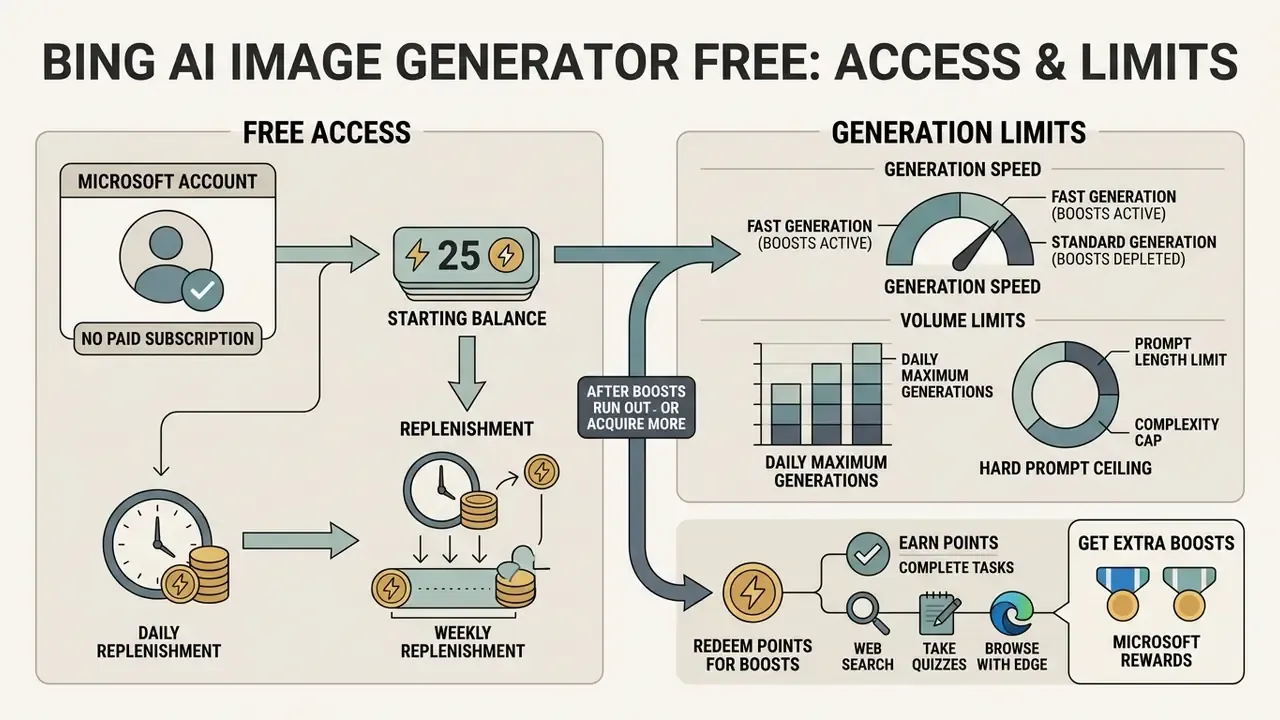
The Bing AI Image Generator free tier needs no paid subscription at the entry level. What it does impose: authentication, speed tiers and a daily prompt quota.
«Bing Image Creator is free for everyone with a Microsoft Account (MSA), but is not available to users on corporate Microsoft Entra ID accounts». — Microsoft Bing Image Creator product documentation (2024). https://www.bing.com/images/create
To compare alternative zero-cost platforms, review our free AI art generator comparison, which includes performance matrices, watermark policies and licensing notes.
Do you need a Microsoft account
To use the Bing free AI image generator you must sign in with a personal Microsoft account. Microsoft's own help documentation (Microsoft Support) and its Bing Systemic Risk Assessment Report both confirm that Image Creator is disabled for unauthenticated users, and that the service serves authenticated users aged 13 and over, or higher where local consent ages are higher.
One constraint carries governance weight. The AI image generator Bing free experience is designed for personal accounts. Work or school profiles on Microsoft Entra ID (formerly Azure AD) are either unsupported or subject to different boost rules, and Microsoft's help page notes that such accounts can stop creating entirely until boosts replenish. In practice this pushes corporate users to separate personal and work sessions during a pilot. That is precisely where governance problems begin, which is why the Shadow AI section below exists.
If mandatory sign-in blocks your team, compare free generators with lighter registration requirements before rolling anything out.
What affects generation speed and volume
Processing speed in Bing AI image generater is governed by a system of "boosts".
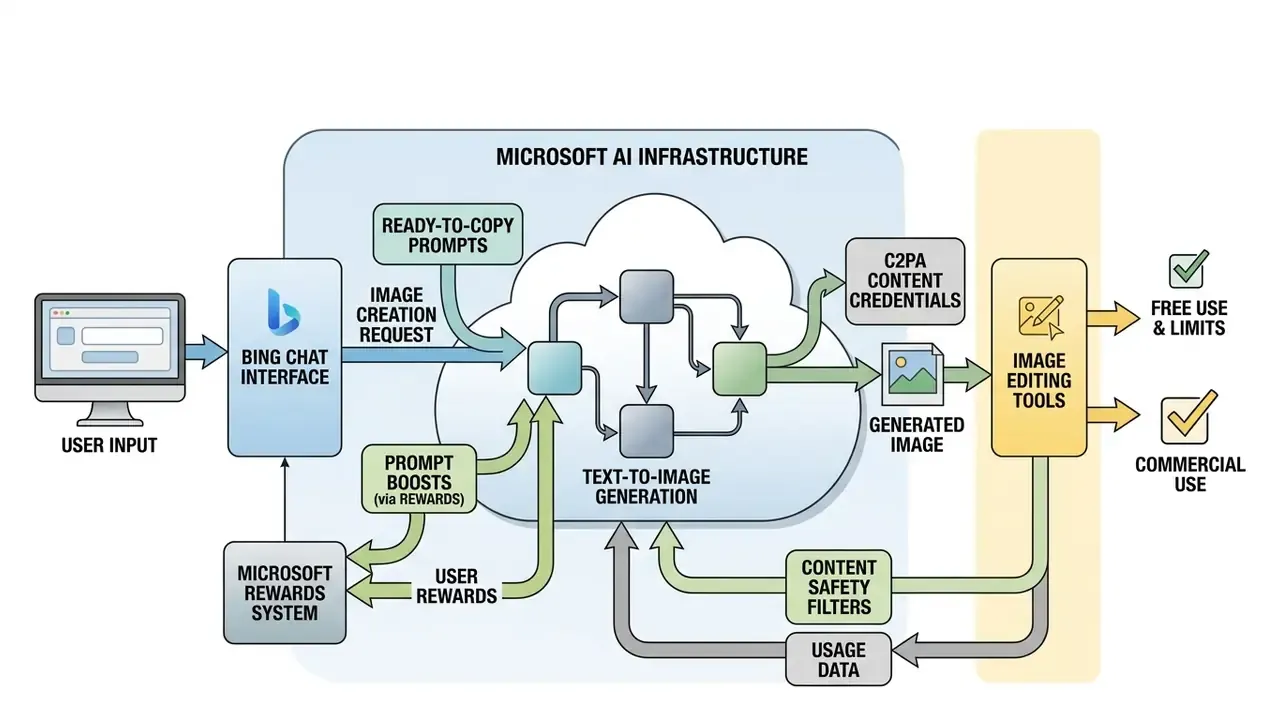
- Starting balance every user receives 15 boosted generations that push the request into priority processing on Microsoft's servers.
- After boosts run out the service keeps producing images, but requests enter a standard, slower queue. Waiting time can stretch from a few seconds to roughly two to five minutes at peak load.
- Replenishment Microsoft's official help page states boosts replenish on a daily cycle. Some 2026 third-party reviews describe a weekly cadence instead. The discrepancy tracks account type and reporting dates, so treat the Microsoft help page as authoritative and verify inside your own account.
- Hard prompt ceiling Microsoft documents up to 200 prompts per 24 hours, with the quota resetting the next day. Enough for heavy drafting. Not enough for unlimited batch production.
How to get extra boosts through Microsoft Rewards
If your 15 priority boosts are gone, you do not have to sit in the slow lane. Speed can be restored at no cost through the Microsoft Rewards loyalty programme.
- Earn pointsrun searches in Bing on desktop or the mobile app, use Microsoft Edge, and complete the daily quizzes and punch cards on the Rewards dashboard.
- Redeem points for boostsin the Bing Image Creator interface, click the coin icon next to the boost counter.
- Exchange rate500 Microsoft Rewards points convert into 5 additional boosted generations.
This gamified model is Bing's answer to the credit systems used by paid generators. Instead of charging money, Microsoft buys engagement with its own search and browser products. Your generation history and current boost balance both live in the Bing Image Creator profile, which is also where you will look first when auditing what someone actually produced.
Fact check: verification of usage conditions
Microsoft's documentation confirms mandatory authentication through a Microsoft Account and 15 daily boosts for priority generation (source: Microsoft Bing Image Creator Help Center). According to EU Digital Services Act reporting (DSA Transparency Report, Microsoft, 2024), a centralized moderation system processes millions of requests daily and automatically restricts access when systematic rule violations appear. Independent research, though, shows automated image safety filtering remains imperfect:
«Existing image safety classifiers are not effective enough on AI-generated content: the distribution of styles and textures in generated images reduces their accuracy». — Qu et al., UnsafeBench: Benchmarking Image Safety Classifiers on Real-World and AI-Generated Images, arXiv (2024). https://arxiv.org/abs/2405.03486
Practical implication: platform-side moderation is not a compliance control. Human review stays mandatory before any published or client-facing use.
Shadow AI: account types, data handling and logging
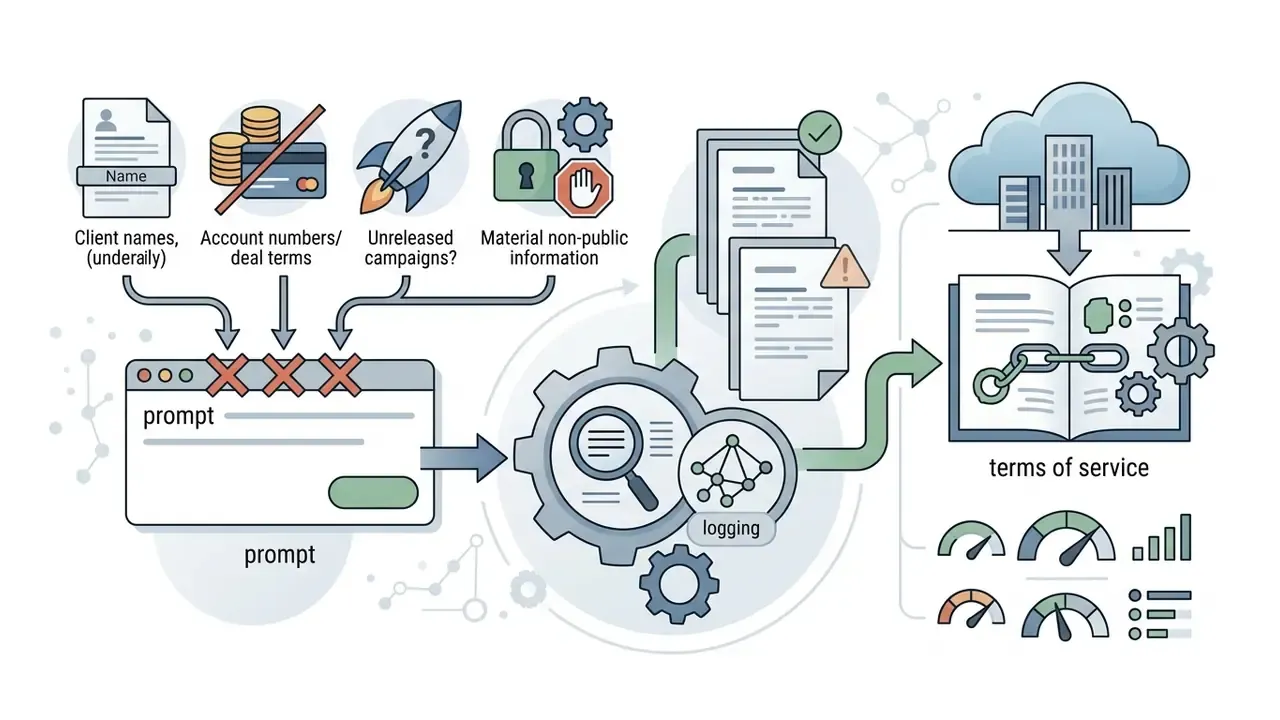
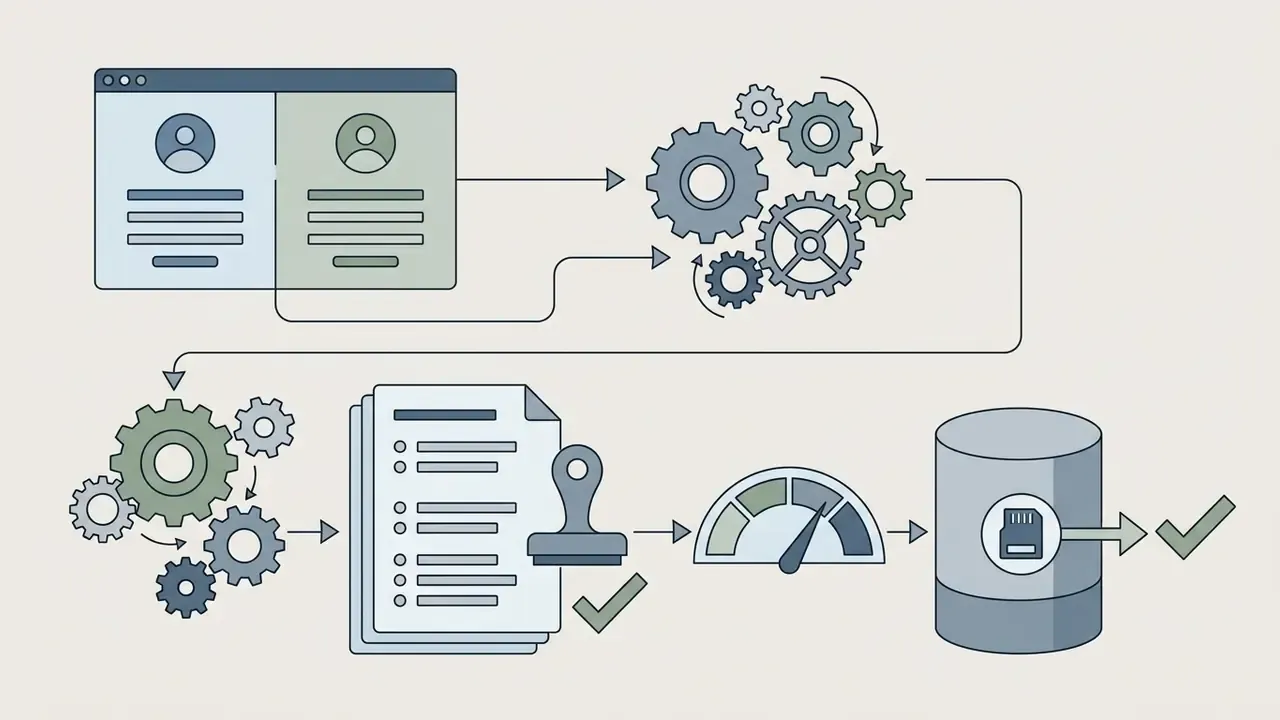
For regulated organizations, banks, insurers, fintech lenders, the sharpest risk of a free consumer generator is not output quality. It is uncontrolled usage. Because Bing Image Creator runs on personal Microsoft accounts, and is blocked or throttled for Entra ID profiles, employees quietly sign in with private credentials on corporate devices. Textbook Shadow AI: activity outside the tenant, outside DLP policy, outside your audit logs.
What to put in place before the tool lands in your AI inventory:
How to use Bing AI Image Generator: creating an image from text
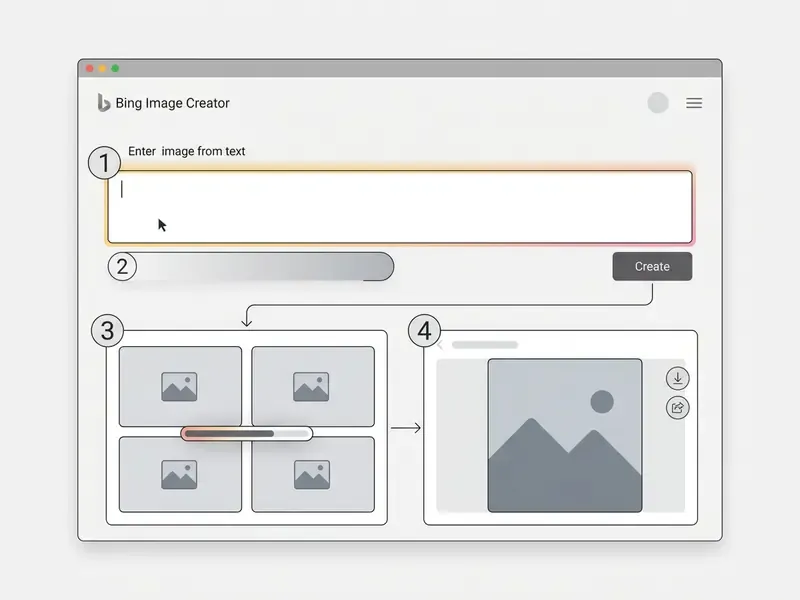
The generation flow in AI image generator Bing is simple. No programming, no computer-graphics background required.
Signing in to Bing Image Creator and preparing your request
To use Bing for generation, work through these steps:
- Open
bing.com/createin any modern browser, or launch Image Creator inside the Bing mobile app. - Click "Sign in to Create" in the top-right corner and authenticate with your Microsoft account. In the mobile app the button reads "Sign in & Create".
- Type the description of the visual you want into the central prompt field.
Generating variants, downloading and refining the image
Marketing assets almost always need cleanup. For those tasks, use the object-removal and canvas-extension techniques in our AI outpainting and background generation guide, and for isolating a subject on a clean plate, the workflow for an ai remove background from image tool is faster than manual masking.
How to write prompts for high-quality AI images
«Iterative prompt optimization with an LLM improves text-image consistency by up to 24.9% on the DSG metric without degrading FID». — Mañas et al., Improving Text-to-Image Consistency via Automatic Prompt Optimization (OPT2I), arXiv (2024). https://arxiv.org/abs/2403.02489
The elements of a detailed prompt
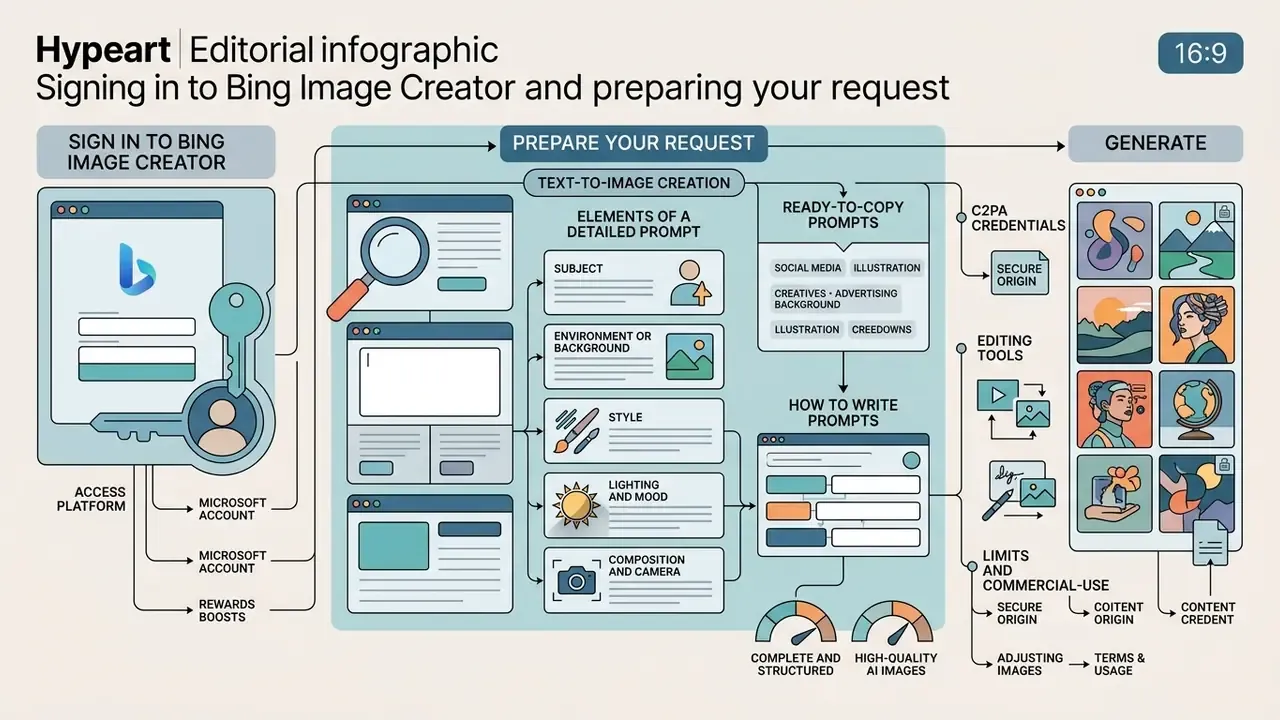
An effective prompt for an AI image creator carries five core elements:
- Subjectwhat or who leads the frame, for example "a gold coin".
- Environment or backgroundwhere the scene sits ("on a dark glossy desk in a modern office").
- Styletechnique or medium ("studio product photography, minimalism").
- Lighting and moodquality of light ("soft side softbox, neon blue accents").
- Composition and cameraviewpoint and optics ("close-up, shallow depth of field, 85mm macro lens").
A finished example:
Microsoft's own guidance lines up with that structure. Bing's help pages recommend highly descriptive prompts with adjectives, locations and explicit artistic styles such as "digital art" or "photorealistic", while Designer's prompt box asks for subject matter, style, background, lighting and overall mood.
«Carefully selected and crafted phrases are used to achieve a particular visual style in a synthesized image». — Oppenlaender, The Cultivated Practices of Text-to-Image Generation (2024). https://dl.acm.org/doi/10.1145/3613904.3642414
Editing images after generation in Bing
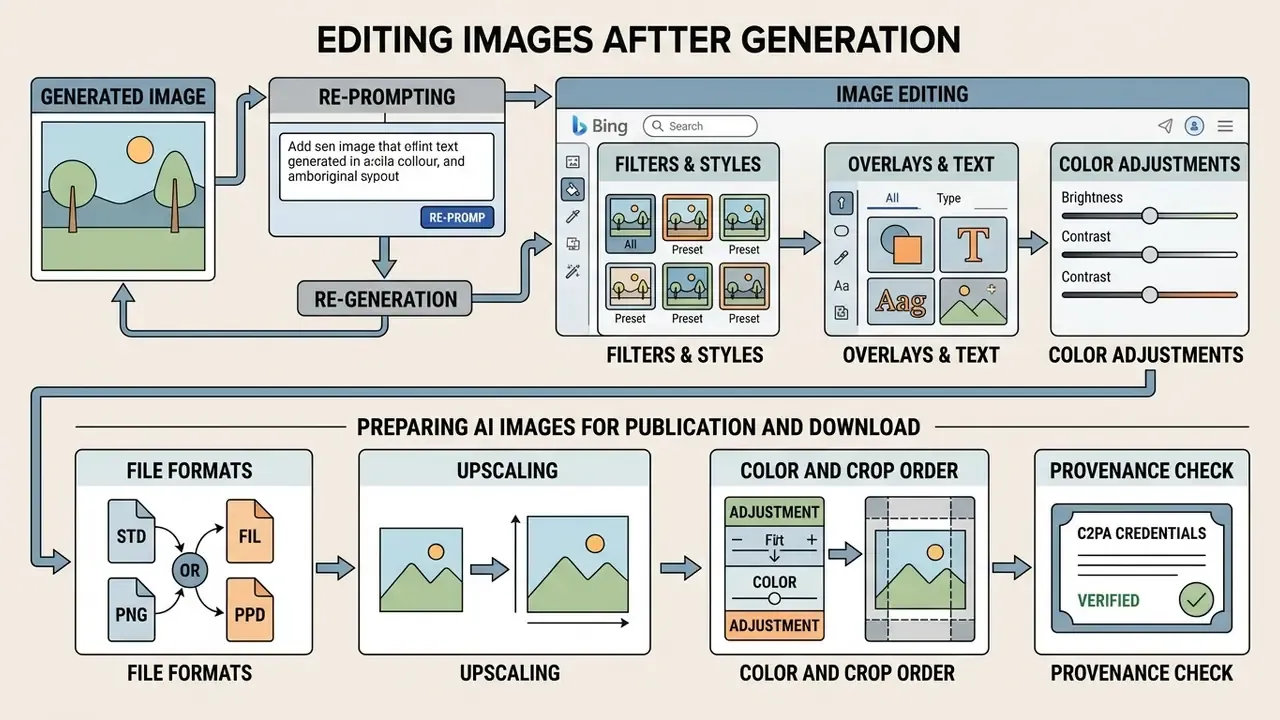
The first variant is a draft, not a deliverable. Microsoft offers built-in editing tools for refining what comes out.
When re-generation is enough, and when you need editing
For heavier object removal, background cleanup and retouching, see our online photo editor guide. When garbled pseudo-text appears inside an otherwise good frame, the cleanest route is an ai remove text from image pass before you re-typeset the wording properly. To stretch a square generation into a 16:9 or 9:16 placement, use the workflows in our AI image expansion guide. If your team needs a zero-cost editing stack around Bing outputs, the free photo editor overview documents export restrictions and privacy caveats.
Preparing AI images for publication and download
When exporting from Microsoft Designer, follow a basic technical protocol.
- File formats: use PNG for illustrations with crisp lines and type, avoiding compression loss. The W3C's PNG specification defines it as a lossless raster format. Use JPEG for photorealistic frames to keep page weight sane. NIST's interchange guidance still treats JPEG (JFIF) as the standard delivery format.
- Upscaling: base resolution is 1024×1024 px. Updated: Microsoft's Designer marketing page claims it can "generate up to 4K resolution images", but Microsoft publishes no lossless-upscale guarantee for existing Bing outputs. Treat AI upscale as interpolation. Inspect edges, hair, small type and textures at 100% zoom before print or large-format use.
- Colour and crop order: crop and set final geometry first, upscale second, compress last. Recompressing an already-JPEG file after editing visibly wrecks gradients.
- Provenance check: confirm whether the exported file still carries its content credentials, described in the next section, and whether that suits your distribution channel.
Can Bing AI images be used commercially?
What to check before using an image in an ad or a project
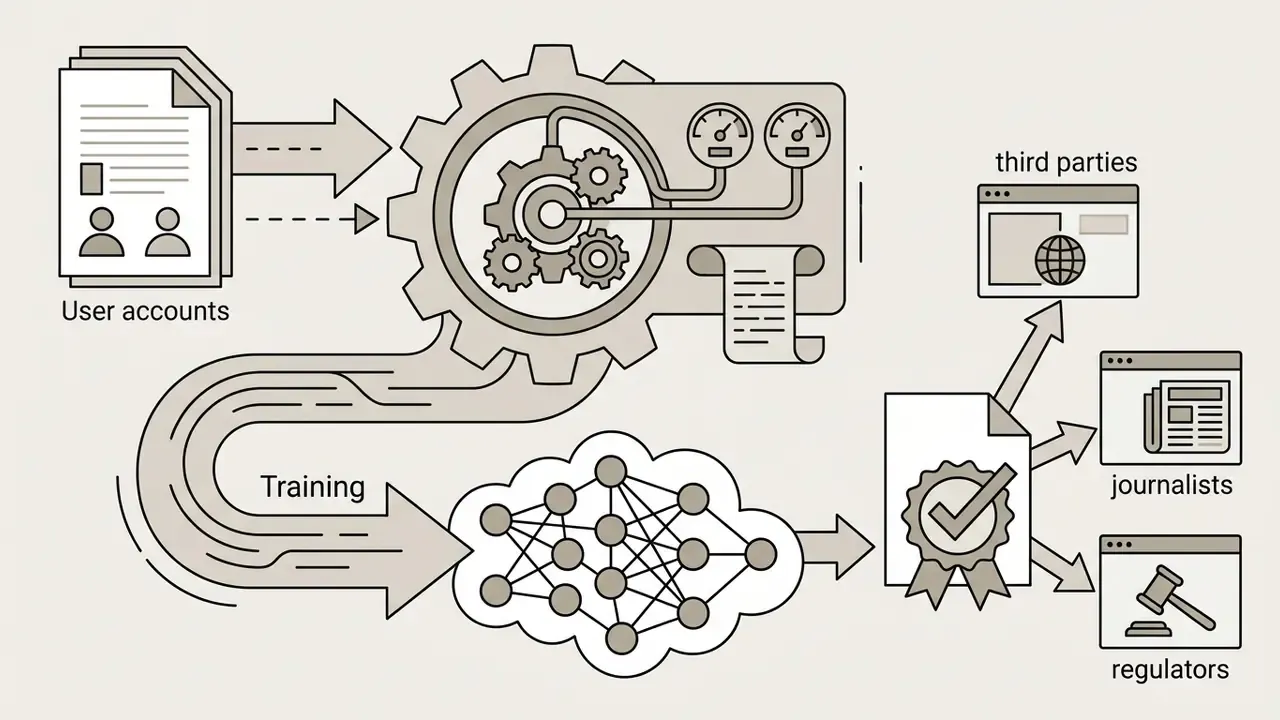
«Most of the 459 surveyed artists believe that the creators of AI tools should disclose which works were used to train their models». — Lovato et al., Foregrounding Artist Opinions: A Survey Study on Transparency, Ownership, and Fairness in AI Generative Art, arXiv (2024). https://arxiv.org/abs/2401.15497
The ethical dimension carries commercial weight. Campaigns built on generative imagery have drawn public criticism regardless of their legal footing, and reputational exposure belongs in the same assessment as licence risk.
Why commercial terms must be re-checked before every launch
AI law is moving fast. The U.S. Copyright Office and EU courts hold that purely machine generation, absent substantial human creative input, attracts no copyright protection. Practically: an image you generated in Bing can be copied by a competitor, and defending it in court will be rough.
«Under current US doctrine, "purely AI-generated works are not yet protected by copyright", whereas AI-assisted inventions may be patentable». — Generative AI and IP Under US Law, SSRN (2024). https://papers.ssrn.com/sol3/papers.cfm?abstract_id=4807779
Microsoft's licensing structure has tightened over time too. Consumer terms now default to noncommercial personal use, while paid enterprise channels carry separately negotiated output licences. The logic is plain enough: restricting consumer reuse limits Microsoft's copyright and redistribution exposure while preserving a controlled commercial model for business customers. For a broader map of usage rights across generative media tools, the Hypeart AI Media hub keeps the licensing notes in one place.
Safety mechanisms: the C2PA protocol and moderation triggers
Audit trail checklist for regulated industries
If you sit under model-risk or marketing-compliance oversight, document all of this for every published asset.
- The exact prompt text, the date, and the account type used.
- The model surface (Bing Image Creator, Copilot or Designer) and the terms version in force on that date.
- The raw generation, all four variants, plus the final edited file, stored in your own repository rather than relying on Microsoft's 90-day retention.
- The reverse-image-search result and the trademark or likeness review sign-off, with reviewer name.
- Whether C2PA credentials were preserved or stripped, and the business reason for that choice.
- The legal opinion or internal policy reference authorizing commercial use for that specific asset.
Six lines. That is the difference between an explainable control and a shrug in front of an examiner.
Strengths and limitations of Bing Image Generator in a working process
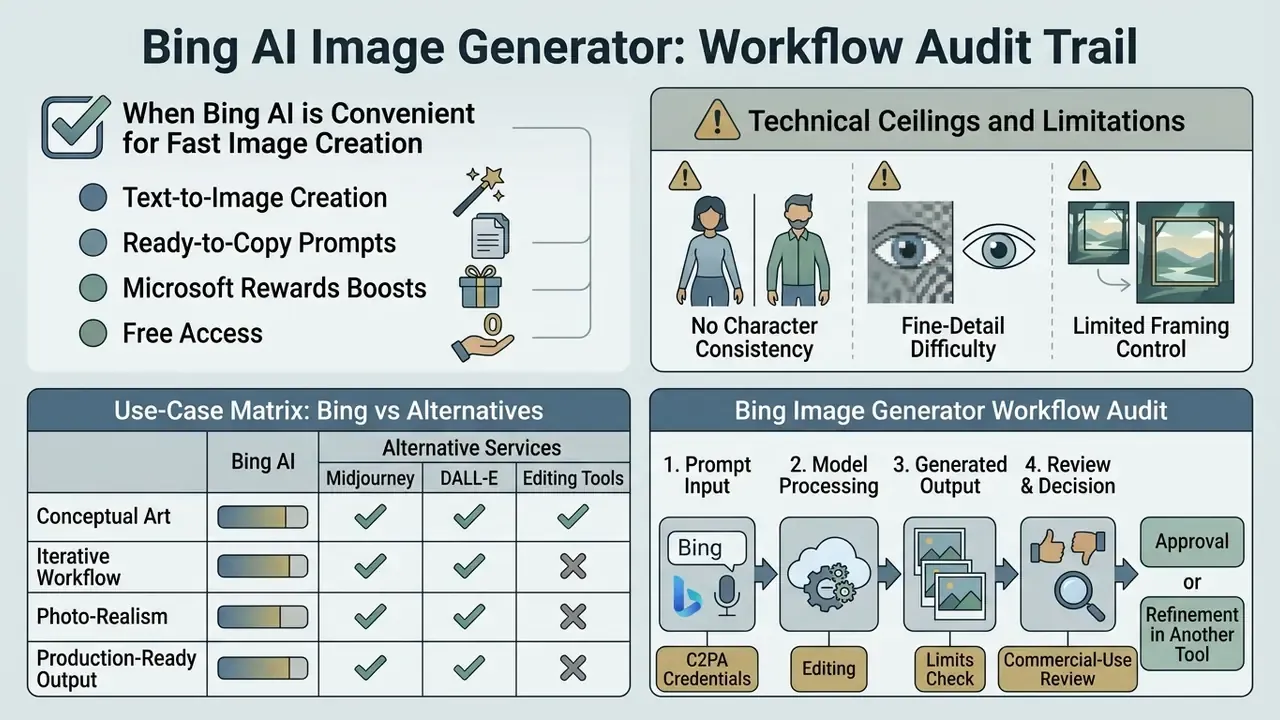
When Bing AI is convenient for fast image creation
Bing Image Generator performs best in a handful of scenarios:
- Rapid concept art and moodboards during brainstorming.
- Illustrating social posts and corporate blog articles.
- Background imagery for presentations and ad banners.
- Trimming spend on basic stock photography.
Teams that want broader zero-cost coverage can cross-reference our free AI art generator comparison and, for motion assets, the free AI video generator comparison.
Where you may need a different AI generator or editing tools
The constraints are real, and three of them matter most.
- No character consistency Bing cannot lock a single character and carry them across scenes with a stable appearance. Workflows needing repeatable identity migrate to Midjourney's reference features or Stable Diffusion with LoRA-based identity locking.
- Fine-detail difficulty correct finger counts, small type and complex technical diagrams produce artefacts often. Pseudo-text, unintended logos and inconsistent reflections are the usual failure modes.
- Limited framing control default generation is 1:1, so Microsoft Designer is needed to extend edges into 16:9 or 9:16. Public reports in 2026 disagree on whether additional ratios (7:4, 4:7, 16:9) are exposed, and whether output can reach 1792×1024. What you see depends on surface and rollout stage, so test your own account instead of trusting a spec sheet.
«Interactive prompt refinement with keyword visualization helps users exercise better control over the style and composition of generated images». — Feng et al., PromptMagician: Interactive Prompt Engineering for Text-to-Image Creation, IEEE VIS 2023 / arXiv (2023). https://arxiv.org/abs/2307.11716
Photorealism brings a separate, non-technical risk. Audiences largely cannot tell.
«In an experiment with 472 participants, average accuracy in identifying AI-generated images was only 65.24%: people err significantly more often with AI content than with real photographs». — The Adversarial AI-Art: Understanding, Generation, Detection (ARIA dataset study), University of Kansas (2024). https://arxiv.org/abs/2404.01501
For advertising, the takeaway is simple. Disclose photorealistic AI imagery deliberately rather than hoping viewers notice.
Bing AI Image Generator use-case matrix
| Business scenario | Is Bing AI Image Generator a fit? | Additional work required |
|---|---|---|
| Social media visuals (SMM) | High: fast, free, strong on artistic styles | Low: add text in Microsoft Designer |
| Article and blog illustrations | High: accurate topical match from a text prompt | Medium: cropping may be needed |
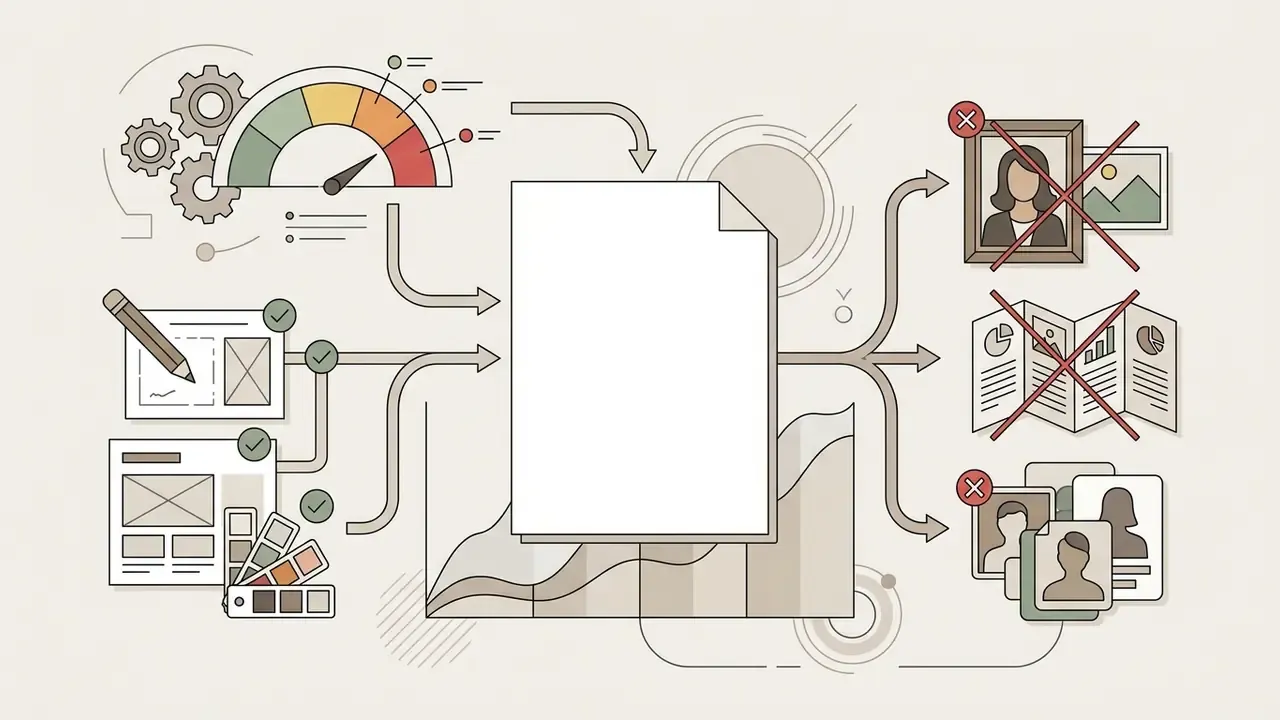
| Large advertising campaigns | Medium: copyright risk and no exclusivity | High: legal audit and final retouching required |
| Packaging and print design | Low: insufficient source resolution and fine-detail accuracy | High: vectorization and deep editing required |
| Internal decks and concept boards | High: ideal drafting speed, no client exposure | Low: none beyond formatting |
| Regulated client-facing materials | Low: consumer terms restrict commercial use, provenance must be documented | High: compliance review plus full audit trail |
No matching rows Clear one or more filters to restore the matrix.
Read the table as a risk gradient, not a scoreboard. Everything in the "High additional work" column needs a named owner before production, otherwise the work quietly does not happen. For professional alternatives suited to large commercial campaigns, see our commercial AI art generator comparison.
Bing vs Midjourney vs alternative services
| Parameter | Bing AI Image Generator | Midjourney (v6+) | StarryAI / Media.io and similar aggregators |
|---|---|---|---|
| Base model | OpenAI DALL·E 3, fixed, no model switching in the Bing web UI | Proprietary model | Aggregators and Stable Diffusion derivatives |
| Cost | Free with a Microsoft account | From roughly $10 per month | Credit systems, free trial credits |
| Prompt comprehension | High: handles long natural-language prompts | Medium: rewards parameter tuning | Medium |
| Built-in editor | Yes (Microsoft Designer: erase, fill, expand) | No, upscale and variations only | Limited |
| Character consistency | Not supported | Reference-based consistency features | Varies, LoRA workflows in SD |
| Commercial licence | Consumer terms: personal, non-commercial | Commercial rights on paid plans | Plan-dependent |
| Provenance metadata | C2PA content credentials embedded | Not standard | Varies |
If you are choosing between chat-based generators, our ChatGPT picture generator evaluation and Google AI image generator overview compare access, pricing and usage rights. For template-driven brand work, look at the Canva AI generator.
FAQ about Bing AI Image Generator
Can Bing AI create images containing text?
Yes. DALL·E 3 inside Bing Image Creator can render short captions inside images. Put the words in quotation marks inside the prompt, for example "a coffee cup with text 'Good Morning' written on it". Short English text renders most reliably. Independent benchmarking (DEsignBench, 2023) measured word-level accuracy around 65% overall, with roughly 83% on short words and 62% on sentences. Non-Latin scripts, Cyrillic included, are frequently distorted and need correction in Designer's text editor. Analysis presented at ECCV 2024 also found performance varies sharply by script, with weak results on several lower-resource languages.
How do you generate text inside images without errors?
Use this algorithm.
- Write the text in quotation marks, in English:
a coffee mug with exact text "BREAK TIME" printed on it. One or two short words where possible. - If you need Cyrillic or another non-Latin script: generate a clean visual without text in Bing, click "Customize" to jump into Microsoft Designer, and place the wording with the standard vector "Text" tool. Correct letterforms, brand fonts, editable type.
- Always leave negative space in the original prompt, for example "empty copy space in the centre", so overlaid typography has somewhere to live.
Is Bing Image Creator connected to AI video and video generators?
Bing Image Creator produces static raster images only. Video generation is a separate technology stack. Microsoft introduced Bing Video Creator in June 2025, a text-to-video feature powered by OpenAI's Sora and launched first in the Bing mobile app, and the Copilot app now carries its own "Create a video" flow. These behave as independent modules rather than an extension of Image Creator. Readers comparing tools can review our free AI video generator comparison and, for engineering teams, the Google Veo implementation guide covering API access, cost and limits.
How often do boosts reset, daily or weekly?
Microsoft's official Bing Image Creator help page describes boosts replenishing on a daily cycle for personal accounts, and Microsoft Q&A answers state a 15-boost allowance refreshing every 24 hours. Some 2026 third-party reviews describe a weekly allowance instead. Because the cadence differs by account type and has changed across product updates, check the counter in your own account before you plan a production schedule.
What resolution and aspect ratios does Bing Image Creator output?
Base output is 1024×1024 px, four images per query. Reports in 2026 conflict on whether additional ratios and larger sizes, up to 1792×1024 or 1024×1792, and ratios such as 7:4 and 4:7, are available, because Microsoft has rolled changes out unevenly across surfaces. For anything beyond a square, plan on extending the canvas in Designer with generative expand.
How long does Microsoft keep my generated images?
Microsoft states that creations are stored for up to 90 days. Download and archive anything you intend to reuse, and never treat Bing's history as a system of record for compliance purposes.
Can I use Bing images in a client project or paid advertising?
Not under the consumer terms as written. They permit use of creations outside the online services for personal, non-commercial purposes only, and the Microsoft Services Agreement limits Bing materials to noncommercial personal use. Enterprises that need commercial output rights should look at Microsoft's business channels, Bing grounding terms and Copilot with commercial data protection, then obtain their own legal review. Separately, even with a licence in hand, the image may not be protectable by copyright, so exclusivity cannot be assumed.
Appendix A: superseded statements retained for transparency
For editorial transparency, these earlier formulations from previous revisions have been corrected above.
- "Implementing a standard prompt template reduced repeat generations by 42%." Withdrawn: internal, unpublished sample without documented methodology. Replaced with peer-reviewed data from Mañas et al. (OPT2I, 2024).
- "Vector graphics: logos, icons, flat illustrations." Clarified: DALL·E 3 outputs raster files in a vector-like visual style, not editable vector paths.
- "Microsoft Designer's built-in AI tools upscale images to 4K with no loss of detail." Clarified: Microsoft advertises up to 4K generation in Designer but publishes no lossless-upscale guarantee for existing Bing outputs.
- Adult-content references previously appeared without context. They now sit inside the moderation-triggers section as prohibited categories, alongside the C2PA and audit-trail guidance, so the informational need (what the platform blocks and why) is served without off-topic framing.