Three Things to Know Before You Start
- Arabic prompts are not the same thing as Arabic lettering.Almost every mainstream model understands an Arabic description of a scene. Only a few render readable Arabic script inside the image. General-purpose diffusion models score roughly 0.27 to 0.30 on Arabic script fidelity, while multimodal backbones such as Qwen-Image reach about 0.78 across ten languages.
- Free tiers do exist, and some allow commercial use.Rewind.ai (no sign-up, daily token allowance), Qwen Chat, Mirqam (100 free credits, native RTL and OpenType shaping) and Andalusi's mobile app cover the main free entry points. Watermarks, daily caps and licensing differ, so verify before you publish.
- The most reliable workflow for perfect Arabic text is hybrid.Generate a clean, text-free background with AI, then overlay vector Arabic typography in a design editor. Use inpainting only to repair local glyph artifacts.
If you simply want to type a sentence in Arabic, say "فنجان قهوة أمام برج خليفة" ("a cup of coffee in front of Burj Khalifa"), and receive a usable image in a few seconds, that is entirely possible today, in a browser, for free. The complications start the moment you need readable Arabic letters printed inside the picture: a headline on a poster, a calligraphic phrase on marble, a price tag on a product shot. This guide covers both scenarios: the quick consumer path, and the governance-grade evaluation path for teams that publish under brand and compliance review.
Why should a risk owner care about an image tool at all? Because the failure is public. A garbled Arabic word on a campaign asset is not a model metric, it is a reputational event with a screenshot attached.
What Is an AI Image Generator with Arabic Text Support?
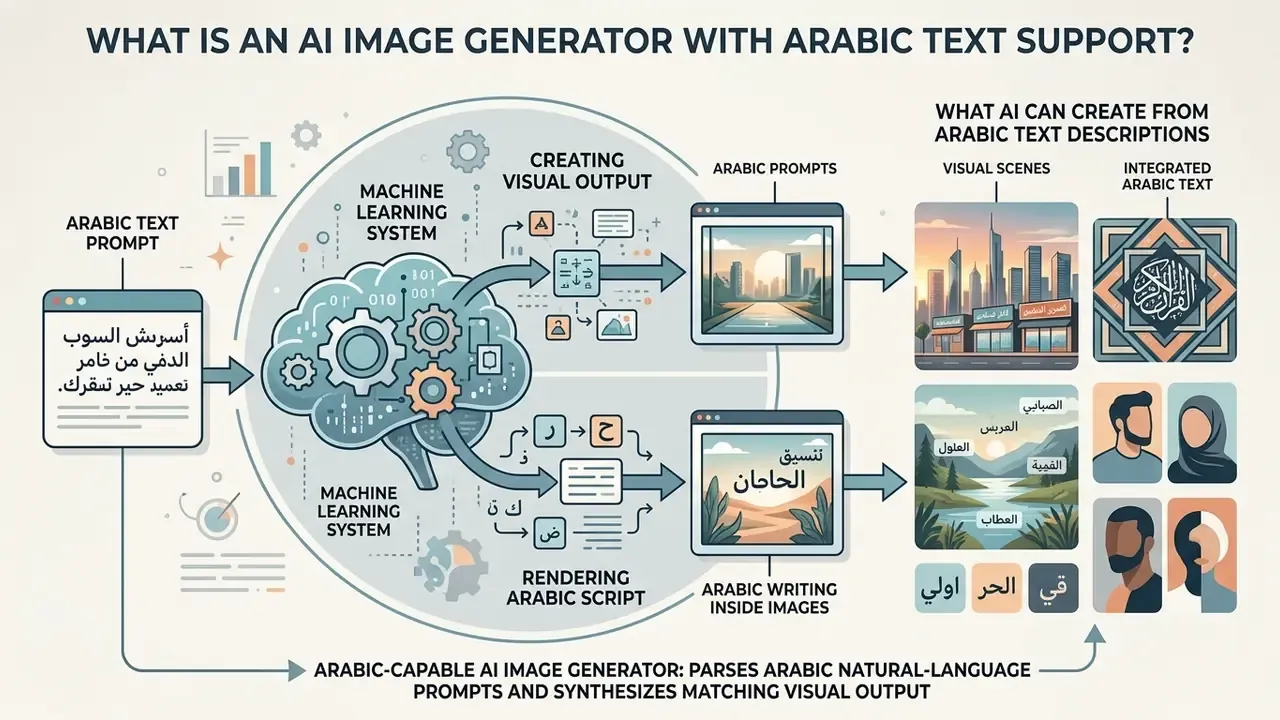
In two sentences: an Arabic-capable AI image generator is a machine learning system that parses Arabic natural-language prompts and synthesizes matching visual output. Support is measured on two separate axes: how well it understands Arabic, and how well it writes Arabic inside the frame.
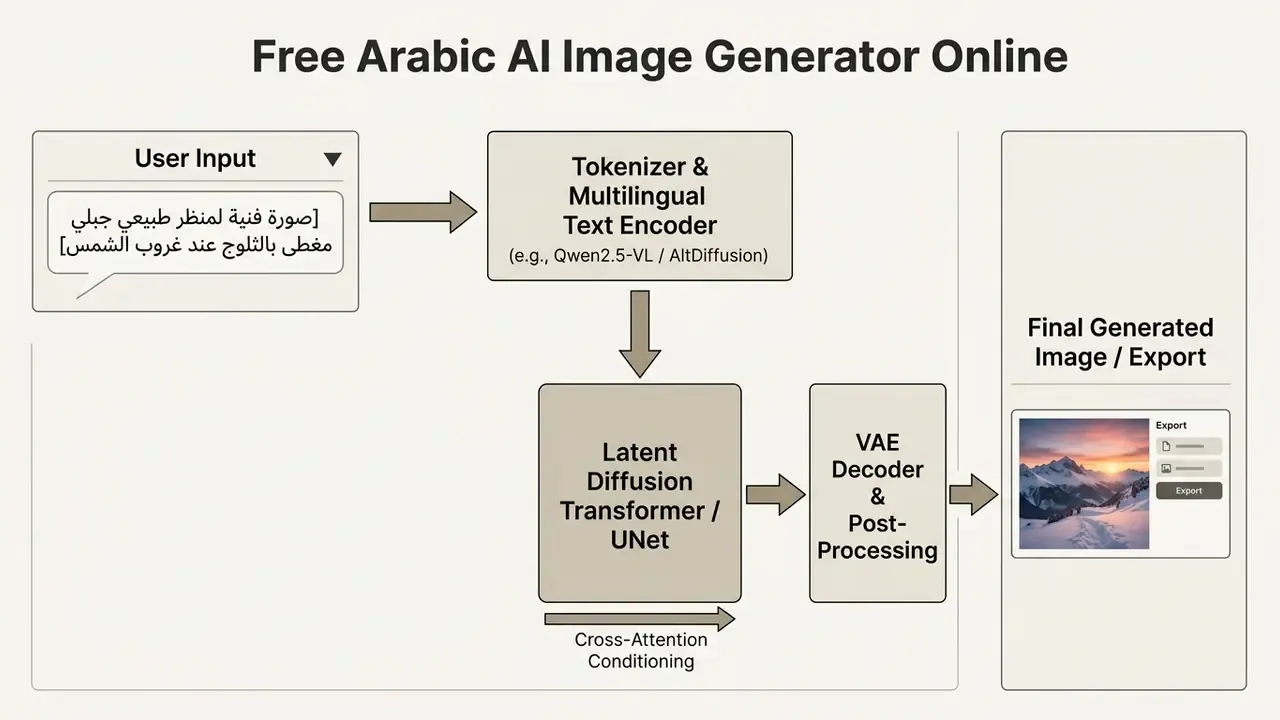
An ai image generator arabic tool parses Arabic natural language prompts and synthesizes corresponding visual outputs. These platforms use cross-attention layers and specialized text encoders to map right-to-left Arabic script into latent visual features. In practice, that mapping is where most of the quality loss happens.
«Most widely used systems rely on English-centric tokenizers and training corpora, which leads to unreliable handling of Arabic script inside generated images.»
Modern systems process simple text prompts to generate high quality visual assets directly inside a web browser. Users input text descriptions in Arabic to produce custom artwork, photorealistic scenes, AI photo mock-ups and marketing materials without technical design skills. No installer, no GPU, no design degree.
In model risk management, evaluating an ai image generator arabic support framework requires assessing two separate capabilities: prompt comprehension and glyph rendering. Enterprise teams must distinguish whether a platform merely interprets Arabic concepts or accurately renders written characters inside the visual frame. Treat them as two controls, not one. To review platform capabilities, pricing tiers and usage rights side by side, teams can consult our overview of AI image generators built for commercial deployment.
Arabic prompts versus Arabic writing inside generated images
In two sentences: understanding an Arabic prompt and drawing Arabic letters are different technical tasks handled by different parts of the pipeline. Scene geometry comes from the text encoder, while legible glyphs require glyph-aware conditioning or a post-generation typography step.
An ai image generator arabic text workflow handles two fundamentally distinct tasks: interpreting Arabic prompts to build scene geometry, and rendering legible Arabic script on image surfaces. Standard text-to-image models frequently understand Arabic descriptions of objects, lighting and concepts while failing to render readable written words inside the frame. Two skills, one interface, and that is exactly why buyers get surprised.
Academic research shows this structural divergence in multilingual model architectures.
«SD3.5 and SDXL showed low image-quality scores for Arabic script (0.27 to 0.30) because of complex cursive ligatures and right-to-left alignment requirements.»
Independent case reporting reaches the same conclusion from the product side. A 2025 case study on DALL·E 3 documented the model's inability to represent Arabic calligraphic script correctly, even when the Arabic prompt itself was interpreted accurately. Arabic-language reviews of consumer tools add that Midjourney responds to Arabic prompts but performs better in English, Stable Diffusion effectively depends on English conditioning, and FLUX shows only moderate Arabic text performance.
Conversely, models like Qwen-Image (Qwen Team, 2025) use multimodal transformer backbones to achieve strong, evenly distributed cross-lingual behaviour.
«Qwen-Image reaches an average cross-lingual score of 0.78 across ten languages with a standard deviation of 0.03, showing consistent behaviour for Arabic and English.»
To generate legible text inside images, specialized architectures such as STELLAR integrate language-adaptive glyph encoders.
«STELLAR outperforms state-of-the-art models in visual consistency and recognition accuracy, achieving an average 2.2% TAS improvement across languages.»
Arabic-native research lines are also maturing. Ara-RATGAN (2025) combines AraBERT with recurrent affine transformation specifically for Arabic text-to-image synthesis, and QCRI/HBKU's Fanar 2.0 platform ships Oryx-IG, a culturally aligned Arabic text-to-image model sponsored by Qatar's Ministry of Communications and Information Technology. Parallel Arabic OCR work explains why the problem is hard: cursive shapes, diacritics and layout variation force synthetic HTML to PDF to image datasets just to train reliable recognition of printed Arabic.
What AI can create from Arabic text descriptions
In two sentences: Arabic prompts reliably produce photoreal scenes, product shots, illustrations, architecture and ornamental patterns. Output variety improves sharply when prompts are structured rather than written as a single phrase.
An ai text to image generator arabic platform can produce a wide range of visual outputs, including studio product photography, digital illustrations, architectural renderings and decorative patterns. By processing detailed text prompts, the underlying image models translate descriptive words into controlled visual assets.
Current diffusion models excel at generating culturally aligned visuals when conditioned on comprehensive prompt structures.
The same HBKU study also reported broader regional representation, with Arabic-country inclusiveness improving in 72.66% of generated scenes compared with direct prompting.
Organizations routinely generate social media assets, digital background scenes and conceptual drafts from simple prompts. If you are still selecting a platform for a specific output class, our ranking of the best AI image generators maps tools to use cases such as product photography, illustration and typography-heavy layouts. When teams need specialized creative outputs, for example stylized graphics or an ai fantasy art generator, prompt structure dictates final output quality. Need a wider shortlist before you test anything? See the overview of comparison guides first.
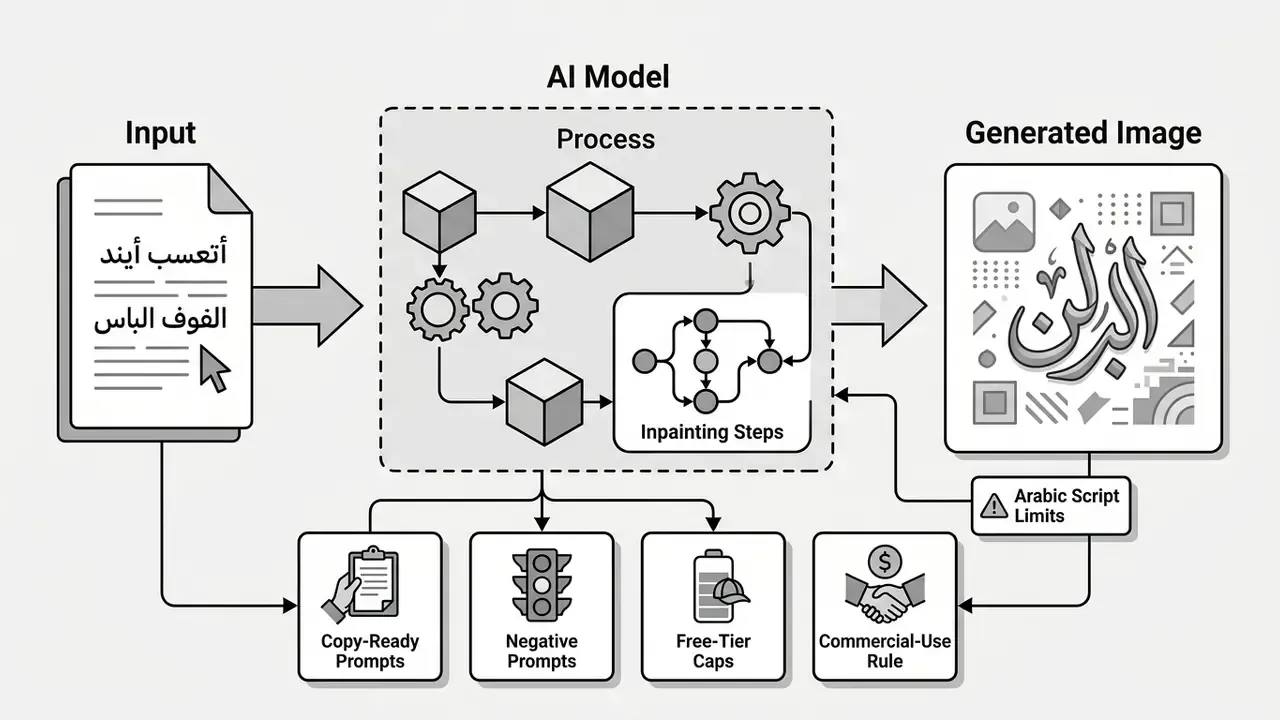
| Pipeline stage | What happens | Why it matters for Arabic |
|---|---|---|
| Tokenization | Arabic prompt is split into tokens | English-centric tokenizers fragment Arabic morphology |
| Text encoding | Multilingual encoder (for example Qwen2.5-VL, AltDiffusion) builds embeddings | Determines whether cultural concepts survive |
| Diffusion / MMDiT | Cross-attention conditions latent noise | Controls composition, not glyph accuracy |
| VAE decoding | Low-level sharpness and edges are restored | Decides whether letter strokes stay legible |
| Post-processing | Upscaling, inpainting, typography overlay | Where perfect Arabic text is actually won |
How to Use a Free Arabic AI Image Generator Online
In two sentences: browser tools need no installation, so you open the generator, choose Arabic, enter your prompt or upload a reference, then generate and download. Free access is usually limited by daily tokens, watermarks or export resolution rather than by features.
To use an ai image generator arabic free tool online, open a browser-based platform, enter your Arabic prompt, configure output parameters and click generate. Modern web tools operate without software installation, offering instant access through free trial tiers or daily generation credits. If you want to skip account creation entirely, see our list of free AI image generators without sign-up.
Web-based tools streamline the creative workflow by providing direct controls for aspect ratio, art style and resolution. Users can transform simple text into high-resolution visuals within seconds, which makes an ai image generator free online arabic setup efficient for rapid prototyping.
One-click test path, the fastest route to a first image:
Updated, case framing. In marketing-workflow control reviews, communications teams that standardize prompt templates and add a fixed validation checkpoint before publication consistently report fewer revision cycles per asset than teams generating ad hoc. Published, audited figures for such internal programs are rarely disclosed, so treat any specific percentage, including the 38% turnaround reduction cited in earlier versions of this guide, as directional rather than verified. Measure your own baseline instead: number of revision rounds per approved asset, before and after template standardization. One number, tracked honestly, beats a borrowed statistic.
- Open a no-sign-up generator such as Rewind.ai's Arabic tool (free, anonymous, daily token allowance).
- Select Arabic as the working language.
- Paste an Arabic prompt or upload a text file.
- Press generate, then download the result.
Write an Arabic prompt and choose an image format
In two sentences: name the subject, environment, lighting and style in Arabic, then set aspect ratio and resolution in the interface rather than in prose. Keep any requested in-image text under 25 characters.
To begin generating visuals, write a clear Arabic text prompt that specifies the subject, background environment, lighting conditions and visual style. After entering the text, select the appropriate aspect ratio and resolution setting for your target distribution platform.
Standard generation platforms offer explicit aspect ratio selectors: 1:1 square for social posts, 16:9 landscape for banner presentations, 9:16 portrait for mobile formats.
OpenAI's documentation adds hard geometry limits worth noting for production work: each edge up to 3,840 px, both edges multiples of 16, a maximum long-to-short ratio of 3:1, and total pixels between 655,360 and 8,294,400. Google's Vertex AI imaging guide recommends the complementary discipline, subject then context then style then iteration, and explicitly caps in-image text requests at 25 characters with no more than three phrases per composition.
For optimal visual fidelity, limit written text requests inside prompts to fewer than 25 characters. Specify high resolution parameters directly in the settings panel rather than relying on descriptive adjectives in the text box. Writing "ultra high resolution" in the prompt does almost nothing. Setting 2048 px does.
Generate, edit, and export the image
In two sentences: press generate, review the candidates, then fix local defects with inpainting or extend the frame with outpainting. Export lossless PNG for typography-heavy assets and high-quality JPEG for photographic scenes.
Once parameters are selected, click generate to trigger the diffusion process and review the resulting image output. If the image needs modification, use targeted editing tools like inpainting or outpainting before downloading the final file.
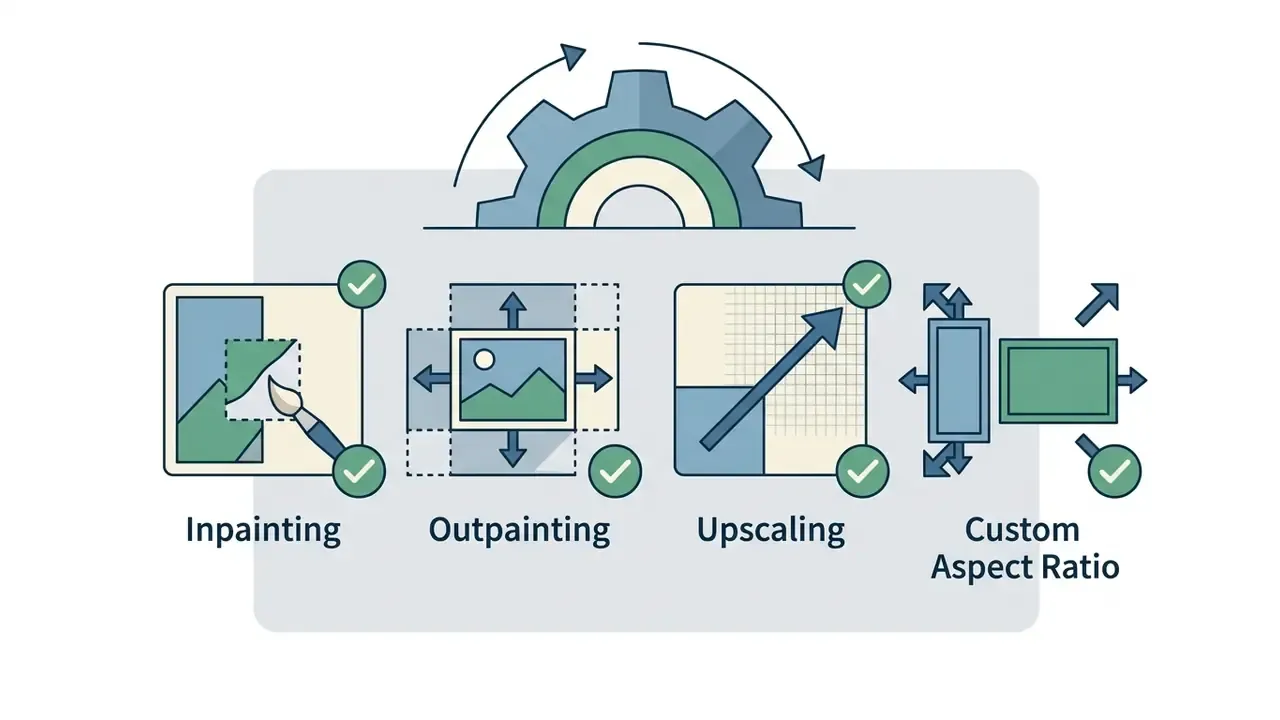
Inpainting lets users mask specific image regions and modify them using localized text descriptions while preserving the surrounding composition. Outpainting expands the visual canvas beyond original borders, generating extended background context that blends into existing pixels. When expanding canvas boundaries or replacing missing elements, creators frequently rely on AI outpainting tools to maintain stylistic continuity across the enlarged frame.
After refining the visual result, export the completed image in lossless PNG or high-quality JPEG format. Standard free online tools provide direct download options, while advanced enterprise features may require verified user accounts.
Step-by-step: Generative Fill and Inpainting for beginners
In two sentences: inpainting regenerates only the pixels you paint over, which makes it the correct tool for broken Arabic letters. Three actions, mask then prompt then regenerate, solve most glyph and artifact problems.
- Select the inpaint or Generative Fill tool. Pick up the brush and mask the area containing the incorrect Arabic script or the visual artifact. Paint slightly beyond the defect so the model has context to blend into.
- Enter a correction prompt. Describe only what belongs inside the mask, in Arabic where the tool supports it. For example
خط عربي ذهبي بارز("raised golden Arabic lettering") orخلفية رخامية نظيفة بدون نص("clean marble background, no text"). Add a negative constraint such asبدون حروف مشوهة("no distorted letters"). - Regenerate and blend. Generate; only the masked pixels are replaced while composition, lighting and colour grading stay intact. Repeat on smaller masks for stubborn ligatures, then run a final upscale pass.
Vendor documentation describes the same three-part logic: a mask defines what changes, the prompt defines the replacement, and the unmasked region is preserved. Stability AI's sd-inpaint endpoint fills or replaces a specified area defined by a mask image, and Adobe Firefly exposes the same capability as Generative Fill alongside a "Show Similar" control for exploring variants of a result you already like. If you are new to masked regeneration, our walkthrough of ai fill in image techniques covers brush size, feathering and prompt scope in more detail. Save the source image plus mask and reference layers so the edit can be re-run without regenerating the base composition.
Creating clean backgrounds for manual Arabic typography
In two sentences: when diffusion models struggle with complex ligature rendering, the most reliable workflow is generating an untextured background visual and overlaying vector Arabic text using built-in design tools or graphics software. This hybrid route guarantees correct spelling, joining and diacritics, because the glyphs come from a real OpenType font rather than from a denoising process.
The hybrid pipeline in four steps:
Typical use cases: invitations and greeting cards, posters, Ramadan and Eid campaign assets, product labels, book covers, YouTube thumbnails and story templates. Practical rule, and it has survived every test we ran: use AI for atmosphere, texture and composition; use fonts for anything a reader must actually read.
Creating clean backgrounds for manual Arabic typography
Generate a text-free background.
Add مساحة فارغة للنص ("empty space for text") and the negative constraint بدون نص، بدون كتابة، بدون علامة مائية ("no text, no writing, no watermark") so the model leaves clean negative space.
Open the result in a typography-capable editor.
Mobile apps such as Andalusi keep the generated image inside the app and let you place Arabic text in a professional font without exporting. Desktop workflows use any vector or layout editor with proper RTL shaping. Developer-side APIs like Mirqam expose full RTL, diacritics and OpenType shaping directly.
Set the text layer.
Choose a Naskh, Thuluth or modern geometric Arabic typeface, enable right-to-left paragraph direction, and confirm that ligatures and kashida elongation render correctly at final export size.
Export at publication size.
PNG for sharp lettering, then optional AI upscaling on the background layer only, to avoid softening the vector text.
Arabic Text-to-Image Prompts for Better Results
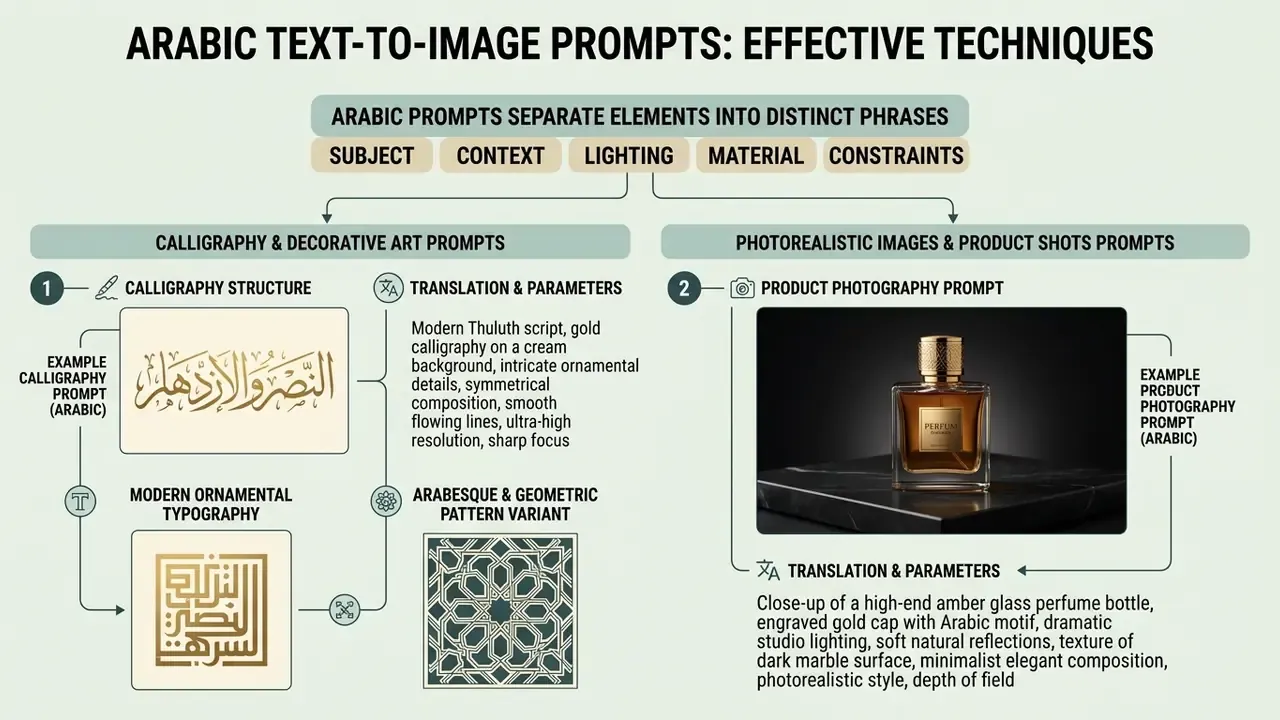
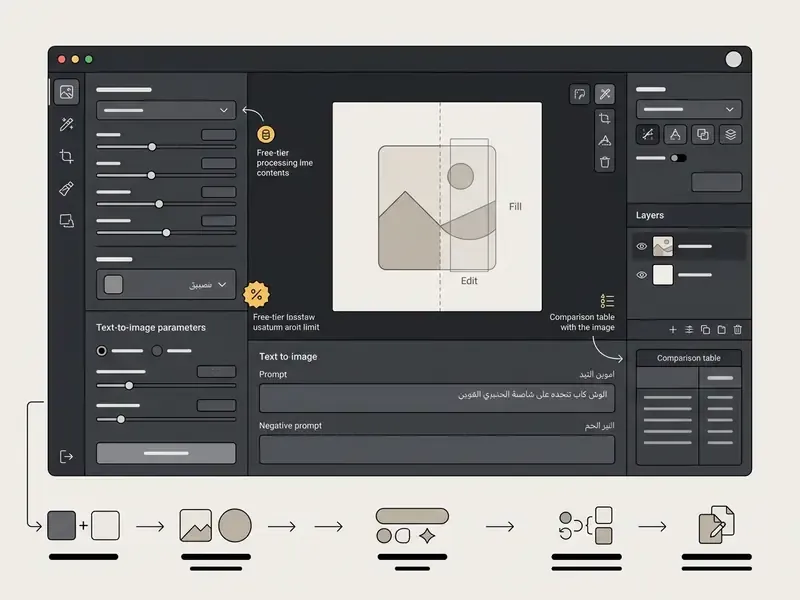
In two sentences: effective Arabic prompts separate subject, context, lighting, material and constraints into distinct phrases. Every template below is copy-ready, with the Arabic prompt, an English translation and recommended parameters.
Achieving the best results from an ai image generator from text arabic requires structured prompt construction. Effective prompts combine a defined subject, material textures, specific lighting setups, framing parameters and strict negative constraints.
Structuring prompts with explicit context reduces model ambiguity and improves alignment with user intent. Rather than vague descriptors like "stunning images," technical prompts should specify exact visual attributes such as "soft studio lighting, 85mm lens perspective, neutral background."
«Structured multi-phrase prompts produce 85% higher image variety than unstructured single-word inputs; splitting descriptions into subject, context and technical parameters consistently yields higher visual fidelity.»
AWS Nova Canvas guidance adds a reproducibility layer used by production teams: keep a fixed seed, iterate on the prompt plus negativeText pair, and describe subject, environment, lighting, camera position and style as separate slots. For a model risk reviewer, that fixed seed is the closest thing to a reproducible test case.
Prompts for Arabic calligraphy and decorative art
Generating arabic calligraphy and traditional ornamental patterns requires specifying script styles, line weights, surface textures and background materials in your Arabic prompt. AI models respond best to precise script designations like Thuluth, Naskh or Kufic, paired with material descriptions.
«HICMA is the first publicly available dataset with real samples of Arabic handwriting and calligraphy, covering multiple scripts and artistic styles.»
When prompting for traditional manuscript art or vector-style typography, include terms for gold leaf, embossed paper or carved marble textures. To compare engines built for artistic and ornamental output, review our roundup of AI art generators.
Example calligraphy prompt structure
- Prompt (Arabic)
خط الثلث العربي التقليدي، عبارة خالية من الأخطاء، حروف ذهبية فاخرة بارزة، خلفية رخامية داكنة، إضاءة سينمائية موجهة، بدقة عالية جداً - Translation and parameters Traditional Arabic Thuluth script, luxury raised gold lettering, dark marble background, directional cinematic lighting, high resolution, 1:1 aspect ratio.
Modern ornamental typography variant
- Prompt (Arabic)
طباعة عربية زخرفية حديثة، حبر أسود، نمط فيكتور مسطح، خلفية بيضاء بسيطة، تناسق هندسي، بدون تكرار الأحرف - Translation and parameters Modern ornamental Arabic typography, black ink, flat vector style, minimal white background, geometric balance, no repeated letters, 1:1 or 4:5 ratio.
Arabesque and geometric pattern variant
- Prompt (Arabic)
زخرفة أرابيسك متكررة، تشكيل هندسي إسلامي، خامة فضية على رخام، تناظر دقيق، إضاءة ناعمة موحدة - Translation and parameters Repeating arabesque ornament, Islamic geometric tessellation, silver finish on marble, precise symmetry, soft even lighting, seamless tile, 1:1 ratio.
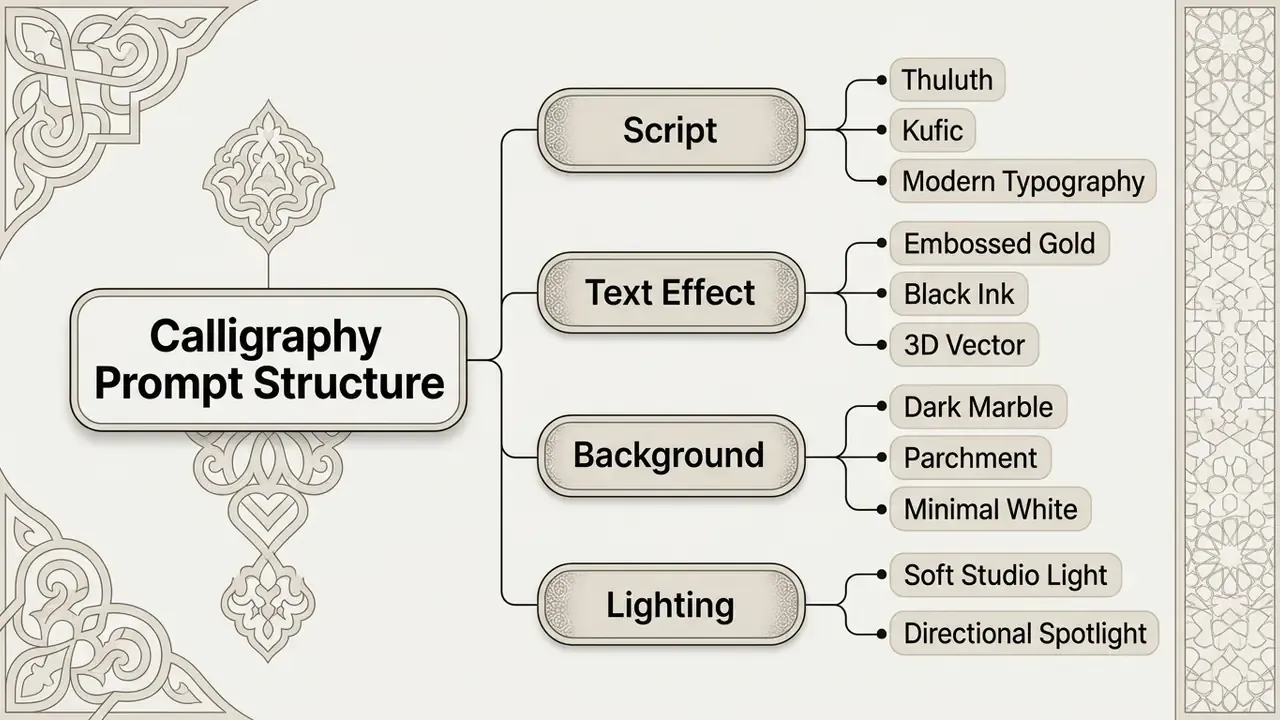
| Slot | Arabic cue | English cue |
|---|---|---|
| Script style | خط الثلث / خط النسخ / الخط الكوفي | Thuluth / Naskh / Kufic |
| Text effect | ذهبي بارز / حبر أسود / فيكتور ثلاثي الأبعاد | Embossed gold / black ink / 3D vector |
| Background | رخام داكن / ورق مخطوطات / أبيض بسيط | Dark marble / parchment / minimal white |
| Lighting | إضاءة استوديو ناعمة / إضاءة موجهة | Soft studio light / directional spotlight |
Prompts for photorealistic images and product shots
To generate photorealistic images and professional product shots with an ai text to image generator arabic, structure the prompt around camera hardware, lighting setups and surface details. Avoid abstract quality buzzwords and focus on physical attributes.
Describe the exact subject, surface finishes, background depth of field and studio lighting arrangements. For commercial asset creation, specifying colour palettes and clean isolation keeps the resulting product shot usable across marketing materials.
Example product photography prompt
- Prompt (Arabic)
صورة فوتوغرافية احترافية لزجاجة عطر زجاجية شفافة، على قاعدة حجرية طبيعية، خلفية دافئة ناعمة غير مبرزة، إضاءة استوديو متوازنة، تركيز حاد على المنتج - Translation and parameters Professional product photograph of a clear glass perfume bottle on a natural stone base, soft warm out-of-focus background, balanced studio lighting, sharp product focus, 4:3 aspect ratio.
Packaging and e-commerce variant
- Prompt (Arabic)
تصوير منتج تجاري، علبة قهوة مختصة، خلفية بيضاء نظيفة، إضاءة سوفت بوكس من جهتين، عمق ميدان ضحل، عدسة 85 مم، دقة عالية، بدون نص - Translation and parameters Commercial product photography, specialty coffee package, clean white background, two-sided softbox lighting, shallow depth of field, 85mm lens, high resolution, no text, 1:1 ratio.
Prompts for character art, chibi, anime and stylized illustration
Stylized character art is the fastest-growing Arabic prompt category, and it is where playful consumer tools currently outperform academic examples. Chibi portraits, manga filters and 3D vector characters work well because they place no demands on glyph rendering. No letters, no failure mode.
Chibi character prompt
- Prompt (Arabic)
رسم كرتوني لطيف لشخصية عربية بطراز الشيبي، يرتدي الزي التقليدي، ألوان زاهية، خلفية بسيطة، دقة عالية - Translation and parameters Cute cartoon portrait of an Arab character in Chibi style, wearing traditional attire, vibrant colours, clean minimal background, 1:1 ratio.
Manga and anime filter prompt
- Prompt (Arabic)
بورتريه بأسلوب المانغا اليابانية، شخصية عربية بالكوفية، خطوط حبر حادة، تظليل متقاطع، تباين عالٍ بالأسود والأبيض - Translation and parameters Japanese manga-style portrait, Arab character wearing a keffiyeh, sharp ink linework, cross-hatched shading, high-contrast black and white, 2:3 ratio.
3D vector mascot prompt
- Prompt (Arabic)
شخصية ثلاثية الأبعاد بأسلوب الفيكتور، تاجر قهوة عربي مبتسم، إضاءة استوديو ناعمة، خامات بلاستيكية لامعة، خلفية بلون واحد - Translation and parameters 3D vector-style character, smiling Arab coffee merchant, soft studio lighting, glossy plastic materials, single-colour background, 1:1 ratio.
Prompts for architecture and interior renderings
- Prompt (Arabic):
تصور معماري لمسجد معاصر، أقواس حجرية، مشربيات خشبية، ساحة داخلية بنافورة، إضاءة الغروب الذهبية، عرض بعدسة عريضة - Translation and parameters: Architectural visualization of a contemporary mosque, stone arches, wooden mashrabiya screens, inner courtyard with fountain, golden-hour sunset light, wide-angle view, 16:9 ratio.
- Prompt (Arabic):
تصميم داخلي لمجلس عربي فاخر، أرائك منخفضة، سجاد منقوش، إضاءة دافئة غير مباشرة، تفاصيل خشبية محفورة، تصوير معماري واقعي - Translation and parameters: Interior design of a luxury Arabic majlis, low seating, patterned carpets, warm indirect lighting, carved wooden details, realistic architectural photography, 3:2 ratio.
Arabic negative prompts you can copy
Negative prompts are the cheapest quality gain available, and they matter more in Arabic than in English, because garbled script is the most common failure mode. Copy these into the negative field:
(distorted text, illegible letters, repeated words, spelling errors, random writing, watermark, logo)
(extra fingers, deformed hands, duplicated faces, twisted limbs, product distortion)
(noise, blur, low resolution, JPEG compression, frame, black borders)
- Text and script defects
نص مشوه، حروف غير مقروءة، كلمات مكررة، أخطاء إملائية، كتابة عشوائية، علامة مائية، شعار - Anatomy and object defects
أصابع زائدة، أيدٍ مشوهة، وجوه مكررة، أطراف ملتوية، تشويه في المنتج - Technical defects
ضوضاء، ضبابية، دقة منخفضة، ضغط JPEG، إطار، حدود سوداء - Composition defects
فوضى بصرية، عناصر متداخلة، خلفية مزدحمة، قص غير طبيعي
(visual clutter, overlapping elements, busy background, unnatural cropping)
Reusable combined block: نص مشوه، حروف غير مقروءة، كلمات مكررة، علامة مائية، أصابع زائدة، دقة منخفضة، ضبابية، خلفية مزدحمة
How to Choose the Best Free AI Image Generator for Arabic
In two sentences: weigh Arabic comprehension, glyph rendering, editing controls, resolution ceiling and licensing together, because a tool can win on one axis and fail badly on another. Prefer platforms that disclose their underlying model and their commercial-use terms in writing.
Selecting the best ai image generator with Arabic support requires evaluating language understanding, model architecture, output resolution limits and commercial licensing terms. Institutions must assess whether a platform runs on verifiable open-source checkpoints or proprietary black-box APIs.
«General-purpose models show pronounced linguistic inequality: performance is skewed toward high-resource Indo-European languages, and non-Latin writing systems remain the main bottleneck.»
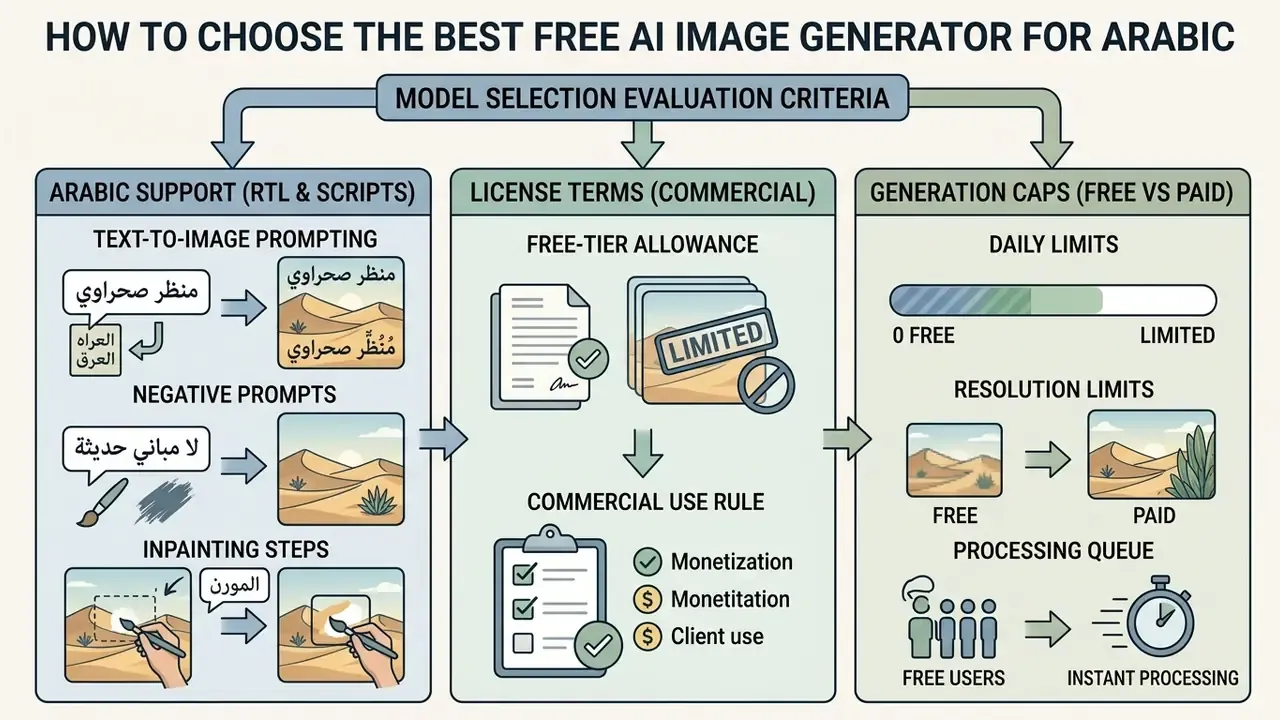
Comparison criteria: Arabic support, models, styles, and editing
When evaluating an ai image generator arabic site, review its underlying image models, art style presets, native right-to-left text support and built-in editing capabilities. Systems built on multilingual foundations handle complex Arabic prompts more accurately than standard English-first baselines. Side-by-side scoring for the general market is available in our comparison of the best free AI image generators.
Key evaluation criteria:
- Arabic language understanding: ability to process natural language Arabic prompts without silent English translation errors (Ye et al., 2023).
«AltDiffusion significantly outperforms Stable Diffusion in multilingual understanding, especially for culturally specific concepts, as measured by human preference and CLIP metrics.»
- Script and typography rendering: support for legible Arabic character shapes, ligatures and diacritics within generated images.
«Qwen-Image achieves an average cross-lingual score of 0.78 across ten languages with a standard deviation of 0.03, demonstrating uniform behaviour for Arabic and English.»
Open models versus proprietary APIs for Arabic
| Dimension | Open models (FLUX, Qwen-Image, Stable Diffusion) | Proprietary APIs (DALL·E, Firefly, Nano Banana, Seedream) |
|---|---|---|
| Arabic prompt handling | Strong for Qwen-Image (multilingual MMDiT); weaker for SD variants | Generally strong; DALL·E 3 documented for prompt nuance |
| Arabic glyph rendering | Variable; SD3.5 and SDXL score 0.27 to 0.30 | Better on Nano Banana Pro and Seedream native Arabic text |
| Licensing certainty | Apache 2.0 for Qwen-Image, unrestricted commercial use | Governed by each vendor's terms; Firefly markets commercial safety |
| Self-hosting and data control | Possible; prompts never leave your infrastructure | Not possible; prompts processed by vendor |
| Cost at scale | Compute cost only | Per-image or credit cost, plus tier limits |
| Auditability for model risk | High, weights and licence inspectable | Low, black-box behaviour and versions change silently |
No matching rows Clear one or more filters to restore the matrix.
Free access limits and features worth checking
Free access tiers vary significantly across AI image platforms, from daily token allowances to strict feature paywalls. Users should verify whether free access includes commercial usage rights or enforces public watermarks on exported images.
For instance, Rewind.ai offers free anonymous access with 2,500 daily tokens (5,000 on a free account), no sign-up requirement, open-source models including Qwen 2.5, FLUX and Whisper, and states that generated content may be used commercially. Developer APIs such as Mirqam provide 100 free credits on sign-up with specialized RTL, diacritics and OpenType script shaping, PNG and JPG output, and a default 60 requests-per-minute rate limit.
Conversely, major commercial APIs restrict free-tier access. OpenAI's model documentation lists the free tier as not supported for RPM, TPM and batch queue limits, while Google's Gemini API applies separate batch limits, for example 100 concurrent batch requests, 2 GB input file size and 20 GB file storage. Organizations that need unrestricted browser access can consult our guide to no-sign-up AI image generators for operational access patterns, and if corporate filtering blocks the tool entirely, our notes on an ai generator unblocked workflow explain the policy questions to raise with IT rather than the workarounds to attempt. For repeatable production steps, open the hub of documented workflows.
| Platform / Tool | Arabic prompt support | Script rendering quality | Free tier allowance | Editing features | Commercial use on free tier |
|---|---|---|---|---|---|
| Rewind.ai Arabic | Native multilingual | Moderate (scene-focused) | 2,500 tokens/day anonymous; 5,000 with free account | Prompt and style selection | Yes, stated for open-source base models |
| Qwen-Image / Qwen Chat | Native multilingual | High (multimodal MMDiT) | Free web access | Text-rich layout controls | Yes, Apache 2.0 checkpoints |
| Mirqam API | Native RTL and OpenType | High (specialized shaping and OCR) | 100 free credits on sign-up | Script shaping and API export | Enterprise commercial terms, verify per plan |
| Andalusi Mobile | Direct Arabic prompts | Moderate (in-app font overlay) | Free app download and core tools | Inpainting, background removal, Arabic text tool, templates | Shown in-app, verify plan terms |
| Adobe Firefly | Arabic prompts; expanded MSA RTL in Express | Moderate for in-image Arabic | Monthly generative credits with Adobe account | Generative Fill, Show Similar, 2x and 4x upscale | Yes for out-of-beta features |
| Nano Banana (Gemini) | Native multilingual | High for rendered Arabic text (Pro tier) | Available where Gemini image generation is enabled | Conversational editing, up to 4K | Verify current Google terms |
How to Improve Arabic AI-Generated Images
In two sentences: quality comes from iteration, not from a single lucky generation, so refine the prompt, add reference conditioning, then upscale. Fix glyphs with masked edits before the final export, never after.
To improve the visual fidelity of an ai image generator free arabic output, refine your text prompt structure, apply reference images and use post-processing upscaling tools. Iterative editing yields significantly higher detail than relying on initial single-pass generations.
Systematic quality enhancement means combining structured text descriptions with parameter constraints. By controlling seed numbers and aspect ratios, creators maintain visual consistency across multiple generation runs.
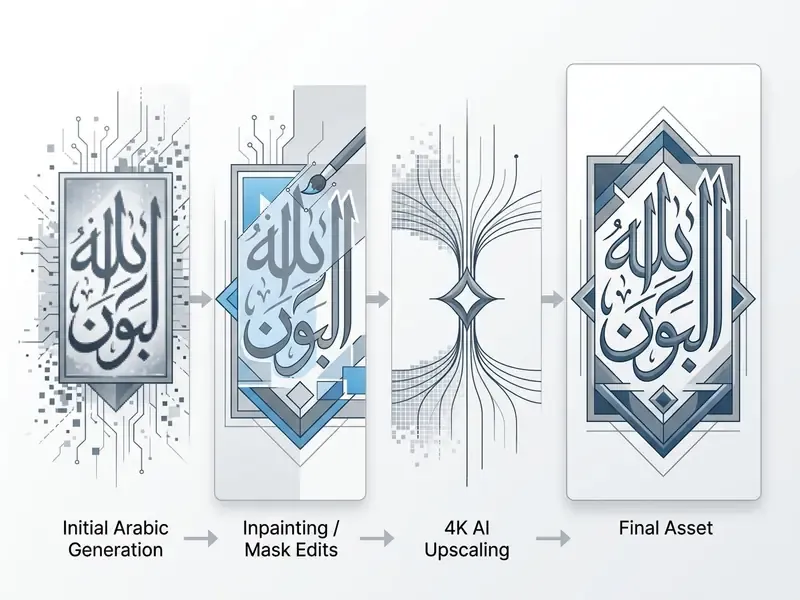
Updated, case framing. Design teams that formalize a multi-stage refinement pipeline, reference style input then masked correction pass then 4K upscaling, typically clear brand review in fewer rounds than teams shipping raw first-pass generations. Earlier versions of this guide quoted a jump in first-pass approval rates from 54% to 89% in a fintech graphic production test. Because that test was internal and unpublished, treat it as illustrative only, and track your own first-pass approval rate as the metric that matters.
Use reference images, styles, and aspect ratios
Adding reference images (image-to-image) alongside an Arabic text prompt provides structural and stylistic guidance to the diffusion backbone. Uploading a reference composition helps the model preserve desired spatial layouts while applying new visual styles.
When using reference guidance, match the target aspect ratio setting to the reference image dimensions to prevent subject stretching or unnatural cropping.
«Separating style reference prompts from main subject descriptions gives the diffusion model explicit conditioning parameters for accurate alignment of visual elements.»
MiniMax's API illustrates the mechanics: eight aspect-ratio presets are available, and custom sizes require omitting aspect_ratio while supplying width and height between 512 and 2048 px, each divisible by 8. Leonardo's Image Guidance treats reference conditioning as a separate input path used alongside the prompt rather than as a replacement for it.
Explicitly state camera angles, framing views and medium types, for example "35mm film photograph" or "flat vector graphic". This structural separation helps the text encoder align visual elements accurately.
Edit and upscale generated images after creation
After creating an initial asset with an ai image generator text to image arabic tool, use post-processing techniques to raise resolution and correct localized flaws. Post-generation upscaling turns standard 1024x1024 outputs into production-ready 4K visual assets. For a shortlist of tools by output quality and pricing, see our comparison of AI image upscalers.
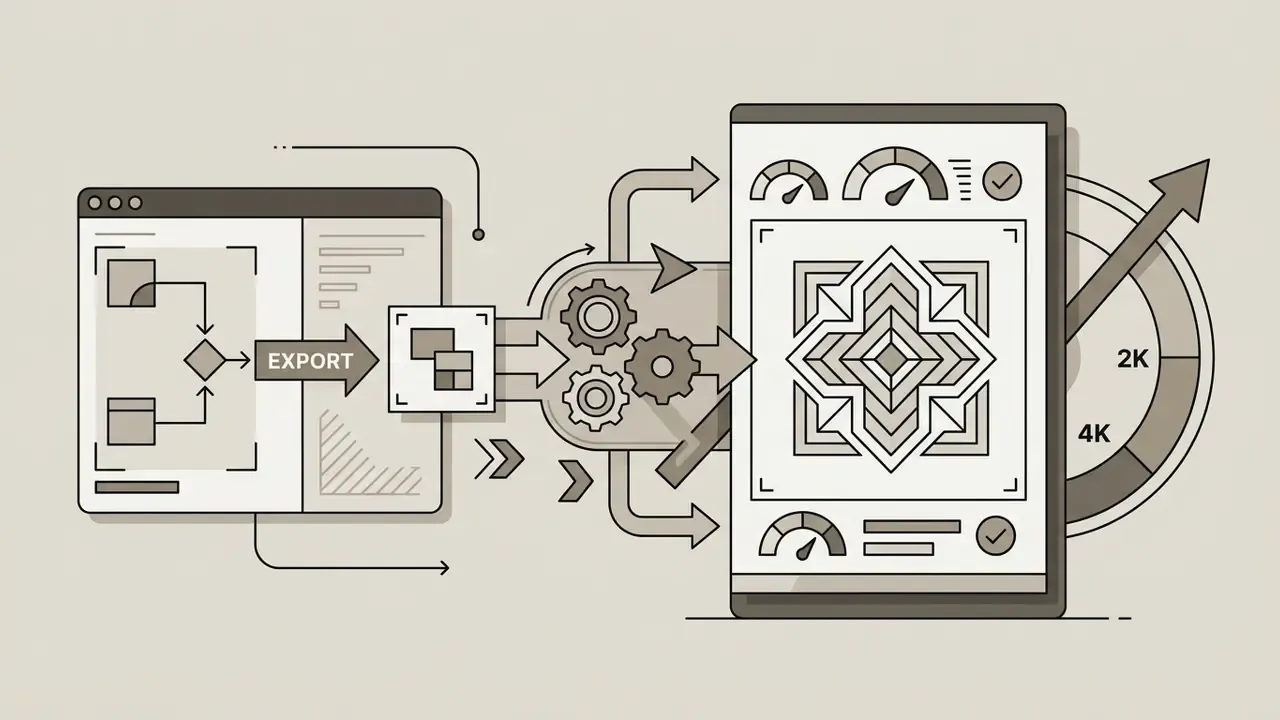
Modern upscaling technologies, such as Adobe Firefly's 2x and 4x image upscaler or Stability AI's conservative upscaler, enlarge images up to 4K while sharpening edges and preserving script details. Stability's documentation states that sd-upscale-conservative can enlarge images from 64×64 up to 1 megapixel all the way to 4K resolution.
«Qwen-Image uses a VAE decoder to capture low-level detail, sharpness and text edges, ensuring rendering accuracy at high resolution.»
Mask-based inpainting lets creators erase and regenerate distorted characters or background artifacts without altering surrounding pixels. Where a whole asset simply needs more clarity rather than local surgery, dedicated AI image enhancers handle denoising, sharpening and colour recovery in one pass.
To expand background borders or adjust framing compositions, review our guide to AI canvas expansion tools for automated outpainting workflows. Combining targeted inpainting with AI upscaling keeps asset quality at a professional level.
Recommended repair order for Arabic assets: (1) mask and regenerate broken glyph clusters; (2) if two attempts fail, delete the AI lettering entirely and overlay real typography; (3) outpaint to the required frame; (4) upscale; (5) final proofread of every Arabic word by a native speaker. Step five is non-negotiable.
Commercial Use of Arabic AI-Generated Images
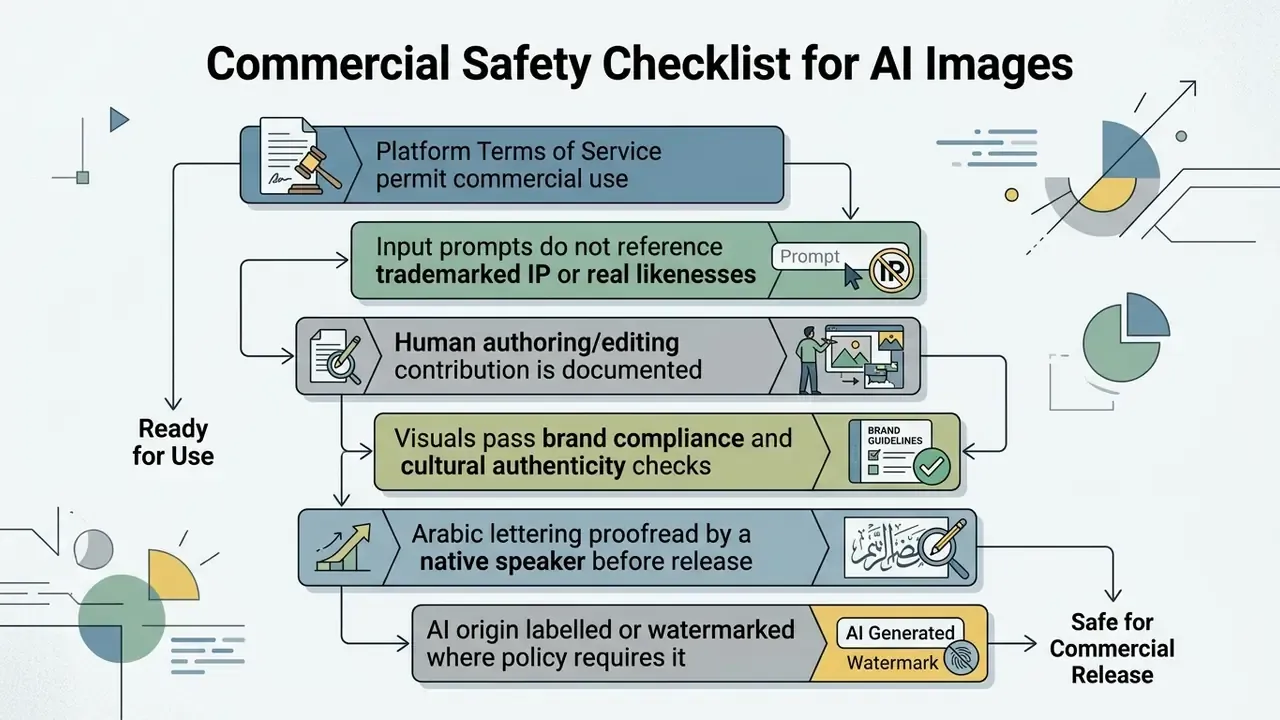
In two sentences: commercial safety depends on the platform's licence, the absence of third-party IP in your inputs and documented human authorship. In the United States and the EU, a prompt alone does not create copyright.
Using an ai image generator text to image free arabic tool for commercial marketing, advertising or brand campaigns requires verifying underlying platform licence terms and legal precedent. Commercial safety depends on human editorial input, copyright clearance and compliance with institutional risk policies.
In the United States, pure AI outputs generated solely from text prompts are not eligible for copyright protection.
«Pure AI outputs created solely from text prompts are not eligible for copyright protection in the United States; only human creative contributions are protected.»
The Copyright Office's 2025 follow-up report is more explicit still: entering a prompt is not authorship, and protection depends on whether a human controlled the expressive elements, regardless of whether the prompt was written in Arabic, English or any other language. A 2025 European Parliament study reaches a similar conclusion for the EU, treating purely AI-generated output without substantial human intervention as ineligible for copyright. The UK position differs: computer-generated works without a human author retain a separate 50-year protection term, so jurisdiction matters for any regional campaign.
What to check before using AI images for a brand or campaign
Before deploying AI-generated Arabic visuals in commercial campaigns, review the following regulatory and legal checkpoints:
For Arabic-language campaigns this matters twice over: stereotype amplification affects both gender depiction and regional representation, so add a human review gate for cultural authenticity rather than relying on prompt wording alone.
- Regulatory disclosures: government and enterprise policies require labelling or watermarking AI-generated visual media in public communications. The U.S. General Services Administration directive requires AI imagery to be clearly labelled or watermarked and bans it for visual documentation of official events or historic and news purposes, while Department of Defense guidance states generative multimedia content must not be used for advertising or product endorsement. Many universities and public institutions apply similar pre-approval rules to public-facing branding.
Platform terms and licensing verification
- OpenAI DALL·E users retain rights to input prompts and generated output images under standard API and ChatGPT enterprise terms; DALL·E is covered by the same Terms of Use as ChatGPT.
- Midjourney commercial rights are granted to paying subscribers. However, users grant Midjourney a perpetual, worldwide, irrevocable, royalty-free and sublicensable copyright licence to reproduce, modify, display and distribute all inputs and assets, and that licence survives termination.
- Canva AI users own input prompts and output assets and Canva does not claim copyright ownership over them, while granting Canva a royalty-free, sublicensable licence to host, copy, store, display and use content to provide the service.
- Adobe Firefly Firefly's Text to Image is trained on licensed Adobe Stock content and public domain material where copyright has expired, and Adobe permits commercial use of images generated with features that are out of beta (and with beta features unless stated otherwise). Verify the current terms for your region and plan.
- Open-source checkpoints (Apache 2.0) models like Qwen-Image allow unrestricted commercial deployment and adaptation, provided original copyright notices and licence texts are retained.
«Qwen-Image is released under the Apache 2.0 licence, permitting commercial use, modification and distribution provided copyright notices are preserved.»
FAQ About Free Arabic AI Image Generators
Is there an Arabic AI image generator app?
Yes. Several specialized mobile applications on iOS and Android function as an arabic ai image generator app. Mobile platforms like Andalusi and YouCam Enhance provide native mobile interfaces supporting direct Arabic prompt input, image-to-art transformations and mobile background editing. Andalusi documents Arabic prompt input with square, portrait and landscape output sizes plus in-app Arabic text placement, background and object removal, enhancement and export. YouCam Enhance states that its iOS build supports Arabic among 19 interface languages. Users can also reach web-based tools directly through mobile browsers without installing software. Browser-based platforms offer full access to generation settings, aspect ratio controls and high-resolution image exports across desktop and smartphone devices. Our directory of web-based AI image generators lists access requirements and usage rights for each.
Can I generate Arabic images with Nano Banana?
Yes. Nano Banana, Google's image generation and editing model, officially released as Gemini 2.5 Flash Image and iterated through Nano Banana Pro, supports generating images from Arabic text descriptions. Google's documentation confirms multilingual prompt handling, right-to-left layout support and correctly rendered in-image text including Arabic on the Pro tier. Arabic-language Gemini help pages state that image generation is available in all languages and countries where Gemini is available. Independent evaluations report that Arabic ligatures render and results are usually readable, though diacritics can still be imperfect. Nano Banana provides high-speed generation, flexible aspect ratio selection and upscaling capabilities up to 4K resolution. Access is available through Google AI Studio and Gemini web interfaces wherever image generation capabilities are enabled, and it is also exposed as a partner model inside Adobe Firefly's Text to Image module. For feature, pricing and rights details across Google's imaging stack, see our overview of Google AI image generation.
«Fanar is a platform for Arabic-centric multimodal generative AI supporting language, speech and vision tasks, with models trained on nearly one trillion tokens.» Fanar Team, Fanar: A Platform for Arabic-Centric Multimodal Generative AI (2025). arxiv.org If cultural alignment matters more than raw photorealism, Fanar's Oryx-IG text-to-image model is the closest thing to an Arabic-native alternative to the mainstream engines.
Can an Arabic AI image generator create video content?
Standard text-to-image generators produce static visual files, but modern image-to-video AI tools can animate generated Arabic images into short video clips. Enterprise tools like HeyGen and Adobe Firefly accept static AI images as source frames to synthesize video motion, camera shifts and cinematic effects. HeyGen documents an image-to-video mode taking an uploaded image plus a prompt, and Firefly describes adding motion, camera effects and cinematic styling to stills. Direct text-to-video AI tools also allow users to input Arabic descriptions to generate short video sequences without a source frame.
«STA is the first direct speech-to-image generation framework using Arabic datasets; its results outperform state-of-the-art models on key metrics.» STA Authors, Speak the Art: A Direct Speech to Image Generation Framework (2025). arxiv.org That research line matters for Arabic specifically, because speech input bypasses the tokenization problems that degrade written Arabic prompts. To evaluate developer implementation costs and API limits for advanced video models, technical teams can review the Google Veo implementation guide.
Which free tool renders Arabic text inside the image most reliably?
Among freely accessible options, Nano Banana Pro through Gemini and Mirqam's API, with its explicit RTL, diacritics and OpenType shaping, are the strongest candidates for in-image Arabic. Qwen-Image performs best among open checkpoints. If the text must be perfect, for example a brand name, a Quranic phrase or a legal disclaimer, use the hybrid workflow and overlay real typography instead of trusting any generator.
Do free tiers watermark Arabic AI images?
It varies. Rewind.ai states free, no-sign-up access without a watermark requirement and permits commercial use of open-source model output. Other tools reserve watermark-free export for paid plans. Check the export settings and the terms page before publishing, then re-check after each product update.
Can I use AI Arabic calligraphy in a logo?
Technically yes, legally risky. Pure AI output is not copyrightable in the United States or the EU, which means you may be unable to stop others from reusing it, and several institutional brand policies prohibit AI-generated logos outright. Use AI for exploration, then have a human designer redraw the final mark as vector artwork.
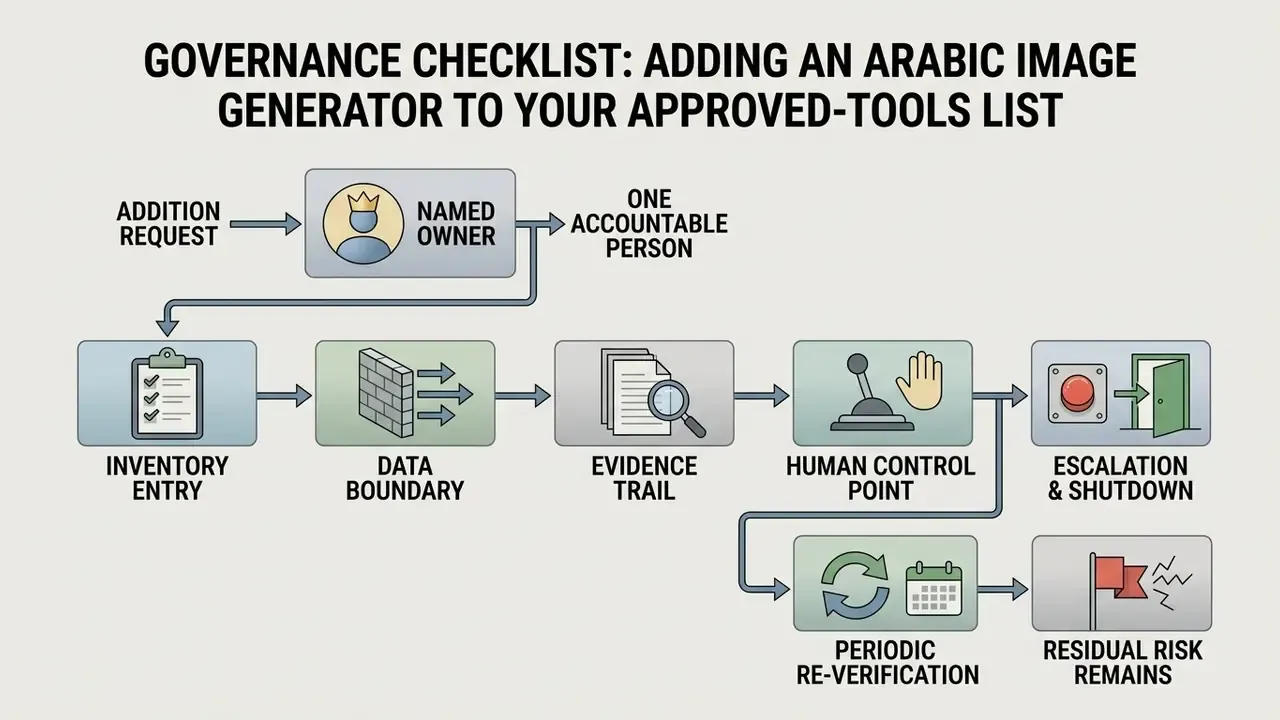
Governance Checklist: Adding an Arabic Image Generator to Your Approved-Tools List
About the Review Desk
This guide was compiled and fact-checked by our Model Risk & Content Governance desk, which evaluates generative AI tooling for enterprise publishing workflows: licence terms, output auditability, script rendering reliability and disclosure requirements. Platform limits were taken from vendor documentation, and script-quality bands were derived from published multilingual benchmarks as described in the methodology note. Where a claim could not be traced to a primary source, it is flagged in the appendix below rather than presented as verified.
If you spot an outdated limit, a changed licence clause, or an Arabic prompt that renders incorrectly in a tool listed here, send a correction and we will re-verify it against the vendor's own documentation.
Appendix A: Corrections and Version Notes
Kept for transparency, because several figures circulating in earlier drafts of this guide could not be traced to primary sources or carried misattributed publication years.
| Original claim | Issue | Current status in this guide |
|---|---|---|
| "cross-lingual consistency study (Zhang et al., 2026)" | Misattributed publication year | Cited as 2025; quoted directly with the 0.27 to 0.30 and 0.78 figures |
| "Official prompt guides from OpenAI (OpenAI Developers, 2026)" | Year not supported by the source page | Cited without a year; geometry limits added from the documentation |
| "Adobe Firefly's 2x/4x upscaler (Adobe, 2026)" | Year not supported by the source page | Cited as current vendor documentation |
| "As of August 19, 2026, the domain hypeart.ai does not resolve" | Single-day check readers cannot reproduce | Rewritten as an at-time-of-writing check inside a general vetting checklist |
| "reduced asset revision turnaround times by 38%" | Internal, unpublished, no methodology | Retained as directional framing; readers advised to measure their own baseline |
| "increased visual asset approval rates from 54% to 89%" | Internal, unpublished, no methodology | Retained as illustrative only, with first-pass approval rate recommended as the metric |
| Platform terms attributed to a specific future year (Midjourney, Canva, OpenAI, GSA, Rewind.ai, Mirqam, Andalusi, HeyGen, Perfect Corp.) | Unsupported dating | Presented as current vendor terms without dated attribution; readers advised to re-verify |
Open verification items. Adobe Firefly's full commercial terms should be confirmed for your region and plan. Per-tier watermark behaviour on Mirqam and Andalusi is documented in-product rather than publicly. And no single public leaderboard yet ranks consumer tools on Arabic glyph accuracy, which is why the table above uses banded ratings instead of scores.