An unblocked AI generator refers to a browser-based visual creation tool accessible on restricted networks without triggering firewalls or acceptable-use policy blocks. These web services allow students, educators, and workplace professionals to generate images from text prompts directly within standard web browsers.
Why should a bank risk owner care about a search term that looks like classroom slang? Because the same query shows up in proxy logs at regulated institutions. When marketing, HR, or an operations analyst needs a graphic and the sanctioned path is slow, somebody types "ai image generator unblocked" into a browser. That single search is where Shadow AI usually begins.
Executive Summary
- "Unblocked" is not a bypass. In official guidance, web-based generative AI is permitted only through approved, risk-assessed browser services or enterprise gateways. The UK Department for Work and Pensions, for example, blocks online AI tools by default and requires users with a documented business need to request unblocking through a formal web-page unblocking process (GOV.UK, Artificial Intelligence Security Policy, 2025).
- Unsafe output is measurable. Across four models and four prompt datasets, 14.56% of generated images were classified as unsafe, with Stable Diffusion highest at 18.92% (Unsafe Diffusion, 2023).
- Copyright is limited, commercial use is contractual. Purely machine-generated images have no statutory copyright in the US, yet platform terms can still grant resale and merchandising rights.
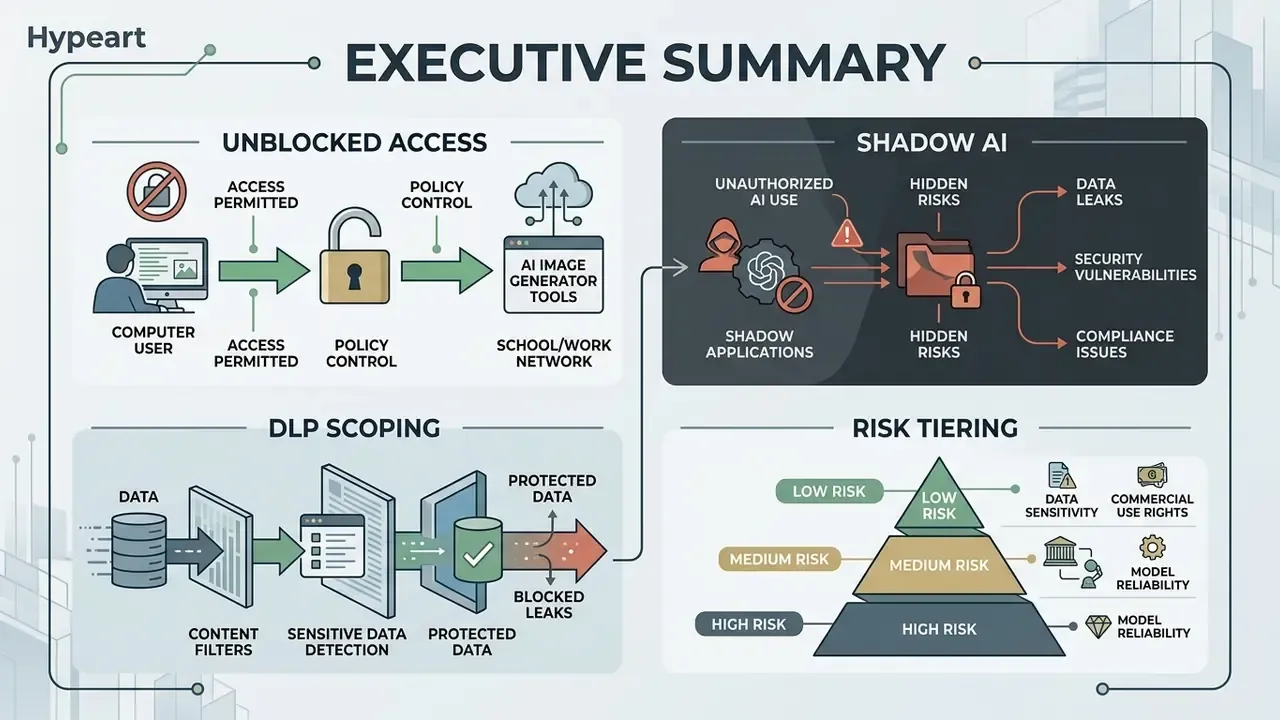
Key Terms Used in This Guide
Before the detail, four definitions, because these words get used loosely in vendor decks and then cause arguments in committee.
- Unblocked access. The service endpoint is reachable from a managed network through standard web protocols. It says nothing about whether use is authorized.
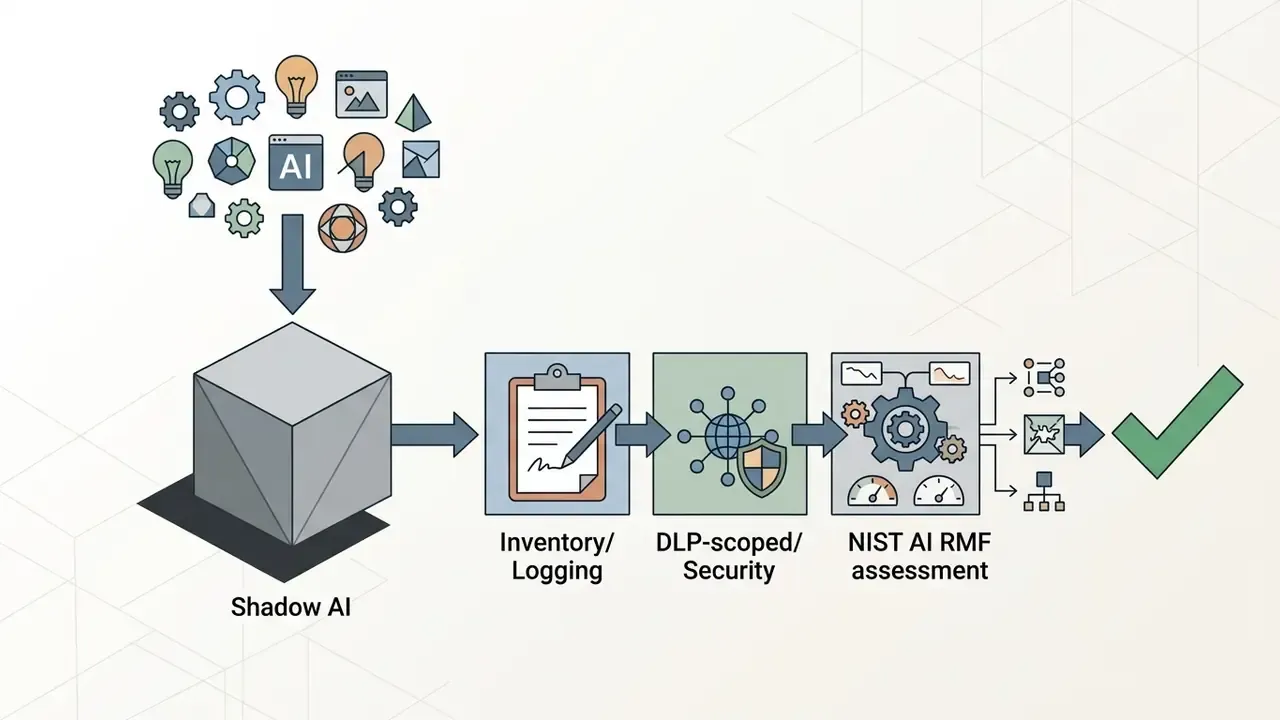
- Shadow AI. Any AI capability in active business use that sits outside the organization's inventory, logging, and risk tiering. Invisible, therefore unmanaged.
- DLP scoping. The set of controls (upload blockers, pattern matching for PII and NPI, TLS inspection, warning splash screens) that decides what data can physically leave through a browser tab.
- Risk tiering. The classification that determines how much validation, monitoring, and documentation an AI tool needs before production use. A thumbnail generator and a credit-decision model do not belong in the same tier.
What Does "AI Generator Unblocked" Mean?
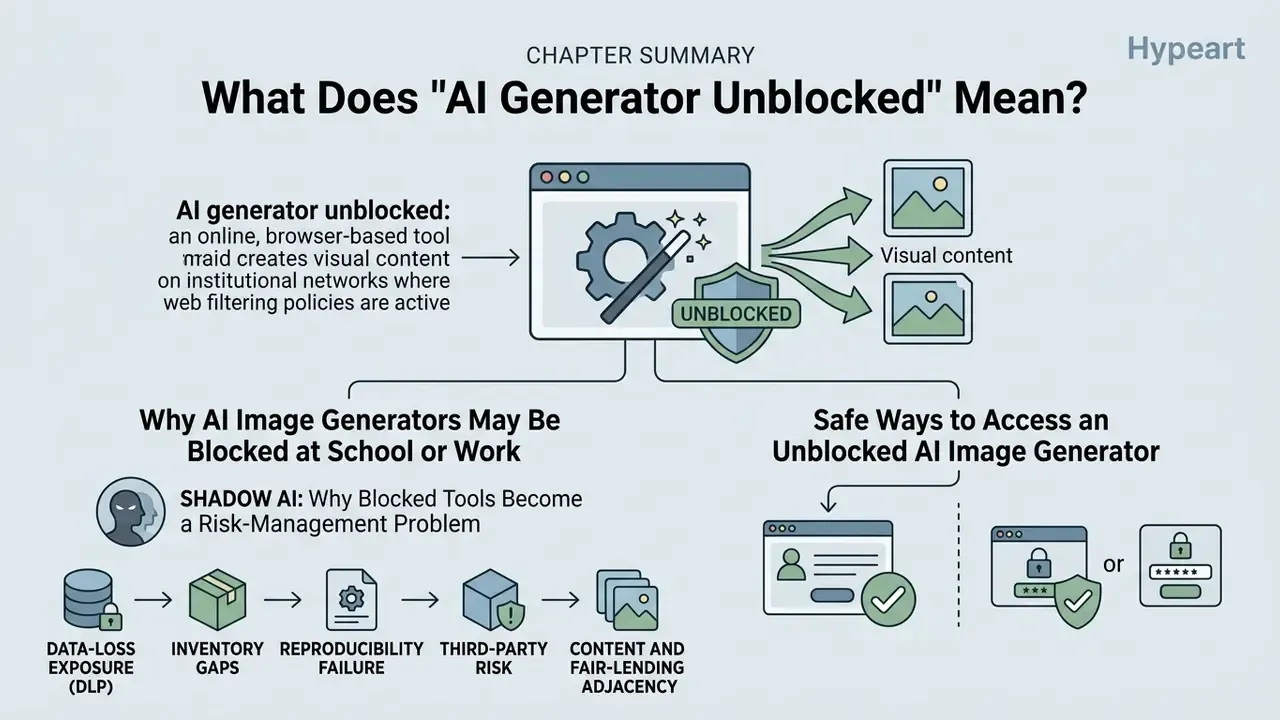
An ai generator unblocked is an online, browser-based tool that creates visual content on institutional networks where web filtering policies are active. Unblocked access means the service endpoint is reachable via standard web protocols, allowing authorized users to create images without installing local software. If you are still mapping the category, our overview of AI image generators explains feature sets, pricing tiers, and usage rights side by side.
Access availability differs significantly across school, corporate, and private environments. Educational institutions and enterprises implement network filters, endpoint management, and content classification systems to restrict unmoderated tools. Legitimate unblocked access occurs when an online ai image platform complies with network security criteria, or when organizations provision approved web gateways and publish an allow-list.
It is worth stating plainly: "unblocked" is not a formal technical term in any regulator or vendor documentation. Australian public-sector guidance, for instance, allows public generative AI in browsers for information classified up to OFFICIAL, but only with risk-based approval, data-loss-prevention controls, upload blockers, and preference for enterprise-approved services (digital.gov.au, Agency guidance on public generative AI, 2026).
So the honest translation of the search term is this: people want a free online tool they can open in a tab and start creating with, today, without an install ticket. The governance job is to meet that demand inside a controlled tenant rather than pretend it does not exist.
Why AI Image Generators May Be Blocked at School or Work
AI image tools are frequently restricted on institutional networks due to data privacy risks, unmoderated content generation, and compliance obligations. Administrators block external generators to prevent inadvertent data leakage, intellectual property exposure, and student access to harmful visual outputs.
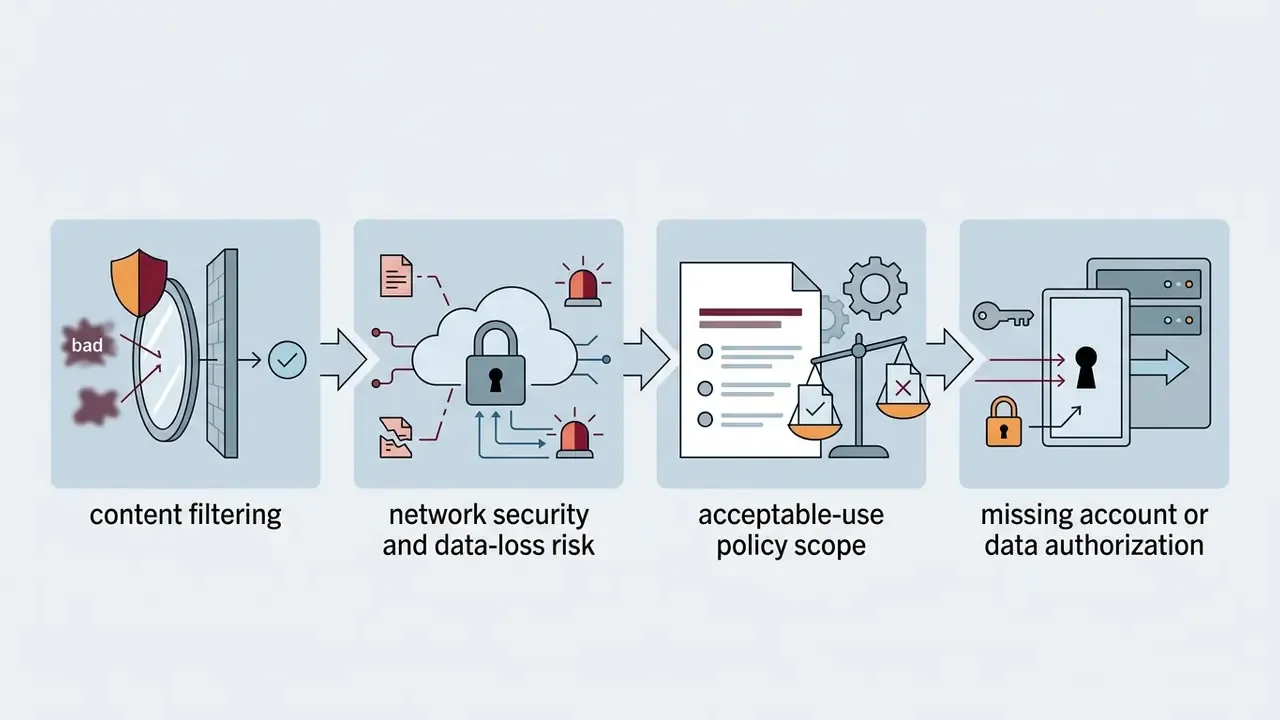
Institutional network policies enforce four primary controls: content filtering, network security risk mitigation, acceptable-use policy compliance, and account authorization. Research on generative diffusion models quantifies the content risk directly across a multi-model sample.
"An analysis of four text-to-image models found that 14.56% of all generated images were unsafe; Stable Diffusion ranked highest at 18.92%."
That study evaluated four models against four separate prompt datasets, which is why the figure is treated as a baseline in filtering policy rather than an outlier. A search for an ai image generator unblocked school option therefore lands on a filter built for exactly that number.
Corporate networks add a second motive. They restrict unapproved tools to stop users from uploading confidential documents or proprietary product visual assets into third-party AI models. University and college policies routinely layer a data-classification rule on top: confidential, protected, or sensitive data may not be entered into AI tools without prior approval, and some policies require named accounts on managed devices rather than shared or personal logins. One practical consequence that surprises people: a shared classroom login breaks the audit trail before the first prompt is typed.
Shadow AI: Why Blocked Tools Become a Risk-Management Problem
When a generator is blocked but the business need persists, employees migrate to personal devices, tethered connections, or unvetted mirror sites. That migration is the textbook definition of Shadow AI: capability in use, invisible to inventory, unlogged, and outside model-risk governance.
For a Head of Model Risk or CCO, the practical exposure breaks into five buckets:
- Data-loss exposure (DLP) prompts and reference uploads may carry PII, NPI, client artwork, or unreleased product designs to a third-party endpoint with unknown retention.
- Inventory gaps tools absent from the AI asset register cannot be risk-tiered, and cannot be evidenced to an examiner.
- Reproducibility failure without prompt, model version, and seed logging, an output cannot be re-derived for audit or dispute resolution.
- Third-party risk free consumer tiers typically offer no SOC 2 Type II report, no zero-retention commitment, and no indemnification.
- Content and fair-lending adjacency imagery used in customer-facing marketing inherits reputational and disclosure obligations, so unmoderated generation is a compliance vector, not just an IT one.
Frameworks that already apply to this problem include supervisory model-risk guidance (SR 11-7 / OCC 2011-12) for validation, documentation, and ongoing monitoring, plus the NIST AI Risk Management Framework for govern-map-measure-manage controls. NIST's own user-facing guidance is blunt about the individual obligation: staff should follow company policies before entering sensitive information and should use only AI tools authorized by the organization's security and privacy team (NIST, Quick-Start Guide for Using Artificial Intelligence, draft 2025). The UK Information Commissioner's Office internal policy goes further, restricting staff to ICO-approved AI on ICO-approved devices, requiring intellectual-property review of outputs, and making violations a disciplinary matter (ICO, Internal AI Use Policy, 2024).
A fair caveat: an image generator is a low-severity tool compared with a credit model. The risk is not usually the picture. It is what someone pastes into the prompt box on the way to making it.
Safe Ways to Access an Unblocked AI Image Generator
Safe access to a free unblocked ai generator relies on using approved browser-based tools, or personal devices on external networks, rather than attempting to bypass network firewalls. Users should verify whether a tool is authorized under their organization's acceptable-use policy before generating assets.
Legitimate access pathways include enterprise-sanctioned web tools, privacy-compliant browser interfaces, and personal devices operating on non-managed networks. Public sector guidance, such as Canada's Guide on the Use of Generative AI (2024), emphasizes that web-based AI tools should only be accessed in alignment with institutional network policies and security controls, and that enabled tools must meet information, privacy, and security requirements. The US Department of the Interior's GenAI policy permits public-network use of such tools only when no sensitive data is involved, the tool is not otherwise prohibited, and network rules of behavior are followed.
School-sector guidance is equally explicit on the education side. Scotland's 2026 classroom guardrails allow AI image creation as a starting point only: pupils must add personal refinement, credit the tool where appropriate, and remain inside local safeguarding rules. UK guidance issued in September 2026 similarly requires generative AI in schools and colleges to sit inside statutory safeguarding obligations for both teacher-facing and pupil-facing use, while Japan's MEXT guideline (2024) asks schools to weigh ethics, accuracy, and validity of every generated output.
POLICY AND SECURITY ALERT
Safe-Enablement Checklist for CCO, CRO, and IT Administrators
Use this as a pre-approval gate before an image generator is added to the allow-list:
Checklist0 / 10
Keeping Browser Generation Stable Behind Corporate Proxies
Free tiers fail on managed networks for mundane reasons, not censorship. Four practical fixes:
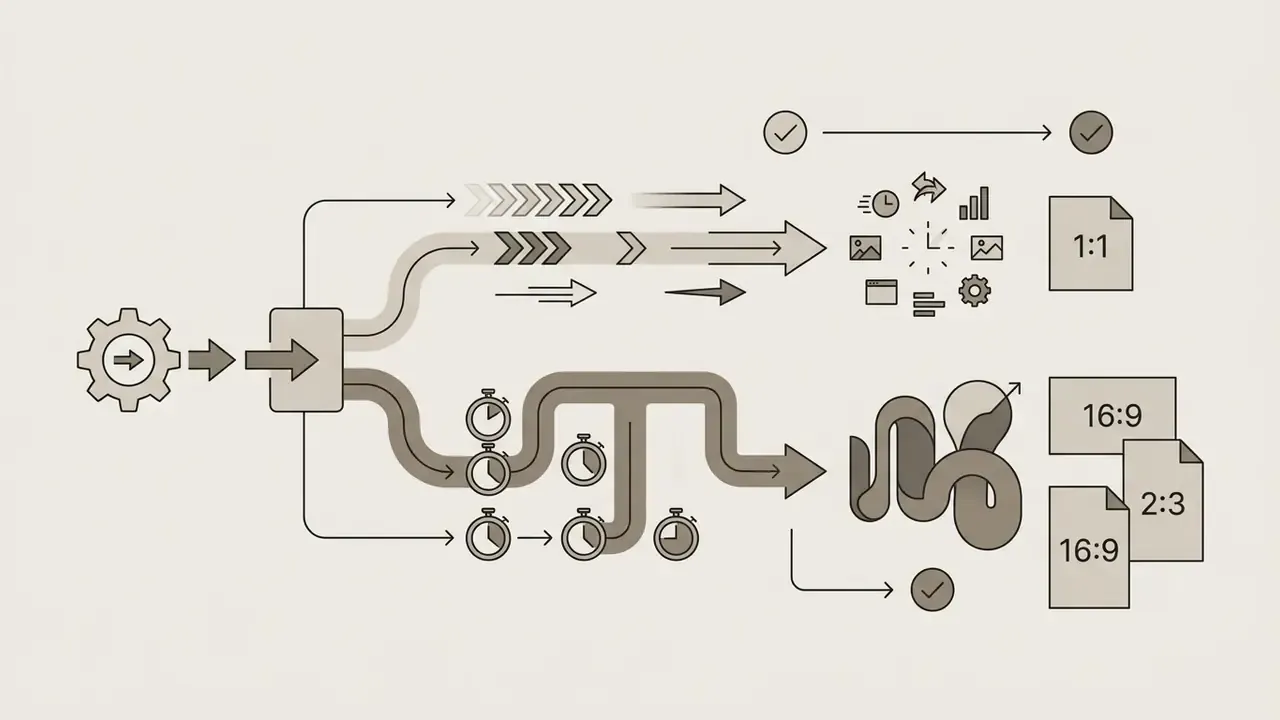
- Expect long-lived connections.Many generators stream results over WebSocket or server-sent events. If a corporate proxy terminates idle sockets, renders appear to hang. Ask IT to allow the tool's streaming endpoint rather than retrying the prompt.
- Use a clean session.A private or incognito window avoids stale cache, conflicting extensions, and mixed-account states that break credit counters.
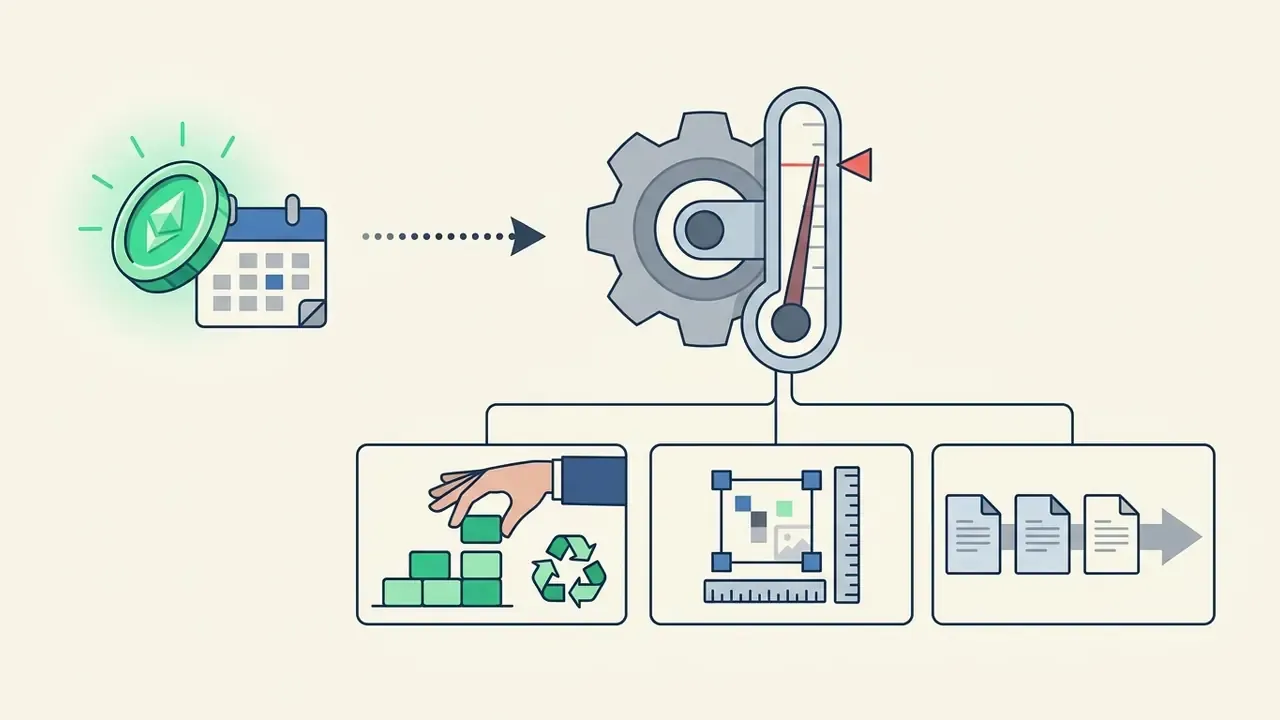
- Generate off-peak.Free queues are load-dependent, so scheduling batch work outside regional peak hours reduces queue wait and tail latency.
- Batch and archive immediately.Free sessions rarely persist history, so download and file outputs (with the prompt in the filename or metadata) as soon as they render.
How to Create AI-Generated Images Online
Creating ai generated images unblocked involves entering a detailed text description, setting framing parameters like aspect ratio, and initiating model generation via a browser interface. Modern web generators process the input prompt through advanced diffusion models to render digital visuals in seconds.
To generate visuals efficiently with a free ai generator unblocked tool, follow this structured process: Accessibility note for editors: keep these four steps as plain text so the workflow is readable without JavaScript, and give any screenshot alt text that names the tool category, for example "ai image generator unblocked interface with prompt field and aspect ratio selector".
- Enter a text prompt.Write a specific text description defining the primary subject, background context, lighting, and composition.
- Choose aspect ratio and model parameters.Select visual dimensions such as 1:1, 16:9, or 9:16 to fit your target layout.
- Attach reference images (optional).Upload existing images or visual references to guide structure, style, or color balance.
- Click generate and download.Initiate rendering, review the generated output, fine tune details if necessary, and save the downloaded images.
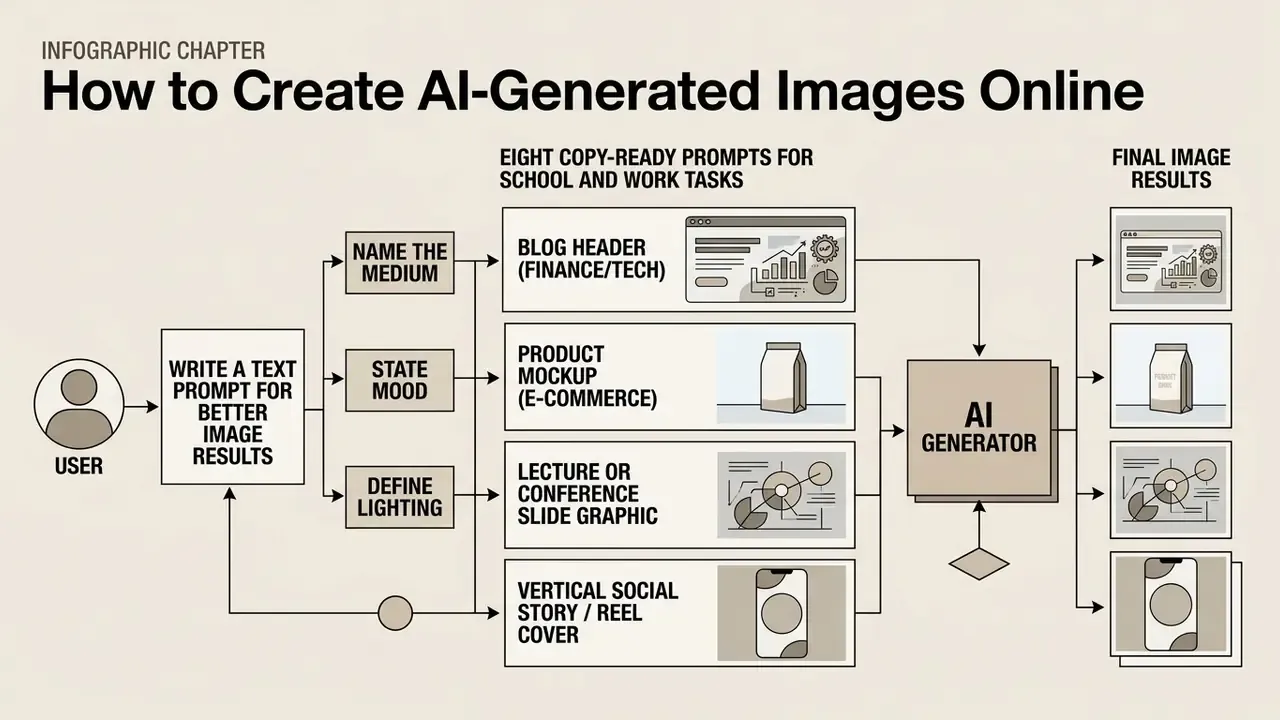
Write a Text Prompt for Better Image Results
High-quality image generation requires a structured text prompt that clearly defines the subject, artistic style, environmental lighting, and framing constraints. Providing concrete details yields far more accurate visual outputs than generic quality buzzwords.
"Experiments spanning 5,493 generations across 51 subjects and 51 styles showed that structured prompts combining subject and style keywords produce more coherent results."
Effective prompt architecture relies on ordering key elements: [Subject] + [Action/Context] + [Environment/Lighting] + [Composition/Camera Angle] + [Artistic Style]. Updated: current vendor prompting documentation for models in the GPT Image and Gemini/Nano Banana families recommends naming the intended result first, then layering scene, subject, detail, and constraint blocks. Both guides advise concrete camera and material language ("low-angle shot", "aerial view", "shallow depth of field", "brushed aluminium", "soft bokeh") over generic quality adjectives such as "ultra-detailed", which carry little directional signal (OpenAI image prompting documentation; Google Cloud, Ultimate prompting guide for Nano Banana, 2025). Adobe Firefly's published prompt examples follow the same logic, sequencing style and aesthetic, composition, lighting, and medium-specific terminology such as line weight or bokeh.
Practical guardrails drawn from vendor guidance:
- Be specific about subject, action, and setting. "A young woman working on a laptop in a modern café, soft natural lighting" beats "a person in a room".
- Avoid conflicting directives. Stacking "minimalist", "highly detailed", "cartoon", and "photorealistic" in one prompt degrades coherence.
- Start with a simple prompt of four or five words, then iterate. Generate, review, adjust one variable, regenerate.
Simple text prompts beat elaborate ones more often than people expect. Test it once and you will stop writing paragraphs.
- Name the medium
- "photorealistic", "watercolour", "3D render", "flat vector illustration", "anime style".
- State mood and lighting
- "cinematic lighting", "golden hour", "dark and moody".
Eight Copy-Ready Prompts for School and Work Tasks
Copy these, then swap the bracketed variables. Each includes framing so the output drops straight into its destination format.
1. Blog header (finance/tech)
A minimalist 3D isometric illustration of a digital wallet with floating gold coins, clean blue gradient background, soft studio lighting, modern SaaS aesthetic, no text --ar 16:9
2. Product mockup (e-commerce)
A sleek glass cosmetic bottle on a wet marble surface, soft morning sunlight from the left, shallow depth of field, bokeh background, photorealistic commercial product photography --ar 1:1
3. Lecture or conference slide graphic
A 3D icon of a glowing light bulb with soft shadows on a minimalist off-white background, centered composition, generous negative space for overlay text --ar 16:9
4. Vertical social story / Reel cover
A flat vector illustration of a small team collaborating around a laptop, muted pastel palette, soft gradients, clean line weight, modern editorial style --ar 9:16
5. Academic poster illustration (science)
A cross-section diagram-style illustration of a plant cell, labelled-panel layout, flat colour, textbook clarity, high contrast on white background --ar 4:3
6. Concept art for a pitch deck
A wide-angle view of a futuristic coastal research station at dusk, volumetric fog, cool cyan and amber lighting, cinematic composition, digital concept art --ar 16:9
7. Ad creative for a lifestyle campaign
A photorealistic image of a family sharing pasta in a sunlit kitchen, warm natural lighting, candid lifestyle advertising style, 35mm look --ar 4:5
8. Blurred background plate for overlays
A cosy coffee shop interior, warm tungsten lighting, heavily blurred background, aesthetic atmosphere, no visible logos or readable signage --ar 16:9
Two compliance notes for workplace use: add "no text", "no logos", or "no readable signage" when you need clean commercial plates, and never include a real person's name or a competitor's trademark in a prompt intended for publication.
Choose a Style, Model, and Aspect Ratio
Selecting the correct model architecture, visual style preset, and aspect ratio directly determines how the generated image is framed and rendered. Different image models excel at specific creative tasks, from photorealistic renders to stylized digital artwork. A structured comparison of leading AI image generators helps match a model to output quality and budget before you commit credits.
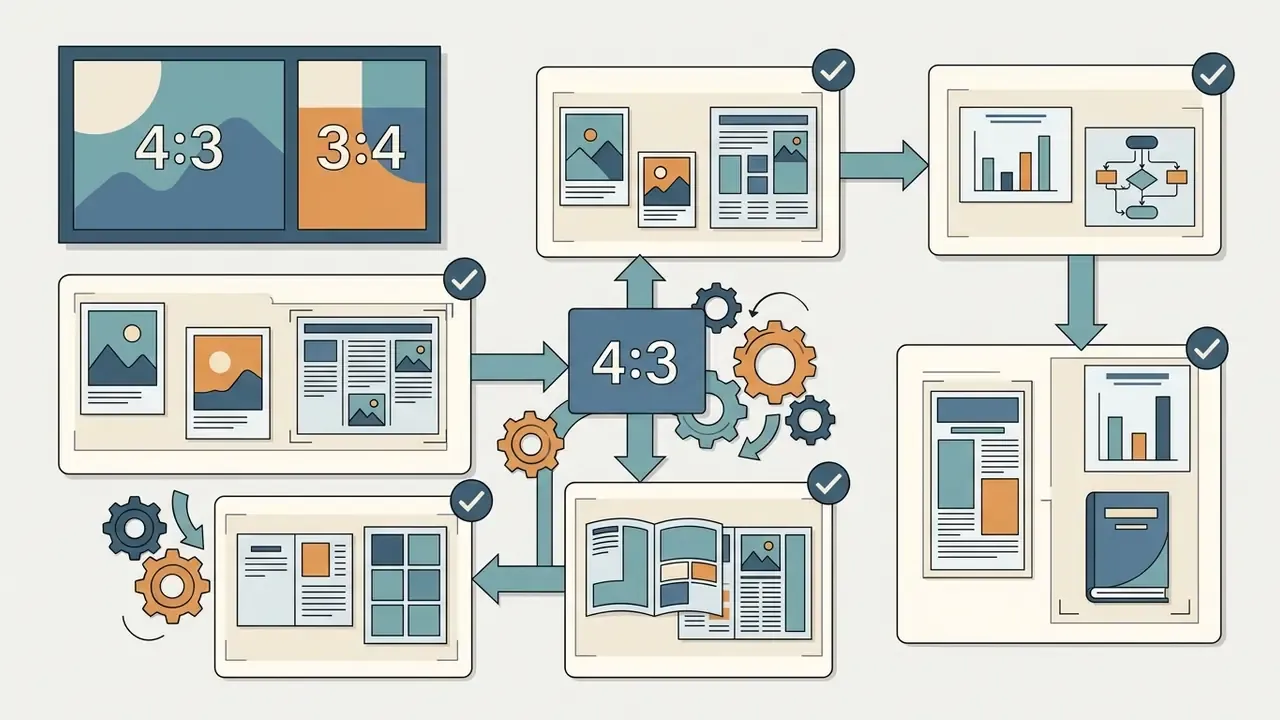
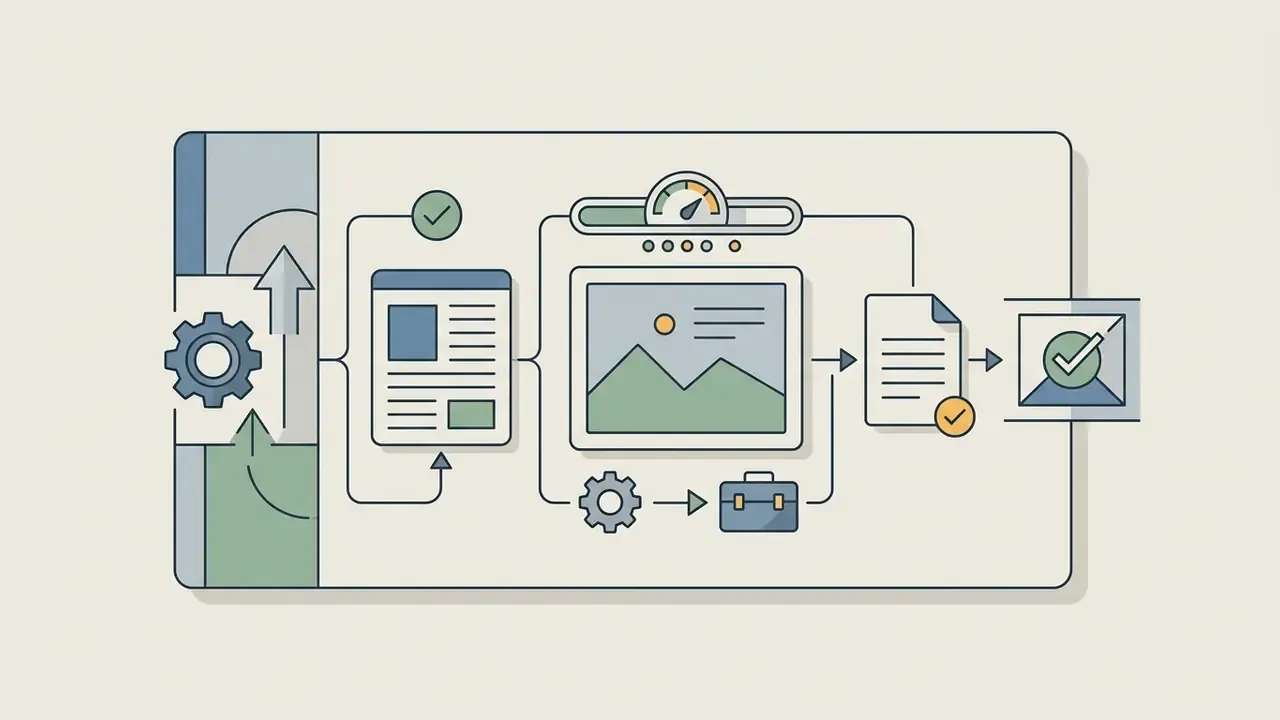
Aspect ratio settings adjust the composition canvas to match publication requirements. Standard ratios include:

| Model tier | Typical render time | Base / max resolution | Best for |
|---|---|---|---|
| Fast basic diffusion (free mode) | about 5 to 8 seconds | 1024×1024 px | Rough drafts, idea testing, thumbnails |
| Nano Banana (standard) | about 5 seconds | HD+ (0.5K to 1K) | Social posts, blog thumbnails, quick concepts |
| Nano Banana Pro / Seedream-class Pro | about 15 seconds to 1 minute | 2K to 4K, up to 14 ratios | Client-ready visuals, product mockups, print |
| GPT Image-class multimodal | about 10 to 30 seconds | High resolution, text plus image input | Precise edits, in-image text, multi-subject scenes |
| Queued free tier (no credits) | Variable, queue-dependent | Standard resolution | Non-urgent batch work off-peak |
Set expectations on controllability before you plan a deadline around a single prompt.
"Even after five rounds of prompt refinement, the final image matched the target in only 62% of cases, against a 50% baseline."
The ideal platform depends on whether your priority is rapid visual ideation or production-ready graphic assets.
Upload Reference Images and Refine the Output
Image-to-image generation allows users to upload reference images or existing images to maintain structural consistency, pose, or colour palette in the generated result. Built-in editing features enable iterative refinement without starting from scratch.
When an ai photo generator unblocked platform supports reference inputs, the model uses the uploaded visual as a structural baseline while applying the stylistic directions from the text prompt. Some interfaces expose an image-weight control that determines how strongly the reference constrains the result: low weight for loose inspiration, high weight for faithful composition transfer. Our breakdown of image-to-image generation covers style transfer, pose control, and structure preservation in more depth. Integrated features such as background removal, localized inpainting, and colour adjustment let content creators edit images directly within the web interface. Foxit, for example, documents reference-image input with six style presets plus in-editor cropping, background removal, colour adjustment, and filters (2025).
Users should avoid uploading sensitive personal photos or proprietary company graphics to unvetted platforms.
"Generative services collect large volumes of user data and remain vulnerable to model-inversion attacks and training-data leakage."
Privacy posture varies by vendor and is disclosed in the privacy policy, not the marketing page. OpenAI's policy defines user content to include prompts, files, images, audio, and video uploaded to the service. Canva states it may analyse content and media uploads for analytics, machine learning, and AI products, and retains user content for a commercially reasonable period after account termination. For regulated organizations, that language is the difference between an approved tool and a DLP incident.
Advanced AI Editing Tools Inside Browser Generators
Generation is only the first half of the workflow. The tools that save the most time are the editors layered on top of the model, and they are where free and paid tiers diverge most sharply.
- Prompt Enhancer (automatic prompt rewriting).Expands a vague request such as "cat on a desk" into an explicit description of subject, lighting, lens, and style. Useful for non-designers, and useful for standardising prompt quality across a team. Always read the rewritten prompt before generating, because enhancers can introduce brand or likeness terms you did not intend.
- Generative Fill / Inpainting (localized editing).Brush-select a region and replace, remove, or add an element without re-rendering the whole frame. This is the correct tool for removing a stray object from an otherwise approved asset, or swapping a product colour across a campaign set. Technically it descends from classical inpainting, which reconstructs a masked region from surrounding pixels; diffusion models replace the interpolation with prompt-guided synthesis.
- Outpainting and canvas expansion.Extends the frame beyond its original borders so a 1:1 asset can be re-cut to 16:9 for a slide deck, or 9:16 for a story, without re-generating and losing continuity.
- AI Image Upscaler.Raises a 1024 px draft toward 2K or 4K for print or large-format display. Research on arbitrary-scale latent diffusion shows generation and upsampling can run in a single system, and multi-stage pipelines commonly edit at low resolution first, then upsample with a super-resolution pass, which is why upscaling after editing usually beats upscaling before it. See our guide to the AI image upscaler category for quality and licence differences across tools.
- Watermark removal and clean export.Typically a paid-tier entitlement. Treat any third-party "watermark remover" applied to someone else's asset as an IP risk, not a feature.
- Image-to-video.Animates a static frame into a short clip (commonly around 5 seconds) from a motion prompt. Useful for social teasers, though video output multiplies both credit cost and review burden.
- Background removal and replacement.Produces transparent PNG cut-outs for catalogue pages and slide overlays without a designer in the loop.
A caution NIST raises directly: some generative image tools add "artificial pixel information" to imagery (NIST, Use of Generative AI Tools for Image Processing for Facial Images Reference Document, 2026). For identity, evidentiary, or compliance-relevant imagery, AI upscaling and retouching are not neutral enhancements and should be prohibited by policy. In a KYC context that is not a style preference. It is evidence integrity.
Free AI Image Generator Unblocked: What Is Included and What Is Limited?
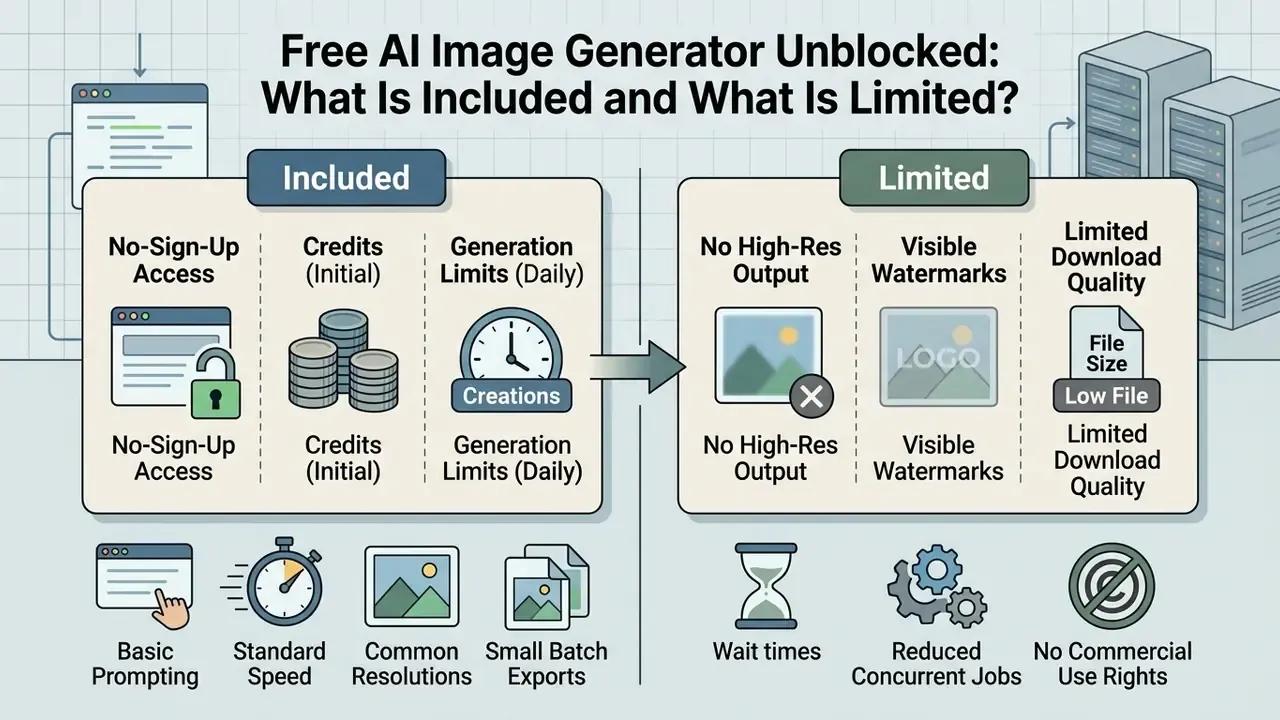
A free ai image generator unblocked platform offers browser-based text-to-image capabilities, but free access is typically bounded by daily generation quotas, resolution restrictions, and feature caps. Understanding these limitations helps users choose the right tier for their workflow needs.
Platforms providing an ai image generator unblocked free service balance open accessibility with infrastructure cost controls. Basic generation is available without upfront payment, yet advanced controls, high-speed rendering modes, and maximum output resolution are frequently reserved for premium plans.
No-Sign-Up Access, Credits, and Generation Limits
Many platforms offer no sign-up or account-free generation, which allows immediate testing, but they enforce credit caps or daily volume restrictions. Anonymous access reduces user friction while protecting server infrastructure from automated overload. If registration is a hard blocker on your network, compare no-sign-up AI image generators before spending time on tools that gate export behind an account.
Free tiers vary widely and are inconsistently disclosed. Documented patterns include a fixed daily credit allocation (examples in 2026 range from 50 to 150 daily credits, or a one-time grant of around 125), token-based quotas (one service publishes 6,000 free tokens per day without sign-up and 30,000 per day with a free account), and "unlimited basic mode" offers where the trade-off is a queue rather than a cap. Raphael AI, for instance, advertises unlimited free generations in basic mode with Fast Mode excluded. Others, including Adobe Firefly, publish "free monthly generative credits" without a fixed public number. Anonymous sessions may additionally restrict concurrent generations, or place requests in a standard processing queue during peak usage hours.
One caveat worth budgeting for: credit language is marketing language. Count the generations you actually get on your own prompts for a week before you standardise a team workflow on any free plan.
Resolution, Watermarks, and Download Quality
Free generations often export at standard web resolutions (for example 1024×1024 or 1024×768 pixels) and may include visible platform watermarks. Achieving higher resolution and watermark-free output usually requires account registration or an image upscaler tool.
Platform export policies differ between free and paid tiers:
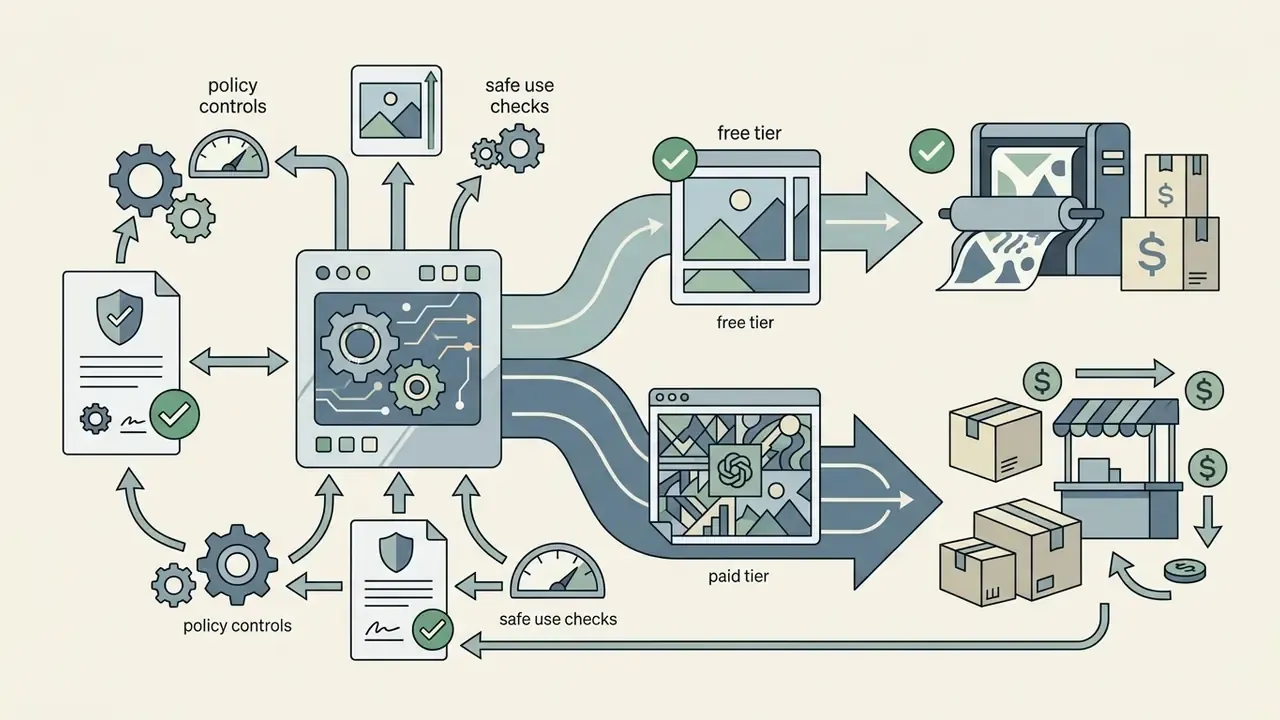
- Free tiers: standard resolution output, potential watermarks, limited access to advanced upscaling models, and, on some services, personal or non-commercial licensing only.
- Paid tiers (updated): watermark removal, high-definition exports reaching 2K, 4K and beyond via AI upscaling, priority rendering that skips the queue, and expanded commercial licensing. Concrete published example: on one upscaling service the free plan watermarks output and caps upscale results at 8 MP, while paid tiers remove watermarks and raise the ceiling to 256 MP (Starter), 350 MP (Pro), and 512 MP (Max), with commercial use stated only for paid plans.
If you are budgeting for volume rather than a one-off asset, weigh credit burn against output reuse, and check whether upscaling consumes separate credits from generation, as it commonly does. Our guide to free photo editors covers the same free-versus-paid trade-offs for post-processing, including export restrictions and privacy terms.
How to Choose the Best Unblocked AI Image Generator
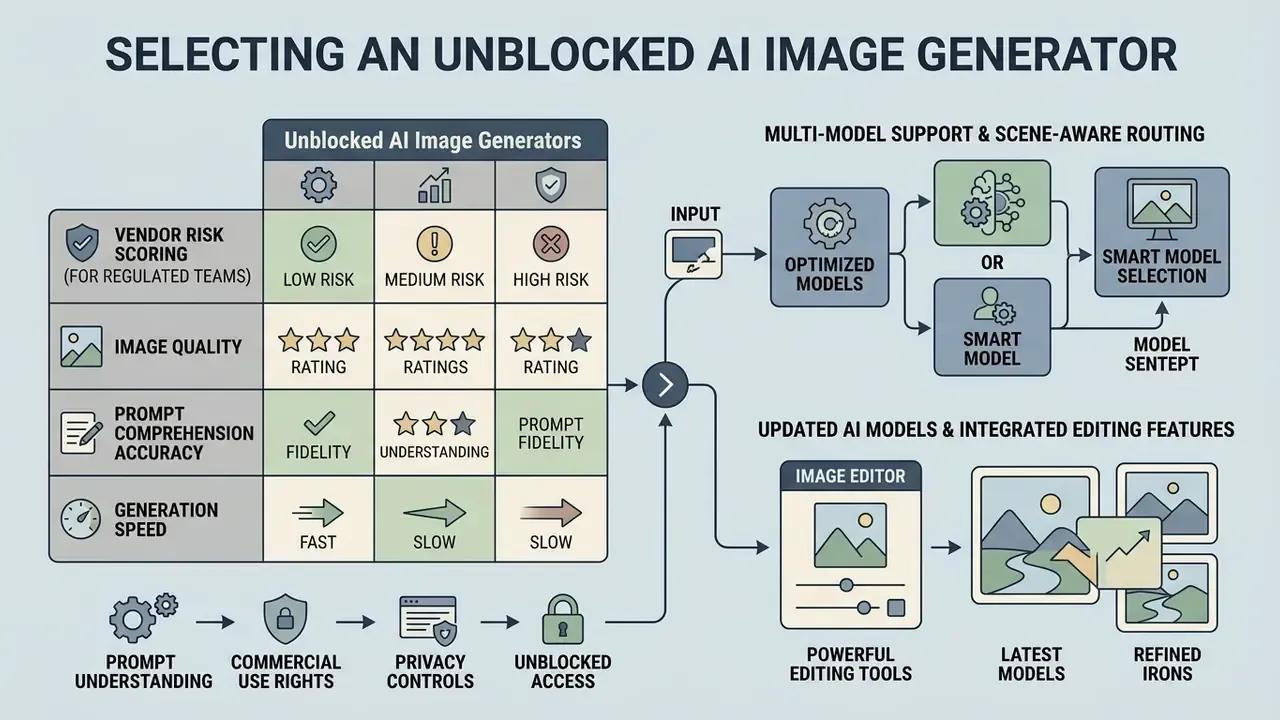
Selecting the best ai image creator requires evaluating output fidelity, prompt comprehension accuracy, generation speed, and available editing tools. The ideal platform depends on whether your priority is rapid visual ideation or production-ready graphic assets.
"Midjourney outperformed DALL-E 3 and Stable Diffusion on Instagram creatives; AI overall exceeded human experts on audience ratings."
Evaluating an ai image creator unblocked or ai image maker unblocked platform involves testing how effectively the underlying ai models interpret complex text inputs while maintaining visual coherence. Run the same three prompts through every shortlisted tool. Identical inputs, side by side, settle arguments faster than feature tables.
Table: comparison of key selection criteria for unblocked AI image generators
| Selection criteria | Free / no-sign-up tier | Enterprise / Pro tier |
|---|---|---|
| Access and sign-up | No sign-up, or basic email registration required. | Single sign-on (SSO/SAML), SCIM provisioning, managed enterprise accounts. |
| Generation limits | Daily credit caps (for example 10 to 150 credits per day) or standard queues. | Unlimited or high-volume fast-mode credits with priority rendering. |
| AI model support | Standard fast models (basic diffusion, Nano Banana-class, Seedream basic). | Advanced models (Nano Banana Pro, Seedream 5.0 Pro, GPT Image-class). |
| Render speed | About 5 to 8 s in fast mode; longer in shared queues at peak load. | 15 s to 1 min for 2K/4K high-fidelity output, queue bypass included. |
| Text prompt fidelity | Good performance on simple, direct prompts. | High fidelity on multi-subject, complex spatial prompts and in-image text. |
| Reference image support | Basic style transfer or limited image-to-image. | Full image-to-image, pose control, inpainting and outpainting editors. |
| Download resolution | Standard resolution (1024 px) with potential watermarks. | High resolution (2K/4K/8K) with clean export rights. |
| Data handling | Uploads may be retained for analytics or model refinement. | Contractual zero-retention or no-training-on-customer-data options. |
| Audit and logging | No prompt logs, no exportable history. | Admin audit logs, prompt and version retention, SIEM export. |
| Assurance and SLA | Best-effort availability, no SLA. | SOC 2 Type II class reporting, uptime SLA, breach-notification terms. |
| Commercial rights | Personal or educational use, limited commercial scope. | Full commercial use rights and legal indemnification where offered. |
Vendor Risk Scoring for Regulated Teams
For banks, insurers, and other regulated organizations, a shortlist should be scored, not browsed. A workable matrix weights five dimensions: data protection (retention, training exclusion, regional processing), security assurance (SOC 2 Type II, PCI-DSS or HIPAA where relevant, penetration-test evidence), legal (commercial licence scope, copyright indemnification, training-data provenance disclosure), operational (SLA, queue guarantees, API stability), and governance fit (SSO, audit logs, admin content controls, tenant isolation).
Any vendor that cannot evidence data-retention terms in writing should be capped at non-sensitive, public-information use regardless of output quality. That is a defensible position in front of an examiner, and it keeps the tool available for the 80% of requests that involve nothing confidential at all.
Image Quality, Speed, and Prompt Understanding
Top-tier tools produce quality ai images by accurately translating detailed prompts into coherent visual compositions without spatial distortion. Rendering speed and model responsiveness determine how smoothly a creator can iterate through design concepts. Side-by-side testing of free AI image generators is the fastest way to see where quality and limits diverge on identical prompts.
Updated: benchmarks measure three separate axes, and no single public score combines them. Quality is assessed through fidelity and aesthetic metrics (FlashEval, CVPR 2024, evaluates image fidelity, text alignment, and aesthetic quality). Fine-grained prompt following is assessed separately: PSG-Bench (ICCV 2025) uses 5,000 prompts to probe colour accuracy, object counts, spatial relations, and text rendering, which are the exact failure modes users notice in multi-subject scenes and lighting directives. Automated judging remains unreliable: GenAI-Bench (NeurIPS 2024) reports 49.19% judging accuracy for GPT-4o on generative-content quality assessment, which is why human review still gates publication.
Speed, meanwhile, is a latency and throughput question rather than a quality one. Latency varies with server load, but optimized web interfaces deliver initial renders within 5 to 15 seconds, which is what makes browser generation practical in a live working session at all.
AI Models and Image Editing Features
Modern platforms integrate multiple image models alongside built-in canvas editors, which lets users modify specific regions of an image, expand borders, or scale up visual quality.
Key technical capabilities in advanced generators include:
- Multi-model support access to engines in the GPT Image, Nano Banana, Nano Banana Pro, and Seedream families for varied artistic styles. GPT Image-class models accept both text and image input and handle generation plus editing through one interface. Nano Banana-class models span 0.5K to 4K output with up to 14 aspect ratios, with the Pro tier positioned for print, web, and large-format work.
- Scene-aware model routing some platforms auto-select the best available engine per prompt instead of forcing a manual choice.
- Integrated AI image editor inpainting (replacing elements) and outpainting (expanding image canvas), plus selective masking and colour adjustment.
- AI image upscaler increasing pixel density for crisp physical print or high-resolution display.
- Batch output up to four variants per prompt on many platforms, which shortens the iterate-and-compare loop considerably.
Note that model naming across vendors is inconsistent and changes frequently. Validate the model version string in the interface before documenting a workflow for audit, because "Pro" in January is not always the same weights in June.
Can You Use AI-Generated Images for Commercial Purposes?
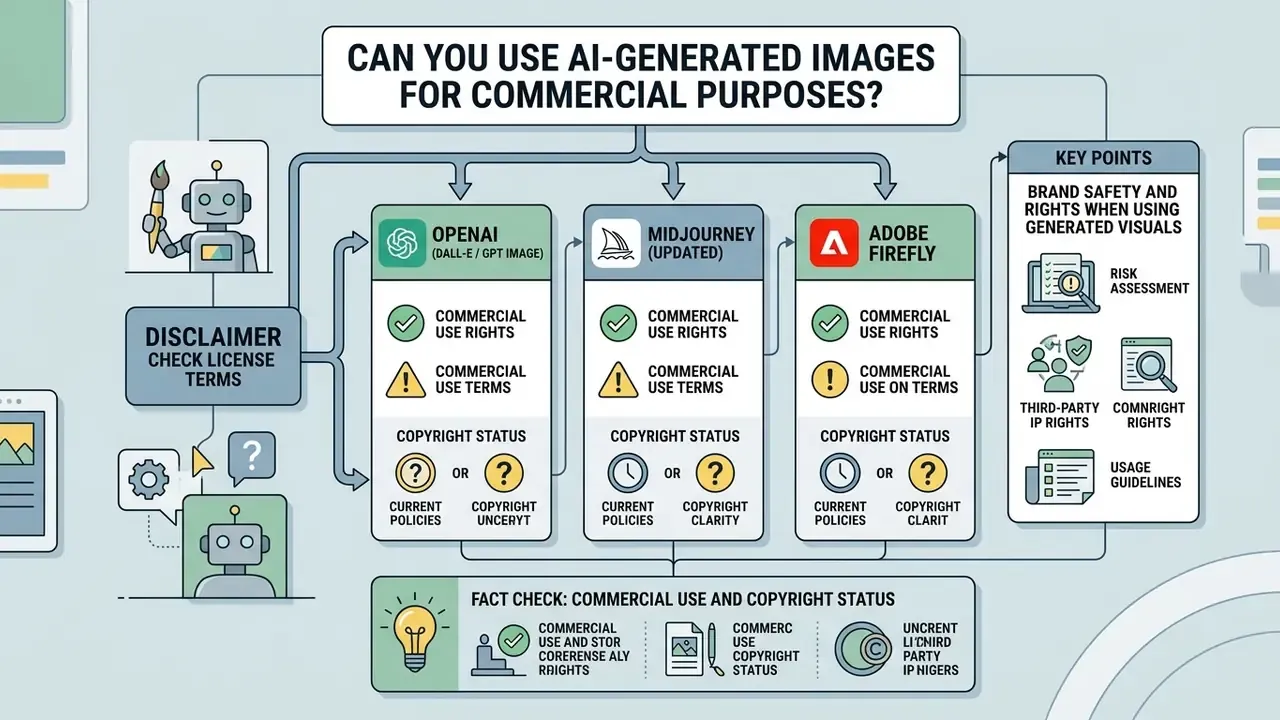
Using ai generated images for commercial purposes is permitted by many platform terms, but legal protection and copyright ownership depend on human creative input and specific plan licensing. Businesses must review provider agreements before using AI outputs in commercial campaigns.
To explore legal frameworks, platform licensing variations, and litigation precedents surrounding AI-generated art, you can view the guide on legal compliance.
Check License Terms Before Publishing or Selling Images
Commercial usage rights are dictated by the terms of service of the specific AI platform and by national intellectual property law. Platforms may grant contractual rights to sell or merchandise outputs, yet statutory copyright protection still requires human authorship.
The US Copyright Office policy (2025) and federal court rulings (Thaler v. Perlmutter, D.C. Cir. 2025) confirm that purely machine-generated images lacking human authorship cannot be registered for copyright protection (US Copyright Office AI Policy, 2025). The Office also requires applicants to disclose AI-generated material and describe the human contribution, and registration then covers only the human-authored parts. The Supreme Court declined to disturb that line in March 2026, leaving the human-authorship requirement in force. The European Parliament reached a parallel conclusion from a different direction: purely AI-generated output without substantial human intervention is not eligible for copyright in the EU, while the AI Act adds machine-readable marking duties for AI-generated or manipulated content.
Fair-use arguments about training and outputs are also narrower than commonly assumed.
"The Supreme Court held that a copy is not transformative under fair use when it is used commercially for substantially the same purpose as the original."
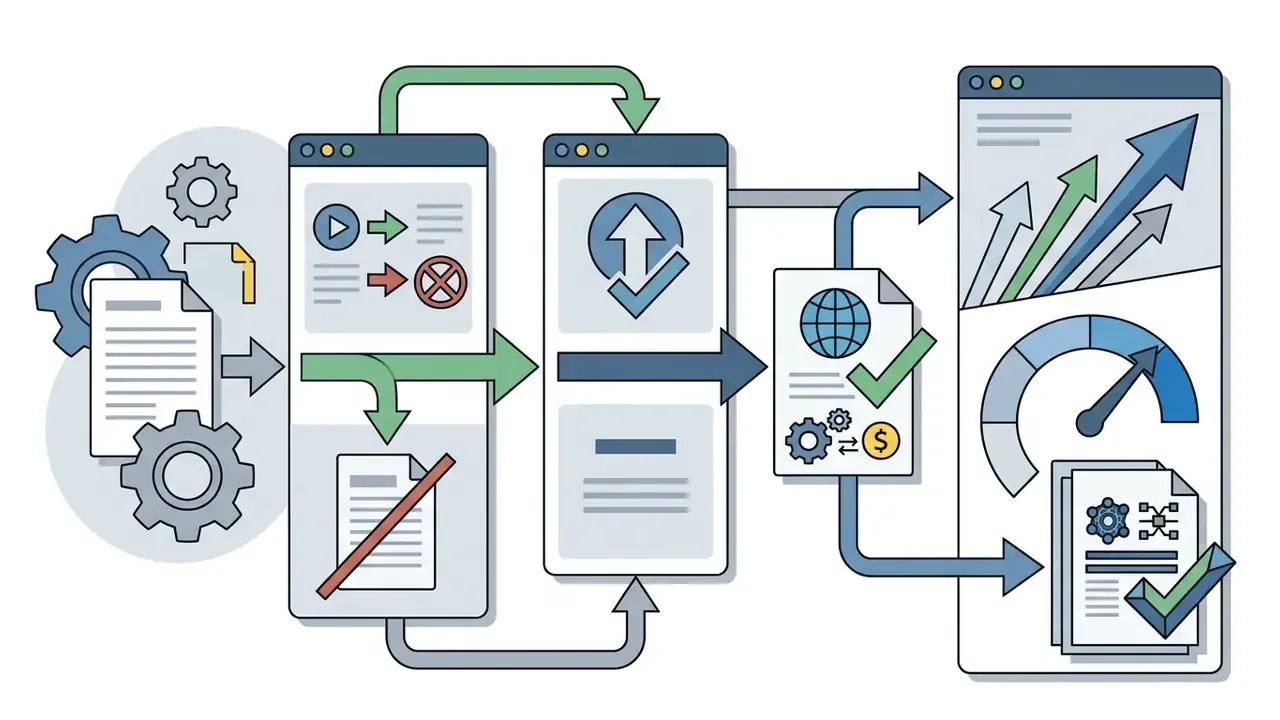
Commercial usage rights, however, are granted contractually:
Brand Safety and Rights When Using Generated Visuals
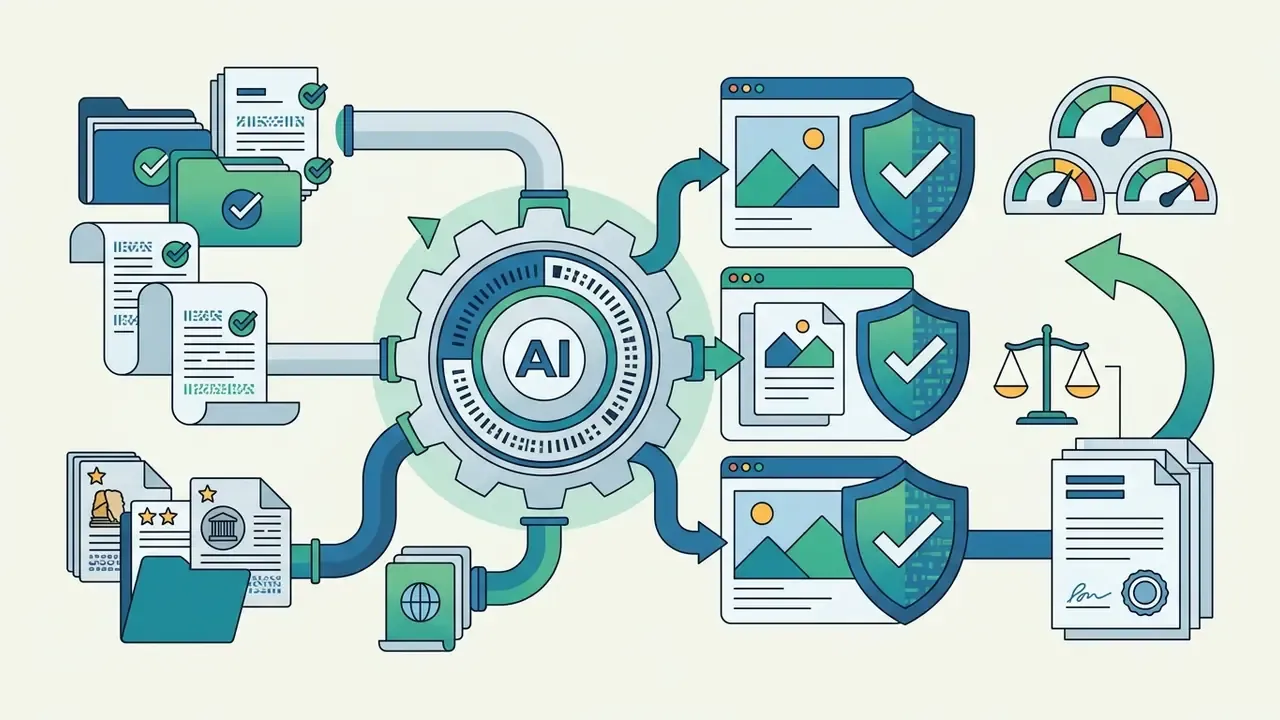
Commercial publication of AI visual assets requires rigorous brand safety checks, so that generated content does not infringe third-party trademarks, copyrights, or privacy rights.
FACT CHECK: COMMERCIAL USE AND COPYRIGHT STATUS
Organizations using an ai picture generator unblocked tool for marketing or client deliverables should establish an internal review workflow.
"Getty Images alleges that Stable Diffusion unlawfully used copyright-protected images for model training, which creates downstream risk for commercial users."
That dispute is live rather than settled, which is precisely why provenance and indemnification clauses matter more than output quality in a procurement decision. Vendor policy reinforces the point: Adobe's Generative AI User Guidelines (2026) prohibit prompts or reference images that reproduce third-party copyrighted or trademarked content, and prohibit violations of privacy or publicity rights. Hong Kong's 2026 Generative AI Technical and Application Guideline asks that published AI content be disclosed, particularly for commercial use or mass dissemination, and that generated content avoid whole or substantial copying of protected works.
A workable pre-publication checklist:
Provenance checks close the loop: AI image detectors help verify the origin of third-party or inherited visual assets before they enter a brand library.
For broader context on commercial tools, licensing models, and asset management, see the overview of enterprise visual creation options. To examine detailed tool comparisons, you can compare options across top AI image engines, or review operational workflows and compare options for team production.
Practical Use Cases for an Unblocked AI Art Generator
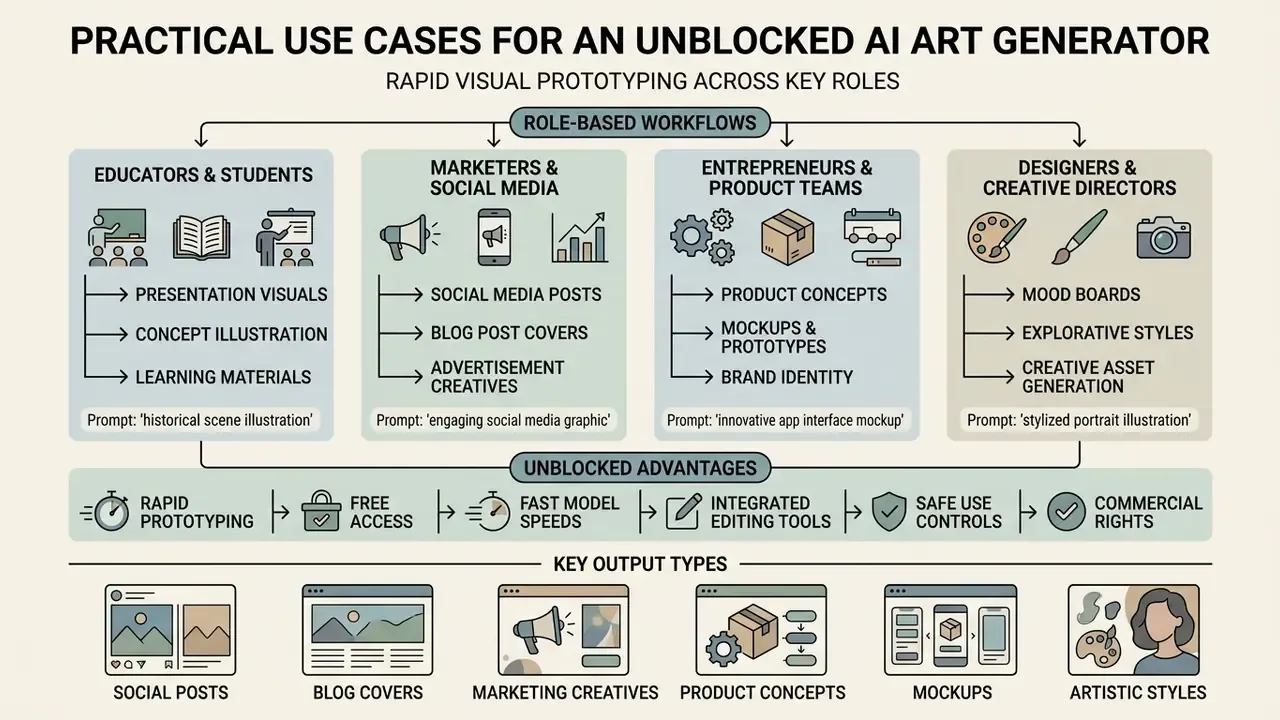
A free ai art generator unblocked tool enables rapid visual prototyping across educational, marketing, and creative design tasks. These tools let creators transform abstract ideas into tangible visual concepts without specialized graphic design software.
Official sources describe a consistent set of legitimate applications. UNECE's 2024 communication paper lists graphic design, creative content creation, and information visualization, specifically promotional posters, social media content, publications, and slides. Jisc's 2025 pilot guidance documents a course that generated comic-strip style guides for practical tasks, and frames the main value as illustrating abstract concepts, generating ideas, and teaching digital literacy. Arizona State University's AI guidelines list concept generation, initial drafts, mood boards, art direction, image enlargement, photo retouching, and abstract illustration.
For comprehensive resource guides on visual creation tools, you can browse the hub or consult our detailed technical glossary.
Use Cases by Role
For students and educators. Illustrations for presentations and lab reports, diagram-style visuals for academic posters, and concept imagery for teaching abstract ideas, generated in-browser instead of pulled from an unlicensed image search. Scotland's 2026 guidance is the operative rule of thumb: use AI output as a starting point, add personal refinement, and credit the tool where appropriate. Never upload classmates' photos or identifiable student work as reference material.
For marketers and social media managers. Blog covers at 16:9, story and Reel plates at 9:16, ad variants at 4:5, and thumbnail tests at scale. One 2026 campaign case study describes generating multiple creative variations and resizing them for Instagram posts and stories from the same prompt family. Keep a prompt library per brand so tone and palette stay consistent across the team.
For entrepreneurs and product teams. Packaging prototypes, colourway tests, and concept visualisation before committing budget to production design or a photo shoot. AI mockups are cheap enough to fail on, which is their real value in early validation.
For designers and creative directors. Mood boards, art-direction exploration, style tests, and storyboard frames. Research on collaborative product teams (2024) describes "prototyping with prompts" as an emerging practice for fast visual iteration, and UX research notes that alternative design directions are prototyped specifically to evaluate layout options before user testing.
For risk, compliance, and IT. Controlled pilots inside an approved tenant, with prompt logging enabled, so the organization can satisfy demand without a Shadow AI footprint. Measured impact usually shows up in two numbers: hours saved per asset, and the count of unsanctioned generator domains appearing in monthly proxy reports. Track both, or the ROI conversation stays anecdotal.
Product Concepts, Mockups, and Artistic Styles
Designers and product teams use AI image creation tools to assemble mood boards, test artistic styles, and generate product mockups during early-stage brainstorming.
In design workflows, AI generators serve as ideation partners:
Teams working inside existing design suites often compare browser-native options such as the Canva AI generator, the Microsoft AI image generator, and the Google AI image generator before adding another vendor to the stack. A shorter approval path usually beats a marginally better model.
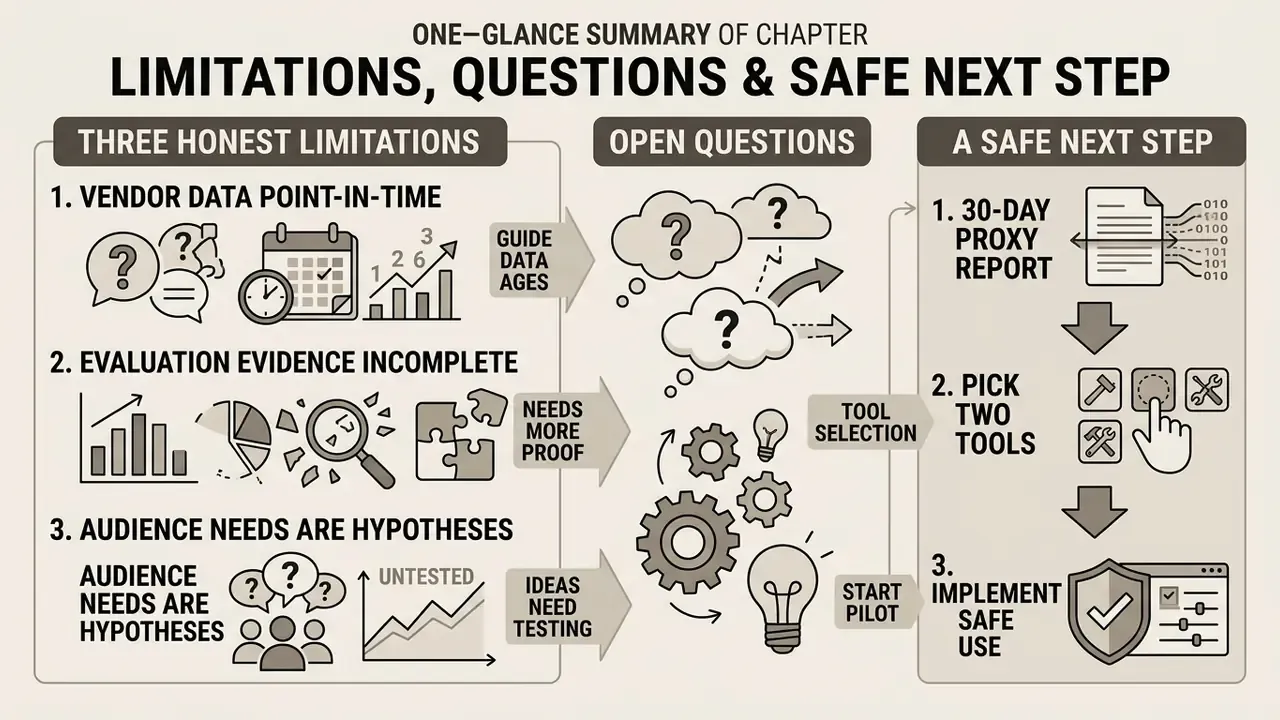
Limitations, Open Questions, and a Safe Next Step
FAQ: Frequently Asked Questions About AI Generator Unblocked
Does an Unblocked AI Generator Work on Mobile Devices?
Yes. Most unblocked AI image generators operate as responsive web applications accessible via mobile browsers on iOS and Android devices. Responsive interfaces automatically adjust input fields, aspect ratio selectors, and canvas previews to fit phone and tablet screens. W3C guidance underpins this: WCAG applies to mobile web content and mobile web apps, layouts should use relative or percentage sizing so text re-flows automatically, designs should support multiple interaction methods, and very large high-resolution images should be avoided where a device cannot render them (W3C, Mobile Accessibility and Mobile Web Application Best Practices).
Are Uploaded Reference Images Private?
Privacy policies vary by provider. Major platforms process uploaded reference images to execute generation requests, but data retention rules differ. Reputable enterprise tools isolate user inputs and refrain from training public models on uploaded user files, whereas generic free tools may store assets for analytics or model refinement.
"Generative services remain exposed to unauthorised data reuse, model-inversion attacks, and training-data leakage." Source: A Survey on Security and Privacy of Generative Data in AIGC (2023). https://arxiv.org/abs/2309.09724 Vendor policies confirm the range: OpenAI defines user content to include prompts, files, images, audio, and video; Canva states it may analyse content and media uploads for analytics, machine learning, and AI products, retaining content for a commercially reasonable period after account termination. Users should avoid uploading sensitive personal photos or proprietary company graphics to unvetted platforms, and organizations should require a written retention and training-exclusion term before approving a tool.
How Long Does It Take to Generate AI Images?
Standard text-to-image rendering typically takes between 5 and 20 seconds in fast modes, with high-fidelity 2K and 4K models running from 15 seconds to about a minute. Vendor documentation supports the split: fast models are advertised at roughly 5 seconds, and around 8 seconds on some free basic tiers, while Pro tiers targeting 4K detail are documented at 15 seconds to 1 minute. Generation speed is influenced by server load, model parameter size (standard diffusion versus high-parameter models), selected resolution, and the number of sampling steps requested. Serving research confirms each factor: higher request load worsens tail latency and reduces sustainable throughput (DiffServe, arXiv:2411.15381, 2024); larger models are slower to load and slower to run, with one 14B-parameter model needing roughly 30 seconds to load FP16 weights and about 80 seconds for first warm-up (StreamWise, 2026); and more diffusion steps improve quality at near-linear latency cost, while reducing steps or output count speeds generation (Together AI, Image generation parameters, 2026). Speed is not the same as success, however.
"Steerability remains limited: about 60% of attempts to reproduce a target image were rated unsatisfactory even after iterative prompt refinement." Source: Measuring the Steerability of Generative Models (2023 to 2024). https://arxiv.org/abs/2303.04012 Post-generation quality work adds time on top of render time; tools in the AI image enhancer category handle that pass separately from generation.
Can I Use a VPN or Proxy to Reach a Blocked Generator at Work?
No. Circumventing a security control is a policy violation in nearly every corporate and school acceptable-use policy, and in regulated environments it can also constitute a control failure reportable to audit. The compliant path is the formal unblocking request route, exactly the model the UK DWP policy describes, where a documented business need triggers review rather than a workaround.
What Should a Risk Team Log to Make AI Image Use Auditable?
At minimum: user identity, timestamp, tool and model version, the full prompt and any enhanced or rewritten prompt, reference-file hashes, output hash, and the human edits applied afterwards. That record supports reproducibility, copyright-contribution evidence under US Copyright Office disclosure expectations, and incident investigation if a prompt turns out to have contained sensitive data.
Do Free Tiers Grant Commercial Rights?
Not reliably. Some platforms grant ownership and resale rights across all tiers; others restrict free and trial output to non-commercial use, or reserve commercial licensing and watermark-free export for paid plans. Read the specific plan terms before an asset reaches a client deliverable, and record which tier produced each published image.
How Do We Move an Unsanctioned Pilot Into the Approved Environment?
Run a four-step migration: identify usage through proxy or CASB logs, interview the team to capture the actual business need, map that need to an approved tool with equivalent capability, then decommission the unsanctioned account and re-issue the prompt library inside the approved tenant with logging enabled. Register the resulting workflow in the AI asset inventory with an owner and a review date.
Social Posts, Blog Covers, and Marketing Creatives
Content creators use unblocked generators to produce visual assets for social posts, featured blog images, email banners, and digital advertising campaigns.
Research evaluating AI-generated social media creatives indicates that AI-assisted visuals paired with structured text descriptions can match or exceed human expert benchmarks in audience engagement ratings. The study is also specific about which prompt strategies win.
The practical translation: use concise, natural prompt descriptions rather than overloaded promotional language, and let the editing pass, not the prompt, carry the polish. Asking a model for something eye catching tends to produce exactly that word's worst clichés.
For specialized creation workflows, creators often evaluate tools such as an ocr image to text converter for extracting text from visuals, pair generation with a free photo editor for final colour and crop adjustments, or use an AI image enhancer to sharpen exports before publication. Teams producing short-form video from the same assets often extend the workflow with a YouTube video editor and a video compressor to hit platform file-size limits.