Short answer first. DeepSeek generates images directly through a specialized family of open-weight multimodal models called Janus, but its core text engines cannot produce a single pixel on their own. For a bank or a regulated fintech, that distinction is not trivia. It decides which model goes into the inventory, who owns it, and what evidence an auditor will ask for later.
On this page: direct generation capability, free-use economics and access paths, the practical generation workflow, prompt construction rules, quality ranges and B2B vision use cases, limitations including the 384×384 resolution cap, commercial rights and a clearance protocol, model risk governance mapped to SR 11-7 and the NIST AI RMF, a benchmark comparison with DALL·E 3 and Stable Diffusion, and an FAQ.
Can DeepSeek generate images directly?
DeepSeek AI, Janus Pro and image generation capabilities
Janus Pro is an open-weight, unified multimodal model built by DeepSeek that natively performs text-to-image generation alongside visual understanding. Released in January 2025, Janus Pro 7B scales the original Janus framework to 7 billion parameters using a decoupled visual encoding architecture.
«Janus Pro uses separate visual encoders for understanding and generation, removing the conflicts observed in earlier unified single-encoder models.»
Standard text-based LLMs lack spatial image tokenizers. Janus Pro solves this by splitting the visual workflow: a SigLIP encoder handles visual understanding, and a dedicated Vector Quantized (VQ) tokenizer handles image creation, both governed by one shared autoregressive transformer trunk. So the model reads a text prompt and emits discrete visual tokens that decode into pixels. Teams benchmarking options across the market can compare it with other AI image generators before committing infrastructure.
«On the GenEval benchmark, Janus Pro 7B scored 0.80, surpassing DALL·E 3 (0.67) and Stable Diffusion 3 Medium (0.74) in instruction-following accuracy.»
Technically, the understanding branch consumes 384×384 inputs through SigLIP-L, while the generation branch relies on a discrete tokenizer with a downsample rate of 16, producing 576 image tokens per rendering. Those two constants, 384 pixels and 16× downsampling, define both the speed advantage and the hard resolution ceiling discussed further down.
Image understanding versus creating a final image
Visual understanding and image generation are two distinct functional paths inside multimodal models. Image understanding analyzes input pixels to produce text. Image creation synthesizes pixel output from text prompts. Same model family, opposite direction of travel.
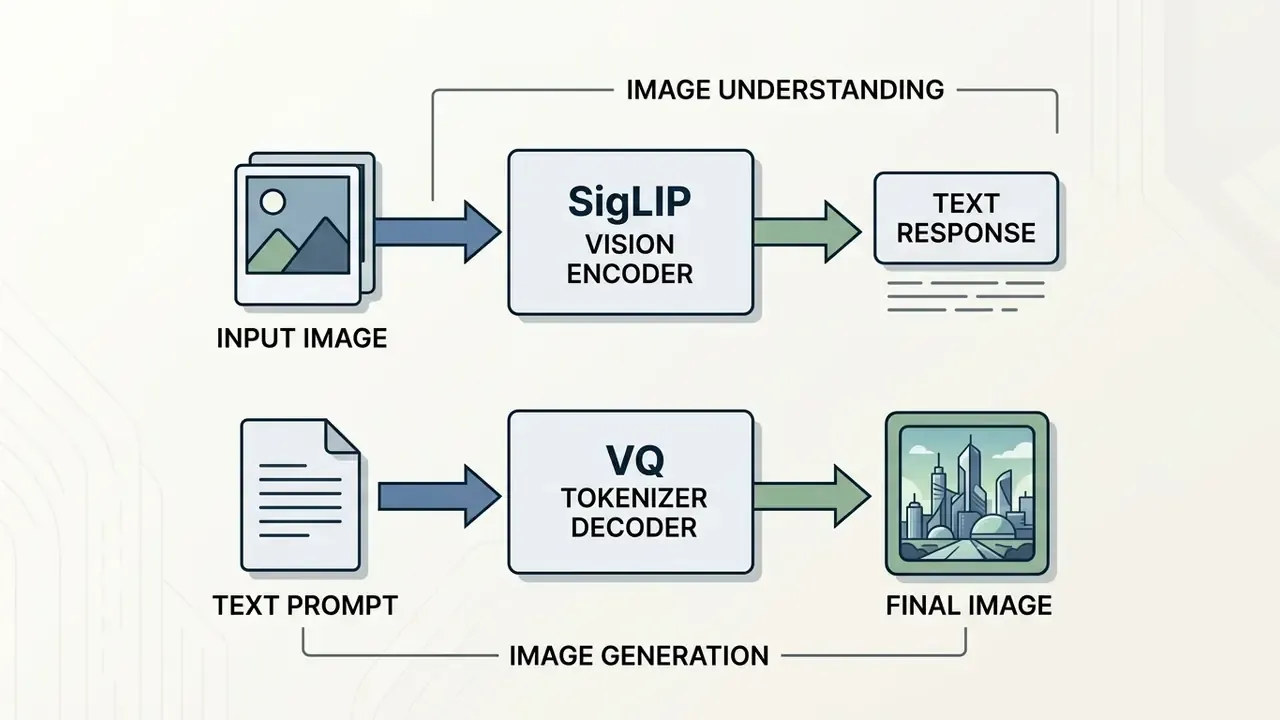
«Official documentation and the GitHub repository confirm that base DeepSeek LLMs do not output pixels; image synthesis is confined to Janus, JanusFlow and Janus Pro.»
Is DeepSeek AI image generation free to use?
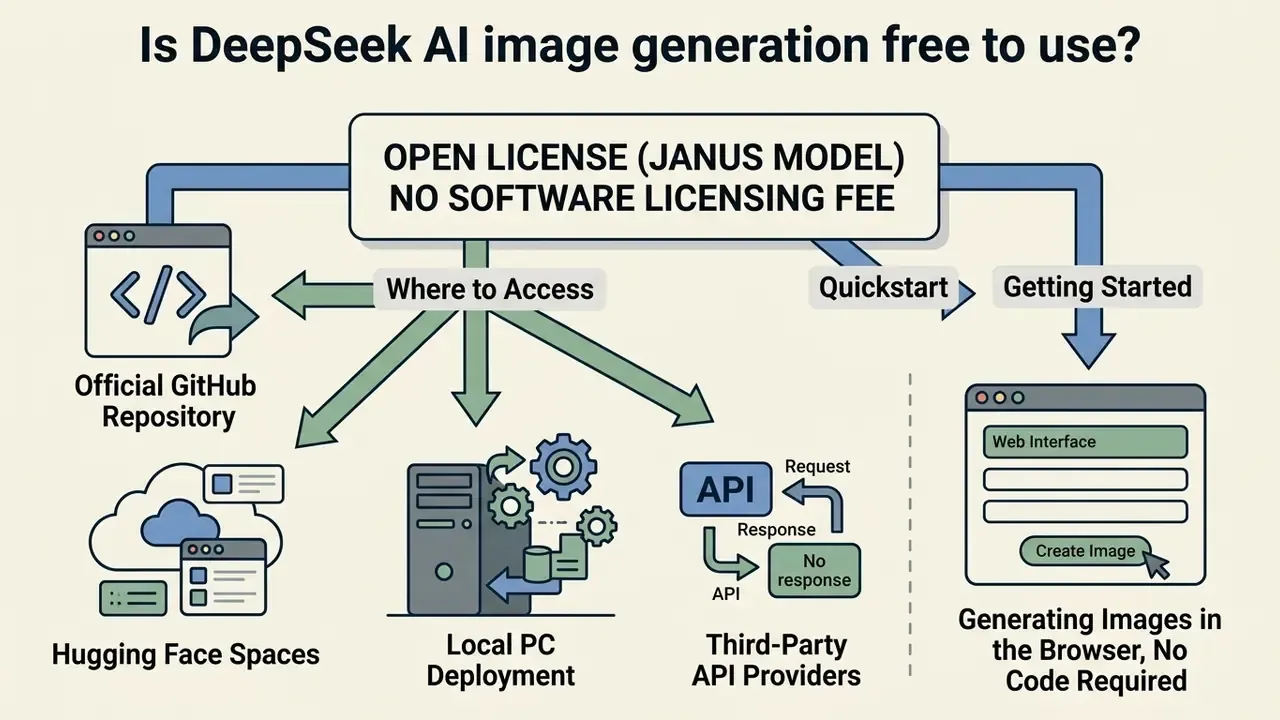
DeepSeek AI image generation carries no software licensing fee, because the Janus model weights ship under an open license. Execution is a different story: someone has to pay for compute. Self-hosting means hardware and electricity. Third-party API hosts bill per image or per token. Cost-conscious teams routinely benchmark that structure against leading AI image generators that charge per seat or per credit.
What "free" means for DeepSeek image generation
The word "free" here applies strictly to the open-weight code and model parameters. DeepSeek publishes the underlying code under the MIT License and the weights under the DeepSeek Model License. That combination permits free download, local modification, and commercial deployment without royalties. So yes, you can generate images with DeepSeek for free in the licensing sense.
«The DeepSeek Model License explicitly permits commercial use of Janus-series weights, while prohibiting harmful, discriminatory and misleading applications.»
Running Janus Pro 7B still demands local GPU VRAM or cloud hosting. In total cost of ownership terms, the license line item is zero and the compute line item is effectively the whole budget: a single 7B-parameter inference node with 16 to 24 GB of VRAM, storage for checkpoints, monitoring, plus engineering hours for environment maintenance across Python, PyTorch and CUDA. Free model, paid plumbing.
Where users can access a DeepSeek image generator
Users reach Janus Pro through open-source repositories, developer web demos, and third-party hosting platforms. DeepSeek does not run a unified first-party consumer portal for image generation the way dedicated web services do, which surprises a lot of buyers expecting a single "deep seek ai image generator" button.
«No official DeepSeek hosting API exists for Janus; access is obtained through self-hosting, community endpoints, or third-party platforms.»
Primary access entry points:
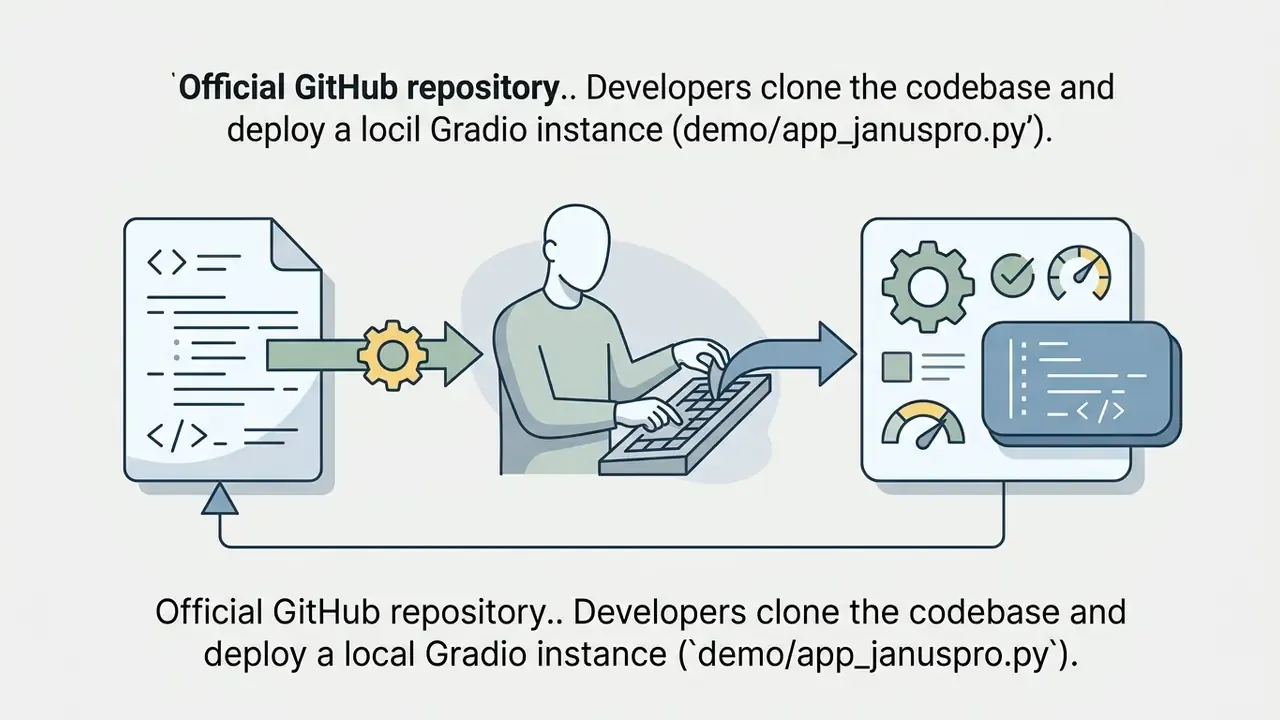
demo/app_januspro.py).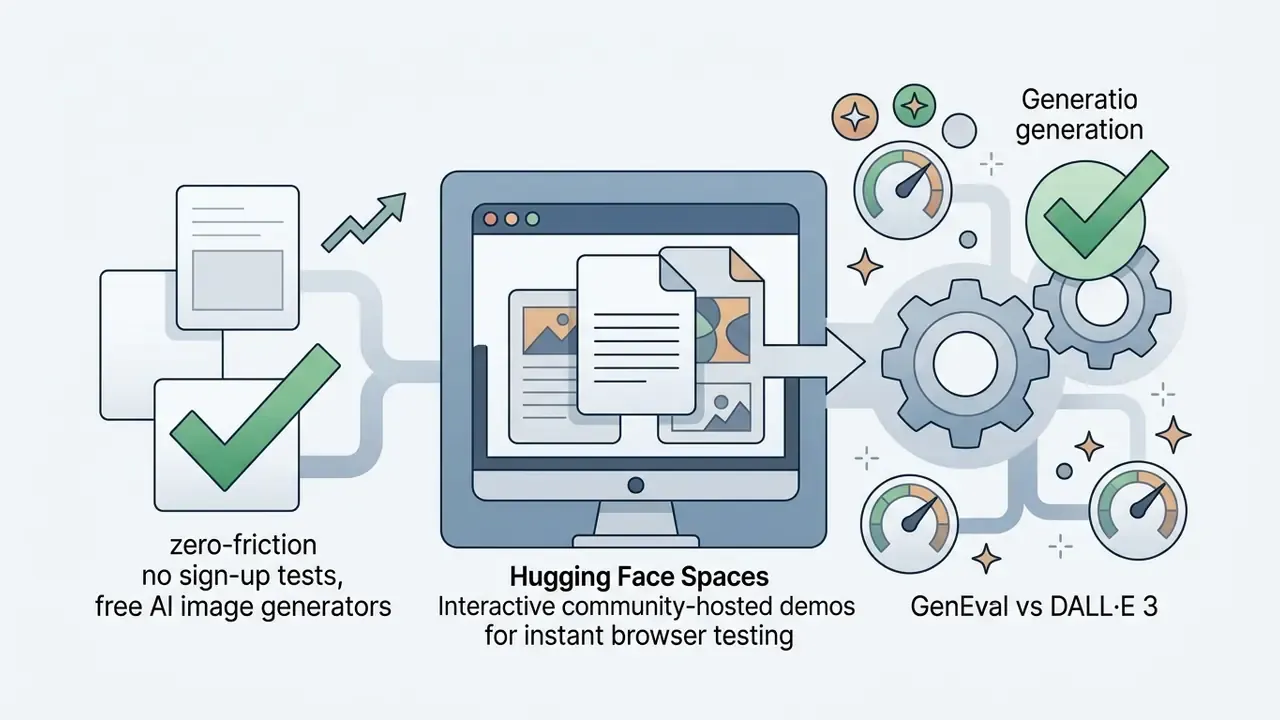

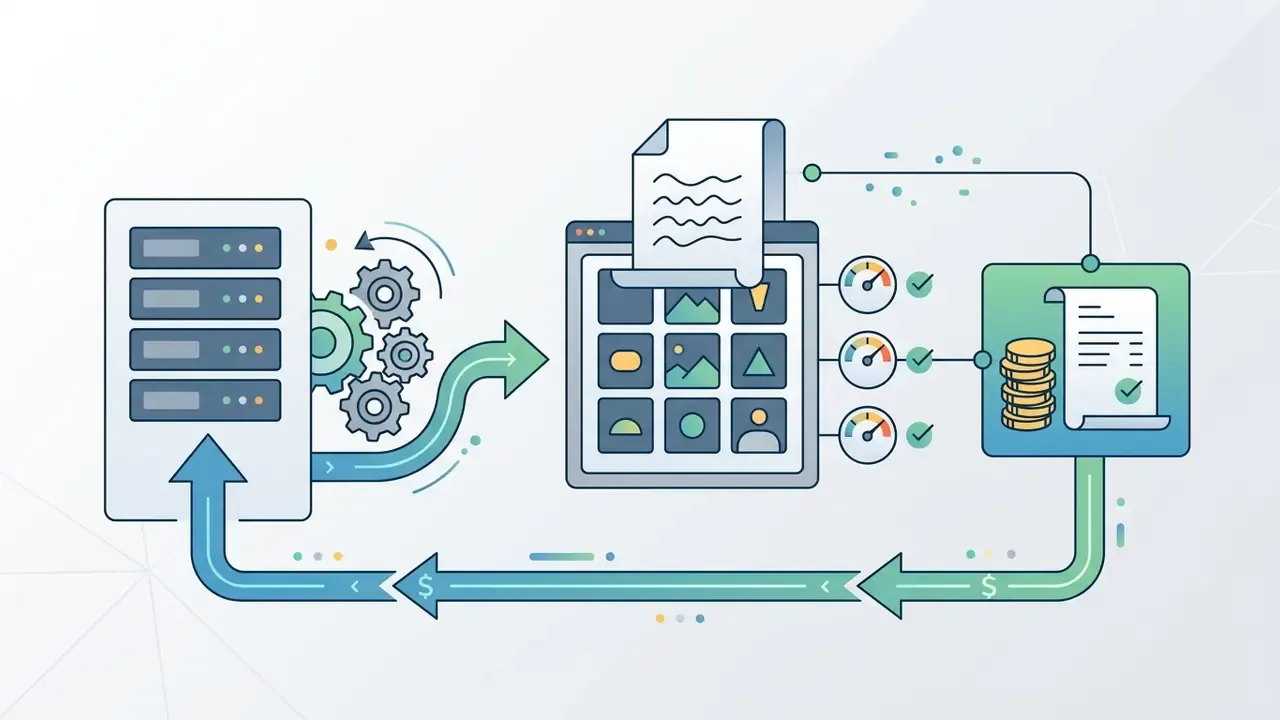
Deployment and access pathways for DeepSeek Janus Pro
| Access pathway | Setup complexity | Infrastructure needs | Cost structure | Data privacy and security boundary | Primary business output |
|---|---|---|---|---|---|
| Self-hosted Janus Pro (local or private cloud) | High: requires Python, PyTorch, CUDA environments | Dedicated GPU, 16 GB+ VRAM for 7B execution | Zero license fee, variable GPU infrastructure cost | Prompts and outputs never leave the corporate perimeter; zero third-party data egress; weights can be hash-verified before deployment | Full data privacy, complete model control, reproducible batch image generation |
| Hugging Face public Spaces demo | Low: instant browser interaction | None, runs on public cloud infrastructure | Free public access with queue limits | Prompts transit public community infrastructure; unsuitable for confidential, client or PII-bearing inputs | Rapid prompt testing and exploratory visual sampling |
| Third-party hosted API endpoints | Medium: REST API integration | Cloud API client connection | Per-image usage fees, typically $0.002 to $0.03 per image | Data crosses the vendor boundary; requires DPA review, retention-policy confirmation, vendor-risk onboarding | Scalable integration into corporate applications and marketing toolchains |
| DeepSeek text LLM in prompt-assistant mode | Low: web chat or standard API | Minimal, standard text token processing | Standard text token pricing or free web chat | Text prompts leave the perimeter; no image assets transmitted; restrict to non-confidential creative briefs | Structured text prompts optimized for external generators such as Midjourney or Stable Diffusion |
Read the table as a risk ladder, not a feature list. Self-hosting is the only row where confidential briefs stay inside your control.
How to generate images using DeepSeek: practical workflow
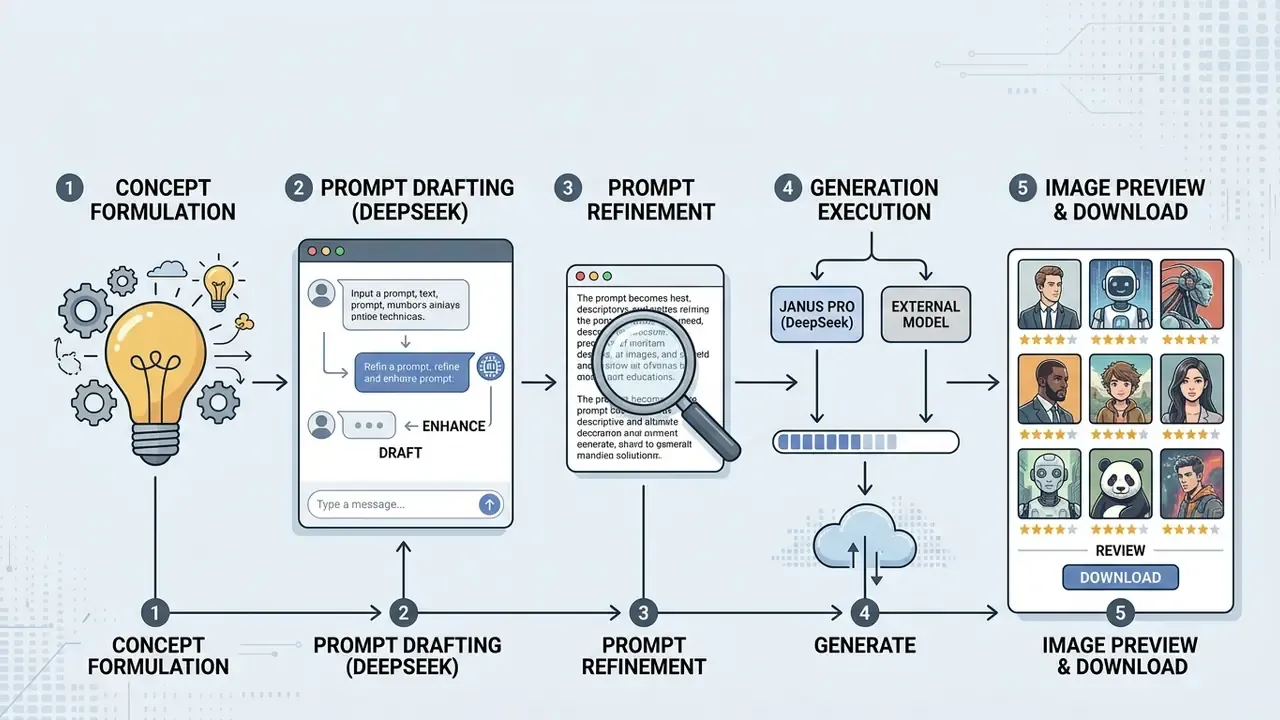
Generating images with DeepSeek works best as a structured sequence: turn a concept into a detailed prompt, execute generation through Janus Pro or an external model, then review the output against your own quality bar.
Turn an image idea into a detailed image prompt
Converting a basic idea into a usable visual asset means expanding thin descriptions into structured instructions. Text LLMs are unusually good at this, adding lighting, composition, medium and texture that a human brief often skips.
One illustrative case. A team preparing visual assets for internal compliance training submitted a raw prompt, "a compliance officer reviewing bank logs", to DeepSeek-R1. The model returned an explicit instruction set: "Digital art style, an analytical compliance officer examining glowing data streams on dual monitors, subtle corporate office background, cinematic volumetric lighting, 16:9 aspect ratio." Visual ambiguity gone before a single token was rendered.
The same expansion logic applies to business graphics that regulated teams actually ship: landing banners, onboarding illustrations, policy deck covers, UI wireframe concepts, abstract data-security imagery. A practical corporate template reads: [asset type] + [subject] + [environment] + [brand-safe style] + [lighting] + [aspect ratio] + [negative constraints such as "no text, no logos, no recognizable faces"]. Those negative constraints are compliance work disguised as prompt craft. Excluding rendered text and brand marks at the prompt stage removes two of the most common causes of downstream clearance failures.
Generate, review and download quality images
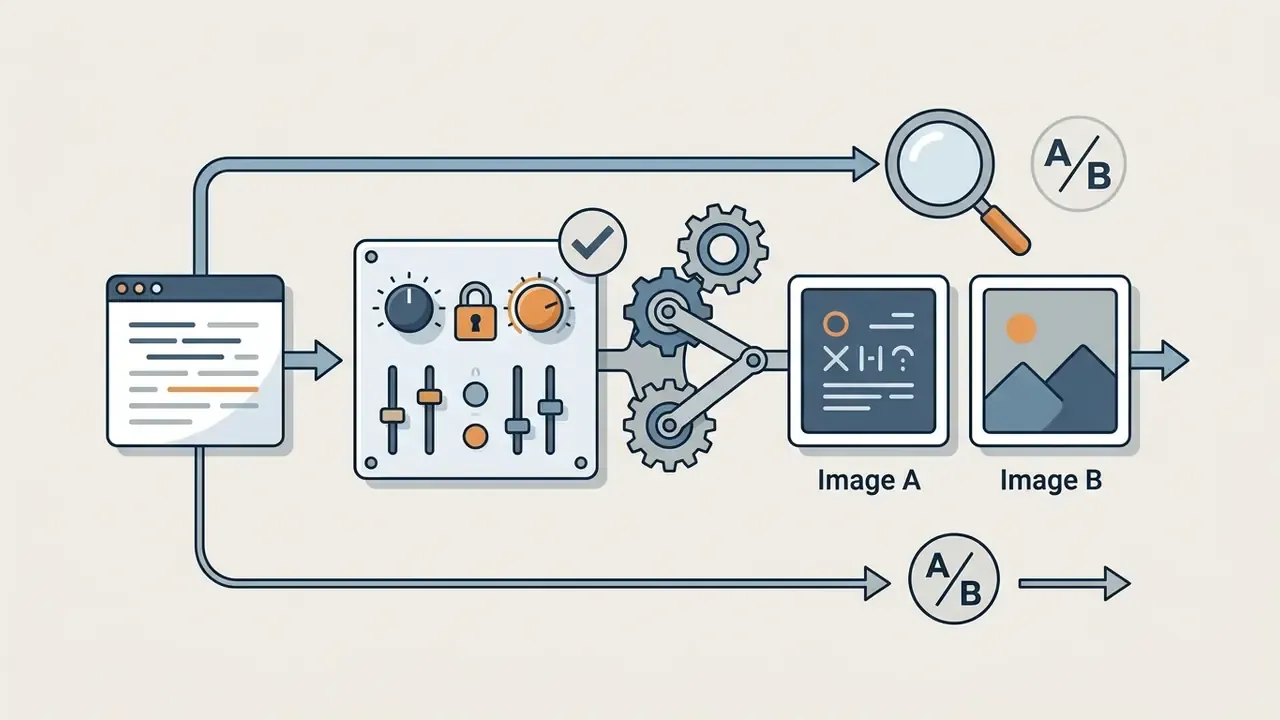
With the prompt built, execution moves to the engine. In local Janus Pro environments, developers set generation_mode="image", configure sampling parameters such as cfg_weight, temperature, parallel_size and seed, then run generation. Reference implementations use image_token_num_per_image=576, img_size=384 and patch_size=16. The system reads the text, predicts VQ image tokens, and decodes the final visual.
Operators then review the result for artifacts, spatial distortions or prompt mismatches. Iteration discipline matters here more than volume: change one variable per cycle, whether a prompt clause, the CFG weight or the seed, so the cause of any quality change stays attributable. That single habit is what later turns a pile of renders into reproducible validation evidence. Once verified, the file can be downloaded for digital publication, and teams that need print-grade assets can route it through AI image enhancers before release.
Use DeepSeek to refine prompts for another AI image generator
Because Janus Pro deployment needs a GPU and a maintained environment, many organizations use DeepSeek text models as specialized prompt engineers for external generators: Midjourney, DALL·E 3, Stable Diffusion.
In that pattern DeepSeek acts as a translator between human intent and engine syntax. It applies weighting parameters and negative prompts for Stable Diffusion, short comma-separated phrases with --ar and --style raw flags for Midjourney image generation, or complete natural-language sentences for DALL·E 3. Teams standardizing this handoff across departments often document it as a repeatable pipeline; you can explore the hub for adjacent workflow patterns.
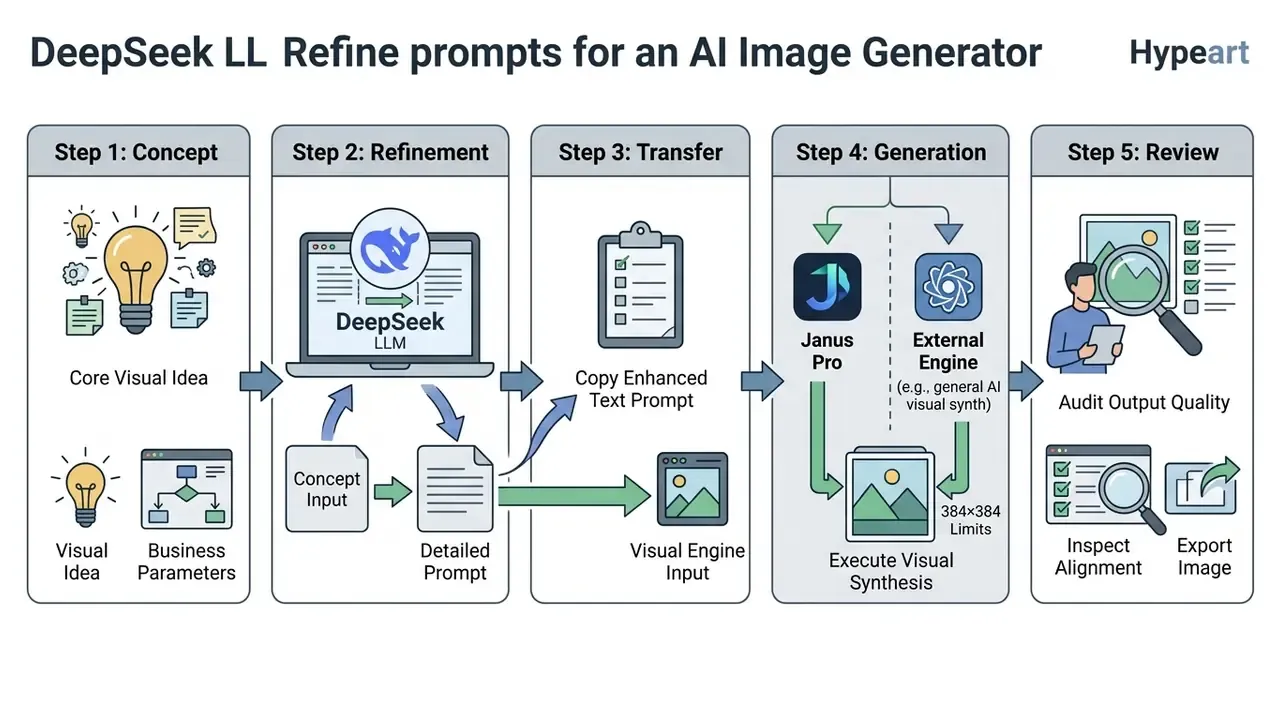
Operational breakdown of the five steps:
How to write DeepSeek prompts for high-quality images
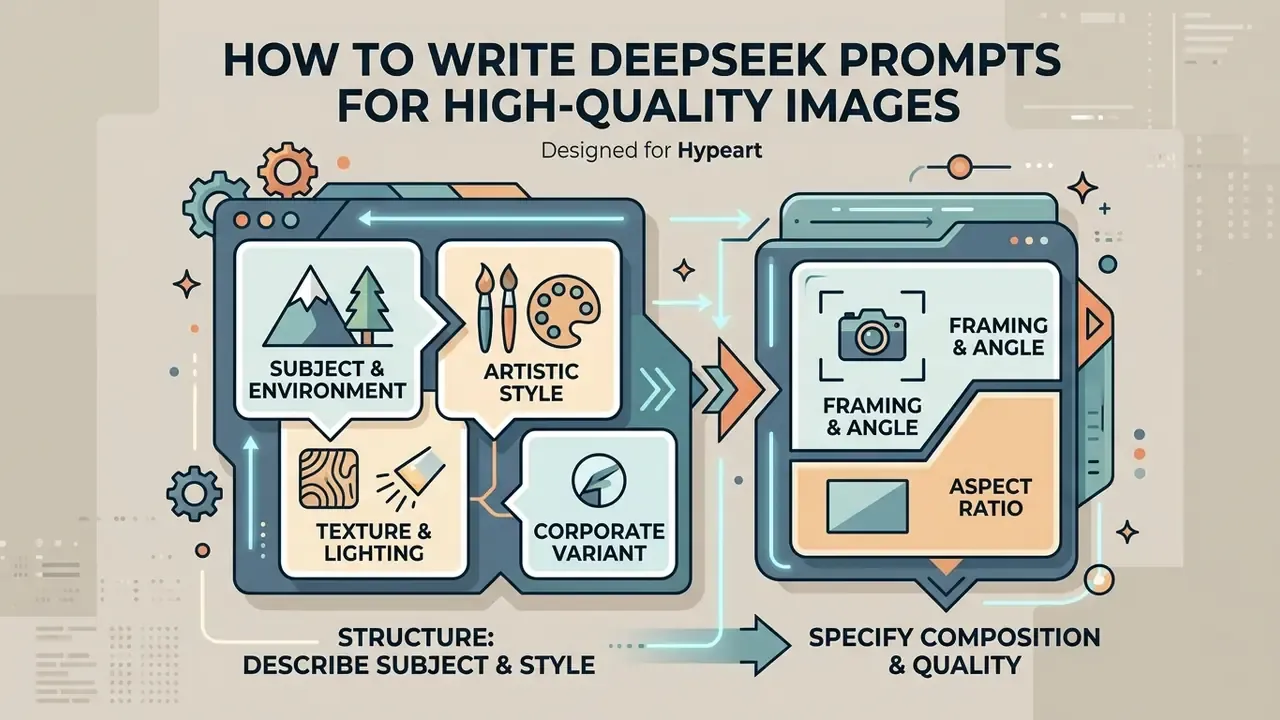
Effective prompts for DeepSeek-based visual generation share one trait: structure. Subject, medium, environment, composition, technical quality, in that order, with nothing left implicit.
Describe subject, style and visual details
Follow a predictable hierarchy: core subject first, then environmental context, artistic style, lighting, explicit textures. Loose prompts increase randomness and artifacts, and the model fills the gaps with whatever its training data considered typical.
Strong visual descriptions name specific media rather than vague quality adjectives:
- Subject and environment "A modern commercial bank vault interior, reinforced steel door, soft ambient architectural lighting."
- Artistic style "Photorealistic architectural rendering" or "Oil painting style with visible brushwork." Users comparing artistic outputs can study various ai art styles to pick optimal visual parameters.
- Texture and lighting "Matte metallic surfaces, diffused overhead LED panels, golden hour sunlight reflecting off glass partitions."
- Corporate variant "Flat vector illustration of a layered cloud security stack, three tiers, restrained corporate blue palette, no text labels, 16:9." Enterprise prompts benefit from naming the palette and explicitly banning rendered typography, because autoregressive generators remain unreliable at legible in-image text.
Specify composition, aspect ratio and image quality
Composition parameters tell the model where objects belong and how to frame the shot. Explicit spatial framing reduces layout errors.
Key structural terms:
- Framing and angle wide-angle shot, close-up macro, eye-level perspective, isometric view, low-angle perspective, top-down flat lay.
- Aspect ratio 16:9 for presentations, 1:1 for social thumbnails, 9:16 for vertical mobile displays.
- Quality parameters 4K render detail, sharp focus, clean vector lines. Skip buzzwords like "hyperrealistic" and specify optics instead, for example "35mm lens, depth of field, f/2.8".
- Placement constraints say where key objects sit ("subject centered, negative space on the right for headline overlay") so marketing can composite copy without recropping.
One caveat worth repeating. On Janus Pro the aspect-ratio instruction shapes composition, not the delivered pixel grid. Raw output remains a square 384×384 tensor decode, and final framing happens in post-processing.
What image quality and art styles can DeepSeek help create?
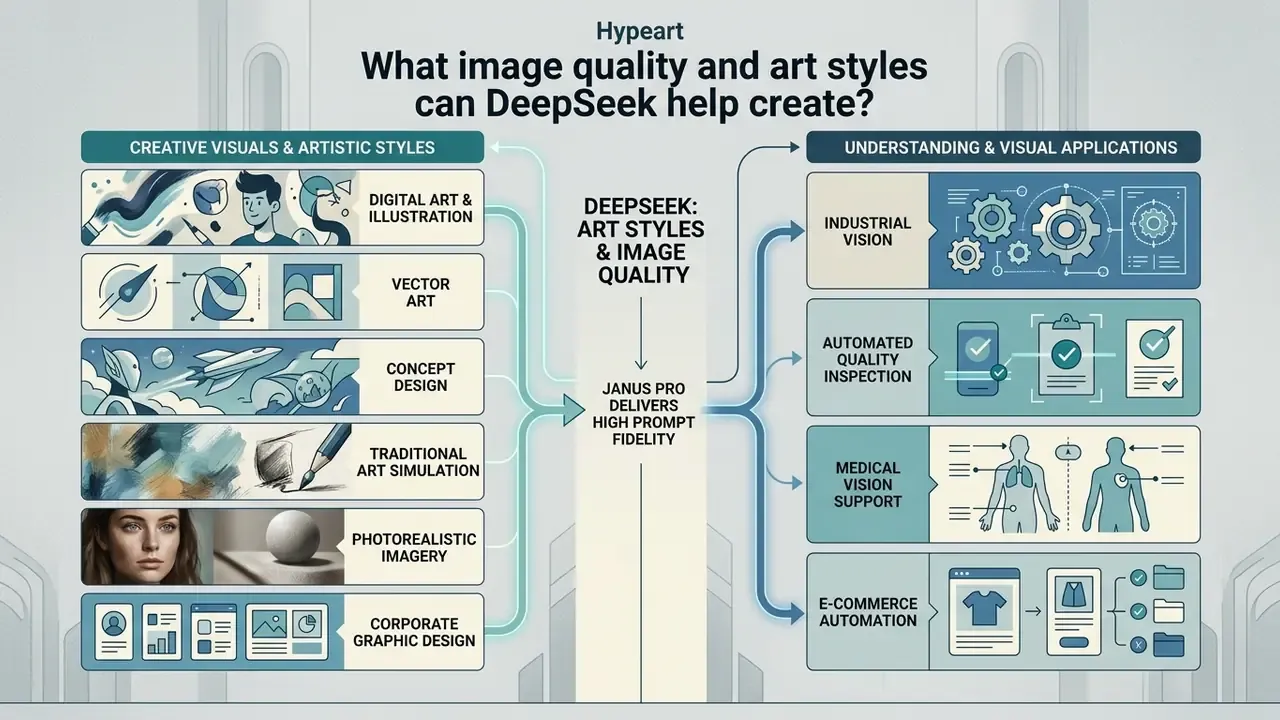
Janus Pro delivers high prompt fidelity across digital illustration, vector art, concept design and photorealistic imagery. Benchmarks show strong instruction following across a wide range of artistic mediums, which is the dimension it actually wins on.
Artistic styles, digital art and creative visuals
Janus Pro handles diverse formats, from clean graphic illustration to stylized painting. Because its training mix combines synthetic and real-world imagery, it translates stylistic descriptions into fairly consistent DeepSeek AI art.
Common supported categories:
- Digital art and concept design matte paintings, sci-fi environment concepts, character models.
- Traditional fine art simulation impasto oil painting, watercolor wash, ink line drawings.
- Corporate graphic design flat vector icons, UI wireframe mockups, infographics. Organizations chasing a specific visual register can evaluate tools such as a ghibli ai image generator before standardizing.
Vendor pages sometimes attach precise accuracy figures to these use cases, for instance "99.7% defect detection". Those numbers are marketing claims from third-party integrators, not results published in DeepSeek's technical report. Do not enter them into a model inventory without in-house validation on your own data.
Factors that affect high-quality output
Final image quality depends on model scale, training data composition and generation parameters.
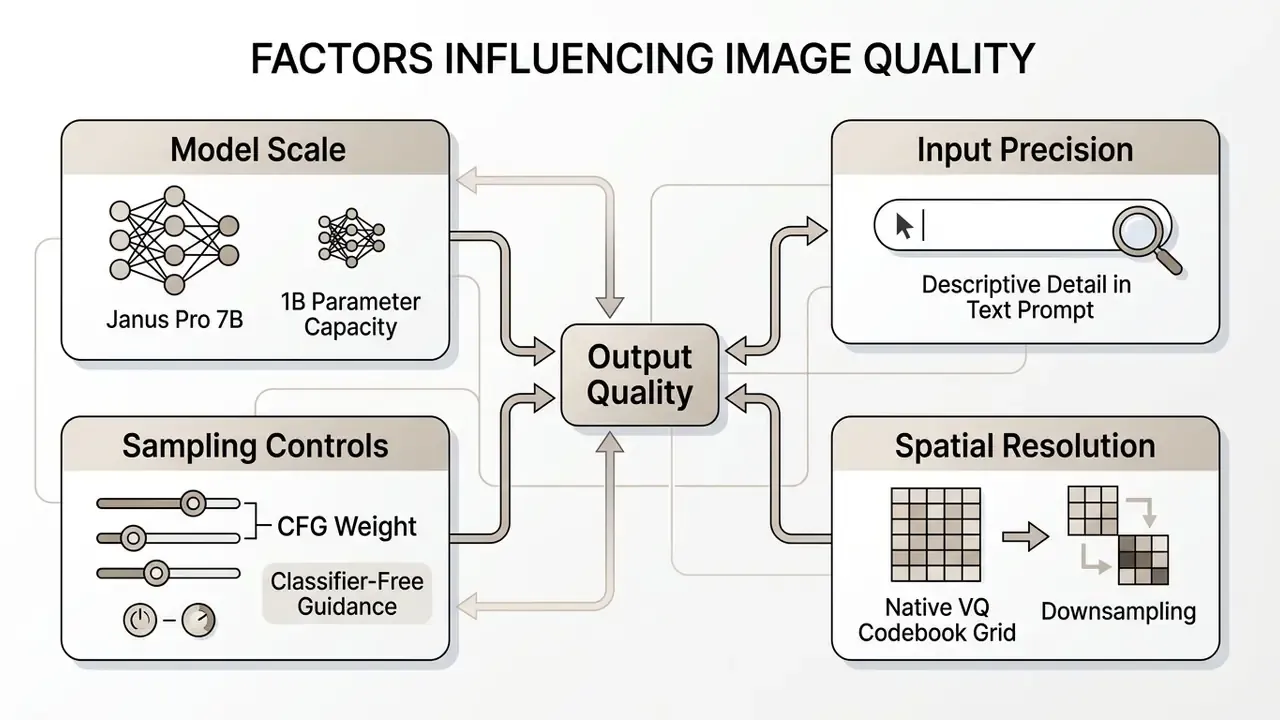
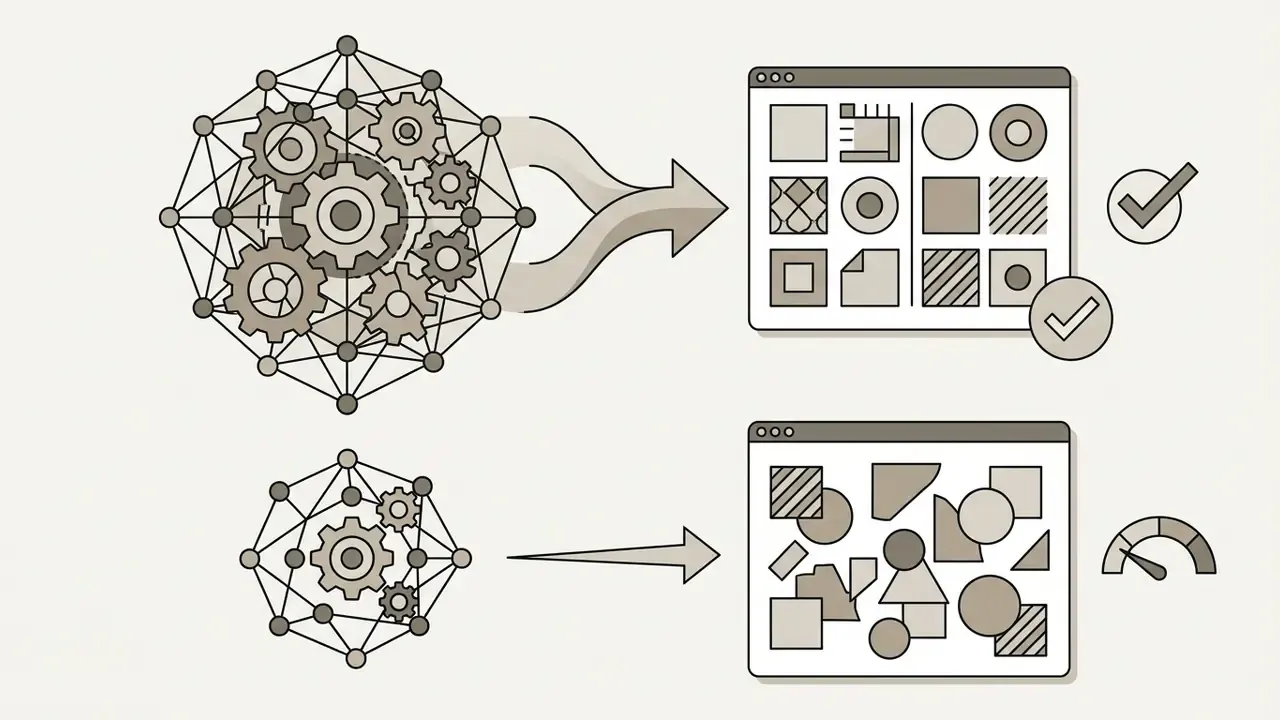
According to the Janus Pro technical report, scaling to 7 billion parameters and adding roughly 72 million synthetic images noticeably improved visual stability over the earlier 1.3B models.
«Janus Pro 7B scored 84.19 on DPG-Bench, a dense-prompt benchmark, outperforming competing models including specialized generators.»
Key factors governing output quality:
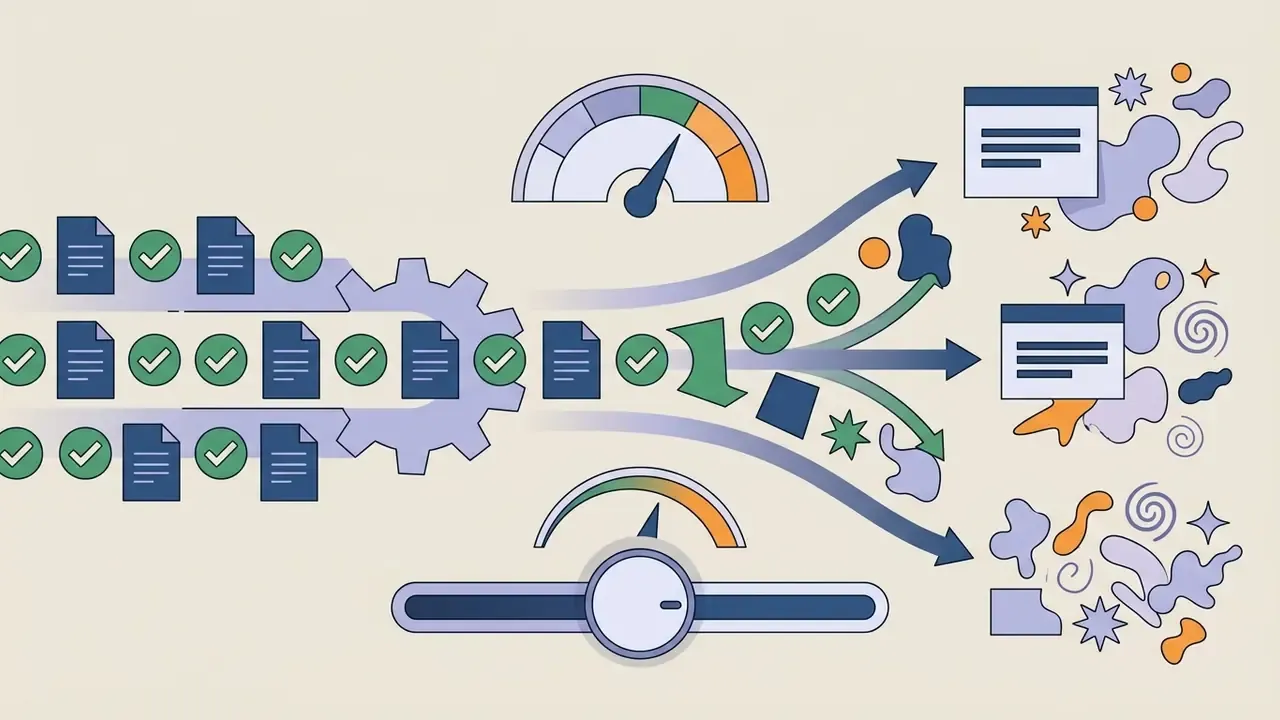
temperature, cfg_weight or image_size, so identical prompts can return different assets across providers running the same checkpoint name. That last point catches teams out more often than any prompt mistake.Limitations of DeepSeek image generation to consider
Native 384×384 resolution cap and upscaling workflows
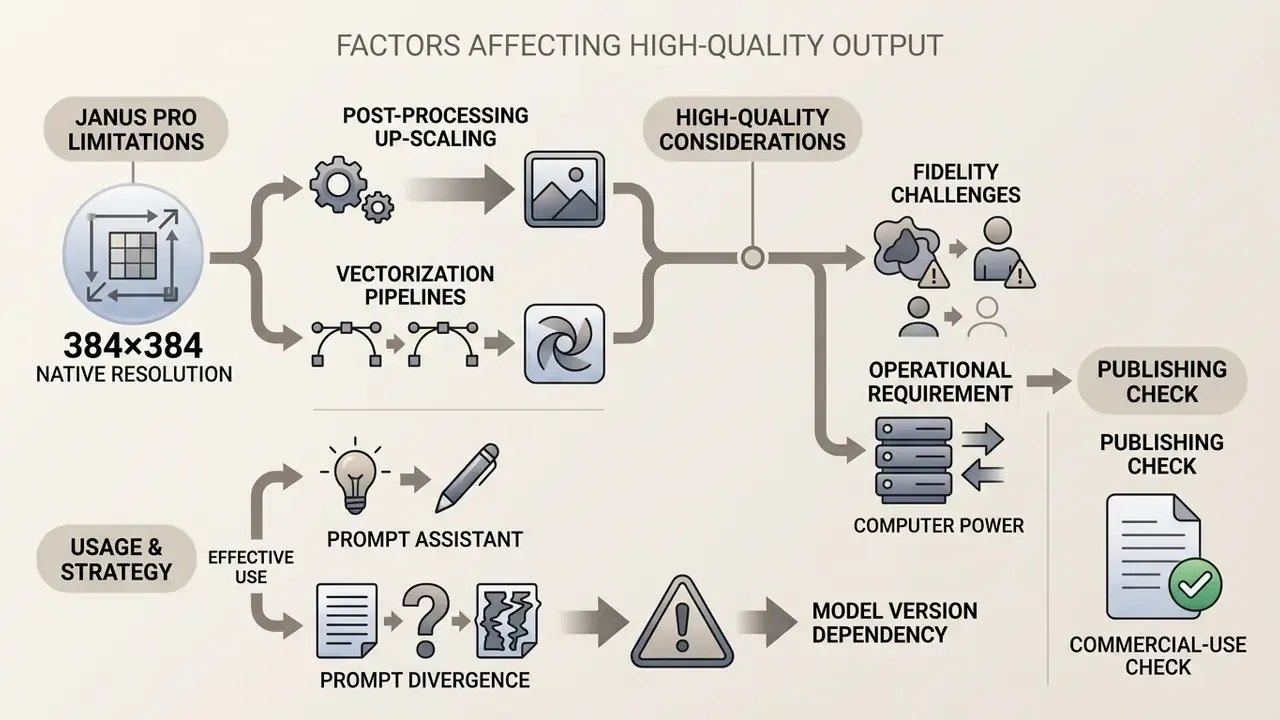
The constraint. Janus Pro 7B uses a discrete VQ tokenizer with 16× spatial downsampling, so raw output is hard-capped at 384×384 pixels. Latency and compute load stay low, which is the upside. The downside is blunt: 384×384 does not clear the bar for high-definition assets, print media or corporate marketing banners. Digitization standards generally treat 300 ppi at final reproduction size as the floor for photographic quality, which means a raw Janus Pro render covers roughly a 1.3-inch square in print before any upscaling.
Enterprise resolution workaround. To turn raw renders into production-grade assets:
- Post-processing upscaling.Pass the 384×384 output through an external super-resolution model such as Real-ESRGAN, Topaz Gigapixel AI, or an Ultimate SD Upscale pass inside a Stable Diffusion pipeline. Expect measurable loss of micro-detail, and validate edges and text-adjacent regions after each pass.
- Vectorization pipelines.For icons, UI elements and logos, trace the raster into SVG to get resolution-independent assets fit for print and large-format display.
- Format discipline.Archive the raw output losslessly as PNG before upscaling. Repeated JPEG re-encoding stacks compression artifacts exactly around the sharp edges that matter in diagrams and line art.
Competing hosted services deliver 1024×1024 natively. That is the central quality trade-off buyers accept in exchange for open weights, zero license fees and full data residency.
When DeepSeek works better as a prompt assistant
Often DeepSeek earns its place as a text prompt assistant rather than a direct visual generator, especially when a project needs high photorealism, large output resolution, or specialized controls such as inpainting and pose guidance.
The DeepSeek text LLMs, V3 and R1, carry broad training across artistic taxonomies, which makes them strong tools for drafting, structuring and optimizing complex prompts. Those prompts then run on Stable Diffusion, Midjourney or DALL·E 3. This hybrid split, DeepSeek for reasoning and prompt construction, a dedicated diffusion engine for rendering, is the most common production pattern in organizations that need print-ready resolution today. Teams evaluating enterprise image tooling can review our comparison of the best AI image generators.
Why generated images may differ from the prompt
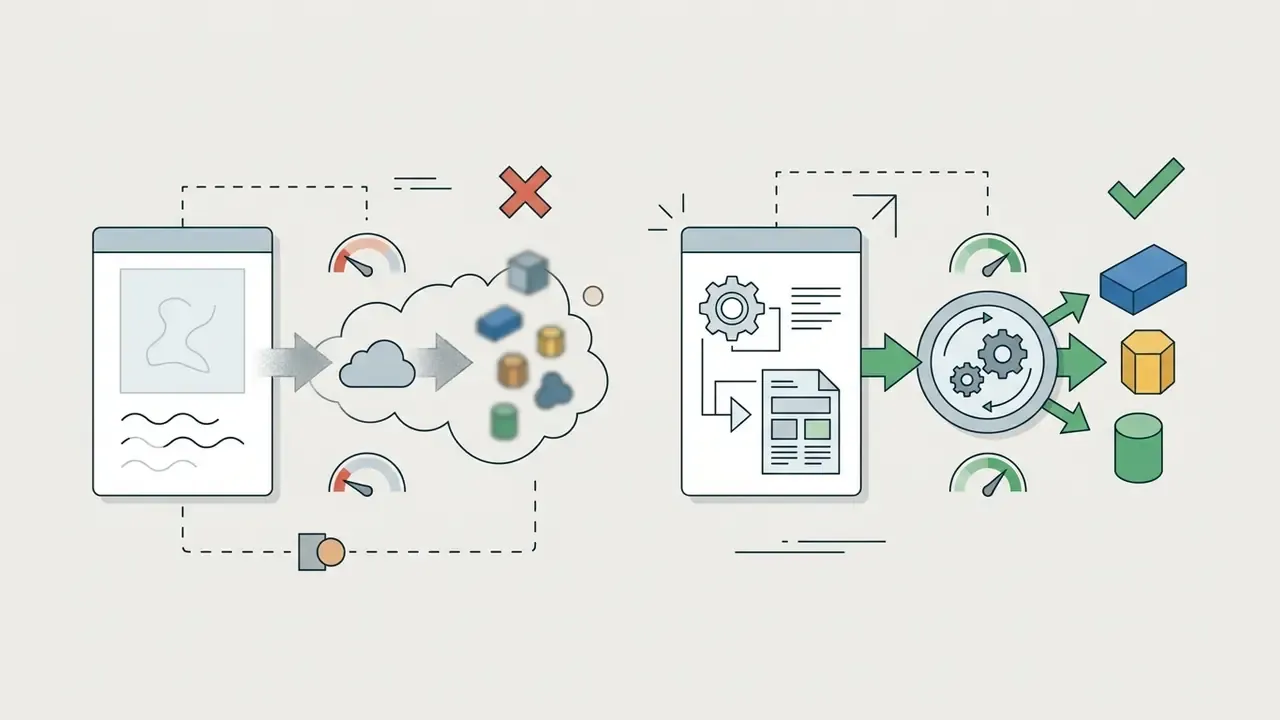
Mismatch between prompt and output comes from three sources: spatial reasoning limits in autoregressive models, prompt ambiguity, and stochastic sampling variability.
Research shows multimodal models still struggle with layered spatial relationships, for example "placing a small blue cube behind a large red sphere".
«GenEval measures instruction-following accuracy by category: object position remains one of the hardest tasks for autoregressive generators.»
Benchmark studies of text-to-image spatial reasoning report that even leading models satisfy explicit spatial relations in a minority of test cases, and that relation errors occur independently of object-presence errors. The correct objects appear; they simply sit in the wrong places. When a prompt contains ambiguous phrasing or conflicting styles, the model falls back on dominant statistical patterns from training, and you get a plausible image that is not the one you asked for.
Validation teams should stress the failure classes that matter for business reporting: legible in-image text, numeric labels, chart axes, org-chart hierarchies, counted objects ("exactly four servers"). These are the categories where autoregressive generation most often produces confident-looking but incorrect output, and where a human reviewer must sign off before anything publishes.
Operational warning: model version dependency. Visual quality, safety filtering and spatial accuracy depend heavily on the specific deployment. Running Janus Pro 7B locally produces different results from third-party hosted APIs or smaller 1B checkpoints. Validate output quality on your own hosting infrastructure before pushing generated assets into production, and record the checkpoint hash, parameter set and serving platform alongside every approved asset.
Can you use DeepSeek-generated images commercially?
Commercial-use checks before publishing an image
Commercial deployment of AI-generated visuals needs systematic verification of software licenses, trademark exposure and platform policy.
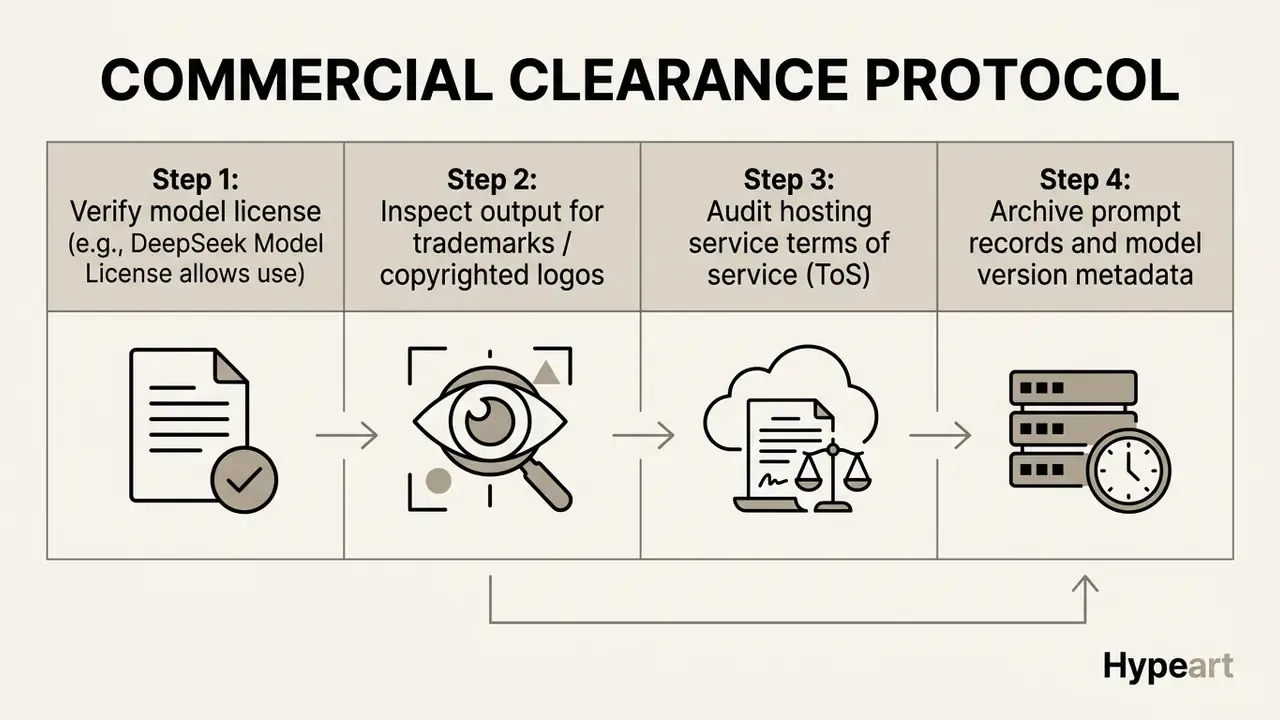
An illustrative example. A marketing team prepared AI-generated background visuals for a national product launch. Before publication, risk officers ran the clearance protocol: confirmed that Janus Pro 7B permitted commercial use, scanned the renders for unintended corporate logos, verified the third-party API terms, and logged every prompt in an internal audit repository. Four steps, one afternoon, and the intellectual property question stopped being a debate.
«The DeepSeek license prohibits generating misleading content, personal data without permission, and discriminatory applications based on protected characteristics.»
Two risk categories deserve more attention than generic "safety" review:
- Protected trademarks and trade dress. Generated imagery can reproduce recognizable logos, packaging, product silhouettes or architectural landmarks absorbed during training. Trademark rights attach to commercial use, so visible marks need clearance or removal before publication, regardless of who "owns" the pixels.
- Personal data and likeness. Faces resembling identifiable individuals, badge numbers, screen contents and document fragments inside a generated scene all create privacy exposure. The DeepSeek Model License separately prohibits generating personal data without permission.
Copyright status of the output is a distinct question from licensing. U.S. Copyright Office guidance holds that prompts alone do not make the user the author of AI output, and that applicants must identify their own human-authored contributions while excluding more-than-de-minimis AI-generated material. In practice an AI-generated background may be perfectly usable commercially yet not independently registrable, which affects enforcement strategy rather than your right to publish.
For sensitive or restricted content categories, institutions must stay aligned with platform safety policy; teams can also verify provenance and detect synthetic material before release using AI image detector tools.
Model risk management and enterprise governance for Janus Pro
Financial-sector deployments should treat a generative image model as an inventoried model, not a design utility. Four governance layers apply.
1. Inventory and validation, SR 11-7 alignment. Federal Reserve and OCC supervisory guidance on model risk management expects named model owners, documented intended use, stated limitations and independent validation. For Janus Pro, the inventory record should capture the checkpoint identifier and file hash, parameter size (1B or 7B), serving location (on-prem GPU, private cloud, third-party API), decoded resolution (384×384 native), documented failure modes (spatial relations, in-image text), and the human review control sitting between generation and publication.
2. Risk function mapping, NIST AI RMF alignment. The Govern, Map, Measure, Manage structure translates cleanly. Govern assigns accountability for synthetic visual assets. Map documents this as a low-consequence marketing or documentation use, not a customer-decisioning model. Measure defines acceptance criteria: prompt adherence review, trademark scan, PII scan. Manage defines the rollback path if a published asset is challenged.
3. Provenance and supply-chain risk. Janus Pro comes from a Chinese AI laboratory and ships as open weights. For U.S. and EU regulated institutions that raises software-supply-chain and third-country vendor questions independent of technical quality: verify checkpoint integrity against published hashes, install dependencies from vetted internal mirrors, scan the serving container, and confirm with counsel that the intended use falls outside applicable export-control and procurement restrictions. Self-hosting materially cuts data-egress exposure, since prompts and outputs never leave the perimeter, but it does not remove the code-provenance review.
4. Shadow AI control. Public Hugging Face Spaces require no account, so employees can generate branded-looking assets entirely outside your controls. Pair an approved internal endpoint with an explicit prohibition on submitting confidential briefs, client names or unreleased product details to public demos. Without the first half, the prohibition is theater.
DeepSeek vs dedicated AI image generators
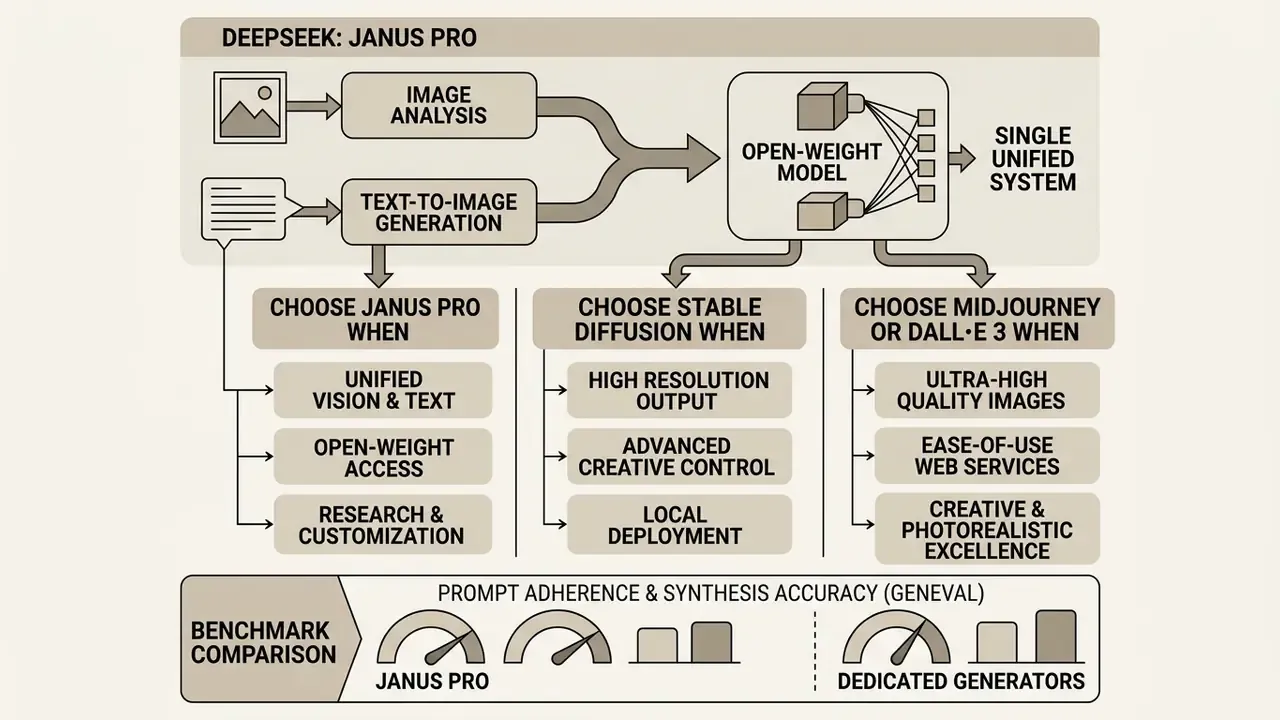
Janus Pro combines image analysis and text-to-image generation inside a single open-weight model. Dedicated generators concentrate on visual synthesis, editing controls and fine-tuning depth. Readers weighing a conversational alternative can review ChatGPT image generation as a hosted counterpart.
When to choose DeepSeek, Janus Pro or Stable Diffusion
The choice between Janus Pro, dedicated open-source generators like Stable Diffusion, and proprietary services such as Midjourney comes down to operational priorities:
- Choose Janus Pro when your organization wants one open-weight model covering both visual understanding and image generation, needs full data residency, or prioritizes instruction-following accuracy on complex prompts. On GenEval, Janus Pro 7B scored 0.80 overall, ahead of several dedicated generators on instruction adherence.
- Choose Stable Diffusion when your workflow needs granular control: ControlNet pose guidance, inpainting, img2img transformation, canvas expansion, custom LoRA fine-tuning, plus 1024-pixel native output. For expansion workflows specifically, see our analysis of ai expand image platforms.
- Choose dedicated web services such as Midjourney or DALL·E 3 when you need maximum photorealism, particularly human portraiture, and simple cloud access without running local servers. For platform-by-platform detail, review the best AI image generators for enterprise art generation.
Benchmark comparison: prompt adherence and synthesis accuracy (GenEval)
| Model | Architecture type | GenEval score (prompt following) | Native resolution | Open-weight status |
|---|---|---|---|---|
| DeepSeek Janus Pro 7B | Decoupled unified multimodal (SigLIP + VQ tokenizer) | 0.80 | 384×384, upscalable in post | Yes: MIT code, DeepSeek Model License |
| OpenAI DALL·E 3 | Diffusion transformer | 0.67 | 1024×1024 | No, proprietary API |
| Stable Diffusion 3 Medium | Multimodal diffusion | 0.74 to 0.77 | 1024×1024 | Open weights, commercial restrictions apply |
FAQ: DeepSeek image generation parameters and access
What is the optimal CFG weight for Janus Pro image generation?
A classifier-free guidance weight between 5.0 and 8.0 gives the best balance between prompt adherence and artifact reduction. Below 3.0 the imagery drifts loose and soft; above 10.0 colors oversaturate and edges harden.
What resolution does DeepSeek Janus Pro output?
384×384 pixels natively, fixed by the 16× downsampling VQ tokenizer and a 576-token image budget. Production assets need an external upscaling or vectorization pass.
Does temperature affect image generation?
Yes. Lower temperature produces more deterministic, prompt-literal renderings. Higher temperature increases compositional variety and the odds of spatial errors. Pair any temperature change with a fixed seed to isolate the effect.
How do I reproduce an image exactly?
Record and reuse the seed, prompt string, CFG weight, temperature, checkpoint version and serving platform. Any change in the hosting layer can shift output even when the model name matches.
Can DeepSeek-R1 generate images?
No. R1 is a text-only reasoning model. It is genuinely useful for writing and optimizing prompts that Janus Pro or an external generator then executes.
Is commercial use allowed?
Yes, under the DeepSeek Model License, subject to its prohibited-use clauses covering misleading content, unauthorized personal data and discriminatory applications, plus the terms of any third-party host in your pipeline.
How long does a generation take?
Public browser demos usually return an image in roughly 15 seconds, queue time excluded. Self-hosted 7B inference on a 16 GB+ GPU lands in the same range, and batch throughput scales with parallel_size.
A safe next step
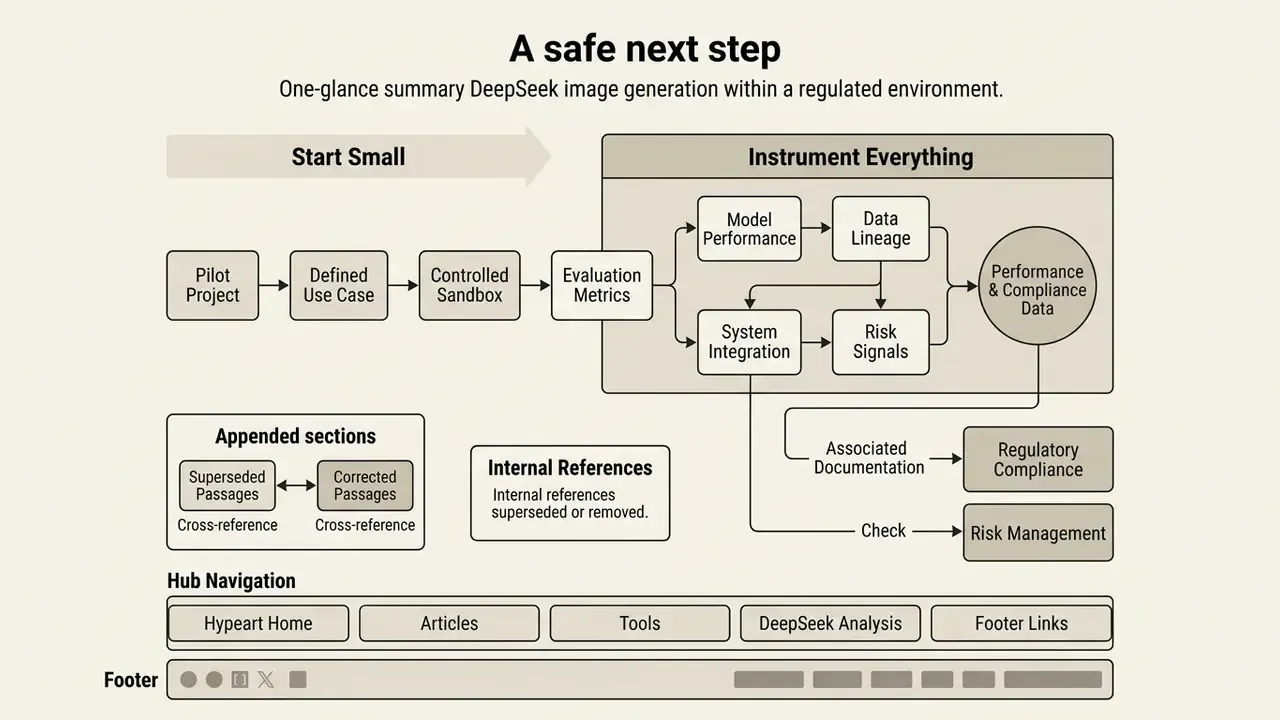
If you are evaluating DeepSeek image generation for a regulated environment, start small and instrument everything. Stand up one self-hosted Janus Pro 7B endpoint behind existing access controls. Run twenty representative prompts from your actual asset backlog. Score them on prompt adherence, trademark leakage, in-image text quality and post-upscale detail retention. Log seeds, parameters and checkpoint hashes from the first render, not later. Then compare the fully loaded cost, including control effort and human review time, against your current licensed generator. Two weeks of that produces better evidence than any benchmark table, including the one above.
Appendix A: superseded and corrected passages
Retained for editorial transparency and version traceability.
- Superseded quality-factor sentence, now updated in "Factors that affect high-quality output": "According to the Janus Pro technical report (DeepSeek, 2025), scaling the model to 7 billion parameters and incorporating 72 million synthetic images significantly improved visual stability compared to earlier 1.3B models." It now carries a direct arXiv citation and DPG-Bench figures.
- Superseded internal references
- the generic
/glossary/link in the prompt-refinement section and the generic/compare/and/workflows/anchors used non-descriptive anchor text; they are replaced with topic-matched destinations and descriptive anchors. - Removed internal references
- two adult-content anchors previously placed inside the commercial-clearance section were removed as contextually inappropriate for a compliance workflow, and replaced with trademark, PII and image-provenance verification guidance.