When you evaluate an ai powerpoint generator for enterprise and regulated workflows, separate visual automation from evidence integrity. Generative speed creates zero organizational value if the finished deck fails audit, brand policy, or model risk review. Choosing the best ai powerpoint generator comes down to four practical questions: can the file be edited, does the layout survive export, where does your data go, and does the tool sit inside a workflow your control functions already approve?
That last question decides most procurement outcomes in banking. A risk committee does not reject a deck because the icons look dated. It rejects the deck because a number cannot be traced to a source file.
Key Takeaways for Enterprise Leaders
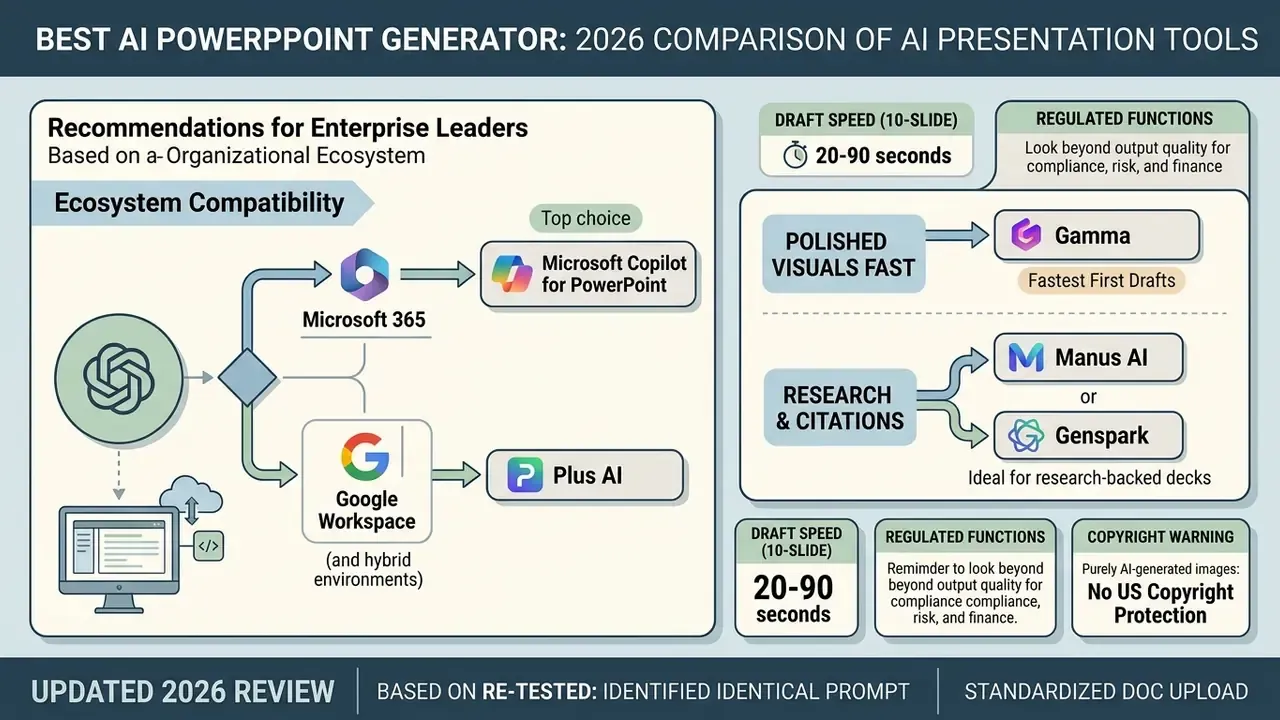
«When evaluating AI presentation generators for enterprise and regulated workflows, executive teams must separate visual automation from evidence integrity. Generative speed creates zero enterprise value if the underlying deck fails audit, brand compliance, or model risk standards.»
Attribution: Marcus Hale, Principal AI Governance Consultant .
How We Tested the Best AI PowerPoint Generator Tools
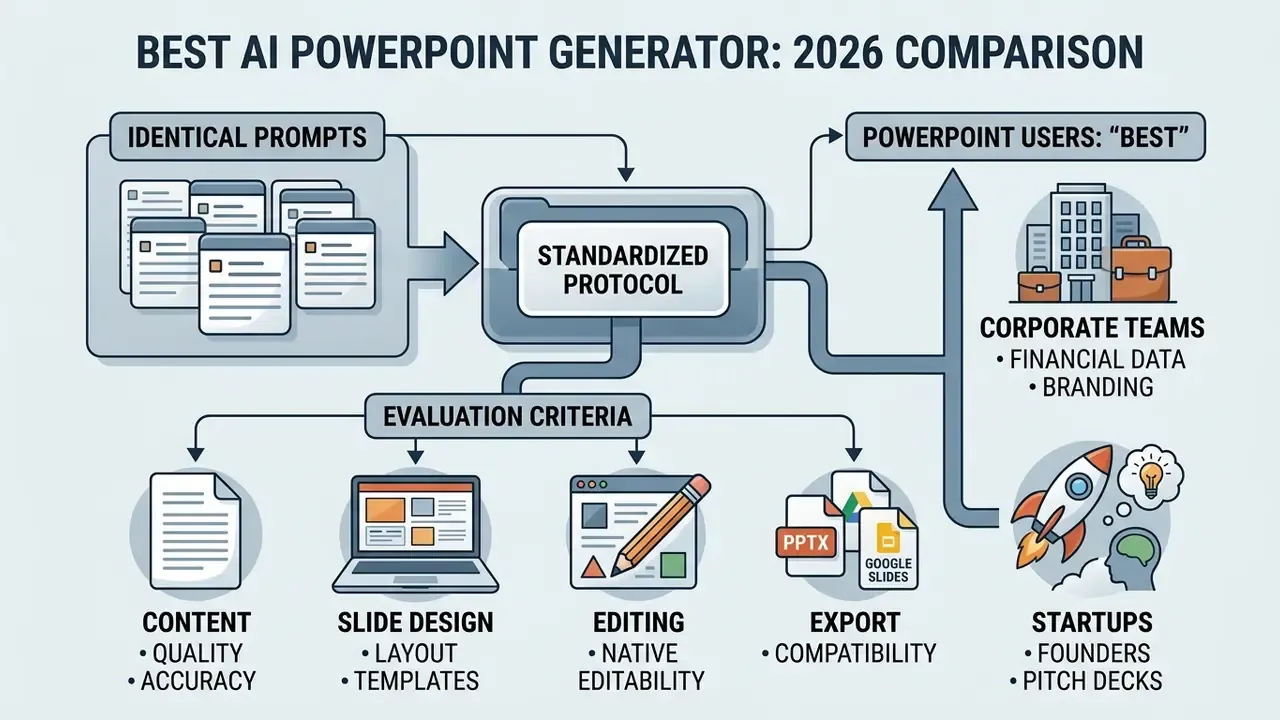
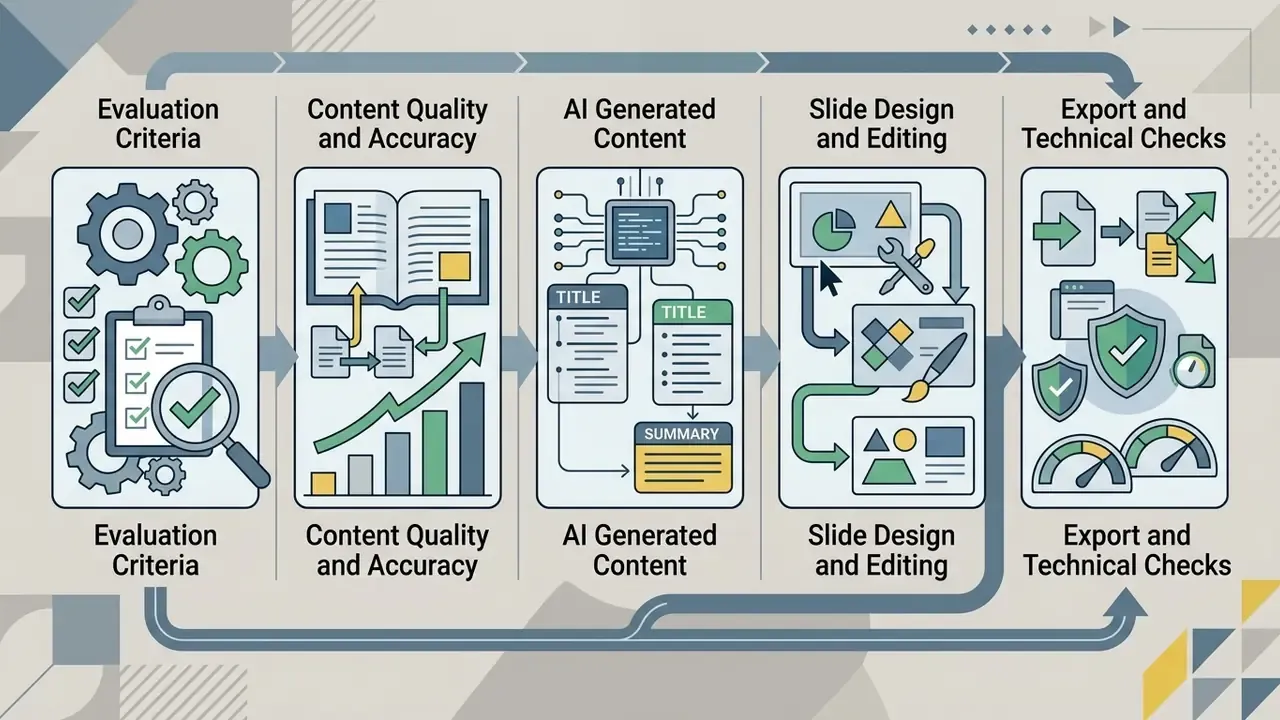
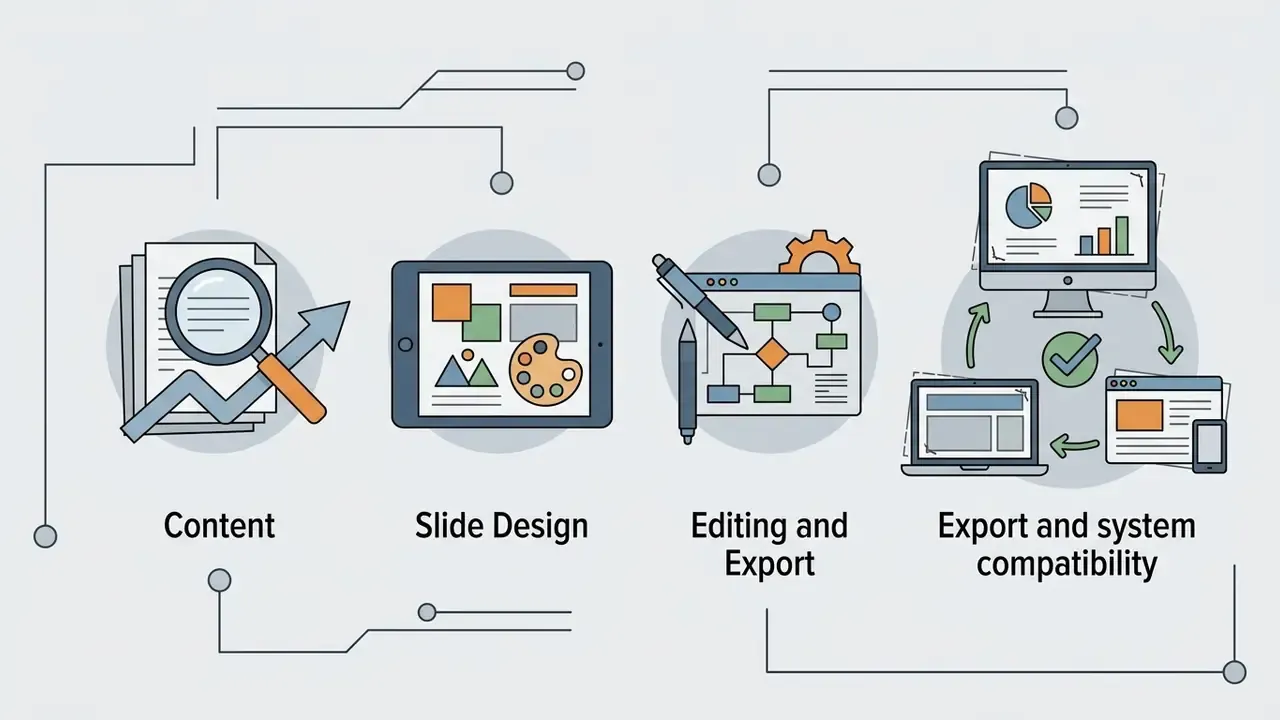
Evaluation Criteria: Content, Slide Design, Editing and Export
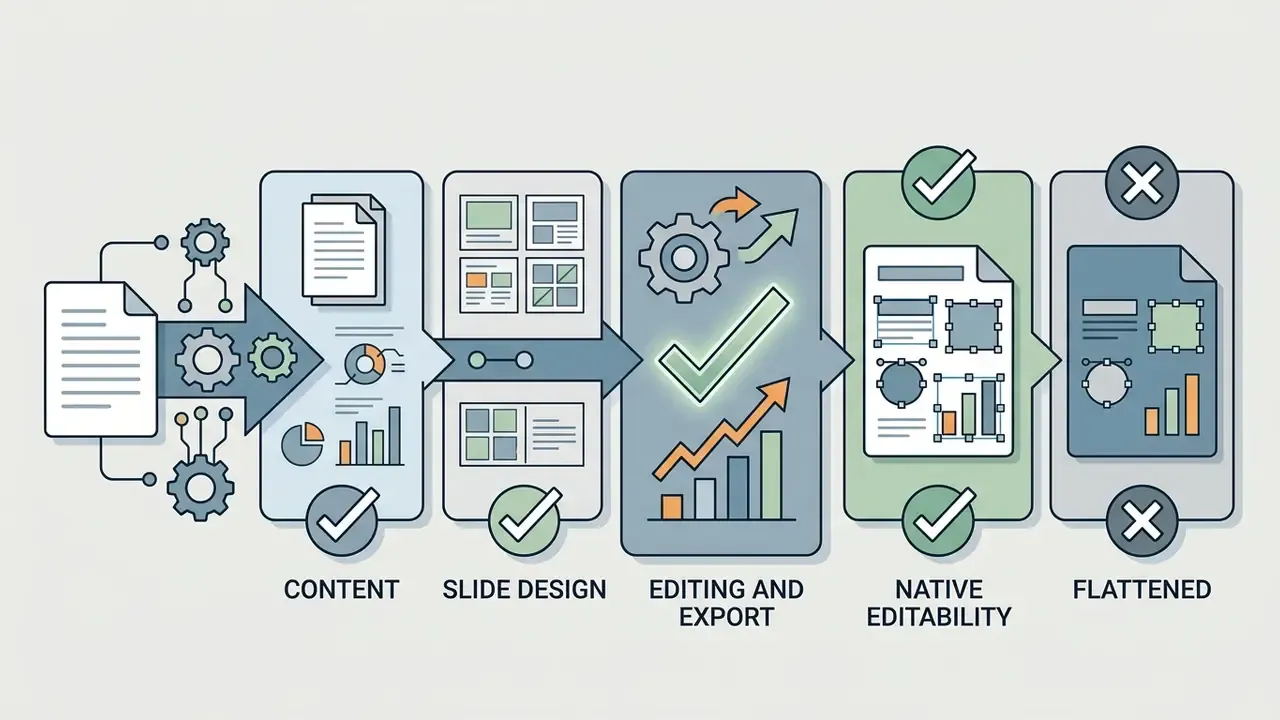
The evaluation of ai presentation creation tools rests on four measurable dimensions: prompt-to-text accuracy, automated layout structure, native vector and text editability, and lossless export fidelity.
Academic work points the same way. PPTEVAL scores automated presentations across three dimensions, content and design averaged per slide, coherence judged at deck level.
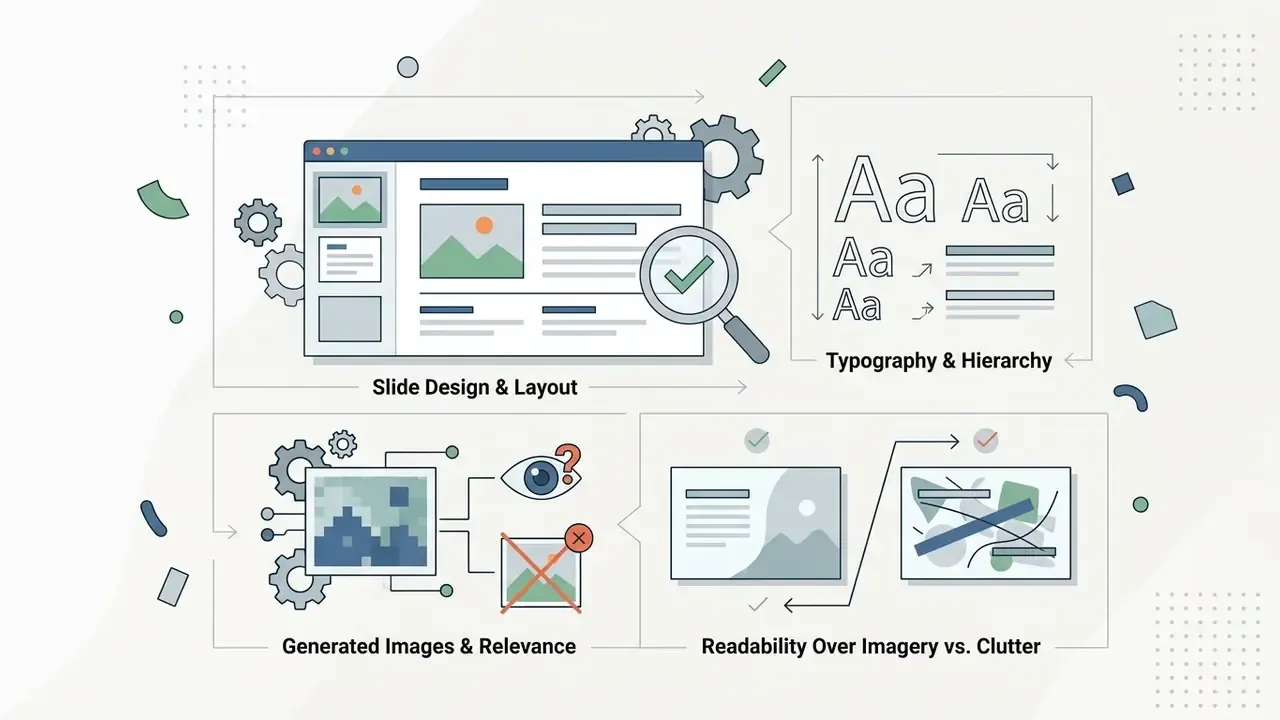
Automated flaw detection is still the weakest link. Research on automated slide auditing reports that machine evaluators miss subtle layout defects, with F1 scores clustering in a low band. Put bluntly, an AI cannot reliably tell you that its own slide looks bad. That is exactly why manual post-generation review stays mandatory for enterprise deliverables.
User research reaches the same conclusion from the human side.
Speed gains, by contrast, are measurable and consistent.
What "Best" Means for PowerPoint Users
For enterprise powerpoint users, "best" means governance compliance, brand consistency and editable native formats. Visual flair comes fourth.
Different segments work under different constraints:
- Corporate and financial teams. Strict adherence to brand guidelines, locked master templates, reproducible data lineage, and integration with Microsoft 365 or Google Workspace.
- Startups and founders. Speed, persuasive layouts, and fast assembly of a pitch deck from raw text or a financial model. Public guidance from Startup India sets the investor-expected format at 12 to 15 slides covering cover slide, team, pain point and product concept.
- Educators and trainers. Rapid content generation, adaptable lesson structures, clean diagrams, and quick export for classroom distribution.
- Consultants and analysts. Structured logical frameworks, comparison matrices, due-diligence readouts, and decision-ready deliverables with traceable sourcing.
One more segment deserves a mention, because it drives most of the risk: the second-line reviewer who never generated the deck but has to defend it. If that person cannot reconstruct where a figure came from, the tool has failed regardless of how good the slide looks.
To evaluate alternative platforms, you can see the overview in our core technology hub, and if you benchmark vendors quantitatively, explore the hub for scoring methods.
- Export verification: opening each pptx file in desktop PowerPoint 365 and Google Slides to inspect layout retention, vector shapes and typography bindings.
Best AI Presentation Makers at a Glance
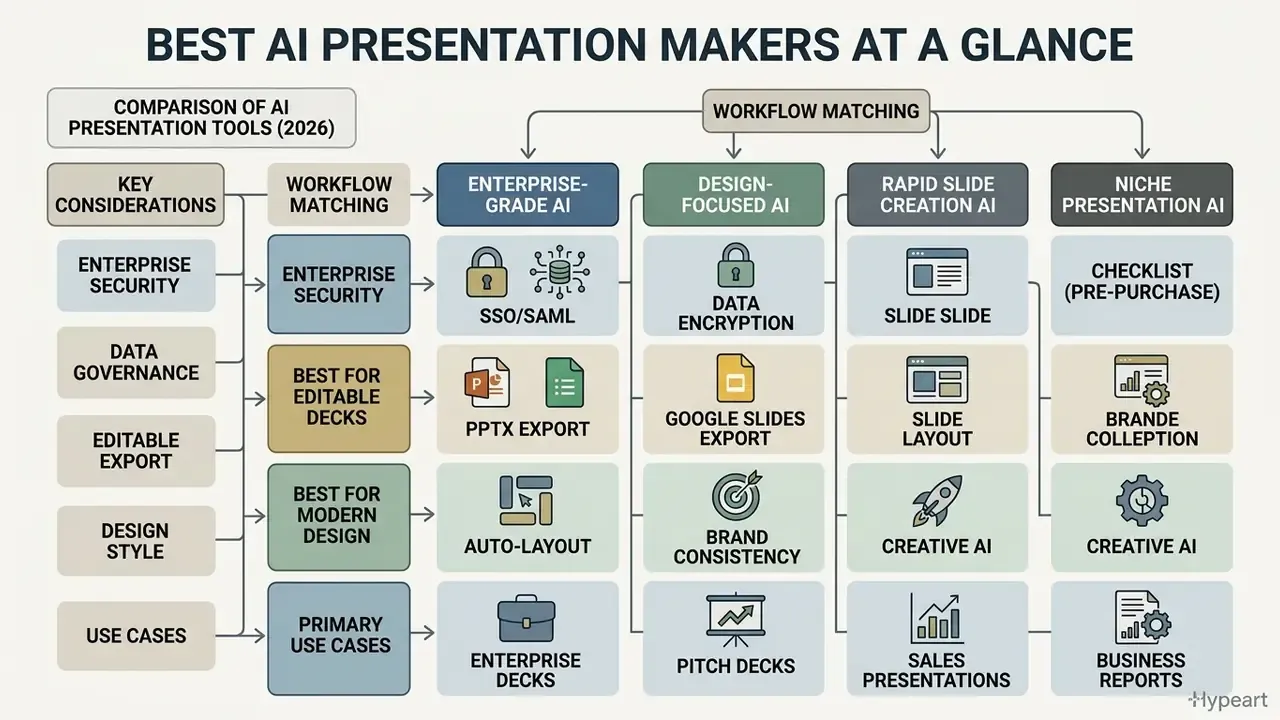
Picking the best ai presentation platform means matching a workflow (enterprise deck creation, pitch deck design, rapid Google Slides generation) against export constraints and control requirements. The table below is the short version.
Best AI Presentation Tools Comparison
| Tool | Primary Best-Use Scenario | PowerPoint / PPTX Export | Export Element Type | Google Slides Support | AI Content Strength | Brand Consistency Features | Free Plan & Limits |
|---|---|---|---|---|---|---|---|
| Microsoft Copilot | Native Microsoft 365 workflow automation | Direct native (.pptx) | Native vector & live text | Limited / Import only | High (text drafting, document summary) | Enterprise Brand Kits & master slides (.potx upload) | Included with Copilot M365 license |
| Plus AI | Native Google Slides & PPTX add-in editing | Direct native (.pptx) | Native vector & live text | Direct native add-in | High (outline-driven, document conversion) | Custom brand templates & Remix mode | Free trial; paid plans from $10–15/mo |
| Gamma | Rapid web-native visual presentation design | Export to .pptx (card-based layout) | Mixed; complex cards may rasterize | Direct export supported | Medium-High (card-based generation) | Basic color/font controls; custom on Pro | 400 one-time credits on signup; max 10 cards per prompt |
| Beautiful.ai | Enforced smart layout & design consistency | Export to editable .pptx or static PPT | Rasterized grouped shapes on complex smart slides | Import/export compatible | Medium (smart layout focus) | Advanced Brand Kits & smart templates | 14-day trial; Pro from $12/mo billed annually |
| Presentations.AI | On-brand business deck generation | Native editable .pptx | Native vector & live text | Import after PPTX export | High (structure & presentation tone) | AI Brand System (logos, fonts, colors) | Starter $0 (100 credits, up to 20 slides, no credit card) |
| Pitch.com | Collaborative startup pitch decks & sales decks | Export to .pptx & PDF | Native editable objects | Import/export compatible | Medium (slide layout & copy assistance) | Shared workspaces & visual style guides | Free tier with core features; Pro from $20/mo |
| Decktopus AI | Guided slide creation with presenter coaching | Export to .pptx, PDF, PNG | Native editable objects | Web-first; export to PPT | High (structure & presentation notes) | Automated theme & logo integration (site colors/fonts) | Free trial (limited credits); Pro from $9.99/mo |
| Canva AI | Visual graphic design & presentation templates | Export to .pptx (presentations only) | Native editable objects; effects may flatten | Import/export compatible | Medium (design asset focus) | Full Canva Brand Kit integration | Free plan available (10 Magic Design uses) |
| Manus AI | Research-backed decks with citations and CSV charts | Export to .pptx, PDF, web slides | Native editable charts & text | Import after PPTX export | Very High (multi-source research + citations) | Upload your own .pptx template for colors/fonts/layouts | Freemium with limited credits |
| Genspark | Agent-driven research decks with fact-checking | Export to .pptx, PDF, Google Slides | Native editable objects | Direct export supported | Very High (live web research, Fact-Checker) | Upload .pptx and convert to a reusable template | Free tier with credit limits |
| SlidesAI | Lightweight text-to-slides inside Google Slides | Yes (via Google Slides) | Native editable text | Direct native add-on | Medium (text condensation) | Basic themes only | Basic $0: 12 presentations/yr, 120 credits/yr, 2,500-character input cap |
| Gemini for Slides | Single-slide insertion and image generation | Via Google Slides export | Native editable text & image | Native | Medium (single slide at a time) | Inherits Workspace theme | Included with Workspace AI plans |
Enterprise Security and Data Governance Matrix
| Tool | Deployment Model | Model-Training Opt-Out on Paid Tiers | SSO / SAML & Admin Controls | Typical Approval Path |
|---|---|---|---|---|
| Microsoft Copilot | Inside existing M365 tenant | Yes, governed by existing M365 data commitments | Entra ID SSO, tenant admin policy, audit logs | Fastest; usually inherits existing tenant approval |
| Plus AI | Add-in operating on host-app files | Confirm contractually on Business/Enterprise tier | SSO available on higher tiers | Medium; add-in review required |
| Gamma | External SaaS (web-native) | Confirm on Pro/Enterprise | Workspace roles; SSO on higher tiers | Slower; external data-transfer review |
| Beautiful.ai | External SaaS | Confirm on Team/Enterprise | Team admin, shared brand locks | Slower |
| Canva AI | External SaaS | Confirm on Canva Enterprise | Canva Enterprise SSO, Brand Kit admin roles | Medium |
| Pitch.com | External SaaS | Confirm on Pro/Business | Role-based workspace permissions | Medium |
| Manus AI / Genspark | External SaaS with autonomous web access | Confirm before any confidential upload | Varies; verify during procurement | Slowest, because agents perform outbound web research |
A practical note on shadow AI. When no approved ai software to create powerpoint presentation output exists, analysts paste confidential extracts into consumer accounts anyway. Approving one governed option usually reduces unmanaged usage faster than another policy memo.
Best for Editable PowerPoint and Google Slides Decks
Plus AI, Microsoft Copilot, Gemini and SlidesAI lead the category for in-editor deck creation and clean PPTX or Google Slides workflow integration.
These ecosystem-native ai tools for powerpoint creation run inside the environment your teams already use. Instead of pushing users into an external web app, Copilot and Plus AI let people use powerpoint or Google Slides natively. They handle existing slides well, reformat messy bullet points, and preserve document styling without breaking the underlying slide master.
That adoption curve is precisely why add-ins matter. They meet users where governance already exists. For related tooling across formats, see the overview of our comparison library, or read the head-to-head format in AI Media Versus Comparisons.
Best for Modern AI-Generated Presentation Design
Gamma, Beautiful.ai, Canva AI, Tome and Prezi AI offer stronger layout engines. They automate aesthetics for users with no design skills and no patience for shape coordinates.
These platforms apply layout constraint algorithms that prevent text overlap and enforce balance automatically. Gamma uses a web-native card format that converts fluidly into standard aspect ratios. Beautiful.ai re-applies spacing rules every time a user adds or removes content. Both are strong picks when the goal is to create visually engaging slide decks in minutes. Many of them embed AI image generators directly in the canvas, which raises licensing questions we cover later. For image cleanup before insertion, check our guide on choosing the best free ai photo enhancer.
Best for Pitch Decks, Sales and Business Presentations
Pitch.com, Decktopus AI, Presentations.AI, Manus and Genspark cover business reports, sales enablement, startup pitch decks and research-backed data visualisation.
Pitch.com adds workspace analytics, so sales teams can see visits, slide views and time spent per slide. Decktopus AI writes presenter notes, embeds lead-capture forms in web decks, and applies a company's website colors, fonts and logo across every slide. Manus and Genspark focus on synthesis: automated topic research, then conversion of unstructured business metrics into structured charts before the layout is built.
Detailed Reviews of the Best AI PowerPoint Generator Tools
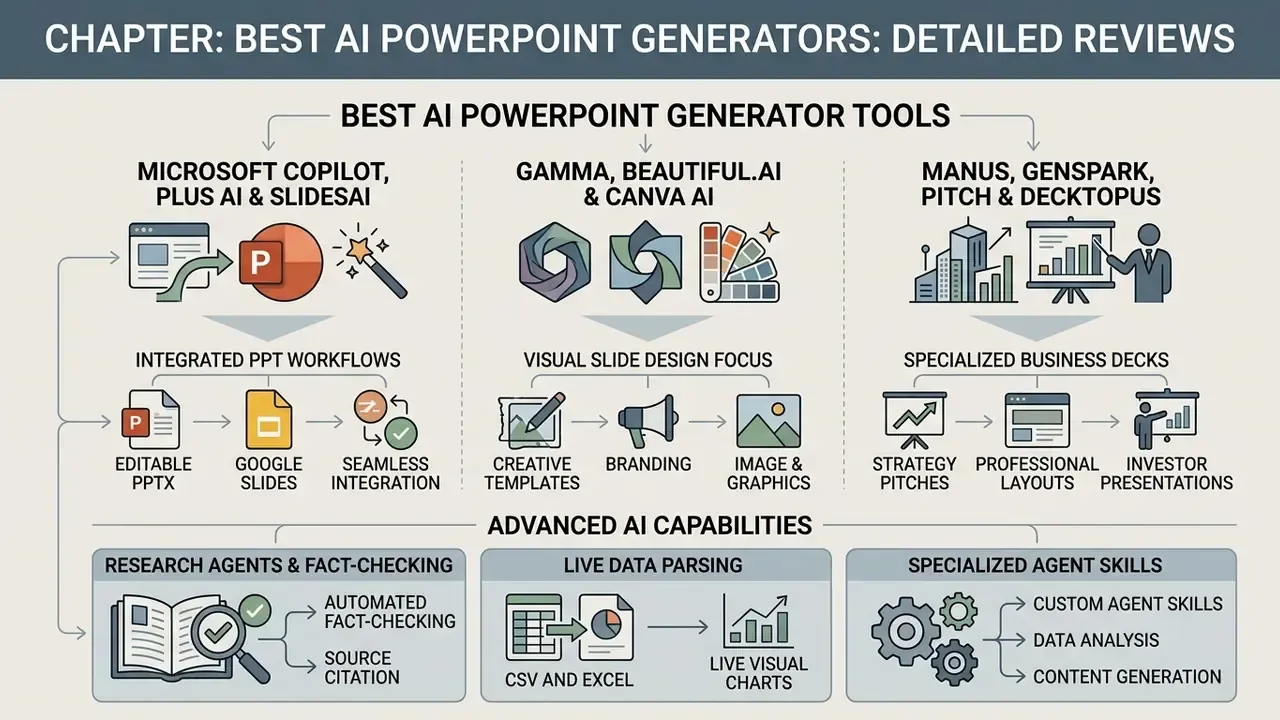
The leading ai powerpoint maker tools differ at the architecture level, not just the interface. Some are add-ins living inside desktop software. Others are web-native visual engines that only meet PowerPoint at export time.
Microsoft Copilot, Plus AI and SlidesAI for PowerPoint Workflows
Microsoft Copilot, Plus AI and SlidesAI specialise in native ecosystem integration. They turn documents and prompts into editable PPTX or Google Slides decks without leaving the core environment.
Microsoft Copilot runs inside PowerPoint on Windows, Mac and web. Teams can create presentations from Word documents, generate outlines, draft speaker notes and rewrite text inline. Microsoft support documentation (2026) highlights Copilot's "Agent Mode", which asks clarifying questions to refine structure before building slides. Copilot also adds slides to an existing deck, updates content in place, reorganises sections and applies a selected Brand kit, including an uploaded .potx or .pptx corporate powerpoint template. In enterprise testing, this is where Copilot earns its licence: layout rules hold when paired with an approved master file.
Its weakness is prompt dependency. Feed it a structured source document and output is strong. Feed it a vague one-liner and you get the same three-bullets-plus-image rhythm on every slide. Generic, and reviewers notice. Readers assessing the wider Microsoft stack can also review our breakdown of the Microsoft AI image generator and its commercial-use terms.
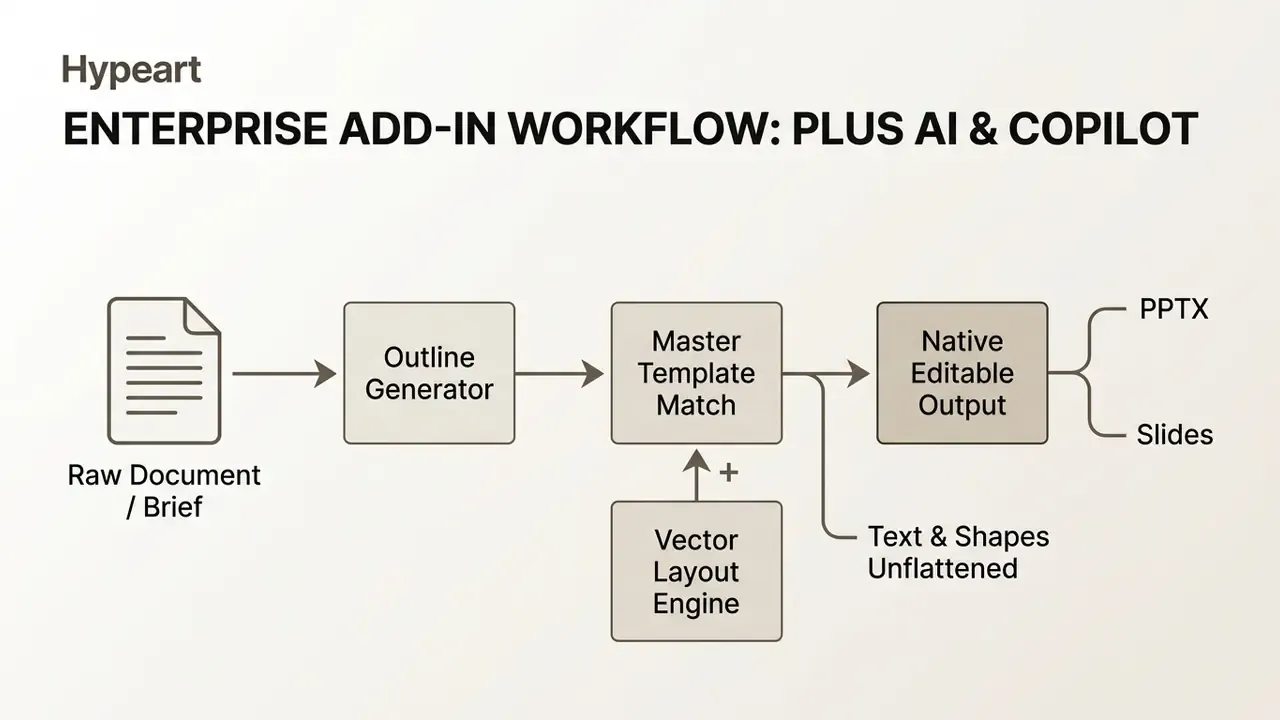
Plus AI works as a cross-platform add-in for Google Slides and PowerPoint. Its differentiator is Remix: select existing slides and the tool rebuilds layout, typography and visual structure while keeping the text intact (Plus AI Guide, 2026). Output objects are native vectors and editable text boxes, so exported .pptx files remain fully adjustable on the desktop. You can upload an existing .pptx, PDF or Google Slides file, then choose Remix to preserve structure while reformatting each slide.
SlidesAI is the lightweight option, a Google Slides extension that converts raw text passages into structured bullet points across a multi-slide deck. Useful for condensation. Less useful for design control, and its free tier enforces a hard 2,500-character input cap per presentation, which rules out pasting a long report without summarising it first.
Google's native Gemini for Slides needs a specific caveat. In the current release it generates single slides only, typically four or five bullets plus one AI-generated image per prompt, and cannot assemble a coherent multi-slide deck in one execution. It fills a gap in an existing deck nicely. It is not yet a deck builder. Workspace documentation confirms Gemini can also review an existing deck for visual consistency and edit layouts or content in place.
Field-observed workflow (illustrative, drawn from our testing protocol rather than a named client): a financial compliance function needed weekly executive summaries built from roughly 50-page regulatory audit logs. Using an outline-driven add-in workflow with a locked corporate template, the drafting stage dropped from a multi-hour manual build to well under half an hour, with every generated claim traceable to a source paragraph number. Directional, not audited. Results depend heavily on source-document structure and OCR quality. For audio elements in executive decks, see our analysis of the best free ai music generator, and for shorter format work the best free ai soundtrack roundup.
Gamma, Beautiful.ai and Canva AI for Visual Slide Design
Gamma, Beautiful.ai and Canva AI prioritise visual polish and automated layout constraints. The trade-off appears on export, where deep editability can suffer.
Gamma uses a card-based canvas that ignores rigid 16:9 boundaries while you draft. You enter a short prompt, pick a theme, and Gamma builds a web deck with generated copy, formatted tables and interactive blocks. Official pricing documentation (Gamma, 2026) lists export to PDF, PNG, PPTX and Google Slides, with the free plan capped at 10 cards per prompt. Because the canvas is card-based, exported PowerPoint files sometimes need manual realignment of absolute text frames.
Beautiful.ai is the opposite philosophy: constrained design. Add a fourth item to a three-column slide and the engine rescales typography and repositions icons to hold balance. It exports editable PowerPoint files, though support documentation notes that complex smart layouts may export as high-resolution shape groups or static image slides to protect visual fidelity (Beautiful.ai Support Center, 2026). If your team edits numbers after export, test that behaviour on your most complex slide before signing.
Manus, Genspark, Pitch and Decktopus for Business Decks
Business-oriented ai tools for presentation creation like Manus, Genspark, Pitch and Decktopus automate research synthesis, structured data visualisation and team-wide brand deployment.
Manus and Genspark emphasise research-backed content. Manus takes raw text or dataset uploads, runs automated web research, writes structured copy, generates speaker notes, and builds charts from CSV or Excel files (Manus Product Documentation, 2026). It also imports your own .pptx template and adopts its logos, colors, fonts and layouts. Genspark works as a standalone agent and inside Google Workspace, turning plain-language queries into formatted slides, formulas, analyses and on-brand visuals across Docs, Sheets and Slides.
Pitch.com centres on collaborative workspaces for sales and strategy teams: live co-editing, slide assignments, inline comments, and analytics measuring prospect view duration per slide (Pitch.com, 2026).
Decktopus AI runs a guided flow built for founders and sales executives. Beyond layout automation, it writes presenter scripts, embeds interactive Q&A widgets, and applies website colour schemes and logos across the whole deck (Decktopus AI, 2026). Its documentation describes team access and shared collaboration, but not simultaneous real-time co-editing. Confirm that distinction if live multi-author editing is part of your process.
Advanced AI Capabilities: Research Agents, Fact-Checking and Live Data Parsing
Modern slide tools have moved past templating into autonomous research. Three advanced capabilities separate a design tool from an analytical one.
- Automated fact-checking and source citation. Genspark ships a built-in Fact-Checker that reviews finished slides, validates data against live web sources, flags unsupported claims, and can correct them on request. Manus AI takes the complementary route, running multi-source research up front and footnoting every external data point. Neither removes human sign-off. Both shorten the verification loop against tools that produce unsourced prose.
- CSV and Excel to live visual charts. Instead of decorative graphics, Manus and Plus AI accept direct
.csvand.xlsxuploads and convert financial models into native editable PowerPoint charts. For finance and risk teams this is the single most important capability, because a chart not bound to real figures cannot survive audit. In our standardized test, every tool without spreadsheet parsing invented plausible-looking projection numbers. - Specialised agent skills. Advanced systems let you trigger pre-built skills: stock volatility analysis, brand-voice alignment, multilingual translation, multi-document compliance parsing, all inside the creation interface. Manus documents these as Agent Skills. Genspark exposes a Guide mode that asks about audience, tone and slide count, then waits for outline approval before building anything.
Practical implication: if your deck depends on numbers, shortlist only tools in categories 1 and 2. If it depends on persuasion and visual impact, the design-first platforms get you there faster.
How to Choose an AI Tool to Create a PowerPoint Presentation
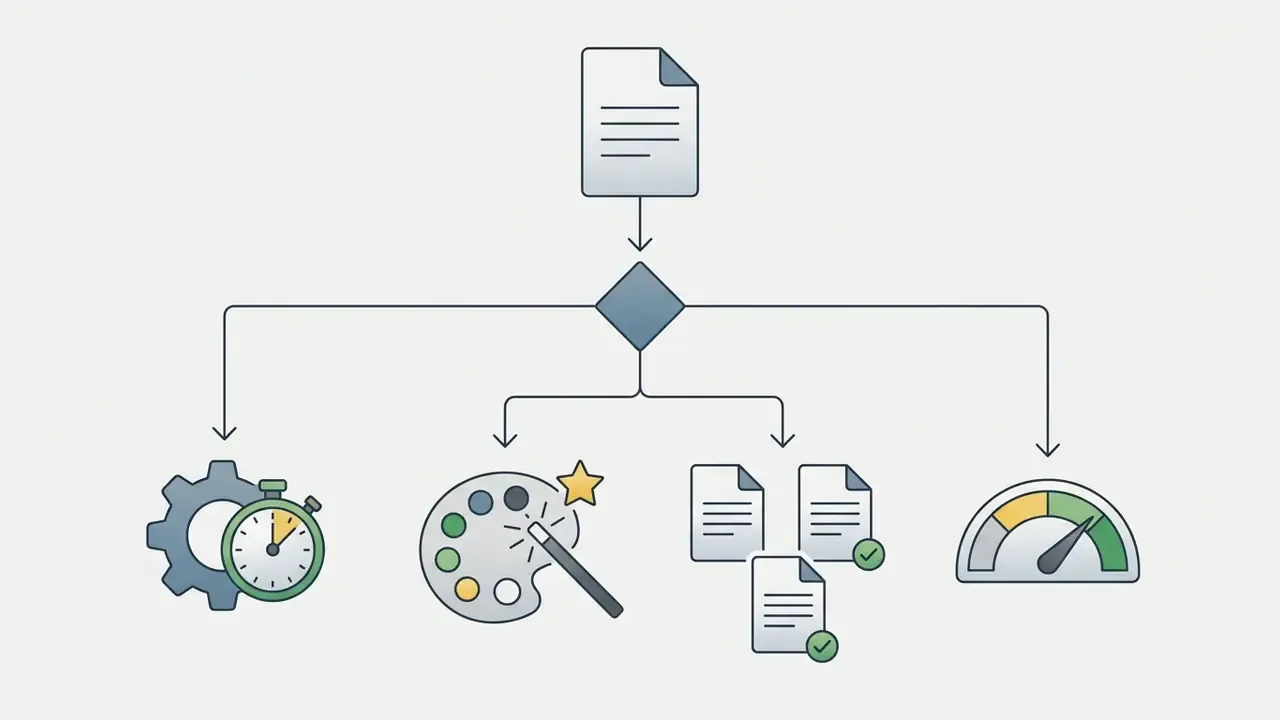
Choosing the best ai to create a powerpoint presentation for your team depends on four variables: native desktop editing, web-based collaboration, brand enforcement, and data privacy posture. Rank them before you demo anything.
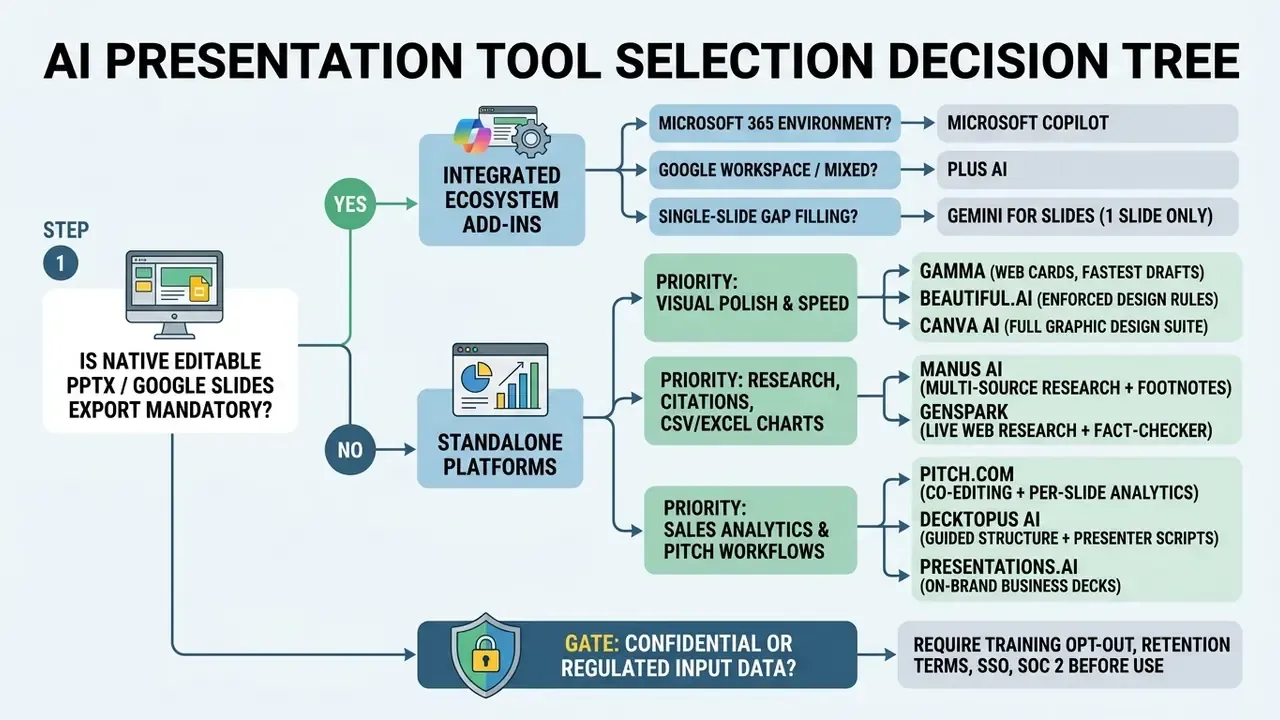
Decision Tree for AI Presentation Tool Selection
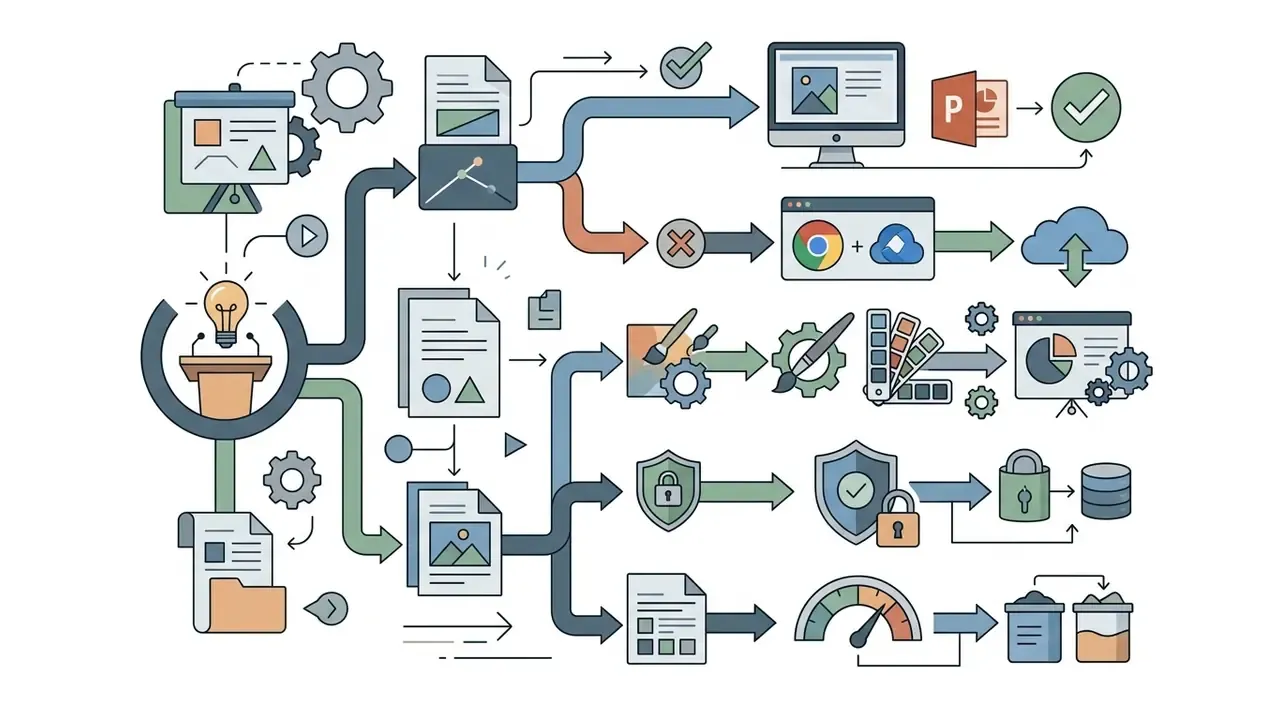
To identify the best ai tool for ppt creation in your environment, follow this sequence.
- If YES: do you operate primarily in Microsoft 365?
- If YES: choose Microsoft Copilot for PowerPoint.
- If NO (cross-platform or Google Slides): choose Plus AI.
- If YES: do you prefer modern web-native cards or strict template rules?
- For web cards and fast outlines: choose Gamma.
- For enforced smart layouts: choose Beautiful.ai.
- If YES: do you need automatic fact-checking or footnoted sourcing?
- For a built-in Fact-Checker: choose Genspark.
- For multi-source research with citations and CSV/Excel charts: choose Manus AI.
- If YES: do you need prospect tracking and live co-editing?
- For pitch analytics and team workspace: choose Pitch.com.
- For guided structure and presenter scripts: choose Decktopus AI.
- If YES: choose Presentations.AI (100 free credits) or Gamma (400 signup credits).
- If YES: restrict evaluation to tools that clear the Enterprise Security Checklist above, and default to the ecosystem-native option already covered by your tenant agreement.
Choose by Presentation Type and Audience
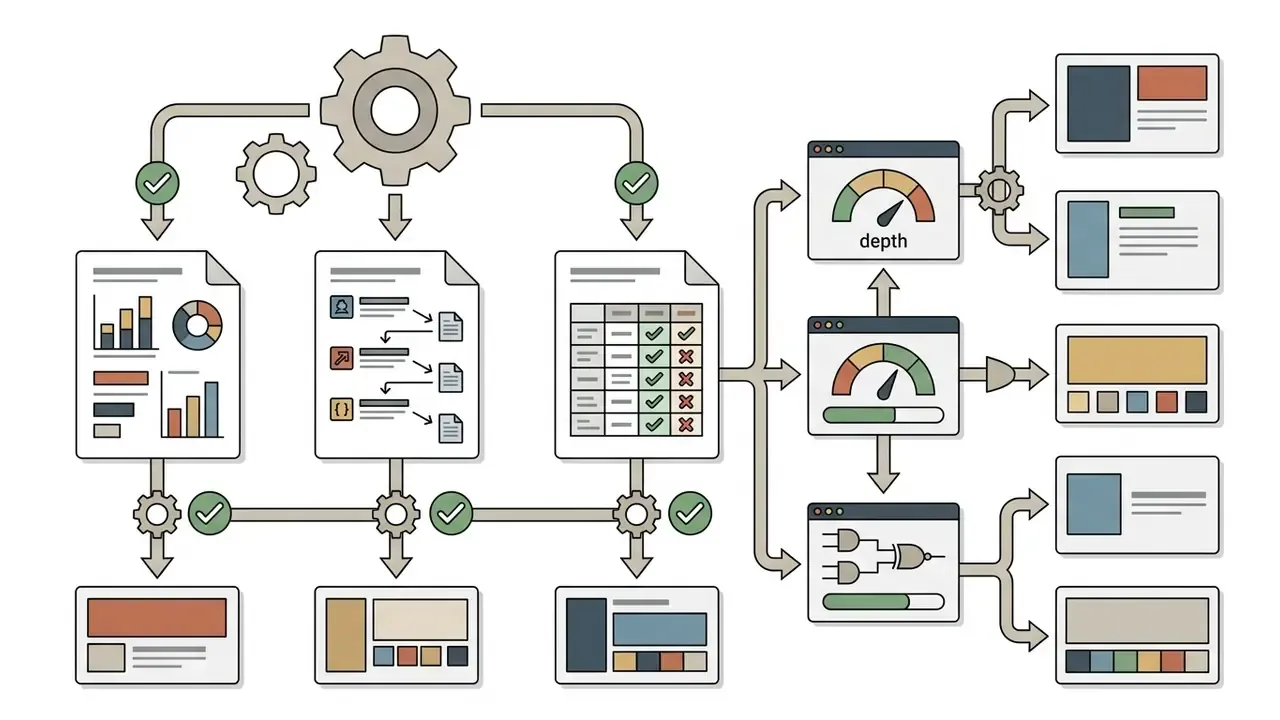
Match the tool to the format. Executive reports, customer pitch decks, strategy deliverables and lectures demand different structural density and tone.
- Executive business reports. High data density, tight summaries, verified metric tables, formal corporate formatting. Native add-ins such as Microsoft Copilot and Plus AI fit best, because they preserve the master template and let you edit financial tables by hand.
- Marketing and campaign decks. Visual narrative, vibrant assets, brand colour alignment. Canva AI and Gamma shine here by combining copy generation with rich media libraries. For standalone visual creation, check our guide to the best free ai photo generator.
- Consulting and strategy deliverables. Structured frameworks (situation, complication, resolution), clear dividers, comparison matrices, precise hierarchy. Presentations.AI, Manus and Genspark produce outlines closest to management consulting conventions.
- Startup pitch decks. The investor-expected 12 to 15 slide sequence: cover, team, problem, solution, market sizing, traction, ask. Decktopus AI and Pitch.com are built around it.
- Educational lectures and training. Modular topics, quiz insertion, printable summaries. Decktopus AI helps instructors structure course material while generating teaching notes.
For cost modelling across these formats, you can browse the hub of pricing and ROI calculators.
Choose by Editing Control, Templates and Brand Consistency
Enterprise governance demands granular control over bullet points, typography and colour tokens through centralised Brand Kits and custom PowerPoint masters.
When brand consistency is paramount, pick an ai presentation tool that accepts your own brand assets. Canva, Beautiful.ai and Microsoft 365 let administrators lock accent colours, upload proprietary fonts and enforce logo placement. Adobe Express frames Brand Kits as a single shared source of truth containing exact fonts and a tight three-to-five colour palette reusable by every collaborator. Teams managing photographic assets across decks should review our guide to AI image enhancers for consistent visual quality.
Without central controls, generators default to generic font pairings and stock palettes. The result is brand fragmentation across business units, discovered late, usually by the CMO.
At that scale, brand governance stops being a design preference and becomes an operational control with a named owner. For pricing guidelines across creative software suites, view the guide on our platform.
Best Free AI PowerPoint Generators and Free Plan Limits
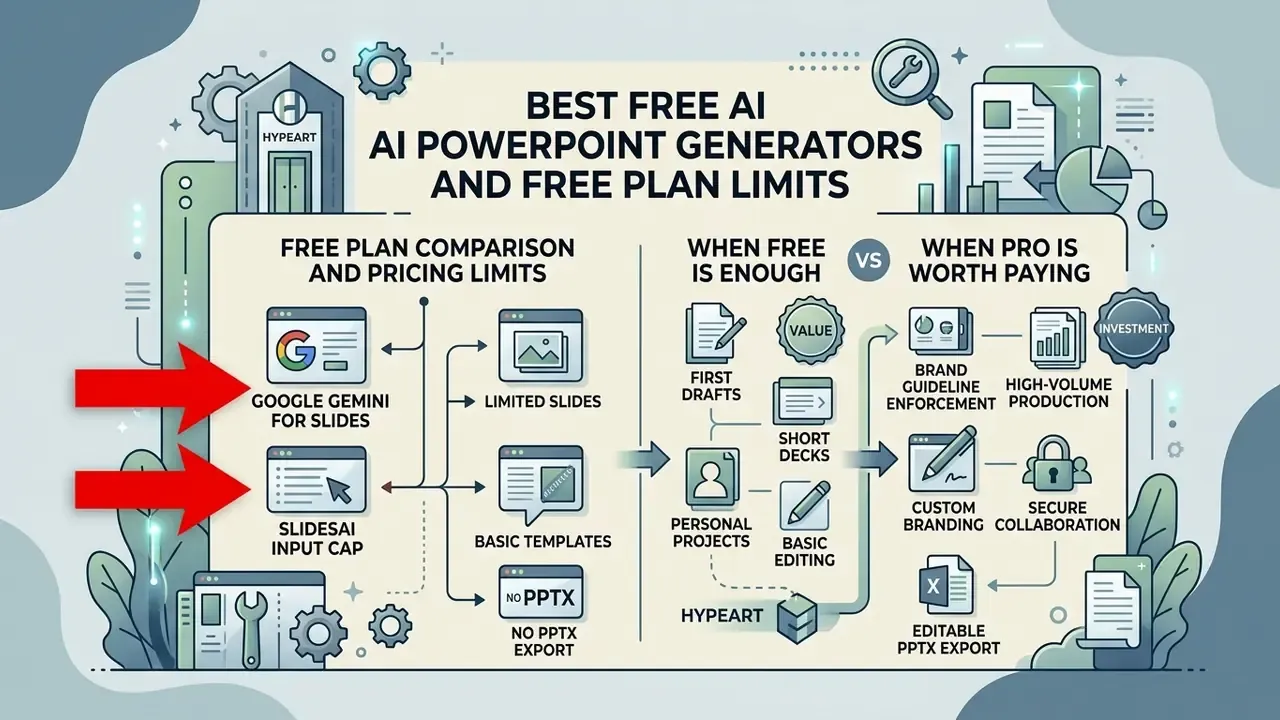
The best free ai powerpoint generator options deliver real value for first drafts and short decks. They also enforce credit caps, watermarks and feature paywalls that surface at the worst moment, usually ten minutes before a meeting.
Free Plan Comparison and Pricing Limits
| AI Tool | Free Plan Credit / Generation Limit | PPTX Export on Free Tier | Watermark / Branding on Free Output | Key Feature Restrictions |
|---|---|---|---|---|
| Gamma | 400 one-time signup credits | Yes (editable PPTX, PDF, PNG, Google Slides) | Yes ("Made with Gamma" badge) | Free credits do not refill; max 10 cards per prompt; limited advanced AI models |
| Presentations.AI | Starter: 100 one-time credits | Yes (native PPTX) | No | Basic AI agent only; decks capped at 20 slides; credits capped annually |
| SlidesAI | Basic: 12 presentations / year | Yes (via Google Slides) | Yes (on free tier output) | 2,500-character input cap per presentation; 120 AI credits/yr |
| Visme | Basic: 10 AI credits / month | Limited (branded export) | Yes | Restricted template access; asset storage limits |
| Prezi AI | Free tier (public sharing) | Export locked | Yes | Presentations are public-only; PDF/PPTX export locked; paid access from about $7/user/mo annually |
| Canva AI | 10 Magic Design uses | Yes (presentations only) | Varies by asset licence | Premium assets and Brand Kit behind paid tiers |
| Gemini for Slides | Included with Workspace AI plans | Via Google Slides | No | Generates single slides only, not full decks |
| Slidesgo AI | Up to 3 presentations / month | Limited | Yes on free assets | Template and download restrictions |
Two limits most reviews omit, and both break real workflows:
- Google Gemini for Slides. Native Gemini inside Slides produces single slides only, roughly four to five bullets plus one AI image per prompt, and cannot assemble a coherent multi-slide deck in one step. Building ten slides one at a time is slower than starting in a dedicated generator.
- SlidesAI input cap. The Free/Basic plan enforces a 2,500-character prompt limit, which blocks pasting long-form PDF business reports without summarising them first.
When a Free AI Presentation Maker Is Enough
A free ai presentation maker covers single-slide concept testing, short internal drafts of five to ten slides, and one-off academic or personal projects. That is a real use case, not a consolation prize.
Free plans work when corporate branding is not mandatory and the output will be presented live rather than shipped as a client PDF. Gamma's 400 signup credits, for instance, support three or four complete preliminary decks, enough to test structural ideas before committing to manual construction. Presentations.AI's 100-credit Starter tier, with its 20-slide ceiling, covers a full draft cycle without a credit card. Anyone comparing a best ai ppt generator free shortlist should also weigh watermark placement, because a badge in the corner of a board deck is a small detail with a large audience. Readers exploring adjacent no-cost tooling can compare free AI video generators for multimedia supplements.
If you build short audio-visual presentations, review our comparative guide to the best free ai video generator 2025 refresh.
When a Pro Plan Is Worth Paying For
Paid Pro or Enterprise tiers become necessary when you need unwatermarked PPTX exports, custom template ingestion, high-volume generation and team controls.
Three conditions usually justify the spend:
- Brand guideline enforcement.Paid plans unlock Brand Kit uploads: logos, corporate fonts, locked palette hex codes. Canva Enterprise, for example, restricts Brand Kit creation and editing to designated admins and brand designers.
- High-volume production.Teams shipping weekly client deliverables, sales decks or regulatory reports need recurring credit refills and unlimited rewrites. Seat-based plans also lift the per-session ceilings that throttle free accounts.
- Data privacy and security.Commercial tiers typically provide contractual guarantees that uploaded business data, financial spreadsheets and PDFs will not train public foundation models. For a regulated buyer this clause alone is the purchase rationale.
Budgeting note for finance leads. Most vendors publish per-seat pricing for individual and team tiers, roughly $10 to $30 per user per month for the mainstream ai assisted presentation maker category, and quote Enterprise pricing only on request, usually bundled with SSO, admin controls and data terms. When you model total cost of ownership, include the line item that quietly dominates it: 15 to 45 minutes of human editorial review per deck, multiplied by your actual deck volume.
To review the wider market, explore the best free ai presentation maker guide in our evaluation hub.
How to Create High-Quality AI-Generated Slides That Do Not Look Generic
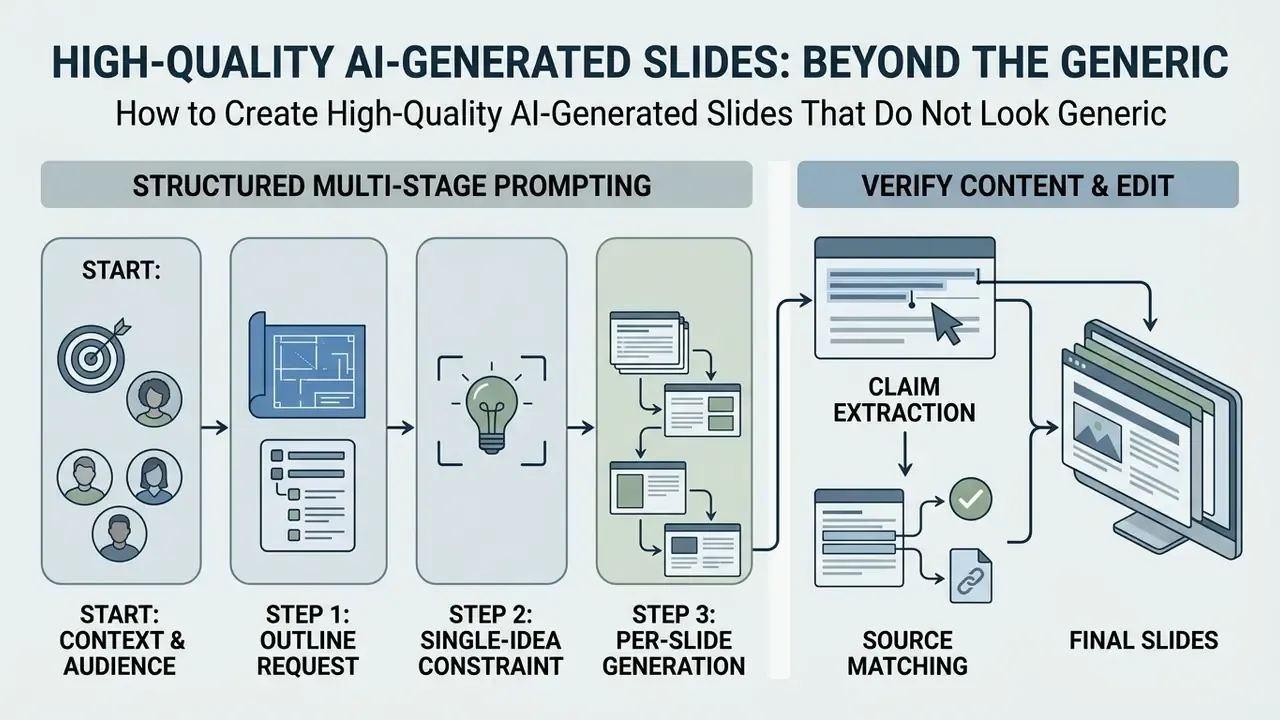
High-quality AI slides come from structured multi-stage prompting, explicit audience constraints and real editorial oversight. Skip any of the three and the deck announces its origin from the back of the room.
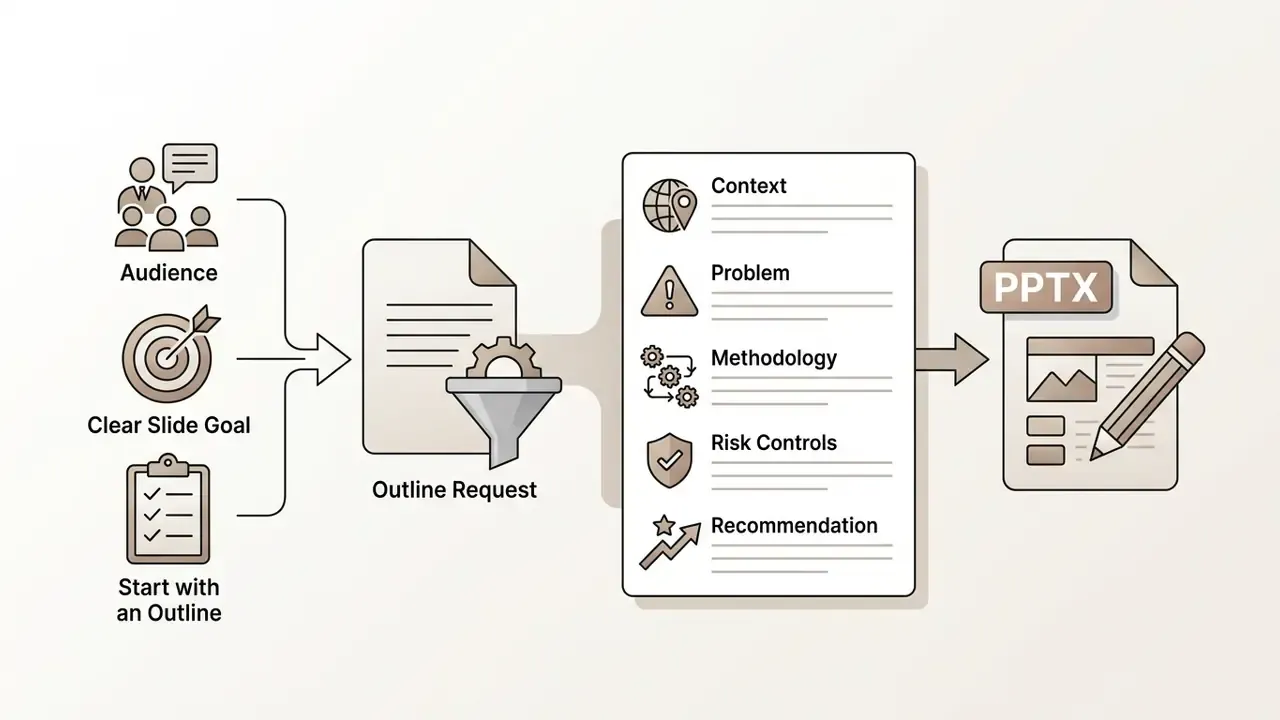
Start with an Outline, Audience and Clear Slide Goal
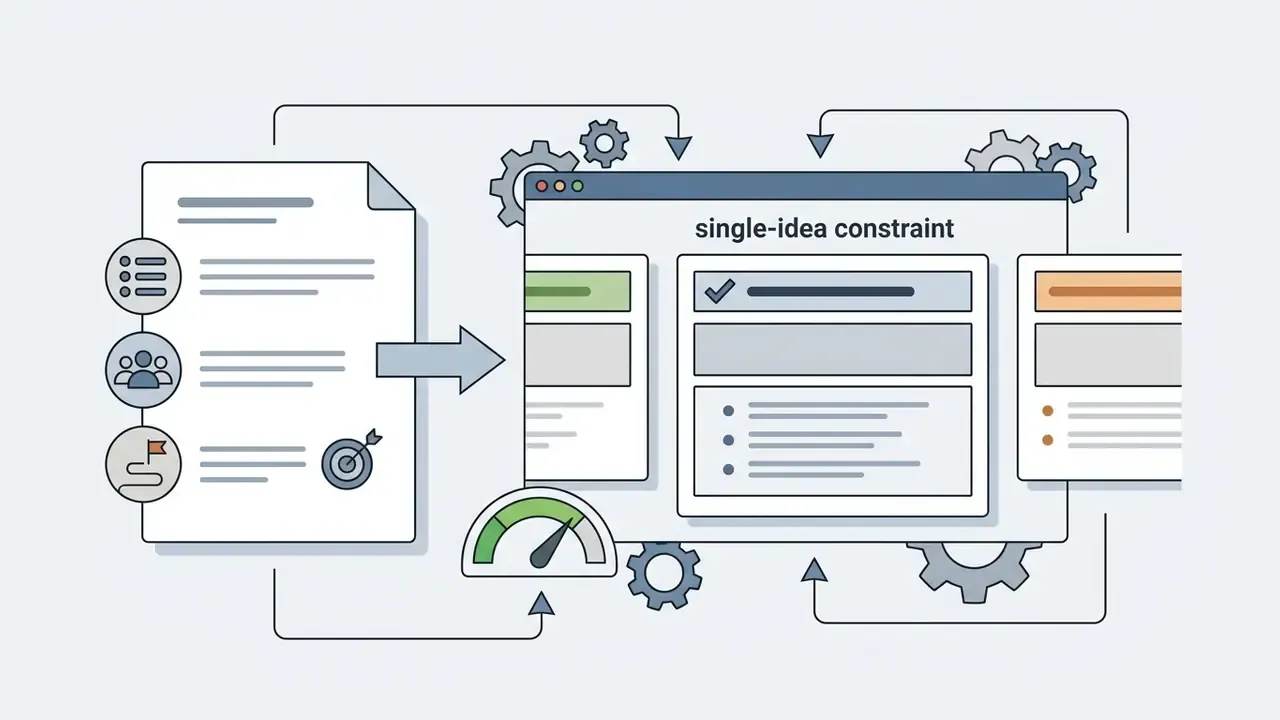
Effective slide creation starts with a dedicated outline and one strict rule: a single core message per slide, agreed before any visual generation.
Instead of a vague prompt such as "Make a deck about risk management", use a sequence.

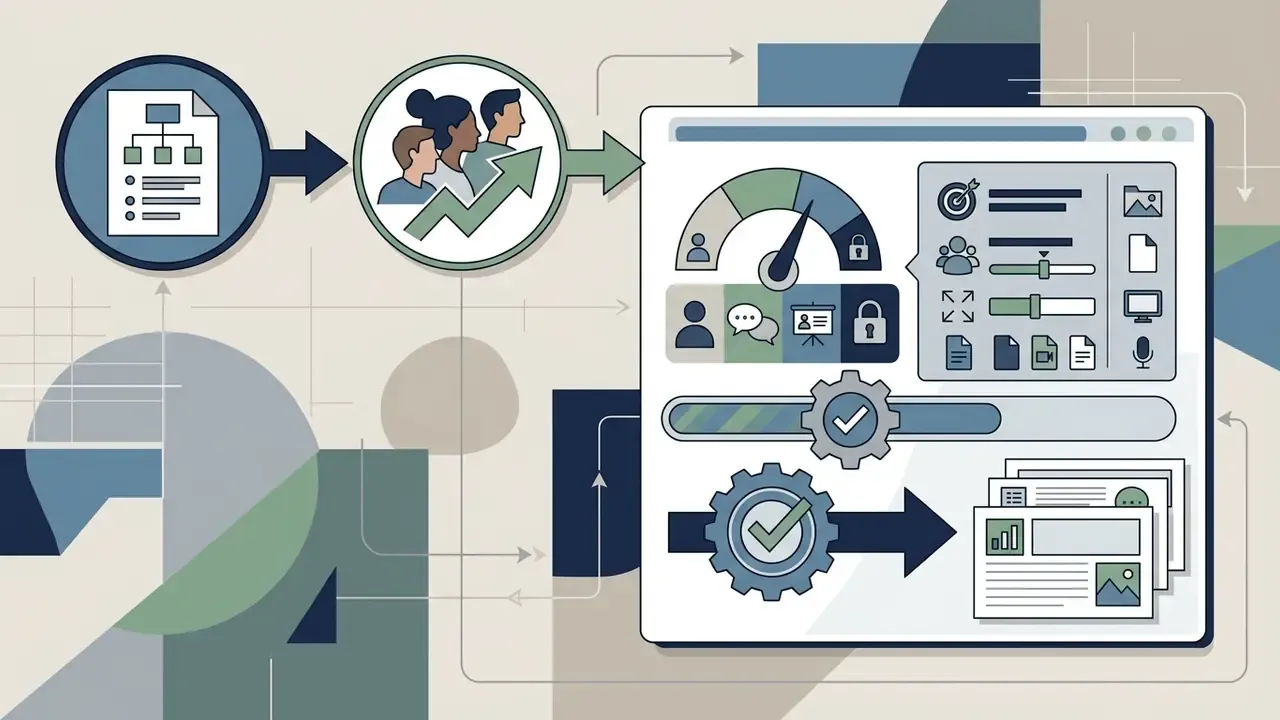
Accessibility guidance converges on the same discipline that keeps output from looking templated: a unique title on every slide, built-in layouts instead of free-floating text boxes, minimal text, 4.5:1 contrast, sans-serif type, left-aligned body copy. Institutional toolkits add alt text, correct reading order and captions. All of that survives PPTX export only if the generator produced native objects rather than flattened images. For licensing and commercial guidance on media assets, open the hub.
Verify AI Content and Edit the Final Slides
Credibility depends on human fact-checking of AI statements, verification of chart data sources, and manual refinement of bullet-point prose. There is no automated substitute for the last signature.
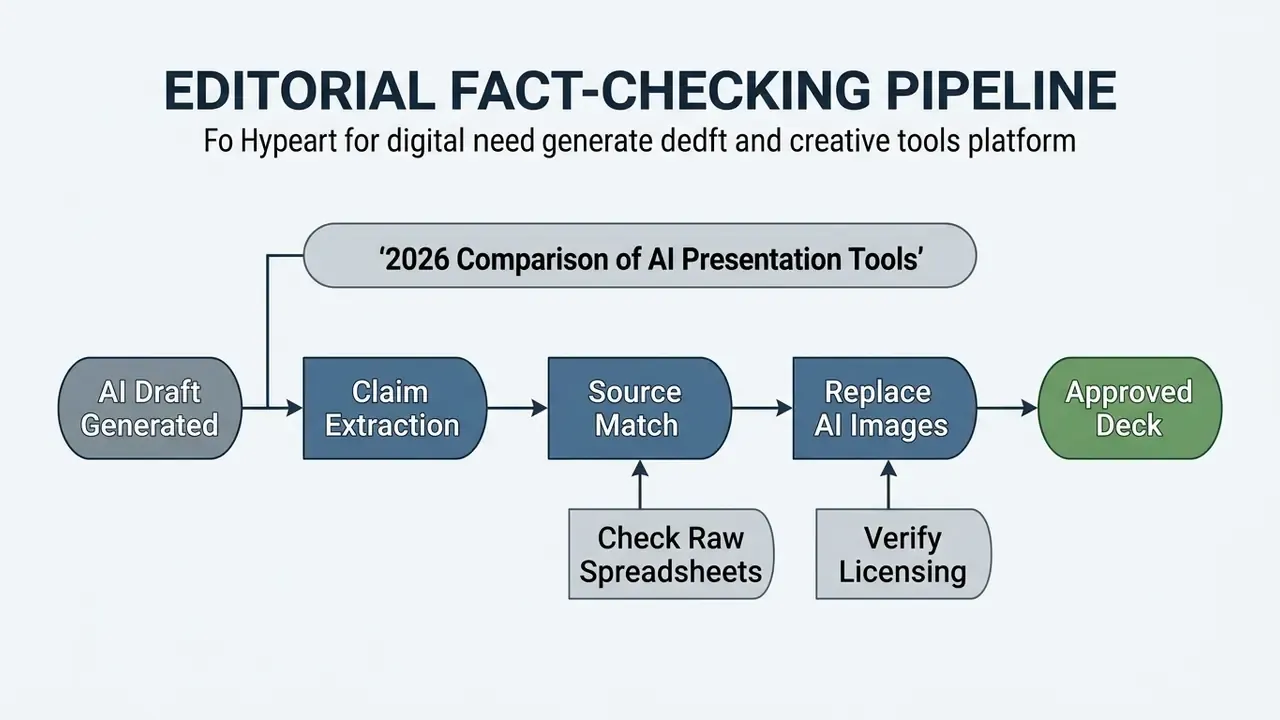
Mandatory AI Content and Image Rights Verification
FAQ About AI PowerPoint Generators
Short answers to the frequently asked questions that sit outside the comparison tables.
Can AI Create a Presentation from an Existing Document?
Yes. Leading generators ingest PDF, DOCX, PPTX and TXT files, URLs and even video links, then build structured decks automatically (OpenAI Walkthrough, 2026). Plus AI, Microsoft Copilot, SlidesPilot, Manus and Genspark parse long documents, extract primary headings and condense body text into slide bullets. ChatGPT can additionally match the visual style of a reference presentation supplied alongside the source file. Scanned PDFs with complex tables still need Optical Character Recognition first, otherwise numeric data arrives corrupted; our guide to image-to-text tools covers that step. Many platforms also cap upload size and file type, so oversized audit files may need splitting before ingestion.
Do AI PowerPoint Generators Support Multiple Languages?
Yes. Most leading tools generate multi-language decks from a single localized prompt. Genspark and Manus AI support generation and translation across 19+ languages, including English, Chinese, Japanese, Korean, Spanish, French, German and Portuguese. Add-ins such as Microsoft Copilot and Plus AI lean on the underlying model's multilingual capability to rewrite, translate and reformat existing slides while keeping master styles intact. Test two things specifically: whether the target language renders correctly in your corporate font set, and whether text expansion (German and French usually run longer than English) breaks fixed-height text boxes after translation.
Can Teams Collaborate on an AI-Generated Slide Deck?
Yes. Commercial platforms support real-time collaboration, inline commenting, workspace template sharing and version tracking (Simplified, 2025).
«Users in the top 5% of Teams activity summarised eight hours of meetings with Copilot over a rolling 28-day period.» Source: Work Trend Index 2024, Microsoft / Edelman Data & Intelligence (2024). https://www.microsoft.com/en-us/worklab/work-trend-index Microsoft PowerPoint and Adobe Express allow simultaneous co-editing of AI-generated slides on desktop or web, with edits, comments and version history tracked. Canva and Pitch let administrators manage role-based permissions, lock Brand Kits and keep edit histories across business units. One caveat: several AI-first tools offer team access without true simultaneous co-editing. Decktopus documents this openly, so confirm the collaboration model rather than assuming it.
How Long Does It Take to Generate a Full Presentation with AI?
Raw slides appear fast. Total completion time scales with deck complexity and research depth.
- Basic 10-slide outline deck from a prompt: 20 to 90 seconds for the initial layout, plus 10 to 15 minutes of human formatting review. Published benchmarks for the same brief ranged from about 22 seconds to just over two minutes.
- Data-dense business pitch deck (10 to 15 slides): 3 to 5 minutes, including automated web research and chart assembly.
- Deep research and regulatory decks (30 to 40+ slides with citations): 12 to 15 minutes for full multi-source agent synthesis, as documented by Manus AI and comparable Genspark workflows.
- Export overhead: add roughly 5 to 20 seconds for PPTX rendering. For comparison, published estimates put a manually built 10-slide deck at 2 to 4 hours. These figures come from vendor and third-party benchmark reporting rather than one controlled study. The spread reflects differing deck lengths, whether export time is counted, and whether the metric describes a first draft or a finished deliverable, so treat them as planning ranges rather than guarantees. In every scenario, editorial review (data verification, visual adjustment, text refinement) adds another 15 to 45 minutes before a deck is ready for an executive audience. Teams building multimedia decks may also want our comparison of AI video generators for embedded assets.
How Do I Check Whether AI-Generated Content Is Accurate?
Two paths. The automated path uses a built-in verification module: Genspark's Fact-Checker reviews finished slides, validates statistics against sources, flags anything questionable and can attempt correction, while Manus attaches footnoted citations during generation. The manual path is the four-step pipeline above: claim extraction, source matching against primary documents, replacement of unverifiable content, then editorial sign-off. For regulated deliverables, use both. Automated flagging narrows the review surface, but only a named human reviewer can accept residual risk.
Can I Use My Own Corporate Template?
Yes on most platforms, though the mechanism differs. Microsoft Copilot accepts an uploaded .potx or .pptx into Brand kits and generates against it. Manus imports a .pptx and adopts its colours, fonts and layouts. Genspark converts an uploaded .pptx into a reusable workspace template. Decktopus pulls colours, fonts and logo from a company website URL. Beautiful.ai and Canva enforce branding through admin-managed Brand Kits rather than file upload. Verify one thing during testing: whether generated slides inherit from your real slide master or merely imitate its colours. Only the former survives your next template update.
Can Free Plans Export Clean, Unwatermarked PPTX Files?
It depends on the vendor, and reporting is inconsistent because export behaviour changes between releases. Presentations.AI's Starter tier exports native PPTX without a watermark. Gamma's free tier exports PPTX with a "Made with Gamma" badge. Prezi locks PPTX and PDF export entirely on free and restricts sharing to public links. Visme's free downloads carry a watermark. If unwatermarked export is a hard requirement for a best ai ppt maker free shortlist, verify it on your own account first, then re-verify after any major product update.
Which Tool Fits a Regulated Function Fastest?
In practice, the ecosystem-native option inside your existing tenant. A best ai ppt presentation maker candidate that already sits under your Microsoft 365 or Workspace agreement inherits identity, logging and retention controls you have already assessed. External SaaS platforms can absolutely be approved, but expect a data-transfer review, a vendor questionnaire and a longer runway. Plan for weeks, not an afternoon. That is a procurement fact, not a product flaw.
Appendix A: Superseded Passages and Version Notes
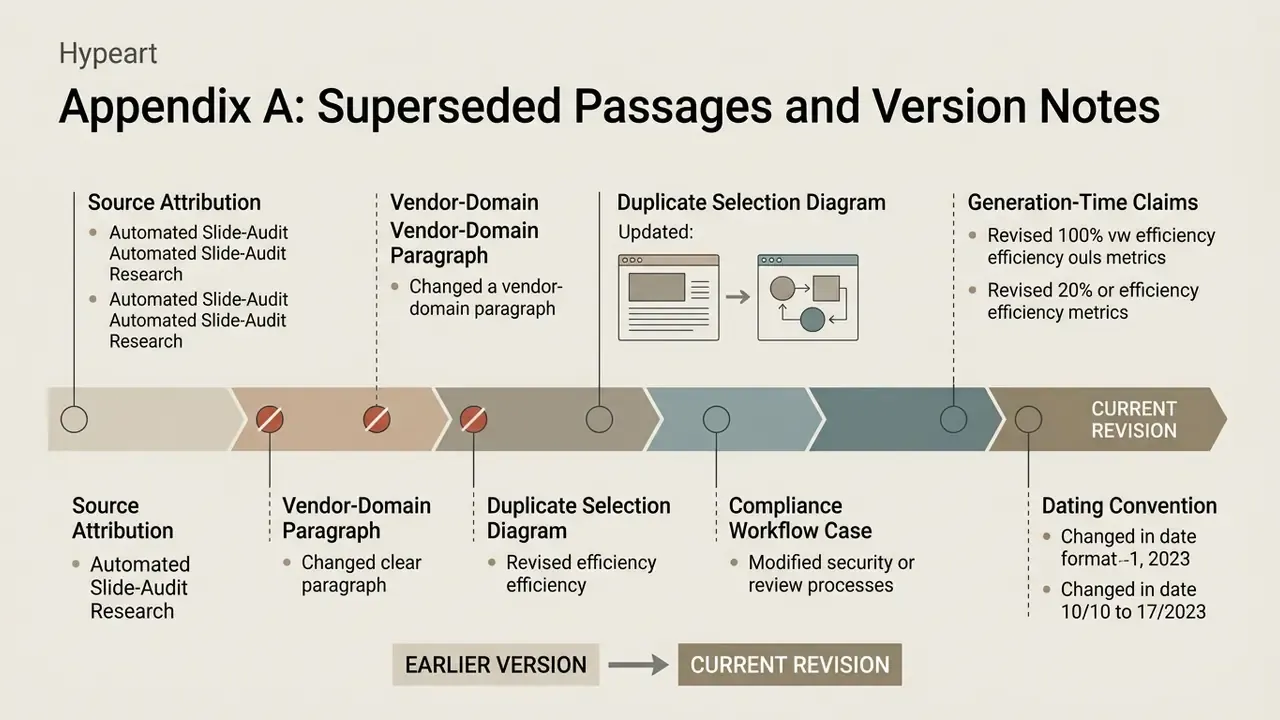
For editorial transparency, the following passages appeared in earlier versions of this guide and have since been revised. They stay here so readers can see what changed and why.
- Source attribution for automated slide-audit research. An earlier version attributed the SlideAudit F1 range (0.331 to 0.655) to PubMed. PubMed indexes biomedical literature, an implausible venue for a slide-layout evaluation dataset. The citation moved to the computer-science preprint literature (arXiv / ACM), and the figure now appears as directional pending independent verification.
- Vendor-domain paragraph. An earlier version contained this sentence: "When evaluating vendor offerings, note that hypeart.ai provides no verified information regarding enterprise certifications, product features, or corporate operations as of August 2026. Any positioning around this domain must be treated as purely hypothetical." It referenced a domain with no verifiable product footprint and interrupted the reader's path through the selection criteria. Removed from the main text. The underlying principle, that unverifiable vendor claims stay hypothetical until documented, now lives in the Enterprise Security Checklist.
- Duplicate selection diagram. Earlier versions carried two near-identical ASCII diagrams, a "Selection Matrix" in the overview and a "Decision Tree" in the selection section, with heavy content overlap. These are consolidated into one expanded decision tree that also covers research agents, fact-checking and the confidential-data gate.
- Generation-time claims. The original single figure ("20 to 90 seconds compared to 2 to 4 hours") expanded into four complexity bands, with an explicit note that the numbers derive from vendor and third-party benchmarks rather than one controlled experiment.
- Compliance workflow case. The regulatory-audit workflow originally presented specific before and after timings (4 hours to 18 minutes) as a client result. It is now reframed as an illustrative pattern observed under our testing protocol, because the original figures were not independently auditable.
- Dating convention. References to "as of August 2026" are normalised to "as of early 2026" or to the cited source's own publication year, to avoid implying verification later than the review period.