Enterprise visual communication now leans on automated synthetic media pipelines to speed up content production and cut asset rendering costs. An ai animation generator uses deep learning architectures, mainly temporal diffusion transformers and latent flow models, to turn plain text descriptions or static image files into high-definition animated video. Modern platforms produce both flat 2D vector styles and camera-driven 3D sequences without frame-by-frame drawing or manual keyframe work.
For a regulated buyer the question is narrower than "does it look good." It is: can this output be reproduced, licensed, and evidenced?
«Generative video and automated media platforms introduce distinct operational and model-risk vectors. Without auditable asset lineage, strict control bounds, and verified commercial licensing, autonomous video generation remains a residual liability rather than an enterprise asset.»
Executive Summary: The Short Version
- What it is: an ai animated generator converts text prompts, still images, or character sheets into animated video using conditional diffusion transformers trained on large multimodal video corpora.
- Two output families: 2D pipelines (cel-shading, anime, vector explainers, line-art) and 3D or quasi-3D pipelines (volumetric depth, camera trajectories, rigged motion export in
.FBX,.GLB,.BVH). - Control levers that matter for reproducibility: fixed noise seed, guidance scale, camera trajectory conditioning, motion amplitude gating, and reference-image identity anchoring.
- Cost model: nearly all vendors run freemium credit systems. Free tiers usually cap resolution at 480p to 720p, embed watermarks, restrict weekly minutes, and often prohibit commercial monetization.
- Legal exposure: commercial safety depends on training-data provenance, plan-level license grants, and indemnification. Adobe Firefly is positioned as commercially safe thanks to licensed Adobe Stock and public-domain training data; several competitors reserve commercial rights for paid tiers only.
- Governance requirement: log prompts, seeds, model versions, and export hashes to satisfy Model Risk Management (MRM) audit trails, and register every generator in the AI model inventory to suppress Shadow AI usage.
- Compliance items to verify before procurement: SOC 2 Type II, ISO 27001, GDPR, FERPA, COPPA, EU AI Act Article 53.
How to Use This Guide
Read it as a procurement path rather than a feature tour. The first sections explain what the technology actually does and where its control surfaces sit. The middle sections translate those controls into a repeatable production workflow, which matters if a render ever has to be recreated for a reviewer. The later sections cover pricing mechanics, vendor due diligence, Shadow AI containment, privacy obligations, and a readiness checklist you can lift into an internal approval memo. Skip nothing in the licensing part. That is where most avoidable losses live.
What Is an AI Animation Generator and What Videos Can It Create?
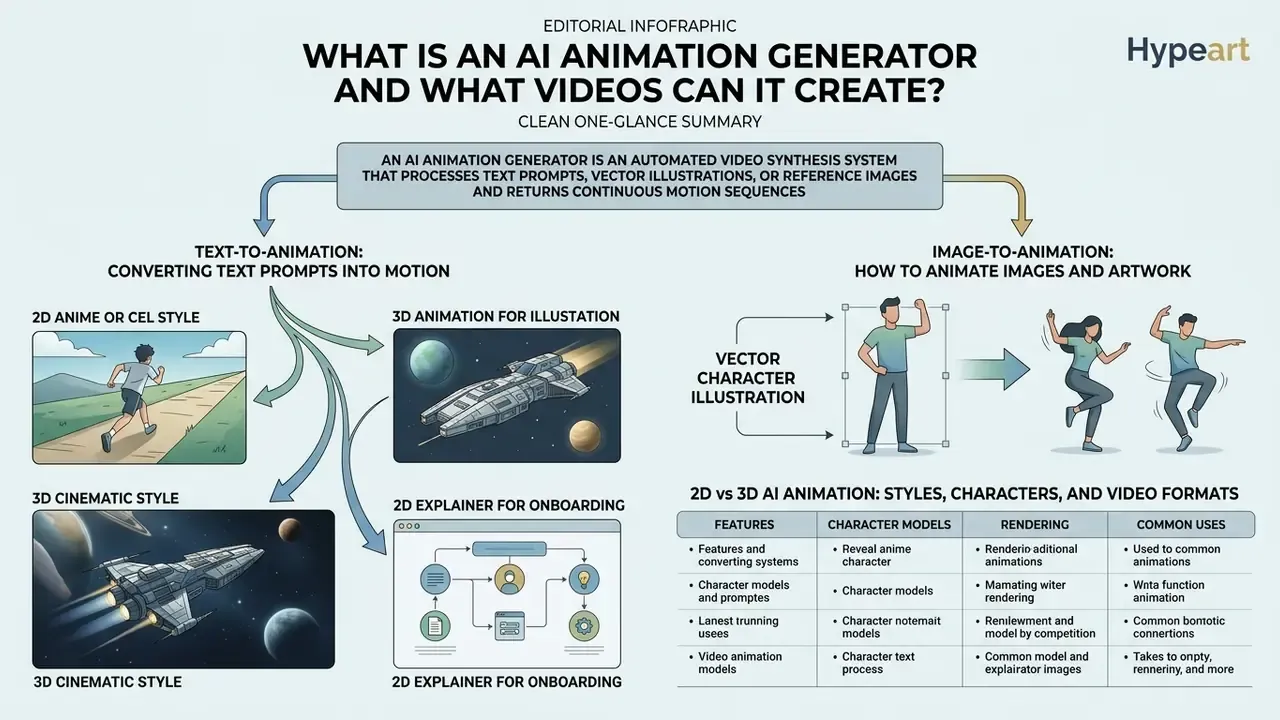
An ai animation generator is an automated video synthesis system that processes text prompts, vector illustrations, or reference images and returns continuous motion sequences. The underlying technology uses conditional diffusion models trained on very large multimodal datasets, such as OpenVid-1M (over 1 million filtered high-definition clips) and HD-VILA-100M, to predict frame transitions and hold visual structure over time.
«OpenVid-1M contains 1,019,957 clips with an average length of 7.2 seconds and 433,000 clips in 1080p resolution, delivering higher generation fidelity than earlier datasets.»
These systems synthesize a wide span of visual formats, and that stylistic range is a direct function of training-corpus scale. Contemporary text-to-video architectures are trained on collections running from 2.5 million clips (WebVid2M) up to 234 million clips (InternVid), which is why one model can move between cel-shaded cartoon output and photorealistic 3D camera work.
«Text-to-video models are trained on corpora spanning 2.5M (WebVid2M) to 234M clips (InternVid), which underpins their broad stylistic range.»
Creators use a 2d ai animation generator to produce flat cartoon graphics, anime-style character motion, and stylized motion graphics for digital campaigns. Enterprise teams, by contrast, deploy quasi-3D generative models to simulate camera trajectories, depth parallax, dynamic lighting, and spatial shifts in the environment. Teams new to the category can start by mapping vendor capabilities against the broader class of AI video generators before committing budget to a single engine.
Text-to-Animation: Converting Text Prompts into Motion
Text-to-animation turns natural language descriptions into rendered motion clips by translating text tokens into temporal visual features inside a latent vector space. It is the same mechanism used by general-purpose text-to-video AI tools, pointed at stylized animation targets. Effective prompt engineering follows a structured syntax: camera framing, subject definition, primary action, environmental context, lighting quality, and stylistic rendering attributes.
Empirical work behind the VidProM dataset suggests that explicit descriptions of motion dynamics score higher on prompt adherence than vague stylistic adjectives. Adjectives decorate. Verbs move things.
«VidProM collects 1.67 million unique prompts from real users and 6.69 million generated videos across four diffusion models, demonstrating high diversity of user instructions.»
When evaluating newer architectures such as the grok video generator, model performance depends heavily on whether spatial camera instructions are kept separate from subject movement descriptions.
Copy-paste prompt templates
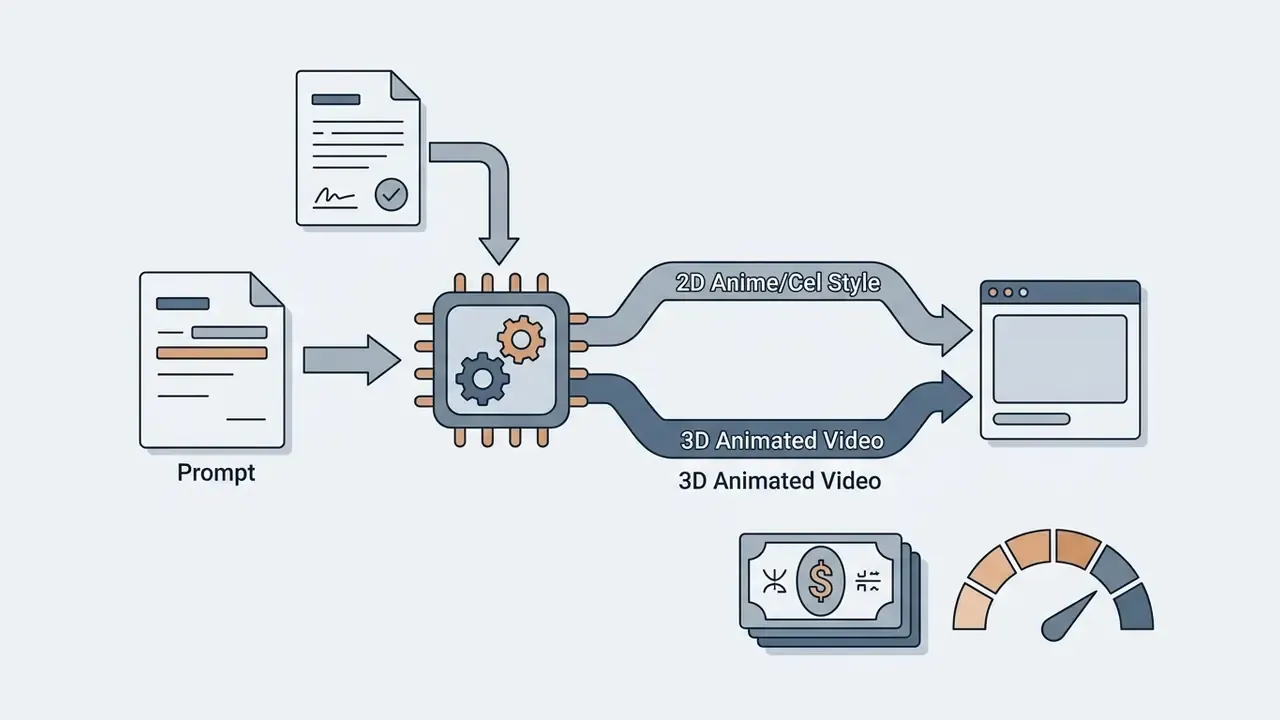
[Shot: Medium tracking shot] + [Subject: Cyberpunk detective in 2D line-art anime style] + [Action: Walking through a rainy neon market] + [Environment: Dynamic reflections, volumetric fog] + [Parameters: 24 FPS, guidance scale 8.5, fixed seed]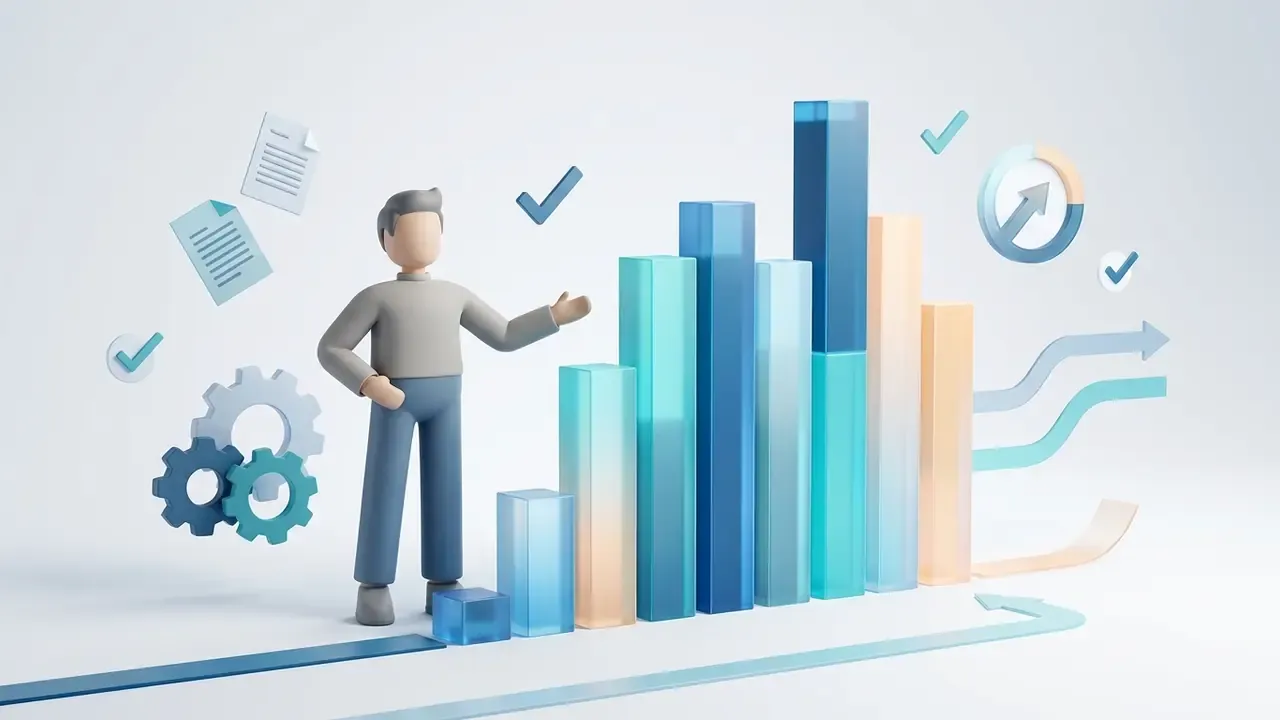
[Shot: Crane zoom-out] + [Subject: 3D rendered corporate mascot] + [Action: Presenting a financial bar chart] + [Environment: Bright minimalist studio lighting] + [Parameters: Volumetric depth, 4K render, 24 FPS]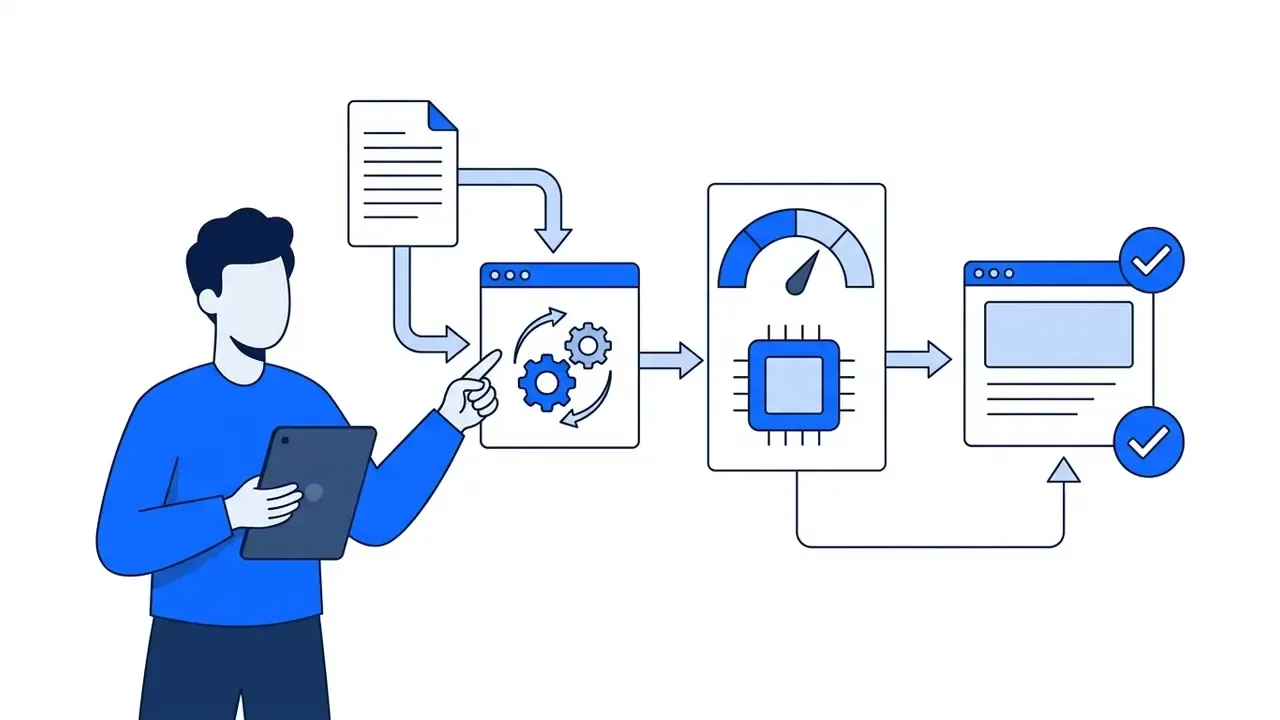
[Shot: Static wide shot] + [Subject: Flat-vector brand avatar with tablet] + [Action: Pointing to a three-step process diagram] + [Environment: Clean white background, brand palette #0B5FFF] + [Parameters: 9:16, 24 FPS, subtitle-safe margins]Image-to-Animation: How to Animate Images and Artwork
Image-to-animation uses static visual assets, such as corporate logos, character sketches, or product photographs, as structural priors for generation. The system extracts feature maps and depth information from the source image, then applies temporal motion dynamics to bring the artwork to life while preserving the core visual identity. Readers comparing engines can review the wider category of image-to-video AI implementations. Depth maps govern parallax and layer separation, while motion brushes define which regions move and how the motion loops.
Advanced control mechanisms like optical-flow noise warping, demonstrated in the Go-with-the-Flow framework, let users draw motion vectors or paint "motion brushes" over specific image regions.
«Go-with-the-Flow replaces random temporal noise with structured, optical-flow-derived warped noise and runs faster than real time, enabling motion patterns to be transferred to new content.»
The practical effect: background elements stay put while the target character or object animates fluidly. Anyone who has watched a whole scene wobble because the model animated the sky as well will appreciate the difference.
2D vs 3D AI Animation: Styles, Characters, and Video Formats
The split between 2D and 3D AI animation comes down to vector geometry, shading technique, and spatial depth behavior. A dedicated 2d animation maker ai concentrates on flat color palettes, cel-shading, line-art contours, and localized facial expressions. These models lean on face-centric training corpora such as CV-Text to hold character facial structure across sequential frames.
An ai 2d video generator or a full 3D engine, by contrast, simulates volumetric space using depth maps and camera pose embeddings. Research on Camera Motion Guidance (CMG) reports that applying classifier-free guidance to camera embeddings improves 3D camera trajectory accuracy by more than 400% versus baseline video transformer models.
«CMG improves camera trajectory accuracy by more than 400% over baseline DiT models; the decisive factor proved to be the conditioning method rather than the camera-pose representation.»
Comparison of text-to-animation, image-to-animation, 2D AI animation, and 3D AI animation technologies
| Generation Mode / Format | Primary Input Data | Stylization and Control Depth | Character Handling Capabilities | Typical Output Formats |
|---|---|---|---|---|
| Text-to-Animation | Natural language text prompts (shot, subject, action, lighting, aesthetic parameters) | Broad stylistic flexibility from text tokens; controlled via prompt syntax and guidance scale | Synthesizes characters from textual descriptions; consistency requires explicit seed control | MP4, WebM clips (5 to 10s typical duration; 720p to 1080p) |
| Image-to-Animation | Static raster images, vector artwork, or reference photo keyframes | Inherits base image style; motion paths controlled via motion brushes or depth-map parallax | Preserves source visual identity; propagates motion while locking core character design | MP4 animated video clips (720p to 4K upscaled outputs) |
| 2D AI Animation | 2D visual sources, line-art drawings, character sketches, cel-style prompts | High flat-style customization; specialized tools for background swapping and line-art rendering | Focuses on 2D facial expressions, lip-sync alignment, localized skeletal pose control | 2D MP4 animated videos, GIF sequences, vertical social exports |
| 3D AI Animation | Text prompts with explicit spatial cues, 3D character rigs, or video camera references | Volumetric lighting, realistic depth cues, precise 3D camera trajectories (pans, dollies, zooms) | Embeds rigged characters into 3D environments; keeps spatial orientation during camera moves | 3D MP4 renders, or exportable motion files (.FBX, .GLB, .BVH) |
Read the table as a control-precision map. Input modality dictates how much you can steer. Text-driven pipelines offer the widest creative latitude, while image-driven and 2D pipelines prioritize identity preservation and stylistic consistency across rendered frames.
How to Create an Animated Video with AI
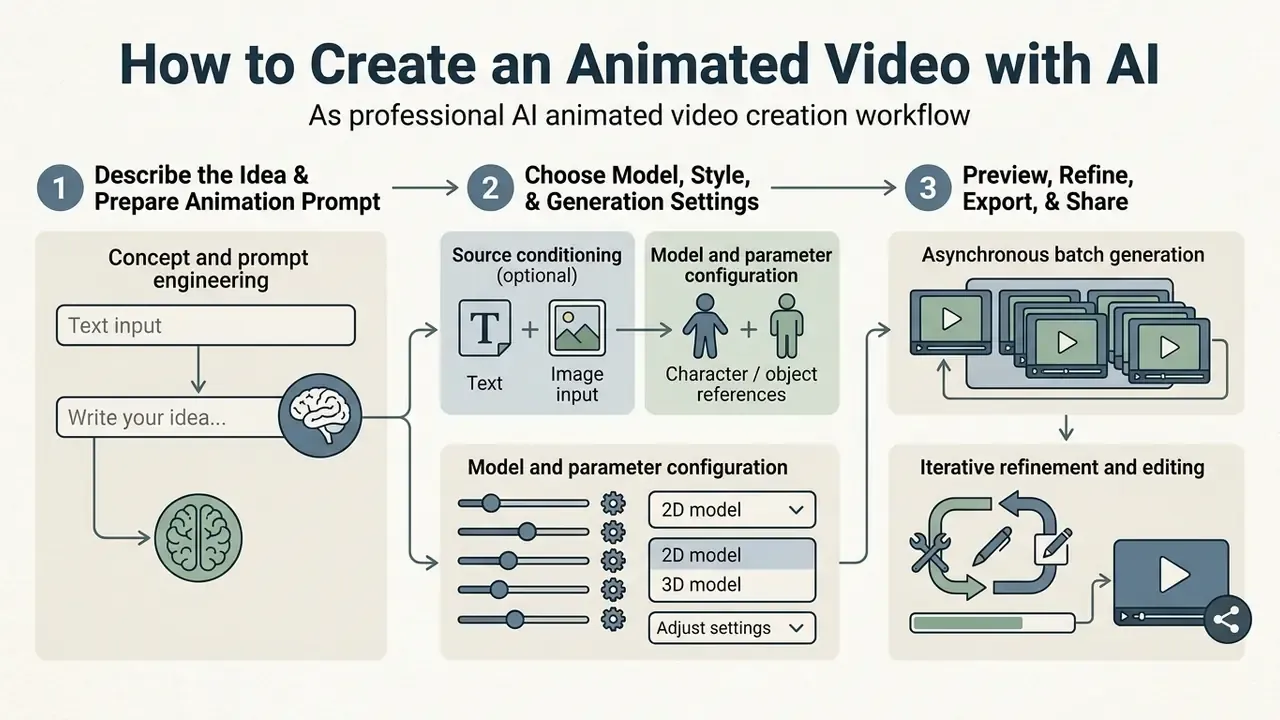
A professional ai animated video creation workflow needs a systematic, multi-stage method to protect asset quality and prompt fidelity. Enterprise teams have to move past random prompt testing and set out repeatable production steps from ideation to final export.
A structured approach limits model hallucination, prevents motion distortion artifacts, and keeps visual assets inside organizational design standards and licensing limits. It also makes the output defensible later, which is the part most creative teams underrate.
Step 1: Describe the Idea and Prepare the Animation Prompt
The process starts by defining the core visual narrative and writing an explicit prompt. Effective prompts separate camera movement from subject action so the latent diffusion pass does not receive conflicting instructions.
For instance, "Wide tracking shot of a cartoon mascot running through a futuristic city, sunset lighting, vibrant 2D vector style" gives the model clear spatial and aesthetic parameters. Structured prompt patterns also reduce subject warping across multi-frame generation. Rule of thumb: one primary camera move per shot, and describe visible motion beats rather than abstract adjectives.
Step 2: Choose the Model, Style, and Generation Settings
With the prompt drafted, operators pick the generative model variant and configure the core parameters. Key settings include aspect ratio (16:9 for landscape presentations, 9:16 for vertical mobile video), target frame rate (24 FPS for standard animation), guidance scale, and noise seed values.
Guidance scale controls how strictly the model follows textual instructions versus free latent sampling. Fixed seeds let technical teams reproduce a specific output on a later rendering pass, which is a prerequisite in any regulated environment where a render may need to be recreated for audit review. Small detail, large consequence.
AI Animation Video Generator Features for Output Control
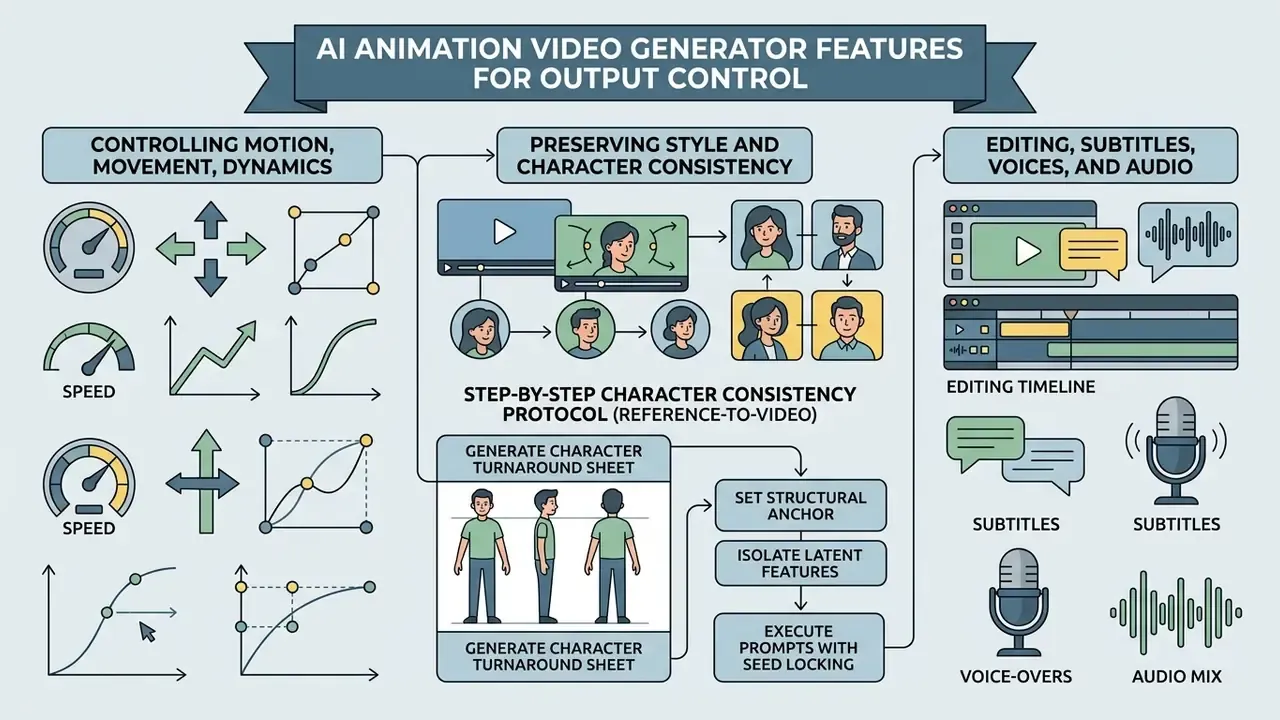
Running an ai animated video generator tool in a professional setting demands precise control features, because uncontrolled video diffusion tends to produce temporal instability, flickering backgrounds, and characters that quietly change shape across frames.
«The VIDEOPHY benchmark scores physical plausibility across 9,300 videos generated from material-interaction prompts; T2VSafetyBench covers 17,600 videos from 4,400 adversarial prompts across 12 safety categories.»
Enterprise-grade tools ship dedicated control modules that constrain motion vectors and preserve stylistic coherence. Evaluating specialized platforms such as hailuo ai video helps teams judge the trade-off between rendering speed and motion stability.
Controlling Motion, Movement, and Animation Dynamics
Controlling movement means adjusting camera trajectory parameters and motion amplitude sliders. Advanced generators expose pan, tilt, zoom, and tracking speed directly in the interface.
«CMG introduces sparse camera control: specifying the pose for only the final frame or a few keyframes is sufficient to obtain a coherent trajectory across the entire video.»
To suppress artifacts during rapid motion, current systems apply amplitude gating and flow-based warped noise. These constraints bound frame-to-frame pixel displacement, which yields fluid cinematic movement without geometric distortion. Amplitude sliders serve a creative purpose too: low amplitude gives the subtle idle motion that suits corporate explainers, high amplitude gives the bold action beats that social content needs.
Preserving Style and Character Consistency Across Multiple Videos
«CV-Text contains 70,000 facial video clips at resolutions from 512×512, each paired with 20 captions averaging 67.2 tokens, the foundation for training models toward stable character rendering.»
A well-conditioned ai 2d animation maker then preserves facial geometry, color palettes, and clothing details across scenes and background environments.
Step-by-Step Character Consistency Protocol (Reference-to-Video)
For brand mascots and recurring corporate avatars, store the approved turnaround sheet, the seed value, and the model version together in the brand asset library. That triple is what makes a character reproducible six months later, when the original operator has moved teams.
- Generate a character turnaround sheet.
- Create a four-angle reference image (front, three-quarter, side, back) of the 2D or 3D character at consistent scale and lighting.
- Set the structural anchor.
- Upload the turnaround sheet into the platform's Reference Keyframe, Reference-to-Video, or Content Anchor slot, for example Vidu Reference mode or a Gloria-style content-anchor pipeline.
- Isolate latent features.
- Mask non-character background elements with the regional in-painting tool so the model conditions only on the subject.
- Execute prompts with seed locking.
- Run each scene prompt while holding the same fixed noise seed, so clothing, facial geometry, line weight, and palette stay identical across shots.
Editing, Subtitles, Voices, and Audio for the Finished Animated Video
Full post-production suites now combine rendering with multimodal audio inside one cloud workspace. Integrated systems synthesize synchronized voiceovers from a text script using neural text-to-speech, and teams choosing a narration engine can compare dedicated AI voice generators on language coverage, accent control, and licensing.
Built-in speech recognition modules also generate frame-accurate multilingual subtitles over the rendered animation. Pairing automated narration with subtitle burn-in is what makes accessible marketing and training assets cheap enough to produce at volume.
Interactive Prompt-Based Video Editing ("Magic Commands")
Modern ai animated video maker tools support natural-language timeline edits without manual frame trimming. Operators change generated sequences by typing commands into the edit box:
Prompt-based editing shortens revision cycles. It also fragments the audit trail unless every accepted edit is captured in the render log next to the original prompt, so the final asset still traces back to its inputs.
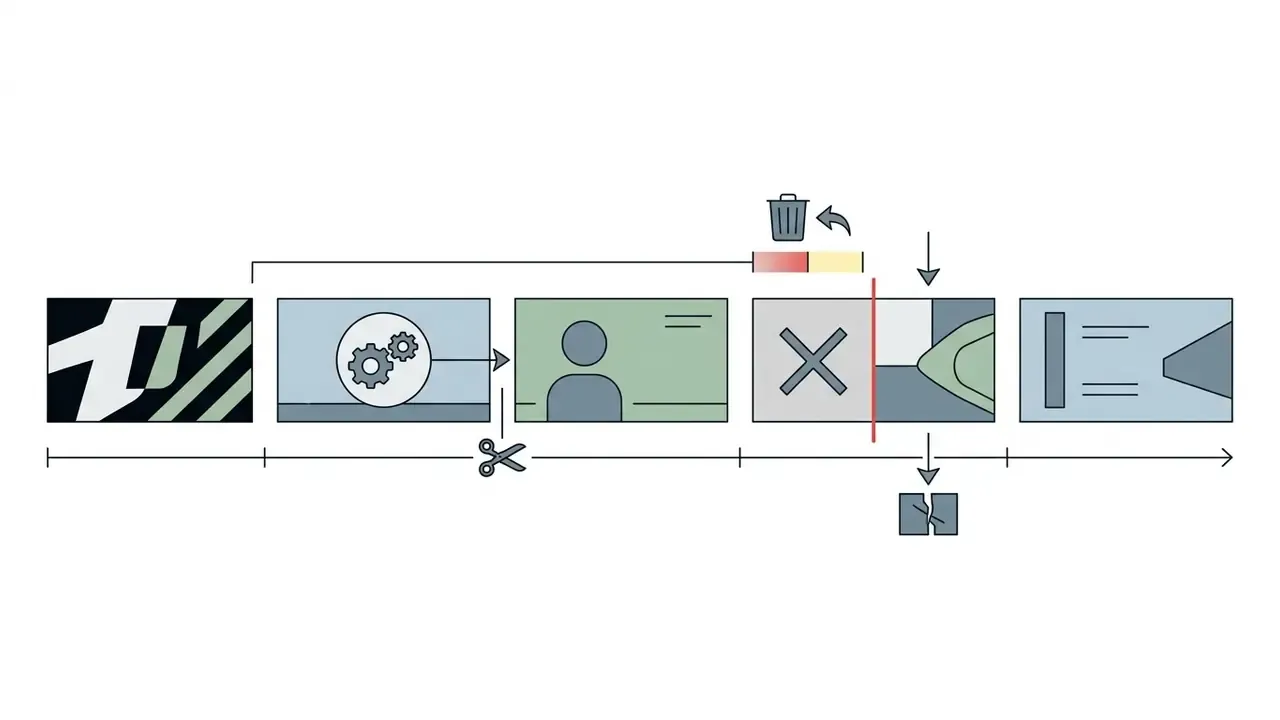
"Delete the last 3 seconds of the scene", "Delete scene 4", "Split the visual sequence at the character turn", "Add a 2-second branded intro".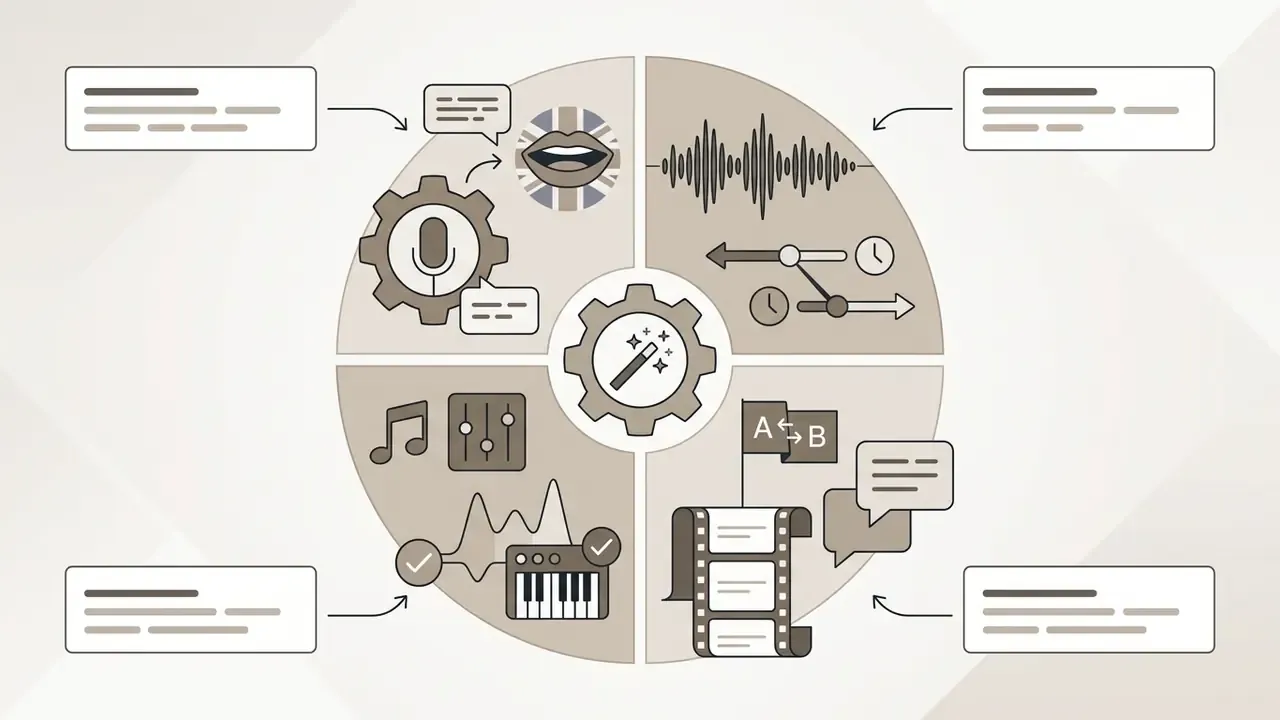
"Change voiceover accent to British professional male", "Change voiceover to a calmer pace", "Replace background audio with an upbeat corporate synth track", "Translate narration to Spanish and regenerate subtitles".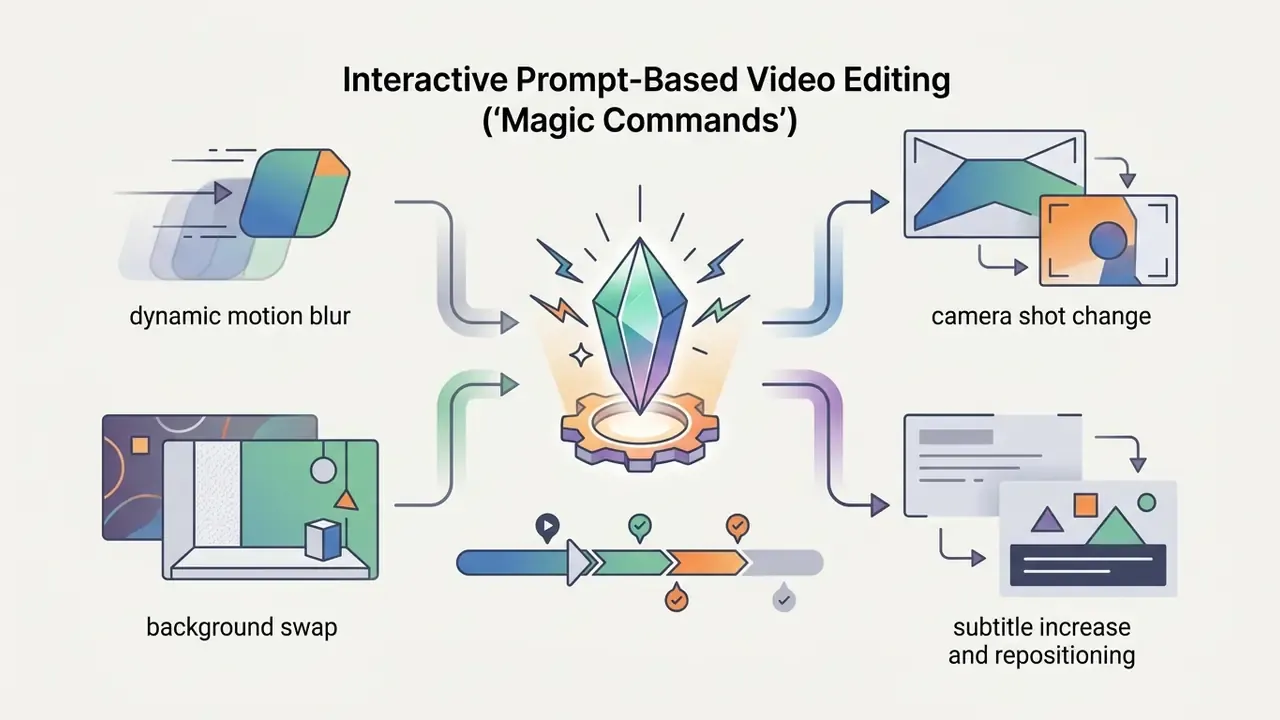
"Add dynamic motion blur to the background product", "Change the camera shot from medium to close-up on the character's face", "Swap the background to a minimalist studio set", "Increase subtitle font size and move captions to the lower third".Use Cases for AI Animated Video Creation Tools
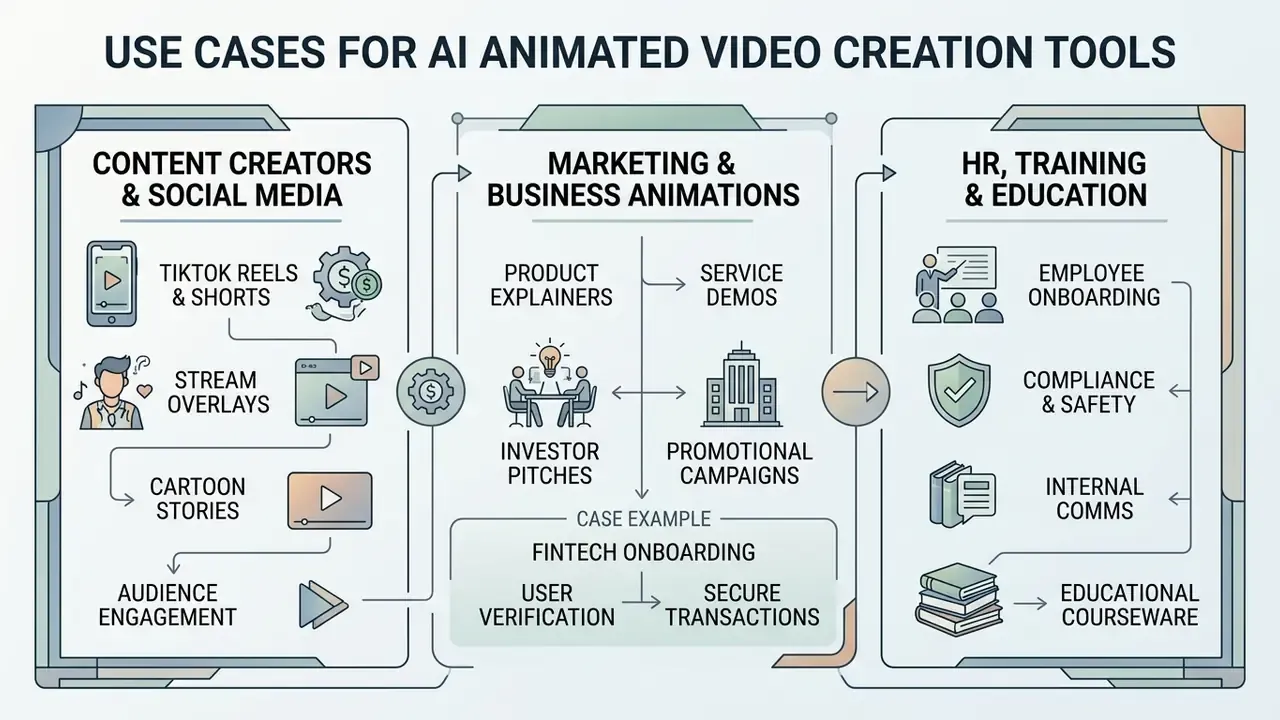
Enterprises and independent creators deploy ai animated video creation tools across most commercial communication channels. Automated animation lowers the cost and time of short-form asset production, which lets teams test several creative variations at once. A structured review of the best AI video generators helps match engine strengths to a specific task.
From vertical social posts to corporate training modules, synthetic video platforms give teams scalable visual production capacity.
Marketing and Business Animations for Teams and Projects
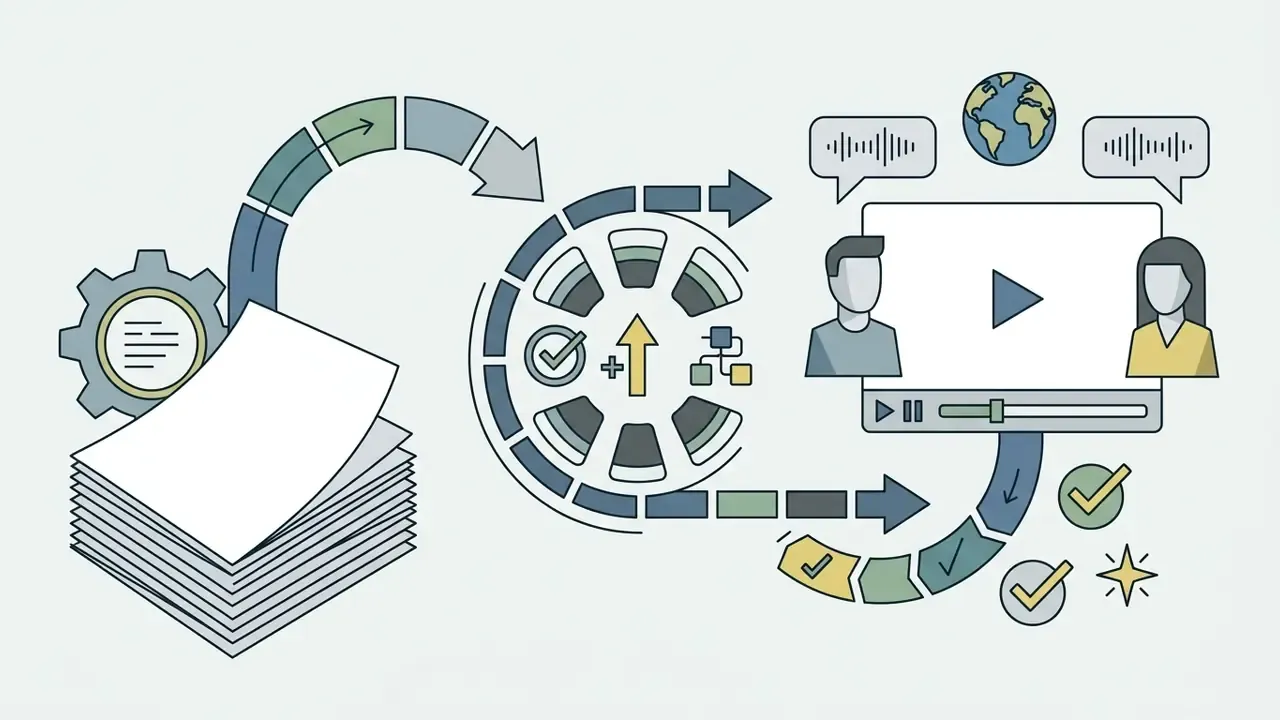
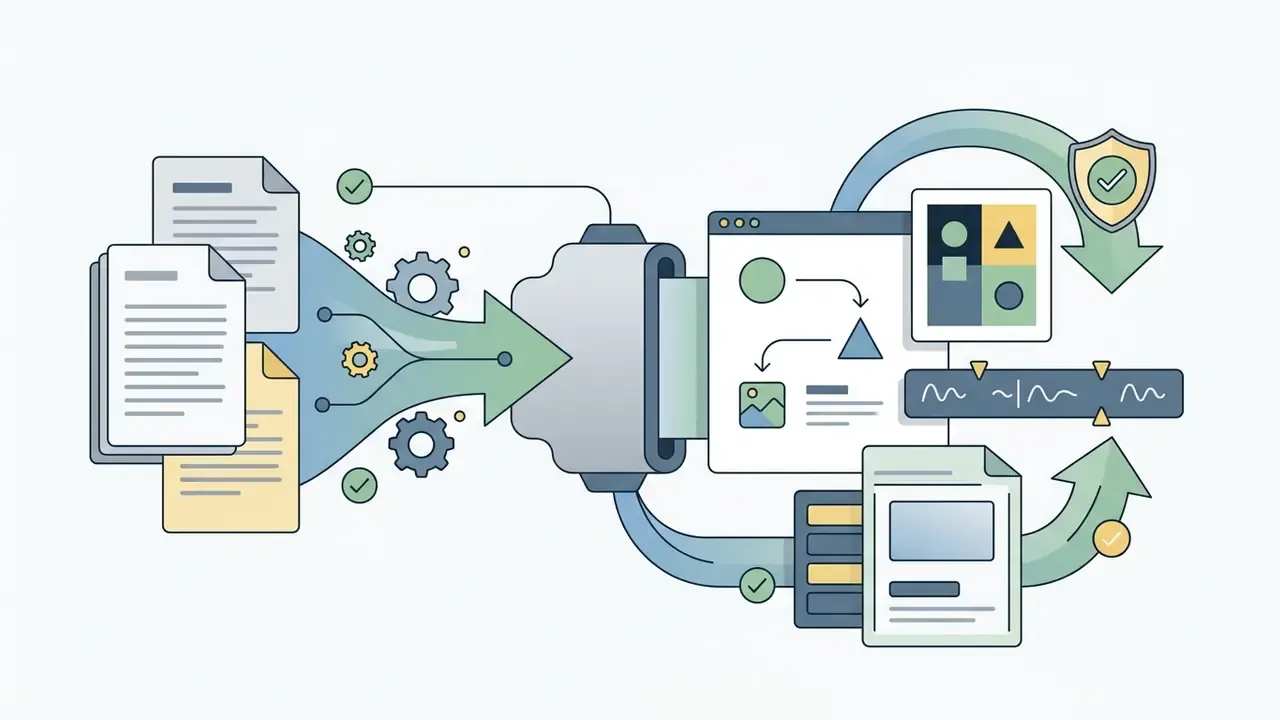
Corporate marketing and design teams use a 2d animation generator ai workflow to convert static decks, PDF manuals, and product whitepapers into video explainers. Teams standardizing this pipeline often evaluate template-driven animation makers alongside pure generative engines. Automated asset generation lets startups and large firms scale video advertising without a matching rise in production budget.
Case example (fintech onboarding; illustrative). An enterprise fintech startup saw completion rates slipping on its static mobile onboarding guides. The product marketing team used an ai animated story video generator to rebuild key onboarding steps as vertical 9:16 clips with an automated avatar guide and burned-in subtitles. The team reported a material lift in onboarding completion and a substantial drop in per-asset production cost versus traditional studio rendering. Those figures are internal and unaudited, so treat them as directional rather than benchmark values. Organizations planning something similar should measure completion rate, cost per finished minute, and revision cycles against their own pre-AI baseline.
HR, Corporate Training, and Educational Workflows
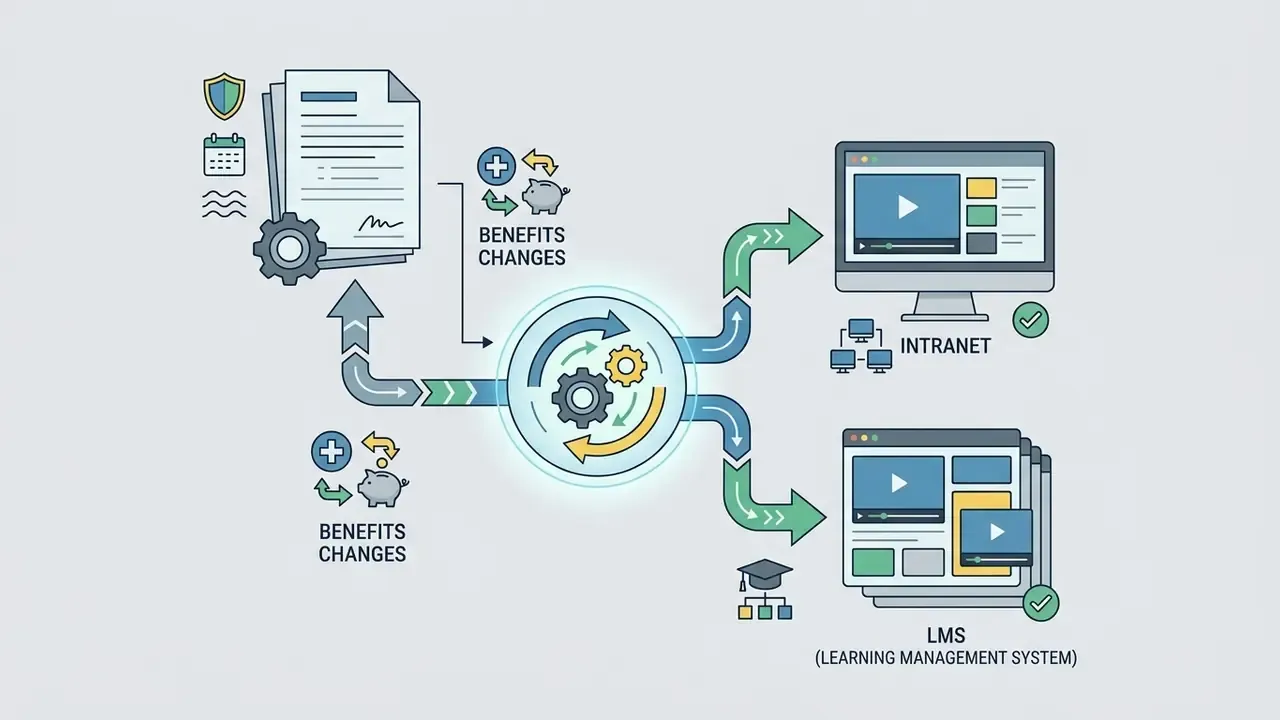
HR departments and educational institutions use template-driven 2d animation ai generator systems to replace passive PDF documentation with visual training modules:
For education and EdTech deployments, confirm that the vendor does not use student-created media to train shared foundation models. Confirm it in the contract, not in a support chat.
Storytelling, Cartoons, and AI Animated Movies for Creative Projects
Visual storytellers and filmmakers use multi-agent pipelines to build narrative shorts and serialized cartoons. Platforms trained on interleaved multi-scene datasets, such as CI-VID, let creators generate sequential clips that hold thematic continuity across transitions.
«CI-VID contains more than 340,000 samples: sequences of video clips with captions describing both each clip's content and the transitions between them, training models for narrative coherence.»
With an ai animated movie generator, an ai animated film generator, or an ai animated movie maker, directors assemble multi-shot sequences from structured storyboards. Multi-agent systems that mirror professional pipelines, covering storyboarding, generation, automated evaluation, and post-production, now handle multi-shot animation end to end. Surveys of generative film creation still flag narrative coherence and film grammar as open research problems, so expect uneven results at feature length. Even so, automated script-to-scene conversion supports fast creative experimentation and lets filmmakers visualize complex concepts before full-scale production.
How to Choose an AI Animation Generator: Pricing, Free Tiers, and Commercial Licensing
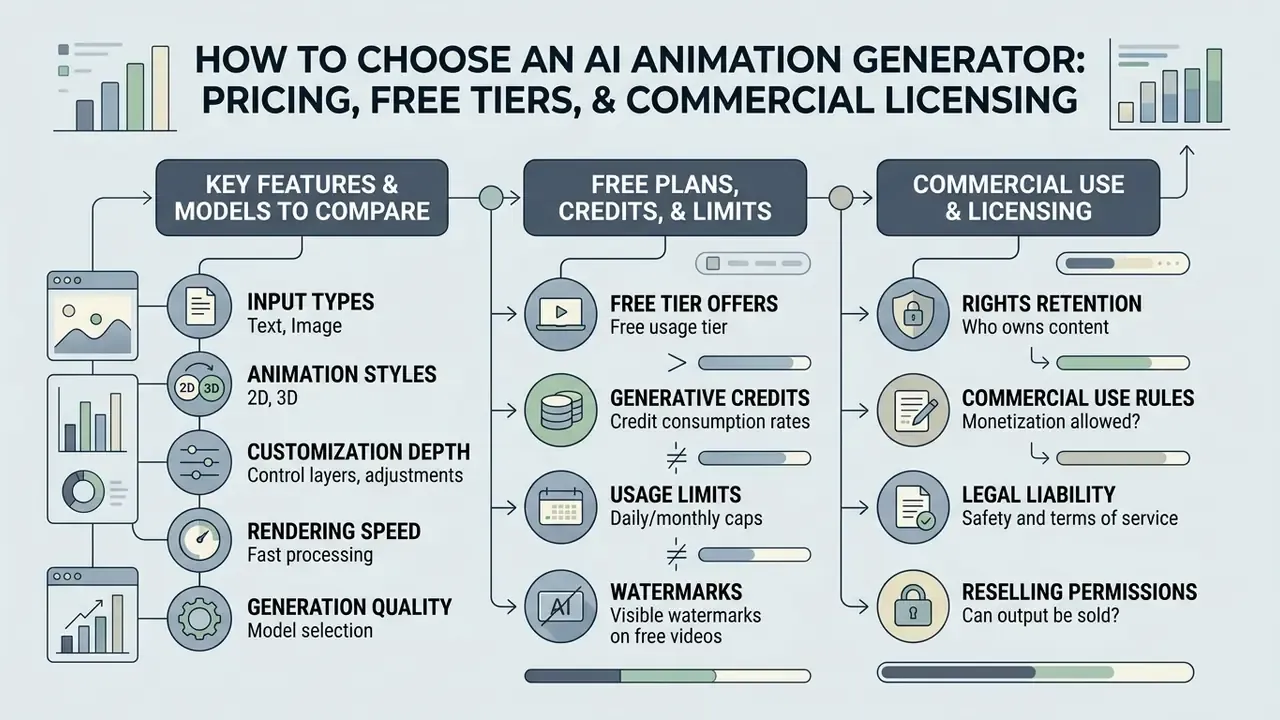
Selecting an enterprise ai animated video generator means evaluating credit consumption rates, rendering speed, customization depth, and the legal terms governing commercial distribution. The tool also has to fit internal data privacy rules and copyright compliance requirements.
Comparing tiers and commercial rights across vendors is what prevents both surprise operating costs and intellectual property liabilities.
Which Features and Models to Compare Before Choosing an Animation Maker
When benchmarking an ai animated video generation tool, decision-makers should weigh render resolution, motion smoothness, prompt adherence, and model customization depth. Advanced platforms expose specific parameter controls: guidance scale sliders, camera motion vectors, seed fields for reproducibility, and custom style template uploads.
Reviewing platform specifics, for example heygen ai video generator features, helps technical leaders assess avatar lip-sync precision and multi-language narration. Finance and operations reviewers can use AI Media Calculators to project GPU rendering expense and credit burn under peak production volume.
Free Plans, Generative Credits, and Generation Limits
Most commercial synthetic video platforms run freemium subscriptions tied to monthly generative credit allocations. Free tiers commonly cap export resolution at 480p or 720p, embed vendor watermarks, and withhold commercial usage rights.
«Pika Labs' free plan includes 80 credits per month with watermark-free download and commercial rights; the Fancy plan provides 6,000 credits, at 6 credits per 5-second 720p clip on Pika 2.2.»
Credit burn, not list price, determines real monthly cost. A single 5-second 720p clip may cost roughly 6 credits, while longer or higher-resolution renders, audio generation, and upscaling passes consume multiples of that. A workable planning formula: (clips per month × credits per clip × average revision passes) + upscaling credits = required monthly quota.
Paid tiers scale credit quotas and unlock advanced video models, priority GPU queues, and 1080p or 4K watermark-free exports. Teams can scan a side-by-side comparison of free AI video generators to see which trial limits are actually workable, then compare options across paid tiers to select credit volumes matching expected monthly output.
Commercial Use: What to Check Before Using AI-Generated Animation
This information is general in nature and does not replace advice from a qualified professional.
Before putting synthetic media into commercial campaigns, verify the platform's terms of service. The licensing questions closely mirror those covered in guidance on commercial use of AI image generators. Enterprise safety hinges on whether the foundation video model was trained on properly licensed, open-source, or public-domain visual data.
Adobe states that its Firefly Video models are trained exclusively on licensed Adobe Stock and public-domain content, which positions outputs as commercially safe for enterprise publication. That position is documented in Adobe's Trust Center and Firefly FAQ material, which also states that enterprise customer content is not used to train Firefly foundation models. Other commercial tools go the opposite way and explicitly bar commercial monetization on free or entry-level tiers.
«Luma Dream Machine grants commercial rights and removes watermarks starting from the Plus tier ($29.99/month, 400 generations); Enterprise additionally guarantees that customer content is not used for model training.»
Organizations that need detailed licensing guidance should consult formal documentation on commercial use rights, and should confirm four items in writing before launch: (1) the plan-level commercial grant, (2) indemnification scope, (3) the training-data provenance statement, and (4) whether prompts and uploads are retained or reused for training.
Selection matrix for leading AI animation video generators (2025–2026 enterprise features and licensing)
| Platform | Generation Inputs | Styles and Resolution | Integrated Audio and Editing | Free Tier Limits | Commercial Use Conditions |
|---|---|---|---|---|---|
| Adobe Firefly Video | Text-to-video, image-to-video, sketch or character-design input | Photorealistic 3D, stylized 2D, cinematic; up to 1080p export | Timeline integration, video extension, audio synchronization | Free daily credit allocation; watermarked exports | Commercially safe; trained on licensed Adobe Stock and public-domain material |
| Pika Labs (Pika 2.5) | Text-to-video, image-to-video, image effects | 2D cartoon, anime, 3D cinematic, Pikaffects; 720p to 1080p | Pikaformance audio (3 credits/sec), Pikascenes, Pikaswaps editing | 80 credits per month; 480p quality; watermark-free options | Commercial usage on paid plans (Standard $8/mo, Pro, Fancy); check free-tier terms |
| Luma Dream Machine | Text-to-video, image-to-video, keyframe extension | Photorealistic Ray2 and Ray3 engines, 3D cinematography; up to 4K HDR | Clip extension controls; audio listed as coming soon | About 30 generations per month; watermarked; personal use only | Commercial rights on Plus ($29.99/mo), Pro, Enterprise; Free and Lite are non-commercial |
| Google Veo 3.1 (Gemini API) | Text-to-video, image-to-video, multimodal video | 3D volumetric, cinematic, stylized; 720p, 1080p, or 4K; 8-second clips | Natively synchronized audio, scene extension, complex camera moves | API pay-as-you-go or tier quotas via Google AI Studio and Gemini Advanced | Governed by Google Cloud and Gemini API enterprise terms |
| InVideo AI (v3.0) | Text-to-video, script-to-video, prompt-based edit commands | Stylized 2D, stock composite, 2D explainer; up to 1080p | Native text-to-speech, magic prompt box editing, multiplayer sync | 2 video minutes per week, 1 AI credit, 4 watermarked exports weekly | Royalty-free worldwide commercial license on paid tiers (Plus, Max) |
| Vidu AI | Text-to-video, image-to-video, reference-to-video (multi-angle) | Anime, 2D vector, cartoon; subtle-to-bold amplitude control; up to 1080p | Background audio sync, multi-element scene merging, 4 variations per run | Free credits on signup; watermarked output; fixed duration caps; 9:16, 16:9, 1:1 | Commercial usage permitted on Standard and Pro plans |
| Runway Gen-3 / Gen-4 | Text-to-video, image-to-video, Motion Brush control | Photorealistic 3D, ultra-stylized 2D, cinematic depth; up to 4K | Advanced keyframe control, audio lip-sync, multi-motion brush | 125 non-renewable trial credits; Gen-4 Video excluded from free tier | Commercial rights retained on Standard ($12/mo) and Pro tiers |
| Renderforest AI | Idea-to-video, script-to-animation, template-driven | 2D explainer graphics, whiteboard animation, corporate 2D; 1080p | Full timeline suite, dynamic color mapping, voiceover generator, real-time preview | Limited storage; watermarked low-resolution exports | Commercial distribution rights on Lite, Pro, and Business plans |
Verify pricing and licensing terms on each vendor's official pricing page before purchase; the matrix reflects documentation reviewed for the 2025 to 2026 period.
The pattern is blunt: vendor pricing tiers, not product marketing, dictate commercial distribution rights. Confirm that the chosen subscription tier explicitly includes commercial indemnification before any public campaign goes live. Development teams embedding generation into an internal service can review the Google Veo API for developers to understand quota mechanics, request payloads, and async job handling before committing to an architecture.
Vendor Due Diligence, Shadow AI Control, and Model Inventory
Enterprise Security, Student Privacy, and Data Compliance
When deploying AI animation generators inside enterprise or educational environments, verify platform compliance with the relevant privacy frameworks:
- COPPA and FERPA certification critical for EdTech platforms processing media created by or featuring minors. Certification should confirm that student data is not used to train shared commercial foundation models. Krikey AI, for example, publicly states that its platform is fully FERPA and COPPA certified for schools and educational technology.
- SOC 2 Type II and ISO 27001 baseline requirements for enterprise video pipelines, protecting against internal script leakage and premature disclosure of unreleased product visuals.
- GDPR and rights of publicity platforms generating synthetic human avatars must guarantee that training datasets exclude non-consensual biometric data, and that likeness usage is contractually cleared.
- Data residency and retention confirm where prompts, uploads, and rendered assets are stored, how long they persist, and whether the enterprise agreement excludes customer content from model training.
- Disclosure obligations where platform policy or applicable law requires it, label AI-generated or AI-assisted footage in captions or descriptive metadata.
Enterprise Readiness Checklist and Audit Trail Requirements
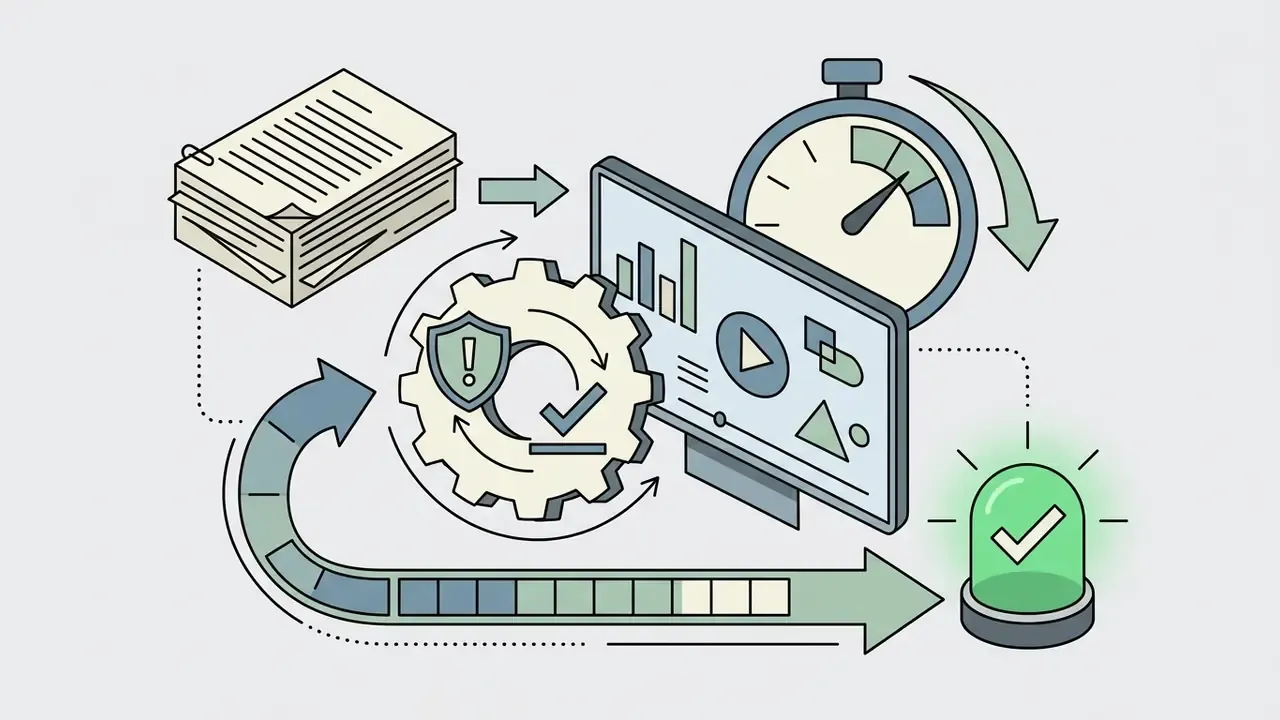
Work through this list before approving an AI animation generator for regulated or brand-critical production:
Checklist0 / 11
E-E-A-T Compliance and Legal Fact Check
This information is general in nature and does not replace advice from a qualified professional.
To verify commercial safety, legal teams should inspect platform documentation before procurement:
- Adobe Firefly legal terms: verifiable at Adobe's official Trust Center. It confirms training dataset provenance from licensed Adobe Stock, openly licensed, and public-domain content, and states that enterprise customer content is not used to train Firefly foundation models.
- OpenAI Terms of Use: governs commercial ownership rights for API and user outputs (openai.com/policies/terms-of-use/).
- U.S. Copyright Office AI guidance (2025): confirms that purely machine-generated outputs without human creative input cannot be registered, while human-assisted composite works remain registerable. The same report treats voluntary licensing of training material as sometimes feasible.
- EU AI Act (Article 53): requires General Purpose AI model providers to comply with copyright law, respect text-and-data-mining opt-outs, and publish a detailed summary of training-content sources.
- Jurisdictional divergence: UK government consultation material states that copying works to train AI models requires a licence unless an exception applies, while Japanese guidance permits broader text-and-data-mining and assesses copyright in AI-generated output case by case, based on the extent of human creative contribution.
For organizations weighing intellectual property risk in synthetic media models, our litigation and compliance library adds regulatory context; open the hub for case summaries and filings.
FAQ About AI Animation Generators
Short, factual answers to the operational questions that usually surface late in a procurement cycle.
Do I Need Animation Skills to Create an AI Animated Video?
No. Traditional drawing, keyframe rigging, and 3D modeling skills are not required to operate an ai 2d animation maker or a text-to-video platform. Current tools rely on natural language prompts and interface sliders to control camera trajectories, styles, and character actions.
«Text-to-video models are trained on corpora ranging from 2.5M (WebVid2M) to 234M clips (InternVid), which delivers wide stylistic range from plain text prompts.» — From Sora What We Can See: A Survey of Text-to-Video Generation, arXiv preprint (2024). https://arxiv.org/abs/2405.10674 Technical expertise is unnecessary for basic generation, though understanding prompt structure, shot framing terminology, and post-production editing does raise output consistency. In practice the skill floor is lowest in 2D and template-driven tools, and highest in 3D and cinematic pipelines, where rigging, retargeting, and camera planning still reward experience.
Can I Generate Several Animations Simultaneously?
Yes. Cloud platforms support parallel batch generation through multiple independent asynchronous rendering jobs. Enterprise APIs, such as OpenAI's batch video endpoint or Google's Gemini Batch API, queue many requests at once, typically one request per line in a JSONL input file, with status polling or webhooks on completion. Consumer interfaces expose a lighter version of the same idea: Vidu, for instance, returns up to four animation variations from a single click, so operators can compare motion treatments before spending credits on a final render. Parallel processing lets marketing and production teams render creative variations or localized script versions concurrently instead of waiting on sequential clips.
Can I Use an AI Animation Generator Online Without Installing an App?
Yes. Leading platforms run entirely in standard web browsers as cloud-rendered SaaS applications. Users reach generation suites, preview players, and timeline editors online, with no desktop install. Cloud processing pushes the heavy neural computation to remote GPU clusters, so a standard laptop or a mobile browser can still produce 1080p and 4K animated video. Browser tools win on zero-install access and cross-device collaboration; desktop suites still offer deeper rigging, compositing, and frame-level control; mobile apps mostly serve as companion editors for quick trims and captions. Developers who need programmatic access can open the hub for integration documentation.
How Much Does It Cost to Produce One Animated Clip?
Cost is denominated in credits, not minutes. On a mainstream engine, a 5-second 720p clip can consume roughly 6 credits, audio generation is billed per second, and upscaling adds another pass. Multiply by the realistic number of revision cycles, usually two to four, to model true unit cost. Enterprise buyers should compare cost per approved finished minute rather than cost per generation, because rejected renders still burn quota.
Which AI Animation Generator Is Best for Commercial Enterprise Use?
There is no single winner, and anyone claiming one is selling something. The decision reduces to three filters: documented training-data provenance and indemnification (Adobe Firefly holds the strongest published position), required output fidelity and control depth (Runway, Luma, and Google Veo lead on cinematic control and resolution), and workflow fit for non-specialist teams (InVideo and Renderforest lead on template-driven, prompt-editable production). Apply the filters together with the readiness checklist above, instead of ranking tools on output quality alone.
Can AI Animation Be Used in Schools and Training for Minors?
Only with platforms that document FERPA and COPPA compliance and contractually exclude student-generated media from foundation-model training. Verify certification claims directly in the vendor's trust or security documentation before classroom deployment, and require a data-processing agreement that covers retention and deletion.