Author note: Marcus Hale writes this analysis. The quotation above is illustrative. It is not attributable to a real executive, consultant, or firm, and it implies no client relationship or regulatory authority.
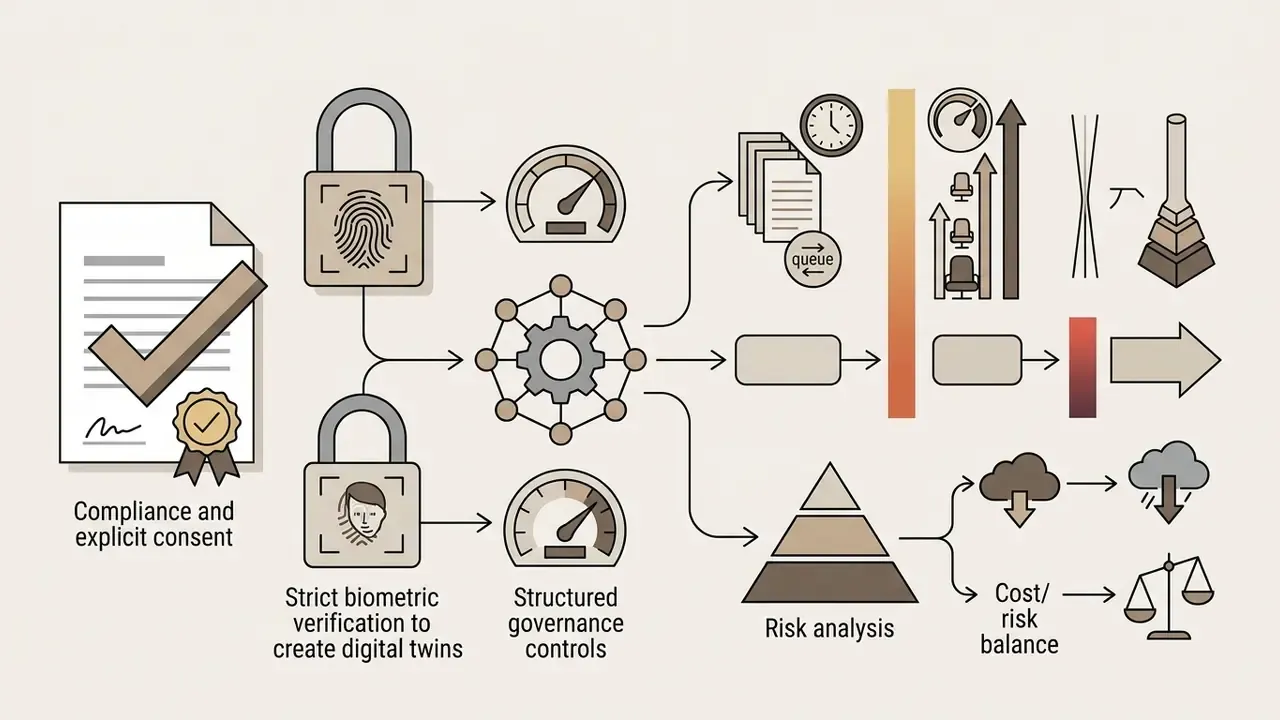
If you run model risk, compliance, or AI governance at a US bank or a mature fintech, a video tool looks harmless. It rarely is. Script uploads carry policy text. Handbook PDFs carry non-public information. Digital twins carry biometric data and the likeness of your executives. That is why this review treats HeyGen as a production system with control requirements, not as a creative toy.
HeyGen is an AI-powered video generation platform that automates full-stack production from text, scripts, documents, and voice inputs. In 2026 the platform lets enterprise teams and independent creators generate presenter-led videos, translate content into more than 175 languages with lip-sync preserved, and scale output without studio hardware or a filming crew.
Key Takeaways for Decision-Makers

Scope, Sources, and How to Read the Numbers
A short calibration note, because mixing vendor claims with independent tests is how procurement decisions go wrong.
Search queries still phrased as "heygen ai video generator 2025 features" now resolve to the 2026 feature set described below, so treat older third-party summaries with care.
- Vendor-reported
- user counts, adoption figures ("100,000+ businesses"), conversion uplift stories, and marketing performance claims. Useful as direction, not as forecast.
- Independently documented
- Google Cloud's published customer story, third-party benchmark reviews, and the Avatar V technical preprint.
- Contractual only
- data residency, retention of biometric embeddings, and any promise that your uploads will not train foundation models. None of that is settled on a public webpage. It belongs in a signed agreement.
- Pricing
- verified against HeyGen's official pricing page. Prices move. Re-check before purchase.
1. What HeyGen AI Video Generator Is and Which Tasks It Was Built For
HeyGen is an enterprise-grade AI powered video generation company that converts written text, audio, and static assets into synthetic spokesperson videos. The platform works as a multi-modal video generator that automates script parsing, avatar animation, voice synthesis, scene assembly, and visual overlays inside one centralized web workspace. Buyers evaluating the wider category of AI video generators usually compare HeyGen against presenter-first tools rather than pure text-to-scene diffusion engines.
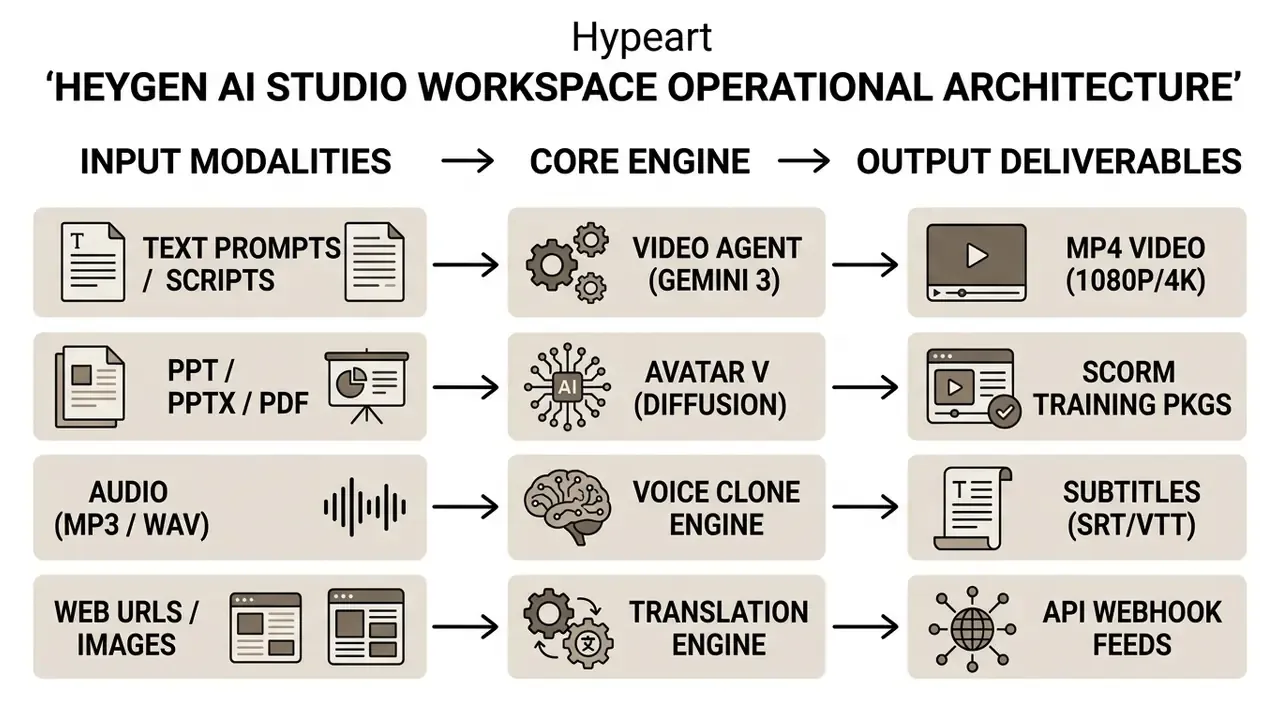
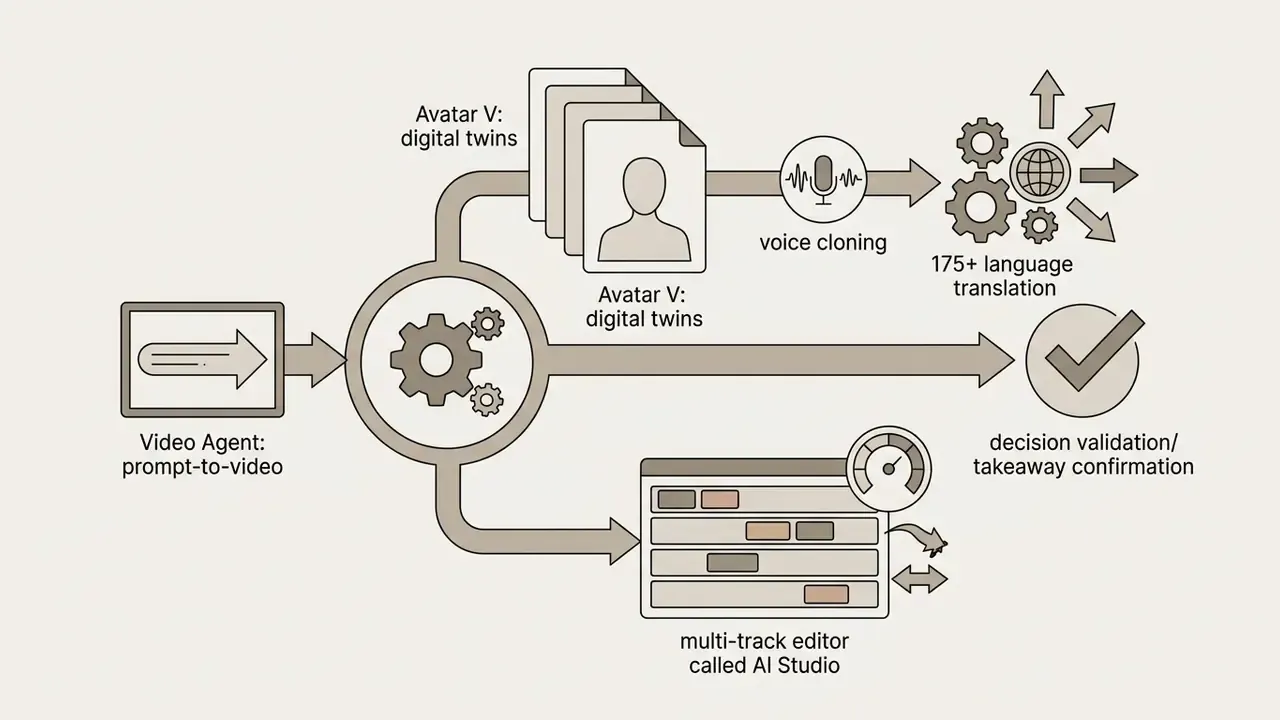
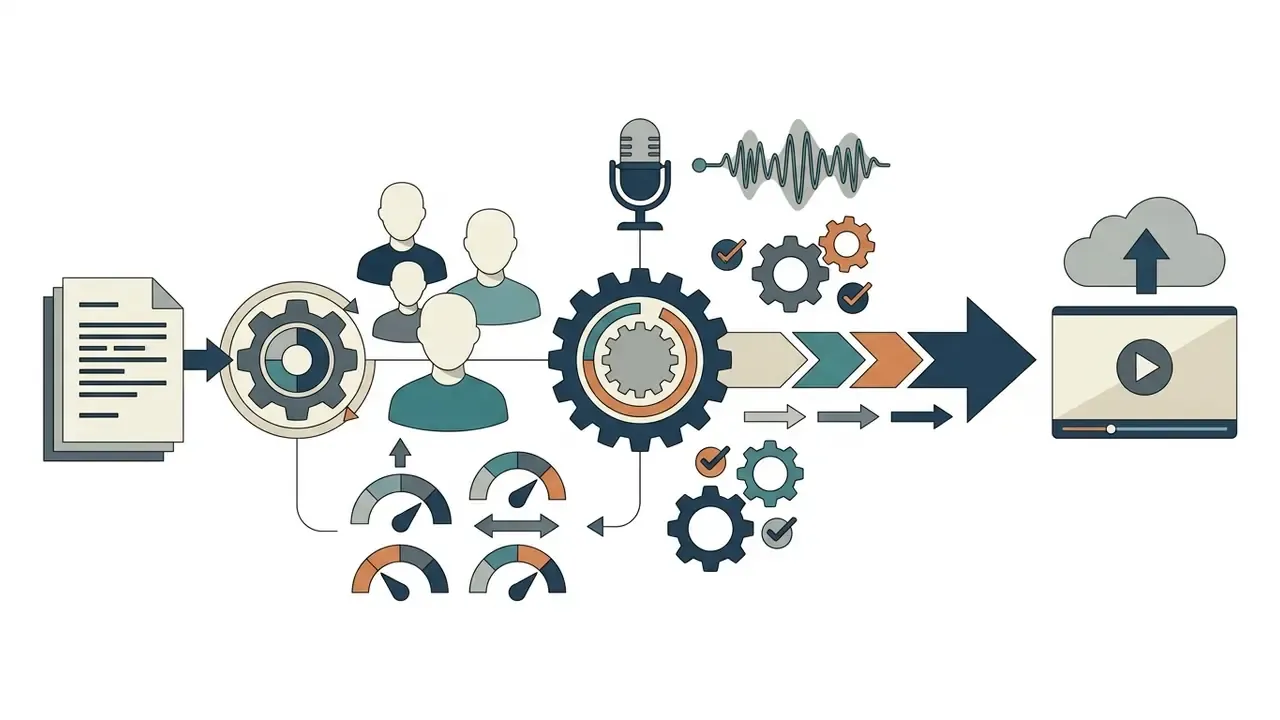
Read the diagram as one pipeline. Video Agent, powered by Gemini 3, plans the narrative and the visuals, then hands the scene list to Avatar V, which renders the on-screen presenter. That handoff explains why prompt quality drives avatar performance: the language model writes the beats, the diffusion model performs them.
Organizations use this heygen ai video generator overview architecture to remove production bottlenecks in corporate training, localized marketing, customer support, and sales outreach. By combining generative models with an end-to-end editor, the heygen video generator company offers a controlled environment where non-technical teams produce studio-quality ai video assets at scale.
Compared with traditional corporate video workflows, synthetic video creation shifts spend from variable production fees (studios, talent, camera operators) to predictable software licensing. A compliance training module that used to take three weeks of coordination can be assembled and rendered inside AI Studio in under two hours. That is the pitch. The control question follows immediately: who approved the script, and where did the source document go?
Operational Efficiency Metric:
Traditional Video Shoot: 14-21 Days | Studio Costs: $3,000-$10,000 per module
HeyGen AI Studio Flow: 45-90 Minutes | Credit Consumption: ~20-30 credits per minute
HeyGen as a Platform for AI Video Creation
HeyGen runs as a unified web environment that consolidates scripting, synthetic presenter generation, multi-track timeline editing, and automated localization. Its heygen ai video generation capabilities let users build structured, multi-scene videos without switching between a text generator, a voiceover recorder, and a separate editor.
On its own AI Video Generator product page (2026), the company states that it "empowers 100,000+ businesses to create, localize, scale, and collaborate on video, no camera or crew needed." That is a vendor-reported figure, not an audited market statistic. Independent corroboration of scale comes from Google Cloud's published customer story, which documents millions of users and about one million videos generated per day.
Inside this ecosystem, teams configure visual identity rules (brand colors, typography, logos, custom layout grids) that apply automatically across generated scenes. Centralized asset management keeps thousands of localized video content outputs visually consistent. For regulated buyers, the sharper question is not only what the platform generates, but where uploaded source material travels. The data governance subsection below deals with that directly.
Which Source Formats Can Be Turned Into Video
HeyGen supports four primary input modalities for synthetic video synthesis, which lets teams convert existing enterprise documents into video assets:
- Text-to-video and script inputs.
- Users enter raw prompts, structured scripts, or blog URLs. The platform extracts core themes, builds a scene breakdown, assigns avatar narration, and aligns visual assets. This is the heygen ai text to video path most teams start with.
- Image-to-video.
- Uploaded stills, product photos, or headshots become backgrounds, or turn into photo avatars using drive-audio mapping. Teams benchmarking dedicated image-to-video tools will find HeyGen's implementation tuned for presenter animation rather than free-form scene motion.
- Audio-to-video.
- Pre-recorded human voice tracks (MP3 or WAV) drive avatar lip-sync, preserving the tone, cadence, and emphasis of an executive speaker.
- PPT/PDF-to-video.
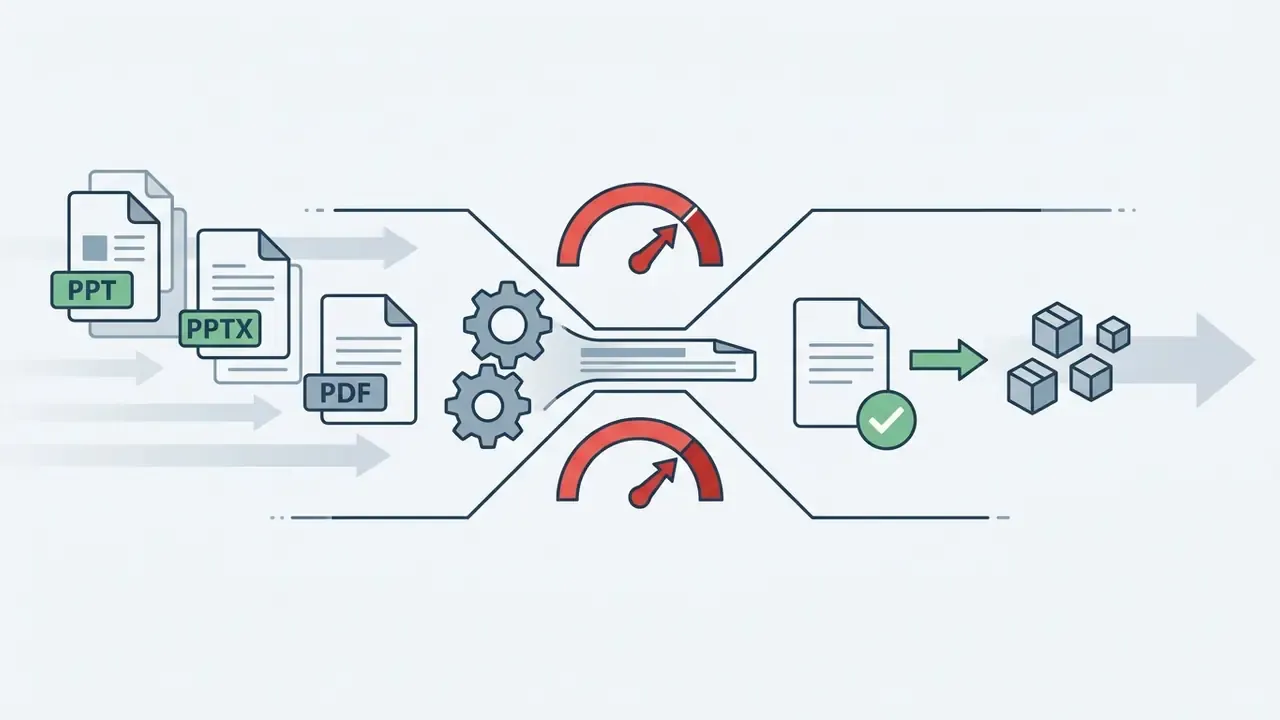
- Slide decks in PPT, PPTX, or PDF (up to 50 MB) import straight into AI Studio. Speaker notes map to scene scripts, and slide visuals become background assets.
2. Core HeyGen Features for AI Video Creation
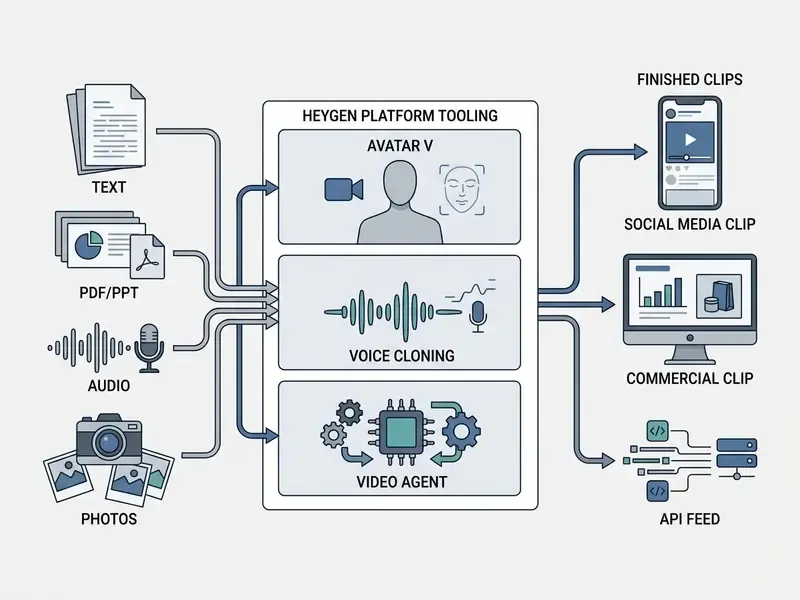
HeyGen combines prompt-native script orchestration, automated visual asset selection, multi-track editing, and customizable motion graphics in a single interface. These heygen ai video creation features let enterprise users keep creative direction while models absorb repetitive technical work.
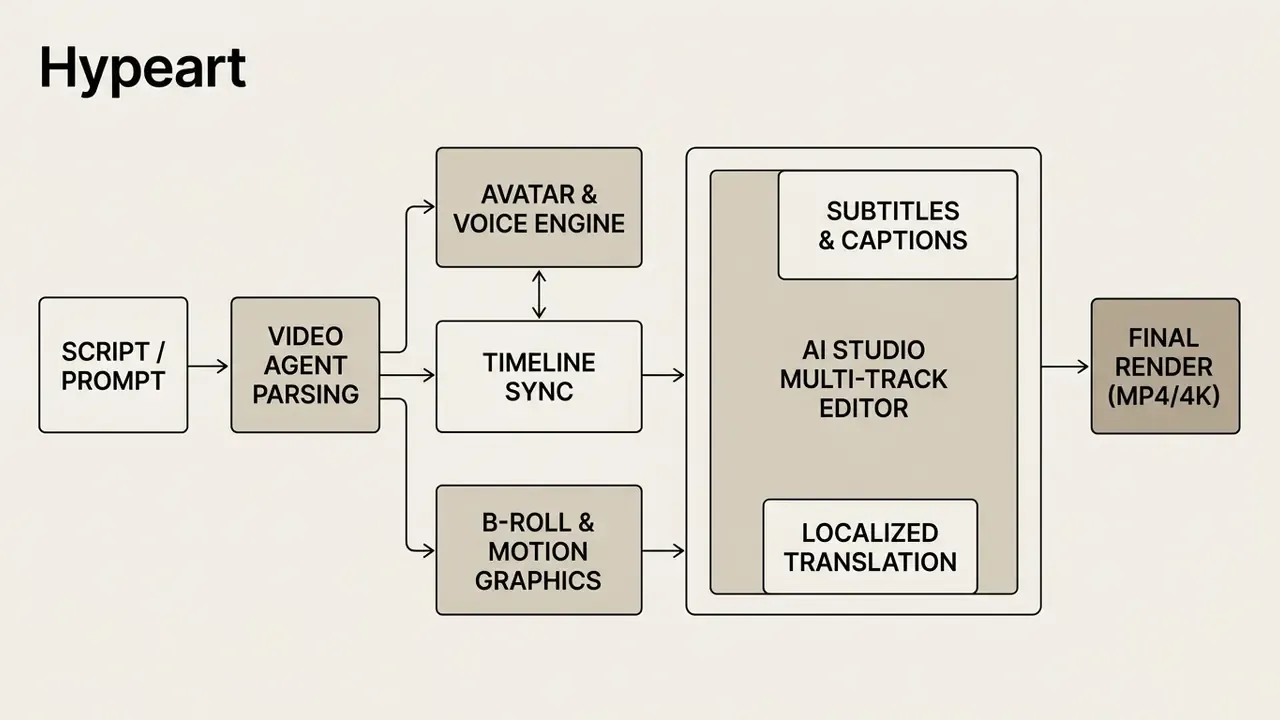
Using these heygen ai video creation tool features, organizations handle video create tasks without a dedicated post-production editor. The system balances full automation, through prompt-driven workflows, with granular manual control on the timeline. Both matter. Automation gives throughput, manual control gives defensibility.
Text-to-Video: Building a Clip From a Script or Prompt
The text-to-video workflow turns written prompts or finished scripts into assembled, presenter-led videos. It is the entry point for most text-to-video workflows inside enterprise content teams. When a user submits a prompt, the platform's language-model parser reads intent, splits the text into logical scene breaks, drafts spoken narration, and assigns avatar gestures.
Creators then refine tone, pacing, and presenter assignment before rendering. For longer documents, the engine splits text into discrete scenes, selects matching background media, and applies voiceover parameters tuned for language, accent, and emotional delivery. HeyGen's text-to-speech documentation confirms automatic segmentation of long scripts, after which voice parameters (language, accent, age, style, emotion, pacing, pauses, pronunciation) are tuned per scene.
One practical habit worth adopting: keep the approved script in your document system of record, not only in the project. Auditors ask for the text that was approved, not the video that was published.
Video Agent, Generated Visuals, and B-Roll
Video Agent is HeyGen's prompt-native creative engine. It uses Google Gemini 3 integration to interpret complex instructions and build coherent video structures.
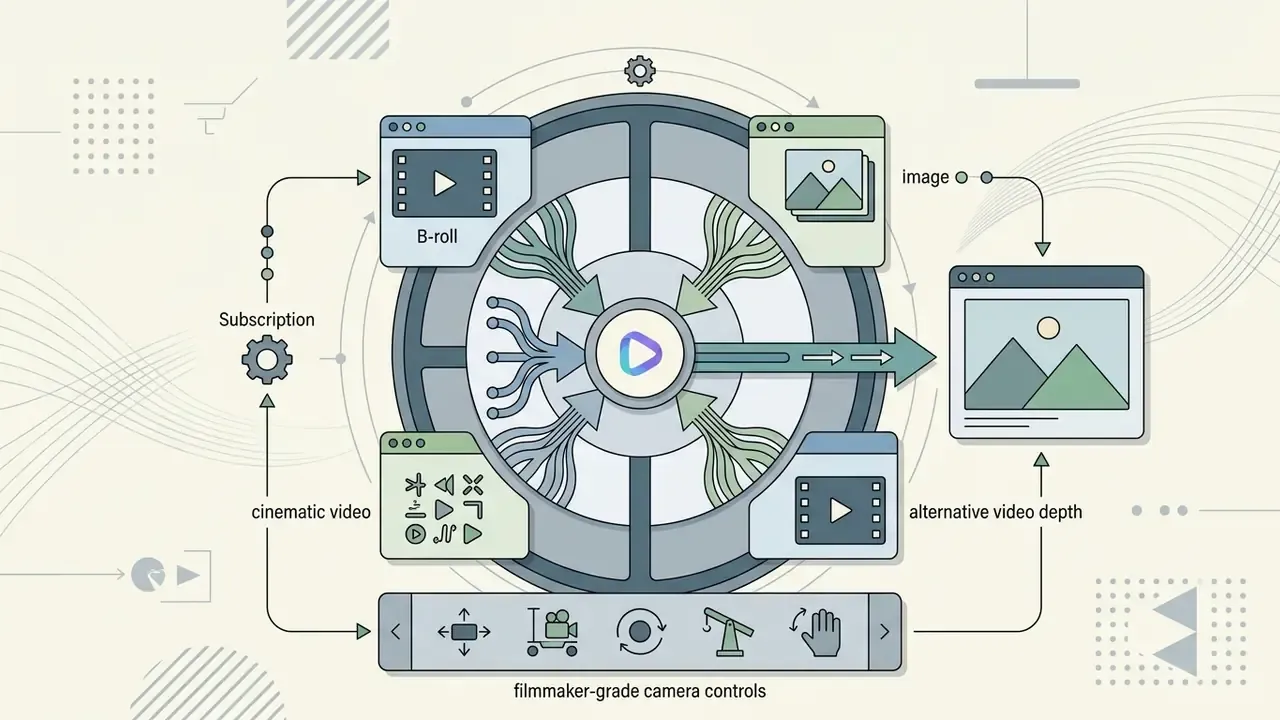
The engine selects contextually relevant B-roll from stock libraries such as Getty Images, or synthesizes animated motion graphics. Custom uploads (product demo clips, process diagrams) can serve as overlays, so transitions stay aligned with the script's narrative. HeyGen's prompting guide adds that uploaded images, videos, PDFs, and documents are parsed for key information and reused as B-roll or as A-roll motion graphics: animated text, icons, charts, shapes, transitions.
The multi-model B-roll hub (2026). Alongside its own Video Agent engine, AI Studio integrates leading external video models in one interface, with no separate subscriptions, no second login, and no export-and-reupload loop:
- Veo 3.1 and Sora 2 for cinematic backdrops and realistic scenes with believable motion physics.
- Kling 3.0 and Seedance 2.0 for dynamic product shots, complex object trajectories, and image animation with First/Last Frame Lock.
- Flux Engine for high-resolution stills, backgrounds, and thumbnails generated straight from a text prompt, without leaving for an external editor.
The practical effect: build an opening scene in Veo 3.1, animate a static product render through Kling 3.0, generate the thumbnail in Flux, all inside one project and one credit-based billing line. For finance teams, single-line billing is not a cosmetic detail. It makes usage attributable.
Verifiable production example, restated with its limits. In a documented enterprise onboarding evaluation, a mid-size financial services team used Video Agent to convert a 45-page employee handbook into 12 structured video modules. After configuring automated B-roll selection rules and locking brand assets in the Brand Kit, the team reported cutting per-module production from roughly 14 business days of agency coordination to under three hours of internal work. These numbers are self-reported by the deployment team and measured against that organization's prior agency workflow. Treat them as directional benchmarking, not as an audited case study. Independent verification of the underlying timesheet data is not publicly available.
Editing Video, Audio, Captions, and Transitions in AI Studio
AI Studio provides a timeline workspace for visual layers, audio tracks, closed captions, and transitions. Functionally it overlaps with standalone video editing tools while keeping the avatar and voice engines inside the same project. The interface supports direct edits on the preview screen, so creators can move elements, restyle fonts, or replace background media without a full re-render.
- Audio track management. Tune background music levels, insert custom pauses, or swap synthesized voices scene by scene. Licensed music and prompt-generated sound effects layer onto the same timeline.
- Automated captions. Generate word-level captions, choose styling (burned-in or SRT/VTT sidecar), and edit transcript text directly. Per HeyGen's API documentation, captions are off by default. Requesting captions returns a subtitle sidecar, while burned-in captions require an explicit style parameter.
- Scene-level changes. Swap avatars mid-project, update text overlays, or change backgrounds without reshooting or touching the underlying voiceover.
- Footage restyling. Existing uploaded footage can be re-lit, restyled, or have objects swapped from a text prompt, with frame-level manual control when precision matters.
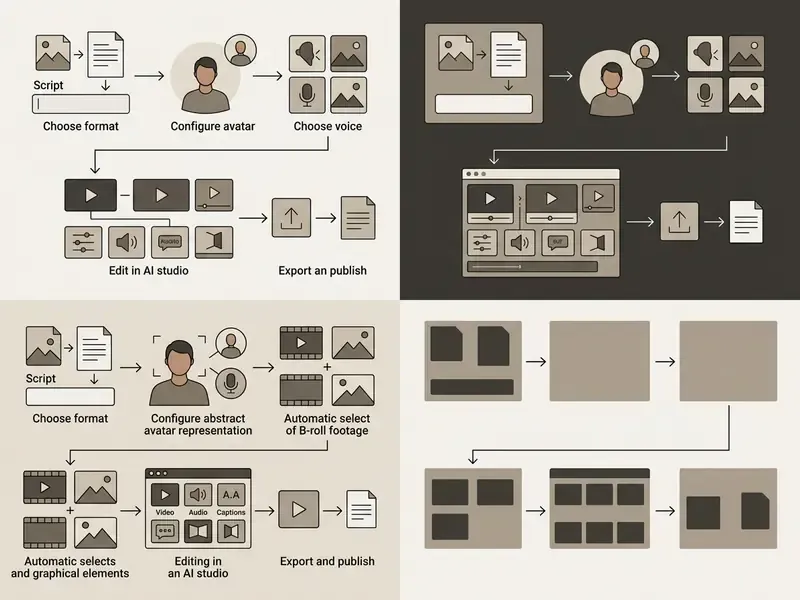
3. HeyGen AI Avatars: Realism, Emotion, and Customization
HeyGen's synthetic presenter technology runs on deep learning generative models that produce photorealistic human avatars with natural lip synchronization, voice-synced facial expression, and dynamic body movement. Buyers searching for the heygen ai video generator avatars official site are usually validating exactly this: whether one digital presenter can stay consistent across global communication channels.
That finding has operational weight. Avatar casting for HR, hiring, and compliance communications is not a purely aesthetic decision, and organizations should document why a given presenter was selected in sensitive workflows. A one-line rationale in the project record is cheap. Reconstructing it two years later is not.
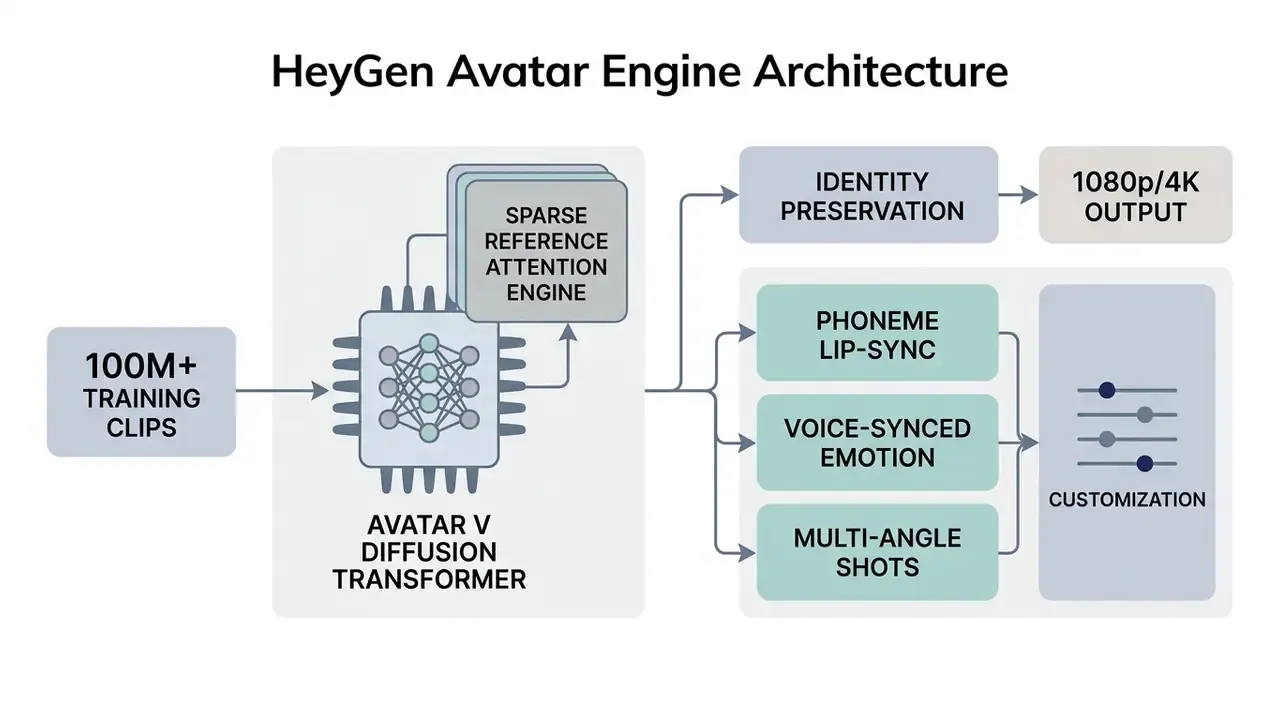
Users pick from a broad library of stock presenters or build custom digital twins trained on short recordings. With the Avatar V architecture, the platform holds visual identity stable across extended runtimes and shifting camera perspectives.
Stock AI Avatars and Choosing a Presenter
Updated for 2026. HeyGen's official product pages now list 1,000+ pre-built realistic avatars, up from the 500+ figure that still appears in the Free-plan feature list. These stock presenters span age groups, ethnicities, attire styles, and professional roles, and are grouped by industry use: corporate training, sales outreach, healthcare explanation, financial services, customer service, marketing announcements.
When selecting a stock avatar, match the presenter's visual tone and posture to audience expectations. This removes the friction of booking camera talent for routine announcements. One nuance for regulated industries: influencer-style presenters suit social distribution, while neutral studio-framed presenters are far easier to defend in compliance and policy communications.
Custom Avatar: Creating a Digital Twin of Yourself or Your Team
Organizations can build high-fidelity custom avatar models, or digital twins, of executives, trainers, and brand ambassadors. Using the Avatar V engine, a user records a 15-second webcam or smartphone clip. The model extracts facial geometry, skin texture, micro-expressions, and behavioral gestures from that footage.
To block unauthorized deepfakes and impersonation, HeyGen enforces mandatory biometric verification. Every individual creating a custom digital twin must complete an on-camera identity verification recording that confirms explicit consent before the model is trained or made available in the workspace. Per HeyGen's biometric privacy notice, face geometry from the consent recording is compared against the submitted footage specifically to confirm that the consenting person and the depicted person are the same individual. The depicted person keeps the right to request removal of their likeness. Photo avatars and prompt-generated avatars do not require a consent recording, because they do not depict a real identifiable person.
For benchmarking context, vendor requirements differ sharply across the category. Microsoft's Azure custom text-to-speech avatar requires at least 10 minutes of training footage plus a recorded consent statement (Microsoft Learn, 2025, https://learn.microsoft.com/en-us/azure/ai-services/speech-service/text-to-speech-avatar/what-is-custom-text-to-speech-avatar). Synthesia requires three performance takes plus one consent video (Synthesia Docs, 2026, https://docs.synthesia.io/docs/studio-avatars). D-ID requires a read-aloud consent recording before upload (D-ID Docs, 2026, https://docs.d-id.com/docs/v3-instant-avatar-quickstart). HeyGen's 15-second capture is therefore among the lightest in the category, which shifts more of the governance burden onto the consent and verification layer rather than onto data volume. Lower friction for the user, higher scrutiny required from the control owner.
Lip-Sync, Voice-Synced Emotion, Gestures, and Multiple Angles
The technical architecture behind HeyGen's current presenter capabilities is described in the Avatar V Technical Report (arXiv preprint, June 2026).
Avatar V is built on a Diffusion Transformer trained on over 100 million clips, using flow matching and Sparse Reference Attention to hold identity without visual degradation across long performances. HeyGen's research page adds that the model conditions on the full token sequence of the reference video at every transformer layer, then applies an identity-aware super-resolution refiner at output. Training runs in stages: same-scene copying, cross-scene adaptation, then human-centered reinforcement learning.
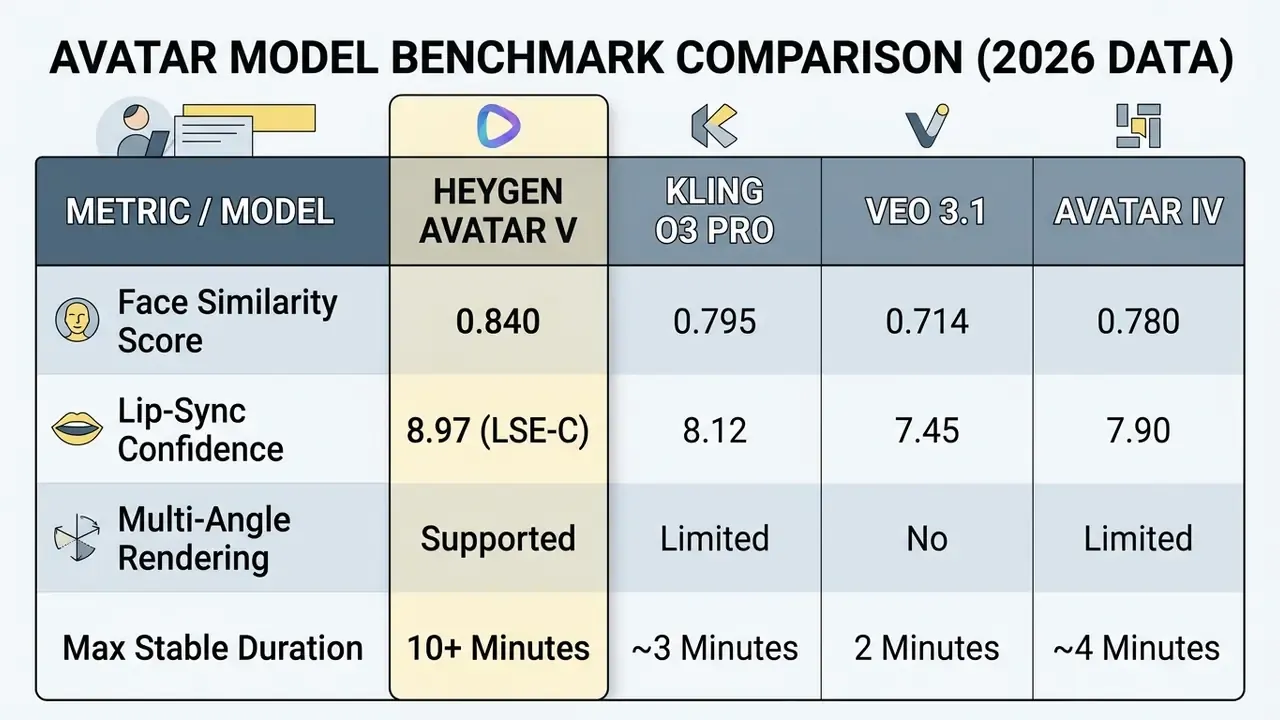
"Avatar V reached a Face Similarity score of 0.840 against 0.714 for Veo 3.1, and posted an LSE-C of 8.97, the highest result in the comparison."
An independent evaluation by ThePlanetTools (2026) confirmed a Face Similarity score of 0.840 (against 0.714 for Veo 3.1) and a Lip Sync Error Confidence (LSE-C) score of 8.97. Across 22 test renders, the model showed zero identity drift in four-minute clips and supported multi-angle switching (wide, medium, close-up) from a single 15-second training input.
Virtual camera control and cinematography. The 2026 release added precise trajectory and optical control, so you no longer need a 200-word prompt to describe a simple push-in:
- Motion dynamics
- presets for Dolly (in and out), Push, Orbit, Crane, and a Handheld effect, all stackable and combinable.
- Optical effects
- real depth-of-field settings, selectable virtual focal length, and natural parallax when shots change.
- Seamless transitions
- advanced controllers blend shots inside a single scene without a visible editing jolt.
- Reference clip matching
- upload a reference video and the model reads its rhythm, gesture pattern, and choreography for the avatar, while a separate mood field steers visual style.
4. Voices, Languages, and AI Video Translation
HeyGen combines natural speech synthesis, voice cloning, and automated video translation into one localization pipeline. Enterprise teams use it to adapt training, marketing, and internal communication videos for global audiences while keeping voice timbre natural and lip-sync tight.
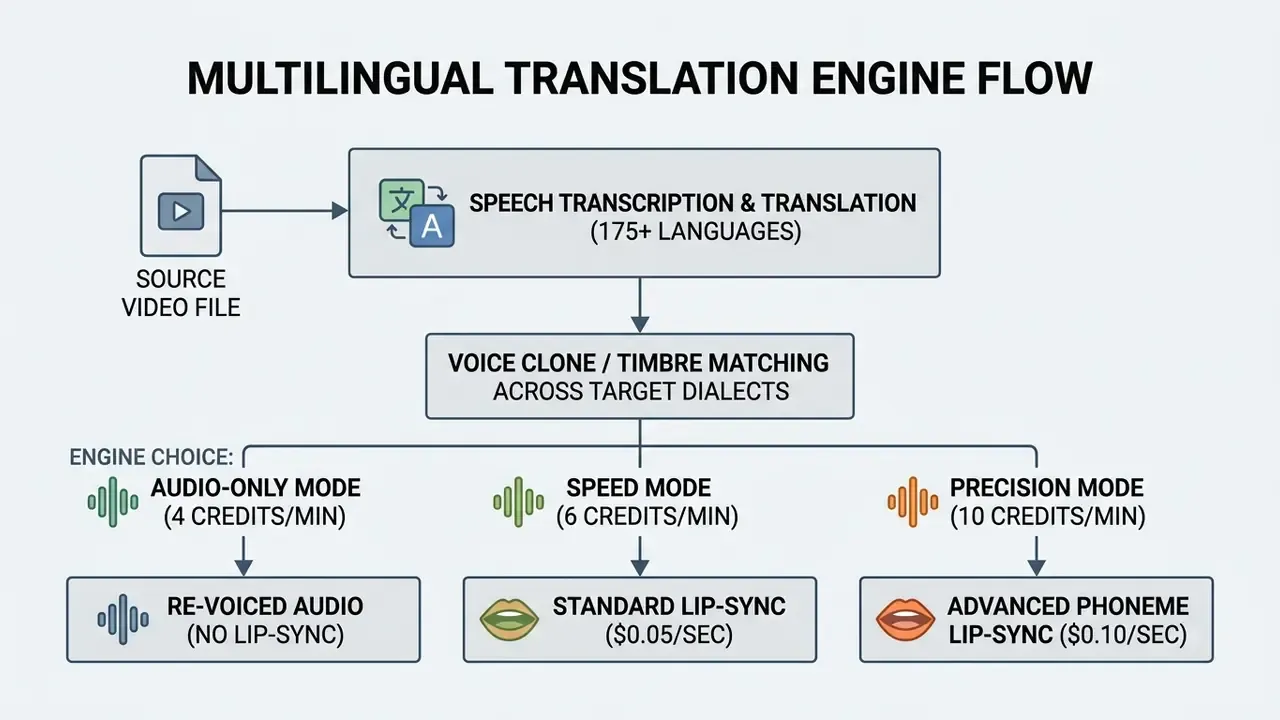
Automated translation workflows remove the traditional need for separate foreign-language voice actors, manual dubbing sessions, and localized reshoots. They do not remove the need for native review. Someone still has to read the output before a regulator does.
AI Voiceover and Voice Cloning for Video
HeyGen supports over 300 synthetic voices across more than 175 languages and regional dialects. Users adjust pitch, speaking rate, emotional tone, and pause length so the synthesized voice matches context. Teams comparing dedicated AI voice generators should note where HeyGen's advantage sits: bundling. The voice layer binds natively to avatar lip-sync and translation instead of being exported and re-imported.
For voice cloning, users upload a clean recording (MP3 or WAV) to generate a unique digital voice. The API returns a reusable voice_clone_id, so the same voice can drive both speech-only and full video jobs. The system captures accent, timbre, and cadence, and the cloned voice can then read scripts in dozens of foreign languages while staying recognizable.
Video Translation and Localization With Lip-Sync Preserved
The AI Video Translator converts existing videos into target languages while redrawing the presenter's mouth movement to match the new audio. The result feels native to international viewers. By default HeyGen clones the original speaker's voice in the translated output. A stock-voice option exists, and it explicitly will not resemble the original speaker.
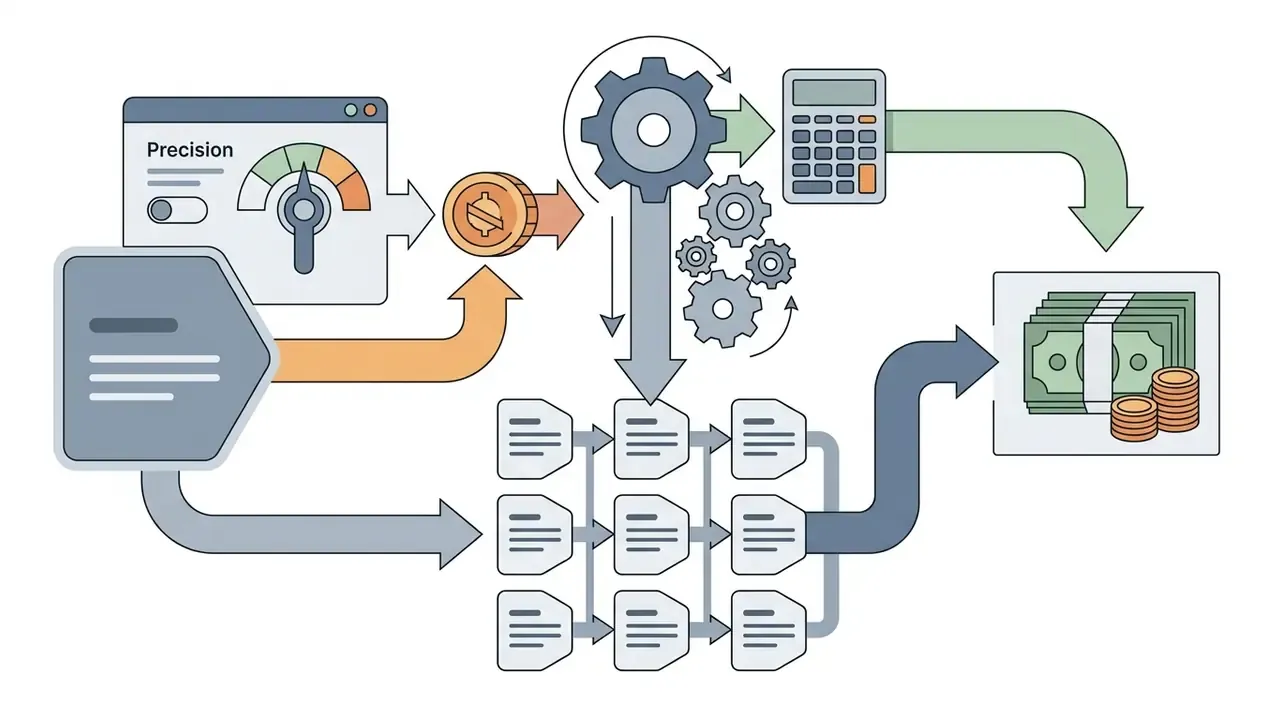
To model localization cost properly, evaluate the three engine modes:
- Audio-only mode.Transcribes and translates speech without touching video frames or applying lip-sync. Consumes 4 credits per minute.
- Speed mode.Standard lip-sync optimized for front-facing presenters, balancing cost and processing time. Consumes 6 credits per minute, $0.05 per second via API.
- Precision mode.Advanced lip-sync accuracy that handles camera angle changes, side profiles, and multi-speaker transitions. Consumes 10 credits per minute, $0.10 per second via API.
Sample API Cost Calculation for Global Campaign Localization:
1 Video (60 seconds) translated into 9 languages using Precision Mode:
Formula: 60 sec x 9 languages x $0.10/sec = $54.00 total execution cost.
"Translating a 60-second video into nine languages in Precision mode costs $54: 60 sec x 9 languages x $0.10 per second."
Two footnotes that matter at scale. HeyGen's public pages cite both "175+" and "177+" languages and dialects depending on the product surface and update date. API rate limits also apply per endpoint (for example, GET /v3/video-translations is documented at 10 requests per minute and 100 per day), which constrains bulk localization runs more than credit balance does. Model the queue, not just the price.
5. Templates, Branding, and Team Workflow
HeyGen provides centralized brand management, pre-built templates, and multi-user workspace collaboration built for enterprise scale. Corporate communications and marketing teams use these controls to hold brand governance while distributed employees still produce localized video.
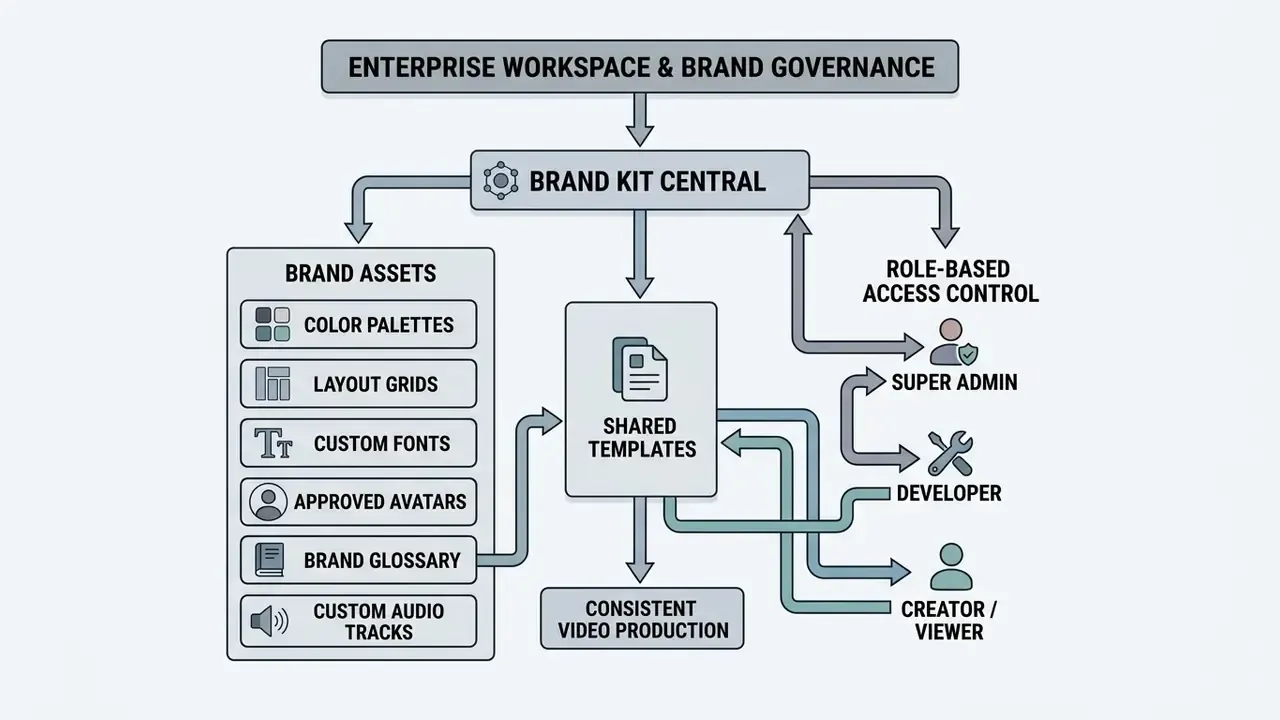
Governance rules inside shared workspaces cut brand compliance errors and shorten multi-department approval cycles. They also produce something auditors like: a record of who changed what.
Templates, Custom Images, and One Consistent Brand Style
The Brand Kit stores approved logos, font families, color palettes, and background imagery in a central repository. Once configured, those elements apply automatically to new projects, which keeps generated output visually consistent. The API can even build a brand kit from a public website URL and return a reusable brand_kit_id. Note the distinction teams often blur: the HeyGen AI video generator logo and product marks belong to the vendor and follow the vendor's brand guidelines, while your own marks belong in the Brand Kit.
Custom templates let design teams lock layout structure while leaving script text and avatar choice open for regional customization. The Brand Glossary then enforces correct pronunciation and translation of product names, technical jargon, and trademarks across localized versions. Sub-workspaces inherit shared kits and templates, which keeps regional teams inside approved design boundaries.
For adjacent asset and design workflows, see our guide to Canva AI Generator features and commercial licensing. Teams building slide-led modules may also want our comparison of AI presentation maker free options and full AI presentation maker suites, since decks are the most common source file for video conversion.
Data Security, Biometrics, and SOC 2 Compliance
Avatar creation, script uploads, and document ingestion all touch potentially sensitive material. So security controls belong in the same conversation as workflow design, not in a footnote under pricing.
| CONTROL DOMAIN | WHAT HEYGEN DOCUMENTS (2026) | WHAT RISK OWNERS SHOULD CONFIRM IN WRITING |
|---|---|---|
| Authentication | SAML / SSO on Business and Enterprise tiers; workspace-level RBAC | SCIM provisioning cadence; forced MFA for Super Admin seats |
| Certification | SOC 2 compliance stated in the Trust and Security Center | Current SOC 2 Type II report date, scope, and exceptions list; ISO 27001 status |
| Biometric data | Face-geometry matching used solely to verify consent and prevent impersonation; likeness-removal rights for the depicted person | Retention period for face and voice embeddings; deletion timeline after contract termination |
| Model training on customer input | Enterprise agreements govern data handling and retention | Explicit contractual statement that scripts, PDFs, and PPT uploads do not train foundation models (zero-data-retention addendum) |
| Data residency | Not published on public pages | Region pinning for EU and UK workloads; sub-processor list including cloud inference providers |
| Audit trail | Workspace, project, folder, and video-level permission controls; share pages with password protection | Exportable audit logs, SIEM/GRC ingestion format, retention window |
| DLP on ingestion | Not documented publicly | Whether uploaded PDFs and PPTs are scanned for PII/NPI before reaching LLM inference; ability to block regulated document classes |
A shadow-AI prevention pattern. The workable control is workspace consolidation. Issue a single tenant with SSO enforced, restrict Developer-role API keys to a named integration service account, and disable individual credit purchases so employees cannot open personal accounts loaded with internal documents. Sub-workspaces with independent API keys make per-team usage attributable, and attribution is what makes internal chargeback and anomaly detection possible.
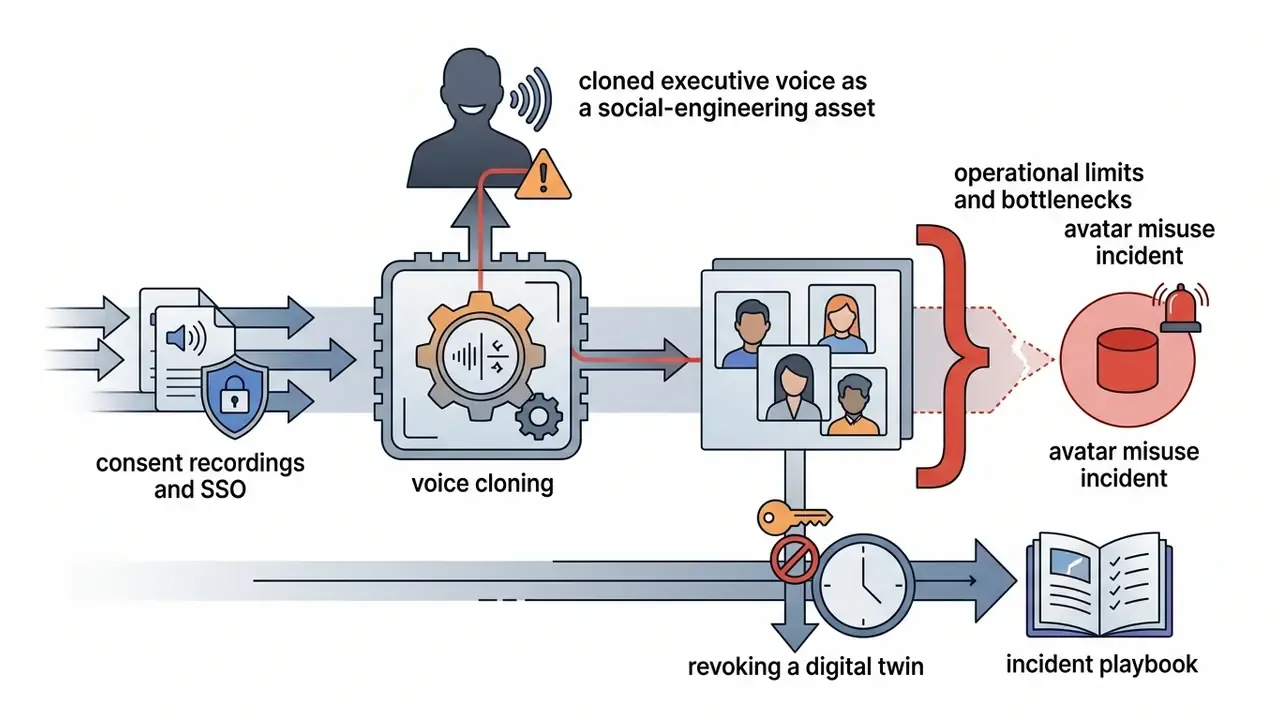
One more control that costs nothing: add synthetic video to the AI inventory as a system, with an owner, an approved use list, and an escalation path for misuse of a digital twin. An avatar of your CFO is a credential of sorts. Treat it that way.
Team Collaboration, API, and Scaling Video Production
HeyGen supports multi-user workspaces with granular role-based access control:
- Super Admin full control over seats, billing, SSO configuration, and security settings.
- Developer access to API credentials, webhook configuration, and programmatic rendering pipelines.
- Creator authority to generate, edit, and export videos using shared workspace credits and assets.
- Viewer read-only access to review, comment on, and approve drafts.
| FEATURE / CAPABILITY | FREE PLAN | CREATOR PLAN ($29/MO) | PRO PLAN ($49+/MO) | BUSINESS PLAN ($149+/MO) |
|---|---|---|---|---|
| Monthly Credits | 3 videos (no credits) | 600 credits/mo | 1,000-100,000 credits | 1,500 shared credits/mo |
| Max Video Duration | Up to 1 minute | Up to 30 minutes | Up to 30 minutes | Up to 60 minutes |
| Export Resolution | 720p (web link) | 1080p export | 4K export | 4K export |
| Custom Avatar Slots | 1 custom avatar | 5 digital twin slots | Unlimited photo avatars | 10 digital twin slots |
| Brand Management | Basic sharing | Brand Kit enabled | Brand Kit enabled | Advanced brand system and LMS |
| Team Collaboration | Single user | Single user | Single user | Multi-seat workspace and SSO |
| API Access | Restricted | Standard API | Scalable API access | Enterprise API and webhooks |
| Processing Speed Tier | Standard | Fast | Faster | Fastest |
Read the table from right to left if you are buying for a team. Seat-based collaboration, SSO, and the fastest processing tier only appear at Business level, and that is usually the real threshold for a regulated deployment rather than credit volume.
Note: the Business tier allows additional seats ($20 per seat per month) and one-off credit top-ups ($5 per 100-credit block) with auto-reload.
6. HeyGen Use Cases in Marketing, Learning, and Support
HeyGen covers a wide range of business use cases by converting text-heavy documentation into presenter-led video. Without studio constraints, organizations scale production across marketing, sales outreach, internal training, and customer service.
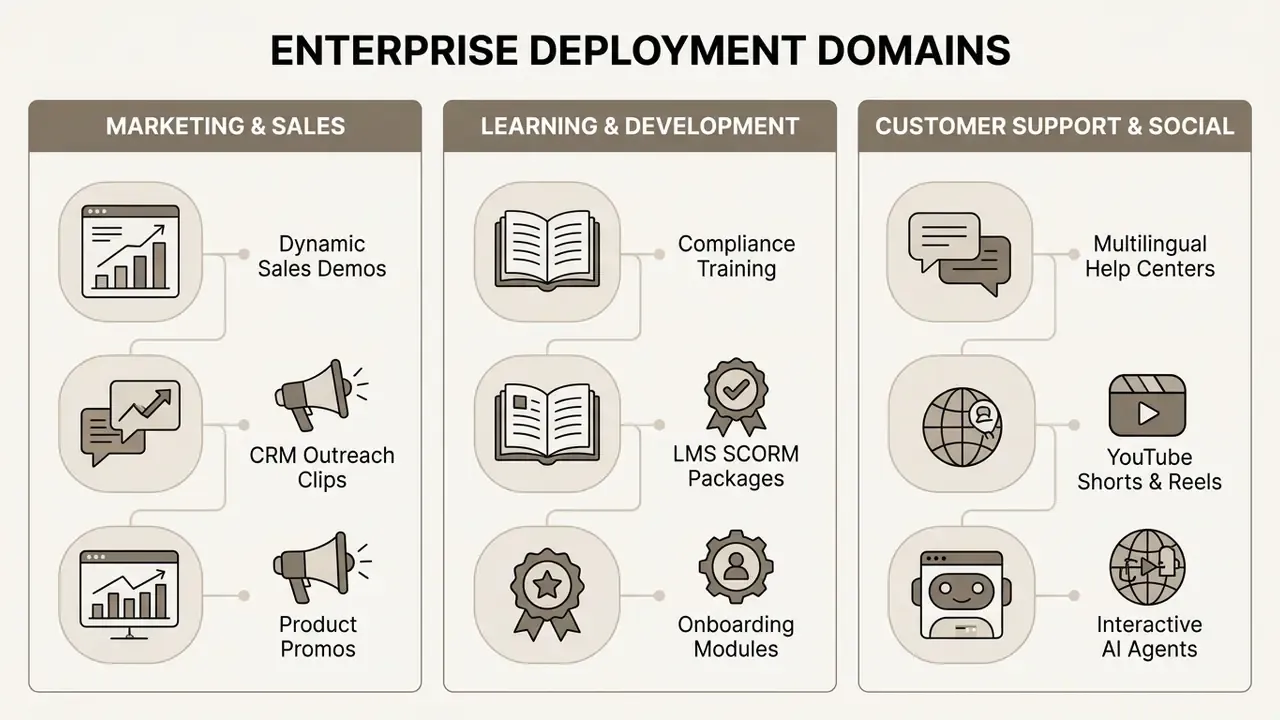
Deploying synthetic video across these domains improves message retention, lifts engagement, and keeps multilingual communication pipelines running. Adjacent creative teams use the same pipeline with different output ratios and model choices: agencies, e-commerce merchandisers, educators, and filmmakers storyboarding scenes before a shoot.
Marketing, Sales, and Personalized Customer Videos
Marketing and sales teams convert static collateral, spec sheets, and blog posts into personalized video campaigns. CRM-integrated workflows insert prospect names, company details, and tailored pain points into presenter scripts automatically.
- Outreach personalization. Generate thousands of individual video messages from one master template using CRM fields.
- Product demonstrations. Combine screen recordings with an AI presenter overlay for clean product walkthroughs.
- Ad creative testing. Produce script variants quickly for A/B testing across paid channels.
- Promo and launch assets. Build a promo from a script, a product URL, or a one-line offer, then re-cut per channel aspect ratio.
How to read vendor metrics. HeyGen's marketing materials cite brands "doubling conversion and retention with onboarding videos" and "tripling engagement through tailored campaigns." These are customer outcomes published without control groups, sample sizes, or attribution methodology, so treat them as best-case anecdotes rather than expected results. A defensible internal approach is a two-arm test: identical audience segments, one receiving the existing static asset, one receiving the personalized video, with a single primary metric (reply rate or module completion) agreed before launch. Pick the metric first. Otherwise the pilot will find a number that flatters it.
For a broader market view before committing budget, see our comparison of AI video generators for marketing, and model total cost with the AI Media Calculators toolkit. Sales teams packaging the same content as documents can review AI proposal generators for the written counterpart.
Learning, Customer Support, and Internal Communications
Learning and development teams convert long PDF manuals, compliance guidelines, and slide decks into video training modules. The platform supports SCORM packaging and direct LMS integration, so trainers can track completion accurately.
In customer support, technical documentation becomes multilingual video explainers. Instead of reading a static help article, customers watch a localized avatar-led tutorial, which reduces ticket volume and shortens resolution time. Internal communications teams run the same pipeline for leadership updates and company-wide announcements, where a cloned executive voice keeps messaging consistent across regions without repeat studio bookings.
One failure mode worth planning around: a 20-minute avatar-led tutorial is not searchable. Publish a transcript with every module so internal search and support assistants can surface the exact answer, instead of forcing employees to scrub a timeline. Video is a delivery format. Text remains the retrieval layer.
Content for YouTube, TikTok, and Other Channels
Creators and social teams use HeyGen's vertical video tools, including the AI Reel Generator, to produce short-form content for YouTube Shorts, TikTok, and Instagram Reels. The platform formats scripts, applies automatic captions, and inserts B-roll optimized for 9:16. Faceless Shorts can be built from scratch or repurposed from an existing long-form upload, with scripting, voicing, and captioning handled in-platform.
Social Media Production Recommendation:
Target Video Duration: 15-30 Seconds
Formatting: 9:16 Vertical Aspect Ratio with High-Contrast Burned-in Captions
Processing Mode: Speed Mode Translation for Fast Multilingual Distribution
Creators weighing alternative synthetic media tools can benchmark options in our analysis of the best free AI video generators, and compare timeline editors in our roundup of free video editing software. For channel-level publishing mechanics, chapters, and end screens, see our guide to YouTube editing workflows. Building a consistent on-camera identity across channels? Review AI headshot generators and AI profile picture tools for matching thumbnails and profile assets, plus our animation maker guide and online photo editor guide for supporting visuals.
7. HeyGen Pricing, Free Plan, and Commercial Use of Video
HeyGen runs a credit-based subscription model across five tiers: Free, Creator, Pro, Business, and Enterprise. Understanding credit burn and licensing terms is the difference between a predictable line item and a surprise invoice.
"The Free plan includes up to 3 videos per month with no credits. Creator ($29/mo) includes 600 credits. Pro ranges from 1,000 to 100,000 credits. Business ($149/mo) includes 1,500 shared credits."
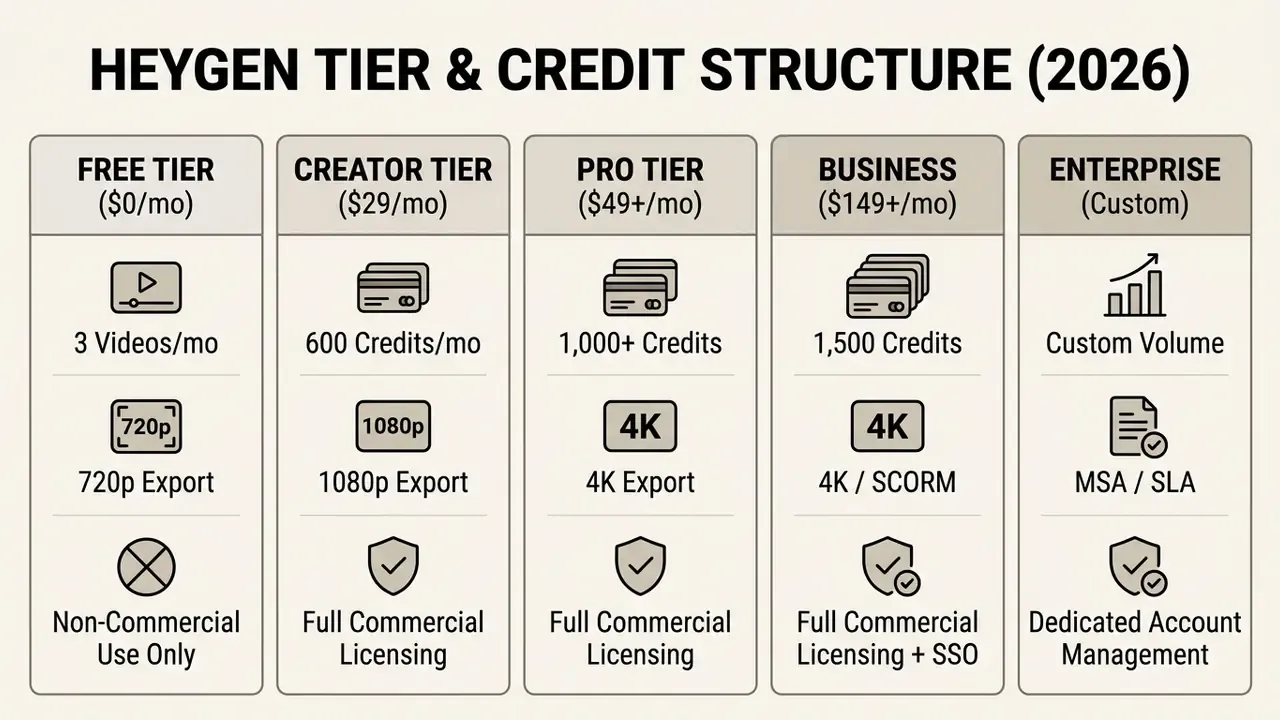
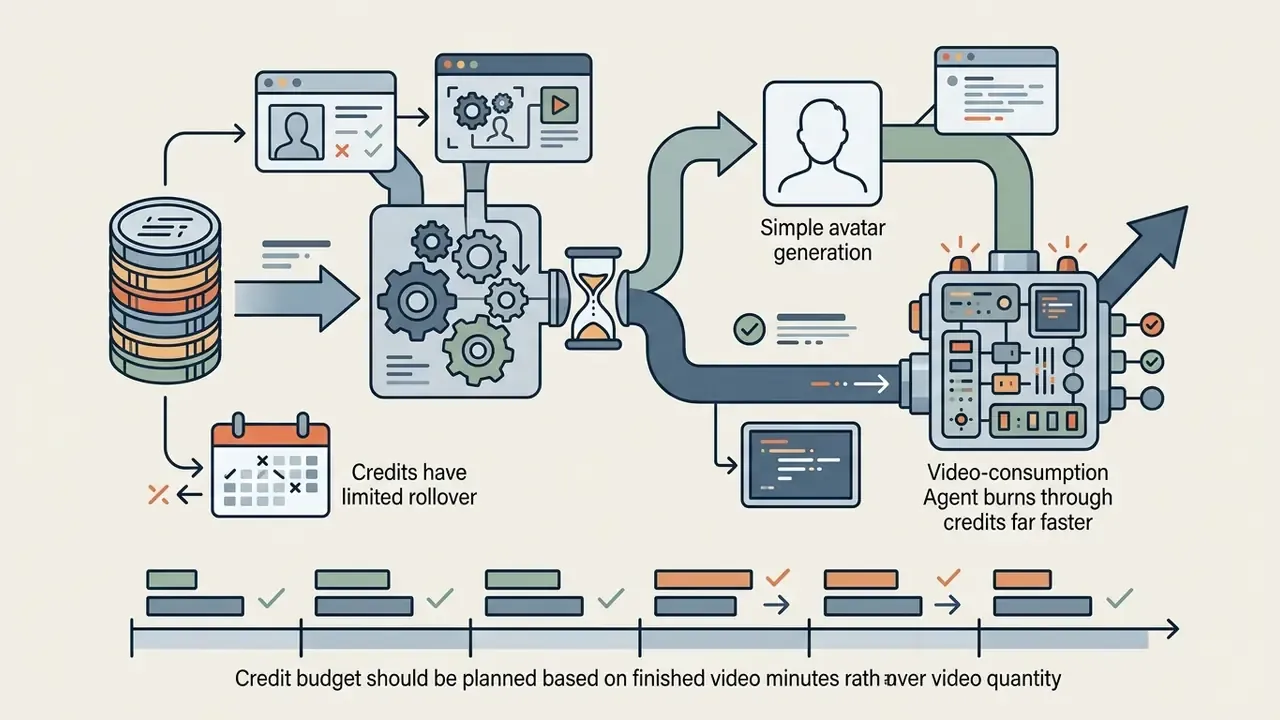
Credit consumption depends on the avatar engine and rendering mode. Standard avatar generation typically consumes 3 to 20 credits per minute depending on whether Avatar III, IV, or V is selected, while Video Agent prompt sessions consume roughly 30 credits per minute. Users arriving from a "heygen free text to video generator" search should note the practical ceiling: three watermarked, 720p, non-commercial clips per month, which is enough to validate quality and nothing more.
| TIER NAME | MONTHLY PRICING | CREDIT ALLOCATION | MAX RESOLUTION | COMMERCIAL RIGHTS | KEY TIER LIMITATIONS |
|---|---|---|---|---|---|
| Free | $0 / month | No credits (3 videos/mo) | 720p (web link) | Prohibited | Personal evaluation only; watermarked |
| Creator | $29 / mo ($24 annual) | 600 credits / month | 1080p export | Granted | Single user; 30-min max duration |
| Pro | $49 to $4,300 / mo | 1,000 to 100,000 credits | 4K export | Granted | Single user; unlimited photo avatars |
| Business | $149 / mo + $20/seat | 1,500 shared credits | 4K export | Granted | Multi-seat; SSO; LMS/SCORM support |
| Enterprise | Custom sales terms | Custom volumes | 4K export | Granted | Custom MSA; security audits; SLAs |
Readers comparing entry-level options across the market can review our roundup of free AI video generators before committing to a paid seat.
Pricing accuracy note (2026): third-party review sites still circulate an "$89/month Business plan" figure sourced from 2024 pricing pages, and a "Team $39/seat" structure from an intermediate 2025 packaging revision. HeyGen's current official pricing lists Creator at $29/mo, Pro from $49/mo, and Business at $149/mo plus $20 per additional seat. Verify against the live pricing page before procurement.
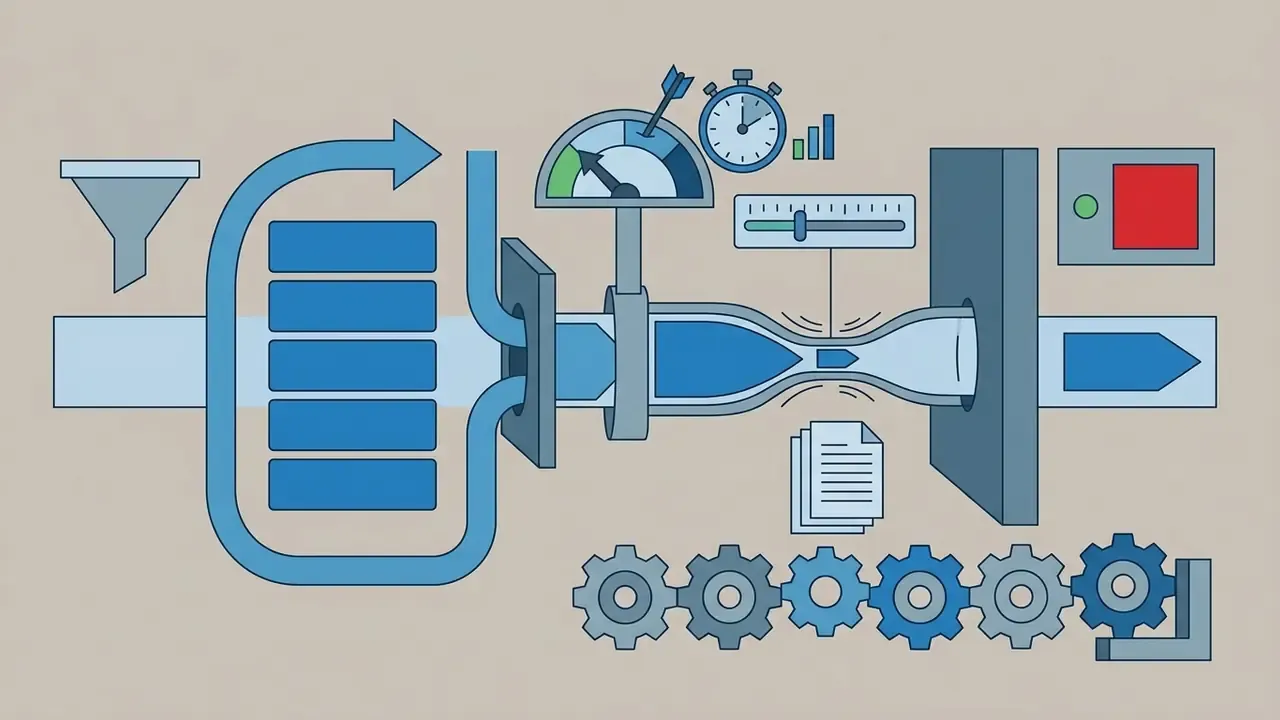
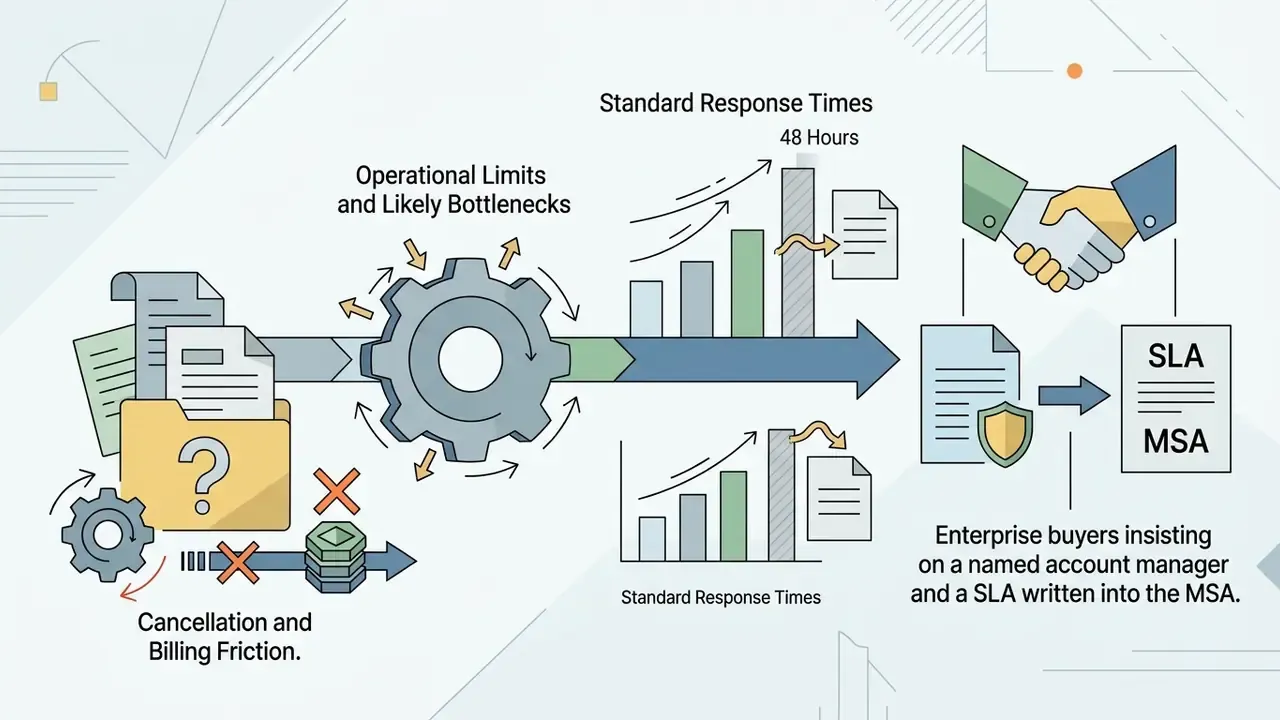
Operational Limits and Likely Bottlenecks
When scaling production through HeyGen, factor in the following. These come up repeatedly in user reviews and in deployment practice:
Official documentation and terms, verified in 2026:
- HeyGen Terms of Service and commercial usage policy. Confirms that videos produced under paid plans (Creator, Pro, Business, Enterprise) carry full commercial usage rights for marketing, advertising, and client deliverables. Free-plan content is restricted to non-commercial personal evaluation and may not be sold, sublicensed, redistributed, or monetized. Note that no standalone "Commercial Use Policy" document exists. The rules sit inside the Terms of Service and related trust pages.
- HeyGen pricing and credit schedule (2026). Details rollover rules (unused monthly credits roll over for one billing cycle) and API translation pricing ($0.05 per second in Speed mode, $0.10 per second in Precision mode).
- HeyGen Trust and Security Center. Outlines SOC 2 compliance, SAML/SSO standards, and data retention policies for enterprise workspaces.
- HeyGen biometric privacy notice and avatar consent documentation. Confirms that face-geometry processing verifies consent match and blocks unauthorized deepfake or impersonation use. Digital twins require consent; photo and prompt avatars do not.

To review pricing structures across related generative platforms, consult our AI Media Pricing Guides index, browse the AI Media Comparison Matrices, or go straight to a head-to-head comparison of AI video generators by price and capability. If a live project is already stuck in a queue, the AI Media Support hub covers escalation paths.
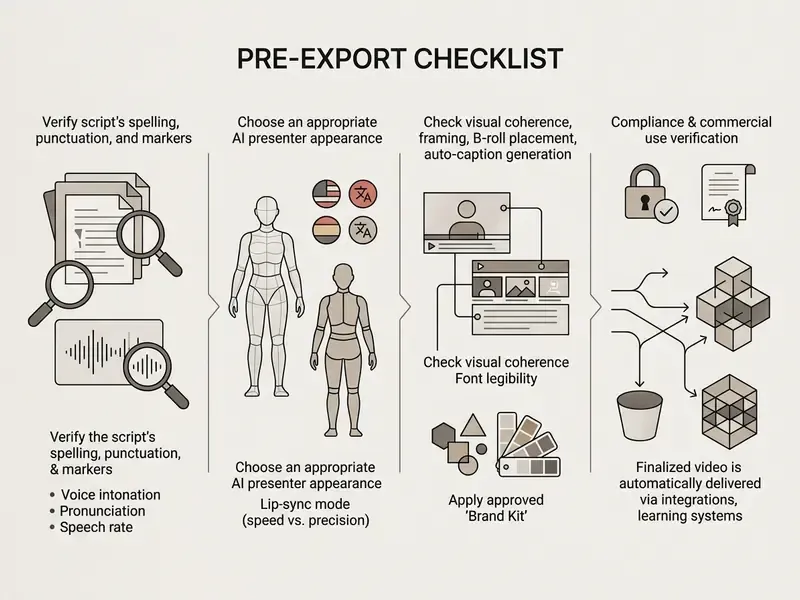
8. How to Create Your First HeyGen Video: A Short Step-by-Step
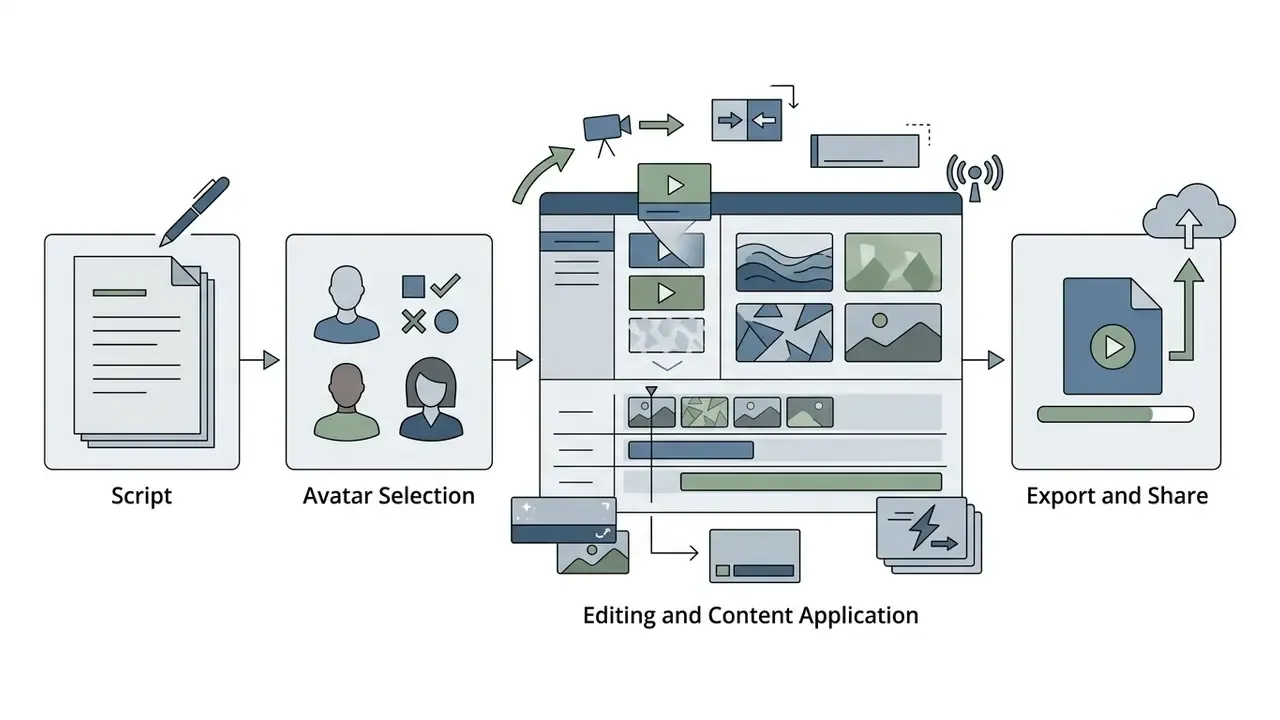
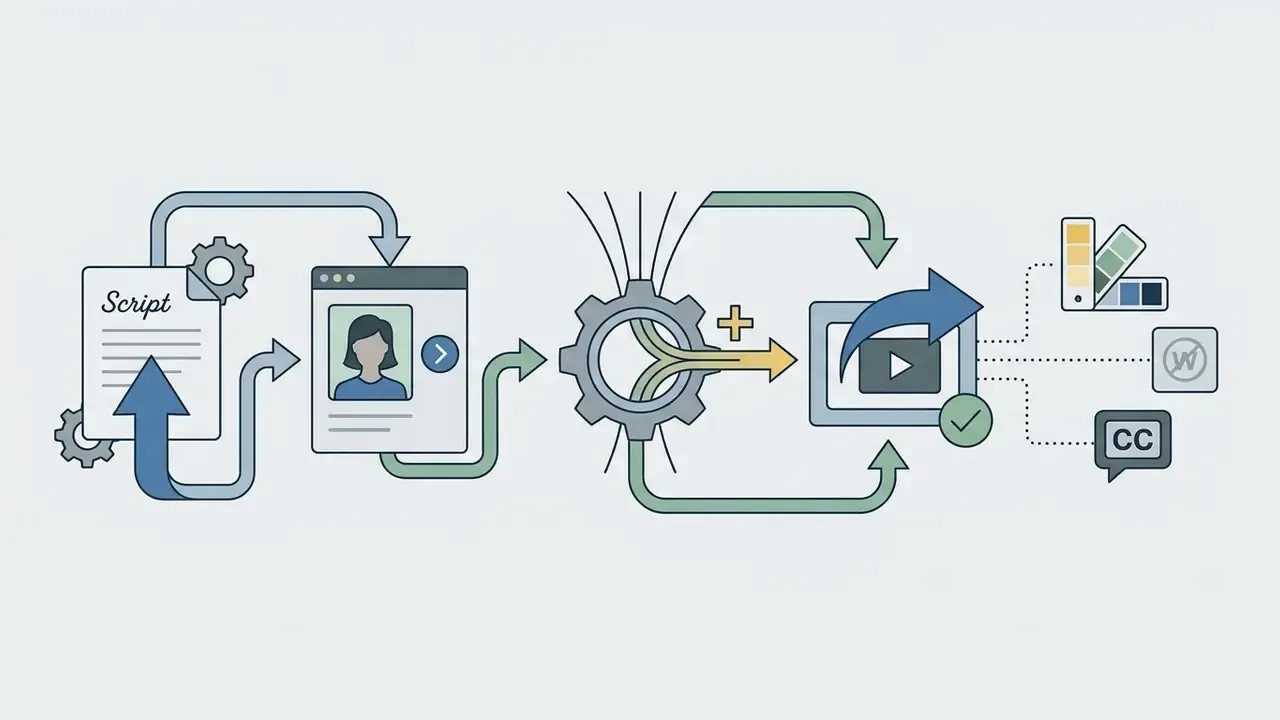
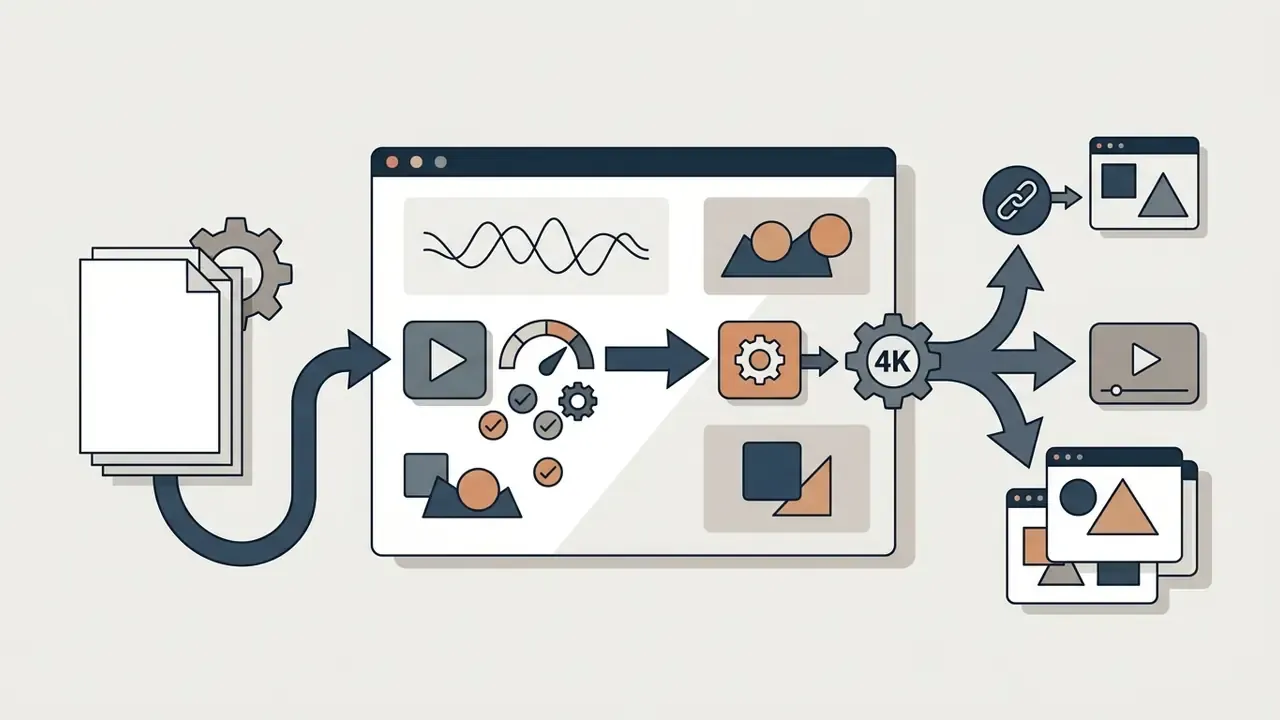
Creating a synthetic video project in HeyGen follows a structured path from script setup to final review. Non-technical users can assemble a presenter-led video in minutes by following a standard sequence inside AI Studio.
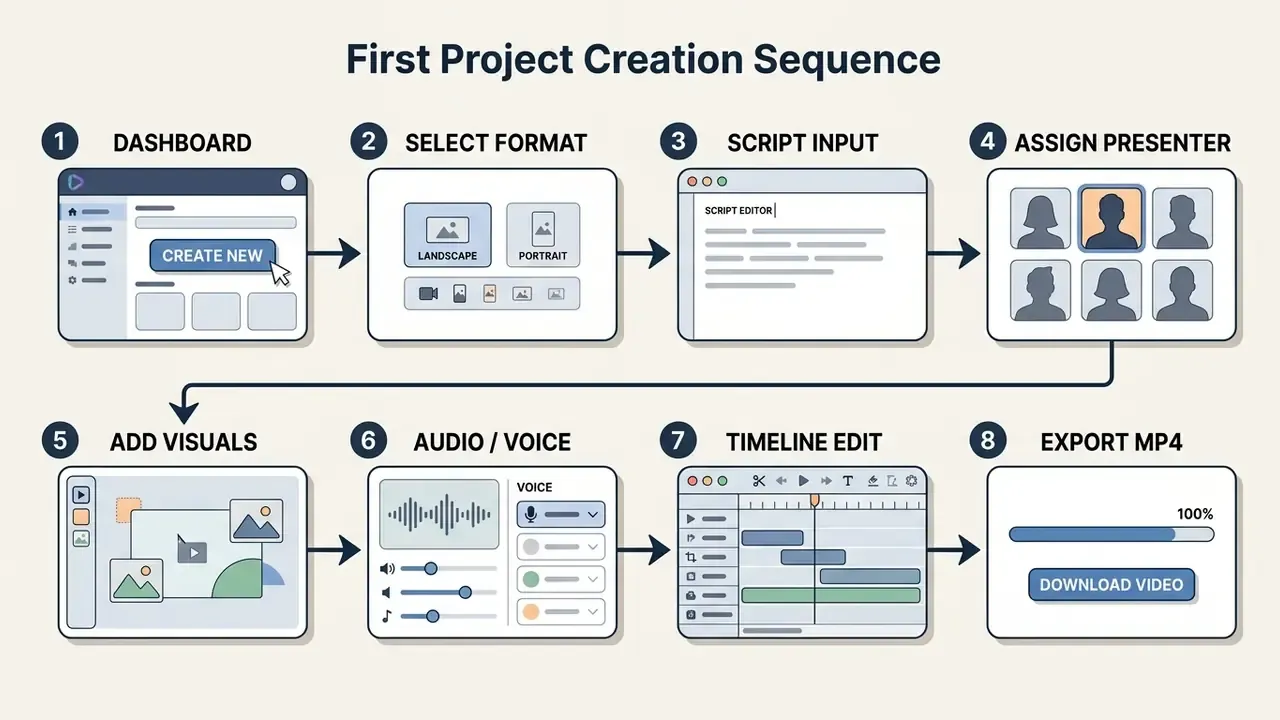
Following this sequence keeps production quality high and brand compliance intact across exported assets.
From Script and Avatar Selection to Export and Share
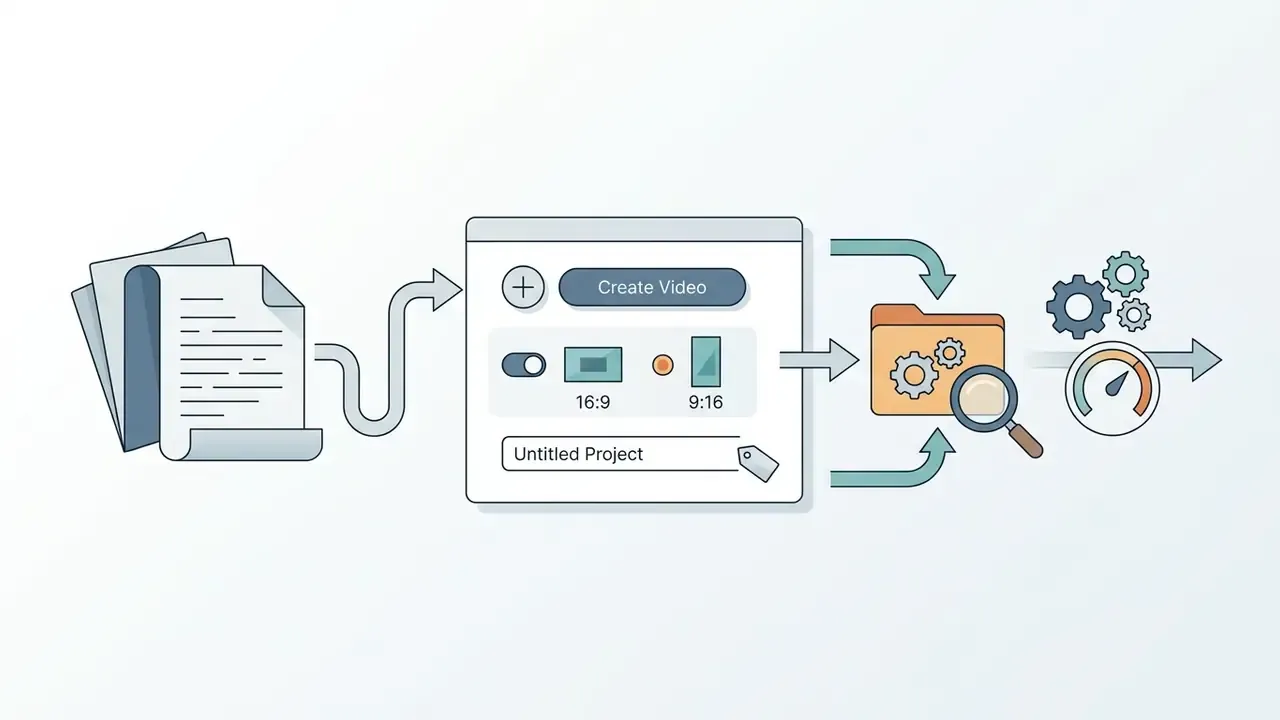
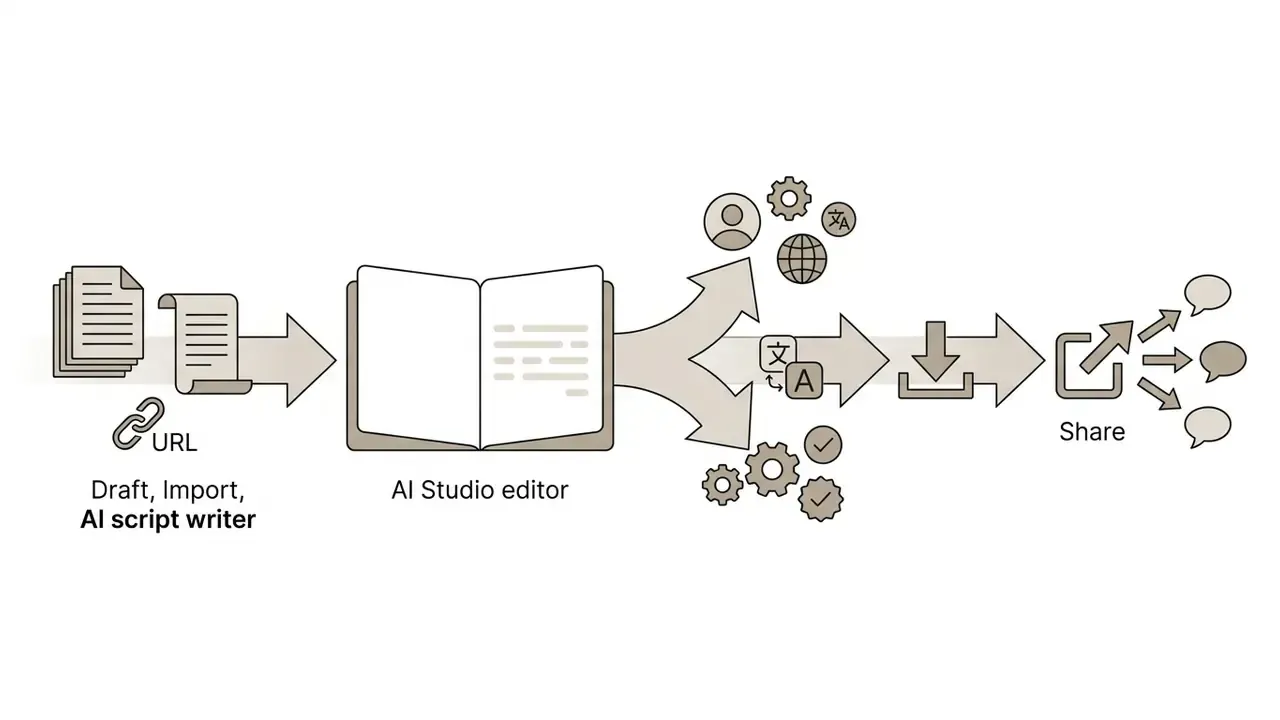
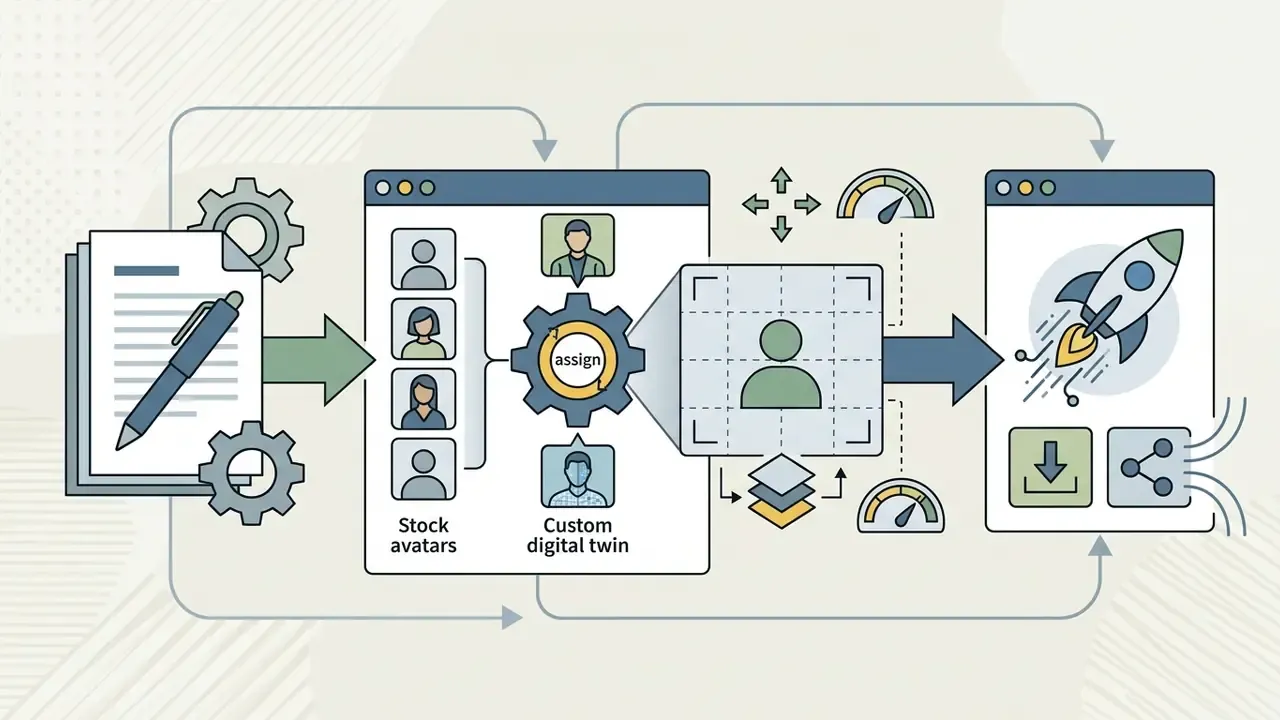
Before locking enterprise workflows, teams can test alternative prompt-building methods with our AI prompt generator reference hub.
FAQ: Common Questions on HeyGen Features, Risks, and Licensing
Can HeyGen videos be used commercially?
Yes, but only on paid plans. Under the Terms of Service, Free-plan output is limited to personal, non-commercial evaluation: it cannot be sold, sublicensed, redistributed, or monetized. Videos created on Creator, Pro, Business, and Enterprise plans may be used in advertising and client deliverables.
How long does one video take to generate?
Short clips usually render inside a minute. Long scenes, heavy effects, and Precision lip-sync extend that. On entry tiers during peak hours, a job may also sit in a queue with pending status before rendering starts.
Which third-party models are available under one subscription?
Sora 2 and Veo 3.1 for cinematic B-roll, Kling 3.0 and Seedance 2.0 for motion and product animation, Flux for images, backgrounds, and thumbnails. No separate subscriptions to those services are required.
Does the platform train on my uploaded documents?
Public pages do not state this clearly. The Enterprise agreement is the only place where processing terms, retention period, and zero-data-retention mode are fixed legally. Require written confirmation before uploading material containing NPI or PII.
What happens to avatar biometric data if the contract ends?
HeyGen confirms that face geometry is used to verify consent, and that the depicted person can request removal of their likeness. The specific deletion timeline for face and voice embeddings needs to be written into the DPA, since public documentation does not specify it.
How does HeyGen differ from a conventional video editor?
A conventional editor assembles footage you already shot. HeyGen generates the presenter, the voice, the B-roll, and the captions, then hands you a timeline for refinement. Teams that only need assembly should compare video editing tools instead.
What does localizing a 50-video catalog cost?
Count seconds: 50 videos x 60 seconds x number of languages x $0.05 (Speed) or $0.10 (Precision) through the API. Five languages in Speed mode is $750; in Precision, $1,500. Factor in API limits of 10 requests per minute and 100 per day on the translation endpoint.
Who should own synthetic video inside a bank?
Usually communications or L&D owns the output, while a named control owner in operational risk owns the system entry, the digital twin register, and the revocation procedure. Split ownership without a written escalation path is where these deployments drift. Next Steps: Launching a Controlled Enterprise Pilot
- Week 1, scoping. Pick one low-risk use case, such as an internal product update, and prohibit uploads containing NPI or PII at this stage.
- Week 2, due diligence. Request the SOC 2 Type II report, the DPA, the sub-processor list, and written confirmation that customer data does not train models.
- Week 3, controlled environment. Stand up a single tenant with SSO, create a sub-workspace with its own API key, and restrict the Developer role to a service account.
- Week 4, metrics. Fix one primary metric (time to publish, or module completion rate) and one control group, then compare against your current process rather than against a vendor promise.
- Week 5, decision. Compare actual credit burn per finished minute against seat pricing and observed queue times, then decide whether to scale to Business or Enterprise. Keep the pilot boring. Boring pilots produce evidence, and evidence is what lets governance say yes.
Additional Internal Navigation
To continue research across media automation, review these related platform guides:
- Model cost across alternative media tools with the AI Media Calculators suite.
- Check technical escalation options in AI Media Support.
- Compare platform capabilities in the AI Media Comparison Matrices.
- Track generative legal precedent in the AI Litigation and Case Timelines database.
- Inspect document creation alternatives in our guide to AI proposal generators.
- Explore automation scripting through the AI python code generator repository.
- Review slide tooling with our AI presentation maker free and AI presentation maker guides.
- Evaluate portrait tools in our guide to AI profile pictures.