Executive Summary
- Structure beats volume.Predictable output comes from a fixed block order:
Subject → Scene → Style → Lighting → Composition → Technical Details. The official OpenAI guidance for gpt-image-2 recommends the same logic: background/scene, then subject, then key details, then constraints. - One prompt does not mean one result.Midjourney v7, FLUX.1, Stable Diffusion 3.5, Ideogram 3.0 and Leonardo AI parse text differently (CLIP versus T5, hidden preprocessing versus explicit weights). Before you port a prompt, reformat it. See the comparison table and the adaptation rules below.
- The legal perimeter is not optional.Pure AI art is not protected by copyright in the United States. Commercial use depends on platform terms (the $1M revenue threshold at Stability AI and Midjourney) and on EU AI Act disclosure duties that apply from August 2, 2026.
- Public prompt generators are a shadow-AI vector.Anything typed into a third-party SaaS prompter is processed by that third party. Corporate environments need an isolated layer and a hard ban on confidential inputs.
- Below you will find 60+ ready promptsby category (corporate portraits, fintech illustration, product, materials, architecture, isometric, fantasy, sci-fi, anime, dark fantasy, abstract), plus a "Weak to Strong" table and a dictionary of photographic modifiers.
What to do next, in order: pick a category and copy the base prompt; run it in the target model with a fixed seed; change one parameter per iteration; verify the platform licence before publishing; log the prompt, the seed and the parameters in a register for audit.
What an AI Art Prompt Generator Is and How It Produces Ideas
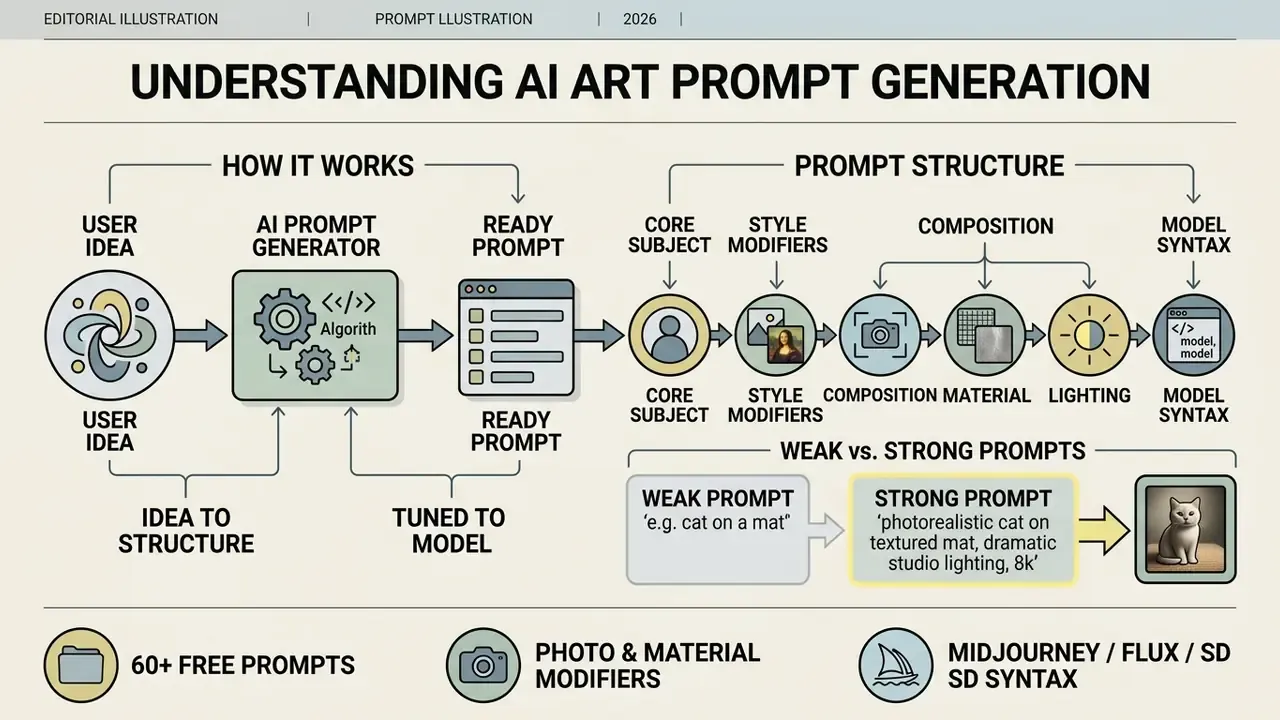
An AI art prompt generator is a tool, or an algorithmic layer, that turns an abstract user idea into a structured text prompt tuned to how a specific diffusion model reads language. The generator fills in technical parameters, artistic styles and compositional constraints, which raises the precision of the resulting ai image.
"Prompting has become a recognised component of digital art skill: systems allow high-quality images to be produced purely from text descriptions."
In everyday practice, an ai art prompt generator sits between the language encoder (CLIP or T5) and the visual generator. According to Liu & Chilton (CHI 2023), effective art prompts rely on precise subject and style keywords and drop filler phrasing; the authors also suggest running three to nine seeds per formulation before judging it. Tools in the ai art prompts generator and ai drawing idea generator class read your input and expand it into a sequential formula. Type "cyberpunk city" and a good ai art generator prompt returns lighting, camera angle, weather and materials in explicit terms.
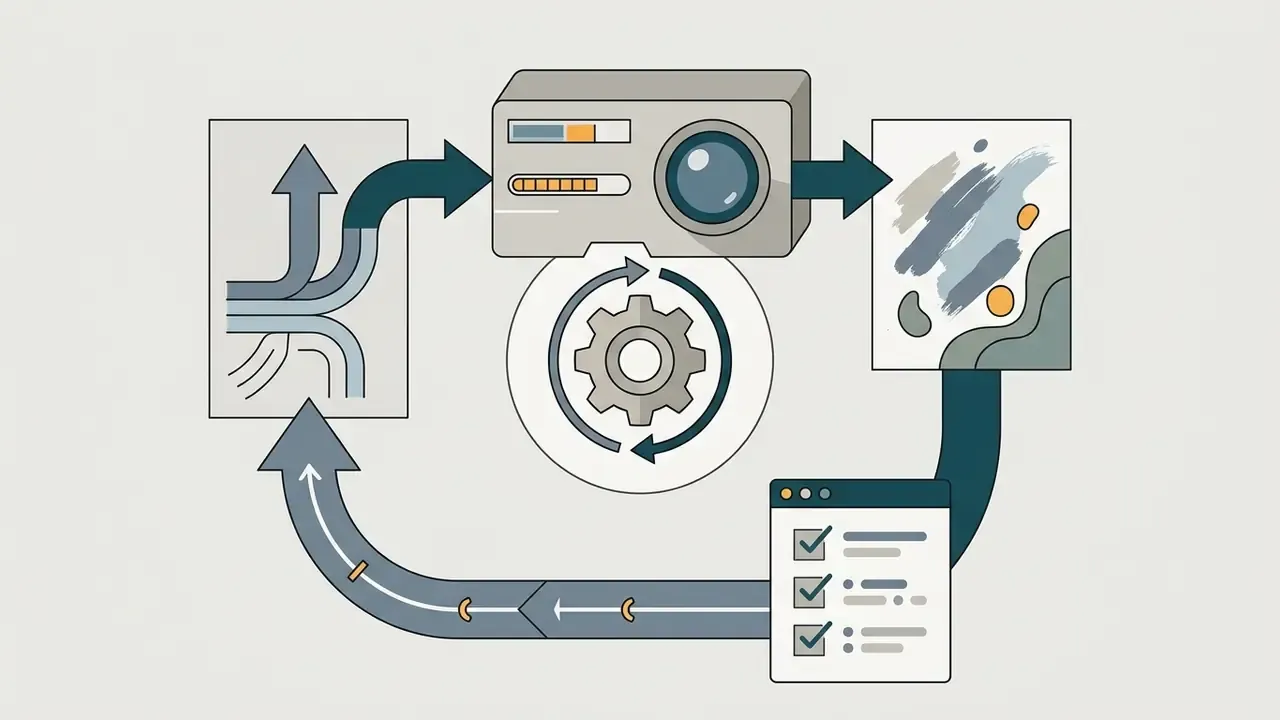
Automated optimisation works in a loop: the system generates an image, scores it against a reference, and updates its token distribution.
"PRISM automatically produces human-readable, transferable prompts through iterative refinement from reference images, without access to model weights."
"A dataset of 14 million images and 1.8 million unique Stable Diffusion prompts shows that model behaviour is highly sensitive to prompt wording and hyperparameters." Wang et al., "DiffusionDB", ACL (2023). https://arxiv.org/abs/2210.04399
Put simply, the quality and style of the ai art depend directly on token order and on the absence of semantic conflicts inside the prompt. For a fast orientation in generative media vocabulary, study the generative media terminology in our reference section.
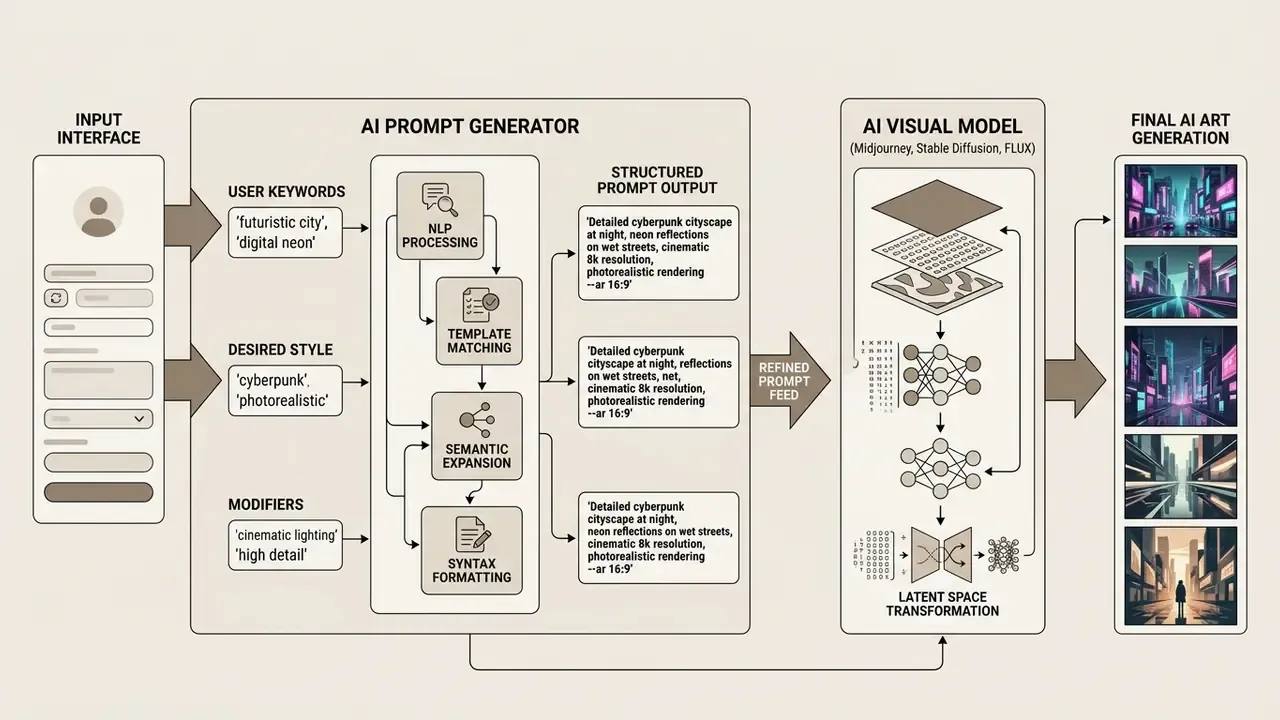
From a user's idea to a ready prompt for an AI image generator
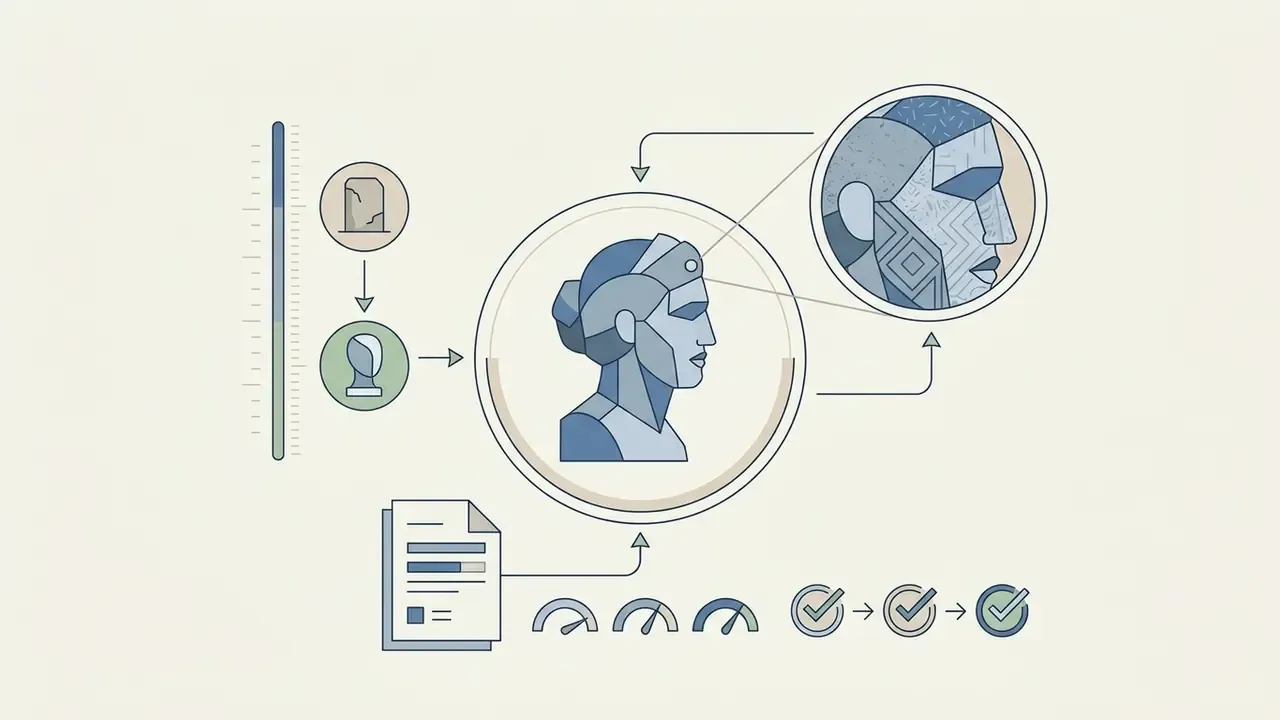
The prompt tool takes raw text and enriches it step by step: the subject, the scene, the art style, and the technical camera parameters. A four-word phrase becomes an instructional document that keeps details stable at the output of the image generator.
Processing runs through four mandatory stages. First, the central object or character is isolated, with its defining traits. Second, the scene context is built: background, weather, spatial arrangement. Third, the artistic medium is declared (oil painting, 3D render, digital drawing). Fourth, light and camera angle are specified.
"GenAI-Bench (1,600 compositional prompts) confirms that splitting a request into logical blocks reduces model errors when interpreting spatial relations."
When free AI art prompts are enough, and when you need your own prompt
Ready-made free ai art prompts are ideal for fast hypothesis testing, reference hunting and standard concepts. Writing an ai art prompt from scratch becomes necessary when brand, characters or copyright constraints are strict. Templates save time at the start of a project, yet they cap the uniqueness of the final ai image. Still undecided on tooling? Review the best AI image generators and their licence terms, or explore the hub of side-by-side reviews.
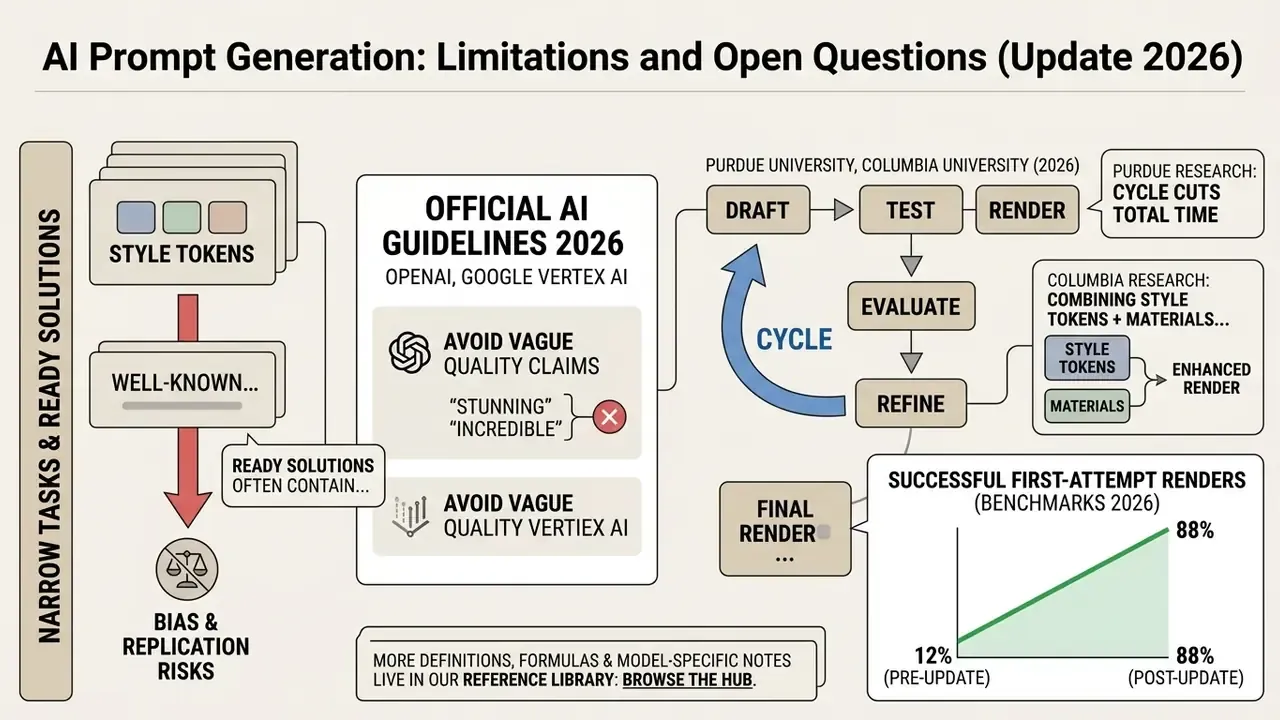
Updated. Public prompt catalogues often carry style tokens naming living artists and recognisable franchises. That creates intellectual-property exposure and requires manual cleaning before commercial use. A practical rule: if a prompt contains an artist's name, a studio title or a protected character, rewrite it as a description of technique. Instead of an illustrator's name, write "painterly concept art, visible brush texture, muted jewel palette".
"Participants could evaluate prompt quality but lacked stylistic vocabulary: prompting is a non-intuitive skill that demands practice."
When you need a unique character with exact proportions, wardrobe and corporate palette, build the prompt by hand. For cross-disciplinary work, authors often pair a visual generator with an animation maker or a music video maker, where the model's visual style has to be synchronised with scene timing and the rhythm of the audio track.
How to Write an AI Art Prompt That Gives Predictable Results
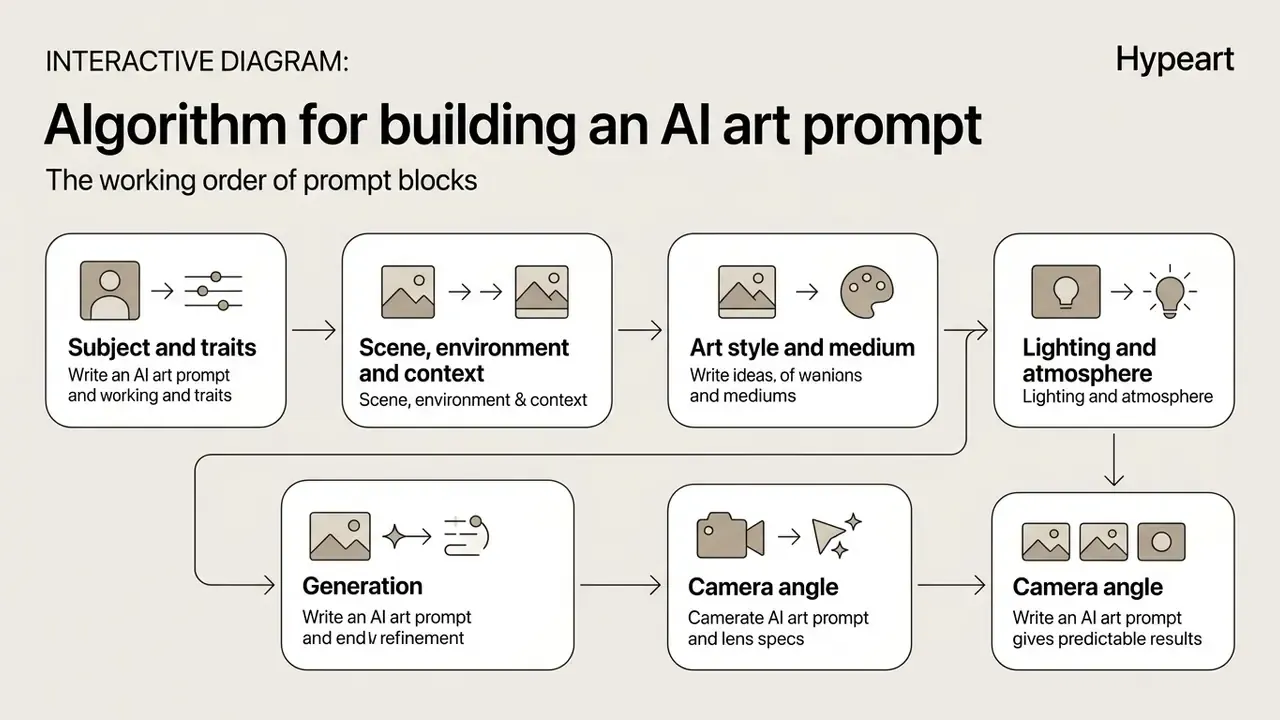
A predictable ai art prompt follows a strict block order: main subject and scene first, then style, lighting and technical camera settings. A clear structure removes ambiguity and prevents style bleed in the results.
"Users who apply overview-plus-detail structures or template formats achieve more stable image-to-intent alignment than users who write free-form descriptions."
Updated. Current vendor guidance (OpenAI for gpt-image-2, Google Vertex AI for image prompts) recommends dropping vague quality claims such as "ultra detailed" or "8K resolution" and replacing them with physical parameters: optics, light sources, surface texture. Compositional and camera terms deliver more reliable photorealism than generic quality modifiers. In practice, art prompt ai behaves better when constraints and unwanted elements sit at the end of the request or in a dedicated negative block. For additional context, see our review of AI image generators; to estimate generation effort and tune the pipeline, use the AI Media Calculators.
Interactive prompt builder
Here is the working logic of the builder. Pick a value in each of the six selectors, and the system assembles the string in the correct token order, with a copy button.
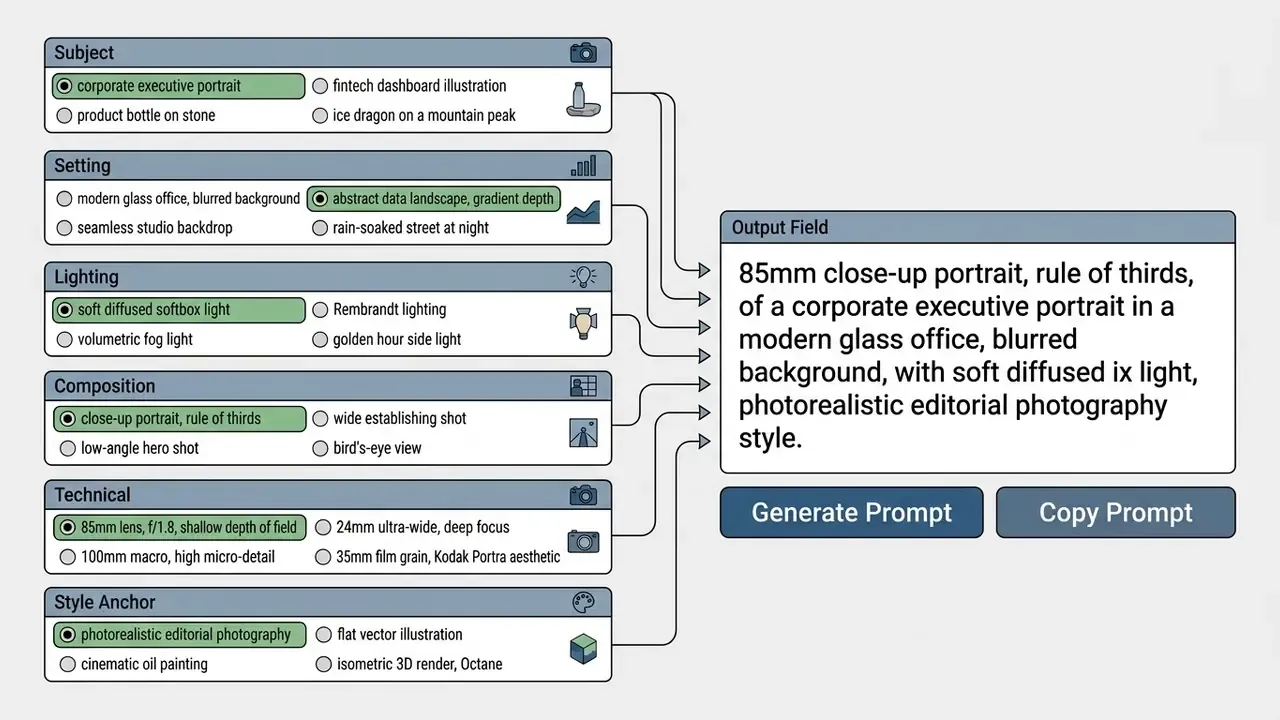
Assembly order of the string: [Subject] + [Scene] + [Style] + [Lighting] + [Composition] + [Technical]. The "Randomize" control shuffles all six fields at once, which tends to surface combinations you would never pick by hand.
Turning weak requests into professional ones
| Original idea (weak prompt) | Professional prompt (strong prompt) | Why it works |
|---|---|---|
a dragon in the sky | A translucent ice dragon coiled around a frozen mountain peak, northern lights visible through its crystalline wings, dramatic upward angle, cinematic lighting --ar 16:9 | Adds physical material (ice, crystalline), a compositional angle (upward) and a specific light source (aurora). |
anime girl in rain | Female samurai in ornate blue plate armor standing in heavy rain, falling pink cherry blossoms, determined expression, soft cinematic lighting, hand-drawn anime aesthetic --ar 2:3 | Generic description is replaced by wardrobe specifics, emotion and an exact style anchor. |
futuristic city | A megacity in 2150 with vertical forest towers, solar sails between glass skyscrapers, golden hour illumination, wide establishing shot, photorealistic --ar 21:9 | Names architectural elements, the time of day and the shot type. |
vintage car | 1960s red convertible driving along a coastal highway, ocean sunset background, motion blur on wheels, 35mm film grain, vintage Kodak Portra aesthetic --ar 16:9 | Adds motion, film physics and a defined era. |
magic sword | An ancient broadsword embedded in an obsidian altar, glowing blue runes carved along the blade, cavern illuminated by bioluminescent mushrooms, volumetric fog --ar 4:5 | Sets spatial context and natural glow sources. |
a forest | Ancient redwood forest at dawn, fog rolling between trunks, shafts of gold light through the canopy, wide shot, photorealistic --ar 16:9 | Introduces time of day, an atmospheric event, light character and shot scale. |
a chair | An antique armchair with carved wooden legs, tufted velvet upholstery and worn armrests in a candlelit study, soft warm key light, 50mm lens --ar 4:5 | Every noun receives material, surface condition and a light source. |
Prompt Formula: Subject, Scene, Style and Visual Details
The base formula for a predictable request is [Subject] + [Scene] + [Art Style] + [Lighting] + [Composition] + [Technical Details]. Black Forest Labs documentation (Subject + Action + Style + Context) and Google Cloud guidance ([Subject] + [Action] + [Location/context] + [Composition] + [Style]) both point the same way: keeping this order preserves correct token priority during text decoding.
"An analysis of more than three million prompts shows that users focus on surface aesthetics, styles, colours and textures, rather than deep conceptual transformation."
A finished construction looks like this: "A young woman reading an antique book in a rainy train station, cinematic oil-painting style, soft diffused side lighting, rule of thirds composition, 35mm lens, shallow depth of field". Each fragment governs a different layer: subject sets the figure, scene fixes the station and the rain, art style declares the painterly medium, and the technical tokens drive optics and focus.
A practical note on length. The prompt should be long enough to be specific and short enough that every word does work. Once you stack more than six or seven meaningful blocks, adjectives stop steering the image and start blurring it, because attention is divided across all demands. If the result is close but not right, change one element instead of adding a new one. That is the whole discipline, really.
How to Use Cinematic, Photography and Portrait Details
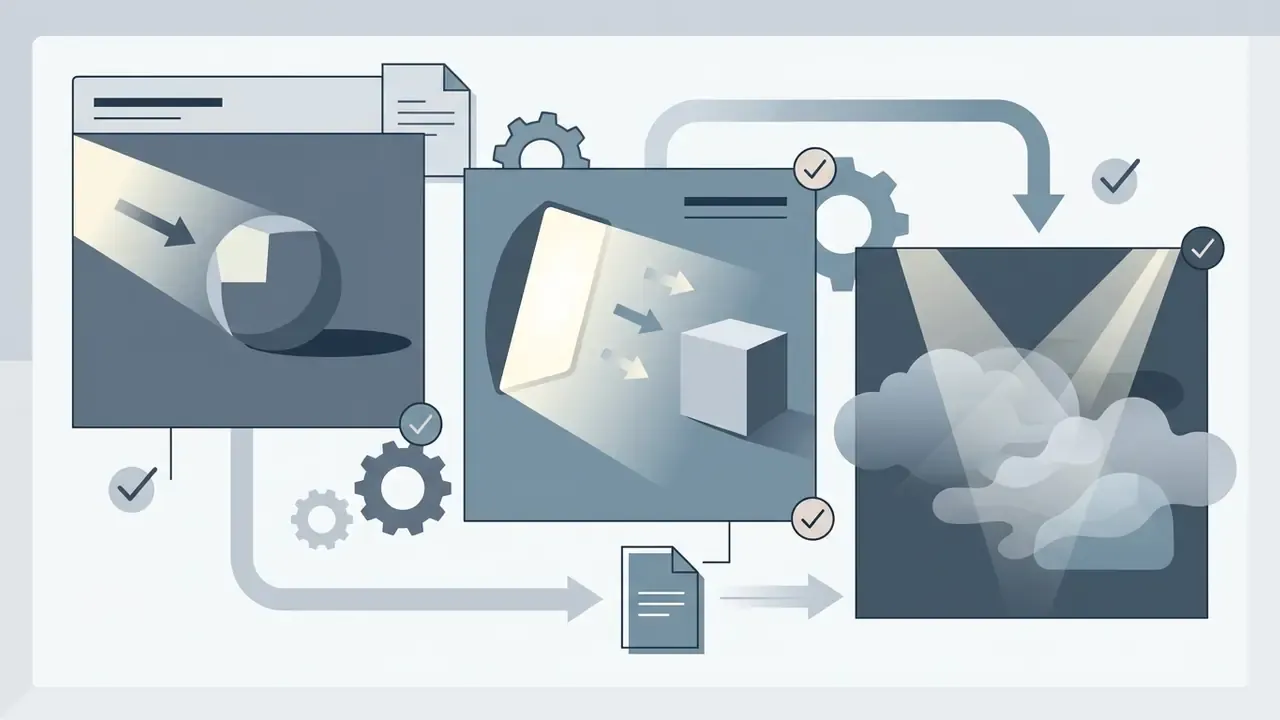
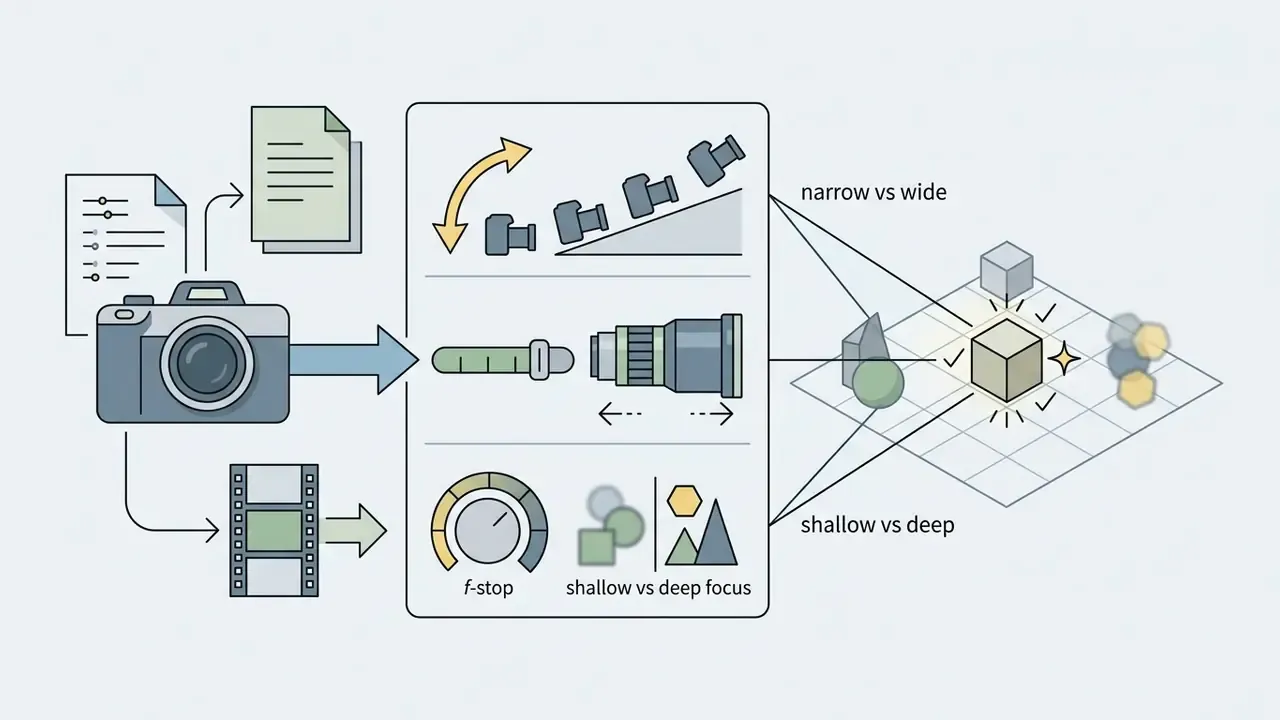
For photorealism and cinematic feel, include professional optics and studio-light vocabulary: focal length (35mm, 50mm, 85mm), aperture (f/1.4, f/2.8), shutter speed (1/60, 1/125, 1/250) and lighting schemes (three-point lighting, key light, volumetric light). As ZEISS defines it, bokeh controls the rendering of out-of-focus areas, which lets you separate a subject from the background in a physically credible way.
For realistic portraits, 85mm portrait lens remains the safest modifier: natural facial proportions without distortion, plus background compression. For action scenes, state the shutter speed (shutter speed 1/250s or 1/500s) to freeze motion. Volumetric lighting adds depth through visible beams in fog or dusty interior air, and practical lights in frame make the room read as real.
Dictionary of photographic modifiers
| Category | Prompt tokens | Visual result |
|---|---|---|
| Optics and lenses | 85mm portrait lens, 50mm standard, 24mm ultra-wide, 100mm macro lens, telephoto compression | 85mm gives natural facial proportions; 24mm widens space and exaggerates perspective; 100mm reveals micro-texture. |
| Aperture | f/1.2, f/1.4, f/1.8, f/2.8, f/8 deep focus | Wide apertures create strong bokeh and isolate the subject; f/8 keeps the whole plane sharp. |
| Angle | low-angle shot, bird's-eye view, overhead top-down, dutch angle, eye-level, three-quarter view | Low angle makes a subject monumental; bird's-eye reveals layout; dutch angle creates unease. |
| Lighting scheme | Rembrandt lighting, three-point lighting, rim / backlight, softbox studio, volumetric fog light, golden hour, hard light, chiaroscuro | Rembrandt builds the dramatic light triangle on the cheek; rim light separates the silhouette; hard light delivers sharp shadows and contrast. |
| Shutter | shutter speed 1/60s, 1/125s, 1/250s, 1/1000s, long exposure (2s), motion blur | 1/1000s freezes droplets; long exposure turns water to silk; motion blur communicates speed. |
| Film and grade | 35mm film grain, Kodak Portra 400, natural color grading, HDR, warm cinematic gold | Film tokens remove digital sterility and set the colour temperature of the frame. |
Prompt Mistakes: Vague Ideas, Conflicting Styles and Excess Text
The common failures are subjective adjectives, mutually exclusive styles declared at once, and requests padded with parasitic text. Conflicting instructions cause prompt bleed, where traits of one object migrate onto other elements of the scene.
"Users frequently combine incompatible descriptors, minimalist alongside highly detailed, and the model resolves the conflict unpredictably."
How to Use an AI Art Prompter: Idea, Style, Result
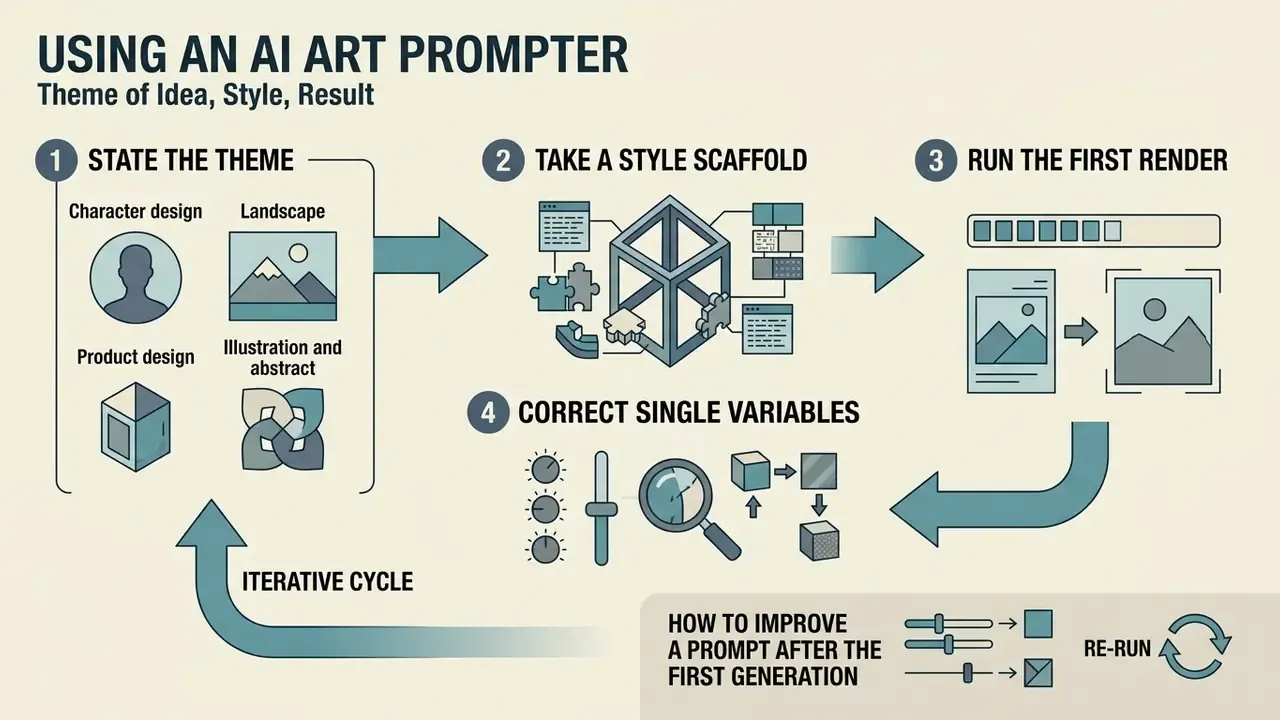
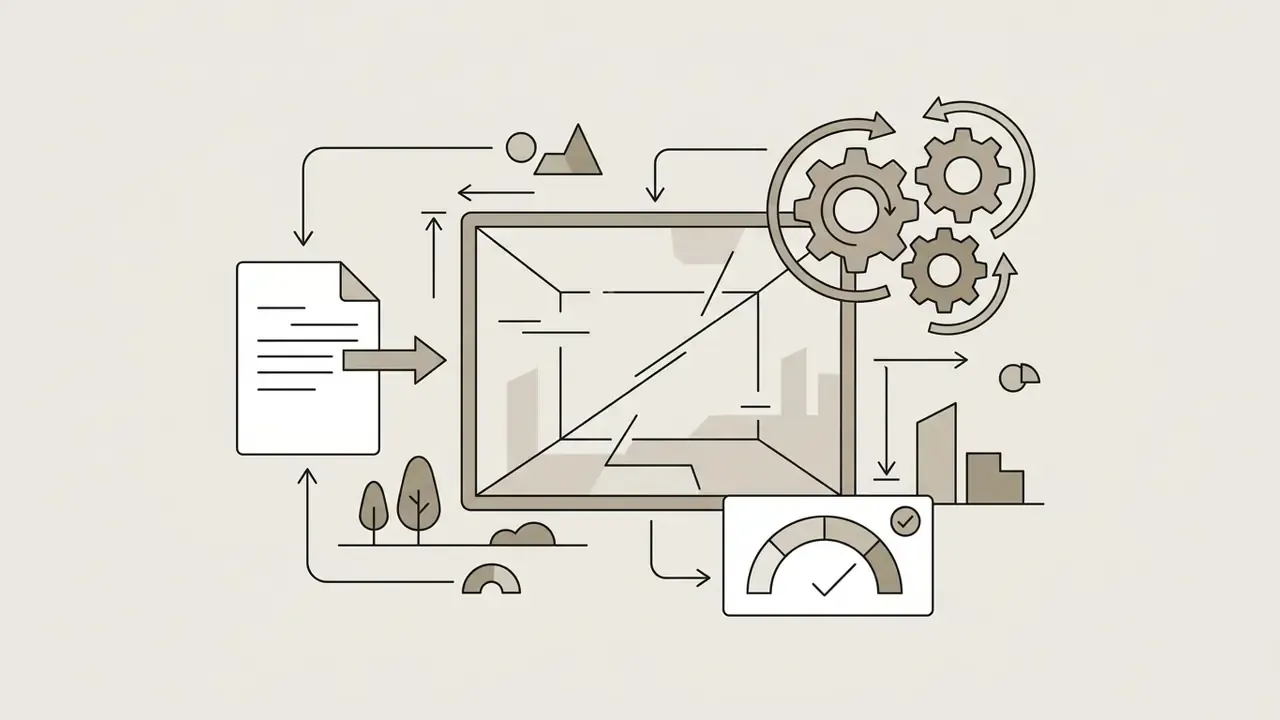
Working with an ai art prompter is an iterative cycle of four steps: state the theme, take a style scaffold, run the first render, then correct single variables. This approach moves the result toward the target art direction without destroying the composition you already like.
Prompt generators, or a prompt generator for ai art, automate modifier selection by offering ready semantic blocks. At the first step an art idea generator ai helps you choose the concept, and the system returns three to five text variations.
Updated. The draft, test, evaluate, refine loop is described as standard in public prompt-engineering methodology: prompt work is treated as a test-driven process, where after each generation you record preferred and non-preferred elements of the output and feed them back into the prompt. The academic paper "Preference-Driven Refinement of Prompts" (2026) details the loop: initial prompt, initial output, extraction of preferred and non-preferred elements, prompt revision, repeat until intent matches. Any time saving is model-specific and task-specific, and needs your own measurement. If you want the operational walkthrough, view the guide in our support section.
Choosing the Theme: Character, Landscape, Product or Illustration
Every category demands its own entity set. Characters live on emotion and wardrobe, landscapes on atmosphere and scale, products on studio light and an isolated background. Selecting a category in the generator instantly rebuilds the internal structure of the prompt art ai request.
- Character design age, gender, facial expression, pose, clothing and angle (for example, "three-quarter view").
- Landscape time of day, weather, horizon line, atmosphere and depth of field.
- Product design materials (chrome, matte plastic, glass), dimensions, surface condition, studio lighting and an isolated background (
background="transparent",output_format="png", no checkerboard pattern, no stray shadows). - Illustration and abstract graphic medium (watercolour, vector, ink), colour palette (pastels, monochrome) and deliberate negative space.
How to Improve a Prompt After the First Generation
Refinement after the first render must stay isolated: change no more than one parameter per iteration, for instance only the light type or only the focal length, so you can attribute the effect. Negative prompts and token weights remove artefacts.
"A bicycle design experiment showed that goal orientation in the prompt correlates with design quality more strongly than prompt length or editing time."
In Midjourney, negative tokens go through --no (equivalent to a negative weight of -0.5), and multi-prompts allow explicit negative weights such as still life painting:: fruit::-0.5, provided the total prompt weight stays positive. In Stable Diffusion and Hugging Face Diffusers interfaces, word weights are handled with parentheses or numeric multipliers, for example (studio lighting:1.2). For an audit trail, log the quartet "prompt + seed + sampler/steps + CFG". Without a recorded seed you cannot reproduce the frame, and if you cannot reproduce it, you cannot evidence its provenance during a review. One more practical habit: run three to nine seeds per prompt version. It separates a prompt error from sampling luck.
Free AI Art Prompts by Popular Category
Proven free ai art prompts let you produce usable visual content immediately across corporate portraiture, fintech illustration, concept art, commercial design and fantasy. Ready templates carry style-token combinations already tested on current generation models.
Open prompt libraries include PromptBase (over 4,000 free prompts with per-model ratings), Civitai, PromptSpace and Feedough, with thousands of copy-ready texts for Midjourney, Stable Diffusion XL, FLUX and ChatGPT Image. Our overview of free AI art generators helps you map the free options, including where prompts for ai art generator free actually come with usable rights.
"An analysis of three million prompts revealed the dominance of genre labels: fantasy, anime, portrait, colouring page. Users reproduce popular visual norms."
Below is a systematised gallery of ai art generator prompts, ready for direct use. Each block is copyable in one click (a data-copy attribute on the preformatted element).
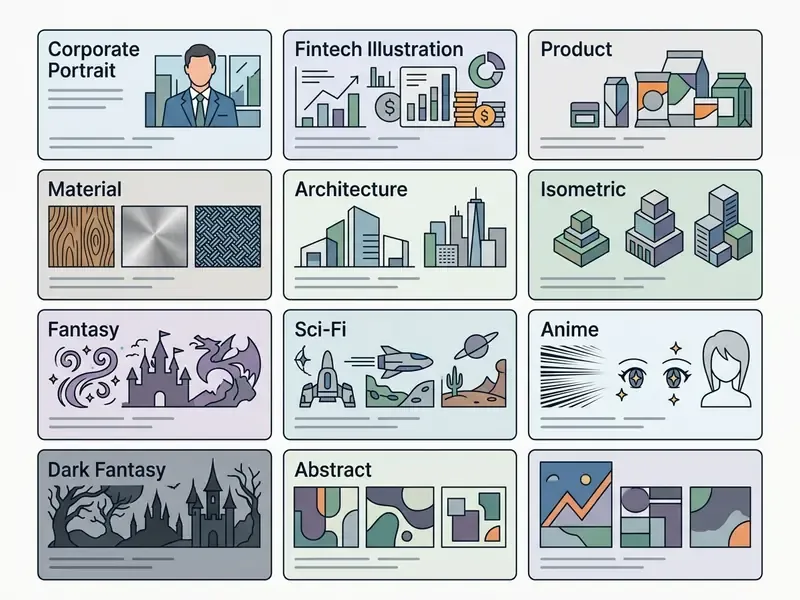
Corporate, Portrait and Character Prompts
Prompts for people require exact age, wardrobe, emotion and angle. For corporate work, prioritise a neutral background, controlled light and no recognisable brands in frame.
Corporate and business portraits
Corporate Headshot: "A confident 40-year-old business executive in a charcoal wool suit, neutral expression with a slight smile, standing in a modern glass office with softly blurred background, softbox key light with subtle rim light, 85mm lens, f/2.0, eye-level three-quarter view, photorealistic editorial photography --ar 4:5"
Executive Team Portrait: "Group portrait of four professionals in smart-casual attire standing in a bright minimalist lobby, even three-point lighting, neutral grey palette, 50mm lens, f/4, eye-level composition, corporate editorial photography, no logos --ar 16:9"
Analyst at Work: "A female data analyst reviewing charts on two monitors in a quiet office at dusk, warm practical desk lamp plus cool screen glow, shallow depth of field, 35mm lens, documentary photography style --ar 3:2"
Realistic Portrait: "A close-up portrait of a 30-year-old architect, confident expression, natural sunlight through a window, 85mm lens, f/1.8, subtle skin texture, neutral room background, photorealistic --ar 4:5"
Trust & Advisory: "An older financial advisor in a navy blazer explaining a document across a wooden table, hands visible, warm natural side light, 50mm lens, shallow depth of field, calm professional mood --ar 3:2"
Fintech and corporate graphics
Fintech UI Background: "Abstract fintech interface background, layered translucent glass panels with soft gradient depth, muted navy and teal palette, subtle grid lines, no readable text, flat vector illustration, generous negative space --ar 16:9"
Data Landscape: "A data visualization rendered as a physical landscape, streams as rivers and server farms as mountains, cool blue and slate palette, isometric abstract concept art, soft ambient light --ar 16:9"
Security Concept: "A minimalist metal vault door with a glowing blue keyhole in a dark concrete room, volumetric light beam, high contrast, photorealistic product render, corporate security concept --ar 1:1"
Characters and stylisation
Ghibli-Style Baker: "An elderly baker pulling fresh bread from a stone oven, warm golden light, flour particles floating in the air, cozy kitchen interior, hand-drawn digital art, soft pastel palette --ar 16:9"
Cyberpunk Street Samurai: "Portrait of a female cyborg with glowing neon tattoos, chrome jawline, rain-slicked skin, wearing a high-collar techwear jacket, 85mm lens, f/1.4, cinematic lighting, neon city backdrop --ar 4:5"
Anime Character: "1girl, warrior in ornate blue plate armor, long silver hair, detailed blue eyes, determined expression, dynamic battle posture, heavy rain and falling cherry blossoms, vibrant anime style, sharp line art --ar 2:3"
Anime Sorcerer: "1boy, white-haired sorcerer casting a spell in an ancient forest at midnight, glowing runes in the air, cool blue rim light, detailed robe embroidery, anime illustration, soft cinematic lighting --ar 2:3"
Steampunk Automaton: "Weathered steampunk automaton with exposed brass gears standing in a Victorian workshop, warm lamplight, long shadows, oil painting style, visible brush texture --ar 4:5"
To see which platform holds faces and clothing steady across repeat generations, compare the best AI art generators and our review of AI headshot generators.
Fantasy, Sci-Fi, Landscape and Cinematic Scene Prompts
Large scenes and speculative worlds need tokens of epic scale, panoramic angles and dramatic light.
Epic Fantasy: "A majestic kingdom carved into a crystal mountain, waterfalls cascading into the valley, sunrise illumination, cinematic wide shot, mist over the slopes, epic scale, matte painting style --ar 16:9"
Sci-Fi Cyberpunk: "Futuristic neon-lit street of a rain-soaked megacity, reflections on wet pavement, flying vehicles in the distance, dark atmospheric shadows, volumetric fog, filmic color grading --ar 21:9"
Solarpunk Greenhouse Skyscraper: "A futuristic skyscraper wrapped in vertical gardens and glass domes, waterfalls flowing down the facade, clean white architecture, bright sunny day, photorealistic drone shot --ar 16:9"
Submerged Clocktower: "An ancient stone clocktower submerged in a frozen crystal lake, glowing clock face beneath the ice, winter mist, aurora borealis in the sky, long exposure photography --ar 21:9"
Megacity 2150: "A megacity in 2150 with vertical forest towers and solar sails strung between glass skyscrapers, golden hour illumination, wide establishing shot, photorealistic --ar 21:9"
Alien Horizon: "An astronaut on an alien planet, twin moons rising over a violet horizon, an approaching dust storm, hard directional light, photorealistic, wide angle --ar 16:9"
Generation Ship Interior: "Interior of a generation ship, a vast rotating cylindrical habitat with forests and rivers curving overhead, soft ambient daylight simulation, concept art --ar 16:9"
Redwood Dawn: "Ancient redwood forest at dawn, fog rolling between trunks, shafts of gold light through the canopy, wide shot, photorealistic --ar 16:9"
Volcanic Night: "A volcanic eruption seen from above at night, lava rivers like veins of light across black rock, drone photography, high dynamic range --ar 16:9"
Floating Castle: "A floating castle above a sea of clouds at golden hour, waterfalls cascading into the void, epic concept art, painterly brush texture --ar 16:9"
Storm Dragon: "A dragon made of storm clouds coiling around a lighthouse, lightning running through its body, heavy rain, cinematic wide shot --ar 16:9"
Underwater Station: "An underwater research station in an ocean trench, bioluminescent creatures drifting past the viewing windows, cold cyan light, photorealistic --ar 16:9"
Dark fantasy
Necromancer: "A pale sorcerer in tattered velvet robes holding a glowing skull staff, blue ethereal flame, surrounding fog, dark gothic cathedral background, highly detailed oil painting style --ar 2:3"
Shadow Knight: "A shadowy knight with a sword made of frozen shadow in a dying forest, pale moonlight, horror fantasy, desaturated palette --ar 2:3"
Plague Doctor: "A plague doctor walking empty medieval streets at 3am, crows on every surface, single gas lamp, baroque horror aesthetic, dramatic chiaroscuro --ar 4:5"
Fallen Angel: "A fallen angel in a crater, one wing destroyed and one intact, hellfire glowing on the horizon, dramatic chiaroscuro, oil painting --ar 4:5"
Prompts for Product, Design, Illustration, Isometric and Abstract Art
Commercial work depends on background isolation, hierarchy control and clean material boundaries.
Product Photography: "Commercial studio shot of a minimalist perfume bottle, clear frosted glass, placed on a smooth wet stone, soft rim light, neutral gray backdrop, 50mm macro lens, high-end advertisement --ar 1:1"
Luxury Cosmetics Bottle: "Minimalist perfume bottle made of frosted pink glass resting on a wet river rock, soft studio rim lighting, subtle water droplets, pastel background, macro photography, high resolution --ar 1:1"
Transparent Cutout: "A matte black wireless headphone set, centered, even studio lighting, no scenery, no solid backdrop, no shadows, transparent background, product cutout, ultra clean edges --ar 1:1"
Packaging Mockup: "A minimalist cardboard packaging box with embossed logo area left blank, soft top light, light grey seamless studio backdrop, 50mm lens, commercial product photography --ar 4:5"
Abstract Vector Design: "Modern abstract geometric pattern, overlapping translucent shapes, vibrant pastel color palette, flat vector illustration, clean lines, minimalist graphic design --ar 1:1"
Seamless Pattern: "Seamless repeating pattern of thin geometric leaves, two-tone emerald and cream palette, flat vector, no gradients, tileable edges --ar 1:1"
Editorial Illustration: "Editorial illustration of a person balancing on a rising line chart, limited three-colour palette, grainy risograph texture, generous negative space --ar 3:2"
Isometric Cyberpunk Room: "Isometric 3D render of a hacker's bedroom, neon signs, multiple glowing monitors, cluttered desk, detailed low-poly art, Octane Render style, vibrant colors --ar 1:1"
Isometric Office Floor: "Isometric 3D render of a modern open-plan office floor, cutaway walls, soft ambient occlusion, muted corporate palette, PBR materials, ray tracing --ar 1:1"
Abstract Emotion: "Human emotions as geometric forms, joy as fractured gold polygons, grief as dark spiraling voids, abstract expressionist, high contrast --ar 1:1"
Pixel Art Scene: "8-bit pixel art of a small seaside town at sunset, limited 16-colour palette, hard pixel edges, nearest neighbor scaling, no anti-aliasing --ar 16:9"
Minimalist Poster: "Minimalist poster composition, single geometric arc in burnt orange on a cream field, 70% negative space, flat print aesthetic, subtle paper grain --ar 2:3"
For unusual visual tasks, compare editors and generators side by side. Our overview of free photo editors explains export limits, and the material on expanding images with AI shows how to rebuild a frame to the aspect ratio you need.
Art Styles for AI Images: Choosing the Visual Language of the Prompt
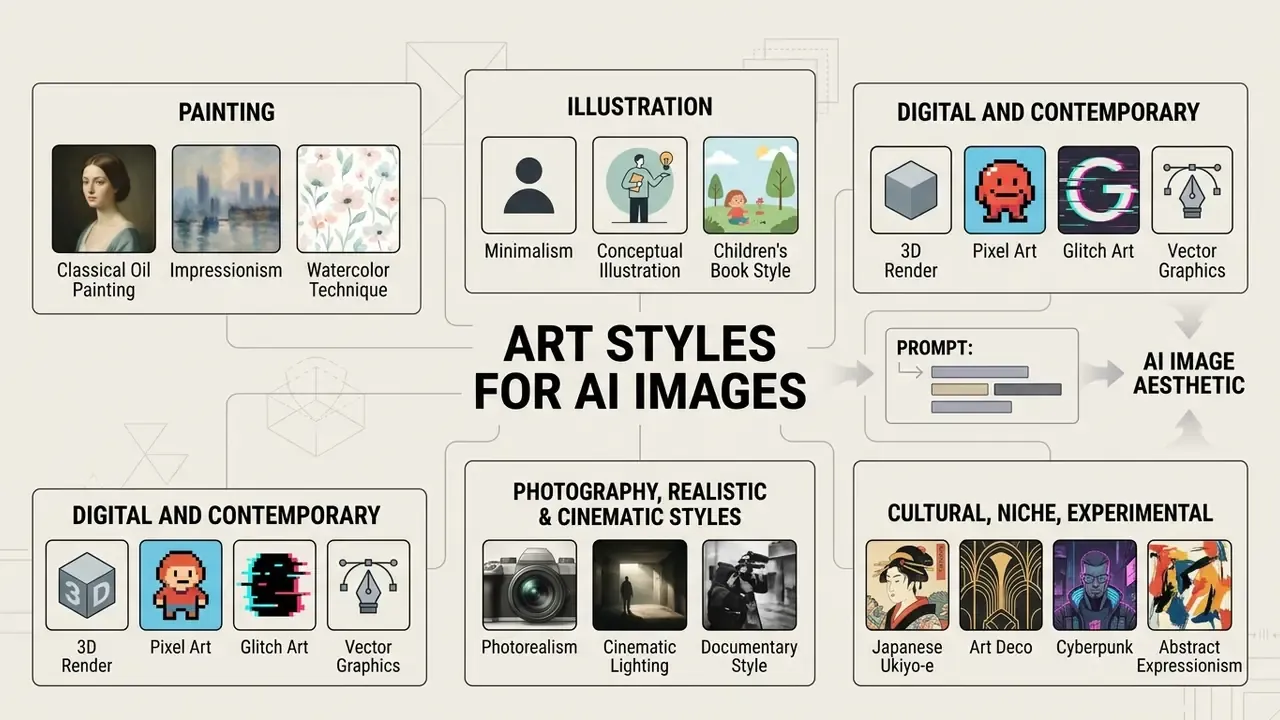
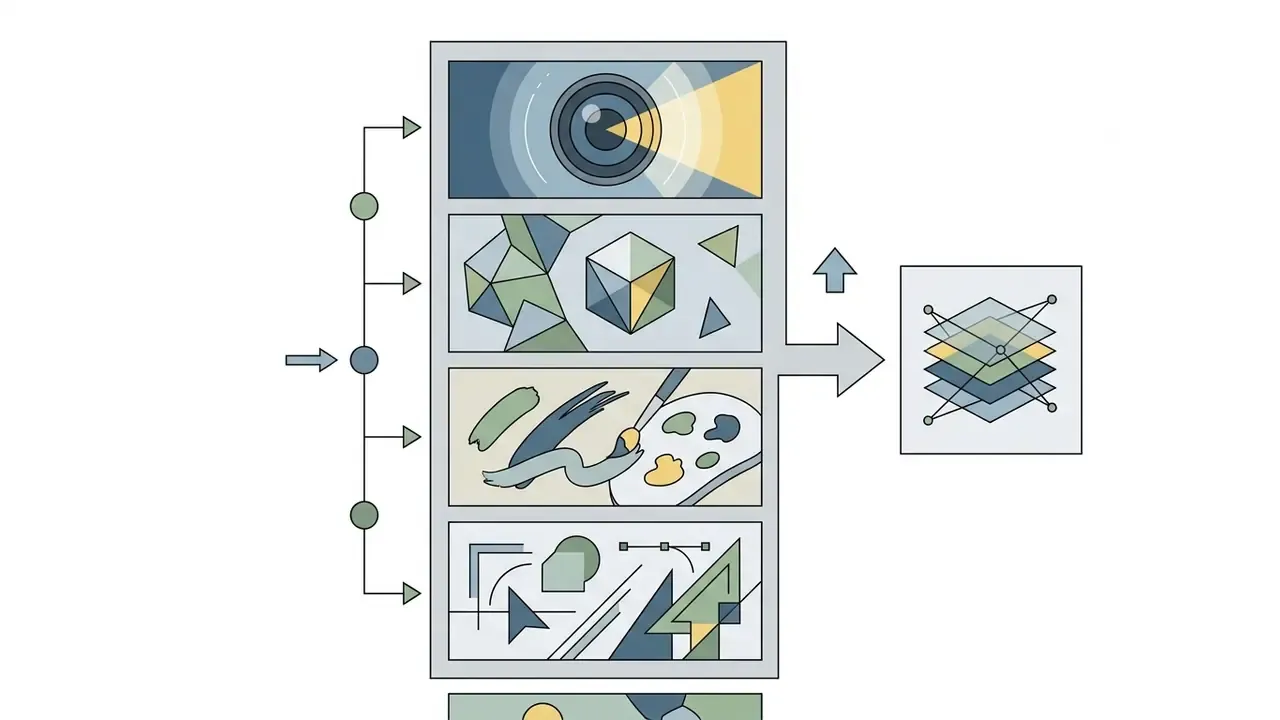
The chosen art style sets the aesthetic language of the image, from photorealism and 3D render to minimalism and classical oil painting. Microsoft Learn splits style modifiers into three groups: painterly media (oil painting, watercolour), digital styles (vector graphics, 3D render) and historical movements (Bauhaus, Impressionism).
Naming a specific movement changes how the latent decoder behaves. Substantially.
"Gecko (over 100,000 annotations) shows that the prompt template materially affects alignment: one idea yields different results depending on request structure."
The practical conclusion: combining style tokens with materials (bronze, glass, watercolour paper) produces a more stable visual result than abstract quality claims.
Full reference of art styles for prompts
- Painting oil painting, watercolor, acrylic, gouache, impressionist, expressionist, baroque, renaissance (Rembrandt lighting).
- Illustration flat design, concept art, editorial illustration, comic book art, graphic novel, line art, ink illustration, vintage poster.
- Digital and contemporary digital painting, pixel art, 3D render / CGI, vaporwave, synthwave, glitch art, low-poly, isometric, cel shading.
- Photographic photorealistic, cinematic photography, film noir, double exposure, macro photography, analog film (35mm), drone photography aesthetic.
- Cultural anime, manga, ukiyo-e, Art Nouveau, Art Deco, Bauhaus.
- Niche and experimental surrealism, dark fantasy, steampunk, cyberpunk, cottagecore, solarpunk, psychedelic art.
Photography, Realistic and Cinematic Styles
Photographic styles aim to reproduce the physics of optics and light distribution. Modifiers such as Kodak Portra 400, cinematic lighting and depth of field turn a render into an imitation of an analogue or digital frame.
The balance between exposure and angle matters most here. Requests specifying high angle or low angle change how the viewer reads scale, while tokens like soft box studio light flatten shadow contrast and give the final photograph a commercial finish. For the expensive-looking frame, the reliable chain is 85mm f/1.4 + volumetric light + realistic reflections + natural color grading.
3D, Pixel Art, Minimalist and Illustration Styles
Graphic and digital styles need specific commands to keep edges crisp and palettes limited. In 3D rendering, the standard tokens are Octane Render, Unreal Engine 5, Blender, Cinema 4D, PBR materials, ray tracing and physically accurate shadows.
For pixel art it is critical to suppress interpolation, which is what 8-bit pixel art, nearest neighbor scaling, no anti-aliasing does. In minimalist illustration the accent shifts to negative space and a restricted palette of three or four key colours. For vector work, use flat vector illustration, clean lines, no gradients.
Material, Medium, Color and Texture in an Art Prompt
Texture and medium detail create the physical feel of a surface. Different media demand different professional vocabulary:
| Medium / material | Prompt tokens | Visual effect |
|---|---|---|
| Watercolour | wet-on-wet, translucent wash, cold-press paper texture, soft gradients, soft edges | Soft transitions, visible paper grain, water blooms. |
| Oil painting | impasto, visible thick brush strokes, heavy linen canvas, glossy varnish | Raised brushwork, canvas relief, deep shadows. |
| Glass and metal | refraction, specular highlights, polished chrome, brushed steel, caustics, glossy finish | Realistic refraction, highlights, mirror reflections. |
| Wood and fabric | organic wood grain, warm tones, draped velvet, woven linen, silk sheen | Natural texture, a sense of weight and drape. |
| Paper and print | folded paper, torn edges, risograph grain, letterpress texture | Print-shop texture and a handmade character. |
| Colour palette | muted pastels, monochromatic, vibrant neon, earth tones, warm color grading, jewel tones | Strict control of gamut and mood. |
Generating unusual materials and physical textures
Applying unexpected materials to familiar objects produces surreal commercial design. Convey texture through physical properties: gloss, porosity, translucency, edge condition.
- Formula:
[Object] + made of gingerbread and translucent sugar glass + gummy details + soft colorful lighting - Prompt:
"An ornate armchair made of frosted gingerbread, licorice trim, gummy bear cushions, lollipop accents, sugar glass details, illuminated by soft candy-land lighting, vibrant colors --ar 1:1" - Formula:
[Object] + carved from polished Carrara marble + gold veining + smooth stone texture + museum lighting - Prompt:
"A mechanical jaguar sculpture carved from polished black marble with gold veining, museum pedestal background, dramatic side spotlight --ar 16:9" - Formula:
[Object] + brutalist concrete texture + rough porous surface + weathered edges + harsh directional light - Prompt:
"A futuristic sports car sculpted from raw grey concrete, standing in a minimalist concrete gallery, sharp shadows, brutalist aesthetic --ar 16:9" - Formula:
[Object] + blown glass material + internal caustics + refraction + iridescent fluid core - Prompt:
"A delicate hummingbird made of iridescent blown glass in mid-flight, refracting rainbow light rays, dark background, macro photography --ar 1:1" - Formula:
[Object] + polished chrome / brushed steel + specular highlights + industrial environment - Prompt:
"A chrome-plated vintage typewriter on a steel workbench, hard directional light, sharp specular highlights, industrial photography --ar 4:5" - Formula:
[Object] + compacted golden sand + granular surface + crumbling edges + desert light - Prompt:
"A golden sand sculpture of a jaguar mid-stride on a dune at sunrise, granular texture, crumbling edges, warm side light --ar 16:9" - Formula:
[Object] + neon tube outline + electric glow + dark reflective floor - Prompt:
"A neon tube outline of a running horse glowing magenta and cyan in a dark reflective hall, volumetric glow, long exposure --ar 16:9" - Formula:
[Object] + tufted velvet upholstery + woven linen texture + soft draping folds - Prompt:
"A skyscraper model draped in tufted emerald velvet with visible woven texture, soft studio light, surreal product photography --ar 4:5"
- Candy and sugar glassCandy and sugar glass
- Carved marbleCarved marble
- Raw concrete and brutalismRaw concrete and brutalism
- Liquid glass and fluidityLiquid glass and fluidity
- Metal and chromeMetal and chrome
- Sand and erosionSand and erosion
- Neon and lightNeon and light
- Fabric and textileFabric and textile
Before assets go into production, check the review of commercial use for AI image generators. Output rights differ from platform to platform, sometimes materially.
Adapting an AI Art Prompt to Different Models and Generators
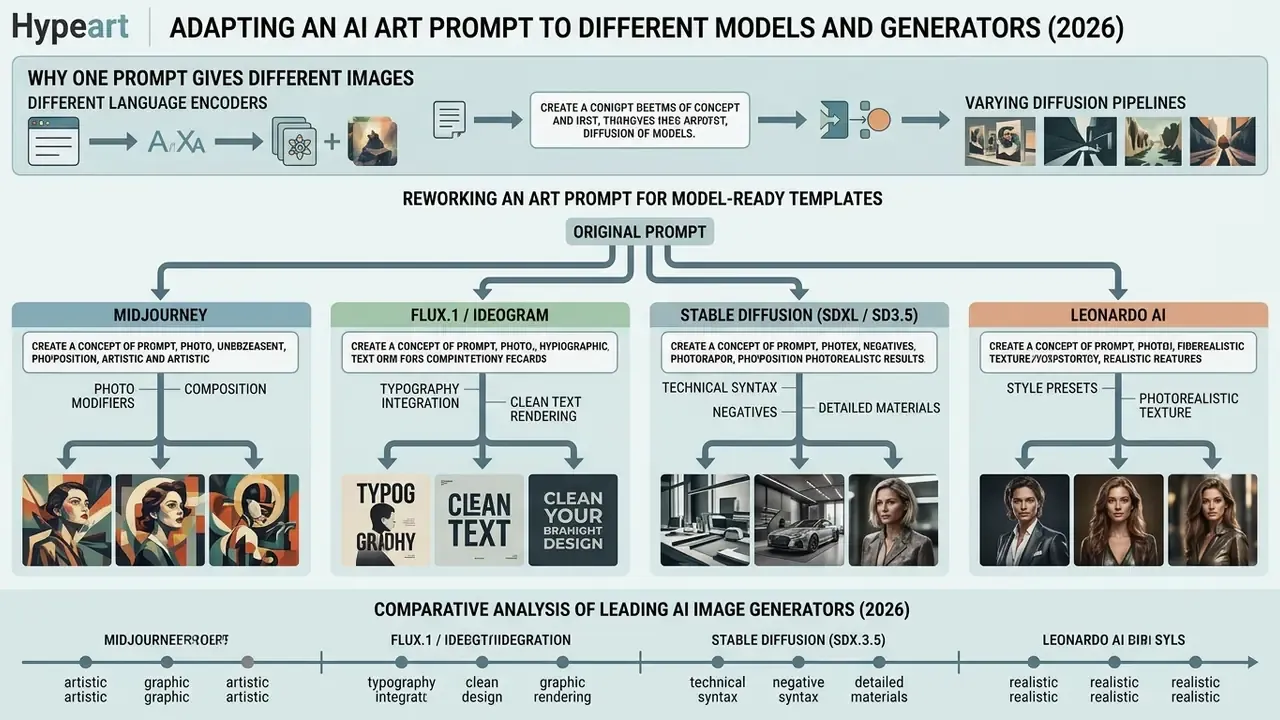
The same text prompt returns very different images in Midjourney, FLUX.1, Stable Diffusion, Ideogram and Leonardo AI, because their language encoders and diffusion pipelines differ. Adaptation means respecting each platform's syntax and its supported control parameters.
"Across 20 identical prompts tested on several platforms, Midjourney v7 scored 9.2/10 on quality and DALL·E 3 scored 8.7/10 on prompt adherence."
Updated. Taking vendor documentation and public 2026 benchmarks together: Ideogram leads on rendering text inside images, FLUX.1 shows the highest photorealism and instruction-following accuracy, Midjourney offers the strongest art direction out of the box, and Stable Diffusion remains the most configurable while its output depends heavily on checkpoint and LoRA. To port a prompt correctly, restructure it for the parser you are targeting.
Why One Prompt Gives Different Images Across AI Models
The divergence comes from different language models (CLIP versus T5), non-overlapping training data and varying opacity of internal pipelines, the so-called opinionated pipelines.
Stable Diffusion relies on explicit CFG (Classifier-Free Guidance) tuning and open weights, so it rewards precise instructions: guidance scale directly trades prompt adherence against sample diversity. FLUX pipelines expose prompt, guidance_scale, num_inference_steps and resolution, which means the same text drifts as you change sampling steps. Midjourney applies hidden prompt preprocessing and adds its own aesthetic weights, so terse requests look richer there but follow hard constraints less faithfully. FLUX.1 and DALL·E 3 read the prompt as coherent natural language, which reduces the value of comma-separated tag lists.
"PRISM produces prompts transferable between Stable Diffusion, DALL·E and Midjourney, outperforming baseline captions on object and style fidelity."
How to Rework an Art Prompt for Midjourney, FLUX and Stable Diffusion
To move an idea between generators, apply these formatting rules:
- Midjourney write a short natural description and push parameters to the end of the line as flags (
--ar 16:9,--v 7,--stylize 250,--no blur,--seed,--chaos,--raw,--sref). A space before each flag is mandatory, punctuation inside parameters is not allowed, and--stylizedefaults to 100 within a 0 to 1000 range. - FLUX.1 / Ideogram write full sentences in natural English with a clear scene description, no flags, no technical slang. Block order (subject, action, style, context) matters for FLUX, and negative prompts are not supported in this family.
- Stable Diffusion (SDXL / SD3.5) separate positive tags with commas, use parenthetical weights
(word:1.3), and always build a negative prompt block; log seed, sampler, steps and CFG. For SDXL, a 1024x1024 base resolution gives the best result. - Leonardo AI the platform is multi-model and offers prompt presets for different backends (including GPT Image and Ideogram 3.0), so syntax depends on the preset you select.
One practical takeaway: the descriptive part of a prompt travels between all generators, the syntax does not. Paste the description first, then append the parameters of the target tool. Developers wiring this into a pipeline can view the guide in our API section.
Comparative analysis of leading AI image generators (2026)
| Model | Prompt understanding | Text rendering | Photorealism | Artistic style | Syntax specifics | Reproducibility / auditability |
|---|---|---|---|---|---|---|
| Midjourney v7 | High | Medium | High (9.2/10) | Excellent | Flags at the end: --ar, --stylize, --no, --seed | Medium: seed exists, internal prompt preprocessing undocumented |
| FLUX.1 | Very high | High | Highest (9.5/10) | High | Natural language, block order matters, no negative prompt | High: guidance_scale, steps and resolution are exposed |
| Stable Diffusion 3.5 / SDXL | Configurable | Medium | Depends on checkpoint and LoRA | Highly customisable | Parenthetical weights, negative prompt, CFG, sampler, seed | Maximum: full pipeline control and open weights |
| Ideogram 3.0 | High | Best in class | Good | Excellent for typography | Direct text in quotation marks, natural language | Medium: parameters limited by the interface |
| Leonardo AI | High | Medium | Good | Varied | Model presets (GPT Image, Ideogram 3.0) | Medium: depends on the selected preset |
The table points to three defaults. Typography-heavy projects go to Ideogram. Maximum frame aesthetics go to Midjourney or FLUX. Regulated corporate pipelines with reproducibility requirements go to Stable Diffusion with fixed seed and sampler settings. For a deeper look at economics versus quality, see Midjourney against its competitors, and for video integration, the Google Veo implementation guide.
Free Access, Pricing, Commercial Use and Compliance
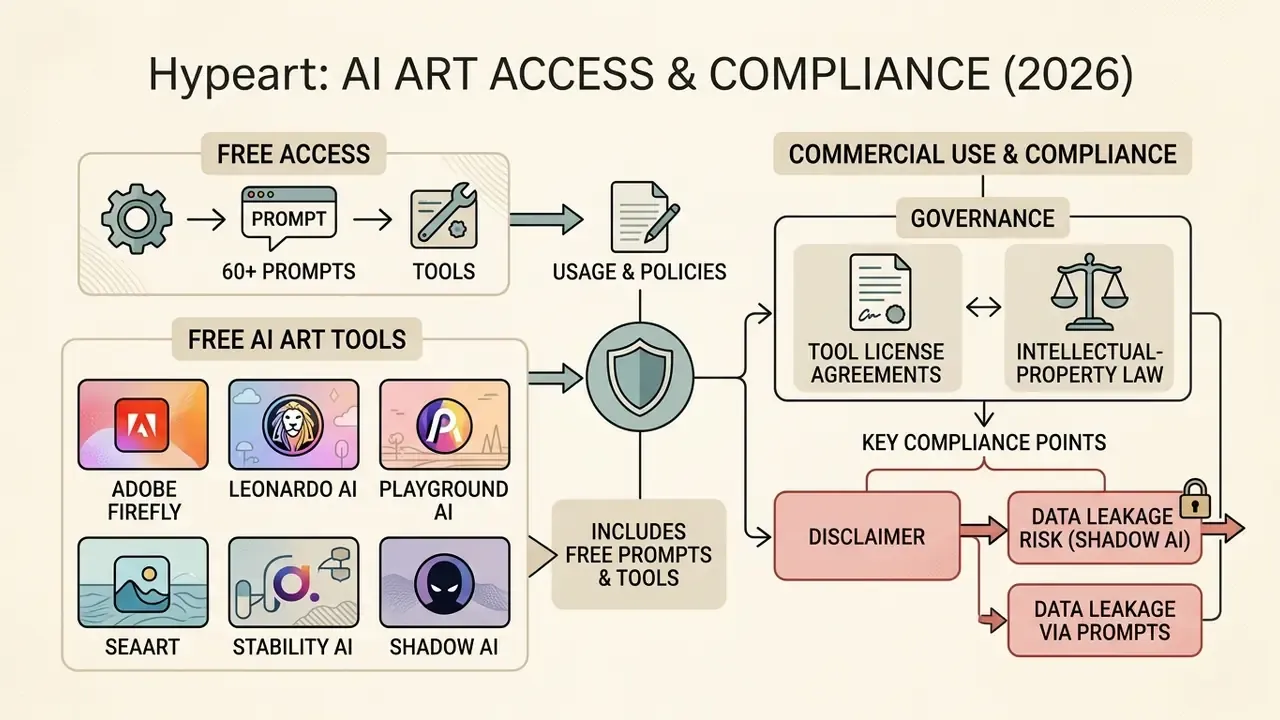
Commercial use of ai generated art is governed by the licence agreements of specific tools and by intellectual-property law. Free tiers on most platforms cap the number of generations and the export resolution, and they often oblige you to make generated images public.
The legal status of AI images in the key jurisdictions (US, EU) rests on the human-authorship rule.
"The US Copyright Office states that purely AI-generated art is not protected by copyright, while original human arrangement and modification may qualify for protection."
In Europe, EU AI Act provisions in force since August 2, 2026 require disclosure of synthetic origin in defined commercial contexts. The UK regulator ASA adds that AI advertising is subject to the same rules on misleadingness and social responsibility as any other ad. To verify provenance, reverse image search tools help; for tariff plans and access conditions, open the hub with current pricing. If you track disputes over training data and output rights, the AI Litigation and enforcement tracker collects the active cases.
What Free AI Art Prompts and Tools Include
Free plans give you a starting kit with both technical and legal limits. Note that ai art prompts free does not always mean output you can sell:
Resolution is the real barrier on free tiers. A 1024x1024 px export is unusable for print or large banners. The workaround is post-processing: AI upscalers and frame-extension tools do most of that work.
Shadow AI and data leakage through prompts
Public prompt generators almost always act as a thin layer over a third-party API. The values you enter, including free text in an "Other" field, are transmitted to an external provider and may be retained for model improvement. For corporate environments this yields three rules:
Consider also that retention policy at prompt services is usually set by the base-model provider, not by the storefront wrapper. A site claiming "we create no account and store no prompts" does not cancel retention on the API provider's side. Corporate prompt policies normally exclude adult-content tooling outright; if you need to understand what your policy blocks and why, our references on no filter ai behaviour, the nsfw ai art generator category, nsfw ai image to video services and nsfw ai photo editors describe the category and its restrictions.
Can You Sell AI Generated Art and Use Images in Design
You can sell generated images and use them in commercial product and design work, provided you honour the platform's Terms of Service and keep third-party trademarks out of the render.
Midjourney permits commercial use of outputs only for paying subscribers, and companies above $1M in annual revenue need the Pro or Mega plan. Ideogram's terms (revision of August 14, 2024) provide the service "as is" and bar users under 13. OpenAI states that the user owns the created content, which does not override third-party rights or platform limits. Adobe Firefly allows commercial use of outputs but restricts beta services and prohibits unlawful, infringing or deceptive content. For sector-by-sector conditions, explore the hub of commercial-use reviews.
FAQ: Licensing, Rights and Disclosure (E-E-A-T)
How do I verify the legal status of commercial use?
Fact check, licence verification (August 2026):
- Midjourney ToS: commercial rights belong to the user only with an active paid subscription; organisations above $1M in annual revenue require a Pro or Mega plan. Midjourney Commercial Policy.
- Stability AI License: Core Models are free for commercial use up to $1,000,000 USD annual revenue; above that, an Enterprise License applies. Stability AI License.
- OpenAI / DALL·E 3 / gpt-image-2: the user owns the created content, including the right to sell it, subject to the general Terms of Use. OpenAI Terms.
- Adobe Firefly: commercial use of outputs is permitted; restrictions cover beta services and prohibited content categories. Adobe Gen AI User Guidelines.
- Ideogram: the service is provided "as is"; terms revision dated August 14, 2024. Ideogram Terms of Service.
Who owns the rights to pure AI art?
In the United States the Copyright Office applies the human-authorship principle: purely machine-generated material is not protected, while human contribution (arrangement, selection, refinement) can be. The practical implication for a business is simple. Preserve evidence of human involvement: edits, collage steps, retouching, prompt versions.
Do AI images have to be labelled in advertising?
In the EU, transparency requirements for synthetic content apply from August 2, 2026 for defined categories. In the UK, the ASA applies its standard truthfulness requirements to AI advertising. The workable practice is to record the fact of AI generation in metadata and, where required, in a visible caption.
Can I use an artist's name in a prompt?
Technically yes, legally it is risky. Style imitation of a named living author raises the probability of a claim. Replace the name with a description of technique, palette and composition. An ai prompt artist who writes "painterly concept art, visible brush texture" rather than a surname produces safer, and often more controllable, output.
What if the free resolution is too low for print?
Generate at the highest available resolution, then upscale and, if needed, extend the frame. Tool comparisons sit in our section on image expansion and in the overview of free AI art generators.
Is a prompt generator a model that needs validation?
Usually not on its own, but the pairing does. A prompt generator plus an image model forms a system with inputs, outputs and downstream use. If the output reaches customers, regulators or investors, treat it as an inventoried AI use case with a named owner, an approved purpose and a retention rule. As Marcus Hale, author.
Limitations and Open Questions
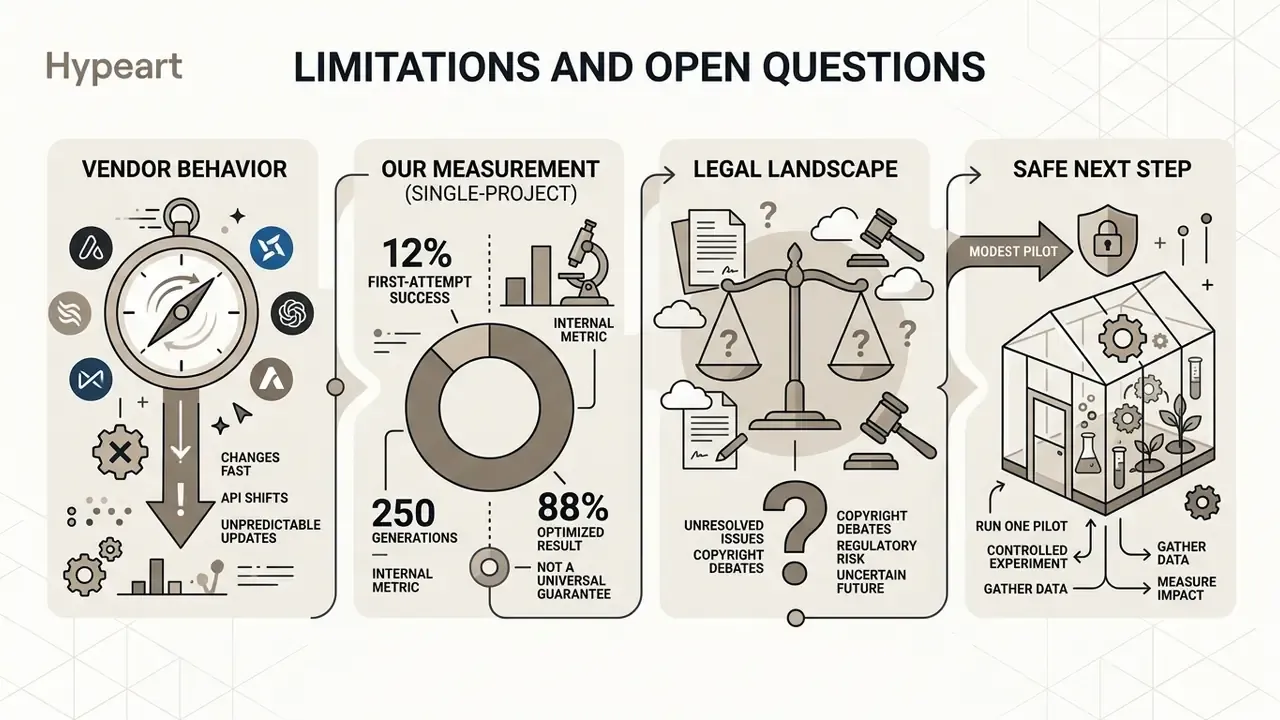
Some things in this guide are firmer than others, and it helps to say which.
Vendor behaviour changes fast. Flag sets, default stylisation values and negative-prompt support have all shifted more than once in the past year, so treat every syntax rule here as version-dependent and re-test after a model upgrade. Benchmark scores, including the 9.2/10 and 9.5/10 figures cited above, come from third-party test batteries with small prompt samples; they indicate direction, not guaranteed performance on your material.
Our internal 12% to 88% first-attempt result is a single-project measurement on 250 generations. It is not a benchmark, and we would not defend it as one.
Legal questions remain genuinely unresolved. The boundary between unprotected machine output and protectable human arrangement has not been fully mapped by US case law. Disclosure duties for synthetic content differ across jurisdictions and continue to evolve. Training-data litigation may yet affect output rights on specific platforms.
The safe next step is modest: run one controlled pilot. Pick a single category, fix the model and the seed policy, log every prompt in a register, and review the output with whoever owns brand and compliance risk. Then decide whether to widen the perimeter.
Appendix A: Original Wordings Replaced During the Update