Executive summary
- What it is An AI background generator combines semantic segmentation (subject isolation) with generative diffusion models (scene synthesis). It replaces physical photoshoots with rule-based visual automation.
- How output quality is controlled Alpha matting precision on edges, lighting and perspective harmonization between subject and scene, plus a structured six-part prompt (scene + style + lighting + camera + materials + palette). Reference images (Image-to-Image or Style Reference) remove the need to write prompts at all.
- Where the money is Catalog production at scale. Batch background replacement, category-specific templates, and virtual AI models cut photoshoot, studio, and retouching spend. Contextual lifestyle backgrounds measurably outperform background-free product shots in visual appeal tests.
- Where the risk is Free tiers often restrict outputs to non-commercial use. Generative models can reproduce watermarks or trade dress, and uploaded product or customer photos may be retained or used for training. Require ISO/IEC 27001 and SOC 2 Type 2 attestations, written commercial-use grants, and vendor indemnification.
- Finishing step most teams skip AI upscaling and sharpening (up to 4K or 8K) to remove micro-blur at the seam between the cut-out subject and the generated environment.
- Bottom line Treat background generation as a governed production pipeline with prompt standards, aspect-ratio presets, automated quality validation, and licensing review. Not as a one-click consumer toy.
Key terms used in this guide
A short glossary first, because most disputes about "bad AI backgrounds" are really disputes about vocabulary.
- Alpha matte The per-pixel opacity map that decides how much of the subject shows through at every boundary pixel. Hair, fur, and glass live or die here.
- Semantic segmentation The classification step that labels which pixels belong to the subject and which belong to the background image.
- Outpainting Canvas expansion, where the model invents new background content beyond the original frame instead of cropping the subject.
- Style Reference (Image-to-Image) A workflow where an uploaded photo, not a typed prompt, defines the palette, light, and materials of the generated scene.
- ControlNet conditioning A control layer that locks the subject mask so the diffusion model paints only outside the product.
- Trade dress The protectable look and feel of packaging or a store shelf. It can appear in AI output accidentally, which makes it a screening item.
An AI background generator is an automated visual processing solution that combines semantic object segmentation with generative diffusion models to isolate subjects and synthesize new environments. In enterprise asset management and digital marketing pipelines, background synthesis shifts visual production from manual studio retouching to rule-based generative automation.
What an AI background generator is and what problems it solves
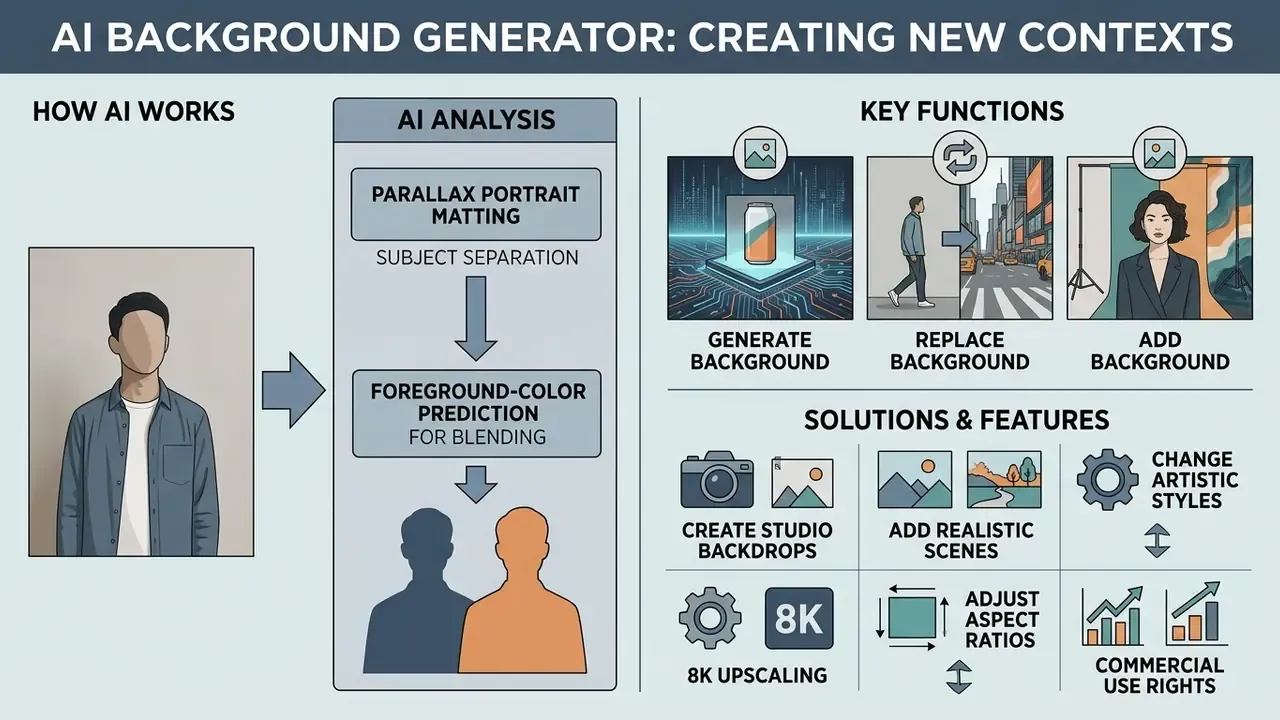
An AI background generator is a computer vision system built to separate foreground subjects from source photos and generate photorealistic, studio, or stylized backdrops from text prompts or visual reference templates. It removes operational bottlenecks in e-commerce, advertising, and digital asset creation by replacing physical photoshoots with algorithmic scene synthesis.
In practice, the technology answers three questions at once. Can the subject be isolated cleanly? Can the new scene be made physically plausible? Can the resulting asset be used legally and consistently at scale? The sections below take them in order: process first, economics and licensing later, so the workflow is understood before anyone signs a purchase order.
Generating a new background, replacing it, and adding a background to a photo
Modern AI image editing tools split background operations into four discrete workflows: create, replace, add, and remove.
- Create background Generates an entirely new backdrop from a text prompt or style preset, constructing lighting and perspective relative to the subject. Scenario: a new interior scene behind a chair photographed in a warehouse.
- Replace background Swaps an existing scene for a newly generated environment or reference image while preserving subject contours. Scenario: substituting a beach for a studio sweep behind a portrait.
- Add background Inserts a background layer behind a pre-isolated cutout or transparent subject. This is the classic "ai add background to image" case. Scenario: placing an already-cut-out product on a branded gradient, then adding a contact shadow.
- Remove background Strips the background entirely and outputs an alpha-channel transparent image (PNG or WEBP). Scenario: preparing a marketplace cut-out or a logo-ready asset.
Most vendors bundle all four behind one button, which is convenient and slightly misleading: the failure modes differ per workflow. These operations are frequently integrated into content management suites alongside specialized media tools such as an iphone photo editor or an iphone video editor for multi-channel asset creation.
How AI separates the subject and blends it with a new background
AI separates subjects from backdrops through semantic segmentation and alpha matting pipelines. Alpha matting estimates per-pixel foreground opacity () along complex boundaries such as hair strands, fur, and translucent glass, blending the foreground () with the new background () through the classic compositing formula:
Recent computer vision research points to two advances in foreground preservation:
«Parallax matting uses two frames with a small camera offset, recovering more accurate alpha masks and foreground colors than strong single-image baselines.»
- Parallax Portrait MattingAs shown by Cai et al. (arXiv:2607.01234, research preprint), multi-view or burst photography improves alpha matte estimation and recovers original foreground colors along blurry boundaries.
- Foreground-color predictionFrameworks such as PolarMatte (CVPR 2024) predict the true unmixed foreground color beneath transparent edges, preventing color bleed from the original background into the new composite scene.
Practically, this is why glassware, sunglasses, mesh fabrics, and pet fur are the categories where cheap segmentation fails first. The defect is not "missing pixels" but incorrect values and contaminated values along the boundary. A grey halo around a wine glass is a math problem, not a taste problem.
Which AI background styles can be generated
Generative background tools, sometimes marketed as an ai backdrop generator or an ai art background generator, produce six broad visual styles tuned to different identity requirements:
- Photorealistic: Natural outdoor, architectural, or seasonal scenes with plausible lighting. Teams comparing adjacent post-processing tooling can review dedicated AI photo editors for the retouch and correction steps that follow generation.
- Studio seamless: Neutral, gradient, or textured backdrops for clean product showcases.
- Minimalist: Plain, geometric, or monochrome scenes that keep attention on the product.
- 3D render: Volumetric stage elements, abstract pedestals, ray-traced surfaces.
- Creative or artistic: Stylized, illustrative, thematic backgrounds. The same generative machinery powers Ghibli-style AI image generators and other aesthetic-specific models.
- Abstract: Fluid shapes, blurred gradients, non-representational fields of color.
Style labels vary by vendor. Some platforms organize the same output space by use case (e-commerce, portrait, design) instead of a fixed taxonomy, so treat preset names as marketing, not as a standard. Expectations about photorealism should stay calibrated too:
«Real MS-COCO photographs score 4.48 out of 5 on photorealism, while none of the 26 tested generative models exceeded 3 out of 5.»
How to add an AI background to a photo: the step-by-step process
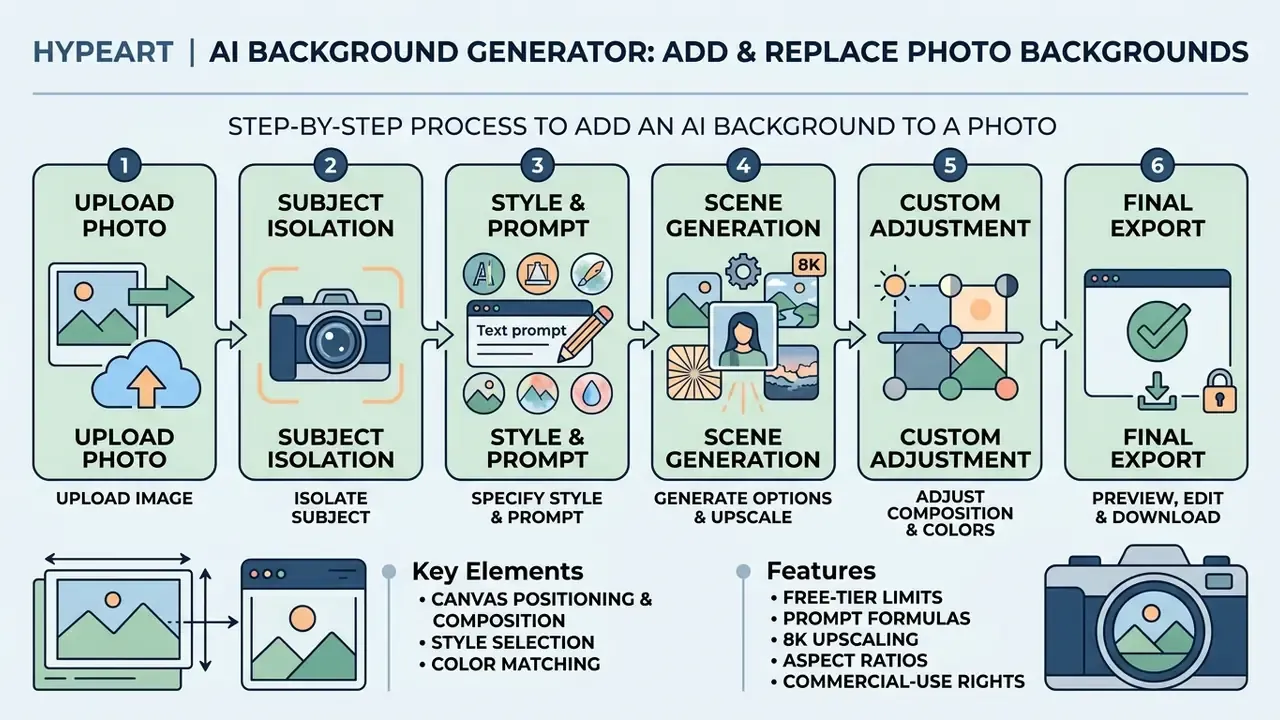
Adding an AI background to a photo follows a six-stage pipeline: upload, subject isolation, prompt or style specification, scene generation, custom adjustment, high-resolution download.
Upload the photo and prepare the source subject
Generated background quality depends directly on the initial subject isolation. To get a clean cutout:
- Upload high-contrast source images where the primary subject is clearly distinguished from the background.
- Keep boundaries sharp. Motion blur and low light degrade edge detection more than most people expect.
- Keep the original background as uniform as possible. Mixed clutter behind hair or fur multiplies matting errors.
- For subjects with transparent elements such as glassware, upload lossless PNG files to preserve original opacity values.
- Respect vendor input limits. Most web tools accept JPG, PNG, WEBP, and HEIC, with file caps between 10 MB and 40 MB and optimal resolution up to 4096×4096 px.
Updated: measurable image-quality dimensions (background uniformity, focus and sharpness, brightness and contrast, edge density) are standard components of face- and object-image quality assessment frameworks published by the National Institute of Standards and Technology. The specific "NIST, 2026" citation used in earlier revisions of this article requires external verification, so treat the principle as the operative rule: uniform background plus high-contrast edges equals better segmentation.
«Two-frame parallax matting recovers more accurate foreground colors along blurry boundaries compared with strong single-image baselines.»
If the source file is soft, noisy, or low-resolution, run it through AI image enhancers before segmentation rather than after. Enhancing a finished composite propagates edge artifacts instead of fixing them. I have seen teams do it in the wrong order and blame the model.
Choose a style, position the subject, and write the text prompt
Once the subject is isolated, configure the background parameters.
- Canvas positioning and composition.Scale, rotate, and place the subject on the canvas grid before generation. Use the rule of thirds for lifestyle scenes, center the subject for catalog thumbnails, and deliberately leave negative space on one side when the asset will carry a headline, price badge, or CTA overlay. Free repositioning matters before the model runs, because lighting, contact shadows, and perspective are built around the subject's final placement. Move the object afterwards and shadow geometry breaks.
- Style selection.Pick a preset (Studio, Outdoor, Minimalist, 3D) or type a custom prompt describing the environment. Where the platform exposes preset strength, that slider decides how aggressively the style overrides your prompt.
- Color matching.Enter hex codes or select a palette so the background aligns with brand guidelines. Amazon Nova Canvas accepts up to 10 hex codes for color-guided generation; Ideogram accepts five custom palette colors.
Generating a background from a reference image (Style Transfer or Image-to-Image).
If you already have a moodboard or a photo of the environment you want, skip prompt writing entirely and use Image-to-Image or Style Reference mode. Upload the reference. The model reads its color space, light-source placement, depth cues, and material textures, then reconstructs an analogous scene around your subject. This is the fastest route to consistent brand style, and it is how one-click "auto background suggestions" work under the hood: the generator infers a contextual scene from the product itself, with no typed prompt at all. For catalogs, store approved references as a reusable style library so every SKU inherits the same lighting and palette. Reference-driven workflows are supported by most image-to-image generators, which accept between one and ten reference inputs depending on the model.
Preview the result, edit, and download the image
After generation, inspect the composite render at the preview stage.
- Edge refinement: Check for fringing, halos, or residual artifacts from the original background around subject boundaries.
- Color adjustment: Tune background saturation, brightness, contrast, and white balance to match foreground lighting. Auto-adjust handles the first pass; manual curves handle brand-critical colors.
- Finishing upscale and sharpening: Before export, run an AI denoise and upscale pass (2 to 4 times) to remove micro-blur at the subject/background seam and equalize grain between the photographed subject and the synthesized scene.
- Export: Choose the right format, PNG with transparency for compositing, or high-quality JPEG/WEBP for publication, then download. To weigh subscription options across visual editing tools, see the overview of available platform tiers.
How to get a realistic AI background: prompt, light, perspective, and color
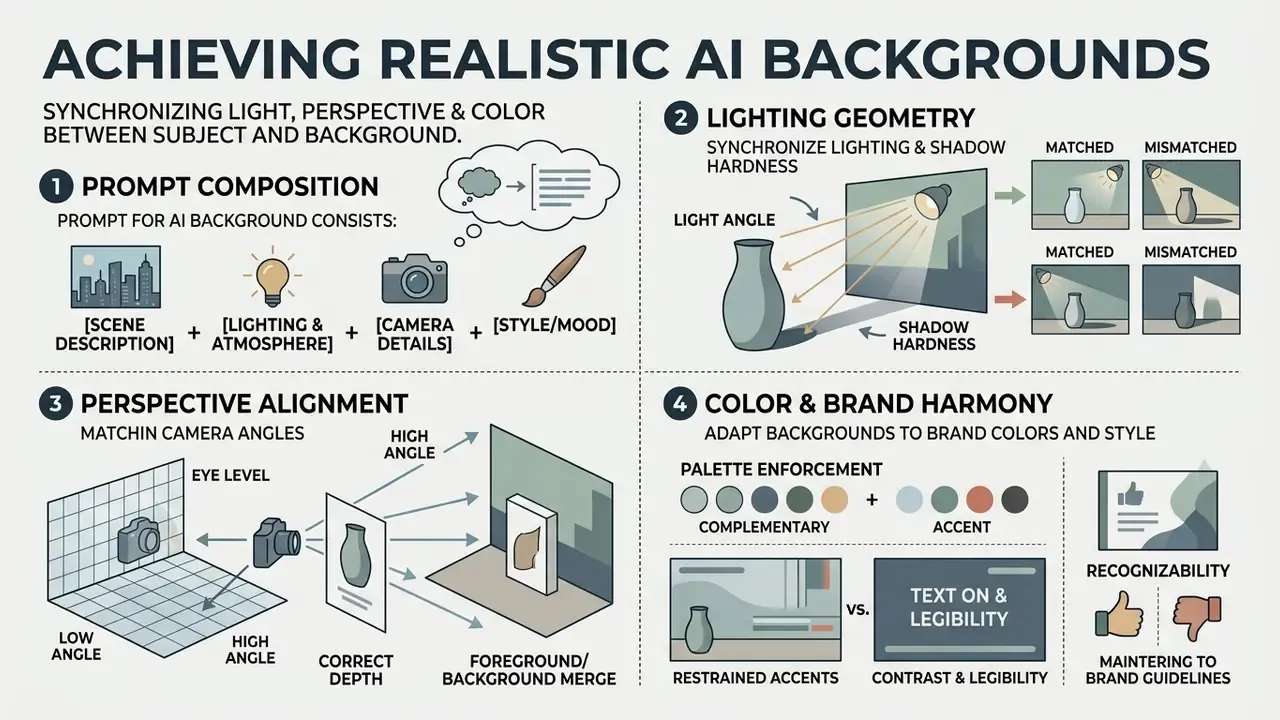
Photorealism in AI background generation comes from synchronizing lighting geometry, shadow hardness, camera perspective, and color temperature between the foreground subject and the generated scene. Nothing mystical about it.
What a prompt for an AI background image consists of
A structured prompt for background generation follows a six-part architecture:
- Example 1 (product): "Minimalist marble pedestal in a sunlit Scandinavian room, studio lighting, soft shadows, shallow depth of field, neutral beige and warm white palette."
- Example 2 (portrait): "Modern glass office building interior, diffused window daylight, eye-level perspective, subtle background blur, corporate cool blue and gray tones."
- Example 3 (lifestyle or food): "Dark marble kitchen countertop, morning side light from a window, close-up 50 mm perspective, linen and ceramic textures, warm amber and charcoal palette."
- Example 4 (fashion): "Neutral concrete studio wall, large softbox from upper left, full-length low-angle framing, matte plaster texture, off-white and sand palette."
Decompose complex scenes into steps instead of stacking twenty adjectives into one line. Generate the environment first, then refine lighting, then refine materials. Prompt bloat rarely improves realism; it usually just scrambles the palette.
How to match the subject's light, shadows, and perspective to the background
«In a two-alternative forced-choice study, intrinsic illumination harmonization was preferred over all three competing approaches, especially when lighting was matched.»
How to adapt AI backgrounds to brand colors and style
Visual identity survives automation only when generated backgrounds are constrained by the style guide.
- Palette enforcement Supply primary brand colors as hex values during generation (Amazon Nova Canvas supports up to 10 hex codes, Ideogram supports five).
- Restrained accents Keep primary colors dominant and pair secondary accents with neutrals, mirroring how mature brand guidelines constrain color usage.
- Contrast and legibility Ensure high contrast between text overlays and background elements, following W3C Web Content Accessibility Guidelines (WCAG) contrast ratios, and never rely on color alone to carry meaning. When a frame needs extra room for copy without rescaling the product, use AI outpainting for image expansion instead of cropping the subject.
- Recognizability A background must never compete with the product's own logo or wordmark. Grayscale or low-saturation scenes are the safe default for logo-heavy packaging.
AI background generators for product photos and e-commerce
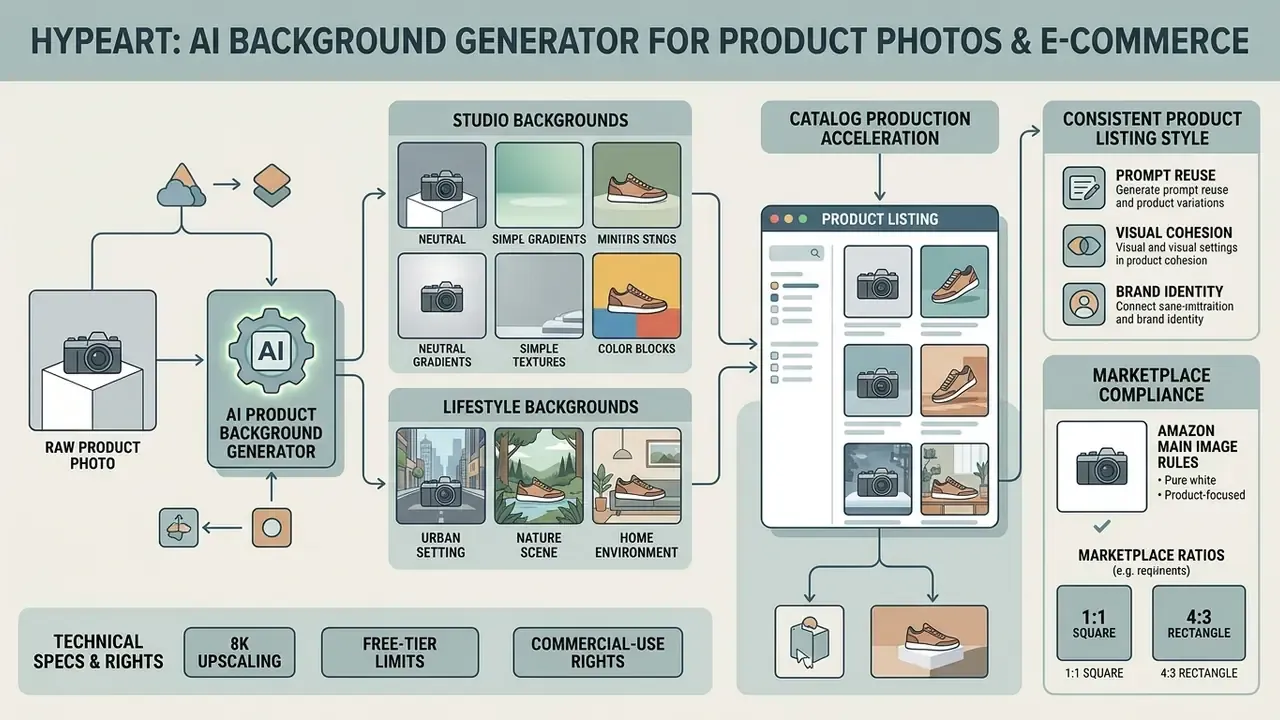
In e-commerce operations, an ai background generator for products accelerates catalog production by automating background replacement across high-volume listings. Free tiers exist, and plenty of small sellers run an ai background generator for products free of charge, but volume work eventually needs an API and a license.
Illustrative scenario (composite, not an audited case study). An enterprise retail merchant needed refreshed lifestyle visuals for 1,200 product SKUs across several home categories. A mask-guided diffusion pipeline with category-specific style templates automated background replacement across the catalog. In this modeled scenario, production cycle time compresses from roughly 14 business days for a traditional photoshoot to hours rather than weeks, with brand compliance verified through internal sampling audits. Figures are directional. No third-party methodology or audit report is attached, so validate throughput and compliance rates on your own pilot batch before extrapolating.
«Product images with contextual backgrounds scored significantly higher on appeal (M = 5.86, SD = 0.77) than background-free images (M = 2.14, SD = 0.83; t(20) = 10.21, p < 0.001).»
That 2025 eye-tracking study supports a two-image strategy: a clean studio main image for search and comparison, plus contextual lifestyle frames in the secondary gallery, where appeal and imagined use drive engagement.
Studio and lifestyle backgrounds for product cards
Product presentation leans on two distinct visual formats.
One technical warning applies specifically to generative fill around merchandise:
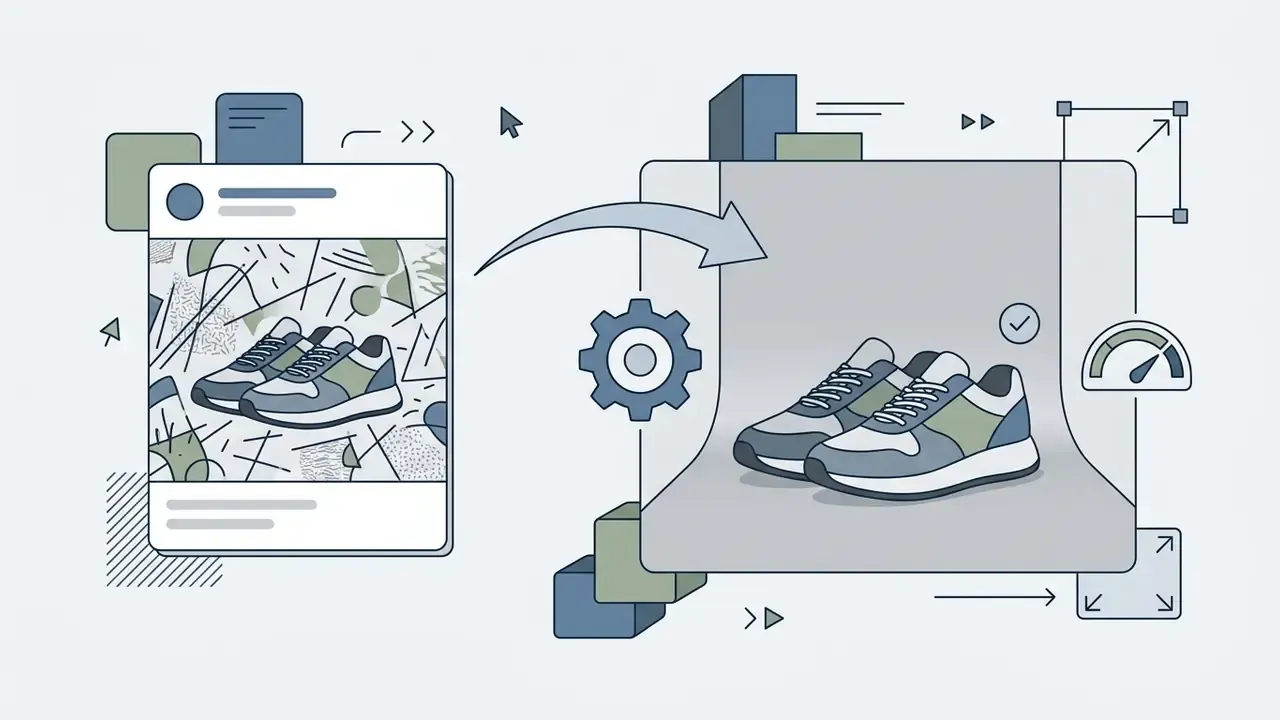

«Diffusion models can unintentionally alter product characteristics during background fill, an overcompletion problem addressed by masking the object through ControlNet and UNet.»
In production, that means the subject mask must be locked (hard mask plus ControlNet conditioning) so the model paints only outside it. Otherwise labels, seams, textures, and colorways drift. That is a compliance defect, not an aesthetic quibble: a shifted label on a regulated product is a claim you never intended to make. Merchants comparing platform feature sets can compare options across specialized digital asset management systems.
How to create a consistent style for product listings
Catalog consistency across marketplaces requires enforced formatting rules.
- Amazon main image rules Amazon Seller Central guidelines require main product images on a pure white background (RGB 255, 255, 255), with the product occupying at least 85% of the frame and no text, logos, borders, or watermarks.
- Marketplace ratios Ozon-style media requirements recommend 3:4 for clothing, shoes, and accessories, and 1:1 for other categories, with the full product visible. GS1-aligned submissions commonly specify white or transparent backgrounds, clipping paths for contour products, and web images up to 2400×2400 px.
- Catalog alignment Keep framing, shadow angles, and color temperature identical across every product in a category. When selecting a platform for catalog-scale generation, compare the best AI image generators on reference-input support, batch APIs, and resolution ceilings.
- Prompt reuse Once a background prompt or reference image matches the brand, reuse it verbatim across the category. Prompt drift is the single most common cause of visual inconsistency.
Virtual AI models (AI mannequins) for apparel and accessories
For apparel and accessories, current platforms go beyond swapping the backdrop and synthesize the wearer. The algorithm fits the source garment onto an AI-generated human with plausible drape, folds, occlusion, and lighting, then builds a matching environment around the figure. Operationally, this removes model casting, studio rental, and scheduling from the critical path. The same asset can be re-rendered across body types and skin tones for inclusive merchandising, and refreshed seasonally without a physical shoot.
Governance caveats apply, and they are not cosmetic. A synthetic model must not imply endorsement by a real person, and fit representation has to stay accurate enough to avoid misleading-advertising exposure and inflated return rates. If returns rise after a synthetic-model launch, the model is the suspect.
When to use batch editing for multiple photos
Batch processing applies one background setting across hundreds of product photos at once. Published ceilings vary widely by vendor, from 30 to 60 images per job on smaller tools up to 10,000 images per upload with ZIP export on volume platforms. Batch workflows earn their keep when:
- Launching a new seasonal collection that shares one thematic background.
- Standardizing legacy product photos against updated marketplace compliance rules.
- Re-rendering an entire category after a rebrand or palette change.
«An industrial dynamic background generation system built on Stable Diffusion with contextual bandits produced personalized product images at a scale previously unaffordable.»
To estimate operational efficiency gains before committing budget, teams can browse the hub of administrative analysis frameworks.
| Product type | Background style | Subject rules | Export parameters |
|---|---|---|---|
| Cosmetics | Minimalist studio, marble, soft light | Precise clipping path, texture retained | PNG/JPEG, 2400×2400 px, 300 DPI |
| Apparel and fashion | Neutral interior, bright studio | No stray props, true color retention | JPEG, 3:4 aspect ratio, RGB |
| Electronics | Clean studio, 3D pedestal, tech abstract | Controlled reflections, no blown highlights | PNG (transparent), 1024×1024 px and above |
| Home goods | Realistic interior (kitchen, living room) | Natural surface contact, cast shadow | JPEG, 1920×1080 px or 1:1, RGB |
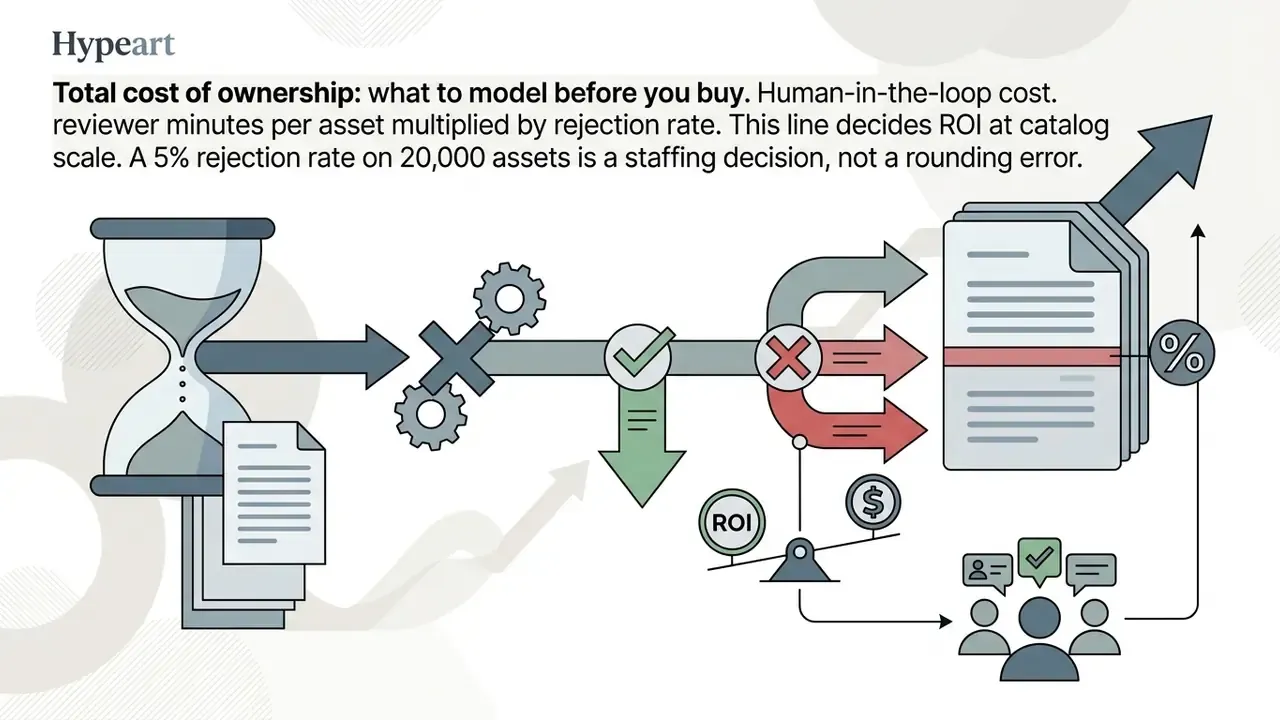
Total cost of ownership: what to model before you buy
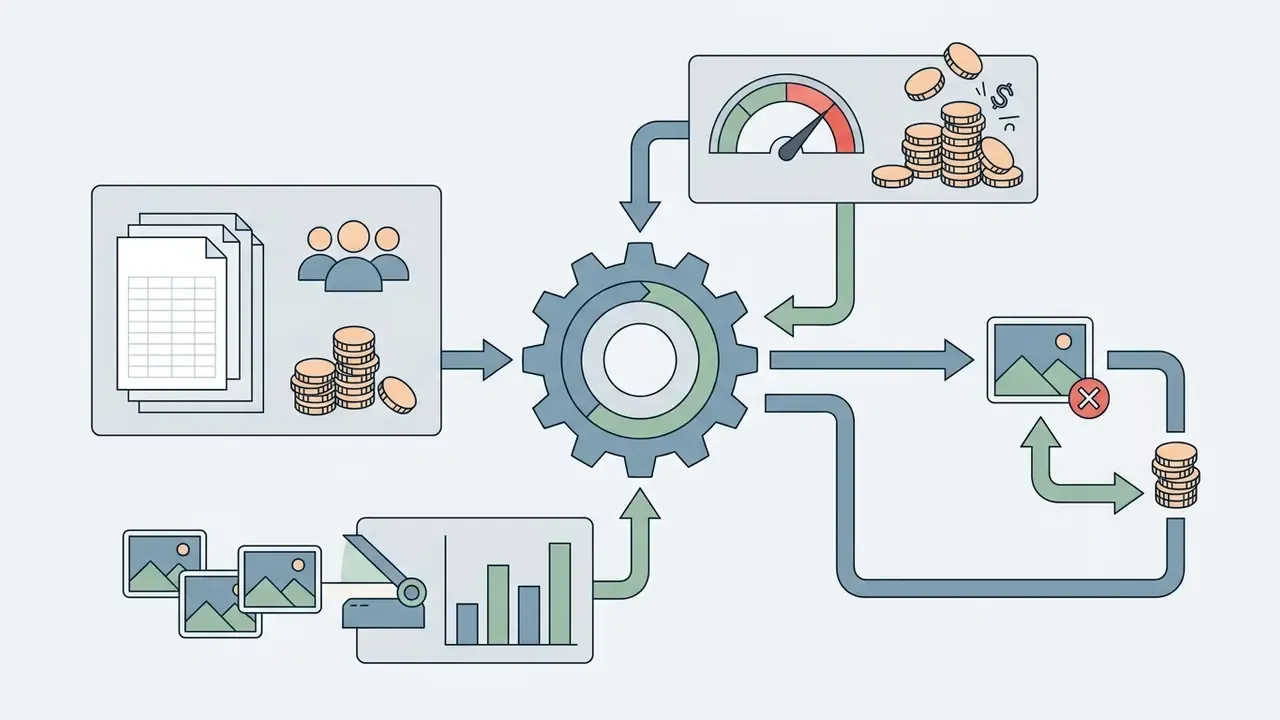
A defensible business case for background automation covers more than the subscription line.
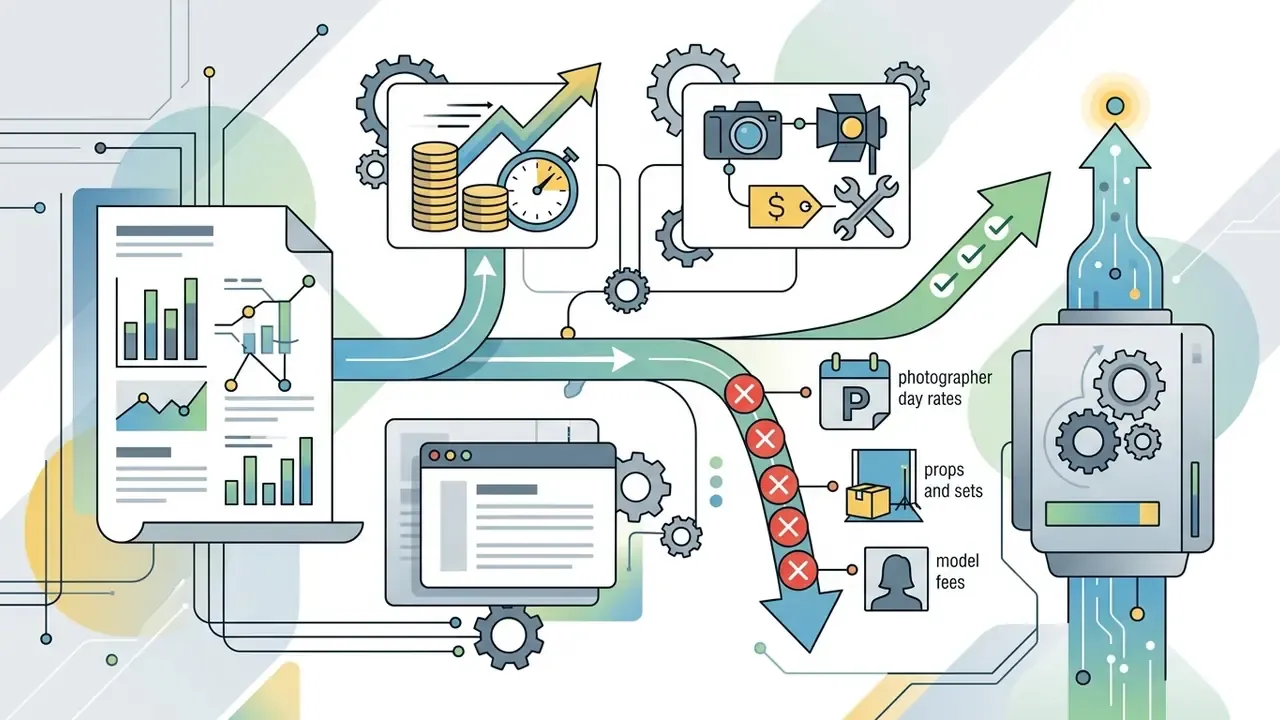
Compare that total against the traditional pipeline per SKU, not per image. And model payback on the slowest category, usually reflective electronics or transparent glassware, rather than on the easiest one. Optimistic pilots almost always pick the easy category first.
Quality, formats, and editing of AI-generated backgrounds
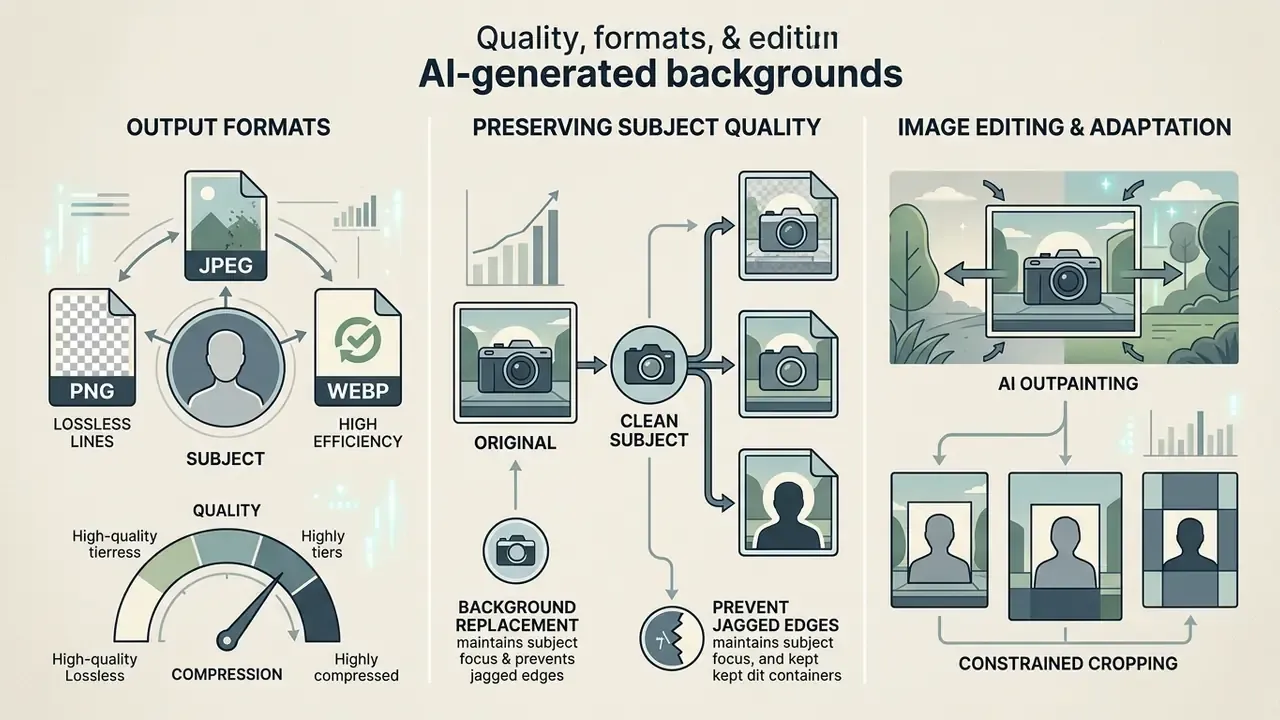
Final delivery depends on choosing the right output format, holding source sharpness, and executing crop, expansion, or aspect-ratio conversions cleanly.
PNG, transparent backgrounds, and other export formats
Format choice follows downstream usage.
Developers building automated asset generation workflows can review integration documentation in the AI Media API Guides.
How to preserve subject quality and adapt the image to the required format
To adapt generated images across social media and marketplace aspect ratios without distorting the subject, expand before cropping and validate quality automatically rather than by eye.
«The REAL framework reaches Spearman correlation up to 0.62 with human realism ratings; filtering data by high REAL scores improves classification F1 by 11.3%.»
- AI outpainting and image expansion: Extends canvas boundaries while synthesizing new background content, keeping the original subject unscaled. Presets commonly target 16:9 and 3:4. Related image-to-image generators handle reference-guided expansion when the new area must match an existing scene.
- Constrained cropping: Reframes the background to target ratios while holding subject centering and the minimum subject occupancy required by the destination marketplace.
- Finishing upscale and sharpening to 8K: Composites often retain micro-blur along the subject boundary. For large-format print or 4K and 8K screens, apply neural upscalers (Real-ESRGAN, SUPIR-class models) to raise resolution 2 to 4 times without detail loss, restore micro-texture on wood, fabric, and metal, and balance noise between the photographed subject and the synthesized background. Denoise before upscaling. Sharpen last, at output resolution.
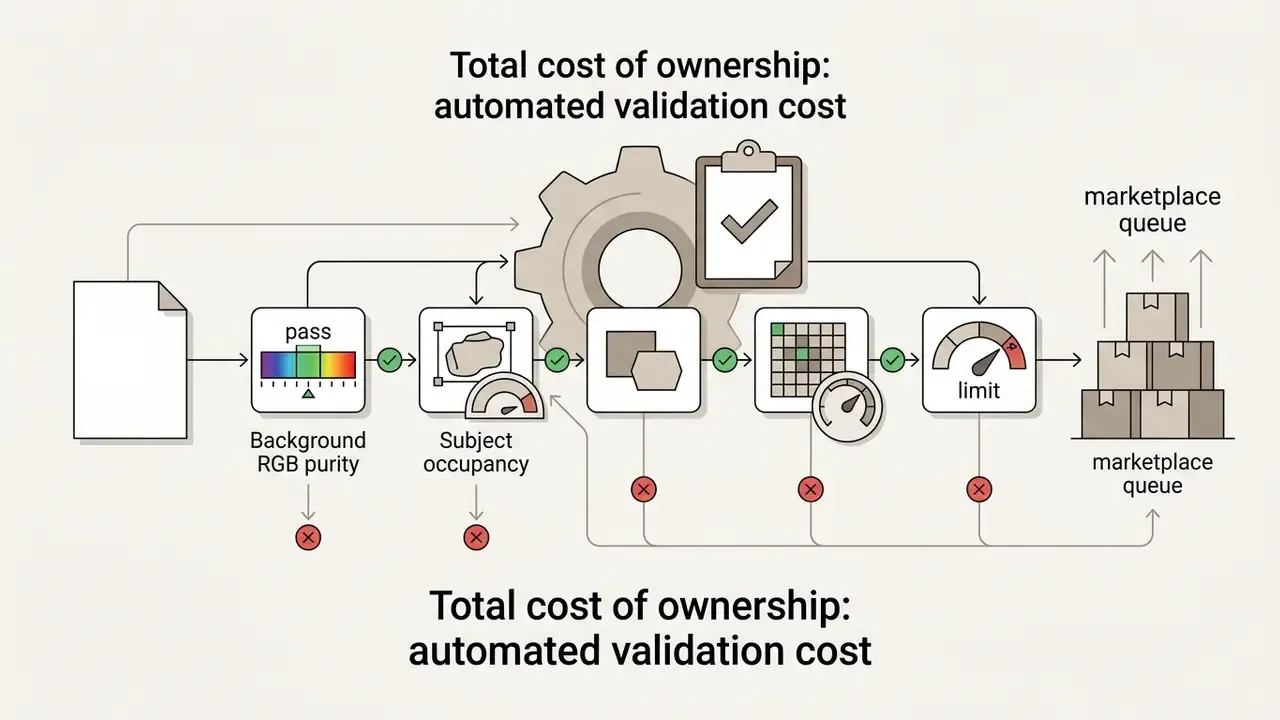
- Automated validation at scale: Reviewing 10,000 generated frames by hand is not a control, it is a wish. Script objective checks such as background RGB tolerance, subject occupancy at or above 85% where required, edge-halo detection, resolution and file-weight floors, duplicate-hash detection, and route only flagged assets to human review. Perceptual scoring frameworks can prioritize that queue.
Aspect ratio selection by destination platform
| Frame format | Resolution (px) | Primary use and platforms |
|---|---|---|
| 9:16 | 1080×1920 / 2160×3840 | TikTok, Instagram Reels, Stories, YouTube Shorts |
| 1:1 | 1080×1080 / 2048×2048 | Instagram feed, marketplace product cards, avatars |
| 3:4 | 1530×2040 | Lookbooks, apparel and fashion cards, mobile marketplaces |
| 4:3 | 2048×1536 | Catalog grids, presentation slides, legacy listing templates |
| 16:9 | 1920×1080 / 3840×2160 | Website banners, YouTube thumbnails and covers, desktop hero images |
Teams looking for additional workflow integrations can explore the hub of enterprise digital asset strategies.
How to choose an AI background generator: free features, pricing, security, and rights
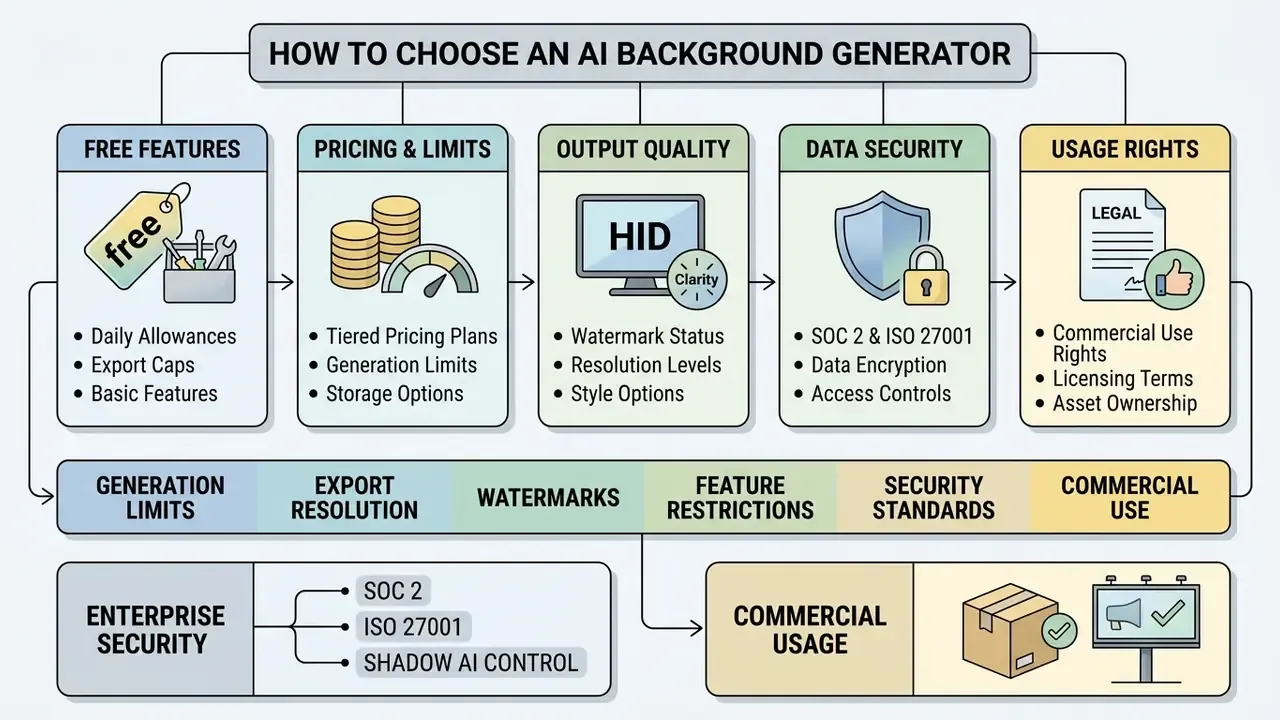
Selecting a tool means evaluating five criteria: daily generation allowances, export resolution caps, watermark presence, data-security posture, and explicit commercial usage rights in the vendor's licensing agreement. Everything else is preference.
What a free AI background generator usually includes
Free tiers exist for evaluation and personal projects, and search demand for an ai background generator free of charge is enormous. Just note that headline quality claims are hard to verify with automated metrics alone:
«Experimental evidence shows that common automatic metrics such as FID are inconsistent with human perception of generative image quality.»
Typical free-tier provisions:
Before committing, compare limits side by side across free AI image generators. Enterprise governance adds one more step: review data retention and ownership terms before uploading anything confidential. Entry-level creative tools such as a kaiber ai video generator or a kapwing ai video generator follow the same pattern. Free access first, contractual clarity second, which is exactly the wrong order for a regulated organization.
Enterprise-grade data security: SOC 2, ISO 27001, and shadow AI control
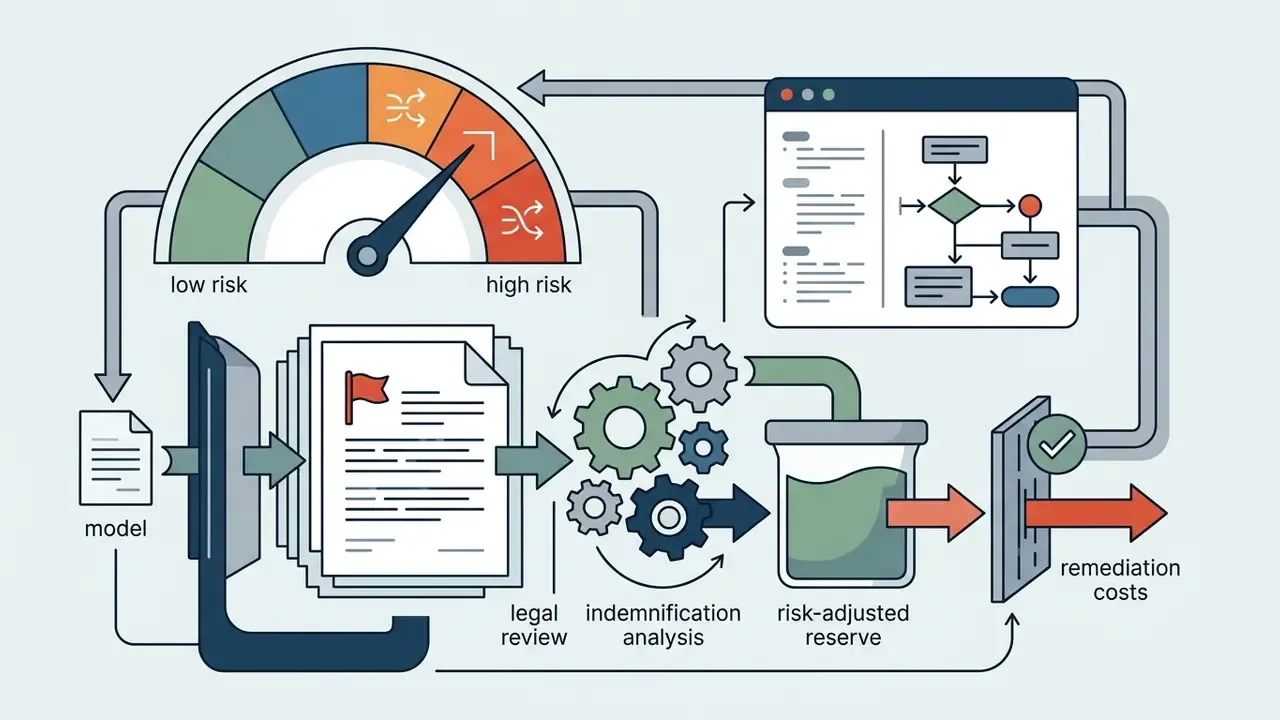
When a commercial platform processes product renders, unreleased packaging, or customer likenesses, the decisive question is not output quality. It is data handling. Confirm in writing that uploaded images are not used to train public models. Prefer vendors whose controls are attested under ISO/IEC 27001 and SOC 2 Type 2, covering encryption in transit and at rest, access control, and documented deletion of source assets after processing.
Checklist0 / 10
Commercial use of AI-generated backgrounds for products and advertising
«Large generative models can memorize and reproduce protected works, particularly when trained on numerous duplicates tied to unique text descriptions.»
Updated (source replaced). Active litigation shows the concrete exposure:
«The Getty Images complaint alleges that Stable Diffusion trained on roughly five billion image-text pairs, including watermarked Getty material, and that model outputs contained modified watermarks.»
Memorization risk plus watermark reproduction. That combination is why vendor indemnification and automated output screening are critical controls for commercial campaigns, not optional polish. Related litigation coverage tracks how these disputes evolve.
What to watch for when uploading and downloading images
Import and export constraints dictate both output quality and workflow speed.
- Upload limits Most web tools cap uploads between 10 MB and 40 MB and support JPG, PNG, WEBP, and HEIC. Stricter services enforce under 10 MB with a longest side of 4096 px or less; some general-purpose platforms allow 20 MB per image with hourly upload quotas.
- Input resolution Optimal input runs up to 4096×4096 pixels. Extremely low-resolution inputs degrade automatic segmentation irreversibly, and no upscaler fixes a mask that was wrong at the start.
- Download formats Export options typically include lossless PNG with transparent background support, compressed JPEG, WEBP, and on design suites PDF and layered PSD.
| Parameter / Plan | Free tier | Paid / Pro tier |
|---|---|---|
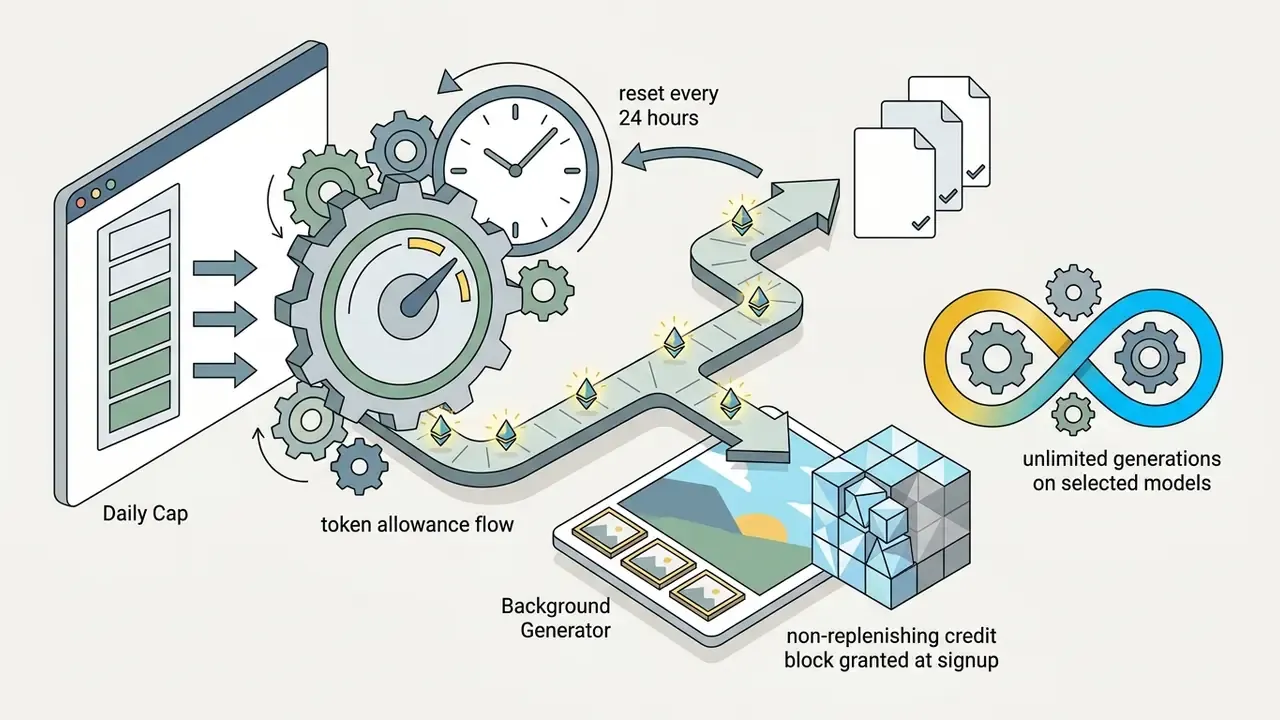
| Generation limit | 5 to 50 generations per day, or one-off credits | Unlimited, or 1,000+ credits per month |
| Download resolution | Preview or standard HD (up to about 1024 px) | Full HD, 4K, 8K (4096 px and above with upscaling) |
| Export formats | PNG, JPEG (basic) | PNG (lossless alpha), JPEG, WEBP, PDF, PSD |
| Watermarks | Possible on unauthenticated accounts | None |
| Batch processing | Limited (one image at a time) | Batch upload (from 30 to 60 up to 10,000 images, ZIP export) |
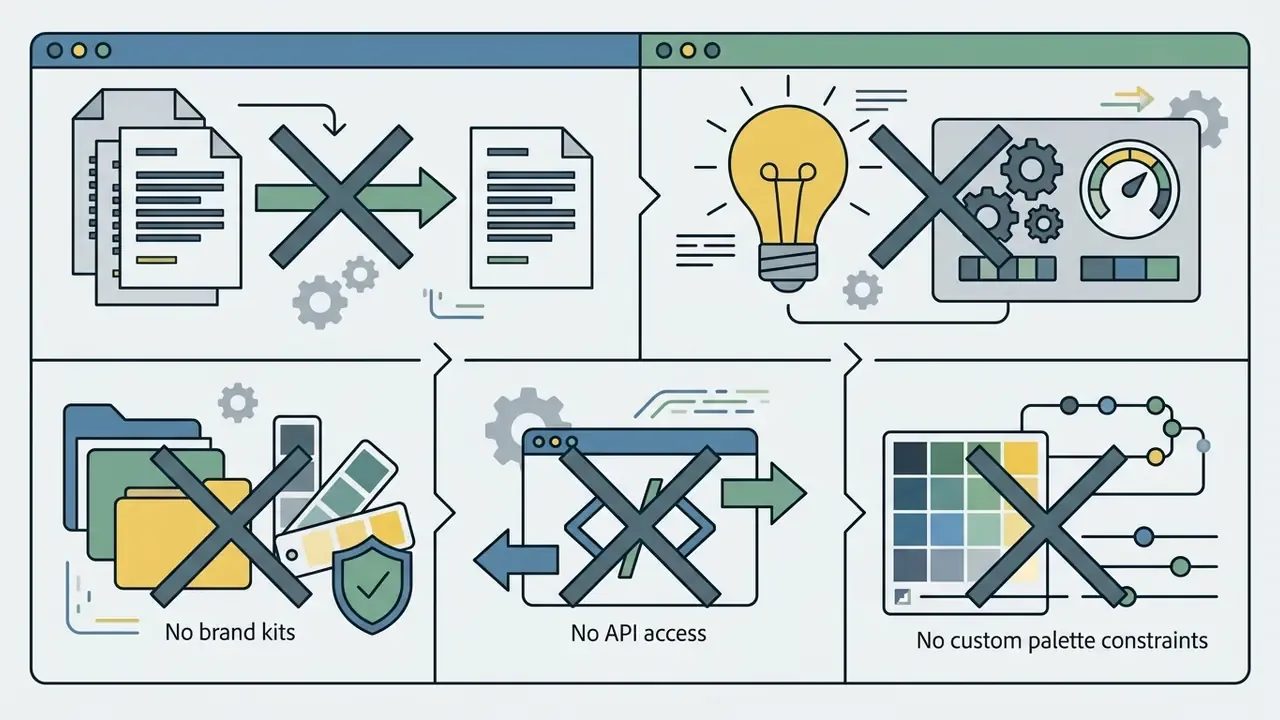
| API and SLA | Not included | REST API, rate limits, uptime SLA, support tiers |
| Commercial rights | Often personal use only | Full commercial rights, subject to terms |
FAQ about AI background generators
How long does AI background generation take?
Diffusion-based generators typically return one to four variants per request within seconds. Published vendor figures include an average of roughly 18 to 19 seconds per set of AI-generated backgrounds (Picsart's stated average, dependent on connection speed), while other tools advertise results in about 10 seconds. Actual latency varies with server load, requested resolution, model tier, and prompt complexity. No independent, vendor-neutral latency benchmark exists today, so treat every number here as vendor-reported.
Do I need design skills to use an AI background generator?
No. Baseline tools follow an upload, choose preset or reference image, download flow, and vendors state plainly that no design or coding skills are required. Professional retouching skills matter only for edge cleanup on difficult subjects such as hair, glass, and mesh, and for brand-critical color work. One perception caveat is worth knowing before you publish:
«The higher the aesthetic realism of an AI image, the more likely viewers judge it authentic, even when their own confidence drops.» Farooq and de Vreese, AI & Society (2026). https://link.springer.com/article/10.1007/s00146-025-02243-2 For advertising and marketplace listings, that means a realistic synthetic scene carries a disclosure and accuracy obligation, not only a creative one.
Can I generate several different backgrounds for one photo?
Yes. The same isolated subject can be recomposited into many background variants by changing prompts, reference images, styles, or palettes, which makes A/B testing of visuals practical. The count is not literally unlimited: your plan's daily cap, credit balance, or API rate limit sets the ceiling, so budget variants per SKU in advance.
Is an AI background generator app available on mobile?
Yes. Most tools run in mobile browsers on iOS and Android, several vendors ship a dedicated ai background generator app, and some state explicitly that no installation is required. Mobile capture plus browser-based generation is now a complete workflow for small sellers. A phone camera and a clean, evenly lit surface are sufficient input.
Which format should I download the finished AI-background image in?
For websites and marketplaces, JPEG or WEBP gives the best size-to-quality ratio. Choose PNG when you need the subject on a transparent background for further compositing, and PDF or PSD when the asset moves into print or layered design. If the file still needs cropping, text overlays, or color grading after download, finish it in one of the standard online photo editors rather than regenerating the background from scratch.
Are my uploaded photos used to train the vendor's AI models?
It depends entirely on the contract. Consumer free tiers frequently reserve broad rights over uploaded content, while enterprise plans typically offer training exclusion, defined retention windows, and deletion guarantees. Require written confirmation and prefer vendors attested under ISO/IEC 27001 and SOC 2 Type 2. Never upload unreleased products, customer likenesses, or confidential campaign assets to an unvetted consumer tool.
Can AI-generated backgrounds be used in paid advertising safely?
Generally yes on paid tiers that grant commercial rights, with two added controls. Screen outputs for watermarks, third-party trade dress, and recognizable brands, and keep a human sign-off step for any asset making product claims. Have counsel review vendor indemnification language before large-scale media spend.
Appendix A: source notes and superseded statements
Last updated: August 19, 2026. Editorial review: Marcus Hale, Editorial Lead, the author focused on enterprise digital asset governance and generative visual pipelines. Results vary with source image quality, lighting, subject pose, file format, and selected model settings.
- Company query reference (moved from the introduction)
- As of August 19, 2026, the domain hypeart.ai does not resolve through DNS, and registry verification returns no active entity records. No verified information is available on proprietary product features, pricing, or compliance credentials for hypeart.ai. Implementation frameworks discussed here are composite illustrative scenarios.
- Superseded claim (retained for transparency)
- an earlier revision stated, "Guidelines from the National Institute of Standards and Technology (NIST, 2026) emphasize that background uniformity and edge density are measurable factors determining algorithmic segmentation performance." The underlying principle is standard in image-quality assessment literature, but the specific 2026 document reference is unverified, so the main text presents the principle without attributing it to a single unconfirmed publication.
- Superseded claim (retained for transparency)
- an earlier revision stated, "Production cycle time decreased from 14 business days (traditional photoshoot) to 6 hours, while maintaining a 94% brand compliance rating across internal quality audits." Those figures come from a composite illustrative scenario without an attached audit methodology and are presented in the main text as directional only.
- Superseded links
- the original litigation reference was supplemented with Getty Images v. Stability AI case commentary; two off-topic creative-generator anchors were replaced with contextually relevant tool references.
- Research preprint note
- Cai et al., Parallax Portrait Matting (arXiv:2607.01234), is cited as a research preprint. Verify publication status before quoting it in regulated documentation.